
Installation Manual DIRECTV
|
|
|
- Aldous Montgomery
- 9 years ago
- Views:
Transcription
1 Installation Manual DIRECTV Multi-Satellite Dish Antenna with Integrated Triple LNB and Built-in Multi-Switch Introduction Your DIRECTV Multi-Satellite Dish antenna is designed for use with up to four independently operating DIRECTV Receivers. Along with your receiver User Manual, this guide will provide the information you ll need to successfully install and operate your DIRECTV System. Throughout the manual, the DIRECTV Multi-Satellite Dish antenna will be referred to as the antenna. For best results, we suggest you read carefully through these pages first before beginning installation. The guide is intended for an individual experienced in performing the various tasks described, including: Determining an antenna location with a good southerly view of the satellites Climbing a ladder and working on your roof Observing safe working practices around heights and electrical hazards Determining if there are water pipes, gas lines or wiring hidden near where you may drill Using a power drill to drill holes into your house Routing coaxial cable(s) through foundation, wall, under-floor, attic or interior walls Safely lifting and securing the 20-lb. antenna assembly Grounding the antenna and cable(s) as recommended in the National Electric Code (NEC)* NOTE: If you don t feel completely comfortable with these tasks, simply contact the store where you purchased the system for information on having your system installed by a local authorized DIRECTV installer. Safety Information Local building and electrical codes (NEC) require the antenna and the coaxial cables to be connected to a grounding electrode. Improper installation may seriously damage the equipment or the building, as well as cause injury or death to you. For your own safety, follow these important safety rules or contact a licensed inspector or electrician in your area for assistance: If you will be mounting your antenna in a location where it will be difficult or dangerous to view the attached bubble level (see page 6), use a small mirror or plumbing level instead. DO NOT risk falling Perform as many functions as possible on the ground Do not install the antenna on a rainy, snowy or windy day Make sure there are no people, pets, etc. below when you are working on the roof Watch out for power lines which may be overhead, underground and/or hidden behind walls, keeping safely clear of them with ladders, antenna and tools during installation The Federal Communications Commission (FCC) has ruled that a local government or homeowner s association may not prevent the installation of satellite antennas one meter or smaller in diameter, unless legitimate safety restrictions such as fire codes are in effect. Call FCC tel: (202) ; FCC Web sites at or for more information. ACTIVATION OF PROGRAMMING MAY BE SUBJECT TO CREDIT APPROVAL AND REQUIRES VALID SERVICE ADDRESS, SOCIAL SECURITY NUMBER AND/OR MAJOR CREDIT CARD. DEPOSIT OR PREPAYMENT MAY BE REQUIRED. Programming subject to change. You must be physically located in the U.S. to be an authorized DIRECTV customer. DIRECTV services not provided outside the U.S. DIRECTV programming is sold separately and independently of DIRECTV System hardware. A valid programming subscription is required to operate DIRECTV System hardware. Activate your DIRECTV programming today at DIRECTV ( ). *NEC is published by the National Fire Protection Association, 1 Batterymarch Park, Quincy, Massachusetts, and may be available at your local public library. 1 Your Company s Name Here DIRECTV Multi-Satellite Dish Antenna

2 Antenna Assembly Overview Contents of Package Dish Mounting Hardware Multi-Satellite Dish Reflector LNB Arm/Antenna Back Assembly Triple-head, Multi-Satellite LNB Mounting Hardware EZALIGN Mast LNB with built-in Multi-Switch for four Independent Outputs Grounding Screw 2

3 Tools Required 7/16" Nut Driver Steps for Installation In the following pages, you ll find step-by-step instructions for: 1 Determining Coordinates for Aiming Antenna... page 4 Adjustable Wrench 2 Finding Suitable Antenna Site... page 5 3 Installing EZALIGN Mast...page 6 4 Assembling/Adjusting Antenna on Ground...page 7 Screwdriver (Phillips) 5 Attaching Antenna to Mast...page 7 6 Routing RG 6 Cable(s)...page 8 Magnetic Compass 7 Grounding Cable and Antenna...page 8 8 Attaching LNB to Antenna...page 9 9 Aiming and Fine-tuning Antenna...page 9 Electric Drill and Bit Information Also Included: Troubleshooting Check List for Initial Installation...page 11 Loss of Signal/Rain Fade...page 12 Installation with Long Cable Run...page 12 Optional Accessories (not included) Typical installation kits (sold separately) include: Mast base mounting hardware RG 6 coaxial cable(s) with F connectors Grounding hardware, grounding wire, wire clips, etc. 6" plumbing level DIRECTV Multi-Satellite Dish Antenna 3

4 STEP 1 Determining Coordinates for Aiming Antenna ZIP Code Enter your ZIP code Azimuth: 152 Elevation: 50 Tilt: 102 OK Clear Depending on your receiver model, your display may look different from shown. In this example, a Southern California ZIP code is entered and receiver outputs: Azimuth: 152 Elevation: 50 Tilt: 102 The coordinates (Azimuth, Elevation and Tilt numbers) are based on your ZIP code and can be determined easily by using your receiver. You will need these numbers for site survey and antenna adjustments. NOTE: The antenna does not need to be installed for this step. Connect your receiver to the TV Consulting your receiver manual, connect the receiver s video or Channel 3/4 outputs to the corresponding TV input. Turn on the TV and the receiver. Set the antenna type Navigate to the antenna installation screen menu. Select installation as an oval 3-sat (some receiver brands may call it: triple, 3 sat location, Sat 1,2,3 or Sat A,B,C ). Find your coordinates Navigate to the antenna-pointing menu screen. Enter your ZIP code, then write down the numbers in space provided below. Azimuth (horizontal, side-side) Your Azimuth Elevation (vertical, up/down) Your Elevation Tilt (dish reflector rotation) Your Tilt 4

5 STEP 2 Finding Suitable Antenna Site If you live on the West Coast, the satellites will be to the south-southeast. If you live on the East Coast, the satellites will be to the southwest. A suitable antenna site requires an unobstructed view of the southern sky, a stable antenna mounting surface, a distance of 100-ft or less for RG 6 cable from your antenna to your receiver, and grounding nearby. NOTE: It s important to estimate the cable length at this point. The DIRECTV satellites are located in the southern sky above the Equator. The location for your antenna must have elevation-angle clearance (above the horizon) and 18 span clearance (from 101 to 119 ) for an unobstructed view to all three satellite locations. Northern border states have elevation readings toward 30 and southern border states toward 60. NOTE: If you are replacing an 18" dish with a new Multi-Satellite Dish Antenna, be sure to check for the required 18º clearance. If you do not have the required clearance, you should use a different location. Sat A, 101 with Transponders # 1 to # 32 Sat C, 110 with Converted Transponders # 8, #10, #12 Sat B, 119 with Transponders # 22 to # 32 No trees, leaves, buildings can be in the line-of-sight between antenna and satellites. Due to the many configurations possible, mast-mounting hardware is not included. Be sure you have the necessary mounting hardware before you begin. Optional mounting kits are available at your local electronics store. Below are potential mounting sites. Stucco Exterior Wall Wooden Rail Chimney Ground DIRECTV Multi-Satellite Dish Antenna 5

6 View of bubble level on top of mast Wrong STEP 3 Installing EZALIGN Mast Right Side view of bubble level in the mast Wrong Wrong Right Make sure the bubble level frame in the mast is seated properly by pressing down flat on it so the lip of the frame sits snugly on the top edge of the mast. Looking down into mast The patented mast has two slots at the the bottom that allow it to move up and down and side to side. This aids the centering the bubble level even when the mast base is mounted on an uneven surface. Now, you re ready to install the antenna mast at the location you ve chosen in Step 2 and align it to be plumb (perfectly straight up). Plumbing the mast is critical for the Multi-Satellite Dish antenna to receive optimal signals, and failure to align it properly will result in difficulty acquiring signals as well as a greater tendency for signal outages in adverse weather. Mount the base securely The mast base must be sturdy so antenna does not shift under various weather conditions and its own weight. Mounting is preferable on wood or masonry. Unsuitable sites may be handrail, aluminum or vinyl siding, composite paneling, and fiber/particle/strand boards. CAUTION! When installing mast base, avoid placing finger between mast bottom and base to prevent being pinched or cut. Align the mast The EZALIGN Mast pivots up and down, and from side to side. A bubble level is located in the top of the mast to assist in alignment. Loosen the four mast bolts slightly. Then move the mast up/down or twist side-to-side until the bubble in the bubble level is centered as shown at left. CAUTION! If the mast is mounted in a location where it is difficult or dangerous to view the bubble level, use a small mirror or plumbing level instead. DO NOT reach out and risk falling from roof or other high place. Tighten mast bolts When mast is straight up (plumbed), and while still keeping hold of the mast, tighten the four bolts with a 7/16" nut driver with your other hand. Make sure bolts are secure. You may want to tighten further with an adjustable wrench. Tighten Mast Bolts (two on each side) Up and Down Movement Side to Side Movement 6

7 STEP 4 Assembling/Adjusting Antenna on Ground Dish attaching to the LNB Arm/Antenna Back Assembly On even ground, attach dish to the LNB Arm/Antenna Back Assembly as shown. Leave off the Triple-head LNB until the antenna is mounted on the mast and you ve routed cable through the LNB Arm. Set Tilt Adjustment At the back of the antenna assembly, loosen the Tilt nuts and then set the Tilt adjustment according to the coordinate number you obtained in Step 1. Tighten the Tilt nuts. Do not change the Tilt adjustment again from this point on (even if you could not find the satellite signal during alignment). Unlike the Elevation and Azimuth coordinates, there is no need to fine-tune Tilt; doing so may cause alignment difficulty. For some of the Eastern Seaboard states, however, there maybe an exception: see Step 9, note #2, on page 10. In this example we have for Southern California (ZIP code 92683), the Tilt setting is Tilt Nuts (one shown) Set Elevation Adjustment At the side of the antenna assembly, loosen the two Elevation nuts (one on each side) and preliminarily set the Elevation adjustment, per the coordinate number obtained in Step 1. Tighten the Elevation nuts, but not completely. This is a preliminary adjustment, which you may have to fine-tune later on. In this example we show for Southern California (ZIP code 92683), the Elevation setting is 50 (use the position of the metal edge to the Elevation scale; do not use the washer or the bolt as reference). Metal edge at 50 STEP 5 Attaching Antenna to Mast Elevation Nuts, one on each side Slide the back of the antenna assembly onto the top of the mast until it stops at the pivot bolt. If necessary, slightly loosen the two Azimuth/Mast clamp bolts and pivot bolt so the antenna will go on to the mast. Azimuth/ Mast Clamp Bolts Tighten the two Azimuth/Mast clamp bolts and the pivot bolt just enough so the antenna has only side-to-side movement (rotational swing around the mast) for later Azimuth alignment in Step Pivot Bolt DIRECTV Multi-Satellite Dish Antenna 7

8 STEP 6 Routing RG 6 Cable(s) Cable Grounding Block To Receiver You ll route RG 6 cable from your receiver to the cable grounding block, then from the grounding block to the triple-head LNB. Before starting, inspect the inside of each cable connector for foreign materials and/or short. Make sure that the copper center conductor is straight and centered in the connector. Water Drip Loop To Antenna Dual grounding block, one receiver hook up shown Run cable from receiver Verify that there are no wires or pipes blocking the location where you want to feed the coaxial cables into your home. Drill a 1/2" inch hole for each cable. Connect cable to the Sat In jack on the back of your receiver. To prevent short, leave receiver unplugged until Step 9. Connect to grounding block Mount the grounding block close to the point of cable entry into the house. Connect cable to grounding block as shown. Alternate Grounding Point STEP 7 Grounding Cable and Antenna Option #1 Grounding Wire from Antenna Cold water pipe only Grounding Wire from Cable Grounding Block Use grounding wires #10 copper or #8 aluminum Grounding Screw Point Grounding Wire from Antenna Grounding the antenna and cable grounding block help protect the satellite receiver system and other components from lightning damage. Ground wire can be attached anywhere on the metal part of the antenna, but there is a convenient grounding screw at one side of the mast base. Installation should comply with local codes and the National Electric Code (NEC, Sections 250 and 810). Grounding point can be outside metal cold water pipe at point of entry (no gas or hot water pipes), 8-foot ground rod, grounded metallic service raceway, grounded electric service equip enclosure, etc. Option #1: Both ground wires go to the same ground point. If the two grounding points are different, a #6 copper wire should be connected between them. Option #2: The dish antenna grounding wire goes to grounding block first, then to the grounding point. Option #2 Grounding Wire from Cable Grounding Block 8 Cold water pipe only

9 Attaching LNB to Antenna STEP 8 Sat B, 119 The triple-head LNB has four identical outputs, each supporting one independently operating receiver. To simplify future installation of additional receiver(s), you may want to route more cables to the antenna at this point. Only one cable is needed for antenna fine-tuning and alignment. Sat C, 110 Sat A, 101 RG 6 cable from the grounding block can now be routed to the LNB on your antenna. Attach the triple-head LNB onto the LNB Arm and fasten with included mounting hardware (Philip screws and nuts). Dress cable with enclosed tie wraps, allowing for cable water drip loop if necessary. Hooking up cables (one shown) to the LNB and attaching the LNB to Antenna up to four cables can be connected this way. STEP 9 Aiming and Fine-tuning Antenna When you fine-tune the antenna to one satellite, the other two satellites should be aligned automatically. Plug in and turn on your receiver. Use the on-screen signal strength meter to fine-tune the antenna. It is important to obtain the strongest signal possible; the higher the signal strength, the less likely you are to experience signal outages during adverse weather. Align the Azimuth With a cell phone and house phone, ask someone to relay signal strength values to you, or hook-up a portable TV at the installation site. Your receiver may be equipped with an audible beep tone feature; the higher pitch, the higher the signal. A hand-held signal meter is also an option. Align the Azimuth Set your on-screen menu to the signal meter mode, on Satellite A (101 ). Use a transponder that is unique to Sat A (such as 1-6, 16) for your alignment. Point the antenna to a generally southerly direction, or use the Azimuth number obtained in Step 1 and a compass for a more precise starting point. Antenna Transponder: 23, Sat B Antenna Location: Azimuth: 152 Elevation: 50 Tilt: 102 OK Clear Current Level: 0 Peak Level: 75 Signal: Very slowly rotating the antenna around the mast a few degrees at a time, pause 3-5 seconds in between for signal strength meter update. You should be able to find the satellite signal first and then the signal peak, indicated on your screen. Once you sweep through the peak-signal point on the screen, stop. You may want to swing past the peak point a couple of times to make sure. Mark the mast and antenna bracket point with a pencil. Pencil Marks DIRECTV Multi-Satellite Dish Antenna 9

10 Verify Azimuth Alignment Fine-tune the Elevation Antenna Transponder: 23, Sat B OK Antenna Location: Azimuth: 152 Clear Elevation: 50 Tilt: 102 Current Level: 0 Peak Level: 75 Signal: Antenna Transponder: 1, Sat A Antenna Location: Azimuth: 152 Elevation: 50 Tilt: 102 OK Clear Current Level: 0 Peak Level: 91 Signal: Verify Azimuth alignment Switch to Sat B (119 ) on your on-screen menu, using Transponders 23, 25, 29 or 31. Verify that signal is also peaked at 119 by very slightly rotating the antenna around the penciled marking on the mast. Once satisfied, tighten the two Azimuth/Mast clamp bolts. NOTE: Sat B (119 ) signal strength may read different than Sat A (101 ) signal strength, depending on the satellite transmission patterns in the area. You only need to see whether Sat B (119 ) is peaked and not try to compare signal strength numbers. It s OK to be close but not at the peaks for both locations simultaneously. Fine-tune the Elevation Use Sat B (119 ) or Sat A (101 ) on-screen signal meter. While holding the LNB Arm, slightly loosen the two Elevation nuts. Move it up/down slightly and observe the signal strength on the screen. Find the peak and tighten the two Elevation nuts. Verify satellite signals Confirm the final signal-peak readings at all three satellite locations. Sat C (110, Transponders 8, 10 and 12.) should be aligned automatically. NOTE 1: Occasionally, you may see a transponder at Sat A (101 ), Sat B (119 ) or Sat C (110 ) not active, it is possible that this transponder is reserved for upcoming programming expansion. Switch to other transponders at the same satellite location to verify that you have good readings and that your antenna alignment is satisfactory. NOTE 2: In most of the U.S., the Tilt Adjustment should be fixed. However, because of large Tilt angle to 119 satellite in Eastern Seaboard states, a small amount of Tilt fine-tuning adjustment may improve 119 signal strength without significantly changing 101 signal reading. For these states, the following Tilt fine-tuning procedures are recommended: 1. Follow alignment procedures from Step 1 through Step 9; tighten Elevation and Mast clamp bolts. 2. Fine-tune Tilt Adjustment first by +3 degrees and then 3 degrees. Tilt is optimized when you see the 101 signal reading essentially unchanged and 119 signal strength improved by several points. Set Tilt to the optimized point and tighten Tilt nuts. 10

11 Troubleshooting Check List for Initial Installation If the signal is not found, be sure the receiver user manual and the antenna installation manual have been properly followed. Check to: Make sure all cable connections are correct and each connection is seated/tightened properly. Inspect the inside of each cable connector for dirt or possible connector to case/shield short. Verify the Azimuth, Elevation and Tilt angles for your location by ZIP code. Make sure the Tilt and Elevation pointers are aligned correctly to the scales. Do not use washer or bolt as reference. Make sure the Tilt adjustment is not changed from the recommended setting for the antenna location. Make sure the bubble level frame inside the mast is seated properly, then check the mast alignment again. The mast not being plumb/up straight is a major cause of alignment difficulty. Remove existing TV-specific components, such as TV splitter, etc; reduce the installation to the basic connections called out in this guide. Such components may not work with the satellite signal and they may be in the wall where you can t see them. When in doubt, run RG 6 cable directly to your receiver. Make sure there are no obstructions (trees, buildings, windows, corner or overhang of your roof, your body or hands) the signal does not pass leaves, branches, glass, etc. Also, keep in mind the 18 span clearance to receive all three satellite locations. This required clearance may also mean you ll need to consider a new location when replacing an old 18" dish with this new Multi-Satellite Dish Antenna. Your triple-head LNB depends on the receiver to supply power; the longer the cable length to the LNB, the greater the DC voltage drop. Your receiver depends on the antenna to supply signal; the longer the cable length, the greater the signal amplitude attenuation. Therefore, RG 6 cable length much longer than 100 feet (from each the receiver to the antenna) should be avoided. RG 6 cable with solid copper center conductor is highly recommended because it has much lower DC voltage drop compared to RG 6 cable with a copper-coated, steel center conductor. Standard RG 59 cable causes too much DC drop and signal drop; it can not be used to pass the satellite signal. RG 6 coaxial cable must be used. Some after-market, off-the-shelf add-on components may not be as advertised. They might not work or could cause additional DC drops and signal amplitude attenuation. Remove such components, go back to the basic connections called out in this manual and re-verify. Make sure the satellite cable is connected to the Sat In jack, not the Antenna In jack. The Antenna In jack at the back of the receiver is for off-air antenna input or cable TV input. In you live in a state on the Eastern Seaboard, you may need to fine-tune your Tilt Adjustment. Follow directions from NOTE 2, page 10. If all are done correctly but the signal is still not found, change the Elevation adjustment of the antenna slightly (± 2, then ± 4 from the called-for setting) and repeat the procedure. Make sure the Access Card from your receiver is fully inserted into the Access Card slot and oriented correctly. DIRECTV Multi-Satellite Dish Antenna 11

12 Loss of Signal/Rain Fade The satellite signal may be lost temporarily due to unusually heavy rainfall. An optimally aligned antenna, along with the shortest possible cable run, minimizes the chances of rain fade. Make sure the antenna is mounted securely to prevent it from being blown out of alignment in a heavy wind. Heavy snow accumulation on the LNB and the antenna may reduce the satellite signal strength; snow should be swept away as soon as possible. Tree foliage growth into antenna s line-of-sight to the satellite may result in gradual loss of picture. Installation with Long Cable Run For installations where the RG 6 cable runs from the receiver(s) to the LNB far exceeds 100 feet (150 feet or more), as encountered in a commercial or multi-dwelling building, you need to use an AC power booster module to bias the LNB. You will also need an additional RF signal amplifier to compensate the signal amplitude loss. Otherwise, your antenna and receiver may not work properly and be subject to frequent outages in adverse weather. Contact a professional concerning such installations. 12 4/17/03 REV DIRECTV, Inc. DIRECTV, the Cyclone Design logo and EZALIGN are trademarks of DIRECTV, Inc., a unit of Hughes Electronics Corporation. 07/ ENG-0

Home Signal Distribution Kit for Satellite TV Plus SIRIUS
 SR-101C SIRIUS/DBS Signal Combiner System SR-2261 Combiner-Outdoor Made in China DBS IN SIRIUS IN SR-101C SIRIUS/DBS Signal Combiner System SR-2251 Splitter-Indoor Made in China DC IN DBS OUT SIRIUS OUT
Installation Instructions
 Installation Instructions Attention! These installation instructions are intended for use by qualified professional technicians due to the complexity of the installation and compliance to national/local
Do It Yourself Guide for Adventist Satellite Installation System: Fortec Lifetime Ultra / SatelliteAV 36 Dish
 1-888-393-4673 [email protected] http://www.adventistsat.com [email protected] AMC 4 Dish Aiming Information for Zip Code Elevation. Azimuth, Magnetic. Feedhorn Rotation. Do It Yourself Guide
DIRECTV PLUS Satellite Dish Antenna
 DIRECTV PLUS Satellite Dish Antenna Changing Entertainment. Again. Installer's Guide Safety Information DANGER! Avoid Power lines! When following the instructions in this guide to install and connect the
SATELLITE DISH ANTENNA
 SATELLITE DISH ANTENNA SELF-INSTALLER S GUIDE Safety Information DANGER! Avoid Powerlines! When following the instructions in this guide to install and connect the satellite antenna and connections, take
Dish Installation Page
 Dish Installation Page Please review and check the following items before starting the installation of your FTA Satellite System. 1. Equipment required for Dish Installation. 1. Dish, LNBF, and Receiver.
Installation Guide. WSD-100 Wind Speed and Direction Sensor For XR5 Data Loggers. February, 2011
 WSD-100 Wind Speed and Direction Sensor For XR5 Data Loggers Installation Guide February, 2011 Pace Scientific Inc www.pace-sci.com Tel: 704-799-0688 [email protected] 1 Disclaimer The following warranty
Home Signal Distribution Kit for Cable TV Plus SIRIUS
 Home Signal Distribution Kit for Cable TV Plus SIRIUS For Use With a Single SIRIUS Radio Installation Manual Thank you for purchasing the Home Signal Distribution Kit for Cable TV Plus SIRIUS The Home
Cisco Aironet 2.4-GHz MIMO Wall-Mounted Omnidirectional Antenna (AIR-ANT2440NV-R)
 Cisco Aironet 2.4-GHz MIMO Wall-Mounted Omnidirectional Antenna (AIR-ANT2440NV-R) This document outlines the specifications for the Cisco Aironet 2.4-GHz MIMO Wall-Mounted Omnidirectional Antenna (AIR-ANT2440NV-R)
Step by step guide to installing your own Ku Band satellite dish
 Step by step guide to installing your own Ku Band satellite dish If you don't feel comfortable installing your own system, your local TV Aerial or Handyman can easily follow these helpful guidelines for
Mounting Tripod Kit Installation Manual
 Mounting Tripod Kit Installation Manual For use with Davis s wireless and cabled Vantage Pro2 weather stations, the Mounting Tripod simplifies installation. The tripod supports the Integrated Sensor Suite
Thanks for choosing Toroidal. This file is developed to assist you in assembling and aligning Toroidal Dish.
 Assembling Toroidal Thanks for choosing Toroidal. This file is developed to assist you in assembling and aligning Toroidal Dish. With Toroidal dish, you are aiming for more than 1 satellite and therefore
INSTALLATION AND OPERATING INSTRUCTIONS For Model GL1 Gate Locks
 Securitron Magnalock Corp. www.securitron.com ASSA ABLOY, the global leader Tel 800.624.5625 [email protected] in door opening solutions INSTALLATION AND OPERATING INSTRUCTIONS For Model GL1 Gate
Andersen Electric Window Opener for Andersen Awning and Roof Windows
 W A Electric Window Opener Electric Window Opener for Awning and Roof Windows Congratulations! You have just purchased one of the many fine products. For ease of installation and continued enjoyment of
BUILT-IN DISHWASHER INSTALLATION INSTRUCTIONS
 BUILT-IN DISHWASHER INSTALLATION INSTRUCTIONS PLEASE READ COMPLETE INSTRUCTIONS BEFORE YOU BEGIN LEAVE INSTALLATION INSTRUCTIONS AND USER'S GUIDE WITH OWNER ALL ELECTRIC WIRING AND PLUMBING MUST BE DONE
Assembly Instructions for the InteliTrack 3000 Rail Tracking System
 Assembly Instructions for the InteliTrack 3000 Rail Tracking System InteliTrack is a trademark of Sedona Solar Technology. Sedona Solar Technology 16 April 2013 1 1. Before you begin WARNING Safety equipment
Wind Direction Smart Sensor (S-WDA-M003)
 (S-WDA-M003) The Wind Direction smart sensor is designed to work with HOBO Stations. The smart sensor has a plug-in modular connector that allows it to be added easily to a HOBO Station. All sensor parameters
Installing the Broadband Global Area Network (BGAN) Fixed Mount Kit
 Installing the Broadband Global Area Network (BGAN) Fixed Mount Kit Product description BGAN fixed mount kit Although the BGAN satellite modem terminal is designed for portable use, the BGAN Fixed Mount
Installation Instructions For Slider Casement Air Conditioners
 Installation Instructions For Slider Casement Air Conditioners NOTE: These instructions describe installation in a typical wood framed window with a wood SLIDE-BY sash, or installation in a metal CASEMENT
MOUNT INSTALLATION GUIDE
 MOUNT INSTALLATION GUIDE 13 Nov '12 2 WARNING Make all electrical and coax connections from the controller to the mount and LNB's BEFORE applying power to, or connecting the satellite receiver to the controller.
Ceiling Mounted Folding Attic Ladders Installation Instructions
 Ceiling Mounted Folding Attic Ladders Installation Instructions WARNING Before you start installing your new Louisville Ceiling Mounted Folding Attic Ladder, you must read and understand the following:
INSTALLA ALLATION GUIDE
 INSTALLA ALLATION GUIDE Table of Contents Safety Instructions... I-i Installation and Setup... I-1 Introduction... I-1 Components of the Satellite Antenna...I-2 Summary of Installation... I-4 Before You
Lynx Broadband Installation Manual for Residential Packages with a 20 db Amp Quick Start Guide (first two pages)
 Lynx Broadband Installation Manual for Residential Packages with a 20 db Amp Quick Start Guide (first two pages) 1. Be sure that your kit includes all the parts shown in the Check the Equipment section
Installation Manual. Automatic Multi-Satellite TV Antenna Model SK-3005 DIRECTV Slimline
 Installation Manual Automatic Multi-Satellite TV Antenna Model SK-3005 DIRECTV Slimline www.winegard.com For Technical Services, call 1-800-788-4417. For Receivers and Programming, call 1-866-609-9374.
USER MANUAL. Rain Collector. with Mountable Base. Product numbers 7857 and 7857M
 USER MANUAL Rain Collector with Mountable Base Product numbers 7857 and 7857M R Davis Instruments, 3465 Diablo Avenue, Hayward, CA 94545-2778 U.S.A. 510-732-9229 www.davisnet.com Rain Collector (#7857
Installing the Broadband Global Area Network (BGAN) Fixed Mount Kit
 Installing the Broadband Global Area Network (BGAN) Fixed Mount Kit Product description BGAN fixed mount kit Although the BGAN satellite modem terminal is designed for portable use, the BGAN Fixed Mount
Part Name/Description Part Number Quantity. Power Cable 4000950-5 1
 Note: Indented items indicate parts included in an assembly listed above Part Name/Description Part Number Quantity Power Cable 4000950-5 1 Raven Harness Adapter Kit 4100525 1 Installation Instructions
MEDIUM FLAT PANEL DISPLAY STATIC MOUNT MSR Series
 INSTALLATION INSTRUCTIONS MEDIUM FLAT PANEL DISPLAY STATIC MOUNT The static mount accommodates medium flat panel displays weighing up to 125 lbs (57 kgs). The teardrop holes in the mount allow for quick
AMF112 (6904-002010 <00>) 13mm (1/2 in.)
 AMF112 () Concrete Wood 13mm (1/2 in.) 5.5mm (7/32 in.) 10mm (3/8 in.) Sanus Systems 2221 Hwy 36 West Saint Paul, MN 55113 USA Customer Service Americas: 800-359-5520 651-484-7988 [email protected] Europe,
Installation and Setup -- A 5 Step Process
 4 Installation and Setup -- A 5 Step Process INTRODUCTION If you do not want to install your system yourself, you can have it installed by a professional. Ask your retailer for information about the installer
Automatic Roof-Mounted Satellite TV Antenna
 Automatic Roof-Mounted Satellite TV Antenna www.winegard.com/mobile For help, email [email protected] or call -800-788-7 For receivers and programming, call -866-609-97 DO NOT RETURN ANTENNA TO PLACE OF
AMF112 Instruction Manual
 AMF112 Instruction Manual Scan here to view product demo and install videos or visit san.us/103 Milestone AV Technologies 6436 City West Parkway Eden Prairie, MN 55344 USA Customer Service Americas: 800-359-5520
EZ-48-3AB-125-35 Weather Station Mounting Tripod and Mast
 EZ-48-3AB-125-35 Weather Station Mounting Tripod and Mast EZ-125-35M 35 Mast Extension (Optional) EZ-125-SK Stake Kit (Optional) EZ-46-3 Tar Pad Kit (Optional) EZ-GWA Guy Wire Kit (Optional) Ambient Weather
Express5800/120Ed. Rack Mount Kit Installation Procedures PN: 455-01607-001
 Express5800/120Ed Rack Mount Kit Installation Procedures PN: 455-01607-001 Proprietary Notice and Liability Disclaimer The information disclosed in this document, including all designs and related materials,
Installation Manual. Solar Pool Heating System. Read the complete manual before beginning the installation
 Solar Pool Heating System Installation Manual Read the complete manual before beginning the installation 1. Sizing the System Visit www.techno-solis.com to size the system using the sizing calculator.
Guide To Returning Your Satellite Modem and Radio Assembly Model: HN7000S
 Guide To Returning Your Satellite Modem and Radio Assembly Model: HN7000S The HughesNet modem with power supply and radio must be returned to Hughes, in good condition, within 45 days of your termination.
Chapter 10 - Scaffolding Systems
 Chapter 10 - Scaffolding Systems Contents Chapter 10 - Scaffolding Systems... 10-1 Check and Oil the Pump Jacks... 10-4 Set Pump Jack Brackets... Error! Bookmark not defined. Set Pump Jack Poles... 10-5
Troubleshooting Guide
 Troubleshooting Guide TM Satellite Solutions for Mobile Markets 11200 Hampshire Avenue South, Bloomington, MN 55438-2453 Phone: (800) 982-9920 Fax: (952) 922-8424 www.kingcontrols.com 1305 TROUBLESHOOTING
Upgrading a GainMaker Line Extender from a Line-Powered Source to a 120 V AC-Powered Source Installation Instructions
 Upgrading a GainMaker Line Extender from a Line-Powered Source to a 120 V AC-Powered Source Installation Instructions Overview Audience These installation instructions are intended for all cable system
UPLIFT Height Adjustable Standing Desk (T-Frame) DIRECTIONS FOR ASSEMBLY AND USE - - ALSO - - Watch our assembly video
 UPLIFT Height Adjustable Standing Desk (T-Frame) DIRECTIONS FOR ASSEMBLY AND USE - - ALSO - - Watch our assembly video http://bit.ly/9ywwh! CAUTION MAKE SURE NO OBSTACLES ARE IN THE DESK S PATH AND ALL
Table of Contents. www.hunterfan.com. What to Expect with. Preparation. Tools Needed. Wiring. Hanging the Fan. Blades. Motor Housing.
 www.hunterfan.com Table of Contents What to Expect with Your Installation 30 inches Hanging the Fan Wiring 8 Maintenance, Operation & Cleaning Light Kit 13??? 14 1 9 Troubleshooting 11 5 Blades Motor Housing
GreenWay Solar LED Path and Trail Lighting System. Installation and Owner s Manual
 GreenWay Solar LED Path and Trail Lighting System Installation and Owner s Manual Important Notes and Warnings This installation and instruction manual provides installation, operation, and maintenance
HDTV. Amplified Indoor Outdoor Antenna. indoor outdoor. 10 db Amplification. Paintable. Versatile TERRESTRIAL VHF UHF
 Amplified Indoor Outdoor Antenna VHF UHF 10 db Amplification fixed 10 db amplification for improved reception of weak signals Paintable customize your antenna color to match your interior or exterior décor
Global Water Instrumentation, Inc.
 Global Water Instrumentation, Inc. 11390 Amalgam Way Gold River, CA 95670 T: 800-876-1172 Int l: (916) 638-3429, F: (916) 638-3270 6 Tipping Bucket: RG200 02/05/10 01-343 - 1 - Congratulations on your
ATS Overhead Table Shelf System INSTRUCTION MANUAL
 ATS Overhead Table Shelf System INSTRUCTION MANUAL ATS Overhead Table Shelf System Instruction Manual Warranty Newport Corporation warrants this product to be free of defects in material and workmanship
Canopy Surge. User Manual
 Canopy Surge Suppressor User Manual SS00-UM-en Issue 2 May 2003 2003 Motorola, Inc. All rights reserved. Printed in the U.S.A Notices Safety Precautions: Before beginning your installation, please read
RAIN COLLECTOR S HELF MANUAL
 RAIN COLLECTOR S HELF MANUAL The Rain Collector Shelf provides a good mounting support for your Rain Collector II. The Rain Collector Shelf is designed to be attached to Davis Sensor Mounting Arm, and
1. SAFETY RULES. 8. Avoid placing objects in the path of the blades.
 1 1. SAFETY RULES 1. To reduce the risk of electric shock, insure electricity has been turned off at the circuit breaker or fuse box before beginning. 2. All wiring must be in accordance with the National
Installation Instructions
 READ BEFORE INSTALLING UNIT For Slider Casement Air Conditioners To avoid risk of personal injury, property damage, or product damage due to the weight of this device and sharp edges that may be exposed:
Anthro Tablet Charging Cabinets
 Owner's Manual for Anthro Tablet Charging Cabinets Covers part numbers beginning TAB16 and TAB20. Components at a Glance The open views of the front and side of the cabinet below are for the TAB20 cabinet.
Sliding Barn Door Hardware Installation Instructions BALDUR and ODEN
 Sliding Barn Door Hardware Installation Instructions BALDUR and ODEN Installation Instructions Structural Information For standard systems and most custom single door opening systems. General Overview
PowerFlex 700S and 700H Frame 12 DC Bus Connector Kit
 PowerFlex 700S and 700H Frame 12 DC Bus Connector Kit Installation Instructions This document provides instructions for the installation of a DC bus connector kit for PowerFlex 700S and 700H frame 12 drives
POD Visor Instructions
 POD Visor Instructions Please read fully before beginning assembly and mounting the Visor Parts List - Visor Left Part (LV), Visor Right Part (RV) Qty 2, Aluminum Crossbars Hardware - Qty 17, 1/4" X 3/4"
TOYOTA Tundra 2007 - BACK-UP CAMERA SYSTEM Preparation
 Preparation Part Number(s): PT233-34070, PT923-35070-11, PT923-35070-43 NOTE: Part number of this accessory may not be the same as part number shown. Back Up Monitor Kit Contents PT923-35070-11 / PT923-35070-43
Rating when used as a weight carrying hitch without spring bars:
 BOLT-TOGETHER WEIGHT DISTRIBUTING HITCH SYSTEM Rating when used as a weight distributing hitch with spring bars: Part Number 48051 4805 48053 48054 Max Tongue Weight 550 Ibs. 750 Ibs. 1000 Ibs. 1400 lbs.
Guidelines for Earthquake Bracing Residential Water Heaters
 Guidelines for Earthquake Bracing Residential Water Heaters Department of General Services Division of the State Architect In accordance with the Health and Safety Code Section 19215, the Division of the
This mount uses concrete parking bumpers and a Davis tripod to create a mounting solution for nonpenetrable
 NON-PENETRATING FLAT ROOF MOUNT Application Note 18 For Any Davis Weather Station Installed on a Mounting Tripod Introduction This application note describes various mounting solutions for non-penetrable
STEADYfast Stabilizer Installation Notes Fifth Wheel and Travel Trailers 11/23/13
 STEADYfast Stabilizer Installation Notes Fifth Wheel and Travel Trailers 11/23/13 (See Supplemental Instructions for trailers with heavy duty round footplates and/or Power Leveling Systems) PHONE SUPPORT
USALS INSTALLATION GUIDE for ROTOR SAT HH100 and HH120
 www.stab-italia.com USALS INSTALLATION GUIDE for ROTOR SAT HH100 and HH120 For the Rotor installation in DiSEqC1.2 mode please consult the instruction manual inside the package. USALS System The USALS
HP UPS R1500 Generation 3
 HP UPS R1500 Generation 3 Installation Instructions Part Number 650952-001 NOTE: The rating label on the device provides the class (A or B) of the equipment. Class B devices have a Federal Communications
Installing the Video Input and TV Tuner Cards in a Compact Computer or a Dual PCI-Slot Tower Computer
 Installing the Video Input and TV Tuner Cards in a Compact Computer or a Dual PCI-Slot Tower Computer This booklet describes how to install the video input and TV tuner cards in a compact Macintosh computer
75cm ODU/SurfBeam 2 Point and Peak Job Aid
 Summary This Job Aid covers: 75cm ODU/SurfBeam 2 Point and Peak Job Aid Preparing the Antenna for Pointing and Peaking Configure the SurfBeam 2 Modem and 75cm TRIA Point Elevation Set the Skew Point Azimuth
2.4M SERIES 1241 ANTENNA
 4096-859 Revision A August 7, 2012 2.4M SERIES 1241 ANTENNA GENERAL DYNAMICS SATCOM Technologies 1500 Prodelin Drive Newton NC 28658USA Phone 828-464-4141 www.gdsatcom.com Prodelin Corporation Page 1 8/17/2012
Vinyl Brick Mould Field Installation Instructions All Vinyl and Vinyl Clad Windows
 Vinyl Brick Mould Field Installation Instructions All Vinyl and Vinyl Clad Windows Viewed from the exterior. IMPORTANT: Please read before you begin installation. TABLE OF CONTENTS AND TOOL / MATERIAL
INSTALLATION INSTRUCTIONS HUSTLER 4-BTV, 5-BTV TRAP VERTICAL WARNING INSTALLATION OF THIS PRODUCT NEAR POWER LINES IS DANGEROUS
 INSTALLATION INSTRUCTIONS HUSTLER 4-BTV, 5-BTV TRAP VERTICAL WARNING INSTALLATION OF THIS PRODUCT NEAR POWER LINES IS DANGEROUS FOR YOUR SAFETY, FOLLOW THE INSTALLATION DIRECTIONS GENERAL DESCRIPTION:
GPS AutoSteer System Installation Manual
 GPS AutoSteer System Installation Manual Supported Vehicles John Deere Sprayers 4720 4630 4730 4830 AutoTrac Ready PN: 602-0227-01-A LEGAL DISCLAIMER Note: Read and follow ALL instructions in this manual
AZEK Rail Install Guide
 TRIM MOULDING DECK PORCH RAIL PAVERS AZEK Rail Install Guide Installing AZEK Rail with CableRail by Feeney... 1 Installing CableRail by Feeney for AZEK Rail... 7 Installing AZEK Rail Stairs with CableRail
Automatic Roof-Mounted Satellite TV Antenna
 Automatic Roof-Mounted Satellite TV Antenna www.winegard.com/mobile For Technical Services, email [email protected] or call -800-788-7 For Receivers and Programming, call -866-609-97 DO NOT RETURN ANTENNA
RZ Guardrail System Installation Manual
 TM RZ Guardrail System Installation Manual RZ Guardrail System Compliance is based on OSHA standards: (Standards - 29 CFR) 1910.23 (e) and (Standards - 29 CFR) 1926.502 (b) Failure to read, understand
Sash Replacement Guide
 for Andersen 200/400 Series Awning Windows Read all instructions carefully before attempting this procedure. If you have any questions about your ability to complete this procedure, call Andersen at 1-888-888-7020
CP2 Buried Cable Pedestal Initial & Rehab Installation Instructions
 Printing 3 March 2008 CP2 Buried Cable Pedestal Initial & Rehab Installation Instructions This instruction is intended for CP2 cable pedestal installations and replacements. The following tools will be
INSTALLATION MANUAL ELECTRIC RANGE. Please read these instructions thoroughly before installing and operating the range.
 ENGLISH ESPAÑOL INSTALLATION MANUAL ELECTRIC RANGE Please read these instructions thoroughly before installing and operating the range. LRE3025ST LRE3085ST LRE3083ST LRE3083SB LRE3083SW LRE3021ST LDE3037ST
Chapter 9. Bonding and Grounding
 Chapter 9 Bonding and Grounding Objectives Describe why the cable should be bonded Describe bonding and grounding procedures Define Bonding and Grounding Explain Safety Benefits and intent of bonding and
ScreenLogic Wireless Connection Kit. Installation Guide. pool/spa control system
 pool/spa control system ScreenLogic Wireless Connection Kit Installation Guide P/N 520663 - Rev B 8 Technical Support Contact Technical Support at: Sanford, North Carolina (8 A.M. to 5 P.M.) Phone: (800)
Awning Instructions. Standard Manual 1.5m to 4.5m
 Awning Instructions Standard Manual 1.5m to 4.5m English Standard Manual Instructions Contents Warning 1.5m 3.0m Awnings 4 x Expansion bolts (2 per bracket)** 2 x brackets 1 x Awning 1 x Winder handle
6720616592.00-1.SD. Flat roof. Rack Mounting. Installation instructions 6 720 647 036 (2010/11) AU
 6720616592.00-1.SD Flat roof Rack Mounting AU Installation instructions 2 Contents AU Contents 1 Key to symbols and safety instructions....... 3 1.1 Explanation of symbols................ 3 1.2 Safety
OWNER S MANUAL Table Tennis Table Patent Pending
 OWNER S MANUAL Table Tennis Table Patent Pending Be sure to write your model number and serial number here for future reference. You can find these numbers printed on the bottom of the table. MODEL # T8179
Elo Touch Solutions Wall-mounting Kit for the 5501L IDS Touchmonitors
 Installation Manual Elo Touch Solutions Wall-mounting Kit for the 5501L IDS Touchmonitors SW602206 Rev B Table of Contents Chapter 1: Safety Warning... 3 Chapter 2: Kit Contents... 4 Included in Kit...
Small Flat Panel Lift Arm FSA-1004 and KSA-1004
 I N S T A L L A T I O N I N S T R U C T I O N S Small Flat Panel Lift Arm FSA-1004 and KSA-1004 The Lift Arm is an accessory that can be used with a broad range of Small Flat Panel Displays. The allows
Awning Instructions. Full Cassette 1.5m to 6m
 Awning Instructions Full Cassette 1.5m to 6m English Full Cassette Manual & Electric Instructions Contents Warning 1.5m - 3.5m Awnings 8 x Expansion bolts ** 2 x brackets 1 x Awning 1 x Winder 4.0m -
Portable Satellite TV Antenna. VQ1000 Owner s Manual
 Portable Satellite TV Antenna VQ1000 Owner s Manual Model VQ1 Solutions for Mobile Markets 11200 Hampshire Avenue South, Bloomington, MN 55438-2453 Phone: (952) 922-6889 Fax: (952) 922-8424 20963 REV E
SCREENLOGIC INTERFACE WIRELESS CONNECTION KIT
 SCREENLOGIC INTERFACE WIRELESS CONNECTION KIT FOR INTELLITOUCH AND EASYTOUCH CONTROL SYSTEMS INSTALLATION GUIDE IMPORTANT SAFETY INSTRUCTIONS READ AND FOLLOW ALL INSTRUCTIONS SAVE THESE INSTRUCTIONS Technical
WINEGARD MOTORIZED SENSAR ANTENNA Models MA1055W & MA1055G MADE IN U.S.A. U.S. Patents D500,496 and 7,358,909 INSTALLATION MANUAL
 WINEGARD MOTORIZED SENSAR ANTENNA Models MA1055W & MA1055G MADE IN U.S.A. U.S. Patents D500,496 and 7,358,909 INSTALLATION MANUAL CAUTION: This system is not for use with antenna in raised position while
ENGLISH www.bandg.com www.simrad-yachting.com www.lowrance.com
 StructureScan HD Transom mount Installation Guide ENGLISH www.bandg.com www.simrad-yachting.com www.lowrance.com Warning: It is your sole responsibility to install and use the instrument and transducer(s)
Cable Support System Guide for Andersen Bow, Bay, and Box Projecting Window Units
 for Andersen Bow, Bay, and Box Projecting Window Units Congratulations! You have just purchased one of the many fine Andersen products. Proper assembly, installation and maintenance are essential if the
StructureScan Installation
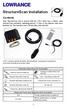 StructureScan Installation Contents Your StructureScan box is packed with the LSS-1 black box, a Power cable, StructureScan transducer, mounting bracket, 15 foot (4.5m) ethernet cable and a hardware kit.
Operation Manual. Made in the U.S.A. For questions or concerns with this unit, please call 1-800-788-4417. DO NOT return this antenna to your dealer.
 WINEGARD Carryout Automatic Portable Satellite TV Antenna Operation Manual Made in the U.S.A. For questions or concerns with this unit, please call 1-800-788-4417. DO NOT return this antenna to your dealer.
Assembly and Usage Instructions
 Assembly and Usage Instructions A Product 5885 West Van Horn Tavern Road Columbia, MO 65203 www.caldwellshooting.com Instruction #1001667 Limited Warranty Every Caldwell product is warrantied to be free
Hinge, Blocker, and Tab Adjustment Guide
 Hinge, Blocker, and Guide for Andersen A-Series Hinged Outswing; 400 Series Frenchwood Hinged Outswing Patio Doors and 400 Series Frenchwood Hinged Outswing Patio Doors with Stormwatch Protection Hinge,
Dock Hardware & Accessory Products Catalog
 Dock Hardware & Accessory Products Catalog Product Page # Product Page # Angle Brackets/Clips 8 Back Up Plate 5 Backing Plate/Hurricane Stop 10 Carriage Bolt Sets 4 Chain Retainer 10 Connector Pin Set
MODEL# SLA001-3 "SLIDE & LOCK" A-FRAME POOL LADDER
 MODEL# SLA001-3 "SLIDE & LOCK" A-FRAME POOL LADDER IMPORTANT INSTRUCTIONS: : Read all instructions carefully & completely to become familiar with parts, assembly, safety and proper use of this product.
4.3-inch Back-Up Camera
 TM 4.-inch Back-Up Camera Model No.: PKC0BU4 Owner s Manual and Warranty Information Read these instructions completely before using this product. Retain this Owner s Manual for future reference. INTRODUCTION
DriveCam Installation
 www.lytx.com DriveCam Installation DriveCam VER Mounting Guidelines This document provides detailed instructions for mounting the DriveCam DC3/DC3P Video Event Recorder (VER) in a variety of vehicle types
Short Range Wireless Switch System Handheld 8 Installation and Operations Guide
 Phone: (866) 701-1146 Fax: (425) 216-7558 www.remotecontroltech.com Short Range Wireless Switch System Handheld 8 Installation and Operations Guide Introduction... 2 Before Installation... 2 Receiver Installation...
RadianceRail Installation Guide
 RadianceRail Installation Guide Installing RadianceRail with CableRail by Feeney... 2 Installing CableRail by Feeney for RadianceRail... 7 Installing RadianceRail Stairs with CableRail by Feeney... 10
AMERBRITE UNDERWATER WHITE LED POOL LAMP
 AMERBRITE UNDERWATER WHITE LED POOL LAMP FOR USE ONLY WITH PENTAIR AMERLITE LUMINAIRE INSTALLATION AND USER S GUIDE IMPORTANT SAFETY INSTRUCTIONS READ AND FOLLOW ALL INSTRUCTIONS SAVE THESE INSTRUCTIONS
Guide. Installation. Signal Booster. Wilson. In-Building Wireless Smart Technology Signal Booster. Contents:
 Signal Booster Installation Guide In-Building Wireless Smart Technology Signal Booster Contents: Antenna Options and Accessories................... 1 Before Getting Started / How It Works...............
Owner s Manual & Safety Instructions
 Owner s Manual & Safety Instructions Save This Manual Keep this manual for the safety warnings and precautions, assembly, operating, inspection, maintenance and cleaning procedures. Write the product s