
Autodesk Inventor and Sheet Metal Manufacturing: From Drawing to Fabrication
|
|
|
- Mark Boyd
- 9 years ago
- Views:
Transcription
1 Autodesk Inventor and Sheet Metal Manufacturing: From Drawing to Fabrication Andrew Warren Striker Systems, Striker Technology Solutions, Engineer Support Service MA219-3 Learn how to draw sheet metal parts or assemblies in Autodesk Inventor that manufacturing can fabricate. If you ve been told something can t be made, or been given a model that is impossible to make with their current manufacturing capabilities, join this class to learn how you CAN make it. If you are a designer who works directly with a manufacturing facility, or a manufacturer having problems producing what has been designed, then this class is for you. If you know how to make a part and know how to draw in Inventor, this class will put the two together. About the Speaker: Andy is an applications engineer for Striker Systems in Nashville, Tennessee, with over 15 years of experience with Autodesk products. He worked in the retail-store fixtures industry for several years before joining the Striker Systems team, where he works extensively with CNC machine tools, specifically Lasers, Plasmas, Waterjet, and Turret Punches. Andy was recently promoted to ATC manager for Striker Technology Solutions, the only Autodesk ATC in Tennessee. His primary expertise is in 3D design flow to the manufacturing floor. His certifications include Manufacturing Certified Implementation Expert, Inventor Certified Expert, Machine Programming from Murata Machinery, and Lean Manufacturing. [email protected]

2

3 Conceptual Issues to ask yourself What is the Most Important part of Sheet Metal Design? Know your Part! What is it for? Where does it go? What is it exposed to? What kind of loads? How long should it last? How important is cost? Is it a one of a kind or a production run? Are their Time issuess for the customer, is this a test, should we go the extra mile to make this a marketing drawing? Know your People! Who is designing it? Who is making it? Who is assembling it? Who is installing / setting it up? How much lead time do we / they have? Is design separate from engineering separatee from manufacturing? Do the designers follow a company standard, and is it your company s standard? Does the design team use FEA? Do the designers / engineers have hands on experience with the methods used to make part they are designing? Do the designers and MFG work for the same company? Are they in the same; Building / City / State / Country? Do they speak the same language? Page 2 of 2

4 Corners / Bend Reliefs Do we use bend reliefs? What happens when we just tear them? What if it is somewhere in the middle? Does MFG adjust bends? Did they figure out with 2D they had to add here, or subtract there, add tool over there? - MFG may have to Re-Zero their thinking because of this. - Does this information travel back to engineering or stay on the floor Bend Tables? What are bend tables How does the K-Factor help me? Can you rely on the k-factor without doing test bends Do we mark bends? Are you marking bend locations for the Press Break? Quality Control, Flat to 3D model Are you following through to make sure the finished product is correct? Flat Reps When should I make a change to the flat versus the 3D model? Which environment should I use? Inventor vs. AutoCAD vs. CAM systems Which finish am I using? Stainless, Powder coat, Paint, Bare steal, laminate, anodized, galvanized, chrome plated? How do I plan for this in my design? Does Temp affect the parts? You are adding heat when making these (laser, plasma, Punching) will this affect the design? Etching? Are you etching with a laser or marking tool? Post Finishing / Welding? Do we need to oversize the blank to account for post finishing? Add so much weld need to reduce part size to allow room for it? Assembly design vs. Part by Part design When you go from designing each part independent to designing them as a whole what happens? Do you still make them one by one, or nest the entire thing? Page 3 of 3

5 3D means better designs 3D allows for; less scrap, less rework, more accountability - No longer can mistakes be blamed on the design. Shipping Parts Autodesk Inventor and Sheet Metal Manufacturing: Do we need to make it smaller to be easier to ship, what about packaging, will it be bent in shipping? Physical Issues Press Breaks / Forming Tools (RAS folders, Rollers, Benders) What do we own, what can we form, Does Size Matter? A lot of manufactures use the same dies for different materials because of the time it takes to change them. Press Breaks tools generally describe the size of the die opening not the radius it is going to form. So if your MFG floor tells you they have a ¼ L-1 with a UP-1 on top, this means it can bend a 1/32 radius* in the part you are bending. Because it had a 1/32r top punch with a ¼ wide opening in the bottom die. Tooling is actually less than 90 to allow for spring back and air bending, reducing tonnage required to bend the part. *Depending on metal thickness and type. From Drawing to Fabrication Bend tables / K Factor Does our part use a funky bend calculation? Some Manufactures make bends that cannot be modeled. For example, some bend a hem with a RAS folder, then run it back through without the die and crush it to create a very tight hem to make an inter-lockinbend tables to make INV flats match what the floor uses. Make part. Before you start creating special sure the Operators on the press break are not using an unfolder in the controller of the break, or have pre-programmed fudge factors added in because of AutoCAD designs. Some machines you type in the folder part distances and then let the break figure the flat, Inventor can make a much more accurate flat; make them go back to the flat dims. Some of the new Breaks can automatically add additional bend distances to account for wrong flats (i.e. you tell them to bend it at 2, the machine takes the 2 bend and adds 1/32 automatically). Page 4 of 4

6 What is the K Factor or Bend Allowances When sheet metal is bent, the inside surface of the bend is compressed and the outer surface of the bend is stretched. Within the thickness of the metal, lies its Neutral Axis, which is a line in the metal that is neither compressed nor stretched. If you have a piece with a 90 degree bend in which one leg measures A, and the other measures B, then the total length of the flat piece is NOT A + B. To work out what the length of the flat piece of metal needs to be, we need to calculate the Bend Allowance or Bend Deduction. This will tell us how much we need to add or subtract to our leg lengths (A & B) to get exactly what we want. The location of the neutral line can be different depending on the material itself, the radius of the bend, the ambient temperature, direction of material grain, and the method by which it is being bent, etc. The location of this line is what is referred to as the Kfactor. K-factor is a ratio that represents the location of the neutral sheet with respect to the thickness of the sheet metal part. To find if your manufacturing process works best with Inventor s Bend allowance is to reverse engineer a sheet metal part. Measure strip of material, bending it, and measuring it will give you the correct bend allowance. These bend allowance can be measured for many materials and scenarios and then be used in an Inventor bend table Reverse Engineering the K Factor First, cut a strip of material and measure its length and thickness as accurately as possible. The width of the strip is not that critical but generally somewhere around 4 inches or so will work. Then, bend the strip to 90 degrees, and measure its Length X and Length Y as shown in the diagram below. Page 5 of 5

7 The correct K-factor to use in Autodesk Inventor can now be calculated as follows: BendDeduction = Total Flat Length X Length Y K-Factor = (-BendRadius (BendDeduction / (π * BendAngle / 180))) / thickness The other option Inventor has is a Bend Table option to control flat patterns. The bend table file is an ASCII format.txt file. You can edit a bend table file with a text editor or you can create one with a spreadsheet. A sample bend table file and a spreadsheet are included in the \Autodesk\Inventor [version]\ Design Data\Bend Tables directory. Tooling Limits (Punch) Can our punches rotate (Auto-Indexing Stations, A.I.), Do we have keyed punches, what about the station it is in? Unless you own a machine with 90+ stationss all A.I., you will more than likely not have more than a couple AI stations. If possible only have special tools in one direction. Machine Tonnage; do we have specials that are made to do this? If you are punching with a standard turret in an AI station, tonnage may be less than you think. On a 50 ton machine the AI stations are typically rated at 20 to 25 tons becausee of the AI station, you will get an error if you use to large of a punch in too thick of material in a AI station.. Tooling Limits (Break) Can it go to that degree of bend; do we have special tools that can fit into the part? Just because it can be drawn or modeled does not mean it can be made in a signal part, with standard shop tooling. Tooling Limits (Profile) How thick can we burn, is the hole smaller than kerf, should we pre-pierce the part? Laser limits usually do not affect the design as much as tooling, unless you are making really small holes or tight bends. Also keep in mind if you add any formed object to you part (extrusions, single punches) you need to remove those items from the blank so they are not burned by the laser / Plasma. Forming / Special tools Do we use: louvers in both directions, Keys, extrusions, Custom made tools? Here is a good way to use the punch reposition to make communication easier from design intent to actual CNC/ /CAM and Manufacturing. You can also make forms that do not unfold correctly show up as a special shape for the CAM program to recognize it is a forming tool. Page 6 of 6

8 Buying new tools Autodesk Inventor and Sheet Metal Manufacturing: From Drawing to Fabrication Are we limited to what tools we already own, if we do buy a new one what is the turn around on getting it? If you are designing something that you will need a new special tool for, you should notify manufacturing as soon as you can. You can get tools in as little as a few days for standard shapes, but it can take weeks for special shapes, and longer for form tools. Tonnage If we own an older 50 Ton Machine can it really hit with all 50 Tons? If you are working with tough or thick materials you need to know what the limits of your machine are and if it is up to those limits. You can work with you machine dealer you use for maintenance to have the tonnage tested. You may also want to design your parts with thinner material to keep from over tonnage your machine and or tools. Material Availability Do we use standard sheets, do we have to order, what if we run out, what other sizes can we use? If you are designing something on material that cost $1,000 sqft, then you need to make sure manufacturing knows to handle parts with care. If one gets damaged it could be a week or more to get replacements depending on where in the world it comes from. You may design a flat 60 x 190, but they may come back and say we have the extra stock 60 x 120 sheet can we use them and redesign the parts to fit them. The cost and time savings may be worth doing a little redesign. Grain consideration What happens if part needs to have gain in the Y axis and it is over the table limits? Stainless and titanium manufactures have to watch material grain direction. This must be taken into account of the design. If you design a part with grain running east west, yet taller in the Y, this can be a problem if the Y dim is taller than the y on machinery you own. Part Size Will it fit in our machines, will it fit out the door of the shop, and will it fit on a truck? As above, will it fit on the table of a punch press or laser? Then you have to think can it fit out the door of the shop, on a truck, or can your forklift pick it up. You may have to design it to be broken down into smaller pieces. Page 7 of 7

9 Assembly Autodesk Inventor and Sheet Metal Manufacturing: From Drawing to Fabrication Do we make and assemble it? Does it need to be partially assembled and then shipped and finished onsite? Do we buy parts already made? Remember final assembly is not the end game of the design. It may have to be broken down into pieces for shipping. It would be good to break thesee parts into actual sub-assemblies in Inventor, the same way they are manufactured. If you use purchase or outsourced parts be careful not to send purchased parts to Manufacturing. With much of the CNC Fabrication software they can pull all Sheet metal parts. They will pull all parts, but allow you to omit parts that are purchased or made in another MFG area. Part comes first! Part at the end is all that really matters!!!! It doesn t matter how good or how bad a model is, what the idw or dwg looks like, or how much FEA and analysis you do. The physical part is all the customer cares about. Weldments Should I use them or should I NOT? A lot of manufacturers use weldements to make subassemblies into single entities. If manufacturing has to do any treatments to prepare for this then you should use them in your model. If you are welding two pieces of thin sheet metal together and no need for grinding or removal of material for the weld, then I would not use them. You can still add them for special projects and marketing type models, but day to day you have to ask do they addd value? Also test your CAM or CNC software to make sure they can separate out the parts to make the base blanks. Templates Design / Modeling Issues Multiples, Horizontal, Vertical, Long, Short. One thing that takes a lot of time to set up are iproperties, and supporting information to be entered into a model. You can save some time by entering everything that is generic and then having different groups of templates. Here I have a.prt template for Horz, Vert, Short, and Tall parts. Find the common threads in your parts and then pre-populate your templates. Page 8 of 8

10 Standards K.I.S.S. and write them down, then make sure to keep it consistent Standards do not have to be elaborate books on how to drawn a line in a sketch. Start a little at a time and just puts some notes in a word document laying out what has to be done and why. Add a couple of screan shots and picture is worth a thousand words. Ex. shows the part and the information for edge banding, along with descriptions of the abbreviations. Don t forget to add the actual location in the iproperties where it should be added. If you change these do not forget to tell everyone where, how, and when they changed, ncluding contractors and MFG personnel. Revision tracking What kind of Data Management do you use? If you don t use Vault or other 3 rd party data management, do so now. Designerss can get away without tracking revisions to an extent. It is easy to overwrite or delete files you need. Also if you copy a design from one part to another, IV is stubborn enough to be linked to the original without you realizing it. Tracking design revisions and design status is helpful for many reasons. If you have a DM solution, it will automatically track and keep revisions up to date. This allows you to roll back to a previous version with the flip of a switch. Custom iproperties Do you need them are you going overboard, can you pull them from you MRP? With a MRP / ERP system, you can link them to your models via Productstream and automatically populate them. However if you do not use a MRP / ERP you can use Custom iprops for things like Work in Progress fields, Assembly notes, finish notes, and CAM / CNC information. Most of your CAM programs can take a custom iprop and use it to populate their fields is looks for the word wood to send it to the router not the laser, populate the machine name field, or what library to use. Page 9 of 9

11 The Custom Properties shown are for material part numbers so the operators on the floor know what stock to pull to manufacture this part. iparts and iassemblies Are there any considerations with my CAM software and using iparts? Some CAM software can pull all the parts from the assembly model. Verify they can pick up and distinguish the difference in the same ipart in different configurations. Try this, make a small ipart with two configurations, then add each version to a assembly. Next add that assembly to your manufacturing software. Did it get two parts? Are they actually different or did it pull two copies of one of them? Make sure the iproperties are correct for each one, along with the part number and name. Sheet Metal All Parts need to be called Sheet Metal if they are SM parts even Plate A lot of manufactures may outsource or have separate fab shops from the rest of manufacturing. If you send all Sheet Metal parts to a Fab Shop via automated system or manual passing of parts, make sure you identify the Plate parts as SM too. Most peoplee don t consider a 1 thick part as SM, but if you are burning it on a laser or plasma it is the same thing. Holes vs Extrude If you have a hole to add to a part which do you use? Always try to use the hole tool when drawing simple or even complex holes, yes some times when importing dwg sketches you can use extrude. If you use the hole command it will make it easier to find later for editing. NO Extrude to add material!!! You can use Face, Flange, Couture Flange, but no straight extruded features; this will bite you some day This can also make the flat unable to unfold because adding material in a area it cannot come from. Face works just like extrude but ensures the flat will work correctly when made. Features Page 10 of 10

12 Bananafananafofo Feature Can you remember what feature does what? If you use a part drawing a lot over and over again, can you remember what flange is what in six months from now? If you have a lot of flanges or holes or features in general, try to give them names. This makes editing them down the road much easier, or if someone elsee has to pull it up it will let them know what is what. Do you know which dimension is d487? What if d12 =d47? Renaming dimensions in the parameters window is also good for conveying information and makes linking them easier as well because you can then select them from the list parameters inside the dimension command. Bending Tools are hard to change and expensive to buy, bend features are easy to change If you use sheet metal styles correctly you can make changes on the fly to keep changes on the floor away. Check with the floor manager to seee how often they change Break tooling. If they prefer to use the same tools for multiple gauges look at your design and ask does it have to have that big/ small of a corner radius? If your design is a little flexible you can save a lot of man hours using the same tooling. Set all the bends in the range they use on the floor to an actual radius instead of a formula. The Radius on the left is set to thickness; the one on the right is set to ¼, will this really change the design? Part vs. Assembly Do you punch or burn flat blanks with holes, then in assembly drill additional holes? Try adding the holes during assembly to the top level assembly. They will not show up on the flat blank but will be in the model. Model it the way it is going to be built in your production / manufacturing process. Page 11 of 11

13 #1 important SM issue!!!!! Will Inventor make it into a flat? Is it complete, does the flat designed match the flat going into the press break, if not why? If you designed a part and Inventor will not make a flat, chances are it will be very difficult to manufacture. If you get an error like this you may want to check the flat to see what is wrong. Inventor will unfold it and show you the interference. If you have to have this flat, then you are goingg to have to make it a separate part and fasten it to the original. You want your flat in Inventor to match 110% of what is produced physically on the floor. If it does not find out why You may be correcting or allowing for something that is not even used or understood on the floor. Just because that was the way it has always been done: is not a good reason. Does the floor add bend reliefs? Flat Are they doing something they should not? Are you doing something to look pretty that is not practical? Is something wrong with the finished part that drives this? Definition: Bend reliefs are added to prevent the metal from tearing when it is folded. Tear is really the wrong verbiage, in reality it wrinkles most of the time, or cause another part to bend or bow out. If part size and shape tolerances are pushed beyond the limits manufacturing has to add the reliefs to control this warping of the material. If the final part is OK and within tolerances, and manufacturing is removing them before the blank is formed, remove your Inventor relief as well. If the floor is adding it without you telling them, you may want to add the same one to the Inventor model. On screen Bend relief s tent to look larger than they are in real life, thus designers exaggerate the gaps. If you make 14 gauge stainless steel cabinets and you model a gap with.015 spaces and a tear corner, are you sure? I have seen SS welds be as large as 3/16 to 1/4 thick. The Page 12 of 12

14 same goes for bend reliefs, bigger and smaller. If you have a turret, try to use a common size punch for reliefs to limit tool changes. How many pieces does it need to be? Do you need to break it into smaller pieces to be made then welded together? Too big for Turret, too long for break, bends back into itself? In Inventor you can make a piecee of sheet metal 200 or 2000 long if you want to. You may want to scale that back to smaller pieces that are more manageable. Even if you just design and send it out to be made, you can save money if the shop does not have to order special steel for the job, and it speedss up turnaround time. Next would be does it need to be knocked down in other words does it have to be made smaller for shipping? Sometimes parts are too big for Trucks, Trains, or even Boats, but even small things may have to be reduced to save on shipping charges. Also can the parts fit onto your laser / punch / break? Some manufactures have really large laser beds; some have really small punch tables. Check on this to see how big is too big. You say yes these are good things to think about but why sheet metal. You are more likely to use standard size sheets in sheet metal than regular parts. Sheet metal Fab shops don t like to buy big expensive machines to handle one or two jobs a year. It is cheaper to have it broken down to the max size of existing machines. Sheet metal is harder to weld back together f you have to break it into smaller pieces. Unlike thick plate or billet type parts that have a lot of bulk mass compared to their relative size. With thin gauge metal you need overlap, or tabs of some sort to accommodate welds, rivets or bolts to reassemble. This can cause weak points and unsightly seams in parts. If you find this out in the beginning you can add tabs, or make the brakes at corners that can hid the bolts or rivets. Flat Reps Punch and formed features going to the Flat With Inventor 2008 you can specify what punches look like in the flat representation. In the past any kind of punch or something that stretches metal did not make a pretty flat. This makes it hard for CNC CAM software to automatically pick it up and add tooling correctly. You createe it as a standard ipart and then create a secondary sketch to be the reposition. To createe a Punch tool with alternate flat: 1. Create the punch using standard part modeling features such as cut in the case of this vent cluster punch. Note: Don t forget the center mark in the initial sketch. Page 13 of 13

15 2. Create an alternate flat rep with a simple sketch. 3. Use the Tools>Extract ifeature to make the sheet metal punch out of the feature you created. 4. Select the Simplified Representation arrow and pick your simplified sketch for the alternate rep. 5. Save your ifeature 6. When you insert the ifeature it will look normal, when you activate the flat it will appear as the sketch. This gives you something easier for CNC software to find and reduces the size of your model when you have multiples of these types of punches. For more information: Remember most of the answers you already know or have someonee working with you that does. Ask you operators, welders, and material handlers how the design works for them. They understand the simple things like how to make it go together better, and what is going to save them time. You can also contactt your machine tool dealer or manufacture. They keep A/E s on staff to help make designs that help their machines run smoother. They are more than happy to help answer design questions and get you procedures for your operators to take advantage of your 3D design over the old 2D designs. Not to mention if you have a support contract with a CAM software company call and ask that is what you are paying for me for any further questions I am always more than happy to help someone in need out Trust me I have needed and will need help again with the same issue you are having. I believe in peer support, so don t forget about AUGI and all the peer support groups out their happy to be of service. For discussion forums to get help from other going through the same thing you are: Page 14 of 14

Sheet Metal Design: Beyond Bends and Flanges
 11/30/2005-8:00 am - 9:30 am Room:Pelican 1 (Swan) Walt Disney World Swan and Dolphin Resort Orlando, Florida Sheet Metal Design: Beyond Bends and Flanges Anthony B. Rodriguez - KETIV Technologies MA31-2
DSM http://www.dsmmfg.com 1 (800) 886-6376
 DESIGN GUIDE FOR BENT SHEET METAL This guide discusses how the bends are made, what thicknesses of sheet metal are commonly used, recommended bend radius to use when modeling the part, some practical limits
Sheet Metal Bending. By- Prem Mahendranathan
 Sheet Metal Bending By- BENDING n Bending is a manufacturing process by which a metal can be deformed by plastically deforming the material and changing its shape n Deformation about one axis PROFILES
Sheet Metal CAD/CAM & Nesting Software
 Sheet Metal CAD/CAM & Nesting Software Sheet Metal CAD/CAM & Nesting Software For more than twenty-five years, Striker Systems has focused on providing integrated manufacturing solutions for the sheet
Sheet Metal Stamping Dies & Processes
 Training Objectives After watching the program and reviewing this printed material, the viewer will gain knowledge and understanding of the stamping process and the die systems used to form sheet metal.
Sheet Metal Shearing & Bending
 Training Objective After watching the program and reviewing this printed material, the viewer will gain a knowledge and understanding of the principles and machine methods of shearing and bending sheetmetal
The number of parameters required for authoring an ipart depends on the type of the part you are publishing.
 Publishing and Styles In This Exercise This Skill Builder demonstrates how to create a tube and pipe ipart, publish it into a custom Tube & Pipe Library, create a style using published parts, and then
Laser Cutter User Manual
 Laser Cutter User Manual frequently asked questions... the laser is cutting weird! it s cutting a thick line or not cutting through at all! Table Of Contents Section 1: Materials Guide 1.1 Can I Cut this?
Dave s Sheet Metal Bending Brake
 Dave s Sheet Metal Bending Brake I started building a Zenith CH601XL from plans in mid January 2006. After several failed attempts to bend the rudder spar I ended up going to a local sheet metal shop for
G10 Data Setting Command
 G10 Data Setting Command Though it s barely mentioned in most basic CNC courses, the G10 command is an extremely important basic CNC feature It allows you to input data from within CNC programs This data
Convert 2D to 3D in AutoPOL Bend Simulator
 Convert 2D to 3D in AutoPOL Bend Simulator This document gives an introduction of how to convert 2D DXF/DWG files into 3D models in AutoPOL Bend simulator. The AutoPOL 3D concept A 3D model with correct
Odyssey of the Mind Technology Fair. Simple Electronics
 Simple Electronics 1. Terms volts, amps, ohms, watts, positive, negative, AC, DC 2. Matching voltages a. Series vs. parallel 3. Battery capacity 4. Simple electronic circuit light bulb 5. Chose the right
MGB Chrome Bumper Conversion
 MGB Chrome Bumper Conversion Installation Instructions For 1974 1/2-1980 MGB This kit requires cutting, welding, and painting. Professional installation recommended. Note: Every MGB body is slightly different
SolidWorks Tutorial 4 CANDLESTICK
 SolidWorks Tutorial 4 CANDLESTICK Candlestick In this tutorial you will make a simple container and a candlestick out of sheetmetal. You will learn about working with sheet metal in SolidWorks. We will
READ THE INSTRUCTIONS SEVERAL TIMES BEFORE STARTING ASSEMBLY
 1954-87 CHEV BED INSTRUCTIONS (Revised Nov 2002) Thank you and congratulations on your purchase of the finest Street Rod Pickup Bed on the market today. The following instructions should help you assemble
Hamilton Form Company, Ltd Custom Designs, Flexible Solutions
 Hamilton Form Company, Ltd Custom Designs, Flexible Solutions 1 IFC 2 CUSTOM DESIGNS, FLEXIBLE SOLUTIONS Hamilton Form has been designing and building custom steel forms for the precast industry since
A lot of people use the terms Bill of Materials and Parts List interchangeably. However, in Inventor 10 they are two different but related things.
 BOM 101 Bill of Materials and Parts Lists A lot of people use the terms Bill of Materials and Parts List interchangeably. However, in Inventor 10 they are two different but related things. Bill of Materials
SolidWorks Tutorial 3 MAGNETIC BLOCK
 SolidWorks Tutorial 3 MAGNETIC BLOCK Magnetic Block In this exercise you will make a magnetic block. To do so, you will create a few parts, which you will assemble. You will learn the following new applications
Inclined Plane: Distance vs. Force
 1a Inclined Plane: Distance vs. Force Look at the inclined plane model you built for Card 2. It s a ramp, so it s easy to slide or roll things up and down it. As you noticed, it is a little more difficult
Sheet Metal Design. Preface What's New? Getting Started Basic Tasks Workbench Description Customizing Glossary Index
 Sheet Metal Design Preface What's New? Getting Started Basic Tasks Workbench Description Customizing Glossary Index Dassault Systèmes 1994-99. All rights reserved. Preface The V5 CATIA - Sheet Metal Design
Twist Drill Grinding Attachment By Steven Skiprat Jackson June 2009
 Twist Drill Grinding Attachment By Steven Skiprat Jackson June 2009 Part 1. About the tool Part 2. Mounting the tool Part 3. Using the tool Part 1. About the tool This little gadget while not a precision
Top 5 Ways to Cut Machining Costs
 Top 5 Ways to Cut Machining Costs Finding ways to cut your company s costs improves overall profits. If your company requires machining services, learning how to cut machining costs may offer significant
Making A Mirror Grinding Tool By Allen Malsburry
 Making A Mirror Grinding Tool By Allen Malsburry The average person would never think, I can make my own telescope. Most amateur astronomers believe, I can buy a better telescope than I can build. Neither
How to Build Your Own CornHole Game
 How to Build Your Own CornHole Game DIMENSIONS Here is a diagram with the basic measurements for the Cornhole board game. SUPPLIES 1/2 thick sheet of plywood one 4 x4 or two 2 x4 s 8 long 2 4 s (4) 4 1/2
Pole Lathe and Shave Horse Design
 Pole Lathe and Shave Horse Design These pictures and accompanying words are Copyright Michael Hughes February 2002. They are not to be re-produced, in part or whole, without permission from the author.
Radius Compensation G40, G41, & G42 (cutter radius compensation for machining centers, tool nose radius compensation for turning centers)
 Radius Compensation G40, G41, & G42 (cutter radius compensation for machining centers, tool nose radius compensation for turning centers) These features are commonly well covered in most basic CNC courses.
Lesson 26: Reflection & Mirror Diagrams
 Lesson 26: Reflection & Mirror Diagrams The Law of Reflection There is nothing really mysterious about reflection, but some people try to make it more difficult than it really is. All EMR will reflect
Two most common lock nut groups: 1-Prevailing Torque Type Lock Nuts:
 Two most common lock nut groups: 1. PREVAILING TORQUE a design feature of the lock nut produces friction between threads of mated components thereby increasing the force needed to tighten as well as loosen
Pepper Mill Instructions by Fred Kachelhofer
 by Fred Kachelhofer I have seen Nick Cook turn a pepper mill twice and read his article posted at http://www.nickcookwoodturner.com/articles.htm (follow link and then click on Pepper Mill ). I have had
IEC ALUMINUM EXTRUSIONS IEC. International Extrusion Corporation ALUMINUM EXTRUSION FABRICATION ANODIZING VERTICAL & HORIZONTAL WET PAINT LINE
 ALUMINUM EXTRUSIONS ion trusion Corporat International Ex ALUMINUM EXTRUSION FABRICATION ANODIZING VERTICAL & HORIZONTAL WET PAINT LINE POWDER COATING ENGINEERING intlextrusion.com Aluminum Extrusions
It's large enough to handle most welding job shop projects, yet small enough to make it a worth while home-workshop tool
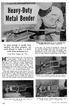 It's large enough to handle most welding job shop projects, yet small enough to make it a worth while home-workshop tool H Craft Print Project No. 272 ERE'S a metal bender that will enable you to bend
FRICTION MATERIALS & BONDING SERVICES
 FRICTION MATERIALS & BONDING SERVICES World Class Friction Materials & Bonding Services The Industry Leader Midwest Brake has been a leading supplier of non asbestos industrial friction material and bonding
SHEET METAL DESIGN HANDBOOK
 SHEET METAL DESIGN HANDBOOK Forming Basics. 2 Critical Dimensions Embosses and Offsets Bend Radius Bend Relief Forming Near Holes Form height to thickness ratio Edge Distortion Laser cutting 5 Tolerances
Bending, Forming and Flexing Printed Circuits
 Bending, Forming and Flexing Printed Circuits John Coonrod Rogers Corporation Introduction: In the printed circuit board industry there are generally two main types of circuit boards; there are rigid printed
1998-2002 Suzuki Katana Fender Eliminator
 1998-2002 Suzuki Katana Fender Eliminator The following are instructions and illustrations on the installation of the custom fender elimination. 1 Begin by removing seat, both rear fairings, and tail light
Using the Laser Cutter and AutoCAD Template
 1 Using the Laser Cutter and AutoCAD Template This tutorial outlines the best way to cut and etch using the laser cutter. Your project is important to you, and you want to finish it efficiently. Using
Pump Skid Fabrication for Magnetic Coupling. Rick Soltis Chief Mechanic City of Bedford
 Pump Skid Fabrication for Magnetic Coupling Rick Soltis Chief Mechanic City of Bedford Contents Magnetic Couplings What They Are, How They Work, Where They re Used Fabrication and Manufacturing of Pump
Intermediate PowerPoint
 Intermediate PowerPoint Charts and Templates By: Jim Waddell Last modified: January 2002 Topics to be covered: Creating Charts 2 Creating the chart. 2 Line Charts and Scatter Plots 4 Making a Line Chart.
Excel -- Creating Charts
 Excel -- Creating Charts The saying goes, A picture is worth a thousand words, and so true. Professional looking charts give visual enhancement to your statistics, fiscal reports or presentation. Excel
Sheet metal operations - Bending and related processes
 Sheet metal operations - Bending and related processes R. Chandramouli Associate Dean-Research SASTRA University, Thanjavur-613 401 Table of Contents 1.Quiz-Key... Error! Bookmark not defined. 1.Bending
BUTTERFLY SHOWER DOOR INSTALLATION INSTRUCTIONS
 BUTTERFLY SHOWER DOOR INSTALLATION INSTRUCTIONS IMPORTANT DreamLine reserves the right to alter, modify or redesign products at any time without prior notice. For the latest up-to-date technical drawings,
Installation & Technical Guide
 Of the very few negative responses that I have received regarding this product, the one that I find most humorous is this one: Contractors are too rough on the product. I don t think this can stand up
CHAPTER 1. Introduction to CAD/CAM/CAE Systems
 CHAPTER 1 1.1 OVERVIEW Introduction to CAD/CAM/CAE Systems Today s industries cannot survive worldwide competition unless they introduce new products with better quality (quality, Q), at lower cost (cost,
STANDARDIZED WORK 2ND SESSION. Art of Lean, Inc. 1 www.artoflean.com
 STANDARDIZED WORK 2ND SESSION 1 STANDARDIZED WORK AND WORK STANDARDS - SESSION 2 AIM (1) Understand the Importance of Standardization in TPS (2) Introduce Various Standards Sheets and Basics of Creation
Flex Circuit Design and Manufacture.
 Flex Circuit Design and Manufacture. Hawarden Industrial Park, Manor Lane, Deeside, Flintshire, CH5 3QZ Tel 01244 520510 Fax 01244 520721 [email protected] www.merlincircuit.co.uk Flex Circuit
reality Revit check Autodesk have long Identify possible Utilize structural Tool Works Building bcg.com
 Autodesk Revit reality check for residential construction: Scott Babin Illinois Tool Works, Building Components Group AB6105-V Using Autodesk Revit for architectural and structural design in the residential
STEADYfast Stabilizer Installation Notes Fifth Wheel and Travel Trailers 11/23/13
 STEADYfast Stabilizer Installation Notes Fifth Wheel and Travel Trailers 11/23/13 (See Supplemental Instructions for trailers with heavy duty round footplates and/or Power Leveling Systems) PHONE SUPPORT
SICAM Software. (Structural Information for Controlled Automation Machinery)
 SICAM Software (Structural Information for Controlled Automation Machinery) SICAM S O F T W A R E Controlled Automation has developed software for controlling steel fabrication machinery for over 20 years.
The tablesaw may be your shop s most valuable cutting. Crosscut Sleds. Foolproof. Innovative approach guarantees perfect results
 Foolproof Crosscut Sleds Innovative approach guarantees perfect results B Y A L A N T U R N E R The tablesaw may be your shop s most valuable cutting tool, but for precise, repeatable crosscuts it needs
HALE PET DOOR INSTALLATION INSTRUCTIONS HALE STANDARD PANEL MODEL
 HALE PET DOOR INSTALLATION INSTRUCTIONS HALE STANDARD PANEL MODEL Please read these instructions carefully and completely before attempting to install Hale Pet Doors; they will guide you through the steps
Lesson 39: Kinetic Energy & Potential Energy
 Lesson 39: Kinetic Energy & Potential Energy Total Mechanical Energy We sometimes call the total energy of an object (potential and kinetic) the total mechanical energy of an object. Mechanical energy
An introduction to selling blinds
 An introduction to selling blinds We are a small family owned independent blind manufacturer. We have been manufacturing blinds for trade and contract customers since 1991, from our factory in Hevingham
Technical Services & Capabilities
 Technical Services & Capabilities Machining Welding MIG TIG Robotic TIG Friction Stir Welding Solution Heat Treat & Artificial Aging Assemblies & Fabrication Bike Frame Specialists Technical Services Product
DWG 001. Blueprint Reading. Line Standards Drawing Symbols. Instructor Guide
 DWG 001 Blueprint Reading Line Standards Drawing Symbols Instructor Guide Module Purpose Introduction The purpose of the Blueprint Reading modules is to introduce students to production drawings and blueprint
Course outline. Know Your Machine From A Programmer s Viewpoint 11 If you ve had experience with conventional (non-cnc) machine tools 11
 Course outline Know Your Machine From A Programmer s Viewpoint 11 If you ve had experience with conventional (non-cnc) machine tools 11 Machine Configurations 13 Vertical machining centers 13 C-frame style
2. This is a close up of a typical area where the rocker is rusted out leaving holes under where the rocker moulding would be..
 ROCKER PANELS 55,56,57 CHEVY REPLACEMENT Do not throw away any pieces when you first remove them. There are many supports that are not reproduced and will need to be used again. When disassembling try
Easy Casino Profits. Congratulations!!
 Easy Casino Profits The Easy Way To Beat The Online Casinos Everytime! www.easycasinoprofits.com Disclaimer The authors of this ebook do not promote illegal, underage gambling or gambling to those living
Merging Labels, Letters, and Envelopes Word 2013
 Merging Labels, Letters, and Envelopes Word 2013 Merging... 1 Types of Merges... 1 The Merging Process... 2 Labels - A Page of the Same... 2 Labels - A Blank Page... 3 Creating Custom Labels... 3 Merged
Suggested Application Options Settings for Autodesk Inventor
 Suggested Application Options Settings for Autodesk Inventor TEL: 0165 666 24 14 [email protected] PLEASE NOTE, THIS IS ONLY A GUIDE ANY QUESTIONS AT ALL PLEASE RING The following are suggested application
GAP CLOSING. Volume and Surface Area. Intermediate / Senior Student Book
 GAP CLOSING Volume and Surface Area Intermediate / Senior Student Book Volume and Surface Area Diagnostic...3 Volumes of Prisms...6 Volumes of Cylinders...13 Surface Areas of Prisms and Cylinders...18
DESIGN AND DEVELOPMENT OF A QUOTING SYSTEM FOR A FASTENER MANUFACTURER
 19 th International Conference on Production research DESIGN AND DEVELOPMENT OF A QUOTING SYSTEM FOR A FASTENER MANUFACTURER E. Shayan, V. Chitroda Faculty of Engineering and Industrial Siences Swinburne
Installing Window and Door Mouldings
 Installing Window and Door Mouldings About Window and Door Mouldings The trim around windows and doors greatly influences the look and style of your interior. They also bridge the gaps and cover spaces
GUTTER MACHINE CONTROLS STANDARD
 GUTTER MACHINE CONTROLS STANDARD Note: determine what type of control package is installed on the machine. --more-- All operators should familiarize themselves with the appropriate controls prior to any
How To Work With Beads. By Rowan
 R O W A N How To Work With Beads By Rowan HOW TO WORK WITH BEADS Adding beads to a knitted or crocheted design gives it a really special touch especially when the beads added are as stunning as those in
IHSS-N1 WELDED HONEYCOMB CORE SPECIFICATION. Generated: Sergiy Papyshev Engineering. Approved: Don Prysi Manufacturing. Approved: Merzuk Ramic Quality
 IHSS-N1 WELDED HONEYCOMB CORE SPECIFICATION Generated: Sergiy Papyshev Engineering Approved: Don Prysi Manufacturing Approved: Merzuk Ramic Quality Approved: Steven Barnett Administrative DATE DATE DATE
Gear PEPSI CAN STOVE INSTRUCTIONS
 Gear PEPSI CAN STOVE INSTRUCTIONS [NOTE: Updated Instructions are now available. The new stove is less likely to develop flame leaks and the fuel/air mixture is improved. Instructions for a simmer ring
The Don ts of Better Flexible Circuit Design and Manufacture By Mark Finstad Friday, 01 June 2007
 The Don ts of Better Flexible Circuit Design and Manufacture By Mark Finstad Friday, 01 June 2007 Successful designs are soon forgotten but failures are remembered for years. Steering clear of these twelve
Gate Leg Drop Leaf Table Plans
 Preparing the table top blanks: Cut and glue enough 3/4 stock to make three panels 40 long by 24 wide (they will be cut to final size at a later time). While the glue dries we will work on the legs. Preparing
Selection, Use, and Care of Brushes
 Wood Finishing & Refinishing Fact Sheet #2 Selection, Use, and Care of Brushes Dr. Leona K. Hawks Home Furnishings and Housing Specialist 1995 HI 22 Good results in wood refinishing depend to a large extent
Microsoft Excel 2010 Charts and Graphs
 Microsoft Excel 2010 Charts and Graphs Email: [email protected] Web Page: http://training.health.ufl.edu Microsoft Excel 2010: Charts and Graphs 2.0 hours Topics include data groupings; creating
Geometry Notes PERIMETER AND AREA
 Perimeter and Area Page 1 of 57 PERIMETER AND AREA Objectives: After completing this section, you should be able to do the following: Calculate the area of given geometric figures. Calculate the perimeter
K. D. FRAME ASSEMBLY FOR CLOSED STEEL STUD WALLS...Ins 10. FRAME INSTALLATION DETAILS FOR CLOSED STEEL STUD WALLS...Ins 11
 K. D. FRAME ASSEMBLY FOR MASONRY WALLS...........................Ins 2 FRAME INSTALLATION DETAILS FOR MASONRY WALLS......................Ins 3 INSTALLING EXISTING MASONRY WALL ANCHORS IN FRAME..................Ins
Unit 24: Applications of Pneumatics and Hydraulics
 Unit 24: Applications of Pneumatics and Hydraulics Unit code: J/601/1496 QCF level: 4 Credit value: 15 OUTCOME 2 TUTORIAL 4 DIRECTIONAL CONTROL VALVES The material needed for outcome 2 is very extensive
Profiles in stock Standard catalogue. Discover the possibilities with aluminium profiles from Sapa
 Profiles in stock Standard catalogue Discover the possibilities with aluminium from Sapa You can create your own profile or you can choose from a wide selection of standard. Delivery: 1 2 weeks for standard
Lessons 6 and 7 Foam Bridge Experiment- Forces and Stresses Lab
 Lessons 6 and 7 Foam Bridge Experiment- Forces and Stresses Lab 1. Background All industrial and building materials undergo forces that they must withstand to function as designed. Concrete is strong under
Multi-user Collaboration with Autodesk Revit Worksharing
 AUTODESK REVIT WHITE PAPER Multi-user Collaboration with Autodesk Revit Worksharing Contents Contents... 1 Autodesk Revit Worksharing... 2 Starting Your First Multi-user Project... 2 Autodesk Revit Worksets...
Picnic Table Plans. Made out of a single sheet of plywood, it s also portable! By Kevin Ayer. This children's picnic table would
 Picnic Table Plans Made out of a single sheet of plywood, it s also portable! By Kevin Ayer Materials One 4- by 8-foot sheet of 3 4-inch AC plywood Twelve 11 4-inch wood screws Primer and exterior paint
KITCHENS. Tip PAGE 1 FITTING YOUR KITCHEN GUIDE. How to mark out a kitchen. Tools required for installing a kitchen STEP ONE STEP TWO STEP THREE
 FITTING YOUR KITCHEN GUIDE How to mark out a kitchen PAGE 1 Before starting on the installation, measure 870mm from the lowest point of the floor and mark a datum line around the room to indicate where
General Allowances for Insulation & Cladding
 TRADE OF Industrial Insulation PHASE 2 Module 1 Sheet Metal and Insulation Fundamentals UNIT: 4 General Allowances for Insulation & Cladding Produced by In cooperation with subject matter expert: Michael
PT AVENUE GUIDE OVERVIEW
 PT AVENUE GUIDE OVERVIEW WSPTA is currently undertaking a database conversion from imis (the previous membership database) to a cloud based service called PT Avenue. The primary reason for this conversion
If you know exactly how you want your business forms to look and don t mind
 appendix e Advanced Form Customization If you know exactly how you want your business forms to look and don t mind detail work, you can configure QuickBooks forms however you want. With QuickBooks Layout
CATIA Tubing and Piping TABLE OF CONTENTS
 TABLE OF CONTENTS Introduction...1 Manual Format...2 Tubing and Piping design...3 Log on/off procedures for Windows...4 To log on...4 To logoff...8 Pull-down Menus...9 Edit...9 Insert...12 Tools...13 Analyze...16
Basic Principles & Common Practices
 DETAILING STAIRS: Basic Principles & Common Practices Figure 1: Stair Terminology By Andrew J. Bellerby This article is designed to provide an introduction to detailing stairs. It explains the basic principles
FREEBIRD THE ORIGINAL D.I.Y. ORNITHOPTER! Tools and Glue. Required Materials
 Do not try to make your ornithopter using "household materials". If you want it to fly, you have to build it right. FREEBIRD THE ORIGINAL D.I.Y. ORNITHOPTER! Wingspan: 16 inches Weight: 1/4 ounce The Ornithopter
1958-64 WINDOW CHANNEL, WEATHERSTRIP & WHISKER STRIP REPLACEMENT FOR 2-DOOR SEDANS
 By Denny Williams Photos by Denny Williams 1958-64 WINDOW CHANNEL, WEATHERSTRIP & WHISKER STRIP REPLACEMENT FOR 2-DOOR SEDANS Denny Williams - Technical Writer Denny is first and foremost a dyed-in-thewool
Lamination Production. by: John Roberts / Sko Die, Inc
 Lamination Production by: John Roberts / Sko Die, Inc Presentation Mission Understand the construction for magnetic cores Chose the best methods for producing Magnetic cores are constructed From soft magnetic
Air Conditioner Duct Construction & Repair
 PROPER ROOF AIR CONDITIONER MOUNTING At Newmar, there are two different models of air conditioners available on all towable and motorized units. The different models are the Dometic Brisk and Penguin models,
Guidelines for Earthquake Bracing of Residential Water Heaters
 Guidelines for Earthquake Bracing of Residential Water Heaters Department of General Services Division of the State Architect 1102 Q Street, Suite 5100 Sacramento, CA 95814 Phone: (916) 324-7099 Fax: (916)
ACTIVITY 6: Falling Objects
 UNIT FM Developing Ideas ACTIVITY 6: Falling Objects Purpose and Key Question You developed your ideas about how the motion of an object is related to the forces acting on it using objects that move horizontally.
Do-It-Yourself- Hydraulic Press Make Your Own, by Marshel Rossow
 Do-It-Yourself- Hydraulic Press Make Your Own, by Marshel Rossow This press can be built from readily available metal. Materials and dimensions need not be exactly what is shown here. Much of the material
Children s Furniture Projects
 This is an excerpt from the book Children s Furniture Projects by Jeff Miller Copyright 2002 by The Taunton Press www.taunton.com CHILD S ROCKER KIDS ARE ALWAYS IN MOTION. It s not easy to get them even
BUILD A TABLETOP LOOM
 BUILD A TABLETOP LOOM From 1" x 2" stock (actual 3/4" x 1"1/2) cut: 4 pieces 15" long 4 pieces 5"1/2 long Use the above to make 2 frames for the front and back of the loom. From 1" x 4" stock (actual 3/4"
FRAME PROFILE MASONRY METAL DOOR FRAME FLUSH MASONRY KD MITER CORNER JOINT. #8 Screw (MS002485) Required on all fire rated KD frames. Bend Tabs.
 FRAME PROFILE MASONRY FLUSH MASONRY KD MITER CORNER JOINT Bend Tabs Head #8 Screw (MS002485) Required on all fire rated KD frames Corner Assembly 2" (50.8) Head Jamb Head Break Away Corner Clip Spot Welds
Figure 1 - Delta Theta Input Selection
 Creating Cams in Pro/Engineer Wildfire Using DYNACAM Mechanical Engineering Mechanical Design Created by: David E. Yamartino M.S. Mechanical Engineering May 2004 April 12, 2004 Objective: The objective
DIY Advanced Dry Bags
 DIY Advanced Dry Bags You can make dry bags to fit specific items, such as sleep pads, chairs, etc., by taking a few measurements and making allowances for seams, the bottom pleat and the roll-down closure.
BLR s Safety Training Presentations
 BLR s Safety Training Presentations Machine Guarding 29 CFR 1910.211 to 1910.219 Machine guarding is an integral part of any safety and health program. As statistics can demonstrate, it is also one aspect
Lecture slides on rolling By: Dr H N Dhakal Lecturer in Mechanical and Marine Engineering, School of Engineering, University of Plymouth
 Lecture slides on rolling By: Dr H N Dhakal Lecturer in Mechanical and Marine Engineering, School of Engineering, University of Plymouth Bulk deformation forming (rolling) Rolling is the process of reducing
Getting Ready to Compete in the New Decade
 January/February 2010 Volume 38, No. 1 Getting Ready to Compete in the New Decade Special Report: Presses and Press Technology Preventive Maintenance for Scrap Handling Conveyors American Tool, Die & Stamping