
HX280E. VHF FM Marine Transceiver. Owner s Manual
|
|
|
- Muriel Sullivan
- 9 years ago
- Views:
Transcription
1 VHF FM Marine Transceiver Owner s Manual Page 1

2 TABLE OF CONTENTS 1. GENERAL INFORMATION INTRODUCTION ABOUT THIS RADIO ABOUT THE VHF MARINE BAND ACCESSORIES PACKING LIST OPTIONS GETTING STARTED RADIO CARE BATTERIES AND CHARGERS BATTERY SAFETY BATTERY INSTALLATION / REMOVAL BATTERY CHARGING INSTALLATION OF OPTION FBA-40 ALKALINE BATTERY CASE CONTROLS AND INDICATORS CONTROLS AND SWITCHES INDICATORS BASIC OPERATION PROHIBITED COMMUNICATIONS INITIAL SETUP RECEPTION TRANSMISSION TRANSMIT TIME-OUT TIMER (TOT) USA, CANADIAN, AND INTERNATIONAL CHANNELS SIMPLEX/DUPLEX CHANNEL USE KEYPAD LOCKING PRESET CHANNELS (0 ~ 9): INSTANT ACCESS PROGRAMMIMG OPERATION SCANNING SELECTING THE SCAN TYPE MEMORY SCANNING (M-SCAN) PRIORITY SCANNING (P-SCAN) DUAL WATCH EMERGENCY (CHANNEL 16 USE) CALLING ANOTHER VESSEL (CHANNEL 16 OR 9) OPERATING ON CHANNEL OPERATING ON CHANNEL MENU ( SET ) MODE MAINTENANCE GENERAL REPLACEMENT PARTS TROUBLESHOOTING CHART VHF MARINE CHANNEL ASSIGNMENT SPECIFICATIONS GENERAL TRANSMITTER RECEIVER Page 2

3 Congratulations on your purchase of the! Whether this is your first portable marine VHF transceiver, or if you have other STANDARD HORIZON equipment, the STANDARD HORIZON organization is committed to ensuring your enjoyment of this high performance transceiver, which should provide you with many years of satisfying communications even in the harshest of environments. STANDARD HORIZON technical support personnel stands behind every product sold, and we invite you to contact us should you require technical advice or assistance. We appreciate your purchase of the, and encourage you to read this manual thoroughly, so as to learn and fully understand the capabilities of the. Disposal of your Electronic and Electric Equipment Products with the symbol (crossed-out wheeled bin) cannot be disposed as household waste. Electronic and Electric Equipment should be recycled at a facility capable of handling these items and their waste byproducts. In EU countries, please contact your local equipment supplier representative or service center for information about the waste collection system in your country. Attention in Case of Use This transceiver works on frequencies which are not generally permitted. For frequency allocation, apply for a licence at your local spectrum management authority. For actual List of the practicable area usage contact your dealer or sales AUT BEL BGR CYP CZE DEU DNK shop in order to get your transceiver adjusted to the allocated fre- POL PRT ROM SVK SVN SWE CHE ESP EST FIN FRA GBR GRC HUN IRL ITA LTU LUX LVA MLT NLD quency range. ISL LIE NOR Page 3

4 1. GENERAL INFORMATION 1.1 INTRODUCTION The is a Submersible 5-Watt portable two way marine transceiver. The transceiver has all allocated USA, International, or Canadian channels. It has emergency channel 16 which can be immediately selected from any channel by pressing the [16/9] key. The includes the following features: Memory Scanning, Priority Scanning, easy-to-read large LCD display, EEPROM memory back-up, Battery Life displayed on LCD, and a transmit Time-Out Timer (TOT). The transmitter provides a full 5 Watt of transmit power and also is selectable to 1 Watt to assist the user in ensuring maximum battery life. 2. ABOUT THIS RADIO 2.1 ABOUT THE VHF MARINE BAND WARNING The radio frequencies used in the VHF marine band lie between 156 and 158 MHz. The marine VHF band provides communications over distances that are essentially Line of sight Actual transmission range depends much more on antenna type, gain and height than on the power output of the transmitter. On a fixed mount 25 W radio transmission expected distances can be greater than 15 miles, for a portable 5 W radio transmission the expected distance can be greater than 5 miles in Line of sight. The user of a Marine VHF radio is subject to severe fines if the radio is used on land. The reasoning for this is you may be near an inland waterway, or propagation anomalies may cause your transmission to be heard in a waterway. If this occurs, depending upon the marine VHF channel on which you are transmitting, you could interfere with a search and rescue case, or contribute to a collision between passing ships. For VHF Marine channel assignments refer to page 32 section 10. Page 4

5 3. ACCESSORIES 3.1 PACKING LIST When the package containing the transceiver is first opened, please check it for the following contents: Transceiver CAT460 Antenna FNB-V105LI 7.4 V, 1650 mah Li-Ion Battery Pack CD-46 Charger Cradle for PA-48C/U AC AC Adapter for CD-46 CLIP-920 Belt Clip Owner s Manual 3.2 OPTIONS CN-3 CD-46 FNB-V105LI FBA-40 E-DC-19A 1 PA-48B/C/U 2 Radio-to-Ship s-antenna Adapter Charger Cradle 7.4 V, 1650 mah Li-Ion Battery Pack Alkaline Battery Case DC Cable with 12 V Cigarette Lighter Plug AC Adapter for the CD-46 1: E-DC-19A supply voltage 10.4 V ~ 14.4 VDC only. Fuse rating of 3A only to be used. 2: B suffix is for use with 120 VAC (Type-A plug), C suffix is for use with 230 VAC (Type-C plug), and U suffix is for use with 230 VAC (Type-BF plug). Note: Before operating the for the first time, it is recommended that the battery be charged. Please see section BATTERY CHARGING for details. Page 5

6 4. GETTING STARTED 4.1 RADIO CARE CAUTION Before following the instructions below, insure the battery pack is in place and firmly tightened. Care must be taken if the radio was dropped and a close inspection may be needed to insure the radio case and gaskets are in adequate condition. Clean the radio with fresh water after exposure to salt water by rinsing the radio under a sink faucet or by dunking the radio in a bucket of fresh water. After washing, use a soft cloth and thoroughly dry all parts of the radio. This is to keep the rubber switches and speaker grill clean and in top operating condition. CAUTION There is rare case that water is in between the radio and battery pack. In this case, the radio and battery pack keep the submersible performance individually. However, remove the battery pack from the radio, then clean the radio and battery pack individually by a procedures described above. 4.2 BATTERIES AND CHARGERS If the radio has never been used, or its charge is depleted, it may be charged by connecting the CD-46 Charger Cradle with the PA-48C/U AC Adapter, as shown in the illustration on page 8. The PA-48C/U will charge a completely discharged FNB-V105LI battery pack in about 6 hours. The FNB-V105LI is a high performance Li-Ion battery providing high capacity in a compact package. CAUTION To avoid risk of explosion and injury, FNB-V105LI battery pack should only be removed, charged or recharged in non-hazardous environments BATTERY SAFETY Battery packs for your transceiver contain Li-Ion batteries. This type of battery stores a charge powerful enough to be dangerous if misused or abused, especially when removed from the transceiver. Please observe the following precautions: Page 6

7 DO NOT SHORT BATTERY PACK TERMINALS: Shorting the terminals that power the transceiver can cause sparks, severe overheating, burns, and battery cell damage. If the short is of sufficient duration, it is possible to melt battery components. Do not place a loose battery pack on or near metal surfaces or objects such as paper clips, keys, tools, etc. When the battery pack is installed on the transceiver, the terminals that transfer current to the transceiver are not exposed. The terminals that are exposed on the battery pack when it is mounted on the transceiver are charging terminals only and do not constitute a hazard. DO NOT INCINERATE: Do not dispose of any battery in a fire or incinerator. The heat of fire may cause battery cells to explode and/or release dangerous gases. Battery Maintenance For safe and proper battery use, please observe the following: Battery packs should be charged only in non-hazardous environments; Use only STANDARD HORIZON-approved batteries; Use only a STANDARD HORIZON approved charger. The use of any other charger may cause permanent damage to the battery. Follow charging instructions provided with the chargers. Keep the battery contacts clean. Battery Storage Store the batteries in a cool place to maximize storage life. Since batteries are subject to self-discharge, avoid high storage temperatures that cause large self-discharge rates. After extended storage, a full recharge is recommended. Battery Recycling DO NOT PLACE USED BATTERIES IN YOUR REGULAR TRASH! LI-ION BATTERIES MUST BE COLLECTED, RECYCLED OR DISPOSED OF IN AN ENVIRONMENTALLY SOUND MANNER. The incineration, land filling or mixing of Li-Ion batteries with the municipal solid waste stream is PROHIBITED BY LAW in most areas. Return batteries to an approved Li-Ion battery recycler. This may be where you purchased the battery. Contact your local waste management officials for other information regarding the environmentally sound collection, recycling and disposal of Li-Ion batteries. Page 7

8 4.2.2 BATTERY INSTALLATION/REMOVAL To install the battery pack, hold the transceiver with your left hand, so your palm is over the speaker and your thumb is on the top of the belt clip. Insert the battery pack into the battery compartment on the back Push the bottom side of the battery pack of the radio while tilting the Belt Clip outward, then push the bottom side of the battery pack until the battery pack locks with the Battery Pack Latch. To remove the battery, turn the radio off. Slide the Battery Pack Latch on the bottom of the radio, then slide the battery downward and out from the radio while holding the Belt Clip. Tilt the Belt Clip Insert the Battery Pack BATTERY CHARGING 1. Turn the transceiver off. 2. PA-48C/U: Insert the DC plug from the PA-48C/U into the DC jack on the CD-46 side panel, then plug the PA-48C/U into the AC line outlet. E-DC-19A: Insert the DC plug from the E-DC-19A into the DC jack on the CD-46 PA-48C/U side panel, then insert the 12 V DC connector into a suitable DC supply (10-14 VDC). 3. Insert the (with the battery pack) into the CD-46; the antenna should be at the left side when viewing the charger CD-46 from the front. 4. If the is inserted correctly, the Red CHARGING indicator will glow. A fully-discharged pack will be charged completely in approximately 6 hours. 5. When charging is completed, the red LED indicator will change to green. Remove the transceiver from the CD-46, and unplug the NC-90C/U from the AC line outlet (PA-48C/U) or unplug the E-DC-19A from the DC supply (E-DC-19A). CAUTION The CD-46 is NOT designed to be waterproof. Do not attempt to charge in water hazardous locations. Page 8

9 NOTE The CD-46 is only designed for the charging of the s battery, and is not suitable for other purposes. The CD-46 may contribute noise to TV and radio reception in the immediate vicinity, so we do not recommend its use adjacent to such device. 4.3 INSTALLATION OF OPTION FBA-40 ALKALINE BATTERY CASE FBA-40 is a battery case that holds six LR6 size Alkaline batteries and is used with the transceiver. When the FBA-40 is installed into the the radio can withstand immersion in water up to 3.3ft for 30 minutes. 1. On the FBA-40, remove the battery case cover ( ). 2. Slide the six LR6 size Alkaline batteries into the FBA-40 Battery Case with the Negative ( ) side of the batteries touching the spring connections inside the FBA-40 Battery Case. 3. Attach the battery cover to the FBA-40 Battery Case while being careful so that o-ring is not twisted. 4. Insert the FBA-40 Battery Case into the battery compartment on the back of the transceiver while tilting the Belt Clip outward, then push the bottom side of the FBA-40 Battery Case until the Battery Case locks with the Battery Pack Latch. Page 9

10 5. CONTROLS AND INDICATORS 5.1 CONTROLS AND SWITCHES NOTE This section defines each control of the transceiver. For detailed operating instructions, refer to section 6 BASIC OPERATION. Refer to illustrations for the location of the following controls, switches, and connections NOTE When transmitting, position your mouth about 1.0 ~ 2.5 cm away from the small mic hole. Speak slowly and clearly into the microphone. 8 1 ANT Jack (Top Panel) The supplied CAT460 flexible antenna is attached here. 2 POWER Switch/VOLUME Control (VOL) Turns the transceiver on and off as well as adjusts the speakers audio volume. Turn this knob clockwise to turn the radio on and increase the speakers audio volume. Turn fully counter-clockwise to turn the radio off. Page 10

11 3 PTT (PUSH-TO-TALK) Switch When pushed activates the transmitter. 4 LCD Display This display shows current operating conditions, as indicated on the page Keypad [SQL] Key Press this key to activate the squelch adjusting mode. Press the [ ] or [ ] key to adjust the squelch threshold level. Press and hold this key for 3 seconds to open the squelch, allowing you to monitor the operating channel. Release the key to resume normal (quiet) monitoring. [SCAN] Key Starts scanning and priority scanning of programmed channels. [ (UP)] Key Press the key momentarily to increase the channel one step. Hold the key down to increase the channel continuously. Secondary use: Used to adjust the squelch threshold level up after the [SQL] key is pressed. [ (DOWN)] Key Press the key momentarily to decrease the channel one step. Hold the key down to decrease the channel continuously. Secondary use: Used to adjust the squelch threshold level down after the [SQL] key is pressed. [DW] Key Press this key to activate the Dual Watch feature. A icon will appear on the upper left of the display when the Dual Watch feature is activated. Secondary use: When the [16/9] key is held and the [DW] key is pressed, the radio will change the marine band between the International, Canadian, and USA channels. Page 11

12 [MEM] Key Press this key to memorize the selected channel for scanning. When pressed a MEM icon will be shown on the LCD display indicating the channel has been saved to scan memory. To delete the channel from scan memory, select the channel and press this key until MEM is removed from the display. [H/L( )] Key Press this key to toggle the transmitter output power between High (5 Watts) and Low (1 Watt) power. This key does not function on the Transmission Inhibited and Low power only channels. Secondary use: Hold down this key to lock the keypad (except the [SQL], [H/L( )], and PTT keys) so that they are not accidentally changed. The icon will appear at the bottom right corner on the display, to indicate that the functions are locked. Hold down this key until the icon disappears to unlock the radio. [16/9] Key Pressing this key immediately recalls channel 16 from any channel location. Holding down this key recalls channel 9. Pressing this key again reverts to the previous selected working channel. [PRESET] Key Immediately recalls one of up to 10 user preset memories for each band (shown as 0-9 on the LCD). Pressing this key repeatedly scrolls through the preset memory channels. 6 Speaker The internal speaker is located here. 7 Microphone The internal microphone is located here. When transmitting, position your mouth about 1.0 ~ 2.5 cm away from the small mic hole. Speak slowly and clearly into the microphone. 8 Battery Pack Lock (Bottom side) Slide the Battery Pack Lock to the position for battery removal. Page 12
![[H/L( )] Key Press this key to toggle the transmitter output power between High (5 Watts) and Low (1 Watt) power. This key does not function on the Transmission Inhibited and Low power only channels.](/docs-images/47/21084201/images/page_12.jpg "Secondary use: Hold down this key to lock the keypad (except the [SQL], [H/L( )], and PTT keys) so that they are not accidentally changed.")
13 5.2 LCD INDICATORS Indicator This indicator appears when a signal is being received. Indicator This indicator appears during transmission. / Indicators This indicator shows the TX output power. : High power (5 Watts) : Low power (1 Watt). Indicator When the icon is shown on the LCD, all keys are disabled except for the PTT, [SQL], and [H/L( )] keys. Battery Indicator : Full battery : Lower battery : Battery is very low (Blinking) : Prepare to charge the battery Indicator This indicator appears when the Dual Watch is activated. MEM Indicator This indicator shows the channel is in the transceiver s Scan Memory. SQL Indicator This indicator shows the squelch level. P Indicator This indicator shows the channel is in the Priority Channel. U/I/C Indicator These indicators show the band of operation for the particular channel. U indicates the USA band; I indicates the International band; and C indicates the Canadian band. SCN Indicator This indicator appears when the Scan is activated. Channel Display The operating channel is shown on the LCD in both the transmission and reception modes. Page 13

14 6. BASIC OPERATION 6.1 PROHIBITED COMMUNICATIONS False distress or emergency messages: Messages to any boat except in emergencies and radio tests; Messages to or from a vessel on land; Transmission while on land; Obscene, indecent, or profane language. 6.2 INITIAL SETUP 1. Install the battery pack on the transceiver (see section BATTERY INSTALLATION/REMOVAL ). 2. Install the antenna onto the transceiver; hold the bottom end of the antenna, then screw it onto the mating connector on the transceiver until it is snug. Do not over-tighten. 6.3 RECEPTION 1. Turn the VOL knob clockwise to turn the transceiver on. 2. Press the [SQL] key to activate the squelch adjusting mode (The SQL indicator will blink). Press the [ ] key until the indicator will appear on the display, then press the [SQL] key again. 3. Turn up the VOL knob until the noise or audio from the speaker is at a comfortable level. 4. Press the [SQL] key, then press the [ ] key until the random noise disappears. This state is known as the Squelch Threshold. 5. Press the [ ] or [ ] key to select the desired channel. Refer to the channel chart on page 27 for available channels. 6. When a signal is received, adjust the VOL knob to the desired listening level. The indicator in the LCD is displayed indicating that the channel is being used. Page 14

15 6.4 TRANSMISSION 1. Perform 6.3 RECEPTION discussion above. 2. Before transmitting, monitor the channel and make sure it is clear. 3. For communications over short distances, press the [H/L( )] key to select the Low power (1 watt: icon appears). Note: Transmitting on Low power prolongs battery life. Low power should be selected whenever possible. 4. If using Low power is not effective, select High power (5 watts: icon appears) by pressing the [H/L( )] key. 5. When receiving a signal, wait until the incoming signal stops before transmitting. The transceiver cannot transmit and receive simultaneously. 6. Press the PTT (Push-To-Talk) switch to transmit. During transmission, the indicator will appear on the display. 7. Position your mouth about 1.0 ~ 2.5 cm away from the mic hole. Speak slowly and clearly into the microphone. 8. When the transmission is finished, release the PTT switch TRANSMIT TIME - OUT TIMER (TOT) While the PTT switch is held down, transmission time is limited to 5 minutes. This prevents prolonged (unintentional) transmissions. About 10 seconds before automatic transmitter shutdown, a warning beep will sound from the speaker. The transceiver automatically switches to the receiving mode, even if the PTT switch is held down. Before transmitting again, the PTT switch must first be released, then wait 10 seconds and then pressed again. This Time- Out-Timer (TOT) prevents a continuous transmission that would result from an accidentally stuck PTT switch. NOTE The PTT switch is ignored for 10 seconds after the transceiver automatically switches to the receiving mode by the TOT feature. Page 15
![Low power should be selected whenever possible. 4. If using Low power is not effective, select High power (5 watts: icon appears) by pressing the [H/L( )] key. 5.](/docs-images/47/21084201/images/page_15.jpg "When receiving a signal, wait until the incoming signal stops before transmitting. The transceiver cannot transmit and receive simultaneously. 6. Press the PTT (Push-To-Talk) switch to transmit.")
16 6.5 USA, CANADIAN, AND INTERNATIONAL CHANNELS 1. To change from International to Canadian or US Marine Channels, hold down the [16/9] key and press the [DW] key. The band will change from International, to Canadian, and to US with each press. 2. U appears on the LCD for the USA band, I appears for the International band, and C appears for the Canadian band 3. Refer to the marine channel charts in section 9 VHF MARINE CHANNEL ASSIGNMENTS for allocated channels. 6.6 SIMPLEX/DUPLEX CHANNEL USE Refer to the VHF MARINE CHANNEL CHART (page 27) for instructions on use of simplex and duplex channels. NOTE All channels are factory-programmed in accordance with FCC (USA), Industry Canada and International regulations. The mode of operation cannot be altered from simplex to duplex or vice-versa. Simplex (ship to ship) or duplex (marine operator) mode is automatically activated, depending on the channel and whether the USA, International or Canadian operating band is selected. 6.7 KEYPAD LOCKING In order to prevent accidental channel change, the s keypad may be locked out. Hold down the [H/L( )] key to lock the keypad (except the PTT, [SQL], and [H/L( )] keys) so that they are not accidentally changed. The icon will appear on the channel number of the display, to indicate that the functions are locked. Hold down the [H/L( )] key until the icon disappears to unlock the radio. Page 16

17 6.8 PRESET CHANNELS (0 ~ 9): INSTANT ACCESS Ten user assigned channels can be programmed for instant access. Pressing the [PRESET] key activates the user assigned channel bank. If the [PRESET] key is pressed and no channels have been assigned, an alert beep will be emitted from the speaker PROGRAMMING 1. Select the desired channel to be assigned into the Preset Channel Bank using the [ ] or [ ] key. 2. Press and hold the [PRESET] key until the Preset Channel Number 0 is shown at the right of the channel number on the display. 3. Repeat steps 1 and 2 to program the desired channels into Preset Channels 1 ~ To delete a Preset Channel, select the Preset Channel Number to be deleted using the [ ] or [ ] key, then press and hold the [PRESET] key until the Preset Channel Number is removed from the display OPERATION Pressing the [PRESET] key will toggle between Preset Channels 0 through 9 and the last selected regular channel. Preset Channel 0 is represented by 0 to the right of the channel number on the display for one second, and preset channel 1 is represented by 1 and so forth. The preset channel number will disappear after one second. Page 17
![Select the desired channel to be assigned into the Preset Channel Bank using the [ ] or [ ] key. 2.](/docs-images/47/21084201/images/page_17.jpg "Press and hold the [PRESET] key until the Preset Channel Number 0 is shown at the right of the channel number on the display. 3.")
18 6.9 SCANNING The allows the user to select the scan type from Memory Scan or Priority Scan. Memory Scan scans the channels that were programmed into memory. Priority Scan scans the channels that were programmed into memory with the priority channel (Channel 16). When an incoming signal is detected on one of the channels during scan, the radio will pause on that channel, allowing you to listen to the incoming transmission SELECTING THE SCAN TYPE 1. Turn the transceiver off by rotating the VOL knob fully counter-clockwise. 2. Hold down the [SQL] key, and then turn on the transceiver while still holding down the [SQL] key. 3. SEt will appear on the display, indicating the Menu ( Set ) Mode has been activated. 4. Press the [SQL] key, repeatedly if necessary to select the Menu item SC. 5. Press the [ ] or [ ] key to select PS (Priority Scan) or MS (Memory Scan). The factory default is PS (Priority Scan). 6. After completing your selection, turn the transceiver off and on by rotating the VOL knob MEMORY SCANNING (M-SCAN) 1. Select the desired channel to be included in the scan memory using the [ ] or [ ] key. 2. Press the [MEM] key to store the channel into the transceiver s scan memory. MEM will be displayed on the LCD. 3. Repeat steps 1 and 2 for all the channels to be scanned. 4. To delete a channel from the transceiver s scan memory, select the memorized channel, then press the [MEM] key to delete the channel from scan memory. 5. All channels programmed remain in the transceiver s scan memory even if the power is turned off. 6. Adjust the SQL level until background noise is eliminated by pressing the [SQL] key followed by the [ ] / [ ] key. 7. To start scanning, press the [SCAN] key. The scan proceeds from the lowest to the highest programmed channel and stops scanning when a transmission is received. Scanning will resume when the incoming signal disappears at the end of the transmission. The MEM and SCN icon will ap- Page 18

19 pear at the left of the channel number on the display during scanning. 8. To stop the scan, press the [SCAN] key PRIORITY SCANNING (P-SCAN) 1. Select the desired channel to be included in the scan memory using the [ ] or [ ] key. 2. Press the [MEM] key to store the channel into the transceiver s scan memory. MEM will be displayed on the LCD. 3. Repeat steps 1 and 2 for all the channels to be scanned. 4. To delete a channel from the transceiver s scan memory, select the memorized channel, then press the [MEM] key to delete the channel from scan memory. 5. All channels programmed remain in the transceiver s scan memory even if the power is turned off. 6. Adjust the Squelch Level until background noise is eliminated by pressing the [SQL] key followed by the [ ] / [ ] key. 7. To start scanning, press the [SCAN] key. A SCN icon and blinking P and MEM icons will appears at the left of the channel number on the display during scanning. The scan proceeds between the memorized channels and the Priority Channel (Channel 16). As an example of priority scanning, let us say that marine channels 06, 07, and 08 are memorized in the transceiver s scan memory. Priority scanning will proceed in the following sequence: [CH06] (CH16) [CH07] (CH16) [CH08] (CH16) [CH06] (CH16) [CH07]... : Priority Channel 4. Even when the transceiver stops and listens to the signal of a programmed channel, the transceiver will dual watch between this channel and the priority channel. This allows the radio to be able to receive calls on channel 16 (priority channel) even when the radio is receiving on another channel. 5. To stop the Priority Scanning, press the [SCAN] key. Page 19

20 6.10 DUAL WATCH The Dual Watch feature allows the radio watch the Priority Channel Channel 16 and one other channel. 1. Select the desired channel using the [ ] or [ ] key. 2. Press the [DW] key to activate the Dual Watch feature. A icon will appear on the upper left of the display when the Dual Watch feature is activated. 3. When a transmission is received on the Priority Channel, the radio receives the Priority Channel until the incoming signal disappears. 4. When a transmission is received on the Priority Channel, the radio receives the Priority Channel until the incoming signal disappears. 5. The Dual Watch feature will resume when the incoming signal disappears at the end of the transmission. 6. To stop the Dual Watch feature and return to normal operation, press and hold the [SCAN(DW)] key for two seconds again EMERGENCY (CHANNEL 16 USE) Channel 16 is known as the Hail and Distress Channel. An emergency may be defined as a threat to life or property. In such instances, be sure the transceiver is on and set to Channel 16. Then use the following procedure: 1. Press the PTT (Push-To-Talk) switch and say Mayday, Mayday, Mayday. This is,, (your vessel s name). 2. Then repeat once: Mayday, (your vessel s name). 3. Now report your position in latitude/longitude, or by giving a true or magnetic bearing (state which) to a well-known landmark such as a navigation aid or geographic feature such as an island or harbor entry. 4. Explain the nature of your distress (sinking, collision, aground, fire, heart attack, life-threatening injury, etc.). 5. State the kind of assistance your desire (pumps, medical aid, etc.). 6. Report the number of persons aboard and condition of any injured. 7. Estimate the present seaworthiness and condition of your vessel. 8. Give your vessel s description: length, design (power or sail), color and other distinguishing marks. The total transmission should not exceed 1 minute. 9. End the message by saying OVER. Release the PTT switch and listen. 10. If there is no answer, repeat the above procedure. If there is still no response, try another channel. Page 20

21 6.12 CALLING ANOTHER VESSEL (CHANNEL 16 OR 9) Channel 16 may be used for initial contact (hailing) with another vessel. However, its most important use is for emergency messages. This channel must be monitored at all times except when actually using another channel. It is monitored by the U.S. and Canadian Coast Guards and by other vessels. Use of channel 16 for hailing must be limited to initial contact only. Calling should not exceed 30 seconds, but may be repeated 3 times at 2-minute intervals. In areas of heavy radio traffic, congestion on channel 16 resulting from its use as a hailing channel can be reduced significantly in U.S. waters by using Channel 9 as the initial contact (hailing) channel for non-emergency communications. Here, also, calling time should not exceed 30 seconds but may be repeated 3 times at 2-minute intervals. Prior to making contact with another vessel, refer to the channel charts in this manual, and select an appropriate channel for communications after initial contact. For example, Channels 68 and 69 of the U.S. VHF Charts are some of the channels available to non-commercial (recreational) boaters. Monitor your desired channel in advance to make sure you will not be interrupting other traffic, and then go back to either channel 16 or 9 for your initial contact. When the hailing channel (16 or 9) is clear, state the name of the other vessel you wish to call and then this is followed by the name of your vessel and your Station License (Call Sign). When the other vessel returns your call, immediately request another channel by saying go to, the number of the other channel, and over. Then switch to the new channel. When the new channel is not busy, call the other vessel. After a transmission, say over, and release the PTT (Push-To-Talk) switch. When all communication with the other vessel is completed, end the last transmission by stating your Call Sign and the word out. Note that it is not necessary to state your Call Sign with each transmission, only at the beginning and end of the contact. Remember to return to Channel 16 when not using another channel. Some radios automatically monitor Channel 16 even when set to other channels or when scanning. Page 21
22 6.13 OPERATING ON CHANNEL 13 Channel 13 is used at docks, bridges and for maneuvering in port. Messages on this channel must concern navigation only, such as meeting and passing in restricted waters. In emergencies and when approaching blind river bends, High power is allowed. Pressing the [H/L( )] key will change the power output from Low Power (1 Watt) to High (5 Watts). When you change from this channel then return to it, low power will be automatically selected OPERATING ON CHANNEL 67 When channel 67 is used for navigational bridge-to-bridge traffic between ships, Normal, High or Medium power may be used temporarily (in the USA band) by pressing the [H/L( )] key. When you select this channel again, the transceiver will revert to low power. Page 22
23 7. MENU ( SET ) MODE The s Menu Mode allows a number of the operating parameters to be custom-configured for your operating requirements. The Menu Mode is easy to activate and set, using the following procedure: 1. Turn the transceiver off by rotating the VOL knob fully counter-clockwise. 2. Hold down the [SQL] key, and then turn on the transceiver while still holding down the [SQL] key. 3. SEt will appear on the display, indicating the Menu ( Set ) Mode has been activated. 4. Press the [SQL] key to select the Menu item to be adjusted. 5. Press the [ ] or [ ] key to enable adjustment of the selected Menu item. The menu item will blink. 6. Press the [SQL] key to select the status or value of the Menu item. 7. After completing your adjustment, turn the transceiver off and on by rotating the VOL knob. LP (LAMP MODE) Function: Selects the Lamp illumination method for the LCD/ Keypad. Available Values: on / key / off Default: key on: Illuminates the LCD/Keypad continuously. key: Illuminates the LCD/Keypad for 5 seconds when any key is pressed. off: Turns off the backlight for the LCD and keys. bp (BEEP) Function: Enable/Disable the Keypad beeper. Available Values: HI / Lo / off Default: HI SC (SCAN TYPE) Function: Selects the Scan mode. Available Values: PS (Priority Scan) / MS (Memory Scan) Default: PS (Priority Scan) Page 23
24 8. MAINTENANCE 8.1 GENERAL The inherent quality of the solid-state components in STANDARD HORIZON radios will provide many years of continuous use. Take the following precautions to prevent damage to the radio. To prevent corrosion of electrical contacts and keep the water resistance, keep the microphone connected or the jack covered at all times. Never key the transmitter unless an antenna or suitable dummy load is connected to the antenna receptacle. Ensure that the input voltage does not exceed the value specified in your Owner s Manual. Use only STANDARD HORIZON-approved accessories and replacement parts. In the unlikely event of serious problems, please contact your Dealer. 8.2 REPLACEMENT PARTS Occasionally an owner needs a replacement part. These can be ordered from STANDARD HORIZON authorized dealers. Commonly requested parts, and their part numbers are listed below. VOL Knob: RA CD-46 Charger Cradle: CB CAT460 Antenna: Q CLIP-920 Belt Clip: AAE51X FACTORY SERVICE In the unlikely event that the radio fails to perform or needs servicing, please contact your Dealer or STANDARD HORIZON authorized dealers. Page 24
25 8.3 TROUBLESHOOTING CHART SYMPTOM The [SCAN(DW)] key does not start the scan. Cannot select between USA, INTL, or Canadian bands. Speaker audio is not heard when the [SQL] key is press and held. Some keys do not operate. Cannot select keylock function. Charging indicator on CD-46 does not illumininate. PROBABLE CAUSE No channels memorized. Squelch is not adjusted. Proper operation not followed. Low battery. Audio volume level is too low. Key Lock is on. Proper operation not followed. Defective battery FNB-V105LI. REMEDY Use the [MEM] key to enter desired channels into the transceiver s memory. Adjust the squelch to threshold or to the point where noise just disappears. Further adjustment of the squelch control may eliminate incoming signals. HOLD down the [16/9] key and press the [DW] key. Charge battery. Refer to section of this manual. Turn the VOL knob clockwise. Turn Key Lock off. Refer to section 5.1 of this manual ([H/L( )] key). Hold down the [H/L( )] key for 2 seconds. Contact your Standard Horizon dealer. Page 25
26 9. VHF MARINE CHANNEL ASSIGNMENTS Tables on the following pages list the VHF Marine Channel assignments for U.S.A. and International use. Below are listed some data about the charts. 1. VTS. Where indicated, these channels are part of the U.S. Coast Guard s Vessel Traffic System. 2. Alpha channel numbers, that is, channel numbers followed by the letter A (such as Channel 07A) are simplex channels on the U.S.A. or Canadian channel assignments whose counterparts in the International assignments are duplex channels. International channels do not use alpha numbers. If you call the Coast Guard on Channel 16, they will sometimes ask you to go to channel 22 Alpha. This is a channel assigned to U.S.A, and Canadian Coast Guards for handling distress and other calls. If your radio is set for International operation you will go to Channel 22 instead of 22A, and will not be able to communicate with the Coast Guard. To use Channel 22A, your radio must be set for USA or Canada operation, usually by a U/ I/C (USA/International/Canada) control or combination of controls. Channel 22 (without an A ) is an International duplex channel for port operations. Some radios indicate an A adjacent to the alpha channels on the display; on others alpha is not indicated but the proper channel is selected based on the U/I/C setting. 3. Bridge-to-Bridge channels (for example, Channel 13) are for use by bridge operators on inter-coastal waterways and rivers. It is also used by marine vessels in the vicinity of these bridges for navigation and for communicating with the bridge operators. Note that a limit of 1 Watt is specified for these channels. 4. The S/D column on the chart indicates either S (simplex) or D (duplex). Simplex means transmitting and receiving on the same frequency. Only one party at a time can talk, unlike a telephone. Be sure to say over and release your microphone push-to-talk switch at the end of each transmission. Duplex operation involves the use of one frequency for transmitting and a separate frequency for receiving. On channels specified as duplex on the charts, correct mode of operation is established automatically by your radio when you select a channel; you cannot change the mode. And you still must release the push-totalk switch after each transmission in order to listen to the radio. 5. Channels normally used by recreational boaters are those that include the term non-commercial in the Channel Use column of the chart. Some of these are shared with other users and some are used only in certain geographic regions. 6. Marine vessels equipped with VHF radios are required to monitor Channel 16. Page 26
27 VHF MARINE CHANNEL CHART CH U C I S/D TX RX CHANNEL USE 01 X X D Public Correspondence (Marine Operator) 01A X S Port Operation and Commercial. VTS in selected areas 02 X X D Public Correspondence (Marine Operator) 03 X X D Public Correspondence (Marine Operator) 03A X S U.S. Government Only, Coast Guard 04 X D Public Correspondence (Marine Operator), Port operation, ship movement 04A X S Pacific coast: Coast Guard, East Coast: Commercial fishing 05 X D Public Correspondence (Marine Operator), Port operation, ship movement 05A X X S Port operation. VTS in Seattle 06 X X X S Inter-ship Sefety 07 X D Public Correspondence (Marine Operator), Port operation, ship movement 07A X X S Commercial 08 X X X S Commercial (Inter-ship only) 09 X X X S Boater Calling channel, Commercial & Non-commercial (Recreational) 10 X X X S Commercial 11 X X X S Commercial. VTS in selected areas. 12 X X X S Port operation. VTS in selected areas. 13 X X X S Inter-ship Navigation Safety (Bridge-to-bridge) 14 X X X S Port operation. VTS in selected areas. 15 X S Environmental (Receive only) 15 X X S Commercial, non-commercial, ship movement (1 W) 16 X X X S International Distress, Safety and Calling 17 X X X S State Controlled (1 W) 18 X D Port operation, ship movement 18A X X S Commercial 19 X D Port operation, ship movement 19A X S US: Commercial 19A X S Coast Guard 20 X X X D Canadian Coast Guard Only, International: port operations and shipment 20A X S Port operation 21 X D Port operation, ship movement 21A X X S U.S. Government Only, Canadian Coast Guard 22 X D Port operation, ship movement 22A X X S US and Canadian Coast Guard Liaison and Maritime Safety Information Broadcasts announced on channel X X D Public Correspondence (Marine Operator) 23A X S U.S. Government Only 24 X X X D Public Correspondence (Marine Operator) 25 X X X D Public Correspondence (Marine Operator) 26 X X X D Public Correspondence (Marine Operator) 27 X X X D Public Correspondence (Marine Operator) 28 X X X D Public Correspondence (Marine Operator) Page 27
28 VHF MARINE CHANNEL CHART CH U C I S/D TX RX CHANNEL USE 60 X X D Public Correspondence (Marine Operator) 61 X D Public Correspondence (Marine Operator), Port operation, ship movement 61A X X S Public Coast: Coast Guard; East Coast: commercial fishing only 62 X D Public Correspondence (Marine Operator), Port operation, ship movement 62A X S Public Coast: Coast Guard; East Coast: commercial fishing only 63 X D Public Correspondence (Marine Operator), Port operation, ship movement 63A X X S Port Operation and Commercial. VTS in selected areas. 64 X X D Public Correspondence (Marine Operator), Port operation, ship movement 64A X X S Public Correspondence (Marine Operator), Port operation, ship movement 65 X D Public Correspondence (Marine Operator), Port operation, ship movement 65A X X S Port Opeations 66 X D Public Correspondence (Marine Operator), Port operation, ship movement 66A X X S Port Operations 67 X X X S US: Commercial. Used for Bridge-to-bridge com muni-cations in lower Mississippi River. Inter-ship only, Canada: Commercial fishing, S&R 68 X X X S Non-commercial (Recreational) 69 X X X S US: Non-commercial (Recreational), Canada: Commercial fishing only, International: Inter-ship, Port opertions and Ship movement 70 X X X S Digital selective calling (voice communications not allowed) 71 X X X S US, Canada: Non-commercial (Recreational), International: Port opertions and Ship movement 72 X X X S Non-commercial (Inter-ship only) 73 X X X S US: Port Operations, Canada: Commercial fish ing only, International: Inter-ship, Port opertions and Ship movement 74 X X X S US: Port Operations, Canada: Commercial fishing only, International: Inter-ship, Port opertions and Ship movement 75 X X X S Port Operations (Inter-ship only) (1W) 76 X X X S Port Operations (Inter-ship only) (1W) 77 X X S Port Operations (Inter-ship only) (1W) 77 X S Port Operations (Inter-ship only) 78 X D Public Correspondence (Marine Operator), Port operation, ship-movement 78A X X S Non-commercial (Recreational) 79 X D Port operation and Ship movement 79A X X S Commercial Page 28
29 VHF MARINE CHANNEL CHART CH U C I S/D TX RX CHANNEL USE 80 X D Port operation, ship movement 80A X X S Commercial 81 X D Port operation, ship movement 81A X S U.S. Government Only - Environmental protection operations. 81A X S Canadian Coast Guard Only 82 X D Public Correspondence (Marine Operator), Port operation, ship movement 82A X X S U.S. Government Only, Canadian Coast Guard Only 83 X D Canadian Coast Guard Only 83 X D Public Correspondence (Marine Operator) 83A X X S U.S. Government Only, Canadian Coast Guard Only 84 X X X D Public Correspondence (Marine Operator) 85 X X X D Public Correspondence (Marine Operator) 86 X X X D Public Correspondence (Marine Operator) 87 X X S Port operation, ship movement 87A X S Public Correspondence (Marine Operator) 88 X X S Port operation, ship movement 88A X S Commercial, Inter-ship Only NOTE: Simplex channels, 3A, 21A, 23A, 61A, 64A, 81A, 82A and 83A CANNOT be lawfully used by the general public in U.S.A. waters. Page 29
30 10. SPECIFICATIONS Performance specifications are nominal, unless otherwise indicated, and are subject to change without notice GENERAL Frequency Ranges: MHz MHz Channel Spacing: 25 khz Frequency Stability: ±5 ppm ( 20 C to +60 C) Emission Type: 16K0G3E Antenna Impedance: 50 Ω Supply Voltage: 7.4V DC, Negative Ground (Battery Terminal) Current Consumption: 320 ma (Receive, Typical at AF MAX.) 50 ma (Standby) 1.6 A / 0.7 A (TX: 5 W / 1W) Operating Temperature: 20 C to +60 C Case Size (W x H x D): 56 x 133 x 27.5 mm (w/o knob & antenna) Weight (Approx.): 310 g (w/fnb-v105li, Belt Clip, & Antenna) 10.2 TRANSMITTER RF Power Output: 5 W / 1 W (@7.4 V ) Modulation Type: Variable Reactance Maximum Deviation: ±5 khz Spurious Emission: Less than 0.25 µw Microphone Impedance: 2 kω 10.3 RECEIVER Circuit Type: Double-Conversion Superheterodyne Intermediate Frequencies: 1st: 21.7 MHz, 2nd: 450 khz Adjacent Channel Selectivity: 70 db Intermodulation: 68 db Hum & Noise Ratio: 40 db Sensitivity: 1 µv for 20 db SINAD Selectivity: 25 khz ( 70 db) AF Output (Internal SP): 700 Ω for 10 % THD (@7.4 V) Measured in accordance with EN , EN , EN , EN Page 30
31 Declaration of Conformity We, Yaesu UK Ltd. declare under our sole responsibility that the following equipment complies with the essential requirements of the Directive 1999/5/EC. Type of Equipment: VHF Transceiver Brand Name: STANDARD HORIZON Model Number: Manufacturer: Vertex Standard Co., Ltd. Address of Manufacturer: Nakameguro Meguro-Ku, Tokyo , Japan Applicable Standards: This equipment is tested and conforms to the essential requirements of directive, as included in following standards. EN Radio Standard: EN EMC Standard: EN Safety Standard: EN The technical documentation as required by the Conformity Assessment procedures is kept at the following address: Company: Address: Yaesu UK Ltd. Unit 12, Sun Valley Business Park, Winnall Close Winchester, Hampshire, SO23 0LB, U.K. Page 31
32 YAESU MUSEN CO., LTD. Tennozu Parkside Building Higashi-Shinagawa, Shinagawa-ku, Tokyo Japan YAESU USA, INC Phyllis Drive, Cypress, CA YAESU UK LTD. Unit 12, Sun Valley Business Park, Winnall Close Winchester, Hampshire, SO23 0LB, U.K. YAESU HK LTD. Unit , 13F., Millennium City 2, 378 Kwun Tong Road, Kwun Tong, Kowloon, Hong Kong Copyright 2012 YAESU MUSEN CO., LTD. All rights reserved. No portion of this manual may be reproduced without the permission of YAESU MUSEN CO., LTD. Printed in China. E M N Page 32
HX300. Owner s Manual. Floating VHF FM Marine Transceiver. Page 1 HX300
 Floating VHF FM Marine Transceiver Owner s Manual Page 1 TABLE OF CONTENTS Quick Reference Guide... 3 1. GENERAL INFORMATION... 4 1.1 INTRODUCTION... 4 1.2 SAFETY INFORMATION... 5 2. ACCESSORIES... 6 2.1
User Guide. Oricom UHF080 40 Channel UHF CB Radio Downloaded from www.cbradio.nl
 User Guide Oricom UHF080 40 Channel UHF CB Radio Downloaded from www.cbradio.nl Table of contents Important Information 4 Please read before installing or operating your Oricom Radio 4 Safety Warning 5
NAUTICO VHF MARINE RADIO OWNER'S MANUAL. www.midlandradio.com
 NAUTICO TM 3 VHF MARINE RADIO OWNER'S MANUAL TABLE OF CONTENTS 2 Introduction 3 Important Notice, FCC Licensing 4 LCD Display 5 Controls 5 Battery Installation 6 Installing the Belt Clip 6 Charging the
AE 82 H / AE 82 H BT Scanning Receiver
 AE 8 H / AE 8 H BT Scanning Receiver CONTENTS.... 5. 6. 7. 8. 9. CAUTIONS... ABOUT MODELS... SUPPLIED EQUIPMENT... 5 INSTALLING THE BATTERIES... 5 INSTALLING THE ANTENNA... 5 CONTROLS... 6 Power On/Off
3. Enter the first five digits of desired frequency (2 2 5 0 0 for 225.000 MHz).
 Simplified Directions 1. Install the batteries. 2. Turn the unit on (rotate volume knob clockwise). 3. Enter the first five digits of desired frequency (2 2 5 0 0 for 225.000 MHz). 4. Listen. Table of
Important Safety Instructions
 PR-D7 GB Revision 1 Important Safety Instructions 1. Read these instructions. 2. Keep these instructions. 3. Heed all warnings. 4. Follow all instructions. 5. Do not use this apparatus near water. 6. Clean
Pub. 988-0158-081. www.eaglesonar.com EHR-10. Operation Instructions
 Pub. 988-0158-081 www.eaglesonar.com EHR-10 Operation Instructions Copyright 2007 Navico All rights reserved. Eagle is a registered trademark of Navico No part of this manual may be copied, reproduced,
Radio BMR100 INSTRUCTION MANUAL. ENGLISH (Original instructions)
 ENGLISH (Original instructions) INSTRUCTION MANUAL Radio BMR00 WARNING: For your personal safety, READ and UNDERSTAND before using. SAVE THESE INSTRUCTIONS FOR FUTURE REFERENCE. Symbols The following show
ATS-505. GB Version 1
 ATS-505 GB Version 1 Control Locations Power/Sleep Power On/off/Alarm off/sleep function Display Switch between radio frequency and time while radio is power on Mode Mode set up (please see below mode
THE NEW GENERATION IN TECHNOLOGY. NI-3103A Alarm Clock w/fm Radio ipod & iphone Docking. Operating Instructions
 THE NEW GENERATION IN TECHNOLOGY NI-3103A Alarm Clock w/fm Radio ipod & iphone Docking Operating Instructions Table of Contents Important Safeguards... 3 Parts... 6 Controls... 6 To Set Up... 7 ipod/iphone
INSTRUCTION MANUAL PLEASE READ ALL THE INSTRUCTIONS COMPLETELY BEFORE USE AND SAVE THIS MANUAL FOR FUTURE REFERENCE
 INSTRUCTION MANUAL PLEASE READ ALL THE INSTRUCTIONS COMPLETELY BEFORE USE AND SAVE THIS MANUAL FOR FUTURE REFERENCE m Before Use Please read IMPORTANT SAFETY INSTRUCTIONS on page 10 before use. It is important
PT2508/3508 VHF/UHF HANDHELD TRANSCEIVER INSTRUCTION MANUAL
 PT2508/3508 VHF/UHF HANDHELD TRANSCEIVER INSTRUCTION MANUAL 0681 0681 TO THE USER THANK YOU! We are grateful you have chosen application. for your land mobile We believe this easy to use transceiver will
BSCAN DW VOX SAVE BEEP CHANNEL CALL VOX
 The World in Communication Content 2 ALAN 441 transceivers 2 1 user instructions 8 CHANNELS PMR446 TRANSCEIVER Congratulations on your purchase! ALAN 441 is a new generation PMR 446 transceiver which may
INSTRUCTION MANUAL PLEASE READ ALL THE INSTRUCTIONS COMPLETELY BEFORE USE AND SAVE THIS MANUAL FOR FUTURE REFERENCE
 INSTRUCTION MANUAL PLEASE READ ALL THE INSTRUCTIONS COMPLETELY BEFORE USE Ver. 2.0 AND SAVE THIS MANUAL FOR FUTURE REFERENCE Table of Contents Unpacking... 3 About the CCRadio-EP... 4 Quick Start Guide...
DAB1001. Wireless Digital Radio Interface. Installation & User Guide
 DAB1001 Wireless Digital Radio Interface Installation & User Guide Contents Contents... 2 Introduction... 3 Contents of Package... 4 Installation... 5 Product Overview... 5 Installation Procedure... 5
Hear The Future...Now! SIEM-2T/SIEM-2R
 Hear The Future...Now! SIEM-2T/SIEM-2R UHF PLL Mono In Ear Monitoring System 856 59508-03 ATTENTION Please pay high attention to the following information. The guideline published by Occupational Safety
if11/s if21/s INSTRUCTION MANUAL VHF TRANSCEIVER UHF TRANSCEIVER
 INSTRUCTION MANUAL VHF TRANSCEIVER if11/s UHF TRANSCEIVER if21/s This device complies with Part 15 of the FCC rules. Operation is subject to the following two conditions: (1) This device may not cause
DX-395. FM/AM/SW1/SW2 PLL Synthesized Receiver OWNER S MANUAL. Cat. No. 20-225. Please read before using this equipment.
 20-225.fm Page 1 Wednesday, August 4, 1999 10:07 AM Cat. No. 20-225 OWNER S MANUAL Please read before using this equipment. DX-395 FM/AM/SW1/SW2 PLL Synthesized Receiver 20-225.fm Page 2 Wednesday, August
ECLIPSE DSC+ GX1150. Owner's Manual. 25 Watt VHF/FM Class D DSC Marine Transceiver
 ECLIPSE DSC+ 25 Watt VHF/FM Class D DSC Marine Transceiver Owner's Manual Replaces older Eclipse+ and Eclipse DSC Models Meets ITU-R M493-12 regulation 16/9, H/L and channel keys on the mic DSC test call
Model 70A00-1. GSM Cellular Communications Center
 Home Automation, Inc. Model 70A00-1 GSM Cellular Communications Center Operation Manual Document Number 70I00-1 Rev A August, 2009 Contents Description... 1 Use with security systems...1 Everyday use...2
ER102. Emergency Crank Weather Radio Owner s Manual. www.midlandradio.com
 ER102 Emergency Crank Weather Radio Owner s Manual Table of Contents Welcome to the World of Midland Electronics Major ER102 Features ER102 Controls and Functions ER102 Power Sources - Built-in Rechargeble
Portable Multiband Radio (120-0456A) Features Faxback Doc. # 56400
 (120-0456A) Features Faxback Doc. # 56400 Your RadioShack Portable Multiband Radio is an all-in-one radio system designed to provide high-quality sound. the multi-band tuner lets you listen to the radio,
Content. Maintenance. Features ENGLISH. 1 transceiver 1 antenna 1 battery pack 1 belt clip 1 fast desktop charger User manual
 Contents Maintenance... 2 Features... 2 Main indicators/controls... 3 LCD display... 5 Basic operations... 6 Advanced operations... 15 Menu operations Self-Programming mode... 17 Self-programming chart...
DAB+ / FM Tuner Model: TU-201
 DAB+ / FM Tuner Model: TU-201 Instruction Manual www.pulse-audio.co.uk 1 Safety Information The lightning bolt within a triangle is intended to alert the user to the presence of dangerous voltage levels
Model: DIVER. Firmware Version 0.60 - Revised 28/03/2012. Nautilus Lifeline VHF-GPS Radio for Divers OPERATIONS MANUAL
 Firmware Version 0.60 - Revised 28/03/2012 Nautilus Lifeline VHF-GPS Radio for Divers OPERATIONS MANUAL Model: DIVER 1. Lifeline (RED) button is not functional until registered. 2. Lifeline must be charged
VHF COMMUNICATION TRANSCEIVER
 ATR-500 VHF COMMUNICATION TRANSCEIVER ON OFF OPERATION MANUAL Manual Number 01.125.010.08 REVISION 1.3, Jan 20. 2005 from S/N 00301 04 Contents 1 SECTION 1 GENERAL INFORMATION...3 1.1 INTRODUCTION...3
ECLIPSE DSC+ GX1100E
 ECLIPSE DSC+ 25 Watt VHF/FM Class D DSC Marine Transceiver Owner's Manual Affordable Ultra Compact Fixed Mount VHF radio Submersible IPX7 Front Panel DSC (Digital Selective Calling) Class D with Position
Digital Radio/DAB+/FM RDS digital clock radio with dual alarm Operating instruction
 381SE1D-A Digital Radio/DAB+/FM RDS digital clock radio with dual alarm Operating instruction GB Contents Controls... 2-3 Using the clock radio for the first time... 4 Operating your clock radio... 5 Selecting
4.3-inch Back-Up Camera
 TM 4.-inch Back-Up Camera Model No.: PKC0BU4 Owner s Manual and Warranty Information Read these instructions completely before using this product. Retain this Owner s Manual for future reference. INTRODUCTION
AM/FM Emergency Weather Radio/Light With Hand Crank Back-Up Power
 VEC173 ONE YEAR LIMITED WARRANTY PROGRAM This limited warranty program is the only one that applies to this product, and it sets forth all the responsibilities of Vector Manufacturing, regarding this product.
High Power Receiver CR-W400U Operating Instructions
 High Power Receiver CR-W400U Operating Instructions Please read these instructions carefully before using this product and save this manual for future use. Panasonic welcomes you to our ever growing family
Register your product and get support at www.philips.com/welcome LFH0645 LFH0648. EN User manual
 Register your product and get support at www.philips.com/welcome LFH0645 LFH0648 EN User manual Table of contents 1 Welcome 3 Product highlights 3 2 Important 4 Safety 4 Hearing safety 4 Disposal of your
SP1790JK 900MHz Wireless Indoor/Outdoor Speakers. User Manual INTRODUCTION FEATURES IMPORTANT SAFETY INFORMATION
 SP1790JK 900MHz Wireless Indoor/Outdoor Speakers INTRODUCTION This 900 MHz digital hybrid wireless speaker system uses the latest wireless technology that enables you to enjoy music and TV sound anywhere
Stove Guard Kit User Manual
 Stove Guard Kit User Manual Innohome improves the Safety of your Home. inno home www.innohome.com Stove Guard Kit User Manual Stove Guard Kit User Manual Congratulations! You now own one of the most intelligent
PR-D9W. GB Version 1
 PR-D9W Version 1 Table of contents Important safety instructions... 2-3 Introduction... 4 Controls... 5-8 Using your weather alert radio for the first time... 9 Operating your radio Search tuning AM/FM...
DR 70 Portable Digital DAB+ and FM Radio Receiver User Manual English Please read carefully before using this product
 DR 70 Portable Digital DAB+ and FM Radio Receiver User Manual Please read carefully before using this product 15 1 Table of Contents 1 Table of Contents... 16 2 Safety Instructions:... 17 3 Specification:...
1. TRANSMIT (TX) ICON LCD DISPLAY
 www.midlandusa.com Welcome to the world of Midland electronics Congratulations on your purchase of a high quality MIDLAND product. Your 2-way radio represents state-of-the-art high-tech engineering. Designed
SAILOR SP3520 Portable VHF GMDSS. User manual
 SAILOR SP3520 Portable VHF GMDSS User manual Emergency procedure Turn the knob at the top of the radio clockwise. The display lights up showing the last used channel and the battery level. Select channel
4-Channel Thermometer / Datalogger
 USER GUIDE 4-Channel Thermometer / Datalogger RTD and Thermocouple Inputs Model SDL200 Introduction Congratulations on your purchase of the Extech SDL200 Thermometer, an SD Logger Series meter. This meter
Weather Radio Alarm Clock
 1200093 User s Guide Weather Radio Alarm Clock Thank you for purchasing your Weather Radio Alarm Clock from RadioShack. Please read this user s guide before installing, setting up, and using your new weather
Operating Manual Remote Cost Control Monitor
 Operating Manual Remote Cost Control Monitor INTRODUCTION: Congratulations on purchasing the Remote Cost Control. This is a state-of-the-art power monitoring socket that is highly accurate and easy to
IN-OUT Thermometer with Cable Free Sensor and Clock
 IN-OUT Thermometer with Cable Free Sensor and Clock MODEL: RAR232 USER'S MANUAL INTRODUCTION Congratulations on your purchase of the RAR232 In-Out Thermometer with 433MHz cable free sensor and calendar
In-Car Digital Radio Adaptor User Guide
 S1000-DAB In-Car Digital Radio Adaptor User Guide Table of Content INTRODUCTION... 1 CONTENTS OF PACKAGE... 2 INSTALLATION...3 OVERVIEW OF CONTROLS AND CONNECTORS... 5 STARTING UP THE SYSTEM... 7 USING
Owner s Manual AWM910 JENSEN AWM910 COMPACT DISC PLAYER RADIO CD COMPACT MUSIC SYSTEM MUTE AUX BAND AUX IN PUSH PUSH PWR VOL ALARM T/F AUD SPK A SPK B
 AWM910 Owner s Manual COMPACT DISC PLAYER PUSH 1 2 3 4 5 6 RPT SCAN RDM H M PUSH PWR VOL ALARM SET ON/OFF EQ T/F AUD RADIO CD COMPACT MUSIC SYSTEM MUTE AUX BAND CD AUX IN A B A+B JENSEN AWM910 Thank You!
USB Dual Handset Adapter for Nortel 1100-Series IP Phones
 1021 USB Dual Handset Adapter for Nortel 1100-Series IP Phones User Guide Document#: 90-00039 [email protected] [email protected] www.algosolutions.com Table of Contents Algo 1021 USB Dual
EVOLUTION Thermal Imaging Camera Remote Wireless Video Receiver System
 EVOLUTION Thermal Imaging Camera Remote Wireless Video Receiver System Instruction Manual DELUXE AND MINI RECEIVER KIT (RX) INSTRUCTIONS " WARNING THIS MANUAL MUST BE READ CAREFULLY BY ALL INDIVIDUALS
Wireless Indoor/ Outdoor Thermometer
 Wireless Indoor/ Outdoor Thermometer Owner s Manual Please read before using this equipment. ˆ Contents FCC Information... 3 FCC Declaration of Conformity... 5 Preparation... 5 Installing Batteries...
user s manual Battery Case model #: SPB3200 Battery Case Charger for Samsung Galaxy S 4
 user s manual model #: SPB3200 Charger for Samsung Galaxy S 4 What s Included Unpack the battery case and make sure all accessories are put aside so they will not be lost. hello. USB to Micro USB Cable
Nokia Bluetooth Headset BH-607. Issue 2. 1
 Nokia Bluetooth Headset BH-607 2 3 1 4 5 6 7 8 9 11 10 Issue 2. 1 12 13 14 DECLARATION OF CONFORMITY Hereby, NOKIA CORPORATION declares that this BH-607 product is in compliance with the essential requirements
Single Day Alarm Clock with. Bluetooth and USB Play-through
 Single Day Alarm Clock with Bluetooth and USB Play-through MODEL : BSC 200 READ THIS INSTRUCTION MANUAL BEFORE OPERATING THE APPLIANCE. SAVE THIS MANUAL FOR FUTURE REFERENCE. TABLE OF CONTENTS IMPORTANT
Controls. LCD Display. Tuning Up Time Set and Station Scan
 PR-D8 GB Revision 3 1 1 2 4 5 7 9 10 12 14 16 18 20 22 24 25 26 27 29 31 33 35 36 37 38 Controls Stereo Built-in Microphone (Left Channel) LCD Display Stereo Built-in Microphone (Right channel) Power/Auto
3 WATT LED SPOTLIGHT Model No. SLM - 3801
 3 WATT LED SPOTLIGHT Model No. SLM - 3801 OWNER'S MANUAL Customer Service Tel: 1-800-268-3319 Superex Canada Ltd, Toronto,M2H 3B8 Made in China Table of Contents A). Important Safety Instructions B). Charging
Application and Instruction Manual Motion Activated Solar Powered LED Security Light with Camera MODEL: XP-2H38WC
 Application and Instruction Manual Motion Activated Solar Powered LED Security Light with Camera MODEL: XP-2H38WC Please do not return this item to the store. If you have any questions, please contact
Titan Series. User s Guide. www.midlandradio.com
 User s Guide Titan Series 120/320 Channel VHF-Low Band Mobile 120/320 Channel VHF-High Band Mobile 120/320 Channel UHF-High Band Mobile www.midlandradio.com FCC RF EXPOSURE COMPLIANCE REQUIREMENTS FOR
Nokia Bluetooth Headset BH-800 User Guide. 9246974 Issue 2
 Nokia Bluetooth Headset BH-800 User Guide 9246974 Issue 2 DECLARATION OF CONFORMITY We, NOKIA CORPORATION declare under our sole responsibility that the product HS-24W is in conformity with the provisions
ENGLISH (Original instructions) Job Site DAB Radio BMR101. INSTRUCTION MANUAL IMPORTANT: Read Before Using.
 ENGLISH (Original instructions) Job Site DAB Radio BMR0 INSTRUCTION MANUAL IMPORTANT: Read Before Using. ENGLISH (Original instructions) Symbols The following show the symbols used for the equipment. Be
AE 55 H 50-Channel Portable Scanner
 AE 55 H 50-Channel Portable Scanner TEIL 3 SCAN MANUAL BAND LIGHT MON 1 2 3 4 5 6 7 8 9 CLEAR PGM DELAY L/OUT 0 E AE55H 50 KANAL SCANNER OWNER S MANUAL OWNER S MANUAL AE55H 50-Channel Portable Scanner
All Hazards Weather Alert Radio WR-100
 All Hazards Weather Alert Radio WR-100 Owner s Manual Quick Start Instructions: Please see pg. 5 for important buttons and controls 1. Place 3 AAA alkaline batteries (not supplied) into the compartment
owner s manual EDGE 200 GPS-ENABLED CYCLING COMPUTER December 2012 190-01368-00_0B Printed in Taiwan
 EDGE 200 GPS-ENABLED CYCLING COMPUTER owner s manual December 2012 190-01368-00_0B Printed in Taiwan Getting Started warning Always consult your physician before you begin or modify any exercise program.
Pad. Quick Start Guide
 Pad Quick Start Guide Copyright 2008 Mimio Congratulations on your mimio Pad purchase! mimio Pad is a 4 GHz wireless pad. To configure mimio Pad for use, install the mimio Studio software and plug the
QUEST-X GX1500E. Owner's Manual. 25 Watt VHF/FM ITU Class D DSC Marine Transceiver
 QUEST-X 25 Watt VHF/FM ITU Class D DSC Marine Transceiver Owner's Manual Waterproof construction Commercial grade ITU Class D DSC VHF Independent Channel 70 receiver built-in for continuous DSC watching
2013 VTech Printed in China 91-009656-000 US
 Rechargeable Power Pack User s Manual 2013 VTech Printed in China 91-009656-000 US INTRODUCTION The Rechargeable Power Pack makes it easier than ever to keep the InnoTab 3 or InnoTab 3S charged and ready
ITC-BTTN Cellular Bluetooth Gateway. Owner s Manual 1
 ITC-BTTN Cellular Bluetooth Gateway Owner s Manual 1 2 Table of Contents Introduction...3 Package Contents...3 XLink Connections Diagram...4 Setup...5 Pairing your Bluetooth Cell Phone to the XLink...6
Daily use. Never use alcohol or other solvents to clean any part of the loudspeakers!
 BeoLab 6002 Guide WARNING: To reduce the risk of fire or electric shock, do not expose this appliance to rain or moisture. Do not expose this equip ment to dripping or splashing and ensure that no objects
TABLE OF CONTENTS. TABLE OF CONTENTS... 1 Package content... 1. INTRODUCTION Dear customer... 2 Features... 2 Caution... 2
 Headset Englisch 19.07.2001 14:26 Uhr Seite 1 TABLE OF CONTENTS 1 TABLE OF CONTENTS............................................................... 1 Package content..................................................................
EVOLUTION Thermal Imaging Camera Remote Wireless Video Receiver System
 EVOLUTION Thermal Imaging Camera Remote Wireless Video Receiver System Instruction Manual DELUXE AND MINI RECEIVER KIT (RX) INSTRUCTIONS " WARNING THIS MANUAL MUST BE READ CAREFULLY BY ALL INDIVIDUALS
Nokia Bluetooth Headset BH-200 User Guide
 Nokia Bluetooth Headset BH-200 User Guide 1 9246085 Issue 2 DECLARATION OF CONFORMITY We, NOKIA CORPORATION declare under our sole responsibility that the product HS-58W is in conformity with the provisions
Alpha 10 SERVICE MANUAL. Downloaded from www.cbradio.nl. MAX 10 Meter Amateur Transceiver AM/FM/CW/SSB 6 BAND PROGRAMMABLE MODEL AM-1000.
 Alpha 10 MAX 10 Meter Amateur Transceiver MODEL AM-1000 AM/FM/CW/SSB 6 BAND PROGRAMMABLE SERVICE MANUAL Downloaded from www.cbradio.nl Cover Page LOUDER TALKBACK MOD Alpha 10 Max - Model AM-1000 4.7K Resistor
MidiStream. UHF Wireless MIDI System Operating Manual
 MidiStream UHF Wireless MIDI System Operating Manual Introduction Congratulations on your purchase of the MidiStream UHF wireless MIDI system. The MidiStream system is very easy to use, but please take
INSTALLATION GUIDE ConnectLine TV Adapter Getting started
 INSTALLATION GUIDE ConnectLine TV Adapter Getting started PURPOSE OF THIS GUIDE READ THIS FIRST Before your hearing instruments can receive sound from the TV, the adapter must be connected to the TV and
=============================== WARNING
 =============================== WARNING EXPLANATION OF GRAPHICAL SYMBOLS This symbol is intended to alert the user to the presence of unprotected dangerous voltage" within the product's enclosure that
OPERATIONS MANUAL BC80 XLT SCANNER
 OPERATIONS MANUAL BC80 XLT SCANNER 34 Somerset Avenue Pleasantville, NJ 08232 (609) 272-0022 Fax (609) 272-0846 www.racingelectronics.com 2 3 Precautions Before you use this scanner, please read and observe
TABLE OF CONTENTS 2. Model GXT600/635/650/656 Series
 X-TRA TALK GXT600/635/650/656 Series GMRS/FRS Radio OWNER'S MANUAL TABLE OF CONTENTS 2 Introduction 3 Important Notice, FCC Licensing 4 LCD Display 5 Controls 5 Battery Installation 6 Installing the Belt
Jarv Joggerz BT-301 Bluetooth Stereo Headphones Users Guide
 Jarv Joggerz BT-301 Bluetooth Stereo Headphones Users Guide Features: Bluetooth Wireless technology Compact design fits in the palm of your hand and weighs less than 2 oz. Comfortable Behind the Neck design
User manual BETSO WTCS. 16 channel wireless digital TC slate. 1 Copyright BETSO ELECTRONICS Ltd.
 16 channel wireless digital TC slate 1 Copyright BETSO ELECTRONICS Ltd. Contents 1. Product description...3 2. Top features...3 3. Control elements...4 4. Insertion of batteries / accumulators...6 5. External
RADIO CONTROLLED DIGITAL CLOCK MODELS 88905 / 88906
 RADIO CONTROLLED DIGITAL CLOCK MODELS 88905 / 88906 QUICK SETUP GUIDE IMPORTANT! INSTALL BATTERIES IN THE OUTDOOR TRANSMITTER BEFORE INSTALLING BATTERIES IN THE RADIO-CONTROLLED CLOCK. ALKALINE BATTERIES
2GB MP3 Player USER GUIDE
 DO NOT FORMAT UNIT under FAT. 2GB MP3 Player USER GUIDE Jazwares, Inc. 2010 CONTENTS Please read the instructions along with the MP3 Player carefully before you use it, so that you can operate it conveniently.
Portable Bluetooth Speaker. Quick Start Guide. Model: BTS201
 Portable Bluetooth Speaker Quick Start Guide Model: BTS201 Disclaimer All the information, design and specifications contained in this manual were correct at the time of publication. However, as the product
12 Volt 30 Amp Digital Solar Charge Controller
 12 Volt 30 Amp Digital Solar Charge Controller User s Manual WARNING Read carefully and understand all INSTRUCTIONS before operating. Failure to follow the safety rules and other basic safety precautions
Portavision-50 AM/FM/TV1/TV2 Portable Radio (120-0687) Features Faxback Doc. #
 (120-0687) Features Faxback Doc. # Your Portavision-50 AM/FM/TV1/TV2 Portable Radio lets you hear your favorite television shows wherever you go. Set it on your desk, or take it with you in your car to
Operation Manual for Users
 Operation Manual for Users Model No.: FLTAMFMRCD!!!!!!!!!! ATTENTION!!!!!!!!!! THE RESET BUTTON MUST BE PRESSED TO ENSURE PROPER OPERATION. SEE INSTRUCTION MANUAL Table of Contents Table of Contents ---------------------------------------------------------------------------------------------
900 MHz Lightweight Wireless Stereo Headphones
 33-1165.fm Page 1 Tuesday, August 10, 1999 10:50 AM Cat. No. 33-1165 OWNER S MANUAL Please read before using this equipment. 900 MHz Lightweight Wireless Stereo Headphones 33-1165.fm Page 2 Tuesday, August
MyM 3T. User Manual. English
 User Manual Compact unit with 2 DVB-T tuners MPEG-2 and MPEG-4 compliant 3 analogue modulators Two CI for decryption or multidecryption NICAM or A2 stereo 12-volt power supply Low power consumption MyM
GETTING TO KNOW YOUR PRE-PAID TELSTRA WI-FI 4G
 GETTING TO KNOW YOUR PRE-PAID TELSTRA WI-FI 4G LET S GET THIS SHOW ON THE ROAD You must be excited about your brand new Pre-Paid Telstra Wi-Fi 4G. This guide will help you get connected as quickly and
Key. ➍ Micro USB Port ➎ Operating System Toggle Keys ➏ Foam Screen Protectors. ➊ On/Off switch ➋ Bluetooth Connect Button (flashes when searching)
 INSTRUCTION MANUAL ➏ ➋ ➊ Product Features ➎ ➍ ➌ Built-in wireless Bluetooth 3.0 keyboard Compatible across ios, Android, and Windows, enabling you to mix and match with devices Ultra-thin, lightweight
Indoor/Outdoor Color Camera with Built-in 2.4 GHz Wireless Transmitter, plus X10 controlled power supply, and Video Receiver.
 Indoor/Outdoor Color Camera with Built-in 2.4 GHz Wireless Transmitter, plus X10 controlled power supply, and Video Receiver. OWNER'S MANUAL VR36A XC18A XM13A MODEL VK69A (INCLUDES XC18A CAMERA, XM13A
User Manual for CH-PFC76810
 AA Portable Power Corp www.batteryspace.com, Email: [email protected] User Manual for CH-PFC76810 1. Overview The CH-PFC76810 charger is suitable for charging lithium ion battery packs such as those
Power your CPAP machine no matter where your world takes you!
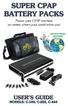 Power your CPAP machine no matter where your world takes you! Giving CPAP users the freedom to experience new adventures on the road! Your CPAP machine doesn t have to keep you from enjoying the great
AM/FM/CD/MP3 Receiver with USB/SD & A u xiliary Input 3 Built-in Microphone inputs for P A Announcements. Installation/Operation Manual
 AM/FM/CD/MP3 Receiver with USB/SD & A u xiliary Input 3 Built-in Microphone inputs for P A Announcements Installation/Operation Manual 50W x 4 CD-2000 CONTROLS AND INDICATORS (1) Power Button (2) Volume/Select
Solar Weather Station Model: BAR806 / BAR806A
 Solar Weather Station Model: BAR806 / BAR806A EN CONTENTS USER MANUAL Overview... 2 Front view... 2 Back view... 3 Remote sensor... 3 Getting started... 3 Solar panel... 3 Insert batteries... 4 Remote
MASTR III RF Package, VHF
 Maintenance Manual LBI-38754J MASTR III RF Package, VHF TABLE OF CONTENTS TRANSMIT SYNTHESIZER.......... LBI-38640 RECEIVE SYNTHESIZER........... LBI-38641 RECEIVE RF MODULE............. LBI-38642 IF MODULE...................
FMT600BT Transmitter
 Technaxx FMT600BT Transmitter User Manual Transfer of music and calls directly from your Bluetooth device to your car radio This device complies with the requirements of the standards referred to the Directive
User Guide for the Wireless Headset (HS-11W) 9235346 Issue 1
 User Guide for the Wireless Headset (HS-11W) 9235346 Issue 1 DECLARATION OF CONFORMITY We, NOKIA CORPORATION declare under our sole responsibility that the product HS-11W is in conformity with the provisions
FPV MONITOR. User Manual
 FPV MONITOR User Manual Important Safety Instructions: Please read User Guide before using this product. Please keep User Guide for future reference. Please read the cautions to prevent possible danger
Nokia Bluetooth Headset BH-109
 Nokia Bluetooth Headset BH-109 Issue 1.0 2 Introduction About your headset With Nokia Bluetooth Headset BH-109, you can handle calls hands-free, even when you are using two mobile devices at the same time.
EDGE 800. quick start manual TOUCHSCREEN GPS-ENABLED BIKE COMPUTER
 EDGE 800 quick start manual TOUCHSCREEN GPS-ENABLED BIKE COMPUTER 2010 Garmin Ltd. or its subsidiaries All rights reserved. Except as expressly provided herein, no part of this manual may be reproduced,
Targus Wireless RF Mouse USER S GUIDE. Making Your Mobile Life Easier.
 Targus Wireless RF Mouse Visit our Web site at: www.targus.com Features and specifications are subject to change without notice. 2004 Targus Group International and Targus, Inc.. 400-0111-001B USER S GUIDE
7 High-Resolution Digital Photo Frame
 TM 16-1003 User s Guide 7 High-Resolution Digital Photo Frame One demo photo included, as illustrated Please read this user s guide before using your new photo frame. Package contents Photo Frame AC Adapter
CAUTION RISK OF ELECTRIC SHOCK DO NOT OPEN
 BeoLab 4000 Guide CAUTION RISK OF ELECTRIC SHOCK DO NOT OPEN CAUTION: To reduce the risk of electric shock, do not remove cover (or back). No User-serviceable parts inside. Refer servicing to qualified