
Softstarters Type PSE18...PSE370 Installation and commissioning manual
|
|
|
- Anthony Lester
- 9 years ago
- Views:
Transcription
1 Softstarters Type PSE18...PSE370 Installation and commissioning manual PSE PSE PSE

2 This manual belongs to: 2 Softstarters Type PSE18...PSE370 Installation and commissioning manual 1SFC132057M0201

3 Installation and Commissioning Manual ABB Softstarters PSE18...PSE370 1 General This is the Installation and Commissioning Manual for Softstarters Type PSE18 PSE370 based on software version Document number: 1SFC132057M0201 Revision: E Issue date: Data subject to change without notice. We reserve all rights to this document, even in the event that a patent is issued and a different commercial proprietary right is registered. Improper use, in particular reproduction and dissemination to third parties, is not permitted. This document has been carefully checked. If the user nevertheless detects any errors, he is kindly asked to notify us as soon as possible. The data contained in this manual is intended solely for the product description and is not to be deemed to be a statement of guaranteed properties. In the interests of our customers, we constantly seek to ensure that our products are developed to the latest technological standards. As a result, there may be some differences between the softstarter and the information in this manual. Author s address: ABB AB Cewe-Control SE Västerås, Sweden Telephone: +46 (0) Telefax: +46 (0) Copyright All rights reserved. Specification subject to changes without notice. Softstarters Type PSE18...PSE370 Installation and commissioning manual 1SFC132057M0201 3

4 2 Safety This chapter describes warning and information signs used in this manual, which the user should pay attention to. The softstarter shall be installed by authorized personnel only. This manual is a part of the PSE Softstarter and should always be accessible to personnel working with this product. The manual shall always be read through before performing any installation or commissioning tasks. 2.1 Use of signs caution, warning and information Caution! Caution icon indicates the presence of a hazard which could result in personal injury. Warning! Warning icon indicates the presence of a hazard which could result in damage to equipment or property. Information Information sign alerts the reader to pertinent facts and conditions. 4 Softstarters Type PSE18...PSE370 Installation and commissioning manual 1SFC132057M0201

5 Chapter 1 Introduction Quickstart Description Mounting Connection Human-Machine Interface (HMI) Functions and configuration Fieldbus communication Maintenance Troubleshooting Wiring diagrams Index Customer feedback report Softstarters Type PSE18...PSE370 Installation and commissioning manual 1SFC132057M0201 5

6 Notes 6 Softstarters Type PSE18...PSE370 Installation and commissioning manual 1SFC132057M0201

7 Chapter 1 Introduction Documentation for PSE18...PSE370 softstarter... 8 Installation and Commissioning... 8 Intended audience... 9 General... 9 Requirements... 9 Revision notes and other documents... 9 Acronyms and abbreviations Explanation of concepts Softstarters Type PSE18...PSE370 Installation and commissioning manual 1SFC132057M0201 Chapter 1 7

8 Chapter 1 Introduction 1.1 Documentation for PSE18...PSE370 softstarter For the Softstarter Type PSE18...PSE370, the following manuals are available: 1SFC132059M9901 (User manual short form, printed) 1SFC132057M0201 (English version, PDF-file) In the future, the following documents will be available as PDF-files: 1SFC132057M3401 (Swedish) 1SFC132057M0101 (German) 1SFC132057M0301 (French) 1SFC132057M0901 (Italian) 1SFC132057M0701 (Spanish) 1SFC132057M1601 (Portuguese) 1SFC132057M3101 (Dutch) 1SFC132057M4001 (Polish) 1SFC132057M1101 (Russian) 1SFC132057M1801 (Finnish) 1SFC132057M1901 (Turkish) 1SFC132057M1301 (Arabic) 1SFC132057M2001 (Chinese) Please check: On this site select the link Control Products and then continue to Softstarters. 1.2 Installation and Commissioning Manual This manual contains instructions on how to install, commission and maintain the softstarter. The manual covers procedures for mechanical and electrical installation, and installation of communication devices. It also covers energizing, setting, and configuration and verifying settings. For brief information see Softstarters Type PSE18...PSE370 User Manual short form, containing the same languages as the Installation and Commissioning Manual. Softstarters Type PSE18...PSE370 User Manual short form has document ID 1SFC132059M9901. For quickest possible start, read Chapter 2 Quickstart or go to the short form manual (1SFC132059M9901). A complete compilation of ABB s softstarters can be found in Main catalogue Softstarters, document ID 1SFC132005C Chapter 1 Softstarters Type PSE18...PSE370 Installation and commissioning manual 1SFC132057M0201

9 1.2.1 Intended audience General The installation and commissioning manual is intended for the installation, commissioning, and maintenance personnel responsible for getting the softstarter into normal service and out of service Requirements The installation personnel must have a basic knowledge in handling electric equipment. The commissioning and maintenance personnel must be well experienced in using this kind of equipment Revision notes and other documents For latest information on revisions and other documents related to the PSE Softstarters, please check On this site select the link Control Products and then continue to Softstarters. Softstarters Type PSE18...PSE370 Installation and commissioning manual 1SFC132057M0201 Chapter 1 9

10 1.2.3 Acronyms and abbreviations The acronyms and abbreviations described in table 1.1 are used in this manual. Table 1.1 Acronym/ abbreviation Description BP By-pass DOL Direct-on-line EOL Electronic overload protection for the Motor FB Fieldbus FBP FieldBusPlug HMI Human-Machine Interface Ie Rated operational current IT Information Technology LCD Liquid Crystal Display LED Light Emitting Diode PCB Printed Circuit Board PLC Programmable Logic Controller PTC Positive Temperature Coefficient SC Short Circuit SCR Silicon Controlled Rectifier (thyristor) TOR Top of Ramp (full voltage/full-on) Uc Rated control circuit voltage * Ue Rated operational voltage * Us Rated control supply voltage * *) For definition see IEC edition Explanation of concepts The setting of current Ie is the setting for the rated operational current (main current) of the motor. Ue = Rated operational voltage on the motor s operational current (three phase main voltage feeding the motor). Us = Rated control supply voltage, feeding the electronics in the softstarter. Uc = Rated control voltage, used for controlling the softstarter. 10 Chapter 1 Softstarters Type PSE18...PSE370 Installation and commissioning manual 1SFC132057M0201

11 Chapter 2 Quickstart Quickstart Softstarters Type PSE18...PSE370 Installation and commissioning manual 1SFC132057M0201 Chapter 2 11

12 Chapter 2 Quickstart Ready Run A Protection B Fault This chapter is a short guide on how to connect, configure and start the softstarter in the easiest way. This product has been carefully manufactured and tested but there is a risk that damage can occur from abnormal handling during transportation. Therefore, the procedure below should be followed during initial installation: Warning! Mounting, electrical connection and settings of the softstarter shall be made in accordance with existing laws and regulations and be performed by authorized personnel. Exit Select Reset 1SFC132235F0001 Warning! Connecting Softstarters PSE18...PSE370 Inside Delta will cause damage to the equipment, and there is a risk of death or serious injury. A B C E Figure 2.1: LED status indicators. LCD display with backlight. D PSE 1SFC132265F0001 In Line PSE Inside Delta 1SFC132263F0001 C D E Exit key for cancelling parameter edits and moving up one menu level. Select/Reset key for changing and storing parameter values, moving down one menu level, and to reset tripping events. Navigation keys for navigating the menu and changing parameter values. Flashing numbers or text shown in the display indicates that the menu/value can be changed or scrolled. Warning! Before connecting the Softstarters PSE size 18...PSE170 to operational supply voltage for the first time, the control supply voltage must be turned on to ensure that the by-pass relays are in the open position. This is necessary to avoid unintentional starting of the equipment during the connection. 1. Be aware of the ambient temperature. Derating is required above 40 C (104 F). See chapter Mount the softstarter according to Chapter 4 Mounting. L1 L2 L3 N LN Start Stop Caution! Hazardous voltage. Will cause death or serious injury. Turn off and lock out all power supplying this device before starting work on this equipment. 3. Connect the terminals 1L1, 3L2 and 5L3 to the operational voltage on the power supply line side. KM1 Start Stop 4. Connect the terminals 2T1, 4T2 and 6T3 to the motor. 1L1 3L2 5L3 Run TOR Fault NC NO 2T1 4T2 6T U V W M SFC132237F0001 Warning! Capacitors for power factor compensation are not allowed between the softstarter and the motor, since this can cause current peaks which can damage the thyristors in the softstarter. If such capacitors are to be used, they should be connected on the line side of the softstarter. Figure 2.2: Example connection of PSE Softstarter 12 Chapter 2 Softstarters Type PSE18...PSE370 Installation and commissioning manual 1SFC132057M0201

13 5. Connect control supply voltage to terminals 1 and 2 ( V 50/60 Hz). Exit B Select Reset Exit C Select Reset 6. Connect the functional earth to terminal 14, with an earthing point close to the softstarter. Exit D Select Reset The earthing is not a protective earth, it is a functional earth. The earthing cable should be as short as possible. Maximum length 0.5 m. The earthing cable should be connected to the mounting plate, which should also be earthed. 7. Connect the start, stop and other control circuits including the analog out to the terminals, 8, 9, 10, 11, 12, 13 if needed. This section is using an internal 24 V DC. Do not feed with any external voltage. Exit Select Reset A Exit Select Reset Warning! Do not connect an external voltage to the control terminals 8, 9, 10, 11, 12, 13 and 14. Failure to observe the above may damage the softstarter and the warranty may no longer be valid. 8. Connect terminals 3, 4, 5, 6 and 7 when using the signal output relays. These are potential free contacts for maximum 250 V AC, 1,5 A AC-15. Make sure you are using the same voltage level within this terminal section. A B C D Figure 2.3: Configuration of the parameter Rated Current. If disabled, press any key to activate the light in the display. Enter the application setting by pressing the Select key a second time. Press select again to enable editing of the Ie parameter. This is indicated by a flashing value. Increase or decrease the value by pressing the Up or Down keys repeatedly. Holding the key down will speed up the change. Press the Exit key to abort change. When the rated current of the motor is reached, press the Select key again to save. If needed, continue to set other parameters according to the application following the same procedure. Press the Exit key to return to the top level. 1SFC132268F0001 Warning! The same external voltage (maximum 24 V DC or maximum 250 V AC) must be connected to the output relay terminals 3, 4, 5, 6 and 7. Failure to observe the above may damage the softstarter and the warranty may no longer be valid. 9. Switch ON the control supply voltage Us, terminals 1 and Continue to configure parameter Ie as described in figure 2.3. Complete information about configuration is available in Chapter 6 Human-Machine Interface (HMI) and Chapter 7 Functions and configuration. 11. Switch ON the operational voltage Ue. The green Ready LED will turn solid. 12. Give start command to the softstarter. Caution! Depending on the two phase control, a connected motor terminal always carries live hazardous voltage. Do not touch terminals when voltage is applied. Output terminals will have live voltage even when the device is OFF. This can cause death or serious injury. Softstarters Type PSE18...PSE370 Installation and commissioning manual 1SFC132057M0201 Chapter 2 13

14 This page is intentionally left blank. 14 Chapter 2 Softstarters Type PSE18...PSE370 Installation and commissioning manual 1SFC132057M0201

15 Chapter 3 Description Overview Markings and connections Type designation Documentation Environmental influence Specifications Technical data General Weights PSE Softstarter types IEC information information Dimensions Drilling plan Softstarters Type PSE18...PSE370 Installation and commissioning manual 1SFC132057M0201 Chapter 3 15

16 Chapter 3 Description L1 L2 L3 This chapter describes the PSE Softstarter in general, specifications as well as available accessories and spare parts. 3.1 Overview The PSE Softstarter is a microprocessor-based softstarter designed with the latest technology for soft starting and soft stopping of three-phase squirrel cage motors. The softstarter has several advanced features as standard. M Figure 3.1: Integrated By-pass. Controlled phases 1 and 3 (L1 and L3). 1SFC132253F0001 Integrated by-pass in phases L1 and L3, see figure 3.1. Thyristors are used on phases L1 and L3 for controlling the motor voltage. Phase L2 is directly connected to the motor, see figure 3.1. Select between voltage ramp or torque control during start and stop. Motor protection, as well as underload and locked rotor protection. The keypad on the front is designed to be as user-friendly as possible, with a clear display showing icons. The PSE Softstarter can be controlled in two ways: Hardwire inputs control Fieldbus communication interface Only one type of control method can be enabled simultaneously. Default selection is hardwire inputs control. The integrated fans for cooling are operated only during ramping (start/stop) and when the temperature of the heat sink is high. The temperature is monitored by a thermistor mounted on the heat sink. Figure 3.2: Torque control is offered as standard with the PSE softstarter. Check that you have the correct product in regards to operational voltage, control supply voltage and rated motor data. See chapter 3.3 Type designation. The PSE18...PSE370 Softstarters operates over wide voltage ranges. Rated operational voltage V AC Rated control supply voltage V AC Warning! The product should only be used within the specified ratings. Be aware of the ambient temperature and altitude above sea level. Derating is required above 40 C (104 F) and above 1000 m (3281 ft). 16 Chapter 3 Softstarters Type PSE18...PSE370 Installation and commissioning manual 1SFC132057M0201

17 3.2 Markings and connections Line side connection Supply voltage U s Terminal marking of control circuits PSE Green Green Yellow Red Display Keypad Order code Technical data according to IEC Fieldbus connection Technical data according to UL 508 and CSA-C22.2 No SFC132238F0001 Motor side connection External Keypad connection Figure 3.3: Markings and connections Softstarters Type PSE18...PSE370 Installation and commissioning manual 1SFC132057M0201 Chapter 3 17

18 3.3 Type designation Type designation to be found on the softstarters front. See figure 3.4. PSE A B Softstarter type: PSE Current rating: 18 = 18 A A B C D C Operational voltage: 600 = V 50/60 Hz D Control supply voltage: 70 = V 50/60 Hz Figure 3.4: Type designation 3.4 Documentation Documentation such as brochures, catalogs, certificates, and drawings included can be found at: Select the link Control Products and then continue to Softstarters. 3.5 Environmental influence The product is designed to minimize the environmental effects during manufacturing and use of the product. Most of the materials used, are of recycle type, and shall be handled and recycled according to existing laws. Further information regarding used material and recycling of the product can be found at: Specifications Table 3.1 Degree of protection IP 00 (Operational circuit) Operating position Vertical at ± 30 o Ambient temperature Storage. -40 o C to + 70 o C (-40 o F to 158 o F) Operation: -25 o C to + 40 o C (-13 o F to 104 o F) without derating o C to + 60 o C (104 o F to 140 o F) with derating 0.6 % /1 o C (0.6% / 1,8 o F). Altitude 1000 m (3281 ft.) above sea level without derating m ( ft.) above sea level with derating 0.007% / m. Pollution degree 3 Relative humidity 5-95% (non-condensing) Standards IEC IEC EN EN UL 508, CSA C22.2 No Standards 18 Chapter 3 Softstarters Type PSE18...PSE370 Installation and commissioning manual 1SFC132057M0201

19 3.7 Technical data General Table 3.2 General data Rated insulation voltage, Ui 600 V Rated operational voltage, Ue V 50 / 60 Hz Rated control supply voltage, Us V 50 / 60 Hz Voltage tolerance +10% to -15% Frequency tolerance ± 5% Rated impulse withstand voltage 6 kv operational circuit / 4 kv control supply circuit Number of controlled phases 2 Inputs Start, stop, reset Analog out 4-20 ma Cooling system Fan Rated duty Uninterrupted EMC IEC Class A 1 Lloyds Register (2002) Recommended fuse Supply circuit Communication protocols 6A Delayed MCB use characteristics DeviceNet/Profibus/Modbus/CANopen 1 This product has been designed for class A equipment. Use of the product in domestic environments may cause radio interference, in which case the user may be required to employ additional mitigation methods Weights Table 3.3 Type Weight in kg Weight in lbs PSE PSE PSE PSE PSE Softstarters Type PSE18...PSE370 Installation and commissioning manual 1SFC132057M0201 Chapter 3 19

20 3.7.3 PSE Softstarter types Table 3.4 Type PSE 18 PSE 25 PSE 30 PSE 37 Rated Current Ie (A) Motor size V (kw) Motor size 480 V (hp) Motor size 600 V (hp) Power loss at Rated Current (W) Power supply requirements holding (VA) Power supply requirements pull-in value (VA) 19,9 19,9 19,9 19,9 Table 3.5 Type PSE 45 PSE 60 PSE 72 PSE 85 Rated Current Ie (A) Motor size V (kw) Motor size 480 V (hp) Motor size 600 V (hp) Power loss at Rated Current (W) Power supply requirements holding (VA) Power supply requirements pull-in value (VA) 19,9 19,9 19,9 19,9 Table 3.6 Type PSE 105 PSE 142 PSE 170 PSE 210 Rated Current Ie (A) Motor size V (kw) Motor size 480 V (hp) Motor size 600 V (hp) Power loss at Rated Current (W) Power supply requirements holding (VA) Power supply requirements pull-in value (VA) 19, Table 3.7 Type PSE 250 PSE 300 PSE 370 Rated Current Ie (A) Motor size V (kw) Motor size 480 V (hp) Motor size 600 V (hp) Power loss at Rated Current (W) Power supply requirements holding (VA) Power supply requirements pull-in value (VA) Chapter 3 Softstarters Type PSE18...PSE370 Installation and commissioning manual 1SFC132057M0201

21 3.7.4 IEC information Equipment suitable for use in a circuit with maximum available fault current as shown when protected by devices indicated in table 3.8. Examples of semiconductor fuses and MCCB according to IEC. For more information about fuses see: Table 3.8 IEC Type 2 co-ordination Fuses Type 1 co-ordination MCCB MCCB 600V Iq 85kA Semicond. Bussmann DIN V Iq 35kA 400V Iq 50kA Softstarter Type Type Rating Type Type PSE M A T2N160 MA20 T2S160 MA20 PSE M A T2N160 MA32 PSE M A T2N160 MA52 PSE M A T2N160 MA52 PSE M A T2N160 MA52 PSE M A T2N160 MA80 PSE M A T2N160 MA80 PSE M A T2N160 MA100 T2S160 MA32 T2S160 MA52 T2S160 MA52 T2S160 MA52 T2S160 MA80 T2S160 MA80 T2S160 MA100 PSE M A PSE M A PSE M A PSE M A PSE M A PSE M A PSE M A T3N250 MA160 T3N250 MA200 T3N250 MA200 T4N320 PR221-I In320 T5N400 PR221-I In400 T5N400 PR221-I In400 T5N630 PR221-I In630 T3S250 MA160 T3S250 MA200 T3S250 MA200 T4S320 PR221-I In320 T5S400 PR221-I In400 T5S400 PR221-I In400 T5S630 PR221-I In630 Softstarters Type PSE18...PSE370 Installation and commissioning manual 1SFC132057M0201 Chapter 3 21
22 3.7.5 information Examples of equipment suitable for use in a circuit with maximum available fault current as shown when protected by devices indicated. See table 3.9. For more information see: Table 3.9 Fuses MCCB MCCB Normal breaker Standard breaker V V V V V High Fault Current 85kA Softstarter Type PSE Class J Fuses 40A High Fault Current High Fault Current Normal breaker High Fault Current High Fault Current Standard breaker 25kA 14kA Ts3N070TW 35kA 25kA Ts3L070TW PSE A Ts3N100TW Ts3L100TW PSE A Ts3N100TW Ts3L100TW PSE A Ts3N125TW Ts3L125TW PSE A Ts3N150TW Ts3L150TW PSE A Ts3N150TW Ts3L150TW PSE A 18kA T4N250TW T4S250TW PSE A T5N300TW T5S300TW PSE A T5N300TW T5S300BW PSE A T5N400BW T5S400BW PSE A T5N400BW T5S400BW PSE A 35kA 20kA T6N600BW 50kA T6S600BW PSE A T6N600BW T6S800BW PSE A T6N800BW T6S800BW PSE A T6N800BW T6S800BW 22 Chapter 3 Softstarters Type PSE18...PSE370 Installation and commissioning manual 1SFC132057M0201
23 3.7.6 Dimensions Dimensions PSE mm (0.236 in) 6,5 mm (0.256 in) PSE mm (9.055 in) 245 mm (9.645 in) 90 mm (3.543 in) 3 mm (0.118 in) 185,5 mm (7.303 in) 3 mm (0.118 in) 30 mm (1.181 in) 80 mm (3.150 in) 90 mm (3.543 in) 13 mm (0.512 in) 1SFC132259F0001 Dimensions PSE mm ( in) 7 mm (0.276 in) 3 mm (0.118 in) 6,5 mm (0.256 in) PSE mm (8.701 in) 37 mm (1.457 in) 295 mm ( in) 5 mm (0.197 in) 109,5 mm (4.311 in) 219,5 mm (8.642 in) 1SFC132260F mm (1.378 in) 17,5 mm (0.689 in) 113,5 mm (4.468 in) 130 mm (5.118 in) Softstarters Type PSE18...PSE370 Installation and commissioning manual 1SFC132057M0201 Chapter 3 23
24 Dimensions PSE mm ( in) 9,2 mm (0.363 in) 6,5 mm (0.256 in) PSE mm ( in) 40 mm (1.575 in) 550 mm ( in) 5 mm (0.197 in) 236,5 mm (9.311 in) 43,75 mm (1.723 in) 163,5 mm (6.437 in) 19,6 mm (0.772 in) 190 mm (7.480 in) 125,5 mm (4.941 in) 1SFC132266F Chapter 3 Softstarters Type PSE18...PSE370 Installation and commissioning manual 1SFC132057M0201
25 3.7.7 Drilling plan Drilling plan PSE mm (3.150 in) M6 (1/4 in) 230 mm (9.055 in) 113,5 mm (4.468 in) M6 (1/4 in) 278 mm ( in) PSE SFC132272F0001 1SFC132271F0001 Drilling plan PSE Softstarters Type PSE18...PSE370 Installation and commissioning manual 1SFC132057M0201 Chapter 3 25
26 Drilling plan PSE ,5 mm (6.437 in) M6 (1/4 in) PSE mm ( in) 1SFC132273F Chapter 3 Softstarters Type PSE18...PSE370 Installation and commissioning manual 1SFC132057M0201
27 Chapter 4 Mounting Receiving, unpacking and checking Intermediate storage Mounting Handling when mounting Requirements Minimum enclosure size Minimum distance to wall and front Softstarters Type PSE18...PSE370 Installation and commissioning manual 1SFC132057M0201 Chapter 4 27
28 Chapter 4 Mounting This chapter describes instructions on how to receive the softstarter and how to mount it in a proper way. Figure 4.1: Unpacking PSE18...PSE170 1SFC132239F Receiving, unpacking and checking Check that the package is turned with the correct side up, figures 4.1 and 4.2. Check for transport damages. Remove the transport casing. Visually inspect the softstarter. Check that the order code corresponds with the delivery documents. Check that all items are included, according to the delivery note. Check the softstarter as well as the package. If you find any damages, please contact the transport company or the supplier immediately Intermediate storage Until the softstarter is mounted it should be stored in its package. 4.2 Mounting Handling when mounting The softstarter is available in three physical sizes. All models of PSE can be taken out of the packages and be mounted without lifting equipment. See chapter for weights. Figure 4.2: Unpacking PSE210...PSE370 Warning! Never lift the softstarter by the connection bars, since it may cause damage to the product. 28 Chapter 4 Softstarters Type PSE18...PSE370 Installation and commissioning manual 1SFC132057M0201
29 4.2.2 Requirements See Chapter 3 Description for environmental requirements. The PSE Softstarters exist in three different physical sizes which are designed to be mounted with M6 (1/4 in.) bolts as well as bolts of equivalent dimension and strength. Measures and drilling plans will be found in chapters Dimensions and Drilling plan Minimum enclosure size In applications where the softstarter is installed in an enclosure, the following minimum enclosure sizes are recommended. Dimensions according to the sketch in figure 4.3. Table 4.1 IEC W (mm) H (mm) D (mm) PSE PSE PSE D W H 1SFC132269F0001 Table 4.2 W (in) H (in) D (in) min number of latches PSE PSE PSE Dimensions and drilling plan see Chapter 3 Description. Figure 4.3: Dimensions minimum enclosure size Warning! Using a too small enclosure and/or failure to follow the instructions in other ways may result in overheating of the PSE Softstarter and operational disturbances. Softstarters Type PSE18...PSE370 Installation and commissioning manual 1SFC132057M0201 Chapter 4 29
30 PSE Minimum distance to wall and front Check that a sufficient flow of air for cooling purposes can circulate from the bottom to the top of the softstarter, and has a free passage away. Figure 4.3. Warning! Risk of damage to property. Ensure that no liquids, dust or conductive parts enter the softstarter. 1SFC132240F0001 Figure 4.4: Airways Make sure that the distances to the surrounding walls are sufficient, and that the mounting angle is within specifications shown in figure 4.5. Follow the minimum distance to front and wall, as described in figure 4.4 and the table below. C Table 4.3 1SFC132243F000 The values in table 4.3 are minimum distances. A (mm [inch]) PSE [3.94] PSE [3.94] PSE [3.94] B (mm [inch]) 10 [0.394] 10 [0.394] 10 [0.394] C (mm [inch]) 20 [0.788] 20 [0.788] 20 [0.788] A 30 O 30 O 30 O 30 O PSE PSE PSE B A B Figure 4.5: Minimum distances to wall and front 1SFC132242F0001 Figure 4.6: Maximum mounting angle 1SFC132280F Chapter 4 Softstarters Type PSE18...PSE370 Installation and commissioning manual 1SFC132057M0201
31 Chapter 5 Connection General Electrical connection Considerations when controlling two of three phases Before connecting softstarters PSE18...PSE Connection of the operational power circuit Control supply and control circuit Control supply voltage, terminals 1 and Functional earth, terminal Start and Stop, terminals 8 and 9 in circuit with terminals 11 or Reset event, terminal Analog output, terminals 13 and Status output relays, terminals 3, 4, 5, 6, and Connection of communication devices (optional) External keypad Technical data for External Keypad Transfer of parameters Transfer of parameters from softstarter to external keypad Transfer of parameters from external keypad to softstarter Fieldbus communication Softstarters Type PSE18...PSE370 Installation and commissioning manual 1SFC132057M0201 Chapter 5 31
32 Chapter 5 Connection This chapter describes the electrical connections as well as connections for communication devices that have to be made before you can use the softstarter. 5.1 General Caution! Mounting and electrical connection of the softstarter shall be made in accordance with existing laws and regulations and be performed by authorized personnel. Warning! Hazardous voltage. Will cause death or serious injury. Turn off and lock out all power supplying this device before starting work on this equipment. For basic connection, see Chapter 2 Quickstart. For circuit diagrams for connection of the softstarter, see Chapter 11 Wiring diagrams. 5.2 Electrical connection L1 L2 L3 N Considerations when controlling two of three phases KM1 LN Start Start Stop Stop Even when stopped, there will be a voltage on the motor on phase 2. This will not start the motor and the motor will not be heated up (compare with inside delta connection). For more information about two phase control see Chapter 3 Description. 1L1 3L2 5L Semiconductors do not replace air isolation and the recommended solution is to use a line contactor to break the current. See figure 5.1. Run TOR Fault NC NO 2T1 4T2 6T U V W M 3 Figure 5.1: Connection of PSE Softstarter and connection in series with a line contactor. 1SFC132237F0001 Caution! Depending on the two phase control a connected motor terminal always carries live voltage. Touching terminals and other live parts can result in death or serious injury. 32 Chapter 5 Softstarters Type PSE18...PSE370 Installation and commissioning manual 1SFC132057M0201
33 Since Softstarters PSE18 PSE370 has control in two phases, the connection must be done In Line only, in accordance with the circuit diagrams in figure 5.2 and in Chapter 11. PSE 1SFC132265F0001 PSE Figure 5.2: ABB PSE Softstarter must be connected In Line only. 1SFC132263F0001 Caution! Softstarters PSE18...PSE370 must not be connected Inside Delta since this will cause damage to the equipment and there is a risk of death or serious injury. Figure Before connecting softstarters PSE18...PSE170 Warning! Before connecting the Softstarters PSE size 18...PSE170 to operational supply voltage for the first time, the control supply voltage must be turned on to ensure that the by-pass relays are in the open position. This is necessary to avoid unintentional starting of the equipment during the connection. Softstarters Type PSE18...PSE370 Installation and commissioning manual 1SFC132057M0201 Chapter 5 33
34 5.2.3 Connection of the operational power circuit The softstarter is recommended to be connected with a line contactor as described in figure 5.1. Additional circuit diagrams will be found in Chapter 11 Wiring diagrams. Softstarters PSE18...PSE105 are provided with built-in cable clamps. The cables must be stripped before connection, and the length of the exposed wire should be 20 mm or 0.8 in. Connect according to figures 5.3 and 5.5. For Softstarters PSE142...PSE370 the cables must have lugs and be connected to the terminal bars, according to figure 5.4 and 5.5. Connect the line side to terminals 1L1, 3L2, 5L3. Connect the motor to terminals 2T1, 4T2, 6T3. The terminals marking are printed on the front of the softstarter. 5L3 3L2 1L1 1L1 3L2 5L3 2T1 4T2 6T3 2T1 4T2 6T3 Figure 5.3: PSE18...PSE105 connection of the connection module line side and motor side terminals Figure 5.4: PSE142...PSE370 connection of the line side and motor side terminals PSE L1 3L2 5L3 2T1 4T2 6T3 M8 Using connection module AWG , mm 2 6 Nm - 53 lb.in 2x2,5.. 2x10 mm 2 AWG6.. 2/ mm 2 2x10.. 2x70 mm 2 } } 8 Nm - 71 lb.in M6 9 Nm - 80 lb.in Using connection bars (If connection module is removed) max 22 mm (0.866 in) max 20 mm (0.787 in) max 5 mm (0.197 in) Cu 75 C only PSE L1 3L2 5L3 2T1 4T2 6T3 11/6-16 UNF-2S 275 lb.in Using connection module ATK185: AWG4 to 300kcmil Cu 75 C only M8 18 Nm lb.in Using connection bars max 24 mm (0.945 in) max 22 mm (0.866 in) max 8 mm (0.315 in) PSE L1 3L2 5L3 2T1 4T2 6T3 3/4-16 UNF-2A 375 lb.in Using connection module ATK300: AWG4 to 400kcmil ATK300/2: AWG4 to 500kcmil or 2xAWG4 to 2x500kcmil Cu 75 C only M10 28 Nm lb.in Figure 5.5: Tightening torques and dimensions for terminal bars and lugs Using connection bars max 30 mm (1.181 in) max 30 mm (1.181 in) max 10 mm (0.394 in) 1SFC13275F0001 Warning! Capacitors for power factor compensation are not allowed between the softstarter and the motor, since this can cause current peaks which can burn the thyristors in the softstarter. If such capacitors are to be used, they should be connected on the line side of the softstarter. 34 Chapter 5 Softstarters Type PSE18...PSE370 Installation and commissioning manual 1SFC132057M0201
35 5.2.4 Control supply and control circuit Wires in industrial control applications are divided into three groups: main power supply, control supply and control Control supply voltage, terminals 1 and 2 Connect neutral and live to terminal 1 and 2, as shown in figures 5.6 and 5.7. Check that you have the correct control supply voltage Us. L N Figure 5.6: Terminals for control supply voltage M3 4 x 0,8 mm (0.157 x in) 0,2.. 4 mm 2, AWG x0,2.. 1,5 mm 2, 2 x AWG ,5 Nm - 4,3 lb.in 0,2.. 4 mm 2, AWG x0,2.. 1,5 mm 2, 2 x AWG Figure 5.7: Tightening torques and wire area Softstarters Type PSE18...PSE370 Installation and commissioning manual 1SFC132057M0201 Chapter 5 35
36 Functional earth, terminal 14 Connect the cable to an earthing point close to the softstarter. The cable should be as short as possible. A suitable earthing point would be next to the softstarter on the mounting plate, as shown in figures 5.8 and 5.9. The mounting plate should also be earthed. This is not a protective earth, it is a functional earth. The earthing cable should be as short as possible. Maximum length 0.5 m Figure 5.8: Terminal for functional earth M3 3,5 x 0,6 mm (0.138 x 0.24 in) AWG ,2.. 2,5 mm 2 2x0,2.. 1,5 mm 2 0,5 Nm - 4,3 lb.in 0,2.. 2,5 mm 2 2x0,2.. 1,5 mm 2 Figure 5.9: Tightening torques and wire area 36 Chapter 5 Softstarters Type PSE18...PSE370 Installation and commissioning manual 1SFC132057M0201
37 Start and Stop, terminals 8 and 9 in circuit with terminals 11 or 12. The PSE Softstarter has a built-in holding circuit and does not require sustained signals on start input. Use internal control supply voltage from terminals 11 or 12. Connection of start and stop terminals using conventional circuit with push buttons, see figures 5.10 and A conventional circuit with auxiliary relay is also possible, see figure 5.11 and Warning! Do not connect an external voltage to any of the control terminals 8, 9, 10, 11, 12 and 13. Failure to observe the above may damage the softstarter and the warranty may no longer be valid. L Stop Start Start Stop N PSE Figure 5.10: Terminals for start and stop, conventional circuit with push button PSE Figure 5.11: Terminals for start and stop, conventional circuit with auxiliary relay M3 3,5 x 0,6 mm (0.138 x in) AWG ,2.. 2,5 mm 2 2x0,2.. 1,5 mm 2 0,5 Nm - 4,3 lb.in 0,2.. 2,5 mm 2 2x0,2.. 1,5 mm 2 Figure 5.12: Tightening torques and wire area Softstarters Type PSE18...PSE370 Installation and commissioning manual 1SFC132057M0201 Chapter 5 37
38 Reset event, terminal 10 The reset control terminal 10 is in circuit with terminals 11 or 12 used for remote reset of trip events. See figures 5.13 and Warning! Do not connect an external voltage to any of the control terminals 8, 9, 10, 11, 12 and 13. Failure to observe the above may damage the softstarter and the warranty may no longer be valid. Reset Figure 5.13: Terminal for reset event PSE M3 3,5 x 0,6 mm (0.138 x in) AWG ,2.. 2,5 mm 2 2x0,2.. 1,5 mm 2 0,5 Nm - 4,3 lb.in 0,2.. 2,5 mm 2 2x0,2.. 1,5 mm 2 Figure 5.14: Tightening torques and wire area 38 Chapter 5 Softstarters Type PSE18...PSE370 Installation and commissioning manual 1SFC132057M0201
39 Analog output, terminals 13 and 14 Analog output can be used for the connection of analog instruments. If the analog output is used, the cables shall be connected to terminals 13 (+) and 14 (-). See figures 5.15 and Analog out signal can vary in the range 4-20 ma, corresponding to percent of set value for parameter Ie. 100 percent corresponds to 17.3 ma. Warning! Do not connect an external voltage to any of the control terminals 8, 9, 10, 11, 12 and 13. Failure to observe the above may damage the softstarter and the warranty may no longer be valid PSE Figure 5.15: Terminals for analog output M3 3,5 x 0,6 mm (0.138 x in) AWG ,2.. 2,5 mm 2 2x0,2.. 1,5 mm 2 0,5 Nm - 4,3 lb.in 0,2.. 2,5 mm 2 2x0,2.. 1,5 mm 2 Figure 5.16: Tightening torques and wire area Softstarters Type PSE18...PSE370 Installation and commissioning manual 1SFC132057M0201 Chapter 5 39
40 Status output relays, terminals 3, 4, 5, 6, and 7 By connection to terminals 3, 4, 5, 6, and 7, RUN, TOR and EVENT are available for a contactor, a PLC or a status indicator, which can use these signals as an input. The COM connection on terminal 3 is a shared neutral connection for terminals 4, 5, 6, and 7. Run signal is given from terminal 4 during start ramp, running, and stop ramp if used. It can be used to control the line contactor. Top of Ramp (TOR) signal is given from terminal 5 when full voltage to the motor is applied. The event relay is available as normal closed outlet on terminal 6 and normal open outlet on terminal 7. It is indicating a present fault or protection. The event signal can be used as input for a status indicating lamp or a LED. For connection see figures 5.17 and Warning! The same external voltage (24 V DC or V AC) must be connected to the output relay terminals 3, 4, 5, 6 and 7. Failure to observe the above may damage the softstarter and the warranty may no longer be valid. AC PSE Figure 5.17: Terminals for status output signals M3 0,5 Nm - 4,3 lb.in 4 x 0,8 mm (0.157 x in) AWG ,2.. 4 mm 2 2x0,2.. 1,5 mm 2 0,2.. 4 mm 2 2x0,2.. 1,5 mm 2 Figure 5.18: Tightening torques and wire area 40 Chapter 5 Softstarters Type PSE18...PSE370 Installation and commissioning manual 1SFC132057M0201
41 5.3 Connection of communication devices (optional) External keypad An external keypad for door mounting can be connected to the softstarter. A 3-meter cable including both the communication and the power supply to the keypad makes the connection. The cable shall be connected to the external keypad connection at the bottom of the softstarter. See Figures 5.19 and The external keypad can also be used for transferring parameters from one softstarter to another. Note that IP66 cannot be achieved when the keypad is not mounted. When the external keypad is used, both keypads will work in parallel, but the softstarter built-in keypad always has the highest priority if the keys on both units are pressed simultaneously Technical data for External Keypad Figure 5.19: External keypad General data Display Status indicating LEDs LCD type Ready: Green Run: Green Proction: Yellow Fault: Red Ambient temperature Storage: -40 o C to +70 o C (-40 o F to 158 o CF). Operation: -25 o C to +60 o C (-13 o F to +140 o F). Standards IEC/EN UL508 CSA C22.2 No 14 Environmental ratings IP66 UL Type 1, 4X Indoor, 12 Figure 5.20: Connection of external keypad Softstarters Type PSE18...PSE370 Installation and commissioning manual 1SFC132057M0201 Chapter 5 41
42 Transfer of parameters To transfer (copy) parameters from one PSE Softstarter to another, connect the External keypad to the chosen softstarter and follow the sequence below. For more information about navigating, see Chapter 6 in this manual. The Transfer Parameter menu is hidden and only possible to reach when the external keypad is connected to the softstarter. Start in Settings Level with cursor on Ie icon. Press Arrow Up to enter Transfer Parameter menu, and the text tp will be displayed on the LCD. PSE SFC132292F Transfer of parameters from softstarter to external keypad Transfer of parameters from softstarter to external keypad is possible in all states, except during ramping. During ramping it is not possible to enter the TP menu. Figure 5.21: Transfer of parameters from softstarter to external keypad When you are in the Transfer Parameter menu confirm and continue by pressing Select. A text toss will now be present on the LCD display. Scroll to FrSS and confirm selection by pressing Select key, and the text FrSS will now be flashing. Continue and transfer by pressing Select. If the transfer was successful, the text done will be displayed on the LCD, otherwise a fault code will be displayed. Press Exit or select to return to Transfer Parameter menu. Press then exit for returning to a higher menu level Transfer of parameters from external keypad to softstarter Transfer of parameters from external keypad to softstarter is possible only in standby state. During ramping, it is not possible to enter the TP menu. If transfer of parameters is done during TOR, a fault code will be displayed. PSE Figure 5.22: Transfer of parameters from external keypad to softstarter 1SFC132293F0001 When you are in the Transfer Parameter menu confirm and continue by pressing Select. A text toss will now be present on the LCD display. Confirm selection of toss by pressing Select key and the text toss will now be flashing. Continue by pressing select. If valid parameters will be accepted, a value for parameter Rated Motor Current Ie will be displayed, otherwise a fault code will be displayed. Scroll and select a setting for Ie, see chapter Confirm selection and save by pressing Select. If transfer is performed, the text done will be displayed, otherwise a fault code will be displayed. Press Exit or Select to return to Transfer Parameter menu. Press Exit for returning to a higher menu level. A list showing all parameters which will be transferred is available in chapter 7.3 List of available parameters. The parameters Rated Current of the motor and PSE will not be transferred. Display Description Transfer Parameter Transfer of parameters from external keypad to softstarter Transfer of parameters from softstarter to external keypad Confirmation of successful transfer How to operate the External keypad, see Chapter 6 Human-Machine Interface (HMI). 42 Chapter 5 Softstarters Type PSE18...PSE370 Installation and commissioning manual 1SFC132057M0201
43 5.3.2 Fieldbus communication See Chapter 8 Fieldbus communication. Softstarters Type PSE18...PSE370 Installation and commissioning manual 1SFC132057M0201 Chapter 5 43
44 This page is intentionally left blank. 44 Chapter 5 Softstarters Type PSE18...PSE370 Installation and commissioning manual 1SFC132057M0201
45 Chapter 6 Human-Machine Interface (HMI) Overview Application Design LED status indicators LCD display and keypad Locking/unlocking the keypad Reset of all settings Reset of tripping events Menu structure Information Level Settings Level and settings menu Navigating the menu Softstarters Type PSE18...PSE370 Installation and commissioning manual 1SFC132057M0201 Chapter 6 45
46 A B Chapter 6 Human-Machine Interface This chapter describes how the Human-Machine Interface (keypad, LED status indicators and LCD display) works. Ready Run Protection Fault 6.1 Overview Application The Human-Machine Interface is used for several purposes such as setting up the PSE Softstarter parameters, including protection functions and fieldbus communication. The HMI is also providing status information by LED status indicators and the LCD display. Exit Select Reset 1SFC132235F0001 The PSE Softstarter monitors and displays different values. When switching on the supply voltage the LCD will first display the Information Level, which is showing motor current, input voltage on the line side, power factor, and voltage to the motor. The Information Level also displays information on whether the keypad is locked or unlocked Design A B C D E C E Figure 6.1: LED status indicators. LCD display with backlight. D Exit key for cancelling parameter edits and exiting one menu level. Select/Reset key for changing and storing parameter values, entering one menu level, and to reset tripping events. Navigation keys for navigating the menu and changing parameter values. Flashing numbers or text shown in the display indicates that the menu/value can be changed or scrolled. The appearance of the HMI is showed in figure 6.1. The HMI consists of: LED status indicators LCD display with backlight Selection and navigation keys On start-up all LCD segments and LEDs will be briefly illuminated. The LCD backlight will automatically turn off after some time of inactivity. Turn it on by pressing any key. When switching on the supply voltage the LCD will first illuminate all available segments, LEDs and the backlight. Thereafter the Information Level is displayed. See figure Chapter 6 Softstarters Type PSE18...PSE370 Installation and commissioning manual 1SFC132057M0201
47 LED status indicators The LED status indicators work as in table 6.1: Table 6.1 LED Color Description Ready Green Off: when control supply voltage Us is off or unconnected. Flashing light when control supply voltage Us is On and operational voltage Ue is Off. Steady light when control supply voltage Us is On, and operational voltage Ue is On. Run Green Off when the motor not is running. Flashing light when softstarter is controlling operational voltage Ue during start or stop ramp. Steady light when full operational voltage Ue is on at Top of Ramp. Protection Yellow Off: when the softstarter has not tripped on any protection Steady light on protection when reset is not possible. Flashing light on protection when reset is possible. Fault Red Off: when the softstarter has not tripped on any fault Steady light on fault when reset is not possible. Flashing light on fault when reset is possible. When fault or protection LED is activated, the LCD display will show the actual fault or protection as an event code. See table Softstarters Type PSE18...PSE370 Installation and commissioning manual 1SFC132057M0201 Chapter 6 47
48 A Ready Run Protection Fault LCD display and keypad The keypad is based on the same user concept as common on mobile phones. See figure 6.1. The LCD display contains three rows. The top row has 8 parameter icons. The middle row has a lock symbol, 4 digits and units. The bottom row has 4 parameter icons. On the middle row various information is presented. A cursor A indicates which parameter value is possible to change at each position, as shown in figure 6.2. Exit Select Reset The Exit key for cancelling parameter edits and for exiting one menu level. The Select/Reset key normally has more than one function, such as selecting, changing, storing, and manual reset of tripping events, depending on present view. Figure 6.2: Cursor indicating parameter accessible for configuration The navigation keys are used for navigating in the menu and changing parameter values. Flashing numbers or text shown in the display indicates that the parameter value can be changed or scrolled. If key is held down, scrolling will be faster. When selecting from a list, the scrolling is done in a closed loop. You will find a description of all settings in Chapter 7 Functions and configuration and configuration. The menu structure of the keypad is illustrated in figure Chapter 6 Softstarters Type PSE18...PSE370 Installation and commissioning manual 1SFC132057M0201
49 Ready Run Protection Fault Locking/unlocking the keypad 1. Press the Exit key to exit to the Information Level. 2. The keypad is unlocked if the middle row is not indicating the lock icon to the right. 3. Press both Navigation keys 4 seconds to lock the keypad, and protect all parameter settings from unintentional change from the keypad. See figure The keypad is locked if the a padlock is present on the middle row. 5. Press both Navigation keys 2 seconds to unlock the keypad, and allow changes of the parameter settings. Exit Select Reset Figure 6.3: Locking/unlocking the keypad Reset of all settings How to reset all the changed parameters back to user default settings is described in chapter Ready Run Protection Fault Reset of tripping events The Select/Reset key can be used to reset tripping events via the keypad, see figure 6.4. For details about resetting of tripping events, see chapter 7.6. Exit Select Reset Figure 6.4: Reset of tripping events Softstarters Type PSE18...PSE370 Installation and commissioning manual 1SFC132057M0201 Chapter 6 49
50 6.1.6 Menu structure The structure of the menu is described in figure 6.8. All different parameters and levels of the menu, and how they can be reached by scrolling, are also described. Figure 6.5: Information Level Information Level elect Reset Exit Select Reset Figure 6.6: Enter Settings Level pressing the Select key. Exit By pressing a key the backlight will be switched on, and the Information Level will be displayed. The Information Level contains general operational information described in chapter 7.1. Use navigation keys to present all selections. The selections are presented one by one on the middle row. See figure 6.5 and menu structure in figure 6.8. Select Settings Level and settings menu Reset The Settings Level is reached from the Information Level by pressing the Select key. See figure 6.6. and menu structure in figure 6.8. The settings menu is used to set up the PSE Softstarter with parameters for the current application. Available settings are presented one by one on the top and bottom of the display. Use navigation keys to move the cursor to present all selections. In figure 6.7 the cursor is currently marking Exitthe parameter Rated Select Current Ie, which by pressing Select key a second time will be accessible for tuning. Reset Exit Select Reset Figure 6.7: Settings Level Exit Select Reset Exit Select Reset 50 Chapter 6 Softstarters Type PSE18...PSE370 Installation and commissioning manual 1SFC132057M0201 Exit Select
51 U e U e t Set Initial Voltage Operational time Normal ramp Ramp with Kick Start t Electronic Set Initial Voltage Operational time Normal ramp Ramp with Kick Start Information Level A % Cos j V Exit Select Reset 1SFC132291F0001 Lock/Unlock Settings Level Reset all parameter settings to user default values PSE Settings level Ie (Rated current of motor) Start Ramp time Stop Ramp time Individual OFF, s OFF, s Initial/End Voltage % Current Limit x Ie Torque Control during start ramp Torque Control during stop ramp OFF On OFF On Setting of time must be performed in Start Ramp time Setting of time must be performed in Stop Ramp time Kick Start OFF OFF Motor Overload Protection HAnd 10A/10/20/30 Auto Underload Protection OFF x Ie HAnd Auto Locked Rotor Protection OFF x Ie Hand Auto OFF (readable) dpof dpon FieldBus Control dpof HAnd On trip dpon Auto LocC Figure 6.8: Menu structure PSE Softstarter Softstarters Type PSE18...PSE370 Installation and commissioning manual 1SFC132057M0201 Chapter 6 51
52 6.2 Navigating the menu Exit Select Reset 1SFC132291F0001 The menu is navigated by the keypad. The Navigation keys are used to scroll up or down. The Select key is used to select a setting and save. The Exit key is used to cancel without selecting or saving a setting, and to go to a higher level of the menu, as illustrated in figure Turn on the backlight by pressing any key. 2. On the Information level use the Navigation keys for scrolling the different operational information. Figure 6.9: Press Exit key to cancel and to go to a higher level of the menu. 3. Press the Select key to Enter the Settings level. See A in figure A cursor is marking the accessible parameter, in this case Rated Current Ie. 4. Press Select key again to enable editing of the parameter Rated Current. See B in figure A flashing value on the middle row indicates that the parameter is available for scrolling and for selection. 5. Increase or decrease the value by pressing Navigation key repeatedly. Holding the key down will speed up the scrolling. See C in figure When the rated current of the motor is reached, press the Select key again to save. See D in figure It is possible to select and adjust the other parameters by following the same procedure. 8. At any point, press Exit to cancel a setting, and return to the information level. 52 Chapter 6 Softstarters Type PSE18...PSE370 Installation and commissioning manual 1SFC132057M0201
53 Exit Select Reset B Exit C Select Reset Exit D Select Reset Exit Select Exit Select Reset A Reset Exit Select Reset 1SFC132268F0001 Figure 6.10: Navigating the menu Softstarters Type PSE18...PSE370 Installation and commissioning manual 1SFC132057M0201 Chapter 6 53
54 This page is intentionally left blank. 54 Chapter 6 Softstarters Type PSE18...PSE370 Installation and commissioning manual 1SFC132057M0201
55 Chapter 7 Functions and configuration Softstarter operational data Parameter settings List of available parameters Basic settings principal Functions Rated Current Ie of motor Start Ramp Time Stop Ramp Time Initial/End Voltage Current Limit Torque Control during start ramp Torque Control during stop ramp Kick Start Electronic Motor Overload Protection E.O.L Underload Protection Locked Rotor Protection FieldBus Control (optional hardware required) Fieldbus Address Download Parameter Fieldbus Operation When Fault Type of Operation for Reset of Fieldbus Fault Reset of tripping events Special functions Reset all parameter settings to user default values PSE parameter Representation of signals in time domain Application settings Softstarters Type PSE18...PSE370 Installation and commissioning manual 1SFC132057M0201 Chapter 7 55
56 Chapter 7 Functions and configuration How to navigate the menu, see Chapter 6 Human-Machine Interface (HMI), especially chapter 6.2 Navigating the menu. 7.1 Softstarter operational data The information level is the top level of the user menu. Information about output current, line voltage, power factor, and voltage to the motor is displayed. 1 On the information level the softstarter displays current values for: 1 Motor current (A) 2 Voltage to the motor (%) 3 Power factor /Cos j 4 Input voltage on the line side (V) Exit 2 3 Select Reset The motor current is calculated as the maximum RMS value of the three phases. Using the motor current displayed on Information level as input for setting of Current Limit, may result in too low Current Limit. This may cause a longer starting time and unnecessary heating of the motor. 4 Figure 7.1: Information Level, displayed information 1SFC132295F Parameter settings Settings can be done in four different ways: Keypad Fieldbus communication (option) External keypad (option) With the keypad or external keypad, settings can be done as individual parameter setting of all essential parameters. When the fieldbus communication (option) is enabled, most parameters can also be modified from this interface. User default parameter set is stored in the unit for a possible reset to default values. See chapter about resetting parameters to user default values. Caution! The motor may start unexpectedly if there is a start signal present, when doing any of the actions listed below. Switching from one type of control to another (fieldbus control / hardwire control). Resetting events. Using automatic event reset. 56 Chapter 7 Softstarters Type PSE18...PSE370 Installation and commissioning manual 1SFC132057M0201
57 7.3 List of available parameters A list of the available parameters for PSE18...PSE370 is visible in table 7.1. Table 7.1 Description Display symbol Setting range Default value Access from HMI Fieldbus Parameter transfer with External Keypad Actual setting Rated Current of motor Ie Individual Individual W W See tables in chapter PSE Softstarter types. Setting range is percent of Ie Start Ramp time s 10 s W W T Stop Ramp time OFF, s OFF W W T Initial/End Voltage % 30 % W W T Current limit 1.5 x 7 Ie 4.0 x Ie W W T Torque Control during start ramp OFF/On OFF W W T Torque Control during stop ramp OFF/On On W W T Kick Start OFF, % OFF W W T Electronic Motor Overload Protection (EOL) T Tripping Class (EOL) 10 A, 10, 20, 10 W W T 30 Type of operation (EOL) HAnd/Auto 1 HAnd X X T R = Readable W = Writeable T = Will be transferred (uploaded/downloaded) Softstarters Type PSE18...PSE370 Installation and commissioning manual 1SFC132057M0201 Chapter 7 57
58 Default value Access from Underload Protection Parameter transfer with External Keypad Setting range Fieldbus Display symbol HMI Description T Level Type of operation 1 OFF W W T HAnd W W T T Locked Rotor Protection Level Type of operation 1 Fieldbus Control 2 W W W W T T OFF W R T 3 W R T dpon W R T LocC W R T HAnd W R T 1SFC13235F0001 OFF/On OFF HAnd Fieldbus address Download Parameter Fieldbus Operation When Fault Type of Operation 255 dpof/dpon LocC/trIP HAnd/Auto R = Readable W = Writeable T = Will be transferred (uploaded/downloaded) HAnd = Manual reset of the protection or fault. Auto = Automatic reset of the protection or fault. 2 OFF = Fieldbus is not allowed to control the motor. On = Fieldbus is allowed to control the motor = Address of the FieldBusPlug will be used. 4 dpon = Download of parameters from PLC enabled. dpof = Download of parameters from PLC blocked Chapter 7 5 Accessible only if On is previously selected. trip = Trip on fault. LocC = Local control on fault - hardwire control is possible 6 Accessible only if trip is previously selected. HAnd = Manual reset of the protection or fault. Auto = Automatic reset of the protection or fault. Softstarters Type PSE18...PSE370 Installation and commissioning manual 1SFC132057M0201 Actual setting
59 7.4 Basic settings principal The Settings level (menu) consists of predefined parameters for the selected application which should be used if an easy and quick setup is required. At any point, press Exit to cancel a setting and return to the information level. 1. Illuminate the display by pressing any of the keys. 2. From Information Level, enter Settings Level by pressing Select key. See figure 7.2. Exit Exit Select Reset Select Reset Initial / end voltage Stop ramp Exit Exit Select Reset Select Reset 3. Enter the setting for the Rated Current Ie by pressing Select key. 4. Set Ie using the navigation keys. Since the motor must be connected In Line, use the motor current on the rating plate. 5. Press Exit to Cancel, or Select to save. 6. Continue to the Start Ramp time setting, or press Exit key to return to the Information Level. 7. Go to the Start Ramp time setting using the lower navigation key. 8. Press Select and adjust the time using the navigation keys. 9. Press Select to save and continue, or press Exit to cancel and return to the Information Level. Setting Rated current Exit Exit Select Reset Select Current rent limit Exit Select Reset 10. Go to Stop Ramp time setting using the lower navigation key. 11. Press Select. Choose OFF or adjust the time using the navigation keys. 12. Press Select to Save and continue to the next parameter, or Exit to Cancel and return to the Information level. 13. Go to the setting Initial/End Voltage using the lower navigation key. 14. Press Select, and adjust the value using navigation keys. 15. Press Exit to Cancel, or Select to save and continue. Reset 16. Go to Current Limit by pressing the lower navigation key. 17. Press Select, and set the Current Limit factor On or OFF using the navigation keys. 18. Press Exit to Cancel or Select to save and continue. Start ramp Exit Exit Select Reset Select Reset 1SFC132250F Press upper lower navigation key to continue to EOL class. 20. Press Select, and scroll with the navigation keys to choose the required Tripping Class, or OFF. 21. Press Exit to Cancel or Select to save and continue. 22. Press Select to set User or Auto. 23. Scroll using the navigation keys. 24. Press Select to save and continue. 25. Press Exit to return to the information level. Figure 7.2: Basic configuration of frequently used parameters Softstarters Type PSE18...PSE370 Installation and commissioning manual 1SFC132057M0201 Chapter 7 59
60 7.5 Functions This chapter describes all settings and functions possible in the PSE Softstarter, as well as the easiest way of finding them. Respective default values, setting ranges and parameter strings shown in the display are also stated Rated Current Ie of motor This parameter allows for configuring of the current that the softstarter will be exposed to. Since the motor must be connected In Line, set the rated motor current, which can be found on the motor rating plate. Figure 7.3: Rated Current parameter displayed Display Default value Setting range Description Individual (depending on size) Individual (depending on size) See tables in chapter PSE Softstarter types. Setting range is percent of Ie Rated motor current Ie Caution! Connecting Softstarters PSE18...PSE370 Inside Delta will cause damage to the equipment, and there is a risk of death or serious injury Start Ramp Time Figure 7.4: Start Ramp Time parameter displayed U The Start Ramp Time parameter allows for tuning of the time for the start ramp to reach full voltage (Top of Ramp, TOR). This parameter is controlling both voltage controlled and torque controlled start ramps. When a start signal is given the PSE Softstarter performs a start ramp by controlling the output voltage to the motor so that the voltage is increased linearly from the initial voltage level to full voltage. Since the torque depends on both the voltage and the current, the torque curve does not always follow the voltage curve. This has the effect that the torque curve will not increase linearly. If parameter Torque Control Start is set to OFF, a voltage ramp will be performed during the start ramp. The voltage and RPM of the motor will follow the graph in figure 7.5. If a torque curve with linear increase is preferred, choose Torque Control during start ramp described in chapter rpm Display Default value Setting range Description 10 s 0-30 s Setting time for voltage controlled, and torque controlled, start ramps 1SFC132160F0001 The time set in Start Ramp Time is also the setting for the time in Torque Control Start, if this parameter is enabled. Figure 7.5: The function of Start Ramp Time 60 Chapter 7 Softstarters Type PSE18...PSE370 Installation and commissioning manual 1SFC132057M0201
61 7.5.3 Stop Ramp Time The Stop Ramp Time parameter allows for tuning of the time for the stop ramp to reach the End Voltage from Top of Ramp (TOR). When a stop signal is given the PSE Softstarter performs a stop ramp by controlling the output voltage to the motor so that the voltage is decreased linearly from full voltage to the end voltage level. Since the torque depends on both the voltage and the current, the torque curve does not always follow the voltage curve. This has the effect that the torque curve will not decrease linearly. If parameter Torque Control during stop is set to OFF, will a voltage ramp be performed during the stop ramp. The voltage and RPM of the motor will follow the graph in figure 7.7. If a torque curve with linear decrease is preferred, set Torque Control during stop to On. See chapter Figure 7.6: Stop Ramp Time parameter displayed U This parameter shall be set to OFF for applications with a big flywheel mass involved. Display Default value Setting range Description OFF 0-30 s Setting time for voltage controlled and torque controlled, stop ramps rpm The time set in Stop Ramp Time is also the setting for the time in Torque Control Stop, if this parameter is enabled. 1SFC132162F0001 Figure 7.7: The function of Stop Ramp Time Softstarters Type PSE18...PSE370 Installation and commissioning manual 1SFC132057M0201 Chapter 7 61
62 7.5.4 Initial/End Voltage This parameter makes it possible to set the initial voltage level where the start ramp begins. The value for end voltage where the stop ramp ends, will automatically be 10 percent lower than the initial voltage. During start ramp will then the voltage increase from the initial voltage level, to full voltage. During stop ramp will the voltage decrease from full voltage to the end voltage level and then cut the power to the motor. Figure 7.9. Figure 7.8: Initial/End voltage parameter displayed If the initial voltage is set too low, it will cause longer starting time and unnecessary heating of the motor. The motor might not reach full speed (TOR). TOR Display Default value Setting range initial voltage Description 30 % % Initial and end voltage for start ramp and stop ramp Figure 7.9: The function of Initial/End Voltage 62 Chapter 7 Softstarters Type PSE18...PSE370 Installation and commissioning manual 1SFC132057M0201
63 7.5.5 Current Limit It is possible to limit the starting current by using this function. The limit can not be exceeded during start and stop ramp. When the Current Limit is reached, the output voltage stays stable until the current level falls below the limit, then the ramping continues. The relation between Current Limit, the current I to the motor and the output voltage is described in figure Figure 7.12: Current Limit parameter displayed The starting current must be high enough to make it possible for the motor to reach the rated speed. The lowest possible current depends on the performance of the motor and the characteristics of the load. If the Current Limit is set too low, it will cause longer starting time and unnecessary heating of the motor. Display Default value Setting range Description 4 x Ie x Ie Level of Current Limit in relation to output voltage. U 100% 30% t1 t2 I 5 Current limmit 2 1SFC132100F0001 Figure 7.13: The relation between the Current Limit, the current I to the motor, and the output voltage U Softstarters Type PSE18...PSE370 Installation and commissioning manual 1SFC132057M0201 Chapter 7 63
64 7.5.6 Torque Control during start ramp It is possible to use the torque control during the start by activating this parameter. Torque control results in a more linear accelerating of the speed in a majority of applications. When using the torque control the output voltage to the motor is controlled so that the motor torque will follow a predefined optimal curve from the initial voltage level to full voltage during start. This has the benefit that the mechanical starting behavior of the equipment driven by the motor will be much softer compared to the use of voltage ramp. During the torque controlled start the motors voltage and RPM will follow the graph in figure Figure 7.14: Torque Control during start ramp parameter displayed During start ramp, the output voltage to the motor is controlled so that the torque will follow a predefined optimal curve from the initial voltage level to full, voltage during start. This has the benefit that the mechanical starting behavior of the equipment driven by the motor will be much softer compared to the use of voltage ramp. During the torque controlled start the voltage U and RPM of the motor will appear as the graphs in figure U Display Default value Setting range Description OFF On/OFF Torque Control during start The time for the Torque Control during start ramp is set in the parameter Start Ramp time. RPM 1SFC132161F0001 Figure 7.15: The function of Torque Control during start 64 Chapter 7 Softstarters Type PSE18...PSE370 Installation and commissioning manual 1SFC132057M0201
65 7.5.7 Torque Control during stop ramp When activating this parameter (On) makes it possible to control the motor torque during stop. Using torque control will result in a more suitable decelerating of the speed mainly requested when stopping pumps. When using torque control the output voltage to the motor is controlled so that the motor torque will follow a predefined optimal curve for best possible stop. This has the benefit that the mechanical stopping behavior of the equipment driven by the motor will be much softer compared to using voltage ramp. This can be especially useful in pump applications where a sudden stop can cause water hammering and pressure surges. During the torque controlled stop the motors voltage and RPM will follow the graphs in figure Figure 7.16: Torque Control during stop ramp parameter displayed Display Default value Setting range Description OFF On/OFF Torque Control during stop ramp U The time for the Torque Control during stop ramp is set in the parameter Stop Ramp time. RPM 1SFC132163F0001 Figure 7.17: The function of Torque Control during stop ramp Softstarters Type PSE18...PSE370 Installation and commissioning manual 1SFC132057M0201 Chapter 7 65
66 t Set Initial Voltage Operational time Normal ramp Ramp with Kick Start Kick Start This parameter makes it possible to tune the kick start voltage level which is applied for a short time duration, before a normal start ramp is performed. Kick Start provides enough torque during start, but still ensuring a soft start. It can be set on any of the predefined voltage levels. For each voltage level there is a fixed time duration relation (t), which is increasing with the different kick voltage levels. This function can be useful for applications with high initial friction or having a need of extra power in the first part of the start, as jammed pumps or conveyor belts. See table 7.2 and graph in figure Table 7.2 Kick Start settings Figure 7.18: Kick Start parameter displayed U e t Kick start setting Kick start voltage Ue (percent) Kick start time t (s) Note that the Current Limit function is not working during Kick Start. Set Initial Voltage Operational time Normal ramp Ramp with Kick Start Display U e Default Setting range Description value OFF OFF, % Level of Kick Start Figure 7.19: The function of Kick Start 66 Chapter 7 Softstarters Type PSE18...PSE370 Installation and commissioning manual 1SFC132057M0201
67 7.5.9 Electronic Motor Overload Protection E.O.L. This parameter makes it possible to set the required class of motor overload protection. Four different classes are available. See figure Class 10A Class 10 Class 20 Class 30 There is an option for type of reset after tripping. Hand or automatic is available. Hand is default value for reset of Electronic Motor Overload Protection after tripping. Reset of this protection is not possible before measuring a lower temperature, which must be reached by the motor. Figure 7.20: Electronic Motor Overload Protection EOL parameter displayed Display Default value Setting range 10 OFF, 10A, 10, 20, 30 Description Tripping class for Electronic Motor Overload Protection (E.O.L) HAnd HAnd/Auto Type of operation for reset of Electronic Overload Protection (E.O.L) SFC132102F0001 A B C D 1. HAnd = Manual reset: _ When tripping will stop the motor, a manual reset is required before restart can be done. Auto = Automatic reset: _ When tripping will stop the motor, an automatic reset is performed before the unit is ready for restart Figure 7.21: Tripping curves for the Electronic Motor Overload Protection (E.O.L.) A Class 30 B Class 20 C Class 10 D Class 10A Figure 7.22: Type of operation for reset of Electronic Motor Overload Protection fault parameter displayed Softstarters Type PSE18...PSE370 Installation and commissioning manual 1SFC132057M0201 Chapter 7 67
68 Underload Protection When active the Underload Protection trip if the current (Ie) will fall to a lower level than the set value for 30 seconds or more. This protection could be used to avoid for example a pump running dry, detect a broken belt or similar. There is an option for type of reset after tripping, hand or automatic. HAnd is default value for reset of Locked Rotor Protection after tripping. Figure 7.23: Underload Protection parameter displayed Display Default value Setting range OFF OFF, x Ie Description Level of Underload Protection HAnd HAnd/Auto Type of operation for reset of Underload Protection 1 1. HAnd = Manual reset: _ When tripping will stop the motor, a manual reset is required before restart can be done. Auto = Automatic reset: _ When tripping will stop the motor, an automatic reset is performed before the unit is ready for restart. Figure 7.24: Type of operation for reset of Underload Protection fault parameter displayed 68 Chapter 7 Softstarters Type PSE18...PSE370 Installation and commissioning manual 1SFC132057M0201
69 Locked Rotor Protection This protection will when activated trip if the motor current exceeds the set level when the motor is running at full voltage. The Locked Rotor Protection parameter will be activated when the motor has been running at full voltage (Top of Ramp) for 30 seconds. The reaction time for tripping is 1 second. Display Default value Setting range OFF OFF, x Ie Description Level of protection for locked rotor Figure 7.25: Locked Rotor Protection parameter displayed HAnd HAnd/Auto Type of operation for reset of Locked Rotor Protection 1 1. HAnd = Manual reset: _ When tripping will stop the motor, a manual reset is required before restart can be done. Auto = Automatic reset: _ When tripping will stop the motor, an automatic reset is performed before the unit is ready for restart. Figure 7.26: Type of operation for reset of Locked Rotor Protection fault parameter displayed Softstarters Type PSE18...PSE370 Installation and commissioning manual 1SFC132057M0201 Chapter 7 69
70 FieldBus Control (optional hardware required) This parameter is used for configuration of the fieldbus communication. Connecting the PSE Softstarter to the FieldBusPlug automatically enables fieldbus communication. To enable control of the softstarter using fieldbus, this parameter must be set to On. If FieldBus Control is set to OFF, fieldbus can only be used for monitoring softstarter data. If this parameter is set to On, the softstarter might trip on fieldbus fault if no fieldbus communication is available. If the intention is to run without fieldbus control, this parameter should be set to OFF. Figure 7.27 Fieldbus Control parameter displayedready Run Protection Caution! The motor may start unexpectedly if there is a start signal present when doing any of the actions listed below. Switching from one type of control to another (fieldbus control / hardwire control). Remember that when parameter Fieldbus Fault Reaction Fault is set to LocC, this switch can happen automatically. Resetting of events. If using automatic event reset. Fieldbus Control parameters and settings Display Default value Setting range Description OFF OFF/On Control of the softstarter with fieldbus Fieldbus Address 1 Exit Select Reset dpof dpof/dpon Possible to block parameter download from PLC 2. LocC LocC/trIP Operation When Fault 2 1SFC132264F0001 HAnd HAnd/Auto 4 Type of operation for reset of Fieldbus Fault = Address of FieldBus Control will be used. 2. Accessible only if Fieldbus Control previously is set to On. 3. Accessible only if trip is previously selected. 4. HAnd = Manual reset: _ When tripping will stop the motor, a manual reset is required before restart can be done. Auto = Automatic reset: _ When tripping will stop the motor, an automatic reset is performed before the unit is ready for restart. More information about Fieldbus communication and optional accessories is available in Chapter 8 Fieldbus communication. 70 Chapter 7 Softstarters Type PSE18...PSE370 Installation and commissioning manual 1SFC132057M0201
71 Fieldbus Address The parameter Fieldbus Address allows setting of address for the fieldbus communication. The setting range for the fieldbus address is If the address is set to 255, the address stored in internal memory of the fieldbus plug will be used. See documentation for the fieldbus plug for more details on address setting. Figure 7.28: Fieldbus Address parameter displayed It is possible to read and set this parameter via the keypad when Fieldbus Control is set to On or OFF. Changing this parameter will automatically reset the fieldbus interface and the new address will be active. If PLC was communicating with the old address, the PLC needs to be re-configured. Display Default value Setting range Description Fieldbus Address Download Parameter This parameter allows for blocking parameter download from the fieldbus. Note that download of parameters works differently for different fieldbus protocols. See documentation for the protocol used. It is possible to read and set this parameter via the keypad when Fieldbus Control is set to On or OFF. Figure 7.29: Download Parameter displayed Display Default value Setting range Description dpon dpof/dpon Download Parameter enabled. Download Parameter blocked. Softstarters Type PSE18...PSE370 Installation and commissioning manual 1SFC132057M0201 Chapter 7 71
72 Fieldbus Operation When Fault This parameter is accessible only if Fieldbus Control is previously set to On. In case of fieldbus malfunction, for instance due to power loss or a broken cable, this parameter allows for different (operations in case of a fault) reactions to the fault. Setting Fieldbus fault reaction to trip will make the softstarter trip on a fieldbus fault. Selecting trip makes reset of the fault necessary, in case of a tripping event. Figure 7.30: Fieldbus Operation When Fault parameter displayed When LocC is selected, the control of the softstarter will automatically switch from fieldbus control to local control. The switch to local control will make hard-wire control possible. When the Fieldbus starts working again the control is automatically switched back to the Fieldbus. There is a 10 second delay before controlling the motor is possible. Display Default value Setting range Description LocC LocC,/trIP Operation When Fault 1 1. trip = Trip on fieldbus fault. LocC = Automatically move to local control on fieldbus fault. 72 Chapter 7 Softstarters Type PSE18...PSE370 Installation and commissioning manual 1SFC132057M0201
73 Type of Operation for Reset of Fieldbus Fault Select what operation shall be asserted if a fieldbus communication fault occurs. Manual or automatic options are available. HAnd is the default value for reset of Fieldbus Fault: If HAnd is selected - The motor will stop and manual reset is required. If Auto is selected - The motor will stop and automatic reset is performed. Figure 7.31: Type of operation for reset of Fieldbus fault parameter displayed This parameter is accessible only if trip is previously selected for the parameter fieldbus Operation When Fault. Display Default value Setting range Description HAnd HAnd/Auto Type of operation for reset of Fieldbus Fault HAnd = Manual reset: _ When tripping will stop the motor, a manual reset is required before restart can be done. Auto = Automatic reset: _ When tripping will stop the motor, an automatic reset is performed before the unit is ready for restart. Ready Run Protection Fault Exit Select Reset 7.6 Reset of tripping events In case of tripping event the PSE Softstarter can be reset via hardwire, keypad, external keypad, or Fieldbus. If the setting HAnd is chosen as an action in case of an tripping event for a parameter with this option, manual resetting of the softstarter is required. If the setting Auto is chosen as an action in case of an tripping event for a parameter with this option, resetting of the softstarter will be performed automatically. Figure 7.32: Reset of tripping events Softstarters Type PSE18...PSE370 Installation and commissioning manual 1SFC132057M0201 Chapter 7 73
74 Ready Run Protection Fault 7.7 Special functions Reset all parameter settings to user default values Start from Information Level and press in sequence the keys Exit and Select for a few seconds, as described in figure The text string res will be displayed on the LCD as in figure Press Select to enter Reset All Settings, and the text string res on the LCD starts flashing. Exit Select Reset Press Exit key to cancel, or press Select to reset all settings. After reset it is necessary to press Exit for returning to Information Level. Figure 7.33: Entering menu Reset all settings to user default values Caution! The motor may start unexpectedly if there is a start signal present when doing any of the actions listed below. Switching from one type of control to another (fieldbus control / hardwire control) Resetting all parameters Resetting events If using automatic event reset Figure 7.34: Reset All Settings to user default values parameter displayed 74 Chapter 7 Softstarters Type PSE18...PSE370 Installation and commissioning manual 1SFC132057M0201
75 7.7.2 PSE parameter Ready Run Protection Fault This parameter contains information about the type of PSE Softstarter which is available. The PSE parameter must be configured after replacing the PCB. This parameter must not be changed if the PCB has not been replaced. Read chapter 3.3 Type designation to get information about how to find out the size of the softstarter. Start from Information Level and press in sequence the keys Exit, Select and Arrow Up for a few seconds, see figure The text string Id will be displayed on the LCD as in figure Exit Select Reset Press Select to enter parameter PSE, and the text string Id the LCD starts flashing. Press Exit to return to Information level or Scroll to configure according to the softstarters size. Press Select to confirm. Figure 7.35: Entering PSE parameter Configure parameter PSE only if the printed circuit board has been replaced. Figure 7.36: PSE parameter displayed Softstarters Type PSE18...PSE370 Installation and commissioning manual 1SFC132057M0201 Chapter 7 75
76 7.8 Representation of signals in time domain Timing diagram for the basic functions of the softstarter, with a representation of a set of signals in the time domain is found in table 7.3. Table 7.3: Timing diagram Control supply voltage Operational voltage on the line side Control circuit - Start input Control circuit - Stop input Operational voltage on the motor side Signal output relay - Run signal Signal output relay - TOR signal Signal output relay - Tripping event NC signal Signal output relay - Tripping event NO signal Status signal - Ready LED Status signal - Run LED Status signal - Fault LED 1SFC132254F0001 t 76 Chapter 7 Softstarters Type PSE18...PSE370 Installation and commissioning manual 1SFC132057M0201
77 7.9 Application settings In table 7.4 the recommended parameter settings for different applications are described. Table 7.4: Application settings Recommended basic setting Centrifugal fan 10 s OFF 40 % 5.0 x Ie OFF OFF Axial fan 10 s OFF 40 % 5.0 x Ie OFF OFF Centrifugal 10 s 10 s 40 % 5.0 x Ie OFF On pump High pressure 10 s 10 s 50 % 5.5 x Ie OFF On pump Compressor 5 s OFF 40 % 4.5 x Ie OFF OFF Grinder 10 s OFF 40 % 5.0 x Ie OFF OFF Mixer 10 s OFF 40 % 5.0 x Ie OFF OFF Bow thruster 10 s OFF 40 % 4.5 x Ie OFF OFF Hydraulic pump 10 s OFF 40 % 4.5 x Ie OFF OFF Crusher 10 s OFF 40 % 5.0 x Ie OFF OFF Conveyor belt 10 s OFF 50 % 5.0 x Ie OFF OFF Escalator 10 s OFF 40 % 4.5 x Ie OFF OFF Lift/Elevator 10 s OFF 40 % 4.5 x Ie OFF OFF Cutter 10 s OFF 40 % 5.0 x Ie OFF OFF Band saw 10 s OFF 40 % 5.0 x Ie OFF OFF Circular saw 10 s OFF 40 % 5.0 x Ie OFF OFF Please note that the parameter values above are to be used as a guide only. Variations in load conditions may require additional tuning. For Heavy Duty applications the Initial/End Voltage might need to be increased. as well as the Current Limit Softstarters Type PSE18...PSE370 Installation and commissioning manual 1SFC132057M0201 Chapter 7 77
78 This page is intentionally left blank. 78 Chapter 7 Softstarters Type PSE18...PSE370 Installation and commissioning manual 1SFC132057M0201
79 Chapter 8 Fieldbus communication (option) Overview Required accessories Instructions Softstarters Type PSE18...PSE370 Installation and commissioning manual 1SFC132057M0201 Chapter 8 79
80 PSE PSE Chapter 8 Fieldbus communication 8.1 Overview The PSE Softstarter has an interface on the front for connecting the ABB Field- BusPlug used for fieldbus communication. Through this interface it is possible to control the softstarter, retreive status information, as well as upload and download of parameters. The interface between the softstarter and the FieldBusPlug is independent of the fieldbus protocol used. Independent of softstarter size or delivery date it is possible to connect any of the available Fieldbus protocols later on, since this is defined in the FieldBusPlug itself. The following Fieldbus protocols are available: DeviceNet CANopen Profibus Modbus More information about the installation of fieldbus communication is available in chapter FieldBus Control (optional hardware required) Required accessories To connect the PSE Softstarter to a fieldbus system, the following accessories are required: ABB FieldBusPlug Accessory FBPA ABB FieldBusPlug for present fieldbus protocol (check that the cable length is sufficient). Connectors for bus connection. End plug (some protocols). Software for PLC set-up. Figure 8.1: Principle of a fieldbus network with PSE Softstarters connected Instructions To do the set-up of input and output telegrams, parameter settings, instructions, etc. are available at: DeviceNet Profibus DP Modbus CANopen 1SFC132066M0201 1SFC132067M0201 1SFC132068M0201 1SFC132069M Chapter 8 Softstarters Type PSE18...PSE370 Installation and commissioning manual 1SFC132057M0201
81 Chapter 9 Maintenance Regular maintenance Service and repair Softstarters Type PSE18...PSE370 Installation and commissioning manual 1SFC132057M0201 Chapter 9 81
82 Chapter 9 Maintenance This chapter describes the maintenance required for the PSE Softstarter. This product needs very little maintenance, but some components should be checked regularly. Caution! Do not open the softstarter or touch any live parts when the operational voltage and control supply voltage are connected. Due to the two phase control, a connected motor terminal always carries live hazardous voltage. Do not touch terminals when voltage is applied. Output terminals will have live voltage even when the device is OFF. This can cause death or serious injury. 9.1 Regular maintenance Check that all mounting bolts/screws are fastened. Tighten if necessary. Check that all connections of main, control- and supply circuits are fastened. Tighten the terminal screws and bolts on the connection bars, if necessary. Check that the cooling airways are free from dirt and dust. If required, use pressurized air to clean. Check external filters. Clean, if necessary. Check that the fan is working and rotating freely The blades shall rotate without any resistance. This can be checked at voltage free state. Check the Real Time Clock and adjust if necessary. In case of a fault, or if a fault can not be reset, see Chapter 10. Refer to the timing diagram for the basic functions of the softstarter. 9.2 Service and repair In case the PSE Softstarter has to be repaired, a spare parts list and necessary instructions are available at: Select the link Control Products and then continue to Softstarters. Spare part list: 1SFC132062M0201 Changing of HMI-module: 1SFC132063M0201 Changing of Thyristor and By-pass relay/contactor: 1SFC132064M0201 Changing of fans: 1SFC132065M0201 Service and repair should be performed by authorized personnel only. Note that unauthorized repair may affect the warranty. In the event of a short circuit on the load side of a softstarter the device could be completely destroyed and possibly cause danger to personnel. By using a correctly rated short circuit protection device, i.e. a fuse or a circuit breaker, the damage will be limited to one of the following two categories, defined IEC and EN : Type 1: The softstarter might be damaged and some or all parts might need to be replaced. The case or enclosure must not be damaged or become live during the short circuit. Type 2: The device should be operable after the event of a short circuit. 82 Chapter 9 Softstarters Type PSE18...PSE370 Installation and commissioning manual 1SFC132057M0201
83 Chapter 10 Troubleshooting General Overview of indications Tripping events Start up problems and faults General problems and faults Fault indications Protection indications Failure indications Softstarters Type PSE18...PSE370 Installation and commissioning manual 1SFC132057M0201 Chapter 10 83
84 Chapter 10 Troubleshooting 10.1 General This chapter is a guide that can be used in case problems should arise with the PSE Softstarter or the application. The PSE Softstarter normally indicates a fault with LED Fault status indicator, and the LCD displays type of fault. When a protection is activated, it will be indicated with the LED protection status indicator, and the LCD displays what type of protection is active. More information about LEDs and LCD display is available in chapters and Faults not displayed on the PSE Softstarter Human Machine Interface can also be found in this chapter Overview of indications This table shows in which state the different indications for protections, faults, and failures may show up. Table 10.1 Overview of indications for protections, faults and failures Motor control states Event code Stand by At start command At start ramp At completed start ramp TOR At stop command At stop ramp At completed stop ramp Electronic Motor Overload Protection P1 X X X X X X X Underload Protection P2 X 4 Locked Rotor Protection P3 X 4 Software faults SF20 X X X X X X X X Internal Shunt fault SF3x 2 X X X By-pass open SF4x 2 X X Softstarter thermal overload SF50 X X X X X X Faults Phase loss EF1x 2 X X 1 1 X X Bad Network quality EF20 X X X X External Current lost EF3x 2 X X X X X X Fieldbus fault EF40 X X X X X X X Low supply voltage EF50 X X X X X X X High current EF6x 2 X X X X X X X Protections Failures External keypad failures Fy 3 X X X X X X 1 Displayed as Current lost 2 x = phase number, 4 indicates multiple or unknown phase 3 y = failure number Activated after 30 s. 84 Chapter 10 Softstarters Type PSE18...PSE370 Installation and commissioning manual 1SFC132057M0201
85 10.3 Tripping events Depending on PSE Softstarter configuration, different events may be signalled on the LCD. All event codes are found in table 10.2: Event list. Event Event description Cause code SF20 Software fault Fault in software SF3x 1 Shunt fault By-pass relay/contactor does not open or thyristor short circuit SF4x 1 By-pass open By-pass relay or by-pass contactor does not close or opens SF50 Softstarter thermal overload Thyristors overheated EF1x 1 Phase loss fault Power loss on operational current on one or several phases EF20 Bad network quality Excessive disturbances in the operational supply network EF3x 1 Current lost fault Operational current on one or several phases lost EF40 Fieldbus fault Fault on Fieldbus communication EF50 Low supply voltage Voltage too low or briefly interrupted in control supply network for softstarter EF6x 1 High current fault Operational current higher than 8 x Ie P1 Motor overload protection Load on motor higher than motor rating and corresponding selected EOL Class. Current limit parameter is set on a too low value. P2 Underload protection Load on motor too low P3 Locked rotor protection Load on motor too high for a short time SF = Softstarter fault EF = External fault P = Protection Table 10.2: Event list 1 x = phase number, 4 indicates multiple or unknown phase Softstarters Type PSE18...PSE370 Installation and commissioning manual 1SFC132057M0201 Chapter 10 85
86 Status Possible cause Solution LED s not lighting and LCD is blank. Ready Run Protection Fault 10.4 Start up problems and faults Control supply voltage Us is not connected. Connect according to a circuit diagram. See Chapter 5 Connection and Chapter 11 Wiring diagrams. 1SFC132297F0001 Green Ready LED steady lighting or flashing, and LCD faint. LCD display backlight auto shut off. Touch any key on the keypad. Ready Run Protection Fault 1SFC132298F Chapter 10 Softstarters Type PSE18...PSE370 Installation and commissioning manual 1SFC132057M0201
87 Status Possible cause Solution Motor humming/starts without given start signal General problems and faults By-pass relay closed, due to abnormal handling. (PSE18...PSE170 only). By-pass contactor/relay stuck in closed position. Switch off operational voltage and control supply voltage. Switch on voltage in correct succession. 1. Control supply voltage on terminals 1 and 2. See chapter Wait 4 seconds, and then switching on operational voltage on terminals L1, L2 and L3. See chapter If same fault remains, contact your ABB Sales Office. Check and replace relay or contactor. If same fault remains, contact your ABB Sales Office. Shorted thyristor. Check and replace thyristor. Contact your ABB Sales Office. The motor connection is not correct. (Must be connected In Line). Check and correct the wiring. Connect the control supply voltage according to a circuit diagram. See Chapter 5 and Chapter 11. Connecting Inside Delta not allowed. PSE 1SFC132263F0001 Bad motor sound during start and operation. The motor connection is not correct. (Must be connected In Line). Check and correct the wiring. Connect the control supply voltage according to a circuit diagram. See Chapter 5 and Chapter 11. Connecting Inside Delta not allowed. PSE 1SFC132263F0001 Incorrect ramp time for start. Try different ramp times (some adjustments can be necessary for best result). See chapter Incorrect Initial/End Voltage. Try different settings for the parameter Initial /End Voltage. See chapter 7.5.4, or contact your ABB Sales Office. Incorrect current limit. Try different settings for the parameter Current Limit. See chapter 7.5.5, or contact your ABB Sales Office. The motor is too small. (current is out of measuring range). Check that the softstarter corresponds to the motor size. Bad motor sound during stop. Incorrect ramp time for stop. Try different ramp times for stop (some adjustments can be necessary for best result). See chapter Incorrect Initial/End Voltage. Try different settings for the parameter Initial /End Voltage. See chapter 7.5.4, or contact your ABB Sales Office. Motor does not start when giving start command using hardwire inputs. Start and stop command given at the same time. Check that start and stop command is not given at the same time. Control wiring not correct. Check connection for start and stop. See chapter Start and stop command given at the same time. Check that start and stop command is not given at the same time. Softstarters Type PSE18...PSE370 Installation and commissioning manual 1SFC132057M0201 Chapter 10 87
88 Status Possible cause Solution Displayed current in LCD is not stable. Motor does not start with fieldbus The motor is too small. (current is out of measuring range). Softstarter has tripped on fault or protection. Check that the softstarter corresponds to the motor size. Perform a reset on any active event. See chapter Reset of tripping events. Softstarter is in Local Mode. Check that the Auto Mode bit of the binary output telegram setting is 1. Check that the Local Mode digital input on the FieldBusPlug accessory is set to Remote. Fieldbus Operation When Fault parameter is set to LocC. If the parameter Fieldbus Operation When Fault is set to LocC, there will be a 10 second delay before it is possible to re-start after communication is reestablished. Digital or binary signals incorrect. PLC configuration incorrect. Check PLC configuration. Loading of parameters with fieldbus does not work properly. Fieldbus settings Verify that parameters are matching between the PLC and the softstarter fieldbus documentation for the fieldbus protocol used. Verify that fieldbus Download Parameter is set to dpon. Ensure that block-parameters are enabled. 88 Chapter 10 Softstarters Type PSE18...PSE370 Installation and commissioning manual 1SFC132057M0201
89 Status Possible cause Solution Software fault Red Fault LED steady lighting or flashing, and LCD event code SF20. See chapter about LED status indicators activation for faults and protections Fault indications Fault in software. Disconnect and reconnect the control supply voltage (Us) and make a restart. See chapter If same fault remains, contact your ABB Sales Office. Ready Run Protection Fault PSE parameter fault. Check parameter PSE and select correct setting corresponding to the type of PSE Softstarter. See chapter SFC132300F0001 Shunt fault Red Fault LED steady lighting, and LCD event code SF3x 1. See chapter about LED status indicators activation for faults and protections. Ready Run Protection Fault By-pass relays closed after transport, (PSE18...PSE170 only). The by-pass contactor s/relays are not opening. Switch off operational voltage and control supply voltage. Switch on voltage in correct succession. 1. Control supply voltage on terminals 1 and 2. See chapter Wait 4 seconds, and then switching on operational voltage on terminals L1, L2 and L3. See chapter Check and replace relay. Contact your ABB Sales Office for replacement kit. 1SFC132317F0001 Thyristors short circuit. Check and replace thyristor. Contact your ABB Sales Office for replacement kit. By-pass open Red Fault LED steady lighting, and LCD event code SF4x 1. See chapter about LED status indicators activation for faults and protections. Power loss on control supply circuit. Check control supply voltage By-pass relays/contactor s open or bypass relays/contactor s do not close. Check and replace by-pass relay/contactor. Contact your ABB Sales Office for replacement kit. Ready Run Protection Fault 1SFC132302F0001 Softstarter thermal overload Red Fault LED steady lighting, and LCD event code SF50. See chapter about LED status indicators activation for faults and protections. Ready Run Protection Fault SF = Softstarter fault EF = External fault P = Protection 1SFC132303F0001 Thyristors overheated. If the fault remains after reset, the heat sink temperature is too high. Check that the fans are working in a proper way. See chapter 9.1. Check that the cooling airways are free from dirt and dust. See chapter 9.1. Check that the ambient temperature is not too high. Derating is required above 40 o C (104 o F). See chapter 3.6. Check that the mounting angle is not more than 30 o. See chapter Check that PSE Softstarter not is too small for the number of starts and stops performed each hour. 1 x = phase number, 4 indicates multiple or unknown phase Softstarters Type PSE18...PSE370 Installation and commissioning manual 1SFC132057M0201 Chapter 10 89
90 Status Possible cause Solution Phase loss fault Red Fault LED steady lighting, and LCD event code EF1x 1. See chapter about LED status indicators activation for faults and protections. Fuse blown. Check and replace fuses in all three phases. Power loss on operational current on one or several phases. Check and correct supplying operational network. Ready Run Protection Fault Bad network quality Red Fault LED steady lighting, and LCD event code EF20. See chapter about LED status indicators activation for faults and protections. 1SFC132318F0001 The main contactor or circuit breaker is open. Check and close contactor/breaker or any external switching device. Main contactor opens too quickly at stop. Control main contactor with Run signal relay on terminal 4. See chapter Add a time relay before contactor opening. If Stop Ramp not is needed, set Stop Ramp Time to 0. Excessive disturbances in the operational supplying network. Check and correct supplying operational network. Ready Run Protection Fault Short power loss on all three phases in the operational network. Check and correct supplying operational network. 1SFC132311F0001 Current lost fault Red Fault LED steady lighting, and LCD event code EF3x 1. See chapter about LED status indicators activation for faults and protections. Operational current too low or lost on one or several phases. Check and correct supplying network Ready Run Protection Fault Phase loss on line side or motor side. Check and correct supplying network See Phase loss EF14. 1SFC132310F0001 Thyristors not able to conduct Check and replace PCB/thyristor. Contact your ABB Sales Office for replacement kit. The motor is too small. (current is out of measuring range). Check that the softstarter corresponds to the motor size. SF = Softstarter fault EF = External fault P = Protection 1 x = phase number, 4 indicates multiple or unknown phase 90 Chapter 10 Softstarters Type PSE18...PSE370 Installation and commissioning manual 1SFC132057M0201
91 Status Possible cause Solution Fieldbus fault Red Fault LED steady lighting, and LCD event code EF40. See chapter about LED status indicators activation for faults and protections. Ready Run Protection Fault Low supply voltage Red Fault LED steady lighting, and LCD event code EF50. See chapter about LED status indicators activation for faults and protections. 1SFC132313F0001 Fault on fieldbus connection or Field- BusPlug Accessory. Check that the correct type of FieldBusPlug accessory is used. See Chapter 8 or contact your ABB Sales Office. Check that the connection of the FieldBusPlug is correct. See chapter 3.2. Check the connection of the fieldbus accessory. Perform a reset on any active event. See chapter Reset of tripping events. Fieldbus communication is not working. Check that the correct type of FieldBusPlug accessory is used. See Chapter 8 or contact your ABB Sales Office. Check that the connection of the FieldBusPlug is correct. See chapter 3.2. Check the connection of the fieldbus accessory. Check PLC configuration. Possible Fieldbus fault. PLC is not running. Put PLC in run mode. Check PLC configuration. Fieldbus Control is enabled on a non-fieldbus application. The control supply voltage is too low on terminals 1 and 2. Short power loss on the control supply network. Set Fieldbus Control parameter to OFF. Check and correct control supply voltage. Check control supply network for short interruptions. Ready Run Protection Fault 1SFC132314F0001 High current fault Red Fault LED steady lighting, and LCD event code EF6x 1. See chapter about LED status indicators activation for faults and protections. Ready Run Protection Fault Operational current higher than 8 x Ie. Check if the motor is locked or running stiff. Check the bearings in the motor and connected equipment. Check if the load on the motor is too heavy. Check isolation on the motor windings. Replace the motor. 1SFC132315F0001 SF = Softstarter fault EF = External fault P = Protection 1 x = phase number, 4 indicates multiple or unknown phase Softstarters Type PSE18...PSE370 Installation and commissioning manual 1SFC132057M0201 Chapter 10 91
92 10.7 Protection indications Status Possible cause Solution Motor Overload Protection (EOL) Red Fault LED steady lighting, and LCD event code P1. See chapter about LED status indicators activation for faults and protections. Remark that time delay for reset can be long depending on temperature. Ready Run Protection Fault Underload Protection Red Fault LED steady lighting, and LCD event code P2. See chapter about LED status indicators activation for faults and protections. Ready Run Protection Fault 1SFC132320F0001 Load on motor higher than motor rating and corresponding selected EOL Class. Too many starts and stops during a short time. The motor has been exposed to an overload condition because the current over a certain time is too high. (The load on the motor shaft is too high). The motor current is below set level and time. At start Check and correct the reason for the overload. Increase Initial/End Voltage. Check the motor rating plate for Ie. Increase Current Limit. Make Start Ramp Time shorter. At start Chose a motor with more power, and a softstarter rated for higher current. Check and correct the reason for the overload. Check that the ramp time for start not is too long. Check that correct EOL Class is used. Continuous run Check the rating of the plate for Ie. Check operational voltage. Chose a motor with more power, and a softstarter rated for higher current. Check and correct the reason for the overload. Check that correct EOL Class is used. Check and correct the reason for the underload. Check that the setting Ie are according to the operation conditions. See chapter Check that the Underload Protection parameter is set according to operational conditions. Se chapter SFC132316F0001 Locked Rotor Protection Red Fault LED steady lighting, and LCD event code P3. See chapter about LED status indicators activation for faults and protections. Ready Run Protection Fault The motor is running stiff for some reason. A damaged bearing or a stuck load could be possible causes. Decrease in operational voltage can give a higher operational current. Check the bearings of the motor and load. Check voltage. 1SFC132322F Chapter 10 Softstarters Type PSE18...PSE370 Installation and commissioning manual 1SFC132057M0201
93 10.8 Failure indications Status Possible cause Solution Transfer of parameters failed Only showing on external keypad. Can occur for transfer both from the PSE and to the PSE. Same failure for F1, F2, F3, F4 and F6. Fault in software. Try again. If the same failure remains, contact your local ABB Sales Office. Ready Run Protection Fault Transfer of parameters failed Only showing on external keypad. Can occur for transfer to the PSE. No parameters stored in the PSEEK. Load the parameters that you want to transfer from selected PSE. If the same failure remains, contact your local ABB Sales Office. Ready Run Protection Fault All parameters was not transferred Only showing on external keypad. Can occur for transfer both from the PSE and to the PSE. Fault in software. Try again. If the same failure remains, contact your local ABB Sales Office. Ready Run Protection Fault Transfer of parameters failed Only showing on external keypad. Can occur for transfer to the PSE. Ready Run Protection Fault Not possible to transfer parameters to PSE when it is in TOR. Return the PSE to idle state and try again If the same failure remains, contact your local ABB Sales Office. Softstarters Type PSE18...PSE370 Installation and commissioning manual 1SFC132057M0201 Chapter 10 93
94 This page is intentionally left blank. 94 Chapter 10 Softstarters Type PSE18...PSE370 Installation and commissioning manual 1SFC132057M0201
95 Chapter 11 Wiring diagrams Circuit diagram PSE18...PSE370 (Fuse and contactor version) Circuit diagram PSE18...PSE370 (MCCB version) Softstarters Type PSE18...PSE370 Installation and commissioning manual 1SFC132057M0201 Chapter 11 95
96 L1 L2 L3 N LN Start Stop KM1 Start Stop 1L1 3L2 5L Run TOR Fault 2T1 4T2 6T NC NO U V W M 3 1SFC132237F0001 Circuit diagram PSE18...PSE370 (Fuse and contactor version) The earthing is not a protective earth, it is a functional earth. The earthing cable should be as short as possible. Maximum length 0.5 m. The earthing cable should be connected to the mounting plate, which should also be earthed. 96 Chapter 11 Softstarters Type PSE18...PSE370 Installation and commissioning manual 1SFC132057M0201
97 L1 L2 L3 N MCCB L N Start Stop Start Stop 1L1 3L2 5L Run TOR Fault 2T1 4T2 6T NC NO U V W M 3 1SFC132274F0001 Circuit diagram PSE18...PSE370 (MCCB version) The earthing is not a protective earth, it is a functional earth. The earthing cable should be as short as possible. Maximum length 0.5 m. The earthing cable should be connected to the mounting plate, which should also be earthed. Softstarters Type PSE18...PSE370 Installation and commissioning manual 1SFC132057M0201 Chapter 11 97
98 This page is intentionally left blank. 98 Chapter 11 Softstarters Type PSE18...PSE370 Installation and commissioning manual 1SFC132057M0201
99 Chapter 12 Index A Abbreviations 10 Acronyms 10 Active 68, 71, 84, 88, 91 Airways 30, 82, 89 All settings 48, 49, 51, 60, 74 Altitude 16, 18 Analog out 13, 19, 39 Range 39 Analog output 39 Application setting 13, 77 Axial fan 77 B Bad network quality 84, 85, 90 Basic settings 59 By-pass 10, 12, 16, 33, 82, 84, 85, 87, 89 By-pass doesn t close 85, 87 By-pass open 84, 85, 89 By-pass relays 12, 33, 89 C Centrifugal Fan 77 Centrifugal Pump 77 Circuit diagram 32, 33, 34, 86, 87, 96, 97 Communication devices 8, 32, 41, 46, 56 Connection 32, 41 Fieldbus 16, 17, 46, 51, 56, 70, 71, 72, 73, 74, 80, 85, 91 Communication protocols 19 Compressor 77 Configuration 12, 13, 48, 56, 59, 70, 85, 88, 91 Connection 12, 17, 28, 32, 33, 34, 35, 36, 37, 38, 39, 40, 41, 42, 80, 82, 86, 87, 91 Control circuit 10, 13, 17, 35, 76 Connection 17, 35, 37 Earthing 36 Start and Stop 37 Control supply voltage 10, 12, 13, 16, 18, 19, 33, 35, 37, 47, 76, 82, 86, 87, 89 Conventional circuit 37 Conveyor (belt) 66, 77 Cooling 16, 19, 30, 82, 89 Cooling system 16, 19, 30, 82, 89 CosPhi 51, 56 Current 10, 12, 13, 18, 20, 21, 22, 32, 34, 42, 46, 50, 52, 56, 57, 59, 60, 61, 63, 66, 68, 69, 77, 87, 88, 92 Current Limit 22, 51, 56, 57, 59, 63, 66, 77, 85, 87, 92 D Default values 51, 56, 58, 60, 74 DeviceNet 19, 80 Dimensions 23, 24, 25, 26, 29, 34 Display at start up 46, 84 Document ID 8 Document number 3 Download of parameters 58, 71, 80 Download Parameter 58, 71, 88 Drilling plan 25, 26 E Earthing 36 Connection 36 Electrical connection 36 Start and stop terminals 37 Supply voltage and control circuit 35 Electronic Motor Overload Protection 51, 57, 67, 84, 85, 92 Class 51, 57, 59, 67, 85, 92 Type of operation 57, 67 EMC Class 19 Enclosure sizes 29 Environmental influence 18 EOL 10, 51, 57, 59, 67, 84, 85, 92 Event 12, 38, 40, 46, 47, 48, 49, 56, 70, 72, 73, 74, 76, 82, 84, 85, 88, 89, 90, 91, 92 Event relay 40 External keypad 17, 41, 42, 56, 57, 58, 73 Download of parameters 41, 42, 57, 58, 70, 71, 80, 88 Fault indication 93 Transfer of parameters 41, 42, 57, 58 Upload of parameters 41, 42, 57, 58, 80 F Fans 16, 19, 77, 82, 89 Fault 21, 22, 40, 41, 42, 47, 58, 70, 72, 73, 82, 84, 87, 88, 89, 90, 91, 92 Fault indication 46, 47, 84, 89, 93 Faults 84, 86, 87, 89, 90, 91, 92 Fieldbus 10, 16, 17, 46, 51, 56, 58, 70, 71, 72, 73, 74, 80, 84, 85, 88, 91 Address 58, 70, 71 Communication 16, 46, 56, 70, 71, 73, 80, 85, 88, 91 Connection 17, 80, 91 Control 51, 56, 58, 70, 71, 72, 74, 80, 91 Fault 70, 72, 73, 84, 85, 91 Plug 10, 58, 70, 71, 80, 88, 91 Type 80 Type of operation 58, 70, 73 Frequency 18, 19 Full-On 10 Full voltage 10, 40, 60, 61, 62, 64, 69 Functional earth 13, 36, 96, 97 Functions 46, 56, 60, 74, 76, 82 Fuse 19, 21, 22, 82, 90, 96 H Hardwire 16, 56, 58, 70, 72, 73, 74, 87 Hardwire inputs control 16, 87 High current 84, 85, 91 HMI 10, 46, 47, 48, 49, 50, 51, 52, 57, 58, 82 Holding circuit 37 Human-Machine Interface 10, 46, 47, 48, 49, 50, 51, 52 Humidity 18 I Ie 10, 13, 20, 39, 42, 50, 51, 52, 57, 59, 60, 63, 68, 69, 77, 85, 91, 92 IEC 10, 17, 18, 19, 21, 29, 41, 82 Information level 46, 49, 50, 51, 52, 56, 59, 74, 75 Initial/End voltage 51, 57, 59, 62, 77, 87, 92 In Line 12, 33, 59, 60, 87 Inputs 16, 19, 87 Internal control supply voltage 37 K Keypad 16, 17, 41, 42, 46, 48, 49, 52, 56, 57, 58, 71, 73, 86 Locking 49 Status 46, 47 Status indicators 46, 47 Unlocking 49 Kick Start 51, 57, 66 Level 66 L LCD 10, 12, 41, 42, 46, 47, 48, 74, 75, 84, 85, 86, 88, 89, 90, 91, 92 LCD backlight 12, 46, 50, 52, 86 LCD display automatic switch off 46 LED 10, 12, 13, 41, 46, 47, 76, 84, 86, 89, 90, 91, 92 Level 12, 51, 59, 69 Altitude 16, 18 Current level 63 Information level 46, 49, 50, 51, 52, 56, 59, 74, 75 Kick Start 66 Locked Rotor Protection 58, 69 Menu level 12, 42, 46, 48, 50, 52 Settings level 42, 50, 51, 52, 59 Underload Protection 51, 58, 68 Voltage level 13, 60, 61, 62, 64, 66 Locked Rotor Protection 16, 51, 58, 68, 69, 84, 85, 92 Level 51, 58, 69 Type of operation 58 M Maintenance 9, 82 Markings 17 MCCB 21, 22, 97 Menu, description 46, 47, 48, 49, 50, 51, 52, 53 Menu tree 51 Minimum distance to wall/front 30 Minimum enclosure size 29 Mixer 77 Modbus 19, 80 Motor overload protection 51, 57, 67, 84, 85 Tripping class 51, 57, 59, 67 Type of operation 51, 57, 67 Motor side terminals 17, 34 Motor sound 87 Motor underload protection 51, 58, 68, 84, 85, 92 Level 58, 68 Type of operation 58, 68 Mounting 12, 13, 28, 29, 30, 32, 36, 41, 82, 89, 96, 97 N Navigation keys 12, 46, 48, 49, 50, 52, 59 Non closing by-pass contactor 12, 85, 87 By-pass open 12, 84, 85, 89 Non opening by-pass contactor 85, 89 O Operational circuit 18, 19 Connection 34 Operational supply voltage 12, 33 Output relays 13, 40 Overview 16, 46, 80, 84 P Softstarters Type PSE18...PSE370 Installation and commissioning manual 1SFC132057M0201 Index 99
100 Parameter 12, 13, 39, 46, 48, 49, 50, 52, 56, 57, 60, 61, 62, 64, 65, 66, 67, 69, 70, 71, 72, 73, 74, 75, 80 Basic settings 59 Download of parameters 42, 58, 71, 80 List of available parameters 57, 58 Reset 12, 46, 49, 51, 56, 70, 71, 74 Reset of all settings 49, 51 Settings 49, 51, 56, 59, 60, 61, 62, 63, 64, 65, 66, 67, 68, 69, 70, 71, 72, 73, 77 Transfer of parameters 41, 42, 57, 58, 80 Upload of parameters 41, 42, 57, 58, 80 Phase L1 12, 16, 32, 34, 87, 89, 96, 97 Phase L2 12, 16, 32, 34, 87, 89, 96, 97 Phase L3 12, 16, 32, 34, 87, 89, 96, 97 Phase loss 84, 85, 90 P hp 20 P kw 20 PLC 10, 40, 58, 70, 71, 80, 88, 91 Pollution degree 18 Profibus DP 80 Protection 10, 12, 16, 18, 36, 40, 41, 46, 47, 48, 49, 51, 57, 58, 67, 68, 69, 74, 75, 82, 84, 85, 86, 88, 89, 90, 91, 92 Type of operation 57, 58, 67, 68, 69, 70, 73 PSE parameter 75, 89 Q Quickstart 8, 12, 13 R Real time clock 82 Relay 12, 13, 33, 37, 40, 76, 82, 85, 87, 89, 90 Requirements 9, 20, 29 Reset all settings 49, 74 S Selection key 13, 42, 50, 52, 59 Semiconductor fuse 21 Setting current Ie 10, 50, 52, 59 Settings 12, 42, 48, 49, 50, 51, 52, 56, 60, 66, 70, 74, 77, 80, 87 Settings level 50, 51, 52 Settings menu 50 Shorted SCR 87 Shunt fault 84, 85, 89 Softstarter Thermal Overload 84, 85, 89 Softstarter types 20 Specifications 16, 18, 30 Start 16, 32 Start and Stop 8, 12, 13, 16, 19, 37, 40, 47, 51, 57, 59, 60, 62, 63, 64, 67, 68, 69, 70, 73, 74, 75, 76, 84, 86, 87, 88, 92 Connection 12, 17, 28, 32, 33, 34, 35, 36, 37, 38, 39, 40, 41, 80, 82, 86, 87, 91 Start Ramp Time 51, 57, 59, 60, 64, 92 Start up faults 86 Circuits, connection 12, 13, 17, 31, 80, 82, 96, 97 Status information 46, 80 Stop Ramp Time 51, 57, 59, 61, 65, 90 Storage 18, 28, 41 T Technical data 17, 19, 41 Temperature 10, 12, 16, 18, 41, 67, 89, 92 Thermistor 16 Thyristor 10, 12, 16, 34, 82, 85, 87, 89, 90 Timing diagram 76 Shunt fault TOR 10, 12, 32, 40, 60, 61, 62, 96, 97 Torque 16, 34, 35, 36, 37, 38, 39, 40, 51, 60, 61, 64, 65, 66 Torque Control 16, 51, 57, 60, 61, 64, 65 Transfer of parameters 41, 42, 57, 58, 80 Tripping event 12, 48, 49, 72, 73, 76, 85 Troubleshooting 84 Two phase control 32, 37, 40, 46, 47, 56, 57, 59, 60, 62, 63, 64, 66, 70, 75, 82 Type designation 16, 18 Type of operation 57, 58, 67, 68, 69, 70, 73 U Uc 10 Ue 10 Underload 16, 51, 58, 68, 84, 85, 92 Protection 58, 68, 84, 85, 92 Type of operation 58, 68 Unlocking the keypad 49 Unpacking 28 Upload of parameters 41, 42, 57, 58, 80 Us 10 W Warning 4, 12, 13, 16, 28, 29, 30, 32, 33, 34, 37, 38, 39, 40, 84 Warning high current 84, 85, 91 Warning (tripping events) 85 Weights 19 Wire diagrams 96, Index Softstarters Type PSE18...PSE370 Installation and commissioning manual 1SFC132057M0201
101 This page is intentionally left blank.
102 Customer feedback report ABB would appreciate your comments on this product. Please grade the following questions by selecting one alternative per category. Your answer will enables us to improve our products. Product: How do you grade the quality of the product? Excellent Total impression a a a a Usability a a a a Functionality a a a a Human-machine interface a a a a Comments: Poor Remove from binder How do you grade the quality of the documentation? Excellent Total impression a a a a Layout a a a a Illustrations a a a a Readabillity a a a a Easy to find a a a a Content structure a a a a Poor Comments:
103 Suggestions for improvements: Remove from binder Please send this report to: ABB AB Cewe-Control SE Västerås Sweden
104 Contact us ABB AB Cewe-Control SE Västerås, Sweden Telephone: +46 (0) Telefax: + 46 (0) Copyright 2012 ABB. All rights reserved. Specifications subject to changes without notice. Manual 1SFC132057M0201 rev E, January 2012
Softstarters. Type PST30...PSTB1050 Installation and Commissioning Manual. Manual 1SFC132003M0201 June 2007. Fault. Power on Protection
 Power on Fault Protection Power on Fault Protection Power on Fault Protection Power on Protection Fault Power on Protection Fault Softstarters Type PST30...PSTB1050 Installation and Commissioning Manual
Installation and Maintenance manual. Softstarters PST / PSTB
 Installation and Maintenance manual Softstarters PST / PSTB Installation and maintenance PST30... PST1050 manual PST30...PSTB1050 Installation and maintenance manual Introduction... 1.1-1.3 1 Quickstart...
Phone: 800.894.0412 - Fax: 888.723.4773 - Web: www.clrwtr.com - Email: [email protected]
 Product description Wide rated operational voltage 208 600 V AC Wide rated control supply voltage 100 250 V, 50/60 Hz Rated operational current 18 to 370 A Wide ambient temperature range, -25 to +60 ºC
PSR The compact range Description
 Description The PSR range is the most compact of all the ABB softstarter ranges, thereby making it possible to fit many devices into the same enclosure. The system concept with Manual Motor Starters provides
Phone: 800.894.0412 - Fax: 888.723.4773 - Web: www.clrwtr.com - Email: [email protected]
 Description Wide rated operational voltage 208 690 V AC Wide rated control supply voltage 100 250 V, 50/60 Hz Rated operational current 30 to 1050 A (Up to 1810 A inside delta) Wide ambient temperature
Softstarters. Main Catalogue. Type PSR Type PSS Type PST/PSTB. Latest updated 2010-02-23 not printed, only in PDF-format
 Main Catalogue Latest updated 2010-02-23 not printed, only in PDF-format Softstarters Type PSR Type PSS Type PST/PSTB Catalogue 1SFC132004C0201, Edition 7 February 2010 (1SFC132198F0001) News Functionality
Softstarters. Index. 5 - Softstarters. Phone: 800.894.0412 - Fax: 888.723.4773 - Web: www.clrwtr.com - Email: [email protected].
 Index 5 5 - General information... 5.1 Softstarter overview...5.2-5.3 Applications...5.4-5.5 PSR - The compact range Description...5.7-5.8 Overview... 5.9 Ordering details... 5.10 Accessories... 5.11 Technical
Softstarters. Type PST/PSTB Fieldbus communication CANopen for PST sw CU 06.00.00. 1SFC132070M0201 February 2011 1SFC132070M0201 1
 Softstarters Type PST/PSTB Fieldbus communication CANopen for PST sw CU 06.00.00 1SFC132070M0201 February 2011 1SFC132070M0201 1 CANopen The CANopen protocol is a fieldbus protocol that provides full control
Bulletin 150 Smart Motor Controllers SMC-3 Smart Motor Controller
 Overview/Modes of Operation Bulletin 150 Smart Motor Controller The SMC-3 is a compact, simple to use, solid-state motor controller designed to operate 3-phase motors. It features a built-in overload relay
Three-phase monitoring relay CM-PFE
 Data sheet Three-phase monitoring relay CM-PFE The CM-PFE is a three-phase monitoring relay that monitors the phase parameter phase sequence and phase failure in three-phase mains. 2CDC 251 005 S0012 Characteristics
Softstarters Type PSR
 Catalog Softstarters Softstarters ABB Softstarters General To the left: A combination with PSR and a manual Motor Starter MS116 Above: PSR16, PSR30 and PSR 45 1 ABB Automation Products serve customers
Type: DILM115(RAC240) Article No.: 239548 Sales text Contactor,55kW/400V,AC operated. Ordering information
 Type: DILM115(RAC240) Article No.: 239548 Sales text Contactor,55kW/400V,AC operated Ordering information Connection technique Description Description Rated operational current Screw terminals 3 pole AC
Electronic timer CT-AHD.12 OFF-delayed with 1 c/o (SPDT) contact
 Data sheet Electronic timer CT-AHD.12 OFF-delayed with 1 c/o (SPDT) contact The CT-AHD.12 is an electronic time relay with OFF-delay. It is from the CT-D range. With their MDRC profile and a width of only
Electronic overload relay EF19 and EF45
 Data sheet Electronic overload relay EF19 and EF45 Electronic overload relays offer reliable protection in case of overload and phase-failure. They are the alternative to thermal overload relays. Motor
Panorama. Softstarters The complete range
 Panorama Softstarters The complete range Why does soft starting matter? Controlling industrial electricity. The vast majority of the world s industrial applications are driven by motors. It is estimated
Softstarters. Type PSTX Fieldbus communication, Built-in Modbus RTU. 1SFC132089M0201 April 2015 1SFC132089M0201 1
 Softstarters Type PSTX Fieldbus communication, Built-in Modbus RTU 1SFC132089M0201 April 2015 1SFC132089M0201 1 1 Modbus RTU The Modbus protocol is a fieldbus protocol that provides full control and status
Bulletin 150 SMC Flex Smart Motor Controller Specifications
 Specifications Specifications Standard Features Optional Features Installation Setup Communications Power Wiring Control Wiring Keypad Software Starting and Stopping Modes Protection and Diagnostics Metering
Electronic overload relay EF65, EF96 and EF146
 Data sheet Electronic overload relay EF65, EF96 and EF146 Electronic overload relays offer reliable protection in case of overload and phase-failure. They are the alternative to thermal overload relays.
ABB 1. Three-phase monitoring relay CM-PFS. Data sheet. Features. Approvals. Marks. Order data. Order data - Accessories. Application.
 1SR 430 824 F9300 Features Monitoring of three-phase mains for phase sequence and failure Powered by the measuring circuit 2 c/o (SPDT) contacts 1 LED for status indication Approvals R: yellow LED - relay
US Catalog. Softstarters Type PSTX and PSTB
 US Catalog Softstarters Type PSTX and PSTB 2 1SXU132222C0201 Softstarters Catalog Softstarters type PSTX PSTX - The advanced range Description 4 Overview 6 PSTX and PSTB, Ordering details 8 Accessories,
Softstarters. Type PSE Fieldbus communication DeviceNet for PSE fw rev. 01.01.02. 1SFC132066M0201 November 2010 1SFC132066M0201 1
 Softstarters Type PSE Fieldbus communication DeviceNet for PSE fw rev. 01.01.02 1SFC132066M0201 November 2010 1SFC132066M0201 1 DeviceNet The DeviceNet protocol is a fieldbus protocol that provides full
AF09-30-22-.. / AF09Z-30-22-.. 2-stack 3-pole Contactors AC / DC Operated - with Screw Terminals
 Technical Datasheet 1SBC101403D0201 24/03/11 AF09-30-22-.. / AF09Z-30-22-.. 2-stack 3-pole Contactors AC / DC Operated - with Screw Terminals AF09(Z) contactors are used for controlling power circuits
NF71E-.. / NFZ71E-.. Contactor Relays AC / DC Operated - with Screw Terminals
 Technical Datasheet 1SBC101433D0201 28/03/11 NF71E-.. / NFZ71E-.. Contactor Relays AC / DC Operated - with Screw Terminals NF(Z) contactor relays are used for switching auxiliary and control circuits.
Low Voltage Products. Switches Automatic Transfer Switches
 Low Voltage Products Switches Automatic Transfer Switches Growing importance of a secure power supply Standby power is an integral part of many industrial and domestic electrical systems. High energy prices,
Thermistor motor protection
 Thermistor motor protection CM-E Range Thermistor motor protection Thermistor motor protection relays Benefits and advantages Selection table Operating principle and fields of application for thermistor
Current valve. for AC 24 V pulse/pause control of electrical loads up to 30 kw
 4 937 DESIO Current valve for AC 24 V pulse/pause control of electrical loads up to 30 kw SEA45.1 Use The current valve is used for the control of electric heating elements in heating, ventilation and
LC1D65AM7 TeSys D contactor - 3P(3 NO) - AC-3 - <= 440 V 65 A - 220 V AC coil
 Product data sheet Characteristics LC1D65AM7 TeSys D contactor - 3P(3 NO) - AC-3 -
ABB 1 NEW. Three-phase monitoring relay for grid feeding CM-UFS.1. Data sheet. Features. Approvals. Marks. Order data. Order data - Accessories
 2CDC 251 014 F0t09 Features Monitoring of three-phase mains for grid feeding Type-tested in accordance with DIN V VDE V 0126-1-1: February 2006 Neutral conductor connection configurable Can also be used
Positive-guided relay outputs: 3 safety contacts (N/O), instantaneous. 1 auxiliary contact (N/C), instantaneous
 Safety relay for monitoring E-STOP pushbuttons. Approvals Unit features Positive-guided relay outputs: 3 safety contacts (N/O), instantaneous 1 auxiliary contact (N/C), instantaneous Safe separation of
Type: EASY719 DC RC Article No.: 274119. Ordering information Relay outputs Quantity 6 Power supply V DC 24 V DC. Description
 Type: EASY719 DC RC Article.: 274119 Ordering information Relay outputs Quantity 6 Power supply V DC 24 V DC Description 12 digital inputs (4 inputs available as analog inputs) 6 relay outputs LCD display
Voltage monitoring relays CM-ESS.2 For single-phase AC/DC voltages
 Data sheet Voltage monitoring relays CM-ESS.2 For single-phase AC/DC voltages The CM-ESS.2 is an electronic voltage monitoring relay that provides reliable monitoring of voltages as well as detection of
DRM75A 230V 20/100A DIN rail single phase two wire energy meter
 DRM75A 230V 20/100A DIN rail single phase two wire energy meter 1.1 Safety instruction 1.2 Foreword 1.3 Performance criteria 1.4 Specifications 1.5 Basic errors 1.6 Description 1.7 Dimensions 1.8 Installation
DLP-PU/E Instruction Manual
 Instruction Manual BEFORE USING THE POWER SUPPLY UNIT Pay attention to all warnings and cautions before using the unit. Incorrect usage could lead to an electrical shock, damage to the unit or a fire hazard.
ADM1TE 5/30A DIN rail single phase two wire energy meter
 ADMTE 5/30A DIN rail single phase two wire energy meter. Safety instruction.2 Foreword.3 Performance criteria.4 Specifications.5 Basic errors.6 Description.7 Dimensions.8 Installation.9 Operating.0 Troubleshooting.
Thyristor-controlled power supplies and battery chargers
 Thyristor-controlled power supplies and battery chargers Input voltage: 115 / 230 VAC, single phase, 50 / 60 Hz or 208 / 400 / 480 VAC, three phases, 50 / 60 Hz Output voltage: 12 / 24 / 48 / 60 / 72 /
1SFC170011M0201 EN, Rev C. Arc Guard System, TVOC-2 Installation and maintenance guide
 EN, Rev C Arc Guard System, TVOC-2 Installation and maintenance guide Original instruction This is the Installation and maintenance guide for Arc Guard System Type TVOC-2. Document number: Revision: B
Your Advantages For safety application up to PL e / Cat. 4 e.g. SIL 3 Manual or automatic start 0225592. * see variants. Applications.
 Safety Technique SAFEMASTER Emergency Stop Module BG 5924, IP 5924 Your Advantages For safety application up to PL e / Cat. 4 e.g. SIL 3 Manual or automatic start 0225592 BG 5924 IP 5924 Product Description
BT300 HVAC Drives Conventional Bypass (C-Bypass) Options
 BT300 HVAC Drives Conventional Bypass (C-Bypass) Options Description The BT300 Conventional Bypass is a companion package for the family of BT300 HVAC Drives. For information on the family of BT300 HVAC
Three-phase monitoring relays CM-PSS CM-PSS.31 and CM-PSS.41
 Data sheet Three-phase monitoring relays CM-PSS CM-PSS.31 and CM-PSS.41 The three-phase monitoring relays CM-PSS.x1 monitor the phase parameters phase sequence, phase failure as well as over- and undervoltage.
CONTROLS DATA MANAGEMENT PROCESS AUTOMATION EUROCUBE. General purpose single phase thyristors and solid state relays Product data.
 425 CONTROLS DATA MANAGEMENT PROCESS AUTOMATION EUROCUBE General purpose single phase thyristors and solid state relays Product data abc 425 EUROCUBE A complete range of low cost solid state relays and
Products and solutions for lifting systems
 Products and solutions for lifting systems 100% electricity www.lovatoelectric.com Tra dition and Innovation LOVATO Electric S.p.A. - Bergamo - Italy Since 1922 The first LOVATO Electric headquarters founded
Product Description Full Voltage Starting Electric Fire Pump Controllers FTA1000
 Product Description Full Voltage Starting Electric Fire Pump Controllers FTA1000 Description Firetrol FTA1000 Full Voltage Fire Pump Controllers are intended for use with electric motor driven fi re pumps
Bimetallic Overload Relay Specifications
 Technical Data Bimetallic Overload Relay Specifications Bulletin Number 193K, 193T1 Topic Page Product Overview 2 Standards compliance and Certifications 2 General Specifications 193K 3 Approximate Dimensions
Number 1 in efficiency
 PowerXL DE1 Variable Speed Starter www.eaton.eu/de1 Number 1 in efficiency The easiest way of variable motor speed NEW Variation DE11 The new device category! The PowerXL DE1 Variable Speed Starter Why
Voltage monitoring relays CM-ESS.M For single-phase AC/DC voltages
 Data sheet Voltage monitoring relays CM-ESS.M For single-phase AC/DC voltages The CM-ESS.M is an electronic voltage monitoring relay that provides reliable monitoring of voltages as well as detection of
Quick Connect. quick - simple - efficient. www.g-mw.de
 Quick Connect quick - simple - efficient www.g-mw.de Phone: +49 9103 7129-0 Fax: +49 9103 7129-207 Innovative connection technology to plug three single-phase current transformers to multifunctional power
Room Controllers. SER8300 Line Voltage Fan Coil Room Controller with SC3000 Relay Pack
 Compatible with SmartStruxure solution SmartStruxure Lite solution Room Controllers Line Voltage Fan Coil Room Controller with SC3000 Relay Pack Application specific controller with customizable covers
Voltage monitoring relays CM-ESS.2 For single-phase AC/DC voltages
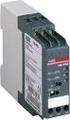 Data sheet Voltage monitoring relays CM-ESS.2 For single-phase AC/DC voltages The CM-ESS.2 is an electronic voltage monitoring relay that provides reliable monitoring of voltages as well as detection of
Technical catalogue. Modular DIN rail components Installation contactors
 Technical catalogue Modular DIN rail components Installation contactors Installation Contactors Overview... ESB Installation Contactors 0 A / AC-/AC-7a ESB0...4 4 A / AC-/AC-7a ESB4...5 40 A / AC-/AC-7a
Thermistor motor protection relays CM-MSS.22 and CM-MSS.23
 Data sheet Thermistor motor protection relays CM-MSS.22 and CM-MSS.23 The thermistor motor protection relays CM-MSS.22 and CM-MSS.23 monitor the winding temperature of motors and protect them from overheating,
Soft Starter. Product Description. Ordering Code. Type Selection. Selection Guide RSG D 40 16 E 0 VD00
 Soft Starter Three Phase General Purpose Soft Starters Type RSGD Soft starting and soft-stopping of 3-phase squirrel cage motors 45mm wide IP20 housing Operational Voltage: RSGD40 (220-400V), RSGD60 (220-600V)
Product Description Primary Resistance Starting Electric Fire Pump Controllers FTA1500
 Product Description Primary Resistance Starting Electric Fire Pump Controllers FTA1500 Description Firetrol FTA1500 Primary Resistance Fire Pump Controllers use resistors in the line to reduce line voltage
VLT Series 3500 Adjustable Frequency Drive Instruction Manual
 Adjustable Frequency Drive Instruction Manual VLT Series 3500 Instruction Manual 175R5237 - Document Version 5.00 This manual applies to all VLT Series 3502-3800 Adjustable Frequency Drives with software
PRO370D 65A Mbus MID DIN rail three phase four wire energy meter. User manual Version 1.03
 PRO370D 65A Mbus MID DIN rail three phase four wire energy meter User manual Version 1.03 1 Safety instructions... 3 2 Foreword... 4 3 CE certificates... 5 4 MID certificate... 7 5 Performance criteria...
Catalog. Arc Guard System TM TVOC-2
 Catalog Arc Guard System TM TVOC-2 Introduction An even better Arc Guard System TVOC-2, ABB s latest Arc Monitor, builds on the well known TVOC design. Its new functions and features improve an already
C13 User Manual Document ID: 2CMC486004M0201 Revision: A 2013-06-19
 C13 C13 Document ID: 2CMC486004M0201 2013-06-19 Disclaimer Copyrights Trademarks Contact The information in this document is subject to change without notice and should not be construed as a commitment
Features. Display. Measurements. Intelligent. Accuracy. Models. Installation DEIF A/S. Multi-instrument 4921210109D
 7000/7000C/7020 Multi-instrument 4921210109D Features Measurements All 3-phase AC measurements True RMS Replaces analogue meters Demand on each phase current Accuracy U, I and F class 0.5 Other values
CompactLogix Power Supplies Specifications
 Technical Data CompactLogix Power Supplies Specifications 1768 CompactLogix Power Supplies Catalog Numbers 1768-PA3, 1768-PB3 1769 Compact I/O Power Supplies Catalog Numbers 1769-PA2, 1769-PB2, 1769-PA4,
543-0032-00, 943-0032-00. User s Manual
 543-0032-00, 943-0032-00 User s Manual 1 Comfort Alert Diagnostics Faster Service And Improved Accuracy The Comfort Alert diagnostics module is a breakthrough innovation for troubleshooting heat pump and
Power Supplies 3. SDN-P DIN Rail Series
 SDN-P DIN Rail Series The SDN DIN Rail power supplies provide industry leading performance. Sag Immunity, transient suppression and noise tolerant, the SDN series ensures compatibility in demanding applications.
Daker DK 1, 2, 3 kva. Manuel d installation Installation manual. Part. LE05334AC-07/13-01 GF
 Daker DK 1, 2, 3 kva Manuel d installation Installation manual Part. LE05334AC-07/13-01 GF Daker DK 1, 2, 3 kva Index 1 Introduction 24 2 Conditions of use 24 3 LCD Panel 25 4 Installation 28 5 UPS communicator
INSTALLATION INSTRUCTIONS
 LIGHTING CONTROL PANELS 4 AND 8 RELAYS INSTALLATION INSTRUCTIONS INSTALLATION OVERVIEW The installation instructions contained in this document are provided as a guide for proper and reliable installation.
AUTOMATIC TRANSFER SWITCH. Changeover Type from 250A to 2500A
 AUTOMATIC TRANSFER SWITCH Changeover Type from 250A to 2500A Table of Contents Preamble 1.1 Theoretical base 1.2 Selection the size of automatic transfer switch 1.3 Automatic transfer switch components
MCR1900 Media Converter 19-Slot Chassis
 MCR1900 Media Converter 19-Slot Chassis Installation Guide Part #5500304-11 Copyright Statement This document must not be reproduced in any way whatsoever, either printed or electronically, without the
RM17TE 183...528 V AC. Main. Product or component type. Product specific application. Relay monitored parameters 250 V DC 5 A DC
 Characteristics multifunction control relay RM17-TE - range 183..528 V AC Complementary Reset time Maximum switching voltage Minimum switching current Maximum switching current [Us] rated supply voltage
E-STOP relays, safety gate monitors
 Unit features Safety features Gertebild ][Bildunterschrift_NOT_Sch.tuer_Licht Safety relay for monitoring E-STOP pushbuttons, safety gates and light beam devices Approvals Gertemerkmale Positive-guided
Drayton Digistat +2RF/+3RF
 /+3RF Programmable Room Thermostat Wireless Model: RF700/22090 Model: RF701/22092 Power Supply: Battery - Thermostat Mains - Digistat SCR Invensys Controls Europe Customer Service Tel: 0845 130 5522 Customer
YSmart Technology Co.,Ltd
 YSmart Technology Co.,Ltd GWV Series Grid Tie Microinverter User Manual The copyright of this user manual belong to YSmart TechnologyCompany Limited. Without the written permission of the copyright holder,
Type: DILM32 10(24V50HZ) Article No.: 277247
 Type: DILM32 10(24V50HZ) Article No.: 277247 Ordering information Rated operational current AC 3 400 V I e A 32 Max. rating for three phase motors, 50 60 Hz AC 3 230 V Max. rating for three phase motors,
Temperature monitoring relays CM-TCS Monitoring relays for monitoring temperatures with a PT100 sensor (2- or 3-wire connection)
 Data sheet Temperature monitoring relays CM-TCS Monitoring relays for monitoring temperatures with a PT100 sensor (2- or 3-wire connection) The temperature monitoring relays CM-TCS monitor overtemperature,
Type: DILM50(230V50HZ,240V60HZ) Article No.: 277830
 Type: DILM50(230V50HZ,240V60HZ) Article No.: 277830 Ordering information Rated operational current AC 3 400 V I e A 50 Max. rating for three phase motors, 50 60 Hz AC 3 230 V Max. rating for three phase
Manual motor starter MS116
 Data sheet Manual motor starter MS116 Manual motor starters are electromechanical devices for motor and circuit protection. These devices offer local motor disconnect means, manual ON/ OFF control, and
Power Supply Unit, Primary Switched, Narrow Design MINI-PS-12-24DC/24DC/1
 Power Supply Unit, Primary Switched, Narrow Design MINI POWER provides: Extra narrow design with widths of 22.5 mm, 45 mm, and 67.5 mm (0.886, 1.772, and 2.657 in.) Global use due to a wide-range input
ABB Drives. User s Manual. Pulse Encoder Interface Module RTAC-01
 ABB Drives User s Manual Pulse Encoder Interface Module RTAC-0 Pulse Encoder Interface Module RTAC-0 User s Manual 3AFE 64486853 REV A EN EFFECTIVE:.5.00 00 ABB Oy. All Rights Reserved. Safety instructions
R.C.C.B. s two-pole LEXIC
 87045 LIMOGES Cedex Telephone : (+33) 05 55 06 87 87 Fax : (+ 33) 05 55 06 88 88 R.C.C.B. s two-pole LEXIC 089 06/09/10/11/12/15/16/17/18/ 27/28/29/30/35, CONTENTS PAGES 1. Electrical and mechanical characteristics...
Catalog. Modular DIN rail components Installation contactors
 Catalog Modular DIN rail components Installation contactors 0 CDC00C00 Installation contactors Benefits and features Overview Ordering details ESB installation contactors ESB0 ESB ESB0 ESB 7 EN installation
Relés e Contatores de Estado Sólido SIRIUS
 Relés e Contatores de Estado Sólido SIRIUS Coletânea de dados técnicos ( product data sheet ) Agosto/212 SSR - 3RF21 22,5 mm Ponto Zero SSR - 3RF2 45 mm Ponto Zero SSR - 3RF22 45 mm Ponto Zero Trifásico
Contact expansion modules
 Gertebild ][Bildunterschrift Kontakterweiterungen Contact for increasing the number of available contacts Approvals Zulassungen Unit features Gertemerkmale Positive-guided relay outputs: 4 safety contacts
EATS16 EATS16N. Installation and user manual ENGLISH. Copyright 2015 EATON All rights reserved.
 ENGLISH EATS6 EATS6N Installation and user manual Copyright 05 EATON All rights reserved. Service and suppt: Call your local service representative SAFETY INSTRUCTIONS SAVE THESE INSTRUCTIONS. This manual
Specifying a Variable Frequency Drive s
 Specifying a Variable Frequency Drive s Put on by Bruce Reeves and Jeremy Gonzales Dykman Electrical Covering the Western US For all of your VFD and Soft Start and Motor Needs How To Specify a Variable
ABB i-bus KNX Fan Coil Actuator, MDRC FCA/S 1.1M, 2CDG 110 084 R0011
 , 2CDG 110 084 R0011 2CDC 071 112 F0008 The Fan Coil Actuator is a modular installation device (MDRC) in pro M design. It is intended for installation in the distribution board on 35 mm mounting rails.
PK-01. Standalone door control module. SATEL sp. z o.o. ul. Schuberta 79 80-172 Gdańsk POLAND tel. + 48 58 320 94 00
 Standalone door control module PK-01 Firmware version 1.00 pk-01_en 06/12 SATEL sp. z o.o. ul. Schuberta 79 80-172 Gdańsk POLAND tel. + 48 58 320 94 00 [email protected] www.satel.eu WARNINGS Read carefully
BARDIC. 4 & 8 Zone Fire Panels Zircon range. Data, installation, operation and maintenance. by Honeywell
 Data, installation, operation and maintenance 4 & 8 Zone Fire Panels Zircon range BARDIC by Honeywell LED flashing LED Continuous FAULT DISABLE/TEST Power General Fault Sounder Fault/ Disable System Fault
Installation and User Guide
 Installation and User Guide 458-UNI8 8-Channel Universal Dimmer Module Introduction The 458/UNI8 is an 8-channel universal, digital transistor, dimmer module. Each channel s mode can be selected for either
PNOZsigma - Base units
 PNOZsigma - Base units Register Login Sensors Control and Communication Electronic monitoring relays Safety Relays PNOZ X PNOZsigma PNOZelog PNOZmulti PNOZpower Configurable control systems Programmable
XFE. The cost effective starter for all AC induction motors from 4A 2800A The choice for small to medium industrial applications
 The cost effective starter for all AC induction motors from 4A 2800A The choice for small to medium industrial applications The XFE Soft Starter range provides a combination of competitive prices, flexible
AMFA-27 AMFA-29. Operator s Manual & Installation Instructions. Rev. 2.5
 AMFA-27 AMFA-29 Operator s Manual & Installation Instructions Rev. 2.5 Date: 17 July, 2010 Permanently-connected, utility Interactive, single-phase, inverters Model AMFA-27 WIND TURBINE INVERTER (240 VAC
RM4TG20 three-phase network control relay RM4-T - range 200..500 V
 Characteristics three-phase network control relay RM4-T - range 200..500 V Complementary [Us] rated supply voltage Output contacts Setting accuracy of time delay Delay at power up Measuring cycle Marking
Parallel Redundant Uninterruptible Power Supply
 9 315 Parallel Redundant Uninterruptible Power Supply Installation/Operation Manual 164202013 Rev. D ------------------------------------------------------------------------ ------------------------------------------------------------------------
CAT ATC POWER BREAKER & POWER CASE SWITCH AUTOMATIC TRANSFER SWITCH
 CAT ATC POWER BREAKER & POWER CASE SWITCH AUTOMATIC TRANSFER SWITCH Cat transfer switches are designed for a variety of standby power applications. They provide flexibility, reliability and value in a
HotSwap MBP Maintenance Bypass
 ENGLISH HotSwap MBP Maintenance Bypass MBP6Ki MBP11Ki MBP11Ki1 Installation and user manual Copyright 201 EATON All rights reserved. Service and support: Call your local service representative SAFETY INSTRUCTIONS
LC/LCD ranges level controllers
 GRUNDFOS WASTEWATER LC/LCD ranges level controllers 18 Grundfos Sololifts > Grundfos LC/LCD controllers Keeping a close eye on liquid levels Reliable level controllers from Grundfos Grundfos offers a choice
Type: DILM9 10(24VDC) Article No.: 276705
 Type: DILM9 10(24VDC) Article No.: 276705 Ordering information Rated operational current AC 3 400 V I e A 9 Max. rating for three phase motors, 50 60 Hz AC 3 230 V Max. rating for three phase motors, 50
RDJ10RF/SET. Wireless room temperature controller with 24-hour time switch and LCD. Programmable, for heating systems
 3 072 RDJ10RF RCR10/433 Wireless room temperature controller with 24-hour time switch and LCD Programmable, for heating systems RDJ10RF/SET Operating modes: Automatic, Comfort, Energy Saving, and Frost
Analog signal converters CC-E I/I Current / current isolators
 ata sheet Analog signal converters CC-E I/I Current / current isolators The CC-E I/I is an isolator for the electrical isolation of current signals without auxiliary supply. It allows the isolation between
Tmax MCCBs. Molded case circuit breakers. Tmax
 Molded case circuit breakers Introduction ABB is once again demonstrating its commitment to new product development and its superiority in product performance. Never before has the industry seen such high
AC-115 Compact Networked Single Door Controller. Installation and User Manual
 AC-115 Compact Networked Single Controller Installation and User Manual December 2007 Table of Contents Table of Contents 1. Introduction...5 1.1 Key Features... 6 1.2 Technical Specifications... 7 2.
0.8 U N /0.5 U N 0.8 U N /0.5 U N 0.8 U N /0.5 U N 0.2 U N /0.1 U N 0.2 U N /0.1 U N 0.2 U N /0.1 U N
 55 Series - General purpose relays 7-10 A Features 55.12 55.13 55.14 Printed circuit mount, general purpose 2, 3 & 4 Pole relays 55.12-2 Pole 10 A 55.13-3 Pole 10 A 55.14-4 Pole 7 A AC coils & DC coils
Single Phase Soft Starter
 Single Phase Soft Starter Installation & Operating Manual 6/02 Table of Contents Section 1 General Information................................................... 1 1 General Description................................................
ETC TWO STAGE ELECTRONIC TEMPERATURE CONTROL
 RANCO INSTALLATION INSTRUCTIONS ETC TWO STAGE ELECTRONIC TEMPERATURE CONTROL Relay Electrical Ratings PRODUCT DESCRIPTION The Ranco ETC is a microprocessor-based family of electronic temperature controls,