
Multi-Easy/Multi-Sound
|
|
|
- Cleopatra Cunningham
- 9 years ago
- Views:
Transcription
1 Multi-Easy/Multi-Sound User Manual Revision: 1.0 Rev. Date Jan,

2 Notice The content furnished in this document is C-Media audio product knowledge for customers reference. However, C-Media Inc. assumes no responsibility for the consequences of use of such information. The information included is subject to change without notice. This publication supersedes and replaces all information supplied previously. No part of this manual can be reproduced or transmitted in any form or by any means for any purpose without the permission of C-Media Electronics Inc. Trademarks C-Media, C-Media logo and Xear 3D are trademarks of C-Media Electronics Inc. EAX and A3D are trademarks of Creative Technology Ltd. Microsoft, DirectSound3D, Windows are trademarks of Microsoft Corporation. DOLBY, Dolby Digital, RTCE, Dolby Earphone and Pro Logic Ilx are trademarks of Dolby Laboratories, Inc. Other company and product names may be trademarks of the respective companies with which they are associated. License Dolby Digital RTCE, Dolby Earphone and Pro Logic Ilx driver is manufactured under license from Dolby Laboratories. Copyright Copyright C-MEDIA Electronics Inc. C-MEDIA Electronics Inc. 6F, 100, Sec. 4, Civil Boulevard, Taipei, Taiwan 106 R.O.C. URL: 1

3 Table of Content 1. Introduction C-Media Xear 3D Sound Technology 3 2. Function Structure and Overview 4 3. Advantages of USB Xear 3D Sound Solution 5 4. System Requirement and Installation 8 5. Sound Environment Set Up User Interface and Function Control FAQ & Technical Support 23 2

4 1. Introduction C-Media Xear 3D Sound Technology C-Media Xear 3D Sound Solution For USB Multi-Channel User Manual Rev. 1.0 Thanks for choosing C-Media audio solution! The user manual is a guide for users to understand how to use the new generation USB Digital Audio with exclusive Xear 3D TM sound technology. C-Media provides a value-added PC audio total solution and integrated advance Dolby Digital sound technology. All kinds of applications can get maximum support. With this manual, users can quickly take advantage of these great features to enjoy amazing sound effects even better than consumer electronics devices. Xear 3D Sound Technology is a unique and innovative total audio solution exclusively featured by C-Media Electronics Inc. in This patented 3D sound technology not only supports real-time 3D gaming and industry-standard 5.1CH or 7.1CH DVD, but also offers an immersive virtual 5.1Ch and 7.1CH sound field to the users regardless of what type of output device is actually utilized. Thanks to Xear 3D Sound Technology, even if users are using a pair of earphones or 2CH speakers, still they can avail themselves of a much better virtual 5.1CH or 7.1CH environment capable only by Xear 3D Sound Technology. Better yet, all audio formats can be converted to thrilling 3-dimensional audio by this technology. Personalized and optimum 5.1CH/7.1CH listening environment and experience is thus achieved. - Support EAX2.0 TM or A3D1.0 TM - Support DS3D TM H/W &S/W Games & 7.1 Virtual SPEAKER SHIFTER Xearphone - 2-Speaker Virtual Theater - Earphone Plus Personal Theater DVD Movies - Environment Emulation - Environment Sizes - 10-Band Equalizer - Microphone Echo Effect - Key-Shifting - Vocal Cancellation Music (MP3/CD) Karaoke Xear 3D Sound Features for All Applications 3

5 2. Function Structure and Overview The following shows the function overview of the driver. Optional features mean optional offers decided by system manufactures. Dolby Digital Encoder (RTCE) Dolby Audio Optional Dolby Digital Pro Logic IIx Dolby Digital Dolby Earphone Multi-CH Virtual SPEAKER SHIFTER 5.1CH Virtual Speaker EAX2.0&1.0& A3D 1.0 EAX2.0&1.0& A3D 1.0 Xear 3D TM Driver Sensaura HRTF 3D Positional Audio Microsoft DirectSound 3D H/W & S/W Multi-drive 5.1 Sound Effect Environment Emulation/Size 10-Band Equalizer Microphone Echo Karaoke Magic Voice Key-Shifting Optional Vocal Cancellation Xear 3D Driver Function Diagram 4

6 3. Advantages of USB Xear 3D Sound Solution The 1st Advantage of Xear 3D Sound Technology: Virtual Multi-Channel Audio SPEAKER SHIFTER allows the users to obtain a 5.1CH & 7.1CH virtual speaker environment no matter what output device they are using (2CH speakers). Moreover, the users are able to drag the virtual speakers to anywhere they want without moving the actual ones to accommodate their need. Therefore, by dragging a specific virtual speaker shown on the GUI to the preferred position, enhanced individual channel output is feasible. This revolutionary technology is welcome by those who always complain about the not-loud-enough volume of the center (for dialog) or bass output in DVD. With Xear 3D SPEAKER SHIFTER, no more low-volume center and/or bass output problems. To remedy this, C-Media provides the patented Xear 3D filter, capable of providing virtual 5.1CH & 7.1CH audio by means of a pair of speakers (2CH speakers to output virtual 5.1CH or 7.1CH). Xear 3D SPEAKER SHIFTER allows users to obtain comprehensive 5.1CH and 7.1CH audio even though they are actually using a pair of speakers of 2CH speakers. PS: 7.1CH was supported on WinXP OS and depend on device hardware capability. 5

7 The 2nd Advantages of Xear 3D Sound Technology: Environment FX and 3D Positional Audio In the real world sounds travel directionally; furthermore, sounds would have myriad manifestations according to different factors of the environment: the room size, distance, reflecting materials, obstructing objects, etc. For example, same footsteps in different settings, say the cave and the sewer pipe, will generate distinctive effects to the ears. In that regard, besides eye perception, sound cues also play an important role in helping people tell the changes of the surroundings. Regarding 3D VR (Virtual Reality) implementation, not only actual 3D visual images are concerned, but what people would hear in the real world is count as well. One of the major 3D VR implementations is 3D gaming for PC. When a command for 3D audio is given, Microsoft operation system would provide DirectSound3D, an interface conversion technology, to function as the bridge interfacing the upper application program and lower audio device. Even so, it should be noted that only when the lower audio device has 3D engine could the upper application program activate 3D effects. Hence, if audio device does not provide 3D engine, no real-time audio effect conversion (sound effects in different settings) is feasible. The gaming effect is thus seriously destroyed. As previously explained, in the process of real-time simulation of visual and acoustic elements, powerful HRTF 3D engine and EnvironmentFX are a must. C-Media patented Xear 3D Engine excels all other solutions in that Xear 3D Engine supports powerful HRTF (Head Related Transfer Function) 3D audio and real-time EnvironmentFX, exhibiting comprehensive and supreme environmental audio effects. When Xear 3D Engine is utilized, game players can instantly perceive different sound effect when the setting is changed. No more confusion in directions. 6

8 The 3rd Advantages of Xear 3D Sound Technology: Karaoke Functions This function included microphone echo, magic voice, key shifting and vocal canceling. No matter any sound source you playing, you can enjoy various singing way and feeling like personal performance. General microphone control cannot prettify user s voice but by way of microphone echo, any one can get beautiful voice. Moreover, you can use key shifting to adjusting any music and melody to harmony with your tune. Better yet, vocal canceling can eliminating singer s voice and make the song to be background music for happy singing. Furthermore, magic voice not only can provide interest effects but also can use on Internet voice communicate to keep anonymous. Especially for applications with ICQ, MSN message, Yahoo message, VOIP phone and on line game 7

9 4. System Requirement and Installation This device must be applied on USB specification products. And user should to confirm that PC operation supports USB function, USB 1.1 or 2.0. Case1--No external driver installed OS Support Win98SE, WinME, Win2000, WinXP, Mac OS 9.0 and 10.1 System recommended use Intel Pentium III AMD K6 500 CPU above At least 64 MB RAM (Win98SE) or 128MB RAM (WinME, Win2000 and WinXP) At least 50 MB hard disk space For good sound quality, please adjust your system s H/W acceleration and Sample rate conversion quality to Full and Best. Note: Some USB Host Controller may have problem with data stream package loss, this will influence output audio data and make some discontinuous sound. But this is very rare. Sometime, when user plug USB Personal Multi-media Device on PC system and OS cannot auto change audio device to USB audio, please switch the audio device to USB audio sound and audio devices properties in control 8

10 panel. C-Media Xear 3D Sound Solution For USB Multi-Channel User Manual Rev. 1.0 Case3--Install C-Media Xear 3D technology driver OS Support Win98SE, WinME, Win2000, WinXP System recommended use Intel Pentium III AMD K6 500 CPU above At least 64 MB RAM (Win98SE) or 128MB RAM (WinME, Win2000 and WinXP) At least 50 MB hard disk space Support direct sound 3D Note : Windows OS has default USB driver support, but no support for HRTF 3D, EAX, Virtual Multi-channel sound effect and Dolby Digital sound DSP function. Thus, if user wants to enjoy these fancy experiences must install C-Media Xear 3D sound audio driver. Before users install C-Media Xear 3D sound audio driver, they must make sure that USB Multi-media Sound Device have connected to PC system already. If your PC system has more than one USB connecting port, please remember 9

11 which one is connected for install, and next time when you plug this USB Multi-media Sound Device to PC, you have to plug the same port for initialize the Xear 3D driver. C-Media Xear 3D Sound Audio Driver Installation Step Turn on PC system and connect USB Multi-media Sound Device to PC system. Insert Installation CD on your CD-ROM or DVD ROM, the program will pop up auto run information. 10

12 Please follow up the set up procedure and click Next button to continue installation. You can Select install driver only or both driver and demo program then click Next to continue installation. The demo program includes a simple helicopter and Rock shooting for 3D sound. 11

13 Set up will install USB audio kit to default path and folder. If your System is WinXP, you may see a dialog box asking you about windows logo issue, please click Continue Anyway to complete installation. And set up program will continue install. While program is running to install driver it s may take a little time. 12

14 When set up program complete installation system will need to restart to initialize the driver. After reboot and system running up again, you can see a small icon on right down of screen. You can click it to open Xear 3D Sound driver functions for control. If your PC system has more than one USB port, you can just plug USB Personal Multi-media Device to any USB port. If this connect is right that driver will detect device and show a task bar on the bottom right side of the screen to guiding you which port is correct. 13

15 When this USB sound icon was showing, it s mean C-Media Xear3D sound driver was initialed and working now. If your USB port was more than one and you forgot which one was installed C-Media Xear 3D sound driver, this icon was mean you are connecting to the right port. 14

16 5. Sound Environment Set Up USB 2CH speakers and headphone set You may use Xear 3D sound on 2CH speakerphone products or headphone set. The best thing for Xear 3D sound technology was easy to suit and create great sound effects on any kind of listening environment. Even if only 2CH physical speaker or headphone, Xear 3D sound can create virtual 5.1CH surround sound effect and dynamic to adjust multi-channel sound source by way of SPEAKER SHIFTER function. Better yet, user can in terms of different music and song to re-define favorite sound effect by function of SPEAKER SHIFTER, EnvironmentFX or Equalizer and got personalize listening style. 15

17 USB to SPDIF out application C-Media Xear 3D Sound Solution For USB Multi-Channel User Manual Rev. 1.0 This function can be a bridge to link PC and consumer electronics. By way of PSDIF out, user can directly output digital sound source from PC to home theater equipments and getting non-loss-less high quality sound. If the system manufacturer provides the value-added Dolby Digital Real-Time Content Encoder (RTCE), you can generate the Dolby Digital audio for any digital PC sounds (3D Games, DVD, MP3, CD ) with your PC and make use of your hi-fi home theater. Just connect your PC to the external decoder/av receiver with a S/PDIF optical fiber or coaxial cable like the figure below. Realize Dolby PC / Media Center at Home 16

18 6. User Interface and Function Control Main Setting Using Analog Output or Digital S/PDIF-Out 1.Analog Output turn on this button then can select analog output channels mode. 2.Analog Output channels Mode Earphone, 2CH, 4CH, 6Ch and 8CH for selected. 3.Digital Output turn on this button then can select SPDIF Out data format. 4.Digital Output Mode Dolby RTCE, PCM for selected. 5.Audio Jack Connected Display 6.DSP Mode pull down to select different DSP Mode. (Default support Xear 3D) 7.Virtual SPEAKER SHIFTER can open SPEAKER SHIFTER windows for control. (For detail information see the next page) 8.Digital Volume Control can open each channel to adjust digital volume. (For detail information see the next page) 9.Channel Display & Speaker Test can show analog output channel status and directly click speaker graphic can do sound testing. 10.Auto Sound Test can auto testing every channel sound effect. 11.Stop Auto Sound Test can stop auto testing

19 Main Setting C-Media Xear 3D Sound Solution For USB Multi-Channel User Manual Rev. 1.0 Virtual SPEAKER SHIFTER 1.Total Volume Up Control Total Volume Down Control 3.Clockwise 1,2 4.Counter Clockwise 5.Manual Rotation 6.Manual Shifter 8 7.Reset 8.Shifter Drag Digital Volume Control 1.Reset Volume Left Channel Control 2 3.Right Channel Control Mixer Playback Volume Control 18

20 1.Balance Control 9. SW Synth Volume On/Off 2.Volume Up/Down Control 10.CD Volume Balance 3.Master Volume On/Off 11.CD Volume Control 4.Wave Volume Balance 12.CD Volume On/Off 5.Wave Volume Control 13.Microphone Balance 6.Wave Volume On/Off 14.Microphone Control 7.SW Synth Volume Balance 15.Microphone On/Off 8. SW Synth Volume Control 16.Microphone Advanced Setting Recording Volume Control 1.Stereo Mixer Balance Control 2.Stereo Mixer 3.Stereo Mixer 4.Microphone Record Balance 5.Microphone Record Volume Control 6.Microphone Record Volume On/Off 7.Microphone Record Advanced Setting

21 Effects C-Media Xear 3D Sound Solution For USB Multi-Channel User Manual Rev. 1.0 Environment 1.Bathroom 2.Opera 3.Underwater 4.Music Pub 5.More option 27 mode for selected 6.Large 7.Middle 8.Small Environment Size 9.Ten Band Equalizer Adjust 10.Pre-Set Mode (Default) 11.Pre-Set Mode (Dance) 12.Pre-Set Mode (Bass) 13.Pre-Set Mode (Treble) 14.Pre-Set Mode (Live) 15.Pre-Set Mode (Rock) 16.Pre-Set Mode (Soft-Rock) 17.Pre-Set Mode (Jazz) Equalizer 18.Pre-Set Mode (Metal) 19.Pre-Set Mode (RAP) 20.Pre-Set Mode (Classic) 21.Pre-Set Mode (Vocal) 22.Equalizer User Define On/Off 23.Pull to select user define mode 24.User Define naming key in 25.Add new user define mode 26.Del user define mode ~
22 Karaoke 1.Karaoke On/Off 2.Karaoke Setting Reset C-Media Xear 3D Sound Solution For USB Multi-Channel User Manual Rev. 1.0 Click this button then can control all karaoke functions Can reset all setting to default value Select this button will pop up a dialog box to enable microphone function. 3.Start Microphone Echo Function Click OK button to select recording source and enable microphone 4.Echo Low/High Control Bar Adjust echo low/high This function only supported in multi-channel audio products. 5.Magic Voice Function (Optional) 6.Start Key Shifting Function 7.Key Shifting Low/High Control Bar 8.Start Vocal Cancellation Function 9.Vocal Canceling Control Bar When you enable microphone echo then can pull down the menu to select magic voice. Magic voice provides 5 different effects for choice. Select this button to enable key shifting function and control. This function can adjust tune of background music to fit your singing. Select this button to enable vocal cancellation function and control. This function can control singer s vocal of background music and cancel it as possible. 21
23 Information This page is showing all of the USB audio product and system information. The information will be very useful to end user and vender once they got some troubles or problems with function control or product application. 22
24 7. FAQ & Technical Support Q1 Why play CD without sound? Most general case was digital CD playback function did not open. Because USB audio is digital signal, it is use different path to process CD music with traditional analog CD. You should open Device Manager, select DVD/CD ROM drives and open it. Then switch to properties page and enable digital CD audio. Q2 Why sometimes Win98SE and WinME can not auto detect USB audio device and switch? Since Win98SE and Win ME have different driver architecture with Win2000 and WinXP. When users plug in/out USB audio device too much time or faster, these two OSs may not detect the change on device. So, sometimes user got to switch audio device to USB audio device by them self. While user plug in USB audio device on Win98SE and WinME system, if system cannot switch audio device to USB, please open Control Panel, select Sounds 23
25 and Audio Devices, choice Audio page then switch Default device to USB Device or C-Media USB Device. Q3 When using software application program (Like: Media player, Winamp, PowerDVD, WinDVD.) to playback any media files, can I plug out USB audio device while playing? It is incorrect mode of operations, because while application programs were playing audio stream, windows system is stilling using audio device to process and deliver data real-time. So, when user plug out USB audio device windows system can not delivering audio data to the same device, so that system will be confused and make application programs failure or system crash. The right way to plug out USB Audio device was stop playback function first. Especially when your Windows system was Win98SE or WinME, this corrected operation will keep stability of working system. Otherwise, uncorrected plug out will cause application program or system crash. 24
26 Do not plug out while application programs were playing media files. Please stop playback before plug out USB audio device. Q4 Xear 3D Sound technology provide amazing function In virtual 5.1 speaker shifter, how to using this function in different media format? Virtual 5.1 Speaker shifter can process 2CH, 4CH or 5.1CH audio format and make 2CH audio file like MP3, stereo wave to transfer in virtual 5.1 surround sound. However, the most perfect application is playing 5.1CH DVD content like Dolby digital AC-3 and DTS. User can using physical 2CH device (earphone, speaker) to enjoyed dynamic 5.1CH surround sound by moving graphic user interface. In general, when user buy a new computer usually got a free bundle software DVD player like PowerDVD or WinDVD. Most of these free bundle software version only provide 2CH DVD audio playback capability that because 5.1CH decoding was more expensive. So that, when user playback real 5.1CH DVD content it can not processing different 6 channel audio source to spread out characteristic with each channel. If user wants to enjoy real 5.1CH DVD surround sound, you can buy a software DVD player with Dolby digital AC-3 or DTS 5.1CH decoding function. User can check software DVD player to confirm what decoding version that DVD software player supported. 1. Open Software DVD Player 25
27 2. Click display windows 3. Click right key of mouse 4. Select Configuration or Setup 5. Choice Audio function setting page C-Media Xear 3D Sound Solution For USB Multi-Channel User Manual Rev Check Audio Output If you can see or select speaker from 2 to 6 that mean this version was supported 5.1CH decoding capability. Otherwise, it is only supported 2CH decoding capability. 26
28 or Q5 What is 7.1CH listening environment and how different with 5.1CH? 1. The 7.1 channel mode is newest multi-channel audio format and technology in the market. It s include center, subwoofer, front left, front right, rear left, rear right and back surround. This definition was the same as Dolby Lab. and DTS Lab. 27
29 2. This format is a new standard and not very much content has supported it. The 7.1CH content was naming Dolby Digital EX by Dolby Lab. and DTS was naming DTS-ES (Extended Surround). 3. The difference of 5.1CH and 7.1CH is additional 2CH. This 2 speaker was placed on rear area and to enrich backward sound effects. 5.1CH Environment 7.1CH Environment Q6 When can I use 7.1CH function and have any application note or limitation on it? 1. If you using Microsoft default USB audio driver to process this device, the 7.1CH mode only can work on Windows XP operation system. Moreover, you have to buy a 7.1CH DVD content with Dolby Digital EX or DTS-ES format and use DVD software player to decoding this format. 2. If you using Xear 3D sound technology driver to process this device, no matter any sound source you playback this driver can convert it to 7.1CH. This function was virtual multi-channel effects and you can feel 7.1CH sound effect on any devices, like earphone, 2CH speakers, 4Ch speakers, 5.1CH speakers or 7.1CH speakers. But, if your want to listening real 7.1CH sound effect that has to work on 7.1 audio device products and connected real 8 speakers. 28
User Guide. VT1708A VIA HD Audio Adeck For Windows 2000, Windows XP & Server 2003. Jun 13 2007 Revision 1.1e
 VT1708A VIA HD Audio Adeck For Windows 2000, Windows XP & Server 2003 Jun 13 2007 Revision 1.1e VT1708A VIA HD Audio Adeck For Windows 2000, Windows XP & Server 2003 Revision History Rev Date Initial Note
PCI Sound Card Genius Sound Maker Value Series User Manual
 TABLE OF CONTENTS PCI Sound Card Genius Sound Maker Value Series User Manual Overview 2 Installing the sound card..4 Appendix A. Hardware Information 8 FCC and CE Radiation Norm FCC This equipment has
AI Audio 2 (SoundMAX High Definition Audio utility)
 AI Audio 2 (SoundMAX High Definition Audio utility) The ADI High Definition Audio CODEC provides 8-channel audio capability through the SoundMAX audio utility with AudioESP software to deliver the ultimate
PART 1. Using USB Mixer with a Computer
 PART 1. Using USB Mixer with a Computer Universal Serial Bus Mixers The USB mixer is equipped with either one or two USB ports that allow you to play and record audio directly from your computer! Just
DSG SoftPhone & USB Phone Series User Guide
 DSG SoftPhone & USB Phone Series User Guide Table of Contents Overview Before You Start Installation Step 1. Installing DSG SoftPhone Step 2. Installing USB Phone Step 3. System Check First Time Use Step
Sonic Studio Strix Series. User Guide
 Sonic Studio Strix Series User Guide DE158 First Edition June 2015 Copyright 2015 ASUSTeK COMPUTER INC. All Rights Reserved. No part of this manual, including the products and software described in it,
USB VoIP Phone Adapter. User s Manual
 USB VoIP Phone Adapter User s Manual FCC Certifications This Equipment has been tested and found to comply with the limits for a Class B digital device, pursuant to part 15 and part 68 of the FCC Rules.
User s Guide. Creative Prodikeys DM
 User s Guide Creative Prodikeys DM Information in this document is subject to change without notice and does not represent a commitment on the part of Creative Technology Ltd. No part of this manual may
Xonar U7. 7.1 USB Soundcard & Headphone Amplifier. User Manual
 Xonar U. USB Soundcard & Headphone Amplifier User Manual E Revised Edition V November 0 Copyright 0 ASUSTeK COMPUTER INC. All Rights Reserved. No part of this manual, including the products and software
Mbox Basics Guide. Version 6.7 for LE Systems on Windows XP or Mac OS X. Digidesign
 Mbox Basics Guide Version 6.7 for LE Systems on Windows XP or Mac OS X Digidesign 2001 Junipero Serra Boulevard Daly City, CA 94014-3886 USA tel: 650 731 6300 fax: 650 731 6399 Technical Support (USA)
Kanguru Micro MP3 PRO USB2.0 User s Manual
 Kanguru Micro MP3 PRO USB2.0 User s Manual MP3/WMA Player + Digital Voice Recorder FM Tuner + USB Flash Drive Copyright 2005, All Rights Reserved. This manual applies to 1.1 or later versions of the Kanguru
MP3/WMA Player + Digital Voice Recorder + USB Flash Drive
 Kanguru Micro MP3 PRO USB2.0 User s Manual MP3/WMA Player + Digital Voice Recorder + USB Flash Drive Copyright 2004, All Rights Reserved. This manual applies to 1.1 or later versions of the Kanguru Micro
2.0 AUDIO RECORDING INTERFACE
 24-Bit/96kHz USB 2.0 AUDIO RECORDING INTERFACE USER MANUAL 1 of 13 Contents: 1. Instruction 03 2. Key Features 03 3. Front Panel 03 4. Rear Panel 04 5. Minimum System Requirements 04 6. Installation Process
Universal Push2TV HD Adapter PTVU1000 Installation Guide
 Universal Push2TV HD Adapter PTVU1000 Installation Guide 2011 NETGEAR, Inc. All rights reserved. No part of this publication may be reproduced, transmitted, transcribed, stored in a retrieval system, or
VIA High Definition Audio VDeck User Guide Black Skin
 VIA High Definition Audio VDeck User Guide Black Skin For ASUS Only Table of Contents Introduction...2 Getting Started...2 Simple Mode...2 Simple Device Control...2 Exert Mode...3 Volume Control Page...4
ReSound Unite TV FREQUENTLY ASKED QUESTIONS. Setup & Configuration. Use & Operation. Troubleshooting
 Tip for use of FAQ: Click on questions to go to answer. Setup & Configuration How do I pair the hearing aids to the Unite TV?... 2 What is the latency of the streamed signal?... 2 Does the Unite TV use
Chord Limited. Mojo Dac Headphone Amplifier OPERATING INSTRUCTIONS
 Chord Limited Mojo Dac Headphone Amplifier OPERATING INSTRUCTIONS -!1 - Cleaning and care instructions: Mojo requires no special care other than common sense. Spray window cleaner (clear type) may be used
UVO SYSTEM QUICK REFERENCE GUIDE
 UVO SYSTEM QUICK REFERENCE GUIDE Congratulations on the Purchase of your new UVO system! Your new UVO system allows you to enjoy various audio and multimedia features through the main audio system. For
QUICK SETUP GUIDE SETUP FOR ICONNEX SOUNDCARD AND AUDACITY RECORDING SOFTWARE
 QUICK SETUP GUIDE SETUP FOR ICONNEX SOUNDCARD AND AUDACITY RECORDING SOFTWARE SETUP GUIDE Congratulations on your purchase of the ikey Audio iconnex soundcard. This guide will help you setup the iconnex
P420-M TM USB speakerphone
 P420-M TM USB speakerphone User guide Welcome Congratulations on purchasing your new Plantronics product. This guide contains instructions for setting up and using your Plantronics P420-M USB speakerphone.
PLUS TV ANALOG USB STICK Installation Manual
 PLUS TV ANALOG USB STICK Installation Manual Contents V1.2 Chapter 1 : PLUS TV ANALOG USB STICK Hardware Installation...2 1.1 Package Contents...2 1.2 System Requirements...2 1.3 Hardware Installation...2
Pleiades USB/LAN. User Manual. & Installation Guide. External Storage Enclosure for 3.5 Hard Drive. v1.1
 Pleiades USB/LAN External Storage Enclosure for 3.5 Hard Drive User Manual & Installation Guide v1.1 Table of Contents CHAPTER 1 - INTRODUCTION - 1 - CHAPTER 4 LAN DISK SETUP - 11 - ICON KEY - 1 - NETWORK
HANTZ + PARTNER The Upgrade Company! www.hantz.com
 Quick Start Guide X3000 HD Network Media Player X3000 HD NETWORK MEDIA PLAYER POWER HANTZ + PARTNER The Upgrade Company! www.hantz.com A Get to know your HELIOS X3000 Thank you for purchasing the HELIOS
Parrot Zikmu by Starck. User guide
 Parrot Zikmu by Starck User guide Contents Getting started... 4 Installation... 4 Installation... 4 Maintenance and precautions... 5 Commands... 5 Turning the speakers on / off... 5 Selecting an audio
Compressor Supreme Force Feedback User Manual
 1. Setting up Compressor Supreme 1. Connect the gear shifter to the back panel of the steering wheel column. 2. Connect the foot pedals to the back panel of the steering wheel column. 3. Connect the A.C.
Contents. 5. Navigating the Software Menus 25 The Basics 25 Diagrams of Top Level Sub Menus 27. 6. Tips and Troubleshooting 34
 Contents 1. Quick Start 1 Features 1 What You Need to Begin 2 Installing the Battery 2 The Basic Controls 3 Play Music 5 Listen to the FM Radio 7 Voice recording 8 Headphone/Earphone 9 2. Playing Music
GETTING STARTED WITH STUDIO ONE ARTIST
 GETTING STARTED WITH STUDIO ONE ARTIST 2009, PreSonus Audio Electronics, Inc. All Rights Reserved. TABLE OF CONTENTS Studio One Artist Features...3 System Requirements...4 Installation and Authorization...5
SHORETEL CALL MANAGER Installation Instructions:
 SHORETEL CALL MANAGER Installation Instructions: Before you begin: Ensure you have an updated copy of your Operating system including Direct X9.0 or higher. You can download this update free of charge
EasySuite. User Guide V1.0
 EasySuite User Guide V1.0 1 Launch EasySuite...3 Stop the EasySuite:...4 System Requirements...5 EasyCopy...6 Function Description...7 File Transfer...9 EasyMover...12 Function Descriptions of EasyMover...12
Audio-Technica AT-LP60-USB, AT-LP120-USB, AT-LP240-USB & AT-LP1240-USB Turntables. Software Guide
 Audio-Technica AT-LP60-USB, AT-LP120-USB, AT-LP240-USB & AT-LP1240-USB Turntables Software Guide Audio-Technica USB Turntables Contents A note about software... 2 System requirements... 2 Installing Audacity
INSTRUCTIONS Please read all instructions carefully before using
 Car Multimedia System XM-2DTSB79 AUX IR MIC RESET USB INSTRUCTIONS Please read all instructions carefully before using Touch calibration If touch calibration error occurs, you can adjust the touch coordinate
DR-1 Portable Digital Recorder OWNER'S MANUAL
 » D01019610A DR-1 Portable Digital Recorder OWNER'S MANUAL Contents 1 Introduction... 3 Main functions... 3 Supplied accessories... 3 Recycling the rechargeable battery... 3 Notes about this manual...
Roxio Easy LP to MP3
 Roxio Easy LP to MP3 Getting Started Guide About Corel Corel is one of the world's top software companies providing some of the industry's best-known brands, including Roxio, Pinnacle and WinZip. Boasting
Professional 24-bit USB Audio Interface. User s Guide
 Professional 24-bit USB Audio Interface User s Guide - Copyright 2016 Revision 1, January 2016 www.esi-audio.com INDEX 1. Introduction... 4 1.1 Features... 4 2. Installation... 5 2.1 System Recommendation...
BlazeVideo HDTV Player v6.0r User s Manual. Table of Contents
 BlazeVideo HDTV Player v6.0r User s Manual Table of Contents Ⅰ. Overview... 2 1.1 Introduction... 2 1.2 Features... 2 1.3 System Requirements... 2 Ⅱ. Appearance & Menus... 4 Ⅲ. Operation Guide... 7 3.1
MANUAL (p. 2) USB Turntable HAV-TT20USB
 MANUAL (p. 2) USB Turntable HAV-TT20USB ENGLISH How to Replace the Turntable Stylus (Needle) Removing the old stylus 1. Place a screwdriver at the tip of the stylus and push down in direction A. 2. Remove
Hi-Speed USB Flash Disk User s Manual Guide
 Hi-Speed USB Flash Disk User s Manual Guide System Requirements Windows 98, ME, 2000, XP, Mac OS 10.1, Linux 2.4 or above AMD or Intel Pentium 133MHz or better based computer USB 1.1, USB 2.0 or higher
LSR4300 Control Center Software
 LSR4300 Control Center Software User Guide Updated for version 2.0 software Table Of Contents Introduction...3 System Requirements...4 Installation...4 Launching The Software...5 Reference...7 Main Screen...7
Roxio Easy LP to MP3 Getting Started Guide
 Roxio Easy LP to MP3 Getting Started Guide Corel Corporation or its subsidiaries. All rights reserved. 2 Getting started with Roxio Easy LP to MP3 In this guide Welcome to Roxio Easy LP to MP3 3 System
Central Management System (CMS) USER MANUAL
 Central Management System (CMS) USER MANUAL LEGAL INFORMATION Reproduction, transfer, distribution or storage of part or all of the contents in this document in any form without the prior written permission
Xonar HDAV1.3 DVD/Blu-ray Disc Playback User Guide
 Xonar HDAV1.3 DVD/Blu-ray Disc Playback User Guide Version: V.0.90 Date: 2008/9/15 This document is to describe the critical software setup steps about TotalMedia Theatre software player and Xonar driver
USB 2.0 VGA ADAPTER USER MANUAL
 USB 2.0 VGA ADAPTER USER MANUAL CONTENTS INTRODUCTION... 3 FEATURES... 3 SYSTEM REQUIREMENTS... 3 PACKAGE CONTENTS... 3 SUPPORTED COMMON DISPLAY RESOLUTION... 4 TECHNICAL SPECIFICATIONS... 4 INSTALLATION
DCT-16 USB HD Audio Converter
 DCT-16 USB HD Audio Converter Operation Manual DISCLAIMERS The information in this manual has been carefully checked and is believed to be accurate. Cypress Technology assumes no responsibility for any
SESSION MUSIC PRODUCER The Make-Music-Now Vocal Recording Studio
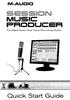 SESSION MUSIC PRODUCER The Make-Music-Now Vocal Recording Studio Quick Start Guide Session Music Producer Quick Start Guide 1 Introduction Congratulations on your purchase of M-Audio Session Music Producer:
DVD MAKER USB2.0 Installation Manual
 DVD MAKER USB2.0 Installation Manual Contents V1.0 Chapter 1 : DVD MAKER USB2.0 Hardware Installation...2 1.1 Package Contents...2 1.2 System Requirements...2 1.3 Hardware Installation...2 Chapter 2 :
XTreme Files OS & Data Backup/Restore User Manual Please read the Instruction manual before using the XTreme Files (F Series) 1.
 XTreme Files OS & Data Backup/Restore User Manual Please read the Instruction manual before using the XTreme Files (F Series) 1. The suggested interface for your computer is USB2.0 to have better speed
MixMeister EZ Converter Setup & Troubleshooting Contents:
 MixMeister EZ Converter Setup & Troubleshooting Contents: Windows Vista and Windows 7 Setup Instructions... 2 Windows XP Setup Instructions... 4 Macintosh OSX - Setup Instructions... 6 Troubleshooting...
Q. I know about connecting things to my TV and DVD Players. Show me a quick way to get started?
 Q. I know about connecting things to my TV and DVD Players. Show me a quick way to get started? A. All our cables are clearly labeled. Please ensure the connections are made per these labels. DVD Output
D i g i g r a m. sound card range. Professional stereo and multichannel sound cards. Installation and set-up
 D i g i g r a m VX sound card range Professional stereo and multichannel sound cards Table of contents VX Cards General information...4 Supported cards...4 System requirements...4 MacIntosh...4 System
EasyCAP Video Capture with Audio Quick Installation Guide
 Overview EasyCAP Video Capture with Audio Quick Installation Guide The EasyCAP USB 2.0 Video Capture with Audio, it can capture High-quality video and audio file direct by USB 2.0 interface without sound
How to Start Making Music in Pro Tools
 How to Start Making Music in Pro Tools Read this guide if you are new to Pro Tools or are just starting out making your own music. Inside, you ll find quick examples of how to record, compose, mix, and
MEDIA CONTROL SERVER 2.0
 MEDIA CONTROL SERVER 2.0 Version 2.0 Getting Started Guide This getting started guide will help you install and configure the Autonomic Controls Media Control Server and Mirage client. Contents OVERVIEW...
Audio Only Broadcast through Flash Media Live Encoder On Windows
 Audio Only Broadcast through Flash Media Live Encoder On Windows This user guide will take you through the steps of setting up an audio-only broadcast on a Windows PC. Other user-guides are available at
Document authored by: Native Instruments GmbH Hardware version: Traktor Kontrol X1 MK2 (01/2013)
 Setup Guide Disclaimer The information in this document is subject to change without notice and does not represent a commitment on the part of Native Instruments GmbH. The software described by this document
Recording and Editing Audio with Audacity
 1 Recording and Editing Audio with Audacity http://audacity.sourceforge.net/ Audacity is free, open source software for recording and editing sounds. It is available for Mac OS X, Microsoft Windows, Linux,
Audacity. For use with MFL Speaking Tests. User Guide (Microsoft Windows version)
 Audacity For use with MFL Speaking Tests User Guide (Microsoft Windows version) Table of Contents Introduction... 3 1 Installation... 3 1.1 Installing Audacity... 3 1.2 Installing Lame MP3 Encoder... 6
SoundLAB Software Download Software from the Bogen website: www.bogen.com/software
 SPLM DIGITAL SOUND PRESSURE LEVEL METER SoundLAB Software INSTALLATION & INSTRUCTION MANUAL Download Software from the Bogen website: www.bogen.com/software Specifications are subject to change without
Laptop Recorder OPERATION GUIDE. Laptop Serial Number (System ID): Original Seneca Data Order Number: SoniClear Order Number:
 Laptop Recorder OPERATION GUIDE Laptop Serial Number (System ID): Original Seneca Data Order Number: SoniClear Order Number: SoniClear Purchase Date: About This Manual This manual covers the installation
Dazzle. Digital Video Creator 100 User s Guide
 Dazzle Digital Video Creator 100 User s Guide Copyright SCM Microsystems. All rights reserved. Trademarks are used for informational purposes, and remain the property of their owners. Part number 401737
e-dpp 4.0.2 May 2013 Quick Installation Guide Microsoft Windows 2003 Server, XP, Vista, 7 Access Database
 e-dpp 4.0.2 May 2013 Microsoft Windows 2003 Server, XP, Vista, 7 Access Database ELTECHS Engineering and Consulting Co., Ltd., Japan www.eltechs.co.jp Tel No. +81 (47) 490-1010 Fax No. +81 (47) 490-1011
HP Bluetooth Pendant Headphones User Guide
 HP Bluetooth Pendant Headphones User Guide Copyright 2008 Hewlett-Packard Development Company, L.P. Windows and Windows Vista are either trademarks or registered trademarks of Microsoft Corporation in
PEAK DVB-T DIGITAL PCI CARD Installation Manual
 PEAK DVB-T DIGITAL PCI CARD Installation Manual Contents V1.0 Chapter 1 : PEAK DVB-T DIGITAL PCI CARD Hardware Installation...2 1.1 Package Contents...2 1.2 System Requirements...2 1.3 Hardware Installation...2
7.1 Channel USB External Sound Card with SPDIF Digital Audio
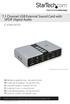 7.1 Channel USB External Sound Card with SPDIF Digital Audio ICUSBAUDIO7D *actual product may vary from photos DE: Bedienungsanleitung - de.startech.com FR: Guide de l'utilisateur - fr.startech.com ES:
JBL CINEMA BASE. Home Cinema 2.2 all-in-one soundbase for television OWNER S MANUAL
 JBL CINEMA BASE Home Cinema 2.2 all-in-one soundbase for television OWNER S MANUAL JBL CINEMA BASE TABLE OF CONTENTS INTRODUCTION 1 DESCRIPTION AND FEATURES 1 JBL CINEMA BASE TOP PANEL CONTROLS 2 JBL CINEMA
ENLTV-FM3. PCI TV Tuner Adapter with FM Radio. User s Guide
 ENLTV-FM3 PCI TV Tuner Adapter with FM Radio User s Guide User s Notice No part of this manual, including the products and software described in it, may be reproduced, transmitted, transcribed, stored
computer (please download the software from the official website if there is no CD available).
 KAMKBMXBRNA Keyboard Software Function Description System Requirements: 1. Windows XP / Windows Vista / Windows 7 / Windows 8 Operation System 2. Free USB 2.0 Port 3. CD-ROM Driver 4. 50 Mb available memory
Harmony Remote User Manual 600 Series
 Harmony Remote User Manual 600 Series Congratulations on the purchase of your Harmony remote! True system control is now at your fingertips. This User Manual will introduce you to the basic setup, customizations
Lenovo Miix 2 8. User Guide. Read the safety notices and important tips in the included manuals before using your computer.
 Lenovo Miix 2 8 User Guide Read the safety notices and important tips in the included manuals before using your computer. Notes Before using the product, be sure to read Lenovo Safety and General Information
USB-MIDI Setup Guide. Operating requirements
 About the software The most recent versions of the applications contained on the accessory disc can be downloaded from the Korg website (http://www.korg.com). -MIDI Setup Guide Please note before use Copyright
User Manual. For additional help please send a detailed e-mail to [email protected]. - 1 Phoenix Audio Technologies www.phnxaudio.
 User Manual Please read the instructions in this manual before using the Duet Please refer to our website www.phnxaudio.com for more information, specifically to our Q&A section in our Support page. For
SOFTWARE INSTALLATION AND USB/i.LINK CONNECTION GUIDE
 SOFTWARE INSTALLATION AND USB/i.LINK CONNECTION GUIDE ENGLISH LYT1155-001A COPYRIGHT 2003 VICTOR COMPANY OF JAPAN, LTD. M3D8 Printed in Japan 0403-FO-ID-VP This document explains the basic information
Guest PC. for Mac OS X. User Guide. Version 1.6. Copyright 1996-2005 Lismore Software Systems, Ltd. All rights reserved.
 Guest PC for Mac OS X Version 1.6 User Guide Copyright 1996-2005 Lismore Software Systems, Ltd. All rights reserved. Table of Contents About Guest PC... 1 About your Virtual Computer... 1 Creating a Virtual
DJPower Version 2008 Overview
 DJPower Version 2008 Overview The DJPower program is specifically designed for DJ s. The program has been created with the help of professional DJ s in both the United States and Europe. As a DJ, DJPower
i -CEN S USER S Manual 2007. 08. 13.
 i -CEN S i -CEN'S USER S Manual 2007. 08. 13. i -CEN S Table of Contents Overview of i-cen S software... 4 1 Introduction of i-cen S... 4 2 Key Features... 5 3 Key Benefits... 5 4 System Specification...
7 Mini Tablet User Guide
 7 Mini Tablet User Guide MODEL NUMBER: Powered by SYTABBL7 Wireless Mobile Internet Tablet Getting to Know Your New Tablet: Front View: Back View: Side Angle View: MENU MENU Power Key ON/OFF, Back Button
Use only a shielded parallel interface cable that is IEEE 1284-compliant and/or a USB cable that is no longer than 6 feet long (1.8 meters).
 For Windows XP Users Setting Up the machine and PC to Work Together Before You begin When necessary, please purchase the appropriate interface cable you intend to use with this machine (parallel or USB).
Appendix A. CMS(Client Management Software)
 Appendix A. CMS(Client Management Software) A-1. Install CMS for Windows PC CMS is a program for communication between DVR and PC to control signal and video. Insert the enclosed CD, and go to CD-ROM Drive
If this PDF has opened in Full Screen mode, you can quit by pressing Alt and F4, or press escape to view in normal mode. Click here to start.
 You are reading an interactive PDF. If you are reading it in Adobe s Acrobat reader, you will be able to take advantage of links: where text is blue, you can jump to the next instruction. In addition you
1. Central Monitoring System Software
 1. Central Monitoring System Software 1-1. General information CMS program is an application with which users not only watch and control remote DVRs, but also receive video/audio data or alarm signals
CyberLink. PowerDVD Copy. User s Guide
 CyberLink PowerDVD Copy User s Guide Copyright and Disclaimer All rights reserved. No part of this publication may be reproduced, stored in a retrieval system, or transmitted in any form or by any means
QUALITY AV PRODUCTS INMATE/INMATE USB PROFESSIONAL 19" MIXER. User Guide and Reference Manual
 INMATE/INMATE USB PROFESSIONAL " MIXER User Guide and Reference Manual INTRODUCTION Welcome to the NEWHANK INMATE and INMATE USB professional " mixers series user manual. INMATE and INMATE USB both offer
DVB-T PenType USB Receiver. User s Manual
 DVB-T PenType USB Receiver User s Manual Copyright Notice Copyright 2004. All rights reserved. Axdia reserves the right to modify product offerings or specifications without advance notice. No part of
Basics. Mbox 2. Version 7.0
 Basics Mbox 2 Version 7.0 Copyright 2005 Digidesign, a division of Avid Technology, Inc. All rights reserved. This guide may not be duplicated in whole or in part without the express written consent of
Transmitter Interface Program
 Transmitter Interface Program Operational Manual Version 3.0.4 1 Overview The transmitter interface software allows you to adjust configuration settings of your Max solid state transmitters. The following
DSP Laboratory: Analog to Digital and Digital to Analog Conversion
 OpenStax-CNX module: m13035 1 DSP Laboratory: Analog to Digital and Digital to Analog Conversion Erik Luther This work is produced by OpenStax-CNX and licensed under the Creative Commons Attribution License
Wireless Internet Camera
 Wireless Internet Camera Wireless G Mobile USB 2.0 Adapter with 3G Video Minimum System Requirements PC with: Windows XP/2000 1GHz processor Memory Size: 512MB 100MB of available hard drive space and a
1. Central Monitoring System Software
 1. Central Monitoring System Software 1-1. General information CMS program is an application with which users not only watch and control remote DVRs, but also receive video/audio data or alarm signals
Easy VHS to DVD 3 & Easy VHS to DVD 3 Plus. Getting Started Guide
 Easy VHS to DVD 3 & Easy VHS to DVD 3 Plus Getting Started Guide ii Roxio Easy VHS to DVD Getting Started Guide www.roxio.com Get Started with Roxio Easy VHS to DVD 3 In this guide Welcome to Roxio Easy
itunes Basics Website: http://etc.usf.edu/te/
 Website: http://etc.usf.edu/te/ itunes is the digital media management program included in ilife. With itunes you can easily import songs from your favorite CDs or purchase them from the itunes Store.
MEP-7000 FREQUENTLY ASKED QUESTIONS (FAQS)
 MEP-7000 FREQUENTLY ASKED QUESTIONS (FAQS) Note: Unless otherwise stated, PC connection refers to a Microsoft Windows operating system. What can I connect to the MEP-7000 using the USB ports? There are
Cassette2CD Wizard User's Manual
 Cassette2CD Wizard User's Manual Table of Contents 1. Installation Instructions a. Connecting tape-deck to the computer b. Installing the Software 2. Using Cassette2CD Wizard a. Setting up and Testing
Maxtor OneTouch User's Guide
 EXTERNAL HARD DRIVE Maxtor OneTouch User's Guide TM II P/N:20259600 i Contents 1 Introduction................................................. 1 Maxtor OneTouch II Drive Components............................
2.1 5.1 25 Speakers. Home Theater Speaker Guide
 Home Theater Speaker Guide Optimize your sound system that includes Dolby technology with this step-by-step guide to the best speaker setup, including room considerations and other valuable tips. 0º 22º
Editor / Plug-In Editor Manual
 Editor / Plug-In Editor Manual E 3 Table of Contents Introduction................................................. Main features...................................................................... Please
Soundcraft Signature MTK Recording Guide
 Soundcraft Signature MTK Recording Guide S O U N D C R A F T S I G N AT U R E M T K R E C O R D I N G G U I D E 2 Table of Contents USB Overview... 04 Installing the Drivers (PC Only)... 04 Finding the
1. Introduction. 2. What s in the Box ESP1010
 Second Edition Jan., 2005 Index 1. Introduction 2 2. What s in the Box 2 3. Key Features 3 4. System Requirements 4 5. Exterior Features 5 1. Rack 5 2. PCI Card 7 3. I/O Cable 8 6. Hardware Installation
CX Series. Video Recording Server. Quick Start Guide CX784 / CX788 / CX7816. Version 1.05.00
 CX Series Video Recording Server CX784 / CX788 / CX7816 Quick Start Guide Version 1.05.00 Contents 1.Introduction...1 1.1.Packages Contents...1 1.2.Hardware Features...2 1.3.Functional Features...4 1.4.Hard
Hooking Up Home Theater
 Home Support Technical Articles Hooking Up Home Theatre What is Home Theater? Hooking Up Home Theater Since the mid- to late-1990s, home theater systems have rapidly grown in popularity, as consumers have
MP3/WMA/REC/USB. 2 Operation instructions. The box: 1. Mp3 player 1pc 2. Stereo earphone. 1pc 3. Manual.. 1pc
 MP3/WMA/REC/USB Before connecting, operating or adjusting this product please read these instructions completely. Please save this manual. The player characteristics Supports MP3 and WMA music format Supports