
Graphing in L A TEX using PGF and TikZ
|
|
|
- Maud Harrison
- 9 years ago
- Views:
Transcription
1 Graphing in L A TEX using PGF and TikZ Lindsey-Kay Lauderdale Mathew R. Gluck Department of Mathematics, University of Florida PGF and TikZ are packages in L A TEX that allow for programming figures into documents. PGF is an acronym for Portable Graphics Format and TikZ is a recursive acronym for TikZ ist kein Zeichenprogramm. With these packages, we get all the advantages of the L A TEXapproach to typesetting. As with typesetting in L A TEX however, programming graphics in PGF/TikZ has a steep learning curve. Fortunately, there is a 7 page user-friendly PGF/TikZ manual [1] to explain everything to us! The goal of this workshop is to explore some of the basic features of the PGF/TikZ packages in L A TEX while programming some simple graphics. Using the PGF/TikZ packages in a L A TEX document requires loading the PGF package somewhere in the preamble: \usepackage{pgfplots} This package has many libraries. We will use the following code to load the three libraries which will be used in the problems below. \usepgfplotslibrary{polar} \usepgflibrary{shapes.geometric} \usetikzlibrary{calc} The first allows for polar graphs, the second is used to insert basic shapes into a document and the third will help us label nodes in any shapes that we manually draw. Before we start with some examples, let s create a macro with some axes options. Suppose we want all functions graphed in the xy-plane to have the following specifications: (i) The x-axis and the y-axis in the middle of our graph. Code: axis x line=middle, axis y line=middle (ii) The x-axis and the y-axis labeled. Code: xlabel={$x$}, ylabel={$y$} (iii) The scale on the axes to be equal. Code: axis equal Henceforth, this group of specifications will be called my style. They can be seen in any axis environment in which my style option has been specified. To define these specifications and name them my style, place the following code in the preamble of your L A TEX document. 1

2 \pgfplotsset{my style/.append style={axis x line=middle, axis y line= middle, xlabel={$x$}, ylabel={$y$}, axis equal }} To typeset a graphics in L A TEX, we need to tell L A TEX that we want to typeset graphics. This will be done in the tikzpicture environment. Among the graphics we will be programming are plots of functions. To plot a function in the xy-plane, we will use the axis environment inside the tikzpicture environment. The basic structure of the code used to achieve this is as follows: \begin{axis}[axes options]... Every command inside these environments will end with a semicolon. Now we can start with some examples. These examples will not demonstrate all of the capabilities of PGF/TikZ, but they will introduce us to some of the features that we are most likely to use. Suppose we want to recreate the axis in the following exam question from a calculus course: Problem 1. Consider the region R bounded by y = x 1 and y = x 1. (a) Sketch the region R. (b) Come up with an expression (involving one or more integrals as appropriate) for determining the volume of the solid obtained by rotating R about the line x =. Then, calculate the volume by evaluating this expression. y x Because we are drawing the xy-plane without plotting any functions, we need to specify the minimum and maximum values for both x and y. We also need to specify where the tick marks on the axes should be placed. The code for these specifications will be placed after my style in the axes options. Note that when written after the my style options, any axis options that conflict with axis options defined in my style will take precedence over the conflicted my style options. The following code yields the desired graph: \begin{axis}[my style, xtick={-,-,...,}, ytick={-,-,...,}, xmin=-, xmax=, ymin=-, ymax=]

3 Next, we ll plot both an xy-axis and a function on the plane determined by the axis. Consider the graph in the following precalculus exam problem. Problem. Use the graph of the function f(x) = x to select the equation of the function whose graph is shown. (a) y = x 1 4 y (b) y = x 1 + (c) y = x 1 + (d) y = x x (e) y = x Start with the same basic code structure for plotting functions mentioned above. \begin{axis}[my style]... Will make two changes to this code. Namely, we will adjust the placement of the tick marks on the axes and we will plot the desired function. By default, tick marks are placed at the even-integer values on the axes. Here we want one tick mark between each of the even-valued tick marks. We accomplish this by placing the following code in the axis options: minor tick num=1 Our last step is to program the plot of the function into the code above. The structure of the syntax used for this is \addplot[plot options]{function}; In this example, the function to be plotted is y = x 1 +. The domain over which to plot the function is placed in the plot options. The code that produces the desired graph is \begin{axis}[my style, minor tick num=1] \addplot[domain=-:5]{-abs(x-1)+};
![(a) y = x 1 4 y (b) y = x 1 + (c) y = x 1 + (d) y = x + 1 + 4 x (e) y = x + 1 + Start with the same basic code structure for plotting functions mentioned above. \begin{axis}[my style].](/docs-images/47/20953200/images/page_3.jpg ".. Will make two changes to this code. Namely, we will adjust the placement of the tick marks on the axes and we will plot the desired function.")
4 In the next example, we explain how to plot a simple piecewise-defined function. Consider the graph of the function in the following precalculus problem. Problem. The graph of f is given below. Use the graph of f to find f(1) f(4). y (a) 10 (b) (c) 0 (d) (e) 10 4 x 4 4 We wish to program the graph of the function { x if < x 1 f(x) = x if 1 < x <. To program this graph, start with a similar code as in Problem. There will be two changes made to the code. First, we must plot two separate lines, one for each of the subdomains (, 1] and (1, ). Second, we place a solid dot and an open dot at the appropriate positions of the graph so that the value of f(1) is apparent from the graph of the function. The code that achieves the plots of the two lines is as follows: \begin{axis}[my style] The above code yields the graph \addplot[domain=-7:1] {-x-}; \addplot[domain=1:7] {x}; 4
![To program this graph, start with a similar code as in Problem. There will be two changes made to the code. First, we must plot two separate lines, one for each of the subdomains (, 1] and (1, ).](/docs-images/47/20953200/images/page_4.jpg "Second, we place a solid dot and an open dot at the appropriate positions of the graph so that the value of f(1) is apparent from the graph of the function.")
5 y 4 x 4 4 It remains to make the value of f(1) apparent on the graph. command is used. The following code To do this, the addplot \addplot[mark=*] coordinates {(1,-)}; adds a closed circle to the graph at (1, ), while the code \addplot[mark=*,fill=white] coordinates {(1,1)}; adds an open circle to the graph at (1, 1). Combining the three pieces of code above, we have the following code which produces the desired graph. \begin{axis}[my style] \addplot[domain=-7:1] {-x-}; \addplot[domain=1:7] {x}; \addplot[mark=*] coordinates {(1,-)}; \addplot[mark=*,fill=white] coordinates {(1,1)}; In the next example, we plot a more intricate piecewise-defined function. Consider the graph of the function given in the following calculus 1 problem. Problem 4. The graph of a function f is shown below. f(x) exists but f is discontinuous at x = a. lim x a Find all values of a for which 5

6 10 y (a) (b) 1 (c) 0 (d) (e) 7 5 x To program this graph, we will start with a similar code as in Problem and make the following changes: (i) Changing the piecewise functions and their respective domains. (ii) Add the following code which plots multiple open/closed circles: only marks This will code allows us to plot multiple circles in the same line of code and ensures that we are only plotting the open/closed circles (not also the lines connecting them). This is a plot option and should be placed in the square brackets after the addplot command. These two changes yield the complete code: \begin{axis} \addplot[domain=-11:-5.1] {1/(x+5)}; \addplot[domain=-4.9:0] {-1/(x+5)}; \addplot[domain=0:] {x^+}; \addplot[domain=:10] {abs(x-7)-7}; \addplot[mark=*,only marks] coordinates {(-,4)(0,-)(,10)}; \addplot[mark=*,fill=white,only marks] coordinates {(-,-.5) (0,-.)(0,)(,-)}; The PNG and TikZ packages also support polar graphs. To graph in the polar coordinate system, we will use the polaraxis environment. Just like in the xy-plane, we define a style which we would like all of our polar graphs to have. For this workshop, we ll label our

7 angular axis every radians and we ll increase the thickness of the curves in our polar plots from the default curve thickness. This style will be called my style polar and is defined by placing the following code in the preamble of our L A TEX document. \pgfplotsset{my style polar/.append style={xticklabels={,, $\frac{\pi}{}$, $\frac{\pi}{}$, $\frac{\pi}{}$, $\frac{\pi}{}$, $\frac{5\pi}{}$, $\pi$, $\frac{7\pi}{}$, $\frac{4\pi}{}$, $\frac{\pi}{}$, $\frac{5\pi}{}$,$\frac{11\pi}{}$,}, thick }} Moreover, similarly to the cartesian plots constructed above, we have the following basic code structure for creating polar plots which includes the my style polar polar axis options: \begin{polaraxis}[my style polar]... \end{polaraxis} To practice plotting in polar coordinates, consider the graph in the following calculus problem. Problem 5. Find the area of the region enclosed by the polar curve r = 4 sin(θ) To plot this graph, start with the basic code listed above for polar plots and simply input the code that plots the graph of the desired curve. In this case, there are a few technicalities to worry about. First, we need to increase the number of samples so the graph of the curve appears smooth. Second, since the curve does not define r as a function of θ, we need to plot r = sin(θ) on the appropriate domain (we must exclude all values of theta for which sin(θ) < 0). To increase the number of samples used in plotting our curve, insert the following code in the addplot options: samples=100 The code that produces the desired graph is as follows: 7

8 \begin{polaraxis}[my style polar] \addplot[domain=0:90, samples=100]{*sqrt(sin(*x))}; \addplot[domain=180:70, samples=100]{*sqrt(sin(*x))}; \end{polaraxis} In our next example, we discuss a method of organizing polar graphs in an array in a visually appealing way. To accomplish this we use the same tabular environment with a few minor adjustments. Consider the following problem from a multiple-choice calculus exam. Problem. Which of the following graphs best represents the graph of r = cos(θ)? (a) (b) (c) (d)

9 To program this problem, note that the code for each multiple choice option is similar to the code in Problem 5. We ll only discuss the arrangement of the multiple-choice options into an array. As mentioned above, this is achieved via the tabular environment. We need to make a few adjustments to the default tabular environment. First, the width of the columns in the tabular environment is determined automatically by L A TEX. Since the entries in our array are graphs, we want to manually specify the width of the columns in our array to be cm. Moreover, we ll place the graph in each array entry at the top of the array cell via the p command. These specifications are reflected in the following code: \begin{tabular}{p{cm} p{cm}} (a) & (b) \\ (c) & (d) \end{tabular} The PGF and TikZ packages also support simple shapes. In the next example we give an example of how to manipulate one of the built-in shapes offered by PGF/TikZ. Note that the shape library must be loaded in the preamble to use the built-in shapes. To load the shape library, simply type \usepgflibrary{shapes.geometric} into the preamble of your document. Consider the cylinder drawn in the following calculus 1 problem. 9

10 Problem 7. A cylinder is being flattened so that its volume does not change. If the height h of the cylinder is changing at 0. inches per second, find the rate of change of the radius r when r = inches and h = 4 inches. r h To program the code for a cylinder we will use the node command inside the TikZ environment: \node[draw, cylinder] This code produces this cylinder: This undesirable cylinder can be modified by using the node options below. (i) We can rotate the cylinder by specifying the degree of rotation. Code: rotate=90 (ii) We can tilt the cylinder by changing the aspect ratio. Code: shape aspect = 4 (iii) We can specify an minimum height and a minimum width. Code: minimum height=4cm, minimum width=cm These node options should be placed in the square brackets after \node and will produce a much more desirable cylinder: 10
![r h To program the code for a cylinder we will use the node command inside the TikZ environment: \node[draw, cylinder] This code produces this cylinder: This undesirable cylinder can be modified by](/docs-images/47/20953200/images/page_10.jpg "using the node options below. (i) We can rotate the cylinder by specifying the degree of rotation. Code: rotate=90 (ii) We can tilt the cylinder by changing the aspect ratio.")
11 It remains to label the cylinder. There are many different ways of doing this. One way is to use the over 0 locations on the cylinder that PGF has already predefined (see page 44 of [1]). In the code of the cylinder below, these predefined locations are used to label the height h and the radius r of the cylinder. They are also used in the placement of the arrows seen in the picture. The following code produces the desired output: \node [draw, cylinder, shape aspect=4, rotate=90, minimum height=4cm, minimum width=cm] (c) {}; \coordinate(htop) at ($(c.before top)!-1*.1!(c.after top)$); \coordinate(hbot) at ($(c.after bottom)!-1*.1!(c.before bottom)$); \coordinate(hlab) at ($(htop)!.5!(hbot)+(c.north)!.9!(c.center)$); \draw[<->] (hbot)--(htop); \path (hlab) node {$h$}; %Modify height label here \coordinate (center) at ($(c.before top)!0.5!(c.after top)$); \coordinate (rlab) at ($(center)!0.5!(c.after top)$); \coordinate (rtop) at ($(center)!-1*.1!(c.after top)$); \draw[<->] (rtop) -- (c.after top); \path (rlab) node[above] {$r$}; %Modify radius label here In our final example, we ll manually draw a shape. This may be necessary if one wishes to include in their document a shape that is not one of the predefined shapes offered by PGF. It is not necessary to use the predefined L A TEX shapes. In the next example, we will see a box which is drawn using coordinates in R. Problem 8. A shipping crate with a square base is to be constructed so that it has a volume of 50 cubic meters. The material for the top and bottom cost $ per square meter and the material for the sides costs $1 per square meter. What dimensions will minimize the cost of construction? z x y To recreate this graphic, we will use the path and draw commands. The path command will allows us to define the eight vertices of the box and the draw command will connect them for us. The code of the box is as follows: 11
![The following code produces the desired output: \node [draw, cylinder, shape aspect=4, rotate=90, minimum height=4cm, minimum width=cm] (c) {}; \coordinate(htop) at ($(c.before top)!-1*.1!(c.after top)$); \coordinate(hbot) at ($(c.](/docs-images/47/20953200/images/page_11.jpg "after bottom)!-1*.1!(c.before bottom)$); \coordinate(hlab) at ($(htop)!.5!(hbot)+(c.north)!.9!(c.center)$); \draw[<->] (hbot)--(htop); \path (hlab) node {$h$}; %Modify height label here \coordinate (center) at ($(c.")
12 \pgfmathsetmacro{\x}{1} \pgfmathsetmacro{\y}{1} \pgfmathsetmacro{\z}{1.5} \path (0,0,\y) coordinate (A) (\x,0,0) coordinate (C) (0,\z,\y) coordinate (E) (\x,\z,0) coordinate (G) %Modify length of box here %Modify width of box here %Modify height of box here (\x,0,\y) coordinate (B) (0,0,0) coordinate (D) (\x,\z,\y) coordinate (F) (0,\z,0) coordinate (H); \draw (A) -- (B) -- (C) -- (G) -- (F) -- (B) (A) -- (E) -- (F) -- (G) -- (H) -- (E); \draw[gray,dashed] (A) -- (D) -- (C) (D) -- (H); The sides of the box can be labeled using similar techniques to Problem 7. Note that the box can be resized by changing the values for x, y and z in the code above. References [1] Tantau,Till, The TikZ and PGF Packages (Manual for version.10), Institut für Theoretische Informatik, Universität zu Lübeck,
![coordinate (B) (0,0,0) coordinate (D) (\x,\z,\y) coordinate (F) (0,\z,0) coordinate (H); \draw (A) -- (B) -- (C) -- (G) -- (F) -- (B) (A) -- (E) -- (F) -- (G) -- (H) -- (E); \draw[gray,dashed] (A) --](/docs-images/47/20953200/images/page_12.jpg "(D) -- (C) (D) -- (H); The sides of the box can be labeled using similar techniques to Problem 7. Note that the box can be resized by changing the values for x, y and z in the code above.")
PROBLEM SET. Practice Problems for Exam #1. Math 1352, Fall 2004. Oct. 1, 2004 ANSWERS
 PROBLEM SET Practice Problems for Exam # Math 352, Fall 24 Oct., 24 ANSWERS i Problem. vlet R be the region bounded by the curves x = y 2 and y = x. A. Find the volume of the solid generated by revolving
Getting to know your TI-83
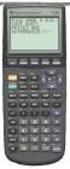 Calculator Activity Intro Getting to know your TI-83 Press ON to begin using calculator.to stop, press 2 nd ON. To darken the screen, press 2 nd alternately. To lighten the screen, press nd 2 alternately.
SAT Subject Test Practice Test II: Math Level II Time 60 minutes, 50 Questions
 SAT Subject Test Practice Test II: Math Level II Time 60 minutes, 50 Questions All questions in the Math Level 1 and Math Level Tests are multiple-choice questions in which you are asked to choose the
Pre-Calculus Graphing Calculator Handbook
 Pre-Calculus Graphing Calculator Handbook I. Graphing Functions A. Button for Functions This button is used to enter any function to be graphed. You can enter up to 10 different functions at a time. Use
Lecture 8 : Coordinate Geometry. The coordinate plane The points on a line can be referenced if we choose an origin and a unit of 20
 Lecture 8 : Coordinate Geometry The coordinate plane The points on a line can be referenced if we choose an origin and a unit of 0 distance on the axis and give each point an identity on the corresponding
50 TUGboat, Volume 31 (2010), No. 1. Plotting experimental data using pgfplots Joseph Wright
 5 TUGboat, Volume 31 (21), No. 1 Abstract Creating plots in TEX is made easy by the pgfplots package, but getting the best presentation of experimental results still requires some thought. In this article,
Math 1B, lecture 5: area and volume
 Math B, lecture 5: area and volume Nathan Pflueger 6 September 2 Introduction This lecture and the next will be concerned with the computation of areas of regions in the plane, and volumes of regions in
Unit 7 Quadratic Relations of the Form y = ax 2 + bx + c
 Unit 7 Quadratic Relations of the Form y = ax 2 + bx + c Lesson Outline BIG PICTURE Students will: manipulate algebraic expressions, as needed to understand quadratic relations; identify characteristics
Formulas, Functions and Charts
 Formulas, Functions and Charts :: 167 8 Formulas, Functions and Charts 8.1 INTRODUCTION In this leson you can enter formula and functions and perform mathematical calcualtions. You will also be able to
TWO-DIMENSIONAL TRANSFORMATION
 CHAPTER 2 TWO-DIMENSIONAL TRANSFORMATION 2.1 Introduction As stated earlier, Computer Aided Design consists of three components, namely, Design (Geometric Modeling), Analysis (FEA, etc), and Visualization
x 2 + y 2 = 1 y 1 = x 2 + 2x y = x 2 + 2x + 1
 Implicit Functions Defining Implicit Functions Up until now in this course, we have only talked about functions, which assign to every real number x in their domain exactly one real number f(x). The graphs
MA107 Precalculus Algebra Exam 2 Review Solutions
 MA107 Precalculus Algebra Exam 2 Review Solutions February 24, 2008 1. The following demand equation models the number of units sold, x, of a product as a function of price, p. x = 4p + 200 a. Please write
The University of the State of New York REGENTS HIGH SCHOOL EXAMINATION MATHEMATICS B. Thursday, January 29, 2004 9:15 a.m. to 12:15 p.m.
 The University of the State of New York REGENTS HIGH SCHOOL EXAMINATION MATHEMATICS B Thursday, January 9, 004 9:15 a.m. to 1:15 p.m., only Print Your Name: Print Your School s Name: Print your name and
Graphics with TikZ. 1 Introduction. Andrew Mertz and William Slough
 The PracTEX Journal, 2007, No. 1 Article revision 2007/2/11 Graphics with TikZ Andrew Mertz and William Slough Email Address Abstract [email protected], [email protected] Department of Mathematics and Computer
1.2 GRAPHS OF EQUATIONS. Copyright Cengage Learning. All rights reserved.
 1.2 GRAPHS OF EQUATIONS Copyright Cengage Learning. All rights reserved. What You Should Learn Sketch graphs of equations. Find x- and y-intercepts of graphs of equations. Use symmetry to sketch graphs
Quickstart for Desktop Version
 Quickstart for Desktop Version What is GeoGebra? Dynamic Mathematics Software in one easy-to-use package For learning and teaching at all levels of education Joins interactive 2D and 3D geometry, algebra,
Scientific Graphing in Excel 2010
 Scientific Graphing in Excel 2010 When you start Excel, you will see the screen below. Various parts of the display are labelled in red, with arrows, to define the terms used in the remainder of this overview.
Introductory Handbook for the TI-89 Titanium
 Introductory Handbook for the TI-89 Titanium Note: This handbook will, for the most part, work for the standard TI-89 as well. The color-coding used on the TI-89 differs from the color-coding used on the
6 EXTENDING ALGEBRA. 6.0 Introduction. 6.1 The cubic equation. Objectives
 6 EXTENDING ALGEBRA Chapter 6 Extending Algebra Objectives After studying this chapter you should understand techniques whereby equations of cubic degree and higher can be solved; be able to factorise
AP Calculus AB 2010 Free-Response Questions Form B
 AP Calculus AB 2010 Free-Response Questions Form B The College Board The College Board is a not-for-profit membership association whose mission is to connect students to college success and opportunity.
Grade level: secondary Subject: mathematics Time required: 45 to 90 minutes
 TI-Nspire Activity: Paint Can Dimensions By: Patsy Fagan and Angela Halsted Activity Overview Problem 1 explores the relationship between height and volume of a right cylinder, the height and surface area,
Volumes of Revolution
 Mathematics Volumes of Revolution About this Lesson This lesson provides students with a physical method to visualize -dimensional solids and a specific procedure to sketch a solid of revolution. Students
Area and Arc Length in Polar Coordinates
 Area and Arc Length in Polar Coordinates The Cartesian Coordinate System (rectangular coordinates) is not always the most convenient way to describe points, or relations in the plane. There are certainly
Microsoft Excel 2010 Charts and Graphs
 Microsoft Excel 2010 Charts and Graphs Email: [email protected] Web Page: http://training.health.ufl.edu Microsoft Excel 2010: Charts and Graphs 2.0 hours Topics include data groupings; creating
Solutions for Review Problems
 olutions for Review Problems 1. Let be the triangle with vertices A (,, ), B (4,, 1) and C (,, 1). (a) Find the cosine of the angle BAC at vertex A. (b) Find the area of the triangle ABC. (c) Find a vector
FRICTION, WORK, AND THE INCLINED PLANE
 FRICTION, WORK, AND THE INCLINED PLANE Objective: To measure the coefficient of static and inetic friction between a bloc and an inclined plane and to examine the relationship between the plane s angle
PRACTICE FINAL. Problem 1. Find the dimensions of the isosceles triangle with largest area that can be inscribed in a circle of radius 10cm.
 PRACTICE FINAL Problem 1. Find the dimensions of the isosceles triangle with largest area that can be inscribed in a circle of radius 1cm. Solution. Let x be the distance between the center of the circle
CIRCLE COORDINATE GEOMETRY
 CIRCLE COORDINATE GEOMETRY (EXAM QUESTIONS) Question 1 (**) A circle has equation x + y = 2x + 8 Determine the radius and the coordinates of the centre of the circle. r = 3, ( 1,0 ) Question 2 (**) A circle
Review of Fundamental Mathematics
 Review of Fundamental Mathematics As explained in the Preface and in Chapter 1 of your textbook, managerial economics applies microeconomic theory to business decision making. The decision-making tools
1.7 Graphs of Functions
 64 Relations and Functions 1.7 Graphs of Functions In Section 1.4 we defined a function as a special type of relation; one in which each x-coordinate was matched with only one y-coordinate. We spent most
Each function call carries out a single task associated with drawing the graph.
 Chapter 3 Graphics with R 3.1 Low-Level Graphics R has extensive facilities for producing graphs. There are both low- and high-level graphics facilities. The low-level graphics facilities provide basic
Visualizing Differential Equations Slope Fields. by Lin McMullin
 Visualizing Differential Equations Slope Fields by Lin McMullin The topic of slope fields is new to the AP Calculus AB Course Description for the 2004 exam. Where do slope fields come from? How should
A very minimal introduction to TikZ
 A very minimal introduction to TikZ Jacques Crémer Toulouse School of Economics [email protected] March 11, 2011 Contents 1 Introduction 3 2 Setting up a picture 3 3 Drawing lines and curves 4 3.1
MULTIPLE INTEGRALS. h 2 (y) are continuous functions on [c, d] and let f(x, y) be a function defined on R. Then
![MULTIPLE INTEGRALS. h 2 (y) are continuous functions on [c, d] and let f(x, y) be a function defined on R. Then](/thumbs/40/21201569.jpg "MULTIPLE INTEGRALS. h 2 (y) are continuous functions on [c, d] and let f(x, y) be a function defined on R. Then") MULTIPLE INTEGALS 1. ouble Integrals Let be a simple region defined by a x b and g 1 (x) y g 2 (x), where g 1 (x) and g 2 (x) are continuous functions on [a, b] and let f(x, y) be a function defined on.
MULTIPLE INTEGALS 1. ouble Integrals Let be a simple region defined by a x b and g 1 (x) y g 2 (x), where g 1 (x) and g 2 (x) are continuous functions on [a, b] and let f(x, y) be a function defined on.
MARS STUDENT IMAGING PROJECT
 MARS STUDENT IMAGING PROJECT Data Analysis Practice Guide Mars Education Program Arizona State University Data Analysis Practice Guide This set of activities is designed to help you organize data you collect
4. How many integers between 2004 and 4002 are perfect squares?
 5 is 0% of what number? What is the value of + 3 4 + 99 00? (alternating signs) 3 A frog is at the bottom of a well 0 feet deep It climbs up 3 feet every day, but slides back feet each night If it started
Analyzing Piecewise Functions
 Connecting Geometry to Advanced Placement* Mathematics A Resource and Strategy Guide Updated: 04/9/09 Analyzing Piecewise Functions Objective: Students will analyze attributes of a piecewise function including
Excel Basics By Tom Peters & Laura Spielman
 Excel Basics By Tom Peters & Laura Spielman What is Excel? Microsoft Excel is a software program with spreadsheet format enabling the user to organize raw data, make tables and charts, graph and model
Information Literacy Program
 Information Literacy Program Excel (2013) Advanced Charts 2015 ANU Library anulib.anu.edu.au/training [email protected] Table of Contents Excel (2013) Advanced Charts Overview of charts... 1 Create a chart...
Trigonometry Review with the Unit Circle: All the trig. you ll ever need to know in Calculus
 Trigonometry Review with the Unit Circle: All the trig. you ll ever need to know in Calculus Objectives: This is your review of trigonometry: angles, six trig. functions, identities and formulas, graphs:
Evaluating trigonometric functions
 MATH 1110 009-09-06 Evaluating trigonometric functions Remark. Throughout this document, remember the angle measurement convention, which states that if the measurement of an angle appears without units,
Excel -- Creating Charts
 Excel -- Creating Charts The saying goes, A picture is worth a thousand words, and so true. Professional looking charts give visual enhancement to your statistics, fiscal reports or presentation. Excel
Create Charts in Excel
 Create Charts in Excel Table of Contents OVERVIEW OF CHARTING... 1 AVAILABLE CHART TYPES... 2 PIE CHARTS... 2 BAR CHARTS... 3 CREATING CHARTS IN EXCEL... 3 CREATE A CHART... 3 HOW TO CHANGE THE LOCATION
2Digital tablets or computer scanners can
 Appendix A Measuring Lake Surface Area Lake surface area can be measured with a bathymetric map using any of the following techniques: 1One of the most accurate methods is to use a planimeter to trace
MatLab Basics. Now, press return to see what Matlab has stored as your variable x. You should see:
 MatLab Basics MatLab was designed as a Matrix Laboratory, so all operations are assumed to be done on matrices unless you specifically state otherwise. (In this context, numbers (scalars) are simply regarded
Academic Support Center. Using the TI-83/84+ Graphing Calculator PART II
 Academic Support Center Using the TI-83/84+ Graphing Calculator PART II Designed and Prepared by The Academic Support Center Revised June 2012 1 Using the Graphing Calculator (TI-83+ or TI-84+) Table of
GeoGebra. 10 lessons. Gerrit Stols
 GeoGebra in 10 lessons Gerrit Stols Acknowledgements GeoGebra is dynamic mathematics open source (free) software for learning and teaching mathematics in schools. It was developed by Markus Hohenwarter
9.4. The Scalar Product. Introduction. Prerequisites. Learning Style. Learning Outcomes
 The Scalar Product 9.4 Introduction There are two kinds of multiplication involving vectors. The first is known as the scalar product or dot product. This is so-called because when the scalar product of
The following is an overview of lessons included in the tutorial.
 Chapter 2 Tutorial Tutorial Introduction This tutorial is designed to introduce you to some of Surfer's basic features. After you have completed the tutorial, you should be able to begin creating your
Double Integrals in Polar Coordinates
 Double Integrals in Polar Coordinates. A flat plate is in the shape of the region in the first quadrant ling between the circles + and +. The densit of the plate at point, is + kilograms per square meter
Additional Topics in Math
 Chapter Additional Topics in Math In addition to the questions in Heart of Algebra, Problem Solving and Data Analysis, and Passport to Advanced Math, the SAT Math Test includes several questions that are
Solutions to Homework 10
 Solutions to Homework 1 Section 7., exercise # 1 (b,d): (b) Compute the value of R f dv, where f(x, y) = y/x and R = [1, 3] [, 4]. Solution: Since f is continuous over R, f is integrable over R. Let x
Graphic Designing with Transformed Functions
 Math Objectives Students will be able to identify a restricted domain interval and use function translations and dilations to choose and position a portion of the graph accurately in the plane to match
Petrel TIPS&TRICKS from SCM
 Petrel TIPS&TRICKS from SCM Knowledge Worth Sharing Import and Digitize from a Bitmap Using Petrel Often a map with culture lines, contours or well spots is provided in paper form and must be entered into
Math 241, Exam 1 Information.
 Math 241, Exam 1 Information. 9/24/12, LC 310, 11:15-12:05. Exam 1 will be based on: Sections 12.1-12.5, 14.1-14.3. The corresponding assigned homework problems (see http://www.math.sc.edu/ boylan/sccourses/241fa12/241.html)
4 More Applications of Definite Integrals: Volumes, arclength and other matters
 4 More Applications of Definite Integrals: Volumes, arclength and other matters Volumes of surfaces of revolution 4. Find the volume of a cone whose height h is equal to its base radius r, by using the
2.5 Transformations of Functions
 2.5 Transformations of Functions Section 2.5 Notes Page 1 We will first look at the major graphs you should know how to sketch: Square Root Function Absolute Value Function Identity Function Domain: [
Tutorial 2: Using Excel in Data Analysis
 Tutorial 2: Using Excel in Data Analysis This tutorial guide addresses several issues particularly relevant in the context of the level 1 Physics lab sessions at Durham: organising your work sheet neatly,
F.IF.7b: Graph Root, Piecewise, Step, & Absolute Value Functions
 F.IF.7b: Graph Root, Piecewise, Step, & Absolute Value Functions F.IF.7b: Graph Root, Piecewise, Step, & Absolute Value Functions Analyze functions using different representations. 7. Graph functions expressed
CHAPTER 8, GEOMETRY. 4. A circular cylinder has a circumference of 33 in. Use 22 as the approximate value of π and find the radius of this cylinder.
 TEST A CHAPTER 8, GEOMETRY 1. A rectangular plot of ground is to be enclosed with 180 yd of fencing. If the plot is twice as long as it is wide, what are its dimensions? 2. A 4 cm by 6 cm rectangle has
AP CALCULUS AB 2008 SCORING GUIDELINES
 AP CALCULUS AB 2008 SCORING GUIDELINES Question 1 Let R be the region bounded by the graphs of y = sin( π x) and y = x 4 x, as shown in the figure above. (a) Find the area of R. (b) The horizontal line
Chapter 6: Constructing and Interpreting Graphic Displays of Behavioral Data
 Chapter 6: Constructing and Interpreting Graphic Displays of Behavioral Data Chapter Focus Questions What are the benefits of graphic display and visual analysis of behavioral data? What are the fundamental
http://school-maths.com Gerrit Stols
 For more info and downloads go to: http://school-maths.com Gerrit Stols Acknowledgements GeoGebra is dynamic mathematics open source (free) software for learning and teaching mathematics in schools. It
Angles and Quadrants. Angle Relationships and Degree Measurement. Chapter 7: Trigonometry
 Chapter 7: Trigonometry Trigonometry is the study of angles and how they can be used as a means of indirect measurement, that is, the measurement of a distance where it is not practical or even possible
Student Performance Q&A:
 Student Performance Q&A: 2008 AP Calculus AB and Calculus BC Free-Response Questions The following comments on the 2008 free-response questions for AP Calculus AB and Calculus BC were written by the Chief
Solutions to old Exam 1 problems
 Solutions to old Exam 1 problems Hi students! I am putting this old version of my review for the first midterm review, place and time to be announced. Check for updates on the web site as to which sections
SDC. Schroff Development Corporation WWW.SDCACAD.COM PUBLICATIONS. MultiMedia CD by Jack Zecher
 MultiMedia CD by Jack Zecher An audioi/visual presentation of the tutorial exercises SDC PUBLICATIONS Schroff Development Corporation WWW.SDCACAD.COM AutoCAD 2002 Tutorial 2-1 Lesson 2 Geometric Construction
Geometry and Measurement
 The student will be able to: Geometry and Measurement 1. Demonstrate an understanding of the principles of geometry and measurement and operations using measurements Use the US system of measurement for
The Center for Teaching, Learning, & Technology
 The Center for Teaching, Learning, & Technology Instructional Technology Workshops Microsoft Excel 2010 Formulas and Charts Albert Robinson / Delwar Sayeed Faculty and Staff Development Programs Colston
KaleidaGraph Quick Start Guide
 KaleidaGraph Quick Start Guide This document is a hands-on guide that walks you through the use of KaleidaGraph. You will probably want to print this guide and then start your exploration of the product.
The Circumference Function
 2 Geometry You have permission to make copies of this document for your classroom use only. You may not distribute, copy or otherwise reproduce any part of this document or the lessons contained herein
Solutions to Homework 5
 Solutions to Homework 5 1. Let z = f(x, y) be a twice continously differentiable function of x and y. Let x = r cos θ and y = r sin θ be the equations which transform polar coordinates into rectangular
AP Physics 1 Summer Assignment
 AP Physics 1 Summer Assignment AP Physics 1 Summer Assignment Welcome to AP Physics 1. This course and the AP exam will be challenging. AP classes are taught as college courses not just college-level courses,
Plots, Curve-Fitting, and Data Modeling in Microsoft Excel
 Plots, Curve-Fitting, and Data Modeling in Microsoft Excel This handout offers some tips on making nice plots of data collected in your lab experiments, as well as instruction on how to use the built-in
How To Use The Ti-83+/84+ Calculator For Math 111
 Using the TI-83+/84+ Graphing Calculator in Math 111 at Tacoma Community College Version 1.0 Scott MacDonald Copyright c 2005 by Scott MacDonald Permission is given to reproduce this document in whole
MATLAB Workshop 14 - Plotting Data in MATLAB
 MATLAB: Workshop 14 - Plotting Data in MATLAB page 1 MATLAB Workshop 14 - Plotting Data in MATLAB Objectives: Learn the basics of displaying a data plot in MATLAB. MATLAB Features: graphics commands Command
0 Introduction to Data Analysis Using an Excel Spreadsheet
 Experiment 0 Introduction to Data Analysis Using an Excel Spreadsheet I. Purpose The purpose of this introductory lab is to teach you a few basic things about how to use an EXCEL 2010 spreadsheet to do
Experiment 9. The Pendulum
 Experiment 9 The Pendulum 9.1 Objectives Investigate the functional dependence of the period (τ) 1 of a pendulum on its length (L), the mass of its bob (m), and the starting angle (θ 0 ). Use a pendulum
Intro to Excel spreadsheets
 Intro to Excel spreadsheets What are the objectives of this document? The objectives of document are: 1. Familiarize you with what a spreadsheet is, how it works, and what its capabilities are; 2. Using
Figure 1. An embedded chart on a worksheet.
 8. Excel Charts and Analysis ToolPak Charts, also known as graphs, have been an integral part of spreadsheets since the early days of Lotus 1-2-3. Charting features have improved significantly over the
2nd Semester Geometry Final Exam Review
 Class: Date: 2nd Semester Geometry Final Exam Review Multiple Choice Identify the choice that best completes the statement or answers the question. 1. The owner of an amusement park created a circular
Solving Simultaneous Equations and Matrices
 Solving Simultaneous Equations and Matrices The following represents a systematic investigation for the steps used to solve two simultaneous linear equations in two unknowns. The motivation for considering
HSPA 10 CSI Investigation Height and Foot Length: An Exercise in Graphing
 HSPA 10 CSI Investigation Height and Foot Length: An Exercise in Graphing In this activity, you will play the role of crime scene investigator. The remains of two individuals have recently been found trapped
Math Tools Cell Phone Plans
 NATIONAL PARTNERSHIP FOR QUALITY AFTERSCHOOL LEARNING www.sedl.org/afterschool/toolkits Math Tools Cell Phone Plans..............................................................................................
Calculus 1st Semester Final Review
 Calculus st Semester Final Review Use the graph to find lim f ( ) (if it eists) 0 9 Determine the value of c so that f() is continuous on the entire real line if f ( ) R S T, c /, > 0 Find the limit: lim
6. The given function is only drawn for x > 0. Complete the function for x < 0 with the following conditions:
 Precalculus Worksheet 1. Da 1 1. The relation described b the set of points {(-, 5 ),( 0, 5 ),(,8 ),(, 9) } is NOT a function. Eplain wh. For questions - 4, use the graph at the right.. Eplain wh the graph
1. Kyle stacks 30 sheets of paper as shown to the right. Each sheet weighs about 5 g. How can you find the weight of the whole stack?
 Prisms and Cylinders Answer Key Vocabulary: cylinder, height (of a cylinder or prism), prism, volume Prior Knowledge Questions (Do these BEFORE using the Gizmo.) [Note: The purpose of these questions is
Fundamental Theorems of Vector Calculus
 Fundamental Theorems of Vector Calculus We have studied the techniques for evaluating integrals over curves and surfaces. In the case of integrating over an interval on the real line, we were able to use
Graphing Quadratic Functions
 Problem 1 The Parabola Examine the data in L 1 and L to the right. Let L 1 be the x- value and L be the y-values for a graph. 1. How are the x and y-values related? What pattern do you see? To enter the
G r a d e 1 0 I n t r o d u c t i o n t o A p p l i e d a n d P r e - C a l c u l u s M a t h e m a t i c s ( 2 0 S ) Final Practice Exam
 G r a d e 1 0 I n t r o d u c t i o n t o A p p l i e d a n d P r e - C a l c u l u s M a t h e m a t i c s ( 2 0 S ) Final Practice Exam G r a d e 1 0 I n t r o d u c t i o n t o A p p l i e d a n d
Definition: A vector is a directed line segment that has and. Each vector has an initial point and a terminal point.
 6.1 Vectors in the Plane PreCalculus 6.1 VECTORS IN THE PLANE Learning Targets: 1. Find the component form and the magnitude of a vector.. Perform addition and scalar multiplication of two vectors. 3.
The small increase in x is. and the corresponding increase in y is. Therefore
 Differentials For a while now, we have been using the notation dy to mean the derivative of y with respect to. Here is any variable, and y is a variable whose value depends on. One of the reasons that
Inv 1 5. Draw 2 different shapes, each with an area of 15 square units and perimeter of 16 units.
 Covering and Surrounding: Homework Examples from ACE Investigation 1: Questions 5, 8, 21 Investigation 2: Questions 6, 7, 11, 27 Investigation 3: Questions 6, 8, 11 Investigation 5: Questions 15, 26 ACE
Area of Parallelograms (pages 546 549)
 A Area of Parallelograms (pages 546 549) A parallelogram is a quadrilateral with two pairs of parallel sides. The base is any one of the sides and the height is the shortest distance (the length of a perpendicular
Chapter 4 Creating Charts and Graphs
 Calc Guide Chapter 4 OpenOffice.org Copyright This document is Copyright 2006 by its contributors as listed in the section titled Authors. You can distribute it and/or modify it under the terms of either
SAS/GRAPH 9.2 ODS Graphics Editor. User s Guide
 SAS/GRAPH 9.2 ODS Graphics Editor User s Guide The correct bibliographic citation for this manual is as follows: SAS Institute Inc. 2009. SAS/GRAPH 9.2: ODS Graphics Editor User's Guide. Cary, NC: SAS
MATLAB Workshop 3 - Vectors in MATLAB
 MATLAB: Workshop - Vectors in MATLAB page 1 MATLAB Workshop - Vectors in MATLAB Objectives: Learn about vector properties in MATLAB, methods to create row and column vectors, mathematical functions with
2 Session Two - Complex Numbers and Vectors
 PH2011 Physics 2A Maths Revision - Session 2: Complex Numbers and Vectors 1 2 Session Two - Complex Numbers and Vectors 2.1 What is a Complex Number? The material on complex numbers should be familiar
Datum > Curve KIM,ME,NIU
 Datum > Curve Intersect First create at least one quilt on the surface of the model. Feature > Surface (> New) > Copy (do not use offset that creates a surface off the solid surface even with zero offset)
Introduction to Microsoft Excel 2007/2010
 to Microsoft Excel 2007/2010 Abstract: Microsoft Excel is one of the most powerful and widely used spreadsheet applications available today. Excel's functionality and popularity have made it an essential