
To Use any command in this guide: 1. Select the option from the Design Menu in the Mechanical Eng workspace.
|
|
|
- Monica Beasley
- 9 years ago
- Views:
Transcription
1 120 1 ME Mechanical Engineers use a variety of mechanical drawings and computer tools for analysis and design. During the design process, drawings are used throughout to develop and document the design solution. The Design menu in the Mechanical Engineering workspace contains several commands which are useful in the creation of mechanical drawings and documentation. These commands, or scripts, all display a dialog box which contains various options, and data input boxes. Any of the commands can be added to any workspace using the Workspace Editor, refer to page 19-1, Customizing VectorWorks, in the MiniCAD VectorWorks User s Manual. This guide describes commands and items specific to the field of Mechanical Engineering. To Use any command in this guide: 1. Select the option from the Design Menu in the Mechanical Eng workspace. A dialog for the selected tool appears. 2. Enter the desired criteria. 3. Click OK. For each tool, the path is listed. For example, Design>Fasteners and Hardware>Cap Screws will access the Cap Screws command. In this Guide Fasteners & Hardware Creating Bearings Creating Springs Creating Retaining Rings Creating Spur Gears Geometric Dimensioning and Tolerancing Detail Bubbles Grid Creator OL-ME-1
2 Fasteners & Hardware FASTENERS & HARDWARE Design>Fasteners and Hardware Fasteners and Hardware devices are used on nearly every manufactured product. Many of these fasteners are manufactured in accordance with national and international standards. The Fasteners and Hardware dialog boxes display all available standard sizes per ASME standards for the selected item. Mechanical fasteners include threaded fasteners; bolts, nuts, screws and non threaded fasteners; washers, rivets, and more. The Fasteners and Hardware command contains a list of the following scripts. Screws Nuts Other Cap Screws Acorn Nuts Clevis Pins Hex & Sq Bolts Hex Nuts - Inch Dowel Pins Machine Screws Hex Nuts - Metric Rivets Set Screws Wing Nuts Taper Pins Shoulder Screws Washers Thumb Screws Each script displays a dialog box which contains standard screw types and lists available sizes, styles, and views of that particular item. Enter your desired criteria, then click on your drawing screen to place the selected item. The following are descriptions of what the various scripts create. Since many of the dialog boxes are similar, not all are shown. OL-ME-2
3 Fasteners & Hardware ME Cap Screws Design>Fasteners and Hardware>Cap Screws Select either Inch or Metric Series Select the Socket Type Select the type of Head Select the Thread Type Select the size from the pull down menu and enter the length of the screw Select the view OL-ME-3
4 Fasteners & Hardware Hex and Square Bolts Design>Fasteners and Hardware>Hex and Sq Bolts Hex Bolt (Simplified Threads) Heavy Hex Bolt (Schematic Threads) Finished Hex Bolt (Hex Cap Screw) (Detailed Threads) Heavy Hex Structural Bolt Heavy Hex Screw Square Bolt OL-ME-4
5 Fasteners & Hardware ME Machine Screws Design>Fasteners and Hardware>Machine Screws Machine Screws - Inch Series OL-ME-5
6 Fasteners & Hardware OL-ME-6
7 Fasteners & Hardware ME Set Screws Design>Fasteners and Hardware>Set Screws Type of Point: Cup & Flat Full Dog Half Dog Oval Cone OL-ME-7
8 Fasteners & Hardware Shoulder Screws Design>Fasteners and Hardware>Shoulder Screws OL-ME-8
9 Fasteners & Hardware ME Thumb Screws Design>Fasteners and Hardware>Thumb Screws OL-ME-9
10 Fasteners & Hardware Acorn Nuts Design>Fasteners and Hardware>Acorn Nuts Select the style Select the view Select the size from the pull down menu OL-ME-10
11 Fasteners & Hardware ME Hex Nuts - Inch Design>Fasteners and Hardware>Hex Nuts - Inch Select the type Select the style Select the view Select the size from the drop down menu OL-ME-11
12 Fasteners & Hardware Hex Nuts-Metric Design>Fasteners and Hardware>Hex Nuts-Metric Select the type Select the size from the drop down menu Select the view OL-ME-12
13 Fasteners & Hardware ME Wing Nuts Design>Fasteners and Hardware>Wing Nuts Select the type from the drop down menu Select the size from the drop down menu Select the view OL-ME-13
14 Fasteners & Hardware Clevis Pins Design>Fasteners and Hardware>Clevis Pins The Clevis Pin command draws the top or side view of American National Standard clevis pins. You have a choice of accepting the standard length as defined by ASME standard, or inputting a custom length. Select either Inch or Metric series Select the Pin diameter from the pull down menu and use the standard Length or Custom Select the view Dowel Pins Design>Fasteners and Hardware>Dowel Pins The Dowel Pin draws the top or side view of hardened steel dowel pins. The parameters, diameter and length, are input by you; the units will be either inches or metric, depending on the default units setting. OL-ME-14
15 Fasteners & Hardware ME Enter size Select the view Taper Pins Design>Fasteners and Hardware>Taper Pins The Taper Pins command draws the top or side view of standard taper pins. The parameter length is input by you. Rivets Design>Fasteners and Hardware>Rivets Select the type of Rivet. OL-ME-15
16 Fasteners & Hardware After selecting the type of rivet a new dialog box will appear. Rivets are available in a variety of head styles and are classified by head type, body diameter and length. Enter the desired criteria. Select the type of head for both end#1 and end#2 from the drop down menu Select the unit of measurement and enter the size Select view Washers Design>Fasteners and Hardware>Washers The Washers command draws either the top or front view of ASME Type B (Inch) or Metric Plain Washers, ASME inch or metric Helical Spring Lock Washers, or plain washer with dimensions specified by the user. After selecting the type of washer from the Washer command a new dialog box will appear. Commercial plain and lock washers are specified by the screw or bolt size and are available in narrow, regular, or wide sizes for plain washers and regular, heavy, and extra duty sizes for inch lock washers and regular and heavy metric lock washers. Enter the desire criteria remembering to select bolt or screw size from the drop down menu. OL-ME-16
17 Machine Elements ME MACHINE ELEMENTS Machine Elements are comprised of items commonly used in the design of any working machine. These items consist of various bearings, springs, retaining rings and spur gears as described in this section. Bearings Design>Bearings The Bearings sub-menu contains four types of bearings: Ball Bearing, Roller Bearing, Tapered Roller Bearing and Thrust Bearing. Each of these items displays a dialog box which contains various standard configurations as describe below. Ball Bearings Roller Bearings Tapered Roller Thrust Bearings Bearings Ball Bearing Design>Bearings>Ball Bearing The Ball Bearing command draws either a section view or front view of 12 common types of ball bearings including: single row radial, single row OL-ME-17
18 Machine Elements angular, double row radial, and double row angular types. The dimensions, inside diameter, outside diameter and width, are input by the user. Inches or mm can be specified regardless of the units setting of the active drawing. Select the bearing type from the drop down menu Select unit of measurement and enter dimensions Select the view Select show section lines or show balls Roller Bearings Design>Bearings>Roller Bearings The Roller Bearing command draws either a section view, rear view, or front view of cylindrical roller bearings with 5 common types of rib configurations: Double ribs-inner/double ribs-outer, Double ribs-inner/no ribs-outer, No ribs-inner/double ribs outer, Self-Aligning Outer Ring, and Self-Aligning Inner Ring. OL-ME-18
19 Machine Elements ME Select the bearing type Select the view. Select yes or no to show section lines Select ring configuration from drop down menu Select unit of measurement and enter dimensions Tapered Roller Bearing Design>Bearings>Tapered Roller Bearing The Tapered Roller Bearing command draws the front or section view of single row and double row tapered roller bearings. The parameters outside diameter, inside diameter and width are input by the user. Inches or mm can be specified. Select bearing type Select the view Select yes or no to show section lines Select unit of measurement and enter dimensions OL-ME-19
20 Machine Elements Thrust Bearing Design>Bearings>Thrust Bearing The Thrust Bearing command draws either a section view or top view of five common types of thrust bearings: Single Ball, Double Ball, Roller, Tapered Roller, or Spherical Roller. Inches or mm can be specified regardless of the units of the drawing. Select bearing type from drop down menu Select unity of measurement and enter dimensions Select raceway style Select the view Select yes or no to show section lines Springs The Springs sub-menu, lists five types of springs: compression, extension, conical compression, torsion, and heavy duty die springs. A description of each type of spring follows. OL-ME-20
21 Machine Elements ME Compression Spring Extension spring Heavy Duty Die Springs Conical Compression Spring Springs Torsion Spring Compression Springs Design>Springs>Compression Springs The Compression Spring command creates a spring using dimensions found in most commercial spring catalogs or dimensions commonly used for a custom design. The approximate Spring Rate for music wire or stainless steel is calculated automatically. OL-ME-21
22 Machine Elements. Select either commercial specs or custom design Select type of ends Select the view Select unit of measurement and enter dimensions The spring rate is automatically calculated in lb/in or N/mm depending on unit input Extension Springs Design>Springs>Extension Springs The Extension Spring command draws four different views of seven end styles; Full Loop, Full Round Hook, Machine Loop, Machine Hook, OL-ME-22
23 Machine Elements ME raised Hook, Rectangular Hook and V Hook. You have the option to Show All Coils or use phantom lines, instead of drawing all of the coils. Select end style from drop down menu Select unit of measurement and enter dimensions Select the view Select yes or no to show all coils Die Springs Design>Springs>Die Springs The Die Springs command draws to your specifications after entering the desired dimensions criteria. Spring specs can be found in most commercial spring catalogs. You can chose one of three views; normal, section, or top. OL-ME-23
24 Machine Elements Select unit of measurement and enter dimensions Select the view Conical Compression Springs Design>Springs>Conical Compression Springs The Conical Compression Springs command draws to your specification after entering the desire dimensions criteria which can be found in most commercial spring catalogs. You can chose one of three views; normal, section, or top. OL-ME-24
25 Machine Elements ME Select unit of measurement and enter dimensions Select the view Torsion Springs Design>Springs>Torsion Springs The Torsion Springs command draws to your specification after entering the desired dimensions criteria which can be found in most commercial spring catalogs. You can chose one of two views; end or front. OL-ME-25
26 Machine Elements. Select unit of measurement and enter dimensions Select deflection for each end Select the view Retaining Rings Design>Retaining Rings The Retaining Rings command draws six types of retaining rings; Basic Internal Ring, Basic External Ring, Heavy Duty External, Basic E-Ring, Reinforced E-Ring and C-Ring. OL-ME-26
27 Machine Elements ME Select type Select size in mm from drop down menu Select the view Basic Internal Ring Basic External Ring Heavy Duty External Basic E- Ring Reinforced E-Ring C-Ring Retaining Rings Spur Gears Design>Spur Gears The Spur Gear command draws a 2-D spur gear with either straight or involuted teeth, which approximates a 14 1/2 involute tooth. The script requires the input of two parameters: the number of teeth and either the pitch diameter or the diametral pitch for inch sizes, or the module or the pitch diameter for metric sizes. Changing the diametral pitch or the OL-ME-27
28 Geometric Dimensioning and Toler- module causes the other to be calculated and displayed in the dialog box. The gear is drawn as a polyline, so it can be extruded into a 3-D object, if desired. Select unit of measurement Enter gear specifications Select tooth profile GEOMETRIC DIMENSIONING AND TOLERANCING (GD&T) Geometric Dimensioning and Tolerancing is the process of defining design intent and functional requirements based on the application of datums, geometric controls, and modifiers. Feature Control Frame Design>GD&T>Feature Control Frame The Feature Control Frame offers a drop down list of Geometric Characteristics used to control form, profile, orientation, location or runout. You can chose the number of tolerance and datum areas as well as a composite characteristic box which can be used with two control frames. OL-ME-28
29 Geometric Dimensioning ME Select the geometric characteristic from drop down menu Select yes to use a composite characteristic box Select number of tolerance areas Select the number of datum areas Enter Tolerance Value Select desire material condition Select desire option OL-ME-29
30 Geometric Dimensioning and Toler- Enter Datum Reference Letter(s) Select desire material condition Datum Feature Design>GD&T>Datum Feature The Datum Feature assigns an ID letter used to establish a datum to an actual feature of a part. You also have the option to draw leader line. For a one segment line, double click on the end of the first segment. Enter datum ID letter Double click here for one segment Datum Target Symbol Design>GD&T>Datum Target Symbol OL-ME-30
31 Detail Bubbles ME The Datum Target Symbol specified the target area size, datum ID letter and target number on an object used to establish a datum. You have the option to show diameter symbol. Enter criteria DETAIL BUBBLES Design>Detail Bubbles Detail Bubbles or balloons with leader lines, are used to assign each part of an assembly drawing a detail number that is keyed to an attach record and a linked text field. These commands were developed to be used with the Mechanical Engineering templates in the Resource Palette, but can also be used alone to create a detail bubble symbol. Create Detail Bubbles Design>Detail Bubbles>Create Detail Bubble The Create Bubble command establishes the criteria for bubble format. To create a detail bubble symbol OL-ME-31
32 Detail Bubbles 1. From the Design menu, select Detail Bubbles>Create Detail Bubble. 2. Select the desired shape; Circle, Triangle, Square, or Hexagon. Select Name, Size, and Scaling Options. Select Record Format Options. Type in a name for the symbol, its size, and the point size for the text in the bubble. If the drawing is at a scale other than 1:1, select the "Use active layer scale to re-size..." option to scale the bubble so it will be drawn and print at the size shown in the Bubble Size field. The text in the bubble and field of record can be linked so that when it is entered into the field it is displayed in the bubble. Select bubble shape Select bubble name, size and scaling Select record format Note: For more information on records, (refer to page 15-20, Using the Database Functions, in the MiniCAD VectorWorks User s Manual). 3. Click OK. Your bubble symbol has been created and added to the symbol folder of the current drawing. OL-ME-32
33 Detail Bubbles ME Note: If a symbol definition of the same name already exists, a dialog box will appear giving you the option to replace existing symbol or choose a new name. Select to replace existing symbol or rename. Enter symbol name in text box. 4. Add the Detail Bubble to the drawing. See To Add Detail Bubbles on page 33. Add Detail Bubbles Design>Detail Bubbles>Add Detail Bubble The Add Detail Bubble command will prompt you to select the bubble symbol and record format to use for the detail bubble. If there is more than one record attached to the bubble symbol, select the one whose fields you want to supply information too. Note: If there are no records attached to the bubble symbol the command will not work. To Add Detail Bubbles 1. From the Design menu, select Detail Bubbles>Add Detail Bubble. Note: The symbol must have a record format attached to it for this procedure to work. 2. Select the symbol and record format to use for the detail bubble. OL-ME-33
34 Detail Bubbles Check, Draw leader line, if you desire a leader line from your bubble. Select the symbol and record format. 3. Click OK. The Add Bubble - Record Name dialog box appears with your record name in the title bar and all of the fields, along with the default values, will be displayed. 4. Enter or change the information in the record dialog box. Enter or change desire record information. 5. Click OK. 6. Place your cursor at the desired location for the bubble on your drawing and click. Your detail bubble will appear. If Draw Leader Lines was selected drag your cursor to the desired point and click again to drop. A Notice dialog box will appear prompting you to insert another bubble. If you are creating another bubble, click yes, and repeat steps 3 through 6. If you are using any of the Mechanical Engineering templates, after all bubbles are placed on your drawing with all information entered into the fields, it is simple to create both a Parts List and a Bill of Materials. The OL-ME-34
35 Grid Creator ME parts list is generated using the worksheet named Part List. Open the worksheet from the Resource Palette or worksheet command in the Windows menu, and use the worksheet Recalculate command. The database is set to display the Item#, Description, and Quantity fields (refer to section 15, Using Worksheets and Databases, in the VectorWorks User s Manual for more information on setting up and using worksheets and databases). The advantages to working with VectorWorks worksheets is you can create, use, and add information to these worksheets without leaving the drawing area. The process is identical for creating a Bill of Materials. Open the Bill of Materials worksheet and use the Recalculate command. The worksheet should show all information called for in the database. Through the Resources palette, you can also paste a worksheet into a drawing as a graphic. GRID CREATOR Design>Grid Creator The Grid Creator command draws to your specifications a grid. You can choose the horizontal and vertical grid intervals using the Thin Horiz and Thin Vert values and place thick lines at the intervals specified by Thick Horiz and Thick Vert. Enter desired grid criteria OL-ME-35
36 Grid Creator OL-ME-36
Fasteners and screw threads
 ISO Standards Handbook: Fasteners and screw threads Volume 2: Product standards Contents Part 3 : Product standards 2001, Ed. 5, 1094 p., ISBN 92-67-10345-8 3.1 External drive hexagon head bolts and screws
Working Drawing and Assemblies. Chapter 10
 Working Drawing and Assemblies Chapter 10 Objectives 1.Define working drawings. 2. Describe how working drawings are used in industry. 3. List the major components of a complete set of working drawings.
CATIA Functional Tolerancing & Annotation TABLE OF CONTENTS
 TABLE OF CONTENTS Introduction...1 Functional Tolerancing and Annotation...2 Pull-down Menus...3 Insert...3 Functional Tolerancing and Annotation Workbench...4 Bottom Toolbar Changes...5 3D Grid Toolbar...5
Number Wheeler P/N Description Set Rex P/N Notes
 1 607051 Base 1 A050 2 607052 Motor Cover 1 A052 3 600778 Socket Hd Cap Screw (M8x60) 2 4 607053 Scrap Receiver 1 A053 5 607054 Tank Upper Cover 1 A054 6 607055 Oil Pot 1 A055 7 607056 Strainer 1 A056
Number Wheeler P/N Description Set Rex P/N Notes 1 603500 Base 1 J001 2 603501 Support, Right 1 J002 3 603502 Support, Left 1 J003 4 600328 Nut (M8)
 1 603500 Base 1 J001 2 603501 Support, Right 1 J002 3 603502 Support, Left 1 J003 4 600328 Nut (M8) 4 5 600130 Spring Washer (8mm) 4 6 600344 Roll Pin (M6x30) 4 7 600129 Socket Hd Cap Screw (M8x25) 4 8
Section. Tolerances. Aluminum Extrusion Manual. 4th Edition
 Section 8 Tolerances Aluminum Extrusion Manual 4th Edition Section 8 How straight is straight enough? How flat is flat enough? How uniform must a wall thickness be in order to be acceptable? These are
SolidWorks Tutorial 3 MAGNETIC BLOCK
 SolidWorks Tutorial 3 MAGNETIC BLOCK Magnetic Block In this exercise you will make a magnetic block. To do so, you will create a few parts, which you will assemble. You will learn the following new applications
3000, 4000, 4100, 7500, 7700
 3000, 4000, 4100, 7500, 7700 Drum & Disc Brake Lathes s Identification READ these instructions before placing unit in service. KEEP these and other materials delivered with the unit in a binder near the
KIRÁLY TRADING KFT H-1151 Budapest Mogyoród útja 12-14 tel: 061307-3801 [email protected]. Clamps Clamping devices
 04000 Clamps Clamping devices 23000 22000 21000 20000 09000 08000 07000 06000 05000 04000 03000 02000 01000 297 04010 Adjustable straps Tempered steel 1.1191 Black oxide finish nlm 04010-101 Suitable thrust
Machine Screws, Dowel Pins and Hardware
 Machine Screws, Dowel Pins and Section Contents Plain Socket Head Screws...Page 13-2 Wire Locking Screws...Page 13-3 Captive Screws...Page 13- Ventilation Screws...Page 13- Shoulder Screws...Page 13-
UNITED STATES CUTTING TOOL INSTITUTE Product Groupings for Standards Activities CUTTING TOOL PRODUCTS
 CUTTING TOOL PRODUCTS 1. BORING ISO 5609 Boring bars for indexable inserts Dimensions ISO 6261 Boring bars (tool holders with cylindrical shank) for indexable inserts Designation JIS B 4128 Boring bars
TABLE OF CONTENTS. INTRODUCTION... 5 Advance Concrete... 5 Where to find information?... 6 INSTALLATION... 7 STARTING ADVANCE CONCRETE...
 Starting Guide TABLE OF CONTENTS INTRODUCTION... 5 Advance Concrete... 5 Where to find information?... 6 INSTALLATION... 7 STARTING ADVANCE CONCRETE... 7 ADVANCE CONCRETE USER INTERFACE... 7 Other important
CATIA Drafting TABLE OF CONTENTS
 TABLE OF CONTENTS Introduction...1 Drafting...2 Drawing Screen...3 Pull-down Menus...4 File...4 Edit...5 View...6 Insert...7 Tools...8 Drafting Workbench...9 Views and Sheets...9 Dimensions and Annotations...10
Introduction to Autodesk Inventor for F1 in Schools
 Introduction to Autodesk Inventor for F1 in Schools F1 in Schools Race Car In this course you will be introduced to Autodesk Inventor, which is the centerpiece of Autodesk s digital prototyping strategy
DRAFTING MANUAL. Gears (Bevel and Hypoid) Drafting Practice
 Page 1 1.0 General This section provides the basis for uniformity in engineering gears drawings and their technical data for gears with intersecting axes (bevel gears), and nonparallel, nonintersecting
Two most common lock nut groups: 1-Prevailing Torque Type Lock Nuts:
 Two most common lock nut groups: 1. PREVAILING TORQUE a design feature of the lock nut produces friction between threads of mated components thereby increasing the force needed to tighten as well as loosen
Number Wheeler P/N Description Set Rex P/N Notes
 1 604041 Base 1 4041 2 604042 Base Cover 1 4042 3 608849 Washer (M5) 2 4 600124 Spring Washer (M5) 2 5 600329 Rd Hd Machine Screw (M5x8) 2 6 604047 Strainer 1 4047 7 600204 Rd Hd Machine Screw (M6x10)
Introduction to Autodesk Inventor for F1 in Schools
 F1 in Schools race car Introduction to Autodesk Inventor for F1 in Schools In this course you will be introduced to Autodesk Inventor, which is the centerpiece of Autodesk s Digital Prototyping strategy
Creating Drawings in Pro/ENGINEER
 6 Creating Drawings in Pro/ENGINEER This chapter shows you how to bring the cell phone models and the assembly you ve created into the Pro/ENGINEER Drawing mode to create a drawing. A mechanical drawing
American National, Unified Screw Threads
 C h a p t e r 9 American National, Unified Screw Threads In this chapter, you will learn the following to World Class standards:! Why Use Fasteners! The Text Designation for the Unified National Thread!
Modeling Curved Surfaces
 Modeling Cylindrical and Curved Theory Views of Cylinders Contour Lines Extruded Surfaces Revolved Surfaces & Cutouts Profile Shape Axis of Revolution Swept Surfaces & Cutouts Profile Shape Path Curves
Chapter 1. Creating Sketches in. the Sketch Mode-I. Evaluation chapter. Logon to www.cadcim.com for more details. Learning Objectives
 Chapter 1 Creating Sketches in Learning Objectives the Sketch Mode-I After completing this chapter you will be able to: Use various tools to create a geometry. Dimension a sketch. Apply constraints to
TC 170 & TC 170 PD TRANSFER CASE
 Automotive Corporation TC 170 & TC 170 PD TRANSFER CASE PARTS MANUAL Fabco Automotive Corporation, Livermore, CA Ph:(925) 454-9500 Fax:(925) 454-9501 1-(800) 967-8838 www.fabcoautomotive.com VII. PARTS
It's large enough to handle most welding job shop projects, yet small enough to make it a worth while home-workshop tool
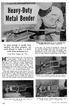 It's large enough to handle most welding job shop projects, yet small enough to make it a worth while home-workshop tool H Craft Print Project No. 272 ERE'S a metal bender that will enable you to bend
Metric System & Specifications
 Metric System & Specifications Throughout history, people have been trying to limit the number of measurement systems. Today, only two systems, inch-pound and metric, are predominate in most industrial
ANSI APPROVED 04/11/2014 ANSI APPROVED 08/17/2011. 45 Reaffirmation ANSI APPROVED 02/28/2014. 45 Reaffirmation ANSI APPROVED 05/06/2013
 STANDARDS STATUS REPORT As of November 4, 2015 Note: Dates in RED indicate the last action taken; Highlighted Items Indicate New/Open Items; Grey items have been closed Document TC Status Comments ASME
SERVICE PARTS LIST PAGE 1 OF 6 BASE ASSEMBLY SPECIFY CATALOG NO. AND SERIAL NO. WHEN ORDERING PARTS 12" DUAL BEVEL COMPOUND MITER SAW B27A
 PAGE 1 OF 6 BASE ASSEMBLY 00 0 EXAMPLE: Component Parts (Small #) Are Included When Ordering The Assembly (Large #). SPECIFY CATALOG NO. AND NO. WHEN ORDERING PARTS 1 02-80-0050 Thrust Bearing (1) 2 05-80-0510
MACHINE DRAWING QUESTION BANK. 2. What are the parts not usually sectioned? (Nov 04)
 MACHINE DRAWING QUESTION BANK UNIT-I 1. Answer the following: Sketch a i. Hexagonal nut convention, ii. Convention of a stud bolt. (Nov 04) 2. What are the parts not usually sectioned? (Nov 04) 3 Answer
PARTS BOOK. hohner 48/5S. Stitcher Head. Vol.2 UB706016-01. 110407/hohner48/5S/01/KS
 PARTS BOOK hohner /5S Stitcher Head 007/hohner/5S/0/KS Vol. UB70606-0 Hohner /5 Revision Control List Page / Correction (a: Parts No. c: Description d: S/N e: Remarks f: Other g: Registration h: Illustration
Nuffield and Middleweight Leyland Tractor - 11 inch - Double Clutch Overhaul Part 1 - Clutch Removal and Dismantling
 Nuffield and Middleweight Leyland Tractor - 11 inch - Double Clutch Overhaul Part 1 - Clutch Removal and Dismantling Due to the many different configurations of cabed and non-cabed tractors this article
Drawing an Approximate Representation of an Involute Spur Gear Tooth Project Description
 Drawing an Approximate Representation of an Involute Spur Gear Tooth Project Description Create a solid model and a working drawing of the 24 pitch gears specified below. It is only necessary to create
A lot of people use the terms Bill of Materials and Parts List interchangeably. However, in Inventor 10 they are two different but related things.
 BOM 101 Bill of Materials and Parts Lists A lot of people use the terms Bill of Materials and Parts List interchangeably. However, in Inventor 10 they are two different but related things. Bill of Materials
AutoCAD Structural Detailing 2011. Getting Started with AutoCAD Structural Detailing, Reinforcement module
 AutoCAD Structural Detailing 2011 Getting Started with AutoCAD Structural Detailing, Reinforcement module 2010 Autodesk, Inc. All Rights Reserved. Except as otherwise permitted by Autodesk, Inc., this
USED BUT NOT SHOWN: ITEMS 11-24.
 FO000900 - TABBING SYSTEM, MCS TABBER 2" Item Part Number Description Quantity 1 SM022604 Base Sub Assembly, MCS Tabber (2") 1 2 AF000512 Tabbing Head, MCS 2" 1 3 VC014001 Cable, Molded, DB25M-DB25F, 3
Sample Table. Columns. Column 1 Column 2 Column 3 Row 1 Cell 1 Cell 2 Cell 3 Row 2 Cell 4 Cell 5 Cell 6 Row 3 Cell 7 Cell 8 Cell 9.
 Working with Tables in Microsoft Word The purpose of this document is to lead you through the steps of creating, editing and deleting tables and parts of tables. This document follows a tutorial format
TECHNICAL INFORMATION
 TECHNICAL INFORMATION Models No. 2012NB Description 304mm (12") Automatic Thickness Planer CONCEPTION AND MAIN APPLICATIONS * Compact and light weight (27 Kg./59 lbs) automatic thickness planer for easier
AM/FM ANTENNA RELOCATION KIT
 -J0 REV. 008-09-0 AM/FM ANTENNA RELOCATION KIT GENERAL Kit Number 766-09 Models This kit is used to relocate a fender-mounted AM/FM antenna to a Detachable Tour-Pak on specific model motorcycles. For model
Rating when used as a weight carrying hitch without spring bars:
 BOLT-TOGETHER WEIGHT DISTRIBUTING HITCH SYSTEM Rating when used as a weight distributing hitch with spring bars: Part Number 48051 4805 48053 48054 Max Tongue Weight 550 Ibs. 750 Ibs. 1000 Ibs. 1400 lbs.
Rebuild Instructions for 70001 and 70010 Transmission
 Rebuild Instructions for 70001 and 70010 Transmission Brinn, Incorporated 1615 Tech Drive Bay City, MI 48706 Telephone 989.686.8920 Fax 989.686.6520 www.brinninc.com Notice Read all instructions before
Installation Manual. SKU# 21000 series (Base Rails) SKU# 22000 series (Overhead Racks)
 Installation Manual SKU# 21000 series (Base Rails) SKU# 22000 series (Overhead Racks) Welcome to the world of TracRac! We re delighted that you have chosen TracRac, the ultimate sliding truck rack system.
Char-Lynn Hydraulic Motor. Repair Information. 10 000 Series. October, 1997
 Char-Lynn Hydraulic Motor October, 1997 Repair Information Geroler Motor Two Speed 001 27 Retainer inside bore of valve plate bearingless motors only 4 15 16 3 6 35 Parts Drawing 25 2 2 1 19 17 36 40 47
INSTRUCTION MANUAL AND PARTS LIST MODEL 14-10
 VERTICAL BAND SAWS INSTRUCTION MANUAL AND PARTS LIST MODEL 1-10 DAKE/PARMA WHEN ORDERING PARTS GIVE COMPLETE SERIAL NUMBER OF MACHINE GIVE PART NUMBER AND NAME GIVE AMOUNT REQUIRED Unless the above data
Introduction to CATIA V5
 Introduction to CATIA V5 Release 16 (A Hands-On Tutorial Approach) Kirstie Plantenberg University of Detroit Mercy SDC PUBLICATIONS Schroff Development Corporation www.schroff.com www.schroff-europe.com
Pro/ENGINEER Wildfire 4.0 Basic Design
 Introduction Datum features are non-solid features used during the construction of other features. The most common datum features include planes, axes, coordinate systems, and curves. Datum features do
Illustrated Parts List
 Spicer Tandem Axles Illustrated Parts List AXIP0085a January 1994 Single Reduction, Dual Range, & Double Reduction Addendum 461, 462, 463, 521, 581 46,000-65,000 lbs Introduction Single Reduction w/wheel
C O N V E Y O R C O M P O N E N T S C H A I N S B E L T S B E A R I N G S
 C O N V E Y O R C O M P O N E N T S C H A I N S B E L T S B E A R I N G S January 2009 Issue 6 Valu Guide Brackets The Ultimate in Adjustability and Cost Savings Valu Guide brackets are part of a family
WORKBOOK MODELING OF MULTI- MEMBER MACHINES
 WORKBOOK MODELING OF MULTI- MEMBER MACHINES LUBLIN 2014 0 Author: Mirosław Ferdynus Desktop publishing: Mirosław Ferdynus Technical editor: Mirosław Ferdynus Figures: Mirosław Ferdynus Cover and graphic
Welcome to CorelDRAW, a comprehensive vector-based drawing and graphic-design program for the graphics professional.
 Workspace tour Welcome to CorelDRAW, a comprehensive vector-based drawing and graphic-design program for the graphics professional. In this tutorial, you will become familiar with the terminology and workspace
AutoCAD Architecture 2012 UK Content Tools
 AutoCAD Architecture 2012 UK Content Tools Contents Contents... 1 Installation... 2 Loading the utilities... 2 Utilities Overview... 3 Menu and Toolbar... 3 Content Generation... 3 Content Publishing...
HOBBING MACHINE TYPE ZFWZ 8000x40
 Inventory number 416/635 Year of production 1973 Serial number 7160 HOBBING MACHINE TYPE ZFWZ 8000x40 Application The machine is provided for milling cylindrical, helical and helix cogwheels. The tooth
Section M POWER LIFTS
 Section M POWER LIFTS December 2009 1M Index 1. 53-520244-000 Poly V Idler Assembly 2. 53-520205-000 N.A. Mounting Bracket 3. 53-520212-000 Cable Assembly 4. 53-600149-000 Wire Harness Assembly 5. 53-860322-010
SECTION 2B WHEEL ALIGNMENT TABLE OF CONTENTS
 SECTION 2B WHEEL ALIGNMENT TABLE OF CONTENTS Description and Operation... 2B2 Four Wheel Alignment... 2B2 Toein... 2B2 Caster... 2B2 Camber... 2B2 Diagnostic Information and Procedures... 2B3 Tire Diagnosis...
DWG 001. Blueprint Reading. Line Standards Drawing Symbols. Instructor Guide
 DWG 001 Blueprint Reading Line Standards Drawing Symbols Instructor Guide Module Purpose Introduction The purpose of the Blueprint Reading modules is to introduce students to production drawings and blueprint
Data Visualization. Prepared by Francisco Olivera, Ph.D., Srikanth Koka Department of Civil Engineering Texas A&M University February 2004
 Data Visualization Prepared by Francisco Olivera, Ph.D., Srikanth Koka Department of Civil Engineering Texas A&M University February 2004 Contents Brief Overview of ArcMap Goals of the Exercise Computer
Machinery's Handbook 27th Edition TABLE OF CONTENTS FASTENERS
 TABLE OF CONTENTS FASTENERS NAILS, SPIKES, AND WOOD SCREWS 1476 Wire Nails and Spikes 1477 Wood Screws RIVETS AND RIVETED JOINTS 1478 Riveted Joint Design 1478 Classes and Types of Joints 1478 General
1.8 CRANKSHAFT OIL SEALS
 SERIES 60 SERVICE MANUAL 1.8 CRANKSHAFT OIL SEALS An oil seal is fitted between each end of the crankshaft and the bores of the flywheel housing and gear case cover to retain the lubricating oil in the
University of Arkansas Libraries ArcGIS Desktop Tutorial. Section 2: Manipulating Display Parameters in ArcMap. Symbolizing Features and Rasters:
 : Manipulating Display Parameters in ArcMap Symbolizing Features and Rasters: Data sets that are added to ArcMap a default symbology. The user can change the default symbology for their features (point,
ADMINISTRATORS GUIDE EPISUITE 6
 ADMINISTRATORS GUIDE EPISUITE 6 A quick tutorial on how to set up and implement Episuite Software created by IDentiphoto Specialists in IDentification 1810 Joseph Lloyd Pkwy. Willoughby, OH 44094 Phone:
Fireworks CS4 Tutorial Part 1: Intro
 Fireworks CS4 Tutorial Part 1: Intro This Adobe Fireworks CS4 Tutorial will help you familiarize yourself with this image editing software and help you create a layout for a website. Fireworks CS4 is the
Communicate: In Print
 Communicate: In Print A simple guide Work areas Communicate: In Print has two different modes in which to edit your documents: Create and Adjust modes. These are easily interchangeable and the toolbars
MGB Chrome Bumper Conversion
 MGB Chrome Bumper Conversion Installation Instructions For 1974 1/2-1980 MGB This kit requires cutting, welding, and painting. Professional installation recommended. Note: Every MGB body is slightly different
DYNA RIDER FOOTBOARD KIT
 -J0 REV. 0-0-0 DYNA RIDER FOOTBOARD KIT GENERAL Kit Number 000 Models For model fitment information, see the P&A Retail Catalog or the Parts and Accessories section of www.harley-davidson.com (English
Window Glass Design 5 According to ASTM E 1300
 A User s Guide to: Window Glass Design 5 According to ASTM E 1300 A product of: 1 Table of Contents Table of Contents List of Figures Chapter 1: Window Glass Design 5 1.1 Introduction 1.2 Features ii iv
Rollers. from the UK s largest roller manufacturer. Quality Performance Reliability
 Rollers from the UK s largest roller manufacturer Quality Performance Reliability 42 Index Gravity Rollers Light to Medium Duty 4 Heavy Duty 5 Plastic Rollers 6 Stainless Steel Rollers 7 Grooved Rollers
NEW SIX-SEALS CUTTING RING. INTERNATIONAL INDUSTRIAL PATENT Nr. 864061 of the 10/03/99 FLANKS AND DOES NOT REPLACE THE STANDARD RING CURRENTLY IN USE
 B4 NEW SIX-SEALS CUTTING RING. INTERNATIONAL INDUSTRIAL PATENT Nr. 864061 of the 10/03/99 FLANKS AND DOES NOT REPLACE THE STANDARD RING CURRENTLY IN USE AVAILABLE IN CARBON AND STAINLESS STEEL 23 THEORY
Diameter. Swift Lift Round Recess Plug. Note: The diameter of the narrow recess plug is the same as the diameter of the round recess plug.
 P-5 The P-5 is hot forged from carbon steel. The formed head provis spherical seating that the Lifting Eye engages, while a disc-shaped foot is embedd in the concrete. Due to its being a forged part, the
Lathe Milling Attachment
 Lathe Milling Attachment By L C. MASON BY CLEVERLY stacking cold-rolled flat stock together, T-slots and slide for this lathe milling attachment are made without costly machinery. In fact, only two tools,
Machine devices, jig devices
 Machine devices, jig devices 853 K0697 Rolled thread studs DIN 6379 Material: Tempered steel. KIPP Rolled thread studs DIN 6379 Order No. D L B1 B2 Approx. weight g Surface finish: Thread rolled. Class
3D Modeling in Vectorworks 2009 by Jonathan Pickup. mple
 3D Modeling in Vectorworks 2009 by Jonathan Pickup mple 3D Modeling in Vectorworks 2009 by Jonathan Pickup 3D Modeling Vectorworks 2009 Published by Nemetschek North America 2008 Jonathan Pickup Vectorworks
Step by Step instructions How to screw in wood and plastic
 Step by Step instructions How to screw in wood and plastic Different screw heads As well as the simple slotted screw head, there are three different types of screw heads into which the screwdriver or bit
ASME Geometric Dimensioning and Tolerancing Professional Certification
 ASME Geometric Dimensioning and Tolerancing Professional Certification Applicant Information STATEMENT OF POLICY ON THE USE OF ASME GDTP SYMBOLS AND AUTHORIZATION IN ADVERTISING ASME has established procedures
Using Design Accelerators in Autodesk Inventor
 Using Design Accelerators in Autodesk Inventor Ravi Akella Autodesk, Inc. Ales Ricar Autodesk, Inc. MA 201-3P Getting things in gear are easy with the Design Accelerators in Autodesk Inventor. Find out
BUILD A TABLETOP LOOM
 BUILD A TABLETOP LOOM From 1" x 2" stock (actual 3/4" x 1"1/2) cut: 4 pieces 15" long 4 pieces 5"1/2 long Use the above to make 2 frames for the front and back of the loom. From 1" x 4" stock (actual 3/4"
Data Visualization. Brief Overview of ArcMap
 Data Visualization Prepared by Francisco Olivera, Ph.D., P.E., Srikanth Koka and Lauren Walker Department of Civil Engineering September 13, 2006 Contents: Brief Overview of ArcMap Goals of the Exercise
The number of parameters required for authoring an ipart depends on the type of the part you are publishing.
 Publishing and Styles In This Exercise This Skill Builder demonstrates how to create a tube and pipe ipart, publish it into a custom Tube & Pipe Library, create a style using published parts, and then
B.TECH. (AEROSPACE ENGINEERING) PROGRAMME (BTAE) Term-End Examination December, 2011 BAS-010 : MACHINE DESIGN
 No. of Printed Pages : 7 BAS-01.0 B.TECH. (AEROSPACE ENGINEERING) PROGRAMME (BTAE) CV CA CV C:) O Term-End Examination December, 2011 BAS-010 : MACHINE DESIGN Time : 3 hours Maximum Marks : 70 Note : (1)
Technical Product Specification (TPS)
 ISO Standards collection Technical Product Specification (TPS) Contents ISO 1:2002 Geometrical Product Specifications (GPS) -- Standard reference temperature for geometrical product specification and verification
TRANS-05, Torque Tube Removal, Rebuilding, and Installation
 TRANS-05, Torque Tube Removal, Rebuilding, and Installation Tools Metric Wrench Set Metric Socket Set Jack Stands (6 minimum) Floor Jack 8mm Cheesehead socket (also referred to as 12 point internal socket
WebEx Sharing Resources
 WebEx Sharing Resources OTS PUBLICATION: WX0 REVISED: 4/8/06 04 TOWSON UNIVERSITY OFFICE OF TECHNOLOGY SERVICES =Shortcut =Advice =Caution Introduction During a WebEx session, the host has the ability
BUILDINGA 1/10 SCALE FLATBED TRAILER
 VOLUME 1, ISSUE 1 BUILDINGA 1/10 SCALE FLATBED TRAILER BUILT, DESIGNED & WRITTEN BY NATHAN MYERS MATERIALS: FEATURES: While the design was kept simple to allow anyone to be able to build their own trailer,
Create a Poster Using Publisher
 Contents 1. Introduction 1. Starting Publisher 2. Create a Poster Template 5. Aligning your images and text 7. Apply a background 12. Add text to your poster 14. Add pictures to your poster 17. Add graphs
Introduction to Accuracy and Repeatability in Linear Motion Systems
 Introduction to accuracy and repeatability in linear motion systems By Gary Rosengren, Director of Engineering Tolomatic, Inc. About the Author Gary Rosengren is Director of Engineering at Tolomatic and
Fixturing systems Fixturing systems for measurement technology
 Fixturing systems Fixturing systems for measurement technology Innovations and new additions to range Sets Spannfix Eco complete set The set contains different supports, extension elements and stop units.
7.3 Fit selection. Inner ring: Rotating. Outer ring: Stationary. Inner ring: Stationary. Outer ring: Rotating. Inner ring: Stationary
 7. Bearing Fits 7. Fitting For rolling s, inner and outer rings are fixed on the or in the housing so that relative movement does not occur between fitting surfaces during operation or under. This relative
FRONT BUMPER INSTALLATION INSTRUCTIONS 2007-2011 DODGE / MERCEDES SPRINTER
 Aluminess Products Inc 9402 Wheatlands Ct. #A Santee, CA 92071 619-449-9930 FRONT BUMPER INSTALLATION INSTRUCTIONS 2007-2011 DODGE / MERCEDES SPRINTER Please read before beginning Stainless steel hardware
For New Technology Network. Steel Manufacturing Machinery Product Guide Book
 For New Technology Network R Steel Manufacturing Machinery Product Guide Book Ecological / Economical proposals from NTN NTN products exhibit benefits at various locations. Steel manufacturing equipment
PREASSEMBLED ELEMENTS FOR LIFTING AND SLIDING DOORS
 SYSTEM COMPONENTS PREASSEMBLED ELEMENTS FOR FIFTING AND SLIDING DOORS s r ood gn i d i l s dna gn i t f i f r o f s t neme l e de l bme s s ae r P PREASSEMBLED ELEMENTS FOR LIFTING AND SLIDING DOORS These
Getting Started With DraftSight A Guide For AEC Users
 Getting Started With DraftSight A Guide For AEC Users DraftSight.com Facebook.com/DraftSight Welcome to DraftSight a valuable tool for any AEC professional! DraftSight is more than a free, professional-grade
Chapter 9. Editing Features. Learning Objectives
 Chapter 9 Editing Features Learning Objectives After completing this chapter, you will be able to: Edit features. Edit sketches of the sketch based features. Edit the sketch plane of the sketch based features.
POWERS Controls No. 4 Pneumatic Damper Actuator
 POWERS Controls No. 4 Pneumatic Damper Actuator Technical Instructions Document No. 155-032P25 AP 331-2 Actuator Assembly 331-2929 Typical Actuator Assembly 331-2904 Typical Actuator Assembly 331-3000
SpaceClaim Introduction Training Session. A SpaceClaim Support Document
 SpaceClaim Introduction Training Session A SpaceClaim Support Document In this class we will walk through the basic tools used to create and modify models in SpaceClaim. Introduction We will focus on:
3. Loosen 3 x grub screws in the Dec end cap and unscrew the cap and counterweight shaft. NEQ6 Belt Modification Kit.
 NEQ6 Belt Modification Kit. Thank you for your purchase. Please read these instructions fully before fitting. Your package should contain 2 off 47 & 2 off 12 tooth aluminium pulleys 2 off belts 6mm wide
What s New V 11. Preferences: Parameters: Layout/ Modifications: Reverse mouse scroll wheel zoom direction
 What s New V 11 Preferences: Reverse mouse scroll wheel zoom direction Assign mouse scroll wheel Middle Button as Fine tune Pricing Method (Manufacturing/Design) Display- Display Long Name Parameters:
FAG tools for mechanical mounting and dismounting of rolling bearings. Technical Product Information
 FAG tools for mechanical mounting and dismounting of rolling bearings Technical Product Information Contents Mechanical mounting and dismounting of rolling bearings 2 Tools for mounting 4 Mounting tool
Part No. AJS & MATCHLESS WHEELS & BRAKES - NEW PARTS Price (20% VAT)
 Part No. AJS & MATCHLESS WHEELS & BRAKES - NEW PARTS Price (20% VAT) Price (excl VAT) Michelin Inner Tube, 3.00/3.25 x 17" 11.00 9.17 Michelin Inner Tube, 3.25/3.50/4.10 x 18" 13.00 10.83 Michelin Inner
LEADER IN CUTTING TECHNOLOGY
 LEADER IN CUTTING TECHNOLOGY FOR OVER 2 YEARS REASONS WHY TRONEX IS THE BEST IN THE WORLD 1 2 SUPERIOR CUTTING PERFORMANCE Cut hundreds of thousands of times before dulling. Cut hundreds of thousands of
Basic AutoSketch Manual
 Basic AutoSketch Manual Instruction for students Skf-Manual.doc of 3 Contents BASIC AUTOSKETCH MANUAL... INSTRUCTION FOR STUDENTS... BASIC AUTOSKETCH INSTRUCTION... 3 SCREEN LAYOUT... 3 MENU BAR... 3 FILE
Module 5 Couplings. Version 2 ME, IIT Kharagpur
 Module 5 Couplings Lesson 1 Introduction, types and uses Instructional Objectives At the end of this lesson, the students should have the knowledge of The function of couplings in machinery. Different
 UFO 1 FOLDER INDEX A2 FOLDING MACHINE TYPE 10060 LIST NO DESCRIPTION PAGE 10101M Main Assembly - Mechanical 2 10201M Main Roller Assembly 4 16101M Upper & Lower Perforator Shaft Assembly 6 12701M Primary
TY-FLO Needle Valves
 Design/Features Hard (Vee) or Delrin Soft Seat/Tip Orifice sizes from.17 to.438 in. Flow Coefficients (C V ) from.37 to.7 Straight or angle flow patterns Optional panel mount Handle options available Non-wetted