
BTC-9300 Self-Tune Fuzzy / PID Process / Temperature Controller BRAINCHILD UM93001C
|
|
|
- Jasper Wright
- 9 years ago
- Views:
Transcription
1 User's Manual BTC-9300 Self-Tune Fuzzy / PID Process / Temperature Controller BRAINCHILD UM9300C

2 Warning Symbol The Symbol calls attention to an operating procedure, practice, or the like, which, if not correctly performed or adhered to, could result in personal injury or damage to or destruction of part or all of the product and system. Do not proceed beyond a warning symbol until the indicated conditions are fully understood and met. Use the Manual Installers Basic Function User Enhanced Function User System Designer Expert User Read Chapter, Read Chapter, 3, 5 Read Chapter, 3, 4, 5 Read All Chapters Read Page UM9300C

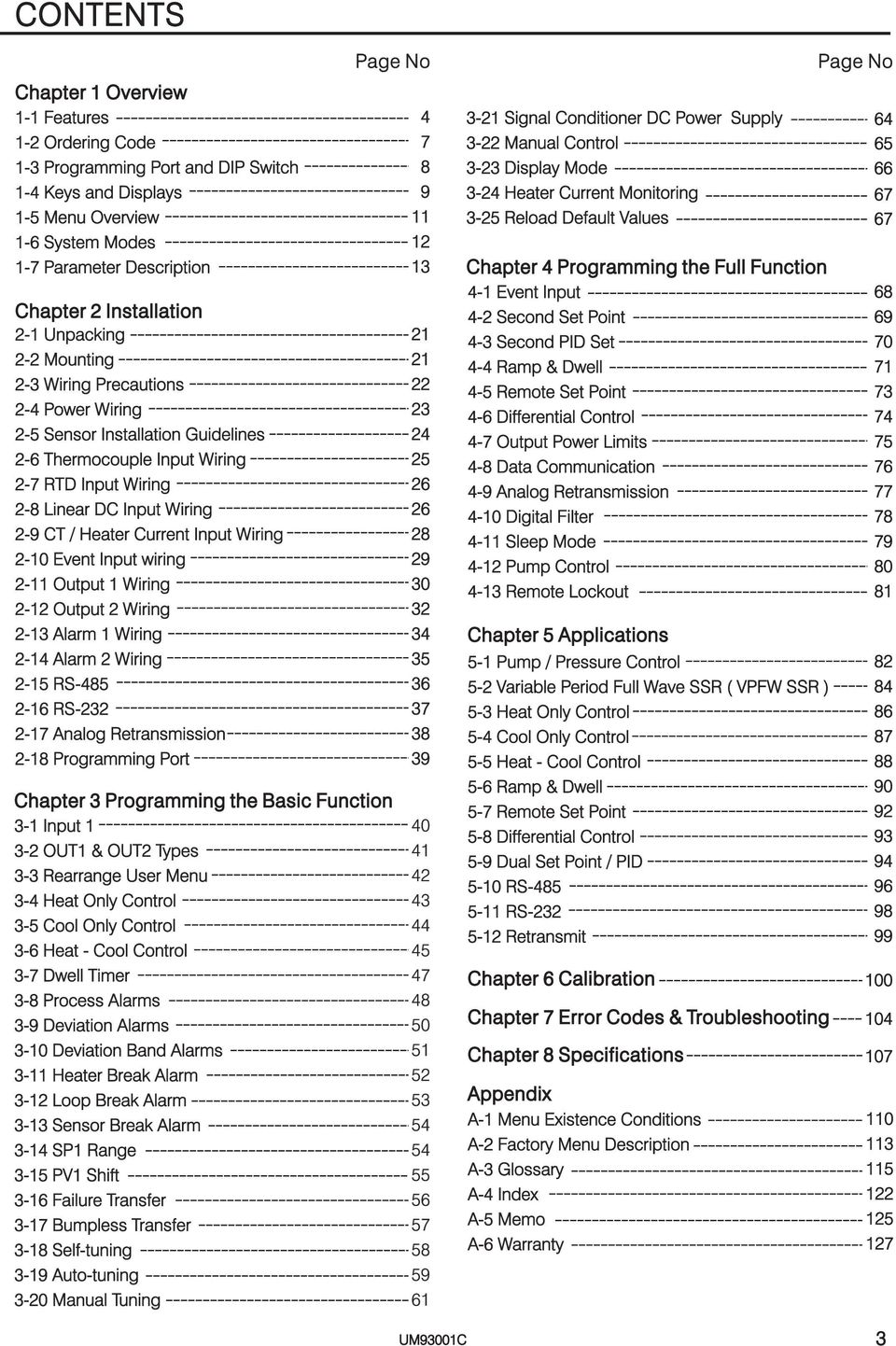
3 CONTENTS Chapter Overview - Features - Ordering Code -3 Programming Port and DIP Switch -4 Keys and Displays -5 Menu Overview -6 System Modes -7 Parameter Description Chapter Installation - Unpacking - Mounting -3 Wiring Precautions -4 Power Wiring -5 Sensor Installation Guidelines -6 Thermocouple Input Wiring -7 RTD Input Wiring -8 Linear DC Input Wiring -9 CT / Heater Current Input Wiring -0 Event Input wiring - Output Wiring - Output Wiring -3 Alarm Wiring -4 Alarm Wiring -5 RS RS-3-7 Analog Retransmission -8 Programming Port Page No Chapter 3 Programming the Basic Function 3- Input 3- OUT & OUT Types 3-3 Rearrange User Menu 3-4 Heat Only Control 3-5 Cool Only Control 3-6 Heat - Cool Control 3-7 Dwell Timer 3-8 Process Alarms 3-9 Deviation Alarms 3-0 Deviation Band Alarms 3- Heater Break Alarm 3- Loop Break Alarm 3-3 Sensor Break Alarm 3-4 SP Range 3-5 PV Shift 3-6 Failure Transfer 3-7 Bumpless Transfer 3-8 Self-tuning 3-9 Auto-tuning 3-0 Manual Tuning Signal Conditioner DC Power Supply 3- Manual Control 3-3 Display Mode 3-4 Heater Current Monitoring 3-5 Reload Default Values Chapter 4 Programming the Full Function 4- Event Input 4- Second Set Point 4-3 Second PID Set 4-4 Ramp & Dwell 4-5 Remote Set Point 4-6 Differential Control 4-7 Output Power Limits 4-8 Data Communication 4-9 Analog Retransmission 4-0 Digital Filter 4- Sleep Mode 4- Pump Control 4-3 Remote Lockout Chapter 5 Applications 5- Pump / Pressure Control 5- Variable Period Full Wave SSR ( VPFW SSR ) 5-3 Heat Only Control 5-4 Cool Only Control 5-5 Heat - Cool Control 5-6 Ramp & Dwell 5-7 Remote Set Point 5-8 Differential Control 5-9 Dual Set Point / PID 5-0 RS RS-3 5- Retransmit Chapter 6 Calibration Chapter 7 Error Codes & Troubleshooting Chapter 8 Specifications Appendix A- Menu Existence Conditions A- Factory Menu Description A-3 Glossary A-4 Index A-5 Memo A-6 Warranty Page No UM9300C 3
4 Chapter Overview Features High accuracy 8-bit input A D High accuracy 5-bit output D A Fast input sample rate ( 5 times / second) Two function complexity levels User menu configurable Pump control Fuzzy + PID microprocessor-based control Automatic programming Differential control Auto-tune function Self-tune function Sleep mode function " Soft-start " ramp and dwell timer Programmable inputs( thermocouple, RTD, ma, VDC ) Analog input for remote set point and CT Event input for changing function & set point Programmable digital filter Hardware lockout + remote lockout protection Loop break alarm Heater break alarm Sensor break alarm + Bumpless transfer RS-485, RS-3 communication Analog retransmission Signal conditioner DC power supply A wide variety of output modules available Safety UL / CSA / IEC00 EMC / CE EN636 Front panel sealed to NEMA 4X & IP65 Unique Valuable BTC-9300 Fuzzy Logic plus PID microprocessor-based controller, incorporates a bright, easy to read 4-digit LED display, indicating process value. The Fuzzy Logic technology enables a process to reach a predetermined set point in the shortest time, with the minimum of overshoot during power-up or external load disturbance. The units are housed in a /6 DIN case, measuring 48 mm x 48 mm with 75 mm behind panel depth. The units feature three touch keys to select the various control and input parameters. Using a unique function, you can put at most 5 parameters in front of user menu by using SEL to SEL5 contained in the setup menu. This is particularly useful to OEM's as it is easy to configure menu to suit the specific application. BTC-9300 is powered by -6 VAC/VDC or V AC supply, incorporating a amp. control relay output and dual amp. alarm relays output as standard whereby second alarm can be exceptionally configured into second output for cooling purpose or dwell timer. Alternative output options include SSR drive, triac, 4-0 ma and 0-0 volts. BTC is fully programmable for PT00, thermocouple types J, K, T, E, B, R, S, N, L, 0-0mA, 4-0mA and voltage signal input, with no need to modify the unit. The input signals are digitized by using a 8-bit A to D converter. Its fast sampling rate allows the BTC-9300 to control fast processes such as pressure and flow. Self tune is incorporated. The selftune can be used to optimize the control parameters as soon as undesired control result is observed. Unlike auto-tune, Self-tune will produce less disturbance to the process during tuning, and can be used any time. 4 UM9300D

5 Digital communications RS-485, RS-3 or 4-0 ma retransmission are available as an additional option. These options allow BTC-9300 to be integrated with supervisory control system and software, or alternatively drive remote display, chart recorders or dataloggers. Three kinds of method can be used to program BTC Use keys on front panel to program the unit manually,. Use a PC and setup software to program the unit via RS-485 or RS-3 COMM port and 3. Use P0A, a hand-held programmer, to program the unit via programming port. In last nearly a hundred years although PID control has been used and proved to be an efficient controlling method by many industries, yet the PID is difficult to deal with some sophisticated systems such as second and higher order systems, long time-lag systems, during set point change and/or load disturbance circumstance etc. The PID principle is based on a mathematic modeling which is obtained by tuning the process. Unfortunately, many systems are too complex to describe in numerical terms precisely. In addition, these systems may be variable from time to time. In order to overcome the imperfection of PID control, the Fuzzy Technology is introduced. What is the Fuzzy Control? It works like a good driver. Under different speeds and circumstances, he can control a car well with experiences he had before and does not require the knowledge of kinetic theory of motion. The Fuzzy Logic is a linguistic control which is different from the numerical PID control. It controls the system by experiences and does not need to simulate the system precisely as been controlled by PID. PID + FUZZY CONTROL MV PROCESS PID + + FUZZY Fuzzy Rule PV _ + SV Figure. FuzzyPIDSystemBlock Language information Digital information Fuzzifier Fuzzy Inference Engine Defuzzifier Digital information The function of Fuzzy Logic is to adjust PID parameters internally in order to make manipulation output value MV more flexible and adaptive to various processes. The Fuzzy Rule may work like these If temperature difference is large, and temperature rate is large, then MV is large. If temperature difference is large, and temperature rate is small, then MV is small. PID + Fuzzy Control has been proven to be an efficient method to improve the control stability as shown by the comparison curves below UM9300C 5

6 PID control with properly tuned PID + Fuzzy control Temperature Set point Warm Up Load Disturbance Figure. Fuzzy PID Enhances Control Stability Time 6 UM9300C

7 Ordering Code BTC Power Input VAC, 50/60 HZ 5-6 VAC or VDC 9 Special Order Signal Input Alarm Communications Standard Input 0 None 0 None Input - Universal Input Form A Relay RS-485 A / 40VAC Thermocouple J, K, T, E, B, RS-3 ** Form B Relay R, S, N, L 3 Retransmit 4-0mA/0-0mA A / 40VAC RTD PT00 DIN, PT00 JIS 4 Retransmit - 5V/ 0-5V 9 Special order * Current 4-0mA, 0-0mA. 5 Retransmit 0-0V Voltage 0-V,0-5V,-5V, Special order Output 0-0V Input -CT and Analog Input *** 0 None CT 0-50Amp. AC Current Relay rated A/40VAC Output /Alarm Transformer Pulsed voltage to 0 None Analog Input 4-0 ma, drive SSR, 5V/30mA Form A Relay A/40VAC 0-0mA, 0-V,0-5V, 0-3 Isolated Pulsed voltage to -5V,0-0V. - 0V. 4-0mA/0-0mA 0 - * drive SSR, 5V / 30mA Input 3 - Event Input ( EI ) 4 Isolated - 5V/ 0-5V 3 Isolated 4-0mA/ 0-0mA ** * * 9 Special Order 5 Isolated 0-0V 4 Isolated - 5V/ 0-5V * 6 Triac Output 5 Isolated 0-0V Example A / 40VAC,SSR 9 Special order 6 Triac Output, A / 40VAC, SSR 7 Isolated 0V / 5mA DC BTC Output Power Supply operating voltage 8 Isolated V / 40 ma DC Input Standard Input Output Power Supply Output Relay 9 Isolated 5V / 80mA DC Output Relay Output Power Supply Alarm Form A Relay A Special order RS- 485 Communication Interface * Range set by front keyboard ** Alternative between RS-3 and EI *** Need to order an accessory CT94- if Heater Break detection is required. * Accessories CT94- = 0-50 Amp. AC Current Transformer OM95-3 = Isolated 4-0 ma/0-0 ma Analog Output Module OM95-4 = Isolated -5V/0-5V - Analog Output Module OM95-5 = Isolated 0-0V Analog Output Module OM94-6 = Isolated A / 40VAC Triac Output Module ( SSR ) DC94- = Isolated 0V / 5mA DC Output Power Supply DC94- = Isolated V / 40mA DC Output Power Supply DC94-3 = Isolated 5V / 80mA DC Output Power Supply CM94- = Isolated RS-485 Interface Module CM94- = Isolated RS-3 Interface Module CM94-3 = Isolated 4-0 ma/0-0 ma Retransmission Module CM94-4 = Isolated -5V/0-5V - Retransmission Module CM94-5 = Isolated 0-0V Retransmission Module CC94- = RS-3 Interface Cable (M) UM9300C = BTC-9300 User's Manual Related Products P0A = Hand-held Programmer for BTC Series Controller SNA0A = Smart Network Adaptor for Third Party Software, Converts 55 channels of RS-485 or RS-4 to RS-3 Network SNA0B = Smart Network Adaptor for BC-Net Software, Converts 55 channels of RS-485 or RS-4 to RS-3 Network VPFW0 = 0 Amp. Variable Period Full Wave SSR AC Power Module VPFW50 = 50 Amp. Variable Period Full Wave SSR AC Power Module VPFW00 =00 Amp. Variable Period Full Wave SSR AC Power Module UM9300D 7

8 3 Programming Port and DIP Switch Access Hole Rear Terminal ON DIP 3 4 Front Panel Figure.3 Access Hole Overview The programming port is used to connect to P0A hand-held programmer for automatic programming, also can be connected to ATE system for automatic testing & calibration. TC, RTD, mv DIP Switch ON OFF 3 4 Input Select Lockout 0-V, 0-5V, -5V, 0-0V 0-0 ma, 4-0 ma All parameters are Unlocked Only SP, SEL SEL5 are unlocked * Only SP is unlocked All Parameters are locked Table. DIP Switch Configuration * Factory Default Setting The programming port is used for off-line automatic setup and testing procedures only. Don't attempt to make any connection to these pins when the unit is used for a normal control purpose. When the unit leaves the factory, the DIP switch is set so that TC & RTD are selected for input and all parameters are unlocked. Lockout function is used to disable the adjustment of parameters as well as operation of calibration mode. However, the menu can still be viewed even under lockout condition. SEL- SEL5 represent those parameters which are selected by using SEL, SEL,...SEL5 parameters contained in Setup menu. Parameters been selected are then allocated at the beginning of the user menu. 8 UM9300C

9 4 Keys and Displays The unit is programmed by using three keys on the front panel. The available key functions are listed in following table. Table. Keypad Operation TOUCHKEYS FUNCTION DESCRIPTION Press for at least 3 seconds Press for at least 6 seconds Up Key Down Key Scroll Key Enter Key Start Record Key Press and release quickly to increase the value of parameter. Press and hold to accelerate increment speed. Press and release quickly to decrease the value of parameter. Press and hold to accelerate decrement speed. Select the parameter in a direct sequence. Allow access to more parameters on user menu, also used to Enter manual mode, auto-tune mode, default setting mode and to save calibration data during calibration procedure. Reset historical values of PVHI and PVLO and start to record the peak process value. Press Press Press Press for at least 3 seconds Press Reverse Scroll Key Mode Key Reset Key Sleep Key Factory Key Select the parameter in a reverse sequence during menu scrolling. Select the operation Mode in sequence. Reset the front panel display to a normal display mode, also used to leave the specific Mode execution to end up the auto-tune and manual control execution, and to quit the sleep mode. The controller enters the sleep mode if the sleep function ( SLEP ) is enabled ( select YES ). By entering correct security code to allow execution of engineering programs. This function is used only at the factory to manage the diagnostic reports. The user should never attempt to operate this function. Set point Value Indicator Output Indicator Alarm Indicator Alarm / Output Indicator Process Value Indicator Process Unit Indicator Upper Display, A A PV C F to display process value, menu symbol and error code etc. Lower Display, SV to display set point value, parameter value or control OUT output value etc. How to display a 5-digit number? For a number with decimal point the display will be shifted one digit right will be displayed by will be displayed by 4553 For a number without decimal point the display will be divided into two alternating phases will be displayed by BTC-9300 Figure.4 Front Panel Description 3 Silicone Rubber Buttons for ease of control setup and set point adjustment will be displayed by Table.3 Display Form of Characters A E I N S X B F J O T Y C G K P U Z c H L Q V? D h M R W = Confused Character UM9300C will be displayed by 9

10 Power On All segments of display and indicators are left off for 0.5 second. Figure.5 Display Sequence of Initial Message BTC-9300 A A PV C F OUT SV All segments of display and indicators are lit for seconds. BTC-9300 A A C F Program Code Display program code of the product for.5 seconds. OUT BTC-9300 The left diagram shows program no. ( for BTC-9300 ) with version 35. Program Version Program No. A A C F OUT BTC-9300 Display Date Code and Serial number for.5 seconds. The left diagram shows Year 998, Month July (7),Date 3'st and Serial number 9. This means that the product is the 9 'th unit produced on July 3'st, 998. Note that the month code A stands for October, B stands for November and C stands for December. Date Code Date (3'st) Month (December) Year (999) A A C OUT F Display the used hours for.5 seconds. The left diagram shows that the unit has been used for hours since production. BTC UM9300C

11 5 Menu Overview PV Value SV Value User Menu * SEL SEL SEL3 SEL4 SEL5 Setup Menu Hand (Manual) Control Mode Auto-tuning Mode Display Mode Default Setting Mode Calibration Mode FILE for 3 seconds To execute the default setting program for 3 seconds Press for 3 seconds to enter the auto-tuning mode PVHI PVLO H C DV PV PV PB TI TD CJCT PVR PVRH PVRL Apply these modes will break the control loop and change some of the previous setting data. Make sure that if the system is allowable to use these modes. H C AD0 ADG VG CJTL CJG REF SR MAG VG MAG * FUNC COMM PROT ADDR BAUD DATA PARI STOP AOFN AOLO AOHI IN INU DP INL INH IN INU DP INL INH OUT OTY CYC OFT OUT OTY CYC OFT AFN AMD AFT AFN AMD AFT EIFN PVMD FILT SELF SLEP SPMD SPL SPH SPF SEL SEL SEL3 SEL4 SEL5 * TIME ASP ADV ASP ADV RAMP OFST REFC SHIF PB TI TD CPB DB SP PB TI TD OHY AHY AHY PL PL for 3 seconds DisplayGoHome The menu will revert to PV/SV display after keyboard is kept untouched for minutes except Display Mode Menu and Manual Mode Menu. However, the menu can revert to PV / SV display at any time by pressing and. * The flow chart shows a complete listing of all parameters. For actual application the number of available parameters depends on setup conditions, and should be less than that shown in the flow chart. See Appendix A- for the existence conditions of each parameter. * You can select at most 5 parameters put in front of the user menu by using SEL to SEL5 contained at the bottom of setup menu. UM9300D

12 6 System Modes The controller performs close loop control under its normal control mode condition. The controller will maintain its normal control mode when you are operating user menu, setup menu or display mode, reloading default values or applying event input signal. Under certain conditions the normal control mode will transfer to an Exception Mode. The exception modes include Sleep Mode, Manual Mode, Failure Mode, Calibration Mode and Auto-tuning Mode. All these modes perform in an open loop control except the auto-tuning mode which performs ON-OFF plus PID close loop control. The mode transfer is governed by the priority conditions. A lower priority mode can not alter a higher priority mode, as shown in Figure.6. Priority? Mode System Modes Sleep Mode See Section 4-. Manual Mode See Section 3-. Failure Mode See Section 3-6. Calibration Mode See Chapter 6. Auto-tuning Mode See Section 3-9. Normal Control Mode See Section 3-3, 3-5, 4- High Sleep Mode? No Yes Manual Mode? No Figure.6 System Mode Priority Yes Failure Mode? No Low Yes Request Calibration Mode Request Auto-tuning Mode Request Normal Control Mode The calibration mode, auto-tuning mode and normal control mode are in the same priority level. The sleep mode is in the highest priority. UM9300C

13 7 Parameter Description Table.4 Parameter Description Contained Basic Parameter Display Parameter Range Default in Function Notation Format Description Value SP Set point Low SPL High SPH 00.0 C (.0 F) TIME Dwell Time Low 0 High minutes 0.0 ASP Alarm Set point See Table.5, C (.0 F) ADV Alarm Deviation Value Low C 00.0 C 0.0 C ( F) High ( F) (8.0 F) ASP Alarm Set point See Table.5, C (.0 F) ADV Alarm Deviation Value Low C 00.0 C 0.0 C ( F) High ( F) (8.0 F) RAMP Ramp Rate Low 0 High C (900.0 F) 0.0 OFST REFC Offset Value for P control Reference Constant for Specific Function Low Low 0 0 High High 00.0 % SHIF PV Shift (offset) Value Low C High 00.0 C ( F) ( F) 0.0 PB Proportional Band Value 0.0 C Low 0 High C (900.0 F) (8.0 F) User Menu TI TD Integral Time Value Derivative Time Value Low Low 0 0 High High 000 sec sec CPB DB SP PB TI TD OHY AHY AHY PL PL Cooling Proportional Band Value Heating-Cooling Dead Band Negative Value= Overlap Set point Proportional Band Value Integral Time Value Derivative Time Value Output ON-OFF Control Hysteresis Hysteresis Control of Alarm Hysteresis Control of Alarm Output Power Limit Output Power Limit Low High 55 % 00 Low See Table.5,.8 Low Low Low Low Low Low Low High 36.0 % Low 0 High High High High High High High High C (900.0 F) 000 sec sec 55.6 C ( 00.0 F) 0.0 C (8.0 F) 0.0 C (8.0 F) 00 % 00 % 37.8 C (00.0 F) 0.0 C (8.0 F) FUNC Function Complexity Level 0 Basic Function Mode Full Function Mode 0 No communication function RS-485 interface RS-3 interface Setup Menu COMM Communication Interface Type ma analog retransmission output ma analog retransmission output V analog retransmission output 6 0-5V analog retransmission output 7-5V analog retransmission output 8 0-0V analog retransmission output PROT COMM Protocol Selection 0 Modbus protocol RTU mode 0 UM9300D 3

14 Table.4 Parameter Description ( continued /7 ) Contained in Basic Parameter Function Notation ADDR Display Parameter Format Description Address Assignment of Digital COMM Low 0 Range High Kbits/s baud rate Default Value 0.6 Kbits/s baud rate. Kbits/s baud rate 3.4 Kbits/s baud rate Kbits/s baud rate BAUD Baud Rate of Digital COMM Kbits/s baud rate Kbits/s baud rate 7 9. Kbits/s baud rate Kbits/s baud rate Kbits/s baud rate DATA Data Bit count of Digital COMM 0 7 data bits 8 data bits 0 Even parity PARI Parity Bit of Digital COMM Odd parity 0 No parity bit Setup Menu STOP Stop Bit Count of Digital COMM 0 One stop bit Two stop bits 0 Retransmit IN process value 0 Retransmit IN process value Retransmit IN IN difference process value 3 Retransmit IN IN difference process value AOFN Analog Output Function 4 Retransmit set point value 0 5 Retransmit output manipulation value 6 Retransmit output manipulation value 7 Retransmit deviation(pv-sv) Value AOLO AOHI Analog Output Low Scale Value Analog Output High Scale Value Low Low High High J type thermocouple C (3.0 F) 00.0 C (.0 F) K type thermocouple T type thermocouple IN IN Sensor Type Selection E type thermocouple B type thermocouple R type thermocouple (0) 6 S type thermocouple 4 UM9300C

15 Table.4 Parameter Description ( continued 3/7 ) Contained in Basic Parameter Function Notation Display Format Parameter Description Range Default Value 7 N type thermocouple 8 L type thermocouple 9 PT 00 ohms DIN curve 0 PT 00 ohms JIS curve IN IN Sensor Type Selection 4-0 ma linear current input 0-0 ma linear current input (0) V linear Voltage input 4 0-5V linear Voltage input 5-5V linear Voltage input 6 0-0V linear Voltage input 7 Special defined sensor curve INU IN Unit Selection 0 Degree C unit Degree F unit Process unit 0 () 0 No decimal point DP IN Decimal Point Selection decimal digit decimal digits Setup Menu INL IN Low Scale Value 3 Low decimal digits High INH IN High Scale Value Low High IN no function Current transformer input 4-0 ma linear current input ma linear current input IN IN Signal Type Selection V linear voltage input 5 0-5V linear voltage input 6 7-5V linear voltage input 0-0V linear voltage input INU IN Unit Selection Same as INU DP IN Decimal Point Selection Same as DP INL INH OUT IN Low Scale Value IN High Scale Value Low Low High High Reverse (heating ) control action Output Function 0 Direct (cooling) control action 0 Relay output Solid state relay drive output Solid state relay output OTY Output Signal Type ma current module 0 UM9300C 5

16 Table.4 Parameter Description ( continued 4/7 ) Contained in Basic Parameter Function Notation Display Format Parameter Description Range Default Value ma current module V voltage module OTY Output Signal Type 6 0-5V voltage module 0 7-5V voltage module 8 0-0V voltage module CYC OFT Output Cycle Time Low 0. High 00.0 sec 8.0 Output Failure Transfer Mode Select BPLS ( bumpless transfer ) or 0.0 ~ 00.0 % to continue output control function as the unit fails, power starts or manual mode starts. BPLS 0 Output no function PID cooling control OUT Output Function 0 Perform alarm function 3 DC power supply module installed OTY Output Signal Type Same as OTY 0 CYC Output Cycle Time Low 0. High 00.0 sec 8.0 OFT Output Failure Transfer Mode Select BPLS ( bumpless transfer ) or 0.0 ~ 00.0 % to continue output control function as the unit fails, power starts or manual mode starts. BPLS Setup Menu 0 No alarm function Dwell timer action Deviation high alarm 3 Deviation low alarm 4 Deviation band out of band alarm 5 Deviation band in band alarm 6 IN process value high alarm 7 IN process value low alarm AFN Alarm Function 8 IN process value high alarm 9 IN process value low alarm 0 IN or IN process value high alarm IN or IN process value low alarm IN IN difference process value high alarm 3 IN IN difference process value low alarm 4 Loop break alarm 5 Sensor break or A-D fails 0 Normal alarm action Latching alarm action AMD Alarm Operation Mode Hold alarm action 0 3 Latching & Hold action 6 UM9300D

17 Table.4 Parameter Description ( continued 5/7 ) Contained Basic Parameter Display in Function Notation Format AFT AFN Parameter Description Alarm Failure Transfer Mode Alarm Function Range 0 Alarm output OFF as unit fails Alarm output ON as unit fails Same as AFN Default Value AMD Alarm Operation Mode Same as AMD 0 AFT Alarm Failure Transfer Same as AFT Mode 0 Event input no function SP activated to replace SP PB, TI, TD activated to replace PB, TI, TD 3 4 SP, PB, TI, TD activated to replace SP, PB, TI, TD Reset alarm output EIFN Event Input Function 5 Reset alarm output 6 Reset alarm & alarm 7 Disable Output 8 Disable Output 9 0 Disable Output & Output Lock All Parameters Setup Menu 0 Use PV as process value Use PV as process value PVMD PV Mode Selection Use PV PV (difference) as process value 0 3 Use PV PV (difference) as process value second time constant 0. second time constant 0.5 second time constant second time constant FILT Filter Damping Time Constant of PV 4 5 seconds time constant 5 seconds time constant 6 0 seconds time constant 7 0 seconds time constant seconds time constant 60 seconds time constant SELF Self Tuning Function Selection 0 Self tune function disabled Self tune function enabled 0 SLEP Sleep mode Function Selection 0 Sleep mode function disabled Sleep mode function enabled 0 UM9300C 7

18 Table.4 Parameter Description ( continued 6/7 ) Contained in Basic Parameter Function Notation Display Format Parameter Description 0 Range Use SP or SP (depends on EIFN) as set point Default Value Use minute ramp rate as set point SPMD Set point Mode Selection 3 Use hour ramp rate as set point Use IN process value as set point 0 4 Use IN process value as set point SPL SPH SP Low Scale Value SP High Scale Value 5 Low Low Selected for pump control High High C (3.0 F) C (83.0 F) SPF Format of set point Value 0 0 set point (SP) is an actual value set point (SP) is a deviation value No parameter put ahead 0 Parameter TIME put ahead Parameter ASP put ahead 3 Parameter ADV put ahead 4 Parameter ASP put ahead 5 Parameter ADV put ahead 6 Parameter RAMP put ahead Setup Menu SEL Select 'st Parameter 7 8 Parameter OFST put ahead Parameter REFC put ahead 0 9 Parameter SHIF put ahead 0 Parameter PB put ahead Parameter TI put ahead Parameter TD put ahead 3 Parameter CPB put ahead 4 Parameter DB put ahead 5 Parameter SP put ahead 6 Parameter PB put ahead 7 Parameter TI put ahead 8 Parameter TD put ahead SEL Select 'nd Parameter Same as SEL 0 SEL3 Select 3'rd Parameter Same as SEL 0 Calibration Mode Menu SEL4 Select 4'th Parameter Same as SEL 0 SEL5 Select 5'th Parameter Same as SEL 0 AD0 ADG VG CJTL A to D Zero Calibration Coefficient A to D Gain Calibration Coefficient Voltage Input Gain Calibration Coefficient Cold Junction Low Temperature Calibration Coefficient Low Low Low Low -360 High High High C High C 8 UM9300C UM9300D

19 Table.4 Parameter Description ( continued 7/7 ) Contained in Basic Parameter Function Notation CJG Display Format Parameter Description Cold Junction Gain Calibration Coefficient Low Range High 99.9 Default Value REF Reference Voltage Calibration Coefficient for RTD Low High 99.9 Calibration Mode Menu SR MAG VG MAG PVHI PVLO MV Serial Resistance Calibration Coefficient for Low RTD ma Input Gain Calibration Coefficient Low Voltage Input Gain Calibration Coefficient ma Input Gain Calibration Coefficient Low Low Historical Maximum Value of PV Low Historical Minimum Value of PV Low Current Output Value Low 0 High High High High High High High % MV Current Output Value Low 0 High % Display Mode Menu DV PV PV PB TI TD CJCT PVR Current Deviation (PV-SV) Value IN Process Value IN Process Value Current Proportional Band Value Current Integral Time Value Current Derivative Time Value Cold Junction Compensation Temperature Current Process Rate Value Low Low Low Low Low Low Low Low C High High High High High High High High C (900.0 F) 4000 sec 440 sec C 6383 PVRH Maximum Process Rate Value Low High 6383 PVRL Minimum Process Rate Value Low High 6383 UM9300C 9

20 Input Type J_TC K_TC T_TC E_TC B_TC R_TC S_TC Range Low -0 C -00 C -50 C -00 C 0 C 0 C 0 C (-84 F) (-38 F) (-48 F) (-48 F) (3 F) (3 F) (3 F) Range High 000 C 370 C 400 C 900 C 80 C C C (83 F) (498 F) (75 F) (65 F) (3308 F) (34 F) (34 F) Input Type N_TC L_TC PT.DN PT.JS CT Range Low -50 C (-48 F) -00 C (-38 F) -0 C (-346 F) -00 C (-38 F) 0Amp Range High 300 C (37 F) 900 C (65 F) 700 C 600 C (9 F) ( F) 90 Amp Linear ( V, ma) or SPEC Table.5 Input ( IN or IN ) Range If AFN = Range of ASP same as range of PV.H, PV.L IN PV.H,PV.L IN P..H, P..L D..H, D..L IN, IN Table.6 Range Determination for ASP If AFN = Range of ASP same as range of PV.H, PV.L IN PV.H,PV.L IN P..H, P..L D..H, D..L IN, IN Table.7 Range Determination for ASP If PVMD = PV PV P, P Range of SP same as range of IN IN IN, IN Table.8 Range Determination for SP Exception If any of ASP, ASP or SP is configured with respect to CT input, its adjustment range is unlimited. 0 UM9300C

21 Chapter Installation Dangerous voltages capable of causing death are sometimes present in this instrument. Before installation or beginning any troubleshooting procedures the power to all equipment must be switched off and isolated. Units suspected of being faulty must be disconnected and removed to a properly equipped workshop for testing and repair. Component replacement and internal adjustments must be made by a qualified maintenance person only. To minimize the possibility of fire or shock hazards, do not expose this instrument to rain or excessive moisture. Do not use this instrument in areas under hazardous conditions such as excessive shock, vibration, dirt, moisture, corrosive gases or oil. The ambient temperature of the areas should not exceed the maximum rating specified in Chapter 8. Unpacking Upon receipt of the shipment remove the unit from the carton and inspect the unit for shipping damage. If any damage due to transit, report and claim with the carrier. Write down the model number, serial number, and date code for future reference when corresponding with our service center. The serial number (S/N) and date code (D/C) are labeled on the box and the housing of control. Mounting Make panel cutout to dimension shown in Figure.. Take both mounting clamps away and insert the controller into panel cutout. Install the mounting clamps back. Gently tighten the screws in the clamp till the controller front panels is fitted snugly in the cutout _ 0 MOUNTING CLAMP _ 0 Panel cutout Figure. Mounting Dimensions Panel SCREW 3.5mm.0mm 75.0 mm UM9300C
22 * * * * * * * * * * 3 Wiring Precautions Before wiring, verify the label for correct model number and options. Switch off the power while checking. Care must be taken to ensure that maximum voltage rating specified on the label are not exceeded. It is recommended that power of these units to be protected by fuses or circuit breakers rated at the minimum value possible. All units should be installed inside a suitably grounded metal enclosure to prevent live parts being accessible from human hands and metal tools. All wiring must conform to appropriate standards of good practice and local codes and regulations. Wiring must be suitable for voltage, current, and temperature rating of the system. The " stripped " leads as specified in Figure. below are used for power and sensor connections. Beware not to over-tighten the terminal screws. Unused control terminals should not be used as jumper points as they may be internally connected, causing damage to the unit. Verify that the ratings of the output devices and the inputs as specified in Chapter 8 are not exceeded. Electric power in industrial environments contains a certain amount of noise in the form of transient voltage and spikes. This electrical noise can enter and adversely affect the operation of microprocessor-based controls. For this reason we strongly recommend the use of shielded thermocouple extension wire which connects the sensor to the controller. This wire is a twisted-pair construction with foil wrap and drain wire. The drain wire is to be attached to ground at one end only..0mm 0.08" max. Figure. Lead Termination 4.5 ~ 7.0 mm 0.8" ~ 0.7" _ OUT ALM+ _ OUT + L N VAC A / 40 VAC A / 40 VAC 47-63HZ, 5VA EI AO+ AO _ TC+ TC EI+ TX TX PTA PTB PTB COM _ A B B EVENT + _ INPUT V CAT.II I 7 ALM 8 JA JB A / 40 VAC AI AI+ CT CT+ 5 6 _ CT + _ + AI Figure.3 Rear Terminal Connection Diagram UM9300C
23 4 Power Wiring The controller is supplied to operate at -6 VAC / VDC or 90-64VAC.Check that the installation voltage corresponds with the power rating indicated on the product label before connecting power to the controller. Fuse 90 ~ 64 VAC or ~ 6 VAC / VDC Figure.4 Power Supply Connections This equipment is designed for installation in an enclosure which provides adequate protection against electric shock. The enclosure must be connected to earth ground. Local requirements regarding electrical installation should be rigidly observed. Consideration should be given to prevent from unauthorized person access to the power terminals. UM9300C 3
24 5 Sensor Installation Guidelines Proper sensor installation can eliminate many problems in a control system. The probe should be placed so that it can detect any temperature change with minimal thermal lag. In a process that requires fairly constant heat output, the probe should be placed closed to the heater. In a process where the heat demand is variable, the probe should be closed to the work area. Some experiments with probe location are often required to find this optimum position. In a liquid process, addition of a stirrer will help to eliminate thermal lag. Since the thermocouple is basically a point measuring device, placing more than one thermocouple in parallel can provide an average temperature readout and produce better results in most air heated processes. Proper sensor type is also a very important factor to obtain precise measurements. The sensor must have the correct temperature range to meet the process requirements. In special processes the sensor might need to have different requirements such as leak-proof, anti-vibration, antiseptic, etc. Standard sensor limits of error are 4degrees F ( degrees C ) or 0.75% of sensed temperature (half that for special ) plus drift caused by improper protection or an over-temperature occurrence. This error is far greater than controller error and cannot be corrected on the sensor except by proper selection and replacement. 4 UM9300C
25 ON Thermocouple Input Wiring Thermocouple input connections are shown in Figure.5. The correct type of thermocouple extension lead-wire or compensating cable must be used for the entire distance between the controller and the thermocouple, ensuring that the correct polarity is observed throughout. Joints in the cable should be avoided, if possible. If the length of thermocouple plus the extension wire is too long, it may affect the temperature measurement. A 400 ohms K type or a 500 ohms J type thermocouple lead resistance will produce degree C temperature error approximately Figure.5 Thermocouple Input Wiring DIP Switch The colour codes used on the thermocouple extension leads are shown in Table.. Table. Thermocouple Cable Colour Codes Thermocouple Type Cable Material British BS American ASTM German DIN French NFE T Copper(Cu) Cu Constantan ( Cu-Ni ) + white blue * blue + blue red * blue +red brown * brown + yellow blue * blue J Iron(Fe) Constantan (Cu-Ni) + yellow blue * black + white red * black +red blue * blue + yellow black * black K Nickel-Chromium ( Ni-Cr ) Nickel-Aluminum ( Ni-Al ) + brown blue * red + yellow red * yellow +red green * green + yellow purple * yellow R S Pt-3%Rh,Pt Pt-0%Rh,Pt + white blue * green + black red * green +red white * white + yellow green * green B Pt-30%Rh Pt-6%Rh Use Copper Wire +grey red * grey +red grey *grey Use Copper Wire * Colour of overall sheath UM9300C 5
26 ON 3 4 ON RTD Input Wiring RTD connection are shown in Figure.6, with the compensating lead connected to terminal. For two-wire RTD inputs, terminals and 3 should be linked. The three-wire RTD offers the capability of lead resistance compensation provided that the three leads should be of same gauge and equal length. Two-wire RTD should be avoided, if possible, for the purpose of accuracy. A 0.4 ohm lead resistance of a two-wire RTD will produce degree C temperature error Figure.6 RTD Input Wiring DIP Switch RTD RTD Three-wire RTD Two-wire RTD 8 Linear DC Input Wiring DC linear voltage and linear current connections for input are shown in Figure.7 and Figure.8. DC linear voltage and linear current connections for input are shown in Figure.9 and Figure DIP Switch Figure.7 Input Linear Voltage Wiring ~V, 0~5V ~5V, 0~0V 6 UM9300C
27 ON DIP Switch Figure.8 Input Linear Current Wiring ~0mA or 4~0mA Figure.9 Input Linear Voltage Wiring ~V, 0~5V ~5V, 0~0V Figure.0 Input Linear Current Wiring ~0mA or 4~0mA + UM9300C 7
28 9 CT / Heater Current Input Wiring Heater Heater Heater 3 Heater Supply Current Transformer Contactor CT94 + Fuse Mains supply DIN Rail Figure. CT Input Wiring for Single Phase Heater CT Signal Input Contactor Three Phase Heater Power Current Transformer Fuse Mains supply CT Figure. CT Input Wiring for Three Phase Heater CT Signal Input DIN Rail Make sure that the total current through CT94- not exceed 50A rms. 8 UM9300C
29 0 Event Input wiring Figure.3 Event Input Wiring Open Collector Input Switch Input The event input can accept a switch signal as well as an open collector signal. The event input function ( EIFN ) is activated as the switch is closed or an open collector ( or a logic signal ) is pulled down. Also refer to Section 4- for event input function. UM9300C 9
30 + Output Wiring Max. A Resistive Load 0V/40V Mains Supply Relay Output Direct Drive Figure.4 Output Wiring V /40V Mains Supply Three Phase Delta Heater Load Contactor No Fuse Breaker Three Phase Heater Power Relay or Triac (SSR) Output to Drive Contactor SSR _ + Load 0V /40V Mains Supply Internal Circuit 30mA / 5V Pulsed Voltage + 5V 33 6 Pulsed Voltage to Drive SSR V UM9300C
31 0-0mA, 4-0mA + Load Maximum Load 500 ohms Linear Current V, 0-5V -5V,0-0V - 0V + Load Minimum Load 0 K ohms Linear Voltage Max.A/40V Load 0V /40V Mains Supply Triac Triac (SSR) Output Direct Drive UM9300C 3
32 + Output Wiring Max. A Resistive Load 0V/40V Mains Supply Relay Output Direct Drive Figure.5 Output Wiring V /40V Mains Supply Three Phase Delta Heater Load Contactor No Fuse Breaker Three Phase Heater Power Relay or Triac (SSR) Output to Drive Contactor SSR _ + Load 0V /40V Mains Supply Internal Circuit 30mA / 5V Pulsed Voltage + 5V 33 4 Pulsed Voltage to Drive SSR V UM9300C
33 0-0mA, 4-0mA + Load Maximum Load 500 ohms Linear Current V, 0-5V -5V,0-0V - 0V + Load Minimum Load 0 K ohms Linear Voltage Max.A/40V Load 0V /40V Mains Supply Triac Triac (SSR) Output Direct Drive UM9300C 33
34 3 Alarm Wiring Max. A Resistive Load 0V/40V Mains Supply Relay Output Direct Drive Figure.6 Alarm Wiring V /40V Mains Supply Three Phase Delta Heater Load No Fuse Contactor Breaker Relay Output to Drive Contactor Three Phase Heater Power Note Both Form A and B contacts are available for alarm relay. Order a correct form for alarm to suit for your application. 34 UM9300C
35 4 Alarm Wiring Max. A Resistive Load 0V/40V Mains Supply Relay Output Direct Drive Figure.7 Alarm Wiring V /40V Mains Supply Three Phase Delta Heater Load No Fuse Contactor Breaker Relay Output to Drive Contactor Three Phase Heater Power UM9300C 35
36 5 RS RS-485 to RS-3 network adaptor Figure.8 RS-485 Wiring SNA0A or SNA0B TX TX Twisted-Pair Wire RS-485 TX TX RS-3 PC TX TX Max. 47 units can be linked TX TX Terminator 0 ohms / 0.5W 36 UM9300C
37 6 RS PC TX 9 0 TX COM 9-pin RS-3 port Figure.9 RS-3 Wiring CC94- Note If the BTC-9300 is configured for RS-3 communication, the EI ( Event Input ) is disconnected internally. The unit can no longer perform event input function (EIFN). When you insert a RS-3 module (CM94-) to the connectors on CPU board (C930), the jumper JP on terminal board (T930) must be modified as following J must be shorted and J must be cut and left open. Location of JP is shown in the following diagram. CN M M T930-B RY 8 JP Figure.0 Location of Jumper JP JA JP J J 9 6 JB CN 7 If you use a conventional 9-pin RS-3 cable instead of CC94-, the cable must be modified according to the following circuit diagram. To DTE(PC) RS-3 Port BTC-9300 TX TX COM TX TX COM RD TD GND Female DB-9 DCD RD 3TD 4 DTR 5 GND 6 DSR 7 RTS 8 CTS 9RI Figure. Configuration of RS-3 Cable UM9300C 37
38 7 Analog Retransmission The total effective resistance of serial loads can't exceed 500 ohms Load + 0-0mA, 4-0mA Load + + Load Indicators PLC's Recorders Data loggers Inverters etc. Figure. Analog Retransmission Wiring Retransmit Current The total effective resistance of parallel loads should be greater than 0K Ohms Load -5V,0-5V - 0-0V Load Load Indicators PLC's Recorders Data loggers Inverters etc. Retransmit Voltage 38 UM9300C
39 ON DIP Programming Port See Figure.3 in Section -3 to find the programming port location. Programmer connector and ATE connector inserted here Programmer P0A Access hole on the bottom view INPT Figure.3 Programming Port Wiring Switch Unit SW6400 DMM HP 3440A Calibrator Fluke 550A NOTE The programming port is used for off-line automatic setup and testing procedures only. Don't attempt to make any connection to these jumpers when the unit is used for a normal control purpose. UM9300C 39
40 Chapter 3 Programming the Basic Function This unit provides an useful parameter " FUNC " which can be used to select the function complexity level before setup. If the Basic Mode ( FUNC = BASC ) is selected for a simple application, then the following functions are ignored and deleted from the full function menu RAMP, SP, PB, TI, TD, PL, PL, COMM, PROT, ADDR, BAUD, DATA, PARI, STOP, AOFN, AOLO, AOHI, IN, INU, DP, INL, INH, EIFN, PVMD, FILT, SLEP, SPMD and SPF. Basic Mode capabilities () Input Thermocouple, RTD, Volt, ma () Input CT for heater break detection (3) Output Heating or Cooling ( Relay, SSR, SSRD, Volt, ma ) (4) Output Cooling ( Relay, SSR, SSRD, Volt, ma ), DC Power supply. (5) Alarm Relay for Deviation, Deviation Band, Process, Heater Break, Loop Break, Sensor Break, Latch, Hold or Normal Alarm. (6) Alarm Relay for Deviation, Deviation Band, Process, Heater Break, Loop Break, Sensor Break, Latch, Hold or Normal Alarm. (7) Dwell Timer (8) Heater Break Alarm (9) Loop Break Alarm (0) Sensor Break Alarm () Failure Transfer () Bumpless Transfer (3) PV Shift (4) Programmable SP Range (5) Heat-Cool control (6) Hardware Lockout (7) Self-Tune (8) Auto-Tune (9) ON-OFF, P, PD, PI, PID Control (0) User Defined Menu (SEL) () Manual Control () Display Mode (3) Reload Default Values (4) Isolated DC Power Supply 3 Input Press to enter Setup Mode. Press to select parameter. The upper display indicates the parameter symbol, and the lower display indicates the selection or the value of parameter. If you don't need () Second setpoint () Second PID (3) Event input (4) Soft start (RAMP) (5) Remote set point (6) Complex process value (7) Output power limit (8) Digital communication (9) Analog retransmission (0) Power shut off (Sleep Mode) () Digital filter () Pump control (3) Remote lockout then you can use Basic Mode. IN Selects the sensor type and signal type for Input. Range ( Thermocouple ) J_TC, K_TC, T_TC, E_TC, B_TC, R_ TC, S_TC, N_TC, L_TC ( RTD ) PT.DN, PT.JS (Linear ) 4-0, 0-0, 0-V, 0-5V, -5V, 0-0 Default J_TC if F is selected, K_TC if C is selected. INU Selects the process unit for Input. Range C, F, PU ( process unit ) If the unit is neither C nor F, then selects PU. Default C or F. DP Selects the location of the decimal point for most ( not all ) process related parameters. Range ( For T/C and RTD ) NO.DP, -DP ( For Linear ) NO.DP, -DP, -DP, 3-DP Default -DP IN INU DP 40 UM9300C
41 INL Selects the low scale value for the Linear type input. Hidden if T/C or RTD type is selected for IN. INH Selects the high scale value for the Linear type input. Hidden if T/C or RTD type is selected for IN. INL INH How to use INL and INH If4-0mAisselected selected for IN,let SL specifies the input signal low ( ie. 4 ma ), SH specifies the input signal high ( ie. 0 ma ), S specifies the current input signal value, the conversion curve of the process value is shown as follows process value INH PV INL Figure 3. Conversion Curve for Linear Type Process Value SL S SH input signal S SL Formula PV = INL + ( INH INL ) SH SL Example A 4-0 ma current loop pressure transducer with range 0-5 kg/cm is connected to input, then perform the following setup IN=4-0 INL = 0.0 INU = PU INH = 5.0 DP = -DP Of course, you may select other value for DP to alter the resolution. 3 OUT&OUTTypes OUT Types OTY Selects the signal type for Output. The selection should be consistent with the output module installed. The available output signal types are RELY Mechanical relay SSRD Pulsed voltage output to drive SSR SSR Isolated zero-switching solid state relay ma linear current output ma linear current output 0- V 0- V linear voltage output 0-5 V 0-5 V linear voltage output -5 V -5 V linear voltage output 0-0V V linear voltage output OTY Selects the signal type for Output The selection should be consistent with the output module installed. The available output signal types are the same as for OTY. OTY OTY The range for linear current or voltage may not be very accurate. For 0 % output, the value for 4-0mAmaybe3.8mAto4mA;while may 4 ma; for 00 % output, the value for 4-0 ma may be 0 ma to ma. However, this deviation will not degrade the control performance at all. UM9300C 4
42 3 3 Rearrange User Menu The conventional controllers are designed with a fixed parameters' scrolling. If you need a more friendly operation to suit your application, the manufacturer will say " sorry " to you. The BTC-9300 has the flexibility for you to select those parameters which are most significant to you and put these parameters in the front of display sequence. SEL Selects the most significant parameter for view and change. SEL Selects the 'nd significant parameter for view and change. SEL3 Selects the 3'rd significant parameter for view and change. SEL4 Selects the 4'th significant parameter for view and change. SEL5 Selects the 5'th significant parameter for view and change. Range NONE, TIME, A.SP, A.DV, A.SP, A.DV, RAMP, OFST, REFC, SHIF, PB, TI, TD, C.PB, DB, SP, PB, TI, TD When using the up-down key to select the parameters, you may not obtain all of the above parameters. The number of visible parameters is dependent on the setup condition. The hidden parameters for the specific application are also deleted from the SEL selection. Example AFN selects TIMR AFN selects DE.HI PB=0 0 TI = 0 SEL selects TIME SEL selects A.DV SEL3 selects OFST SEL4 selects PB SEL5 selects NONE Now, the upper display scrolling becomes SEL SEL SEL3 SEL4 SEL5 PV 4 UM9300D
43 3 4 Heat Only Control Heat Only ON-OFF Control Select REVR for OUT, Set PB to 0, SP is used to adjust set point value, OHY is used to adjust dead band for ON-OFF control, TIME is used to adjust the dwell timer ( enabled by selecting TIMR for AFN or AFN ). The output hysteresis ( OHY ) is enabled in case of PB = 0. The heat only on-off control function is shown in the following diagram Setup ON-OFF OUT = PB=0 Adjust SP, OHY, TIME( if enabled) PV SP+OHY/ SP SP OHY/ OUT Action Dead band = OHY Time Figure 3. Heat Only ON-OFF Control ON OFF Time The ON-OFF control may introduce excessive process oscillation even if hysteresis is minimized to the smallest. If ON-OFF control is set ( ie. PB =0), TI, TD, CYC, OFST, CPB and PL will be hidden and have no function to the system. The manual mode, auto-tuning, self-tuning and bumpless transfer will be disabled too. Heat only P(or PD)control Select REVR for OUT, set TI to 0, SP is used Setup P to adjust set point value, TIME is used to adjust the dwell timer ( enabled by OUT = selecting TIMR for AFN or AFN ). OFST been enabled in case of TI = 0 TI=0 is used to adjust the control offset ( manual reset ). Adjust CYC according to CYC ( if RELAY, SSRD or SSR is the output type ( OTY ).Generally, CYC= 0.5 ~ sec for SSRD and SSR, selected for OTY ) CYC=0 ~ 0 sec for relay output.cyc is ignored if linear output is selected for OTY. OHY is hidden if PB is not equal to 0. Adjust OFST Function OFST is measured by % with range %. In the steady SP, OFST, TIME ( if enabled ), state ( ie. process has been stabilized ) if the process value is lower than the PB(=0),TD set point a definite value, say 5 C, while 0 C is used for PB, that is lower 5 %, then increase OFST 5 %, and vice versa. After adjusting OFST value, the process value will be varied and eventually, coincide with set point. Using the P control ( TI set to 0 ), the auto-tuning and self-tuning are disabled. Refer to section 3-0 " manual tuning " for the adjustment of PB and TD. Manual reset ( adjust OFST ) is not practical because the load may change from time to time and often need to adjust OFST repeatedly. The PID control can avoid this situation. Heat only PID control Selecting REVR for OUT, SP is used to adjust set Setup PID point value. TIME is used to adjust the dwell timer ( enabled by selecting OUT = TIMR for AFN or AFN ). PB and TI should not be zero. Adjust CYC OTY according to the output type ( OTY ). Generally, CYC = 0.5 ~ sec for CYC ( if RELAY, SSRD or SSR is selected for OTY ) SSRD and SSR, CYC = 0 ~ 0 sec for relay output. CYC is ignored if SELF = NONE or YES linear output is selected for OTY. Adjust In most cases the self-tuning can be used to substitute the auto-tuning. See SP, TIME ( if enabled ), PB (=0), Section 3-8. If self-tuning is not used ( select NONE for SELF ), then use TI(=0),Td. Td. auto-tuning for the new process, or set PB, TI and TD with historical values. Auto-tuning See Section 3-9 for auto-tuning operation. If the control result is still Used for new process. during initial unsatisfactory, then use manual tuning to improve the control. See Section tuning 3-0 for manual tuning. BTC-9300 contains a very clever PID and Fuzzy Self-tuning algorithm to achieve a very small overshoot and very quick response to the Used for a process any time. process if it is properly tuned. Manual Tuning May be used if self-tuning and auto-tuning are inadequate. UM9300C 43
44 3 5 Cool Only Control ON-OFF control, P(PD)control PD and PID control can be used for cool control. Set OUT to DIRT ( direct action ). The other functions for cool only ON-OFF control, cool only P(PD) PD control and cool only PID control are same as descriptions in section 3-4 for heat only control except that the output variable ( and action ) for the cool control is inverse to the heat control, such as the following diagram shows Setup Cool Control OUT = PV SP+OHY/ SP Dead band = OHY SP OHY/ OUT Action Time ON OFF Figure 3.3 Cool Only ON-OFF Control Time Refer to section 3-4 in which similar descriptions for heat only control can be applied to cool only control. 44 UM9300C
45 3 6 Heat-Cool Control The Heat-Cool Control can use one of 6 combinations of control modes. Setup of parameters for each control mode are shown in the following table. Control Modes Heat Uses Cool Uses Setup Values OUT OUT OHY OFST PB TI TD CPB DB AFN AMD AHY Heat ON-OFF Cool ON-OFF OUT OUT REVR =AL =0 DE.HI or PV.H NORM Heat ON-OFF CoolP(PD) OUT OUT DIRT =AL =0 =0 DE.LO or PV.L NORM Heat ON-OFF Cool PID OUT OUT DIRT =AL =0 =0 DE.LO or PV.L NORM HeatP(PD) Cool ON-OFF OUT OUT REVR =AL =0 =0 DE.HI or PV.H NORM Heat PID Cool ON-OFF OUT OUT REVR =AL =0 =0 DE.HI or PV.H NORM Heat PID Cool PID OUT OUT REVR COOL =0 =0 Don't care Adjust to meet process requirements Table 3. Heat-Cool Control Setup NOTE The ON-OFF control may result excessive overshoot and undershoot problems in the process. The P( or PD) control will result in a deviation process value from the set point. It is recommended to use PID control for the Heat-Cool control to produce a stable and zero offset process value. Other Setup Required OTY, CYC, OTY, CYC, ASP, ADV OTY & OTY are set in accordance with the types of OUT & OUT installed. CYC & CYC are selected according to the output type ( OTY ) & output type ( OTY ). Generally, selects 0.5 ~ sec. for CYC, if SSRD or SSR is used for OTY; 0 ~ 0 sec. if relay is used for OTY, and CYC is ignored if linear output is used. Similar condition is applied for CYC selection. If OUT is configured for ON-OFF control ( by selecting = AL ), the OUT acts as alarm output, and the process alarm as well as deviation alarm ( see section 3-8 & 3-9 ) can be used. Adjust ASP to change set point if process alarm is used, and adjust SP ( with preset ADV ) to change set point if deviation alarm is used. Examples Heat PID+Cool ON-OFF Set OUT= REVR, OUT= =AL, AFN= PV.H, AMD=NORM, AHY=0., PB=0, TI=0,TD=0, and set appropriate values for OTY and CYC. Heat PID+Cool PID set OUT=REVR, OUT=COOL, CPB=00, DB=-4.0, PB=0, TI=0 TD=0, and set appropriate values for OTY, CYC, OTY, CYC. If you have no idea about a new process, then use self-tuning program to optimize the PID values by selecting YES for SELF to enable the self-tuning program.see Section 3-8 for self-tuning description. You can use the auto-tuning program for the new process or directly set the appropriate values for PB, TI & TD according to the historical records for the repeated systems. If the control behavior is still inadequate, then use manual tuning to improve the control. See Section 3-0 for manual tuning. UM9300D 45
46 CPB Programming The cooling proportional band is measured by % of PB with range ~55. Initially set 00% for CPB and examine the cooling effect. If cooling action should be enhanced then decrease CPB, if cooling action is too strong then increase CPB. The value of CPB is related to PB and its value remains unchanged throughout the self-tuning and auto-tuning procedures. Adjustment of CPB is related to the cooling media used. For air is used as cooling media, adjust CPB at 00(%). For oil is used as cooling media, adjust CPB at 5(%). For water is used as cooling media, adjust CPB at 50(%). DB Programming Adjustment of DB is dependent on the system requirements. If more positive value of DB ( greater dead band ) is used, an unwanted cooling action can be avoided but an excessive overshoot over the set point will occur. If more negative value of DB ( greater overlap ) is used, an excessive overshoot over the set point can be minimized but an unwanted cooling action will occur. It is adjustable in the range -36.0% to 36.0 % of PB ( or PB if PB is selected ). A negative DB value shows an overlap area over which both outputs are active. A positive DB value shows a dead band area over which neither output is active. 46 UM9300D
47 3 7 Dwell Timer Alarm or alarm can be configured as dwell timer by selecting TIMR for AFN or AFN, but not both, otherwise Er07 will appear. As the dwell timer is configured, the parameter TIME is used for dwell time adjustment. The dwell time is measured in minute ranging from 0 to minutes. Once the process reaches the set point the dwell timer starts to count from zero until time out.the timer relay will remain unchanged until time out. The dwell timer operation is shown as following diagram. Error Code PV SP Figure 3.4 Dwell Timer Function A or A TIME Time ON OFF Timer starts Time If alarm is configured as dwell timer, ASP, ADV, AHY and AMD are hidden. Same case is for alarm. Example Set AFN=TIMR or AFN=TIMR but not both. Adjust TIME in minutes AMD ( if AFN=TIMR ) or AMD ( if AFN=TIMR ) is ignored in this case. If a form B relay is required for dwell timer, then order form B alarm and configure AFN. Form B relay is not available for alarm. UM9300C 47
48 3 8 Process Alarms There are at most two independent alarms available by adjusting OUT. If =AL is selected for OUT, then OUT will perform alarm function. Now AFN can't be selected with NONE, otherwise Er06 will be displayed. A process alarm sets an absolute trigger level ( or temperature ). When the process ( could be PV, PV or PV-PV ) exceeds that absolute trigger level an alarm occurs. A process alarm is independent from set point. Adjust AFN ( Alarm function ) in setup menu. One of 8 functions can be selected for process alarm. These are PV.H, PV.L, PV.H, PV.L, P..H, P..L, D..H, D..L. When the PV.H or PV.L is selected the alarm examines the PV value. When the PV.H or PV.L is selected the alarm examines the PV value. When the P..H or P..L is selected the alarm occurs if the PV or PV value exceed the trigger level. When the D..H or D..L is selected the alarm occurs if the PV-PV ( difference ) value exceeds the trigger level. The trigger level is determined by ASP ( Alarm set point ) and AHY ( Alarm hysteresis value ) in User Menu for alarm. The hysteresis value is introduced to avoid interference action of alarm in a noisy environment. Normally AHY can be set with a minimum ( 0. ) value. ADV and/or ADV are hidden if alarm and/or alarm are set with process alarm. Normal Alarm AMD = NORM When a normal alarm is selected, the alarm output is de-energized in the non-alarm condition and energized in an alarm condition. Latching Alarm AMD = LTCH If a latching alarm is selected, once the alarm output is energized, it will remain unchanged even if the alarm condition is cleared. The latching alarms are disabled when the power is shut off or if event input is applied with proper selection of EIFN. Holding Alarm AMD = HOLD A holding alarm prevents an alarm from power up. The alarm is enabled only when the process reaches the set point value ( may be SP or SP, See Section 4- event input ). Afterwards, the alarm performs same function as normal alarm. Latching / Holding Alarm AMD = LT.HO A latching / holding alarm performs both holding and latching function. Examples ASP = 00 AHY = 0.0 AMD = NORM AFN = PV.H Error Code 8 Types of Process Alarms PV.H, PV.L, PV.H, PV.L, P..H, P..L, D..H, D..L Process Alarm Setup AFN, AMD Adjust ASP, AHY Trigger level = ASP / AHY Process Alarm Setup OUT, AFN, AMD Adjust ASP, AHY Trigger level = ASP / AHY Reset Latching alarm. Power off. Apply Event input in accordance with proper selection of EIFN Process proceeds ON OFF 95 Figure 3.5 Normal Process Alarm 48 UM9300C
49 ( 3-8 'nd page ) ASP = 00 AHY = 0.0 AMD = LTCH AFN = PV.H Process proceeds ON Figure 3.6 Latching Process Alarm ASP = 00 AHY = 0.0 SP = 0 AMD = HOLD AFN = PV.L Process proceeds OFF ON Figure 3.7 Holding Process Alarm ASP = 00 AHY = 0.0 SP = 0 AMD = LT.HO AFN = PV.L Process proceeds ON Figure 3.8 Latching / Holding Process Alarm Although the above descriptions are based on alarm, the same conditions can be applied to alarm. UM9300C 49
50 3 9 Deviation Alarm OUT can be configured as alarm by selecting=al. If OUT selects=al, then output will perform alarm function. Now AFN can't be selected with NONE, otherwise Er06 will appear. A deviation alarm alerts the user when the process deviates too far from set point. The user can enter a positive or negative deviation value ( ADV, ADV ) for alarm and alarm. A hysteresis value ( AHY or AHY ) can be selected to avoid interference problem of alarm in a noisy environment. Normally, AHY and AHY can be set with a minimum ( 0. ) value. Trigger levels of alarm are moving with set point. For alarm, Trigger levels=sp+adv / AHY. For alarm, Trigger levels=sp+adv / AHY. ASP and/or ASP are hidden if alarm and/or alarm are set with deviation alarm. One of 4 kinds of alarm modes can be selected for alarm and alarm. These are Normal alarm, Latching alarm, Holding alarm and Latching/Holding alarm. See Section 3-8 for descriptions of these alarm modes. Examples Error Code Types of Deviation Alarms DE.HI, DE.LO Deviation Alarm Setup AFN, AMD Adjust SP, ADV, AHY Trigger levels=sp+adv /AHY Deviation Alarm Setup OUT, AFN, AMD Adjust SP, ADV, AHY Trigger levels=sp+adv /AHY AFN = DE.HI, AMD = NORM, SP = 00, ADV=0, Process proceeds AHY= ON OFF Figure 3.9 Normal Deviation Alarm AFN = DE.HI, AMD = LTCH, SP = 00, ADV=0, AHY=4 Process proceeds ON Figure 3.0 Latching Deviation Alarm AHY = DE.LO, AMD = HOLD, SP = 00, ADV= -0, AHY=4 Process proceeds OFF ON Figure 3. Holding Deviation Alarm AHY= DE.LO, AMD = LT.HO, SP = 00, ADV= -0, Process proceeds AHY= ON Figure 3. Latching /Holding Deviation Alarm 50 UM9300C
51 3 0 Deviation Band Alarm A deviation band alarm presets two reference levels relative to set point. Two types of deviation band alarm can be configured for alarm and alarm. These are deviation band high alarm ( AFN or AFN select DB.HI ) and deviation band low alarm ( AFN or AFN select DB.LO ). If alarm is required, then select =AL for OUT. Now AFN can't be selected with NONE, otherwise Er06 will appear. ASP and AHY are hidden if alarm is selected with deviation band alarm. Similarly, ASP and AHY are hidden if alarm is selected with deviation band alarm. Trigger levels of deviation band alarm are moving with set point. For alarm, trigger levels=sp ADV. For alarm, trigger levels=sp ADV. One of 4 kinds of alarm modes can be selected for alarm and alarm. These are Normal alarm, Latching alarm, Holding alarm and Latching/Holding alarm. See Section 3-8 for descriptions of these alarm modes. Examples AFN = DB.HI, AMD = NORM, SP = 00, ADV = 5 Process proceeds Types of Deviation Band Alarms DB.HI, DB.LO Deviation Band Alarm Setup AFN, AMD Adjust SP, ADV Trigger levels= SP ADV Deviation Band Alarm SetupOUT,AFN,AMD AMD AdjustSP,ADV ADV Trigger levels = SP ADV Error Code ON OFF ON OFF Figure 3.3 Normal Deviation Band Alarm AFN = DB.LO, AMD = LTCH, SP = 00, ADV = 5 Process proceeds ON Figure 3.4 Latching Deviation Band Alarm AFN = DB.HI, AMD = HOLD, SP = 00, ADV = 5 Process proceeds ON OFF ON Figure 3.5 Holding Deviation Band Alarm AFN = DB.HI, AMD = LT.HO, SP = 00, ADV = 5 Process proceeds ON Figure 3.6 Latching /Holding Deviation Band Alarm UM9300C 5
52 3 Heater Break Alarm A current transformer ( parts No. CT94- ) should be installed to detect the heater current if a heater break alarm is required. The CT signal is sent to input, and the PV will indicate the heater current in 0. Amp. resolution. The range of current transformer is 0 to 50.0 Amp. For more detailed descriptions about heater current monitoring, please see Section 3-4. Example A furnace uses two KW heaters connected in parallel to warm up the process. The line voltage is 0V and the rating current for each heater is 9.09A. If we want to detect any one heater break, set ASP=3.0A, AHY=0. AFN=PV.L, AMD=NORM, then No heater breaks heater breaks heaters breaks Alarm! Alarm! Heater Break Alarm Setup IN = CT AFN = PV.L AMD = NORM AHY = 0. Adjust ASP Trigger levels ASP / AHY Heater Break Alarm Setup IN = CT AFN = PV.L AMD = NORM AHY = 0. Adjust ASP Trigger levels ASP / AHY Limitations. Linear output can't use heater break alarm.. CYC should use second or longer to detect heater current reliably Figure 3.7 Heater Break Alarm 0 A 50 0 A 50 0 A 50 5 UM9300C
53 3 Loop Break Alarm AFN selects LB if alarm is required to act as a loop break alarm. Similarly, if alarm is required to act as a loop break alarm, then set OUT with=al and AFN with LB. TIME, ASP, ADV and AHY are hidden if alarm is configured as a loop break alarm. Similarly, TIME, ASP, ADV and AHY are hidden if alarm is configured as a loop break alarm. One of 4 kinds of alarm modes can be selected for alarm and alarm. These are Normal alarm, Latching alarm, Holding alarm and Latching/Holding alarm. However, the Holding mode and Latching/Holding mode are not recommended to be chosen for loop break alarm since loop break alarm will not perform holding function even if it is set with holding or latching/holding mode. See Section 3-8 for the descriptions of these alarm modes. Loop Break Alarm Setup AFN = LB AMD = NORM, LTCH Loop Break Alarm Setup OUT = =AL AFN = LB AMD = NORM, LTCH Loop Break Conditions are detected during a time interval of TI ( double of integral time, but 0 seconds maximum ). Hence the loop break alarm doesn't respond quickly as it occurs. If the process value doesn't increase ( or decrease ) while the control variable MV has reached to its maximum ( or minimum ) value within the detecting time interval, a loop break alarm ( if configured ) will be actuated. Heater Sensor Switching Device Process Figure 3.8 Loop Break Sources Controller Loop Break Sources Sensor, Controller, Heater, Switching Device Loop Break Alarm ( if configured ) occurs when any following condition happens. Input sensor is disconnected ( or broken ).. Input sensor is shorted. 3. Input sensor is defective. 4. Input sensor is installed outside ( isolated from ) the process. 5. Controller fails ( A-D converter damaged ). 6. Heater ( or generally, chiller, valve, pump, motor etc. ) breaks or fails or uninstalled. 7. Switching device ( used to drive heater ) is open or shorted. UM9300C 53
54 3 3 Sensor Break Alarm Alarm or alarm can be configured as sensor break alarm by selecting SENB for AFN or AFN. If alarm is required for sensor break alarm, then OUT should be selected with =AL. The sensor break alarm is activated as soon as failure mode occurs. Refer to Section 3-6 for failure mode conditions. Note that A-D failure also creates a sensor break alarm. TIME,ASP, ADV, and AHY are hidden if alarm is configured as a sensor break alarm. Similarly, TIME, ASP, ADV and AHY are hidden if alarm is configured as a sensor break alarm. One of 4 kinds of alarm modes can be selected for sensor break alarm. These are Normal alarm, Latching alarm, Holding alarm and Latching/Holding alarm. However, the Holding alarm and Latching/Holding alarm are not recommended to be chosen for sensor break alarm since sensor break alarm will not perform holding function even if it is set with holding or latching/holding mode. See Section 3-8 for the descriptions of these alarm modes. Sensor Break Alarm Setup AFN=SENB AMD=NORM, LTCH Hidden TIME, ASP, ADV AHY Sensor Break Alarm Setup OUT= =AL AFN=SENB AMD=NORM, LTCH Hidden TIME, ASP, ADV AHY 3 4 SP Range SPL ( SP low limit value ) and SPH ( SP high limit value ) in setup menu are used to confine the adjustment range of SP. Setup SPL, SPH Example A freezer is working in its normal temperature range -0 C to -5 C. In order to avoid an abnormal set point, SPL and SPH are set with the following values SPL = -5 C SPH = -0 C Now SP can only be adjusted within the range from -0 C to -5 C. INH ( or sensor range high ) SP SPH SPL Figure 3.9 SP Range INL ( or sensor range low ) 54 UM9300C
55 3 5 PV Shift In certain applications it is desirable to shift the controller display value from its actual value. This can be easily accomplished by using the PV shift function. Press the " scroll " key to the parameter SHIF. The value you adjust here, either positive or negative, will be added to the actual value. The SHIF function will alter PV only. Here is an example. A process is equipped with a heater, a sensor and a subject to be warmed up. Due to the design and position of the components in the system, the sensor could not be placed any closer to the part. Thermal gradient ( different temperature ) is common and necessary to an extent in any thermal system for heat to be transferred from one point to another. If the difference between the sensor and the subject is 35 C, and the desired temperature at the subject to be heated is 00 C, the controlling value or the temperature at the sensor should be 35 C. You should input -35 C as to subtract 35 C from the actual process display. This in turn will cause the controller to energize the load and bring the process display up to the set point value. Subject Heater Subject Heater Subject Heater 65 C Heat Transfer 65 C Heat Transfer 00 C Heat Transfer 00 C 00 C 35 C Sensor C Sensor C Sensor C 35 C temperature difference is observed SHIF= 0 Adjust SHIF SHIF= -35 C Supply more heat Display is stable SHIF= -35 C PV=SV Figure 3.0 PV Shift Application UM9300C 55
56 3 6 Failure Transfer The controller will enter failure mode as one of the following conditions occurs. SBE occurs ( due to the input sensor break or input current below ma if 4-0 ma is selected or input voltage below 0.5V if -5 V is selected ) if PV, P- or P- is selected for PVMD or PV is selected for SPMD.. SBE occurs ( due to the input sensor break or input current below ma if 4-0 ma is selected or input voltage below 0.5V if -5 V is selected ) if PV, P- or P- is selected for PVMD or PV is selected for SPMD. 3. ADER occurs due to the A-D converter of the controller fails. The output and output will perform the failure transfer function as one of the following conditions occurs. During power starts ( within.5 seconds ).. The controller enters the failure mode. 3. The controller enters the manual mode. 4. The controller enters the calibration mode. Output Failure Transfer, if activated, will perform. If output is configured as proportional control ( PB =0),andBPLS is selected for OFT, then output will perform bumpless transfer. Thereafter the previous averaging value of MV will be used for controlling output.. If output is configured as proportional control ( PB = 0), and a value of 0 to 00.0 % is set for OFT, then output will perform failure transfer. Thereafter the value of OFT will be used for controlling output. 3. If output is configured as ON-OFF control ( PB =0),then output will be driven OFF if OFN selects REVR and be driven ON if OFN selects DIRT. Failure Mode Occurs as. SBE. SBE 3. ADER Failure Transfer of outout and output occurs as. Power start ( within.5 seconds ). Failure mode is activated 3. Manual mode is activated 4. Calibration mode is activated Failure Transfer of alarm and alarm occurs as. Failure mode is activated Failure Transfer Setup. OFT. OFT 3. AFT 4. AFT Output Failure Transfer, if activated, will perform. If OUT selects COOL, and BPLS is selected for OFT, then output will perform bumpless transfer. Thereafter the previous averaging value of MV will be used for controlling output.. If OUT selects COOL, and a value of 0 to 00.0 % is set for OFT, then output will perform failure transfer. Thereafter the value of OFT will be used for controlling output. Alarm Failure Transfer is activated as the controller enters failure mode. Thereafter the alarm will transfer to the ON or OFF state preset by AFT. Exception If Loop Break (LB) alarm or sensor Break (SENB) alarm is configured for AFN, the alarm will be switched to ON state independent of the setting of AFT. If Dwell Timer (TIMR) is configured for AFN, the alarm will not perform failure transfer. Alarm Failure Transfer is activated as the controller enters failure mode. Thereafter the alarm will transfer to the ON or OFF state preset by AFT. Exception If Loop Break (LB) alarm or sensor Break (SENB) alarm is configured for AFN, the alarm will be switched to ON state independent of the setting of AFT. If Dwell Timer (TIMR) is configured for AFN, the alarm will not perform failure transfer. 56 UM9300C
57 3 7 Bumpless Transfer The bumpless transfer function is available for output and output ( provided that OUT is configured as COOL ). Bumpless Transfer is enabled by selecting BPLS for OFT and/or OFT and activated as one of the following cases occurs. Power starts ( within.5 seconds ).. The controller enters the failure mode. See Section 3-6 for failure mode descriptions. 3. The controller enters the manual mode. See Section 3- for manual mode descriptions. 4. The controller enters the calibration mode. See Chapter 6 for calibration mode descriptions. As the bumpless transfer is activated, the controller will transfer to open-loop control and uses the previous averaging value of MV and MV to continue control. Bumpless Transfer Setup. OFT = BPLS. OFT = BPLS Bumpless Transfer Occurs as. Power Starts ( within.5 seconds ). Failure mode is activated 3. Manual mode is activated 4. Calibration mode is activated Without Bumpless Transfer Set point PV Power interrupted Large deviation Sensor break Time Figure 3. Benefits of Bumpless Transfer Since the hardware and software need time to be initialized, the control is abnormal as the power is recovered and results in a large disturbance to the process. During the sensor breaks, the process loses power. With Bumpless Transfer Set point PV Power interrupted Sensor break Small deviation Load varies Time After bumpless transfer configured, the correct control variable is applied immediately as the power is recovered, the disturbance is small. During the sensor breaks, the controller continues to control by using its previous value. If the load doesn't change, the process will remain stable. Thereafter, once the load changes, the process may run away. Therefore, you should not rely on a bumpless transfer for a longer time. For fail safe reason, an additional alarm should be used to announce the operator when the system fails. For example, a Sensor Break Alarm, if configured, will switch to failure state and announces the operator to use manual control or take a proper security action when the system enters failure mode. Warning After system fails, never depend on bumpless transfer for a long time, otherwise it might cause a problem to the system to run away. UM9300C 57
58 3 8 Self tuning The Self-tuning which is designed by using an innovative algorithm provides an alternative option for tuning the controller. It is activated as soon as SELF is selected with YES. When Self-tuning is working, the controller will change its working PID values and compares the process behavior with previous cycle. If the new PID values achieve a better control, then changing the next PID values in the same direction, otherwise, changing the next PID values in reverse direction. When an optimal condition is obtained, the optimal PID values will be stored in PB, TI, TD or PB, TI, TD which is determined by Event Input conditions. See Section 4-. When Self-tuning is completed, the value of SELF will be changed from YES to NONE to disable self-tuning function. When the Self-tuning is enabled, the control variables are tuned slowly so that the disturbance to the process is less than auto-tuning. Usually, the Self-tuning will perform successfully with no need to apply additional auto-tuning. Self-tune Menu or Default SELF=NONE Selects Disable Self-tuning Enable Self-tuning Exceptions The Self-tuning will be disabled as soon as one of the following conditions occurs. SELF is selected with NONE.. The controller is used for on-off control, that is PB=0. 3. The controller is used for manual reset, that is TI=0. 4. The controller is under loop break condition. 5. The controller is under failure mode (e.g. sensor break). 6. The controller is under manual control mode. 7. The controller is under sleep mode. 8. The controller is being calibrated. If the self-tuning is enabled, the auto-tuning can still be used any time. The selftuning will use the auto-tuning results for its initial values. Benefits of Self-tuning. Unlike auto-tuning, Self-tuning will produce less disturbance to the process.. Unlike auto-tuning, Self-tuning doesn't change control mode during tuning period. It always performs PID control. 3. Changing set point during Self-tuning is allowable. Hence, Self-tuning can be used for ramping set point control as well as remote set point control where the set point is changed from time to time. Benefits of Self-tune. Less disturbance to the process.. Perform PID control during tuning period. 3. Available for ramping set point control and remote set point control. Operation The parameter SELF is contained in setup menu. Refer to Section -5 to obtain SELF for initiating a self-tuning. 58 UM9300C
59 3 9 Auto tuning * * The auto-tuning process is performed at set point. The process will oscillate around the set point during tuning process. Set a set point to a lower value if overshooting beyond the normal process value is likely to cause damage. The auto-tuning is applied in cases of Initial setup for a new process The set point is changed substantially from the previous auto-tuning value The control result is unsatisfactory Operation. The system has been installed normally.. Use the default values for PID before tuning. The default values are PB=PB=8.0 F TI=TI=00 sec, TD=TD=5.0 sec, Of course, you can use other reasonable values for PID before tuning according to your previous experiences. But don't use a zero value for PB and TI or PB and TI, otherwise, the auto-tuning program will be disabled. 3. Set the set point to a normal operating value or a lower value if overshooting beyond the normal process value is likely to cause damage. 4. Press until appears on the display. Applicable Conditions PB=0, TI=0 if PB,TI,TD assigned PB=0, TI=0, if PB, TI, TD assigned 5. Press for at least 3 seconds. The upper display will begin to flash and the auto-tuning procedure is beginning. NOTE Any of the ramping function, remote set point or pump function, if used, will be disabled once auto-tuning is proceeding. Procedures The auto-tuning can be applied either as the process is warming up ( Cold Start ) or as the process has been in steady state ( Warm Start ). See Figure 3.. If the auto-tuning begins apart from the set point ( Cold Start ), the unit enters Warm-up cycle. As the process reaches the set point value, the unit enters waiting cycle. The waiting cycle elapses a double integral time ( TI or TI, dependent on the selection, see Section 4. ) then it enters a learning cycle. The double integral time is introduced to allow the process to reach a stable state. Before learning cycle, the unit performs pre-tune function with a PID control. While in learning cycle the unit performs post-tune function with an ON-OFF control. Learning cycle is used to test the characteristics of the process. The data are measured and used to determine the optimal PID values. At the end of the two successive ON-OFF cycles the PID values are obtained and automatically stored in the nonvolatile memory. After the auto-tuning procedures are completed, the process display will cease to flash and the unit revert to PID control by using its new PID values. During pre-tune stage the PID values will be modified if any unstable phenomenon which is caused by incorrect PID values is detected. Without pre-tune stage, like other conventional controller, the tuning result will be strongly related to the time when the auto-tuning is applied. Hence different values will be obtained every time as autotuning is completed without pre-tune. It is particularly true when the auto-tuning are applied by using cold start and warm start. Pre-tune Function Advantage Consistent tuning results can be obtained UM9300C 59
60 Auto-tuning Begins Auto-tuning Complete PV Set Point Warm-up Cycle Waiting Cycle = Integral Time Learning Cycle New PID Cycle Figure 3. Auto-tuning Procedure Pre-tune Stage Post-tune Stage PID Control ON-OFF Control PID Control Cold Start Time PV Set Point Auto-tuning Begins Pre-tune Stage Waiting Cycle = Integral Time Pre-tune Stage Learning Cycle Post-tune Stage Auto-tuning Complete New PID Cycle PID Control ON-OFF Control PID Control Warm Start Time If the auto-tuning begins near the set point ( warm start ), the unit passes the warm-up cycle and enters the waiting cycle. Afterward the procedures are same as that described for cold start. Auto-Tuning Error If auto-tuning fails an ATER message will appear on the upper display in cases of If PB exceeds 9000 ( 9000 PU, F or C ). or if TI exceeds 000 seconds. or if set point is changed during auto-tuning procedure. or if event input state is changed so that set point value is changed. Auto-Tuning Error Solutions to. Try auto-tuning once again.. Don't change set point value during auto-tuning procedure. 3. Don't change event input state during auto-tuning procedure. 4. Use manual tuning instead of auto-tuning. ( See Section 3-0 ). 5. Touch any key to reset message. 60 UM9300C
61 3 0 Manual Tuning In certain applications ( very few ) using both self-tuning and auto-tuning to tune a process may be inadequate for the control requirement, then you can try manual tuning. Connect the controller to the process and perform the procedures according to the flow chart shown in the following diagram. Use initial PID values to control the process Figure 3.3 Manual Tuning Procedure Wait and Examine the Process Wait and Examine the Process No Is steady state reached? No Is steady state reached? Yes Yes Does the process oscillate? No No Does the process oscillate? Yes Flag 0 Flag Yes PB PBu Oscillating period Tu PB PB 0.5PB Wait and Examine the Process PB Load new PID values.7 PBu PB Tu TI 0.3 Tu TD No Is steady state reached? END Yes Does the process oscillate? Yes No NOTE The final PID values can't be zero. If PBu=0 then set PB=. If Tu < sec, then set TI= sec. No Flag=0? Flag=? No Yes Yes.6PB PB 0.8PB PB The above procedure may take a long time before reaching a new steady state since the P band was changed. This is particularly true for a slow process. So the above manual tuning procedures will take from minutes to hours to obtain optimal PID values. UM9300C 6
62 The PBu is called the Ultimate P Band and the period of oscillation Tu is called the Ultimate Period in the flow chart of Figure 3.3. When this occurs, the process is called in a critical steady state. Figure 3.4 shows a critical steady state occasion. PV Set point If PB=PBu the process sustains to oscillate Tu Figure 3.4 Critical Steady State Time If the control performance by using above tuning is still unsatisfactory, the following rules can be applied for further adjustment of PID values ADJUSTMENT SEQUENCE SYMPTOM SOLUTION () Proportional Band ( P) PB and/or PB Slow Response High overshoot or Oscillations Decrease PB or PB Increase PB or PB () Integral Time ( I) TI and/or TI Slow Response Instability or Oscillations Decrease TI or TI Increase TI or TI Table 3. PID Adjustment Guide (3) Derivative Time ( D) TD and/or TD Slow Response or Oscillations High Overshoot Decrease TD or TD Increase TD or TD Figure 3.5 shows the effects of PID adjustment on process response. P action PV PB too low Perfect Set point Figure 3.5 Effects of PID Adjustment PB too high Time 6 UM9300C
63 I action PV TI too high Set point Figure 3.5 (Continued ) Effects of PID Adjustment TI too low Perfect Time D action PV TD too low Perfect Set point TD too high Time UM9300C 63
64 3 Signal Conditioner DC Power Supply Three types of isolated DC power supply are available to supply an external transmitter or sensor. These are 0V rated at 5mA, V rated at 40 ma and 5V rated at 80 ma. The DC voltage is delivered to the output terminals. Two-line Transmitter Set + OUT = DC Power Supply Figure 3.6 DC Power Supply Applications mA OUT COM IN Three-line Transmitter or sensor Bridge Type Sensor VormA Caution Don't use the DC power supply beyond its rating current to avoid damage. Purchase a correct voltage to suit your external devices. See ordering code in Section UM9300C
65 3 Manual Control The manual control may be used for the following purposes ( ) To test the process characteristics to obtain a step response as well as an impulse response and use these data for tuning a controller. () To use manual control instead of a close loop control as the sensor fails or the controller's A-D converter fails. NOTE that a bumpless transfer can not be used for a longer time. See Section 3-7. ( 3 ) In certain applications it is desirable to supply a process with a constant demand. Operation Press until ( Hand Control ) appears on the display. Press for 3 seconds then the upper display will begin to flash and the lower display will show. The controller now enters the manual control mode. Pressing the lower display will show and alternately where indicates output ( or heating ) control variable value MV and indicates output ( or cooling ) control variable value MV. Now you can use up-down key to adjust the percentage values for H or C. Means MV=38.4 % for OUT ( or Heating ) Means MV=7.63 % for OUT ( or Cooling ) The controller performs open loop control as long as it stays in manual control mode. The H value is exported to output ( OUT ) and C value is exported to output provided that OUT is performing cooling function ( ie. OUT selects COOL ). Exception If OUT is configured as ON-OFF control ( ie. PB=0 if PB is assigned or PB=0 if PB is assigned by event input ), the controller will never perform manual control mode. Exit Manual Control To press keys the controller will revert to its previous operating mode ( may be a failure mode or normal control mode ). UM9300C 65
66 3 3 Display Mode Operation Press several times until ( Display ) appears on the display. Then press to enter the display mode. You can select more parameters to view by pressing or pressing in reverse sequence. The system mode of the controller and its operation will remain unchanged. Entering the Display Mode, the upper display will show the parameter value and the lower display will show the parameter symbol except and. shows the percentage value for output and shows the percentage value for output on the lower display while the upper display shows the current process value. PVHI/PVLO show the historical extreme ( maximum or minimum ) values of the process on the upper display. The historical extreme values are saved in a nonvolatile memory even if it is unpowered. Press for at least 6 seconds to reset both the historical values PVHI and PVLO and begin to record new peak process values. MV/MV show the process value on the upper display and shows the percentage control value for the output, shows the percentage control value for the output. DV shows the difference value between process and set point ( ie. PV-SV ). This value is used to control the output and output. PV shows the process value of input on the upper display. PV shows the process value of input on the upper display. PB TI shows the current proportional band value used for control. shows the current integral time used for control. TD shows the current derivative time used for control. Since the controller is performing FUZZY control the values of PB, TI, and TD may change from time to time. CJCT shows the temperature at the cold junction, measured in independent of the unit used. PVR Shows the changing rate of the process in C ( F or PU ) per minute. It may be negative if the process is going down. PVRH/PVRL The maximum and minimum changing rate of the process since power up, are measured in C ( F or PU ) per minute. PVRH is a positive value while PVRL is a negative value. C PVHI PVLO MV MV DV PV PV PB TI TD CJCT PVR PVRH PVRL NOTE The controller will never revert to its PV/SV display from Display Mode unless you press the keys. 66 UM9300C
67 3 4 Heater Current Monitoring A current transformer, CT94-, should be equipped to measure the heater current. Select CT for IN. The input signal conditioner measures the heater current during the heater is powered and the current value will remain unchanged during the heater is unpowered. The PV will indicate the heater current. About how to read PV value, please refer to Section 3-3. NOTES If the heater to be measured is controlled by output, then CYC should select second or longer and OTY should use RELY, SSRD or SSR. Similarly, if the heater to be measured is controlled by output, then CYC should select second or longer and OTY should use RELY, SSRD or SSR to provide an adequate time for A to D converter to measure the signal. Since CT94- can detect a full-wave AC current only, a DC or half-wave AC can't be measured. Accessory Installed CT94- Setup IN=CT OTY or OTY=RELY, SSRD or SSR CYC or CYC > sec Limitations. Linear output type can't be used.. CYC ( or CYC ) should select second or longer to detect heater current reliably. 3. Only full-wave AC current can be detected. 3 5 Reload Default Values The default values listed in Table.4 are stored in the memory as the product leaves the factory. In certain occasions it is desirable to retain these values after the parameter values have been changed. Here is a convenient tool to reload the default values. Operation Press several times until. Then press. The upper display will show.use up-down key to select 0 to. If C unit is required, select 0 for FILE and if F unit is required, select for FILE. Then Press for at least 3 seconds. The display will flash a moment and the default values are reloaded. FILE 0 C Default File FILE F Default File CAUTION The procedures mentioned above will change the previous setup data. Before doing so, make sure that if it is really required. UM9300C 67
68 Chapter 4 Programming the Full Function 4 Event Input Refer to Section -0 for wiring an event input. The Event input accepts a digital type signal. Three types of signal () relay or switch contacts, () open collector pull low and (3) TTL logic level, can be used to switch the event input. One of ten functions can be chosen by using ( EIFN ) contained in setup menu. NONE Event input no function If chosen, the event input function is disabled. The controller will use PB, TI and TD for PID control and SP ( or other values determined by SPMD ) for the set point. SP If chosen, the SP will replace the role of SP for control. PID If chosen, the second PID set PB, TI and TD will be used to replace PB, TI and TD for control. SP.P If chosen, the SP, PB, TI and TD will replace SP, PB, TI and TD for control. NOTE If the second PID set is chosen during Auto-tuning and/or Self-tuning procedures, the new PID values will be stored in PB, TI and TD. RS.A Reset Alarm as the event input is activated. However, if alarm condition is still existent, the alarm will be retriggered again while the event input is released. RS.A Reset Alarm as the event input is activated. However, if alarm condition is still existent, the alarm will be retriggered again while the event input is released. Terminals 4 Event input + 3 Event input EIFN 0 NONE SP PID 3 SP.P 4 RS.A 5 RS.A 6 R.A. 7 D.O 8 D.O 9 D.O. 0 LOCK R.A. Reset both Alarm and Alarm as the event input is activated. However, if the alarm and/or alarm are still existent, the alarm and/or alarm will be triggered again while the event input is released. The RS.A, RS.A and R.A. are particularly suitable to be used for a Latching and/or Latching/Holding alarms. D.O Disable Output as the event input is activated. The output control variable MV is cleared to zero. D.O Disable Output as the event input is activated. The output control variable MV is cleared to zero. D.O. Disable both Output and Output by clearing MV and MV values as soon as the event input is activated. When any of D.O, D.O or D.O. is selected for EIFN, the output and/or output will revert to their normal conditions as soon as the event input is released. LOCK All parameters are locked to prevent from being changed. See Section 4-3 for more details. 68 UM9300C
69 SPF Function Define format of SP value. If SPF in the setup menu is selected with ACTU, the event input function will use SP value for its second set point. If SPF is selected with DEVI, the SP value will be added to SP. The sum of SP and SP (SP+SP) will be used by the event input function for the second set point value. In certain applications it is desirable to move second set point value with respect to set point value. The DEVI function for SP provides a convenient way in this case. SPF=Format of SP Value ACTU SP is an actual value DEVI SP is a deviation value Modification from RS-3 to Event input Because of limitation of pin number, pin 4 is used for both Event input and RS-3. If you want to change function of BTC-9300 from RS-3 to event input, you must modify jumper JP on terminal board by opening jumper J and shorting jumper J. Refer to Section -6 for the location of JP. 4 Second Set Point In certain applications it is desirable to change the set point automatically without the need to adjust the set point. You can apply a signal to event input terminals ( pin 4 and pin 3 ).The signal applied to event input may come from a Timer, a PLC, an Alarm Relay, a Manual Switch or other devices. Select SP for EIFN which is contained in setup menu. This is available only with the case that SP., MIN.R or HR.R is used for SPMD, where MIN.R and HR.R are used for the ramping function. See Section 4-4. Application A process is required to be heated at a higher temperature as soon as its pressure exceeds a certain limit. Set SPMD=SP., EIFN=SP ( or SP.P if the second PID is required for the higher temperature too ). The pressure gauge is switched ON as it senses a higher pressure. Connect the output contacts of the pressure gauge to the event input. SP is set with a normal temperature and SP is set with a higher temperature. Choose ACTU for SPF. Application An oven is required to be heated at 300 C from eight o'clock AM to six o'clock PM. After six o'clock PM it is desirable to be maintained at 80 C. Use a programmable 4 hours cycle timer for this purpose. The timer output is used to control event input. Set SPMD=SP., and EIFN=SP ( or SP.P if the second PID is required to be used for the second set point ). SP is set with 300 C and SP is set with 80 C. Choose ACTU for SPF. After six o'clock PM the timer output is closed. The event input function will select SP ( =80 C) to control the process. Apply Signal To 4 Event input + 3 Event input Setup EIFN choose SP or SP.P Availability SPMD choose or or Format of SP Value SPF choose Actual Value or Deviation Value Refer to Section 4- for more descriptions about SPF function. UM9300C 69
70 4 3 Second PID Set In certain applications the process characteristics is strongly related to its process value. The BTC-9300 provides two set of PID values. When the process is changed to different set point, the PID values can be switched to Apply Signal To another set to achieve an optimum condition. 4 3 Event input + Event input Auto-tuning Second PID The optimal PID values for a process may vary with its process value and set point. Hence if a process is used for a wide range of set point, dual PID values are necessary to optimize the control performance. If the first PID set is Setup EIFN choose PID or SP.P selected ( event input is not applied ) during auto-tuning procedure, the PID values will be stored in PB, TI and TD. Similarly, if the second PID set is selected ( event input is applied while PID or SP.P is selected for EIFN ) during auto-tuning, the PID values will be stored in PB, TI and TD as soon as auto-tuning is completed. Application Programmed by Set Point Choose SP.P for EIFN then both set point and PID values will be switched to another set simultaneously. The signal applied to event input may come from a Timer, a PLC, an Alarm Relay, a Manual Switch or other devices. Application Programmed by Process Value If the process value exceeds a certain limit, 500 C for example, it is desirable to use another PID values to optimize the control performance. You can use a process high alarm to detect the limit of the process value. Choose PVH for AFN, AMD selects NORM, adjust ASP to be equal to 500 C, and choose PID for EIFN. If the temperature is higher than 500 C, then alarm is activated. The alarm output is connected to event input, the PID values will change from PB, TI and TD to PB, TI and TD. EIFN= SP.P EIFN= PID Alarm output Controls the Event input Refer to Section 5-9 for more details. See Section UM9300C
71 4 4 Ramp&Dwell Ramp The ramping function is performed during power up as well as any time the set point is changed. Choose MINR or HRR for SPMD, the unit will perform the ramping function. The ramp rate is programmed by using RAMP which is contained in user menu. Example without Dwell Timer Select MINR for SPMD, INU selects C, DP selects -DP, Set RAMP=0.0. SP is set to 00 C initially, and changed to 00 C after 30 minutes since power up. The starting temperature is 30 C. After power up the process is running like the curve shown below PV SPMD Choose Unit / minute or Unit / hour Adjust RAMP 00 C Figure 4. RAMP Function 00 C 30 C Time (minutes) Note When the ramp function is used, the lower display will show the current ramping value. However it will revert to show the set point value as soon as the up or down key is touched for adjustment. The ramping value is initiated to process value either power up or RAMP and /or set point are changed. Setting RAMP to zero means no ramp function at all. Dwell The Dwell timer can be used separately or accompanied with a Ramp. If AFN selects TIMR, the alarm will act as a dwell timer. Similarly, alarm will act as a dwell timer if AFN selects TIMR. The timer is programmed by using TIME which is contained in user menu. The Timer starts to count as soon as the process reaches its set point, and triggers an alarm as time out. Here is an example. Example without Ramp Select TIMR for AFN, INU selects F, DP selects NODP, Set TIME=30.0 SP is set to 400 F initially, and corrected to 00 F before the process reaches 00 F. As the process reaches set point ( ie. 00 F ) the timer starts to count. The TIME value can still be corrected without disturbing the Timer before time out. The TIME is changed to 40.0 after 8 minutes since the process reached its set point. The behavior of process value and alarm are shown below. SP changed to 00 F PV reaches set point TIME changed to minutes Alarm OFF PV Alarm ON 00 F AFN or AFN Choose Adjust TIMER TIME Figure 4. Dwell Timer 40 minutes Time (minutes) UM9300C 7
72 Once the timer output was energized it will remain unchanged until power down or an event input programmed for resetting alarm is applied. Note The TIMR can't be chosen for both AFN and AFN simultaneously, otherwise an error code will produce. Error Code. Ramp & Dwell A ramp may be accompanied with a dwell timer to control the process. Here is an example. Example with Ramp & Dwell Select HRR for SPMD, INU selects PU, DP select -DP, Set RAMP=60.00 AFN selects TIMR, Set TIME=0.0 As power is applied the process value starts from 0.00 and set SP=30.00, SP= The timer output is used to control event input. PV PV Figure 4.3 Ramp Accompanied with a Dwell Timer Time (minutes) Alarm OFF Alarm ON 7 UM9300C
73 4 5 Remote Set Point SPMD selecting PV or PV will enable the BTC-9300 to accept a remote set point signal. If PV is selected for SPMD, the remote set point signal is sent to Input, and Input is used for process signal input. If PV is selected for SPMD, the remote set point signal is sent to Input, and Input is used for process signal. To achieve this, set the following parameters in the Setup menu. Setup FUNC=FULL SPMD=PV, PVMD=PV or SPMD=PV, PVMD=PV Case Use Input to accept remote set point FUNC=FULL IN, INU, DP, INL, INH, are set according to remote signal. PVMD=PV IN, INU, DP, are set according to the process signal INL, INH if available, are set according to the process signal SPMD= PV Case Use Input to accept remote set point FUNC=FULL IN, INU, DP, INL, INH, are set according to remote signal. PVMD=PV IN, INU, DP, are set according to the process signal INL, INH if available, are set according to the process signal SPMD= PV Note If PV are chosen for both SPMD and PVMD, an Error Code will appear. If PV are chosen for both SPMD and PVMD, an Error Code will appear. You should not use these cases, otherwise, the BTC-9300 will not control properly. Error Message UM9300C 73
74 4 6 Differential Control In certain applications it is desirable to control a second process such that its process value always deviates from the first process with a constant value. To achieve this, set the following parameter in the Setup menu. FUNC=FULL IN,INL,INH are set according to input signal IN,INL,INH are set according to input signal INU, DP, INU, DP, are set according to input and input signal PVMD=P- or P- SPMD=SP. The response of PV will be parallel to PV as shown in the following diagram Setup PVMD=P- or PVMD=P- SPMD=SP. PV PV =Set point PV PV=PV PV or PV PV Set point=sp or SP Figure 4.4 Relation between PV and PV for a Differential Control Time The PV display will indicate PV-PV value if P- is chosen for PVMD, or PV-PV value if P- is chosen for PVMD. If you need PV or PV to be displayed instead of PV, you can use the Display Mode to select PV or PV to be viewed. See Section 3-3. Error Messages If PVMD selects P- or P-, while SPMD selects PV or PV, an Error Code will appear. In this case the signals used for input and input should be the same unit and same decimal point, that is, INU=INU, DP=DP, otherwise Error Code will appear. Error Message 74 UM9300C
75 4 7 Output Power Limits In certain system the heater ( or cooler ) is over-designed such that the process is too heavily heated or cooled. To avoid an excessive overshoot and/or undershoot you can use the Power Limit function. Output power limit PL is contained in User Menu. If output is not used for cooling ( that is COOL is not selected for OUT ), then PL is hidden. If the controller is used for ON-OFF control, then both PL and PL are hidden. Operation Press for 3 seconds, then press several times to reach PL and PL. The PL and PL are adjusted by using up-down keys with range 0-00%. Menu PL PL Example OUT=COOL, PB=0.0 C, CPB=50, PL=50, PL=80 The output and output will act as following curves MV 00% 50% Figure 4.5 Power Limit Function OUT 0 C PV MV 00% 80% 5 C PV OUT NOTE The adjusting range of MV (H)and MV(C)for manual control and/or failure transfer are not limited by PL and PL. UM9300C 75
76 4 8 Data Communication Two types of interface are available for Data Communication. These are RS-485 and RS-3 interface. Since RS-485 uses a differential architecture to drive and sense signal instead of a single ended architecture which is used for RS-3, RS-485 is less sensitive to the noise and suitable for a longer distance communication. RS-485 can communicate without error over km distance while RS-3 is not recommended for a distance over 0 meters. Using a PC for data communication is the most economic way. The signal is transmitted and received through the PC communication Port ( generally RS- 3 ). Since a standard PC can't support RS-485 port, a network adaptor ( such as SNA0A, SNA0B ) has to be used to convert RS-485 to RS-3 for a PC if RS-485 is required for the data communication. But there is no need to be sad. Many RS-485 units ( up to 47 units ) can be connected to one RS- 3 port; therefore a PC with 4 comm ports can communicate with 988 units. It is quite economic. RS-485 Benefits Long distance Multi-units RS-3 Benefits Direct Connection to a PC Order BTC-9300-XXXXX for RS-485 Order BTC-9300-XXXXX for RS-3 Setup Enters the setup menu. Select FULL ( Full function ) for FUNC. Select 485 for COMM if RS-485 is required, or 3 if RS-3 is required. Select RTU ( ie. Modbus protocol RTU mode ) for PROT. Set individual address as for those units which are connected to the same port. Set the Baud Rate ( BAUD ), Data Bit ( DATA ), Parity Bit ( PARI ) and Stop Bit ( STOP ) such that these values are accordant with PC setup conditions. NOTE If the BTC-9300 is configured for RS-3 communication, the EI ( Event Input ) is disconnected internally. The unit can no longer perform event input function ( EIFN ). When you insert a RS-3 module (CM94-) to the connectors on CPU board (C930), you also need to modify the jumper JP on terminal board according to Section -6. If you use a conventional 9-pin RS-3 cable instead of CC94-, the cable should be modified for proper operation of RS-3 communication according to Section -6. RS-485 Setup FUNC=FULL COMM=485 PROT=RTU ADDR=Address BAUD=Baud Rate DATA=Data Bit Count PARI=Parity Bit STOP=Stop Bit Count RS-485 Terminals 9 TX 0 TX RS-3 Setup FUNC=FULL COMM=3 PROT=RTU ADDR=Address BAUD=Baud Rate DATA=Data Bit Count PARI=Parity Bit STOP=Stop Bit Count RS-3 Terminals 9 TX 0 TX 4 COM 76 UM9300C
77 4 9 Analog Retransmission The Analog Retransmission is available for model number BTC-9300-XXXXXN Where N = 3,4 or 5. See Ordering Code in Section -. Setup Select FULL for FUNC in the setup menu. COMM selects a correct output signal which should be accordant with the retransmission option used. Five types of retransmission output are available. These are 4-0 ma, 0-0mA, 0-5V, -5V and 0-0V. There are 8 types of parameters that can be retransmitted according to the Analog Function ( AOFN ) selected. These are PV, PV, PV PV, PV PV, SV, MV, MV and PV SV. Refer to Table.4 for a complete description. AOLO selects a value corresponding to output zero and AOHI selects a value corresponding to output SPAN. Setup Menu FUNC COMM AOFN AOLO AOHI Terminals 9 AO+ 0 AO How to Determine Output Signal AOLO and AOHI are set to map to output signal LOW SL ( e.g. 4mA ) and output signal High SH ( e.g. 0mA ) respectively. The analog output signal AOS corresponding to an arbitrary value of parameter AOV is determined by the following curve. Output Signal SH AOS SL Figure 4.6 Conversion Curve for Retransmission AOLO AOV AOHI Parameter Value Formula SH AOS=SL + ( AOV AOLO ) AOHI SL AOLO AOV=AOLO + ( AOS SL ) AOHI SH AOLO SL Notes NOTES The setup values used for AOHI and AOLO must not be equal, otherwise, incorrect value will happen. However, AOHI can be set either higher or lower AOHI = AOLO than AOLO. If AOHI is set higher than AOLO it could result in a direct AOHI > AOLO conversion. If AOHI is set lower than AOLO it could result in a reverse Direct Conversion conversion. AOHI < AOLO Reverse Conversion Example A control uses 4-0 ma analog output to retransmit difference value between input and input ( PV PV ). It is required that if the difference value is - 00, 4mA will be exported, and if the difference value is 00, 0mA will be exported. Make the following Setup for BTC-9300 INU = PU, DP = NODP, INU = PU, DP = NODP, FUNC = FULL, COMM = 4-0, AOFN = P-, AOLO = -00, AOHI = 00 UM9300C 77
78 4 0 Digital Filter In certain application the process value is too unstable to be read. To improve this a programmable low pass filter incorporated in the BTC-9300 can be used. This is a first order filter with time constant specified by FILT parameter which is contained in setup menu. The default value of FILT is 0.5 sec. before shipping. Adjust FILT to change the time constant from 0 to 60 seconds. 0 second represents no filter is applied to the input signal. The filter is characterized by the following diagram. Menu FILT Filter is used to stabilize the process display. PV sec FILT=0 FILT= FILT=30 sec Time Figure 4.7 Filter Characteristics Note The Filter is available only for PV, and is performed for the displayed value only. The controller is designed to use unfiltered signal for control even if Filter is applied. A lagged ( filtered ) signal, if used for control, may produce an unstable process. 78 UM9300C
79 4 Sleep Mode To Enter Sleep Mode FUNC selects FULL to provide full function. SLEP selects YES to enable the sleep mode. Press for 3 seconds, the unit will enter its sleep mode. During sleep mode () Shut off all display except a decimal point which is lit periodically. () Shut off all outputs and alarms. To Exit Sleep Mode () Press to leave the sleep mode. () Disconnect the power. Sleep Mode Features Shut off display Shut off outputs Green Power Replace Power Switch Setup Menu FUNC=FULL SLEP=YES Sleep Function can be used to replace a power switch to reduce the system cost. Default SLEP=NONE, Sleep mode is disabled. Note If the Sleep mode is not required by your system, the SLEP should select NONE to disable sleep mode against undesirable occurrence. UM9300C 79
80 4 Pump Control Pump Control function is one of the unique features of BTC Using this function the pressure in a process can be controlled excellently. The pressure in a process is commonly generated by a pump driven by a variable speed motor. The complete system has the following characteristics which affects the control behavior, The system is very noisy., The pressure is changed very rapidly. 3, The pump characteristics is ultra nonlinear with respect to its speed. 4, The pump can't generate any more pressure as its speed is lower than half of its rating speed. 5, An ordinary pump may slowly lose the pressure even if the valves are completely closed. Obviously a conventional controller can't fulfill the conditions mentioned above. Only the superior noise rejection capability in addition to the fast sampling rate owned by BTC-9300 can realize such application. To achieve this, set the following parameters in the setup menu FUNC=FULL EIFN=NONE PVMD=PV FILT=0.5 SELF=NONE SPMD=PUMP SPF=DEVI PUMP A Cost Effective yet Perfect Solution Key menu SPMD SPF REFC SP and program the following parameters in the user menu REFC= Reference constant SP= A negative value is added to SP to obtain the set point for idle state Since the pump can't produce any more pressure at lower speed, the pump may not stop running even if the pressure has reached the set point. If this happens, the pump will be over worn out and waste additional power. To avoid this, the BTC-9300 provides a Reference Constant REFC in the user menu. If PUMP is selected for SPMD, the controller will periodically test the process by using this reference constant after the pressure has reached its set point. If the test shows that the pressure is still consumed by the process, the controller will continue to supply appropriate power to the pump. If the test shows that the pressure is not consumed by the process, the controller will gradually decrease the power to the pump until the pump stops running. As this happens, the controller enters idle state. The idle state will use a lower set point which is obtained by adding SP to SP until the pressure falls below this set point. The idle state is provided for the purpose of preventing the pump from been restarted too frequently. The value of SP should be negative to ensure a correct function. Pump Control Features. Minimum oscillation of pressure. Rapidly stabilized 3. Guaranteed pump stop 4. Programmable pump stopping interval The pump functions are summarized as follows. If the process is demanding material ( ie. lose pressure ), the controller will precisely control the pressure at set point.. If the process no longer consumes material, the controller will shut off the pump as long as possible. 3. The controller will restart the pump to control the pressure at set point as soon as the material is demanded again while the pressure falls below a predetermined value ( ie. SP+SP ). 80 UM9300C
81 Programming Guide. Perform auto-tuning to the system under such condition that the material ( ie. pressure ) is exhausted at typical rate. A typical value for PB is about 0 Kg/cm, TI is about second, TD is about 0. second.. If the process oscillates around set point after auto-tuning, then increase PB until the process can be stabilized at set point. The typical value of PB is about half to two times of the range of pressure sensor. 3. Increase FILT ( Filter ) can further reduce oscillation amplitude. But a value of FILT higher than 5 ( seconds ) is not recommended. A typical value for FILT is 0.5 or. 4. Close the valves and examine that if the controller can shut off the pump each time. The value of REFC is adjusted as small as possible so that the controller can shut off the pump each time when all the valves are closed. A typical value for REFC is between 3 and An ordinary pump may slowly lose the pressure even if the valves are completely closed. Adjust SP according to the rule that a more negative value of SP will allow the pump to be shut off for a longer time as the valves are closed. A typical value for SP is about Kg/cm. An Example is given in Section 5- for pump control. 4 3 Remote Lockout The parameters can be locked to prevent from being changed by using either Hardware Lockout (see Section -3 ) or Remote Lockout or both. If you need the parameters to be locked by using an external switch (remote lockout function), then connect a switch to terminals 3 and 4 (see Section -0 ), and choose LOCK for EIFN (see Section 4- ). Remote Lockout.Connect external switch to terminal 3 and 4.. Set LOCK for EIFN 3. Lock all parameters If remote lockout is configured, all parameters will be locked as the external switch is closed. When the switch is left open, the lockout condition is determined by internal DIP switch (hardware lockout, see Section -3 ). Hardware Lockout Can be used only during initial setup. Remote Lockout Can be used any time. UM9300C 8
82 Chapter 5 Applications 5 Pump / Pressure Control A regulated water supply system is widely used in residence, water plant, chemical plant, electrical plant, semiconductor plant... etc. Taking the advantage of PUMP function, the BTC-9300 can be used for these applications to achieve an economical yet versatile solution. Here is an example PUMP A Cost Effective yet Perfect Solution BTC XX A A PV Kg/cm Pressure Reservoir SV OUT BTC-9300 Pressure Sensor Figure 5. A water Supply System AC OUT IN OUT DC0V 4-0 ma Speed 4-0 ma Control Motor 3 AC Pump Water Inverter Water The water pressure is required to be controlled at 0 Kg/cm, to achieve this, the following devices are used for this example Inverter To supply a variable frequency AC voltage to the motor. Motor A 3- induction motor. Pump An economical type Pressure Sensor A three-wire or two-wire type pressure transducer with 0-0 Kg/cm range. Pressure Reservoir Providing a smoother pressure for the system. BTC XX Order a BTC-9300 with standard input, 4-0 ma output, 0V DC output for sensor power. 8 UM9300C
83 Set the following parameters in the setup menu FUNC=FULL COMM optional IN=4-0 INU=PU DP=-DP INL=0 INH=0.00 IN=NONE OUT=REVR OTY=4-0 OFT=0 OUT=DCPS AFN optional EIFN=NONE PVMD=PV FILT= SELF=NONE SLEP=NONE SPMD=PUMP SPL=5.00 SPH=5.00 SPF=DEVI Adjust the following parameters in the user menu ASP optional REFC= 3 PB=0.00 TI= TD=0. SP= PL=00 Key menu SPMD SPF REFC SP Also refer to Section 4- for more details. UM9300C 83
84 5 VariablePeriodFullWaveSSR(VPFWSSR) VPFW VPFW SSR is a variable period full wave solid-state relay. It can provide a zero cross output with superior controllability compared to a conventional SSR with a fixed time base. The block diagram of VPFW SSR is shown as follows AC Input + AC Output Figure 5. Block Diagram of VPFW SSR Pulsed Voltage Control Input Unlike a conventional SSR, the VPFW SSR always give the output an even number of half cycles ( full wave ) as shown in the following diagram. VPFW SSR Conventional SSR Control Input Power Input Figure 5.3 VPFW SSR vs. Conventional SSR Power Output The VPFW switches the load without DC current, hence minimize the harmonic current and stress on the load. The load life is prolonged. As the duty cycle ( ie. output power level ) of the control input is small, the off period will be extended to keep the output resolution so that the conversion error is minimized. As low as 0.% of timing error can be achieved. Hence, VPFW SSR is particularly suitable for a smoother control. NOTES.The VPFW SSR can be used to drive resistant load and some types of inductance load such as relay, contactor, magnetic switch, solenoid valve etc. However, it can not drive Motor and Capacitance Load.. Only AC power can supply VPFW SSR, otherwise, it will not operate properly. 84 UM9300C
85 + + The advantages of VPFW SSR over conventional SSR are summarized as following table Functions VPFW SSR Conventional SSR Zero Cross Switching Yes Yes Time Base Variable Fixed Proportional Timing Error Control Achievement 0.% Excellent % ( for sec. cycle time ) Good Table 5. Function Comparison between Conventional SSR and VPFW SSR Half on Cycles DC Load Current Harmonic Current Even Zero Low Even and Odd Nonzero Higher Stress on the Load Low Higher Load ( Heater ) Life Longer Shorter The output and output of BTC-9300 can be connected to VPFW SSR directly provided that a pulsed voltage drive output ( BTC-9300-XXXXX or BTC-9300-XXXXX ) is ordered. Here is an example BTC-9300-XXXX A A PV C F OUT SV OUT=REVR OTY=SSRD CYC=.0 (sec ) OUT=COOL OTY=SSRD CYC=.0 (SEC ) Figure 5.4 VPFW SSR Application Example BTC-9300 _ VPFW SSR _ AC Power Three phase VPFW SSR's are also available upon request. UM9300C 85
86 5 3 Heat Only Control An oven is designed to dry the products at 50 C for 30 minutes and then stay unpowered for another batch. A BTC-9300 equipped with dwell timer is used for this purpose. The system diagram is shown as follows Set SP=50.0 TIME=30.0 Oven A A PV C C T/C OUT SV Heater Figure 5.5 Heat Control Example BTC OUT Mains Supply ON Timer ( ALM ) OFF To achieve this function set the following parameters in the setup menu. FUNC=BASC (Basic function ) IN=K_TC INU= C DP=_DP OUT=REVR OTY=RELY CYC=8.0 OFT=BPLS AFN=TIMR AFT=ON SELF=NONE Auto-Tuning is performed at 50 C for a new oven. 86 UM9300C
87 5 4 Cool Only Control A BTC-9300 is used to control a refrigerator at temperature below 0 C. To avoid the set point adjustment beyond the interesting range, SPL is set at - 0 C and SPH is set at 0 C. The temperature is lower than the ambient, a cooling action is required. Hence select DIRT for OUT. Since output is used to drive a magnetic contactor, OTY selects RELY. A small temperature oscillation is tolerable, hence use ON-OFF control to reduce the over-all cost. To achieve ON-OFF control, PB is set with zero and OHY is set at 0. C. ON-OFF control Direct Control Action Setup Summary FUNC=BASC IN=PT.DN INU= C DP=-DP OUT=DIRT OTY=RELY SPL=-0 C SPH= 0 C RTD Refrigerator User Menu PB=0 ( C ) OHY=0. ( C ) Mains Supply A A PV C OUT SV Figure 5.6 Cooling Control Example BTC-9300 UM9300D 87
88 5 5 Heat-Cool Control An injection mold required to be controlled at 0 C to ensure a consistent quality for the parts. An oil pipe is buried in the mold. Since plastics is injected at higher temperature ( e.g. 50 C ), the circulation oil needs to be cooled as its temperature rises. Here is an example Plastics Injection Mold 0 C Figure 5.7 Heat-Cool Control Example Oil Tank Oil Pump Freezer RTD 4-0 ma Heater Supply OUT OUT A A PV C IN OUT SV BTC UM9300C
89 The PID Heat-Cool is used for the above example. To achieve this set the following parameters in the Setup Menu FUNC=BASC IN=PT.DN INU= C DP=-DP OUT=REVR OTY=RELY CYC=8.0 (sec ) OFT=BPLS OUT=COOL OTY=4-0 OFT=BPLS SELF=STAR Adjust SP at 0.0 C, CPB at 5 (%)anddbat-4.0 at (%). Key Menu FUNC IN INU DP OUT OTY CYC OFT OUT OTY OFT SELF SP CPB DB Apply Auto-tuning at 0 C for a new system to get an optimal PID values. See Section 3-9. Adjustment of CPB is related to the cooling media used. If water is used as cooling media instead of oil, the CPB is set at 50 (%). If air is used as cooling media instead of oil, the CPB is set at 00 (%). Adjustment of DB is dependent on the system requirements. More positive value of DB will prevent unwanted cooling action, but will increase the temperature overshoot. while more negative value of DB will achieve less temperature overshoot, but will increase unwanted cooling action. UM9300D 89
90 5 6 Ramp&Dwell Example Temperature cycling Chamber A chamber is used to test the temperature cycling effect on the personal computers. An external cycle timer is used to control the event input for switching the set point. The products under test are required to stay at 60 C for hour and -0 C for 30 minutes. The transition interval between high-low temperature is required to be 5 minutes. Make the following setup EIFN=SP.P AFN=TIMR OUT=REVR, Relay Output OUT=COOL, 4-0mA Output SPMD=MINR INU= C DP=-DP The circuit diagram and its temperature profile are shown below Chamber Freezer Figure 5.8 A Temperature Cycling Chamber RTD Heater Mains Inverter + 3 AC AC Relay BTC-9300 ON 65 TIME=60.0 (minutes ) SP=60.0 C SP=-0.0 C CPB=00 (%) RAMP=4.0 ( C/minute ) OFF 35 Cycle Timer 90 UM9300C
91 60 minutes 60 minutes 60 C 60 C -0 C -0 C Figure 5.9 Temperature Profile of Chamber 5 minutes 30 minutes 65 minutes 35 minutes BTC-9300 provides 4-0 ma signal to control the speed of the Inverter.SP.P being chosen for EIFN is for the purpose of accomplishing a dual PID control. You can perform auto-tuning twice at SP and SP for initial setup to the dual PID values. Refer Sections 3-9 and 4-3. Example Programmable Bread Baking Oven Bread is baked in batches. A ramp is incorporated to control the thermal gradient to suit for making the bread. A dwell timer is used to shut off the oven power and announce the baker. The system is configured as shown in the following diagram. AC Relay Heater 0VAC Mains Baking Oven OFF ON + Heater BTC Terminal 7, 8 use Form B Relay Figure 5.0 A Bread Baking Oven Order a form B relay for Alarm. Push ON switch to start a batch. The temperature will rise with a ramp rate determined by RAMP value. Bread is baked with the set point temperature for a definite time which is programmed by TIME value, and then the power is shut off. The temperature profile is shown in the following Figure. PV 80 C 30 C 40 minutes AFN=TIMR 40 minutes SPMD=MINR 80 C Time=40.0 ( minutes ) RAMP=30.0 ( C/min ) Alarm Form B Relay 30 C/min Restart a new batch 5 45 Cooling Time down ( minutes ) Figure 5. Temperature Profile of Baking Oven UM9300C 9
92 5 7 Remote Set Point An on-line multiple zone oven is used to dry paint. Since heat demand is various at different position in the production line, multiple zones with individual controls should be used to ensure a consistent temperature profile. If you order a BTC-9300 with a retransmission unit for the master controller, and retransmit its set point to the input of the rest of slave controllers, each zone will be synchronized with the same temperature. Here is an example To Control Zone Heater To Control Zone Heater To Control Zone 3 Heater To Control Zone 4 Heater OUT OUT OUT OUT A A PV C A A PV C A A PV C A A PV C OUT SV OUT SV OUT SV OUT SV Figure 5. Remote Set Point Application BTC-9300 BTC-9300 BTC BTC-9300 Master Slave Slave Slave Set the following parameters in the setup menu For master unit FUNC= FULL COMM= 5 V AOLO= 0 C AOHI = 300 C PVMD= PV SPMD= SP. For slave units FUNC= FULL IN= 5 V INL= 0 C INH= 300 C PVMD= PV SPMD= PV If a voltage signal (such as the above example) is sent to slave units, the slave inputs are connected in parallel. If a current signal (e.g. 4-0 ma) is sent to slave units, the slave inputs should be connected in series. The current retransmission is used widely since it can transmit to a longer distance without voltage drop. Note AOHI and INH should be set with values higher than the set point range used. 9 UM9300C
93 5 8 Differential Control In certain applications it is desirable to control a second process such that its process value always deviates from the first process with a constant value. Water tank is 5. meters height and water tank level is desirable to be maintained at meter lower than tank level. Set the following parameters in the setup menu FUNC= FULL IN, INL, INH According to Sensor signal INU= PU DP= -DP IN, INL, INH According to Sensor signal INU= PU DP= -DP OUT= REVR OTY= 4 0 PVMD= P- SPMD=SP. From Controller Output Water Tank Level Sensor 5. M Height Outlet Figure 5.3 Differential Control Example SV=.00 PV=.00 PV=5. PV= ma Valve Control Output OUT Water Tank Level Sensor A A PV 4. M Height OUT SV Outlet BTC-9300 IN IN Adjust SP( here is.00 ) to control the difference between PV and PV. Choosing P- for PVMD, the PV display will show the difference value ( PV- PV ) between PV and PV, and this value will be stabilized to the set point ( here is.00 ). If you need PV or PV instead of PV, you can use the Display Mode to select PV or PV to be displayed. See Section 3-3. The above diagram indicates PV instead of PV. UM9300C 93
94 5 9 Dual Set Point / PID The BTC-9300 will switch between the two PID sets based on the process value, the set point or either of the event input. As the control ramps up to the higher process value, the process characteristics changes. As this happens, the original PID values are no longer valid. To achieve optimal control over the entire range, a second PID set is used. Example Single Set Point / Dual PID A heat treating furnace is used over the range of 400 C to 00 C. ( ) Set the following parameters in the Setup menu FUNC= FULL AFN= PVH AMD= NORM EIFN= PID PVMD= PV SPMD= MINR ( ) Adjust the following parameters in the User menu ASP= 800 C AHY=.0 C PL= 00 (%) RAMP According to the process requirement SP According to the process requirement ( 3 ) Tune first PID set at SP= 500 C and tune second PID set at SP=00 C, or set the proper values for PB, TI, TD, PB, TI and TD directly according to the previous records to eliminate auto-tuning sequence. The circuit diagram and its temperature profile are shown as follows AC power Figure 5.4 Dual PID Furnace To Furnace Heater Heater Power Input Alarm controls Event input C Process Value Use PID 800 Figure 5.5 Dual PID Crossover PID Crossover Value Time Use PID 94 UM9300C
95 Example Dual Set Point / PID A heat treating furnace is required to harden the mold at a high temperature ( 000 C ) for 30 minutes, then the mold is cooled down with a programmable ramp ( 0 C / minute ) toward a lower set point ( 00 C ). Use the dual set point / PID and ramp / dwell functions for this application. ( ) Set the following parameters in the Setup menu FUNC= FULL AFN= TIMR EIFN= SP.P PVMD= PV SPMD= MINR ( ) Adjust the following parameters in the User menu TIME= 30.0 ( Minutes ) RAMP= 0.0 ( C/Minute ) SP= 000 C SP= 00 C PL= 00 (%) ( 3 ) Set the proper values for PB, TI, TD,PB, TI and TD directly according to the previous records. For a new system tune first PID set at SP=800 C and tune second PID set at SP=400 C. The circuit diagram is same as shown in Figure 5.4. The temperature profile is shown as below 000 C 30 minutes 40 minutes Figure 5.6 Dual Set Point /PID Profile 00 Use SP,PID Use SP,PID Time ( Minutes ) UM9300C 95
96 5 0 RS-485 A tile making plant has 5 production lines. Each production line is equipped with 6 units of BTC-9300 to control the temperature for the kiln. They are desirable to program the controllers and monitor the process in the control room for the purpose of improving the quality and productivity. A cost effective solution for the above application is to use 80 units of BTC-9300-XXXXX plus a SNA0B Smart Network Adaptor and BC-Net PC based software for this purpose. The system is installed as shown in the following diagram. Kiln 6 A A PV C F A A PV C F A A PV C F Figure 5.7 RS-485 Applications SV SV SV OUT OUT OUT TX BTC-9300 TX TX BTC-9300 TX TX TX TX BTC-9300 TX Control Room Terminator, 0 ohms/0.5w TX Kiln Kiln 3 PC (BC-Net) TX Kiln 4 Kiln 5 RS SNA0B A A PV C F A A PV C F A A PV C F TX TX SV SV SV OUT OUT OUT TX BTC-9300 TX TX BTC-9300 TX TX TX TX BTC-9300 TX Twisted-pair wire, max. distance Km 96 UM9300C
97 Setup Enters the setup mode to configure each BTC Choose FULL for FUNC, 485 for COMM, RTU for PROT and select an unequal address ( ADDR ) for each unit. Use the same values of BAUD, DATA, PARI and STOP for BTC-9300's, SNA0B and BC-Net. Also refer to Section -5 and Section 4-8. Taking the advantage of BC-Net software, the operator can monitor the process on the PC screen, program the set point as well as other control parameters such as PID values, down load the ramp and soak profile to the controllers, execute the manual control or trigger an auto-tuning...etc., and print out a report as required. The historical data can be saved in the floppy disc, hard disc or a CD for permanent storage purpose. Setup Menu FUNC COMM PROT ADDR BAUD DATA PARI STOP UM9300C 97
98 5 RS-3 Suppose a chemical experiment is performed in a laboratory. And an engineer desires to find out the relation between the chemical reaction and temperature. He uses a BTC-9300 to control the temperature of the solution under test. A testing report containing the relation between the concentration and temperature is particularly interested. For a single unit application it is adequate to order a BTC-9300-xxxxx with RS-3 communication and a BC-Net software. By using the BC-Net software the temperature data can be viewed and stored in a file. The user can program the temperature as well as other control parameters such as PID values. He can setup the controller, down load a ramp and soak profile, also execute the manual control or auto-tuning procedure... etc. The results can be printed out or stored in a file for the future reference. Setup Menu FUNC COMM PROT ADDR BAUD DATA PARI STOP Refer to Section -6 for installation and Section 4-8 for setup procedure. 98 UM9300C
99 5 Retransmit An air-conditioned room uses two units of BTC-9300 to control its temperature and humidity. The temperature and humidity are required to be recorded on a chart recorder. The interesting ranges for these two quantity are 0 C to 30 C and 40% RH to 60% RH. The recorder inputs accept 0-5Vsignal. To achieve this, set the following parameters in the Setup menu. UNIT UNIT FUNC= FULL COMM=0-5V AOFN=PV AOLO=0.0 ( C ) FUNC= FULL COMM=0-5V AOFN=PV AOLO=40.0 ( % ) AOHI= 30.0 ( C ) AOHI= 60.0 ( % ) IN= PTDN INU= C DP= -DP IN=0-V(According to humidity sensor ) INU= PU DP= -DP SP= 5.0 SPL= 0.0 SPH= 30.0 C A A PV C SP= 50.0 SPL= 40.0 SPH= 60.0 %RH A A PV C SV SV OUT OUT BTC-9300 BTC Retransmission Output 0-5V V Figure 5.8 Retransmission Application Chart Recorder C % SPL and SPH are used to limit the adjustment range of set point. UM9300C 99
100 Chapter 6 Calibration Do not proceed through this section unless there is a definite need to re-calibrate the controller. Otherwise, all previous calibration data will be lost. Do not attempt recalibration unless you have appropriate calibration equipment. If calibration data is lost, you will need to return the controller to your supplier who may charge you a service fee to re-calibrate the controller. Entering calibration mode will break the control loop. Make sure that if the system is allowable to apply calibration mode. Equipments needed before calibration () A high accuracy calibrator ( Fluke 550A Calibrator recommended ) with following functions 0-00 mv millivolt source with % accuracy 0-0 V voltage source with % accuracy 0-0 ma current source with % accuracy ohm resistant source with % accuracy () A test chamber providing 5 C - 50 C temperature range (3) A switching network ( SW6400, optional for automatic calibration ) (4) A calibration fixture equipped with programming units ( optional for automatic calibration ) (5) A PC installed with calibration software BC-Net and Smart Network Adaptor SNA0B ( optional for automatic calibration ) The calibration procedures described in the following section are a step by step manual procedures. Since it needs 30 minutes to warm up an unit before calibration, calibrating the unit one by one is quite inefficient. An automatic calibration system for small quantity as well as for unlimited quantity is available upon request. 00 UM9300C
101 Manual Calibration Procedures * Step. * Perform step to enter calibration mode. Set the lockout DIP switch to the unlocked condition ( both switches 3 and 4 are off ). Press both scroll and down keys and release them quickly. The operation mode menu will appear on the display. Repeat the operation several times until appear on the display. Press scroll key for at least 3 seconds, the display will show and the unit enters calibration mode. The output and output use their failure transfer values to control. Perform step to calibrate Zero of A to D converter and step 3 to calibrate gain of A to D converter. The DIP switch is set for T/C input. Step. Step 3. Short terminals and 3, then press scroll key for at least 3 seconds. The display will blink a moment and a new value is obtained. Otherwise, if the display didn't blink or if the obtained value is equal to -360 or 360, then the calibration fails. Press scroll key until the display shows. Send a 60mV signal to terminals and 3 in correct polarity. Press scroll key for at least 3 seconds. The display will blink a moment and a new value is obtained. Otherwise, if the display didn't blink or if the obtained value is equal to or 99.9, then the calibration fails. DIP Switch Position ON 3 4 T/C input * Perform step 4 to calibrate voltage function ( if required ) for input. Step 4. Change the DIP switch for the Voltage input. Press scroll key until the display shows. Send a 0 V signal to terminals and 3 in correct polarity. Press scroll key for at least 3 seconds. The display will blink a moment and a new value is obtained. Otherwise, if the display didn't blink or if the obtained value is equal to or 99.9, then the calibration fails. DIP Switch Position ON V input * Step 5. Perform both steps 5 and 6 to calibrate RTD function ( if required ) for input. Change the DIP switch for the RTD input. Press scroll key until the display shows. Send a 00 ohms signal to terminals, and 3 according to the connection shown below DIP Switch Position ON 3 4 RTD input 00 ohms 3 BTC-9300 Figure 6. RTD Calibration Press scroll key for at least 3 seconds. The display will blink a moment, otherwise the calibration fails. UM9300C 0
102 Step 6. Press scroll key and the display will show. Change the ohm's value to 300 ohms.press scroll key for at least 3 seconds. The display will blink a moment and two values are obtained for SR and REF (last step). Otherwise, if the display didn't blink or if any value obtained for SR and REF is equal to or 99.9, then the calibration fails. * Step 7. Perform step 7 to calibrate ma function ( if required ) for input. Change the DIP switch for ma input. Press scroll key until the display shows.send a 0 ma signal to terminals and 3 in correct polarity. Press scroll key for at least 3 seconds. The display will blink a moment and a new value is obtained. Otherwise, if the display didn't blink or if the obtained value is equal to or 99.9, then the calibration fails. DIP Switch Position ON 3 4 ma input * Step 8. * Step 9. Perform step 8 to calibrate voltage as well as CT function ( if required ) for input. Press scroll key until the display shows. Send a 0 V signal to terminals 5 and 6 in correct polarity. Press scroll key for at least 3 seconds. The display will blink a moment and a new value is obtained. Otherwise, if the display didn't blink or if the obtained value is equal to or 99.9, then the calibration fails. Perform step 9 to calibrate ma function ( if required ) for input. Press scroll key until the display shows. Send a 0 ma signal to terminal 5 and 6 in correct polarity. Press scroll key for at least 3 seconds. The display will blink a moment and a new value is obtained. Otherwise, if the display didn't blink or if the obtained value is equal to or 99.9, then the calibration fails. * Perform step 0 to calibrate offset of cold junction compensation, if required. The DIP switch is set for T/C input. Step 0. Setup the equipments according to the following diagram for calibrating the cold junction compensation. Note that a K type thermocouple must be used. DIP Switch Position ON 3 4 TC input 550A Calibrator K-TC K+ BTC K Stay at least 0 minutes in stillair room room temperature 5 3 C Figure 6. Cold Junction Calibration Setup The 550A calibrator is configured as K type thermocouple output with internal compensation. Send a 0.00 C signal to the unit under calibration. 0 UM9300C
103 * The unit under calibration is powered in a still-air room with temperature 5 3 C. Stay at least 0 minutes for warming up. The DIP Switch is located at TC input. Perform step stated above, then press scroll key until the display shows. Apply up/down key until value 0.00 is obtained. Press scroll key at least 3 seconds. The display will blink a moment and a new value is obtained. Otherwise, if the display didn't blink or if the obtained value is equal to or 40.00, then the calibration fails. Perform step to calibrate gain of cold junction compensation if required, otherwise, perform step N to use a nominal value for the cold junction gain if a test chamber for calibration is not available. Step. Setup the equipments same as step 0. The unit under calibration is powered in a still-air room with temperature 50 3 C. Stay at least 0 minutes for warming up. The calibrator source is set at 0.00 C with internal compensation mode. Perform step stated above, then press scroll key until the display shows. Apply up/down key until value 0.0 is obtained. Press scroll key for at least 3 seconds. The display will blink a moment and a new value is obtained. Otherwise, if the display didn't blink or if the obtained value is equal to or 99.9, then the calibration fails. This setup is performed in a high temperature chamber, hence it is recommended to use a computer to perform the procedures. Step N. Perform step stated above, then press scroll key until the display shows. Apply up/down key until value 0. is obtained. Press scroll key for at least 3 seconds. The display will blink a moment and the new value 0.0 is obtained. Otherwise, the calibration fails. Caution It is not recommended to use this step N, since the cold junction gain is not able to achieve rated accuracy by this step. * Final step Step. Set the DIP switch to your desired position ( refer to Section -3 ). Automatic Calibration Procedures The programming port ( See Section -8 ) of BTC-9300 can be used for automatic calibration. The equipments required for automatic calibration are available upon request. UM9300C 03
104 Chapter 7 Error Codes & Troubleshooting This procedure requires access to the circuitry of a live power unit. Dangerous accidental contact with line voltage is possible. Only qualified personnel are allowable to perform these procedures. Potentially lethal voltages are present. Troubleshooting Procedures () If an error message is displayed, refer to Table 7. to see what cause it is and apply a corrective action to the failure unit. () Check each point listed below. Experience has proven that many control problems are caused by a defective instrument. Line wires are improperly connected No voltage between line terminals Incorrect voltage between line terminals Connections to terminals are open, missing or loose Thermocouple is open at tip Thermocouple lead is broken Shorted thermocouple leads Short across terminals Open or shorted heater circuit Open coil in external contactor Burned out line fuses Burned out relay inside control Defective solid-state relays Defective line switches Burned out contactor * Defective circuit breakers * (3) If the points listed on the above chart have been checked and the controller does not function properly, it is suggested that the instrument be returned to the factory for inspection. Do not attempt to make repairs without qualified engineer and proper technical information. It may create costly damage. Also, it is advisable to use adequate packing materials to prevent damage in transportation. (4) Dismantle the controller according to Figure 7.. Refer to Table 7. for some probable causes and actions. Press both sides of the latch located on rear terminal block.hold tightly and remove the terminal block from the housing. Expand the rear edge of the housing by using a tool. Pull out the PCB from the housing. A A PV C F Figure 7. Dismantling the Controller OUT SV BTC UM9300C
105 Table 7. Error Codes and Corrective Actions Error Code Display Symbol Error Description Corrective Action Illegal setup values been used PV is used for both PVMD Check and correct setup values of PVMD and SPMD. PV and SPMD. It is meaningless for control. and SV can't use the same value for normal control Illegal setup values been used PV is used for both PVMD Same as error code and SPMD. It is meaningless for control 3 Illegal setup values been used P- or P- is used for PVMD while PV or PV is used for SPMD. Dependent values used for PV and SV will create incorrect result of control Check and correct setup values of PVMD and SPMD. Difference of PV and PV can't be used for PV while PV or PV is used for SV 4 Illegal setup values been used Before COOL is used for OUT, DIRT ( cooling action ) has already been used for OUT, or PID mode is not used for OUT ( that is PB or PB=0,andTIorTI=0) Check and correct setup values of OUT, PB, PB, TI, TI and OUT. IF OUT is required for cooling control, the control should use PID mode ( PB = 0, TI =0)andOUT should use reverse mode (heating action), otherwise, don't use OUT for cooling control Illegal setup values been used unequal INU and INU or unequal DP and DP while P- or P- is used for PVMD or, PV or PV is used for SPMD or, P..H, P..L, D..H or D..L are used for AFN or AFN. Illegal setup values been used OUT select =AL but AFN select NONE Illegal setup values been used Dwell timer (TIMR) is selected for both AFN and AFN. Communication error bad function code Check and correct setup values of INU, INU, DP, DP, PVMD, SPMD, AFN or AFN. Same unit and decimal point should be used if both PV and PV are used for PV, SV, alarm or alarm. Check and correct setup values of OUT and AFN. OUT will not perform alarm function if AFN select NONE. Check and correct setup values of AFN and AFN. Dwell timer can only be properly used for single alarm output. Correct the communication software to meet the protocol requirements. Communication error register address out of range Don't issue an over-range register address to the slave. Communication error access a non-existent parameter Don't issue a non-existent parameter to the slave. 4 Communication error attempt to write a read-only data Don't write a read-only data or a protected data to the slave. 5 Communication error write a value which is out of range to a register Don't write an over-range data to the slave register. 6 Fail to perform auto-tuning function 9 EEPROM can't be written correctly Return to factory for repair. Input ( IN ) sensor break, or input current below ma 38 if 4-0 ma is selected, or input voltage below 0.5V if Replace input sensor. - 5V is selected Input ( IN ) sensor break, or input current below ma 39 if 4-0 ma is selected, or input voltage below 0.5V if Replace input sensor. - 5V is selected 40 A to D converter or related component(s) malfunction Return to factory for repair..the PID values obtained after auto-tuning procedure are out of range. Retry auto-tuning..don't change set point value during auto-tuning procedure. 3. Don't change Event input state during auto-tuning procedure. 4.Use manual tuning instead of auto-tuning. UM9300C 05
106 Table 7. Common Failure Causes and Corrective Actions Symptom Probable Causes Corrective Actions ) Keypad no function -Bad connection between PCB & keypads ) LED's will not light 3) Some segments of the display or LED lamps not lit or lit erroneously. 4) Display Unstable - No power to instrument - Power supply defective - LED display or LED lamp defective - Related LED driver defective - Analog portion or A-D converter defective - Thermocouple, RTD or sensor defective - Intermittent connection of sensor wiring - Clean contact area on PCB - Replace keypads - Check power line connections - Replace power supply board - Replace LED display or LED lamp - Replace the related transistor or IC chip - Replace related components or board - Check thermocouple, RTD or sensor - Check sensor wiring connections 5) Considerable error in temperature indication - Wrong sensor or thermocouple type, wrong input mode selected. - Analog portion of A-D converter defective - Check sensor or thermocouple type and if proper input mode was selected - Replace related components or board 6) Display goes in reverse direction ( counts down scale as process warms ) 7) No heat or output 8) Heat or output stays on but indicator reads normal - Reversed input wiring of sensor - Check and correct - No heater power ( output ), incorrect output device used - Output device defective - Open fuse outside of the instrument - Output device shorted, or power service shorted - Check output wiring and output device - Replace output device - Replace output fuse - Check and replace 9) Control abnormal or operation incorrect 0) Display blinks; entered values change by themselves - CPU or EEPROM ( non-volatile memory ) defective. Key switch defective - Incorrect setup values - Electromagnetic interference ( EMI ), or Radio Frequency interference ( RFI ) - EEPROM defective - Check and replace - Read the setup procedure carefully - Suppress arcing contacts in system to eliminate high voltage spike sources. Separate sensor and controller wiring from " dirty " power lines, ground heaters - Replace EEPROM 06 UM9300C
107 Chapter 8 Specifications Power VAC, Hz, 5VA, 7W maximum 6 VAC / VDC, 5VA, 7W maximum Input Resolution 8 bits Sampling Rate 5 times / second Maximum Rating - VDC minimum, VDC maximum ( minute for ma input ) Temperature Effect.5uV/ C for all inputs except ma input 3.0uV/ C for ma input Sensor Lead Resistance Effect T/C 0.uV/ohm 3-wire RTD.6 C/ohm of resistance difference of two leads -wire RTD.6 C/ohm of resistance sum of two leads Burn-out Current 00 na Common Mode Rejection Ratio ( CMRR ) 0dB Normal Mode Rejection Ratio ( NMRR ) 55dB Sensor Break Detection Sensor open for TC, RTD and mv inputs, below ma for 4-0 ma input, below 0.5V for -5 V input, unavailable for other inputs. Sensor Break Responding Time Within 4 seconds for TC, RTD and mv inputs, 0. second for 4-0 ma and -5 V inputs. Characteristics Type J K T E B R S N L PT00 ( DIN ) PT00 ( JIS ) mv ma V Range -0 C 000 C ( -84 F 83 F ) -00 C 370 C ( -38 F 498 F ) -50 C 400 C ( -48 F 75 F ) -00 C 900 C ( -48 F 65 F ) 0 C 80 C ( - 3 F 3308 F ) 0 C C ( - 3 F 34 F ) 0 C C ( - 3 F 34 F ) -50 C 300 C ( -48 F 37 F ) -00 C 900 C ( -38 F 65 F ) -0 C 700 C ( -346 F 9 F ) -00 C 600 C ( -38 F F ) -8mV 70mV -3mA 7mA -.3V.5V C C C C C C ( 00 C 80 C ) C C C C 0.4 C 0.4 C 0.05 % 0.05 % 0.05 % Input Impedance. M. M. M. M. M. M. M. M. M.3 K.3 K. M K Input Resolution 8 bits Sampling Rate.66 times / second Maximum Rating - VDC minimum, VDC maximum Temperature Effect.5uV/ C for all inputs except ma input 3.0uV/ C for ma input Common Mode Rejection Ratio ( CMRR ) 0dB Normal Mode Rejection Ratio ( NMRR ) 55dB Sensor Break Detection Below ma for 4-0 ma input, below 0.5V for -5V input, unavailable for other inputs. Sensor Break Responding Time 0.5 second Characteristics Type Range Accuracy C Impedance % CT A of Reading 30 K 0. A ma -3mA 7mA 0.05 % V + input current V -.3V.5V 0.05 % 30 K Input 3 (Event Input ) Logic Low -0V minimum, 0.8V maximum. Logic High V minimum, 0V maximum External pull-down Resistance 400 K maximum External pull-up Resistance.5 M minimum Functions Select second set point and/or PID, reset alarm and/or alarm, disable output and/or output, remote lockout. Output / Output Relay Rating A/40 VAC, life cycles 00,000 for resistive load Pulsed Voltage Source Voltage 5V, current limiting resistance 66. Linear Output Characteristics Type Zero Tolerance Span Tolerance 4-0 ma ma 0- ma 0-0 ma 0 ma 0 5 V 5 V 0 0 V 0V 0.95 V 0V 0- ma V V V Load Capacity 500 max. 500 max. 0 K min. 0 K min. 0 K min. UM9300C 07
108 Linear Output Resolution 5 bits Output Regulation 0.0 % for full load change Output Settling Time 0. sec. ( stable to 99.9 % ) Isolation Breakdown Voltage 000 VAC Temperature Effect % of SPAN / C Triac ( SSR ) Output Rating A / 40 VAC Inrush Current 0A for cycle Min. Load Current 50 ma rms Max. Off-state Leakage 3mArms Max. On-state Voltage.5 V rms Insulation Resistance 000 Mohms min. at 500 VDC Dielectric Strength 500 VAC for minute DC Voltage Supply Characteristics ( Installed at Output ) Type Tolerance Max. Output Current Ripple Voltage Isolation Barrier 0 V 0.5 V 5 ma 0. Vp-p 500 VAC V 0.3 V 40 ma 0. Vp-p 5V 0.5 V 80 ma 0.05 Vp-p 500 VAC 500 VAC Alarm / Alarm Alarm Relay Form A or Form B, Max. Rating A/40VAC, life cycles 00,000 for resistive load. Alarm Relay Form A, Max. rating A/40VAC, life cycles 00,000 for resistive load. Alarm Functions Dwell timer, Deviation High / Low Alarm, Deviation Band High / Low Alarm, PV High / Low Alarm, PV High / Low Alarm, PV or PV High / Low Alarm, PV-PV High / Low Alarm, Loop Break Alarm, Sensor Break Alarm. Alarm Mode Normal, Latching, Hold, Latching / Hold. Dwell Timer minutes Data Communication Interface RS-3 ( unit ), RS-485 ( up to 47 units ) Protocol Modbus Protocol RTU mode Address - 47 Baud Rate 0.3 ~ 38.4 Kbits/sec Data Bits 7 or 8 bits Parity Bit None, Even or Odd Stop Bit or bits Communication Buffer 50 bytes Analog Retransmission Functions PV, PV, PV-PV, PV-PV, Set Point, MV, MV, PV-SV deviation value Output Signal 4-0 ma, 0-0 ma, 0-V,0-5V, V,0-0V - 0V Resolution 5 bits Accuracy 0.05 % of span %/ C Load Resistance ohms ( for current output ) 0 K ohms minimum ( for voltage output ) Output Regulation 0.0 % for full load change Output Settling Time 0. sec. (stable to 99.9 % ) Isolation Breakdown Voltage 000 VAC min. Integral Linearity Error % of span Temperature Effect % of span/ C Saturation Low 0mA(or0V) 0V Saturation High. ma ( or 5.55V,.V min. ) Linear Output Range 0-.mA(0-0mA or 4-0mA) V (0-5V,-5V) - 0-.V(0-0V) 0-0V User Interface Dual 4-digit LED Displays Upper 0.4" ( 0 mm ), Lower 0.3 "(8 mm) Keypad 3 keys Programming Port For automatic setup, calibration and testing Communication Port Connection to PC for supervisory control Control Mode Output Reverse ( heating ) or direct ( cooling ) action Output PID cooling control, cooling P band ~ 55% of PB ON-OFF ( F ) hysteresis control (Pband=0) PorPD PD % offset adjustment PID Fuzzy logic modified Proportional band 0. ~ F. Integral time seconds Derivative time seconds Cycle Time seconds Manual Control Heat (MV) and Cool (MV) Auto-tuning Cold start and warm start Self-tuning Select None and YES Failure Mode Auto-transfer to manual mode while sensor break or A-D converter damage Sleep Mode Enable or Disable Ramping Control F/minute or F/hour ramp rate Power Limit 0-00 % output and output Pump / Pressure Control Sophisticated functions provided Remote Set Point Programmable range for voltage or current input Differential Control Control PV-PV at set point Digital Filter Function First order Time Constant 0, 0., 0.5,,, 5, 0, 0, 30, 60 seconds programmable 08 UM9300D
109 Environmental & Physical Operating Temperature -0 Cto50 C Storage Temperature -40 Cto60 C Humidity 0 to 90 % RH ( non-condensing ) Insulation Resistance 0 Mohms min. ( at 500 VDC ) Dielectric Strength 000 VAC, 50/60 Hz for minute Vibration Resistance 0-55 Hz, 0 m/s for hours Shock Resistance 00 m/s ( 0 g ) Moldings Flame retardant polycarbonate Dimensions 50.7mm(W) X 50.7mm(H) X 88.0mm(D), 75.0 mm depth behind panel Weight 50 grams Approval Standards Safety UL873 ( 'th edition, 994 ) CSA C. No EN600- ( IEC00- ) Protective Class NEMA 4X ( IP65 ) front panel, indoor use, IP 0 housing and terminals EMC EN636 UM9300C 09
110 A Menu Existence Coditions Menu Existence Conditions Table Menu Parameter Notation Existence Conditions User Menu SP TIME ASP ADV ASP ADV RAMP OFST REFC SHIF PB TI TD CPB, DB SP PB TI TD OHY Exists unconditionally Exists if AFN selects TIMR or AFN selects TIMR Exists if AFN selects PVH, PVL, PVH, PVL, PH, PL, DH or DL Exists if AFN selects DEHI, DELO, DBHI, or DBLO Exists if AFN selects PVH, PVL, PVH, PVL, PH, PL, DH or DL Exists if AFN selects DEHI, DELO, DBHI, or DBLO Exists if SPMD selects MINR or HRR Exists if TI is used for control (depends on Event input and EIFN selection) but TI= 0 and PB=0 or if TI is used for control (depends on Event input and EIFN selection) but TI= 0 and PB=0 Exists if SPMD selects PUMP Exists unconditionally Exists if PB= 0 Exists if OUT select COOL Exists if EIFN selects SP or SPP, or if SPMD selects PUMP Exists if EIFN selects PID or SPP Exists if EIFN selects PID or SPP provided that PB= 0 If PID or SPP is selected for EIFN, then OHY exists if PB= 0 or PB = 0. If PID or SPP is not selected for EIFN, then OHY exists if PB= 0 AHY AHY Exists if AFN selects DEHI, DELO, PVH, PVL, PVH, PVL, PH, PL, DH, or DL Exists if AFN selects DEHI, DELO, PVH, PVL, PVH, PVL, PH, PL, DH, or DL PL If PID or SPP is selected for EIFN, then PL exists if PB= 0 or PB = 0. If PID or SPP is not selected for EIFN, then PL exists if PB= 0 PL Exists if OUT selects COOL 0 UM9300D
111 Menu Existence Conditions Table ( continued /3 ) Menu Parameter Notation Existence Conditions FUNC COMM Exists unconditionally Exists if FUNC selects FULL PROT ADDR BAUD DATA Exists if COMM selects 485 or 3 PARI STOP AOFN AOLO AOHI Exists if COMM selects 4-0, 0-0, 0-V, 0-5V, -5V, or 0-0 Exists if COMM selects 4-0, 0-0, 0-V, 0-5V, -5V, or 0-0 and AOFN is not MV and MV IN Setup Menu INU DP INL INH IN INU DP INL INH OUT OTY CYC OFT OUT OTY CYC OFT Exists unconditionally Exists if INselects 4-0, 0-0, 0-V, 0-5V, -5V, or 0-0 Exists if FUNC selects FULL Exists if IN selects 4-0, 0-0, 0-V, 0-5V, -5V, or 0-0 Exists unconditionally Exists if OUT selects COOL UM9300C
112 Menu Existence Conditions Table ( continued 3/3 ) Menu Parameter Notation Existence Conditions AFN AMD Exists unconditionally Exists if AFN selects DEHI, DELO, DBHI, DBLO, PVH, PVL, PVH, PVL, PH, PL, DH, DL, LB or SENB AFT AFN AMD AFT Exists if AFN is not NONE Exists unconditionally Exists if AFN selects DEHI, DELO, DBHI, DBLO, PVH, PVL, PVH, PVL, PH, PL, DH, DL, LB or SENB Exists if AFN is not NONE Setup Menu EIFN PVMD FILT SELF SLEP SPMD SPL SPH SPF SEL SEL SEL3 SEL4 SEL5 Exists if FUNC selects FULL Exists unconditionally Exists if FUNC selects FULL Exists unconditionally Exists if EIFN selects SP or SPP, or if SPMD selects PUMP Exists unconditionally UM9300C
113 A Factory Menu Description Parameter Notation Display Format Parameter Description Range Default Value EROR Current Error Code Low 0 High 40 PROG MODE CMND Program Identification Code Contains Program Number and Version Number Contains Lockout Status Code and Current System Mode Command Password Low Low Low 0 High High High JOB DRIF AD0 ADG VG CJTL CJG Job Password Warm-up Drift Calibration Factor Low -5.0 C High 5.0 C A to D Zero Calibration Coefficient Low -360 High 360 A to D Gain Calibration Coefficient Low High 99.9 Voltage Input Gain Calibration Coefficient Low High 99.9 Cold Junction Low Temperature Calibration Coefficient Cold Junction Gain Calibration Coefficient Low Low Low 0 High C High C High 99.9 REF Reference Voltage Calibration Coefficient for RTD Low High 99.9 SR Serial Resistance Calibration Coefficient for RTD Low High 99.9 MAG ma Input Gain Calibration Coefficient Low High 99.9 VG Voltage Input Gain Calibration Coefficient Low High 99.9 MAG ma Input Gain Calibration Coefficient SIG IND SIG IND SIG3 IND3 SIG4 IND4 SIG5 IND5 SIG6 IND6 SIG7 IND7 SIG8 IND8 SIG9 IND9 TYPE DATE NO * * * * * * * * * * * * * * * * * * * Point Signal Value of Special Sensor Point Indication Value of Special Sensor Point Signal Value of Special Sensor Point Indication Value of Special Sensor Point 3 Signal Value of Special Sensor Point 3 Indication Value of Special Sensor Point 4 Signal Value of Special Sensor Point 4 Indication Value of Special Sensor Point 5 Signal Value of Special Sensor Point 5 Indication Value of Special Sensor Point 6 Signal Value of Special Sensor Point 6 Indication Value of Special Sensor Point 7 Signal Value of Special Sensor Point 7 Indication Value of Special Sensor Point 8 Signal Value of Special Sensor Point 8 Indication Value of Special Sensor Point 9 Signal Value of Special Sensor Point 9 Indication Value of Special Sensor Signal Type of Special Sensor Manufacturing Date of Product Serial Number of Product * These parameters are available only if IN selects SPEC. Low Low Low Low Low Low Low Low Low Low Low Low Low Low Low Low Low Low Low Low Low Low High High High High High High High High High High High High High High High High High High High High High 379 High 999 UM9300C 3
114 Parameter Notation Display Format Parameter Description Range Default Value HOUR Working Hour Value Low 0 High Hours HRLO Fractional Hour Value Low 0 High 0.9 Hour ERR Historical Error Record Low 0 High FFFF 0 ERR Historical Error Record Low 0 High FFFF 0 DELI ASCII Input Delimiter Low 0000 High 007F 000A BPL OUT Bumpless Transfer Value Low 0 High % BPL OUT Bumpless Transfer Value Low 0 High % CJCL Sense Voltage of Cold Junction Calibration Low Low High mv 4 UM9300C
115 A 3 Glossary Abosolute zero The lowest theoretical temperature. At absolute zero, a body would have no molecular motion of heat energy. Absolute zero is the zero point on the Rankine and Kelvin scale. (-73.5 C or F) AC Alternating Current; an electric current that reverses direction at regularly occurring intervals. Accuracy Calibration accuracy The potential error of a device compared to a physical constant or agency standard. Control accuracy Maintaining a process at the desired setting. The errors or combination of errors in the entire system including the sensor, control, power, load and design inefficiencies affect control accuracy. Display accuracy The amount of potential error between a measured value and the control's displayed value. Set point accuracy The potential error between a measured value and the control setting. Alarm A control condition or function, indicating that the process is a predetermined amount above or below the set point. Alpha ( ) The average percent change in resistance per degree of a pure metal resistance device between 0 and 00 C. Usually designated by the Greek letter alpha, with units of ohm/ohm/ C. The common alpha for a platinum RTD is ohm/ohm/ C. Ambient compensation The design of an instrument such that changes in ambient temperature do not affect the readings of the instrument. Ambient temperature The average or mean temperature of the surrounding air which comes in contact with the equipment and instruments under test. Ampere (amp) A unit used to define the rate of flow of electricity (current) in a circuit; units are one coulomb 8 (6.5 x 0 electrons) per second. Analog indication A meter with graduated scale and a pointer that moves to indicate process condition. Analog output A voltage or current signal that is a continuous function of the measure parameter. Analog set point Potentiometer adjustment of the control setting. ANSI American National Standards Institute Anti-reset windup This is a feature in a three-mode PID controller which prevents the integral (auto reset) circuit from functioning when the temperature is outside the proportional band. ASME American Society of Mechanical Engineers. ASTM American Society for Testing and Materials. Automatic reset (Integral) The integral function of a control that automatically compensates for the difference between the set point and the actual process temperature. A signal moves the proportional band up or down to correct for the droop or offset error. Automatic tuning (of control parameters) A control that calculates the optimum PID parameters with a built-in software algorithm to eliminate manual tuning efforts. AWG American Wire Gauge. Bandwidth A symmetrical region around the set point in which proportional control occurs. Baud rate In serial communications, the rate of information transfer in bits per second. Blackbody A theoretical object that radiates the maximum amount of energy at a given temperature, and absorbs all the energy incident upon it. A blackbody is not necessarily black. (The name blackbody was chosen because the color black is defined as the total absorption of light [energy].) Boiling point The temperature at which a substance in the liquid phase transforms to the gaseous phase; commonly refers to the boiling point of water which is 00 C ( F) at sea level. Btu British Thermal Unit. The quantity of thermal energy required to raise one pound of water F at or near its maximum density (39. F). Bumpless transfer The smooth, automatic transition from automatic control (closed loop) to manual control (open loop). The control output is maintained during the transfer. Burst proportioning A fast-cycling output form on a time proportioning controller (typically adjustable from. to 4 seconds) used in conjunction with a solid state relay to prolong the life of heaters by minimizing thermal stress. Calender-van Dusen equation An equation that defines the resistance-temperature value of any pure metal that takes the form of R T= R O ( + AT + BT ) for values between the ice point (0 C) and the freezing point of antimony (630.7 C) and the form R T= R O [ + AT + BT + C( T-00)T ] between the oxygen point (-83.0 C) and the ice point (0 C). Calibration The process of adjusting an instrument so that the indication is accurate compared to the actual value. Calorie The quantity of thermal energy required to raise one gram of water C at 5 C. Cascade Control in which the output of a secondary or inner control loop is the set point for a primary or outer loop. The primary loop, in turn, determines the control action. UM9300C 5
116 CE A mark that designates compliance with European Union (EU) requirements for products sold in Europe. Celsius (Centigrade) A temperature scale with 0 C defined as the ice point and 00 C as the boiling point of water at sea level. cfm The volumetric flow rate of a liquid or gas in cubic feet per minute. Chatter The rapid cycling on and off of a relay in a control process due to insufficient bandwidth in the controller. Closed loop control A control system in which process temperature changes are detected by a sensor. The feedback from the sensor allows the control make adjustments for accurate system regulation. Cold junction compensation A temperature sensitive device that prevents changes in the ambient temperature from affecting the cold junction of a thermocouple. Common mode rejection ratio The ability of an instrument to reject interference from a common voltage at the input terminals with relation to ground. Expressed in db (decibels). Control loop The basic control loop of any automatic control system consists of ) variable (process) ) sensor 3) error detector (of control) 4) control 5) final control element (relay, SSR, SCR) 6) temperature indication Control mode The method in which the control restores the system temperature to set point. On/Off, proportional, and PID are the most common control modes. CT Current Transformer Current proportioning A 4-0 milliamp (typical) current output which provides a current proportional to the amount of control required. Current transformer A transformer, intended for measuring purposes, designed to generate a current at its secondary winding which is proportional to the current at the primary winding. Cycle time The time usually expressed in seconds for a controller to complete one on/off cycle. Data logging Recording a process variable over an extended period of time. DC Direct Current; An electric current flowing in one direction and constant in value. Dead band. For chart recorders the minimum change of input signal required to cause a deflection in the pen position.. For temperature controllers the temperature band where heat is turned off upon rising temperature and turned on upon falling temperature expressed in degrees. The area where no heating (or cooling) takes place. Default parameters The parameters, or programmed instructions, permanently stored in microprocessor software to provide a data base. Derivative (See Rate) Deviation The difference between the value of the controlled variable and the value at which it is being controlled. Deviation alarm An offset value that follows the set point. If the set point is 350 F and the Deviation alarm value is +0 F, the alarm value would be 350 F plus 0 F (or 370 F), See Process alarm. Dielectric strength An amount of voltage that an insulating material can withstand before an electrical breakdown occurs. Differential In an on/off control, the temperature difference expressed in degrees between where the control switches off and the control switches on. Differential control A controller can control one process in relation to the difference of a second process. DIN Deutsche Industrial Norms. A German agency that sets engineering and dimensional standards that now has worldwide recognition. Drift A change in a value over a long period due to changes in factors such as ambient temperature, time or line voltage. Droop In time proportioning controls, the difference in temperature between the set point and where the system temperature stabilizes. Corrected by automatic or manual reset. Dual output The primary output will regulate the process temperature. A secondary output will be utilized for process cooling or as an alarm. Duty cycle Percentage of "load ON time" relative to total cycle time. Efficiency The amount of useful output versus energy input. Electrical interference Electrical noise induced upon the signal wires that obscures the wanted information signal. 6 UM9300C
117 Electromagnetic Compatibility (EMC) A system meets three requirements. It does not cause interference with other systems,. It is not susceptible to emissions from other systems and 3. It does not cause interference with itself. Electromagnetic interference (EMI) An electrical and magnetic noise which can be generated when switching inductive devices, lightning, radio wave radiation, electrostatic discharge etc. emf Electromotive force. A rise in (electrical) potential energy. The principal unit is the volt. Emissivity The ratio of energy emitted by an object to the energy emitted by a blackbody at the same temperature. The emissivity of an object depends upon its material and surface texture; a polished metal surface can have an emissivity around 0., and a piece of wood can have an emissivity around Endothermic Absorbs heat. A process is said to be endothermic when it absorbs heat. Error The difference between the correct or desired value and the actual reading or value taken. Event input A programmable On/Off input used to signal peripheral equipment or a process. Event output A programmable On/Off output used to signal peripheral equipment or a process. Exothermic Gives off heat. A process is said to be exothermic when it releases heat. Fahrenheit A temperature scale with 3 F defined as the ice point and F as the boiling point of water at sea level. Filter A low pass filter designed to minimize display fluctuations. Flow rate speed or velocity of fluid movement. FM Factory Mutual Research Corp. An organization which sets industrial safety standards. FM-approved An instrument that meets a specific set of specifications established by Factory Mutual Research Corp. Form A Single Pole Single Throw relay that only utilizes the N.O. and common contacts. These contacts close when the relay coil is energized. The contacts open when power is removed from the control. Form B Single Pole Single Throw relay that only utilizes the N.C. and common contacts. These contacts will open when the relay coil is energized. The contacts will close when power is removed from the control. Form C Single Pole Double Throw. Utilizes the N.O., N.C. and common contacts. The user has the option of wiring for a Form A or Form B contact. Refer to the Form A and Form B above for more information. fpm Flow velocity in feet per minute. fps Flow velocity in feet per second. Freezing point The temperature at which the substance goes from the liquid phase to the solid phase. Frequency The number or event occurrences or cycles over a specified period of time. Fuse A device that interrupts power in a circuit when an overload occurs. Fuzzy logic An artificial intelligence technique that allows control decisions to be made upon approximate or incomplete information. Fuzzy logic is a continuous decision making function that can prevent initial overshoot and set point differentials. Gain The amount of amplification used in an electrical circuit. GIGA The prefix for one billion (G). gph The volumetric flow rate in gallons per hour. gpm The volumetric flow rate in gallons per minute. Ground. The electrical neutral line having the same potential as the surrounding earth.. The negative side of dc power supply. 3. Reference point for an electrical system. Grounded junction A thermocouple junction in which the sheath and conductors are welded together forming a completely sealed integrated junction. Heat Thermal energy expressed in Calories, Btu's or Joules. Heat of fusion The amount of energy required to change one pound of a material from a solid to a liquid without an increase in temperature. Expressed in Btu/lb. Heat of vaporization The amount of energy required to change one pound of a material from a liquid to a vapor without an increase in temperature. Expressed in Btu/lb. Heat sink. Thermodynamic. A body which can absorb thermal energy. Practical. A finned piece of metal used to dissipate the heat of solid state components mounted on it. Heat transfer The process of thermal energy flowing from a body of high energy to a body of low energy. Means of transfer are Conduction, the two bodies in contact; Convection, a form of conduction where the two bodies in contact are of different phases, i.e; solid and gas; Radiation, all bodies emit infrared radiation Heat treating A process for treating metals where heating to a specific temperature and cooling at a specific rate changes the properties of the metal. Hertz (Hz) Unit in which frequency is expressed. Synonymous with cycles per second. UM9300C 7
118 Hi-Pot test To apply a high voltage to an electrical conductor to test the surrounding insulation. Hysteresis In ON/OFF control, the temperature change necessary to change the output from full ON to full OFF. Hunting Oscillation or fluctuation of process temperature between set point and process variable. IAE Integrated absolute error Ice point The temperature at which pure water freezes. 0 C, 3 F, 73.6K. IE Integrated error Impedance The total opposition in a circuit to the flow of electrical current. Measured in ohms and represented by "Z". Infrared Or radiation is the exchange of energy by electromagnetic waves. The infrared spectrum extends from the deep red end of the visible spectrum to the microwave region of the radio spectrum, the portion adjacent to the visible spectrum is of importance to heating. Radiant heat transfer can be very efficient in directing energy from the heat source to an object. Integral (See Automatic Reset). Interchangeability error A measurement error that can occur if two or more probes are used to make the same measurement. It is caused by a slight variation in characteristics of different probes. Intrinsically safe An instrument which will not produce any spark or thermal effects under normal or abnormal conditions that will ignite a specified gas mixture. IPTS-68 International Practical Temperature Scale of 968. Fixed points in thermometry set by the 968 General Conference of Weights and Measures. ISA Instrument Society of America. ISE Integrated squared error Isolation Electrical Separation Isothermal A process or area that maintains a constant temperature. ITS-90 International Temperature Scale of 990 Joule The basic unit of thermal energy. Joule equals ampere passed through a resistance of ohm for second. Junction A thermocouple junction is the point at which two alloys are joined. A typical thermocouple circuit would have a measuring and a reference junction. Kelvin The unit of absolute or thermodynamic temperature scale. Zero Kelvin is absolute zero, where all molecular activity stops. No " " symbol is used. 0 C= 73.5K; 00 C =373.5K. Kilo The prefix for one thousand (K). Kilowatt (kw) 000 watts or 34Btu per hour. Lag. A time delay between the output of a signal and the response of the instrument to which the signal is sent.. A time relationship between two waveforms where a fixed reference point on one wave occurs after the same point of the reference wave. Least Significant Digit (LSD) The digit farthest to the right in a display. Linearity The deviation of an instrument's response from a straight line. Load The electrical demand of a process expressed as power (watts), current (amps) or resistance (ohms). Manual reset The adjustment on a proportional control which shifts the proportional band in relation to the set point to eliminate droop of offset errors. Maximum operating temperature The maximum temperature at which an instrument or sensor can be safely operated. Maximum power rating The maximum power in watts that a device can safely handle. Measuring junction The thermocouple junction referred to as the hot junction that is used to measure an unknown temperature. Mechanical relay An electromechanical device that completes or breaks a circuit by opening or closing electrical contacts. 6 Mega The prefix for one million (M) (0 ). Melting point The temperature at which a substance transforms from a solid phase to a liquid phase. -6 Mico The prefix for one millionth (0 ). -6 Microamp 0 amps (one millionth of an amp). Micron 0-6 meters (one millionth of a meter). Microprocessor The central processing unit (CPU) that performs the logic operations in a micro-computer system. The microprocessor in a process or instrument control decodes instructions from the stored program, performs algorithmic and logic functions, and produces signals and commands. -3 Milli The prefix for one thousandth (0 ) Milliamp 0 Millivolt amps (one thousandth of an amp). volts (one thousandth of a volt). NEC National Electrical Code NEMA National Electrical Manufacturer's Association 8 UM9300C
119 NEMA 4X A front panel rating designating the control as washdown capable and corrosion resistance. NIST National Institute of Standards and Technology, United states Department of Commerce. Noise Undesirable electrical interference on the signal wires. Noise suppression A device used to reduce electrical interference. Normal-mode rejection ratio The ability of an instrument to reject interference usually of line frequency (50-60 Hz) across its input terminals. NPT National Pipe Thread. Offset The difference in temperature between the set point and the actual process temperature. Also, referred to as droop. ohm The unit of electric resistance. On/off controller A controller whose action is fully on or fully off. Open Loop Control A control system with no sensing feedback. Overshoot Excursion of temperature above the set point. Phase A time-based relationship between a periodic function and a reference. In electricity, it is expressed in angular degrees to describe the voltage or current relationship of two alternating waveforms. Phase proportioning A form of temperature control where the power supplied to the process is controlled by limiting the phase angle of the line voltage. PID Three mode temperature control proportional, integral, (automatic reset), derivative(rate). Polarity In electricity, the quality of having two oppositely charged poles, one positive and one negative. Potentiometer. A variable resistor often used to control a circuit.. A balancing bridge used to measure voltage. Primary standard (NBS) The standard reference units and physical constants maintained by the National Bureau of Standards upon which all measurement units in the United States are based. Process alarm A fixed alarm or secondary set point value independent of the primary set point. Should a process value exceed this value, an alarm condition would register. Process variable The parameter being controlled or measured such as temperature, relative humidity, flow, level, pressure, etc. Proportional band A temperature band in degrees within which a control's proportioning function is active. Proportional control mode When process temperature approaches set point and enters the proportional band, the output is switched on and off at the established cycle time. The change in power to the load provides a throttling action which results in less temperature overshoot. Ramp A programmed rise or fail in temperature at a constant rate. Range An area between two limits in which a measurement or control action takes place. Typically expressed in upper and lower limits. Rankine ( R) An absolute temperature scale based upon the Fahrenheit scale with 80 between the ice point and boiling point of water R=0 F. Rate (derivative) A control function that measures the rate of increase or decrease of the system temperature and brings the control into an accelerated proportioning action. This mode prevents an overshoot condition at initial heat-up and with system disturbances. Rate time The interval over which the system temperature is sampled for the derivative function. Reference junction The cold junction in a thermocouple circuit which is held at a stable known temperature. The standard reference temperature is 0 C (3 F); however, other temperatures can be used. Relay (mechanical) An electromechanical device that completes or interrupts a circuit by physically moving electrical contacts into contact with each other. Relay (solid state) A solid state switching device which completes or interrupts a circuit electrically with no moving parts. Repeatability The ability of a probe or instrument to give the same output or reading under repeated identical conditions. Resistance The resistance to the flow of electric current measured in ohms ( ). For a conductor resistance is a function of diameter, resistivity ( an intrinsic property of the material ) and length. Resolution sensitivity The amount of temperature change that must occur before the control actuates. It may be expressed in temperature or as a percentage of the control's scale. Response time (Time constant) The time required by a sensor to reach 63.% of a step change in temperature under a specified set of conditions. Five time constants are required for the sensor to stabilize at 99.3 % of the step change value. Retransmit output Analog output scaled to the process or the set point value. UM9300C 9
120 RFI Radio frequency interference. RS3 or RS485 output signal A serial interface suitable for connection between a digital control and a personal computer, a host computer or printer. RTD A temperature sensing probe of finely wound platinum wire that displays a linear resistance change for a corresponding temperature change. The resistance increases as the temperature rises. A base resistance of 00 ohms at 3 F is the industry (DIN) standard. Saturation temperature The boiling temperature of a liquid at the existing pressure. SCFM Volumetric flow rate in cubic feet per minute at 60 F (5 C) and standard atmospheric pressure. SCR Silicone Controlled Rectifier Secondary standard A standard of unit measurement derived from a primary standard. Sensitivity The minimum change in input signal to which an instrument can respond. Set point Control setting to achieve or maintain temperature. Sheath thermocouple A thermocouple made out of mineral-insulated thermocouple cable which has an other metal sheath. Shield Material surrounding a conductor(s) to prevent electrostatic or EMI from external sources. Slide wire feedback A potentiometer that varies the resistance to control a valve position. Soak To raise the temperature of a metal object in a heated environment to produce a metallurgical change. Soft start Reduces voltage on initial start-up which reduces power to the heaters. If heater has accumulated moisture internally during a shut down, soft start will allow heater to dry before full voltage is applied so as to extend heater life. Solid State Relay (SSR) A solid state switching device which completes or breaks a circuit electrically with no moving parts. Span The difference between the upper and lower limits of a range expressed in the same units as the range. Specific gravity The ratio of mass of any material to the mass of the same volume of pure water at 4 C. Specific Heat The ratio of thermal energy required to raise the temperature of a particle degree to the thermal energy required to raise an equal mass of water degree. SSR Solid state relay (see relay, solid state). Stability The ability of an instrument or sensor to maintain a constant output when a constant input is applied. Surge current A current of short duration occurring when power is initially applied to capacitive or resistive loads, usually lasting no more than several cycles. Temperature gradient The range of temperature variations at various physical locations throughout a thermal system. Tera The prefix for one trillion (T). Thermal expansion An increase in size due to an increase in temperature expressed in units of an increase in length or increase in size per degree, i.e., inches/inch/degree C. Thermal lag The time delay in the distribution of heat throughout a thermal system. Thermal system A regulated environment consisting of a heat source, heat transfer medium, sensing device and a process variable control instrument. Thermistor A temperature sensing probe made of a mixture of metal oxides and encapsulated in epoxy or glass. A large change in resistance is exhibited proportional to a change in temperature. The resistance usually decreases as temperature rises. Thermocouple A temperature sensing probe consisting of the junction of two dissimilar metals which has a millivolt output proportional to the difference in temperature between the "hot" junction and the lead wires (cold junction). Thermocouple break protection Fail-safe operation that assures output shutdown upon an open thermocouple condition. Thermowell A closed-end tube designed to protect temperature sensors from harsh environments, high pressure, and flows. They can be installed into a system by pipe thread or welded flange and are usually made of corrosion-resistant metal or ceramic material depending upon the application. Transducer A device which converts the parameter being measured into another form which is its output. For example, a thermocouple transforms heat into a millivolt output. Transmitter (two-wire) A device which is used to transmit temperature data from either a thermocouple or RTD via a two-wire current loop. The loop has an external power supply and the transmitter acts as a variable resistor with respect to its input signal. Triac A solid state switching device used to switch alternating current wave forms. Triple point (water) The thermodynamic state where all three phases, solid, liquid, and gas may all be present in equilibrium. The triple point of water is at.0 C. 0 UM9300C
121 TTL Transistor-to-transistor logic. A form of solid state logic which uses only transistors to form the logic gates. UL Underwriters Laboratories, Inc. An independent laboratory that establishes standards for commercial and industrial products. Ultraviolet That portion of the electromagnetic spectrum below blue light (380 nanometers). Undershoot Excursion of temperature below set point. Ungrounded junction A thermocouple junction fully insulated from the sheath. Viscosity The inherent resistance of a substance to flow Volt The (electrical) potential difference between two points in a circuit. The fundamental unit is derived as work per unit charge (V=W/Q). One volt is the potential difference required to move one coulomb of charge between two points in a circuit while using one joule of energy. Voltage An electrical potential which is measured in volts. VPFW SSR A type of Solid State Relay with Variable Period and Full Wave switching characteristics. Wattage A measurement of electrical power. In a resistive circuit, VI=W (See Ohms Law formulas). Working standard A standard of unit measurement calibrated from either a primary or secondary standard which is used to calibrate other devices or make comparison measurements. Zero voltage switching The making or breaking of circuit timed such that the transition occurs when the voltage waveform crosses zero voltage; typically it is only found in solid state switching devices. UM9300C
122 A 4 Index ADV, 3, 8, 47, 48, 50, 5, 53 54, 0 AFN, 6, 7, 0, 4, 43, 47, 48, 49, 50, 5, 5, 53, 54, 56, 70, 7, 7, 83, 86, 90, 9, 94, 95, 05 AFT, 7, 56, 86 AHY, 3, 47, 48, 49, 50, 5, 5, 53, 54, 94 AMD, 6, 7, 47, 48, 49, 50, 5, 5, 53, 54, 70, 94 ASP, 3, 8, 0, 47, 48, 49, 50, 5, 5, 53, 54, 70, 83, 94 ADV, 3, 8, 45, 48, 50, 5, AFN, 7, 0, 4, 43, 45, 47, 48, 50, 5, 5, 53, 54, 56, 7, 7, 05 AFT, 7, 56 AMD, 7, 45, 47, 48, 50, 5, 5, 53, 54 ASP, 3, 8, 0, 45, 48, 50, 5, 5, 53, 54 AD0, 8 Adaptive 5 ADDR,4, 40, 76, 97, 98, 05 ADG,8 Alarm 7, 9, 3, 6, 7, 34, 40, 47 48, 49, 50, 5, 5, 53, 56, 68, 70, 7, 9, 94, 05, 07 Alarm 7, 9, 3, 6, 7, 35, 40, 47, 48, 49, 50, 5, 5, 53, 54, 56, 68, 7, 7, 05, 07, 08 AOFN, 4, 40, 77, 99 AOHI, 4, 40, 77, 9, 99 AOLO, 4, 40, 77, 9, 99 Auto-tune 4, 9, 40 Auto-tuning,, 43, 45, 46, 58 59, 60, 6, 68, 70, 8, 86, 89, 9, 94, 97, 98, 05, 08 Automatic calibration 00, 03 Automatic programming 4, 8 Baud 4, 76, 08 BAUD, 4, 40, 76, 97, 98 BC-Net 7, 96, 97, 98, 00 Bumpless transfer 4, 40, 43, 56, 57, 65 Calibration mode 8,, 56, 57, 00, 0 Chamber 90, 9, 00, 03 CJCT, 9, 66 CJG,9 CJTL, 8 Colour codes 5 COMM 5,, 3, 4, 40, 76, 77, 83 9, 97, 98, 99 Communication 4, 5, 7, 3, 37, 40, 76, 98, 05, 08 Contactor 8, 30, 3, 34, 35, 84, Control 4, 5, 6, 7, 8, 9,,, 3, 5, 6, 8,,, 3, 4, 5, 39, 40, 4, 4, 43, 44, 45, 53, 55, 56, 57, 58, 59, 60, 6, 6, 65, 66, 67, 68, 69, 70, 7, 73, 74, 75, 77, 78, 80, 8, 8, 84, 85, 86, 87, 88, 89, 90, 9, 9, 93, 94, 96, 97, 98, 99, 00, 0, 0, 04,05, 06, 08 Cooling control 6, 05, 08 CPB, 3, 8, 37, 4, 45, 46, 75, 89, 90 DB, 3, 4, 45, 46, 5, 76, 89, 07, 08, 0 Critical steady state 6 CT 4, 0,, 8, 40, 5, 67, 0 Current transformer 7, 5, 8, 5, 67 CYC, 6, 43, 45, 5, 67, 85, 86, 89 CYC, 6, 45, 67, 85 DATA, 4, 40, 76, 97, 98 DC power supply 4, 6, 40, 64 Dead band 3, 43, 44, 46 Default 8, 9,,, 3, 4, 5, 6, 7, 8, 9, 40, 58, 59, 67, 78, 79 Deviation alarm 45, 50 Deviation band alarm 5 Differential control 4, 74, 93, 08 Digital filter 4, 40, 78, 08 Display mode 9,,, 40, 66, DP, 5, 40, 4, 7, 7, 73, 74, 77 83, 86, 87, 89, 90, 93, 99, 05 DV, 3, 8, 9, 4, 45, 47, 48, 50, 5, 53, 54, 66 Dwell timer 4, 6, 40, 43, 47, 56, 7, 7, 86, 9, 05, 08 EIFN, 7, 8, 9, 37, 40, 48, 68, 69, 70, 76, 80, 8, 83, 90, 9, 94, 95 Error code 47, 48, 50, 5, 7, 73, 74 04, 05 Event input 4, 7,, 7, 9, 37, 40, 48, 58, 60, 65, 68, 69, 70, 7, 76, 90, 94, 05, 07 Exception mode Failure mode, 54, 56, 57, 58, 65, 08 Failure transfer 6, 7, 40, 56, 75, 0 UM9300D
123 FILT, 7, 40, 78, 80, 8, 83, 08 Flow 4,, 6, 6 Freezer 54, 88, 90 FUNC 9,, 3, 40, 73, 74, 76, 77, 79, 80, 83, 86, 87, 89, 9, 93, 94, 95, 97, 98, 99 Furnace 5, 94, 95 Fuzzy logic 4, 5, 08 Fuzzy + PID 4 Heat-cool control 40, 45, 88 Heater break 4, 7, 40, 5 Heater current 8, 5, 67 Humidity 99, 09 Idle state 80 IN, 4, 5, 6, 8, 9, 0, 40, 4, 54, 7, 7, 73, 74, 77, 8, 83, 86, 87, 88, 89, 93, 99, 05 INH, 5, 4, 54, 73, 74, 83, 93 INL, 5, 4, 54, 73, 74, 83, 93 INU, 5, 40, 4, 7, 7, 73, 74, 77, 83, 86, 87, 89, 90, 93, 99, 05 IN, 4, 5, 6, 8, 9, 0, 40, 5, 67, 73, 74, 77, 83, 9, 93, 05 INH, 5, 40, 73, 74, 9, 93 INL, 5, 40, 73, 74, 9, 93 INU, 5, 40, 73, 74, 77, 93, 05 Input 3, 7, 8, 8, 9, 6, 7, 40, 4 56, 66, 73, 74, 77, 0, 0, 05, 07 Input 7, 9, 6, 7, 40, 5, 56, 66, 67, 73, 74, 77, 9, 0, 05, 07 Installation, 3, 4, 98 Inverter 38, 8, 90, 9 Keys and displays 9 Level 4,, 3, 40, 48, 50, 5, 5, 68, 84, 93 Linear current 5, 6, 7, 3, 33, 4 Linear DC input wiring 6 Linear output 43, 45, 5, 67, 07, 08 Linear voltage 5, 6, 7, 3, 33, 4 Lockout 4, 8, 40, 8, 0, 07 Loop break 4, 6, 40, 53, 56, 58, 08 Loop break alarm 4, 6, 40, 53, 08 MAG, 9 MAG, 9 Manual control (hand control mode) 9, 40, 57, 58, 65, 75, 97, 98, 08 Manual tuning 43, 45, 60, 6, 05 Menu overview Mini jumper and DIP switch 8 Mold 88, 95 Mounting MV 9, 53, 56, 57, 65, 66, 68, 75, 77, 08 MV 9, 56, 57, 65, 66, 68, 75, 77, 08 OFT, 6, 56, 57, 83, 86, 89 OHY, 3, 43, 44, 45, 87 OTY, 5, 6, 4, 43, 45, 67, 83, 85, 86, 87, 89, 93 OFT, 6, 56, 57, 89 OTY, 6, 4, 45, 67, 85, 89 OFST, 3, 8, 4, 43, 45 On-off control 3, 43, 44, 45, 56, 58, 59, 60, 65, 75, 87 Ordering code 7, 64, 77 OUT, 5,, 4, 43, 44, 45, 65, 75, 8, 83, 85, 86, 87, 88, 89, 90, 9, 93, 05 OUT, 6,, 4, 45, 48, 50, 5, 53, 54, 56, 57, 64, 65, 75, 8, 83, 85, 88, 89, 90, 05 Output 7, 9, 3, 4, 5, 6, 7, 9, 30, 40, 4, 43, 45, 56, 57, 65, 66, 67, 68, 75, 8, 85, 87, 0, 07, 08 Output 7, 9, 3, 4, 6, 7, 9, 3, 40, 4, 45, 50, 56, 57, 64, 65, 66, 67, 68, 75, 8, 85, 0, 07, 08 Oven 5, 69, 86, 9, 9, 04 Parameter description 3, 3, 4, 5, 6, 7, 8, 9 PARI 5,, 4, 40, 76, 85, 97, 98, 08 PB, 9, 46, 58, 60, 6, 66, 05, 08 PB, 3, 7, 8, 4, 43, 45, 46, 56, 58, 59, 6, 6, 65, 68, 70, 75, 8, 83, 87, 94, 95, 05 PB, 3, 7, 8, 40, 4, 46, 58, 59, 6, 65, 68, 70, 94, 95, 05 P(or PD) control 4,, 3, 8, 40, 43, 57, 65, 80, 8 PID adjustment 6, 63 PID control 5, 6, 40, 43, 44, 45, 58, 59, 60, 68, 9 PL, 3, 40, 43, 75, 83, 94, 95 PL, 3, 40, 75 Power wiring 3 Pressure 4, 4, 69, 80, 8, 8, 08 Process alarm 45, 48, 49 Programming port 5, 8, 39, 03, 08 PROT 4,, 3, 40, 76, 97, 98 Pulsed voltage 7, 30, 3, 4, 84, Pump/pressure control 4, 8, 40, 80, 8, 8, 08 UM9300C 3
124 PVHI 9,, 9, 66 PV, 3, 7, 9, 0, 40, 4, 45, 48, 49, 55, 56, 66, 70, 73, 74, 77, 78, 80, 83, 9, 93, 94, 95, 99, 05, 08 PV shift 3, 40, 55 PV, 7, 9, 0, 48, 5, 56, 66, 67, 73, 74, 77, 9, 93, 05, 08 PVLO 9,, 9, 66 PVMD, 7, 0, 40, 56, 73, 74, 80 83, 9, 93, 94, 95, 05 PVR, 9, 66 PVRH, 9, 66 PVRL, 9, 66 RAMP, 3, 8, 40, 4, 7, 7, 90, 9, 94, 95 Ramp 4, 3, 8, 40, 4, 58, 59, 69, 7, 7, 90, 9, 94, 95, 97, 98, 08 Ramp & Dwell 7, 7, 90 Rearrange user menu 4 Recorder 5, 38, 99 REF, 9, 0 REFC, 3, 8, 4, 80, 8, 83 Refrigerator 87 Relay 4, 7, 5, 30, 3, 34, 35, 40, 4 43, 45, 47, 68, 69, 70, 84, 90, 9 04, 07, 08 Reload default value 40, 67 Remote lockout 4, 40, 8,07 Remote set point 4, 40, 58, 59, 73, 9, 08 Retransmission 4, 5, 7, 3, 38, 40, 77 9, 99, 08 RS-3 4, 5, 7, 3, 36, 37, 69, 76, 96, 98, 08 RS-485 4, 5, 7, 3, 36, 76, 77, 96, 08 RTD input wiring 6 4 Second PID 40, 68, 69, 70, 94, 95 Second set point 69, 07 SEL 4, 8,, 8, 4 SEL 8,, 8, 4 SEL3, 8, 4 SEL4, 8, 4 SEL5 4, 8,, 8, 4 SELF, 7, 43, 45, 58, 80, 83, 86, 89 Self-tune 4, 40, 58 Self-tuning 43, 45, 46, 58, 6, Sensor installation guidelines 4 Sensor break 4, 6, 40, 54, 56, 57, 58, 05, 07, 08 Sensor break alarm 4, 40, 54, 57, 08 Setup menu 4, 8,,, 48, 54, 58, 68, 69, 73, 74, 76, 77, 78, 79, 80, 83, 86, 89, 9, 93, 94, 95, 97, 98, 99 SHIF, 3, 8, 4, 55 Sleep mode 4, 9,, 7, 40, 58, 79, 08 SLEP 9,, 7, 40, 79, 83 Smart network adaptor 7, 96 SNA0A 7, 36, 76 SNA0B 7, 36, 76, 96, 97, 00 Soft-start 4 SP 8, 3, 7, 8, 40, 43, 44, 45, 47 48, 49, 50, 5, 54, 68, 69, 7, 7, 74, 75, 80, 86, 89, 90, 9, 9, 93, 94, 95, 99 SPH, 3, 8, 54, 83, 87, 99 SPL, 3, 8, 54, 83, 87, 99 SP range 40, 54 UM9300C SP, 3, 7, 8, 0, 40, 4, 48, 68, 69, 7, 74, 80, 8, 83, 90, 9, 95 SPF,8, 40, 69, 80, 83 SPMD, 8, 40, 56, 68, 69, 7, 7, 73, 74, 80, 83, 90, 9, 9, 93, 94, 95, 05 SR, 9, 0 SSR 4, 7, 30, 3, 3, 33, 40, 4 43, 45, 67, 84, 85, 08 SSRD 40, 4, 43, 45, 67, 85 STOP, 4, 40, 76, 97, 98 System modes TD, 9, 37, 63, 66 TD, 3, 7, 8, 4, 43, 45, 58, 59, 6, 6, 68, 70, 8, 83, 94, 95 TD, 3, 7, 8, 40, 4, 58, 59, 6, 68, 70, 94, 95 Thermocouple input wiring 5 TI, 9, 58, 60, 63, 66, 05 TI, 3, 7, 8, 4, 43, 45, 53, 59, 6, 6, 68, 70, 8, 83, 94, 95, 05 TI, 3, 7, 8, 40, 4, 58, 59, 6, 68, 70, 94, 95, 05 TIME, 3, 8, 4, 43, 47, 53, 54, 7 7, 86, 90, 9, 95 Triac 4, 7, 30, 3, 3, 33, 08 User menu 4, 8, 9,,, 4, 48, 7, 75, 80, 83, 87, 94, 95 Ultimate p band 6 Ultimate period 6 Unpacking VG, 8 VG, 9 Valve control 93 VPFW SSR 84, 85 Water tank 93
125 A 5 Memo Use the following Table as a master copy for your settings. Contained in Parameter Notation Display Format Your setting Contained in Parameter Notation Display Format Your setting SP COMM TIME PROT ASP ADDR ADV BAUD ASP DATA ADV PARI RAMP STOP OFST AOFN REFC AOLO SHIF AOHI User Menu PB TI TD Setup Menu IN INU DP CPB INL DB INH SP IN PB INU TI DP TD INL OHY INH AHY OUT AHY OTY PL CYC Setup Menu PL FUNC OFT UM9300D 5
126 UM9300C OUT OTY CYC OFT AFN AMD AFT AFT AFN AMD EIFN SELF SLEP PVMD FILT SPF SPMD SEL SEL SEL3 SEL4 SPL SPH SEL5 AD0 ADG VG CJTL MAG VG CJG REF SR MAG PVHI PVLO MV MV DV PV 6 Calibration Mode Menu Display Mode Menu Setup Menu Contained in Contained in Contained in Contained in Parameter Notation Parameter Notation Parameter Notation Parameter Notation Display Format Display Format Display Format Display Format Your setting Your setting Your setting Your setting PV PB TI TD CJCT PVR PVRH PVRL
127 A 6 Warranty WARRANTY Brainchild Electronic Co. is pleased to offer suggestions on the use of its various products. However, Brainchild makes no warranties or representations of any sort regarding the fitness for use, or the application of its products by the Purchaser. The selection, application or use of Brainchild products is the Purchaser's responsibility. No claims will be allowed for any damages or losses, whether direct, indirect, incidental, special or consequential. Specifications are subject to change without notice. In addition, Brainchild reserves the right to make changes without notification to Purchaser to materials or processing that do not affect compliance with any applicable specification. Brainchild products are warranted to be free from defects in material and workmanship for two years after delivery to the first purchaser for use. An extended period is available with extra cost upon request. Brainchild's sole responsibility under this warranty, at Brainchild's option, is limited to replacement or repair, free of charge, or refund of purchase price within the warranty period specified. This warranty does not apply to damage resulting from transportation, alteration, misuse or abuse. RETURNS No products return can be accepted without a completed Return Material Authorization ( RMA ) form. UM9300C 7
128 User's Manual BTC-9300 Process / Temperature Controller BRAINCHILD Electronic Co., Ltd. 6F., No.09, Chung Yang Rd., Nan Kang Dist., Taipei, Taiwan, R.O.C. Tel Fax web site http// http// BRAINCHILD UM9300C UM9300C
Auto-tune PID. Temperature Controller BRAINCHILD FEATURES
 Auto-tune PID Temperature Controller FEATURES Easy-to-use Fuzzy modified PID heat & cool control Fast A-D sampling rate (5 times/s) Universal input (PT100, thermocouple) with high accuracy 18-bit A-D Analog
FDC4100/7100/8100/9100 Auto-Tune Fuzzy / PID Process / Temperature Controller. User's Manual BTC-4100/7100/8100/9100 Process / Temperature Controller
 User's Manual BTC-4100/7100/8100/9100 Process / Temperature Controller User's Manual FDC4100/7100/8100/9100 Auto-Tune Fuzzy / PID Process / Temperature Controller Warning Symbol This Symbol calls attention
Input signal Maximum Range Accuracy. Thermocouple E -50 to 700 C (-58 to 1832 F) ±1 C
 F4 Process Controller Installation and Operation Guide SAFETY ALERTS The symbols below are used on the equipment and throughout this document to draw the user s attention to important operational and safety
PID Microprocessor temperature controllers CTD43 - CTD46 - CTH46
 PID Microprocessor temperature controllers CTD43 - CTD46 - CTH46 Display 1. Red measurement display (or the set point for CTD 43 by pressing, indicated by a flashing decimal point). 2. Green display of
TLK 48 MICROPROCESSOR-BASED DIGITAL ELECTRONIC REGULATOR
 TLK 48 MICROPROCESSOR-BASED DIGITAL ELECTRONIC REGULATOR TECHNICAL DATA CARATTERISTICHE MECCANICHE Housing Self-extinguishing plastic, UL 94 V0 Dimensions 48x48 mm DIN depth 98 mm Weight 225 g approx.
SYL-2372 PID TEMPERATURE CONTROLLER INSTRUCTION MANUAL Version 1.4 (May 2016)
 AUBER INSTRUMENTS Instruction Manual SYL-7 PID TEMPERATURE CONTROLLER INSTRUCTION MANUAL Version 1.4 (May 16) Caution This controller is intended to control equipment under normal operating conditions.
Temperature Controller CD401/CD901/CD701/CD501/CD100/CD101 Instruction Manual
 Ⅰ. Warn Warning of connection Temperature Controller CD401/CD901/CD701/CD501/CD100/CD101 Instruction Manual If the controller fails to operate or error occurs, the system will bring fault for it, please
HONEYWELL DC 1010 / 1020 1030 / 1040 DIGITAL CONTROLLER PRODUCT MANUAL 51-52-25-113 06/02
 HONEYWELL DC 1010 / 1020 1030 / 1040 DIGITAL CONTROLLER PRODUCT MANUAL 51-52-25-113 06/02 Before using this manual, please check to ensure the Model number, input type Range and output match your requirements.
User Manual Auto Tuning PID Temperature Controller
 User Manual Auto Tuning PID Temperature Controller TUPC-T series (Applicable for accurate controls of Temperature) TEMPSEN DEVICES Plot No : 2&3, Balaji Nagar, 4 th Street, Mettukuppam, Thoraipakkam, Chennai-600097
ETC TWO STAGE ELECTRONIC TEMPERATURE CONTROL
 RANCO INSTALLATION INSTRUCTIONS ETC TWO STAGE ELECTRONIC TEMPERATURE CONTROL Relay Electrical Ratings PRODUCT DESCRIPTION The Ranco ETC is a microprocessor-based family of electronic temperature controls,
Process controller Setpoint programmer 1/16 DIN - 48 x 48 mm gammadue series M5 line
 BT. 2.9 M/E Process controller programmer /6 DIN - 48 x 48 mm gammadue series M line Advanced features, customizable and process adaptable High speed data aquisition and signal management. Efficent information
Automation System TROVIS 6400 TROVIS 6493 Compact Controller
 Automation System TROVIS 6400 TROVIS 6493 Compact Controller For panel mounting (front frame 48 x 96 mm/1.89 x 3.78 inch) Application Digital controller to automate industrial and process plants for general
2. Terminal arrangement. Default (PV display) (SV display) Communication protocol selection Selects the Communication protocol. Modbus ASCII mode:
 COMMUNICATION INSTRUCTION MANUAL TEMPERATURE CONTROLLER KT4, KT8 and KT9 No.KTC1E6 2009.05 To prevent accidents arising from the misuse of this controller, please ensure the operator receives this manual.
Application/Connection Examples
 This Quick Start Guide is designed to familiarize the user with the connection and configuration of the DTS-305 DIN rail mounted single / 3 phase power & energy meter with RS-485 or TCP communications.
TC-9102 Series Surface Mount Temperature Controllers
 TC-9102 Series Surface Mount Temperature Controllers General Description & Applications The TC-9102 Series Temperature Controller offers a versatile solution for a wide variety of applications that may
+ A + + - B V B - - + + + NO NC V COM - - - PV PV
 + - A + B B - V + - NO NC COM + - + - V + - PV PV Ramp Soak 100 70 50 30 3 5 3 8 5 3 Minute Steam Heating Sensor Cooling Water PID Hotplate Specifications Input power supply AC 100 to 240V, 50/60Hz, DC
Contents. Document information
 User Manual Contents Document information... 2 Introduction... 3 Warnings... 3 Manufacturer... 3 Description... Installation... Configuration... Troubleshooting...11 Technical data...12 Device Scope: PCB
Technical data. General specifications. Indicators/operating means. 30 Hz Multiplex operation 30 Hz / n, n = number of sensors, n 5
 Model Number Single head system Features Parameterization interface for the application-specific adjustment of the sensor setting via the service program ULTRA 000 programmable switch outputs Hysteresis
User's Guide. Integrating Sound Level Datalogger. Model 407780. Introduction
 User's Guide 99 Washington Street Melrose, MA 02176 Phone 781-665-1400 Toll Free 1-800-517-8431 Visit us at www.testequipmentdepot.com Back to the Extech 407780 Product Page Integrating Sound Level Datalogger
TECHNICAL DATASHEET #TD1404AX PWM CONTROLLED SOLENOID DRIVER
 TECHNICAL DATASHEET #TD1404AX PWM CONTROLLED SOLENOID DRIVER (PWM Input, 1.2A or 2A Output, Metal Box or PCB) PCB Board - P/N: PWMC-PCB-2A, PWMC-PCB-1.2A Packaged Driver (metal box with 1.5 m (5 ft.) cable)
A1000 Cheat Sheet (Open Loop Vector)
 A1000 Cheat Sheet (Open Loop Vector) The following procedure is a supplement to supplied with this equipment and will guide the user in properly wiring the A1000 and. It will also show the user how to
SYSTEM 4C. C R H Electronics Design
 SYSTEM 4C C R H Electronics Design SYSTEM 4C All in one modular 4 axis CNC drive board By C R Harding Specifications Main PCB & Input PCB Available with up to 4 Axis X, Y, Z, A outputs. Independent 25
THYRISTORS T1-1PH from 850A to 2700A Specifications Universal 1 Phase Thyristor Unit 55-77-03-62, March 2012
 Technical Information THYRISTORS T1-1PH from 850A to 2700A Specifications Universal 1 Phase Thyristor Unit 55-77-03-62, March 2012 GENERAL DESCRIPTION THYRISTORS T1-1PH is a full digital and universal
Technical data. General specifications. Indicators/operating means. Electrical specifications Operating voltage U B Power consumption P 0 Interface
 Release date: 06-0- 09: Date of issue: 06-0- 009_eng.xml Model Number Single head system Features Parameterization interface for the application-specific adjustment of the sensor setting via the service
Process modules Digital input PMI for 24 V DC inputs for 120 V AC inputs
 E031026 000823 Process modules Digital input PMI for inputs for 120 V AC inputs PMI Input E4, E5, GND L- PMI 120 V AC Input E4, E5, Common C E6, E7, GND L- E6, E7, Common C LEDs for the inputs operation
FLOW CALCULATOR INSTRUCTION MANUAL MESURES BAMOPHOX 759 26-06-2007 759 M1 02 E MES FLOW CALCULATOR 759-02/1
 BAMOPHOX 759 E - M FLOW CALCULATOR INSTRUCTION MANUAL MESURES 22, Rue de la Voie des Bans - Z.I. de la Gare - 95100 ARGENTEUIL Tél : (33) 01 30 25 83 20 - Web : www.bamo.fr Fax : (33) 01 34 10 16 05 -
INTELLIGENT CONTROL MODULE SA-2000-II HARDWARE MANUAL. Access Technologies International, Inc.
 SA-2000-II HARDWARE MANUAL Access Technologies International, Inc. 1 Table of Contents 1. Introduction 3 2. Features 3 3. Specification 4 4. Identifying Supplied Parts 4 5. Panel Description 5 6. Connection
Daker DK 1, 2, 3 kva. Manuel d installation Installation manual. Part. LE05334AC-07/13-01 GF
 Daker DK 1, 2, 3 kva Manuel d installation Installation manual Part. LE05334AC-07/13-01 GF Daker DK 1, 2, 3 kva Index 1 Introduction 24 2 Conditions of use 24 3 LCD Panel 25 4 Installation 28 5 UPS communicator
RI-215A Operator s Manual. Part Number: 71-0045RK Revision 0 Released: 10/3/05
 RI-215A Operator s Manual Part Number: 71-0045RK Revision 0 Released: 10/3/05 Warranty RKI Instruments, Inc., warrants gas alarm equipment sold by us to be free from defects in materials and workmanship,
PIEZOMETER AIRFLOW MEASURING RING
 PIEZOMETER AIRFLOW MEASURING RING M.K. Plastics is pleased to introduce The Piezometer Airflow Measuring Ring, now available as an accessory for our steel Axijet fans. The system consists of a Piezometer
Manual Ranging MultiMeter
 Owner s Manual Manual Ranging MultiMeter Model 82345 CAUTION: Read, understand and follow Safety Rules and Operating Instructions in this manual before using this product.! Safety! Operation! Maintenance!
NC-12 Modbus Application
 NC-12 Modbus Application NC-12 1 Table of Contents 1 Table of Contents... 2 2 Glossary... 3 SCADA...3 3 NC-12 Modbus in general... 3 4 Entire system... 4 4.1 PFC to PC connection alternatives...4 4.1.1
Application Note - Connecting an Electricity Meter to SolarEdge Devices (Europe and APAC)
 February 2015 February 2015 Application Note - Connecting an Electricity Meter to SolarEdge Devices (Europe and APAC) This document describes how to connect an electricity meter to a SolarEdge device (inverters,
The E5CN provides communications or event input functionality when mounted with one of the following Option Boards.
 Digital Temperature Controller Compact and Intelligent Temperature Controller Auto-tuning and self-tuning available. Can auto-tune even during execution of self-tuning Heating or heating/cooling control
When any of the following symbols appear, read the associated information carefully. Symbol Meaning Description
 Samba OPLC SM35-J-R20 Installation Guide The Unitronics SM35-J-R20 offers the following onboard I/Os: 12 Digital Inputs, configurable via wiring to include: 1 HSC/Shaft-encoder Input, 2 Analog inputs (only
Screen 3.5" Color Touch 4.3" Color Touch Keypad or Function Keys Programming Com Port, Built-in
 Samba PLC+HMI SM35-J-RA22 SM43-J-RA22 Installation Guide 12 Digital Inputs, including 1 HSC/Shaft-encoder Inputs, 2 Analog Inputs, 2 PT100/TC inputs 8 Relay Outputs 2 Analog Outputs General Description
Advantium 2 Plus Alarm
 ADI 9510-B Advantium 2 Plus Alarm INSTALLATION AND OPERATING INSTRUCTIONS Carefully Read These Instructions Before Operating Carefully Read These Controls Corporation of America 1501 Harpers Road Virginia
REGTRONIC OPERATING INSTRUCTIONS
 REGTRONIC OPERATING INSTRUCTIONS 1.FEATURES Electrical connection: M12 8-pin connector Preset pressure range 0.05-10 bar with possible full scale regulation. 10 100 mbar adjustable deadband Supply pressure:
Meter Relays. 077 Series Analogue Meter Relays. Features. Applications
 077 Series Analogue Features Monitors and controls any variable which can be converted to an A.C. or D.C. signal. Rugged, shock and vibration resistant design Indicator, relays and power unit in one housing
TEMON 8-C. Doc. N MO-0370-ING TEMPERATURE MONITOR DEVICE TYPE TEMON 8-C OPERATION MANUAL. Microener - Copyright 2010 FW 2.2 Date 01.12.2008 Rev.
 TEMPERATURE MONITOR DEVICE TYPE TEMON 8-C OPERATION MANUAL Microener - Copyright 2010 FW 2.2 Date 01.12.2008 Rev. 0 1. Generality 3 2. Introduction 3 3. Accessories and Options 3 4. Installation 3 5. Connection
Inductive Sensors Single or Dual Loop Detectors Type LD with teach-in
 Inductive Sensors Single or Dual Loop Detectors Type LD with teach-in Single or Dual loop detector Automatically adjustment of detection level Manual sensitivity for compensations of variations Easy installation
How to read this guide
 How to read this guide The following shows the symbols used in this Quick start guide with descriptions and examples. Symbol Description Example P oint Reference Caution [ ] This symbol explains information
ADM1TE 5/30A DIN rail single phase two wire energy meter
 ADMTE 5/30A DIN rail single phase two wire energy meter. Safety instruction.2 Foreword.3 Performance criteria.4 Specifications.5 Basic errors.6 Description.7 Dimensions.8 Installation.9 Operating.0 Troubleshooting.
Antec TruePower User's Manual
 User s Manual Antec TruePower User's Manual Antec TruePower ATX12V power supply Models: TRUE330, TRUE380, TRUE430, TRUE480, TRUE550 Antec Low Noise Technology: The Antec TruePower power supply is equipped
Multi-Range Programmable DC Power Supplies 9115 Series
 Data Sheet Multi-Range Programmable DC Power Supplies 1200 W / 3000 W Multi-Range DC Power Supplies Features & Benefits Any model can replace several supplies on your bench or in your rack. Unlike conventional
FAQ s on Siemens Magmeters
 FAQ s on Siemens Magmeters 1. The cables for the coils and electrodes for the magmeters look the same. Does it matter which cable is used for coils and which one is used for the electrodes? Both cables
ABB i-bus EIB / KNX Analogue Input AE/S 4.2
 Product Manual ABB i-bus EIB / KNX Analogue Input AE/S 4.2 Intelligent Installation Systems This manual describes the functionality of Analogue Input AE/S 4.2. Subject to changes and errors excepted. Exclusion
Duct Humidity Transmitter
 SDC-H Duct Humidity Transmitter Features Replaceable sensor element Humidity measurement for air ducts Minimum and maximum value memory 0 0V, 0 0mA or 0V, 4 0mA measuring signals selectable with jumpers
T0118 T2118 T3118. Instruction Manual
 Programmable indoor transmitter of temperature T0118 Programmable indoor transmitter of atmospheric pressure T2118 Programmable indoor transmitter of temperature, relative humidity and other derived humidity
SYSTEM 45. C R H Electronics Design
 SYSTEM 45 C R H Electronics Design SYSTEM 45 All in one modular 4 axis CNC drive board By C R Harding Specifications Main PCB & Input PCB Available with up to 4 Axis X, Y, Z, & A outputs. Independent 25
PRODUCT PROFILE FEATURES
 PRODUCT PROFILE Pressure Transmitters & Pneumatic Transducer Airflow Transmitter, Differential Air Pressure Transmitter and Differential & Gauge Liquid/Gas Pressure Transmitter FEATURES AIRFLOW TRANSMITTER
How To Control A Power Supply With A Mini Transmitter And Switch (Power Supply)
 transmitter (2 wire) / switch for continuous or On/Off Control Indication, monitoring, transmitting and continuous or On/Off control in one device Output signal 4...20 ma, 2-wire for continuous control
MODEL 2202IQ (1991-MSRP $549.00)
 F O R T H E L O V E O F M U S I C F O R T H E L O V E O F M U S I C MODEL 2202IQ (1991-MSRP $549.00) OWNER'S MANUAL AND INSTALLATION GUIDE INTRODUCTION Congratulations on your decision to purchase a LINEAR
Modular I/O System Analog and Digital Interface Modules
 OPERATING INSTRUCTIONS Modular I/O System Analog and Digital Interface Modules Installation Operation Maintenance Document Information Document ID Title: Operating Instructions Modular I/O System Part
SERVICE MANUAL FOR 6535 SERIES TWO TON HIGH EFFICIENCY PACKAGED HEAT PUMPS
 SERVICE MANUAL FOR 6535 SERIES TWO TON HIGH EFFICIENCY PACKAGED HEAT PUMPS TABLE OF CONTENTS 1. Warnings...2 2. Accessibility Of Appliance...3 3. Unit Dimensions And Specifications...3 4. Unit Specifications
Delta Temperature Controller User Manual
 Delta Temperature Controller User Manual Foreword The user manual details the process of using Delta DT series temperature controllers step by step for beginners to easily set up all kinds of parameters
INSTALLATION INSTRUCTIONS
 LIGHTING CONTROL PANELS 4 AND 8 RELAYS INSTALLATION INSTRUCTIONS INSTALLATION OVERVIEW The installation instructions contained in this document are provided as a guide for proper and reliable installation.
Panel Meters and Controllers Modular Panel Meter Type EDM 35
 Panel Meters and Controllers Modular Panel Meter Type EDM 35 Modular digital panel meter, 3 1/2-digit Indicating or controlling current, voltage, resistance, temperature, tacho or frequency. Easy programming
DPI 260 SERIES: Digital Pressure Indicators
 DPI 260 SERIES: Digital Pressure Indicators INTRODUCTION The DPI 260, 261 and 262 range of digital pressure instruments measure and indicate pressure in any specified scale units and provide accuracies
INSTALLATION GUIDE. Card Reader & Controller with KIM Swipe Reader for Solitaire 850 / 950 / 850L Learnlok PK2930
 INSTALLATION GUIDE Card Reader & Controller with KIM Swipe Reader for Solitaire 850 / 950 / 850L Learnlok PK2930 Card Reader and Controller Model 3.5 with KIM Swipe Reader Table of Contents 1. Features..................................
CONTROLS DATA MANAGEMENT PROCESS AUTOMATION EUROCUBE. General purpose single phase thyristors and solid state relays Product data.
 425 CONTROLS DATA MANAGEMENT PROCESS AUTOMATION EUROCUBE General purpose single phase thyristors and solid state relays Product data abc 425 EUROCUBE A complete range of low cost solid state relays and
Automatic Transfer Switch FT-10 Network Control Communications Module (CCM-T) Kit 541 0811
 Instruction Sheet 1-2003 Automatic Transfer Switch FT-10 Network Control Communications Module (CCM-T) Kit 541 0811 PURPOSE OF KIT A CCM-T is used to monitor and control an automatic transfer switch. The
Multi-Range Programmable DC Power Supplies 9115 Series
 Data Sheet 1200 W Multi-Range DC Power Supplies Features & Benefits Any 9115 series model can replace several supplies on your bench or in your rack. Unlike conventional supplies with fixed output ratings,
DLP-PU/E Instruction Manual
 Instruction Manual BEFORE USING THE POWER SUPPLY UNIT Pay attention to all warnings and cautions before using the unit. Incorrect usage could lead to an electrical shock, damage to the unit or a fire hazard.
RISH CON - Hz. Salient Features : Application : Product Features: FREQUENCY TRANSDUCER
 Application : The RISH CON - Hz transducer is used for frequency measurement. The output signal is proportional to measured frequency and is either load independent DC Current or load independent DC Voltage.
T-100-R Installation Guide
 T-100-R Installation Guide Table of Contents Page 2 Overview T-100-R Z-Wave Thermostat 3-4 Installation HVAC System Setup 6 Installer Settings Menu Items 7-9 Installer Settings Summary 10-11 Wiring Standard
INITIAL SETTING MANUAL
 REX - C100 REX - C400 REX - C410 REX - C700 REX - C900 INITIAL SETTING MANUAL RKC RKC INSTRUMENT INC. F.M FRANKLIN PTY LTD PH. (07) 3391 4865 This is a manual for the initial setting of the REX-C100, -C400,
CONTENTS. PAGE Chapter 1 General Information 1. Chapter 2 Setup 4 DP450-VDC 7 DP450-VAC 7 DP450-DCC 7 DP450-F 8 DP450-HACC 9 DP450-HDCC 11 DP450-E 13
 CONTENTS PAGE Chapter 1 General Information 1 Chapter 2 Setup 4 DP450-VDC 7 DP450-VAC 7 DP450-DCC 7 DP450-F 8 DP450-HACC 9 DP450-HDCC 11 DP450-E 13 Chapter 3 Alarm/Excitation Options 15 Wiring 17 Chapter
MILLENIUM INSTALLATION MANUAL NTR 735 A. Simple Automation Control Module (MAS)
 MILLENIUM Table of contents 1. INTRODUCTION 1 2. HARDWARE DESCRIPTION 2 3. INSTALLATION 5 4. CONNECTION 6 5. USER SAFETY AND PROTECTION OF EQUIPMENT 8 1. Introduction The MILLENIUM series has been designed
DRM75A 230V 20/100A DIN rail single phase two wire energy meter
 DRM75A 230V 20/100A DIN rail single phase two wire energy meter 1.1 Safety instruction 1.2 Foreword 1.3 Performance criteria 1.4 Specifications 1.5 Basic errors 1.6 Description 1.7 Dimensions 1.8 Installation
TC 1818a. Operating Guide. Control Module SWM-015.5
 TC 1818a Control Module Operating Guide SWM-015.5 This guide is intended solely for use by owners of Thermon HeatChek TM heat tracing control and monitoring units. This manual describes operation for TC
Comfort Control Relay Panel (CCRP)
 CCRP9 "Commitment to Innovation" OPERATION & INSTALLATION GUIDE FOR Comfort Control Panel (CCRP) Off-Peak System Control 9 Pole CCRP 4 Pole CCRP (Applicable to Software Version 14.0-14.9) "Manufactured
CPA PC-Programmable Current/Voltage and RTD/Thermocouple Limit Alarm Trips
 January 2014 Description The universal CPA PC-Programmable Alarms provide on/off control, warn of unwanted process conditions, and provide emergency shutdown. Very economical, they accept a direct signal
CONNECTOR AMPLIFIER FOR PROPORTIONAL VALVES (4-20 ma Input Version)
 TECHNICAL DATASHEET #TD1102AX CONNECTOR AMPLIFIER FOR PROPORTIONAL VALVES (4-20 ma Input Version) Part Number: Connector Amplifier CAPV-H-4-20MA-x complete with cable CAPV-4C-yM Where: x = current output
ZC-24DO CANopen I/O Module: 24 Digital Outputs
 Z-PC Line EN ZC-24DO CANopen I/O Module: 24 Digital Outputs Installation Manual Contents: - General Specifications - Technical Specifications - Installation Rules - Electrical connections - DIP-switches
1. SAFETY INFORMATION
 RS-232 Sound Level Meter 72-860A INSTRUCTION MANUAL www.tenma.com 1. SAFETY INFORMATION Read the following safety information carefully before attempting to operate or service the meter. Use the meter
Model 5511 Filler Controller User s Manual Version 1.1 October 2011
 Thompson Scale Company WEIGHING SYSTEMS & PACKAGING MACHINERY CONTROLS 2758 Bingle Road Houston, Texas 77055 Phone: 713/932-9071 Fax: 713/932-9379 www.thompsonscale.com Model 5511 Filler Controller User
* DISCLAIMER: Contents. How to Use This Guide: COMMERCIAL INSTALL GUIDE 2
 COMMERCIAL INSTALL GUIDE 2 Contents How to Use This Guide: The first section of this guide is designed to assist you with the installation of your DECK Monitoring hardware. The revenue grade meter and
PLC Control Unit for a CSM-C Steam Compact Clean Steam Generator
 3.635.5275.251 IM-P486-19 CH Issue 2 PLC Control Unit for a CSM-C Steam Compact Clean Steam Generator Installation, Start-up and Operation Manual 1. Safety information 2. General product information 3.
Durant PGM. For Sales and Support, Contact Walker EMD Toll-free: (800) 876-4444 Tel: (203) 426-7700 Fax: (203) 426-7800 www.walkeremd.
 Eclipse Series Digital Panel Meters Installation and Operation Manual Number 57700-900-05 Models: 5770X-40X - DC Volts 5770X-4X - AC Volts 5770X-42X - DC Amps 5770X-43X - AC Amps 5770X-44X - 5A AC 5770X-45X
Transmitter Interface Program
 Transmitter Interface Program Operational Manual Version 3.0.4 1 Overview The transmitter interface software allows you to adjust configuration settings of your Max solid state transmitters. The following
RS232C < - > RS485 CONVERTER S MANUAL. Model: LD15U. Phone: 91-79-4002 4896 / 97 / 98 (M) 0-98253-50221 www.interfaceproducts.info
 RS232C < - > RS485 CONVERTER S MANUAL Model: LD15U INTRODUCTION Milestone s model LD-15U is a RS232 to RS 485 converter is designed for highspeed data transmission between computer system and or peripherals
AIR QUALITY SURVEILLANCE BRANCH ACCEPTANCE TEST PROCEDURE (ATP) FOR. Teledyne Advanced Pollution Instruments Model 400 E Ozone Analyzer AQSB ATP 002
 AIR QUALITY SURVEILLANCE BRANCH ACCEPTANCE TEST PROCEDURE (ATP) FOR Teledyne Advanced Pollution Instruments Model 400 E Ozone Analyzer AQSB ATP 002 First Edition MONITORING AND LABORATORY DIVISION August
ATL Fuel Level Sender Probes
 T E C H N I C A L S P E C I F I C A T I O N The ATL EL-AD-151 (Resistance Output) and EL-AD-152 (Voltage Output) Fuel Level Senders are highly advanced sensors for continuously measuring the contents of
ABB Drives. User s Manual HTL Encoder Interface FEN-31
 ABB Drives User s Manual HTL Encoder Interface FEN-31 HTL Encoder Interface FEN-31 User s Manual 3AUA0000031044 Rev B EN EFFECTIVE: 2010-04-06 2010 ABB Oy. All Rights Reserved. 5 Safety instructions
WD-AMX Water Detection Controllers
 Page 1 of 5 WD-AMX Water Detection Controllers Features: Benefit: LED Status of leak status VFC output Audible alarm Auto or manual reset alarm output Uses an isolated AC signal which prevents oxidation
Digi-Motor Installation Guide
 Digi-Motor Installation Guide Installation Video...located at marsdelivers.com Digi-Motor Installation Guide Digi-Motor For technical assistance with your Azure Digi-Motor, call the MARS technical support
ABB Drives. User s Manual. Pulse Encoder Interface Module RTAC-01
 ABB Drives User s Manual Pulse Encoder Interface Module RTAC-0 Pulse Encoder Interface Module RTAC-0 User s Manual 3AFE 64486853 REV A EN EFFECTIVE:.5.00 00 ABB Oy. All Rights Reserved. Safety instructions
CM705B - Universal Expander Module CM707B - Plug On Zone Expander Security Systems
 CM705B - Universal Expander Module CM707B - Plug On Zone Expander Security Systems EN Security System CM705B CM705B - Universal Expander Module The CM705B universal expander provides a cost effective way
J TB/TW Temperature limiter, temperature monitor
 JUMO GmbH & Co. KG Delivery address:mackenrodtstraße 14, 36039 Fulda, Germany Postal address: 36035 Fulda, Germany Phone: +49 661 6003-0 Fax: +49 661 6003-607 e-mail: [email protected] Internet: www.jumo.net
MOUNTING AND OPERATING INSTRUCTIONS
 MOUNTING AND OPERATING INSTRUCTIONS CF 51/55 1. Delivery CF 51/55-1 calculator with battery (optionally with mains power supply) - 1 wall mounting bracket - package with material for sealing, screws, wall
Analog Servo Drive 25A8
 Description Power Range NOTE: This product has been replaced by the AxCent family of servo drives. Please visit our website at www.a-m-c.com or contact us for replacement model information and retrofit
BACnet Automation Interface Module (Network Version)
 Sense +V Tx Rx LAN LINK Over ARCNET KBaud BACnet Rx BACnet Tx Archive Valid Port S Tx Port S Rx Low Battery Network- Enhanced Access Default MSTP PTP = Download Required on Rnet and Port S IP Address IP
MAKING MODERN LIVING POSSIBLE. AK-SC255 On-Site Installation Guide DANFOSS ELECTRONIC CONTROLS & SENSORS
 MAKING MODERN LIVING POSSIBLE AK-SC255 On-Site Installation Guide DANFOSS ELECTRONIC CONTROLS & SENSORS How to Use This Guide Read this Guide completely as you install and start up your new AK-SC 255 controller.
INSTALLATION & SERVICE MANUAL. Display Panel
 INSTALLATION & SERVICE MANUAL Display Panel The PowerLine EMS TM is a specialized power distribution and energy management system intended to be used in recreational vehicles. The Control Module is housed
MCR1900 Media Converter 19-Slot Chassis
 MCR1900 Media Converter 19-Slot Chassis Installation Guide Part #5500304-11 Copyright Statement This document must not be reproduced in any way whatsoever, either printed or electronically, without the
Technical Specifications: The specifications represent a particular hardware platform. Application-specific software is provided.
 Preliminary TECHNICAL DATASHEET #TDAX020700 HYDRAULIC VALVE CONTROLLER 24 I/O 5 Analog and 6 Digital Inputs 1 Temperature Sensor and 1 RPM Sensor Interface 2 PWM Inputs 6 Proportional and 4 ON/OFF Current
Zlinx Wireless I/O. Peer-to-Peer and Modbus I/O B&B ELECTRONICS PRODUCT INFORMATION
 Modular, Customizable Wire Replacement 128 / 256 Bit AES Encryption Software Selectable RF Transmit Power Software Selectable Over-the-air Data Rate Modbus ASCII /RTU Compatible Wide Operating Temperature
MLC 9000+ TM Maximum Productivity and Versatility for Control without Compromise!
 Data Sheet Maximum Productivity and Versatility for Control without Compromise! Basic Bus Communication Module DESCRIPTION The Basic Bus Communication Module (BCM) is part of the MLC 9000+ DIN rail mount