
installing UEFi-based Microsoft Windows Vista SP1 (x64) on HP EliteBook and Compaq Notebook PCs
|
|
|
- Buddy Alexander
- 9 years ago
- Views:
Transcription
1 installing UEFi-based Microsoft Windows Vista SP1 (x64) on HP EliteBook and Compaq Notebook PCs Table of Contents: Introduction... 1 Step Step Step Step For more information... 8 Introduction The purpose of this document is to describe the steps required to successfully install UEFI (Unified Extensible Firmware Interface) based Microsoft Windows Vista SP1 on HP Notebook PCs. Microsoft initiated support of UEFI boot on x64 systems with Windows Vista SP1. HP EliteBooks and Compaq Notebooks began support of UEFI boot in The following notebooks are those platforms and models supporting UEFI at the time of this writing: HP EliteBook Mobile Workstation, Notebook PC and Tablet PCs (8530p, 8530w, 8730w, 6930p, 2530p, 2730p) HP Compaq Notebook PCs (6735s, 6535s, 6735b, 6535b, 6730s, 6830s, 6530b, 6730b, 2230s)

2 Step 1: HP and Compaq notebooks are shipped with the BIOS boot as default, so to enable the UEFI boot; the user must first make the change to UEFI boot at the Setup. To accomplish this, immediately after the PC is powered on, enter Setup by pressing <ESC> when prompted and then press <F10> - see Figure 1. Figure 1: Screenshot after pressing <ESC> While in Setup, press the <TAB> key to select the System Configuration page see Figure 2. Figure 2: Screenshot of the System Configuration page While on the System Configuration page, select the Device Configuration page see Figure 3. 2

3 Figure 3: Screenshot of the Device Configuration page While on the Device Configuration page, make sure the UEFI Boot Mode is enabled. Also, if HP QuickLook 2 application use is desired, make sure HP QuickLook 2 is enabled as well. Now exit the Setup, making sure to save these changes the system will reboot. Step 2: After the system reboots, press <ESC> and then select <F9>. On the F9 menu, select the Boot From EFI File option (this option only shows up when the PC is in the UEFI Boot Mode). See Figure 4. Note: Selecting the Boot From EFI File option enables launching the Windows Setup process from the installation media using the UEFI boot method on the Windows installation DVD. The UEFI boot of Windows Setup is required for Windows to configure the installed operating system for UEFI boot. If the UEFI boot method on the installation DVD is not used, Windows Setup will launch using BIOS firmware by default, and the installed operating system will use BIOS boot. 3
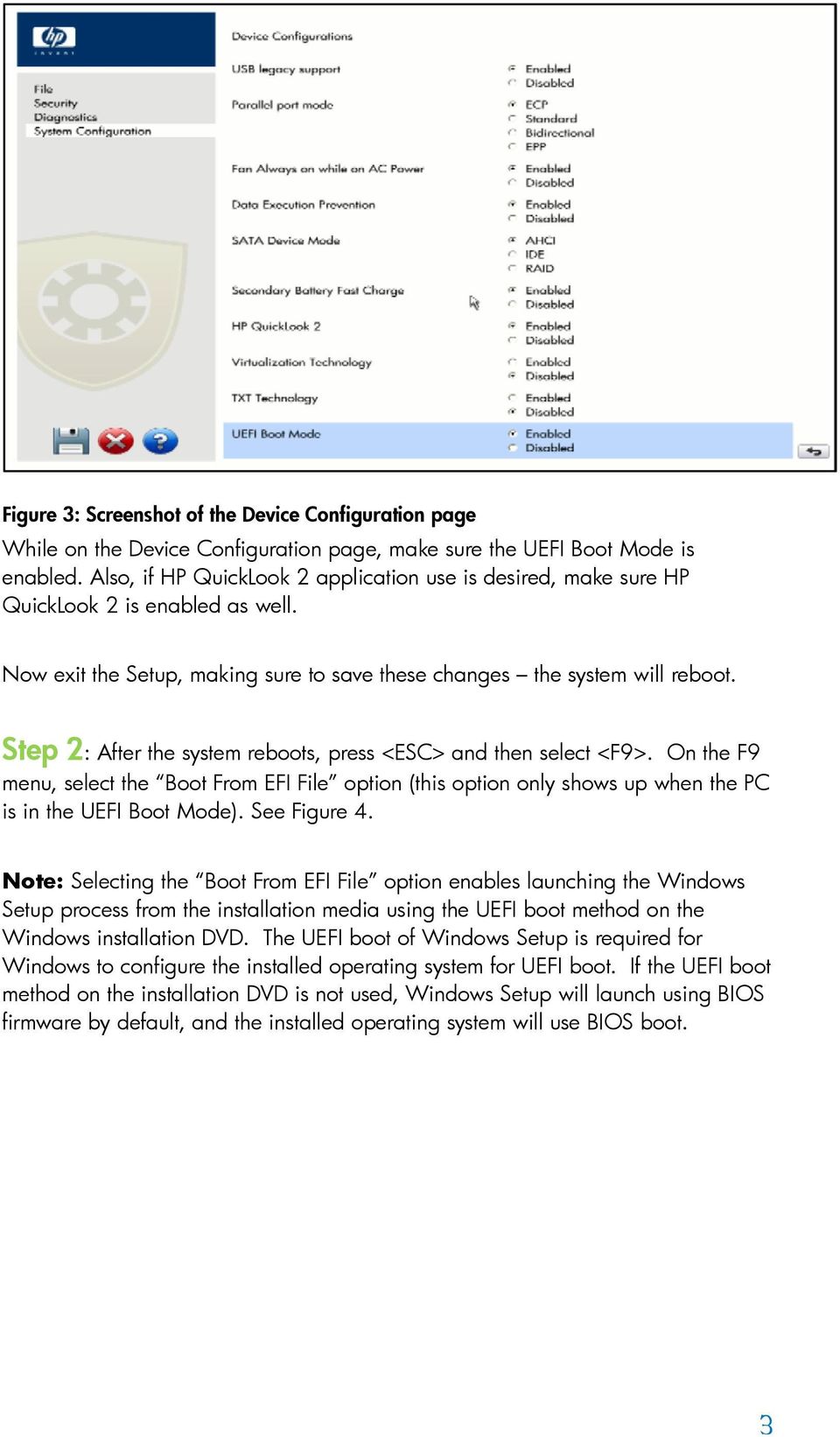
4 Figure 4: Screenshot of the F9 Menu. The Windows Boot Manage boot option will not be listed if this is the first time installing UEFI-based Windows Vista SP1 The initial File Explorer menu lists available storage devices including a Primary Master hard disk, if the hard disk is formatted, and an entry for Removable Media for the CDROM, if the installation media is inserted into the CD/DVD reader. Select the CDROM entry (one that has the Removable Media type with the CDROM (Entry1) as the last portion of the device path shown). See Figure 5. If the hard disk has never been formatted, the CDROM entry should be the only one shown. Figure 5: Screenshot after selecting Boot from EFI File 4
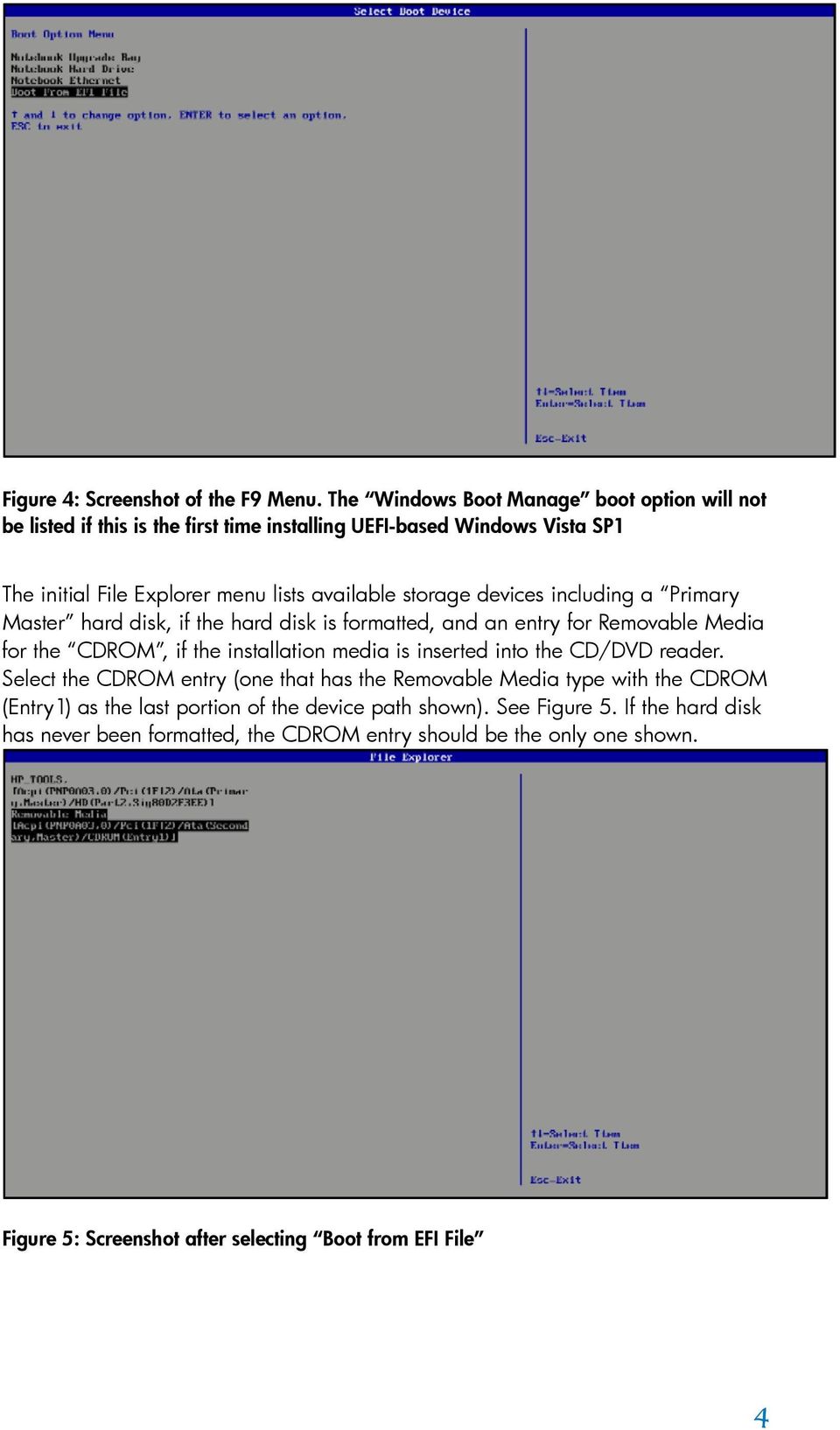
5 Now the File Explorer will list the directory structure of the UEFI boot portion of the Windows Vista SP1 Installation DVD. Navigate to the \EFI\BOOT directory, and select Bootx64.efi. This will clear the screen and present the message, Press any key to boot from CD or DVD. Step 3: After Windows Setup is launched from the install media, the Windows Vista SP1 installation process for either UEFI or BIOS configuration is the same. The difference in the installed system after Setup completes is the hard disk partition format uses the GPT format with UEFI enabled, and the Windows boot environment uses a UEFI version of the Windows boot manager. Without UEFI enabled, the installed operating system uses the MBR format for hard disk partitions and a BIOS version of the Windows boot manager. If the user wants to install UEFI-based Windows Vista SP1 on a hard disk already formatted in MBR, the warning message Windows cannot be installed to this disk would appear. The user must delete all partitions before start the installation. The same is true in the reverse scenario if the user wants to install BIOS-based Windows Vista SP1 on a hard disk already formatted in GPT. See Figure 6. 5
6 Figure 6: Deleting existing partitions before installation top: existing MBR disk for UEFIbased Vista SP1 install; bottom: existing GPT disk for BIOS-based Vista SP1 install) If the user intends to install HP QuickLook 2, HP System Diagnostic or BIOS Recovery, an additional disk partition HP_TOOLS must be created and it must be assigned a drive letter after the OS is started. Please refer to the white paper HP Business Notebook Computer EFI Guidelines for more details. Step 4: After the installation is complete, open the Disk Manager Console to verify the Windows Vista SP1 installation configured the system for the UEFI firmware environment. The Disk Manager will show two partitions on the disk, and one of the partitions is identified as the EFI System Partition. Another way to verify 6

7 that the system is configured for UEFI boot is to check the Windows Vista SP1 boot configuration. To check the boot configuration, start a command prompt and run as Administrator (Click Start, in the Start Search box, type command. A list of matches will appear above. Right-click Command Prompt in Programs list, and then click Run as administrator. You will likely be prompted for an administrator confirmation, or a password. Type your password or click Continue). From the command prompt, run the command: bcdedit which will display the boot configuration for Windows Vista SP1. You will see the Windows Boot Manager path refers to \EFI\Microsoft\Boot\bootmgfw.efi, as per following example: C:\Windows\system32>bcdedit Windows Boot Manager identifier {bootmgr} device partition=\device\harddiskvolume1 path \EFI\Microsoft\Boot\bootmgfw.efi description Windows Boot Manager locale en-us inherit {globalsettings} bootems Yes default {current} resumeobject {343086e5-0a74-11dd f5f13e} displayorder {current} toolsdisplayorder {memdiag} timeout 30 Notes: Not all the Windows drivers for the devices on these systems are available on the Windows Vista installation disk. Please go to and search for the model string (e.g., 2730p), software and drivers for the model would be available from the links provided. Please make sure to select the software and drivers for the x64 edition of Vista. The "UEFI Boot" option is provided for development purposes only and is currently not fully supported or warranted by HP. Preboot Authentication and Drive Lock are currently not supported under the UEFI Boot mode. HP strongly recommends disabling Preboot Authentication and Drive Lock before enabling UEFI Boot. 7

8 For more information HP Business Notebook Computer EFI Guidelines pdf UEFI Forum Hewlett-Packard Development Company, L.P. The information contained herein is subject to change without notice. The only warranties for HP products and services are set forth in the express warranty statements accompanying such products and services. Nothing herein should be construed as constituting an additional warranty. HP shall not be liable for technical or editorial errors or omissions contained herein. Microsoft and Windows Vista are trademarks of the Microsoft group of companies. April

Installing Microsoft Windows on HP Compaq and EliteBook Notebook PCs
 Installing Microsoft Windows on HP Compaq and EliteBook Notebook PCs Executive summary... 2 Purpose... 2 Audience... 2 System requirements and prerequisites... 2 Installing the operating system and system
WHITE PAPER. HP Guide to System Recovery and Restore
 WHITE PAPER January 2003 Prepared By PSG Product Software Engineering Hewlett-Packard Company CONTENTS Purpose3 Using Safe Mode To Diagnose And Correct Problems 4 Using the Recovery Console To Repair Damaged
Installing Microsoft Windows 8 on HP ElitePad 900 G1 Tablet
 Technical white paper Installing Microsoft Windows 8 on HP ElitePad 900 G1 Tablet Commercial Managed IT Table of contents Executive summary... 2 System requirements and prerequisites... 2 Installing the
Intel Rapid Start Technology (FFS) Guide
 Intel Rapid Start Technology (FFS) Guide Technical white paper Table of contents Intel Rapid Start Technology (FFS) Guide... 2 Product Definition... 2 Requirements... 2 Enabling Intel Rapid Start Technology...
DriveClone Server. Users Manual
 DriveClone Server Users Manual Contents Chapter 1: Introduction... 3 Chapter 2: Install and uninstall DriveClone Server... 3 2.1 System Requirement... 3 2.2 Installing DriveClone Server... 4 2.3 Uninstalling
Installing Microsoft Windows
 Installing Microsoft Windows on HP Workstations with Advanced Format Hard Drives Technical white paper Table of contents Introduction... 2 Identifying an Advanced Format drive... 2 Installing Windows on
DriveClone 10. Users Manual
 DriveClone 10 Users Manual Contents Chapter 1: Introduction... 3 Chapter 2: Install and uninstall DriveClone... 3 2.1 System Requirement... 3 2.2 Installing DriveClone... 4 2.3 Uninstalling DriveClone...
HP Compaq notebook common image white paper
 HP Compaq notebook common image white paper Introduction... 2 System requirements and prerequisites... 2 Common image preparation using factory preinstalled Windows Vista images... 4 Configuring the Windows
GPT hard Disk Drives. For HP Desktops. Abstract. Why GPT? April 2011. Table of Contents:
 GPT hard Disk Drives For HP Desktops April 2011 Table of Contents: Abstract... 1 Why GPT?... 1 GPT vs MBR... 2 Bootable vs Data Drives and UEFI BIOS... 4 OS Support... 6 Storage Driver Support... 6 Imaging
Installing Microsoft Windows on an HP ProBook or EliteBook Notebook PC and creating an image
 Installing Microsoft Windows on an HP ProBook or EliteBook Notebook PC and creating an image 2011 Business Notebook Models Technical white paper Table of contents Executive summary... 2 System requirements
Backup and Recovery User Guide
 Backup and Recovery User Guide Copyright 2009 Hewlett-Packard Development Company, L.P. Windows is a U.S. registered trademark of Microsoft Corporation. Product notice This user guide describes features
HP Thin Client Imaging Tool
 HP Thin Client Imaging Tool Table of Contents: Abstract... 1 Introduction... 1 System Requirements... 1 Software... 1 Hardware... 1 Getting Started... 2 Formatting a USB Flash Device... 3 Unpacking the
HP Point of Sale (POS) Peripherals Configuration Guide ap5000 VFD Windows (non-opos)
 HP Point of Sale (POS) Peripherals Configuration Guide ap5000 VFD Windows (non-opos) Document Version 3.23 November 2010 1 Copyright 2007-2010 Hewlett-Packard Development Company, L.P. The information
HP Commercial Notebook BIOS Password Setup
 HP Commercial Notebook BIOS Password Setup Table of Contents: Introduction... 1 Preboot Passwords... 2 Multiple User Architecture in BIOS... 2 Preboot Password Setup... 3 Password Change... 4 Forgotten
Creating and Restoring Images on the HP Thin Client with Altiris Deployment Server v6.5
 Creating and Restoring Images on the HP Thin Client with Altiris Deployment Server v6.5 HP thin clients running Microsoft Windows Embedded Standard 2009 (WES) and Windows XP Embedded (XPe) Table of Contents:
Configuring HP Elite, EliteBook, and Z220 systems for Intel Smart Response Technology
 Technical white paper Configuring HP Elite, EliteBook, and Z220 systems for Intel Smart Response Technology Table of contents Overview 2 System requirements 3 How to enable Intel Smart Response Technology
HP Personal Workstations Step-By- Step Instructions for Upgrading Windows Vista or Windows XP Systems to Windows 7
 HP Personal Workstations Step-By- Step Instructions for Upgrading Windows Vista or Windows XP Systems to Windows 7 September 15, 2009 Introduction HP is committed to supporting our customer s operating
This user guide describes features that are common to most models. Some features may not be available on your computer.
 RAID User Guide Copyright 2009 Hewlett-Packard Development Company, L.P. Intel is a trademark of Intel Corporation in the U.S. and other countries. Microsoft, Windows, and Windows Vista are U.S. registered
Computer Setup User Guide
 Computer Setup User Guide Copyright 2008 Hewlett-Packard Development Company, L.P. Bluetooth is a trademark owned by its proprietor and used by Hewlett-Packard Company under license. Intel is a trademark
This user guide describes features that are common to most models. Some features may not be available on your computer.
 RAID User Guide Copyright 2011 Hewlett-Packard Development Company, L.P. Intel is a trademark of Intel Corporation in the U.S. and other countries. Microsoft, Windows, and Windows Vista are U.S. registered
Installing Windows XP Professional x64 on the HP Compaq 8510w and 8710w Mobile Workstation
 Installing Windows XP Professional x64 on the HP Compaq 8510w and 8710w Mobile Workstation Introduction... 2 System Requirements and Prerequisites... 2 Installing the operating system and system hardware...
Microsoft Windows XP Service Pack 1 on Compaq Evo Notebooks
 White Paper September 2002 Prepared by: PSG Notebook Software Marketing and Engineering Compaq Computer Corporation Contents Introduction... 3 Tested Systems... 3 Installation tips for Service Pack 1...
Using Integrated and Discrete Graphics Simultaneously
 Using Integrated and Discrete Graphics Simultaneously For HP Compaq 8200 Elite and 6200 Pro Series desktop models Table of contents Introduction... 2 System requirements... 2 Configuring the system...
HP PolyServe Software 4.1.0 upgrade guide
 HP StorageWorks HP PolyServe Software 4.1.0 upgrade guide This document describes how to upgrade to HP PolyServe Matrix Server 4.1.0, HP PolyServe Software for Microsoft SQL Server 4.1.0, and HP PolyServe
HP Mobile Remote Control (Select Models Only) User Guide
 HP Mobile Remote Control (Select Models Only) User Guide Copyright 2008 Hewlett-Packard Development Company, L.P. Windows and Windows Vista are either trademarks or registered trademarks of Microsoft Corporation
HP ProLiant Cluster for MSA1000 for Small Business... 2. Hardware Cabling Scheme... 3. Introduction... 3. Software and Hardware Requirements...
 Installation Checklist HP ProLiant Cluster for HP StorageWorks Modular Smart Array1000 for Small Business using Microsoft Windows Server 2003 Enterprise Edition November 2004 Table of Contents HP ProLiant
HP Z220, Z420, Z620, and Z820 Workstations Microsoft Windows XP Installation Reference Guide
 HP Z220, Z420, Z620, and Z820 Workstations Microsoft Windows XP Installation Reference Guide Important information on installing the Windows XP Operating System on HP Z220, Z420, Z620 and Z820 Workstations.
Instructions for installing Microsoft Windows Small Business Server 2003 R2 on HP ProLiant servers
 Instructions for installing Microsoft Windows Small Business Server 2003 R2 on HP ProLiant servers integration note Abstract... 2 Installation requirements checklists... 3 HP ProLiant server checklist...
How To Use The Enhanced Write Filter On Windows Xp Embedded (Dota) With A Powerbook (Dot) And Powerbook 2 (Windows Xp) With An Overlay (Powerbook) With The Write Filter (Wfmgr) On A
 Using the Enhanced Write Filter HP Windows XP Embedded-based thin clients: t5630 t57x0 Abstract... 2 Introduction... 2 Benefits of the Enhanced Write Filter... 2 Enhanced Write Filter Status Service...
For most Windows users, system startup is an uneventful,
 Creating Your Own Custom Startup CHAPTER W3 For most Windows users, system startup is an uneventful, unproductive part of the computing experience, and if most people think about startup at all, it s only
HP Compaq dc7800p Business PC with Intel vpro Processor Technology and Virtual Appliances
 HP Compaq dc7800p Business PC with Intel vpro Processor Technology and Virtual Appliances Introduction............................................................ 2 What is Virtualization?....................................................2
Software Update, Backup, and Recovery
 Software Update, Backup, and Recovery User Guide Copyright 2007 Hewlett-Packard Development Company, L.P. Windows is a U.S. registered trademark of Microsoft Corporation. The information contained herein
HP Mini Remote Control (Select Models Only) User Guide
 HP Mini Remote Control (Select Models Only) User Guide Copyright 2008 Hewlett-Packard Development Company, L.P. Windows and Windows Vista are U.S. registered trademarks of Microsoft Corporation. The information
HP BUSINESS NOTEBOOK PC F10 SETUP OVERVIEW
 HP BUSINESS NOTEBOOK PC F10 SETUP OVERVIEW 2011 Business Notebook Models Technical white paper Table of contents Executive summary... 2 System requirements... 2 Supported models... 2 Enhancements... 2
HP Client Manager 6.2
 HP Client Manager 6.2 Introduction... 2 New Features in HPCM 6.2... 4 Understanding how HPCM works... 5 Extensive reporting capability... 5 HPCM in operation... 6 Client inventory... 6 Health monitoring...
HP One-Button Disaster Recovery (OBDR) Solution for ProLiant Servers
 Reference guide HP One-Button Disaster Recovery (OBDR) Solution for ProLiant Servers Reference guide Contents One button disaster recovery (OBDR) 2 Requirements 2 HP tape drive and server support 2 Creating
HP Embedded SATA RAID Controller
 HP Embedded SATA RAID Controller User Guide Part number: 391679-002 Second Edition: August 2005 Legal notices Copyright 2005 Hewlett-Packard Development Company, L.P. The information contained herein is
Backup and Recovery User Guide
 Backup and Recovery User Guide Copyright 2009 Hewlett-Packard Development Company, L.P. Windows is a U.S. registered trademark of Microsoft Corporation. Product notice This user guide describes features
ZENworks 11 Support Pack 4 Full Disk Encryption Agent Reference. May 2016
 ZENworks 11 Support Pack 4 Full Disk Encryption Agent Reference May 2016 Legal Notice For information about legal notices, trademarks, disclaimers, warranties, export and other use restrictions, U.S. Government
HP External Hard Disk Drive Backup Solution by Seagate User Guide. November 2004 (First Edition) Part Number 373652-001
 HP External Hard Disk Drive Backup Solution by Seagate User Guide November 2004 (First Edition) Part Number 373652-001 Copyright 2004 Hewlett-Packard Development Company, L.P. The information contained
HP Point of Sale (POS) Peripherals Configuration Guide 2D Imaging / Linear / Presentation Scanner
 HP Point of Sale (POS) Peripherals Configuration Guide 2D Imaging / Linear / Presentation Scanner Document Version 3.42 December 2011 1 Copyright 2007-2011 Hewlett-Packard Development Company, L.P. The
HP dx5150 RAID Installation and Setup Guide Version 1.10. Document Part Number: 403571-001
 HP dx5150 RAID Installation and Setup Guide Version 1.10 Document Part Number: 403571-001 July 2005 Copyright 2005 Hewlett-Packard Development Company, L.P. The information contained herein is subject
How to configure 802.1X authentication with a Windows XP or Vista supplicant
 An HP ProCurve Networking Application Note How to configure 802.1X authentication with a Windows XP or Vista supplicant Contents 1. Introduction... 2 2. Prerequisites... 2 3. Network diagram... 2 4. Configuring
Synchronizing ProCurve IDM and Windows Active Directory
 An HP ProCurve Networking Application Note Synchronizing ProCurve IDM and Windows Active Directory Contents 1. Introduction... 2 2. Prerequisites... 2 3. Network and Active Directory tree diagrams... 2
HP Softpaq Download Manager and HP System Software Manager
 Technical white paper HP Softpaq Download Manager and HP System Software Manager A Powerful Combination Table of contents Executive summary... 2 Overview of HP SDM and HP SSM... 2 Use case for HP SDM and
HP RDX Continuous Data Protection Software Quickstart Guide
 HP RDX Continuous Data Protection Software Quickstart Guide *5697-3351* HP Part Number: 5697-3351 Published: May 2014 Edition: Fourth Copyright 2008 2014 Hewlett-Packard Development Company, L.P. Microsoft,
HP Notebook Hard Drives & Solid State Drives. Identifying, Preventing, Diagnosing and Recovering from Drive Failures. Care and Maintenance Measures
 HP Notebook Hard Drives & Solid State Drives Identifying, Preventing, Diagnosing and Recovering from Drive Failures Care and Maintenance Measures Technical White Paper Table of contents Identifying, Preventing,
Backup and Recovery User Guide
 Backup and Recovery User Guide Copyright 2007, 2008 Hewlett-Packard Development Company, L.P. Windows is a U.S. registered trademark of Microsoft Corporation. The information contained herein is subject
HP USB Smartcard CCID Keyboard. User Guide
 HP USB Smartcard CCID Keyboard User Guide Copyright 2013 Hewlett-Packard Development Company, L.P. The information contained herein is subject to change without notice. Microsoft, Windows, and Windows
Quick Start to Evaluating. HP t5630w, HP t5730w, HP gt7720
 Get your thin client Get your running thin client running Right out Right out of of the box the box Quick Start to Evaluating HP Windows Embedded Standard Thin Clients HP t5630w, HP t5730w, HP gt7720 Get
WHITE PAPER. Installing Microsoft Windows 98 on Compaq Armada E, M, and V Portable Products CONTENTS
 WHITE PAPER March 2001 Prepared By CPCG Software Product Management Compaq Computer Corporation CONTENTS INTRODUCTION3 CLEAN INSTALLING WINDOWS 983 PREPARING FOR INSTALLATION3 MODIFYING A MICROSOFT DOS
Firmware security features in HP Compaq business notebooks
 HP ProtectTools Firmware security features in HP Compaq business notebooks Embedded security overview... 2 Basics of protection... 2 Protecting against unauthorized access user authentication... 3 Pre-boot
1. System Requirements
 BounceBack Data Transfer 14.2 User Guide This guide presents you with information on how to use BounceBack Data Transfer 14.2. Contents 1. System Requirements 2. Attaching Your New Hard Drive To The Data
How to Make a USB Bootable
 /0/0 Ways to Make a USB Bootable - wiki How to Make a USB Bootable Five Methods: Ad Making a USB Drive to Install Any PC Operating System Making a Windows Vista or 7 Install Drive Creating a USB PC Repair
Quick start to evaluating HP Windows Embedded Standard 2009 Thin Clients. HP t5630w, HP t5730w, HP t5740, HP gt7720
 Get your thin client running Right out of the box Quick start to evaluating HP Windows Embedded Standard 2009 Thin Clients HP t5630w, HP t5730w, HP t5740, HP gt7720 Get your new thin client system up and
Lifecycle Controller Platform Update/Firmware Update in Dell PowerEdge 12th Generation Servers
 Lifecycle Controller Platform Update/Firmware Update in Dell PowerEdge 12th Generation Servers This Dell Technical White Paper provides detailed information about the capabilities of Lifecycle Controller
Full Disk Encryption Agent Reference
 www.novell.com/documentation Full Disk Encryption Agent Reference ZENworks 11 Support Pack 3 May 2014 Legal Notices Novell, Inc., makes no representations or warranties with respect to the contents or
Bluetooth Pairing. User Guide
 Bluetooth Pairing User Guide Copyright 2012 Hewlett-Packard Development Company, L.P. Microsoft, Windows, and Windows Vista are U.S. registered trademarks of Microsoft Corporation. Bluetooth is a trademark
HP LeftHand SAN Solutions
 HP LeftHand SAN Solutions Support Document Application Notes Backup Exec 11D VSS Snapshots and Transportable Offhost Backup Legal Notices Warranty The only warranties for HP products and services are set
STATISTICA VERSION 10 STATISTICA ENTERPRISE SERVER INSTALLATION INSTRUCTIONS
 Notes: STATISTICA VERSION 10 STATISTICA ENTERPRISE SERVER INSTALLATION INSTRUCTIONS 1. The installation of the STATISTICA Enterprise Server entails two parts: a) a server installation, and b) workstation
HP Device Manager 4.6
 Technical white paper HP Device Manager 4.6 FTP Server Configuration Table of contents Overview... 2 IIS FTP server configuration... 2 Installing FTP v7.5 for IIS... 2 Creating an FTP site with basic authentication...
HP VMware ESXi 5.0 and Updates Getting Started Guide
 HP VMware ESXi 5.0 and Updates Getting Started Guide Abstract This guide is intended to provide setup information for HP VMware ESXi. HP Part Number: 616896-002 Published: August 2011 Edition: 1 Copyright
P4000 SAN/iQ software upgrade user guide
 HP StorageWorks P4000 SAN/iQ software upgrade user guide Abstract This guide provides information about upgrading the SAN/iQ software to release 8.5 Part number: AX696-96010 Second edition: March 2010
How to Install Microsoft Windows Server 2008 R2 in VMware ESXi
 How to Install Microsoft Windows Server 2008 R2 in VMware ESXi I am not responsible for your actions or their outcomes, in any way, while reading and/or implementing this tutorial. I will not provide support
HP SoftPaq Download Manager and HP System Software Manager A Powerful Combination
 HP SoftPaq Download Manager and HP System Software Manager A Powerful Combination Technical white paper Table of contents Executive summary... 2 Overview of HP SDM and HP SSM... 2 Use Case for SDM/SSM...
HP ProtectTools Embedded Security Guide
 HP ProtectTools Embedded Security Guide Document Part Number: 364876-001 May 2004 This guide provides instructions for using the software that allows you to configure settings for the HP ProtectTools Embedded
Using HP System Software Manager for the mass deployment of software updates to client PCs
 Using HP System Software Manager for the mass deployment of software updates to client PCs Introduction... 2 HP manageability solutions... 2 SSM overview... 3 Software updates... 3 Why not SSM-enabled?...
Using GIGABYTE Notebook for the First Time
 P34 V6.0 Congratulations on your purchase of the GIGABYTE Notebook. This manual will help you to get started with setting up your notebook. The final product configuration depends on the model at the point
FTP Server Configuration
 FTP Server Configuration For HP customers who need to configure an IIS or FileZilla FTP server before using HP Device Manager Technical white paper 2 Copyright 2012 Hewlett-Packard Development Company,
How to dual-boot Vista with XP (with XP installed first) - step-by-step guide with screenshots
 How to dual-boot Vista with XP (with XP installed first) - step-by-step guide with screenshots Want to install Vista on your PC but don't want to get rid of XP just yet? Here's how to install it so you
HP ThinShell. Administrator Guide
 HP ThinShell Administrator Guide Copyright 2014 Hewlett-Packard Development Company, L.P. Microsoft and Windows are U.S. registered trademarks of the Microsoft group of companies. Confidential computer
HP Compaq Thin Client Imaging Tool HP Compaq Thin Client t5000 Series
 thin clients april 2003 instructions. HP Compaq Thin Client Imaging Tool HP Compaq Thin Client t5000 Series Table Of Contents Table Of Contents... 1 Abstract... 2 Introduction... 2 System Requirements...
HP Access Control Express Installation Guide
 HP Access Control Express Installation Guide 1 HP Access Control Express Installation Guide Reference number: 20111005 Edition: November 2011 2 Legal notices (c) Copyright 2011 Hewlett-Packard Development
Using the IPMI interface
 Using the IPMI interface The T800, T1600 and T3200 server models are equipped with an IPMI interface with KVM / IP functionality. This enables you to access the server console if it becomes inaccessible
How to Perform Data Backup for No Boot Issues? With Screenshots
 How to Perform Data Backup for No Boot Issues? With Screenshots There are different ways to backup data when the system is not booting to OS. The most easy and successful one is by going to recovery console.
Windows Symantec Encryption Desktop (PGP) Install Guide. Symantec Encryption Desktop (PGP) Windows system requirements
 Image not found https://it.ucsf.edu/sites/it.ucsf.edu/themes/custom/it_new/logo.png it.ucsf.edu Published on it.ucsf.edu (https://it.ucsf.edu) Home > Windows Symantec Encryption Desktop (PGP) Install Guide
Making a system recovery disc
 System Recovery TM Should your system fail or become corrupted, you have options. You might be able to recover your system from the recovery partition on the hard disk drive, from a recovery disc you made
Administering Windows-based HP Thin Clients with System Center 2012 R2 Configuration Manager SP1
 Technical white paper Administering Windows-based HP Thin Clients with System Center 2012 R2 Configuration Manager SP1 Table of contents Executive summary... 3 Configuration Manager features... 3 Asset
Updates Click to check for a newer version of the CD Press next and confirm the disc burner selection before pressing finish.
 Backup. If your computer refuses to boot or load Windows or if you are trying to restore an image to a partition the Reflect cannot lock (See here), and then you will have to start your PC using a rescue
ATX Document Manager. User Guide
 ATX Document Manager User Guide ATX DOCUMENT MANAGER User Guide 2010 CCH Small Firm Services. All rights reserved. 6 Mathis Drive NW Rome, GA 30165 No part of this manuscript may be copied, photocopied,
HP ilo mobile app for Android
 HP ilo mobile app for Android User Guide Abstract The HP ilo mobile app provides access to the remote console and scripting features of HP ProLiant servers. HP Part Number: 690350-003 Published: March
HP Client Manager 6.1
 HP Client Manager 6.1 Introduction... 2 New Features in HPCM 6.1... 4 Understanding how HPCM works... 6 Extensive reporting capability... 7 HPCM in operation... 7 Client inventory... 7 Health monitoring...
Image Backup and Recovery Procedures
 Image Backup and Recovery Procedures Thank you for purchasing a Fujitsu computer. Fujitsu is committed to bringing you the best computing experience with your new system. It is very important that you
Windows 7 XP Mode for HP Business PCs
 Windows 7 XP Mode for HP Business PCs Table of Contents: Introduction...1 Disclaimer...1 Main features and benefits... 2 Hardware Requirements...2 Minimum Hardware Requirements... 3 Recommended Hardware
Advanced Host Controller Interface (AHCI) and Redundant Array of Independent Disks (RAID) on HP Compaq dc5850 Business PCs
 Advanced Host Controller Interface (AHCI) and Redundant Array of Independent Disks (RAID) on HP Compaq dc5850 Business PCs Using AMD Array Management Software (RAIDXpert) Introduction............................................................2
Guidelines for using Microsoft System Center Virtual Machine Manager with HP StorageWorks Storage Mirroring
 HP StorageWorks Guidelines for using Microsoft System Center Virtual Machine Manager with HP StorageWorks Storage Mirroring Application Note doc-number Part number: T2558-96337 First edition: June 2009
Getting Started. rp5800, rp5700 and rp3000 Models
 Getting Started rp5800, rp5700 and rp3000 Models Copyright 2011 Hewlett-Packard Development Company, L.P. The information contained herein is subject to change without notice. Microsoft, Windows, and Windows
Sharing Pictures, Music, and Videos on Windows Media Center Extender
 Sharing Pictures, Music, and Videos on Windows Media Center Extender Applies to: Microsoft Windows XP Media Center Edition Microsoft Windows Media Center Extender Microsoft Windows Media Center Extender
UltraBac Documentation. UBDR Gold. Administrator Guide UBDR Gold v8.0
 UltraBac Documentation UBDR Gold Bare Metal Disaster Recovery Administrator Guide UBDR Gold v8.0 UBDR Administrator Guide UBDR Gold v8.0 The software described in this guide is furnished under a license
ThinLinX TLXOS NUC / Compute Stick / RePC Installation Guide Creating the Installer (Step 1)
 ThinLinX TLXOS NUC / Compute Stick / RePC Installation Guide ThinLinX has created optimized versions of ThinLinX OS (TLXOS) for either the Intel NUC, Intel Compute Stick or RePC making full use of the
Lab - Dual Boot - Vista & Windows XP
 Lab - Dual Boot - Vista & Windows XP Brought to you by RMRoberts.com After completing this lab activity, you will be able to: Install and configure a dual boot Windows XP and Vista operating systems. Explain
HP Advanced Wireless Docking Station. User Guide
 HP Advanced Wireless Docking Station User Guide Copyright 2014, 2015 Hewlett-Packard Development Company, L.P. Intel is a trademark of Intel Corporation in the U.S. and other countries. Windows and Windows
1. System Requirements
 BounceBack Ultimate 14.2 User Guide This guide presents you with information on how to use BounceBack Ultimate 14.2. Contents 1. System Requirements 2. BounceBack Pre-Installation 3. How To Install The
HP Factory-Installed Operating System Software for Windows Server 2008 R2 Standard and Windows Server 2012 Standard User Guide
 HP Factory-Installed Operating System Software for Windows Server 2008 R2 Standard and Windows Server 2012 Standard User Guide HP Part Number: 481182-006 Published: September 2012 Edition: Fifth Contents
Microsoft Windows Compute Cluster Server 2003 Getting Started Guide
 Microsoft Windows Compute Cluster Server 2003 Getting Started Guide Part Number 434709-003 March 2007 (Third Edition) Copyright 2006, 2007 Hewlett-Packard Development Company, L.P. The information contained
SMTP PROXY SERVER INSTALLATION FOR HP QUICKPAGE
 SMTP PROXY SERVER INSTALLATION FOR HP QUICKPAGE INTRODUCTION To ensure accurate billing, the HP QuickPage program requires collection of the metered information from the printers and multifunction products
This user guide describes features that are common to most models. Some features may not be available on your computer.
 RAID User Guide Copyright 2011 Hewlett-Packard Development Company, L.P. Intel is a trademark of Intel Corporation in the U.S. and other countries. Microsoft and Windows are U.S. registered trademarks