
After completing this module, you will be able to: Describe the BD FACScan system and how it works.
|
|
|
- Leonard Hart
- 9 years ago
- Views:
Transcription
1 BD FACScan System After completing this module, you will be able to: Describe the BD FACScan system and how it works. Perform instrument startup and shutdown procedures. Describe instrument maintenance procedures. BD FACScan System Rev. A 1

2 BD FACScan System The FACScan system is an automated flow cytometer. It analyzes cells as they pass through a focused laser beam one at a time in a moving fluid stream. A BD FACScan flow cytometer can be used for routine research applications, immunophenotyping, and DNA cell-cycle analysis. The FACScan system consists of a sensor module (Figure 2-1), computer module, and several software packages. Many of the instrument functions are controlled by the software. Cytometer Front Control Panel Optics Access Panel Becton Dickinson FACScan Sample Injection Port Fluidics Access Panel Sample Flow Rate Switch Sheath Reservoir Sheath Filter Waste Reservoir Fluid Control Knob Figure 2-1 BD FACScan Sensor Module Power Switch This switch, located on the left side of the Front Control Panel, turns the cytometer on and off. Fluid Control Panel This panel consists of the fluid control dial and the sample flow rate switch (Figure 2-2). 2 BD FACScan System Rev. A

3 Figure 2-2 Fluid Control Panel Fluid Control Dial This rotary dial allows you to select from five fluidic modes. DRAIN forces liquids out of the flow cell and fluid lines leading to the waste. FILL fills the flow cell and fluid lines with sheath fluid at a controlled rate, which prevents bubble formation. RUN pressurizes the sample tube to transport the cell suspension through the sample injection tube and into the flow cell. When a tube is not on the Sample Injection Port (SIP), the cytometer goes into auto standby. Sheath flow is restricted and laser power is lowered. STANDBY stops sheath flow and lowers laser power to extend the laser life. Hard Standby and Auto Standby are defined under Status Controls of the Control Panel. BACKFLUSH reverses the flow of sheath fluid and flushes fluid out of the sample injection tube to remove clogs. Sample Flow Rate Switch The HI/LO flow rate switch selects the sample flow rate. LO 12 µl/min of sample through the flow cell. HI 60 µl/min of sample through the flow cell. BD FACScan System Rev. A 3

4 Fluidics Access Panel The fluidics access panel (the lower left panel of the instrument) opens down for easy access to the fluidics reservoirs and sheath filter. See Figure 2-1. Sheath Reservoir This 4-liter container, located on the left, holds enough sheath fluid for approximately 3 hours of run time. It is equipped with a low-level fluid detector which indicates via software a near-empty condition. Waste Reservoir This 4-liter container, located on the right, collects the fluid waste. A fluid-level detector indicates via software a near-full condition. CAUTION: If potentially biohazardous materials are run through the instrument, treat the materials as biohazardous waste. Sheath Filter This 0.22-µm filter cleans the sheath fluid before it enters the flow cell. This reduces the amount of debris in the sheath fluid. Vent Valve Toggle Switch A switch that when set in the direction of the arrow, relieves the sheath reservoir of air pressure. This allows for the removal of the reservoir when refilling. Air Filter This component filters the air that cools the laser. Optics Access Panel This door shields the compartment that houses the flow cell assembly. Open this door to view the flow cell while draining and filling. Flow Cell This quartz cuvette is where the laser intercepts the sample stream. The dimensions are 430 µm x 180 µm. 4 BD FACScan System Rev. A

5 Sample Injection Port The SIP is the area where the sample tube is installed. It consists of the sample injection tube through which the sample travels to the flow cell, the tube support arm, and the droplet containment system (Figure 2-3). Figure 2-3 Sample Injection Port Sample Injection Tube This is the stainless steel tube that carries the cells from the sample tube to the flow cell. The tube is covered with an outer sleeve that serves as part of a droplet containment system. See Figure 2-4. The droplet containment system employs a vacuum pump to aspirate fluid and prevent drips from splashing onto the countertop. sample injection tube droplet containment tube vacuum to waste droplet containment system Figure 2-4 Sample Injection Tube and Droplet Containment System BD FACScan System Rev. A 5

6 Tube Support Arm This arm supports the sample tube. The arm has three positions: centered below the sample tube, to the right, or to the left of the sample tube. Its main function is to activate the droplet containment vacuum. The vacuum is activated when the arm is in the right or left positions and off when the arm is centered. Droplet Containment System This system consists of a vacuum pump and an outer tube that surrounds the sample injection tube. When the tube support arm is on either side of the sample injection tube, the vacuum pump is activated, removing sheath as it backflushes from the tube. See Figure 2-3. When the tube support arm is centered, the pump is deactivated. CAUTION: When placing a tube on the SIP, be sure to center the tube support arm as soon as possible to avoid having the sample aspirated and removed to the waste reservoir. BD FACScan Control Panel The BD FACScan instrument controls are located on the top panel of the instrument. See Figure 2-1. Front Control Panel The panel contains these controls and indicators: GAINS for adjusting the PMTs and FSC photodiode. THRESHOLD for setting the threshold level on the triggering channel. COMPENSATION for setting the compensation networks. PULSE AMPLITUDE for displaying the peak amplitudes of the five signal pulses. STATUS for verifying the cytometer is ready for acquisition. TEST for verifying all parameter channels are operating correctly. 6 BD FACScan System Rev. A

7 GAINS Selections POWER GAINS CHANNEL DATA MODE STAGE LEVEL FSC SSC FL1 FL2 FL3 LINEAR LOG DETECTOR AMPLIFIER Figure 2-5 GAINS Selections Five parameters are available by cycling through the CHANNEL touchpad. The DATA MODE selects LINEAR or LOG amplification for each of the five parameters. The STAGE selects whether the detector (DET) or amplifier (AMP) levels will be displayed. The LEVEL of the detector or amplifier is adjustable by means of the up and down switches located immediately to the left of the level display. THRESHOLD THRESHOLD CHANNEL LEVEL FSC SSC FL1 FL2 FL3 Figure 2-6 THRESHOLD Control THRESHOLD control sets a lower-level discrimination on the current threshold (trigger) parameter selected on the left. The threshold level is adjusted with the up and down level switches next to the level display. See Figure 2-6. The instrument ignores signals that do not exceed this threshold setting which is actually a channel number. This provides a method for eliminating background or small particles that are not to be acquired. The range is 0 to 996 in steps of four. BD FACScan System Rev. A 7

8 COMPENSATION COMPENSATION controls adjust the electronic circuitry that reduces the unwanted signal of a fluorochrome that overlaps the signal of another fluorochrome. The four compensation networks are selected by cycling the COMPENSATION touch pad. The compensation value is adjusted with the level switches to the left of the level display. The values are displayed on the level indicator and range from 0.0 to 99.9 in steps of 0.1 (Figure 2-7). COMPENSATION CHANNEL LEVEL FL1 - % FL2 FL2 - % FL1 FL2 - % FL3 FL3 - % FL2 Figure 2-7 COMPENSATION Controls PULSE AMPLITUDE The PULSE AMPLITUDE displays the peak amplitudes generated by the five measurement parameters (FSC, SSC, FL1, FL2, and FL3). Pressing the touch pad toggles the display on and off. See Figure 2-8. PULSE AMPLITUDE FSC SSC FL1 FL2 FL3 Figure 2-8 PULSE AMPLITUDE Display 8 BD FACScan System Rev. A

9 STATUS STATUS READY STANDBY TEST NOT READY TEST Figure 2-9 STATUS Control and TEST Mode Switch READY pressurizes the sample tube to transport the cell suspension through the sample injection tube and into the flow cell. An illuminated READY indicates that a sample has been installed on the SIP, the fluid control dial is in the RUN position, and data is being collected and processed under the conditions set by the instrument controls (Figure 2-9). The computer can then be used to view, store, and analyze the data. STANDBY stops sheath flow and lowers laser power to conserve sheath fluid and prolong laser life. Hard STANDBY When the fluid control dial is manually turned to STANDBY all fluid valves are closed except for one valve that vents the sample test tube air pressure to the atmosphere. Additionally, the laser input current is reduced to a standby level and STANDBY is illuminated. After turning the fluid control dial back to RUN, STANDBY will continue to be illuminated until you introduce a sample tube. After a sample has been introduced, READY will then be illuminated. Auto STANDBY If the instrument is in RUN and the sample test tube is removed, STANDBY is illuminated. This is called auto standby. Twelve seconds later, the system shuts off the sheath flow by means of a pinch valve between the flow cell and the waste reservoir. Additionally, the laser input current is reduced to a standby level. In this mode, back pressure is maintained to flush the sample injection tube. The system returns to RUN mode when you reinstall the sample tube. The pinch valve is opened, the laser returns to full power, and READY is illuminated. BD FACScan System Rev. A 9

10 NOT READY There are three conditions that cause NOT READY to be illuminated: The sheath fluid reservoir is empty. The waste fluid reservoir is full. The five-minute laser warm-up period is in progress. CAUTION There is nothing to prevent you from running samples when NOT READY is illuminated, assuming the sheath and waste levels are in running condition. However, running the instrument when the laser is not completely warmed up may result in low signal strengths and decreased precision for all optical signals. TEST PULSES The TEST mode switch activates system-generated signals that verify that all parameter channels are operating correctly. See Figure 2-9. It is used by field service engineers for troubleshooting. Depress the TEST touchpad once and test signals are generated for all parameters. Depress it again, and only FSC signals are generated. In this mode, TEST flashes; it is used while executing BD FACSComp software. Depress the touchpad a third time to turn the test signals off. 10 BD FACScan System Rev. A

11 Startup and Shutdown Procedures Startup Procedure Always turn on the cytometer before turning on the computer when acquiring data. This enables the computer to recognize that the cytometer is connected. When analyzing data, it is not necessary to turn on the cytometer. 1 Turn on the cytometer. The power switch is located in the upper left corner of the instrument. 2 Turn on the computer. Filling the Sheath Tank 1 Open the fluidics access panel, and flip the vent valve toggle in the direction of the arrow. The switch, located between the sheath and the waste reservoirs, relieves the sheath reservoir of air pressure. 2 Disconnect the sheath tubing (white) and the air tubing (blue) from the cytometer by squeezing the metal clip on the quick-disconnect while simultaneously pulling the plastic connector. 3 Disconnect the fluid detection probe connector by squeezing the sides while pulling the plastic connector. 4 Remove the sheath reservoir, unscrew the fluid detection probe, and fill the reservoir to 3/4 its capacity with the recommended sheath fluid. CAUTION Avoid filling the sheath reservoir to its maximum capacity. When a full reservoir is pressurized, fluid may be forced into the air supply tubing, preventing proper pressurization. Recommended Sheath Fluids BD FACSFlow sheath fluid (BD Biosciences) Phosphate-buffered saline (PBS) (Dulbecco s Ca 2+ and Mg 2+ -free) for sorting applications. BD FACScan System Rev. A 11

12 Non-recommended Sheath Fluids Fisher Hematology Diluent Isoton III Isolac D Deionized (DI) water NOTICE If you make your own sheath fluid in the lab, be sure to pass it through a 0.22-µm filter before running it on the instrument. 5 Connect the sheath fluid detection probe connector. 6 Replace the sheath reservoir (make sure to position the tubing so there are no kinks) and snap the fluid and air supply tubing into place by pushing firmly until you hear a click. 7 Flip the vent valve toggle switch to pressurize the reservoir. 8 Check the sheath reservoir to make sure it is properly pressurized. A properly pressurized sheath reservoir will not be able to move. Emptying the Waste Tank 1 Disconnect the waste tubing (orange) and the air tubing (white) from the cytometer by squeezing the metal clip on the quick disconnect and pulling. CAUTION It is good practice to empty the waste reservoir when you fill the sheath reservoir. This prevents the waste reservoir from overflowing. Follow good laboratory practice: wear gloves when handling waste materials. 2 Disconnect the fluid detection probe connector by squeezing the sides and pulling. 3 Remove the waste reservoir, remove the fluid detection probe, and empty the reservoir according to local, state and federal hazardous waste handling regulations. 4 Fill the waste container with 400 ml of undiluted household bleach. This will make a 10% solution of bleach in the waste container once it is full. 5 Connect the fluid detection probe connector. 6 Replace the waste reservoir (make sure to position the tubing so there are no kinks) and snap the waste and air vent tubing into place by pushing firmly until you hear a click. 12 BD FACScan System Rev. A

13 Purging Air Bubbles 1 Check the sheath filter to be sure that no air bubbles are trapped inside. If bubbles are visible, gently tap the filter body to dislodge them and force them to the top. Squeeze the vent line and carefully remove the vent cap to allow the pressurized sheath fluid to force the air bubbles into a beaker, then replace the vent cap (Figure 2-10). Figure 2-10 Venting Air from Sheath Filter 2 Check the sheath line and saline filter line for bubbles. If bubbles are present in either line, disconnect the tubing at the quick-disconnect port and press the tip of the valve against the side of a waste beaker. The pressurized sheath will force bubbles and sheath fluid out of the tubing. 3 Remove the tube of distilled water from the SIP. 4 Open the optics compartment door. 5 To clear the flow cell of trapped bubbles, view the flow cell while turning the fluid control dial to DRAIN until you see that all of the fluid has drained from the flow cell. 6 Turn the fluid control dial to FILL and watch as the flow cell steadily fills with sheath fluid. 7 Repeat the DRAIN and FILL as necessary until no bubbles are visible upon filling. 8 When filling the flow cell for the last time, replace the tube of distilled water back on the SIP and place the support arm directly underneath. 9 Leave the fluid control dial on FILL until the line carrying sheath into the waste reservoir is completely filled with fluid. 10 Turn the fluid control dial to STANDBY until you are ready to run your samples. NOTICE Allow the laser to warm up for 5 minutes after turning on the instrument, before running samples. BD FACScan System Rev. A 13

14 Shutdown Procedure Always clean the cytometer before you power it off at the end of the day. Proper cleaning will ensure that your instrument will function consistently. To prevent the sample tube from becoming clogged and to remove adhesive dyes that could remain in the tubing causing carryover, run a bleach solution through the SIP at the end of each day followed by a distilled water rinse. Follow this procedure immediately after running viscous samples or dyes such as propidium iodide (PI), acridine orange (AO), or thiazole orange (TO). Bleaching the Droplet Containment Tubing and the Sample Injection Tube 1 Turn the fluid control dial to RUN, install a tube containing 3 ml of a bleach solution on the SIP with the support arm to the side (vacuum is on), and let it run for 1 minute. Use BD FACS clean solution or a 1:10 dilution of bleach in DI water as the bleach solution. BD FACS clean solution is a bleach-based cleaning agent for daily use in cytometer maintenance. 2 Move the support arm under the tube (vacuum is off). Allow the a bleach solution to run for 5 minutes on HI. Rinsing the Droplet Containment Tubing and the Sample Injection Tube 1 Install 3 ml of distilled water on the SIP with the support arm to the side (vacuum is on). Let it run for 1 minute. 2 Move the support arm under the tube (vacuum is off). Allow the water to run for 5 minutes on HI. 3 Set the fluid control dial to STANDBY. 4 Place a tube containing no more than 1 ml of distilled water on the SIP. CAUTION Sheath fluid will backflush into the tube and may cause the tube to overfill if more than 1 ml of distilled water is on the sample tube. This could affect instrument performance. 5 If you are finished running samples, choose Apple menu > shut down to turn off the computer and then shut off the power to the cytometer. The tube of distilled water should remain on the SIP to prevent salt deposits from forming in the injection tube. 14 BD FACScan System Rev. A

15 Shutdown Procedure (BD FACS Loader Option) See the Loader module for the daily cleaning procedure. Maintenance and Care Procedures Monthly Maintenance Perform overall system fluidics cleaning at least once a month or more frequently if you are running high volumes of samples or dyes such as propidium iodide (PI), acridine orange (AO), or thiazole orange (TO). 1 Turn on the cytometer. 2 Remove the sheath reservoir. 3 Disconnect the upper tubing of the sheath filter from the SALINE FILTER port by squeezing the metal clip on the quick-disconnect plug and pulling the connector from the fitting. 4 Connect the sheath tubing (white) from the reservoir to the upper connector for the sheath filter. This bypasses the sheath filter and allows fluid to travel from the sheath reservoir through the tubing directly to the flow cell and to the waste reservoir (Figure 2-11). Figure 2-11 Bypassing the Sheath Filter CAUTION Bleach or detergent run through the sheath filter will break down the filter paper within the filter body, thus sending small fragments of the filter through the fluidic system including the flow cell. This will require a Field Service Engineer to come into your lab and clean the fluidic system of your cytometer. BD FACScan System Rev. A 15

16 5 Install a spare reservoir with 1-2 L of a bleach solution. Use BD FACS clean solution or a 1:10 dilution of bleach in DI water as the bleach solution. 6 Set the sample flow rate switch to HI and install a tube containing 3 ml of the bleach solution on the SIP. 7 Set the Fluid Control Knob to RUN and allow the sample to run for min. 8 Remove the tube of 10% bleach from the SIP. Optional Rinse: Repeat steps 5 through 8 using BD FACS rinse solution. BD FACS rinse solution is a detergent-based cleaning agent. 9 Repeat steps 5 through 8 using DI water. Replace the tube on the SIP with a tube containing 3 ml of DI water. Replace the 10% bleach reservoir with a spare reservoir containing 1 to 2 L of DI water. 10 Remove the tube of DI water from the SIP. 11 Replace the original sheath reservoir and reconnect the sheath filter. Place a tube containing 1 ml of distilled water on the SIP. 12 Set the fluid control dial to STANDBY. At this point, you may turn off the power to the cytometer if you are finished running samples. The tube of distilled water should remain on the SIP to prevent salt deposits from forming in the injection tube. NOTICE If you will be using the cytometer to acquire samples, you will need to drain and fill the fluidics. If you will not be using your instrument for a week or longer, perform the monthly maintenance procedure and keep the distilled water in the fluidic system until you use the instrument again. Contrad 70 is an excellent solution for removing clogs and wetting the fluidics. A 2% solution of Contrad 70 may be substituted for 10% bleach if necessary. Periodic Maintenance Several components of your instrument may not require regular maintenance, but should be checked occasionally and cleaned as necessary. This will depend on how frequently you run your instrument. 16 BD FACScan System Rev. A

17 Sheath Filter The sheath filter, located between the sheath and waste reservoirs, filters the sheath fluid as it comes from the sheath reservoir. When you start to notice an increase in the amount of debris seen in the FSC vs SSC plot, this may be an indication that your sheath filter should be replaced. Although the recommended time to change your filter is every 3 to 6 months, this will depend on how frequently you run the instrument and the quality of your sheath fluid. An increase in FSC noise in your BD FACSComp results is another indication that your sheath filter should be replaced. See Figure 2-12 for components of the filter. To replace the sheath filter vent ent Sheath out sheath out Sheath sheath Filter filter o-ring base Base Sheath in sheath in Figure 2-12 Sheath Filter 1 Push the vent valve toggle switch in the direction of the arrow to release the pressure from the sheath reservoir. 2 Squeeze the metal clips of the output and input quick-disconnects. Disconnect the air vent tubing from the filter by unscrewing the fitting from the filter vent port. The filter should be free of the instrument and the air vent tubing should remain attached to the instrument. 3 Unscrew the base of the filter to remove it from the filter body. Save this piece to attach to the new filter. Discard the old O-ring. 4 Disconnect the output tubing from the output port by pulling. Leave the tie wrap in position. Save the tubing to attach to the new filter. 5 Install a new O-ring on to the threaded end of the filter. Wrap the filter threads with teflon tape and then attach the base (from step 3) to the new filter by screwing until snug. BD FACScan System Rev. A 17

18 6 Attach the output tubing (from step 4) to the new filter by pushing the tubing into the output port, and check that the tie wrap is in place. 7 Snap the new filter into place by pushing each quick-disconnect firmly until you hear a click. 8 Reattach the air vent tubing to the new filter by screwing the fitting onto the vent port. 9 Pressurize the instrument by pulling the vent valve toggle switch forward. 10 Fill the newly installed filter with fluid by pushing the RUN fluid control button and pushing the roller in the pinchcock forward to allow air to escape as the filter fills with fluid. NOTICE If bubbles are visible in the filter, gently tap the filter body to dislodge them and force them to the top. Push the roller in the pinchcock forward to allow the pressurized sheath fluid to force air bubbles into the waste reservoir. When the air bubbles are expelled, return the roller to its original position to stop the flow of sheath to the waste reservoir. 11 Discard the old filter. 12 Record the replacement date on the outside of the filter. Air Filter The air filter located above the fluid reservoirs cleans the air that cools the laser. The filter may be vacuumed or washed with water, then air dried as necessary. When the filter is put back be sure it is dry and the arrows along the edge of the filter are pointing up. 18 BD FACScan System Rev. A

19 Troubleshooting Refer to the BD FACScan System User s Guide for Troubleshooting the FACScan instrument. NOTICE In BD CellQuest Pro software, choose cytometer > status to help diagnose STATUS problems. System Stays in NOT READY Check the following: Sheath reservoir empty Waste reservoir full Initial 5-minute warmup is not complete Top cover of instrument is loose causing laser not to light (tighten thumb screws on top cover) Electrical connector on sheath probe is loose or disconnected System Stays in STANDBY (System Not Pressurized) When the system is not pressurized, installation of a sample tube with the fluidics control knob set to RUN will not change the status to READY. It will remain in STANDBY. Pressure may be leaking from the reservoir cap, the vent valve, or the sample tube. The sample either does not flow to the flow cell or flows poorly, and the instrument produces poor data. Check the following: Air escaping from the sheath reservoir (tighten cap) Vent valve in down position Cracked sample tube Bal seal worn out Blue connector for sheath reservoir not correctly seated BD FACScan System Rev. A 19

20 Excess Noise (Bubbles in the Sheath Fluid) Bubbles are registered as events, producing spurious data. Bubbles can also cause alteration in the sample flow path resulting in less than optimal data. The fluidic system should be re-primed. If the sheath reservoir was run dry, refill sheath and RUN system for 5 10 minutes with a tube of distilled water before attempting sample acquisition. This will remove bubbles/air from the sheath lines. No Events on the Computer Screen Check the following: If the system remains in STANDBY, check items under System Stays in STANDBY. If READY light is illuminated, make sure sample concentration is adequate and the sample is properly mixed. Ensure instrument settings are correct for applications being run. Ensure threshold is not eliminating the populations by being set too high. In BD CellQuest Pro software, choose cytometer > status to see if readings are being updated. If readings are not being updated, communication between the instrument and the computer is not present. Turn off the FACScan and the computer, turn them back on, and resume where you left off. Drain and fill the fluidics to remove any air bubbles that may be trapped in the flow cell. These trapped air bubbles may deflect the sample stream away from the laser beam causing no events to be detected. Sheath Fluid Dripping from the Sample Injection Tube Check the following: Ensure that the droplet containment tube is seated as far up into flow cell assembly as possible. Loosen the retainer and push droplet containment tube up, then retighten the retainer. Replace the O-ring inside the droplet containment tube retainer. Listen to hear if the droplet containment system pump is rotating. If you cannot hear the pump with the tube support arm to the side, the pump may have stalled. Turn off the cytometer and turn it on. If the pump is still not rotating call BD Biosciences customer support. 20 BD FACScan System Rev. A

21 Replacing Consumable Parts Certain items such as connectors, filters, O-rings, and tubing are considered consumable items which you may need to replace routinely or if there is a failure of the consumable item. NOTICE Catalog. Consumable part numbers are available in the BD Biosciences Product Bal Seal The Bal seal is a Teflon ring on the sample injection port which fits snugly inside an installed sample tube. See Figure When a Bal seal is damaged, the sample test tube will not become pressurized. Figure 2-13 Bal Seal To replace the Bal seal: CAUTION Wear protective gloves when performing this procedure. 1 Remove the droplet containment tube retainer by turning it counterclockwise. The droplet containment tube will usually come off with the retainer. 2 Remove the old Bal seal by gripping it between your index finger and thumb and pulling down. BD FACScan System Rev. A 21
22 3 With one hand, install the new Bal seal spring side up around the sample injection tube. Screw on the retainer and the droplet container tube to seat the Bal seal. 4 Once the Bal seal has been seated, loosen the retainer enough to adjust the droplet containment tube. Push the tube up until it contacts the bottom of the sample injection tube and retighten the retainer. 5 Install a sample tube on the SIP. Go to BD CellQuest Pro software and choose cytometer > status to verify that the sheath pressure voltage is stable. NOTICE A new Bal seal may cause some initial resistance to the installation of a sample tube. Be sure to push the sample tube up as far as possible. Sheath and Waste Connectors The sheath and waste sensor connectors are color coded. Simply pull the old connector from the tubing and replace with a new properly color-coded connector. Sheath Filter Connector Unscrew the connector in the base of the sheath filter. Screw the new connector into the black base. It may be necessary to use Teflon tape on the threads of the connector to prevent leakage. Hydrophobic Filter The hydrophobic filter is located in the fluid compartment assembly behind the fluidic control dial. The hydrophobic filter needs to be replaced if it gets wet from fluid overflowing from the sample tube on the SIP. This may happen if the sample tube is too full. To replace the hydrophobic filter, first open the door to the sheath and waste compartment. Loosen the thumb screw on the upper left of the fluid compartment assembly. The thumb screw is on a spring, pulling it out will allow the fluid compartment assembly to move forward. Locate the hydrophobic filter attached to a black pressure transducer and a green air line. Unscrew the green air line by turning the green air cap and remove the filter. Install the new filter by screwing the green cap onto the threaded end of the filter and slipping the other end into the pressure transducer tubing. Fluidic Tubing Fluidic tubing can be replaced as a troubleshooting measure. You may want to call BD Biosciences Customer Support for assistance with the tubing replacement. 22 BD FACScan System Rev. A
TROUBLESHOOTING FLOW CHART
 TROUBLESHOOTING FLOW CHART Revised and updated on January 16, 2003, by Tony Leger and Automation Lab Technology. FACScan(FC)\FACSort(FST) FACScalibur (FCB) Fluidics/Pneumatics troubleshooting guide DCM
Becton-Dickinson FACSCalibur Flow Cytometer Instructions
 Start-up 1. Turn on flow cytometer by pushing green button on right side of instrument, toward the back. Give it 30 minutes to warm up before collecting data. 2. Turn on monitor. 3. Turn on computer. If
LSR II Users Guide Stanford Shared FACS Facility 06/10/13
 LSR II Users Guide Stanford Shared FACS Facility 06/10/13 A configuration sheet is located on the Website in the Instrument Overview area Do I need to run beads when I collect data using Diva Digital?
FACSCalibur System User s Guide
 11-10823-02 Rev. A FACSCalibur System User s Guide 02-61760-02 August, 1996 Becton Dickinson Immunocytometry Systems 2350 Qume Drive San Jose, CA 95131-1807 Ordering Information (800) 223-8226 Customer
BD LSRFortessa Cell Analyzer User s Guide
 BD LSRFortessa Cell Analyzer User s Guide For Research Use Only bdbiosciences.com 23-11093-00 Rev. A 3/2010 Becton, Dickinson and Company BD Biosciences San Jose, CA 95131 Tel 877.232.8995 Fax 800.325.9637
GETTING STARTED. 6. Click the New Specimen icon.
 BD FACSDiva Software Basic Experiment Guide Please note, this guide is not intended to take the place of in-person training but is to be used as a reference as needed after completing training with Unified
How to operate the BD FACSCanto flow cytometer
 How to operate the BD FACSCanto flow cytometer Preface Dear colleague, the BD FACSCanto flow cytometer is use to operate, however, it is a delicate instrument for measuring fluorescence of single cells.
Institut für Experimentelle Immunologie und Bildgebung
 Page 1 von 6 Starting Up the System Start up the computer, start Windows and log in as IMCES_user start BD FACSDiva software with your Groupname Turn on the cytometer main power Wait a moment and Check
BD FACSComp Software Tutorial
 BD FACSComp Software Tutorial This tutorial guides you through a BD FACSComp software lyse/no-wash assay setup run. If you are already familiar with previous versions of BD FACSComp software on Mac OS
Waters Corporation. Waters 2690/5 USER & TROUBLESHOOTING GUIDE
 Waters Corporation Waters 2690/5 USER & TROUBLESHOOTING GUIDE Contents 2690/5 Theory Setup procedures. Troubleshooting the 2690/5 User maintenance of the 2690/5 Spare Parts 2 2690/5 Theory 2690/5 Solvent
AU680 Every Other Week or Every 3,000 Samples (ISE) Maintenance. AU680 Weekly (Analyzer and ISE) Maintenance
 AU680 Every Other Week or Every 3,000 Samples (ISE) Maintenance Step 1 Action Perform the Manually Clean the ISE Mix Bar, Liquid Level Sensors, Sample Pot and Sample Pot Tubing procedure AU680 Weekly (Analyzer
BD LSR II and FACSDiVa Software. Dr. Jens Fleischer, Basel Dr. Norbert Leclere,, Berlin
 BD LSR II and FACSDiVa Software, Basel Dr. Norbert Leclere,, Berlin Overview Electronics Covers Fluidics Connectors Controlpanel Sample Port On/Off The Control Panel Ease of Use The basic procedures to
Troubleshooting Guide for Dispenser Model #900172
 Troubleshooting Guide for Dispenser Model #900172 Q. The cold water is room temperature. A. There is a cold water thermostat control mounted to the back of the majority of our appliances. Simply unplug
UCHC Guide to FACS DiVa. LSR II instruments
 UCHC Guide to FACS DiVa LSR II instruments Start Up: Turn on the instrument using the Green power button. Fluidics pump power, LSR II-B & C LSR II-B and LSRII-C-> Turn on the fluidics pump and ensure that
Installation Instructions 4508 4508S
 SYMPHONY Spread Lavatory Faucet with Speed Connect Drain Congratulations on purchasing your American Standard faucet with Speed Connect drain, a feature found only on American Standard faucets. Speed Connect
UCHC Guide to CellQuest Pro. FACS Calibur instruments
 UCHC Guide to CellQuest Pro FACS Calibur instruments Startup: Turn on Cytometer using green switch on the side of the cytometer Cytometer Power Switch Within a minute of turning on the cytometer; turn
FLUSHOMETER - TANK SYSTEM
 Owner s Service Manual 501-A Series FLUSHOMETER - TANK SYSTEM 501-A Series FLUSHMATE 501-A SERIES (D) (E) (C) 2 3 (B) 1 4 (F) (A) 6 5 List of Components for 501-A Series*: 1. Lower Supply Group w/hose
National- Spencer Inc.
 9-27-2010 National- Spencer Inc. 19.2V HEAVY DUTY GREASE GUN PRODUCT SPECIFICATION Charger Input Power 110 VAC Battery Output Power 19.2V Battery Capacity 1500 MAH Battery Pack Charge Time 1 Hour Maximum
Instructions for Use. Components of the GENOTROPIN PEN 12
 Instructions for Use Important Note Please read these instructions completely before using the GENOTROPIN PEN 12. If there is anything you do not understand or cannot do, call the toll-free number listed
Cell Sorting. S3e Cell Sorter Quick Guide
 Cell Sorting S3e Cell Sorter Quick Guide STARTUP Checking Fluidics STARTUP There are three bulk fluid containers (Figure 1) that may require attention before starting the system. If fluidics need to be
Before repairing your toilet, you must determine
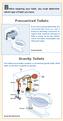 Before repairing your toilet, you must determine which type of toilet you have. Pressurized Toilets If you have a pressurized toilet, it is recommended that you call a licensed plumbing contractor to repair
Service Guide 12/27/03 TESTING, SERVICE & REPAIR GUIDE (For SH Space Heating Models & RA Water Heating Models)
 TESTING, SERVICE & REPAIR GUIDE (For SH Space Heating Models & RA Water Heating Models) WARNING - HIGH VOLTAGE AC electrical circuits are connected to this heater. Do not attempt any service work on the
Instruction Manual. Image of SP-3015 & SP-3815. Important Safeguards. Automatic Dispensing Hot Water Pot with Reboil Function
 Important Safeguards READ ALL INSTRUCTIONS BEFORE USE. Instruction Manual Automatic Dispensing Hot Water Pot with Reboil Function Image of SP-3015 & SP-3815 SP-3015: 3.0L SP-3815: 3.8L SP-3017: 3.0L (Stainless
5800 Temperature Sensor Cable Assembly
 5800 Temperature Sensor Cable Assembly Removal and Replacement Instruction Sheet #60-4702-070 Revision D, January 14, 2013 Overview The 5800 has two refrigeration temperature sensors, one attached to the
SunMaxx Solar Filling Station Operating Instructions
 SunMaxx Solar Filling Operating Instructions Content 1. Declaration of conformity... 2 2. Introduction... 2 3. Transportation and unpacking... 4 4. Mounting and commissioning... 5 5. End of operation...
Overview PARTS LIST. B. Lever mounting base C. Flush handle assembly D. Grey/Blue float stop E. Grey float (Full Flush) F. Flush valve washer
 Overview READ ENTIRE INSTRUCTIONS BEFORE STARTING INSTALLATION PARTS LIST A. Flush valve B. Lever mounting base C. Flush handle assembly D. Grey/Blue float stop E. Grey float (Full Flush) F. Flush valve
EVANS ELECTRONIC TEMPERATURE CONTROL TROUBLESHOOTING GUIDE for systems equipped with electric coolant valve and external PC board.
 EVANS ELECTRONIC TEMPERATURE CONTROL TROUBLESHOOTING GUIDE for systems equipped with electric coolant valve and external PC board. This Troubleshooting Guide covers the electric coolant valve and control
www.servicechamp.com
 1-800-221-0216 Fax: 1-800-472-2281 www.servicechamp.com Service Champ Part 52081 Service Interval every 30,000 miles / Chevrolet 1992-2002 6.5 liter Description and Operation The fuel filter element separates
http://waterheatertimer.org/troubleshoot-rheem-tankless-water-heater.html
 http://waterheatertimer.org/troubleshoot-rheem-tankless-water-heater.html TECHNICAL SERVICE DEPARTMENT Removal, Cleaning, & Reinstallation of the Burner Assembly For models 74 & GT199 Required tools -
ETL listed for installations within 5 ft. (1.5M) of outer edge of water www.srsmith.com 79-15152-00 Rev E2 9.14 Page 1 of 10
 Color Light Streams Large Laminar Installation Manual (CLSLL) Input Power: Total Power: 12V AC 5W 4008814 ETL listed for installations within 5 ft. (1.5M) of outer edge of water 79-15152-00 Rev E2 9.14
Bydureon 2 mg powder and solvent for prolonged-release suspension for injection
 INSTRUCTIONS FOR THE USER Your step by step guide Bydureon 2 mg powder and solvent for prolonged-release suspension for injection If you have questions about taking Bydureon Refer to the Common questions
Balzers Sputter Coater SCD 050
 Balzers Sputter Coater SCD 050 The SCD 050 is a bench top, sputter deposition system designed for thin films on substrates up to 6 inches. Morphology and thickness is user controlled using power, pressure,
G2 Optima Plus Flushometer
 G2 Optima Plus Flushometer SENSOR MODULE COMPONENT PARTS 1 3 4 5 6 7 2 13 12 11 Item No. Code No. Part No. Description 1. 0325160 EBV-138-A G2 Cover/Ring/Sensor Assembly Water Closet 0325161 EBV-139-A
1. Instrument Layout pg 2. 2. Summit Overview pg 3. 3. Data Storage and Data Files pgs 6-7. 4. Saving Data pg 7. 5. Start Up pg 8
 Table of Contents 1. Instrument Layout pg 2 2. Summit Overview pg 3 3. Data Storage and Data Files pgs 6-7 4. Saving Data pg 7 5. Start Up pg 8 6. Choosing and Naming Parameters pg 9 7. Creating Histograms
Make sure oven is OFF. Never remove parts or touch the fan unless the oven is OFF.
 Morning Cleaning The following start-up procedures MUST be completed before using the oven. The procedures may be completed at night after the oven has completed the clean cycle, or in the morning BEFORE
 2 (. 3 4 5 . -,.. -,. 3. : 1 2 3 > 4, :!! 1,, 17 Lt MAX 2 3 4,, > 5.,,, 6 :, :1)! 2)! 7,, 1, :,. 2,, Bottom of steam generator 7 8 9 10 11 12 automatically and this phenomenon will continue for
Caring for Your PleurX Pleural Catheter
 Caring for Your PleurX Pleural Catheter A PleurX Pleural Catheter has been placed in your chest through a small incision in your skin into the pleural space (see picture below). This allows you to drain
Procenter Delivery System* Troubleshooting Charts
 1 2 3 4 Procenter Delivery System* Troubleshooting Charts * includes International (Whip) Units Component Page Procenter / Int l. (Whip) Delivery Units*... 2 Assistant s Units...6 Midmark Cuspidor...7
Installation Instructions 6028.801
 DAZZLE Installation Instructions 08.80 Spread Lavatory Faucet with Speed Connect Drain* Congratulations on purchasing your American Standard faucet with Speed Connect drain, a feature found only on American
Hitachi U-4100 UV-vis-NIR spectrophotometer (341-F)
 Hitachi U-4100 UV-vis-NIR spectrophotometer (341-F) Please contact Dr. Amanda Young for training requests and assistance: 979-862-6845, [email protected] Hardware Our spectrophotometer is made up of
SHOT BLAST CABINET MODEL NO: CSB20B
 SHOT BLAST CABINET MODEL NO: CSB20B PART NO: 7640110 USER INSTRUCTIONS GC0216 INTRODUCTION Thank you for purchasing this CLARKE Shot Blast Cabinet which is designed for professional workshop use. Before
HUMULIN 70/30 KwikPen
 1 Instructions for Use HUMULIN 70/30 KwikPen (70% human insulin isophane suspension 30% human insulin injection [rdna origin]) Read the Instructions for Use before you start taking HUMULIN 70/30 and each
FACSCanto RUO Special Order QUICK REFERENCE GUIDE
 FACSCanto RUO Special Order QUICK REFERENCE GUIDE INSTRUMENT: 1. The computer is left on at all times. Note: If not Username: Administrator Password: BDIS 2. Unlock the screen with your PPMS account (UTSW
Technical Bulletin. Threshold and Analysis of Small Particles on the BD Accuri C6 Flow Cytometer
 Threshold and Analysis of Small Particles on the BD Accuri C6 Flow Cytometer Contents 2 Thresholds 2 Setting the Threshold When analyzing small particles, defined as particles smaller than 3.0 µm, on the
Thermo Top - Troubleshooting Tree
 Thermo Top - Troubleshooting Tree 07-15-2002 CAUTION Troubleshooting requires comprehensive knowledge about the structure and theory of operation of the Thermo Top heater. Troubleshooting and repairs may
SECTION G2: CABLE PROCESSOR MODULE MAINTENANCE
 SECTION G2: CABLE PROCESSOR MODULE MAINTENANCE Cable Processor Module overview WARNING! When tipping the Cable Processor Module back, (after removing the toggle arm pin), use extreme caution not to drop
Atomic Force Microscope
 Atomic Force Microscope (Veeco Nanoman) User Manual Basic Operation 4 th Edition Aug 2012 NR System Startup If the system is currently ON To start the NanoScope software, double-click the NanoScope startup
Bydureon 2 mg powder and solvent for prolonged-release suspension for injection in pre-filled pen How to use Bydureon pre-filled pen
 INSTRUCTIONS FOR THE USER Read these instructions carefully before use Bydureon 2 mg powder and solvent for prolonged-release suspension for injection in pre-filled pen How to use Bydureon pre-filled pen
REPAIR AND MAINTENANCE MANUAL
 REPAIR AND MAINTENANCE MANUAL Professional Pest Control Application Equipment Prime Line Sprayers B&G Equipment Company 135 Region South Drive, Jackson, GA 30233 800.544.8811 Phone 678.688.5601 Fax 678.688.5633
Installation Operation Maintenance Troubleshooting
 Installation Operation Maintenance Troubleshooting Version 3, 2.1, June/09 Apr/09 1416 1402 Table of Contents Important information 2 Weights & Dimensions 3 Operator s Instructions 4 Flow Diagram 5 Purging
FACS-CALIBUR. USER-Guide
 FACS Calibur User guide Version 2.1-03/2006 AXS 1 FACS-CALIBUR Version 2.1 USER-Guide Note: This guide does note compensate for a personal introduction from an operator before first usage Draft mainly
How To Replace A Reverse Osmosis Water Tank
 ALL MODELS REVERSE OSMOSIS WITH NONAIRGAP FAUCET 1. Read all instructions carefully before starting installation. 2. Find the cold water line beneath your sink. The cold water is typically on the right.
Fiberstars Lighted Laminar Flow Fountain Installation Manual
 Fiberstars Lighted Laminar Flow Fountain Installation Manual 79-15037-00 REV Xx http://www.fiberstars.com Page 1 of 8 SAVE THESE DIRECTIONS! These directions are provided to ensure the proper installation
GENUINE PARTS INSTALLATION INSTRUCTIONS
 GENUINE PARTS INSTALLATION INSTRUCTIONS DESCRIPTION: Illuminated Kick Plate APPLICATION: Rogue (2011) PART NUMBER: 999G6 GX010 KIT CONTENTS: Item A B C G H QTY 1 1 1 D 1 E 1 F 3 15 6 Description Kick Plate,
Submersion/Insertion Toroidal Sensor
 Instruction Sheet PN 51A-228/rev.P December 2010 Model 228 Submersion/Insertion Toroidal Sensor For additional information, please visit our website at www.emersonprocess.com/raihome/liquid/. CAUTION SENSOR/PROCESS
Attune Acoustic Focusing Cytometer
 USER GUIDE Attune Acoustic Focusing Cytometer USER GUIDE Publication Part Number 4453328 Rev. F Revision Date June 2012 Copyright 2012, Life Technologies Corporation. All rights reserved. For Research
ENGINE FUEL FUEL FILTER... FUEL HEATER... INJECTOR... SUPPLY PUMP... COMMON RAIL... FUEL PRESSURE LIMITTER...
 FUEL FILTER............................ FUEL HEATER.......................... INJECTOR.............................. SUPPLY PUMP.......................... COMMON RAIL.......................... FUEL PRESSURE
A High Bill Usually Means a Leak
 A High Bill Usually Means a Leak Did you know that approximately 50 percent of all households have some kind of plumbing leak? Most of these leaks are due to worn out washers, flappers or faulty tank valves,
Dentalaire Owner s Manual for all Dental Stations
 Dentalaire Owner s Manual for all Dental Stations DENTALAIRE SET UP PROCEDURE FOR DENTALAIRE DENTAL STATIONS STEP # 1 - Open crate using a large screwdriver. Please check crate for any damages and report
Trouble shooting for fiber Units only
 TROUBLE SHOOTING Electric Lights Jazz FX Jazz/FX Spa Fiber Illuminators Note: For proper trouble shooting have your model number ready. It is located on the outside of your Illuminator on a Fiberstars
Navios Quick Reference
 Navios Quick Reference Purpose: The purpose of this Quick Reference is to provide a simple step by step outline of the information needed to perform various tasks on the system. We begin with basic tasks
NewAir AC-10000E, AC-10000H Portable Air Conditioner Owner s Manual PLEASE READ AND SAVE THESE INSTRUCTIONS
 NewAir AC-10000E, AC-10000H Portable Air Conditioner Owner s Manual PLEASE READ AND SAVE THESE INSTRUCTIONS BEFORE USE GENERAL SAFETY INSTRUCTIONS: ALWAYS OPERATE THE UNIT IN AN UPRIGHT POSITION AND PLACE
Line to Refrigerator Ice/Water Dispenser
 Standard 18 Line to Refrigerator Ice/Water Dispenser Pump Module Bottled Water How The System Works The FLOJET Bottled Water Dispensing System was designed to pump water from a commercially available 5-gallon
3. SEISCO PARTS & SERVICE REMOVAL AND REPAIR GUIDE
 4 3. SEISCO PARTS & SERVICE REMOVAL AND REPAIR GUIDE A. Changing the Control Board B. Replacing a Heating Element C. Thermistor Replacement D. High Limit Switch Replacement E. Level Detector Replacement
PATIENT GUIDE. Care and Maintenance Drainage Frequency: Max. Drainage Volume: Dressing Option: Clinician s Signature: Every drainage Weekly
 PATIENT GUIDE Care and Maintenance Drainage Frequency: Max. Drainage Volume: Dressing Option: Every drainage Weekly Clinician s Signature: ACCESS SYSTEMS Pleural Space Insertion Site Cuff Exit Site Catheter
Dissolved Oxygen Sensors
 Instruction Sheet PN 51A-HxDO/rev.F June 2008 Models Hx438 and Gx448 Dissolved Oxygen Sensors For additional information, please refer to the Instruction Manuals CD shipped with this product, or visit
Back Pack Sprayer. Operator's Manual MODELS MS - 40 MS - 50
 Back Pack Sprayer Operator's Manual MODELS MS - 40 MS - 50 WARNING DANGER Read rules for safe operation and all instructions carefully. ECHO provides this Operator's Manual which must be read and understood
Cooling system components, removing and installing
 Page 1 of 34 19-1 Cooling system components, removing and installing WARNING! The cooling system is pressurized when the engine is warm. When opening the expansion tank, wear gloves and other appropriate
PRODUCT: WASHER / WASHER-DRYER COMBO MODEL: AW 120 / AW 122 / AW 125 AWD 120 / AWD 121 / AWD 129
 PRODUCT: WASHER / WASHER-DRYER COMBO MODEL: The information included in this Splendide Repair Manual may change without notice. Please see our web site www.splendide.com/service/docs.html for updates,
Katharina Lückerath (AG Dr. Martin Zörnig) adapted from Dr. Jörg Hildmann BD Biosciences,Customer Service
 Introduction into Flow Cytometry Katharina Lückerath (AG Dr. Martin Zörnig) adapted from Dr. Jörg Hildmann BD Biosciences,Customer Service How does a FACS look like? FACSCalibur FACScan What is Flow Cytometry?
For safety information, see the ABI PRISM 310 Genetic Analyzer User s Manual (PN 903565 or 4317588).
 User Bulletin ABI PRISM 310 Genetic Analyzer 01/2007 SUBJECT: Syringe Care and Maintenance Overview Safety Information Warranty Information In this User Bulletin This user bulletin describes the care,
ON TRACK Reprocessing Inservice / Competency for GI Endoscopes (EVIS, EXERA, EXERA II)
 THIS CHECKLIST IS DESIGNED FOR USE SOLELY AS A CUSTOMER EDUCATIONAL TOOL, AND IS NOT INTENDED TO REPLACE OR ANY WAY MODIFY THE OLYMPUS INSTRUCTION MANUAL/REPROCESSING MANUAL. BE SURE TO FOLLOW THE DETAILED
BACKPACK SPRAYERS. MODEL NOS: KSP16 & KSP20 Part Nos: 3402270 & 3402275 OPERATING & MAINTENANCE INSTRUCTIONS GC04/12
 BACKPACK SPRAYERS MODEL NOS: KSP16 & KSP20 Part Nos: 3402270 & 3402275 OPERATING & MAINTENANCE INSTRUCTIONS GC04/12 INTRODUCTION Thank you for purchasing this CLARKE Sprayer, designed for use only with
Sprinter Fuel Filter Installation
 This document is based on my experience with a 2002 Sprinter, and created because of the lack of manuals for the Sprinter in the US that reflects basic maintenance guidelines. The pros, no doubt, have
MODEL G300 BRAKE BLEEDER
 MODEL G300 BRAKE BLEEDER Installation, Operation & Repair Parts Information Branick Industries, Inc. 4245 Main Avenue P.O. Box 1937 Fargo, North Dakota 58103 REV060616 P/N: 81-0035G 1 THIS PAGE INTENTIONALLY
Aseptic Technique. A GMP/GTP Training Module
 Aseptic Technique A GMP/GTP Training Module Aseptic Technique The GMP Facility manufactures products for clinical use These products must meet a number of requirements, one of which is that they are sterile
INVERTER GENERATOR OWNER S MANUAL FOR YOUR SAFETY PLEASE READ THESE INSTRUCTIONS CAREFULLY AND RETAIN THEM FOR FUTURE USE.
 INVERTER GENERATOR OWNER S MANUAL FOR YOUR SAFETY PLEASE READ THESE INSTRUCTIONS CAREFULLY AND RETAIN THEM FOR FUTURE USE. GENERATOR SAFETY EXHAUST GAS PRECAUTIONS Only use outdoors! Exhaust fumes can
15GAL STEEL OIL DRAIN WITH 110V PUMP
 15GAL STEEL OIL DRAIN WITH 110V PUMP OWNER S MANUAL WARNING: Read carefully and understand all ASSEMBLY AND OPERATION INSTRUCTIONS before operating. Failure to follow the safety rules and other basic safety
OASIS SERVICE & TROUBLESHOOTING MANUAL (WITH DM10 OR DM12)
 OASIS SERVICE & TROUBLESHOOTING MANUAL (WITH DM10 OR DM12) Revision 1.0 Page 1 of 50 THE INFORMATION CONTAINED IN THIS DOCUMENT IS THE SOLE PROPERTY OF INTERNATIONAL THERMAL RESEARCH, LTD. ANY REPRODUCTION
Immunophenotyping Flow Cytometry Tutorial. Contents. Experimental Requirements...1. Data Storage...2. Voltage Adjustments...3. Compensation...
 Immunophenotyping Flow Cytometry Tutorial Contents Experimental Requirements...1 Data Storage...2 Voltage Adjustments...3 Compensation...5 Experimental Requirements For immunophenotyping with FITC and
CELL CYCLE BASICS. G0/1 = 1X S Phase G2/M = 2X DYE FLUORESCENCE
 CELL CYCLE BASICS Analysis of a population of cells replication state can be achieved by fluorescence labeling of the nuclei of cells in suspension and then analyzing the fluorescence properties of each
NESCAFÉ Solution 8/60 Beverage System. Operations Manual
 NESCAFÉ Solution 8/60 Beverage System Operations Manual 1 INDEX & WARNINGS INDEX Warnings SECTION: 1 INDEX & WARNINGS SECTION: 2 BASIC PARTS OF THE MACHINE SECTION: 3 LOADING PRODUCTS SECTION: 4 DISPENSING
7500 Pro-Ox Filter Installation & Start-Up Guide
 Clean Water Made Easy www.cleanwaterstore.com 7500 Pro-Ox Filter Installation & Start-Up Guide Thank you for purchasing a Clean Water System! With proper installation and a little routine maintenance your
Minneapolis User Group Meeting
 Minneapolis User Group Meeting September 25, 2012 DSM - Bill Troup FSRs - Linda Fog & Quirin Matthys Agenda What s new in Sysmex Services Our Support Quality Our Service Strategy Investment in Technology
GAERTNER SCIENTIFIC CORPORATION 3650 Jarvis Ave. Skokie, Illinois 60076 U.S.A. tel: 1 847 673-5006 fax: 1 847 673-5009 email@gaertnerscientific.
 7109-C-244E-R1 Field Installation of HeNe Laser in B, C, and D-Type Auto Gain Ellipsometers GAERTNER SCIENTIFIC CORPORATION 3650 Jarvis Ave. Skokie, Illinois 60076 U.S.A. tel: 1 847 673-5006 fax: 1 847
FLUSHMATE FLUSHMATE FLUSHOMETER - TANK SYSTEM. Owner s Service Manual 503 and 504 Series
 Owner s Service Manual 503 and 504 Series FLUSHMATE FLUSHOMETER - TANK SYSTEM 503 504 FLUSHMATE A Division of Sloan Valve Company 30075 Research Drive New Hudson, MI 48165 800-533-3460 248-446-5300 http://www.flushmate.com
FASCINATION 700 HVLP TANNING PRO SYSTEM USER MANUAL
 FASCINATION 700 HVLP TANNING PRO SYSTEM USER MANUAL Congratulations on choosing the Fascination 700 HVLP Tanning Pro System! Your system includes the following items: 1 Fascination 700 HVLP Tanning Pro
MAINTENANCE & TROUBLESHOOTING
 MAINTENANCE & TROUBLESHOOTING This section describes how to: clean the lens clean the fan intake filter replace the projection lamp replace the batteries in the remote control use the Kensington lock feature
CyAn : 11 Parameter Desktop Flow Cytometer
 CyAn : 11 Parameter Desktop Flow Cytometer Cyan ADP 3 excitation lines 488nm, 635nm, and UV or violet 11 simultaneous parameters FSC, SSC, and 7-9 colors with simultaneous width, peak, area, and log on
Simulator Maintenance: SimMan3G & SimMan Essen5al
 Simulator Maintenance: SimMan3G & SimMan Essen5al Introductions Sam Rhudy, Laerdal Field Service, America s Philip Foley, Laerdal Technical Support, America s Basic Manikin Trouble shooting ASSEMBLY &
A Do-It-Yourself Home Water Audit
 A Do-It-Yourself Home Water Audit This page is left blank intentionally. Please use the double-sided printer setting when printing. Your new Home Water Savings Kit can help you conduct a do-it-yourself
Your safety and the safety of others are very important.
 NATURAL GAS TO PROPANE CONVERSION KIT 090 INSTALLATION INSTRUCTIONS FOR ALTITUDES 0 -,00 FT. ONLY PROPANE CONVERSION KIT SAFETY... INSTALLATION REQUIREMENTS... Tools and Parts... LP Gas Requirements...
Appendix C. Vernier Tutorial
 C-1. Vernier Tutorial Introduction: In this lab course, you will collect, analyze and interpret data. The purpose of this tutorial is to teach you how to use the Vernier System to collect and transfer
Fleck 4650. Service Manual INSTALLATION AND START-UP PROCEDURE TABLE OF CONTENTS JOB SPECIFICATION SHEET
 Fleck 4650 Service Manual TABLE OF CONTENTS JOB SPECIFICATION SHEET...1 INSTALLATION AND START-UP PROCEDURE...1 CONTROL VALVE DRIVE ASSEMBLY...2 CONTROL DRIVE ASSEMBLY FOR CLOCK...3 BYPASS VALVE ASSEMBLY...4
DTM04 TANK MONITOR DTM08 TANK MONITOR Dtm12 TANK MONITOR. Installation and Operation Manual
 DTM04 TANK MONITOR DTM08 TANK MONITOR Dtm12 TANK MONITOR Installation and Operation Manual 1 ENGLISH Safety Instructions 2 Features 2-3 Specifications 3 Installation 4-5 Wiring Diagrams 6-7 Warranty 8
Cooling system components, removing and installing
 Engine BHW Cooling system components, removing and installing Page 1 / 24 19-1 Cooling system components, removing and installing Warning! When doing any repair work, especially in the engine compartment,
The Determination of an Equilibrium Constant
 The Determination of an Equilibrium Constant Computer 10 Chemical reactions occur to reach a state of equilibrium. The equilibrium state can be characterized by quantitatively defining its equilibrium
UPGRADING AND SERVICING GUIDE
 UPGRADING AND SERVICING GUIDE HPTouchSmart 610 PC Computer features may vary by model. Removing and Replacing a CD/DVD Drive...2 Removing the CD/DVD Drive... 2 Installing a New CD/DVD Drive... 5 Removing
LED MOTION ACTIVATED FLOOD LIGHT
 Utilitech & UT Design are registered trademarks of LF, LLC. All Rights Reserved. ITEM #0611551, #0611550 LED MOTION ACTIVATED FLOOD LIGHT MODEL #SE1036-BP2-02LF0-U, SE1036-WH3-02LF0-U Français p. 10 Español
PC1130 Electric Air Compressor
 Senco Products Inc. 8485 Broadwell Road Cincinnati, Ohio 45244 PC1130 Electric Air Compressor Operating Instructions 2006 by Senco Products, Inc. Warnings for the safe use of this tool are included in