
TivaWare Utilities Library
|
|
|
- Dustin Dennis McCormick
- 9 years ago
- Views:
Transcription
1 TivaWare Utilities Library USER S GUIDE SW-TM4C-UTILS-UG-1.1 Copyright 2013 Texas Instruments Incorporated

2 Copyright Copyright 2013 Texas Instruments Incorporated. All rights reserved. Tiva and TivaWare are trademarks of Texas Instruments Instruments. ARM and Thumb are registered trademarks and Cortex is a trademark of ARM Limited. Other names and brands may be claimed as the property of others. Please be aware that an important notice concerning availability, standard warranty, and use in critical applications of Texas Instruments semiconductor products and disclaimers thereto appears at the end of this document. Texas Instruments 108 Wild Basin, Suite 350 Austin, TX Revision Information This is version 1.1 of this document, last updated on July 02, July 02, 2013

3 Table of Contents Table of Contents Copyright Revision Information Introduction Command Line Processing Module Introduction API Functions Programming Example CPU Usage Module Introduction API Functions Programming Example Flash Parameter Block Module Introduction API Functions Programming Example Integer Square Root Module Introduction API Functions Programming Example Random Number Utility Module Introduction API Functions Programming Example Ring Buffer Module Introduction API Functions Programming Example Simple Task Scheduler Module Introduction API Functions Programming Example Sine Calculation Module Introduction API Functions Programming Example SMBus Stack Introduction API Functions Programming Example Software I2C Module Introduction API Functions Programming Example Software SSI Module Introduction July 02,
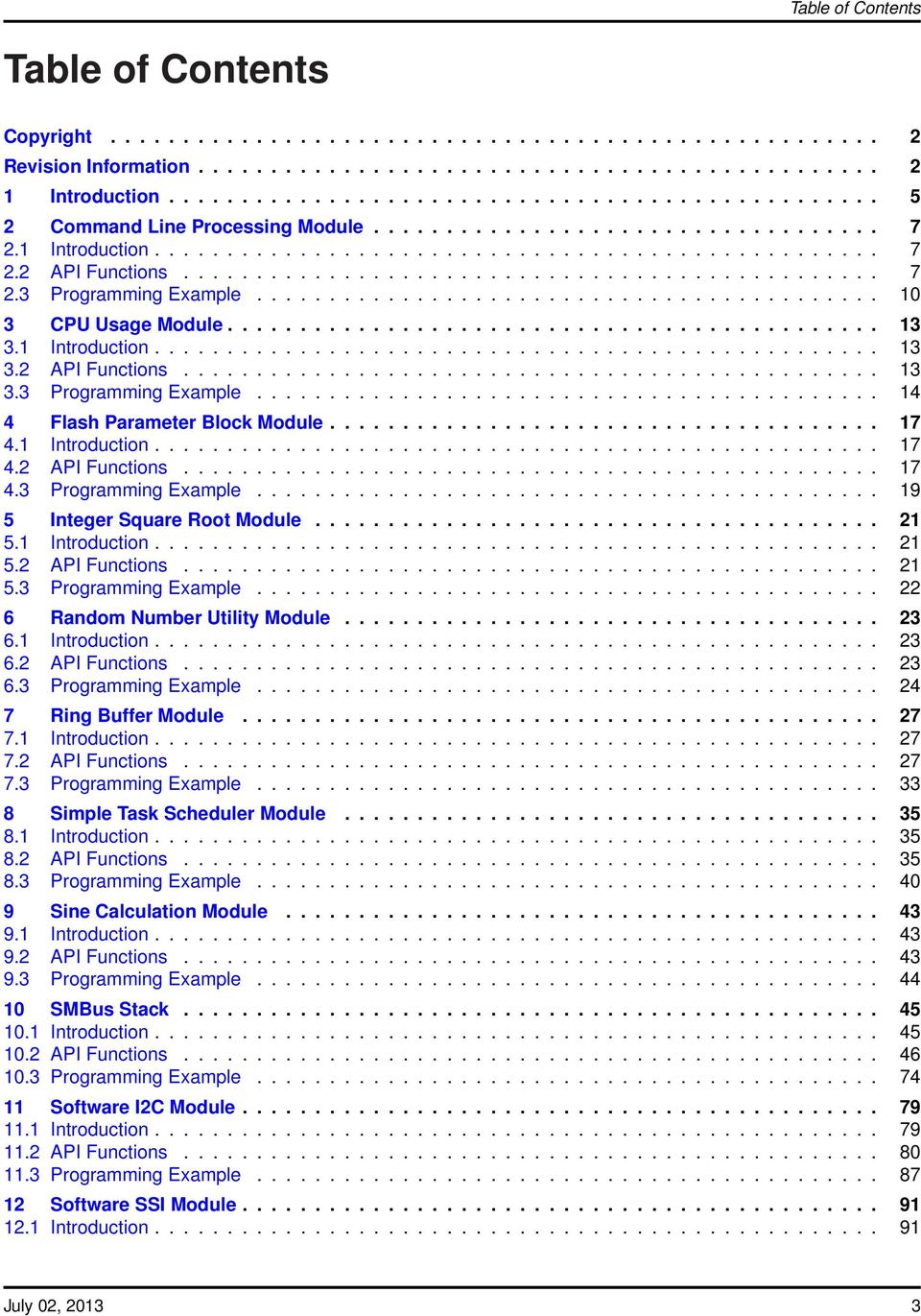
4 Table of Contents 12.2 API Functions Programming Example Software UART Module Introduction API Functions Programming Example UART Standard IO Module Introduction API Functions Programming Example Micro Standard Library Module Introduction API Functions Programming Example IMPORTANT NOTICE July 02, 2013
5 Introduction 1 Introduction The Texas Instruments TivaWare Utillities Library is a set of board-independent utility functions that are helpful when creating applications for the Tiva family of ARM Cortex -M based microcontrollers. This is not a library in the truest sense as there is not a set of prebuilt objects in a library container. Instead, the files in this directory are intended to be built from source as part of the target application; in many cases, there are #defines that control the features and capabilities of the utility functions that can be used to tailor the utilities to the specific needs of the application. These utilities reside in the utils subdirectory of the firmware development package source distribution. July 02,

6 Introduction 6 July 02, 2013

7 2 Command Line Processing Module Command Line Processing Module Introduction API Functions Programming Example Introduction The command line processor allows a simple command line interface to be made available in an application, for example via a UART. It takes a buffer containing a string (which must be obtained by the application) and breaks it up into a command and arguments (in traditional C argc, argv format). The command is then found in a command table and the corresponding function in the table is called to process the command. This module is contained in utils/cmdline.c, with utils/cmdline.h containing the API declarations for use by applications. 2.2 API Functions Data Structures tcmdlineentry Defines CMDLINE_BAD_CMD CMDLINE_INVALID_ARG CMDLINE_TOO_FEW_ARGS CMDLINE_TOO_MANY_ARGS Functions int CmdLineProcess (char pccmdline) Variables tcmdlineentry g_pscmdtable[ ] July 02,

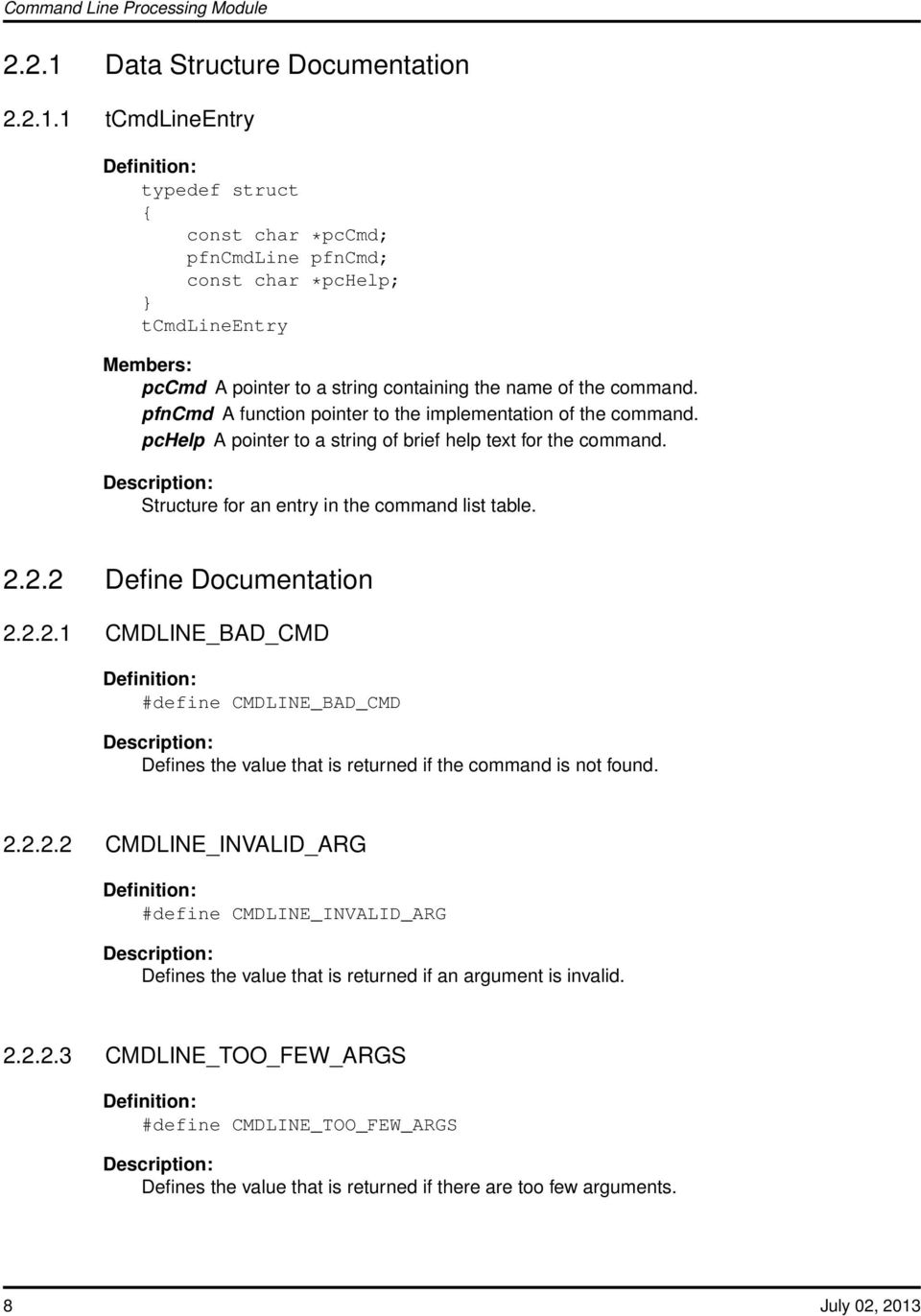
8 Command Line Processing Module Data Structure Documentation tcmdlineentry Definition: typedef struct { const char *pccmd; pfncmdline pfncmd; const char *pchelp; } tcmdlineentry Members: pccmd A pointer to a string containing the name of the command. pfncmd A function pointer to the implementation of the command. pchelp A pointer to a string of brief help text for the command. Structure for an entry in the command list table Define Documentation CMDLINE_BAD_CMD Definition: #define CMDLINE_BAD_CMD Defines the value that is returned if the command is not found CMDLINE_INVALID_ARG Definition: #define CMDLINE_INVALID_ARG Defines the value that is returned if an argument is invalid CMDLINE_TOO_FEW_ARGS Definition: #define CMDLINE_TOO_FEW_ARGS Defines the value that is returned if there are too few arguments. 8 July 02, 2013
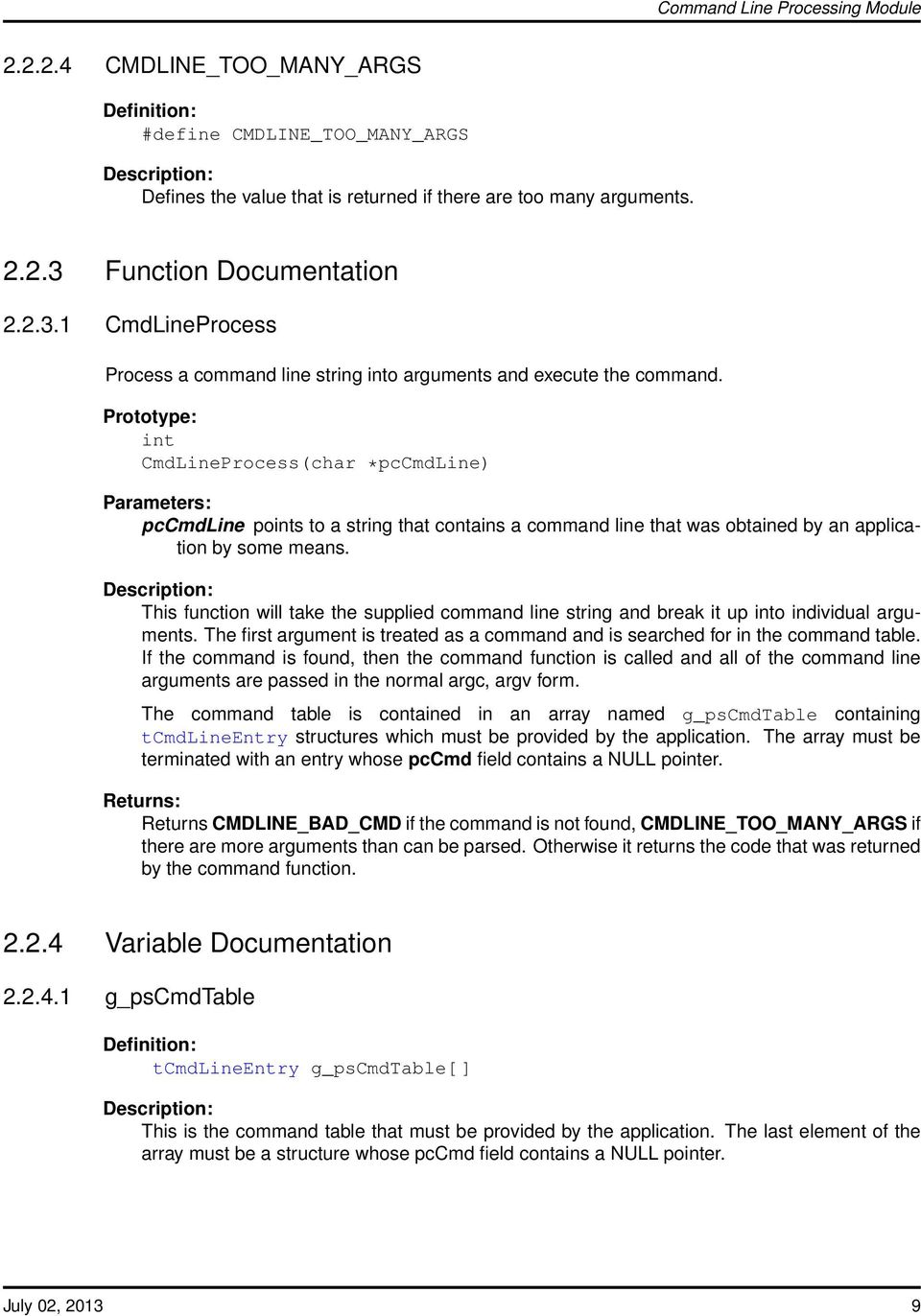
9 Command Line Processing Module CMDLINE_TOO_MANY_ARGS Definition: #define CMDLINE_TOO_MANY_ARGS Defines the value that is returned if there are too many arguments Function Documentation CmdLineProcess Process a command line string into arguments and execute the command. int CmdLineProcess(char *pccmdline) pccmdline points to a string that contains a command line that was obtained by an application by some means. This function will take the supplied command line string and break it up into individual arguments. The first argument is treated as a command and is searched for in the command table. If the command is found, then the command function is called and all of the command line arguments are passed in the normal argc, argv form. The command table is contained in an array named g_pscmdtable containing tcmdlineentry structures which must be provided by the application. The array must be terminated with an entry whose pccmd field contains a NULL pointer. Returns CMDLINE_BAD_CMD if the command is not found, CMDLINE_TOO_MANY_ARGS if there are more arguments than can be parsed. Otherwise it returns the code that was returned by the command function Variable Documentation g_pscmdtable Definition: tcmdlineentry g_pscmdtable[ ] This is the command table that must be provided by the application. The last element of the array must be a structure whose pccmd field contains a NULL pointer. July 02,
10 Command Line Processing Module 2.3 Programming Example The following example shows how to process a command line. Code for the "foo" command. int ProcessFoo(int argc, char *argv[]) { Do something, using argc and argv if the command takes arguments. } Code for the "bar" command. int ProcessBar(int argc, char *argv[]) { Do something, using argc and argv if the command takes arguments. } Code for the "help" command. int ProcessHelp(int argc, char *argv[]) { Provide help. } The table of commands supported by this application. tcmdlineentry g_pscmdtable[] = { { "foo", ProcessFoo, "The first command." }, { "bar", ProcessBar, "The second command." }, { "help", ProcessHelp, "Application help." }, { 0, 0, 0 } }; Read a process a command. int Test() { unsigned char puccmd[256]; Retrieve a command from the user into puccmd.... Process the command line. 10 July 02, 2013
![int ProcessBar(int argc, char *argv[]) { Do something, using argc and argv if the command takes arguments. } Code for the "help" command. int ProcessHelp(int argc, char *argv[]) { Provide help.](/docs-images/41/17345458/images/page_10.jpg "} The table of commands supported by this application. tcmdlineentry g_pscmdtable[] = { { \"foo\", ProcessFoo, \"The first command.\" }, { \"bar\", ProcessBar, \"The second command.")
11 Command Line Processing Module } return(cmdlineprocess(puccmd)); July 02,

12 Command Line Processing Module 12 July 02, 2013

13 CPU Usage Module 3 CPU Usage Module Introduction API Functions Programming Example Introduction The CPU utilization module uses one of the system timers and peripheral clock gating to determine the percentage of the time that the processor is being clocked. For the most part, the processor is executing code whenever it is being clocked (exceptions occur when the clocking is being configured, which only happens at startup, and when entering/exiting an interrupt handler, when the processor is performing stacking operations on behalf of the application). The specified timer is configured to run when the processor is in run mode and to not run when the processor is in sleep mode. Therefore, the timer will only count when the processor is being clocked. Comparing the number of clocks the timer counted during a fixed period to the number of clocks in the fixed period provides the percentage utilization. In order for this to be effective, the application must put the processor to sleep when it has no work to do (instead of busy waiting). If the processor never goes to sleep (either because of a continual stream of work to do or a busy loop), the processor utilization will be reported as 100%. Since deep-sleep mode changes the clocking of the system, the computed processor usage may be incorrect if deep-sleep mode is utilized. The number of clocks the processor spends in run mode will be properly counted, but the timing period may not be accurate (unless extraordinary measures are taken to ensure timing period accuracy). The accuracy of the computed CPU utilization depends upon the regularity with which CPUUsageTick() is called by the application. If the CPU usage is constant, but CPUUsageTick() is called sporadically, the reported CPU usage will fluctuate as well despite the fact that the CPU usage is actually constant. This module is contained in utils/cpu_usage.c, with utils/cpu_usage.h containing the API declarations for use by applications. 3.2 API Functions Functions CPUUsageInit (uint32_t ui32clockrate, uint32_t ui32rate, uint32_t ui32timer) uint32_t CPUUsageTick () July 02,

14 CPU Usage Module Function Documentation CPUUsageInit Initializes the CPU usage measurement module. CPUUsageInit(uint32_t ui32clockrate, uint32_t ui32rate, uint32_t ui32timer) ui32clockrate is the rate of the clock supplied to the timer module. ui32rate is the number of times per second that CPUUsageTick() is called. ui32timer is the index of the timer module to use. This function prepares the CPU usage measurement module for measuring the CPU usage of the application CPUUsageTick Updates the CPU usage for the new timing period. uint32_t CPUUsageTick() This function, when called at the end of a timing period, will update the CPU usage. Returns the CPU usage percentage as a fixed-point value. 3.3 Programming Example The following example shows how to use the CPU usage module to measure the CPU usage where the foreground simply burns some cycles. The CPU usage for the most recent time period. unsigned long g_ulcpuusage; Handles the SysTick interrupt. 14 July 02, 2013

15 CPU Usage Module SysTickIntHandler() { Compute the CPU usage for the last time period. g_ulcpuusage = CPUUsageTick(); } The main application. int main() { Initialize the CPU usage module, using timer 0. CPUUsageInit( , 100, 0); Initialize SysTick to interrupt at 100 Hz. SysTickPeriodSet( / 100); SysTickIntEnable(); SysTickEnable(); Loop forever. while(1) { Delay for a little bit so that CPU usage is not zero. SysCtlDelay(100); } } Put the processor to sleep. SysCtlSleep(); July 02,

16 CPU Usage Module 16 July 02, 2013

17 Flash Parameter Block Module 4 Flash Parameter Block Module Introduction API Functions Programming Example Introduction The flash parameter block module provides a simple, fault-tolerant, persistent storage mechanism for storing parameter information for an application. The FlashPBInit() function is used to initialize a parameter block. The primary conditions for the parameter block are that flash region used to store the parameter blocks must contain at least two erase blocks of flash to ensure fault tolerance, and the size of the parameter block must be an integral divisor of the the size of an erase block. FlashPBGet() and FlashPBSave() are used to read and write parameter block data into the parameter region. The only constraints on the content of the parameter block are that the first two bytes of the block are reserved for use by the read/write functions as a sequence number and checksum, respectively. This module is contained in utils/flash_pb.c, with utils/flash_pb.h containing the API declarations for use by applications. 4.2 API Functions Functions uint8_t FlashPBGet () FlashPBInit (uint32_t ui32start, uint32_t ui32end, uint32_t ui32size) FlashPBSave (uint8_t pui8buffer) Function Documentation FlashPBGet Gets the address of the most recent parameter block. uint8_t * FlashPBGet() This function returns the address of the most recent parameter block that is stored in flash. Returns the address of the most recent parameter block, or NULL if there are no valid parameter blocks in flash. July 02,

18 Flash Parameter Block Module FlashPBInit Initializes the flash parameter block. FlashPBInit(uint32_t ui32start, uint32_t ui32end, uint32_t ui32size) ui32start is the address of the flash memory to be used for storing flash parameter blocks; this must be the start of an erase block in the flash. ui32end is the address of the end of flash memory to be used for storing flash parameter blocks; this must be the start of an erase block in the flash (the first block that is NOT part of the flash memory to be used), or the address of the first word after the flash array if the last block of flash is to be used. ui32size is the size of the parameter block when stored in flash; this must be a power of two less than or equal to the flash erase block size (typically 1024). This function initializes a fault-tolerant, persistent storage mechanism for a parameter block for an application. The last several erase blocks of flash (as specified by ui32start and ui32end are used for the storage; more than one erase block is required in order to be fault-tolerant. A parameter block is an array of bytes that contain the persistent parameters for the application. The only special requirement for the parameter block is that the first byte is a sequence number (explained in FlashPBSave()) and the second byte is a checksum used to validate the correctness of the data (the checksum byte is the byte such that the sum of all bytes in the parameter block is zero). The portion of flash for parameter block storage is split into N equal-sized regions, where each region is the size of a parameter block (ui32size). Each region is scanned to find the most recent valid parameter block. The region that has a valid checksum and has the highest sequence number (with special consideration given to wrapping back to zero) is considered to be the current parameter block. In order to make this efficient and effective, three conditions must be met. The first is ui32start and ui32end must be specified such that at least two erase blocks of flash are dedicated to parameter block storage. If not, fault tolerance can not be guaranteed since an erase of a single block will leave a window where there are no valid parameter blocks in flash. The second condition is that the size (ui32size) of the parameter block must be an integral divisor of the size of an erase block of flash. If not, a parameter block will end up spanning between two erase blocks of flash, making it more difficult to manage. The final condition is that the size of the flash dedicated to parameter blocks (ui32end - ui32start) divided by the parameter block size (ui32size) must be less than or equal to 128. If not, it will not be possible in all cases to determine which parameter block is the most recent (specifically when dealing with the sequence number wrapping back to zero). When the microcontroller is initially programmed, the flash blocks used for parameter block storage are left in an erased state. This function must be called before any other flash parameter block functions are called. 18 July 02, 2013

19 Flash Parameter Block Module FlashPBSave Writes a new parameter block to flash. FlashPBSave(uint8_t *pui8buffer) pui8buffer is the address of the parameter block to be written to flash. This function will write a parameter block to flash. Saving the new parameter blocks involves three steps: Setting the sequence number such that it is one greater than the sequence number of the latest parameter block in flash. Computing the checksum of the parameter block. Writing the parameter block into the storage immediately following the latest parameter block in flash; if that storage is at the start of an erase block, that block is erased first. By this process, there is always a valid parameter block in flash. If power is lost while writing a new parameter block, the checksum will not match and the partially written parameter block will be ignored. This is what makes this fault-tolerant. Another benefit of this scheme is that it provides wear leveling on the flash. Since multiple parameter blocks fit into each erase block of flash, and multiple erase blocks are used for parameter block storage, it takes quite a few parameter block saves before flash is re-written. 4.3 Programming Example The following example shows how to use the flash parameter block module to read the contents of a flash parameter block. unsigned char pucbuffer[16], *pucpb; Initialize the flash parameter block module, using the last two pages of a 64 KB device as the parameter block. FlashPBInit(0xf800, 0x10000, 16); Read the current parameter block. pucpb = FlashPBGet(); if(pucpb) { memcpy(pucbuffer, pucpb); } July 02,

20 Flash Parameter Block Module 20 July 02, 2013

21 Integer Square Root Module 5 Integer Square Root Module Introduction API Functions Programming Example Introduction The integer square root module provides an integer version of the square root operation that can be used instead of the floating point version provided in the C library. The algorithm used is a derivative of the manual pencil-and-paper method that used to be taught in school, and is closely related to the pencil-and-paper division method that is likely still taught in school. For full details of the algorithm, see the article by Jack W. Crenshaw in the February 1998 issue of Embedded System Programming. It can be found online at This module is contained in utils/isqrt.c, with utils/isqrt.h containing the API declarations for use by applications. 5.2 API Functions Functions uint32_t isqrt (uint32_t ui32value) Function Documentation isqrt Compute the integer square root of an integer. uint32_t isqrt(uint32_t ui32value) ui32value is the value whose square root is desired. This function will compute the integer square root of the given input value. Since the value returned is also an integer, it is actually better defined as the largest integer whose square is less than or equal to the input value. Returns the square root of the input value. July 02,
22 Integer Square Root Module 5.3 Programming Example The following example shows how to compute the square root of a number. unsigned long ulvalue; Get the square root of The result returned will be 228, which is the largest integer less than or equal to the square root of ulvalue = isqrt(52378); 22 July 02, 2013
23 6 Random Number Utility Module Random Number Utility Module Introduction API Functions Programming Example Introduction This module implements an entropy-based random number generator (RNG). The API only consists of two functions: RandomAddEntropy() and RandomSeed(). Software uses RandomAddEntropy() to add random data (entropy) to the pool used by the RNG. Entropy can originate from various sources including ADC measurements, sensor readings, time between interrupts, timing user inputs (such as keyboard or mouse), etc. Essentially anything that can create random data. This module can be used in different ways. The simplest method is to feed the entropy pool and call RandomSeed() to obtain a new random number. Assuming that the entropy pool has changed since the last call to RandomSeed(), a new random number is returned by RandomSeed(). If the entropy pool has not changed since the last call to RandomSeed(), the same number is returned. Software can also use this module in combination with other RNG or pseudo-random number generator (PRNG) software. For example, software can feed the entropy pool and generate seed data that is fed into another, more sophisticated RNG or PRNG. A simple example of this is to use RandomSeed() to obtain the seed used by the PRNG functions located in utils/ustdlib.c. How this module is used should be dictated by the requirements of the end user application. This module is contained in utils/random.c, with utils/random.h containing the API declarations for use by applications. 6.2 API Functions Functions RandomAddEntropy (uint32_t ui32entropy) uint32_t RandomSeed () Function Documentation RandomAddEntropy Add entropy to the pool. RandomAddEntropy(uint32_t ui32entropy) ui32entropy is an 8-bit value that is added to the entropy pool July 02,
24 Random Number Utility Module This function allows the user application code to add entropy (random data) to the pool at any time. None RandomSeed Set the random number generator seed. uint32_t RandomSeed() Seed the random number generator by running a MD4 hash on the entropy pool. Note that the entropy pool may change from beneath us, but for the purposes of generating random numbers that is not a concern. Also, the MD4 hash was broken long ago, but since it is being used to generate random numbers instead of providing security this is not a concern. New seed value. 6.3 Programming Example The following example shows how to produce a random number using the SysTick timer and an ADC reading to feed the entropy pool. unsigned long ulrandomnumber1, ulrandomnumber2; Add entropy to the pool and generate a new random number. RandomAddEntropy(SysTickValueGet()); ulrandomnumber1 = RandomSeed(); Add entropy to the pool and generate a new random number. RandomAddEntropy(ulADCValue); ulrandomnumber2 = RandomSeed(); The following example shows how to use seed data from the RNG module with another piece of RNG software. This example adds entropy from various sources. unsigned long ulrandomnumber1, ulrandomnumber2; Initialize the entropy pool. RandomAddEntropy(SysTickValueGet()); RandomAddEntropy(ulSensorValue); 24 July 02, 2013
25 Random Number Utility Module RandomAddEntropy(ulADCValue); Seed the random number generator. usrand(randomseed()); Generate random numbers. ulrandomnumber1 = urand(); ulrandomnumber2 = urand(); July 02,
26 Random Number Utility Module 26 July 02, 2013
27 Ring Buffer Module 7 Ring Buffer Module Introduction API Functions Programming Example Introduction The ring buffer module provides a set of functions allowing management of a block of memory as a ring buffer. This is typically used in buffering transmit or receive data for a communication channel but has many other uses including implementing queues and FIFOs. This module is contained in utils/ringbuf.c, with utils/ringbuf.h containing the API declarations for use by applications. 7.2 API Functions Functions RingBufAdvanceRead (tringbufobject psringbuf, uint32_t ui32numbytes) RingBufAdvanceWrite (tringbufobject psringbuf, uint32_t ui32numbytes) uint32_t RingBufContigFree (tringbufobject psringbuf) uint32_t RingBufContigUsed (tringbufobject psringbuf) bool RingBufEmpty (tringbufobject psringbuf) RingBufFlush (tringbufobject psringbuf) uint32_t RingBufFree (tringbufobject psringbuf) bool RingBufFull (tringbufobject psringbuf) RingBufInit (tringbufobject psringbuf, uint8_t pui8buf, uint32_t ui32size) RingBufRead (tringbufobject psringbuf, uint8_t pui8data, uint32_t ui32length) uint8_t RingBufReadOne (tringbufobject psringbuf) uint32_t RingBufSize (tringbufobject psringbuf) uint32_t RingBufUsed (tringbufobject psringbuf) RingBufWrite (tringbufobject psringbuf, uint8_t pui8data, uint32_t ui32length) RingBufWriteOne (tringbufobject psringbuf, uint8_t ui8data) Function Documentation RingBufAdvanceRead Remove bytes from the ring buffer by advancing the read index. RingBufAdvanceRead(tRingBufObject *psringbuf, uint32_t ui32numbytes) July 02,
28 Ring Buffer Module psringbuf points to the ring buffer from which bytes are to be removed. ui32numbytes is the number of bytes to be removed from the buffer. This function advances the ring buffer read index by a given number of bytes, removing that number of bytes of data from the buffer. If ui32numbytes is larger than the number of bytes currently in the buffer, the buffer is emptied RingBufAdvanceWrite Add bytes to the ring buffer by advancing the write index. RingBufAdvanceWrite(tRingBufObject *psringbuf, uint32_t ui32numbytes) psringbuf points to the ring buffer to which bytes have been added. ui32numbytes is the number of bytes added to the buffer. This function should be used by clients who wish to add data to the buffer directly rather than via calls to RingBufWrite() or RingBufWriteOne(). It advances the write index by a given number of bytes. If the ui32numbytes parameter is larger than the amount of free space in the buffer, the read pointer will be advanced to cater for the addition. Note that this will result in some of the oldest data in the buffer being discarded RingBufContigFree Returns number of contiguous free bytes available in a ring buffer. uint32_t RingBufContigFree(tRingBufObject *psringbuf) psringbuf is the ring buffer object to check. This function returns the number of contiguous free bytes ahead of the current write pointer in the ring buffer. Returns the number of contiguous bytes available in the ring buffer. 28 July 02, 2013
29 Ring Buffer Module RingBufContigUsed Returns number of contiguous bytes of data stored in ring buffer ahead of the current read pointer. uint32_t RingBufContigUsed(tRingBufObject *psringbuf) psringbuf is the ring buffer object to check. This function returns the number of contiguous bytes of data available in the ring buffer ahead of the current read pointer. This represents the largest block of data which does not straddle the buffer wrap. Returns the number of contiguous bytes available RingBufEmpty Determines whether the ring buffer whose pointers and size are provided is empty or not. bool RingBufEmpty(tRingBufObject *psringbuf) psringbuf is the ring buffer object to empty. This function is used to determine whether or not a given ring buffer is empty. The structure is specifically to ensure that we do not see warnings from the compiler related to the order of volatile accesses being undefined. Returns true if the buffer is empty or false otherwise RingBufFlush Empties the ring buffer. RingBufFlush(tRingBufObject *psringbuf) psringbuf is the ring buffer object to empty. Discards all data from the ring buffer. July 02,
30 Ring Buffer Module RingBufFree Returns number of bytes available in a ring buffer. uint32_t RingBufFree(tRingBufObject *psringbuf) psringbuf is the ring buffer object to check. This function returns the number of bytes available in the ring buffer. Returns the number of bytes available in the ring buffer RingBufFull Determines whether the ring buffer whose pointers and size are provided is full or not. bool RingBufFull(tRingBufObject *psringbuf) psringbuf is the ring buffer object to empty. This function is used to determine whether or not a given ring buffer is full. The structure is specifically to ensure that we do not see warnings from the compiler related to the order of volatile accesses being undefined. Returns true if the buffer is full or false otherwise RingBufInit Initialize a ring buffer object. RingBufInit(tRingBufObject *psringbuf, uint8_t *pui8buf, uint32_t ui32size) 30 July 02, 2013
31 Ring Buffer Module psringbuf points to the ring buffer to be initialized. pui8buf points to the data buffer to be used for the ring buffer. ui32size is the size of the buffer in bytes. This function initializes a ring buffer object, preparing it to store data RingBufRead Reads data from a ring buffer. RingBufRead(tRingBufObject *psringbuf, uint8_t *pui8data, uint32_t ui32length) psringbuf points to the ring buffer to be read from. pui8data points to where the data should be stored. ui32length is the number of bytes to be read. This function reads a sequence of bytes from a ring buffer RingBufReadOne Reads a single byte of data from a ring buffer. uint8_t RingBufReadOne(tRingBufObject *psringbuf) psringbuf points to the ring buffer to be written to. This function reads a single byte of data from a ring buffer. The byte read from the ring buffer. July 02,
32 Ring Buffer Module RingBufSize Return size in bytes of a ring buffer. uint32_t RingBufSize(tRingBufObject *psringbuf) psringbuf is the ring buffer object to check. This function returns the size of the ring buffer. Returns the size in bytes of the ring buffer RingBufUsed Returns number of bytes stored in ring buffer. uint32_t RingBufUsed(tRingBufObject *psringbuf) psringbuf is the ring buffer object to check. This function returns the number of bytes stored in the ring buffer. Returns the number of bytes stored in the ring buffer RingBufWrite Writes data to a ring buffer. RingBufWrite(tRingBufObject *psringbuf, uint8_t *pui8data, uint32_t ui32length) psringbuf points to the ring buffer to be written to. pui8data points to the data to be written. ui32length is the number of bytes to be written. This function write a sequence of bytes into a ring buffer. 32 July 02, 2013
33 Ring Buffer Module RingBufWriteOne Writes a single byte of data to a ring buffer. RingBufWriteOne(tRingBufObject *psringbuf, uint8_t ui8data) psringbuf points to the ring buffer to be written to. ui8data is the byte to be written. This function writes a single byte of data into a ring buffer. 7.3 Programming Example The following example shows how to pass data through the ring buffer. char pcbuffer[128], pcdata[16]; tringbufobject sringbuf; Initialize the ring buffer. RingBufInit(&sRingBuf, pcbuffer, sizeof(pcbuffer)); Write some data into the ring buffer. RingBufWrite(&sRingBuf, "Hello World", 11); Read the data out of the ring buffer. RingBufRead(&sRingBuf, pcdata, 11); July 02,
34 Ring Buffer Module 34 July 02, 2013
35 Simple Task Scheduler Module 8 Simple Task Scheduler Module Introduction API Functions Programming Example Introduction The simple task scheduler module offers an easy way to implement applications which rely upon a group of functions being called at regular time intervals. The module makes use of an applicationdefined task table listing functions to be called. Each task is defined by a function pointer, a parameter that will be passed to that function, the period between consecutive calls to the function and a flag indicating whether that particular task is enabled. The scheduler makes use of the SysTick counter and interrupt to track time and calls enabled functions when the appropriate period has elapsed since the last call to that function. In addition to providing the task table g_psschedulertable[] to the module, the application must also define a global variable g_ulschedulernumtasks containing the number of task entries in the table. The module also requires exclusive access to the SysTick hardware and the application must hook the scheduler s SysTick interrupt handler to the appropriate interrupt vector. Although the scheduler owns SysTick, functions are provided to allow the current system time to be queried and to calculate elapsed time between two system time values or between an earlier time value and the present time. All times passed to the scheduler or returned from it are expressed in terms of system ticks. The basic system tick rate is set by the application when it initializes the scheduler module. This module is contained in utils/scheduler.c, with utils/scheduler.h containing the API declarations for use by applications. 8.2 API Functions Data Structures tschedulertask Functions uint32_t SchedulerElapsedTicksCalc (uint32_t ui32tickstart, uint32_t ui32tickend) uint32_t SchedulerElapsedTicksGet (uint32_t ui32tickcount) SchedulerInit (uint32_t ui32tickspersecond) SchedulerRun () SchedulerSysTickIntHandler () SchedulerTaskDisable (uint32_t ui32index) SchedulerTaskEnable (uint32_t ui32index, bool brunnow) uint32_t SchedulerTickCountGet () July 02,
36 Simple Task Scheduler Module Variables tschedulertask g_psschedulertable[ ] uint32_t g_ui32schedulernumtasks Data Structure Documentation tschedulertask Definition: typedef struct { (*pfnfunction)( *); *pvparam; uint32_t ui32frequencyticks; uint32_t ui32lastcall; bool bactive; } tschedulertask Members: pfnfunction A pointer to the function which is to be called periodically by the scheduler. pvparam The parameter which is to be passed to this function when it is called. ui32frequencyticks The frequency the function is to be called expressed in terms of system ticks. If this value is 0, the function will be called on every call to SchedulerRun. ui32lastcall Tick count when this function was last called. This field is updated by the scheduler. bactive A flag indicating whether or not this task is active. If true, the function will be called periodically. If false, the function is disabled and will not be called. The structure defining a function which the scheduler will call periodically Function Documentation SchedulerElapsedTicksCalc Returns the number of ticks elapsed between two times. uint32_t SchedulerElapsedTicksCalc(uint32_t ui32tickstart, uint32_t ui32tickend) ui32tickstart is the system tick count for the start of the period. ui32tickend is the system tick count for the end of the period. 36 July 02, 2013
37 Simple Task Scheduler Module This function may be called by a client to determine the number of ticks which have elapsed between provided starting and ending tick counts. The function takes into account wrapping cases where the end tick count is lower than the starting count assuming that the ending tick count always represents a later time than the starting count. The number of ticks elapsed between the provided start and end counts SchedulerElapsedTicksGet Returns the number of ticks elapsed since the provided tick count. uint32_t SchedulerElapsedTicksGet(uint32_t ui32tickcount) ui32tickcount is the tick count from which to determine the elapsed time. This function may be called by a client to determine how much time has passed since a particular tick count provided in the ui32tickcount parameter. This function takes into account wrapping of the global tick counter and assumes that the provided tick count always represents a time in the past. The returned value will, of course, be wrong if the tick counter has wrapped more than once since the passed ui32tickcount. As a result, please do not use this function if you are dealing with timeouts of 497 days or longer (assuming you use a 10mS tick period). The number of ticks elapsed since the provided tick count SchedulerInit Initializes the task scheduler. SchedulerInit(uint32_t ui32tickspersecond) ui32tickspersecond sets the basic frequency of the SysTick interrupt used by the scheduler to determine when to run the various task functions. This function must be called during application startup to configure the SysTick timer. This is used by the scheduler module to determine when each of the functions provided in the g_psschedulertable array is called. The caller is responsible for ensuring that SchedulerSysTickIntHandler() has previously been installed in the SYSTICK vector in the vector table and must also ensure that interrupts are enabled at the CPU level. July 02,
38 Simple Task Scheduler Module Note that this call does not start the scheduler calling the configured functions. All function calls are made in the context of later calls to SchedulerRun(). This call merely configures the SysTick interrupt that is used by the scheduler to determine what the current system time is SchedulerRun Instructs the scheduler to update its task table and make calls to functions needing called. SchedulerRun() This function must be called periodically by the client to allow the scheduler to make calls to any configured task functions if it is their time to be called. The call must be made at least as frequently as the most frequent task configured in the g_psschedulertable array. Although the scheduler makes use of the SysTick interrupt, all calls to functions configured in g_psschedulertable are made in the context of SchedulerRun() SchedulerSysTickIntHandler Handles the SysTick interrupt on behalf of the scheduler module. SchedulerSysTickIntHandler() Applications using the scheduler module must ensure that this function is hooked to the SysTick interrupt vector SchedulerTaskDisable Disables a task and prevents the scheduler from calling it. SchedulerTaskDisable(uint32_t ui32index) 38 July 02, 2013
39 Simple Task Scheduler Module ui32index is the index of the task which is to be disabled in the global g_psschedulertable array. This function marks one of the configured tasks as inactive and prevents SchedulerRun() from calling it. The task may be reenabled by calling SchedulerTaskEnable() SchedulerTaskEnable Enables a task and allows the scheduler to call it periodically. SchedulerTaskEnable(uint32_t ui32index, bool brunnow) ui32index is the index of the task which is to be enabled in the global g_psschedulertable array. brunnow is true if the task is to be run on the next call to SchedulerRun() or false if one whole period is to elapse before the task is run. This function marks one of the configured tasks as enabled and causes SchedulerRun() to call that task periodically. The caller may choose to have the enabled task run for the first time on the next call to SchedulerRun() or to wait one full task period before making the first call SchedulerTickCountGet Returns the current system time in ticks since power on. uint32_t SchedulerTickCountGet() This function may be called by a client to retrieve the current system time. The value returned is a count of ticks elapsed since the system last booted. Tick count since last boot. July 02,
40 Simple Task Scheduler Module Variable Documentation g_psschedulertable Definition: tschedulertask g_psschedulertable[ ] This global table must be populated by the client and contains information on each function that the scheduler is to call g_ui32schedulernumtasks Definition: uint32_t g_ui32schedulernumtasks This global variable must be exported by the client. It must contain the number of entries in the g_psschedulertable array. 8.3 Programming Example The following example shows how to use the task scheduler module. This code illustrates a simple application which toggles two LEDs at different rates and updates a scrolling text string on the display. ***************************************************************************** Definition of the system tick rate. This results in a tick period of 10mS. ***************************************************************************** #define TICKS_PER_SECOND 100 ***************************************************************************** Prototypes of functions which will be called by the scheduler. ***************************************************************************** static ScrollTextBanner( *pvparam); static ToggleLED( *pvparam); ***************************************************************************** This table defines all the tasks that the scheduler is to run, the periods between calls to those tasks, and the parameter to pass to the task. ***************************************************************************** tschedulertask g_psschedulertable[] = { Scroll the text banner 1 character to the left. This function is called every 20 ticks (5 times per second). { ScrollTextBanner, ( *)0, 20, 0, true}, 40 July 02, 2013
41 Simple Task Scheduler Module Toggle LED number 0 every 50 ticks (twice per second). { ToggleLED, ( *)0, 50, 0, true}, }; Toggle LED number 1 every 100 ticks (once per second). { ToggleLED, ( *)1, 100, 0, true}, ***************************************************************************** The number of entries in the global scheduler task table. ***************************************************************************** unsigned long g_ulschedulernumtasks = (sizeof(g_psschedulertable) / sizeof(tschedulertask)); ***************************************************************************** This function is called by the scheduler to toggle one of two LEDs ***************************************************************************** static ToggleLED( *pvparam) { long lstate; } ulstate = GPIOPinRead(LED_GPIO_BASE (pvparam? LED1_GPIO_PIN : LED0_GPIO_PIN)); GPIOPinWrite(LED_GPIO_BASE, (pvparam? LED1_GPIO_PIN : LED0_GPIO_PIN), ~lstate); ***************************************************************************** This function is called by the scheduler to scroll a line of text on the display. ***************************************************************************** static ScrollTextBanner( *pvparam) { Left as an exercise for the reader. } ***************************************************************************** Application main task. ***************************************************************************** int main() { Initialize system clock and any peripherals that are to be used. SystemInit(); Initialize the task scheduler and configure the SysTick to interrupt 100 times per second. July 02,
42 Simple Task Scheduler Module SchedulerInit(TICKS_PER_SECOND); Turn on interrupts at the CPU level. IntMasterEnable(); } Drop into the main loop. while(1) { Tell the scheduler to call any periodic tasks that are due to be called. SchedulerRun(); } 42 July 02, 2013
43 Sine Calculation Module 9 Sine Calculation Module Introduction API Functions Programming Example Introduction This module provides a fixed-point sine function. The input angle is a 0.32 fixed-point value that is the percentage of 360 degrees. This has two benefits; the sine function does not have to handle angles that are outside the range of 0 degrees through 360 degrees (in fact, 360 degrees can not be represented since it would wrap to 0 degrees), and the computation of the angle can be simplified since it does not have to deal with wrapping at values that are not natural for binary arithmetic (such as 360 degrees or 2π radians). A sine table is used to find the approximate value for a given input angle. The table contains 128 entries that range from 0 degrees through 90 degrees and the symmetry of the sine function is used to determine the value between 90 degrees and 360 degrees. The maximum error caused by this table-based approach is , which occurs near 0 and 180 degrees. This module is contained in utils/sine.c, with utils/sine.h containing the API declarations for use by applications. 9.2 API Functions Defines cosine(ui32angle) Functions int32_t sine (uint32_t ui32angle) Define Documentation cosine Computes an approximation of the cosine of the input angle. Definition: #define cosine(ui32angle) ui32angle is an angle expressed as a 0.32 fixed-point value that is the percentage of the way around a circle. July 02,
44 Sine Calculation Module This function computes the cosine for the given input angle. The angle is specified in 0.32 fixed point format, and is therefore always between 0 and 360 degrees, inclusive of 0 and exclusive of 360. Returns the cosine of the angle, in fixed point format Function Documentation sine Computes an approximation of the sine of the input angle. int32_t sine(uint32_t ui32angle) ui32angle is an angle expressed as a 0.32 fixed-point value that is the percentage of the way around a circle. This function computes the sine for the given input angle. The angle is specified in 0.32 fixed point format, and is therefore always between 0 and 360 degrees, inclusive of 0 and exclusive of 360. Returns the sine of the angle, in fixed point format. 9.3 Programming Example The following example shows how to produce a sine wave with 7 degrees between successive values. unsigned long ulvalue; Produce a sine wave with each step being 7 degrees advanced from the previous. for(ulvalue = 0; ; ulvalue += 0x04FA4FA4) { Compute the sine at this angle and do something with the result. sine(ulvalue); } 44 July 02, 2013
45 SMBus Stack 10 SMBus Stack Introduction API Functions Programming Example Introduction The SMBus stack takes advantage of the SMBus extensions present on the I2C module. All standard SMBus protocols are supported in the SMBus stack, including Packet Error Checking (PEC) and Address Resolution Protocol (ARP). PEC can be enabled or disabled on a per transfer basis by using the SMBusPECEnable() and SMBusPECDisable() functions. The stack uses a per instance configuration data structure to define various settings for each bus. The data structure has both public and private members, and software should take care not to modify members that it does not need to. For example, the interrupt state machine is tracked via the configuration structure and can be adversely affected by modifications made by the user application. Public members include things such as the base address of the I2C peripheral being used, transmit/receive buffer pointers, transfer sizes, etc. User application software is responsible for doing basic configuration of each I2C peripheral being used for SMBus before attempting to do any bus transactions. For example, user code must enable the GPIO ports, configure the pins, set up the functional IO mux, and enable the clock to the I2C peripheral. Everything else, including initialization of the specific I2C peripheral and interrupts, is handled via SMBus stack calls such as SMBusMasterInit(), SMBusSlaveInit(), SMBusMasterIntEnable() and SMBusSlaveIntEnable(). When using ARP, software can optionally define a Unique Device Identification (UDID) structure to be used by the slave during the configuration phase. As mentioned above, the SMBus stack is based on an interrupt-driven state machine. When performing master operations, an application can choose to either poll the status of a transaction using SMBusStatusGet() or look at the return code from any of the SMBusMaster functions that initiate new transactions. If the SMBus instance is busy, it will return without impacting the ongoing transfer. Slave operations can also use SMBusStatusGet() to query the status of an ongoing transfer. This implementation is RTOS-friendly. On the master side, things are very straightforward, with user code needing only a call to SMBus- MasterIntProcess() in the simplest case. Return codes can be tracked for events such as slave NACK or other error conditions if desired. Once the stack is configured at initialization time, the user code makes calls to the various SMBusMaster functions to initiate transfers using specific SMBus protocols. The SMBus slave requires much more interaction from the user application. Since the slave is dumb, meaning that it doesn t know which protocol to use until software tells it, the slave interrupt service routine requires much more code than the master case. The typical flow would be a call to SMBusSlaveIntProcess() followed by code that analyses the return code and the first data byte received. The typical SMBus flow is to have the master send a command byte first. Once the ISR analyzes the first data byte, it must set stack-specific flags for things such as process call or block transfers so that the state machine functions correctly. This module is contained in utils/smbus.c, with utils/smbus.h containing the API declarations for use by applications. July 02,
46 SMBus Stack 10.2 API Functions Data Structures tsmbus tsmbusudid Functions SMBusARPDisable (tsmbus pssmbus) SMBusARPEnable (tsmbus pssmbus) SMBusARPUDIDPacketDecode (tsmbusudid pudid, uint8_t pui8address, uint8_t pui8data) SMBusARPUDIDPacketEncode (tsmbusudid pudid, uint8_t ui8address, uint8_t pui8data) tsmbusstatus SMBusMasterARPAssignAddress (tsmbus pssmbus, uint8_t pui8data) tsmbusstatus SMBusMasterARPNotifyMaster (tsmbus pssmbus, uint8_t pui8data) tsmbusstatus SMBusMasterARPPrepareToARP (tsmbus pssmbus) tsmbusstatus SMBusMasterBlockProcessCall (tsmbus pssmbus, uint8_t ui8targetaddress, uint8_t ui8command, uint8_t pui8txdata, uint8_t ui8txsize, uint8_t pui8rxdata) tsmbusstatus SMBusMasterBlockRead (tsmbus pssmbus, uint8_t ui8targetaddress, uint8_t ui8command, uint8_t pui8data) tsmbusstatus SMBusMasterBlockWrite (tsmbus pssmbus, uint8_t ui8targetaddress, uint8_t ui8command, uint8_t pui8data, uint8_t ui8size) tsmbusstatus SMBusMasterByteReceive (tsmbus pssmbus, uint8_t ui8targetaddress, uint8_t pui8data) tsmbusstatus SMBusMasterByteSend (tsmbus pssmbus, uint8_t ui8targetaddress, uint8_t ui8data) tsmbusstatus SMBusMasterByteWordRead (tsmbus pssmbus, uint8_t ui8targetaddress, uint8_t ui8command, uint8_t pui8data, uint8_t ui8size) tsmbusstatus SMBusMasterByteWordWrite (tsmbus pssmbus, uint8_t ui8targetaddress, uint8_t ui8command, uint8_t pui8data, uint8_t ui8size) tsmbusstatus SMBusMasterHostNotify (tsmbus pssmbus, uint8_t ui8ownslaveaddress, uint8_t pui8data) tsmbusstatus SMBusMasterI2CRead (tsmbus pssmbus, uint8_t ui8targetaddress, uint8_t pui8data, uint8_t ui8size) tsmbusstatus SMBusMasterI2CWrite (tsmbus pssmbus, uint8_t ui8targetaddress, uint8_t pui8data, uint8_t ui8size) tsmbusstatus SMBusMasterI2CWriteRead (tsmbus pssmbus, uint8_t ui8targetaddress, uint8_t pui8txdata, uint8_t ui8txsize, uint8_t pui8rxdata, uint8_t ui8rxsize) SMBusMasterInit (tsmbus pssmbus, uint32_t ui32i2cbase, uint32_t ui32smbusclock) SMBusMasterIntEnable (tsmbus pssmbus) tsmbusstatus SMBusMasterIntProcess (tsmbus pssmbus) tsmbusstatus SMBusMasterProcessCall (tsmbus pssmbus, uint8_t ui8targetaddress, uint8_t ui8command, uint8_t pui8txdata, uint8_t pui8rxdata) 46 July 02, 2013
47 SMBus Stack tsmbusstatus SMBusMasterQuickCommand (tsmbus pssmbus, uint8_t ui8targetaddress, bool bdata) SMBusPECDisable (tsmbus pssmbus) SMBusPECEnable (tsmbus pssmbus) uint8_t SMBusRxPacketSizeGet (tsmbus pssmbus) SMBusSlaveACKSend (tsmbus pssmbus, bool back) SMBusSlaveAddressSet (tsmbus pssmbus, uint8_t ui8addressnum, uint8_t ui8slaveaddress) bool SMBusSlaveARPFlagARGet (tsmbus pssmbus) SMBusSlaveARPFlagARSet (tsmbus pssmbus, bool bvalue) bool SMBusSlaveARPFlagAVGet (tsmbus pssmbus) SMBusSlaveARPFlagAVSet (tsmbus pssmbus, bool bvalue) SMBusSlaveBlockTransferDisable (tsmbus pssmbus) SMBusSlaveBlockTransferEnable (tsmbus pssmbus) uint8_t SMBusSlaveCommandGet (tsmbus pssmbus) tsmbusstatus SMBusSlaveDataSend (tsmbus pssmbus) SMBusSlaveI2CDisable (tsmbus pssmbus) SMBusSlaveI2CEnable (tsmbus pssmbus) SMBusSlaveInit (tsmbus pssmbus, uint32_t ui32i2cbase) tsmbusstatus SMBusSlaveIntAddressGet (tsmbus pssmbus) SMBusSlaveIntEnable (tsmbus pssmbus) tsmbusstatus SMBusSlaveIntProcess (tsmbus pssmbus) SMBusSlaveManualACKDisable (tsmbus pssmbus) SMBusSlaveManualACKEnable (tsmbus pssmbus) bool SMBusSlaveManualACKStatusGet (tsmbus pssmbus) SMBusSlaveProcessCallDisable (tsmbus pssmbus) SMBusSlaveProcessCallEnable (tsmbus pssmbus) SMBusSlaveRxBufferSet (tsmbus pssmbus, uint8_t pui8data, uint8_t ui8size) SMBusSlaveTransferInit (tsmbus pssmbus) SMBusSlaveTxBufferSet (tsmbus pssmbus, uint8_t pui8data, uint8_t ui8size) SMBusSlaveUDIDSet (tsmbus pssmbus, tsmbusudid pudid) tsmbusstatus SMBusStatusGet (tsmbus pssmbus) Data Structure Documentation tsmbus Definition: typedef struct { tsmbusudid *pudid; uint32_t ui32i2cbase; uint8_t *pui8txbuffer; uint8_t *pui8rxbuffer; uint8_t ui8txsize; uint8_t ui8txindex; July 02,
48 SMBus Stack uint8_t ui8rxsize; uint8_t ui8rxindex; uint8_t ui8ownslaveaddress; uint8_t ui8targetslaveaddress; uint8_t ui8currentcommand; uint8_t ui8calculatedcrc; uint8_t ui8receivedcrc; uint8_t ui8masterstate; uint8_t ui8slavestate; uint16_t ui16flags; } tsmbus Members: pudid The SMBus Unique Device ID (UDID) for this SMBus instance. If operating as a host, master-only, or on a bus that does not use Address Resolution Protocol (ARP), this is not required. This member can be set via a direct structure access or using the SMBus- SlaveInit function. For detailed information about the UDID, refer to the SMBus spec. ui32i2cbase The base address of the I2C master peripheral. This member can be set via a direct structure access or using the SMBusMasterInit or SMBusSlaveInit functions. pui8txbuffer The address of the data buffer used for transmit operations. For master operations, this member is set by the SMBusMasterxxxx functions that pass a buffer pointer (for example, SMBusMasterBlockWrite). For slave operations, this member can be set via direct structure access or using the SMBusSlaveTxBufferSet function. pui8rxbuffer The address of the data buffer used for receive operations. For master operations, this member is set by the SMBusMasterxxxx functions that pass a buffer pointer (for example, SMBusMasterBlockRead). For slave operations, this member can be set via direct structure access or using the SMBusSlaveRxBufferSet function. ui8txsize The amount of data to transmit from pui8txbuffer. For master operations this member is set by the SMBusMasterxxxx functions either via an input argument (example SMBusMasterByteWordWrite) or explicitly (example SMBusMasterSendByte). In master mode, this member should not be accessed or modified by the application. For slave operations, this member can be set via direct structure access of using the SMBusSlaveTxBuffer- Set function. ui8txindex The current index in the transmit buffer. This member should not be accessed or modified by the application. ui8rxsize The amount of data to receive into pui8rxbuffer. For master operations, this member is set by the SMBusMasterxxxx functions either via an input argument (example SMBusMasterByteWordRead), explicitly (example SMBusMasterReceiveByte), or by the slave (example SMBusMasterBlockRead). In master mode, this member should not be accessed or modified by the application. For slave operations, this member can be set via direct structure access of using the SMBusSlaveRxBufferSet function. ui8rxindex The current index in the receive buffer. This member should not be accessed or modified by the application. ui8ownslaveaddress The active slave address of the I2C peripheral on the device. When using dual address in slave mode, the active address is store here. In master mode, this member is not used. This member is updated as requests come in from the master. ui8targetslaveaddress The address of the targeted slave device. In master mode, this member is set by the ui8targetslaveaddress argument in the SMBusMasterxxxx transfer functions. In slave mode, it is not used. This member should not be modified by the application. ui8currentcommand The last used command. In master mode, this member is set by the ui8command argument in the SMBusMasterxxxx transfer functions. In slave mode, the 48 July 02, 2013
49 SMBus Stack first received byte will always be considered the command. This member should not be modified by the application. ui8calculatedcrc The running CRC calculation used for transfers that require Packet Error Checking (PEC). This member is updated by the SMBus software and should not be modified by the application. ui8receivedcrc The received CRC calculation used for transfers that require Packet Error Checking (PEC). This member is updated by the SMBus software and should not be modified by the application. ui8masterstate The current state of the SMBusMasterISRProcess state machine. This member should not be accessed or modified by the application. ui8slavestate The current state of the SMBusSlaveISRProcess state machine. This member should not be accessed or modified by the application. ui16flags Flags used for various items in the SMBus state machines for different transaction types and status. FLAG_PEC can be modified via the SMBusPECEnable or SMBusPECDisable functions or via direct structure access. FLAG_BLOCK_TRANSFER can be set via the SMBusSlaveBlockTransferEnable function and is cleared automatically by the SMBusSlaveTransferInit function or manually using the SMBusSlaveBlockTransferDisable function. FLAG_RAW_I2C can be modified via the SMBusSlaveI2CEnable or SMBus- SlaveI2CDisable functions or via direct structure access. FLAG_TRANSFER_IN_PROGRESS should not be modified by the application, but can be read via the SMBusStatusGet function. FLAG_PROCESS_CALL can be set via the SMBusSlaveProcessCallEnable function and is cleared automatically by the SMBusSlaveTransferInit function or manually using the SM- BusSlaveProcessCallDisable function. FLAG_ADDRESS_RESOLVED is only used by an SMBus Slave that supports ARP. This flag can be modified via the SMBusSlaveARPFlagARSet function and read via SMBus- SlaveARPFlagARGet. It can also be modified by direct structure access. FLAG_ADDRESS_VALID is only used by an SMBus Slave that supports ARP. This flag can be modified via the SMBusSlaveARPFlagAVSet function and read via SMBus- SlaveARPFlagAVGet. It can also be modified by direct structure access. FLAG_ARP is used to indicate that ARP is currently active. This flag is not used by the SMBus stack and can (optionally) be used by the application to keep track of the ARP session. This structure contains the state of a single instance of an SMBus module. Master and slave instances require unique configuration structures tsmbusudid Definition: typedef struct { uint8_t ui8devicecapabilities; uint8_t ui8version; uint16_t ui16vendorid; uint16_t ui16deviceid; uint16_t ui16interface; uint16_t ui16subsystemvendorid; July 02,
50 SMBus Stack uint16_t ui16subsystemdeviceid; uint32_t ui32vendorspecificid; } tsmbusudid Members: ui8devicecapabilities Device capabilities field. This 8-bit field reports generic SMBus capabilities such as address type for ARP. ui8version Version Revision field. This 8-bit field reports UDID revision information as well as some vendor-specific things such as silicon revision. ui16vendorid Vendor ID. This 16-bit field contains the manufacturer s ID as assigned by the SBS Implementers Forum of the PCI SIG. ui16deviceid Device ID. This 16-bit field contains the device ID assigned by the device manufacturer. ui16interface Interface. This 16-bit field identifies the protocol layer interfaces supported over the SMBus connection. ui16subsystemvendorid Subsystem Vendor ID. This 16-bit field holds additional information that may be derived from the vendor ID or other information. ui16subsystemdeviceid Subsystem Device ID. This 16-bit field holds additional information that may be derived from the device ID or other information. ui32vendorspecificid Vendor-specific ID. This 32-bit field contains a unique number that can be assigned per device by the manufacturer. This structure holds the SMBus Unique Device ID (UDID). For detailed information, please refer to the SMBus Specification Function Documentation SMBusARPDisable Clears the ARP flag in the configuration structure. SMBusARPDisable(tSMBus *pssmbus) pssmbus specifies the SMBus configuration structure. This function clears the Address Resolution Protocol (ARP) flag in the configuration structure. This flag can be used to track the state of a device during the ARP process SMBusARPEnable Sets the ARP flag in the configuration structure. 50 July 02, 2013
51 SMBus Stack SMBusARPEnable(tSMBus *pssmbus) pssmbus specifies the SMBus configuration structure. This function sets the Address Resolution Protocol (ARP) flag in the configuration structure. This flag can be used to track the state of a device during the ARP process SMBusARPUDIDPacketDecode Decodes an SMBus packet into a UDID structure and address. SMBusARPUDIDPacketDecode(tSMBusUDID *pudid, uint8_t *pui8address, uint8_t *pui8data) pudid specifies the structure that is updated with new data. pui8address specifies the location of the variable that holds the the address sent with the UDID (byte 17). pui8data specifies the location of the source data. This function takes a data buffer and decodes it into a tsmbusudid structure and an address variable. It is assumed that there are 17 bytes in the data buffer SMBusARPUDIDPacketEncode Encodes a UDID structure and address into SMBus-transferable byte order. SMBusARPUDIDPacketEncode(tSMBusUDID *pudid, uint8_t ui8address, uint8_t *pui8data) pudid specifies the structure to encode. ui8address specifies the address to send with the UDID (byte 17). July 02,
52 SMBus Stack pui8data specifies the location of the destination data buffer. This function takes a tsmbusudid structure and re-orders the bytes so that it can be transferred on the bus. The destination data buffer must contain at least 17 bytes SMBusMasterARPAssignAddress Sends an ARP Assign Address packet. tsmbusstatus SMBusMasterARPAssignAddress(tSMBus *pssmbus, uint8_t *pui8data) pssmbus specifies the SMBus configuration structure. pui8data is a pointer to the transmit data buffer. This buffer should be correctly formatted using SMBusARPUDIDPacketEncode() and should contain the UDID data and the address for the slave. This function sends an Assign Address packet, used during Address Resolution Protocol (ARP). Because SMBus requires data bytes be sent out MSB first, the UDID and target address should be formatted correctly by the application or using SMBusARPUDIDPacketEncode() and placed into a data buffer pointed to by pui8data. Returns SMBUS_PERIPHERAL_BUSY if the I2C peripheral is currently active, SM- BUS_BUS_BUSY if the bus is already in use, or SMBUS_OK if the transfer has successfully been initiated SMBusMasterARPNotifyMaster Sends a Notify ARP Master packet. tsmbusstatus SMBusMasterARPNotifyMaster(tSMBus *pssmbus, uint8_t *pui8data) pssmbus specifies the SMBus configuration structure. pui8data is a pointer to the transmit data buffer. The data payload should be 0x0000 for this packet. 52 July 02, 2013
53 SMBus Stack This function sends a Notify ARP Master packet, used during Address Resolution Protocol (ARP). This packet is used by a slave to indicate to the ARP Master that it needs attention SMBusMasterARPPrepareToARP Sends a Prepare to ARP packet. tsmbusstatus SMBusMasterARPPrepareToARP(tSMBus *pssmbus) pssmbus specifies the SMBus configuration structure. This function sends a Prepare to ARP packet, used during Address Resolution Protocol (ARP). This packet is used by an ARP Master to alert devices on the bus that ARP is about to begin. All ARP-capable devices must acknowledge all bytes in this packet and clear their Address Resolved (AR) flag. Returns SMBUS_PERIPHERAL_BUSY if the I2C peripheral is currently active, SM- BUS_BUS_BUSY if the bus is already in use, or SMBUS_OK if the transfer has successfully been initiated. Returns SMBUS_PERIPHERAL_BUSY if the I2C peripheral is currently active, SM- BUS_BUS_BUSY if the bus is already in use, or SMBUS_OK if the transfer has successfully been initiated SMBusMasterBlockProcessCall Initiates a master Block Process Call transfer to an SMBus slave. tsmbusstatus SMBusMasterBlockProcessCall(tSMBus *pssmbus, uint8_t ui8targetaddress, uint8_t ui8command, uint8_t *pui8txdata, uint8_t ui8txsize, uint8_t *pui8rxdata) pssmbus specifies the SMBus configuration structure. ui8targetaddress specifies the slave address of the target device. ui8command is the command byte sent before the data is requested. pui8txdata is a pointer to the transmit data buffer. ui8txsize is the number of bytes to send to the slave. July 02,
54 SMBus Stack pui8rxdata is a pointer to the receive data buffer. This function supports the Block Write/Block Read Process Call protocol. The amount of data sent to the slave is user defined but limited to 32 data bytes. The amount of data read is defined by the slave device, but should never exceed 32 bytes per the SMBus spec. The receive size is the first data byte returned by the slave, so the actual size is populated in SMBusMasterISRProcess(). In the application interrupt handler, SMBusRxPacketSizeGet() can be used to obtain the amount of data sent by the slave. This protocol supports the optional PEC byte for error checking. To use PEC, SMBusPECEnable() must be called before this function. Returns SMBUS_PERIPHERAL_BUSY if the I2C peripheral is currently active, SM- BUS_BUS_BUSY if the bus is already in use, SMBUS_DATA_SIZE_ERROR if ui8txsize is greater than 32, or SMBUS_OK if the transfer has successfully been initiated SMBusMasterBlockRead Initiates a master Block Read transfer to an SMBus slave. tsmbusstatus SMBusMasterBlockRead(tSMBus *pssmbus, uint8_t ui8targetaddress, uint8_t ui8command, uint8_t *pui8data) pssmbus specifies the SMBus configuration structure. ui8targetaddress specifies the slave address of the target device. ui8command is the command byte sent before the data is requested. pui8data is a pointer to the receive data buffer. This function supports the Block Read protocol. The amount of data read is defined by the slave device, but should never exceed 32 bytes per the SMBus spec. The receive size is the first data byte returned by the slave, so this function assumes a size of 3 until the actual number is sent by the slave. In the application interrupt handler, SMBusRxPacketSizeGet() can be used to obtain the amount of data sent by the slave. This protocol supports the optional PEC byte for error checking. To use PEC, SMBusPECEnable() must be called before this function. Returns SMBUS_PERIPHERAL_BUSY if the I2C peripheral is currently active, SM- BUS_BUS_BUSY if the bus is already in use, or SMBUS_OK if the transfer has successfully been initiated. 54 July 02, 2013
55 SMBus Stack SMBusMasterBlockWrite Initiates a master Block Write transfer to an SMBus slave. tsmbusstatus SMBusMasterBlockWrite(tSMBus *pssmbus, uint8_t ui8targetaddress, uint8_t ui8command, uint8_t *pui8data, uint8_t ui8size) pssmbus specifies the SMBus configuration structure. ui8targetaddress specifies the slave address of the target device. ui8command is the command byte sent before the data is requested. pui8data is a pointer to the transmit data buffer. ui8size is the number of bytes to send to the slave. This function supports the Block Write protocol. The amount of data sent to the slave is user defined, but limited to 32 bytes per the SMBus spec. This protocol supports the optional PEC byte for error checking. To use PEC, SMBusPECEnable() must be called before this function. Returns SMBUS_PERIPHERAL_BUSY if the I2C peripheral is currently active, SM- BUS_BUS_BUSY if the bus is already in use, SMBUS_DATA_SIZE_ERROR if ui8size is greater than 32, or SMBUS_OK if the transfer has successfully been initiated SMBusMasterByteReceive Initiates a master Receive Byte transfer to an SMBus slave. tsmbusstatus SMBusMasterByteReceive(tSMBus *pssmbus, uint8_t ui8targetaddress, uint8_t *pui8data) pssmbus specifies the SMBus configuration structure. ui8targetaddress specifies the slave address of the target device. pui8data is a pointer to the location to store the received data byte. The Receive Byte protocol is a basic SMBus protocol that receives a single data byte from the slave. Unlike most of the other SMBus protocols, Receive Byte does not send a command byte before the data payload and is intended for basic communication. This protocol supports the optional PEC byte for error checking. To use PEC, SMBusPECEnable() must be called before this function. July 02,
56 SMBus Stack Returns SMBUS_PERIPHERAL_BUSY if the I2C peripheral is currently active, SM- BUS_BUS_BUSY if the bus is already in use, or SMBUS_OK if the transfer has successfully been initiated SMBusMasterByteSend Initiates a master Send Byte transfer to an SMBus slave. tsmbusstatus SMBusMasterByteSend(tSMBus *pssmbus, uint8_t ui8targetaddress, uint8_t ui8data) pssmbus specifies the SMBus configuration structure. ui8targetaddress specifies the slave address of the target device. ui8data is the data byte to send to the slave. The Send Byte protocol is a basic SMBus protocol that sends a single data byte to the slave. Unlike most of the other SMBus protocols, Send Byte does not send a command byte before the data payload and is intended for basic communication. This protocol supports the optional PEC byte for error checking. To use PEC, SMBusPECEnable() must be called before this function. Returns SMBUS_PERIPHERAL_BUSY if the I2C peripheral is currently active, SM- BUS_BUS_BUSY if the bus is already in use, or SMBUS_OK if the transfer has successfully been initiated SMBusMasterByteWordRead Initiates a master Read Byte or Read Word transfer to an SMBus slave. tsmbusstatus SMBusMasterByteWordRead(tSMBus *pssmbus, uint8_t ui8targetaddress, uint8_t ui8command, uint8_t *pui8data, uint8_t ui8size) pssmbus specifies the SMBus configuration structure. ui8targetaddress specifies the slave address of the target device. ui8command is the command byte sent before the data is requested. pui8data is a pointer to the receive data buffer. 56 July 02, 2013
57 SMBus Stack ui8size is the number of bytes to receive from the slave. This function supports both the Read Byte and Read Word protocols. The amount of data to receive is user defined, but limited to 1 or 2 bytes. This protocol supports the optional PEC byte for error checking. To use PEC, SMBusPECEnable() must be called before this function. Returns SMBUS_PERIPHERAL_BUSY if the I2C peripheral is currently active, SM- BUS_BUS_BUSY if the bus is already in use, SMBUS_DATA_SIZE_ERROR if ui8size is greater than 2, or SMBUS_OK if the transfer has successfully been initiated SMBusMasterByteWordWrite Initiates a master Write Byte or Write Word transfer to an SMBus slave. tsmbusstatus SMBusMasterByteWordWrite(tSMBus *pssmbus, uint8_t ui8targetaddress, uint8_t ui8command, uint8_t *pui8data, uint8_t ui8size) pssmbus specifies the SMBus configuration structure. ui8targetaddress specifies the slave address of the target device. ui8command is the command byte sent before the data payload. pui8data is a pointer to the transmit data buffer. ui8size is the number of bytes to send to the slave. This function supports both the Write Byte and Write Word protocols. The amount of data to send is user defined, but limited to 1 or 2 bytes. This protocol supports the optional PEC byte for error checking. To use PEC, SMBusPECEnable() must be called before this function. Returns SMBUS_PERIPHERAL_BUSY if the I2C peripheral is currently active, SM- BUS_BUS_BUSY if the bus is already in use, SMBUS_DATA_SIZE_ERROR if ui8size is greater than 2, or SMBUS_OK if the transfer has successfully been initiated SMBusMasterHostNotify Initiates a master Host Notify transfer to the SMBus Host. July 02,
58 SMBus Stack tsmbusstatus SMBusMasterHostNotify(tSMBus *pssmbus, uint8_t ui8ownslaveaddress, uint8_t *pui8data) pssmbus specifies the SMBus configuration structure. ui8ownslaveaddress specifies the peripheral s own slave address. pui8data is a pointer to the two byte data payload. The Host Notify protocol is used by SMBus slaves to alert the bus Host about an event. Most slave devices that operate in this environment only become a bus master when this packet type is used. Host Notify always sends two data bytes to the host along with the peripheral s own slave address so that the Host knows which peripheral requested the Host s attention. This protocol does not support PEC. The PEC flag is explicitly cleared within this function, so if PEC is enabled prior to calling it, it must be re-enabled afterwards SMBusMasterI2CRead Initiates a raw I2C read transfer to a slave device. tsmbusstatus SMBusMasterI2CRead(tSMBus *pssmbus, uint8_t ui8targetaddress, uint8_t *pui8data, uint8_t ui8size) pssmbus specifies the SMBus configuration structure. ui8targetaddress specifies the slave address of the target device. pui8data is a pointer to the receive data buffer. ui8size is the number of bytes to send to the slave. This function receives a user-defined number of bytes from an I2C slave without using an SMBus protocol. The data size is only limited to the size of the ui8size variable, which is an unsigned character (8 bits, value of 255). Because this function uses raw I2C, PEC is not supported. Returns SMBUS_PERIPHERAL_BUSY if the I2C peripheral is currently active, SM- BUS_BUS_BUSY if the bus is already in use, or SMBUS_OK if the transfer has successfully been initiated. Returns SMBUS_PERIPHERAL_BUSY if the I2C peripheral is currently active, SM- BUS_BUS_BUSY if the bus is already in use, or SMBUS_OK if the transfer has successfully been initiated. 58 July 02, 2013
59 SMBus Stack SMBusMasterI2CWrite Initiates a raw I2C write transfer to a slave device. tsmbusstatus SMBusMasterI2CWrite(tSMBus *pssmbus, uint8_t ui8targetaddress, uint8_t *pui8data, uint8_t ui8size) pssmbus specifies the SMBus configuration structure. ui8targetaddress specifies the slave address of the target device. pui8data is a pointer to the transmit data buffer. ui8size is the number of bytes to send to the slave. This function sends a user-defined number of bytes to an I2C slave without using an SMBus protocol. The data size is only limited to the size of the ui8size variable, which is an unsigned character (8 bits, value of 255). Because this function uses raw I2C, PEC is not supported. Returns SMBUS_PERIPHERAL_BUSY if the I2C peripheral is currently active, SM- BUS_BUS_BUSY if the bus is already in use, or SMBUS_OK if the transfer has successfully been initiated SMBusMasterI2CWriteRead Initiates a raw I2C write-read transfer to a slave device. tsmbusstatus SMBusMasterI2CWriteRead(tSMBus *pssmbus, uint8_t ui8targetaddress, uint8_t *pui8txdata, uint8_t ui8txsize, uint8_t *pui8rxdata, uint8_t ui8rxsize) pssmbus specifies the SMBus configuration structure. ui8targetaddress specifies the slave address of the target device. pui8txdata is a pointer to the transmit data buffer. ui8txsize is the number of bytes to send to the slave. pui8rxdata is a pointer to the receive data buffer. ui8rxsize is the number of bytes to receive from the slave. July 02,
60 SMBus Stack This function initiates a write-read transfer to an I2C slave without using an SMBus protocol. The user-defined number of bytes is written to the slave first, followed by the reception of the user-defined number of bytes. The transmit and receive data sizes are only limited to the size of the ui8txsize and ui8rxsize variables, which are unsigned characters (8 bits, value of 255). Because this function uses raw I2C, PEC is not supported. Returns SMBUS_PERIPHERAL_BUSY if the I2C peripheral is currently active, SM- BUS_BUS_BUSY if the bus is already in use, or SMBUS_OK if the transfer has successfully been initiated SMBusMasterInit Initializes an I2C master peripheral for SMBus functionality. SMBusMasterInit(tSMBus *pssmbus, uint32_t ui32i2cbase, uint32_t ui32smbusclock) pssmbus specifies the SMBus configuration structure. ui32i2cbase specifies the base address of the I2C master peripheral. ui32smbusclock specifies the system clock speed of the MCU. This function initializes an I2C peripheral for SMBus master use. The instance-specific configuration structure is initialized to a set of known values and the I2C peripheral is configured for 100kHz use, which is required by the SMBus specification SMBusMasterIntEnable Enables the appropriate master interrupts for stack processing. SMBusMasterIntEnable(tSMBus *pssmbus) pssmbus specifies the SMBus configuration structure. This function enables the I2C interrupts used by the SMBus master. Both the peripheral-level and NVIC-level interrupts are enabled. SMBusMasterInit() must be called before this function because this function relies on the I2C base address being defined. 60 July 02, 2013
61 SMBus Stack SMBusMasterIntProcess Master ISR processing function for the SMBus application. tsmbusstatus SMBusMasterIntProcess(tSMBus *pssmbus) pssmbus specifies the SMBus configuration structure. This function must be called in the application interrupt service routine (ISR) to process SMBus master interrupts. Returns SMBUS_TIMEOUT if a bus timeout is detected, SMBUS_ARB_LOST if I2C bus arbitration lost is detected, SMBUS_ADDR_ACK_ERROR if the address phase of a transfer results in a NACK, SMBUS_DATA_ACK_ERROR if the data phase of a transfer results in a NACK, SMBUS_DATA_SIZE_ERROR if a receive buffer overrun is detected or if a transmit operation tries to write more data than is allowed, SMBUS_MASTER_ERROR if an unknown error occurs, SMBUS_PEC_ERROR if the received PEC byte does not match the locally calculated value, or SMBUS_OK if processing finished successfully SMBusMasterProcessCall Initiates a master Process Call transfer to an SMBus slave. tsmbusstatus SMBusMasterProcessCall(tSMBus *pssmbus, uint8_t ui8targetaddress, uint8_t ui8command, uint8_t *pui8txdata, uint8_t *pui8rxdata) pssmbus specifies the SMBus configuration structure. ui8targetaddress specifies the slave address of the target device. ui8command is the command byte sent before the data is requested. pui8txdata is a pointer to the transmit data buffer. pui8rxdata is a pointer to the receive data buffer. This function supports the Process Call protocol. The amount of data sent to and received from the slave is fixed to 2 bytes per direction (2 sent, 2 received). This protocol supports the optional PEC byte for error checking. To use PEC, SMBusPECEnable() must be called before this function. July 02,
62 SMBus Stack SMBusMasterQuickCommand Initiates a master Quick Command transfer to an SMBus slave. tsmbusstatus SMBusMasterQuickCommand(tSMBus *pssmbus, uint8_t ui8targetaddress, bool bdata) pssmbus specifies the SMBus configuration structure. ui8targetaddress specifies the slave address of the target device. bdata is the value of the single data bit sent to the slave. Quick Command is an SMBus protocol that sends a single data bit using the I2C R/S bit. This function issues a single I2C transfer with the slave address and data bit. This protocol does not support PEC. The PEC flag is explicitly cleared within this function, so if PEC is enabled prior to calling it, it must be re-enabled afterwards. Returns SMBUS_PERIPHERAL_BUSY if the I2C peripheral is currently active, SM- BUS_BUS_BUSY if the bus is already in use, or SMBUS_OK if the transfer has successfully been initiated. Returns SMBUS_PERIPHERAL_BUSY if the I2C peripheral is currently active, SM- BUS_BUS_BUSY if the bus is already in use, or SMBUS_OK if the transfer has successfully been initiated SMBusPECDisable Disables Packet Error Checking (PEC). SMBusPECDisable(tSMBus *pssmbus) pssmbus specifies the SMBus configuration structure. This function disables the transmission and checking of a PEC byte in SMBus transactions. 62 July 02, 2013
63 SMBus Stack SMBusPECEnable Enables Packet Error Checking (PEC). SMBusPECEnable(tSMBus *pssmbus) pssmbus specifies the SMBus configuration structure. This function enables the transmission and checking of a PEC byte in SMBus transactions SMBusRxPacketSizeGet Returns the number of bytes in the receive buffer. uint8_t SMBusRxPacketSizeGet(tSMBus *pssmbus) pssmbus specifies the SMBus configuration structure. This function returns the number of bytes in the active receive buffer. It can be used to determine how many bytes have been received in the slave receive or master block read configurations. Number of bytes in the buffer SMBusSlaveACKSend Sets the value of the ACK bit when using manual acknowledgement. SMBusSlaveACKSend(tSMBus *pssmbus, bool back) pssmbus specifies the SMBus configuration structure. back specifies whether to ACK (true) or NACK (false). This function sets the value of the ACK bit. In order for the ACK bit to take effect, manual acknowledgement must be enabled on the slave using SMBusSlaveManualACKEnable(). July 02,
64 SMBus Stack SMBusSlaveAddressSet Sets the slave address for an SMBus slave peripheral. SMBusSlaveAddressSet(tSMBus *pssmbus, uint8_t ui8addressnum, uint8_t ui8slaveaddress) pssmbus specifies the SMBus configuration structure. ui8addressnum specifies which address (primary or secondary) ui8slaveaddress is the address of the slave. This function sets the slave address. Both the primary and secondary addresses can be set using this function. To set the primary address (stored in I2CSOAR), ui8addressnum should be 0. To set the secondary address (stored in I2CSOAR2), ui8addressnum should be SMBusSlaveARPFlagARGet Returns the current value of the AR (Address Resolved) flag. bool SMBusSlaveARPFlagARGet(tSMBus *pssmbus) pssmbus specifies the SMBus configuration structure. This returns the value of the AR (Address Resolved) flag. Returns true if set, false if cleared SMBusSlaveARPFlagARSet Sets the value of the AR (Address Resolved) flag. 64 July 02, 2013
65 SMBus Stack SMBusSlaveARPFlagARSet(tSMBus *pssmbus, bool bvalue) pssmbus specifies the SMBus configuration structure. bvalue is the value to set the flag. This function allows the application to set the value of the AR flag. All SMBus slaves must support the AR and AV flags. On POR, the AR flag is cleared. It is also cleared when a slave receives the ARP Reset Device command SMBusSlaveARPFlagAVGet Returns the current value of the AV (Address Valid) flag. bool SMBusSlaveARPFlagAVGet(tSMBus *pssmbus) pssmbus specifies the SMBus configuration structure. This returns the value of the AV (Address Valid) flag. Returns true if set, or false if cleared SMBusSlaveARPFlagAVSet Sets the value of the AV (Address Valid) flag. SMBusSlaveARPFlagAVSet(tSMBus *pssmbus, bool bvalue) pssmbus specifies the SMBus configuration structure. bvalue is the value to set the flag. This function allows the application to set the value of the AV flag. All SMBus slaves must support the AR and AV flags. On POR, the AV flag is cleared. It is also cleared when a slave receives the ARP Reset Device command. July 02,
66 SMBus Stack SMBusSlaveBlockTransferDisable Clears the block transfer flag for an SMBus slave transfer. SMBusSlaveBlockTransferDisable(tSMBus *pssmbus) pssmbus specifies the SMBus configuration structure. Clears the block transfer flag in the configuration structure. The user application can either call this function to clear the flag, or use SMBusSlaveTransferInit() to clear out all transfer-specific flags SMBusSlaveBlockTransferEnable Sets the block transfer flag for an SMBus slave transfer. SMBusSlaveBlockTransferEnable(tSMBus *pssmbus) pssmbus specifies the SMBus configuration structure. Sets the block transfer flag in the configuration structure so that the SMBus slave can respond correctly to a Block Write or Block Read request. This flag must be set prior to the data portion of the packet SMBusSlaveCommandGet Get the current command byte. uint8_t SMBusSlaveCommandGet(tSMBus *pssmbus) 66 July 02, 2013
67 SMBus Stack pssmbus specifies the SMBus configuration structure. Returns the current value of the ui8currentcommand variable in the SMBus configuration structure. This can be used to help the user application set up the SMBus slave transmit and receive buffers SMBusSlaveDataSend Sends data outside of the interrupt processing function. tsmbusstatus SMBusSlaveDataSend(tSMBus *pssmbus) pssmbus specifies the SMBus configuration structure. This function sends data outside the interrupt processing function, and should only be used when SMBusSlaveIntProcess() returns SMBUS_SLAVE_NOT_READY. At this point, the application should set up the transfer and call this function (it assumes that the transmit buffer has already been populated when called). When called, this function updates the slave state machine as if SMBusSlaveIntProcess() were called. Returns SMBUS_SLAVE_NOT_READY if the slave s transmit buffer is not yet initialized (ui8txsize is 0), or SMBUS_OK if processing finished successfully SMBusSlaveI2CDisable Clears the raw I2C flag for an SMBus slave transfer. SMBusSlaveI2CDisable(tSMBus *pssmbus) pssmbus specifies the SMBus configuration structure. Clears the raw I2C flag in the configuration structure. This flag is a global setting similar to the PEC flag and cannot be cleared using SMBusSlaveTransferInit(). July 02,
68 SMBus Stack SMBusSlaveI2CEnable Sets the raw I2C flag for an SMBus slave transfer. SMBusSlaveI2CEnable(tSMBus *pssmbus) pssmbus specifies the SMBus configuration structure. Sets the raw I2C flag in the configuration structure so that the SMBus slave can respond correctly to raw I2C (non-smbus protocol) requests. This flag must be set prior to the transfer, and is a global setting SMBusSlaveInit Initializes an I2C slave peripheral for SMBus functionality. SMBusSlaveInit(tSMBus *pssmbus, uint32_t ui32i2cbase) pssmbus specifies the SMBus configuration structure. ui32i2cbase specifies the base address of the I2C slave peripheral. This function initializes an I2C peripheral for SMBus slave use. The instance-specific configuration structure is initialized to a set of known values and the I2C peripheral is configured based on the input arguments. The default configuration of the SMBus slave uses automatic acknowledgement. If manual acknowledgement is required, call SMBusSlaveManualACKEnable() SMBusSlaveIntAddressGet Determine whether primary or secondary slave address has been requested by the master. tsmbusstatus SMBusSlaveIntAddressGet(tSMBus *pssmbus) 68 July 02, 2013
69 SMBus Stack pssmbus specifies the SMBus configuration structure. Tells the caller whether the I2C slave address requested by the master or SMBus Host is the primary or secondary I2C slave address of the peripheral. The primary is defined as the address programmed into I2CSOAR, and the secondary as the address programmed into I2CSOAR2. Returns SMBUS_SLAVE_ADDR_PRIMARY if the primary address is called out or SM- BUS_SLAVE_ADDR_SECONDARY if the secondary address is called out SMBusSlaveIntEnable Enables the appropriate slave interrupts for stack processing. SMBusSlaveIntEnable(tSMBus *pssmbus) pssmbus specifies the SMBus configuration structure. This function enables the I2C interrupts used by the SMBus slave. Both the peripheral-level and NVIC-level interrupts are enabled. SMBusSlaveInit() must be called before this function because this function relies on the I2C base address being defined SMBusSlaveIntProcess Slave ISR processing function for the SMBus application. tsmbusstatus SMBusSlaveIntProcess(tSMBus *pssmbus) pssmbus specifies the SMBus configuration structure. This function must be called in the application interrupt service routine (ISR) to process SMBus slave interrupts. If manual acknowledge is enabled using SMBusSlaveManualACKEnable(), this function processes the data byte, but does not send the ACK/NACK value. In this case, the user application is responsible for sending the acknowledge bit based on the return code of this function. When receiving a Quick Command from the master, the slave has some set-up requirements. When the master sends the R/S (data) bit as 0, nothing additional needs to be done in the July 02,
70 SMBus Stack slave and SMBusSlaveIntProcess() returns SMBUS_SLAVE_QCMD_0. However, when the master sends the R/S (data) bit as 1, the slave must write the data register with data containing a 1 in bit 7. This means that when receiving a Quick Command, the slave must set up the TX buffer to either have 1 data byte with bit 7 set to 1 or set up the TX buffer to be zero length. In the case where 1 data byte is put in the TX buffer, SMBusSlaveIntProcess() returns SM- BUS_OK the first time its called and SMBUS_SLAVE_QCMD_0 the second. In the case where the TX buffer has no data, SMBusSlaveIntProcess() will return SMBUS_SLAVE_ERROR the first time its called, and SMBUS_SLAVE_QCMD_1 the second time. Returns SMBUS_SLAVE_FIRST_BYTE if the first byte (typically the SMBus command) has been received; SMBUS_SLAVE_NOT_READY if the slave s transmit buffer is not yet initialized when the master requests data from the slave; SMBUS_DATA_SIZE_ERROR if during a master block write, the size sent by the master is greater than the amount of available space in the receive buffer; SMBUS_SLAVE_ERROR if a buffer overrun is detected during a slave receive operation or if data is sent and was not expected; SMBUS_SLAVE_QCMD_0 if a Quick Command was received with data 0 ; SMBUS_SLAVE_QCMD_1 if a Quick Command was received with data 1 ; SMBUS_TRANSFER_COMPLETE if a STOP is detected on the bus, marking the end of a transfer; SMBUS_PEC_ERROR if the received PEC byte does not match the locally calculated value; or SMBUS_OK if processing finished successfully SMBusSlaveManualACKDisable Disables manual acknowledgement for the SMBus slave. SMBusSlaveManualACKDisable(tSMBus *pssmbus) pssmbus specifies the SMBus configuration structure. This function disables manual acknowledge capability in the slave. When manual acknowledgement is disabled, the slave automatically ACKs every byte sent by the master SMBusSlaveManualACKEnable Enables manual acknowledgement for the SMBus slave. SMBusSlaveManualACKEnable(tSMBus *pssmbus) pssmbus specifies the SMBus configuration structure. 70 July 02, 2013
71 SMBus Stack This function enables manual acknowledge capability in the slave. If the application requires that the slave NACK on a bad command or a bad PEC calculation, manual acknowledgement allows this to happen. In the case of responding to a bad command with a NACK, the application should use SM- BusSlaveACKSend() to ACK/NACK the command. The slave ISR should check for the SM- BUS_SLAVE_FIRST_BYTE return code from SMBusSlaveISRProcess() and ACK/NACK accordingly. All other cases should be handled in the application based on the return code of SMBusSlaveISRProcess() SMBusSlaveManualACKStatusGet Returns the manual acknowledgement status of the SMBus slave. bool SMBusSlaveManualACKStatusGet(tSMBus *pssmbus) pssmbus specifies the SMBus configuration structure. This function returns the state of the I2C ACKOEN bit in the I2CSACKCTL register. This feature is disabled out of reset and must be enabled using SMBusSlaveManualACKEnable(). Returns true if manual acknowledge is enabled, or false if manual acknowledge is disabled SMBusSlaveProcessCallDisable Clears the process call flag for an SMBus slave transfer. SMBusSlaveProcessCallDisable(tSMBus *pssmbus) pssmbus specifies the SMBus configuration structure. Clears the process call flag in the configuration structure. The user application can either call this function to clear the flag, or use SMBusSlaveTransferInit() to clear out all transfer-specific flags. July 02,
72 SMBus Stack SMBusSlaveProcessCallEnable Sets the process call flag for an SMBus slave transfer. SMBusSlaveProcessCallEnable(tSMBus *pssmbus) pssmbus specifies the SMBus configuration structure. Sets the process call flag in the configuration structure so that the SMBus slave can respond correctly to a Process Call request. This flag must be set prior to the data portion of the packet SMBusSlaveRxBufferSet Set the address and size of the slave receive buffer. SMBusSlaveRxBufferSet(tSMBus *pssmbus, uint8_t *pui8data, uint8_t ui8size) pssmbus specifies the SMBus configuration structure. pui8data is a pointer to the receive data buffer. ui8size is the number of bytes in the buffer. This function sets the address and size of the slave receive buffer SMBusSlaveTransferInit Sets up the SMBus slave for a new transfer. SMBusSlaveTransferInit(tSMBus *pssmbus) pssmbus specifies the SMBus configuration structure. 72 July 02, 2013
73 SMBus Stack This function is used to re-initialize the configuration structure for a new transfer. Once a transfer is complete and the data has been processed, unused flags, states, the data buffers and buffer indexes should be reset to a known state before a new transfer SMBusSlaveTxBufferSet Set the address and size of the slave transmit buffer. SMBusSlaveTxBufferSet(tSMBus *pssmbus, uint8_t *pui8data, uint8_t ui8size) pssmbus specifies the SMBus configuration structure. pui8data is a pointer to the transmit data buffer. ui8size is the number of bytes in the buffer. This function sets the address and size of the slave transmit buffer SMBusSlaveUDIDSet Sets a slave s UDID structure. SMBusSlaveUDIDSet(tSMBus *pssmbus, tsmbusudid *pudid) pssmbus specifies the SMBus configuration structure. pudid is a pointer to the UDID configuration for the slave. This is only needed if the slave is on a bus that uses ARP. This function sets the UDID for a slave instance. July 02,
74 SMBus Stack SMBusStatusGet Returns the state of an SMBus transfer. tsmbusstatus SMBusStatusGet(tSMBus *pssmbus) pssmbus specifies the SMBus configuration structure. This function returns the status of an SMBus transaction. It can be used to determine whether a transfer is ongoing or complete. Returns SMBUS_TRANSFER_IN_PROGRESS if transfer is ongoing, or SM- BUS_TRANSFER_COMPLETE if transfer has completed Programming Example The following example shows how to initialize both a master and slave SMBus instance. In this example, it is assumed the I2C0 is the master and resides on pin PB2 and PB3. I2C1 is the slave and resides on pins PA6 and PA7. tsmbus g_smaster; tsmbus g_sslave; unsigned char g_pucslavetxbuffer[max_smb_block_size] = {0}; unsigned char g_pucslaverxbuffer[max_smb_block_size] = {0}; MyInit() { Enable the peripherals for the SMBus master. SysCtlPeripheralEnable(SYSCTL_PERIPH_I2C0); SysCtlPeripheralEnable(SYSCTL_PERIPH_GPIOB); Configure the required pins for I2C0. GPIOPinTypeI2CSCL(GPIO_PORTB_BASE, GPIO_PIN_2); GPIOPinTypeI2C(GPIO_PORTB_BASE, GPIO_PIN_3); Configure the IO mux so that the I2C pins for I2C0 are on PB2/3. GPIOPinConfigure(GPIO_PB2_I2C0SCL); GPIOPinConfigure(GPIO_PB3_I2C0SDA); Initialize the master SMBus port. SMBusMasterInit(&g_sMaster, I2C0_BASE, SysCtlClockGet()); 74 July 02, 2013
75 SMBus Stack Enable master interrupts. SMBusMasterIntEnable(&g_sMaster); Enable the peripherals for the SMBus slave. SysCtlPeripheralEnable(SYSCTL_PERIPH_I2C1); SysCtlPeripheralEnable(SYSCTL_PERIPH_GPIOA); Configure the required pins for I2C1. GPIOPinTypeI2CSCL(GPIO_PORTA_BASE, GPIO_PIN_6); GPIOPinTypeI2C(GPIO_PORTA_BASE, GPIO_PIN_7); Configure the IO mux so that the I2C pins for I2C1 are on PA6/7. GPIOPinConfigure(GPIO_PA6_I2C1SCL); GPIOPinConfigure(GPIO_PA7_I2C1SDA); Initialize the Slave SMBus port. SMBusSlaveInit(&g_sSlave, I2C1_BASE); Enable slave interrupts. SMBusSlaveIntEnable(&g_sSlave); Set the slave addresses. SMBusSlaveAddressSet(&g_sSlave, 0, SMBUS_ADR_SMART_BATTERY); } Set up the slave idle transfer. It is good practice to populate the slave buffers before attaching to the bus so that they re in a known state. SMBusSlaveTxBufferSet(&g_sSlave, g_pucslavetxbuffer, MAX_SMB_BLOCK_SIZE); SMBusSlaveRxBufferSet(&g_sSlave, g_pucslaverxbuffer, MAX_SMB_BLOCK_SIZE); The following example shows how an application might implement a SMBus master ISR. SMBusMasterIntHandler() { tsmbusstatus estatus; Process the interrupt. estatus = SMBusMasterIntProcess(&g_sMaster); Check for errors. switch(estatus) { case SMBUS_PEC_ERROR: { July 02,
76 SMBus Stack Handle error. } break; case SMBUS_TIMEOUT: { Handle error. } break; case SMBUS_ADDR_ACK_ERROR: case SMBUS_DATA_ACK_ERROR: { Handle error. } } } break; The following example shows how an application might implement a SMBus slave ISR. Recall that the slave requires much more user application code than the master case. This example shows how to handle various protocols using arbitrary command bytes. Software can either check for the SMBUS_TRANSFER_COMPLETE return code or use SMBusStatusGet() to determine when a transfer is complete. SMBusSlaveIntProcess() { tsmbusstatus estatus; Process the interrupt. estatus = SMBusSlaveIntProcess(&g_sSlave); See if the first byte/command was received. if(estatus == SMBUS_SLAVE_FIRST_BYTE) { Figure out which command was sent and set up the transfer accordingly. switch(smbusslavecommandget(&g_sslave)) { Write byte protocol. case 0xf1: { SMBusSlaveRxBufferSet(&g_sSlave, g_pucslaverxbuffer, 1); break; } 76 July 02, 2013
77 SMBus Stack Write word protocol. case 0xf2: { SMBusSlaveRxBufferSet(&g_sSlave, g_pucslaverxbuffer, 2); break; } Read byte protocol. TX buffer can be populated in ISR context or in another function. case 0xf3: { SMBusSlaveTxBufferSet(&g_sSlave, g_pucslavetxbuffer, 1); break; } Read word protocol. TX buffer can be populated in ISR context or in another function. case 0xf4: { SMBusSlaveTxBufferSet(&g_sSlave, g_pucslavetxbuffer, 2); break; } Process call protocol. TX buffer can be populated in ISR context or in another function. case 0xf5: { SMBusSlaveProcessCallEnable(&g_sSlave); SMBusSlaveTxBufferSet(&g_sSlave, g_pucslavetxbuffer, 2); SMBusSlaveRxBufferSet(&g_sSlave, g_pucslaverxbuffer, 2); break; } Block write protocol. Set the size to the max to accomodate up to the maximum transfer size. When the bus sees the STOP signal it marks the end of transfer and the actual size of the RX operation is obtained from the configuration structure by using SMBusRxPacketSizeGet(). case 0xf6: { SMBusSlaveBlockTransferEnable(&g_sSlave); SMBusSlaveRxBufferSet(&g_sSlave, g_pucslaverxbuffer, MAX_SMB_BLOCK_SIZE); break; } Block read protocol. The size for the slave TX operation is application-specific, so a global variable is used for example purpose. TX buffer can be populated in ISR context or in another function. case 0xf7: { SMBusSlaveBlockTransferEnable(&g_sSlave); SMBusSlaveTxBufferSet(&g_sSlave, g_pucslavetxbuffer, g_ucsize); July 02,
78 SMBus Stack } } } } break; 78 July 02, 2013
79 Software I2C Module 11 Software I2C Module Introduction API Functions Programming Example Introduction The software I2C module uses a timer and two GPIO pins to create a slow-speed software I2C peripheral. Multiple software I2C modules can be in use simultaneously, limited only by the availability of resources (RAM for the per-instance data structure, pins for the interface, timers if unique clock rates are required, and processor cycles to execute the code). The software I2C module supports master mode only; multi-master support is not provided. A callback mechanism is used to simulate the interrupts that would be provided by a hardware I2C module. The API for the software I2C module has been constructed to be as close as possible to the API provided in the Tiva Peripheral Driver Library for the hardware I2C module. The two notable differences are the function prefix being SoftI2C instead of I2CMaster, and the first argument of each API is a pointer to the tsofti2c data structure instead of the base address of the hardware module. Timing for the software I2C module is provided by the application. The SoftI2CTimerTick() function must be called on a periodic basis to provide the timing for the software I2C module. The timer tick function must be called at four times the desired I2C clock rate; for example, to operate the software I2C interface at 10 KHz, the tick function must be called at a 40 KHz rate. By having the application providing the timing, the timer resource can be flexible and multiple software I2C modules can be driven from a single timer resource. Alternatively, if the software I2C module is only needed for brief periods of time and processor usage is not a concern, the timer tick function can simply be called in a loop until the entire I2C transaction has completed (maximizing both I2C clock speed and processor usage, but not requiring a timer). The software I2C module requires two GPIO pins; one for SCL and one for SDA. The per-instance data structure is approximately 20 bytes in length (the actual length depends on how the structure is packed by the compiler). As a point of reference, the following are some rough measurements of the processor usage of the software I2C module at various I2C clock speeds with the processor running at 50 MHz. Actual processor usage may vary, depending on how the application uses the software I2C module, processor clock speed, interrupt priority, and compiler. I2C Clock % Of Processor Million Cycles Per Second 5 KHz KHz KHz KHz KHz KHz KHz KHz KHz KHz July 02,
80 Software I2C Module This module is contained in utils/softi2c.c, with utils/softi2c.h containing the API declarations for use by applications API Functions Data Structures tsofti2c Functions bool SoftI2CBusy (tsofti2c psi2c) SoftI2CCallbackSet (tsofti2c psi2c, ( pfncallback)()) SoftI2CControl (tsofti2c psi2c, uint32_t ui32cmd) uint32_t SoftI2CDataGet (tsofti2c psi2c) SoftI2CDataPut (tsofti2c psi2c, uint8_t ui8data) uint32_t SoftI2CErr (tsofti2c psi2c) SoftI2CInit (tsofti2c psi2c) SoftI2CIntClear (tsofti2c psi2c) SoftI2CIntDisable (tsofti2c psi2c) SoftI2CIntEnable (tsofti2c psi2c) bool SoftI2CIntStatus (tsofti2c psi2c, bool bmasked) SoftI2CSCLGPIOSet (tsofti2c psi2c, uint32_t ui32base, uint8_t ui8pin) SoftI2CSDAGPIOSet (tsofti2c psi2c, uint32_t ui32base, uint8_t ui8pin) SoftI2CSlaveAddrSet (tsofti2c psi2c, uint8_t ui8slaveaddr, bool breceive) SoftI2CTimerTick (tsofti2c psi2c) Data Structure Documentation tsofti2c Definition: typedef struct { (*pfnintcallback)(); uint32_t ui32sclgpio; uint32_t ui32sdagpio; uint8_t ui8flags; uint8_t ui8slaveaddr; uint8_t ui8data; uint8_t ui8state; uint8_t ui8currentbit; uint8_t ui8intmask; uint8_t ui8intstatus; } tsofti2c 80 July 02, 2013
81 Software I2C Module Members: pfnintcallback The address of the callback function that is called to simulate the interrupts that would be produced by a hardware I2C implementation. This address can be set via a direct structure access or using the SoftI2CCallbackSet function. ui32sclgpio The address of the GPIO pin to be used for the SCL signal. This member can be set via a direct structure access or using the SoftI2CSCLGPIOSet function. ui32sdagpio The address of the GPIO pin to be used for the SDA signal. This member can be set via a direct structure access or using the SoftI2CSDAGPIOSet function. ui8flags The flags that control the operation of the SoftI2C module. This member should not be accessed or modified by the application. ui8slaveaddr The slave address that is currently being accessed. This member should not be accessed or modified by the application. ui8data The data that is currently being transmitted or received. This member should not be accessed or modified by the application. ui8state The current state of the SoftI2C state machine. This member should not be accessed or modified by the application. ui8currentbit The number of bits that have been transmitted and received in the current frame. This member should not be accessed or modified by the application. ui8intmask The set of virtual interrupts that should be sent to the callback function. This member should not be accessed or modified by the application. ui8intstatus The set of virtual interrupts that are currently asserted. This member should not be accessed or modified by the application. This structure contains the state of a single instance of a SoftI2C module Function Documentation SoftI2CBusy Indicates whether or not the SoftI2C module is busy. bool SoftI2CBusy(tSoftI2C *psi2c) psi2c specifies the SoftI2C data structure. This function returns an indication of whether or not the SoftI2C module is busy transmitting or receiving data. Returns true if the SoftI2C module is busy; otherwise, returns false SoftI2CCallbackSet Sets the callback used by the SoftI2C module. July 02,
82 Software I2C Module SoftI2CCallbackSet(tSoftI2C *psi2c, (*pfncallback)()) psi2c specifies the SoftI2C data structure. pfncallback is a pointer to the callback function. This function sets the address of the callback function that is called when there is an interrupt produced by the SoftI2C module SoftI2CControl Controls the state of the SoftI2C module. SoftI2CControl(tSoftI2C *psi2c, uint32_t ui32cmd) psi2c specifies the SoftI2C data structure. ui32cmd command to be issued to the SoftI2C module. This function is used to control the state of the SoftI2C module send and receive operations. The ui8cmd parameter can be one of the following values: SOFTI2C_CMD_SINGLE_SEND SOFTI2C_CMD_SINGLE_RECEIVE SOFTI2C_CMD_BURST_SEND_START SOFTI2C_CMD_BURST_SEND_CONT SOFTI2C_CMD_BURST_SEND_FINISH SOFTI2C_CMD_BURST_SEND_ERROR_STOP SOFTI2C_CMD_BURST_RECEIVE_START SOFTI2C_CMD_BURST_RECEIVE_CONT SOFTI2C_CMD_BURST_RECEIVE_FINISH SOFTI2C_CMD_BURST_RECEIVE_ERROR_STOP 82 July 02, 2013
83 Software I2C Module SoftI2CDataGet Receives a byte that has been sent to the SoftI2C module. uint32_t SoftI2CDataGet(tSoftI2C *psi2c) psi2c specifies the SoftI2C data structure. This function reads a byte of data from the SoftI2C module that was received as a result of an appropriate call to SoftI2CControl(). Returns the byte received by the SoftI2C module, cast as an uint32_t SoftI2CDataPut Transmits a byte from the SoftI2C module. SoftI2CDataPut(tSoftI2C *psi2c, uint8_t ui8data) psi2c specifies the SoftI2C data structure. ui8data data to be transmitted from the SoftI2C module. This function places the supplied data into SoftI2C module in preparation for being transmitted via an appropriate call to SoftI2CControl() SoftI2CErr Gets the error status of the SoftI2C module. uint32_t SoftI2CErr(tSoftI2C *psi2c) psi2c specifies the SoftI2C data structure. This function is used to obtain the error status of the SoftI2C module send and receive operations. July 02,
84 Software I2C Module Returns the error status, as one of SOFTI2C_ERR_NONE, SOFTI2C_ERR_ADDR_ACK, or SOFTI2C_ERR_DATA_ACK SoftI2CInit Initializes the SoftI2C module. SoftI2CInit(tSoftI2C *psi2c) psi2c specifies the SoftI2C data structure. This function initializes operation of the SoftI2C module. After successful initialization of the SoftI2C module, the software I2C bus is in the idle state SoftI2CIntClear Clears the SoftI2C interrupt. SoftI2CIntClear(tSoftI2C *psi2c) psi2c specifies the SoftI2C data structure. The SoftI2C interrupt source is cleared, so that it no longer asserts. This function must be called in the interrupt handler to keep it from being called again immediately on exit SoftI2CIntDisable Disables the SoftI2C interrupt. SoftI2CIntDisable(tSoftI2C *psi2c) psi2c specifies the SoftI2C data structure. 84 July 02, 2013
85 Software I2C Module Disables the SoftI2C interrupt source SoftI2CIntEnable Enables the SoftI2C interrupt. SoftI2CIntEnable(tSoftI2C *psi2c) psi2c specifies the SoftI2C data structure. Enables the SoftI2C interrupt source SoftI2CIntStatus Gets the current SoftI2C interrupt status. bool SoftI2CIntStatus(tSoftI2C *psi2c, bool bmasked) psi2c specifies the SoftI2C data structure. bmasked is false if the raw interrupt status is requested and true if the masked interrupt status is requested. This returns the interrupt status for the SoftI2C module. Either the raw interrupt status or the status of interrupts that are allowed to reflect to the processor can be returned. The current interrupt status, returned as true if active or false if not active SoftI2CSCLGPIOSet Sets the GPIO pin to be used as the SoftI2C SCL signal. July 02,
86 Software I2C Module SoftI2CSCLGPIOSet(tSoftI2C *psi2c, uint32_t ui32base, uint8_t ui8pin) psi2c specifies the SoftI2C data structure. ui32base is the base address of the GPIO module. ui8pin is the bit-packed representation of the pin to use. This function sets the GPIO pin that is used for the SoftI2C SCL signal. The pin is specified using a bit-packed byte, where bit 0 of the byte represents GPIO port pin 0, bit 1 represents GPIO port pin 1, and so on SoftI2CSDAGPIOSet Sets the GPIO pin to be used as the SoftI2C SDA signal. SoftI2CSDAGPIOSet(tSoftI2C *psi2c, uint32_t ui32base, uint8_t ui8pin) psi2c specifies the SoftI2C data structure. ui32base is the base address of the GPIO module. ui8pin is the bit-packed representation of the pin to use. This function sets the GPIO pin that is used for the SoftI2C SDA signal. The pin is specified using a bit-packed byte, where bit 0 of the byte represents GPIO port pin 0, bit 1 represents GPIO port pin 1, and so on SoftI2CSlaveAddrSet Sets the address that the SoftI2C module places on the bus. SoftI2CSlaveAddrSet(tSoftI2C *psi2c, uint8_t ui8slaveaddr, bool breceive) 86 July 02, 2013
87 Software I2C Module psi2c specifies the SoftI2C data structure. ui8slaveaddr 7-bit slave address breceive flag indicating the type of communication with the slave. This function sets the address that the SoftI2C module places on the bus when initiating a transaction. When the breceive parameter is set to true, the address indicates that the SoftI2C moudle is initiating a read from the slave; otherwise the address indicates that the SoftI2C module is initiating a write to the slave SoftI2CTimerTick Performs the periodic update of the SoftI2C module. SoftI2CTimerTick(tSoftI2C *psi2c) psi2c specifies the SoftI2C data structure. This function performs the periodic, time-based updates to the SoftI2C module. The transmission and reception of data over the SoftI2C link is performed by the state machine in this function. This function must be called at four times the desired SoftI2C clock rate. For example, to run the SoftI2C clock at 10 KHz, this function must be called at a 40 KHz rate Programming Example The following example shows how to configure the software I2C module and transmit some data to an external peripheral. This example uses Timer 0 as the timing source. The instance data for the software I2C. tsofti2c g_si2c; The timer tick function. Timer0AIntHandler() { July 02,
88 Software I2C Module Clear the timer interrupt. TimerIntClear(TIMER0_BASE, TIMER_TIMA_TIMEOUT); } Call the software I2C timer tick function. SoftI2CTimerTick(&g_sI2C); The callback function for the software I2C. This function is equivalent to the interrupt handler for a hardware I2C. I2CCallback() { Clear the interrupt. SoftI2CIntClear(&g_sI2C); } Handle the interrupt.... Setup the software I2C and send some data. TestSoftI2C() { Clear the software I2C instance data. memset(&g_si2c, 0, sizeof(g_si2c)); Set the callback function used for this software I2C. SoftI2CCallbackSet(&g_sI2C, I2CCallback); Configure the pins used for the software I2C. This example uses pins PD0 and PE1. SoftI2CSCLGPIOSet(&g_sI2C, GPIO_PORTD_BASE, GPIO_PIN_0); SoftI2CSDAGPIOSet(&g_sI2C, GPIO_PORTE_BASE, GPIO_PIN_1); Enable the GPIO modules that contains the GPIO pins to be used by the software I2C. SysCtlPeripheralEnable(SYSCTL_PERIPH_GPIOD); SysCtlPeripheralEnable(SYSCTL_PERIPH_GPIOE); Initalize the software I2C module. SoftI2CInit(&g_sI2C); Configure the timer used to generate the timing for the software 88 July 02, 2013
89 Software I2C Module I2C. The interface will be run at 10 KHz, requiring a timer tick at 40 KHz. SysCtlPeripheralEnable(SYSCTL_PERIPH_TIMER0); TimerConfigure(TIMER0_BASE, TIMER_CFG_32_BIT_PER); TimerLoadSet(TIMER0_BASE, TIMER_A, SysCtlClockGet() / 40000); TimerIntEnable(TIMER0_BASE, TIMER_TIMA_TIMEOUT); IntEnable(INT_TIMER0A); TimerEnable(TIMER0_BASE, TIMER_A); Enable the software I2C interrupt. SoftI2CIntEnable(&g_sI2C); Send a single byte to the slave device. SoftI2CSlaveAddrSet(&g_sI2C, 0x55, 0); SoftI2CDataPut(&g_sI2C, 0xaa); SoftI2CControl(&g_sI2C, SOFTI2C_CMD_SINGLE_SEND); } Wait until the software I2C is idle. The completion interrupt will be sent to the callback function prior to exiting this loop. while(softi2cbusy(&g_si2c)) { } As a comparison, the following is the equivalent code using the hardware I2C module and the Tiva Peripheral Driver Library. The interrupt handler for the hardware I2C. I2C0IntHandler() { Clear the asserted interrupt sources. I2CMasterIntClear(I2C0_MASTER_BASE); } Handle the interrupt.... Setup the hardware I2C and send some data. TestI2C() { Enable the GPIO module that contains the GPIO pins to be used by the I2C, as well as the I2C module. SysCtlPeripheralEnable(SYSCTL_PERIPH_GPIOB); SysCtlPeripheralEnable(SYSCTL_PERIPH_I2C0); July 02,
90 Software I2C Module Configure the GPIO pins for use by the I2C module. GPIOPinTypeI2C(GPIO_PORTB_BASE, GPIO_PIN_2 GPIO_PIN_3); Initalize the hardware I2C module. I2CMasterInitExpClk(I2C0_MASTER_BASE, SysCtlClockGet(), false); Enable the hardware I2C. I2CMasterEnable(I2C0_MASTER_BASE); Enable the interrupt in the hardware I2C. I2CMasterIntEnable(I2C0_MASTER_BASE); IntEnable(INT_I2C0); Write some data into the hardware I2C transmit FIFO. I2CMasterSlaveAddrSet(I2C0_MASTER_BASE, 0x55, 0); I2CMasterDataPut(I2C0_MASTER_BASE, 0xaa); I2CMasterControl(I2C0_MASTER_BASE, I2C_MASTER_CMD_SINGLE_SEND); } Wait until the hardware I2C is idle. The interrupt will be sent to the interrupt handler prior to exiting this loop. while(i2cbusy(i2c0_master_base)) { } 90 July 02, 2013
91 Software SSI Module 12 Software SSI Module Introduction API Functions Programming Example Introduction The software SSI module uses a timer and a few GPIO pins to create a slow-speed software SSI peripheral. Multiple software SSI modules can be in use simultaneously, limited only by the availability of resources (RAM for the per-instance data structure, pins for the interface, timers if unique clock rates are required, and processor cycles to execute the code). The software SSI module supports the Motorola SPI formats with 4 to 16 data bits. A callback mechanism is used to simulate the interrupts that would be provided by a hardware SSI module. The API for the software SSI module has been constructed to be as close as possible to the API provided in the Tiva Peripheral Driver Library for the hardware SSI module. The two notable difference are the function prefix being SoftSSI instead of SSI, and the first argument of each API is a pointer to the tsoftssi data structure instead of the base address of the hardware module. Timing for the software SSI module is provided by the application. The SoftSSITimerTick() function must be called on a periodic basis to provide the timing for the software SSI module. The timer tick function must be called at twice the desired SSI clock rate; for example, to operate the software SSI interface at 10 KHz, the tick function must be called at a 20 KHz rate. By having the application providing the timing, the timer resource to be used is flexible and multiple software SSI modules can be driven from a single timer resource. Alternatively, if the software SSI module is only needed for brief periods of time and processor usage is not a concern, the timer tick function can simply be called in a loop until the entire SSI transaction has completed (maximizing both SSI clock speed and processor usage, but not requiring a timer). The software SSI module requires as few as two and as many as four GPIO pins. The following table shows the possible pin usages for the software SSI module: Fss Clk Tx Rx Pins Description yes yes 2 yes yes yes 3 transmit only yes yes 2 yes yes yes 3 receive only yes yes yes 3 yes yes yes yes 4 transmit and receive For the cases where Fss is not used, it is up to the application to control that signal (either via a separately-controlled GPIO, or by being tied to ground in the hardware). The per-instance data structure is approximately 52 bytes in length (the actual length will depend upon how the structure is packed by the compiler in use). As a point of reference, the following are some rough measurements of the processor usage of the software SSI module at various SSI clock speeds with the processor running at 50 MHz. Actual processor usage may vary, depending upon how the application uses the software SSI module, processor clock speed, interrupt priority, and compiler in use. July 02,
92 Software SSI Module SSI Clock % Of Processor Million Cycles Per Second 10 KHz KHz KHz KHz KHz KHz KHz KHz KHz KHz This module is contained in utils/softssi.c, with utils/softssi.h containing the API declarations for use by applications API Functions Data Structures tsoftssi Functions bool SoftSSIBusy (tsoftssi psssi) SoftSSICallbackSet (tsoftssi psssi, ( pfncallback)()) SoftSSIClkGPIOSet (tsoftssi psssi, uint32_t ui32base, uint8_t ui8pin) SoftSSIConfigSet (tsoftssi psssi, uint8_t ui8protocol, uint8_t ui8bits) bool SoftSSIDataAvail (tsoftssi psssi) SoftSSIDataGet (tsoftssi psssi, uint32_t pui32data) int32_t SoftSSIDataGetNonBlocking (tsoftssi psssi, uint32_t pui32data) SoftSSIDataPut (tsoftssi psssi, uint32_t ui32data) int32_t SoftSSIDataPutNonBlocking (tsoftssi psssi, uint32_t ui32data) SoftSSIDisable (tsoftssi psssi) SoftSSIEnable (tsoftssi psssi) SoftSSIFssGPIOSet (tsoftssi psssi, uint32_t ui32base, uint8_t ui8pin) SoftSSIIntClear (tsoftssi psssi, uint32_t ui32intflags) SoftSSIIntDisable (tsoftssi psssi, uint32_t ui32intflags) SoftSSIIntEnable (tsoftssi psssi, uint32_t ui32intflags) uint32_t SoftSSIIntStatus (tsoftssi psssi, bool bmasked) SoftSSIRxBufferSet (tsoftssi psssi, uint16_t pui16rxbuffer, uint16_t ui16len) SoftSSIRxGPIOSet (tsoftssi psssi, uint32_t ui32base, uint8_t ui8pin) bool SoftSSISpaceAvail (tsoftssi psssi) SoftSSITimerTick (tsoftssi psssi) SoftSSITxBufferSet (tsoftssi psssi, uint16_t pui16txbuffer, uint16_t ui16len) SoftSSITxGPIOSet (tsoftssi psssi, uint32_t ui32base, uint8_t ui8pin) 92 July 02, 2013
93 Software SSI Module Data Structure Documentation tsoftssi Definition: typedef struct { (*pfnintcallback)(); uint32_t ui32fssgpio; uint32_t ui32clkgpio; uint32_t ui32txgpio; uint32_t ui32rxgpio; uint16_t *pui16txbuffer; uint16_t *pui16rxbuffer; uint16_t ui16txbufferlen; uint16_t ui16txbufferread; uint16_t ui16txbufferwrite; uint16_t ui16rxbufferlen; uint16_t ui16rxbufferread; uint16_t ui16rxbufferwrite; uint16_t ui16txdata; uint16_t ui16rxdata; uint8_t ui8flags; uint8_t ui8bits; uint8_t ui8state; uint8_t ui8currentbit; uint8_t ui8intmask; uint8_t ui8intstatus; uint8_t ui8idlecount; } tsoftssi Members: pfnintcallback The address of the callback function that is called to simulate the interrupts that would be produced by a hardware SSI implementation. This address can be set via a direct structure access or using the SoftSSICallbackSet function. ui32fssgpio The address of the GPIO pin to be used for the Fss signal. If this member is zero, the Fss signal is not generated. This member can be set via a direct structure access or using the SoftSSIFssGPIOSet function. ui32clkgpio The address of the GPIO pin to be used for the Clk signal. This member can be set via a direct structure access or using the SoftSSIClkGPIOSet function. ui32txgpio The address of the GPIO pin to be used for the Tx signal. This member can be set via a direct structure access or using the SoftSSITxGPIOSet function. ui32rxgpio The address of the GPIO pin to be used for the Rx signal. If this member is zero, the Rx signal is not read. This member can be set via a direct structure access or using the SoftSSIRxGPIOSet function. pui16txbuffer The address of the data buffer used for the transmit FIFO. This member can be set via a direct structure access or using the SoftSSITxBufferSet function. pui16rxbuffer The address of the data buffer used for the receive FIFO. This member can be set via a direct structure access or using the SoftSSIRxBufferSet function. ui16txbufferlen The length of the transmit FIFO. This member can be set via a direct structure access or using the SoftSSITxBufferSet function. July 02,
94 Software SSI Module ui16txbufferread The index into the transmit FIFO of the next word to be transmitted. This member should be initialized to zero, but should not be accessed or modified by the application. ui16txbufferwrite The index into the transmit FIFO of the next location to store data into the FIFO. This member should be initialized to zero, but should not be accessed or modified by the application. ui16rxbufferlen The length of the receive FIFO. This member can be set via a direct structure access or using the SoftSSIRxBufferSet function. ui16rxbufferread The index into the receive FIFO of the next word to be read from the FIFO. This member should be initialized to zero, but should not be accessed or modified by the application. ui16rxbufferwrite The index into the receive FIFO of the location to store the next word received. This member should be initialized to zero, but should not be accessed or modified by the application. ui16txdata The word that is currently being transmitted. This member should not be accessed or modified by the application. ui16rxdata The word that is currently being received. This member should not be accessed or modified by the application. ui8flags The flags that control the operation of the SoftSSI module. This member should not be accessed or modified by the application. ui8bits The number of data bits in each SoftSSI frame, which also specifies the width of each data item in the transmit and receive FIFOs. This member can be set via a direct structure access or using the SoftSSIConfigSet function. ui8state The current state of the SoftSSI state machine. This member should not be accessed or modified by the application. ui8currentbit The number of bits that have been transmitted and received in the current frame. This member should not be accessed or modified by the application. ui8intmask The set of virtual interrupts that should be sent to the callback function. This member should not be accessed or modified by the application. ui8intstatus The set of virtual interrupts that are currently asserted. This member should not be accessed or modified by the application. ui8idlecount The number of tick counts that the SoftSSI module has been idle with data stored in the receive FIFO, which is used to generate the receive timeout interrupt. This member should not be accessed or modified by the application. This structure contains the state of a single instance of a SoftSSI module Function Documentation SoftSSIBusy Determines whether the SoftSSI transmitter is busy or not. bool SoftSSIBusy(tSoftSSI *psssi) psssi specifies the SoftSSI data structure. 94 July 02, 2013
95 Software SSI Module Allows the caller to determine whether all transmitted bytes have cleared the transmitter. If false is returned, then the transmit FIFO is empty and all bits of the last transmitted word have left the shift register. Returns true if the SoftSSI is transmitting or false if all transmissions are complete SoftSSICallbackSet Sets the callback used by the SoftSSI module. SoftSSICallbackSet(tSoftSSI *psssi, (*pfncallback)()) psssi specifies the SoftSSI data structure. pfncallback is a pointer to the callback function. This function sets the address of the callback function that is called when there is an interrupt produced by the SoftSSI module SoftSSIClkGPIOSet Sets the GPIO pin to be used as the SoftSSI Clk signal. SoftSSIClkGPIOSet(tSoftSSI *psssi, uint32_t ui32base, uint8_t ui8pin) psssi specifies the SoftSSI data structure. ui32base is the base address of the GPIO module. ui8pin is the bit-packed representation of the pin to use. This function sets the GPIO pin that is used for the SoftSSI Clk signal. The pin is specified using a bit-packed byte, where bit 0 of the byte represents GPIO port pin 0, bit 1 represents GPIO port pin 1, and so on. July 02,
96 Software SSI Module SoftSSIConfigSet Sets the configuration of a SoftSSI module. SoftSSIConfigSet(tSoftSSI *psssi, uint8_t ui8protocol, uint8_t ui8bits) psssi specifies the SoftSSI data structure. ui8protocol specifes the data transfer protocol. ui8bits specifies the number of bits transferred per frame. This function configures the data format of a SoftSSI module. The ui8protocol parameter can be one of the following values: SOFTSSI_FRF_MOTO_MODE_0, SOFTSSI_FRF_MOTO_MODE_1, SOFTSSI_FRF_MOTO_MODE_2, or SOFT- SSI_FRF_MOTO_MODE_3. These frame formats imply the following polarity and phase configurations: Polarity Phase Mode 0 0 SOFTSSI_FRF_MOTO_MODE_0 0 1 SOFTSSI_FRF_MOTO_MODE_1 1 0 SOFTSSI_FRF_MOTO_MODE_2 1 1 SOFTSSI_FRF_MOTO_MODE_3 The ui8bits parameter defines the width of the data transfers, and can be a value between 4 and 16, inclusive SoftSSIDataAvail Determines if there is any data in the receive FIFO. bool SoftSSIDataAvail(tSoftSSI *psssi) psssi specifies the SoftSSI data structure. This function determines if there is any data available to be read from the receive FIFO. Returns true if there is data in the receive FIFO or false if there is no data in the receive FIFO. 96 July 02, 2013
97 Software SSI Module SoftSSIDataGet Gets a data element from the SoftSSI receive FIFO. SoftSSIDataGet(tSoftSSI *psssi, uint32_t *pui32data) psssi specifies the SoftSSI data structure. pui32data is a pointer to a storage location for data that was received over the SoftSSI interface. This function gets received data from the receive FIFO of the specified SoftSSI module and places that data into the location specified by the pui32data parameter. Note: Only the lower N bits of the value written to pui32data contain valid data, where N is the data width as configured by SoftSSIConfigSet(). For example, if the interface is configured for 8-bit data width, only the lower 8 bits of the value written to pui32data contain valid data SoftSSIDataGetNonBlocking Gets a data element from the SoftSSI receive FIFO. int32_t SoftSSIDataGetNonBlocking(tSoftSSI *psssi, uint32_t *pui32data) psssi specifies the SoftSSI data structure. pui32data is a pointer to a storage location for data that was received over the SoftSSI interface. This function gets received data from the receive FIFO of the specified SoftSSI module and places that data into the location specified by the ui32data parameter. If there is no data in the FIFO, then this function returns a zero. Note: Only the lower N bits of the value written to pui32data contain valid data, where N is the data width as configured by SoftSSIConfigSet(). For example, if the interface is configured for 8-bit data width, only the lower 8 bits of the value written to pui32data contain valid data. Returns the number of elements read from the SoftSSI receive FIFO. July 02,
98 Software SSI Module SoftSSIDataPut Puts a data element into the SoftSSI transmit FIFO. SoftSSIDataPut(tSoftSSI *psssi, uint32_t ui32data) psssi specifies the SoftSSI data structure. ui32data is the data to be transmitted over the SoftSSI interface. This function places the supplied data into the transmit FIFO of the specified SoftSSI module. Note: The upper 32 - N bits of the ui32data are discarded, where N is the data width as configured by SoftSSIConfigSet(). For example, if the interface is configured for 8-bit data width, the upper 24 bits of ui32data are discarded SoftSSIDataPutNonBlocking Puts a data element into the SoftSSI transmit FIFO. int32_t SoftSSIDataPutNonBlocking(tSoftSSI *psssi, uint32_t ui32data) psssi specifies the SoftSSI data structure. ui32data is the data to be transmitted over the SoftSSI interface. This function places the supplied data into the transmit FIFO of the specified SoftSSI module. If there is no space in the FIFO, then this function returns a zero. Note: The upper 32 - N bits of the ui32data are discarded, where N is the data width as configured by SoftSSIConfigSet(). For example, if the interface is configured for 8-bit data width, the upper 24 bits of ui32data are discarded. Returns the number of elements written to the SSI transmit FIFO. 98 July 02, 2013
99 Software SSI Module SoftSSIDisable Disables the SoftSSI module. SoftSSIDisable(tSoftSSI *psssi) psssi specifies the SoftSSI data structure. This function disables operation of the SoftSSI module. If a data transfer is in progress, it is finished before the module is fully disabled SoftSSIEnable Enables the SoftSSI module. SoftSSIEnable(tSoftSSI *psssi) psssi specifies the SoftSSI data structure. This function enables operation of the SoftSSI module. The SoftSSI module must be configured before it is enabled SoftSSIFssGPIOSet Sets the GPIO pin to be used as the SoftSSI Fss signal. SoftSSIFssGPIOSet(tSoftSSI *psssi, uint32_t ui32base, uint8_t ui8pin) psssi specifies the SoftSSI data structure. ui32base is the base address of the GPIO module. ui8pin is the bit-packed representation of the pin to use. July 02,
100 Software SSI Module This function sets the GPIO pin that is used for the SoftSSI Fss signal. If there is not a GPIO pin allocated for Fss, the SoftSSI module does not assert/deassert the Fss signal, leaving it to the application either to do manually or to not do at all if the slave device has Fss tied to ground. The pin is specified using a bit-packed byte, where bit 0 of the byte represents GPIO port pin 0, bit 1 represents GPIO port pin 1, and so on SoftSSIIntClear Clears SoftSSI interrupt sources. SoftSSIIntClear(tSoftSSI *psssi, uint32_t ui32intflags) psssi specifies the SoftSSI data structure. ui32intflags is a bit mask of the interrupt sources to be cleared. The specified SoftSSI interrupt sources are cleared so that they no longer assert. This function must be called in the interrupt handler to keep the interrupt from being recognized again immediately upon exit. The ui32intflags parameter is the logical OR of any of the SOFT- SSI_TXEOT, SOFTSSI_RXTO, and SOFTSSI_RXOR values SoftSSIIntDisable Disables individual SoftSSI interrupt sources. SoftSSIIntDisable(tSoftSSI *psssi, uint32_t ui32intflags) psssi specifies the SoftSSI data structure. ui32intflags is a bit mask of the interrupt sources to be disabled. Disables the indicated SoftSSI interrupt sources. The ui32intflags parameter can be any of the SOFTSSI_TXEOT, SOFTSSI_TXFF, SOFTSSI_RXFF, SOFTSSI_RXTO, or SOFT- SSI_RXOR values. 100 July 02, 2013
101 Software SSI Module SoftSSIIntEnable Enables individual SoftSSI interrupt sources. SoftSSIIntEnable(tSoftSSI *psssi, uint32_t ui32intflags) psssi specifies the SoftSSI data structure. ui32intflags is a bit mask of the interrupt sources to be enabled. Enables the indicated SoftSSI interrupt sources. Only the sources that are enabled can be reflected to the callback function; disabled sources do not result in a callback. The ui32intflags parameter can be any of the SOFTSSI_TXEOT, SOFTSSI_TXFF, SOFTSSI_RXFF, SOFT- SSI_RXTO, or SOFTSSI_RXOR values SoftSSIIntStatus Gets the current interrupt status. uint32_t SoftSSIIntStatus(tSoftSSI *psssi, bool bmasked) psssi specifies the SoftSSI data structure. bmasked is false if the raw interrupt status is required or true if the masked interrupt status is required. This function returns the interrupt status for the SoftSSI module. Either the raw interrupt status or the status of interrupts that are allowed to reflect to the callback can be returned. The current interrupt status, enumerated as a bit field of SOFTSSI_TXEOT, SOFTSSI_TXFF, SOFTSSI_RXFF, SOFTSSI_RXTO, and SOFTSSI_RXOR. July 02,
102 Software SSI Module SoftSSIRxBufferSet Sets the receive FIFO buffer for a SoftSSI module. SoftSSIRxBufferSet(tSoftSSI *psssi, uint16_t *pui16rxbuffer, uint16_t ui16len) psssi specifies the SoftSSI data structure. pui16rxbuffer is the address of the receive FIFO buffer. ui16len is the size, in 16-bit half-words, of the receive FIFO buffer. This function sets the address and size of the receive FIFO buffer and also resets the read and write pointers, marking the receive FIFO as empty. When the buffer pointer and length are configured as zero, all data received from the slave device is discarded. This capability is useful when there is no GPIO pin allocated for the Rx signal SoftSSIRxGPIOSet Sets the GPIO pin to be used as the SoftSSI Rx signal. SoftSSIRxGPIOSet(tSoftSSI *psssi, uint32_t ui32base, uint8_t ui8pin) psssi specifies the SoftSSI data structure. ui32base is the base address of the GPIO module. ui8pin is the bit-packed representation of the pin to use. This function sets the GPIO pin that is used for the SoftSSI Rx signal. If there is not a GPIO pin allocated for Rx, the SoftSSI module does not read data from the slave device. The pin is specified using a bit-packed byte, where bit 0 of the byte represents GPIO port pin 0, bit 1 represents GPIO port pin 1, and so on. 102 July 02, 2013
103 Software SSI Module SoftSSISpaceAvail Determines if there is any space in the transmit FIFO. bool SoftSSISpaceAvail(tSoftSSI *psssi) psssi specifies the SoftSSI data structure. This function determines if there is space available in the transmit FIFO. Returns true if there is space available in the transmit FIFO or false if there is no space available in the transmit FIFO SoftSSITimerTick Performs the periodic update of the SoftSSI module. SoftSSITimerTick(tSoftSSI *psssi) psssi specifies the SoftSSI data structure. This function performs the periodic, time-based updates to the SoftSSI module. The transmission and reception of data over the SoftSSI link is performed by the state machine in this function. This function must be called at twice the desired SoftSSI clock rate. For example, to run the SoftSSI clock at 10 KHz, this function must be called at a 20 KHz rate SoftSSITxBufferSet Sets the transmit FIFO buffer for a SoftSSI module. SoftSSITxBufferSet(tSoftSSI *psssi, uint16_t *pui16txbuffer, uint16_t ui16len) psssi specifies the SoftSSI data structure. July 02,
104 Software SSI Module pui16txbuffer is the address of the transmit FIFO buffer. ui16len is the size, in 16-bit half-words, of the transmit FIFO buffer. This function sets the address and size of the transmit FIFO buffer and also resets the read and write pointers, marking the transmit FIFO as empty SoftSSITxGPIOSet Sets the GPIO pin to be used as the SoftSSI Tx signal. SoftSSITxGPIOSet(tSoftSSI *psssi, uint32_t ui32base, uint8_t ui8pin) psssi specifies the SoftSSI data structure. ui32base is the base address of the GPIO module. ui8pin is the bit-packed representation of the pin to use. This function sets the GPIO pin that is used for the SoftSSI Tx signal. The pin is specified using a bit-packed byte, where bit 0 of the byte represents GPIO port pin 0, bit 1 represents GPIO port pin 1, and so on Programming Example The following example shows how to configure the software SSI module and transmit some data to an external peripheral. This example uses Timer 0 as the timing source. The instance data for the software SSI. tsoftssi g_sssi; The buffer used to hold the transmit data. unsigned short g_pustxbuffer[8]; The timer tick function. 104 July 02, 2013
105 Software SSI Module Timer0AIntHandler() { Clear the timer interrupt. TimerIntClear(TIMER0_BASE, TIMER_TIMA_TIMEOUT); } Call the software SSI timer tick function. SoftSSITimerTick(&g_sSSI); The callback function for the software SSI. This function is equivalent to the interrupt handler for a hardware SSI. SSICallback() { unsigned long ulints; Read the asserted interrupt sources. ulints = SoftSSIIntStatus(&g_sSSI, true); Clear the asserted interrupt sources. SoftSSIIntClear(&g_sSSI, ulints); } Handle the asserted interrupts.... Setup the software SSI and send some data. TestSoftSSI() { Clear the software SSI instance data. memset(&g_sssi, 0, sizeof(g_sssi)); Set the callback function used for this software SSI. SoftSSICallbackSet(&g_sSSI, SSICallback); Configure the pins used for the software SSI. This example uses pins PD0, PE1, and PF2. SoftSSIFssGPIOSet(&g_sSSI, GPIO_PORTD_BASE, GPIO_PIN_0); SoftSSIClkGPIOSet(&g_sSSI, GPIO_PORTE_BASE, GPIO_PIN_1); SoftSSITxGPIOSet(&g_sSSI, GPIO_PORTF_BASE, GPIO_PIN_2); Configure the data buffer used as the transmit FIFO. July 02,
106 Software SSI Module SoftSSITxBufferSet(&g_sSSI, g_pustxbuffer, 8); Enable the GPIO modules that contains the GPIO pins to be used by the software SSI. SysCtlPeripheralEnable(SYSCTL_PERIPH_GPIOD); SysCtlPeripheralEnable(SYSCTL_PERIPH_GPIOE); SysCtlPeripheralEnable(SYSCTL_PERIPH_GPIOF); Initalize the software SSI module, using mode 3 and 8 data bits. SoftSSIConfigSet(&g_sSSI, SOFTSSI_FRF_MOTO_MODE_3, 8); Enable the software SSI. SoftSSIEnable(&g_sSSI); Configure the timer used to generate the timing for the software SSI. The interface will be run at 10 KHz, requiring a timer tick at 20 KHz. SysCtlPeripheralEnable(SYSCTL_PERIPH_TIMER0); TimerConfigure(TIMER0_BASE, TIMER_CFG_32_BIT_PER); TimerLoadSet(TIMER0_BASE, TIMER_A, SysCtlClockGet() / 20000); TimerIntEnable(TIMER0_BASE, TIMER_TIMA_TIMEOUT); IntEnable(INT_TIMER0A); TimerEnable(TIMER0_BASE, TIMER_A); Enable the transmit FIFO half full interrupt in the software SSI. SoftSSIIntEnable(&g_sSSI, SOFTSSI_TXFF); Write some data into the software SSI transmit FIFO. SoftSSIDataPut(&g_sSSI, 0x55); SoftSSIDataPut(&g_sSSI, 0xaa); SoftSSIDataPut(&g_sSSI, 0x55); SoftSSIDataPut(&g_sSSI, 0xaa); SoftSSIDataPut(&g_sSSI, 0x55); SoftSSIDataPut(&g_sSSI, 0xaa); } Wait until the software SSI is idle. The transmit FIFO half full interrupt will be sent to the callback function prior to exiting this loop. while(softssibusy(&g_sssi)) { } As a comparison, the following is the equivalent code using the hardware SSI module and the Tiva Peripheral Driver Library. The interrupt handler for the hardware SSI. SSI0IntHandler() 106 July 02, 2013
107 Software SSI Module { unsigned long ulints; Read the asserted interrupt sources. ulints = SSIIntStatus(SSI0_BASE, true); Clear the asserted interrupt sources. SSIIntClear(SSI0_BASE, ulints); } Handle the asserted interrupts.... Setup the hardware SSI and send some data. TestSSI() { Enable the GPIO module that contains the GPIO pins to be used by the SSI, as well as the SSI module. SysCtlPeripheralEnable(SYSCTL_PERIPH_GPIOA); SysCtlPeripheralEnable(SYSCTL_PERIPH_SSI0); Configure the GPIO pins for use by the SSI module. GPIOPinTypeSSI(GPIO_PORTA_BASE, (GPIO_PIN_2 GPIO_PIN_3 GPIO_PIN_4 GPIO_PIN_5)); Initalize the hardware SSI module, using mode 3 and 8 data bits. SSIConfigSetExpClk(SSI0_BASE, SysCtlClockGet(), SSI_FRF_MOTO_MODE_3, SSI_MODE_MASTER, 10000, 8); Enable the hardware SSI. SSIEnable(SSI0_BASE); Enable the transmit FIFO half full interrupt in the hardware SSI. SSIIntEnable(SSI0_BASE, SSI_TXFF); IntEnable(INT_SSI0); Write some data into the hardware SSI transmit FIFO. SSIDataPut(SSI0_BASE, 0x55); SSIDataPut(SSI0_BASE, 0xaa); SSIDataPut(SSI0_BASE, 0x55); SSIDataPut(SSI0_BASE, 0xaa); SSIDataPut(SSI0_BASE, 0x55); SSIDataPut(SSI0_BASE, 0xaa); July 02,
108 Software SSI Module } Wait until the hardware SSI is idle. The transmit FIFO half full interrupt will be sent to the interrupt handler prior to exiting this loop. while(ssibusy(ssi0_base)) { } 108 July 02, 2013
109 Software UART Module 13 Software UART Module Introduction API Functions Programming Example Introduction The software UART module uses two timers and a two GPIO pins to create a software UART peripheral. Multiple software UART modules can be in use simultaneously, limited only by the availability of resources (RAM for the per-instance data structure, pins for the interface, timers, and processor cycles to execute the code). The software UART module supports five through eight data bits, a varity of parity modes (odd, even, one, zero, and none), and one or two stop bits. A callback mechanism is used to simulate the interrupts that would be provided by a hardware UART module. The API for the software UART module has been constructed to be as close as possible to the API provided in the Tiva Peripheral Driver Library for the hardware UART module. The two notable difference are the function prefix being SoftUART instead of UART, and the first argument of each API is a pointer to the tsoftuart data structure instead of the base address of the hardware module. The software UART transmitter and receiver are handled independently (because of the asynchronous nature of the two). As a result, there are separate timers for each, and if only one is required then the other does not need to be utilized. Timing for the software UART transmitter is provided by the application. The SoftUARTTx- TimerTick() function must be called on a periodic basis to provide the timing for the software UART transmitter. The timer tick function must be called at the desired UART baud rate; for example, to operate the software UART transmitter at 38,400 baud, the tick function must be called at a 38,400 Hz rate. Because the application provides the timing, the timer resource can be flexible and multiple software UART transmitters can be driven from a single timer resource. Timing for the software UART receiver is also provided by the application. Initially, the Rx pin is configured by the software UART module for a GPIO edge interrupt. The GPIO edge interrupt handler must be provided by the application (so that it can be shared with other possible GPIO interrupts on that port). When the interrupt occurs, a timer must be started at the desired baud rate (i.e. for 38,400 baud, it must run at 38,400 Hz) and the SoftUARTRxTick() function must be called. Then, whenever the timer interrupt occurs, the SoftUARTRxTick() function must be called. The timer is disabled whenver SoftUARTRxTick() indicates that it is no longer needed. Because the application provides the timing, the timer resource can beflexible. However, each software UART receiver must have its own timer resource. The software UART module requires one or two GPIO pins. The following table shows the possible pin usages for the software UART module: Tx Rx Pins Description yes 1 transmit only yes 1 receive only yes yes 2 transmit and receive The per-instance data structure is approximately 52 bytes in length (the actual length depends on how the structure is packed by the compiler in use). July 02,
110 Software UART Module The following table shows some approximate measurements of the processor usage of the software UART module at various baud rates with the processor running at 50 MHz. Actual processor usage may vary, depending on how the application uses the software UART module, processor clock speed, interrupt priority, and compiler in use. UART Baud Rate % Of Processor Million Cycles Per Second This module is contained in utils/softuart.c, with utils/softuart.h containing the API declarations for use by applications API Functions Data Structures tsoftuart Functions SoftUARTBreakCtl (tsoftuart psuart, bool bbreakstate) bool SoftUARTBusy (tsoftuart psuart) SoftUARTCallbackSet (tsoftuart psuart, ( pfncallback)()) int32_t SoftUARTCharGet (tsoftuart psuart) int32_t SoftUARTCharGetNonBlocking (tsoftuart psuart) SoftUARTCharPut (tsoftuart psuart, uint8_t ui8data) bool SoftUARTCharPutNonBlocking (tsoftuart psuart, uint8_t ui8data) bool SoftUARTCharsAvail (tsoftuart psuart) SoftUARTConfigGet (tsoftuart psuart, uint32_t pui32config) SoftUARTConfigSet (tsoftuart psuart, uint32_t ui32config) SoftUARTDisable (tsoftuart psuart) SoftUARTEnable (tsoftuart psuart) SoftUARTFIFOLevelGet (tsoftuart psuart, uint32_t pui32txlevel, uint32_t pui32rxlevel) SoftUARTFIFOLevelSet (tsoftuart psuart, uint32_t ui32txlevel, uint32_t ui32rxlevel) SoftUARTInit (tsoftuart psuart) SoftUARTIntClear (tsoftuart psuart, uint32_t ui32intflags) SoftUARTIntDisable (tsoftuart psuart, uint32_t ui32intflags) SoftUARTIntEnable (tsoftuart psuart, uint32_t ui32intflags) 110 July 02, 2013
111 Software UART Module uint32_t SoftUARTIntStatus (tsoftuart psuart, bool bmasked) uint32_t SoftUARTParityModeGet (tsoftuart psuart) SoftUARTParityModeSet (tsoftuart psuart, uint32_t ui32parity) SoftUARTRxBufferSet (tsoftuart psuart, uint16_t pui16rxbuffer, uint16_t ui16len) SoftUARTRxErrorClear (tsoftuart psuart) uint32_t SoftUARTRxErrorGet (tsoftuart psuart) SoftUARTRxGPIOSet (tsoftuart psuart, uint32_t ui32base, uint8_t ui8pin) uint32_t SoftUARTRxTick (tsoftuart psuart, bool bedgeint) bool SoftUARTSpaceAvail (tsoftuart psuart) SoftUARTTxBufferSet (tsoftuart psuart, uint8_t pui8txbuffer, uint16_t ui16len) SoftUARTTxGPIOSet (tsoftuart psuart, uint32_t ui32base, uint8_t ui8pin) SoftUARTTxTimerTick (tsoftuart psuart) Data Structure Documentation tsoftuart Definition: typedef struct { (*pfnintcallback)(); uint32_t ui32txgpio; uint32_t ui32rxgpioport; uint8_t *pui8txbuffer; uint16_t *pui16rxbuffer; uint16_t ui16txbufferlen; uint16_t ui16txbufferread; uint16_t ui16txbufferwrite; uint16_t ui16txbufferlevel; uint16_t ui16rxbufferlen; uint16_t ui16rxbufferread; uint16_t ui16rxbufferwrite; uint16_t ui16rxbufferlevel; uint16_t ui16intstatus; uint16_t ui16intmask; uint16_t ui16config; uint8_t ui8flags; uint8_t ui8txstate; uint8_t ui8txnext; uint8_t ui8txdata; uint8_t ui8rxpin; uint8_t ui8rxstate; uint8_t ui8rxdata; uint8_t ui8rxflags; uint8_t ui8rxstatus; } tsoftuart Members: pfnintcallback The address of the callback function that is called to simulate the interrupts July 02,
112 Software UART Module that would be produced by a hardware UART implementation. This address can be set via a direct structure access or using the SoftUARTCallbackSet function. ui32txgpio The address of the GPIO pin to be used for the Tx signal. This member can be set via a direct structure access or using the SoftUARTTxGPIOSet function. ui32rxgpioport The address of the GPIO port to be used for the Rx signal. This member can be set via a direct structure access or using the SoftUARTRxGPIOSet function. pui8txbuffer The address of the data buffer used for the transmit buffer. This member can be set via a direct structure access or using the SoftUARTTxBufferSet function. pui16rxbuffer The address of the data buffer used for the receive buffer. This member can be set via a direct structure access or using the SoftUARTRxBufferSet function. ui16txbufferlen The length of the transmit buffer. This member can be set via a direct structure access or using the SoftUARTTxBufferSet function. ui16txbufferread The index into the transmit buffer of the next character to be transmitted. This member should not be accessed or modified by the application. ui16txbufferwrite The index into the transmit buffer of the next location to store a character into the buffer. This member should not be accessed or modified by the application. ui16txbufferlevel The transmit buffer level at which the transmit interrupt is asserted. This member should not be accessed or modified by the application. ui16rxbufferlen The length of the receive buffer. This member can be set via a direct structure access or using the SoftUARTRxBufferSet function. ui16rxbufferread The index into the receive buffer of the next character to be read from the buffer. This member should not be accessed or modified by the application. ui16rxbufferwrite The index into the receive buffer of the lcoation to store the next character received. This member should not be accessed or modified by the application. ui16rxbufferlevel The receive buffer level at which the receive interrupt is asserted. This member should not be accessed or modified by the application. ui16intstatus The set of virtual interrupts that are currently asserted. This member should not be accessed or modified by the application. ui16intmask The set of virtual interrupts that should be sent to the callback function. This member should not be accessed or modified by the application. ui16config The configuration of the SoftUART module. This member can be set via the Soft- UARTConfigSet and SoftUARTFIFOLevelSet functions. ui8flags The flags that control the operation of the SoftUART module. This member should not be be accessed or modified by the application. ui8txstate The current state of the SoftUART transmit state machine. This member should not be accessed or modified by the application. ui8txnext The value that is written to the Tx pin at the start of the next transmit timer tick. This member should not be accessed or modified by the application. ui8txdata The character that is currently be sent via the Tx pin. This member should not be accessed or modified by the application. ui8rxpin The GPIO pin to be used for the Rx signal. This member can be set via a direct structure access or using the SoftUARTRxGPIOSet function. ui8rxstate The current state of the SoftUART receive state machine. This member should not be accessed or modified by the application. ui8rxdata The character that is currently being received via the Rx pin. This member should not be accessed or modified by the application. ui8rxflags The flags that indicate any errors that have occurred during the reception of the current character via the Rx pin. This member should not be accessed or modified by the application. 112 July 02, 2013
113 Software UART Module ui8rxstatus The receive error status. This member should only be accessed via the SoftU- ARTRxErrorGet and SoftURATRxErrorClear functions. This structure contains the state of a single instance of a SoftUART module Function Documentation SoftUARTBreakCtl Causes a BREAK to be sent. SoftUARTBreakCtl(tSoftUART *psuart, bool bbreakstate) psuart specifies the SoftUART data structure. bbreakstate controls the output level. Calling this function with bbreakstate set to true asserts a break condition on the SoftUART. Calling this function with bbreakstate set to false removes the break condition. For proper transmission of a break command, the break must be asserted for at least two complete frames SoftUARTBusy Determines whether the UART transmitter is busy or not. bool SoftUARTBusy(tSoftUART *psuart) psuart specifies the SoftUART data structure. Allows the caller to determine whether all transmitted bytes have cleared the transmitter hardware. If false is returned, the transmit buffer is empty and all bits of the last transmitted character, including all stop bits, have left the hardware shift register. Returns true if the UART is transmitting or false if all transmissions are complete. July 02,
114 Software UART Module SoftUARTCallbackSet Sets the callback used by the SoftUART module. SoftUARTCallbackSet(tSoftUART *psuart, (*pfncallback)()) psuart specifies the SoftUART data structure. pfncallback is a pointer to the callback function. This function sets the address of the callback function that is called when there is an interrupt produced by the SoftUART module SoftUARTCharGet Waits for a character from the specified port. int32_t SoftUARTCharGet(tSoftUART *psuart) psuart specifies the SoftUART data structure. Gets a character from the receive buffer for the specified port. If there are no characters available, this function waits until a character is received before returning. Returns the character read from the specified port, cast as a int32_t SoftUARTCharGetNonBlocking Receives a character from the specified port. int32_t SoftUARTCharGetNonBlocking(tSoftUART *psuart) psuart specifies the SoftUART data structure. Gets a character from the receive buffer for the specified port. 114 July 02, 2013
115 Software UART Module Returns the character read from the specified port, cast as a int32_t. A -1 is returned if there are no characters present in the receive buffer. The SoftUARTCharsAvail() function should be called before attempting to call this function SoftUARTCharPut Waits to send a character from the specified port. SoftUARTCharPut(tSoftUART *psuart, uint8_t ui8data) psuart specifies the SoftUART data structure. ui8data is the character to be transmitted. Sends the character ui8data to the transmit buffer for the specified port. If there is no space available in the transmit buffer, this function waits until there is space available before returning SoftUARTCharPutNonBlocking Sends a character to the specified port. bool SoftUARTCharPutNonBlocking(tSoftUART *psuart, uint8_t ui8data) psuart specifies the SoftUART data structure. ui8data is the character to be transmitted. Writes the character ui8data to the transmit buffer for the specified port. This function does not block, so if there is no space available, then a false is returned, and the application must retry the function later. Returns true if the character was successfully placed in the transmit buffer or false if there was no space available in the transmit buffer. July 02,
116 Software UART Module SoftUARTCharsAvail Determines if there are any characters in the receive buffer. bool SoftUARTCharsAvail(tSoftUART *psuart) psuart specifies the SoftUART data structure. This function returns a flag indicating whether or not there is data available in the receive buffer. Returns true if there is data in the receive buffer or false if there is no data in the receive buffer SoftUARTConfigGet Gets the current configuration of a UART. SoftUARTConfigGet(tSoftUART *psuart, uint32_t *pui32config) psuart specifies the SoftUART data structure. pui32config is a pointer to storage for the data format. Returns the data format of the SoftUART. The data format returned in pui32config is enumerated the same as the ui32config parameter of SoftUARTConfigSet() SoftUARTConfigSet Sets the configuration of a SoftUART module. SoftUARTConfigSet(tSoftUART *psuart, uint32_t ui32config) psuart specifies the SoftUART data structure. ui32config is the data format for the port (number of data bits, number of stop bits, and parity). 116 July 02, 2013
117 Software UART Module This function configures the SoftUART for operation in the specified data format, as specified in the ui32config parameter. The ui32config parameter is the logical OR of three values: the number of data bits, the number of stop bits, and the parity. SOFTUART_CONFIG_WLEN_8, SOFTUART_CONFIG_WLEN_7, SOFTUART_CONFIG_WLEN_6, and SOFTU- ART_CONFIG_WLEN_5 select from eight to five data bits per byte (respectively). SOFTU- ART_CONFIG_STOP_ONE and SOFTUART_CONFIG_STOP_TWO select one or two stop bits (respectively). SOFTUART_CONFIG_PAR_NONE, SOFTUART_CONFIG_PAR_EVEN, SOFTUART_CONFIG_PAR_ODD, SOFTUART_CONFIG_PAR_ONE, and SOFTU- ART_CONFIG_PAR_ZERO select the parity mode (no parity bit, even parity bit, odd parity bit, parity bit always one, and parity bit always zero, respectively) SoftUARTDisable Disables the SoftUART. SoftUARTDisable(tSoftUART *psuart) psuart specifies the SoftUART data structure. This function disables the SoftUART after waiting for it to become idle SoftUARTEnable Enables the SoftUART. SoftUARTEnable(tSoftUART *psuart) psuart specifies the SoftUART data structure. This function enables the SoftUART, allowing data to be transmitted and received. July 02,
118 Software UART Module SoftUARTFIFOLevelGet Gets the buffer level at which interrupts are generated. SoftUARTFIFOLevelGet(tSoftUART *psuart, uint32_t *pui32txlevel, uint32_t *pui32rxlevel) psuart specifies the SoftUART data structure. pui32txlevel is a pointer to storage for the transmit buffer level, returned as one of UART_FIFO_TX1_8, UART_FIFO_TX2_8, UART_FIFO_TX4_8, UART_FIFO_TX6_8, or UART_FIFO_TX7_8. pui32rxlevel is a pointer to storage for the receive buffer level, returned as one of UART_FIFO_RX1_8, UART_FIFO_RX2_8, UART_FIFO_RX4_8, UART_FIFO_RX6_8, or UART_FIFO_RX7_8. This function gets the buffer level at which transmit and receive interrupts are generated SoftUARTFIFOLevelSet Sets the buffer level at which interrupts are generated. SoftUARTFIFOLevelSet(tSoftUART *psuart, uint32_t ui32txlevel, uint32_t ui32rxlevel) psuart specifies the SoftUART data structure. ui32txlevel is the transmit buffer interrupt level, specified as one of UART_FIFO_TX1_8, UART_FIFO_TX2_8, UART_FIFO_TX4_8, UART_FIFO_TX6_8, or UART_FIFO_TX7_8. ui32rxlevel is the receive buffer interrupt level, specified as one of UART_FIFO_RX1_8, UART_FIFO_RX2_8, UART_FIFO_RX4_8, UART_FIFO_RX6_8, or UART_FIFO_RX7_8. This function sets the buffer level at which transmit and receive interrupts are generated. 118 July 02, 2013
119 Software UART Module SoftUARTInit Initializes the SoftUART module. SoftUARTInit(tSoftUART *psuart) psuart specifies the soft UART data structure. This function initializes the data structure for the SoftUART module, putting it into the default configuration SoftUARTIntClear Clears SoftUART interrupt sources. SoftUARTIntClear(tSoftUART *psuart, uint32_t ui32intflags) psuart specifies the SoftUART data structure. ui32intflags is a bit mask of the interrupt sources to be cleared. The specified SoftUART interrupt sources are cleared, so that they no longer assert. This function must be called in the callback function to keep the interrupt from being recognized again immediately upon exit. The ui32intflags parameter has the same definition as the ui32intflags parameter to SoftU- ARTIntEnable() SoftUARTIntDisable Disables individual SoftUART interrupt sources. SoftUARTIntDisable(tSoftUART *psuart, uint32_t ui32intflags) July 02,
120 Software UART Module psuart specifies the SoftUART data structure. ui32intflags is the bit mask of the interrupt sources to be disabled. Disables the indicated SoftUART interrupt sources. Only the sources that are enabled can be reflected to the SoftUART callback. The ui32intflags parameter has the same definition as the ui32intflags parameter to SoftU- ARTIntEnable() SoftUARTIntEnable Enables individual SoftUART interrupt sources. SoftUARTIntEnable(tSoftUART *psuart, uint32_t ui32intflags) psuart specifies the SoftUART data structure. ui32intflags is the bit mask of the interrupt sources to be enabled. Enables the indicated SoftUART interrupt sources. Only the sources that are enabled can be reflected to the SoftUART callback. The ui32intflags parameter is the logical OR of any of the following: SOFTUART_INT_OE - Overrun Error interrupt SOFTUART_INT_BE - Break Error interrupt SOFTUART_INT_PE - Parity Error interrupt SOFTUART_INT_FE - Framing Error interrupt SOFTUART_INT_RT - Receive Timeout interrupt SOFTUART_INT_TX - Transmit interrupt SOFTUART_INT_RX - Receive interrupt SoftUARTIntStatus Gets the current SoftUART interrupt status. uint32_t SoftUARTIntStatus(tSoftUART *psuart, bool bmasked) 120 July 02, 2013
121 Software UART Module psuart specifies the SoftUART data structure. bmasked is false if the raw interrupt status is required and true if the masked interrupt status is required. This returns the interrupt status for the SoftUART. Either the raw interrupt status or the status of interrupts that are allowed to reflect to the SoftUART callback can be returned. Returns the current interrupt status, enumerated as a bit field of values described in SoftU- ARTIntEnable() SoftUARTParityModeGet Gets the type of parity currently being used. uint32_t SoftUARTParityModeGet(tSoftUART *psuart) psuart specifies the SoftUART data structure. This function gets the type of parity used for transmitting data and expected when receiving data. Returns the current parity settings, specified as one of SOFTUART_CONFIG_PAR_NONE, SOFTUART_CONFIG_PAR_EVEN, SOFTUART_CONFIG_PAR_ODD, SOFTU- ART_CONFIG_PAR_ONE, or SOFTUART_CONFIG_PAR_ZERO SoftUARTParityModeSet Sets the type of parity. SoftUARTParityModeSet(tSoftUART *psuart, uint32_t ui32parity) psuart specifies the SoftUART data structure. ui32parity specifies the type of parity to use. Sets the type of parity to use for transmitting and expect when receiving. The ui32parity parameter must be one of SOFTUART_CONFIG_PAR_NONE, SOFTUART_CONFIG_PAR_EVEN, SOFTUART_CONFIG_PAR_ODD, SOFTUART_CONFIG_PAR_ONE, or SOFTU- ART_CONFIG_PAR_ZERO. The last two allow direct control of the parity bit; it is always either one or zero based on the mode. July 02,
122 Software UART Module SoftUARTRxBufferSet Sets the receive buffer for a SoftUART module. SoftUARTRxBufferSet(tSoftUART *psuart, uint16_t *pui16rxbuffer, uint16_t ui16len) psuart specifies the SoftUART data structure. pui16rxbuffer is the address of the receive buffer. ui16len is the size, in 16-bit half-words, of the receive buffer. This function sets the address and size of the receive buffer. It also resets the read and write pointers, marking the receive buffer as empty SoftUARTRxErrorClear Clears all reported receiver errors. SoftUARTRxErrorClear(tSoftUART *psuart) psuart specifies the SoftUART data structure. This function is used to clear all receiver error conditions reported via SoftUARTRxErrorGet(). If using the overrun, framing error, parity error or break interrupts, this function must be called after clearing the interrupt to ensure that later errors of the same type trigger another interrupt SoftUARTRxErrorGet Gets current receiver errors. 122 July 02, 2013
123 Software UART Module uint32_t SoftUARTRxErrorGet(tSoftUART *psuart) psuart specifies the SoftUART data structure. This function returns the current state of each of the 4 receiver error sources. The returned errors are equivalent to the four error bits returned via the previous call to SoftUARTCharGet() or SoftUARTCharGetNonBlocking() with the exception that the overrun error is set immediately when the overrun occurs rather than when a character is next read. Returns a logical OR combination of the receiver error flags, SOF- TUART_RXERROR_FRAMING, SOFTUART_RXERROR_PARITY, SOFTU- ART_RXERROR_BREAK and SOFTUART_RXERROR_OVERRUN SoftUARTRxGPIOSet Sets the GPIO pin to be used as the SoftUART Rx signal. SoftUARTRxGPIOSet(tSoftUART *psuart, uint32_t ui32base, uint8_t ui8pin) psuart specifies the SoftUART data structure. ui32base is the base address of the GPIO module. ui8pin is the bit-packed representation of the pin to use. This function sets the GPIO pin that is used when the SoftUART must sample the Rx signal. If there is not a GPIO pin allocated for Rx, the SoftUART module will not read data from the slave device. The pin is specified using a bit-packed byte, where bit 0 of the byte represents GPIO port pin 0, bit 1 represents GPIO port pin 1, and so on SoftUARTRxTick Performs the periodic update of the SoftUART receiver. uint32_t SoftUARTRxTick(tSoftUART *psuart, bool bedgeint) July 02,
124 Software UART Module psuart specifies the SoftUART data structure. bedgeint should be true if this function is being called because of a GPIO edge interrupt and false if it is being called because of a timer interrupt. This function performs the periodic, time-based updates to the SoftUART receiver. The reception of data to the SoftUART is performed by the state machine in this function. This function must be called by the GPIO interrupt handler, and then periodically at the desired SoftUART baud rate. For example, to run the SoftUART at 115, 200 baud, this function must be called at a 115, 200 Hz rate. Returns SOFTUART_RXTIMER_NOP if the receive timer should continue to operate or SOF- TUART_RXTIMER_END if it should be stopped SoftUARTSpaceAvail Determines if there is any space in the transmit buffer. bool SoftUARTSpaceAvail(tSoftUART *psuart) psuart specifies the SoftUART data structure. This function returns a flag indicating whether or not there is space available in the transmit buffer. Returns true if there is space available in the transmit buffer or false if there is no space available in the transmit buffer SoftUARTTxBufferSet Sets the transmit buffer for a SoftUART module. SoftUARTTxBufferSet(tSoftUART *psuart, uint8_t *pui8txbuffer, uint16_t ui16len) psuart specifies the SoftUART data structure. pui8txbuffer is the address of the transmit buffer. ui16len is the size, in 8-bit bytes, of the transmit buffer. 124 July 02, 2013
125 Software UART Module This function sets the address and size of the transmit buffer. It also resets the read and write pointers, marking the transmit buffer as empty SoftUARTTxGPIOSet Sets the GPIO pin to be used as the SoftUART Tx signal. SoftUARTTxGPIOSet(tSoftUART *psuart, uint32_t ui32base, uint8_t ui8pin) psuart specifies the SoftUART data structure. ui32base is the base address of the GPIO module. ui8pin is the bit-packed representation of the pin to use. This function sets the GPIO pin that is used when the SoftUART must assert the Tx signal. The pin is specified using a bit-packed byte, where bit 0 of the byte represents GPIO port pin 0, bit 1 represents GPIO port pin 1, and so on SoftUARTTxTimerTick Performs the periodic update of the SoftUART transmitter. SoftUARTTxTimerTick(tSoftUART *psuart) psuart specifies the SoftUART data structure. This function performs the periodic, time-based updates to the SoftUART transmitter. The transmission of data from the SoftUART is performed by the state machine in this function. This function must be called at the desired SoftUART baud rate. For example, to run the SoftUART at 115, 200 baud, this function must be called at a 115, 200 Hz rate. July 02,
126 Software UART Module 13.3 Programming Example The following example shows how to configure the software UART module and transmit some data to an external peripheral. This example uses Timer 0 as the timing source. The instance data for the software UART. tsoftuart g_suart; The buffer used to hold the transmit data. unsigned char g_puctxbuffer[16]; The buffer used to hold the receive data. unsigned short g_pusrxbuffer[16]; The number of processor clocks in the time period of a single bit on the software UART interface. unsigned long g_ulbittime; The transmit timer tick function. Timer0AIntHandler() { Clear the timer interrupt. TimerIntClear(TIMER0_BASE, TIMER_TIMA_TIMEOUT); } Call the software UART transmit timer tick function. SoftUARTTxTimerTick(&g_sUART); The receive timer tick function. Timer0BIntHandler() { Clear the timer interrupt. TimerIntClear(TIMER0_BASE, TIMER_TIMA_TIMEOUT); Call the software UART receive timer tick function, and see if the timer should be disabled. if(softuartrxtick(&g_suart, false) == SOFTUART_RXTIMER_END) { Disable the timer interrupt since the software UART doesn t need it any longer. 126 July 02, 2013
127 Software UART Module } } TimerDisable(TIMER0_BASE, TIMER_B); The interrupt handler for the software UART GPIO edge interrupt. GPIOIntHandler() { Configure the software UART receive timer so that it samples at the mid-bit time of this character. TimerDisable(TIMER0_BASE, TIMER_B); TimerLoadSet(TIMER0_BASE, TIMER_B, g_ulbittime); TimerIntClear(TIMER0_BASE, TIMER_TIMB_TIMEOUT); TimerEnable(TIMER0_BASE, TIMER_B); } Call the software UART receive timer tick function. SoftUARTRxTick(&g_sUART, true); The callback function for the software UART. This function is equivalent to the interrupt handler for a hardware UART. UARTCallback() { unsigned long ulints; Read the asserted interrupt sources. ulints = SoftUARTIntStatus(&g_sUART, true); Clear the asserted interrupt sources. SoftUARTIntClear(&g_sUART, ulints); } Handle the asserted interrupts.... Setup the software UART and send some data. TestSoftUART() { Initialize the software UART instance data. SoftUARTInit(&g_sUART); Set the callback function used for this software UART. SoftUARTCallbackSet(&g_sUART, UARTCallback); July 02,
128 Software UART Module Configure the pins used for the software UART. This example uses pins PD0 and PE1. SoftUARTTxGPIOSet(&g_sUART, GPIO_PORTD_BASE, GPIO_PIN_0); SoftUARTRxGPIOSet(&g_sUART, GPIO_PORTE_BASE, GPIO_PIN_1); Configure the data buffers used as the transmit and receive buffers. SoftUARTTxBufferSet(&g_sUART, g_puctxbuffer, 16); SoftUARTRxBufferSet(&g_sUART, g_pusrxbuffer, 16); Enable the GPIO modules that contains the GPIO pins to be used by the software UART. SysCtlPeripheralEnable(SYSCTL_PERIPH_GPIOD); SysCtlPeripheralEnable(SYSCTL_PERIPH_GPIOE); Configure the software UART module: 8 data bits, no parity, and one stop bit. SoftUARTConfigSet(&g_sUART, (SOFTUART_CONFIG_WLEN_8 SOFTUART_CONFIG_PAR_NONE SOFTUART_CONFIG_STOP_ONE)); Compute the bit time for 38,400 baud. g_ulbittime = (SysCtlClockGet() / 38400) - 1; Configure the timers used to generate the timing for the software UART. The interface in this example is run at 38,400 baud, requiring a timer tick at 38,400 Hz. SysCtlPeripheralEnable(SYSCTL_PERIPH_TIMER0); TimerConfigure(TIMER0_BASE, (TIMER_CFG_16_BIT_PAIR TIMER_CFG_A_PERIODIC TIMER_CFG_B_PERIODIC)); TimerLoadSet(TIMER0_BASE, TIMER_A, g_ulbittime); TimerIntEnable(TIMER0_BASE, TIMER_TIMA_TIMEOUT TIMER_TIMB_TIMEOUT); TimerEnable(TIMER0_BASE, TIMER_A); Set the priorities of the interrupts associated with the software UART. The receiver is higher priority than the transmitter, and the receiver edge interrupt is higher priority than the receiver timer interrupt. IntPrioritySet(INT_GPIOE, 0x00); IntPrioritySet(INT_TIMER0B, 0x40); IntPrioritySet(INT_TIMER0A, 0x80); Enable the interrupts associated with the software UART. IntEnable(INT_GPIOE); IntEnable(INT_TIMER0A); IntEnable(INT_TIMER0B); Enable the transmit FIFO half full interrupt in the software UART. 128 July 02, 2013
129 Software UART Module SoftUARTIntEnable(&g_sUART, SOFTUART_INT_TX); Write some data into the software UART transmit FIFO. SoftUARTCharPut(&g_sUART, 0x55); SoftUARTCharPut(&g_sUART, 0xaa); SoftUARTCharPut(&g_sUART, 0x55); SoftUARTCharPut(&g_sUART, 0xaa); SoftUARTCharPut(&g_sUART, 0x55); SoftUARTCharPut(&g_sUART, 0xaa); SoftUARTCharPut(&g_sUART, 0x55); SoftUARTCharPut(&g_sUART, 0xaa); SoftUARTCharPut(&g_sUART, 0x55); SoftUARTCharPut(&g_sUART, 0xaa); SoftUARTCharPut(&g_sUART, 0x55); SoftUARTCharPut(&g_sUART, 0xaa); } Wait until the software UART is idle. The transmit FIFO half full interrupt is sent to the callback function prior to exiting this loop. while(softuartbusy(&g_suart)) { } As a comparison, the following is the equivalent code using the hardware UART module and the Tiva Peripheral Driver Library. The interrupt handler for the hardware UART. UART0IntHandler() { unsigned long ulints; Read the asserted interrupt sources. ulints = UARTIntStatus(UART0_BASE, true); Clear the asserted interrupt sources. UARTIntClear(UART0_BASE, ulints); } Handle the asserted interrupts.... Setup the hardware UART and send some data. TestUART() { Enable the GPIO module that contains the GPIO pins to be used by the UART, as well as the UART module. July 02,
130 Software UART Module SysCtlPeripheralEnable(SYSCTL_PERIPH_GPIOA); SysCtlPeripheralEnable(SYSCTL_PERIPH_UART0); Configure the GPIO pins for use by the UART module. GPIOPinTypeUART(GPIO_PORTA_BASE, GPIO_PIN_0 GPIO_PIN_1); Initalize the hardware UART module: 8 data bits, no parity, one stop bit, and 38,400 baud rate. UARTConfigSetExpClk(UART0_BASE, SysCtlClockGet(), 38400, (UART_CONFIG_WLEN_8 UART_CONFIG_PAR_NONE UART_CONFIG_STOP_ONE)); Enable the transmit FIFO half full interrupt in the hardware UART. UARTIntEnable(UART0_BASE, UART_INT_TX); IntEnable(INT_UART0); Write some data into the hardware UART transmit FIFO. UARTCharPut(UART0_BASE, 0x55); UARTCharPut(UART0_BASE, 0xaa); UARTCharPut(UART0_BASE, 0x55); UARTCharPut(UART0_BASE, 0xaa); UARTCharPut(UART0_BASE, 0x55); UARTCharPut(UART0_BASE, 0xaa); UARTCharPut(UART0_BASE, 0x55); UARTCharPut(UART0_BASE, 0xaa); UARTCharPut(UART0_BASE, 0x55); UARTCharPut(UART0_BASE, 0xaa); UARTCharPut(UART0_BASE, 0x55); UARTCharPut(UART0_BASE, 0xaa); } Wait until the hardware UART is idle. The transmit FIFO half full interrupt is sent to the interrupt handler prior to exiting this loop. while(uartbusy(uart0_base)) { } 130 July 02, 2013
131 UART Standard IO Module 14 UART Standard IO Module Introduction API Functions Programming Example Introduction The UART standard IO module provides a simple interface to a UART that is similar to the standard IO package available in the C library. Only a very small subset of the normal functions are provided; UARTprintf() is an equivalent to the C library printf() function and UARTgets() is an equivalent to the C library fgets() function. This module is contained in utils/uartstdio.c, with utils/uartstdio.h containing the API declarations for use by applications Unbuffered Operation Unbuffered operation is selected by not defining UART_BUFFERED when building the UART standard IO module. In unbuffered mode, calls to the module will not return until the operation has been completed. So, for example, a call to UARTprintf() will not return until the entire string has be placed into the UART s FIFO. If it is not possible for the function to complete its operation immediately, it will busy wait Buffered Operation Buffered operation is selected by defining UART_BUFFERED when building the UART standard IO module. In buffered mode, there is a larger UART data FIFO in SRAM that extends the size of the hardware FIFO. Interrupts from the UART are used to transfer data between the SRAM buffer and the hardware FIFO. It is the responsibility of the application to ensure that UARTStdioIntHandler() is called when the UART interrupt occurs; typically this is accomplished by placing it in the vector table in the startup code for the application. In addition providing a larger UART buffer, the behavior of UARTprintf() is slightly modified. If the output buffer is full, UARTprintf() will discard the remaining characters from the string instead of waiting until space becomes available in the buffer. If this behavior is not desired, UARTFlushTx() may be called to ensure that the transmit buffer is emptied prior to adding new data via UARTprintf() (though this will not work if the string to be printed is larger than the buffer). UARTPeek() can be used to determine whether a line end is present prior to calling UARTgets() if non-blocking operation is required. In cases where the buffer supplied on UARTgets() fills before a line termination character is received, the call will return with a full buffer. July 02,
132 UART Standard IO Module 14.2 API Functions Functions UARTEchoSet (bool benable) UARTFlushRx () UARTFlushTx (bool bdiscard) unsigned char UARTgetc () int UARTgets (char pcbuf, uint32_t ui32len) int UARTPeek (unsigned char ucchar) UARTprintf (const char pcstring,...) int UARTRxBytesAvail () UARTStdioConfig (uint32_t ui32portnum, uint32_t ui32baud, uint32_t ui32srcclock) UARTStdioIntHandler () int UARTTxBytesFree () UARTvprintf (const char pcstring, va_list vaargp) int UARTwrite (const char pcbuf, uint32_t ui32len) Function Documentation UARTEchoSet Enables or disables echoing of received characters to the transmitter. UARTEchoSet(bool benable) benable must be set to true to enable echo or false to disable it. This function, available only when the module is built to operate in buffered mode using UART_BUFFERED, may be used to control whether or not received characters are automatically echoed back to the transmitter. By default, echo is enabled and this is typically the desired behavior if the module is being used to support a serial command line. In applications where this module is being used to provide a convenient, buffered serial interface over which application-specific binary protocols are being run, however, echo may be undesirable and this function can be used to disable it UARTFlushRx Flushes the receive buffer. 132 July 02, 2013
133 UART Standard IO Module UARTFlushRx() This function, available only when the module is built to operate in buffered mode using UART_BUFFERED, may be used to discard any data received from the UART but not yet read using UARTgets() UARTFlushTx Flushes the transmit buffer. UARTFlushTx(bool bdiscard) bdiscard indicates whether any remaining data in the buffer should be discarded (true) or transmitted (false). This function, available only when the module is built to operate in buffered mode using UART_BUFFERED, may be used to flush the transmit buffer, either discarding or transmitting any data received via calls to UARTprintf() that is waiting to be transmitted. On return, the transmit buffer will be empty UARTgetc Read a single character from the UART, blocking if necessary. unsigned char UARTgetc() This function will receive a single character from the UART and store it at the supplied address. In both buffered and unbuffered modes, this function will block until a character is received. If non-blocking operation is required in buffered mode, a call to UARTRxAvail() may be made to determine whether any characters are currently available for reading. Returns the character read. July 02,
134 UART Standard IO Module UARTgets A simple UART based get string function, with some line processing. int UARTgets(char *pcbuf, uint32_t ui32len) pcbuf points to a buffer for the incoming string from the UART. ui32len is the length of the buffer for storage of the string, including the trailing 0. This function will receive a string from the UART input and store the characters in the buffer pointed to by pcbuf. The characters will continue to be stored until a termination character is received. The termination characters are CR, LF, or ESC. A CRLF pair is treated as a single termination character. The termination characters are not stored in the string. The string will be terminated with a 0 and the function will return. In both buffered and unbuffered modes, this function will block until a termination character is received. If non-blocking operation is required in buffered mode, a call to UARTPeek() may be made to determine whether a termination character already exists in the receive buffer prior to calling UARTgets(). Since the string will be null terminated, the user must ensure that the buffer is sized to allow for the additional null character. Returns the count of characters that were stored, not including the trailing UARTPeek Looks ahead in the receive buffer for a particular character. int UARTPeek(unsigned char ucchar) ucchar is the character that is to be searched for. This function, available only when the module is built to operate in buffered mode using UART_BUFFERED, may be used to look ahead in the receive buffer for a particular character and report its position if found. It is typically used to determine whether a complete line of user input is available, in which case ucchar should be set to CR ( \r ) which is used as the line end marker in the receive buffer. Returns -1 to indicate that the requested character does not exist in the receive buffer. Returns a non-negative number if the character was found in which case the value represents the position of the first instance of ucchar relative to the receive buffer read pointer. 134 July 02, 2013
135 UART Standard IO Module UARTprintf A simple UART based printf function supporting %c, %d, %p, %s, %u, %x, and %X. UARTprintf(const char *pcstring,...) pcstring is the format string.... are the optional arguments, which depend on the contents of the format string. This function is very similar to the C library fprintf() function. All of its output will be sent to the UART. Only the following formatting characters are supported: %c to print a character %d or %i to print a decimal value %s to print a string %u to print an unsigned decimal value %x to print a hexadecimal value using lower case letters %X to print a hexadecimal value using lower case letters (not upper case letters as would typically be used) %p to print a pointer as a hexadecimal value %% to print out a % character For %s, %d, %i, %u, %p, %x, and %X, an optional number may reside between the % and the format character, which specifies the minimum number of characters to use for that value; if preceded by a 0 then the extra characters will be filled with zeros instead of spaces. For example, %8d will use eight characters to print the decimal value with spaces added to reach eight; %08d will use eight characters as well but will add zeroes instead of spaces. The type of the arguments after pcstring must match the requirements of the format string. For example, if an integer was passed where a string was expected, an error of some kind will most likely occur UARTRxBytesAvail Returns the number of bytes available in the receive buffer. int UARTRxBytesAvail() This function, available only when the module is built to operate in buffered mode using UART_BUFFERED, may be used to determine the number of bytes of data currently available in the receive buffer. July 02,
136 UART Standard IO Module Returns the number of available bytes UARTStdioConfig Configures the UART console. UARTStdioConfig(uint32_t ui32portnum, uint32_t ui32baud, uint32_t ui32srcclock) ui32portnum is the number of UART port to use for the serial console (0-2) ui32baud is the bit rate that the UART is to be configured to use. ui32srcclock is the frequency of the source clock for the UART module. This function will configure the specified serial port to be used as a serial console. The serial parameters are set to the baud rate specified by the ui32baud parameter and use 8 bit, no parity, and 1 stop bit. This function must be called prior to using any of the other UART console functions: UARTprintf() or UARTgets(). This function assumes that the caller has previously configured the relevant UART pins for operation as a UART rather than as GPIOs UARTStdioIntHandler Handles UART interrupts. UARTStdioIntHandler() This function handles interrupts from the UART. It will copy data from the transmit buffer to the UART transmit FIFO if space is available, and it will copy data from the UART receive FIFO to the receive buffer if data is available UARTTxBytesFree Returns the number of bytes free in the transmit buffer. 136 July 02, 2013
137 UART Standard IO Module int UARTTxBytesFree() This function, available only when the module is built to operate in buffered mode using UART_BUFFERED, may be used to determine the amount of space currently available in the transmit buffer. Returns the number of free bytes UARTvprintf A simple UART based vprintf function supporting %c, %d, %p, %s, %u, %x, and %X. UARTvprintf(const char *pcstring, va_list vaargp) pcstring is the format string. vaargp is a variable argument list pointer whose content will depend upon the format string passed in pcstring. This function is very similar to the C library vprintf() function. All of its output will be sent to the UART. Only the following formatting characters are supported: %c to print a character %d or %i to print a decimal value %s to print a string %u to print an unsigned decimal value %x to print a hexadecimal value using lower case letters %X to print a hexadecimal value using lower case letters (not upper case letters as would typically be used) %p to print a pointer as a hexadecimal value %% to print out a % character For %s, %d, %i, %u, %p, %x, and %X, an optional number may reside between the % and the format character, which specifies the minimum number of characters to use for that value; if preceded by a 0 then the extra characters will be filled with zeros instead of spaces. For example, %8d will use eight characters to print the decimal value with spaces added to reach eight; %08d will use eight characters as well but will add zeroes instead of spaces. The type of the arguments in the variable arguments list must match the requirements of the format string. For example, if an integer was passed where a string was expected, an error of some kind will most likely occur. July 02,
138 UART Standard IO Module UARTwrite Writes a string of characters to the UART output. int UARTwrite(const char *pcbuf, uint32_t ui32len) pcbuf points to a buffer containing the string to transmit. ui32len is the length of the string to transmit. This function will transmit the string to the UART output. The number of characters transmitted is determined by the ui32len parameter. This function does no interpretation or translation of any characters. Since the output is sent to a UART, any LF (/n) characters encountered will be replaced with a CRLF pair. Besides using the ui32len parameter to stop transmitting the string, if a null character (0) is encountered, then no more characters will be transmitted and the function will return. In non-buffered mode, this function is blocking and will not return until all the characters have been written to the output FIFO. In buffered mode, the characters are written to the UART transmit buffer and the call returns immediately. If insufficient space remains in the transmit buffer, additional characters are discarded. Returns the count of characters written Programming Example The following example shows how to use the UART standard IO module to write a string to the UART console. Configure the appropriate pins as UART pins; in this case, PA0/PA1 are used for UART0. SysCtlPeripheralEnable(SYSCTL_PERIPH_GPIOA); GPIOPinTypeUART(GPIO_PORTA_BASE, GPIO_PIN_0 GPIO_PIN_1); Initialize the UART standard IO module, when using an 80 MHz system clock. UARTStdioConfig(0, , ); Print a string. UARTprintf("Hello world!\n"); 138 July 02, 2013
139 Micro Standard Library Module 15 Micro Standard Library Module Introduction API Functions Programming Example Introduction The micro standard library module provides a set of small implementations of functions normally found in the C library. These functions provide reduced or greatly reduced functionality in order to remain small while still being useful for most embedded applications. The following functions are provided, along with the C library equivalent: Function ulocaltime umktime urand usnprintf usprintf usrand ustrcasecmp ustrcmp ustrlen ustrncmp ustrncpy ustrnicmp ustrstr ustrtof ustrtoul uvsnprintf C library equivalent localtime mktime rand snprintf sprintf srand strcasecmp strcmp strlen strncmp strncpy strnicmp strstr strtof strtoul vsnprintf This module is contained in utils/ustdlib.c, with utils/ustdlib.h containing the API declarations for use by applications API Functions Functions ulocaltime (time_t timer, struct tm tm) time_t umktime (struct tm timeptr) int urand () int usnprintf (char restrict s, size_t n, const char restrict format,...) int usprintf (char restrict s, const char format,...) usrand (unsigned int seed) int ustrcasecmp (const char s1, const char s2) July 02,
140 Micro Standard Library Module int ustrcmp (const char s1, const char s2) size_t ustrlen (const char s) int ustrncasecmp (const char s1, const char s2, size_t n) int ustrncmp (const char s1, const char s2, size_t n) char ustrncpy (char restrict s1, const char restrict s2, size_t n) char ustrstr (const char s1, const char s2) float ustrtof (const char nptr, const char endptr) unsigned long ustrtoul (const char restrict nptr, const char restrict endptr, int base) int uvsnprintf (char restrict s, size_t n, const char restrict format, va_list arg) Function Documentation ulocaltime Converts from seconds to calendar date and time. ulocaltime(time_t timer, struct tm *tm) timer is the number of seconds. tm is a pointer to the time structure that is filled in with the broken down date and time. This function converts a number of seconds since midnight GMT on January 1, 1970 (traditional Unix epoch) into the equivalent month, day, year, hours, minutes, and seconds representation umktime Converts calendar date and time to seconds. time_t umktime(struct tm *timeptr) timeptr is a pointer to the time structure that is filled in with the broken down date and time. This function converts the date and time represented by the timeptr structure pointer to the number of seconds since midnight GMT on January 1, 1970 (traditional Unix epoch). Returns the calendar time and date as seconds. If the conversion was not possible then the function returns (uint32_t)(-1). 140 July 02, 2013
141 Micro Standard Library Module urand Generate a new (pseudo) random number int urand() This function is very similar to the C library rand() function. It will generate a pseudo-random number sequence based on the seed value. A pseudo-random number will be returned usnprintf A simple snprintf function supporting %c, %d, %p, %s, %u, %x, and %X. int usnprintf(char *restrict s, size_t n, const char *restrict format,...) s is the buffer where the converted string is stored. n is the size of the buffer. format is the format string.... are the optional arguments, which depend on the contents of the format string. This function is very similar to the C library sprintf() function. Only the following formatting characters are supported: %c to print a character %d or %i to print a decimal value %s to print a string %u to print an unsigned decimal value %x to print a hexadecimal value using lower case letters %X to print a hexadecimal value using lower case letters (not upper case letters as would typically be used) %p to print a pointer as a hexadecimal value %% to print out a % character For %d, %i, %p, %s, %u, %x, and %X, an optional number may reside between the % and the format character, which specifies the minimum number of characters to use for that value; if preceded by a 0 then the extra characters will be filled with zeros instead of spaces. For example, %8d will use eight characters to print the decimal value with spaces added to reach eight; %08d will use eight characters as well but will add zeros instead of spaces. July 02,
142 Micro Standard Library Module The type of the arguments after format must match the requirements of the format string. For example, if an integer was passed where a string was expected, an error of some kind will most likely occur. The function will copy at most n - 1 characters into the buffer s. One space is reserved in the buffer for the null termination character. The function will return the number of characters that would be converted as if there were no limit on the buffer size. Therefore it is possible for the function to return a count that is greater than the specified buffer size. If this happens, it means that the output was truncated. Returns the number of characters that were to be stored, not including the NULL termination character, regardless of space in the buffer usprintf A simple sprintf function supporting %c, %d, %p, %s, %u, %x, and %X. int usprintf(char *restrict s, const char *format,...) s is the buffer where the converted string is stored. format is the format string.... are the optional arguments, which depend on the contents of the format string. This function is very similar to the C library sprintf() function. Only the following formatting characters are supported: %c to print a character %d or %i to print a decimal value %s to print a string %u to print an unsigned decimal value %x to print a hexadecimal value using lower case letters %X to print a hexadecimal value using lower case letters (not upper case letters as would typically be used) %p to print a pointer as a hexadecimal value %% to print out a % character For %d, %i, %p, %s, %u, %x, and %X, an optional number may reside between the % and the format character, which specifies the minimum number of characters to use for that value; if preceded by a 0 then the extra characters will be filled with zeros instead of spaces. For example, %8d will use eight characters to print the decimal value with spaces added to reach eight; %08d will use eight characters as well but will add zeros instead of spaces. The type of the arguments after format must match the requirements of the format string. For example, if an integer was passed where a string was expected, an error of some kind will most likely occur. 142 July 02, 2013
143 Micro Standard Library Module The caller must ensure that the buffer s is large enough to hold the entire converted string, including the null termination character. Returns the count of characters that were written to the output buffer, not including the NULL termination character usrand Set the random number generator seed. usrand(unsigned int seed) seed is the new seed value to use for the random number generator. This function is very similar to the C library srand() function. It will set the seed value used in the urand() function. None ustrcasecmp Compares two strings without regard to case. int ustrcasecmp(const char *s1, const char *s2) s1 points to the first string to be compared. s2 points to the second string to be compared. This function is very similar to the C library strcasecmp() function. It compares two strings without regard to case. The comparison ends if a terminating NULL character is found in either string. In this case, the int16_ter string is deemed the lesser. Returns 0 if the two strings are equal, -1 if s1 is less than s2 and 1 if s1 is greater than s2. July 02,
144 Micro Standard Library Module ustrcmp Compares two strings. int ustrcmp(const char *s1, const char *s2) s1 points to the first string to be compared. s2 points to the second string to be compared. This function is very similar to the C library strcmp() function. It compares two strings, taking case into account. The comparison ends if a terminating NULL character is found in either string. In this case, the int16_ter string is deemed the lesser. Returns 0 if the two strings are equal, -1 if s1 is less than s2 and 1 if s1 is greater than s ustrlen Returns the length of a null-terminated string. size_t ustrlen(const char *s) s is a pointer to the string whose length is to be found. This function is very similar to the C library strlen() function. It determines the length of the null-terminated string passed and returns this to the caller. This implementation assumes that single byte character strings are passed and will return incorrect values if passed some UTF-8 strings. Returns the length of the string pointed to by s ustrncasecmp Compares two strings without regard to case. int ustrncasecmp(const char *s1, const char *s2, size_t n) 144 July 02, 2013
145 Micro Standard Library Module s1 points to the first string to be compared. s2 points to the second string to be compared. n is the maximum number of characters to compare. This function is very similar to the C library strncasecmp() function. It compares at most n characters of two strings without regard to case. The comparison ends if a terminating NULL character is found in either string before n characters are compared. In this case, the shorter string is deemed the lesser. Returns 0 if the two strings are equal, -1 if s1 is less than s2 and 1 if s1 is greater than s ustrncmp Compares two strings. int ustrncmp(const char *s1, const char *s2, size_t n) s1 points to the first string to be compared. s2 points to the second string to be compared. n is the maximum number of characters to compare. This function is very similar to the C library strncmp() function. It compares at most n characters of two strings taking case into account. The comparison ends if a terminating NULL character is found in either string before n characters are compared. In this case, the int16_ter string is deemed the lesser. Returns 0 if the two strings are equal, -1 if s1 is less than s2 and 1 if s1 is greater than s ustrncpy Copies a certain number of characters from one string to another. char * ustrncpy(char *restrict s1, const char *restrict s2, size_t n) s1 is a pointer to the destination buffer into which characters are to be copied. July 02,
146 Micro Standard Library Module s2 is a pointer to the string from which characters are to be copied. n is the number of characters to copy to the destination buffer. This function copies at most n characters from the string pointed to by s2 into the buffer pointed to by s1. If the end of s2 is found before n characters have been copied, remaining characters in s1 will be padded with zeroes until n characters have been written. Note that the destination string will only be NULL terminated if the number of characters to be copied is greater than the length of s2. Returns s ustrstr Finds a substring within a string. char * ustrstr(const char *s1, const char *s2) s1 is a pointer to the string that will be searched. s2 is a pointer to the substring that is to be found within s1. This function is very similar to the C library strstr() function. It scans a string for the first instance of a given substring and returns a pointer to that substring. If the substring cannot be found, a NULL pointer is returned. Returns a pointer to the first occurrence of s2 within s1 or NULL if no match is found ustrtof Converts a string into its floating-point equivalent. float ustrtof(const char *nptr, const char **endptr) nptr is a pointer to the string containing the floating-point value. endptr is a pointer that will be set to the first character past the floating-point value in the string. This function is very similar to the C library strtof() function. It scans a string for the first token (that is, non-white space) and converts the value at that location in the string into a floating-point value. 146 July 02, 2013
147 Micro Standard Library Module Returns the result of the conversion ustrtoul Converts a string into its numeric equivalent. unsigned long ustrtoul(const char *restrict nptr, const char **restrict endptr, int base) nptr is a pointer to the string containing the integer. endptr is a pointer that will be set to the first character past the integer in the string. base is the radix to use for the conversion; can be zero to auto-select the radix or between 2 and 16 to explicitly specify the radix. This function is very similar to the C library strtoul() function. It scans a string for the first token (that is, non-white space) and converts the value at that location in the string into an integer value. Returns the result of the conversion uvsnprintf A simple vsnprintf function supporting %c, %d, %p, %s, %u, %x, and %X. int uvsnprintf(char *restrict s, size_t n, const char *restrict format, va_list arg) s points to the buffer where the converted string is stored. n is the size of the buffer. format is the format string. arg is the list of optional arguments, which depend on the contents of the format string. This function is very similar to the C library vsnprintf() function. Only the following formatting characters are supported: %c to print a character %d or %i to print a decimal value July 02,
148 Micro Standard Library Module %s to print a string %u to print an unsigned decimal value %x to print a hexadecimal value using lower case letters %X to print a hexadecimal value using lower case letters (not upper case letters as would typically be used) %p to print a pointer as a hexadecimal value %% to print out a % character For %d, %i, %p, %s, %u, %x, and %X, an optional number may reside between the % and the format character, which specifies the minimum number of characters to use for that value; if preceded by a 0 then the extra characters will be filled with zeros instead of spaces. For example, %8d will use eight characters to print the decimal value with spaces added to reach eight; %08d will use eight characters as well but will add zeroes instead of spaces. The type of the arguments after format must match the requirements of the format string. For example, if an integer was passed where a string was expected, an error of some kind will most likely occur. The n parameter limits the number of characters that will be stored in the buffer pointed to by s to prevent the possibility of a buffer overflow. The buffer size should be large enough to hold the expected converted output string, including the null termination character. The function will return the number of characters that would be converted as if there were no limit on the buffer size. Therefore it is possible for the function to return a count that is greater than the specified buffer size. If this happens, it means that the output was truncated. Returns the number of characters that were to be stored, not including the NULL termination character, regardless of space in the buffer Programming Example The following example shows how to use some of the micro standard library functions. unsigned long ulvalue; char pcbuffer[32]; ttime stime; Convert the number in pcbuffer (previous read from somewhere) into an integer. Note that this supports converting decimal values (such as 4583), octal values (such as ), and hexadecimal values (such as 0x3425). ulvalue = ustrtoul(pcbuffer, 0, 0); Convert that integer from a number of seconds into a broken down date. ulocaltime(ulvalue, &stime); Print out the corresponding time of day in military format. usprintf(pcbuffer, "%02d:%02d", stime.uchour, stime.ucmin); 148 July 02, 2013
149 July 02,
150 IMPORTANT NOTICE Texas Instruments Incorporated and its subsidiaries (TI) reserve the right to make corrections, enhancements, improvements and other changes to its semiconductor products and services per JESD46, latest issue, and to discontinue any product or service per JESD48, latest issue. Buyers should obtain the latest relevant information before placing orders and should verify that such information is current and complete. All semiconductor products (also referred to herein as components ) are sold subject to TI s terms and conditions of sale supplied at the time of order acknowledgment. TI warrants performance of its components to the specifications applicable at the time of sale, in accordance with the warranty in TI s terms and conditions of sale of semiconductor products. Testing and other quality control techniques are used to the extent TI deems necessary to support this warranty. Except where mandated by applicable law, testing of all parameters of each component is not necessarily performed. TI assumes no liability for applications assistance or the design of Buyers products. Buyers are responsible for their products and applications using TI components. To minimize the risks associated with Buyers products and applications, Buyers should provide adequate design and operating safeguards. TI does not warrant or represent that any license, either express or implied, is granted under any patent right, copyright, mask work right, or other intellectual property right relating to any combination, machine, or process in which TI components or services are used. Information published by TI regarding third-party products or services does not constitute a license to use such products or services or a warranty or endorsement thereof. Use of such information may require a license from a third party under the patents or other intellectual property of the third party, or a license from TI under the patents or other intellectual property of TI. Reproduction of significant portions of TI information in TI data books or data sheets is permissible only if reproduction is without alteration and is accompanied by all associated warranties, conditions, limitations, and notices. TI is not responsible or liable for such altered documentation. Information of third parties may be subject to additional restrictions. Resale of TI components or services with statements different from or beyond the parameters stated by TI for that component or service s all express and any implied warranties for the associated TI component or service and is an unfair and deceptive business practice. TI is not responsible or liable for any such statements. Buyer acknowledges and agrees that it is solely responsible for compliance with all legal, regulatory and safety-related requirements concerning its products, and any use of TI components in its applications, notwithstanding any applications-related information or support that may be provided by TI. Buyer represents and agrees that it has all the necessary expertise to create and implement safeguards which anticipate dangerous consequences of failures, monitor failures and their consequences, lessen the likelihood of failures that might cause harm and take appropriate remedial actions. Buyer will fully indemnify TI and its representatives against any damages arising out of the use of any TI components in safety-critical applications. In some cases, TI components may be promoted specifically to facilitate safety-related applications. With such components, TI s goal is to help enable customers to design and create their own end-product solutions that meet applicable functional safety standards and requirements. Nonetheless, such components are subject to these terms. No TI components are authorized for use in FDA Class III (or similar life-critical medical equipment) unless authorized officers of the parties have executed a special agreement specifically governing such use. Only those TI components which TI has specifically designated as military grade or enhanced plastic are designed and intended for use in military/aerospace applications or environments. Buyer acknowledges and agrees that any military or aerospace use of TI components which have not been so designated is solely at the Buyer s risk, and that Buyer is solely responsible for compliance with all legal and regulatory requirements in connection with such use. TI has specifically designated certain components as meeting ISO/TS16949 requirements, mainly for automotive use. In any case of use of non-designated products, TI will not be responsible for any failure to meet ISO/TS Products Applications Audio Automotive and Transportation Amplifiers amplifier.ti.com Communications and Telecom Data Converters dataconverter.ti.com Computers and Peripherals DLP Products Consumer Electronics DSP dsp.ti.com Energy and Lighting Clocks and Timers Industrial Interface interface.ti.com Medical Logic logic.ti.com Security Power Mgmt power.ti.com Space, Avionics and Defense Microcontrollers microcontroller.ti.com Video and Imaging RFID OMAP Applications Processors TI E2E Community e2e.ti.com Wireless Connectivity Mailing Address: Texas Instruments, Post Office Box , Dallas, Texas Copyright 2013, Texas Instruments Incorporated 150 July 02, 2013
TivaWare USB Library USER S GUIDE SW-TM4C-USBL-UG-2.1.1.71. Copyright 2008-2015 Texas Instruments Incorporated
 TivaWare USB Library USER S GUIDE SW-TM4C-USBL-UG-2.1.1.71 Copyright 2008-2015 Texas Instruments Incorporated Copyright Copyright 2008-2015 Texas Instruments Incorporated. All rights reserved. Tiva and
AN1229. Class B Safety Software Library for PIC MCUs and dspic DSCs OVERVIEW OF THE IEC 60730 STANDARD INTRODUCTION
 Class B Safety Software Library for PIC MCUs and dspic DSCs AN1229 Authors: Veena Kudva & Adrian Aur Microchip Technology Inc. OVERVIEW OF THE IEC 60730 STANDARD INTRODUCTION This application note describes
Linux Driver Devices. Why, When, Which, How?
 Bertrand Mermet Sylvain Ract Linux Driver Devices. Why, When, Which, How? Since its creation in the early 1990 s Linux has been installed on millions of computers or embedded systems. These systems may
Serial Communications
 Serial Communications 1 Serial Communication Introduction Serial communication buses Asynchronous and synchronous communication UART block diagram UART clock requirements Programming the UARTs Operation
AN10866 LPC1700 secondary USB bootloader
 Rev. 2 21 September 2010 Application note Document information Info Content Keywords LPC1700, Secondary USB Bootloader, ISP, IAP Abstract This application note describes how to add a custom secondary USB
MPLAB Harmony System Service Libraries Help
 MPLAB Harmony System Service Libraries Help MPLAB Harmony Integrated Software Framework v1.08 All rights reserved. This section provides descriptions of the System Service libraries that are available
Embedded Programming in C/C++: Lesson-1: Programming Elements and Programming in C
 Embedded Programming in C/C++: Lesson-1: Programming Elements and Programming in C 1 An essential part of any embedded system design Programming 2 Programming in Assembly or HLL Processor and memory-sensitive
V850E2/ML4 APPLICATION NOTE. Performance Evaluation Software. Abstract. Products. R01AN1228EJ0100 Rev.1.00. Aug. 24, 2012
 APPLICATION NOTE V850E2/ML4 R01AN1228EJ0100 Rev.1.00 Abstract This document describes a sample code that uses timer array unit A (TAUA) of the V850E2/ML4 to evaluate performance of the user-created tasks
Keil C51 Cross Compiler
 Keil C51 Cross Compiler ANSI C Compiler Generates fast compact code for the 8051 and it s derivatives Advantages of C over Assembler Do not need to know the microcontroller instruction set Register allocation
ARM Thumb Microcontrollers. Application Note. Software ISO 7816 I/O Line Implementation. Features. Introduction
 Software ISO 7816 I/O Line Implementation Features ISO 7816-3 compliant (direct convention) Byte reception and transmission with parity check Retransmission on error detection Automatic reception at the
PAC52XX Clock Control Firmware Design
 APPLICATION NOTE PAC52XX Clock Control Firmware Design TM Marc Sousa Senior Manager, Systems and Firmware www.active-semi.com Copyright 2014 Active-Semi, Inc. TABLE OF CONTENTS APPLICATION NOTE... 1 Table
Implementing SPI Master and Slave Functionality Using the Z8 Encore! F083A
 Application Note Implementing SPI Master and Slave Functionality Using the Z8 Encore! F083A AN026701-0308 Abstract This application note demonstrates a method of implementing the Serial Peripheral Interface
Jorix kernel: real-time scheduling
 Jorix kernel: real-time scheduling Joris Huizer Kwie Min Wong May 16, 2007 1 Introduction As a specialized part of the kernel, we implemented two real-time scheduling algorithms: RM (rate monotonic) and
Embedded Systems Design Course Applying the mbed microcontroller
 Embedded Systems Design Course Applying the mbed microcontroller Serial communications with SPI These course notes are written by R.Toulson (Anglia Ruskin University) and T.Wilmshurst (University of Derby).
An Introduction To Simple Scheduling (Primarily targeted at Arduino Platform)
 An Introduction To Simple Scheduling (Primarily targeted at Arduino Platform) I'm late I'm late For a very important date. No time to say "Hello, Goodbye". I'm late, I'm late, I'm late. (White Rabbit in
AN141 SMBUS COMMUNICATION FOR SMALL FORM FACTOR DEVICE FAMILIES. 1. Introduction. 2. Overview of the SMBus Specification. 2.1.
 SMBUS COMMUNICATION FOR SMALL FORM FACTOR DEVICE FAMILIES 1. Introduction C8051F3xx and C8051F41x devices are equipped with an SMBus serial I/O peripheral that is compliant with both the System Management
Operating System Manual. Realtime Communication System for netx. Kernel API Function Reference. www.hilscher.com.
 Operating System Manual Realtime Communication System for netx Kernel API Function Reference Language: English www.hilscher.com rcx - Kernel API Function Reference 2 Copyright Information Copyright 2005-2007
Freescale Variable Key Security Protocol Transmitter User s Guide by: Ioseph Martínez and Christian Michel Applications Engineering - RTAC Americas
 Freescale Semiconductor User s Guide VKSPTXUG Rev. 0, 06/2008 Freescale Variable Key Security Protocol Transmitter User s Guide by: Ioseph Martínez and Christian Michel Applications Engineering - RTAC
AN11008 Flash based non-volatile storage
 Rev. 1 5 January 2011 Application note Document information Info Content Keywords Flash, EEPROM, Non-Volatile Storage Abstract This application note describes the implementation and use of a library that
Microtronics technologies Mobile: 99707 90092
 For more Project details visit: http://www.projectsof8051.com/rfid-based-attendance-management-system/ Code Project Title 1500 RFid Based Attendance System Synopsis for RFid Based Attendance System 1.
Develop a Dallas 1-Wire Master Using the Z8F1680 Series of MCUs
 Develop a Dallas 1-Wire Master Using the Z8F1680 Series of MCUs AN033101-0412 Abstract This describes how to interface the Dallas 1-Wire bus with Zilog s Z8F1680 Series of MCUs as master devices. The Z8F0880,
Application Note: AN00141 xcore-xa - Application Development
 Application Note: AN00141 xcore-xa - Application Development This application note shows how to create a simple example which targets the XMOS xcore-xa device and demonstrates how to build and run this
Embedded Component Based Programming with DAVE 3
 Embedded Component Based Programming with DAVE 3 By Mike Copeland, Infineon Technologies Introduction Infineon recently introduced the XMC4000 family of ARM Cortex -M4F processor-based MCUs for industrial
MODULE BOUSSOLE ÉLECTRONIQUE CMPS03 Référence : 0660-3
 MODULE BOUSSOLE ÉLECTRONIQUE CMPS03 Référence : 0660-3 CMPS03 Magnetic Compass. Voltage : 5v only required Current : 20mA Typ. Resolution : 0.1 Degree Accuracy : 3-4 degrees approx. after calibration Output
8-bit Microcontroller. Application Note. AVR134: Real-Time Clock (RTC) using the Asynchronous Timer. Features. Theory of Operation.
 AVR134: Real-Time Clock (RTC) using the Asynchronous Timer Features Real-Time Clock with Very Low Power Consumption (4µA @ 3.3V) Very Low Cost Solution Adjustable Prescaler to Adjust Precision Counts Time,
ES_LPC4357/53/37/33. Errata sheet LPC4357/53/37/33. Document information
 Rev. 1.1 8 August 2012 Errata sheet Document information Info Keywords Abstract Content LPC4357FET256; LPC4357FET180; LPC4357FBD208; LPC4353FET256; LPC4353FET180; LPC4353FBD208; LPC4337FET256; LPC4337FET180;
AN10850. LPC1700 timer triggered memory to GPIO data transfer. Document information. LPC1700, GPIO, DMA, Timer0, Sleep Mode
 LPC1700 timer triggered memory to GPIO data transfer Rev. 01 16 July 2009 Application note Document information Info Keywords Abstract Content LPC1700, GPIO, DMA, Timer0, Sleep Mode This application note
Application Note. Introduction AN2471/D 3/2003. PC Master Software Communication Protocol Specification
 Application Note 3/2003 PC Master Software Communication Protocol Specification By Pavel Kania and Michal Hanak S 3 L Applications Engineerings MCSL Roznov pod Radhostem Introduction The purpose of this
How To Port A Program To Dynamic C (C) (C-Based) (Program) (For A Non Portable Program) (Un Portable) (Permanent) (Non Portable) C-Based (Programs) (Powerpoint)
 TN203 Porting a Program to Dynamic C Introduction Dynamic C has a number of improvements and differences compared to many other C compiler systems. This application note gives instructions and suggestions
How to design and implement firmware for embedded systems
 How to design and implement firmware for embedded systems Last changes: 17.06.2010 Author: Rico Möckel The very beginning: What should I avoid when implementing firmware for embedded systems? Writing code
Implementing a Data Logger with Spansion SPI Flash
 MultiMotor Series Implementing a Data Logger with Spansion SPI Flash AN036001-0513 Abstract This application note shows how to implement a data logger to record persistence data for future analysis. The
Chapter 11 I/O Management and Disk Scheduling
 Operating Systems: Internals and Design Principles, 6/E William Stallings Chapter 11 I/O Management and Disk Scheduling Dave Bremer Otago Polytechnic, NZ 2008, Prentice Hall I/O Devices Roadmap Organization
Application Note: AN00121 Using XMOS TCP/IP Library for UDP-based Networking
 Application Note: AN00121 Using XMOS TCP/IP Library for UDP-based Networking This application note demonstrates the use of XMOS TCP/IP stack on an XMOS multicore micro controller to communicate on an ethernet-based
Bootloader with AES Encryption
 ...the world's most energy friendly microcontrollers Bootloader with AES Encryption AN0060 - Application Note Introduction This application note describes the implementation of a bootloader capable of
MQX Lite Real-Time Operating System User Guide
 MQX Lite Real-Time Operating System User Guide Document Number: MQXLITEUG Rev 1.1, 02/2014 2 Freescale Semiconductor, Inc. Contents Section number Title Page Chapter 1 Introduction 1.1 Overview of MQX
Using C to Access Data Stored in Program Space Memory on the TMS320C24x DSP
 Application Report SPRA380 April 2002 Using C to Access Data Stored in Program Space Memory on the TMS320C24x DSP David M. Alter DSP Applications - Semiconductor Group ABSTRACT Efficient utilization of
Application Note 120 Communicating Through the 1-Wire Master
 www.dalsemi.com Application Note 120 Communicating Through the 1-Wire Master INTRODUCTION The DS1WM 1-Wire Master was created to facilitate host CPU communication with devices over a 1-Wire bus without
Freescale Semiconductor, I
 nc. Application Note 6/2002 8-Bit Software Development Kit By Jiri Ryba Introduction 8-Bit SDK Overview This application note describes the features and advantages of the 8-bit SDK (software development
Exceptions in MIPS. know the exception mechanism in MIPS be able to write a simple exception handler for a MIPS machine
 7 Objectives After completing this lab you will: know the exception mechanism in MIPS be able to write a simple exception handler for a MIPS machine Introduction Branches and jumps provide ways to change
ADL User Guide for Open AT V4.10
 ADL User Guide for Open AT V4.10 Revision: 002 Date: September 2006 ADL User Guide for Open AT V4.10 Revision: 002 Date: Reference: WM_DEV_OAT_UGD_019 Confidential Page: 1 / 220 Document History Index
AN11241. AES encryption and decryption software on LPC microcontrollers. Document information
 AES encryption and decryption software on LPC microcontrollers Rev. 1 25 July 2012 Application note Document information Info Content Keywords AES, encryption, decryption, FIPS-197, Cortex-M0, Cortex-M3
MeshBee Open Source ZigBee RF Module CookBook
 MeshBee Open Source ZigBee RF Module CookBook 2014 Seeed Technology Inc. www.seeedstudio.com 1 Doc Version Date Author Remark v0.1 2014/05/07 Created 2 Table of contents Table of contents Chapter 1: Getting
Informatica e Sistemi in Tempo Reale
 Informatica e Sistemi in Tempo Reale Introduction to C programming Giuseppe Lipari http://retis.sssup.it/~lipari Scuola Superiore Sant Anna Pisa October 25, 2010 G. Lipari (Scuola Superiore Sant Anna)
UNIVERSITY OF CALIFORNIA. Los Angeles. Software for A Fault Tolerant. Microcontroller Network. A thesis submitted in partial satisfaction
 UNIVERSITY OF CALIFORNIA Los Angeles Software for A Fault Tolerant Microcontroller Network A thesis submitted in partial satisfaction of the requirements for the degree Master of Science in Computer Science
AN1754 APPLICATION NOTE
 AN1754 APPLICATION NOTE DATA LOGGING PROGRAM FOR TESTING ST7 APPLICATIONS VIA ICC by Microcontroller Division Application Team INTRODUCTION Data logging is the process of recording data. It is required
µtasker Document FTP Client
 Embedding it better... µtasker Document FTP Client utaskerftp_client.doc/1.01 Copyright 2012 M.J.Butcher Consulting Table of Contents 1. Introduction...3 2. FTP Log-In...4 3. FTP Operation Modes...4 4.
MatrixSSL Porting Guide
 MatrixSSL Porting Guide Electronic versions are uncontrolled unless directly accessed from the QA Document Control system. Printed version are uncontrolled except when stamped with VALID COPY in red. External
I/O. Input/Output. Types of devices. Interface. Computer hardware
 I/O Input/Output One of the functions of the OS, controlling the I/O devices Wide range in type and speed The OS is concerned with how the interface between the hardware and the user is made The goal in
Top 10 Bug-Killing Coding Standard Rules
 Top 10 Bug-Killing Coding Standard Rules Michael Barr & Dan Smith Webinar: June 3, 2014 MICHAEL BARR, CTO Electrical Engineer (BSEE/MSEE) Experienced Embedded Software Developer Consultant & Trainer (1999-present)
An Introduction to MPLAB Integrated Development Environment
 An Introduction to MPLAB Integrated Development Environment 2004 Microchip Technology Incorporated An introduction to MPLAB Integrated Development Environment Slide 1 This seminar is an introduction to
Comparing RTOS to Infinite Loop Designs
 Comparing RTOS to Infinite Loop Designs If you compare the way software is developed for a small to medium sized embedded project using a Real Time Operating System (RTOS) versus a traditional infinite
Technical Note. Micron NAND Flash Controller via Xilinx Spartan -3 FPGA. Overview. TN-29-06: NAND Flash Controller on Spartan-3 Overview
 Technical Note TN-29-06: NAND Flash Controller on Spartan-3 Overview Micron NAND Flash Controller via Xilinx Spartan -3 FPGA Overview As mobile product capabilities continue to expand, so does the demand
XMOS Programming Guide
 XMOS Programming Guide Document Number: Publication Date: 2014/10/9 XMOS 2014, All Rights Reserved. XMOS Programming Guide 2/108 SYNOPSIS This document provides a consolidated guide on how to program XMOS
Lecture 16: Storage Devices
 CS 422/522 Design & Implementation of Operating Systems Lecture 16: Storage Devices Zhong Shao Dept. of Computer Science Yale University Acknowledgement: some slides are taken from previous versions of
Secondary Storage. Any modern computer system will incorporate (at least) two levels of storage: magnetic disk/optical devices/tape systems
 1 Any modern computer system will incorporate (at least) two levels of storage: primary storage: typical capacity cost per MB $3. typical access time burst transfer rate?? secondary storage: typical capacity
Have both hardware and software. Want to hide the details from the programmer (user).
 Input/Output Devices Chapter 5 of Tanenbaum. Have both hardware and software. Want to hide the details from the programmer (user). Ideally have the same interface to all devices (device independence).
ENGI E1112 Departmental Project Report: Computer Science/Computer Engineering
 ENGI E1112 Departmental Project Report: Computer Science/Computer Engineering Daniel Estrada Taylor, Dev Harrington, Sekou Harris December 2012 Abstract This document is the final report for ENGI E1112,
GCLK (Generic Clock Management) PM (Power Management) SYSCTRL (Clock Source Control) The following devices can use this module:
 APPLICATION NOTE AT03259: SAM System Clock Management Driver (SYSTEM CLOCK) ASF PROGRAMMERS MANUAL SAM System Clock Management Driver (SYSTEM CLOCK) This driver for Atmel SMART SAM devices provides an
Microcontroller Systems. ELET 3232 Topic 8: Slot Machine Example
 Microcontroller Systems ELET 3232 Topic 8: Slot Machine Example 1 Agenda We will work through a complete example Use CodeVision and AVR Studio Discuss a few creative instructions Discuss #define and #include
Section 29. Real-Time Clock and Calendar (RTCC)
 Section 29. Real-Time Clock and Calendar (RTCC) HIGHLIGHTS This section of the manual contains the following topics: 29.1 Introduction... 29-2 29.2 Status and Control Registers... 29-3 29.3 Modes of Operation...
Programing the Microprocessor in C Microprocessor System Design and Interfacing ECE 362
 PURDUE UNIVERSITY Programing the Microprocessor in C Microprocessor System Design and Interfacing ECE 362 Course Staff 1/31/2012 1 Introduction This tutorial is made to help the student use C language
Using the CoreSight ITM for debug and testing in RTX applications
 Using the CoreSight ITM for debug and testing in RTX applications Outline This document outlines a basic scheme for detecting runtime errors during development of an RTX application and an approach to
Computer Organization & Architecture Lecture #19
 Computer Organization & Architecture Lecture #19 Input/Output The computer system s I/O architecture is its interface to the outside world. This architecture is designed to provide a systematic means of
Using XGATE to Implement LIN Communication on HCS12X Daniel Malik 8/16-Bit Products Division East Kilbride, Scotland
 Freescale Semiconductor Application Note Document Number: AN2732 Rev. 0, 05/2004 Using XGATE to Implement LIN Communication on HCS12X By Daniel Malik 8/16-Bit Products Division East Kilbride, Scotland
Building Blocks for PRU Development
 Building Blocks for PRU Development Module 1 PRU Hardware Overview This session covers a hardware overview of the PRU-ICSS Subsystem. Author: Texas Instruments, Sitara ARM Processors Oct 2014 2 ARM SoC
Introducing the Adafruit Bluefruit LE Sniffer
 Introducing the Adafruit Bluefruit LE Sniffer Created by Kevin Townsend Last updated on 2015-06-25 08:40:07 AM EDT Guide Contents Guide Contents Introduction FTDI Driver Requirements Using the Sniffer
Learning USB by Doing. [email protected]
 Learning USB by Doing. [email protected] The question that I am asked most often is how do I start a USB project? There are many alternate starting points for the design of a USB I/O device and this
Technical Support Bulletin Nr.18 Modbus Tips
 Technical Support Bulletin Nr.18 Modbus Tips Contents! Definitions! Implemented commands! Examples of commands or frames! Calculating the logical area! Reading a signed variable! Example of commands supported
Communication Protocol
 Analysis of the NXT Bluetooth Communication Protocol By Sivan Toledo September 2006 The NXT supports Bluetooth communication between a program running on the NXT and a program running on some other Bluetooth
AKD EtherNet/IP Communication
 AKD EtherNet/IP Communication Edition August 2012, Revision C Valid for firmware version 1.7 Patents Pending Part Number 903-200008-00 Keep all manuals as a product component during the life span of the
Storage in Database Systems. CMPSCI 445 Fall 2010
 Storage in Database Systems CMPSCI 445 Fall 2010 1 Storage Topics Architecture and Overview Disks Buffer management Files of records 2 DBMS Architecture Query Parser Query Rewriter Query Optimizer Query
Atmel AVR4027: Tips and Tricks to Optimize Your C Code for 8-bit AVR Microcontrollers. 8-bit Atmel Microcontrollers. Application Note.
 Atmel AVR4027: Tips and Tricks to Optimize Your C Code for 8-bit AVR Microcontrollers Features Atmel AVR core and Atmel AVR GCC introduction Tips and tricks to reduce code size Tips and tricks to reduce
S4000TH HART. HART Communication Manual
 HART Communication Manual The information and technical data disclosed in this document may be used and disseminated only for the purposes and to the extent specifically authorized in writing by General
C Programming. for Embedded Microcontrollers. Warwick A. Smith. Postbus 11. Elektor International Media BV. 6114ZG Susteren The Netherlands
 C Programming for Embedded Microcontrollers Warwick A. Smith Elektor International Media BV Postbus 11 6114ZG Susteren The Netherlands 3 the Table of Contents Introduction 11 Target Audience 11 What is
Raima Database Manager Version 14.0 In-memory Database Engine
 + Raima Database Manager Version 14.0 In-memory Database Engine By Jeffrey R. Parsons, Senior Engineer January 2016 Abstract Raima Database Manager (RDM) v14.0 contains an all new data storage engine optimized
HY345 Operating Systems
 HY345 Operating Systems Recitation 2 - Memory Management Solutions Panagiotis Papadopoulos [email protected] Problem 7 Consider the following C program: int X[N]; int step = M; //M is some predefined constant
Intel EP80579 Software for Security Applications on Intel QuickAssist Technology Cryptographic API Reference
 Intel EP80579 Software for Security Applications on Intel QuickAssist Technology Cryptographic API Reference Automatically generated from sources, May 19, 2009. Reference Number: 320184, Revision -003
Windows CE 6.0 APEX ZF
 Windows CE 6.0 For APEX ZF User Guide Document Reference: Windows CE User Guide Document Issue: 1.0 Contents Introduction... 3 Windows CE 6.0 initialisation and booting overview... 3 APEX-ZF hardware evaluation
A Practical Approach to Education of Embedded Systems Engineering
 A Practical Approach to Education of Embedded Systems Engineering Özgür Yürür Department of Electrical Engineering University of South Florida Tampa, Florida, 33620 [email protected] Wilfrido Moreno
Old Company Name in Catalogs and Other Documents
 To our customers, Old Company Name in Catalogs and Other Documents On April 1 st, 2010, NEC Electronics Corporation merged with Renesas Technology Corporation, and Renesas Electronics Corporation took
AVR106: C functions for reading and writing to Flash memory. 8-bit Microcontrollers. Application Note. Features. Introduction
 AVR106: C functions for reading and writing to Flash memory Features C functions for accessing Flash memory - Byte read - Page read - Byte write - Page write Optional recovery on power failure Functions
13. Publishing Component Information to Embedded Software
 February 2011 NII52018-10.1.0 13. Publishing Component Information to Embedded Software NII52018-10.1.0 This document describes how to publish SOPC Builder component information for embedded software tools.
EPM2000 LabVIEW Building Applications Instructions
 EPM2000 LabVIEW Building Applications Instructions Copyright (C) 2000 Molectron Detector, Incorporated Introduction The EPM2000 LabVIEW VI library is a collection of 57 configuration VIs that allow the
User Manuals. Connection to Siemens S5 PU (AS511) Part Number: 80860.699. Version: 2. Date: 18.10.2006
 User Manual Connection to Siemens S5 PU (AS511) Part Number: 80860.699 Version: 2 Date: 18.10.2006 Valid for: User Manuals Version Date Modifications 1 09.06.2006 First Edition 2 18.10.2006 Optimized data
DEPARTMENT OF COMPUTER SCIENCE & ENGINEERING Question Bank Subject Name: EC6504 - Microprocessor & Microcontroller Year/Sem : II/IV
 DEPARTMENT OF COMPUTER SCIENCE & ENGINEERING Question Bank Subject Name: EC6504 - Microprocessor & Microcontroller Year/Sem : II/IV UNIT I THE 8086 MICROPROCESSOR 1. What is the purpose of segment registers
USER GUIDE EDBG. Description
 USER GUIDE EDBG Description The Atmel Embedded Debugger (EDBG) is an onboard debugger for integration into development kits with Atmel MCUs. In addition to programming and debugging support through Atmel
An Implementation Of Multiprocessor Linux
 An Implementation Of Multiprocessor Linux This document describes the implementation of a simple SMP Linux kernel extension and how to use this to develop SMP Linux kernels for architectures other than
Operating Systems. Lecture 03. February 11, 2013
 Operating Systems Lecture 03 February 11, 2013 Goals for Today Interrupts, traps and signals Hardware Protection System Calls Interrupts, Traps, and Signals The occurrence of an event is usually signaled
technical brief Optimizing Performance in HP Web Jetadmin Web Jetadmin Overview Performance HP Web Jetadmin CPU Utilization utilization.
 technical brief in HP Overview HP is a Web-based software application designed to install, configure, manage and troubleshoot network-connected devices. It includes a Web service, which allows multiple
Operating Systems 4 th Class
 Operating Systems 4 th Class Lecture 1 Operating Systems Operating systems are essential part of any computer system. Therefore, a course in operating systems is an essential part of any computer science
Fast Arithmetic Coding (FastAC) Implementations
 Fast Arithmetic Coding (FastAC) Implementations Amir Said 1 Introduction This document describes our fast implementations of arithmetic coding, which achieve optimal compression and higher throughput by
Chapter 1 Lesson 3 Hardware Elements in the Embedded Systems. 2008 Chapter-1L03: "Embedded Systems - ", Raj Kamal, Publs.: McGraw-Hill Education
 Chapter 1 Lesson 3 Hardware Elements in the Embedded Systems 1 Typical Embedded System Hardware units 2 Basic Circuit Elements at the System 3 (i) Power Source 1. System own supply with separate supply
UC CubeSat Main MCU Software Requirements Specification
 UC CubeSat Main MCU Software Requirements Specification 23 November 2012 Adam Goodwin Table of Contents 1. Introduction... 3 2. Problem Statement and Scope... 3 3. Software Sequences... 4 3.1. Overall
MPLAB TM C30 Managed PSV Pointers. Beta support included with MPLAB C30 V3.00
 MPLAB TM C30 Managed PSV Pointers Beta support included with MPLAB C30 V3.00 Contents 1 Overview 2 1.1 Why Beta?.............................. 2 1.2 Other Sources of Reference..................... 2 2
Gigabit Ethernet Packet Capture. User s Guide
 Gigabit Ethernet Packet Capture User s Guide Copyrights Copyright 2008 CACE Technologies, Inc. All rights reserved. This document may not, in whole or part, be: copied; photocopied; reproduced; translated;
Yubico YubiHSM Monitor
 Yubico YubiHSM Monitor Test utility for the YubiHSM Document Version: 1.1 May 24, 2012 Introduction Disclaimer Yubico is the leading provider of simple, open online identity protection. The company s flagship
Introduction. What is an Operating System?
 Introduction What is an Operating System? 1 What is an Operating System? 2 Why is an Operating System Needed? 3 How Did They Develop? Historical Approach Affect of Architecture 4 Efficient Utilization
APPLICATION NOTE. AVR2130: Lightweight Mesh Developer Guide. Atmel MCU Wireless. Features. Description
 APPLICATION NOTE AVR2130: Lightweight Mesh Developer Guide Atmel MCU Wireless Features Atmel Lightweight Mesh stack specification and APIs Lightweight Mesh Software Development Kit (SDK) Description This
OPERATING SYSTEM - VIRTUAL MEMORY
 OPERATING SYSTEM - VIRTUAL MEMORY http://www.tutorialspoint.com/operating_system/os_virtual_memory.htm Copyright tutorialspoint.com A computer can address more memory than the amount physically installed