
nvidia smi(1) NVIDIA nvidia smi(1)
|
|
|
- Christiana Carter
- 10 years ago
- Views:
Transcription
1 NAME nvidia smi NVIDIA System Management Interface program SYNOPSIS nvidia-smi [OPTION1 [ARG1]] [OPTION2 [ARG2]]... DESCRIPTION NVSMI provides monitoring information for each of NVIDIA's Tesla devices and each of its high-end Fermi-based and Kepler-based Quadro devices. It provides very limited information for other types of NVIDIA devices. See NVML documentation at for what features are supported on a particular device. The data is presented in either plain text or XML format, via stdout or a file. NVSMI also provides several management operations for changing device state. Note that the functionality of NVSMI is exposed through the NVML C-based library. See the NVIDIA developer website for more information about NVML. Python and Perl wrappers to NVML are also available. The output of NVSMI is not guaranteed to be backwards compatible; NVML and the bindings are backwards compatible OPTIONS GENERAL OPTIONS h, help Print usage information and exit. SUMMARY OPTIONS L, list gpus List each of the NVIDIA GPUs in the system, along with their UUIDs. QUERY OPTIONS q, query Display GPU or Unit info. Displayed info includes all data listed in the (GPU ATTRIBUTES) or(unit ATTRIBUTES) sections of this document. Some devices and/or environments don't support all possible information. Any unsupported data is indicated by a "N/A" in the output. By default information for all available GPUs or Units is displayed. Use the i option to restrict the output to a single GPU or Unit. [plus optional] u, unit Display Unit data instead of GPU data. Unit data is only available for NVIDIA S class Tesla enclosures. i, id=id Display data for a single specified GPU or Unit. The specified id may be the GPU/Unit's 0 based index in the natural enumeration returned by the driver, the GPU's board serial number, the GPU's UUID, or the GPU's PCI bus ID (as domain:bus:device.function in hex). It is recommended that users desiring consistency use either UUID or PCI bus ID, since device enumeration ordering is not guaranteed to be consistent between reboots and board serial number might be shared between multiple GPUs on the same board. nvidia smi /1/9 1

2 f FILE, filename=file Redirect query output to the specified file in place of the default stdout. The specified file will be overwritten. x, xml format Produce XML output in place of the default human readable format. Both GPU and Unit query outputs conform to corresponding DTDs. These are available via the dtd flag. dtd Use with x. Embed the DTD in the XML output. d TYPE, display=type Display only selected information: MEMORY, UTILIZATION, ECC, TEMPERATURE, POWER, CLOCK, COMPUTE, PIDS, PERFORMANCE, SUPPORTED_CLOCKS, PAGE_RETIREMENT, ACCOUNTING Flags can be combined with comma e.g. "MEMORY,ECC". Doesn't work with -u/--unit or -x/--xml-format flags. l SEC, loop=sec Continuously report query data at the specified interval, rather than the default of just once. The application will sleep in between queries. Note that on Linux ECC error or XID error events will print out during the sleep period if the -x flag was not specified. Pressing Ctrl+C at any time will abort the loop, which will otherwise run indefinitely. If no argument is specified for the l form a default interval of 5 seconds is used. SELECTIVE QUERY OPTIONS Allows the caller to pass an explicit list of properties to query. [one of] query gpu= Information about GPU. Pass comma separated list of properties you want to query. e.g. query gpu=pci.bus_id,persistence_mode. Call help query gpu for more info. query supported clocks= List of supported clocks. Call help query supported clocks for more info. query compute apps= List of currently active compute processes. Call help query compute apps for more info. query accounted apps= List of accounted compute processes. Call help query accounted apps for more info. query retired pages= List of GPU device memory pages that have been retired. Call help query retired pages for more info. [mandatory] format= Comma separated list of format options: csv - comma separated values (MANDAT ORY) nvidia smi /1/9 2

3 noheader - skip first line with column headers nounits - don t print units for numerical values [plus any of] i, id=id Display data for a single specified GPU. The specified id may be the GPU's 0 based index in the natural enumeration returned by the driver, the GPU's board serial number, the GPU's UUID, or the GPU's PCI bus ID (as domain:bus:device.function in hex). It is recommended that users desiring consistency use either UUID or PCI bus ID, since device enumeration ordering is not guaranteed to be consistent between reboots and board serial number might be shared between multiple GPUs on the same board. f FILE, filename=file Redirect query output to the specified file in place of the default stdout. The specified file will be overwritten. l SEC, loop=sec Continuously report query data at the specified interval, rather than the default of just once. The application will sleep in between queries. Note that on Linux ECC error or XID error events will print out during the sleep period if the -x flag was not specified. Pressing Ctrl+C at any time will abort the loop, which will otherwise run indefinitely. If no argument is specified for the l form a default interval of 5 seconds is used. lms ms, loop ms=ms Same as l, loop but in milliseconds. DEVICE MODIFICATION OPTIONS [any one of] pm, persistence mode=mode Set the persistence mode for the target GPUs. See the (GPU ATTRIBUTES) section for a description of persistence mode. Requires root. Will impact all GPUs unless a single GPU is specified using the i argument. The effect of this operation is immediate. However, it does not persist across reboots. After each reboot persistence mode will default to "Disabled". Av ailable on Linux only. e, ecc config=config Set the ECC mode for the target GPUs. See the (GPU ATTRIBUTES) section for a description of ECC mode. Requires root. Will impact all GPUs unless a single GPU is specified using the i argument. This setting takes effect after the next reboot and is persistent. p, reset ecc errors=type Reset the ECC error counters for the target GPUs. See the (GPU ATTRIBUTES) section for a description of ECC error counter types. Av ailable arguments are 0 VOLATILE or 1 AGGREGATE. Requires root. Will impact all GPUs unless a single GPU is specified using the i argument. The effect of this operation is immediate. c, compute mode=mode Set the compute mode for the target GPUs. See the (GPU ATTRIBUTES) section for a description of compute mode. Requires root. Will impact all GPUs unless a single GPU is specified using the i argument. The effect of this operation is immediate. However, it does not persist across reboots. After each reboot compute mode will reset to "DEFAULT". nvidia smi /1/9 3

4 dm TYPE, driver model=type fdm TYPE, force driver model=type Enable or disable TCC driver model. For Windows only. Requires administrator privileges. dm will fail if a display is attached, but fdm will force the driver model to change. Will impact all GPUs unless a single GPU is specified using the i argument. A reboot is required for the change to take place. See Driver Model for more information on Windows driver models. gom=mode Set GPU Operation Mode: 0/ALL_ON, 1/COMPUTE, 2/LOW_DP Supported on GK110 M-class and X- class Tesla products from the Kepler family. Not supported on Quadro and Tesla C-class products. Requires administrator privileges. See GPU Operation Mode for more information about GOM. GOM changes take effect after reboot. The reboot requirement might be removed inthe future. Compute only GOMs don t support WDDM (Windows Display Driver Model) r, gpu reset Trigger a reset of the GPU. Can be used to clear GPU HW and SW state in situations that would otherwise require a machine reboot. Typically useful if a double bit ECC error has occurred. Requires i switch to target specific device. Requires root. There can't be any applications using this particular device (e.g. CUDA application, graphics application like X server, monitoring application like other instance of nvidiasmi). There also can't be any compute applications running on any other GPU in the system. Only on supported devices from Fermi and Kepler family running on Linux. GPU reset is not guaranteed to work in all cases. It is not recommended for production environments at this time. In some situations there may be HW components on the board that fail to revert back to an initial state following the reset request. This is more likely to be seen on Fermi-generation products vs. Kepler, and more likely to be seen if the reset is being performed on a hung GPU. Following a reset, it is recommended that the health of the GPU be verified before further use. The nvidiahealthmon tool is a good choice for this test. If the GPU is not healthy acomplete reset should be instigated by power cycling the node. nvidia-healthmon is distributed as a part of GDK ac, applications clocks=mem_clock,graphics_clock Specifies maximum <memory,graphics> clocks as a pair (e.g. 2000,800) that defines GPU s speed while running applications on a GPU. Only on Tesla devices from the Kepler+ family. Requires root unless restrictions are relaxed with the acp command.. rac, reset applications clocks Resets the applications clocks to the default value. Only on Tesla devices from Kepler+ family. Requires root unless restrictions are relaxed with the acp command. acp, applications clocks permission Toggle whether applications clocks can be changed by all users or only by root. Only on Tesla devices from the Kepler+ family. Requires root. pl, power limit=power_limit Specifies maximum power limit in watts. Accepts integer and floating point numbers. Only on supported devices from Kepler family. Requires administrator privileges. Value needs to be between Min and Max Power Limit as reported by nvidia-smi. nvidia smi /1/9 4

5 am, accounting mode Enables or disables GPU Accounting. With GPU Accounting one can keep track of usage of resources throughout lifespan of a single process. Only on supported devices from Kepler family. Requires administrator privileges. caa, clear accounted apps Clears all processes accounted so far. Only on supported devices from Kepler family. Requires administrator privileges. [plus optional] i, id=id Modify a single specified GPU. The specified id may be the GPU/Unit's 0 based index in the natural enumeration returned by the driver, the GPU's board serial number, the GPU's UUID, or the GPU's PCI bus ID (as domain:bus:device.function in hex). It is recommended that users desiring consistency use either UUID or PCI bus ID, since device enumeration ordering is not guaranteed to be consistent between reboots and board serial number might be shared between multiple GPUs on the same board. UNIT MODIFICATION OPTIONS t, toggle led=state Set the LED indicator state on the front and back of the unit to the specified color. See the (UNIT ATTRIBUTES) section for a description of the LED states. Allowed colors are 0 GREEN and 1 AMBER. Requires root. [plus optional] i, id=id Modify a single specified Unit. The specified id is the Unit's 0-based index in the natural enumeration returned by the driver. SHOW DTD OPTIONS dtd Display Device or Unit DTD. [plus optional] f FILE, filename=file Redirect query output to the specified file in place of the default stdout. The specified file will be overwritten. u, unit Display Unit DTD instead of device DTD. RETURN VALUE Return code reflects whether the operation succeeded or failed and what was the reason of failure. Return code 0 Success Return code 2 A supplied argument or flag is invalid Return code 3 The requested operation is not available on target device Return code 4 The current user does not have permission to access this device or perform this operation nvidia smi /1/9 5
![Requires administrator privileges. [plus optional] i, id=id Modify a single specified GPU.](/docs-images/42/15311528/images/page_5.jpg "The specified id may be the GPU/Unit's 0 based index in the natural enumeration returned by the driver, the GPU's board serial number, the GPU's UUID, or the GPU's PCI bus ID (as domain:bus:device.")
6 Return code 6 A query to find an object was unsuccessful Return code 8 A device s external power cables are not properly attached Return code 9 NVIDIA driver isnot loaded Return code 10 NVIDIA Kernel detected an interrupt issue with a GPU Return code 12 NVML Shared Library couldn t befound or loaded Return code 13 Local version of NVML doesn t implement this function Return code 14 inforom is corrupted Return code 15 The GPU has fallen off the bus or has otherwise become inaccessible Return code 255 Other error or internal driver error occurred GPU ATTRIBUTES The following list describes all possible data returned by the q device query option. Unless otherwise noted all numerical results are base 10 and unitless. Timestamp The current system timestamp at the time nvidia smi was invoked. Format is "Day of week Month Day HH:MM:SS Year". Driver Version The version of the installed NVIDIA display driver. This is an alphanumeric string. Attached GPUs The number of NVIDIA GPUs in the system. Product Name The official product name of the GPU. This is an alphanumeric string. For all products. Display Mode A flag that indicates whether a physical display (e.g. monitor) is currently connected to any of the GPU s connectors. "Enabled" indicates an attached display. "Disabled" indicates otherwise. Display Active A flag that indicates whether a display is initialized on the GPU s (e.g. memory is allocated on the device for display). Display can be active even when no monitor is physically attached. "Enabled" indicates an active display. "Disabled" indicates otherwise. Persistence Mode A flag that indicates whether persistence mode is enabled for the GPU. Value is either "Enabled" or "Disabled". When persistence mode is enabled the NVIDIA driver remains loaded even when no active clients, such as X11 or nvidia-smi, exist. This minimizes the driver load latency associated with running dependent apps, such as CUDA programs. For all CUDA-capable products. Linux only. Accounting Mode A flag that indicates whether accounting mode is enabled for the GPU Value is either When accounting is enabled statistics are calculated for each compute process running on the GPU. Statistics are available for query after the process terminates. See --help-query-accounted-apps for more info. nvidia smi /1/9 6

7 Accounting Mode Buffer Size Returns the size of the circular buffer that holds list of processes that can be queried for accounting stats. This is the maximum number of processes that accounting information will be stored for before information about oldest processes will get overwritten by information about new processes. Driver Model On Windows, the TCC and WDDM driver models are supported. The driver model can be changed with the ( dm) or( fdm) flags. The TCC driver model is optimized for compute applications. I.E. kernel launch times will be quicker with TCC. The WDDM driver model is designed for graphics applications and is not recommended for compute applications. Linux does not support multiple driver models, and will always have the value of "N/A". Current Pending The driver model currently in use. Always "N/A" on Linux. The driver model that will be used on the next reboot. Always "N/A" on Linux. Serial Number This number matches the serial number physically printed on each board. It is a globally unique immutable alphanumeric value. GPU UUID This value is the globally unique immutable alphanumeric identifier of the GPU. It does not correspond to any physical label on the board. Minor Number The minor number for the device is such that the Nvidia device node file for each GPU will have the form /dev/nvidia[minor number]. Av ailable only on Linux platform. VBIOS Version The BIOS of the GPU board. Inforom Version Version numbers for each object in the GPU board's inforom storage. The inforom is a small, persistent store of configuration and state data for the GPU. All inforom version fields are numerical. It can be useful to know these version numbers because some GPU features are only available with inforoms of a certain version or higher. If any of the fields below return Unknown Error additional Inforom verification check is performed and appropriate warning message is displayed. Image Version OEM Object ECC Object Po wer Object Global version of the inforom image. Image version just like VBIOS version uniquely describes the exact version of the inforom flashed on the board in contrast to inforom object version which is only an indicator of supported features. Version for the OEM configuration data. Version for the ECC recording data. Version for the power management data. nvidia smi /1/9 7

8 GPU Operation Mode GOM allows to reduce power usage and optimize GPU throughput by disabling GPU features. Each GOM is designed to meet specific user needs. In "All On" mode everything is enabled and running at full speed. The "Compute" mode is designed for running only compute tasks. Graphics operations are not allowed. The "Low Double Precision" mode is designed for running graphics applications that don t require high bandwidth double precision. GOM can be changed with the ( gom) flag. Supported on GK110 M-class and X-class Tesla products from the Kepler family. Not supported on Quadro and Tesla C-class products. Current Pending The GOM currently in use. The GOM that will be used on the next reboot. PCI Basic PCI info for the device. Some of this information may change whenever cards are added/removed/moved inasystem. For all products. Bus Device Domain Device Id Sub System Id PCI bus number, inhex PCI device number, inhex PCI domain number, inhex PCI vendor device id, in hex PCI Sub System id, in hex Bus Id GPU Link information The PCIe link generation and bus width PCI bus id as "domain:bus:device.function", in hex Current Maximum The current link generation and width. These may be reduced when the GPU is not in use. The maximum link generation and width possible with this GPU and system configuration. For example, if the GPU supports a higher PCIe generation than the system supports then this reports the system PCIe generation. Bridge Chip Information related to Bridge Chip on the device. The bridge chip firmware is only present on boards with more than one GPU. nvidia smi /1/9 8

9 Type The type of bridge chip. Reported as N/A if doesn t exist. Firmware Version The firmware version of the bridge chip. Reported as N/A if doesn t exist. Fan Speed The fan speed value is the percent of maximum speed that the device's fan is currently intended to run at. It ranges from 0 to 100%. Note: The reported speed is the intended fan speed. If the fan is physically blocked and unable to spin, this output will not match the actual fan speed. Many parts do not report fan speeds because they rely on cooling via fans in the surrounding enclosure. For all discrete products with dedicated fans. Performance State The current performance state for the GPU. States range from P0 (maximum performance) to P12 (minimum performance). Clocks Throttle Reasons Retrieves information about factors that are reducing the frequency of clocks. Only on supported Tesla devices from Kepler family. If all throttle reasons are returned as "Not Active" itmeans that clocks are running as high as possible. Idle Nothing is running on the GPU and the clocks are dropping to Idle state. This limiter may be removed inalater release. Application Clocks Setting GPU clocks are limited by applications clocks setting. nvidia smi applications clocks= E.g. can be changed using SW Power Cap HW Slowdown SW Power Scaling algorithm is reducing the clocks below requested clocks because the GPU is consuming too much power. E.g. SW power cap limit can be changed with nvidia smi power limit= HW Slowdown (reducing the core clocks by a factor of 2 or more) is engaged. This is an indicator of: *temperature being too high *External Power Brake Assertion is triggered (e.g. by the system power supply) *Power draw istoo high and Fast Trigger protection is reducing the clocks *May be also reported during PState or clock change ** This behavior may be removed inalater release Unknown Some other unspecified factor is reducing the clocks. FB Memory Usage On-board frame buffer memory information. Reported total memory is affected by ECC state. If ECC is enabled the total available memory is decreased by several percent, due to the requisite parity bits. The driver may also reserve a small amount of memory for internal use, even without active work on the GPU. For all products. nvidia smi /1/9 9

10 Total Used Free Total size of FB memory. Used size of FB memory. Av ailable size of FB memory. BAR1 Memory Usage BAR1 is used to map the FB (device memory) so that it can be directly accessed by the CPU or by 3rd party devices (peer-to-peer on the PCIe bus). Total Used Free Total size of BAR1 memory. Used size of BAR1 memory. Av ailable size of BAR1 memory. Compute Mode The compute mode flag indicates whether individual or multiple compute applications may run on the GPU. "Default" means multiple contexts are allowed per device. "Exclusive Thread" means only one context is allowed per device, usable from one thread at a time. "Exclusive Process" means only one context is allowed per device, usable from multiple threads at a time. "Prohibited" means no contexts are allowed per device (no compute apps). "EXCLUSIVE_PROCESS" was added in CUDA 4.0. Prior CUDA releases supported only one exclusive mode, which is equivalent to "EXCLUSIVE_THREAD" in CUDA 4.0 and beyond. For all CUDA-capable products. Utilization Utilization rates report how busy each GPU is over time, and can be used to determine how much an application is using the GPUs in the system. Note: During driver initialization when ECC is enabled one can see high GPU and Memory Utilization readings. This is caused by ECC Memory Scrubbing mechanism that is performed during driver initialization. GPU Memory Percent of time over the past sample period during which one or more kernels was executing on the GPU. The sample period may be between 1 second and 1/6 second depending on the product. Percent of time over the past sample period during which global (device) memory was being read or written. The sample period may be between 1 second and 1/6 second depending on the product. nvidia smi /1/9 10

11 Ecc Mode A flag that indicates whether ECC support is enabled. May be either "Enabled" or "Disabled". Changes to ECC mode require a reboot. Requires Inforom ECC object version 1.0 or higher. Current Pending The ECC mode that the GPU is currently operating under. The ECC mode that the GPU will operate under after the next reboot. ECC Errors NVIDIA GPUs can provide error counts for various types of ECC errors. Some ECC errors are either single or double bit, where single bit errors are corrected and double bit errors are uncorrectable. Te xture memory errors may be correctable via resend or uncorrectable if the resend fails. These errors are available across two timescales (volatile and aggregate). Single bit ECC errors are automatically corrected by the HW and do not result in data corruption. Double bit errors are detected but not corrected. Please see the ECC documents on the web for information on compute application behavior when double bit errors occur. Volatile error counters track the number of errors detected since the last driver load. Aggregate error counts persist indefinitely and thus act as a lifetime counter. A note about volatile counts: On Windows this is once per boot. On Linux this can be more frequent. On Linux the driver unloads when no active clients exist. Hence, if persistence mode is enabled or there is always a driver client active (e.g. X11), then Linux also sees per-boot behavior. If not, volatile counts are reset each time a compute app is run. Tesla and Quadro products from the Fermi and Kepler family can display total ECC error counts, as well as a breakdown of errors based on location on the chip. The locations are described below. Location based data for aggregate error counts requires Inforom ECC object version 2.0. All other ECC counts require ECC object version 1.0. Device Memory Register File L1 Cache L2 Cache Errors detected in global device memory. Errors detected in register file memory. Errors detected in the L1 cache. Errors detected in the L2 cache. Texture Memory Parity errors detected in texture memory. Total Total errors detected across entire chip. Sum of Device Memory, Register File, L1 Cache, L2 Cache and Texture Memory. Page Retirement NVIDIA GPUs can retire pages of GPU device memory when they become unreliable. This can happen when multiple single bit ECC errors occur for the same page, or on a double bit ECC error. When a page is retired, the NVIDIA driver will hide it such that no driver, or application memory allocations can access it. Double Bit ECC The number of GPU device memory pages that have been retired due to a double bit ECC error. nvidia smi /1/9 11

12 Single Bit ECC The number of GPU device memory pages that have been retired due to multiple single bit ECC errors. Pending Checks if any GPU device memory pages are pending retirement on the next reboot. Pages that are pending retirement can still be allocated, and may cause further reliability issues. Temperature Readings from temperature sensors on the board. All readings are in degrees C. Not all products support all reading types. In particular, products in module form factors that rely on case fans or passive cooling do not usually provide temperature readings. See below for restrictions. GPU Core GPU temperature. For all discrete and S-class products. Po wer Readings Power readings help to shed light on the current power usage of the GPU, and the factors that affect that usage. When power management is enabled the GPU limits power draw under load to fit within a predefined power envelope by manipulating the current performance state. See below for limits of availability. Po wer State Power State is deprecated and has been renamed to Performance State in To maintain XML compatibility, inxml format Performance State is listed in both places. Po wer Management A flag that indicates whether power management is enabled. Either "Supported" or "N/A". Requires Inforom PWR object version 3.0 or higher or Kepler device. Po wer Draw Po wer Limit The last measured power draw for the entire board, in watts. Only available if power management is supported. This reading is accurate to within +/- 5 watts. Requires Inforom PWR object version 3.0 or higher or Kepler device. The software power limit, in watts. Set by software such as nvidia-smi. Only available if power management is supported. Requires Inforom PWR object version 3.0 or higher or Kepler device. On Kepler devices Power Limit can be adjusted using pl, power limit= switches. Enforced Power Limit The power management algorithm's power ceiling, in watts. Total board power draw is manipulated by the power management algorithm such that it stays under this value. This limit is the minimum of various limits such as the software limit listed above. Only available if power management is supported. Requires a Kepler device. Default Power Limit The default power management algorithm's power ceiling, in watts. Power Limit will be set back to Default Power Limit after driver unload. Only on supported devices from Kepler family. Min Power Limit The minimum value in watts that power limit can be set to. Only on supported devices from Kepler family. nvidia smi /1/9 12

13 Max Power Limit The maximum value in watts that power limit can be set to. Only on supported devices from Kepler family. Clocks Current frequency atwhich parts of the GPU are running. All readings are in MHz. Graphics SM Memory Current frequency ofgraphics (shader) clock. Current frequency ofsm(streaming Multiprocessor) clock. Current frequency ofmemory clock. Applications Clocks User specified frequency at which applications will be running at. Can be changed with [ ac applications clocks] switches. Graphics Memory User specified frequency ofgraphics (shader) clock. User specified frequency ofmemory clock. Default Applications Clocks Default frequency at which applications will be running at. Application clocks can be changed with [ ac applications clocks] switches. Application clocks can be set to default using [ rac reset applications clocks] switches. Graphics Memory Default frequency ofapplications graphics (shader) clock. Default frequency ofapplications memory clock. Max Clocks Maximum frequency atwhich parts of the GPU are design to run. All readings are in MHz. On GPUs from Fermi family current P0 clocks (reported in Clocks section) can differ from max clocks by few MHz. Graphics SM Memory Maximum frequency ofgraphics (shader) clock. Maximum frequency ofsm(streaming Multiprocessor) clock. Maximum frequency ofmemory clock. Supported clocks List of possible memory and graphics clocks combinations that the GPU can operate on (not taking into account HW brake reduced clocks). These are the only clock combinations that can be passed to applications clocks flag. Supported Clocks are listed only when q d SUPPORTED_CLOCKS switches are provided or in XML format. nvidia smi /1/9 13
![Applications Clocks User specified frequency at which applications will be running at. Can be changed with [ ac applications clocks] switches.](/docs-images/42/15311528/images/page_13.jpg "Graphics Memory User specified frequency ofgraphics (shader) clock. User specified frequency ofmemory clock. Default Applications Clocks Default frequency at which applications will be running at.")
14 Compute Processes List of processes having compute context on the device. Each Entry is of format "<pid>. <Process name>" Used GPU Memory Amount memory used on the device by the context. Not available on Windows when running in WDDM mode because Windows KMD manages all the memory not NVIDIA driver. UNIT ATTRIBUTES The following list describes all possible data returned by the q -u unit query option. Unless otherwise noted all numerical results are base 10 and unitless. Timestamp The current system timestamp at the time nvidia smi was invoked. Format is "Day of week Month Day HH:MM:SS Year". Driver Version The version of the installed NVIDIA display driver. Format is "Major Number.Minor Number". HIC Info Information about any Host Interface Cards (HIC) that are installed in the system. Firmware Version The version of the firmware running on the HIC. Attached Units The number of attached Units in the system. Product Name The official product name of the unit. This is an alphanumeric value. For all S-class products. Product Id The product identifier for the unit. This is an alphanumeric value of the form "part1-part2-part3". For all S-class products. Product Serial The immutable globally unique identifier for the unit. This is an alphanumeric value. For all S-class products. Firmware Version The version of the firmware running on the unit. Format is "Major Number.Minor Number". For all S- class products. LED State The LED indicator is used to flag systems with potential problems. An LED color of AMBER indicates an issue. For all S-class products. nvidia smi /1/9 14

15 Color Cause The color of the LED indicator. Either "GREEN" or "AMBER". The reason for the current LED color. The cause may be listed as any combination of "Unknown", "Set to AMBER by host system", "Thermal sensor failure", "Fan failure" and "Temperature exceeds critical limit". Temperature Temperature readings for important components of the Unit. All readings are in degrees C. Not all readings may be available. For all S-class products. Intake Exhaust Board Air temperature at the unit intake. Air temperature at the unit exhaust point. Air temperature across the unit board. PSU Readings for the unit power supply. For all S-class products. State Voltage Current Operating state of the PSU. The power supply state can be any of the following: "Normal", "Abnormal", "High voltage", "Fan failure", "Heatsink temperature", "Current limit", "Voltage below UV alarm threshold", "Low voltage", "I2C remote off command", "MOD_DISABLE input" or "Short pin transition". PSU voltage setting, in volts. PSU current draw, inamps. Fan Info Fan readings for the unit. A reading is provided for each fan, of which there can be many. For all S-class products. State Speed The state of the fan, either "NORMAL" or "FAILED". For ahealthy fan, the fan's speed in RPM. Attached GPUs Alist of PCI bus ids that correspond to each of the GPUs attached to the unit. The bus ids have the form "domain:bus:device.function", in hex. For all S-class products. NOTES On Linux, NVIDIA device files may be modified by nvidia-smi if run as root. Please see the relevant section of the driver README file. The a and g arguments are now deprecated in favor of q and i, respectively. However, the old arguments still work for this release. nvidia smi /1/9 15

16 EXAMPLES nvidia smi -q Query attributes for all GPUs once, and display in plain text to stdout. nvidia smi format=csv,noheader query gpu=uuid,persistence_mode Query UUID and persistence mode of all GPUs in the system. nvidia smi -q -d ECC,POWER -i 0 -l 10 -f out.log Query ECC errors and power consumption for GPU 0 at a frequency of 10 seconds, indefinitely, and record to the file out.log. nvidia smi -c 1 -i GPU b2f5f1b745e3d23d 65a3a26d-097db e0b ff3d219f8587cde3a8 Set the compute mode to "EXCLUSIVE_THREAD" for GPU with UUID "GPU b2f5f1b745e3d23d 65a3a26d-097db e0b ff3d219f8587cde3a8". nvidia smi -q -u -x --dtd Query attributes for all Units once, and display in XML format with embedded DTD to stdout. nvidia smi --dtd -u -f nvsmi_unit.dtd Write the Unit DTD to nvsmi_unit.dtd. nvidia smi -q -d SUPPORTED_CLOCKS Display supported clocks of all GPUs. nvidia smi -i 0 --applications-clocks 2500,745 Set applications clocks to 2500 MHz memory, and 745 MHz graphics. CHANGE LOG === Known Issues === *On Linux when X Server is running Used GPU Memory in Compute Processes section may contain value that is larger than the actual value. This will be fixed in a future release. *OnLinux GPU Reset can t betriggered when there is pending GOM change. *OnLinux GPU Reset may not successfully change pending ECC mode. A full reboot may be required to enable the mode change. *Accounting memory utilization information is disabled. This will be re-enabled in a later build === Changes between nvidia-smi v5.319 Update and v331 === *Added reporting of minor number. *Added reporting BAR1 memory size. *Added reporting of bridge chip firmware. === Changes between nvidia-smi v4.319 Production and v4.319 Update === *Added new --applications-clocks-permission switch to change permission requirements for setting and resetting applications clocks. === Changes between nvidia-smi v4.304 and v4.319 Production === *Added reporting of Display Active state and updated documentation to clarify how it differs from Display Mode and Display Active state *For consistency onmulti-gpu boards nvidia-smi -L always displays UUID instead of serial number *Added machine readable selective reporting. See SELECTIVE QUERY OPTIONS section of nvidia-smi -h *Added queries for page retirement information. See --help-query-retired-pages and -d PAGE_RETIRE- MENT *Renamed Clock Throttle Reason User Defined Clocks to Applications Clocks Setting nvidia smi /1/9 16

17 *Onerror, return codes have distinct non zero values for each error class. See RETURN VALUE section *nvidia-smi -i can now query information from healthy GPU when there is a problem with other GPU in the system *All messages that point to a problem with a GPU print pci bus id of a GPU at fault *New flag --loop-ms for querying information at higher rates than once a second (can have neg ative impact on system performance) *Added queries for accounting procsses. See --help-query-accounted-apps and -d ACCOUNTING *Added the enforced power limit to the query output === Changes between nvidia-smi v4.304 RC and v4.304 Production === *Added reporting of GPU Operation Mode (GOM) *Added new --gom switch to set GPU Operation Mode === Changes between nvidia-smi v3.295 and v4.304 RC === *Reformatted non-verbose output due to user feedback. Removed pending information from table. *Print out helpful message if initialization fails due to kernel module not receiving interrupts *Better error handling when NVML shared library is not present in the system *Added new --applications-clocks switch * Added new filter to --display switch. Run with -d SUPPORTED_CLOCKS to list possible clocks on a GPU *When reporting free memory, calculate it from the rounded total and used memory so that values add up *Added reporting of power management limit constraints and default limit *Added new --power-limit switch *Added reporting of texture memory ECC errors *Added reporting of Clock Throttle Reasons === Changes between nvidia-smi v2.285 and v3.295 === *Clearer error reporting for running commands (like changing compute mode) *When running commands on multiple GPUs at once N/A errors are treated as warnings. *nvidia-smi -i now also supports UUID *UUID format changed to match UUID standard and will report a different value. === Changes between nvidia-smi v2.0 and v2.285 === *Report VBIOS version. *Added -d/--display flag to filter parts of data *Added reporting of PCI Sub System ID *Updated docs to indicate we support M2075 and C2075 *Report HIC HWBC firmware version with -u switch *Report max(p0) clocks next to current clocks *Added --dtd flag to print the device or unit DTD *Added message when NVIDIA driver isnot running *Added reporting of PCIe link generation (max and current), and link width (max and current). *Getting pending driver model works on non-admin *Added support for running nvidia-smi on Windows Guest accounts nvidia smi /1/9 17

18 *Running nvidia-smi without -q command will output non verbose version of -q instead of help *Fixed parsing of -l/--loop= argument (default value, 0, to big value) *Changed format of pcibusid (to XXXX:XX:XX.X - this change was visible in 280) *Parsing of busid for -i command is less restrictive. You can pass 0:2:0.0 or 0000:02:00 and other variations *Changed versioning scheme to also include "driver version" *XML format always conforms to DTD, even when error conditions occur *Added support for single and double bit ECC events and XID errors (enabled by default with -l flag disabled for -x flag) *Added device reset -r --gpu-reset flags *Added listing of compute running processes *Renamed power state to performance state. Deprecated support exists in XML output only. *Updated DTD version number to 2.0 to match the updated XML output SEE ALSO On Linux, the driver README is installed as /usr/share/doc/nvidia_glx-1.0/readme.txt AUTHOR NVIDIA Corporation COPYRIGHT Copyright NVIDIA Corporation. nvidia smi /1/9 18

Cluster Monitoring and Management Tools RAJAT PHULL, NVIDIA SOFTWARE ENGINEER ROB TODD, NVIDIA SOFTWARE ENGINEER
 Cluster Monitoring and Management Tools RAJAT PHULL, NVIDIA SOFTWARE ENGINEER ROB TODD, NVIDIA SOFTWARE ENGINEER MANAGE GPUS IN THE CLUSTER Administrators, End users Middleware Engineers Monitoring/Management
XID ERRORS. vr352 May 2015. XID Errors
 ID ERRORS vr352 May 2015 ID Errors Introduction... 1 1.1. What Is an id Message... 1 1.2. How to Use id Messages... 1 Working with id Errors... 2 2.1. Viewing id Error Messages... 2 2.2. Tools That Provide
TOOLS AND TIPS FOR MANAGING A GPU CLUSTER. Adam DeConinck HPC Systems Engineer, NVIDIA
 TOOLS AND TIPS FOR MANAGING A GPU CLUSTER Adam DeConinck HPC Systems Engineer, NVIDIA Steps for configuring a GPU cluster Select compute node hardware Configure your compute nodes Set up your cluster for
Exploring the Remote Access Configuration Utility
 Exploring the Remote Access Configuration Utility in Ninth-Generation Dell PowerEdge Servers The Remote Access Configuration Utility supports local and remote server management in ninth-generation Dell
Agenda. Context. System Power Management Issues. Power Capping Overview. Power capping participants. Recommendations
 Power Capping Linux Agenda Context System Power Management Issues Power Capping Overview Power capping participants Recommendations Introduction of Linux Power Capping Framework 2 Power Hungry World Worldwide,
GRID VGPU FOR VMWARE VSPHERE
 GRID VGPU FOR VMWARE VSPHERE DU-07354-001 March 2015 Quick Start Guide DOCUMENT CHANGE HISTORY DU-07354-001 Version Date Authors Description of Change 0.1 7/1/2014 AC Initial draft for vgpu early access
NVIDIA Tools For Profiling And Monitoring. David Goodwin
 NVIDIA Tools For Profiling And Monitoring David Goodwin Outline CUDA Profiling and Monitoring Libraries Tools Technologies Directions CScADS Summer 2012 Workshop on Performance Tools for Extreme Scale
Know your Cluster Bottlenecks and Maximize Performance
 Know your Cluster Bottlenecks and Maximize Performance Hands-on training March 2013 Agenda Overview Performance Factors General System Configuration - PCI Express (PCIe) Capabilities - Memory Configuration
NVIDIA CUDA GETTING STARTED GUIDE FOR MICROSOFT WINDOWS
 NVIDIA CUDA GETTING STARTED GUIDE FOR MICROSOFT WINDOWS DU-05349-001_v6.0 February 2014 Installation and Verification on TABLE OF CONTENTS Chapter 1. Introduction...1 1.1. System Requirements... 1 1.2.
IBM Tivoli Composite Application Manager for Microsoft Applications: Microsoft Hyper-V Server Agent Version 6.3.1 Fix Pack 2.
 IBM Tivoli Composite Application Manager for Microsoft Applications: Microsoft Hyper-V Server Agent Version 6.3.1 Fix Pack 2 Reference IBM Tivoli Composite Application Manager for Microsoft Applications:
NVIDIA GeForce GTX 580 GPU Datasheet
 NVIDIA GeForce GTX 580 GPU Datasheet NVIDIA GeForce GTX 580 GPU Datasheet 3D Graphics Full Microsoft DirectX 11 Shader Model 5.0 support: o NVIDIA PolyMorph Engine with distributed HW tessellation engines
Z-Wave Gas Reader. Product Manual NQ-9121-EU. From your Z-wave network directly to the cloud! DESCRIPTION
 Product Manual NQ-9121-EU Z-Wave Gas Reader From your Z-wave network directly to the cloud! DESCRIPTION The NorthQ Gas Reader is a small device based on the Z-Wave wireless standard-ideal for home automation.
RWTH GPU Cluster. Sandra Wienke [email protected] November 2012. Rechen- und Kommunikationszentrum (RZ) Fotos: Christian Iwainsky
 RWTH GPU Cluster Fotos: Christian Iwainsky Sandra Wienke [email protected] November 2012 Rechen- und Kommunikationszentrum (RZ) The RWTH GPU Cluster GPU Cluster: 57 Nvidia Quadro 6000 (Fermi) innovative
Informatica Corporation Proactive Monitoring for PowerCenter Operations Version 3.0 Release Notes May 2014
 Contents Informatica Corporation Proactive Monitoring for PowerCenter Operations Version 3.0 Release Notes May 2014 Copyright (c) 2012-2014 Informatica Corporation. All rights reserved. Installation...
NVIDIA CUDA GETTING STARTED GUIDE FOR MAC OS X
 NVIDIA CUDA GETTING STARTED GUIDE FOR MAC OS X DU-05348-001_v6.5 August 2014 Installation and Verification on Mac OS X TABLE OF CONTENTS Chapter 1. Introduction...1 1.1. System Requirements... 1 1.2. About
Command Line Interface User Guide for Intel Server Management Software
 Command Line Interface User Guide for Intel Server Management Software Legal Information Information in this document is provided in connection with Intel products. No license, express or implied, by estoppel
LonManager PCC-10 and ISA Protocol Analyzers Models 33100-00 and 33100-10
 LonManager and Protocol Analyzers Models 33100-00 and 33100-10 Description The LonManager Protocol Analyzer provides LONWORKS manufacturers, system integrators, and end-users with a rich set of Windows
Gigabyte Content Management System Console User s Guide. Version: 0.1
 Gigabyte Content Management System Console User s Guide Version: 0.1 Table of Contents Using Your Gigabyte Content Management System Console... 2 Gigabyte Content Management System Key Features and Functions...
NAND Flash Memories. Using Linux MTD compatible mode. on ELNEC Universal Device Programmers. (Quick Guide)
 NAND Flash Memories Using Linux MTD compatible mode on ELNEC Universal Device Programmers (Quick Guide) Application Note April 2012 an_elnec_linux_mtd, version 1.04 Version 1.04/04.2012 Page 1 of 16 As
ETS4 Diagnostics. KNX Association
 ETS4 Diagnostics Table of Contents 1 Diagnostics and fault location... 3 2 Diagnostics: Individual addresses...... 4 2.1 Devices in Programming Mode... 4 2.2 Checking if an address exists and locating
Graphics Cards and Graphics Processing Units. Ben Johnstone Russ Martin November 15, 2011
 Graphics Cards and Graphics Processing Units Ben Johnstone Russ Martin November 15, 2011 Contents Graphics Processing Units (GPUs) Graphics Pipeline Architectures 8800-GTX200 Fermi Cayman Performance Analysis
WINDOWS PROCESSES AND SERVICES
 OBJECTIVES: Services o task manager o services.msc Process o task manager o process monitor Task Scheduler Event viewer Regedit Services: A Windows service is a computer program that operates in the background.
Overview. Lecture 1: an introduction to CUDA. Hardware view. Hardware view. hardware view software view CUDA programming
 Overview Lecture 1: an introduction to CUDA Mike Giles [email protected] hardware view software view Oxford University Mathematical Institute Oxford e-research Centre Lecture 1 p. 1 Lecture 1 p.
Ethernet. Customer Provided Equipment Configuring the Ethernet port.
 Installing the RDSP-3000A-NIST Master Clock. Ethernet Connect the RJ-45 connector to a TCP/IP network. Equipment The following equipment comes with the clock system: RDSP-3000A-NIST Master Clock Module.
Dell Server Management Pack Suite Version 6.0 for Microsoft System Center Operations Manager User's Guide
 Dell Server Management Pack Suite Version 6.0 for Microsoft System Center Operations Manager User's Guide Notes, Cautions, and Warnings NOTE: A NOTE indicates important information that helps you make
TESLA K20X GPU ACCELERATOR
 TESLA K20 GPU ACCELERATOR BD-06397-001_v05 November 2012 Board Specification DOCUMENT CHANGE HISTORY BD-06397-001_v05 Version Date Authors Description of Change 01 July 31, 2012 GG, SM Preliminary Information
S4000TH HART. HART Communication Manual
 HART Communication Manual The information and technical data disclosed in this document may be used and disseminated only for the purposes and to the extent specifically authorized in writing by General
Gigabyte Management Console User s Guide (For ASPEED AST 2400 Chipset)
 Gigabyte Management Console User s Guide (For ASPEED AST 2400 Chipset) Version: 1.4 Table of Contents Using Your Gigabyte Management Console... 3 Gigabyte Management Console Key Features and Functions...
Clusters with GPUs under Linux and Windows HPC
 Clusters with GPUs under Linux and Windows HPC Massimiliano Fatica (NVIDIA), Calvin Clark (Microsoft) Hillsborough Room Oct 2 2009 Agenda Overview Requirements for GPU Computing Linux clusters Windows
Using Process Monitor
 Using Process Monitor Process Monitor Tutorial This information was adapted from the help file for the program. Process Monitor is an advanced monitoring tool for Windows that shows real time file system,
MAS 500 Intelligence Tips and Tricks Booklet Vol. 1
 MAS 500 Intelligence Tips and Tricks Booklet Vol. 1 1 Contents Accessing the Sage MAS Intelligence Reports... 3 Copying, Pasting and Renaming Reports... 4 To create a new report from an existing report...
Resource Scheduling Best Practice in Hybrid Clusters
 Available online at www.prace-ri.eu Partnership for Advanced Computing in Europe Resource Scheduling Best Practice in Hybrid Clusters C. Cavazzoni a, A. Federico b, D. Galetti a, G. Morelli b, A. Pieretti
QuickSpecs. NVIDIA Quadro M6000 12GB Graphics INTRODUCTION. NVIDIA Quadro M6000 12GB Graphics. Overview
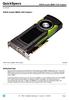 Overview L2K02AA INTRODUCTION Push the frontier of graphics processing with the new NVIDIA Quadro M6000 12GB graphics card. The Quadro M6000 features the top of the line member of the latest NVIDIA Maxwell-based
Intel N440BX Server System Event Log (SEL) Error Messages
 Intel N440BX Server System Event Log (SEL) Error Messages Revision 1.00 5/11/98 Copyright 1998 Intel Corporation DISCLAIMERS Information in this document is provided in connection with Intel products.
Power efficiency and power management in HP ProLiant servers
 Power efficiency and power management in HP ProLiant servers Technology brief Introduction... 2 Built-in power efficiencies in ProLiant servers... 2 Optimizing internal cooling and fan power with Sea of
TESLA K20 GPU ACCELERATOR
 TESLA K20 GPU ACCELERATOR BD-06455-001_v09 October 2014 Board Specification DOCUMENT CHANGE HISTORY BD-06455-001_v09 Version Date Authors Description of Change 01 August 1, 2012 GG, SM Preliminary Information
TESLA K10 GPU ACCELERATOR
 TESLA K10 GPU ACCELERATOR BD-06280-001_v06 September 2012 Board Specification DOCUMENT CHANGE HISTORY BD-06280-001_v06 Version Date Authors Description of Change 01 April 10, 2012 GG, SM Preliminary Information
GPU Computing with CUDA Lecture 2 - CUDA Memories. Christopher Cooper Boston University August, 2011 UTFSM, Valparaíso, Chile
 GPU Computing with CUDA Lecture 2 - CUDA Memories Christopher Cooper Boston University August, 2011 UTFSM, Valparaíso, Chile 1 Outline of lecture Recap of Lecture 1 Warp scheduling CUDA Memory hierarchy
Introduction to GP-GPUs. Advanced Computer Architectures, Cristina Silvano, Politecnico di Milano 1
 Introduction to GP-GPUs Advanced Computer Architectures, Cristina Silvano, Politecnico di Milano 1 GPU Architectures: How do we reach here? NVIDIA Fermi, 512 Processing Elements (PEs) 2 What Can It Do?
PCI-SIG ENGINEERING CHANGE REQUEST
 PCI-SIG ENGINEERING CHANGE REQUEST TITLE: Update DMTF SM CLP Specification References DATE: 8/2009 AFFECTED DOCUMENT: PCIFW30_CLP_1_0_071906.pdf SPONSOR: Austin Bolen, Dell Inc. Part I 1. Summary of the
The Bus (PCI and PCI-Express)
 4 Jan, 2008 The Bus (PCI and PCI-Express) The CPU, memory, disks, and all the other devices in a computer have to be able to communicate and exchange data. The technology that connects them is called the
VMware vcenter Log Insight User's Guide
 VMware vcenter Log Insight User's Guide vcenter Log Insight 1.0 This document supports the version of each product listed and supports all subsequent versions until the document is replaced by a new edition.
BIOS Update Release Notes
 BIOS Update Release Notes PRODUCTS: DH55TC, DH55HC, DH55PJ (Standard BIOS) BIOS Version 0040 - TCIBX10H.86A.0040.2010.1018.1100 October 18, 2010 Integrated Graphics Option ROM Revision on HC/TC: 2017 PC
Management of VMware ESXi. on HP ProLiant Servers
 Management of VMware ESXi on W H I T E P A P E R Table of Contents Introduction................................................................ 3 HP Systems Insight Manager.................................................
Hagenberg Linz Steyr Wels. API Application Programming Interface
 Hagenberg Linz Steyr Wels API Application Programming Interface Version 1.1 October 2015 FH OÖ Forschungs & Entwicklungs GmbH Franz-Fritsch-Strasse 11 / Top 3 4600 Wels Austria Research Center Hagenberg
An Implementation Of Multiprocessor Linux
 An Implementation Of Multiprocessor Linux This document describes the implementation of a simple SMP Linux kernel extension and how to use this to develop SMP Linux kernels for architectures other than
NVIDIA GRID K2 GRAPHICS BOARD
 GRAPHICS BOARD BD-06580-001_v02 January 2013 Board Specification DOCUMENT CHANGE HISTORY BD-06580-001_v02 Version Date Authors Description of Change 01 October 16, 2012 AP, SM Initial Release 02 January
BIOS Update Release Notes
 PRODUCTS: DX58SO (Standard BIOS) BIOS Update Release Notes BIOS Version 3435 February 11, 2009 SOX5810J.86A.3435.2009.0210.2311 Intel(R) RAID for SATA - ICH10: Raid Option ROM 8.7.0.1007 Added nvidia*
LEN s.r.l. Via S. Andrea di Rovereto 33 c.s. 16043 CHIAVARI (GE) Tel. +39 0185 318444 - Fax +39 0185 472835 mailto: [email protected] url: http//www.len.
 MA511 General Index 1 INTRODUCTION... 3 1.1 HARDWARE FEATURES:... 4 2 INTERFACE... 5 2.1 KEYBOARD... 6 2.2 POWER ON... 7 2.3 POWER OFF... 7 2.4 DETECTOR CONNECTION... 7 2.5 DETECTOR SUBSTITUTION...7 3
Computer Graphics Hardware An Overview
 Computer Graphics Hardware An Overview Graphics System Monitor Input devices CPU/Memory GPU Raster Graphics System Raster: An array of picture elements Based on raster-scan TV technology The screen (and
NortechCommander Software Operating Manual MAN-00004 R6
 NortechCommander Software Operating Manual MAN-00004 R6 If the equipment described herein bears the symbol, the said equipment complies with the applicable European Union Directive and Standards mentioned
SysPatrol - Server Security Monitor
 SysPatrol Server Security Monitor User Manual Version 2.2 Sep 2013 www.flexense.com www.syspatrol.com 1 Product Overview SysPatrol is a server security monitoring solution allowing one to monitor one or
IBM Tivoli Composite Application Manager for Microsoft Applications: Microsoft Internet Information Services Agent Version 6.3.1 Fix Pack 2.
 IBM Tivoli Composite Application Manager for Microsoft Applications: Microsoft Internet Information Services Agent Version 6.3.1 Fix Pack 2 Reference IBM Tivoli Composite Application Manager for Microsoft
ServerView Inventory Manager
 User Guide - English FUJITSU Software ServerView Suite ServerView Inventory Manager ServerView Operations Manager V6.21 Edition October 2013 Comments Suggestions Corrections The User Documentation Department
Intel RAID Controllers
 Intel RAID Controllers Best Practices White Paper April, 2008 Enterprise Platforms and Services Division - Marketing Revision History Date Revision Number April, 2008 1.0 Initial release. Modifications
Optimizing Application Performance with CUDA Profiling Tools
 Optimizing Application Performance with CUDA Profiling Tools Why Profile? Application Code GPU Compute-Intensive Functions Rest of Sequential CPU Code CPU 100 s of cores 10,000 s of threads Great memory
760 Veterans Circle, Warminster, PA 18974 215-956-1200. Technical Proposal. Submitted by: ACT/Technico 760 Veterans Circle Warminster, PA 18974.
 760 Veterans Circle, Warminster, PA 18974 215-956-1200 Technical Proposal Submitted by: ACT/Technico 760 Veterans Circle Warminster, PA 18974 for Conduction Cooled NAS Revision 4/3/07 CC/RAIDStor: Conduction
Getting Started Guide with WIZ550web
 1/21 WIZ550web is an embedded Web server module based on WIZnet s W5500 hardwired TCP/IP chip, Users can control & monitor the 16-configurable digital I/O and 4-ADC inputs on module via web pages. WIZ550web
Export of audit trail events from Salto software. Version 2.0
 Export of audit trail events from Salto software Version 2.0 Historic of changes Version Status Date Author Change description 1.0 Stable 20/12/2011 Mikel Larreategi First version of the specs. 2.0 Stable
10.04.2008. Thomas Fahrig Senior Developer Hypervisor Team. Hypervisor Architecture Terminology Goals Basics Details
 Thomas Fahrig Senior Developer Hypervisor Team Hypervisor Architecture Terminology Goals Basics Details Scheduling Interval External Interrupt Handling Reserves, Weights and Caps Context Switch Waiting
In-System Programmer USER MANUAL RN-ISP-UM RN-WIFLYCR-UM-.01. www.rovingnetworks.com 1
 RN-WIFLYCR-UM-.01 RN-ISP-UM In-System Programmer 2012 Roving Networks. All rights reserved. Version 1.1 1/19/2012 USER MANUAL www.rovingnetworks.com 1 OVERVIEW You use Roving Networks In-System-Programmer
Universal Simple Control, USC-1
 Universal Simple Control, USC-1 Data and Event Logging with the USB Flash Drive DATA-PAK The USC-1 universal simple voltage regulator control uses a flash drive to store data. Then a propriety Data and
CLOUD GAMING WITH NVIDIA GRID TECHNOLOGIES Franck DIARD, Ph.D., SW Chief Software Architect GDC 2014
 CLOUD GAMING WITH NVIDIA GRID TECHNOLOGIES Franck DIARD, Ph.D., SW Chief Software Architect GDC 2014 Introduction Cloud ification < 2013 2014+ Music, Movies, Books Games GPU Flops GPUs vs. Consoles 10,000
Brainlab Node TM Technical Specifications
 Brainlab Node TM Technical Specifications BRAINLAB NODE TM HP ProLiant DL360p Gen 8 CPU: Chipset: RAM: HDD: RAID: Graphics: LAN: HW Monitoring: Height: Width: Length: Weight: Operating System: 2x Intel
VMware vcenter Log Insight User's Guide
 VMware vcenter Log Insight User's Guide vcenter Log Insight 1.5 This document supports the version of each product listed and supports all subsequent versions until the document is replaced by a new edition.
Dell KACE K1000 Management Appliance. Asset Management Guide. Release 5.3. Revision Date: May 13, 2011
 Dell KACE K1000 Management Appliance Asset Management Guide Release 5.3 Revision Date: May 13, 2011 2004-2011 Dell, Inc. All rights reserved. Information concerning third-party copyrights and agreements,
Acronis Backup & Recovery: Events in Application Event Log of Windows http://kb.acronis.com/content/38327
 Acronis Backup & Recovery: Events in Application Event Log of Windows http://kb.acronis.com/content/38327 Mod ule_i D Error _Cod e Error Description 1 1 PROCESSOR_NULLREF_ERROR 1 100 ERROR_PARSE_PAIR Failed
Sophos SafeGuard Native Device Encryption for Mac Administrator help. Product version: 7
 Sophos SafeGuard Native Device Encryption for Mac Administrator help Product version: 7 Document date: December 2014 Contents 1 About SafeGuard Native Device Encryption for Mac...3 1.1 About this document...3
NVIDIA GRID OVERVIEW SERVER POWERED BY NVIDIA GRID. WHY GPUs FOR VIRTUAL DESKTOPS AND APPLICATIONS? WHAT IS A VIRTUAL DESKTOP?
 NVIDIA GRID OVERVIEW Imagine if responsive Windows and rich multimedia experiences were available via virtual desktop infrastructure, even those with intensive graphics needs. NVIDIA makes this possible
EE8205: Embedded Computer System Electrical and Computer Engineering, Ryerson University. Multitasking ARM-Applications with uvision and RTX
 EE8205: Embedded Computer System Electrical and Computer Engineering, Ryerson University Multitasking ARM-Applications with uvision and RTX 1. Objectives The purpose of this lab is to lab is to introduce
Job Reference Guide. SLAMD Distributed Load Generation Engine. Version 1.8.2
 Job Reference Guide SLAMD Distributed Load Generation Engine Version 1.8.2 June 2004 Contents 1. Introduction...3 2. The Utility Jobs...4 3. The LDAP Search Jobs...11 4. The LDAP Authentication Jobs...22
Next Generation GPU Architecture Code-named Fermi
 Next Generation GPU Architecture Code-named Fermi The Soul of a Supercomputer in the Body of a GPU Why is NVIDIA at Super Computing? Graphics is a throughput problem paint every pixel within frame time
EZ DUPE DVD/CD Duplicator
 EZ DUPE DVD/CD Duplicator User s Manual Version 3.0 0 TABLE OF CONTENTS Introduction 2 Setup 11 LCD Front Panel Overview 2 o Auto Start Time 11 Menu Overview 3-5 o Display Mode 12 Functions 6 o Button
Introduction to GPGPU. Tiziano Diamanti [email protected]
 [email protected] Agenda From GPUs to GPGPUs GPGPU architecture CUDA programming model Perspective projection Vectors that connect the vanishing point to every point of the 3D model will intersecate
ACP ThinManager Tech Notes Troubleshooting Guide
 ACP ThinManager Tech Notes Troubleshooting Guide Use the F1 button on any page of a ThinManager wizard to launch Help for that page. Visit www.thinmanager.com/technotes/ to download the manual, manual
Transmitter Interface Program
 Transmitter Interface Program Operational Manual Version 3.0.4 1 Overview The transmitter interface software allows you to adjust configuration settings of your Max solid state transmitters. The following
Introducing the Adafruit Bluefruit LE Sniffer
 Introducing the Adafruit Bluefruit LE Sniffer Created by Kevin Townsend Last updated on 2015-06-25 08:40:07 AM EDT Guide Contents Guide Contents Introduction FTDI Driver Requirements Using the Sniffer
Performance Tuning Guide for ECM 2.0
 Performance Tuning Guide for ECM 2.0 Rev: 20 December 2012 Sitecore ECM 2.0 Performance Tuning Guide for ECM 2.0 A developer's guide to optimizing the performance of Sitecore ECM The information contained
FLYPORT Wi-Fi 802.11G
 FLYPORT Wi-Fi 802.11G System on module 802.11g WIFI - Infrastructure mode - softap mode - Ad hoc mode Microchip PIC 24F 16 bit processor Microchip MRF24WG0MA/MB - Native WiFi 802.11g transceiver - PCB
REMOTE VISUALIZATION ON SERVER-CLASS TESLA GPUS
 REMOTE VISUALIZATION ON SERVER-CLASS TESLA GPUS WP-07313-001_v01 June 2014 White Paper TABLE OF CONTENTS Introduction... 4 Challenges in Remote and In-Situ Visualization... 5 GPU-Accelerated Remote Visualization
Firmware version: 1.10 Issue: 7 AUTODIALER GD30.2. Instruction Manual
 Firmware version: 1.10 Issue: 7 AUTODIALER GD30.2 Instruction Manual Firmware version: 2.0.1 Issue: 0.6 Version of the GPRS transmitters configurator: 1.3.6.3 Date of issue: 07.03.2012 TABLE OF CONTENTS
SNMP Test er Manual 2015 Paessler AG
 SNMP Test er Manual 2015 Paessler AG All rights reserved. No parts of this work may be reproduced in any form or by any means graphic, electronic, or mechanical, including photocopying, recording, taping,
Monthly Specification Update
 Intel Server Board S1200BTLR Intel Server Board S1200BTSR Intel Server Board S1200BTLRM Intel Server System R1304BTLSFANR Intel Server System R1304BTSSFANR Intel Server System R1304BTLSHBNR Intel Server
GRID VIRTUAL GPU FOR CITRIX XENSERVER Version 340.78, 341.44
 GRID VIRTUAL GPU FOR CITRIX XENSERVER Version 340.78, 341.44 RN-06927-001 February 23rd, 2015 Release Notes RN-06927-001 CONTENTS Release Notes... 1 Validated Platforms... 2 Known Issues... 3 Version 340.78,
TESLA M2075 DUAL-SLOT COMPUTING PROCESSOR MODULE
 TESLA M2075 DUAL-SLOT COMPUTING PROCESSOR MODULE BD-05837-001_v01 May 2011 Board Specification DOCUMENT CHANGE HISTORY BD-05837-001_v01 Version Date Authors Description of Change 01 May 13, 2011 DS, SM
CAM-VGA100 User Manual
 CAM-VGA100 User Manual Release Note: 1. Jan 28, 2004 official released v1.0 2. Feb 24, 2004 official released v1.1 Fix the definition of verify code Fix the bug of unable jump to power save mode Fix the
Application Compatibility Best Practices for Remote Desktop Services
 Application Compatibility Best Practices for Remote Desktop Services Introduction Remote Desktop Services in Windows Server 2008 R2 allows Windows Server to be accessed by multiple users concurrently to
Tips and Tricks SAGE ACCPAC INTELLIGENCE
 Tips and Tricks SAGE ACCPAC INTELLIGENCE 1 Table of Contents Auto e-mailing reports... 4 Automatically Running Macros... 7 Creating new Macros from Excel... 8 Compact Metadata Functionality... 9 Copying,
APR-PRT3 Printer Module: C-Bus Programming Instructions
 APR-PRT3 Printer Module: C-Bus Programming Instructions We hope this product performs to your complete satisfaction. Should you have any questions or comments, please visit www.paradox.com and send us
Talon and Talon SR User Manual
 Talon and Talon SR User Manual Brushed DC motor controller Version 1.3 Cross the Road Electronics, LLC www.crosstheroadelectronics.com Cross The Road Electronics, LLC Page 1 4/2/2013 Device Overview Clear,
GRID VGPU FOR CITRIX XENSERVER
 GRID VGPU FOR CITRIX XENSERVER DU-06920-001 March 2014 User Guide DOCUMENT CHANGE HISTORY DU-06920-001 Version Date Authors Description of Change 0.3 7/1/2013 AC Initial release for vgpu private beta 0.9
v1 System Requirements 7/11/07
 v1 System Requirements 7/11/07 Core System Core-001: Windows Home Server must not exceed specified sound pressure level Overall Sound Pressure level (noise emissions) must not exceed 33 db (A) SPL at ambient
Allworx Queuing and Automated Call Distribution Guide (Release 7.2.3.x)
 Allworx Queuing and Automated Call Distribution Guide (Release 7.2.3.x) No part of this publication may be reproduced, stored in a retrieval system, or transmitted, in any form or by any means, electronic,
Beam Loss Monitor Software Guide
 Version 1.0 Beam Loss Monitor Software Guide James Leaver 5th December 2008 1 Operating Procedure In order to run the Beam Loss Monitor software, the user should complete the following steps: 1. Open a
Cart Interface Installation & Control Board Manual for M38 XP and RX Carts and Legacy M39 Carts
 Rubbermaid Medical Solutions Cart Interface Installation & Control Board Manual for M38 XP and RX Carts and Legacy M39 Carts REVISED FEBRUARY 25, 2010 Filename: Cart Interface Installation & Control Board
PCI-to-SATA RAID Adapter AEC-6890M. User s Manual Version:1.0
 PCI-to-SATA RAID Adapter AEC-6890M User s Manual Version:1.0 Copyright 2003 ACARD Technology Corp. Release: August 2003 Copyright and Trademarks The information of the product in this manual is subject
hp StorageWorks library and tape tools -
 Page 1 of 22 Support Ticket Date Generated: Date Viewed: Thu May 06 13:17:29 2010 This Support Ticket contains information about the attached storage devices. It contains essential information, such as
Monitoring Agent for PostgreSQL 1.0.0 Fix Pack 10. Reference IBM
 Monitoring Agent for PostgreSQL 1.0.0 Fix Pack 10 Reference IBM Monitoring Agent for PostgreSQL 1.0.0 Fix Pack 10 Reference IBM Note Before using this information and the product it supports, read the
Remote Supervisor Adapter II. User s Guide
 Remote Supervisor Adapter II User s Guide Remote Supervisor Adapter II User s Guide Note: Before using this information and the product it supports, read the general information in Appendix B, Notices,
NVIDIA GRID 2.0 ENTERPRISE SOFTWARE
 NVIDIA GRID 2.0 ENTERPRISE SOFTWARE QSG-07847-001_v01 October 2015 Quick Start Guide Requirements REQUIREMENTS This Quick Start Guide is intended for those who are technically comfortable with minimal