
R&S FS-K7 FM Measurement Demodulator for R&S FSx Software Manual
|
|
|
- Marlene Bryan
- 10 years ago
- Views:
Transcription
1 R&S FS-K7 FM Measurement Demodulator for R&S FSx Software Manual Software Manual Test and Measurement

2 The Software Manual R&S FS-K7 describes the following Options: R&S FS-K Rohde & Schwarz GmbH & Co. KG Munich, Germany Subject to change Data without tolerance limits is not binding. R&S is a registered trademark of Rohde & Schwarz GmbH & Co. KG. Trade names are trademarks of the owners. The following abbreviations are used throughout this manual: R&S FS-K7 is abbreviated as R&S FS-K7.

3 Table of Contents Table of Contents 1 Introduction Circuit Description - Block Diagrams Further IF Bandwidth Demodulation Bandwidth AF Trigger Stability of Measurement Results Settings of the FM Demodulator FM Demodulator Main Menu Selection of Filter and Deemphasis AF FILTER Menu Selection of Display Mode RESULT DISPLAY Menu Scaling of Measurement Results RANGE Menu Scaling Functions for FM, PM and AM Result Display Scaling Functions for Result Displays with Level Display FREQ Key SPAN Key AMPT Key BW Key TRIG Key MKR Key MKR Key MKR FCTN Key MEAS Key Other Keys Multicarrier Phase Measurement Orthogonal Method Flattop Method Group Delay Measurements Settings MC PHASE RESPONSE Menu Selection of Result Display RESULT DISPLAY Menu Scaling of Measurement Results RANGE Menu...39 Software Manual I-1

4 Table of Contents Scaling Functions for Result Displays with Phase Diagrams Common Commands CALCulate Subsystem CALCulate:ADEMod Subsystem CALCulate:DELTamarker Subsystem CALCulate:FEED Subsystem CALCulate:FORMat Subsystem CALCulate:MARKer Subsystem CALCulate:MARKer:FUNCtion:ADEMod Subsystem CALCulate:UNIT Subsystem DISPlay Subsystem INSTrument Subsystem SENSe Subsystem [SENSe:]ADEMod Subsystem [SENSe:]ADEMod:AM Subsystem [SENSe:]ADEMod:FM Subsystem [SENSe:]ADEMod:MCPHase Subsystem [SENSe:]ADEMod:PM Subsystem [SENSe:]ADEMod:SPECtrum Subsystem [SENSe:]BANDwidth Subsystem [SENSe:]FILTer Subsystem [SENSe:]FREQuency Subsystem TRACe Subsystem TRIGger Subsystem UNIT Subsystem Table of Softkeys and Hotkeys including Assignment of Remote-Control Commands FM Demodulator Main Menu FREQ Key SPAN Key AMPT Key BW Key Software Manual I-2
![..53 4.3 DISPlay Subsystem...54 4.4 INSTrument Subsystem...56 4.5 SENSe Subsystem...56 4.5.1 [SENSe:]ADEMod Subsystem...57 4.5.2 [SENSe:]ADEMod:AM Subsystem...66 4.5.3 [SENSe:]ADEMod:FM Subsystem.](/docs-images/50/15145308/images/page_4.jpg "..75 4.5.4 [SENSe:]ADEMod:MCPHase Subsystem...81 4.5.5 [SENSe:]ADEMod:PM Subsystem...82 4.5.6 [SENSe:]ADEMod:SPECtrum Subsystem...87 4.5.7 [SENSe:]BANDwidth Subsystem...94 4.5.8 [SENSe:]FILTer Subsystem.")
5 Table of Contents TRIG Key MKR Key MKR Key MKR FCTN Key Index Software Manual I-3

6 Introduction 1 Introduction The following chapters describe the new operating functions of the FM demodulator option for Spectrum Analyzer R&S FSP. In the case of functions identical to those of the base unit, reference is made to the relevant chapter in the base unit manual. The following chapters describe the new operating functions of the FM demodulator option for Spectrum Analyzer R&S FSP and R&S FSU. In the case of functions identical to those of the basic unit, reference is made to the relevant chapter in the basic unit manual. The digital signal processing in R&S FSP, used in the analyzer mode for digital IF filters, is also ideally suited for demodulating FM or AM signals. The digital signal processing in R&S FSP and R&S FSU, used in the analyzer mode for digital IF filters, is also ideally suited for demodulating FM or AM signals. By sampling (digitization) already at the IF and digital downconversion to the baseband (I/Q), the demodulator achieves maximum accuracy and temperature stability. There is no evidence of typical errors of an analog downconversion and demodulation like AM FM conversion, deviation error, frequency response or frequency drift at DC coupling. Only the characteristics of the analog IF filter ahead of the A/D converter need to be taken into consideration. 1.1 Circuit Description - Block Diagrams Fig.1 shows the analyzer s hardware from the IF to the processor. The IF filter is the resolution filter of the spectrum analyzer, with a bandwidth range from 300 khz to 10 MHz. The A/D converter samples the IF (20.4 MHz) at 32 MHz. Lowpass filtering and reduction of the sampling rate follow the downconversion to the complex baseband. The decimation depends on the selected demodulation bandwidth. The output sampling rate is set in powers of 2 between khz and 32 MHz. Useless oversampling at narrow bandwidths is avoided, saving computing time and increasing the maximum recording time. The I/Q data is stored in memories each comprising 128 k words. The hardware triggering (external, IF power) controls the memory. The I/Q data are stored in memories each comprising 512 k words. The hardware triggering (external, IF power) controls the memory. Data aquisition hardware Digital down conversion + decimation Analyzer IF 20.4 MHz Analog IF filter Bandwidths 300 khz 1 MHz 3 MHz 10 MHz A/D converter A D 32 MHz sampling clock cos NCO 20.4 MHz sin decimation filters sampling rate 32 MHz / 2 n n = I Memory 128 k Q Memory 128 k Trigger I data Processor Q data Fig.1 Block diagram of analyzer signal processing Software Manual

7 Introduction The software demodulator runs on the main processor of the analyzer. The demodulation process is shown in Fig.2. All calculations are performed simultaneously with the same I/Q data set. Magnitude (= amplitude) and phase of the complex I/Q pairs are determined. The frequency result is obtained from the differential phase. Software demodulator FFT Trace Arithmetic RF spectrum trace FFT Trace Arithmetic AF spectrum trace frequency calculation modulation frequency AF trigger AM demodulator Trace Detector RF power trace I 2 + Q 2 amplitude Trace Arithmetic Interpolation lowpass carrier power I data Q data lowpass - + Counter modulation frequency / Trace Arithmetic Interpolation Trace Detector AM trace AM Detectors & + peak - peak 1/2 pk-pk rms modulation depth Counter modulation frequency FM demodulator AC Coupling Freq Offset Trace Detector FM trace arctan(q / I) phase d / dt frequency Trace Arithmetic Interpolation lowpass FM Detectors & Counter carrier frequency offset + peak - peak 1/2 pk-pk rms modulation frequency PM demodulator AC Coupling Phase Offset Trace Detector PM trace arctan(q / I) phase AC Coupling Frequency offset Trace Arithmetic Interpolation lowpass phase offset PM Detectors & Counter + peak - peak 1/2 pk-pk rms modulation frequency Fig.2 Block diagram of software demodulator Software Manual

8 Introduction The AM-DC, PM-DC and FM-DC raw data of the demodulators is fed into the trace arithmetic block that combines consecutive data sets. Possible functions are: Clear Write, Max Hold, Min Hold and Average. The output data of the trace arithmetic can be read via GPIB. The recording length corresponds to the selected sampling rate of 1 to 128 k samples. The recording length corresponds to the selected sampling rate of 1 to 512 k samples. 501 samples are required for on-screen display. If less data is recorded, the missing intermediate values are calculated by an interpolation filter. If more than 501 samples are recorded, the interpolator becomes ineffective. In this case the trace detector reduces the number of samples to samples (R&S FSU: 625 samples) are required for on-screen display. If less data are recorded, the missing intermediate values are calculated by an interpolation filter. If more than 501 (R&S FSU: 625) samples are recorded, the interpolator becomes ineffective. In this case the trace detector reduces the number of samples to 501 (R&S FSU: 625). The trace detector combines several samples according to the functions selectable: Sample, Max Peak, Min Peak, Average, Autopeak, RMS. The zoom function does not combine any samples, but selects a sequence of 501 samples from the data set.the trace detector combines several samples according to the functions selectable: Sample, Max Peak, Min Peak, Average, Autopeak, RMS. The zoom function does not combine any samples, but selects a sequence of 501 (R&S FSU: 625) samples from the data set. The data from the trace detector is displayed on the screen and can be read out via GPIB. They display level, phase versus time and/or frequency versus time. In addition, important parameters are calculated: A counter determines the modulation frequency for AM, PM and FM. A lowpass filter suppresses the modulation frequency; the result is the average power = carrier power with AM and the average frequency = carrier frequency offset with FM. The deviation from the selected center frequency is displayed. AC coupling is possible with FM and PM display. To this end, the carrier frequency offset is subtracted from the FM DC data. In addition, the frequency deviation is determined from the trace data. +Peak, -Peak, ½ Peak-Peak and RMS are displayed. Besides the demodulators, the spectrum of the I/Q data, the FM, the PM or the AM is calculated using FFT. The spectrum always comprises 501 samples. Besides the demodulators, the spectrum of the I/Q data is calculated using FFT. The spectrum always comprises 501 (FSU: 625) samples. Software Manual

9 Residual FM / Hz (RMS) R&S FS-K7 Introduction 1.2 Further IF Bandwidth The analog IF filter improves the selectivity, but also causes signal distortions. The filter is negligible if: IF bandwidth 10 x (modulation frequency + frequency deviation) IF bandwidths 3 MHz ensure sufficient image-frequency rejection. If due to a wide signal bandwidth an IF bandwidth of 10 MHz has to be selected, signals are not allowed to be in the range from 6 MHz to 9 MHz above the receive frequency because they will be convoluted back into the useful band of 10 MHz Demodulation Bandwidth Digital filters determine the demodulation bandwidth. This is not the 3 db bandwidth but the useful bandwidth which is distortion-free with regard to phase and amplitude. Therefore the following formulas apply: AM: demodulation bandwidth 2 x modulation frequency FM: demodulation bandwidth 2 x (frequency deviation + modulation frequency) PM: demodulation bandwidth 2 modulation frequency (1 + phase deviation) If the center frequency of the analyzer is not set exactly to the signal frequency, the demodulation bandwidth must be selected larger by the carrier offset, in addition to the requirement described above. This also applies if FM or PM AC coupling has been selected. In general, the demodulation bandwidth should be as narrow as possible to improve the S/N ratio. The residual FM caused by noise floor and phase noise increases dramatically with the bandwidth, especially with FM ( REF _Ref \h Fig. 3). Residual FM at RF <= 1 GHz , Demodulation bandwidth / khz Fig. 3 Residual FM as a function of demodulation bandwidth Software Manual

10 Introduction AF Trigger The FM demodulator option allows triggering to the demodulated signal. The display is stable if a minimum of five modulation periods are within the recording time. In the AM and FM display, triggering is always DC-coupled. In the PM display, triggering is either AC- or DC-coupled, depending on the type of coupling set. Therefore triggering is possible directly to the point where a specific carrier level, phase or frequency is exceeded or not attained. This is particularly helpful when measuring transients if no external trigger signal is available Stability of Measurement Results Despite amplitude and frequency modulation, the display of carrier power and carrier frequency offset is stable. This is achieved by a digital filter which sufficiently suppresses the modulation, provided, however, that the measurement time is 3 x 1 / modulation frequency, i.e. that at least three periods of the AF signal are recorded. The mean carrier power for calculating the AM is also calculated with a digital filter that returns stable results after a measurement time of 3 * 1 / modulation frequency, i.e. at least three cycles of the AF signal must be recorded before a stable AM can be show. Software Manual

11 Settings of the FM Demodulator 2 Settings of the FM Demodulator The FM DEMOD hotkey opens the menu for setting the FM demodulator functions. Simultaneously, the FM demodulator is activated. 2.1 FM Demodulator Main Menu FM DEMOD ON / OFF AF FILTER RESULT DISPLAY RANGE DEMOD BW MEAS TIME ZOOM The softkeys visible in the RANGE submenu depend on the selected measurement function (FM / PM / RF SPECTRUM / AF SPECTRUM). Software Manual

12 Settings of the FM Demodulator FM DEMOD ON / OFF The FM DEMOD ON / OFF softkey switches the FM demodulator on or off. The FM demodulator default setting is OFF; however, when the FM DEMOD mode is selected, the demodulator is switched on automatically. Note: The resolution bandwidth, video bandwidth and sweep time active before the demodulator is switched on are restored when the demodulator is switched off. Similarly, the trace operating mode and detector are restored (the FM demodulator has separate trace settings). Remote: INST:SEL ADEM INST:NSEL 3 AF FILTER The AF FILTER softkey opens the submenu for selecting high pass or low pass filters and also a de-emphasis. (see chapter "Selection of Filter AF FILTER Menu"). RESULT DISPLAY The RESULT DISPLAY softkey opens the submenu for selecting the measurement function required (see chapter "Selection of Display Mode - RESULT DISPLAY Menu"). RANGE The RANGE softkey opens the submenu for setting the display range of the measurement function selected (see chapter "Scaling of Measurement Results - RANGE Menu"). DEMOD BW The DEMOD BW softkey selects the demodulation bandwidth of the FM demodulator. The demodulation bandwidth determines the sampling rate for recording the signal to be analyzed. The following table shows the relation between demodulation bandwidth and sampling rate: Demodulation bandwidth Sampling rate Comment 120 MHz 256 MHz with R&S FSQ-B72 only 50/85 MHz (1) 128 MHz with R&S FSQ-B72 only 30 MHz 64 MHz with R&S FSQ only 18 MHz 32 MHz with R&S FSQ only 10 MHz 32 MHz 8 MHz 16 MHz This restriction only applies to R&S FSP and R&S FSU without B72: This filter is only flat for about 6 MHz, it has a 3 db decay at 7 MHz. 5 MHz 8 MHz Software Manual

13 Settings of the FM Demodulator Demodulation bandwidth Sampling rate Comment 3 MHz 4 MHz 1.6 MHz 2 MHz 800 khz 1 MHz 400 khz 500 khz 200 khz 250 khz 100 khz 125 khz 50 khz 62.5 khz 25 khz khz 12.5 khz khz 6.4 khz khz 3.2 khz khz 1.6 khz khz 800 Hz Hz 400 Hz Hz 200 Hz Hz 100 Hz Hz 1) The demodulation bandwidth at a sampling rate of 128 MHz depends on the center frequency that has been set. At a center frequency of 3.6 GHz, the demodulation bandwidth is 50 MHz; at higher center frequencies, it is 85 MHz. Remote: SENS:BAND:DEM 10MHz MEAS TIME The MEAS TIME softkey opens an editor for entering the measurement time of the FM demodulator. The permissible value range depends on the demodulation bandwidth selected. Demodulation bandwidth Min. measurement time Max. measurement time with AF trigger Max. measurement time with other trigger 120 MHz ns 425 s 510 s 50 / 85 MHz ns 850 s 1.0 ms 30 MHz ns 1.7 ms 2.0 ms 18 MHz ns 3.4 ms 4.1 ms 10 MHz ns 3.4 ms 4.1 ms 8 MHz 62.5 ns 6.8 ms 8.2 ms 5 MHz 125 ns 13.6 ms 16.3 ms 3 MHz 250 ns 27.2 ms 32.6 ms 1.6 MHz 500 ns 54.4 ms 65.3 ms Software Manual

14 Settings of the FM Demodulator Demodulation bandwidth Min. measurement time Max. measurement time with AF trigger Max. measurement time with other trigger 800 khz 1 s 109 ms 131 ms 400 khz 2 s 218 ms 261 ms 200 khz 4 s 435 ms 522 ms 100 khz 8 s 870 ms 1.04 s 50 khz 16 s 1.74 s 2.09 s 5 khz 32 s 3.48 s 4.18 s 12.5 khz 64 s 6.96 s 8.36 s 6.4 khz 128 s 13.9 s 16.7 s 3.2 khz 256 s 27.8 s 33.4 s 1.6 khz 512 s 55.7 s 66.8 s 800 Hz ms 111 s 133 s 400 Hz ms 222 s 267 s 200 Hz ms 445 s 534 s 100 Hz ms 891 s 1069 s Remote: SENS:ADEM:MTIM 62.5US SENS:SWE:TIME 62.5US ZOOM In many cases, the number of recorded test points exceeds by far the number of available pixels. Therefore several test points are combined to one pixel if the ZOOM function is inactive. If the ZOOM function is activated, a 1-to-1 allocation is selected, i.e. each pixel corresponds to a recorded test point. The start of the zoom window can be determined in the associated field by entering the time. The zoom function is not available if the number of test points falls below the number of pixels in the diagram (R&S FSP:501,R&S FSU/FSQ: 625). Remote: SENS:ADEM:ZOOM ON SENS:ADEM:ZOOM:STARt 30US Selection of Filter and Deemphasis AF FILTER Menu AF FILTER The AF FILTER softkey opens the submenu for selecting high pass or low pass filters and also a de-emphasis. HIGH PASS AF FILTER LOW PASS AF FILTER DEEMPHASIS WEIGHTING AF FILTER Software Manual

15 Settings of the FM Demodulator HIGH PASS AF FILTER The HIGH PASS AF FILTER softkey opens the submenu for selecting the high pass filter. The 20 Hz, 50 HZ and 300 HZ softkeys switch on a high pass filter with the given limit to separate the DC component. The filters are indicated by the 3 db cutoff frequency. The filters are designed as 2nd-order Butterworth filter (12 db/octave). The NONE softkey deactivates the AF high pass filter. Default is NONE. The R&S FSP requires the option R&S FSP-B70 for the high pass filter. The high pass filter are active in the following demodulation bandwidth range: 20 Hz 100 Hz demodulation bandwidth 1.6 MHz 50 Hz 200 Hz demodulation bandwidth 4 MHz 300 Hz 800 Hz demodulation bandwidth 16 MHz Remote: SENS:FILT:HPAS:STAT ON OFF SENS:FILT:HPAS:FREQ 20 Hz 50 Hz 300 Hz LOW PASS AF FILTER The LOW PASS AF FILTER softkey opens the submenu for selecting the low pass filter. The 3 KHZ, 15 KHZ; 23 KHZ and 150 KHZ softkeys switch on a absolute low pass filter. The filter are indicated by the 3 db cutoff frequency. The 3 khz and 15 khz filters are designed as 5th-order Butterworth filter (30 db/octave). The 150 khz filter is designed as 8th-order Butterworth filter (48 db/octave). The 5 %, 10% and 25% HZ softkeys switch on a relative low pass filter. The filter (3 db) can be selected in % of the demodulation bandwidth. The filters are designed as 5th-order Butterworth filter (30 db/octave). The NONE softkey deactivates the AF low pass filter. Default is NONE. The R&S FSP requires the option R&S FSP-B70 for the absolute low pass filter 3 khz, 15 khz and 150 khz. The relative low pass filters are always available. The relative low pass filters are active for all demodulation bandwidth s. The absolute low pass filters are active in the following demodulation bandwidth range: 3 khz 6.4 khz demodulationbandwidth 4 MHz 15 khz 50 khz demodulationbandwidth 16 MHz 23 Hz 50 Hz demodulationbandwidth 8 MHz 150 khz 400 khz demodulation bandwidth 16 MHz Remote: SENS:FILT:LPAS:STAT ON OFF SENS:FILT:LPAS:FREQu:REL SENS:FILT:LPAS:FREQ 3 khz 15 khz 23kHz 150 khz Software Manual

16 Settings of the FM Demodulator DEEMPHASIS The DEEMPHASIS softkey opens the submenu for selecting the deemphasis. The 25 us, 50 us, 75 us and 750 us softkeys switch on a de-emphasis with the given time constant. The NONE softkey deactivates the de-emphasis. Default is NONE. The R&S FSP requires the option R&S FSP-B70 for the de-emphasis. The de-emphasis is active in the following demodulation bandwidth range: 25 µs 25 khz demodulation bandwidth 30 MHz 50 µs 6.4 khz demodulation bandwidth 18 MHz 75 µs 6.4 khz demodulation bandwidth 18 MHz 750µs 800 Hz demodulation bandwidth 4 MHz The following table shows the required demodulation bandwidth for an error less than 0.5 db up to a maximum AF frequency. Deemphasis 25 µs 50 µs 75 µs 750 µs Maximum 25 khz 12 khz 8 khz 800 Hz AF Frequency Required demodulation bandwidth 200 khz 100 khz 50 khz 6.4 khz For higher AF frequencies the demodulation bandwidth must be increased. Remote: SENS:FILT:DEMP:STAT ON OFF SENS:FILT:DEMP:TCON 25 us 50 us 75 us 750 us WEIGHTING AF FILTER The WEIGHTING AF FILTER softkey opens the submenu for selecting the weighting filter. NONE CCITT CCIR UNWEIGHTED CCIR WEIGHTED A WEIGHTED NONE The NONE softkey deactivates the weighting filter. This is the default setting. Remote: --- CCITT The CCITT softkey switches on a CCIT P.53 weighting filter. The weighting filter is active in the following demodulation bandwidth range: 20 khz demodulation bandwidth 3 MHz Remote: SENS:FILT:CCIT:STAT ON OFF Software Manual

17 Settings of the FM Demodulator CCIR UNWEIGHTED The CCIR UNWEIGHTED softkey switches on the CCIR unweighted filter, which is the combination of the 20 Hz highpass and 23 khz low pass filter. The weighting filter is active in the following demodulation bandwidth range: 50 khz demodulation bandwidth 1.6 MHz Remote: SENS:FILT:CCIR:UNW:STAT ON OFF CCIR WEIGHTED The CCIR WEIGHTED softkey switches on the CCIR weighted The weighting filter is active in the following demodulation bandwidth range: 100 khz demodulation bandwidth 3 MHz Remote: SENS:FILT:CCIR:WEIG:STAT ON OFF A WEIGHTED The A WEIGHTED softkey switches on the A weighted filter. The weighting filter is active in the following demodulation bandwidth range: 100 khz demodulation bandwidth 800 khz Remote: SENS:FILT:AWE:STAT ON OFF Selection of Display Mode RESULT DISPLAY Menu In order to display the measurement results the screen is divided in two halves: In the upper half, the measurement results are displayed as a trace, in the lower half the results of additional evaluation functions are shown. The RESULT DISPLAY softkey allows the user to select the measurement results to be displayed. RESULT DISPLAY The RESULT DISPLAY softkey opens a submenu for selecting the measurement result to be displayed. The demodulated FM, PM or AM signal, the RF signal in the time domain or the RF or AF frequency spectrum determined via FFT can be selected for display. All displays are determined from the I/Q data set recorded for the measurement. In SINGLE SWEEP mode, the single data set recorded can be evaluated in all displays simply by switching the result display. FM PM AM RF POWER RF SPECTRUM AF SPECTRUM SELECT TRACE FULL SIZE DIAGRAM Software Manual

18 Settings of the FM Demodulator FM The FM softkey selects the demodulated FM signal for display. Depending on the AF COUPLING AC/DC selection in the RANGE menu, the average value of the demodulated signal is mapped onto the vertical center of the diagram (AC selected) or deviates from the center of the diagram by a signal-dependent frequency offset (DC selected). In SINGLE SWEEP mode, the data is determined from the current I/Q data set, i.e. a change to FM does not trigger a new measurement. Remote: CALC:FEED 'XTIM:FM' PM The PM softkey selects the display of the demodulated PM signal. Software Manual

19 Settings of the FM Demodulator In SINGLE SWEEP mode, the data is determined from the current I/Q data set, i.e. a change to PM does not trigger a new measurement. Remote: CALC:FEED 'XTIM:PM' AM The AM softkey selects the display of the demodulated AM signal. In SINGLE SWEEP mode, the data is determined from the current I/Q data set, i.e. a change to AM does not trigger a new measurement. Remote: CALC:FEED 'XTIM:AM:REL' RF POWER The RF POWER softkey selects the display of the RF signal in the time domain. In contrast to normal analyzer operation, the level values are determined from the recorded I/Q data set by means of summation. Software Manual


20 Settings of the FM Demodulator In SINGLE SWEEP mode, the data is determined from the current I/Q data set, i.e. a change to RF POWER does not trigger a new measurement. Remote: CALC:FEED 'XTIM:RFP' RF SPECTRUM The RF SPECTRUM softkey selects the RF signal in the frequency domain for display. In contrast to normal spectrum analyzer operation, the measured values are determined using FFT from the recorded I/Q data set. In SINGLE SWEEP mode, the data is determined from the current I/Q data set, i.e. a change to SPECTRUM does not trigger a new measurement. Remote: CALC:FEED 'XTIM:SPECTRUM' Software Manual


21 Settings of the FM Demodulator AF SPECTRUM The AF SPECTRUM softkey selects the display of the AF spectrum. The AF spectrum can be calculated from the FM signal, PM signal or the RF signal in the time domain. The softkey is not available if the RF spectrum display is selected. In SINGLE SWEEP mode, the data is determined from the current I/Q data set, i.e. a change to AF SPECTRUM does not trigger a new measurement. Remote: CALC:FEED 'XTIM:FM:AFSP' CALC:FEED 'XTIM:PM:AFSP' CALC:FEED 'XTIM:AM:AFSP' CALC:FEED 'XTIM:RFP:AFSP' SELECT TRACE The SELECT TRACE softkey selects the trace, the data of which is to be displayed in the lower half of the screen. Remote: -- FULL SIZE DIAGRAM The FULL SIZE DIAGRAM switches the diagram to full screen size. Remote: DISP:SIZE LARG Software Manual
22 Settings of the FM Demodulator Scaling of Measurement Results RANGE Menu RANGE RANGE DEVIATION PER DIV FM FM AF Spectrum PM PM AF Spectrum AM AM AF Spectrum Result Display: PM UNIT RAD DEG RF POWER PER DIV RF Power RF Power AF Spectrum RF Spectrum RANGE LINEAR % REFERENCE POSITION THD UNIT % DB MAX DISP RF POWER RANGE LINEAR db REFERENCE VALUE AF COUP AC DC ZERO PHASE REF POS DEVIATION LIN LOG RANGE LINEAR DB PER DIV RANGE LOG MANUAL PHASE WRAP ON OFF UNIT The RANGE softkey opens a submenu for determining the diagram scaling for the selected measurement. The softkeys visible depend on the selected measurement function (FM / RF POWER /PM / RF SPECTRUM): Scaling Functions for FM, PM and AM Result Display DEVIATION PER DIV The DEVIATION PER DIV softkey allows the phase or frequency deviation to be displayed in the range 1 Hz/div to 1 MHz/div with the FM display and in the range rad/div to 1000 rad/div with the PM display. To prevent corruption of the measurement results, the IF bandwidth of the analyzer must be larger than the maximum frequency deviation plus modulation frequency (IF BANDWIDTH softkey in the FM DEMOD menu). The softkey is not available in the AF spectrum display of the FM or PM signal, as scaling in this case is performed via the DB PER DIV and REFERENCE VALUE softkeys. Remote: DISP:WIND:TRAC:Y:PDIV 50kHz REFERENCE POSITION The REFERENCE POSITION softkey determines the position of the reference line for the phase or frequency deviation on the y axis of the diagram. In the default setting of the analyzer, this line corresponds to a frequency deviation of 0 Hz for the display of the FM signal or to a phase deviation of 0 rad for the display of the PM signal. Software Manual
23 Settings of the FM Demodulator The position is entered as a percentage of the diagram height with 100 % corresponding to the upper diagram border. The default setting is 50 % (diagram center) for the display of the PM or FM signal and 100% (upper diagram border) for the AF spectrum display of the PM or FM signal. Remote: DISP:WIND:TRAC:Y:RPOS 50PCT REFERENCE VALUE The REFERENCE VALUE softkey determines the frequency or phase deviation at the reference line of the y axis. The reference value is set separately for each display of the PM and FM signal and the AF spectrum of the PM and FM signal. FM signal display: The reference value makes it possible to take individual frequency offsets into account in the trace display (in contrast, the AF COUP AC/DC softkey permits automatic correction by the average frequency offset of the signal). Values between 0 and 10 MHz can be selected. The softkey is not available if the AF COUP AC function has been activated. AF spectrum display of the FM signal: In the default setting, the reference value defines the FM deviation at the upper diagram border. Values between 0 and 10 MHz can be selected. PM signal display: The reference value makes it possible to take individual phase offsets into account in the trace display (in contrast, the AF COUP AC/DC softkey permits automatic correction by the average phase offset of the signal). Values between 0 and rad can be selected. The softkey is not available if the AF COUP AC function has been activated. AF spectrum display of the PM signal: In the default setting, the reference value defines the PM deviation at the upper diagram border. Values between 0 and rad can be selected. Remote: DISP:WIND:TRAC:Y:RVAL 0 HZ AF COUP AC/DC The AF COUP AC/DC softkey controls the automatic correction of the frequency offset and phase offset of the input signal: FM signal display: If DC is selected, the absolute frequency is displayed, i.e. an input signal with an offset relative to the center frequency is not displayed symmetrically with respect to the zero line. Software Manual
24 Settings of the FM Demodulator If AC is selected, the frequency offset is automatically corrected, i.e. the trace is always symmetric with respect to the zero line. PM signal display: If DC is selected, the phase runs according to the existing frequency offset. In addition, the DC signal contains a phase offset of ±π. If AC is selected, the frequency offset and phase offset are automatically corrected, i.e. the trace is always symmetric with respect to the zero line. The softkey is not available with the AF spectrum display of the FM or PM signal. Remote: SENS:ADEM:AF:COUP DC ZERO PHASE REF POS The ZERO PHASE REF POS softkey defines the position at which the phase of the PM-demodulated signal is set to 0 rad. The entry is made with respect to time. In the default setting, the first measured value is set to 0 rad. This softkey is available only in the PM display with DC coupling. Remote: SENS:ADEM:PM:RPO:X 10us DEVIATION LIN/LOG The DEVIATION LIN/LOG softkey switches between logarithmic and linear display of the frequency deviation or phase deviation or modulation depth (AM). The softkey is only available in the AF spectrum deviation of the FM or PM or AM signal. Remote: DISP:WIND:TRAC:Y:SPAC LOG DB PER DIV The DB PER DIV softkey makes it possible to select the FM or PM deviation or modulation depth to be displayed in the range 0.1 db/div to 20 db/div. The softkey is not available if linear display is set. Remote: DISP:WIND:TRAC:Y:PDIV 5DB PHASE WRAP ON/OFF The PHASE WRAP ON/OFF softkey activates/deactivates phase wrap. ON OFF The phase will be displayed in the range ±180 (±π). For example, if the phase exceeds +180, 360 is subtracted from the phase value, with the display thus showing >-180. The phase will not be wrapped. This softkey in available in the PM signal displays. Remote: CALC:FORM PHAS UPH UNIT The UNIT softkey opens the submenu for selecting units. Software Manual
25 Settings of the FM Demodulator PM UNIT RAD/DEG The PM UNIT RAD/DEG softkey is used to select the unit for displaying PM signals. Remote: UNIT:ANGL RAD THD UNIT %/DB The THD UNIT %/DB softkey selects between % and db for displaying the THD measurement result. Remote: UNIT:THD PCT DB FUND FREQ MANUAL / FUND FREQ AUTO The FUND FREQ MANUAL / FUND FREQ AUTO softkeys switches between automatic or manual selection of the fundamental frequency used for the SINAD and THD calculations. With automatic selection the peak in the AF spectrum is used as the fundamental frequency. When switching from AUTO to MANUAL the current modulation frequency result is used as a default if the measurement result is available at this time. These softkeys are available, if result AF SPECTRUM is switched on. Remote: CALC:ADEM:THD:FREQ:FUND:AUTO ON OFF CALC:ADEM:THD:FREQ:FUND:VALue <numeric value> Scaling Functions for Result Displays with Level Display MAX DISP RF POWER The MAX DISP RF POWER determines the maximum RF power to be displayed. The selected value affects only the display. The reference level determines the dynamic range limit of the analyzer s A/D converter. If the input signal exceeds the selected reference level, the measurement results are impaired by A/D converter overloading. If a value higher than the reference level is selected for MAX DISP RF POWER, the dynamic range limit (= reference level) is highlighted by a red line on the screen: POS x dbm Remote: DISP:WIND:TRAC:Y:RVAL 10 DBM RF POWER LOG/LIN The RF POWER LOG/LIN softkey allows the user to select logarithmic or linear level display. Remote: DISP:WIND:TRAC:Y:SPAC LOG RF POWER PER DIV The RF POWER PER DIV softkey determines the RELATIVE power between two divisions on the y axis of the diagram. Remote: DISP:WIND:TRAC:Y:PDIV 10 DB Software Manual
26 Settings of the FM Demodulator RANGE LINEAR The RANGE LINEAR softkey is identical to the softkey of the base unit. RANGE LINEAR The RANGE LINEAR softkey is identical to the softkey of the base unit. RANGE LINEAR % The RANGE LINEAR % softkey is identical to the softkey of the base unit. RANGE LINEAR db The RANGE LINEAR db softkey is identical to the softkey of the base unit. RANGE LOG MANUAL The RANGE LOG MANUAL softkey is identical to the softkey of the base unit. 2.2 FREQ Key Span <> 0 Span = 0 FREQ CENTER 0.1 * SPAN 0.1 * RBW CF- STEPSIZE 0.5 * SPAN 0.5 * RBW SINGLE AUTOTUNE x * SPAN x * RBW AF CENTER = CENTER = CENTER AF START AF STOP MANUAL MANUAL The FREQ menu functions are identical to those of the base unit. If the AF spectrum display is active, the AF CENTER, AF START and AF STOP softkeys, with which the displayed frequency range is defined within the demodulation - bandwidth, are also available. Software Manual
27 Settings of the FM Demodulator SINGLE AUTOTUNE This softkey activates an automatic signal search. Remote: SENS:FREQ:CW:AFC ONC AF CENTER The AF CENTER softkey allows the user to select the center frequency within the AF spectrum. Remote: SENS:ADEM:AF:CENT 1MHZ AF START The AF START softkey allows the user to select the start frequency within the AF spectrum. Remote: SENS:ADEM:AF:STAR 0HZ AF STOP The AF STOP softkey allows the user to select the stop frequency within the AF spectrum. The maximum AF stop frequency corresponds to half the demodulation bandwidth. Remote: SENS:ADEM:AF:STOP 2MHZ 2.3 SPAN Key The SPAN menu allows the user to select the frequency range to be displayed if the spectrum displays of the FM demodulator are active. AF Spectrum AF SPAN AF FULL SPAN DEMOD BW RF Spectrum FREQUENCY SPAN FULL SPAN DEMOD BW AF SPAN The AF SPAN softkey allows the user to select the frequency range if the AF spectrum displays are active. Values between the sampling rate/200 and the demodulation bandwidth/2 can be selected. Remote: SENS:ADEM:AF:SPAN 2.5 MHz FREQUENCY SPAN The FREQUENCY SPAN softkey allows the user to select the frequency range if the RF SPECTRUM display is active. Values between the sampling rate/200 and the demodulation bandwidth/2 can be selected. Remote: SENS:ADEM:SPEC:SPAN:ZOOM 5 MHz Software Manual
28 Settings of the FM Demodulator AF FULL SPAN The AF FULL SPAN softkey sets the maximum frequency range if the AF spectrum displays are active. The maximum frequency range corresponds to half the demodulation bandwidth. Remote: SENS:ADEM:AF:SPAN:FULL FULL SPAN The FULL SPAN softkey sets the maximum frequency range if the RF spectrum display is active. The maximum frequency range corresponds to the demodulation bandwidth. Remote: ADEM:SPEC:SPAN:ZOOM MAX DEMOD BW The demodulation bandwidth of the FM demodulator is selected with the DEMOD BW softkey. Note: The function is identical to the function of the DEMOD BW softkey in the FM DEMOD main menu. Remote: SENS:BAND:DEM 10MHz MEAS TIME The MEAS TIME softkey opens the input field for the measurement time of the FM demodulator. Note: The function is identical to the function of the MEAS TIME softkey in the FM DEMOD main menu. Remote: SENS:ADEM:MTIM 62.5US SENS:SWE:TIME 62.5US Software Manual
29 Settings of the FM Demodulator 2.4 AMPT Key AMPT REF LEVEL RANGE LOG 100 db REF LEVEL POSITION REF LEVEL OFFSET RANGE LINEAR % RANGE LINEAR db RANGE LOG MANUAL RANGE LINEAR RF ATTEN MANUAL RF ATTEN AUTO EL ATTEN AUTO EL ATTEN MANUAL EL ATTEN OFF RF INPUT 50W 75W Option FSP-B25 Option FSP-B25 Option FSP-B25 The AMPT menu functions are identical to those of the base unit. The following functions are only available with level displays: RANGE LOG 100 db RANGE LOG MANUAL RANGE LINEAR The REF LEVEL value defines the clipping level of the A/D converter and must therefore be set greater than or equal to the maximum power of the signal to be analyzed. 2.5 BW Key The BW menu comprises all functions relating to the band limiting of the analyzed signal. RES BW IF BW AUTO IF BW MANUAL DEMOD BW MEAS TIME Software Manual
30 Settings of the FM Demodulator RES BW If the Spectrum result display is active, the RES BW softkey selects the resolution bandwidth for the signal displayed. Note that these resolution bandwidths are obtained by means of FFT filters from 1 Hz to 10 MHz. Note: The softkey is available only if the RF SPECTRUM or AF SPECTRUM result display is active. The IF bandwidth is limited by analog LC filters using the IF BW MANUAL and IF BW AUTO softkeys. Remote: SENS:ADEM:SPEC:BAND:RES 10 khz IF BW AUTO The IF BW AUTO softkey couples the IF bandwidth of the analyzer (i.e. the bandwidth of the analog LC filters) to the selected demodulation bandwidth. IF BW MANUAL Remote: SENS:BAND:RES:AUTO ON The IF BW MANUAL softkey allows the IF bandwidth of the analyzer to be entered (i.e. the bandwidth of the analog filters). Bandwidths from 300 khz to 10 MHz can be selected. Remote:SENS:BAND:RES 1 MHz Note: Manual setting of the IF bandwidth is usually not required. If an IF bandwidth is set that is narrower than the value defined by AUTO coupling, - the RF frequency response is identical to that of the IF filter if the spectrum display is active, - an AF frequency response corresponding to a lowpass filter equivalent to the IF filter occurs in the case of FM demodulation. DEMOD BW The demodulation bandwidth of the FM demodulator is selected via the DEMOD BW softkey. Note: The function is identical to that of the DEMOD BW softkey in the FM DEMOD main menu. Remote: SENS:BAND:DEM 10MHz MEAS TIME The MEAS TIME softkey opens the editor for entering the data-recording time of the FM demodulator. Note: The function is identical to that of the MEAS TIME softkey in the FM DEMOD main menu. Remote: SENS:ADEM:MTIM 62.5US SENS:SWE:TIME 62.5US Software Manual
31 Settings of the FM Demodulator 2.6 TRIG Key The TRIG key opens a menu for setting the different trigger sources and for selecting the trigger polarity. The active trigger mode is indicated by highlighting the associated softkeys. To indicate that a trigger mode other than FREE RUN has been set, the TRG enhancement label is displayed on the screen. If two measurement windows are displayed, TRG is indicated next to the window in question. FREE RUN DEMOD SIGNAL FM SIGNAL PM SIGNAL AM SIGNAL RF POWER SIGNAL EXTERN IF POWER TRIGGER OFFSET POLARITY POS/NEG FREE RUN The FREE RUN softkey activates the free-running sweep, i.e. the measurement start is not triggered explicitly. When a measurement is completed, the next one starts immediately. FREE RUN is the default setting. Remote: TRIG:SOUR IMM DEMOD SIGNAL The DEMOD SIGNAL softkey opens the menu for selecting the various trigger sources. FM SIGNAL With a modulated signal, the trigger source that is selected with the FM SIGNAL softkey is the point at which a specific absolute phase is reached by the input signal. The associated trigger threshold can be entered simultaneously. Measurement is triggered if the selected threshold is exceeded. A periodic signal modulated onto the carrier frequency can be displayed in this way. Note: For triggering with the FM SIGNAL trigger source to be successful, the measurement time must cover at least five periods of the audio signal. The triggering responds to the absolute frequency, i.e. it is always DC-coupled. Remote: TRIG:SOUR FM TRIG:LEV:FM 10 khz Software Manual
32 Settings of the FM Demodulator PM SIGNAL With a modulated signal, the trigger source that is selected with the PM SIGNAL softkey is the point at which a specific absolute frequency is reached. The associated trigger threshold can be entered simultaneously. Measurement is triggered if the selected threshold is exceeded. A periodic signal modulated onto the carrier frequency can be displayed in this way. Note: For triggering with the PM SIGNAL trigger source to be successful, the measurement time must cover at least five periods of the audio signal. Triggering is either AC- or DC-coupled, depending on the AF COUPLING AC/DC setting in the RANGE menu. Remote: TRIG:SOUR PM TRIG:LEV:PM 0.2 rad AM SIGNAL With a modulated signal, the trigger source that is selected with the AM SIGNAL softkey is the point at which a specific modulation depth is reached. The associated trigger threshold can be entered simultaneously. Measurement is triggered if the selected threshold is exceeded. A periodic signal modulated onto the carrier frequency can be displayed in this way. Note: For triggering with the AM SIGNAL trigger source to be successful, the measurement time must cover at least five periods of the audio signal. Remote: TRIG:SOUR AMR TRIG:LEV:AM:REL 0.2 rad RF POWER SIGNAL With a modulated signal (AF signal), the trigger source that is selected with the RF POWER SIGNAL softkey is the point at which a specific signal level is reached. The associated trigger threshold can be entered simultaneously. Measurement is triggered if the selected threshold is exceeded. A periodic signal modulated onto the carrier frequency can be displayed in this way. Note: The RF POWER SIGNAL trigger differs from the RF POWER trigger in that the AF signal is taken into account rather than the RF signal. For triggering with the AM trigger source to be successful, the measurement time must cover at least five periods of the audio signal. Remote: TRIG:SOUR AM TRIG:LEV:AM 30 dbm EXTERN The EXTERN softkey activates triggering by a TTL signal at the EXT TRIGGER/GATE input connector on the rear panel. Software Manual
33 Settings of the FM Demodulator Remote: TRIG:SOUR EXT SWE:EGAT:SOUR EXT IF POWER The IF POWER softkey activates triggering of measurement by means of signals outside the measurement channel. To this end, the R&S FSP uses a level detector on the second intermediate frequency. The threshold of the level detector can be selected between -30 dbm and -10 dbm at the input mixer. The R&S FSU also uses a level detector on the second intermediate frequency. The threshold of the level detector can be selected between 50 dbm and 10 dbm at the input mixer for R&S FSU. This means that the input signal range within which the trigger responds can be calculated as follows: Mixerlevel min RFAtt PreampGain Input Signal Mixerlevel max RFAtt PreampGain The bandwidth on the intermediate frequency is 10 MHz. The measurement is triggered if the trigger threshold is exceeded by a signal in a range of 5 MHz around the center frequency. For R&S FSU the bandwidth on the intermediate frequency is 80 MHz, which means that the measurement is triggered if the trigger threshold is exceeded in a range of 40 MHz around the center frequency. This allows spurious signals to be measured, such as pulsed carriers, even if the carrier itself is not within the display frequency range. Remote: TRIG:SOUR IFP SWE:EGAT:SOUR IF RF POWER The RF POWER softkey activates triggering of measurement by means of signals outside the measurement channel. To this end, the analyzer uses a level detector on the first intermediate frequency. The threshold of the level detector can be selected between -50 dbm and -10 dbm at the input mixer. This means that the input signal range within which the trigger responds can be calculated as follows: Mixerlevel min RFAtt PreampGain Input Signal Mixerlevel max RFAtt PreampGain The bandwidth on the intermediate frequency is 80 MHz. The measurement is triggered if the trigger threshold is exceeded by the set frequency in a 40 MHz range. This allows spurious to be measured, such as pulsed carriers, even if the carrier itself is not within the display frequency range. Note: The function is only available with option TV and RF Trigger R&S FSP-B6. Remote: TRIG:SOUR RFP SWE:EGAT:SOUR RFP Software Manual
34 Settings of the FM Demodulator TRIGGER OFFSET The TRIGGER OFFSET softkey allows the user to enter a time offset between the trigger signal and the beginning of the measurement. Triggering is delayed (entry value >0) or advanced (entry value <0) by the time entered. The permissible setting range depends on the demodulation bandwidth and is given in the following table: Demodulation bandwidth Min. trigger offset Max. trigger offset 120 MHz -126 ns 31.7ms 50 / 85 MHz -253 ns 63.5 ms 30 MHz -507 ns ms 18 MHz -1 ms ms 10 MHz -2 ms ms 8 MHz -4.1 ms ms 5 MHz -8.1 ms ms 3 MHz ms ms 1.6 MHz ms ms 800 khz -65 ms s 400 khz -130 ms s 200 khz ms s 100 khz ms s 50 khz ms s 25 khz ms s 12.5 khz ms s 6.4 khz s s 3.2 khz s s 1:6 khz s s 800 Hz s s 400 Hz s s 200 Hz s s 100 Hz s s Remote: TRIG:HOLD 10US POLARITY POS/NEG The POLARITY POS/NEG softkey determines the trigger slope polarity. The measurement sequence starts upon a positive or negative slope of the trigger signal. The valid setting is highlighted. The setting is valid for all trigger modes except FREE RUN. The default setting is POLARITY POS. Software Manual
35 Settings of the FM Demodulator Note: The function is available only for detector boards with model index 3. Previous boards ignore the setting. Remote: TRIG:SLOP POS 2.7 MKR Key MKR MARKER 1 MARKER 2 MARKER 3 MARKER 4 MARKER NORM DELTA ALL MARKER OFF The MKR menu functions are identical to those of the base unit. Only the measurement result display is coupled to the active result display and is in Hz if FM and FM AF spectrum are selected, in rad if PM and PM AF spectrum are selected, or in dbm or db if RF POWER, RF POWER AF spectrum and RF SPECTRUM are selected. Software Manual
36 Settings of the FM Demodulator 2.8 MKR Key SPAN MKR AMPL MKR FCTN SELECT MARKER PEAK MIN LEFT LIMIT CENTER =MKR FREQ NEXT MIN RIGHT LIMIT REF LEVEL =MKR LVL NEXT MIN RIGHT THRESHOLD NEXT PEAK NEXT MIN LEFT NEXT PEAK RIGHT NEXT PEAK LEFT SEARCH LIMITS MRK->TRACE PEAK EXCURSION SEARCH LIM OFF The MKR menu functions are identical to those of the base unit. The function REF LEVEL = MKR LVL is not available if the FM result display is active. 2.9 MKR FCTN Key SPAN MKR AMPT MKR FCTN SELECT MARKER PEAK SHAPE FACT 60:3 60:6 MRK->TRACE The available MKR FCTN menu functions are identical to those of the base unit. Software Manual
37 Settings of the FM Demodulator 2.10 MEAS Key The MEAS menu functions are not available in the FM DEMOD mode Other Keys The functions of the other keys are identical to those of the base unit. Please refer to the relevant chapters in the operating manual of the base unit. Software Manual
38 Multicarrier Phase Measurement 3 Multicarrier Phase Measurement Multicarrier phase measurement is only supported by R&S FSQ and R&S FSG. The Multicarrier Phase Measurement returns spectral magnitude and phase values of an input signal consisting of several unmodulated carriers. These results can further be used to calculate frequency response and group delay characteristics of radio channels. Two different measurement methods are implemented to calculate the level and phase values versus frequency. The orthogonal method returns the result at the carrier frequencies only and offers superior performance and accuracy. The flattop method returns a more convenient spectrum plot showing also the transitions between the carriers and should be selected to get a spectral overview. 3.1 Orthogonal Method The sample frequency and the FFT length are internally chosen such that their ratio equals the carrier spacing f. f Sample Frequency FFTLength Thus all carriers are orthogonal to each other within an observation interval of one FFT length and the FFT returns phase and level results exactly at the carrier frequencies. Several FFT results are averaged according to the selected measurement time. The FFT is preceded by a frequency correction to avoid intercarrier interference by matching the carrier frequencies to the FFT grid. IQ-Data FFT Level Phase Freq. Offset Estimation NCO Rectangular Window Fig. 4 Block diagram of the orthogonal measurement method It is recommended to set the span according to the following equation: NumberOfCarriers f Span 1. Software Manual
39 Multicarrier Phase Measurement 3.2 Flattop Method The IQ data signal is multiplied by a flattop window before performing the FFT. The flattop window guarantees correct level and phase values even if the carrier frequencies do not match the FFT grid, so this method is applicable if the carrier spacing is not uniform. The measurement time determines the FFT length and must be chosen high enough to avoid overlapping of the window responses of adjacent carriers. The resulting trace data contains also the transitions between the carriers. IQ-Data FFT Level Phase Flattop Window Fig. 5 Block diagram of the flattop measurement method 3.3 Group Delay Measurements The group delay of a DUT is defined as the negative derivative of the phase response with respect to the angular frequency d ( ) d. It is recommended to use an input signal with low crest factor and the orthogonal measurement method to get the phase response of the DUT. A calibration measurement should be performed to account for the internal frequency responses of the transmitter and the analyzer. A common reference frequency is mandatory. An external trigger must be used for absolute group delay measurements. The following list summarizes the necessary measurement and calculation steps: 1. Calibration Measurement without DUT (k) 2. Measurement with DUT (k) 3. Calculate DUT Phase Response ( k) meas ( k) ( k) meas 4. Unwrap Phase Response ( k) ( k 1) 5. Calculate Group Delay ( k) 2 f cal cal 3.4 Settings MC PHASE RESPONSE Menu The MC PHASE RESPONSE softkey in the main menu of the FM demodulator opens the menu to perform multicarrier phase measurements. Software Manual
40 Multicarrier Phase Measurement MC PHASE ON / OFF MEAS METHOD CARRIER SPACING SPAN MEASTIME AUTO MEASTIME MANUAL RESULT DISPLAY The arrangement of the softkeys in the RANGE submenu depends on the set diagrams (Magnitude vs Freq / Phase vs Freq / Phase Polar).. MC PHASE ON / OFF The MC PHASE ON / OFF softkey switches the multicarrier phase measurement on or off. Remote: SENS1:ADEM ON SENS1:ADEM:MCPH:STAT ON MEAS METHOD The softkey opens a list box to select between the method based on orthogonal and flattop-window measurement. Software Manual
41 Multicarrier Phase Measurement MEAS METHOD Orthogonal Flattop Remote: SENS1:ADEM:MCPH:METH ORTH CARRIER SPACING The CARRIER SPACING softkey defines the spacing between two carriers. Note: For the method based on flattop-window measurement, the carrier spacing is only required to calculate the automatic measurement time. Remote: SENS1:ADEM:MCPH:SPAC 100KHZ SPAN The SPAN softkey defines the number of carriers to be measured. : A span 3 * carrier spacing ( f) is required to measure a signal with four carriers. Span f Center Frequency Remote: SENS1:ADEM:SPEC:SPAN:MAX 3MHZ MEASTIME AUTO The MEASTIME AUTO softkey activates the automatic calculation of the recording length. Remote: SENS1:ADEM:MTIM:AUTO ON MEASTIME MANUAL The MEASTIME MANUAL softkey opens a data entry field to manually enter the recording length. Remote: SENS1:ADEM:MTIM 1ms RESULT DISPLAY The RESULT DISPLAY softkey opens the submenu to select the required measurement function (s. section "Selection of Result Display RESULT DISPLAY " Menu). f Software Manual

42 Multicarrier Phase Measurement Selection of Result Display RESULT DISPLAY Menu The RESULT DISPLAY softkey opens a submenu to select the measurement result to be displayed. The magnitude or phase of the signal in the frequency domain or the phase in a polar diagram can be selected. All results are determined by the I/Q data set recorded for the measurement. In the SINGLE SWEEP mode, the data set recorded once can be evaluated in all diagrams by simply switching over the result display. MAGNITUDE VS FREQ PHASE VS FREQ PHASE POLAR POLAR DIAG START FREQ POLAR DIAG STOP FREQ MAGNITUDE VS FREQ The MAGNITUDE VS FREQ softkey selects the level diagram of the signal in the frequency domain. Remote: CALC:FEED XFR:SPEC:MAGN PHASE VS FREQ The PHASE VS FREQ softkey selects the phase diagram of the signal in the frequency domain. Software Manual

43 Multicarrier Phase Measurement Remote: CALC:FEED XFR:SPEC:PHAS PHASE POLAR The PHASE POLAR softkey selects the phase diagram in a polar diagram. The displayed frequency domain is determined with the two softkeys POLAR DIAG START FREQ and POLAR DIAG STOP FREQ. Remote: CALC:FEED SPEC:POL Software Manual
44 Multicarrier Phase Measurement POLAR DIAG START FREQ The POLAR DIAG START FREQ softkey determines the start frequency starting from which the phases are displayed in the polar diagram. In the MAGNITUDE VS FREQ and PHASE VS FREQ diagrams, the start frequency is characterized by a display line. Remote: CALC:ADEM:MCPH:POL:FREQ:STAR 100MHz POLAR DIAG STOP FREQ The POLAR DIAG STOP FREQ softkey determines the stop frequency up to which the phases are displayed in the polar diagram. In the MAGNITUDE VS FREQ and PHASE VS FREQ diagrams, the stop frequency is characterized by a display line. Remote: CALC:ADEM:MCPH:POL:FREQ:STOP 120MHz Scaling of Measurement Results RANGE Menu RANGE Magnitude vs Freq Result Display: Phase vs Freq Phase Polar RF POWER PER DIV MAX DISP RF POWER RANGE LINEAR % RANGE LINEAR db Y PER DIV REFERENCE POSITION REFERENCE VALUE RANGE LINEAR RANGE LOG MANUAL PM UNIT RAD DEG The RANGE softkey opens a submenu to determine the diagram scaling for the selected display. The visible selection of the softkeys depends on the selected diagram (Magnitude vs Freq / Phase vs Freq / Phase Polar). The scaling of the level diagram (Magnitude vs Freq) is identical to the level diagrams of analog demodulation (RF Power und RF Spectrum). Software Manual
45 Multicarrier Phase Measurement Scaling Functions for Result Displays with Phase Diagrams Y PER DIV The Y PER DIV softkey determines the scaling of the Y axis for the two phase diagrams (Phase vs Freq / Phase Polar). To display the phase in the frequency domain, make the entry using the unit selected by means of the PM UNIT RAD/DEG softkey. In the polar diagram, the entry is made in Volt. The scaling of the X axis is coupled to the Y axis in the polar diagram. Remote: DISP:WIND:TRAC:Y:PDIV 0.5RAD REFERENCE POSITION The REFERENCE POSITION softkey determines the position of the reference line for the phase diagram in the frequency domain. The default setting is 50 % (diagram center). Remote: DISP:WIND:TRAC:Y:RPOS 50PCT REFERENCE VALUE The REFERENCE VALUE softkey determines the value of the reference line for phase diagram in the frequency domain. The basic setting is 0 rad. Remote: DISP:WIND:TRAC:Y:RVAL 0RAD PM UNIT RAD/DEG The PM UNIT RAD/DEG softkey allows you to select the unit for displaying phase values. Remote: UNIT:ANGL RAD Software Manual
46 4 The information in this chapter supplements and updates chapters 5 and 6 of the R&S FSP manual. This chapter contains the new commands that apply specifically to option R&S FS-K7 as well as the modified commands of the basic instrument provided they are used by R&S FS-K7. Every attempt was made to ensure the highest possible compatibility of the R&S FS- K7 commands with those of analog demodulation of the FSE family. A few commands were included in the command set for this reason only. In the description of menu operation in chapter 2, each softkey is indicated with the associated IEC/IEEE bus commands. The measurements of the FM Demodulator mode are always carried out in screen A. Therefore, the commands where the numeric suffix selects the screen must either start with numeric suffix 1 (i.e. CALCulate1) or without a numeric suffix (i.e. CALCulate). 4.1 Common Commands *OPT? OPTION IDENTIFICATION QUERY queries the options included in the instrument and returns a list of the installed options. The options are separated by commas. In the response string, the identification of option R&S FS-K7 is indicated at position 32: : 0,0,0,0,0,0,0,0,0,0,0,0,0,0,0,0,0,0,0,0,0,0,0,0,0,0,0,0,0,0,0,K7,0,0,0,0,0,0,0,0 4.2 CALCulate Subsystem CALCulate:ADEMod Subsystem CALCulate1:ADEMod:MCPHase:POLar:FREQuency:STARt <numeric_value> Multicarrier measurement: start frequency for range selection in polar diagram. SENS1:ADEM ON 'Switch on Ademod measurement. Software Manual
47 SENS1:ADEM:MCPH:STAT ON 'Multicarrier measurement on. CALC1:ADEM:MCPH:POL:FREQ:STAR:STAT ON 'Switch on start frequency. CALC1:ADEM:MCPH:POL:FREQ:STAR 20GHZ 'Set start frequency. *RST value: - CALCulate1:ADEMod:MCPHase:POLar:FREQuency:STARt:STAT ON OFF Multicarrier measurement: activates start frequency for range selection in polar diagram and activates display line in the frequency diagram SENS1:ADEM ON 'Switch on Ademod measurement. SENS1:ADEM:MCPH:STAT ON 'Multicarrier measurement on. CALC1:ADEM:MCPH:POL:FREQ:STAR:STAT ON" 'Start frequency to default, activate display line. *RST value: OFF CALCulate1:ADEMod:MCPHase:POLar:FREQuency:STOP <numeric_value> Multicarrier measurement: stop frequency for range selection in polar diagram. SENS1:ADEM ON 'Switch on Ademod measurement. SENS1:ADEM:MCPH:STAT ON 'Multicarrier measurement on. CALC1:ADEM:MCPH:POL:FREQ:STOP:STAT ON 'Switch on stop frequency CALC1:ADEM:MCPH:POL:FREQ:STOP GHZ 'Set stop frequency. *RST value: - Software Manual
48 CALCulate1:ADEMod:MCPHase:POLar:FREQuency:STOP:STATe ON OFF Multicarrier measurement: activates stop frequency for range selection in polar diagram and activates display line in the frequency diagram. SENS1:ADEM ON 'Switch on Ademod measurement. SENS1:ADEM:MCPH:STAT ON 'Multicarrier measurement on. CALC1:ADEM:MCPH:POL:FREQ:STOP:STAT ON 'Stop frequency to default, activate display line. *RST value: OFF CALCulate<1 2>:ADEMod:THD:FREQuency:FUNDamental:AUTO[:STATe] ON OFF This command switches between automatic or manual selection of the fundamental frequency used for the SINAD and THD calculations. With automatic selection the peak in the AF spectrum is used as the fundamental frequency. When switching the auto state off, the current modulation frequency result is used as a default for CALC:ADEM:THD:FREQ if the measurement result is available at this time. This command is available, if Result AF SPECTRUM is switched on. CALC:ADEM:THD:FREQ:FUND:AUTO OFF 'deactivates the auto selection and uses the current 'Modulation Freq. as fundamental frequency CALC:ADEM:THD:FREQ:FUND:VAL 1kHz 'set the fundamental frequency *RST value: ON CALCulate<1 2>:ADEMod:THD:FREQuency:FUNDamental:VALue ON OFF This command sets the fundamental frequency used for the SINAD and THD calculations. The query command is available only with "CALC:ADEM:THD:FREQ:FUND:AUTO OFF". CALC:ADEM:THD:FREQ:FUND:AUTO OFF 'deactivates the auto selection and uses th current Software Manual
49 'Modulation Freq.as fundamental frequency *RST value: ON CALCulate:DELTamarker Subsystem The CALCulate:DELTamarker subsystem controls the delta marker functions in the instrument. CALCulate<1 2>:DELTamarker<1...4>:Y? This command queries the measured value of the selected delta marker in the indicated measurement window. The corresponding delta marker will be activated, if necessary. The output is always a relative value referred to marker 1. To obtain a valid query result, a complete sweep with synchronization to the sweep end must be performed between the activation of the delta marker and the query of the y value. This is only possible in single sweep mode. Depending on the on the activated measuring functions, the query result is output in the units below: Result display FM: Hz Result display PM: rad deg Result display AM: % Result display RF POWER: db (logarithmic display) % (linear display) Result display RF SPECTRUM: db (logarithmic display) % linear display) Result display AF SPECTRUM: db (logarithmic display) Hz % rad deg (linear display) INIT:CONT OFF 'Switch to single-sweep mode CALC:DELT2 ON 'Switch on delta marker 2 INIT;*WA 'Start a sweep and wait for its end CALC:DELT2:Y? 'Output measured value of delta marker 2. *RST value: - Software Manual
50 4.2.3 CALCulate:FEED Subsystem The CALCulate:FEED subsystem selects the type of evaluation of the measured data. This corresponds to the selection of the Result Display in manual mode. If the FM demodulator is active, the selection of the type of evaluation is independent of the measurement window. Therefore, the numeric suffix <1 2> is irrelevant and ignored. CALCulate<1 2>:FEED <string> This command selects the trace data to be displayed. Parameters: <string>::= 'SPECtrum:POLar' Multicarrier measurement: display of phase in polar diagram. 'XFRequency:SPECtrum[:MAGNitude]' Multicarrier measurement: magnitude diagram of RF spectrum. 'XFRequency:SPECtrum:PHASe' Multicarrier measurement: phase diagram of RF spectrum. 'XTIM:AM:RELative[:TDOMain]' Demodulated AM signal in standardized display. 'XTIM:AM:RELative:AFSPectrum<1...3>' AF spectrum of the demodulated AM signal in standardized display, results referenced to traces 1 to 3. 'XTIM:AM[:ABSolute][:TDOMain]' Demodulated AM signal in level display. Same as 'XTIM:RFPower'. 'XTIM:AM[:ABSolute]:AFSPectrum<1...3>' AF spectrum of the demodulated AM signal in level display, results referenced to traces 1 to 3. Same as 'XTIM:RFPower:AFSPectrum'. 'XTIM:RFPower[:TDOMain]' Demodulated AM signal in level display. 'XTIM:RFPower:AFSPectrum<1...3>' AF spectrum of the demodulated AM signal in level display, results referenced to traces 1 to 3. 'XTIM:FM[:TDOMain]' Demodulated FM signal. 'XTIM:FM:AFSPectrum<1...3>' AF spectrum of the demodulated FM signal, results referenced to traces 1 to 3. 'XTIM:PM[:TDOMain]' Demodulated PM signal 'XTIM:PM:AFSPectrum<1...3>' AF spectrum of the demodulated PM signal 'XTIM:AMSummary<1...3>[:ABSolute]' AM results in level display, referenced to traces 1 to 3. 'XTIM:AMSummary<1...3>:RELative' AM results in standardized display, referenced to traces 1 to 3. 'XTIM:FMSummary<1...3>' FM results, referenced to traces 1 to 3 'XTIM:PMSummary<1...3>' PM results, referenced to traces 1 to 3. 'XTIM:SPECtrum' RF spectrum of the signal determined from the measured data via FFT. CALC:FEED XTIM:FM 'Select the display of the FM signal Software Manual
51 *RST value: XTIM:FM SCPI: conforming CALCulate:FORMat Subsystem The CALCulate:FORMat subsystem defines the conversion of measured data. CALCulate<1 2>:FORMat PHASe UPHase This command activates the limitation to 180. Parameter: PHASe: UPHase: Limitation to 180 Unwrapped CALC:FORM PHAS 'Activated the limitation to 180. *RST value: UPAS SCPI: conforming CALCulate:MARKer Subsystem The CALCulate:MARKer subsystem controls the marker functions in the instrument. CALCulate<1 2>:MARKer<1...4>:PEXCursion <numeric_value> This command defines the peak excursion, i.e. the spacing below the trace maximum which must be attained before a new maximum is recognized, or the spacing above the trace minimum which must be attained before a new minimum is recognized. The set value is valid for all markers and delta markers. The unit of the numerical value depends on the active display. CALC:MARK:PEXC 10dB 'SPECTRUM display CALC:MARK:PEXC 100 Hz 'FM DEMOD display *RST value: 50 khz (for FM displays) 0.5 RAD (for PM displays) 5 PCT (for standardized AM displays) 6 db (for level displays) The numeric suffix <1...4> in MARKer is irrelevant. Software Manual
52 CALCulate<1 2>:MARKer<1...4>:Y? This command queries the measured value of the selected marker in the selected measurement window. The corresponding marker is activated before or switched to marker mode, if necessary. To obtain a valid query result, a complete sweep with synchronization to the sweep end must be performed between the activation of the marker and the query of the y value. This is only possible in single sweep mode. INIT:CONT OFF 'Switch to single-sweep mode CALC:MARK2 ON 'Switch on marker 2 INIT;*WAI 'Start a sweep and waits for its end CALC:MARK2:Y? 'Output the measured value of marker 2. *RST value: CALCulate:MARKer:FUNCtion:ADEMod Subsystem The CALCulate:MARKer:FUNCtion:ADEMod subsystem contains the marker functions for the option FM Demodulator R&S FS-K7. CALCulate<1 2>:MARKer<1...4>:FUNCtion:ADEMod:AFRequency[:RESult<1...3>]? This command queries the audio frequency with analog demodulation. The numeric suffix indicates whether trace 1, 2 or 3 is selected. If several demodulation modes are activated simultaneously with command SENS:ADEM:FM:TYPE, SENS:ADEM:PM:TYPE, SENS:ADEM:AM:TYPE, SENS:ADEM:RFP:TYPE, SENS:ADEM:FM:AFSP:TYPE, SENS:ADEM:PM:AFSP:TYPE, SENS:ADEM:AM:AFSP:TYPE or SENS:ADEM:RFP:AFSP, the audio frequency of the display mode selected with CALC:FEED is returned. ADEM ON 'Switch on FM demodulator CALC:FEED 'XTIM:AM:TDOM 'Switch on AM result display or Software Manual
53 CALC:FEED 'XTIM:FM:TDOM 'Switch on FM result display CALC:FEED 'XTIM:RFP:AFSP 'Switch on AF spectrum result DISP:TRAC ON 'display of the FM and trace CALC:FEED 'XTIM:RFP:AFSP 'Switch on AF spectrum result display DISP:TRAC ON 'of the RF power signal and trace CALC:MARK:FUNC:ADEM:AFR? Query audio frequency *RST value: - or or CALCulate<1 2>:MARKer<1...4>:FUNCtion:ADEMod:AM[:RESult<1...3>]? PPEak MPEak MIDDle RMS This command queries the results of the AM modulation measurement. The numeric suffix (:RESult<1...3>) indicates whether trace 1, 2 or 3 is selected. PPEak MPEak MIDDle RMS Result of measurement with detector +PK Result of measurement with detector -PK Result of averaging PK/2 ADEM ON 'Switch on FM demodulator Result of measurement with detector RMS CALC:FEED 'XTIM:AM:REL:TDOM 'Switch on AM result display DISP:TRAC ON 'Switch on trace CALC:MARK:FUNC:ADEM:AM? PPE 'Query the peak value *RST value: - Software Manual
54 CALCulate<1 2>:MARKer<1...4>:FUNCtion:ADEMod:CARRier[:RESult<1...3>]? This command queries the carrier power. With the RF power result display, the carrier power is determined from trace 1 to 3 as specified in the numeric suffix. With all other result displays, the carrier power is determined from the current trace data (CLR/WRITE trace). ADEM ON 'Switch on FM demodulator CALC:FEED 'XTIM:RFP 'Switch on RF power result display CALC:MARK:FUNC:ADEM:CARR? 'Query carrier power *RST value: - CALCulate<1 2>:MARKer<1...4>:FUNCtion:ADEMod:FERRor[:RESult<1...3>]? This command queries the frequency error with FM and PM demodulation. With FM demodulation, trace 1 to 3 is selected with the numeric suffix (:RESult<1...3>). With PM demodulation, the frequency error is determined from the current measurement data (CLR/WRITE trace). The mean offset thus determined differs from that calculated in the[sense:]ademod:fm:offset? query, since, for determining the frequency deviation, the modulation is removed by means of lowpass filtering, producing results that are different from those obtained by averaging with the SENSe:... command. This command is available only for traces in the FM and PM result displays. If any other result display is selected, this command is disabled. ADEM ON 'Switch on FM demodulator CALC:FEED 'XTIM:FM:TDO 'Switch on FM result display CALC:MARK:FUNC:ADEM:FERR? 'Query frequency error of trace 1 *RST value: - Software Manual
55 CALCulate<1 2>:MARKer<1...4>:FUNCtion:ADEMod:FM[:RESult<1...3>]? PPEak MPEak MIDDle RMS This command queries the results of FM modulation measurement. The numeric suffix indicates whether trace 1, 2 or 3 is selected. PPEak Result of measurement with detector +PK MPEak Result of measurement with detector -PK MIDDle Result of averaging PK/2 RMS Result of measurement with detector RMS ADEM ON 'Switch on FM demodulator CALC:FEED 'XTIM:AM:REL:TDOM 'Switch on AM result display DISP:TRAC ON 'Switch on trace CALC:MARK:FUNC:ADEM:AM? PPE 'Query the peak value *RST value: - CALCulate<1 2>:MARKer<1...4>:FUNCtion:ADEMod:PM[:RESult<1...3>]? PPEak MPEak MIDDle RMS This command queries the results of the PM modulation measurement of analog demodulation. The numeric suffix (:RESult<1...3>) indicates whether trace 1, 2 or 3 is selected. PPEak MPEak MIDDle RMS Result of measurement with detector +PK Result of measurement with detector -PK Result of averaging PK/2 Result of measurement with detector RMS ADEM ON 'Switch on FM demodulator CALC:FEED 'XTIM:PM:TDOM 'Switch on PM result display DISP:TRAC ON 'Switch on trace CALC:MARK:FUNC:ADEM:PM? PPE 'Query the peak value Software Manual
56 *RST value: - CALCulate<1 2>:MARKer<1...4>:FUNCtion:ADEMod:SINad:RESult<1...3>? This command queries the result of the SINAD measurement. The numeric suffix (:RESult<1...3>) indicates whether trace 1, 2 or 3 is selected. ADEM ON" 'Switch on FM demodulator CALC:FEED 'XTIM:RFP:AFSP 'Switch on AF spectrum of FM DISP:TRAC ON 'Switch on trace CALC:MARK:FUNC:ADEM:SIN:RES? 'Query SINAD result *RST value: - CALCulate<1 2>:MARKer<1...4>:FUNCtion:ADEMod:THD:RESult<1...3>? This command queries the result of the THD measurement. The numeric suffix (:RESult<1...3>) indicates whether trace 1, 2 or 3 is selected. ADEM ON 'Switch on FM demodulator CALC:FEED 'XTIM:RFP:AFSP 'Switch on AF spectrum of FM DISP:TRAC ON 'Switch on trace CALC:MARK:FUNC:ADEM:THD:RES? 'Query THD result *RST value: - Software Manual
57 CALCulate<1 2>:MARKer<1 to 4>:FUNCtion:MDEPth:RESult? This command queries the AM modulation depth in the indicated measurement window. A complete sweep with synchronization to sweep end must be performed between switching on the function and querying the measured value to obtain a valid query result. This is only possible in single sweep mode. The numeric suffix <1 to 4> of :MARKer is irrelevant for this command. INIT:CONT OFF 'Switches to single-sweep mode. CALC:MARK:X 10MHZ 'Sets the reference marker (marker 1) to 'the carrier signal at 10 MHz. CALC:MARK:FUNC:MDEP ON 'Switches on the modulation depth 'measurement in screen A. INIT;*WAI 'Starts a sweep and waits for the end. CALC:MARK:FUNC:MDEP:RES? 'Outputs the measured value of screen A. *RST value: - This command is only a query and therefore has no *RST value. CALCulate<1 2>:MARKer<1 to 4>:FUNCtion:MDEPth:[:STATe] This command switches on the measurement of the AM modulation depth. An AMmodulated carrier is required on the screen for correct operation. If necessary, marker 1 is previously activated and set to the largest signal available. The level value of marker 1 is regarded as the carrier level. On activating the function, marker 2 and marker 3 are automatically set as delta markers symmetrically to the carrier to the adjacent maxima of the trace. If the position of delta marker 2 is changed, delta marker 3 is moved symmetrically with respect to the reference marker (marker 1). If the position of delta marker 3 is changed, fine adjustment can be performed independently of delta marker 2. The analyzer calculates the power at the marker positions from the measured levels. The AM modulation depth is calculated from the ratio of power values at the reference marker and the delta markers. If the two AM sidebands differ in power, the average value of the two power values is used for calculating the AM modulation depth. The numeric suffix <1 to 4> of :MARKer is irrelevant with this command. Software Manual
58 CALC:MARK:X 10MHZ 'Sets the reference marker (marker 1) to 'the carrier signal at 10 MHz CALC:MARK:FUNC:MDEP ON 'Switches on the modulation depth 'measurement in screen A. CALC:DELT2:X 10KHZ 'Sets delta markers 2 and 3 to the signals 'at 10 khz from the carrier signal CALC:DELT3:X 9.999KHZ 'Corrects the position of delta marker 3 'relative to delta marker 2. *RST value: OFF CALCulate:UNIT Subsystem The CALCulate:Unit subsystem defines the units for the parameters that can be set and the measurement results. CALCulate<1 2>: UNIT:ANGLe DEG RAD This command selects the unit for angles. CALC:UNIT:ANGL DEG" *RST value: RAD Software Manual
59 4.3 DISPlay Subsystem The DISPLay subsystem controls the selection and presentation of textual and graphic information as well as of trace data on the display. DISPlay[:WINDow<1 2>]:TRACe<1...3>:Y[:SCALe]:PDIVision <numeric_value> This command defines the scaling of the Y-axis in the current unit. Separate scalings are maintained for the following displays: - FM display - PM display - AM display - Logarithmic AF spectrum display The numeric suffix in TRACe<1...3> is irrelevant. DISP:WIND1:TRAC:Y:PDIV 10KHz 'Set Y scale to '10 khz/div. *RST value: 50 khz (FM display) 2 rad (PM display) 20 PCT (AM display) 10 db (AF spectrum display) SCPI: conforming DISPlay[:WINDow<1 2>]:TRACe<1...3>:Y[:SCALe]:RPOSition PCT This command defines the position of the reference value in the selected measurement window. The numeric suffix in TRACe<1...3> is irrelevant. Separate reference positions are maintained for the following displays: - RF power, RF spectrum and AF spectrum of the RF power - FM, PM and AM - AF spectrum of the FM, PM and A DISP:WIND1:TRAC:Y:RPOS 50PCT *RST value: 100 PCT (level display) 50 PCT (FM, PM or AM display) 100 PCT (AF spectrum display of the FM, PM or AM) SCPI: conforming Software Manual
60 DISPlay[:WINDow<1 2>]:TRACe<1...3>:Y[:SCALe]:RVALue <numeric_value> This command defines the reference value assigned to the reference position, thus corresponding to the REFERENCE VALUE parameter in manual control. Separate reference values are maintained for the various displays. The numeric suffix in TRACe<1...3> is irrelevant. DISP:WIND1:TRAC:Y:RVAL 0 'Defines the display value of the reference position at 0 db *RST value: 0 Hz 0 rad (PM display) 0 PCT (AM display) 250 khz (FM AF spectrum display) 10 rad (PM AF spectrum display) 100 PCT (AM AF spectrum display) DISPlay[:WINDow<1 2>]:TRACe<1...3>:Y:SPACing LINear LOGarithmic LDB This command switches between linear and logarithmic display in the selected window. In the case of linear display, it is also possible to switch between unit % (command DISP:WIND:TRAC:Y:SPAC LIN) and unit db (command DISP:WIND:TRAC:Y:SPAC LDB).. In the case of AF spectrum displays, only the parameters LINear and LOGarithmic are permitted. The numeric suffix for TRACe<1...3> is irrelevant. DISP:WIND1:TRAC:Y:SPAC LIN *RST value: LOGarithmic SCPI: conforming Software Manual
61 4.4 INSTrument Subsystem The INSTrument subsystem selects the operating mode of the unit either via text parameters or fixed numbers. INSTrument:NSELect 1 3 This command switches between the operating modes by means of numbers. Parameter: 1: Spectrum analysis mode 3: FM demodulator mode INST:NSEL 1 'Switch to SPECTRUM mode *RST value: 1 SCPI: conforming INSTrument[:SELect] SANalyzer ADEMod This command switches between the operating modes by means of text parameters. Parameter: ADEMod: FM demodulator mode SANalyzer: Spectrum analysis mode INST SAN 'Switch to SPECTRUM mode *RST value: SANalyzer SCPI: conforming 4.5 SENSe Subsystem The SENSe subsystem is organized in several subsystems. The commands of these subsystems directly control device-specific settings; they do not refer to the signal characteristics of the measurement signal. The SENSe subsystem controls the essential parameters of the analyzer. In accordance with the SCPI standard, the keyword "SENSe" is optional for this reason, i.e. it is not necessary to include the SENSe node in command sequences. Software Manual
62 4.5.1 [SENSe:]ADEMod Subsystem The purpose of the commands defined below is to set up the R&S FSP spectrum analyzer for the measurement of FM, PM and AM modulated signals in a way that allows to obtain as many measurement results as possible with a single shot measurement. For this purpose, the R&S FSP has been equipped with a demodulator that is capable of performing both FM and AM demodulation at a time. Additionally maximum, minimum and average or current values can be obtained in parallel over a selected number of measurements. In order to make it suitable for bursted signals the demodulator can be configured in terms of pretrigger time, sample rate and record length. Demodulation will be performed offline, i.e. on signals previously stored into memory. The I/Q memory available for this purpose is 2 x 128 k samples. The sampling rate can be selected in the range from to 32 MHz. The R&S FS-K supports measurement data rates up to 64 MHz, and the option R&S FS-K-B72 supports rates up to 256 MHz. In the case of a Bluetooth signal, the signal in question is described in the following diagram: Frequency versus time: Record Length Trigger Signal t Offset Samples Measurement results of interest are: FM offset FM deviation (maximum and minimum) for signal modulated with 1 values only. FM deviation (maximum and minimum) for signal modulated with 0 values only. AM modulation depth for positive and negative burst ramp. These values can be obtained by external computations from the frequency or amplitude versus time data. For this purpose, the R&S FSP will deliver the following results: Demodulated FM signal (current values, averaged, maxhold or minhold selectable) Software Manual
63 Demodulated AM signal (current values, averaged, maxhold or minhold selectable) FM offset (current value or averaged selectable) The following settings are required on the R&S FSx: Types of demodulation to be performed simultaneously (AM/FM) Sampling rate Record length Trigger source (free run/external) Pretrigger samples Number of measurements for average/maxhold/minhold In addition, the required measurement results need to be configured for each type of demodulation. The R&S FSx can simultaneously determine multiple types of demodulation with a maximum of 3 different result types. The following result types can be selected: WRITe AVERage MAXHold MINHold The current measurement results are determined. The measurement results are averaged over a specified number of measurements The maximum result values are determined over a specified number of measurements The minimum result values are determined over a specified number of measurements In practice, the commands defined below are used as follows: The instrument is set first. Then a measurement is started and the result list read in after synchronization to the end of the measurement. This method permits the control computer to be used for other tasks while the R&S FSP is performing the measurement. Analog demodulation is only available for screen A. Therefore, it is not permissible to enter "SENSe2..." for the commands of the SENSe:ADEMod subsystem. [SENSe:]ADEMod:AF:CENTer <numeric_value> This command sets the center frequency for the display of the AF spectrum. ADEM ON 'Switch on FM demodulator CALC:FEED 'XTIM:RFP:AFSP 'Switch on "FM AF spectrum" display or CALC:FEED 'XTIM:RFP:AFSP 'Switch on "AF spectrum of the RF power signal" display Software Manual
64 ADEM:BAND 5 MHz 'Set meas. bandwidth to 5 MHz ADEM:AF:CENT 500kHz 'Set AF center frequency to 500 khz ADEM:AF:SPAN 200kHz 'Set AF span to 200 khz *RST value: 1.25 MHz [SENSe:]ADEMod:AF:COUPling AC DC This command selects the coupling of the AF path. ADEM:AF:COUP DC 'Switch on DC coupling. *RST value: AC [SENSe:]ADEMod:AF:SPAN <numeric_value> This command sets the span for the display of the AF spectrum. The span is limited to half the measurement bandwidth of analog demodulation (SENS:ADEM:BAND). ADEM ON 'Switch on FM demodulator CALC:FEED 'XTIM:RFP:AFSP' 'Set "FM AF spectrum" display or CALC:FEED 'XTIM:RFP:AFSP' 'Switch on "AF spectrum of the RF power signal" display ADEM:BAND 5 MHz 'Set meas. bandwidth to 5 MHz ADEM:AF:CENT 500kHz 'Set AF center frequency to 500 khz ADEM:AF:SPAN 200kHz 'Set AF span to 200 khz Software Manual
65 *RST value: 2.5 MHz [SENSe:]ADEMod:AF:SPAN:FULL This command sets the maximum span for the display of the AF spectrum. The maximum span corresponds to half the measurement bandwidth of analog demodulation (SENS:ADEM:BAND). ADEM ON 'Switch on FM demodulator CALC:FEED'XTIM:RFP:AFSP' 'Switch on "FM AF spectrum" display or CALC:FEED'XTIM:RFP:AFSP' 'Switch on "AF spectrum of the RF power signal" display ADEM:BAND 5 MHz 'Set meas. bandwidth to 5 MHz ADEM:AF:SPAN:FULL 'Set AF span to 2.5 MHz *RST value: - [SENSe:]ADEMod:AF:STARt <numeric_value> This command sets the start frequency for the display of the AF spectrum. ADEM ON 'Switch on FM demodulator CALC:FEED 'XTIM:RFP:AFSP' 'Switch on "FM AF spectrum" display or CALC:FEED 'XTIM:RFP:AFSP' 'Switch on "AF spectrum of the RF power signal" display ADEM:BAND 5 MHz 'Set meas. bandwidth to 5 MHz ADEM:AF:STAR 0kHz 'Set AF start frequency to 0 khz Software Manual
66 ADEM:AF:STOP 500kHz 'Set AF stop frequency to 500 khz *RST value: 0 MHz [SENSe:]ADEMod:AF:STOP <numeric_value> This command sets the stop frequency for the display of the AF spectrum. The stop frequency is limited to half the measurement bandwidth of analog demodulation (SENS:ADEM:BAND). ADEM ON 'Switch on FM demodulator CALC:FEED 'XTIM:RFP:AFSP' 'Switch on "FM AF spectrum" display or CALC:FEED 'XTIM:RFP:AFSP' 'Switch on "AF spectrum of the RF power signal" display ADEM:BAND 5 MHz 'Set meas. bandwidth to 5 MHz ADEM:AF:STAR 0kHz 'Set AF start frequency to 0 khz ADEM:AF:STOP 500kHz 'Set AF stop frequency to 500 khz *RST value: 2.5 MHz Software Manual
67 [SENSe:]ADEMod:BANDwidth BWIDth:DEModulation <numeric_value> This command defines the demodulation bandwidth for analog demodulation. Depending on the selected demodulation bandwidth, the instrument selects the required sampling rate. The available values of the demodulation bandwidths are defined by the sampling rates. Demodulation bandwidth Sampling rate Comment 120 MHz 256 MHz with R&S FSQ-B72 only 50 MHz/85 MHz (1) 128 MHz with R&S FSQ-B72 only 30 MHz 64 MHz with R&S FSQ only 18 MHz 32 MHz with R&S FSQ only 10 MHz 32 MHz 8 MHz 16 MHz This restriction only applies to R&S FSP and R&S FSU without B72: This filter is only flat for about 6 MHz, it has a 3dB decay at 7 MHz. 5 MHz 8 MHz 3 MHz 4 MHz 1,6 MHz 2 MHz 800 khz 1 MHz 400 khz 500 khz 200 khz 250 khz 100 khz 125 khz 50 khz 62.5 khz 25 khz khz 12.5 khz khz 6.4 khz khz 3.2 khz khz 1.6 khz khz 800 Hz Hz 400 Hz Hz 200 Hz Hz 100 Hz Hz (1) The demodulation bandwidth at a sampling rate of 128 MHz depends on the center frequency that has been set. At a center frequency of =3.6 GHz, the demodulation bandwidth is 50 MHz; at higher center frequencies, it is 85 MHz. ADEM:BAND:DEM 1MHz 'Set test bandwidth to 1 MHz. Software Manual
68 *RST value: 5 MHz [SENSe:]ADEMod:MTIMe <numeric_value> This command sets the measuring time for the analog demodulation. ADEM:MTIM 62. 5us 'Set measurement time to 62.5 s. *RST value: 62. 5us [SENSe1]:ADEMod:MTIMe:AUTO ON OFF This command activates/deactivates the automatic measurement time of the multicarrier measurement. SENS1:ADEM ON Switch on Ademod measurement. SENS1:ADEM:MCPH:STAT ON Multicarrier measurement on. SENS1:ADEM: MTIM:AUTO OFF 'Set measurement time to manual setzen. *RST value: OFF [SENSe:]ADEMod:RLENgth? This command returns the currently set record length for the analog demodulation. ADEM:RLEN? 'Return the current record length. Characteristic: *RST value: - SCPI:device-specific Software Manual
69 [SENSe:]ADEMod:SET <sample rate>,<record length>,<trigger source>,<trigger slope>,<offset samples>,<# of meas> This command configures the FM demodulator of the R&S FSP. Parameter: <sample rate>: <record length>: <trigger source>: <trigger slope>: <offset samples>: Frequency at which measured values are taken from the A/D converter and stored in I/Q memory. Value range: Hz, Hz, Hz, Hz, khz, khz, khz, khz, khz, 62.5 khz, 125 khz, 250 khz, 500 khz, 1 MHz, 2 MHz, 4 MHz, 8 MHz, 16 MHz, 32 MHz Number of samples to be stored in I/Q memory. Value range: 1 to (128 * ) Selection of the trigger source for the demodulator. Valid values: IMMediate EXTernal IFPower FM AM AMRelative PM Trigger slope selected. Valid values: POSitive NEGative The value indicated here will be ignored for <trigger source> = IMMediate. Number of samples to be used as an offset to the trigger signal. Value range: to (= -64 * to 128 * ) The indicated value is ignored for <trigger source> = IMMediate <# of meas>: Number of measurements. The value indicated here is particularly necessary for the AVERage/MAXHold/MINHold function. Value range: 0 to ADEM:SET 8MHz,32000,EXT,POS,-500,30 'Will perform a measurement with the following settings: sample rate = 8 MHz record length = trigger source = EXTernal trigger slope = POSitive offset samples = -500 (= 500 samples before trigger occurs ) # of meas = 30 Software Manual
70 *RST values: sample rate = 8 MHz record length = 501 trigger source = IMMediate trigger slope = POSitive offset samples = 0 # of meas = 0 [SENSe:]ADEMod:SRATe? This command returns the currently set sampling rate for the analog demodulation. ADEM:SRAT? 'Return the current sampling rate. *RST value: - [SENSe:]ADEMod[:STATe] ON OFF This command switches on the FM demodulator of the instrument. The instrument will be set to time-domain measurement (span = 0) at the current center frequency. Note: The measurement is always performed in screen A. Split-screen operation will be switched off as soon as the demodulator is activated. ADEM ON 'Switch on the FM demodulator *RST value: OFF [SENSe:]ADEMod:ZOOM:STARt 0 s to measurement time This command selects the start time for displaying the individual measurement values of the FM demodulator. The maximum value depends on the measurement time set in the instrument; this value can be queried with ADEM:ZOOM:START? MAX. If the zoom function has been switched on, 501 (R&S FSP) or 625 (R&S FSU and R&S FSQ) measurement points will be displayed starting at the time that has been set. Software Manual
71 ADEM:ZOOM ON 'Switch on zoom function ADEM:ZOOM:STAR 500us 'Set display starting point to 500 s *RST value: 0 s [SENSe:]ADEMod:ZOOM[:STATe>] ON OFF This command switches the zoom function for the measurement data of the FM demodulator on or off. Depending on the selected measurement time and demodulation bandwidth, more measurement points are captured than can be shown on the display. If the zoom function has been switched on, exactly 501 (R&S FSP) or 625 (R&S FSU and R&S FSQ) measurement points from the measured value memory will be shown starting at the time defined with [SENS:]ADEM:ZOOM:STARt. If the zoom function has been switched off, all measurement points will be compressed down to the number of points available on the display by means of data reduction. ADEM:ZOOM ON 'Switch on the zoom function. *RST value: OFF [SENSe:]ADEMod:AM Subsystem [SENSe:]ADEMod:AM[:ABSolute]:AFSPectrum:RESult? <result type> This command reads out the result data of the AF spectrum of the RF signal in the time domain for the specified result type. The format of the output data is defined using the FORMat command. Note: Traces cannot be queried when VIEW is active. Parameters <result type>: WRITe The current measured values are returned. AVERage The measurement results averaged over the specified number of measurements are returned. MAXHold The maximum result over the specified number of measurements is returned. MINHold The minimum result over the specified number of measurements is returned. Software Manual
72 Note: The specified result type must be one that was configured with the command [SENSe:] ADEMod:AM[:ABSolute]:AFSPectrum[:TYPE]. Otherwise, a query error will be generated. Return values: ASCII format (FORMat ASCII): In this case, the command will return a list of comma-separated values (CSV) of the measured values in floating point format. The output unit is dbm (logarithmic display) or V (linear display). Binary format (FORMat REAL,32): In this case, the command will return binary data (Definite Length Block Data according to IEEE 488.2), with each measured value formatted in 32-bit IEEE 754 floating point format. The response string will have the following structure: #41024<value1><value2>...<value n> where #4 Number of digits in the following number of data bytes (= 4 in the ) 1024 Number of following data bytes (# of DataBytes = 1024 in the ) <value x> 4-byte floating point value s: ADEM:SET 8MHz,32000,EXT,POS,-500,30 'Set demodulator ADEM:FM AVER,MAXH,MINH 'Select FM results to be measured ADEM:AM WRIT,OFF,OFF 'Select results of the RF signal to be 'measured in the time domain ADEM:AM:AFSP FSP WRIT,OFF,OFF 'Select the AF spectrum results of the 'RF signal to be measured in the time 'domain ADEM ON 'Switch on demodulator INIT;*WAI 'Start measurement and wait for end FORM ASC 'Select output format ADEM:FM:RES? AVER 'Read FM average value result data ADEM:FM:RES? MAXH 'Read FM MAXHold result data Software Manual
73 ADEM:FM:RES? MINH 'Read FM MINHold result data ADEM:AM:RES? WRIT 'Read current AM result data ADEM:AM:AFSP:RES? WRIT 'Read current AF spectrum resul 'data of the RF signal in the time domain *RST value: - [SENSe:]ADEMod:AM[:ABSolute]:AFSPectrum[:TYPE] <result type 1>,<result type 2>,<result type 3> This command selects the AF spectrum result types of the RF signal in the time domain to be measured simultaneously. Parameters <result type 1/2/3>: WRITe The current measured values are recorded. AVERage The measurement results are averaged over the specified number of measurements. MAXHold The maximum result over the specified number of measurements is determined. MINHold The minimum result over the specified number of measurements is determined. VIEW The measurement result is frozen on the display, i.e. it is not recalculated in further measurements. OFF The result type is not used. Settings different from OFF can be assigned to only one result type at a time. Together with other signals, a maximum of six traces can be activated simultaneously. For example, three FM and three PM result types can be activated simultaneously. If all result types are set to OFF, no AF spectrum of the RF signal in the time domain will be calculated. The result type AF spectrum of the RF signal in the time domain cannot be activated simultaneously with other AF spectra. s: ADEM:AM:AFSP FSP AVER,MAXH,MINH 'Determine average, maximum and minimum simultaneously ADEM:AM:AFSP FSP WRIT,OFF,OFF 'Determine only the current measurement results ADEM:AM:AFSP OFF,OFF,OFF 'Switch off calculation of the AF spectrum Software Manual
74 *RST values: OFF,OFF,OFF [SENSe:]ADEMod:AM[:ABSolute][:TDOMain]:RESult? <result type> This command reads the result data obtained by AM demodulation depending on the type indicated as a parameter. The data format of the output data is defined by the FORMat command. Note: Traces cannot be queried when VIEW is active. Parameters: <result type>: WRITe The current measured values are recorded. AVERage MAXHold MINHold The measurement results averaged over the specified number of measurements are obtained. The maximum result is determined over the specified number of measurements. The minimum result is determined over the specified number of measurements. Note: The result type indicated must be one that was configured with the command [SENSe:]ADEMod:AM[:ABSolute][:TDOMain] [:TYPE]. Otherwise, a query error will be generated. Return values: ASCII format (FORMat ASCII): In this case, the command will return a list of comma-separated values (CSV) of the measured values in floating point format. The output unit is dbm (logarithmic display) or V (linear display). Binary format (FORMat REAL,32): In this case, the command will return binary data (Definite Length Block Data according to IEEE 488.2), with each measured value formatted in 32-bit IEEE 754 floating point format. The response string will have the following structure: #41024<value1><value2>...<value n> with #4 Number of digits in the following number of data bytes (= 4 in the ) 1024 Number of following data bytes (# of DataBytes, = 1024 in the ) <value x> 4-byte floating point value Software Manual
75 s: ADEM:SET 8MHz,32000,EXT,POS,-500,30 'Set up demodulator parameters ADEM:FAM AVER,MAXH,MINH 'Select results to measure ADEM ON 'Switch on demodulator INIT;*WAI 'Start measurement and wait for end FORM ASC 'Select output format ADEM:FM:RES? AVER 'Read average results ADEM:FM:RES? MAXH 'Read MAXHold results ADEM:FM:RES? MINH 'Read MINHold results *RST value: - [SENSe:]ADEMod:AM:RELative:AFSPectrum:RESult? <result type> This command reads out the result data of the AF spectrum of the AMdemodulated signal for the specified result type. The format of the output data is defined using the FORMat command. Note: Traces cannot be queried when VIEW is active. Parameter: <result type>: WRITe The current measured values are returned. AVERage The measurement results averaged over the specified number of measurements are returned. MAXHold The maximum result over the specified number of measurements is returned. MINHold The minimum result over the specified number of measurements is returned. Note: The specified result type must be one that was configured with the command [SENSe:]ADEMod:AM:RELative:AFSPectrum[:TYPE]. Otherwise, a query error will be generated. Software Manual
76 Return values: ASCII format (FORMat ASCII): In this case, the command will return a list of comma-separated values (CSV) of the measured values in floating point format. The output unit is dbm (logarithmic display) or % (linear display). Binary format (FORMat REAL,32): In this case, the command will return binary data (Definite Length Block Data according to IEEE 488.2), with each measured value formatted in 32-bit IEEE 754 floating point format. The response string will have the following structure: #41024<value1><value2>...<value n> Where #4 Number of digits in the following number of data bytes (= 4 in the ) 1024 Number of following data bytes (# of DataBytes = 1024 in the ) <value x> 4-byte floating point value s: ADEM:SET 8MHz,32000,EXT,POS,-500,30 'Set demodulator ADEM:FM AVER,MAXH,MINH 'Select the FM results to be measured ADEM:AM:REL WRIT,OFF,OFF 'Select the AM results to be 'measured ADEM:AM:REL:AFSP WRIT,OFF,OFF 'Select the AF spectrum results of the 'demodulated AM signal to be measured ADEM ON 'Switch on demodulator INIT;*WAI 'Start measurement and wait for end FORM ASC 'Select output format ADEM:FM:RES? AVER 'Read FM average value result data ADEM:FM:RES? MAXH 'Read FM MAXHold result data ADEM:FM:RES? MINH 'Read FM MINHold result data ADEM:AM:REL:RES? WRIT 'Read current AM result data ADEM:AM:REL:AFSP:RES? WRIT 'Read current AF spectrum result data of the demodulated AM Software Manual
77 signal *RST value: - [SENSe:]ADEMod:AM:RELative:AFSPectrum[:TYPE] <result type 1>,<result type 2>,<result type 3> This command selects the AF spectrum result types of the AM-demodulated signal to be measured simultaneously. Parameter: <result type 1/2/3>: WRITe The current measured values are recorded. AVERage The measurement results are averaged over the specified number of measurements. MAXHold The maximum result over the specified number of measurements is determined. MINHold The minimum result over the specified number of measurements is determined. VIEW The measurement result is frozen on the display, i.e. it is not recalculated in further measurements. OFF The result type is not used. Settings different from OFF can be assigned to only one result type at a time. Together with other signals, a maximum of six traces can be activated simultaneously. For example, three FM and three PM a. result types can be activated simultaneously. If all result types are set to OFF, no AF spectrum of the AM-demodulated signal will be calculated. The result type AF spectrum of the AM-demodulated signal cannot be activated simultaneously with other AF spectra. s: ADEM:AM:REL:AFSP AVER,MAXH,MINH 'Determine average, maximum and minimum value simultaneously ADEM:AM:REL:AFSP WRIT,OFF,OFF 'Determine only the current measured values ADEM:AM:REL:AFSP OFF,OFF,OFF 'Switch off calculation of the AF spectrum *RST values: OFF,OFF,OFF Software Manual
78 [SENSe:]ADEMod:AM:RELative[:TDOMain]:RESult? <result type> This command reads out the result data of the AM demodulation for the specified result type. The format of the output data is defined using the FORMat command. Note: Traces cannot be queried when VIEW is active. <result type>: WRITe The current measured values are returned. AVERage MAXHold MINHold The measurement results averaged over the specified number of measurements are returned. The maximum result over the specified number of measurements is returned. The minimum result over the specified number of measurements is returned. Note: The specified result type must be one that was configured with the command [SENSe:]ADEMod:AM:RELative[:TDOMain][:TYPE]. Otherwise, a query error will be generated. Return values: ASCII format (FORMat ASCII): In this case, the command will return a list of comma-separated values (CSV) of the measured values in floating point format. The output unit is %. Binary format (FORMat REAL,32): In this case, the command will return binary data (Definite Length Block Data according to IEEE 488.2), with each measured value formatted in 32-bit IEEE 754 floating point format. The response string will have the following structure: #41024<value1><value2>...<value n> where #4 Number of digits in the following number of data bytes (= 4 in the ) 1024 Number of following data bytes (# of DataBytes = 1024 in the ) <value x> 4-byte floating point value s: ADEM:SET 8MHz,32000,EXT,POS,-500,30 'Set demodulator ADEM:FM AVER,MAXH,MINH 'Select FM results to be measured ADEM:AM:REL WRIT,OFF,OFF 'Select AM results to be measured ADEM ON 'Switch on demodulator Software Manual
79 INIT;*WAI 'Start measurement and wait for end FORM ASC 'Select output format ADEM:FM:RES? AVER 'Read FM average result data ADEM:FM:RES? MAXH 'Read FM MAXHold result data ADEM:FM:RES? MINH 'Read FM MINHold result data ADEM:AM:REL:RES? WRIT 'Read current AM result data *RST value: - [SENSe:]ADEMod:AM:RELative[:TDOMain][:TYPE] <result type 1>,<result type 2>,<result type 3> This command selects the result types to be measured simultaneously in the case of AM demodulation. Parameter: <result type 1/2/3>: WRITe The current measured values are recorded. AVERage The measurement results are averaged over the specified number of measurements. MAXHold The maximum result over the specified number of measurements is determined. MINHold The minimum result over the specified number of measurements is determined. VIEW The measurement result is frozen on the display, i.e. it is not recalculated in further measurements. OFF The result type is not used. Settings different from OFF can be assigned to only one result type at a time. Together with other signals, a maximum of six traces can be activated simultaneously. For example, three b. FM and three PM result types can be activated simultaneously If all result types are set to OFF, the AM demodulator will be switched off. s: ADEM:AM:REL AVER,MAXH,MIN 'Determine average, maximum and minimum value simultaneously Software Manual
80 ADEM:AM:REL WRIT,OFF,OFF 'Determine only the current measured values ADEM:AM:REL OFF,OFF,OFF 'Switch off the AM demodulator *RST values: WRITe,OFF,OFF [SENSe:]ADEMod:FM Subsystem [SENSe:]ADEMod:FM:AFSPectrum:RESult? <result type> This command reads out the result data of the AF spectrum of the FMdemodulated signal for the specified result type. The format of the output data is defined using the FORMat command. Note: Traces cannot be queried when VIEW is active. Parameter: <result type>: WRITe The current measured values are returned. AVERage The measurement results averaged over the specified number of measurements are returned. MAXHold The maximum result over the specified number of measurements is returned. MINHold The minimum result over the specified number of measurements is returned. Note: The specified result type must be one that was configured with the command [SENSe:]ADEMod:FM:AFSPectrum[:TYPE]. Otherwise, a query error will be generated. Return values: ASCII format (FORMat ASCII): In this case, the command will return a list of comma-separated values (CSV) of the measured values in floating point format. The output unit is dbm (logarithmic display) or V (linear display). Binary format (FORMat REAL,32): In this case, the command will return binary data (Definite Length Block Data according to IEEE 488.2), with each measured value formatted in 32-bit IEEE 754 floating point format. The response string will have the following structure: #41024<value1><value2>...<value n> where #4 Number of digits in the following number of data bytes (= 4 in the Software Manual
81 ) 1024 Number of following data bytes (# of DataBytes = 1024 in the ) <value x> 4-byte floating point value s: ADEM:SET 8MHz,32000,EXT,POS,-500,30 'Set demodulator ADEM:FM AVER,MAXH,MINH 'Select FM results to be measured ADEM:AM:REL WRIT,OFF,OFF 'Select AM results to be measured ADEM:FM:AFSP WRIT,OFF,OFF 'Select AF spectrum results of the 'demodulated FM signal to be 'measured ADEM ON 'Switch on demodulator INIT;*WAI 'Start measurement and wait for end FORM ASC 'Select output format ADEM:FM:RES? AVER 'Read FM average result data ADEM:FM:RES? MAXH 'Read FM MAXHold result data ADEM:FM:RES? MINH 'Read FM MINHold result data ADEM:AM:RES? WRIT 'Read current AM result data ADEM:FM:AFSP:RES? WRIT 'Read current AF spectrum result data 'of the demodulated FM signal *RST value: - [SENSe:]ADEMod:FM:AFSPectrum[:TYPE] <result type 1>,<result type 2>,<result type 3> This command selects the AF spectrum result types of the FM-demodulated signal to be measured simultaneously. Parameter: <result type 1/2/3>: WRITe The current measured values are recorded. AVERage The measurement results are averaged Software Manual
82 MAXHold MINHold VIEW OFF over the specified number of measurements. The maximum result over the specified number of measurements is determined. The minimum result over the specified number of measurements is determined. The measurement result is frozen on the display, i.e. it is not recalculated in further measurements. The result type is not used. Settings different from OFF can be assigned to only one result type at a time. Together with other signals, a maximum of six traces can be activated simultaneously. For example, three FM and three PM result types can be activated simultaneously. If all result types are set to OFF, no AF spectrum of the FM-demodulated signal will be calculated. The result type AF spectrum of the FM-demodulated signal cannot be activated simultaneously with other AF spectra. s: ADEM:FM:AFSP AVER,MAXH,MINH 'Determine average, maximum and minimum value simultaneously ADEM:FM:AFSP WRIT,OFF,OFF 'Determine only the current measured values ADEM:FM:AFSP OFF,OFF,OFF 'Switch off calculation of the AF spectrum *RST values: OFF,OFF,OFF [SENSe:]ADEMod:FM:OFFSet? <result type> This command calculates the FM offset of the current measured data set. If averaging has been activated prior to data acquisition (using the command [SENSe:]ADEMod:FM [:TYPE]), the average FM offset can also be obtained by setting <result type> = AVERage. The average FM offset obtained in this way differs from the one calculated by CALC:MARK:FUNC:ADEM:FERR?, since, for determination of the frequency deviation, the modulation is removed by means of lowpass filtering, producing results that are different from those obtained by averaging. Parameters: <result type>: IMMediate The current measurement results are used for calculating the FM offset. AVERage The measurement results averaged over the Software Manual
83 specified number of measurements are used for calculation of the FM offset. Note: If no average measurement has been active during the last measurement sequence, only the command [SENSe:]ADEMod:FM:OFFSet? IMMediate will return a valid result (data to calculate the FM offset are taken from the last measured data set). [SENSe:]ADEMod:FM:OFFSet? AVERage will cause a query error in this case. ADEM:SET 8MHz,32000,EXT,POS,-500,30 'Set demodulator to perform '30 measurements ADEM:FM AVER,OFF,OFF 'Set FM results to perform 'averaging ADEM:AM OFF,OFF,OFF 'Switch off AM demodulation ADEM ON 'Switch on FM demodulator INIT;*WAI 'Start measurement and wait 'for end ADEM:FM:OFFS? IMM 'Read FM offset of last measurement of the sequence 'of 30 ADEM:FM:OFFS? AVER 'Read FM offset averaged over 30 measurements *RST value: - [SENSe:]ADEMod:FM[:TDOMain]:RESult? <result type> This command reads the result data obtained by FM demodulation depending on the type indicated as a parameter. The data format of the output data is defined by the FORMat command. Note: Traces cannot be queried when VIEW is active. Parameter: <result type>: WRITe The current trace data is recorded. AVERage The measurement results averaged over the specified number of measurements are obtained. MAXHold The maximum result is determined over the specified number of measurements. MINHold The minimum result is determined over the specified number of measurements. Software Manual
84 Note: The specified result type must be one that was configured with the command [SENSe:]ADEMod:FM[:TYPE]. Otherwise, a query error will be generated. Return values: ASCII format (FORMat ASCII): In this case, the command will return a list of comma-separated values (CSV) of the measured values in floating point format. The output unit is Hz. Binary format (FORMat REAL,32): In this case, the command will return binary data (Definite Length Block Data according to IEEE 488.2), with each measured value formatted in 32-bit IEEE 754 floating point format. The response string will have the following structure: #41024<value1><value2>...<value n> with #4 Number of digits (= 4 in the ) of the following number of data bytes 1024 Number of following data bytes (# of DataBytes = 1024 in the ) <value x> 4-byte floating point value s: ADEM:SET 8MHz,32000,EXT,POS,-500,30 'Set demodulator 'parameters ADEM:FM AVER,MAXH,MINH 'Select FM results to measure ADEM:AM WRIT,OFF,OFF 'Select AM results to measure ADEM ON 'Switch on demodulator INIT;*WAI 'Start measurement and wait 'for end FORM ASC 'Select output format ADEM:FM:RES? AVER 'Read FM average results ADEM:FM:RES? MAXH 'Read FM MAXHold results ADEM:FM:RES? MINH 'Read FM MINHold result data ADEM:AM:RES? WRIT 'Read current AM results Software Manual
85 *RST value: - [SENSe:]ADEMod:FM[:TDOMain][:TYPE] 2>,<result type 3> <result type 1>,<result type This command selects the result types to be created in parallel by FM demodulation. Parameters: <result type 1/2/3>: WRITe The current measured values are recorded. AVERage The measurement results are averaged over the specified number of measurements. MAXHold The maximum result is determined over the specified number of measurements. MINHold The minimum result is determined over the specified number of measurements. VIEW The measurement result is frozen on the display, i.e. it is not recalculated in further measurements. OFF The result type is not used. Note: Settings different from OFF can be assigned to only one result type at a time. Together with other signals, a maximum of six traces can be activated simultaneously. For example, three FM and three PM result types can be activated simultaneously. The FM demodulator is deactivated by setting all result types to OFF. s: ADEM:FM AVER,MAXH,MINH 'Determine average, maximum and minimum value simultaneously ADEM:FM WRIT,OFF,OFF 'Determine only the current measurement result ADEM:FM OFF,OFF,OFF 'Switch off the FM demodulator *RST values: WRITe,OFF,OFF Software Manual
86 4.5.4 [SENSe:]ADEMod:MCPHase Subsystem [SENSe1]:ADEMod:MCPHase:METHod ORTHogonal FLATtop The command selects the method for the multicarrier measurement. SENS1:ADEM ON 'Switch on Ademod measurementsens1:adem:mcph:stat ON 'Multicarrier measurement on. SENS1:ADEM:MCPH:METH ORTHl 'Select method. *RST value: ORTH [SENSe1]:ADEMod:MCPHase:POLar:RESult? Multicarrier measurement: query of polar trace irrespective of selected diagram, Returns list with magnitude/phase pairs. SENS1:ADEM ON 'Switch on Ademod measurement SENS1:ADEM:MCPH:STAT ON 'Multicarrier measurement on.. SENS1:ADEM:MCPH:POL:RESult? 'Trace query *RST value: - [SENSe1]:ADEMod:MCPHase:SPACing <numeric_value> The command enters the carrier spacing of the multicarrier measurement. SENS1:ADEM ON 'Switch on Ademod measurement SENS1:ADEM:MCPH:STAT ON 'Multicarrier measurement on. SENS1:ADEM:MCPH: SPAC 100KHZ 'Enter spacing. Software Manual
87 *RST value: - [SENSe1]:ADEMod:MCPHase:STATe ON OFF The command activates/deactivates the multicarrier phase measurement. SENS1:ADEM ON 'Switch on Ademod measurement SENS1:ADEM:MCPH:STAT ON 'Multicarrier measurement on *RST value: OFF [SENSe:]ADEMod:PM Subsystem [SENSe:]ADEMod:PM:AFSPectrum:RESult? <result type> This command reads out the result data of the AF spectrum of the PMdemodulated signal for the specified result type. The format of the output data is defined using the FORMat command. Note: Traces cannot be queried when VIEW is active. Parameter: <result type>: WRITe The current measured values are returned. AVERage The measurement results averaged over the specified number of measurements are returned. MAXHold The maximum result over the specified number of measurements is returned. MINHold The minimum result over the specified number of measurements is returned. Note: The specified result type must be one that was configured with the command [SENSe:]ADEMod:PM:AFSPectrum[:TYPE]. Otherwise, a query error will be generated. Return values: ASCII format (FORMat ASCII): In this case, the command will return a list of comma-separated values (CSV) of the measured values in floating point format. The output unit is db (logarithmic display) or depends on the unit selected - either RAD or DEG (linear display). Software Manual
88 Binary format (FORMat REAL,32): In this case, the command will return binary data (Definite Length Block Data according to IEEE 488.2), with each measured value formatted in 32-bit IEEE 754 floating point format. The response string will have the following structure: #41024<value1><value2>...<value n> where #4 Number of digits in the following number of data bytes (= 4 in the ) 1024 Number of following data bytes (# of DataBytes = 1024 in the ) <value x> 4-byte floating point value s: ADEM:SET 8MHz,32000,EXT,POS,-500,30 'Set demodulator ADEM:PM AVER,MAXH,MINH 'Select PM results to be measured ADEM:AM:REL WRIT,OFF,OFF 'Select AM results to be measured ADEM:PM:AFSP WRIT,OFF,OFF 'Select AF spectrum results of the 'demodulated PM signal to be 'measured ADEM ON 'Switch on demodulator INIT;*WAI 'Start measurement and wait for end FORM ASC 'Select output format ADEM:PM:RES? AVER 'Read PM average result data ADEM:PM:RES? MAXH 'Read PM MAXHold result data ADEM:PM:RES? MINH 'Read PM MINHold result data ADEM:AM:RES? WRIT 'Read current AM result data ADEM:PM:AFSP:RES? WRIT 'Read current AF spectrum result data 'of the demodulated PM signal *RST value: - Software Manual
89 [SENSe:]ADEMod:PM:AFSPectrum[:TYPE] <result type 1>,<result type 2>, <result type 3> This command selects the AF spectrum result types of the PM-demodulated signal to be measured simultaneously. Parameter: <result type 1/2/3>: WRITe The current measured values are recorded. AVERage The measurement results are averaged over the specified number of measurements. MAXHold The maximum result over the specified number of measurements is determined. MINHold The minimum result over the specified number of measurements is determined. VIEW The measurement result is frozen on the display, i.e. it is not recalculated in further measurements. OFF The result type is not used. Settings different from OFF can be assigned to only one result type at a time. Together with other signals, a maximum of six traces can be activated simultaneously. For example, three PM and three PM c. result types can be activated simultaneously. If all result types are set to OFF, no AF spectrum of the PM-demodulated signal will be calculated. The result type AF spectrum of the PM-demodulated signal cannot be activated simultaneously with other AF spectra. s: ADEM:PM:AFSP AVER,MAXH,MINH 'Determine average, maximum and minimum value simultaneously ADEM:PM:AFSP WRIT,OFF,OFF 'Determine only the current measured values ADEM:PM:AFSP OFF,OFF,OFF' Switch off calculation of the AF spectrum *RST values: OFF,OFF,OFF [SENSe:]ADEMod:PM:RPOint[:X] 0s to measurement time This command determines the position where the phase of the PM-demodulated signal is set to 0 rad. The maximum possible value depends on the measurement time selected in the instrument; this value is output in response to the query ADEM:PM:RPO:X? MAX. Software Manual
90 ADEM:PM:RPO:X 500us 'Set the position where the phase to 0 rad setting to 500 s. *RST value 0 s SCPI: conforming [SENSe:]ADEMod:PM[:TDOMain]:RESult? <result type> This command reads the result data obtained by PM demodulation depending on the type indicated as a parameter. The data format of the output data is defined by the FORMat command. Note: Traces cannot be queried when VIEW is active. Parameter: <result type>: WRITe The current trace data is recorded. AVERage The measurement results averaged over the specified number of measurements are obtained. MAXHold The maximum result is determined over the specified number of measurements. MINHold The minimum result is determined over the specified number of measurements. Note: The specified result type must be one that was configured with the command [SENSe:]ADEMod:PM[:TYPE]. Otherwise, a query error will be generated. Return values: ASCII format (FORMat ASCII): In this case, the command will return a list of comma-separated values (CSV) of the measured values in floating point format. The output unit depends on the unit selected - either RAD or DEG. Binary format (FORMat REAL,32): In this case, the command will return binary data (Definite Length Block Data according to IEEE 488.2), with each measured value formatted in 32-bit IEEE 754 floating point format. The response string will have the following structure: #41024<value1><value2>...<value n> with #4 Number of digits (= 4 in the ) of the following number of data bytes 1024 Number of following data bytes (# of DataBytes = 1024 in the ) <value x> 4-byte floating point value Software Manual
91 s: ADEM:SET 8MHz,32000,EXT,POS,-500,30 'Set demodulator 'parameters ADEM:PM AVER,MAXH,MINH 'Select PM results to measure ADEM:AM WRIT,OFF,OFF 'Select AM results to measure ADEM ON 'Switch on demodulator INIT;*WAI 'Start measurement and wait 'for end FORM ASC 'Select output format ADEM:PM:RES? AVER 'Read PM average results ADEM:PM:RES? MAXH 'Read PM MAXHold results ADEM:PM:RES? MINH 'Read PM MINHold result data ADEM:AM:RES? WRIT 'Read current AM results *RST value: - [SENSe:]ADEMod:PM[:TDOMain] [:TYPE] 2>,<result type 3> <result type 1>,<result type This command selects the result types to be created in parallel by PM demodulation. Parameter: <result type 1/2/3>: WRITe The current measured values are recorded. AVERage The measurement results are averaged over the specified number of measurements. MAXHold The maximum result is determined over the specified number of measurements. MINHold The minimum result is determined over the specified number of measurements. VIEW The measurement result is frozen on the display, i.e. it is not recalculated in further measurements. OFF The result type is not used. Software Manual
92 Settings different from OFF can be assigned to only one result type at a time. Together with other signals, a maximum of six traces can be activated simultaneously. For example, three PM and three PM result types can be activated simultaneously. The PM demodulator is deactivated by setting all result types to OFF. s: ADEM:PM AVER,MAXH,MINH 'Determine average, maximum and minimum value simultaneously ADEM:PM WRIT,OFF,OFF 'Determine only the current measurement result ADEM:PM OFF,OFF,OFF' Switch off the PM demodulator *RST values: WRITe,OFF,OFF [SENSe:]ADEMod:SPECtrum Subsystem [SENSe:]ADEMod:SPECtrum:BANDwidth BWIDth[:RESolution] 1 Hz to 10 MHz This command sets the resolution bandwidth for spectrum represetation that was determined from the analog demodulation data. The recording time required is calculated from the and the sampling rate indirectly set via ADEM:SPEC:SPAN:MAX or ADEM:BAND. If the available recording time is not sufficient for the given bandwidth, the recording time is set to ist maximum and the resolution bandwidth is enlarged to the resulting bandwidth. ADEM ON 'Switches on the FM demodulator CALC:FEED 'XTIM:SPEC' 'Switches on the result display RF spectrum or CALC:FEED 'XTIM:FM:AFSP' 'Switches on the result display AF spectrum of FM or CALC:FEED 'XTIM:RFP:AFSP' 'Switches on the result display AF spectrum of RF power signal ADEM:BAND:RES 61.2kHz 'Sets the resolution bandwidth to 61.2 khz. *RST value: 61.2 khz Software Manual
93 [SENSe1]:ADEMod:SPECtrum[:MAGNitude]:RESult? WRITe AVERage MAXHold MINHold This command queries the magnitude trace irrespective of the diagram in the multicarrier measurement. SENS1:ADEM ON 'Switch on Ademod measurement. SENS1:ADEM:MCPH:STAT ON 'Multicarrier measurement on. CALC1:FEED 'XFR:SPEC' 'Magnitude diagram. SENS1:ADEM:SPEC:TYPE WRIT, OFF, OFF 'Trace mode SENS1:ADEM:SPEC: RESult? WRIT 'Trace query *RST value: - [SENSe1]:ADEMod:SPECtrum[:MAGNitude]:TYPE WRITe AVERage MAXHold MINHold VIEW OFF, WRITe AVERage MAXHold MINHold VIEW OFF, WRITe AVERage MAXHold MINHold VIEW OFF This command sets the trace mode for magnitude in the multicarrier measurement. SENS1:ADEM ON 'Switch on Ademod measurement SENS1:ADEM:MCPH:STAT ON 'Multicarrier measurement on. CALC1:FEED 'XFR:SPEC' 'Magnitude diagram. SENS1:ADEM:SPEC:TYPE WRIT, OFF, OFF 'Trace mode *RST value: - Software Manual
94 [SENSe1]:ADEMod:SPECtrum:PHASe:RESult? WRITe AVERage MAXHold MINHold This command queries the phase trace irrespective of the diagram in the multicarrier measurement. SENS1:ADEM ON 'Switch on Ademod measurement SENS1:ADEM:MCPH:STAT ON 'Multicarrier measurement on. CALC1:FEED 'XFR:PHAS' 'Phase diagram. SENS1:ADEM:SPEC:PHAS:TYPE WRIT, OFF, OFF 'Trace mode SENS1:ADEM:SPEC:PHAS: RES? WRIT 'Trace query *RST value: - [SENSe1]:ADEMod:SPECtrum:PHASe:TYPE WRITe AVERage MAXHold MINHold VIEW OFF, WRITe AVERage MAXHold MINHold VIEW OFF, WRITe AVERage MAXHold MINHold VIEW OFF This command sets the trace mode for phase in the multicarrier measurement. SENS1:ADEMod ON 'Switch on Ademod measurement. SENS1:ADEM:MCPH:STAT ON 'Multicarrier measurement on. CALC1:FEED 'XFR:PHAS' 'Phase diagram. SENS1:ADEM:SPECtrum:PHASe:TYPE WRIT, OFF, OFF 'Trace mode *RST value: - Software Manual
95 [SENSe:]ADEMod:SPECtrum:RESult? <result type> This command reads the result data obtained by RF SPECtrum measurement depending on the type indicated as a parameter. The data format of the output data block is defined by the FORMat command. Note: It is not possible to read out trace data when result type VIEW is selected. Parameters: <result type>: WRITe The current measurement results will be obtained AVERage The measurement results will be averaged over the given # of measurements MAXHold The maximum result values will be obtained over the given # of measurements MINHold The minimum result values will be obtained over the given # of measurements Note: The result type indicated must be one of those configured by [SENSe:]ADEMod:SPEC[:TYPE]. Otherwise a query error will be generated. Return Values: ASCII Format (FORMat ASCII): In this case the command will yield a list of comma separated values (CSV) of the measured values in floating point format. The output unit is dbm. Binary Format (FORMat REAL,32): In this case the command will yield binary data (Definite Length Block Data according to IEEE 488.2), each measurement value being formatted in 32 Bit IEEE 754 Floating-Point-Format. The schematics of the result string will be as follows: #41024<value1><value2>...<value n> with #4 number of digits (= 4 in the ) of the following number of data bytes 1024 number of following data bytes (= 1024 in the ) <value x> 4-Byte-Floating Point Value s: ADEM:SET 8MHz,32000,EXT,POS,-500,30 'Sets up demodulator parameters ADEM:SPEC AVER,MAXH,MINH 'Sets up RF spectrum results to measure ADEM:SPEC WRIT,OFF,OFF 'Sets up AM results to measure ADEM ON 'Switches on demodulator Software Manual
96 INIT;*WAI 'Starts measurement and waits for sync FORM ASC 'Selects output format ADEM:SPEC:RES? AVER 'Reads RF spectrum average results ADEM:SPEC:RES? MAXH 'Reads RF spectrum max hold results ADEM:SPEC:RES? MINH 'Reads RF spectrum min hold results ADEM:SPEC:RES? WRIT 'Reads spectrum current results *RST values: - Software Manual
97 [SENSe:]ADEMod:SPECtrum:SPAN[:MAXimum] <numeric_value> This command sets the maximum frequency range for displaying the RF spectrum that was determined from the FM demodulation data. The maximum span corresponds to the measurement bandwidth of analog demodulation (SENS:ADEM:BAND). Span Sampling rate Comment 120 MHz 256 MHz with R&S FSQ-B72 only 50 MHz/85 MHz (1) 128 MHz with R&S FSQ-B72 only 30 MHz 64 MHz with R&S FSQ only 18 MHz 32 MHz with R&S FSQ only 10 MHz 32 MHz 8 MHz 16 MHz This restriction only applies to R&S FSP and R&S FSU without B72: This filter is only flat for approx. 6 MHz; it has a 3 db decay at 7 MHz. 5 MHz 8 MHz 3 MHz 4 MHz 1,6 MHz 2 MHz 800 khz 1 MHz 400 khz 500 khz 200 khz 250 khz 100 khz 125 khz 50 khz 62.5 khz 25 khz khz 12.5 khz khz 6.4 khz khz 3.2 khz khz 1.6 khz khz 800 Hz Hz 400 Hz Hz 200 Hz Hz 100 Hz Hz (1) The demodulation bandwidth at a sampling rate of 128 MHz depends on the center frequency that has been set. At a center frequency of =3.6 GHz, the demodulation bandwidth is 50 MHz; at higher center frequencies, it is 85 MHz. ADEM ON" 'Switches on the FM demodulator CALC:FEED 'XTIM:SPEC' 'Switches on result display RF spectrum ADEM:SPEC:SPAN:MAX 5 MHz 'Sets the max. span to 5 MHz ADEM:SPEC:SPAN:ZOOM 1 MHz 'Sets the displayed span to 1 MHz *RST value: 5 MHz Software Manual
98 [SENSe:]ADEMod:SPECtrum:SPAN:ZOOM <numeric_value> This command sets the frequency range for result display of RF spectrum determined from FM demodulation data. The frequency range for result display is limited to the maximum span (SENS:ADEM:SPEC:SPAN:MAX) or to the measurement bandwidth of analog demodulation (SENS:ADEM:BAND). ADEM ON 'Switches on the FM demodulator CALC:FEED 'XTIM:SPEC' 'Switches on result display RF spectrum" ADEM:SPEC:SPAN:MAX 5 MHz 'Sets the maximum span to 5 MHz ADEM:SPEC:SPAN:ZOOM 1 MHz 'Sets displayed span to 1 MHz *RST value: 5 MHz [SENSe:]ADEMod:SPECtrum[:TYPE] type 3> <result type 1>,<result type 2>,<result This command selects the result types to be created in parallel by the RF SPECtrum measurement with active analog demodulation. Parameters: <result type 1/2/3>. WRITe The current measurement results will be obtained AVERage The measurement results will be averaged over the given # of measurements MAXHold The maximum result values will be obtained over the given # of measurements MINHold The minimum result values will be obtained over the given # of measurements VIEW The measurement results are frozen and displayed, i.e. they are not calculated for subsequent measurements. OFF The result type will not be used. Each value besides OFF can only be assigned to one result type at a time. Together with other signals, a maximum of six traces can be activated simultaneously. For example, three FM and three PM result types can be activated simultaneously. If all result types are set to OFF, switch off calculation of the AF spectrum. Software Manual
99 s ADEM:SPEC AVER,MAXH,MINH 'Creates average, max hold and min hold values at a time ADEM:SPEC WRIT,OFF,OFF 'Only creates the current measurement values ADEM:SPEC OFF,OFF,OFF 'Switches FM demodulation off *RST values: OFF,OFF,OFF [SENSe:]BANDwidth Subsystem This subsystem controls the setting of the analyzer s filter bandwidths. Both groups of commands (BANDwidth and BWIDth) perform the same functions. [SENSe<1 2>:]BANDwidth BWIDth:DEMod <numeric_value> This command sets the bandwidth for analog demodulation. Depending on the selected demodulation bandwidth, the instrument selects the required sampling rate. The available values of the demodulation bandwidths are determined by the sampling rates. Rounded off demodulation bandwidth Sampling rate Comment 120 MHz 256 MHz with R&S FSQ-B72 only 50/85 MHz (1) 128 MHz with R&S FSQ-B72 only 30 MHz 64 MHz with R&S FSQ only 18 MHz 32 MHz with R&S FSQ only 10 MHz 32 MHz 8 MHz 16 MHz This restriction only applies to R&S FSP and R&S FSU without B72: This filter is only flat for approx. 6 MHz; it has a 3 db decay at 7 MHz. 5 MHz 8 MHz 3 MHz 4 MHz 1.6 MHz 2 MHz 800 khz 1 MHz 400 khz 500 khz 200 khz 250 khz 100 khz 125 khz 50 khz 62.5 khz 25 khz khz 12.5 khz khz 6.4 khz khz 3.2 khz khz 1.6 khz khz 800 Hz Hz 400 Hz Hz 200 Hz Hz 100 Hz Hz (1) The demodulation bandwidth at a sampling rate of 128 MHz depends on the center frequency that has been set. At a center frequency of =3.6 GHz, the demodulation bandwidth is 50 MHz; at higher center frequencies, it is 85 MHz Software Manual
100 ADEM:BAND:DEM 1MHz 'Set test bandwidth to 1 MHz *RST value: 5 MHz [SENSe<1 2>:]BANDwidth BWIDth[:RESolution] <numeric_value> This command sets the IF bandwidth of the demodulator. Analog resolution filters are available that are implemented as LC filters with four circuits (R&S FSP) or 5 circuits (R&S FSU/R&S FSQ). Instrument IF bandwidth Steps R&S FSP 300 khz to 10 MHz 1,3,10 R&S FSU 200 khz to 10 MHz 1,2,3,5,10 R&S FSQ 200 khz to 50 MHz 1,2,3,5,10 If the resolution bandwidth is modified, coupling to the demodulation bandwidth is automatically switched off. BAND 1MHz 'Set IF bandwidth to 1 MHz *RST value: - (AUTO is set to ON) SCPI: conforming [SENSe<1 2>:]BANDwidth BWIDth[:RESolution]:AUTO ON OFF This command automatically couples the IF bandwidth to the demodulation bandwidth (BW RBW = 10 * BW Demod ). BAND:AUTO OFF 'Switch off coupling of the IF bandwidth to the demodulation bandwidth *RST value: ON SCPI: conforming Software Manual
101 4.5.8 [SENSe:]FILTer Subsystem This subsystem controls the setting of the high pass and low pass filters and the deemphasis. [SENSe<1 2>:]FILTer:AWeighted[:STATe] ON OFF This command activates/deactivates the A weighted filter. The weighting filter is active in the following demodulation bandwidth range: 100 khz demodulation bandwidth 800 khz SENS:FILT:AW ON 'activates the A weighted filter *RST value: OFF SCPI:: device-specific The numeric suffix <1 2> is irrelevant with this command. [SENSe:]FILTer:CCIR[:STATe] ON OFF This command activates the CCIR weighting filter. The weighting filter is active in the following demodulation bandwidth range: 50 khz demodulation bandwidth 1.6 MHz The CCIR unweighted filter is the combination of the 20 Hz highpass and 23 khz lowpass filter. SENS:FILT:CCIR:STAT ON *RST value: -NONE [SENSe<1 2>:]FILTer:CCIR[:UNWeighted][:STATe] ON OFF This command activates/deactivates the CCIR unweighted filter which is the combination of the 20 Hz highpass and 23 khz low pass filter. The filter is active in the following demodulation bandwidth range: 50 khz demodulation bandwidth 1.6 MHz SENS:FILT:CCIR ON 'activates the unweighted CCIR filter Software Manual
102 *RST value: OFF The numeric suffix <1 2> is irrelevant with this command. [SENSe<1 2>:]FILTer:CCIR:WEIGhted[:STATe] ON OFF This command activates/deactivates the CCIR weighted filter. The filter is active in the following demodulation bandwidth range: 100 khz demodulation bandwidth 3 MHz SENS:FILT:CCIR:WEIG ON 'activates the weighted CCIR filter *RST value: OFF The numeric suffix <1 2> is irrelevant with this command. [SENSe:]FILTer:CCITt[:STATe] ON OFF This command activates den Bewertungsfilter CCITT (CCITT P.53). The weighting filter is active in the following demodulation bandwidth range: 25 khz demodulation bandwidth 3 MHz SENS:FILT:CCIT:STAT ON *RST value: NONE [SENSe<1 2>:]FILTer:DEMPhasis[:STATe] ON OFF This command activates the selected deemphasis. FILT:DEMP ON *RST value: - Software Manual
103 [SENSe<1 2>:]FILTer:DEMPhasis:TCONstant 25 us 50 us 75 us 750 us This command selects the de-emphasis with the given time constant The R&S FSP requires the option R&S FSP-B70 for the de-emphasis. The de-emphasis is active in the following demodulation bandwidth range: 25 µs 25 khz demodulation bandwidth 30 MHz 50 µs 6.4 khz demodulation bandwidth 18 MHz 75 µs 6.4 khz demodulation bandwidth 18 MHz 750µs 800 Hz demodulation bandwidth 4 MHz The following table shows the required demodulation bandwidth for an error less than 0.5 db up to a maximum AF frequency. Deemphasis 25 µs 50 µs 75 µs 750 µs Maximum 25 khz 12 khz 8 khz 800 Hz AF Frequency Required demodulation bandwidth >= 200 khz >= 100 khz >= 50 khz >= 6.4 khz For higher AF frequencies the demodulation bandwidth must be increased. FILT:DEMPTCON 75us *RST value: - [SENSe<1 2>:]FILTer:HPASs:FREQuency 20 Hz 50 Hz 300 Hz This command selects the high pass filter. The filters are indicated by the 3 db cutoff frequency. The filters are designed as 2nd-order Butterworth filter (12 db/octave). The R&S FSP requires the option R&S FSP-B70 for the high pass filter. The high pass filter are active in the following demodulation bandwidth range: 20 Hz 100 Hz demodulation bandwidth 1.6 MHz 50 Hz 200 Hz demodulation bandwidth 4 MHz 300 Hz 800 Hz demodulation bandwidth 16 MHz FILT:HPAS:FREQ 300 *RST value: - Software Manual
104 [SENSe<1 2>:]FILTer:HPASs[:STATe] ON OFF This command activates the selected high pass filter. FILT:HPAS ON *RST value: - [SENSe<1 2>:]FILTer:LPASs:FREQuency[:ABSolute] 3kHz 15 khz 23 khz 150 khz This command selects the absolute low pass filter. The filter are indicated by the 3 db cutoff frequency. The 3 khz, 15 khz and 23 khz filters are designed as 5thorder Butterworth filter (30 db/octave). The 150 khz filter is designed as 8th-order Butterworth filter (48 db/octave). The R&S FSP requires the option R&S FSP-B70 for the absolute low pass filter. The relative low pass filters are active for all demodulation bandwidth s. The high pass filter are active in the following demodulation bandwidth range: 3 khz 6.4 khz demodulation bandwidth 4 MHz 15 khz 50 khz demodulation bandwidth 16 MHz 23 khz 50 khz demodulation bandwidth 16 MHz 150 khz 400 khz demodulation bandwidth 16 MHz FILT:LPAS:FREQ 3KHz *RST value: - [SENSe<1 2>:]FILTer:LPASs:FREQuency:RELative PCT This command selects the relative low pass filter. The filter (3 db) can be selected in % of the demodulation bandwidth. The filters are designed as 5th-order Butterworth filter (30 db/octave). The relative low pass filters are active for all demodulation bandwidth s. They are always available. FILT:LPAS:REL 10PCT *RST value: - Software Manual
105 [SENSe<1 2>:]FILTer:LPASs[:STATe] ON OFF This command activates the selected low pass filter. FILT:LPAS ON *RST value: [SENSe:]FREQuency Subsystem The SENSe:FREQuency subsystem defines the frequency axis of the active display. The frequency axis can either be defined via the start/stop frequency or via the center frequency and span. The measurement windows are selected by SENSe1 (screen A) and SENSe2 (screen B). [SENSe<1 2>:]FREQuency:CW:AFC ONCE This command executes an automatic signal search. FREQ:CW:AFC ONCE" *RST value: - SCPI: conforming This command is an event and therefore has no *RST value and no query. 4.6 TRACe Subsystem The TRACe subsystem controls access to the instrument's internal trace memory. TRACe<1 2>[:DATA] TRACE1 TRACE2 TRACE3, <block> <numeric_value> This command transfers trace data from the control computer to the instrument, the query reads trace data out of the instrument. With active FM Demodulator (option R&S FS-K7), only the trace data that are displayed are read out and reloaded. Part of the measured data that can be queried with the marker, however, is derived from the raw data. These measurement results are no longer available after reloading a trace, the query commands cause a query error. Software Manual
106 TRAC TRACE1,"+A$ (A$: Data list in current format) TRAC2? TRACE1" Return values: Scaling of the data is in the currently set level unit. ASCII format (FORMat ASCII): In this case, the command will return a list of comma separated values (CSV) of the measured values. The number of test points is 501 (R&S FSP) or 625 (R&S FSU/R&S FSQ). Binary format (FORMat REAL,32): In this case, the command returns binary data (Definite Length Block Data according to IEEE 488.2), with the measured values arranged in subsequent lists of I and Q data in 32-bit IEEE 754 floating point format. The response string will have the following structure: R&S FSP: #42004<meas value 1><meas value value2>...<meas value 501> R&S FSU/ R&S FSQ: #42500<meas value 1><meas value value2>...<meas value 625> with #4 Number of digits in the following number of data bytes (= 4 in the example) 2004/2005 Number of the following data bytes (# of DataBytes, = 2004/2005 in the example) <meas value x> 4-byte floating point value *RST value: - SCPI: conforming The trace data is transferred in the current format (corresponding to the command FORMat ASCii REAL). The device-internal trace memory is addressed using the trace names 'TRACE1' to 'TRACE3'. The transfer of trace data from the control computer to the instrument takes place by indicating the trace name and then the data to be transferred. In ASCII format, this data consists of values separated by commas. If the transfer takes place using the REAL format (REAL,32), the data is transferred in block format. The parameter of the query is the trace name TRACE1 to TRACE3, it indicates which trace memory will be read out. Saving and recalling trace data together with the device settings to/from the device-internal hard disk or to/from a floppy is controlled via the commands "MMEMory:STORe:STATe" and "MMEMory:LOAD:STATe", respectively. Trace data is selected with "MMEMory:SELect[:ITEM]:ALL" or ""MMEMory:SELect[:ITEM]:TRACe". Trace data in ASCII format (ASCCII FILE Software Manual
107 EXPORT) is exported with the command "MMEM:STORe:TRACe". The transfer format for the trace data depends on the instrument setting: 501 (R&S FSP) or 625 (R&S FSU and R&S FSQ) results are output in the unit selected for display. With AUTO PEAK detector, only positive peak values can be read out. FORMAT REAL,32 is to be used as format for binary transmission. 4.7 TRIGger Subsystem The trigger subsystem is used to synchronize instrument actions with events. It is thus possible to control and synchronize the start of a sweep. An external trigger signal can be applied to the connector at the rear panel of the instrument. TRIGger<1 2>[:SEQuence]:HOLDoff s This command defines the length of the trigger delay. TRIG:HOLD 500us *RST value: 0s SCPI: conforming TRIGger<1 2>[:SEQuence]:LEVel:AM[:ABSolute] dBm This command sets the level when AM modulated signals are used as trigger source. Note: For triggering with the AF, AM and FM trigger sources to be successful, the measurement time must cover at least 5 periods of the audio signal. TRIG:LEV:AM -30 dbm 'Set the AM trigger threshold to -30 dbm *RST value: -20 dbm Software Manual
108 TRIGger<1 2>[:SEQuence]:LEVel:AM:Relative dBm This command sets the den modulation depth when AM modulated signals are used as trigger source. Note: For triggering with the AF, AM and FM trigger sources to be successful, the measurement time must cover at least 5 periods of the audio signal. TRIG:LEV:AM:REL -10 PCT 'Set the AM trigger threshold to -10 PCT *RST value: 0 PCT TRIGger<1 2>[:SEQuence]:LEVel:FM MHz This command sets the level when FM modulated signals are used as trigger source. TRIG:LEV:AM 10 khz 'Set the FM trigger threshold to 10 khz *RST value: 0 Hz TRIGger<1 2>[:SEQuence]:LEVel:IFPower DBM This command sets the level for the IF power trigger source. TRIG:LEV:IFP 20DBM *RST value: -20 DBM TRIGger<1 2>[:SEQuence]:LEVel:PM RAD This command sets the phase when PM-modulated signals are used as a trigger source. Note: For triggering with the AF, AM, AMR, PM and FM trigger sources to be successful, the measurement time must cover at least five periods of the audio signal Software Manual
109 TRIG:LEV:PM 1.2 RAD 'Set the PM trigger threshold to 1.2 rad *RST value: 0 RAD TRIGger<1 2>[:SEQuence]:LEVel:RFPower DBM This command sets the level for the RF power trigger source. TRIG:LEV:RFP 20DBM *RST value: -20 DBM This command is only available in conjunction with option TV and RF-Trigger R&S FSP-B6. TRIGger<1 2>[:SEQuence]:SLOPe POSitive NEGative This command selects the slope of the trigger signal. The selection of the trigger slope is valid for all trigger signal sources. TRIG:SLOP NEG" *RST value: POSitive SCPI: conforming TRIGger<1 2>[:SEQuence]:SOURce IMMediate EXTernal VIDeo IFPower RFPower TV AF AM AMR FM PM This command selects the trigger source for the start of a sweep Note: The selection of RFPower and TV is only possible with option R&S FSP-B6 (TV and RF-Trigger). Parameters: IMMediate = Automatic triggering of the next measurement at the end of the previous one. The parameter corresponds to the FREE RUN setting. EXTernal = The next measurement is triggered by the signal at the external trigger input VIDeo = The next measurement is triggered by the detection of a signal at Software Manual
110 the video filter output. VIDeo cannot be selected if the FM demodulator s active. IFPower = The next measurement is triggered by the detection of a signal at the instrument IF (10 MHz bandwidth). I RFPower = The next measurement is triggered by the detection of a signal at the instrument RF (80 MHz bandwidth). (only R&S FSP/ESCI/ESPI) TV = The next measurement is triggered by the detection of a TV signal according to the settings of the TRIGger:SEQuence:VIDeosubsystem. TV cannot be selected if the FM demodulator is active. FM = The next measurement is triggered on detection of an FM modulated signal (equivalent to 'FM') AMR = The next measurement is triggered on detection of an audio signal after AM demodulation AM = The next measurement is triggered on detection of an RF signal in the time domain. PM = The next measurement is triggered on detection of an audio signal after PM demodulation Note: For triggering with the AF, AM and FM trigger sources to be successful, the measurement time must cover at least 5 periods of the audio signal. TRIG:SOUR EXT 'Select the external trigger input as source for the trigger signal *RST value: IMMediate SCPI: conforming Software Manual
111 4.8 UNIT Subsystem The UNIT subsystem defines the units of the parameters to be set and measurement results. UNIT:ANGLe DEG RAD This command selects the unit for angles. UNIT:ANGL DEG" *RST value: RAD SCPI: conforming UNIT:THD DB PCT Selects the unit for THD measurements UNIT:THD PCT" *RST value: DBM Software Manual
112 TRAC TRACE1,"+A$ (A$: Data list in current format) TRAC2? TRACE1" Return values: Scaling of the data is in the currently set level unit. ASCII format (FORMat ASCII): In this case, the command will return a list of comma separated values (CSV) of the measured values. The number of test points is 501 (R&S FSP) or 625 (R&S FSU/R&S FSQ). Binary format (FORMat REAL,32): In this case, the command returns binary data (Definite Length Block Data according to IEEE 488.2), with the measured values arranged in subsequent lists of I and Q data in 32-bit IEEE 754 floating point format. The response string will have the following structure: R&S FSP: #42004<meas value 1><meas value value2>...<meas value 501> R&S FSU/ R&S FSQ: #42500<meas value 1><meas value value2>...<meas value 625> with #4 Number of digits in the following number of data bytes (= 4 in the example) 2004/2005 Number of the following data bytes (# of DataBytes, = 2004/2005 in the example) <meas value x> 4-byte floating point value *RST value: - SCPI: conforming The trace data is transferred in the current format (corresponding to the command FORMat ASCii REAL). The device-internal trace memory is addressed using the trace names 'TRACE1' to 'TRACE3'. The transfer of trace data from the control computer to the instrument takes place by indicating the trace name and then the data to be transferred. In ASCII format, this data consists of values separated by commas. If the transfer takes place using the REAL format (REAL,32), the data is transferred in block format. The parameter of the query is the trace name TRACE1 to TRACE3, it indicates which trace memory will be read out. Saving and recalling trace data together with the device settings to/from the device-internal hard disk or to/from a floppy is controlled via the commands "MMEMory:STORe:STATe" and "MMEMory:LOAD:STATe", respectively. Trace data is selected with "MMEMory:SELect[:ITEM]:ALL" or ""MMEMory:SELect[:ITEM]:TRACe". Trace data in ASCII format (ASCCII FILE Software Manual
113 EXPORT) is exported with the command "MMEM:STORe:TRACe". The transfer format for the trace data depends on the instrument setting: 501 (R&S FSP) or 625 (R&S FSU and R&S FSQ) results are output in the unit selected for display. With AUTO PEAK detector, only positive peak values can be read out. FORMAT REAL,32 is to be used as format for binary transmission. 4.7 TRIGger Subsystem The trigger subsystem is used to synchronize instrument actions with events. It is thus possible to control and synchronize the start of a sweep. An external trigger signal can be applied to the connector at the rear panel of the instrument. TRIGger<1 2>[:SEQuence]:HOLDoff s This command defines the length of the trigger delay. TRIG:HOLD 500us *RST value: 0s SCPI: conforming TRIGger<1 2>[:SEQuence]:LEVel:AM[:ABSolute] dBm This command sets the level when AM modulated signals are used as trigger source. Note: For triggering with the AF, AM and FM trigger sources to be successful, the measurement time must cover at least 5 periods of the audio signal. TRIG:LEV:AM -30 dbm 'Set the AM trigger threshold to -30 dbm *RST value: -20 dbm Software Manual
114 TRIGger<1 2>[:SEQuence]:LEVel:AM:Relative dBm This command sets the den modulation depth when AM modulated signals are used as trigger source. Note: For triggering with the AF, AM and FM trigger sources to be successful, the measurement time must cover at least 5 periods of the audio signal. TRIG:LEV:AM:REL -10 PCT 'Set the AM trigger threshold to -10 PCT *RST value: 0 PCT TRIGger<1 2>[:SEQuence]:LEVel:FM MHz This command sets the level when FM modulated signals are used as trigger source. TRIG:LEV:AM 10 khz 'Set the FM trigger threshold to 10 khz *RST value: 0 Hz TRIGger<1 2>[:SEQuence]:LEVel:IFPower DBM This command sets the level for the IF power trigger source. TRIG:LEV:IFP 20DBM *RST value: -20 DBM TRIGger<1 2>[:SEQuence]:LEVel:PM RAD This command sets the phase when PM-modulated signals are used as a trigger source. Note: For triggering with the AF, AM, AMR, PM and FM trigger sources to be successful, the measurement time must cover at least five periods of the audio signal Software Manual
115 TRIG:LEV:PM 1.2 RAD 'Set the PM trigger threshold to 1.2 rad *RST value: 0 RAD TRIGger<1 2>[:SEQuence]:LEVel:RFPower DBM This command sets the level for the RF power trigger source. TRIG:LEV:RFP 20DBM *RST value: -20 DBM This command is only available in conjunction with option TV and RF-Trigger R&S FSP-B6. TRIGger<1 2>[:SEQuence]:SLOPe POSitive NEGative This command selects the slope of the trigger signal. The selection of the trigger slope is valid for all trigger signal sources. TRIG:SLOP NEG" *RST value: POSitive SCPI: conforming TRIGger<1 2>[:SEQuence]:SOURce IMMediate EXTernal VIDeo IFPower RFPower TV AF AM AMR FM PM This command selects the trigger source for the start of a sweep Note: The selection of RFPower and TV is only possible with option R&S FSP-B6 (TV and RF-Trigger). Parameters: IMMediate = Automatic triggering of the next measurement at the end of the previous one. The parameter corresponds to the FREE RUN setting. EXTernal = The next measurement is triggered by the signal at the external trigger input VIDeo = The next measurement is triggered by the detection of a signal at Software Manual
116 the video filter output. VIDeo cannot be selected if the FM demodulator s active. IFPower = The next measurement is triggered by the detection of a signal at the instrument IF (10 MHz bandwidth). I RFPower = The next measurement is triggered by the detection of a signal at the instrument RF (80 MHz bandwidth). (only R&S FSP/ESCI/ESPI) TV = The next measurement is triggered by the detection of a TV signal according to the settings of the TRIGger:SEQuence:VIDeosubsystem. TV cannot be selected if the FM demodulator is active. FM = The next measurement is triggered on detection of an FM modulated signal (equivalent to 'FM') AMR = The next measurement is triggered on detection of an audio signal after AM demodulation AM = The next measurement is triggered on detection of an RF signal in the time domain. PM = The next measurement is triggered on detection of an audio signal after PM demodulation Note: For triggering with the AF, AM and FM trigger sources to be successful, the measurement time must cover at least 5 periods of the audio signal. TRIG:SOUR EXT 'Select the external trigger input as source for the trigger signal *RST value: IMMediate SCPI: conforming Software Manual
117 4.8 UNIT Subsystem The UNIT subsystem defines the units of the parameters to be set and measurement results. UNIT:ANGLe DEG RAD This command selects the unit for angles. UNIT:ANGL DEG" *RST value: RAD SCPI: conforming UNIT:THD DB PCT Selects the unit for THD measurements UNIT:THD PCT" *RST value: DBM Software Manual
118 4.9 Table of Softkeys and Hotkeys including Assignment of Remote-Control Commands This chapter contains the assignment of the remote-control commands to those softkey menus that differ from the base unit with regard to the FM demodulator option. The operating manual of the base unit covers the assignment of the unchanged menus FM Demodulator Main Menu FM DEMOD FM DEMOD ON OFF AF FILTER HIGH PASS AF FILTER NONE INSTrument:SELect ADEMod INSTrument:NSELect [SENSe:]FILTer:HPASs OFF 20 Hz 50 Hz 300 Hz LOW PASS AF FILTER NONE [SENSe:]FILTer:HPASs ON [SENSe:]FILTer:HPASs:FREQ 20 [SENSe:]FILTer:HPASs ON... [SENSe:]FILTer:HPASs:FREQuency 50 [SENSe:]FILTer:HPASs ON... [SENSe:]FILTer:HPASs:FREQuency [SENSe:]FILTer:LPASs OFF 5% DEMOD BW 10% DEMOD BW 25% DEMOD BW 3 khz 15 khz 23 khz 150 khz [SENSe:]FILTer:LPASs ON.. [SENSe:]FILTer:LPASs:FREQuency:RELative 5PCT [SENSe:]FILTer:LPASs ON. [SENSe:]FILTer:LPASs:FREQuency:RELative 10PCT [SENSe:]FILTer:LPASs ON. [SENSe:]FILTer:LPASs:FREQuency:RELative 25PCT [SENSe:]FILTer:LPASs ON... [SENSe:]FILTer:LPASs:FREQuency 3kHz [SENSe:]FILTer:LPASs ON... [SENSe:]FILTer:LPASs:FREQuency 15kHz [SENSe:]FILTer:LPASs ON [SENSe:]FILTer:LPASs:FREQuency 23kHz [SENSe:]FILTer:LPASs ON... [SENSe:]FILTer:LPASs:FREQuency 150kHz Software Manual
119 DEEMPHASIS --- NONE [SENSe:]FILTer:DEMPhasis OFF WEIGING FILTER 25 us 50 us 75 us 750 us [SENSe:]FILTer:DEMPhasis ON... [SENSe:]FILTer:DEMPhasis:TCON 25us [SENSe:]FILTer:DEMPhasis ON... [SENSe:]FILTer:DEMPhasis:TCON 50us [SENSe:]FILTer:DEMPhasis ON... [SENSe:]FILTer:DEMPhasis:TCON 75us [SENSe:]FILTer:DEMPhasis ON... [SENSe:]FILTer:DEMPhasis:TCONstant 750us --- RESULT DISPLAY FM CCITT CCIR [SENSe:]FILTer:CCITt:STAT ON OFF... [SENSe:]FILTer:CCIR:STAT ON OFF [SENSe:]FILTer:DEMPhasis ON... [SENSe:]FILTer:DEMPhasis:TCONstant 25us --- CALCulate<1 2>:FEED 'XTIMe:FM[:TDOMain]' PM CALCulate<1 2>:FEED 'XTIMe:PM[:TDOMain]' AM CALCulate<1 2>:FEED 'XTIMe:AM:RELative' RF POWER CALCulate<1 2>:FEED 'XTIMe:RFPower' RF SPECTRUM AF SPECTRUM SELECT TRACE DIAGRAM FULL SIZE RANGE CALCulate<1 2>:FEED 'XTIMe:SPECTRUM' CALCulate<1 2>:FEED 'XTIMe:FM:AFSPectrum'... CALCulate<1 2>:FEED 'XTIMe:PM:AFSPectrum' CALCulate<1 2>:FEED 'XTIMe:AMSummary:RELative:AFSPectrum' CALCulate<1 2>:FEED 'XTIMe:RFPower:AFSectrum <1...3>' --- DISPlay[:WINDow<1 2>]:SIZE LARGe SMALl --- DEVIATION PER DIV REFERENCE POSITION DISPlay[:WINDow<1 2>]:TRACe<1...3>:Y:PDIVision <numeric_value> DISPlay[:WINDow<1 2>]:TRACe<1...3>:Y:RPOSition <numeric_value> Software Manual
120 REFERENCE VALUE AF COUP AC DC ZERO PHASE REF POS DISPlay[:WINDow<1 2>]:TRACe<1...3>:Y:RVALue <numeric_value> [SENSe:]ADEMode:AF:COUPling AC DC [SENSe:]ADEMode:PM:RPOint:X <numeric_value> DEVIATION LIN LOG DISPlay[:WINDow<1 2>]:TRACe<1...3>:Y:SPACing LINear LOGarithmic DB PER DIV DISPlay[:WINDow<1 2>]:TRACe<1...3>:Y:PDIVision <numeric_value> PHASE WRAP ON OFF CALCulate<1 2>:FORMat PHASe UNIT --- PM UNIT RAD DEG UNIT:ANGLe RAD DEG THD UNIT % DB UNIT:THD PCT DB MAX DISP RF POWER DISPlay[:WINDow<1 2>]:TRACe<1...3>:Y:RVALue <numeric_value> RANGE LINEAR RANGE LINEAR % DISPlay[:WINDow<1 2>]:TRACe<1...3>:Y:SPACing LINear RANGE LINEAR DB DISPlay[:WINDow<1 2>]:TRACe<1...3>:Y:SPACing LDB RANGE LOG MANUAL RF POWER PER DIV DEMOD BW MEAS TIME ZOOM DISPlay[:WINDow<1 2>]:TRACe<1...3>:Y:SPACing LOG DISPlay[:WINDow<1 2>]:TRACe<1...3>:Y:SCALe <num_value> DISPlay[:WINDow<1 2>]:TRACe<1...3>:Y:PDIVision <numeric_value> [SENSe:]BANDwidth:DEM 10MHz [SENSe:]ADEMod:MTIMe 62.5US [SENSe:]SWEep:TIME 62.5US [SENSe:]ADEMod:ZOOM ON [SENSe:]ADEMod:ZOOM:STARt 30US Software Manual
121 4.9.2 FREQ Key CENTER [SENSe:]FREQuency:CENTer <num_value> CF- SREPSIZE 0.1 * SPAN [SENSe:]FREQuency:CENTer:STEP:LINK SPAN; [SENSe:]FREQuency:CENTer:STEP:LINK:FACTor 10PCT 0.5 * SPAN [SENSe:]FREQuency:CENTer:STEP:LINK SPAN; [SENSe:]FREQuency:CENTer:STEP:LINK:FACTor 50PCT X * SPAN [SENSe:]FREQuency:CENTer:STEP:LINK SPAN; [SENSe:]FREQuency:CENTer:STEP:LINK:FACTor <num_value> 0.1 * RBW [SENSe:]FREQuency:CENTer:STEP:LINK RBW; [SENSe:]FREQuency:CENTer:STEP:LINK:FACTor 10PCT 0.5 * RBW [SENSe:]FREQuency:CENTer:STEP:LINK RBW; [SENSe:]FREQuency:CENTer:STEP:LINK:FACTor 50PCT X * RBW [SENSe:]FREQuency:CENTer:STEP:LINK RBW; [SENSe:]FREQuency:CENTer:STEP:LINK:FACTor <num_value> = CENTER without function in IEC/IEEE-bus mode MANUAL [SENSe:]FREQuency:CENTer:STEP <num_value> SINGLE AUTOTUNE [SENSe:]FREQuency:CW:AFC ONCe AF CENTER [SENSe:]ADEMod:AF:CENTer <num_value> AF START [SENSe:]ADEMod:AF:STARt <num_value> AF STOP [SENSe:]ADEMod:AF:STOP <num_value> SPAN Key AF SPAN [SENSe:]ADEMod:AF:SPAN <num_value> FREQUENCY SPAN [SENSe:]ADEMod:SPECtrum:SPAN:ZOOM AF FULL SPAN [SENSe:]ADEMod:AF:SPAN FULL Software Manual
122 FULL SPAN [SENSe:]ADEMod:SPECtrum:SPAN:ZOOM MAX DEMOD BW [SENSe:]BAND:DEM 10MHz MEAS TIME [SENSe:]ADEM:MTIM 62.5US [SENSe:]SWE:TIME 62.5US AMPT Key REF LEVEL DISPlay[:WINDow<1 2>]:TRACe<1...3>:Y[:SCALe]:RLEVel <num_value> RANGE LINEAR RANGE LINEAR % DISPlay[:WINDow<1 2>]:TRACe<1...3>:Y:SPACing LINear RANGE LINEAR DB DISPlay[:WINDow<1 2>]:TRACe<1...3>:Y:SPACing LDB RANGE LOG 100 db RANGE LOG MANUAL RF ATTEN MANUAL DISPlay[:WINDow<1 2>]:TRACe<1...3>:Y:SPACing LOGarithmic; DISPlay[:WINDow<1 2>]:TRACe<1...3>:Y[:SCALe] 100 db DISPlay[:WINDow<1 2>]:TRACe<1...3>:Y:SPACing LOGarithmic; DISPlay[:WINDow<1 2>]:TRACe<1...3>:Y[:SCALe] <num_value> INPut:ATTenuation <num_value> RF ATTEN AUTO INPut:ATTenuation:AUTO ON REF LEVEL POSITION DISPlay[:WINDow<1 2>]:TRACe<1...3>:Y[:SCALe]:RPOSition <num_value> REF LEVEL OFFSET DISPlay[:WINDow<1 2>]:TRACe<1...3>:Y[:SCALe]:RLEVel:OFFSet <num_value> EL ATTEN AUTO INPut:EATT:AUTO ON (only with option R&S FSP-B25) EL ATTEN MANUAL INPut:EATT <num_value> (only with option R&S FSP-B25) EL ATTEN OFF INPut:EATT:STATe OFF (only with option R&S FSP-B25) RF INPUT 50Ω 75Ω INPut:IMPedance Software Manual
123 4.9.5 BW Key RES BW [SENSe:]ADEM:SPEC:BAND:RES 10 khz IF BW AUTO [SENSe:]BAND:RES:AUTO ON IF BW MANUAL [SENSe:]BAND:RES 1 MHz DEMOD BW [SENSe:]BAND:DEM 10MHz MEAS TIME [SENSe:]ADEMod:MTIMe 62.5US [SENSe:]SWEep:TIME 62.5US TRIG Key FREE RUN TRIGger:SOURce IMMediate DEMOD SIGNAL --- FM SIGNAL PM SIGNAL AM SIGNAL TRIGger:SOURce FM TRIGger:LEVel:FM <numeric_value> TRIGger:SOURce PM TRIGger:LEVel:PM <numeric_value> TRIGger:SOURce AMRelative TRIGger:LEV:AM:REL <numeric_value> RF POWER SIGNAL TRIGger:SOURce AM TRIGger:LEVel:AM:[:ABSolute] <numeric_value> EXTERN TRIGger:SOURce EXTernal IF POWER TRIGger:SOURce IFPower TRIGGER OFFSET TRIGger:HOLDoff <numeric_value> POLARITY POS NEG TRIGger:SLOPe POS MKR Key MARKER 1..4 CALCulate<1 2>:MARKer<1...4>[:STATe] ON OFF; CALCulate<1 2>:MARKer<1...4>:X <numeric value>; CALCulate<1 2>:MARKer<1...4>:Y? CALCulate<1 2>:DELTamarker1[:STATe] ON OFF; CALCulate<1 2>:DELTamarker<1...4>:X <numeric value>; CALCulate<1 2>:DELTamarker<1...4>:Y? Software Manual
124 MARKER NORM DELTA CALCulate<1 2>:DELTamarker<1...4>[:STATe] ON OFF; ALL MARKER OFF CALCulate<1 2>:MARKer<1...4>:AOFF CALCulate<1 2>:DELTamarker<1...4>:AOFF MKR Key SELECT MARKER without function in IEC/IEEE-bus mode PEAK REF LEVEL = MKR LVL CALCulate<1 2>:MARKer<1...4>:MAXimum[:PEAK] CALCulate<1 2>:DELTamarker<1...4>:MAXimum[:PEAK] CALCulate<1 2>:MARKer<1...4>:FUNCtion:REFerence NEXT PEAK NEXT PEAK RIGHT NEXT PEAK LEFT MKR-> TRACE MIN CALCulate<1 2>:MARKer<1...4>:MAXimum:NEXT CALCulate<1 2>:DELTamarker<1...4>:MAXimum:NEXT CALCulate<1 2>:MARKer<1...4>:MAXimum:RIGHt CALCulate<1 2>:DELTamarker<1...4>:MAXimum:RIGHt CALCulate<1 2>:MARKer<1...4>:MAXimum:LEFT CALCulate<1 2>:DELTamarker<1...4>:MAXimum:LEFT CALCulate<1 2>:MARKer<1...4>:TRACe <numeric value> CALCulate<1 2>:DELTamarker<1...4>:TRACe <numeric value> CALCulate<1 2>:MARKer<1...4>:MINimum[:PEAK] CALCulate<1 2>:DELTamarker<1...4>:MINimum[:PEAK] MIN NEXT NEXT MIN RIGHT PEAK EXCURSION CALCulate<1 2>:MARKer<1...4>:MINimum:NEXT CALCulate<1 2>:DELTamarker<1...4>:MINimum:NEXT CALCulate<1 2>:MARKer<1...4>:MINimum:RIGHt CALCulate<1 2>:DELTamarker<1...4>:MINimum:RIGHt CALCulate<1 2>:MARKer<1...4>:PEXCursion <num_value> MKR FCTN Key SELECT MARKER without function in IEC/IEEE-bus mode PEAK MKR-> TRACE CALCulate<1 2>:MARKer<1...4>:MAXimum[:PEAK] CALCulate<1 2>:DELTamarker<1...4>:MAXimum[:PEAK] CALCulate<1 2>:MARKer<1...4>:TRACe <numeric value> CALCulate<1 2>:DELTamarker<1...4>:TRACe <numeric value> Software Manual
125 Index Index C Command description D Deemphasis E Ext Trig/Gate In input F Free-running Sweep H High pass filter Hotkey SPECTRUM I Input Ext Trig/Gate In K Key TRIG L Low pass filter O Offset Trigger P Polarity Trigger Slope S Softkey AF CENTER 22, 59 AF COUP AC/DC 18, 60 AF FILTER 9, 97 AF FULL SPAN 23, 60 AF POWER LOG/LIN 20 AF SPAN 22, 60 AF SPECTRUM 16, 45 AF START 22, 61 AF STOP 22, 61 AM 14, 45 AM SIGNAL 27 CARRIER SPACING 36, 82 DB PER DIV 19, 55 DEEMPHASIS FILTER 11 DEMOD BW 7, 63 DEVIATION LIN/LOG 19, 56 DEVIATION PER DIV 17 EXTERN 28, 105 FM 13, 45 FM DEMOD 6, 34 FM DEMOD ON/OFF 7, 57 FM SIGNAL 26, 105 FREE RUN 26, 105 FREQUENCY SPAN 22, 94 FULL SIZE DIAGRAM 16 FULL SPAN 23, 94 HARDWARE INFO 41 HIGH PASS AF FILTER 10 IF BW AUTO 25, 96 IF BW MANUAL 25, 96 IF POWER 28, 105 IFPower 104 LOW PASS AF FILTER 10 MAGNITUDE VS FREQ 37 MAGNITUDE VS FREQUENCY 45 MARKER , 48 MAX DISP RF POWER 20, 56 MC PHASE ON OFF 35, 83 MEAS METHOD 35, 82 MEAS TIME 8, 64 MEASTIME AUTO 36, 64 MEASTIME MANUAL 36 MODULATION DEPTH 52 PEAK EXCURSION 47 PHASE POLAR 45 PHASE POLAR 38 PHASE VS FREQUENCY 45 PHASE WRAP ON/OFF 19 PHASE WRAP ON/OFF 47 PM 13, 45 PM SIGNAL 27, 105 PM UNIT RAD/DEG 20, 40, 107 POLAR DIAG START FREQ 39, 41, 42 POLAR DIAG STOP FREQ 39, 42, 43 POLARITY POS/NEG 30, 105 RANGE 17, 39 RANGE LINEAR 21 RANGE LINEAR % 21 RANGE LINEAR db 21 RANGE LOG MANUAL 21 REFERENCE POSITION 17, 40, 55 REFERENCE VALUE 18, 40, 56 RES BW 25, 88 RESULT DISPLAY 12, 37, 45 RF POWER 14, 28, 45, 105 RF POWER PER DIV 20, 55 RF POWER SIGNAL 27, 105 RF SPECTRUM 45 Software Manual
126 Index RFPower 105 SELECT TRACE 16 SPECTRUM 15, 57 THD UNIT %/DB 20, 107 TRIGGER OFFSET 29, 103 VIDEO 105 WEIGHTING AF FILTER 97 Y PER DIV 40 ZERO PHASE REF POS 19 Sweep free-running 26 T Trigger extern 28 free-running 26 IF Power 28 Offset 29 RF Power 28 Slope 30 Software Manual
AM/FM/ϕM Measurement Demodulator FS-K7
 Data sheet Version 02.00 AM/FM/ϕM Measurement Demodulator FS-K7 July 2005 for the Analyzers FSQ/FSU/FSP and the Test Receivers ESCI/ESPI AM/FM/ϕM demodulator for measuring analog modulation parameters
MATRIX TECHNICAL NOTES
 200 WOOD AVENUE, MIDDLESEX, NJ 08846 PHONE (732) 469-9510 FAX (732) 469-0418 MATRIX TECHNICAL NOTES MTN-107 TEST SETUP FOR THE MEASUREMENT OF X-MOD, CTB, AND CSO USING A MEAN SQUARE CIRCUIT AS A DETECTOR
Fast and Accurate Test of Mobile Phone Boards
 Products: R&S FSP Fast and Accurate Test of Mobile Phone Boards Short test times in conjunction with accurate and repeatable measurement results are essential when testing and calibrating mobile phones
Impedance 50 (75 connectors via adapters)
 VECTOR NETWORK ANALYZER PLANAR TR1300/1 DATA SHEET Frequency range: 300 khz to 1.3 GHz Measured parameters: S11, S21 Dynamic range of transmission measurement magnitude: 130 db Measurement time per point:
APSYN420A/B Specification 1.24. 0.65-20.0 GHz Low Phase Noise Synthesizer
 APSYN420A/B Specification 1.24 0.65-20.0 GHz Low Phase Noise Synthesizer 1 Introduction The APSYN420 is a wideband low phase-noise synthesizer operating from 0.65 to 20 GHz. The nominal output power is
Making Spectrum Measurements with Rohde & Schwarz Network Analyzers
 Making Spectrum Measurements with Rohde & Schwarz Network Analyzers Application Note Products: R&S ZVA R&S ZVB R&S ZVT R&S ZNB This application note describes how to configure a Rohde & Schwarz Network
Electronic Communications Committee (ECC) within the European Conference of Postal and Telecommunications Administrations (CEPT)
 Page 1 Electronic Communications Committee (ECC) within the European Conference of Postal and Telecommunications Administrations (CEPT) ECC RECOMMENDATION (06)01 Bandwidth measurements using FFT techniques
Jeff Thomas Tom Holmes Terri Hightower. Learn RF Spectrum Analysis Basics
 Jeff Thomas Tom Holmes Terri Hightower Learn RF Spectrum Analysis Basics Learning Objectives Name the major measurement strengths of a swept-tuned spectrum analyzer Explain the importance of frequency
Measurement of Adjacent Channel Leakage Power on 3GPP W-CDMA Signals with the FSP
 Products: Spectrum Analyzer FSP Measurement of Adjacent Channel Leakage Power on 3GPP W-CDMA Signals with the FSP This application note explains the concept of Adjacent Channel Leakage Ratio (ACLR) measurement
A Guide to Calibrating Your Spectrum Analyzer
 A Guide to Calibrating Your Application Note Introduction As a technician or engineer who works with electronics, you rely on your spectrum analyzer to verify that the devices you design, manufacture,
Introduction to Receivers
 Introduction to Receivers Purpose: translate RF signals to baseband Shift frequency Amplify Filter Demodulate Why is this a challenge? Interference (selectivity, images and distortion) Large dynamic range
Jeff Thomas Tom Holmes Terri Hightower. Learn RF Spectrum Analysis Basics
 Jeff Thomas Tom Holmes Terri Hightower Learn RF Spectrum Analysis Basics Agenda Overview: Spectrum analysis and its measurements Theory of Operation: Spectrum analyzer hardware Frequency Specifications
ANALYZER BASICS WHAT IS AN FFT SPECTRUM ANALYZER? 2-1
 WHAT IS AN FFT SPECTRUM ANALYZER? ANALYZER BASICS The SR760 FFT Spectrum Analyzer takes a time varying input signal, like you would see on an oscilloscope trace, and computes its frequency spectrum. Fourier's
Technical Datasheet Scalar Network Analyzer Model 8003-10 MHz to 40 GHz
 Technical Datasheet Scalar Network Analyzer Model 8003-10 MHz to 40 GHz The Giga-tronics Model 8003 Precision Scalar Network Analyzer combines a 90 db wide dynamic range with the accuracy and linearity
Agilent AN 1316 Optimizing Spectrum Analyzer Amplitude Accuracy
 Agilent AN 1316 Optimizing Spectrum Analyzer Amplitude Accuracy Application Note RF & Microwave Spectrum Analyzers Table of Contents 3 3 4 4 5 7 8 8 13 13 14 16 16 Introduction Absolute versus relative
AN1200.04. Application Note: FCC Regulations for ISM Band Devices: 902-928 MHz. FCC Regulations for ISM Band Devices: 902-928 MHz
 AN1200.04 Application Note: FCC Regulations for ISM Band Devices: Copyright Semtech 2006 1 of 15 www.semtech.com 1 Table of Contents 1 Table of Contents...2 1.1 Index of Figures...2 1.2 Index of Tables...2
Agilent AN 1315 Optimizing RF and Microwave Spectrum Analyzer Dynamic Range. Application Note
 Agilent AN 1315 Optimizing RF and Microwave Spectrum Analyzer Dynamic Range Application Note Table of Contents 3 3 3 4 4 4 5 6 7 7 7 7 9 10 10 11 11 12 12 13 13 14 15 1. Introduction What is dynamic range?
R&S ZNBT8 Vector Network Analyzer Specifications
 ZNBT8_dat-sw_en_3606-9727-22_v0200_cover.indd 1 Data Sheet 02.00 Test & Measurement R&S ZNBT8 Vector Network Analyzer Specifications 20.05.2014 08:39:42 CONTENTS Definitions... 3 Measurement range... 4
Performing Amplifier Measurements with the Vector Network Analyzer ZVB
 Product: Vector Network Analyzer R&S ZVB Performing Amplifier Measurements with the Vector Network Analyzer ZVB Application Note This document describes typical measurements that are required to be made
MXE Instrument Software Revision History (Windows 7 Only)
 MXE Instrument Software Revision History (Windows 7 Only) It is recommended that all instruments be kept up to date by installing the most recent version of software available. The most recent version
RFSPACE CLOUD-IQ #CONNECTED SOFTWARE DEFINED RADIO
 CLOUD-IQ #CONNECTED SOFTWARE DEFINED RADIO 1 - SPECIFICATIONS Cloud-IQ INTRODUCTION The Cloud-IQ is a high performance, direct sampling software radio with an ethernet interface. It offers outstanding
Agilent E4401B, E4402B, E4404B, E4405B, and E4407B ESA-E Series Spectrum Analyzers
 Agilent, E4402B, E4404B, E4405B, and E4407B ESA-E Series Spectrum Analyzers Technical Specifications All specifications apply over 0 C to + 55 C unless otherwise noted. The analyzer will meet its specifications
GSM/EDGE Output RF Spectrum on the V93000 Joe Kelly and Max Seminario, Verigy
 GSM/EDGE Output RF Spectrum on the V93000 Joe Kelly and Max Seminario, Verigy Introduction A key transmitter measurement for GSM and EDGE is the Output RF Spectrum, or ORFS. The basis of this measurement
Vector Signal Analyzer FSQ-K70
 Product brochure Version 02.00 Vector Signal Analyzer FSQ-K70 July 2004 Universal demodulation, analysis and documentation of digital radio signals For all major mobile radio communication standards: GSM
The front end of the receiver performs the frequency translation, channel selection and amplification of the signal.
 Many receivers must be capable of handling a very wide range of signal powers at the input while still producing the correct output. This must be done in the presence of noise and interference which occasionally
Implementation of Digital Signal Processing: Some Background on GFSK Modulation
 Implementation of Digital Signal Processing: Some Background on GFSK Modulation Sabih H. Gerez University of Twente, Department of Electrical Engineering [email protected] Version 4 (February 7, 2013)
R&S ZNC Vector Network Analyzer Specifications
 ZNC3_dat-sw_en_5214-5610-22_v0300_cover.indd 1 Data Sheet 03.00 Test & Measurement R&S ZNC Vector Network Analyzer Specifications 04.09.2012 13:39:47 CONTENTS Definitions... 3 Measurement range... 4 Measurement
Department of Electrical and Computer Engineering Ben-Gurion University of the Negev. LAB 1 - Introduction to USRP
 Department of Electrical and Computer Engineering Ben-Gurion University of the Negev LAB 1 - Introduction to USRP - 1-1 Introduction In this lab you will use software reconfigurable RF hardware from National
2398 9 khz to 2.7 GHz Spectrum Analyzer
 Spectrum Analyzers 2398 9 khz to 2.7 GHz Spectrum Analyzer A breakthrough in high performance spectrum analysis, combining cost effectiveness and portability in a new lightweight instrument 9 khz to 2.7
Agilent PN 89400-13 Extending Vector Signal Analysis to 26.5 GHz with 20 MHz Information Bandwidth
 Agilent PN 89400-13 Extending Vector Signal Analysis to 26.5 GHz with 20 MHz Information Bandwidth Product Note The Agilent Technologies 89400 series vector signal analyzers provide unmatched signal analysis
R&S FS-K130PC Distortion Analysis Software Specifications
 FS-K130PC_dat-sw_en_5214-4113-22_cover.indd 1 Data Sheet 02.00 Test & Measurement R&S FS-K130PC Distortion Analysis Software Specifications 03.03.2014 10:46:15 CONTENTS Specifications... 3 Recommended
HP 8590 E-Series Portable Spectrum Analyzers Technical Specifications
 HP 8590 E-Series Portable Spectrum Analyzers Technical Specifications Product Specifications and data These specifications apply to the, 8593E, 8594E, 8595E, and 8596E spectrum analyzers. Specifications
Agilent PN 8753-1 RF Component Measurements: Amplifier Measurements Using the Agilent 8753 Network Analyzer. Product Note
 Agilent PN 8753-1 RF Component Measurements: Amplifier Measurements Using the Agilent 8753 Network Analyzer Product Note 2 3 4 4 4 4 6 7 8 8 10 10 11 12 12 12 13 15 15 Introduction Table of contents Introduction
R&S FPS-K10 GSM Measurement User Manual
 R&S FPS-K10 GSM Measurement User Manual (;ÚâÞ2) User Manual Test & Measurement 1176.8480.02 06 This manual applies to the following R&S FPS models with firmware version 1.30 and higher: R&S FPS4 (1319.2008K04)
How To Use A Sound Card With A Subsonic Sound Card
 !"## $#!%!"# &"#' ( "#' )*! #+ #,# "##!$ -+./0 1" 1! 2"# # -&1!"#" (2345-&1 #$6.7 -&89$## ' 6! #* #!"#" +" 1##6$ "#+# #-& :1# # $ #$#;1)+#1#+
Conquering Noise for Accurate RF and Microwave Signal Measurements. Presented by: Ernie Jackson
 Conquering Noise for Accurate RF and Microwave Signal Measurements Presented by: Ernie Jackson The Noise Presentation Review of Basics, Some Advanced & Newer Approaches Noise in Signal Measurements-Summary
VME IF PHASE MODULATOR UNIT. mod. 205-01
 mod. 205-01 02/06 B 1/12 INDEX 1 DESCRIPTION pg. 3 2 FRONT VIEW pg. 4-5 3 TECHNICAL CHARACTERISTICS pg. 6-7 4 OPERATING INSTRUCTIONS pg. 8 5 ANNEX LIST pg. 12 02/06 B 2/12 1 - DESCRIPTION The PHASE MODULATOR
Application Note Noise Frequently Asked Questions
 : What is? is a random signal inherent in all physical components. It directly limits the detection and processing of all information. The common form of noise is white Gaussian due to the many random
Measurement Guide and Programming Examples
 Measurement Guide and Programming Examples PSA and ESA Series Spectrum Analyzers This manual provides documentation for the following instruments: Agilent Technologies PSA Series E4443A (3 Hz - 6.7 GHz)
One Port Network Analyzer
 99 Washington Street Melrose, MA 02176 Phone 781-665-1400 Toll Free 1-800-517-8431 Visit us at www.testequipmentdepot.com One Port Network Analyzer 5.4GHz Impendance : 50Ω(75Ωconnectors via adapters) Test
RF Level Measurement Uncertainties with the Measuring Receiver R&S FSMR
 Products: R&S FSMR, R&S NRP-Z27/37, R&S NRP-Z51/55 RF Level Measurement Uncertainties with the Measuring Receiver R&S FSMR Application Note Measurement uncertainties that occur when the R&S FSMR measuring
How To Use A High Definition Oscilloscope
 PRELIMINARY High Definition Oscilloscopes HDO4000 and HDO6000 Key Features 12-bit ADC resolution, up to 15-bit with enhanced resolution 200 MHz, 350 MHz, 500 MHz, 1 GHz bandwidths Long Memory up to 250
RF Network Analyzer Basics
 RF Network Analyzer Basics A tutorial, information and overview about the basics of the RF Network Analyzer. What is a Network Analyzer and how to use them, to include the Scalar Network Analyzer (SNA),
Spectrum and Power Measurements Using the E6474A Wireless Network Optimization Platform
 Application Note Spectrum and Power Measurements Using the E6474A Wireless Network Optimization Platform By: Richard Komar Introduction With the rapid development of wireless technologies, it has become
Power Amplifier Gain Compression Measurements
 Technical Brief Power Amplifier Gain Compression Measurements GPIB Private Bus Sweep Out Sweep In Pulse In AC Mod Out Blank/Marker Out Blanking In Overview The 1 db gain compression of an amplifier describes
Keysight N9000A CXA Signal Analyzer
 Keysight N9000A CXA Signal Analyzer Notice: This document contains references to Agilent. Please note that Agilent s Test and Measurement business has become Keysight Technologies. For more information,
FFT Spectrum Analyzers
 FFT Spectrum Analyzers SR760 and SR770 100 khz single-channel FFT spectrum analyzers SR760 & SR770 FFT Spectrum Analyzers DC to 100 khz bandwidth 90 db dynamic range Low-distortion source (SR770) Harmonic,
1975-2004 GOOD WILL Instrument Co., Ltd. All rights reserved.
 Introduction to 3GHz Spectrum Analyzer of Instek Front side Features Rear side 1Frequency Adjustment 2Ref. Input 3Ref. Out 4Ext. Trigger 5GPIB 6RS232 11 12 13 7USB 8VGA Output 9Ear Phone DC Input 11 Battery
Keysight Technologies N9320B RF Spectrum Analyzer
 Keysight Technologies N9320B RF Spectrum Analyzer 9 khz to 3.0 GHz Data Sheet Definitions and Conditions The spectrum analyzer will meet its specifications when: It is within its calibration cycle It has
Keysight N9320B RF Spectrum Analyzer
 Keysight N9320B RF Spectrum Analyzer 9 khz to 3.0 GHz Data Sheet 02 Keysight N9320B RF Spectrum Analyzer - Data Sheet Definitions and Conditions Specifications describe the performance of parameters covered
Product Information S N O. Portable VIP protection CCTV & Alarm System 2
 Product Information S N O Portable VIP protection CCTV & Alarm System 2 G O V E R N M E N T A L S E C U R I T Y S O L U T I VIP KIT Rapid Deployment VIP Protection Kit The VIP KIT has been designed to
Network analyzer and spectrum analyzer two in one
 R&S ZVL Vector Network Analyzer Network analyzer and spectrum analyzer two in one The R&S ZVL is the lightest and smallest vector network analyzer in its class. On top of this, it can be used as a full-featured
MPC 4. Machinery Protection Card Type MPC 4 FEATURES. Continuous on-line Machinery Protection Card
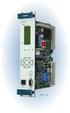 Machinery Protection Card Type FEATURES Continuous on-line Machinery Protection Card Real-time measurement and monitoring using state-of-the-art DSP techniques Fully VME-compatible slave interface Fully
Spectrum Analyzer for Anritsu RF and Microwave Handheld Instruments
 Measurement Guide Spectrum Analyzer for Anritsu RF and Microwave Handheld Instruments BTS Master, Site Master, Spectrum Master, Cell Master, LMR Master, VNA Master Spectrum Analyzer Included Preamplifier
R&S ZVA Vector Network Analyzer Specifications
 www.atecorp.com 8-44-ATEC (2832) R&S ZVA Vector Network Analyzer Specifications ZVA_dat-sw_en_523-568-22_v_cover.indd Data Sheet. E stablished 98 Advanced Test Equipment Rentals Test & Measurement 4.5.22
HD Radio FM Transmission System Specifications Rev. F August 24, 2011
 HD Radio FM Transmission System Specifications Rev. F August 24, 2011 SY_SSS_1026s TRADEMARKS HD Radio and the HD, HD Radio, and Arc logos are proprietary trademarks of ibiquity Digital Corporation. ibiquity,
Measurement, analysis, and monitoring of RF signals
 NRA-2500, NRA-3000 and NRA-6000 Narda Remote Spectrum Analyzer Measurement, analysis, and monitoring of RF signals 19" rack mountable Spectrum Analyzer for remote controlled measurements and analysis of
RF Measurements Using a Modular Digitizer
 RF Measurements Using a Modular Digitizer Modern modular digitizers, like the Spectrum M4i series PCIe digitizers, offer greater bandwidth and higher resolution at any given bandwidth than ever before.
Agilent GSM/EDGE Self-Guided Demonstration for the E4438C ESG Vector Signal Generator and PSA Series Spectrum Analyzers
 Agilent GSM/EDGE Self-Guided Demonstration for the E4438C ESG Vector Signal Generator and PSA Series Spectrum Analyzers Product Note Striving to meet all your test needs Agilent knows that the time you
FREQUENCY RESPONSE ANALYZERS
 FREQUENCY RESPONSE ANALYZERS Dynamic Response Analyzers Servo analyzers When you need to stabilize feedback loops to measure hardware characteristics to measure system response BAFCO, INC. 717 Mearns Road
Using R&S FSW for Efficient Measurements on Multi- Standard Radio Base Stations Application Note
 Using R&S FSW for Efficient Measurements on Multi- Standard Radio Base Stations Application Note Products: R&S FSW This application note introduces the Multi- Standard Radio Analyzer function of the R&S
The Phase Modulator In NBFM Voice Communication Systems
 The Phase Modulator In NBFM Voice Communication Systems Virgil Leenerts 8 March 5 The phase modulator has been a point of discussion as to why it is used and not a frequency modulator in what are called
Agilent 8904A Multifunction Synthesizer dc to 600 khz
 Agilent 8904A Multifunction Synthesizer dc to 600 khz Technical Specifications Build complex waveforms from common signals The Agilent Technologies 8904A Multifunction Synthesizer uses VLSIC technology
R&S FSW-K10 GSM Measurement User Manual
 R&S FSW-K10 GSM Measurement User Manual (; êí2) User Manual Test & Measurement 1173.9263.02 08 This manual applies to the following R&S FSW models with firmware version 2.00 and higher: R&S FSW8 (1312.8000K08)
MSB MODULATION DOUBLES CABLE TV CAPACITY Harold R. Walker and Bohdan Stryzak Pegasus Data Systems ( 5/12/06) [email protected]
 MSB MODULATION DOUBLES CABLE TV CAPACITY Harold R. Walker and Bohdan Stryzak Pegasus Data Systems ( 5/12/06) [email protected] Abstract: Ultra Narrow Band Modulation ( Minimum Sideband Modulation ) makes
DT3: RF On/Off Remote Control Technology. Rodney Singleton Joe Larsen Luis Garcia Rafael Ocampo Mike Moulton Eric Hatch
 DT3: RF On/Off Remote Control Technology Rodney Singleton Joe Larsen Luis Garcia Rafael Ocampo Mike Moulton Eric Hatch Agenda Radio Frequency Overview Frequency Selection Signals Methods Modulation Methods
R&S ZVL Vector Network Analyzer Specifications
 R&S ZVL Vector Network Analyzer Specifications Test & Measurement Data Sheet 08.02 CONTENTS Specifications... 3 Measurement range... 3 Measurement speed... 3 Measurement accuracy... 4 Effective system
Improving Network Analyzer Measurements of Frequency-translating Devices Application Note 1287-7
 Improving Network Analyzer Measurements of Frequency-translating Devices Application Note 1287-7 - + - + - + - + Table of Contents Page Introduction......................................................................
FUNDAMENTALS OF MODERN SPECTRAL ANALYSIS. Matthew T. Hunter, Ph.D.
 FUNDAMENTALS OF MODERN SPECTRAL ANALYSIS Matthew T. Hunter, Ph.D. AGENDA Introduction Spectrum Analyzer Architecture Dynamic Range Instantaneous Bandwidth The Importance of Image Rejection and Anti-Aliasing
R&S FSW signal and spectrum analyzer: best in class now up to 50 GHz
 R&S FSW signal and spectrum analyzer: best in class now up to 50 GHz The new R&S FSW 43 and R&S FSW 50 signal and spectrum analyzers make the outstanding features of the R&S FSW family available now also
Implementing Digital Wireless Systems. And an FCC update
 Implementing Digital Wireless Systems And an FCC update Spectrum Repacking Here We Go Again: The FCC is reallocating 600 MHz Frequencies for Wireless Mics 30-45 MHz (8-m HF) 174-250 MHz (VHF) 450-960 MHz
F = S i /N i S o /N o
 Noise figure Many receiver manufacturers specify the performance of their receivers in terms of noise figure, rather than sensitivity. As we shall see, the two can be equated. A spectrum analyzer is a
Base Station Adjacent Time Slot Rejection Measurement with CMD and SME
 Base Station Adjacent Time Slot Rejection Measurement with CMD and SME Application Note 1GPAN26E 1CMP F.Körber, 1GPP M. Leutiger Products: Signal Generator SME Radio Communication Tester CMD54/57 General
Keysight Technologies 8 Hints for Better Spectrum Analysis. Application Note
 Keysight Technologies 8 Hints for Better Spectrum Analysis Application Note The Spectrum Analyzer The spectrum analyzer, like an oscilloscope, is a basic tool used for observing signals. Where the oscilloscope
R&S VSE-K10x R&S FSx-K10x R&S FS-K10xPC EUTRA/LTE Measurement Software Specifications
 VSE-K100_dat-sw_en_3607-2126-22_cover.indd 1 Data Sheet 01.01 Test & Measurement R&S VSE-K10x R&S FSx-K10x R&S FS-K10xPC EUTRA/LTE Measurement Software Specifications 06.07.2015 17:35:20 CONTENTS Definitions...
DDX 7000 & 8003. Digital Partial Discharge Detectors FEATURES APPLICATIONS
 DDX 7000 & 8003 Digital Partial Discharge Detectors The HAEFELY HIPOTRONICS DDX Digital Partial Discharge Detector offers the high accuracy and flexibility of digital technology, plus the real-time display
Realtime FFT processing in Rohde & Schwarz receivers
 Realtime FFT in Rohde & Schwarz receivers Radiomonitoring & Radiolocation Application Brochure 01.00 Realtime FFT in Rohde & Schwarz receivers Introduction This application brochure describes the sophisticated
MoCA 1.1 Specification for Device RF Characteristics
 MoCA 1.1 Specification for Device RF Characteristics 20140211 Copyright 2012, 2014 Multimedia Over Coax Alliance. All Rights Reserved. MoCA is a trademark or registered trademark of the Multimedia Over
Phase Noise Measurement Methods and Techniques
 Phase Noise Measurement Methods and Techniques Presented by: Kay Gheen, Agilent Technologies Introduction Extracting electronic signals from noise is a challenge for most electronics engineers. As engineers
WLAN Protocol Tester PTW 70
 Data sheet Version 01.00 WLAN Protocol Tester PTW 70 November 2003 IEEE 802.11 multimode protocol tester for development, integration and verification Applications Development The PTW 70 is an indispensable
Optimizing VCO PLL Evaluations & PLL Synthesizer Designs
 Optimizing VCO PLL Evaluations & PLL Synthesizer Designs Today s mobile communications systems demand higher communication quality, higher data rates, higher operation, and more channels per unit bandwidth.
Propagation Channel Emulator ECP_V3
 Navigation simulators Propagation Channel Emulator ECP_V3 1 Product Description The ECP (Propagation Channel Emulator V3) synthesizes the principal phenomena of propagation occurring on RF signal links
R&S EFL110/ R&S EFL210 Cable TV Analyzer and Leakage Detector Detecting interference in cable TV and LTE networks
 R&S EFL110/ R&S EFL210 Cable TV Analyzer and Leakage Detector Detecting interference in cable TV and LTE networks Broadcasting Product Brochure 01.00 R&S EFL110/ R&S EFL210 Cable TV Analyzer and Leakage
Test Report: Yaesu FTDX-1200, S/N 3F02051 (loaned by Bill Trippett W7VP)
 Test Report: Yaesu FTDX-1200, S/N 3F02051 (loaned by Bill Trippett W7VP) Adam M. Farson VA7OJ/AB4OJ, 19-21 July 2013 1. Introduction and Scope: The following tests were conducted on the FTDX-1200: A. Receiver
Spectrum Analyzer Basics www. agilent.com/find/backtobasics
 www. agilent.com/find/backtobasics Abstract Learn why spectrum analysis is important for a variety of applications and how to measure system and device performance using a spectrum analyzer. To introduce
Tackling the Challenges of Pulsed Signal Measurements
 Tackling the Challenges of Pulsed Signal Measurements Application Note This Application Note describes characterization of devices used in radar systems with pulsed signals. The emphasis is on measurements
EXPERIMENT NUMBER 5 BASIC OSCILLOSCOPE OPERATIONS
 1 EXPERIMENT NUMBER 5 BASIC OSCILLOSCOPE OPERATIONS The oscilloscope is the most versatile and most important tool in this lab and is probably the best tool an electrical engineer uses. This outline guides
Features. Applications. Transmitter. Receiver. General Description MINIATURE MODULE. QM MODULATION OPTIMAL RANGE 1000m
 Features MINIATURE MODULE QM MODULATION OPTIMAL RANGE 1000m 433.05 434.79 ISM BAND 34 CHANNELS AVAILABLE SINGLE SUPPLY VOLTAGE Applications IN VEHICLE TELEMETRY SYSTEMS WIRELESS NETWORKING DOMESTIC AND
Application Note: Spread Spectrum Oscillators Reduce EMI for High Speed Digital Systems
 Application Note: Spread Spectrum Oscillators Reduce EMI for High Speed Digital Systems Introduction to Electro-magnetic Interference Design engineers seek to minimize harmful interference between components,
0HDVXULQJWKHHOHFWULFDOSHUIRUPDQFH FKDUDFWHULVWLFVRI5),)DQGPLFURZDYHVLJQDO SURFHVVLQJFRPSRQHQWV
 0HDVXULQJWKHHOHFWULFDOSHUIRUPDQFH FKDUDFWHULVWLFVRI5),)DQGPLFURZDYHVLJQDO SURFHVVLQJFRPSRQHQWV The treatment given here is introductory, and will assist the reader who wishes to consult the standard texts
Site Master Cable and Antenna Analyzer with Spectrum Analyzer
 Maintenance Manual Site Master Cable and Antenna Analyzer with Spectrum Analyzer S331E, 2 MHz to 4 GHz S332E, 2 MHz to 4 GHz, Spectrum Analyzer, 100 khz to 4 GHz S361E, 2 MHz to 6 GHz S362E, 2 MHz to 6
Basics of RF Amplifier Measurements with the E5072A ENA Series Network Analyzer
 Basics of RF Amplifier Measurements with the E5072A ENA Series Network Analyzer Application Note Introduction The RF power amplifier is a key component used in a wide variety of industries such as wireless
Multi-Carrier GSM with State of the Art ADC technology
 Multi-Carrier GSM with State of the Art ADC technology Analog Devices, October 2002 revised August 29, 2005, May 1, 2006, May 10, 2006, November 30, 2006, June 19, 2007, October 3, 2007, November 12, 2007
DVT913 TV CHANNEL CONVERTER
 Broadband Cable Networks 1(5) DVT913 TV CHANNEL CONVERTER General DVT913 is a TV Channel Converter for the DVX tend product family. It consists of an input down converter from to, a high selectivity part
Optimizing IP3 and ACPR Measurements
 Optimizing IP3 and ACPR Measurements Table of Contents 1. Overview... 2 2. Theory of Intermodulation Distortion... 2 3. Optimizing IP3 Measurements... 4 4. Theory of Adjacent Channel Power Ratio... 9 5.
1 Multi-channel frequency division multiplex frequency modulation (FDM-FM) emissions
 Rec. ITU-R SM.853-1 1 RECOMMENDATION ITU-R SM.853-1 NECESSARY BANDWIDTH (Question ITU-R 77/1) Rec. ITU-R SM.853-1 (1992-1997) The ITU Radiocommunication Assembly, considering a) that the concept of necessary
Software Utility VNA Frequency Converter Leveling Tool Getting Started
 Software Utility VNA Frequency Converter Leveling Tool Getting Started (=ONÓ2) Getting Started Test & Measurement 1331.3069.02 01 2016 Rohde & Schwarz GmbH & Co. KG Mühldorfstr. 15, 81671 München, Germany
Network Analyzer Operation
 Network Analyzer Operation 2004 ITTC Summer Lecture Series John Paden Purposes of a Network Analyzer Network analyzers are not about computer networks! Purposes of a Network Analyzer Measures S-parameters
Group and Phase Delay Measurements with Vector Network Analyzer ZVR
 Group and Phase Delay Measurements with Vector Network Analyzer ZVR Application Note 1EZ35_1E Subject to change 10 July 1997, Olaf Ostwald Products: ZVR ZVRE ZVRL CONTENTS PAGE 1 BASICS 2 2 PHASE DELAY