
Bed-Check Cordless Fall Management System
|
|
|
- Valerie Skinner
- 10 years ago
- Views:
Transcription
1 [Safe. Secure. Efficient.] Bed-Check Cordless Fall Management System Setup & User Guide
![] Bed-Check Cordless](/docs-images/43/14877873/images/page_1.jpg "Fall Management")
2 Copyright Information All content herein is the property of STANLEY Healthcare, its Affiliates, or their content suppliers and is protected by United States and international copyright laws. The compilation of all content is likewise the exclusive property of STANLEY Healthcare (or the Affiliate identified in any copyright notice) and is protected by United States and international copyright laws. The trademarks, service marks and logos (the Trademarks ) used and displayed in this publication are registered and unregistered Trademarks of STANLEY Healthcare, its Affiliates and others. Nothing herein should be construed as granting, by implication, estoppel or otherwise, any license or right to use any Trademark displayed herein without the prior consent of the Trademark owner. STANLEY and the STANLEY design are two of the trademarks owned by STANLEY Healthcare and/or its Affiliates ( STANLEY Trademarks ). STANLEY Trademarks may not be used in connection with any product or service that is not manufactured by or under license from STANLEY Healthcare or its appropriate Affiliate. Important Recommendation STANLEY Healthcare s systems are designed to assist staff in providing a high degree of safety for people and assets and therefore should be used as a component of a comprehensive safety program of policies, procedures, and processes. As with every safety system, STANLEY Healthcare highly recommends regular system operational checks to verify functional integrity. There are no known issues with the usage of this equipment in association with other investigations or treatments at the facility. Cautions and Warnings CAUTION FAILURE TO HEED THE FOLLOWING CAUTIONS COULD RESULT IN HARM TO YOUR SYSTEM OR CAUSE IT TO FUNCTION IMPROPERLY, INTERMITTENTLY, OR NOT AT ALL. Use the Bed-Check Monitor only with approved accessories. Turn Monitors and Transmitters off before storing them away. Remove batteries immediately when the Monitor is not in use to avoid battery power loss. Use care when connecting the Bed-Check Transmitter and Sensormat pads. Gently remove or connect cords. Pulling on cords may damage them and/or result in system failure.

3 WARNING FAILURE TO HEED THE FOLLOWING WARNINGS COULD RESULT IN INJURY TO OR THE DEATH OF PERSONS IN YOUR CARE. Ensure that the Transmitter is properly connected to the cable inside the pouch of the Sensormat pad. Check that the Transmitter is switched on and that the status LED on the Monitor flashes GREEN for at least 1 second when the Reset button is pressed, or the status LED flashes GREEN for 0.5 seconds once per minute to indicate that it is monitoring the person. A low battery condition in the pad Transmitter is indicated by the status LED on the Monitor flashing YELLOW twice every minute or when the Reset button is pressed. Change the Transmitter immediately. A low battery condition in the Monitor is indicated by the status LED flashing YELLOW once every minute or when the Reset button is pressed. Change the batteries in the Monitor immediately. Do not use the Transmitter past the expiration date. When the pad has expired, check the expiration date on the Transmitter. If the date has passed, dispose of the Transmitter with the pad. If the Transmitter has not yet expired, you may reuse it. Test the Bed-Check Monitor and Sensormat pad before each use and inspect the cords and pads for signs of damage. Replace any components with signs of wear or damage immediately. Sensormats may not be effective with air type bed mattresses or air type chair cushion pads; test before using. Do not place the monitor within 1 ft. (0.3m) of and facing the resident. Placing the Monitor on a wheelchair back is acceptable as long as the monitor is facing away from the resident. The Bed-Check Monitor is only one part of your facility s fall management program. The Bed-Check Monitor is not a substitute for proper nursing care or routine visual monitoring by caregivers. The effectiveness of the Bed-Check Monitor relies entirely on an immediate response by the caregiver to the Bed-Check Monitor system alarm. The Bed-Check Monitor system will not stop a person from leaving a bed or chair. It is intended only to alert a caregiver that a patient or resident may need assistance. Other interventions may be required. Keep the Sensormat pad flat at all times. Folding the pad may damage it. Do not use the pad if it has been folded. Do not immerse the Sensormat pads in liquids. The pad will not operate properly if the pad is exposed to excessive liquids. If the pad is immersed in liquid, discard it immediately. Operators of this equipment must be familiar with the functions and usage as described in this manual, and must be properly trained in the resident care policies and procedures of the facility. Any modification of this equipment is not allowed, voids all warranties, and may result in injury to or the death of persons in your care.

4 Contents Copyright Information... ii Important Recommendation... ii Cautions and Warnings... ii Introduction... 1 Check Your Shipment...1 Other Components Sold Separately...1 How the Bed-Check System Works... 2 Normal Usage Routine... 3 Cordless Monitor... 4 Basic Features and Buttons...5 LEDs and Audible Tones... 7 LEDs...7 Audible Tones...8 Cordless Transmitter... 9 Connecting the Cordless Transmitter...9 Removing the Cordless Transmitter from the Pad Confirming Cordless Transmitter Battery Status and Usage Cleaning the Cordless Transmitter Disposing of the Cordless Transmitter Associating the Cordless Monitor with the Transmitter Configuring the Cordless Monitor Automatic Re-arming of Monitor Sleep Mode Temporary Disable Mode Low Battery Conditions Cordless Monitor Low Battery Pad Transmitter Low Battery Replacing Monitor Batteries Using Sensormat Pads iv Bed-Check Fall Management System Setup & User Guide

5 On a Bed...20 On a Chair...20 Changing the Sensormat Pad...21 Changing the Pad Transmitter...22 Monitor Mounting/Installation Options...23 Wall Mounting...23 Chair or Bed Footboard Mounting...24 Interfacing with a Nurse Call System...25 Nurse Call Alarms...26 Maintenance...27 Status Checks...27 System Specifications...28 Regulatory Compliance...30 Warranty Information...31 Bed-Check Fall Management System Setup & User Guide v

6 vi Bed-Check Fall Management System Setup & User Guide

7 Introduction Introduction The Bed-Check Cordless Fall Management System uses a cordless pad and Monitor to notify facility staff in the event of premature departure from a bed or chair. The Monitor provides remote/cordless annunciation in the event of a pad exit alarm, as well as operational status and battery condition. Check Your Shipment The Bed-Check Fall Management System package includes: 1 Cordless Monitor (72100) 1 Wall Mount Bracket Kit ( ), consisting of: 1 Wall mount bracket 6 Dual-Lock 250 Fastener strips (2.0 x 0.75 each) 4 Mounting Screws with Plastic Anchors 1 Rubber Bumper 1 Wire Bracket ( ) 4 AA Alkaline Batteries This document (p/n ) Other Components Sold Separately Cordless Transmitter (72110) Cordless Sensormat pads available in the following types: Chair 14-day (73050) Chair 180-day (73060) Bed 14-day (74050) Bed 180-day (74060) Additional Wall Mount Bracket Kits ( ) Additional Wire Brackets ( ) Nurse Call Cables ( ) - grey, 8 long, 1/4 mono jacks Bed-Check Fall Management System Setup & User Guide 1

8 How the Bed-Check System Works How the Bed-Check System Works The presence of a resident on a Sensormat pad is sensed by a connected transmitter which relays that information wirelessly to a monitor. While successfully monitoring a resident on the pad the monitor remains quiet with a single GREEN Status LED flash once per minute to confirm that the resident is still on the pad. However, when the resident exits the pad for more than a pre-selected number of seconds the monitor sounds an Exit Alarm accompanied by RED Alarm LED flashes to notify staff that the resident may be in an unsafe position, and needs immediate assistance. If there is a technical problem that prevents pad monitoring, the monitor sounds a Warning Alarm accompanied by YELLOW Status LED flashes to notify staff that the resident is no longer being monitored. All audible alarms can be cancelled by tapping the Reset button on the monitor. The monitor s status can be checked, any time other than when an alarm is sounding, by tapping the Reset button on the monitor: Long GREEN flash: Resident is being monitored on the pad Short GREEN flash: No one is on the monitored pad 3 or more YELLOW flashes: Monitor is having a problem. This could be: Communication with the Transmitter being monitored is lost because the Transmitter has moved out of range or failed. The Transmitter is switched off while monitoring. A Nurse Call jack has been inserted or removed improperly. In addition, when the Reset button is pressed, low battery conditions are displayed either on their own or after the above green flashes as follows: 1 YELLOW flash: Monitor batteries are low and batteries should be replaced. 2 YELLOW flashes: Transmitter has a low battery and the transmitter should be replaced. If a Nurse Call system is connected, pad exit or trouble alarms are sent to the Nurse Call station. The staff member, having been alerted that a resident is attempting to exit the bed or chair, can counsel the resident by intercom (if available), or send immediate assistance. For details on LEDs and Audible Tones see page 7. 2 Bed-Check Fall Management System Setup & User Guide

9 Normal Usage Routine Normal Usage Routine Each time the system is put into use, you must perform a specific set of tasks to ensure that the system is operating correctly and is effectively monitoring the resident. Each task listed below refers you, when necessary, to the section in this guide with the detailed instructions for that task. ;; ;; ;; ;; ;; ;; ;; ;; Gather the equipment together: Monitor, Transmitter, Pad. Connect the transmitter to the pad. See Connecting the Cordless Transmitter on page 9. Activate the monitor and then associate it with the transmitter. See Associating the Cordless Monitor with the Transmitter on page 12. Test the system. Follow the test procedure printed on the pad, or see Testing the Sensormat Pad Before First Use on page 13. Position the resident on the bed or chair. Press the monitor Reset button to confirm that the system is monitoring the resident on the pad. Check that the LED lights solid green for about 4 seconds. When an alarm occurs, follow your facility s alarm response procedures before resetting the monitor. To remove the resident from the pad, see Temporary Disable Mode on page 17. Bed-Check Fall Management System Setup & User Guide 3

10 Cordless Monitor Cordless Monitor FRONT Reset Button LEDs (Alarm and Status) Sound Opening BACK Prompts user to read this User Guide for operating instructions Clip Battery Cover Access to Handshake Button Screw (to open battery cover) Nurse Call Jack (on bottom) 4 Bed-Check Fall Management System Setup & User Guide

11 Basic Features and Buttons Cordless Monitor The Bed-Check Cordless Monitor includes a black rubber bumper around the outer perimeter. This bumper is latex free. Caregivers can display the Monitor s status (see LED table on page 7 for details) at any time, without disrupting the monitoring session, by tapping the button on the front of the Monitor. When no button is pressed and a resident is on the pad, the Monitor Status LED flashes GREEN once every minute. Status changes are triggered by incoming events such as: A press on the Monitor s Reset button A press of the Handshake button on the back of the Monitor Pad on/off status Transmitter being switched on or off A lack of communication with the Transmitter for 90 seconds A change to the Nurse Call jack (plugged or unplugged) Low battery condition (Transmitter or Monitor) Reset button The Reset button is located on the front of the Monitor. All audio alarms can be muted by a simple tap of the Monitor s button. The Reset button is also used to put the Monitor into Sleep Mode (page 16) or into Temporary Disable Mode (page 17). Button press timing duration variations are as follows: Short tap - less than 3 seconds - used to activate the Monitor, display the Monitor s status and cancel any audible alarms. Long press - more than 3 seconds - used to either temporarily disable the monitor (only when monitoring a resident), or put the Monitor to sleep. Reminder: RED Alarm LED Tap the Reset button at any time to check the monitoring status. Immediately after setting up a pad to be monitored, test the monitoring function before placing a resident on the pad, and daily thereafter. See Testing the Sensormat Pad Before First Use on page 13. The Alarm LED is bright RED, and is used to signify that an unexpected pad exit has occurred, the resident is at risk of falling, and immediate caregiver response is required. The alarm LED is easily seen from a distance of 4 m in normal facility lighting conditions unless direct sunlight is falling on the Monitor. Bed-Check Fall Management System Setup & User Guide 5

12 Cordless Monitor Bi-Color Status LED This LED indicates Monitor and Transmitter status. Generally: GREEN indicates successfully communication with a Transmitter. When the Reset button is tapped, a GREEN Status LED flash longer than 0.5 seconds indicates the resident is on the pad, or a short (0.1 second) Status LED GREEN flash indicates that nobody is on the pad. The monitor also flashes the Status LED GREEN once a minute to confirm the resident is on the pad when the button is not pressed. YELLOW indicates equipment trouble, including low battery or supervision alarms when communication are lost. YELLOW accompanied by an alarm indicates a problem that prevents monitoring a resident on the pad. LED use during normal conditions is minimized to help extend the Monitor s battery life. Sound Opening The sound opening allows the alarm to be annunciated from the Monitor. Clip Use the Monitor s built-in metal clip to attach to surfaces up to 5/16 thick (for example, the back of wheelchair). Use the wire clip for surfaces 5/16 to 2 1/4 thick. Battery Cover The battery cover is used to protect the batteries and the settings area (Volume, Tone, etc.). For information about changing the batteries, see Replacing Monitor Batteries on page 18. Reminder: Check that the battery screw is tightened to avoid batteries accidentally falling out if the Monitor is dropped, and to reduce the probability of battery theft. Handshake Button For information about the Handshake button, see Associating the Cordless Monitor with the Transmitter on page Bed-Check Fall Management System Setup & User Guide

13 LEDs and Audible Tones LEDs and Audible Tones LEDs The Alarm LED flashes RED, indicating an unexpected pad exit has occurred and a resident is now in imminent danger of falling. The Status LED flashes GREEN or YELLOW, indicating either normal operation or an issue with the equipment. Refer to the table below for a description of the Alarm and Status LEDs. In the table, flashes are: Short = 0.1 sec., or Long = more than 0.5 sec. LED Tone Description Alarm LED (RED) Short flash every 0.6 seconds One long flash Pad Exit Alarm High-Low Confirm Status LED (GREEN) Normal Operation Long flash after Reset button press, or long flash once per minute Short flash after Reset button press One long flash during association 5 seconds rapid flashing following an OFF to ON pad status change, then one long flash Two flashes every few seconds and, after 1 minute, 1 flash every few seconds for 1 minute No No Low-High Confirm No No Alarm! Resident has left bed/chair! Monitor placed into Sleep Mode Monitor is communicating with Transmitter and a resident is on the pad Monitor is communicating with Transmitter, but no one is on the pad Successful association of Monitor with Transmitter (Handshake) Rapid flashes indicate Monitor is about to start monitoring a resident on a pad. A pad exit during this period does not trigger an alarm. Long flash indicates Monitor is now armed. A pad exit triggers an alarm. Monitor temporarily disabled to allow resident positioning or removal, or a Nurse Call jack insertion or removal. Status LED (YELLOW) Status, Trouble, or Warning Conditions Five short flashes after a Reset button press Continuous up to 10 seconds after Handshake button pressed No No No associated Transmitter detected by Monitor Waiting for association Handshake Bed-Check Fall Management System Setup & User Guide 7

14 LEDs and Audible Tones LED Tone Description Five short flashes repeated every 2.4 seconds Three short flashes, then 1 long flash every 2.4 seconds One short flash once per minute Two short flashes, once per minute Trouble Alarm Trouble Alarm 2 Low Warning 2 Low Warnng Warning: Supervision failure Monitor battery too low to operate Equipment error Nurse Call jack inserted or removed while monitoring resident on pad without using Temporary Disable Mode (page 17). Press the Reset button to mute the Alarm for 90 seconds, or reverse the jack change to stop the Alarm. Warning: Monitor low battery. Warning: Transmitter low battery Continuous No Failed monitor power-up self-test or monitor battery dying. Audible Tones There are three sets of audible tones that are used with the Cordless Monitor: Pad Exit Alarm, Trouble Alarm, Confirmation Tones Note: The exact sound of the alarm or trouble tones depends on the TONE switch setting and whether the current status is an alarm relating to an unexpected pad exit) or a trouble tone relating to a hardware problem (e.g., supervision alarm). Confirmation tones are not affected by these settings. Monitor Audible Tones Pad Exit Alarm Tones There are 4 alarm tone sequences repeated twice every 8 seconds associated with the Alarm LED (RED flash): 1 - One sound (low) in a sequence of 3 beeps, pause, 2 beeps (meets IEC ) 2 - Two sounds (low high low high) in a sequence of 4 beeps, pause, 2 beeps 3 - Two sounds (low high low) in a sequence of 3 beeps, pause, 2 beeps 4 - Two sounds (high low high) in a sequence of 3 beeps, pause, 2 beeps 8 Bed-Check Fall Management System Setup & User Guide

15 Monitor Audible Tones Trouble Alarm Tones LEDs and Audible Tones There are 4 trouble tone sequences sounded once every 8 seconds and associated with the Status LED (YELLOW flashes) 1 - One sound (low) in a sequence of 3 beeps (meets IEC ) 2 - Two sounds (low high low high) in a sequence of 4 beeps 3 - Two sounds (low high low) in a sequence of 3 beeps 4 - Two sounds (high low high) in a sequence of 3 beeps Conf. Tones There are three confirmation tones. These tones are much quieter than the Alarm tones and cannot be cancelled. Low - High (indicates a successful association of Monitor and Transmitter, or on pad monitoring is arming) High - Low (indicates the Monitor is shutting down) Single frequency tones associated with low battery warnings Cordless Transmitter A Cordless Transmitter must be plugged into the Sensormat pad and be placed within the Sensormat pouch. The Cordless Transmitter has one LED that flashes RED when it is turned on or off, and on every pad on/off status change. There is an ON/OFF switch located on the side of the Cordless Transmitter. Up to 20 Transmitters may be deployed within 30 feet of any one monitor without interference between them. Connecting the Cordless Transmitter 1. On first use, record the expiry date (180 days [six months] from in-use date) on the Transmitter. At every other use, check the expiry date before connecting. Bed-Check Fall Management System Setup & User Guide 9

16 LEDs and Audible Tones 2. Connect the Transmitter cable to the cable inside the pouch (located on the Sensormat Pad). The connectors are keyed to permit only one orientation. Insert the Transmitter end of the connector into the pad end until you feel the click indicating a successful connection. 3. See Associating the Cordless Monitor with the Transmitter on page 12 to associate the Transmitter with the Cordless Monitor. 4. Once the Transmitter is associated with the Cordless Monitor, place the cable followed by the Transmitter in the pouch, and then snap the pouch flap shut. Removing the Cordless Transmitter from the Pad 1. Open the pouch snaps. 2. Slide the Transmitter from the pouch. 3. Switch off the Transmitter if it is not to be used for an extended period of time. 4. Squeeze the latch to detach the connectors. See Changing the Sensormat Pad on page 21. Confirming Cordless Transmitter Battery Status and Usage If either 6 months has passed since the Transmitter was first activated, or the Monitor warns that the Transmitter has a low battery, the Transmitter should no longer be used. A Transmitter s battery can be confirmed to be usable by checking its LED window which is located just above the writable label. A Transmitter with a good battery will not light the LED when switched on, but will flash the LED dimly for around 4 seconds just after being switched off. A Transmitter can also be confirmed to be good by waiting one minute after a successful association with a Monitor and then confirming that no Status LED YELLOW low battery flashes occur when the Monitor s Reset button is tapped. 10 Bed-Check Fall Management System Setup & User Guide

17 LEDs and Audible Tones A Transmitter, when in use, will continue to operate for at least 20 days after a low battery warning is first alarmed. However, once switched off with a low battery, the Cordless Transmitter cannot be used again (displaying a continuous RED LED). Cleaning the Cordless Transmitter Clean with a damp wipe only. Do not sterilize. Do not immerse. Ensure that the Transmitter is dry before placing in storage. Disposing of the Cordless Transmitter The Cordless Transmitter contains Lithium Manganese Dioxide battery cells. Dispose according to local regulations. Bed-Check Fall Management System Setup & User Guide 11

18 LEDs and Audible Tones Associating the Cordless Monitor with the Transmitter Follow these steps to associate the Monitor with the Transmitter. 1. Ensure the Transmitter switch is in the Off position, and wait at least 5 seconds. 2. Make sure the monitor is on by tapping the button on the front. The Status LED flashes YELLOW. 3. Press the Handshake button on the back of the Monitor through the access hole in the battery cover using a pointed object such as a stylus. Access to Handshake button 4. Within 5 seconds: 4.1 Switch the Transmitter ON. A pen tip or stylus may be useful. A Handshake message is sent to the Monitor to associate the Transmitter with the Monitor. 12 Bed-Check Fall Management System Setup & User Guide

19 LEDs and Audible Tones 4.2 While waiting for the Handshake message, the LED on the Monitor glows YELLOW. 4.3 The Monitor beeps twice (low then high), and the LED flashes GREEN twice, indicating a successful association of the Transmitter with the Monitor. Note: If 10 seconds passes after the Handshake button is pressed and no Handshake message is detected by the Monitor, the Status LED flashes YELLOW 5 times while the Monitor looks for the last Transmitter it was associated with. If the Transmitter is not found, switch the Transmitter Off, wait at least 6 seconds, then repeat from Step Test for a successful association by pressing the Reset button once. The Status LED should flash GREEN. 5. Connect the Transmitter to the Sensormat pad according to the instructions in Connecting the Cordless Transmitter on page Place the cable followed by the Transmitter in the pouch and snap the pouch flap closed. Note: The Monitor remembers the Transmitter it is associated with, even when the Monitor s batteries are removed or the Transmitter is switched off. Testing the Sensormat Pad Before First Use Test the Sensormat Pad before first use, and daily thereafter, as follows: 1. Ensure the monitor and pad being tested are associated. 2. Tap the monitor s Reset Button to confirm that the status LED flashes GREEN and ONLY Green. If a YELLOW flash is seen diagnose the problem using the LED and Audible Tones table on page 7. a. Replace monitor batteries if a low monitor battery is indicated. b. Replace transmitter if low transmitter battery is indicated Apply FULL and FIRM PALM pressure with your hand to the Pad for more than 6 seconds. 4. The Monitor should flash its Status LED GREEN for 5 seconds and then sound a low-high confirmation tone followed by a long GREEN flash. 5. Release hand pressure. 6. After a delay up to 2.75 seconds (depending on configured delay Bed-Check Fall Management System Setup & User Guide 13

20 LEDs and Audible Tones settings), the Monitor should generate a Pad Exit alarm, continuously flashing the Alarm LED RED and, unless a Nurse Call system is connected and the volume is set to NC, sounding the Pad Exit Alarm. 7. Press the Reset button on the Monitor to silence the alarm. 8. If the Monitor is used with a nurse call system, verify that an alarm was triggered on that system. 9. If the Monitor did not signal a Pad Exit alarm properly, try checking all connections, and try re-associating the Transmitter then repeat all the above tests. 10. If the Pad Exit alarm still does not sound, DO NOT place the Pad, Transmitter and Monitor into service. Configuring the Cordless Monitor This section describes how to change settings for the Bed-Check Cordless Monitor. Unscrew, then pressing the clips, lift the bottom of the cover to expose the settings switches. B C D A 14 Bed-Check Fall Management System Setup & User Guide

21 LEDs and Audible Tones A. Vol - 3 volume settings for the Pad Exit alarm and Trouble Alarm tones: HI - Sets the alarm tone to high volume. LO - Sets the alarm tone to low volume. NC - Nurse Call - If a Nurse Call jack is plugged in and this setting is selected, the local alarm sound is suppressed completely. Note: If the NC setting is selected but there is no Nurse Call cord plugged in, Audible Alarm tones sound HI if the resident leaves the pad. B. DELAY - 2 delay settings (in seconds) before the alarm is sounded: 0S (zero seconds) - up to 0.75 seconds, no additional delay 2S (two seconds) - up to 0.75 seconds, plus 2 additional seconds C. TONE - 4 Tone sequence settings for the Pad Exit alarm or Trouble alarm. See Audible Tones on page 8. D. HANDSHAKE - This button is used to establish an association between the Transmitter and the Monitor. Automatic Re-arming of Monitor Once associated with a switched-on pad transmitter and pad, and with no resident on the pad, the Monitor continues checking for a resident to get on the pad for up to 24 hours after the last Reset button push. If 24 hours has expired with nobody on the pad, the monitor goes to sleep to save batteries and will no longer monitor the pad. The monitor can be woken from Sleep mode and recommence pad checking by a simple tap of the reset button. When a resident has been detected to be on the pad the monitor flashes the status LED GREEN for 5 seconds before arming. The arming is indicated by a low-high confirmation tone plus a long GREEN flash. Any exit from the pad during the first 5 second flash period cancels the arming process. After arming the monitor will sound a Pad Exit alarm on a pad exit. To disable this automatic arming feature when nobody is on the pad simply put the monitor to sleep by pressing the Reset button for > 3 seconds (See Sleep Mode page 16). Bed-Check Fall Management System Setup & User Guide 15
22 Sleep Mode Sleep Mode The Bed-Check Monitor supports a Sleep Mode feature to save battery life while not in use. Automatic Sleep Mode The Monitor enters Sleep Mode under either of the following conditions: After 24 hours with no resident on the pad After 10 minutes with no associated Transmitter To Manually Put the Monitor to Sleep Follow these instructions to turn Sleep Mode on when the Monitor is not in use. The Monitor cannot be placed in Sleep Mode while it is monitoring a resident. 1. Tap the Reset button to make sure that the Monitor is not monitoring a resident on the pad. 2. Press and hold the Reset button for at least 3 seconds. 3. The Status LED changes to a solid RED and the Monitor beeps high, then low once. The Monitor has entered Sleep Mode. Wake the Monitor from Sleep Mode Follow these instructions to turn Sleep Mode off. 1. Press the Reset button once to exit Sleep Mode. 2. The Status LED flashes YELLOW. 3. Sleep Mode is now turned off. 4. If the last associated transmitter is already switched on the monitor will automatically re-associate within 1 minute. 16 Bed-Check Fall Management System Setup & User Guide
23 Temporary Disable Mode Temporary Disable Mode The temporary disable mode is used to allow the caregiver 2 minutes to remove a resident from a monitored pad without triggering any alarms, or to connect or disconnect the Nurse Call cord. 1. Press the Reset button on the Monitor for more than 3 seconds. 2. A 2 minute timer is set. The Status LED flashes GREEN until the time expires, before the Monitor resumes monitoring the resident. A single flash sequence indicates that less than 1 minute remains. 3. The resident can now be placed on, or removed from the pad, or the Nurse Call cord may be inserted or removed without triggering an alarm. 4. When the timer runs out, or the button is pressed for less than 3 seconds, the Monitor resumes normal operation. Low Battery Conditions Cordless Monitor Low Battery The Monitor s batteries will last at least 30 days while monitoring a person on a pad. When the Monitor batteries are low approximately within 3 days of depletion the Status LED flashes a YELLOW warning (with a confirmation tone). If the resident is on the pad, the YELLOW flash follows the GREEN onpad confirmation flash, once per minute. If the resident is not on the pad, a single YELLOW flash occurs once per minute. These sequences repeat until the batteries are replaced. When the low battery warning level has been reached, no new monitoring sessions can be started until the batteries are replaced. When the Monitor determines that its batteries are within minutes of depletion, the Trouble alarm sounds, and the monitor stops functioning. Note: Monitors may deplete new batteries when kept in continuous sleep mode for more than 2 years. Bed-Check Fall Management System Setup & User Guide 17
24 Temporary Disable Mode Pad Transmitter Low Battery When the Transmitter battery is low (beginning about 20 days before depletion), the Monitor s Status LED flashes a YELLOW warning twice (with a confirmation tone). If the resident is on the pad, the YELLOW flashes follow the GREEN onpad confirmation flash, once per minute. If the resident is not on the pad, the YELLOW flashes occur once per minute. These sequences repeat until the Transmitter is replaced. If the Transmitter battery fails while the pad is monitoring a resident, a supervision alarm is generated. Note that if the Transmitter is turned off during a low battery condition, it cannot be used again. When a Transmitter with a low battery is turned on, the LED lights continuously and the Transmitter cannot be used. A Transmitter, when not in the pad s pouch, can be confirmed to be usable by checking if its LED flickers dimly as the Transmitter itself is turned off. The LED is located in an indentation above the Serial Number label. For continued uninterrupted monitoring of your residents, ensure you order replacement transmitters well in advance. A transmitter s warranted shelf life before being switched on for the first time is 1 year. Replacing Monitor Batteries To remove the batteries 1. Open the battery compartment cover. 2. Gently pull the black ribbon to release the batteries. Remove the positive end of each battery first. 18 Bed-Check Fall Management System Setup & User Guide
25 Temporary Disable Mode IMPORTANT: Dispose of batteries according to your local environmental laws and guidelines. To insert the batteries 1. Loosen screw to open the battery compartment cover. 2. Remove used batteries if required. 3. Ensure the black ribbon is laying flat along the bottom. 4. Insert the batteries into the battery compartment. Press the negative end of each battery into the corresponding spring, then slide the positive end into the contact. The monitor immediately performs a selftest. The LEDs flash in all colors and the speaker sounds. 5. Close the battery compartment cover, and tighten the cover screw. 6. The Monitor is now ready to be associated with a Transmitter and used for a resident. CAUTION: Replace all four batteries at the same time. Do not mix old batteries with new batteries, and do not mix battery types. Only non-rechargeable alkaline batteries are IEC-compliant and meet the product specification. AA batteries equivalent to Duracell MN1500 or Energizer LR06 are recommended. Bed-Check Fall Management System Setup & User Guide 19
26 Using Sensormat Pads Using Sensormat Pads The Sensormat pad can be located either on a bed or chair, directly underneath the resident. The Monitor is mounted on the wall outside of the room, or in another convenient location, no more than 30 feet away from the pad. It may also be attached to a wheelchair. 14-day or six month (180-day) pads can be deployed with the Monitor. Pads should be replaced on or before their warranty period expiry date (indicated on pad). Sensormat pads are designed to sense body weight distributed over an area. Pad testing should be done either by sitting or lying on the pad, or by pressing down firmly with the palm of your hand. On a Bed Place the Sensormat pad across the width of the bed, ON TOP OF THE MATTRESS. A top sheet and/or incontinence pad may be placed above the Sensormat pad. The preferred pad location is directly under the resident s buttocks three to five inches below the bend in the mattress when the head of the bed is elevated. Effective operation of the Sensormat pad in the alternative location, behind the resident s back, is dependent upon their weight and the articulation angle of the bed. Sensormats may not be effective with air type bed mattresses. Test before using. The use of anti-skid strips to secure the Sensormat pad to the mattress is optional. On a Chair Place the Sensormat pad across the width of the chair or wheelchair seat. For best sensitivity, place the Sensormat pad above any other pads. An incontinence pad may be placed above the Sensormat pad. Adjust the position so that it fits directly under the resident s buttocks. The most favorable location is toward the rear of the seat, close to the chair back. Sensormats may not be effective with air type chair cushion pads. Test before using. The use of anti-skid strips to secure the Sensormat pad to the seat of the chair is optional. Note: Once the resident sits on the pad, there is a 6 to 7 second delay, before the Monitor arms, allowing time for the resident to shift around slightly until a comfortable position is achieved. 20 Bed-Check Fall Management System Setup & User Guide
27 Changing the Sensormat Pad Changing the Sensormat Pad When you change the Sensormat pad, the Pad Transmitter may be reused until its expiry date or low battery condition has been reached. Follow these steps to change the Sensormat. 1. If monitoring a resident on a pad, first temporarily disable the monitor and remove the resident. (See Temporary Disable Mode on page 17.) 2. Remove the old pad from the bed or chair. 3. Open the pouch on the old pad. 4. Remove the Pad Transmitter from the old pad and disconnect it by depressing the latch mechanism. 5. After examining the Transmitter expiry date, If you need to replace it, refer to Changing the Sensormat Pad on page Connect the Pad Transmitter to the new pad and then insert into the pouch, closing and fastening the pouch flap. 7. Tap the monitor to activate monitoring. 8. Confirm the proper operation of the pad as described on the pad. Bed-Check Fall Management System Setup & User Guide 21
28 Changing the Pad Transmitter Changing the Pad Transmitter The Pad Transmitter has a usable life of six months (180 days) from first activation. The Monitor can be associated with only one Pad Transmitter at a time. When you change the Pad Transmitter, you must establish a new association between the Pad Transmitter and the Monitor. Follow these steps to change the Pad Transmitter. 1. Confirm that the replacement pad transmitter has not expired. If using a transmitter for the first time, write its expiry date as today s date plus six months (180 days). 2. Remove the Monitor from the wall or unclip it from a chair or bed footboard so that you can access the back of the monitor. 3. Bring the monitor and the replacement Pad Transmitter together. 4. Ensure that the replacement Pad Transmitter has been switched off for at least 5 seconds. 5. Ensure the monitor is awake by tapping the Reset button. 6. Press the Handshake button on the back of the monitor. 7. Within 5 seconds, switch on the replacement Pad Transmitter. 8. The monitor Status LED should flash GREEN and you should hear a lowhigh confirmation tone. If not, repeat from step Open the pouch on the pad. 10. Remove the old Transmitter from the pad and disconnect it by depressing the connector latch mechanism (See page xx). 11. Switch off old transmitter, and discard it according to facility policy, if it has expired or has a low battery. 12. Connect the replacement Transmitter to the pad. 13. Insert the cable followed by the Transmitter into the pad pouch and snap the pouch flap shut. 14. Test the system. Follow the test procedure printed on the pad, or see Testing the Sensormat Pad Before First Use on page 11. The system is now ready to monitor the resident. 22 Bed-Check Fall Management System Setup & User Guide
29 Monitor Mounting/Installation Options Monitor Mounting/Installation Options The Bed-Check Cordless Monitor may be mounted on a wall, a bed footboard, or a chair. CAUTION: Do not place the monitor within 1 ft. (0.3m) of and facing the resident. Placing the monitor on a wheelchair back is acceptable as long as the monitor is facing away from the resident. Wall Mounting To mount the Bed-Check Cordless Monitor on a wall, you will need a Wall Mount Bracket Kit ( ). The mounting bracket is installed with the included screws or Dual-Lock fastener. If you are using a Nurse Call system, you will also need a 1/4 jack connected Nurse Call Cable. A grey 8 ft long 1/4 jack to 1/4 jack cable is available separately from Stanley Healthcare ( ). 1. Attach the Wall Mount Bracket to a vertical surface using the provided screws or Dual-Lock fasteners. If also installing a Nurse Call cable or attaching to a surface that is not flat and smooth, use the screws to secure the bracket firmly in place. On flat and smooth surfaces, the Dual- Lock fastener may be used to allow for easier removal. 2. Install the bracket on the wall when monitoring persons in bed. 3. To attach the Bed-Check Monitor on the bracket, slide the Monitor down into the bracket from the top until the release button clicks. 4. Insert the Nurse Call cable jack into the Nurse Call receptacle. Plug the other end into the installed nurse call system. 5. Test the monitoring system. Refer to Testing the Sensormat Pad Before First Use on page 13. Bed-Check Fall Management System Setup & User Guide 23
30 Monitor Mounting/Installation Options Chair or Bed Footboard Mounting To mount the Bed-Check Cordless Monitor on a chair or on a bed footboard, you will need a Wire Bracket ( ). 1. Slide the Wire Bracket into the slots on the back of the Monitor as shown here. 2. Use the clip to attach the Monitor securely to the back of the chair, in a place that the resident cannot easily reach. 3. Ensure that the Monitor is clipped to the outside of the chair to reduce any discomfort for the resident (the Monitor s speaker will be facing away from the resident as well). 24 Bed-Check Fall Management System Setup & User Guide
31 Interfacing with a Nurse Call System Interfacing with a Nurse Call System The Bed-Check Monitor can be used to trigger a Nurse Call system that works with call button circuits that are normally open, closing only when the call button is depressed. Normally closed Nurse Call systems are not supported. The Monitor accepts a common ¼ mono plug that can be wired to a Nurse Call system. The monitor will alarm if a Nurse Call jack is inserted or removed while monitoring a patient on the pad. If the Nurse Call jack needs to be adjusted while a patient is on the pad use the Temporary Disable Mode to allow this. When installing a Nurse Call jack, we recommend using the wall mount bracket in the manner shown, which provides cable restraint to help prevent accidental unplugging of the jack. In order to provide proper cable restraint, the cable (up to 0.25 in diameter) should be inserted before the bracket is mounted on the wall. Any nurse call cable must be located in such a way as to not pose a risk of strangulation. If your nurse call system does not provide a compatible input or if you want to wire a push button cord in parallel with the monitor, contact your biomedical department to obtain the appropriate adapter. The monitor does not have an input to allow a push button to be wired in parallel. If requesting information on interfacing the Monitor to a nurse call system, please have the following information available: The brand of your nurse call system. A description of the system s call cord or pillow speaker, including the type of plug and number of pins in the plug. Whether your nurse call system is normally open or normally closed. If this information is not available, you may still contact us for assistance, and we will be glad to help you. Bed-Check Fall Management System Setup & User Guide 25
32 Interfacing with a Nurse Call System Nurse Call Alarms With a Nurse Call cable plugged in, the Monitor calls the Nurse Call system continuously during a pad exit alarm, supervision warning, or imminent battery failure. However, low battery warnings are not sent. The Nurse Call jack can be used in all 3 Alarm volume settings (HI, LO and NC). When a Nurse Call jack is plugged in and the monitor s alarm volume is set to NC, alarms are muted on the monitor. The NC volume setting is treated as a HI setting if no Nurse Call jack is connected. Note: An alarm sent to the Nurse Call system cannot be cancelled from the Monitor alone. After dealing with the resident according to your care policy, the alarm must first be cancelled on the monitor, and then at the Nurse Call system. Refer to the Nurse Call system user guide for details on cancelling alarms at the Nurse Call station. Whether or not the volume setting is NC, the Monitor alarms audibly when the Nurse Call jack is inserted or removed while the resident is on the pad. To connect or disconnect the Nurse Call jack while the resident is on the pad, you must temporarily disable the monitor (see page 17). 26 Bed-Check Fall Management System Setup & User Guide
33 Maintenance Maintenance The Monitor and the Sensormat pad may be cleaned with a damp cloth or sponge using mild disinfectants. Never use alcohol, acidic or harsh petroleum-based cleaners. The Monitor tolerates all EtO (ethylene oxide) gas sterilization processes below 70 degrees C. Other types of gas sterilization are NOT to be used on the Monitor (e.g., formaldehyde, chlorine or hydrogen peroxide). Do NOT sterilize the Sensormat pad. Note: Remove the rubber bumper before sterilization to ensure that the entire monitor surface is sterilized. To ensure maximum performance, follow these guidelines: Replace the Sensormat mat every 14 or 180 days (six months), depending on the pad type. Note: The Sensormat Pad is for single resident use only. If maintenance or opening of the Monitor is required, it should be performed in a static-free environment by qualified personnel. Replace the batteries in the Monitor upon low battery signal. Perform regular status checks on Monitors (status and connection). See Status Checks below. Status Checks Follow the procedure in Testing the Sensormat Pad Before First Use on page 13 to perform status checks. Bed-Check Fall Management System Setup & User Guide 27
34 System Specifications System Specifications Monitor Specifications Part Number Battery: Type: Polarity Protection: Typical Life: Low Battery: Sleep Mode: Interface Dimensions (W x H x D) Weight Operating Temp. Relative Humidity Four (4) AA Alkaline 1.5V, replaceable Reverse polarity protected > 1 month (30 days) with no alarms > 3 days with no alarms 1 year - not warranted (Battery removal recommended for long-term storage) Remote Transmitter and pad - RF transmitter Approx. 8.5 x 14.8 x 4.0 cm (3.4 x 5.70 x 1.65 in) Approx. 275 g or 9.70 oz (with batteries) 175 g or 6.17 oz (without batteries) C 5-90 % RH (non-condensing) Water and dust - Ingress Protection (IP) 22 Mounting Wall, chair or bed footboard mountable Built-in clip - objects up to 5/16 thick Optional wire clip - objects from 5/16 to 2-1/4 thick Audible Indicators LED Indicators LOW Minimum Level = 62dBA - at 1 foot from monitor HI Maximum Level = 96dBA - at 1 foot from monitor Alarm LED: RED - Pad exit from an on-pad monitoring condition. Status LED: YELLOW - Equipment trouble alerts GREEN - Monitoring confirmation Cordless Properties Between Monitor and Transmitter MHz Range: up to 30 ft (9.15 m) indoors, 200 ft (61.5 m) outdoors Monitor detects any communication failures with the Transmitter within 90 seconds, and then alarms. 28 Bed-Check Fall Management System Setup & User Guide
35 Pad Transmitter Specifications Part Number Battery Type: Typical Life: Low Battery: Shelf Life: Interface Dimensions (W x H x D) Weight Operating Temp. Relative Humidity Mounting Audible Indicators LED Indicators CR2023 (not replaceable) > 6 months (normal use) > 21 days (normal use) Warranted shelf life before 1st use: 1 year Regulatory Compliance Wire connection to pad via latched connector RF transmission at MHz to Monitor 6.8 x 1.2 x 5.5 cm (2.7 x 0.5 x 2.2 in) 46 g (1.6 oz) including batteries C 5-90 % RH (non-condensing) Inserted into BedCheck Cordless Sensormat Pad None RED FLASHING - Pad exit or Transmitter just switched off. RED CONTINUOUS - Battery too low to begin monitoring Sensormat Pad Specifications Part Numbers 73050, 73060, 74050, Interface Dimensions (W x H x D) Weight Operating Temp. Relative Humidity Mounting Wire connection to Transmitter via latched connector Chair pads: 42.1 x 0.7 x 34.8 cm (16 x 0.3 x 13.7 in) Bed pads: x 0.7 x 29.4 cm (40.7 x 0.7 x 11.6 in) Chair pads: 91 g (3.2 oz) Bed pads : 205 g (7.2 oz) C 5-90 % RH (non-condensing), IP22 Placed on chair or bed as per usage instructions on pad Bed-Check Fall Management System Setup & User Guide 29
36 Regulatory Compliance Regulatory Compliance FCC 47 CFR Part 15, Class B Device This device complies with part 15 of the FCC Rules. Operation is subject to the following two conditions: (1) This device may not cause harmful interference, and (2) this device must accept any interference received, including interference that may cause undesired operation. Changes or modifications not expressly approved by the party responsible for compliance could void the user s authority to operate the equipment. Industry Canada This device complies with Industry Canada licence-exempt RSS standard(s). Operation is subject to the following two conditions: (1) this device may not cause interference, and (2) this device must accept any interference, including interference that may cause undesired operation of the device. Le présent appareil est conforme aux CNR d Industrie Canada applicables aux appareils radio exempts de licence. L exploitation est autorisée aux deux conditions suivantes : (1) l appareil ne doit pas produire de brouillage, et (2) l utilisateur de l appareil doit accepter tout brouillage radioélectrique subi, même si le brouillage est susceptible d en compromettre le fonctionnement. IEC Conforms with IEC rd Edition. 3rd party confirmation of conformance is pending. RoHS RoHS Directive 2002/95/EC 30 Bed-Check Fall Management System Setup & User Guide
37 Warranty Information LIMITED WARRANTY: BED-CHECK CONTROL UNITS 1. WARRANTOR: This Limited Warranty is given by STANLEY Healthcare, 130 Turner Street, Waltham, MA Warranty Information 2. DURATION: This Limited Warranty begins on the date the product is delivered to the purchaser and continues for a period of two years (new units) or one year (refurbished units). 3. TO WHOM THIS LIMITED WARRANTY IS GIVEN: This Limited Warranty is given to the original purchaser of Bed-Check s products only. 4. PRODUCTS COVERED: This Limited Warranty covers all Bed-Check Control Units. (i.e., Bed-Check Cordless, Model Vr, Classic-Check, Chair-Check II, and Basic-Check) 5. WHAT IS COVERED UNDER THIS LIMITED WARRANTY: Defects in material and workmanship which occur within the defined duration of this limited warranty. Warrantor makes no other warranties expressed or implied, including without limitation, warrantor makes no warranty as to merchantability or fitness for a particular purpose. 6. WHAT IS NOT COVERED UNDER THIS LIMITED WARRANTY: a) ANY INCIDENTAL, INDIRECT, OR CONSEQUENTIAL LOSS, DAMAGE, OR EXPENSE THAT MAY RESULT FROM ANY DEFECT, FAILURE, OR MALFUNCTION OF THE CONTROL UNITS. b) ANY INCIDENTAL, INDIRECT, OR CONSEQUENTIAL LOSS, DAMAGE, OR EXPENSE THAT MAY RESULT FROM USE OF THE CONTROL UNITS WITH ANOTHER MANUFACTURER S PRESSURE SENSITIVE MAT, SENSING DEVICE, OR OTHER FALL PREVENTION PRODUCT. NOTE: SOME STATES DO NOT ALLOW THE EXCLUSION OR LIMITATION OF INCIDENTAL OR CONSEQUENTIAL DAMAGES, SO THE ABOVE LIMITATIONS OR EXCLUSIONS MAY NOT APPLY TO YOU. c) Any defects or damage to the Control Units that may result from use of the Control Units with another manufacturer s parts, pressure sensitive mat, sensing device, or other fall prevention product. d) Any failure that results from an accident, purchaser s abuse, neglect or failure to operate the Control Units in accordance with the instructions provided in the owner s manual(s) supplied with the Control Units. e) Any Control Units which have the serial numbers altered, defaced or removed. f) Any Control Units which have been altered or modified in any way without the express written consent of Bed-Check. g) Any Control Units which have been repaired other than by Bed-Check. 7. RESPONSIBILITIES OF WARRANTOR UNDER THIS LIMITED WARRANTY: a) In the event of a defect, malfunction, or other failure of the product not caused by any misuse or damage to the product while in the possession of purchaser, the warrantor will remedy the failure or defect without charge to the purchaser within a reasonable time. The remedy will consist of repair or replacement of the product, or refund of the purchase price, at the warrantor s option. If the product is no longer available, warrantor will supply purchaser with a comparable product or refund the purchase price at warrantor s option. However, the warrantor will not elect refund unless it is unable to provide replacement, and repair is not commercially practicable and cannot be made within a reasonable time, or unless the purchaser is willing to accept such refund. b) If this product or one of its component parts contains a defect or malfunction, after a reasonable number of attempts by the warrantor to remedy the defects or malfunctions, the purchaser will be entitled to either a refund or replacement of the product or its component part or parts. Replacement of a component part includes its free installation. 8. RESPONSIBILITIES OF THE PURCHASER UNDER THIS LIMITED WARRANTY: a) Disinfect the Control Unit, if necessary, so that it is reasonably free from infectious matter. b) Package the Control Unit with a minimum of two inches of shock absorbent packaging material. Deliver or ship the Control Unit to: STANLEY Healthcare, 130 Turner Street, Waltham, MA Freight costs, if any, must be borne by the purchaser. c) Use the Control Unit with reasonable care and in accordance with the supplied owner s manual. THIS LIMITED WARRANTY GIVES YOU SPECIFIC LEGAL RIGHTS AND YOU MAY ALSO HAVE OTHER RIGHTS WHICH VARY FROM STATE TO STATE. Bed-Check Fall Management System Setup & User Guide 31
38 Warranty Information LIMITED WARRANTY: BED-CHECK SENSORMATS 1. WARRANTOR: This Limited Warranty is given by STANLEY Healthcare, 130 Turner Street, Waltham, MA DURATION: This Limited Warranty begins on the date the product is delivered to the purchaser and continues for a period of one year or for the duration of the warranty stated on the Sensormat label from the date first installed, whichever comes first. 3. TO WHOM THIS LIMITED WARRANTY IS GIVEN: This Limited Warranty is given to the original purchaser of Bed-Check s products only. 4. PRODUCTS COVERED: This Limited Warranty covers all Bed-Check Sensormats. 5. WHAT IS COVERED UNDER THIS LIMITED WARRANTY: Defects in material and workmanship which occur within the period described in paragraph 2. Warrantor makes no other warranties expressed or implied, including without limitation, warrantor makes no warranty as to merchantability or fitness for a particular purpose. 6. WHAT IS NOT COVERED UNDER THIS LIMITED WARRANTY: a) ANY INCIDENTAL, INDIRECT, OR CONSEQUENTIAL LOSS, DAMAGE, OR EXPENSE THAT MAY RESULT FROM ANY DEFECT, FAILURE, OR MALFUNCTION OF THE SENSORMAT ANY INCIDENTAL, INDIRECT, OR CONSEQUENTIAL LOSS, DAMAGE, OR EXPENSE THAT MAY RESULT FROM USE OF THE SENSORMAT WITH ANOTHER MANUFACTURER S CONTROL UNIT OR OTHER FALL PREVENTION PRODUCT. NOTE: SOME STATES DO NOT ALLOW THE EXCLUSION OR LIMITATION OF INCIDENTAL OR CONSEQUENTIAL DAMAGES, SO THE ABOVE LIMITATIONS OR EXCLUSIONS MAY NOT APPLY TO YOU. b) Any defects or damage to the Sensormat that may result from use of the Sensormat with another manufacturer s parts, control unit, or other fall prevention product. c) Any failure that results from an accident, purchaser s abuse, neglect or failure to operate the Sensormat in accordance with the instructions provided on the Sensormat label. d) Any Sensormat which has the serial numbers altered, defaced or removed. e) Any Sensormat which has been altered or modified in any way without the express written consent of Bed-Check. f) Any Sensormat which has been repaired other than by Bed-Check. 7. RESPONSIBILITIES OF WARRANTOR UNDER THIS LIMITED WARRANTY: a) In the event of a defect, malfunction, or other failure of the product not caused by any misuse or damage to the product while in the possession of purchaser, the warrantor will remedy the failure or defect without charge to the purchaser within a reasonable time. The remedy will consist of repair or replacement of the product, or refund of the purchase price, at the warrantor s option. If the product is no longer available, warrantor will supply purchaser with a comparable product or refund the purchase price at warrantor s option. However, the warrantor will not elect refund unless it is unable to provide replacement, and repair is not commercially practicable and cannot be made within a reasonable time, or unless the purchaser is willing to accept such refund. b) If this product or one of its component parts contains a defect or malfunction, after a reasonable number of attempts by the warrantor to remedy the defects or malfunctions, the purchaser will be entitled to either a refund or replacement of the product or its component part or parts. Replacement of a component part includes its free installation. 8. RESPONSIBILITIES OF THE PURCHASER UNDER THIS LIMITED WARRANTY: a) Disinfect the Sensormat, if necessary, so that it is reasonably free from infectious matter. b) Package the Sensormat unfolded and in a flat position. Deliver or ship the Sensormat to STANLEY Healthcare, 130 Turner Street, Waltham, MA Freight costs, if any, must be borne by the purchaser. c) Use the Sensormat with reasonable care and in accordance with the supplied owner s manual. THIS LIMITED WARRANTY GIVES YOU SPECIFIC LEGAL RIGHTS AND YOU MAY ALSO HAVE OTHER RIGHTS WHICH VARY FROM STATE TO STATE. 32 Bed-Check Fall Management System Setup & User Guide
39 LIMITED WARRANTY: BED-CHECK CORDLESS TRANSMITTERS 1. WARRANTOR: This Limited Warranty is given by STANLEY Healthcare, 130 Turner Street, Waltham, MA Warranty Information 2. DURATION: This Limited Warranty begins on the date the product is delivered to the purchaser and continues for a period of one year, or for 180 days from the date first installed, whichever comes first. 3. TO WHOM THIS LIMITED WARRANTY IS GIVEN: This Limited Warranty is given to the original purchaser of Bed-Check s products only. 4. PRODUCTS COVERED: This Limited Warranty covers all Bed-Check Cordless Transmitters. 5. WHAT IS COVERED UNDER THIS LIMITED WARRANTY: Defects in material and workmanship which occur within the period described in paragraph 2. Warrantor makes no other warranties expressed or implied, including without limitation, warrantor makes no warranty as to merchantability or fitness for a particular purpose. 6. WHAT IS NOT COVERED UNDER THIS LIMITED WARRANTY: a) ANY INCIDENTAL, INDIRECT, OR CONSEQUENTIAL LOSS, DAMAGE, OR EXPENSE THAT MAY RESULT FROM ANY DEFECT, FAILURE, OR MALFUNCTION OF THE CORDLESS TRANSMITTER ANY INCIDENTAL, INDIRECT, OR CONSEQUENTIAL LOSS, DAMAGE, OR EXPENSE THAT MAY RESULT FROM USE OF THE CORDLESS TRANSMITTER WITH ANOTHER MANUFACTURER S CONTROL UNIT OR OTHER FALL PREVENTION PRODUCT. NOTE: SOME STATES DO NOT ALLOW THE EXCLUSION OR LIMITATION OF INCIDENTAL OR CONSEQUENTIAL DAMAGES, SO THE ABOVE LIMITATIONS OR EXCLUSIONS MAY NOT APPLY TO YOU. b) Any defects or damage to the Cordless Transmitter that may result from use of the Cordless Transmitter with another manufacturer s parts, control unit, or other fall prevention product. c) Any failure that results from an accident, purchaser s abuse, neglect or failure to operate the Cordless Transmitter in accordance with the instructions provided on the Cordless Transmitter label. d) Any Cordless Transmitter which has the serial numbers altered, defaced or removed. e) Any Cordless Transmitter which has been altered or modified in any way without the express written consent of Bed-Check. f) Any Cordless Transmitter which has been repaired other than by Bed-Check. 7. RESPONSIBILITIES OF WARRANTOR UNDER THIS LIMITED WARRANTY: a) In the event of a defect, malfunction, or other failure of the product not caused by any misuse or damage to the product while in the possession of purchaser, the warrantor will remedy the failure or defect without charge to the purchaser within a reasonable time. The remedy will consist of repair or replacement of the product, or refund of the purchase price, at the warrantor s option. If the product is no longer available, warrantor will supply purchaser with a comparable product or refund the purchase price at warrantor s option. However, the warrantor will not elect refund unless it is unable to provide replacement, and repair is not commercially practicable and cannot be made within a reasonable time, or unless the purchaser is willing to accept such refund. b) If this product or one of its component parts contains a defect or malfunction, after a reasonable number of attempts by the warrantor to remedy the defects or malfunctions, the purchaser will be entitled to either a refund or replacement of the product or its component part or parts. Replacement of a component part includes its free installation. 8. RESPONSIBILITIES OF THE PURCHASER UNDER THIS LIMITED WARRANTY: a) Disinfect the Cordless Transmitter, if necessary, so that it is reasonably free from infectious matter. b) Package the Cordless Transmitter with a minimum of two inches of shock absorbent packing material. Deliver or ship the Cordless Transmitter to: STANLEY Healthcare, 130 Turner Street, Waltham, MA Freight costs, if any, must be borne by the purchaser. c) Use the Cordless Transmitter with reasonable care and in accordance with the supplied owner s manual. THIS LIMITED WARRANTY GIVES YOU SPECIFIC LEGAL RIGHTS AND YOU MAY ALSO HAVE OTHER RIGHTS WHICH VARY FROM STATE TO STATE. Bed-Check Fall Management System Setup & User Guide 33
40 STANLEY STANLEY Healthcare InnerSpace 2012 Stanley Security Solutions, Inc. All rights reserved Turner Street, Waltham, MA Rev B. 10/ Doc Rev B. 10/ STANLEY STANLEY Healthcare. Healthcare All rights reserved Rev B 10/2013
Informer Plus Silver System User Guide
 Informer Plus Silver System User Guide Model 81830 800-206-1045 0163-358-B FCC ID: HCQ 3B6UMXF Canada: 2309 101 597 This device complies with Part 15 of the FCC rules. Operation is subject to the following
Advantium 2 Plus Alarm
 ADI 9510-B Advantium 2 Plus Alarm INSTALLATION AND OPERATING INSTRUCTIONS Carefully Read These Instructions Before Operating Carefully Read These Controls Corporation of America 1501 Harpers Road Virginia
ITC-BTTN Cellular Bluetooth Gateway. Owner s Manual 1
 ITC-BTTN Cellular Bluetooth Gateway Owner s Manual 1 2 Table of Contents Introduction...3 Package Contents...3 XLink Connections Diagram...4 Setup...5 Pairing your Bluetooth Cell Phone to the XLink...6
Conference Phone UserÕs Manual. Part No. 54-2070-01R1 Printed in Korea. 2002 Bogen Communications, Inc.
 Part No. 54-2070-01R1 Printed in Korea. 2002 Bogen Communications, Inc. UserÕs Manual Notice Every effort was made to ensure that the information in this guide was complete and accurate at the time of
Weather Radio Alarm Clock
 1200093 User s Guide Weather Radio Alarm Clock Thank you for purchasing your Weather Radio Alarm Clock from RadioShack. Please read this user s guide before installing, setting up, and using your new weather
Alarm Clock USER GUIDE
 Alarm Clock USER GUIDE Jazwares, Inc. 2012 CONTENTS Please read the instructions along with the Alarm Clock carefully before you use it, so that you can operate it conveniently. WELCOME & Warnings Page
User Guide ACT-32T Bodypack Transmitters
 User Guide ACT-T s All rights reserved. Do not copy or forward without prior approvals MIPRO. Specifications and design subject to change without notice. MN 0/0 CE5 A IMPORTANT SAFETY INSTRUCTIONS WARNING.
Wireless Indoor/ Outdoor Thermometer
 Wireless Indoor/ Outdoor Thermometer Owner s Manual Please read before using this equipment. ˆ Contents FCC Information... 3 FCC Declaration of Conformity... 5 Preparation... 5 Installing Batteries...
User Guide. MT-91 / MT-90 / MT-92 Interlinking Transmitter Module MT-90/MT-92 MT-91
 User Guide MT-9 / MT-90 / MT-9 MT-90/MT-9 All rights reserved. MN 04/08 Do not copy or forward without prior approvals MIPRO. Specifications and design subject to change without notice. CE5 0 4 A MT-9
Automatic Phone-Out Home Monitoring Systems
 Automatic Phone-Out Home Monitoring Systems Power Outage and Freeze Alarm Model Number: THP202 Power Outage, Freeze and Flood Alarm Product Description Model Number: THP201 These monitoring systems are
WF720 Wireless Home Phone User Manual
 WF720 Wireless Home Phone User Manual Content Getting to Know Your Device... 3 Appearance...3 LED Indicator...4 Device Installation... 5 Before You Begin...5 Installing the SIM Card and the Battery...5
BroadBand PowerShield. User Manual
 BroadBand PowerShield User Manual 990-0375G 12/2006 Chapter 1 General Information The PowerShield provides a power source for broadband telephony and other DC applications. Safety This Safety Guide contains
Targus Wireless RF Mouse USER S GUIDE. Making Your Mobile Life Easier.
 Targus Wireless RF Mouse Visit our Web site at: www.targus.com Features and specifications are subject to change without notice. 2004 Targus Group International and Targus, Inc.. 400-0111-001B USER S GUIDE
Basic Alarm BD-5000. A. What You Will Need: 1. One 9-volt alkaline or lithium battery (not included). 2. Phillips screwdriver (not included) 2
 Basic Alarm BD-5000 1 Model BD-5000 Thank you for purchasing the Basic Alarm BD-5000. If you should ever have any questions or concerns about this product, feel free to contact us. Our phone number, web
User s Manual. Bluetooth Calculator Keypad. Page
 User s Manual Bluetooth Calculator Keypad Page Regulatory Compliance This device complies with Part 15 of the FCC Rules. Operation is subject to the following two conditions: (1) This device may not cause
CarePartner Telephone With Reminders
 Philips wordmark and Lifeline K100 CarePartner Telephone With Reminders Model 9500 User s Manual Black and white version For use with newsprint and other one-color applications. 1 x P height 1 x P height
Operating Guide Manuel de l utilisateur
 Operating Guide Manuel de l utilisateur Model RF-110 Modèle RF-110 English Thank you for purchasing this Ringmaster; please read this operating guide carefully before use and keep it for future reference.
User guide. Stereo Bluetooth Headset SBH70
 User guide Stereo Bluetooth Headset SBH70 Contents Introduction...3 Function overview...3 Hardware overview...3 Basics...5 Charging the battery...5 Battery and power management...5 Turning the headset
Mini Speaker. Printed in China Part No. 480-919-P Version D. CWA BT300 Product Information Guide
 Mini Speaker Printed in China Part No. 480-919-P Version D CWA BT300 Product Information Guide IMPORTANT To get the full capability of your new Cobra Airwave Mini, please read this manual. It's more than
FUTURE CALL PICTURE CARE PHONE MODEL: FC-1007 USER MANUAL
 FUTURE CALL PICTURE CARE PHONE MODEL: FC-1007 USER MANUAL Please follow instructions for repairing if any otherwise do not alter or repair any parts of device except specified. IMPORTANT SAFETY INSTRUCTIONS
900 MHz Lightweight Wireless Stereo Headphones
 33-1165.fm Page 1 Tuesday, August 10, 1999 10:50 AM Cat. No. 33-1165 OWNER S MANUAL Please read before using this equipment. 900 MHz Lightweight Wireless Stereo Headphones 33-1165.fm Page 2 Tuesday, August
Owner s Manual & Safety Instructions
 Owner s Manual & Safety Instructions Save This Manual Keep this manual for the safety warnings and precautions, assembly, operating, inspection, maintenance and cleaning procedures. Write the product s
User Guide. ExStik TM ph (PH100 & PH110) and ORP (RE300) Waterproof Series Pens. Patent Pending
 User Guide ExStik TM ph (PH100 & PH110) and ORP (RE300) Waterproof Series Pens Patent Pending Getting Started Remove the cap from the bottom of the ExStik TM to expose the electrode bulb and reference
Intelli-Time Alarm Clock model 13027
 Instruction Manual Intelli-Time Alarm Clock model 13027 CONTENTS Unpacking Instructions... 2 Package Contents... 2 Product Registration... 2 Features & Benefits... 3 Clock Setup... 4 Intelli-Time Clock...
ZigBee Extender 3. Features. Supported Models and Requirements. Important Safety Instructions. What Is Included: Specifications
 ZigBee Extender 3 Features The Card Access ZigBee Extender 3 operates as a ZigBee (IEEE 802.15.4) router and mesh extender. The Extender is designed to improve ZigBee signal latency that can occur when
ReadyNet Easy Jack 2 Voice/Data and Data Only Owner s Manual PX-211d and PX-211v
 ReadyNet Easy Jack 2 Voice/Data and Data Only Owner s Manual PX-211d and PX-211v Phonex Broadband Corporation dba ReadyNet 6952 High Tech Drive Midvale, Utah 84047 801.566.0100 Phone 801.566.0880 Fax www.readynetsolutions.com
GSM-EXT Cable Assembly Installation Guide
 GSM-EXT Cable Assembly Installation Guide For Documentation and Online Support: http://www.security.honeywell.com/hsc/resources/mywebtech General Information The GSM-EXT cable assembly is used to connect
ATS Overhead Table Shelf System INSTRUCTION MANUAL
 ATS Overhead Table Shelf System INSTRUCTION MANUAL ATS Overhead Table Shelf System Instruction Manual Warranty Newport Corporation warrants this product to be free of defects in material and workmanship
CAD-05 Kit GSM Auto Dialer. Owner s Manual
 CAD-05 Kit GSM Auto Dialer Owner s Manual CAD-05 Kit Manual.indd 1 Warnings: This device complies with Part 15 of the FCC rules, Operation of this device is subject to the following conditions: 1. This
RESTWELL RISE & RECLINE ARMCHAIRS BORG - OWNER S HANDBOOK PARTS DESCRIPTION
 RESTWELL RISE & RECLINE ARMCHAIRS BORG - OWNER S HANDBOOK CONTENTS 1. Introduction 2. Model Description 3. Parts Description 4. Personal Safety 5. Installation Instructions 6. Backrest Removal 7. Operating
Manual for Fire Suppression & Methane Detection System
 Manual for Fire Suppression & Methane Detection System Fogmaker North America Post address: 150 Gordon Dr Exton, PA 19341 Delivery address: 150 Gordon Dr Exton, PA 19341 Tel: 610-265-3610 Fax: 610-265-8327
AT&T. PARTNER Plus Door Phone. Installation and Operation Manual
 AT&T PARTNER Plus Door Phone Installation and Operation Manual Copyright 1990 AT&T All Rights Reserved Printed in U.S.A. CIC# 999-500-317 OII722050-051 Issue 1 October 1990 PARTNER Plus Door Phone is a
Engine immobilizer system
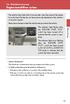 Engine immobilizer system The vehicle's keys have built-in transponder chips that prevent the engine from starting if the key has not been previously registered in the vehicle's on-board computer. Never
Model: 308-1412 Manual DC: 080215 WIRELESS COLOR FORECAST STATION
 Model: 308-1412 Manual DC: 080215 WIRELESS COLOR FORECAST STATION FRONT VIEW SENSOR TX141TH-Bv2 LED TX Sensor Battery Cover Sensor Battery Compartment 2 AA Buttons Battery Compartment 3 AAA BACK VIEW Battery
RI-215A Operator s Manual. Part Number: 71-0045RK Revision 0 Released: 10/3/05
 RI-215A Operator s Manual Part Number: 71-0045RK Revision 0 Released: 10/3/05 Warranty RKI Instruments, Inc., warrants gas alarm equipment sold by us to be free from defects in materials and workmanship,
CA-125 Owner's Manual
 Remote Vehicle Control System CA-125 Owner's Manual Vehicle Security System With Remote Keyless Entry IMPORTANT NOTE: The operation of the Security and Convenience System as described in this manual is
Car Alarm Series 2 B 2 Buttons
 Car Alarm Series 2 B 2 Buttons G22 SE (External - Shock Sensor) Version 3 Software 67 Plus www.geniuscaralarm.com 21 CAR ALARM GENIUS Series 2B 2 Buttons - G22 Se (External Shock Sensor) Module controlled
Atomic Alarm Clock model 13131W2
 Instruction Manual Atomic Alarm Clock model 13131W2 CONTENTS Unpacking Instructions... 2 Package Contents... 2 Product Registration... 2 Features & Benefits... 3 Clock Setup... 4 Atomic Clock... 5 Set
D7050/D7050TH. Installation Instructions. Multiplex Photoelectric Smoke Detectors
 D7050/D7050TH EN Installation Instructions Multiplex Photoelectric Smoke Detectors D7050/D7050TH Installation Instructions.0 Description Notices These instructions cover the installation of the D7050/D7050TH
162 CB CABLE TRACER. Filter Probe & Tone Generator INSTRUCTION MANUAL
 162 CB CABLE TRACER Filter Probe & Tone Generator INSTRUCTION MANUAL INDEX PAGE 1. INTRODUCTION... 1 2. FILTER PROBE... 1-3 3. TONE GENERATOR... 3-6 4. SPECIFICATION... 7-8 5. MAINTENANCE... 8 1. INTRODUCTION
ST815 Illumination Sensor with LCD
 ST815 Illumination Sensor with LCD The Illumination Sensor with LCD (refer to as Illumination Sensor hereafter) is a Z-Wave TM enabled device which is fully compatible with any Z-Wave TM enabled network.
THE NEW GENERATION IN TECHNOLOGY. NI-3103A Alarm Clock w/fm Radio ipod & iphone Docking. Operating Instructions
 THE NEW GENERATION IN TECHNOLOGY NI-3103A Alarm Clock w/fm Radio ipod & iphone Docking Operating Instructions Table of Contents Important Safeguards... 3 Parts... 6 Controls... 6 To Set Up... 7 ipod/iphone
User guide. Stereo Bluetooth Headset SBH80
 User guide Stereo Bluetooth Headset SBH80 Contents Introduction...3 Function overview...3 Hardware overview...3 Basics...5 Charging the battery...5 Battery status...5 Turning the headset on and off...5
User s Manual. Copyright 2014 Trick Technologies Oy
 User s Manual Copyright 2014 Trick Technologies Oy Catchbox Pro Module Catchbox Cover Contents 1 Safety Instructions...4-5 2 Quick Start... 6-15 3 Product Description... 16-18 Overview...16 Compatibility...17
Wireless Home Security Alarm System AM 500
 Wireless Home Security Alarm System AM 500 12 MONTH GUARANTEE Installation & Operating Instructions INTRODUCTION The AM500 is a simple self-contained alarm system. It protects the home by sounding a siren
Mercury Helios 2 ASSEMBLY MANUAL & USER GUIDE
 Mercury Helios 2 ASSEMBLY MANUAL & USER GUIDE TABLE OF CONTENTS INTRODUCTION...1 1.1 MINIMUM SYSTEM REQUIREMENTS 1.1.1 Apple Mac Requirements 1.1.2 PC Requirements 1.1.3 Supported PCIe Cards 1.2 PACKAGE
ADA COMPLIANT BOX STYLE TELEPHONE INSTALLATION, PROGRAMMING AND OPERATING INSTRUCTIONS FOR MODEL PBX
 ADA COMPLIANT BOX STYLE TELEPHONE INSTALLATION, PROGRAMMING AND OPERATING INSTRUCTIONS FOR MODEL PBX INSTALLATION INSTRUCTIONS Step 1. Determine the position for the Hands-free phone in the elevator phone
SCREENLOGIC INTERFACE WIRELESS CONNECTION KIT
 SCREENLOGIC INTERFACE WIRELESS CONNECTION KIT FOR INTELLITOUCH AND EASYTOUCH CONTROL SYSTEMS INSTALLATION GUIDE IMPORTANT SAFETY INSTRUCTIONS READ AND FOLLOW ALL INSTRUCTIONS SAVE THESE INSTRUCTIONS Technical
TV Ears 5.0 Digital & Dual Digital Quick Start Guide
 TV Ears 5.0 Digital & Dual Digital Quick Start Guide Voice Clarifying Circuitry CUSTOM FIT YOUR HEADSET Follow these directions to adjust the width of the headset for your comfort. TV EARS All TV Ears
Business Audio System: Music & Messaging MP3 Player. by Grace Digital Audio. User Guide. Model No. GDI-USBM10
 Business Audio System: Music & Messaging MP3 Player by Grace Digital Audio User Guide Model No. GDI-USBM10 User Guide Contents Introduction 2 Safety & General Use Information 2 Features 3 Set Up & Operation
ROTOR LOADER OWNER S MANUAL
 ROTOR LOADER OWNER S MANUAL ROTOR LOADER OWNER S MANUAL WARNING IMPORTANT SAFETY INSTRUCTIONS AND GUIDELINES. Misuse of paintball equipment may cause serious injury or death. QUICK SET-UP GUIDE BATTERY
Personal Assistance System Owner's Guide
 Owner's Guide PSC07 READ THIS FIRST This equipment generates and uses radio frequency energy, and if not installed and used properly, that is, in strict accordance with the manufacturers instructions,
ScreenLogic Wireless Connection Kit. Installation Guide. pool/spa control system
 pool/spa control system ScreenLogic Wireless Connection Kit Installation Guide P/N 520663 - Rev B 8 Technical Support Contact Technical Support at: Sanford, North Carolina (8 A.M. to 5 P.M.) Phone: (800)
CABLE MODEM QUICK START
 CABLE MODEM QUICK START This Quick Start describes how to connect your Zoom cable modem to a cable modem service. This lets your cable modem provide Internet access to a computer or other device connected
Wireless Phone Jack System
 43-160.fm Page 1 Thursday, August 12, 1999 2:25 PM Cat. No. 43-160 OWNER S MANUAL Please read before using this equipment. Wireless Phone Jack System 43-160.fm Page 2 Thursday, August 12, 1999 2:25 PM
Owner s Manual. Not suitable for mobile applications. Important Safety Instructions 2. Quick Installation 3. Basic Operation 4. Storage & Service 7
 Register online today for a chance to win a FREE Tripp Lite product! www.tripplite.com/warranty Owner s Manual Internet Office & BC Personal UPS Systems Not suitable for mobile applications. Important
16/32 Channel 1U Rack Mount CCTV Power Supply
 16/32 Channel 1U Rack Mount CCTV Power Supply Manual PH-A3224-GUQ Shown 16-Channel 32-Channel PTC PH-A1612-PUQ PH-A3224-PUQ Glass Fuse PH-A1612-GUQ PH-A3224-GUQ Industrial design 12 Amp 3 Amps per channel
Indoor/Outdoor Color Camera with Built-in 2.4 GHz Wireless Transmitter, plus X10 controlled power supply, and Video Receiver.
 Indoor/Outdoor Color Camera with Built-in 2.4 GHz Wireless Transmitter, plus X10 controlled power supply, and Video Receiver. OWNER'S MANUAL VR36A XC18A XM13A MODEL VK69A (INCLUDES XC18A CAMERA, XM13A
WIRELESS ALARM KIT INSTRUCTION MANUAL COMPLETE ALARM SYSTEM FOR HOME OR BUSINESS. Model Number: IT214054
 WIRELESS ALARM KIT COMPLETE ALARM SYSTEM FOR HOME OR BUSINESS Model Number: IT214054 INSTRUCTION MANUAL Warranty Details/Support This product is warranted against defects for a period of One year if the
Instruction Manual. Image of SP-3015 & SP-3815. Important Safeguards. Automatic Dispensing Hot Water Pot with Reboil Function
 Important Safeguards READ ALL INSTRUCTIONS BEFORE USE. Instruction Manual Automatic Dispensing Hot Water Pot with Reboil Function Image of SP-3015 & SP-3815 SP-3015: 3.0L SP-3815: 3.8L SP-3017: 3.0L (Stainless
AIRAVE 2.5 User Guide
 AIRAVE 2.5 User Guide 2012 Sprint. Sprint and the logo are trademarks of Sprint. Other marks are trademarks of their respective owners. 911702 Rev. 51.13 Important Messages IMPORTANT: Sprint s policies
Wireless Phone Jack System
 926 Manual V2.0(1J9643) 6/10/99 1:39 PM Page 1 RC926 Wireless Phone Jack System (Digital Satellite System # D916) The Wireless Phone Jack System works with most telephone line devices, such as: Answering
2-Way Wireless Indoor Siren Installation Guide
 2-Way Wireless Indoor Siren Installation Guide For more detailed information please refer to the iconnect Installer Manual provided on our website: www.electronics-line.com Table of Contents 1. Introduction...
BT Big Button 100. User Guide
 BT Big Button 100 User Guide Welcome to your BT Big Button 100 phone Large buttons for easy dialling. Handsfree make and receive calls using the loudspeaker. One-touch 1571 button dials your network answering
User and Installation Guide
 Connect the AC adapter with the amplifier BEFORE plugging the AC adapter into an outlet to avoid spark generation! User and Installation Guide BlueFIDELITYTM Bluetooth Audio Amplifier Model 300 Contents
Model: 616-146v2 Quick Setup Guide DC: 071015 Atomic Projection Alarm with Indoor and Outdoor Temperature
 Model: 616-146v2 Quick Setup Guide DC: 071015 Atomic Projection Alarm with Indoor and Outdoor Temperature Snooze/Backlight BUTTONS Time, Alarm with Snooze, & Calendar Projection Arm Rotates 180 Indoor/Outdoor
User manual. Your best protection against theft and loss. (Android) Made for
 User manual Made for Your best protection against theft and loss (Android) Warranty SCOPE OF THE WARRANTY Subject to legal provisions, the responsibility of SECU4 under this warranty is limited to the
BTX180 Wireless Bluetooth Speaker
 BTX180 Wireless Bluetooth Speaker User Manual 2012 Kinivo LLC. All rights reserved. Kinivo is a trademark of Kinivo LLC. Bluetooth word mark and the Bluetooth logo are registered trademarks of Bluetooth
Wespot. SecNurse A NEW GENERATION TECHNICAL AIDS USER S GUIDE
 Wespot SecNurse A NEW GENERATION TECHNICAL AIDS USER S GUIDE EN This manual is published by OPTEX, without any warranty. Improvements and changes to this manual necessitated by typographical errors, inaccuracies
musical auto mirror day & night light Control Panel Features Mirror Features Front View Mirror Features Rear View B C Remote Receiver C
 Control Panel Features A Power, Low/High Volume Switch Note: The dual-mode night light and music can only be activated by pressing the buttons on the remote. A Mirror Features Front View B Dual-Mode Night
ExStik TM ph Waterproof Meters
 User Guide ExStik TM ph Waterproof Meters Models PH100 & PH110 Patent Pending ExStik TM Description Front Panel Controls 1. Battery compartment cap 2. LCD Display 3. MODE / HOLD button 4. CAL / RECALL
This equipment has been tested and found to comply with the limits for a Class B digital device, pursuant to part 15 of the FCC Rules.
 Power Max Level 2 Charging Station en Installation and Operating Instructions This equipment has been tested and found to comply with the limits for a Class B digital device, pursuant to part 15 of the
Owner s Guide. ca6554
 PROFESSIONAL SERIES Owner s Guide For Models: ca6554 Deluxe Vehicle Security and Remote Start System with 2 Way Confirming LCD Remote Control IMPORTANT NOTE: The operation of the Security and Convenience
PA500II Enterprise Mobile Computer
 PA500II Enterprise Mobile Computer - PA500II - Quick Reference Guide 400891G Version 1.0 PA500II Product Introduction & Accessory Kit After opening the box, ensure the following accessories for the PA500II
FCC COMPLIANCE STATEMENT FOR AMERICAN USERS
 FCC COMPLIANCE STATEMENT FOR AMERICAN USERS This equipment has been tested and found to comply with the limits for a CLASS A digital device, pursuant to Part 15 of the FCC Rules. These limits are designed
DX-395. FM/AM/SW1/SW2 PLL Synthesized Receiver OWNER S MANUAL. Cat. No. 20-225. Please read before using this equipment.
 20-225.fm Page 1 Wednesday, August 4, 1999 10:07 AM Cat. No. 20-225 OWNER S MANUAL Please read before using this equipment. DX-395 FM/AM/SW1/SW2 PLL Synthesized Receiver 20-225.fm Page 2 Wednesday, August
Bounce & Spin ZebraTM
 K0317 Bounce & Spin ZebraTM Please keep this instruction sheet for future reference, as it contains important information. Requires three AAA (LR03) alkaline batteries (not included). Adult assembly is
Owner s Instruction Manual. 2500/2554 Telephones Message Waiting
 Owner s Instruction Manual 2500/2554 Telephones Message Waiting THANK YOU FOR PURCHASING THIS TELEPHONE We want you to know all about your new telephone, how to install it, the features it provides, and
StorTrends 3400 Hardware Guide for Onsite Support
 StorTrends 3400 Hardware Guide for Onsite Support MAN-3400-SS 11/21/2012 Copyright 1985-2012 American Megatrends, Inc. All rights reserved. American Megatrends, Inc. 5555 Oakbrook Parkway, Building 200
Remote Alarm Monitoring System
 Remote Alarm Monitoring System Operation and Service Manual Model RA1 RA4 A A Version HELMER SCIENTIFIC 14400 Bergen Boulevard Noblesville, IN 46060 USA PH +1.317.773.9073 FAX +1.317.773.9082 USA and Canada
PAR Tablet 10 Quick Start Guide
 ParTech, Inc. 8383 Seneca Turnpike New Hartford, NY 13413 p.800.458.6898 www.partech.com PAR Tablet 10 Quick Start Guide PN 770505503 This material has been created in order to accommodate a wide range
CA 1050 Owner s Guide
 PROFESSIONAL SERIES CA 1050 Owner s Guide Vehicle Security and Keyless Entry System IMPORTANT NOTE: The operation of the Security and Convenience System as described in this manual is applicable to most
Alarm Clock USER GUIDE
 Alarm Clock USER GUIDE Jazwares, Inc. 2010 1 CONTENTS Please read the instructions along with the alarm clock carefully before you use it, so that you can operate it conveniently. WELCOME, Safety Tips
Please read this owner s Manual carefully before operating the unit. - Cooling - Heating - Dehumidifying - Fan
 Please read this owner s Manual carefully before operating the unit. - Cooling - Heating - Dehumidifying - Fan TABLE OF CONTENTS INTRODUCTION 2 IMPORTANT SAFEGUARDS...2 PACKAGE CONTAINS..2 NAMES OF PARTS.3
alkaline fisher-price.com
 Y6965 BMD91 Please keep this instruction sheet for future reference, as it contains important information. Requires three AA (LR6) alkaline batteries (not included) for operation. Adult assembly is required.
Portable Air Conditioner
 Portable Air Conditioner Owner's Manual Model:3 in 1 12,000 Btu/h Series 3 Please read this owner s manual carefully before operation and retain it for future reference. CONTENTS 1. SUMMARY...1 2. PORTABLE
WIRELESS HOME ALARM SYSTEM (WHA1)
 WIRELESS HOME ALARM SYSTEM (WHA1) IMPORTANT : PLEASE READ THIS MANUAL CAREFULLY BEFORE ATTEMPTING TO INSTALL AND OPERATE THIS ALARM SYSTEM. SAFETY Please note: Before you start to install this alarm, we
FTW 175 VERIZON Wireless Monitoring System Reference Manual Part Number 7911751VERIZON
 FTW 175 VERIZON Wireless Monitoring System Reference Manual Part Number 7911751VERIZON SERIAL NUMBER Flash Technology, 332 Nichol Mill Lane, Franklin, TN 37067 (615) 261-2000 Front Matter Abstract This
2013 VTech Printed in China 91-009656-000 US
 Rechargeable Power Pack User s Manual 2013 VTech Printed in China 91-009656-000 US INTRODUCTION The Rechargeable Power Pack makes it easier than ever to keep the InnoTab 3 or InnoTab 3S charged and ready
NOTICE D UTILISATION USER MANUAL. Spy RF Alarm 06255C. JRI Maxant 1
 NOTICE D UTILISATION USER MANUAL Spy RF Alarm 06255C JRI Maxant 1 TABLE OF CONTENTS I. INTRODUCTION... 10 a) Equipment... 10 b) Symbols... 10 II. INSTALLATION RECOMMENDATIONS... 10 a) Perturbation sources...
Zebra RW 420 Mobile Battery Eliminator Kits
 Zebra Technologies Corporation 475 Half Day Road, Suite 500 Lincolnshire, IL 60069 USA Zebra RW 420 Mobile Battery Eliminator Kits Installation Instructions September, 2010 RW 420 Mobile Battery Eliminator
AM/FM PLL Clock/Table Radio
 12-1632.fm Page 1 Wednesday, May 10, 2000 10:57 AM Cat. No. 12-1632 OWNER S MANUAL Please read before using this equipment. AM/FM PLL Clock/Table Radio 12-1632.fm Page 2 Wednesday, May 10, 2000 10:57 AM
Security Auto Dialer. Owner s Manual. Please read before using this equipment.
 Security Auto Dialer Owner s Manual Please read before using this equipment. ˆ Contents Features... 2 FCC Statement... 3 Lightning... 3 A Quick Look at Your Auto Dialer... 4 Installation... 5 Selecting
Wireless Alarm System. Window/Door Sensor. User s Manual. Choice ALERT. Control all Sensors & accessories from one location
 45131 Wireless Alarm System Window/Door Sensor User s Manual Choice ALERT Control all Sensors & accessories from one location Table of Contents Important Safeguards 4 Introduction 5 Installation 6 Assigning
Super Slider ADJUSTABLE FROM 3.5-12 Model #HD26229
 Super Slider ADJUSTABLE FROM 3.5-12 Model #HD26229 IMPORTANT!!! ALL PERSONS USING THIS EQUIPMENT MUST READ AND UNDERSTAND ALL INSTRUCTIONS. FAILURE TO DO SO MAY RESULT IN SERIOUS INJURY OR DEATH. USERS
safe, smart, protected
 safe, smart, protected en Safety, Regulatory, &Legal Charging Dock Operation Charging Dock Operation The charging dock is designed for tabletop use. To be compliant with RF exposure guidelines and to
Contents. Product Code -------------------------------------------------------15. Page 1
 Contents Important Safety Instructions -------------------------------------2 BT HP01 --------------------------------------------------------------4 BT HP01 Anatomy ---------------------------------------------------5
CINEMATE 1 SR DIGITAL HOME THEATER SPEAKER SYSTEM. Operating Guide Guía del usuario Guide d utilisation
 CINEMATE 1 SR DIGITAL HOME THEATER SPEAKER SYSTEM Operating Guide Guía del usuario Guide d utilisation Notice This equipment has been tested and found to comply with the limits for a Class B digital device,
Wireless Base Station Single and Multiple Headsets
 Wireless Base Station Single and Multiple Headsets Operation Manual 7340 SW Durham Road Portland, OR 97224 USA Phone: 503-684-6647 1-800-527-0555 Fax: 503-620-2943 email: [email protected] www.firecom.com
EKOS Cart. Instructions for Use
 EKOS Cart Instructions for Use EKOS Corporation 11911 North Creek Parkway South Bothell, WA 98011 USA (425) 415-3100 (tel) (425) 415-3102 (fax) [email protected] (e-mail) - 1-4913-002 REV E Intended Use