
LED Wiring and Connections
|
|
|
- Clyde Corey Strickland
- 10 years ago
- Views:
Transcription
1 LED Wiring and Connections A Handbook of How-to Manuals 2009 usledsupply. All Rights Reserved.

2 Index These step by step how to manuals will give you the foundation necessary to use your new LED lights. Many of these connections are also available for you to order through our website, premade and ready to go. Connections RGB Connections General Cutting RGB Flexible LED Strip....3 Making a waterproof connection with Butt (crimp) connectors Connecting RGB LED lights to a Terminal Block Connecting RGB Flexible LED Strip to Strip Solder Connection....6 Splice Connector Butt (Crimp) Connectors....8 Attaching Wires to RGB Flexible LED Strip Solder Connection...9 Splice Connector (Solder-less)..10 Connecting to IR RGB Controller with 4 Pin Connector Solder directly to end of Strip 11 Solder to wires attached to Strip Single Color Connections General Cutting Single Color Flexible LED Strip Making a waterproof connection with Butt (Crimp) connectors...14 Connecting single color LED lights to a Terminal Block..15 Soldering a Barrel Plug onto the end of single color Flexible LED Strip Connecting single color Flexible LED Strip to Strip Solder Connection...17 Splice Connector Butt (Crimp) Connectors Attaching Wires to Flexible LED Strip Solder Connection Splice Connector

3 Cutting RGB Flexible LED Strip Step #1: Locate the cut line (There will be one every 3.94 inches) and cut along this line. Step #2: Remove about a ¼ of the waterproof coating from the end of the strip. You may use your fingernail (if you use a knife be very careful not to cut through the circuit board). *Note: you can leave the coating on if you will not be connecting to this end of the strip.* 3

4 Making a Waterproof Connection with Butt Connectors This process applies to connecting flex strip to flex strip, control cable to flex strip, or control cable to control cable. For example s sake, the following instructions will be demonstrating the connection between control cable and RGB flex strip. This process is the same for single color strips, however there will only be two wires (red and black). When using a three-wire butt connector, the process is the same. The three-wire butt connector is used when two or three wires need to be connected. The two or three wires must be fully inserted into the butt connector before crimping. See example picture below. Step #1: Strip the control cable sheath back approximately 2. You will have four smaller wires. Step #2: Cut off the stripped ends of the wire on the flex strip. Peel apart the wires an inch back. Step #3: Insert both black wires the entire way into the butt connector (one from control cable, one from flex strip). Step #4: With wires fully inserted, crimp the butt connector with Channel-Lock or Robo-Grip pliers. Step #5: Repeat the process for the following colors: Red-Red Green-Green Blue-White if using our control cable (Blue-Blue if connecting strip to strip) 4

5 Connecting RGB LED lights to a Terminal Block The steps of this process apply to terminal blocks of any size. Just make sure you correlate the wires with the letter code on the individual device. Step #1: Make sure all ports on terminal block are open (Turn clockwise to tighten, counter-clockwise to loosen). Step #2: Strip the control cable sheath back approximately 2. Then, strip the ends of the four smaller wires about 1/4. Step #3: Insert wires into the terminal block in the correct order, making sure to insert the right wire color into the matching color code letter on the terminal block. In this example, the color codes are: R = Red G = Green B = Blue (or white if using control cable) V = Black (+) output to lights + = (+) positive power in - = (-) negative power in Step #4: Tighten down the screws above the wires you have inserted. Try pulling each wire out of terminal block in order to insure that they are fastened securely. If one is not secure, loosen the terminal and start over. Reinsert the wire and tighten the screw. The wires will be easier to insert if they are twisted first. Step #5: Connect the power wires to the terminal block (if using our female barrel plug). Insert the wires into the power input terminals, Red (+) Black (-). Option: You can connect more than one wire into each terminal on the terminal block. Simply follow the instructions above, making sure to pull on each individual wire when completed. 5

6 Connecting RGB Flexible LED Strip to Strip Solder Connection Step #1: Remove about a ¼ of the waterproof coating from the ends of the two strips you are connecting. You may use your fingernail (if you use a knife be very careful not to cut through the circuit board). Step #2: With a hot, clean soldering iron, use Rosin- Core solder to pre-tin the solder pads on the ends of both strips. It won t take long to heat the strip so be quick! Step #3: Solder pre-tinned wires onto the solder pads of the first strip. Try to stay consistent with black as (-) and red (R), green (G), and blue (B) as their respective colors. The wires should be long enough that you can hold on to them while soldering. Step #4: Cut off the excess wires, with approximately 1/4 remaining. Pull off the sheaths from these wires, and pre tin them with solder. Step #5: With the flex strips touching each other end-to-end, match the color code letters on both strips (You may have to turn around one of the strips if they don t match up). Then, solder the wires to the end of the second strip, forming a bridge. Step #6: Cover connection with hot melt glue and/or heat shrink tubing for extra protection. Be careful not to burn yourself! 6

7 Connecting RGB Flexible LED Strip to Strip Splice Connector Step #1: Remove about a ¼ of the waterproof coating from the end of the strip. You may use your fingernail (if you use a knife be very careful not to cut through the circuit board). Step #2: For best results, clean the contacts with fine sandpaper or a wire brush. Also, trim 1/16 off the end of the circuit board so that the connector will make better contact with the pads. Step #3: Take the connectors and open them up by pulling the black pieces outward. Insert RGB strip into connector opening, being careful to match the color code letters on both strips. The bottom of the flex strip should be touching the black piece. Insert as far as possible. Step #4: Push the black piece back in, locking the flex strip in place. Repeat process for the other side. Note: You can use this method with both the RGB strip-strip splice connector and strip-wire-strip splice connector. 7

8 Connecting RGB Flexible LED Strip to Strip Butt (Crimp) Connectors Step #1: Place flex strips end-to-end with wires sticking straight up. Step #2: Cut off both pairs of wires, leaving 1½ of wire on each strip. Step #3: Pull smaller wires apart. Then, twist same colors together. Step #4: Make a connection by inserting a pair of like-colored wires the entire way into the butt connector. With them inserted the whole way, crimp the butt connector with Channel-Lock or Robo-Grip type pliers. Step #5: Repeat the process (two wires per butt connector) for all of the remaining colored wire pairs. 8 8

9 Attaching Wires to RGB Flexible LED Strip Solder Connection Step #1: Remove about a ¼ of the waterproof coating from the end of the strip. You may use your fingernail (if you use a knife be very careful not to cut through the circuit board). For best results, clean the contacts with fine sandpaper or a wire brush. Step #2: If using our control cable, strip the casing approximately 3/4. Strip each small wire 1/8. For added protection, put a 1 long piece of heat shrink tubing over the wire (So that when you are finished you can position it over the connection). Step #3: With a hot, clean soldering iron, use Rosin-Core solder to pre-tin the solder pads and stripped wires with solder. It won t take long to heat the strip so be quick! Step #4: Match up the wires to the pads on the end of the strip, making sure that the colors match the color code letters. With a little excess solder on the gun, touch the pad and the wire at the same time, soldering them together. Add more solder if needed. Repeat process for the remaining three pads/wires. Step #5: Cover connection with hot melt glue and/or heat shrink tubing for extra protection. Be careful not to burn yourself! 9

10 Attaching Wires to RGB Flexible LED Strip - Splice Connector Step #1: Remove about a ¼ of the waterproof coating from the end of the strip. You may use your fingernail (if you use a knife be very careful not to cut through the circuit board). Step #2: For best results, clean the contacts with fine sandpaper or a wire brush. Also, trim 1/16 off the end of the circuit board so that the connector will make better contact with the pads. Step #3: Take the connectors and open them up by pulling the black pieces outward. Step #4: Insert RGB strip into connector opening, being careful to match wire color with color labels on the flex strip. The bottom of the flex strip should be touching the black piece. Insert as far as possible. Step #5: Push the black piece back in, locking the flex strip in place. 10

11 Connecting to IR RGB Controller with 4 Pin Connector Solder connection - Directly to Strip In order to connect to the output of our RGB IR controllers, you must use a 4 pin connector. You can connect it to the LED strip by soldering directly to the strip s solder pads (as depicted here), or by soldering it to wires already attached to the LED strip. Step #1: Remove about a ¼ of the waterproof coating from the end of the RGB flexible LED strip. Step #2: Take a look at your 4 pin connector and compare it to the one pictured here. The pins on the right (with the thicker cylindrical base) will be the ones inserted into the IR controller, i.e. NOT the ones you will be soldering to the strip. You will be soldering the pins on the left hand side of this picture to the strip. Step #3: Insert the 4 pin connector into the IR controller. Then, set the flexible LED strip and receiver on a flat surface and bend the pins down so that they touch the solder pads on the strip. Pre tin both the solder pads on the strip and the pins on the 4 pin connector. Step #4: Solder the pins to the LED strip. Then, cover your connection with hot glue and/or heat shrink tubing. 11

12 Connecting to IR RGB Controller with 4 Pin Connector Solder Connection - to wires on end of Strip In order to connect to the output of our RGB IR controllers, you must use a 4 pin connector. You can connect it to the LED strip by soldering it to the wires on the end of the LED strip (as depicted here), or by soldering it directly to the strip s solder pads. If you do not know how to solder, simply ask us to solder the 4 pin connector on for you when you are ordering. Step #1: Make sure that your RGB LED strip has wires on the end. The pins on the left (as pictured) will be soldered to the stripped wires of the LED strip, and the pins on the right (as pictured- with the thicker cylindrical base) will plug into the IR receiver. Step #2: Insert your 4 pin connector into the IR receiver. This prevents the pins from bending while soldering. Pre tin the pins sticking out with Rosin- Cor solder. In addition, make sure that the wires attached to the flexible LED strip are stripped approximately 1/8 and pre tinned. Step #3: Solder the 4 pins to the stripped wires, keeping the wires in the same order. It is helpful to use a clip to support your connections while soldering. Step #4: Cover the connection with hot glue and/or heat shrink tubing. Step #5: Once the heat shrink tubing has cooled off, you can test your IR controller. If it does not work, simply pull out the 4 pin connector, reverse it, and put it back into the IR receiver. 12

13 Cutting single color Flexible LED Strip Step #1: Locate the cut line (There will be one every 3.94 inches) and cut along this line. Step #2: Remove about a ¼ of the waterproof coating from the end of the strip (only if you will be connecting to this end of the strip). You may use your fingernail (if you use a knife be very careful not to cut through the circuit board). 13

14 Making a Waterproof Connection with Butt (Crimp) Connectors This process applies to connecting flex strip to flex strip, control cable to flex strip, or control cable to control cable. For example s sake, the following instructions will be demonstrating the connection between control cable and single color flex strip. When using a three-wire butt connector, the process is the same. The threewire butt connector is used when two or three wires need to be connected. The two or three wires must be fully inserted into the butt connector before crimping. See example picture below. Step #1: Strip the control cable sheath back approximately 2. You will have four smaller wires. Step #2: Cut off the stripped ends of the wire on the flex strip. Peel apart the wires an inch back. Step #3: Insert both black wires the entire way into the butt connector (one from control cable, one from flex strip). Step #4: With wires fully inserted, crimp the butt connector with Channel-Lock or Robo-Grip type pliers. Step #5: Repeat the process for the other wire pair (red). 14

15 Connecting single color LED lights to a Terminal Block The steps of this process apply to terminal blocks of any size. Just make sure you correlate the wires with Step #1: Make sure all ports on terminal block are open (Turn clockwise to tighten, counter-clockwise to loosen). Step #2: Strip the red and black flex strip wires about 1/4. Step #3: Insert wires into the terminal block in the correct order. Make sure you insert the right wire color into the matching color code letter on the terminal block. Red wire = (+) positive power output Black wire = (-) negative power output Step #4: Tighten down the screws above the wires you have inserted. Try pulling each wire out of terminal block in order to insure that they are fastened securely. If one is not secure, loosen the terminal and start over. Reinsert the wire and tighten the screw. The wires will be easier to insert if they are twisted first. Step #5: Connect the power wires to the terminal block (if using our female barrel plug). Insert the wires into the power input terminals, Red (+) Black (-). Option: You can connect more than one wire into each terminal on the terminal block. Simply follow the instructions above, making sure to pull on each individual wire when completed. 15

16 Soldering a Barrel Plug onto the end of single color Flexible LED Strip The best way to connect our single color flexible LED strips to our power supplies is with a male barrel plug. The simplest way to do this would be to solder onto the end of the strip. If you do not know how to solder, you could either 1. order your strips from us with a pre-soldered barrel plug, or 2. connect the wires from the barrel plug to attached wires on the end of the strip via butt connectors (please view our other tutorial entitled Making a waterproof connection with butt connectors ). Step #1: Remove about a ¼ of the waterproof coating from the end of the strip. You may use your fingernail (if you use a knife be very careful not to cut through the circuit board). Step #2: Pre tin the solder pads on the end of the strip with Rosin- Cor Solder. The wires on the end of the barrel plug should already be stripped and pre tinned. Step #3: Set the stripped wires of the male barrel plug onto the pre tinned solder pads, red for (+) and black for (-). Solder the wires to the solder pads on the LED strip. Step #4: Cover your connection with hot glue and shrink heat tubing. 16

17 Connecting Single Color Flexible LED Strip to Strip Solder Connection Step #1: Remove about a ¼ of the waterproof coating from the end of the two strips you want to connect. You may use your fingernail (if you use a knife be very careful not to cut through the circuit board). Step #2: With a hot, clean soldering iron, use Rosin-Core solder to pre-tin the solder pads. It won t take long to heat the strips so be quick! Step #3: Solder two pre-tinned wires onto the solder pads of the first strip. Try to stay consistent with red as (+) and black as (-). The wires should be long enough that you can hold on to them while soldering. Step #4: Cut off the excess wires, with approximately 1/4 remaining. Pull off the sheaths from these wires, and pre tin them with solder. Step #5: With the flex strips touching each other end-to-end, match the color code letters on both strips (You may have to turn around one of the strips if they don t match up). Then, solder the wires to the end of the second strip, forming a bridge. Step #6: Cover connection with hot melt glue and/or heat shrink tubing for extra protection. Be careful not to burn yourself! 17

18 Connecting single color Flexible LED Strip to Strip Splice Connector Step #1: Remove about a ¼ of the waterproof coating from the end of the strip. You may use your fingernail (if you use a knife be very careful not to cut through the circuit board). Step #2: For best results, clean the contacts with fine sandpaper or a wire brush. Also, trim 1/16 off the end of the circuit board so that the connector will make better contact with the pads. Step #3: Take the connectors and open them up by pulling the black pieces outward. Step #4: Insert strip into connector opening, being careful to match the positive (+) and negative (-) marks on both strips. The bottom of the flex strip should be touching the black piece. Insert as far as possible. Step #5: Push the black piece back in, locking the flex strip in place. Repeat process for the other side. 18

19 Connecting single color Flexible LED Strip to Strip Butt (Crimp) Connectors Step #1: Place flex strips end-to-end with wires sticking straight up. Step #2: Cut off both pairs of wires, leaving 1½ of wire on each strip. Step #3: Pull smaller wires apart. Then, twist same colors together. Step #4: Make a connection by inserting a pair of like-colored wires the entire way into the butt connector. With them inserted the whole way, crimp the butt connector with Channel-Lock or Robo-Grip type pliers. Step #5: Repeat the process (two wires per butt connector) for the remaining colored wire pair. 19

20 Attaching Wires to single color Flexible LED Strip Solder Connection Step #1: Remove about a ¼ of the waterproof coating from the end of the strip. You may use your fingernail (if you use a knife be very careful not to cut through the circuit board). For best results, clean the contacts with fine sandpaper or a wire brush. Step #2: If using our control cable, strip the casing approximately 3/4. Strip each small wire 1/8. For added protection, put a 1 long piece of heat shrink tubing over the wire (So that when you are finished you can position it over the connection). Step #3: With a hot, clean soldering iron, use Rosin-Core solder to pre-tin the solder pads and stripped wires with solder. It won t take long to heat the strip so be quick! You may double up the wires if you are going to be running several rolls or long distances. Step #4: Match up the wires to the pads on the end of the strip, being careful to match the positive (+) and negative (-) marks on both strips. With a little excess solder on the gun, touch the pad and the wire at the same time, soldering them together. Add more solder if needed. Repeat process for the remaining pad/wire. Step #5: Cover connection with hot melt glue and/or heat shrink tubing for extra protection. Be careful not to burn yourself! 20

21 Attaching wires to single color Flexible LED Strip Splice Connector Step #1: Remove about a ¼ of the waterproof coating from the end of the strip. You may use your fingernail (if you use a knife be very careful not to cut through the circuit board). Step #2: For best results, clean the contacts with fine sandpaper or a wire brush. Also, trim 1/16 off the end of the circuit board so that the connector will make better contact with the pads. Step #3: Take the connectors and open them up by pulling the black pieces outward. Step #4: Insert single color strip into connector opening, being careful to match the positive (+) and negative (-) marks on both strips. The bottom of the flex strip should be touching the black piece. Insert as far as possible. Step #5: Push the black piece back in, locking the flex strip in place. 21
WIRE, TERMINAL AND CONNECTOR REPAIR CONDUCTORS
 CONDUCTORS Conductors are needed to complete the path for electrical current to flow from the power source to the working devices and back to the power source. Special wiring is needed for battery cables
Document number RS-PRD-00130 Revision 05 Date 20/10/2009 Page 1/30
 Date 20/10/2009 Page 1/30 1. Purpose This document describes the field replacement of the footscan plate cable for these models: 2m hi-end plate SN 11/5/xxx 2m pro plate SN 7/5/xxx 0.5m 2003 hi-end plate
GT3B Hack Kit Install Instructions Written By Austin Hutchison
 GT3B Hack Kit Install Instructions Written By Austin Hutchison Step 1: Remove 4 screws located on top of the radio. 1 Step 2: There are small plastic latches that also hold the top in place. The easiest
Electronics and Soldering Notes
 Electronics and Soldering Notes The Tools You ll Need While there are literally one hundred tools for soldering, testing, and fixing electronic circuits, you only need a few to make robot. These tools
RS232/DB9 An RS232 to TTL Level Converter
 RS232/DB9 An RS232 to TTL Level Converter The RS232/DB9 is designed to convert TTL level signals into RS232 level signals. This cable allows you to connect a TTL level device, such as the serial port on
Soldering Techniques N I A G A R A C O L L E G E T E C H N O L O G Y D E P T.
 Soldering Techniques N I A G A R A C O L L E G E T E C H N O L O G Y D E P T. Soldering 101 Soldering is the process of joining two metals together to form an electrically and mechanically secure bond
Name: Bicycle Cellphone Charger Circuit Assembly Manual Device: Nokia/Blackberry List of Components:
 Name: Bicycle Cellphone Charger Circuit Assembly Manual Device: Nokia/Blackberry List of Components: Serial numbername Quantity Component number 1 5 V Regulator 1 U2 2 10 MicroFarad Capacitor 1 C1 3 22
User s Manual. BNC Mini-High Res, 75 Ohm Termination Kit Connector Installation Guide (60-073-01)
 User s Manual BNC Mini-High Res, 75 Ohm Termination Kit Connector Installation Guide (60-073-01) BNC Termination Kit Instructions This document is a compilation of Extron s instructions, together with
Instruction Manual. Cable Splicing. Models 4500-9, 4500-9-HDF1, 4500-9-HDF2 4500-9-SS1
 Instruction Manual Cable Splicing Models 4500-9, 4500-9-HDF1, 4500-9-HDF2 4500-9-SS1 No part of this instruction manual may be reproduced, by any means, without the written consent of Geokon, Inc. The
3. SEISCO PARTS & SERVICE REMOVAL AND REPAIR GUIDE
 4 3. SEISCO PARTS & SERVICE REMOVAL AND REPAIR GUIDE A. Changing the Control Board B. Replacing a Heating Element C. Thermistor Replacement D. High Limit Switch Replacement E. Level Detector Replacement
Juice Box Stages 1&2 135&335 Installation Guide 5/10/08
 Tools Required: 8mm socket or nut driver Small flat head screwdriver Electrical tape, masking tape, or shrink tube Pep talk: Although the install looks daunting at first, once you get the learning curve
with installation dynafact boost GAUGE this manual is for use with systems 64050-64054
 owners manual with installation instructions dynafact boost GAUGE this manual is for use with systems 64050-64054 GENERAL INSTALLATION PRACTICES This manual is an installation guide for all 1. Banks DynaFact
Triac Printed Circuit Board Replacement
 Technical Service Bulletin: Triac Printed Circuit Board Replacement TRONIC 5000C Pro Models: WH17, WH27, WH36 Introduction Fig. 1 ELECTRICITY IS EXTREMELY DANGEROUS. TAKE EXTRA PRECAUTIONS AND ENSURE ALL
Terminating 25-Pair Cable and 4-Pair Cross Connects
 Terminating 25-Pair Cable and 4-Pair Cross Connects Estimated Time: 90 minutes Number of Teams: 2 Number of Team Members: one to four This Lab has four major parts that will be addressed separately. 1.
Assembly Guide FOR LED NEON FLEX
 Assembly Guide FOR LED NEON FLEX It s not neon it s better! 1040 Avenida Acaso, Camarillo, CA 93012 Phone: (800) 336-6500 ext. 519 Fax: (805) 388-7950 Email: [email protected] Website: http://www.californeon.com
INSTALLATION INSTRUCTIONS
 Rear Vision System Tailgate Handle Camera Mirror Display 2004-2014 Ford F-150 and 2008-2015 Ford Super Duty (Kit part numbers 9002-9521) Kit Contents: Mirror Tailgate Handle with camera and harness Interior
http://waterheatertimer.org/troubleshoot-rheem-tankless-water-heater.html
 http://waterheatertimer.org/troubleshoot-rheem-tankless-water-heater.html TECHNICAL SERVICE DEPARTMENT Removal, Cleaning, & Reinstallation of the Burner Assembly For models 74 & GT199 Required tools -
Anderson Powerpoles. Powerpole Assembly Instructions for SCOUT, NAVIGATOR AND RANGER ROV s
 Anderson Powerpoles Powerpole Assembly Instructions for SCOUT, NAVIGATOR AND RANGER ROV s Anderson Powerpoles Power Connections NEW in 2016!!! ELEC-010E: Power supply connections will be Red/Black Anderson
Ignition Coil Sealing Instructions Revision 1.0
 Ignition Coil Sealing Instructions Revision 1.0 Parts Required (available at your local auto parts store): - Dielectric Grease - High Temp RTV Silicone - Waterproof crimp on terminals. 0.250" female, sealed,
Bill Conkling July 2012
 Bill Conkling July 2012 Introduction: For any ham, there are moments that are priceless, like snagging that elusive rare DX station on a deserted island that hasn t been activated in 52 years. And certainly,
TERMINATION EQUIPMENT INSTRUCTION MANUAL TELE-PIERCE P/N 356-246
 TERMINATION EQUIPMENT INSTRUCTION MANUAL TELE-PIERCE P/N 356-246 OPERATION AND SERVICE INSTRUCTIONS AMPHENOL 157 SERIES TELE-PIERCE MULTI-WIRE TERMINATION TOOL 356-246 AMPHENOL TERMINATION SYSTEMS 1830
Odyssey of the Mind Technology Fair. Simple Electronics
 Simple Electronics 1. Terms volts, amps, ohms, watts, positive, negative, AC, DC 2. Matching voltages a. Series vs. parallel 3. Battery capacity 4. Simple electronic circuit light bulb 5. Chose the right
Wall Mount Installation and Use
 Wall Mount Installation and Use 1. Introduction The Wall Mount works the same way for all Touchfire cases - the one or two row magnet strip on the back of the case is magnetically attracted to the Wall
Elecraft K3 KPA3 Power Connector Replacement Revision A Review, April 16, 2012 Copyright 2012, Elecraft, Inc. All Rights Reserved
 Introduction Elecraft K3 KPA3 Power Connector Replacement Revision A Review, April 16, 2012 Copyright 2012, Elecraft, Inc. All Rights Reserved The connectors furnishing high current to the KPA3 module
No Rainfall Data is Collected
 No Rainfall Data is Collected There are a number of issues that can cause the system to not collect rainfall data, from clogged collectors to hardware failure or improper part replacement. The most common
A&A CORVETTE PERFORMANCE C6 BOOST & FUEL GAUGE INSTALLATION INSTRUCTIONS
 A&A CORVETTE PERFORMANCE C6 BOOST & FUEL GAUGE INSTALLATION INSTRUCTIONS 1. Check your gauges before you take them out of the packaging to make sure they are at 0 (zero) psi for both boost and fuel pressure.
- power windows - alarm system - electric door mirror control - door warning light - central locking - seat memory
 Door Wiring Harness Plug Connections Binder -, Electrics Vehicle Type: (86) Model Year: 7 (V) Concern: Door wiring harness plug connections X11 / X12. Information: The rubber boot for the door connector
Cell Phone Charging Purse
 Cell Phone Charging Purse Created by Becky Stern Last updated on 2015-02-20 01:00:16 PM EST Guide Contents Guide Contents Overview Prepare USB and Power Supply Create a Charging Shelf Install Coil in Bag
POWERPOLE CONNECTOR GENERAL INSTALLATION TIPS
 POWERPOLE CONNECTOR GENERAL INSTALLATION TIPS Assemble the red and black plastic housings together correctly on the first try, they fit snugly and can be difficult to get apart. See the picture below for
Build Your Own Solar Car Teach build learn renewable Energy! Page 1 of 1
 Solar Car Teach build learn renewable Energy! Page 1 of 1 Background Not only is the sun a source of heat and light, it s a source of electricity too! Solar cells, also called photovoltaic cells, are used
Table of Contents. www.hunterfan.com. What to Expect with. Preparation. Tools Needed. Wiring. Hanging the Fan. Blades. Motor Housing.
 www.hunterfan.com Table of Contents What to Expect with Your Installation 30 inches Hanging the Fan Wiring 8 Maintenance, Operation & Cleaning Light Kit 13??? 14 1 9 Troubleshooting 11 5 Blades Motor Housing
Installation Instructions 4508 4508S
 SYMPHONY Spread Lavatory Faucet with Speed Connect Drain Congratulations on purchasing your American Standard faucet with Speed Connect drain, a feature found only on American Standard faucets. Speed Connect
QUASAR ELECTRONICS KIT No. 1015 ELECTRONIC MOSQUITO REPELLER
 QUASAR ELECTRONICS KIT No. 1015 ELECTRONIC MOSQUITO REPELLER General Description This simple circuit can prove itself worth many times its value (which is very reasonable anyway) in getting rid of mosquitoes
Solstice/Sky Water Pump Replacement
 Solstice/Sky Water Pump Replacement The water pump on the Solstice/Sky is starting to need replacement on some vehicles. This guide will help in replacing the water pump while the engine is still in the
Micrio WS1 Replacement Wind Speed Sensor and WC1 Replacement Wind Compass Sensor for Raymarine ST50 and ST60 Wind Instruments. Rev 4.
 Micrio WS1 Replacement Wind Speed Sensor and WC1 Replacement Wind Compass Sensor for Raymarine ST50 and ST60 Wind Instruments. Rev 4.1 The Micrio WS1 Wind Speed Sensor and WC1 Compass Sensor are direct
How to connect to a Class II router using a mobile-phone data cable specifically for Solwise & Safecom routers
 USB to router s serial port How to connect to a Class II router using a mobile-phone data cable specifically for Solwise & Safecom routers by Neo at RouterTech.Org Introduction Routers based on the AR7RD/AR7WRD
Owner s Guide and Installation Manual. Vancouver Model Name. 21321, 21328 Model No. English Español
 For Your Records and Warranty Assistance For reference, also attach your receipt or a copy of your receipt to the manual. Vancouver Model Name 21321, 21328 Model No. Type A Models Owner s Guide and Installation
TECHNICAL GUIDE. For Self-Shielded Guns - 300, 400 and 500 amp SAFETY AND WARRANTY INFORMATION INSTALLATION MAINTENANCE GUIDE TECHNICAL DATA OPTIONS
 TECHNICAL GUIDE For Self-Shielded Guns - 300, 400 and 500 amp SAFETY AND WARRANTY INFORMATION INSTALLATION MAINTENANCE GUIDE TECHNICAL DATA OPTIONS EXPLODED VIEW & PARTS LIST TROUBLESHOOTING ORDERING INFORMATION
INSTALLATION INSTRUCTIONS
 INSTALLATION INSTRUCTIONS Electric Vacuum Pump Kit 28146 Thank you for choosing STAINLESS STEEL BRAKES CORPORATION for your braking needs. Pleases take the time to read and carefully follow these instructions
DIY Y6. Build Manual V.A 2014
 DIY Y6 Build Manual V.A 2014 1 Contents Thanks for purchasing a DIY Y6! These instructions will show you how to assemble a Y6 using the Pixhawk autopilot system and ArduCopter/APM:Copter firmware. If you
DIY QUAD. Build Manual V.A 2014
 DIY QUAD Build Manual V.A 2014 1 Contents Thanks for purchasing a DIY Quad! These instructions will show you how to assemble a Quad using the Pixhawk autopilot system and ArduCopter/APM:Copter firmware.
GENUINE PARTS INSTALLATION INSTRUCTIONS
 GENUINE PARTS INSTALLATION INSTRUCTIONS 1. DESCRIPTION: Auto-Dimming Mirror Kit with Compass and HomeLink 2. APPLICATION: Titan 3. PART NUMBER: 999L1 WS000 4. KIT CONTENTS: Item Qty Description Service
BUILDING INSTRUCTIONS
 etap2hw 38 mm I2C to LCD Interface BUILDING INSTRUCTIONS October 2013 P. Verbruggen Rev 1.01 15-Oct-13 Page 1 Table of Contents Chapter 1 General Information 1.1 ESD Precautions 1.2 Further Supplies 1.3
A better way to install PL-259 connectors on RG-8X type coax Dan Richardson, K6MHE
 A better way to install PL-259 connectors on RG-8X type coax Dan Richardson, K6MHE When installing small coax such as RG-8X in a PL-259 using an reducer have you ever wondered if you were really going
step 1 Unpack the lunchbox And check whether you have got all the components~ If you have questions please contact us at: info@unitunlikely.
 step 1 Unpack the lunchbox And check whether you have got all the components~ If you have questions please contact us at: [email protected] This part is called the PCB (printed circuit board). All
Installation Guide for Artic Air 24 Volt R134A Air Conditioner
 Installation Guide for Artic Air 24 Volt R134A Air Conditioner Rev 004 April 20, 2014 There are five objectives to installing the Artic Air unit: 1) The primary wiring from the battery, 2) The controller
Quick Start Guide See Inside for Use and Safety Information
 3 rd Generation Personal 3D Printer Quick Start Guide See Inside for Use and Safety Information The USB Mass Storage Device Contains the User Guide and Quick Start Guide in other Languages Congratulations
How to re-string & re-cable the Genesis Compound bow. Step by step, picture by picture Right hand models ONLY
 How to re-string & re-cable the Genesis Compound bow. Step by step, picture by picture Right hand models ONLY Introduction and Terminology Inspect all bows prior to use. Once a string or cable has become
Soldering is easy. here's how to do it. Andie Nordgren (Comics adaptation) Jeff Keyzer. by: Mitch Altman (soldering wisdom) (Layout and editing)
 Soldering is easy here's how to do it by: Mitch Altman (soldering wisdom) Andie Nordgren (Comics adaptation) Jeff Keyzer (Layout and editing) Download this comic book and share it with your friends! Distribute
Build- It- Yourself: So2ware Oscilloscope and Func:on Generator
 Build- It- Yourself: So2ware Oscilloscope and Func:on Generator David Stein ([email protected]; hfp://djstein.com) Adapted from earlier projects by Alireza Akhavian (GMU) and Jan Henrik (hfp://instructables.com)
7" Portable HDMI Monitor
 7" Portable HDMI Monitor Created by Ruiz Brothers Last updated on 2015-10-28 06:10:09 PM EDT Guide Contents Guide Contents Overview DIY Monitor Connect to a Raspberry pi Use as a second monitor Camera
Universal Vehicle Power Supply 9007AX01. Installation Instructions
 Universal Vehicle Power Supply 9007AX01 Installation Instructions Disclaimer Honeywell International Inc. ( HII ) reserves the right to make changes in specifications and other information contained in
BILLET HEADLAMP WITH SHORT/TALL MOUNTS
 -J099 REV. 00-0- BILLET HEADLAMP WITH SHORT/TALL MOUNTS GENERAL Kit Number 9-0, 9-0 Models Kit 9-0 is a -/ inch headlamp and kit 9-0 is a -/ inch headlamp. Both kits will fit the models listed in Table.
TBM5, TBM5-S and TBM5-SV
 TBM5, TBM5-S and TBM5-SV Compression Tool Instructions Read and understand all of the instructions and safety information in this manual before operating or servicing this tool. Table of Contents 1.0 Operating
Navico-Northstar 2kW JRC Radar Package, Scanner Cable Removal and Replacement
 Navico-Northstar 2kW JRC Radar Package, Scanner Cable Removal and Replacement This work instruction describes the methods and means for which to remove and reinstall optional scanner cable configurations
Owners & Installation Manual for the Sheridan, Mountainair, Pine Valley and Old Forge Ceiling Fan Family
 Owners & Installation Manual for the Sheridan, Mountainair, Pine Valley and Old Forge Ceiling Fan Family Part of the Kiva Lighting Family Custom Lighting and Fans Since 1992 1312 12th St NW Albuquerque,
Troubleshooting Guide for Dispenser Model #900172
 Troubleshooting Guide for Dispenser Model #900172 Q. The cold water is room temperature. A. There is a cold water thermostat control mounted to the back of the majority of our appliances. Simply unplug
Guide for Modified Assembly: Lightning McQueen. By: Collin Patterson, University of Delaware. Materials and Tools:
 Guide for Modified Assembly: Lightning McQueen By: Collin Patterson, University of Delaware Materials and Tools: PVC o 40 inches of 1 in diameter PVC o 25 inches of ¾ in PVC o 4 x 1 in elbows o 2 x ¾ in
Basic soldering is a skill that's easy to learn and not too hard to master. It just takes practice.
 From www.mediacollege.com How to Solder Basic soldering is a skill that's easy to learn and not too hard to master. It just takes practice. There is a huge range of soldered joints out there, from tiny
Balun Bulletin- CCTV Systems- Termination
 Balun Bulletin- CCTV Systems- Termination Baluns- CCTV Types 1 Balanced Cables: Category Cables 2 Balanced Cables: V/Cat 3 Connecting Balanced Lines 4 Unbalanced Cables: Coax 5 Connecting Unbalanced Lines
BODY-12, Door Handle - Removal, Installation, and Adjustment
 Introduction BODY-12, Door Handle - Removal, Installation, and Adjustment There are many different procedures floating around describing how to replace the door handles on a 944 and every one of them will
Cover Page. Factory Radio Other Documents Available For This Vehicle:
 & nstall Publication, Duplication, or Retransmission Of This Document Not Expressly Authorized n Writing By The nstall Doctor s Prohibited. Protected By U.S. Copyright Laws. 1997,1998,,2000. Factory Radio
LS-1 Series Tungsten Halogen Light Sources Installation and Operation Instructions
 LS-1 Series Tungsten Halogen Light Sources Installation and Operation Instructions Description The LS-1 Series of tungsten halogen light sources are versatile, white-light lamps optimized for use in the
ECEN 1400, Introduction to Analog and Digital Electronics
 ECEN 1400, Introduction to Analog and Digital Electronics Lab 4: Power supply 1 INTRODUCTION This lab will span two lab periods. In this lab, you will create the power supply that transforms the AC wall
Z-Truck (Vertical Moving) Z-truck Flag. Y-Truck (Horizontal Moving) FIGURE 1: VIEW OF THE Z-TRUCK. Flexshaft Assembly
 Replacing the Cover Micro-Switch To remove and replace the Cover Micro-Switch you will need the following tools: #2 Phillips screwdriver (magnetic tip preferred) #1 Phillips screwdriver (magnetic tip preferred)
Time needed: ~3h for lid replacement only. Add 1h for operation harness in lid and ~2h more for installing drive unit and cable harness in trunk.
 DIY for replacing trunk lid and/or retrofitting electrical operation of trunk lid. This document is meant to be a support and give advice on the procedure but I will take no responsibility for any damage
IntelliChlor Flow-Temperature Switch Replacement Kit Installation Guide
 IntelliChlor Flow-Temperature Switch Replacement Kit Installation Guide Technical Support Sanford, North Carolina (8 A.M. to 5 P.M.) Moorpark, California (8 A.M. to 5 P.M.) Phone: (800) 831-7133 Fax: (800)
AUTOMATIC CALL RECORDER JAMECO PART NO. 2163735
 AUTOMATIC CALL RECORDER JAMECO PART NO. 2163735 Experience Level: Intermediate Time Required: 1-2 Hours This project automatically records phone calls. The program, along with the adapter records each
RESISTANCE SUBSTITUTION BOX
 RESISTANCE SUBSTITUTION BOX MODEL RS-400 / K-37 Assembly and Instruction Manual TM Elenco Electronics, Inc. Copyright 1990 Elenco TM Electronics, Inc. Revised 2003 REV-G 753RS400 The Resistance Substitution
ALBINS SEQUENTIAL SHIFTER
 ALBINS SEQUENTIAL SHIFTER Updated 12/11/11 8-AGB5-INST GENERAL NOTES The Albins Sequential Shifter is specifically designed for AGB transaxles. It features an integral reverse lockout lever and has a position
Economy Combo Heat Press Manual Model No.: ECH-800
 Economy Combo Heat Press Manual Model No.: ECH-800 CONTENTS I. Assembly Drawing -----------------------------------------------------------------------------------2 II. Technical Parameters ------------------------------------------------------------------------------2
TABLE OF CONTENTS. I. TROUBLESHOOTING... 2 - Section 1.01: Common Problems/Solutions... 2
 BAL Accu-Slide System I. Table of Contents TABLE OF CONTENTS I. TROUBLESHOOTING... 2 - Section 1.01: Common Problems/Solutions... 2 II. GETTING STARTED... 5 - Section 2.01: Tools You Will Need... 5 - Section
Control Box Wiring For PRSstandard Tool
 888-680-4466 ShopBotTools.com Control Box Wiring For PRSstandard Tool Copyright 2016 ShopBot Tools, Inc. page 1 Copyright 2016 ShopBot Tools, Inc. page 2 Table of Contents Introduction:...5 Installation:...5
Trillium 40 Axis Spring Tensioner Wire Replacement Instructions
 Trillium 40 Axis Spring Tensioner Wire Replacement Instructions 1 Overview The objective is to replace the broken axis spring tensioner wire. This requires the following tasks: 1. Remove the seismometer
3M Scotchcast Mine and Portable Cable Splice Kit 8096-4
 3M Scotchcast Mine and Portable Cable Splice Kit 8096-4 Installation Instructions 1.0 Kit Contents: 2 Funnels 3 EPDM Rubber Cold Shrink Cold Shrink Insulator 1 Wrap-around Mold Assemblies 2 Rubber Mold
FUEL CELL CAR SCIENCE KIT ASSEMBLY GUIDE. Battery operation instructions:
 FUEL CELL CAR SCIENCE KIT ASSEMBLY GUIDE Battery operation instructions: 1. The removing and inserting of batteries is to be conducted by the adults only. Unscrew the screw holding the battery pack s cover
Mazda CX7 2007-09 99-7508
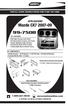 INSTALLATION INSTRUCTIONS FOR PART 99-7508 APPLICATIONS Mazda CX7 2007-09 99-7508 KIT FEATURES DIN Radio Provision with Pocket ISO Mount Radio Provision with Pocket Double DIN Mount Radio Provision Stacked
Figure 1-A This end of the cable is the side that will be plugged into the power adapter and DVR Card.
 Follow these steps to properly connect your All-In-One Power and Video Cables to your camera and DVR Card. Required Tools: None A, First, remove the Cable from it s packaging and un-coil it enough to find
Nintendo 64 Power Supply Power Cord Replacement Guide Page 1 of 10. Nintendo 64 Power Supply Power Cord Replacement Guide
 Nintendo 64 Power Supply Power Cord Replacement Guide Page 1 of 10 Nintendo 64 Power Supply Power Cord Replacement Guide Thank you for your purchase of a Nintendo 64 power supply replacement power cord
1. SAFETY RULES WARNING TO REDUCE THE RISK OF FIRE, ELECTRIC SHOCK OR PERSONAL INJURY, MOUNT FAN TO OUTLET BOX MARKED "ACCEPTABLE FOR FAN SUPPORT".
 1 1. SAFETY RULES 1. To reduce the risk of electric shock, insure electricity has been turned off at the circuit breaker or fuse box before beginning. 2. All wiring must be in accordance with the National
IMMS-CCC. IMMS-CCC Hardwire Central Interface. Installation Instructions
 IMMS-CCC IMMS-CCC Hardwire Central Interface Installation Instructions TABLE OF CONTENTS... Choose a Location... 1 Connections... 2 Operations... 3 Software Configuration... 4 Troubleshooting... 5 Loopback
Making a DB to RJ45 adapter.
 Making a DB to RJ45 adapter. DB9 to RJ45 adapters are often used in combination with a RS232 repeater for extending the distance of a serial RS232 link, but can be used for any adapter or converter purposes.
Installation instruction CASAFLEX - Connecting piece DN 100
 1 CASAFLEX - 11 10 114,3 x 4,5 3 5 2 4 1 7 6 8 12 9 Do not begin work until you have read the installation instruction carefully. 1 internal backing sleeve 2 graphite packing 3 connecting piece 4 thrust
Service Guide 12/27/03 TESTING, SERVICE & REPAIR GUIDE (For SH Space Heating Models & RA Water Heating Models)
 TESTING, SERVICE & REPAIR GUIDE (For SH Space Heating Models & RA Water Heating Models) WARNING - HIGH VOLTAGE AC electrical circuits are connected to this heater. Do not attempt any service work on the
Reasons for reissue are in Section 6, REVISION SUMMARY.
 Figure 1 This instruction sheet covers the application of OPTIMATE FSMA Fiber Optic Connector Types 905 and 906 for data and telecommunications applications. Base part numbers which apply to each type
CamSplice Assembly Manual
 Corning Cable Systems SRP-006-038 Issue 9, September 2000 Page 1 of 6 CamSplice Assembly Manual Table of Contents 1. General... 1 2. Precautions... 1 3. Tools and Materials... 2 4. Cable and Fiber Preparation...
OEM Manual MODEL 2350 ELECTRONIC DUAL CYLINDER SCALE
 OEM Manual MODEL 2350 ELECTRONIC DUAL CYLINDER SCALE Scaletron Industries, Ltd. Bedminster Industrial Park 53 Apple Tree Lane P.O. Box 365 Plumsteadville, PA 18949 USA Toll Free: 1-800-257-5911 (USA &
Hendricks 41dB Step RF Attenuator
 Hendricks 41dB Step RF Attenuator First, familiarize yourself with the parts and check for all the components. Parts Inventory R1 6.2 ohm, 2W, resistor (blue-brown-gold-gold) R4 12 ohm, 2W, resistor (brown-red-black-gold)
I NTERFACE CABLE ADAPTER MODULE
 I NTERFACE CABLE ADAPTER MODULE The Interface Cable Adapter Module (ICAM) has two basic uses. First, it enables you to run shielded cable between the industrial sensor interface module (SIM) and the weather
I Click on a link tab to jump to that page
 & nstall Publication, Duplication, or Retransmission Of This Document Not Expressly Authorized n Writing By The nstall Doctor s Prohibited. Protected By U.S. Copyright Laws. 1997,1998,1999,2000. Factory
LocoNet, the Digitrax Difference
 LocoNet, the Digitrax Difference LocoNet is Digitrax's method of communication between LocoNet compatible devices on a model railroad layout. LocoNet Compatible devices are designed to work together on
BMW Parts and Accessories Installation Instructions
 BMW Parts and Accessories Installation Instructions Retrofit Anti-theft Alarm System (DWA) series-identical retrofit for BMW 5 Series saloon and touring (E 9, E 9/) left-hand drive F 9 005 W Installation
BMD16N-SD. version 1.2
 BMD16NSD version 1.2 Feedback decoder with 16 contacts with integrated current detection for the S88bus Compatible with a.o. Märklin Digital, Uhlenbrock Intellibox, Fleischmann TwinCenter and LDT HSI88
Bi-Xenon Retrofit DIY Instructions
 Bi-Xenon Retrofit DIY Instructions Models: Facelifted E46 with halogen lights fitted as OEM. NOTE: To get pre-2002 cars this functionality, you need to see the amendment. NOTE: Compliments of ScottZHP
1. SAFETY RULES. 8. Avoid placing objects in the path of the blades.
 1 1. SAFETY RULES 1. To reduce the risk of electric shock, insure electricity has been turned off at the circuit breaker or fuse box before beginning. 2. All wiring must be in accordance with the National
Contact Information: 4031-0001 Electrical Connection Kit for CL Series Constant Wattage Temptrace for Low Temperature Maintenance.
 Technical Data Sheet & Installation Instructions for 4031-0001 Electrical Connection Kit for CL Series Constant Wattage Temptrace for Low Temperature Maintenance Bulletin CL-II Contact Information: Parker
ADDING AN ELECTRIC AUXILIARY FAN TO RADIATOR STACK ON 03 ALPINE COACH
 ADDING AN ELECTRIC AUXILIARY FAN TO RADIATOR STACK ON 03 ALPINE COACH The original design of the 03 Alpine Coaches (and perhaps other years as well) did not include any kind of engine fan engage mechanism
30 minutes in class, 2 hours to make the first time
 Asking questions and defining problems Developing and using models Planning and carrying out investigations 30 minutes in class, 2 hours to make the first time 3 12 x 24 x ¾ inch plywood boards 1 x 12