
Model 710 DTMF. Programmable Microphone Manual
|
|
|
- Godwin Robertson
- 10 years ago
- Views:
Transcription
1 Model 710 DTMF Programmable Microphone Manual CES Wireless Technologies South Semoran Blvd. Winter Park, FL Tel Fax Web: REV F MAN08A REV 8/02 CES Wireless Technologies Corp Page 1

2 Warranty CES Wireless Technologies Corp., (CES), warrants this product to be free from defects in material and workmanship for one year from the date of shipment. If such malfunction occurs, it will be repaired or replaced (at our option) without charge for materials or labor if returned to the factory. This warranty does not apply to parts damaged due to improper use- including accident, neglect, unreasonable use, and improper installation - or to unauthorized alterations or modifications of the equipment. It does not extend to damage incurred by natural causes such as lightening, fire, floods, or other such catastrophes, nor to damage caused by environmental extremes, such as power surges and or transients. It does not extend to microprocessors if is determined that the failure of a micro is due to static damage, application of improper voltages to the unit, or other problems not related to circuit design. In such case or in the case of a desire to update the micro to a different version of software, such request must be specified in writing, and there will be a charge agreed upon by both parties. This product is warranted to meet published specifications and to operation as specified only when properly installed in radio equipment which complies with US FCC specification and the applicable radio manufacturer s specifications. CES WIRELESS is not responsible for any operational problems caused by system design, outside interference, or improper installation. A qualified two-way radio technician or engineer must complete installation and programming of this CES WIRELESS product. Equipment for repair must be returned to the factory, freight prepaid, only with prior authorization. Please call for an RMA number. A brief letter describing the nature of the defect should be included with the merchandise. Repair by other than CES WIRELESS will void this warranty. In-warranty merchandise must be shipped, freight prepaid, to CES WIRELESS. CES WIRELESS will return the repaired or replaced equipment prepaid to purchaser, within the United States. Outside the US the customer must pay freight. This warranty applies to the original purchaser of the equipment only. CES WIRELESS is not liable under this warranty, or any implied warranty, for loss of use or for other consequential loss or damage experienced by the purchaser. Some states do not permit the exclusion or limitation of implied warranties or consequential damages. This warranty provides special legal rights, and the purchaser may have other rights that vary from state to state. Copyright The information in this manual and any software in this product remain the property of CES WIRELESS. Duplication or disclosure is not permitted without the prior written consent of CES WIRELESS. CES WIRELESS reserves the right to change products, specifications, and installation data at any time, without notice. All information contained in this document is carefully prepared and offered in good faith as a guide in the installation, operation, use and servicing of our products. Installers must insure that the final installation operates satisfactory, within relevant regulatory requirements. We accept no responsibility for incorrect installations. CES WIRELESS PUBLICATION Copyright CES WIRELESS Page 2

3 Model 710 Manual GENERAL DESCRIPTION The CES Model 710 DTMF Encoder Microphone is engineered specifically for mobile radio applications. Whether used on SMR trunked systems, conventional telephone interconnected shared mobile radio systems, or in dedicated single-user radio systems, your new 710 series microphone will enhance the utility of your mobile communications. It's automatic ANI (Automatic Number Identification) and automatic-dialing features will be a great convenience to you when using your mobile radio system and while operating a motor vehicle. Standard features in the Model 710 microphone include: Automatic push-to-talk transmitter keying Level matching to interface with any transceiver "Store and send" of manually dialed numbers Automatic "off-hook" and "on-hook" ANI's Automatic dialing of up to 21 digit numbers Durable back lighted silicone rubber keypad Precise crystal controlled tone generation Autodialing of "4th column" tones (A, B, C, D) Automatic microphone muting Audible DTMF sidetone Auto-encode of two different 21 digit ANI's Auto-dial and auto-ani speed changes and delays Auto-dial pauses, with or without PTT Rugged urethane extreme temperature coil cord Ten year non-volatile EEPROM memory (no battery backup required) Page 3

4 INSTALLATION Your CES Model 710 DTMF Encoder microphone requires filtered +10 to +15 VDC to power it's audible sidetone, keypad illumination, and microprocessor. The 710 is available with factory installed mating connectors for many popular transceivers. The connectors are configured to receive the required operating power at the radio microphone jack. Some transceivers may not already have a provided voltage source output available at the microphone jack. In this case, a minor modification will be necessary and can be accomplished by a two-way radio technician. Locate a switched and filtered source of +10 to +15 VDC within the radio and connect it to an unused terminal on the microphone jack. If you are using a microphone with a factory-installed connector: use the terminal associated with the microphone Blue wire. In the case where no spare or unused connection is available, determine an appropriate function that is otherwise not going to be used, such as "handset audio", or other. It is important to utilize a filtered voltage source for the microphone operation. If alternator whine or other ignition noise is experienced on the transmitted audio, another voltage source should be located and used. In severe cases, a filter available from an appropriate supplier should eliminate the problem. If your microphone was ordered without an installed connector, then install a connector on the Model 710 microphone cord as follows: Cable Wire Color BLUE RED WHITE BLACK SHIELD YELLOW Function + 12 VDC Push-To-Talk (logic low) TX Audio Output CTCSS Hang Up (logic low) Audio/Analog Ground Power & Logic Ground Jumper JP2 - Microphone Low/Power Ground Isolation Jumper Jumper JP2 is used to isolate the microphone low in the microphone from the logic and power ground. If the voltage supplied to the microphone is not well filtered (or if noise is experienced on transmit), or for transceivers that require separate ground returns, remove (cut) jumper JP2. CTCSS Hang Up is a logical function that will normally provide an off-hook (open-circuit) or on-hook (closedcircuit) to the radio for CTCSS "monitor", or other applications. This requires a grounded hang-up clip for the microphone. For applications where an open circuit is required for an on-hook condition (off-hook=closed circuit), a logic inverter option is available. Page 4

5 LEVEL SETTING AND INTERFACE ADJUSTMENTS Jumper JP1 - Audio Gain Select Jumper This jumper is used to set the range of microphone and DTMF audio output from the 710 microphone. The 710 is shipped with JP1 installed (IN), and will accommodate requirements where the microphone audio is in the range of 40 mv or less. For transceivers that require a higher level microphone input, cut JP1 (OUT) as shown in Figure "A". Audio Output Level (RV2) This adjustment sets the microphone level for voice modulation only. While monitoring the transmitter frequency on a service monitor, press the microphone PTT switch and set RV2 on the 710 microphone so that the voice deviation just goes into limiting (clipping) while speaking in just above an above-average level. DTMF Tone Output Level (RV1) For reliable DTMF signaling: The DTMF tone deviation should be approximately 2/3 of the maximum deviation (for example: if the modulation limiting is set to 5.0 KHz, then the DTMF level should be 3.3 KHz). In any event, the DTMF Tone transmitted by the 710 microphone should not be clipped or distorted. If your service monitor does not have a CRT display to observe the transmitted waveform, use an oscilloscope connected to the "demod" output from the service monitor to visually verify the quality of this signal. Set RV1 for the proper DTMF Tone level (3.3 KHz). Note: Since no ANI's are programmed in the Model 710 microphone when you receive it from the factory, the "*" and "#" keys can be used to manually generate a DTMF tone for level setting. Automatic Off-Hook ANI-UP and On-Hook ANI-DOWN This feature is not enabled as shipped from the factory. To enable the feature: solder a jumper wire across JP3, placing CR2 into the circuit (see schematic diagram). The feature has applications in some radio common carrier and other services. OPERATION PROGRAMMING ANI The Automatic Number Identification and Automatic Dialing features may be programmed by either the system operator/dealer or the user. Because the Automatic ANI feature of the Model 710 is a control feature only applicable to the system owner or dealer, instructions for programming the ANI's are published in a separate instruction manual available only to authorized dealers, service technicians, systems operators, and radio common carriers. Once the ANI's have been programmed, operation of the Model 710 to transmit the ANI's is simple: The "ANI-UP" code is automatically transmitted whenever the "*" key is depressed. Pressing the "#" key sends the "ANI-DOWN" code. These ANI codes can also be sent with the "OFF-Hook" and "ON-Hook" function, if enabled. The actual functions of the ANI codes are system-dependent. With the Model 710 sidetone feature, you can hear the actual ANI codes as they are transmitted. After the transmission of the ANI-UP code is sent, you should wait for a dial tone and then manually or automatically dial the desired telephone number (normal operation). For other system operations: contact your system operator or manager for instructions. Page 5

6 Manual Dialing Mode Manual dialing consists of pressing one or more of the 12 digits on the keypad to dial that number. This mode operates the same as a regular telephone keypad. When a key is depressed, the microphone will automatically key the transmitter and generate that DTMF digit. When the key is released, the DTMF generation will cease and the microphone will unkey the transmitter after a 2-second delay. If other keys are pressed within 2 seconds, the internal timer will reset and continue to key the transmitter until the 2-second timer expires. The only exception to this is if the "*" key and/or "#" key are programmed with an ANI-UP or ANI-DOWN code. If ANI's are programmed, pressing the "*" or "#" will result in the transmission of the respect ANI code. The PTT switch should not be depressed during any dialing. AutoDial Memory Mode This mode allows the user to press a single key to transmit a number in the autodial memory stored by the user. User programmed numbers may be stored in any autodial location from 1 through 8. After an autodial location key is depressed, the user will hear the autodial number transmitted by the sidetone generator. Up to 21 digit numbers may be stored in any one of the eight memory locations. If an autodial location is selected that does not have a number stored, then only a <beep>tone will be heard. The PTT switch should not be depressed during the memory select or dialing sequence. Keypad numbers 9 and 0 are used for programming autodial numbers, and special manual dialing modes that will be described below. Programming Autodial Memory Begin by entering the "9" key followed by an autodial location 1-8, and then the number desired to store at that location. After the entire sequence is entered, press the microphone PTT switch to store the number at the selected location. Example: To store the telephone number at memory location 5, press the following keys: " <PTT>" After the PTT switch is pressed a <beep> tone will be heard, confirming that the entry has been written to memory. (If a <beep> tone is heard prior to pressing the PTT switch, this indicates that an incorrect key has been pressed, and the operation has been canceled.) An autodial memory location may be overwritten at any time with a new number. An autodial memory location may be cleared of any number by entering: 9 [location 1-8] <PTT> SPECIAL MANUAL DTMF DIALING MODES In the DTMF Autodialing Mode two different manual DTMF dialing modes are available for use. The first manual DTMF dialing mode is called "Store and Send" Manual Dialing. The second mode is called "Timed Manual Dialing". The "Store and Send" mode is enabled in the Model 710 microphone as received from the factory. "Store and Send" Manual Dialing Page 6

7 This mode allows the user to manually dial up to a 50 digit number before it is actually transmitted. Using this mode, a telephone number can be accumulated in memory, and then transmitted at a later time. It is accomplished by pressing the "0" key, followed by the telephone number desired. When you are ready to send the number, press the PTT switch briefly to initiate the transmission. This feature may also be used for applications where the ANI-UP code is needed to obtain a system connection, and to dial a commonly used telephone number (Example): "0 * " Programs the "Store and Send" function with the (pre-programmed) ANI and the desired telephone number ( ). To use the feature: When ready to proceed with the call, momentarily depress the PTT switch. The microphone will send the ANI-UP code automatically. Once the dial tone is heard, again press the PTT switch momentarily and the telephone number will be sent. To cancel the dialing sequence, press and hold the PTT switch for three seconds and release. A <beep> tone indicates that the "Store and Send" sequence has been cancelled by the user. Timed Manual Dialing The second manual dialing mode is called "Timed Manual Dialing", and allows the user to manually enter up to 12 keypad digits, similar to the Manual Dialing Mode described earlier in the Operation section. In using this mode, the DTMF digits are sent at a fixed length. To enable the Timed Manual Dialing mode, press the "0" key and within 2 seconds, dial the DTMF digits that are to be directly manually dialed. The transmitter will unkey 2 seconds after the last digit is pressed. Note: In order for the Timed or "Store and Send" DTMF dialing to be functional, the microphone must first be placed in the DTMF autodial mode by the dealer. Page 7

8 PROGRAMMING SPECIAL FUNCTIONS When programming numbers for autodialing or accumulated DTMF manual dialing, the following two-digit functions can be entered as part of the stored number. Entry Code Function #1, #4, #7, #9 A, B, C, or D Tones #2 or #3 FASTER or SLOWER dialing #5 PAUSE or DELAY with PTT ON #6 PAUSE until next key #0 or #8 DELAY 1 or 2 seconds # # # Tone # * * Tone ABCD Tones (Fourth column tones) - are stored by pressing the "#" key and then 1, 4, 7, or 9 to generate the A, B, C, or D tones respectively. To program a fourth column tone under any memory location 1-8, the same method is used in the programming sequence. Example: To program 12C58 under memory location 3: press #7 58 <PTT> FASTER Dialing #2 - This double entry stores only one digit and results in dialing at double the normal speed. SLOWER Dialing #3 - This double entry stores only one digit and results in dialing at one-half the normal speed. Note: Multiple faster and slower codes may be used in a programmed dialing sequence location. The dialing rate will automatically reset to the original programmed speed after completion of dialing from an autodial memory location. ENABLE PTT - #5 - Whenever the enable PTT code precedes either a pause or delay code, the following pause or delay codes will result with PTT remaining on. This code must be programmed prior to each pause or delay, if continuous PTT is desired. PAUSE #6 - Transmission of the remainder of a stored number sequence will halt until the PTT switch is briefly pressed. To cancel the remainder of a transmission that has been interrupted by a "pause", press the PTT switch for at least 3 seconds and release. A beep tone will indicate the transmission has been canceled. DELAY #0 or #8 - Activates an automatic 1 or 2 second delay with the PTT off, followed by a one second delay with PTT on, and the continuation of the stored number. If the delay is preceded by a #5, the PTT will remain on. POUND ## - Stores one "#" code each time "##" is entered. STAR #* - Stores one "*" code each time "#*" is entered. Example: Program autodial location 5 with an ANI code of "*1234" followed by a "pause", with the PTT unkeyed, Page 8

9 and then the telephone number " ". Send the ANI code at twice the normal dialing rate, and the telephone number at the normal autodialing rate. Enter: 9 Allow autodialing programming 5 Program autodial location 5 #2 Increase dialing speed X2 #*1234 ANI code #3 Reduce dialing speed by one-half previous (to normal) #6 Unkey TX and pause # Telephone number <PTT> Store number sequence as entered Page 9

10 PROGRAMMING SPECIAL FUNCTIONS -continued Summary of Manual Dialing Press any key to generate that DTMF digit. Press "*" or "#" to send ANI-UP or ANI-DOWN, if programmed. Summary of Autodialing To send a pre-programmed number sequence from a memory location, press the applicable key 1-8 to autodial. To store a number in a memory location: press 9 plus the memory location (1-8) plus number, and then press PTT switch to store. Press "*" or "#" to send ANI-UP or ANI-DOWN, if programmed. Summary of "Store and Send" Manual Dialing Press the "0" key and then the number to accumulate in memory. Then press the PTT switch briefly to send the number sequence. Summary of Timed Manual Dialing Press the "0" key and within 2 seconds enter the desired telephone number. The transmitter will unkey 2 seconds after the last digit is sent. Page 10


11 HANG UP CES REV F JP5 1 RN2 JP1 See Side view for positioning of C7 + Y1 RN1 1 R18 L1 C7 1 CES Wireless Technologies South Semoran Blvd Winter Park, FL A COMPONENT LAYOUT (SIDE A) Drawing: CES P/N: AP00115A.CNV Date: 04/26/02 (updated 07/10/02) REV F Drawn By: T. Rodriguez Page 11

12 710 DTMF Microphone Parts List Symbol Number Description CES Part Number Symbol Number Description CES Part Number C1, 11 C2, 12 C15-17 C3 C4 C5 C6 C7 C8 C9, 10 C14 CR1 CR2,3 CR4 L1 Q1 Q2 Q3,4 R1,18 R3 R4, 6 R5 R7, 9 R8 R10, R21 R11 R12 R13, 17 R14 R15 R16 R20 R21 RV1 RV2 1uf 35V Tant. Capacitor.1uf 50V Capacitor 1500 pf Capacitor 3900 pf Capacitor.022 uf Capacitor 470 pf Capacitor 2.2 uf NP Capacitor 10 uf 25V Capacitor 27 pf 100V Capacitor 10 uf 25V Capacitor 24V 1W Zener Diode Diode 6.8V.5W Zener Diode 10 H 370 ma Inductor NPN Darlington N Channel Mosfet NPN Transistor 4.7KΩ 1/8W Resistor 68Ω 1/8W Resistor 27KΩ 1/8W Resistor 8.2KΩ 1/8W Resistor 120KΩ 1/8W Resistor 470Ω 1/8W Resistor 470Ω 1/8W Resistor 6.2KΩ 1/8W Resistor 6.8KΩ 1/8W Resistor 10KΩ 1/8W Resistor 10MΩ 1/8W Resistor 330KΩ 1/8W Resistor 47KΩ 1/8W Resistor 100Ω 1/8W Resistor 470Ω 1/8W Resistor 100KΩ Potentiometer 50KΩ Potentiometer CT1 CM.1 CM1501 CM392 CM.022 CM471 CE2.2NP CT10 CM270 CT106 D4749 D103A D5235 CHOKE2 QA13 QVN10 Q2222 RC472 RC680 RC27K RC8.2K RC124 RC332 RC470 RC682 RC682 RC10K RC10M RC334 RC473 RC100 RC471 RV100K RV503A RN1 RN2 P1 P2 SW1 U1 U2 U3 VR1 Y1 NON- REF ITEMS EM1 10KΩ Resistor Network 15KΩ R-2R Network Connector, 6 Pole Flex Strip, 9-circuit PTT Switch 256X8 Serial EEPROM CMOS Microprocessor Dual Jfet Op Amp 5V Regulator TO Mhz Crystal Front Case Half Rear Case Half Hang-up Button Ground wire w/terminal Felt Screen Metal Screen PTT Lever, Plastic Rubber Ring Microphone Element Neoprene Pad Case Screw #4 x 5/16" Microphone Cord Strain Relief Rubber Boot Complete Case Assembly Rear Label (710A) RSIP5 RSIP1 CON54 FLEX1 MIC01-M U24C04 SMU68hc05 U062 U78L05 XTAL3 MIC01-A MIC01-B MIC01-C MIC01-D MIC01-E MIC01-F MIC01-G MIC01-H MIC01-K PAD03 SCREW40 CRDCES-1 STRNREL0 4 BOOT1 600LMF LABEL001 Page 12

ADA COMPLIANT BOX STYLE TELEPHONE INSTALLATION, PROGRAMMING AND OPERATING INSTRUCTIONS FOR MODEL PBX
 ADA COMPLIANT BOX STYLE TELEPHONE INSTALLATION, PROGRAMMING AND OPERATING INSTRUCTIONS FOR MODEL PBX INSTALLATION INSTRUCTIONS Step 1. Determine the position for the Hands-free phone in the elevator phone
OPERATING INSTRUCTIONS Model ST-888 DTMF ANI/ENI Display Decoder
 P R O D U C T G R O U P OPERATING INSTRUCTIONS Model ST-888 DTMF ANI/ENI Display Decoder Manual # 600-0901 November 30, 1999 Rev. D - 99068 DESCRIPTION The ST-888 Mobilecall Display Decoder is a desktop
PS 155 WIRELESS INTERCOM USER MANUAL
 PS 155 INTERFACE TO SIMPLEX WIRELESS INTERCOM USER MANUAL Issue 2011 ASL Intercom BV DESIGNED AND MANUFACTURED BY: ASL INTERCOM BV ZONNEBAAN 42 3542 EG UTRECHT THE NETHERLANDS PHONE: +31 (0)30 2411901
Basic Alarm BD-5000. A. What You Will Need: 1. One 9-volt alkaline or lithium battery (not included). 2. Phillips screwdriver (not included) 2
 Basic Alarm BD-5000 1 Model BD-5000 Thank you for purchasing the Basic Alarm BD-5000. If you should ever have any questions or concerns about this product, feel free to contact us. Our phone number, web
25 Code GTO Digital Keypad
 2 Code GTO Digital Keypad Instructions for Wired and Wireless Installations (FM1-G only) Thank you for purchasing the GTO Digital Keypad. Be sure to read the directions carefully and completely. Before
BroadBand PowerShield. User Manual
 BroadBand PowerShield User Manual 990-0375G 12/2006 Chapter 1 General Information The PowerShield provides a power source for broadband telephony and other DC applications. Safety This Safety Guide contains
USER INSTRUCTIONS DESCRIPTION:
 ISA Information Security Associates, LLC. Information Security Associates, LLC TD 2 TapZap TM TELEPHONE SECURITY DEVICE OPERATOR S MANUAL Rev: January 8, 2008 ENTIRE CONTENTS COPYRIGHT 2007 INFORMATION
CHAPTER 1. GETTING STARTED... 1
 REV. 01-2014 TABLE OF CONTENTS LIMITATION OF LIABILITY CHAPTER 1. GETTING STARTED... 1 1.1 Introduction... 1 1.2 System Descriptions... 1 1.3 System Applications... 1 1.4 System Specifications... 1 1.5
TAC2C & TAC2D TAC1 RETROFIT KIT FOR CROWN JEWEL & DOORKING 1812 SYSTEMS
 The Chamberlain Group 845 Larch Ave. Elmhurst, IL 60126-1196 www.liftmaster.com TAC2C & TAC2D TAC1 RETROFIT KIT FOR CROWN JEWEL & DOORKING 1812 SYSTEMS 1 2 3 4 5 6 7 8 9 * 0 # 1 2 3 4 5 6 7 8 9 * 0 # Programming
G.A.L. HANDS FREE EMERGENCY TELEPHONE MODEL GAL-6400
 I. GENERAL G.A.L. HANDS FREE EMERGENCY TELEPHONE MODEL GAL-6400 The GAL-6400 Hands Free Emergency Telephone permits a pre-programmed number to be dialed when the "push to call" button is depressed on the
GLOLAB Universal Telephone Hold
 GLOLAB Universal Telephone Hold 1 UNIVERSAL HOLD CIRCUIT If you have touch tone telephone service, you can now put a call on hold from any phone in the house, even from cordless phones and phones without
Bluetooth Hands Free Phone System by BlueConnect
 Bluetooth Hands Free Phone System by BlueConnect USER GUIDE TABLE OF CONTENTS 1 INTRODUCTION Pg Pg WHAT IS BLUECONNECT? 2 WHAT CELL PHONES WORK? 2 DEFECTIVE / DAMAGED MERCHANDISE CUSTOMER CONTACT INFORMATION
Automatic Telephone Dialer TD-101(W)
 Automatic Telephone Dialer TD-101(W) The TD-101 is an automatic dialing device which can transmit prerecorded information via the telephone line. The dialer can send two different 10 second voice messages
Wireless Base Station Single and Multiple Headsets
 Wireless Base Station Single and Multiple Headsets Operation Manual 7340 SW Durham Road Portland, OR 97224 USA Phone: 503-684-6647 1-800-527-0555 Fax: 503-620-2943 email: [email protected] www.firecom.com
Automatic Phone-Out Home Monitoring Systems
 Automatic Phone-Out Home Monitoring Systems Power Outage and Freeze Alarm Model Number: THP202 Power Outage, Freeze and Flood Alarm Product Description Model Number: THP201 These monitoring systems are
Advantium 2 Plus Alarm
 ADI 9510-B Advantium 2 Plus Alarm INSTALLATION AND OPERATING INSTRUCTIONS Carefully Read These Instructions Before Operating Carefully Read These Controls Corporation of America 1501 Harpers Road Virginia
CelluLine CGW-TS GSM Cellular Gateway. Installation and Programming Manual
 CelluLine CGW-TS GSM Cellular Gateway Installation and Programming Manual CelluLine CGW-TS GSM Cellular Gateway Installation and Programming Manual CGWTS-M001A Version 1, Release 1, December 2004 NOTICE
Unattended Answering Device Instruction Manual
 Model 3137B Unattended Answering Device Instruction Manual Monroe Electronics 100 Housel Ave Lyndonville NY 14098 800-821-6001 585-765-2254 fax: 585-765-9330 monroe-electronics.com Printed in USA Copyright
Conference Phone UserÕs Manual. Part No. 54-2070-01R1 Printed in Korea. 2002 Bogen Communications, Inc.
 Part No. 54-2070-01R1 Printed in Korea. 2002 Bogen Communications, Inc. UserÕs Manual Notice Every effort was made to ensure that the information in this guide was complete and accurate at the time of
Car Alarm Series 2 B 2 Buttons
 Car Alarm Series 2 B 2 Buttons G22 SE (External - Shock Sensor) Version 3 Software 67 Plus www.geniuscaralarm.com 21 CAR ALARM GENIUS Series 2B 2 Buttons - G22 Se (External Shock Sensor) Module controlled
Auto Dialer. Manual E-921APQ E-921GPQ
 Troubleshooting: Auto dialer will not arm/disarm Auto dialer will not dial out Unit doesn t respond to a call-back Difficulty in activating room monitor by telephone remote control Make sure that you have
USER MANUAL. Model 6103 3U ForeFront Alarm Card SALES OFFICE (301) 975-1000 TECHNICAL SUPPORT (301) 975-1007. An ISO-9001 Certified Company
 USER MANUAL Model 6103 3U ForeFront Alarm Card An ISO-9001 Certified Company Part# 07M6103 Doc# 123011U Rev. A Revised 7/15/03 SALES OFFICE (301) 975-1000 TECHNICAL SUPPORT (301) 975-1007 CONTENTS 1.0
Glolab Talking Phone Dial Monitor
 Introduction The detects the tones generated when numbers are dialed on your touch tone telephone and speaks the numbers that were dialed. This verifies that you dialed the correct number and is especially
Indoor/Outdoor Color Camera with Built-in 2.4 GHz Wireless Transmitter, plus X10 controlled power supply, and Video Receiver.
 Indoor/Outdoor Color Camera with Built-in 2.4 GHz Wireless Transmitter, plus X10 controlled power supply, and Video Receiver. OWNER'S MANUAL VR36A XC18A XM13A MODEL VK69A (INCLUDES XC18A CAMERA, XM13A
Installation & Operation Manual for EC-8 Phone Line Consolidator
 Installation & Operation Manual for EC-8 Phone Line Consolidator For Use With Talk-A-Phone Hands-Free Emergency Phones Section Page Getting Started 2 Hardware Installation 3 Software Programming 5 Operation
PagePac PAGEPAL V-5335700
 PagePac Issue 3 by PAGEPAL V-5335700 INTRODUCTION The PagePal unit interfaces most telephone systems (PBX, KTS, Centrex) to virtually any public address audio system. In addition, PagePal furnishes inputs
C-Tech-10 Operation Manual
 C-Tech-10 Operation Manual Project: SATS Model: SATS Serial #: SATS Job#: Notice This document contains information protected by copyright. All rights are reserved. The owner of the equipment for which
CS55H HOME EDITION... WIRELESS HEADSET SYSTEM
 CS55_HO_606.qxd /6/06 : PM Page ii WARRANTY Limited Warranty This warranty covers defects in materials and workmanship of products manufactured, sold or certified by Plantronics which were purchased and
Without the pre amp, these microphones sound very good with tube equipment that provided a very high impedance load to the element.
 N9WB D-104 Project Revision 2 Pre Amp Modifications for higher load impedance. By Walter A. Breining, N9WB D-104 Discussion The D-104 has been around since the 30 s and is still popular today for communications.
Take-2 by Nel-Tech Labs, Inc. Installation & User Manual
 Take-2 by Nel-Tech Labs, Inc. Installation & User Manual Index: Introduction... 3 Take-2 Layout Summary... Installation... 4 5-6 Warranty & FCC... 7 Introduction: The Take-2 is a state-of-the-art message-on-hold
Dock-N-Talk U S E R S G U I D E. Forming a New World of Communication. SM
 Dock-N-Talk U S E R S G U I D E Forming a New World of Communication. SM 2 UNIVERSAL DOCKING STATION USER S GUIDE INTRODUCTION...3 INSTALLATION...5 Line Pair Switch... 6 Extension Telephone Sets... 7 Warning:
AP IR Remote Control Installation & Operation Manual
 AP IR Remote Control Installation & Operation Manual ClearOne Communications, Inc. ~ 1825 Research Way, Salt Lake City, UT 84119 ~ tel 1-800-945-7730 ~ fax 1-800-933-5107 ii Table of Contents 1 Table of
PRODUCT WARRANTY. Page 20
 PRODUCT WARRANTY Manufactured equipment is warranted to be free from defects in material and workmanship for a period of twelve (12) months from date of manufacture as indicated by the date stamp and/or
Innkeeper PBX. Desktop Digital Hybrid. User Guide. JK Audio
 Innkeeper PBX Desktop Digital Hybrid User Guide JK Audio Introduction Innkeeper PBX will allow you to send and receive audio through your multi-line PBX, ISDN or analog telephone. While this may seem like
SP4-LOC SAFEPATH4 REMOTE MICROPHONE AND LOCAL OPERATOR CONSOLE
 SP4LOC SAFEPATH4 REMOTE MICROPHONE AND LOCAL OPERATOR CONSOLE INSTALLATION AND OPERATION MANUAL MASS NOTIFICATION SYSTEM Part Number: P84767 Rev. A Copyright 2006 Cooper Wheelock, Inc. All rights reserved.
Weather Radio Alarm Clock
 1200093 User s Guide Weather Radio Alarm Clock Thank you for purchasing your Weather Radio Alarm Clock from RadioShack. Please read this user s guide before installing, setting up, and using your new weather
Model SRMD Setra Remote Monitoring Display
 Model SRMD Setra Remote Monitoring Display 1.0 GENERAL INFORMATION Thank you for purchasing the Setra Remote Monitoring Display (SRMD). The SRMD is a digital panel meter with a bright 1 LED display for
USB Dual Handset Adapter for Nortel 1100-Series IP Phones
 1021 USB Dual Handset Adapter for Nortel 1100-Series IP Phones User Guide Document#: 90-00039 [email protected] [email protected] www.algosolutions.com Table of Contents Algo 1021 USB Dual
TELULAR SX4E PHONECELL WITH THE 8210 SPEECH MODEM APPLICATION NOTE
 TELULAR SX4E PHONECELL WITH THE 8210 SPEECH MODEM APPLICATION NOTE September 2004 Prepared by: Integrated Systems Division The Sutron Corporation 21300 Ridgetop Circle Sterling, VA 20166 Copyright 2004
Directed Passive Keyless Entry System (PKE) Model 2102T Owner s Guide
 Directed Passive Keyless Entry System (PKE) Model 2102T Owner s Guide 2012 Directed, Vista, CA G2102T Contents Government regulations...4 Warning! Safety first...6 Important information...6 System maintenance...6
Installation & Operation Manual HANDS-FREE BLUETOOTH MEDIA INTEGRATION KIT. Perfect for ANDROID TM
 GET CONNECTED Installation & Operation Manual HANDS-FREE BLUETOOTH MEDIA INTEGRATION KIT TranzIt BLU HF ISFM2351 Perfect for ANDROID TM Note to Readers, The information contained within the following documentation
User Manual. English. APC Smart-UPS 1000/1500 VA 100/120/230 VAC 750/1000XL VA 120/230 VAC. Tower Uninterruptible Power Supply
 User Manual English APC Smart-UPS 1000/1500 VA 100/120/230 VAC 750/1000XL VA 120/230 VAC Tower Uninterruptible Power Supply 990-1074C 06/2012 Introduction American Power Conversion Corporation (APC) is
PBXport. Rackmount PBX Digital Hybrid. User Guide. JK Audio
 PBXport Rackmount PBX Digital Hybrid User Guide JK Audio Introduction PBXport will allow you to send and receive audio through your multiline PBX, ISDN or analog telephone. While this may seem like a simple
Four-Line Intercom Speakerphone 944
 1 USER S MANUAL Part 2 Four-Line Intercom Speakerphone 944 Please also read Part 1 Important Product Information AT&T and the globe symbol are registered trademarks of AT&T Corp. licensed to Advanced American
B. Equipment shall be furnished and installed as specified. No substitutions will be allowed.
 CLASSROOM SOUNDFIELD DISTRIBUTION SYSTEM PART 1 GENERAL 1.1 RELATED DOCUMENTS: A. Drawings and general provisions of Contract, including General and Supplementary Conditions and Division-1 Specification
User guide Conference phone Konftel 100
 User guide Conference phone Konftel 100 I Español I Français Conference phones for every situation This package includes the following items: 1 pc User Guide 1 pc Conference Phone 1 pc Power supply 1 pc
GENERATOR START CONTROL MODULE - MINI (2 Wire to 3 Wire)
 FEATURES & APPLICATIONS Inexpensive 2 wire to 3 wire start controller for electric start high speed gas generators. Optimized for use with Outback Invertors. Supports three types of 3 wire generator control
Alarm Clock USER GUIDE
 Alarm Clock USER GUIDE Jazwares, Inc. 2012 CONTENTS Please read the instructions along with the Alarm Clock carefully before you use it, so that you can operate it conveniently. WELCOME & Warnings Page
innkeeper PBX Desktop Digital Hybrid User Guide JK Audio Warranty
 Warranty Innkeeper PBX is covered by a 2-year warranty to be free from defective workmanship and materials. In the event that the innkeeper PBX needs repair, you must call us to get an authorization, and
PowerWave-8. Users Operating and Programming Guide Version 8.64. 8 zone Control panel Communicator
 ELECTRONIC ENGINEERING LTD. PowerWave-8 8 zone Control panel Communicator Users Operating and Programming Guide Version 8.64 P/N 7101261 Rev. C N.A July 2002 2 Contents Introduction...5 Meet the Crow Alarm
XTEND 900 MHZ WIRELESS MODEM For use with VEEDER-ROOT EMR³ DATALINK INSTALLATION INSTRUCTIONS Manual 577013-859, Rev. B
 INTRODUCTION This Installation Guide Contains the necessary information to Connect the Wireless Modems to the EMR³ Interconnect Box and the Office Computer for running the EMR³ Datalink Program. For Specific
Zetron Desktop Microphone Manual 025-9589F
 Zetron Desktop Microphone Manual 025-9589F Software License The Zetron software described in this manual is subject to the terms and conditions of Zetron's Software License Agreement, a copy of which is
innkeeper PBX Desktop Digital Hybrid User Guide JK Audio
 innkeeper PBX Desktop Digital Hybrid User Guide JK Audio Introduction Innkeeper PBX will allow you to send and receive audio through your multi-line PBX, ISDN or analog telephone. While this may seem like
innkeeper PBX Desktop Digital Hybrid User Guide JK Audio Warranty
 Warranty Innkeeper PBX is covered by a 2-year warranty to be free from defective workmanship and materials. In the event that the innkeeper PBX needs repair, you must call us to get an authorization, and
466-1936 Rev E October 2004 ZZZ*(6HFXULW\FRP. Part No: 60-883-95R. CareGard. User Guide
 ) *(6HFXULW\ 466-1936 Rev E October 2004 ZZZ*(6HFXULW\FRP Part No: 60-883-95R CareGard User Guide FCC Notices FCC Part 15 Information to the User Changes or modifications not expressly approved by GE Security
HomeSitter HS-700. Installation and Operations Manual. Protected Home A Division of Control Products, Inc. 1724 Lake Drive West Chanhassen, MN 55317
 HomeSitter HS-700 Installation and Operations Manual Protected Home A Division of Control Products, Inc. 1724 Lake Drive West Chanhassen, MN 55317 Document No. 42420062A Table of contents Cautions and
VOIP Business Phone User Guide
 VOIP Business Phone User Guide Model 25630/25600 MGCP Please read this manual before operating the product for the first time. Interference Information This device complies with Part 15 of the FCC Rules.
F2400 FOM II Series Fiber Optic Modem Technical Manual
 F2400 FOM II Series Fiber Optic Modem Technical Manual T1 Revision B Copyright April 2003 VERSITRON, Inc. 83 Albe Drive / Suite C Newark, DE 19702 www.versitron.com A030430283T PROPRIETARY DATA All data
Usage, Installation, Warranty and Service Information
 T13C Table Updater for Seating Management U S E R M A N UA L Usage, Installation, Warranty and Service Information Long Range Systems, LLC 4550 Excel Parkway, Suite 200 Addison, TX 75001 800.437.4996 www.lrsus.com
Manufactures of: All. Dallas Delta Corporation Pty.Ltd. Pty.Ltd. 102 Albert St. East Brunswick, 3057 Vic. Tel: 613 93877388 Fax: 613 93873128
 Dallas Delta Corporation Pty.Ltd. 102 Albert St. East Brunswick, 3057 Vic. Tel: 613 93877388 Fax: 613 93873128 Email: [email protected] www.dallasdelta.com.au LP GUARD DOORSTATION MK II G UARD Doorstation
i ChatterBox! Motorcycle Security
 i Before you Start the Installation * Please read this manual to become familiar with the requirements necessary to complete the installation. * Use a high quality multi-meter to test all wires before
RLC-2 Software Version 4.30 Copyright 1998, Link Communications, Inc.
 RLC-2 Software Version 4.30 Copyright 1998, Link Communications, Inc. Link Communications Inc. 1407 4 th Ave N Billings, MT 59101-1518 http://www.link-comm.com 1-2 Table of Contents Return Policy... 1-19
ITC-BTTN Cellular Bluetooth Gateway. Owner s Manual 1
 ITC-BTTN Cellular Bluetooth Gateway Owner s Manual 1 2 Table of Contents Introduction...3 Package Contents...3 XLink Connections Diagram...4 Setup...5 Pairing your Bluetooth Cell Phone to the XLink...6
HYDRA HV OPERATION MANUAL. 2.0 Making Connections on your HYDRA speed control. Rosin core electrical solder
 HYDRA HV OPERATION MANUAL Starting Power Safe power on arming program helps prevent motor from accidentally turning on. Always use extreme care with high power systems. Auto shut down when signal is lost
CarePartner Telephone With Reminders
 Philips wordmark and Lifeline K100 CarePartner Telephone With Reminders Model 9500 User s Manual Black and white version For use with newsprint and other one-color applications. 1 x P height 1 x P height
Installation and Operation Guide for PD5100 Automatic Transfer Switch
 Installation and Operation Guide for PD5100 Automatic Transfer Switch Member P r o gr e ssive Dynamics, Inc. 507 Industrial Rd Marshall, MI 49068 www.progressivedyn.com 2012 Progressive Dynamics, Inc.
Content. Maintenance. Features ENGLISH. 1 transceiver 1 antenna 1 battery pack 1 belt clip 1 fast desktop charger User manual
 Contents Maintenance... 2 Features... 2 Main indicators/controls... 3 LCD display... 5 Basic operations... 6 Advanced operations... 15 Menu operations Self-Programming mode... 17 Self-programming chart...
Security Auto Dialer. Owner s Manual. Please read before using this equipment.
 Security Auto Dialer Owner s Manual Please read before using this equipment. ˆ Contents Features... 2 FCC Statement... 3 Lightning... 3 A Quick Look at Your Auto Dialer... 4 Installation... 5 Selecting
ES-299A NTP Time Server. Operation and Maintenance Manual. 142 SIERRA ST., EL SEGUNDO, CA 90245 USA (310)322-2136 FAX (310)322-8127 www.ese-web.
 ES-299A NTP Time Server Operation and Maintenance Manual 142 SIERRA ST., EL SEGUNDO, CA 90245 USA (310)322-2136 FAX (310)322-8127 www.ese-web.com TABLE OF CONTENTS 1.0 INTRODUCTION...1 2.0 STANDARD FEATURES...1
288-289 29024V COMPACT ALARM SYSTEMS
 288-289 29024V COMPACT ALARM SYSTEMS The system is manufactured from the highest quality components to ensure a long trouble free operating life. These instructions are intended to familiarise you with
ALARM ANNUNCIATOR ME - 3010 INSTRUCTION MANUAL
 ALARM ANNUNCIATOR ME - 3010 INSTRUCTION MANUAL INTRODUCTION... 2.. TECHNICAL DATA... 3 ACCESSORIES... 5. INSTALLATION... 7 OPERATION... 12. TECHNICAL INFORMATION... 13 MAINTENANCE... 14. CONFIGURATIONS...
Study Guide for the Electronics Technician Pre-Employment Examination
 Bay Area Rapid Transit District Study Guide for the Electronics Technician Pre-Employment Examination INTRODUCTION The Bay Area Rapid Transit (BART) District makes extensive use of electronics technology
-Helping to make your life betterwww.person-to-person.net
 Household Telephone Management System Built on Interceptor ID Technology Owner/Operation Manual Telephone Management System- Model P2P101 Call Receiver - Model P2P301 (Receiver may be sold separately)
Contents. Safety Warnings... 1
 Contents Safety Warnings... 1 Unpacking the GQ600... 1 Introduction... 2 GQ600 Filter Characteristics... 2 1/3 Octave Centre Frequencies... 4 Front Panel Functions... 5 Rear Panel Functions... 6 Specifications...
Voice Dialer System & Power Monitor VD-5100-SM
 Custom Design Innovative Technologies in Custom Electronic Design & Manufacuturing General Description The VD-5100-SM Voice Dialer monitors an external dry contact such as a motion detector and power status.
Owner's Manual STEREO EARPHONES WITH BLUETOOTH WIRELESS TECHNOLOGY. Model: CBH515-OD PLEASE READ BEFORE OPERATING THIS EQUIPMENT.
 Size: 148.5(W) x 210(H)mm (A5) STEREO EARPHONES WITH BLUETOOTH WIRELESS TECHNOLOGY Owner's Manual PLEASE READ BEFORE OPERATING THIS EQUIPMENT. Model: CBH515-OD FCC INFORMATION: This equipment has been
TECHNICAL. Smart Touch Tone Dialer with Redialing. K-1900-30 Touch Tone Dialer with Redialing
 TECHNICAL Practice TELECOM SOLUTIS F THE 21ST CENTURY K-1900-30 Touch Tone Dialer with Redialing February 22, 2010 Smart Touch Tone Dialer with Redialing The K-1900-30 is an automatic dialer that dials
TCB-2 Auto Answer Coupler Product Manual
 TCB-2 Auto Answer Coupler Product Manual About Comrex Comrex has been building reliable, high quality broadcast equipment since 1961. Our products are used daily in every part of the world by networks,
USER MANUAL WARNING! CONTENTS MODEL 1 SPECIFICATIONS READ ALL INSTRUCTIONS BEFORE PROCEEDING. Non-Programmable Single Stage Heat/Cool Thermostat
 Builder MODEL 1010 Series Non-Programmable Single Stage Heat/Cool Thermostat USER MANUAL Compatible with low voltage single stage gas, oil or electric heating or cooling systems, including single stage
Vocally 3. In-line, Voice Activated Telephone Dialer
 Vocally 3 In-line, Voice Activated Telephone Dialer User Manual Freedom Rev 1.02 To contact us: For support e-mail us at [email protected] Fax us at +972-8-6996910 Visit us on the web at www.activocal.com
K9 Heat Alarm Owners Manual HA-1520
 K9 Heat Alarm Owners Manual HA-1520 Your K9 Heat Alarm is a state of the art product designed and developed by ACEK9.COM a division of Radiotronics, Inc. It is a unique blend of positive features taken
Date Rev. Details Author
 Jtech engineering ltd J - Te c h E n g i n e e ring, L t d. 11080 Bond Boulevard Delta BC V4E 1M7 Canada Tel: 604 543 6272 Fax: 604 543 6476 http://www.jtecheng.com AUTODIALER USER S MANUAL REVISION HISTORY
User Guide. Oricom UHF080 40 Channel UHF CB Radio Downloaded from www.cbradio.nl
 User Guide Oricom UHF080 40 Channel UHF CB Radio Downloaded from www.cbradio.nl Table of contents Important Information 4 Please read before installing or operating your Oricom Radio 4 Safety Warning 5
Powerware Relay-Serial Card User s Guide
 Powerware Relay-Serial Card User s Guide Special Symbols The following are examples of symbols used on the UPS and accessories to alert you to important information: This symbol indicates that you should
Instruction Manual. CORTELCO 2700 Single-Line / Multi-Feature Set
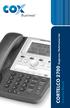 1 Instruction Manual CORTELCO 2700 Single-Line / Multi-Feature Set Table of Contents Why VoiceManager SM with Cortelco Phones?... 2 Cortelco 2700 Set Features... 3 Telephone Set Part Identification...
LDG SLS-2 Two-Port RJ45 Switch
 SLS-2 OPERATIONS MANUAL MANUAL REV. A LDG SLS-2 Two-Port RJ45 Switch LDG Electronics 1445 Parran Road St. Leonard MD 20685-2903 USA Phone: 410-586-2177 Fax: 410-586-8475 [email protected] www.ldgelectronics.com
Supply voltage Supervisor TL77xx Series. Author: Eilhard Haseloff
 Supply voltage Supervisor TL77xx Series Author: Eilhard Haseloff Literature Number: SLVAE04 March 1997 i IMPORTANT NOTICE Texas Instruments (TI) reserves the right to make changes to its products or to
USER GUIDE. Compatible with most Bluetooth phones & Bluetooth enabled computers (Windows or Macintosh )
 USER GUIDE Compatible with most Bluetooth phones & Bluetooth enabled computers (Windows or Macintosh ) TABLE OF CONTENTS 4 Package Contents 5 Safety Instructions/ Glossary 6 Charging the Headset 7 Battery
Owner s Manual. Not suitable for mobile applications. Important Safety Instructions 2. Quick Installation 3. Basic Operation 4. Storage & Service 7
 Register online today for a chance to win a FREE Tripp Lite product! www.tripplite.com/warranty Owner s Manual Internet Office & BC Personal UPS Systems Not suitable for mobile applications. Important
M68EVB908QL4 Development Board for Motorola MC68HC908QL4
 M68EVB908QL4 Development Board for Motorola MC68HC908QL4! Axiom Manufacturing 2813 Industrial Lane Garland, TX 75041 Email: [email protected] Web: http://www.axman.com! CONTENTS CAUTIONARY NOTES...3 TERMINOLOGY...3
CMD-8000 rev. A COMMANDER SERIES REMOTE CONTROL ENTRY SYSTEM
 INTRODUCTION CMD-8000 rev. A COMMANDER SERIES REMOTE CONTROL ENTRY SYSTEM Thank you for purchasing the CMD-8000 Commander from Dakota Digital. This, along with many other products that Dakota Digital has
Caller-ID on your TV!
 TM Caller-ID on your TV! User s Manual and Installation Guide Copyright 1998 NetMedia Inc., All rights reserved. Rev. 061898 Thank you for your purchase of Caller-TV! You are now ready to enjoy the convenience
VM-4 USB Desktop Audio Device Installation Guide
 VM-4 USB Desktop Audio Device Installation Guide THE POSSIBILITIES ARE ENDLESS. 9 Austin Drive, Marlborough, CT 06447 (860) 295-8100 www.essentialtel.com [email protected] Table of Contents Introduction...3
AUTODIALLER / QUICKDIALLER - SA132
 AUTODIALLER / QUICKDIALLER - SA132 INSTRUCTION LEAFLET ENGLISH www.thermomax-group.com CONTENTS 1 SETUP AT A GLANCE... 2 2 FOREWORD....... 3 3 INSTALLATION...... 4 4 KEYPAD AND INDICATORS...... 5 SETTING
DTS/DRS-1000RV. Owner s Manual. DTS-1000RV: DVI/HDMI or VGA, Audio, RS-232C Transmitter Extender
 DTS/DRS-1000RV Owner s Manual DTS-1000RV: DVI/HDMI or VGA, Audio, RS-232C Transmitter Extender DRS-1000RV: DVI/VGA or VGA, Audio, RS-232C Receiver Extender Dtrovision LLC 9A Bergen Turnpike Little Ferry,
Water Leak Detection System
 Water Leak Detection System Installation and Operating Manual 505-334-5865 ph 505-334-5867 fax www.rodisystems.com email:[email protected] 936 Highway 516 Aztec, NM 87410-2828 Manual Revisions and Copyright
How To Control A Car Alarm On A Car With A Remote Control System
 MODEL CA100 REMOTE CONTROL AUTO ALARM SYSTEM INSTALLATION & OPERATION INSTRUCTIONS WIRING DIAGRAM Black Antenna Wire 6 Pin 6 Pin Mini Connector Valet Switch Blue LED Indicator Blue Wire: (-) 200mA Unlock
The basic set up for your K2 to run PSK31 By Glenn Maclean WA7SPY
 The basic set up for your K2 to run PSK31 By Glenn Maclean WA7SPY I am by no means an expert on PSK31. This article is intended to help someone get on PSK31 with a K2. These are the things I did to get
Tactical Radio Adapter
 9800 Martel Road Lenoir City, TN 37772 Tactical Radio Adapter Document P/N 200-002-0002 Revision 5, February 2009 Part number 12100 Installation and Operation Manual In certified aircraft, warranty is