
Skrill Wallet Integration Guide
|
|
|
- Alfred Lamb
- 10 years ago
- Views:
Transcription
1 Skrill Wallet Integration Guide For use by Skrill Wallet merchants This guide describes how to connect to the Skrill Wallet Checkout. It is only applicable to Wallet merchants Version 7.1 Skrill Limited, 25 Canada Square, Canary Wharf, London, E14 5LQ, UK
2 Copyright Skrill Ltd. All rights reserved. The material contained in this guide is copyrighted and owned by Skrill Ltd together with any other intellectual property in such material. Except for personal and non-commercial use, no part of this guide may be copied, republished, performed in public, broadcast, uploaded, transmitted, distributed, modified or dealt with in any manner at all, without the prior written permission of Skrill Ltd, and, then, only in such a way that the source and intellectual property rights are acknowledged. To the maximum extent permitted by law, Skrill Ltd shall not be liable to any person or organisation, in any manner whatsoever from the use, construction or interpretation of, or the reliance upon, all or any of the information or materials contained in this guide. The information in these materials is subject to change without notice and Skrill Ltd. assumes no responsibility for any errors. Skrill Ltd. Registered office: Skrill Limited, 25 Canada Square, Canary Wharf, London, E14 5LQ, UK. Version Control Table Date Version Description 19/02/ Changes to Skrill 1-tap. 20/05/ Removal of Laser. Addition of Paysafecard. 20/09/ Addition of Trustly codes for Split Gateway. 09/01/ /05/ /07/ Changes made to the coverage of Visa Electron, JCB & Diners Removed Slovakian Koruna, Estonian Kroon and Lithuanian Litas currencies from ISO 4217 currency table. Removed individual bank payment method codes for Poland and other minor updates to payment method codes. Updated screenshots and made changes for the modernised Wallet Checkout UI. Skrill 2015 Page 2
3 Contents 1 About this Guide Objectives and target audience Related documentation Conventions used in this guide Introduction Connecting to the Wallet Checkout The payment process Steps in the payment process Redirecting customers to the Skrill Gateway (Step 1) Skrill Customer Login/Registration (Step 2) Skrill Payment page (Step 3) Skrill Transaction Status page and return to Merchant (Steps 4 and 5) Skrill Status response Detailed status description Customization options Split Gateway Fixed Split Gateway Flexible Split Gateway Reduced Header Option Recurring Billing Skrill 1-Tap payment Secure return_url option Merchant refunds Chargeback notification Adding a descriptor Display in an iframe Code integration examples Generating the Session Identifier Redirecting the customer to Skrill Appendices ISO 4217 currencies ISO country codes (3-digit) MD5 signature SHA2 signature Skrill 2015 Page 3
4 4.5 Example HTML forms Payment method codes Failed reason codes Glossary Index Skrill 2015 Page 4
5 1 ABOUT THIS GUIDE 1.1 Objectives and target audience This guide provides details on how to connect your website to the Skrill Wallet Checkout using the Skrill Wallet service. It is intended for users who have a working knowledge of HTML. The guide covers the steps in the payment process and the information that needs to be passed from your web servers to Skrill, to enable Skrill to process payments. This guide is only relevant to Skrill Wallet merchants. 1.2 Related documentation You should use this guide together with the additional Skrill Wallet Checkout documents described below. Guide Automated Payments Interface Guide Description Describes how to connect to Skrill using the Automated Payments Interface (API). This supports functionality such as merchant queries against the system, sending money and processing refunds. 1.3 Conventions used in this guide The table below lists some of the conventions used in this guide. Table 1: List of conventions Convention Reference File path Glossary Description Indicates a reference to another section in this guide. For example, refer to the Introduction on page 5. Used to indicate a file path or folder structure. Glossary term Skrill 2015 Page 5
6 2 INTRODUCTION The Skrill Wallet Checkout is a secure Skrill site, where you redirect customers from your website to make a Wallet payment through Skrill. The gateway collects customer payment details using standard HTML forms. After the payment is complete, the customer is returned to your website and you receive a real-time notification of the payment, which includes details of the transaction. Requesting a test account You may need a test account to test your integration to the Skrill Wallet Checkout. Test accounts work in a live environment, however funds cannot be sent from a test account to a live account. To set up a test account: 1. Open an additional Skrill Digital Wallet account online via the Skrill website. 2. Inform Skrill of the address of the new account and request that this be enabled as a test account. Who to contact for queries For all support queries, contact the Merchant Services department: [email protected] Language Telephone Number Operating Times (weekdays) English am - 5pm GMT German am - 5pm GMT Spanish am - 5pm GMT Italian am - 5pm GMT Polish am - 5pm GMT Czech am - 5pm GMT French am - 5pm GMT Russian am - 5pm GMT Romanian am - 5pm GMT Turkish am - 5pm GMT Greek am - 5pm GMT Chinese am - 5pm GMT English US am - 6pm EST Spanish US am - 6pm EST Skrill 2015 Page 6
7 Skrill 2015 Page 7
8 2.1 Connecting to the Wallet Checkout Skrill Wallet Guide 7.1 Connecting to the Skrill Wallet Checkout requires adding Skrill as a payment method on your website s checkout or payment page. When your customer selects Skrill, you should ensure that they are redirected to the Skrill Wallet Checkout. At the same time you will need to submit information about the payment, such as your merchant account , amount to be paid and several other hidden text fields. You can use a standard HTML form to collect and pass payment and customer details to Skrill. An example of an HTML form is shown in section 4.5.Example HTML form on page 43. A simplified illustration of the transaction flow is shown in Figure 1 below. 1 Customer 4 Merchant Skrill Wallet Checkout 7 Figure 1 Skrill transaction flow 1. When the customer is ready to pay for goods or services on your website, they select the Skrill payment option on your website. 2. You request a session identifier (SID) by passing customer and transaction details (e.g., amount, currency and language) to the Skrill Wallet Checkout. 3. Skrill returns the generated SID. 4. Using a light box or iframe you redirect the customer to the Skrill Wallet Checkout and include the session identifier in the redirect URL. Skrill displays the relevant payment page. 5. The customer enters their payment information, plus any other details requested, and confirm the transaction. 6. Skrill requests authorisation for the payment from the customer s bank, third party provider or card issuer. 7. The bank/provider approves or rejects the transaction. 8. We display the confirmation page, containing the transaction result, on the Skrill Wallet Checkout. 9. Skrill provides you with an asynchronous notification to your status URL or IPN (instant Payment Notification), confirming the transaction details and status. Skrill 2015 Page 8
9 2.1.1 The payment process Skrill Wallet Guide 7.1 Figure 2 below provides a more detailed view of the interaction between customer, merchant and Skrill in a typical transaction. Note that some details have been left out to simplify the diagram. Customer Merchant Checkout Page Selects Skrill payment option Browser POSTs payment parameters e.g. payment amount using SSL Step 2 Page Login / Register Login/Register Step 3 Page Choose Payment Method Selects payment method Customer may be directed to external providers to execute payment. (e.g. online banking) Enters additional payment details Executes payment. Merchant receives funds EXTERNAL PROVIDERS E.G. SOFORT, PAYSAFECARD, Etc. Clicks PAY NOW button Clicks Cancel Button to cancel payment Customer may need to enter additional details before clicking Pay Now Cancel_url Merchant cancelled payment page Failed Payment Executes payment. Merchant receives funds Deliver Services Sends confirmation to status_url Step 4 Page Status Page Return_url Step 5 -Merchant successful payment page Figure 2: Payment flow between customer, merchant and Skrill Skrill 2015 Page 9
10 2.2 Steps in the payment process Skrill Wallet Guide 7.1 Payment details are collected from the customer and you are notified of the result. The customer is then automatically returned to the relevant page on your website: Redirect customer to Skrill Payment Page / iframe Customer login / registration Choose Payment Method and Pay Skrill Transaction status page Return to Merchant website Redirecting customers to the Skrill Gateway (Step 1) When a customer is on the online checkout or payment page on your website, they should be presented with a Pay by Skrill button (see example below). You can download a copy of this button in different sizes from the Skrill website at: When they select the Skrill button, your website should post the HTML form containing their transaction details to The HTML form should contain the hidden input fields listed in Table 2 below. Note: To maximise conversion, Skrill recommends that you redirect customers to the Skrill Wallet Checkout in the same browser window or embed the Skrill page in an iframe (see section 3.9 on page 35). When using the standard Skrill page, the minimum width of the window or frame should be at least 600 pixels. Skrill Wallet Checkout demonstration If you want a demonstration of the Skrill Wallet Checkout you can access a test form at: Note: transactions are processed as real payments unless you use a demo account and demo cards. Contact the Merchant Services department [email protected] for a demo account. Download payment method logos Skrill logos and payment method icons that can be displayed on your website are available at: Note: You will need your Skrill Account customer ID to use this section of Skrill.com, see for details. Skrill 2015 Page 10
11 Parameters to be posted to the Skrill Gateway Table 2: Skrill Wallet Checkout parameters Field name Description Required Merchant Details pay_to_ address of your Skrill account. Max length Example value Yes 50 recipient_description transaction_id return_url return_url_text return_url_target cancel_url A description to be shown on the Skrill payment page in the logo area if there is no logo_url parameter Your unique reference or identification number for the transaction. (Must be unique for each payment) URL to which the customer is returned once the payment is made. If this field is not filled, the Skrill Gateway page closes automatically at the end of the transaction and the customer is returned to the page on your website from where they were redirected to Skrill. A secure return_url option is available. (See section 3.5 on page 34.) The text on the button when the customer finishes their payment. Specifies a target in which the return_url value is displayed upon successful payment from the customer. Default value is 1. 1 = '_top' 2 = '_parent' 3 = '_self' 4= '_blank' URL to which the customer is returned if the payment is cancelled or fails. If no cancel URL is provided then the Cancel button is not displayed No 30 Your Company Name No 100 A No 240 No 35 No 1 3 No Return to main website led.htm cancel_url_target status_url Specifies a target in which the cancel_url value is displayed upon cancellation of payment by the customer. Default value is 1. 1 = '_top' 2 = '_parent' 3 = '_self' 4= '_blank' URL to which the transaction details are posted after the payment process is complete. Alternatively, you may specify an address where the results are sent. If the status_url is omitted, no transaction details are sent. No 1 1 No t.com/process_payme nt.cqi OR mailto: [email protected] Skrill 2015 Page 11
12 Field name Description Required status_url2 language logo_url Second URL to which the transaction details are posted after the payment process is complete. Alternatively, you may specify an address where the results are sent. 2-letter code of the language used for Skrill s pages. Can be any of BG, CS, DA, DE, EL, EN, ES, FI, FR, IT, ZH, NL, PL, RO, RU, SV, TR, or JA The URL of the logo which you would like to appear in the top right of the Skrill page. The logo must be accessible via HTTPS or it will not be shown. The logo will be resized to fit. To avoid scaling distortion, the minimum size should be as follows: Max length No 400 Yes 2 EN Skrill Wallet Guide 7.1 Example value t.com/process_payme nt2.cqi OR mailto: [email protected] If the logo width > height at least 107px width. If logo width > height at least 65px height No t.com/logo.jpeg prepare_only rid ext_ref_id merchant_fields Field1 Avoid large images (much greater than 256 by 256px) to minimise the page loading time. Forces only the SID to be returned without the actual page. Useful when using the secure method to redirect the customer to the Gateway. For details, see section on page 14. Accepted values are 0 (default) and 1 (prepare only). You can pass a unique referral ID or of an affiliate from which the customer is referred. The rid value must be included within the actual payment request. You can pass additional identifier in this field in order to track your affiliates. You must inform your account manager about the exact value that will be submitted so that affiliates can be tracked. A comma-separated list of field names that are passed to the status url when the payment is confirmed (maximum 5 fields). An example merchant field No 1 1 No No 100 Affiliate Name No 240 Field1, Field2 No 240 Value 1 Field2 An example merchant field No 240 Value 2 Skrill 2015 Page 12
13 Field name Description Required Max length Example value Customer Details (used to speed up Registration/Login) pay_from_ address of the customer who is making the payment. If left empty, the customer has to enter their No 100 address. firstname Customer s first name No 20 John lastname Customer s last name No 50 Payer date_of_birth Date of birth of the customer. The format is ddmmyyyy. Only numeric No values are accepted address Customer s address (e.g. street) No 100 Payer street address2 Customer s address (e.g. town) No 100 Payer town phone_number Customer s phone number. Only numeric values are accepted No postal_code Customer s postal code/zip Code. Only alphanumeric values are accepted No 9 EC45MQ (e.g., no punctuation marks or dashes) city Customer s city No 50 London state Customer s state or region. No 50 Central London country Customer s country in the 3-digit ISO Code (see section 4.2 on page 40). No 3 GBR Payment Details amount currency amount2_description amount2 amount3_description The total amount payable. Note: do not include the trailing zeroes if the amount is a natural number. For example: 23 (not ). 3-letter code of the currency of the amount according to ISO 4217 (see section 4.1 on page 39). You can include a calculation for the total amount payable, which is displayed in the More information section in the header of the Skrill page. Note that Skrill does not check the validity of this data. This amount in the currency defined in the field 'currency' will be shown next to amount2_description. See above Yes OR 39.6 OR 39 Yes 3 EUR No 240 Product price: No No 240 Handing fees & charges: amount3 See above No amount4_description See above No 240 VAT (20%): amount4 detail1_description detail1_text See above You can show up to five additional details about the product in the More information section in the header of the Skrill Gateway page. The detail1_text is shown next to the detail1_description. The detail1_text is also shown to the customer in their Skrill Digital Wallet account history. No Yes 240 Product ID: Yes Skrill 2015 Page 13
14 Field name Description Required detail2_description detail2_text See above See above Max length Skrill Wallet Guide 7.1 Example value No 240 Description: No 240 Romeo and Juliet (W. Shakespeare) detail3_description detail3_text detail4_description detail4_text detail5_description detail5_text See above See above See above See above See above See above No 240 Special Conditions: No days for delivery No 240 No 240 No 240 No 240 Language Encoding for Text Parameters All text fields use UTF-8 encoding. Note however that the Wallet Checkout can only display Latin-1 characters Recommended secure method of redirecting the customer This method can be used to ensure that details of the payment are communicated securely between your server and Skrill. Important! We strongly recommend that you use this method for redirecting your customers to Skrill, as it does not require sending any payment parameters to their browser. This prevents customers from being able to view or modify any hidden parameters in your source code. How to implement To ensure that details of the payment are communicated securely only between your server and Skrill: 1. Your web server makes a standard POST request with the payment parameters, using the prepare_only parameter (see Table 2 above). 2. The Skrill server prepares a session for the payment and returns a standard HTTP(S) response. 3. Your web server takes the SESSION_ID cookie from the appropriate Set-Cookie HTTP header of the response. 4. Using this SESSION_ID value the customer can be redirected to The normal flow of events continues. This redirect must happen within 15 minutes of the original request or the session will expire. Skrill 2015 Page 14
15 For code examples of how to implement this, see section 3.10 on page Skrill Customer Login/Registration (Step 2) When the customer submits the HTML form from their web browser they are shown a Skrill page that displays the payment amount and payment details submitted to Skrill and presents two options: login, or sign up. The two options are described in detail below. If the pay_from_ parameter is supplied then the address field will be pre-filled; otherwise, this field will be empty. Figure 3 Login Page showing Pre-filled Address The customer enters or changes their (if required) followed by their password, selects the Login button and is redirected to the next step, see Section If the customer does not have a Skrill account, they can sign-up by clicking the link SIGN UP link, see Section below. The customer can view the payment details by selecting the information icon, displayed to the right of the amount and currency. See the examples in Figure 4 and Figure 5. Skrill 2015 Page 15
16 Figure 4: Top of payment form shows total amount Customer selects i to view payment details These labels are configurable. You can have up to 8 Label/Value pairs. 5 description fields containing text and 3 amount fields contain numeric values. For example, you could provide a product description. Customer sees the order details you included in your payment request Figure 5: Payment Details screen Skrill 2015 Page 16
17 Figure 6 Detail and Amount Fields & Associated Description Fields Customer is not registered with Skrill If the customer is not registered with Skrill, they can click SIGN UP. They are then presented with a registration form (see Figure 4 below). The form is used to register a customer for a Skrill Digital Wallet account. To speed up the registration process, you can provide the following additional data to pre-fill the form: address, firstname, lastname, postal_code, city, country, date_of_birth (see Table 2 above). If the pay_from_ parameter is supplied, it will be used as the primary address for the new Skrill account. Note: This form only accepts Latin-1 characters Skrill 2015 Page 17
18 Figure 7 Signup Page with Pre-filled Customer Information Skrill Payment page (Step 3) The Payment page shows the payment amount and payment details along with tabs for all supported payment methods. The tabs shown under the Payment amount (in this case 1.00 Euro) will vary depending on the customer s country and the Payment methods selected. By default only Skrill 2015 Page 18
19 one payment option is provided, pay by Skrill Balance. You must contact merchant services to add additional payment methods. There are four main payment options: Pay by Credit/Debit Card indicated by two card icons Pay by Direct Debit / ELV (Germany only) Pay by Skrill Balance Pay by Online Banking or Alternative Payment Methods These payment options are described in detail below Pay by Credit/Debit Card This option allows customers to pay using a credit or debit card they have registered with their Skrill account or to add and pay with a new card. Figure 8: Customer Clicks Pay Now Customers can click select an existing card, enter the CVV code and click Pay Now. Alternatively, they can click + New Card to add and pay with a new card. When the customer enters their card number in the Card number field, the card type is automatically detected and the card logo is displayed (see Figure 6 below). Skrill 2015 Page 19
20 Figure 9: Brand displayed to the right of the Card number field The card will now be associated with the Skrill account for future use. Note: the new card cannot be used to upload funds to the customer s Skrill account without verification. To finish payment using a new card, customers enter the Expiry date and Security code for the card and click Pay Now. If the customer s card provider uses 3-D Secure, there will be additional prompts to enter these details. Once payment is complete, customers will be directed to the Skrill Transaction Status page as described below. Skrill provide the following test credit card details (note these card numbers can only be used with Test merchant accounts). Brand Card Number Visa Mastercard Pay by Direct Debit / ELV (Germany only) German customers have the option to pay using ELV. Customers enter the IBAN and SWIFT details for their account and click Pay Now. Once payment is complete, customers will be directed to the Skrill Transaction Status page as described below. Skrill 2015 Page 20
21 Figure 10: Pay by ELV example Pay by Skrill Balance The customer selects the Skrill Balance tab. At any time before the final Pay Now button is selected, the customer can click Cancel to cancel the payment process and return to your website (to the URL provided in the 'cancel_url' field; see Table 2 on page 11). Skrill 2015 Page 21
22 Figure 11: Payment Confirmation for Skrill Wallet If the customer has insufficient balance for the payment they will be prompted to use another payment method. Once payment is complete they will be directed to the Skrill Transaction Status page as described below Pay by Instant Banking Options or Alternative Payment Methods (POLI, Paysafecard, etc.) Skrill supports a number of Instant Banking and Alternative Payment methods. The available methods depend on the customer s country of registration and the Payment methods configured for the merchant s account; see Section 4.6 for a list of payment methods and their availability. To use these methods, the customer must enter their account details and click the Proceed to button to go to the external website to complete payment. Once payment is complete, the customer will be directed to the Skrill Transaction Status page, as described below Skrill Transaction Status page and return to Merchant (Steps 4 and 5) When the payment process is completed, the Successful Payment message appears (see Figure 8). The customer can now click Continue to go to the successful payment section of your website specified in the return_url parameter. You can change the button text using the return_url_text parameter. If the payment is unsuccessful then the customer is redirected to the cancel_url page. Skrill 2015 Page 22
23 Note: If the cancel_url field is not filled, the customer is returned to the page on your website from where they were redirected to Skrill. Figure 12: Transaction Status page showing successful payment Skrill 2015 Page 23
24 2.2.5 Skrill Status response Skrill Wallet Guide 7.1 When the payment process is complete Skrill sends the details of the transaction to the status_url page you provided (see Table 2 on page 11). This is done with a standard HTTP POST request. The Skrill server continues to post the status until a response of HTTP OK (200) is received from your server or the number of posts exceeds 10. Table 4 shows the parameters sent to your status_url page: Skrill 2015 Page 24
25 Table 3: Status URL parameters Field Name Description Required Example value pay_to_ Your address. Yes Note we provide a test wallet checkout merchant account that you can use: [email protected] pay_from_ address of the customer who is making the payment. Yes [email protected] merchant_id customer_id transaction_id mb_amount mb_currency status failed_reason_code md5sig sha2sig amount currency merchant_fields Unique ID of your Skrill account. ONLY needed for the calculation of the MD5 signature (see section 4.3 on page 42). Unique ID of the customer s Skrill account. A unique reference or identification number provided by you in your HTML form. The total amount of the payment in the currency of your Skrill Digital Wallet account. Currency of mb_amount. Will always be the same as the currency of your Skrill Digital Wallet account. Status of the transaction: -2 failed / 2 processed / 0 pending / -1 cancelled (see detailed explanation below) If the transaction is with status -2 (failed), this field will contain a code detailing the reason for the failure. MD5 signature (see section 4.3 on page 42). SHA2 signature (see section 4.4 on page 43). Amount of the payment as posted in your HTML form. Currency of the payment as posted in your HTML form. If you submitted a list of values in the merchant_fields parameter, they will be passed back with the status report. Yes No* No** A Yes / 25.4 / 25 Yes Yes 2 GBP No*** 06 Yes No**** C253A CEB A F20 dbb a311f08d1 c fc7e464e30bcf b4613f09053c22dd1f8 Yes / 39.6 / 39 Yes No EUR field1=value1 Skrill 2015 Page 25
26 Field Name Description Required Example value payment_type The payment method the customer used.contact merchant services to enable this option and choose to receive either: Consolidated values (only the method type, e.g. MBD Skrill Direct or WLT - e-wallet ) Detailed values (the specific instrument used, e.g. VSA - Visa card, GIR GiroPay) No***** WLT Notes * The customer_id parameter is enabled upon activation. If you don t receive it in the response status, please contact merchant services. **If no transaction_id is submitted, the mb_transaction_id value will be posted in the report. *** The failed_reason_code parameter is enabled upon activation and is part of the response status. For a description of all failed reason codes, see section 4.7 on page 45. **** To enable the sha2sig parameter, contact merchant services. For more information, see section 4.4 on page 43. ***** The payment_type parameter is enabled by merchant services. If you don t receive it in the response status, please contact merchant services. Validating the status response We recommend that you validate the transaction details in the status response. This can be done as follows: 1. Create a pending transaction or order for a fixed amount on your website. 2. Redirect the customer to the Skrill Wallet Checkout, where they complete the transaction. 3. Skrill will post the transaction confirmation to your status_url page. This will include the 'mb_amount' (amount) parameter. 4. Your website should validate the parameters received by calculating the md5 signature (see section 4.3 on page 42). If successful, it should compare the value in the confirmation post (amount parameter) to the one from the pending transaction or order on your website. You can also compare other parameters such as transaction id and pay_from_ . 5. Once you have validated the transaction data you can process the transaction, for example, by dispatching the goods ordered. Note: if you want to restrict the receipt of status reports based on the posting IP address, you should use the full Skrill IP range. Skrill may from time to time change the IP address from which we post the status report. Skrill 2015 Page 26
27 Using the Merchant Query Interface You can use the Merchant Query Interface to repost a status report or automatically check the status of a transaction. For details, see the Automated Payments Interface Guide Detailed status description Table 4: Transaction status # Status Description 2 Processed Sent when the transaction is processed and the funds have been received in your Skrill account. 0 Pending Sent when the customers pays via an offline bank transfer option. Such transactions will auto-process if the bank transfer is received by Skrill. Note: We strongly recommend that you do not process the order or transaction in your system upon receipt of this status from Skrill. -1 Cancelled Pending transactions can either be cancelled manually by the sender in their online Skrill Digital Wallet account history or they will auto-cancel after 14 days if still pending. -2 Failed Sent when the customer tries to pay via Credit Card or Direct Debit but our provider declines the transaction. If you do not accept Credit Card or Direct Debit payments via Skrill, then you will never receive the failed status. -3 Chargeback Whenever a chargeback is received by Skrill, a -3 status is posted in the status_url and Skrill automatically reverses the transaction. Skrill 2015 Page 27
28 3 CUSTOMIZATION OPTIONS 3.1 Split Gateway This option allows you to pre-select a payment method for the customer. For a list of currently supported payment methods, see section 4.6 on page 45. To pre-select an individual payment method, the following parameter must be included in the entry form: Table 5: Parameters to include with Split Gateway Parameter payment_methods Description A single payment method code, indicating the payment methods to pre-select for the customer. Note that this only works if your account has the fixed split gateway option enabled. For a list of codes, see section 4.6 on page 45. Max length 100 DID Example value Important note Before implementing this option, you should: Confirm which payment methods have been authorised by Skrill Request an updated list of payment methods and their respective values Confirm with [email protected] that the Fixed Split Gateway option is activated for your account. The two Split Gateway options: Fixed and Flexible are detailed below Fixed Split Gateway When the Fixed Split Gateway is activated and you submit a single payment method using the payment_methods parameter, this payment method is selected for the customer once they login, providing the payment method is supported in the customer s registration country Flexible Split Gateway When the Flexible Split Gateway type is activated the payment methods parameter is ignored. Skrill Balance is pre-selected for the customer if they have sufficient funds to cover the payment. If the Skrill Balance is insufficient, the most popular available payment option in the customer s registration country is selected. 3.2 Reduced Header Option Skrill provides the Hide Header option to reduce the size of the payment page. This is useful when embedding the payment form in an iframe. The Hide Header option displays a minimal header without logo or payment details, see Figure 10 for an example. Skrill 2015 Page 28
29 Skrill Wallet Checkout page with header and amount field removed Figure 13: Hide Header Option This option is described in detail in the table below: Table 6: Payment Page Display Option Option Description Notes Hide Header Shows a minimal header without a logo or payment details. Cannot select a different language. The language the customer chose when registering the account is shown. Can see payment amount at all times but no payment details. Skrill 2015 Page 29
30 3.3 Recurring Billing Skrill Wallet Guide 7.1 Skrill offers a tool for recurring payments, which is available as a stand-alone product or via the Skrill Wallet Checkout. In addition to the standard HTML form parameters (see Table 2 on page 11), you can supply the following parameters to set up a recurring payment: Table 7: Recurring billing parameters Field Name rec_amount rec_start_date rec_end_date Description Amount of the recurring payment (to be taken at each recurring period) Start date of the period in DD/MM/YYYY format* Final date of the period in DD/MM/YYYY format Required Yes/ No rec_period Period between payments Yes rec_cycle rec_grace_period rec_status_url rec_status_url2 Time period measure you require day/month/year. If this parameter is not submitted, Skrill assumes that the rec_cycle is days. You can set a period of days during which the customer can still process the transaction if it originally failed. The value submitted is always in days. URL to which Skrill notifies you that the recurring payment is cancelled. Second URL to which Skrill notifies you that the recurring payment is cancelled. No No No No No No Max length Example value /08/ /08/ day om/rec_payment_cancel led.htm om/rec_payment_cancel led2.htm Notes *The rec_start_date parameter should not be set in the future for recurring credit card payments if rec_amount = 0 (no amount is charged immediately) Recurring billing setup options You can set up a recurring billing payment using one of the following options: Option 1 Take an initial payment, followed by recurring payments for a different amount: Enter a specific amount (e.g., EUR 4.99) as the amount parameter in your HTML form and a specific amount (e.g., EUR 19.90) as a rec_amount Option 2 Do not take an initial payment. Only set up the recurring payments: Leave the amount parameter empty and only enter the rec_amount value. Skrill 2015 Page 30
31 Payment methods used with recurring billing A recurring billing payment can be set up with one of the following payment methods: Credit/debit card ( Visa and MasterCard) Direct Debit Customers Skrill account balance Example code The code snippet below shows an example of the parameters included for a recurring payment: <input type="hidden" name="rec_amount" value="19.90"> <input type="hidden" name="rec_start_date" value="01/08/2013"> <input type="hidden" name="rec_end_date" value="31/08/2014"> <input type="hidden" name="rec_period" value="14"> <input type="hidden" name="rec_cycle" value="day"> <input type="hidden" name="rec_grace_period" value="7"> <input type="hidden" name="rec_status_url" value=" <input type="hidden" name="rec_status_url2" value=" Recurring billing status If a recurring billing has been set up and you have provided a rec_status_url in your HTML form, Skrill posts the transaction details of each payment to your rec_status_url page. The following table shows the parameters to be received on your page: Table 8: Recurring billing status parameters Field Name Description Required Example value merchant_id transaction_id status Unique ID of your Skrill account. ONLY needed for the calculation of the MD5 signature (see section 4.3 on page 42). The reference or identification number you provided. Recurring payment status: 2 processed/ -2 failed Yes Yes Yes 2 A rec_payment_id Recurring payment ID Yes rec_payment_type Type of payment: recurring or Skrill 1-Tap Yes recurring md5sig MD5 signature (see section 4.3 on page 42) Yes merchant_fields A comma-separated list of field names that are passed back to your status page when the payment is confirmed (see Table 2). No C253A CEBA F20 Field1, Field2 Using the Merchant Query Interface You can use the Merchant Query Interface to check the status, cancel or extend the end date of a recurring payment. For details, see the Automated Payments Interface Guide. Skrill 2015 Page 31
32 3.4 Skrill 1-Tap payment Skrill Wallet Guide 7.1 Skrill offers a single-click payment service which enables you to automatically debit transactions from your customer s Skrill account without the customer having to authorise each time. The setup of the Skrill 1-Tap payment service must be made during the regular payment process. The customer is prompted to choose a payment method when Skrill 1-Tap payment is enabled. To enable this service, contact [email protected]. The Skrill 1-Tap payment service is also available through Skrill s Automated Payments Interface (API). For more details, see the Automated Payments Interface Guide. In addition to the standard parameters described in Table 2, you can supply the following parameters to set up a Skrill 1-Tap payment via the Skrill Wallet Checkout: Table 9: Skrill 1-tap parameters Field Name ondemand_max_amount ondemand_max_currency ondemand_note ondemand_status_url ondemand_status_url2 frn_trn_id rec_payment_id Description Maximum amount for future payments that will be debited from the customer s account 3-letter code of the currency of the maximum amount according to ISO 4217 (see section 4.1 on page 39) Text shown to the customer in the payment confirmation as the reason for the Skrill 1-Tap payment. URL to which Skrill notifies you that the Skrill 1-Tap payment is cancelled. Second URL to which Skrill notifies you that the Skrill 1- Tap payment is cancelled. Your transaction ID, used for the recurring payment. This is your own unique reference for this transaction Recurring payment ID as sent to your status_url and rec_status_url pages upon creating the Skrill 1-Tap payment. This should be the same as the original Skrill transaction ID returned to your systems with the original transaction Required Max length Yes Yes/ No 3 EUR Example value Yes 1000 credit topped up No 400 No 400 Yes 100 A Yes nt.com/od_payment _cancelled.htm nt.com/od_payment _cancelled2.htm Notes: If ondemand_max_currency is not provided, the currency value will be the one provided as the currency in the standard HTML form (see Table 2 on page 11). A session identifier (SID) parameter is returned upon success. The Skrill response includes a rec_payment_id. You should store the rec_payment_id field so that you can reference the original 1-tap transaction. Skrill 2015 Page 32
33 You can track the status of any 1-tap transaction and perform refunds using your own unique transaction_id for that transaction. Using the Skrill 1-Tap Payment Interface Once a Skrill 1-Tap payment has been set up, you must use the Skrill 1-Tap Payment Interface to make individual requests to debit the customers Skrill account. For details, see the Automated Payments Interface Guide. If you have provided a status_url value in your HTML form, Skrill will post the transaction details of each payment to that URL. Using the Merchant Query Interface You can use Merchant Query Interface to execute, check the status or cancel a Skrill 1-Tap payment authorisation. For details, see the Automated Payments Interface Guide. Payment methods supported with Skrill 1-Tap payments Payment methods for Skrill 1-Tap payments include: Credit/debit card ( Visa and MasterCard) Direct Debit Customers Skrill account balance Skrill 1-Tap button The Skrill 1-Tap button must be displayed on your website when setting up Skrill 1-Tap mandates as well as with any subsequent transactions performed through Skrill 1-Tap. This button is available in different sizes. For details, contact [email protected]. Note: You must set up a separate merchant account for taking Skrill 1-Tap payments. Skrill 2015 Page 33
34 3.5 Secure return_url option Skrill Wallet Guide 7.1 This option allows you to be certain that the customer has arrived at your return_url page by completing the payment process and not by looking up the return_url value in the page source code and entering it into their browser. However, this function only guarantees that the customer has completed the payment process and not that the payment had been processed. If this feature is not activated, please contact You must submit the following parameters with each transaction: return_url transaction_id secret word (this will be automatically submitted IF entered in the Settings > Developer Settings page in your Skrill account). Skrill will then add the following parameters to the return_url: Table 10: Parameters returned with the return URL Parameter Description Example value transaction_id The transaction_id you submitted. A msid The MD5 signature, with the following values: merchant_id e.g transaction_id e.g. A uppercase MD5 value of the ASCII equivalent of your secret word, e.g. F76538E261E AF89E001341F ed4ef7ec631155f5e1 5d2f4fa0 Below are two examples of the secure return_url, using the values above: Example 1 Merchant submits return_url without additional parameters. For example: In this case Skrill will redirect the customer to: d2f4fa0 Example 2 Merchant submits the return_url with additional parameters. For example: In this case Skrill will redirect the customer to: 3ed4ef7ec631155f5e15d2f4fa0 Skrill 2015 Page 34
35 3.6 Merchant refunds Skrill Wallet Guide 7.1 This option enables you to refund a payment back to the customer s Skrill account, credit/debit card or bank account (depending on the original payment method used). If this feature is not activated, please contact [email protected]. Note: If your account is configured to allow refunds you will have an additional action link in the transaction history next to each entry that will trigger a refund to the customer. You can also make refunds through Skrill s Automated Payments Interface (API). For details, see the Automated Payments Interface Guide. 3.7 Chargeback notification When Skrill receives a chargeback request from our provider, we will send a chargeback notification to your status_url page. This is indicated by a status of -3. (For a description of transaction statuses, see Table 5 on page 27.) 3.8 Adding a descriptor When a customer pays through Skrill, Skrill submits a descriptor with the transaction, containing your business trading name/brand name. The descriptor is typically displayed on the bank or credit card statement of the customer. If you want to change this descriptor, please contact [email protected]. This functionality is only available for the following payment methods: Visa MasterCard Online Bank Transfer (OBT) Sofortuberweisung Direct Debit 3.9 Display in an iframe This option enables you to display the Skrill Wallet Checkout in an iframe on your website. You can define in which frameset the return_url and cancel_url pages should be opened upon a successful payment or cancellation by the customer. Figure 14 shows an example of the gateway displayed in an iframe. Skrill 2015 Page 35
36 Merchant Website Header area Return to main website Contact us 650 pixels Merchant Website Footer area 450 pixels Figure 14 Wallet Checkout Displayed in iframe The size of the iframe should be 450px by 650px (including the Gateway header and footer). Note that the vertical height required is reduced if using the Hide Header option, see section 3.2 for details. The minimum vertical height will increase for 1-Tap payments to accommodate the 1-Tap information banner. This option is implemented by submitting two additional parameters in your HTML form: Table 11: Parameters submitted when using an iframe Field Name Description Values return_url_target cancel_url_target Specifies the target in which the return_url page will be displayed upon successful payment Specifies the target in which the cancel_url page will be displayed if the customer cancels the payment. 1 = '_top' 2 = '_parent' 3 = '_self' 4= '_blank' 1 = '_top' 2 = '_parent' 3 = '_self' 4= '_blank' Max length Default Example Skrill 2015 Page 36
37 Table 12: iframe targets Value Equivalent Description 1 '_top' Opens the target URL in the full body of the window - the URL contents fills the entire browser window. 2 '_parent' Opens the target URL in the parent frame. 3 '_self' Opens the target URL in the same frame. Using "_self" has the same effect as not using iframe target at all. 4 '_blank' Opens the target URL in a new browser window. Skrill 2015 Page 37
38 3.10 Code integration examples Skrill Wallet Guide 7.1 You can use the examples below to generate your session ID from Skrill, which is the recommended method for connecting to the Skrill Wallet Checkout, as described in section on page Generating the Session Identifier Below are examples of how to generate a SID using different programming methods: CURL curl -X POST -d "pay_to_ =merchant_ @mail.com" -d "amount=10.99" -d "currency=eur" -d "language=en" -d "prepare_only=1" Ruby require 'net/http' require 'net/https' require 'uri' uri = URI(' http = Net::HTTP.new(uri.host, uri.port) http.use_ssl = true req = Net:: req.set_form_data({ 'pay_to_ '=>'merchant_ @mail.com', 'amount'=>'10.99', 'currency'=>'eur', 'language'=>'en', 'prepare_only'=>'1' }) res = http.request(req) puts res.body Redirecting the customer to Skrill Once you have the session identifier (SID), you then have to redirect the customer to Skrill, including the session identifier. Where <generated_sid> is the SID returned by Skrill. You can open the URL with the SID as a light box or in an iframe. Skrill 2015 Page 38
39 4 APPENDICES 4.1 ISO 4217 currencies Table 13: ISO 4217 Currencies accepted by Skrill EUR Euro TWD Taiwan Dollar USD U.S. Dollar THB Thailand Baht GBP British Pound CZK Czech Koruna HKD Hong Kong Dollar HUF Hungarian Forint SGD Singapore Dollar BGN Bulgarian Leva JPY Japanese Yen PLN Polish Zloty CAD Canadian Dollar ISK Iceland Krona AUD Australian Dollar INR Indian Rupee CHF Swiss Franc KRW South-Korean Won DKK Danish Krone ZAR South-African Rand SEK Swedish Krona RON Romanian Leu New NOK Norwegian Krone HRK Croatian Kuna ILS Israeli Shekel JOD Jordanian Dinar MYR Malaysian Ringgit OMR Omani Rial NZD New Zealand Dollar RSD Serbian Dinar TRY New Turkish Lira TND Tunisian Dinar AED Utd. Arab Emir. Dirham MAD Moroccan Dirham QAR Qatari Rial SAR Saudi Riyal Skrill 2015 Page 39
40 4.2 ISO country codes (3-digit) Skrill Wallet Guide 7.1 Skrill does not accept customers from the following countries: Afghanistan, Cuba, Myanmar, Nigeria, North Korea, Sudan, Syria, Somalia, and Yemen. Aland Islands ALA Christmas Island CXR Guernsey GGY Albania ALB Cocos (Keeling) CCK Guinea HTI Islands Algeria DZA Congo, the COD Guinea-Bissau HMD Democratic Republic American Samoa ASM Cook Islands COK Guyana VAT Andorra AND Costa Rica CRI Haiti GIN Angola AGO Colombia COL Heard Island and GNB McDonald Islands Anguilla AIA Comoros COM Holy See (Vatican City GUY State) Antarctica ATA Congo, Republic of COG Honduras HND Antigua and Barbuda ATG Cote d'ivoire CIV Hong Kong HKG Argentina ARG Croatia HRV Hungary HUN Armenia ARM Cyprus CYP Iceland ISL Aruba ABW Czech Republic CZE India IND Australia AUS Denmark DNK Indonesia IDN Austria AUT Djibouti DJI Iran, Islamic Republic of IRN Azerbaijan AZE Dominica DMA Iraq IRQ Bahamas BHS Dominican Republic DOM Ireland IRL Bahrain BHR Ecuador ECU Isle of Man IMN Bangladesh BGD Egypt EGY Israel ISR Barbados BRB El Salvador SLV Italy ITA Belarus BLR Equatorial Guinea GNQ Jamaica JAM Belgium BEL Eritrea ERI Japan JPN Belize BLZ Estonia EST Jersey JEY Benin BEN Ethiopia ETH Jordan JOR Bermuda BMU Falkland Islands FLK Kazakhstan KAZ (Malvinas) Bhutan BTN Faroe Islands FRO Kenya KEN Bolivia BOL Fiji FJI Kiribati KIR Bosnia and BIH Finland FIN Korea, Republic of KOR Herzegovina Botswana BWA France FRA Kuwait KWT Bouvet Island BVT French Guiana GUF Kyrgyzstan KGZ Brazil BRA French Polynesia PYF Lao People's LAO Democratic Republic Brunei Darussalam BRN French Southern ATF Latvia LVA Territories Bulgaria BGR Gabon GAB Lebanon LBN Burkina Faso BFA Gambia GMB Lesotho LSO Burundi BDI Georgia GEO Liberia LBR Cambodia KHM Germany DEU Libyan Arab Jamahiriya LBY Cameroon CMR Ghana GHA Liechtenstein LIE Canada CAN Gibraltar GIB Lithuania LTU Cape Verde CPV Greece GRC Luxembourg LUX Cayman Islands CYM Greenland GRL Macao MAC Central African CAF Grenada GRD Macedonia MKD Republic Chad TCD Guadeloupe GLP Madagascar MDG Chile CHL Guam GUM Malawi MWI China CHN Guatemala GTM Malaysia MYS Skrill 2015 Page 40
41 Maldives MDV Peru PER Sweden SWE Mali MLI Philippines PHL Switzerland CHE Malta MLT Pitcairn PCN Taiwan, Province of TWN China Marshall Islands MHL Poland POL Tajikistan TJK Martinique MTQ Portugal PRT Tanzania, United TZA Republic of Mauritania MRT Puerto Rico PRI Thailand THA Mauritius MUS Qatar QAT Timor-Leste TLS Mayotte MYT Reunion REU Togo TGO Mexico MEX Romania ROU Tokelau TKL Micronesia, Federated FSM Russian Federation RUS Tonga TON States of Moldova MDA Rwanda RWA Trinidad and Tobago TTO Monaco MCO Saint Helena SHN Tunisia TUN Mongolia MNG Saint Kitts and Nevis KNA Turkey TUR Montenegro MNE Saint Lucia LCA Turkmenistan TKM Montserrat MSR Saint Martin (French MAF Turks and Caicos TCA part) Islands Morocco MAR Saint Pierre and SPM Tuvalu TUV Miquelon Mozambique MOZ Saint Vincent and the VCT Uganda UGA Grenadines Namibia NAM Samoa WSM Ukraine UKR Nepal NPL San Marino SMR United Arab Emirates ARE Netherlands NLD Sao Tome and STP United Kingdom GBR Principe Netherlands Antilles ANT Saudi Arabia SAU United States USA New Caledonia NCL Senegal SEN United States Minor UMI Outlying Islands New Zealand NZL Serbia SRB Uruguay URY Nicaragua NIC Seychelles SYC Uzbekistan UZB Niger NER Sierra Leone SLE Vanuatu VUT Niue NIU Singapore SGP Venezuela VEN Norfolk Island NFK Slovakia SVK Viet Nam VNM Northern Mariana MNP Slovenia SVN Virgin Islands, British VGB Islands Norway NOR Solomon Islands SLB Virgin Islands, U.S. VIR Oman OMN South Africa ZAF Wallis and Futuna WLF Pakistan PAK South Georgia and SGS Western Sahara ESH the South Sandwich Islands Palau PLW Spain ESP Zambia ZMB Palestinian Territory, PSE Sri Lanka LKA Zimbabwe ZWE Occupied Panama PAN Suriname SUR Papua New Guinea PNG Svalbard and Jan SJM Mayen Paraguay PRY Swaziland SWZ Skrill 2015 Page 41
42 4.3 MD5 signature Skrill Wallet Guide 7.1 A hidden text field called md5sig is included in the form submitted to your server. The value of this field is a 128-bit message digest, expressed as a string of thirty-two hexadecimal digits in UPPERCASE. The md5sig is constructed by performing an MD5 calculation on a string built up by concatenating the fields returned to your status_url page. This includes: merchant_id transaction_id the uppercase MD5 value of the ASCII equivalent of the secret word submitted in the Settings > Developer Settings section of your online Skrill account. mb_amount mb_currency status The purpose of the md5sig field is to ensure the integrity of the data posted back to your server. You should always compare the md5sig field's value posted by Skrill s servers with the one you calculated. To calculate the md5sig, you need to take the values of the fields listed above exactly as they were posted back to you, concatenate them and perform a MD5 calculation on this string. Cancelled payment The MD5 hash posted on the 'ondemand_status_url' when a Skrill 1-Tap payment has been cancelled is a concatenation of the following fields: MERCHANT_ID = merchant_id MERCHANT_TRN_ID = transaction_id The uppercase MD5 value of the ASCII equivalent of the secret word submitted in the Settings > Developer Settings section of the Merchant s online Skrill account REC_PMT_STATUS = status TRN_ID = rec_payment_id The MD5 hash for 1-Tap payments, posted on the status_url is calculated in the same way as for normal payments/refunds. Secret word The secret word must be submitted in the Settings > Developer Settings section of your Skrill Digital Wallet account before the md5sig can be used. The following restrictions apply when submitting your secret word: All characters must be in lowercase The length should not exceed 10 characters Special characters are not permitted %, $, etc.) Note: if the Settings > Developer Settings section is not displayed in your account, contact [email protected]. Skrill 2015 Page 42
43 4.4 SHA2 signature Skrill Wallet Guide 7.1 To improve the security of the status reports, Skrill post an additional parameter with the report called 'sha2sig'. This is constructed in the same way as the md5 signature, but with a different hashing algorithm. This new parameter is not available by default. To enable this option, send a request to [email protected]. 4.5 Example HTML forms Below are two examples of HTML forms that can be submitted to Skrill. The first one is a basic example. The second example uses several additional features currently available with the Skrill Wallet Checkout. You can use these forms, ensuring that the values are replaced with your own values. Note: For experimental purposes you can use our test form at To request a test account and test data, contact [email protected]. We provide a test Wallet Checkout merchant account, [email protected], which you can set as the pay_to_ . Simple HTML form <form action=" method="post" target="_blank"> <input type="hidden" name="pay_to_ " value="[email protected]"> <input type="hidden" name="status_url" value="[email protected]"> <input type="hidden" name="recipient_description" value="acme Solutions > <input type="hidden" name="language" value="en"> <input type="hidden" name="amount" value="39.60"> <input type="hidden" name="currency" value="gbp"> <input type="hidden" name="detail1_description" value="description:"> <input type="hidden" name="detail1_text" value="romeo and Juliet (W. Shakespeare)"> <input type="submit" value="pay!"> </form> Skrill 2015 Page 43
44 Advanced HTML form <form action=" method="post" target="_blank"> <input type="hidden" name="pay_to_ " <input type="hidden" name="transaction_id" value="a10005"> <input type="hidden" name="recipient_description" value="acme Solutions > <input type="hidden" name="return_url" value=" <input type="hidden" name="cancel_url" value=" skrill.com/payment_cancelled.html"> <input type="hidden" name="status_url" value=" skrill.com/process_payment.cgi"> <input type="hidden" name="language" value="en"> <input type="hidden" name="merchant_fields" value="customer_number, session_id"> <input type="hidden" name="customer_number" value="c1234"> <input type="hidden" name="session_id" value="a3dfa2234"> <input type="hidden" name="pay_from_ " <input type="hidden" name="amount2_description" value="product Price:"> <input type="hidden" name="amount2" value="29.90"> <input type="hidden" name="amount3_description" value="handling Fees & Charges:"> <input type="hidden" name="amount3" value="3.10"> <input type="hidden" name="amount4_description" value="vat (20%):"> <input type="hidden" name="amount4" value="6.60"> <input type="hidden" name="amount" value="39.60"> <input type="hidden" name="currency" value="gbp"> <input type="hidden" name="firstname" value="john"> <input type="hidden" name="lastname" value="payer"> <input type="hidden" name="address" value="payerstreet"> <input type="hidden" name="postal_code" value="ec45mq"> <input type="hidden" name="city" value="payertown"> <input type="hidden" name="country" value="gbr"> <input type="hidden" name="detail1_description" value="product ID:"> <input type="hidden" name="detail1_text" value=" "> <input type="hidden" name="detail2_description" value="description:"> <input type="hidden" name="detail2_text" value="romeo and Juliet (W. Shakespeare)"> <input type="hidden" name="detail3_description" value="special Conditions:"> <input type="hidden" name="detail3_text" value="5-6 days for delivery"> <input name="logo_url" type="text" value=" 1.amazonaws.com/uploads- eu.hipchat.com/85350/649769/30jtx2nnznv6sgx/screen%20shot% %20at% png"> <input type="submit" value="pay!"> </form> Skrill 2015 Page 44
45 4.6 Payment method codes Skrill Wallet Guide 7.1 The table below details the codes required to pre-select a payment method when using the Split Gateway. These codes are also used in the payment_type field (where used) to return the payment type the customer used. Note that the individual Credit Card codes: MSC, VSD, VSE, MAE, AMX, DIN, and JCB are only used in the payment_type field. Table 14: Payment method codes Payment Method Value Supported Countries Skrill Wallet WLT ALL Credit/Debit Cards All Card Types ACC ALL Visa VSA ALL MasterCard MSC ALL Visa Delta/Debit VSD United Kingdom Visa Electron VSE ALL (excluding US) Maestro MAE United Kingdom, Spain, Ireland & Austria American Express AMX ALL Diners DIN ALL (excluding US) JCB JCB ALL (excluding US) Paysafecard PSC American Samoa, Austria, Belgium, Canada, Croatia, Cyprus, Czech Republic, Denmark, Finland, France, Germany, Greece, Guam, Hungary, Ireland, Italy, Latvia, Luxembourg, Malta, Mexico, Netherlands, Northern Mariana Islands, Norway, Poland, Portugal, Puerto Rico, Romania, Slovakia, Slovenia, Spain, Sweden, Switzerland, Turkey, United Kingdom, United States Of America and US Virgin Islands Carte Bleue GCB France Dankort DNK Denmark PostePay PSP Italy CartaSi CSI Italy Instant Banking Options Skrill Direct (Online Bank Transfer) OBT Germany, United Kingdom, France, Italy, Spain, Hungary and Austria Giropay GIR Germany Direct Debit / ELV DID Germany Sofort (Sofortueberweisung) SFT Germany, Austria, Belgium, Netherlands, Italy, France, Poland & United Kingdom enets ENT Singapore Nordea Solo EBT Sweden ideal IDL Netherlands EPS (Netpay) NPY Austria POLi PLI Australia Przelewy24 PWY Poland epay.bg EPY Bulgaria Trustly GLU Sweden, Finland, Estonia, Denmark, Spain and Poland 4.7 Failed reason codes The table below contains all possible values of the failed_reason_code parameter and their corresponding meanings. Failed reason codes are mapping of both codes Skrill receives from external processors and failures due to internal procedures. Skrill 2015 Page 45
46 Table 15: Failed reason codes Code Description 01 Referred 02 Invalid merchant number 03 Pick-up card 04 Authorisation declined 05 Other error 06 CVV is mandatory, but not set or invalid 07 Approved authorisation, honour with identification 08 Delayed processing 09 Invalid transaction 10 Invalid currency 11 Invalid amount / available limit exceeded / amount too high 12 Invalid credit card or bank account 13 Invalid card Issuer 14 Annulation by client 15 Duplicate transaction 16 Acquirer error 17 Reversal not processed, matching authorisation not found 18 File transfer not available/unsuccessful 19 Reference number error 20 Access denied 21 File transfer failed 22 Format error 23 Unknown acquirer 24 Card expired 25 Fraud suspicion 26 Security code expired 27 Requested function not available 28 Lost/stolen card 29 Stolen card, pick up 30 Duplicate authorisation 31 Limit exceeded 32 Invalid Security Code 33 Unknown or Invalid Card/Bank account 34 Illegal Transaction 35 Transaction Not Permitted 36 Card blocked in local blacklist 37 Restricted card/bank account 38 Security rules violation 39 The transaction amount of the referencing transaction is higher than the transaction amount of the original transaction 40 Transaction frequency limit exceeded, override is possible 41 Incorrect usage count in the Authorisation System exceeded 42 Card blocked 43 Rejected by Credit Card Issuer 44 Card Issuing Bank or Network is not available 45 The card type is not processed by the authorisation centre / Authorisation System has determined incorrect routing 47 Processing temporarily not possible 48 Security Breach 49 Date / time not plausible, trace-no. not increasing 50 Error in PAC encryption detected 51 System error 52 MB denied - potential fraud 53 Mobile verification failed Skrill 2015 Page 46
47 Code Description 54 Failed due to internal security restrictions 55 Communication or verification problem 56 3D verification failed 57 AVS check failed 58 Invalid bank code 59 Invalid account code 60 Card not authorised 61 No credit worthiness 62 Communication error 63 Transaction not allowed for cardholder 64 Invalid data in request 65 Blocked bank code 66 CVV2/CVC2 failure 99 General error Skrill 2015 Page 47
48 5 GLOSSARY This section provides a description of key terms used in this guide. Term Automated Payments Interface (API) Browser Chargeback Concatenation Credit card Customer ID Customer services team Debit card Dynamic descriptor HTML POST iframe Integration ISO country codes Explanation The API is a collection of tools that enables merchants to execute requests to the Skrill Wallet Checkout. For example: to send money, make 1-tap payments, make refunds, check the status of transactions and download reports. Application that enables a customer or merchant to access web pages. Examples include: Internet Explorer, Google Chrome and Mozilla Firefox. The return of funds, previously authorised in a transaction, to a customer, which is initiated by their bank. The merchant may incur an administration cost for Skrill processing the dispute, in addition to any amount eventually credited back to the customer. Combining of multiple fields or parameters into a single text string or parameter. A type of payment card that allows customers to pay for goods and services using funds that are loaned. The loan must be paid back within a specified period. Interest is typically charged on the balance after a grace period (typically days). Examples: Visa, MasterCard, Diners and Amex. See also Debit card. Unique identifier for the customer or merchant s Skrill digital wallet account. Skrill team responsible for end-customer support queries. Also referred to as the Skrill Help Team. See also Merchant Services team. A type of payment card that provides customers with instant access to funds in their bank account. Unlike credit cards, payments using a debit card are immediately taken from the customer s account, instead of being paid back at a later date. So, the customer must have sufficient funds in their account or an agreed overdraft limit to cover the payment. An option that allows merchants to have their trading or brand name shown on the bank or credit card statement of the customer. The description can be changed on a per transaction basis. This option is only supported for Visa, MasterCard, Online Bank Transfer (OBT), Sofortüberweisung and Direct Debit. Integration method where the merchant sends details to the Skrill Wallet Checkout using a standard HTML form that posts this information in the HTML header. HTML feature that enables the Skrill Wallet Checkout pages to be displayed within a frame on the merchant s website. The customer is not aware that they have been redirected to a third party website. Process undertaken by merchants to ensure that their website or shopping cart can connect to and communicate with Skrill. 3-digit country code of the International Standards organisation (ISO) that identifies the country. For example, GBR for United Kingdom. ISO country codes also exist in a 2-digit format. Skrill 2015 Page 48
49 Term ISO currency codes Merchant Services team My Account Online Bank Transfer Payment option or method Payment page Real-time Reason code Transaction Skrill 1-Tap Skrill Digital Wallet Skrill Wallet Checkout Sofort / Sofortüberweisung Split Gateway Transaction Transaction ID Transaction status Explanation 3-digit currency code of the International Standards Organisation (ISO) that identifies the currency. For example, GBP for British Pound. Skrill team responsible for providing technical and service support to merchants. Merchant and customer account administration portal that enables viewing of transactions and transferring funds. A payment method enabling customers to transfer funds from their bank accounts to their Skrill account in real-time. See also Skrill Direct. The payment method used by the customer, such as debit card, credit card and bank transfer. Note that in the payments industry, the terms payment method, payment option and payment type are often used interchangeably. Page used to collected payment method details from the customer during an online transaction. An event that occurs instantly or within a short period, such as seconds or minutes. For a real-time transaction, the customer, merchant or Skrill receive a response to the transaction request while the customer is still online. Every transaction has a reason code, which indicates the status of the transaction. Skrill receives a variety of reason codes from the bank or scheme authorising the transaction and consolidates these before providing them to merchants. Each financial interaction on the system is referred to as a transaction. Skrill product that enables customers to pay online with a single tap or click. It enables merchants to automatically debit transactions from the customer's Skrill account without the customer having to authorise each time. Skrill s Digital Wallet, enabling customers to link cards and pay directly from their wallet account using cards or bank transfer. Up to 4 payment cards and 10 bank accounts can be linked to a wallet account. Skrill s secure page for processing transactions using a customer s Skrill account. Merchants connect to the Wallet Checkout, which will then process transactions from their website. Sofortüberweisung is a real-time bank transfer payment method of Sofort AG. Customers can initiate a credit transfer during their online purchase - the transfer order is instantly confirmed to the merchant, allowing an instant delivery of goods and services. Option that allows merchants to pre-select the payment method they want to display first to customers on the payment page. Each financial interaction with the Skrill Wallet Checkout is referred to as a transaction. Transactions are linked to payments. Unique ID assigned to a transaction by the Skrill Wallet Checkout. Each transaction on the Skrill Wallet Checkout is given a status. This includes: processed, pending, temporary, scheduled, cancelled, failed, chargeback and successful. Skrill 2015 Page 49
50 6 INDEX Advanced HTML form, 41 Alternative method of redirecting the customer, 13 Chargeback notification, 32 Connect to the Payment Gateway, 7 Contact for queries, 5 Customer is not registered with Skrill, 16 Dynamic Descriptor, 32 Example HTML forms, 40 Failed reason codes, 42 Fixed Split Gateway, 25 Flexible Split Gateway, 25 Gateway demonstration, 9 Gateway options, 25 Iframe target, 32 ISO 4217 currencies, 36 ISO country codes (3-digit), 37 MD5 signature, 39 Merchant Query Interface, 24 Merchant refunds, 32 Parameters to be posted to the Skrill Gateway, 10 Payment method codes, 42 Payment process, 8 Steps, 9 Payment process steps Redirect to the Skrill Gateway, 9 Status page, 21 Recurring Billing, 27 Recurring billing status, 28 Secure return_url parameter, 31 SHA2 signature, 40 Simple HTML form, 40 Skrill 1-Tap button, 30 Skrill 1-Tap payment, 29 Skrill Status report, 22 Split Gateway, 25 Status description, 24 Test account, 5 Validating the status report, 23 Skrill 2015 Page 50
Skrill Payment Gateway Integration Guide
 Skrill Payment Gateway Integration Guide For use by Skrill ecommerce merchants This guide describes how to connect to the Skrill Payment Gateway www.skrill.com Version 6.8 Skrill Limited, 25 Canada Square,
Skrill Automated Payments Interface (API) Guide
 Skrill Automated Payments Interface (API) Guide For use by Skrill merchants This guide describes how to connect to the Automated Payments Interface (API) www.skrill.com Version 2.19 Skrill Limited, 25
Bangladesh Visa fees for foreign nationals
 Bangladesh Visa fees for foreign nationals No. All fees in US $ 1. Afghanistan 5.00 5.00 10.00 2. Albania 2.00 2.00 3.00 3. Algeria 1.00 1.00 2.00 4. Angola 11.00 11.00 22.00 5. Argentina 21.00 21.00 42.00
Proforma Cost for international UN Volunteers for UN Partner Agencies for 2016. International UN Volunteers (12 months)
 Proforma Cost for international UN Volunteers for UN Partner Agencies for 2016 Country Of Assignment International UN Volunteers (12 months) International UN Youth Volunteers (12 months) University Volunteers
Consolidated International Banking Statistics in Japan
 Total (Transfer Consolidated cross-border claims in all currencies and local claims in non-local currencies Up to and including one year Maturities Over one year up to two years Over two years Public Sector
Action required The Committee is requested to take note of the position of 2010 11 income and expenditure as of 30 September 2010.
 INTERNATIONAL LABOUR OFFICE Governing Body 309th Session, Geneva, November 2010 Programme, Financial and Administrative Committee GB.309/PFA/1 PFA FOR INFORMATION FIRST ITEM ON THE AGENDA Programme and
Dial 00-800-0010, when prompted to enter calling number, enter 800-544-6666 American Samoa 1-800-544-6666 Number can be dialed directly Angola 0199
 National Financial Services International Calling Instructions Albania 00-800-0010 Dial 00-800-0010, when prompted to enter American Samoa 1-800-544-6666 Number can be dialed directly Angola 0199 Dial
Global Online Business Intelligence Masterfile
 Size of Universe Cost Source Min Order Quantity 5,000 Update Frequency 6,074,363 Names USD 150.00 /M Addresses (Business Addresses Only) USD 175.00 /M Addresses (Named Executives) USD 150.00 /M Addresses
Isabel 6 Guide Group #1. How to encode SEPA and Non-SEPA transactions from an ING Belgium (BBRUBEBB) account?
 Isabel 6 Guide Group #1 How to encode SEPA and Non-SEPA transactions from an ING Belgium (BBRUBEBB) account? Version 2.1 06-11-2013 Purpose This document describes how to use the Isabel 6 Payment Wizard
Western Union Payments Frequently Asked Questions
 Edith Cowan University Western Union Payments Frequently Asked Questions International student payments We are here to help Edith Cowan University and Western Union Business Solutions, have come together
OFFICIAL NAMES OF THE UNITED NATIONS MEMBERSHIP
 OFFICIAL NAMES OF THE UNITED NATIONS MEMBERSHIP Islamic Republic of Afghanistan Republic of Albania People s Democratic Republic of Algeria Principality of Andorra Republic of Angola Antigua and Barbuda
AFR EUR MENA NAC SACA SEA WP
 250000 200000 Millions (USD) 150000 100000 50000 0 AFR EUR MENA NAC SACA SEA WP India China USA Russian Federation Brazil Germany Pakistan Japan Indonesia Mexico Bangladesh Egypt France Italy Turkey Thailand
PayPal Integration. PayPal can now be easily integrated via EBS s single interface online platform.
 Expand your online business with PayPal and EBS PayPal Integration PayPal can now be easily integrated via EBS s single interface online platform. By adding PayPal via the EBS platform, you gain access
מדינת ישראל. Tourist Visa Table
 Updated 22/06/2016 מדינת ישראל Tourist Visa Table Tourist visa exemption is applied to national and official passports only, and not to other travel documents. Exe = exempted Req = required Press the first
Cisco Global Cloud Index Supplement: Cloud Readiness Regional Details
 White Paper Cisco Global Cloud Index Supplement: Cloud Readiness Regional Details What You Will Learn The Cisco Global Cloud Index is an ongoing effort to forecast the growth of global data center and
Business Phone. Product solutions. Key features
 Product solutions Enjoy free calls and significant savings on your business landline bills with from International. Set-up is simple and you don t need to change your existing telephone numbers, plus there
The World Market for Medical, Surgical, or Laboratory Sterilizers: A 2013 Global Trade Perspective
 Brochure More information from http://www.researchandmarkets.com/reports/2389480/ The World Market for Medical, Surgical, or Laboratory Sterilizers: A 2013 Global Trade Perspective Description: This report
New Zealand =============================== Standard Courier NZD$5.00 Rural Delivery Courier NZD $5.00 + $4.50 = $9.50. Australia (Zona A)
 New Zealand =============================== Standard Courier NZD$5.00 Rural Delivery Courier NZD $5.00 + $4.50 = $9.50 Australia (Zona A) Option 1: Airmail economy - 2-6 working days, no tracking NZD $11.50
FDI performance and potential rankings. Astrit Sulstarova Division on Investment and Enterprise UNCTAD
 FDI performance and potential rankings Astrit Sulstarova Division on Investment and Enterprise UNCTAD FDI perfomance index The Inward FDI Performance Index ranks countries by the FDI they receive relative
The new gold standard? Empirically situating the TPP in the investment treaty universe
 Graduate Institute of International and Development Studies Center for Trade and Economic Integration Working Paper Series Working Paper N IHEIDCTEI2015-08 The new gold standard? Empirically situating
Cofred Automated Payments Interface (API) Guide
 Cofred Automated Payments Interface (API) Guide For use by Cofred Merchants. This guide describes how to connect to the Automated Payments Interface (API) www.cofred.com Version 1.0 Copyright 2015. Cofred.
PAY MONTHLY ADDITIONAL SERVICES TERMS AND CONDITIONS
 4GEE PHONE PLANS ADDITIONAL SERVICES (ALL STANDARD 12 & 24 MONTH PLANS INCLUDING SIM ONLY PLANS) The following add-ons are available on your plan. We reserve the right to change the add-ons available to
VoIP Phone Calling Rates
 Afghanistan Default $0.52 Albania Default $0.24 Albania Mobile $0.71 Algeria Default $0.17 Algeria Mobile $0.86 Andorra Default $0.09 Andorra Mobile $0.48 Angola Default $0.21 Angola Mobile $0.24 Anguilla
The Fall of the Final Mercantilism
 The Fall of the Final Mercantilism Labour Mobility in the Caribbean and the World, from Arthur Lewis to the 21 st Century Eastern Caribbean Central Bank Michael Clemens November 3, 2010 1 2 Migration
Migration and Remittances: Top Countries
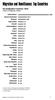 Migration and Remittances: Top Countries Top Immigration Countries a, 010 number of immigrants, millions United States b Russian Federation b Germany b Saudi Arabia b Canada b United Kingdom b Spain b
Tracking an Affiliate Program or campaign
 Tracking an Affiliate Program or campaign Introduction How affilinet s tracking works 1. A publisher places an affilinet link/creative on their website; this directs users to an advertiser s website. 2.
Merchant's Default Payout in local currency
 HiPay Mobile - 1 - EUROPE - AUSTRIA - Direct Carrier Billing Local EUR 1,10 0,92 Activated 0,3328 EUR 2,00 1,67 Activated 0,6870 EUR 3,00 2,50 Activated 1,1250 EUR 4,00 3,33 Activated 1,6797 EUR 5,00 4,17
Lebara Unlimited Plan
 AFGHANISTAN $0.05 $0.19 ALBANIA $0.35 $0.43 ALGERIA $0.28 $0.38 AMERICAN SAMOA $0.15 $0.15 ANDORRA $0.07 $0.44 ANGOLA $0.25 $0.35 ANGUILLA $0.33 $0.33 ANTARCTICA $1.39 $0.00 ANTIGUA AND BARBUDA $0.25 $0.25
Time Warner Cable Date: 03/03/2014. Phone Product Management. BCP Standard International Rates
 Afghanistan $1.070 $1.100 Afghanistan Albania $1.040 $1.230 Albania Algeria $0.490 $0.560 Algeria Andorra $0.460 $0.750 Andorra Angola $1.440 $1.520 Angola Anguilla $0.570 $0.690 Anguilla Antarctica $3.010
States Parties to the 1951 Convention relating to the Status of Refugees and the 1967 Protocol
 States Parties to the 1951 Convention relating to the Status of Refugees and the 1967 Protocol Date of entry into force: 22 April 1954 (Convention) 4 October 1967 (Protocol) As of 1 October 2008 Total
Senate Committee: Education and Employment. QUESTION ON NOTICE Budget Estimates 2015-2016
 Senate Committee: Education and Employment QUESTION ON NOTICE Budget Estimates 2015-2016 Outcome: Higher Education Research and International Department of Education and Training Question No. SQ15-000549
1.1 LIST OF DAILY MAXIMUM AMOUNT PER COUNTRY WHICH IS DEEMED TO BEEN EXPENDED
 1 SUBSISTENCE ALLOWANCE FOREIGN TRAVEL 1.1 LIST OF DAILY MAXIMUM AMOUNT PER COUNTRY WHICH IS DEEMED TO BEEN EXPENDED Albania Euro 97 Algeria Euro 112 Angola US $ 322 Antigua and Barbuda US $ 220 Argentina
KYOTO PROTOCOL STATUS OF RATIFICATION
 KYOTO PROTOCOL STATUS OF RATIFICATION Notes: R = Ratification At = Acceptance Ap = Approval Ac = Accession 1. ALBANIA ----- 01/04/05 (Ac) 30/06/05 2. ALGERIA ---- 16/02/05 (Ac) 17/05/05 3. ANTIGUA AND
EMERGENCIES 911 ABROAD
 EMERGENCIES 911 ABROAD If you re in an emergency situation abroad, you ll need to know how to contact the police, an ambulance, or even the fire department. Not every county uses 911 as its emergency contact
INTERNATIONAL AIR SERVICES TRANSIT AGREEMENT SIGNED AT CHICAGO ON 7 DECEMBER 1944
 State INTERNATIONAL AIR SERVICES TRANSIT AGREEMENT SIGNED AT CHICAGO ON 7 DECEMBER 1944 Entry into force: The Agreement entered into force on 30 January 1945. Status: 130 Parties. This list is based on
Mineral Industry Surveys
 4 Mineral Industry Surveys For information contact: Robert L. Virta, Asbestos Commodity Specialist U.S. Geological Survey 989 National Center Reston, VA 20192 Telephone: 703-648-7726, Fax: (703) 648-7757
UNHCR, United Nations High Commissioner for Refugees
 Belgium 22 Jul 1953 r 08 Apr 1969 a Belize 27 Jun 1990 a 27 Jun 1990 a Benin 04 Apr 1962 s 06 Jul 1970 a Bolivia 09 Feb 1982 a 09 Feb 1982 a Bosnia and Herzegovina 01 Sep 1993 s 01 Sep 1993 s Botswana
Contact Centers Worldwide
 A Contact Centers Worldwide Country Tel.no. Supported lang. Contact Center Albania Algeria 852 665 00 +46 10 71 66160 Angola 89900 +34 91 339 2121 (Port) and Portuguese +34 913394044 +34 913394023 (Por)
Countries Ranked by Per Capita Income A. IBRD Only 1 Category iv (over $7,185)
 Page 1 of 5 Note: This OP 3.10, Annex C replaces the version dated September 2013. The revised terms are effective for all loans that are approved on or after July 1, 2014. Countries Ranked by Per Capita
These are our call rates from your home phone line to:
 Call rates These are our call rates from your home phone line to: International calls Information Services Operator Services Satellite calls You can find local, national and directory services call rates
Outsource International Ltd
 Providing global technology solutions for: Carriers Systems Integrators Resellers Outsource Manufacturers International Ltd Government agencies Financial sector Global Technology Solutions Providing global
TWC Phone Service International Rate Table Comparison
 Afghanistan $0.35 $0.35 Included* Included* $1.07 $1.10 Albania $0.15 $0.24 $1.04 $1.23 $1.04 $1.23 Algeria $0.17 $0.36 $0.49 $0.56 $0.49 $0.56 Andorra $0.05 $0.22 $0.46 $0.75 $0.46 $0.75 Angola $0.18
PayPal Foreign Currency Acceptance Training Guide
 1 PayPal Foreign Currency Acceptance Training Guide Table of Contents PayPal Overview... 2 What is Different from Prior PayPal Payments... 2 How to Create a PayPal Account... 3 Foreign Currency Payments
Per Minute Rate Unlimited North America
 AT&T U-verse Calling Calling Rates Rates do not include taxes, fees, surcharges. Call destinations and rates are subject to change. An additional per minute rate for international calls terminating on
Payment cut-off times
 Wealth and Investment Management International Banking Payment cut-off times Barclays Bank PLC International Banking Payment cut-off times These payment cut-off times relate to payments submitted electronically
LOCAL: INTRALATA RATES: COLLECT: PER CALL SERVICE CHARGE: $.75; PER MINUTE CHARGE: $.07 DEBIT: PER CALL SERVICE CHARGE: $.60; PER MINUTE CHARGE: $.
 RATE INFORMATION SHEET LOCAL: (COLLECT: PER CALL SERVICE CHARGE: $.75; CALL RATE $.25 unlimited (~otal $1.00) DEBIT: $.80 INTRALATA RATES: COLLECT: PER CALL SERVICE CHARGE: $.75; PER MINUTE CHARGE: $.07
Global Dialing Comment. Telephone Type. AT&T Direct Number. Access Type. Dial-In Number. Country. Albania Toll-Free 00-800-0010 888-426-6840
 Below is a list of Global Access Numbers, in order by country. If a Country has an AT&T Direct Number, the audio conference requires two-stage dialing. First, dial the AT&T Direct Number. Second, dial
International Talk & Text
 International Talk & Text Use your voice plan minutes to call landlines in over 50 countries, including Mexico, Canada and the Dominican Republic Unlimited text messaging to any cell phone in over 200
Today s tips for the Country Buy Report
 High level outline Today s tips for the Country Buy Report Stephen Malpezzi Introduction Overview of the country and economy Basic indicators (GDP, employment, etc.) Key institutions, the setting How does
Citi London Funds Transfer Cut-off Times and Routing Information
 Citi London Funds Transfer Cut-off Times and Routing Information Standard Payment Processing Cut-off Times Customer Settlement Instructions Citi London (1/5) Standard Payment Processing Cut Off Times The
LIST OF RESOLUTIONS ADOPTED BY THE GENERAL ASSEMBLY AT ITS SIXTY-EIGHTH SESSION ON THE RECOMMENDATION OF THE THIRD COMMITTEE
 LIST OF AT THE LEVEL OF THE THIRD COMMITTEE ITEM 27: SOCIAL DEVELOPMENT ITEM 27 (a) Implementation of the outcome of the World Summit for Social Development and of the twenty-fourth special session of
Fall 2015 International Student Enrollment
 Fall 2015 International Student Enrollment Prepared by The Office of International Affairs Nova Southeastern University Nova Southeastern University International Student Statistics Fall 2015 International
Adobe Creative Cloud Availability
 Adobe Availability Countries/Regions for teams for teams United States Afghanistan Albania Algeria Andorra Angola Anguilla Antigua & Barbuda Argentina Armenia Aruba Australia Austria Azerbaijan Bahamas
Citizens of the following nationalities are exempted from holding a visa when crossing the external borders of the SCHENGEN area:
 WEB SUMMIT BULLETIN VISA The VISA requirement to cross the external borders of the SCHENGEN area it is one of the most important procedural steps for all those participants in the next Web Summit that
International calls Standard rates without a calling plan
 If you don t select or already have a call plan, the standard call charges from UK landlines to international landlines across the world are shown below. To save money on international calls as well as
INDEX FOR RISK MANAGEMENT RESULTS 2015
 INDEX FOR RISK MANAGEMENT RESULTS 2015 INFORM 2015 INFORM MEASURES THE RISK OF HUMANITARIAN CRISES AND DISASTERS IN 191 COUNTRIES COUNTRY RISK 3 YR TREND Afghanistan 7.88 æ Albania 2.61 à Algeria 4.64
Entrance Visas in Brazil (Updated on July 08, 2014)
 Ministry of External Relations Immigration Division Padip Holders of diplomatic passports Pasof Holders of official or service passports Entrance Visas in Brazil (Updated on July 08, 2014) Caption Vitem
Introducing Clinical Trials Insurance Services Ltd
 Introducing Clinical Trials Insurance Services Ltd Important Staff Richard Kelly Managing Director Richard joined CTIS in 2006 having previously managed the Pharmaceutical wholesale division at Heath Lambert
Sigue Money Transfer - Daily Exchange Rate
 SPAIN AFGHANISTAN (USD) 1.022688 USD Money Transfer SPAIN ALBANIA (EUR) 1.000000 EUR Money Transfer SPAIN ARGENTINA (USD) 1.052050 USD Money Transfer SPAIN ARGENTINA MORE MONEY (ARG) 15.675545 ARS Money
Figure 1.1 The Parade of World Income. Copyright 2005 Pearson Addison-Wesley. All rights reserved. 1-1
 Figure 1.1 The Parade of World Income Copyright 2005 Pearson Addison-Wesley. All rights reserved. 1-1 Copyright 2005 Pearson Addison-Wesley. All rights reserved. 1-2 Growth and Development: The Questions
Building Capacity in PFM
 Building Capacity in PFM Measuring economic governance in the context of national development planning LAMIA MOUBAYED BISSAT Beirut, Lebanon, 13 June 2014 The Institut des Finances Basil Fuleihan 1996
Guidelines for DBA Coverage for Direct and Host Country Contracts
 Guidelines for DBA Coverage for Direct and Host Country Contracts An Additional Help document for ADS Chapter 302 New Reference: 06/14/2007 Responsible Office: OAA/P File Name: 302sap_061407_cd48 BACKGROUND:
JAMAICAN IMMIGRATION DEPARTMENT VISA REQUIREMENTS FOR JAMAICANS TRAVELLING OVERSEAS AND FOREIGNERS COMING TO JAMAICA
 JAMAICAN IMMIGRATION DEPARTMENT VISA REQUIREMENTS FOR JAMAICANS TRAVELLING OVERSEAS AND FOREIGNERS COMING TO JAMAICA COUNTRY ENTRY VISA Foreigners coming to Jamaica AFGHANISTAN Prior to arrival (pta) ALBANIA
How To Get A Grant From The European Funders Of Emir
 List 1b: Information This list indicates s understanding of the status of countries at the date of issue. A tick in one of the first four columns indicates that legal entities from the country are eligible
LIST OF PAYMENT FOR VISA AND SECURITY BOND PAYMENT FOR VISA ( RM )
 LIST OF AND COUNTRY FOR Afghanistan 20 2000 Albania 20 2000 Algeria 20 2000 Angola 20 1500 Antigua and Bermuda - 2000 Argentina 20 2700 Armenia 20 2000 Australia - 1500 Austria ( Vienna ) 20 1500 Azerbaijan*
EUROPEAN UNION. Chapter prepared by. Marc Greven ([email protected])
 EUROPEAN UNION Chapter prepared by Marc Greven ([email protected]) ACEA Avenue des Nerviens 85 B 1040 Brussels Tel : + 32.2.732.55.50 Fax : + 32.2.738.73.10 www.acea.be TAX GUIDE 14 EU 1 MOTOR VEHICLE TAXATION:
Standard Virgin Mobile Rates
 Standard Virgin Mobile National Out of Bundle * National Landlines National Mobiles National Texts Data per MB Calls to UPC Customer Care (1908) Voicemail 10c per text 1c per MB International ** UK Landlines
Addressing institutional issues in the Poverty Reduction Strategy Paper process
 SESSION 1 Addressing institutional issues in the Poverty Reduction Strategy Paper process Scoping notes, detailed diagnostics, and participatory processes Public Sector Reform and Capacity Building Unit
International Currency
 International Currency B S I E L U P T F R A N C N Y A R C K R O O N M G I X B Z E F Q U R W Y V J O R J N U S N G H G B N A K F A X C Y G A E Z H I A D L F C W G P B T D G O J A M K F S E G H U N O W
1. Debit the account specified by the Customer for the amount agreed to for the purchase of the foreign currency;
 Foreign Exchange FX Direct - User Guide RULES OF OPERATION The FX Direct Service is provided by Royal Bank of Canada (the Bank). A) When Does a Foreign Exchange Deal Exist? A valid and binding transaction
International Fuel Prices 2012/2013
 International Fuel Prices 212/213 8 th Edition Published by International Fuel Prices 212/213 8 th Edition Disclaimer Findings, interpretation and conclusions expressed in this document are based on the
Technical & Trade School Lines World Report
 Brochure More information from http://www.researchandmarkets.com/reports/1836899/ Technical & Trade School Lines World Report Description: TECHNICAL & TRADE SCHOOL LINES WORLD REPORT The Technical & Trade
New Technologies and services - Cable Television
 New Technologies and services - Cable Television WORLD: AFRICA provide service Angola Benin Botswana Burkina Faso Burundi applications. Cameroon The relevant licence must be obtained. Cape Verde Central
Euler Hermes Country Risk Ratings JUNE 2014 REVIEW
 Euler Hermes Risk s Afghanistan D High Albania D High Algeria C Medium American Samoa A Low Andorra AA Low Angola C Sensitive Anguilla BB Low Antarctica AA Low Antigua & Barbuda C Sensitive Argentina D
Euler Hermes Country Risk Ratings SEPTEMBER 2014 REVIEW
 Euler Hermes Risk s Afghanistan D 4 (High) Albania D 4 (High) Algeria C 2 (Medium) American Samoa A 1 (Low) Andorra AA 1 (Low) Angola C 3 (Sensitive) Anguilla BB 1 (Low) Antarctica AA 1 (Low) Antigua &
Euler Hermes Country Risk Ratings JUNE 2016 REVIEW
 Euler Hermes Risk s Afghanistan D 4 (High) Albania D 4 (High) Algeria C 2 (Medium) American Samoa A 1 (Low) Andorra AA 1 (Low) Angola C 3 (Sensitive) Anguilla BB 1 (Low) Antarctica AA 1 (Low) Antigua &
GLOBAL. 2014 Country Well-Being Rankings. D Social (% thriving) E Financial (% thriving) F Community (% thriving) G Physical (% thriving)
 0 0 GLOBAL 0 Country Rankings 0 0 0 0 0 0 0 0 0 0 0 0 0 0 0 0 0 : >0.0% 0.% 0.0% 0.% 0.0% 0.% 0.0% 0.0% A Country s global rank B in three or more elements of well-being C (% thriving) D (% thriving) E
Entrance Visas in Brazil (Updated on November, 24, 2015)
 Ministry of External Relations Immigration Division Padip Holders of diplomatic passports Pasof Holders of official or service passports Entrance Visas in Brazil (Updated on November, 24, 2015) Caption
The International Call Rates for the following retired plans can be found in this document:
 Retired International Call Charges The International Call s for the following retired plans can be found in this document: 1. Small Business Classic Standard International Call s 2. Small Business Classic
What Can I Do With the Data?
 Profile of GMAT Testing: Report Five-Year Summary, TY2011 TY2015 November 2015 Globally, nearly 1.3 million Graduate Management Admission Test (GMAT ) exams have been taken over the past five years by
ISO is the world s largest developer of voluntary international
 The ISO Survey 2005 ISO and The ISO Survey ISO is the world s largest developer of voluntary international standards for business, government and society. Its portfolio at the beginning of June 2006 comprised
Gäller från 2015-06-01
 Alla priser är i kronor per minut inklusive moms. Vissa specialnummer/nät i en del destinationer har annat pris än standardpriserna nedan. Var i världen man ringer från har ingen betydelse på priset, bara
Withholding Tax Rates 2016*
 Withholding Tax Rates 2016* International Tax Updated March 2016 Jurisdiction Dividends Interest Royalties Notes Albania 15% 15% 15% Algeria 15% 10% 24% Andorra 0% 0% 5% Angola 10% 15% 10% Anguilla 0%
Fiscal Rules and Fiscal Responsibility Frameworks for Growth in Emerging and Low-Income Countries
 Fiscal Affairs Department Effects of Good Government, by Ambrogio Lorenzetti, Siena, Italy, 1338-39 Fiscal Rules and Fiscal Responsibility Frameworks for Growth in Emerging and Low-Income Countries Martine
Expression of Interest in Research Grant Applications
 INTERNATIONAL CENTRE FOR GENETIC ENGINEERING AND BIOTECHNOLOGY THE ACADEMY OF SCIENCES FOR THE DEVELOPING WORLD UNITED NATIONS EDUCATIONAL, SCIENTIFIC AND CULTURAL ORGANIZATION ICGEB-TWAS-UNESCO/IBSP Joint
INSTRUCTIONS FOR COMPLETING THE USAID/TDA DEFENSE BASE ACT (DBA) APPLICATION
 INSTRUCTIONS FOR COMPLETING THE USAID/TDA DEFENSE BASE ACT (DBA) APPLICATION Full Name of Insured or Company and Complete Mailing Address: This is whoever has the contract with USAID. Generally, it is
CONTENTS THE UNITED NATIONS' HIGH COMMISSIONER FOR REFUGEES (UNHCR)
 CONTENTS HIGH COMMISSIONER FOR REFUGEES (UNHCR) 1. INTRODUCTION...2 2. UNHCR HANDBOOK...2 3. CONTACT WITH UNHCR...2 4. UNHCR DATABASE...3 5. UNHCR HEADQUARTERS...3 ANNEX A. LIST OF STATES PARTY TO THE
(b) the details of those who have been given asylum of other country, country-wise during the last three years
 Annexure Table indicating country-wise data on asylum seekers (LS Starred Q No. 232 for answer on 5.8.2015 on Political Asylum ) S.No. Name of Country (a) the total number of Indians who have sought political
Directory & Mailing List Publisher Lines World Report
 Brochure More information from http://www.researchandmarkets.com/reports/1836438/ Directory & Mailing List Publisher Lines World Report Description: DIRECTORY & MAILING LIST PUBLISHER LINES WORLD REPORT
How Much Does a Standard Broadband Talk Call Cost
 International Tariff Guide for Residential Customers Prices from February 23 rd 2015 Notes 15.97p call set-up fee applies to Standard BT international rate calls made with Unlimited Weekend Calls, Unlimited
CONVENTION FOR THE UNIFICATION OF CERTAIN RULES FOR INTERNATIONAL CARRIAGE BY AIR DONE AT MONTREAL ON 28 MAY 1999
 State CONVENTION FOR THE UNIFICATION OF CERTAIN RULES FOR INTERNATIONAL CARRIAGE BY AIR DONE AT MONTREAL ON 28 MAY 1999 Entry into force: The Convention entered into force on 4 November 2003*. Status:
Spectrum Approvals for TopWorx 4310 and Fisher 4320 Wireless Position Monitor with On/Off Control Option
 Instruction Manual Supplement 4310/4320 Spectrum Approvals Spectrum Approvals for TopWorx 4310 and Fisher 4320 Wireless Position Monitor with On/Off Control Option Telecommunication Compliance Generally
CONVENTION FOR THE SUPPRESSION OF UNLAWFUL SEIZURE OF AIRCRAFT SIGNED AT THE HAGUE ON 16 DECEMBER 1970
 CONVENTION FOR THE SUPPRESSION OF UNLAWFUL SEIZURE OF AIRCRAFT SIGNED AT THE HAGUE ON 16 DECEMBER 1970 Entry into force: The Convention entered into force on 14 October 1971. Status: 185 Parties. This
SPRINT CALL HOME PREPAID CALLING CARD
 Domestic Dial-1 Calling Dollar Increments Price Per Unit $10 and $20 $0.59 The same per minute rates apply when the card is refreshed. International Calling The cost per call is based on a $0.59 cost per
On-Net to On-Net Per. * Billed in 60 second increments. 1 Formerly found in Section 30.7.4
 1 The international usage rates below apply to Dial-1 calls from the U.S. Mainland, Hawaii, Puerto Rico, and the U.S. Virgin Islands. FONCARD international service is available from the U.S. Mainland,
Clinical Trials. Local Trial Requirements
 Clinical Trials Clinical trials insurance covers the legal liabilities of the insured in respect of clinical trials for bodily injury arising from the trial. The coverage provided by Newline is on the
Ranking of Germany's trading partners in foreign trade
 Statistisches Bundesamt Foreign trade ing of Germany's trading partners in foreign trade 2014 Published on October 22, 2015 Subjekt-related information of this product you can receive directly from the
JAMAICA IMMIGRATION UNIT
 AFGHANISTAN pta ALBANIA poe ALGERIA - pta ANDORRA poe ANGOLA pta ANTIGUA & BARBUDA ARGENTINA 30 days 30 days ARMENIA - poe pta AUSTRALIA AUSTRIA 90 days pta (Schengen AZERBAIJAN - poe pta BAHAMAS BAHRAIN
Rates and Charges. Effective from 6 October 2014
 Rates and Charges Effective from 6 October 2014 For full details of when and how interest is payable, please refer to your Account Specific Terms and Conditions. Previous interest rates For previous interest