
Advanced Network Video And Alarm Management Suite
|
|
|
- Timothy Page
- 10 years ago
- Views:
Transcription
1 Advanced Network Video And Alarm Management Suite

2 ViMS. Advanced Network Video & Alarm Management Suite G anz ViMS Command is a powerful IP network based, open standards Video & Alarm Management software suite. Drawing from over 40 years of experience in CCTV, ViMS Command is designed to address one area in the security industry that most manufacturers have failed to address - Return on Investment. In protecting your investment, ViMS Command is a pioneering product that integrates legacy CCTV equipment already operational on site and new age IP/ digital CCTV devices. This integration of IP Video with multiple security systems and options to use powerful video analytics provides the user exceptional value and situational awareness. A typical installation of Command may have legacy DVR equipment with Analogue cameras and new IP Encoders based or IP Cameras in the same site. This gives security departments the power to justify their security spend on a system that bridges the old school and new school security equipment. Key features Open architecture- ONVIF Integrates legacy equipment Distributed Architecture Resilient and Redundant design Provides Video Analytics Alarm Management and Audit Trail Video Wall support Live/Playback/Admin Views User Management Multiple PTZ protocols supported High Quality Audio with Lipsync Virtual Matrix ViMS Command will not only allow you to connect and manage all your new IP cameras and video codec. But the unique design will allow you to connect all your existing analogue cameras to your network IP CCTV system and view them as if like viewing another IP camera you have on the system. This unique feature is achieved through the integration of compatible Digital Video recorders. 2

3 The Advantage The ViMS Command software suite in addition to the Ganz IP range of devices provides a complete end to end solution. Distributed Architecture prevents any single point of failure with the advantage of redundancy at the edge and at the control room. Providing high scalability; you can add devices modularly based on budgets available. Integrates with GANZ analogue/digital products and has inbuilt binding functionality to other manufacturers. GANZ can work with you to integrate your exisiting investment. Completely open platform. Strong but simple license based model allows for a simple solution or a complete Enterprise class solution. IP based architecure means multiple points of surveillance enabling live and recorded views of cameras from anywhere on the network. Built in Alarm managment lets you view, audit and action alarms from a central point. Integrated Map functionality gives the user added flexibility to manage alarms and video. A versatile audit trail system provides strong security audit functions, incident reporting, employee activity tracking and alarm repositary management. Video Wall integration caters to high end control rooms with future proof, intuitive and highly mobile user interfaces. ViMS Touch provides a unique user friendly interface to control security sites. Configuration Manager helps with the complex task of system management. You can back-up system and device configurations enabling maintenance activities. When devices are replaced or serviced, they can be brought back online remotely Minimising downtimes. 3

4 Live View & Playback Easy drag and drop functionality provided across the software makes viewing cameras, footage and alarms very simple. ViMS allows for Multiple Video Panes on a single monitor. Each workstation can have a maximum of 4 monitors. ViMS can be installed on as many workstations with seamless connections to Video Walls. Virtual Matrix functionality enables security users to carry out Video Matrix operations using a CCTV keyboard. Features such as Camera switching, Playback Control, Salvos, Guard tours, Sequences and the like. User hierarchy enables small or large systems to provide access rights to users; which can be managed centrally. Attributes like PTZ control, View, Record, Playback and Alarm Management can be managed per user. Realtime Analytics provides complete situational awareness at all times. The analytics is completely edge based therefore removing the need for expensive central servers. Analytics filters include behavioural detection, counter flow, left/theft object, speed detection and directional analysis. Intelligent memory functions allow the system to save the last logged in layout. When the user logs back in again, the same layout is presented. Clicking map icons brings up video panes of the relevant cameras, this presents a limitless number of floating video panes which can be dynamically organised. Synchronised playback allows the user to time synchronise multiple cameras and play them all at exactly the same time. Playback speeds of up to 8000 times is provided. Timeline operation on the playback mode allows users to easily pull up recordings from archives and from the DVR/NVRs. Advanced export/archiving function lets recorded video from multiple cameras be exported to predefined locations at a click of a button. This is fully integrated into the audit trail mechanism of the system. 4

5 Alarm Management ViMS Command offers a sophisticated alarm management interface which can be automated or manual to acknowledge alarms. Alarm sources can be varied. Complex Alarm sources in ViMS Command allow users to create complex Boolean logic with alarm sources to trigger one alarm action. For e.g. If Alarm trigger 1 OR Alarm trigger 2 AND Alarm trigger 3 equals an actionable alarm. This by far reduces the false alarm rates encountered. Alarm Priorities in ViMS Command enables alarms to be tied to user groups so certain alarms are routed to one user group (e.g. senior operators) and other alarms to another group. To complement this feature, each alarm also can have their priority level which puts it up or down the action stack. Complex Alarm actions allows ViMS Command to start/stop recording on alarms, move PTZ cameras to presets, visualise particular cameras on the live video window, send an , set up an audio channel, latch or unlatch relays. Pre/Post Alarm footage can be obtained and protected on the NVR so it does not get reaped on cyclic recording. This allows for enabling stronger review and incident management. Audit trail is intuitive as ViMS Command has a strong logging back end. This enables alarm reports to be exported, sorted, searched and profiled using various search criteria. ViMS Command binding module allows third party devices to be seamlessly integrated into ViMS. These third party devices can include PIRs, Access Control Systems, BMS, Perimeter Intrusion systems, etc. Any alarm that is raised on the third party system can be routed into the ViMS system through the binding module. These alarms can then have associated actions on Command which can include PTZ actions, relay triggers, video switching and recording actions. Intruder Door opens Video Loss PIR Motion Analytics Door Entry Fire Alarm Intruder ViMS Control Centre Integration Module Map Alert Monitor Alert 2-Way Audio Send Move PTZ PC Alert Lights On Start Recording 5

6 Administration Manage surveillance sites Command admin interface allows the user to add, remove, edit devices into sites. Each main site can have as many sub-sites with each having their own properties. Manage Users Users and Usergroups can be created with various levels of user rights. The user rights can be applied to an individual user or the groups as a whole. Rights can be controlled right down to the level of individual camera access. Manage system properties Various system wide parameters can be set once and since ViMS Command works on a Master database architecture, this gets reflected across to all clients. Aspect ratios, Password expiry, PTZ timeouts, Inactivity timeouts, number of monitors are some of the parameters can be global. Manage maps ViMS Command provides the user with the ability to import images of maps into the management system. These maps can be heirarchial with the ability to drill down multiple layers and finally to the camera that the operator needs to view. Device Discovery Using ViMS Command applications, users can automatically discover all ViMS compatible components on the network. Once discovered the device can be added to the site either via ONVIF, UDP/TCP or Multicast. Recording Management ViMS Command gives a powerful feature of grouping cameras and recording them in separate locations on the hard disk. This makes it easy to run archive schedules and redundancy algorithms on certain recording locations containing critical cameras rather than all locations. Failover ViMS Command supports high availability using full failover functions in n+n ir n+1 models. RAID5, 6 and 10 are available as an option. 6

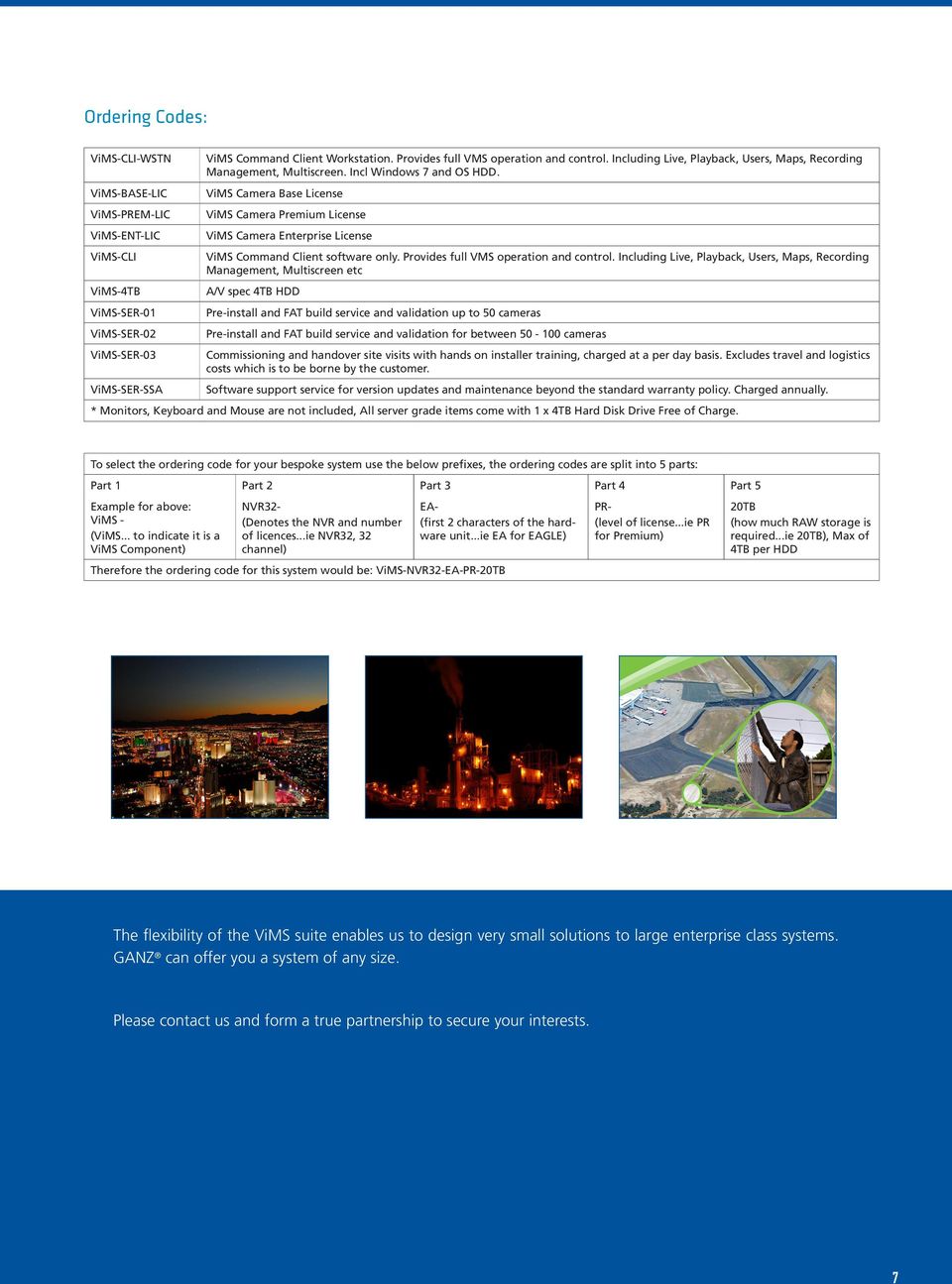
7 Ordering Codes: ViMS-CLI-WSTN ViMS-BASE-LIC ViMS-PREM-LIC ViMS-ENT-LIC ViMS-CLI ViMS-4TB ViMS-SER-01 ViMS-SER-02 ViMS-SER-03 ViMS-SER-SSA ViMS Command Client Workstation. Provides full VMS operation and control. Including Live, Playback, Users, Maps, Recording Management, Multiscreen. Incl Windows 7 and OS HDD. ViMS Camera Base License ViMS Camera Premium License ViMS Camera Enterprise License ViMS Command Client software only. Provides full VMS operation and control. Including Live, Playback, Users, Maps, Recording Management, Multiscreen etc A/V spec 4TB HDD Pre-install and FAT build service and validation up to 50 cameras Pre-install and FAT build service and validation for between cameras Commissioning and handover site visits with hands on installer training, charged at a per day basis. Excludes travel and logistics costs which is to be borne by the customer. Software support service for version updates and maintenance beyond the standard warranty policy. Charged annually. * Monitors, Keyboard and Mouse are not included, All server grade items come with 1 x 4TB Hard Disk Drive Free of Charge. To select the ordering code for your bespoke system use the below prefixes, the ordering codes are split into 5 parts: Part 1 Part 2 Part 3 Part 4 Part 5 Example for above: ViMS - (ViMS... to indicate it is a ViMS Component) NVR32- (Denotes the NVR and number of licences...ie NVR32, 32 channel) EA- (first 2 characters of the hardware unit...ie EA for EAGLE) Therefore the ordering code for this system would be: ViMS-NVR32-EA-PR-20TB PR- (level of license...ie PR for Premium) 20TB (how much RAW storage is required...ie 20TB), Max of 4TB per HDD The flexibility of the ViMS suite enables us to design very small solutions to large enterprise class systems. GANZ can offer you a system of any size. Please contact us and form a true partnership to secure your interests. 7
8 A World Leader in Surveillance Ganz Solutions is the solutions division of CBC Europe. With more than 20 sales offices and manufacturing facilities worldwide, CBC is the home of the world-renowned brands of Computar and Ganz CCTV products. We have been providing specialist, high-performance CCTV products for more than 45 years, so if you have high-value assets to protect, you can rely on the Ganz name, whatever the application. GANZ is a brand of CBC (Europe) Ltd. Unit 9 Garrick Road Industrial Estate, Irving Way, London NW9 6AQ United Kingdom

Next Generation. Surveillance Solutions. Cware. The Advanced Video Management & NVR Platform
 Next Generation Surveillance Solutions Cware The Advanced Video Management & NVR Platform Advanced Open Management Benefit from the most effective CCTV management platform Cware is an advanced video management
IP Video Surveillance
 IP Video Surveillance Solutions and Services Wireless IP PDA Administration Wireless Access Point Viewer Remote Control IP Video Server IP Network Alarm Management Video Recording Analog Video Server Access
ivms-4200 Client Software Quick Start Guide V1.02
 ivms-4200 Client Software Quick Start Guide V1.02 Contents 1 Description... 2 1.1 Running Environment... 2 1.2 Surveillance System Architecture with an Performance of ivms-4200... 3 2 Starting ivms-4200...
ivms-4200 Client Software Technical Specification v1.02
 ivms-4200 Client Software Technical Specification v1.02 Introduction ivms-4200 Client Software is a centralized video management software using a distributed structure for surveillance device control and
Complete IP Video Security Solutions
 Complete IP Video Security Solutions www.indigovision.com About Us First security project World s first NVR The IndigoVision Network Video Recorder (NVR) is introduced to the Security Market. World s first
PRODUCT Synergy Security Management System
 Synergy Security Management System Video Integration, Command & Control Solution Synergy Security Management System Command and Control Synergy Security Management System SYNERGY FEATURES Comprehensive
QULU VMS AND SERVERS Elegantly simple, Ultimately scalable
 QULU VMS AND SERVERS Elegantly simple, Ultimately scalable E nter a new era of power, performance and freedom with Vista s video management software, qulu. Designed to offer the most efficient performance
VMS A1 Client Software. User Manual (V2.0)
 VMS A1 Client Software User Manual (V2.0) Contents Chapter 1 Overview...4 1.1 Description...4 1.2 Running Environment...4 1.3 Function Modules...5 Chapter 2 Live View...7 2.1 User Registration and Login...7
Central Management System (CMS) USER MANUAL
 Central Management System (CMS) USER MANUAL LEGAL INFORMATION Reproduction, transfer, distribution or storage of part or all of the contents in this document in any form without the prior written permission
NLSS Gateway Video Management Access Control Video Analytics Intrusion Remote Monitoring Cloud-Based Security
 NLSS Gateway Access Control Analytics Intrusion Remote Monitoring Cloud-Based Security Introducing the NLSS Gateway The Integrated Solution The Next Generation of Security is here Access Control & Intrusion
INTELLECT TM Software Package
 AxxonSoft INTELLECT TM Software Package Quick Start Guide Version 1.0.0 Moscow 2010 1 Contents CONTENTS... 2 1 INTRODUCTION... 3 1.1 Document purpose... 3 1.2 Purpose of the Intellect software package...
Quick installation guide for the Vista Quantum QNVR Network Video Recorder
 QNVR range Quick Instalation guide Quick installation guide for the Vista Quantum QNVR Network Video Recorder Full manual found on the CD supplied with the NVR Contents SCOPE OF USE... 3 1. FRONT PANEL
GMS GRAPHICAL MANAGEMENT SYSTEM
 GMS GRAPHICAL MANAGEMENT SYSTEM 1 GMS The integrated security management system for multi-site organizations. Pacom s Graphical Management System (GMS) is the modular client-server application that integrates
IVS2 DATASHEET. Main features. wiki.intellio.hu 1. Intellio Video System 2.1 version and modules
 Main features ONVIF server side motion detection ONVIF PTZ camera control Displaying camera status on 3D map Detector s priority management Camera alert activation Smart Playback: Improved trackback Intellio
2015 Video Management Solution Guide
 2015 Video Management Solution Guide 631.952.2288 135 Fell Court, Hauppauge NY 11788 www.vicon-security.com Vicon is an experienced designer and manufacturer of video management software, high-performance
How To Use The Workstation Program On A Pc Or Mac Or Macbook Or Macintosh (Aero) With A Computer Or Ipa (A2) With An Ipa Or Ipad (A3) With The Powerpoint 2.
 Mirasys NVR 6.1 User s Guide CONTENTS Contents... 2 Before you start... 3 Introduction... 6 Logging in... 9 User interface... 13 Navigator... 16 Cameras... 25 Video outputs... 41 Digital outputs... 46
This document provides software feature comparisons to help make the best decision.
 20060210-SS-swcomp1.doc February 2006 Copyright 2006, GE Security Inc. Introduction GE s is enterprise video management software that provides seamless management of digital video across IP networks. provides
MAXPRO VMS VIDEO MANAGEMENT SYSTEM. Your One-Stop Platform for Security Integration
 MAXPRO VMS VIDEO MANAGEMENT SYSTEM Your One-Stop Platform for Security Integration Honeywell has incorporated our rich knowledge and trusted experience of security and surveillance systems into a powerful
Central Management Software CV3-M1024
 Table of Contents Chapter 1. User Interface Overview...5 Chapter 2. Installation...6 2.1 Beginning Installation...6 2.2 Starting the CMS software...10 2.3 Starting it from the Start menu...10 2.4 Starting
idvr-pro Viewer Software for Mac User Manual ver 0.1
 idvr-pro Viewer Software for Mac User Manual ver 0.1 1 Contents 1. Introduction... Error! Bookmark not defined. 1.1 Summary... Error! Bookmark not defined. 2. Install... Error! Bookmark not defined. 2.1
Quick Start Guide NVR DS-7104NI-SL/W NVR. www.hikvision.com. First Choice For Security Professionals
 Quick Start Guide NVR DS-7104NI-SL/W NVR NOTE: For more detailed information, refer to the User s Manual on the CD-ROM. You must use your PC or MAC to access the files. www.hikvision.com Quick Start 1.
DIGIMobile V2 User Manual
 DIGIMobile V2 User Manual Information in this document is subject to change without notice. 2014 Copyright, DIGIEVER Corporation. All rights reserve 1 Table of Contents CHAPTER1. OVERVIEW... 1 CHAPTER2.
A&H Software House Inc. Web: www.luxriot.com Email: [email protected]. Luxriot
 A&H Software House Inc. Web: www.luxriot.com Email: [email protected] Luxriot Luxriot Product Features Luxriot is equipped with Unique, Advanced and Industry Standard Surveillance Features: Luxriot is
Multi-Site 4200. Remote Viewing Software. User Guide
 Multi-Site 4200 Remote Viewing Software User Guide Document 800-12064V1 Rev A 09/2012 User Guide Revisions Issue Date Revisions A 07/2012 New document. V1 Rev A 09/2012 Updated the description of the
ivms-4200 Intelligent Video Management System Quick Start Guide
 ivms-4200 Intelligent Video Management System Quick Start Guide Notices The information in this documentation is subject to change without notice and does not represent any commitment on behalf of HIKVISION.
AxTraxNG Access Control Management Software
 AxTraxNG Access Control Management Software ARCHITECTURAL AND ENGINEERING SPECIFICATIONS April 2013 Experience the Difference www.rosslaresecurity.com 5505-0228701-00 Table of Contents 1. General... 4
Cloud Computing: Transformative Technology
 Cloud Computing: Physical and Cyber Security s Transformative Technology Cloud Computing: Evolution, not Conventional thinking Innovation Each organization maintains its own Kingdom of IT Keep an expensive
SYMMETRY PRODUCT OVERVIEW
 ACCESS CONTROL The Symmetry Security Management Systems provides powerful integrated solutions for organizations requiring Access Control and Integrated Security. Solutions are available for organizations
CCTV Solution HUS. Sales Rep
 CCTV Solution HUS Sales Rep Agenda About Honeywell Challenges in Video Surveillance HUS- Honeywell Universal Solution HUS- Solution Architecture, Features & Benefits Why Honeywell Q&A 2 Today s Honeywell
SYMMETRY. DATASHEET ACCESS CONTROL Product Overview
 DATASHEET ACCESS CONTROL Product Overview SYMMETRY The AMAG Technology range of Security Management Systems provides powerful integrated solutions for organizations requiring Access Control and Integrated
Online Training Certifications
 Online Training Certifications March Networks online certifications provide our certified partners with the knowledge required to install, operate and maintain our industry-leading Visual Intelligence
How to Use Motion Detection in ACTi Cameras
 ACTi Knowledge Base Category: Installation & Configuration Note Sub-category: Application Model: All Firmware: N/A Software: N/A Author: Ando.Meritee Published: 2010/11/19 Reviewed: 2011/03/02 How to Use
MAXPRO IP Video Solutions LEARN ONE, KNOW THEM ALL. Open, Flexible and Scalable Video Surveillance Platform
 MAXPRO IP Video Solutions LEARN ONE, KNOW THEM ALL Open, Flexible and Scalable Video Surveillance Platform 1 LEARN ONE, KNOW THEM ALL Are you looking for... Systems that are interoperable with a wide range
Video Management Software. Product Brochure
 Video Management Software Product Brochure Flexible, Powerful and Intelligent Video Management Software gives the user a powerful and advanced video surveillance software that is easy to use. These unique
Introducing your Intelligent Monitoring Software. Designed for security.
 Introducing your Intelligent Monitoring Software. Designed for security. RealShot Manager Advance www.sonybiz.net/videosecurity Simple, flexible and scalable HD-ready Intelligent Monitoring Software from
ATM Video Surveillance
 ATM Video Surveillance with centralized video management Secure your ATMs with robust and reliable video surveillance solution Record record H.264 compressed video using less hard disk space Search search
MAXPRO. NVR Software NETWORK VIDEO RECORDING SOLUTION
 NETWORK VIDEO RECORDING SOLUTION Honeywell s MAXPRO is a flexible, scalable and open IP video surveillance system. Supporting Honeywell's high definition (HD) cameras and broad integration with third party
Access to remote DVR from IE USER S MANUAL CONTENT
 Access to remote DVR from IE CONTENT... 2 Preface... 2 1. Introduction... 2 2. System requirement and executing environment... 2 2.1. Supported operating System:... 2 2.2. Hardware requirement (recommend):...
WIN-PAK Integrated Security POWERFUL SECURITY INTEGRATION. Integrated Access Control, Video and Intrusion Platform
 WIN-PAK Integrated Security POWERFUL SECURITY INTEGRATION Integrated Access Control, Video and Intrusion Platform WIN-PAK WIN-PAK - A Proven Security Integration Platform With over 100,000 systems installed
AKCess Pro Server Management Software
 Management Software v.100.00x takes the best from IP Video Monitoring Software and is the first to combine it with Environmental / Security Sensor and Access Control equipment in one centralized management
Network Video Monitor Software
 Network Video Monitor Software V2.0.0.7 Operation menu Chapter 1 Product Overview 1.1 Performance instruction Network video monitoring software is a centralized management software for I8 protocol surveillance
Security Center Unified Security Platform
 Security Center Unified Security Platform License Plate Recognition Video Surveillance Access Control Innovative Solutions Simply Powerful. The Security Center is a unified security platform. It seamlessly
DVR4C Remote Viewer Operation Manual Table of Contents EN 3 1. OVERVIEW...5 1.1 MINIMUM PC REQUIREMENTS...5 2. INSTALLING THE PROGRAM...
 DVR4x4RemoteViewer.book Page 3 Tuesday, February 15, 2005 9:19 AM DVR4C Remote Viewer Operation Manual Table of Contents EN 3 1. OVERVIEW...5 1.1 MINIMUM PC REQUIREMENTS...5 2. INSTALLING THE PROGRAM...5
ivms-4200 Client Software User Manual (V2.0.0)
 ivms-4200 Client Software User Manual (V2.0.0) UD.6L0201D1034A01 Contents Chapter 1 Overview... 3 1.1 Description... 3 1.2 Running Environment... 3 1.3 Function Modules... 3 1.4 Updates Instruction...
www.dm-networkvideo.com
 Introducing the NVR Media Server A dedicated network appliance offering cost effective High Definition network IP video. HD With its ground breaking embedded network CCTV switch, the NVR Media Server provides
How To Use Vms.Com For A Long Distance Communication (Vms) On A Network With A Network (Vmms) Or A Network For A Network Or A Computer (Vmd) On An External Device (Vmin) On
 Milestone Systems Video Management Software Product Comparison Chart September 11, 2012 Contents Introduction 3 VMS products 4 High level VMS product comparison... 5 Detailed VMS products comparison chart...
How To Use Hvs Pc Client Software On A Pc Or Mac Or Ipa (For Acedo) With A Tvc (For Mac) Or Ipc (Fordee) (For An Ipc) (Powerbook) (Windows
 Hills Video Security CCTV PC Client User Manual V1.1 Contents Chapter 1 Overview... 3 1.1 Description... 3 1.2 Running Environment... 3 1.3 Function Modules... 4 1.4 Updates Instruction... 6 Chapter 2
MAXPRO. Series IP Video Solutions LEARN ONE, KNOW THEM ALL. Open, Flexible and Scalable Video Surveillance Platform
 MAXPRO Series IP Video Solutions LEARN ONE, KNOW THEM ALL Open, Flexible and Scalable Video Surveillance Platform LEARN ONE, KNOW THEM ALL Are you looking for... systems that are interoperable with a wide
REMOTE AGENT USER S MANUAL
 REMOTE AGENT USER S MANUAL Revision Date : 2006.10.02. 0 INDEX CHAPTER 1. Installation-------------------------------------------------------- 2 CHAPTER 2. Function introduction------------------------------------------------
Amcrest 960H DVR Quick Start Guide
 Amcrest 960H DVR Quick Start Guide Welcome Thank you for purchasing our Amcrest 960H DVR! This quick start guide will help you become familiar with our DVR in a very short time. Before installation and
Milestone Systems XProtect Video Management Software (VMS) Product Comparison Chart March 30, 2012
 Milestone Systems XProtect Video Management Software (VMS) Product Comparison Chart Product name and current version Feature Overview Go Essential Express NVR Professional Enterprise Corporate 2.0 2.0
Bosch Video Management System. VIDOS to Bosch VMS Migration Guide
 Bosch Video Management System en VIDOS to Bosch VMS Migration Guide Bosch Video Management System Table of Contents en 3 Table of Contents 1 Safety 4 2 Short Information 5 3 Prerequisites 6 3.1 Planning
NVMS-1200. User Manual
 NVMS-1200 User Manual Contents 1 Software Introduction... 1 1.1 Summary... 1 1.2 Install and Uninstall... 1 1.2.1 Install the Software... 1 2 Login Software... 3 2.1 Login... 3 2.2 Control Panel Instruction...
Pro Surveillance System 4.0. Quick Start Reference Guide
 Pro Surveillance System 4.0 Quick Start Reference Guide 1 Table of Contents 1) Overview 3 2) Initial Setup Adding a Connection..4 3) Viewing Live Cameras...6 4) Single or Multi Channel Playback..8 5) Predetermined
AxxonSoft Inc. Axxon Smart. Quick Start Guide. AxxonSoft. The. Axxon Smart. Software Package. Quick Start Guide. Version 1.0
 AxxonSoft The Axxon Smart Software Package Quick Start Guide Version 1.0 Moscow 2010 1 Contents CONTENTS... 2 1 INTRODUCTION... 3 1.1 Document purpose... 3 1.2 Purpose of the Axxon Smart software package...
Network Video Monitor Software
 Network Video Monitor Software V1.0.0.0 Operation menu Chapter 1 Product Overview 1.1 Performance instruction Network video monitoring software is a centralized management tool for I8 protocol surveillance
PC-ZViewer User Manual
 PC-ZViewer User Manual For further help, please visit www.zmodo.com Contents Preface... 3 Statement... 3 Intended Reader... 3 Terms in this Manual... 3 Software Introduction... 3 Operating Environment...
ACS CLIENT SOFTWARE USER MANUAL
 ACS CLIENT SOFTWARE USER MANUAL 1 ACS USER GUIDE 1.1 System Requirement Recommended System Requirement OS CPU VGA RAM HDD WindowXP, Vista Pentium 4, 2Ghz 1024*768, 64MB 24bit color graphic card 1GB 20MB
IMS [Integrated Management System] Surveillance Solution Segment Focus: Gaming Industry
![IMS [Integrated Management System] Surveillance Solution Segment Focus: Gaming Industry](/thumbs/24/3135702.jpg "IMS [Integrated Management System] Surveillance Solution Segment Focus: Gaming Industry") IMS [Integrated Management System] Surveillance Solution Segment Focus: Gaming Industry Needs analysis Reduce disputes over payouts Eliminate theft Detect misconduct and record it for use as evidence in
IMS [Integrated Management System] Surveillance Solution Segment Focus: Gaming Industry Needs analysis Reduce disputes over payouts Eliminate theft Detect misconduct and record it for use as evidence in
Stand Alone Type. Digital Video Recorder USER S MANUAL. (Real time recording 8 & 16 CH DVR) Revision Date : 2010. 6. 30.
 Stand Alone Type Digital Video Recorder USER S MANUAL (Real time recording 8 & 16 CH DVR) Revision Date : 2010. 6. 30. INDEX 1. Front Panel - - - - - - - - - - - - - - - - - - - - - - - - - - - - - - -
Integrated Intelligent Video Surveillance Management System. User's Manual V2.0
 Integrated Intelligent Video Surveillance Management System User's Manual V2.0 1 Contents 1. Product Description... 4 1.1. General Information... 4 1.2. System Topology... 5 1.3. Operating Environment...
4-CH Hybrid Digital Video Recorder
 4-CH Hybrid Digital Video Recorder Key Features Hardware Embedded, highly-reliable standalone HDVR Supports 4-ch BNC connectors Supports dual local display (VGA and HDMI) Supports 3.5" SATA x 1 HDD Supports
Local Playback Software User Manual (V2.0)
 User Manual (V2.0) Thank you for purchasing our product. This manual applies to Local Playback software, please read it carefully for the better use of this software. The contents in this manual are subject
XProtect Product Overview
 Milestone Systems Product Overview 8 cameras 26 cameras 64 cameras 250+ cameras unlimited number of cameras Functionality It s not just video management software. It s. Milestone Systems is the world s
Intelligent Monitoring Software. IMZ-RS400 Series IMZ-RS401 IMZ-RS404 IMZ-RS409 IMZ-RS416 IMZ-RS432
 Intelligent Monitoring Software IMZ-RS400 Series IMZ-RS401 IMZ-RS404 IMZ-RS409 IMZ-RS416 IMZ-RS432 IMZ-RS400 Series Reality High Frame Rate Audio Support Intelligence Usability Video Motion Filter Alarm
How To Use A Pew V.V.V (Windows) V.A.1.1 (Windows 8) (Windows 7) (Powerpoint) (For Windows) (Win Xp) (V.A) (Amd)
 VIDEO VIEWER USER MANUAL Please read instructions thoroughly before operation and retain it for future reference. Video_viewer_V1.0 LEGAL INFORMATION Reproduction, transfer, distribution or storage of
www.digiever.org DIGIEVER CMS logiciel de gestion de super-vision et mur d image
 DIGIEVER CMS logiciel de gestion de super-vision et mur d image DIGIEVER Central Management System (DIGIEVER CMS) is an open platform solution to centrally manage different sites of DIGIEVER NVRs in diverse
IDIS Solution Suite. Backup Service. Software Manual. Powered by
 Solution Suite Software Manual Backup Service Powered by Before reading this manual This Operation Manual provides instructions for using Solution Suite, a network integration solution enabling remote
1. Click and select to enter the Device Management interface. 2. Click to add a new device.
 Overview Guarding Expert (Android Tablet) V3.1 mobile client software, which is designed for Android Tablet on the basis of Android OS (Version 3.0 or higher), can be used to remotely monitor the live
How To Set Up Flir Cloud Client For Pc Or Mac Or Mac (For Pc Or Ipad) On A Pc Or Pc Or Mouse (For Mac) On An Iphone Or Ipa) On Pc Or Tv (For Ipa
 Instruction Manual FLIR Cloud Services Client Instruction Manual FLIR Cloud Services Client #LX400018; r. 2.0/14567/14568; en-us iii Table of contents 1 Setting up FLIR Cloud Client for PC or Mac...1
Bosch Video Management System. Configuration Manual
 Bosch Video Management System en Configuration Manual Bosch Video Management System Table of Contents en 3 Table of Contents 1 Using the Help 10 1.1 Finding information 10 1.2 Printing the Help 10 2 Introduction
Reliable Security Solutions
 Reliable Security Solutions Challenger10 The proven solution for access control, intrusion detection and video integration. An integrated security solution for your most challenging environments The Tecom
Alert Technology Group 46 Empey St, Brantford ON Office 519.750.1516 Toll Free 1.888.750.1516 www.alerttechnologygroup.ca
 Alert Technology Group 46 Empey St, Brantford ON Office 519.750.1516 Toll Free 1.888.750.1516 www.alerttechnologygroup.ca Alert Technology Group is the leader in providing technologically advanced security
Intelligent Monitoring Software
 Intelligent Monitoring Software IMZ-NS101 IMZ-NS104 IMZ-NS109 IMZ-NS116 IMZ-NS132 click: sony.com/sonysports sony.com/security Stunning video and audio brought to you by the IPELA series of visual communication
5.5 VI Web Client User Guide
 5.5 VI Web Client User Guide 5.5 VI Web Client The web client is a free thin client that allows you to access live and recorded video from any web browser. There is an optional Active X control that can
A quick user guide for your LX Apollo DVR
 A quick user guide for your LX Apollo DVR The LX Apollo series of DVR s is designed specially for the security and surveillance field and is an outstanding digital surveillance product. It has an embedded
From Product Management Telephone Nuremberg. This letter contains latest information about the above mentioned Bosch DIVAR IP 7000 Family.
 Release Letter Product: Version: DIVAR IP 7000 Family Maintenance Release DOM image v1.0.4 This letter contains latest information about the above mentioned Bosch DIVAR IP 7000 Family. 1. General DIVAR
mydlink One-bay Standalone NVR
 Product Highlights Concurrent Viewing Record and view real-time video from up to nine cameras in the office or remotely over the Internet Easy Setup and Configuration mydlink technology enables easy setup
User Manual of CMS. Contents
 CMS User Manual Thank you for purchasing our product. If there is any question or request, please do not hesitate to contact the dealer. This manual applies to CMS. This manual may contain several technically
SPECIAL SPECIFICATION 8498 Video Management Software
 2004 Specifications CSJ 0912-34-150 & 1062-05-009 SPECIAL SPECIFICATION 8498 Video Management Software 1. Description. Furnish and install video management software that provides display and control functions
IP Video Management Solutions
 The National Policing Improvement Agency (NPIA) chose a VideoEdge Network Video Management System as the backbone of the security system, as well as the integral part of their Practical Training Block.
MM8000 safety and security with smart danger management. A scalable and flexible management station for any requirement. Answers for infrastructure.
 MM8000 safety and security with smart danger management A scalable and flexible management station for any requirement Answers for infrastructure. Sophisticated technology for comprehensive safety Safety
HUS-XPRO Servers (v.4.2)
 The HUS-XPRO is an all-inclusive enterprise IP solution management server developed by Honeywell. IP Surveillance System is an essential component for enterprises to perform professional security monitoring
The Access Engine. Building Integration System - The Access Engine. Security Systems
 The Access Engine 1 What is BIS Access Engine? It is one of the central software modules of the Building Integration System It s a fully integrated access control solution with corresponding access hardware
Cloud Surveillance. Cloud Surveillance NVMS. Network Video Management System. isecucloud. isecucloud
 Cloud Surveillance Network Video Management System isecucloud isecucloud Network Video Management System Introduction In the digital era, the demand for remote monitoring has continued to increase. Users
CMS Basic User s Manual
 CMS Basic User s Manual Central Management Solution For Multi-sites Applications V1.0.0 2 CMS Basic User s Manual Table of Contents User Interface Overview... 4 CMS UI Overview... 4 Installation... 6 Begin
CMS suite. Control room management software. Barco's CMS software is an advanced control room management suite which
 CMS suite Control room management software Barco's CMS software is an advanced control room management suite which improves the decision-making process, allowing decisions to be taken faster and more effectively.
5100 SERIES 32-CHANNEL SWITCHBOX NVR
 High Definition Surveillance 5100 SERIES 32-CHANNEL SWITCHBOX NVR Powerful IP recording solution supports up to 32 network IP security cameras + + Plug-and-play support for up to 16 compatible IP cameras
Windows Embedded Security and Surveillance Solutions
 Windows Embedded Security and Surveillance Solutions Windows Embedded 2010 Page 1 Copyright The information contained in this document represents the current view of Microsoft Corporation on the issues
How to Use Local Storage in ACTi Cameras
 ACTi Knowledge Base Category: Installation & Configuration Note Sub-category: Application, Recording & Storage Model: All local storage supported models Firmware: N/A Software: N/A Author: Ando.Meritee
March Networks Command Specification Sheet
 March Networks Command Specification Sheet Table of Contents March Networks Command Solution Feature Overview...1 March Networks Command Enterprise Solution Overview...2 Optional Command Enterprise Components...3
Micro Digital CMS Manual
 Micro Digital CMS Manual Micro Digital Preface The user who installs and operates the product should be aware of this manual and other manuals referred to by this manual before installation and operation
Guarding Expert (Android Tablet) Mobile Client Software User Manual (V3.1)
 Guarding Expert (Android Tablet) Mobile Client Software User Manual (V3.1) UD.6L0202D1080A01 Thank you for purchasing our product. This manual applies to Guarding Expert (Android Tablet) mobile client
Product Characteristics Page 2. Management & Administration Page 2. Real-Time Detections & Alerts Page 4. Video Search Page 6
 Data Sheet savvi Version 5.3 savvi TM is a unified video analytics software solution that offers a wide variety of analytics functionalities through a single, easy to use platform that integrates with
Write up on PSIM PHYSICAL SECURITY INFORMATION MANAGEMENT
 Write up on PSIM PHYSICAL SECURITY INFORMATION MANAGEMENT Physical security information management (PSIM) is a technology solution that provides a platform and applications created to integrate multiple
ivms-4200 Client Software User Manual Version 1.02
 ivms-4200 Client Software User Manual Version 1.02 Contents Chapter 1. Overview... 3 1.1 Description... 3 1.2 Running Environment... 3 Chapter 2. Starting ivms-4200... 4 2.1 User Registration... 4 2.2
2 x 3.5-inch SATA 6Gb/s, SATA 3Gb/s hard drive. 1. The standard system is shipped without HDD. 2. For the HDD compatibility list, please
 VS-2104 Pro+ Hardware Spec. Processor Memory HDD Capacity Dual-core Intel processor 4GB RAM 2 x 3.5-inch SATA 6Gb/s, SATA 3Gb/s hard drive NOTE: 1. The standard system is shipped without HDD. 2. For the