
ACCESS CONTROL DOOR PHONES Installation and Programming Manual
|
|
|
- Winfred Morton
- 10 years ago
- Views:
Transcription
1 ACCESS CONTROL DOOR PHONES Installation and Programming Manual

2 Pantel Pancode Installation and Programming Manual Version 5, Release 7, July 2008

3

4 Table of Contents 1 Introduction Pancode Pantel Installation Installation Instructions Adjacent Access Control Device Connection Schematics Volume Control Programming Day/Night Mode Selection Entering Programming Mode Resetting the Pantel/Pancode Pantel/Pancode Setup and Operation Entering Special DTMF Characters Specifications General Specifications Camera Specifications Instructions for Panasonic PBX Users Programming the PBX Using DTMF Codes.29

5 1 Introduction This guide provides installation and programming instructions for the following products: Pancode outdoor piezo keypad unit Pantel outdoor piezo button unit Pancode indoor rubber keypad unit Pantel indoor rubber button unit Pancode outdoor metal keypad unit Pancode outdoor metal button unit 1.1 Pancode Pancode is a smart wall-mounted access control door phone that is connected to an analog port of a PBX or a Key Telephone System, allowing door entry control. It is available for outdoor installation in an aluminum unit with piezo or metal keypads, or a plastic unit for indoor installation. The unit with a piezo keypad is weatherproof and vandal-resistant. An aluminum Pancode unit can be equipped with an internal black & white or color high-quality pinhole camera. NOTE Pancode Features Only aluminum Pancode units can be equipped with a camera. The Pancode unit has the following features: Two different operation modes: o Standard direct dialing to any extension o Speed-dial one-touch dialing to internal or external subscribers Automatic Busy & Disconnect Cadence Detection Door opening from any extension Door opening from Bypass Switch button Programmable day and night destinations High quality speakerphone with volume control Entry access code (supports up to four codes in metal keypad aluminum Pancode only) Works in conjunction with card readers and security devices Simple to operate and program Smart looking durable design Internal black & white or color high-quality pinhole camera (aluminum Pancode only) Pantel/Pancode Installation and Programming Manual 1

6 Introduction Pancode Physical Description Figure 1 describes the front panels of the Pancode units. Camera Speaker Keypad Microphone Pancode Outdoor with Piezo Keypad Pancode Outdoor with Metal Keypad Pancode Indoor with Rubber Keypad Figure 1. Pancode Front Panels 2 Pantel/Pancode Installation and Programming Manual

7 Introduction The front panel of the Pancode unit contains a speaker and a Call button, and a microphone at the lower part of the panel. In addition, The Pancode unit also features a keypad. The front panel is attached to the wall using a bracket and screws. The Pancode units are hardwired units, powered by an external 12V AC transformer, included in the package. Pancode panels with a metal keypad are equipped with three LEDs that indicate its status (see Figure 2) Figure 2. Pancode LEDs Status LED 1 LED 2 LED 3 Idle Off On Off First touch On On On on keypad Code error Fast Blink Fast Blink Fast Blink Door open Slow Blink Slow Blink Slow Blink Timeout to return to idle state: 10 seconds after last digit was pressed. NOTE The # button on the metal keypad performs a Call Cancel function. Pantel/Pancode Installation and Programming Manual 3

8 Introduction 1.2 Pantel The Pantel is a wall-mounted access control door phone, which is connected to an analog port of a PBX or a Key Telephone System. The Pantel is compatible with most known telephone systems and PBX types. With the press of a button, the Pantel dials a pre-defined extension number of up to 20 digits, allowing a conversation to take place and then enables the dialed party to open the door for the caller by pressing touch tone digit(s). It is available for outdoor installation in an aluminum unit with piezo or metal keypads, or a plastic unit for indoor installation. The unit with a piezo keypad is weatherproof and vandalresistant. The aluminum Pantel unit can be equipped with an internal black & white or color high-quality pinhole camera. NOTE Only aluminum Pantel units can be equipped with a camera. Features The outdoor and indoor Pantel units have the following features: Dialing to a pre-defined extension/subscriber Door opening from any extension Door opening from Bypass Switch button Programmable day and night destinations Automatic Busy & Disconnect Cadence Detection Designed for wall mounting Works in conjunction with card readers and security devices High quality speakerphone with volume control Simple to operate and program Outdoor or indoor installation Internal black & white or color high-quality pinhole camera (aluminum Pantel only) Physical Description Figure 3 describes the front panels of the Pantel indoor and outdoor units. 4 Pantel/Pancode Installation and Programming Manual

9 Introduction Camera Speaker Call Button Microphone Pantel Outdoor with Piezo Button Pantel Outdoor with Metal Button Pantel Indoor with Rubber Button Figure 3. Pantel Front Panels Pantel/Pancode Installation and Programming Manual 5

10 Introduction The front panel of the Pantel unit contains a speaker and a Call button, and a microphone at the lower part of the unit. The front panel is attached to the wall using a bracket and screws. The Pantel unit is a hardwired unit powered by an external 12V AC transformer, included in the package. NOTE Pressing the Call button a second time on the Pantel Outdoor panel performs a Call Cancel function. 6 Pantel/Pancode Installation and Programming Manual

11 2 Installation The Pantel/Pancode is mounted on the provided installation bracket. This mounting bracket should be installed as shown in Figure 4. Outdoor Piezo Unit Bracket Indoor Unit Bracket Figure 4. Installation brackets To install the Pantel/Pancode wall bracket: 1. Measure and mark the location on the wall where the holes will be drilled for the mounting bracket. 2. Drill the holes and insert the wall anchors into the holes. 3. Attach the mounting bracket using the provided wall screws. 2.1 Installation Instructions Installing the Pantel/Pancode Power (12V DC) is provided to the camera via an extended connector in the Pancode/Pantel aluminum. The camera is activated, once the relevant instruction is given (such as a push on the call button). CAUTION To prevent causing damage to the camera, make sure to connect the correct polarity to the connector (see Figure 5). Pantel/Pancode Installation and Programming Manual 7

12 Installation Camera connector 12V DC GND +12V Figure 5. Camera Connector Pancode/Pantel Schematic setup Figure 6 details the schematic setup of the Pancode/Pantel unit. PBX Analog Extension Extension Pancode Door Lock TV Monitor Figure 6. Pancode/Pantel Schematic setup The video signal is independent and connected directly to third-party video equipment (e.g. a video recorder, monitor, multiplexer, PC, etc.). The unit is connected to the PBX as an analog extension. The unit powers the door lock and the camera. 8 Pantel/Pancode Installation and Programming Manual

13 Installing the Pantel/Pancode Installation The Pantel/Pancode can be installed as an individual access control or can be used with adjacent access-control devices, such as card reading devices. For more information on adjacent access-control device installation, see Section 2.2. A 12V AC external power supply is provided with the Pantel/Pancode unit. The power adapter should not be located further than 10m (30ft) from the Pantel/Pancode. Figure 7 shows the terminal locations on the wire connector provided with the Pantel/Pancode. This connector is attached at the base of the internal component. All wiring to the Pantel/Pancode is attached to the wire connector. The Pantel/Pancode supports a bypass switch installation. This allows opening the door with a hardwired switch. A bypass switch should be connect to the SW and /SW terminals. Power Supply Normally Open/Closed Relay Terminals Door Lock Terminals Switch Terminals Phone Line/Extension ~12V ~12V N.C. CMN N.O. DLR ~DLR /DLR SW /SW LINE LINE NOTE Figure 7. Connector Wiring For the installation of the powered-unlocked-state, use DLR and ~DLR. For the installation of the powered-locked-state, use /DLR and ~DLR (this is recommended for safety purposes). Pantel/Pancode Installation and Programming Manual 9

14 Installation The wiring connector is a screw connector type. In order to attach a wire, you must insert the stripped end of the wire into the proper terminal and tighten the terminal screw. This will crimp the wire connection. CAUTION To avoid damage to the Pantel/Pancode, the power supply should be disconnected from mains prior to connecting wires to the Pantel/Pancode unit. Installing the Pantel/Pancode 1. Remove the cover from the Pantel/Pancode unit and disconnect the wire connector, found at the base of the internal component. 2. Connect the two 12V lead wires from the 12V AC power adapter, one to each of the ~12V terminals. 3. Connect the two PBX extension wires, one to each of the LINE terminals. 4. Connect the door-lock relay wires to the DLR and ~DLR terminals -or- If the door-lock relay is a powered-locked-state type lock, connect the door-lock relay wires to the /DLR and ~DLR terminals. 5. If a push button switch is used, connect the push button wires to the SW and the /SW terminals. 6. Plug the wire connector to the base of the Pantel/Pancode inner component. 7. Place the Pantel/Pancode onto the mounting bracket. 8. Switch on the power to the 12V adapter. NOTE The electrical power supply extender cable s profile has to be no less then 0,5 mm Pantel/Pancode Installation and Programming Manual

15 Installation If your Pantel/Pancode unit is equipped with a designated flush mounting adaptor (Figure 8), install the unit as follows: 1. Carve a 2.5 cm cavity in the wall. 2. Insert the adaptor into the cavity and screw it with four screws to the wall. 3. Place the adapter into the cavity. 4. Place the unit into the adaptor and attach it to the frame using four screws, as displayed in Figure 9. Make sure that the screwing holes are clean of wall dust, because it will make the unscrewing of the unit very difficult. Figure 8. Installation Adaptor Depth: 2.5 cm Figure 9. Unit Installation Pantel/Pancode Installation and Programming Manual 11

16 Installation After installation, you can now program the Pantel/Pancode unit. For details on programming, see Section 3. Installing Pantel/Pancode with a Camera Power (12V DC) is provided to the camera via an extended connector in the Pancode/Pantel aluminum. The camera is activated, once the relevant instruction is given (such as a push on the call button). CAUTION To prevent causing damage to the camera, make sure to connect the correct polarity to the connector (see Figure 10). Camera connector 12V DC GND +12V Figure 10. Camera Connector 2.2 Adjacent Access Control Device This section describes adding an access-control device to an existing Pantel/Pancode, and adding a Pantel/Pancode to an existing access-control device. The key difference between these two installations is which Access-control device controls the door lock relay. Adding an Access Control Device to the Pantel/Pancode When activated, the access-control triggers the Pantel/Pancode SW terminal, which activates the door-lock relay and opens the door. For this type of installation, the access-control device N.O. output wires are connected to the Pantel/Pancode Switch terminals (see Figure 11). 12 Pantel/Pancode Installation and Programming Manual

17 Installation Pancode/ Pantel N.O. Output Lock Relay Switch Figure 11. Pantel/Pancode Controlling Lock Relay Adding Pantel/Pancode to an Access Control Device The access control device opens the door when the Pantel/Pancode triggers the access-control device. For this installation, the access-control device Bypass Switch (SW) wires are connected to the N.O. and CMN terminals of the Pantel/Pancode. The door-lock relay wires are connected to the access-control device (see Figure 12). Pancode/ Pantel Lock Relay N.O. and CMN Figure 12. Access Control - Controlling Lock Relay 2.3 Connection Schematics The Pantel/Pancode offers multiple wiring options. Option 1: For use with an external device, which requires the Pancode to be set up as Normally Closed Option 2: For use with an external device, which requires the Pancode to be set up as Normally Open Option 3: For use with the powered-unlocked-state lock relay (most common) Option 4: For use with the powered-locked-state lock relay (recommended for safety purposes) Pantel/Pancode Installation and Programming Manual 13

18 Installation Figure 13 shows the wiring plan for these four options. ~12V ~12V N.C. CMN N.O. DLR ~DLR ~DLR /DLR option 1 option 2 option 3 option 4 Connect to an External Device Connect to Door Lock Relay Contact Detection Bypass Switch (SW) Bypass Switch (/SW) LINE LINE Figure 13. Pantel/Pancode Wiring Schematics 2.4 Volume Control The volume of the Pantel/Pancode speaker can be adjusted using the volume controller located on the unit s back panel. After installing the unit, test the volume. In case it is too low/high, remove the unit from the mounting bracket and adjust the volume using a small screwdriver. 14 Pantel/Pancode Installation and Programming Manual

19 3 Programming Programming can be done from any telephone or extension on the PBX, using keypad DTMF tones. The following programming functions are discussed in this section: Day/Night Mode Selection Entering Programming Mode Resetting the Pantel/Pancode 3.1 Day/Night Mode Selection Day and Night mode specify which of the programmed destination numbers, Day or Night number, will be called when the Call button is pressed. The operator can manually change the Day/Night mode. To change the Day/Night mode: 1. Dial the Pantel/Pancode line/extension from any touchtone telephone. 2. Wait until the Pantel/Pancode answers and beeps. 3. Enter *80 for Day Mode -or- Enter *81 for Night Mode. 3.2 Entering Programming Mode NOTE You will hear a short confirmation tone every time you enter a correct programming command, or a long error tone every time you enter an incorrect programming command. To enter the programming mode: 1. Dial the Pantel/Pancode line/extension from any touchtone telephone. 2. Wait until the Pantel/Pancode answers and beeps. 3. Dial *900 and wait for beep. 4. Enter the Programming Access Password (default password is 1234). Upon entering wrong password three consecutive times, device disconnects. Pantel/Pancode Installation and Programming Manual 15

20 Programming To exit the programming mode Dial *900 -or- If no dialing occurs within 45 seconds, the program mode automatically exits. 3.3 Resetting the Pantel/Pancode Resetting the Pantel/Pancode will automatically change the parameters in the unit to the manufacturers default. To reset the unit: 1. Enter programming mode (see Section 3.2, Entering Programming Mode). 2. Dial * A confirmation tone will be heard. 4. Exit programming mode. To reset the unit in speed dial mode: 1. Enter programming mode (see Section 3.2). 2. Dial * A confirmation tone will be heard. 4. Exit programming mode. 3.4 Pantel/Pancode Setup and Operation The following table contains programming functions, which can be accessed in the programming mode for the Standard Setup and Operation. NOTE If you own a Panasonic-type PBX, refer to Section 5 for a list of relevant DTMF commands. 16 Pantel/Pancode Installation and Programming Manual

21 Access Door Phone Programming Commands Programming OPERATION COMMAND DEFAULT The Day/Night DN will be dialed when the Call button is pressed, respective to Day/Night mode. The Error DN is dialed after receiving three invalid Access Code entries in a row Delete a destination number assigned to Day, Night, or Error DNs. This command must be entered separately for each X value Programming the prefix-digit(s) for PBX extensions dialing. When beginning with these digits, the units will process them as extension dialing Digit(s) to open the door from any extension *360 + X + DN + # where: X = 1 Day X = 2 Night X = 3 Error Destination number (DN) = Up to 20 digits, including *, #, Pause, and A-D characters. For Error = 12 digits. For special character input, see section 0. *360 + X + # where: X = 1 Day X = 2 Night X = 3 Error *170 + prefix-digit(s) + # Maximum 4 digits (Do Not use * or # as prefix digit) To cancel this operation, enter: *170 + # *441 +XXXX + # where: XXXX= Digits (0-9) Note: Up to 4 digits. Day = 0 Night = 0 Error = No default No default 8 Pantel/Pancode Installation and Programming Manual 17
22 Programming OPERATION COMMAND DEFAULT Changing the Opening door Access Code Changing the door opening access code (for metal keypad units only) Erasing door opening access code (for metal keypad units only) Time between DTMFs Conversation time limit (sec) Door opening time limit (sec) *442 + (New Access Code) Access Codes can be up to four numeric digits. If the New Access Code is less than four numeric digits, press the # following the entry of the digits. Allowable characters are 0 through 9. Do not use the * or # keys. Note: The access code cannot begin with the same prefix digits as PBX extension numbers *442 + X + (New Access Code) where x=1-4 (code number) *442 + X + # where x=1-4 (code number) *460 + X where: X = 1-9 (Each step is 200 msec) *462 + XX where: XX = Seconds (10-99) 00 = Unlimited *464 + X where: X = Number of seconds (1-9) empty 3-empty 4-empty 2 (400) 45 sec 3 sec 18 Pantel/Pancode Installation and Programming Manual
23 Programming OPERATION COMMAND DEFAULT Number of cycles to Busy detection Loop disconnect detection Changing the programming password Camera instructions* *500 + X where: X= 0 9 (0 no busy detection, 1 2 cycles, 2 4 cycles, etc.) *550 + X where: X = 0 off X = 1 on *600 + (new password) Programming access password must be four numeric digits. Allowable characters are 0 through 9. Do not use the * or # keys. *620 + X X = 0 camera off X = 1 camera on X = 2 camera powered when call button is pressed X = 3 camera powered when any key is pressed 3 (6 cycles) NOTE Camera instructions apply to Pancode/Pantel units with an installed camera. Pancode Speed-Dial Setup Pancode can also work in Speed-Dial mode. In this mode, keys 1-9 can be assigned destination phone numbers. When a key is pressed, the assigned destination number is dialed. Pantel/Pancode Installation and Programming Manual 19
24 Programming Speed-Dial Setup The following table contains programming functions, which can be accessed in the programming mode for Speed-Dial mode operation. Access Door Phone Programming Commands OPERATION COMMAND DEFAULT Assigning a Speed-Dial destination number. This command must be entered separately for each X value Canceling a Speed-Dial destination number. This command must be entered separately for each X value The Day/Night DN will be dialed when the Call button is pressed, respective to Day/Night mode. The Error DN is dialed after receiving three invalid Access Code entries in a row *120 + X + DN + # X = a digit 1 through 9 DN = Destination number (DN) = Up to 20 digits, including *, #, Pause, and A-D characters. For special character input, see section 3.5. *120 + X + # X = a digit 1 through 9 *360 + X + DN + # where: X = 1 Day X = 2 Night X = 3 Error Destination number (DN) = Up to 20 digits, including *, #, Pause, and A-D characters. For special character input, see section 3.5. No default No default Day = 0 Night = 0 Error = No default 20 Pantel/Pancode Installation and Programming Manual
25 Programming OPERATION COMMAND DEFAULT Delete a destination number assigned to Day, Night, or Error DNs. This command must be entered separately for each X value Defining the digit(s) to open the door from any extension Changing the Opening door Access Code Changing the door opening access code (for metal keypad units only) Erasing door opening access code (for metal keypad units only) Time between DTMF s Conversation time limit (sec) *360 + X + # where: X = 1 Day X = 2 Night X = 3 Error *441 + XXXX + # XXXX= Digits (0-9) Note: Up to 4 digits * XXX+# 0XXX = New Access Code up to four digits. The first digit of the access code in Speeddial mode must be 0. If the new access code is less than four numeric digits, press the # key following entry of the digits. The allowable characters are 0 through 9. Do not use the * or # keys. *442 + X + (New Access Code) where x=1-4 (code number) *442 + X + # where x=1-4 (code number) *460 + X where: X = 1-9 (Each step is 200 msec) *462 + XX XX = Seconds (10-99) 00 = Unlimited empty 3-empty 4-empty 2 (400) 45 sec Pantel/Pancode Installation and Programming Manual 21
26 Programming OPERATION COMMAND DEFAULT Door opening time limit (sec) Number of cycles to Busy detection Loop disconnect detection Changing the programming password Camera instructions* *464 + X XX = Number of seconds (1-9) *500 + X where: X= 0 9 (0 no busy detection, 1 2 cycles, 2 4 cycles, etc.) *550 + X where: X = 0 off X = 1 on *600 + (new password) Programming access passwords must be four numeric digits. The allowable characters are 0 through 9. Do not use the * or # keys. *620 + X X = 0 camera off X = 1 camera on X = 2 camera powered when call button is pressed X = 3 powered by any touch on unit keypad 3 sec 3 (6 cycles) NOTE Camera instructions apply to Pancode/Pantel units with an installed camera. 22 Pantel/Pancode Installation and Programming Manual
27 Programming 3.5 Entering Special DTMF Characters Special character/s in destination numbers can be entered using the telephone keypad. The following table shows the corresponding keypad entries needed for creating special DTMF characters. DTMF CHAR. NUMBER TO DIAL Digits * ** Pause *1, indicates a 1 second pause # *4 A *5 B *6 C *7 D *8 Pantel/Pancode Installation and Programming Manual 23
28 Programming This page is intentionally left blank 24 Pantel/Pancode Installation and Programming Manual
29 4 Specifications 4.1 General Specifications Power Supply (External) Line Voltage 12V (supplied with unit) 24-72V DC DC Leakage < 10 µa On-Hook Insulation (Resistance Between Line Terminal and Ground) 0-100V DC > 5MΩ V DC > 30 KΩ 500V AC/50Hz > 20KΩ 100V AC/25Hz > 100KΩ Ring Capacitor 0.47 µf ±10% On-Hook Impedance Ring Detect DC Resistance DC, 40V AC/25Hz>3000Ω V AC/16-60 Hz 24-66V mA/350Ω Impedance (Off-Hook) Hz Ω Imbalance Ratio Return Loss Hz > 46dB Hz > 18dB Current During Break < 700 µa DTMF Transmission: Frequency Tolerance Frequency Level (High) Frequency Level (Low) Inter-Digit Pause Time Relay Switching Current ±1.5% -6 to 8dBm -8 to 10dBm 70-80ms 2A max Dimensions Outdoor Unit Indoor Unit Flush Mount Unit 19.4cm x 10.2cm/7.6inch x 4.0inch 18.5cm x 9.5cm/7.3inch x 9.5inch Panel dimensions: 13.8 X 23.3 cm/5.4 X 9.2 inch. Flush Mounted part:: 9.8 X 19 X 2.5 cm/3.8 X 7.5 X 0.9 inch. Operating Temperature Outdoor: -20ºC to +50ºC/4ºF to 122ºF Indoor: 0ºC to +35ºC/32ºF to 95ºF Pantel/Pancode Installation and Programming Manual 25
30 Specifications 4.2 Camera Specifications Black and White Camera Model no. TV System Image Sensor Device Image Sensor Area Horizontal Frequency Vertical Frequency Total Pixels Scanning System Resolution MK-03261C EIA/CCIR 1/3 interline transfer CCD 4.8mm x 3.6mm KHz 50Hz 542(H) x 582(V) 625 lines, 50 fields/sec CCIR 420 TVL horizontal Minimum Illumination 0.5 Lux at F2.0 Electronic Shutter Auto Electronic Shutter 1/50 to 1/ sec. Continual S/N Ratio Video Signal Output Better than 48 db 1.0Vp-p composite video signal at 75 ohm load Gamma Correction 0.45 Gain Control Auto Gain Control (AGC) Lens & View Angle 5.5 mm F5.5 / Pantel/Pancode Installation and Programming Manual
31 Specifications Color Camera Model no. TV System Image Sensor CCD Total Pixels SYNC System MTV-54KOPI PAL/NTSC ¼-inch CCD Image Sensor 542(H) x 586(V) Internal Minimum Illumination 0.5 Lux F K Resolution S/N Ratio White Balance 380 TVL/470 TVL (Enhanced) 52dB (MIN)/60dB(TYP) (AGC OFF) ATW/AWB/FIX (Zero color rolling) White Balance Range AWB, ATW ( K) /FIX(3299 K)/ Electronic Shutter Video Output 1/50-1/ sec. 1.0Vp-p composite video signal at 75 ohm Gamma Correction 0.45 Gain Control Lens & View Angle AGC 45 > 0.7 mm Pantel/Pancode Installation and Programming Manual 27
32 Specifications This page is intentionally left blank 28 Pantel/Pancode Installation and Programming Manual
33 5 Instructions for Panasonic PBX Users If you own a Panasonic-type PBX, note the following: The only device compatible with your Panasonic PBX is the Metal Keypad Pancode with designated firmware. Make sure that you have the correct unit before installation. If required, consult your local dealer. Pancode available for programming from the Door Panel s Keypad only Panasonic PBX supports a designated line Intercom for conversations with the Door Panel. Connect the Pancode connector Line pins with the PBX Panasonic Intercom input. Connect the PBX door-opening terminals (Door Opening button contacts) to SW pins in the Pancode connector (in parallel to bypass switch and/or adjacent access control device) to facilitate door opening features through the PBX (either by dialing 32 from a free extension or 3 from a proprietary Panasonic phone at an extension that is in conversation with Pancode. If it is a simple phone, first press the Flash button). For programming extensions that enable door opening using this feature consult the Panasonic manual. Disconnection of conversation between home phone and door unit will take place only when home phone receiver is hung up. 5.1 Programming the PBX Using DTMF Codes NOTE You will hear a short confirmation tone every time you enter a correct programming command, or two short error beeps every time you enter an incorrect programming command. To enter the programming mode: 1. Dial the Enter to the programming mode code from the Pancode Panel keypad - * Wait until the unit answers and beeps. Pantel/Pancode Installation and Programming Manual 29
34 Instructions for Panasonic PBX Users 3. Enter the Programming Access Password (default password is 1234). Upon entering wrong password three consecutive times, device disconnects. To exit the programming mode Dial *900 -or- #900 -or- If no dialing takes place within 45 seconds, the program mode automatically exits. The following DTMF programming commands apply to your unit: (Note: Device allows using * and # signs as programming command prefix.) OPERATION COMMAND DEFAULT Unit reset to factory defaults Changing the door opening access code (for metal keypad units only) Erasing door opening access code (for metal keypad units only) Door opening time limit (sec) Changing the programming password #151 #442 + X + (New Access Code) where x=1-4 (code number) #442 + X + # where x=1-4 (code number) #464 + X where: X = Number of seconds (1-9) #600 + (new password) Programming access password must be four numeric digits. Allowable characters are 0 through 9. Do not use the * or # keys empty 3-empty 4-empty 5 sec Pantel/Pancode Installation and Programming Manual
35 Instructions for Panasonic PBX Users OPERATION COMMAND DEFAULT Camera instructions (applicable for camera-equipped units) #620 + X X = 0 camera off X = 1 camera on X = 2 camera powered when call button is pressed X = 3 camera powered when any key is pressed 0 NOTE The Day/Night mode feature is not supported by the Panasonic PBX. Pantel/Pancode Installation and Programming Manual 31
36 Instructions for Panasonic PBX Users This page is intentionally left blank 32 Pantel/Pancode Installation and Programming Manual
37
ACCESS CONTROL DOOR PHONES Installation and Programming Manual
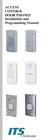 ACCESS CONTROL DOOR PHONES Installation and Programming Manual NOTICE This manual describes the Pantel/Pancode Access Control Door Phones system. Additional copies of this manual may be obtained from
Pancode VoIP/Pantel VoIP Access Control Door Phones. Installation and Programming Manual Release 1.0 June 2006
 Pancode VoIP/Pantel VoIP Access Control Door Phones Installation and Programming Manual Release 1.0 June 2006 Table of Contents 1 Introduction... 2 1.1 Pancode VoIP/Pantel VoIP Kit Contents... 3 2 Physical
Pancode VoIP Pantel VoIP
 Pancode VoIP Pantel VoIP Access Control Door Phones Installation and Programming Manual Version 2 Pre-Release 2 October 2007 NOTICE This publication refers to the PANCODE IP and Pantel IP Door Access Control
Panc ode V oip Pant el V oip
 Panc ode V oip Pant el V oip Access Contr ol Door Phones Installation and Pr ogramming Manual V ersion 2 Release 11 ed2 September 2010 NOTICE This publication refers to the PANCODE IP and Pantel IP Door
CelluLine CGW-TS GSM Cellular Gateway. Installation and Programming Manual
 CelluLine CGW-TS GSM Cellular Gateway Installation and Programming Manual CelluLine CGW-TS GSM Cellular Gateway Installation and Programming Manual CGWTS-M001A Version 1, Release 1, December 2004 NOTICE
Business/Home GSM Alarm System. Installation and User Manual
 Business/Home GSM Alarm System Installation and User Manual Brief Introduction: GSM 900/1800/1900 bands, can be used in most parts of the world Full duplex communication with the host Monitor the scene
Auto Attendant & Voice Mail System Installation and Programming Manual. Version 7.1 April 2005
 Auto Attendant & Voice Mail System Installation and Programming Manual Version 7.1 April 2005 Table of Contents Table of Contents 1 Introduction... 1-1 1.1. Manual Audience and Contents... 1-1 2 General
ontrol Control & Monitoring Access Control In today s world, access control is not an option, but an essential service.
 ontrol Control & Monitoring Access Control In today s world, access control is not an option, but an essential service. Where people, property, sites or facilities need guaranteed entrance control, ITS
Control & Monitoring Access Control. In today s world, access control is not an option, but an essential service.
 ontrol Control & Monitoring Access Control In today s world, access control is not an option, but an essential service. Where people, property, sites or facilities need guaranteed entrance control, ITS
AC-115 Compact Networked Single Door Controller. Installation and User Manual
 AC-115 Compact Networked Single Controller Installation and User Manual December 2007 Table of Contents Table of Contents 1. Introduction...5 1.1 Key Features... 6 1.2 Technical Specifications... 7 2.
D/N VANDAL RES. VARI-FOCAL DOME CAMERA
 D/N VANDAL RES. VARI-FOCAL DOME CAMERA PIH-2342X/2346X W/S INSTRUCTION MANUAL IMPORTANT SAFEGUARDS CAUTION RISK OF ELECTRIC SHOCK DO NOT OPEN CAUTION TO REDUCE THE RISK OF ELECTRIC SHOCK, DO NOT REMOVE
D/N VANDAL RES. VARI-FOCAL IR DOME CAMERA
 D/N VANDAL RES. VARI-FOCAL IR DOME CAMERA PIH-0746XW/0746XS INSTRUCTION MANUAL IMPORTANT SAFEGUARDS CAUTION RISK OF ELECTRIC SHOCK DO NOT OPEN CAUTION TO REDUCE THE RISK OF ELECTRIC SHOCK, DO NOT REMOVE
Link SIP Door Phone. Manual V1.0. Linkcom France. 1 11 rue du Soleil Levant 92140 CLAMART Copyright 2008 Linkcom Tous droit réservés
 Link SIP Door Phone Manual V1.0 1 Table of Contents 1. BASIC DESCRIPTION...3 1.1. FEATURES... 3 1.2. MODULE ASSEMBLY... 3 2. MODULE FEATURES...4 2.1. BASIC MODULE... 4 2.2. RELAYS CONNECTION... 4 2.3.
Model PBX 416 Plus System Administration Guide
 Model PBX 416 Plus System Administration Guide Introduction 4 Installation Hints 4 System Programming 5 - System Password 5 - Changing Password 5 - Entering password in Direct 5 Dial Mode Exchange Line
MOBILE CALL GSM Alarm System User s Manual
 MOBILE CALL GSM Alarm System User s Manual Profile For a better understanding of this product, please read this user manual thoroughly before using it. Contents Function Introduction Alarm Host Diagram
Firmware version: 1.10 Issue: 7 AUTODIALER GD30.2. Instruction Manual
 Firmware version: 1.10 Issue: 7 AUTODIALER GD30.2 Instruction Manual Firmware version: 2.0.1 Issue: 0.6 Version of the GPRS transmitters configurator: 1.3.6.3 Date of issue: 07.03.2012 TABLE OF CONTENTS
LINE POWERED ADA TELEPHONE USER S MANUAL Use With Part Numbers 11-580, 11-581, 11-582, 11-583, 11-585,11-586 and 11-589
 LINE POWERED ADA TELEPHONE USER S MANUAL Use With Part Numbers 11-580, 11-581, 11-582, 11-583, 11-585,11-586 and 11-589 6200 Brent Drive, Toledo, Ohio 43611 Phone: 800-837-1066 Fax: 419-729-5764 Email:
System Administration Guide. Model KS 832. Expandable up to 1664
 System Administration Guide Model KS 832 Expandable up to 1664 Introduction 4 Installation Hints 4 System Programming 5 - System Password 5 - Changing Password 5 Exchange Line Set up 6 - Caller Display
Model PBX 308 Plus System Administration Guide
 Model PBX 308 Plus System Administration Guide Introduction 4 Installation Hints 4 System Programming 5 - System Password 5 - Changing Password 5 Exchange Line Set up 6 - Caller Display 6 - Setting Date
Model PBX 308 Plus System Administration Guide
 Model PBX 308 Plus System Administration Guide Introduction 3 Installation Hints 4 System Programming 5 IMPORTANT Exchange Lines 6 Assign Incoming calls to ring Nominated Extensions 7 Cascade Ringing Of
D/N VARI-FOCAL IR CAMERA
 D/N VARI-FOCAL IR CAMERA PIH-0364X/0368X/0384X/0388X W/S INSTRUCTION MANUAL IMPORTANT SAFEGUARDS 1. Read Instructions All the safety and operating instructions should be read before the unit is operated.
D/N VANDAL RESISTANT 700TVL VARI-FOCAL IR DOME CAMERA CMR6082X/6082MX3.6 N/P CMR6086X/6086MX3.6 N/P
 D/N VANDAL RESISTANT 700TVL VARI-FOCAL IR DOME CAMERA CMR6082X/6082MX3.6 N/P CMR6086X/6086MX3.6 N/P INSTRUCTION MANUAL IMPORTANT SAFEGUARDS CAUTION RISK OF ELECTRIC SHOCK DO NOT OPEN CAUTION TO REDUCE
22X DSP COLOR ZOOM CAMERA AUTO FOCUS ZOOM CAMERA
 Instruction Manual 22X DSP COLOR ZOOM CAMERA AUTO FOCUS ZOOM CAMERA OPERATION / INSTALLATION MANUAL Thank you for using this product. Please read this manual carefully before use, Please keep this instruction
Home Security Alarm System
 Home Security Alarm System User Manual (ALM-S02) Read manual carefully before use. PiSector Inc., USA www.pisector.com Thank you for purchasing this home security alarm system. For your safety and better
2013 Wireless Video Intercom INSTALLATION GUIDE
 2013 Wireless Video Intercom INSTALLATION GUIDE INDEX System configuration and wiring VL-SWD501 System Component.. 4 VL-SWD501EX wiring schematic diagram VL-SWD501EX wiring type and length... 5.... 6 Door
Manufactures of: All. Dallas Delta Corporation Pty.Ltd. Pty.Ltd. 102 Albert St. East Brunswick, 3057 Vic. Tel: 613 93877388 Fax: 613 93873128
 Dallas Delta Corporation Pty.Ltd. 102 Albert St. East Brunswick, 3057 Vic. Tel: 613 93877388 Fax: 613 93873128 Email: [email protected] www.dallasdelta.com.au LP GUARD DOORSTATION MK II G UARD Doorstation
ADA COMPLIANT BOX STYLE TELEPHONE INSTALLATION, PROGRAMMING AND OPERATING INSTRUCTIONS FOR MODEL PBX
 ADA COMPLIANT BOX STYLE TELEPHONE INSTALLATION, PROGRAMMING AND OPERATING INSTRUCTIONS FOR MODEL PBX INSTALLATION INSTRUCTIONS Step 1. Determine the position for the Hands-free phone in the elevator phone
Dome Camera with IR Night Vision
 Dome Camera with IR Night Vision Instruction Manual VER.:1.0, NO.: R040687/2 Thank you for purchasing our product. Before installing this camera, please read this instruction manual carefully to ensure
GSM Door Phone System
 GSM Door Phone System System Installation, Setting and Operation Manual User Manual (263-S V1) Please read this user manual completely before operating this system and keep it in a safe place for future
AUTODIALLER / QUICKDIALLER - SA132
 AUTODIALLER / QUICKDIALLER - SA132 INSTRUCTION LEAFLET ENGLISH www.thermomax-group.com CONTENTS 1 SETUP AT A GLANCE... 2 2 FOREWORD....... 3 3 INSTALLATION...... 4 4 KEYPAD AND INDICATORS...... 5 SETTING
Business/Home. GSM Alarm system
 Business/Home GSM Alarm system Installation and Users guide Profile For a better understanding of this product, please read this user manual thoroughly before using it. I. General information: GSM 900/1800/1900
VIDEO DOOR PHONE SYSTEM
 ENGLISH VIDEO DOOR PHONE SYSTEM USER MANUAL Manual covers IH-692 Master and IH-692 Slave Monitors PRECAUTIONS BEFORE INSTALLATION Connect this unit ONLY to other compatible units. Do not connect it to
Business/Home GSM. Alarm System(III) Installation and Users guide
 Business/Home GSM Alarm System(III) Installation and Users guide I. General information: GSM 900/1800/1900 bands, can be used all over the world. Full duplex communication with the base. Monitor environment
INSTALLATION/PROGRAMMING INSTRUCTIONS E4KP ENTRYCHECK
 Security Door Controls 3580 Willow Lane, Westlake Village, CA 91361-4921 (805) 494-0622 Fax: (805) 494-8861 www.sdcsecurity.com E-mail: [email protected] INSTALLATION/PROGRAMMING INSTRUCTIONS E4KP
How To Use A Ppanasonic Cell Phone With A Cell Phone From A Cellphone From Alexa (Panasonic) For A Long Distance Phone From An Older Model (Panoramos) For An Extra Money (Panamontani
 INTERCOM PLEASE READ BEFORE USE AND SAVE. Integrated Telephone System Operating Instructions Model No. KX-TS8B KX-TS8W Pulse-or-tone dialing capability KX-TS8W LINE Caller ID Compatible Panasonic World
Intelligent GSM Auto-Dial Alarm System
 Auto-dial Alarm System Intelligent GSM Auto-Dial Alarm System Profile For a better understanding of this product, please read this user manual thoroughly before using it. 2013.2.V1.0 Auto-dial Alarm System
www.sebury.com.cn Digital Keypad Use s Manual
 K3 K4 www.sebury.com.cn Digital Keypad Use s Manual Contents Introduction Introduction Specifications Intramural Interface Circuit 3 Mounting 3 Wiring 5 Power UP 7 Engineer Programming Mode 7 The K3/K4
Model PBX 308 System Administration Guide
 Model PBX 308 System Administration Guide Introduction 4 Installation Hints 4 Wall Mounting System Programming 5 System Password Changing the Password IMPORTANT Exchange Lines 6 1 Exchange Line connected:
Add Door Phones to Your Phone System
 Universal Door Phone System Material Code/Comcode # 408466563 (controller) and # 408466548 (speaker) PEC # 5324-001 Add Door Phones to Your Phone System The Door Entry Controller system dramatically expands
Four-Line Intercom Speakerphone 944
 1 USER S MANUAL Part 2 Four-Line Intercom Speakerphone 944 Please also read Part 1 Important Product Information AT&T and the globe symbol are registered trademarks of AT&T Corp. licensed to Advanced American
Auto Dialer. Manual E-921APQ E-921GPQ
 Troubleshooting: Auto dialer will not arm/disarm Auto dialer will not dial out Unit doesn t respond to a call-back Difficulty in activating room monitor by telephone remote control Make sure that you have
2.4 GHz Dual Handset Cordless Telephone Answering System 2255 with Caller ID/Call Waiting
 USER S MANUAL Part 2 2.4 GHz Dual Handset Cordless Telephone Answering System 2255 with Caller ID/Call Waiting Please also read Part 1 Important Product Information AT&T and the globe symbol are registered
Mirror Mount Video Monitor/Recorder with Front and Rear View Night Cameras PLCMDVR5
 Mirror Mount Video Monitor/Recorder with Front and Rear View Night Cameras PLCMDVR5 www.pyleaudio.com Instruction Manual Installation and Connection: 1. Please disconnect your car battery. 2. In the contents
Six-defense zone Display Alarm System. User Manual
 Six-defense zone Display Alarm System User Manual Feature 1. Anti-interfere function. When someone interferes it with same frequency, the control unit will activate siren to alarm. 2. Support anti-decode
2M IR Mini Dome Quick Installation Guide
 2M IR Mini Dome 2M IR Mini Dome Quick Installation Guide Please follow the installation steps below to set up 2M IR Mini Dome IP Camera. Check the package contents against the list below. See P.1 Physical
Setting Up the Cisco Unified IP Phone
 CHAPTER 3 This chapter includes the following topics, which help you install the Cisco Unified IP Phone on an IP telephony network: Before You Begin, page 3-1 Understanding the Cisco Unified IP Phone 7962G
Cisco Unified IP Phone 8961, 9951, and 9971 User Guide for Cisco Unified Communications Manager 8.0 (SIP)
 Cisco Unified IP Phone 8961, 9951, and 9971 User Guide for Cisco Unified Communications Manager 8.0 (SIP) Americas Headquarters Cisco Systems, Inc. 170 West Tasman Drive San Jose, CA 95134-1706 USA http://www.cisco.com
Setting Up the Cisco Unified IP Phones
 CHAPTER 3 This chapter includes the following topics, which help you install the Cisco Unified IP Phones on an IP telephony network: Before You Begin, page 3-1 Understanding the Cisco Unified IP Phone
Features of Your Cisco Unified IP Phone
 Cisco Unified IP Phone 8961, page 1 Cisco Unified IP Phone 9951, page 9 Cisco Unified IP Phone 9971, page 18 General Phone Information, page 27 Cisco Unified IP Phone 8961 The following sections describe
Video surveillance camera Installation Guide
 Video surveillance camera Installation Guide TV7085 TV7086 TV7087 TV7088 14 1. Preface Dear Customer, Thank you for purchasing this Eyseo digital surveillance camera. You made the right decision in choosing
TX GSM SMS Auto-dial Alarm System. Installation and User Manual
 TX GSM SMS Auto-dial Alarm System Installation and User Manual Product Features: 1. 16 wireless zones, 3 wired zones alarm system, suitable for small to medium size offices and homes. 2. The system uses
NX-591NE-GSM NetworX GSM 3G HSPA+ Module Installation Sheet
 NX-591NE-GSM NetworX GSM 3G HSPA+ Module Installation Sheet The NX-591NE-GSM is a microprocessor-controlled GSM interface module used to connect the NetworX series of control panels to GSM cellular networks
KS732 Family. Rev. 1.01 KS732. 1/3 CCD Color USB Camera
 KS732 Family 1/3 CCD Color USB Camera The KS732 is a product line of 1/3" compact cameras which is available as an USB version. It is designed to be used in a wide variety of professional industrial, security
Operating Instructions. Telephone System tiptel 1/8 fax clip tiptel 2/8 clip. (Release 2) tiptel
 Operating Instructions (UK) Telephone System tiptel 1/8 fax clip tiptel 2/8 clip (Release 2) tiptel Table of Contents Connection of 8 extensions..........3 Connection of 7 extensions and 1 door intercom................4
GSM AD05 Slave GSM Auto Dialer- Instruction Manual
 GSM AD05 Slave GSM Auto Dialer- Instruction Manual Please read these instructions before you start the installation Features LCD display Programmable 9 x 32 digit phone numbers for each trigger. 10 second
User s Guide EKT-824
 User s Guide EKT-824 The Communiqué Telephone Station Table of Contents Introduction 3 About This Guide 3 The Basics Answering and Making Calls 4 Answering an External Call 4 Answering an Internal Call
Detachable DIY Door Viewer Camera for Home / Office Safety. Installation Manual. (* This is a patented product, do not copy) IA Technologies Inc.
 Detachable DIY Door Viewer Camera for Home / Office Safety Installation Manual (* This is a patented product, do not copy) IA Technologies Inc. www.iat101.com www.peephole-store.com Table of contents:
13" Real Time Quad Monitor with Camera System
 3" Real Time Quad Monitor with Camera System MODEL NO.: QSM-300 CTRAST BRIGHT VOLUME EXIT MENU AUTO PIP CH CH 3 CH POWER Complete Ready- to- use, Easy-to-manage, Commercialized Package Set. Real Time High
INSTRUCTION MANUAL All-In-One GSM Home Alarm System SB-SP7200-GSM
 INSTRUCTION MANUAL All-In-One GSM Home Alarm System SB-SP7200-GSM Revised: August 28, 2014 PRODUCT REFERENCE MOUNTING ACCESSORIES PIR / MOTION DETECTION UNIT MAIN UNIT POWER ADAPTER MOUNTING ACCESSORIES
ONBACK. We Offer Full Systems, Monitors, Cameras and Accessories. Call Us Toll Free: 1-800-535-0104 Fax: 740-366-0771 Website: www.holtzindustries.
 Thinking About Safety... Think RayView! A Division Of: Holtz Industries, Inc. We Offer Full Systems, Monitors, Cameras and Accessories We Accept These Major Credit Cards ONBACK Call For Safety s Sake Your
AA9604 Auto Attendant
 AA9604 Auto Attendant Operation Manual 10AA96V4M.2.13.EN1 DSG, DSG logo, AA9604, VL880, VL880L, IM1200, IM2400, IL1000 and IL5000 are trademarks of DSG Technology. Windows and Outlook Express are trademarks
AUDIO VIDEO INTERCOM SYSTEMS SECURITY & SAFETY AT YOUR FINGER TIPS AUDIO VIDEO INTERCOM SYSTEMS
 AUDIO VIDEO INTERCOM SYSTEMS SECURITY & SAFETY AT YOUR FINGER TIPS AUDIO VIDEO INTERCOM SYSTEMS 1 DORANI VIDEO INTERCOM - 2 WIRE SERIES 7 TFT MONITOR TECHNICAL SPECIFICATIONS 7 Colour TFT screen 480 x
Secure Keypads for access control
 torm Secure Keypads for access control Strike Master Read this manual carefully before attempting to install, program or operate the STORM AXS Strike Master Keypad. After installation the Command Summary
SECURITY CAMERA INSTRUCTION MANUAL ENGLISH VERSION 1.0 LBC5451. www.lorextechnology.com
 SECURITY CAMERA INSTRUCTION MANUAL ENGLISH VERSION 1.0 LBC5451 www.lorextechnology.com Contents 1x Camera and mounting stand 1x Power adapter 1x Mounting kit 1x Allen key 1x Screw cap 1x 60 ft. (18m)
Version:G300 V2.0 11.04. Business/Home GSM Alarm System. Installation and Users' Guide. ( 99 wireless zones)
 Version:G300 V2.0 11.04 Business/Home GSM Alarm System Installation and Users' Guide ( 99 wireless zones) Brief Introduction: GSM 850/900/1800/1900 bands, can be used in most parts of the world Full duplex
Four-Line Intercom Speakerphone 955
 1 USER S Revised: August 3, 2000 MANUAL Part 2 Four-Line Intercom Speakerphone 955 2000 Advanced American Telephones. All rights reserved. Printed in Indonesia. 850004037 Issue 1AT&T 8/00 Please also read
How To Program An Autodialer
 GJD HYL005 GSM Autodialer Instruction Manual Please read these instructions before you start the installation Features: LCD display. Programmable 9 x 32 digit phone numbers for each trigger. 10 second
Memcom Emergency Telephone
 Memcom Emergency Telephone Installation Guide Ref No. 450 900 (GB) Version 2 + + Simple wiring for quick installation + + Integrated LCD display shows you what you have programmed + + All code based programming
High performance surveillance. 24/7.
 Network Mini Fixed Dome Cameras High performance surveillance. 24/7. High performance surveillance, indoor or out. Day-time, night-time or round the clock. Sony introduces two new additions to its line-up
Panasonic Business Telephone and Voice Mail Systems. User Guide
 Panasonic Business Telephone and Voice Mail Systems User Guide Location of Controls Panasonic Telephone System Telephone Set 2 Explanation of Controls PAUSE: Used to insert a pause when storing a telephone
CONTENTS QUICK SETUP & INSTALLATION USER MANUAL. SUPA8 Quick Setup & User Manual
 SUPA8 Quick Setup & User Manual QUICK SETUP & INSTALLATION CONTENTS FACTORY DEFAULTS... 1 INSTALLATION OF THE SECURITY SYSTEM... 2 COMMISSIONING THE DIALLER PANEL... 5 ZONE INPUT CONNECTIONS... 7 PANEL
WIRELESS ALARM SYSTEM WITH TELEPHONE AUTO DIALER
 BAT.LOW AC WIRELESS ALARM SYSTEM WITH TELEPHONE AUTO DIALER THE SYSTEM THAT CALLS YOU! Our WIRELESS ALARM SYSTEM WITH TELEPHONE AUTO DIALER is designed to allow you to create your own security system.
G.A.L. HANDS FREE EMERGENCY TELEPHONE MODEL GAL-6400
 I. GENERAL G.A.L. HANDS FREE EMERGENCY TELEPHONE MODEL GAL-6400 The GAL-6400 Hands Free Emergency Telephone permits a pre-programmed number to be dialed when the "push to call" button is depressed on the
CONCIERGE SWITCHBOARD
 SECTION 4D CONCIERGE SWITCHBOARD Download from www.urmet.com Technical Manuals area. INDICE DI SEZIONE Ref. 1083/40 2 LIST OF DETAILS...2 Keypad...2 Ringer...2 Display...2 DESCRIPTION OF CONNECTIONS...2
Wireless Auto-dial Intruder Alarm System
 Wireless Auto-dial Intruder Alarm System User Manual User s Manual Profile For a better understanding of this product, please read this user manual thoroughly before using it. Features and Function 1.
PROXIMITY CARD READERS C-10, C-20, C60, C70
 Installation Manual PROXIMITY CARD READERS C-10, C-20, C60, C70 VERSION 1.0 CONTENTS 1. General information................................. 3 2. Technical data......................... 4 3. Connection
EASY PROGRAMMING AND TRANSACTION ANALYSIS SOFTWARE
 EASY PROGRAMMING AND TRANSACTION ANALYSIS SOFTWARE You can program online 24/7 giving you the freedom to work when and where you want. From remote bookkeeping and access, to security control on the ground
STATUS POWER MONITOR ALARM SOS DISARM
 STATUS POWER MONITOR ALARM SOS DISARM I. Features II. Preparation before use III. Host 1.LED status explanation 2. Host panel IV. System Settings 1. Coding of wireless sensors 2. Exit coding 3. Settings
Network Camera SNC-P1
 Network Camera SNC-P1 FEATURES All-in-One Network Camera Enter the World of IP Monitoring with the Sony SNC-P1 MPEG-4/JPEG Network Camera Sony introduces its new SNC-P1 MPEG-4/JPEG network color camera,
Installation Instructions
 Installation Instructions For WiFi/LAN Video Intercom Manual Version 2 BFT Americas 6100 Broken Sound Parkway N.W. Suite 14, Boca Raton, FL 33487 www.bft-usa.com Toll Free: 877-995-8155 Office: 561-995-8155
SNC-VL10P Video Network Camera
 SNC-VL10P Video Network Camera CHANGING THE WAY BUSINESS 2AM. WATCHING HIS NEW PRODUCTION LINE. 10,000 MILES AWAY. COMMUNICATES www.sonybiz.net/netstation CORPORATE COMMUNICATIONS SURVEILLANCE VIDEOCONFERENCING
DC-8706K Auto Dial Alarm System
 DC-8706K Auto Dial Alarm System User Guide Basic Contents: 1x the host unit; 1x wireless door (window) magnet; 1x wireless infrared detector; 2x remote control; 1x siren; 1x phone core; 1x AC to DC power
Cisco IP Phone 7941 and 7961 User Guide
 Cisco IP Phone 7941 and 7961 User Guide Depending on configuration, programmable buttons provide access to: Phone lines (line buttons) Speed-dial numbers (speed-dial buttons) 1 The buttons illuminate to
Cisco Unified IP Phone 8961, 9951, and 9971 User Guide for Cisco Unified Communications Manager 8.6 (SIP)
 Cisco Unified IP Phone 8961, 9951, and 9971 User Guide for Cisco Unified Communications Manager 8.6 (SIP) Americas Headquarters Cisco Systems, Inc. 170 West Tasman Drive San Jose, CA 95134-1706 USA http://www.cisco.com
e-4 AWT07MLED 7 Q TFT LCD MONITOR (LED Backlighted) USER MANUAL
 Thank you for purchasing our product. Please read this User s Manual before using the product. Change without Notice AWT07MLED 7 Q TFT LCD MONITOR (LED Backlighted) USER MANUAL e-4 SAFETY PRECAUTIONS Federal
Edition 4 26 March 97. Response 130 telephone and answering machine. User guide
 Edition 4 26 March 97 Response 130 telephone and answering machine User guide At a glance Directory label For making a note of numbers stored in the memories. One-touch dial memory buttons Allows you to
Intelligent GSM Auto-dial Alarm System User s Manual
 Intelligent GSM Auto-dial Alarm System User s Manual Profile For a better understanding of this product, please read this user manual thoroughly before using it. [Function Instruction] [Control Panel Introduction]
Four-Line Intercom Speakerphone 964
 1 USER S MANUAL Part 2 Four-Line Intercom Speakerphone 964 2000 Advanced American Telephones. All rights reserved. Printed in Indonesia. 850002940 Issue 1AT&T 6/00 Please also read Part 1 Important Product
3 Specification. Master Chip Broadcom 1190. Keys Direct-button 1. Microphone 1. Amplifier 0.5W Speaker 0.5W. Voice
 I20-T Door Phone 1 Description I20-T Voice Access control is a digital IP door phone with Fanvil Voip Solutions (Broadcom chip 1190), stable and reliable. FDSP ensure voice loud and clear. Good looking,
User Manual. Before installation and use, please read the user manual carefully.
 Sebury Technology Co., Ltd. Address: 5/F, Building 8, Xinwu Industrial Park, Xili, Nanshan District, Shenzhen, China. Tel: +86-755-88856 Fax: +86-755-888565 P.C.: 58055 www.sebury.com.cn User Manual Before
PCS300 Universal IP Reporting Module V1.0
 PCS300 Universal IP Reporting Module V1.0 Reference and Installation Manual Patents: One or more of the following US patents may apply: 7046142, 6215399, 6111256, 6104319, 5920259, 5886632, 5721542, 5287111,
PROFESSIONAL HOME ALARM SYSTEM. Important! Please read these instructions carefully.
 WIRELESS AUTODIAL HOME ALARM SYSTEM AM2000 Instructions for use Important! Please read these instructions carefully. IMPORTANT 1 IDENTIFICATION PLEASE CONTACT BEFORE RETURNING THIS PRODUCT TO THE RETAILER
User s manual. ML17929 Two-line corded telephone with caller ID/call waiting
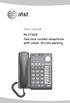 User s manual ML17929 Two-line corded telephone with caller ID/call waiting Congratulations on purchasing your new AT&T product. Before using this AT&T product, please read Important safety information
NOKIA 32 SUPPORT GUIDE FOR INSTALLING NOKIA 32
 NIA 32 SUPPORT GUIDE FOR INSTALLING NIA 32 CONTENTS 1. INTRODUCTION...1 2. INSTALLATION...1 2.1 INSTALLATION ENVIRONMENT...1 2.2 CONNECTING NIA 32 TERMINAL AND PBX / TELEPHONE SET...1 2.3 CONNECTING NIA
MOBILE CALL GSM alarm system
 MOBILE CALL GSM alarm system User s Manual Profile For a better understanding of this product, please read this user manual thoroughly before using it. - 1 - Catalogue: Function Introduction 2 SMS Number
Innovative DOOR STATION Solutions
 Innovative DOOR STATION Solutions When a visitor arrives at your front door or gate we ring... Your mobile when you are out Your normal telephones in your home Your PABX system in your office Communicating
WIRELESS ALARM SYSTEM WITH TELEPHONE AUTO DIALER
 BAT.LOW AC WIRELESS ALARM SYSTEM WITH TELEPHONE AUTO DIALER THE SYSTEM THAT CALLS YOU! Our WIRELESS ALARM SYSTEM WITH TELEPHONE AUTO DIALER is designed to allow you to create your own security system.
TS510 & TS500. Installation & User Guide. Compatible Equipment
 Installation & User Guide Compatible Equipment TS510 REM - Remote Keypad 9040 - Loudspeaker DC54/58 - Digital Communicator SD1+ - Speech Dialler 496525 Issue A 1 of 10 TS510 and TS500 Overview Introduction
How To Power A Power Control On An Ip40 (Ipl) With A Power Supply (Iplug) With An Ip20 Controller (Iphones) With Power Control (Power Control) With No Antenna) With The Ip20 (Power)
 MODEL NUMBER: ISC910-1-0-GB-XX ISC911-5-0-GB-XX IXP20 CONTROLLER SPECIFICATIONS Working Environment Plastic Housing... Power ImproX IXP20 Controller INSTALLATION MANUAL Designed to work in an indoor (dry)
Model PBX 416+ Programming & User Guide
 Model PBX 416+ Programming & User Guide 1 Introduction... 5 Installation hints... 5 Wall mounting... 5 System programming... 6 System password... 6 Changing the password... 6 Exchange line set up... 6