
Read this manual carefully before installing, wiring, operating, servicing or inspecting this equipment.
|
|
|
- Lambert Cunningham
- 10 years ago
- Views:
Transcription
1 LS Programmable Logic Controller Smart I/O GLOFA-GM / MASTER-K Profibus-DP DeviceNet Rnet Modbus Read this manual carefully before installing, wiring, operating, servicing or inspecting this equipment. Keep this manual within easy reach for quick reference.
2 SAFETY PRECAUTIONS Read this manual thoroughly before using LGIS equipment. Also, pay careful attention to safety and handle the module properly. Safety precautions are for using the product safely and correctly in order to prevent the accidents and danger, so make sure to follow all directions in safety precautions. The precautions are divided into 2 sections, Warning and Caution. Each of the meaning is represented as follows Warning If violated instructions, it can cause death, fatal injury or a considerable loss of property. Caution If violated instructions, it can cause a slight injury or a slight loss of products. The symbols which are indicated in the PLC and User s Manual mean as follows; This symbol means paying attention because of danger of injury, fire, or malfunction. This symbol means paying attention because of danger of electric shock. Store this manual in a safe place so that you can take it out and read it whenever necessary. Always forward it to the end user.

3 SAFETY PRECAUTIONS Design Precautions Warning Install a safety circuit external to the PLC that keeps the entire system safe even when there are problems with the external power supply or the PLC module. Otherwise, serious trouble could result from erroneous output or erroneous operation. - Outside the PLC, construct mechanical damage preventing interlock circuits such as emergency stop, protective circuits, positioning upper and lower limits switches and interlocking forward/reverse operation. When the PLC detects the following problems, it will stop calculation and turn off all output in the case of watchdog timer error, module interface error, or other hardware errors. However, one or more outputs could be turned on when there are problems that the PLC CPU cannot detect, such as malfunction of output device (relay, transistor, etc.) itself or I/O controller. Build a fail safe circuit exterior to the PLC that will make sure the equipment operates safely at such times. Also, build an external monitoring circuit that will monitor any single outputs that could cause serious trouble. Make sure all external load connected to output does NOT exceed the rating of output module. Overcurrent exceeding the rating of output module could cause fire, damage or erroneous operation. Build a circuit that turns on the external power supply when the PLC main module power is turned on. If the external power supply is turned on first, it could result in erroneous output or erroneous operation.

4 SAFETY PRECAUTIONS Design Precautions Caution Do not bunch the control wires or communication cables with the main circuit or power wires, or install them close to each other. They should be installed 100mm (3.94inch) or more from each other. Not doing so could result in noise that would cause erroneous operation. Installation Precautions Caution Use the PLC in an environment that meets the general specification contained in this manual or datasheet. Using the PLC in an environment outside the range of the general specifications could result in electric shock, fire, erroneous operation, and damage to or deterioration of the product. Completely turn off the power supply before loading or unloading the module. Not doing so could result in electric shock or damage to the product. Make sure all modules are loaded correctly and securely. Not doing so could cause a malfunction, failure or drop. Make sure I/O and extension connector are installed correctly. Poor connection could cause an input or output failure. When install the PLC in environment of much vibration, be sure to insulate the PLC from direct vibration. Not doing so could cause electric shock, fire, and erroneous operation. Be sure to there are no foreign substances such as conductive debris inside the module. Conductive debris could cause fires, damage, or erroneous operation.

5 SAFETY PRECAUTIONS Wiring Precautions Warning Completely turn off the external power supply when installing or placing wiring. Not doing so could cause electric shock or damage to the product. Make sure that all terminal covers are correctly attached. Not attaching the terminal cover could result in electric shock. Caution Be sure that wiring is done correctly be checking the product s rated voltage and the terminal layout. Incorrect wiring could result in fire, damage, or erroneous operation. Tighten the terminal screws with the specified torque. If the terminal screws are loose, it could result in short circuits, fire, or erroneous operation. Be sure to ground the FG or LG terminal to the protective ground conductor. Not doing so could result in erroneous operation. Be sure there are no foreign substances such as sawdust or wiring debris inside the module. Such debris could cause fire, damage, or erroneous operation.
6 SAFETY PRECAUTIONS Startup and Maintenance Precautions Warning Do not touch the terminals while power is on. Doing so could cause electric shock or erroneous operation. Switch all phases of the external power supply off when cleaning the module or retightening the terminal or module mounting screws. Not doing so could result in electric shock or erroneous operation. Do not charge, disassemble, heat, place in fire, short circuit, or solder the battery. Mishandling of battery can cause overheating or cracks which could result in injury and fires. Caution Do not disassemble or modify the modules. Doing so could cause trouble, erroneous operation, injury, or fire. Switch all phases of the external power supply off before mounting or removing the module. Not doing so could cause failure or malfunction of the module. Use a cellular phone or walky-talky more than 30cm (11.81 inch) away from the PLC Not doing so can cause a malfunction. Disposal Precaution Caution When disposing of this product, treat it as industrial waste. Not doing so could cause poisonous pollution or explosion.

7 Revision History Issue date Manual No. Revised Contents First edition of Smart I/O module publishied. User s Manual No. is inscribed on the right bottom side of the back cover.
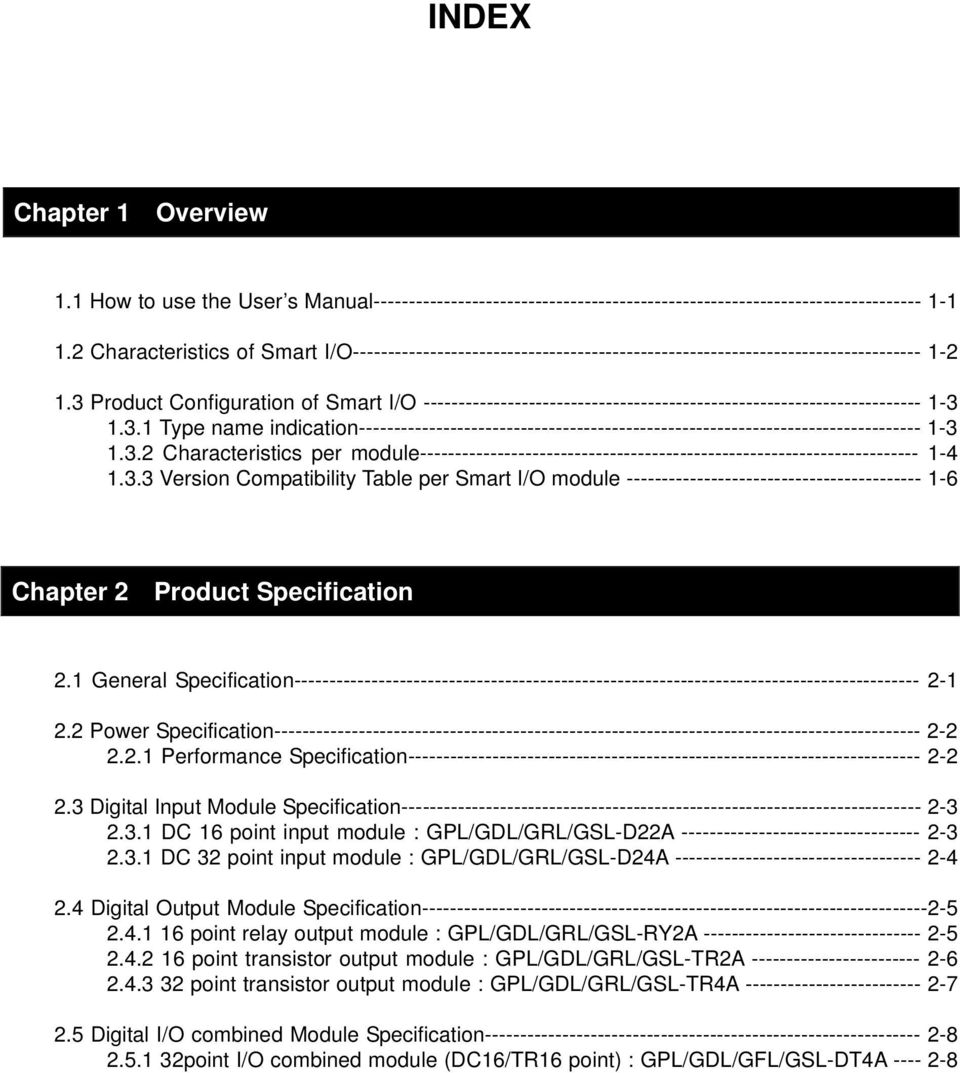
8 INDEX Chapter 1 Overview 1.1 How to use the User s Manual Characteristics of Smart I/O Product Configuration of Smart I/O Type name indication Characteristics per module Version Compatibility Table per Smart I/O module Chapter 2 Product Specification 2.1 General Specification Power Specification Performance Specification Digital Input Module Specification DC 16 point input module : GPL/GDL/GRL/GSL-D22A DC 32 point input module : GPL/GDL/GRL/GSL-D24A Digital Output Module Specification point relay output module : GPL/GDL/GRL/GSL-RY2A point transistor output module : GPL/GDL/GRL/GSL-TR2A point transistor output module : GPL/GDL/GRL/GSL-TR4A Digital I/O combined Module Specification point I/O combined module (DC16/TR16 point) : GPL/GDL/GFL/GSL-DT4A
9 2.6 Communication Module Specification Profibus-DP module specification DeviceNet module specification Rnet module specification Modbus module specification Communication Cable Specification Profibus-DP cable specification DeviceNet cable specification Rnet cable specification Modbus cable specification Terminating Profibus-DP terminating DeviceNet terminating Rnet terminating Modbus terminating Chapter 3 System Configuration 3.1 Notices in selecting module Names of Each Part Basic system configuration Names of each part of Smart I/O series I/O Wiring Diagram of Communication Module External connection diagram of Smart I/O module Examples of System Configuration Profibus-DP system DeviceNet system Rnet system Modbus system

10 Chapter 4 Communication Programming 4.1 Overview High Speed Link Overview High Speed Link sending/receiving data processing Operation order by High Speed Link GMWIN s setting of High Speed Link KGLWIN Link parameter setting High Speed Link Communication status flag information High Speed Link Speed calculation Function Block Overview Start of GMWIN Function Block Execution of KGLWIN command Chapter 5 Profibus-DP Communication 5.1 Overview Communication Specification Basic Performance Overview Operation by High Speed Link SyCon Insertion of master module Master module setting Insertion of slave Slave Configuration Bus parameter setting Device allocation Configuration download
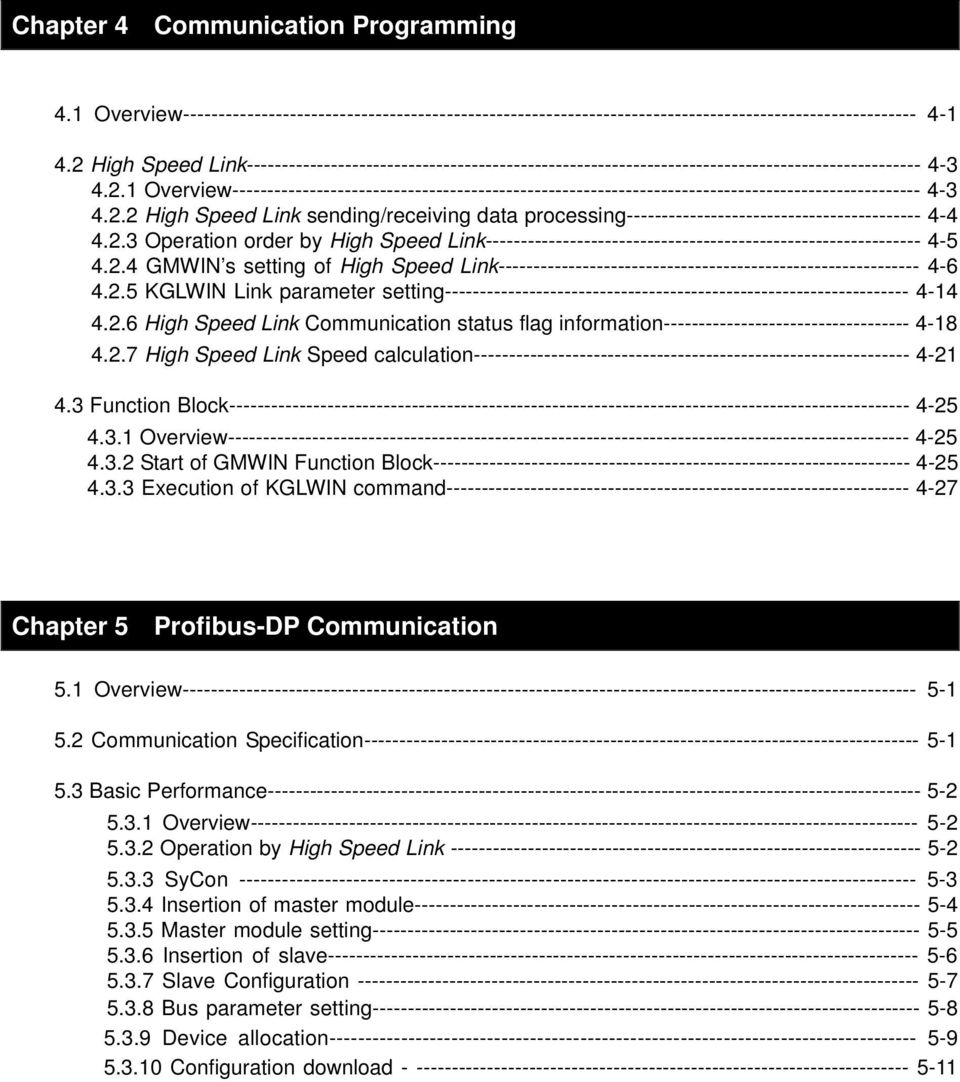
11 High Speed Link parameter setting in GMWIN High Speed Link information in GMWIN High Speed Link parameter setting in KGLWIN Chapter 6 DeviceNet Communication 6.1 Overview Communication Specification Communication Parameter Setting High Speed Link service Program Examples GLOFA-GM series MASTER-K series Chapter 7 Rnet Communication 7.1 Overview Communication Specification Communication Parameter Setting Overview High Speed Link communication status flag GMWIN High Speed Link setting KGLWIN Link setting Program Examples GLOFA-GM series MASTER-K series
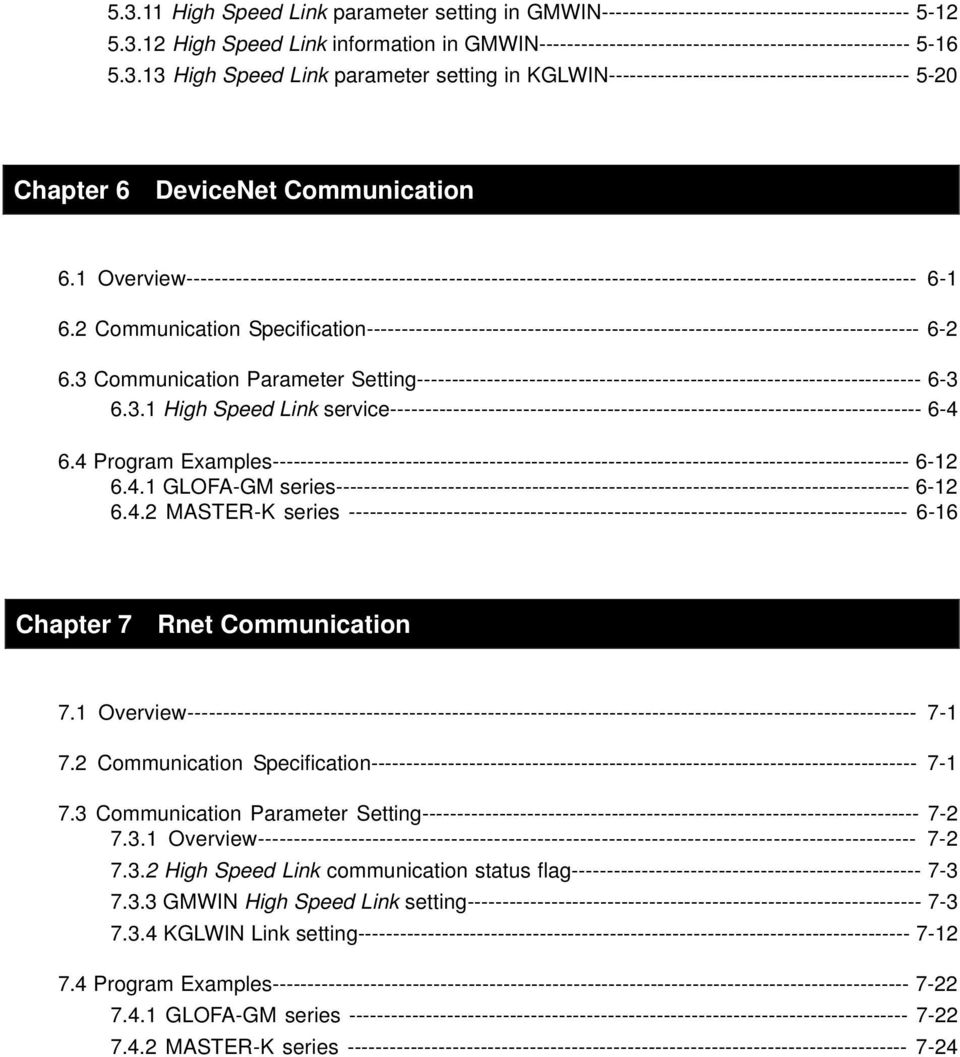
12 Chapter 8 Modbus Communication 8.1 Overview Communication Specification Communication Parameter Setting GLOFA-GM series MASTER-K series Function Block GLOFA-GM series MASTER-K series Program Examples GLOFA-GM series MASTER-K series Chapter 9 Installation & Wiring 9.1 Installation Installation Environment Notices in installing Profibus-DP module Notices in installing DeviceNet module Notices in installing Rnet module Notices in installing Modbus module Notices in Handling Wiring Power wiring I/O Machine Wiring Grounding wiring Cable specification for wiring
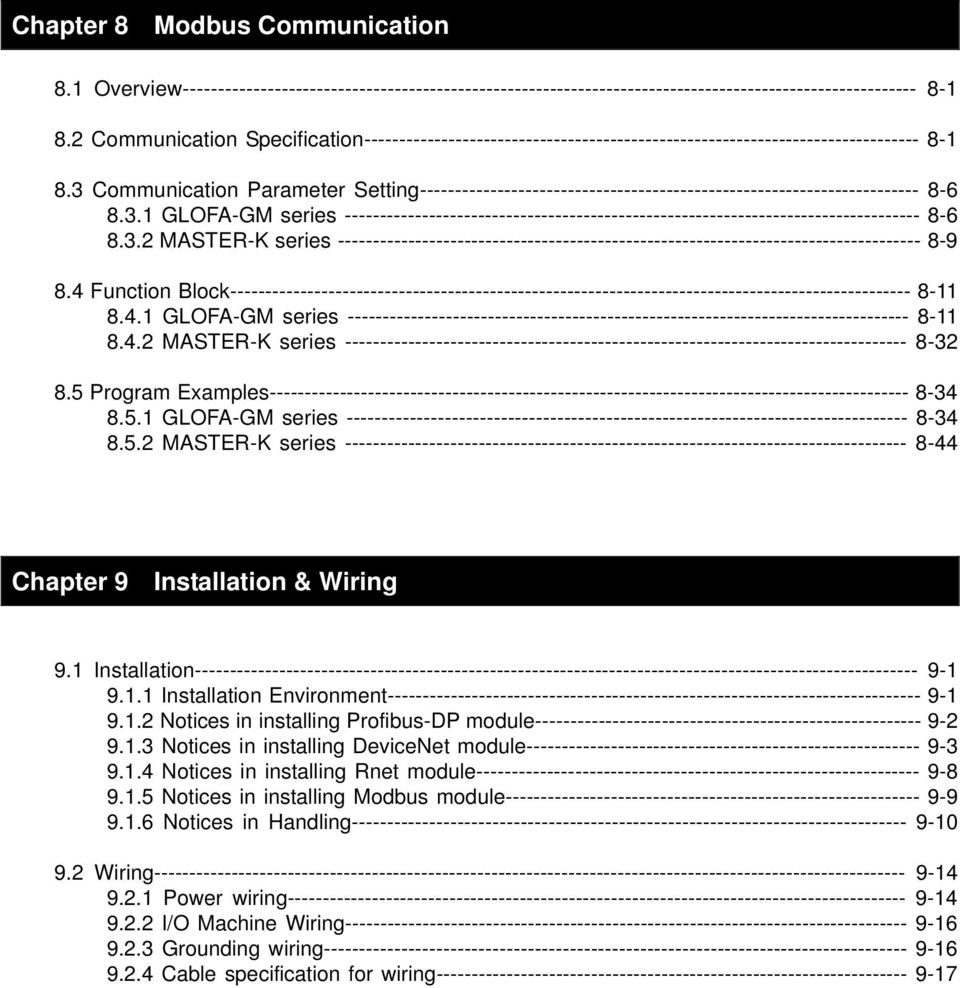
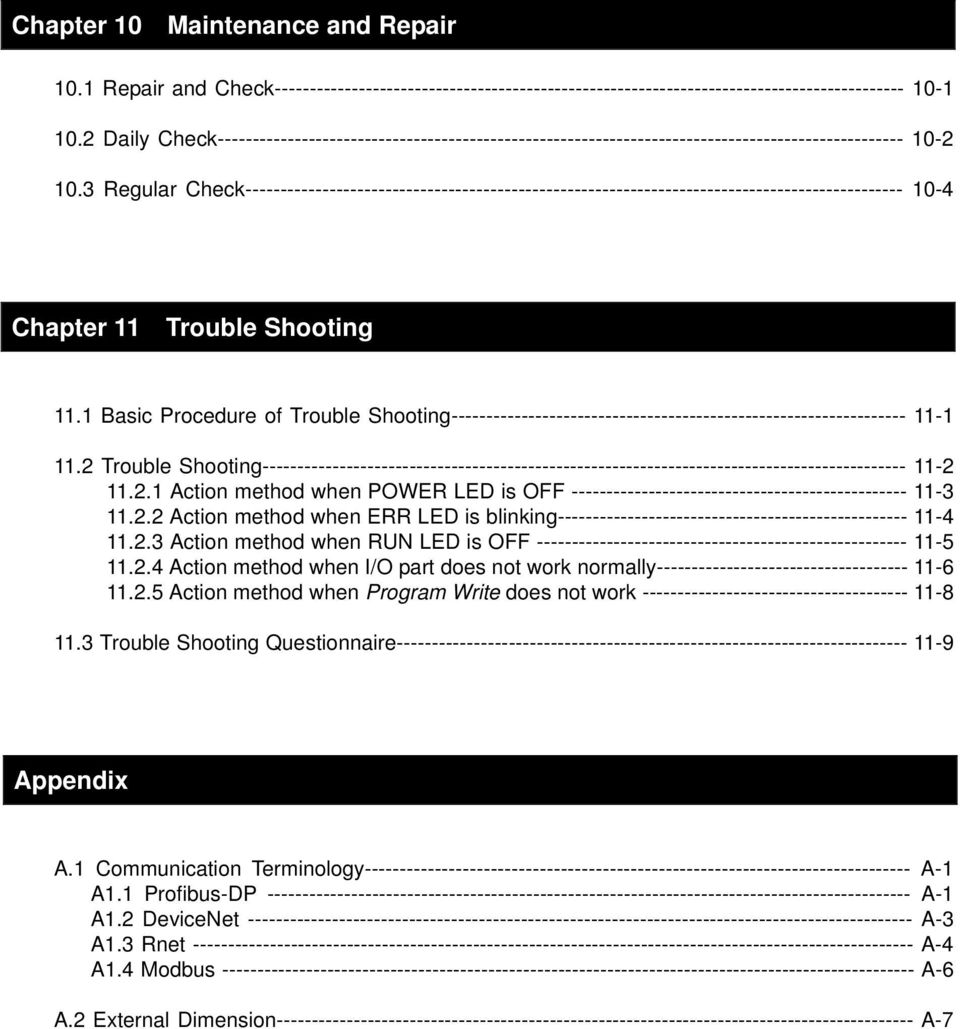
13 Chapter 10 Maintenance and Repair 10.1 Repair and Check Daily Check Regular Check Chapter 11 Trouble Shooting 11.1 Basic Procedure of Trouble Shooting Trouble Shooting Action method when POWER LED is OFF Action method when ERR LED is blinking Action method when RUN LED is OFF Action method when I/O part does not work normally Action method when Program Write does not work Trouble Shooting Questionnaire Appendix A.1 Communication Terminology A-1 A1.1 Profibus-DP A-1 A1.2 DeviceNet A-3 A1.3 Rnet A-4 A1.4 Modbus A-6 A.2 External Dimension A-7
14 Chapter 1 Overview Chapter 1 Overview 1.1 How to use the User s Manual This User s Manual provides the information such as product specification, performance and operation method needed to use PLC System composed of Smart I/O module. The User s Manual is composed of as follows. CHAP.1 Overview Here describes the configuration of the user s manual, product characteristics and terminology. CHAP.2 Product Specification Here describes common specification of each product used for Smart I/O series. CHAP.3 System Configuration Here describes the kinds of product available for Smart I/O series and system configuration method. CHAP.4 Communication Programming Here describes common communication program operation method to act Smart I/O module. CHAP.5 Profibus-DP Communication Here describes basic communication method of Profibus-DP(Pnet) communication module. CHAP.6 DeviceNet Communication Here describes basic communication method of DeviceNet(Dnet) communication module. CHAP.7 Rnet Communication Here describes basic communication method of FIELDBUS(RNET) communication module. CHAP.8 Modbus Communication Here describes basic communication method of Modbus(Snet) communication module. CHAP.9 Installation and Wiring Here describes installation and wiring method, and notices to make sure of the reliability of PLC system. CHAP.10 Maintenance and Repair Here describes check list and method to run PLC system normally for a long term. CHAP.11 Trouble Shooting Here describes various errors to be occurred while using the system and the action to solve the problem. Appendix Here describes the product terminology and external dimension for system installation. 1-1

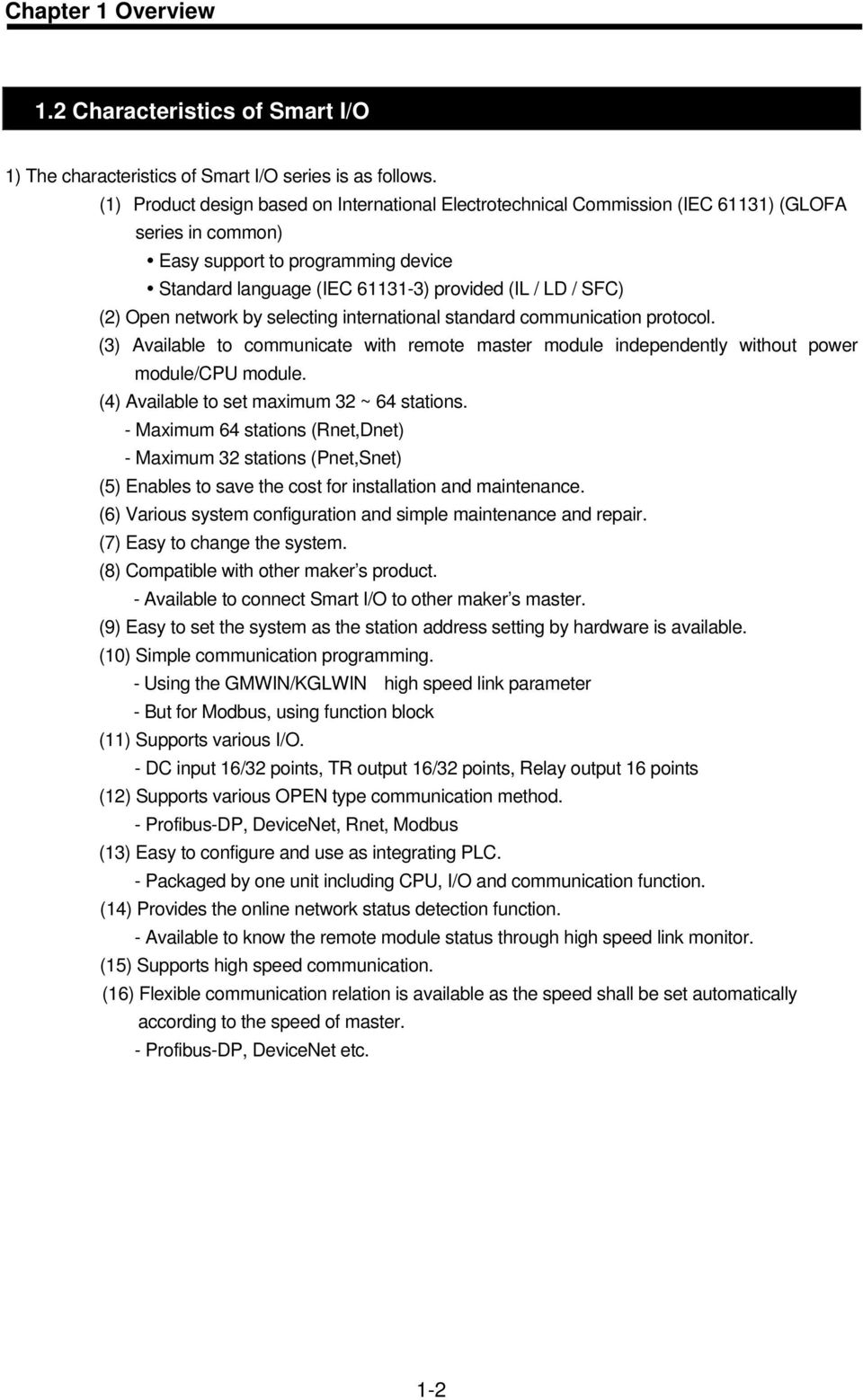
15 Chapter 1 Overview 1.2 Characteristics of Smart I/O 1) The characteristics of Smart I/O series is as follows. (1) Product design based on International Electrotechnical Commission (IEC 61131) (GLOFA series in common) Easy support to programming device Standard language (IEC ) provided (IL / LD / SFC) (2) Open network by selecting international standard communication protocol. (3) Available to communicate with remote master module independently without power module/cpu module. (4) Available to set maximum 32 ~ 64 stations. - Maximum 64 stations (Rnet,Dnet) - Maximum 32 stations (Pnet,Snet) (5) Enables to save the cost for installation and maintenance. (6) Various system configuration and simple maintenance and repair. (7) Easy to change the system. (8) Compatible with other maker s product. - Available to connect Smart I/O to other maker s master. (9) Easy to set the system as the station address setting by hardware is available. (10) Simple communication programming. - Using the GMWIN/KGLWIN high speed link parameter - But for Modbus, using function block (11) Supports various I/O. - DC input 16/32 points, TR output 16/32 points, Relay output 16 points (12) Supports various OPEN type communication method. - Profibus-DP, DeviceNet, Rnet, Modbus (13) Easy to configure and use as integrating PLC. - Packaged by one unit including CPU, I/O and communication function. (14) Provides the online network status detection function. - Available to know the remote module status through high speed link monitor. (15) Supports high speed communication. (16) Flexible communication relation is available as the speed shall be set automatically according to the speed of master. - Profibus-DP, DeviceNet etc. 1-2
16 Chapter 1 Overview 1.3 Product Configuration of Smart I/O Type Name Indication Classification Model name Type name indication GPL-D22A 16 point GDL-D22A GRL-D22A DC Input 32 point 16 point GSL-D22A GPL-D24A GDL-D24A GRL-D24A GSL-D24A GPL-TR2A GDL-TR2A GRL-TR2A G L : Communi cation Communication type P : Profibus-DP D : DeviceNet R : Rnet S : Modbus I/O Type D2 : DC24V input I/O points 2 : 16 points 4 : 32 points Char. class TR output GSL-TR2A GPL-TR4A RY : Relay output TR : TR output DT : DC input/ TR 32 point GDL-TR4A GRL-TR4A output GSL-TR4A GPL-RY2A RY Output 16 point GDL-RY2A GRL-RY2A GSL-RY2A GPL-DT4A DC/TR combined 32 point GDL-DT4A GRL-DT4A GSL-DT4A 1-3

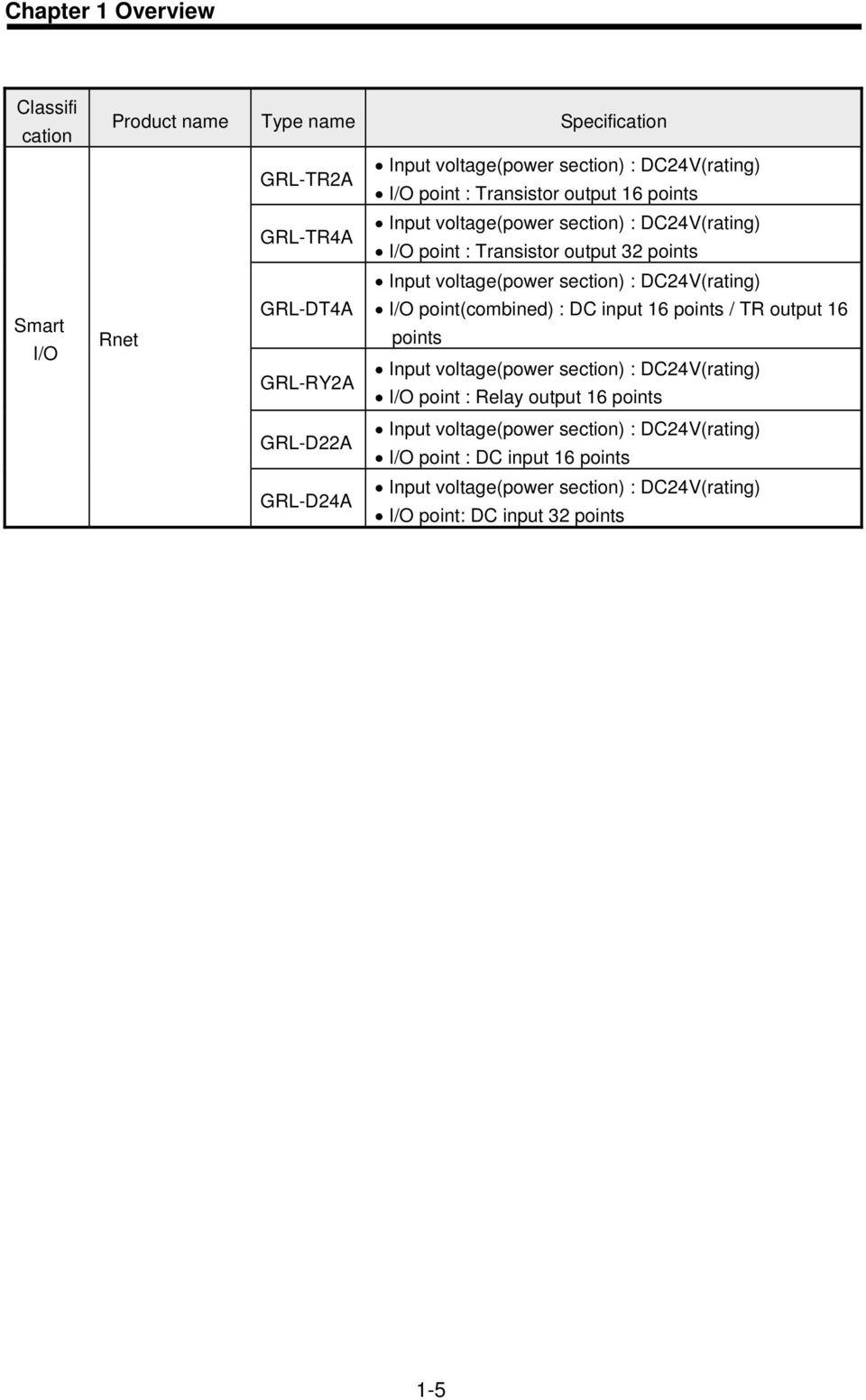
17 Chapter 1 Overview Characteristics per Module Classifi cation Product Name Type name Specification GPL-TR2A Input voltage(power section) : DC24V(rating) I/O point : Transistor output 16 points GPL-TR4A Input voltage(power section) : DC24V(rating) I/O point : Transistor output 32 points Profibus-DP GPL-DT4A Input voltage(power section) : DC24V(rating) I/O point(combined) : DC input 16 points/ TR output 16 points GPL-RY2A Input voltage(power section) : DC24V(rating) I/O point : Relay output 16 points GPL-D22A Input voltage(power section) : DC24V(rating) I/O point : DC input 16 points GPL-D24A Input voltage(power section) : DC24V(rating) I/O point : DC input 32 points GDL-TR2A Input voltage(power section) : DC24V(rating) I/O point : Transistor output 16 points GDL-TR4A Input voltage(power section) : DC24V(rating) I/O point : Transistor output 32 points Input voltage(power section) : DC24V(rating) Smart I/O DeviceNet GDL-DT4A GDL-RY2A I/O point(combined) : DC input 16 points/ TR output 16 points Input voltage(power section) : DC24V(rating) I/O point : Relay output 16 points GDL-D22A Input voltage(power section) : DC24V(rating) I/O point: DC input 16 points GDL-D24A Input voltage(power section) : DC24V(rating) I/O point: DC input 32 points GSL-TR2A Input voltage(power section) : DC24V(rating) I/O point : Transistor output 16 points GSL-TR4A Input voltage(power section) : DC24V(rating) I/O point : Transistor output 32 points Input voltage(power section) : DC24V(rating) GSL-DT4A I/O point(combined) : DC input 16 points/ TR output 16 Modbus points GSL-RY2A Input voltage(power section) : DC24V(rating) I/O point : Relay output 16 points GSL-D22A Input voltage(power section) : DC24V(rating) I/O point : DC input 16 points GSL-D24A Input voltage(power section) : DC24V(rating) I/O point : DC input 32 points 1-4

18 Chapter 1 Overview Classifi cation Smart I/O Product name Type name Specification Rnet GRL-TR2A GRL-TR4A GRL-DT4A GRL-RY2A GRL-D22A GRL-D24A Input voltage(power section) : DC24V(rating) I/O point : Transistor output 16 points Input voltage(power section) : DC24V(rating) I/O point : Transistor output 32 points Input voltage(power section) : DC24V(rating) I/O point(combined) : DC input 16 points / TR output 16 points Input voltage(power section) : DC24V(rating) I/O point : Relay output 16 points Input voltage(power section) : DC24V(rating) I/O point : DC input 16 points Input voltage(power section) : DC24V(rating) I/O point: DC input 32 points 1-5
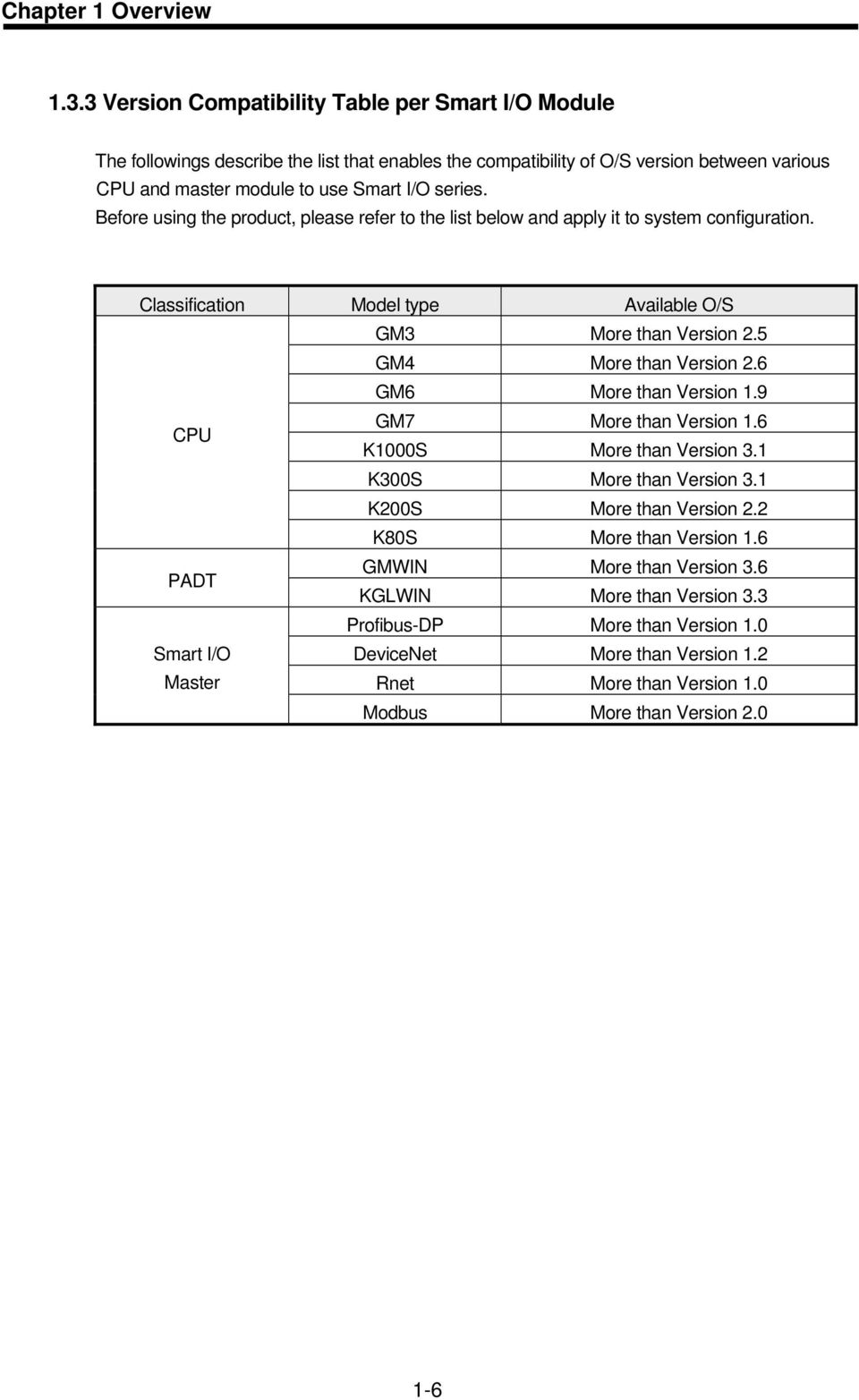
19 Chapter 1 Overview Version Compatibility Table per Smart I/O Module The followings describe the list that enables the compatibility of O/S version between various CPU and master module to use Smart I/O series. Before using the product, please refer to the list below and apply it to system configuration. Classification Model type Available O/S GM3 More than Version 2.5 GM4 More than Version 2.6 GM6 More than Version 1.9 CPU GM7 More than Version 1.6 K1000S More than Version 3.1 K300S More than Version 3.1 K200S More than Version 2.2 K80S More than Version 1.6 PADT GMWIN More than Version 3.6 KGLWIN More than Version 3.3 Profibus-DP More than Version 1.0 Smart I/O DeviceNet More than Version 1.2 Master Rnet More than Version 1.0 Modbus More than Version
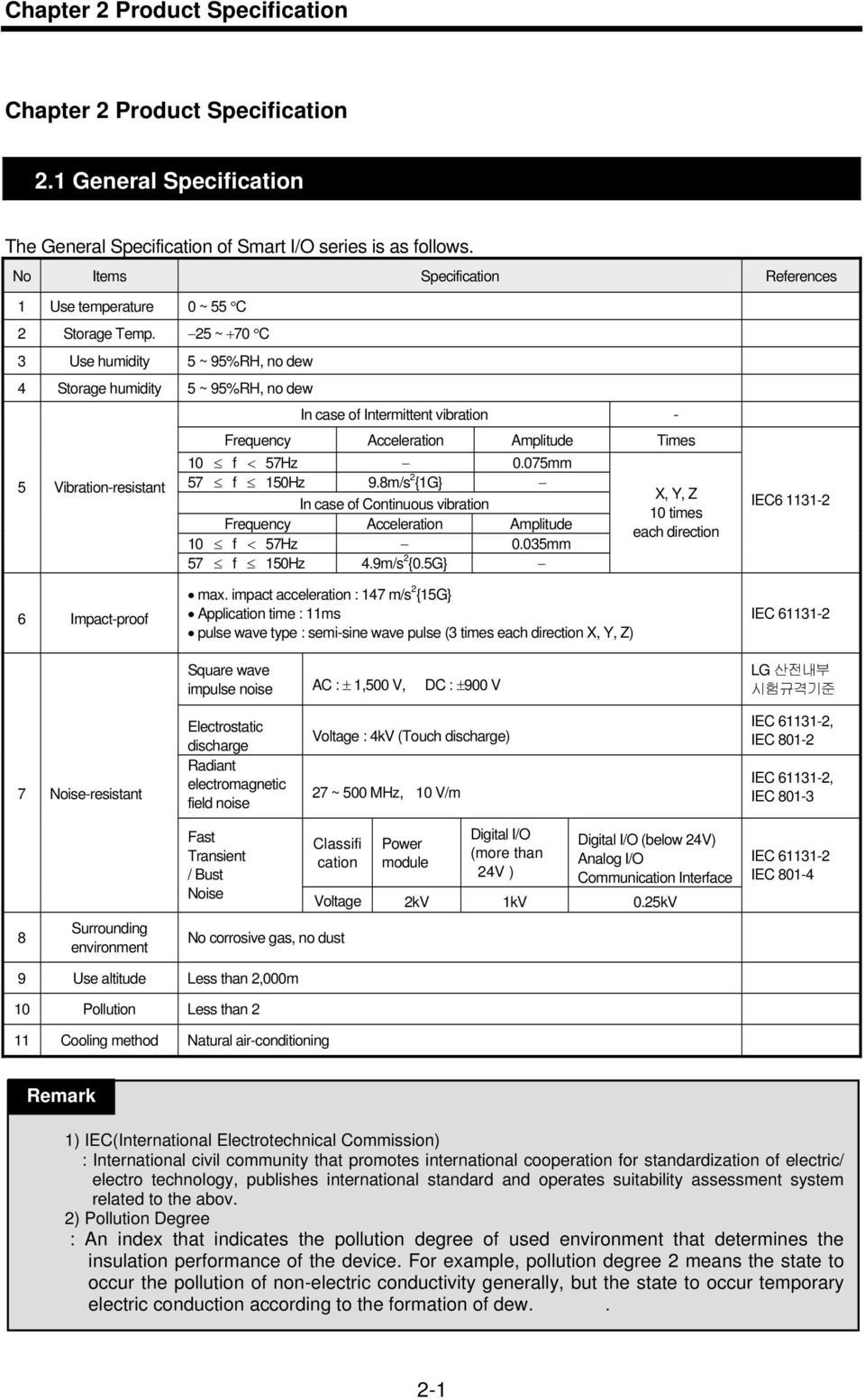
20 Chapter 2 Product Specification Chapter 2 Product Specification 2.1 General Specification The General Specification of Smart I/O series is as follows. No Items Specification References 1 Use temperature 0 ~ 55 C 2 Storage Temp. 25 ~ +70 C 3 Use humidity 5 ~ 95%RH, no dew 4 Storage humidity 5 ~ 95%RH, no dew 5 Vibration-resistant In case of Intermittent vibration - Frequency Acceleration Amplitude Times 10 f < 57Hz 0.075mm 57 f 150Hz 9.8m/s 2 {1G} In case of Continuous vibration Frequency Acceleration Amplitude 10 f < 57Hz 0.035mm 57 f 150Hz 4.9m/s 2 {0.5G} X, Y, Z 10 times each direction IEC Impact-proof max. impact acceleration : 147 m/s 2 {15G} Application time : 11ms pulse wave type : semi-sine wave pulse (3 times each direction X, Y, Z) Square wave impulse noise AC : ± 1,500 V, DC : ±900 V IEC LG 산전내부 시험규격기준 7 Noise-resistant Electrostatic discharge Radiant electromagnetic field noise Voltage : 4kV (Touch discharge) 27 ~ 500 MHz, 10 V/m IEC , IEC IEC , IEC Fast Transient / Bust Noise Classifi cation Power module Digital I/O (more than 24V ) Digital I/O (below 24V) Analog I/O Communication Interface Voltage 2kV 1kV 0.25kV IEC IEC Surrounding environment No corrosive gas, no dust 9 Use altitude Less than 2,000m 10 Pollution Less than 2 11 Cooling method Natural air-conditioning Remark 1) IEC(International Electrotechnical Commission) 제 4장 : International CPU 모듈 civil community that promotes international cooperation for standardization of electric/ electro technology, publishes international standard and operates suitability assessment system related to the abov. 2) Pollution Degree : An index that indicates the pollution degree of used environment that determines the insulation performance of the device. For example, pollution degree 2 means the state to occur the pollution of non-electric conductivity generally, but the state to occur temporary electric conduction according to the formation of dew.. 2-1
21 Chapter 2 Product Specification 2.2 Power Specification Here describes the Power Specification of Smart I/O Performance Specification Here describes Power Performance Specification of Smart I/O Profibus-DP(Pnet) module. Specification Items GPL- GPL- GPL- GPL- GPL- GPL- TR2A TR4A RY2A DT4A D22A D24A Input power DC +24V (Max +28V, Min +19V) Input current 0.4A(+24VDC) Dash current Less than 40A : (24VDC input) Rated output current (+5V) 0.2~0.6A Rated output current (+5V, Aux) 0.02~0.1A Efficiency More than 60% (in case of Full Load) Power indication When power input, LED ON Output voltage dwell time Within 150ms (DC19~24V input, Full Load) Suitable wire spec 1.5 ~ 2.5mm 2 (AWG16 ~ 22) Suitable tightening torque 12kg cm Here describes Power Performance Specification of Smart I/O DeviceNet, Rnet, Modbus module. Specification Items GD/R/SL- GD/R/SL- GD/R/SL- GD/R/SL- GD/R/SL- GD/R/SL- TR2A TR4A RY2A DT4A D22A D24A Input power Input current Dash current Rated output current (+5V) Efficiency DC +24V (Max +28V, Min +19V) 0.4A(+24VDC) Less than 40A : (24VDC input) 0.2~0.6A More than 60% (in case of Full Load) Power indication When power input, LED ON Output voltage dwell time Within 150ms (DC19~24V input, Full Load) Suitable wire spec 1.5 ~ 2.5mm 2 (AWG16 ~ 22) Suitable tightening torque 12kg cm 2-2
22 Chapter 2 Product Specification 2.3 Digital Input Module Specification DC16 point Input Module : GPL/GDL/GRL/GSL-D22A Type name Spec. DC input module Input point 16 points Insulation method Photo coupler insulation Rated input voltage DC24V Rated input current 7 ma Use voltage range DC20.4 ~ 28.8V (ripple rate : within 5% ) Max. simultaneous input point 100% (16 points/1com) simultaneously ON ON voltage / ON current More than DC19V / more than 3.5 ma OFF voltage / OFF current Less than DC6V / less than 1.5 ma Input resistance Approx. 3.3 kω Response time Off On Less than 3 ms On Off Less than 3 ms Common method 16 points / COM Internal consumption current Less than 200mA Action indication LED ON when input ON External connection method Terminal unit connector (M3 X 6 screws) weight Less than 160g Circuit Configuration DC5V Power circuit FG DC24V DC5V Internal circuit Photo coupler R R R 00 R 15 COM1 DC24V 2-3
23 Chapter 2 Product Specification DC32 point Input Module : GPL/GDL/GRL/GSL-D24A Type name Spec. DC Input Module Input point 32 points Insulation method Photo coupler insulation Rated input voltage DC24V Rated input voltage 7 ma Use voltage range DC20.4 ~ 28.8V (ripple rate : within 5% ) Max. simultaneous input point 100% (16 points/1com) simultaneously ON ON voltage / ON current More than DC19V / more than 3.5 ma OFF voltage / OFF current Less than DC6V / less than 1.5 ma Input resistance Approx. 3.3 kω Response time Off -> On Less than 3 ms On - > Off Less than 3 ms Common method 16 points / COM Internal consumption current Less than 300 ma Action indication LED ON when input ON External connection method Terminal unit connector (M3 X 6 screws) Weight Less than 240g Circuit Configuration DC5V Power circuit FG DC5V DC24V Internal circuit Photo coupler R R R 00 R 15 Internal circuit Photo coupler R DC5V R R COM0 DC24V 16 R 31 COM1 DC24V 2-4
24 Chapter 2 Product Specification 2.4 Digital Output Module Specification point Relay Output Module : GPL/GDL/GRL/GSL-RY2A Type name Spec. Relay Output Module Output point 16 points Insulation method Relay insulation Rated load voltage/current DC24V 2A(resistance load) / 1point, AC220V 2A(COSΨ = 1) Min.(max.) load voltage/current DC5V / 1mA, AC250V, DC110V Max. open/close frequency 1,200 times / hr Surge killer None Mechanical More than 20,000,000 times Rated load voltage/current more than 100,000 times Life AC200V / 1.5A, AC240V / 1A (COSΨ = 0.7) more than 100,000 Electrical AC200V / 1A, AC240V / 0.5A (COSΨ = 0.35) more than 100,000 DC24V / 1A, DC100V / 0.1A (L / R = 7ms) more than 100,000 Response time Off On Less than 10 ms On Off Less than 12 ms Common method 8 points / COM Internal consumption current Less than 550 ma (when all points ON) Action indication LED ON when output ON External connection method Terminal unit connector (M3 X 6 screws) Weight Less than 300g Circuit Configuration 5V Internal power FG DC24V DC5V L 00 Relay Coil AC110/220V DC24V Internal circuit TD62083 L 07 DC5V COMA L 08 AC110/220V DC24V Internal circuit TD62083 Relay Coil L 15 AC110/220V DC24V COMC AC110/220V DC24V 2-5
25 Chapter 2 Product Specification point Transistor Output Module : GPL/GDL/GRL/GSL-TR2A Type name Spec. Transistor Output Module Output point 16 points Insulation method Photo coupler insulation Rated load voltage DC 24V Use load voltage range DC 20.4 ~ 26.4V Max. load current 0.1A / 1point, 2A / 1COM Leakage current when OFF Less than 0.1mA Max. inrush current Less than 4A / 10 ms Max. voltage falling when ON DC 1.5V Surge killer Clamp diode Response time Off On Less than 2 ms On Off Less than 2 ms Common method 16 points / 1COM Internal consumption current Less than 280 ma (when all points ON) External power Voltage DC24V ± 10% (ripple voltage : less than 4 Vp-p) Supply current Less than 50 ma (DC24V per 1COM ) Action indication LED ON when output ON External connection method Terminal unit connector (M3 X 6 screws) Weight Less than 160g Circuit Configuration DC5V Power circuit FG Internal circuit 00 L DC24V Photo coupler R R R Transistor 15 L COM DC24V 2-6
26 Chapter 2 Product Specification point Transistor Output Module : GPL/GDL/GRL/GSL-TR4A Type name Spec. Transistor Output Module Output point 32 points Insulation method Photo coupler insulation Rated load voltage DC 24V Use load voltage range DC 20.4 ~ 26.4V Max. load current 0.1A / 1point, 2A / 1COM Leakage current when OFF Less than 0.1 ma Max. inrush current Less than 0.4 A / 10 ms Max. voltage falling when ON DC 1.0 V Response time Off On Less than 2 ms On Off Less than 2 ms Common method 16 points / 1 COM Internal consumption current Less than 380 ma (when all points ON) External power Voltage DC 24V ± 10 % (ripple voltage : less than 4Vp-p ) supply current 40 ma (DC 24V per 1 COM) Action indication LED ON when output ON (16 points indication conversion by selection switch) External connection method Terminal unit connector (M3 X 6 screws) Weight Less than 240g Circuit Configuration DC5V Power circuit FG Internal circuit L Internal circuit Photo coupler R R R Transistor COM0 15 L Photo coupler 16 L R R R Transistor 31 L COM1 DC24V 2-7
27 Chapter 2 Product Specification 2.5 Digital I/O Combined Module Specification point I/O Combined Module(DC16/TR16 point): GPL/GDL/GRL/GSL- DT4A I/O Combined Module Input Output Input point 16 point Output point 16 point Insulation method Photo coupler insulation Insulation method Photo coupler insulation Rated input voltage DC 24V Rated load voltage DC24V Rated input current 7 ma Max. load current 0.1A/1point, 2A/1COM Use voltage range DC20.4~26.4V (ripple rate : within 5%) Max. load voltage/current AC250V, DC125V Max. simultaneous input point 100% simultaneously ON Leakage current when OFF Less than 0.1 ma ON voltage/on current DC19V/3.0 ma or more Max. inrush current Less than 4A/10ms OFF voltage/off current DC6V/1.5 ma or less Surge killer none Input resistance Approx. 3.3 kω Response Off On Less than 2 ms Response Off On Less than 3 ms time On Off Less than 2 ms time On Off Less than 3 ms Common method 16 points / COM Common method 16 points / 1COM Action indication LED ON when input ON Action indication LED ON when output ON External connection method Internal consumption current Weight Circuit Configuration Terminal unit connector (M3 6 screws) Less than 350 ma Less than 240g DC5V Power circuit FG Internal circuit DC24V 00 L Photo coupler R R R Transistor 15 L DC5V COM0 DC24V Internal circuit Photo coupler R R R 00 R 15 COM1 DC24V 2-8
28 Chapter 2 Product Specification 2.6 Communication Module Specification Profibus-DP Module Specification Classification Profibus-DP Module Type Remote slave Standard EN / DIN Interface RS-485(Electric) Medium Access POLL Topology BUS Encoding method NRZ Cable Shielded Twisted Pair 1200m (9.6K ~187Kbps) 400m (500 Kbps) Communication distance 200m (1.5 Mbps) 100m (3M ~ 12Mbps) Max. node Max. node (per segment) Max. I/O data 126 stations 32 stations 64Byte DeviceNet Module Specification Classification DeviceNet Module type Remote slave Protocol CAN Protocol Medium Access POLL Topology BUS Cable Class 2 Thick/Thin Cable(Allen-Bradley standard) Communication speed 125/250/500 kbps Communication distance(thick) 500/250/100 m 125 kbps 6m(max. extension 156m) Max. drop 250 kbps 6m(max. extension 78m) length 500 kbps 6m(max. extension 39m) Data packet 0 ~ 8 Byte(64 Bits) Network structure itrunk/drop line ipower within same network/ signal cable Bus method Max. node System type Action voltage imulti slave/ multi casting ipeer-to-peer method istrobe,poll,cos/cyclic method Max. 64 MAC ID 32 I/O per node (max. 2,048 I/O) Node insertion/removal in voltage ON DC 24V 2-9
29 Chapter 2 Product Specification Rnet Module Specification Classification Rnet Allowable inspection power cut time 20ms Communication speed 1Mbps Communication method Semi dual bit serial method Synchronous method Frame synchronous method Transmission path method BUS Total extension distance 750m No. of connecting station 64 stations (including master stations) Modulation method Manchester Biphase-L Error control method Retry by CRC-CCITT and Time Over Connector connection 9-PIN plug type Using cable TWISTED PAIR SHIELDED CABLE Max. communication point 3,840 Word (master base) Max. sending point 1,920 Word(master base) Max. block no. assignment 63 Max. point of Block unit 60 Word Modbus Module Specification Classification Module type Protocol Max. protocol size Topology Cable Communication speed Communication distance Medium Access Max. node Communication point Snet Remote slave Modbus-RTU 8 Byte BUS TWISTED PAIR SHIELDED CABLE 2400 ~ 38,400 BPS 1 Km POLL 32 stations 32 points 2-10
30 Chapter 2 Product Specification 2.7 Communication Cable Specification Profibus-DP Cable Specification Belden Network Cable Type : Network Components Protocol : FMS-DP-PA Certification : No Order No. : 3076F, 3077F, 3079A Classification Twinax AWG 22 Type Insulation Insulation strength Shield Capacitance Characteristic impedance Number of core wire BC-Bare Copper PE-Polyethylen (Inch) Aluminum Foil- Polyester Tape/Braid Shield 8500 pf/ft 150Ω 2 Core 2-11
31 Chapter 2 Product Specification DeviceNet Cable Specification Cable Specification Type name Class 2 Thick/Thin Cable Maker Cable type Allen-Bradley Round Rated output voltage 30V/100VA Trunk/ drop Max. allowable current 100VA/24V or 4A Simultaneous use External diameter Number of core wire 12.2mm/6.9mm 5 cores Class 2 Thick Cable Spool Size 50m 150m 300m 500m Class 2 Thin Cable Spool Size 50m 150m 300m 600m Cable Signal Name Smart I/O Dnet I/F module cable have 5 cores as follows. It is composed of Twist pair cable for DC 24V power supply, twist pair cable for signal cable, shield cable etc. and both Thick and Thin cable are available for trunk/drop line. Cble color Signal name Description While CAN_H Signal cable Blue CAN_L Signal cable Bare Drain Shield cable Black V- Power cable Red V+ Power cable Max. transmission distance by Cable types Transmission speed Thick cable Max. distance Thin cable 125kbps 500m 100m 250kbps 250m 100m 500kbps 100m 100m 2-12
32 Chapter 2 Product Specification <STRUCTURE> Insulation covering -Thick: Green -Thin: Yellow Copper-film covered shield Mylar Tape DC Power cable -15AWG 19X28(Thick) -22AWG 19X34(Thin) Signal cable (Blue/White) -18AWG 19X30(Thick) -24AWG 19X36(Thin) Shielded cable 2-13
33 Chapter 2 Product Specification Rnet Cable Specification Twist Pair Cable Cable Description Product name Low Capacitance Lan Interface Cable Type name LIREV-AMESB Specification 2*0.64 mm (GS ,22 AWG) Maker LG Cable Electric characteristics Items Unit Characteristics Test condition Conductor resistance Ω/km Less than 59 Normal temp. Voltage-resistance(DC) V/min 500V 1 min resist In air Insulation resistance MEGA Ω-km More than 1,000 Normal temp. Capacitance pf/m Less than 45 1 khz Characteristic impedance Ω 120 ± 12 10MHz Appearance characteristics No. of core wire CORE 2 Conductor Spec. AWG 18 Composition NO./mm 1/1.0 Outside diameter mm 1.0 Insulator Thickness mm 0.9 Outside diameter mm 2.8 Structure Diagram Conductor Insulator Grounding wire 2-14
34 Chapter 2 Product Specification Modbus Cable Specification In case of Modbus communication using RS-422 channel, it is required to use Twist Pair Cable for RS-422 considering communication distance and communication speed. The table below shows the specification of recommended cable. In case of using other cables, it is required to use the cable suitable for the following characteristics. θ Product name : Low Capacitance Lan Interface Cable θ Type name : LIREV-AMESB θ Spec. : 2P X 22AWG(D/0.254 TA) θ Maker : LG Cable Twist Pair Cable Specification 1) Electric Characteristic Test Items Unit Characteristics Test condition Conductor resistance Ω/km Less than 59 Normal temp. Voltage-resistance(DC) V/1min 500V 1 min resist In air Insulation resistance MΩ-km More than 1,000 Normal temp. Capacitance Pf/M Less than 45 1kHz Characteristics impedance Ω 120 ± 12 10MHz 2) Appearance Characteristic Items Single Wire No. of core wire Pair 2 Conductor Spec. AWG 22 Composition NO./mm 1/0.643 Outside diameter Mm Insulator Thickness Mm 0.59 Outside diameter Mm 1.94 * Structure Diagram 도체 Conductor 절연체 Insulator AL/MYLER TAPE 접지선 Grounding wire 편조체 Braided material 쉬스체 Sheath material 2-15
35 Chapter 2 Product Specification 2.8 Terminating Profibus-DP Terminating Connection Connector Terminal unit for cable connection A1 B1 A2 B2 A1 B1 A2 B2 OFF ON OFF ON For end connection Termination switch ON : Terminating OFF: no terminating For branch connection DeviceNet Terminating Terminal resistance - 121Ω, 1%, 1/4W resistance should be added. - Connected to CAN_H of connector and CAN_L signal cable 121 Ω Red Black White Shield Blue Remark 1) Terminal resistance should be added to both end of trunk line of network and in case of composing by device port tab, it is required to install terminal resistance on both ends of tab. In case that terminal resistance is omitted, the normal communication is not available. 2-16
36 Chapter 2 Product Specification Rnet Terminating Signal cable for electric network connection for Smart I/O Rnet uses no.6 and 7 from connector pin of Rnet master module and no.8 and 9 of Smart I/O module. No.6 signal of master module Is connected to no.8 signal cable of Smart I/O module and no.7 signal is connected to no.9 signal cable respectively. As each connector body is connected to other module by shield cable which plays the role to bypass the external noise, the connector bodies of both side should be connected by shield cable and the body of cable connector is not allowed to contact to high voltage and high current cables. When soldering the shield cable to 9 pin connector body, it is required to heat the connector body with soldering iron sufficiently for strict and non removable soldering. In case of soldering, use the suitable amount of solder as too much solder adding makes the assembly of connector case difficult. Resistance value : 110Ω, 1/2W Connection pin no. - Master connection section : Pin no.6, 7 - Smart I/O connection section : Pin no.8, 9 Terminal resistance as fittings(110ω, 1/2W) should be added on both ends of network. Connector case and end resistance are not allowed to contact each other. Pin no.7 TX1 RX1 TX2 RX2 Pin no.6 Terminal resistance End resistance Master connection Terminal unit for cable connection Smart I/O connection 2-17
37 Chapter 2 Product Specification Modbus Terminating In case of communicating through RS-422 channel, it should be required to connect the terminal resistance from outside. In case of long distance communication, terminal resistance plays the role to prevent the signal distortion caused by reflection wave of cable and is required to connect the resistance (1/2W) same as characteristic impedance value to the end of network. In case of using the recommended cable, please connect 120Ω terminal resistance to both end of cable. In case of using other cables except the recommended cable, it is required to connect the 1/2W resistance same as the characteristic impedance value of using cable to both sides of cable. RX- RX+ TX- TX+ Terminal resistance Master connection Smart I/O connection 2-18
38 Chapter 3 System Configuration Chapter 3 System Configuration Smart I/O series is equipped with various product suitable for system configuration as various communication models and I/O module. This chapter describes the method of system configuration and characteristics. 3.1 Notices in Selecting Module Here describes the notices in selecting digital I/O module which is used for Remote I/O. 1) Digital input types contain the current sink input and current source input. In case of DC input module, as the wiring method of external input power is different according to such input types, make sure of selecting the input module considering the spec. of input connection machine. Remote I/O is available for source/sink in common. The wiring method per type is as follows. (1) How to connect the sink type external connection machine to the source type DC input module. - + DC power External connection machine I COM DC input module External connection machine is located between DC power and (-) terminal of DC input module terminal. Thus, when input ON, the current flows from DC input module terminal to external connection machine. (2) How to connect the source type external connection machine to the sink type DC input module. + External connection machine I DC power - - COM DC input module External connection machine is located between DC power and (+) terminal of DC input module terminal. Thus, when input ON, the current flows from external connection machine to DC input module terminal. 3-1
39 Chapter 3 System Configuration 2) In case that the open/close frequency is high or it is used to open/close the conductive load, please use transistor output module as Relay output module may reduce the life. 3.2 Names of Each Part Basic System Configuration Smart I/O series contains all 4 kinds of module configuration. According to network configuration that the user wants, it is available to install the system simple and effectively by the combination of the following models. The best advantage of Smart I/O series is the simple system configuration and the easy connection with other maker s machine as this is oriented to the open type network (except Rnet). Example of Smart I/O Series Form Available modules per network of Smart I/O series (I/O module) I/O configuration available point Profibus-DP Communication module 16 points or 32 points GPL-TR2A / GPL-TR4A / GPL-RY2A GPL-D22A / GPL-D24A GPL-DT4A Product type DeviceNet Communication module Rnet Communication module GDL-TR2A / GDL-TR4A / GDL-RY2A GDL-D22A / GDL-D24A GDL-DT4A GRL-TR2A / GRL-TR4A / GRL-RY2A GRL-D22A / GRL-D24A GRL-DT4A Modbus Communication module GSL-TR2A / GSL-TR4A / GSL-RY2A GSL-D22A / GSL-D24A GSL-DT4A 3-2
40 Chapter 3 System Configuration Names of Each Part of Smart I/O series Profibus-DP, Rnet, Modbus series Profibus-DP, Rnet, Modbus communication module has all same forms and their characteristics are as follows. In case of I/O 16 points In case of I/O 32 points,
41 Chapter 3 System Configuration 1) Profibus-DP module No. Item Dscription 1 2 Connection connector Smart I/O type name indication RUN LED Connector for communication connection with master/remote unit 9 pin connector Describes Profibus-DP module type name. GPL-D22A : DC input 16 points GPL-D24A : DC input 32 points GPL-TR2A : TR output 16 points GPL-TR4A : TR output 32 points GPL-RY2A : Relay output 16 points GPL-DT4A : DC input 16 points /TR output 16 points combined It describes the status of power to be supplied to the system. On : in case of normal power supply Off : in case of abnormal power supply Communi- 3 cation status indication RDY LED ON : when communication module is working normally. LED ERR LED ON : when communication module is cut off. 4 station no. of its own station setting switch The switch to set the node station no. of its own station. Available to set from 0~99 ( 0 station reserved) X10 : 10 digits indicated X1 : 1 digit indicated 5 I/O LED It describes the contact status of I/O terminal. 6 Hook for DIN rail attachment Hook for DIN rail attachment 7 Terminal block Terminal block layout for I/O wiring * Refer to Art
42 Chapter 3 System Configuration 2) Rnet module No. Item Dscription 1 2 Connection connector Smart I/O type name indication PWR LED Connector for communication connection with master/remote unit 9 pin connector Describes Rnet module type name. GRL-D22A : DC input 16 points GRL-D24A : DC input 32 points GRL-TR2A : TR output 16 points GRL-TR4A : TR output 32 points GRL-RY2A : Relay output 16 points GRL-DT4A : DC input 16 points/tr output 16 points combined It describes the status of power to be supplied to the system. On : in case of normal power supply Off : in case of abnormal power supply 3 Communication status indication LED TX LED It describes the transmission status of communication module. Blink : when communication module is transmitting (except GRL-TR4A) OFF : LED is OFF in the cases as follows ; in case that the voltage is not supplied normally to the basic unit. in case that the error to stop the operation is detected. 4 RX LED Station no. of its own station setting switch It describes the receiving status of communication module. Blink : when communication module is receiving. Off : when communication module has no receiving or the error is detected. The switch to set the node station no. of its own station. Available to set from 0~63. X16 : 16 digits indicated X1 : 1 digit indicated 5 I/O LED Describes the contact status of I/O terminal. 6 Hook for DIN rail attachment Hook for DIN rail attachment 7 Terminal block Terminal block layout for I/O wiring. * Refer to Art
43 Chapter 3 System Configuration 3) Modbus module No. Item Dscription 1 2 Connection connector Smart I/O type name indication PWR LED Connector for communication connection with master/remote unit 9 pin connector Describes Modbus module type name. GSL-D22A : DC input 16 points GSL-D24A : DC input 32 points GSL-TR2A : TR output 16 points GSL-TR4A : TR output 32 points GSL-RY2A : Relay output 16 points GSL-DT4A : DC input 16 points/tr output 16 points combined It describes the status of power to be supplied to the system. On : in case of normal power supply Off : in case of abnormal power supply 3 Communication status indication LED TX LED It describes the transmission status of communication module. Blink : when communication module is transmitting (except GRL-TR4A) OFF : LED is OFF in the cases as follows ; in case that the voltage is not supplied normally to the basic unit. in case that the error to stop the operation is detected. 4 RX LED Station no. of its own station setting switch It describes the receiving status of communication module. Blink : when communication module is receiving. Off : when communication module has no receiving or the error is detected. The switch to set the node station no. of its own station. Available to set from 0~31. X16 : 16 digits indicated X1 : 1 digit indicated 5 I/O LED It describes the contact status of I/O terminal. 6 Hook for DIN rail attachment Hook for DIN rail attachment 7 Terminal block Terminal block layout for I/O wiring * Refer to Art
44 Chapter 3 System Configuration DeviceNet Series The form of DeviceNet communication module is as follows. In case of I/O 16 points, In case of I/O 32 points,
45 Chapter 3 System Configuration 1) DeviceNet module No. Item Dscription 1 2 Connection connector Smart I/O type name indication Connector for communication connection with master/remote unit 5 pin OPEN type connector Describes DeviceNet module type name. GDL-D22A : DC input 16 points GDL-D24A : DC input 32 points GDL-TR2A : TR output 16 points GDL-TR4A : TR output 32 points GDL-RY2A : Relay output 16 points GDL-DT4A : DC input 16 points/tr output 16 points combined Communi- PWR LED It describes the status of power to be supplied to the system. On : in case of normal power supply Off : in case of abnormal power supply 3 cation status indication LED MS LED It describes interface status of communication module. Blink : when communication module is in normal interface with CPU. OFF : Interface error NS It describes network status of communication module. LED Blink : when it is in normal interface with other machine. 4 Station no. of its own station setting switch The switch to set the node station no. of its own station. Available to set from 0~63. X16 : 16 digits indicated X1 : 1 digit indicated 5 I/O LED It describes the contact status of I/O terminal. 6 Hook for DIN rail attachment Hook for DIN rail attachment 7 Terminal block Terminal block layout for I/O wiring * Refer to Art
46 Chapter 3 System Configuration 3.3 I/O Wiring Diagram of Communication Module External connection diagram of Smart I/O module Profibus-DP module GPL-D22A / GPL-D24A GPL-DT4A GPL-TR2A / GPL-TR4A GPL-RY2A 1) Terminal block configuration Terminal block Contact and Power Input 0 ~ 15 Input contact terminal (GPL-D22A) 0 ~ 31 Input contact terminal (GPL-D24A) COM COM0/COM1 FG DC 24V DC 24G Common terminal(16 points COM)(GPL-D22A) Common terminal(16 points COM)(GPL-D24A) FG terminal DC 24V(+) power input terminal DC 24V(-) power input terminal 0 ~ 15/0 ~ 15 I/O contact terminal COM0/COM1 FG DC 24V DC 24G Common terminal(16 points COM) FG terminal DC 24V(+) power input terminal DC 24V(-) power input terminal 0 ~ 15 Output contact terminal(gpl-tr2a) 0 ~ 31 Output contact terminal(gpl-tr4a) COM COM0/COM1 FG 24V 24G Common terminal(16 points COM)(GPL-TR2A) Common terminal(16 points COM)(GPL-TR4A) FG terminal DC 24V(+) power input terminal DC 24V(-) power input terminal 0 ~ 15 Output contact terminal COMA~COMD FG DC 24V DC 24G Common terminal(8 points COM) FG terminal DC 24V(+) power input terminal DC 24V(-) power input terminal 3-9
47 Chapter 3 System Configuration Classification 2) Wiring Diagram Wiring Diagram [GPL-D22A] [GPL-D24A] [GPL-DT4A(input section)] DC input module COM. COM DC 24G FG DC 24V COM DC 24G DC 24V COM FG COM DC 24G DC 24V FG [GPL-TR2A] [GPL-TR4A] [GPL-DT4A(Output section)] 15 COM1 TR output module DC COM 24V COM DC 00 24G DC FG 24V DC COM1 24V COM DC 00 24G DC FG 24V DC 24V COM DC 00 24G FG DC 24V [GPL-RY2A] RELAY Output module COMA COMC 13 COMC COMA 05 COMA COMC.... COMA COMA COMB COMC COMC COMD * COMA and COMB are connected internally respectively. 3-10
48 Chapter 3 System Configuration DeviceNet module GDL-D22A / GDL-D24A GDL-DT4A GDL-TR2A / GDL-TR4A GDL-RY2A 1) Terminal block configuration Terminal block Contact and Power Input 0 ~ 15 Input contact terminal(gdl-d22a) 0 ~ 31 Input contact terminal(gdl-d24a) COM COM0/COM1 0 ~ 15/0 ~ 15 I/O contact terminal COM0/COM1 Common terminal(16 points COM)(GDL-D22A) Common terminal(16 points COM)(GDL-D24A) Common terminal(16 points COM) 0 ~ 15 Output contact terminal(gdl-tr2a) 0 ~ 31 Output contact terminal(gdl-tr4a) COM COM0/COM1 Common terminal(16 points COM)(GDL-TR2A) Common terminal(16 points COM)(GDL-TR4A) 0 ~ 15 Output contact terminal COMA~COMD Common terminal(8 points COM) 3-11
49 Chapter 3 System Configuration 2) Wiring diagram Classification Wiring diagram [GDL-D22A] [GDL-D24A] [GDL-DT4A(input section)] DC input module. COM COM COM COM COM [GDL-TR2A] [GDL-TR4A] [GDL-DT4A(output section)] 15 COM1 TR output module DC COM 24V COM COM DC 24V COM DC 24V COM [GDL-RY2A] RELAY Output module COMA COMC 13 COMC COMA 05 COMA COMC.... COMA COMA COMB COMC COMC COMD * COMA and COMB are connected internally respectively. 3-12
50 Chapter 3 System Configuration Rnet module GRL-D22A / GRL-D24A GRL-DT4A GRL-TR2A / GRL-TR4A GRL-RY2A 1) Terminal block configuration Terminal block Contact and Power Input 0 ~ 15 Input contact terminal(grl-d22a) 0 ~ 31 Input contact terminal(grl-d24a) COM COM0/COM1 FG DC 24V DC 24G Common terminal(16 points COM)(GRL-D22A) Common terminal(16 points COM)(GRL-D24A) FG terminal DC 24V(+) power input terminal DC 24V(-) power input terminal 0 ~ 15/0 ~ 15 I/O contact terminal COM0/COM1 FG DC 24V DC 24G Common terminal(16 points COM) FG terminal DC 24V(+) power input terminal DC 24V(-) power input terminal 0 ~ 15 Output contact terminal(grl-tr2a) 0 ~ 31 Output contact terminal(grl-tr4a) COM COM0/COM1 FG 24V 24G Common terminal(16 points COM)(GRL-TR2A) Common terminal(16 points COM)(GRL-TR4A) FG terminal DC 24V(+) power input terminal DC 24V(-) power input terminal 0 ~ 15 Output contact terminal COMA~COMD FG DC 24V DC 24G Common terminal(8 points COM) FG terminal DC 24V(+) power input terminal DC 24V(-) power input terminal 3-13
51 Chapter 3 System Configuration 2) Wiring diagram Classification Wiring diagram [GRL-D22A] [GRL-D24A] [GRL-DT4A(input section)] DC input module COM. COM DC 24G FG DC 24V COM DC 24G DC 24V COM FG COM DC 24G DC 24V FG [GRL-TR2A] [GRL-TR4A] [GRL-DT4A(output section)] 15 COM1 TR output module DC COM 24V COM DC 00 24G DC FG 24V COM1 30 DC 24V COM DC 00 24G DC FG 24V DC 24V COM DC 00 24G FG DC 24V [GRL-RY2A] RELAY Output module COMA COMC 13 COMC COMA 05 COMA COMC.... COMA COMA COMB COMC COMC COMD * COMA and COMB are connected internally respectively. 3-14
52 Chapter 3 System Configuration Modbus module GSL-D22A / GSL-D24A GSL-DT4A GSL-TR2A / GSL-TR4A GSL-RY2A 1) Terminal block configuration Terminal block Contact and Power Input 0 ~ 15 Input contact terminal(gsl-d22a) 0 ~ 31 Input contact terminal(gsl-d24a) COM COM0/COM1 FG DC 24V DC 24G Common input(16 points COM)(GSL-D22A) Common input(16 points COM)(GSL-D24A) FG terminal DC 24V(+) power input terminal DC 24V(-) power input terminal 0 ~ 15/0 ~ 15 I/O contact terminal COM0/COM1 FG DC 24V DC 24G Common terminal(16 points COM) FG terminal DC 24V(+) power input terminal DC 24V(-) power input terminal 0 ~ 15 Output contact terminal(gsl-tr2a) 0 ~ 31 Output contact terminal(gsl-tr4a) COM COM0/COM1 FG 24V 24G Common terminal(16 points COM)(GSL-TR2A) Common terminal(16 points COM)(GSL-TR4A) FG terminal DC 24V(+) power input terminal DC 24V(-) power input terminal 0 ~ 15 Output contact terminal COMA~COMD FG DC 24V DC 24G Common terminal(8 points COM) FG terminal DC 24V(+) power input terminal DC 24V(-) power input terminal 3-15
53 Chapter 3 System Configuration 2) Wiring diagram Classification Wiring diagram [GSL-D22A] [GSL-D24A] [GSL-DT4A(input section)] DC input module COM. COM DC 24G FG DC 24V COM DC 24G DC 24V COM FG COM DC 24G DC 24V FG [GSL-TR2A] [GSL-TR4A] [GSL-DT4A(output section)] 15 COM1 TR output module DC COM 24V COM DC 00 24G DC FG 24V COM1 30 DC 24V COM DC 00 24G DC FG 24V DC 24V COM DC 00 24G FG DC 24V [GSL-RY2A] RELAY Output module COMA COMC 13 COMC COMA 05 COMA COMC.... COMA COMA COMB COMC COMC COMD * COMA and COMB are connected internally respectively. 3-16
54 Chapter 3 System Configuration 3.4 Examples of System Configuration Profibus-DP System GMWIN GLOFA GM3 G3L-PUEA/PUEB GLOFA GM4 G4L-PUEA/PUEB GLOFA GM6 G6L-PUEA/PUEB Smart I/O GPL-D22A GPL-TR2A CNC Smart I/O GPL-RY2A GPL-D24A GPL-DT4A GPL-TR4A 타사 PLC GM7 G7L-PBEA 3-17
55 Chapter 3 System Configuration DeviceNet System GMWIN GLOFA GM4 G4L-DUEA GLOFA GM6 G6L-DUEA Smart I/O GDL-D22A GDL-TR2A Smart I/O GDL-RY2A GDL-D24A GDL-DT4A GDL-TR4A GM7 G7L-DBEA LG inverter GLOFA GM4 G4L-DUEA GLOFA GM6 G6L-DUEA AB, OMRON DeviceNet Configurator S/W AB Flex I/O OMRON LG inverter 3-18
56 Chapter 3 System Configuration Rnet System GMWIN GLOFA GM3 G3L-RUEA GLOFA GM4 G4L-RUEA GLOFA GM6 G6L-RUEA GM7 G7L-RUEA Smart I/O GRL-D22A GRL-TR2A Smart I/O GRL-D22A GRL-TR2A Smart I/O GRL-D22A GRL-TR2A Smart I/O GRL-D22A GRL-TR2A Smart I/O GRL-RY2A GRL-D24A GRL-DT4A GRL-TR4A Smart I/O GRL-RY2A GRL-D24A GRL-DT4A GRL-TR4A Smart I/O GRL-RY2A GRL-D24A GRL-DT4A GRL-TR4A Smart I/O GRL-RY2A GRL-D24A GRL-DT4A GRL-TR4A 3-19
57 Chapter 3 System Configuration Modbus System GMWIN GLOFA GM3 G3L-CUEA GLOFA GM4 G4L-CUEA GLOFA GM6 G6L-CUEC GM7 G7L-CUEC Smart I/O GSL-D22A GSL-TR2A Smart I/O GSL-D22A GSL-TR2A Smart I/O GSL-D22A GSL-TR2A Smart I/O GSL-D22A GSL-TR2A Smart I/O GSL-RY2A GSL-D24A GSL-DT4A GSL-TR4A Smart I/O GSL-RY2A GSL-D24A GSL-DT4A GSL-TR4A Smart I/O GSL-RY2A GSL-D24A GSL-DT4A GSL-TR4A Smart I/O GSL-RY2A GSL-D24A GSL-DT4A GSL-TR4A 3-20
58 Chapter 4 Communication Programming Chapter 4 Communication Programming 4.1 Overview There are two kinds of Programming methods using the Smart I/O series. For further information, please refer to the user s manual related to master module. 1) High Speed Link High Speed Link is used when other station s data or information is periodically exchanged at every specific time. By referring the changing data of its own station or other station periodically, it enables to utilize the data to the system effectively and communicates by setting the simple parameter. The setting method for GLOFA series is to designate its own area and the area of other station to send or receive and data size, station no. in GMWIN parameter setting (for MASTER-K, in KGLWIN parameter setting) and then carry out the communication. Data size is at least 1 word (16 points) for communication and Rnet communication is available up to 3,840 words. The communication period is available to set max. 20ms up to 10 sec. according to the communication contents. As it is available to communicate with other station by simple parameter setting, it is easy to use this program and the high speed process of internal data enables to process lots of data at the same time periodically. Smart I/O #3 Smart I/O #4 Sending Receiving Sending Receiving Receiving High Speed Sending Sending Receiving Sending Receiving Smart I/O #2 Smart I/O #5 Smart I/O #1 4-1
59 Chapter 4 Communication Programming 2) Function Block(GLOFA-GM) / Command(MASTER-K) High Speed Link is periodic communication, but communication by Function Block/command is the service to communicate when the specific event to communicate with other station occurs. In case that the error occurs in other station which results in sending this content to other other station or when specific contact is entered to communicate, it is available to use Function Block/command. The program method is written by designating Enable condition, communication module installed module position, station no., data area of its own station, the area of other station using Function Block per type made by GMWIN program mode for GLOFA series (by KGLWIN program mode for MASTER-K series) in advance and command. Data size to communicate in High Speed Link is word (16 points) unit but in GLOFA Function Block, it is available to communicate with each other station per data type such as Bit, Byte, Word etc. and in MASTER-K, also by Word unit. Difference between High Speed Link operation and the operation by Function Block/command Contents High Speed Link Function Block/command GLOFA : available per data type Basic unit of 1word(16 points) (Bit, Byte, Word etc.) TX/RX data MASTER-K : supports only Word type. Communication period communication program starts. Performs whenever Enable condition of 20ms(per scan) ~ 10sec Parameter setting Download to GLOFA : Compile Download to PLC Operation PLC High Speed Link allowed Run method run MASTER-K : Download to PLC Run Control by High Speed Link is performed CPU regardless of the CPU Performs the operation following to the operation mode key satates(run, STOP, PAUSE) key condition of CPU module. Remark 1) High Speed Link service is used only for Profibus-DP, DeviceNet, Rnet series from Smart I/O series. Configuration tool to operate the corresponding module is provided separately. 2) Function Block service is used for Modbus communication programming and for further information, refer to the user s manual. 4-2
60 Chapter 4 Communication Programming 4.2 High Speed Link Overview High Speed Link is a communication sevice which transmits data by setting parameter(tx/rx size, period of TX/RX, area of TX/RX and storage). - Setting High Speed Link block : (1) In case that there are several areas for sending/receiving, it is available to set max.64 block (32 for seinding, 32 for receiving) respectively. (2) Available to set 60 words per block. (3) Available to use 3,840 words for max. link point. - Sending/receiving period setting function : As the user can set sending/receiving period per each block, it is available to set the sending/receiving period from 20ms (every scan) to 10 sec. dividing into the area which needs specially rapid sending/receiving and the area not needed. - Sending/receiving area setting : It is available to set sending/receiving area per data block according to setting I/O address. - High Speed Link information provision function : By providing the user with High Speed Link information by the user keyword, it enables to build reliable communication system easily. Maximum High Speed Link points according to device type(master standard) Classification Max. Max. point Max. sending Max. communication per block point(word) block no. point(word) (word) G3/4/6/7L- RUEA 3,840 1,920 64(0-63) 60 Smart G3/4/6L- I/O PUEA/PUEB series 1,792 1,792 64(0-63) 60 G4/6L-DUEA (0-63) 60 Remark Rnet I/F Module Pnet I/F Module Dnet I/F Module 4-3
61 Chapter 4 Communication Programming High Speed Link Sending/Receiving Data Processing Sending/receiving data processing in High Speed Link can be described as follows. Ex) This is the example to send/receive the data from local master (0 station) to Smart I/O station. This is the map to send/receive the data from/to the corresponding remote station when output module is allocated by 1,2,3 station respectively and input module is set as 4,5,6 station. The address, sending/receiving period, data size of Smart I/O station is as follows. High Speed Link parameters have 32 blocks no. for sending and 32 blocks no. for receiving to send/receive the data and Block no. can be assigned and used from 0 to 63 for sending/receiving. Generally, when sending the data, the sender is required to determine data to read and block number to send without designating the no. of other station. But in case that it is set by the remote (for example: Smart I/O series), the user is required to determine the station no. of Remote station (node) and block no. to send, and data sending/receiving mode for the remote station. The following is the example of sending/receiving parameter setting for Smart I/O series that is composed of input module and output module. This sends/receives the data from master that tries to access Smart I/O module to each remote station. The block no. data address, communication period, data size of the corresponding module from local GMWIN or KGLWIN shall be set in High Speed Link parameter. In this case, you should pay attention that the block no. should be different regardless of I/O module in order to send/receive the desired data. [Master] [Smart I/O] 0 station Mode Block no Memory area Period Size Type Sending Out 1 %QW ms 1 Remote Local Out 2 %QW ms 2 Remote Master Out 3 %QW ms 1 Remote In 4 %IW s 1 Remote In 5 %IW s 1 Remote Receiving In 6 %IW ms 1 Remote 4-4
62 Chapter 4 Communication Programming Operation Order by High Speed Link GLOFA-GM [GMWIN] MASTER-K [KGLWIN] 1 Project parameter 1 Project High Speed Link parameter Parameter 2 High Speed Link parameter 2 Parameter High Speed Link 1~4 Link 1, Link 2 3 Network type 3 Link GLOFA Dnet GLOFA Pnet Permit/prohibit GLOFA Rnet 4 Slot number 4 Own station number 0 ~ 7 slot 0 ~ 63 stations 5 Own station number 5 Slot 0~63 stations(pnet 0~31 stations) 0 ~ 7 slot 6 Station type 6 Type Remote Rnet/Dnet 7 Station number 7 Station number 0~63 stations(pnet 0~31 stations) 0 ~ 63 stations 8 Mode 8 Block number Sending Receiving 0 ~ 31 9 Block number 9 Communication type 0 ~ 31 Remote sending/remote receiving 10 Area to read/storage 10 Sending device %Q %I %M Address area to send 11 Sending/receiving period 11 Receiving device 20ms ~ 10sec. Storage area 12 Registration list ->Size 12 Size/Communication speed 1~60 words Word, byte/20ms~10s 4-5
63 Chapter 4 Communication Programming GMWIN s Setting of High Speed Link Parameter High Speed Link parameter selects link parameter from GMWIN project menu and sets the corresponding item and the setting order and the function per item are shown as follows. 1) High Speed Link Project Setting If selecting High Speed Link parameter from GMWIN project basic screen below, it shows the High Speed Link parameter basic screen and the user can select the corresponding item. GMWIN Project Basic Screen 2) Link Parameter Selection (1) Setting method : select parameter-high Speed Link parameter from project screen. GMWIN High Speed Link Parameter 4-6
64 Chapter 4 Communication Programming (2) Setting function : GMWIN High Speed Link 1~4 items means max.installation no. of communication module by master PLC CPU type. A) If the using communication model is only one, select High Speed Link 1. B) One High Speed Link parameter is available to set only for one communication module. 3) Link Parameter Setting If selecting the corresponding parameter from parameter setting basic screen, High Speed Link parameter setting window will appear and when setting the parameter first, the initial value will be indicated as below. GMWIN Parameter Setting Initial Screen Parameter setting initial screen is composed of two items such as Link set and Entry list and the setting methods per each item and its function are as follows. (1) Link Setting Link setting is the item to set the basic articles of communication module to carry out High Speed Link. 4-7
65 Chapter 4 Communication Programming Network type : this is to set the type of communication module and select according to the installed communication module model tpye. Slot number : set one of 0 ~7 for slot number that communication module is mounted(the right side of CPU module is 0 slot). Own station number : enter its own station no. that is set on the station no. switch of communication module front side. It is available to set 0~63 by decimal number. Self station number is unique number to distinguish communication module in the same network system, so doesn t use duplicated station number. (Station num. 0 in Profibus-DP is reserved(can not be used). Refer to Chap.5) (2) Entry List Setting Entry list is the area to register the actual sending/ receiving data information. Set the registration no. from 0 of registration list area first and place the cursor on the desired position of number to set and double click or select Edit button on the bottom of screen to set the corresponding contents in the High Speed Link item modification screen. High Speed Link item modification screen 4-8
66 Chapter 4 Communication Programming Example of sending parameter setting screen Individual parameter registration no.(set by 0~63) Means SEND block 0 Sending area setting address Size of sending data Means LOCAL 0 station No save area as it is sending parameter (set in receiving paramter) Entry List Num : a serial no. indicating the order registred. Available to set 64 no.(from 0~63). Not related to the order of sending/receiving. Station type : this is the item to determine the type of other station to receive/send. Select remote type to communicate with Smart I/O. Station no. : In case that other station to communicate is local type, it is required to set the self station no. for sending and other station no. for receiving while in case of remote type, set other station no. all for sending/receiving. Thus, it is required to set the remote station no. when sending/receiving as Smart I/O series because it does not have parameter setting function in the remote station itself. Mode : this is the item to determine whether or not to send/receive data of the corresponding block. When receiving, select receive. The number of sending/receiving block is available to set max. 32 and if setting more than 32, the parameter error occurs and the normal communication does not work. Block no. : this is the parameter to send/receive lots of data of various area from one station and distinguish the data of various block each other. Generally, the station no. and block no. set by sending station is transmitted together with sending data and if the receiving station wants to receive this data, it is required to receive it as the corresponding block no. sent by sending station. The block no. of sending/receiving for one station is available to set max. 32 and it is not allowed to set the same block no. for the same station no. For remote station, it is set 4-9
67 Chapter 4 Communication Programming differently regardless of sending/receiving. Area : after selecting data area to send/receive, enter the address direct and set the area. Remote sending: read any data of the self station (designate one from %MW,%IW, %QW within the area to read) and designate which area of remote station is sent (%QW is only available to designate in the storage area. Remote sending data is available to send in the remote output side.) Remote receiving: read any area of other remote station not the own station (%IW is only available to designate in the storage area. It is available to read the remote input data) and designate which position of the own station to save from %MW,%IW, %QW. As memory map is different according to CPU models, please refer to memory map described on the corresponding maual. The flowing shows the setting available areaaccording to station type. Setting Area according to Station type Sending Receiving Remarks %IW %QW %MW %IW %QW %MW Remote Area to read X X Storage area X X :setting available X: setting not availble Remark 1) The address of Smart I/O series is allocated as %IW0.0.0 ~ %IW0.0.1 in case of input, and %QW0.0.0 ~ %QW0.0.1 in case of output. - Size : data size to send/receive unit is 1 word (16 points). 4-10
68 Chapter 4 Communication Programming - Sending/Receiving period : High Speed Link is the service to carry out the sending/receiving by the parameter set by the user at the point that PLC program ends. Thus, when PLC program scan time is short within several ms, communication module begins to transmit the data according to every program scan which result in increasing the communication amount and reducing the effectiveness of overall communication system. Thus, to prevent this, the user can set the sending/receiving period from min. 20ms to max. 10sec. If not setting, it shall be set as basic value of 200ms automatically. Sending/Receiving period means the sending period in case that the corresponding block is set as sending and the data receiving check period of the corresponding block in case that it is set as receiving. If PLC program scan time is longer than the setting sending period, it shall be sent at the point that PLC program scan ends and the sending period becomes to be equal to PLC program scan time. Data Sending Delay Time (PLC program scan time > sending period) PLC program scan time (x) Setting sending period(y) Sending delay (z) Sending start Sending delay time : (z) = (x) - (y) ms Data Sending Delay Time(PLC program scan time < sending period) Setting sending period(x) PLC program scan time(y) Sending delay (z) Sending start Sending delay time : (z) = 0 ms Remark 1) When setting the receiving period, the user can check if it is set as the value greater than the period of the corresponding block set by other station to receive normally. 4-11
69 Chapter 4 Communication Programming 4) High Speed Link operation When High Speed Link parameter setting is completed, if the user execute make from compile menu of GMWIN and then write parameter with PLC CPU and start the High Speed Link service and then High Speed Link service by parameter setting will begin. The start order of High Speed Link is as follows. Parameter Write After saving High Speed Link parameter written by the user in GMWIN project file and connecting to PLC through online connect of GMWIN basic menu, select write and the window write appears as above. If you select High Speed Link parameter or parameter and program from the above menu and download the selected parameter, the corresponding contents shall be downloaded. In this case, Link Enable which is High Speed Link start information shall be OFF. Therefore User has to click on the appropriate item of High Speed Link in link Enable setting. 5) High Speed Link start After parameter write, High Speed Link maintains all stop but after the user sets Link Enable, 4-12
70 Chapter 4 Communication Programming High Speed Link runs. Set Link Enable is available only for PLC stop mode. And if set High Speed Link Enable starts, High Speed Link runs regardless PLC action mode and parameter and link enable information shall be preserved by having battery backup in PLC CPU even when power is off. Relation of PLC mode and High Speed Link Classification Parameter High Speed Set Link enable download Link action PLC RUN X X PLC STOP PLC PAUSE X X PLC DEBUG X X Remarks High Speed Link Only if allowed Act 4-13
71 Chapter 4 Communication Programming KGLWIN Link Parameter Setting In case of KGLWIN, its function is the same as that of GMWIN and its opperating method and setting is also the same. Select link from KGLWIN project menu and program it. 1) High Speed Link project setting If selecting link from Project menu, High Speed Link parameter basic screen will appear. KGLWIN Project Basic Screen 2) Link parameter selection (1) Setting method : select parameter - link from project screen. KGLWIN Parameter menu (2) Setting function : KGLWIN link 1~4 means max. Installation no. of communication module according to master PLC CPU types. A) If using one communication module, select link 1. B) Only one High Speed Link parameter is available to set for one communication module. 4-14
72 Chapter 4 Communication Programming 3) Link initial setting KGLWIN contains all general contents necessary for communication setting in link items and the setting method is the same as that of GMWIN. KGLWIN Parameter Setting Initial Screen Parameter setting initial screen is composed of two items such as Link setting and Entry list and the setting method and function per each item is as follows. (1) Link Link is the Enable condition to carry out High Speed Link of the setting parameter. Permit : High Speed Link is ON Prohibit : High Speed Link is OFF (2) Self Station no. Enter its own station no. that is set on the station no. switch of communication module front side. It is available to set 0~63 by decimal number. Self station number is unique number to distinguish communication module in the same network system, so doesn t use duplicated station number. (3) Slot Set the slot no. that the desired communication module to set is installed by selecting one from the range of 0 ~ 7. (4) Type Designate master communication type to communicate with Smart I/O module. Rnet : Fieldbus communication module Pnet : Profibus-DP communication module Dnet : DeviceNet communication module 4-15
73 Chapter 4 Communication Programming 4) Link Setting Details This is KGLWIN link item modication menu. If the user set the sending/receiving with the device to communicate actually, the parameter setting is completed. (1) Station no. Sets the station no. of other station (remote station) to communicate with Smart I/O station. (2) Block no. This is the parameter to be set to send/receive lots of data of various area from master and distinguish the data of various block each other. For remote station, it is set differently regardless of sending/receiving. (3) Communication type This designates the communication method that master will carry out, and distinguish the communication type for local station and remote station.. Local sending : sets data sending between local stations Local receiving : sets data receiving between local stations Remote sending : sets data sending to remote station(smart I/O). Remote receiving : sets data receiving from remote station(smart I/O). (4) Sending device/receiving device This means the area of sending/receiving and for setting, please refer to the table as below. Classification Mode Setting available area Remarks Sending area of its own Sending P, M, L, K, F, D, T, C all area Remote station output Receiving area of remote Receiving P area station Sending area of remote Sending P area Remote station input Receiving area of its own Receiving P, M, L, K, D, T, C area station (5) Size Sets the size of sending/receiving data and the basic unit is Word. (But, in case of DeviceNet, basic unit is Byte.) 4-16
74 Chapter 4 Communication Programming (6) Communication period High Speed Link is the service to carry out the sending/receiving by the parameter set by the user at the point that PLC program ends. Thus, when PLC program scan time is short within several ms, communication module begins to transmit the data according to every program scan which result in increasing the communication amount and reducing the effectiveness of overall communication system. Thus, to prevent this, the user can set the sending/receiving period from min. 20ms to max. 10sec. 5) High Speed Link operation High Speed Link in KGLWIN is performed automatically with the program download according to communication setting. 4-17
75 Chapter 4 Communication Programming High Speed Link communication status flag information 1) High Speed Link information function To confirm the reliability of data read from other station through High Speed Link, it provides the user with the method to confirm the High Speed Link service as High Speed Link flag information. It has individual information such as HS_STATE, TRX_STATE, DEVICE_MODE, ERROR that informs the communication status per 64 registration items in the flag of run-link, link-trouble and parameter that informs the overall status of High Speed Link. The user can utilize the above information by combining with High Speed Link sending/receiving data as keyword type when writing the program in case of emergency or maintenance. High Speed Link information Sending/ Link-trouble High Speed receiving Action mode Error Classifi cation Run-link LINK_ Link status status DEV_MODE DEV_ERROR TROUBLE HS_STATE TRX_MODE Information type Overall information Overall information Individual information Individual information Keyword _HS TRX[n] _HS MOD[n] name (n=individual (n=individual ( =HS link _HS RLINK _HS LTRBL parameter parameter no. no. no.0~63) 0~63 ) 1,2,3,4 ) Individual information Individual information _HS ERR[n] _HS STATE[n] (n=individual (n=individual parameter no. parameter no. 0~63 ) 0~63 ) Data type BIT BIT BIT-ARRAY BIT-ARRAY BIT-ARRAY BIT-ARRAY Monitoring Available Avaiable Available Available Available Available Program Available Avaiable Available Available Available Available (1) Run-Link (_HS RLINK) This is the overall information that shows whether or not High Speed Link is running normally by the parameter set by the user. Once ON, it maintains ON until link enabe is OFF and if the following condition is given, it shall be ON. 1 When link enable is ON. 2 when parameter registration list setting is set normally all. 3 when sending/receiving all data that corresponds with parameter registration list within the setting period. 4 when all other station status set in the parameter is RUN and at the same time there is no error. 4-18
76 Chapter 4 Communication Programming RUN-LINK ON condition 1국 Station 1 2국 Station 2 Station 3국 3 Station 4국 4 Station 5국5 (a) High Speed Link system configuration Station 1 Station 2 Station 3 Station 4 Station 5 Sending: 2words Sending: 2words Sending: 2words Sending: 2words Sending: 2words Receiving: 2word (station 2) Receiving: 2word (station 3) Receiving: 2word (station 1) Receiving: 2word (station 4) Receiving: 2word (station 1) Receiving: 2word (station 5) (b) Examples of High Speed Link parameter setting of each station The figure shows High Speed Link system configuration to explain RUN-LINK ON condition. In case that 5 communication modules are connected by network as shown (a) of the figure and carry out High Speed Link as the content of parameter of figure (b), RUN-LINK ON condition of Station 1 is as follows. 1 when in the self station (station 1), Link-Enable is ON, 2 when the self station (station 1) is RUN status, 3 when the self station (station 1) is not the error status, 4 when the sending parameter data set in the self station (station 1) is sent properly for the sending period, 5 when the data receiving from station 2,3 is received properly for the receiving period, 6 when the action mode of other station (station 2, 3) to send the data to the self station (station 1) is RUN mode and not the error status and it is communicated properly for the sending/receiving period, 7 when in the other station (station 2,3) of the self station (station 1), the action mode of other other station (station 4,5) set in the parameter is RUN mode and not the error status and it is communicated properly for the sending/receiving mode. If the above 7 items are satisfied, RUN-LINK of station 1 shall be ON. If using RUN-LINK contact associated with program in the system where PLC of various stations performs interlocking through High Speed Link, it is available to carry out the mutual monitoring of sending/receiving data and the reliable communication. But, once RUN-LINK contact is ON, it maintains ON status until Link-Enable becomes OFF. Thus when monitoring the abnormal status such as communication error, it is required to use link trouble 4-19
77 Chapter 4 Communication Programming information contact together as follows. (2) Link-Trouble (_HS LTRBL) When RUN-LINK violates the condition of RUN-LINK ON in the status that RUN- LINK is ON, LINK-TROUBLE shall be ON and if recovered, it shall be OFF. (3) Sending/Receiving status (_TRX STATE[0..63]) When the parameter action that is set in the individual parameter registration no.(0~63) respectively, is carried out properly in accordance with sending/receiving period, the corresponding bit shall be ON and if not carried out, it shall be OFF. (4) Action mode (_HS MODE[0..63]) It describes the parameter action mode information that is set in the individual parameter registration no.(0~63). If the station set in the registration item is RUN mode, the corresponding bit shall be ON and if STOP/PAUSE/DEBUG mode, it shall be OFF. (5) Error (_HS ERR[0..63]) It describes the parameter error information that is set in the individual parameter registration no.(0~63). The error indicates generally the status that the PLC does not work the user program normally and if it is OFF, this means that the PLC of other station works normally and if ON, this means that the other station is in the abnormal status. (6) High Speed Link status (_HS STATE[0..63]) It describes the general information for registration list by collecting all individual information per item. That is, if the sending/receiving status of the corresponding list is normal and the action mode is RUN and there is no error, it shall be ON and if violating the above condition, it shall be OFF. Remark Among the keywords used in (1)~(6) items : : describes High Speed Link no.(1,2,3,4) used when setting the parameter. (if the installed communication module is one, High Speed Link 1 shall be used.) [0 63] : describes individual parameter registration no. (check the communication status of each parameter that is in the registration no.0~63.) Remark 4-20
78 Chapter 4 Communication Programming 1) In case of Profibus-DP module, it has other High Speed Link flag. For further information, please refer to GMWIN High Speed Link information High Speed Link Speed Calculation 1) Overview High Speed Link data transmission speed can be determined by various factors. Data transmission from one communication station to another communication station shall be performed through the following path. Data Transmission Path through Communication module PLC-A PLC-B When PLC User Program Scan end, data is transmited through communication module When PLC User Program Scan end, data is received in the communication module Communication module (station 1) Communication module (station 2) Sending when receiving Token from Token master station Data sending Data is delivered through PLC after receiving Data Data receiving Communication cable/modem As shown on the abvoe figure, there are 3 kinds of path to send data to other station through communication module and the sum of time to take for each path determines the sending time. The table below describes the major path of data transmission and the factor that influences the transmission time per path. Data Transmission Path and Time Factor Path PLC CPU(A) --> communication module (station 1) Communication module (station 1) --> Communication module (station 2) Communication module (station 2) --> PLC CPU(B) Time factor PLC-A program scan time Communication scan time + Communication O/S scan time PLC-B program scan time 4-21
79 Chapter 4 Communication Programming As data delivery between PLC CPU and communication module is executed at the point when the user program of PLC ends, program scan time shall be major factor of data transmission. Program scan time monitor can know the current program scan time from program tool. And as data sending/receiving is carried out after obtaining the Token from communication module which allocates tokens so that communication module sends its own data, this time also is included in the communication delay time. The following figure shows PLC program scan time and the sending point according to communication scan time. Station PLC-A 국 PLC-A Station PLC-B PLC-B 국 Relation of PLC scan time and Communication scan time T1 PLC-A TscanA TscanA TscanA Scan time PLC scan delay time (Tdelay_plc1) T1 Communication scan sending delay time (Tdelay_com) T2 Communication Tcom_scan Tcom_scan Scan time PLC scan delay time (Tdelay_plc2) T3 PLC-B TscanB TscanB TscanB Scan time Communication delay time From the above figure, total communication delay time is T1+T2+T3. As above, communication delay time shall be determined by various variables such as total no. of communication station, program size and O/S scan time of communication module. As these variables are difficult to calculate its value, we recommend the example of simple High Speed Link communication speed as follows. 4-22
80 Chapter 4 Communication Programming 2) High Speed Link speed calculation method High Speed Link speed shall be calculated with maximum time to take to send one block data from PLC-A to PLC-B by using the above figure as an example. As communication delay time is different according to the no. of overall communication station and program size, we divide into two cases such as complicated system that the sending data no. to more than 10 communication station exceeds total 512 bytes and the simple system less than 512 bytes and calculate High Speed Link speed as follows. (1) Simple system In the system that total communication station is below 10 stations and total sending data size is less than 512 bytes, you can calculate High Speed Link speed by using the following formula. St = P_scanA + C_scan + P_scanB [formula 4-1] St = High Speed Link max. Transmission time P_scanA = PLC A max. Program scan time C_scan = max. Communication module scan time P_scanB = PLC B max. Program scan time Each item shall be determined as follows. 1 C_scan = THT Sn [formula 4-2] THT = Token Hold Time : Token use time per one station Sn = Total Station Number : Total communication station number 2 Token Hold Time (THT)= Fnet : 8 ms (2) Complicated system. In the system that total communication station is more than 10 station and total sending data size is more than 512 bytes, you can calculate High Speed Link speed by using the following formula. St = Et To Ntx + Mf [formula 4-3] 4-23
81 Chapter 4 Communication Programming Et = Effective Tx Ratio (Effective transmission Ratio) To = Octet time (1 byte sending time) Ntx = Total Tx number Mf = Margin Factor Each item shall be determined as follows. 1Et = Sn Nf [formula 4-4] Sn = Total communication station number Nf = network factor and constant number value according to the communication system characteristic. In Fnet system, it is To = Octet Time. The time to take to transmit one byte data to the serial data. - Fnet : 8 μs 3 Ntx = total sending data number including Function Block/command number and it is determined according to Fnet system as follows. - Fnet : sum of High Speed Link sending byte number + Variable F/B(command) number Mf = margin value for the factors not described like the above formula such as O/S scan time of communication module. Fnet is set as the following value. - Fnet : 16 ms 4-24
82 Chapter 4 Communication Programming 4.3 Function Block Overview Function Block is the function to write or read the specific data of the self station or the specific variable data in the specific area or specific variable area of other station when the regular event occurs, and it can be used diversely according to the purpose. Program of Smart I/O series using the Function Block is limited all in Modbus Snet. For further information, please refer to Chapter 8. Modbus communication Start of GMWIN Function Block When programming by using Function Block, please refer to the following. Function Block carries out the variable setting by input section and output section and for the setting method, please refer to the corresponding Function Block. It describes based on GLOFA GM7 Function Block. Input REQ This is used as the start condition of modebus Function Block and it starts at the rising edge from 0 to 1. Once started, Function Block is not influenced until receiving the response from other station. After setting NDR or ERR bit, it shall be reset in next scan. SLV_ADDR : This sets the remote station number to communicate by performing this Function Block.. FUNC : This enters modbus function code. For further information, please refer to Chapter 8 Modbus Communiction. ADDRH : This designates the starting address and middle/high address among the starting address to read in remote station. 4-25
83 Chapter 4 Communication Programming ADDRL : This designates the low address among the starting address to read in remote station. NUMH : This designates the high address of data size to read from starting address in remote station. NUML : This designates the low address of data size to read from starting address in remote station. Output NDR : ERR : After Function Block starting, if data receiving is OK, it shall be ON and when the corresponding scan ends, it shall be OFF. If using this bit as other Function Block input condition, it is available to carry out the reliable communication. After Function Block starting, if error occurs, it shall be ON and maintains ON until the next Function Block starts again and then OFF. If error occurs, it is not available to receive the data. STATUS : It describes the detailed code value for the error when error occurs after starting Function Block and maintains the value until the next Function Block starts again and then OFF. Remark 4-26
84 Chapter 4 Communication Programming Requirements of Function Block 1) Function Block requirements (REQ) start shall be executed after the previous execution is completed normally (after NDR ON). 1 st REQ 2 nd REQ REQ NDR In communication = internal processing time + response wait time (internal processing time : approx. 50 ~ 60ms) Execution of KGLWIN command MASTER-K command executes the programming by using KGLWIN Modbus command. Please refer to the command execution method and available address area. (Refer to Chapter Modbus communication-master-k series) 4-27
85 Chapter 5 Profibus-DP Communication Chapter 5 Profibus-DP Communication 5.1 Overview Profibus is the open type field bus that the manufacturer selects independently to apply and manufacture (Vendor-independence) and that is used widely for processing automation. DP among them is the most frequently used Communication profile and the network suitable for FA environment of Field Level and also is suitable for master-slave communication between master automation machine and distribution slave I/O machine. It is designed to install with low cost and DP is the most suitable item to replace the existing system such as 4~20mA or Hart system together with 24V parallel signal transmission to the production automation system. Smart I/O module communication supports Profibus-DP through GM3/4/6 master module. (G3L-PUEA/ G3L-PUEB/G4L-PUEA/ G4L-PUEB/G6L-PUEA/ G6L-PUEB) For further information for Profibus-DP, please refer to Korea Profibus Association s homepage. ( 5.2 Communication Specification Classification G3/4/6L-PUEA G3/4/6L-PUEB Module type Master Network type Profibus-DP Standard EN / DIN Media Access Logical Token Ring Communication method RS-485(Electric) Topology Bus Modulation method NRZ Communication cable Shielded Twisted Pair 1200 m (9.6k ~187kbps) Communication distance 400 m (500kbps) 200 m (1.5 Mbps) 100 m (3M ~ 12Mbps) Max. Node/network 126 Station Max. Node/segment 32 Station Max. I/O data 1kbytes 7kbytes Communication parameter setting Parameter setting by using GMWIN High Speed Link parameter and SyCon-PB Configuration Tool SyCon-PB Configuration port RS-232C Configuration Port support 5-1
86 Chapter 5 Profibus-DP Communication 5.3 Basic Performance Overview Profibus-DP Master module is available to set as the following function. 1) Supports only High Speed Link communication. 2) Uses parameter setting in GMWIN/KGLWIN and Configuration Tool(LGIS provided Tool : SyCon). 3) Sets only sending/receiving area from GMWIN/KGLWIN highs speed link parameter setting. 4) Sending/receiving data shall be saved continuously from the setting area and sent. (this is similar to the continued MAP of MASTER-K.) 5) Uses SyCon to set sending/receiving number and slave area per slave station and uses Configuration Port to dselfload as master module. 6) Sending/receiving number is available up to 512bytes/3,584bytes respectively according to the type of Daughter board. 7) Sending/receiving number per slave station is set as byte unit.(set in SyCon) 8) Communication begins through GMWIN/KGLWIN High Speed Link enable set Operation by High Speed Link 1) If Master module is the product of LGIS (G3/4/6L-PUEA, G3/4/6L-PUEB), it configures Profibus Network using SyCon. 2) It dselfloads Profibus Network Configuration as master module. 3) It sets High Speed Link parameter of master in GMWIN and dselfloads it. 4) It performs High Speed Link enable set. 5) If using other maker s product as Master, it configures Profibus Network using Configuration Tool of the corresponding product. 5-2
87 Chapter 5 Profibus-DP Communication SyCon If using master module provided by LGIS (G3/4/6L-PUEA, G3/4/6L-PUEB), it is required to configure Profibus Network using SyCon and dselfload the information to the corresponding master module. As Profibus Network Configuration Tool is different from each master module, if using LGIS master module (G3/4/6L-PUEA, G3/4/6L-PUEB), it is required to use only SyCon. SyCon execution If there is no project using before executing SyCon, the initial screen same as the above figure will appear and if you are preparing the project, the latest project will be open. Initial screen 5-3
88 Chapter 5 Profibus-DP Communication Insertion of Master Module Select below. from the left top tool bar and click the proper point of left top from the window Tool bar If Insert Master window is open as shself in the figure, select COM-DPM/PKV20-DPM if the using master module is G3/4/6L-PUEA and click Add button in the middle part. If the using master module is G3/4/6L-PUEB, select COM-PB/PKV20-PB and click Add button in the middle part. Confirm Station address and if necessary, it is available to change Description. If pressing OK button, master module shall be inserted. Master Insert 5-4
89 Chapter 5 Profibus-DP Communication Inserted master module Master Module Setting If you click the right side of mouse on the inserted master module and select Master Settings... from the appeared popup window, the following window will be open. Select Controlled release of the communication by the application program from Parameter to user interface, Little Endian (LSB-MSB) from Storage format (word module) and select Buffered, host controlled from Handshake of the process data in order. Master Module Setting 5-5
90 Chapter 5 Profibus-DP Communication Insertion of Slave Similar to master, select window will appear as below. from left top tool bar and click master bottom, and Insert Slave Slave insert If using GPL-TR2A, select GPL-TR2A from the left side Available slaves and click Add button in the middle part. If there are several masters, select one from the right side Master and confirm Station address and Description and then click OK button. Remark 1) If there is no slave to use in the slave list (Available slaves) of insert slave window, copy GSD file which is the original self-information supplied by the module manufacturer, from the directory below and then try again Sycon and insert slave. 5-6
91 Chapter 5 Profibus-DP Communication Slave Configuration Click the inserted slave icon with the right button of mouse and select Slave configuration from the appeared popup window. (or double-click the left button of mouse on the slave icon.) Slave Configuration L i s t b o x i n t h e List box in the middle part shows all available module. If you select the module having the necessary point and click Append Module button on the right bottom, it shall be inserted to the list box below. In this case, it is required to insert input module first and then insert output module in the bottom. And the number of available module are
92 Chapter 5 Profibus-DP Communication Bus Parameter Setting Bus Parameter Setting Bus parameter setting is the setting about Profibus-DP network. Select Settings/Bus Parameter... from the menu. Optimize field contains Standard and user definition setting and speed setting (Baud rate) contains 9.6kbps ~ 12Mbps setting. Basically, Baud rate is set as 1.5Mbps and Optimize is set as standard. Bus Parameter Remark 1) Communication speed is related to transmission distance. 2) When using 12Mbps, you should use the connector only for 12Mbps and exclusive cable. 3) When using 12Mbps, min. Distance between stations shall be set as more than 1m. 4) When using 12Mbps, if the communication is cut off (especially, the station far from master), search the proper end resistance value and set it random. 5-8
93 Chapter 5 Profibus-DP Communication Device Allocation It is required to dselfload the prepared configuration to the master module. In this case, click the left button of mouse and select master module icon to set which device to use. Select Setting/Device Assignment... from the menu. Device Allocation Driver Selection If driver selection window is open, select CIF Serial Driver. Remark 1) Driver to be provided by G3/4/6-PUEA/B type master module is only RS-232C port. Thus, CIF TCP/IP Driver, CIF Device Driver is not available. 5-9
94 Chapter 5 Profibus-DP Communication Driver Selection of CIF Serial Driver 2 If the corresponding module information is shself, check the COM1 check box. 1 Connect COM1 press the button to confirm if the corresponding module information is indicated. 3 If everything ends normally without error, press OK button. This connects PC serial port and Configuration Port of Profibus-DP master module and applies the power of master module. Press connect COM1 or other button according to PC serial port and confirm if the corresponding module is selected. In the figure, version and Date may have different value. If there is no error, check the check box of the left side and click OK button. Remark 1) When pressing Connect COM1 button, if the module information does not appear normally and the error occurs, check the connection of cable for configuration and the cable condition first. 2) If Cable is OK, it means that module must be poor. In this case, contact to the customer service center. 5-10
95 Chapter 5 Profibus-DP Communication Configuration Download If you select Online/Dselfload from the menu, dselfload begins to run. In this case, all LED shall be OFF and only READY LED shall be blinking. After dselfload, all LED show its self function. If you carry out dselfload in the status that the communication between the current master and slave is open, the warning window with the message if the dselfload is done during the bus operation, the communication between the master and the slaves is stopped. will appear. After confirming if there is a problem by communication cutoff, click Yes(Y) button and dselfload will run normally. Configuration dselfload Dselfload processing window Warning message 5-11
96 Chapter 5 Profibus-DP Communication High Speed Link Parameter Setting in GMWIN In the previous article, we explained the method to set Configuration and the method to dselfload this to the master module. High Speed Link parameter setting should be done after dselfloading Configuration and High Speed Link parameter selects link parameter from GMWIN project screen and sets the corresponding items and the setting order and its function per item are as follows. 1) High Speed Link parameter setting in GMWIN Open High Speed Link parameter from Project basic screen and enter into the High Speed Link parameter setting menu. High Speed Link parameter basic screen High Speed Link item of the above figure means max. Installation number of communication module according to PLC CPU type. High Speed Link button available for setting is active and in this case, High Speed Link no. is not related to the installed slot no. and the slot no. should be set in the individual parameter setting screen and only one High Speed Link parameter is available to set for one communication module. Max. Installation number per GLOFA-GM CPU model Classification Available communication module Max. Installation number GM3-CPUA G3L-PUEA, G3L-PUEB 4 GM4-CPUA/B G4L-PUEA, G4L-PUEB 2(A type)/4(b type) GM6-CPUA/B/C G6L-PUEA, G6L-PUEB 2 Remarks If combined with other communication module using HS link, installation number shall be limited. 2) Link parameter setting If you select the corresponding parameter from parameter setting basic screen, the High Speed Link parameter setting initial screen will appear as shself in the following figure. 5-12
97 Chapter 5 Profibus-DP Communication Parameter setting initial screen Parameter setting initial screen is composed of two items such as link set and Entry list and the setting method per each item and its function is as follows. (1) High Speed Link setting High Speed Link setting is the item to set the basic items of the desired communication module to set. Select modify button of link setting and set module type, slot no. the self station no. from High Speed Link setting screen respectively. High Speed Link set screen 5-13
98 Chapter 5 Profibus-DP Communication Network type : It sets the installed communication module type and GLOFA Pnet should be set. Slot no. : It sets the position that the communication module to set is installed. (0 ~ 7 slot). The self-station no. : The master module shall be set in SyCon and the slave module shall be set by rotary switch. It is not available to change here. (2) Entry List setting Registration list is the area to register the sending/receiving information of actual data and after link setting, it is required to set in the registration no. 0 of Entry list area and the major setting items are shself on the top of registration list menu. Select (or doubleclick) the corresponding list from High Speed Link setting screen and the user can set the corresponding item from High Speed Link item modification window as shself on the figure below. High Speed Link item modification screen The following shows the screen after setting the sending/receiving parameter. Doubleclick the corresponding registration no. to modify the parameter. Sending/Receiving parameter setting completion screen (example) 5-14
99 Chapter 5 Profibus-DP Communication The function of each registration item is as follows. Area : When sending, set the area to read the data to send and set the storage area of the received data when receiving. Size : This means the data size to send/receive and the unit is 1 byte and it is available to set total sending/receiving as 1kbytes for G3/4/6L-PUEA and 7kbytes for G3/4/6L-PUEB. Remark 1) The size of sending/receiving area is total I/O contact number made in SyCon. 2) The order of programming is carried out as G4L-PUEA 1 and GPL-TR2A(16 points), GPL- TR4A(32 points), GPL-D22A(16 points) and when setting the sending area as %MW0, the receiving area as %MW100, - Sending area : %MW0 - Receiving area : %MW100 - Size of sending area : 6 bytes (total output contact number) - Size of receiving area : 2 bytes (total input contact number) And, - %MW0 data -> GPL-TR2A output - %MW1 ~ %MW2 data -> GPL-TR4A output - GPL-D22A input -> %MW100 saving 3) The setting order programmed in SyCon has the priority when sending/receiving the data than station no. and cable connection. 5-15
100 Chapter 5 Profibus-DP Communication High Speed Link Information in GMWIN 1) High Speed Link information function High Speed Link service provides the user with the method to confirm High Speed Link service status to confirm the reliability of the data read from other station through High Speed Link as High Speed Link information because this is data exchange between more than 2 communication stations. That is, the communication module provides the user with the high link information every regular time by collecting all data received until then about whether the High Speed Link action is done by the parameter set by the user or not. The High Speed Link information contains the overall information such as RUN-LINK (_PHSxRLINK), LINK-TROUBLE (_PHSxLTRBL) that provides the user with overall information of communication network and the individual information such as _PHSxSTATE that informs the communication status per slave station. The user can use the above information as keyword type when preparing the program and monitor the High Speed Link status by using the High Speed Link information monitor function. When operating several PLC using High Speed Link, it is required to confirm the reliability of the sending/receiving data using the High Speed Link information such as RUN-LINK, LINK-TROUBLE etc. (1) Run-Link (_PHSxRLINK) This is the overall information that shows whether or not High Speed Link is running normally by the parameter set by the user. Once ON, it maintains ON until link enabe is OFF and if the following condition is given, it shall be ON. 1 When Link Enable is ON. 2 When parameter registration list setting is set normally all. 3 When sending/receiving all data that corresponds with parameter registration list within the setting period. 4 When all other station status set in the parameter is RUN and at the same time there is no error. High Speed Link system configuration Station 1 Station 2 Station 3 Station 4 Station 5 Example of High Speed Link parameter setting of each station Station 1 Station 2 Station 3 Station 4 Station 5 sending:2 words receiving: 2words (station 2) receiving:2words (station 3) sending:2words receiving:2words (station 1) receiving:2words (station 4) sending:2words receiving:2words (station 1) receiving:2words (station 5) sending:2words sending:2words 5-16
101 Chapter 5 Profibus-DP Communication The figure shows High Speed Link system configuration to explain RUN-LINK ON condition. In case that 5 communication modules are connected by network as shself on the above figure and carry out High Speed Link as the content of parameter, RUN-LINK ON condition of Station 1 is as follows. 1 When in the self station (station 1), Link-Enable is ON, 2 When the self station (station 1) is RUN status, 3 When the self station (station 1) is not the error status, 4 When the sending parameter data set in the self station (station 1) is sent properly, 5 When the data receiving from station 2,3 is received properly, 6 When the action mode of other station (station 2, 3) to send the data to the self station (station 1) is RUN mode and not the error status and it is communicated properly, 7 When in the other station (station 2,3) of the self station (station 1), the action mode of other other station (station 4,5) set in the parameter is RUN mode and not the error status and it is communicated properly. If the above 7 items are satisfied, RUN-LINK of station 1 shall be ON. If using RUN-LINK contact associated with program in the system where PLC of various stations performs interlocking through High Speed Link, it is available to carry out the mutual monitoring of sending/receiving data and the reliable communication. But, once RUN-LINK contact is ON, it maintains ON status until Link-Enable becomes OFF. Thus when monitoring the abnormal status such as communication error, it is required to use LINK-TROUBLE information contact together as follows (2) LINK-TROUBLE (_PHSxLTRBL x=high Speed Link no.(1~2)) This is the overall information indicating whether the High Speed Link is running normally by the parameter set by the user. When RUN-LINK violates the condition of RUN-LINK ON in the status that RUN-LINK is ON, LINK-TROUBLE shall be ON and if recovered, it shall be OFF. (3) High Speed Link status (_PHSxSTATE[0..127] x=the salve station no. (0~127)) This is the individual information indicating the action status of the slave station and this is available to indicate max. 127 stations High Speed Link status same as max. slave station number. That is, if the sending/receiving status of the corresponding list is normal and the action mode is RUN and there is no error, it shall be ON and if violating the above condition, it shall be OFF. 2) High Speed Link information monitoring High Speed Link information enables to monitor using the monitoring function after GMWIN online connecting. There are two kinds of method to monitor : the method to select variable monitor from monitor menu and the method by link parameter monitor. 5-17
102 Chapter 5 Profibus-DP Communication (1) Variable monitor The variable monitor is the function to monitor by using GMWIN flag monitor function and selecting the necessary item. If you select variable monitor from online monitor item, the variable registration screen will appear as below. Select the flag and register by selecting directly the High Speed Link information flag from variable, flag list screen one by one. In this case, as PHSxSTATE[n] is Array type flag, the user should select the array no. directly and the array no. means the slave station no. x means the High Speed Link no. and it has the range 1~4 for GM3 PLC CPU, the range 1~2 for GM4 PLC CPU and the range 1 for GM6 PLC CPU. If you register the variable in the figure below and select close, the monitor screen will appear and if you press start from tool box shself on the right side separately, it begins to monitor. High Speed Link information variable registration screen High Speed Link information monitor screen (Variable registration) 5-18
103 Chapter 5 Profibus-DP Communication (2) Link parameter monitor If you select link parameter item from monitor menu of GMWIN online connection, select link parameter screen will appear as shself on the figure below. If the user selects the desired item from parameter number set by himself and verify it, the High Speed Link parameter monitor screen will be open and the setting registration list will be monitored and indicated on the screen. Link parameter selection screen Link parameter monitor indicates the general information such as RUN-LINK, LINK- TROUBLE on the right top and the individual information for mode (action mode), communication (sending/receiving status), error with registration list no. High Speed Link parameter monitor screen If selecting the High Speed Link information monitor as shself on the above figure, the High Speed Link parameter and information set by the user will be monitored together. And it is available to monitor the High Speed Link status with I/O data as the individual information setting value is monitored together. 5-19
104 Chapter 5 Profibus-DP Communication High Speed Link Parameter Setting in KGLWIN Profibus-DP master for MASTER-K also uses SyCon for the Configuration setting and the setting method is the same as that of GLOFA-GM. In case of MASTER-K, it should be required to set the High Speed Link parameter after dselfloading the Configuration to the master module and the High Speed Link parameter selects the parameter from KGLWIN project screen and set the corresponding item. The setting order and the function per item are as follows. 1) High Speed Link parameter setting in KGLWIN If selecting parameter from the following project basic screen, the High Speed Link parameter basic screen will appear and you can select the corresponding item. KGLWIN project basic screen 2) High Speed Link parameter selection A) Setting method Select the corresponding parameter from the basic screen as shself on the figure below and enter into the parameter setting. Parameter setting basic screen 2 Sets the link enable. 1 If parameter window is open, press Link 1 and enter into the high speed link parameter setting. 3 Sets the base no. and the slot no. that the current master module is installed, and Pnet. 5-20
105 Chapter 5 Profibus-DP Communication The High Speed Link item tab of the above figure means max. installation number of communication module according to PLC CPU type. The High Speed Link button as much as the available setting number shall be active and in this case, the High Speed Link no. is not related to the installed slot no. and the slot no. shall be set in the individual parameter setting screen and only one High Speed Link parameter is available to set for one communication module. The following table shows the communication model available to install per MASTER-K CPU model and max. installation number. Max. installation number per MASTER-K CPU model Classification Available communication module Max. installation number Remarks K1000S CPU G3L-PUEA, G3L-PUEB 4 K300S CPU G4L-PUEA, G4L-PUEB 2 /4(more than Version 3.0) * If combined with other communication module using the High Speed Link, the installation number shall be limited. Link : This is the item to allow the High Speed Link and the initial value is prohibited and it is required to set enable to execute the High Speed Link. The self station no. : Master module is set in SyCon and the slave module is set as rotary switch. It is not available to change here. Base : It sets the base position that the communication module to set is installed. Slot : It sets the position that the communication module to set is installed. (0 ~ 7 slot). Type : It sets the type of the installed communication module and sets the Pnet. 3) Parameter setting and modification If you doubleclick the corresponding parameter from the parameter setting basic screen as shself on the figure below, the High Speed Link parameter setting screen will appear. Parameter setting initial screen 5-21
106 Chapter 5 Profibus-DP Communication Area : When sending, set the area to read the data to send and set the storage area of the received data when receiving. Size : This means the data size to send/receive and the unit is 1 byte and it is available to set total sending/receiving as 1kbytes for G3/4/6L-PUEA and 7kbytes for G3/4/6L- PUEB. Remark 1) The size of sending/receiving area is total I/O contact number made in SyCon. 2) The order of 작화 is carried out as G4L-PUEA 1 and GPL-TR2A(16 points), GPL- TR4A(32 points), GPL-D22A(16 points) and when setting sending area as P000, the receiving area as P010, And, - Sending area : P000 - Receiving area : P010 - Size of sending area : 6 bytes(total output contact number) - Size of receiving area : 2 bytes(total input contact number), - P000 data -> GPL-TR2A output - P001~P002 data -> GPL-TR4A output - GPL-D22A input -> P010 saving. - %MW1 ~ %MW2 data -> GPL-TR4A output - GPL-D22A input -> %MW100 saving 3) The setting order programmed in SyCon has the priority when sending/receiving the data than station no. and cable connection. 5-22
107 Chapter 6 DeviceNet Communication Chapter 6 DeviceNet Communication 6.1 Overview DeviceNet was born to meet the demand to replace the high-cost analog 4~20mA standard with simple digital standard and is the communication link to connect various kinds of industrial devices such as limit switch, photo electronic sensor, motor controller, inverter, barcode reader, panel display etc. to the network. The characteristics is low cost, simple installation, excellent compatibility with other maker s device as well as outstanding application in the network application such as Master/Slave, Multiple Master, Peer-to-Peer etc. As DeviceNet uses CAN (Controller Area Network) protocol as it is and system response time is short, and the reliability is high, the production cost shall be low as we can use CAN chip with low cost. DeviceNet Smart I/O module has the following characteristics. The real time control is available to communicate various I/O machine that is the lowest in the network system. One master module can control 63 slave module and max. 2,084 points I/O control is available. Network installation is flexible as multi drop and T branch connection is available. Available to connect the master module of LGIS and various slave module of other maker. Available to configure the system with the slave module of LGIS and other maker s master module. Available to set station number (MAC Address) with hardware. (0 ~ 63 stations). The communication speed is set automatically according to the master setting. Available to install 2 master modules in GLOFA-GM4 and GM6. Available to communicate by High Speed Link parameter setting. Available to connect with various slave I/O. Supports Poll, Cos, Cyclic, Strobe method as communication method. It is used widely for general I/O, actuator, near-by switch, light switch, valve, inverter, A/D module, D/A module, position control etc. 6-1
108 Chapter 6 DeviceNet Communication 6.2 Communication Specification 1) Frame Specification Transmission specification Items Communication speed Communication distance (Thick) [*1] Max. drop length Data packet Network structure Bus method [*2] Max. node number System type Action voltage Performance Specification 125/250/500kbps 500/250/100m 125 kbps 6m(max. extension 156m) 250 kbps 6m(max. extension 78m) 500 kbps 6m(max. extension 39m) 0~8 Byte itrunk/drop line ipower in the same network/signal cable imulti slave/ multi casting ipeer-to-peer method ipoll, Strobe, COS/Cyclic method Max. 64 MAC ID/MAC Identifier 32 I/O per node (max. 2,048 I/O) Node insertion and removal in the status of voltage ON. DC 24V Diagnosis function The duplicate station check /bad station monitor /CRC error Check Remark 1) The transmission distance of Smart I/O module is in inverse proportion to data transmission ratio and when using Thin cable, the transmission distance is limited to 100m regardless of data transmission ratio. 2) For cable manufacturing and installation, please contact and discuss with the experts. 6-2
109 Chapter 6 DeviceNet Communication 6.3 Communication Parameter Setting DeviceNet should set generally the slave station that the master module will communicate with and set the station number, communication method, data size to communiction, communication period necessary for the communication with the slave in order to enable to communicate. The files set as above are called Scanlist file with which the master module communicates with the slave module. Thus, after setting the Scanlist file such service type, communication speed, station number etc. from High Speed Link parameter edit menu, Dnet I/F module begins to communicate by receiving all the setting Scanlist file from CPU. In order to communicate with SMART I/O DeviceNet module, High Speed Link communication service is used. This function is used when changing the data and information of other station periodically at every specified time. By referring the changing data of the self-station or other station periodically each other, it enables to utilize the data to the system effectively and carry out the communication by setting the parameter simply. The parameter setting method is to designate its own area and the area of other station to send or receive and data size, message type, station no. in GMWIN High Speed Link parameter and then carry out the communication. Data size is available to communicate at least 1byte up to 256bytes(2,048 points) and the communication period is available to set min. 5ms up to 10sec. according to the communication contents. As it is available to communicate with other station by simple parameter setting, it is easy to use this program and the high speed process of internal data enables to process lots of data at the same time periodically. The following table shows High Speed Link point per communication model. Max. Communication Point per model Max. Classification communication Max. block no. Others point GDL-TR2A 16 points 64 (0-63) Output module GDL-TR4A 32 points 64 (0-63) Output module SMART I/O GDL-RY2A 16 points 64 (0-63) Output module module GDL-DT4A 32 points 64 (0-63) Combined module GDL-D22A 16 points 64 (0-63) Input module GDL-D24A 32 points 64 (0-63) Input module Remark 1) For further information for master setting, please refer to the user s manual for DeviceNet. 2) In case of GDL-DT4A, do not set as Strobe method among communication method. 6-3
110 Chapter 6 DeviceNet Communication High Speed Link Service SMART I/O Dnet module sets its own station no. to communicate with the master module by using the rotary switch and the communication speed is set automatically according to the master module setting. To control the single type remote module, it is available to communicate only by High Speed Link parameter setting in GMWIN and easy to interface with the module of LGIS and other maker s. The following table shows the basic configuration of the single type remote module. Specification of single type remote module Module name Contents Service mode GDL-TR2A TR output 16 points GLOFA-GM GDL-TR4A TR output 32 points Poll, Strobe, GDL-DT2A DC/TR combined 16 points COS/Cyclic GDL-D22A DC input 16 points service GDL-D24A DC input 32 points GDL-RY2A Relay output 16 points Other OMRON DRT1-OD08 TR output 8 points Poll service maker s 1794-OB16 TR output 16 points A.B example 1794-IB16 DC 24V input 16 points Poll service ScanList is the communication information data that the user must set so that the master module carres out the predefined communication with the slave module when the power ON. Thus, the user is required to set the information for the slave module to communicate with Dnet I/F module by using High Speed Link parameter. The following describes the method to set the Scanlist by using High Speed Link parameter for Dnet communication. First, select the project file which is suitable for CPU type by using GMWIN and then select High Speed Link parameter from the project file and finally select high speed link 1. High Speed Link parameter selection screen 6-4
111 Chapter 6 DeviceNet Communication After selecting high speed link 1, select <- mark from the below figure to set the slot position that Dnet I/F module is installed, station no, action mode and scan time and poll rate. Parameter setting initial screen High Speed Link 1 set screen 6-5
112 Chapter 6 DeviceNet Communication If setting the network type, slot no., self-station number, delay scan time, poll rate etc, the registration list no. 0 shall be set automatically in the self-station and for the registration list no.1~63, the module that the user wants to communicate shall be set. Mode and Communication area setting screen (GDL-TR2A) The following describes the sending data setting method of remote I/F output module. From the parameter menu, set the mode by whether or not to send/receive, the station no. by other station no. (remote module), the communication mode by Poll, the area by the data area to send and the size shall be 2 byte. The single type I/F module does not have the separate setting items and is controlled by the master module according to the communication speed. Link setting description Classification Network type Slot no. Self station no. Description This is to set the communication module type by GLOFA Dnet For the slot no. that the desired communication module to set is installed, select one from the range 0~7. (The right side of CPU module is 0 slot.) Enter the self-station no. that is set in the station number switch of communication module front side. It is available to set 0~63 by decimal number but it is not allowed to use duplicate station no. as the self station no. is the unique number to distinguish communication module in the same network system. 6-6
113 Chapter 6 DeviceNet Communication Scan time Poll rate This is the scan delay time (msec) to delay to next scan after Dnet I/F module scanned the slave module all. This is the rate that Dnet I/F module scans the salve module. That is, if the value is 2, this means that after scanning Dnet I/F module twice, one time poll shall be executed for the module of station number set in the parameter. In order to communicate with output module (GDL-TR2A/RY2A) among Dnet remote module, it is required to set the sending only. The receiving setting is not required. High Speed Link parameter setting description (master module setting) Mode Classification Remote sending Remote receiving Description Sends the data to SMART I/O output module. Receives the data from SMART I/O input module. Station no. Designates the station no. of single type I/F module to communicate. Communi cation mode Area Poll Strobe COS Cyclic In case of Remote sending mode In case of Remote receiving mode Performs Poll service. Performs Strobe service. Performs COS service. Performs Cyclic service. Designates the sending data area of the self-station to send to the SMART I/O output module. Designates the area of the self-station to save the data received from SMART I/O input module. (%IW area Disable) Sending/receiving period (msec) Sets the sending/receiving period of the data. Size (byte) Sets the data size to send/receive and in case of communication between self-station, the unit is 2bytes and in case of communication with other makers, the data size shall be set as the byte that the corresponding module requires. 6-7
114 Chapter 6 DeviceNet Communication In order to communicate with input module among SMART I/O DeviceNet module, it is required to set the receiving only as shown on the figure. The sending setting is not required. Mode and Communication area setting screen (GDL-D22A) The following shows the setting to communicate with station 1,2 using Poll service. High Speed Link parameter sending/receiving setting 6-8
115 Chapter 6 DeviceNet Communication Remark 1) When communicating with the single type I/F module of other maker, the setting method is the same as GLOFA-GM series and only data size shall be set as follows. ℵ DRT1-OD08 : 1 byte I 1794-OB16/IB16 : 4 bytes 2) In case of connecting the other maker s module (OMRON) that has the different communication speed from the master (G4/6L-DUEA) speed and the Smart I/O simultaneously, it occurs as follows. G4L-DUEA OMRON(speed control by manual) Smart I/O 125kbps 125/250/500kbps normal action 250kbps 125kps not connected 250kbps 250/500kbps normal action 500kbps 125/250kbps not connected 3) When setting High Speed Link in the master (G4/6L-DUEA), in case of the combined module (GDL-DT4A), it is not available to connect if setting only with input. If setting only with output or the combined, the connection shall be done normally. 6-9
116 Chapter 6 DeviceNet Communication The meaning of Poll service setting Scan type Sending period PLC area Size Description R1.S PL 5 1 = 5msec %MW0 2 Sends 2 byte data in %MW0 to the station 1 every 5msec by using Poll Request. R2.R PL - %MW100 2 Saves 2 byte received by station 1 using Poll Response in %MW100. * Here the sending period is Scan time Poll rate. Program Write As shown on the above, in order to communicate with Dnet master module and Smart I/O module, the user should check the slave information correctly and then set High Speed Link parameter. Thus, after setting High Speed Link parameter correctly, the user can download it through the online connection of GMWIN. 6-10
117 Chapter 6 DeviceNet Communication High Speed Link Enable link If program download is completed, Enable the link enable setting in the online menu. If Enable is confirmed, change the CPU program mode with RUN. If the mode is changed with RUN, the data sharing begins immediately and the communication starts. 6-11
118 Chapter 6 DeviceNet Communication 6.4 Program Examples GLOFA-GM Series Program Example 1: Communication between Dnet modules of LGIS and other maker This is the program that the master communication module (station 0) is installed in GM6 base slot 0 and sends/receives the data to the remote module (station 1~4) respectively. (please refer to I/O configuration map). System configuration Station 0 (0 slot) PWR CPU Dnet OUT OUT OUT OUT OUT GM6 master Termianl resistor Trunk line Station 1 Drop line Station 2 Station 3 Station 4 Terminal resistor GDL-TR2A GDL-D22A DRT1- OD OB16 (Allen-Bradley) I/O configuration map Send/receive structure Area to read Storage area Size (byte) Sending: GDL-TR2A (station 1) %MW0-2 GM6 Receiving: GDL-D22A (station 2) - %QW (Station 0) Sending: DRT1-OD08 (station 3) %MW100-1 (Master) Sending: 1794-OB16 (station 4) %MW
119 Chapter 6 DeviceNet Communication 1) High Speed Link parameter setting in GM6 (station 0) Master module link information setting The sending parameter setting to Station 1(GDL-TR2A) Station no. of remote I/F module to send the data. When sending GDL-TR2A, data size is set as 2bytes. (basic value) 6-13
120 Chapter 6 DeviceNet Communication The receiving parameter setting from station 2(GDL-D22A) Station no. of GDL-D22A The storage area of the data received from GDL-D22A. When receiving from GDL-D22A, the data size is set as 2bytes. The sending parameter setting to station 3(DRT1-OD08) Station no. of DRT1-OD08 Sets the sending data size (1byte) to DRT1-OD
121 Chapter 6 DeviceNet Communication The sending parameter setting to station 4(1794-OB16) Sets the sending data size to OB16. (4bytes) Master module High Speed Link 1 setting completion screen 6-15
122 Chapter 6 DeviceNet Communication MASTER-K Series Program Example - The communication between Dnet modules of LGIS This is the program that the master communication module (station 0) is installed in K300S base slot 0 and sends/receives the data to the remote module (station 1~4) respectively. (please refer to I/O configuration map). System Configuration Station 0(slot 0) PWR CPU Dnet OUT OUT OUT OUT OUT K300S master Terminal resistor Trunk line Station 1 Drop line Station 2 Station 3 Terminal resistor GDL-TR2A GDL-D22A GDL-DT4A I/O configuration map Send/receive structure Area to read Storage area Size (byte) Sending: GDL-TR2A (station 1) P007-2 K300S Receiving: GDL-D22A (station 2) - P000 2 (Station 0) Sending/receiving: P007 2 (Master) GDL-DT4A (station 3) P
123 Chapter 6 DeviceNet Communication 1) High Speed Link parameter setting in K300S (station 0) To make Station 0,1,2 to change the data as specified on the table in the master configuration system, the user should write the user program first and then prepare the data sending/receiving map as shown on the table. And to send/receive the data as shown on the table, it is required to write High Speed Link parameter and download it in PLC and High Speed Link start shall be carried out according to the following order. 1) Station number allocation and communication cable connection 2) The user program writing (per station) 3) Makes the data sending/receiving map 4) Parameter setting in KGLWIN High Speed Link parameter setting item 5) Program and parameter download execution in the online menu. 6) Changing the mode to RUN in the online menu. 7) High Speed Link status checking through flag monitor 8) If the error occurs, repeat the above from 1). High Speed Link parameter for the system of Example Program shall be set as follows. KGLWIN parameter basic screen (in case of K300S) 6-17
124 Chapter 6 DeviceNet Communication Master module link information setting Station no. 0 of G4L- DUEA, slot 0 The sending parameter setting to station 1(GDL-TR2A) Size of station 1 GDL- TR2A, 2 bytes 6-18
125 Chapter 6 DeviceNet Communication The receiving parameter setting to station 2(GDL-D22A) The sending parameter setting to station 3(GDL-DT4A)(combined module) 6-19
126 Chapter 6 DeviceNet Communication The receiving parameter setting to station 3(GDL-DT4A) (combined module) K300S High Speed Link parameter 6-20
127 Chapter 7 Rnet Communication Chapter 7 Rnet Communication 7.1 Overview The major characteristics of Rnet network are the cost saving of installation/maintenance, diversification of system configuration, easy maintenance and repair, easy system change. This network supports the electrical network (twisted pair cable) that is cost effective and easy to install for the diversification of configuration. Rnet module can be used in common for GLOFA series and MASTER-K series and applied diversely according to the system application. In Rnet version V1.0, GLOFA Rnet and MASTER-K Rnet module can be in common. Type Rnet V1.0 Remarks Master (RMM) G3L-RUEA G4L-RUEA G6L-RUEA G7L-RUEA GM3/K1000S Rnet (electric) GM4/K300S Rnet (electric) GM6/K200S Rnet (electric) GM7/K80S Rnet (electric) 7.2 Communication Specification Remote I/O module transmission specification (master standard) Items Specification Transmission speed 1Mbps(Rnet module common) Encoding method Manchester Biphase-L Transmission distance (per segment) Max. 750m Electric Transmission distance (when using the repeater) Max. 750m * (6 repeaters + 1) = 5.25km Transmission wire Twisted pair shield cable Max. no of station number Master + slave = 64 stations (at least one master should be connected.) Max. protocol size 256 bytes Access type of Communication Circulated Token Passing Communication method Connection Oriented service Connectionless service Frame error check CRC 16 = X 15 + X 14 + X X 2 + X
128 Chapter 7 Rnet Communication 7.3 Communication Parameter Setting Overview The method to program in RNET communication module is supposed to enable to communicate with Smart I/O module through High Speed Link service as mentioned on Chapter 4 Communication Programming. High Speed Link The High Speed Link service through Rnet communication module is available to use all the existing function and carry out the communication by simple parameter setting. The parameter shall be set in GMWIN for GLOFA series and in KGLWIN for MASTER-K and from RNET version V1.0, min. communication period can be set every scan. 1) Setting available range of Rnet communication module max. High Speed Link point per communication model(rnet master standard) Classification Max. communi- Max. sending Max. point per Max. block no. cation point point block RNET G3L-RUEA 3,840 words 1,920 words 64 (0-63) 60 words Communi G4L-RUEA 3,840 words 1,920 words 64 (0-63) 60 words cation G6L-RUEA 3,840 words 1,920 words 64 (0-63) 60 words module G7L-RUEA 3,840 words 1,920 words 64 (0-63) 60 words Communication setting when communicating with Smart I/O module HS link block setting Sending Receiving Sending/ Receiving period GLOFA-GM Address area MASTER-K HS link information ms ~ 10s %QW, %IW P area Ref Remark 1) In case of Smart I/O, if 32 points are installed for one module, max. link point is available to use up to 2,016 words for 63 stations. 2) For further information, please refer to Chapter 4. Communication Programming. 7-2
129 Chapter 7 Rnet Communication High Speed Link Communication Status Flag 1) High Speed Link information function It is available to confirm the reliability of data sent/received to/from other station (remote station) through High Speed Link and the user can utilize the above information by combining with High Speed Link sending/receiving data as keyword type when writing the program in case of emergency or maintenance. High Speed Link Information Sending/ Link-trouble High Speed receiving Action mode Error Classification Run-link LINK_ Link status status DEV_MODE DEV_ERROR TROUBLE HS_STATE TRX_MODE Information type Overall information Overall information Individual information Individual information Keyword _HS TRX[n] _HS MOD[n] name (n=individual (n=individual ( =HS link _HS RLINK _HS LTRBL parameter parameter no. no. no.0~63) 0~63) 1,2,3,4) Individual information Individual information _HS ERR[n] _HS STATE[n] (n=individual (n=individual parameter no. parameter no. 0~63) 0~63) Data type BIT BIT BIT-ARRAY BIT-ARRAY BIT-ARRAY BIT-ARRAY Monitoring Available Available Available Available Available Available Program Available Available Available Available Available Available GMWIN High Speed Link Setting 1) GMWIN project and Link parameter If you select the High Speed Link parameter from GMWIN project basic screen, the High Speed Link parameter basic screen will appear and you can select the corresponding item. High Speed Link parameter basic screen If selecting parameter - High Speed Link parameter from project screen, the above menu will appear. 7-3
130 Chapter 7 Rnet Communication High Speed Link parameter basic screen through GM7 master In case of GM7 RNET, select [parameter]-[high Speed Link parameter] from project screen. 2) Setting function The High Speed Link items 1~4 means max. installation number of communication module according to PLC CPU type. It is available to install max. 4 communication module for GLOFA GM1/GM2/GM3 CPU/GM4-CPUB, max. 2 for GLOFA GM4- CPUA/GM6 and max. 1 for GM7. Communication module installation relation per CPU model Classification Available communication module Max. installation number (note 1) GLOFA-GM3 G3L-RUEA 4 EA GLOFA-GM4-CPUA G4L-RUEA 2 EA GLOFA-GM4-CPUB G4L-RUEA 4 EA GLOFA-GM6 G6L-RUEA 2 EA GLOFA-GM7 G7L-RUEA 1 EA 7-4
131 Chapter 7 Rnet Communication 3) Link parameter setting If you select the corresponding parameter from parameter setting basic screen, the High Speed Link parameter setting first screen will appear as shown in the following figure. If setting the parameter at first, the initial value will be indicated as shown on the figure below. Parameter setting screen Parameter setting initial screen is composed of two items such as link setting and Entry list and the setting method per each item and its function is as follows. (1) Link setting Link setting is the item to set the basic items of communication module to perform the High Speed Link. 7-5
132 Chapter 7 Rnet Communication High Speed Link set screen Network type : It sets the installed communication module type and Rnet shall be set. Slot no. : It sets the position that the communication module to set is installed. (0 ~ 7 slot). Station no. : Enters the setting self station no. into the station address switch of communication module front side. The self station no. of Rnet shall be set as 0 to use. (2) G7L-RUEA link setting 7-6
133 Chapter 7 Rnet Communication Network type : It sets GLOFA Rnet. Slot no. : Not-active Self station no. : The self station no. shall be set as 0 and used. (3) Entry list setting Entry list is the area to register the actual data sending/receiving information. For further information, please refer to Chapter 4. Communication Programming. Remark GRL-DT4A among Smart I/O module has input and output. Thus, in case of using the Entry list, please be sure that two lists are required for one module. In this case, when sending/receiving, the station no. shall be set same but the block no. differently. 4) High Speed Link operation After setting the High Speed Link parameter and executing make from GMWIN compile menu, if you select parameter write and start the High Speed Link service, the High Speed Link service by the parameter setting begins to run. The High Speed Link start order is as follows. (1) Parameter write Parameter download screen 7-7
134 Chapter 7 Rnet Communication After saving the High Speed Link parameter written by the user in the GMWIN project file and connecting with PLC through online connect from GMWIN basic menu, select write and download the High Speed Link parameter or parameter and program. (2) High Speed Link start Link Enable setting (3) G7L-RUEA High Speed Link start After parameter write, High Speed Link is executed after setting the Link enable. Link enable setting is available only in the stop mode of PLC. And if the High Speed Link enable setting starts, it carries out the High Speed Link regardless of PLC action mode and parameter and Link enable information shall be battery backup in the PLC CPU and preserved if the power is cut off. (4) High Speed Link information monitor It is available to monitor the current High Speed Link status by using monitor function after the GMWIN online connection. There are two kinds of methods to monitor : by selecting variable monitor from monitor menu and by high speed parameter monitor. Variable monitor Variable monitor is the function to monitor the necessary items by using the GMWIN flag monitor function and the order to monitor is as follows. 7-8
135 Chapter 7 Rnet Communication 1 Select Variable monitor from online monitor items. 2 Select flag from register variable screen as shown on the figure. 3 Select the High Speed Link information flag you want to monitor directly one by one from Variable, Flag list screen and register. (As _HSxSTATE[n], _HSxERR[n], _HSxMOD[n],_HSxTRX[n] is ARRAY flag, the user enters the registration no. of parameter that he wants to monitor directly). Remark x shows the High Speed Link no. and it has the range1~4 for GM1/GM2/GM3/GM4- CPUB PLC, 1~2 for GM4-CPUA,GM6 PLC and only 1 is effective for GM7. [n] is the individual parameter no.(0~63). If you register the variable from the menu and select close, the corresponding monitor screen will appear and the monitoring begins. High Speed Link information variable register screen 7-9
136 Chapter 7 Rnet Communication High Speed Link information monitor screen (variable registration) The detailed contents for the corresponding flag is described in Communication module flag application and it is available to carry out the RNET network status diagnosis by the corresponding flag monitor properly. High speed parameter monitor This is the function to monitor the High Speed Link communication status from the menu as below. Select link parameter item from monitor menu of GMWIN online connection. Link parameter selection screen Link parameter monitor shows the general information for RUN-LINK, LINK- TROUBLE on the top screen as below and the individual information such as mode (action mode), communication (sending/receiving status), error on the setting parameter items. 7-10
137 Chapter 7 Rnet Communication High Speed Link parameter monitor screen (Example) For the meaning of the value monitored on the above figure, please refer to Chapter 4. Communication Programming. Remark 1) RUN-LINK monitoring In case that GRL-TR4A among Smart I/O is set in the parameter, RUN-LINK shall be indicated as
138 Chapter 7 Rnet Communication KGLWIN Link Setting 1) KGLWIN project and Link parameter High Speed Link parameter selects link parameter from KGLWIN project screen and sets the corresponding item. The setting order and the function per item are as follows. (1) KGLWIN project setting The following shows parameter basic screen appeared when selecting parameter window. KGLWIN parameter basic screen (in case of K200S) (2) Link parameter basic setting If you select Link 1 from KGLWIN parameter basic screen, the High Speed Link 1 parameter basic screen as shown below will appear. Link parameter basic screen 7-12
139 Chapter 7 Rnet Communication (3) K80S project and Link parameter basic setting This is parameter basic screen to be appeared when selecting K80S parameter window. KGLWIN parameter basic screen (in case of K80S) If selecting communication from KGLWIN parameter basic screen as shown on the above figure, the communication parameter setting screen will appear as below and if you select master from the FIELDBUS menu on the right bottom side and press register list, the High Speed Link parameter basic screen will appear. Communication parameter setting screen 7-13
140 Chapter 7 Rnet Communication Link parameter basic screen Link1 : This is one of High Speed Link type and max.4 communication modules can be installed for K1000S CPU, max. 2 for K300S/K200S and max.1 for K80S. The High Speed Link no. is not related to the installed slot no. and only one High Speed Link parameter is available to set for one communication module. The table below shows the installation available communication module per CPU model and max. installation amount. Relation of communication module installation per CPU model Classification Communication Max. installation module amount K1000S G3L-RUEA 4 EA K300S (below v2.2) G4L-RUEA 2 EA K300S (more than v2.2) G4L-RUEA 4 EA K200S G6L-RUEA 2 EA K80S G7L-RUEA 1 EA Remarks Each communication module can be installed by combining each other. Link : It sets whether or not to execute the link of communication module. (Enable, Prohibit) Self station no. : Self station no. should be set as 0 and used. Slot : This is the communication module installed slot no. and it is set by selecting one from 0 ~ 7. Registration no. : This is the serial no. to indicate the registered order of the 7-14
141 Chapter 7 Rnet Communication individual parameter and it is set by 0 ~ 63. It is available to register up to total 63 and not related to the sending/ receiving order. But it is available to register max. 32 for sending and 32 for receiving respectively. (4) Link parameter detail setting If you doubleclick in the status that the High Speed Link registration no.1 is selected, the link parameter setting screen will appear as shown on the figure below. Link parameter modification screen (in case of the HS link registration no.0) Station no. : If sending/receiving the data of the setting item, it is required to set other station no. The following table shows the method to set the station no. Station no. setting method Communication type Station no. Range of station no. Remote sending Station no. of other station Remote receiving (remote) 1~63 Block No. : This is the parameter to send/receive lots of data of various areas from one station and distinguish the data of various blocks each other. If setting 32 stations for Smart I/O output module, the input should be set as 31 stations and if setting 32 stations for input. The output should be set as 31 stations because this supports up to 64 stations including master station. In this case, if setting more than 2 same block no. for the same station no., the network will be down. Thus it is not available to set more than 2 block for the same station. The max. number of connection station is 64 stations including the master station but if the sending/receiving is set for the one station at the same time, it is not available to set max. station setting. 7-15
142 Chapter 7 Rnet Communication Communication type : It is set by remote sending and remote receiving. Remote sending : when sending the data of self station to remote station. Remote receiving : when receiving the data of remote station to self station. Sending/Receiving device : This means the area of sending/receiving. In case of remote sending that means the sending to remote station, set the sending area of self station for the sending device and the receiving area (P area) of remote station for the receiving device. As the remote receiving means the receiving from remote station, set the sending area (P area) of remote station for the sending device and the receiving area of self station for the receiving device. Sending/Receiving device setting area per communication type Communication type Device Setting available area Remarks Sending P,M,L,K,F,D,T,C all area Sending area of self station Remote sending Receiving area of remote Receiving P area station Sending area of remote Sending P area Remote receiving station Receiving P,M,L,K,D,T,C area Receiving area of self station Size : This means the size of sending/receiving data and the unit is 1 word (16 points). It is available to set max. 60words but for Rnet, it is set as 2 words at the present time because max. points of the current Smart I/O is 2words (32 points). Communication period : High Speed Link is the service to carry out the sending/receiving by the parameter set by the user at the point that PLC program ends. Thus, when PLC program scan time is short within several ms, communication module begins to transmit the data according to every program scan which results in increasing the communication amount and reducing the effectiveness of overall communication system. Thus, to prevent this, the user can set the sending/receiving period from min.20ms (RNET version V1.0 : from every scan) to max. 10sec. The sending/receiving period means the sending period if the corresponding block is set as sending and the period to check the data receiving of the corresponding block if it is set as receiving. (5) High Speed Link operation After completing the High Speed Link parameter setting, if you click the verify button from download menu and execute the parameter download, the High Speed Link service begins. In this case, the corresponding link of the link parameter basic screen should be Enable status. 7-16
143 Chapter 7 Rnet Communication Parameter download screen 2) High Speed Link information monitor After KGLWIN online connection, it is available to monitor High Speed Link information by using monitoring window and information read window. There are two kinds of method to monitor : one is by selecting the flag to monitor from flag monitor menu of monitoring window to monitor the individual information and overall information and another one is by selecting the High Speed Link parameter from online-information read menu to monitor overall information. Flag monitor Flag monitor is the function to monitor by selecting the necessary flag from KGLWIN [project] [monitoring] using the flag monitor menu. First, if you select flag monitor button from monitoring window, the flag monitor screen as shown on the figure below will appear and if you press the registration button ( ), the flag registration screen will appear. Select the High Speed Link information flag to monitor from the flag registration screen one by one and register it. If flag registration is completed, it begins to monitor in monitor screen. If the monitoring does not work, please check the monitor start mode once again. Flag monitor screen and Flag registration screen 7-17
144 Chapter 7 Rnet Communication Flag monitor screen (the flag is registered.) Reading information in High Speed Link parameter monitor If you select the High Speed Link parameter from the menu online-information read, you can see the detailed information for the High Speed Link parameter as shown on the above figure. High Speed Link parameter monitor R02.R03 from the type item means Remote station (Smart I/0) 2 and 3 and SOO,S01 means the block no., and this is the parameter to transmit the data of self station (M000) to Remote (Smart I/O) station 2 (P000) through block no. 0. R03 is also the parameter to transmit the data of self station (M000) to Remote (Smart I/O) station 3 (P000) through block no
145 Chapter 7 Rnet Communication Link information monitor from information Read If you select the menu online - information read - link information, it is available to monitor the link status of the communication module installed per slot easily. If you select the module to monitor and click the verify button, you can see the connection status of all RNET network connected to the corresponding module. (except K80S) 7-19
146 Chapter 7 Rnet Communication 3) Flag L area list when using the data link module (in case that installed in Slot no.0) x : slot no., n : station no. of other station Keyword Address no. Description L0001 ~ L000F (1~15 stations) _NETx_LI V[n] L0001~L003F L0010 ~ L001F (16~31 stations) L0020 ~ L002F (32~47 stations) L0030 ~ L003F (48~63 stations) L0050 ~ L005F (16~31 stations) This is the flag to inform that the power of other station is normal and the data is sending/receiving normally with other station through communication cable as the Alive L0060 ~ L006F (32~47 stations) information of other station. (Reading only) L0070 ~ L007F (48~63 stations) High Speed Link detail flag x : K1000S=9, K300S/K200S=4 m : HS link no. Keyword Type Bit position Items Description This indicates that all station are acting normally according to the parameter set in the high speed line and will be ON under the following conditions. 1. When all station set in the parameter is RUN mode and there is no error, High Speed Link RUN_LINK _HSmRLINK Bit Dx When all data block set in the parameter is communicating information normally, 3. When the parameter set in the parameter of each station itself is communicating normally, Once ON, RUN-LINK maintains the ON unless stopped by Disable. In the status that _HSmRLINK is ON, if the communication status of the station set in the parameter and the data block is as follows, this flag shall be ON. 1. When the station set in the parameter is not RUN mode, _HSmLTRBL Bit Dx600.1 parameter is not smooth, LINK-TROUBLE shall be ON if the above 1,2,3 condition occurs, and if the condition returned to the normal condition, it shall be OFF. Abnormal information of High 2. When there is an error in the station set in the parameter, Speed Link (LINK_TROUBLE) 3. When the communication status of data block set in the General communication status This indicates the general status of communication Dx601.0 _HSmSTATE[k] Bit information of k data block set information for each data block of the setting parameter. ~ (k=0~63) Array in the High Speed Link _HSmSTATE[k] = _HSmMOD[k] & _HSmTRX[k] & Dx parameter _HSmERR[k] 7-20
147 Chapter 7 Rnet Communication Keyword Type Bit position Items Description _HSmMOD[k] Bit Dx605.0 ~ Mode information Indicates the action mode of the station set in k data block of (k=0~63) Array Dx (RUN = 1, others = 0) parameter. _HSmTRX[k] (k=0~63) Bit Array Dx609.0 ~ Dx Status information (normal=1, abnormal=0) Indicates whether the communication status of k data block of the parameter is communicating smoothly as set in the parameter. The status information of the _HSmERR[k] (k=0~63) Bit Array Dx613.0 ~ Dx station set in k data block from the High Speed Link parameter. Indicates if the error occurs in the station set in k data block of the parameter. (normal=1, abnormal=0) High Speed Link detail flag when m=1~3 HS link type D area address no. Remarks High Speed Link2 (m=1) Dx620 ~ Dx633 Comparing with m=0, D area address no. is as follows when m=3. High Speed Link3 (m=2) Dx640 ~ Dx653 Calculation formula : when m=1~3, D area address no. address no. + High Speed Link4 (m=3) Dx660 ~ Dx m 7-21
148 Chapter 7 Rnet Communication 7.4 Program Example GLOFA-GM Series Program Example 1 : In GM3 base, the communication module (G3L-RUEA) is installed for slot 0, output 32 points for slot 1, and input 32 points for slot 2, respectively. This is the example to send GM3 %IW0.2.0 data to station 1 and output the data of station 2 to GM3 %QW Station GM3 #0 Station GRL-TR2A #1 Station GRL-D22A #2 GM3 0 국 GRL-TR2A 1 국 GRL-D22A 2 국 Output 16 point Input 32 point To perform the program example, first make the I/O configuration table as shown on the table below and write the High Speed Link parameter in the corresponding CPU module, respectively. I/O configuration and Sending/receiving flow Sending/receiving structure Area to read Storage area Block no. Size Sending from GM3 station 1 %IW0.2.0 %QW Receiving from GM3 station 2 %IW0.0.0 %QW Working order 1) Station number allocation and communication cable connection 2) The user program writing (per each station) 3) Make the data sending/receiving map same type of the above table 4) Parameter setting in GMWIN High Speed Link parameter setting item 5) Execute compile and make from compile menu 6) Execute program and parameter write from online menu. 7) Select Link Enable set from online menu and set the High Speed Link Enable that corresponds to the setting no. 8) Change the mode to RUN from online menu. 9) Start monitor from online menu and check if RUN-LINK is ON without error in the High Speed Link monitor. 10) If the error occurs, repeat the above from 1). 7-22
149 Chapter 7 Rnet Communication Sending parameter setting from GM3 station 0 to station 1 Receiving parameter setting by GM3 station 0 from station 2 Remark 1) Do not register the same station no. more than 2 or the same block no. more than
150 Chapter 7 Rnet Communication MASTER-K Series Program Example 1 Here describes the High Speed Link parameter setting method to perform the data communication in RNET master system below with the I/O structure same as shown on the table below. Network A (Rnet) 네트워크 A (Rnet) K200S GRL-TR2A GRL-D24A 마스터 0 국 리모트 1 국 리모트 2 국 Master station 0 Remote station 1 Remote station 2 I/O configuration and Sending/receiving flow Sending/receiving structure Sending area Receiving area P Sending :--> GRL-TR2A(station 1) K200S - P000 (station 0) P Receiving :<-- GRL-D24A(station 2) - P0004 From the example, K200S CPU sends the input value of input module (P3) installed in self station slot 2 by 1 word and outputs the data received from other station to P4 output module. The High Speed Link parameter configuration and program for data exchange on the above is described in the figure below. The program can be used in common and sets only link parameter respectively. (it is available to use the same program and parameter in the K1000S/K300S RNET communication.) 7-24
151 Chapter 7 Rnet Communication 1) The user program writing The above figure is the program to set M0000 area when RUN-LINK is ON and M0001 area when LINK-TROUBLE flag is ON. (B) High Speed Link parameter setting To make Station 0,1,2 to change the data as specified on the table in the master configuration system, the user should write the user program first and then prepare the data sending/receiving map as shown on the table. And to send/receive the data as shown on the table, it is required to write the High Speed Link parameter and download it in PLC and the High Speed Link start shall be carried out according to the following order. 1) Station number allocation and communication cable connection 2) The user program writing (per each station) 3) Make the data sending/receiving map 4) Parameter setting in KGLWIN High Speed Link parameter setting item 5) Execute program and parameter download from the online menu 6) Change the mode to RUN from the online menu. 7) Check the High Speed Link status through flag monitor 8) If the error occurs, repeat the above from 1). The High Speed Link parameter for the system of program example is set as follows. K200S (station 0) High Speed Link parameter 7-25
152 Chapter 7 Rnet Communication (C) High Speed Link speed fixing method. The system of Example 1) is a simple system that the communication module of station 3 sends/receives the data of 1word per each station. And the calculation method for communication speed is as follows. Formula St = P_scanA + C_scan St = High Speed Link max. transmission time P_scanA = PLC A max. program scan time C_scan = max. communication scan time As P_scanA is PLC scan time on the above, if assuming that it is 3ms each for the above program, (available to verify through online-information read-plc information) C_scan = n1 x 180us + n2 x 828us + 1,000us [formula 7-1] n1 : output station number n2 : input station number C_scan = 1 x x ,000 = 2,008us St = P_scanA(=3ms) + Cscan(2ms) = 5ms Therefore, the sending/receiving period should be set as min. more than 5ms. 7-26
153 Chapter 8 Modbus Communication Chapter 8 Modbus Communication 8.1 Overview Smart I/O module communication supports modbus through GM3/4/6/7 master module. (G3L-CUEA/G4L-CUEA/G6L-CUEC/G7L-CUEC) This supports ASCII mode that communicates using ASCII (American Standard Code for Information Interchange) data and RTU (Remote Terminal Unit) mode that uses HEX data and the function code used in the modbus is supported by the Function Block and only function code 01, 02, 03, 04, 05, 06, 15, 16 are supported. For further information for the protocol, please refer to Modicon Modbus Protocol Reference Guide. ( 8.2 Communication Specification 1) ASCII Mode (1) This communicates using ASCII data. (2) Each frame uses :(Colon) : H3A) for the header, CRLF(Carriage Return-Line Feed) : HOD HOA) for the tale. (3) Max. 1second interval between Characters is allowed. (4) It uses LRC to check the error. (5) Frame structure (ASCII data) Classification Header Station no. Function code Data LRC Tale (CR LF) Size 1 byte 2 byte 2 byte n byte 2 byte 2 byte 2) RTU Mode (1) It uses HEX data to communicate. (2) There is no header and tale and it starts from station no.(address) and ends the frame with CRC. (3) It has min. 3.5 Character Time Interval between frames. (4) When exceeding more than 1.5 Character Time between Character, please disregard the corresponding frame. (5) It uses 16 bit CRC to check the error. (6) Frame structure (HEX data) Classification Station no. Function code Data CRC Size 1 byte 1 byte n byte 2 byte 8-1
154 Chapter 8 Modbus Communication Remark 1) The size to compose one letter (character) is called 1 character, that is, 1 character is 8bits = 1byte. 2) 1 character time means the time to take when sending 1 character. Ex.1) 1 character time calculation in communication speed 2,400 bps 2,400 bps is the speed that takes 1 second to send 2,400 bits. When sending 1 bit, 1(sec) 2,400(bit) = 0.41(ms). Thus, 1 character time is 0.41(ms) 8(bit) = 3.28(ms). In case of 584, 984A/B/X, the internal processing performs the frame classification using the interval more than 1sec without LRC. 3) Station no.(address) Area (1) Smart I/O series supports 0 ~ 31. (2) Station 0 uses Broadcast address. Broadcast address is the station no. the salve device except self station no. recognizes and responds, and it does not support in Smart I/O series. 4) Function Code Area (1) In Smart I/O series, it supports Modicon function code 01, 02, 03, 04, 05, 06, 15, 16 only. (2) When the response format is Confirm+ (ACK response), the same function code is used. (3) When the response format is Confirm- (NCK response), set the 8 th bit of function code as 1 and return. Ex) when function code is 03, - specify only the function code part as there is a difference in the function code only. [Request] (H03) [Confirm+] (H03) [Confirm-] (H83) Set the 8 th bit of frame function code as 1 and return. 5) Data Area (1) It transmits the data using ASCII (ASCII mode) data or HEX (RTU mode). (2) The data structure is changed according to each function code. (3) Response frame uses the data area as response data or error code. 8-2
155 Chapter 8 Modbus Communication 6) Error Check (LRC Check/CRC Check) Area (1) LRC (Longitudinal Redundancy Check) : this is used in ASCII mode and takes the 2 s complement from the sum of frame except the header/the tale and carries out the ASCII conversion. (2) CRC (Cyclical Redundancy Check) : this is used in RTU mode and uses 2 bytes of CRC check regulations. Remark All numeric data uses by mixing the hexadecimal, decimal, binary number. Each number is specified as following example. The example that decimal number 7, 10 is marked as each number Hexadecimal : H07, H0A or 16#07, 16#0A Decimal : 7, 10 Binary : 2#0111, 2#1010 7) Function Code Type and Memory Mapping Code Function code name Read output contact status (Read Coil Status) Read input contact status (Read Input Status) Read output registers (Read Holding Registers) Read input register (Read Input Registers) Write output contact 1 bit (Force Single Coil) Write output register 1 word (Preset Single Register) Write output contact continuously (Force Multiple Coils) Write output register continuously (Preset Multiple Register) Modicon PLC Data address Smart I/O Mapping Remarks 0XXXX(bit-output) %QX0~%QX31 Bit read 1XXXX(bit-input) %IX0~%IX31 Bit read 4XXXX(word-output) %QW0~%QW3 Bit read 3XXXX(word-input) %IW0~%IW3 Word read 0XXXX(bit-output) %QX0~%QX31 Bit write 4XXXX(word-output) %QW0~%QW3 Word write 0XXXX(bit-output) %QX0~%QX31 Bit write 4XXXX(word-output) %QW0~%QW3 Word write 8-3
156 Chapter 8 Modbus Communication MASTER-K Mapping Bit area Word area Address Data area Address Data area H0000 P area h0000 P area H1000 M area H1000 M area H2000 L area H2000 L area H3000 K area H3000 K area H4000 F area H4000 F area H5000 T area (contact) H5000 T area (current value) H6000 C area (contact) H6000 C area (current value) H7000 S area H8000, H9000 D area 8) Modbus Addressing Regulation (1) GLOFA-GM series In Smart I/O series, the address in the frame begins from 0 and maps with Modicon data address 1, and n th address of Smart I/O series becomes Modicon address n+1. And in Smart I/O series, it uses only the continuous M area without distinguishing by output contact (0XXXX), input contact (1XXXX), output register (4XXXX), input register (3XXXX). That is, the output contact 1(00001) of Modicon product is indicated as the address 0 of communication frame and the input contact 1(10001) of Modicon product is indicated as the address 0 of communication frame. Output contact(0xxxx), input contact(1xxxx), output register(4xxxx), input register(3xxxx) Most significant data of data address in Modicon product that distinguishes output contact, input contact, output register, input register. (2) MASTER-K series XXXX area of Modicon PLC data address is allocated by the mapping of MASTER-K series. For example, when you try to read M0002 bit of MASTER-K in Modicon PLC, use the function code 01 or 02 and set the data address as H1002. When you try to read D0010 word area, use the function code 03 or 04 and set the address as H800A. 8-4
157 Chapter 8 Modbus Communication 9) Data Size Smart I/O series supports the data size of 128bytes for ASCII mode and 256bytes for RTU mode and as max. value of Modicon is different according to the model, please refer to Modicon Modbus Protocol Reference Guide. 10) Wiring diagram PIN spec. Smart I/O (9-PIN) Male Type (1) No.1 : reserved(os Upgrade) (2) No.2 : reserved(os Upgrade) (3) No.3 : RX- (4) No.4 : RX+ (5) No.5 : GND (6) No.6/7: reserved (7) No.8 : TX- (8) No.9 : TX+ 8-5
158 Chapter 8 Modbus Communication 8.3 Communication Parameter Setting GLOFA-GM Series In case of GM3/4/6 is the master, 1) Insert communication Function Block When communicating modbus communication with Smart I/O using GM3/4/6 as the master, it is required to insert the following Function Block library into GMWIN. Classification Corresponding Function Block library GM3 G3L-CUEA Modbus.3FB GM4 G4L-CUEA Modbus.4FB GM6 G6L-CUEA Modbus.6FB Remarks GMWIN Library adding (1) Select GMWIN menu [project] [library insert] and insert the corresponding library per model. (2) Insert the Function Block into GMWIN scan program and set the Function Block I/O variable. For the Function Block type and the method to use, please refer to Chapter 8.4. Function Block. RTU_WR RTU_RD 8-6
159 Chapter 8 Modbus Communication In case of GM7 is the master, 1) Communication parameter setting (1) Open the new project file in GMWIN. Select GM7 as PLC type. Create new project file for the master and the slave, respectively. (2) Select communication parameter from GMWIN parameter and doubleclick and the following figure will appear. 8-7
160 Chapter 8 Modbus Communication 3) Set the contents as follows. Items Self station no. Communication speed Data bit Parity bit Stop bit Communication channel Time out when setting the master Modbus master / slave Transmission mode Setting Description Available to set 1~31 stations. (do not set station 0 as broadcast station no. It may cause the failure.) Available to set 2400, 4800, 9600, 19200, bps. Available to set as 7 or 8 bits. ASCII mode : set as 7 bits. RTU mode : set as 8 bits. Available to set as None, Even, Odd. Available to set as 1 or 2 bits. In case that the parity bit is set : set as 1 bit. In case that the parity bit is not set : set as 2 bits. RS-232C null modem or RS422/485 : when communicating using GM7 basic unit and Cnet I/F module (G7L-CUEC). RS-232C dedicated modem : when communicating by the dedicated modem using Cnet I/F module (G7L-CUEB). RS-232C dialup modem : when communicating by the general modem connecting with other station by the phone using Cnet I/F module (G7L- CUEB). Note) RS-232C exclusive modem and RS-232C dialup modem communication is done only by Cnet I/F module (G7L-CUEB) that supports RS-232C but not by Cnet I/F module (G7L-CUEC) that supports RS-422/485. This is the time to wait the response frame after sending the request frame from GM7 basic unit set as the master. Default value is 500ms. When setting, max. sending/receiving period of master PLC should be considered. If the value smaller than max. sending/receiving period is set, it may cause the communication error. If setting as the master, it shall be the subject in the communication system and if setting as the slave, it will reply only according to the request frame of the master. Available to select one from ASCII mode or RTU mode. 8-8
161 Chapter 8 Modbus Communication MASTER-K Series K80S modbus communication 1) Communication parameter setting (1) Open new project file in KGLWIN. Select MK80S as PLC type. Create new project file for the master and the slave respectively. (2) Select communication parameter from KGMWIN parameter and doubleclick, and the following figure will appear. When transmission mode is ASCII mode, set as 7 bits. Set the contents as follows. Items Self station no. Communication speed Data bit Parity bit Stop bit Setting Description Available to set 1~31 stations. (do not set station 0 as broadcast station no. It may cause the failure.) Available to set 2400, 4800, 9600, 19200, bps. Available to set as 7 or 8 bits. ASCII mode : set as 7 bits. RTU mode : set as 8 bits. Available to set as None, Even, Odd. Available to set as 1 or 2 bits. When the parity bit is set : set as 1 bit. When the parity bit is not set : set as 2 bits. 8-9
162 Chapter 8 Modbus Communication Communication channel Timeout when setting the master Modbus master / Slave Transmission mode RS-232C null modem or RS-422/485 : when communicating using MK80S basic unit and Cnet I/F module (G7L-CUEC). RS-232C dedicated modem : when communicating by the dedicated modem using Cnet I/F module (G7L-CUEB). RS-232C dialup modem : when communicating by the general dialup modem using Cnet I/F module (G7L-CUEB). Note) RS-232C dedicated modem and RS232C dialup modem communication is done by Cnet I/F module (G7L-CUEB) only that supports RS-232C and not by Cnet I/F module (G7L-CUEC) that supports RS-422/485. This is the time to wait the response frame after sending the request frame from MK80S basic unit set as the master. Default value is 500ms. When setting, max. sending/receiving period of master PLC should be considered. If the value smaller than max. sending/receiving period is set, it may cause the communication error. If setting as the master, it shall be the subject in the communication system and if setting as the slave, it will reply only according to the request frame of the master. Available to select one from ASCII mode or RTU mode. 8-10
163 Chapter 8 Modbus Communication 8.4 Function Block GLOFA-GM Series for GM3/4/6 1) RTU_RD Item IN / OUT Type Description REQ BOOL Function Block execution condition (Rising edge action) - When changing from 0 to 1, one time executed. SLOT USINT Cnet module slot no. (0 ~ 7) CH USINT Channel setting (0 : RS-232C, 1 : RS-422/485) STN USINT Other station no. setting (0 ~ 32) CMND USINT Modbus Command (1 ~4) 1 : Read coil status (Bit) 2 : Read input status (Bit) 3 : Read holding register (Word) 4 : Read input register (Word) ADDR INT Leading address of other station to Read (1 ~ 9999) NUM USINT Data number to Read (1 ~ 64) RES_WAIT TIME Response wait time (after the setting wait time, eceive the response data from Cnet module of CPU.) NDR BOOL After completing the normal communication, 1Scan ON. ERR BOOL When communication error occurs, 1Scan ON. STATUS USINT Communication status code (Error code) 0 : normal, if not 0, : Error code Receiving data storage area DATA USINT ARRY (256) Array [0] : High Byte of first word Array [1] : Low Byte of first word Array [2] : High Byte of second word Array [3] : Low Byte of second word 8-11
164 Chapter 8 Modbus Communication (1) Function This is the Function Block that is executed by selecting function code 01, 02, 03, 04 from modbus protocol communication and used for Bit/Word Read. Function code 01 executes output contact status (Coil Status) Data Read and function code 02 executes input contact status (Input Status) Data Read. Function code 03 executes output register (Holding Registers) Data Read and function code 04 executes input register(input Registers) Data Read. (2) Error Output the error code from output STATUS. For further information, please refer to error code. Remark Response Wait Time setting 1) After the setting wait time, receive the response data from Cnet module of CPU. 2) If the response does not reach from other station within the setting time, error (code 74 or code 10) occurs. This Function Block acts in Cnet function User definition Protocol Mode. 3) Response Wait Time shall be set considering Read/Write data number, transmission speed (Baudrate), the response speed of other station etc. 4) When setting, please refer to the table below and if error occurs, extend the setting time. Classification 1 ~ 16 word 17 ~ 32 word 33 ~ 48 word 49 ~ 64 word 4800 bps 150ms 250ms 330ms 400ms 9600 bps 100ms 180ms 230ms 280ms bps 80ms 150ms 180ms 230ms 8-12
165 Chapter 8 Modbus Communication 2) RTU_WR Item IN / OUT Type Description Function Block execution condition (Rising edge REQ BOOL action) - When changing from 0 to 1, one time executed. SLOT USINT Cnet module slot no. (0 ~ 7) CH USINT Channel setting (0 : RS-232C, 1 : RS-422/485) STN USINT Other station no. setting (0 ~ 32) CMND USINT Modbus Command (15 ~ 16) 15 : Force Multiple coils(bit) 16 : Preset Multiple register (Word) ADDR INT Leading address to Write (1 ~ 9999) NUM USINT Data number to Write (1 ~ 64) RES_WAIT TIME Response wait time (after the setting wait time, receive the response data from Cnet module of CPU.) NDR BOOL After completion of the normal communication, 1Scan ON. ERR BOOL When communication error occurs, 1Scan ON. STATUS USINT Communication status code (Error code) 0 : normal, if not 0, : Error code Self station data storage area to Write DATA USINT ARRY (256) Array [0] : High Byte of first word Array [1] : Low Byte of first word Array [2] : High Byte of second word Array [3] : Low Byte of second word (1) Function This is the Function Block to execute by selecting function code 15 and 16 from modbus protocol communication and used for Continuous 1 bit Write (function code 15), Continuous 1 word Write (function code 16). Function code 15 performs 1 bit Data Write to output contact (Coil) continuously and function code 16 performs 1 word Data Write to output register (Holding Registers) continuously. (2) Error Output the error code to output STATUS. For further information, please refer to the error code. 8-13
166 Chapter 8 Modbus Communication Remark 1) This Function Block acts in Cnet function User Definition Protocol Mode. 2) Basic parameter (Baudrate, Data bit, Stop bit, Parity check, Station No. etc.) shall be set in Cnet editor and the frame editing is not needed. 3) This supports Modbus RTU Protocol. (scheduled to support ASCII Protocol later) 4) Cnet module requirements to use this Function Block are as follows. - Cnet module version : more than v2.0 (available to verify in GMWIN) - Cnet module Flash Rom OS version : more than v1.01 (available to verify in Cnet Editor) - Modbus.Nfb (Modbus Function Block file, N=3,4,6) needed. Error code table Status code Description Solution Remarks (Dec) 0 Normal No error 1 Illegal command (When the master requires the command that the Slave does not support.) After confirming the command available to support by the Slave, modify the command on FB. Illegal address After confirming the address 2 3 (When the Master requires the address available to support by the Slave, that the Slave does not support.) modify the address on FB. The error Illegal data value After confirming the data range returned (When the Master requires the data of the available to support by the Slave, from the range that the Slave does not support.) modify the data on FB. Slave Slave device failure 4 (The unrecoverable error occurs while Check the Slave station status. performing the Master requirements in the Slave.) 6 Slave device busy After waiting for the regular time, Master 1. After confirming the receiving frame status, extend the 10 Receiving Frame CRC error Response Wait Time. Function 2. Check the Cable and Noise Block status. internal Cnet module I/F error Check the slot no. designated on 16 error (No Cnet module in the designated slot.) FB. 64 Channel (232c/422) stop RUN the Cnet module. (power reinput) 8-14
167 Chapter 8 Modbus Communication 74 Time out error 1. Check the basic parameter (station no./speed etc.) 2. Check the Slave station status (power etc.) 3. Check the Cable status and connecton 115 Communication mode error Check if Cnet user definition 8-15
168 Chapter 8 Modbus Communication for GM7 1) MOD0102 Function Block Description Input REQ : When 1(rising edge), Function Block execution SLV_ADDR : Slave station no. input BOOL MOD0102 REQ NDR BOOL FUNC : Function code input It supports function code 01 and 02. USINT USINT USINT USINT USINT SLV_ ADDR FUNC ADDR H ADDR L NUMH ERR STAT US BOOL USINT ADDRH ADDRL NUMH NUML : High address of starting address to read in the Slave station. : Low address of starting address to read in the Slave station. : High address of data size to read from the starting address to read in the Slave station. : Low address of data size to read from the starting USINT NUML Output address to read in the Slave station. BOOL[A] RD_D ATA RD_DATA : Variable name to save the Read data.(array number should be declared as equal to or greater than the data size.) NDR : If executing without error, output 1 and maintain 1 until calling next Function Block. ERR : When error occurs, output 1 and maintain 1 until calling next Function Block. STATUS : When error occurs, output the error code. (3) Function This is the Function Block to execute by selecting function code 01 and 02 from modbus protocol communication and used for Bit Read. Function code 01 performs output contact status (Coil status) data Read and function code 02 performs input contact status (Input Status) data Read. (4) Error Output the error code to the Output STATUS. For further information, please refer to the error code. (5) Program Example 1 This is the example when GM7 basic unit is the Master and when reading output contact data of Modicon product that is station no
169 Chapter 8 Modbus Communication Execute the Status Read of output contact (Coil) ~ of the Slave station (Station no.17). The output contact of the Slave station is assumed as follows and the read data is saved in the BOOL type random array variable RD_DB0 whose size is 40. Output contact Contact status X X X Hexa 1 B 0 E B Output contact Contact status Hexa 2 6 B C D <Data status of Modicon product output contact (00020~00059)> The status of output contact 57,58,59 is Redundancy. The data shall be transmitted from low bit by byte unit. The insufficient bit part of the byte shall be filled with 0. The transmission of the above data is shown on Ex.1). Ex.1) CD 6B B2 0E 1B Function Block input Input value REQ Enter the input condition to run. SLV_ADDR 16#11 or 17 : Slave station no. FUNC 16#01 or 1 : Enter 1 when reading output contact status. ADDRH 16#00 or 0 : High byte among the address starting to read from the Slave station. : Low byte among the address starting to read from the Slave station. - In order to read from output contact 00020, it is ADDRL 16#13 or 19 required to read from no.19 according to the 8) modbus addressing regulation. And most significant data of data address shall be processed internally automatically by the input value of Function Block input FUNC without separate input. 8-17
170 Chapter 8 Modbus Communication NUMH 16#00 or 0 : High byte when expressing total size of data to read by Hexa. NUML 16#25 or 37 : Low byte when expressing total size of data to read by Hexa. - From the example, it is required to read ~ and total size of data shall be 37. If expressing 37 by Hexa, it shall be H0025 and it is required to enter H00 for NUMH and H25 for NUML. Variable name Storage value Results Variable name Storage value Variable name Storage value Variable name Storage RD_DB0[0] 1 RD_DB0[10] 0 RD_DB0[20] 1 RD_DB0[30] 0 RD_DB0[1] 0 RD_DB0[11] 1 RD_DB0[21] 1 RD_DB0[31] 0 RD_DB0[2] 1 RD_DB0[12] 0 RD_DB0[22] 0 RD_DB0[32] 1 RD_DB0[3] 1 RD_DB0[13] 1 RD_DB0[23] 1 RD_DB0[33] 1 RD_DB0[4] 0 RD_DB0[14] 1 RD_DB0[24] 0 RD_DB0[34] 0 RD_DB0[5] 0 RD_DB0[15] 0 RD_DB0[25] 1 RD_DB0[35] 1 RD_DB0[6] 1 RD_DB0[16] 0 RD_DB0[26] 1 RD_DB0[36] 1 RD_DB0[7] 1 RD_DB0[17] 1 RD_DB0[27] 1 RD_DB0[37] X RD_DB0[8] 1 RD_DB0[18] 0 RD_DB0[28] 0 RD_DB0[38] X RD_DB0[9] 1 RD_DB0[19] 0 RD_DB0[29] 0 RD_DB0[39] X value The variable to save the read data should be array type variable and the size of array type variable should be equal to or greater than that of the data to read. If it is smaller, error code shall be indicated on the STATUS. The read data shall be saved from array variable RD_DB0[0]. The remaining part after filling the array variable by the read data shall be redundancy. 2 This is the example when GM7 basic unit is the Master and when reading input contact data of Modicon product that is station no.17. Execute the Status Read of input contact (Input) ~ of the Slave station (Station no.17). The input contact of the Slave station is assumed as follows and the read data is saved in the BOOL type random array variable RD_DB1 whose size is
171 Chapter 8 Modbus Communication Input contact Contact status X X Hexa 3 5 D Input contact Contact status Hexa B A C The status of Input contact 10219, is Redundancy. The data shall be transmitted from low bit by byte unit. The insufficient bit part of the byte shall be filled with 0. The transmission of the above data is shown on Ex.1). Ex.1) AC DB 35 Function Block input Input value REQ Enter the input condition to run. SLV_ADDR 16#11 or 17 : Slave station no. FUNC 16#02 or 2 : Enter 2 when reading the input contact status. ADDRH 16#00 or 0 : High byte among the address starting to read from the Slave station. ADDRL : Low byte among the address starting to read from the Slave station. - In order to read from input contact 10197, it is required to read from no.196 according to the 16#C4 or 196 8) modbus addressing regulation. And most significant data of data address shall be processed internally automatically by the input value of Function Block input FUNC without separate input. NUMH : High byte when expressing total size of data to read 16#00 or 0 by Hexa NUML : Low byte when expressing total size of data to read by Hexa. - From the example, it is required to read #16 or 22 ~ and total size of data shall be 22. If expressing 22 by Hexa, it shall be H0016 and it is required to enter H00 for NUMH and H16 for NUML. 8-19
172 Chapter 8 Modbus Communication Results Variable Storage Variable name Storage Variable name Storage Variable name Storage name value value value value RD_DB1[0] 0 RD_DB1[6] 0 RD_DB1[12] 1 RD_DB1[18] 1 RD_DB1[1] 0 RD_DB1[7] 1 RD_DB1[13] 0 RD_DB1[19] 0 RD_DB1[2] 1 RD_DB1[8] 1 RD_DB1[14] 1 RD_DB1[20] 1 RD_DB1[3] 1 RD_DB1[9] 1 RD_DB1[15] 1 RD_DB1[21] 1 RD_DB1[4] 0 RD_DB1[10] 0 RD_DB1[16] 1 RD_DB1[22] X RD_DB1[5] 1 RD_DB1[11] 1 RD_DB1[17] 0 RD_DB1[23] X The variable to save the read data should be array type variable and the size of array type variable should be equal to or greater than that of the data to read. If it is smaller, error code shall be indicated on the STATUS. The read data shall be saved from array variable RD_DB1[0]. The remaining part after filling the array variable by the read data shall be redundancy. 8-20
173 Chapter 8 Modbus Communication 2) MOD0304 Function Block Description Input REQ SLV_ADDR : When 1(rising edge), Function Block execution : Slave station no. input BOOL MOD0304 REQ NDR BOOL FUNC : Function code input It supports function code 03 and 04. USINT SLV_ ADDR ERR BOOL ADDRH : High address of starting address to read in the Slave station. USINT USINT USINT USINT FUNC ADDR H ADDR L NUMH STAT US USINT ADDRL NUMH NUML : Low address of starting address to read in the Slave station. : High address of data size to read from the starting address to read in the Slave station. : Low address of data size to read from the starting USINT NUML Output address to read in the Slave station. WORD[A] RD_D ATA RD_DATA : Variable name to save the Read data. (Array number should be declared as equal to or greater than the data size.) NDR : If executing without error, output 1 and maintain 1 until calling next Function Block. ERR : When error occurs, output 1 and maintain 1 until calling next Function Block. STATUS : When error occurs, output the error code. (1) Function This is the Function Block to execute by selecting function code 03 and 04 from modbus protocol communication and used for Word Read. Function code 03 performs output register (Holding Registers) data Read and function code 04 performs input register (Input Registers) data Read. (2) Error Hold the error code to the Output STATUS. For further information, please refer to the error code. (3) Program Example 1 This is the example when GM7 basic unit is the Master and when reading output register data of Modicon product that is station no
174 Chapter 8 Modbus Communication Execute the Read of output register (Holding Registers) ~ of the Slave station (Station no.17). The output register of the Slave station is assumed as follows and the read data is saved in the WORD type random array variable RD_DW0 whose size is 4. Output Register Register Status H0064 H0000 H022B The data shall be transmitted from high byte of low word by byte unit. The transmission of the above data is shown on Ex.1). Ex.1) 02 2B Function Block input Input value REQ Enter the input condition to run. SLV_ADDR 16#11 or 17 : Slave station no. FUNC 16#03 or 3 : Enter 3 when reading output register. ADDRH 16#00 or 0 : High byte among the address starting to read from the Slave station. ADDRL 16#6B or 107 : Low byte among the address starting to read from the Slave station. - In order to read from output register 40108, it is required to read from no.107 according to the 8) modbus addressing regulation. And most significant data of data address shall be processed internally automatically by the input value of Function Block input FUNC without separate input. NUMH 16#00 or 0 : High byte when expressing total size of data to read by Hexa. NUML 16#03 or 3 : Low byte when expressing total size of data to read by Hexa. - From the example, it is required to read ~ and total size of data shall be 3. If expressing 3 by Hexa, it shall be H0003 and it is required to enter H00 for NUMH and H03 for NUML. Results Variable name Storage value RD_DW0[0] H002B or 555 RD_DW0[1] H0000 or 0 RD_DW0[2] H0064 or 100 RD_DW0[3] X 8-22
175 Chapter 8 Modbus Communication The variable to save the read data should be array type variable and the size of array type variable should be equal to or greater than that of the data to read. If it is smaller, error code shall be indicated on the STATUS. The read data shall be saved from array variable RD_DW0[0]. The remaining part after filling the array variable by the read data shall be redundancy. 2 This is the example when GM7 basic unit is the Master and when reading input register data of Modicon product that is station no. Execute the Read of input register (Input Registers) of the Slave station (Station no.17). The input register of the Slave station is assumed as follows and the read data is saved in the WORD type random array variable RD_DW1 whose size is 2. Input Register Register Status H000A The data is transmitted from high byte of low word by byte unit. The transmission of the above data is shown on Ex.1). Ex.1) 00 0A Function Block input Input value REQ Enter the input condition to run. SLV_ADDR 16#11 or 17 : Slave station no. FUNC 16#04 or 4 : Enter 4 when reading input register. ADDRH 16#00 or 0 : High byte among the address starting to read from the Slave station. ADDRL 16#08 or 8 : Low byte among the address starting to read from the Slave station. - In order to read from input register 30009, it is required to read from no.8 according to the 8) modbus addressing regulation. And most significant data of data address shall be processed internally automatically by the input value of Function Block input FUNC without separate input. NUMH 16#00 or 0 : High byte when expressing total size of data to read by Hexa 8-23
176 Chapter 8 Modbus Communication NUML 16#01 or 1 : Low byte when expressing total size of data to read by Hexa. - From the example, it is required to read and total size of data shall be 1. If expressing 1 by Hexa, it shall be H0001 and it is required to enter H00 for NUMH and H01 for NUML. Results Variable name Storage value RD_DW1[0] H000A or 10 RD_DW1[1] X The variable to save the read data should be array type variable and the size of array type variable should be equal to or greater than that of the data to read. If it is smaller, error code shall be indicated on the STATUS. The read data shall be saved from array variable RD_DW1[0]. The remaining part after filling the array variable by the read data shall be redundancy. 8-24
177 Chapter 8 Modbus Communication 3) MOD0506 Function Block Description Input REQ : When 1(rising edge), Function Block execution BOOL USINT USINT USINT MOD0506 REQ NDR SLV_ ADDR FUNC ADDR H ERR STAT US BOOL BOOL USINT SLV_ADDR FUNC ADDRH ADDRL : Slave station address input : Function code input It supports function code 05 and 06. : High address among start address to write in the Slave station. : Low address among start address to write in the USINT USINT ADDR L NUMH NUMH Slave station. : High address among data to write in the Slave station. USINT NUML NUML : Low address among data to write in the Slave station. Output NDR : If executing without error, output 1 and maintain 1 until calling next Function Block. ERR : When error occurs, output 1 and maintain 1 until calling next Function Block. STATUS : When error occurs, output the error code. (1) Function This is the Function Block to execute by selecting function code 05 and 06 from modbus protocol communication and used for 1Bit Write (function code 05) and 1Word Write (function code 06). Function code 05 performs 1Bit data Write for output contact (Coil) and if setting 255 (or HFF) for input NUMH of Function Block or 0 (or H00) for input NUML, write 1 for output contact and if setting 0 (or H00) for input NUMH or 0 (or H00) for NUML, write 0 for output contact. Function code 06 performs 1 word data write in output register. (2) Error Output the error code to the output STATUS. Further information, please refer to Error code. 8-25
178 Chapter 8 Modbus Communication (3) Program Example 1 This is the example when GM7 basic unit is the Master and when writing 1 bit data to the output contact of Modicon product that is station no.17. Write 1 to the output contact (Coil) of the Slave station (station no.17) Function Block input REQ Enter the input condition to run. SLV_ADDR 16#11 or 17 : Slave station no. Input value FUNC 16#05 or 5 : Enter 5 when writing 1 Bit to output contact. ADDRH 16#00 or 0 : High byte among the address starting to write in the Slave station. ADDRL 16#AC or 172 : Low byte among the address starting to write in the Slave station. - In order to write to output contact 00173, it is required to write from No.172 according to the 8) modbus addressing regulation. And most significant data of data address shall be processed internally automatically by the input value of Function Block input FUNC without separate input. NUMH 16#FF or 255 : Data to write in the Slave station - 0 H00-1 HFF NUML 16#00 or 0 : Data to write in the Slave station - From the example, it is required to write 1. Thus, enter HFF for HUMH and H00 for NUML. Results : Output contact shall be ON. (In case of GM7 basic unit, 1 shall be saved in the corresponding M area.) Output contact Contact status 1 2 This is the example when GM7 basic unit is the Master and when writing 1Word Data to the output register of Modicon product that is station no.17. This is the example to write 3 to the output register (Holidng Registers) of the Slave station (Station no.17). 8-26
179 Chapter 8 Modbus Communication Function Block input Input value REQ Enter the input condition to run. SLV_ADDR 16#11 or 17 : Slave station no. FUNC 16#06 or 6 : Enter 6 when writing 1Word to output register. ADDRH 16#00 or 0 : High byte among the address starting to write in the Slave station. ADDRL 16#01 or 1 : Low byte among the address starting to write in the Slave station. - In order to write to output contact 40002, it is required to write from No.1 according to the 8) modbus addressing regulation. And most significant data of data address shall be processed internally automatically by the input value of Function Block input FUNC without separate input. NUMH 16#00 or 0 : High byte when expressing the data to write in the Slave station by Hexa. NUML 16#03 or 3 : Low byte when expressing the data to write in the Slave station by Hexa. - From the example, it is required to write 3 and if expressing the data by Hexa, it shall be H0003 and it is required to enter H00 for HUMH and H03 for NUML. Results : H0003 shall be saved in output register (In case of GM7 basic unit, H0003 shall be saved in the corresponding M area.) Output register Register status H
180 Chapter 8 Modbus Communication 4) MOD1516 Function Block Description Input REQ : When 1(rising edge), Function Block execution BOOL MOD1516 REQ NDR BOOL SLV_ADD R : Slave station address input USINT SLV_ ADDR ERR BOOL FUNC : Function code input It supports function code 15 and 16. USINT USINT USINT USINT FUNC ADDR H ADDR L NUMH STAT US USINT ADDRH ADDRL NUMH : High address among starting address to write in the Slave station. : Low address among starting address to write in the Slave station. : High address of data size to write in the Slave USINT NUML NUML station. : Low address of data size to write in the Slave station. USINT BYTE[A] BYTE _CNT WR_D ATA BYTE_CN T WR_DATA : Byte size of data to write in the Slave station. : Variable name to save the data to write. (It should be declared as equal to or greater than the data size.) Output NDR : If executing without error, output 1 and maintain 1 until calling next Function Block. ERR : When error occurs, output 1 and maintain 1 until calling next Function Block. STATUS : When error occurs, output the error code. (3) Function This is the Function Block to execute by selecting function code 15 and 16 from modbus protocol communication and used for Continuous 1Bit Write (function code 15) and Continuous 1Word Write (function code 16). Function code 15 performs 1Bit Data Write for output contact (Coil) by 1 byte continuously and Function code 16 performs 1 Word Data Write for output register (Holding Registers) continuously. (4) Error Output the error code to the output STATUS. For further information, please refer to Error Code. 8-28
181 Chapter 8 Modbus Communication (5) Program Example 1 This is the example when GM7 basic unit is the Master and when writing Bit Data continuously to output contact of Modicon product that is station no.17. It writes the continued 10bit to output contact (Coil) in the Slave station (Station no.17) by 1bit. The data to write is saved in BYTE type random array variable WR_DB0 whose size is 2. Variable name Storage value WR_DB0[0] 2# or 16#CD WR_DB0[1] 2# or 16#81 The size of BYTE_CNT is the size when converting the data to write by byte unit. As the above data is 10bit, 1byte is not enough to contain the data and 2bytes are required. It shall be filled with from low bit and the high 6 bit shall be filled with 0. Thus, the size of BYTE_CNT is 2. If assuming that the data of is saved in array variable WR_DB0, the data shall be transmitted by filling the high 6bit with 0 from low 10 bit ( ). As the size of data to transmit is designated by 10bit, it is required to take the low 10 bit and fill the remaining bit with 0 as it is transmitted by byte unit. The data shall be transmitted by byte unit from low bit. The transmission of the above data is shown on Ex.1). Ex.1) CD
182 Chapter 8 Modbus Communication Function Block input Input value REQ Enter the input condition to run. SLV_ADDR 16#11 or 17 : Slave station no. FUNC 16#0F or 15 : Enter 15 when writing Bit to output contact continuously. ADDRH 16#00 or 0 : High byte among starting address to write in the Slave station. : Low byte among starting address to write in the Slave station. - In order to write from output contact 00020, it is required to write from No.19 according to the 8) ADDRL 16#13 or 19 modbus addressing regulation. And most significant data of data address shall be processed internally automatically by the input value of Function Block input FUNC without separate input. NUMH 16#00 or 0 : High byte when expressing total size of data to write in the Slave station by Hexa. : Low byte when expressing total size of data to write in the Slave station by Hexa. - From the example, it is the 10 bit data continued NUML 16#0A or 10 from and total size shall be 10. If expressing 10 by Hexa, it shall be H000A and it is required to enter H00 for NUMH and H0A for NUML. BYTE_CNT 16#02 or 2 : This is the size when converting total size of data to write in the Slave station by byte unit. - From the example, it is the continued 10 bit data and if converted by byte unit, it shall be 2 byte. Thus, it is required to enter H02 for BYTE_CNT. Results The low 10 bit only is effective as much as the setting data size among 2byte (16bit) data. Output contact Contact status This is the example when GM7 basic unit is the Master and when writing Word Data continuously to output register of Modicon product that is station no.17. It writes 000A and 0102 to output register (Holding Registers) in the Slave station (station no.17). The data to write is saved in BYTE type array variable WR_DB1 whose size is
183 Chapter 8 Modbus Communication Variable name Storage value WR_DB1[0] 2# or 16#0A WR_DB1[1] 2# or 16#00 WR_DB1[2] 2# or 16#02 WR_DB1[3] 2# or 16#01 The size of BYTE_CNT is the size when converting the data to write by byte unit. As the above data is 2 words, it is required to use 4 bytes. Thus, the size of BYTE_CNT is 4. The data is transmitted from low word by byte unit. The transmission of the above data is shown on Ex.1). Ex.1) 00 0A Function Block input Input value REQ Enter the input condition to run. SLV_ADDR 16#11 or 17 : Slave station no. FUNC 16#10 or 16 : Enter 16 when writing Word to output register continuously. ADDRH 16#00 or 0 : High byte among starting address to write in the Slave station. ADDRL 16#01 or 1 : Low byte among starting address to write in the Slave station. - In order to write from output register 40002, it is required to write from No.1 according to the 8) modbus addressing regulation. And most significant data of data address shall be processed internally automatically by the input value of Function Block input FUNC without separate input. NUMH 16#00 or 0 : High byte when expressing total size of data to write in the Slave station by Hexa. NUML 16#02 or 2 : Low byte when expressing total size of data to write in the Slave station by Hexa. - From the example, it is the 2word data continued from and total size shall be 2. If expressing 2 by Hexa, it shall be H0002 and it is required to enter H00 for NUMH and H02 for NUML. 8-31
184 Chapter 8 Modbus Communication BYTE_CNT 16#04 or 4 : This is the size when converting total size of data to write in Slave station by byte unit. - From the example, it is the continued 2word data and if converted by byte unit, it shall be 4 byte. Thus, it is required to enter H04 for BYTE_CNT. Results Output register Register status H0102 H000A 5) Error code CODE Error type Meaning 01 Illegal Function Function code input error to the Function Block 02 Illegal Address The area to read/write in the slave exceeds the allowed range. 03 Illegal Data Value The data value to read/write in the Slave is not allowed. 04 Slave Device Failure Slave error status 05 Acknowledge This is a kind of response code that the Slave sends to the master to prevent the time of the master when it takes a time for the processing of demand command. In the master, it indicates the error code and wait for the regular time without demanding again. 06 Slave Device Busy The error caused by long processing time of the slave. Master must demand again. 07 Time Out The error occurred when exceeding the setting time of the communication parameter while communication. 08 Number Error The error occurred when data is 0 or more than 256byte, when data size is greater than array size, and when number and BYTE_CNT is different. 09 Parameter Error Parameter setting error (mode, master/slave) 10 Station Error The error occurred when the station no. set in self station and input parameter of function is the same. 8-32
185 Chapter 8 Modbus Communication MASTER-K Series 1) Command Modbus Command Available area to use M P K L F T C S D #D Integral number Step no. Error (F110) Flag Zero (F111) Carry (F112) S Modbus S S Modbus S1 S2 S3 Flag F110 When exceeding #D area, it shall be ON. Area setting S1 Device address to register sending/receiving parameter. S2 Device address to save sending/receiving data. S3 Device address to indicate sending/receiving status. (1) Function This transmits the data saved in the S1 device to Modbus protocol through communication port. (3Word) This designates the leading address of the device where the received data is saved to S2. According to function of S1, it designates the leading address of the device that the received data is saved when receiving and the leading address of the data to sending when sending. The communication action status is saved in S3. (2) Program Example Designate the slave address (high byte) and function code (low byte). Designate the address. Designate the number to read. When M0020 is ON, open the Modbus communication with Modbus parameter saved in D0000 and save the data received in D1000. The communication error information is saved In M
186 Chapter 8 Modbus Communication If the parameter Modbus is set as the Slave, it will respond when required by the master without separate command and if setting as the master, the designated data shall be transmitted to Modbus protocol designated as S1 whenever the input condition of Modbus command is ON. S3 format is as follows. BIT15 BIT0 Error code(bit8 ~ bit 15) Error bit (Bit1) NDR (Bit) NDR : when completing the normal communiction, 1Scan ON. Error bit : when communication error occurs, 1Scan ON and in this case, error code is indicated Bit8 ~ Bit15. Error code : when error occurs, it shows the information for the error. (refer to the error code table as below.) Error code table Code Name Description 01 Illegal Function Function code error 02 Illegal Address Address allowed range exceeded 03 Illegal Data Value The error that data value is not allowed. 04 Slave Device Failure Slave error status 05 Acknowledge When it takes a time for the processing of demand command, the slave sends to prevent time out of the master. 06 Slave Device Busy The slave takes a time for the processing. The master must demand again. 07 Time Out When no response during Time out of communication parameter. 08 Number Error When data number is 0 or exceeds 256Byte. 09 Parameter Error 10 Station Error When the items set in the parameter (such as transmission mode etc.) are wrong. When self station no. and input parameter of Modbus command is the same. 8-34
187 Chapter 8 Modbus Communication 8.5 Program Example GLOFA-GM Series when the Master is GM3/4/6 1) Set the basic frame in Cnet module of Master PLC. Basic parameter (Baudrate, Parity, Data bit, Stop bit) is required to correspond with the setting content of other station. It is not necessary to write the frame list. 2) Insert Programming-Library 8-35
188 Chapter 8 Modbus Communication 3) Load the Function Block from Scan program of GMWIN program and program it. 8-36
189 Chapter 8 Modbus Communication When the Master is GM7 - Slave station program : output the receiving data saved in M area to the output contact (Coil). - Master station program : After saving 16#FF(OR 255) to %MW0(this corresponds with %MX0 ~ %MX15 or %MB0 ~ %MB1.) in the Function Block MOD0506(function code 06), read %MX0 using the Function Block MOD0102(function code 01) and save 0 to %MX0 ~ %MX9 using the Function Block MOD1516(function code 15) again and then read %MW0 using the Function Block MOD0304(function code 03). - The cable used in this cable is the same as the cable used in 1:1 only protocol communication between self stations. 1) Slave station setting and Program (1) Create new project file and new program for the Slave station. 8-37
190 Chapter 8 Modbus Communication (2) If you select communication parameter from GMWIN parameter and doubleclick, the communication parameter menu window will be open. - After setting the parameter as below, press verify button. Communication method Self Commu Data Parity Maintestation nication bit bit nance bit no. speed EVEN 1 Communication channel RS232C null modem or RS422/485 Protocol and transmission mode Exclusive Modbus mode Slave ASCII 8-38
191 Chapter 8 Modbus Communication (3) After creating the program as below, download it in the GM7 basic unit of the Slave station. For further program creation and download method, please refer to GMWIN user s manual. - The slave program is the program to output the data of M area to the output contact. 8-39
192 Chapter 8 Modbus Communication 2) Master Station setting and Program (1) Create new project file and new program for the Master Station. 8-40
193 Chapter 8 Modbus Communication (2) If you select communication parameter from GMWIN parameter and doubleclick, the communication parameter menu window will be open. - After setting the parameter as below, press verify button. Communication method Self Commu Data Parity Maintestation nication bit bit nance bit no. speed EVEN 1 Communication channel RS232C null modem or RS422/485 Protocol & transmission mode Exclusive Modbus mode Master ASCII 8-41
194 Chapter 8 Modbus Communication (3) After creating the program as below, download it in the GM7 basic unit of the Master station. For further program creation and download method, please refer to GMWIN user s manual. - In the program, the Function Block is used. If you doubleclick GMWIN inserted library files items before using the Function Block, the library insert window will be open as below. Press Add (A) button and add COMM.7FB library and then press verify button. 8-42
195 Chapter 8 Modbus Communication - Program Creation 8-43
196 Chapter 8 Modbus Communication - After saving 16#FF(OR 255) to %MW0(this corresponds with %MX0 ~ %MX15 or %MB0 ~ %MB1.) in the Function Block MOD0506(function code 06), read %MX0 using the Function Block MOD0102(function code 01) and save 0 to %MX0 ~ %MX9 using the Function Block MOD1516(function code 15) again and then read %MW0 using the Function Block MOD0304(function code 03). - You can see that 8 LED of output contact continues to repeat ON/OFF. - The above figure is the screen that monitored the program execution. Thus, the value to be indicated on Array variable _RD_DB, _RD_DW is the result value after executing Read not the initial value. - The variable such as instance name.ndr, instance name.err, instance name.status is generated automatically if declaring the instance variable of the Function Block. - _1ON flag is the flag that will be ON only for 1Scan. - Each Function Block input REQ is each Function Block output. - The size of _BYTE_CNT must be same when converting the data by byte unit. - If the size of Array variable is smaller than that of the data to read or writ, the error occurs. - Variable table Variable name Variable type Initial value Variable name Variable type Initial value _SLV_ADDR USINT 17(H11) _NH0102 USINT 0(H00) _FUNC0102 USINT 1(H01) _NH0304 USINT 0(H00) _FUNC0304 USINT 3(H03) _NH0506 USINT 0(H00) _FUNC0506 USINT 6(H06) _NH1516 USINT 0(H00) _FUNC1516 USINT 15(H0F) _NL0102 USINT 1(H01) _AH0102 USINT 0(H00) _NL0304 USINT 255(HFF) _AH0304 USINT 0(H00) _NL0506 USINT 1(H01) _AH0506 USINT 0(H00) _NL1516 USINT 10(H0A) _AH1516 USINT 0(H00) _RD_DB BOOL type ARRAY[40] {0,0,,0} _AL0102 USINT 0(H00) _RD_DW WORD type ARRAY[4] {0,0,0,0} _AL0304 USINT 0(H00) _WR_DBW BYTE type ARRAY[4] {0,0,0,0} _AL0506 USINT 0(H00) _BYTE_CNT USINT 2(H02) _AL1516 USINT 0(H00) 8-44
197 Chapter 8 Modbus Communication MASTER-K Series Program Example 1 - This is the example to execute Status Read for output contact (Coil) ~ of the Slave station that is station no If assuming that the output contact of the Slave station is as below, the read data shall be saved in the data register D1000. Output contact Contact status Hexa 0 E B 2 Output contact Contact status Hexa 2 6 B C 1) The data is transmitted from low bit by byte unit. The insufficient bit part among byte shall be filled with 0. The transmission of the above data is shown on Ex.1). Ex.1) CD 6B B2 0E Set the Slave station no. and Function code. Station no.17 = h11 Function code = h01 2 Set the address. The address 0 set in Modbus protocol means the actual Address 1. If setting the actual Address 20, it is required to set Address Set the number. The number from Address 20 ~ 51 is Modbus communication command. The data to communicate by the setting form D000 ~ D002 is set to save from D
198 Chapter 8 Modbus Communication The data is transmitted from low bit by byte unit. The insufficient bit part among byte shall be filled with 0. The transmission of the above data is shown on Ex.1). Ex.1) CD 6B B2 0E Storage Data Device Storage value D1000 h CD 6B D1001 h B2 0E 8-46
199 Chapter 8 Modbus Communication Program Example 2 This is the example to execute Status Read for input contact (Input) ~ of the Slave station that is station no.17. If assuming that the input contact of the Slave station is as below, the read data shall be saved in the internal Relay M15. Input contact Contact status X X Hexa 3 5 D Input contact Contact status Hexa B A C 1) The status of input contact 10219, is Redundancy. 2) The data is transmitted from low bit by byte unit. The insufficient bit part among byte shall be filled with 0. The transmission of the above data is shown on Ex.1) Set the Slave station no. and function code. Station no.17 = h11 Function code = h02 2 Set the address. The address 0 set in Modbus protocol means the actual Address 1. If setting the actual Address 10197, it is required to set Address Set the number. The number from Address ~ is Modbus communication command. The data to communicate by the setting form D000 ~ D002 is set to save from D
200 Chapter 8 Modbus Communication The data is transmitted from low bit by byte unit. The insufficient bit part among byte shall be filled with 0. The transmission of the above data is shown on Ex.2). Ex.2) AC DB 35 Storage Data Device Storage value D0200/D0201 h AC DB / h
201 Chapter 9 Installation and Wiring Chapter 9 Installation and Wiring 9.1 Installation Installation Environment This machine has a high reliability regardless of the environment to install. But cares should be taken to secure the reliability and the safety as follows. 1) Environment Condition (1) Install it to the control panel available for water-proof and dust-proof. (2) Do not apply the continuous impact or vibration. (3) Do not expose it directly to the direct rays. (4) No dew by the sudden change of temperature. (5) Do not exceed the surrounding temperature 0~55 C. (6) Do not exceed the relative humidity 5 ~ 95%. (7) No corrosive gas or combustible gas. 2) Installation Construction (1) When working the screw hole and the wiring, it is not allowed to put the wire remnants into the PLC. (2) The installation location should be the place to operate. (3) Do not install it in the same panel with a high voltage machine. (4) The distance between wiring duct and the surrounding module should be at least 50mm apart. (5) The grounding should be done on the good place free from the noise. 3) Radiation Design of Control Panel (1) When installing the PLC in the sealed control panel, the radiation design should be done considering the radiation of other machine as well as the radiation of PLC itself. When circulating the air using the vent or the general fan, it may effect to the PLC system due to the inflow of gas or dust. (2) It is recommended to install the filter or use the sealed type thermal exchanger. 9-1
202 Chapter 9 Installation and Wiring Notices in Installing Profibus-DP module Profibus-DP Smart I/O can set max. 32 stations. (1) Check the basic factors necessary for the system configuration and select the proper communication module. (2) Prepare the cable and accessories such as tab, terminal resistance etc. to be used for this communication. (3) The station no. of all other stations including this module should be different. If connecting with double station no., it may cause the communication error. (4) In case of operating with normal communication, the mode switch of master module should be RUN mode. If changing the mode switch of master module in the status that other stations are in communication, it may cause the significant communication obstacle with other stations. So, special cares are needed. (5) For communication cable, the designated standard cable should be used. If not, it may cause the significant communication obstacle. (6) Check if the communication cable is cut off or short-circuited before installation. (7) Tighten the communication cable connector completely and fix the cable connection tightly. If cable connection is not complete, it may cause the significant communication obstacle. (8) If the communication cable is twisted or the cable is not connected properly, it may cause the communication error. (9) In case of connecting the long distance communication cable, the wiring should be done far from the power line or inductive noise. (10) If LED action is abnormal, check the trouble causes referring to this manual Chapter 11. Trouble Shooting. If the problem repeats after taking the action, contact to A/S center. (11) Install this communication module in the status that PLC power is OFF. (12) After finishing the communication cable connection, make the power ON and check the normal action in the LED action status. If it is normal, download the corresponding program into GMWIN for GLOFA series and into KGLWIN for MASTER-K series and run the program. (13) In case that the power of Remote station among communication stations between master module and Smart I/O module is OFF and then ON, the remote station enters into the automatic Start if mother station has the initialized program and if no initialized program, the normal start is not available. So it is required to prepare the initialized program in the mother station. (Refer to the communication user s manual.) 9-2
203 Chapter 9 Installation and Wiring Notices in installing DeviceNet module DeviceNet Smart I/O can set max. 64 stations(included one master module) (1) Check the basic factors necessary for the system configuration and select the proper communication module. (2) Prepare the cable and accessories such as tab, terminal resistance etc. to be used for this communication. (3) It is available to control the speed automatically in accordance with the communication speed of master module by the means of Auto baudrate function and it is required to comply the cable specification. (4) In case of using the tab, it is required to use terminal resistance on both side of the tab. In case of the single network system, set it not to repeat the station no. Install the master module in the base in the status of PLC power OFF and set the communication address and communication speed accurately. (5) Check if the connector pin of this communication module is normal and make sure that the power cable and the communication cable are not short-circuited. (6) If using the combined module (GDL-DT4A) when setting the high speed link parameter, the module will occupy 2 registration lists and it is available to register max. 31 (but only GDL-DT4A is installed). (7) The communication speed to be used for this communication module is 125k,250k,500kbps and if changing the communication speed after setting the communication speed, make the power OFF and change the communication setting switch and then apply the power ON. Then the changed mode shall be applied. (8) After finishing the communication cable connection, make the power ON and check the normal action in the LED action status. If it is normal, download the corresponding program into GMWIN for GLOFA series and run the program. 1) Materials required in installation Required material Communication cable Tab/terminal resistance 24V power supply device Connection connector Dnet I/F module Thick cable/thin cable 4/8 port tab, terminal resistance:121ω, 1%, 1/4W General power supply Phoenix) 5 pin Female connector 2) Notices in installing the Connector The following cares should be taken before installing the connector. (1) Deal the connector when the signal is not loaded in the cable. (2) If the module installed in the system is in action, stop the action and then install it. (3) If the power is supplied, the power should be OFF before working. 9-3
204 Chapter 9 Installation and Wiring (4) After completing the installation, tighten the corresponding cable completely not to be shaken or removed. 3) How to install the connector Screw 4cm Insulated round cable 7cm 5-Pin connector (Female) Red(V+) White(CAN_H) SHIELD Blue(CAN_L) Black(V-) (1) Peel off the cover of the cable apprx. 7cm for cable connection. (2) Remove the covered net covering the signal cable and remove the aluminum foil covering the signal cable and the power cable. (3) Cut the shrinkage cover for packing approx. 4cm and rap the cable and then cover the exposed conductor and insulated coverings of the cable. (4) Peel off the coverings of the signal cable and the power cable approx. 3mm from the ends. (For the safe cabling, apply the heat to the compressed cover for packing and stick to the cable closely.) Compressed terminal Cable(signal cable, Power cable) (5) After inserting the peeled coverings into the clamp screw of the connector, tighten the screw. (Cares should be taken to match the cable with the signal name of the connector.) There are 2 ways of cable connection : one way to use the tab as below and another way to connection by the drop method. DC 24V power should be installed in the place necessary to maintain the voltage when Smart I/O module is getting more or the cable is getting longer. Cable Tab Drop cable (max. 6m) (Thin cable) Node 9-4
205 Chapter 9 Installation and Wiring The method to connect the network is as follows. Power Power Terminal resistance Node Node Drop line (max. 6m) Node Node Terminal resistance Node Node Node Node Node Node Node 4) How to install the tab (Example of 8-Port tab) It is available to connect to the trunk line of device port tab and connect or remove max. 8 port tab. J1 J2 J3 J4 J5 J6 J7 J8 9-5
206 Chapter 9 Installation and Wiring (1) The drop line composed of Thick cable or Thin cable is available to connect to the device by the tab and in case of Open-style tab, it is available to use 3 type of connectors. - Pluggable screw type - Hard-wired screw type - Soldered type (2) For the cable connection, it is ideal to connect the drop line when the system does not act. If connecting when cable system is acting, it is required to connect to the trunk line after checking the connection status with other device not to influence the communication. (3) If connecting to the trunk line, it is required not to exceed max. allowable length. Network max. distance according to the cable type is as follows. Cable type THICK cable THIN cable Network max. distance 500 m 100 m Network max. distance according to the communication speed is as follows. Communication speed Network max. distance 500 kbps LTHICK + LTHIN 100 m 250 kbps LTHICK LTHIN 250 m 125 kbps LTHICK + 5 * LTHIN 500 m LTHICK:THICK cable length (max.8a), LTHIN:THIN cable length(max.3a) Communication Network max. distance speed THICK cable length THIN cable length 500 kbps Less than 100 m 250 kbps Less than 250 m Less than 100 m 125 kbps Less than 500 m If the communication speed is 500kbps, the length of branch line is less than 6m and total distance of branch line is less than 39m. And if the communication sped is 250kbps, the length of branch line is less than 6m and total distance of branch line is less than 78m and if the communication speed is 125kbps, the distance of branch line is less than 6m and total distance of branch line is less than 156m respectively. 9-6
207 Chapter 9 Installation and Wiring 5) Power Layout The layout of the power is as follows. (1) In case of arranging the node on both side of the power, Communication power (2) In case of arranging the node on one side, Communication power (3) In case of installing the double power and dividing the power supply system, Communication power Communication power V+ V- 24V 0V (4) In case of duplication of the power Communication power Communication power The distance between the power and the power tab shall be within 3m. 9-7
208 Chapter 9 Installation and Wiring Notices in installing Rnet module Rnet Smart I/O can set max. 64 stations(included one master module). 1) The station no. of all other stations including this module should be different. If connecting with double station no., it may cause the communication error. 2) In case of operating with normal communication, the mode switch of master module should be RUN mode. If changing the mode switch of master module in the status that other stations are in communication, it may cause the significant communication obstacle with other stations. So, special cares are needed. 3) For communication cable, the designated standard cable should be used. If not, it may cause the significant communication obstacle. 4) Check if the communication cable is cut off or short-circuited before installation. 5) Tighten the communication cable connector completely and fix the cable connection tightly. If cable connection is not complete, it may cause the significant communication obstacle. 6) If the communication cable is twisted or the cable is not connected properly, it may cause the communication error. 7) If using the combined module (GRL-DT4A) when setting high speed link parameter, the module will occupy 2 registration lists and it is available to register max. 31 (but only GRL-DT4A is installed). 8) In case of connecting the long distance communication cable, the wiring should be done far from the power line or inductive noise. 9) The (twisted pair) shielded cable of communication cable should be connected with the body of 9 Pin connector on both side. 10) If LED action is abnormal, check the trouble causes referring to this manual Chapter 11. Trouble Shooting. If the problem repeats after taking the action, contact to A/S center. 11) Install this communication module in the status that PLC power is OFF. 12) After finishing the communication cable connection, apply the power ON and check the normal action in the LED action status. If it is normal, download the corresponding program into GMWIN for GLOFA series and into KGLWIN for MASTER-K series and run the program. 13) In case that the power of Remote station among communication stations between master module and Smart I/O module is OFF and then ON, the remote station enters into the automatic Start if mother station has the initialized program and if no initialized program, the normal start is not available. So it is required to prepare the initialized program in the mother station. (Refer to the communication user s manual.) 9-8
209 Chapter 9 Installation and Wiring Notices in installing Modbus module Modbus Smart I/O can set max. 32 stations. 1) The user must select the action mode for Cnet I/F module correctly and set the action mode accordingly. If setting the action mode wrong, it may cause the communication error. 2) For the channel using the exclusive communication mode, it is required to set the station no. In case of the system using the exclusive communication mode and communicating by RS- 422/485, it is not allowed to have Modbus module of the same station no. in the same network. In case of RS-422 communication, if there is double station no., it may cause the communication error. 3) For communication cable, the designated standard cable should be used. If not, it may cause the significant communication obstacle. 4) Check if the communication cable is cut off or short-circuited before installation. 5) Tighten the communication cable connector completely and fix the cable connection tightly. If cable connection is not complete, it may cause the significant communication obstacle. 6) RS-422/485 cable should connect the TX/RX correctly. When several stations are connected, the first 2 stations should be connected by TX and RX and other stations should be connected by TX to TX and RX to RX themselves. (RS-422 communication) 7) In case of RS-485 communication, TX and RX of Cnet I/F module should be connected each other. 8) If the communication cable is twisted or the cable is not connected properly, it may cause the communication error. 9) In case of connecting the long distance communication cable, the wiring should be separated far from the power line or inductive noise and if necessary, it should be covered. 10) If LED action is abnormal, check the trouble causes referring to this manual Chapter 11. Trouble Shooting. If the problem repeats after taking the action, contact to A/S center. 11) In case that the power of Remote station among communication stations between master module and Smart I/O module is OFF and then ON, the remote station enters into the automatic Start if mother station has the initialized program and if no initialized program, the normal start is not available. So it is required to prepare the initialized program in the mother station. (Refer to the communication user s manual.). 9-9
210 Chapter 9 Installation and Wiring Notices in Handling Here describes the notices in handling from the opening of each unit and module to the installation. Do not fall it down or apply the strong impact. Do not remove the PCB from the case. It may cause the failure. Cares should be taken not to make the foreign materials such as the wire remnants etc. enter inside of the unit when wiring. If it entered, remove them before applying the power. 1) Notices in handling the product Here describes the notices in handling and installing the basic unit and the extended module. (1) Recheck the I/O standard Input part should pay the attention to the input voltage and in case of output part, if applying the voltage exceeding max. capacity to open/close, it may cause the failure, breakage and the fire. (2) Use Wire The wire should be selected considering the ambient temperature, allowable current and the min. spec. of the wire should be more than AWG24(0.18mm 2 ). (3) Environment When I/O wiring, if it is close to the heat generating machine or material or if the wiring is contacted directly to the oil for a long time, it may cause the short-circuit, breakage and failure. (4) Polarity Check the polarity before applying the power to the terminal stand that has the polarity. Special cares should be taken not to wire AC input power to DC24V external power supply terminal on the edge of basic unit input part. In case of DeviceNet, 24V power enters into the communication cable together and it is not necessary to wire separately. (5) Wiring When wiring the I/O line with high voltage cable and the power cable together, the induction obstacle occurs that may cause the failure and malfunction. It is not allowed to pass the cable in front of I/O action indication part (LED). (because it prevents from distinguishing the I/O indication.) In case that the inductive load is connected to the output part, please connect the surge killer or diode to the load in parallel. Connect the cathode of diode to the + side of the power. 9-10
211 Chapter 9 Installation and Wiring OUT Induction load Output COM Surge killer Output OUT COM Induction load Diode + - (6) Terminal stand When wiring the terminal stand or making the screw hole, cares should be taken not to make the wire remnants enter into the PLC. It may cause the malfunction and failure. (7) Except that mentioned on the above, do not apply the strong impact to the basic or extended unit or remove the PCB from the case. 9-11
212 Chapter 9 Installation and Wiring 2) Notices in Adding Here describes the notices in adding the PLC to the control panel. (1) The sufficient distance is required to have the well-ventilated room and facilitate the exchange of the basic unit and the extended module. Especially, for the periodical exchange of battery (3 years), please separate the left side of the basic unit and the control panel at least 100mm. (2) For the max. radiation effect, it is required to install it as shown on the figure below. 100mm (3) Use the different panel for the large sized electronic contactor or the vibration source such as no-fuse braker etc. and install separately. (4) Install the duct for wiring if necessary. But, if the dimension of upper part or lower part of PLC is smaller than the figure below, please pay attention to the following. In case of installing on the upper PLC, the height of wiring duct should be less than 50mm for the good ventilation. In case of installing on the lower PLC, please consider minimum radius of the cable. 9-12
213 Chapter 9 Installation and Wiring (5) In case that the equipment is installed in front of the PLC (inside the door) to avoid the effect of radiant noise or the heat, it is required to separate more than 100mm and install. And the left/right direction of the unit and the equipment should be separated more than 100mm and installed. 80mm 80mm Other machine 고압기기 100mm Radiator PLC Adding (6) As Smart I/O is installed with Hook for DIN rail (rail width 35mm), it is available to attach the DIN rail. DIN rail 9-13
214 Chapter 9 Installation and Wiring 9.2 Wiring Here describes the notices related to the wiring in case of using the system Power Wiring 1) For the use power, please use DC 24V power supply. 2) If the power variation is larger than the regular range, please connect the constant voltage transformer. 3) In order to prevent the noise from the power cable, it is required to twist the power cable densely if possible, and connect within the shortest distance. Remote module DC24V DC24G FG Constant voltage transformer DC power 4) Connect the power that the noise between lines or between grounds is small. (if there is much noise, please connect the insulation transformer.) 5) For PLC power, I/O machine and power machine, it is required to divide the system as follows. Main power Power PLC power T1 PLC I/O power T2 Main circuit machine I/O machine Main circuit machine T1,T2: Constant voltage transformer 9-14
215 Chapter 9 Installation and Wiring 6) For the power cable, it is required to use the thick one (2mm 2 ) to make the small falling down of the voltage. 7) The power DC24V cable is not allowed to approach closely to the main circuit (high voltage, convection current) cable, I/O signal cable and needs to separate more than 80mm apart. 8) Please use the surge observer to prevent the lightning as shown on the below. PLC E1 E2 Surge observer for lightning Remark 1) Separate the earth(e1) of the surge observer for lightning and the earth (E2) of PLC. 2) Select the surge observe for lightning so that it does not exceed max. allowable voltage of the observer even when the power voltage is rising maximum. 9) When you are afraid of the invasion of the noise, please use the insulation sealed transformer or the noise filter. 10) In case of the wiring of each input resource, the wiring of the sealed transformer or the wiring of the noise filter is not allowed to pass the duct. 9-15
216 Chapter 9 Installation and Wiring I/O Machine Wiring 1) The spec. of I/O wiring cable is 0.18~2 mm 2 and it is recommended to use the cable spec. (0.5mm 2 ) conveniently. 2) Input cable and output cable should be separated for wiring. 3) I/O signal cable should be separated at least 80mm from main circuit cable of high voltage, convection current when wiring. 4) In case that it is not available to separate the main circuit cable and the power cable, please use the shielded cable and earth the PLC. PLC Shielded cable Input Output RA DC 5) In case of pipe wiring, make sure of the pipe and then ground it. 6) DC24V output cable should be separated from AC110V cable and AC220V cable. 7) In case of wiring the long distance more than 200m, the error occurs according to the leakage current caused by the interline capacity. 9-16
217 Chapter 9 Installation and Wiring Grounding Wiring 1) As this PLC carries out the sufficient noise policy, it is available to use without grounding except the case that there is much noise. But, when grounding, please refer to the following notices. 2) When grounding, please use the exclusive grounding if possible. For he grounding construction, please use the 3 rd class grounding (grounding resistance less than 80 Ω ). 3) If not available to use the exclusive grounding, please use the common grounding as shown on the figure B). PLC Other machine PLC Other machine PLC Other machine (A) (B) (C) (A) exclusive grounding: Excellent (C) common grounding : Bad (B) common grounding: Good 4) Please use the electric wire for grounding more than 2 mm 2. Place the grounding point near this PLC if possible and shorten the length of the grounding cable. When connecting the extended base, please connect the extended connector accurately. Do not remove the PCB from the module case and modify the module. When adding/removing the module, the power should be OFF. Use the cellular phone or radio phone apart more than 30mm from the product. I/O signal cable and communication cable should be at least 10cm apart from the high voltage cable or the power cable to avoid the effect caused by the noise or the change of magnetic filed. 9-17
218 Chapter 9 Installation and Wiring Cable Specification for Wiring The Cable specification to be used for the wiring is as follows. External connection type Cable spec.(mm 2 ) Low limit High limit Digital input 0.18 (AWG24) 1.5 (AWG16) Digital output 0.18 (AWG24) 2.0 (AWG14) Analog I/O 0.18 (AWG24) 1.5 (AWG16) Communication 0.18 (AWG24) 1.5 (AWG16) Main power resource 1.5 (AWG16) 2.5 (AWG12) Protection grounding 1.5 (AWG16) 2.5 (AWG12) For the power and I/O wiring for Smart I/O, it is required to use the compressed terminal. Use M3 type screw for the terminal. Tighten the terminal screw with 6 ~ 9 kg cm torque. Use the fork type screw for the compressed terminal. Example of the proper compressed terminal (fork type) 6.2mm 9-18
219 Chapter 10 Maintenance and Repair Chapter 10 Maintenance and Repair To maintain the PLC in the optimal status, please carry out daily check and regular check Repair and Check I/O module is composed usually of semiconductor microelectronic device and the life is semipermanent. As the microelectronic device may occur the error caused by the ambient environment, it is required to check periodically. The following is the items to be checked 1~2 times every 6 months. Check items Judgment basis Action Temperature 0 ~ +55 C Ambient environ Humidity 5 ~ 95%RH ment Vibration No vibration Control the use temperature and the use humidity. Use the dust-proof rubber or take the vibration protection policy. Shaking of each unit and module Terminal screw loosened. Input voltage change rate Spare parts No shake No loosening Within 15%/+10% Check if the quantity of spare part and the preservation status is good. Make all unit and module not to be shaked Tighten the loosened screw. Maintain the change rate within the allowable range. Make up the insufficient and improve the preservation status. 10-1
220 Chapter 10 Maintenance and Repair 10.2 Daily Check Daily checking point for Smart I/O module is as follows. 1) Daily check for Profibus-DP module Checking items Description Judgment basis Action Cable connection status Cable loosening No loosening Tighten the cable Module connection Tighten the module Screw loosening No loosening status screw. RUN LED Light ON check Steady-state of Power Refer to Chapter 3. Indication RDY LED Light ON check Steady-state of communication module interface Refer to Chapter 3. LED ERR LED Light ON check Abnormal communication H/W or cable check Refer to Chapter 3. 2) Daily check for DeviceNet module Checking items Description Judgment basis Action Cable connection Cable loosening No loosening Tighten the cable status Module connection Tighten the module Screw loosening No loosening status screw. PWR LED Light ON check Steady-state of Power Refer to Chapter 3. Indication LED Steady-state of communication MS LED Light ON check module interface (if abnormal, check the H/W or the cable) Steady-state of communication NS LED Light ON check module network (if abnormal, check Smart I/O H/W) Refer to Chapter 3. Refer to Chapter
221 Chapter 10 Maintenance and Repair 3) Daily check for Rnet module Checking items Description Judgment basis Action Cable connection status Cable loosening No loosening Tighten the cable Module connection Tighten the module Screw loosening No loosening status screw. PWR LED Light ON check Steady-state of power Refer to Chapter 3. While sending/receiving with TX LED Light ON check the master (if error occurs, Refer to Chapter 3. Indication check the H/W or the cable) LED While communicating with RX LED Light ON check Smart I/O, (if error occurs, check Smart I/O Hardware.) Refer to Chapter 3. 4) Daily check for Modbus module Checking items Description Judgment basis Action Cable connection Cable loosening No loosening Tighten the cable status Module connection Tighten the module Screw loosening No loosening status screw. PWR LED Light ON check Steady-state of power Refer to Chapter 3. Steady-state of communication Indication LED TX LED Light ON check module interface (if error occurs, check the H/W or the cable) Steady-state of communication Refer to Chapter 3. RX LED Light ON check network (if error occurs, check Refer to Chapter 3. Smart I/O hardware.) 10-3
222 Chapter 10 Maintenance and Repair 10.3 Regular Check Check the following items 1~2 times every 6 months and take the necessary actions. Checking items Checking method Judgment basis Action Temperature Measure by 0 ~ 55 Adjust suitable for general Ambient Humidity thermometer/hygrometer. standard (in case of using 5 ~ 95%RH in the area, apply the environment Measure the corrosive Pollution No corrosive gas environment basis in the gas. area) Loosening, Shake the Tightening status Tighten the screw. Module shaking communication module. status Dust, foreign material adding Macrography No adding Terminal screw loosened Tightening by the driver No loosening Tightening Connection status Pressed terminal Macrography Proper interval Correction approach Connector loosened. Macrography No loosening Connector correction Screw tightening Power/voltage check Voltage measure between terminals AC 85 ~ 132V AC 170 ~ 264V Power supply change 10-4
223 Chapter 11 Trouble Shooting Chapter 11 Trouble Shooting Here describes the contents of each error to be occurred while operating the system, the method to find the cause and the action Basic Procedure of Trouble Shooting It is important to use the high reliable machine to increase the system reliability but it is important to take a prompt action when the trouble occurs as well. To start the system promptly, it is more important to find the trouble occurring cause promptly and take the necessary action. The basic items to comply when taking this trouble shooting are as follows. 1) Check by the naked eye Check the following items by the naked eye. Machine action status (stop, action) Power appliance status I/O machine status Wiring status (I/O cable, extended or communication cable) Check the indication status of each indicator (POWER LED, RUN LED, ERR LED, TX LED,RX LED, MS LED,NS LED, I/O LED etc.) and connect the peripheral device and then check the PLC action status or the program contents. 2) Check the trouble Examine how the trouble is changed by the following action. Place the key switch on STOP position and apply the power ON/OFF. 3) Limit range Estimate what is the trouble cause using the above method. Is it the cause from PLC itself? Or external cause? Is it the cause from I/O part? Or other cause? Is it the cause from PLC program? 11-1
224 Chapter 11 Trouble Shooting 11.2 Trouble Shooting Here describes the trouble finding method, the error code and the actions on the above by dividing them per phenomenon. Description of Trouble When POWER LED is OFF Action method when POWER LED is OFF. When ERR LED is blinking Action method when ERR LED is blinking. When RUN LED is OFF. Action method when RUN LED is OFF. In case of abnormal operation I/O part Action method in case of abnormal operation of I/O part When program write does not work Action method when program write does not work. 11-2
225 Chapter 11 Trouble Shooting Action method when POWER LED is OFF. Here describes the action order when POWER LED is OFF while apply the power or during the operation. POWER LED is OFF Is the power supplying? No Supply the power. Yes No Is POWER LED ON? Yes Is the power voltage within the allowable range? No Meet the supply power within the regular range. Yes Yes No Is POWER LED ON? Is the power cable connected well? No Connect power cable completely. Yes Is the over current protection acting? No 1) Check the current capacity and reduce the over current.. 2) After input power OFF, then power ON. No Yes Is POWER LED ON? Yes After writing the trouble shooting questionnaire, contact the customer center End 11-3
226 Chapter 11 Trouble Shooting Action method when ERR LED is blinking. Here describes the action order when ERR LED is blinking in case of the power input, or when operation start, or during operation. ERR LED is blinking. Connect GMWIN and check the error code contents. Is it warning error (_CNF_WAR)? Yes Refer to typical system warning flag and remove the trouble cause. No Is ERR LED keeping on blinking? Yes No End After writing the trouble shooting questionnaire and contact the customer center. 11-4
227 Chapter 11 Trouble Shooting Action method when RUN LED is OFF Here describes the action order when RUN LED is blinking in case of the power input, or when operation start, or during operation. RUN LED is OFF After the power unit OFF, apply it ON. Is RUN LED OFF? No Yes Contact to the customer center. End 11-5
228 Chapter 11 Trouble Shooting Action method when I/O part does not work normally. Here describes the action order when I/O part does not work normally during operation, as shown on the program example below. When I/O part does not work normally, Is output LED of SOL1 ON? No Yes Measure SOL1 terminal voltage by the tester. Make the correct wiring. Change the connector of terminal stand. Monitor SOL1 status by GMWIN. No No No Is the measured value normal? Yes Is the output wiring correct? Yes Is the contact status of terminal stand connector good? Yes Is it normal? Yes No After removing the external wiring, check the monitoring status of output part. Yes Is it normal? No Cont d Check the output machine(sol1) status. Change the unit. 11-6
229 Chapter 11 Trouble Shooting Continuance Is SWITCH1, 2 LED ON? No Yes Measure the terminal voltage of SWITCH1, 2 by the tester. Measure the terminal voltage of SWITCH1, 2 by the tester. Is the measured value normal? No Is the measured value normal? Yes No Is the tightening status of terminal good? Yes No Yes Yes Is input wiring correct? Is the contact status of terminal stand connector good? After removing the external wiring, check the input status by the forced input. No No Is the measured value normal? Make the correct wiring. Tighten the terminal screw completely. Change the terminal stand connector. No Yes Change the unit. Check the input machine (SWITCH1, 2). Check all from the beginning again. Change the unit. 11-7
230 Chapter 11 Trouble Shooting Action method when Program Write does not work Here describes the action order when Program write does not work in the Master CPU. Program write does not work Is the key switch set as remote STOP mode? No Put the key switch to remote STOP mode and run Program write. Yes Is ERR. LED blinking? Yes After reading the error code by using the peripherals, correct it according to the contents. End 11-8
231 Chapter 11 Trouble Shooting 11.3 Trouble Shooting Questionnaire If the trouble occurs when using SMART I/O series, fill in the following questionnaire and contact to the customer center by phone or by fax. In case of error related to specific and communication module, use the questionnaire added to the user s manual of the corresponding product. 1. User contact point : TEL.) FAX) 2. Model : ( ) 3. Applied machine details Network status : OS version ( ), Serial no. of product ( ) GMWIN version no. used in program compile : ( ) 4. brief description of control object machine and system : 5. Network model using : 6. ERR LED OFF of network unit? Yes( ), No( ) 7. Error message content by GMWIN : 8. Action trial status for the error code. : 9. Trouble shooting method for other error action : 10. Error features Repeat( ) : periodical( ), specific sequence level related( ) environment related( ) Intermittent( ) : error interval : 12. Detail description for the error phenomena : 13. Configuration diagram of applied system: 11-9
232 APPENDIX APPENDIX A.1 Communication Terminology A1.1 Profibus-DP Profibus Profibus is the protocol that Bosch, Siemens, Klockener-Moeller in Germany has developed and designated as German standard DIN as well as the network designated as European standard EN with WorldFIP, P-NET recently. Profibus is used for the real time communication between field equipment in the field of production automation, processing control, building automation and the product group is divided into Profibus-FMS (Rnet Message Specification), Profibus-DP (Decentralized Periphery), Profibus-PA(Process Automation). Profibus-FMS This is the solution for general purpose that provides the communication function in the cell level including the function to send the program file to act the field equipment and the related data file, the function to control the program remotely through the network, and the function to manage the various accidents to be occurred in the process of control and automation system etc. Profibus-DP This is the communication method to send the real time data between field equipment within the shortest time and substitute the communication system using the existing 24V or 4~20 ma analog signal with high speed digital communication method. The example to be applied is the communication between field equipment such as various sensor and actuator etc. installed in the PLC and the field. Profibus-PA This is made specially for process automation and the safety device is embedded and available to connect the sensor and actuator with one common bus line and perform the data communication and the power supply on the bus using 2-wire technology in accordance with International Standard IEC Sycon This is a Profibus Network Configuration Tool and when using the LGIS Master module (G3/4/6L-PUEA) as a Profibus Network, use Sycon to configure Profibus Network and download the information to the corresponding master module. GSD file This is the electronic device data sheet and includes manufacturer name, device name, H/W and S/W release status, support transmission rate, master related spec. (max. slave A-1
233 APPENDIX number available to connect, upload/download option etc.) and slave related spec. (I/O channel number and type, diagnosis text spec. and module information equipped with moduler device.). EDD (Electronic Device Description) This introduces the device registration information of field device generally. It allows to describe the complicated automation system as well as simple field device (such as sensor and actuator) regardless of manufacturer. The device description is provided per device in the electronic form made by the manufacturer and EDD file is read by engineering tool and enables Profibus system to be set easily. And it describes the device variable and its function as well as contains the elements for operation and visualization. Broadcast Communication This means to send the message not recognized by the action Station to all Station (Master, Slave). Multicast Communication This means that the action station sends the not recognized message to the pre-defined Station group (Master, Slave). A-2
234 APPENDIX A1.2 DeviceNet ODVA (Open DeviceNet Vendor Association) This is to contribute for the promotion of World industrial Automation technology, DeviceNet and the related technology. It participates in the exhibition for technical seminar and PR activity and writes/distributes the technical documents to attract the attention of the sales agents and the user for DeviceNet. ODVA s activity includes the PR of DeviceNet Specification for each industrial sales organization in charge of network standardization, the requirements of the expansion or amendment for DeviceNet Specification according to the requirement of the market when the same Specification is selected in the real industrial automatic control system, and the proposal of the expansion or amendment of DeviceNet Specifications to the ODVA. Bus-off When the trouble occurs in the power of network, the error will occur. CAN (Controller Area Network) This is the communication protocol designed for automobile exclusive communication. Device network adapted CAN technology. Scanlist If the master module wants to communicate with the Slave module, it is required to know all information of the slave module (station address. message selection (Poll, Strobe etc.)) and set. This information is called Scanlist. Dnet I/F module of GLOFA-GM PLC can set this easily just by high speed link parameter setting in GMWIN. Connection This means the logical connection between master and slave connected by DeviceNet and is used to maintain and manage all communication. Profile This provides the information for Device Configuration data. (Printed data sheet, EDS; Electronic Data Sheet etc.) Master/Slave The module to send/receive and manage the data is master module and the module to reply to the data that the master module sends is slave module. Packet This is a pack of data that is a basic unit to transmit the data through the network. It attaches the header (Message Identifier) to the front part to add the information of the destination to go and other necessary information etc. A-3
235 APPENDIX A1.3 Rnet Master module (Rnet Master Module: RMM) This is Rnet I/F module that is installed I/O digit of basic base. Master station This is the station connected directly GMWIN/KGLWIN so that the user performs the program download and monitoring/debugging in the same network including CPU. Remote I/O station Remote I/O module controls the I/O of remote station receiving I/O data from master station instead of PLC CPU in the PLC system. Rnet Fieldbus is the lowest network connecting the control machine and instrument device, selecting 3 among 7 layers of OSI. 3 layers are composed of Physical layer which is composed of H2 (1Mbps electric), H1 (31.23Kbbs electric), light, Wireless etc., Data Link layer selecting the Scheduled and Circulated Token bus, and Application layer that charges in the application role and this is the standard selecting the User layer additionally. Token This is the access right control for Physical Medium and has the right to send the data of self station. Rnet station no. Station no. (G3L-RUEA...etc.) of communication module selecting Rnet specification. The station no. used in Rnet shall be set by the switch attached in the front of communication module and used as station no. of all service including high speed link service. Manchester Biphase-L This is data modulation method used in Rnet. The data is encoded (Encode) using Manchester-L Code and sent and the received data after encoding by Manchester is converted by Decoding. CRC (Cyclic Redundancy Check) This is one of error detection method and is used widely for the synchronous transmission that is called as cyclic sign method. Terminal resistor This is the resistance to be used to meet the mutual impedance between sending/receiving side of Physical Layer and Terminal resistance of Rnet 110Ω, 1/2W. A-4
236 APPENDIX High Speed Link This is the communication method to be used only between Rnet communication module so that the user can send/receive the data with high speed. The communication is carried out by setting the high speed link parameter in GMWIN/KGL-WIN. Segment This is the local network connecting all station by using the same Token without using any other connecting device (Gateway, repeater). Network This is the overall communication system composed of more than one segment and using the same Token. A-5
237 APPENDIX A1.4 Modbus Protocol This is the communication regulation pre-defined on the sending/receiving side of information to send/receive the efficient and reliable information without error between more than 2 computer and terminals. Generally, it defines the establishment of calling, connection, structure of message exchange form, retransmission of error message, line inversion procedure, character synchronization between terminal etc. BPS (Bits Per Second) and CPS(Characters Per Second) BPS is the transmission rate unit how many bit is transmitted per second when transmitting the data and CPS is the number of character to be transmitted per second. Usually 1 character is 1Byte(8Bit) and thus, CPS is the byte number available to transmit per second. Node This means the connecting joint of data in network tree structure and generally the network is composed of lots of node. This is expressed also as Station no. Packet This is the term used in packet exchange method that divides the information into packet unit and transmits and also is the compound term of Package and Buket. Packet is the thing attached the header indicating the address of other station by dividing the transmitting data into the designated length. Port This is a part of data processing device to send/receive the data from remote terminal in the data communication and in case of Cnet serial communication. RS-232C This is the serial communication standard designated by EIA according to the recommendation of CCITT as the interface to connect the modem and terminal or model and computer. This is used for modem connection as well as direct connection to the null modem. The demerits are that the transmission distance is short and only 1:1 communication is available. The specification that overcome this demerits is RS-422, RS RS-422/RS-485 This is one of serial transmission specification and the transmission distance is long and 1:N connection is available comparing with RS-232C. The difference between 2 specification is that RS-422 uses 4 signal cable such as TX(+), TX(-), RX(+), RX(-) while RS-485 has (+), (-) 2 signal cable and performs the sending/receiving through the same signal cable. So, RS- 422 performs full duplex mode communication and RS-485 performs semi duplex mode communication. A-6
238 APPENDIX A.2 External Dimension 1) External dimension of 16 point unit The external dimension of Profibus-DP, DeviceNet, Rnet, Modbus etc are all same. Unit: mm 2) External dimension of 32 point unit The external dimension of Profibus-DP, DeviceNet, Rnet, Modbus etc are all same. Unit: mm A-7
239 Warranty 1. Terms of warranty LSIS provides an 18-month warranty starting from the date of production. 2. Range of warranty For problems within the terms of the warranty, LSIS will replace the entire PLC or repair the defective parts free of charge except for the following cases. (1) Problems caused by improper conditions, environment or treatment. (2) Problems caused by external devices. (3) Problems caused by the user remodeling or repairing the PLC. (4) Problems caused by improper use of the product. (5) Problems caused by circumstances where the expectations exceed that of the science and technology level when LSIS produced the product. (6) Problems caused by natural disaster. 3. This warranty is limited to the PLC itself only. It is not valid for the whole system which the PLC is attached to.
DVPPF02-H2. PROFIBUS DP Slave Communication Module Application Manual
 DVPPF02-H2 PROFIBUS DP Slave Communication Module Application Manual Warning Please read this instruction carefully before use and follow this instruction to operate the device in order to prevent damages
ZC-24DO CANopen I/O Module: 24 Digital Outputs
 Z-PC Line EN ZC-24DO CANopen I/O Module: 24 Digital Outputs Installation Manual Contents: - General Specifications - Technical Specifications - Installation Rules - Electrical connections - DIP-switches
Telephone- and leased line modem for industrial applications TD-36
 Telephone- and leased line modem for industrial applications TD-36 Modem for industrial PSTN- and leased line applications The TD-36 is an analogue V.34 PSTN modem as well as an industrial 2-wire leased
CMC-DN01 DeviceNet Slave Communication Card Operation Manual
 CMC-DN01 DeviceNet Slave Communication Card Operation Manual 2011-12-26-A Warning This operation manual provides introduction on the functions, specifications, installation, basic operation and settings
ADACSNET USB Control Module
 ADACSNET USB Control Module Installation Guide Termination Switch 2-Pin SensorNet Connection Features and Hookup The USB Control Module contains the following: - USB port: Connects to the host computer.
Rack mounted telephone- and leased line modem for industrial applications
 Rack mounted telephone- and leased line modem for industrial applications TR-6 Rack modem for industrial PSTNand /-wire leased line applications The TR-6 is an analogue V. 9 -rack PSTN modem as well as
Programmable Controller G Series. New. Models
 Programmable Controller G Series The IMO G6 is a very compact modular programmable controller offering extremely high performance. It is ideal for all applications from process control to machine control
Zlinx Wireless I/O. Peer-to-Peer and Modbus I/O B&B ELECTRONICS PRODUCT INFORMATION
 Modular, Customizable Wire Replacement 128 / 256 Bit AES Encryption Software Selectable RF Transmit Power Software Selectable Over-the-air Data Rate Modbus ASCII /RTU Compatible Wide Operating Temperature
User s Manual. LG Programmable Logic Controller GLOFA MASTER-K ANALOG I/O MODULE. LG Industrial Systems
 User s Manual LG Programmable Logic Controller GLOFA MASTER-K ANALOG I/O MODULE LG Industrial Systems CONTENTS Chapter 1. INTRODUCTION 1.1 Features 1-1 1.2 Terminology 1-2 1.2.1 Analog Value : A 1-2 1.2.2
User s Manual. LG Programmable Logic Controller. Dnet I/F Module G4L-DUEA G6L-DUEA G0L-DSQA G0L-DSIA GLOFA-GM. LG Industrial Systems
 User s Manual LG Programmable Logic Controller GLOFA-GM Dnet I/F Module G4L-DUEA G6L-DUEA G0L-DSQA G0L-DSIA LG Industrial Systems Chapter 1 Introduction Chapter 1 Introduction 1.1 How to use this manual
CAUTION OPC-LM1-IL. Option Card for Encoder of Line Driver Output. Instruction Manual
 Instruction Manual OPC-LM1-IL Option Card for Encoder of Line Driver Output CAUTION Deliver this instruction manual without fail to those who actually operate the equipment. Read this operation manual
Smart DeviceNet Remote I/O Terminals
 Smart DeviceNet Remote I/O Terminals ather and Use Information for Effective Preventive Maintenance et more useful data for preventive maintenance when you build cost-effective parallel information systems
TM7BDM8B expansion block - TM7 - IP67-8 DI/DO - 24V DC - 0.5 A - M8 connector
 Product datasheet Characteristics TM7BDM8B expansion block - TM7 - IP67-8 DI/DO - 24V DC - 0.5 A - M8 connector Main Range of product Product or component type Range compatibility Enclosure material Bus
User s s Manual. LG Programmable Logic Controller GLOFA MASTER-K G3F TC4A G4F TC2A G6F TC2A. LG Industrial Systems
 User s s Manual LG Programmable Logic Controller GLOFA MASTER-K G3F TC4A G4F TC2A G6F TC2A LG Industrial Systems REVISIONS Date REV. No Description 2001.4. 702004908 G6F-TC2A Module added SAFETY PRECAUTIONS
Cross-beam scanning system to detect slim objects. 100 mm 3.937 in
 891 Object Area Sensor General terms and conditions... F-17 Related Information Glossary of terms... P.1359~ Sensor selection guide...p.831~ General precautions... P.1405 PHOTO PHOTO Conforming to EMC
We hope that every customer sets up CC-Link system easily by reading this documentation.
 This documentation describes items to consider in advance, how to select devices, points to keep in mind and procedure in order to set up cable wiring. Abstract of contents Chapter 1: Procedure for cable
MILLENIUM INSTALLATION MANUAL NTR 735 A. Simple Automation Control Module (MAS)
 MILLENIUM Table of contents 1. INTRODUCTION 1 2. HARDWARE DESCRIPTION 2 3. INSTALLATION 5 4. CONNECTION 6 5. USER SAFETY AND PROTECTION OF EQUIPMENT 8 1. Introduction The MILLENIUM series has been designed
NX safety stand-alone
 NX-S@ NX safety stand-alone stand-alone into machine automation Expandable safety system up to 32 safety connections or 63 standard connections controller flexible system lets your freely mix safety I/O
CAUTION OPC-LM1-ID. Option Card for Frequency Divider. Fuji Electric FA Components & Systems Co., Ltd. Instruction Manual
 Instruction Manual Option Card for Frequency Divider Deliver this instruction manual without fail to those who actually operate the equipment. Read this operation manual and understand the description
E/P Regulator (DeviceNet TM type) ITV1000/2000/3000/2090-DE* Series
 Doc. No. ITV2-OM00095-B P R O D U C T N A M E E/P Regulator (DeviceNet TM type) MODEL/ Series/ Product Number ITV1000/2000/3000/2090-DE* Series Install and operate the product only after reading the Operation
Adjustment functions for both span and shift have been incorporated
 SENSORS FOR SERIES LED Type Wafer Alignment Sensor FX-0-F FT-F9 FD-F7 EX-F70/F60 M SH-7 FD-L4 M-DW The use of a safe LED light beam now allows for high precision detection with a resolution of 0!m (.8
LS1024B / LS2024B/ LS3024B. Solar Charge Controller USER MANUAL
 EPSOLAR LS1024B / LS2024B/ LS3024B Solar Charge Controller USER MANUAL Thank you very much for selecting our product! This manual offers important information and suggestions with respect to installation,
Square D Clipsal DIN-Rail Four-Channel Auxiliary Input Unit
 Square D Clipsal DIN-Rail Four-Channel Auxiliary Input Unit SLCLE5504AUX for Use with Wired C-Bus Networks Instruction Bulletin Retain for future use. Square D Clipsal DIN-Rail Four-Channel Auxiliary Input
Small U-shaped Micro Photoelectric Sensor. Enables space saving and quick installation!
 4 Small Micro Photoelectric Amplifier Built-in PM-44 SERIES PM-4 SERIES General terms and conditions... F- selection guide... P.44~ Related Information Glossary of terms / General precautions... P.39~
Digital input modules
 8 172 TX-I/O Digital input modules TXM1.8D TXM1.16D Two fully compatible versions: TXM1.8D: 8 inputs, each with a three-color LED (green, yellow or red) TXM1.16D: As TXM1.8X, but 16 inputs, each with a
U-shaped Micro Photoelectric Sensor
 SERIES U-shaped Micro Photoelectric Extremely small size enables space saving and quick installation! Extremely small Ultra-small type PM- 24(-R) contributes to the miniaturization of your equipment. Even
USER S MANUAL. CompoBus/D (DeviceNet) Communications Unit MODEL 3G3MV-PDRT1-SINV. (For SYSDRIVE 3G3MV Multi-function Compact Inverters)
 Cat. No. I529-E1-1 USER S MANUAL CompoBus/D (DeviceNet) Communications Unit MODEL 3G3MV-PDRT1-SINV (For SYSDRIVE 3G3MV Multi-function Compact Inverters) Thank you for choosing a 3G3MV Multi-function Compact
User s Manual. LG Programmable Logic Controller GLOFA MASTER-K G3F-AD4A G3F-AD4B G4F-AD2A. LG Industrial Systems
 User s Manual LG Programmable Logic Controller GLOFA MASTER-K G3F-AD4A G3F-AD4B G4F-AD2A LG Industrial Systems CONTENTS Chapter 1. INTRODUCTION 1.1 Features 1-1 1.1.1 G3F-AD4A/G3F-AD4B 1-1 1.1.2 G4F-AD2A
No. : EX##-OMF0004 OPERATION MANUAL. SI unit EX12#-SMB1
 No. : EX##-OMF0004 OPERATION MANUAL EX12#-SMB1 Contents 1. Safety instructions ------------------------------------------------------ P3 2. Notes ------------------------------------------------------
5-port / 8-port 10/100BaseTX Industrial Ethernet Switch User Manual
 5-port / 8-port 10/100BaseTX Industrial Ethernet Switch User Manual Content Overview... 1 Introduction... 1 Features... 3 Packing List... 4 Safety Precaution... 4 Hardware Description... 5 Front Panel...
Current valve. for AC 24 V pulse/pause control of electrical loads up to 30 kw
 4 937 DESIO Current valve for AC 24 V pulse/pause control of electrical loads up to 30 kw SEA45.1 Use The current valve is used for the control of electric heating elements in heating, ventilation and
RISH CON - Hz. Salient Features : Application : Product Features: FREQUENCY TRANSDUCER
 Application : The RISH CON - Hz transducer is used for frequency measurement. The output signal is proportional to measured frequency and is either load independent DC Current or load independent DC Voltage.
NA-9131. User Manual. CC-Link Adapter. 2012 CREVIS Co.,Ltd. Version 1.02. 1 FnIO CC-Link Adapter NA-9131 FnIO S-Series
 1 FnIO CC-Link Adapter NA-9131 FnIO S-Series CC-Link Adapter NA-9131 User Manual Version 1.02 2012 CREVIS Co.,Ltd 2 FnIO CC-Link Adapter NA-9131 FnIO S-Series DOCUMENT CHANGE SUMMARY REV PAGE REMARKS DATE
650W Single Output Power Supply 15V 24V. 27V 48V Rated Current. 0 ~ 100A 0 ~ 50A 0 ~ 40A 0 ~ 27A 0 ~ 24A 0 ~ 13.6A Rated Power
 Features: Universal AC input / Full range Programmable output Voltage (0% ~ 05%) Programmable output Current (% ~ 05%) + / 0.5A auxiliary output Forced current sharing at parallel operation Power OK signal
Signaling Lights. LH Series Surface Mount Indicators. Part Numbers. Jumbo Dome (one color) Jumbo Dome (two color)
 Innovative indicators in a slim & stylish design. uces installation space. LH Series Surface Mount Indicators Key features of the LH series include: Direct mounting on surfaces such as panels, aluminum
Model: DC-A2IO Advanced HVAC Controller
 Model: DC-A2IO Advanced HVAC Controller Job Name: Schedule Reference: Date: DC-A2IO Advanced HVAC Controller Package PAC-IF01 M-Net Adapter AL2-14MR-D α2 Simple Application Controller Accessories AL2-2DA
1000W Single Output Power Supply 15V 24V. Protection type: Total Power limit, Latch-style (Recovery after reset AC power ON or inhibit)
 000W Single Output Power Supply AK-000 series Features: Universal AC input / Full range Programmable output Voltage (0% ~ 05%) Programmable output Current (% ~ 05%) + / 0.5A auxiliary output U profile,
Application. Characteristics RTU560. Data Sheet Communication Unit 560CMD11. Communication Unit 560CMD11
 Communication Unit 560CMD11 The SLC works as master for the RTU560 serial peripheral bus (I/O-Interface/ Wired-OR-Bus ). The MPU is responsible for the other tasks. The MPU handles the absolute time and
CQM1-SF200/CS1W-SF200
 Safety Relay Unit ( I/O Unit Type) CQM1-SF200/CS1W-SF200 CSM_CQM1-SF200_CS1W-SF200_DS_E_2_1 A Safety Relay Unit That Functions as a I/O Unit. Less Installation Space and Wiring Required. Safety Relay Unit
ENET-710. ENET-710 - Ethernet Module ENET-710 JAN / 06 FOUNDATION
 ENET-710 ENET-710 - Ethernet Module JAN / 06 ENET-710 FOUNDATION E N E T 7 1 0 ME smar www.smar.com Specifications and information are subject to change without notice. Up-to-date address information is
JNIOR. Overview. Get Connected. Get Results. JNIOR Model 310. JNIOR Model 312. JNIOR Model 314. JNIOR Model 410
 The INTEG is an Ethernet I/O (digital, analog) device that monitors and controls a small set of process signals. functions as both basic I/O for integration with another application or system AND as a
Type: EASY719 DC RC Article No.: 274119. Ordering information Relay outputs Quantity 6 Power supply V DC 24 V DC. Description
 Type: EASY719 DC RC Article.: 274119 Ordering information Relay outputs Quantity 6 Power supply V DC 24 V DC Description 12 digital inputs (4 inputs available as analog inputs) 6 relay outputs LCD display
Waveguide Access Point WGA631. Product Guide
 Waveguide Access Point Product Guide Waveguide Access Point Contents 1. Description............................ 3 2. Application............................ 3 3. Technical data... 4 4. Physical interfaces......................
Documentation. M-Bus 130-mbx
 Documentation M-Bus 130-mbx Introduction The mx M-Bus module is part of the mx Smart Slot communications family. With the integrated SmartSlot technology, mx systems ag offers automatic consumer data read-out
PCS0100en 02.2008. Persy Control Services B.V. Netherlands
 P-Bus Gateway PBGW2.128 Universal gateway between the P-bus protocol and open standard protocols. The variety of available electrical interfaces on the gateway offers a wide range of possibilities for
INSTALLATION GUIDE. Card Reader & Controller with KIM Swipe Reader for Solitaire 850 / 950 / 850L Learnlok PK2930
 INSTALLATION GUIDE Card Reader & Controller with KIM Swipe Reader for Solitaire 850 / 950 / 850L Learnlok PK2930 Card Reader and Controller Model 3.5 with KIM Swipe Reader Table of Contents 1. Features..................................
EE-SPY801/802. Photomicrosensors for detecting wafer-carrier mounting. Wafer-carrier Mounting Photomicrosensors. Ordering Information.
 Wafer-carrier Mounting Photomicrosensors EE-SPY1/ CSM_EE-SPY1 DS_E_3_ Photomicrosensors for detecting wafer-carrier mounting. The mounting position is set with a pedestal. The contact surface with the
Features. Display. Measurements. Intelligent. Accuracy. Models. Installation DEIF A/S. Multi-instrument 4921210109D
 7000/7000C/7020 Multi-instrument 4921210109D Features Measurements All 3-phase AC measurements True RMS Replaces analogue meters Demand on each phase current Accuracy U, I and F class 0.5 Other values
Modular I/O System Analog and Digital Interface Modules
 OPERATING INSTRUCTIONS Modular I/O System Analog and Digital Interface Modules Installation Operation Maintenance Document Information Document ID Title: Operating Instructions Modular I/O System Part
FOSTCDR. Industrial Serial to Multimode Fiber Optic Converter PRODUCT INFORMATION B&B ELECTRONICS. Specifications Serial Technology
 FOSTCDR pn 8684R1 FOSTCDR-0812ds page 1/5 Industrial Serial to Multimode Fiber Optic Converter Data Rates up to 115.2 kbps 2.5 Mile (4 km) Range 10 to 30 VDC Input Voltage Wide Operating Temperature 2000V
650W Single Output Power Supply
 AK-650 series Features : Universal AC input with active PFC Programmable output Voltage ( 0% ~ 05% ) Programmable output Current ( % ~ 05% ) High efficiency up to 9% + / 0.5A auxiliary output Intelligent
MAKING MODERN LIVING POSSIBLE. AK-SC255 On-Site Installation Guide DANFOSS ELECTRONIC CONTROLS & SENSORS
 MAKING MODERN LIVING POSSIBLE AK-SC255 On-Site Installation Guide DANFOSS ELECTRONIC CONTROLS & SENSORS How to Use This Guide Read this Guide completely as you install and start up your new AK-SC 255 controller.
0.8 U N /0.5 U N 0.8 U N /0.5 U N 0.8 U N /0.5 U N 0.2 U N /0.1 U N 0.2 U N /0.1 U N 0.2 U N /0.1 U N
 55 Series - General purpose relays 7-10 A Features 55.12 55.13 55.14 Printed circuit mount, general purpose 2, 3 & 4 Pole relays 55.12-2 Pole 10 A 55.13-3 Pole 10 A 55.14-4 Pole 7 A AC coils & DC coils
XGK series. XGK-CPUA XGK-CPUE XGK-CPUH XGK-CPUS Programmable Logic Controller
 XGK series XGK-CPUA XGK-CPUE XGK-CPUH XGK-CPUS Programmable ogic Controller Read this manual carefully before installing, wiring, operating, servicing or inspecting this equipment. Keep this manual within
Part number NPN E2EM-X2C1 E2EM-X2C2 PNP E2EM-X2B1 E2EM-X2B2 NPN E2EM-X4C1 E2EM-X4C2 PNP E2EM-X4B1 E2EM-X4B2
 R Extended Range Inductive Prox Greater Sensing Distance Offers Greater Design Flexibility H Sensing distances approximately 1.5 to 2 times larger than that of any conventional Sensor H Reduces problems
Fieldbus slave modules with I/Os, DIO
 140 Fieldbus slave modules with I/Os, DIO 1534CF00 1534CH00 1534PF00 1534PH00 1536CH00 1536CL10 1536PH00 1536PL00 Order number 1534CF00 1534CH00 1534PF00 1534PH00 Figure Type SM 153, CANopen slave, DIO
4 non-safe digital I/O channels 2 IO-Link Master V1.1 slots. Figure 1. Figure 2. Type code. TBPN-L1-FDIO1-2IOL Ident no. 6814053.
 PROFINET slave Integrated Ethernet switch 100 Mbps supported 2 x M12, 4-pin, D-coded, Ethernet fieldbus connection Glass-fiber reinforced housing Shock and vibration tested Potted module electronics Protection
ABB Drives. User s Manual. Pulse Encoder Interface Module RTAC-01
 ABB Drives User s Manual Pulse Encoder Interface Module RTAC-0 Pulse Encoder Interface Module RTAC-0 User s Manual 3AFE 64486853 REV A EN EFFECTIVE:.5.00 00 ABB Oy. All Rights Reserved. Safety instructions
Programmable set for Ethernet Modbus/TCP in IP20 TI-BL20-PG-EN-8
 CoDeSys-programmable acc. to IEC 61131-3 Cable max. 50 m between interface and read/write head 10/100 Mbps LEDs for display of supply voltage, group and bus errors as well as status and diagnostics Connection
g9sp Programmable Safety controllers compact Stand-Alone Programmable controller NEW! example of System configuration G9SP
 Programmable Safety controllers g9sp G9SP compact Stand-Alone Programmable controller Stand-alone safety controller for small and mid-sized machinery Easy programming for complex safety control Three types
When any of the following symbols appear, read the associated information carefully. Symbol Meaning Description
 Samba OPLC SM35-J-R20 Installation Guide The Unitronics SM35-J-R20 offers the following onboard I/Os: 12 Digital Inputs, configurable via wiring to include: 1 HSC/Shaft-encoder Input, 2 Analog inputs (only
Instruction Manual. 2in1 LAN Tester & Multimeter. Model: LA-1011
 Instruction Manual 2in1 LAN Tester & Multimeter Model: LA-1011 1 Contents Introduction... Features... Safety Precautions.. Meter Description... Electrical Specification... Operation.. AutoRanging Multimeter.
38 Series - Relay interface modules 0.1-2 - 3-5 - 6-8 - 16 A
 38 Series - Relay interface modules 0.1-2 - 3-5 - 6-8 - 16 A 38 SERIES Common features Instant ejection of relay by plastic retaining clip Integral coil indication and protection circuit EMR Electromechanical
Outdoor 33.6W Dual Port Passive Power-over-Ethernet Midspan For External Security Cameras and Wireless Access Points
 Outdoor 33.6W Dual Port Passive Power-over-Ethernet Midspan For External Security Cameras and Wireless Access Points Features SELV Compliant No Detection Passive Injector Gigabit Compatible Full Protection
38 Series - Relay interface modules 0.1-2 - 3-5 - 6-8 A
 38 Series - Relay interface modules 0.1-2 - 3-5 - 6-8 A Common features Instant ejection of relay by plastic retaining clip Integral coil indication and protection circuit EMR Electromechanical Relays
Energy Management Energy Meter Type EM23 DIN
 Energy Management Energy Meter Type EM23 DIN Class 1 (kwh) according to EN62053-21 Class B (kwh) according to EN50470-3 Class 2 (kvarh) according to EN62053-23 Accuracy ±0.5 RDG (current/voltage) Energy
DeviceNet Master Module(EH-RMD)/ Slave Controller(EH-IOCD)/ Discrete I/O slave unit (RDX16D,RDY16TP,RDY16R) APPLICATION MANUAL
 HITACHI PROGRAMABLE CONTROLLER DeviceNet Master Module(EH-RMD)/ Slave Controller(EH-IOCD)/ Discrete I/O slave unit (RDX16D,RDY16TP,RDY16R) APPLICATION MANUAL NJI-364A(X) Warranty period and coverage The
DLP-PU/E Instruction Manual
 Instruction Manual BEFORE USING THE POWER SUPPLY UNIT Pay attention to all warnings and cautions before using the unit. Incorrect usage could lead to an electrical shock, damage to the unit or a fire hazard.
UniStream CPU-for-Panel
 UniStream CPU-for-Panel Installation Guide USC-P-B10 Unitronics UniStream platform comprises control devices that provide robust, flexible solutions for industrial automation. This guide provides basic
RY2 miniature industrial relays
 6 RY2 Relays of general application For plug-in sockets, 35 mm rail mount acc. to PN-EN 60715 or on panel mounting Flat insert connectors - faston x 0,5 mm Recognitions, certifications, directives: RoHS,
3x cinch/s-video socket Order no.: 33 1532 xx. USB/3.5 mm audio socket Order no.: 33 1539 xx. VGA socket Order no.: 33 1540 xx
 3x cinch/s-video socket Order no.: 33 1532 xx USB/3.5 mm audio socket Order no.: 33 1539 xx VGA socket Order no.: 33 1540 xx VGA socket with screw-in lift terminals Order no.: 33 1541 xx High definition
CC-Link Ver.1.10 Compatible
 Model Title CC-Link Ver.1.10 Compatible CC-Link Flexible Cable Conformance Test Specifications Management number : BAP-C0401-009 CC-Link Partner Association (1/12) Revisions Revision item Revision Description
Termination Resistors:
 DeviceNet will not function correctly if design rules are not followed. Even a Network previously thought to be functioning correctly may begin to exhibit abnormal or anomalous operation due to incorrect
User s Manual. LG Programmable Logic Controller GLOFA G3F PIDA G4F PIDA. LG Industrial Systems
 User s Manual LG Programmable Logic Controller GLOFA G3F PIDA G4F PIDA LG Industrial Systems CONTENTS Chapter 1. INTRODUCTION 1.1 Features 1-1 Chapter 2. SPECIFICATIONS 2.1 General specifications 2-1 2.2
How to read this guide
 How to read this guide The following shows the symbols used in this Quick start guide with descriptions and examples. Symbol Description Example P oint Reference Caution [ ] This symbol explains information
EZmoto V2. Product description Rev. 6 10/01/2014. EZmoto V2 Product description Rev.6 10/01/2014
 EZmoto V2 Product description Rev. 6 10/01/2014 1 Contents 1. Overview... 3 2. Hardware Interface Description... 3 2.1 Main features of the EZmoto... 3 2.2 Hardware block diagram... 4 2.3 Internal Hardware
How To Use A Power Supply Unit (Upu)
 BRAVER UPS (Uninterruptible Power System) User s Manual Safety CAUTION! This UPS utilizes voltages that may be hazardous. Do not attempt to disassemble the unit. The unit contains no user replaceable parts.
OPLC Installation Guide
 Samba OPLC SM43-J-T20/ SM35-J-T20 OPLC Installation Guide 12 Digital Inputs, include 1 HSC/Shaft-encoder Input, 2 Analog inputs (only when the digital inputs are set to pnp), 8 Relay Outputs 12 Digital
CMC-PD01 PROFIBUS DP Slave Communication Card Operation Manual
 CMC-PD01 PROFIBUS DP Slave Communication Card Operation Manual CMC-0205820-01 Table of Content 1 Introduction to CMC-PD01... 2 1.1 Product Introduction... 2 1.2 Features... 2 2 Product Profile and Outline...
MOUNTING AND OPERATING INSTRUCTIONS
 MOUNTING AND OPERATING INSTRUCTIONS CF 51/55 1. Delivery CF 51/55-1 calculator with battery (optionally with mains power supply) - 1 wall mounting bracket - package with material for sealing, screws, wall
Programmable set for Ethernet Modbus/TCP in IP67 TI-BL67-PG-EN-2
 Type code Ident no. 1545065 Number of channels 2 Dimensions (W x L x H) 108 x 145 x 77.5 mm CoDeSys-programmable acc. to IEC 61131-3 Cable max. 50 m between interface and read/write head 10/100 Mbps Male
Programmable Terminal. NPSeries. Easy Setup with the Low-cost, Compact NP Series
 Programmable Terminal NPSeries Easy Setup with the Low-cost, Compact NP Series Simpler and More Versatile.OMRON s Compact NP Series Connect! Easier connection to OMRON PLCs and Temperature Controllers,
Hardware Specifications of V2AF Series Hybrid Card Reader
 B (1/ 14) Hardware Specifications of V2AF Series Hybrid Card Reader Rev. A Sep. 28, 1999 Rev. B Feb. 22, 2000 Card Business Promotion Division OMRON Corporation 1999 All Rights Reserved O M R O N B (2/
ELCOMPONENT LTD. User Manual
 ELCOMPONENT LTD R-DCU - Remote Data a Collection Unit User Manual al CONTENTS Page 1. GENERAL... 1 2. SPECIFICATION... 4 3. INSTALLATION AND INSTRUCTIONS... 6 4. INSTRUMENT SET-UP AND RESET... 11 All rights
COLOR VIDEO DOOR PHONE CDV-71BE/D
 COLOR VIDEO DOOR PHONE CDV-71BE/D 513-11, Sangdaewon-dong, Jungwon-gu, Seongnam-si, Gyeonggi-do, Korea Int l Business Dept. : Tel.; +82-31-7393-540~550 Fax.; +82-31-745-2133 Web site : www.commax.com Printed
Application/Connection Examples
 This Quick Start Guide is designed to familiarize the user with the connection and configuration of the DTS-305 DIN rail mounted single / 3 phase power & energy meter with RS-485 or TCP communications.
DRM75A 230V 20/100A DIN rail single phase two wire energy meter
 DRM75A 230V 20/100A DIN rail single phase two wire energy meter 1.1 Safety instruction 1.2 Foreword 1.3 Performance criteria 1.4 Specifications 1.5 Basic errors 1.6 Description 1.7 Dimensions 1.8 Installation
ADM1TE 5/30A DIN rail single phase two wire energy meter
 ADMTE 5/30A DIN rail single phase two wire energy meter. Safety instruction.2 Foreword.3 Performance criteria.4 Specifications.5 Basic errors.6 Description.7 Dimensions.8 Installation.9 Operating.0 Troubleshooting.
Specification of 5 Wire Analog Touch Panel
 Specification of 5 Wire Analog Touch Panel 5 WIRE ANALOG RESISTIVE TOUCH PANEL A. Application This specification applies to the 5 Wire Analog Resistive Touch Panel. B. Environmental Conditions 1. Operating
MCR-VDC-UI-B-DC. Voltage Transducer for DC Voltages. INTERFACE Data Sheet 100260_en_01. 1 Description
 Voltage Transducer for DC Voltages TERFACE Data Sheet 000_en_0 PHOENIX CONTACT - /00 Description The MCR voltage transducer measures DC voltages in several signal ranges from 0... ±0 V DC to 0... ±0 V
Clear Glass Sensor. Ordering Information E3S-CR67/62. Optimum Sensor for Detecting Transparent Glass and Plastic Bottles
 Clear Glass Sensor Optimum Sensor for Detecting Transparent Glass and Plastic Bottles E3S-CR67/62 Retroreflective Sensor smoothly detects 5-mm gaps. Detects transparent bottles that have a lens effect.
T7560A,B,C Digital Wall Module
 T7560A,B,C Digital Wall Module HONEYWELL EXCEL 5000 OPEN SYSTEM BEFORE INSTALLATION All wiring must comply with local electrical codes and ordinances or as specified on installation wiring diagrams. Digital
Series AMEPR30-AZ up to 2.5A AC-DC / DC-DC LED Driver / Converter
 FEATURES: Click on Series name for product info on aimtec.com Models Single output Model Max Output Power (W) 1 AC-DC Constant Current or Constant Over temperature protection Voltage LED Driver Over current
PSDC 08128. PSDC 12V/8A/8x1A Power supply for up to 8 analog cameras PTC/TOPIC.
 PSDC 08128 v.1.2 PSDC 12V/8A/8x1A Power supply for up to 8 analog cameras PTC/TOPIC. EN** Edition: 9 from 25.05.2015 Supersedes the edition: 8 from 12.12.2014 the 8x 1A/12V DC power output for powering
Automation System TROVIS 6400 TROVIS 6493 Compact Controller
 Automation System TROVIS 6400 TROVIS 6493 Compact Controller For panel mounting (front frame 48 x 96 mm/1.89 x 3.78 inch) Application Digital controller to automate industrial and process plants for general
Ferrostat Speed Sensor Series DSF Explosion Proof Versions EEx
 Ferrostat Speed Sensor Series DSF Explosion Proof Versions EEx DSF..10.**.HV Ex ATEX Operating Instructions 374E-64368 Valid from lot nr. 0103 General Function Use in potentially explosive environment
Power Meter Series 700
 PowerLogic power-monitoring units Power Meter Series 700 Technical data sheet 2007 Functions and characteristics E90463 The PowerLogic Power Meter Series 700 offers all the measurement capabilities required
Combi switchbox with integrated 3/2 way pilot valve
 H Combi switchbox with integrated 3/2 way pilot valve Construction The GEMÜ combi switchbox with integrated 3/2 way pilot valve for pneumatically operated quarter turn actuators has a micro-processor controlled
MDM192 MULTI-DROPS DIGITAL MODEM FOR PRIVATE LINE. USER GUIDE Document reference : 9010709-03
 MDM192 MULTI-DROPS DIGITAL MODEM FOR PRIVATE LINE USER GUIDE Document reference : 9010709-03 If you have questions about the MDM192 or desire assistance, contact ETIC TELECOMMUNICATIONS at the following
Stand Alone POTS Fiber Optic System. P31372 Station (Subscriber) Unit P31379 Remote (Exchanger) Unit. Description & Installation
 Stand Alone POTS Fiber Optic System P31372 Station (Subscriber) Unit P31379 Remote (Exchanger) Unit Description & Installation Printed in USA 09/11 TO466 Rev. A Table of Contents Page 1.0 SCOPE 2 2.0 PRODUCT