
Drive Technology \ Drive Automation \ System Integration \ Services. DFD11B DeviceNet Fieldbus Interface. Manual. Edition 10/ / EN
|
|
|
- Prosper Spencer Pope
- 10 years ago
- Views:
Transcription
1 Drive Technology \ Drive Automation \ System Integration \ Services DFD11B DeviceNet Fieldbus Interface Edition 1/ / EN Manual
2 SEW-EURODRIVE Driving the world

3 1 General Notes Structure of the safety notes Right to claim under warranty Exclusion of liability... 2 Safety Notes Other applicable documentation General safety notes for bus systems Safety functions Hoist applications Product names and trademarks Disposal Introduction Content of this manual Additional documentation Features MOVIDRIVE, MOVITRAC B and DeviceNet Data exchange via Polled I/O and bit-strobe I/O Parameter access via explicit messages Monitoring functions Diagnostics Fieldbus monitor Assembly and Installation Installing the DFD11B option card in MOVIDRIVE MDX61B Before you begin Basic procedure for installing and removing an option card (MDX61B, BG 1-6) Installing the DFD11B option card in MOVITRAC B System bus connection between a MOVITRAC B and the DFD11B option System bus connection between multiple MOVITRAC B units Installing the DFE11B / UOH11B gateway Connection and terminal description DFD11B option Pin assignment Shielding and routing bus cables Bus termination Setting the DIP switches DFD11B option card - status LED... 2 Project Planning and Startup Validity of the EDS files for DFD11B Configuring PLC and master (DeviceNet scanner) DFD11B as fieldbus option in MOVIDRIVE B DFD11B as fieldbus gateway in MOVITRAC B or UOH11B gateway housing Auto setup for gateway operation Configuring the MOVIDRIVE MDX61B drive inverter Configuring the MOVITRAC B frequency inverter Programming samples in RSLogix MOVIDRIVE B with 3 PD data exchange Two MOVITRAC B via DFD11B / UOH11B gateway MOVIDRIVE B parameter access MOVITRAC B parameter access via DFD11B / UOH11B Programming samples in RSLogix for SLC Manual DFD11B DeviceNet Fieldbus Interface 3

4 .6.1 Exchange of polled I/O (process data) with MOVIDRIVE B Exchanging explicit messages (parameter data) with MOVIDRIVE B DeviceNet Characteristics Process data exchange The Common Industrial Protocol (CIP) CIP object directory Return codes for parameter setting via explicit messages Definitions of terminology Operating MOVITOOLS MotionStudio via DeviceNet Error Diagnostics Diagnostic procedures Technical Data DFD11B option for MOVIDRIVE B DFD11B option for MOVITRAC B and Gateway-Housing UOH11B Index Manual DFD11B DeviceNet Fieldbus Interface

5 General Notes Structure of the safety notes 1 1 General Notes 1.1 Structure of the safety notes The safety notes in this manual are designed as follows: Symbol SIGNAL WORD Nature and source of hazard. Possible consequence(s) if disregarded. Measure(s) to avoid the hazard. Symbol Signal word Meaning Consequences if disregarded Example: HAZARD Imminent hazard Severe or fatal injuries General hazard WARNING Possible hazardous situation Severe or fatal injuries CAUTION Possible hazardous situation Minor injuries Specific hazard, e.g. electric shock STOP! Possible damage to property Damage to the drive system or its environment NOTE Useful information or tip Simplifies drive system handling 1.2 Right to claim under warranty A requirement of fault-free operation and fulfillment of any rights to claim under limited warranty is that you adhere to the information in the documentation. Therefore, read the manual before you start operating the device! Make sure that the manual is available to persons responsible for the plant and its operation, as well as to person who work independently on the device. You must also ensure that the documentation is legible. 1.3 Exclusion of liability You must comply with the information contained in the MOVIDRIVE / MOVITRAC documentation to ensure safe operation and to achieve the specified product characteristics and performance requirements. SEW-EURODRIVE assumes no liability for injury to persons or damage to equipment or property resulting from non-observance of these operating instructions. In such cases, any liability for defects is excluded. Manual DFD11B DeviceNet Fieldbus Interface

6 Safety Notes 2 Other applicable documentation 2 Safety Notes 2.1 Other applicable documentation Installation and startup only by trained personnel observing the relevant accident prevention regulations and the following documents: "MOVIDRIVE MDX6B / 61B operating instructions "MOVITRAC B" operating instructions Read through this manual carefully before you commence installation and startup of the DFD11B option. As a prerequisite to fault-free operation and fulfillment of warranty claims, you must adhere to the information in the documentation. 2.2 General safety notes for bus systems This communication system allows you to match the MOVIDRIVE drive inverter to the specifics of your application. As with all bus systems, there is a danger of invisible, external (as far as the inverter is concerned) modifications to the parameters which give rise to changes in the unit behavior. This may result in unexpected (not uncontrolled) system behavior. 2.3 Safety functions The MOVIDRIVE MDX6B/61B and MOVITRAC B drive inverters may not perform safety functions without higher-level safety systems. Use higher-level safety systems to ensure protection of equipment and personnel. For safety applications, ensure that the information in the following publications is observed: "Safe Disconnection for MOVIDRIVE MDX6B/61B / MOVITRAC B". 2.4 Hoist applications MOVIDRIVE MDX6B/61B and the MOVITRAC B are not designed for use as a safety device in hoist applications.. Use monitoring systems or mechanical protection devices as safety equipment to avoid possible damage to property or injury to people. 2. Product names and trademarks The brands and product names in this manual are trademarks or registered trademarks of the titleholders. 2.6 Disposal Please follow the current national regulations. Dispose of the following materials separately in accordance with the country-specific regulations in force, as: Electronics scrap Plastics Sheet metal Copper 6 Manual DFD11B DeviceNet Fieldbus Interface

7 Introduction Content of this manual 3 3 Introduction 3.1 Content of this manual This user manual describes Installing the DHP11B option card in the MOVIDRIVE MDX61B drive inverter. Using the DFD11B option card in the MOVITRAC B frequency inverter and in the UOH11B gateway housing Starting up the MOVIDRIVE MDX61B with the DeviceNet fieldbus system. Starting up the MOVITRAC B with the DeviceNet gateway. Configuring the DeviceNet master with EDS files. 3.2 Additional documentation For information on how to connect MOVIDRIVE straightforwardly and effectively to the DeviceNet fieldbus system, in addition to this user manual about the DeviceNet option, you should request the following publications about fieldbus technology: MOVIDRIVE Fieldbus Unit Profile manual MOVITRAC B and MOVIDRIVE MDX6B/61B system manual Apart from the description of the fieldbus parameters and their coding, the MOVIDRIVE Fieldbus Unit Profile manual" and the MOVITRAC B and MOVIDRIVE MDX6B/61B system manual, provide information on various control concepts and application options in the form of brief examples. The 'MOVIDRIVE Fieldbus Unit Profile' manual provides a list of all parameters of the drive inverter that can be read and written via the several communication interfaces such as System bus, RS48 and via the fieldbus interface. 3.3 Features With the DFD11B option and its powerful universal fieldbus interface, the MOVIDRIVE MDX61B drive inverter and the MOVITRAC B frequency inverter allow for a connection to higher-level automation systems via DeviceNet MOVIDRIVE, MOVITRAC B and DeviceNet The unit behavior of the inverter that forms the basis of DeviceNet operation is referred to as the unit profile. It is independent of any particular fieldbus and is therefore a uniform feature. This feature allows the user to develop fieldbus-independent drive applications. This makes it much easier to change to other bus systems, such as EtherNet/IP (Option DF33B). Manual DFD11B DeviceNet Fieldbus Interface 7

8 Introduction 3 Features Data exchange via Polled I/O and bit-strobe I/O SEW drives offer digital access to all drive parameters and functions via the DeviceNet interface. The inverter is controlled via fast, cyclic process data. Via this process data channel, you can enter setpoints such as the setpoint speed, ramp generator time for acceleration / deceleration, etc. as well as trigger various drive functions such as enable, control inhibit, normal stop, rapid stop, etc. At the same time you can also use this channel to read back actual values from the inverter, such as actual speed, current, unit status, error number or reference signals Parameter access via explicit messages The parameters of the inverter are set exclusively using explicit messages. This parameter data exchange enables you to implement applications in which all the important drive parameters are stored in the master programmable controller, so that there is no need to make manual parameter settings on the drive inverter itself Monitoring functions Using a fieldbus system requires additional monitoring functions for the drive technology, for example, time monitoring of the fieldbus (fieldbus timeout) or rapid stop concepts. You can, for example, adjust the monitoring functions of MOVIDRIVE /MOVITRAC/ specifically to your application. You can determine, for instance, which of the drive inverter s error responses should be triggered in the event of a bus error. For many applications, a rapid stop function is be useful. However you can also freeze the last setpoints so that the drive continues to operate with the most recently valid setpoints (e.g., conveyor belt). As the range of functions for the control terminals is also guaranteed in fieldbus mode, you can continue to implement rapid stop concepts using the terminals of the drive inverter, irrespective of the fieldbus used Diagnostics The MOVIDRIVE drive inverter and the MOVITRAC B frequency inverter offer you numerous diagnostics options for startup and service. You can, for instance, use the fieldbus monitor integrated in MOVITOOLS MotionStudio to control setpoint values sent from the higher-level controller as well as the actual values Fieldbus monitor Furthermore, you are supplied with a variety of additional information about the status of the fieldbus interface. The fieldbus monitor function in conjunction with the MOVITOOLS MotionStudio PC software offers you an easy-to-use diagnostic tool for setting all drive parameters (including the fieldbus parameters) and for displaying the fieldbus and device status information in detail. 8 Manual DFD11B DeviceNet Fieldbus Interface

9 Assembly and Installation Installing the DFD11B option card in MOVIDRIVE MDX61B 4 4 Assembly and Installation This section contains information about assembly and installation of the DFD11B option card in MOVIDRIVE MDX61B, MOVITRAC B and UOH11B gateway housing. 4.1 Installing the DFD11B option card in MOVIDRIVE MDX61B NOTES Only SEW-EURODRIVE personnel may install or remove option cards for MOVIDRIVE MDX61B size. Users may only install or remove option cards for MOVIDRIVE MDX61B sizes 1 to 6. The DFD11B option card must be plugged into fieldbus slot [1]. The DFD11B option is powered via MOVIDRIVE B. A separate voltage supply is not required. [1] 6294AXX Manual DFD11B DeviceNet Fieldbus Interface 9

10 Assembly and Installation 4 Installing the DFD11B option card in MOVIDRIVE MDX61B Before you begin Read the following notes before installing or removing an option card: Disconnect the inverter from the power. Switch off the 24 V DC and the supply voltage. Take appropriate measures to protect the option card from electrostatic charge (use discharge strap, conductive shoes, and so on) before touching it. Before installing the option card, remove the keypad and the front cover ( operating instructions MOVIDRIVE MDX6B/61B, section 'Installation'). After installing the option card, replace the keypad and the front cover ( operating instructions MOVIDRIVE MDX6B/61B, section 'Installation'). Keep the option card in its original packaging until immediately before you are ready to install it. Hold the option card by its edges only. Do not touch any components. 1 Manual DFD11B DeviceNet Fieldbus Interface

11 Assembly and Installation Installing the DFD11B option card in MOVIDRIVE MDX61B Basic procedure for installing and removing an option card (MDX61B, BG 1-6) AXX 1. Remove the two retaining screws holding the card retaining bracket. Pull the card retaining bracket out evenly from the slot (do not twist!). 2. Remove the two retaining screws of the black cover plate on the card retaining bracket. Remove the black cover plate. 3. Position the option card onto the retaining bracket so that the three retaining screws fit into the corresponding bores on the card retaining bracket. 4. Insert the retaining bracket with installed option card into the slot, pressing slightly so it is seated properly. Secure the card retaining bracket with the two retaining screws.. To remove the option card, follow the instructions in reverse order. Manual DFD11B DeviceNet Fieldbus Interface 11

12 Assembly and Installation 4 Installing the DFD11B option card in MOVITRAC B 4.2 Installing the DFD11B option card in MOVITRAC B NOTE Only SEW-EURODRIVE engineers may install or remove option cards for MOVITRAC B System bus connection between a MOVITRAC B and the DFD11B option [1] [2] X44 S1 FSC11B X4 X46 HL MOVITRAC B ON OFF S2 DFD 11B NA() NA(4) NA(3) NA(2) NA(1) NA() DR(1) DR() PD(4) PD(3) PD(2) PD(1) PD() AS F2 F1 MOD/ NET PIO BIO BUS- FAULT 1 S1 S2 [1] Terminating resistor activated, S1 = ON [2] DIP switch S2 (reserved), S2 = OFF X3 H1 H2 X V = 24V IO GND X X AXX X46 X26 Terminal assignment X46:1 X26:1 SC11 SBus +, CAN high X46:2 X26:2 SC12 SBus, CAN low X46:3 X26:3 GND, CAN GND X26:4 Reserved X26: Reserved X46:6 X26:6 GND, CAN GND X46:7 X26:7 DC 24 V X12 Terminal assignment X12:8 DC 24 V input X12:9 GND reference potential for the binary inputs To simplify cabling, the DFD11B can be supplied with DC 24 V from X46.7 of the MOVITRAC to X26.7. MOVITRAC B must be supplied with DC 24 V at terminals X12.8 and X12.9 when it supplies the DFD11B option. Activate the system bus terminating resistor at the FSC11B option (S1 = ON). 12 Manual DFD11B DeviceNet Fieldbus Interface
![option [1] [2] X44 S1 FSC11B X4 X46 HL 1 23467 MOVITRAC B ON OFF S2 DFD 11B NA() NA(4) NA(3) NA(2) NA(1) NA() DR(1) DR() PD(4) PD(3) PD(2) PD(1) PD() AS F2 F1 MOD/ NET PIO BIO BUS- FAULT 1 S1 S2 [1]](/docs-images/40/670389/images/page_12.jpg "Terminating resistor activated, S1 = ON [2] DIP switch S2 (reserved), S2 = OFF 1 2 3 4 X3 H1 H2 X24 + 24V = 24V IO GND X12 1 2 3 4 6 7 8 9 X26 123467 62198AXX X46 X26 Terminal assignment X46:1 X26:1")
13 Assembly and Installation Installing the DFD11B option card in MOVITRAC B System bus connection between multiple MOVITRAC B units [1] [2] X44 X4 S1 FSC11B X46 H L ^ MOVITRAC B ON OFF S2 7 DFD 11B NA() NA(4) NA(3) NA(2) NA(1) NA() DR(1) DR() PD(4) PD(3) PD(2) PD(1) PD() AS F2 F1 MOD/ NET PIO BIO BUS- FAULT 1 S1 S X3 H1 H2 X24 MOVITRAC B MOVITRAC B S1 S2 S1 S2 + DC 24 V = - 24V IO GND X X ON OFF X44 FSC11B X4 X46 [1] [2] ON OFF X44 FSC11B X4 X46 [1] [2] HL ^ HL ^ [1] only the terminating resistor at the last unit is activated, S1 = ON [2] DIP switch S2 (reserved), S2 = OFF 6262AXX MOVITRAC B DFD11B via UOH11B gateway housing X46 Terminal assignment X26 Terminal assignment X46:1 SC11 (System bus incoming, high) X26:1 SC11 SBus +, CAN High X46:2 SC12 (System bus incoming, low) X26:2 SC12 SBus, CAN Low X46:3 GND (System bus reference) X26:3 GND, CAN GND X46:4 SC21 (System bus outgoing, high) X26:4 Reserved X46: SC22 (System bus outgoing, low) X26: Reserved X46:6 GND (System bus reference) X26:6 GND, CAN GND X46:7 DC 24 V X26:7 DC 24 V X12 Terminal assignment X12:8 DC 24 V X12:9 GND (reference potential for the binary inputs) Manual DFD11B DeviceNet Fieldbus Interface 13
![PD() AS F2 F1 MOD/ NET PIO BIO BUS- FAULT 1 S1 S2 1 2 3 4 X3 H1 H2 X24 MOVITRAC B MOVITRAC B S1 S2 S1 S2 + DC 24 V = - 24V IO GND X12 1 2 3 4 6 7 8 9 X26 123467 ON OFF X44 FSC11B X4 X46 [1] [2] ON](/docs-images/40/670389/images/page_13.jpg "OFF X44 FSC11B X4 X46 [1] [2] HL ^ 1 23467 HL ^ 1 23467 [1] only the terminating resistor at the last unit is activated, S1 = ON [2] DIP switch S2 (reserved), S2 = OFF 6262AXX MOVITRAC B DFD11B via")
14 Assembly and Installation 4 Installing the DFD11B option card in MOVITRAC B Please note: If possible, use a 2x2 core twisted and shielded copper cable (data transmission cable with braided copper shield). Connect the shield on both sides to the electronics shield clamp of the MOVITRAC B over a large area. Additionally for a 2-core cable, connect the shield ends to the GND. The cable must meet the following specifications: Cable cross section.2 mm 2 (AWG23)...,7 mm 2 (AWG18) Line resistance 12 W at 1 MHz Capacitance per unit length 4 pf/m at 1 khz Suitable cables are e.g. CAN bus or DeviceNet cables. The permitted total cable length depends on the baud rate setting of the SBus: 2 kbaud: 16 m kbaud: 8 m 1 kbaud: 4 m Connect the system bus terminating resistor (S1 = ON) at the end of the system bus connection. Switch off the terminating resistor on the other units (S1 = OFF). The DFD11B gateway must always be connected either at the beginning or the end of the system bus connection and features a permanently installed terminating resistor. Point-to-point wiring is not permitted. NOTE There must not be any potential displacement between the units connected with the SBus. Take suitable measures to avoid a potential displacement, e.g. by connecting the unit ground connectors using a separate lead. 14 Manual DFD11B DeviceNet Fieldbus Interface

15 Assembly and Installation Installing the DFE11B / UOH11B gateway Installing the DFE11B / UOH11B gateway The following figure shows the connection of the DFD11B option via the UOH11B:X26 gateway housing. NOTE Only SEW-EURODRIVE engineers are allowed to install or remove option cards in/from the UOH11B gateway housing. UOH11B DFD 11B MOD/ NET PIO BIO BUS- FAULT NA() NA(4) NA(3) NA(2) NA(1) NA() 1 S1 DR(1) DR() PD(4) PD(3) PD(2) PD(1) PD() AS F2 F1 S X3 H1 H2 X24 SEW Drive X SC11 Systembus +, CAN high SC12 Systembus -, CAN low GND, CAN GND DC+24 V GND 62197AXX UOH11B gateway housing X26 Terminal assignment X26:1 SC11 system bus +, CAN high X26:2 SC12 system bus -, CAN low X26:3 GND, CAN GND X26:4 Reserved X26: Reserved X26:6 GND, CAN GND X26:7 DC 24 V The gateway housing has a power supply of DC 24 V that is connected to X26. Connect the system bus terminating resistor at the end of the system bus connection. Manual DFD11B DeviceNet Fieldbus Interface 1

16 Assembly and Installation 4 Connection and terminal description DFD11B option 4.4 Connection and terminal description DFD11B option Part number DeviceNet fieldbus interface type DFD11B: NOTES The DeviceNet fieldbus interface DFD11B option is only possible in conjunction with MOVIDRIVE MDX61B, not with MDX6B. Plug the DFD11B option into the fieldbus slot. Front view of DFD11B Description DIP switch Terminal Function DFD 11B MOD/ NET PIO BIO BUS- FAULT MOD/NET = module/network status PIO - Polled I/O BIO - Bit-Strobe I/O BUS FAULT The two-color LEDs display the current status of the fieldbus interface and the DeviceNet system: 1 NA() NA(4) NA(3) S1 NA(2) NA(1) NA() DR(1) DR() PD(4) PD(3) PD(2) PD(1) PD() AS F2 F X3 S2 628AXX Six DIP switches for setting the MAC-ID Two DIP switches for setting the baud rate Five DIP switches for setting the process data length NA()... NA() DR()... DR(1) PD()... PD(4) AS F1, F2 X3: DeviceNet connection X3:1 X3:2 X3:3 X3:4 X3: Setting the MAC-ID (Media Access Control Indentifier) Setting the DeviceNet baud rate: DR = ""/ DR1 = "" 12 kbaud DR = "1"/ DR1 = "" 2 kbaud DR = ""/ DR1 = "1" kbaud DR = "1"/ DR1 = "1" invalid Setting the process data length ( words) in MOVITRAC B Setting the process data length ( words) in MOVIDRIVE B Auto setup for gateway operation No function V CAN_L DRAIN CAN_H V+ Front view of MOVITRAC B and UOH11B Description Function H1 H2 LED H1 (red) LED H2 (green) System bus error (only for gateway functions) Reserved X24 X24 X terminal RS-48 interface for diagnostics via PC and MOVITOOLS MotionStudio 8129AXX 16 Manual DFD11B DeviceNet Fieldbus Interface

17 Assembly and Installation Pin assignment 4 4. Pin assignment The assignment of connecting terminals is described in the DeviceNet specification (Volume I, Appendix A). DFD11B X3 47AXX The DFD11B option card is opto-decoupled on the driver side in accordance with the DeviceNet specification (Volume I, Chapter 9). This means the CAN bus driver must be powered with 24 V voltage via the bus cable. The cable to be used is also described in the DeviceNet specification (Volume I, Appendix B). The connection must be made according to the color code specified in the following table. Pin no. Signal Meaning Color coding 1 V V24 BK 2 CAN_L CAN_L BU 3 DRAIN DRAIN blank 4 CAN_H CAN_H WH V+ 24 V RD DFD11B - DeviceNet connection According to the DeviceNet Specification a linear bus structure without or with very short droplines is required. The maximum permitted cable length depends on the baud rate setting: Baud rate Maximum cable length kbaud 1 m 2 kbaud 2 m 12 kbaud m Manual DFD11B DeviceNet Fieldbus Interface 17

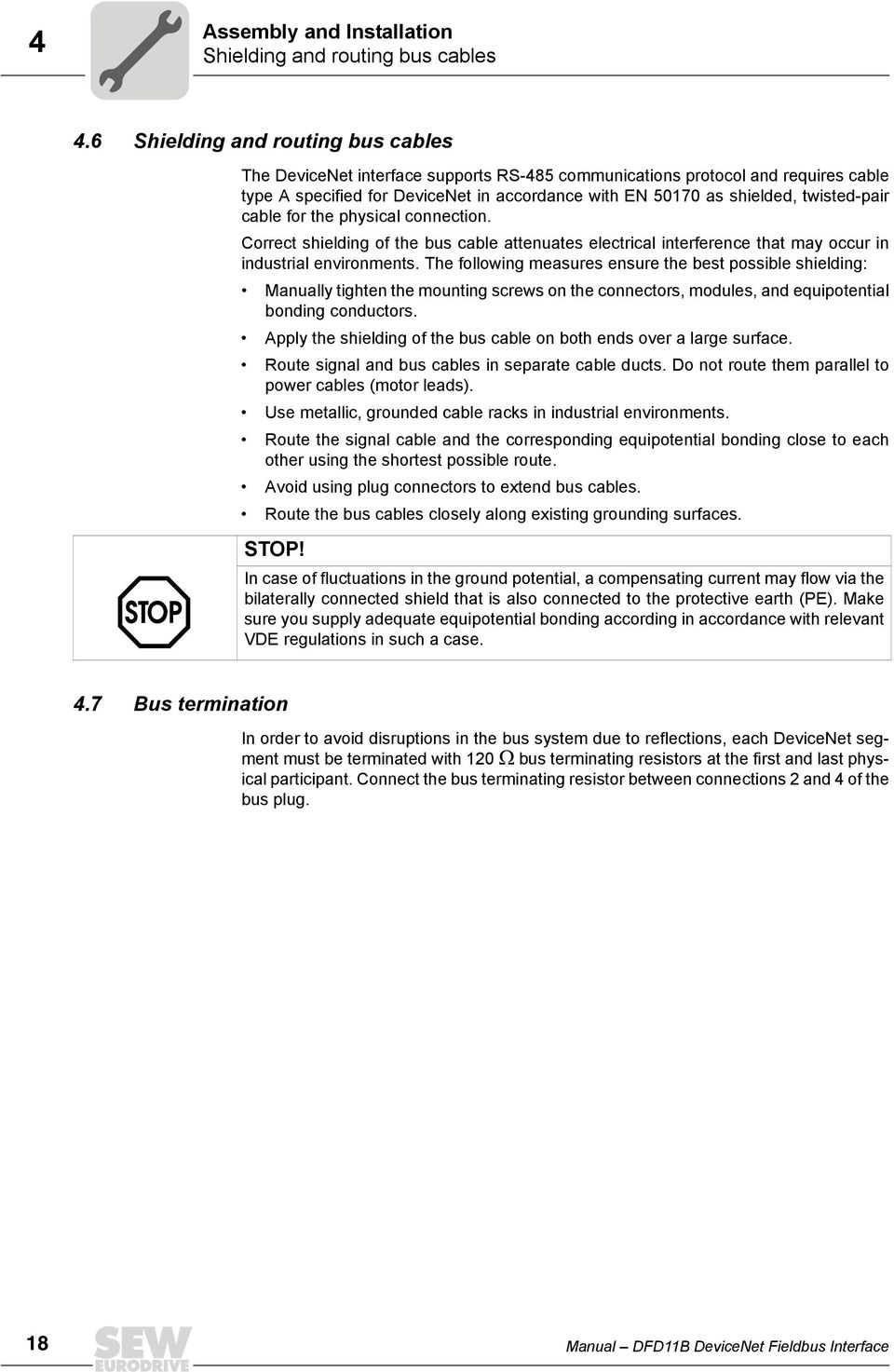
18 Assembly and Installation 4 Shielding and routing bus cables 4.6 Shielding and routing bus cables The DeviceNet interface supports RS-48 communications protocol and requires cable type A specified for DeviceNet in accordance with EN 17 as shielded, twisted-pair cable for the physical connection. Correct shielding of the bus cable attenuates electrical interference that may occur in industrial environments. The following measures ensure the best possible shielding: Manually tighten the mounting screws on the connectors, modules, and equipotential bonding conductors. Apply the shielding of the bus cable on both ends over a large surface. Route signal and bus cables in separate cable ducts. Do not route them parallel to power cables (motor leads). Use metallic, grounded cable racks in industrial environments. Route the signal cable and the corresponding equipotential bonding close to each other using the shortest possible route. Avoid using plug connectors to extend bus cables. Route the bus cables closely along existing grounding surfaces. STOP! In case of fluctuations in the ground potential, a compensating current may flow via the bilaterally connected shield that is also connected to the protective earth (PE). Make sure you supply adequate equipotential bonding according in accordance with relevant VDE regulations in such a case. 4.7 Bus termination In order to avoid disruptions in the bus system due to reflections, each DeviceNet segment must be terminated with 12 Ω bus terminating resistors at the first and last physical participant. Connect the bus terminating resistor between connections 2 and 4 of the bus plug. 18 Manual DFD11B DeviceNet Fieldbus Interface
19 Assembly and Installation Setting the DIP switches Setting the DIP switches NOTE Before changing a DIP switch setting, disconnect the drive inverter from power (supply voltage and 24 V backup operation). The DIP switch settings are adopted during initialization of the driver inverter only. Setting the MAC- ID The MAC-ID (Media Access Control Identifier) is set on the DFD11B option card with DIP switches S1-NA... S1-NA. in a binary coded manner. The MAC-ID represents the node address of the DFD11B. The DFD11B supports the address range Setting the baud rate The baud rate is set with DIP switches S2-DR and S2-DR1. DIP switch S2 Baud rate DR1 DR 12 kbaud 1 2 kbaud 1 kbaud 1 1 Invalid Setting the process data length Up to ten data words (DFD11B in MOVIDRIVE B) and up to 24 data words (DFD11B as gateway in MOVITRAC B or UOH11B) can be exchanged between the DeviceNet master and the DFD11B. The number is set with DIP switches S2-PD to S2-PD4 in a binary coded manner. [1] NA NA4 NA3 NA2 NA1 NA 1 S1 [1] Setting the MAC-ID [2] Setting the baud rate [3] Setting the process data length [2] [3] [4] [] DR1 DR PD4 PD3 PD2 PD1 PD AS F2 F1 S2 [4] Auto setup for gateway operation [] No function The figure depicts the following settings: MAC-ID: 4 Baud rate: 12 kbaud Process data length: 8 PD 62196AXX Configuring the SBus communication of the gateway The "AS" DIP switch is used to configure the SBus communication of the gateway ( chapter "Auto setup for gateway operation"). The configuration is carried out when the "AS" DIP switch is set from "" to "1". For further operation, the "AS" DIP switch must remain in position "1" (= ON). Manual DFD11B DeviceNet Fieldbus Interface 19

20 Assembly and Installation 4 DFD11B option card - status LED 4.9 DFD11B option card - status LED The DFD11B option card is equipped with four two-color LEDs for diagnostic of the DeviceNet system; these indicate the current status of the DFD11B and the DeviceNet system. The unit status corresponding to the status of the LED is is described in chapter 'Error diagnostics'. LED abbreviation MOD/NET PIO BIO BUS FAULT Complete LED designation Module/Network Status Polled I/O Bit-Strobe I/O BusFAULT MOD/NET LED The function of the LED Mod/Net described in the following table is contained in the DeviceNet specification. LED Status Meaning Off Not switched on / OffLine Unit is off-line Unit performs DUP MAC check Unit is switched off Flashing green (1 s cycle) Green light Flashing red (1 s cycle) Red light Online and in operational mode Online, operational mode and connected Minor fault or connection timeout Critical fault or critical link failure The unit is on-line and no connection has been established DUP MAC check performed successfully A connection to a master has not been established yet Missing, incorrect or incomplete configuration Online Connection to a master has been established Connection is active (established state) A correctable error has occurred A device error is active (MOVIDRIVE B / gateway) Polled I/O or/and bit-strobe I/O connections are in timeout state DUP-MAC check has detected an error A correctable error has occurred Bus fault DUP-MAC check has detected an error PIO LED The PIO LED checks the polled I/O connection. LED Status Meaning Flashing green (12 ms cycle) DUP-MAC check Unit is performing DUP-MAC check Off Flashing green (1 s cycle) Green light Flashing red (1 s cycle) Red light Not switched on / off-line but not DUP-MAC check Online and in operational mode Online, operational mode and connected Minor fault or connection timeout Critical fault or critical link failure Unit is off-line Unit is switched off Unit is on-line DUP MAC check performed successfully A PIO connection to a master is being established (configuring state) Missing, incorrect or incomplete configuration Online A PIO connection has been established (established state) Invalid baud rate setting via DIP switches A correctable error has occurred Polled I/O connection is in timeout state An error that cannot be remedied has occurred Bus fault DUP-MAC check has detected an error 2 Manual DFD11B DeviceNet Fieldbus Interface

21 Assembly and Installation DFD11B option card - status LED 4 BIO LED The BIO LED checks the bit-strobe I/O connection. LED Status Meaning Flashing green (12 ms cycle) DUP-MAC check Unit is performing DUP-MAC check Off Flashing green (1 s cycle) Green light Flashing red (1 s cycle) Red light Not switched on / off-line but not DUP-MAC check Online and in operational mode Online, operational mode and connected Minor fault or connection timeout Critical fault or critical link failure Unit is off-line Unit is switched off Unit is on-line DUP MAC check performed successfully A BIO connection to a master is being established (configuring state) Missing, incorrect or incomplete configuration Online A BIO connection has been established (established state) Invalid number of process data is set via DIP switches A correctable error has occurred Bit-strobe I/O connection is in timeout state An error that cannot be remedied has occurred Bus fault DUP-MAC check has detected an error BUS-FAULT LED The BUS-FAULT LED displays the physical status of the bus node. Status of the BUS FAULT LED Status Meaning Off NO ERROR The number of bus errors is in the normal range (error active status). Flashing red (12 ms cycle) Flashing red (1 s cycle) BUS WARNING The unit is performing a DUP-MAC check and cannot send any messages because no other stations are connected to the (bus error passive state) The number of physical bus errors is too high. No more error telegrams are actively written to the bus (error passive state). Red light BUS ERROR Bus-fault state The number of physical bus errors has increased despite a switch to the error-passive state. Access to the bus is switched off. Yellow light POWER OFF External voltage supply via X3 has been turned off or is not connected. Power-UP test A power-up test of all LEDs takes place once the drive inverter has been switched on. The LEDs are switched on in the following sequence: Time in [ms] MOD/NET LED PIO LED BIO LED BUS FAULT LED Green Off Off Off 2 Red Off Off Off Off Green Off Off 7 Off Red Off Off 1 Off Off Green Off 12 Off Off Red Off 1 Off Off Off Green 17 Off Off Off Red 2 Off Off Off Off Manual DFD11B DeviceNet Fieldbus Interface 21
22 I Project Planning and Startup Validity of the EDS files for DFD11B Project Planning and Startup This section provides you with information on project planning for the DeviceNet master and startup of the drive inverter for fieldbus operation. NOTE The current version of the EDS file for the DFD11B option card is available on the SEW homepage ( under the heading "Software"..1 Validity of the EDS files for DFD11B NOTE Entries in the EDS file must not be changed or expanded. SEW assumes no liability for inverter malfunctions caused by a modified EDS file! Two different EDS files are available for the configuration of the master (DeviceNet- Scanner) for the DFD11B: if DFD11B is used as a fieldbus option in MOVIDRIVE B, the EDS file SEW_MOVIDRIVE_DFD11B.eds is required if DFD11B is used as a gateway in MOVITRAC B or in the gateway housing (UOH11B), the EDS file SEW_GATEWAY_DFD11B.eds is required Install the following files with the RSNetWorx software to build the DeviceNet network with the DFD11B option: Proceed as follows: Select the menu item <Tools/EDS-Wizard> in RSNetWorx. You will be prompted to enter the names of the EDS and Icon file. The files will be installed. For detailed information on the installation of the EDS file, refer to the Allen Bradley documentation for RSNetWorx. After installation, the device is available in the device list under the entry "Vendor/SEW EURODRIVE GmbH". 22 Manual DFD11B DeviceNet Fieldbus Interface
23 Project Planning and Startup Configuring PLC and master (DeviceNet scanner) I.2 Configuring PLC and master (DeviceNet scanner) The following samples refer to the usage of an Allen-Bradley-PLC ControlLogix 176- L61 together with the RSLogix programming software and the DeviceNet RSNetWorx configuration software for DeviceNet. After adding the DeviceNet Scanner to the I/O configuration, the file *.dnt containing the DeviceNet configuration is selected. To view and edit the DeviceNet configuration, RSNetWorx can be launched from this dialog ( following figure) AXX In RSNetWorx for DeviceNet ( following figure), either perform an online scan or add the required devices to the graph by drag and drop. The address given under the icon of the device must be equal to the MAC-ID set by the DIP switches of the DFD11B. If the required devices are not in the selection list, corresponding EDS files have to be registered via [Tools] / [Wizard]. 1174AXX Manual DFD11B DeviceNet Fieldbus Interface 23
24 I Project Planning and Startup Configuring PLC and master (DeviceNet scanner).2.1 DFD11B as fieldbus option in MOVIDRIVE B By reading the device properties in online mode, the process data (Pd) configuration of the DFD11B can be checked ( following figure) AXX The parameter 'Pd configuration' gives the number (1... 1) of process data words (PD) set via DIP switches PD()... PD(4)and defines the I/O parameter for the DeviceNet scanner ( following figure) AXX 24 Manual DFD11B DeviceNet Fieldbus Interface
25 Project Planning and Startup Configuring PLC and master (DeviceNet scanner) I After adding the MOVIDRIVE B with DFD11B to the scanlist, the number of Polled I/O Bytes must be set to 2 number of PD (e. g. number of PD = 3 number of polled input- Bytes = 6 and output-bytes = 6) via [Edit I/O Parameters]. When the DeviceNet configuration is saved and downloaded into the scanner, RSNetWorx can be closed. Depending on the DeviceNet configuration and the mapping rules in the scanner, the data from and to DeviceNet units is packed into a DINT-Array that is transferred from the scanner to the local I/O tags of the Logix-Processor. In order not to have to search for the data from a certain device in this array manually, the 'DeviceNet Tag Generator' tool generates copy commands and two controller tags (Input & Output) for each DeviceNet device as a byte-array. The tag-name contains the MAC-ID of the DeviceNet unit and 'POL_I' for polled input data or 'POL_O' for polled output data ( following figure) AXX The content of the process data words from and to MOVIDRIVE B is defined via parameter P87... P87. The content of the process data words is defined by an IPOS plus program or an application module. Manual DFD11B DeviceNet Fieldbus Interface 2
26 I Project Planning and Startup Configuring PLC and master (DeviceNet scanner).2.2 DFD11B as fieldbus gateway in MOVITRAC B or UOH11B gateway housing By reading the device properties in online mode, the process data (Pd) configuration of the DFD11B can be checked ( following figure) AXX The parameter 'Pd configuration' gives the number ( ) of process data words (PD) set via DIP switches PD()... PD(4). The number of process data words must be 3 number of drives (1... 8) connected via SBus to the DFD11B gateway. The number of PD then gives the I/O parameter for the DeviceNet Scanner ( following figure). 117AXX 26 Manual DFD11B DeviceNet Fieldbus Interface
27 Project Planning and Startup Configuring PLC and master (DeviceNet scanner) I After adding the DFD11B gateway to the scanlist, the number of polled I/O Bytes must be set to 2 number of PD (e. g. number of PD = 6 number of polled input-bytes = 12 and output-bytes = 12) via 'Edit I/O Parameters'. When the DeviceNet configuration is saved and downloaded into the scanner, RSNetWorx can be closed. Depending on the DeviceNet configuration and the mapping rules in the scanner, the data from and to DeviceNet units is packed into a DINT-Array that is transferred from the scanner to the local I/O tags of the Logix-Processor. In order not to have to search for the data from a certain device in this array manually, the 'DeviceNet Tag Generator' tool generates copy commands and two controller tags (Input & Output) for each DeviceNet device as a byte-array. The tag-name contains the MAC-ID of the DeviceNet unit and 'POL_I' for polled input data or 'POL_O' for polled output data ( following figure). 1171AXX In this Byte arrays from and to the DFD11B gateway the data is transferred to the drives connected to the SBus of this gateway as follows: Byte... contain PD of the drive with the lowest SBus address (e. g. 1) Byte contain PD of the drive with the next higher SBus address (e. g. 2) The content of process data word from and to the drives is defined in each drive individually via parameter P87... P87. Manual DFD11B DeviceNet Fieldbus Interface 27
28 I Project Planning and Startup Configuring PLC and master (DeviceNet scanner).2.3 Auto setup for gateway operation The auto setup function lets you start up the DFD11B as gateway without a PC. The function is activated via the Auto Setup DIP switch (see section 4.4 page 16) NOTE Setting the Auto-Setup DIP switch (AS) from OFF to ON position causes the function to be executed once. The Auto Setup DIP switch must then remain in the ON position.the function can be reactivated by turning the DIP switch off and back on again. As a first step, the DFD11B searches for drive inverters on the lower-level SBus. This process is indicated by the H1 LED (system bus error) flashing briefly. For this purpose, different SBus addresses must be set for the drive inverters (P881). We recommend assigning the addresses beginning with address 1 in ascending order based on the arrangement of inverters in the switch cabinet. The process image on the fieldbus side is expanded by three words for each detected drive inverter. The H1 LED remains lit if no drive inverter was located. A total of up to eight drive inverters is taken into account. After the search is completed, the DFD11B periodically exchanges three process data words with each connected drive inverter. The process output data are fetched from the fieldbus, divided into blocks of three and transmitted. The drive inverters read the process input data, put them together and send them to the fieldbus master. The cycle time of the SBus communication is 2 ms per node at a baud rate of kbit/s without any additional engineering activities. Thus, for an application with 8 inverters on the SBus, the cycle time of the process data update is then 8 x 2 ms = 16 ms. NOTE If you change the process data assignment of the drive inverters connected to the DFD11B, you have to activate Auto Setup again because the DFD11B saves these values only once during Auto Setup. The process data assignments of the connected drive inverters may not be changed dynamically after Auto Setup. 28 Manual DFD11B DeviceNet Fieldbus Interface
29 Project Planning and Startup Configuring the MOVIDRIVE MDX61B drive inverter I.3 Configuring the MOVIDRIVE MDX61B drive inverter The following settings are required for simple fieldbus operation AXX However, to control the MOVIDRIVE B drive inverter via DeviceNet, you must first switch the drive inverter to control signal source (P11) and setpoint source (P1) = FIELDBUS. The FIELDBUS setting means the drive inverter parameters are set for control and setpoint entry via DeviceNet. The MOVIDRIVE B drive inverter then responds to the process output data transmitted by the PLC. The parameters of the MOVIDRIVE B drive inverter can be set straight away via DeviceNet without any further settings once the DeviceNet option card has been installed. For example, all parameters can be set by the PLC after power-on. Activation of the control signal source and setpoint source FIELDBUS is signaled to the machine controller using the "Fieldbus mode active" bit in the status word. For safety reasons, you must also enable the MOVIDRIVE B drive inverter at the terminals for control via the fieldbus system. Therefore, you must wire and program the terminals in such a way that the inverter is enabled via the input terminals. For example, the simplest way of enabling the drive inverter at the terminals is to connect the DIØØ (function / CONTROLLER INHIBIT) input terminal to a DC +24 V signal and to program input terminals DIØ1... DIØ7 to NO FUNCTION. Manual DFD11B DeviceNet Fieldbus Interface 29
30 I Project Planning and Startup Configuring the MOVITRAC B frequency inverter.4 Configuring the MOVITRAC B frequency inverter 1184AXX To control the MOVITRAC B frequency inverter via DeviceNet, you must switch the drive inverter to control signal source (P11) and setpoint source (P1) = SBus beforehand. The SBus setting means the MOVITRAC B parameters are set for control and setpoint entry via gateway. The MOVITRAC B then responds to the process output data transmitted by the PLC. It is necessary to set the SBus1 timeout interval (P883) to a value other than ms for the MOVITRAC B inverter to stop if faulty SBus communication is encountered. We recommend a value in the range... 2 ms. Activation of the control signal source and setpoint source SBus is signaled to the higher-level controller using the "SBus mode active" bit in the status word. For safety reasons, you must also enable the MOVITRAC B at the terminals for control via the fieldbus system. Therefore, you must wire and program the terminals in such a way that the MOVITRAC B is enabled via the input terminals. The simplest way of enabling the MOVITRAC B at the terminals is, for example, to connect the DIØ1 (function CW/STOP) input terminal to a +24-V signal and to program the remaining input terminals to NO FUNCTION. NOTE Set the parameter P881 SBus address to values between 1 to 8 in ascending order 8. A MOVITRAC B with integrated DFD11B has the SBus address 1 as factory setting (as of firmware.1). The SBus address is used by the DFD11B gateway and must therefore not be used. Set P883 SBus timeout to values between... 2 ms 3 Manual DFD11B DeviceNet Fieldbus Interface
31 Project Planning and Startup Programming samples in RSLogix I. Programming samples in RSLogix..1 MOVIDRIVE B with 3 PD data exchange 1. Set the DIP switches on the DFD11B to adjust the baud rate to the DeviceNet network set the address (MAC-ID) to a value used by no other node set the number of PD (according to this sample) to 3 2. Then follow chapter.2 and.2.1 to add MOVIDRIVE B with DFD11B to the DeviceNet configuration. 3. Follow chapter.3 to set the communication parameters of MOVIDRIVE B. 4. Now the integration into the RSLogix project can performed. Generate a controller tag with a user-defined data type to get a plain interface to the inverters process data ( following figure) 1172AXX The description for PI and PO data can be assigned to the controller tag fitting to the definitions made in MOVIDRIVE B ( chapter.3). 1173AXX Manual DFD11B DeviceNet Fieldbus Interface 31
32 I Project Planning and Startup Programming samples in RSLogix. In order to copy the data from the drive to the new data structure, a CPS command is added into the 'MainRoutine' that reads the data from the local I/O ( following figure). Make sure that this CPS command is executed after the automatically (by DeviceNet Tag Generator) generated DNet_ScannerInputsRoutine. 1174AXX In order to copy the data from the new data structure to the drive, a CPS command is added into the 'MainRoutine' that writes the data to the local I/O. Make sure that this CPS command is executed before the automatically (by DeviceNet Tag Generator) generated DNet_ScannerOutputsRoutine. 117AXX 32 Manual DFD11B DeviceNet Fieldbus Interface
33 Project Planning and Startup Programming samples in RSLogix I 6. Finally save and download the project to the PLC. set the PLC to Run Mode and set the Scanner CommandRegister.Run to '1' to activate the data exchange via DeviceNet. Now the actual values from the device can be read and setpoint values can written. 1176AXX The data in the controller tags should be equal to the process data displayed in the parameter tree of MOVITOOLS MotionStudio ( following figure). 1177AXX Manual DFD11B DeviceNet Fieldbus Interface 33
34 I Project Planning and Startup Programming samples in RSLogix..2 Two MOVITRAC B via DFD11B / UOH11B gateway 1. Set the DIP switches on the DFD11B to adjust the baud rate to the DeviceNet network set the address (MAC-ID) to a value used by no other node set the number of PD (according to this sample) to 6 2. Then follow chapter.2 and.2.2 to add the DFD11B gateway to the DeviceNet configuration. 3. Execute the Auto Setup Function of the DFD11B gateway according to chapter.3 to configure the data-mapping to the drives. 4. Follow chapter.4 to set the communication parameters of MOVITRAC B.. Now the integration into the RSLogix project can performed. Generate a controller tag with a user-defined data type to get a plain interface to the inverters process data ( following figure) 1172AXX The description for PI and PO data can be assigned to the controller tag fitting to the definitions made in MOVITRAC B ( chapter.4). 1178AXX 34 Manual DFD11B DeviceNet Fieldbus Interface
35 Project Planning and Startup Programming samples in RSLogix I 6. In order to copy the data from the drive to the new data structure, CPS commands are added into the 'MainRoutine' that read the data from the local I/O ( following figure). Make sure that these CPS commands are executed after the automatically (by DeviceNet Tag Generator) generated DNet_ScannerInputsRoutine. 1179AXX Please note that the structure DNet_Scanner_N1_POL_I.Data contains the PD from all drives on the gateway, so that the 6 data bytes of each drive have to be copied from the structure with a specific offset: [], [6], [12]... [42]. Manual DFD11B DeviceNet Fieldbus Interface 3
36 I Project Planning and Startup Programming samples in RSLogix In order to copy the data from the new data structure to the drive, CPS commands are added into the 'MainRoutine' that write the data to the local I/O. Make sure that these CPS commands are executed before the automatically (by DeviceNet Tag Generator) generated DNet_ScannerOutputsRoutine. 1176AXX Please note that the structure DNet_Scanner_N1_POL_O.Data contains the PD to all drives on the gateway, so that the 6 data bytes of to each drive have to be copied to the structure with a specific offset: [], [6], [12]... [42]. 7. Finally save and download the project to the PLC. set the PLC to Run Mode and set the Scanner CommandRegister.Run to '1' to activate the data exchange via DeviceNet. Now the actual values from the device can be read and setpoint values can written ( following figure) AXX 36 Manual DFD11B DeviceNet Fieldbus Interface
37 Project Planning and Startup Programming samples in RSLogix I The data in the controller tags should be equal to the process data displayed in the monitor for the DFx fieldbus gateway or in the parameter tree in MOVITOOLS MotionStudio ( following figures) AXX 11763AXX Manual DFD11B DeviceNet Fieldbus Interface 37
38 I Project Planning and Startup Programming samples in RSLogix..3 MOVIDRIVE B parameter access In order to get an easy-to-use read access to parameters of the MOVIDRIVE B via explicit messages and the register object, follow the following steps: 1. Generate the user-defined data structure 'SEW_Parameter_Channel' ( following figure) 2. Define the controller tags ( following figure) AXX 3. Create a Rung for the ReadParameter execution ( following figure). 1176AXX For contact, select the tag 'ReadParameterStart' For the Message Control, select the tag 'ReadParameter' 11766AXX 38 Manual DFD11B DeviceNet Fieldbus Interface
39 Project Planning and Startup Programming samples in RSLogix I 4. Click on in the MSG instruction to open the Message Configuration Window ( following figure) AXX Select 'CIP Generic' as message type. Fill in the further data in the following order: A Source Element = ReadParameterRequest.Index B SourceLength = 12 C Destination = ReadParameterResponse.Index D Class = 7 hex E Instance = 1 F Attribute = 4 hex G Service Code = e hex The Service Type is set automatically.. The target device is to be specified on the Communication tab ( following figure). The path consists of: Name of the scanner (e. g. DNet_Scanner) 2 (always 2) Slave address (e. g. 11 bit) 11768AXX Manual DFD11B DeviceNet Fieldbus Interface 39
40 I Project Planning and Startup Programming samples in RSLogix 6. After downloading the changes to the PLC, the index of the parameter to be read can be entered at ReadParameterRequest.Index. By altering ReadParameterStart to '1' the read request is executed once ( following figure) AXX On response to the read request, ReadParameterResponse.Index should indicate the read index and ReadParameterResponse.Data should contain the read data. In this sample P16 internal setpoint n11 (Index 8489) has the value of 1 rpm. In the MOVITOOLS MotionStudio parameter tree, the value can be checked. The tooltip of a parameter displays e. g. index, subindex, scaling... of a parameter. 1177AXX The complete list of index numbers and scaling factors can be taken from MOVIDRIVE Fieldbus Unit Profile manual. 4 Manual DFD11B DeviceNet Fieldbus Interface
41 Project Planning and Startup Programming samples in RSLogix I Only few changes are required for parameter write access: Define the controller tags ( following figure). Create a rung for the WriteParameter execution ( following figure) AXX For contact, select the tag 'WriteParameterStart' For the Message Control, select the tag 'WriteParameter' 11772AXX Click on in the MSG instruction to open the Message Configuration Window ( following figure). Fill in the data in the following order: Source Element = WriteParameterRequest.Index Source Length = 12 Destination = WriteParameterResponse.Index Class = 7 hex Instance = 2 Attribute = 4 hex Service Code = 1 hex 11773AXX Manual DFD11B DeviceNet Fieldbus Interface 41
42 I Project Planning and Startup Programming samples in RSLogix 7. After downloading the changes to the PLC, index and value to be written into the parameter can be entered at WriteParameterRequest.Index and WriteParameterRequest.Data. By altering WriteParameterStart to '1' the write request is executed once ( following figure) AXX On response to the write request, WriteParameterResponse.Index should give the written index and WriteParameterResponse.Data should contain the written data. In this sample P16 internal setpoint n11 (Index 8489) has the value of 2 rpm. In the MOVITOOLS MotionStudio parameter tree, the value can be checked. The tooltip of a parameter displays e. g. index, subindex, scaling... of a parameter. 42 Manual DFD11B DeviceNet Fieldbus Interface
43 Project Planning and Startup Programming samples in RSLogix I..4 MOVITRAC B parameter access via DFD11B / UOH11B The access to MOVITRAC B parameter data via DeviceNet-SBus Gateway DFD11B/UOH11B is identical to the access to MOVIDRIVE B parameter data ( chapter..3). The only difference is, that Read/WriteParameterRequest.SubChannel1 is to be set to 2 and Read/WriteParameterRequest.SubAddress1 is to be set to the SBus address of the MOVITRAC B connected to the DFD11B/UOH11B ( following figure). 1177AXX In this sample, MOVITRAC B connected to the DFD11B-Gateway with SBus address 7 read the value 1 rpm from P16 Internal Setpoint n11 (Index 8489). Manual DFD11B DeviceNet Fieldbus Interface 43
44 / / /-. I Project Planning and Startup Programming samples in RSLogix for SLC.6 Programming samples in RSLogix for SLC RSLogic for SLC 9324-RL3END System configuration DeviceNet Power section Chassis 1746-A7 Power section 1746-P2 PC PC RS232C 1747-CP3 16 SLC outputs 1747-L42 RS232C 1747-CP3 16 inputs DeviceNet Scanner 1 MAC-ID 1 MAC-ID 11 Adapter 16 inputs Terminal module 1794-TB2 MAC-ID 1 Adapter 16 inputs 1747-SDN 1746-IB OB ADN 1794-IB ADN1794-OV16 Terminal module 1794-TB2 Terminating resistor DeviceNet (remote line 148C-P1-A) Terminating resistor 148A-C2 148A-C2 MAC-ID MAC-ID 8 MAC-ID 4 Figure 1: PLC equipment configuration The following devices are used: 4179AEN Unit MAC-ID SLC/4 - DeviceNet scanner 1747-SDN 1 INPUT module with 32 inputs - OUTPUT module with 32 outputs - DeviceNet adapter with input module with 16 inputs 11 DeviceNet with output module 16 outputs 1 MOVIDRIVE MDX61B with DFD11B 8 MOVIDRIVE MDX61B with DFD11B MOVIDRIVE MDX61B with DFD11B 4 44 Manual DFD11B DeviceNet Fieldbus Interface
45 Project Planning and Startup Programming samples in RSLogix for SLC I The following memory areas have been specified with the DeviceNet manager software: ******************************************************************* 1747-SDN Scanlist Map ****************************************************************** Discrete Input Map: I:3. R R R R R R R R R R R R R R R R Status word of the scanner I: Process data from device 11 I: Process data from device 11 I: Process data from device 1 I: Process data from device 1 I: PID1 device 8 Polled I/O I: PID2 device 8 Polled I/O I: PID3 device 8 Polled I/O I: PID1 device 8 Bit-Strobe I/O I: PID2 device 8 Bit-Strobe I/O I: PID3 device 8 Bit-Strobe I/O I:3.11 PID1 device Polled I/O I:3.12 PID2 device Polled I/O I:3.13 PID3 device Polled I/O I:3.14 PID1 device Bit-Strobe I/O I:3.1 PID2 device Bit-Strobe I/O I:3.16 PID3 device Bit-Strobe I/O I: PID1 device 4 Polled I/O I: PID2 device 4 Polled I/O I: PID3 device 4 Polled I/O I: PID1 device 4 Bit-Strobe I/O I: PID2 device 4 Bit-Strobe I/O I: PID3 device 4 Bit-Strobe I/O Discrete Output Map: O:3. R R R R R R R R R R R R R R R R Control word of the scanner O: Process data to device 11 O: Process data to device 1 O: POD1 device 8 Polled I/O O: POD2 device 8 Polled I/O O: POD3 device 8 Polled I/O O:3.6 POD1 device Polled I/O O:3.7 POD2 device Polled I/O O:3.8 POD3 device Polled I/O O: POD1 device 4 Polled I/O O: POD2 device 4 Polled I/O O: POD3 device 4 Polled I/O O: Bit-Strobe for device 8 The Bit-Strobe data are contrasted to the Polled I/O data in bold. Manual DFD11B DeviceNet Fieldbus Interface 4
46 I Project Planning and Startup Programming samples in RSLogix for SLC.6.1 Exchange of polled I/O (process data) with MOVIDRIVE B Task In the following program, process data are to be sent to a MOVIDRIVE MDX61B and the motor should run at a different speed. The program sequence is shown in the following figure. Cycle START Speed = 1 rpm, Enable Cycle 1 Speed = rpm, Rapid stop Cycle 2 Speed = -4 rpm, Enable Cycle 3 Speed = rpm, Rapid stop 4178AEN The parameters listed in the following table must be set in the MOVIDRIVE MDX61B drive inverter for exchange of the process data. Menu no. Index Parameter Value Setpoint source Fieldbus Control signal source Fieldbus Process output data description 1 Control word Process output data description 2 Speed Process output data description 3 No function Process output data description 1 Status word Process output data description 2 Speed Process output data description 3 No function PO data enable YES MOVIDRIVE MDX61B now works in fieldbus mode and can receive process data. The program can now be written for the SLC. 46 Manual DFD11B DeviceNet Fieldbus Interface
47 Project Planning and Startup Programming samples in RSLogix for SLC I Start DeviceNet communication Status engine for control of sense of rotation Output of the status engine If status > 3, change to status 1912AEN Output bit O:3./ is set in rung (program line ), thereby starting DeviceNet communication ( description of the DeviceNet scanner). Rungs 1 and 3 implement the status engine with which states... 3 are implemented. The current status is written to the outputs O:1. of the output module of the SLC in rung 2. The process data values are output to the scanner memory area in the following figure. If status > 3, change to status Status : Start motor, speed = 1 rpm Status 1: Stop motor 1913AEN Status is created in rung 4. In this status, a 6 (ENABLE) is written to memory area Manual DFD11B DeviceNet Fieldbus Interface 47
48 I Project Planning and Startup Programming samples in RSLogix for SLC O:3.3 that represents process output data word 1. A is written to memory area O:3.4 (process output data word 2), which represents 1 rpm. Status 1 is created in rung. In this status, a (RAPID STOP) is written to memory area O:3.3 that represents process output data word 1. A is written to memory area O:3.4 (process output data word 2), which represents the value rpm. This means the motor is stopped with the rapid stop. States 2 and 3 are treated similarly to states and 1, and are thus not explained any further. In the figure above, the current actual value of the device with address 8, which is located in memory area I:3.6 (process input data word 2), is multiplied by a constant factor (in this case, by 1) and written to output memory area O:3.7 (process output data word 2 of the device with address ). In addition, the value 6 (ENABLE) is written to the process output data word 1 of the device with address (O:3.6). Thus, the device with address follows the actual speed with enable signal from the device with address 8. Transmit actual position from motor 1 to motor AEN 48 Manual DFD11B DeviceNet Fieldbus Interface
49 Project Planning and Startup Programming samples in RSLogix for SLC I.6.2 Exchanging explicit messages (parameter data) with MOVIDRIVE B Task In this program, parameter data are exchanged between the control and the inverter. Exchange of parameter data between inverter and SLC takes place via M-Files ( Installation instructions on DeviceNet scanner module). A memory area from word 224 to 2 in these M-Files is reserved for the explicit messages. The structure of this memory area is shown in the following figure. Transmission header TXID Connection Service cmd/status Size MAC-ID Word 224 Word 22 Word 226 Explicit Message Body Class Instance Attribute Data Word 227 Word 228 Word 229 Word Word AEN This memory area is split up into two areas: Transmission header (three words) Explicit message body The memory areas in the M-Files are described in more detail in the following overview. Memory area Function Length Value Description Transmission header cmd/status following cmd: Entry of command code table status: Entry of transmission status TXID During creation or downloading of a request to the scanner, the contact plan program of the SLC processor assigns a TXID to the transfer. Explicit message body Size Size of the explicit message body (in 1/2 word bytes!) each Connection DeviceNet connection (= ) Service E hex 1 hex hex etc. Get_Attribute_Single (Read) Set_Attribute_Single (Write) Reset see DeviceNet specification for more services Class DeviceNet class Instance 1 word each... 2 DeviceNet instance Attributes DeviceNet attribute Data words Data content Manual DFD11B DeviceNet Fieldbus Interface 49
50 I Project Planning and Startup Programming samples in RSLogix for SLC The following overviews offer a description of the command and status codes. Command codes: Command code (cmd) Description Ignore transmission block 1 Execute transmission block 2 Receive transmission status 3 Reset all client/server transmissions 4 Delete transmission from queue... 2 Reserved Status codes: Network node status Description Ignore transmission block 1 Transmission completed successfully 2 Transmission in progress 3 Error Slave device not in the scan list 4 Error Slave is off-line Error DeviceNet network connection deactivated (off-line) 6 Error Unknown transmission TXID 7 Not used 8 Error Invalid command code 9 Error Scanner buffer full 1 Error Other client/server transmission in progress 11 Error No connection to slave device 12 Error Response data are too long for the block 13 Error Invalid connection 14 Error Invalid size specified 1 Error Busy Reserved Manual DFD11B DeviceNet Fieldbus Interface
51 Project Planning and Startup Programming samples in RSLogix for SLC I The M files are divided into a request file (M file) and a response file (M1 file). Data transmission takes place as shown in the following figure. PLC SLC Scanner 1747-SDN Request of a transmission block 1.M-File Scanner request waiting loop MOVIDRIVE MDX61B 2. DeviceNet Explicit Message Request Execute Contact plan scanning Process requests and responses Response of a transmission block 4.M1-File Ready or Error Scanner response waiting loop 3. DeviceNet Explicit Message Response /-. 417AEN Register object class (7 hex ) must be used in order to read (instance 1 to 9) or write (instance 2 and 3) parameters from the inverter via the SEW parameter data channel. The data range is divided into the index (1 word) and the parameter data (2 words). Transimission header TXID Connection Service cmd/status Size MAC-ID Word 224 Word 22 Word 226 Explicit Message Body Class Instance Attribute Index Data word Low (HEX) Data word High (HEX) Word 227 Word 228 Word 229 Word 23 Word 231 Word AEN Manual DFD11B DeviceNet Fieldbus Interface 1
52 I Project Planning and Startup Programming samples in RSLogix for SLC In the sample program, a data area is reserved in the integer file (N-File, following figure), into which the data of the M/M1 files are written. 2149AXX The data telegram to be used is written in N7: to N7:8. N7:1 to N7:1 hold the data that are to be received. Word length Request Function Value 1 TXID 1 Cmd 1 = Start 2 Connection Size 8 3 Service E hex = Read Request MAC_ID 8 4 Class 7 Instance 1 6 Attributes 4 7 Data 1 27 hex 8 Data 2 hex 9 Data 3 Word length Response Function Value TXID 1 Status 1 = Successful Connection Size 6 Service 8 hex = Read Response MAC_ID 8 4 Data 1 27 hex Data 2 9 hex 6 Data 3 2 Manual DFD11B DeviceNet Fieldbus Interface
53 Project Planning and Startup Programming samples in RSLogix for SLC I The SEW parameter data channel can be addressed via Class 7, Instance and Attribute 4 (? Statement of Conformance). In rung, the 9 bytes starting from N7: are copied into the M-file with a rising edge of bit B3:/1. This starts the reading of parameter 834 (27 hex ). In rung 6, the system waits for the rising edge of scanner bit I:3./1. I:3./1 shows that the data are present. Request profile B3:/1 can then be reset. At this point, the received data still have to be written into the N-file. To this end, nine words of the M1-files N7: are written. Write transmit data Read receive data 1921AEN Manual DFD11B DeviceNet Fieldbus Interface 3
54 I DeviceNet Characteristics 6 Process data exchange 6 DeviceNet Characteristics 6.1 Process data exchange Polled I/O The polled I/O messages correspond to the process data telegrams of the SEW fieldbus profile. Up to 1 process data words (for operation with MOVIDRIVE B) or up to 24 process data words (for Gateway operation) can be exchanged between the control and DFD11B. The process data length is set via DIP switches S2-PD... S2-PD4. NOTE The set process data length influences the process data lengths of both the polled I/O and the bit-strobe I/O messages. The process data length of the bit-strobe I/O messages can include up to four process data words. If the value for the process data length set via DIP switches is less than four, it will be accepted. If the value set via DIP switches is greater than four, the process data length will be automatically limited to four. Timeout response with polled I/O The timeout is triggered by the DFD11B option. The timeout interval must be set by the master after the connection has been established. The DeviceNet specification refers to an 'expected packet rate' rather than a timeout interval in this case. The expected packet rate is calculated on the basis of the timeout interval using the following formula: t Timeout_inverter = t Timeout interval_polled_i/o = 4 x t Expected_Packet_Rate_Polled_I/O The expected packet rate can be set using the connection object class, instance 2, attribute 9. The range of values runs from ms to 63 ms in ms steps. The expected packet rate for the polled I/O connection is converted into the timeout interval and displayed in the device and the timeout interval in parameter P819. This timeout interval is retained in the device whenever the polled I/O connection is dropped, and the device switches to timeout status after the timeout interval has elapsed. The timeout interval must not be altered in the inverter using MOVITOOLS or the DBG6B keypad, because it can only be activated via the bus. If a timeout occurs for the polled I/O messages, this connection type enters timeout status. Incoming polled I/O messages are no longer accepted. The timeout causes the timeout reaction set in the inverter to be carried out. The timeout can be reset with DeviceNet by means of the reset service of the connection object (class x, instance x2, undetermined attribute), by disconnecting the connection, by means of the reset service of the identity object (class x1, instance x1, undetermined attribute) or with the reset bit in the control word. Bit-strobe I/O Bit-strobe I/O messages are not contained in the SEW fieldbus profile. The messages represent a DeviceNet-specific process data exchange. The master sends a broadcast message that is 8 bytes (= 64 bits) long. One bit in this message is assigned to each station in accordance with its address. The value of this bit may be or 1, triggering two different responses in the recipient. Bit value Meaning BIO LED Sends back process input data only Green light 1 Trigger fieldbus timeout reaction and send back process input data Green light 4 Manual DFD11B DeviceNet Fieldbus Interface
55 DeviceNet Characteristics Process data exchange I 6 STOP! The BIO LED on the front of the DFD11B option can be used for distinguishing between the timeout triggered by the bit-strobe telegram and a real timeout in the connection. It remains continuously green if the timeout is triggered by the bit-strobe telegram. If the BIO LED flashes red, this means there is a timeout in the bit-strobe connection and no more bit-strobe telegrams are accepted. Each participant that has received this bit-strobe I/O message responds with its current process input data. The length of the process input data corresponds to the process data length for the polled I/O connection. The process input data length can be up to four process data. The following table shows the data range of the bit-strobe request message which represents the allocation of stations (= station address) to data bits. Example: For example, the participant with station address (MAC-ID) 16 only processes bit in data byte 2. Byte offset ID 7 ID 6 ID ID 4 ID 3 ID 2 ID 1 ID 1 ID 1 ID 14 ID 13 ID 12 ID 11 ID 1 ID 9 ID 8 2 ID 23 ID 22 ID 21 ID 2 ID 19 ID 18 ID 17 ID 16 3 ID 31 ID 3 ID 29 ID 28 ID 27 ID 26 ID 2 ID 24 4 ID 39 ID 38 ID 37 ID 36 ID 3 ID 34 ID 33 ID 32 ID 47 ID 46 ID 4 ID 44 ID 43 ID 42 ID 41 ID 4 6 ID ID 4 ID 3 ID 2 ID 1 ID ID 49 ID 48 7 ID 63 ID 62 ID 61 ID 6 ID 9 ID 8 ID 7 ID 6 Timeout response with bitstrobe I/O The timeout is triggered by the DFD11B option. The timeout interval must be set by the master after the connection has been established. The DeviceNet specification refers to an 'expected packet rate' rather than a timeout interval in this case. The expected packet rate is calculated on the basis of the timeout interval using the following formula: t Timeout_BitStrobe_I/O = 4 x t Expected_Packet_Rate_BitStrobe_I/O It can be set using connection object class, instance 3, attribute 9. The range of values runs from ms to 63 ms in ms steps. If a timeout occurs for the bit-strobe I/O messages, this connection type enters timeout status. Incoming bit-strobe I/O messages are no longer accepted. The timeout is not forwarded to the inverter. The timeout reset takes place as follows: via DeviceNet with the reset service of the connection object (class x, instance x3, undetermined attribute) by interrupting the connection via reset service of the identity object (class x1, instance x1, undetermined attribute) Manual DFD11B DeviceNet Fieldbus Interface
56 I DeviceNet Characteristics 6 The Common Industrial Protocol (CIP) 6.2 The Common Industrial Protocol (CIP) DeviceNet is integrated into the Common Industrial Protocol (CIP). In the Common Industrial Protocol, all unit data can be accessed via objects. The objects listed in the following table are integrated in the DFD11B option. Class [hex] Name 1 Identify Object 3 DeviceNet Object Connection Object 7 Register Object F Parameter Object CIP object directory Identity object The identity object contains general information on the EtherNet/IP device. Class code: 1 hex Class None of the class attributes are supported. Instance 1 Attribute Acc. Name Data type Default value [hex] Description 1 Get Vendor ID UINT 13B SEW-EURODRIVE GmbH & Co KG 2 Get Device Type UINT 64 Manufacturer-specific type 3 Get Product Code 1) UINT A E Product No.1: DFD11B for MDX B Product No.14: DFD11B as Gateway 4 Get Revision STRUCT of Revision of the identity object, depends on Major Revision USINT firmware version Minor Revision USINT Get Status WORD Table "Coding of attribute Status 6 Get Serial Number UDINT Unique serial number 7 Get Product Name 1) SHORT_STRING SEW MOVIDRIVE DFD11B SEW GATEWAY DFD11B Product name 1) Some values in Identity object depend on the device DFD11B is mounted in MOVIDRIVE B or Gateway. 6 Manual DFD11B DeviceNet Fieldbus Interface
57 DeviceNet Characteristics The Common Industrial Protocol (CIP) I 6 Coding of attribute "Status": Bit Name Description Owned Controlling connection is active 1 - Reserved 2 Configured Configuration complete 3 - Reserved Extended Device Status Table "Coding of the extended device status" 8 Minor Recoverable Fault Minor fault that can be remedied 9 Minor Unrecoverable Fault Minor fault that cannot be remedied 1 Major Recoverable Fault Major fault that cannot be remedied 11 Major Unrecoverable Fault Major fault that cannot be remedied Reserved Coding of the "extended device status " (Bit ): Value [binary] Description Unknown 1 At least one faulty I/O connection 11 No I/O connection established 11 At least one I/O connection active Supported services Service Code [hex] Service Name Instance Reset X E Get_Attribute_Single X Manual DFD11B DeviceNet Fieldbus Interface 7
58 I DeviceNet Characteristics 6 The Common Industrial Protocol (CIP) DeviceNet object The DeviceNet object provides information on the DeviceNet communication interface. Class code: 3 hex Class Attribute Acc. Name Data type Default value [hex] Description 1 Get Revision UINT 2 Revision 2 Instance 1 Attribute Acc. Name Description 1 Get MAC-ID According to DIP-switches (... 63) 2 Get Baud rate According to DIP-switches (... 2) 3 Get BOI 4 Get/Set Bus-off Counter Error counter of the physical CAN-Interface (... 2) Get Allocation information 6 Get MAC-ID switch changed Information as to whether DIP switch settings vary from MAC-ID 7 Get Baud rate switch changed Information as to whether DIP switch settings vary from baud rate 8 Get MAC-ID switch value Actual DIP switch settings for MAC-ID 9 Get Baud rate switch value Actual DIP switch settings for baud rate Supported services Service Code [hex] Service Name Class Instance E Get_Attribute_Single X X 1 Set_Attribute_Single - X 8 Manual DFD11B DeviceNet Fieldbus Interface
59 DeviceNet Characteristics The Common Industrial Protocol (CIP) I 6 Connection object In the connection object the process- and parameter connections are defined. Class code: hex Class None of the class attributes are supported. Instance Communication 1 Explicit message 2 Polled I/O 3 Bit-Strobe I/O Instance Attribute Access Name 1 Get State 2 Get Instance type 3 Get Transport Class trigger 4 Get Produce connection ID Get Consume connection ID 6 Get Initial com characteristics 7 Get Produced connection size 8 Get Consumed connection size 9 Get/Set Expected packet rate 12 Get Watchdog time-out action 13 Get Produced connection path len 14 Get Produced connection path 1 Get Consumed connection path len 16 Get Consumed connection path 17 Get Production inhibit time Supported services Service Code [hex] Service Name Instance x Reset X xe Get_Attribute_Single X x1 Set_Attribute_Single X Manual DFD11B DeviceNet Fieldbus Interface 9
60 I DeviceNet Characteristics 6 The Common Industrial Protocol (CIP) Register object The register object is used to access an SEW parameter index. Class code: 7 hex Class None of the class attributes are supported. The MOVILINK parameter services are mapped in the nine instances of the register object. The services "Get_Attribute_Single" and "Set_Attribute_Single" are used for access. As the register object is designed so that INPUT objects can only be read and OUTPUT objects can be read and written, the options listed in the following table are available for addressing the parameter channel. Instance INPUT OUTPUT Resulting MOVILINK service with Get_Attribute_Single Set_Attribute_Single 1 INPUT READ parameters Invalid 2 OUTPUT READ WRITE parameters 3 OUTPUT READ WRITE VOLATILE parameters 4 INPUT READ MINIMUM Invalid INPUT READ MAXIMUM Invalid 6 INPUT READ DEFAULT Invalid 7 INPUT READ SCALING Invalid 8 INPUT READ ATTRIBUTE Invalid 9 INPUT READ EEPROM Invalid 6 Manual DFD11B DeviceNet Fieldbus Interface
61 DeviceNet Characteristics The Common Industrial Protocol (CIP) I 6 Get_Attribute_Single Input (Instance 1) READ Get_Attribute_Single Set_Attribute_Single Output (Instance 2) WRITE Get_Attribute_Single Set_Attribute_Single Output (Instance 3) WRITE VOLATILE Get_Attribute_Single Input (Instance 4) READ MINIMUM DPRAM Get_Attribute_Single Input (Instance ) READ MAXIMUM Get_Attribute_Single Input (Instance 6) READ DEFAULT Get_Attribute_Single Input (Instance 7) READ SCALING Get_Attribute_Single Input (Instance 8) READ ATTRIBUTE Get_Attribute_Single Input (Instance 9) READ EEPROM DeviceNet (CIP) SEW fieldbus profile Figure 2: Description of the parameter channel 62367AEN Manual DFD11B DeviceNet Fieldbus Interface 61
62 I DeviceNet Characteristics 6 The Common Industrial Protocol (CIP) Instance Attribute Access Name Data type Default value [hex] Description 1 Get Bad Flag BOOL = good / 1 = bad 2 Get Direction BOOL 1 = Input register 1 = Output register 3 Get Size UINT 6 Data length in bits (96 bits = 12 bytes) 4 Get/Set Data ARRAY of BITS Data in format of the SEW parameter channel NOTES Explanation of the attributes: Attribute 1 indicates whether an error occurred during the previous access to the data field. Attribute 2 displays the direction of the instance. Attribute 3 indicates the data length in bits Attribute 4 represents the parameter data. When accessing attribute 4, the SEW parameter channel must be attached to the service telegram. The SEW parameter channel consists of the elements listed in the following table. In order to offer full compatibility to older drives and applications, the parameter channel can be reduced to 6 Byte (Index and data). Name Data type Description Index UINT SEW parameter index Data UDINT Data (32 bit) Subindex BYTE SEW unit subindex Reserved BYTE Reserved (must be '') Subaddress 1 BYTE Parameter of MOVIDRIVE B or gateway itself SBus-address of drives connected to the SBus of the gateway Subchannel 1 BYTE 2 SBus Subchannel of the gateway Subaddress 2 BYTE Reserved (must be '') Subchannel 2 BYTE Reserved (must be '') Supported services Service Code [hex] Service Name Instance xe Get_Attribute_Single X x1 Set_Attribute_Single X 62 Manual DFD11B DeviceNet Fieldbus Interface
63 DeviceNet Characteristics The Common Industrial Protocol (CIP) I 6 Parameter object (DFD11B in MOVIDRIVE B) The fieldbus parameters of the MOVIDRIVE B can be addressed directly via the instance with the parameter object. In exceptional cases, you can also use the parameter object to access SEW parameters. Class code: F hex Class Attribute Access Name Data type Default value [hex] Description 2 Get Max Instance UINT 2 Maximum instance = 37 8 Get Parameter Class Descriptor 9 Get Configuration Assembly Interface UINT 9 Bit : Supports parameter instances Bit 3: Parameters are saved permanently UINT Configuration assembly is not supported. Instance 1 and 2 of the parameter object offer access to SEW parameters as follows: First, the index of the required parameter is set in instance 1. Next, instance 2 is used to access the parameter that is addressed in instance 1. Access to an SEW parameter index via the parameter object is complicated and prone to errors. Consequently, this process should only be used when the DeviceNet scanner does not support configuration using the mechanisms of the register object. Instance 1 - SEW parameter index Attribute Access Name Data type Default value [hex] Description 1 Set Parameter UINT 26C Index of the parameter Value 2 Get Link Path USINT No link is specified. Size 3 Get Link Path Packed Not used EPATH 4 Get Descriptor WORD Read/write parameter Get Data Type EPATH C7 UINT 6 Get Data Size USINT 2 Data length in bytes Instance 2 - Data read/write Attribut e Acces s Name 1 Set Parameter Value Data type UDINT Default value [hex] Description The set service executes write access to the parameters addressed in instance 1 The get service executes read access to the parameters addressed in instances 1 2 Get Link Path Size USINT No link is specified. 3 Get Link Path Packed Not used EPATH 4 Get Descriptor WORD Read/write parameter Get Data Type EPATH C8 UDINT 6 Get Data Size USINT 4 Data length in bytes Manual DFD11B DeviceNet Fieldbus Interface 63
64 I DeviceNet Characteristics 6 The Common Industrial Protocol (CIP) Instance Instances give access to the fieldbus parameters. Attribute Access Name Data type Default value [hex] Description 1 Set/Get Parameter UINT Parameter that is to be read or written see table fieldbus parameter MOVIDRIVE B 2 Get Link Path USINT No link is specified. Size 3 Get Link Path Packed Not used EPATH 4 Get Descriptor WORD Read/write parameter Get Data Type EPATH C8 UDINT 6 Get Data Size USINT 4 Data length in bytes Fieldbus parameters MOVIDRIVE B Instance Access Group Name Meaning 3 Get Device identification Part number device 4 Get/Set Control source Control signal source Get/Set Setpoint source Setpoint source 6 Get PD configuration Process data configuration 7 Get/Set Setp.descr.PO1 Process output data assignment for PD1 8 Get Setp.descr.PO2 Process output data assignment for PD2 9 Get/Set Device Setp.descr.PO3 Process output data assignment for PD3 1 Get parameters Act.v.descr. PI1 Process input data assignment for PD1 11 Get/Set Act.v.descr. PI2 Process input data assignment for PD2 12 Get Act.v.descr. PI3 Process input data assignment for PD3 13 Get/Set PO Data Enable Enable process data 14 Get Timeout response Timeout response 1 Get Fieldbus type Fieldbus type 16 Get Baud rate Baud rate via DIP switches 17 Get Station address MAC-ID via DIP switches Get PO monitor PO1 setpoint... PO1 setpoint Get PI monitor PI1 actual value... PI1 actual value Monitor of the Process output data words Monitor of the Process input data words NOTE The data format for these instances deviates from the SEW fieldbus profile to meet the DeviceNet specification. Supported services Service Code [hex] Service Name Class Instance E Get_Attribute_Single X X 1 Set_Attribute_Single - X 64 Manual DFD11B DeviceNet Fieldbus Interface
65 DeviceNet Characteristics The Common Industrial Protocol (CIP) I 6 Parameter object (DFD11B as gateway) The fieldbus parameters of the gateway can be addressed directly via the instance with the parameter object. Class code: F hex Class Attribute Access Name Data type Default value [hex] Description 2 Get Max Instance UINT 3 Maximum instance = 3 8 Get Parameter Class Descriptor 9 Get Configuration Assembly Interface UINT 9 Bit : Supports parameter instances Bit 3: Parameters are saved permanently UINT Configuration assembly is not supported. Instance Attribute Access Name Data type Default value [hex] 1 Set/Get Parameter Value Description UINT 26C Parameter that is to be read or written (see table fieldbus parameter gateway) 2 Get Link Path USINT Not used here Size 3 Get Link Path Packed Not used here EPATH 4 Get Descriptor WORD Read/write parameter Get Data Type EPATH C8 UINT 6 Get Data Size USINT 4 Data length in bytes Fieldbus parameters gateway Instance Access Group Name Meaning 1 Get PD configuration Process data configuration 2 Get/Set Device Timeout response Timeout response 3 Get parameters Fieldbus type DeviceNet 4 Get Baud rate Baud rate via DIP switches Get MAC-ID MAC-ID via DIP switches Get PO monitor PO1 setpoint... PO24 setpoint Get PI monitor PI1 actual value... PI24 actual value Monitor of the Process output data words Monitor of the Process input data words NOTE The data format for these instances deviates from the SEW fieldbus profile to meet the DeviceNet specification. Supported services Service Code [hex] Service Name Class Instance E Get_Attribute_Single X X 1 Set_Attribute_Single - X Manual DFD11B DeviceNet Fieldbus Interface 6
66 I DeviceNet Characteristics 6 Return codes for parameter setting via explicit messages 6.3 Return codes for parameter setting via explicit messages SEW-specific return codes The return codes which the inverter sends back in the event of incorrect parameter setting are described in the manual for the fieldbus device profile and do not form part of this documentation. However, the return codes are sent back in a different format in conjunction with DeviceNet. The following table shows the data format for a parameter response telegram. Byte offset Function MAC-ID Service code [=94hex] General error code Additional code Example 1 hex 94 hex 1F hex 1 hex MAC-ID is the DeviceNet address The Service code of an error telegram is always 94h hex The General Error Code of an inverter-specific return code is always 1F hex = proprietary error The additional code is identical to the additional code described in the SEW fieldbus device profile manual. The table shows the proprietary error1 hex = Illegal parameter index. Return codes from DeviceNet DeviceNet-specific return codes are sent in the error message if the data format is not maintained during the transfer or if a service is performed which has not been implemented. The coding of these return codes is described in the DeviceNet specification ( section "General Error Codes"). Timeout of explicit messages The timeout is triggered by the DFD11B option. The timeout interval must be set by the master after the connection has been established. The DeviceNet specification refers to an 'expected packet rate' rather than a timeout interval in this case. The expected packet rate is calculated on the basis of the timeout interval using the following formula: t Timeout_ExplicitMessages = 4 x t Expected_Packet_Rate_ExplicitMessages It can be set using connection object class, instance 1, attribute 9. The range of values runs from ms to 63 ms in ms steps. If a timeout is triggered for the explicit messages, this connection type for the explicit messages is automatically dropped provided that the polled I/O or bit-strobe connections are not in the ESTABLISHED state. This is the default setting of DeviceNet. The connection for explicit messages must be re-established to communicate through these messages again. The timeout is not forwarded to the inverter. 66 Manual DFD11B DeviceNet Fieldbus Interface
67 DeviceNet Characteristics Return codes for parameter setting via explicit messages I 6 General error codes DeviceNet-specific error codes General error code (hex) Error name Description - 1 Reserved for DeviceNet 2 Resource unavailable The source required for performing the service is unavailable 3-7 Reserved for DeviceNet 8 Service not supported The service is not supported for the selected class/instance 9 Invalid attribute value Invalid attribute data have been sent A Reserved for DeviceNet B Already in requested The selected object is already in the requested mode/state mode/state C Object state conflict The selected object cannot perform the service in its current status D Reserved for DeviceNet E Attribute not settable It is not possible to access the selected object for writing. F Pivilege violation Violation of access entitlement 1 Device state conflict The current status of the device makes it impossible to perform the required service 11 Reply data too large The length of the transmitted data is longer than the size of the receive buffer 12 Reserved for DeviceNet 13 Not enough data The length of the transferred data is too short for the service to be performed 14 Attribute not supported The selected attribute is not supported 1 Too much data The length of the transferred data is too long for the service to be performed 16 Object does not exist The selected object is not implemented in the device 17 Reserved for DeviceNet 18 No stored attribute data The requested data have not been stored previously 19 Store operation failure The data could not be stored because an error occurred while saving them 1A - 1E Reserved for DeviceNet 1F Vendor specific error Vendor specific error ( Manual"SEW Fieldbus Device Profile") 2 Invalid parameter Invalid parameter This error message is used when a parameter does not satisfy the requirements of the specification and/or the requirements of the application CF Future extensions Reserved by DeviceNet for additional definitions D - DF Reserved for Object Class and service errors Use this area if an occurring error cannot be entered in one of the error groups listed above. Manual DFD11B DeviceNet Fieldbus Interface 67
68 I DeviceNet Characteristics 6 Definitions of terminology 6.4 Definitions of terminology Term Allocate Attributes BIO Bit-Strobe I/O Class Device-Net scanner DUP-MAC check Explicit message body Explicit message Get_Attribute_Single Instance MAC-ID M-File Mod/Net Node ID PIO Polled I/O Release Reset Rung Service Set_Attribute_Single SLC Description Provides a service for setting up a connection. Attribute of an object class or instance. Describes the characteristics of the object class or instance in more detail. All stations can be addressed with a broadcast telegram. The addressed stations respond with the process input data. DeviceNet object class Plug-in module for the Allen Bradley PLC which connects the PLC fieldbus to the peripheral devices. Duplicate MAC-ID test Includes the class no., instance no., attribute no. and the data. Parameter data message; assists in addressing the DeviceNet objects. Read service for a parameter. Instance of an object class. Divides the object classes into additional subgroups. Media Access Control Identifier: node address of the device. Provides the data range between the PLC and the scanner module. Module/Network Node address = MAC-ID Process data channel of DeviceNet; allows process output data to be sent and process input data to be received. Provides a service for setting up a connection. Provides a service for resetting an error. SLC program line Service performed via bus, e.g. read service, write service, etc. Write service for a parameter. Allen Bradley PLC 68 Manual DFD11B DeviceNet Fieldbus Interface
69 Operating MOVITOOLS MotionStudio via DeviceNet Definitions of terminology I 7 7 Operating MOVITOOLS MotionStudio via DeviceNet At the moment it is not possible to run MOVITOOLS MotionStudio via DeviceNet or via DeviceNet master to enable communication down to the drives. The access to single parameters by the PLC can be achieved via Explicit Messages ( Chapter 6) Manual DFD11B DeviceNet Fieldbus Interface 69
70 Error Diagnostics 8 Diagnostic procedures 8 Error Diagnostics 8.1 Diagnostic procedures The diagnostic procedures described in the following section demonstrate the fault analysis methods for the following problems: Inverter does not work on DeviceNet Inverter cannot be controlled using the DeviceNet master For more information dealing specifically with the inverter parameter settings for various fieldbus applications, refer to the Fieldbus Unit Profile manual and the MOVIDRIVE parameter list. Step 1: Check the Status LED and the Status display of the DeviceNet scanner See documentation of the DeviceNet scanner. Step 2: Check the Status LEDs of the DFD11B The explanation of the different LEDs can be found in chapter 4. The following table shows the corresponding unit states and their causes. An 'X' indicates that the state of the respective LED is not relevant. LED DFD11B MOD/NET PIO BIO BUS FAULT Status Cause Off Off Off Off Off No power supply via MOVIDRIVE B or X26 when mounted into MOVITRAC B or gateway housing. Off Yellow Off Off Booting During bootup and synchronization to MOVIDRIVE B. Off Flashing red X Off Baud rate invalid Invalid baud rate setting via DIP switches Off X Flashing red Off Off Flashing green Flashing green Flashing green Flashing green Off Yellow Flashing red No. PD invalid No power via X3 Error passive Red Red Red Off DUP-MAC error Flashing green Flashing red Invalid number of process data words set via DIP switches Power supply via X3 not connected / switched on Wrong baud rate or no other DeviceNet node connected Address (MAC-ID) is assigned twice in the network Off Off X operational DFD11B active on the bus but without connection to the master (scanner) Flashing red X X Timeout Timeout of the PIO-connection to the master Green Green X X Connected DFD11B active on the bus with active PIO-connection to the master Flashing red Green X X Module error DFD11B with active PIO connection and active error of gateway (see LED H1) or MOVIDRIVE B (see 7 segment display) 7 Manual DFD11B DeviceNet Fieldbus Interface
71 Error Diagnostics Diagnostic procedures 8 Step 3: Troubleshooting When DFD11B is in status 'Connected' or 'Module error' the data exchange between master (scanner) and slave (DFD11B) is active. If it is still possible to run the drive via DeviceNet, the following questions should help to find the reason. A Are the right values displayed for the process data words in MOVITOOLS Motion- Studio? Parameter group 9 (MOVIDRIVE B) or process data (Gateway). if yes, proceed with F. B Is bit in DeviceNet control register of the PLC set to '1' to activate the process data exchange? C Are the process data words copied to the right offset in the Local I/O tag of the DeviceNet scanner? Check in controller tags and scanner mapping. D Is the PLC in RUN mode or does active forcing overwrite the transfer of the normal process data words? E If the PLC is not sending data to the DFD11B, please refer to the documentation of the PLC manufacturer for support. F Is the DFD11B mounted into MOVITRAC B or gateway housing? if yes, proceed with H. G In MOVIDRIVE B, is P1 control source and P11 setpoint source = FIELDBUS? proceed with L H Are all drives connected to the SBus of the gateway accessible from MOVITOOLS MotionStudio via serial interface X24 of the gateway? Check SBus addresses and SBus baud rate. I Is LED H1 on the gateway off? J Has the Auto Setup function (DIP switch AS) been executed with all drives connected to the SBus and supplied with power? K In MOVITRAC B connected to the gateway, is P1 control source and P11 setpoint source = SBus 1? L Are the process data words in the drive configured correctly (P87... P87)? M Is process output data enabled (P876) = ON? N Is the wiring of the binary inputs disabling the operation? Check parameter group P3_ and P4_. O Is an error active? What is the state of the unit? P Is an IPOS plus program active, which e. g. affects the inverter status? Manual DFD11B DeviceNet Fieldbus Interface 71
72 kva 9 f Technical Data DFD11B option for MOVIDRIVE B i n P Hz 9 Technical Data 9.1 DFD11B option for MOVIDRIVE B DFD11B option Part number Power consumption P = 3 W Communication protocol Master/slave connection set acc. to DeviceNet specification version 2. Number of process data words Baud rate Bus cable length Adjustable via DIP switches: process data words process data words with Bit-Strobe I/O 12, 2 or kbaud, to be set via DIP switches For thick cable according to DeviceNet specification 2. Appendix B m at 12 kbaud 2 m at 2 kbaud 1 m at kbaud Transmission level ISO V Connection technology 3-wire bus and 2-wire supply voltage DC 24 V with -pole Phoenix terminal Pin assignment according to DeviceNet specification MAC-ID... 63, can be set using DIP switch Max. 64 stations Supported services Polled I/O Bit strobe I/O: Explicit messages Tools for startup MOVITOOLS software package from version 4.2 DBG6B keypad Firmware status of MOVIDRIVE MDX61B Firmware status or above ( display with P76) 72 Manual DFD11B DeviceNet Fieldbus Interface
73 Technical Data DFD11B option for MOVITRAC B and Gateway-Housing UOH11B kva i P f n Hz DFD11B option for MOVITRAC B and Gateway-Housing UOH11B DFD 11B MOD/ NET PIO BIO BUS- FAULT 1 NA() NA(4) NA(3) NA(2) NA(1) NA() S1 224 DR(1) DR() PD(4) PD(3) PD(2) PD(1) PD() AS F2 F1 1 S X AXX DFD11B option for MOVITRAC B and Gateway External voltage supply: V = DC 24 V ( 1 %, +2 %) I max = DC 2 ma P max = 3.4 W Communication protocol Master/slave connection set acc. to DeviceNet specification version 2. Number of process data words Baud rate Bus cable length Adjustable via DIP switches: process data words process data words with Bit-Strobe I/O 12, 2 or kbaud, to be set via DIP switches For thick cable according to DeviceNet specification 2. Appendix B m at 12 kbaud 2 m at 2 kbaud 1 m at kbaud Transmission level ISO V Connection technology 3-wire bus and 2-wire supply voltage DC 24 V with -pole Phoenix terminal Pin assignment according to DeviceNet specification MAC-ID... 63, can be set using DIP switch Max. 64 stations Supported services Polled I/O Bit strobe I/O: Explicit messages Tools for startup MOVITOOLS MotionStudio version.4 and higher. Firmware version of MOVITRAC B No special firmware is required Manual DFD11B DeviceNet Fieldbus Interface 73
74 1 Index 1 Index A Additional documentation...7 Auto setup for gateway operation...28 B Baud rate...19, 72, 73 Baudrate...14 BIO LED...21 Bus cables Shielding and routing...18 Bus termination...18 BUS-FAULT LED...21 C CIP object directory Connection object...9 DeviceNet object...8 Identity object...6 Parameter object (DFD11B as gateway)...6 Parameter object (DFD11B in MOVIDRIVE B)...63 Register object...6 Configuration MOVIDRIVE MDX61B drive inverter...29 MOVITRAC B frequency inverter...3 Configuring PLC and master...23 Connection DFD11B option...16 Content of this manual...7 D Data exchange via Polled I/O and bit-strobe I/O...8 Definitions of terminology...68 DeviceNet Characteristics...4 DFD11B Connection...16 Terminal description...16 DFD11B option card - status LED...2 Diagnostics...8 E Einstellung der DIP-Schalter Konfiguration der SBus-Kommunikation des Gateways...19 Error Diagnostics...7 Exclusion of liability... F Fieldbus monitor...8 G General Information Exclusion of liability... General notes... right to claim under warranty... Structure of the safety notes... General safety notes for bus systems...6 I Installation DFD11B / UOH11B... 1 DFD11B option card in MOVITRAC B DFD11B option card in MOVIDRIVE MDX61B... 9 Installing and remove an option card System bus connection between a MOVITRAC B and the DFD11B option System bus connection between multiple MOVITRAC B units M MOD/NET LED... 2 Monitoring functions... 8 MOVIDRIVE MDX61B Configuring the drive inverter MOVIDRIVE, MOVITRAC B and DeviceNet... 7 MOVITRAC B Configuring the frequency inverter... 3 N Notes Assembly / installation... 9 O Operating MOVITOOLS MotionStudio via DeviceNet Option card Installation and removal Other applicable documentation... 6 P Parameter access via explicit messages... 8 Pin assignment X3 DeviceNet connection PIO LED... 2 Power-UP test Process data exchange Bit-strobe I/O... 4 Polled I/O... 4 Timeout response with bit-strobe I/O... Timeout response with polled I/O... 4 Programming samples in RSLogix Programming samples in RSLogix Project Planning and Startup R Return codes for parameter setting Return codes from DeviceNet SEW-specific return codes Timeout of explicit messages Return codes for parameter setting via explicit messages right to claim under warranty... S Safety Notes Manual Fieldbus Interface DFD11B DeviceNet
75 Index 1 Disposal...6 General safety notes for bus systems...6 Product names and trademarks...6 Safety notes Hoist applications...6 Safety functions...6 Setting DIP switches Configuring the SBus communication of the gateway...19 Setting the MAC-ID...19 Setting the baud rate...19 Setting the process data length...19 Setting the DIP switches...19 Structure of the safety notes... T Technical Data...72 DFD11B option for MOVIDRIVE B...72 DFD11B option for MOVITRAC B and UOH11B gateway housing...73 Terminal description DFD11B option...16 The Common Industrial Protocol (CIP)...6 V Validity of the EDS files for DFD11B...22 Manual Fieldbus Interface DFD11B DeviceNet 7
76 Drive Technology \ Drive Automation \ System Integration \ Services How we re driving the world With people who think fast and develop the future with you. With a worldwide service network that is always close at hand. With drives and controls that automatically improve your productivity. With comprehensive knowledge in virtually every branch of industry today. With uncompromising quality that reduces the cost and complexity of daily operations. SEW-EURODRIVE Driving the world With a global presence that offers responsive and reliable solutions. Anywhere. With innovative technology that solves tomorrow s problems today. With online information and software updates, via the Internet, available around the clock. SEW-EURODRIVE GmbH & Co KG P.O. Box 323 D Bruchsal / Germany Phone Fax [email protected]
Manual. Fieldbus Interface DFE33B EtherNet/IP and Modbus/TCP. Edition 10/2008 16725611 / EN
 Drive Technology \ Drive Automation \ System Integration \ Services Fieldbus Interface DFE33B EtherNet/IP and Modbus/TCP Edition 10/2008 16725611 / EN Manual SEW-EURODRIVE Driving the world Contents 1
Addendum to the Operating Instructions
 Drive Technology \ Drive Automation \ System Integration \ Services Addendum to the Operating Instructions MOVIMOT with AS-Interface and AC Motor DT/DV Unit Replacement MOVIMOT MM..C -> MM..D with MLK3A
Manual. MOVIDRIVE MDX61B Fieldbus Interface DFE13B EtherNet/IP. Edition 06/2006 FA361755 11373415 / EN
 Gearmotors \ Industrial Gear Units \ Drive Electronics \ Drive Automation \ s MOVIDRIVE MDX61B Fieldbus Interface DFE13B EtherNet/IP Edition 06/2006 11373415 / EN FA361755 Manual SEW-EURODRIVE Driving
Manual. MOVIDRIVE MDX61B MOVI-PLC DHP11B Control Card. Edition 09/2005 FA361510 11350717 / EN
 Gearmotors \ Industrial Gear Units \ Drive Electronics \ Drive Automation \ s MOVIDRIVE MDX61B MOVI-PLC DHP11B Control Card FA36151 Edition 9/25 1135717 / EN Manual 1 Important Notes... 4 2 Introduction...
DeviceNet Bus Software Help for Programming an Allen Bradley Control System
 FBP FieldBusPlug V7 DeviceNet Bus Software Help for Programming an Allen Bradley Control System DeviceNet Software Help for Programming an Allen Bradley Control System Contents Page General Purpose...
Manual. MOVIDRIVE MDX61B Fieldbus Interface DFE11B Ethernet. Edition 10/2004 FA361750 11284110 / EN
 Gearmotors \ Industrial Gear Units \ Drive Electronics \ Drive Automation \ s MOVIDRIVE MDX61B Fieldbus Interface DFE11B Ethernet FA361750 Edition 10/2004 11284110 / EN Manual SEW-EURODRIVE Driving the
Manual. Fieldbus Interface DFP21B PROFIBUS DP-V1. Edition 07/2006 FA375100 11479019 / EN
 Gearmotors \ Industrial Gear Units \ Drive Electronics \ Drive Automation \ Services Fieldbus Interface DFP21B PROFIBUS DP-V1 FA3751 Edition 7/26 1147919 / EN Manual SEW-EURODRIVE Driving the world 1 Important
L5354 ControlNet Communications Interface
 L5354 ControlNet Communications Interface Technical Manual HA470733 Issue 2 Copyright SSD Drives Inc 2005 All rights strictly reserved. No part of this document may be stored in a retrieval system, or
Drive Technology \ Drive Automation \ System Integration \ Services. Manual. MOVITRAC B Simple Positioning Application Module
 Drive Technology \ Drive Automation \ System Integration \ Services Manual MOVITRAC B Simple Positioning Application Module Edition 10/2010 17030412 / EN SEW-EURODRIVE Driving the world Contents Contents
CB15/CB155. PROFIBUS Module
 CB15/CB155 PROFIBUS Module Contents Warning and Caution Notes 1. OVERVIEW 1.1 Description and Features 1.2 Application on a PROFIBUS Link 2. INSTALLATION 2.1 Installing the Module 2.1.1 CB15 Installation
SIMATIC S7-300. Getting Started for First Time Users. Order No.: 6ZB5310-0NC02-0BA0 04/2007 A5E01094750-01
 SIMATIC S7-300 Getting Started for First Time Users Order No.: 6ZB5310-0NC02-0BA0 04/2007 A5E01094750-01 Safety Guidelines This manual contains notices you have to observe in order to ensure your personal
DeviceNet Communication Manual
 DeviceNet Communication Manual Soft-Starter Series: SSW-07/SSW-08 Language: English Document: 10000046963 / 00 03/2008 Summary ABOUT THIS MANUAL... 5 ABBREVIATIONS AND DEFINITIONS... 5 NUMERICAL REPRESENTATION...
Artisan Technology Group is your source for quality new and certified-used/pre-owned equipment
 Artisan Technology Group is your source for quality new and certified-used/pre-owned equipment FAST SHIPPING AND DELIVERY TENS OF THOUSANDS OF IN-STOCK ITEMS EQUIPMENT DEMOS HUNDREDS OF MANUFACTURERS SUPPORTED
Manual. MOVIDRIVE MDX61B Fieldbus Interface DFS22B PROFINET IO with PROFIsafe. Edition 04/2008 11616210 / EN
 Drive Technology \ Drive Automation \ System Integration \ Services MOVIDRIVE MDX61B Fieldbus Interface DFS22B PROFINET IO with PROFIsafe Edition 04/2008 11616210 / EN Manual SEW-EURODRIVE Driving the
CMC-DN01 DeviceNet Slave Communication Card Operation Manual
 CMC-DN01 DeviceNet Slave Communication Card Operation Manual 2011-12-26-A Warning This operation manual provides introduction on the functions, specifications, installation, basic operation and settings
Install the DeviceNet Module using the following procedure:
 Installation INSTALLATION INSTRUCTIONS: MCD DEVICENET MODULE Order Code: 175G9002 1. Installation Install the DeviceNet Module using the following procedure: 1. Remove control power and mains supply from
Application about Communication
 Application about Communication Integration of a MicroMaster Drive with Rockwell ControlLogix using DeviceNet Third-Party Integration Warranty, liability and support Note The application examples are not
User Manual. DeviceNet Network Configuration
 User Manual DeviceNet Network Configuration Important User Information Solid-state equipment has operational characteristics differing from those of electromechanical equipment. Safety Guidelines for the
DeviceNet Motor Control
 Quick-Start Guide for the DN65 DeviceNet I/O Module using Rockwell RSNetWorx version 2.22 or later This Quick-Start Guide provides instructions for configuring a Cutler-Hammer Freedom full voltage, non-reversing
Manual. MOVIDRIVE MDX61B Sensor Based Positioning via Bus Application. Edition 01/2005 FA362000 11313528 / EN
 Gearmotors \ Industrial Gear Units \ Drive Electronics \ Drive Automation \ s MOVIDRIVE MDX1B Sensor Based Positioning via Bus Application Edition 1/25 11313528 / EN FA32 Manual SEW-EURODRIVE Driving the
SIMATIC NET. CP 243-2 AS-Interface Master B C. Preface Contents. Technical Description and Installation Instructions Interface to the User Program
 Preface Contents SIMATIC NET CP 243-2 AS-Interface Master Manual Technical Description and Installation Instructions Interface to the User Program 2 in the S7-200 CPU Access to the Data of the AS-i Slaves
Operating instructions. AS-i Profibus gateway AC1411 / AC1412 7390884/00 04/2014
 Operating instructions AS-i Profibus gateway AC1411 / AC1412 7390884/00 04/2014 Contents 1 Preliminary note 4 1.1 Notes on this document 4 1.2 Symbols used 4 2 Safety instructions 4 2.1 General 4 2.2 Installation
Manual. MOVIAXIS MX Multi-Axis Servo Inverter XFE24A EtherCAT Fieldbus Interface. Edition 08/2007 11550619 / EN
 Gearmotors \ Industrial Gear Units \ Drive Electronics \ Drive Automation \ Services MOVIAXIS MX Multi-Axis Servo Inverter XFE24A EtherCAT Fieldbus Interface Edition 8/27 1155619 / EN Manual SEW-EURODRIVE
ABB Drives. User s Manual. Pulse Encoder Interface Module RTAC-01
 ABB Drives User s Manual Pulse Encoder Interface Module RTAC-0 Pulse Encoder Interface Module RTAC-0 User s Manual 3AFE 64486853 REV A EN EFFECTIVE:.5.00 00 ABB Oy. All Rights Reserved. Safety instructions
Modular I/O System Analog and Digital Interface Modules
 OPERATING INSTRUCTIONS Modular I/O System Analog and Digital Interface Modules Installation Operation Maintenance Document Information Document ID Title: Operating Instructions Modular I/O System Part
MicroTech II McQuay Maverick II Rooftop Unit Controller BACnet Communication Module (MS/TP)
 Installation and Maintenance Manual IM 852 Group: Controls Part Number: IM 852 Date: June 2007 Supercedes: New MicroTech II McQuay Maverick II Rooftop Unit Controller BACnet Communication Module (MS/TP)
DVPPF02-H2. PROFIBUS DP Slave Communication Module Application Manual
 DVPPF02-H2 PROFIBUS DP Slave Communication Module Application Manual Warning Please read this instruction carefully before use and follow this instruction to operate the device in order to prevent damages
Configuring Allen-Brandly ControlLogix PLC with Moxa MGate 5105-MB-EIP. 1 Application Description... 3. 1.1 Objective... 3 1.2 Goals...
 Moxa MGate 5105-MB-EIP Contents Moxa Technical Support Team [email protected] 1 Application Description... 3 1.1 Objective... 3 1.2 Goals... 3 2 System Topology... 3 3 Hardware and Software Requirements...
How To Power A Power Control On An Ip40 (Ipl) With A Power Supply (Iplug) With An Ip20 Controller (Iphones) With Power Control (Power Control) With No Antenna) With The Ip20 (Power)
 MODEL NUMBER: ISC910-1-0-GB-XX ISC911-5-0-GB-XX IXP20 CONTROLLER SPECIFICATIONS Working Environment Plastic Housing... Power ImproX IXP20 Controller INSTALLATION MANUAL Designed to work in an indoor (dry)
Manual. MOVIFIT Function Level "Classic" Edition 05/2007 11591811 / EN
 Gearmotors \ Industrial Gear Units \ Drive Electronics \ Drive Automation \ Services MOVIFIT Function Level "Classic" Edition 05/2007 11591811 / EN Manual SEW-EURODRIVE Driving the world Contents 1 General
Module 1 Overview ControlLogix5000
 Module 1 Overview ControlLogix5000 Module Overview This module takes a fundamental approach to a ControlLogix system. It begins with an overview of the architecture and migrates into an introduction of
Termination Resistors:
 DeviceNet will not function correctly if design rules are not followed. Even a Network previously thought to be functioning correctly may begin to exhibit abnormal or anomalous operation due to incorrect
DeviceNet Scanner Module
 Installation Instructions DeviceNet Scanner Module Catalog Number 1771-SDN/C Contents Use this document as a guide to install your 1771-SDN/C Scanner Module. To: understand important user information See
DeviceNet Communications handbook
 DeviceNet Communications handbook DeviceNet HA027506ENG/5 July 2010 2010 Eurotherm Limited All rights are strictly reserved. No part of this document may be reproduced, modified, or transmitted in any
CMC-PD01 PROFIBUS DP Slave Communication Card Operation Manual
 CMC-PD01 PROFIBUS DP Slave Communication Card Operation Manual CMC-0205820-01 Table of Content 1 Introduction to CMC-PD01... 2 1.1 Product Introduction... 2 1.2 Features... 2 2 Product Profile and Outline...
Drive Technology \ Drive Automation \ System Integration \ Services. DOP11B Operator Terminals. System Manual. Edition 11/2008 16666828 EN
 Drive Technology \ Drive Automation \ System Integration \ Services DOP11B Operator Terminals Edition 11/28 System Manual 16666828 EN SEW-EURODRIVE Driving the world Contents 1 General Information... 5
EGCP-3 LS 8406-113 Revision L. Explanation of Software Changes Made for the EGCP-3 LS Control. Application Note 51294
 EGCP-3 LS 8406-113 Revision L Explanation of Software Changes Made for the EGCP-3 LS Control Application Note 51294 WARNING DANGER OF DEATH OR PERSONAL INJURY WARNING FOLLOW INSTRUCTIONS Read this entire
Soft-Starter SSW-06 V1.6X - Profibus DP, DeviceNet and EtherNet/IP
 Motors Energy Automation Coatings Soft-Starter SSW-06 V1.6X - Profibus DP, DeviceNet and EtherNet/IP Fieldbus Communication Manual Language: English Document: 0899.5844 / 06 Profibus DP, DeviceNet and
Installation Instructions
 Installation Instructions Use these installation instructions to set up the lab for the DeviceNet seminar. The DeviceNet lab exercises require the following components. Advanced Programming Software (APS)
PROFINET IO Diagnostics 1
 PROFINET IO is a very cost effective and reliable technology. However, extensive installations can have thousands of PROFINET IO devices operating on many networks. The reliable operation of these networks
Application Note - Connecting an Electricity Meter to SolarEdge Devices (Europe and APAC)
 February 2015 February 2015 Application Note - Connecting an Electricity Meter to SolarEdge Devices (Europe and APAC) This document describes how to connect an electricity meter to a SolarEdge device (inverters,
UniStream CPU-for-Panel
 UniStream CPU-for-Panel Installation Guide USC-P-B10 Unitronics UniStream platform comprises control devices that provide robust, flexible solutions for industrial automation. This guide provides basic
Teleservice via RS232 interface XC100/XC200
 User Manual 10/10 MN0500005Z-EN replaces 07/04 AWB74-1490GB Teleservice via RS interface XC100/XC00 All brand and product names are trademarks or registered trademarks of the owner concerned. Emergency
PCAN-B10011S Bus Converter High-speed CAN to Truck Trailer CAN. User Manual. Document version 2.1.0 (2013-11-15)
 PCAN-B10011S Bus Converter High-speed CAN to Truck Trailer CAN User Manual Document version 2.1.0 (2013-11-15) Products taken into account Product Name Model Part number PCAN-B10011S IPEH-002041 CANopen
EtherNet/IP Adapter. 22-COMM-E FRN 1.xxx. User Manual
 EtherNet/IP Adapter 22-COMM-E FRN 1.xxx User Manual Important User Information Solid state equipment has operational characteristics differing from those of electromechanical equipment. Safety Guidelines
T7560A,B,C Digital Wall Module
 T7560A,B,C Digital Wall Module HONEYWELL EXCEL 5000 OPEN SYSTEM BEFORE INSTALLATION All wiring must comply with local electrical codes and ordinances or as specified on installation wiring diagrams. Digital
GE Power Controls FIELDBUS APPENDIX PROFIBUS DP. Doc. No.: ASTAT Plus PB_Appendix-v0
 GE Power Controls = FIELDBUS APPENDIX PROFIBUS DP = Doc. No.: ASTAT Plus PB_Appendix-v0 Fieldbus Appendix: PROFIBUS DP 1 Fieldbus Introduction...... 2 1.1 Introduction to Profibus-DP... 2 1.2 Network Overview...
Configuring the SST DeviceNet OPC Server
 Overview This application note describes the steps necessary to configure the SST DeviceNet OPC Server for use under Windows NT (Service Pack 3 or higher). This example shows how to set up a configuration
Drive Technology \ Drive Automation \ System Integration \ Services. Manual. MOVIDRIVE MDX60B/61B Functional Safety
 Drive Technology \ Drive Automation \ System Integration \ Services Manual MOVIDRIVE MDX60B/61B Functional Safety Edition 09/2010 17019613 / EN SEW-EURODRIVE Driving the world Contents Contents 1 Important
EDI Distributor Control Interface Wiring and Setup Instructions
 Universal I/O EDI Distributor Control Interface Wiring and Setup Instructions EDI UNIVERSAL I/O INTERFACE MODULE The only interface needed for EDI-V5 controls Network compatible with all older EDI controls
ABB Drives. User s Manual HTL Encoder Interface FEN-31
 ABB Drives User s Manual HTL Encoder Interface FEN-31 HTL Encoder Interface FEN-31 User s Manual 3AUA0000031044 Rev B EN EFFECTIVE: 2010-04-06 2010 ABB Oy. All Rights Reserved. 5 Safety instructions
Using Ladder Logic Instructions to Communicate with an Ethernet IP Nexus Unit
 Communicating to an AMCI Ethernet IP Nexus unit is typically accomplished by using a scanner module in the PLC rack. However, it is also possible to communicate with these units directly using instructions
Combi switchbox with integrated 3/2 way pilot valve
 H Combi switchbox with integrated 3/2 way pilot valve Construction The GEMÜ combi switchbox with integrated 3/2 way pilot valve for pneumatically operated quarter turn actuators has a micro-processor controlled
8903/CN ControlNet Communications Interface
 8903/CN ControlNet Communications Interface Technical Manual HA469263U001 Issue 2 Compatible with 890 Firmware Version 1.4 onwards Copyright 2005 SSD Drives Limited (formerly Eurotherm Drives Limited)
Multi-Protocol decoder 76 200 with Load regulation
 Multi-Protocol decoder 76 2 with Load regulation For locomotives with universal motors on digital layouts operating in the DCC and Motorola data format. Features 76 2 Load regulated multi-protocol decoder
Belimo Gateway MP to Modbus RTU - UK24MOD
 Product information UK24MOD MODBUS RTU Belimo Gateway MP to Modbus RTU - UK24MOD Contents Complete overview 2 Technical data 3 Safety notes 4 Product features 4 Installation and commissioning 4 Electrical
1769-SDN DeviceNet Scanner Module. Catalog Numbers 1769-SDN User Manual
 1769-SDN DeviceNet Scanner Module Catalog Numbers 1769-SDN User Manual Important User Information Solid state equipment has operational characteristics differing from those of electromechanical equipment.
CANopen Fieldbus Documentation
 CANopen Fieldbus Documentation 5th generation of inverter FUNDAMENTALS COMMUNICATION PARAMETERS V 5.3 04/2007 GB MI BCI AM Fieldbus Applications POSI Switch CANopen 5th Generation of Inverters Table of
PCAN-MicroMod Universal I/O Module with CAN Interface. User Manual. Document version 2.1.0 (2014-01-16)
 PCAN-MicroMod Universal I/O Module with CAN Interface User Manual Document version 2.1.0 (2014-01-16) Products taken into account Product Name Part number Model PCAN-MicroMod IPEH-002080 with firmware
xepi 2 Installation Guide Diagnostic Unit and Configuration Interface Doc. Version 4.0 English
 xepi 2 Diagnostic Unit and Configuration Interface Doc. Version 4.0 Installation Guide English Dear Customer, This "Installation Guide" will help you to install the hardware. If you have any further questions,
Installation Instructions for FT-10 Network PowerCommand ATS Communication Module (NCM) Kits 541 0812 and 541 0868
 Instruction Sheet 10-2004 Installation Instructions for FT-10 Network PowerCommand ATS Communication Module (NCM) Kits 541 0812 and 541 0868 PowerCommand is a registered trademark of Cummins Inc. InPower
Barcode Reader Connection Guide (COGNEX SLMP Connection)
 Barcode Reader Connection Guide (COGNEX SLMP Connection) CONTENTS SAFETY PRECAUTIONS... A- REVISIONS... A- INTRODUCTION About This Connection Guide... Required Modules and Devices... Input/output cables...
ControlLogix Remote I/O Communication Module
 User Manual ControlLogix Remote I/O Communication Module Catalog Number 1756-RIO Important User Information Solid-state equipment has operational characteristics differing from those of electromechanical
Programmable set for Ethernet Modbus/TCP in IP20 TI-BL20-PG-EN-8
 CoDeSys-programmable acc. to IEC 61131-3 Cable max. 50 m between interface and read/write head 10/100 Mbps LEDs for display of supply voltage, group and bus errors as well as status and diagnostics Connection
Programmable set for Ethernet Modbus/TCP in IP67 TI-BL67-PG-EN-2
 Type code Ident no. 1545065 Number of channels 2 Dimensions (W x L x H) 108 x 145 x 77.5 mm CoDeSys-programmable acc. to IEC 61131-3 Cable max. 50 m between interface and read/write head 10/100 Mbps Male
DeviceNet Master Module(EH-RMD)/ Slave Controller(EH-IOCD)/ Discrete I/O slave unit (RDX16D,RDY16TP,RDY16R) APPLICATION MANUAL
 HITACHI PROGRAMABLE CONTROLLER DeviceNet Master Module(EH-RMD)/ Slave Controller(EH-IOCD)/ Discrete I/O slave unit (RDX16D,RDY16TP,RDY16R) APPLICATION MANUAL NJI-364A(X) Warranty period and coverage The
Inwall Room Temperature Unit
 Inwall Room Temperature Unit TM11B01KNX TM11B11KNX TM11B21KNX Product Handbook Product: Inwall Room Temperature Unit Order Code: TM11B01KNX TM11B11KNX TM11B21KNX Application Program ETS: TM11B_1KNX Inwall
CAN@net II Intelligent PC/CAN Interface. Manual
 CAN@net II Intelligent PC/CAN Interface Manual IXXAT Automation GmbH Leibnizstr. 15 D-88250 Weingarten Tel.: +49 (0)7 51 / 5 61 46-0 Fax: +49 (0)7 51 / 5 61 46-29 Internet: www.ixxat.de e-mail: [email protected]
Orbit PCI Mk 2 Network Card. User Manual. Part No. 502566 Issue 4
 Orbit PCI Mk 2 Network Card User Manual Part No. 502566 Issue 4 Information in this document is subject to change without notice. Companies, names and data used in examples herein are fictitious unless
PN 100-06843L, Revision B, October 2013. Epic 950 TM. Master Programmer User s Guide
 PN 100-06843L, Revision B, October 2013 Epic 950 TM Master Programmer User s Guide This page intentionally left blank Change History Rev A Initial release Feb 2007 Rev B Update Oct 2013 100-06843L Rev
MicroTech III Rooftop and Self Contained Unit Controller BACnet Communication Module (MS/TP)
 Installation and Maintenance Manual IM 917-1 Group: Controls Part Number: IM 917 Date: October 2009 Supercedes: IM 917 MicroTech III Rooftop and Self Contained Unit Controller BACnet Communication Module
Crow Limited Warranty. Print Version 017
 Crow Limited Warranty (Crow) warrants this product to be free from defects in materials and workmanship under normal use and service for a period of one year from the last day of the week and year whose
ControlNet PLC-5 Hot Backup System
 ControlNet PLC-5 Hot Backup System Cat. No. 1785-CHBM User Manual Important User Information Because of the variety of uses for the products described in this publication, those responsible for the application
PCAN-ISA. CAN Interface for ISA. User Manual
 PCAN-ISA CAN Interface for ISA User Manual Products taken into account Product Name Model Item Number PCAN-ISA Single Channel One CAN channel IPEH-002074 PCAN-ISA Dual Channel Two CAN channels IPEH-002075
User manual Compact Web PLC WP240 series IEC-line
 User manual Compact Web PLC WP240 series IEC-line update: 09-01-2014 IEC-line by OVERDIGIT overdigit.com 1. General description The WP240 device is a PLC, programmable in IEC61131-3 language using CoDeSys
E/P Regulator (DeviceNet TM type) ITV1000/2000/3000/2090-DE* Series
 Doc. No. ITV2-OM00095-B P R O D U C T N A M E E/P Regulator (DeviceNet TM type) MODEL/ Series/ Product Number ITV1000/2000/3000/2090-DE* Series Install and operate the product only after reading the Operation
Provides one channel for Ethernet over existing
 LB304A LBPS301A LBPS304A Hardened Ethernet Extender Quick Start Guide Provides one channel for Ethernet over existing voice-grade copper twisted-pair wire. copper BLACK wire. BOX Customer Support Information
Ethernet/IP Comms between a WAGO 750-841 and a Mettler Toledo JAGXTREME Terminal Application note
 Ethernet/IP Comms between a WAGO 750-841 and a Mettler Toledo JAGXTREME Terminal, English Version 1.0.0 2 General Copyright 2004 by WAGO Kontakttechnik GmbH All rights reserved. WAGO Kontakttechnik GmbH
Installation Guide. N5101A Baseband Studio PCI Card. Overview
 Installation Guide N5101A Baseband Studio PCI Card Overview This guide provides instructions on how to install the N5101A Baseband Studio PCI card in a PC. The PCI card is installed in a PC and is used
Documentation. M-Bus 130-mbx
 Documentation M-Bus 130-mbx Introduction The mx M-Bus module is part of the mx Smart Slot communications family. With the integrated SmartSlot technology, mx systems ag offers automatic consumer data read-out
How To Use A Power Supply On A Powerline 2.2 (Ai)
 KNX/EIB Product documentation Issue: 05.08.2010 629x1220 Push button sensor 3 comfort 1-gang Push button sensor 3 comfort 2-gang (1+1) Push button sensor 3 comfort 3-gang Push button sensor 3 comfort 4-gang
Set for PROFINET IO in IP20 TI-BL20-EN-PN-4
 Cable max. 50 m between interface and read/write head Connection of up to 4 read/write heads via BL ident extension cables Mixed operation of HF and UHF read/ write heads Connectors /S2500 Type code Ident
EGCP-3 MC 8406-114 Revision H Software 5448-145 Revision F. Explanation of Software Changes Made for the EGCP-3 MC Control. Application Note 51298
 EGCP-3 MC 8406-114 Revision H Software 5448-145 Revision F Explanation of Software Changes Made for the EGCP-3 MC Control Application Note 51298 WARNING DANGER OF DEATH OR PERSONAL INJURY WARNING FOLLOW
Operating instructions Diffuse reflection sensor. OJ50xx 701396 / 01 07 / 2004
 Operating instructions Diffuse reflection sensor OJ50xx 7096 / 0 07 / 004 Contents Preliminary note. Symbols used Function and features Installation. Installation of the supplied mounting fixture 4 4 Electrical
User Manual. smart mcc COMMUNICATIONS. Connectivity to Industrial Networks Third Party Compatible PROFIBUS Solutions
 User Manual smart mcc COMMUNICATIONS Connectivity to Industrial Networks Third Party Compatible PROFIBUS Solutions Trademarks Unless otherwise noted, all names identified by are registered trademarks of
Accessing EtherNet/IP Network Variables in a WAGO 750-841 with a ControlLogix PLC Application note
 Accessing EtherNet/IP Network Variables in a WAGO 750-841 with a ControlLogix PLC, English Version 1.0.0 2 General Copyright 2002 by WAGO Kontakttechnik GmbH All rights reserved. WAGO Kontakttechnik GmbH
PCS300 Universal IP Reporting Module V1.0
 PCS300 Universal IP Reporting Module V1.0 Reference and Installation Manual Patents: One or more of the following US patents may apply: 7046142, 6215399, 6111256, 6104319, 5920259, 5886632, 5721542, 5287111,
ENET-710. ENET-710 - Ethernet Module ENET-710 JAN / 06 FOUNDATION
 ENET-710 ENET-710 - Ethernet Module JAN / 06 ENET-710 FOUNDATION E N E T 7 1 0 ME smar www.smar.com Specifications and information are subject to change without notice. Up-to-date address information is
Technical data. General specifications. Indicators/operating means. 30 Hz Multiplex operation 30 Hz / n, n = number of sensors, n 5
 Model Number Single head system Features Parameterization interface for the application-specific adjustment of the sensor setting via the service program ULTRA 000 programmable switch outputs Hysteresis
2011, The McGraw-Hill Companies, Inc. Chapter 5
 Chapter 5 5.1 Processor Memory Organization The memory structure for a PLC processor consists of several areas, some of these having specific roles. With rack-based memory structures addresses are derived
User Manual. ControlNet Network Configuration
 User Manual ControlNet Network Configuration Important User Information Solid-state equipment has operational characteristics differing from those of electromechanical equipment. Safety Guidelines for
WEB log. Device connection plans
 WEB log LIGHT+ 20 BASIC 100 PRO unlimited Device connection plans Version 20151210* Copyright Copyright for this manual remains with the manufacturer. No part of this manual may be reproduced or edited,
MCR1900 Media Converter 19-Slot Chassis
 MCR1900 Media Converter 19-Slot Chassis Installation Guide Part #5500304-11 Copyright Statement This document must not be reproduced in any way whatsoever, either printed or electronically, without the
In-System Programmer USER MANUAL RN-ISP-UM RN-WIFLYCR-UM-.01. www.rovingnetworks.com 1
 RN-WIFLYCR-UM-.01 RN-ISP-UM In-System Programmer 2012 Roving Networks. All rights reserved. Version 1.1 1/19/2012 USER MANUAL www.rovingnetworks.com 1 OVERVIEW You use Roving Networks In-System-Programmer
HP UPS R1500 Generation 3
 HP UPS R1500 Generation 3 Installation Instructions Part Number 650952-001 NOTE: The rating label on the device provides the class (A or B) of the equipment. Class B devices have a Federal Communications
PRODUCTIVITY THROUGH INNOVATION 600 CONTROL DIRECT DRIVE TECHNICAL/OPERATION MANUAL
 Rev. D PRODUCTIVITY THROUGH INNOVATION 600 CONTROL DIRECT DRIVE TECHNICAL/OPERATION MANUAL 10 BORIGHT AVENUE, KENILWORTH NEW JERSEY 07033 TELEPHONE: 800-524-0273 FAX: 908-686-9317 TABLE OF CONTENTS Page
AC 800M. EtherNet/IP DeviceNet Linking Device LD 800DN. Power and productivity for a better world TM SP1134
 AC 800M EtherNet/IP DeviceNet Linking Device LD 800DN SP1134 Power and productivity for a better world TM AC 800M EtherNet/IP DeviceNet Linking Device LD 800DN NOTICE This document contains information
Practical steps for a successful. PROFIBUS Project. Presented by Dr. Xiu Ji Manchester Metropolitan University
 Practical steps for a successful PROFIBUS Project Presented by Dr. Xiu Ji Manchester Metropolitan University Basics of PROFIBUS Content Practical steps in the design and installation stages Segmentation:
PCS0100en 02.2008. Persy Control Services B.V. Netherlands
 P-Bus Gateway PBGW2.128 Universal gateway between the P-bus protocol and open standard protocols. The variety of available electrical interfaces on the gateway offers a wide range of possibilities for
PLC Master / Slave Example
 PLC Master / Slave Example A 2 PLC The Example This chapter provides an example of a PLC master / slave network and is designed for the experienced user. This chapter does not provide detailed descriptions