
MicroTech III Rooftop and Self Contained Unit Controller BACnet Communication Module (MS/TP)
|
|
|
- Walter Carpenter
- 10 years ago
- Views:
Transcription
1 Installation and Maintenance Manual IM Group: Controls Part Number: IM 917 Date: October 2009 Supercedes: IM 917 MicroTech III Rooftop and Self Contained Unit Controller BACnet Communication Module (MS/TP) Applied Rooftop Models: RPE, RDE, RCE, RPS, RDT, RFS, RCS, RDS and RAH Self-Contained Models: SWP and SWT Maverick II Model MPS NOTICE Use this manual to physically install the McQuay MicroTech III Communication Module into the unit controller and connect the Applied Air Handling unit controller to your network. Use the appropriate McQuay Engineering Data (ED), known as the Protocol Information document, to integrate the unit into your network. The Protocol Information document contains addressing details, BACnet protocol information, and a list of the data points available to the network. See the Reference Documents section of this manual for Protocol Information document numbers. MicroTech III control integration literature is available from your local McQuay International sales representative and McQuay International

2 Contents Figures Figures... 2 Revision History... 3 Reference Documents... 3 Limited Warranty... 3 General Information... 4 Hazard Identification Messages... 4 Description... 5 Application... 5 Component Data... 6 Light Emitting Diodes (LEDs)... 6 BACnet Network Connector... 7 Board-To-Board Connector... 7 Installation... 9 Contents of the BACnet Communication Module Kit... 9 Installing a new BACnet Communication Module... 9 Replacing an Existing BACnet Communication Module Integration Configuring the BACnet Communication Module BACnet MS/TP Addressing Service Information Test Procedures Parts List Installation Kit Figure 1. BACnet MS/TP Communication Module Attached to the Unit Controller... 5 Figure 2. BACnet Communication Module Components... 6 Figure 3. BACnet MS/TP Communication Module and Knockout... 7 Figure 4. Diagram of Board-to-Board Connector... 8 Figure 5. BACnet MSTP Communication Module with Board-to-Board Connector Inserted... 8 Figure 6. Unit Controller MSTP Setup Screen Change ApplyMSTPChgs Figure 7. Unit Controller MSTP Setup Screen Change Baud Rate IM 917-1

3 Revision History IM 917 October 2008 Initial release IM October 2009 Added Maverick II (MPS) model. Updated keypad display navigation menu per global standards. Reference Documents Number Company Title Source ANSI/ASHRAE American Society of BACnet A Data Communication Protocol for Building Heating, Refrigerating and Air-Conditioning Engineers Automation and Control Networks OM 920 McQuay International MicroTech III Applied Air Handling Unit Controller Operation and Maintenance Manual ED McQuay International MicroTech III Rooftop and Self Contained Unit Controller Protocol Information, BACnet and LONWORKS Networks ED McQuay International MicroTech III Rooftop and Self Contained Unit Controller Protocol Information, BACnet Protocol Implementation Conformance Statement (PICS) Limited Warranty Consult your local McQuay Representative for warranty details. Refer to Form Y. To find your local McQuay Representative, go to Notice Copyright 2009 McQuay International, Minneapolis MN. All rights reserved throughout the world. McQuay International reserves the right to change any information contained herein without prior notice. The user is responsible for determining whether this software is appropriate for his or her application. The following are tradenames or registered trademarks of their respective companies: BACnet from the American Society of Heating, Refrigerating and Air-Conditioning Engineers, Inc.; Windows from Microsoft Corporation; McQuay, Maverick II, and MicroTech III from McQuay International. IM

4 General Information This manual contains the information you need to install the BACnet Communication Module on a MicroTech III Rooftop or Self-Contained Unit Controller (i.e. Applied Rooftop, Self-Contained, or Maverick II Unit), incorporate it into the BACnet network, and maintain it. Hazard Identification Messages! DANGER Dangers indicate a hazardous situation which will result in death or serious injury if not avoided.! WARNING Warnings indicate potentially hazardous situations, which can result in property damage, severe personal injury, or death if not avoided.! CAUTION Cautions indicate potentially hazardous situations, which can result in personal injury or equipment damage if not avoided.! WARNING Electric shock hazard. Can cause personal injury or equipment damage. This equipment must be properly grounded. Connections and service to the Unit Controller must be performed only by personnel knowledgeable in the operation of the equipment being controlled.! CAUTION Static sensitive components. Can cause equipment damage. Discharge any static electrical charge by touching the bare metal inside the control panel before performing any service work. Never unplug cables, circuit board terminal blocks, or power plugs while power is applied to the panel. NOTICE This equipment generates, uses and can radiate radio frequency energy and, if not installed and used in accordance with this instruction manual, may cause interference to radio communications. It has been tested and found to comply with the limits for a Class A digital device, pursuant to part 15 of the FCC rules. These limits are designed to provide reasonable protection against harmful interference when the equipment is operated in a commercial environment. Operation of this equipment in a residential area is likely to cause harmful interference in which case the user will be required to correct the interference at his or her own expense. McQuay International disclaims any liability resulting from any interference or for the correction thereof. 4 IM 917-1

5 Description The MicroTech III BACnet Communication Module incorporates a MicroTech III Rooftop or Self- Contained Unit Controller (i.e. Applied Rooftop, Self-Contained, or Maverick II Unit) into a BACnet local area network (LAN). It supports the BACnet MS/TP (EIA 485) data link layer (physical layer.) The BACnet Communication Module is a printed circuit board with a plastic enclosure that connects to the left side of the Unit Controller. The BACnet Communication Module provides access to the Unit Controller variables and parameters via BACnet (see Figure 1.) Figure 1. BACnet MS/TP Communication Module Attached to the Unit Controller Application The BACnet Communication Module connects the Unit Controller to a building automation system (BAS) on a BACnet local area network. It is the interface for the exchange of BACnet objects between the network and the unit controller. Refer to the McQuay MicroTech III Air Handling Unit Controller Operation Manual (OM 920) for keypad details. IM

6 Component Data Figure 2 shows the location of the major components of the BACnet Communication Module. Figure 2. BACnet Communication Module Components Network C + - Ref BUS LED BSP LED Light Emitting Diodes (LEDs) The BACnet Communication Module has a BSP LED and a BUS LED to indicate communication activity and status of the BACnet Communication Module. These indicators are visible when the communication module is connected to the Unit Controller and the unit is powered on (see Figure 2). BSP LED The BSP LED indicates the communication state between the BACnet Communication Module and the Unit Controller. The table below describes the status of the BSP LED. BSP LED Color Meaning Flashing between Red & Green Board Support Package (BSP) upgrade in progress Green Communication is established with the unit controller Communication is established between the communication module and the unit controller. Yellow The communication module is capable of communicating to the unit controller. However, communication is not established. Red flashing with 2Hz Red flashing with 2Hz = Software error. 1 Red Hardware error. 1 1 In the event that this should occur, cycle power to the unit controller to attempt to clear the problem. Contact the McQuay Controls Customer Support Group at 866-4MCQUAY ( ) for additional assistance if necessary. 6 IM 917-1

7 BUS LEDs The BUS LED indicates the communication status between the BACnet Communication Module and the BACnet MS/TP network. The table below describes the status of the BUS LED. BUS LED Color Green Red Orange / Yellow Meaning The unit controller is capable of communicating to the network. The unit controller is not capable of communicating to the network. Communication module is initializing. BACnet Network Connector An RS485 connector connects the BACnet Communication Module to the MS/TP Network and has three pins: +, -, and ref (see Figure 2). Board-To-Board Connector The board-to-board connector connects the Unit Controller to the BACnet Communication Module (see Figures 3 and 4). Figure 3. BACnet MS/TP Communication Module and Knockout IM

8 Figure 4. Diagram of Board-to-Board Connector Figure 5. BACnet MSTP Communication Module with Board-to-Board Connector Inserted 8 IM 917-1

9 Installation The following section describes how to field install a new BACnet Communication Module or replace an existing BACnet Communication Module on the MicroTech III Rooftop, Self-Contained or Maverick II Unit Controller so that it can be incorporated into the BACnet network. The Communication Module can be factory or field installed. See Parts List for details.! CAUTION Electrostatic discharge hazard. Can cause equipment damage. This equipment contains sensitive electronic components that may be damaged by electrostatic discharge from your hands. Before you handle a communications module, you need to touch a grounded object, such as the metal enclosure, in order to discharge the electrostatic potential in your body. Contents of the BACnet Communication Module Kit The following is the list of items included in the field-installed kit: The BACnet Communication Module Board-to-board connector (separate) Network connector (attached) Installing a new BACnet Communication Module Follow these steps to install a BACnet Communication Module on the Unit Controller to incorporate it into an existing BACnet network.! WARNING Electric shock hazard. Can cause personal injury or equipment damage. This equipment must be properly grounded. Only personnel knowledgeable in the operation of the equipment being controlled must perform connections and service to the Unit Controller. 1. Remove power from the Unit Controller. 2. Remove the knockout on the far left end of the unit controller or BACnet Communication Module (see Figure 3.) Note: To prevent damage to the unit controller, insert a small screwdriver or other tool to the tab on the bottom of the unit controller and pull the screwdriver away from the controller. 3. Remove the knockout on the far right side of the BACnet Communication Module. 4. Insert the board-to-board connector into the BACnet Communication Module (see Figures 3 and 4). Note that it only fits one way and that the baffles must line up with corresponding slots in BACnet Communication Module and the unit controller (see Figures 4 and 5). 5. Insert the other end of the board-to-board connector to the far left side of the unit controller or other communication module, if attached (see Figure 1on page 5). 6. Connect the BACnet Communication Module to the network by inserting a network cable into the communication module s network connector (see Figure 2 on page 6). IM

10 Note: A crossover cable is required if connecting directly to the unit. A straight-through cable may be used if connecting through a network hub. 7. Power up the unit controller. 8. The unit controller automatically resets itself approximately 20 seconds after it is powered up. This reset is necessary so that the BACnet Communication Module is synchronized with the unit controller. Note: There is a limit of three devices that can be attached to the left side of the unit controller. Replacing an Existing BACnet Communication Module Follow these steps to remove an existing BACnet Communication Module from the unit controller and replace it with a new BACnet Communication Module.! WARNING Electric shock hazard. Can cause personal injury or equipment damage. This equipment must be properly grounded. Only personnel knowledgeable in the operation of the equipment being controlled must perform connections and service to the Unit Controller. 1. Remove power from the Unit Controller. 2. Locate the BACnet Communication Module to the left of the Unit Controller (see Figure 1). 3. Pull the network cable connector from the BACnet Communication Module. 4. Grasp the BACnet Communication Module and carefully pull it from the Unit Controller. 5. Install the new BACnet Communication Module. 6. Insert the network cable connector into the BACnet Communication Module (see Figure 2 for location of network connector). 7. Power up the Unit Controller. 9. The unit controller automatically resets itself approximately 20 seconds after it is powered up. This reset is necessary so that the BACnet Communication Module is synchronized with the unit controller. 10 IM 917-1

11 Integration Once the BACnet Communication Module has been properly installed on the unit controller, it is then possible to integrate the unit controller into a building automation system (BAS) via the BACnet MS/TP network. The configuration process is described in the following section. Configuring the BACnet Communication Module The BACnet Communication Module can be configured using the keypad/display on the Unit Controller. The unit is ready to operate with the default parameter values in the unit controller after you change the default parameters for your particular network. Refer to the appropriate MicroTech III Applied Air Handling Unit Controller Operation Manual (OM 920) for default values and keypad operating instructions. Refer to McQuay Protocol Document ED for descriptions of the available BACnet objects BACnet MS/TP Addressing The BACnet MS/TP Media Access Control (MAC) address is a one-octet address that must be set during the BACnet Communication Module configuration. The MAC address must be unique to the MS/TP network and have a valid range of Additionally, there are certain parameters that must be set properly to verify communication between the Unit Controller and the MS/TP network. Table 1 provides details about these addressing parameters. See your system integrator for additional information regarding proper BACnet MS/TP addressing. Note: Refer to Operation Manual OM 920 for details regarding the MicroTech III Applied Air Handling Unit Controller keypad/display. To Configure the Module using the Keypad/Display: 1. Navigate to the Enter Password screen if you have not already entered a password. If you have entered a password, skip to step Enter Password: Continue to navigate to BMS Communications\MSTP Setup. Note: The MS/TP Setup menu only appears if a BACnet Communication Module installed correctly (see Installation section of this document for details.) If the BACnet Communication Module is installed correctly and this menu still does not appear, cycle power to the unit controller and repeat the procedure from Step 3 above. 4. Modify the parameters as necessary (see Table 1 for a complete list.) 5. Continue to navigate to BMS Communications\MSTP Setup and change ApplyMSTPChgs from No to Yes (see Figure 6). 6. On the MSTP Setup menu, verify the settings of all parameters. This procedure may take a minute while the BACnet Communication Module powers up. Changing the MS/TP Data Transmission Rate The options for baud rate (in bps) include: 9600, 19200, 38400, and The factory default baud rate is bps. IM

12 ! WARNING Electric shock hazard. Can cause personal injury or equipment damage. This equipment has exposed electrical connections inside BACnet Communication Module. Only personnel that are knowledgeable in the operation of this equipment must perform connections and service to the BACnet Communication Module. Changing the MS/TP Data Transmission Rate: 1. Navigate to the Enter Password screen if you have not already entered a password. If you have entered a password, skip to step Enter Password: Navigate to the BMS Communications\MSTP Setup and change the baud rate to desired value (see Figure 7). 4. Continue to navigate to BMS Communications\MSTP Setup and change ApplyMSTPChgs from No to Yes (see Figure 6). Figure 6. Unit Controller MSTP Setup Screen Change ApplyMSTPChgs Figure 7. Unit Controller MSTP Setup Screen Change Baud Rate Configurable Parameters Table 1 defines the network parameters of the BACnet Communication Module that must be set using the keypad/display in order to establish communication between the Unit Controller Unit and the BAS. Change parameters as required for your network. Note: To save alteration of these parameters, select ApplyMSTPChgs under Advanced Menus/MSTP Setup (see Step 4 from previous section). For additional information on using the keypad/display, refer to OM IM 917-1

13 Table 1. Network Configuration Menu Parameter Value (Range)/Definition Initial Value/Note ApplyMSTPChg No-Yes/Apply MSTP Changes. No Setting this to yes will cycle power to the controller to allow the network setup changes to take place. Device Instance /Device Instance of the BACnet Communication Module /This must be unique throughout the entire BACnet network. MS/TP Address 1 Name 0-127/ This is the MS/TP address of the BACnet Communication Module. Up to a 17-character Device Object Name. Change this value as needed to match installation parameters. 18/ Each device on the BACnet network must have a unique MS/TP address. POL904_FF2BEE/This name must be unique throughout the entire BACnet network. The last 6 characters of the default are the last 6 digits of the MAC Address, which is printed on a label located on the left end of the module. Apply MSTP Change must be activated for changes to the Device Object Name to take effect. Baud Rate / Data transfer speed. Max Master 0-127/ This variable specifies the 127 highest possible address for master. nodes and shall be less than or equal to 127. Max Info Frames 0-255/ This variable specifies the 10 maximum number of information frames the BACnet Communication Module may send before it must pass the token. RcvHrtBt /Receive Heartbeat 0 Seconds/Setting this value to 0 disables the receive heartbeat feature. Unit Support Off-On/Controls the type of units that are passed through BACnet (English or Metric). On/To set the unit for Metric, set Unit Support to Off. If Unit Support is On, they type of units will be set to the same units as the keypad. Term Resistor 1 No-Yes No NC Dev /Alarm Recipient Device 1 0 (no device)/this is the device instance of the BACnet workstation or device that will receive the alarm notification. Use this in place of the Recipient List in the Notification Class. IM

14 Parameter Value (Range)/Definition Initial Value/Note NC Dev /Alarm Recipient Device 2 0 (no device)/this is the device instance of the BACnet workstation or device that will receive the alarm notification. Use this in place of the Recipient List in the Notification Class. NC Dev /Alarm Recipient Device 3 BACnetBSP Basic Support Package Version Parameter only available via the keypad/display; designates the location of the unit on the network. 0 (no device)/this is the device instance of the BACnet workstation or device that will receive the alarm notification. Use this in place of the Recipient List in the Notification Class. Note: If unit controller application software requires uploading in the field, the network configuration parameters revert to their default values. Please contact the McQuay Applied Air Handling Customer Support Group at for assistance with upgrading unit controller application software. 14 IM 917-1

15 Service Information Test Procedures Parts List If you can control the unit from its keypad, but you are not able to communicate with unit via the network, follows these steps: Check the network wiring Check the network parameters and verify that they are correct and that there are no duplicate devices on the network Check communications If the BACnet Communication Module still does not respond, contact the McQuay Controls Customer Support Group at 866-4MCQUAY ( ). Installation Kit Description MicroTech III BACnet Communication Module-MS/TP kit (kit includes communication module with attached network connector board-to-board connector, and Installation Manual) Part Number IM

16 This document contains the most current product information as of this printing. For the most current product information, please go to All McQuay equipment is sold pursuant to McQuay s Standard Terms and Conditions of Sale and Limited Warranty. (800)

MicroTech II McQuay Maverick II Rooftop Unit Controller BACnet Communication Module (MS/TP)
 Installation and Maintenance Manual IM 852 Group: Controls Part Number: IM 852 Date: June 2007 Supercedes: New MicroTech II McQuay Maverick II Rooftop Unit Controller BACnet Communication Module (MS/TP)
Daikin Magnitude TM Chiller Unit Controller BACnet Communication Module (MS/TP, IP, Ethernet)
 Installation and Maintenance Manual IM 963-1 Group: Controls Part Number: IM 963 Date: July 2010 Supercedes: IM 963 Daikin Magnitude TM Chiller Unit Controller BACnet Communication Module (MS/TP, IP, Ethernet)
MicroTech II Chiller Unit Controller BACnet Communication Module (MS/TP)
 Installation and Maintenance Manual IM 736-3 Group: Controls Part Number: IM 736 Date: June 2006 Supercedes: IM 736-2 MicroTech II Chiller Unit Controller BACnet Communication Module (MS/TP) WSC WDC WPV
ServiceTools for MicroTech II Version 2.0 Applied Terminal Systems User Manual
 User Manual UM 732-2 Group: Controls Part Number: UM 732-2 Date: May 2004 Supersedes: UM 732-1 ServiceTools for MicroTech II Version 2.0 Applied Terminal Systems User Manual 2004 McQuay International Contents
MicroTech Remote Monitoring and Control Panel
 Operation Manual OM-121 Group: Controls and Network Systems Part Number: 578998Y-01 Date: November, 1996 MicroTech Remote Monitoring and Control Panel Applied Rooftop and Self-contained Air Conditioning
mysensors mysensors Wireless Sensors and Ethernet Gateway Quick Start Guide Information to Users Inside the Box mysensors Ethernet Gateway Quick Start
 mysensors Information to Users mysensors Wireless Sensors and Ethernet Gateway Quick Start Guide This equipment has been tested and found to comply with the limits for a Class B digital devices, pursuant
Crow Limited Warranty. Print Version 017
 Crow Limited Warranty (Crow) warrants this product to be free from defects in materials and workmanship under normal use and service for a period of one year from the last day of the week and year whose
ScreenLogic Wireless Connection Kit. Installation Guide. pool/spa control system
 pool/spa control system ScreenLogic Wireless Connection Kit Installation Guide P/N 520663 - Rev B 8 Technical Support Contact Technical Support at: Sanford, North Carolina (8 A.M. to 5 P.M.) Phone: (800)
StorTrends 3400 Hardware Guide for Onsite Support
 StorTrends 3400 Hardware Guide for Onsite Support MAN-3400-SS 11/21/2012 Copyright 1985-2012 American Megatrends, Inc. All rights reserved. American Megatrends, Inc. 5555 Oakbrook Parkway, Building 200
SoftRAID 5 QUICK START GUIDE. for OWC ThunderBay
 SoftRAID 5 QUICK START GUIDE for OWC ThunderBay TABLE OF CONTENTS INTRODUCTION...1 1.1 MINIMUM SYSTEM REQUIREMENTS 1.2 FEATURES 1.3 ABOUT THIS MANUAL SYSTEM SETUP...2 2.1 GETTING STARTED 2.2 INITIALIZING,
Portable BACnet /IP to MS/TP Router
 Portable BACnet /IP to MS/TP Router Installation Instructions TL-BRTRP-0 Part No. 24-10414-2, Rev. F Issued April 2016 Refer to the QuickLIT website for the most up-to-date version of this document. Applications
BACnet Automation Interface Module (Network Version)
 Sense +V Tx Rx LAN LINK Over ARCNET KBaud BACnet Rx BACnet Tx Archive Valid Port S Tx Port S Rx Low Battery Network- Enhanced Access Default MSTP PTP = Download Required on Rnet and Port S IP Address IP
SCREENLOGIC INTERFACE WIRELESS CONNECTION KIT
 SCREENLOGIC INTERFACE WIRELESS CONNECTION KIT FOR INTELLITOUCH AND EASYTOUCH CONTROL SYSTEMS INSTALLATION GUIDE IMPORTANT SAFETY INSTRUCTIONS READ AND FOLLOW ALL INSTRUCTIONS SAVE THESE INSTRUCTIONS Technical
Ethernet Radio Configuration Guide
 Ethernet Radio Configuration Guide for Gateway, Endpoint, and Repeater Radio Units April 20, 2015 Customer Service 1-866-294-5847 Baseline Inc. www.baselinesystems.com Phone 208-323-1634 FAX 208-323-1834
LabelWriter. Print Server. User Guide
 LabelWriter Print Server User Guide Copyright 2010 Sanford, L.P. All rights reserved. 08/10 No part of this document or the software may be reproduced or transmitted in any form or by any means or translated
Kvaser Mini PCI Express User s Guide
 Kvaser Mini PCI Express User s Guide Copyright 2013-2014 Kvaser AB, Mölndal, Sweden http://www.kvaser.com Printed Sunday 28 th September, 2014 We believe that the information contained herein was accurate
Mercury Helios 2 ASSEMBLY MANUAL & USER GUIDE
 Mercury Helios 2 ASSEMBLY MANUAL & USER GUIDE TABLE OF CONTENTS INTRODUCTION...1 1.1 MINIMUM SYSTEM REQUIREMENTS 1.1.1 Apple Mac Requirements 1.1.2 PC Requirements 1.1.3 Supported PCIe Cards 1.2 PACKAGE
2013 VTech Printed in China 91-009656-000 US
 Rechargeable Power Pack User s Manual 2013 VTech Printed in China 91-009656-000 US INTRODUCTION The Rechargeable Power Pack makes it easier than ever to keep the InnoTab 3 or InnoTab 3S charged and ready
MCR1900 Media Converter 19-Slot Chassis
 MCR1900 Media Converter 19-Slot Chassis Installation Guide Part #5500304-11 Copyright Statement This document must not be reproduced in any way whatsoever, either printed or electronically, without the
ATTENTION RISQUE D ÉLECTROCUTION! NE PAS OUVRIR!
 Quick Start Guide ATTENTION RISQUE D ÉLECTROCUTION! NE PAS OUVRIR! CAUTION: TO REDUCE THE RISK OF ELECTRIC SHOCK, DO NOT REMOVE COVER (OR BACK). NO USER-SERVICEABLE PARTS INSIDE. REFER SER- VICING TO QUALIFIED
BroadBand PowerShield. User Manual
 BroadBand PowerShield User Manual 990-0375G 12/2006 Chapter 1 General Information The PowerShield provides a power source for broadband telephony and other DC applications. Safety This Safety Guide contains
Application Note - Connecting an Electricity Meter to SolarEdge Devices (Europe and APAC)
 February 2015 February 2015 Application Note - Connecting an Electricity Meter to SolarEdge Devices (Europe and APAC) This document describes how to connect an electricity meter to a SolarEdge device (inverters,
What is Bitdefender BOX?
 Quick Setup Guide What is Bitdefender BOX? Think about Bitdefender BOX like an antivirus for your network. It s a hardware device that sits next to your Wi-Fi router and protects all Internet connected
Universal Serial Bus (USB) to DH-485 Interface Converter
 Installation Instructions Universal Serial Bus (USB) to DH-485 Interface Converter Catalog Number 1747-UIC Contents Overview..................................................3 Computer and Operating System
Evolution Digital HD Set-Top Box Important Safety Instructions
 Evolution Digital HD Set-Top Box Important Safety Instructions 1. Read these instructions. 2. Keep these instructions. 3. Heed all warnings. 4. Follow all instructions. 5. Do not use this apparatus near
CAUTION RISK OF ELECTRIC SHOCK NO NOT OPEN
 Evolution Digital HD Set-Top Box Important Safety Instructions 1. Read these instructions. 2. Keep these instructions. 3. Heed all warnings. 4. Follow all instructions. 5. Do not use this apparatus near
UniStream CPU-for-Panel
 UniStream CPU-for-Panel Installation Guide USC-P-B10 Unitronics UniStream platform comprises control devices that provide robust, flexible solutions for industrial automation. This guide provides basic
Business Audio System: Music & Messaging MP3 Player. by Grace Digital Audio. User Guide. Model No. GDI-USBM10
 Business Audio System: Music & Messaging MP3 Player by Grace Digital Audio User Guide Model No. GDI-USBM10 User Guide Contents Introduction 2 Safety & General Use Information 2 Features 3 Set Up & Operation
Medical Vacuum Systems-PXMI
 Medical Vacuum Systems-PXMI Please read and save these instructions. Read carefully before attempting to assemble, install, operate or maintain the product described. Protect yourself and others by observing
FUSION R400 RAID USB 3.0
 FUSION R400 RAID USB 3.0 1U Rackmount 4-Drive Hardware RAID 5 SATA Storage System with USB 3.0 Interface User s Guide For Windows Contents 1 Fusion R400 RAID USB 3.0 Features 1 2 Drive Installation and
HP SATA/SAS hard drive and Solid State Drive installation
 HP SATA/SAS hard drive and Solid State Drive installation This document describes how to install Serial ATA (SATA) and Serial Attached SCSI (SAS) hard drives or Solid State Drives (SSD) in an internal
User Manual. PePWave Surf / Surf AP Indoor Series: Surf 200, E200, AP 200, AP 400. PePWave Mesh Connector Indoor Series: MC 200, E200, 400
 User Manual PePWave Surf / Surf AP Indoor Series: Surf 200, E200, AP 200, AP 400 PePWave Mesh Connector Indoor Series: MC 200, E200, 400 PePWave Surf AP Series: Surf AP 200-X, E200-X, 400-X PePWave Surf
Congratulations on your HomePortal purchase. To install your HomePortal and configure your home network, follow these steps.
 Notice to Users 2003 2Wire, Inc. All rights reserved. This manual in whole or in part, may not be reproduced, translated, or reduced to any machine-readable form without prior written approval. 2WIRE PROVIDES
How To Use An Nc Express5800 Card (Nec) With A Remote Management Card (Ec) On A Pc Or Mac Computer (Nemca) With An Ipa/Sda/Sdu) On An Ipad Or
 Remote Management Card User s Guide 07/2004 8115-01_RMC CONTENTS Safety Indications... 3 About Remote Management Card... 4 Components... 4 Installation / Removal / Replacement... 5 Installation... 6 Removal...
BK MIKRO9. Tool monitoring system. Getting Started with Profibus Release 1.00 / 21.4.2008
 BK MIKRO9 Tool monitoring system Getting Started with Profibus Release 1.00 / 21.4.2008 MSC Tuttlingen GmbH Rudolf-Diesel-Straße 17 D-78532 Tuttlingen Tel. +49 7461 925 200 Fax +49 7461 925 268 E-Mail
HP ProLiant DL380 G6 Carrier-Grade Server Read Before Install
 HP ProLiant DL380 G6 Carrier-Grade Server Read Before Install Carrier-Grade Instructions HP Part Number: AM275-9001A Published: July 2012 Edition: 3 Copyright 2009, 2012 Hewlett-Packard Development Company,
Aura SSD. for the 2013 Apple Mac Pro INSTALLATION GUIDE
 Aura SSD for the 2013 Apple Mac Pro INSTALLATION GUIDE TABLE OF CONTENTS 1. INTRODUCTION...1 1.1 SYSTEM REQUIREMENTS 1.2 PACKAGE CONTENTS 1.3 ABOUT THIS MANUAL 2. INSTALLATION...2 2.1 PREPARING THE MAC
User Manual IC-485AI 2002-09-27
 User Manual IC-485AI Note: This equipment has been tested and found to comply ith the limits for a Class A digital device pursuant to Part 15 of the FCC Rules. These limits are designed to provide reasonable
QUICK START GUIDE CX-MC200LE-VZ
 QUICK START GUIDE CX-MC200LE-VZ LTE/EV-DO Business-Grade Modem For use with Juniper Networks CX111 3G/4G Bridge with Enhanced Performance and Reliability GETTING READY TO USE YOUR CX-MC200LE-VZ MODEM Thank
BODi rs BD004 Series Bandwidth-on-Demand Internet with Reliability and Survivability. Quick Start Guide NOTES
 NOTES BODi rs BD004 Series Bandwidth-on-Demand Internet with Reliability and Survivability Quick Start Guide This is a Class A device and is not intended for use in a residential environment. Important
IEEE 802.11b WLAN PC Card
 IEEE 802.11b WLAN PC Card User s Guide Version: 1.3 August 2001 Please install the Utility/Driver first before inserting the PCMCIA Card. FCC Class B Radio Frequency Interference Statement The manufacturer
WLAN600 Wireless IP Phone Administrator s Guide
 WLAN600 Wireless IP Phone Administrator s Guide Trademark Acknowledgement All brand names are trademarks or registered trademarks of their respective companies. Disclaimer This document is supplied by
Legal Disclaimers. For C-UL Listed applications, the unit shall be installed in accordance with Part 1 of the Canadian Electrical Code.
 ACS5000 Networking Admin Interface Guide 1/21/2015 Legal Disclaimers Federal Communications Commission (FCC) Compliancy This equipment has been tested and found to comply with the limits for a Class B
How To Power A Power Control On An Ip40 (Ipl) With A Power Supply (Iplug) With An Ip20 Controller (Iphones) With Power Control (Power Control) With No Antenna) With The Ip20 (Power)
 MODEL NUMBER: ISC910-1-0-GB-XX ISC911-5-0-GB-XX IXP20 CONTROLLER SPECIFICATIONS Working Environment Plastic Housing... Power ImproX IXP20 Controller INSTALLATION MANUAL Designed to work in an indoor (dry)
Energy Smart Electric Water Heater Controller
 Installation, Operation and Troubleshooting Instructions Energy Smart Electric Water Heater Controller Table of Contents Installation and Setup, 2 Operation, 5 Troubleshooting, 7 Regulatory Notices, 11
Installation Instructions. Wireless Adapter/Repeater. Introduction. 30-3001-887 Rev C
 /Repeater Installation Instructions 30-3001-887 Rev C Workstation Ethernet bcx Controller Repeater Repeater Introduction Schneider Electric has designed a device that allows Andover Continuum controllers
Installation Guide Wireless 4-Port USB Sharing Station. GUWIP204 Part No. M1172-a
 Installation Guide Wireless 4-Port USB Sharing Station 1 GUWIP204 Part No. M1172-a 2011 IOGEAR. All Rights Reserved. PKG-M1172-a IOGEAR, the IOGEAR logo, MiniView, VSE are trademarks or registered trademarks
Management Software. Web Browser User s Guide AT-S106. For the AT-GS950/48 Gigabit Ethernet Smart Switch. Version 1.0.0. 613-001339 Rev.
 Management Software AT-S106 Web Browser User s Guide For the AT-GS950/48 Gigabit Ethernet Smart Switch Version 1.0.0 613-001339 Rev. A Copyright 2010 Allied Telesis, Inc. All rights reserved. No part of
USB 2.0 Peripheral Switch USER MANUAL US221A / US421A
 USB 2.0 Peripheral Switch USER MANUAL US221A / US421A FCC Information This equipment has been tested and found to comply with the limits for a Class B digital device, pursuant to Part 15 of the FCC Rules.
MicroTech Remote Monitoring and Control Panel
 Installation & Maintenance Data IM 444-1 Group: Controls Part Number: 573384Y Date: February 1998 MicroTech Remote Monitoring and Control Panel Applied Rooftop and Self-contained Air Conditioning Systems
Installation & Operation Manual HANDS-FREE BLUETOOTH MEDIA INTEGRATION KIT. Perfect for ANDROID TM
 GET CONNECTED Installation & Operation Manual HANDS-FREE BLUETOOTH MEDIA INTEGRATION KIT TranzIt BLU HF ISFM2351 Perfect for ANDROID TM Note to Readers, The information contained within the following documentation
Installation Guide. Wyse D Class 4-GB RAM Upgrade Option Kit. Products: D90D7, D90DW. Issue: 121312 PN: 883884-35L Rev. A
 Installation Guide Wyse D Class 4-GB RAM Upgrade Option Kit Products: D90D7, D90DW Issue: 121312 PN: 883884-35L Rev. A Copyright Notices 2012, Wyse Technology Inc. All rights reserved. This manual and
MAKING MODERN LIVING POSSIBLE. AK-SC255 On-Site Installation Guide DANFOSS ELECTRONIC CONTROLS & SENSORS
 MAKING MODERN LIVING POSSIBLE AK-SC255 On-Site Installation Guide DANFOSS ELECTRONIC CONTROLS & SENSORS How to Use This Guide Read this Guide completely as you install and start up your new AK-SC 255 controller.
4 Port PCI Express Low Profile High Speed USB Card
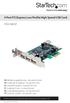 4 Port PCI Express Low Profile High Speed USB Card PEXUSB4DP DE: Bedienungsanleitung - de.startech.com FR: Guide de l'utilisateur - fr.startech.com ES: Guía del usuario - es.startech.com IT: Guida per
Usage, Installation, Warranty and Service Information
 T13C Table Updater for Seating Management U S E R M A N UA L Usage, Installation, Warranty and Service Information Long Range Systems, LLC 4550 Excel Parkway, Suite 200 Addison, TX 75001 800.437.4996 www.lrsus.com
How To Use An Ip Phone With A Sim Sim Sims 2 (Iphone) Or Ip Phone (Ip Phone) With A Microsoft Ip Phone 2 (Ipphone) With An Ipro (Ipro) Or Sims 1 (Ip
 Thomson Telecom S.A.S with a capital of 130 037 460 RCS 390 546 059 Copyright THOMSON 2005 All rights reserved 09/2005-1 www.speedtouchpartner.com ST2030 TM SIP European Community Declaration of Conformity
SHEET. BASautomation. BAS Router BACnet Multi-Network Router. BAS Router
 BAS Router d a t a SHEET BAS Router BACnet Multi-Network Router The BAS Router provides stand-alone routing between BACnet networks such as BACnet/IP, BACnet Ethernet, and BACnet MS/TP thereby allowing
Liebert Universal Monitor
 Infrastructure Management & Monitoring For Business-Critical Continuity Liebert Universal Monitor User Manual TABLE OF CONTENTS 1.0 INTRODUCTION 1.1 Methods of Viewing and Configuring the Liebert Universal
HP Advanced Wireless Docking Station. User Guide
 HP Advanced Wireless Docking Station User Guide Copyright 2014, 2015 Hewlett-Packard Development Company, L.P. Intel is a trademark of Intel Corporation in the U.S. and other countries. Windows and Windows
PRO 5000 CPE 1D Quick Installation Guide
 PRO 5000 CPE 1D Quick Installation Guide Introduction This Quick Installation Guide covers the basic installation of the PRO 5000 CPE. For more information, refer to the relevant sections in the Product
Wireless Router Setup Manual
 Wireless Router Setup Manual NETGEAR, Inc. 4500 Great America Parkway Santa Clara, CA 95054 USA 208-10082-02 2006-04 2006 by NETGEAR, Inc. All rights reserved. Trademarks NETGEAR is a trademark of Netgear,
Perle Protocol Transparent Media Converter Modules
 Perle Protocol Transparent Media Converter Modules Installation Guide C-4GPT-DSFP CM-4GPT-DSFP Part# 5500335-10 Overview This document contains instructions necessary for the installation and operation
HP LaserJet MFP Analog Fax Accessory 300 Fax Guide
 HP LaserJet MFP Analog Fax Accessory 300 Fax Guide Copyright and License 2008 Copyright Hewlett-Packard Development Company, L.P. Reproduction, adaptation, or translation without prior written permission
47611-GB4. Quick-Start Guide 10/100/1000 Mbps 4-Port Gigabit Router IMPORTANT INSTRUCTIONS SAFETY INFORMATION PRE-INSTALLATION CHECKLIST
 IMPORTANT INSTRUCTIONS 1. Read and understand all instructions. Follow all warnings and instructions marked on the product. 2. Do not use this product near water e.g., near a tub, wash basin, kitchen sink
4 Port PCI Express Gigabit Ethernet PoE PSE Network Card
 4 Port PCI Express Gigabit Ethernet PoE PSE Network Card ST4000PEXPSE *actual product may vary from photos DE: Bedienungsanleitung - de.startech.com FR: Guide de l'utilisateur - fr.startech.com ES: Guía
ES-3305P V2 / ES-3308P V2. Quick Installation Guide. 09-2013 / v1.0
 ES-3305P V2 / ES-3308P V2 Quick Installation Guide 09-2013 / v1.0 1 COPYRIGHT Copyright Edimax Technology Co., Ltd. all rights reserved. No part of this publication may be reproduced, transmitted, transcribed,
LifeSize Networker Installation Guide
 LifeSize Networker Installation Guide November 2008 Copyright Notice 2006-2008 LifeSize Communications Inc, and its licensors. All rights reserved. LifeSize Communications has made every effort to ensure
ADSL Modem Installation Guide. Model # 36R515 Part # 030-300108 Rev. D Revision Date 12/2000. ADSL Modem Installation Guide
 ADSL Modem Installation Guide Model # 36R515 Part # 030-300108 Rev. D Revision Date 12/2000 ADSL Modem Installation Guide Installation Instructions Westell ADSL Modem 1. Package Inspection and Contents...2
E-Mon Communication Gateway Utility Instructions for BACnet/mstp
 E-Mon Communication Gateway Utility Instructions for BACnet/mstp The E-Mon Communication Gateway utility will allow you to configure the Device Instance (Node ID) and other parameters needed for your BACnet/mstp
HLWLAN 802.11b/g/n Transceiver Kit
 092524 RevB HLWLAN 802.11b/g/n Transceiver Kit Wireless Communications for OmniLogic Owner s Manual Contents Introduction...1 Installation...2 Configuration...6 Operation...8 Troubleshooting...9 HLWLAN
On/Off Relay Switch and 3-Way Switch Kit
 45637/45638 Wireless Lighting Control On/Off Relay Switch and 3-Way Switch Kit marthome Control the On/Off status of permanently installed lighting, fans and more! www.lowes.com/iris 2012 JASCO Made in
Power Over Ethernet Adapters POE101
 Power Over Ethernet Adapters POE101 Installation Guide Introduction NETGEAR POE101 Power over Ethernet adapters are designed to supply operational power to devices through an Ethernet cable. These adapters
Intel RAID Maintenance Free Backup Unit 4 Quick Installation User's Guide
 Intel RAID Maintenance Free Backup Unit 4 Quick Installation User's Guide Thank you for buying an Intel RAID Maintenance Free Backup Unit 4. The Intel RAID Maintenance Free Backup Unit 4 supports the Intel
Square D Clipsal DIN-Rail Four-Channel Auxiliary Input Unit
 Square D Clipsal DIN-Rail Four-Channel Auxiliary Input Unit SLCLE5504AUX for Use with Wired C-Bus Networks Instruction Bulletin Retain for future use. Square D Clipsal DIN-Rail Four-Channel Auxiliary Input
Express5800/120Ed. Rack Mount Kit Installation Procedures PN: 455-01607-001
 Express5800/120Ed Rack Mount Kit Installation Procedures PN: 455-01607-001 Proprietary Notice and Liability Disclaimer The information disclosed in this document, including all designs and related materials,
TL-PS310U Single USB 2.0 Port MFP and Storage Server
 TL-PS310U Single USB 2.0 Port MFP and Storage Server Rev: 2.0.0 1910010313 Contents Chapter 1 Introduction... 1 1.1 Product Overview...1 1.2 Network Management...1 1.3 Components and Features...1 1.4 Hardware
Operating instructions. AS-i Profibus gateway AC1411 / AC1412 7390884/00 04/2014
 Operating instructions AS-i Profibus gateway AC1411 / AC1412 7390884/00 04/2014 Contents 1 Preliminary note 4 1.1 Notes on this document 4 1.2 Symbols used 4 2 Safety instructions 4 2.1 General 4 2.2 Installation
UPS Network Interface. Quick InstallationGuide
 UPS Network Interface Quick InstallationGuide Version 1.1 March 1999 COPYRIGHT Copyright 1999 RINGDALE UK Limited. All rights reserved. No part of this publication may be reproduced, transmitted, transcribed,
FN2001-A1 Network module (SAFEDLINK) Mounting Installation
 FN00-A Network module (SAFEDLINK) Mounting Installation A6V050_f_en_-- 05-0-6 Building Technologies Division Legal notice Legal notice Technical specifications and availability subject to change without
FB-500A User s Manual
 Megapixel Day & Night Fixed Box Network Camera FB-500A User s Manual Quality Service Group Product name: Network Camera (FB-500A Series) Release Date: 2011/7 Manual Revision: V1.0 Web site: Email: www.brickcom.com
Installation Guide. Wyse C Class 2-GB RAM Upgrade Option Kit. Issue: 092910 PN: 883884-13L Rev. A
 Installation Guide Wyse C Class 2-GB RAM Upgrade Option Kit Issue: 092910 PN: 883884-13L Rev. A Copyright Notices 2010, Wyse Technology Inc. All rights reserved. This manual and the software and firmware
USER MANUAL. PingBrother EPIW104 managed passive poe switch & IP watchdog
 USER MANUAL PingBrother EPIW104 managed passive poe switch & IP watchdog CONTENT Content... 2 Chapter 1... 3 1.1 Preface... 3 1.2 CE mark warning... 3 1.3 FCC warning... 4 Chapter 2... 5 2.1 Physical description...
StructureScan HD Module. Installation Guide ENGLISH. www.bandg.com www.simrad-yachting.com www.lowrance.com
 StructureScan HD Module Installation Guide ENGLISH www.bandg.com www.simrad-yachting.com www.lowrance.com Disclaimer As Navico is continuously improving this product, we retain the right to make changes
5-port 10/100Base-TX Industrial Switch (314500) User s Guide
 5-port 10/100Base-TX Industrial Switch (314500) User s Guide COPYRIGHT All rights reserved. No part of this publication may be reproduced, stored in a retrieval system, or transmitted in any form or by
Quick Installation Guide 24-port PoE switch with 2 copper Gigabit ports and 2 Gigabit SFP ports (af Version 15.4W)
 Quick Installation Guide 24-port PoE switch with 2 copper Gigabit ports and 2 Gigabit SFP ports (af Version 15.4W) Table of Contents Introduction.. Power Over Ethernet (PoE) & Features.... Unpacking and
WIRELESS ACCESS POINT
 WIRELESS ACCESS POINT AN-100-AP-I-N AN-300-AP-I-N FCC Warning Changes or modifications not expressly approved by the party responsible for compliance could void the user s authority to operate the equipment.
dedicated KVM switch and rackmount screen technology User Manual IP-S101 Combo KVM Extender Designed and manufactured by Austin Hughes
 dedicated KVM switch and rackmount screen technology User Manual IP-S101 Combo KVM Extender Designed and manufactured by Austin Hughes 751 Legal Information First English printing, October 2002 Information
8-port 10/100Base-TX +2-port 100Base-FX Switch. User s Guide
 8-port 10/100Base-TX +2-port 100Base-FX Switch User s Guide COPYRIGHT All rights reserved. No part of this publication may be reproduced, stored in a retrieval system, or transmitted in any form or by
Targus Wireless RF Mouse USER S GUIDE. Making Your Mobile Life Easier.
 Targus Wireless RF Mouse Visit our Web site at: www.targus.com Features and specifications are subject to change without notice. 2004 Targus Group International and Targus, Inc.. 400-0111-001B USER S GUIDE
Installation Instructions for FT-10 Network PowerCommand ATS Communication Module (NCM) Kits 541 0812 and 541 0868
 Instruction Sheet 10-2004 Installation Instructions for FT-10 Network PowerCommand ATS Communication Module (NCM) Kits 541 0812 and 541 0868 PowerCommand is a registered trademark of Cummins Inc. InPower
Introduction. Page 2 / 9
 Installation Manual English, US, version 1.1, as of November 13th, 2015 2015 Smappee NV. All rights reserved. Specifications are subject to change without notice. All product names are trademarks of their
Installation Guide. Wyse VX0L and VX0LE Thin Clients 1-GB RAM Upgrade Option Kit. Issue: 022808 PN: 883884-07L Rev. A
 Installation Guide Wyse VX0L and VX0LE Thin Clients 1-GB RAM Upgrade Option Kit Issue: 022808 PN: 883884-07L Rev. A ii Copyright Notice 2008, Wyse Technology Inc. All rights reserved. This manual and the
Advantium 2 Plus Alarm
 ADI 9510-B Advantium 2 Plus Alarm INSTALLATION AND OPERATING INSTRUCTIONS Carefully Read These Instructions Before Operating Carefully Read These Controls Corporation of America 1501 Harpers Road Virginia
USB VoIP Phone Adapter. User s Manual
 USB VoIP Phone Adapter User s Manual FCC Certifications This Equipment has been tested and found to comply with the limits for a Class B digital device, pursuant to part 15 and part 68 of the FCC Rules.
IEEE 802.3af 4-Port Power over Ethernet Injector Hub POE-400. User s Manual
 IEEE 802.3af 4-Port Power over Ethernet Injector Hub POE-400 User s Manual - 1 - Trademarks Disclaimer Copyright PLANET Technology Corp. 2006. Contents subject to revision without prior notice. PLANET
ATTENTION RISQUE D ÉLECTROCUTION! NE PAS OUVRIR!
 Quick Start Guide ATTENTION RISQUE D ÉLECTROCUTION! NE PAS OUVRIR! CAUTION: TO REDUCE THE RISK OF ELECTRIC SHOCK, DO NOT REMOVE COVER (OR BACK). NO USER-SERVICEABLE PARTS INSIDE. REFER SER- VICING TO QUALIFIED
Disclaimers. Important Notice
 Disclaimers Disclaimers Important Notice Copyright SolarEdge Inc. All rights reserved. No part of this document may be reproduced, stored in a retrieval system, or transmitted, in any form or by any means,
Installation Guide. APA-1460 SlimSCSI. PCMCIA-to-SCSI Host Adapter
 R Installation Guide APA-1460 SlimSCSI PCMCIA-to-SCSI Host Adapter Introduction This document explains how to install and use Adaptec s APA -1460 SlimSCSI PCMCIA-to-SCSI adapters. The SlimSCSI adapters
Meridian 1 Meridian 1 Attendant PC LAN Interface Installation Guide
 Meridian 1 Meridian 1 Attendant PC LAN Interface Installation Guide Document Number: P0874391 Document Release: Standard 1.00 Date: November 1997 Year Publish FCC TM 1997 All rights reserved Printed in
Disclaimers. Important Notice
 Disclaimers Disclaimers Important Notice Copyright SolarEdge Inc. All rights reserved. No part of this document may be reproduced, stored in a retrieval system, or transmitted, in any form or by any means,