
Engineering Data Management Software Specifications
|
|
|
- Asher Stevenson
- 10 years ago
- Views:
Transcription
1 ANALOG DIGITAL ADM Messtechnik GmbH & Co. KG GERÄTE UND SYSTEME FÜR FORSCHUNG ENTWICKLUNG VERSUCH SERVICE ADMMesstechnik GmbH & Co. KG ZumWartturm Gelnhausen Tel. (06051) Engineering Data Management Software Specifications February 1,
2 EDM (Engineering Data Management) Selection Guide...4 EDM Post Analysis (PA) Functions...5 EDM Technology and PC Requirements...5 EDM Specifications...6 General Functions...6 Signal Display...6 File Operations in the Tree View...6 Signal Operation in the Tree View...6 Signal Window Types...6 Pane Operation...6 3D Signal Display...7 Large File View...7 Quantity and Engineering Units...7 Typical Engineering Units...7 db Reference...7 Report...7 Template Operations...7 Customizable Fields and Attributes of Template...7 Report Operations...8 Report Export Format...8 Help...8 EDM CoCo-DSA Mode...9 CoCo Device Management...9 Device Content Display...9 File Operation...9 Data File Preview...9 Arbitrary Waveform Editing...9 Local File Operation...9 Network and Communication Management Search Devices Connection Wizard Access Code Connect and Disconnect Refresh Status CSA Editor EDM Post Analysis Mode Basic Signal Conditioning Modules Acceleration, Velocity and Displacement Digital Filter Modules FFT Spectral Analysis Octave Filters Order Tracking Curve Fit Analysis Profile Operation Analyze Process Control D Signals Data File Export Export File Format Customizable Export Attributes EDM CoCo-VDC Mode Database Management Network and Communication Management Search Devices Connection Wizard
3 Access Code Connect and Disconnect Refresh Status Synchronization between CoCo and PC Route Collection Parameter Setup for Measurement Entries Measurement Channels Analysis Parameters Sensor and Input Channels Trending Alarm Setup and Display Attach Signals VDC Report Order Information
4 EDM (Engineering Data Management) Selection Guide EDM Working Modes EDM is the PC software that supports hardware platforms of CoCo-80/90 and Spider with post processing functions. EDM has four working modes: CoCo-80 DSA mode: accesses CoCo-80 in its DSA mode, download files and view data files. CSA Editor, a tool of editing CoCo testing projects, will be included in this mode. CoCo-80 VDC mode: creates route data collection database, upload settings to CoCo, download data to PC, trending and alarm analysis. There are two versions of VDC modes: personal version allows the user access the database on his local PC. Enterprise version allows multiple user access the database on the LAN. Spider Real-Time Mode: operates on Spider hardware in real-time Post Analysis Mode: analyzes the data files on PC using various algorithms. PA has three versions: PA Viewer allows the user to view the data and create report; PA Basic has FFT spectral analysis and 3D signal display functions; PA Premium has all post analysis functions. The basic structure of EDM software is: EDM (Engineering Data Management) CoCo-80 DSA Mode, with or without CSA Editor CoCo-80 VDC Mode VDC Personal Spider Real Time Mode VDC Enterprise Post Analysis Mode PA Viewer PA Basic PA Premium EDM software is registered to a CoCo or a Spider device. To activate the EDM software, the user must have a License Key. 4
5 EDM Post Analysis (PA) Functions EDM PA is one of the working modes. There are three versions of Post Analysis functions, PA Viewer, PA Basic and PA Premium. The function comparison is listed below: Functions PA Viewer PA Basic PA Premium Browse, display and edit long waveform files Signal display with different spectrum unit and X-Y scale Signal annotation, cursor, play sound, calculate RMS, THD, ZOOM-in, ZOOM-out, auto scaling Create template-based report in HTML, Excel, Word or PDF Engineering unit conversion, db reference Export to standard formats including ASAM-ODS, UFF, BUFF, MATLAB, TDM, user-defined ASCII and wave files Import user-defined ASCII file, wave file, Pacific Instrument file Acceleration, velocity and displacement conversion FFT Spectral analysis: FFT, auto power spectra, cross power spectra, frequency response function 3D display: waterfall, color map Math Functions: abs, +, -, *, /, square, square-root, log, integration, differentiation, RMS, peak, offset and scale, Digital Filters: IIR, FIR, Low-pass, High-pass, Bandpass User defined data conditioning modules Fractional octave filters: 1/1, 1/3, 1/6, 1/12 Order Tracking: RPM spectra, order spectra Polynomial Curve Fit Data file batch processing EDM Technology and PC Requirements The EDM software is a PC desktop application developed using Microsoft.NET technology. It runs on Windows XP/SP2 or Windows Vista (32 bit and 64 bit versions supported). EDM reporting function requires Office 2000 or later installed on the same PC. When communicating with the CoCo using an Ethernet or wireless connection, the PC must be configured with TCP/IP network protocol. When communicating with the CoCo using a USB port, the PC must have the CoCo USB device driver installed. In order to support the VDC mode, a MySQL database server must be installed on the PC. If you only intend to run the DSA mode, MySQL is not needed. The EDM software design, style and layout are similar to Office Large icons on the ribbon and customizable color scheme make the EDM user interface easy to access and operate. There are four main tab pages in the EDM main window: Home, View, Analysis and Report. The Home tab page shows the content on the CoCo device and the local file folder. The View tab shows stored files and signals. The Analysis tab, which 5
6 is only available in the EDM premium version, shows the post-processing setup; the Report tab displays the reports generated by the EDM. EDM General Functions Signal Display Signals are displayed in a Signal Tab Signal Window Signal Pane hierarchy. Multiple signal tabs can be opened. On each signal tab, multiple signal windows can be allocated. Each signal window may contain stacked or overlaid panes. File Operations in the Tree View Close: removes the file from the tree view and closes all opened signals Export: exports the file into other formats Collapse and Expand: changes the levels of the display in the tree view Annotation: adds an annotation to the file Signal Operation in the Tree View Play Sound: plays a time domain data file using the PC sound system Add to Active Pane: adds the signal to the active pane Add to New Pane: creates a new empty pane and loads the signal into it Report to Excel: creates a report in Excel for the signal Export: exports the signal into another format Rename: changes the name of the signal Annotation: adds an annotation to the signal Attachment: adds any file to the signal as attachment Signal Window Types Overlaid Plot: signals with the same type can be plotted together in the same window Stack Plot: multiple panes will be allocated within the same window Bode Plot: displays the magnitude and phase of complex signals Waterfall Plot: displays the 3D signals in waterfall Colormap: displays the 3D signals in color-map (spectrogram) Text Window: displays the signal values in text Pane Operation Mouse ZOOM and Scale: use the mouse scroll to ZOOM in or out, click on X or Y label to show the signal scaling dialog box ZOOM and Scale commands: Zoom Back, Un-Zoom All, Auto Range X, Auto Range Y, Auto Range X-Y, Restore Scale, X and Y Fixed Scaling Setting Cursor and Markers: add or remove one or multiple vertical, horizontal cursors, peak or valley markers, harmonic markers. Cursor(s) can be moved using the mouse or arrow keys on the keyboard. Cursor Display Option: sort by cursor, sort by signals Signals: remove individual or all signals, copy and paste signals between panes Vertical axis: dbmag, Mag, LogMag Horizontal axis: Linear, Log Spectrum Type and Scaling: EU rms 2, EU peak, EU rms, EU 2 /Hz, EU 2 S/Hz Digital Notation: floating point, scientific and engineering notation Grid: full, major, or no X and Y grid Color: set the color for each signal, set the color scheme for each pane Report: send the active pane to Word report 6
7 Pane Position: pane positions can be rearranged with mouse drag-and-drop Delete Pane: remove one or all panes from the view tab Annotation: Annotations can be added to any pane and associated with a particular point of data. Cursor values can be converted into annotation. 3D Signal Display Any 3D signal recorded by the CoCo or generated in post processing can be displayed in waterfall or colormap (spectrogram). Large File View A unique technology is used to display very large time stream files saved on the PC. ZOOM in and out to browse the very long signals. A global view of the large file is displayed on the upper-right corner. User can use the mouse to control the range of the display. Quantity and Engineering Units Physical quantities and the engineering units of the signals are stored in the ASAM-ODS standard. The engineering units are displayed on each pane. EDM displays the engineering units according to the user settings. Typical Engineering Units Acceleration: m/s 2, cm/s 2, mm/s 2, gn, ft/s 2, in/s 2, mil/s 2 Velocity: m/s, cm/s, mm/s, ft/s, in/s, mil/s Displacement: m, cm, mm, ft, in, mil Force: Newton, Dyne, Kgf, KIPF, LBF, OzF Pressure: Pa, µpa, ATM, Bar, PSI, KSI Voltage: Volts, mv Time: Seconds Frequency: Hz, khz, MHz Angular velocity: Rad/s, Degree/s, RPM Current: Amp, ma SPL: db in reference to 20µPa Mass: kg, g, LBS, Ounce db Reference db reference can be set for each physical quantity. Report Reports can be generated based on user-defined template. Report shows active pane, active view, active device etc. Many fields and attributes are customizable. After a report is created and or previewed, it can be exported into various file formats. Template Operations Create, rename, delete and load default. Customizable Fields and Attributes of Template Logo: insert, position and alignment Page Orientation: portrait or landscape Report Header: font size, color and style Report Section Title: font size, color and style Report Title: user-definable text Section Title, Signal Property, Cursor, Marker and Annotation: all text can be defined by user 7
8 Chart Graph: title, size and background color can be defined by user Report Operations Create new report, preview, HTML view, to, print, quick print, page setup, find, bookmarks, zoom in and out, go to last and first page, page color, watermark Report Export Format PDF, HTML, MHT, RTF, Excel, CSV, text and image files Help The help file can be activated by clicking on the question mark Help icon. The help file is organized through a tree view with the following menu commands: back, forward, contents, video, index, multiple view, single view and print. 8
9 EDM CoCo-DSA Mode CoCo Device Management Device Content Display EDM manages one or multiple CoCo-80 devices using two adjacent panes. The left pane shows a tree view with multiple icons. When the user clicks on each icon the detailed content of CoCo that is associated with this icon will be shown on the right pane. Data Files: displays the data files stored on the CoCo. File name, size, type, date created, download time remaining, download percentage, number of signals in the file, user name and testing notes can be selectively shown on the right pane. Configurable Signal Analysis (CSA): lists the CSA script files stored on the CoCo Arbitrary Waveform Files: displays a list of the arbitrary waveform files on the CoCo Storage Card Files: displays the data files that reside on the SD memory card plugged in the CoCo System Information: displays the version of the CoCo application software, version and the type of the base hardware, version and the type of the measurement hardware, version and capacity of the mass storage memory and version of Windows CE OS. File Operation File Download: data files and CSA script files of CoCo can be downloaded to the PC using a right mouse-click, drag-and-drop, or the menu icon on the ribbon. Multiple files can be downloaded simultaneously. EDM displays the percentage and time remaining for downloading. The download destination is displayed in the local folder tree view. File Upload: CSA script files and arbitrary waveform files can be uploaded from the PC to the CoCo by using right mouse-click or drag-and-drop. Refresh, Download All, Delete All: allows the user to refresh the status of the connected device, download all the files or delete all the files on the device. Data File Preview Signals can be previewed before downloading to the PC. Preview shows basic attributes of the signals and the first hundreds points of the waveform in a graphic plot. Arbitrary Waveform Editing Arbitrary waveform file can be edited with this tool. A waveform can be defined by drawing points with the mouse or using clear history, new arbitrary waveform, copy, paste, export and import. Local File Operation Local files are organized with a browser tree view and a detail list file view. The tree view can be displayed in one of three ways: Explorer, History and Favorite. Explorer displays the file and folder structure; History displays the recent files listed in time history; Favorite displays a collection of files added through the Add to Favorite command. Right clicking on one or multiple files in the local folder will enable the following menu items: View: opens data file from any local folder and switches the display window to the View tab. Local files will be listed in the file tree view. This command can be applied to multiple files. Analyze: use the Analyze template that was previously defined or create a new Analyze template to conduct the post-processing to the time streams Integrate: integrates a file containing acceleration signals into velocity or displacement. High-pass filter can be applied. 9
10 Export: exports one or multiple files from ASAM-ODS to other formats. A dialog box will prompt the user for the file format selection. Delete: deletes one or multiple files. Deleted files are listed in the Windows recycle bin for restore. Rename: changes the name of the file Add to Favorite: adds one or multiple files to a Favorite folder for quick access Column Customize: allows the user to customize the table of the file list view Network and Communication Management EDM provides comprehensive tools to detect single or multiple CoCo devices that are connected to the host PC through USB, Ethernet or wireless connections. EDM reports and automatically updates the connection status in several locations on the screen. The user will be notified of the connection status change. Search Devices The user presses the search icon to look for CoCo devices connected to the local PC. The search dialog box displays the serial number, access code, connection method, IP address and connected path of all connected CoCo devices. Connection Wizard The Connection Wizard provides step-by-step instructions, with graphic display, to guide the user through the connection setup process such as setting the IP address, device drivers and identifying the cause of any connection problems. Access Code An Access Code can be set on the CoCo in order to prevent unwanted access between EDM and a CoCo device. Connect and Disconnect A CoCo device can be manually connected or disconnected after it is found by the EDM software. Alternatively EDM can automatically connect to any CoCo device that is found on the network. Refresh Status The device status can be updated automatically, periodically, or manually using the refresh button. CSA Editor The CSA Editor can be activated by clicking on the CSA Editor icon (specification for CSA Editor is not included in this document). EDM CoCo-VDC Mode Database Management MySQL database server must be installed on the PC to support the VDC functions. Database Management Commands: create (new), delete, backup, restore, export and import database file. Database consists of a single data file. Network and Communication Management EDM provides comprehensive tools to detect single or multiple CoCo devices that are connected to the host PC through USB or Ethernet connections. EDM reports and automatically updates the connection status in several locations on the screen. The user will be notified of any connection status change. 10
11 Search Devices The user presses the search icon to look for CoCo devices connected to the local PC. The search dialog box displays the serial number, access code, connection method, IP address and connected path of all connected CoCo devices. Connection Wizard The Connection Wizard provides step-by-step instructions, with graphic display, to guide the user through the connection setup process such as setting the IP address, device drivers and identifying the cause of any connection problems. Access Code An Access Code can be set on the CoCo in order to prevent unwanted access between EDM and a CoCo device. Connect and Disconnect A CoCo device can be manually connected or disconnected after it is found by the EDM software. Alternatively EDM can automatically connect to any CoCo device that is found on the network. Refresh Status The device status can be updated automatically, periodically, or manually using the refresh button. Synchronization between CoCo and PC At the user command, the EDM software will synchronize the Factory and its sub-elements to the CoCo. Any new parameter setups created using EDM and any new data acquired by the CoCo will be synchronized. Route Collection Route Hierarchy Structure: database / factory / machine / point / direction / measurement-entry Route Management Commands: new, copy, delete, move any of the elements of factory, machine, point, direction and measurement entry Route Definition: user creates route by selecting measurement-entry and adding them to a list. User can reorganize the sequence and positions of individual measurement-entries. Parameter Setup for Measurement Entries Measurement Channels Up to 4 channels measuring synchronously. Analysis Parameters User first creates an analysis Parameter Set library. Each Measurement Entry is referenced to one of the Parameter Sets. Signal Types Available for Data Collection: waveform, spectrum and demodulation spectrum Time Waveform Number of Samples: 1024, 2048, 4096, 8192, 16384, FFT resolution: 400, 800, 1600, 3200, 6400, 14400, selectable Frequency Range: 22 Hz to 46 khz in 34 stages (equivalent RPM), selectable Data Window Functions: Hanning, Uniform, Flattop Spectral Averaging: exponential, linear, peak hold for specified number of averages Overlapping ratio for spectral analysis: automatic, 0%, 25%, 50% or 75% Measurement Quantity: acceleration, velocity, displacement or electrical current Display Spectrum Type: peak, peak-peak, RMS or db Frequency Domain Axis: Hz, RPM, or order 11
12 Unit System: imperial and metric units RPM detection: user-defined, read from tachometer, or estimated from the spectrum Demodulation Bandwidth: 24 bandwidth options from 125 Hz 1.44 khz up to 32 khz khz Sensor and Input Channels User first creates a Sensor Set library. Each Measurement Entry is referenced to one of the Sensor Sets. Single or Multi-Axis Sensor: user selects either single or 3-axis sensor Sensitivity: user-defined with engineering units and input sensitivity settings Input Types: AC/DC/IEPE coupling and differential or single ended input type Digital High-Pass Filter: High-pass filter with user-defined cutoff frequency for each channel Trending Create trending signal based on a frequency band or overall readings. When frequency band is used, RMS or spectrum peak will be specified. Alarm Setup and Display Alarms Levels: up to 3 alarm levels (warning, alarm, danger), comparison to previous measurement Reading Alarm: alarms can be applied to overall RMS, peak, peak-peak, average or true RMS for each channel. Alarms can be created using baseline values. Waveform Alarm: alarms levels will be applied to the time domain Spectrum Band Alarm: alarms will be applied to any spectrum, checked against either whole frequency range or a specific band. ISO Standard Alarm: ISO : for land-based steam turbines; ISO : for industrial machines; ISO L for gas turbines Display: instantaneous measurement, measured value, alarm limits, previous measurement. Bar graph display of measurement and alarm levels Attach Signals This function allows the operator manage any signals acquired in the DSA mode using machine database. VDC Report General: All general report functions are available. (Please refer to the General Report Functions above) Special VDC Reports: alarm, exception, measurement, reading, structure, balancing, chart, all charts EDM Post Analysis Mode The data files recorded by CoCo or Spider can be imported into EDM for further analysis. Using the analysis tab, the user can create and edit computed signal. These signals will be displayed in the Tree View under the Computed Signal group. These data files can be viewed or reported like other signals. The configuration containing the analysis functions and parameters applied to data file is called Analysis Profile. A control panel is available to control and display the process of Post Analysis. Basic Signal Conditioning Modules Math Functions: abs, +, -, *, /, square, square-root, log, integration with low-pass, integration with high-pass, double integration with low-pass, double integration with high-pass, differentiation, double differentiation RMS: apply RMS estimation to an input data stream and generate a continuous output stream Peak: extract the peak or peak-peak value over a period of time and generate the time stream 12
13 Offset Scale: apply a multiplier gain and offset to any input data stream and generate the output stream continuously Acceleration, Velocity and Displacement Math Conversions for Time Streams: acceleration to velocity, acceleration to displacement, velocity to displacement High-Pass Filters: user-defined cutoff frequency to filter out the DC and low frequency to remove the drift effect Digital Filter Modules Digital filters are CSA modules that are applied in the data conditioning phase. The user can cascade digital filters or other data conditioning modules to construct powerful real-time analysis functions. There are mainly three models of real-time digital filters: Decimation filter, FIR filter and IIR Filter. According to his or her criteria, the user designs the filter model with a graphic design tool provided in the CSA Editor and uses the filter design parameters for execution. The graphic design tool draws the filter performance in vertical axis with db unit and horizontal axis in relative frequency. Filter Design Display: the user enters the cutoff frequencies, criteria of attenuation, ripple and filter orders. The design tool provides the frequency response of the filter in graphic format. Decimation Filter: 2:1 decimation with built in anti-aliasing filter. Anti-aliasing attenuation is more than -80dB which provides sufficient removal for high frequency noise. User sets decimation stages. Each stage decimates data to half. FIR Filter Using Window Method: FIR filter designed based on data window applied to the sinc function. Data window types: Hanning, Hamming, Flattop, Uniform, Kaiser-Bessel, Blackman. The user selects one of low-pass, high-pass, band-pass or band-stop types; sets one or two cutoff frequencies either relative to sampling rate or in fixed value; and sets the filter length between 11 and 127 (number of FIR taps). FIR Filter Using Remez Method: The Remez FIR Filter design block implements the Parks-McClellan algorithm to design and apply a linear-phase filter with an arbitrary multiband magnitude response. The user selects low-pass, high-pass, band-pass or band-stop types; sets one or two cutoff frequencies either relative to sampling rate or in fixed value; and sets the filter length between 11 and 127 (number of FIR taps). IIR Filters (3 types): Butterworth, Chebyshev I, Elliptic: the user selects one of the filter types above, selects low-pass, high-pass, band-pass or band-stop types; sets one or two cutoff frequencies either relative to sampling rate or in fixed value; and sets the filter order between 1 to 20. FFT Spectral Analysis Support all the data conditioning operations in basic signal conditioning template. FFT, auto power spectra, cross power spectra, frequency response function is also available on the output time stream from data conditioning operation. Support Acquisition Mode: Free Run, Continuous after Trigger, Single Shot with Trigger, Single Shot without Trigger, Auto-Arm Trigger, Manual-Arm Trigger Octave Filters Supports all the data conditioning operations listed in basic signal conditioning template. Fractional Octave Analysis can be applied to the output time stream from data conditioning operation. Octave Fractional Resolution: 1/1, 1/3, 1/6, 1/12 Frequency Range (Band centers): 1/1 Octave: Hz to 16 khz, up to 18 filters on each of all 8 channels 1/3 Octave: 0.1 Hz to 20 khz, up to 54 filters on each of all 8 channels 1/6 Octave: 0.1 Hz to 20 khz, up to 107 filters on each of all 8 channels 1/12 Octave: 0.1 Hz to 20 khz, up to 213 filters on each of all 8 channels 13
14 Input Sampling Rate: data must be sampled at khz, 25.6 khz, khz, 51.2 khz, 64 khz, khz, or khz. Order Tracking Supports all the data conditioning operations listed in basic signal conditioning template. Order Tracking Analysis can be applied to the output time stream from data conditioning operation. A precise tachometer processing computation will be applied to tachometer input time stream to generate an RPM result. The following measurements can be made for user selection: RPM spectrum, fixed band RPM spectra, order tracks, and order spectra. RPM Spectrum and Fixed Band RPM Spectra FFT Block Sizes: 128 to 65,536 Acquisition Mode: free run, run up, run down, run up and down, run down and up Fixed Band RPM spectra: user definable band range. Instrument calculates the total power within the fixed band versus RPM (Spectrum Units: EU rms, EU rms 2 ). Order Tracks and Order Spectra Order Spectrum are 3D signals with auto power spectrum normalized to orders and changing with RPM. Order Tracks are frequency amplitude signals extracted from 3D Order Spectrum with a fixed order. Delta Order of Order Spectrum: to 1 Acquisition Mode: free run, run up, run down, run up and down, run down and Uup Order Spectrum View Mode: 2 dimensional, waterfall or spectrogram (RPM as x-axis) Curve Fit Use least-mean-square (LMS) criteria to create polynomial formula that approximates the Frequency Response Functions. Maximum Orders: 20 poles, 20 zeros Frequency Scale of FRF Signals: linear or logarithmic frequency scaling Curve Model Display: in pole/zero or polynomial formats, instantly compare with the original FRF signals. Synthesis: Curve fit allows the user to change the gain, delay and frequency scale, set pole and zero locations to synthesize the FRF signals. Analysis Profile Operation Create Analysis Profile: create certain types of analysis profile for data files containing time domain signals. Export/Import Analysis Profile: export Analysis Profile to file to later import and apply same analysis for other data file. Copy/Paste Analysis Profile: for recorded files listed in Tree View, the export/import analysis profile operation can be implemented using the copy/paste operation on the analysis profile mode in Tree View. Delete Analysis Profile: data file will have no attached analysis profile Edit Analysis Profile: CSA Editor like user interface used to generate the required time stream and signal analysis signal. Analyze Process Control Analysis Range Selection: select the analysis range by dragging the analysis range cursor in the pane included the source time stream or input the time or point range in control pane. Save the Analysis Results: the computed signal can be saved in the ASAM-ODS XML file format. Save Condition and Save Signal List can be edited in option dialog. 3D Signals Spectra and block time signals can be processed and viewed in 3D mode: Waterfall or color-map. User sets the total frame number for the z-axis. 14
15 Data File Export A data file may contain multiple signals or time streams. Data files can be exported into other formats using EDM. The user can choose to export a single data file, or multiple data files in batches, or portions of the data file into another format. Files or signals will be exported according to the appropriate signal attribute settings. Export File Format ASAM-ODS XML: ASAM Open Data Source binary format (default, recommended) UFF ASCII: ASCII format of UFF files. (Universal file format 58. This format is documented by SDRC). UFF Binary: binary format of UFF files (file format 58 documented by SDRC) ASCII: user-defined format and selected attributes. User enables the signal attributes and the format of ASCII data and specifies template for future use. Excel CSV: file can be opened directly in Microsoft Excel. MATLAB: *.mat binary format that can be opened and analyzed using MATLAB. Both single and double floating point precision supported. NI- TDM: National Instruments structured storage format.wav: sound wave files can be played by media players found on most PCs. Exported wave files do not contain file header information. Only time signals can be exported in this format. Customizable Export Attributes General Property: data acquisition time, software used, instrument used, signal export time, user, test notes Text Layout Setting: only export Y values; export X start value and step values. Common Properties: signal name, sampling rate, block size, acquisition method, X unit, Y unit, NVH signal type. Frequency Signal Properties: spectrum unit, window type, window correction mode, energy factor, amplitude factor, number of averages, amplitude scaling, average mode, linear/exponential average time constant. EDM Spider Real Time Working Mode (Please refer to Spider-80 specifications) Order Information Warranty and Support Warranty and support are available for all Crystal Instruments products. Warranty and support options are separated into two types: software subscription renewal and hardware warranty. Software subscription renewal includes periodic updates and application support by phone or online. Hardware warranty provides repair and calibration at no charge. The user pays the shipping fee from the user to the CI office and CI pays the shipping fee from CI to the user. Standard purchase comes with 1 year subscription for software renewal and 1 year hardware warranty. 15
EDM SOFTWARE ENGINEERING DATA MANAGEMENT SOFTWARE
 EDM SOFTWARE ENGINEERING DATA MANAGEMENT SOFTWARE MODERN, UPATED INTERFACE WITH INTUITIVE LAYOUT DRAG & DROP SCREENS, GENERATE REPORTS WITH ONE CLICK, AND UPDATE SOFTWARE ONLINE ipad APP VERSION AVAILABLE
DAS202Tools v1.0.0 for DAS202 Operating Manual
 DAS202Tools v1.0.0 for DAS202 Operating Manual DAT102Tools 1.0.0 Manual Table of context 2 Table of Contents 1 General Information... 3 2 PC... Configuration Requirements 3 3 Software Installation... 3
Building a Simulink model for real-time analysis V1.15.00. Copyright g.tec medical engineering GmbH
 g.tec medical engineering GmbH Sierningstrasse 14, A-4521 Schiedlberg Austria - Europe Tel.: (43)-7251-22240-0 Fax: (43)-7251-22240-39 [email protected], http://www.gtec.at Building a Simulink model for real-time
DATA PROCESSING SOFTWARE
 DATA PROCESSING SOFTWARE UPGRADE OF PROTECTION SYSTEM MMS6000 DIAGNOSTIC DATAMONITOR CONDITION MONITORING EARLY FAULT DETECTION PREDICTIVE MAINTENANCE MMS 6850 1/7 R 2/2011 MMS 6850 DM DATA MANAGER Data
WINDAQ Data Acquisition and Playback Software
 WINDAQ Data Acquisition and Playback Software Supports All DI-Series Data Acquisition Hardware Disk Streaming and Real Time Display At the Hardware Rate Check Hardware Page For Supported Sampling Rates
Vibration analysis and monitoring Compact. Powerful. Modern technology.
 Vibration analysis and monitoring Compact. Powerful. Modern technology. Maximum performance Vibration measurement with state of the art processor technology Expert Vibro is Delphin Technology's new device
Ovation Operator Workstation for Microsoft Windows Operating System Data Sheet
 Ovation Operator Workstation for Microsoft Windows Operating System Features Delivers full multi-tasking operation Accesses up to 200,000 dynamic points Secure standard operating desktop environment Intuitive
ANALYZER BASICS WHAT IS AN FFT SPECTRUM ANALYZER? 2-1
 WHAT IS AN FFT SPECTRUM ANALYZER? ANALYZER BASICS The SR760 FFT Spectrum Analyzer takes a time varying input signal, like you would see on an oscilloscope trace, and computes its frequency spectrum. Fourier's
PowerLogic ION Enterprise 6.0
 70002-0298-00 06/2009 PowerLogic ION Enterprise 6.0 Power management software User guide Notices This section describes the symbols used in this guide. Danger This alerts you to things that may cause
Lab 3: Introduction to Data Acquisition Cards
 Lab 3: Introduction to Data Acquisition Cards INTRODUCTION: In this lab, you will be building a VI to display the input measured on a channel. However, within your own VI you will use LabVIEW supplied
NVMS-1200. User Manual
 NVMS-1200 User Manual Contents 1 Software Introduction... 1 1.1 Summary... 1 1.2 Install and Uninstall... 1 1.2.1 Install the Software... 1 2 Login Software... 3 2.1 Login... 3 2.2 Control Panel Instruction...
OPERATION MANUAL. MV-410RGB Layout Editor. Version 2.1- higher
 OPERATION MANUAL MV-410RGB Layout Editor Version 2.1- higher Table of Contents 1. Setup... 1 1-1. Overview... 1 1-2. System Requirements... 1 1-3. Operation Flow... 1 1-4. Installing MV-410RGB Layout
Custom Reporting System User Guide
 Citibank Custom Reporting System User Guide April 2012 Version 8.1.1 Transaction Services Citibank Custom Reporting System User Guide Table of Contents Table of Contents User Guide Overview...2 Subscribe
Manual Analysis Software AFD 1201
 AFD 1200 - AcoustiTube Manual Analysis Software AFD 1201 Measurement of Transmission loss acc. to Song and Bolton 1 Table of Contents Introduction - Analysis Software AFD 1201... 3 AFD 1200 - AcoustiTube
The serial port is another kind of transmission mode in some outdated PC as a supplementary in failure of USB transmission.
 Page 1 of 21 OWON Oscilloscope Installation and Use Guide Welcome to use Oscilloscope analysis software. The kind of communication software is use to acquire, store, analyze and display the data. The instruction
PowerLogic ION Enterprise 5.6
 PowerLogic ION Enterprise 5.6 Power Management Software User Guide April 2007 Notices This section describes the symbols used in this guide. Danger This alerts you to things that may cause serious injury
Spectrum and Power Measurements Using the E6474A Wireless Network Optimization Platform
 Application Note Spectrum and Power Measurements Using the E6474A Wireless Network Optimization Platform By: Richard Komar Introduction With the rapid development of wireless technologies, it has become
Software Manual. For. MadgeTech 4 Data Logger Software
 Software Manual For MadgeTech 4 Data Logger Software Introduction 7 About MadgeTech, Inc... 8 Software Overview 9 Getting Started... 10 System Requirements...10 Software Installation: Installing the MadgeTech
Impedance 50 (75 connectors via adapters)
 VECTOR NETWORK ANALYZER PLANAR TR1300/1 DATA SHEET Frequency range: 300 khz to 1.3 GHz Measured parameters: S11, S21 Dynamic range of transmission measurement magnitude: 130 db Measurement time per point:
DiskPulse DISK CHANGE MONITOR
 DiskPulse DISK CHANGE MONITOR User Manual Version 7.9 Oct 2015 www.diskpulse.com [email protected] 1 1 DiskPulse Overview...3 2 DiskPulse Product Versions...5 3 Using Desktop Product Version...6 3.1 Product
10 Thomas, Irvine, CA 92618 USA Tel: (949) 465-0900 Fax: (949) 465-0905 Toll Free: (800) 23 FUTEK
 Table of Contents Software Overview... - 4 - Product Key... - 5 - Model Selection... - 6 - Device Selection... - 7 - Menu... - 8 - File... - 8 - Edit... - 8 - View... - 8 - Format... - 8 - Help... - 9
What is OneDrive for Business at University of Greenwich? Accessing OneDrive from Office 365
 This guide explains how to access and use the OneDrive for Business cloud based storage system and Microsoft Office Online suite of products via a web browser. What is OneDrive for Business at University
NVMS - 1000 USER MANUAL. Version 2.1.0
 NVMS - 1000 USER MANUAL Version 2.1.0 Contents 1 Software Introduction... 1 1.1 Summary... 1 1.2 Operation Environment... 1 1.3 Install and Uninstall... 2 1.3.1 Install the Software... 2 1.3.2 Uninstall
Software User's Guide
 BROTHER QL-500/550/650TD/1050/1050N Software User's Guide QL-500 QL-650TD QL-550 QL-1050/1050N 1 Contents Contents....................................................................................2................................................................................4
Model 288B Charge Plate Graphing Software Operators Guide
 Monroe Electronics, Inc. Model 288B Charge Plate Graphing Software Operators Guide P/N 0340175 288BGraph (80207) Software V2.01 100 Housel Ave PO Box 535 Lyndonville NY 14098 1-800-821-6001 585-765-2254
DataPA OpenAnalytics End User Training
 DataPA OpenAnalytics End User Training DataPA End User Training Lesson 1 Course Overview DataPA Chapter 1 Course Overview Introduction This course covers the skills required to use DataPA OpenAnalytics
Microsoft Access 2010 handout
 Microsoft Access 2010 handout Access 2010 is a relational database program you can use to create and manage large quantities of data. You can use Access to manage anything from a home inventory to a giant
1. Installing The Monitoring Software
 SD7000 Digital Microphone Monitor Software manual Table of Contents 1. Installing The Monitor Software 1.1 Setting Up Receivers For Monitoring 1.2 Running The Application 1.3 Shutdown 2. The Detail Monitoring
Remote Support. User Guide 7.23
 Remote Support User Guide 7.23 Copyright 1997 2011 Cisco and/or its affiliates. All rights reserved. WEBEX, CISCO, Cisco WebEx, the CISCO logo, and the Cisco WebEx logo are trademarks or registered trademarks
NI InsightCM Server Version 1.0
 GETTING STARTED NI InsightCM Server Version 1.0 This document contains step-by-step instructions for the setup tasks you must complete to connect an NI Condition Monitoring System to NI InsightCM Server
Gigabyte Management Console User s Guide (For ASPEED AST 2400 Chipset)
 Gigabyte Management Console User s Guide (For ASPEED AST 2400 Chipset) Version: 1.4 Table of Contents Using Your Gigabyte Management Console... 3 Gigabyte Management Console Key Features and Functions...
ELAD FDM-SW1 USER MANUAL. Ver. 1.0
 ELAD FDM-SW1 USER MANUAL Ver. 1.0 Index 1 FDM-SW1 Overview... 4 2 Graphical User Interface (GUI)... 5 2.1 Display Window... 6 2.1.1 Filter Spectrum... 6 2.1.2 Click Options... 7 2.1.3 Graphics Settings...
ivms-4200 Client Software Quick Start Guide V1.02
 ivms-4200 Client Software Quick Start Guide V1.02 Contents 1 Description... 2 1.1 Running Environment... 2 1.2 Surveillance System Architecture with an Performance of ivms-4200... 3 2 Starting ivms-4200...
Instruction manual. testo easyheat Configuration and Analysis software
 Instruction manual testo easyheat Configuration and Analysis software en 2 General Information General Information This documentation includes important information about the features and application of
Intro to Excel spreadsheets
 Intro to Excel spreadsheets What are the objectives of this document? The objectives of document are: 1. Familiarize you with what a spreadsheet is, how it works, and what its capabilities are; 2. Using
Manual. Sealer Monitor Software. Version 0.10.7
 Manual Sealer Monitor Software Version 0.10.7 Contents 1 Introduction & symbols 1 2 Installation 2 2.1 Requirements 2 2.2 Installation process 2 3 Menu & Tooblar 5 3.1 File menu 5 3.2 Print menu 6 3.3
ebus Player Quick Start Guide
 ebus Player Quick Start Guide This guide provides you with the information you need to efficiently set up and start using the ebus Player software application to control your GigE Vision or USB3 Vision
Test for I-DEAS FEATURES APPLICATIONS 83-0056-000 14A TRANSIENT POST-PROCESSING SOFTWARE FOR FIXED SAMPLE ORDER TRACKING
 83-0056-000 14A Test for I-DEAS TRANSIENT POST-PROCESSING SOFTWARE FOR FIXED SAMPLE ORDER TRACKING FEATURES Advanced User Interface Providing Ease-of-Use In Post-Processing Time History Data Real-Time
Results CRM 2012 User Manual
 Results CRM 2012 User Manual A Guide to Using Results CRM Standard, Results CRM Plus, & Results CRM Business Suite Table of Contents Installation Instructions... 1 Single User & Evaluation Installation
Cart Interface Installation & Control Board Manual for M38 XP and RX Carts and Legacy M39 Carts
 Rubbermaid Medical Solutions Cart Interface Installation & Control Board Manual for M38 XP and RX Carts and Legacy M39 Carts REVISED FEBRUARY 25, 2010 Filename: Cart Interface Installation & Control Board
Three Levels of Data-Logging Software from National Instruments
 Three Levels of Data-Logging Software from National Instruments One of the most common data acquisition applications is simply logging acquired data to disk or a database for future analysis. Most National
WHAT S NEW IN WORD 2010 & HOW TO CUSTOMIZE IT
 WHAT S NEW IN WORD 2010 & HOW TO CUSTOMIZE IT The Ribbon... 2 Default Tabs... 2 Contextual Tabs... 2 Minimizing and Restoring the Ribbon... 3 Customizing the Ribbon... 3 A New Graphic Interface... 5 Live
testo EasyClimate Software Instruction manual
 testo EasyClimate Software Instruction manual 2 1 Contents 1 Contents 1 Contents... 3 1.1. About this document... 5 2 Specifications... 5 2.1. Use... 5 2.2. System requirements... 6 3 First steps... 6
Multi Channel software
 Multi Channel software User manual TiePie engineering Copyright c 2014 TiePie engineering. All rights reserved. Revision 1.05, February 2014 Despite the care taken for the compilation of this user manual,
Table of Contents. Part I Welcome. Part II Introduction. Part III Getting Started. Part IV The User Interface. Part V Quick Start Tutorials
 Contents I Table of Contents Part I Welcome 5 Part II Introduction 5 1 Overview... 5 2 Product... Levels 5 3 Technical... Support 6 4 Copyright... 7 Part III Getting Started 7 1 Installation... 7 2 Register...
imc FAMOS 6.3 visualization signal analysis data processing test reporting Comprehensive data analysis and documentation imc productive testing
 imc FAMOS 6.3 visualization signal analysis data processing test reporting Comprehensive data analysis and documentation imc productive testing imc FAMOS ensures fast results Comprehensive data processing
WebSphere Business Monitor V6.2 Business space dashboards
 Copyright IBM Corporation 2009 All rights reserved IBM WEBSPHERE BUSINESS MONITOR 6.2 LAB EXERCISE WebSphere Business Monitor V6.2 What this exercise is about... 2 Lab requirements... 2 What you should
Manual Client Management Software HDR50-CMS
 Manual Client Management Software HDR50-CMS HDR50-CMS (Client Management Software) A-1. Install HDR50-CMS for Windows PC HDR50-CMS is a program for communication between DVR and PC to control signal and
SW43W. Users Manual. FlukeView Power Quality Analyzer Software Version 3.20 onwards
 SW43W FlukeView Power Quality Analyzer Software Version 3.20 onwards Users Manual 4822 872 30778 December 2005, Rev.1, 04/06 2005 Fluke Corporation, All rights reserved. All product names are trademarks
3D MultiVision SOFTWARE OPERATING INSTRUCTIONS
 MVL 3D MultiVision SOFTWARE OPERATING INSTRUCTIONS Changing the market from level to volume Accurate, reliable volume data from silos, open bins and warehouses where the diameters or areas are exceptionally
Power Log PC Application Software
 Power Log PC Application Software Users Manual May 2007 Rev. 1, 5/08 2007-2008 Fluke Corporation. All rights reserved. Specifications are subject to change without notice. All product names are trademarks
Quick Start Using DASYLab with your Measurement Computing USB device
 Quick Start Using DASYLab with your Measurement Computing USB device Thank you for purchasing a USB data acquisition device from Measurement Computing Corporation (MCC). This Quick Start document contains
Colligo Email Manager 6.0. Offline Mode - User Guide
 6.0 Offline Mode - User Guide Contents Colligo Email Manager 1 Key Features 1 Benefits 1 Installing and Activating Colligo Email Manager 2 Checking for Updates 3 Updating Your License Key 3 Managing SharePoint
How To Use A High Definition Oscilloscope
 PRELIMINARY High Definition Oscilloscopes HDO4000 and HDO6000 Key Features 12-bit ADC resolution, up to 15-bit with enhanced resolution 200 MHz, 350 MHz, 500 MHz, 1 GHz bandwidths Long Memory up to 250
FFT Spectrum Analyzers
 FFT Spectrum Analyzers SR760 and SR770 100 khz single-channel FFT spectrum analyzers SR760 & SR770 FFT Spectrum Analyzers DC to 100 khz bandwidth 90 db dynamic range Low-distortion source (SR770) Harmonic,
HP LaserJet MFP Analog Fax Accessory 300 Send Fax Driver Guide
 HP LaserJet MFP Analog Fax Accessory 300 Send Fax Driver Guide Copyright and License 2008 Copyright Hewlett-Packard Development Company, L.P. Reproduction, adaptation, or translation without prior written
Hydras 3 LT Quick Start
 Catalog Number 6234218 Hydras 3 LT Quick Start SOFTWARE MANUAL December 2005, Edition 2 Hach Company, 2005. All rights reserved. Printed in the U.S.A. Catalog Number 6234218 Hydras 3 LT SOFTWARE MANUAL
Universal Simple Control, USC-1
 Universal Simple Control, USC-1 Data and Event Logging with the USB Flash Drive DATA-PAK The USC-1 universal simple voltage regulator control uses a flash drive to store data. Then a propriety Data and
Migrating to Excel 2010 from Excel 2003 - Excel - Microsoft Office 1 of 1
 Migrating to Excel 2010 - Excel - Microsoft Office 1 of 1 In This Guide Microsoft Excel 2010 looks very different, so we created this guide to help you minimize the learning curve. Read on to learn key
Cell Phone Vibration Experiment
 Objective Cell Phone Vibration Experiment Most cell phones are designed to vibrate. But at what frequency do they vibrate? With an accelerometer, data acquisition and signal analysis the vibration frequency
Connecting to your Database!... 3
 Connecting to your Database!... 3 Connecting to Access Databases!... 3 Connecting to SQL Server!... 8 Connecting to Oracle!... 10 Connecting to MySQL!... 11 Connecting to Sybase!... 12 Connecting to IBM
Dash 8Xe / Dash 8X Data Acquisition Recorder
 75 Dash 8Xe / Dash 8X Data Acquisition Recorder QUICK START GUIDE Supports Recorder System Software Version 2.0 1. INTRODUCTION 2. GETTING STARTED 3. HARDWARE OVERVIEW 4. MENUS & BUTTONS 5. USING THE DASH
testo easyheat Configuration and Analysis software Instruction manual
 testo easyheat Configuration and Analysis software Instruction manual en 2 General Information General Information This documentation includes important information about the features and application of
InventoryControl for use with QuoteWerks Quick Start Guide
 InventoryControl for use with QuoteWerks Quick Start Guide Copyright 2013 Wasp Barcode Technologies 1400 10 th St. Plano, TX 75074 All Rights Reserved STATEMENTS IN THIS DOCUMENT REGARDING THIRD PARTY
Legal Notes. Regarding Trademarks. 2012 KYOCERA Document Solutions Inc.
 Legal Notes Unauthorized reproduction of all or part of this guide is prohibited. The information in this guide is subject to change without notice. We cannot be held liable for any problems arising from
Welcome to MaxMobile. Introduction. System Requirements. MaxMobile 10.5 for Windows Mobile Pocket PC
 MaxMobile 10.5 for Windows Mobile Pocket PC Welcome to MaxMobile Introduction MaxMobile 10.5 for Windows Mobile Pocket PC provides you with a way to take your customer information on the road. You can
History Explorer. View and Export Logged Print Job Information WHITE PAPER
 History Explorer View and Export Logged Print Job Information WHITE PAPER Contents Overview 3 Logging Information to the System Database 4 Logging Print Job Information from BarTender Designer 4 Logging
WINDOWS PHONE CMS for WINDOWS PHONE phones user's manual
 WINDOWS PHONE CMS for WINDOWS PHONE phones user's manual User s manual version 0.1 (January 2013) This manual applied to program version 3.0.0.xxx Table of contents The table of contents is empty because
Integrated Intelligent Video Surveillance Management System. User's Manual V2.0
 Integrated Intelligent Video Surveillance Management System User's Manual V2.0 1 Contents 1. Product Description... 4 1.1. General Information... 4 1.2. System Topology... 5 1.3. Operating Environment...
Dash 18X / Dash 18 Data Acquisition Recorder
 75 Dash 18X / Dash 18 Data Acquisition Recorder QUICK START GUIDE Supports Recorder System Software Version 3.1 1. INTRODUCTION 2. GETTING STARTED 3. HARDWARE OVERVIEW 4. MENUS & BUTTONS 5. USING THE DASH
SpecLine Offline Spectroscopy Analysis Software SPECLINE-P/SPECLINE-U. Installation and Operation Manual Document Number 000-20000-090-02-1209
 SpecLine Offline Spectroscopy Analysis Software SPECLINE-P/SPECLINE-U Installation and Operation Manual Document Number 000-20000-090-02-1209 Offices: Ocean Optics, Inc. World Headquarters 830 Douglas
Network Probe User Guide
 Network Probe User Guide Network Probe User Guide Table of Contents 1. Introduction...1 2. Installation...2 Windows installation...2 Linux installation...3 Mac installation...4 License key...5 Deployment...5
MPC 4. Machinery Protection Card Type MPC 4 FEATURES. Continuous on-line Machinery Protection Card
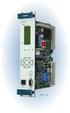 Machinery Protection Card Type FEATURES Continuous on-line Machinery Protection Card Real-time measurement and monitoring using state-of-the-art DSP techniques Fully VME-compatible slave interface Fully
EMC Documentum Webtop
 EMC Documentum Webtop Version 6.5 User Guide P/N 300 007 239 A01 EMC Corporation Corporate Headquarters: Hopkinton, MA 01748 9103 1 508 435 1000 www.emc.com Copyright 1994 2008 EMC Corporation. All rights
product. Please read this instruction before setup your VenomXTM.
 Tuact Corp. Ltd. TM Venom X mouse controller combo Setup Software Instruction Thank you for purchasing our VenomXTM product. Please read this instruction before setup your VenomXTM. Introduction Venom
Ansur Test Executive. Users Manual
 Ansur Test Executive Users Manual April 2008 2008 Fluke Corporation, All rights reserved. All product names are trademarks of their respective companies Table of Contents 1 Introducing Ansur... 4 1.1 About
Quick Reference Manual
 Quick Reference Manual ii TABLE OF CONTENTS This guide first leads you through the basics of Logger Pro, including software installation procedures. You will learn how to collect data, manually enter data,
Trace.Net OTDR Test Management Software User s guide
 Trace.Net OTDR Test Management Software User s guide 2007-2009, AFL Telecommunications, all rights reserved. TRAC-01-1000 Revision B, 2009-06-10 Specifications are subject to change without notice. I Contents
Colligo Email Manager 6.0. Connected Mode - User Guide
 6.0 Connected Mode - User Guide Contents Colligo Email Manager 1 Benefits 1 Key Features 1 Platforms Supported 1 Installing and Activating Colligo Email Manager 2 Checking for Updates 3 Updating Your License
System Overview and Terms
 GETTING STARTED NI Condition Monitoring Systems and NI InsightCM Server Version 2.0 This document contains step-by-step instructions for the setup tasks you must complete to connect an NI Condition Monitoring
Automotive. Aerospace. bout Us. Defense. Energy. Maritime. Education. Electronics. and more
 Automotive Aerospace Defense bout Us Energy Maritime Education Electronics and more 1 2 State-of-the-art Hardware 2~8 Analog Input Channels 1~2 Drive Channel (can be adopted in dualaxis control application)
Access to remote DVR from IE USER S MANUAL CONTENT
 Access to remote DVR from IE CONTENT... 2 Preface... 2 1. Introduction... 2 2. System requirement and executing environment... 2 2.1. Supported operating System:... 2 2.2. Hardware requirement (recommend):...
Power Monitoring Expert 7.2
 Power Monitoring Expert 7.2 PDF version of the Web Applications online help 7ENxx-00xx-00 07/2013 PDF version of the Web Applications online help Safety information Safety information Important information
imc FAMOS 6.3 visualization signal analysis data processing test reporting Comprehensive data analysis and documentation imc productive testing
 imc FAMOS 6.3 visualization signal analysis data processing test reporting Comprehensive data analysis and documentation imc productive testing www.imcfamos.com imc FAMOS at a glance Four editions to Optimize
WebSphere Business Monitor V7.0 Business space dashboards
 Copyright IBM Corporation 2010 All rights reserved IBM WEBSPHERE BUSINESS MONITOR 7.0 LAB EXERCISE WebSphere Business Monitor V7.0 What this exercise is about... 2 Lab requirements... 2 What you should
1. Central Monitoring System Software
 1. Central Monitoring System Software 1-1. General information CMS program is an application with which users not only watch and control remote DVRs, but also receive video/audio data or alarm signals
Microsoft Migrating to Word 2010 from Word 2003
 In This Guide Microsoft Word 2010 looks very different, so we created this guide to help you minimize the learning curve. Read on to learn key parts of the new interface, discover free Word 2010 training,
Xerox 700 Digital Color Press with Integrated Fiery Color Server. Utilities
 Xerox 700 Digital Color Press with Integrated Fiery Color Server Utilities 2008 Electronics for Imaging, Inc. The information in this publication is covered under Legal Notices for this product. 45072726
Tic, Tie & Calculate Quick Start Guide. Quick Start Guide
 Quick Start Guide 1 Table of Contents Quick Start Guide... 3 Welcome to Tic, Tie & Calculate... 3 Features Overview... 3 Important Installation Notes... 3 Installation... 4 Step 1: Receive Account Creation
Software version 1.1 Document version 1.0
 Software version 1.1 Document version 1.0 1 RDNET PROTOCOL OVERVIEW... 2 1.1 Network description... 2 1.2 Connection topology... 2 2 SOFTWARE BASIC OPERATIONS... 3 2.1 Main View elements... 3 2.2 Scanning
emarketing Manual- Creating a New Email
 emarketing Manual- Creating a New Email Create a new email: You can create a new email by clicking the button labeled Create New Email located at the top of the main page. Once you click this button, a
User Guide Win7Zilla
 User Guide Win7Zilla Table of contents Section 1: Installation... 3 1.1 System Requirements... 3 1.2 Software Installation... 3 1.3 Uninstalling Win7Zilla software... 3 Section 2: Navigation... 4 2.1 Main
Advanced Event Viewer Manual
 Advanced Event Viewer Manual Document version: 2.2944.01 Download Advanced Event Viewer at: http://www.advancedeventviewer.com Page 1 Introduction Advanced Event Viewer is an award winning application
Password Memory 6 User s Guide
 C O D E : A E R O T E C H N O L O G I E S Password Memory 6 User s Guide 2007-2015 by code:aero technologies Phone: +1 (321) 285.7447 E-mail: [email protected] Table of Contents Password Memory 6... 1
Central Management Software CV3-M1024
 Table of Contents Chapter 1. User Interface Overview...5 Chapter 2. Installation...6 2.1 Beginning Installation...6 2.2 Starting the CMS software...10 2.3 Starting it from the Start menu...10 2.4 Starting
The software solution to complete your flow monitoring program
 The software solution to complete your flow monitoring program Flowlink 5.1 software is the central point of your flow data management program. With this software you can: Configure Isco equipment on-site
ViewPower. User s Manual. Management Software for Uninterruptible Power Supply Systems
 ViewPower User s Manual Management Software for Uninterruptible Power Supply Systems Table of Contents 1. ViewPower Overview... 2 1.1. Introduction...2 1.2. Structure...2 1.3. Applications...2 1.4. Features...2
User Manual Gigabit Ethernet Vision Quick Start Guide
 User Manual Gigabit Ethernet Vision Quick Start Guide MAN051 11/2011 V10 All information provided in this manual is believed to be accurate and reliable No responsibility is assumed by Photonfocus AG
User s Guide DDS-3X25 USB ARBITRARY FUNCTION GENERATOR
 User s Guide DDS-3X25 USB ARBITRARY FUNCTION GENERATOR Content General safety summary...1 Introduction...2 Chapter 1 Getting started...3 System Requirements...4 Installing Hardware...5 Installing Software...8
XCal-View user manual
 XCal-View user manual XCal-View user manual M-9925-0107-04 1 Introduction to XCal-View About XCal-View Renishaw XCal-View software has been written as a direct replacement for the previous analysis package