
2-Port RS-232/422/485 PCI Host Adapter
|
|
|
- Samson Willis
- 9 years ago
- Views:
Transcription
1 AUGUST 2000 IC133C-R2 IC187C 2-Port RS-232/422/485 PCI Host Adapter CUSTOMER SUPPORT INFORMATION Order toll-free in the U.S. 24 hours, 7 A.M. Monday to midnight Friday: BBOX FREE technical support, 24 hours a day, 7 days a week: Call or fax Mail order: Black Box Corporation, 1000 Park Drive, Lawrence, PA Web site: [email protected]

2 FCC AND IC STATEMENTS FEDERAL COMMUNICATIONS COMMISSION AND INDUSTRY CANADA RADIO FREQUENCY INTERFERENCE STATEMENTS This equipment generates, uses, and can radiate radio frequency energy and if not installed and used properly, that is, in strict accordance with the manufacturer s instructions, may cause interference to radio communication. It has been tested and found to comply with the limits for a Class A computing device in accordance with the specifications in Subpart J of Part 15 of FCC rules, which are designed to provide reasonable protection against such interference when the equipment is operated in a commercial environment. Operation of this equipment in a residential area is likely to cause interference, in which case the user at his own expense will be required to take whatever measures may be necessary to correct the interference. Changes or modifications not expressly approved by the party responsible for compliance could void the user s authority to operate the equipment. This digital apparatus does not exceed the Class A limits for radio noise emission from digital apparatus set out in the Radio Interference Regulation of Industry Canada. Le présent appareil numérique n émet pas de bruits radioélectriques dépassant les limites applicables aux appareils numériques de la classe A prescrites dans le Règlement sur le brouillage radioélectrique publié par Industrie Canada. 1

3 2-PORT RS-232/422/485 PCI HOST ADAPTER EUROPEAN UNION DECLARATION OF CONFORMITY Products bearing the CE Label fulfill the requirements of the EMC directive (89/336/EEC) and of the low-voltage directive (73/23/EEC) issued by the European Commission. To obey these directives, the following European standards must be met: EN55022 Class A - Limits and methods of measurement of radio interference characteristics of information technology equipment EN Electromagnetic compatibility - Generic immunity standard Part 1: Residential, commercial and light industry EN60950 (IEC950) - Safety of information technology equipment, including electrical business equipment Use high quality shielded cabling with this product to maintain compliance with the EMC directive. 2

4 NORMAS OFICIALES MEXICANAS (NOM) ELECTRICAL SAFETY STATEMENT NOM STATEMENT INSTRUCCIONES DE SEGURIDAD 1. Todas las instrucciones de seguridad y operación deberán ser leídas antes de que el aparato eléctrico sea operado. 2. Las instrucciones de seguridad y operación deberán ser guardadas para referencia futura. 3. Todas las advertencias en el aparato eléctrico y en sus instrucciones de operación deben ser respetadas. 4. Todas las instrucciones de operación y uso deben ser seguidas. 5. El aparato eléctrico no deberá ser usado cerca del agua por ejemplo, cerca de la tina de baño, lavabo, sótano mojado o cerca de una alberca, etc. 6. El aparato eléctrico debe ser usado únicamente con carritos o pedestales que sean recomendados por el fabricante. 7. El aparato eléctrico debe ser montado a la pared o al techo sólo como sea recomendado por el fabricante. 8. Servicio El usuario no debe intentar dar servicio al equipo eléctrico más allá a lo descrito en las instrucciones de operación. Todo otro servicio deberá ser referido a personal de servicio calificado. 9. El aparato eléctrico debe ser situado de tal manera que su posición no interfiera su uso. La colocación del aparato eléctrico sobre una cama, sofá, alfombra o superficie similar puede bloquea la ventilación, no se debe colocar en libreros o gabinetes que impidan el flujo de aire por los orificios de ventilación. 10. El equipo eléctrico deber ser situado fuera del alcance de fuentes de calor como radiadores, registros de calor, estufas u otros aparatos (incluyendo amplificadores) que producen calor. 11. El aparato eléctrico deberá ser connectado a una fuente de poder sólo del tipo descrito en el instructivo de operación, o como se indique en el aparato. 3

5 2-PORT RS-232/422/485 PCI HOST ADAPTER 12. Precaución debe ser tomada de tal manera que la tierra fisica y la polarización del equipo no sea eliminada. 13. Los cables de la fuente de poder deben ser guiados de tal manera que no sean pisados ni pellizcados por objetos colocados sobre o contra ellos, poniendo particular atención a los contactos y receptáculos donde salen del aparato. 14. El equipo eléctrico debe ser limpiado únicamente de acuerdo a las recomendaciones del fabricante. 15. En caso de existir, una antena externa deberá ser localizada lejos de las lineas de energia. 16. El cable de corriente deberá ser desconectado del cuando el equipo no sea usado por un largo periodo de tiempo. 17. Cuidado debe ser tomado de tal manera que objectos liquidos no sean derramados sobre la cubierta u orificios de ventilación. 18. Servicio por personal calificado deberá ser provisto cuando: A: El cable de poder o el contacto ha sido dañado; u B: Objectos han caído o líquido ha sido derramado dentro del aparato; o C: El aparato ha sido expuesto a la lluvia; o D: El aparato parece no operar normalmente o muestra un cambio en su desempeño; o E: El aparato ha sido tirado o su cubierta ha sido dañada. TRADEMARKS The trademarks mentioned in this manual are acknowledged to be the property of the trademark owners. 4

6 TABLE OF CONTENTS CONTENTS 1. Specifications Introduction Overview What s Included Factory Default Settings Card Setup RS-485 Enable Modes Address and IRQ Selection Line Termination Electrical Interface Selection Clock Modes Baud Rates and Divisors for the Div 1 Mode Baud Rates and Divisors for the Div 2 Mode Installation Setting Up the Operating System Windows 3.1x Windows 95/ Windows NT DOS Other Operating Systems Installing the Hardware Troubleshooting The Serial Utility Diskette Calling Black Box Shipping and Packaging...23 Appendix A: Interrupt Handling...24 A.1 The Purpose and Early History of Interrupts...24 A.2 Why Use an ISP?...25 Appendix B: Connector Pinouts...26 B.1 RS B.2 RS-422/

7 2-PORT RS-232/422/485 PCI HOST ADAPTER CONTENTS (continued) Appendix C: Electrical Interfaces...28 C.1 RS C.2 RS C.3 RS Appendix D: Asynchronous Communications...30 Appendix E: Board Layout

8 1. Specifications CHAPTER 1: Specificatiobns Communication Chip IC133C-R2: UART (optionally, you can remove this UART and install a UART for better performance); IC187C: UART Data Rate IC133C-R2: Up to kbps; IC187C: kbps and above Distance Up to 4000 ft. ( m) Number of Ports (2) RS-232/422/485 Connectors (2) DB9 male Temperature Operating: 32 to 122 F (0 to 50 C); Storage: -4 to +158 F (-20 to +70 C) Relative Humidity 10 to 90%, noncondensing MTBF Greater than 150,000 hours Power ma, ma, ma Size 4.2"H x 5"L (10.7 x 12.7 cm) Weight 1.3 lb. (0.6 kg) 7

9 2-PORT RS-232/422/485 PCI HOST ADAPTER 2.1 Overview 2. Introduction The 2-Port RS-232/422/485 PCI Host Adapter is a two-channel PCI-bus serial I/O adapter for PCs and compatibles that supports data rates up to kbps. It has two very versatile asynchronous serial ports: They are field-selectable as either RS-232 ports (suitable for communication with modems, printers and plotters) or RS-422/485 ports (suitable for industrial automation and control applications). Configure both of the Adapter s ports as RS-232 for standard serial COM-port requirements. Choose the RS-422 mode for long-distance device connections up to 4000 ft. ( m) where noise immunity and high data integrity are essential. Select RS-485 and capture data from multiple peripherals in a RS-485 multidrop network. Up to 31 RS-485 devices can be connected to each port to automate your data collection. You can even mix the ports in any of the interface combinations to provide maximum flexibility to your application. In both RS-232 and RS-422 modes, the card works seamlessly with the standard operating-system serial driver. In RS-485 mode, our special auto-enable feature allows the RS-485 ports to be viewed by the operating system as a COM port. This allows the standard COM driver to be used for RS-485 communications. The onboard hardware automatically handles the RS-485 driver enable. The IC133C-R2 adapter uses a UART. This chip features programmable baud rates, data format, interrupt control and a 16-byte input and output FIFO. You can replace the with a UART for even better performance. The IC187C comes with the UART already installed. 2.2 What s Included The Adapter is shipped with the following items. If any of these items are missing or damaged, contact the supplier. (1) 2-Port RS-232/422/485 Serial Host Adapter (2) 3.5 Serial Utility Diskettes This User Manual 8

10 CHAPTER2: Introduction 2.3 Factory Default Settings The Adapter s factory-default settings are as follows: Table 2-1. Factory-Default Settings Port # Port 1 Electrical Specification RS-232 Port 2 RS-232 For your reference, record installed Adapter settings below. Table 2-2. Installed Adapter Settings Port # Electrical Specification Port 1 Port 2 9

11 2-PORT RS-232/422/485 PCI HOST ADAPTER 3. Card Setup NOTE In all cases J1x refers to settings for the first port and J2x refer to settings for the second port. 3.1 RS-485 Enable Modes RS-485 is ideal for multidrop or network environments. RS-485 requires a tri-state driver that will allow the electrical presence of the driver to be removed from the line. The driver is in a tri-state or high-impedance condition when this occurs. Only one driver may be active at a time, and the other driver(s) must be tri-stated. The output modem control signal Request To Send (RTS) is typically used to control the state of the driver. Some communication-software packages refer to RS-485 as RTS enable or RTS block mode transfer. One of the unique features of the Adapter is the ability to be RS-485 compatible without the need for special software or drivers. This ability is especially useful in Windows, Windows NT, and OS/2 environments, where the lower-level I/O control is abstracted from the application program. This ability means that the user can effectively use the Adapter in a RS-485 application with existing (i.e. standard RS-232) software drivers. Headers J1B and J2B are used to control the RS-485 mode functions for the driver circuit. The selections are RTS enable (marked RT ) or Auto enable (marked AT ). The Auto enable feature automatically enables/disables the RS-485 interface. The RTS mode uses the RTS modem-control signal to enable the RS-485 interface and provides backward compatibility with existing software products. Position 3 (marked NE ) of J1B and J2B is used to control the RS-485 enable/disable functions for the receiver circuit and determine the state of the RS-422/485 driver. The RS-485 Echo is the result of connecting the receiver inputs to the transmitter outputs. Every time a character is transmitted, it is also received. This can be beneficial if the software can handle echoing (i.e. using received characters to throttle the transmitter) or it can confuse the system if the software does not. To select the No Echo mode, select the position marked NE. For RS422/530/449 compatibility, remove the jumpers at J1B and J2B. 10

12 CHAPTER 3: Card Setup Examples on the following pages describe all of the valid settings for J1B and J2B. Interface Mode Examples J1D J4D AT RT NE Figure 3-1. Headers J1B and J2B set for RS-422. AT RT NE Figure 3-2. Headers J1B and J2B set for RS-485 Auto with No Echo. AT RT NE Figure 3-3. Headers J1B and J2B set for RS-485 Auto with Echo. 11

13 2-PORT RS-232/422/485 PCI HOST ADAPTER AT RT NE Figure 3-4. Headers J1B and J2B set for RS-485 RTS with No Echo. AT RT NE Figure 3-5. Headers J1B and J2B set for RS-485 RTS with Echo. 3.2 Address and IRQ selection The Adapter is automatically assigned I/O addresses and IRQs by your motherboard BIOS. Only the I/O address may be modified by the user. Adding or removing other hardware may change the assignment of I/O addresses and IRQs. 3.3 Line Termination Typically, each end of the RS-485 bus must have line terminating resistors (RS-422 terminates at the receive end only). A 120-ohm resistor is across each RS-530/422/485 input in addition to a 1K ohm pull-up/pull-down combination that biases the receiver inputs. Headers J1A and J2A allow the user to customize this interface to their specific requirements. Each jumper position corresponds to a specific portion of the interface. If multiple Adapters are configured in a RS-485 network, only the boards on each end should have jumpers T, P & P ON. Refer to the following table for each position s operation: 12

14 CHAPTER 3: Card Setup Table 3-1. Jumper Operation Name Function P Adds or removes the 1K-ohm pull-down resistor in the RS-422/RS-485 receiver circuit (Receive data only). T Adds or removes the 120-ohm termination. L Connects the TX+ to RX+ for RS-485 two-wire operation. L Connects the TX- to RX- for RS-485 two-wire operation. P P T L L Figure 3-6. Headers J1A and J2A, which control line termination. 13

15 2-PORT RS-232/422/485 PCI HOST ADAPTER 3.4 Electrical Interface Selection Each port on the Adapter has the ability to be used in either RS-232 or RS-422/485 mode. This is selectable via four 24 pin DIP-shunts at E1-E4. Please use the following illustration to aid in the configuration of your electrical interface. RS-232 RS-422 E1 Port 1 E2 RS-232 RS-422 RS-232 RS-422 RS-232 E3 Port 2 E4 RS-232 RS-422 RS-422/485 RS-232 RS-422 E1 Port 1 E2 RS-422 RS-232 E3 Port 2 E4 RS-232 and RS-422/485 Figure 3-7. Headers E1 through E4, which control electrical-interface selection. 14

16 3.5 Clock Modes CHAPTER 3: Card Setup The Adapter employs a clocking option that allows you to select from divide by 4, divide by 2, and divide by 1 clocking modes. These modes are selected at Headers J1C through J4C. To select the baud rates commonly associated with COM ports (for example, 2400, 4800, 9600, and 19,200 bps, and so on up to kbps), place the jumper in the divide by 4 mode (marked DIV4). DIV1 DIV2 DIV4 Figure 3-8. Clocking mode divide by 4. To double these rates, so that the Adapter can communicate at up to a maximum rate of kbps, place the jumper in the divide by 2 position (marked DIV2). DIV1 DIV2 DIV4 Figure 3-9. Clocking mode divide by 2. 15

17 2-PORT RS-232/422/485 PCI HOST ADAPTER To enable the Adapter to reach its maximum possible data rate, Kbps, place the jumper in the divide by 1 position (marked DIV1). DIV1 DIV2 DIV4 Figure Clocking mode divide by Baud Rates and Divisors for the Div1 Mode The following table shows some common data rates and the rates you should choose to match them if you re using the Adapter in the Div1 mode. Table 3-2. Baud Rates for the Div 1 Mode For this Data Rate Choose this Data Rate 1200 bps 300 bps 2400 bps 600 bps 4800 bps 1200 bps 9600 bps 2400 bps 19.2 kbps 4800 bps 57.6 kbps 14.4 kbps kbps 28.8 kbps kbps 57.6 kbps kbps kbps 16

18 CHAPTER 3: Card Setup If your communications package allows the use of baud-rate divisors, choose the appropriate divisor from the following table: Table 3-3. Divisors for the Div 1 Mode For this Data Rate Choose this Divisor 1200 bps bps bps bps kbps kbps kbps kbps kbps kbps 1 17

19 2-PORT RS-232/422/485 PCI HOST ADAPTER 3.7 Baud Rates and Divisors for the Div2 mode The following table shows some common data rates and the rates you should choose to match them if you re using the adapter in the Div2 mode. Table 3-4. Baud Rates for the Div 2 Mode For this Data Rate Choose this Baud Rate 1200 bps 600 bps 2400 bps 1200 bps 4800 bps 2400 bps 9600 bps 4800 bps 19.2 kbps 9600 bps 38.4 kbps 19.2 kbps 57.6 kbps 28.8 kbps kbps 57.6 kbps kbps kbps 18

20 Table 3-5. Divisors for the Div 2 Mode CHAPTER 3: Card Setup For this Data Rate Choose this Divisor 1200 bps bps bps bps kbps kbps kbps kbps kbps 1 19

21 2-PORT RS-232/422/485 PCI HOST ADAPTER 4. Installation IMPORTANT You MUST set up the operating system BEFORE you physically install the Card. 4.1 Setting Up the Operating System If you are installing the PCI adapter in DOS, OS/2, or QNX, please refer to the appropriate directory on one of the Serial Utilities Disks for instructions WINDOWS 3.1X Refer to the Win3x.hlp file in the \Win31 directory on Disk 1 of the Serial Utilities software WINDOWS 95/98 USERS If you are installing the PCI card in Windows 95/98, run setup on disk two of the Serial Utilities Diskettes before installing the card. Power down the computer and install the adapter. The resources are automatically configured for the PCI card. Refer to the appropriate help file in the Black Box folder located in the Start, Programs menu for changing those resources. Selecting the PCI COM Number in Windows 95 When installing a PCI Serial Adapter in Windows 95 or 98, the default COM numbers assigned to the two ports will be COM5 and COM6 if those numbers are not already assigned. If they are assigned to other devices, the next available COM numbers will be assigned to the ports. 20 To change the two ports so that Windows assigns them to COM3 and COM4: 1. Double-click the Systems icon in the control panel or right-click on My Computer and choose Properties, which will bring you to System Properties. 2. Choose the Device Manager tab and double-click on the Multi-Function Adapter heading. This will show all the information concerning the PCI Serial Adapter. 3. Choose the Resources tab, which will show all resources assigned to the PCI Adapter. Uncheck the Use Automatic Settings box. Three input/output (I/O) ranges will be listed. The first I/O range is for the PCI bus and should not be changed. The second and third I/O ranges are the ones that need to be changed in order to have those ports set to COM3 and COM4. 4. Double-click on the second I/O range, which will allow you to change the address. Highlight the entire I/O range and type 03e8 03ef for COM3. Click OK. Windows will inform you that you have made modifications that may affect other devices. Click OK.
22 CHAPTER 4: Installation 5. Next, double-click on the third I/O range. Highlight the entire I/O range and type 02e8 02ef for COM4. Again, Windows will inform you that you have made modifications that may affect other devices. Click OK. Following these steps will change the COM: number assignments on the first two ports to COM3 and COM WINDOWS NT If you are installing a PCI card in Windows NT, run setup on disk two of the Serial Utilities Diskettes before installing the card. After the software installation is complete, power down the computer, install the card, then power up. Since resource allocation is automatic, the installation is now complete DOS Refer to the Readme.txt file found in the \DOS directory on Disk 1 of the Serial Utilities software OTHER OPERATING SYSTEMS Refer to the appropriate directory on Disk 1 of the Serial Utilities software. 4.2 Installing the Hardware The Adapter has several jumper straps for each port that must be set for proper operation (see Chapter 3). Once you ve done this, and have set up your operating system (see Section 4.1), take these steps to install the Adapter in any of your PC s PCI expansion slots: 1. Turn off PC power. Disconnect the power cord. 2. Remove the PC case cover. 3. Locate an available PCI slot and remove the blank metal slot cover. 4. Gently insert the Adapter into the slot. Make sure that the adapter is seated properly. 5. Replace the screw. 6. Replace the cover. 7. Connect the power cord. The Adapter should now be ready for continuous operation. 21
23 2-PORT RS-232/422/485 PCI HOST ADAPTER 5.1 The Serial Utility Diskette 5. Troubleshooting The Adapter comes with a Serial Utility Diskette that has diagnostic software on it. We recommend that you always use this software first when you troubleshoot problems, because it can help resolve most common problems related to software and operating-system incompatibilities without requiring you to call Technical Support. 1. Make sure the Adapter is securely installed in a motherboard slot. 2. Use the supplied diskette and User Manual to verify that the Adapter is configured correctly. The supplied diskette contains the diagnostic programs FindPCI, SSD (for DOS), and WINSSD (for Windows NT, 3.1, or 95), which will verify if an adapter is configured properly. First, run the FindPCI utility and record the base I/O addresses and the IRQ assignments, these will be needed for SSD. Next, run the SSD diagnostic program (for DOS) or the WINSSD program (for Windows). Refer to the \dos\diag\diag.txt file on the supplied diskette for detailed instructions on using SSD. The Serial Utility Diskette might also contain README-style text files. You can consult these for information about issues that might have arisen since this manual was written, and for application-specific information. 22
24 5.2 Calling Black Box CHAPTER 5: Troubleshooting If you determine that the Adapter is malfunctioning, do not attempt to alter or repair it. It contains no user-serviceable parts. Contact Black Box Technical Support at Before you do, make a record of the history of the problem. We will be able to provide more efficient and accurate assistance if you have a complete description, including: current Adapter settings; the nature and duration of the problem; when the problem occurs; the components involved in the problem (make and model of PC, other cards installed in it, the cables you re using, etc.); any particular application that, when used, appears to create the problem or make it worse; the results of any testing you ve already done. If possible, please also have the adapter installed in a computer ready to run diagnostics when you call. 5.3 Shipping and Packaging If you need to transport or ship your Adapter: Package it carefully. We recommend that you use the original container. If you are returning the Adapter, make sure you include everything you received with it. Before you ship, contact Black Box to get a Return Authorization (RA) number. 23
25 2-PORT RS-232/422/485 PCI HOST ADAPTER Appendix A: Interrupt Handling A.1 The Purpose and Early History of Interrupts A good analogy of a PC interrupt would be the phone ringing. The phone bell is a request for us to stop what we are currently doing and take up another task (speak to the person on the other end of the line). This is the same process the PC uses to alert the CPU that a task must be preformed. The CPU upon receiving an interrupt makes a record of what the processor was doing at the time and stores this information on the stack ; this allows the processor to resume its predefined duties after the interrupt is handled, exactly where it left off. Every main sub-system in the PC has its own interrupt, frequently called an IRQ (short for Interrupt ReQuest). In these early days of PCs, the ability to share IRQs was an important feature for any add-in I/O card. Consider that in the IBM XT the available IRQs were IRQ0 through IRQ7. Of these interrupts only IRQ2-5 and IRQ7 were actually available for use. This made the IRQ a very valuable system resource. To make the maximum use of these system resources, an IRQ-sharing circuit was devised that allowed more than one port to use a selected IRQ. This worked fine as a hardware solution but presented the software designer with a challenge to identify the source of the interrupt. The software designer frequently used a technique referred to as round-robin polling. This method required the interrupt service routine to poll or interrogate each UART as to its interrupt-pending status. This method of polling was sufficient for use with slower-speed communications, but as modems increased their throughput abilities this method of servicing shared IRQs became inefficient. 24
26 A.2 Why Use an Interrupt Status Port (ISP)? APPENDIX A: Interrupt Handling The answer to the polling inefficiency was the Interrupt Status Port (ISP). The ISP is a read-only 8-bit register that sets a corresponding bit when an interrupt is pending. Port 1 s interrupt line corresponds with bit D0 of the status port, Port 2 s with D1, etc. The use of this port means that the software designer now only has to poll a single port to determine if an interrupt is pending. The ISP is at base+7 on each port. For example, if the base = 280 hex, the status port = 287 hex, 28F hex, and so on. The Adapter will allow any one of the available locations to be read to obtain the value in the status register. Both status ports on the Adapter are identical, so either one can be read. Example: This indicates that Channel 2 has an interrupt pending: Bit Position: Value Read:
27 2-PORT RS-232/422/485 PCI HOST ADAPTER Appendix B: Connector Pinouts B.1 RS-232 Table B-1. Pinout of Connector Set to RS-232 Abbreviation Name Pin # Mode TD Transmit Data 3 Output RTS Request To Send 7 Output DTR Data Term Ready 4 Output GND Ground 5 RD Receive Data 2 Input DCD Data Carrier Detect 1 Input DSR Data Set Ready 6 Input CTS Clear To Send 8 Input RI Ring Indicator 9 Input NOTE These pin assignments meet the EIA/TIA/ANSI-574 standard for RS-232 DTE pinning on DB9 connectors. 26
28 APPENDIX B: Connector Pinouts B.2 RS-422/485 Table A-2. Pinout of Connector Set to RS-422/485 Abbreviation Name Pin # Mode GND Ground 5 TX + Transmit Data Positive 4 Output TX- Transmit Data Negative 3 Output RTS+ Request To Send Positive 6 Output RTS- Request To Send Negative 7 Output RX+ Receive Data Positive 1 Input RX- Receive Data Negative 2 Input CTS+ Clear To Send Positive 9 Input CTS- Clear To Send Negative 8 Input 27
29 2-PORT RS-232/422/485 PCI HOST ADAPTER Appendix C: Electrical Interfaces C.1 RS-232 Quite possibly the most widely used communication standard is RS-232. This implementation has been defined and revised several times and is often referred to as EIA/TIA-232. The IBM PC/AT computer defined the RS-232 port on a 9-pin D-subminiature connector, and subsequently the EIA/TIA approved this implementation as the EIA/TIA-574 standard. This standard is defined as the 9-Position Non-Synchronous Interface between Data Terminal Equipment and Data Circuit-Terminating Equipment Employing Serial Binary Data Interchange. Both implementations are in widespread use and are referred to as RS-232 in this document. RS-232 is capable of operating at data rates up to 20 kbps at distances less than 50 ft. The absolute maximum data rate may vary due to line conditions and cable lengths. RS-232 is a single-ended or unbalanced interface, meaning that a single electrical signal is compared to a common signal (ground) to determine binary logic states. The RS-232 and the EIA/TIA-574 specification define two types of interface circuits: Data Terminal Equipment (DTE) and Data Circuit-Terminating Equipment (DCE). The Adapter is a DTE device. C.2 RS-422 The RS-422 specification defines the electrical characteristics of balanced-voltage digital interface circuits. RS-422 is a differential interface that defines voltage levels and driver/receiver electrical specifications. On a differential interface, logic levels are defined by the difference in voltage between a pair of outputs or inputs. In contrast, a single-ended interface, for example RS-232, defines the logic levels as the difference in voltage between a single signal and a common ground connection. Differential interfaces are typically more immune to noise or voltage spikes that may occur on the communication lines. Differential interfaces also have greater drive capabilities that allow for longer cable lengths. RS-422 is rated up to 10 megabits per second and can have cabling 4000 feet ( m) long. RS-422 also defines driver and receiver electrical characteristics that will allow 1 driver and up to 32 receivers on the line at once. RS-422 signal levels range from 0 to +5 volts. RS-422 does not define a physical connector. 28
30 C.3 RS-485 APPENDIX C: Asynchronous Communications RS-485 is backward-compatible with RS-422; however, it is optimized for partyline or multidrop applications. The output of the RS-422/485 driver is capable of being Active (enabled) or Tristate (disabled). This capability allows multiple ports to be connected in a multidrop bus and selectively polled. RS-485 allows cable lengths up to 4000 feet ( m) and data rates up to 10 megabits per second. The signal levels for RS-485 are the same as those defined by RS-422. RS-485 has electrical characteristics that allow for 32 drivers and 32 receivers to be connected to one line. This interface is ideal for multidrop or network environments. RS-485 s tristate (not dual-state) driver will allow the electrical presence of the driver to be removed from the line. Only one driver may be active at a time, and the other driver(s) must be tristated. RS-485 can be cabled in two ways: two-wire and four-wire mode. Two-wire mode does not allow for full-duplex communication, so data be transferred in only one direction at a time. For half-duplex operation, the two transmit pins should be connected to the two receive pins (Tx+ to Rx+ and Tx to Rx). Four-wire mode allows full-duplex data transfers. RS-485 does not define a connector pinout, a physical connector, or a set of modem control signals. 29
31 2-PORT RS-232/422/485 PCI HOST ADAPTER Appendix D: Asynchronous Communication In serial data communication, individual bits of a character are transmitted consecutively to a receiver that assembles the bits back into a character. Data rate, error checking, handshaking, and character framing (start/stop bits) are predefined and must correspond at both the transmitting and receiving ends. Asynchronous communications is the standard means of serial data communication for PC compatibles and PS/2 computers. The original PC was equipped with a communication or COM port that was designed around an 8250 Universal Asynchronous Receiver Transmitter (UART). This device allows asynchronous serial data to be transferred through a simple and straightforward programming interface. A start bit, followed by a pre-defined number of data bits (5, 6, 7, or 8), defines character boundaries for asynchronous communications. The end of the character is defined by the transmission of a pre-defined number of stop bits (usually 1, 1.5, or 2). Idle State of Line 5 to 8 Data Bits Odd Even or Unused Remain Idle or Next Start Bit 1 0 Parity Bit Stop Bits Figure D-1. Bit diagram for asynchronous communication. An extra bit used for error detection is often appended before the stop bits. This special bit is called the parity bit. Parity is a simple method of determining if a data bit has been lost or corrupted during transmission. There are several methods for implementing a parity check to guard against data corruption. Common methods are called (E)ven Parity or (O)dd Parity. Sometimes parity is not used to detect errors on the data stream. This is refereed to as (N)o parity. 30
32 APPENDIX D: Asynchronous Communication Because each bit in asynchronous communications is sent consecutively, it is easy to generalize asynchronous communications by stating that each character is wrapped (framed) by pre-defined bits to mark the beginning and end of the serial transmission of the character. The data rate and communication parameters for asynchronous communications have to be the same at both the transmitting and receiving ends. The communication parameters are baud rate, parity, number of data bits per character, and stop bits (usually listed in that order, like this: 9600,N,8,1). 31
33 2-PORT RS-232/422/485 PCI HOST ADAPTER Appendix E: Board Layout JxB JUMPER SETTINGS 7201 U6 Y1 RS422 - REMOVE ALL JUMPERS RS485 - AT= AUTO ENABLE C1 R1 C10 RS485 - RT= RTS ENABLE RS485 - NE= NO ECHO U1 R2 GD75232 R29 C2 C4 J1B J2B C12 R8 R30 J1C J2C C13 Port 1 J1 + C5 HEADER24PINW E1 XC C11 C14 R16 R20 R24 Port 1 Port 2 R17 R21 R25 HEADER24PINW E2 R18 R22 R26 E5 E6 C3 R4 R5 R8 R9 R10 R11 R3 R5 R7 R12 U J1A P P T L L R13 U PLCC U PLCC Port 2 J2 U2 GD75232 C7 R31 J2A R14 U R27 C15 P P T L L R15 JxC - CLOCK DIV R28 DIV1= DIVIDE BY 1 R19 R23 DIV2= DIVIDE BY 2 HEADER24PINW E3 C8 DIV4= DIVIDE BY 4 PCI9050 RS232 RS422 RS232 RS422 HEADER24PINW AT RT NE Port 1 Port 2 U5 93CS46 E4 AT RT NE C6 JxA JUMPER SETTINGS P= PULL UP/DOWN ENABLE T= TERMINATION ENABLE L= CONNECT RX TO TX C9 U8 DIV1 DIV2 DIV4 DIV1 DIV2 DIV4 P1 PORT1= J1x PORT2= J2x MADE IN USA C16 C17 Figure E-1. Board layout. 32
34 NOTES
35 NOTES
36 Copyright Black Box Corporation. All rights reserved Park Drive Lawrence, PA Fax
RS-232/422/485 2-Port PCI Card, Opto-Isolated
 RS-232/422/485 2-Port PCI Card, Opto-Isolated MAY 2002 IC973C CUSTOMER SUPPORT INFORMATION Order toll-free in the U.S.: Call 877-877-BBOX (outside U.S. call 724-746-5500) FREE technical support 24 hours
Fiber Optic Converter I Fiber Optic Converter II
 JANUARY 1997 LT222A Fiber Optic Converter I Fiber Optic Converter II POWER DATA RX TX CONFIG DATA RX TX CUSTOMER SUPPORT INFORMATION Order toll-free in the U.S. 24 hours, 7 A.M. Monday to midnight Friday:
Copyright 2004. Black Box Corporation. All rights reserved.
 Copyright 2004. Black Box Corporation. All rights reserved. 1000 Park Drive Lawrence, PA 15055-1018 724-746-5500 Fax 724-746-0746 JULY 2004 LR9603A Pure Networking Broadband Router Quick Install Guide
Copyright 2007. Black Box Corporation. All rights reserved.
 Copyright 2007. Black Box Corporation. All rights reserved. 1000 Park Drive Lawrence, PA 15055-1018 724-746-5500 Fax 724-746-0746 MARCH 2007 KV7012A KV7013A 2- and 4-Port ServSwitch DT Pro KVM Switch CUSTOMER
USB Director RS422/RS485 Hub 2-Port USB Director RS422 Hub 4-Port NT 4.0 Software Support Upgrade
 APRIL 1999 IC160A IC161A TD150 USB Director RS422/RS485 Hub 2-Port USB Director RS422 Hub 4-Port NT 4.0 Software Support Upgrade USB Director USB RS-422 Hub SYSTEM STATUS USB Director USB RS-422/485 Hub
8-Port Serial Host Adapter PCI
 APRIL 2004 IC142C IC190C-R2 8-Port Serial Host Adapter PCI CUSTOMER SUPPORT INFORMATION Order toll-free in the U.S.: Call 877-877-BBOX (outside U.S. call 724-746-5500) FREE technical support 24 hours a
2-Port RS-232 PCI Bus Serial Host Adapter
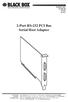 AUGUST 2001 IC140C-R2 IC143C IC191C 2-Port RS-232 PCI Bus Serial Host Adapter CUSTOMER SUPPORT INFORMATION Order toll-free in the U.S. 24 hours, 7 A.M. Monday to midnight Friday: 877-877-BBOX FREE technical
Remote Port USB 2.0 4-Port User Guide
 September 2006 IC248A Remote Port USB 2.0 4-Port User Guide CUSTOMER SUPPORT INFORMATION Order toll-free in the U.S. 24 hours, 7 A.M. Monday to midnight Friday: 877-877-BBOX FREE technical support, 24
Multi-Rate Ethernet Extender
 DECEMBER 2006 LB200A Multi-Rate Ethernet Extender CUSTOMER Order toll-free in the U.S. 24 hours, 7 A.M. Monday to midnight Friday: 877-877-BBOX SUPPORT FREE technical support, 24 hours a day, 7 days a
User Manual. 30-Device ipad, Chromebook, Tablet, and Laptop Cart. Mobile, secure, and powered storage for up to 30 computing devices.
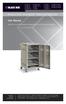 LCC30H-A LCC30H-AT2 LCC30HC LCC30H-A-HASP LCC30H-AT LCC30H-ACT2 LCC30HCT LCC30H-AC-HASP LCC30H-AC LCC30H LCC30HT2 LCC30H-AT-HASP LCC30H-ACT LCC30HT LCC30HCT2 30-Device ipad, Chromebook, Tablet, and Laptop
PC 422/485 Serial Interface
 JUNE 2000 IC030C-R2 IC170C PC 422/485 Serial Interface CUSTOMER SUPPORT INFORMATION Order toll-free in the U.S. 24 hours, 7 A.M. Monday to midnight Friday: 877-877-BBOX FREE technical support, 24 hours
Voice Magic Plus MARCH 2001 CP179A CUSTOMER SUPPORT INFORMATION
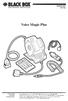 MARCH 2001 CP179A Voice Magic Plus CUSTOMER SUPPORT INFORMATION Order toll-free in the U.S.: Call 877-877-BBOX (outside U.S. call 724-746-5500) FREE technical support 24 hours a day, 7 days a week: Call
Extend 10/100Base-TX Ethernet up to 10,000 feet (3 km)
 LB410A LB411A LBNC412A High Speed Ethernet Extender Extend 10/100Base-TX Ethernet up to 10,000 feet (3 km) Over a single twisted-pair, Cat 5e/6/7, or even coaxial cable Black Box Ethernet Extenders TABLE
Monitor Access Unit JUNE 1999 TS760A TS761A TS765A TS766A CUSTOMER SUPPORT INFORMATION
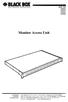 JUNE 1999 TS760A TS761A TS765A TS766A Monitor Access Unit MON 2 1 2 3 4 5 6 7 8 MON 1 CUSTOMER SUPPORT INFORMATION Order toll-free in the U.S. 24 hours, 7 A.M. Monday to midnight Friday: 877-877-BBOX FREE
BLACK BOX Works with the Black Box ServReach KVM Gate (KVIP1000A), ServReach KVM Cube (KVIP1001A), or as a standalone device.
 PRP1000A Power Reboot Pod User s Manual Switch on or off, or power cycle 1 to 99 servers. BLACK BOX Works with the Black Box ServReach KVM Gate (KVIP1000A), ServReach KVM Cube (KVIP1001A), or as a standalone
Use this HDMI and HDCP-compliant USB converter for streaming media files stored on BLACK your PC to BOX an HD screen with HDMI input.
 AC346A USB to HD Pro Use this HDMI and HDCP-compliant USB converter for streaming media files stored on BLACK your PC to BOX an HD screen with HDMI input. Customer Support Information Order toll-free in
USB Single-Port Hub (RS-422/485)
 USB Single-Port Hub (RS-422/485) SEPTEMBER 2001 IC266A CUSTOMER SUPPORT INFORMATION Order toll-free in the U.S.: Call 877-877-BBOX (outside U.S. call 724-746-5500) FREE technical support 24 hours a day,
Quick Start Guide. Rackmount Remote Power Manager. Use this guide to quickly set up your power manager. Customer Support Information
 PS580A-R2 PS581A-R2 PS582A-R2 PS583A-R2 PS568A-R2 PS569A-R2 Rackmount Remote Power Manager Quick Start Guide Use this guide to quickly set up your power manager. Customer Support Information Order toll-free
VDSL Line Driver DECEMBER 2006 ME0010A-VDSL-R2
 DECEMBER 2006 ME0010A-VDSL-R2 VDSL Line Driver CUSTOMER Order toll-free in the U.S. 24 hours, 7 A.M. Monday to midnight Friday: 877-877-BBOX SUPPORT FREE technical support, 24 hours a day, 7 days a week:
BLACK BOX. Switch between two or four different HDMI sources to a single display. 2 x 1 or 4 x 1 HDMI Switch 4K VSW-HDMI2X1-4K VSW-HDMI4X1-4K
 VSW-HDMI2X1-4K VSW-HDMI4X1-4K 2 x 1 or 4 x 1 HDMI Switch 4K Switch between two or four different HDMI sources to a single display. BLACK BOX Supports up to 4 K (UHD) resolutions (3840 x 2160). Automatically
User Manual. ipad, Chromebook, Tablet, and Laptop Lockers. Mobile, secure, and powered storage for up to 40 computing devices.
 UD10KP UD20KP UD30KP UD10KP-C UD20KP-C UD30KP-LD UD10KP-LD UD20KP-LD UD40KP ipad, Chromebook, Tablet, and Laptop s User Manual Mobile, secure, and powered storage for up to 40 computing devices. Customer
High specification KVM switches that interface precisely with the Black Box ServView Rack Tray series.
 NETWORK SERVICES KVT8CATUV KVT1IP8CATUV KVT16CATUV KVT1IP16CATUV KVT4IP16CATUV KVM Modules for ServView Rack Tray High specification KVM switches that interface precisely with the Black Box ServView Rack
Gigabit Compact Media Converter
 LGC5134A-R4 LGC5135A-R4 LGC5137A-R2 LGC5138A-R2 NOVEMBER 2009 LGC5139A-R2 LGC5140A-R2 LGC5141A-R2 LGC5142A-R2 Gigabit Compact Media Converter CUSTOMER SUPPORT INFORMATION Order toll-free in the U.S.: 877-877-BBOX
2-Port DVI Switch with Audio, Serial Control & Long Cable Equalization
 2-Port DVI Switch with Audio, Serial Control & Long Cable Equalization AC1032A-2A Rev A CUSTOMER SUPPORT INFORMATION Order toll-free in the U.S. 24 hours, 7 A.M. Monday to midnight Friday: 877-877-BBOX
Black Box Tech Support: FREE! Live. 24/7.
 Black Box Tech Support: FREE! Live. 24/7. Tech support the way it should be. Great tech support is just 30 seconds away at 724-746-5500 or blackbox.com. About Black Box Black Box Network Services is your
Connect, control, and manage up to 16 serial RS-232/485 devices BLACK BOX via a single USB port on your PC.
 IC162A USB to Multi RS-232/485 Interface Converter Connect, control, and manage up to 16 serial RS-232/485 devices BLACK BOX via a single USB port on your PC. Customer Support Information Order toll-free
Turns a VGA monitor into a video monitor with remote switching capability. BLACK BOX
 November 2009 AC328A-R3 Video to VGA Portable Turns a VGA monitor into a video monitor with remote switching capability. BLACK BOX Customer Support Information Order toll-free in the U.S.: Call 877-877-BBOX
Remote Console Port + Remote Power Manager. Quick Start Guide
 JULY 2006 SW549A SW549AE Remote Console Port + Remote Power Manager Quick Start Guide Remote Console Port + Remote Power Manager PWR CLEAR SET ON STATUS RDY DCD ACTIVITY 1 2 3 4 5 6 CUSTOMER SUPPORT INFORMATION
JANUARY 2001 TS825A TS826. Microscanner Pro
 JANUARY 2001 TS825A TS826 Microscanner Pro CUSTOMER SUPPORT INFORMATION Order toll-free in the U.S.: Call 877-877-BBOX (outside U.S. call 724-746-5500) FREE technical support 24 hours a day, 7 days a week:
Send VGA output to one local monitor and to as many as nine remote monitors BLACK up to 250 BOX feet (76.2 m) away.
 AC056A-R4 AC057A-K-R4 AC056AE-R3 AC159A-R2 AC056A-K-R4 AC058A-R3 AC057AE-R2 AC159A-R3 AC057A-R4 AC056AE-R2 AC057AE-R3 AC160A-R2 AC160A-R3 VGA Video Splitters Send VGA output to one local monitor and to
10BASE-T Extender. 10BASE-T Extender FEBRUARY 1999 LZ6000A-R4. Jabber Link Test Activity. Power. Collision. Power 10BASE-T.
 FEBRUARY 1999 LZ6000A-R4 10BASE-T Extender Jabber Link Test Activity Power Collision 10BASE-T Extender Single UTP 10BASE-T Power CUSTOMER SUPPORT INFORMATION Order toll-free in the U.S. 24 hours, 7 A.M.
Black Box Tech Support: FREE! Live. 24/7.
 Black Box Tech Support: FREE! Live. 24/7. Tech support the way it should be. Great tech support is just 20 seconds away at 724-746-5500 or blackbox.com. About Black Box Black Box Network Services is your
Copyright 2008. Black Box Corporation. All rights reserved.
 Copyright 2008. Black Box Corporation. All rights reserved. 1000 Park Drive Lawrence, PA 15055-1018 724-746-5500 Fax 724-746-0746 FEBRUARY 2008 40416-R2 40417-R2 Flexie Telco Switch CUSTOMER SUPPORT INFORMATION
This Web smart switch provides 24 10-/100-/1000-Mbps ports. BLACK BOX
 24-Port Web Smart Gigabit Ethernet Switch This Web smart switch provides 24 10-/100-/1000-Mbps ports. BLACK BOX Supports Gigabit speed on all ports. Customer Support Information Order toll-free in the
VDSL Line Driver DECEMBER 2004 ME0010A-VDSL ME0011A-VDSL
 DECEMBER 2004 ME0010A-VDSL ME0011A-VDSL VDSL Line Driver CUSTOMER Order toll-free in the U.S. 24 hours, 7 A.M. Monday to midnight Friday: 877-877-BBOX SUPPORT FREE technical support, 24 hours a day, 7
Digi-Mux HS FEBRUARY 1996 MX700A CUSTOMER SUPPORT INFORMATION
 FEBRUARY 1996 MX700A Digi-Mux HS Digi-Mux HS CH1 CH2 POWER TD RD TD RD CH3 TD RD CH4 TD RD MAIN TD RD DCD SYNC LOSS LOCAL LOOP TEST CUSTOMER SUPPORT INFORMATION Order toll-free in the U.S.: Call 877-877-BBOX
Veri-NAC the fastest to deploy, easiest to use
 LVN5220A LVN5230A LVN5250A-R2 LVN5400A-R2 LVN5600A-R2 LVN5800A-R2 Veri-NAC Quick Start Guide Veri-NAC the fastest to deploy, easiest to use BLACK BOX network access control (NAC) appliance for intrusion
Network Power Switch Jr.
 SEPTEMBER 2001 SWI080A Network Power Switch Jr. CUSTOMER SUPPORT INFORMATION Order toll-free in the U.S.: Call 877-877-BBOX (outside U.S. call 724-746-5500) FREE technical support 24 hours a day, 7 days
Expand existing, leased line, polled networks without adding computer ports BLACK or communications links.
 codes codes codes March TLB704A 2009 codes codes codes RS-232 Buffered Modem Sharing Device, 4-Port Expand existing, leased line, polled networks without adding computer ports BLACK or BOX communications
Extend Ethernet with full-duplex transmission up to 5.696 Mbps more than BLACK four miles over BOX a pair of copper wires.
 December 2009 LR0201A-KIT G.SHDSL Two-Wire Ethernet Network Extender Extend Ethernet with full-duplex transmission up to 5.696 Mbps more than BLACK four miles over BOX a pair of copper wires. Complies
Transform your wired projector into a high-end wireless projector.
 Chapter June 2009 AC1131A Wireless Video Presentation System II User s Manual Transform your wired projector into a high-end wireless projector. Includes plug-and-show, 4-to-1 split screen, and PDA wireless
RS-232/485 Converter
 Code: IC620A MARCH 1998 IC620A-F IC623A-M IC620A-M IC624A-F IC623A-F IC624A-M RS-232/485 Converter SuperSwitch 8 10/100 CUSTOMER SUPPORT INFORMATION Order toll-free in the U.S. 24 hours, 7 A.M. Monday
Extend Ethernet with full-duplex transmission up to 10.8 Mbps over two pairs BLACK of copper. BOX
 LR0202A-KIT G.SHDSL Four-Wire Ethernet Network Extender Kit Extend Ethernet with full-duplex transmission up to 10.8 Mbps over two pairs BLACK of copper. BOX Complies with ITU-T Rec. G.991.2 G.shdsl.bis
FOM Line Driver ST FOM Line Driver SM
 FERURY 1998 ME540-ST ME540-SM FOM Line Driver ST FOM Line Driver SM CUSTOMER SUPPORT INFORMTION Order toll-free in the U.S.: Call 877-877-OX (outside U.S. call 724-746-5500) FREE technical support 24 hours
DSLAM Chassis: 1-x-4-Slot or 2-x-12-Slot DSL Access Multiplexor Uplink Module
 JANUARY 2001 LRA1200A-4 LRA1200A-12 LRA1203C DSLAM Chassis: 1-x-4-Slot or 2-x-12-Slot DSL Access Multiplexor Uplink Module CUSTOMER SUPPORT INFORMATION Order toll-free in the U.S.: Call 877-877-BBOX (outside
Short-Haul Modem-FSK RS-485 Modules
 AUGUST 1997 ME840A-M ME840A-S MD3317 MD3318 Short-Haul Modem-FSK RS-485 Modules R R CD SHM-FSK RxD TxD LPBK PWR CUSTOMER SUPPORT INFORMATION Order toll-free in the U.S. 24 hours, 7 A.M. Monday to midnight
Pure Networking Broadband Router Users Guide
 JULY 2004 LR9603A Pure Networking Broadband Router Users Guide CUSTOMER SUPPORT INFORMATION Order toll-free in the U.S.: Call 877-877-BBOX (outside U.S. call 724-746-5500) FREE technical support 24 hours
CAT5 Multi Video System (Video/Audio/RS232)
 DECEMBER 2006 AC1060A AC1061A AC1062A AC1065A AC1066A CAT5 Multi Video System (Video/Audio/RS232) Copyright 2006. Black Box Corporation. All rights reserved. 1000 Park Drive Lawrence, PA 15055 1018 724
DeeSel.1 Industrial Ethernet Extender Multi-Drop Unit, G-SHDSL 2-Wire, 5.7 Mbps
 LB532A-M DeeSel.1 Industrial Ethernet Extender Multi-Drop Unit, G-SHDSL 2-Wire, 5.7 Mbps Get multi-drop Ethernet extension over twisted pair with distances of 4.3 miles per hop. Black Box Ethernet Extenders
Express Ethernet Switches
 August, 2002 LB9021A LB9022A Express Ethernet Switches CUSTOMER SUPPORT INFORMATION Order toll-free in the U.S. 24 hours, 7 A.M. Monday to midnight Friday: 877-877-BBOX FREE technical support, 24 hours
Secure Site Manager 8 Secure Site Manager 16 User s Guide
 JANUARY 2007 SW551A SW552A Secure Site Manager 8 Secure Site Manager 16 User s Guide CUSTOMER SUPPORT INFORMATION Order toll-free in the U.S.: Call 877-877-BBOX (outside U.S. call 724-746-5500) FREE technical
BLACK BOX. Installation Guide. Hybrid PBX and VoIP Gateway with (4) or (12) FXOs
 IPBX424 IPBX1224 Hybrid PBX and VoIP Gateway with (4) or (12) FXOs Installation Guide BLACK BOX Enables your office to communicate through both telephone and VoIP lines. Customer Support Information Order
T1/E1 Fiberoptic Line Driver (T1/E1 FOLD)
 MT610A-ST MT610A-SM MT610AE-ST MT610AE-SM JUNE 1998 MT611A-ST MT611A-SM MT611AE-ST MT611AE-SM MT613AE-FC MT613A-ST-D48 T1/E1 Fiberoptic Line Driver (T1/E1 FOLD) TEST NORM LOC REM T1 Fiber Optic Line Driver
Copyright 2005. Black Box Corporation. All rights reserved.
 Copyright 2005. Black Box Corporation. All rights reserved. 1000 Park Drive Lawrence, PA 15055-1018 724-746-5500 Fax 724-746-0746 FEBRUARY 2005 LGC1713A-SX LGC1713A-LX 1000BASE-T to MM SX Media Converter
Provides first-class HD video transmission
 HD over IP Encoder/Decoder VX-HDV-IP VX-HDV-IP-SDI VX-HDV-IP-HDMI VX-HDV-IP-RM VX-HDV-IP-PSU Provides first-class HD video transmission VX-HDV-IP, rev. 1 FCC and IC RFI Statement FEDERAL COMMUNICATIONS
Video to VGA Converter/Switch
 June 2004 AC135A-R2 Video to VGA Converter/Switch With Audio, RS-232 Control, and PC VGA input CUSTOMER SUPPORT INFORMATION Order toll-free in the U.S. 24 hours, 7 A.M. Monday to midnight Friday: 877-877-BBOX
4-, 8-, and 16-Port ServSwitch EC Series IP KVM Switch
 JANUARY 2006 KV9304A KV9308A KV9316A 4-, 8-, and 16-Port ServSwitch EC Series IP KVM Switch CUSTOMER SUPPORT INFORMATION Order toll-free in the U.S.: Call 877-877-BBOX (outside U.S. call 724-746-5500)
SINGLE MODE FIBER OPTIC A/B SWITCH (LATCHING)
 SEPTEMBER 2008 Model# SW1035A Model# SW1036A SINGLE MODE FIBER OPTIC A/B SWITCH (LATCHING) CUSTOMER SUPPORT INFORMATION Order toll-free in the U.S.: 877-877-BBOX (outside U.S. call 724-746-5500) FREE technical
FIBER OPTIC A/B/C SWITCH (Latching)
 JANUARY 2008 Model# SW1004A FIBER OPTIC A/B/C SWITCH (Latching) CUSTOMER Order toll-free in the U.S.: 877-877-BBOX (outside U.S. call 724-746-5500) SUPPORT FREE technical support, 24 hours a day, 7 days
Internet Access Router
 JANUARY 1997 LR0002A-BSDN LR0002A-BV35 LR0002A-TSDN LR0002A-TV35 LR0002A-BUDN LR0002A-BV36 LR0002A-TUDN LR0002A-TV36 LR0002A-BCSU LR0002A-BX21 LR0002A-TCSU LR0002A-TX21 LR0002A-BV24 LR0002A-B530 LR0002A-TV24
Gigabit 1000BASE-SX/LX PCI 64-/32-Bit Fiber NICs
 March 2010 LH1660C-SC LH1660C-LC Gigabit 1000BASE-SX/LX PCI 64-/32-Bit Fiber NICs Fully complies with all IEEE 802.3z and 1000BASE-SX/LX standards to BLACK provide BOX a reliable Gigabit Ethernet connection.
A high performance KVM extender that can transmit up to two high resolution DisplayPort video streams plus high speed USB and digital/ analog audio.
 NETWORK SERVICES ACU5800A Wizard DP Extender A high performance KVM extender that can transmit up to two high resolution DisplayPort video streams plus high speed USB and digital/ analog audio. Allows
LR120A, LR121A, LR122A, LR125A WAN Access Routers. Getting Started Guide
 LR120A, LR121A, LR122A, LR125A WAN Access Routers Getting Started Guide Compliance Information Radio and TV Interference The WAN Access Router generates and uses radio frequency energy, and if not installed
JUNE 2005. USB Micro Extender ACU4001A ACU4201A ACU4222A
 JUNE 2005 USB Micro Extender ACU4001A ACU4201A ACU4222A THE SERVSWITCH FAMILY Welcome to the ServSwitch Family! Thank you for purchasing a BLACK BOX ServSwitch Brand USB Micro Extender model! We appreciate
Welcome to the ServSwitch Family!
 THE SERVSWITCH FAMILY Welcome to the ServSwitch Family! Thank you for purchasing a BLACK BOX ServSwitch brand KVM remote access product. We appreciate your business, and we think you ll appreciate the
Network Management Software
 Network Management Software User s Manual Version 3.2 www.blackbox.com TRADEMARKS All applied-for and registered trademarks are the property of their respective owners. FEDERAL COMMUNICATIONS COMMISSION
Application Note 83 Fundamentals of RS 232 Serial Communications
 Application Note 83 Fundamentals of Serial Communications Due to it s relative simplicity and low hardware overhead (as compared to parallel interfacing), serial communications is used extensively within
 56 Black Box Network Services Black Box Network Services 1 Network Management Software User Manual Version 1.6 040-L3003-001A 11/03 www.blackbox.com 2 Black Box Network Services TRADEMARKS All applied-for
1101 and 1102 Secure Device Servers
 LES1101A-R2 LES1102A 1101 and 1102 Secure Device Servers Securely monitor, access, and control the computers, networking devices, telecommunications equipment, and power supplies in your data room or communications
RS-422/485 Multiport Serial PCI Card. RS-422/485 Multiport Serial PCI Card Installation Guide
 RS-422/485 Multiport Serial PCI Card Installation Guide 21 Contents 1. Introduction...1 2. Package Check List...2 3. Board Layouts and Connectors...3 3.1 2S with DB9 Male Connectors...3 3.1.1 JP5: UART
Terminal Server User Guide
 MARCH 2004 Term Server 16-37687-R2 Term Server 8-37688-R2 Rack Term Server 16-40870-R2 Rack Term Server 8-40871-R2 102 Term Server- 41872-R2 104 Term Server - 41874-R2 Terminal Server User Guide CUSTOMER
1-Port R422/485 Serial PCIe Card
 1-Port R422/485 Serial PCIe Card Installation Guide 1. Introduction Thank you for purchasing this 1-Port RS422/485 Serial PCI Express (PCIe) Card. It is a universal add in card that connects to a PC or
WHQL Certification Approval...2 User Interface...3 SUNIX s COMLab..4
 INDEX WHQL Certification Approval...2 User Interface....3 SUNIX s COMLab..4 1.0 Introduction...5 2.0 Specification..5 2.1 Features 2.2 Universal Serial PCI Card 2.3 RS-232 Specification 2.4 Low Profile
2-Port RS232/422/485 Combo Serial PCI Card
 2-Port RS232/422/485 Combo Serial PCI Card Installation Guide 1. Introduction Thank you for purchasing this 2-Port RS232/422/485 Combo Serial PCI Card. It is a universal add in card that connects to a