
Client-Library Migration Guide
|
|
|
- Bryce Gardner
- 9 years ago
- Views:
Transcription
1 Client-Library Migration Guide Open Client

2 DOCUMENT ID: DC LAST REVISED: July 2003 Copyright by Sybase, Inc. All rights reserved. This publication pertains to Sybase software and to any subsequent release until otherwise indicated in new editions or technical notes. Information in this document is subject to change without notice. The software described herein is furnished under a license agreement, and it may be used or copied only in accordance with the terms of that agreement. To order additional documents, U.S. and Canadian customers should call Customer Fulfillment at (800) , fax (617) Customers in other countries with a U.S. license agreement may contact Customer Fulfillment via the above fax number. All other international customers should contact their Sybase subsidiary or local distributor. Upgrades are provided only at regularly scheduled software release dates. No part of this publication may be reproduced, transmitted, or translated in any form or by any means, electronic, mechanical, manual, optical, or otherwise, without the prior written permission of Sybase, Inc. Sybase, the Sybase logo, AccelaTrade, ADA Workbench, Adaptable Windowing Environment, Adaptive Component Architecture, Adaptive Server, Adaptive Server Anywhere, Adaptive Server Enterprise, Adaptive Server Enterprise Monitor, Adaptive Server Enterprise Replication, Adaptive Server Everywhere, Adaptive Server IQ, Adaptive Warehouse, Anywhere Studio, Application Manager, AppModeler, APT Workbench, APT-Build, APT-Edit, APT-Execute, APT-FORMS, APT-Translator, APT-Library, AvantGo, AvantGo Application Alerts, AvantGo Mobile Delivery, AvantGo Mobile Document Viewer, AvantGo Mobile Inspection, AvantGo Mobile Marketing Channel, AvantGo Mobile Pharma, AvantGo Mobile Sales, AvantGo Pylon, AvantGo Pylon Application Server, AvantGo Pylon Conduit, AvantGo Pylon PIM Server, AvantGo Pylon Pro, Backup Server, BizTracker, ClearConnect, Client-Library, Client Services, Convoy/DM, Copernicus, Data Pipeline, Data Workbench, DataArchitect, Database Analyzer, DataExpress, DataServer, DataWindow, DB-Library, dbqueue, Developers Workbench, Direct Connect Anywhere, DirectConnect, Distribution Director, e-adk, E-Anywhere, e-biz Integrator, E-Whatever, EC Gateway, ECMAP, ECRTP, efulfillment Accelerator, Embedded SQL, EMS, Enterprise Application Studio, Enterprise Client/Server, Enterprise Connect, Enterprise Data Studio, Enterprise Manager, Enterprise SQL Server Manager, Enterprise Work Architecture, Enterprise Work Designer, Enterprise Work Modeler, eprocurement Accelerator, EWA, Financial Fusion, Financial Fusion Server, Gateway Manager, GlobalFIX, ImpactNow, Industry Warehouse Studio, InfoMaker, Information Anywhere, Information Everywhere, InformationConnect, InternetBuilder, iscript, Jaguar CTS, jconnect for JDBC, Mail Anywhere Studio, MainframeConnect, Maintenance Express, Manage Anywhere Studio, M-Business Channel, M-Business Network, M-Business Server, MDI Access Server, MDI Database Gateway, media.splash, MetaWorks, My AvantGo, My AvantGo Media Channel, My AvantGo Mobile Marketing, MySupport, Net-Gateway, Net-Library, New Era of Networks, ObjectConnect, ObjectCycle, OmniConnect, OmniSQL Access Module, OmniSQL Toolkit, Open Biz, Open Client, Open ClientConnect, Open Client/Server, Open Client/Server Interfaces, Open Gateway, Open Server, Open ServerConnect, Open Solutions, Optima++, PB-Gen, PC APT Execute, PC Net Library, PocketBuilder, Pocket PowerBuilder, Power++, power.stop, PowerAMC, PowerBuilder, PowerBuilder Foundation Class Library, PowerDesigner, PowerDimensions, PowerDynamo, PowerJ, PowerScript, PowerSite, PowerSocket, Powersoft, PowerStage, PowerStudio, PowerTips, Powersoft Portfolio, Powersoft Professional, PowerWare Desktop, PowerWare Enterprise, ProcessAnalyst, Rapport, Report Workbench, Report-Execute, Replication Agent, Replication Driver, Replication Server, Replication Server Manager, Replication Toolkit, Resource Manager, RW-DisplayLib, S-Designor, SDF, Secure SQL Server, Secure SQL Toolset, Security Guardian, SKILS, smart.partners, smart.parts, smart.script, SQL Advantage, SQL Anywhere, SQL Anywhere Studio, SQL Code Checker, SQL Debug, SQL Edit, SQL Edit/TPU, SQL Everywhere, SQL Modeler, SQL Remote, SQL Server, SQL Server Manager, SQL SMART, SQL Toolset, SQL Server/CFT, SQL Server/DBM, SQL Server SNMP SubAgent, SQL Station, SQLJ, STEP, SupportNow, S.W.I.F.T. Message Format Libraries, Sybase Central, Sybase Client/Server Interfaces, Sybase Financial Server, Sybase Gateways, Sybase MPP, Sybase SQL Desktop, Sybase SQL Lifecycle, Sybase SQL Workgroup, Sybase User Workbench, SybaseWare, Syber Financial, SyberAssist, SyBooks, System 10, System 11, System XI (logo), SystemTools, Tabular Data Stream, TradeForce, Transact-SQL, Translation Toolkit, UltraLite.NET, UNIBOM, Unilib, Uninull, Unisep, Unistring, URK Runtime Kit for UniCode, Viewer, Visual Components, VisualSpeller, VisualWriter, VQL, WarehouseArchitect, Warehouse Control Center, Warehouse Studio, Warehouse WORKS, Watcom, Watcom SQL, Watcom SQL Server, Web Deployment Kit, Web.PB, Web.SQL, WebSights, WebViewer, WorkGroup SQL Server, XA-Library, XA-Server and XP Server are trademarks of Sybase, Inc. 03/03 Unicode and the Unicode Logo are registered trademarks of Unicode, Inc. All other company and product names used herein may be trademarks or registered trademarks of their respective companies. Use, duplication, or disclosure by the government is subject to the restrictions set forth in subparagraph (c)(1)(ii) of DFARS for the DOD and as set forth in FAR (a)-(d) for civilian agencies. Sybase, Inc., One Sybase Drive, Dublin, CA

3 Contents About This Book... vii CHAPTER 1 Understanding Client-Library... 1 What is Client-Library?... 1 Comparing the client interfaces... 2 What is unique about Client-Library?... 3 Tight integration with Open Server... 3 Client interface to server-side cursors... 3 Client interface to dynamic SQL... 4 Asynchronous mode... 4 Multithreaded application support... 5 Support for network-based security and directory services... 6 User-defined datatypes and conversion routines... 7 Localization mechanisms... 8 Streamlined interface... 8 What s new in Client-Library... 8 CHAPTER 2 Evaluating an Application for Migration Questions to consider Will the application benefit from migration? How much effort will the migration require? Summary CHAPTER 3 Planning for Migration Get software Learn about Client-Library Familiarize yourself with example programs Isolate DB-Library code Consider application redesign Unified results handling Cursors Array binding Asynchronous mode Open Client Client-Library Migration Guide iii

4 Contents Multithreading Check your estimate of the migration effort Plan for testing Develop a schedule Check your environment CHAPTER 4 Comparing DB-Library and Client-Library Infrastructures Utility routines Header files Control structures Control structure properties The CS_CONTEXT structure The CS_CONNECTION structure The CS_COMMAND structure Connection and command rules Other structures CS_DATAFMT CS_IODESC CS_LOCALE CS_BLKDESC CHAPTER 5 Converting DB-Library Application Code Initialization and cleanup code Comparing call sequences Example: Client-Library initialization and cleanup Code that opens a connection Comparing call sequences Client-Library enhancements Migrating LOGINREC code Example: Opening a Client-Library connection Error and message handlers Sequenced messages Replacing server message handlers Replacing DB-Library error handlers Code that sends commands Sending language commands Sending RPC commands TDS passthrough Code that processes results Program structure for results processing Retrieving data values Obtaining Results Statistics Canceling results iv Open Client

5 Contents CHAPTER 6 Advanced Topics Client-Library s array binding Using Array Binding Array Binding Example Client-Library cursors Comparing DB-Library and Client-Library cursors Rules for Processing Cursor Results Comparing Cursor Routines Comparing Client-Library cursors to Browse Mode Updates.. 72 Using Array Binding with Cursors Client-Library cursor example Asynchronous programming DB-Library s Limited Asynchronous Support Client-Library asynchronous support Using ct_poll Bulk copy interface Bulk-Library initialization and cleanup Transfer routines Other differences from DB-Library bulk copy Text/Image interface Retrieving text or image data DB-Library s text timestamp Client-Library s CS_IODESC structure Sending text or image data Text and image examples Localization CS_LOCALE Structure Localization precedence APPENDIX A Mapping DB-Library Routines to Client-Library Routines Mapping DB-Library routines to Client-Library routines Index Open Client Client-Library Migration Guide v

6 Contents vi Open Client

7 About This Book This book, the Open Client Client-Library Migration Guide, contains information on how to migrate Open Client DB-Library applications to Open Client Client-Library. Audience This book has a dual audience: Managers or other decision makers who will decide whether to migrate a particular DB-Library application to Client-Library. Experienced DB-Library programmers who will perform the migration. How to use this book The following table describes the chapters in this book: Table 1: Chapters in this book Chapter Contents Chapter 1, Understanding Client-Library Introduces Client-Library and explains what is unique about Client-Library Chapter 2, Evaluating an Application for Migration Chapter 3, Planning for Migration Chapter 4, Comparing DB-Library and Client-Library Infrastructures Chapter 5, Converting DB-Library Application Code Chapter 6, Advanced Topics Appendix A, Mapping DB-Library Routines to Client-Library Routines Provides guidelines to help you decide whether to migrate a DB-Library application to Client- Library Contains practical information on planning for migration Compares the DB-Library and Client-Library infrastructures Explains how to accomplish basic DB-Library tasks using Client-Library Contains information on more advanced Client- Library features Maps DB-Library routines to Client-Library Return code error checking in code fragments This book contains a number of code fragments taken from the set of migration example programs that Sybase provides on the World Wide Web. The example fragments in this book use the EXIT_ON_FAIL() example macro, which is as follows. Macros similar to this can simplify return code error checking. However, this macro is not appropriate for every situation. Open Client Client-Library Migration Guide vii

8 /* ** Define a macro that exits if a function return code indicates ** failure. Accepts a CS_CONTEXT pointer, a Client-Library ** or CS-Library return code, and an error string. If the ** return code is not CS_SUCCEED, the context will be ** cleaned up (if it is non-null), the error message is ** printed, and we exit to the operating system. */ #define EXIT_ON_FAIL(context, ret, str) \ { if (ret!= CS_SUCCEED) \ { \ fprintf(stderr, \ "Fatal error: %s\n", str); \ if (context!= (CS_CONTEXT *) NULL) \ { \ (CS_VOID) ct_exit(context, CS_FORCE_EXIT); \ (CS_VOID) cs_ctx_drop(context); \ } \ exit(error_exit); \ } } Conventions DB-Library and Client-Library routine syntax is shown in a bold, monospace font: CS_RETCODE ct_init(context, version) World Wide Web access Related documents CS_CONTEXT *context; CS_INT version; Program text and computer output are shown in a monospace font: ct_init(mycontext, CS_VERSION_100); Routine names and Transact-SQL keywords are written in a narrow, bold font: ct_init, the select statement. The migration example programs can be found on the Sybase World Wide Web page ( The README file provided with the migration examples contains a descriptive list of the example files. Sybase documents Client-Library and DB-Library in a variety of references and guides. Table 2 lists Client-Library and DB-Library manuals. viii Open Client

9 About This Book Table 2: Client-Library and DB-Library documentation Document name Open Client Client-Library/C Reference Manual Open Client Client-Library/C Programmer s Guide Open Client and Open Server Common Libraries Reference Manual Open Client DB-Library/C Reference Manual Open Client/Server Programmer s Supplement Open Client/Server Configuration Guide Description Reference manual for Client-Library. Basic information on programming with Client-Library. Reference manual for CS-Library and Bulk-Library. Reference manual for DB-Library. Platform-specific information for coding Open Client/Server applications. Includes: Compile and link instructions for Client-Library applications Information on compiler certifications Information on how to configure your environment to run applications Information on configuring your environment to run Open Client or Open Server applications. Other sources of information Use the Sybase Getting Started CD, the Sybase Technical Library CD and the Technical Library Product Manuals Web site to learn more about your product: The Getting Started CD contains release bulletins and installation guides in PDF format, and may also contain other documents or updated information not included on the Technical Library CD. It is included with your software. To read or print documents on the Getting Started CD you need Adobe Acrobat Reader (downloadable at no charge from the Adobe Web site, using a link provided on the CD). The Technical Library CD contains product manuals and is included with your software. The DynaText reader (included on the Technical Library CD) allows you to access technical information about your product in an easy-to-use format. Refer to the Technical Library Installation Guide in your documentation package for instructions on installing and starting the Technical Library. Open Client Client-Library Migration Guide ix

10 The Technical Library Product Manuals Web site is an HTML version of the Technical Library CD that you can access using a standard Web browser. In addition to product manuals, you will find links to EBFs/Updates, Technical Documents, Case Management, Solved Cases, newsgroups, and the Sybase Developer Network. Sybase certifications on the Web To access the Technical Library Product Manuals Web site, go to Product Manuals at Technical documentation at the Sybase Web site is updated frequently. Finding the latest information on product certifications 1 Point your Web browser to Technical Documents at 2 Select Products from the navigation bar on the left. 3 Select a product name from the product list and click Go. 4 Select the Certification Report filter, specify a time frame, and click Go. 5 Click a Certification Report title to display the report. Creating a personalized view of the Sybase Web site (including support pages) Set up a MySybase profile. MySybase is a free service that allows you to create a personalized view of Sybase Web pages. Sybase EBFs and software maintenance 1 Point your Web browser to Technical Documents at 2 Click MySybase and create a MySybase profile. Finding the latest information on EBFs and software maintenance 1 Point your Web browser to the Sybase Support Page at 2 Select EBFs/Maintenance. Enter user name and password information, if prompted (for existing Web accounts) or create a new account (a free service). 3 Select a product. 4 Specify a time frame and click Go. x Open Client
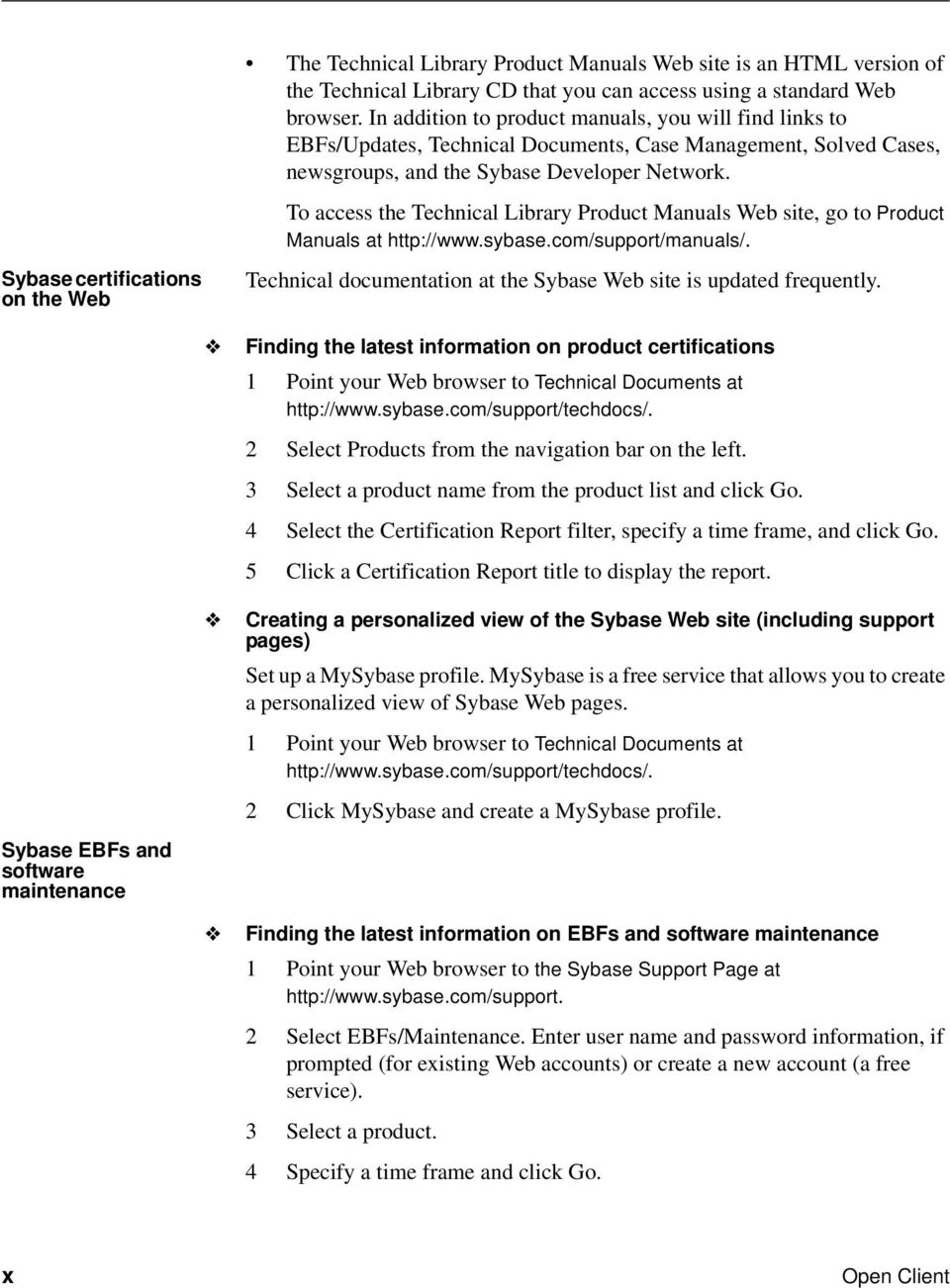
11 About This Book If you need help 5 Click the Info icon to display the EBF/Maintenance report, or click the product description to download the software. Each Sybase installation that has purchased a support contract has one or more designated people who are authorized to contact Sybase Technical Support. If you cannot resolve a problem using the manuals or online help, please have the designated person contact Sybase Technical Support or the Sybase subsidiary in your area. Open Client Client-Library Migration Guide xi

12 xii Open Client

13 CHAPTER 1 Understanding Client-Library This chapter introduces Client-Library and explains the unique features of Client-Library. Topic Page What is Client-Library? 1 Comparing the client interfaces 2 What is unique about Client-Library? 3 What is Client-Library? Client-Library is an applications programming interface (API) for use in writing client applications. Client-Library was introduced with System 10 and provides generic building blocks for constructing distributed client applications, including non-database applications. Although Sybase supports several other client interfaces, including DB- Library, ODBC, and Embedded SQL, Client-Library offers powerful advantages to the application programmer: It is both query-language-independent and database-independent, enabling application programmers to create a wide range of powerful, flexible applications. It shares type definitions, defines, and data element descriptions with Sybase s Open Server Server-Library interface, enabling application programmers to integrate client functionality into Server- Library applications. It provides an asynchronous interface, enabling application programmers to develop applications that simultaneously perform multiple work requests. It allows programmers to set configuration properties in a runtime configuration file, without making changes to the application itself. Open Client Client-Library Migration Guide 1

14 Comparing the client interfaces Client-Library is the API of choice for new Sybase customers and customers writing new applications. For customers with existing DB-Library applications, choosing to migrate to Client-Library depends on whether the applications need access to new Sybase functionality and how much effort the migration requires. Comparing the client interfaces The following table compares Sybase s client interfaces: Available Client/Server features Query-language independent? Supports nondatabase development? Interface style Chief advantages Chief disadvantages Table 1-1: Comparing Sybase s client interfaces Client-Library DB-Library Embedded SQL ODBC All All except native cursors, data stream messaging, networkbased security services, and dynamic SQL database commands All except data stream messaging and registered procedure notifications Yes No No No Yes No Yes No Synchronous or asynchronous Powerful, generic, portable Learning curve associated with a new interface Synchronous, asynchronous on VMS only. Simple, portable Sybase-specific, does not support all generic client/server services Synchronous Simple, portable, and an international standard Less flexible than call-level interfaces Similar to DB- Library; different implementations may provide different feature sets, or may implement the same feature differently Synchronous Simple, widely available Lack of a single conformance test suite for all implementations results in a mixed level of function support 2 Open Client

15 CHAPTER 1 Understanding Client-Library What is unique about Client-Library? Of Sybase s client interfaces, Client-Library is the only one that supports the following features: Tight integration with Open Server Client interface to server-side cursors Client interface to dynamic SQL Asynchronous mode of operation Multithreaded application support Support for network-based directory and security services User-defined datatypes and conversion routines New localization mechanisms A streamlined interface Tight integration with Open Server Client-Library and Server-Library share public type definitions, macros, and data element descriptions. In addition, both Client-Library and Server-Library applications use CS-Library routines to allocate common data structures, handle localization, and convert data values. This tight integration allows Server-Library and gateway applications to include Client-Library-based functionality. Client interface to server-side cursors Cursors are a powerful data management tool. They allow client applications to update individual result rows while processing a result set. A server-side cursor, sometimes called a native cursor, is a cursor that exists on Sybase Adaptive Server Enterprise. Client-Library fully supports server-side cursors, providing a call-level interface that allows client applications to declare, open, and manipulate server-side cursors. Open Client Client-Library Migration Guide 3

16 What is unique about Client-Library? DB-Library does not support server-side cursors. Instead, it supports a type of cursor emulation known as client-side cursors. Client-side cursors do not correspond to actual Adaptive Server cursors. Instead, DB-Library buffers rows internally and performs all necessary keyset management, row positioning, and concurrency control to manage the cursor. Client-Library s cursor functionality replaces DB-Library s row buffering functionality, which carries a memory and performance penalty because each row in the buffer is allocated and freed individually. Client interface to dynamic SQL Dynamic SQL allows applications to create compiled SQL statements (called prepared statements ) on the server and execute them at will. The statements can include placeholder variables whose values can be supplied at runtime by application end users. The client application can query the server for the formats of the statement s input values, if any. Client-Library fully supports dynamic SQL, providing a call-level interface that implements the ANSI-standard embedded SQL prepare, execute, and execute immediate statements. Client-Library also allows applications to get descriptions of prepared-statement input and output. Client applications typically use dynamic SQL to allow end users to customize SQL statements at runtime. For example, an application might prepare a SQL query retrieving all known information about a particular customer. This query is prepared as a dynamic SQL statement with a placeholder variable: the customer s name. At runtime, the application s end user supplies the customer s name and executes the prepared statement. Asynchronous mode Client-Library s asynchronous mode allows applications to constructively use time that might otherwise be spent waiting for certain types of operations to complete. Typically, reading from or writing to a network or external device is much slower than straightforward program execution. When asynchronous behavior is enabled, all Client-Library routines that could potentially block program execution behave asynchronously. That is, they either: Initiate the requested operation and return immediately, or 4 Open Client
17 CHAPTER 1 Understanding Client-Library Return immediately with information that an asynchronous operation is already pending. Applications can learn of operation completions using one of two models: Non-polling (interrupt-driven) Polling Non-polling (interrupt-driven) The non-polling model is available on platforms that support interrupt-driven I/O or multithreading. These platforms include all UNIX and Windows NT platforms. When an asynchronous operation completes, Client-Library automatically triggers the programmer-installed completion callback routine. The completion callback routine typically notifies the application s main code of the asynchronous routine s completion. Polling The polling model is available on all platforms. If portability is a concern, polling is recommended. In the polling model, an application calls ct_poll to determine if an asynchronous operation has completed. If it has, then ct_poll automatically triggers the programmer-installed completion callback routine. Multithreaded application support Client-Library version 11.1 and later provide reentrant libraries that support thread-safe applications on most platforms. In some situations, Client-Library developers can use a multithreaded design to improve response time or throughput. For example: An interactive Client-Library application can use one thread to query a server and another thread to manage the user interface. Such an application seems more responsive to the user because the user-interface thread is able to respond to user actions while the query thread is waiting for results. Open Client Client-Library Migration Guide 5

18 What is unique about Client-Library? An application that uses several connections to one or more servers can run each connection within a dedicated thread. While one thread is waiting for command results, the other threads can be processing received results or sending new commands. Such an approach may increase throughput because the application spends less idle time while waiting for results. See the Client-Library chapter in the Open Client/Server Programmer s Supplement for information on which system thread libraries, if any, can be linked with Client-Library on your platform. See Multithreaded Programming in the Open Client Client-Library/C Reference Manual for information on coding Client-Library calls in a multithreaded application. Support for network-based security and directory services Client-Library and Server-Library version 11.1 and later allow applications to take advantage of distributed network security and directory services. Security services Using Sybase-supplied security drivers, client/server applications can be integrated with distributed network security software, such as Distributed Computing Environment (DCE) security, CyberSAFE Kerberos, or Microsoft LAN Manager. The application can then use network-based security features such as: Centralized user authentication: Application user names and passwords are maintained by the network security system, rather than on each Sybase server. Users log in to the network security system, and need not provide their password when logging in to servers. Secure connections over insecure networks: Client-Library and Server- Library can interact with the network security system to perform perpacket security services, such as encryption or integrity checking. These services allow applications to safely transmit confidential data and commands over a communication medium that may not be physically secure, such as a wireless service or a leased line. 6 Open Client
19 CHAPTER 1 Understanding Client-Library Directory services Network-based directory software, such as DCE s Cell Directory Services, provides an alternative to maintaining several interfaces files. Using a Sybasesupplied directory driver, applications communicate with the directoryprovider software to look up the network addresses for a named Sybase server. Where to go for more information See the Open Client/Server Configuration Guide for information on what directory and security drivers are available on your system and how they are configured. See the following sections in the Open Client Client-Library/C Reference Manual for descriptions of how applications are coded to use network-based directory and security services: Directory Services topics section Security Features topics section User-defined datatypes and conversion routines Applications often need to use user-defined types. Client-Library makes it easy for applications to both create and convert user-defined datatypes: In Client-Library applications, user-defined types are C-language types. To create them, an application simply declares them. (Don t confuse Client-Library user-defined types with Adaptive Server user-defined types, which are database column datatypes created with the system stored procedure sp_addtype.) To convert user-defined types to and from other user-defined types and standard Client-Library types, you can write custom conversion routines and add code to install them in Client-Library. Once the conversion routines are installed, Client-Library calls your custom routines to transparently handle all conversions. CS-Library routines related to user-defined types include: cs_set_convert installs a custom conversion routine to convert between standard Open Client and user-defined datatypes. cs_will_convert indicates whether conversion of a datatype is supported. cs_setnull defines a null substitution value for a user-defined datatype. Open Client Client-Library Migration Guide 7

20 What s new in Client-Library Localization mechanisms An internationalized application can run in multiple language environments with no change. In each environment, the application localizes that is, determines what language, character set, and datetime and money formats to use through the use of external information, such as an external configuration file or environment variable. Client-Library includes powerful localization mechanisms that make it easy to develop internationalized applications: The locales file maps locale names to language/character-set/sort-order combinations. Applications can check the value of environment variables at runtime to determine what locale to use. Applications can use different locales for different parts of an application. For example, an internationalized sales application that runs in French in France and Italian in Italy might generate reports for the London office using a U.S. English locale. Streamlined interface Client-Library is a streamlined interface. Both Client-Library and CS-Library together have fewer than 64 routines, while DB-Library has more than 200. (Bulk copy routines are excluded from both counts.) In addition, Client-Library provides a unified results-processing model in which applications use the same routines to process all types of results. Client-Library s size and consistent design make it easier to use. What s new in Client-Library Version provides the following new features: Date and time datatypes. See Commands in Chapter 2 in the Open Client Client-Library/C Reference Manual. Extend High Availability failover to Embedded SQL. See the Highavailability failover section in Chapter 2 in the Open Client Client- Library/C Reference Manual. 8 Open Client

21 CHAPTER 1 Understanding Client-Library Identity Update option. See ct_options in Routines in Chapter 3 in the Open Client Client-Library/C Reference Manual. Support for the Chinese character set to follow the standard GB For additional information on directory services, see the chapters of the configuration guide for your platform. Upgrade to Secure Socket Layer (SSL) For additional information on security services, see the release bulletin for version and the chapters of the Open Client/Server Configuration Guide for your platform. BCP support for character set expansion when character set conversion is requested on the client s side. See the bcp utility in Appendix A of the Open Client/Server Programmer s Supplemental Guide for your platform. To allow these features, you must set the cs_context structure with version CS_VERSION_125, using cs_ctx_alloc, as follows: retcode = cs_ctx_alloc (CS_VERSION_125, context); if (retcode!= CS_SUCCEED) Open Client Client-Library Migration Guide 9
22 What s new in Client-Library 10 Open Client
23 CHAPTER 2 Evaluating an Application for Migration This chapter provides guidelines to help you decide whether to migrate a DB-Library application to Client-Library. Topic Page Questions to consider 11 Summary 14 Questions to consider There are two primary questions to keep in mind when deciding whether to migrate a DB-Library application to Client-Library: Will the application benefit from migration? How much effort will the migration require? After answering these questions, decide whether or not to migrate by balancing the benefits against the required effort. Will the application benefit from migration? Applications that need enhancement or access to new Sybase features generally benefit from migration: Client-Library supports all current Sybase server features and includes a number of valuable features of its own. (For more information, see What is unique about Client-Library? on page 3.) Client-Library supports threadsafe applications with reentrant libraries, while DB-Library does not. Open Client Client-Library Migration Guide 11
24 Questions to consider Client-Library supports network-based directory and security services while DB-Library does not. (See Support for network-based security and directory services on page 6.) Client-Library will support future Sybase features, including messagebased communication, support for remote clients, and object-oriented technology. DB-Library will not support these features. Applications that do not need enhancement or access to new Sybase features will not benefit from migration. How much effort will the migration require? DB-Library task Sending a Transact-SQL language command to a server Sending an RPC command to a server. Inserting and retrieving text and image data from a server Manipulating datetime values In order to understand how much effort a given DB-Library-to-Client-Library migration will take, you need to examine the DB-Library application in terms of what tasks it performs and what routines it uses. Some DB-Library tasks, such as sending a SQL command to a server, are straightforward in both libraries. Other tasks, such as using Open Server registered procedures, are more complex in Client-Library. The following table classifies typical DB-Library application tasks according to the degree of effort required to duplicate the same application functionality with Client-Library: Table 2-1: DB-Library tasks ranked by migration effort required Partial list of related routines dbcmd, dbfcmd, dbsqlexec dbrpcinit, dbrpcparam, dbrpcsend dbreadtext, dbwritetext, dbtxtptr, dbtxtimestamp dbdatename, dbdatepart, dbdatezero Degree of effort required for migration Less than average Less than average Less than average Average Notes Sending language commands is straightforward in Client- Library. Sending RPC commands is straightforward in Client- Library. Client-Library handles text and image data more gracefully than DB-Library. Client-Library does not provide direct equivalents for these routines. Instead, use cs_dt_crack and cs_dt_info. 12 Open Client
25 CHAPTER 2 Evaluating an Application for Migration DB-Library task Automatic result row formatting Partial list of related routines dbprhead, dbprrow, dbspr1row, dbsprhead Degree of effort required for migration Average Notes Client-Library does not provide equivalent routines, which can easily be replaced by application code such as that found in the exutils.c Client-Library example program. Applications that use these routines for debugging purposes can use ct_debug instead. Bulk copy operations Bulk copy routines Average DB-Library s bcp_ routines include built-in file I/O routines, which read and write host data files and format files, and write error files. Client-Library applications use Bulk-Library, which does not include file I/O routines. Use pointers to result data instead of binding the data Row buffering Registered procedures Read and write Adaptive Server pages dbdata, dbadata Average Currently, Client-Library applications are required to bind results to memory in the application s data space. DBCURROW, DBFIRSTROW, DBLASTROW, dbsetrow dbnpcreate, dbnpdefine, dbregdrop dbreadpage, dbwritepage More than average More than average Do not convert Client-Library provides cursor and array-binding functionality as an alternative to row buffering. Using cursors to replace row buffering may require some application design work. Client-Library does not provide equivalent routines. Client-Library applications must send RPC commands to invoke the Open Server system registered procedures sp_regcreate and sp_regdrop to create and drop registered procedures. Client-Library does not support this functionality. Open Client Client-Library Migration Guide 13
26 Summary Degree of effort required for migration Notes DB-Library task Two-phase commit Partial list of related routines Two-phase commit routines Do not convert Client-Library does not provide equivalent routines. Instead, Client-Library supports transaction monitors to control transactions. The Sybase World Wide Web site ( provides an example program that performs two-phase commit with Client-Library. The illustrated technique relies on the use of undocumented Adaptive Server system stored procedures. As with any undocumented interface, Sybase does not guarantee support or maintenance of this interface. Summary When trying to determine whether a given migration is worth the effort, remember that because Client-Library is a generic interface, applications that use it are in an excellent position to take advantage of new Sybase and industry technologies. If your application is still evolving that is, if it will probably change in order to meet future needs it is a good candidate for migration. 14 Open Client
27 CHAPTER 3 Planning for Migration This chapter contains practical information on planning for migration. Topic Page Get software 15 Learn about Client-Library 16 Isolate DB-Library code 17 Consider application redesign 17 Check your estimate of the migration effort 19 Get software Both Client-Library and DB-Library are packaged as part of the Software Developer s Kit. The kit contains the following software components: Production libraries These are runtime libraries for production DB-Library and Client- Library applications. On Windows systems, the libraries are import libraries and DLLs. On UNIX systems, they are static and shared-object libraries. Development libraries These libraries contain debug symbols and trace code for the Client- Library routine ct_debug. Bulk-Library, ESQL/C and ESQL/COBOL Include files Example programs Open Client Client-Library Migration Guide 15
28 Learn about Client-Library Client-Library includes a number of sophisticated example programs that illustrate Client-Library features. For more information on these example programs, see the Open Client/Server Programmer s Supplement for your platform. Net-Library drivers Learn about Client-Library The more you understand about Client-Library before starting to code, the smoother the migration process will be. Resources for learning about Client-Library include: Sybase Education s Client-Library class, Open Client Using Client Library. For more information, call Sybase Education at SYBASE. The Client-Library sample programs included with the software. The Open Client Client-Library/C Programmer s Guide. This book contains basic information on how to structure Client-Library programs. The following chapters contain information on how to perform specific DB-Library application tasks using Client-Library: Chapter 4, Comparing DB-Library and Client-Library Infrastructures Chapter 5, Converting DB-Library Application Code Chapter 6, Advanced Topics In particular, Chapter 5, Converting DB-Library Application Code, contains side-by-side comparisons of DB-Library and Client-Library call sequences for common application tasks. Familiarize yourself with example programs Sybase provides a set of migration example programs that are available on the Sybase World Wide Web site to help you understand how to convert DB- Library code to Client-Library. 16 Open Client
29 CHAPTER 3 Planning for Migration Isolate DB-Library code If possible, isolate DB-Library code from the rest of your application code before you begin the migration. DB-Library code located in separate routines or modules is easier to evaluate, easier to replace, and the converted code will be easier to debug after migration. If you make code changes to isolate the DB-Library code, test the application to make sure the changed code works correctly before you introduce Client- Library functionality. Consider application redesign Migration offers an excellent opportunity to redesign an application to take advantage of Client-Library features that DB-Library does not support. You may want to consider redesigning your application to take advantage of new Adaptive Server features as well. The following sections discuss specific opportunities for redesign. Unified results handling DB-Library does not use a unified-results handling model. Instead, applications retrieve different types of results by calling different routines: Regular row result columns are bound with dbbind, but compute row result columns are bound with dbaltbind. Regular and compute row data is fetched with dbnextrow, but stored procedure return parameters are retrieved with dbretdata. In Client-Library, all types of fetchable data are bound with ct_bind and fetched with ct_fetch. Client-Library s unified results handling model allows applications to consolidate results handling code. For more information on Client-Library s results handling model, see Code that processes results on page 50. Open Client Client-Library Migration Guide 17
30 Consider application redesign Cursors Client-Library (server-side) cursors replace several types of DB-Library functionality: DB-Library cursors Client-Library cursors are faster than DB-Library cursors. However, Client-Library cursors offer fewer scrolling options than DB-Library cursors. DB-Library browse mode Although Client-Library supports browse mode, cursors provide the same functionality in a more portable and flexible manner. DB-Library applications that use cursors or browse mode can benefit from redesign to use Client-Library cursors. For more information on Client-Library cursors, see Client-Library cursors on page 68. Array binding Client-Library s array binding allows an application to bind a result column to an array of program variables. Multiple rows worth of column values are then fetched with a single call to ct_fetch. Array binding can increase application performance, especially when result sets are large (more than 20 rows) and contain only a few small columns (total row size of less than 512 bytes). Array sizes of 4 to 16 are most effective; larger array sizes do not increase throughput significantly. DB-Library applications that use row buffering can often use Client-Library array binding instead. For more information on Client-Library s array binding, see Client-Library s array binding on page 67. Asynchronous mode Client-Library s asynchronous mode allows applications to perform potentially blocking operations asynchronously. 18 Open Client
31 CHAPTER 3 Planning for Migration This can be an enormous benefit to end-user applications using a GUI interface, because it allows application users to proceed with other work while waiting for blocked operations to complete. Synchronous DB-Library applications are often improved by redesign as asynchronous Client-Library applications. For more information on Client-Library s asynchronous mode, see Asynchronous programming on page 74. Multithreading Multithreading can improve response time in interactive applications and may improve throughput in batch-processing applications. For more information, see Multithreaded application support on page 5. Check your estimate of the migration effort Now that you understand Client-Library, know how much and what sort of DB- Library code your application contains, and have decided what parts, if any, of your application to redesign, reevaluate your previous estimate of the migration effort. Redesign does add to migration time, but it is generally worth the effort. Plan for testing Develop a test plan and create a test environment before beginning the migration. Make sure you can compare test results from the Client-Library application with those from the DB-Library application. Open Client Client-Library Migration Guide 19
32 Develop a schedule Develop a schedule When scheduling migration tasks, it can be useful to first categorize them by degree of difficulty and then schedule them accordingly. Sybase recommends scheduling the easiest migration tasks first, the most difficult tasks second, and the medium-level tasks third. Do not leave the most difficult tasks for last if you are on a tight schedule. Check your environment Verify that your migration environment is complete and correctly configured: Is Client-Library installed? Are your servers at the correct version? If you will be using System 10 features, such as cursors, you must have version 10 or later servers installed. Are your servers set up to support your application? For example, if you intend to use implicit cursors, you must be using version 12.5 or later. Are they configured for the right number of connections? Do they have the right databases installed? Do the Client-Library example programs run correctly? If they do not, fix any problems with your environment before continuing. Is your test environment set up? After completing the planning steps outlined in this chapter, you are ready to code. Chapters 4, 5, and 6 of this book contain information essential to this coding stage: Chapter 4, Comparing DB-Library and Client-Library Infrastructures, compares header files, utility routines, and data structures. Chapter 5, Converting DB-Library Application Code, explains how basic DB-Library programming tasks can be accomplished with Client- Library. Chapter 6, Advanced Topics, discusses more advanced programming tasks. 20 Open Client
33 CHAPTER 4 Comparing DB-Library and Client-Library Infrastructures This chapter compares the DB-Library and Client-Library infrastructures. Topic Page Utility routines 21 Header files 22 Control structures 22 Other structures 26 Utility routines DB-Library utility routines are included as part of DB-Library, while utility routines for Client-Library applications are provided by CS-Library. Note dblib based bcp calls are not supported against DOL or XNL tables. This is something that developers need to consider as a factor. CS-Library is a shared Open Client/Server library that includes routines for use in both Client-Library and Open Server Server-Library applications. CS-Library includes routines to support the following: Datatype conversion cs_convert can replace calls to dbconvert. Arithmetic operations cs_calc can replace many different dbmny calls. Character-set conversion cs_locale and cs_convert can replace calls to dbload_xlate and dbxlate. Datetime operations cs_dt_crack can replace dbdtcrack calls. Sort-order operations cs_strcmp can replace dbstrsort calls. Open Client Client-Library Migration Guide 21
34 Header files Localized error messages cs_strbuild can replace dbstrbuild calls. CS-Library is documented in the Open Client and Open Server Common Libraries Reference Manual. Header files DB-Library uses the sybfront.h, sybdb.h, and syberror.h header files. Client-Library uses the ctpublic.h header file: ctpublic.h includes cspublic.h, which is CS-Library s header file. cspublic.h includes: cstypes.h, which contains type definitions for Client-library datatypes csconfig.h, which contains platform-dependent datatypes and definitions sqlca.h, which contains a typedef for the SQLCA structure When migrating your application, replace DB-Library header file names with the Client-Library header file name (ctpublic.h). Note Because ctpublic.h includes cspublic.h, which in turn includes all other required header files, the application itself needs only to include ctpublic.h. Control structures DB-Library uses two main control structures: LOGINREC and DBPROCESS. Client-Library uses three control structures: CS_CONTEXT, CS_CONNECTION, and CS_COMMAND. The CS_CONTEXT structure defines an application context, or operating environment. The CS_CONNECTION structure defines a client/server connection within an application context. Multiple connections are allowed per context. 22 Open Client
35 CHAPTER 4 Comparing DB-Library and Client-Library Infrastructures The CS_COMMAND structure defines a command space within a connection. Multiple command structures are allowed per connection. The CS_CONTEXT structure has no real DB-Library equivalent but stores information similar to that stored in DB-Library hidden global variables. Together, the CS_CONNECTION and CS_COMMAND structures roughly correspond to the DBPROCESS structure. Unlike DB-Library structures, Client-Library control structures are truly hidden: The structure names are defined in Client Library s public header files, but the fields are not. Note In this document, CS_CONTEXT structures are also called context structures, CS_CONNECTION structures are also called connection structures, and CS_COMMAND structures are also called command structures. Control structure properties Client-Library control structures have properties. Some property values determine how Client-Library behaves, while others are just information associated with the control structure. For example: CS_TIMEOUT is a CS_CONTEXT structure property. Its value determines how long Client-Library waits for a server response before raising a timeout error. DB-Library applications specify a timeout value with dbsettime, and the timeout value is a hidden DB-Library global variable. CS_NETIO is a CS_CONNECTION structure property. Its value determines whether network I/O is synchronous, fully asynchronous, or deferred asynchronous. DB-Library has no similar concept. A DB-Library application calls different routines to get synchronous or asynchronous behavior. Open Client Client-Library Migration Guide 23
36 Control structures CS_USERNAME is a CS_CONNECTION structure property. Its value specifies the user name to log in to the server. The Client-Library application sets the username before opening a connection with ct_connect. With the connection open, the property is read-only. A DB- Library application specifies a packet size by calling the DBSETLUSER macro to change the contents of the LOGINREC structure; when dbopen is called, the LOGINREC password becomes the DBPROCESS username. CS_USERDATA is a CS_CONNECTION structure property and a CS_COMMAND structure property. Its value is the address of user data that is associated with a particular connection or command structure. The use of the CS_USERDATA property is similar to the use of dbgetuserdata and dbsetuserdata in a DB-Library application. Inherited property values Every CS_COMMAND structure has a parent CS_CONNECTION structure, and every CS_CONNECTION structure has a parent CS_CONTEXT structure. When a structure is allocated, it inherits all applicable property values from its parent. For example, a new CS_CONNECTION structure will inherit its parent CS_CONTEXT s CS_NETIO value. If the parent CS_CONTEXT is set up to use synchronous network I/O, the new CS_CONNECTION will also be synchronous. Inherited property values can be changed after a structure is allocated. Setting property values Client-Library, CS-Library, and Server-Library all include routines to set and retrieve property values. The CS_CONTEXT structure The CS_CONTEXT structure defines an application context, or operating environment. Although an application can have multiple CS_CONTEXT structures, typical applications have only one. 24 Open Client
37 CHAPTER 4 Comparing DB-Library and Client-Library Infrastructures Applications use the CS_CONTEXT structure to define Client-Library behavior at the highest level: CS_CONTEXT structure properties replace DB-Library hidden global variables. For example, a call to dbsettime in a DB-Library application changed a global timeout value. In a Client-Library application, setting the CS_TIMEOUT property affects only the child connections of that particular CS_CONTEXT structure. Message and error handlers that are installed for a CS_CONTEXT structure are inherited by all CS_CONNECTIONs allocated within that CS_CONTEXT. CS_CONTEXT can include locale information such as locale name, language, and date order. The CS_CONNECTION structure The CS_CONNECTION structure defines a connection from a client application to a remote server. Applications use the CS_CONNECTION structure to define Client-Library behavior at the connection level, and to store and retrieve information about a connection: CS_CONNECTION properties customize connection behavior. For example, an application can set the CS_TDS_VERSION connection property to request that a connection use a certain Tabular Data Stream (TDS) protocol version. A CS_CONNECTION inherits message and error handlers from its parent context, but an application can override these default handlers by installing new ones. Client-Library s CS_CONNECTION structure has several advantages over DB-Library s DBPROCESS: Message and error handlers can be installed on a per-connection basis. Login information is bound to the connection: Login parameters become read-only properties after the connection is established. A Client-Library connection can simultaneously support an active cursor and another command. Open Client Client-Library Migration Guide 25
38 Other structures The CS_COMMAND structure The CS_COMMAND structure defines a command space within a client/server connection. Applications use CS_COMMAND structures to send commands to servers and process the results of those commands. Connection and command rules Applications can have multiple command structures active on the same connection only when using Client-Library cursors. Client-Library cursors allow the application to send new commands while processing rows returned by the cursor. When processing the results of a command other than a Client-Library cursor open command, the application cannot send additional commands over the same connection until the results of the original command have been completely processed or canceled. See Chapter 7, Using Client-Library Cursors, in the Open Client Client- Library/C Programmer s Guide for more information. Other structures In addition to its three basic control structures, Client-Library uses other structures: CS_DATAFMT CS_IODESC CS_LOCALE CS_BLKDESC CS_DATAFMT Applications use the CS_DATAFMT structure to describe data values and program variables to Client-Library routines. 26 Open Client
39 CHAPTER 4 Comparing DB-Library and Client-Library Infrastructures For example: ct_bind requires a CS_DATAFMT structure describing a destination variable. ct_describe fills a CS_DATAFMT structure describing a result data item. ct_param requires a CS_DATAFMT structure describing an input parameter. cs_convert requires CS_DATAFMT structures describing source and destination data. For information on how to use a CS_DATAFMT with ct_bind or ct_describe, see the Open Client Client-Library/C Reference Manual. For information on how to use a CS_DATAFMT with cs_convert, see the Open Client and Open Server Common Libraries Reference Manual. CS_IODESC Applications typically use the CS_IODESC structure when manipulating text or image data. The CS_IODESC structure defines an I/O descriptor for a column in the current row of a result set. This structure contains the column s text timestamp and other information about the column data. For more information on how to use a CS_IODESC, see Client-Library s CS_IODESC structure on page 80. CS_LOCALE Applications use the CS_LOCALE structure to supply custom localization information at the context, connection, or data element level. For more information on how to use a CS_LOCALE structure, see CS_LOCALE Structure on page 86. CS_BLKDESC Applications use the CS_BLKDESC when performing bulk copy operations. Open Client Client-Library Migration Guide 27
40 Other structures For more information on how to use a CS_BLKDESC, see Bulk-Library initialization and cleanup on page Open Client
41 CHAPTER 5 Converting DB-Library Application Code Converting a DB-Library program to its Client-Library equivalent generally involves the following steps: 1 Replace DB-Library header file names with the Client-Library header file name (see Header files on page 22). 2 Plan the code conversion. Client application code can be split roughly into the categories covered in this chapter: Initialization and cleanup code Code that opens a connection Error and message handlers Code that sends commands Code that processes results Each section shows equivalent DB-Library and Client-Library program logic. Before beginning the conversion, read these sections to ensure that you understand Client-Library fundamentals. Other, more advanced features are discussed in Chapter 6, Advanced Topics. 3 Perform the conversion: Replace or remove DB-Library declarations, as appropriate. Replace DB-Library function calls with their Client-Library or CS- Library equivalents, changing program logic as necessary. Table A-1 on page 87 lists DB-Library routines and their Client-Library equivalents. Note The code fragments in this chapter use an EXIT_ON_FAIL example macro. For information on this macro, see Return code error checking in code fragments on page vii. Open Client Client-Library Migration Guide 29
42 Initialization and cleanup code Initialization and cleanup code Initialization sets up the programming environment for a DB-Library or Client- Library program. Cleanup closes connections and deallocates library data structures. Comparing call sequences The following table compares the DB-Library calls used for initialization and cleanup with their Client-Library equivalents. For Client-Library, the default version level supports all the features starting with 10.x. For detailed descriptions of each routine, see the reference page for the routine. DB-Library routines (none) (none) dbinit() Table 5-1: DB-Library vs. Client-Library initialization and cleanup DB-Library functionality Initialize DB- Library. Client-Library routines cs_ctx_alloc( version, context) cs_config( context, CS_SET, CS_MESSAGE_CB, handler, CS_UNUSED, NULL) ct_init( context, version) Client-Library functionality Allocate a CS_CONTEXT structure and specify the version level for desired CS- Library behavior. version can be CS_VERSION_100 CS_VERSION_110, CS_VERSION_120, or CS_VERSION_125. Install CS-Library errorhandler callback function. Initialize Client-Library and specify the version level for desired behavior. 30 Open Client
43 CHAPTER 5 Converting DB-Library Application Code DB-Library routines DB-Library functionality Client-Library routines Client-Library functionality dbsetversion( dbproc, version) (For DB-Library 10.0.x or later applications only.) Specify the version level for desired behavior. version can be DBVERSION_46 or DBVERSION_100. Sybase recommends DBVERSION_100 to be able to use the features and code changes introduced in the updated versions. (none) dberrhandle( handler) Install DB-Library error callback function. ct_callback( context, NULL, CS_SET, CS_CLIENTMSG_CB, handler) Install Client-Library error callback function. See Error and message handlers on page 39. dbmsghandle( handler) Install DB-Library server message callback function. ct_callback( context, NULL, CS_SET, CS_SERVERMSG_CB, handler) Install Client-Library server message callback function. See Error and message handlers on page 39. (See Table 5-2: DB-Library vs. Client-Library opening a connection) Open connection(s). (See Table 5-2: DB-Library vs. Client-Library opening a connection) Open connection(s). Before you open the connection, set the required properties for the context/connection. dbexit() Close and deallocate all DBPROCESS structures and clean up any structures initialized by dbinit. ct_exit( context, option) Exit Client-Library. Before exiting Client-Library, deallocate all open command and context structures. option is normally CS_UNUSED. CS_FORCE_EXIT is useful when exiting because of an error. Open Client Client-Library Migration Guide 31
44 Initialization and cleanup code DB-Library routines (none) DB-Library functionality Client-Library routines cs_ctx_drop( context) Client-Library functionality Deallocate a CS_CONTEXT structure. The Client-Library application must allocate and deallocate CS_CONTEXT structure. CS_CONTEXT serves as handle for basic application properties, such as the language and character set for error messages and the application s default error and message callbacks. See The CS_CONTEXT structure on page 24 for more information. Example: Client-Library initialization and cleanup #define NORMAL_EXIT (0) #define ERROR_EXIT (-1) The following code fragment, taken from the ctfirst.c migration example program, illustrates Client-Library initialization and cleanup. The fragment installs error handlers for CS-Library and Client-Library, as well as a Client-Library server message callback. For examples of a Client-Library error handler and a server message handler, see the Callbacks topics page in the Open Client Client-Library/C Reference Manual. For an example CS- Library error handler, see the Open Client/Server Common Libraries Reference Manual. CS_CONTEXT *context = (CS_CONTEXT *) NULL; CS_CONNECTION *conn; CS_RETCODE ret; /* ** Step 1. ** Allocate a CS_CONTEXT structure and initialize Client-Libary. -- if (dbinit() == FAIL) -- exit(errexit); */ ret = cs_ctx_alloc(cs_version_125, &context); EXIT_ON_FAIL(context, ret, "Could not allocate context."); ret = ct_init(context, CS_VERSION_125); EXIT_ON_FAIL(context, ret, "Client-Library initialization failed."); /* ** Step 2. ** Install callback handlers for CS-Library errors, Client- 32 Open Client
45 CHAPTER 5 Converting DB-Library Application Code ** Library errors, and CS-Library errors. ** -- dberrhandle(err_handler); -- dbmsghandle(msg_handler); */ /* ** cs_config() installs a handler for CS-Library errors. */ ret = cs_config(context, CS_SET, CS_MESSAGE_CB, (CS_VOID *) cserror_cb, CS_UNUSED, NULL); EXIT_ON_FAIL(context, ret, "Could not install CS-Library error handler."); /* ** ct_callback() installs handlers for Client-Library errors and ** server messages. ** ** ct_callback() lets you install handlers in the context or the ** connection. Here, we install them in the context so that they ** are inherited by connections that are allocated using this ** context. */ ret = ct_callback(context, NULL, CS_SET, CS_CLIENTMSG_CB, (CS_VOID *) clientmsg_cb); EXIT_ON_FAIL(context,ret, "Could not install Client-Library error handler."); ret = ct_callback(context, NULL, CS_SET, CS_SERVERMSG_CB, (CS_VOID *) servermsg_cb); EXIT_ON_FAIL(context,ret, "Could not install server message handler.");... deleted code that connects and interacts with the server... /* ** Clean up Client-Library. ** ** ct_exit(context, CS_UNUSED) requests an "orderly" exit. ** This call fails if we have open connections. If it fails, ** EXIT_ON_FAIL() calls ct_exit(context, CS_FORCE_EXIT) to ** force cleanup of Client-Library. */ ret = ct_exit(context, CS_UNUSED); EXIT_ON_FAIL(context, ret, "ct_exit(cs_unused) failed."); /* ** Clean up CS-Library. cs_ctx_drop() always fails if ct_init() ** succeeded on the context but ct_exit() did not (or if ** ct_exit() was not called at all). Open Client Client-Library Migration Guide 33
46 Code that opens a connection */ (CS_VOID) cs_ctx_drop(context); context = (CS_CONTEXT *) NULL; exit(normal_exit); Code that opens a connection DB-Library applications use the LOGINREC and DBPROCESS structure to open a connection to the server. Client-Library uses the CS_CONNECTION hidden structure. See The CS_CONNECTION structure on page 25 for more information. Comparing call sequences The following table compares DB-Library routines used for opening a connection with their Client-Library equivalents: DB-Library routines dblogin() DBSETLUSER( loginrec, username) DBSETLPWD( loginrec, password) Table 5-2: DB-Library vs. Client-Library opening a connection DB-Library functionality Allocate a LOGINREC for use in dbopen. Set the username in the LOGINREC structure. Set the user server password in the LOGINREC structure. Client-Library routines ct_con_alloc( context, connection) ct_con_props( connection, CS_SET, CS_USERNAME, username, buflen, NULL) ct_con_props( connection, CS_SET, CS_PASSWORD, password, buflen, NULL) Client-Library functionality Allocate a CS_CONNECTION structure. Set the user name property in the connection structure. Set the user server password property in the connection structure. 34 Open Client
47 CHAPTER 5 Converting DB-Library Application Code DB-Library routines DB-Library functionality Client-Library routines Client-Library functionality DBSETLAPP( loginrec, application) Set the application name in the LOGINREC structure. ct_con_props( connection, CS_SET, CS_APPNAME, appname, buflen, NULL) Set the application name property in the connection structure. dbopen( loginrec, server) Connect to a server (and allocate the DBPROCESS). ct_connect( connection, server_name, snamelen) Connect to a server (with the pre-allocated connection structure). dbloginfree( loginrec) Free the LOGINREC structure. None language commands, RPC commands, and TDS passthrough calls Send requests and process results using a DBPROCESS structure. CS_COMMAND (See Code that sends commands on page 43) Send requests and process results using a command structure. dbclose( dbproc) Close and deallocate a DBPROCESS structure. ct_close( connection, option) Close a server connection. option is normally CS_UNUSED. CS_FORCE_CLOSE is useful when closing the connection because of an error. (none) ct_con_drop( connection) Deallocate a connection structure. Client-Library enhancements Client-Library applications can also establish connections using networkbased user authentication that is provided by a network-based security mechanism such as DCE, SSL or LDAP. In this case, the Client-Library application performs the following tasks instead of calling ct_con_props to set the user name and password: (Optional) Specifies a security mechanism for the connection by setting the CS_SEC_MECHANISM connection property. Most applications will use the default, which is defined by the Sybase security driver configuration. Open Client Client-Library Migration Guide 35
48 Code that opens a connection Sets the connection s CS_USERNAME property to match the user s network name. Sets the CS_SEC_NETWORKAUTH connection property to allow network-based authentication. Network-based authentication requires a Sybase security driver for the network security mechanism. Not all servers support network-based authentication. For more detailed information, see the Security Features topics page in the Open Client Client-Library/C Reference Manual. Migrating LOGINREC code In DB-Library, applications use the LOGINREC structure to customize a connection before opening it. In Client-Library applications, use CS_CONNECTION properties to customize a connection before opening it. To replace DB-Library code that uses the same LOGINREC structure to open several connections, you can use ct_getloginfo and ct_setloginfo, as follows: 1 Allocate a connection structure with ct_con_alloc. 2 Customize the connection with calls to ct_con_props. 3 Open the connection with ct_connect. 4 For each connection to be opened with the same login properties: Call ct_getloginfo to allocate a CS_LOGINFO structure and copy the original connection s login properties into it. Allocate a new connection structure with ct_con_alloc. Call ct_setloginfo to copy login properties from the CS_LOGINFO structure to the new connection structure. After copying the properties, ct_setloginfo deallocates the CS_LOGINFO structure. Customize any non-login properties in the new connection with calls to ct_con_props. Open the new connection with ct_connect. Example: Opening a Client-Library connection The following code fragment, taken from the ctfirst.c migration example program, illustrates opening a Client-Library connection: 36 Open Client
49 CHAPTER 5 Converting DB-Library Application Code #define NORMAL_EXIT (0) #define ERROR_EXIT (-1) #define USER user_name #define PASSWORD server_password /* ** STRLEN() -- strlen() that returns 0 for NULL pointers. */ #define STRLEN(str) ( ((str) == NULL)? 0 : (strlen(str)) )CS_CONTEXT *context; CS_CONNECTION *conn;... deleted initialization code... /* ** Step 3. ** Connect to the server. ** 3a. Allocate a CS_CONNECTION structure. ** 3b. Insert the username, password, and other login parameters ** into the connection structure. ** 3c. Call ct_connect(), passing the CS_CONNECTION as an argument. *//* ** Step 3a. ** Allocate a CS_CONNECTION structure. The CS_CONNECTION replaces ** DB-Library s LOGINREC and DBPROCESS structures. The LOGINREC ** fields are connection properties in Client-Library. ** -- login = dblogin(); -- if (login == (LOGINREC *) NULL) -- { -- fprintf(err_ch, "dblogin() failed. Exiting.\n"); -- dbexit(); -- exit(errexit); -- } */ ret = ct_con_alloc(context, &conn); EXIT_ON_FAIL(context, ret, "Allocate connection structure failed.");/* ** Step 3b. ** Put the username, password, and other login information into the ** connection structure. We do this with ct_con_props() calls. ** After the connection is open, Client-Library makes these properties ** read-only. ** ** USER and PASSWORD are defined in dbtoctex.h ** -- DBSETLUSER(login, USER); -- DBSETLPWD(login, PASSWORD); -- DBSETLAPP(login, "dbfirst"); */ret = ct_con_props(conn, CS_SET, CS_USERNAME, USER, STRLEN(USER), NULL); EXIT_ON_FAIL(context, ret, "Set connection username failed.");ret = Open Client Client-Library Migration Guide 37
50 Code that opens a connection ct_con_props(conn, CS_SET, CS_PASSWORD, PASSWORD, STRLEN(PASSWORD), NULL); EXIT_ON_FAIL(context, ret, "Set connection password failed.");ret = ct_con_props(conn, CS_SET, CS_APPNAME, "ctfirst", STRLEN("ctfirst"), NULL); EXIT_ON_FAIL(context, ret, "Set connection application name failed.");/* ** Step 3c. ** Call ct_connect() to open the connection. Unlike dbopen(), ** ct_connect() uses a connection structure which is already ** allocated. ** -- dbproc = dbopen(login, NULL); -- if (dbproc == (DBPROCESS *) NULL) -- { -- fprintf(err_ch, "Connect attempt failed. Exiting.\n"); -- dbexit(); -- exit(errexit); -- } */ ret = ct_connect(conn, NULL, 0); EXIT_ON_FAIL(context, ret, "Connection attempt failed.");... deleted command code... /* ** Step 5. ** Close our connection. CS_UNUSED as the second ct_close() parameter ** requests an "orderly" close. This means that we expect that the ** connection is idle. If we had issued a command to the server, but ** had not read all the results sent by the server, then this call ** would fail. ** ** If ct_close() were to fail here, then the code in EXIT_ON_FAIL() ** calls ct_exit(cs_force_exit) to force all connections closed ** before exiting. ** -- dbclose(dbproc); */ ret = ct_close(conn, CS_UNUSED); EXIT_ON_FAIL(context, ret, "Orderly connection-close failed.");ret = ct_con_drop(conn); EXIT_ON_FAIL(context, ret, "ct_con_drop() failed.");... deleted context-level cleanup code Open Client
51 CHAPTER 5 Converting DB-Library Application Code Error and message handlers Most applications use callback routines to handle errors messages. Client-Library provides in-line message handling as an alternative to callback message handling. In-line message handling gives an application control over when it handles messages. The ct_diag routine initializes in-line message handling at the connection level. Client-Library and CS-Library use structures to return error and message information to message callback routines: The CS_CLIENTMSG structure describes Client-Library and CS-Library errors. The structure is passed to an application s Client-Library or CS- Library error handler. Most of the fields in this structure map directly to DB-Library error handler parameters. The CS_SERVERMSG structure describes server messages and is passed to an application s server message handler. Most of these fields map directly to DB-Library message-handler parameters. Sequenced messages Client-Library handles large messages using a series of calls to the callback message handler routine. A status bitmask in the message information structure indicates whether the message text is an entire message or the first, middle, or last chunk of a sequenced message. Most server messages are small enough to be handled with one invocation of the message callback. The exception is userdefined messages raised with the Transact-SQL raiserror or print commands. These can be longer than the 1024-byte text field in CS_SERVERMSG. Instead of putting a message in a fixed-length buffer, like Client-Library does, DB-Library provides a pointer to the message. Replacing server message handlers Each DB-Library server message handler parameter maps to a field in the CS_SERVERMSG structure. In addition, CS_SERVERMSG includes four fields that do not map to DB-Library message handler parameters. These parameters represent the lengths, in bytes, of the message text, server name, and procedure name, and a bitmask indicator used for sequenced message and extended error message information. Open Client Client-Library Migration Guide 39
52 Error and message handlers DB-Library message handler parameters Table 5-3: DB-Library message handler parameters vs. CS_SERVERMSG fields Description of parameter or field severity The severity of the error message severity msgno The identifying number of the error msgnumber message msgstate The server error state associated with the state server message msgtxt The text of the server message text (none) The length, in bytes, of text textlen srvname The name of the server that generated the svrname message (none) The length, in bytes, of svrname svrnlen procname The name of the stored procedure that proc caused the message, if any (none) The length, in bytes, of proc proclen line The number of the command batch or line stored procedure line, if any, that generated the message (none) A bitmask indicator of whether msgstring status contains an entire message or what part of a sequenced message it contains (none) A byte string containing the SQL state value associated with the error, if any sqlstate Client-Library CS_SERVERMSG structure fields Server message handlers for DB-Library applications must return 0. Server message handlers for Client-Library applications must return CS_SUCCEED. If a Client-Library server message handler returns any value other than CS_SUCCEED, Client-Library marks the connection as dead, and it becomes unusable. A return of any code but CS_SUCCEED marks the connection dead from both the server and client message callbacks. See the Callbacks topics page in the Open Client Client-Library/C Reference Manual for an example server-message callback. 40 Open Client
53 CHAPTER 5 Converting DB-Library Application Code Replacing DB-Library error handlers DB-Library error handler parameters The DB-Library error handler (installed with dberrhandle) should be replaced with a CS-Library error handler and a Client-Library client message handler (installed with cs_config and ct_callback, respectively). The CS-Library handler is called for errors occurring in CS-Library calls, and the Client- Library handler is called for errors occurring in Client-Library calls. Both the CS-Library and Client-Library handlers take a CS_CLIENTMSG structure. Each DB-Library error-handler parameter maps to a field in the CS_CLIENTMSG structure. In addition, CS_CLIENTMSG includes three fields that do not map to DB- Library error handler parameters. For example, CS_CLIENTMSG provides integer fields that specify the lengths, in bytes, of the message text and operating system message text. These fields allow the use of character sets that do not support null terminators. The following table shows the correspondence between DB-Library error handler parameters and CS_CLIENTMSG fields: Table 5-4: DB-Library error handler parameters vs. CS_CLIENTMSG fields Description of parameter or field severity The severity of the error severity dberr The identifying number of the error msgnumber dberrstr The printable message description string msgstring (none) The length, in bytes, of msgstring msgstringlen oserr The operating system-specific error number osnumber oserrstr The printable operating system message osstring description string (none) The length, in bytes, of osstring osstringlen (none) A bitmask indicator of whether msgstring status contains an entire message or what part of a sequenced message it contains (none) A byte string containing the SQL state value associated with the error, if any sqlstate Client-Library CS_CLIENTMSG structure fields Error handler return values Client-Library and DB-Library require different error handler return values: A DB-Library error handler can return: Open Client Client-Library Migration Guide 41
54 Error and message handlers INT_EXIT causes DB-Library to print an error message, abort the program, and return an error indication to the operating system. INT_CANCEL causes DB-Library to return FAIL from the DB- Library routine that caused the error. INT_TIMEOUT on timeout errors, causes DB-Library to cancel the server command batch that timed out; on all other errors INT_TIMEOUT is treated as INT_EXIT. INT_CONTINUE on timeout errors, causes DB-Library to wait one timeout period and call the error handler again; on all other errors, INT_CONTINUE is treated as INT_EXIT. A Client-Library message handler can return: CS_SUCCEED causes Client-Library to continue any current processing on this connection; on timeout errors, wait one timeout period and call the error handler again. CS_SUCCEED allows the application to continue after errors. DB-Library has no equivalent to this return code. CS_FAIL causes Client-Library to terminate any current processing on this connection and mark the connection as dead. The application must close and reopen the connection before using it again. Note that error handler return values cannot directly cause Client-Library to abort the program. The behavior of INT_CONTINUE is built into CS_SUCCEED. In order to duplicate the behavior of INT_TIMEOUT, a Client-Library application must call ct_cancel(cs_cancel_attn) from the callback routine. The error and severity codes for DB-Library errors do not map directly to Client-Library and CS-Library error and severity codes. For more information: See the Open Client and Open Server Common Libraries Reference Manual for information on coding a CS-Library error handler. See the Callbacks topics page in the Open Client Client-Library/C Reference Manual for information on coding a Client-Library message handler. 42 Open Client
55 CHAPTER 5 Converting DB-Library Application Code See the CS_CLIENTMSG Structure topics page in the Open Client Client-Library/C Reference Manual for information on Client-Library error numbers. Code that sends commands In Client-Library, CS_COMMAND is the control structure for sending commands to a server and processing results. Multiple command structures may be allocated from a single connection structure. DB-Library applications can send the following types of commands: Language commands defines a batch of one or more SQL statements and send it to the server to be compiled and executed. See Sending language commands on page 43 for more information. Remote procedure call (RPC) commands invokes an Adaptive Server stored procedure or Open Server registered procedure, passing parameters in their declared datatypes. See Sending RPC commands on page 46 for more information. TDS passthrough calls used by Open Server gateways, reads and writes raw TDS packets. See TDS passthrough on page 50 for more information. There are other Client-Library command types that have no DB-Library equivalents. Chapter 5, Choosing Command Types, in the Open Client Client-Library/C Programmer s Guide summarizes the Client-Library command types. Sending language commands A language command defines a batch of one or more SQL statements and sends it to the server to be compiled and executed. The following table compares the DB-Library routines used for sending language commands with their Client-Library equivalents: Open Client Client-Library Migration Guide 43
56 Code that sends commands DB-Library routines Table 5-5: DB-Library vs. Client-Library sending language commands DB-Library functionality Client-Library routines (none) (none) ct_cmd_alloc( connection, cmd_pointer) dbfcmd( dbproc, string, args...) dbcmd( dbproc, string) (none) dbsqlexec( dbproc) Format text and add to the DBPROCESS command buffer. There is a 1k buffer limit for DB- Library. Add text to the DBPROCESS command buffer. Send a command batch to the server for execution. sprintf( cmd_string, control_string, args...) ct_command( cmd, CS_LANG_CMD, cmd_string, string_len, CS_MORE) ct_command( cmd, CS_LANG_CMD, cmd_string, string_len, CS_END) ct_send( cmd) Client-Library functionality Allocate a CS_COMMAND structure. Format text and initialize the language command string using sprintf, strcpy, or other system calls. Initiate a language command using cmd_string, with more command text to follow. Add cmd_string as the final piece of command text for this command. Send a command batch to the server for execution. Client-Library enhancements Client-Library offers the following enhancements for language commands: Language commands can contain host language parameters (identified by undeclared variables such in the command text). Between the last ct_command call and the ct_send call, the application specifies a value for each host language parameter by calling ct_param or ct_setparam. In Client-Library, language commands are resendable. Immediately after processing the results of the previous execution, the application can call ct_send to resend the same command. The definition of the language command and its parameters remains associated with the command structure until the application calls ct_command, ct_cursor, ct_dynamic, or ct_sendpassthru to initiate a new command on the same command structure. 44 Open Client
57 CHAPTER 5 Converting DB-Library Application Code Example: Sending a Client-Library language command CS_CONNECTION *conn; CS_COMMAND *cmd; The following code fragment illustrates sending a Client-Library language command. This fragment is from the ex01ct.c migration example program:... connection has been opened... /* ** Allocate a command structure. */ ret = ct_cmd_alloc(conn, &cmd); EXIT_ON_FAIL(context, ret, "Could not allocate command structure."); /* -- dbcmd(dbproc, "select name, type, id, crdate from sysobjects"); -- dbcmd(dbproc, " where type = S "); -- dbcmd(dbproc, "select name, type, id, crdate from sysobjects"); -- dbcmd(dbproc, " where type = P "); */ /* ** Build up a language command. ct_command() constructs language, ** RPC, and some other server commands. ** ** Note that the application manages the language buffer: You ** must format the language string with stdlib calls before ** passing it to ct_command(). */ strcpy(sql_string, "select name, type, id, crdate from sysobjects"); strcat(sql_string, " where type = S "); strcat(sql_string, "select name, type, id, crdate from sysobjects"); strcat(sql_string, " where type = P "); ret = ct_command(cmd, CS_LANG_CMD, (CS_VOID *) sql_string, CS_NULLTERM,CS_UNUSED); EXIT_ON_FAIL(context, ret, "Init language command failed."); /* -- * Send the commands to Adaptive Server and start execution. * -- dbsqlexec(dbproc); */ /* ** Send the command. Unlike dbsqlexec(), ct_send() returns as ** soon as the command has been sent. It does not wait for ** the results from the first statement to arrive. */ ret = ct_send(cmd); EXIT_ON_FAIL(context, ret, "Send language command failed.");... deleted results processing code... Open Client Client-Library Migration Guide 45
58 Code that sends commands Sending RPC commands DB-Library routines An RPC command invokes an Adaptive Server stored procedure or an Open Server registered procedure, passing parameters in their declared datatypes. The following table compares the Client-Library and DB-Library call sequences to define and send an RPC command: Table 5-6: DB-Library vs. Client-Library sending RPC commands DB-Library functionality Client-Library routines (none) (none) ct_cmd_alloc( connection, cmd_pointer) dbrpcinit( dbproc, rpc_name, option) dbrpcparam( dbproc, paramname, status, type, maxlen, datalen, data) dbrpcsend( dbproc) Initialize an RPC. option can be DBRPCRECOMPILE or 0. Add a parameter to an RPC. Send an RPC call to the server for execution. or ct_command( cmd, CS_RPC_CMD, rpc_name, buflen, option) ct_param ct_setparam( cmd, datafmt, data, datalen, indicator) ct_send( cmd) Client-Library functionality Allocate a CS_COMMAND structure. Initiate an RPC command. option can be CS_RECOMPILE, CS_NO_RECOMPILE, or CS_UNUSED. A value of 0 in the DB-Library program maps to CS_UNUSED or CS_NO_RECOMPILE. Define an RPC parameter. Send a command to the server for execution. The use of ct_param for RPC commands is very similar to the use of dbrpcparam. Most of dbrpcparam s parameters map to fields in the CS_DATAFMT structure that is passed as ct_param s datafmt parameter. dbrpcparam s paramname, status, type, and maxlen parameters map to fields in the CS_DATAFMT structure taken as ct_param s datafmt parameter. A dbrpcparam call specifies a null value by passing datalen as 0. A ct_param call specifies a null value by passing indicator as Open Client
59 CHAPTER 5 Converting DB-Library Application Code Client-Library enhancements Unlike DB-Library, Client-Library allows applications to resend RPC commands. The application can resend the RPC command simply by calling ct_send after processing the results of the previous execution. The definition of the RPC command and its parameters remains associated with the command structure until the application calls ct_command, ct_cursor, ct_dynamic, or ct_sendpassthru to initiate a new command on the same command structure. Example: sending an RPC command The following code fragment illustrates sending an RPC command with Client- Library. The fragment invokes an Adaptive Server stored procedure rpctest: create procedure rpctest (@param1 int int int int) as begin select "rpctest is running." = 11 = 22 = 33 return 123 end CS_CONNECTION *conn; CS_COMMAND *cmd;... connection has been opened... The following code invokes rpctest from a Client-Library client. This fragment is from the ex08ct.c migration example program. /* ** Allocate a command structure. */ ret = ct_cmd_alloc(conn, &cmd); EXIT_ON_FAIL(context, ret, "Could not allocate command structure."); /* -- * Make the rpc. * -- if (dbrpcinit(dbproc, "rpctest", (DBSMALLINT)0) == FAIL) -- { -- printf("dbrpcinit failed.\n"); -- dbexit(); Open Client Client-Library Migration Guide 47
60 Code that sends commands -- exit(errexit); -- } */ /* ** Initiate an RPC command. In Client-Library ct_command is used for ** language commands (dbsqlexec or dbsqlsend commands in DB-Library), ** RPC commands (dbrpcinit), and text/image "send-data" commands ** (dbwritetext). */ ret = ct_command(cmd, CS_RPC_CMD, "rpctest", CS_NULLTERM, CS_UNUSED); EXIT_ON_FAIL(context, ret, "Could not initiate RPC command."); /* ** Pass a value for each RPC parameter with ct_param. In this case, ** the required RPC parameters are the parameters in the definition of ** the rpctest stored procedure. ** ** The parameter s name, datatype, and status (input-only or output) ** are passed within a CS_DATAFMT structure. */ /* -- if (dbrpcparam -- (dbproc, "@param1", (BYTE)DBRPCRETURN, -- SYBINT4, -1, -1, ¶m1) -- == FAIL) -- { -- printf("dbrpcparam failed.\n"); -- dbexit(); -- exit(errexit); -- } */ /* is integer (CS_INT) and is a return parameter. ** The datafmt.status field must be set to indicate whether ** each parameter is for output (CS_RETURN) or not ** (CS_INPUTVALUE) */ datafmt.datatype = CS_INT_TYPE; datafmt.maxlength = CS_UNUSED; datafmt.status = CS_RETURN; strcpy(datafmt.name, "@param1"); datafmt.namelen = strlen(datafmt.name); ret = ct_param(cmd, &datafmt, (CS_VOID *) (paramvals+1), CS_UNUSED, 0); EXIT_ON_FAIL(context, ret, "ct_param() failed."); /* -- if (dbrpcparam(dbproc, "@param2", (BYTE)0, SYBINT4, -- -1, -1, ¶m2) -- == FAIL) -- { -- printf("dbrpcparam failed.\n"); -- dbexit(); 48 Open Client
61 CHAPTER 5 Converting DB-Library Application Code -- exit(errexit); -- } */ /* is integer (CS_INT) and is not a return parameter. */ datafmt.datatype = CS_INT_TYPE; datafmt.maxlength = CS_UNUSED; datafmt.status = CS_INPUTVALUE; strcpy(datafmt.name, "@param2"); datafmt.namelen = strlen(datafmt.name); ret = ct_param(cmd, &datafmt, (CS_VOID *) (paramvals+2), CS_UNUSED, 0); EXIT_ON_FAIL(context, ret, "ct_param() failed."); /* -- if (dbrpcparam -- (dbproc, "@param3", (BYTE)DBRPCRETURN, SYBINT4, -- -1, -1, ¶m3) -- == FAIL) -- { -- printf("dbrpcparam failed.\n"); -- dbexit(); -- exit(errexit); -- } */ /* is integer (CS_INT) and is a return parameter. */ datafmt.datatype = CS_INT_TYPE; datafmt.maxlength = CS_UNUSED; datafmt.status = CS_RETURN; strcpy(datafmt.name, "@param3"); datafmt.namelen = strlen(datafmt.name); ret = ct_param(cmd, &datafmt, (CS_VOID *) (paramvals+3), CS_UNUSED, 0); EXIT_ON_FAIL(context, ret, "ct_param() failed."); /* -- if (dbrpcparam(dbproc, "@param4", (BYTE)0, SYBINT4, -- -1, -1, ¶m4) -- == FAIL) -- { -- printf("dbrpcparam failed.\n"); -- dbexit(); -- exit(errexit); -- } */ /* is integer (CS_INT) and is not a return parameter. */ datafmt.datatype = CS_INT_TYPE; Open Client Client-Library Migration Guide 49
62 Code that processes results datafmt.maxlength = CS_UNUSED; datafmt.status = CS_INPUTVALUE; strcpy(datafmt.name, "@param4"); datafmt.namelen = strlen(datafmt.name); ret = ct_param(cmd, &datafmt, (CS_VOID *) (paramvals+4), CS_UNUSED, 0); EXIT_ON_FAIL(context, ret, "ct_param() failed."); /* -- if (dbrpcsend(dbproc) == FAIL) -- { -- printf("dbrpcsend failed.\n"); -- dbexit(); -- exit(errexit); -- } */ /* ** Send the command to the server. The ct_send routine sends ** any kind of command, not just RPC commands. */ ret = ct_send(cmd); EXIT_ON_FAIL(context, ret, "ct_send() failed.");... deleted results processing code... TDS passthrough TDS transfer routines are useful in gateway applications. The DB-Library routines, dbrecvpassthru and dbsendpassthru, map directly to the Client- Library routines ct_recvpassthru and ct_sendpassthru. The Client-Library routines use a CS_COMMAND structure while the DB-Library routines use a DBPROCESS structure. Code that processes results This section describes how DB-Library results processing logic maps to Client-Library results processing logic. 50 Open Client
63 CHAPTER 5 Converting DB-Library Application Code Program structure for results processing The following table shows the loop structure for processing the types of results that might be seen in a DB-Library program. Table 5-8 on page 52 shows the equivalent Client-Library program logic. Table 5-7: DB-Library results loop structure Loop control while ((results_ret = dbresults(dbproc))!= NO_MORE_RESULTS) { if (results_ret == SUCCEED) { Retrieve regular and compute rows Retrieve return parameter values Retrieve return status values Bind regular rows. Bind compute rows. while (dbnextrow(dbproc)!= NO_MORE_ROWS) { Retrieve regular and compute rows. } /* while */ if (dbnumrets(dbproc) > 0) { Retrieve output parameter values. } if (dbhasretstatus(dbproc)) { Retrieve stored procedure return status. } (optional) Get statistics if (DBROWS(dbproc)!= -1) { Find out number of rows affected. } Command error checking (server-side or client-side) } /* if results_ret == SUCCEED */ else if (results_ret == FAIL) { printf( "Command failed"); } } /* while */ The following table shows the results-loop structure for a typical Client- Library program: Open Client Client-Library Migration Guide 51
64 Code that processes results Loop control Retrieve regular and compute rows Retrieve return parameter values Table 5-8: Client-Library results loop structure while ((results_ret = ct_results(cmd, &result_type)) == CS_SUCCEED) { switch(result_type) { case CS_ROW_RESULT: Bind regular rows. Fetch regular rows. break; case CS_COMPUTE_RESULT: Bind compute rows. Fetch compute rows. break; case CS_PARAM_RESULT: Bind output parameter values. Fetch output parameter values. break; Retrieve return status values case CS_STATUS_RESULT: Bind stored procedure return status. Fetch stored procedure return status. break; (optional) Get statistics case CS_CMD_DONE: Find out number of rows affected. break; Command error checking (server-side) case CS_CMD_FAIL: printf("command failed on server.") break; Command error checking (client-side) case CS_CMD_SUCCEED: break; default: /* case */ printf("unexpected result type"); break; } /* end switch */ } /* end while */ if (results_ret!= CS_END_RESULTS && results_ret!= CS_CANCELED) printf("error: ct_results failed!"); Comparing dbresults and ct_results return codes DB-Library s dbresults can return SUCCEED, FAIL, or NO_MORE_RESULTS: 52 Open Client
65 CHAPTER 5 Converting DB-Library Application Code SUCCEED indicates that a command executed successfully and that there may be data for the application to retrieve. FAIL usually indicates that the command failed on the server, but it can also indicate a network or internal DB-Library error. Further, when a command fails on the server, dbresults returns FAIL, but data from subsequent commands may still be available. NO_MORE_RESULTS indicates that no more results are available for processing. A typical application calls dbresults in a loop until it returns NO_MORE_RESULTS. Within the loop, the application checks for dbresults return codes of SUCCEED or FAIL. In Client-Library, a synchronous-mode ct_results call can return CS_SUCCEED, CS_FAIL, CS_CANCELED, or CS_END_RESULTS. (For an asynchronous call, the completion status will be one of these values.) CS_SUCCEED indicates that the ct_results routine succeeded. It indicates nothing about the results of the command. CS_FAIL indicates that the ct_results routine failed. It always indicates either a serious network or client-side error. No result data is available after ct_results returns CS_FAIL. CS_END_RESULTS is identical in meaning to dbresults NO_MORE_RESULTS. CS_CANCELED means that results were canceled with ct_cancel(cs_cancel_attn) or ct_cancel(cs_cancel_all). ct_results indicates server-side error or success by means of its result_type output parameter: A result type of CS_CMD_FAIL indicates that a command failed on the server. DB-Library indicates this by returning FAIL from dbsqlexec, dbsqlok, or dbresults (whichever is active when the server reports the error). A result type of CS_CMD_SUCCEED indicates that a data-modification (create, update, insert, and so forth) or an exec command executed successfully. For example, after a successful delete language command, the application receives a result_type value of CS_CMD_SUCCEED. Handling command-processing errors The following examples demonstrate how command-processing errors are handled differently by DB-Library and Client-Library: Open Client Client-Library Migration Guide 53
66 Code that processes results The application sends a language command that contains a syntax error: In DB-Library, dbsqlexec or dbsqlok (whichever was called) invokes the application s server message handler to forward the error reported by the server. dbsqlexec or dbsqlok returns FAIL. No data is returned, and a call to dbresults returns NO_MORE_RESULTS. In Client-Library, ct_results forwards the error reported by the server by calling the application s server message handler. ct_results returns CS_SUCCEED, but with result_type set to CS_CMD_FAIL. The application must process the rest of the results with ct_results or cancel them with ct_cancel. The second statement in a language batch of four statements selects an object, but the user lacks select permission for the object: In DB-Library, dbresults forwards the permissions violation reported by the server by calling the application s server message handler. dbresults returns FAIL. Results from the rest of the commands in the batch are available, and the application must retrieve them with dbresults or cancel them with dbcancel. In Client-Library, ct_results forwards the permissions violation reported by the server by calling the application s server message handler. ct_results returns CS_SUCCEED, but with result_type set to CS_CMD_FAIL. The application must process the rest of the results with ct_results or cancel them with ct_cancel. Comparing ct_results result_type to DB-Library program logic In Client-Library, ct_results takes a pointer argument to a result_type indicator. In addition to indicating command status (CS_CMD_SUCCEED and CS_CMD_FAIL), result_type indicates whether results are available and what type of results they represent. The following table lists the possible values of result_type and compares them to the equivalent DB-Library program logic. For more information on these values, see the ct_results reference page in the Open Client Client-Library Reference Manual: 54 Open Client
67 CHAPTER 5 Converting DB-Library Application Code Table 5-9: ct_results result_type parameter vs. DB-Library program logic Client-Library result_type Indicates DB-Library program logic CS_CMD_DONE CS_CMD_FAIL CS_CMD_SUCCEED The results of a logical command have been completely processed. The server encountered an error while executing a command. The success of a command that returns no data, such as a language command containing a Transact-SQL insert statement. None. The receipt of CS_CMD_DONE by the Client-Library program is equivalent to the end of one iteration of the DB-Library dbresults loop. Active routine (dbsqlexec, dbsqlok, or dbresults) returns FAIL. dbresults returns SUCCEED. DBCMDROW returns FAIL to indicate that the command could not return rows. CS_COMPUTE_RESULT Compute row results. Calls DBROWS to determine if rows are returned. There is no equivalent call or macro for DBROWS in Client-Library. Calls dbnumcompute to determine if compute rows will be returned. In the dbnextrow loop, dbnextrow returns > 0 when a compute row is retrieved. CS_PARAM_RESULT Return parameter results. After dbnextrow returns NO_MORE_ROWS, checks whether dbnumrets returns > 0. CS_ROW_RESULT Regular row results. DBCMDROW returns TRUE if the current command can return rows. dbnextrow returns REG_ROW after each regular row is retrieved. CS_STATUS_RESULT Stored procedure return status results. After dbnextrow returns NO_MORE_ROWS, checks if dbhasretstat returns TRUE. CS_CURSOR_RESULT Cursor row results. None. DB-Library does not support server-based cursors. CS_COMPUTEFMT_RESULT Compute row format information. None. Format results are seen only when the CS_EXPOSE_FORMATS property is enabled. Open Client Client-Library Migration Guide 55
68 Code that processes results Client-Library result_type Indicates DB-Library program logic CS_ROWFMT_RESULT Regular row format information. None. Format results are seen only when the CS_EXPOSE_FORMATS property is enabled. CS_MSG_RESULT CS_DESCRIBE_RESULT Arrival of a Client-Library message result set. Dynamic SQL descriptive information. None. DB-Library does not support message commands and results. None. DB-Library does not support dynamic SQL. Retrieving data values Client-Library applications retrieve data using a bind/fetch model that is very similar to DB-Library s dbbind/dbnextrow model. The main difference between the two is that in Client-Library, more types of result data are fetchable. Data values for all the result following types can be retrieved using ct_bind and ct_fetch: Regular rows (also fetchable in DB-Library) Compute rows (also fetchable in DB-Library) Output parameter values Stored procedure return status values Note In DB-Library, retrieval of output parameter values and return status values is optional. A Client-Library application must retrieve or cancel all fetchable results sent by the server, including output parameter values and return status values. ct_bind versus dbbind DB-Library provides four similar bind routines: dbbind binds regular row columns dbbind_ps (version 10.0 and later) same as dbbind but provides precision and scale support for decimal and numeric datatypes dbaltbind binds compute row columns 56 Open Client
69 CHAPTER 5 Converting DB-Library Application Code dbaltbind_ps (version 10.0 and later) same as dbaltbind_ps but provides precision and scale support for decimal and numeric datatypes If you understand how dbbind_ps usage maps to ct_bind usage, you will be able to convert any other DB-Library bind routine call to an equivalent ct_bind call. dbbind_ps is an enhancement of dbbind. It takes as an additional parameter a DBTYPEINFO structure to convey precision and scale information about numeric and decimal datatypes. For datatypes other than numeric and decimal, the additional parameter is ignored, and dbbind_ps is equivalent to dbbind. The following table compares dbbind_ps parameters to ct_bind parameters: Table 5-10: dbbind_ps parameters vs. ct_bind parameters dbbind_ps parameter Parameter description ct_bind parameter Parameter description dbproc A pointer to the DBPROCESS structure for this connection. cmd A pointer to the CS_COMMAND structure. column vartype varlen typeinfo precision typeinfo scale An integer representing the number of the column to bind. A symbolic value corresponding to the datatype of the program variable that will receive the copy of the data from the DBPROCESS. The length of the program variable in bytes. typeinfo is a pointer to a DBTYPEINFO structure, which contains information about the precision and scale of decimal or numeric data. typeinfo of NULL is equivalent to calling dbbind. item datafmt datafmt datatype datafmt format datafmt maxlength datafmt precision datafmt scale An integer representing the number of the column to bind. A pointer to the CS_DATAFMT structure that describes the destination variable. datatype is a symbol (CS_xxx_TYPE) representing the datatype of the destination variable. format is a symbol describing the destination format of character or binary data. The length of the buffer destination variable in bytes. The precision and scale to be used for the destination variable. If the source data is the same type as the destination, then scale and precision can be set to CS_SRC_VALUE to pick up the value from the source data. Open Client Client-Library Migration Guide 57
70 Code that processes results dbbind_ps parameter Parameter description ct_bind parameter Parameter description (none) datafmt count The number of rows to copy to program variables per ct_fetch call. (Set to 1 if not binding to arrays.) varaddr The address of the program variable to which the data is to be copied. buffer The address of an array of datafmt count variables, each of which is of size datafmt maxlength. (none) copied The address of an array of datafmt count integer variables, to be filled at fetch time with the lengths of the copied data (optional). (none the routines dbnullbind and dbanullbind bind indicator variables) indicator The address of an array of datafmt count CS_SMALLINT variables, to be filled at fetch time to indicate certain conditions about the fetched data. The mapping of DB-Library vartype values to Client-Library CS_DATAFMT datatype and format values is straightforward for all of the fixed-length datatypes. For character and binary types, the mapping is as follows: Table 5-11: DB-Library vartype vs. CS_DATAFMT datatype and format fields Program Variable Type DB-Library vartype CS_DATAFMT datatype CS_DATAFMT format DBCHAR CHARBIND CS_CHAR_TYPE CS_FMT_PADBLANK DBCHAR STRINGBIND CS_CHAR_TYPE CS_FMT_NULLTERM DBCHAR NTBSTRINGBIND CS_CHAR_TYPE CS_FMT_NULLTERM Note Client-Library does not trim trailing blanks. DBVARYCHAR VARYCHARBIND CS_VARCHAR_TYPE CS_FMT_UNUSED DBBINARY BINARYBIND CS_BINARY_TYPE CS_FMT_PADNULL DBVARYBIN VARYBINBIND CS_VARBINARY_TYPE CS_FMT_UNUSED 58 Open Client
71 CHAPTER 5 Converting DB-Library Application Code With dbbind, passing NTBSTRINGBIND for vartype causes DB-Library to trim trailing blanks from the destination string. Client-Library lacks a format option to strip trailing blanks. For Adaptive Server column data, only values that originate as a fixed-length char column will have trailing blanks to begin with, because Adaptive Server trims trailing blanks from varchar columns on entry. If a DB-Library application relies on NTBSTRINGBIND behavior, the Client- Library version of the application must trim any trailing blanks itself. ct_get_data versus dbdata Client-Library offers no direct equivalents for DB-Library s dbdata or for the similar routines dbadata, dbretdata, and dbretstatus. All of these routines return a pointer to a buffer that contains a data value. Client-Library does allow applications to retrieve data values with ct_get_data as an alternative to binding. Applications typically use ct_get_data to retrieve large text or image columns, but it can be used on data of any type. ct_get_data copies all or part of a data value into a caller-supplied buffer. A call to ct_get_data can replace a call to dbdata, dbadata, dbretdata, or dbretstatus. However, ct_get_data has the following restrictions: ct_get_data requires that the application pre-allocate a buffer for the data. An application can only use ct_get_data on result items past the last item that was bound with ct_bind. For example, if result item numbers 1, 3, and 4 are bound, then it is an error to call ct_get_data for item numbers 1 through 4. With dbretdata and dbretstatus, the application did not have to fetch parameter values or return status values. With Client-Library, ct_fetch must be called before return parameter values or return status values can be retrieved with ct_get_data. For each call to ct_fetch that returns CS_SUCCEED, the application can only retrieve a data item with ct_get_data once. The following code fragment illustrates a ct_get_data call that retrieves a CS_INT data item: CS_INT status;... after ct_fetch() has returned CS_SUCCEED... ret = ct_get_data(cmd, 1, (CS_VOID *)status, CS_SIZEOF(CS_INT), (CS_INT *) NULL); if (ret!= CS_END_ITEM && ret!= CS_END_DATA) Open Client Client-Library Migration Guide 59
72 Code that processes results { printf("error: ct_get_data failed.\n"); } else { printf( Status is %ld.\n, (long) status); } As with dbdata, data retrieved with ct_get_data must be converted if the value is not already expressed in the desired datatype. A Client-Library application can call the CS-Library routine cs_convert to convert data. Getting descriptions of result data Applications need to determine the number of items in a result set and the format of each item before they can bind items and fetch rows. Applications that process the results of known queries have this information already, but applications that process the results of ad hoc queries do not. To handle the results of an ad hoc query, the application must: Determine the number of result columns. Determine the name, datatype, length, and so forth of each column. Obtaining the number of items in a result set In DB-Library, an application calls different routines to obtain the number of items in a result set, depending on the type of results being retrieved. In Client-Library, whenever the ct_results result_type parameter indicates fetchable data, the application can retrieve the number of data items by calling ct_res_info(cs_numdata). The following table lists DB-Library routines that ct_res_info(cs_numdata) replaces: 60 Open Client
73 CHAPTER 5 Converting DB-Library Application Code Table 5-12: DB-Library routines that convert to ct_res_info(cs_numdata) Routine dbnumalts dbnumcols dbnumrets Description Returns the number of columns in a compute row Determines the number of regular columns for the current set of results Determines the number of return parameter values generated by a stored procedure Obtaining format descriptions for individual items DB-Library routine dbaltlen dbcollen dbretlen A DB-Library application calls several routines to get a description of a data item. A Client-Library application calls ct_describe once to initialize a CS_DATAFMT structure that completely describes any data value. The following table lists DB-Library routines that ct_describe replaces: Table 5-13: DB-Library data description routines vs. CS_DATAFMT fields Value returned The maximum length of data for a particular compute column The maximum length of data for a particular regular result column The length of a stored procedure return parameter value CS_DATAFMT field (set by ct_describe) maxlength maxlength maxlength dbalttype The datatype of a compute column datatype dbcoltype The datatype of a regular result column datatype dbrettype The datatype of a stored procedure return parameter value datatype dbaltutype The user-defined datatype for a compute column usertype dbcolutype The user-defined datatype for a regular result column usertype dbcolname The name of a regular result column name dbretname The name of a stored procedure parameter for a particular return parameter value name dbdatlen The actual length of a regular result column value None. This information is dbadlen The actual length of a compute column value returned using ct_bind s copied parameter or dbretlen The actual length of a return parameter value ct_get_data s outlen parameter. Open Client Client-Library Migration Guide 61
74 Code that processes results Obtaining results statistics DB-Library provides routines, such as DBCURCMD and DBCOUNT, that allow applications to get results statistics. Most of these DB-Library routines map directly to the Client-Library routine ct_res_info. Obtaining the command number (DBCURCMD) DB-Library s DBCURCMD returns the number of the current logical command. In Client-Library, ct_res_info(cs_cmd_number) returns the number of the current logical command. The following Client-Library code fragment demonstrates the use of ct_res_info to get the current command number: CS_INT cur_cmdnum;... ret = ct_res_info(cmd, CS_CMD_NUMBER, &cur_cmdnum, CS_UNUSED, NULL); EXIT_ON_FAIL(context, ret, "ct_res_info(cmd_number) failed."); Obtaining the number of rows affected DB-Library s DBCOUNT returns the number of rows affected by the current server command. DBCOUNT is called in the dbresults loop, after all rows are retrieved (if any). In Client-Library, ct_res_info(cs_row_count) returns the number of rows affected by the current server command. As with DBCOUNT, the ct_res_info gives a row count of -1 when the command is one that never affects rows. The following fragment demonstrates the use of ct_res_info to get a row count. This fragment executes in the ct_results loop, under the case where result_type is CS_CMD_DONE: CS_INT rowcount;... ret = ct_res_info(cmd, CS_ROW_COUNT, (CS_VOID *)&rowcount, CS_UNUSED, NULL); EXIT_ON_FAIL(context, ret, "ct_res_info(cs_row_count) failed."); if (rowcount!= -1) printf( (%ld rows affected)\n, rowcount); 62 Open Client
75 CHAPTER 5 Converting DB-Library Application Code DBCOUNT and ct_res_info(cs_row_count) are nearly equivalent, both returning the number of rows affected by the current command. There is one important difference in behavior when the current command is one that executes a stored procedure: DBCOUNT returns the number of rows affected by the last select statement executed by the stored procedure. For example, if the last two statements executed by the procedure are select and update statements, DBCOUNT returns the number of rows affected by the select, not by the update. ct_res_info(cs_row_count) returns the number of rows affected by the last statement that could affect rows executed by the stored procedure. For example, if the last two statements executed by the procedure are a select statement and an update statement, ct_res_info(cs_row_count) returns the number of rows affected by the update. If your DB-Library application depends logically on DBCOUNT s behavior after executing a stored procedure, then you must change the program logic when converting the application to Client-Library. Obtaining the Number of the Current Row DB-Library s DBCURROW macro returns the current row of a regular row result set. An application can call DBCURROW to get an intermediate row count while processing rows. Client-Library has no routine to replace calls to DBCURROW. However, you can add application code that increments a counter for each fetched row. For more information, see the entry for DBCURROW in Table A-1 on page 87. Canceling results DB-Library programs cancel queries and discard results with dbcanquery and dbcancel. In Client-Library, ct_cancel takes a type parameter that allows three different types of cancel operations. The following table compares DB-Library and Client-Library cancel operations. Open Client Client-Library Migration Guide 63
76 Code that processes results DB-Library Routines dbcancel( dbproc) dbcanquery( dbproc) Table 5-14: DB-Library vs. Client-Library canceling results DB-Library Functionality Cancel the current command batch and discard any results generated by the command batch. Discard any rows pending from the most recently executed query. While dbcancel cancels all commands on a given dbproc, dbcanquery cancel only the one being processed. Client-Library Routines ct_cancel( connection, cmd, CS_CANCEL_ALL) or ct_cancel( connection, cmd, CS_CANCEL_ATTN) ct_cancel( connection, cmd, CS_CANCEL_CURRENT) Client-Library Functionality Cancel the current command and discard any results generated by the command. Cancel the current command and discard any results when the application next reads from the server (used inside callback functions). Discard the current result set. There is one important difference between the scope of dbcancel and ct_cancel: dbcancel affects the current command batch on a single DBPROCESS. ct_cancel (CS_CANCEL_ALL or CS_CANCEL_ATTN) can be invoked at the command or connection level. If it is used at the connection level, the cancel operation applies to all command structures within that connection. CS_CANCEL_ATTN Client-Library must read from the result stream in order to discard results, and it is not always safe to read from the result stream. CS_CANCEL_ATTN causes Client-Library to wait until the application attempts to read from the server before discarding the results. Use CS_CANCEL_ATTN from within callbacks or interrupt handlers. In an asynchronous-mode application, use CS_CANCEL_ATTN when completion of an asynchronous call is pending. 64 Open Client
77 CHAPTER 5 Converting DB-Library Application Code CS_CANCEL_ALL Use CS_CANCEL_ALL in all main-line code. In an asynchronous-mode application, do not use CS_CANCEL_ALL when completion of an asynchronous call is pending. CS_CANCEL_CURRENT CS_CANCEL_CURRENT maps directly to dbcanquery. CS_CANCEL_CURRENT is equivalent to calling ct_fetch until it returns CS_END_DATA. CS_CANCEL_CURRENT will: Discard the current result set Clear all bindings between the result items and program variables Leave the next result set (if any) available, and leave the current command unaffected Note Using CS_CANCEL_ALL or CS_CANCEL_ATTN will cause a connection s open cursors to enter an undefined state. It is preferable to close a cursor rather than cancel a cursor open command. CS_CANCEL_CURRENT is safe to use on a connection with open cursors. Open Client Client-Library Migration Guide 65
78 Code that processes results 66 Open Client
79 CHAPTER 6 Advanced Topics This chapter contains information on more advanced Client-Library features. Topic Page Client-Library s array binding 67 Client-Library cursors 68 Asynchronous programming 74 Bulk copy interface 78 Text/Image interface 79 Localization 85 Client-Library s array binding Array binding is the process of binding a result column to an array of program variables. At fetch time, multiple rows worth of the column values are copied to the array of variables with a single ct_fetch call. Using array binding An application indicates array binding when it calls ct_bind, by setting the count field of the CS_DATAFMT structure parameter to a value greater than 1. The count must be the same for all columns in a result set. (Exception: count values of 0 and 1 are considered to be equivalent. Both of these values cause ct_fetch to fetch a single row.) Array binding is only practical for regular row and cursor row result sets, because only these types of result sets can have multiple rows. Open Client Client-Library Migration Guide 67
80 Client-Library cursors Array binding example The ex04ct.c migration example program illustrates array binding. ex04ct.c is DB-Library s example4.c converted to Client-Library. ex04ct.c illustrates conversion of DB-Library row buffering code to Client-Library array binding code. ex04ct.c actually calls routines in the ctrowbuf.c migration sample to perform array binding. ctrowbuf.c is a simple array binding utility library. The examples are located in the $SYBASE/$SYBASE_OCS/sample directory, or at Client-Library cursors An application can use Client-Library cursors to replace the following types of DB-Library functionality: DB-Library cursors DB-Library browse mode Comparing DB-Library and Client-Library cursors DB-Library supports client-side cursors, while Client-Library supports serverside cursors: -A client-side cursor does not correspond to an Adaptive Server cursor. Instead, DB-Library buffers rows internally and performs all necessary keyset management, row positioning, and concurrency control to manage the cursor. A server-side cursor, sometimes called a native cursor, is an actual Adaptive Server cursor. Client-Library provides an interface that allows applications to declare, open, and manipulate a server-side cursor, but Adaptive Server actually manages the cursor. The following table outlines some key differences between DB-Library and Client-Library cursors: 68 Open Client
81 CHAPTER 6 Advanced Topics Table 6-1: Differences between DB-Library cursors and Client-Library cursors DB-Library cursors Client-Library cursors Cursor row position is defined by the client. Can define optimistic concurrency control. Can fetch backwards (if scrollopt is CUR_KEYSET or CUR_DYNAMIC in the call to dbcursoropen). Memory requirements depend on the size of the fetch buffer specified during dbcursoropen. You cannot access an Open Server application unless the application installs the required DB-Library stored procedures. Slower performance. Multiple cursors per DBPROCESS possible. Cursor row position is defined by the server. Cannot define optimistic concurrency control. Can only fetch forward. Memory requirements depend on the cursor-rows setting and whether the application sends new commands on the connection while the cursor is open. (Client-Library buffers unfetched rows to clear the connection for sending the new command.) You can access a System 10 Open Server application that is coded to support cursors. Faster performance. Multiple cursors per CS_CONNECTION possible. Only one cursor per CS_COMMAND structure. Rules for processing cursor results In general, when a Client-Library application sends a command to the server, it cannot send another command on the same connection until ct_results returns CS_END_RESULTS, CS_CANCELED, or CS_FAIL. An exception to this rule occurs when ct_results returns cursor results. In this case, the application can: Send a cursor command on the same command structure that is processing the cursor results. Applications commonly use this technique to perform cursor updates and deletes. Send an unrelated command on any other command structure. Open Client Client-Library Migration Guide 69
82 Client-Library cursors Comparing cursor routines Table 6-2 compares DB-Library cursor routines to Client-Library cursor routines. For more information on these calls, see: Chapter 7, Using Client-Library Cursors, in the Open Client Client- Library/C Programmer s Guide. Appendix A, Cursors, in the Open Client DB-Library/C Reference Manual. DB-Library equivalent dbcursoropen( dbproc, stmt, scrollopt, concuropt, nrows, pstatus) Table 6-2: DB-Library vs. Client-Library cursor commands DB-Library functionality Open a cursor, specify the SQL statement that defines the cursor, the scroll option, the concurrency option, the number of rows in the fetch buffer, and a pointer to the array of row status indicators. Client-Library cursors have no scroll options, and only the CS_READ_ONLY option maps to a DB- Library cursor concurrency option (concuropt of CUR_READONLY). Client-Library routines ct_cursor( cmd, CS_CURSOR_DECLARE, name, namelen, text, textlen, option) ct_cursor( cmd, CS_CURSOR_ROWS, NULL, CS_UNUSED, NULL, CS_UNUSED, nrows) Client-Library functionality Initiate a command to declare the cursor, specifying the SQL text that is the body of the cursor. option is CS_FOR_UPDATE, CS_READ_ONLY, or CS_UNUSED. Specify the number of rows to be returned to Client- Library per internal fetch. The default is 1. ct_cursor( cmd, CS_CURSOR_OPEN, NULL, CS_UNUSED, NULL, CS_UNUSED, CS_UNUSED) Initiate a command to open the cursor. 70 Open Client
83 CHAPTER 6 Advanced Topics DB-Library equivalent DB-Library functionality Client-Library routines Client-Library functionality (none) ct_send, ct_results Send and process the results of ct_cursor commands. Cursor-declare, cursoroption, and cursor-rows commands can be batched and sent as one command. Other ct_cursor commands can not be batched. dbcursorbind( hc, col, vartype, varlen, poutlen, pvaraddr) Register the binding information on the cursor columns. ct_bind( cmd, item, datafmt, buffer, copied, indicator) Bind cursor results to program variables. dbcursorfetch( hc, fetchtype, rownum) Fetch a block of rows into the program variables specified in the call to dbcursorbind. ct_fetch( cmd, CS_UNUSED, CS_UNUSED, CS_UNUSED, rows_read) Fetch cursor result data. none ct_keydata( cmd, action, colnum, buffer, buflen, outlen) Set (action=cs_set) or retrieve (action=cs_get) the contents of a key column. dbcursorclose( hc) Close the cursor with the given handle (hc). The cursor handle should not be reused. ct_cursor( cmd, CS_CURSOR_CLOSE, NULL, CS_UNUSED, NULL, CS_UNUSED, option) Close a cursor. option is CS_DEALLOC or CS_UNUSED If the cursor is not deallocated, the same cursor can be reopened later by calling ct_cursor with the same command structure. DB-Library fetch types and Client-Library cursors dbcursorfetch supports a variety of fetch types. The following table lists dbcursorfetch fetch types and their Client-Library equivalents, if any: Open Client Client-Library Migration Guide 71
84 Client-Library cursors Table 6-3: dbcursorfetch fetch types and their Client-Library equivalents dbcursor Fetch Type Client-Library Equivalent FETCH_FORWARD ct_fetch FETCH_FIRST Client-Library does not provide a direct equivalent. Instead, close and reopen the Client- Library cursor. FETCH_PREVIOUS Client-Library does not provide an equivalent option for backward scrolling. FETCH_RANDOM Client-Library has no equivalent for these fetch FETCH_RELATIVE types, which apply only to keyset-driven DB- Library cursors. FETCH_LAST If the keyset is not too large, a Client-Library application can substitute array binding with an array size equivalent to the dbcursoropen keyset size. Using ct_keydata Applications that use array binding to retrieve cursor rows often find ct_keydata useful; calls to this routine reposition a Client-Library cursor update or delete to affect a row other than the most recently fetched row. When using array binding, an update to any row in the bound column arrays, except for the last row, must be repositioned by calling ct_keydata. DB-Library has no direct ct_keydata equivalent. Comparing Client-Library cursors to browse mode updates The following differences exist between Client-Library cursors and browse mode updates: A Client-Library cursor requires only one connection. Browse mode requires a second connection for updates, which consumes additional client and server resources. Browse mode requires timestamps, but Client-Library cursors do not. A sensitive cursor points directly at the underlying data tables, preventing other users from updating the page containing the current cursor row. An insensitive cursor points at a copy of the data (in a work table on the server). 72 Open Client
85 CHAPTER 6 Advanced Topics A browse mode update is always insensitive because no lock is applied to the underlying table. A Client-Library cursor can be sensitive or insensitive. An insensitive Client-Library cursor may still be updatable. In this case, concurrent updates to the underlying data are managed by version keys. When updating through the cursor, the server compares values to determine if the row has changed since the client received its copy. Generally, Client-Library cursors declared with an order by clause are insensitive. Using array binding with cursors The DB-Library routine dbcursorbind binds a cursor result column to an array of program variables. The array has a number of rows equal to the size of the fetch buffer specified in the application s call to dbcursoropen. The Client-Library routine ct_bind can bind a cursor result column either to a single program variable or to an array of program variables. The value of datafmt count determines the size of the array. For both DB-Library and Client-Library, the size of the array must be the same for all columns in the result set. The following considerations apply when using array binding with updatable Client-Library cursors: Before the Client-Library cursor is opened, the application must call ct_cmd_props to allow the CS_HIDDEN_KEYS property. Updates to intermediate rows in the result array must be preceded by calls to ct_keydata to position the update with the key values for the intermediate row. If the update is not positioned in this way, it will affect the last row fetched instead of the intermediate row. Client-Library cursor example The migration sample program ex06ct.c illustrates conversion of DB-Library browse-mode code to Client-Library cursor code. ex06ct.c is a conversion of the example6.c DB-Library example program. ex06ct.c creates a simple table, then uses a cursor to traverse the table rows and update each column. Open Client Client-Library Migration Guide 73
86 Asynchronous programming ex06ct.c also contains additional code that shows how Client-Library cursors allow multiple commands to be active on one connection. Asynchronous programming Asynchronous programming allows a client application to perform other work while waiting for the server to process commands and return results. DB-Library s limited asynchronous support On all platforms except VMS, DB-Library provides limited support for nonblocking reads, using the calls dbrpcsend, dbsqlsend, dbpoll, and dbsqlok. Following is the typical calling sequence: dbrpcsend or dbsqlsend sends the RPC or language command and return immediately. dbpoll is called in a loop until the return_reason parameter is set to DBRESULT. (Windows DB-Library 4.2 applications use the routine dbdataready instead of dbpoll.) dbsqlok retrieves the initial results from the command. With DB-Library, only the initial read of the command s results is asynchronous. The application must poll for the arrival of the initial results if the initial results are not available when dbsqlok is called, dbsqlok blocks. After dbsqlok, subsequent calls to dbresults and dbnextrow are synchronous. On VMS, DB-Library provides the asynchronous routines dbopen_a, dbsqlexec_a, dbsqlok_a, dbresults_a, and dbnextrow_a. Applications that use these routines can be converted to use Client-Library s fully asynchronous programming model, which is discussed next. Client-Library asynchronous support In Client-Library, every routine that reads or writes from the network can behave asynchronously. These routines are: ct_connect, ct_close, ct_options 74 Open Client
87 CHAPTER 6 Advanced Topics ct_send, ct_cancel, ct_results, ct_fetch ct_get_data, ct_send_data ct_recvpassthru, ct_sendpassthru blk_init, blk_done blk_sendrow, blk_sendtxt Fully asynchronous model Polling model blk_rowxfer, blk_textxfer Client-Library provides two models of asynchronous programming: fully asynchronous and polling. By default, connections behave synchronously. You must request the asynchronous programming model by setting the CS_NETIO property to CS_ASYNC_IO (for fully asynchronous behavior) or CS_DEFER_IO (for the polling model). When set at the context level, the setting affects all subsequently allocated connections. You can also set the property for each connection individually. In the fully asynchronous model, the application installs completion callbacks, and Client-Library invokes the callback each time an asynchronous routine completes. The fully asynchronous model is supported only on platforms that have interrupt-driven network I/O capabilities or on platforms where Client- Library uses operating-system threads to perform network I/O. In the polling model, the application calls ct_poll in a loop after each call to an asynchronous routine that returns CS_PENDING. The polling model is supported on all platforms. If you are concerned about portability, use the polling model when writing asynchronous applications. For a more detailed description of these programming models, see the Asynchronous Programming topics page in the Open Client Client- Library/C Reference Manual. Using ct_poll Similar to dbpoll, ct_poll polls connections for asynchronous operation completions and registered procedure notifications. The main differences between ct_poll and dbpoll are: ct_poll can take either a CS_CONTEXT or a CS_CONNECTION parameter, while dbpoll takes a DBPROCESS parameter. ct_poll supports a wider range of completion types (compid). Open Client Client-Library Migration Guide 75
88 Asynchronous programming ct_poll makes the final return code of the completed operation available, while dbpoll does not. For more detailed information on these differences, see Table 6-4: Comparing dbpoll and ct_poll. If a platform allows the use of callback functions, ct_poll automatically calls the proper callback routine, (if one is installed), when it finds a completed operation or a notification. Specific restrictions on ct_poll include the following: ct_poll does not check for asynchronous operation completions if the CS_DISABLE_POLL property is set to CS_TRUE. If CS_ASYNC_NOTIFS is CS_FALSE, ct_poll will not read from the network to look for registered procedure notifications. Notifications that have already been found while reading command results are still reported. In other words, the application must be actively sending commands and reading results in order for ct_poll to report a registered procedure notification when CS_ASYNC_NOTIFS is CS_FALSE. dbpoll parameter dbproc milliseconds Table 6-4: Comparing dbpoll and ct_poll Parameter description A pointer to a dbprocess structure. If dbproc is NULL, dbpoll checks all open DBPROCESS connections for the arrival of a response. The number of milliseconds that dbpoll should wait for pending operations to complete before returning. If milliseconds is 0, dbpoll will return immediately. If milliseconds is -1, dbpoll will not return until either a server response arrives or a system interrupt occurs. ct_poll parameter context connection (Either context or connection must be NULL) milliseconds Parameter description Pointers to CS_CONTEXT and CS_CONNECTION structures. If context is NULL, ct_poll checks only a single connection. If connection is NULL, ct_poll checks all open connections within the context. The number of milliseconds that ct_poll should wait for pending operations to complete before returning. If milliseconds is 0, ct_poll will return immediately. If milliseconds is CS_NO_LIMIT, ct_poll will not return until either a server response arrives or a system interrupt occurs. 76 Open Client
89 CHAPTER 6 Advanced Topics dbpoll parameter ready_dbproc return_reason Parameter description A pointer to a pointer to a DBPROCESS structure. dbpoll sets this to point to the DBPROCESS for which the server response has arrived, or to NULL if no response has arrived. A pointer to a symbolic value indicating why dbpoll returned. ct_poll parameter compconn compcmd compid Parameter description compconn is the address of a pointer variable. If connection is NULL, all connections are polled, and ct_poll sets compconn to point to the CS_CONNECTION structure owning the first completed operation it finds. ct_poll sets compconn to NULL if no operation has completed, or if connection is not NULL. compcmd is the address of a pointer variable. ct_poll sets compcmd to point to the CS_COMMAND structure owning the first completed operation it finds. ct_poll sets compcmd to NULL if no operation has completed. A pointer to a symbolic value (CS_SEND, CT_FETCH, etc.) indicating what routine has completed. (none) compstatus A pointer to a variable of type CS_RETCODE, which ct_poll sets to indicate the final return code of the completed operation, called the completion status. The completion status can be any of the return codes listed for the routine, except CS_PENDING. Using ct_wakeup When called by the application, ct_wakeup calls a connection s completion callback. The ct_wakeup routine is useful in applications that provide a higher level asynchronous layer implemented on top of Client-Library. For more information, see the Asynchronous Programming topics page in the Open Client Client-Library/C Reference Manual. Open Client Client-Library Migration Guide 77
90 Bulk copy interface Bulk copy interface Bulk-Library is an API that consists of Client-Library and Server-Library bulk copy routines. Some Bulk-Library routines are specific to either Client-Library or Server-Library, while others are common to both. Bulk-Library routine names have the prefix blk, while DB-Library bulk copy routine names have the prefix bcp. One significant difference between DB-Library bulk copy and Bulk-Library is that only DB-Library has built-in support for file I/O. For more information on Bulk-Library, see the Open Client and Open Server Common Libraries Reference Manual. Bulk-Library initialization and cleanup Bulk-Library operations require a CS_BLKDESC structure. An application can allocate a CS_BLKDESC by calling blk_alloc. When a bulk operation is complete, the application can drop its CS_BLKDESC by calling blk_drop. blk_init initiates a bulk copy operation. The Bulk-Library routine blk_init has parameters for structure, tablename and direction values that are equivalent to parameters in DB-Library s bcp_init. However, blk_init does not handle host file or error file name parameters. Transfer routines Bulk-Library applications transfer data using routines that are similar to Client- Library s ct_bind and routines. Both Bulk Library and Client-Library applications use CS_DATAFMT structures to describe program variables for binding, and both support array binding. blk_describe sets fields in a CS_DATAFMT structure. An application can use this CS_DATAFMT structure in the blk_bind call that binds the column to a program variable. 78 Open Client
91 CHAPTER 6 Advanced Topics Some of DB-Library s bcp_bind parameters map to fields in the CS_DATAFMT structure, but there are no equivalents for other parameters. In particular, Bulk Library has no equivalents for bcp_bind s length prefix, terminator, and terminator length parameters. Applications use blk_bind s datalen parameter to specify the number of bytes to copy from program variables, or to determine the number of bytes written to a program variable. Other differences from DB-Library bulk copy Only Client-Library provides blk_default to retrieve a column s default value. Bulk-Library provides no equivalents for the following DB-Library routines, because their function is to support host or format files: bcp_colfmt, bcp_colfmt_ps, bcp_columns bcp_exec bcp_readfmt, bcp_writefmt Text/Image interface This section compares the text/image interfaces of Client-Library and DB- Library. Retrieving text or image data A typical Client-Library application retrieves large text or image values by calling ct_get_data inside the fetch loop that s processing the result set s rows. ct_get_data is similar to dbreadtext but is more powerful and flexible. ct_get_data exhibits the following characteristics: It retrieves data exactly as it is sent from the server, without performing any conversion. It can be used to retrieve data from regular and compute columns as well as a stored procedure s return parameters and return status value. (See ct_get_data versus dbdata on page 59.) Open Client Client-Library Migration Guide 79
92 Text/Image interface It can be used to retrieve multiple columns of any datatype. (dbreadtext is restricted to Transact-SQL queries that return exactly one text or image column.) It is most often used to retrieve large text or image values. The following restrictions apply to the use of ct_get_data: When using both ct_bind and ct_get_data to retrieve data in a single result set, the first column retrieved using ct_get_data must follow the last column bound with ct_bind. For example, if an application selects four columns and binds the first and third columns to program variables, then the application cannot use ct_get_data to retrieve the data contained in the second column. It can still, however, use ct_get_data to retrieve the data in the fourth column. To work within this restriction, make sure any text or image columns to be retrieved with ct_get_data reside at the end of the select list. If array binding was indicated in an earlier call to ct_bind, the application cannot use ct_get_data on any column in the result set. DB-Library s text timestamp In DB-Library, a select of a text column copies the text timestamp value from the current row to the DBPROCESS structure. A DB-Library application can retrieve this text timestamp value with dbtxtimestamp. Client-Library uses a CS_IODESC structure to store a column s text timestamp. Client-Library s CS_IODESC structure The CS_IODESC structure describes text or image data. When retrieving text or image data from a column that will be updated, a Client-Library application calls ct_data_info to get the CS_IODESC structure that describes the text or image column. The application must call ct_get_data for the column before calling ct_data_info. If you do not need to retrieve the column s data, you can code the ct_get_data call with a buflen of 0. This technique is useful for determining the length of a text or image value before retrieving it. 80 Open Client
93 CHAPTER 6 Advanced Topics When updating the column, the application calls ct_data_info again to apply the CS_IODESC fields for the update operation. DB-Library has specialized routines for manipulating the text timestamp for a column or value. In Client-Library, applications handle these tasks by calling ct_data_info and then modifying the resulting CS_IODESC structure directly. A typical application only modifies three fields of a CS_IODESC structure before using it in an update operation: total_txtlen This field specifies the total length, in bytes, of the new value. This is equivalent to the size parameter to dbwritetext. log_on_update This field indicates whether or not the server should log the update. This is equivalent to the log parameter to dbwritetext. locale This field points to a CS_LOCALE structure containing localization information for the value, if any. It has no equivalent in DB-Library. The timestamp field in CS_IODESC marks the time of a text or image column s last modification. The following table compares text timestamp functionality in DB-Library and Client-Library: DB-Library routines dbtxtimestamp( dbproc, column) dbtxptr( dbproc, column) Table 6-5: DB-Library vs. Client-Library text timestamps DB-Library functionality Return the value of the text timestamp for a column in the current row Return the value of the text pointer for a column in the current row Client-Library equivalent Retrieve the I/O descriptor for a column in the current row and put it into CS_IODESC: ct_data_info( cmd, CS_GET, colnum, iodesc). The text timestamp is in CS_IODESC timestamp. The text pointer is in CS_IODESC textptr. Open Client Client-Library Migration Guide 81
94 Text/Image interface DB-Library routines dbtxtsnewval( dbproc) DB-Library functionality Return the new value of a text timestamp after a call to dbwritetext Client-Library equivalent Process the return parameter result set (ct_results returns with result_type of CS_PARAM_RESULT), which contains the new text timestamp value after a call to ct_send_data. Sending text or image data For single-chunk updates, ct_send_data is equivalent to dbwritetext. For multiple-chunk updates, ct_send_data is equivalent to dbwritetext plus dbmoretext: A DB-Library application first calls dbwritetext with text as null and then calls dbmoretext in a loop to send the data. A Client-Library application simply calls ct_send_data in a loop to send the data. A Client-Library application typically uses the following sequence of calls when performing an update operation: 1 Call ct_fetch to fetch the row of interest. 2 Call ct_get_data to retrieve the column s value and refresh the I/O descriptor for the column. 3 Call ct_data_info to retrieve the I/O descriptor into a CS_IODESC structure. Using the current I/O descriptor, perform the update: 1 Call ct_command with a type of CS_SEND_DATA_CMD to initiate the command. 2 Modify the CS_IODESC, changing locale, total_txtlen, or log_on_update, if necessary, and call ct_data_info to set the I/O descriptor for the column value. 3 Call ct_send_data in a loop to write the entire value. 4 Call ct_send to send the command. Because ct_send_data buffers data, ct_send insures that all data is flushed to the server. 82 Open Client
95 CHAPTER 6 Advanced Topics Update operations 5 Call ct_results to process the results of the command. An update of a text or image value generates a parameter result set containing a single parameter, which is the new text timestamp for the value. If the column will be updated again, the application must save the new timestamp and copy it into the CS_IODESC before calling ct_data_info to set the I/O descriptor for the next update. In an update operation, the text timestamp value retrieved by an Open Client application is compared to the database s text timestamp value. This prevents competing applications from destroying one another s changes. The DB-Library routine, dbwritetext, can be called with a null timestamp pointer, which causes an update to occur regardless of the database text timestamp value. The Client-Library routine, ct_send_data, will always fail if timestamp in CS_IODESC does not match the current database text timestamp. The following table compares text update functionality in DB-Library and Client-Library: Open Client Client-Library Migration Guide 83
96 Text/Image interface Table 6-6: Comparing text update operations DB-Library routine (parameter) dbwritetext( objname) dbwritetext( textptr) dbwritetext( textptrlen) dbwritetext( timestamp) dbwritetext( log) dbwritetext( size) dbmoretext( size) dbmoretext( text) DB-Library functionality The table and column name of interest, separated by a period (for example table.column) A pointer to the text pointer of the text or image value to be modified For dbwritetext, must be DBTXPLEN A pointer to the timestamp of the text or image value to be modified A boolean value, indicating whether the server should log this text or image modification The total size, in bytes, of the value to be sent The size, in bytes, of this part of the value being sent A pointer to the portion of data to be written Client-Library equivalent CD_IODESC name Set by ct_data_info CS_IODESC textptr Set by ct_data_info CS_IODESC textptrlen Set by ct_data_info CS_IODESC timestamp Set by ct_data_info or retrieved as a parameter result after updating the column CS_IODESC log_on_update Set by the application CS_IODESC total_txtlen Set by the application ct_send_data( buflen) ct_send_data( buffer) Text and image examples The following migration sample programs demonstrate conversion of DB-Library text and image code: 84 Open Client
97 CHAPTER 6 Advanced Topics ex09ct.c DB-Library s example9.c converted to Client-Library. It illustrates conversion of code that updates a text/image column with a single dbwritetext call. ex10ct.c DB-Library s example10.c converted to Client-Library. It illustrates conversion of code that updates a large text/image column in chunks using dbwritetext and dbmoretext. ex11ct.c DB-Library s example11.c converted to Client-Library. It illustrates conversion of code that retrieves a large text/image column and saves it to an operating system file. The examples are located in the $SYBASE/$SYBASE_OCS/sample directory, or at Localization An application s localization determines: The language for Client-Library and Adaptive Server messages The format that datetime values have The character set and sort order that are used when converting and comparing strings On most platforms, Client-Library uses environment variables to determine the default localization values that an application will use. The locales file associates locale names with languages, character sets, and sort orders. Open Client/Server products use the locales file when loading localization information. Entries in a locales file can be added or modified, as an application s requirements dictate. If the default localization values for an environment meet an application s requirements, no further localization is necessary. If the default values do not meet the application s requirements, custom localization values can be set using a CS_LOCALE structure. An application can set localization values at the context, connection, or data-element levels. Open Client Client-Library Migration Guide 85
98 Localization CS_LOCALE Structure A Client-Library application can use a CS_LOCALE structure to set up custom localization values. To do this, the application performs the following: 1 Allocates a CS_LOCALE structure with cs_loc_alloc. 2 Loads localization values into the CS_LOCALE structure by calling cs_locale. 3 Sets the locale at the desired level. The application can: Copy the localization values to a context structure with cs_config Copy the localization values to a connection structure before the connection is open with ct_con_props Supply the CS_LOCALE structure as a parameter to a routine that accepts custom localization values (cs_convert, cs_time) Include a pointer to the CS_LOCALE structure in a CS_DATAFMT structure describing a destination program variable (cs_convert, ct_bind) Localization precedence When determining which localization values to use, Client-Library uses the following order of preference: 1 Data element localization values: The CS_LOCALE associated with the CS_DATAFMT structure that describes a data element, or The CS_LOCALE passed to a routine as a parameter. 2 Connection structure localization values. 3 Context structure localization values. Context structure localization values are always defined, because a newly allocated context structure is assigned whatever default localization values are in effect. 86 Open Client
99 APPENDIX A Mapping DB-Library Routines to Client-Library Routines This appendix lists DB-Library routines and the equivalent Client-Library and CS-Library calls with which to replace them. Mapping DB-Library routines to Client-Library routines The following table lists DB-Library routines and their corresponding Client-Library and CS-Library equivalents: Table A-1: Mapping of DB-Library routines to Client-Library routines DB-Library routine DB-Library functionality Client-Library or CS-Library equivalent db12hour dbadata dbadlen dbaltbind Determines whether the specified language uses 12-hour or 24-hour time. Returns a pointer to the data for a compute column. Returns the actual length of the data for a compute column. Binds a compute column to a program variable. cs_dt_info(cs_12hour). No direct equivalent. Applications must retrieve data values by binding or with ct_get_data. For more information, see Retrieving data values on page 56. No direct equivalent: Use ct_describe to determine the maximum possible length of the data (in the maxlength field of the CS_DATAFMT). Use the ct_bind copied parameter to determine the length of data values placed into bound variables. Use the ct_get_data outlen parameter to determine the length of data values retrieved with ct_get_data. ct_bind Open Client Client-Library Migration Guide 87
100 Mapping DB-Library routines to Client-Library routines DB-Library routine DB-Library functionality Client-Library or CS-Library equivalent dbaltbind_ps Binds a compute column to a ct_bind program variable, with precision and scale support for numeric and decimal data. dbaltcolid Returns the column ID for a ct_compute_info(cs_comp_colid) compute column. dbaltlen Returns the maximum length of the data for a particular compute column. ct_describe (The maxlength field of the CS_DATAFMT.) dbaltop dbalttype dbaltutype dbanullbind dbbind dbbind_ps dbbufsize dbbylist dbcancel Returns the type of aggregate operator for a particular compute column. Returns the datatype for a compute column. Returns the user-defined datatype for a compute column. Associates an indicator variable with a compute-row column. Binds a regular result column to a program variable. Binds a regular result column to a program variable, with precision and scale support for numeric and decimal data. Returns the size of a DBPROCESS row buffer. Returns the bylist for a compute row. Cancels the current command batch. ct_compute_info(cs_comp_op) ct_describe (The datatype field of the CS_DATAFMT.) ct_describe (The usertype field of the CS_DATAFMT.) ct_bind ct_bind ct_bind None. Client-Library does not provide built-in support for row buffering. Replace with the following call sequence: ct_compute_info(cs_bylist_len) to determine the length of the bylist. Allocate a CS_SMALLINT array to hold the bylist (or confirm that an existing array is large enough). ct_compute_info(cs_comp_bylist) to copy the bylist into the array. One of the following: ct_cancel(cs_cancel_all) from mainline code, or ct_cancel(cs_cancel_attn) from the client-message handler. 88 Open Client
101 APPENDIX A Mapping DB-Library Routines to Client-Library Routines DB-Library routine DB-Library functionality Client-Library or CS-Library equivalent dbcancel_a (VMS only) dbcanquery dbcanquery_a (VMS only) dbchange dbcharsetconv dbclose Cancels the current command batch. Cancels any rows pending from the most recently executed query. Cancels any rows pending from the most recently executed query. Determines whether a command batch has changed the current database. Indicates whether the server is performing character set translation. Closes and deallocates a single DBPROCESS structure. One of the following: ct_cancel(cs_cancel_all) to cancel with no pending completion a Client-Library call, or ct_cancel(cs_cancel_attn) when a completion is pending. To establish asynchronous behavior, set the CS_NETIO connection property. For more information, see the Asynchronous Programming topics page in the Client- Library/C Reference Manual. ct_cancel(cs_cancel_current) ct_cancel(cs_cancel_current) To establish asynchronous behavior, set the CS_NETIO connection property. For more information, see the Asynchronous Programming topics page in the Client- Library/C Reference Manual. None. Applications that require this functionality can be coded to trap server message number 5701 in the server message handler. The text of the 5701 message contains the database name. ct_con_props(cs_charsetcnv) One of the following: ct_close to close the connection ct_con_drop to deallocate the structure dbclrbuf Drops rows from the row buffer. None. Client-Library does not provide built-in support for row buffering. dbclropt Clears an option set by dbsetopt. ct_options(cs_clear). dbcmd Adds text to the DBPROCESS language command buffer. ct_command(cs_lang_cmd) puts text into the language buffer. Pass option as CS_MORE if more text will be appended to the language buffer, otherwise, CS_END. Open Client Client-Library Migration Guide 89
102 Mapping DB-Library routines to Client-Library routines DB-Library routine DB-Library functionality Client-Library or CS-Library equivalent DBCMDROW dbcolbrowse dbcollen dbcolname dbcolsource dbcoltype dbcolutype dbconvert dbconvert_ps DBCOUNT Determines whether the current command can return rows. Determines whether the source of a regular result column can be updated using browse-mode updates. Returns the maximum length of the data in a regular result column. Returns the name of a regular result column. Returns a pointer to the name of the database column from which the specified regular result column was derived. Returns the datatype for a regular result column. Returns the user-defined datatype for a regular result column. Converts data from one datatype to another. Converts data from one datatype to another, with precision and scale support for numeric and decimal data. Returns the number of rows affected by a Transact-SQL command. No direct equivalent. ct_results sets result_type to CS_CMD_SUCCEED to indicate the success of a command that returns no data. For a comparison of ct_results result_type values to DB-Library program logic, see Code that processes results on page 50. ct_br_column (The isbrowse field of the CS_BROWSEDESC) ct_describe (The maxlength field of the CS_DATAFMT) ct_describe (The name field of the CS_DATAFMT.) ct_br_column (The origname field of the CS_BROWSEDESC) ct_describe (The datatype field of the CS_DATAFMT) ct_describe (The usertype field of the CS_DATAFMT) cs_convert cs_convert ct_res_info(cs_row_count) Call when ct_results returns a result_type value of CS_CMD_DONE. Note After a stored procedure execution, the row counts returned by DBCOUNT and ct_res_info can differ. For details, see Obtaining the Number of Rows Affected on page 62. DBCURCMD Returns the number of the current command. ct_res_info(cs_cmd_number) 90 Open Client
103 APPENDIX A Mapping DB-Library Routines to Client-Library Routines DB-Library routine DB-Library functionality Client-Library or CS-Library equivalent DBCURROW dbcursor Returns the number of the row currently being read. Inserts, updates, deletes, locks, or refreshes a particular row in the fetch buffer. No direct equivalent. The application can use a counter variable that is incremented when fetching regular and compute result rows. To maintain a count equivalent to DBCURROW s, follow these steps: When ct_results sets the result_type parameter to CS_ROW_RESULT or CS_COMPUTE_RESULT, increment the counter for every ct_fetch call that returns CS_SUCCEED or CS_ROW_FAIL. If array binding is used, increment by the value returned in the ct_fetch rows_read parameter, otherwise increment by 1. Set the counter to zero before the ct_results loop, and reset the counter to zero every time ct_results returns a CS_CMD_DONE result_type value. ct_cursor ct_cursor commands must be sent with ct_send and their results handled with ct_results. Note The feature sets for DB-Library cursors and ct_cursor cursors are not identical. See Client-Library cursors on page 68 for more information. dbcursorbind dbcursorclose Registers the binding information on the cursor columns. Closes the cursor associated with the given handle, releasing all the data belonging to it. ct_bind when ct_results returns with a result_type of CS_CURSOR_RESULT. ct_cursor(cs_cursor_close) initiates a cursor-close command. ct_cursor(cs_cursor_dealloc) initiates a command that deallocates the server resources associated with the cursor. The cursor can be closed and deallocated with one command (by passing option as CS_DEALLOC in the ct_cursor call that initiates the cursor-close command). All ct_cursor commands must be sent with ct_send and their results handled with ct_results. Open Client Client-Library Migration Guide 91
104 Mapping DB-Library routines to Client-Library routines DB-Library routine DB-Library functionality Client-Library or CS-Library equivalent dbcursorcolinfo dbcursorfetch dbcursorinfo dbcursoropen Returns column information for the specified column number in the open cursor. Fetches a block of rows into the program variables declared by the user in dbcursorbind. Returns the number of columns and the number of rows in the keyset if the keyset hit the end of the result set. Opens a cursor, specifying the scroll option, the concurrency option, and the size of the fetch buffer (the number of rows retrieved with a single fetch). ct_describe when ct_results returns with a result_type of CS_CURSOR_RESULT. ct_fetch when ct_results returns with a result_type of CS_CURSOR_RESULT. No direct equivalent. Client-Library cursors are managed by the server, and there is no equivalent concept of a keyset. To find out whether a cursor result set column is a key, call ct_describe, then check the status field in the CS_DATAFMT structure. ct_cursor Note The feature sets for DB-Library cursors and ct_cursor cursors are not identical. See Client- Library cursors on page 68 for more information. dbdata dbdate4cmp dbdate4zero Returns a pointer to the data in a regular result column. Compares two DBDATETIME4 values. Initializes a DBDATETIME4 variable to Jan 1, :00AM. No direct equivalent. Applications must retrieve data values by binding or with ct_get_data. For more information, see ct_get_data versus dbdata on page 59. cs_cmp No direct equivalent. The application can call cs_convert to convert a string representation to the equivalent CS_DATETIME value. The application can also use memset (or a platform equivalent) to zero the bytes of the CS_DATETIME4 structure. This effectively sets the date value to Jan 1, :00AM. The memset technique provides better performance. 92 Open Client
105 APPENDIX A Mapping DB-Library Routines to Client-Library Routines DB-Library routine DB-Library functionality Client-Library or CS-Library equivalent dbdatechar dbdatecmp dbdatecrack dbdatename dbdateorder dbdatepart Converts an integer component of a DBDATETIME value into character format. Compares two DBDATETIME values. Converts a machine-readable DBDATETIME value into useraccessible format. Converts the specified component of a DBDATETIME structure into its corresponding character string. Returns the date component order for a given language. Returns the specified part of a DBDATETIME value as an integer value. No direct equivalent. To replace dbdatechar calls that obtain native language month and day names, use cs_dt_info. Other dbdatechar calls just convert an integer to a string of decimal digits. These can be replaced with a call to sprintf (or an equivalent conversion routine). cs_cmp cs_dt_crack The DBDATEREC and CS_DATEREC structures are identical. No direct equivalent. To replace dbdatename calls that obtain native language month and day names, use cs_dt_crack and cs_dt_info. Other calls can be replaced with the following call sequence: Call cs_dt_crack to expand the date into a CS_DATEREC structure. Perform simple calculations on the CS_DATEREC fields. Call sprintf (or an equivalent conversion routine) to convert the result to a string. cs_dt_info(cs_dateorder) No direct equivalent. dbdatepart calls can be replaced by a call to cs_dt_crack and a reference to the appropriate CS_DATEREC field. To replace calls that compute DBDATE_QQ and DBDATE_WK, the application must perform simple arithmetic with the appropriate CS_DATEREC fields. Open Client Client-Library Migration Guide 93
106 Mapping DB-Library routines to Client-Library routines DB-Library routine DB-Library functionality Client-Library or CS-Library equivalent dbdatezero dbdatlen dbdayname DBDEAD dberrhandle dbexit Initializes a DBDATETIME value to Jan 1, :00:00:000AM. Returns the length of the data in a regular result column. Determines the name of a specified weekday in a specified language. Determines whether a particular DBPROCESS is dead. Installs a user function to handle DB-Library errors. Closes and deallocates all DBPROCESS structures and cleans up structures initialized by dbinit. No direct equivalent. The application can call cs_convert to convert a string representation to the equivalent CS_DATETIME value. The application can also use memset (or a platform-specific equivalent) to zero the bytes of the CS_DATETIME structure. This effectively sets the date value to Jan 1, :00:00:000AM. The memset technique provides better performance. No direct equivalent. Use ct_describe to get the maximum possible length of the data (in the maxlength field of the CS_DATAFMT). Use the ct_bind copied parameter to obtain the length of data values placed into bound variables. Use the ct_get_data outlen parameter to obtain the length of data values retrieved with ct_get_data. cs_dt_info(cs_dayname) ct_con_props(cs_get, CS_CON_STATUS) Check the CS_CONSTAT_DEAD bit in the returned value. ct_callback(cs_set, CS_CLIENTMSG_CB) cs_config(cs_set, CS_MESSAGE_CB) For more information, see Error and message handlers on page 39. ct_exit cs_ctx_drop 94 Open Client
107 APPENDIX A Mapping DB-Library Routines to Client-Library Routines DB-Library routine DB-Library functionality Client-Library or CS-Library equivalent dbfcmd DBFIRSTROW Adds text to the DBPROCESS command buffer using C runtime library sprintf-type formatting. Returns the number of the first row in the row buffer. Frees a pair of character set translation tables. No direct equivalent. Use sprintf (or your system s equivalent) to format the language command string before calling ct_command. Pass option as CS_MORE if more text will be appended to the language buffer, or CS_END otherwise. For connections using TDS 5.0 or later, Client- Library allows parameters for language commands. Identify parameters variables in the text, and pass values with ct_param or ct_setparam. None. Client-Library does not provide built-in support for row buffering. dbfree_xlate No direct equivalent. Character sets are stored as part of the hidden CS_LOCALE structure. Use cs_loc_alloc to allocate a CS_LOCALE structure and cs_loc_drop to free the structure s memory. dbfreebuf Clears the command buffer. No direct equivalent. dbfreequal dbfreesort dbgetchar Frees the memory allocated by dbqual. Frees a sort order structure allocated by dbloadsort. Returns a pointer to a character in the command buffer. System 10 and later Client-Library clears the command buffer with every call to ct_send. If a command has been initiated but not sent, use ct_cancel to clear the command buffer. No direct equivalent. Client-Library does not provide built-in functions to build where clauses. See the entry for dbqual in this table. No direct equivalent. Sort orders are stored as part of the hidden CS_LOCALE structure. Use cs_loc_alloc to allocate a CS_LOCALE structure and cs_loc_drop to free the structure s memory. No direct equivalent. Format language commands before passing them to ct_command. The internal language buffer is not accessible to the application. Open Client Client-Library Migration Guide 95
108 Mapping DB-Library routines to Client-Library routines DB-Library routine DB-Library functionality Client-Library or CS-Library equivalent dbgetcharset dbgetloginfo dbgetlusername dbgetmaxprocs dbgetnatlang dbgetoff dbgetpacket dbgetrow DBGETTIME Gets the name of the client character set from the DBPROCESS structure. Transfers TDS login response information from a DBPROCESS structure to a newly allocated DBLOGINFO structure. Returns the user name from a LOGINREC structure. Determines the current maximum number of simultaneously open DBPROCESSes. Gets the native language from the DBPROCESS structure. Checks for the existence of Transact-SQL constructs in the command buffer. Returns the TDS packet size currently in use. Reads the specified row in the row buffer. Returns the number of seconds that DB-Library will wait for a server response to a SQL command. Replace with the following call sequence: cs_loc_alloc to allocate a CS_LOCALE structure. ct_con_props(cs_loc_prop) to copy the connection s locale into the application s CS_LOCALE structure. cs_locale(cs_get, CS_SYB_CHARSET) to get the character set name. cs_loc_drop to drop the CS_LOCALE. ct_getloginfo ct_con_props(cs_get, CS_USERNAME) ct_config(cs_get, CS_MAX_CONNECT) Replace with the following call sequence: cs_loc_alloc to allocate a CS_LOCALE structure. ct_con_props(cs_loc_prop) to copy the connection s locale into the application s CS_LOCALE structure. cs_locale(cs_get, CS_SYB_LANG) to get the language name. cs_loc_drop to drop the CS_LOCALE. None. ct_con_props(cs_get, CS_PACKETSIZE) None. Client-Library does not provide built-in support for row buffering. ct_config(cs_get, CS_TIMEOUT) 96 Open Client
109 APPENDIX A Mapping DB-Library Routines to Client-Library Routines DB-Library routine DB-Library functionality Client-Library or CS-Library equivalent dbgetuserdata dbhasretstat Returns a pointer to userallocated data from a DBPROCESS structure. Determines whether the current command or an RPC generated a return status number. User data can be installed at the context, connection, or command level: cs_config(cs_userdata) sets or retrieves context-level user data ct_con_props(cs_userdata), sets or retrieves connection-level user data ct_cmd_props(cs_userdata), sets or retrieves command-level user data Child structures do not inherit CS_USERDATA values. ct_results returns a result_type value of CS_STATUS_RESULT when a stored procedure return status arrives. For more information, see Code that processes results on page 50. dbinit Initializes DB-Library. cs_ctx_alloc ct_init DBIORDESC (UNIX and ct_con_props(cs_endpoint) AOS/VS only) DBIOWDESC (UNIX and AOS/VS only) DBISAVAIL dbisopt DBLASTROW dbload_xlate Provides program access to the UNIX or AOS/VS file descriptor used by DB-Library to read data coming from the server. Provides program access to the UNIX or AOS/VS file descriptor used by DB-Library to write data to the server. Determines whether a DBPROCESS is available for general use. Checks the status of a server or DB-Library option. Returns the number of the last row in the row buffer. Loads a pair of character set translation tables. The retrieved property value is -1 on platforms that do not support this functionality. ct_con_props(cs_endpoint) The retrieved property value is -1 on platforms that do not support this functionality. No direct equivalent. If the program logic relies on DBISAVAIL and DBSETAVAIL, use the Client- Library s connection-level or command-level CS_USER_DATA properties to replace these calls. ct_options(cs_get) None. Client-Library does not provide built-in support for row buffering. No direct equivalent. Character sets are stored as part of the hidden CS_LOCALE structure. Use cs_loc_alloc to allocate a CS_LOCALE structure and cs_loc_drop to free the structure s memory. Use cs_locale to change the character set in a CS_LOCALE structure. Open Client Client-Library Migration Guide 97
110 Mapping DB-Library routines to Client-Library routines DB-Library routine DB-Library functionality Client-Library or CS-Library equivalent dbloadsort Loads a server sort order. No direct equivalent. Sort orders are stored as part of the hidden CS_LOCALE structure. Use cs_loc_alloc to allocate a CS_LOCALE structure and cs_loc_drop to free the structure s memory. Use cs_locale to change a CS_LOCALE s sort order. dblogin Allocates a login record for use in dbopen. ct_con_alloc See Code that opens a connection on page 34 for usage information. dbloginfree Frees a login record. ct_con_drop dbmny4add Adds two DBMONEY4 values. cs_calc dbmny4cmp Compares two DBMONEY4 values. cs_cmp dbmny4copy Copies a DBMONEY4 value. No built in equivalent. Use the C standard library routine memcpy (or an equivalent): CS_MONEY4 dest_mny4; CS_MONEY4 src_mny4; memcpy(&dest_mny4, &src_mny4, sizeof(cs_money4)); dbmny4divide Divides one DBMONEY4 value by another. cs_calc dbmny4minus Negate a DBMONEY4 value. No direct equivalent. Use cs_calc to subtract the value from a zerovalue CS_MONEY4 variable. dbmny4mul Multiplies two DBMONEY4 cs_calc values. dbmny4sub Subtracts one DBMONEY4 value from another. cs_calc dbmny4zero Initializes a DBMONEY4 variable to $ dbmnyadd Adds two DBMONEY values. cs_calc dbmnycmp Compares two DBMONEY cs_cmp values. Use memset (or an equivalent) to zero the fields of the CS_MONEY4 structure. 98 Open Client
111 APPENDIX A Mapping DB-Library Routines to Client-Library Routines DB-Library routine DB-Library functionality Client-Library or CS-Library equivalent dbmnycopy Copies a DBMONEY value. No built in equivalent. Use the C standard library routine memcpy (or an equivalent): CS_MONEY dest_mny; CS_MONEY src_mny; memcpy(&dest_mny, &src_mny, sizeof(cs_money)); dbmnydec Decrements a DBMONEY value by one ten-thousandth of a dollar. No direct equivalent. Use cs_convert to convert a one ten-thousandth CS_FLOAT value to a CS_MONEY, then use cs_calc. dbmnydivide Divides one DBMONEY value by another. cs_calc dbmnydown dbmnyinc dbmnyinit dbmnymaxneg dbmnymaxpos Divides a DBMONEY value by a positive integer. Increments a DBMONEY value by one ten-thousandth of a dollar. Prepares a DBMONEY value for calls to dbmnyndigit. Returns the maximum negative DBMONEY value supported. Returns the maximum positive DBMONEY value supported. No direct equivalent. Use cs_convert to convert the integer value to a CS_MONEY, then call cs_calc to divide by the converted value. No direct equivalent. Use cs_convert to convert a one ten-thousandth CS_FLOAT value to a CS_MONEY, then use cs_calc. No direct equivalent for dbmnyinit and dbmnyndigit. See the entry for dbmnydigit in this table. None. None. dbmnyminus Negates a DBMONEY value. No direct equivalent. Use cs_calc to subtract the value from a zerovalue CS_MONEY4 variable. dbmnymul Multiplies two DBMONEY values. cs_calc dbmnyndigit Returns the rightmost digit of a DBMONEY value as a DBCHAR. No direct equivalent. Use cs_convert to convert the CS_MONEY value to a character string, then reformat the string as necessary. To avoid losing precision in the conversion to CS_CHAR, use the conversion sequence CS_MONEY to CS_NUMERIC to CS_CHAR. Open Client Client-Library Migration Guide 99
112 Mapping DB-Library routines to Client-Library routines DB-Library routine DB-Library functionality Client-Library or CS-Library equivalent dbmnyscale dbmnysub dbmnyzero dbmonthname DBMORECMDS dbmoretext dbmsghandle dbname Multiplies a DBMONEY value by a positive integer (multiplier) and add a specified amount (addend, in ten-thousandths). Subtracts one DBMONEY value from another. Initializes a DBMONEY value to $ Determines the name of a specified month in a specified language. Indicates whether there are more results to be processed. Sends part of a text or image value to the server. Installs a user function to handle server messages. Returns the name of the current database. No direct equivalent. Use cs_convert to convert the multiplier and addend values to equivalent CS_MONEY values, then use cs_calc to perform the multiplication and addition. cs_calc Use memset (or an equivalent) to zero the fields of the CS_MONEY structure. cs_dt_info(cs_month), or cs_dt_info(cs_shortmonth). No direct equivalent. ct_results returns CS_END_RESULTS when all results have been processed. Code your results loop to process all results sent by the server, or to cancel unexpected results. For information on converting results-handling code, see Code that processes results on page 50. For information on canceling commands, see Canceling results on page 63. ct_send_data For usage information, see Table 6-6 on page 84. ct_callback(cs_servermsg_cb) For more information, see Error and message handlers on page 39. No direct equivalent. Send the following language command to get the information from Adaptive Server: select db_name() dbnextrow Reads the next result row. ct_fetch (and ct_results if the query returns compute rows). See Code that processes results on page 50 for an illustration of how regular and compute rows are handled. To get the compute ID that is returned by dbnextrow, use ct_compute_info( CS_COMP_ID). 100 Open Client
113 APPENDIX A Mapping DB-Library Routines to Client-Library Routines DB-Library routine DB-Library functionality Client-Library or CS-Library equivalent dbnextrow_a (VMS only) Reads the next result row. ct_fetch Set the CS_NETIO connection property to get asynchronous behavior. For more information, see the Asynchronous Programming topics page in the Open Client Client-Library/C Reference Manual. dbnpcreate Creates a notification procedure. No direct equivalent. Invoke the Open Server system stored procedure sp_regcreate with a Client-Library RPC command. sp_regcreate is documented in the Open Server Server-Library/C Reference Manual. dbnpdefine Defines a notification procedure. No direct equivalent. Invoke the Open Server system stored procedure sp_regcreate with a Client-Library RPC command. sp_regcreate is documented in the Open Server Server-Library/C Reference Manual. dbnullbind Associates an indicator variable with a regular result row column. ct_bind dbnumalts dbnumcols dbnumcompute DBNUMORDERS dbnumrets dbopen Returns the number of columns in a compute row. Determines the number of regular columns for the current set of results. Returns the number of COMPUTE clauses in the current set of results. Returns the number of columns specified in a Transact-SQL select statement s order by clause. Determines the number of return parameter values generated by a stored procedure. Creates and initializes a DBPROCESS structure. ct_res_info(cs_numdata) when ct_results returns with a result_type of CS_COMPUTE_RESULT. ct_res_info(cs_numdata) when ct_results returns with a result_type of CS_ROW_RESULT. ct_res_info(cs_num_computes) when ct_results returns with a result_type of CS_COMPUTE_RESULT. ct_res_info(cs_numordercols) returns with a result_type of CS_ROW_RESULT. ct_res_info(cs_numdata) ct_results returns a result_type of CS_PARAM_RESULT when the return parameter values arrive. ct_connect See Code that opens a connection on page 34 for usage information. Open Client Client-Library Migration Guide 101
114 Mapping DB-Library routines to Client-Library routines DB-Library routine DB-Library functionality Client-Library or CS-Library equivalent dbopen_a (VMS only) Creates and initializes a DBPROCESS structure. ct_connect Set the CS_NETIO connection property to get asynchronous behavior. For more information, see the Asynchronous Programming topics page in the Open Client Client-Library/C Reference Manual. dbordercol dbpoll Returns the ID of a column appearing in the most recently executed query s order by clause. Checks if a server response has arrived for a DBPROCESS. Replace with the following call sequence: ct_res_info(cs_numordercols) to get the length of the order-by list. Allocate a CS_INT array to hold the order-by list (or confirm that an existing array is large enough). ct_res_info(cs_orderby_cols) to copy the order-by list into the CS_INT array of select-list identifiers. ct_poll Note Usage differs. For more information, see the Asynchronous Programming topics page in the Open Client Client-Library/C Reference Manual. dbpoll_a (VMS only) dbprhead dbprrow dbprtype Checks if a server response has arrived for a DBPROCESS. Prints the column headings for rows returned from the server. Prints all the rows returned from the server. Converts a token value to a readable string. No direct equivalent. Platforms (such as VMS) where Client-Library supports fully asynchronous input and output do not require polling. For more information, see the Asynchronous Programming topics page in the Open Client Client-Library/C Reference Manual. No direct equivalent. Replace with application code. No direct equivalent. Replace with application code. The example function ex_fetch_data in the exutils.c Client-Library example program provides similar functionality. No direct equivalent. Replace with application code. 102 Open Client
115 APPENDIX A Mapping DB-Library Routines to Client-Library Routines DB-Library routine DB-Library functionality Client-Library or CS-Library equivalent dbqual DBRBUF (UNIX and AOS/VS only) dbreadpage dbreadtext dbrecftos dbrecvpassthru Returns a pointer to a where clause suitable for use in updating the current row in a browsable table. Determines whether the DB- Library network buffer contains any unread bytes. Reads a page of binary data from the server. Reads part of a text or image value from the server. Records all SQL sent from the application to the server. Receives a TDS packet from a server. No direct equivalent. Replace with application code that calls ct_br_column and ct_br_table to get the column and table names for building the where clause. Before sending the browse-mode query, the application must allow the CS_HIDDEN_KEYS command property. The application must also bind to the table s timestamp column and use the timestamp in the where clause. The format of the where clause is: where key1 = value_1 and key2 = value_2... and tsequal(timestamp, ts_value) where: key1, value_1, key2, value_2, and so forth are the key columns and their values. ts_value is the binary timestamp value converted to a character string. No direct equivalent. Use an asynchronous connection. For more information, see the Asynchronous Programming topics page in the Open Client Client-Library/C Reference Manual. None. ct_get_data For usage information, see Retrieving text or image data on page 79. None. Use ct_debug to diagnose application problems. ct_recvpassthru dbregdrop Drops a registered procedure. No direct equivalent. Invoke the Open Server system stored procedure sp_regdrop with a Client-Library RPC command. sp_regdrop is documented in the Open Server Server-Library/C Reference Manual. dbregexec Executes a registered procedure. ct_send Open Client Client-Library Migration Guide 103
116 Mapping DB-Library routines to Client-Library routines DB-Library routine DB-Library functionality Client-Library or CS-Library equivalent dbreghandle dbreginit dbreglist dbregnowatch dbregparam dbregwatch dbregwatchlist dbresults dbresults_a (VMS only) Installs a handler routine for a registered procedure notification. Initiates execution of a registered procedure. Returns a list of registered procedures currently defined in Open Server. Cancels a request to be notified when a registered procedure executes. Defines or describes a registered procedure parameter. Requests notification when a registered procedure executes. Returns a list of registered procedures that a DBPROCESS is watching for. Sets up the results of the next query. Sets up the results of the next query. ct_callback (CS_NOTIF_CB) ct_command (CS_RPC_CMD) No direct equivalent. Invoke the Open Server system stored procedure sp_reglist with a Client-Library RPC command. sp_reglist is documented in the Open Server Server-Library/C Reference Manual. No direct equivalent. Invoke the Open Server system stored procedure sp_regnowatch with a Client-Library RPC command. sp_regnowatch is documented in the Open Server Server-Library/C Reference Manual. ct_param or ct_setparam No direct equivalent. Invoke the Open Server system stored procedure sp_regwatch with a Client-Library RPC command. sp_regwatch is documented in the Open Server Server-Library/C Reference Manual. No direct equivalent. Invoke the Open Server system stored procedure sp_regwatchlist with a Client-Library RPC command. sp_regwatchlist is documented in the Open Server Server-Library/C Reference Manual. ct_results For more information on converting the results loop logic, see Code that processes results on page 50. ct_results Set the CS_NETIO connection property to establish asynchronous behavior. For more information, see the Asynchronous Programming topics page in the Open Client Client-Library/C Reference Manual. 104 Open Client
117 APPENDIX A Mapping DB-Library Routines to Client-Library Routines DB-Library routine DB-Library functionality Client-Library or CS-Library equivalent dbretdata dbretlen dbretname dbretstatus dbrettype DBROWS DBROWTYPE Returns a pointer to a return (output) parameter value generated by a stored procedure. Determines the length of a return parameter value generated by a stored procedure. Determines the name of the stored procedure parameter associated with a particular return parameter value. Determines the stored procedure status number returned by the current command or RPC. Determines the datatype of a return parameter value generated by a stored procedure. Indicates whether the current command actually returned rows. Returns the type of the current row. No direct equivalent. Bind and fetch the return parameter values, or use ct_get_data. For more information, see Retrieving data values on page 56. No direct equivalent. Use ct_describe to get the maximum possible length of the data (in the maxlength field of the CS_DATAFMT). Use the ct_bind copied parameter to get the length of data values placed into bound variables. Use the ct_get_data outlen parameter to get the length of data values retrieved with ct_get_data. ct_describe (The name field in the CS_DATAFMT.) No direct equivalent. Bind and fetch the return status value, or use ct_get_data. For more information, see Retrieving data values on page 56. ct_describe (The datatype field in the CS_DATAFMT.) No direct equivalent. ct_results returns a result_type value of CS_ROW_RESULT when a command has returned rows. For more information, see Code that processes results on page 50. ct_results indicates the type of the current result set. For more information, see Code that processes results on page 50. dbrpcinit Initializes an RPC. ct_command(cs_rpc_command) dbrpcparam Adds a parameter to an RPC. ct_param or ct_setparam dbrpcsend Signals the end of an RPC. ct_send Open Client Client-Library Migration Guide 105
118 Mapping DB-Library routines to Client-Library routines DB-Library routine DB-Library functionality Client-Library or CS-Library equivalent dbrpwclr Clears all remote passwords from ct_remote_pwd(cs_clear) the LOGINREC structure. dbrpwset Adds a remote password to the ct_remote_pwd(cs_set) LOGINREC structure. dbsafestr Doubles the quotes in a character string. None. Replace with application code. dbsechandle Installs user functions to handle secure logins. ct_callback(cs_encrypt_cb) to replace dbsechandle(dbencrypt). ct_callback(cs_challenge_cb) to replace dbsechandle(dblabels). dbsendpassthru Sends a TDS packet to a server. ct_sendpassthru dbservcharset Obtains the name of the server character set. No direct equivalent. For connections to Adaptive Server or Open Server version 10.0 or later, send an RPC command to invoke the sp_serverinfo Adaptive Server catalog stored procedure (or the Open Server system registered procedure with the same name). Pass the string server_csname as an unnamed CS_CHAR parameter. dbsetavail dbsetbusy dbsetdefcharset dbsetdeflang Marks a DBPROCESS as being available for general use. Calls a user-supplied function when DB-Library is reading from the server. Sets the default character set name for an application. Sets the default language name for an application. No direct equivalent. If the program logic relies on DBISAVAIL and DBSETAVAIL, use ct_con_props(cs_user_data) or ct_cmd_props(cs_user_data) to replace these calls. No direct equivalent use asynchronous connections instead. For more information, see the Asynchronous Programming topics page in the Open Client Client-Library/C Reference Manual. The default entry in the locales file determines the default character set for a CS_CONTEXT structure. The application can change a context s character set with cs_loc_alloc, cs_locale, and cs_config(cs_loc_prop). The default entry in the locales file determines the default language for a CS_CONTEXT structure. The application can change a context s language with cs_loc_alloc, cs_locale, and cs_config(cs_loc_prop). 106 Open Client
119 APPENDIX A Mapping DB-Library Routines to Client-Library Routines DB-Library routine DB-Library functionality Client-Library or CS-Library equivalent dbsetidle dbsetifile dbsetinterrupt DBSETLAPP DBSETLCHARSET DBSETLENCRYPT Calls a user-supplied function when DB-Library is finished reading from the server. Specifies the name and location of the Sybase interfaces file. Calls user-supplied functions to handle interrupts while waiting on a read from the server. Sets the application name in the LOGINREC structure. Sets the character set in the LOGINREC structure. Specifies whether or not password encryption is to be used when logging into Adaptive Server version 10.0 or later. No direct equivalent. Use an asynchronous connection. Client-Library calls the connection s completion callback every time an asynchronous routine completes its work. For more information, see the Asynchronous Programming topics page in the Open Client Client-Library/C Reference Manual. ct_config(cs_ifile) No direct equivalent. On platforms where Client-Library uses signaldriven I/O, use ct_callback(cs_signal_cb) to install system interrupt handlers. If the application requires the ability to cancel pending queries before Client-Library calls complete, then use an asynchronous connection. Use ct_cancel(cs_cancel_attn) to cancel commands when the completion of a Client- Library call is pending. ct_con_props(cs_appname) Replace with the following call sequence: cs_loc_alloc to allocate a CS_LOCALE structure. ct_con_props(cs_get, CS_LOC_PROP) to copy the connection s internal CS_LOCALE structure. cs_locale(cs_set, CS_SYB_CHARSET) to change the character set name. ct_con_props(cs_set, CS_LOC_PROP) to copy the modified CS_LOCALE structure back into the connection. cs_loc_drop to drop the CS_LOCALE. If nearby DBSETLCHARSET and DBSETLNATLANG calls are being replaced, change both the language and the character set in the third step. ct_con_props(cs_set, CS_SEC_ENCRYPTION) Open Client Client-Library Migration Guide 107
120 Mapping DB-Library routines to Client-Library routines DB-Library routine DB-Library functionality Client-Library or CS-Library equivalent DBSETLHOST ct_con_props(cs_set, CS_HOSTNAME) DBSETLNATLANG dbsetloginfo dbsetlogintime DBSETLPACKET DBSETLPWD DBSETLUSER dbsetmaxprocs dbsetnotifs (VMS only) dbsetnull Sets the host name in the LOGINREC structure. Sets the national language name in the LOGINREC structure. Transfer TDS login information from a DBLOGINFO structure to a LOGINREC structure. Sets the number of seconds that DB-Library waits for a server response to a request for a DBPROCESS connection. Sets the TDS packet size in an application s LOGINREC structure. Sets the user server password in the LOGINREC structure. Sets the user name in the LOGINREC structure. Sets the maximum number of simultaneously open DBPROCESSes. Allows or disables registered procedure notifications. Defines substitution values to be used when binding null values. Replace with the following call sequence: cs_loc_alloc to allocate a CS_LOCALE structure. ct_con_props(cs_get, CS_LOC_PROP) to copy the connection s internal CS_LOCALE structure. cs_locale(cs_set, CS_SYB_LANG) to set the language name. ct_con_props(cs_set, CS_LOC_PROP) to copy the modified CS_LOCALE structure back into the connection. cs_loc_drop to drop the CS_LOCALE. If nearby DBSETLCHARSET and DBSETLNATLANG calls are being replaced, change both the language and the character set in the third step. ct_setloginfo ct_config(cs_set, CS_LOGIN_TIMEOUT) ct_con_props(cs_set, CS_PACKETSIZE) ct_con_props(cs_set, CS_PASSWORD) ct_con_props(cs_set, CS_USERNAME) ct_config(cs_set, CS_MAX_CONNECT) None. cs_setnull 108 Open Client
121 APPENDIX A Mapping DB-Library Routines to Client-Library Routines DB-Library routine DB-Library functionality Client-Library or CS-Library equivalent dbsetopt Sets a server or DB-Library option. ct_options sets server options. ct_config, ct_con_props, and ct_cmd_props set Client- Library properties. dbsetrow Sets a buffered row to current. None. Client-Library does not provide built-in support for row buffering. dbsettime dbsetuserdata dbsetversion dbspid dbspr1row dbspr1rowlen dbsprhead dbsprline Sets the number of seconds that DB-Library will wait for a server response to a SQL command. Uses a DBPROCESS structure to save a pointer to user-allocated data. Specifies a DB-Library version level. Gets the server process ID for the specified DBPROCESS. Places one row of server query results into a buffer. Determines how large a buffer to allocate to hold the results returned by dbsprhead, dbsprline, and dbspr1row. Places the server query results header into a buffer. Chooses the character with which to underline the column names produced by dbsprhead. ct_config(cs_set, CS_TIMEOUT) To cancel when a timeout occurs, call ct_cancel(cs_cancel_attn) in the client message handler. The timeout error information is: Severity = CS_SV_RETRY_FAIL Number = 63 Origin = 2 Layer = 1 User data can be installed at the context, connection, or command level: cs_config(cs_userdata) sets or retrieves context-level user data ct_con_props(cs_userdata) sets or retrieves connection-level user data ct_cmd_props(cs_userdata) sets or retrieves command-level user data Child structures do not inherit CS_USERDATA values. cs_ctx_alloc and ct_init both take a version number as a parameter. No direct equivalent. For Adaptive Server, use the language command: No direct equivalent. Replace with application code. No direct equivalent. Replace with application code. No direct equivalent. Replace with application code. No direct equivalent. Replace with application code. Open Client Client-Library Migration Guide 109
122 Mapping DB-Library routines to Client-Library routines DB-Library routine DB-Library functionality Client-Library or CS-Library equivalent dbsqlexec dbsqlexec_a (VMS only) dbsqlok dbsqlok_a (VMS only) dbsqlsend dbstrbuild dbstrcmp dbstrcpy dbstrlen Sends a command batch to the server. Sends a command batch to the server and verifies its correctness asynchronously. Waits for results from the server and verifies the correctness of the instructions the server is responding to. Waits for results from the server and verifies the correctness of the instructions asynchronously. Sends a command batch to the server and does not wait for a response. Builds a printable string from text containing place holders for variables. Compares two character strings using a specified sort order. Copies a portion of the command buffer. Returns the length, in characters, of the command buffer. ct_send sends the batch. ct_results gets the server s initial response. For information on converting dbsqlexec return code logic, see Code that processes results on page 50. ct_send Set the CS_NETIO connection property to get asynchronous behavior. For more information, see the Asynchronous Programming topics page in the Open Client Client-Library/C Reference Manual. ct_results For information on converting dbsqlok return code logic, see Code that processes results on page 50. ct_results Set the CS_NETIO connection property to establish asynchronous behavior. For more information, see the Asynchronous Programming topics page in the Open Client Client-Library/C Reference Manual. ct_send If the DB-Library application uses dbpoll after dbsqlsend, then use an asynchronous connection in the converted application. For more information, see the Asynchronous Programming topics page in the Open Client Client-Library/C Reference Manual. cs_strbuild cs_strcmp(cs_compare) No direct equivalent. Format language commands before passing them to ct_command. The internal language buffer is not accessible to the application. No direct equivalent. Format language commands before passing them to ct_command. The internal language buffer is not accessible to the application. 110 Open Client
123 APPENDIX A Mapping DB-Library Routines to Client-Library Routines DB-Library routine DB-Library functionality Client-Library or CS-Library equivalent dbstrsort cs_strcmp(cs_sort) dbtabbrowse dbtabcount dbtabname dbtabsource DBTDS dbtextsize dbtsnewlen dbtsnewval dbtsput Determines which of two character strings should appear first in a sorted list. Determines whether the specified table can be updated with browse mode updates. Returns the number of tables involved in the current select query. Returns the name of a table based on its number. Returns the name and number of the table from which a particular result column was derived. Determines which version of TDS (the Tabular Data Stream protocol) is being used. Returns the number of text/image bytes that remain to be read for the current row. Returns the length of the new value of the timestamp column after a browse-mode update. Returns the new value of the timestamp column after a browse-mode update. Puts the new value of the timestamp column into the given table s current row in the DBPROCESS. ct_br_table(cs_isbrowse) ct_br_table(cs_tabnum) ct_br_table(cs_tabname) ct_br_column (The tablename and tablenum fields of CS_BROWSEDESC.) ct_con_props(cs_tds_version) ct_data_info(cs_get) initializes a CS_IODESC structure. The structure gives the total length of text/image column in the total_txtlen field. For more information, see Client-Library s CS_IODESC structure on page 80. No direct equivalent. See the entry for dbtsnewval in this table. No direct equivalent. After a browse-mode update, the server sends the new timestamp as a parameter (CS_PARAM_RESULT) result set. The application binds and fetches the new timestamp. The new timestamp can be used to build a where clause that updates the same row again. None. In DB-Library, dbtsput is used with dbtsnewval. Neither routine has a Client-Library equivalent. For a description of how consecutive browse mode updates are implemented with Client- Library, see the entry for dbtsnewval in this table. Open Client Client-Library Migration Guide 111
124 Mapping DB-Library routines to Client-Library routines DB-Library routine DB-Library functionality Client-Library or CS-Library equivalent dbtxptr dbtxtimestamp dbtxtsnewval dbtxtsput Returns the value of the text pointer for a column in the current row. Returns the value of the text timestamp for a column in the current row. Returns the new value of a text timestamp after a call to dbwritetext. Puts the new value of a text timestamp into the specified column of the current row in the DBPROCESS. ct_data_info(cs_get) (the textptr field of the CS_IODESC). For usage information, see Client-Library s CS_IODESC structure on page 80. ct_data_info(cs_get) (the timestamp field of the CS_IODESC). For more information, see Client-Library s CS_IODESC structure on page 80. After the application sends a successful text/image update with ct_send_data, the server sends the new timestamp as a parameter (CS_PARAM_RESULT) result set. The application should bind the returned timestamp to the timestamp field of the CS_IODESC structure that is being used to control the text/image update operation. For more information, see Sending text or image data on page 82. ct_data_info(cs_set) The timestamp is represented by the timestamp field of the CS_IODESC structure. For a description of how the new text timestamp is retrieved, see the entry for dbtxtsnewval in this table. dbuse Uses a particular database. No direct equivalent. Send a language command containing a Transact-SQL use database command and process the results. dbvarylen Determines whether the specified regular result column s data can vary in length. None. dbversion dbwillconvert Determines which version of DB-Library is in use. Determines whether a specific datatype conversion is available within DB-Library. ct_config(cs_get, CS_VER_STRING) gets the Client-Library version string. (dbversion returns the DB-Library version string.) ct_config(cs_get, CS_VERSION) gets a CS_INT that matches the version with which ct_init was called to initialize Client-Library for this context. cs_willconvert 112 Open Client
125 APPENDIX A Mapping DB-Library Routines to Client-Library Routines DB-Library routine DB-Library functionality Client-Library or CS-Library equivalent dbwritepage dbwritetext dbxlate Writes a page of binary data to the server. Sends a text or image value to the server. Translates a character string from one character set to another. None. ct_send_data For usage information, see Table 6-6 on page 84. No direct equivalent. Use the following call sequence to translate strings from one character set to another: Call cs_loc_alloc to allocate two locales, loc1 and loc2. Declare or allocate two CS_DATAFMT structures, srcfmt and destfmt. Call cs_locale to configure the character sets for loc1 and loc2. Assign loc1 and loc2, respectively, as the locale fields of the srcfmt and destfmt CS_DATAFMT structures. Initialize the rest of the fields in srcfmt and destfmt to describe character data. Call cs_convert to convert strings from the loc1 character set to the loc2 character set. Before each call, set srcfmt.maxlength to the length, in bytes, of the source string. Free the CS_LOCALE structures with cs_loc_drop. Open Client Client-Library Migration Guide 113
126 Mapping DB-Library routines to Client-Library routines 114 Open Client
127 Index A ad hoc queries results handling 60 application when to resdesign 17 array binding Client-Library 73 using 67 using with cursors 73 array binding with Client-Library introduction 18 asynchronous mode 18 asynchronous programming 75 benefits 18 in Client-Library 74 interrupt-driven I/O 75 layered applications 77 polling 75 threads 75 B blanks trailing 59 browse mode replacing with Client-Library cursors 68, 72 bulk copy 78 interfaces 78 Bulk-Library definition 78 differences from DB-Library s bcp routines 79 setup 78 transferring data 78 C cancelling with ct_cancel 64 chunked retrieval of text/image values 79 Client-Library array binding 18, 67 asynchronous programming 18 compared to DB-Library 2 compared to Embedded SQL 2 cursors 68, 70 introduction 1 mapping of DB-Library routines 87 properties 23 text/image interface 79 unique features 3 command buffer 44 command errors 53 command structure 26 commands text and image 79 compute row results handling in DB-Library results loop 51 control structures 22 CS_CLIENTMSG structure mapped to DB-Library error handler parameters 41 CS_COMMAND structure definition 26 rules 26 cs_config example fragment 32 CS_CONNECTION structure definition 25 rules 26 CS_CONTEXT structure definition 24 cs_ctx_alloc Open Client Client-Library Migration Guide 115
128 Index example fragment 32 cs_ctx_drop example fragment 32 CS_DATAFMT structure compared to dbbind vartype format options 58 using with ct_describe 61 CS_HIDDEN_KEYS property using with ct_keydata 73 CS_IODESC structure compared to DB-Library text/image routines 80 defining text pointer and timestamp values for text/image updates 81 retrieving with ct_data_info 80 CS_LOCALE structure using 86 CS_SERVERMSG structure mapped to DB-Library message handler parameters 39 csconfig.h header file 22 CS-Library definition 21 mapping of DB-Library routines 87 cspublic.h header file 22 cstypes.h header file 22 ct_callback example fragment 32 ct_close example fragment 36 ct_cmd_alloc example fragment 45 ct_command compared to dbcmd and dbfcmd 44 compared to dbrpcinit 46 example for language commands 45 example for RPC commands 47 sending text/image values with 82 ct_con_alloc example fragment 36 ct_con_drop example fragment 36 ct_con_props example fragment 36 ct_connect example fragment 36 ct_describe DB-Library routines replaced 61 ct_exit example fragment 32 chunked retrieval of text/image values 79 ct_get_data 79 compared to dbreadtext 79 replacing DB-Library calls 59 restrictions 59, 80 using instead of binding 59 ct_init example fragment 32 ct_keydata redirecting cursor updates 72 ct_param example fragment 47 ct_poll checking for asynchronous operation completions 75 compared to dbpoll 76 ct_res_info example of getting count of affected rows 62 example of getting the current command number 62 ct_results 53 ct_send example fragment 45, 47 ct_send_data compared to dbwritetext and dbmoretext 82 ct_wakeup use in layered applications 77 ctpublic.h header file 22 cursor results rules for processing 69 cursors array binding with Client-Library 73 Client-Library 68, 70, 72 client-side 68 comparing DB-Library and Client-Library features 68 comparing DB-Library calls to Client-Library calls 70 introduction to Client-Library cursors 18 server-side Open Client
129 Index D data retrieval dbbind compared to ct_bind 56 dbdata compared to ct_get_data 59 text/image 79 dbadata compared to ct_get_data 59 dbbind compared to ct_bind 56 dbbind_ps compared to ct_bind 56 converting calls 56 dbcancel converting calls 64 dbcanquery converting calls 64 dbclose converting code that closes a connection 35 dbcmd converting calls 44 DBCOUNT converting calls 62 used with stored procedures 63 DBCURCMD converting calls 62 DBCURROW replacing calls with user code 63 dbdata compared to ct_get_data 59 dberrhandle converting calls 31 dbexit converting calls 31 dbfcmd converting calls 44 dbinit converting initialization code 30 DB-Library cancelling results 63 compared to Client-Library 2 cursors 68 error and severity codes 42 mapping of routines to Client-Library and CS- Library 87 results loop structure 51 text/image interface 79 dblogin converting calls 34 dbloginfree converting calls 35 dbmoretext compared to ct_send_data 82 dbmsghandle converting calls 31 dbopen converting code that opens a connection 35 DBPROCESS converting dbcmd and dbfcmd calls 44 DBPROCESS structure 22 command buffer 44 compared to Client-Library\xd5 s CS_CONNECTION 25 converting dbclose calls 34 converting dbopen calls 34 dbreadtext compared to ct_get_data 79 dbrecvpassthru Client-Library equivalent 50 dbresults converting calls to ct_results 51 loop structure for calling 51 return codes and ct_results result_type values 52 dbretdata compared to ct_get_data 59 dbretstatus compared to ct_get_data 59 dbrpcinit converting calls 46 dbrpcparam converting calls 46 dbrpcsend converting calls 46 dbsendpassthru Client-Library equivalent 50 DBSETLAPP converting calls 35 DBSETLPWD converting calls 34 DBSETLUSER converting calls 34 dbsqlexec Open Client Client-Library Migration Guide 117
130 Index compared to ct_send 44 return codes and ct_results result_type values 53 dbsqlok return codes and ct_results result_type values 53 DBTYPEINFO structure compared to CS_DATAFMT 57 dbwritetext compared to ct_send_data 82 deciding whether to migrate 11 E education Client-Library class 16 error numbers difference between DB-Library and Client-Library 42 errors DB-Library error number and severity codes 42 indicated by CS_FAIL return code vii example macro EXIT_ON_FAIL vii EXIT_ON_FAIL example macro vii H header file csconfig.h 22 cspublic.h 22 cstypes.h 22 ctpublic.h 22 sqlca.h 22 header files comparison of DB-Library and Client-Library 22 replacing DB-Library includes 22 L language commands converting typical DB-Library call sequence 43 example 45 libraries development 15 production 15 LOGINREC structure 22 compared to Client-Library connection properties 36 converting DBSETLAPP and similar calls 34 M mapping routines from DB-Library to Client-Library 87 migration deciding whether to migrate 11 evaluating migration effort 12 N native cursor definition 68 O opening connections Client-Library example 36 comparing Client-Library calls to DB-Library calls 34 I image values 79 initialization and cleanup Client-Library example 32 interrupt-driven I/O asynchronous programming 75 P polling model asynchronous programming 75 properties compared to DB-Library routines 23 definition 23 inheritance of settings Open Client
131 Index R regular row results handling in DB-Library results loop 51 required software for migration 15 results handling 53 ad hoc queries 60 getting column formats 61 return codes checking for errors vii return parameter results handling in DB-Library results loop 51 return status results handling in DB-Library results loop 51 routines mapping DB-Library to Client-Library 87 row counts after stored procedure execution 63 RPC commands converting typical DB-Library call sequence 46 example 47 example for Client-Library 47 S server-side cursor definition 68 severity codes difference between DB-Library and Client-Library 42 software required for migration 15 sqlca.h header file 22 stored procedures rows affected 63 structures comparing DB-Library and Client-Library 22 connection and command structure rules 26 CS_COMMAND 26 CS_CONNECTION 25 CS_CONTEXT 24 CS_IODESC 80 CS_LOCALE 86 DBPROCESS 23 hidden 23 LOGINREC 36 Sybase training Client-Library class 16 T text/image data retrieving 79 sending 82 text/image interface retrieving text and image data 79 sending text and image data 82 timestamps for text and image columns 81 using 79 threads 75 timestamps text/image 81 trailing blanks trimming 59 training classes Sybase Education s Client-Library class 16 U unified results handling benefits 17 Open Client Client-Library Migration Guide 119
132 Index 120 Open Client
Release Bulletin Software Developer s Kit 12.5.1 for Microsoft Windows
 Release Bulletin Software Developer s Kit 12.5.1 for Microsoft Windows Document ID: DC74865-01-1251-01 Last revised: December 2003 Topic Page 1. Accessing current release bulletin information 1 2. Product
Installation Guide. SQL Expert 12.5
 Installation Guide SQL Expert 12.5 DOCUMENT ID: 31101-01-1250-01 LAST REVISED: October 2001 Copyright 1989-2001 by Sybase, Inc. All rights reserved. This publication pertains to Sybase database management
Sybase Adaptive Server Enterprise Monitor Historical Server User s Guide
 Sybase Adaptive Server Enterprise Monitor Historical Server User s Guide Document ID: 36556-01-1150 September 1997 Copyright Information Copyright 1989 1997 by Sybase, Inc. All rights reserved. Sybase,
Sybase HIPAA Accelerator
 Installation Guide Sybase HIPAA Accelerator 6.0 [ Windows ] DOCUMENT ID: DC32253-01-0600-01 LAST REVISED: June 2006 Copyright 1998-2006 by Sybase, Inc. All rights reserved. This publication pertains to
Sybase Adaptive Server Enterprise Monitor Server User s Guide
 Sybase Adaptive Server Enterprise Monitor Server User s Guide Document ID: 36555-01-1150-02 September 1997 Copyright Information Copyright 1989 1997 by Sybase, Inc. All rights reserved. Sybase, Inc.,
Introducing SQL Anywhere Studio. Last modified: March 2002 Part Number: MC0055-04
 Introducing SQL Anywhere Studio Last modified: March 2002 Part Number: MC0055-04 Copyright 1989 2002 Sybase, Inc. Portions copyright 2001 2002 ianywhere Solutions, Inc. All rights reserved. Information
Component Integration Services User s Guide
 Component Integration Services User s Guide Adaptive Server Enterprise 12.5 DOCUMENT ID: 32702-01-1250-01 LAST REVISED: May 2001 Copyright 1989-2001 by Sybase, Inc. All rights reserved. This publication
Users Guide. Ribo 3.0
 Users Guide Ribo 3.0 DOCUMENT ID: DC37542-01-0300-02 LAST REVISED: April 2012 Copyright 2012 by Sybase, Inc. All rights reserved. This publication pertains to Sybase software and to any subsequent release
Performance and Tuning Guide: Volume 3 - Tools for Monitoring and Analyzing Performance
 Performance and Tuning Guide: Volume 3 - Tools for Monitoring and Analyzing Performance Adaptive Server Enterprise 12.5 DOCUMENT ID: 33619-01-1250-03 LAST REVISED: July 2001 Copyright 1989-2001 by Sybase,
Installation Guide. SyBooks 3.4. [ Windows, Linux ]
![Installation Guide. SyBooks 3.4. [ Windows, Linux ]](/thumbs/36/17551871.jpg "Installation Guide. SyBooks 3.4. [ Windows, Linux ]") Installation Guide SyBooks 3.4 [ Windows, Linux ] DOCUMENT ID: DC00123-01-0340-01 LAST REVISED: October 2008 Copyright 2008 by Sybase, Inc. All rights reserved. This publication pertains to Sybase software
Installation Guide SyBooks 3.4 [ Windows, Linux ] DOCUMENT ID: DC00123-01-0340-01 LAST REVISED: October 2008 Copyright 2008 by Sybase, Inc. All rights reserved. This publication pertains to Sybase software
Heterogeneous Replication Guide. Replication Server 15.5
 Heterogeneous Replication Guide Replication Server 15.5 DOCUMENT ID: DC36924-01-1550-01 LAST REVISED: March 2010 Copyright 2010 by Sybase, Inc. All rights reserved. This publication pertains to Sybase
CORBA Components Guide. EAServer 6.0
 CORBA Components Guide EAServer 6.0 DOCUMENT ID: DC00547-01-0600-01 LAST REVISED: July 2006 Copyright 1997-2006 by Sybase, Inc. All rights reserved. This publication pertains to Sybase software and to
Utility Guide. Sybase IQ 12.6
 Utility Guide Sybase IQ 12.6 DOCUMENT ID: DC00168-01-1260-01 LAST REVISED: December 2004 Copyright 1991-2004 by Sybase, Inc. All rights reserved. This publication pertains to Sybase software and to any
Automated Configuration Guide. EAServer 6.0
 Automated Configuration Guide EAServer 6.0 DOCUMENT ID: DC00548-01-0600-01 LAST REVISED: July 2006 Copyright 1997-2006 by Sybase, Inc. All rights reserved. This publication pertains to Sybase software
Release Bulletin EDI Products 5.2
 Release Bulletin EDI Products 5.2 Document ID: DC00191-01-0520-01 Last revised: December, 2009 Copyright 1992-2009 by Sybase, Inc. All rights reserved. Sybase trademarks can be viewed at the Sybase trademarks
Sybase HIPAA Accelerator
 User s Guide Sybase HIPAA Accelerator 6.0 [ Windows ] DOCUMENT ID: DC37002-01-0600-01 LAST REVISED: June 2006 Copyright 1998-2006 by Sybase, Inc. All rights reserved. This publication pertains to Sybase
Release Bulletin. Sybase Mobile Sales for SAP CRM 1.2.1
 Sybase Mobile Sales for SAP CRM 1.2.1 DOCUMENT ID: DC01178-01-0121-02 LAST REVISED: July 2011 Copyright 2011 by Sybase, Inc. All rights reserved. This publication pertains to Sybase software and to any
Release Bulletin EDI Products 5.2.1
 Release Bulletin EDI Products 5.2.1 Document ID: DC00191-01-0521-01 Last revised: June, 2010 Copyright 2010 by Sybase, Inc. All rights reserved. Sybase trademarks can be viewed at the Sybase trademarks
New Features for Sybase Mobile SDK and Runtime. Sybase Unwired Platform 2.1 ESD #2
 New Features for Sybase Mobile SDK and Runtime Sybase Unwired Platform 2.1 ESD #2 DOCUMENT ID: DC60009-01-0212-02 LAST REVISED: March 2012 Copyright 2012 by Sybase, Inc. All rights reserved. This publication
Release Bulletin. Sybase Mobile Sales for SAP CRM 1.2
 Release Bulletin Sybase Mobile Sales for SAP CRM 1.2 DOCUMENT ID: DC01178-01-0120-01 LAST REVISED: December 2010 Copyright 2010 by Sybase, Inc. All rights reserved. This publication pertains to Sybase
Release Bulletin Sybase ETL Small Business Edition 4.2
 Release Bulletin Sybase ETL Small Business Edition 4.2 Document ID: DC00737-01-0420-02 Last revised: November 16, 2007 Topic Page 1. Accessing current release bulletin information 2 2. Product summary
Sybase Replication Agent
 Installation Guide Sybase Replication Agent 15.0 [ Linux, Microsoft Windows, and UNIX ] DOCUMENT ID: DC38268-01-1500-02 LAST REVISED: October 2007 Copyright 1998-2007 by Sybase, Inc. All rights reserved.
Tutorial: BlackBerry Object API Application Development. Sybase Unwired Platform 2.2 SP04
 Tutorial: BlackBerry Object API Application Development Sybase Unwired Platform 2.2 SP04 DOCUMENT ID: DC01214-01-0224-01 LAST REVISED: May 2013 Copyright 2013 by Sybase, Inc. All rights reserved. This
Release Bulletin EAServer 6.3.1 for HP-UX Itanium and IBM AIX
 Release Bulletin EAServer 6.3.1 for HP-UX Itanium and IBM AIX Document ID: DC01639-01-0631-02 Last revised: July 2011 Copyright 2011 by Sybase, Inc. All rights reserved. Sybase trademarks can be viewed
Tutorial: BlackBerry Application Development. Sybase Unwired Platform 2.0
 Tutorial: BlackBerry Application Development Sybase Unwired Platform 2.0 DOCUMENT ID: DC01214-01-0200-02 LAST REVISED: May 2011 Copyright 2011 by Sybase, Inc. All rights reserved. This publication pertains
Release Bulletin Adaptive Server Enterprise Version 12.5.1 for HP-UX
 Release Bulletin Adaptive Server Enterprise Version 12.5.1 for HP-UX Document ID: DC74500-01-1251-02 Last revised: October 15, 2003 Topic 1. Accessing current release bulletin information 3 2. Product
Quick Start SAP Sybase IQ 16.0
 Quick Start SAP Sybase IQ 16.0 UNIX/Linux DOCUMENT ID: DC01687-01-1600-01 LAST REVISED: February 2013 Copyright 2013 by Sybase, Inc. All rights reserved. This publication pertains to Sybase software and
Performance and Tuning: Monitoring and Analyzing
 Performance and Tuning: Monitoring and Analyzing Adaptive Server Enterprise 12.5.1 DOCUMENT ID: DC20022-01-1251-01 LAST REVISED: August 2003 Copyright 1989-2003 by Sybase, Inc. All rights reserved. This
Administration Guide: Volume 1. Replication Server 15.0.1
 Administration Guide: Volume 1 Replication Server 15.0.1 DOCUMENT ID: DC32511-01-1501-01 LAST REVISED: February 2007 Copyright 1992-2007 by Sybase, Inc. All rights reserved. This publication pertains to
Installation and Release Bulletin Replication Server Messaging Edition 15.7.1 for Linux, Microsoft Windows, and UNIX
 Installation and Release Bulletin Replication Server Messaging Edition 15.7.1 for Linux, Microsoft Windows, and UNIX Document ID: DC01091-01-1571-01 Last revised: November 13, 2012 Topic Page 1. Accessing
Expedite for Windows Software Development Kit Programming Guide
 GXS EDI Services Expedite for Windows Software Development Kit Programming Guide Version 6 Release 2 GC34-3285-02 Fifth Edition (November 2005) This edition replaces the Version 6.1 edition. Copyright
Sybase Software Asset Management (SySAM)
 Users Guide Sybase Software Asset Management (SySAM) 2.0 DOCUMENT ID: DC00530-01-0200-03 LAST REVISED: August 2008 Copyright 2008 by Sybase, Inc. All rights reserved. This publication pertains to Sybase
Tutorial: Mobile Business Object Development. Sybase Unwired Platform 2.2 SP02
 Tutorial: Mobile Business Object Development Sybase Unwired Platform 2.2 SP02 DOCUMENT ID: DC01208-01-0222-01 LAST REVISED: January 2013 Copyright 2013 by Sybase, Inc. All rights reserved. This publication
Tutorial: Mobile Business Object Development. SAP Mobile Platform 2.3 SP02
 Tutorial: Mobile Business Object Development SAP Mobile Platform 2.3 SP02 DOCUMENT ID: DC01927-01-0232-01 LAST REVISED: May 2013 Copyright 2013 by Sybase, Inc. All rights reserved. This publication pertains
Tutorial: Mobile Business Object Development. SAP Mobile Platform 2.3
 Tutorial: Mobile Business Object Development SAP Mobile Platform 2.3 DOCUMENT ID: DC01927-01-0230-01 LAST REVISED: March 2013 Copyright 2013 by Sybase, Inc. All rights reserved. This publication pertains
SQLBase. Starter Guide 20-2905-1004
 SQLBase Starter Guide 20-2905-1004 Trademarks Centura, Centura net.db, Centura Ranger, the Centura logo, Centura Web Developer, Gupta, the Gupta logo, Gupta Powered, the Gupta Powered logo, Fast Facts,
Installation Guide. EAServer. Version 5.5 [ WINDOWS ]
![Installation Guide. EAServer. Version 5.5 [ WINDOWS ]](/thumbs/39/20130047.jpg "Installation Guide. EAServer. Version 5.5 [ WINDOWS ]") Installation Guide EAServer Version 5.5 [ WINDOWS ] DOCUMENT ID: DC38014-01-0550-01 LAST REVISED: September 2006 Copyright 1997-2006 by Sybase, Inc. All rights reserved. This publication pertains to Sybase
Installation Guide EAServer Version 5.5 [ WINDOWS ] DOCUMENT ID: DC38014-01-0550-01 LAST REVISED: September 2006 Copyright 1997-2006 by Sybase, Inc. All rights reserved. This publication pertains to Sybase
CA Clarity Project & Portfolio Manager
 CA Clarity Project & Portfolio Manager Using CA Clarity PPM with Open Workbench and Microsoft Project v12.1.0 This documentation and any related computer software help programs (hereinafter referred to
Adaptive Server Enterprise
 Using Backup Server with IBM Tivoli Storage Manager Adaptive Server Enterprise 15.7 DOCUMENT ID: DC01176-01-1570-01 LAST REVISED: September 2011 Copyright 2011 by Sybase, Inc. All rights reserved. This
BrightStor ARCserve Backup for Windows
 BrightStor ARCserve Backup for Windows Agent for Microsoft SQL Server r11.5 D01173-2E This documentation and related computer software program (hereinafter referred to as the "Documentation") is for the
MGC WebCommander Web Server Manager
 MGC WebCommander Web Server Manager Installation and Configuration Guide Version 8.0 Copyright 2006 Polycom, Inc. All Rights Reserved Catalog No. DOC2138B Version 8.0 Proprietary and Confidential The information
New Features Guide. Adaptive Server Enterprise 15.7 SP50
 New Features Guide Adaptive Server Enterprise 15.7 SP50 DOCUMENT ID: DC00641-01-157050-01 LAST REVISED: July 2013 Copyright 2013 by Sybase, Inc. All rights reserved. This publication pertains to Sybase
PaperClip32. Installation Guide. for Workgroup and Enterprise Editions. Document Revision 2.1 1
 PaperClip32 Installation Guide for Workgroup and Enterprise Editions Document Revision 2.1 1 Copyright Information Copyright 2005, PaperClip Software, Inc. The PaperClip32 product name and PaperClip Logo
Release Bulletin Adaptive Server Enterprise 12.5.4 for HP-UX
 Release Bulletin Adaptive Server Enterprise 12.5.4 for HP-UX Document ID: DC74500-01-1254-02 Last revised: July 7, 2006 Topic Page 1. Accessing current release bulletin information 3 2. Product summary
Device Users Guide Sybase Mobile Sales for SAP CRM 1.2
 Device Users Guide Sybase Mobile Sales for SAP CRM 1.2 ios DOCUMENT ID: DC01177-01-0120-01 LAST REVISED: December 2010 Copyright 2010 by Sybase, Inc. All rights reserved. This publication pertains to Sybase
Results CRM 2012 User Manual
 Results CRM 2012 User Manual A Guide to Using Results CRM Standard, Results CRM Plus, & Results CRM Business Suite Table of Contents Installation Instructions... 1 Single User & Evaluation Installation
Business Enterprise Server Help Desk Integration Guide. Version 3.5
 Business Enterprise Server Help Desk Integration Guide Version 3.5 June 30, 2010 Copyright Copyright 2003 2010 Interlink Software Services, Ltd., as an unpublished work. All rights reserved. Interlink
Heterogeneous Replication Guide. Replication Server 15.7.1 SP100
 Heterogeneous Replication Guide Replication Server 15.7.1 SP100 DOCUMENT ID: DC36924-01-1571100-01 LAST REVISED: May 2013 Copyright 2013 by Sybase, Inc. All rights reserved. This publication pertains to
Sage ERP MAS 90 Sage ERP MAS 200 Sage ERP MAS 200 SQL. Installation and System Administrator's Guide 4MASIN450-08
 Sage ERP MAS 90 Sage ERP MAS 200 Sage ERP MAS 200 SQL Installation and System Administrator's Guide 4MASIN450-08 2011 Sage Software, Inc. All rights reserved. Sage, the Sage logos and the Sage product
ODBC Chapter,First Edition
 1 CHAPTER 1 ODBC Chapter,First Edition Introduction 1 Overview of ODBC 2 SAS/ACCESS LIBNAME Statement 3 Data Set Options: ODBC Specifics 15 DBLOAD Procedure: ODBC Specifics 25 DBLOAD Procedure Statements
HYPERION SYSTEM 9 N-TIER INSTALLATION GUIDE MASTER DATA MANAGEMENT RELEASE 9.2
 HYPERION SYSTEM 9 MASTER DATA MANAGEMENT RELEASE 9.2 N-TIER INSTALLATION GUIDE P/N: DM90192000 Copyright 2005-2006 Hyperion Solutions Corporation. All rights reserved. Hyperion, the Hyperion logo, and
Installation and Configuration Guide. Sybase Mobile Sales for SAP CRM 1.1
 Installation and Configuration Guide Sybase Mobile Sales for SAP CRM 1.1 DOCUMENT ID: DC01180-01-0110-01 LAST REVISED: August 2010 Copyright 2010 by Sybase, Inc. All rights reserved. This publication pertains
TIBCO Spotfire Automation Services 6.5. User s Manual
 TIBCO Spotfire Automation Services 6.5 User s Manual Revision date: 17 April 2014 Important Information SOME TIBCO SOFTWARE EMBEDS OR BUNDLES OTHER TIBCO SOFTWARE. USE OF SUCH EMBEDDED OR BUNDLED TIBCO
Version 14.0. Overview. Business value
 PRODUCT SHEET CA Datacom Server CA Datacom Server Version 14.0 CA Datacom Server provides web applications and other distributed applications with open access to CA Datacom /DB Version 14.0 data by providing
Deltek Vision 7.0 LA. Technical Readiness Guide
 Deltek Vision 7.0 LA Technical Readiness Guide May 15, 2012 While Deltek has attempted to verify that the information in this document is accurate and complete, some typographical or technical errors may
Data Access Guide. BusinessObjects 11. Windows and UNIX
 Data Access Guide BusinessObjects 11 Windows and UNIX 1 Copyright Trademarks Use restrictions Patents Copyright 2004 Business Objects. All rights reserved. If you find any problems with this documentation,
http://docs.trendmicro.com
 Trend Micro Incorporated reserves the right to make changes to this document and to the products described herein without notice. Before installing and using the product, please review the readme files,
CA Workload Automation Agent for Databases
 CA Workload Automation Agent for Databases Implementation Guide r11.3.4 This Documentation, which includes embedded help systems and electronically distributed materials, (hereinafter referred to as the
FileMaker 11. ODBC and JDBC Guide
 FileMaker 11 ODBC and JDBC Guide 2004 2010 FileMaker, Inc. All Rights Reserved. FileMaker, Inc. 5201 Patrick Henry Drive Santa Clara, California 95054 FileMaker is a trademark of FileMaker, Inc. registered
Adaptive Server Enterprise
 Using Backup Server with IBM Tivoli Storage Manager Adaptive Server Enterprise 15.5 DOCUMENT ID: DC01176-01-1550-01 LAST REVISED: November 2009 Copyright 2009 by Sybase, Inc. All rights reserved. This
Rational Rational ClearQuest
 Rational Rational ClearQuest Version 7.0 Windows Using Project Tracker GI11-6377-00 Rational Rational ClearQuest Version 7.0 Windows Using Project Tracker GI11-6377-00 Before using this information, be
DiskPulse DISK CHANGE MONITOR
 DiskPulse DISK CHANGE MONITOR User Manual Version 7.9 Oct 2015 www.diskpulse.com [email protected] 1 1 DiskPulse Overview...3 2 DiskPulse Product Versions...5 3 Using Desktop Product Version...6 3.1 Product
Adaptive Server Enterprise
 Configuration Guide Adaptive Server Enterprise 15.7 [ Windows ] DOCUMENT ID: DC38421-01-1570-01 LAST REVISED: September 2011 Copyright 2011 by Sybase, Inc. All rights reserved. This publication pertains
Vector HelpDesk - Administrator s Guide
 Vector HelpDesk - Administrator s Guide Vector HelpDesk - Administrator s Guide Configuring and Maintaining Vector HelpDesk version 5.6 Vector HelpDesk - Administrator s Guide Copyright Vector Networks
ODBC Driver Version 4 Manual
 ODBC Driver Version 4 Manual Revision Date 12/05/2007 HanDBase is a Registered Trademark of DDH Software, Inc. All information contained in this manual and all software applications mentioned in this manual
CA ARCserve Backup for Windows
 CA ARCserve Backup for Windows Agent for Sybase Guide r16 This Documentation, which includes embedded help systems and electronically distributed materials, (hereinafter referred to as the Documentation
Deciding When to Deploy Microsoft Windows SharePoint Services and Microsoft Office SharePoint Portal Server 2003. White Paper
 Deciding When to Deploy Microsoft Windows SharePoint Services and Microsoft Office SharePoint Portal Server 2003 White Paper Published: October, 2003 Table of Contents Introduction 4 Relationship between
ODBC Client Driver Help. 2015 Kepware, Inc.
 2015 Kepware, Inc. 2 Table of Contents Table of Contents 2 4 Overview 4 External Dependencies 4 Driver Setup 5 Data Source Settings 5 Data Source Setup 6 Data Source Access Methods 13 Fixed Table 14 Table
4D and SQL Server: Powerful Flexibility
 4D and SQL Server: Powerful Flexibility OVERVIEW MS SQL Server has become a standard in many parts of corporate America. It can manage large volumes of data and integrates well with other products from
v4.8 Getting Started Guide: Using SpatialWare with MapInfo Professional for Microsoft SQL Server
 v4.8 Getting Started Guide: Using SpatialWare with MapInfo Professional for Microsoft SQL Server Information in this document is subject to change without notice and does not represent a commitment on
System Monitoring and Diagnostics Guide for Siebel Business Applications. Version 7.8 April 2005
 System Monitoring and Diagnostics Guide for Siebel Business Applications April 2005 Siebel Systems, Inc., 2207 Bridgepointe Parkway, San Mateo, CA 94404 Copyright 2005 Siebel Systems, Inc. All rights reserved.
BlackBerry Enterprise Server for Microsoft Exchange Version: 5.0 Service Pack: 2. Feature and Technical Overview
 BlackBerry Enterprise Server for Microsoft Exchange Version: 5.0 Service Pack: 2 Feature and Technical Overview Published: 2010-06-16 SWDT305802-1108946-0615123042-001 Contents 1 Overview: BlackBerry Enterprise
InfoView User s Guide. BusinessObjects Enterprise XI Release 2
 BusinessObjects Enterprise XI Release 2 InfoView User s Guide BusinessObjects Enterprise XI Release 2 Patents Trademarks Copyright Third-party contributors Business Objects owns the following U.S. patents,
Jet Data Manager 2012 User Guide
 Jet Data Manager 2012 User Guide Welcome This documentation provides descriptions of the concepts and features of the Jet Data Manager and how to use with them. With the Jet Data Manager you can transform
Design Guide. Replication Server 15.5
 Design Guide Replication Server 15.5 DOCUMENT ID: DC32580-01-1550-02 LAST REVISED: December 2010 Copyright 2010 by Sybase, Inc. All rights reserved. This publication pertains to Sybase software and to
Copyright 2012 Trend Micro Incorporated. All rights reserved.
 Trend Micro Incorporated reserves the right to make changes to this document and to the products described herein without notice. Before installing and using the software, please review the readme files,
New Features Guide. Appeon 6.1 for PowerBuilder
 New Features Guide Appeon 6.1 for PowerBuilder DOCUMENT ID: DC20033-01-0610-01 LAST REVISED: October 2008 Copyright 2008 by Appeon Corporation. All rights reserved. This publication pertains to Appeon
Using Microsoft SQL Server A Brief Help Sheet for CMPT 354
 Using Microsoft SQL Server A Brief Help Sheet for CMPT 354 1. Getting Started To Logon to Windows NT: (1) Press Ctrl+Alt+Delete. (2) Input your user id (the same as your Campus Network user id) and password
BMC Remedy Action Request System 7.6.04 Integration Guide
 BMC Remedy Action Request System 7.6.04 Integration Guide January 2011 www.bmc.com Contacting BMC Software You can access the BMC Software website at http://www.bmc.com. From this website, you can obtain
NetIQ Identity Manager Setup Guide
 NetIQ Identity Manager Setup Guide July 2015 www.netiq.com/documentation Legal Notice THIS DOCUMENT AND THE SOFTWARE DESCRIBED IN THIS DOCUMENT ARE FURNISHED UNDER AND ARE SUBJECT TO THE TERMS OF A LICENSE
IBM Security SiteProtector System Configuration Guide
 IBM Security IBM Security SiteProtector System Configuration Guide Version 2.9 Note Before using this information and the product it supports, read the information in Notices on page 209. This edition
SQL Server. 2012 for developers. murach's TRAINING & REFERENCE. Bryan Syverson. Mike Murach & Associates, Inc. Joel Murach
 TRAINING & REFERENCE murach's SQL Server 2012 for developers Bryan Syverson Joel Murach Mike Murach & Associates, Inc. 4340 N. Knoll Ave. Fresno, CA 93722 www.murach.com [email protected] Expanded
BusinessObjects Enterprise InfoView User's Guide
 BusinessObjects Enterprise InfoView User's Guide BusinessObjects Enterprise XI 3.1 Copyright 2009 SAP BusinessObjects. All rights reserved. SAP BusinessObjects and its logos, BusinessObjects, Crystal Reports,
StreamServe Persuasion SP5 Microsoft SQL Server
 StreamServe Persuasion SP5 Microsoft SQL Server Database Guidelines Rev A StreamServe Persuasion SP5 Microsoft SQL Server Database Guidelines Rev A 2001-2011 STREAMSERVE, INC. ALL RIGHTS RESERVED United
Windows Embedded Security and Surveillance Solutions
 Windows Embedded Security and Surveillance Solutions Windows Embedded 2010 Page 1 Copyright The information contained in this document represents the current view of Microsoft Corporation on the issues
Benchmarks of SQL Query Performance for ODBC and Oracle Call Interface
 Another Technology Report From Ken North Computing, LLC Benchmarks of SQL Query Performance for ODBC and Oracle Call Interface October 2002 Prepared by Ken North [email protected] Copyright 2002,
2 SQL in iseries Navigator
 2 SQL in iseries Navigator In V4R4, IBM added an SQL scripting tool to the standard features included within iseries Navigator and has continued enhancing it in subsequent releases. Because standard features
Bosch ReadykeyPRO Unlimited Installation Guide, product version 6.5. This guide is item number DOC-110-2-029, revision 2.029, May 2012.
 Bosch ReadykeyPRO Unlimited Installation Guide, product version 6.5. This guide is item number DOC-110-2-029, revision 2.029, May 2012. Copyright 1995-2012 Lenel Systems International, Inc. Information
CA Performance Center
 CA Performance Center Single Sign-On User Guide 2.4 This Documentation, which includes embedded help systems and electronically distributed materials, (hereinafter referred to as the Documentation ) is
Administrator Operations Guide
 Administrator Operations Guide 1 What You Can Do with Remote Communication Gate S 2 Login and Logout 3 Settings 4 Printer Management 5 Log Management 6 Firmware Management 7 Installation Support 8 Maintenance
Portions of this product were created using LEADTOOLS 1991-2009 LEAD Technologies, Inc. ALL RIGHTS RESERVED.
 Installation Guide Lenel OnGuard 2009 Installation Guide, product version 6.3. This guide is item number DOC-110, revision 1.038, May 2009 Copyright 1992-2009 Lenel Systems International, Inc. Information
Database FAQs - SQL Server
 Database FAQs - SQL Server Kony Platform Release 5.0 Copyright 2013 by Kony, Inc. All rights reserved. August, 2013 This document contains information proprietary to Kony, Inc., is bound by the Kony license
Tivoli Access Manager Agent for Windows Installation Guide
 IBM Tivoli Identity Manager Tivoli Access Manager Agent for Windows Installation Guide Version 4.5.0 SC32-1165-03 IBM Tivoli Identity Manager Tivoli Access Manager Agent for Windows Installation Guide
www.novell.com/documentation Server Installation ZENworks Mobile Management 2.7.x August 2013
 www.novell.com/documentation Server Installation ZENworks Mobile Management 2.7.x August 2013 Legal Notices Novell, Inc., makes no representations or warranties with respect to the contents or use of this
HP TippingPoint Security Management System User Guide
 HP TippingPoint Security Management System User Guide Version 4.0 Abstract This information describes the HP TippingPoint Security Management System (SMS) client user interface, and includes configuration
UNICORN 7.0. Administration and Technical Manual
 UNICORN 7.0 Administration and Technical Manual Page intentionally left blank Table of Contents Table of Contents 1 Introduction... 1.1 Administrator functions overview... 1.2 Network terms and concepts...