
E-Security Policy for Herefordshire Primary Schools
|
|
|
- Coral Ross
- 10 years ago
- Views:
Transcription
1 People s Services Children and Young People - Learning and Achievement Service E-Security Policy for Herefordshire Primary Schools A template for schools
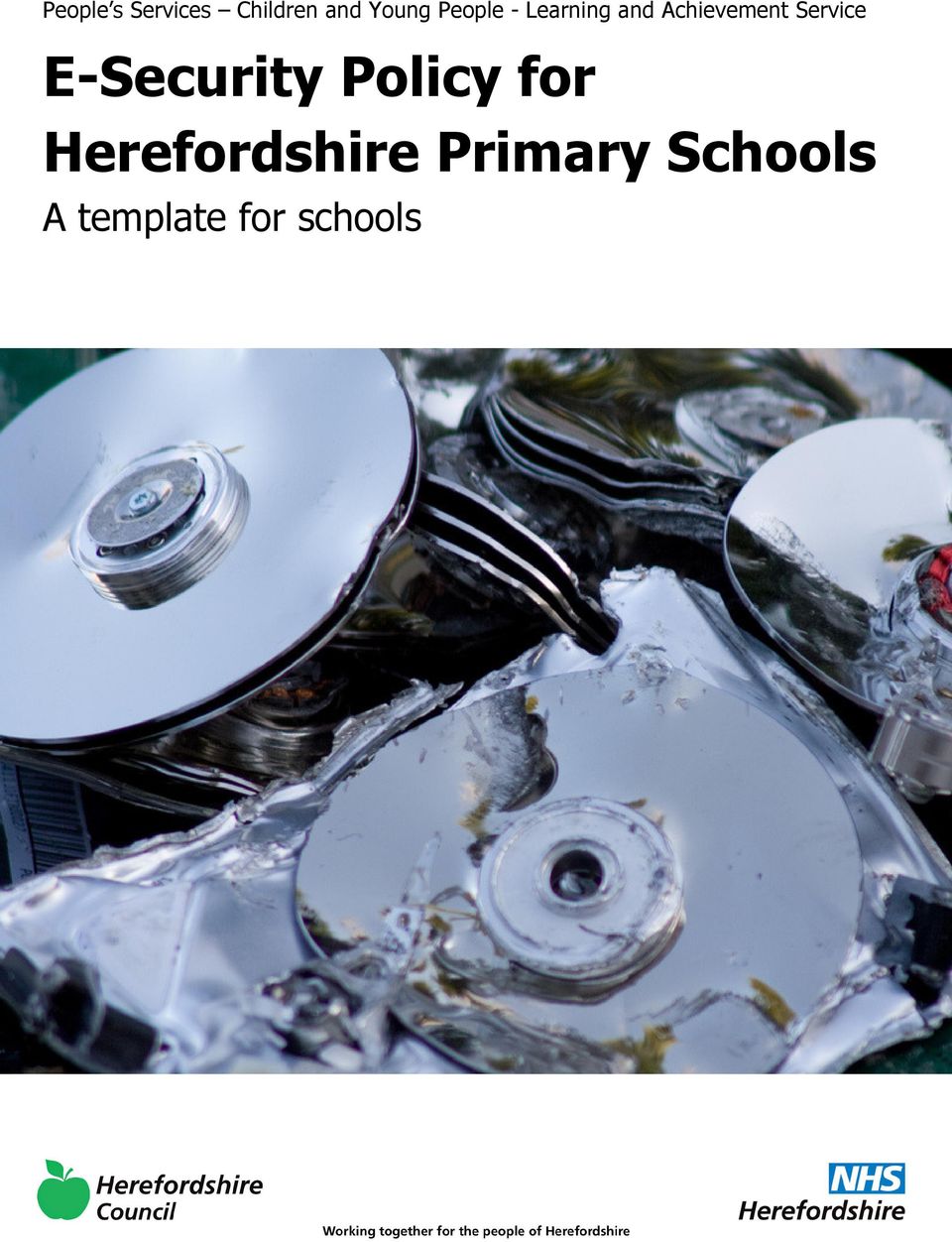
2 The cover photograph is by Will Deutsch and is used under the terms of the Creative Commons License. It can be found at Introduction Schools are expected, by Ofsted, to evaluate their level of e-safety (for example by using the SEF or similar tool) and are now subject to an increased level of scrutiny during school inspections. E-security is a part of that. Many schools are opting to gain recognition for the quality of their ICT provision through ICTMark accreditation. The ICTMark Self Review Framework (SRF) contains a number of aspects regarding the school s e-safety and e-security policies and provision. Schools will need carefully to review this policy template and amend sections, as necessary, in the light of practice in their own school, and changes in legislation. Page 2 August 2011 [email protected]
3 How to use this policy template You may wish to delete this section from your final policy This template policy for Herefordshire schools draws heavily on material from the e-safety policy template provided by the South West Grid for Learning; internationally recognised as a leading authority on all matters relating to e- safety. The material has been adapted in the light of provision in Herefordshire and can form the basis of any Herefordshire school s own policy. The original SWGfL materials can be found at There is also an e-safety template policy available for Herefordshire schools, which deals with issues around e-safety that relate more directly to the classroom, to learning and teaching and to the direct use of ICT by pupils. The e- safety and e-security policies are sister policies and should be developed side by side. The material has again been adapted from the SWGfL template e-safety policy and repurposed for Herefordshire schools. We have taken the decision to separate the two policies in an attempt to keep them more manageable. The 360 Degree Safe E-Safety Mark is a recognised award provided through SWGfL. WMNet (the West Midlands equivalent to SWGfL) is now working in partnership with SWGfL and Herefordshire schools wishing to go forward for assessment to receive this award can do so at the reduced rate of 150. Herefordshire s Learning and Achievement Service ICT consultants are accredited assessors for this award and will be happy to guide schools through the process and to carry out the necessary assessment. The 360 Degree Safe self review tool that leads to this award is free of charge and is an excellent way to evaluate your school s e-safety provision (perhaps alongside the adaptation and implementation of this policy). If you wish to take this further please contact [email protected]. The self review tool can be found at How shall we go about writing our policy? This is a key consideration. If it is to be effective your school s e-safety policy must be tailored to the needs of your school and an important part of the process will be the discussion and consultation which takes place during the writing or review of the policy. This will help ensure that the policy is owned and accepted by the whole school community. It is suggested that consultation in the production of this policy should involve: Governors Teaching Staff and Support Staff Pupils Parents ICT Technical Support Staff Admin staff August 2011 Page 3

4 Practicalities modifying the document Within this template sections which include information or guidance are shown in small print and in a box like this one. It is anticipated that schools would remove these sections from their completed policy document, though this will be a decision for the group that produces the policy. Statements and bullet points in normal 11pt text are those that we consider should form a part of your finished policy, though feel free to modify them so that they reflect your approach in school. Where sections in the template are written in italics it is anticipated that schools would wish to consider whether or not to include that statement in their completed policy. You may also wish to write some of your own. The table of contents (which also contains links to the sections in the document) has been added properly and automatically draws its data from the text in the document using the styles Heading 1, Heading 2 and Heading 3. (ie any text in the document that has that formatting will appear in the table of contents). To update the table of contents just right click over any part of it and select Update Field then choose Update entire table. Headers and footers please feel free to double click in these areas to modify their contents. Links to other core ICT policies You will have other core ICT policies in school (if not, Herefordshire templates are available for those too) and it is important that these all agree. We suggest the following: ICT Policy How ICT is used, managed, resourced and supported in our school E-Safety Policy How we strive to ensure that all individuals in school stay safe while using ICT. The e- safety policy constitutes a part of the ICT policy. E-Security Policy ICT Progression How we categorise, store and transfer sensitive and personal data. This links strongly and overlaps with the e-safety policy. Four key documents and associated resources directly relating to learning covering the ICT Curriculum Links to other policies relating to e-safety There are obvious links to other policies that will exist in school (other than ICT policies) and agin it is import that they are in line with each other. You may wish to visit the following to check this: Anti-bullying PSHE Safeguarding Behaviour Wider consultation How our school strives to illuminate bullying link to cyber bullying E-Safety has links to this staying safe Safeguarding children electronically is an important aspect of E-Safety. The e-safety policy forms a part of the school s safeguarding policy Positive strategies for encouraging e-safety and sanctions for disregarding it. In producing this template policy we have worked with other local organisations, in particular: The Herefordshire Safeguarding Children Board (HSCB) Herefordshire ICT Services Other providers of technical support for Herefordshire schools Policy documents from other local authorities and RBCs, in particular SWGfL and Kent County Council Mark Sanderson Primary ICT Consultant Herefordshire Learning and Achievement Service August 2011 Page 4 August 2011 [email protected]
5 Contents Introduction... 2 How to use this policy template... 3 Contents... 5 Background and rationale... 6 Section A Personal data security... 7 A.1 Personal Data... 7 A.2 Responsibilities... 7 A.3 Registration... 8 A.4 Information to parents / carers the Fair Processing Notice... 8 A.5 Training & awareness... 8 A.6 Identification of data... 8 A.7 Secure Storage of and access to data... 9 A.8 Secure transfer of data and access out of school A.9 Disposal of data A.10 Audit Logging / Reporting / Incident Handling Section B - Password security B.1 Policy Statements B.2 Responsibilities B.3 Training and awareness raising B.4 Audit, monitoring, reporting and review of password policy Section C - Technical security Appendix 1 Legislation Appendix 2 - Supporting resources and links Appendix 3 - Glossary of terms August 2011 Page 5
6 Background and rationale Recent publicity about the loss of personal data by organisations and individuals has made e-security a current and high profile issue for schools and other organisations. It is important that schools have a clear and well understood policy on e-security because: No school or individual would want to be the cause of any loss of personal data, particularly as the impact of data loss on individuals can be severe and cause extreme embarrassment, put individuals at risk and affect personal, professional or organisational reputation. Schools are data rich and the introduction of electronic storage and transmission of data has created additional potential for the loss of data The school will want to avoid the criticism and negative publicity that could be generated by any loss of personal data. The school is subject to a wide range of legislation related to data protection and data use, with significant penalties for failure to observe the relevant legislation. Schools have always held personal data on the pupils in their care, and increasingly this data is held digitally and accessible not just in school but also from remote locations. Legislation covering the safe handling of this data is addressed by the UK Data Protection Act 1998 and following a number of losses of sensitive data, a report was published by the Cabinet Office in June 2008, Data Handling Procedures in Government. This stipulates the procedures that all departmental and public bodies should follow in order to maintain security of data. Given the personal and sensitive nature of much of the data held in schools, it is critical that they adopt these procedures too. It is important to stress that the policies relating to personal data apply to all forms of that data, regardless of whether it is held on paper or in electronic format. As it is part of an overall e-safety / e-security policy template, this document will place particular emphasis on data which is held or transferred digitally and on the security of systems and technology that hold that data.
7 Section A Personal data security Schools should do everything within their power to ensure the safety and security of any material of a personal or sensitive nature (Becta Good Practice in information handling in schools keeping data secure, safe and legal Sept 2008). It is the responsibility of all members of the school community to take care when handling, using or transferring personal data that it cannot be accessed by anyone who does not: have permission to access that data need to have access to that data. Any loss of personal data can have serious effects for individuals and / or institutions concerned, can bring the school into disrepute and may well result in disciplinary action and / or criminal prosecution. All transfer of data is subject to risk of loss or contamination. Anyone who has access to personal data must know, understand and adhere to this policy, which brings together the legal requirements contained in relevant data legislation and relevant regulations and guidance from the Local Authority. (schools will need to check on this) The Data Protection Act (1998) lays down a set of rules for processing of personal data (both structured manual records and digital records). It provides individuals (data subjects) with rights of access and security and requires users of data (data processors) to be open about how it is used and to follow good information handling principles. The school will hold the minimum personal information necessary to enable it to perform its function and information will be erased once the need to hold it has passed. Data within your SIMS System will be retained throughout the life of the system pupil details MUST NOT be deleted, the school is responsible for retaining pupil records in line with County Policy. CM to find out how long for Every effort will be made to ensure that information is accurate, up to date and that inaccuracies are corrected without unnecessary delay. All personal data will be fairly obtained in accordance with the Fair Processing Code and lawfully processed in accordance with the Conditions for Processing. A.1 Personal Data The school and individuals will have access to a wide range of personal information and data. The data may be held in digital format or on paper records. Personal data is defined as any combination of data items that identifies an individual and provides specific information about them, their families or circumstances. This will include: Personal information about members of the school community including pupils, members of staff and parents and carers eg names, addresses, contact details, legal guardianship / contact details, health records, disciplinary records Curricular / academic data eg class lists, pupil / student progress records, reports, references Professional records eg employment history, taxation and national insurance records, appraisal records and references Any other information that might be disclosed by parents / carers or by other agencies working with families or staff members A.2 Responsibilities The school s Senior Risk Information Officer (SIRO) is (insert name or title). (Schools may choose to combine this role with that of Data Protection Officer). They will keep up to date with current legislation and guidance and will: determine and take responsibility for the school s information risk policy and risk assessment appoint the Information Asset Owners (IAOs) August 2011 Page 7
8 The school will identify Information Asset Owners (IAOs) (the school may wish to identify these staff by name or title in this section) for the various types of data being held (eg pupil / student information / staff information / assessment data etc). The IAOs will manage and address risks to the information and will understand : what information is held and for what purpose how information as been amended or added to over time who has access to protected data and why Schools are recommended to adopt the SIRO and IAO positions in the Becta document Good Practice in information handling in schools... see further reading section at the end of this template document. Everyone in the school has the responsibility of handling protected or sensitive data in a safe and secure manner. Governors are required to comply fully with this policy in the event that they have access to personal data, when engaged in their role as a Governor. A.3 Registration The school is registered as a Data Controller on the Data Protection Register held by the Information Commissioner. (schools are responsible for their own registration) A.4 Information to parents / carers the Fair Processing Notice Under the Fair Processing requirements in the Data Protection Act, the school will inform parents / carers of all pupils of the data they hold on the pupils, the purposes for which the data is held and the third parties (eg LA, DfE, Connexions etc) to whom it may be passed. This fair processing notice will be passed to parents / carers through... (to be inserted schools might choose to use the Prospectus, newsletters, reports or a specific letter / communication). Parents / carers of young people who are new to the school will be provided with the fair processing notice through. (to be inserted as above) It is also possible for the school to provide parents / carers with a data collection sheet for checking / retaining that will show all personal data held for the pupil. A copy of a specimen fair processing notice can be found at: It contains a relevant wording for the regulations pertaining to the transfer of information to Connexions, in secondary schools and new requirements resulting from the introduction of ContactPoint. A new specimen FPN is available for 2008/9. Schools are advised to contact their Local Authority for local versions of the Fair Processing Notice. A.5 Training & awareness All staff will receive data handling awareness / data protection training and will be made aware of their responsibilities, as described in this policy through: (schools should amend or add to as necessary) Induction training for new staff Staff meetings / briefings / Inset Day to day support and guidance from Information Asset Owners (or insert titles of relevant persons) A.6 Identification of data The school will ensure that all school staff, contractors working for it, and delivery partners, comply with restrictions applying to the access to, handling and storage of data classified as Protect, Restricted or higher. All documents (manual or digital) that contain protected data will be labelled clearly with the Impact Level shown in the header and the Release and Destruction classification in the footer:

9 Impact levels are as follows: IL1 Not Protectively Marked (IL1 NPM) IL2 Protect IL3 Restricted IL4 Confidential Users must be aware that when data is aggregated the subsequent impact level may be higher than the individual impact levels of the original data. Release and destruction markings will be shown in the footer as follows: (the table below is taken from Becta guidance. Schools will need to decide, in line with LA Guidance how their data is marked) [Release] [Parties] [Restrictions] [Encrypt, Securely delete or shred] The authority descriptor The individuals or organisations the information may be released to Descriptor tailored to the specific individual How the document should be destroyed Examples: Senior Information Risk Owner School use only No internet access No photos Securely delete or shred Teacher Mother only No information to father ASBO Securely delete or shred Becta guidance recommends that educational ICT systems should be set up to label the output of any protected data as being IL3-Restricted by default and that schools should consider this when procuring new ICT systems. Becta is working with suppliers to investigate solutions for the incorporation of implicit labelling within MIS and learning platforms. Where systems are inter-connected, appropriate security must be provided in the end system (that is, the system that aggregates the data), together with supporting procedural measures. As of September 2008, the vast majority of systems do not enforce data protection on the basis of Impact Level labels. Schools will need to review the above section with regard to LA policies, which may be more specific, particularly in the case of HR records. A.7 Secure Storage of and access to data The school will ensure that ICT systems are set up so that the existence of protected files is hidden from unauthorised users and that users will be assigned a clearance that will determine which files are accessible to them. Schools set the access rights for their staff from a prescribed menu within SIMS however these roles are editable by the school. All users will be given secure user names and strong passwords which must be changed regularly (insert relevant school details as per the school s password security policy). User names and passwords must never be shared. August 2011 Page 9
![Schools will need to decide, in line with LA Guidance how their data is marked) [Release] [Parties] [Restrictions] [Encrypt, Securely delete or shred] The authority descriptor The individuals or](/docs-images/50/15523799/images/page_9.jpg "organisations the information may be released to Descriptor tailored to the specific individual How the document should be destroyed Examples: Senior Information Risk Owner School use only No")
10 Personal data may only be accessed on machines that are securely password protected. Any device that can be used to access data must be locked if left (even for very short periods) and set to auto lock if not used for five minutes. All storage media must be stored in an appropriately secure and safe environment that avoids physical risk, loss or electronic degradation. Personal data is not to be stored on school equipment (this includes computers and portable storage media). Private equipment (ie owned by the users) must not be used. When personal data is stored on any portable computer system, USB stick or any other removable media: the data must be encrypted and password protected (Please see backup documentation from the local authority (revised September 2011) the device must be password protected (many memory sticks / cards and other mobile devices cannot be password protected) the device must offer approved virus and malware checking software the data must be securely deleted from the device, in line with school policy (below) once it has been transferred or its use is complete The school will need to set its own policy as to whether data storage on removal media is allowed, even if encrypted some organisations do not allow storage of personal data on removable devices. The school has clear policy and procedures for the automatic backing up, accessing and restoring all data held on school systems, including off-site backups. (the school will need to set its own policy, relevant to its physical layout, type of ICT systems etc) All paper based IL2-Protected and IL3-Restricted (or higher) material must be held in lockable storage. The school recognises that under Section 7 of the Data Protection Act, data subjects have a number of rights in connection with their personal data, the main one being the right of access. Procedures are in place (insert details here) to deal with Subject Access Requests ie. a written request to see all or a part of the personal data held by the data controller in connection with the data subject. Data subjects have the right to know: if the data controller holds personal data about them; a description of that data; the purpose for which the data is processed; the sources of that data; to whom the data may be disclosed; and a copy of all the personal data that is held about them. Under certain circumstances the data subject can also exercise rights in connection with the rectification; blocking; erasure and destruction of data. A.8 Secure transfer of data and access out of school The school recognises that personal data may be accessed by users out of school, or transferred to the LA or other agencies. In these circumstances: Users may not remove or copy sensitive or personal data from the school or authorised premises without permission and unless the media is encrypted and password protected and is transported securely for storage in a secure location. (see earlier section LA / school policies may forbid such transfer) Anycomms and Anycomms + are currently used by Herefordshire schools for the secure transfer of data, Our school does not pupil data. Users must take particular care that computers or removable devices which contain personal data must not be accessed by other users (eg family members) when out of school. When data is required by an authorised user from outside the school premises (for example, by a teacher or student working from their home or a contractor) they must have secure remote access to the management information system (MIS) or learning platform. Users must protect all portable and mobile devices, including media, used to store and transmit personal information using approved encryption software.

11 Particular care should be taken if data is taken or transferred to another country, particularly outside Europe, and advice should be taken from the local authority in this event. (nb. to carry encrypted material is illegal in some countries) (Schools will find detailed guidance on data encryption in the Becta document Good practice in information handling in schools Data Encryption - a guide for staff and contractors tasked with implementing a system of secure data encryption and deletion ) A.9 Disposal of data The school will comply with the requirements for the safe destruction of personal data when it is no longer required. The disposal of protected data, in either paper or electronic form, must be conducted in a way that makes reconstruction highly unlikely. Electronic files must be securely overwritten, in accordance with government guidance (see further reading section for reference to the Cabinet Office guidance), and other media must be shredded, incinerated or otherwise disintegrated for data. A Destruction Log should be kept of all data that is disposed of. The log should include the document ID, classification, date of destruction, method and authorisation. A.10 Audit Logging / Reporting / Incident Handling As required by the Data Handling Procedures in Government document, the activities of data users, in respect of electronically held personal information, will be logged and these logs will be monitored by responsible individuals. (insert name or title) The audit logs will be kept to provide evidence of accidental or deliberate security breaches including loss of protected data or breaches of an acceptable use policy, for example. Specific security events should be archived and retained at evidential quality for seven years. (Schools will find detailed guidance on audit logging in the Becta document Good practice in information handling in schools - audit logging and incident handling - a guide for staff and contractors tasked with implementing data security ) The school has a policy for reporting, managing and recovering from information risk incidents, which establishes: (schools should determine their own reporting policy, in line with that of their LA, and add details here) a responsible person for each incident a communications plan, including escalation procedures and results in a plan of action for rapid resolution and a plan of action of non-recurrence and further awareness raising. All significant data protection incidents must be reported through the SIRO to the Information Commissioner s Office based upon the local incident handling policy and communication plan. August 2011 Page 11
12 Section B - Password security Password security is a tricky and often contentious issue for primary schools. It is often argued that the younger pupils cannot manage complicated password routines and that they interfere with pupil s ease of access to ICT systems and therefore prevent learning from taking place. There is a good deal of logic in this argument though the age / stage at which a pupil is ready to move onto a more secure system of logging into the computer system is often the more contentious argument. The suggested statements in this section are intended to represent a reasonable compromise and the situation in the majority of schools. Schools should consider all of these statements carefully in the light of their existing practice and also consider whether this needs to change. The school will be responsible for ensuring that the school infrastructure / network is as safe and secure as is reasonably possible and that: users can only access data to which they have right of access no user should be able to access another s files, without permission (or as allowed for monitoring purposes within the school s policies). access to personal data is securely controlled in line with the school s personal data policy logs are maintained of access by users and of their actions while users of the system A safe and secure username / password system is essential if the above is to be established and will apply to all school ICT systems, including and Virtual Learning Environment (VLE). B.1 Policy Statements All users (at KS2 and above) will have clearly defined access rights to school ICT systems. Details of the access rights available to groups of users will be recorded by the ICT Technician and will be reviewed, at least annually, by the E-Safety Committee (or other group). All users (at KS2 and above) will be provided with a username and password by the school s ICT Technician who will keep an up to date record of users and their usernames and has the ability to reset passwords. Pupils in EYFS and KS1 do not usually use their individual logins, simple class logins are used instead (though every pupil s individual login is available and ready to be used at any time and children in Y2 especially are often moved on when it is felt they are ready for this). Schools need to be aware of the risks associated with whole class logins which make it very difficult to identify any individual who may have infringed the rules set out in the policy and the AUP. Use by pupils in this way should always be supervised and members of staff should never use a class log on for their own network access. Schools should also consider the implications of the development of Learning Platforms and home access on whole class logins and passwords) Users are not routinely required to change their passwords, though the school s e-safety education programme makes clear the advantages of doing so and especially where high security is important. Users are required to change their passwords themselves if their details become known by another person. Class passwords (below KS2) are not changed. This is, again, a contentious issue. Best practice is for all users to be automatically required to change their password every month or two. The practicalities of this in school make it difficult. Schools should keep the matter under review, especially in the light of developing technology (in and out of school) and expectations of other systems (such a VLE, for example) Staff users have the facility to access all pupil work areas via their normal login. This is to enable monitoring of work and ICT activity by children. This is also useful in the situation where a pair or group of children have been working collaboratively and the child whose login was used is unexpectedly absent; the teacher can move the work in question to another child s work area. In this way it is not necessary for a child to login using another child s account. A multi-user account is available for visitors to the school (e.g. supply teachers). This has been carefully controlled to give only the access to the system that is needed and the username and password is given to users as required.

13 In the extraordinary case of a member of the wider community needing access to the school s ICT system outside the normal work of the school (e.g. for out of hours use by a community group) a special login is created by the school s ICT Technician with access rights agreed with the head teacher, ICT coordinator or e-safety coordinator. Such users are required to sign an Acceptable Use Policy (see Appendix 1 of the e-safety policy) before being granted this access. Encryption software is installed on all staff laptops (where potentially sensitive data is stored and the machines are regularly taken off site). The master / administrator passwords for the school ICT system, used by the Network Manager and usually also the ICT coordinator must also be available to the head teacher or other nominated senior leader and kept in a secure place (eg school safe). (Alternatively, where the system allows more than one master / administrator log-on, the head teacher or other nominated senior leader should be allocated those master / administrator rights. A school should never allow one user to have sole administrator access). Schools may like to consider some basic best practice rules for passwords when developing their policy in this area: passwords must be changed every xxxx the last four passwords cannot be re-used the password should be a minimum of 8 characters long and must include three of uppercase character, lowercase character, number, special character the account should be locked out following six successive incorrect log-on attempts temporary passwords e.g. used with new user accounts or when users have forgotten their passwords, shall be enforced to change immediately upon the next account log-on requests for password changes should be authenticated by (the responsible person) to ensure that the new password can only be passed to the genuine user B.2 Responsibilities The ICT technician will be responsible for the day to day management of the password security policy All users (adults and young people other than pupils in EYFS and KS1) will have responsibility for the security of their username and password. They: must not allow other users to access the systems using their log on details and must immediately report any suspicion or evidence that there has been a breach of security must change their password if they are aware that it has become known by another user. must logoff at the end of their session and before leaving the computer. EYFS and KS1 pupils use class logins which are shared. Passwords for new users, and replacement passwords for existing users can be allocated by the ICT technician or, if needed more immediately, the ICT coordinator. Any changes carried out to passwords must be notified to the manager of the password security policy (above). B.3 Training and awareness raising We recognise that is important that users should be made aware of the need for keeping passwords secure, and the risks attached to unauthorised access / data loss. Please see section C of the school s e-safety policy for specific guidance on e-safety education (which includes the use of passwords) Members of staff will be made aware of the school s password policy: at induction August 2011 Page 13

14 through the school s e-safety and e-security policies through the Acceptable Use Agreement (see Appendix 1 of the school e-safety policy) Pupils will be made aware of the school s password policy: in ICT and / or e-safety lessons (the school should describe how this will take place) through the Acceptable Use Agreement (see Appendix 1 of the school e-safety policy) B.4 Audit, monitoring, reporting and review of password policy The responsible person (insert title) will ensure that full records are kept of: User IDs and requests for password changes User log-ons Security incidents related to this policy In the event of a serious security incident, the police may request and will be allowed access to passwords used for encryption. Local Authority auditors also have the right of access to passwords for audit investigation purposes User lists, IDs and other security related information must be given the highest security classification and stored in a secure manner. These records will be reviewed by... (E-Safety Officer / E-Safety Committee / E-Safety Governor) at regular intervals (state the frequency). This policy will be regularly reviewed (along with the e-safety policy) on a regular basis (see section A.2.1 of the e- safety policy) and in response to changes in guidance and evidence gained from the logs.
15 Section C - Technical security The school will be responsible for ensuring that the school infrastructure / network is as safe and secure as is reasonably possible and that policies and procedures approved within this policy are implemented. It will also need to ensure that the relevant people named in the above sections will be effective in carrying out their e- security responsibilities: Schools have very differing ICT infrastructures and differing views as to how these technical issues will be handled it is therefore essential that this section is fully discussed by a wide range of staff technical, educational and administrative staff before these statements are agreed and added to the policy:) School ICT systems will be managed in ways that ensure that the school meets the e-safety technical requirements outlined in the schools e-safety and e-security policies and acceptable use policy and in line with the policies of Herefordshire ICT Services (to whose infrastructure the school is connected) There will be regular reviews and audits of the safety and security of school ICT systems Servers, wireless systems and cabling must be securely located and physical access restricted Appropriate security measures are in place (schools may wish to provide more detail) to protect the servers, firewalls, routers, wireless systems, work stations, hand held devices etc from accidental or malicious attempts which might threaten the security of the school systems and data. The school infrastructure and individual workstations are protected by up to date virus software. Pupil accounts allow access to limited storage areas, they cannon access local hard drives and are unable to run executable files. Staff accounts allow greater access to the network and to local drives. Staff are able to run executable files but do so within the acceptable use agreement they sign (see Appendix 1 of the e-safety policy) Staff laptops are provided for staff professional use while the member of staff is employed by the school. These machines are allowed off-site and are protected by encryption software Members of staff are permitted to install software on these machines as long as the installation is legal, within the scope of the licensing agreement owned by the school and professionally necessary. The storage of personal files (including image, music and video collections) on computers owned by the school is not permitted. Members of staff are not permitted to store school data on personally owned devices. Please refer to section A.2.6 of the e-safety policy for definitions of inappropriate or illegal activity and related sanctions. Please refer to the sections in A.3 of the e-safety policy for further guidance on acceptable use. August 2011 Page 15

16 Appendix 1 Legislation Schools should be aware of the legislative framework under which this E-Security Policy template and guidance has been produced. It is important to note that in general terms an action that is illegal if committed offline is also illegal if committed online. Please see Appendix 1 It is recommended that legal advice is sought in the advent of an e safety issue or situation. Computer Misuse Act 1990 This Act makes it an offence to: Erase or amend data or programs without authority; Obtain unauthorised access to a computer; Eavesdrop on a computer; Make unauthorised use of computer time or facilities; Maliciously corrupt or erase data or programs; Deny access to authorised users. Data Protection Act 1998 This protects the rights and privacy of individual s data. To comply with the law, information about individuals must be collected and used fairly, stored safely and securely and not disclosed to any third party unlawfully. The Act states that person data must be: Fairly and lawfully processed. Processed for limited purposes. Adequate, relevant and not excessive. Accurate. Not kept longer than necessary. Processed in accordance with the data subject s rights. Secure. Not transferred to other countries without adequate protection. Freedom of Information Act 2000 The Freedom of Information Act gives individuals the right to request information held by public authorities. All public authorities and companies wholly owned by public authorities have obligations under the Freedom of Information Act. When responding to requests, they have to follow a number of set procedures. Communications Act 2003 Sending by means of the Internet a message or other matter that is grossly offensive or of an indecent, obscene or menacing character; or sending a false message by means of or persistently making use of the Internet for the purpose of causing annoyance, inconvenience or needless anxiety is guilty of an offence liable, on conviction, to imprisonment. This wording is important because an offence is complete as soon as the message has been sent: there is no need to prove any intent or purpose. Malicious Communications Act 1988 It is an offence to send an indecent, offensive, or threatening letter, electronic communication or other article to another person.
17 Regulation of Investigatory Powers Act 2000 It is an offence for any person to intentionally and without lawful authority intercept any communication. Monitoring or keeping a record of any form of electronic communications is permitted, in order to: Establish the facts; Ascertain compliance with regulatory or self-regulatory practices or procedures; Demonstrate standards, which are or ought to be achieved by persons using the system; Investigate or detect unauthorised use of the communications system; Prevent or detect crime or in the interests of national security; Ensure the effective operation of the system. Monitoring but not recording is also permissible in order to: Ascertain whether the communication is business or personal; Protect or support help line staff. The school reserves the right to monitor its systems and communications in line with its rights under this act. Trade Marks Act 1994 This provides protection for Registered Trade Marks, which can be any symbol (words, shapes or images) that are associated with a particular set of goods or services. Registered Trade Marks must not be used without permission. This can also arise from using a Mark that is confusingly similar to an existing Mark. Copyright, Designs and Patents Act 1988 It is an offence to copy all, or a substantial part of a copyright work. There are, however, certain limited user permissions, such as fair dealing, which means under certain circumstances permission is not needed to copy small amounts for non-commercial research or private study. The Act also provides for Moral Rights, whereby authors can sue if their name is not included in a work they wrote, or if the work has been amended in such a way as to impugn their reputation. Copyright covers materials in print and electronic form, and includes words, images, and sounds, moving images, TV broadcasts and other media (e.g. youtube). Telecommunications Act 1984 It is an offence to send a message or other matter that is grossly offensive or of an indecent, obscene or menacing character. It is also an offence to send a message that is intended to cause annoyance, inconvenience or needless anxiety to another that the sender knows to be false. Criminal Justice & Public Order Act 1994 This defines a criminal offence of intentional harassment, which covers all forms of harassment, including sexual. A person is guilty of an offence if, with intent to cause a person harassment, alarm or distress, they: - Use threatening, abusive or insulting words or behaviour, or disorderly behaviour; or Display any writing, sign or other visible representation, which is threatening, abusive or insulting, thereby causing that or another person harassment, alarm or distress. Racial and Religious Hatred Act 2006 This Act makes it a criminal offence to threaten people because of their faith, or to stir up religious hatred by displaying, publishing or distributing written material which is threatening. Other laws already protect people from threats based on their race, nationality or ethnic background. Protection from Harassment Act August 2011 Page 17
18 A person must not pursue a course of conduct, which amounts to harassment of another, and which he knows or ought to know amounts to harassment of the other. A person whose course of conduct causes another to fear, on at least two occasions, that violence will be used against him is guilty of an offence if he knows or ought to know that his course of conduct will cause the other so to fear on each of those occasions. Protection of Children Act 1978 It is an offence to take, permit to be taken, make, possess, show, distribute or advertise indecent images of children in the United Kingdom. A child for these purposes is a anyone under the age of 18. Viewing an indecent image of a child on your computer means that you have made a digital image. An image of a child also covers pseudo-photographs (digitally collated or otherwise). A person convicted of such an offence may face up to 10 years in prison Sexual Offences Act 2003 The new grooming offence is committed if you are over 18 and have communicated with a child under 16 at least twice (including by phone or using the Internet) it is an offence to meet them or travel to meet them anywhere in the world with the intention of committing a sexual offence. Causing a child under 16 to watch a sexual act is illegal, including looking at images such as videos, photos or webcams, for your own gratification. It is also an offence for a person in a position of trust to engage in sexual activity with any person under 18, with whom they are in a position of trust. (Typically, teachers, social workers, health professionals, connexions staff fall in this category of trust). Any sexual intercourse with a child under the age of 13 commits the offence of rape. Public Order Act 1986 This Act makes it a criminal offence to stir up racial hatred by displaying, publishing or distributing written material which is threatening. Like the Racial and Religious Hatred Act 2006 it also makes the possession of inflammatory material with a view of releasing it a criminal offence. Children, Families and Education Directorate page 38 April Obscene Publications Act 1959 and 1964 Publishing an obscene article is a criminal offence. Publishing includes electronic transmission. Human Rights Act 1998 This does not deal with any particular issue specifically or any discrete subject area within the law. It is a type of higher law, affecting all other laws. In the school context, human rights to be aware of include: The right to a fair trial The right to respect for private and family life, home and correspondence Freedom of thought, conscience and religion Freedom of expression Freedom of assembly Prohibition of discrimination The right to education These rights are not absolute. The school is obliged to respect these rights and freedoms, balancing them against those rights, duties and obligations, which arise from other relevant legislation. The Education and Inspections Act 2006 Empowers Headteachers, to such extent as is reasonable, to regulate the behaviour of students / pupils when they are off the school site and empowers members of staff to impose disciplinary penalties for inappropriate behaviour.

19 Appendix 2 - Supporting resources and links Teachernet Data processing and sharing - Office of the Information Commissioner website: Office of the Information Commissioner guidance notes: Access to pupil s information held by schools in England Information Commissioners Office - Data Protection: Becta Good Practice in information handling in schools keeping data secure, safe and legal and its four detailed appendices: (September 2008) Please note that the Becta website is now archived at: Cabinet Office Data handing procedures in Government a final report (June 2008) South West Grid for Learning SWGfL Safe InSafe Byron Review ( Safer Children in a Digital World ) London Grid for Learning National Education Network NEN E-Safety Audit Tool: WMNet August 2011 Page 19

20 Appendix 3 - Glossary of terms AUP Becta CEOP DfE FOSI HSCB ICT ICT Mark Acceptable Use Policy see templates earlier in this document British Educational Communications and Technology Agency (former government agency which promoted the use of information and communications technology materials and resources are still used) Child Exploitation and Online Protection Centre (part of UK Police), dedicated to protecting children from sexual abuse, providers of the Think U Know programmes. Department for Education Family Online Safety Institute Herefordshire Safeguarding Children Board (the local safeguarding board) Information and Communications Technology Quality standard for schools provided by Becta ICT Services Herefordshire ICT Services - provide broadband services and ICT support to Herefordshire schools INSET IP address ISP IWF JANET In Service Education and Training The label that identifies each computer to other computers using the IP (internet protocol) Internet Service Provider Internet Watch Foundation Provides the broadband backbone structure for Higher Education and for the National Education Network and RBCs. KS1.. KS1 = years 1 and 2 (ages 5 to 7) KS2 = years 2 to 6 (age 7 to 11) LA LAN LSCB MIS NEN Ofcom Ofsted PDA PHSE SRF SWGfL URL VLE WMNet Local Authority Local Area Network Local Safeguarding Children Board Management Information System National Education Network works with the Regional Broadband Consortia (eg WMNet) to provide the safe broadband provision to schools across Britain. Office of Communications (Independent communications sector regulator) Office for Standards in Education, Children s Services and Skills Personal Digital Assistant (handheld device) Personal, Health and Social Education Self Review Framework a tool maintained by Naace used by schools to evaluate the quality of their ICT provision and judge their readiness for submission for the ICTMark South West Grid for Learning the Regional Broadband Consortium of SW Local Authorities and recognised authority on all matters relating to e-safety (on whose policy this one is based) Universal Resource Locator posh name for a web address Virtual Learning Environment - an online system designed to support teaching and learning in an educational setting, The Regional Broadband Consortium of West Midland Local Authorities provides support for all schools in the region and connects them all to the National Education Network (Internet)

Development / Monitoring / Review of this Policy. Schedule for Development / Monitoring / Review
 Blakeley Heath Primary School E-Safety Policy Development / Monitoring / Review of this Policy This e-safety policy has been developed by a working group made up of: Headteacher Coordinator Staff including
Roles and Responsibilities The following section outlines the e-safety roles and responsibilities of individuals and groups within Heath Farm School:
 Introduction This e-safety policy was approved by the School Senior Leadership Team: January2015 The implementation of this e-safety policy will be monitored by the: E-Safety Coordinator, Senior Leadership
John of Rolleston Primary School
 John of Rolleston Primary School E-Safety Policy February 2014 Contents 1 Introduction... 2 2 Aims... 2 3 Roles and Responsibilities... 2 3.1 Governors... 2 3.2 The Headteacher... 2 3.3 The Senior Leadership
360 Degree Safe Cymru SELF REVIEW TOOL
 360 Degree Safe Cymru SELF REVIEW TOOL UPDATED OCTOBER 2014 The South West Grid for Learning Trust, Belvedere House, Woodwater Park, Pynes Hill, Exeter, EX2 5WS. Tel: 0845 601 3203 Email: [email protected]
E- Safety and Digital Photography - College ICT
 Penrice Academy E-SAFETY POLICY Adopted by the Governing Body on June 2013 Review date: June 2015 Scope of the Policy This policy applies to all members of the College community (including staff, students,
Berwick Academy Policy on E Safety
 Berwick Academy Policy on E Safety Overview The purpose of this document is to describe the rules and guidance associated with E Safety and the procedures to be followed in the event of an E Safety incident
How To Protect School Data From Harm
 43: DATA SECURITY POLICY DATE OF POLICY: FEBRUARY 2013 STAFF RESPONSIBLE: HEAD/DEPUTY HEAD STATUS: STATUTORY LEGISLATION: THE DATA PROTECTION ACT 1998 REVIEWED BY GOVERNING BODY: FEBRUARY 2013 EDITED:
SCHOOL ONLINE SAFETY SELF REVIEW TOOL
 SCHOOL ONLINE SAFETY SELF REVIEW TOOL UPDATED February 2016 The South West Grid for Learning, Belvedere House, Woodwater Park, Pynes Hill, Exeter, EX2 5WS. Tel: 0844 381 4772 Email: [email protected]
The Bishop s Stortford High School Internet Use and Data Security Policy
 Internet Acceptance Use and Data Security Policy Last Updated: 08/10/2012 Date of Next Review: 08/10/2015 Approved by GB: 10/10/2012 Responsible Committee: Student Welfare and Development Internet Acceptable
St Bernadette s Catholic Primary School. E-Safety Policy
 St Bernadette s Catholic Primary School E-Safety Policy St Bernadette s Catholic Primary School - e-safety policy Our Vision St Bernadette s Catholic Primary School embrace the positive impact and educational
TECHNICAL SECURITY AND DATA BACKUP POLICY
 TECHNICAL SECURITY AND DATA BACKUP POLICY PURPOSE Effective technical security depends not only on technical measures, but also on appropriate policies and procedures and on good user education and training.
Acceptable Use of ICT Policy. Staff Policy
 Acceptable Use of ICT Policy Staff Policy Contents INTRODUCTION 3 1. ACCESS 3 2. E-SAFETY 4 3. COMPUTER SECURITY 4 4. INAPPROPRIATE BEHAVIOUR 5 5. MONITORING 6 6. BEST PRACTICE 6 7. DATA PROTECTION 7 8.
ST. MARGARET CLITHEROW ROMAN CATHOLIC PRIMARY SCHOOL E-SAFETY POLICY
 ST. MARGARET CLITHEROW ROMAN CATHOLIC PRIMARY SCHOOL www.clitherow.herts.sch.uk [email protected] E-SAFETY POLICY Ownership: Curriculum Committee Document Date: October 2012 Review Date: October
Dene Community School of Technology Staff Acceptable Use Policy
 Policy Overview Dene Community School of Technology The school provides computers for use by staff as an important tool for teaching, learning, and administration of the school. Use of school computers,
School Information Security Policy
 School Information Security Policy Created By: Newport Education Service Date Created: 22 December 2009 Version: V1.0 Contents Background... 3 IT Infrastructure... 3 IT Access... 3 Acceptable use policy...
St Vincent s Catholic Primary School e-safety Policy
 St Vincent s Catholic Primary School e-safety Policy Policy e-safety Policy Date January 2015 Date of review January 2016 Signed Chair of Governors Signed Headteacher Effective Practice in e-safety E-safety
4. The Importance of Internet Use in the Primary Curriculum
 Policy Contents 1. Introduction 2. Disability 3. Writing and Reviewing the e-safety Policy 4. The Importance of Internet Use in the Primary Curriculum 5. The Benefits of Using the Internet in Education
SCHOOL E-SAFETY SELF REVIEW TOOL
 SCHOOL E-SAFETY SELF REVIEW TOOL The South West Grid for Learning, Belvedere House, Woodwater Park, Pynes Hill, Exeter, Devon, UK, EX2 5WS. Tel: 0845 601 3203 Fax: 01392 366 494 Email: [email protected]
Endon High School. e-safety policy
 Endon High School e-safety policy Development / Monitoring / Review of this Policy This e-safety policy has been developed by a Endon High School s esafety Group Mr A. Skelding, Assistant Headteacher,
Acceptable Use Policy (AUP) School Computing
 Acceptable Use Policy (AUP) School Computing Approved by the Governing Body on Spring 2015 Review Date Spring 2018 Headteacher: Mr Ian Holmes BSc. (Hons) NPQH HOLBROOK PRIMARY SCHOOL Holbrook School Lane,
Email Policy and Code of Conduct
 Email Policy and Code of Conduct UNIQUE REF NUMBER: CCG/IG/011/V1.2 DOCUMENT STATUS: Approved by Audit Committee 19 June 2013 DATE ISSUED: June 2013 DATE TO BE REVIEWED: June 2014 1 P age AMENDMENT HISTORY
So the security measures you put in place should seek to ensure that:
 Guidelines This guideline offers an overview of what the Data Protection Act requires in terms of information security and aims to help you decide how to manage the security of the personal data you hold.
UNIVERSITY OF ST ANDREWS. EMAIL POLICY November 2005
 UNIVERSITY OF ST ANDREWS EMAIL POLICY November 2005 I Introduction 1. Email is an important method of communication for University business, and carries the same weight as paper-based communications. The
Internet Use Policy and Code of Conduct
 Internet Use Policy and Code of Conduct UNIQUE REF NUMBER: AC/IG/023/V1.1 DOCUMENT STATUS: Agreed by Audit Committee 18 July 2013 DATE ISSUED: July 2013 DATE TO BE REVIEWED: July 2014 1 P age AMENDMENT
EASTNOR PAROCHIAL PRIMARY SCHOOL STAFF SOCIAL NETWORKING POLICY. Inspire and Achieve
 EASTNOR PAROCHIAL PRIMARY SCHOOL STAFF SOCIAL NETWORKING POLICY Inspire and Achieve Introduction This document sets out the guidance on social networking and aims to: Set clear expectations of behaviour
BANK VIEW HIGH SCHOOL
 BANK VIEW HIGH SCHOOL POLICY & PROCEDURES FOR E-SAFETY Chair of Governors Date./ / 20. Review Date./ / 20. Bank View High School E-Safety Policy INTRODUCTION Our policy applies to all students, staff,
WORTHING COLLEGE STUDENT IT SECURITY POLICY. October 2014
 WORTHING COLLEGE STUDENT IT SECURITY POLICY October 2014 Policy name Student Information Technology Security Policy Author: Lesley May/Michael Perry Approved by SLT October 2014 Approved by Corporation
SUTTON COLDFIELD GRAMMAR SCHOOL FOR GIRLS E SAFETY AND SECURITY POLICY DATE: MARCH 2015 REVISION DATE: MARCH 2017
 SUTTON COLDFIELD GRAMMAR SCHOOL FOR GIRLS E SAFETY AND SECURITY POLICY 1 DATE: MARCH 2015 REVISION DATE: MARCH 2017 Background / rationale New technologies have become integral to the lives of children
LCC xdsl Usage Policy
 LCC xdsl Usage Policy 1. Introduction For the Internet to operate in a manner that satisfies the majority of its users, all users need to observe some rules and etiquette governing their use of it. These
How To Use The School Network Safely
 Policy Document Information and Communication Technology and E-Safety Acceptable Use Policy Mission Statement The school is committed to the use of ICT across the curriculum and to providing all students
Social Networking Policy
 Social Networking Policy Policy Date June 2013 Review Date June 2015 Section 1: Introduction 1.1 Objectives 1.1.1 This policy sets out West Row Primary School s policy on social networking. New technologies
INFORMATION SECURITY POLICY. Contents. Introduction 2. Policy Statement 3. Information Security at RCA 5. Annexes
 INFORMATION SECURITY POLICY Ratified by RCA Senate, February 2007 Contents Introduction 2 Policy Statement 3 Information Security at RCA 5 Annexes A. Applicable legislation and interpretation 8 B. Most
Caedmon College Whitby
 Caedmon College Whitby Data Protection and Information Security Policy College Governance Status This policy was re-issued in June 2014 and was adopted by the Governing Body on 26 June 2014. It will be
UTC Cambridge ICT Policy
 UTC Cambridge ICT Policy Lead member of SLT: Designated Governor: Staff Member: Principal TBC Lead IT & Telecommunication Technician Contents Introduction Scope Purpose Monitoring of college systems Prohibitions
Human Resources Policy documents. Data Protection Policy
 Policy documents Aims of the Policy apetito is committed to meeting its obligations under data protection law. As a business, apetito handles a range of Personal Data relating to its customers, staff and
Great Horwood C.E. Combined School E-Safety/ ICT Acceptable Use Policy
 Great Horwood C.E. Combined School E-Safety/ ICT Acceptable Use Policy November 2013 This policy was adopted on:... Date of last review:... Signed:... Great Horwood C.E. Combined School Page 1 Acceptable
Conditions of Use. Communications and IT Facilities
 Conditions of Use of Communications and IT Facilities For the purposes of these conditions of use, the IT Facilities are [any of the University s IT facilities, including email, the internet and other
Witton Middle School
 Witton Middle School e-safety Policy This e-safety Policy has been put together using guidance from the Worcestershire Local Authority (LA) and is based on the guidance provided by Becta. Our Vision Witton
Protocol for Acceptable Use of Internet and Email by Staff E-Safety Procedures Safeguarding & Child Protection Policy
 Category Document Name Accountable Body Security E-Safety Policy RADIUS Trust Reference SY.P2 Date Ratified 11 th December 2014 Version 3.1 Last Update 31 st March 2015 Related Documents Document Protocol
Newcastle University Information Security Procedures Version 3
 Newcastle University Information Security Procedures Version 3 A Information Security Procedures 2 B Business Continuity 3 C Compliance 4 D Outsourcing and Third Party Access 5 E Personnel 6 F Operations
2.0 Emended due to the change to academy status Review Date. ICT Network Security Policy Berwick Academy
 Version History Author Approved Committee Version Status date Eddie Jefferson 09/15/2009 Full Governing 1.0 Final Version Body Eddie Jefferson 18/08/2012 Full Governing Body 2.0 Emended due to the change
Social Networking Policy
 Feltonfleet School Social Networking Policy Introduction Objectives This policy sets out Feltonfleet School s policy on social networking. New technologies are an integral part of our lives and are powerful
Archbishop Beck Catholic Sports College
 Archbishop Beck Catholic Sports College E Safety Policy Ratified: May 2014 Ratified by: Governors Staffing Committee Review: May 2017-1 - - 2 - 1. Development/Monitoring/Review of this Policy This e-safety
Networking and Social Media Policy
 Networking and Social Media Policy 1 Objectives This policy sets out the Millfields Community School policy on social networking. New technologies are an integral part of our lives and are powerful tools
How To Deal With Social Media At Larks Hill J & I School
 LARKS HILL JUNIOR & INFANT SCHOOL Social Media Policy Written: Reviewed Autumn Term 2015 Larks Hill J & I School Social Media Policy 1. Introduction For the purposes of this policy, social media refers
STRATEGIC POLICY REQUIRED HARDWARE, SOFTWARE AND CONFIGURATION STANDARDS
 Policy: Title: Status: ISP-S9 Use of Computers Policy Revised Information Security Policy Documentation STRATEGIC POLICY 1. Introduction 1.1. This information security policy document contains high-level
Information Security Policy September 2009 Newman University IT Services. Information Security Policy
 Contents 1. Statement 1.1 Introduction 1.2 Objectives 1.3 Scope and Policy Structure 1.4 Risk Assessment and Management 1.5 Responsibilities for Information Security 2. Compliance 3. HR Security 3.1 Terms
WEST LOTHIAN COUNCIL INFORMATION SECURITY POLICY
 WEST LOTHIAN COUNCIL INFORMATION SECURITY POLICY DATA LABEL: PUBLIC INFORMATION SECURITY POLICY CONTENTS 1. INTRODUCTION... 3 2. MAIN OBJECTIVES... 3 3. LEGISLATION... 4 4. SCOPE... 4 5. STANDARDS... 4
Information Technology and Communications Policy
 Information Technology and Communications Policy No: FIN-IT-POL-001 Version: 03 Issue Date: 10.06.13 Review Date: 10.06.16 Author: Robert Cooper Monitor Changes Approved by: Board of Governors Version
Data Security and Extranet
 Data Security and Extranet Derek Crabtree Schools ICT Support Manager [email protected] Target Operating Model 2011 Merton Audit Organisation name: London Borough of Merton Periodic plan date:
Wilsthorpe Community School
 Wilsthorpe Community School Online Safety Policy REVIEWED March 2016 Introduction This Online Safety Policy has been written by the school, building on LA policy and government guidance. It has been agreed
Simon Langton Grammar School for Boys E-Safety Policy
 Background to the Policy Simon Langton Grammar School for Boys E-Safety Policy The E Safety Policy and its implementation will be reviewed annually. Our E Safety Policy has been written by the school,
Tameside Metropolitan Borough Council ICT Security Policy for Schools. Adopted by:
 Tameside Metropolitan Borough Council ICT Security Policy for Schools Adopted by: 1. Introduction 1.1. The purpose of the Policy is to protect the institution s information assets from all threats, whether
How To Protect Decd Information From Harm
 Policy ICT Security Please note this policy is mandatory and staff are required to adhere to the content Summary DECD is committed to ensuring its information is appropriately managed according to the
Rules for the use of the IT facilities. Effective August 2015 Present
 Rules for the use of the IT facilities Effective August 2015 Present INFORMATION MANAGEMENT GUIDE RULES FOR THE USE OF THE UNIVERSITY S IT FACILITIES ( The Rules ) 1. Introduction 2. Interpretation 3.
The Wellcome Trust Sanger Institute IT Acceptable Use Policy (AUP) Version 1.8
 The Wellcome Trust Sanger Institute IT Acceptable Use Policy (AUP) Version 1.8 Introduction The IT systems must be used in a reasonable manner and in such a way that does not affect their efficient operation,
ICT Security Policy for Schools
 WOLGARSTON HIGH SCHOOL Staffordshire ICT Security Policy for Schools A Statement of Policy Author: Readability Score: Frequency of Review: J Ablewhite 15-16 years Annually Amendments 2014 JA Page 1 of
www.neelb.org.uk Web Site Download Carol Johnston
 What I need to know about data protection and information security when purchasing a service that requires access to my information by a third party. www.neelb.org.uk Web Site Download Carol Johnston Corporate
ATHLONE INSTITUTE OF TECHNOLOGY. I.T Acceptable Usage Staff Policy
 ATHLONE INSTITUTE OF TECHNOLOGY I.T Acceptable Usage Staff Policy Table of Contents 1. Purpose... 2 2. Terminology... 2 3. Scope... 2 4. Acceptable Usage Policy... 3 5. Policy Acceptance... 6 6. Policy
Scottish Rowing Data Protection Policy
 Revision Approved by the Board August 2010 1. Introduction As individuals, we want to know that personal information about ourselves is handled properly, and we and others have specific rights in this
Summary Electronic Information Security Policy
 University of Chichester Summary Electronic Information Security Policy 2015 Summary Electronic Information Security Policy Date of Issue 24 December 2015 Policy Owner Head of ICT, Strategy and Architecture
How To Behave At A School
 THE LONG EATON SCHOOL ICT Security Policy Rules, expectations and advice for students APPROVED BY GOVERNORS: Student ICT Policy Introduction Educational establishments are using computer facilities more
FREDERICK BREMER SCHOOL E SAFETY POLICY 2015-6. Date of Issue: June 2015 Ratified: For review:
 FREDERICK BREMER SCHOOL E SAFETY POLICY 2015-6 Date of Issue: June 2015 Ratified: For review: Index Contents Page Number Introduction 3 Aim of the policy 3 Roles and Responsibilities 4 Frederick Bremer
E-Safety Policy for Childcare Settings 1
 E-Safety Policy for Childcare Settings 1 Reviewed October 2012 Introduction ICT, digital and mobile technology resources are now regarded as essential to support learning, teaching and personal and social
Policies & Procedures. Moat Community College E-Safety Policy
 Moat Community College E-Safety Policy Vision Statement Moat Community College embraces the positive impact and educational benefits that can be achieved through appropriate use of the Internet and associated
Merthyr Tydfil County Borough Council. Data Protection Policy
 Merthyr Tydfil County Borough Council Data Protection Policy 2014 Cyfarthfa High School is a Rights Respecting School, we recognise the importance of ensuring that the United Nations Convention of the