
70-662: Deploying Microsoft Exchange Server 2010
|
|
|
- Calvin Bond
- 10 years ago
- Views:
Transcription
1 70-662: Deploying Microsoft Exchange Server 2010 Course Introduction Course Introduction Chapter 01 - Active Directory and Supporting Infrastructure Active Directory and Supporting Infrastructure Network Infrastructure Active Directory Active Directory Infrastructure Active Directory Topology Trust Relationships Active Directory Components Active Directory Components - Domains and Domain Tree Active Directory Components - Forests Active Directory Components - Trusts Active Directory Components - Domain Controller Active Directory Components - Global Catalog Active Directory Components - Sites Active Directory Components - Replication Active Directory Partition - Domain Active Directory Partition - Configuration Active Directory Partitions - Schema Active Directory Partitions - Application Active Directory Hierarchy Demo - Prepare Active Directory Network Based Services DNS Types of DNS Zones DHCP Time Servers DNS Requirements for Exchange Server 2010 Preparing Active Directory for Exchange Server 2010 Exchange Server 2010 Editions & Licensing Server Roles in Exchange Server 2010 Server Roles - Expanded Simple Organizations Standard Organization Deployments Complex Organization Deployment Hardware Recommendations for Combining Server Roles Integration with Exchange Online Services Infrastructure Requirements for Exchange Server 2010 Hardware Requirements for Install Installation Software Requirements Process for Installing Exchange Server 2010 Demo - Install Exchange Server Demo - Install a Second Exchange Server Unattended Installation Options Demo - Install Exchange Server Updates Chapter 01 Review 3m 2hr 2m

2 Chapter 02 - Mailbox Servers and Recipients Mailbox Servers and Recipients Exchange Management Console Demo - Exchange Management Console Exchange Management Shell & PowerShell Remote Windows PowerShell Exchange Management Shell Cmdlets Using Cmdlets Together Demo - Exchange Management Shell EMS Examples Exchange Control Panel (ECP) Demo - Exchange Control Panel Initial Mailbox Configuration Tasks Demo - Configure Mailbox Management Options Secure the Server Create and Configure Database Demo - Create Mailbox and Public Folders Configure Public Folders Demo - Public Folders Demo - Public Folder Toolbox Configure Recipients Configure the Offline Address Book Database Key-Points Database File Types Mailbox Database Update Process Storage Improvements Options for Database Storage Data Storage Options - Direct Attached Storage Data Storage Options: Storage Area Networks Public Folder Replication How Clients Access Public Folders Sharepoint Vs. Public Folders Demo - Configuring Public Folder Replication Public Folder Process for MAPI Clients Exchange Recipients - User Mailboxes Exchange Recipients - Resource Mailbox Exchange Recipients - Mail Users Exchange Recipients - Mail Contact Exchange Recipients - Mail-Enabled Security and Distribution Groups Types of Distribution Groups Distribution Group Features Some Options for Configuring Distribution Groups Exchange Recipients - Linked Mailboxes Moving Mailboxes Resource Mailboxes Booking Attendants Designing Resource Booking Policies Demo - Resource Mailbox Address Policies Creating an Policy for Distribution Groups Demo - Address Policies Address Lists Demo - Configuring Address Lists Configuring Offline Address Books Options for Deploying Offline Address Books Distribution Options - Address Book Chapter 02 Review 2hr 51m

3 Chapter 03 - Managing Client Access Managing Client Access Client Access Servers Client Access Server Deployment Options Deploy Client Access Servers Demo - Configuring a Client Access Server Securing a Client Access Server Using Application Layer Firewall Best Practices: Implementing Client Access Server Certificates Demo - Configuring Certificates for Client Access Servers POP3 and IMAP4 Options Configuring the Client Access Server for Internet Access Client Access Server Services for Outlook Clients Autodiscover Configuring Autodiscover Availability Service MailTips Demo - Configuring MailTips Outlook Anywhere Demo - Enable Outlook Anywhere Outlook Client Connectivity Troubleshooting Outlook Web App Configuration Options for Outlook Web App File and Data Access for Outlook Web App File and Data Access Configuration Demo - Configure Outlook Web App Exchange ActiveSync Exchange ActiveSync Security Options Chapter 03 Review 1hr 47m Chapter 04 - Managing Message Transports 2hr 23m Managing Message Transports SMTP One-way SMTP Connections Demo - SMTP Connectors Changing Default Message Flow Troubleshooting SMTP Message Delivery SMTP Security Options Demo - Configuring SMTP Security Domain Security Domain Security Process Domain Security Configuration Demo - Configuring Domain Security How S/MIME Works Message Transport Components Routing Messages Within an Exchange Organization: Message Sent Routing Messages Within an Exchange Organization: Microsoft Exchange Mail Submission Service Routing Messages Within an Exchange Organization: Store Driver Routing Messages Within an Exchange Organization: Mail Delivery Within AD Routing Messages Within an Exchange Organization: Mail Delivery to Internet Shadow Redundancy - Transport Dumpster Configuring Shadow Redundancy Process for Configuring Hub Transport Servers Options for Configuring Message Transport Remote Domains Demo - Configuring Accepted and Remote Domains

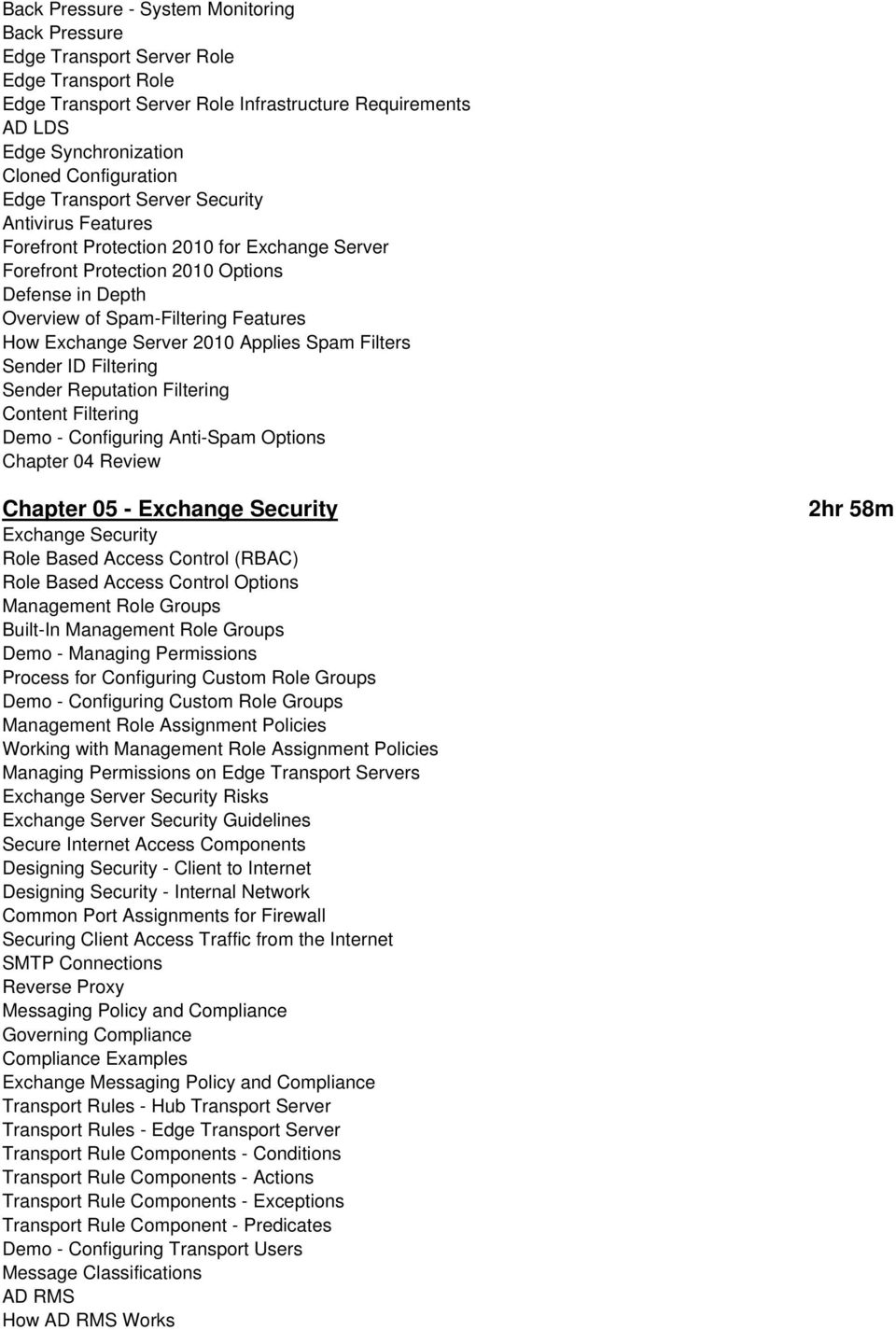
4 Back Pressure - System Monitoring Back Pressure Edge Transport Server Role Edge Transport Role Edge Transport Server Role Infrastructure Requirements AD LDS Edge Synchronization Cloned Configuration Edge Transport Server Security Antivirus Features Forefront Protection 2010 for Exchange Server Forefront Protection 2010 Options Defense in Depth Overview of Spam-Filtering Features How Exchange Server 2010 Applies Spam Filters Sender ID Filtering Sender Reputation Filtering Content Filtering Demo - Configuring Anti-Spam Options Chapter 04 Review Chapter 05 - Exchange Security Exchange Security Role Based Access Control (RBAC) Role Based Access Control Options Management Role Groups Built-In Management Role Groups Demo - Managing Permissions Process for Configuring Custom Role Groups Demo - Configuring Custom Role Groups Management Role Assignment Policies Working with Management Role Assignment Policies Managing Permissions on Edge Transport Servers Exchange Server Security Risks Exchange Server Security Guidelines Secure Internet Access Components Designing Security - Client to Internet Designing Security - Internal Network Common Port Assignments for Firewall Securing Client Access Traffic from the Internet SMTP Connections Reverse Proxy Messaging Policy and Compliance Governing Compliance Compliance Examples Exchange Messaging Policy and Compliance Transport Rules - Hub Transport Server Transport Rules - Edge Transport Server Transport Rule Components - Conditions Transport Rule Components - Actions Transport Rule Components - Exceptions Transport Rule Component - Predicates Demo - Configuring Transport Users Message Classifications AD RMS How AD RMS Works 2hr 58m
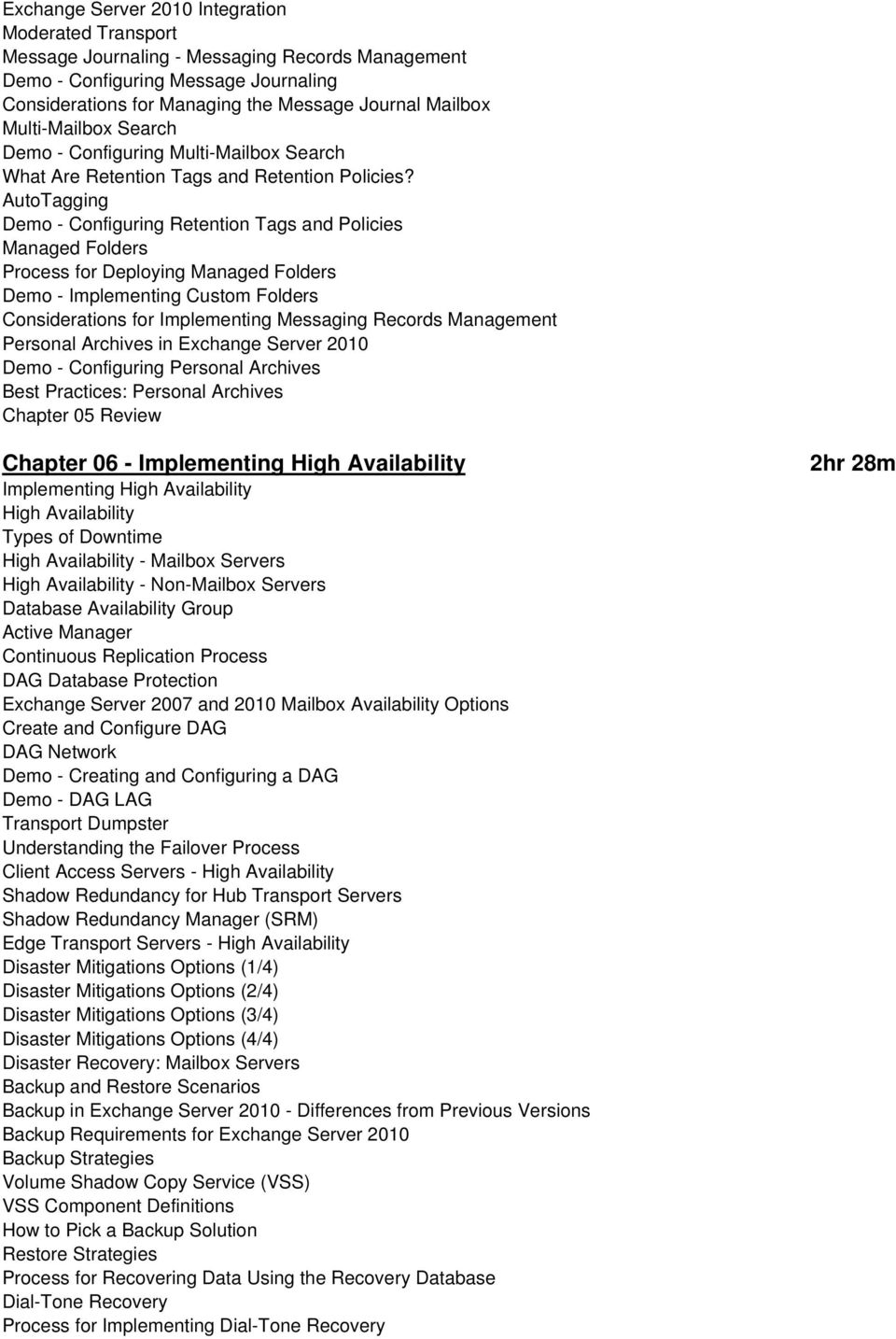
5 Exchange Server 2010 Integration Moderated Transport Message Journaling - Messaging Records Management Demo - Configuring Message Journaling Considerations for Managing the Message Journal Mailbox Multi-Mailbox Search Demo - Configuring Multi-Mailbox Search What Are Retention Tags and Retention Policies? AutoTagging Demo - Configuring Retention Tags and Policies Managed Folders Process for Deploying Managed Folders Demo - Implementing Custom Folders Considerations for Implementing Messaging Records Management Personal Archives in Exchange Server 2010 Demo - Configuring Personal Archives Best Practices: Personal Archives Chapter 05 Review Chapter 06 - Implementing High Availability Implementing High Availability High Availability Types of Downtime High Availability - Mailbox Servers High Availability - Non-Mailbox Servers Database Availability Group Active Manager Continuous Replication Process DAG Database Protection Exchange Server 2007 and 2010 Mailbox Availability Options Create and Configure DAG DAG Network Demo - Creating and Configuring a DAG Demo - DAG LAG Transport Dumpster Understanding the Failover Process Client Access Servers - High Availability Shadow Redundancy for Hub Transport Servers Shadow Redundancy Manager (SRM) Edge Transport Servers - High Availability Disaster Mitigations Options (1/4) Disaster Mitigations Options (2/4) Disaster Mitigations Options (3/4) Disaster Mitigations Options (4/4) Disaster Recovery: Mailbox Servers Backup and Restore Scenarios Backup in Exchange Server Differences from Previous Versions Backup Requirements for Exchange Server 2010 Backup Strategies Volume Shadow Copy Service (VSS) VSS Component Definitions How to Pick a Backup Solution Restore Strategies Process for Recovering Data Using the Recovery Database Dial-Tone Recovery Process for Implementing Dial-Tone Recovery 2hr 28m
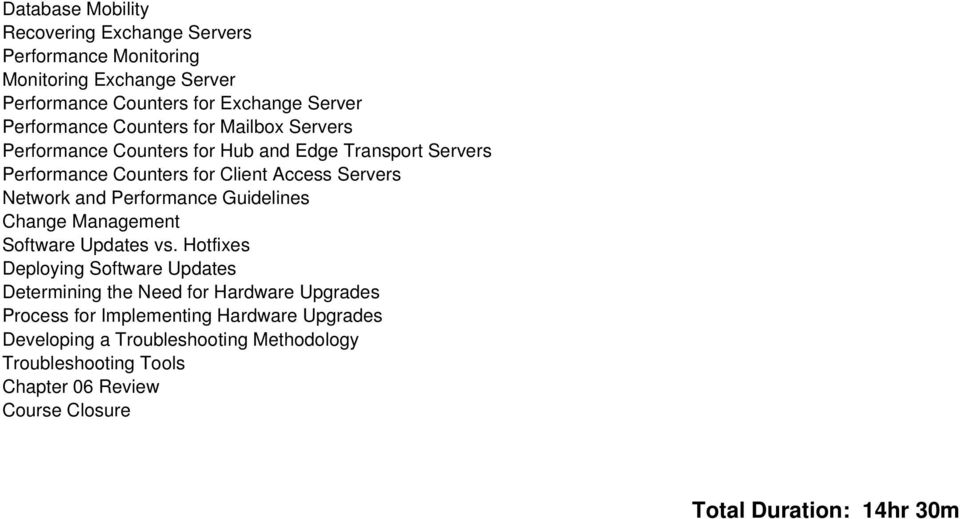
6 Database Mobility Recovering Exchange Servers Performance Monitoring Monitoring Exchange Server Performance Counters for Exchange Server Performance Counters for Mailbox Servers Performance Counters for Hub and Edge Transport Servers Performance Counters for Client Access Servers Network and Performance Guidelines Change Management Software Updates vs. Hotfixes Deploying Software Updates Determining the Need for Hardware Upgrades Process for Implementing Hardware Upgrades Developing a Troubleshooting Methodology Troubleshooting Tools Chapter 06 Review Course Closure Total Duration: 14hr 30m
10135A: Configuring, Managing, and Troubleshooting Microsoft Exchange Server 2010
 10135A: Configuring, Managing, and Troubleshooting Microsoft Exchange Server 2010 Course Number: 10135A Course Length: 5 Day Course Overview This instructor-led course will provide you with the knowledge
This course is intended for IT professionals who are responsible for the Exchange Server messaging environment in an enterprise.
 10233A: Designing and Deploying Messaging Solutions with Microsoft Exchange Server 2010 Course Number: 10233A Course Length: 5 Day Course Overview This instructor-led course provides you with the knowledge
MOC 5047B: Intro to Installing & Managing Microsoft Exchange Server 2007 SP1
 MOC 5047B: Intro to Installing & Managing Microsoft Exchange Server 2007 SP1 Course Number: 5047B Course Length: 3 Days Certification Exam This course will help you prepare for the following Microsoft
Microsoft Exchange 2013 Ultimate Bootcamp Your pathway to becoming a GREAT Exchange Administrator
 Microsoft Exchange 2013 Ultimate Bootcamp Your pathway to becoming a GREAT Exchange Administrator Introduction Microsoft Exchange with its inherent high level of security features, improved assistant,
Introduction. Part I Introduction to Exchange Server 2010 1
 Contents Introduction xxix Part I Introduction to Exchange Server 2010 1 Chapter 1 Introduction to Exchange Server 2010 3 Part II Brief History of Exchange Servers 4 New Features in Exchange Server 2010
MS 10135B Configuring, Managing and Troubleshooting Microsoft Exchange Server 2010
 MS 10135B Configuring, Managing and Troubleshooting Microsoft Exchange Server 2010 Description: Days: 5 Prerequisites: This course will provide you with the knowledge and skills to configure and manage
Configuring, Managing and Troubleshooting Microsoft Exchange Server 2010 Service Pack 2
 Course 10135B: Configuring, Managing and Troubleshooting Microsoft Exchange Server 2010 Service Pack 2 Course Details Course Outline Module 1: Deploying Microsoft Exchange Server 2010 This module describes
MS-10135: Configuring, Managing and Troubleshooting Microsoft Exchange Server 2010. Course Objectives. Price. Duration. Methods of Delivery
 MS-10135: Configuring, Managing and Troubleshooting Microsoft Exchange Server 2010 This five-day instructor led course will provide you with the knowledge and skills to configure and manage an Exchange
MCITPEXCH - Exchange Bootcamp Design, Configure, and Manage (10135/10233)
 MCITPEXCH - Exchange Bootcamp Design, Configure, and Manage (10135/10233) Table of Contents Introduction Audience At Course Completion Prerequisites Microsoft Certified Professional Exams Student Materials
MS-10135 - Configuring, Managing and Troubleshooting Microsoft Exchange Server 2010
 MS-10135 - Configuring, Managing and Troubleshooting Microsoft Exchange Server 2010 Introduction This course will provide you with the knowledge and skills to configure and manage a Microsoft Exchange
Build Your Knowledge!
 About this Course This course will provide you with the knowledge and skills to configure and manage a Microsoft Exchange Server 2010 messaging environment. This course will teach you how to configure
MS 10135 Configuring, Managing and Troubleshooting Microsoft Exchange Server 2010 Service Pack 2
 MS 10135 Configuring, Managing and Troubleshooting Microsoft Exchange Server 2010 Service Pack 2 P a g e 1 of 10 About this Course This course will provide you with the knowledge and skills to configure
Configuring, Managing and Troubleshooting Microsoft Exchange Server 2010 Service Pack 2
 About this Course This course will provide you with the knowledge and skills to configure and manage a Microsoft Exchange Server 2010 messaging environment. This course will teach you how to configure
Configuring, Managing and Troubleshooting Microsoft Exchange Server 2010 Service Pack 2
 Course 10135 Configuring, Managing and Troubleshooting Microsoft Exchange Server 2010 Service Pack 2 Length: 5 Days Language(s): English Audience(s): IT Professionals Level: 200 Technology: Microsoft Exchange
Configuring, Managing and Troubleshooting Microsoft Exchange Server 2010 Service Pack 2
 Course 10135B: Configuring, Managing and Troubleshooting Microsoft Exchange Server 2010 Service Pack 2 Length: 5 Days Audience(s): IT Professionals Level: 200 Technology: Microsoft Exchange Server 2010
Course 10135A: Configuring, Managing and Troubleshooting Microsoft Exchange Server 2010
 Course Syllabus Course 10135A: Configuring, Managing and Troubleshooting Microsoft Exchange Server 2010 About this Course This five-day, instructor-led course will provide you with the knowledge and skills
How To Configure And Manage An Exchange Server 2010 For Free
 Configuring, Managing and Troubleshooting Microsoft Exchange Server 2010 MOC10135 About this Course This five-day, instructor-led course will provide you with the knowledge and skills to configure and
Course Outline: Course 10135A: Configuring, Managing and Troubleshooting Microsoft
 Course Outline: Course 10135A: Configuring, Managing and Troubleshooting Microsoft Exchange Server 2010 Learning Method: Instructor-led Classroom Learning Duration: 5.00 Day(s)/ 40 hrs Overview: This five-day,
Configuring Managing and Troubleshooting Microsoft Exchange Server 2010
 Course Code: M10135 Vendor: Microsoft Course Overview Duration: 5 RRP: 1,980 Configuring Managing and Troubleshooting Microsoft Exchange Server 2010 Overview This course will provide you with the knowledge
Configuring, Managing and Troubleshooting Microsoft Exchange Server 2010 Service Pack 2
 Configuring, Managing and Troubleshooting Microsoft Exchange Server 2010 Service Pack 2 Course Details Course Code: Duration: 10135B 5 day(s) Elements of this syllabus are subject to change. This course
5053A: Designing a Messaging Infrastructure Using Microsoft Exchange Server 2007
 5053A: Designing a Messaging Infrastructure Using Microsoft Exchange Server 2007 Course Number: 5053A Course Length: 3 Days Course Overview This three-day instructor-led course provides students with the
Designing and Deploying Messaging Solutions with Microsoft Exchange Server 2010 Service Pack 2 MOC 10233
 Designing and Deploying Messaging Solutions with Microsoft Exchange Server 2010 Service Pack 2 MOC 10233 Course Outline Module 1: Introduction to Designing a Microsoft Exchange Server 2010 Deployment This
Microsoft Exchange Server 2007, Upgrade from Exchange 2000/2003 (3938. 3938/5049/5050) Course KC3065 5 Days OVERVIEW COURSE OBJECTIVES AUDIENCE
 Microsoft Exchange, Upgrade from Exchange 2000/2003 COURSE OVERVIEW This instructor-led course offers Microsoft Exchange Server administrators with the skills they need to manage a Microsoft Exchange infrastructure.
Designing and Deploying Messaging Solutions with Microsoft Exchange Server 2010
 Course 10233A: Designing and Deploying Messaging Solutions with Microsoft Exchange Server 2010 OVERVIEW About this Course This five-day, instructor-led course provides you with the knowledge and skills
Designing and Deploying Messaging Solutions with Microsoft Exchange Server 2010 Service Pack 2
 Microsoft Exchange About this Course This five-day, instructor-led course provides you with the knowledge and skills to design and deploy messaging solutions with Server 2010. This course describes how
MCTS: Microsoft Exchange Server 2010
 MCTS: Microsoft Exchange Server 2010 Course Description and Overview Overview SecureNinja's Exchange Server 2010 training and certification boot camp in Washington, DC will provide you the knowledge necessary
Updating Your Skills from Microsoft Exchange Server 2003 or Exchange Server 2007 to Exchange Server 2010 SP1
 Course 10165A: Updating Your Skills from Microsoft Exchange Server 2003 or Exchange Server 2007 to Exchange Server 2010 SP1 OVERVIEW About this Course There are two main reasons for the course. Firstly,
Lesson Plans Configuring Exchange Server 2007
 Lesson Plans Configuring Exchange Server 2007 (Exam 70-236) Version 2.1 Table of Contents Course Overview... 2 Section 1.1: Server-based Messaging... 4 Section 1.2: Exchange Versions... 5 Section 1.3:
Configuring, Managing and Troubleshooting Microsoft Exchange Server 2010 Course 10135: 5 days; Instructor-Led
 Lincoln Land Community College Capital City Training Center 130 West Mason Springfield, IL 62702 217-782-7436 www.llcc.edu/cctc Configuring, Managing and Troubleshooting Microsoft Exchange Server 2010
Designing and Deploying Messaging Solutions with Microsoft Exchange Server 2010 Service Pack 2
 Course 10233B: Designing and Deploying Messaging Solutions with Microsoft Exchange Server 2010 Service Pack 2 Length: Delivery Method: 5 Days Instructor-led (classroom) About this Course This five-day,
Core Solutions of Microsoft Exchange Server 2013 MOC 20341
 Core Solutions of Microsoft Exchange Server 2013 MOC 20341 Course Outline Module 1: Deploying and Managing Exchange Server 2013 This module explains how to plan and perform deployment and management of
Configuring, Managing and Troubleshooting Microsoft Exchange Server 2010
 Course 10135A: Configuring, Managing and Troubleshooting Microsoft Exchange Server 2010 Length: 5 Days Published: February 24, 2010 Language(s): Audience(s): English IT Professionals Level: 200 Technology:
ABOUT THIS COURSE AT COURSE COMPLETION PREREQUISITES COURSE OUTLINE. Core Solutions of Microsoft Exchange Server 2013 Duration : 5 days
 Core Solutions of Microsoft Exchange Server 2013 Duration : 5 days ABOUT THIS COURSE This course will provide you with the knowledge and skills to plan, deploy, manage, secure, and support Microsoft Exchange
MCSA Objectives. Exam 70-236: TS:Exchange Server 2007, Configuring
 MCSA Objectives Exam 70-236: TS:Exchange Server 2007, Configuring Installing and Configuring Microsoft Exchange Servers Prepare the infrastructure for Exchange installation. Prepare the servers for Exchange
Designing and Deploying Messaging Solutions with Microsoft Exchange Server 2010 Service Pack 2
 Designing and Deploying Messaging Solutions with Microsoft Exchange Service Pack 2 Course Details Course Code: Duration: Notes: 10233B 5 days This course syllabus should be used to determine whether the
MS 20341B: Core Solutions of Microsoft Exchange Server 2013
 MS 20341B: Core Solutions of Microsoft Exchange Server 2013 Description: In this course, students will learn to configure and manage a Microsoft Exchange Server 2013 messaging environment. This course
Updating Your Skills from Microsoft Exchange Server 2003 or Exchange Server 2007 to Exchange Server 2010 Course 10165; 5 Days, Instructor-led
 Updating Your Skills from Microsoft Exchange Server 2003 or Exchange Server 2007 to Exchange Server 2010 Course 10165; 5 Days, Instructor-led Course Description There are two main reasons for the course.
Core Solutions of Microsoft Exchange Server 2013 Course 20341A; 5 Days
 Core Solutions of Microsoft Exchange Server 2013 Course 20341A; 5 Days Lincoln Land Community College Capital City Training Center 130 West Mason Springfield, IL 62702 217-782-7436 www.llcc.edu/cctc Course
Course 10233:Designing and Deploying Messaging Solutions with Microsoft Exchange Server 2010 Service Pack 2
 Course 10233:Designing and Deploying Messaging Solutions with Microsoft Exchange Server 2010 Service Pack 2 Type:Course Audience(s):IT Professionals Technology:Microsoft Exchange Level:200 This Revision:B
Administering Microsoft Exchange Server 2016 20345-1; 5 Days, Instructor-led
 Administering Microsoft Exchange Server 2016 20345-1; 5 Days, Instructor-led Course Description This 5-day instructor-led course teaches IT professionals how to administer and support Exchange Server 2016.
Course 20341A MCSA: 70-341 Core Solutions of Microsoft Exchange Server 2013 5 Days
 MCSE: Messaging Description Exchange 2013 is part of the new version of Office, making it easy for people to stay connected, access files anytime, and maintain messaging security. Get certified as an MCSE
Core Solutions of Microsoft Exchange Server 2013
 Course 20341B: Core Solutions of Microsoft Exchange Server 2013 Course Details Course Outline Module 1: Deploying and Managing Microsoft Exchange Server 2013 This module describes Exchange Server 2013
ADMINISTERING MICROSOFT EXCHANGE SERVER 2016
 ADMINISTERING MICROSOFT EXCHANGE SERVER 2016 Table of Contents Prerequisite... 2 About Course... 2 Audience Profile... 2 At Course Completion... 3 Module 1: Deploying Microsoft Exchange Server 2016...
COURSE OUTLINE MOC 20341: CORE SOLUTIONS OF MICROSOFT EXCHANGE SERVER 2013 MODULE 1: DEPLOYING AND MANAGING MICROSOFT EXCHANGE SERVER 2013
 COURSE OUTLINE MOC 20341: CORE SOLUTIONS OF MICROSOFT EXCHANGE SERVER 2013 MODULE 1: DEPLOYING AND MANAGING MICROSOFT EXCHANGE SERVER 2013 This module describes Exchange Server 2013 prerequisites and requirements,
Microsoft Exchange Server 2010 SP1
 Microsoft Exchange Server 2010 SP1 Number: 70-663 Passing Score: 700 Time Limit: 120 min File Version: 1.0 http://www.gratisexam.com/ Mixed dump of Herby and oktrian, credit for these guys. Cleaned from
5/20/2013. The primary design goal was for simplicity of scale, hardware utilization, and failure isolation. Microsoft Exchange Team
 Additions and Subtractions The primary design goal was for simplicity of scale, hardware utilization, and failure isolation. Microsoft Exchange Team Exchange Version Exchange Server 2003 and earlier versions
MCSE Objectives. Exam 70-236: TS:Exchange Server 2007, Configuring
 MCSE Objectives Exam 70-236: TS:Exchange Server 2007, Configuring Installing and Configuring Microsoft Exchange Servers Prepare the infrastructure for Exchange installation. Prepare the servers for Exchange
10233B: Designing and Deploying Messaging Solutions with Microsoft Exchange Server 2010
 Course: 10233B: Designing and Deploying Messaging Solutions with Microsoft Exchange Server 2010 Description: About this Course This five-day, instructor-led course provides you with the knowledge and skills
MOC 20342B: Advanced Solutions of Microsoft Exchange Server 2013
 MOC 20342B: Advanced Solutions of Microsoft Exchange Server 2013 Course Overview This course provides students with the knowledge and skills to utilize advanced solutions in Microsoft Exchange Server 2013.
20341 Core Solutions of Microsoft Exchange Server 2013
 20341 Core Solutions of Microsoft Exchange Server 2013 Course Number: 20341 Category: Exchange Server 2013 Duration: 5 days Course Description This course will provide you with the knowledge and skills
Course 20341B: Core Solutions of Microsoft Exchange Server 2013 OVERVIEW
 Course 20341B: Core Solutions of Microsoft Exchange Server 2013 OVERVIEW About this Course This course will provide you with the knowledge and skills to plan, deploy, manage, secure, and support Microsoft
Core Solutions of Microsoft Exchange Server 2013 Course 20341B; 5 days, Instructor-led
 Core Solutions of Microsoft Exchange Server 2013 Course 20341B; 5 days, Instructor-led Course Description This course will provide you with the knowledge and skills to plan, deploy, manage, secure, and
Monitoring and Troubleshooting Microsoft Exchange Server 2007 (5051A) Course length: 2 days
 Monitoring and Troubleshooting Microsoft Exchange Server 2007 (5051A) Course length: 2 days Who Should Attend: This workshop is intended for experienced enterprise-level messaging professionals who have
Core Solutions of Microsoft Exchange Server 2013
 About this Course This course will provide you with the knowledge and skills to plan, deploy, manage, secure, and support Microsoft Exchange. This course will teach you how to configure Exchange and supply
20341B: Core Solutions of Microsoft Exchange Server 2013
 20341B: Core Solutions of Microsoft Exchange Server Course Details Course Code: Duration: Notes: 20341B 5 days This course syllabus should be used to determine whether the course is appropriate for the
Core Solutions of Microsoft Exchange Server 2013
 Course 20341B: Core Solutions of Microsoft Exchange Server 2013 Page 1 of 6 Core Solutions of Microsoft Exchange Server 2013 Course 20341B: 4 days; Instructor-Led Introduction This course will provide
Core Solutions of Microsoft Exchange Server 2013
 EXCHANGE 2013 COURSE OUTLINE Visit Our Website to Enroll Now Www.ITBigBang.Com/IT-Training Core Solutions of Microsoft Exchange Server 2013 Course Title Core Solutions of Microsoft Exchange Server 2013
Course 20341B: Core Solutions of Microsoft Exchange Server 2013
 Course 20341B: Core Solutions of Exchange Server 2013 Length : 5 days Audience(s) : IT Professionals Level : 300 Technology : Exchange Server 2013 Delivery Method : Instructor-led (classroom) Course Overview
The Exchange 2010 Ecosystem
 The Exchange 2010 Ecosystem Joe Hoegler Practice Leader, Kraft Kennedy Microsoft Certified Master Exchange 2010 TECH9 S e s s i o n G o a l s Discuss the capabilities and limitation of native features
Hybrid Architecture. Office 365. On-premises Exchange org (Exchange 2007+) Provisioned via DirSync. Secure Mail flow
 Hybrid Deployment Hybrid Architecture Provisioned via DirSync Exchange 2010 (HUB/CAS) Exchange 2013 CAS & MBX Secure Mail flow Exchange Federation (Free/Busy, Mail Tips, Archive, etc.) Mailbox data via
Microsoft MCITP 70-662 Exam
 Microsoft MCITP 70-662 Exam Vendor:Microsoft Exam Code: 70-662 Exam Name: TS: Microsoft Exchange Server 2010, Configuring QUESTION 1 You have an Exchange Server 2010 Service Pack 1 (SP1) organization.
MICROSOFT EXCHANGE, OFFERED BY INTERCALL
 MICROSOFT EXCHANGE, OFFERED BY INTERCALL Comparison Sheet The table below compares in-product or service feature availability between Microsoft 2013 on-premises and Online within. Planning and Deployment
MCITP: Enterprise Administrator 2010 Boot Camp H6C09S
 HP Education Services course data sheet MCITP: Enterprise Administrator 2010 Boot Camp H6C09S Course Overview Validate your Exchange Server skills with the MCITP: Enterprise Messaging Administrator certification.
5054A: Designing a High Availability Messaging Solution Using Microsoft Exchange Server 2007
 5054A: Designing a High Availability Messaging Solution Using Microsoft Exchange Server 2007 Course Number: 5054A Course Length: 2 Days Course Overview This 2-day course teaches messaging engineers to
6445A - Implementing and Administering Small Business Server 2008
 6445A - Implementing and Administering Small Business Server 2008 Table of Contents Introduction Audience At Clinic Completion Prerequisites Microsoft Certified Professional Exams Student Materials Course
PASS4TEST. IT Certification Guaranteed, The Easy Way! http://www.pass4test.com We offer free update service for one year
 PASS4TEST IT Certification Guaranteed, The Easy Way! \ http://www.pass4test.com We offer free update service for one year Exam : 070-342 Title : Advanced Solutions of Microsoft Exchange Server 2013 Vendor
2400 - Implementing and Managing Microsoft Exchange Server 2003
 2400 - Implementing and Managing Microsoft Exchange Server 2003 Introduction This five-day, instructor-led course provides students with the knowledge and skills that are needed to update and support a
MCITP MCITP: Enterprise Administrator on Windows Server 2008 (5 Modules)
 MCITP Windows 2008 Enterprise Edition is considered as Microsoft s most reliable, scalable and high-performing server operating system. It has been designed to simplify the process of Migration from the
Workshop 5051A: Monitoring and Troubleshooting Microsoft Exchange Server 2007
 Course Syllabus Workshop 5051A: Monitoring and Troubleshooting Microsoft Exchange Server 2007 About This Workshop Elements of this syllabus are subject to change. This two-day workshop teaches messaging
Optimizing Microsoft Exchange in the Enterprise Part II: Hub Transport Server and Lync-SharePoint Integration
 Expert Reference Series of White Papers Optimizing Microsoft Exchange in the Enterprise Part II: Hub Transport Server and Lync-SharePoint Integration 1-800-COURSES www.globalknowledge.com Optimizing Microsoft
Optimizing Microsoft Exchange in the Enterprise Part I: Optimizing the Mailbox Server Role and the Client Access Server
 Expert Reference Series of White Papers Optimizing Microsoft Exchange in the Enterprise Part I: Optimizing the Mailbox Server Role and the Client Access Server 1-800-COURSES www.globalknowledge.com Optimizing
6445A - Implementing and Administering Windows Small Business Server 2008
 6445A - Implementing and Administering Windows Small Business Server 2008 Course Number: 6445A Course Length: 5 Days Course Overview This 5 day course provides students with the necessary knowledge to
המרכז ללימודי חוץ המכללה האקדמית ספיר. ד.נ חוף אשקלון 79165 טל'- 08-6801535 פקס- 08-6801543 בשיתוף עם מכללת הנגב ע"ש ספיר
 מודולות הלימוד של מייקרוסופט הקורס מחולק ל 4 מודולות כמפורט:.1Configuring Microsoft Windows Vista Client 70-620 Installing and upgrading Windows Vista Identify hardware requirements. Perform a clean installation.
Transport server data paths
 1 of 14 14/11/2011 2:45 PM Applies to: Exchange Server 2010 SP1 Topic Last Modified: 2011-04-22 This topic provides information about ports, authentication, and for all data paths used by Microsoft Exchange
TS: Microsoft Exchange Server
 Exam : 70-662 Title : TS: Microsoft Exchange Server Version : Demo 1 / 9 1.You have an Exchange Server 2010 Service Pack 1 (SP1) organization. The SMTP domain for the organization is contoso.com. You enable
How To Configure Forefront Threat Management Gateway (Forefront) For An Email Server
 Owner of the content within this article is www.isaserver.org Written by Marc Grote www.it-training-grote.de Configuring and using the E-Mail protection feature in Microsoft Forefront Threat Management
Introduction to Installing and Managing Microsoft Exchange Server 2007
 COMPUTER TRAINING The key to a better future EXCHANGE Course No. 5047 3 Days Target Audience: This course provides students who are new to Exchange Server with the knowledge and skills to configure and
Planning and Implementing Windows Server 2008
 Planning and Implementing Windows Server 2008 Course Number: 6433A Course Length: 5 Days Course Overview This five day course is intended for IT Professionals who are interested in the knowledge and skills
Implementing and Administering Windows Small Business Server 2008
 Implementing and Administering Windows Small Business Server 2008 MOC6445 About this Course This five-day hands-on workshop provides students with the necessary knowledge to plan and implement Windows
Outline SSS6422 - Microsoft Windows Server 2008 Hyper-V Virtualization
 Outline SSS6422 - Microsoft Windows Server 2008 Hyper-V Virtualization Duration: Three consecutive Saturdays About this Course This instructor led course teaches students how to implement and manage Windows