
The Exchange 2010 Ecosystem
|
|
|
- Cory George
- 10 years ago
- Views:
Transcription
1 The Exchange 2010 Ecosystem Joe Hoegler Practice Leader, Kraft Kennedy Microsoft Certified Master Exchange 2010 TECH9 S e s s i o n G o a l s Discuss the capabilities and limitation of native features Identify when third party solutions are appropriate p Focus on high availability, disaster recovery, backup, archiving and compliance, mobility, anti-virus/anti-spam, unified messaging Discuss considerations for integrating with SharePoint 2010, Office 2010 and Lync 2010 Exchange 2010 Architecture Enterprise Network Phone system (PBX or VOIP) Edge Transport Routing and AV/AS Hub Transport Routing and policy External SMTP servers Mobile phone Mailbox Storage of mailbox items Unified Messaging g Voice mail and voice access Web browser Client Access Client connectivity Web services Outlook (remote user) Outlook (local user) Line of business application 1

2 HIGH AVAILABILITY & DISASTER RECOVERY High Availability & Disaster Recovery Unified in Exchange 2010 via the Database Availability Group Native or third party replication supported Recovery Time Objective of 15 minutes or less is possible Recovery Point Objective of 1 MB or less is possible Database Availability Group San Jose New York Mailbox Server Mailbox Server Mailbox Server Recover quickly from disk and database failures DB1 DB2 DB3 DB4 DB1 DB2 DB3 DB4 DB1 DB2 DB3 DB4 Replicate databases to remote datacenter DB5 DB5 DB5 Evolution of Continuous Replication technology Easier than traditional clustering to deploy and manage Allows each database to have 16 replicated copies Provides full redundancy of Exchange roles on as few as two servers HA and DR capabilities combined into one platform 2

3 Key Considerations Increased storage capacity requirements Dramatically reduced storage performance requirements (~90% IOPS reduction from Exchange 2003) Load balancing appliances strongly recommended WNLB or round robin DNS not recommended Continuous Replication Block Mode Third Party Alternatives Leverage SAN replication through DAG third party replication API SAN-based replication Host-based replication Recommendations Native DAG features and replication provide a complete solution that can be managed wholly by messaging team Marginal feature enhancements or replication performance improvements via third parties generally not worth the added complexity 3

4 BACKUP Exchange Native Protection Backup-less Exchange Site/server/disk failure Archiving/compliance Recover deleted items Database Availability Group Database Availability Group Personal Archive Extended/Protected Dumpster Retention Mailbox Server 1 Mailbox Server 2 Mailbox Server day lag copy DB1 DB2 DB3 DB1 DB2 DB3 DB1 DB2 DB3 X Key Considerations Requires at least 3 database copies across more than 1 site Point-in-time recoveries require lagged database copies Leverages native corruption detection mechanisms Understand Deleted Item Retention and Single Item Recovery 4

5 Third Party Alternatives Virtual Deployments agent, SAN snapshot, image-based backup Physical Deployments agent, SAN snapshot If using SAN snapshots, *always* ensure that snapshots are replicated outside of the enclosure/site Recommendations Increase Deleted Item Retention period to match normal backup retention to help with item-level recovery Leverage Single Item Recovery if appropriate Consider risk/reward of Exchange Native Protection vs. cost of third party backup solution ARCHIVING & COMPLIANCE 5

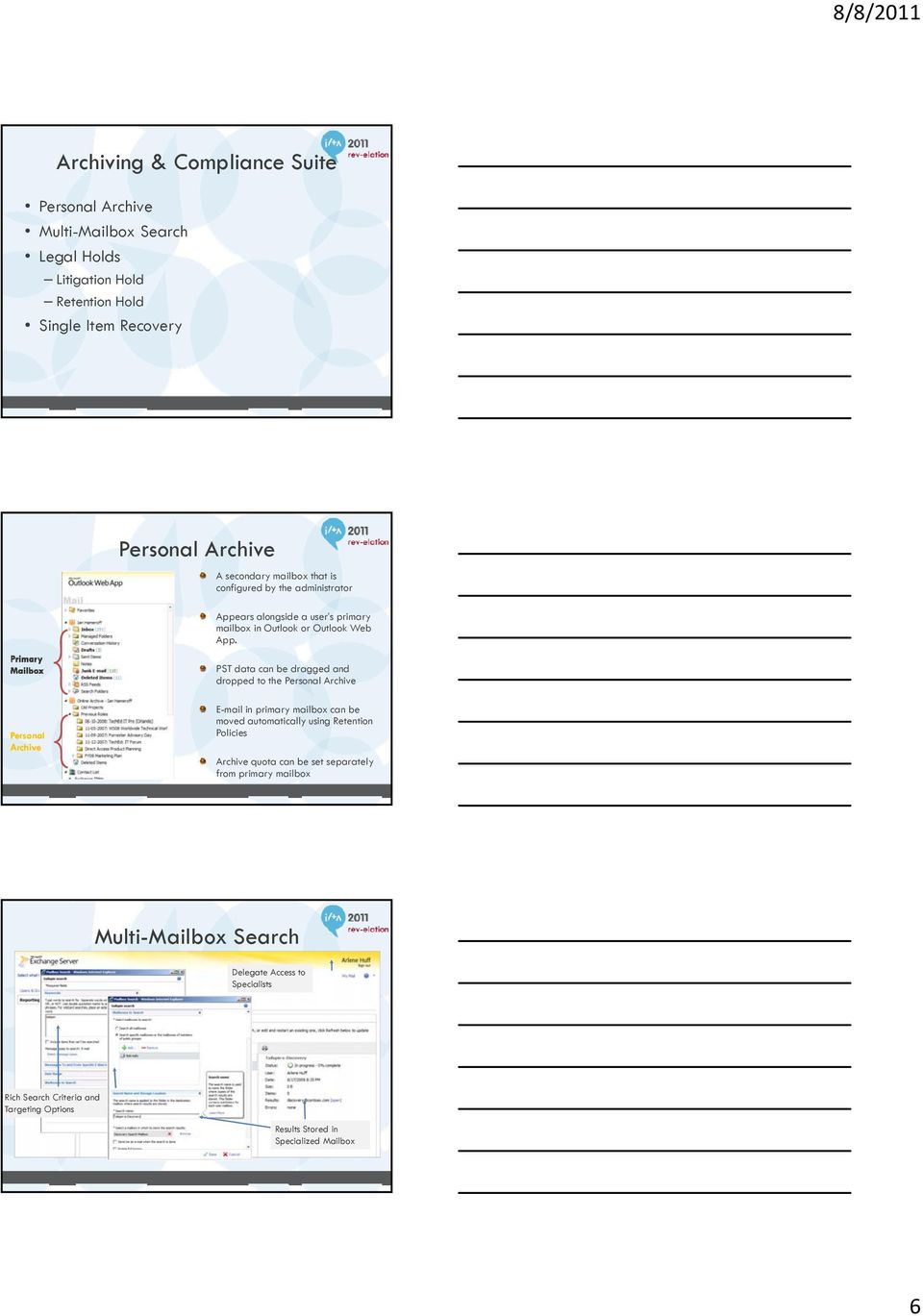
6 Archiving & Compliance Suite Personal Archive Multi-Mailbox Search Legal Holds Litigation Hold Retention Hold Single Item Recovery Personal Archive A secondary mailbox that is configured by the administrator Appears alongside a user s primary mailbox in Outlook or Outlook Web App. PST data can be dragged and dropped to the Personal Archive Personal Archive in primary mailbox can be moved automatically using Retention Policies Archive quota can be set separately from primary mailbox Multi-Mailbox Search Delegate Access to Specialists Rich Search Criteria and Targeting Options Results Stored in Specialized Mailbox 6
7 Legal Holds User is told how to comply (no action needed for ) URL links to additional info Key Considerations Personal Archive limitations No stubbing, no offline access, separate tree Requires Outlook 2010 Professional or Professional Plus or OWA 2010 Requires Exchange 2010 Enterprise CAL Capabilities of Retention Policies Archive API exists for third party integration Third Party Alternatives Traditional archiving solutions Autonomy ZANTAZ EAS Symantec Enterprise Vault Hosted/cloud d archiving i solutions 7

8 Recommendations Determine feature requirements vs. feature desires Understand the feature gaps between native and third party archiving ing Evaluate if native archiving meets all feature requirements Pilot, pilot, pilot MOBILITY Trends in Mobility Most firms support multiple mobility platforms across a broad range of device types BlackBerry Enterprise Server still generally considered firm standard for enterprise mobility ActiveSync widely adopted across multiple device types (e.g. ios, Android, etc.) Good Mobile Messaging much less common than in the past 8
9 Native ActiveSync Easier provisioning through AutoDiscover Feature control and security enforced through ActiveSync Policies Device OS controls implementation i of policies i Remote wipe Wipes entire device, including personal data Statistics data exists but must be interpreted Allow/Block/Quarantine Key Considerations BES must be version MR5 or MR1 to address specific performance issues associated with BES and Exchange 2010 SP1 Windows Server OS hotfixes, MAPI/CDO updates, and Exchange 2010 SP1 RU3 required as well Advanced ActiveSync Policies require Enterprise CAL (application control, browser control, etc.) MobileIron BoxTone Third Party Alternatives 9

10 Recommendations Establish mobile device usage and support policy State if the firm reserves the right to wipe a personal device if lost If advanced inventory, selective data wipe, and easier statistics are required, consider a third party solution ANTI-VIRUS & ANTI-SPAM Native Message Hygiene Edge Transport Server role includes some native anti-spam features Connection/content filtering, Sender ID, sender reputation, etc. Enterprise CAL (with services) can provide antivirus and anti-spam features Forefront Protection for Exchange Server Forefront Online Protection for Exchange 10
11 Key Considerations Hosted hygiene services dramatically decrease the traffic that reaches a firm s environment Reduces WAN utilization, server processing, etc. Multiple levels of anti-spam can make quarantining challenging No central console for FPE Third party anti-virus software that integrates into transport or scans databases can introduce instability Third Party Alternatives Major anti-virus software vendors McAfee, Symantec, Trend Micro Hosted hygiene services Message Labs, Mimecast, Postini Appliance solutions Axway (formerly Tumbleweed), Barracuda, Cisco Recommendations Strongly consider hosted provider for hygiene services (Microsoft or third party) If pair hosted provider with Edge Transport Server, consider disabling ETS native anti-spam features With multiple levels of anti-virus, avoid scanning database files directly Leverage FPE if Enterprise CAL purchased 11
12 UNIFIED MESSAGING Exchange 2010 Unified Messaging Voic Preview Message Waiting Indicator Protected Voic Call Answering Rules (Enhanced Auto Attendants) Native Faxing Support Removed Voic Preview 12

13 Protected Voic Call Answering Rules Key Considerations Requires supported IP Gateway or IP PBX Proper high availability and disaster recovery for UM must be considered UM role should be located near HTS, CAS, MBX roles UM role is now supported in a virtualized environment Requires Enterprise CAL Previous lack of MWI was previously a large issue 13

14 Third Party Alternatives Avaya Modular Messaging Cisco Unity Traditional PBX Solution Recommendations Understand compliance/discovery requirements for voic storage Define feature requirements of voic solution Consider native UM during next voice refresh INTEGRATION SHAREPOINT, LYNC, OFFICE 14

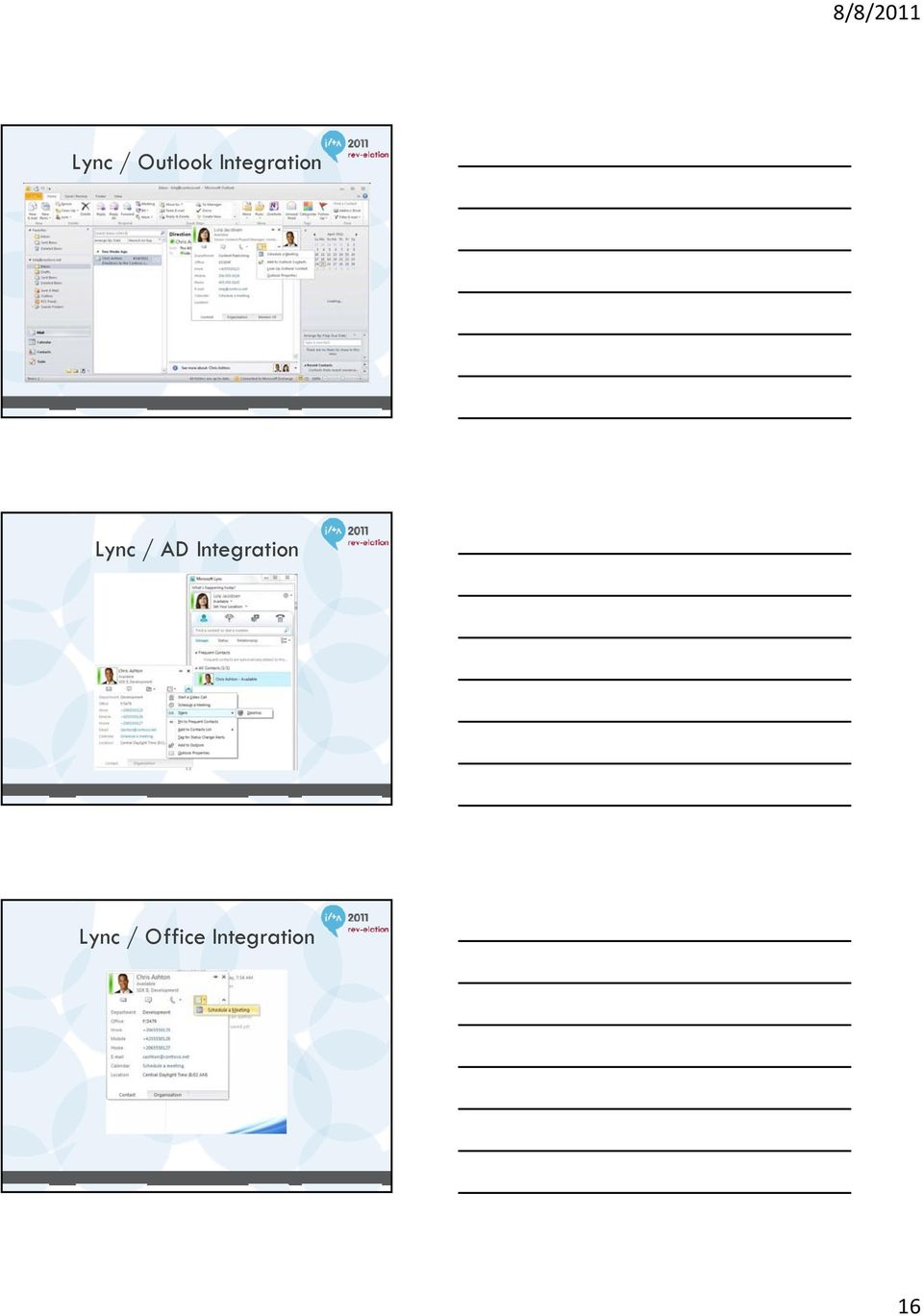
15 SharePoint 2010 Use Exchange for mail-enabled libraries/lists Consider migrating public folder data to SharePoint for improved usability Lync 2010 Fully integrated with Exchange, SharePoint, Office Presence/IM capabilities available within OWA, SharePoint, Outlook, other Office applications Enables rich and easy collaboration Leverages corporate photographs in AD Leverages SharePoint skills search for ask the expert Lync / OWA Integration 15

16 Lync / Outlook Integration Lync / AD Integration Lync / Office Integration 16
17 Lync / SharePoint Integration Lync Skill Search QUESTIONS? 17

10135A: Configuring, Managing, and Troubleshooting Microsoft Exchange Server 2010
 10135A: Configuring, Managing, and Troubleshooting Microsoft Exchange Server 2010 Course Number: 10135A Course Length: 5 Day Course Overview This instructor-led course will provide you with the knowledge
70-662: Deploying Microsoft Exchange Server 2010
 70-662: Deploying Microsoft Exchange Server 2010 Course Introduction Course Introduction Chapter 01 - Active Directory and Supporting Infrastructure Active Directory and Supporting Infrastructure Network
This course is intended for IT professionals who are responsible for the Exchange Server messaging environment in an enterprise.
 10233A: Designing and Deploying Messaging Solutions with Microsoft Exchange Server 2010 Course Number: 10233A Course Length: 5 Day Course Overview This instructor-led course provides you with the knowledge
Updating Your Skills from Microsoft Exchange Server 2003 or Exchange Server 2007 to Exchange Server 2010 SP1
 Course 10165A: Updating Your Skills from Microsoft Exchange Server 2003 or Exchange Server 2007 to Exchange Server 2010 SP1 OVERVIEW About this Course There are two main reasons for the course. Firstly,
MS 10135B Configuring, Managing and Troubleshooting Microsoft Exchange Server 2010
 MS 10135B Configuring, Managing and Troubleshooting Microsoft Exchange Server 2010 Description: Days: 5 Prerequisites: This course will provide you with the knowledge and skills to configure and manage
Updating Your Skills from Microsoft Exchange Server 2003 or Exchange Server 2007 to Exchange Server 2010 Course 10165; 5 Days, Instructor-led
 Updating Your Skills from Microsoft Exchange Server 2003 or Exchange Server 2007 to Exchange Server 2010 Course 10165; 5 Days, Instructor-led Course Description There are two main reasons for the course.
MS 10135 Configuring, Managing and Troubleshooting Microsoft Exchange Server 2010 Service Pack 2
 MS 10135 Configuring, Managing and Troubleshooting Microsoft Exchange Server 2010 Service Pack 2 P a g e 1 of 10 About this Course This course will provide you with the knowledge and skills to configure
Configuring, Managing and Troubleshooting Microsoft Exchange Server 2010 Service Pack 2
 Course 10135B: Configuring, Managing and Troubleshooting Microsoft Exchange Server 2010 Service Pack 2 Course Details Course Outline Module 1: Deploying Microsoft Exchange Server 2010 This module describes
MS-10135 - Configuring, Managing and Troubleshooting Microsoft Exchange Server 2010
 MS-10135 - Configuring, Managing and Troubleshooting Microsoft Exchange Server 2010 Introduction This course will provide you with the knowledge and skills to configure and manage a Microsoft Exchange
Build Your Knowledge!
 About this Course This course will provide you with the knowledge and skills to configure and manage a Microsoft Exchange Server 2010 messaging environment. This course will teach you how to configure
Configuring, Managing and Troubleshooting Microsoft Exchange Server 2010 Service Pack 2
 Course 10135 Configuring, Managing and Troubleshooting Microsoft Exchange Server 2010 Service Pack 2 Length: 5 Days Language(s): English Audience(s): IT Professionals Level: 200 Technology: Microsoft Exchange
Configuring, Managing and Troubleshooting Microsoft Exchange Server 2010 Service Pack 2
 Course 10135B: Configuring, Managing and Troubleshooting Microsoft Exchange Server 2010 Service Pack 2 Length: 5 Days Audience(s): IT Professionals Level: 200 Technology: Microsoft Exchange Server 2010
Configuring Managing and Troubleshooting Microsoft Exchange Server 2010
 Course Code: M10135 Vendor: Microsoft Course Overview Duration: 5 RRP: 1,980 Configuring Managing and Troubleshooting Microsoft Exchange Server 2010 Overview This course will provide you with the knowledge
How To Configure And Manage An Exchange Server 2010 For Free
 Configuring, Managing and Troubleshooting Microsoft Exchange Server 2010 MOC10135 About this Course This five-day, instructor-led course will provide you with the knowledge and skills to configure and
MOC 5047B: Intro to Installing & Managing Microsoft Exchange Server 2007 SP1
 MOC 5047B: Intro to Installing & Managing Microsoft Exchange Server 2007 SP1 Course Number: 5047B Course Length: 3 Days Certification Exam This course will help you prepare for the following Microsoft
Configuring, Managing and Troubleshooting Microsoft Exchange Server 2010 Service Pack 2
 About this Course This course will provide you with the knowledge and skills to configure and manage a Microsoft Exchange Server 2010 messaging environment. This course will teach you how to configure
MS-10135: Configuring, Managing and Troubleshooting Microsoft Exchange Server 2010. Course Objectives. Price. Duration. Methods of Delivery
 MS-10135: Configuring, Managing and Troubleshooting Microsoft Exchange Server 2010 This five-day instructor led course will provide you with the knowledge and skills to configure and manage an Exchange
Configuring, Managing and Troubleshooting Microsoft Exchange Server 2010 Service Pack 2
 Configuring, Managing and Troubleshooting Microsoft Exchange Server 2010 Service Pack 2 Course Details Course Code: Duration: 10135B 5 day(s) Elements of this syllabus are subject to change. This course
Course Outline: Course 10135A: Configuring, Managing and Troubleshooting Microsoft
 Course Outline: Course 10135A: Configuring, Managing and Troubleshooting Microsoft Exchange Server 2010 Learning Method: Instructor-led Classroom Learning Duration: 5.00 Day(s)/ 40 hrs Overview: This five-day,
Microsoft. Exchange 2013. Referent: Daniel Glomb System Architect
 Microsoft Exchange 2013 Referent: Daniel Glomb System Architect Agenda What s new Architecture Client Access Server Mailbox Server Migration Outlook 2013 / OWA What s new in Exchange 2013 Exchange Administration
MCITPEXCH - Exchange Bootcamp Design, Configure, and Manage (10135/10233)
 MCITPEXCH - Exchange Bootcamp Design, Configure, and Manage (10135/10233) Table of Contents Introduction Audience At Course Completion Prerequisites Microsoft Certified Professional Exams Student Materials
Microsoft Exchange Server 2007, Upgrade from Exchange 2000/2003 (3938. 3938/5049/5050) Course KC3065 5 Days OVERVIEW COURSE OBJECTIVES AUDIENCE
 Microsoft Exchange, Upgrade from Exchange 2000/2003 COURSE OVERVIEW This instructor-led course offers Microsoft Exchange Server administrators with the skills they need to manage a Microsoft Exchange infrastructure.
Course 10135A: Configuring, Managing and Troubleshooting Microsoft Exchange Server 2010
 Course Syllabus Course 10135A: Configuring, Managing and Troubleshooting Microsoft Exchange Server 2010 About this Course This five-day, instructor-led course will provide you with the knowledge and skills
WHITE PAPER. Symantec Enterprise Vault and Exchange 2010. Alex Brown Product Manager
 WHITE PAPER Symantec Enterprise Vault and Exchange 2010 Alex Brown Product Manager Introduction... 3 Plans for Exchange Server 2010 support and compatibility?... 3 So what is new in Exchange Server 2010?...
Lesson Plans Configuring Exchange Server 2007
 Lesson Plans Configuring Exchange Server 2007 (Exam 70-236) Version 2.1 Table of Contents Course Overview... 2 Section 1.1: Server-based Messaging... 4 Section 1.2: Exchange Versions... 5 Section 1.3:
Optimizing Microsoft Exchange in the Enterprise Part II: Hub Transport Server and Lync-SharePoint Integration
 Expert Reference Series of White Papers Optimizing Microsoft Exchange in the Enterprise Part II: Hub Transport Server and Lync-SharePoint Integration 1-800-COURSES www.globalknowledge.com Optimizing Microsoft
Advice for Virtualizing Exchange 2010 Server Roles
 E-Guide Advice for Virtualizing Exchange 2010 Server Roles When virtualizing Exchange Server 2010, it's important to correctly configure virtual machines (VMs) that will host certain Exchange Server roles
Introduction. Part I Introduction to Exchange Server 2010 1
 Contents Introduction xxix Part I Introduction to Exchange Server 2010 1 Chapter 1 Introduction to Exchange Server 2010 3 Part II Brief History of Exchange Servers 4 New Features in Exchange Server 2010
Designing and Deploying Messaging Solutions with Microsoft Exchange Server 2010 Service Pack 2 MOC 10233
 Designing and Deploying Messaging Solutions with Microsoft Exchange Server 2010 Service Pack 2 MOC 10233 Course Outline Module 1: Introduction to Designing a Microsoft Exchange Server 2010 Deployment This
Protecting Exchange 2010 An Executive Overview of Double-Take Availability
 Protecting Exchange 2010 An Executive Overview of Double-Take Availability Introduction Native backup can provide higher levels of data and system protection, but the need for 3rd-party software and hardware
How Should Your Organization Deploy Microsoft Exchange?
 WHITEPAPER How Should Your Organization Deploy Microsoft Exchange? Choosing between Exchange Server on premises, Exchange Online in the cloud, and hybrid deployment options Introduction The purpose of
Exchange 2013 Uusi sähköposti. Jussi Lehtoalho Principal Consultant, Microsoft Oy Sakari Kouti Järjestelmäpäällikkö, FC Sovelto Oyj
 Exchange 2013 Uusi sähköposti Jussi Lehtoalho Principal Consultant, Microsoft Oy Sakari Kouti Järjestelmäpäällikkö, FC Sovelto Oyj Agenda Uusi Exchange 2013 arkkitehtuuri Exchange 2013 versiot Exchange
5053A: Designing a Messaging Infrastructure Using Microsoft Exchange Server 2007
 5053A: Designing a Messaging Infrastructure Using Microsoft Exchange Server 2007 Course Number: 5053A Course Length: 3 Days Course Overview This three-day instructor-led course provides students with the
4/16/2013. Install. Setup.exe /mode:install /roles:clientaccess Setup.exe /mode:install /roles:mailbox Setup.exe /mode:install /roles:managementtools
 http://technet.microsoft.com/en-us/library/aa996719%28v=exchg.150%29.aspx http://technet.microsoft.com/en-us/library/cc731125(v=ws.10).aspx 1 4/16/2013 Exchange 2010 Architecture Client Access Hub Transport,
Updating Your Skills from Microsoft Exchange 2000 Server or Microsoft Exchange Server 2003 to Microsoft
 Key Data Product #: 2764 Course #: 3938 Number of Days: 3 Format: Instructor-Led Certification Exams: This course helps you prepare for the following Microsoft Certified Professional exams: Exam 7-236,
Hybrid Architecture. Office 365. On-premises Exchange org (Exchange 2007+) Provisioned via DirSync. Secure Mail flow
 Hybrid Deployment Hybrid Architecture Provisioned via DirSync Exchange 2010 (HUB/CAS) Exchange 2013 CAS & MBX Secure Mail flow Exchange Federation (Free/Busy, Mail Tips, Archive, etc.) Mailbox data via
Enhancing Exchange Server 2010 Availability with Neverfail Best Practices for Simplifying and Automating Email Continuity
 2010 Enhancing Exchange Server 2010 Availability with Neverfail Best Practices for Simplifying and Automating Email Continuity Anil Desai http://anildesai.net 2/1/2010 Enhancing Exchange Server 2010 Availability
Designing and Deploying Messaging Solutions with Microsoft Exchange Server 2010 Service Pack 2
 Microsoft Exchange About this Course This five-day, instructor-led course provides you with the knowledge and skills to design and deploy messaging solutions with Server 2010. This course describes how
Core Solutions of Microsoft Exchange Server 2013 MOC 20341
 Core Solutions of Microsoft Exchange Server 2013 MOC 20341 Course Outline Module 1: Deploying and Managing Exchange Server 2013 This module explains how to plan and perform deployment and management of
Microsoft Exchange 2013 Ultimate Bootcamp Your pathway to becoming a GREAT Exchange Administrator
 Microsoft Exchange 2013 Ultimate Bootcamp Your pathway to becoming a GREAT Exchange Administrator Introduction Microsoft Exchange with its inherent high level of security features, improved assistant,
Microsoft Exchange Server 2010 in the Cloud
 Best Practices Series Microsoft Exchange Server 2010 in the Cloud White Paper A Step-by-Step Guide to Planning and Architecting Your Migration Introduction Microsoft Exchange Server 2010 offers a number
How To Migrate From 2003 To 2010 On An Exchange 2003 Server 2003 (For A Large Organization)
 Copyright 2010 LockLAN Systems Pty Ltd The right of LockLAN Systems Pty Ltd to be identified as author and copyright owner of this work is asserted by LockLAN Systems Pty Ltd in accordance with Australian
Configuring, Managing and Troubleshooting Microsoft Exchange Server 2010
 Course 10135A: Configuring, Managing and Troubleshooting Microsoft Exchange Server 2010 Length: 5 Days Published: February 24, 2010 Language(s): Audience(s): English IT Professionals Level: 200 Technology:
6445A - Implementing and Administering Small Business Server 2008
 6445A - Implementing and Administering Small Business Server 2008 Table of Contents Introduction Audience At Clinic Completion Prerequisites Microsoft Certified Professional Exams Student Materials Course
MCTS: Microsoft Exchange Server 2010
 MCTS: Microsoft Exchange Server 2010 Course Description and Overview Overview SecureNinja's Exchange Server 2010 training and certification boot camp in Washington, DC will provide you the knowledge necessary
Mod 9: Exchange Online Archiving
 Office 365 for SMB Jump Start Mod 9: Exchange Online Archiving Chris Oakman Managing Partner Infrastructure Team Eastridge Technology Stephen Hall Owner & IT Consultant District Computers 1 Jump Start
Workshop purpose and objective
 Messaging Workshop purpose and objective Workshop purpose Facilitate planning discussions for messaging coexistence Considerations of Office 365 limits and features Objectives Identify Microsoft Office
Course 20341A MCSA: 70-341 Core Solutions of Microsoft Exchange Server 2013 5 Days
 MCSE: Messaging Description Exchange 2013 is part of the new version of Office, making it easy for people to stay connected, access files anytime, and maintain messaging security. Get certified as an MCSE
The new Exchange Work Smarter, Anywhere.
 The new Exchange Work Smarter, Anywhere. Email on a browser Email on a phone Voicemail in your inbox Massive, low-cost mailboxes May 1997 Nov. 1997 Dec. 2001 Mar. 2004 Dec. 2006 Nov. 2008 Nov. 2009 Mission-critical,
MICROSOFT EXCHANGE, OFFERED BY INTERCALL
 MICROSOFT EXCHANGE, OFFERED BY INTERCALL Comparison Sheet The table below compares in-product or service feature availability between Microsoft 2013 on-premises and Online within. Planning and Deployment
Configuring, Managing and Troubleshooting Microsoft Exchange Server 2010 Course 10135: 5 days; Instructor-Led
 Lincoln Land Community College Capital City Training Center 130 West Mason Springfield, IL 62702 217-782-7436 www.llcc.edu/cctc Configuring, Managing and Troubleshooting Microsoft Exchange Server 2010
A Winning Combination!!
 Connect Cloud Continuity and 1 A Winning Combination!! Hosted Cloud Differentiators 2 TelePacific Cloud Services Communications Compliance & Security Collaboration Back up & Recovery Professional Services
Designing and Deploying Messaging Solutions with Microsoft Exchange Server 2010
 Course 10233A: Designing and Deploying Messaging Solutions with Microsoft Exchange Server 2010 OVERVIEW About this Course This five-day, instructor-led course provides you with the knowledge and skills
Microsoft Exchange Server 2010 SP1
 Microsoft Exchange Server 2010 SP1 Number: 70-663 Passing Score: 700 Time Limit: 120 min File Version: 1.0 http://www.gratisexam.com/ Mixed dump of Herby and oktrian, credit for these guys. Cleaned from
BUILT FOR YOU. Contents. Cloudmore Exchange
 BUILT FOR YOU Introduction is designed so it is as cost effective as possible for you to configure, provision and manage to a specification to suit your organisation. With a proven history of delivering
REDCENTRIC MANAGED EXCHANGE SERVICE SERVICE DEFINITION
 REDCENTRIC MANAGED EXCHANGE SERVICE SERVICE DEFINITION SD052 V1.2 Issue Date 01 July 2014 1) OVERVIEW The Redcentric Managed Exchange Service (MEX) is an email messaging service, hosted and managed by
Herzlich willkommen. Was ist neu in Exchange 2013. www.digicomp.ch 1
 Herzlich willkommen Was ist neu in Exchange 2013 www.digicomp.ch 1 Vorstellung der Referenten Markus Luchsinger Datacenter und Microsoft Solution Architekt connectis AG EMBA FH, IDV-TS, MCITP und MCT Seit
Cloud Services for Microsoft
 Cloud Services for Microsoft Dimension Data 29 August 2014 Version 2.05 2014 Dimension Data. The material contained in this document, including all attachments, is the copyright of Dimension Data. Exchange,
Fabrizio Volpe. MVP Directory Services MCITP Lync 2010. @Fabriziovlp. [email protected]. http://www.linkedin.com/in/fabriziov
 Fabrizio Volpe MVP Directory Services MCITP Lync 2010 @Fabriziovlp [email protected] http://www.linkedin.com/in/fabriziov Agenda Intro to Lync Server Lync Features : Presence Integration with Sharepoint,
MCITP: Enterprise Administrator 2010 Boot Camp H6C09S
 HP Education Services course data sheet MCITP: Enterprise Administrator 2010 Boot Camp H6C09S Course Overview Validate your Exchange Server skills with the MCITP: Enterprise Messaging Administrator certification.
REDCENTRIC MANAGED ARCHIVE SERVICE SERVICE DEFINITION
 REDCENTRIC MANAGED ARCHIVE SERVICE SERVICE DEFINITION SD005 V2.0 Issue Date 02 July 2014 1) SERVICE OVERVIEW Redcentric's Managed Archive Service allows customers to regain control of their Microsoft Exchange
MICROSOFT EXCHANGE SERVER 2007 upgrade campaign. Telesales script
 MICROSOFT EXCHANGE SERVER 2007 upgrade campaign Telesales script This document was created to help prepare an outbound telesales professional for a Microsoft Exchange Server 2007 upgrade sales call. This
Designing and Deploying Messaging Solutions with Microsoft Exchange Server 2010 Service Pack 2
 Course 10233B: Designing and Deploying Messaging Solutions with Microsoft Exchange Server 2010 Service Pack 2 Length: Delivery Method: 5 Days Instructor-led (classroom) About this Course This five-day,
Core Solutions of Microsoft Exchange Server 2013
 Course 20341B: Core Solutions of Microsoft Exchange Server 2013 Course Details Course Outline Module 1: Deploying and Managing Microsoft Exchange Server 2013 This module describes Exchange Server 2013
Exchange-based email. Types of email. Why use Exchange for email?
 Exchange-based email Types of email POP3 Exchange Lotus Notes Squirrel mail Pine They are all pretty basic and limited except Exchange email. Lotus Notes has lots of functionality, but it s a big pain
Discuss the new server architecture in Exchange 2013. Discuss the Client Access server role. Discuss the Mailbox server role
 Discuss the new server architecture in Exchange 2013 Discuss the Client Access server role Discuss the Mailbox server role 5 major roles Tightly coupled Forefront Online Protection for Exchange Edge Transport
Administering Microsoft Exchange Server 2016 20345-1; 5 Days, Instructor-led
 Administering Microsoft Exchange Server 2016 20345-1; 5 Days, Instructor-led Course Description This 5-day instructor-led course teaches IT professionals how to administer and support Exchange Server 2016.
Deploying, Configuring, and Administering Microsoft Lync Server 2010
 Course 10533: Deploying, Configuring, and Administering Microsoft Lync Server 2010 Page 1 of 9 Deploying, Configuring, and Administering Microsoft Lync Server 2010 Course 10533: 4 days; Instructor-Led
2400 - Implementing and Managing Microsoft Exchange Server 2003
 2400 - Implementing and Managing Microsoft Exchange Server 2003 Introduction This five-day, instructor-led course provides students with the knowledge and skills that are needed to update and support a
Features of Exchange Server 2007
 Features of Exchange Server 2007 Built in Protection Exchange Server 2007 includes built in protection with features like Edge Transport, Hosted Filtering Integration, and anti spam filtering and extensibility
Course 10233:Designing and Deploying Messaging Solutions with Microsoft Exchange Server 2010 Service Pack 2
 Course 10233:Designing and Deploying Messaging Solutions with Microsoft Exchange Server 2010 Service Pack 2 Type:Course Audience(s):IT Professionals Technology:Microsoft Exchange Level:200 This Revision:B
ADMINISTERING MICROSOFT EXCHANGE SERVER 2016
 ADMINISTERING MICROSOFT EXCHANGE SERVER 2016 Table of Contents Prerequisite... 2 About Course... 2 Audience Profile... 2 At Course Completion... 3 Module 1: Deploying Microsoft Exchange Server 2016...