
User Name: Extension: USER GUIDE. for CUSTOMER NAME. MITEL 3300 with 6510 Messaging 5212 IP Phone with ACD
|
|
|
- Hubert Davidson
- 10 years ago
- Views:
Transcription
1 User Name: Extension: USER GUIDE for CUSTOMER NAME MITEL 3300 with 6510 Messaging 5212 IP Phone with ACD

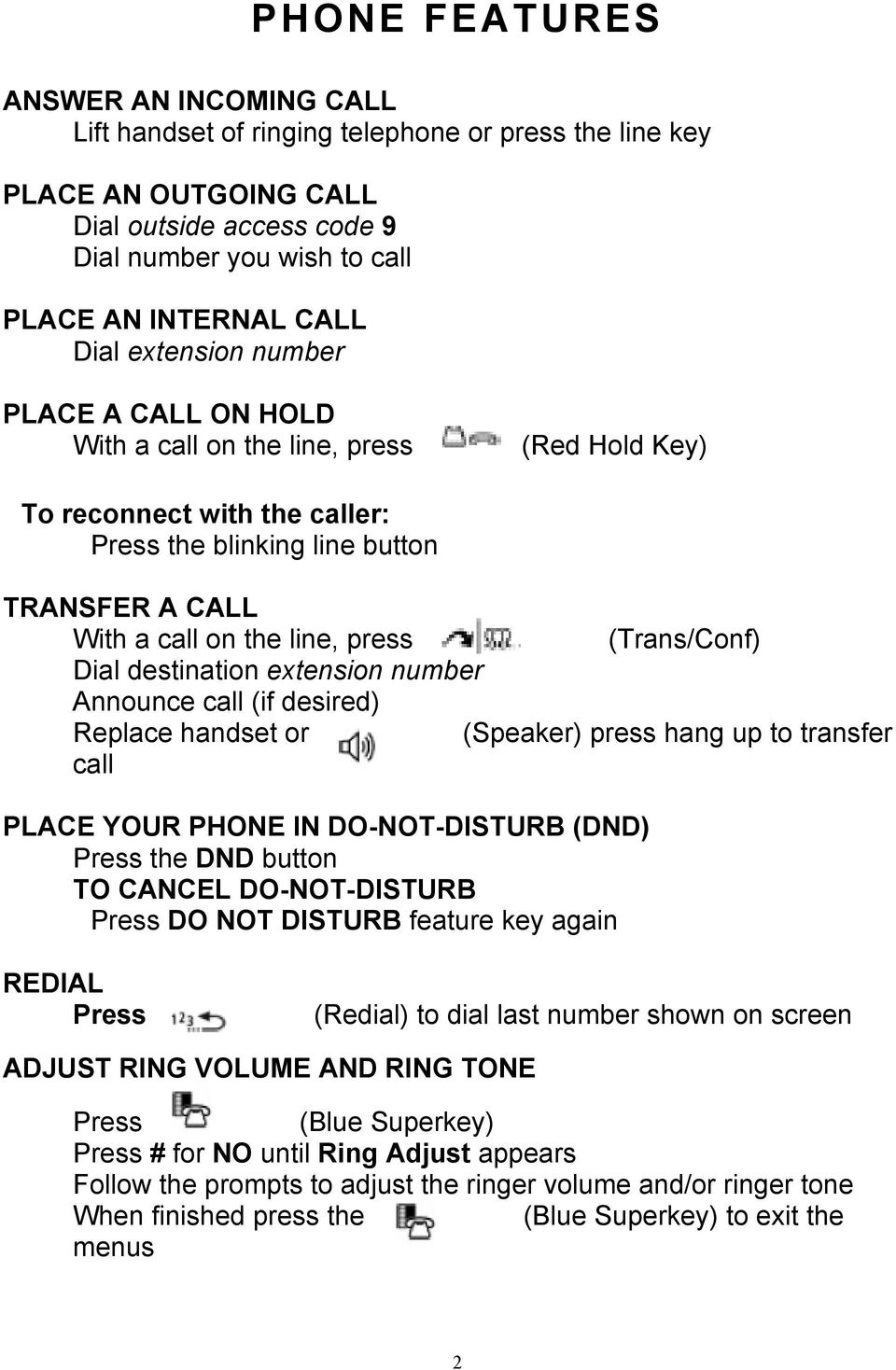
2 PHONE FEATURES ANSWER AN INCOMING CALL Lift handset of ringing telephone or press the line key PLACE AN OUTGOING CALL Dial outside access code 9 Dial number you wish to call PLACE AN INTERNAL CALL Dial extension number PLACE A CALL ON HOLD With a call on the line, press (Red Hold Key) To reconnect with the caller: Press the blinking line button TRANSFER A CALL With a call on the line, press (Trans/Conf) Dial destination extension number Announce call (if desired) Replace handset or (Speaker) press hang up to transfer call PLACE YOUR PHONE IN DO-NOT-DISTURB (DND) Press the DND button TO CANCEL DO-NOT-DISTURB Press DO NOT DISTURB feature key again REDIAL Press (Redial) to dial last number shown on screen ADJUST RING VOLUME AND RING TONE Press (Blue Superkey) Press # for NO until Ring Adjust appears Follow the prompts to adjust the ringer volume and/or ringer tone When finished press the (Blue Superkey) to exit the menus 2
3 HANDSET AND SPEAKER VOLUME CONTROL With the handset or speaker active press (Up) & (Down Arrows) NOTE: In the phone s neutral state the & keys will adjust the display contrast NOTE: Make sure (Microphone) button is on to be muted during handsfree call. CONFERENCE CALL With a call on the line, press (Trans/Conf) Dial second party (internal or external) Press the (Trans/Conf) button to bring all parties together TO PROGRAM SPEED DIAL BUTTON Press (Blue Superkey) Press # for NO until Personal Key Appears Press * for Yes for Personal Keys Select Key to Program Press * to Change Dial [9] and the telephone number Press key to save To mark key Private, press * = Yes or # = No Press (Blue Superkey) to exit TO FORWARD YOUR TELEPHONE Press (Blue Superkey) Press # for NO until you get to CALL FORWARDING Press * for Yes Follow screen prompts: Always Busy Internal Calls Only Busy External Calls Only No Answer Internal Calls Only No Answer External Calls Only I Am Here (Remote) HEADSET Press Headset to enable the headset Press Headset to disable the headset Press the line key to answer a call and press to (Cancel) or replace handset hang up 3

4 CALL HISTORY Press CALL HISTORY Press # for NO until desired call list is displayed Missed, Answered or Outgoing Press * for Yes to view the call list Press & to view call history for selected list CALL will call selection from the list DETAIL Press CALL to call or EDIT to change the number DELETE to delete the entry Press (Blue Superkey) to exit DIALING 911 (Calling Emergency Services): The 911 emergency number is designed to provide immediate access to emergency services Lift handset or press SPEAKER Dial 911 or 9911 Be prepared to verify your location and state the nature of the emergency P LEASE N OTE: U NDER N O C IRCUMSTANCES A RE Y OU T O M OVE Y OUR P HONE W ITHOUT P RIOR A UTHORIZATION F ROM T HE IT S TAFF! The 911 operator may call back to the main emergency contact number they have on file to verify the call. If a phone has been moved, the address information and the call back number received by 911 may not be accurate. You should provide your location address to the 911 operator. 4

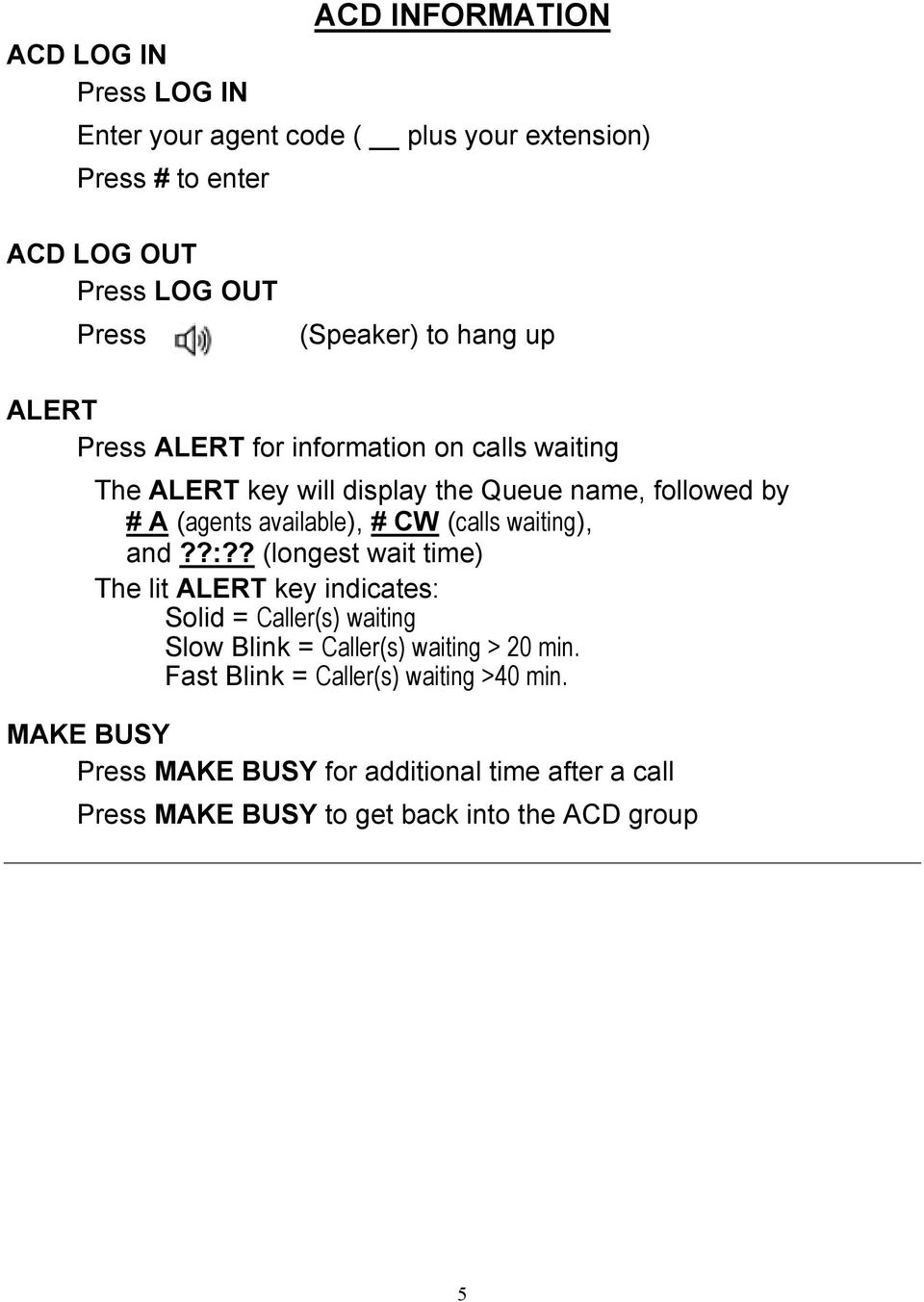
5 ACD LOG IN Press LOG IN ACD INFORMATION Enter your agent code ( plus your extension) Press # to enter ACD LOG OUT Press LOG OUT Press (Speaker) to hang up ALERT Press ALERT for information on calls waiting The ALERT key will display the Queue name, followed by # A (agents available), # CW (calls waiting), and??:?? (longest wait time) The lit ALERT key indicates: Solid = Caller(s) waiting Slow Blink = Caller(s) waiting > 20 min. Fast Blink = Caller(s) waiting >40 min. MAKE BUSY Press MAKE BUSY for additional time after a call Press MAKE BUSY to get back into the ACD group 5
6 Superkey Definitions Advisory Messages: Allows you to leave an advisory message for internal calls, used instead of Do Not Disturb Call Forwarding: Forward your phone instead of going to voic Always; All calls go to forward destination and will not ring your phone B-Int.; Busy Internal calls Only busy internal calls go to forward destination B-Ext.; Busy External calls Only busy external calls go to forward destination NA-Int.; No Answer Internal calls - Only no answer internal calls go to forward destination NA-Ext.; No Answer External calls- Only no answer external calls go to forward destination I am Here; Remote call forwarding when at a different extension you can go to I am here and have your calls forward to that phone. Personal Keys: Programming your keys on your phone options are the following: Ring Adjust: Adjusts ring pitch & ring volume Language: Change the language on your display to Spanish, French or English Different options will appear based upon what state your phone is in; get in the habit of looking at your display! 6

7 SETTING UP YOUR VOICE MAIL BOX SETTING UP YOUR VOICE MAIL BOX (Use for initial setup of your new voice mailbox from you own phone only) Press the VMAIL key If the system asks, enter your password (initial password is 1111) A tutorial will play instructing you on setting up your mailbox The voice mail system will: 1. Prompt you to change your password 2. Prompt you to record a greeting 3. Prompt you to record a busy greeting NOTE: Callers to your phone will hear your busy greeting when your phone is in use AND when your phone is in Do-Not-Disturb. 4. Prompt you to record your name Continue through the tutorial until you hear the attendant say that your mailbox is fully set up! SAMPLE GREETING: You have reached the voic box of. I m sorry I missed your call. Please leave your name and number, and I will return your call as soon as possible. ACCESSING VOICE MAIL MESSAGES ACCESSING VOICE MAIL from your phone Press the Vmail key or dial Enter your password ACCESSING VOICE MAIL from a different internal phone Note: Mailbox of used phone must be setup first or this will not work Press the Vmail key When system answers, press # # Enter your extension number Enter your password ACCESSING VOICE MAIL when away from the office Call _ - - (backdoor to VM number) When system answers press the # key Enter your extension number Enter your password Make menu choices (menus are listed below) 7

8 Main Menu 7 Play Play Unread and Read message(s) 6 Make Record and send message 8 User Options See 8 User Options 0 Transfer to 0 Transfer to the Attendant # Dial ext # Allows you to dial an extension 9 exit Exit menus Other Menus 7 Play a Message Select type of message to play Note: You will only receive all of these prompts if you have both read and unread messages in your inbox simultaneously. 1 Unread Messages 2 Read Messages 9 All Messages After message has been played: 7 Play Again Repeat the message just played 2 Answer Answer the message 4 Give* Send the message to another mailbox 5 Keep Keep the message 3 Discard Discard the message # Print to fax Print a current view fax to a fax machine 6 Make Make a new message 9 Exit Exit to main menu 8 Skip Msg Skip message and mark as unread 1 Timestamp Plays timestamp and envelope While message is playing: 1 Pause Pause for 5 seconds Rewind Rewinds message 5 seconds # Fast Forward Fast forward 5 seconds *See below Main Menu option 6, Make, for addressing and receipt options 8

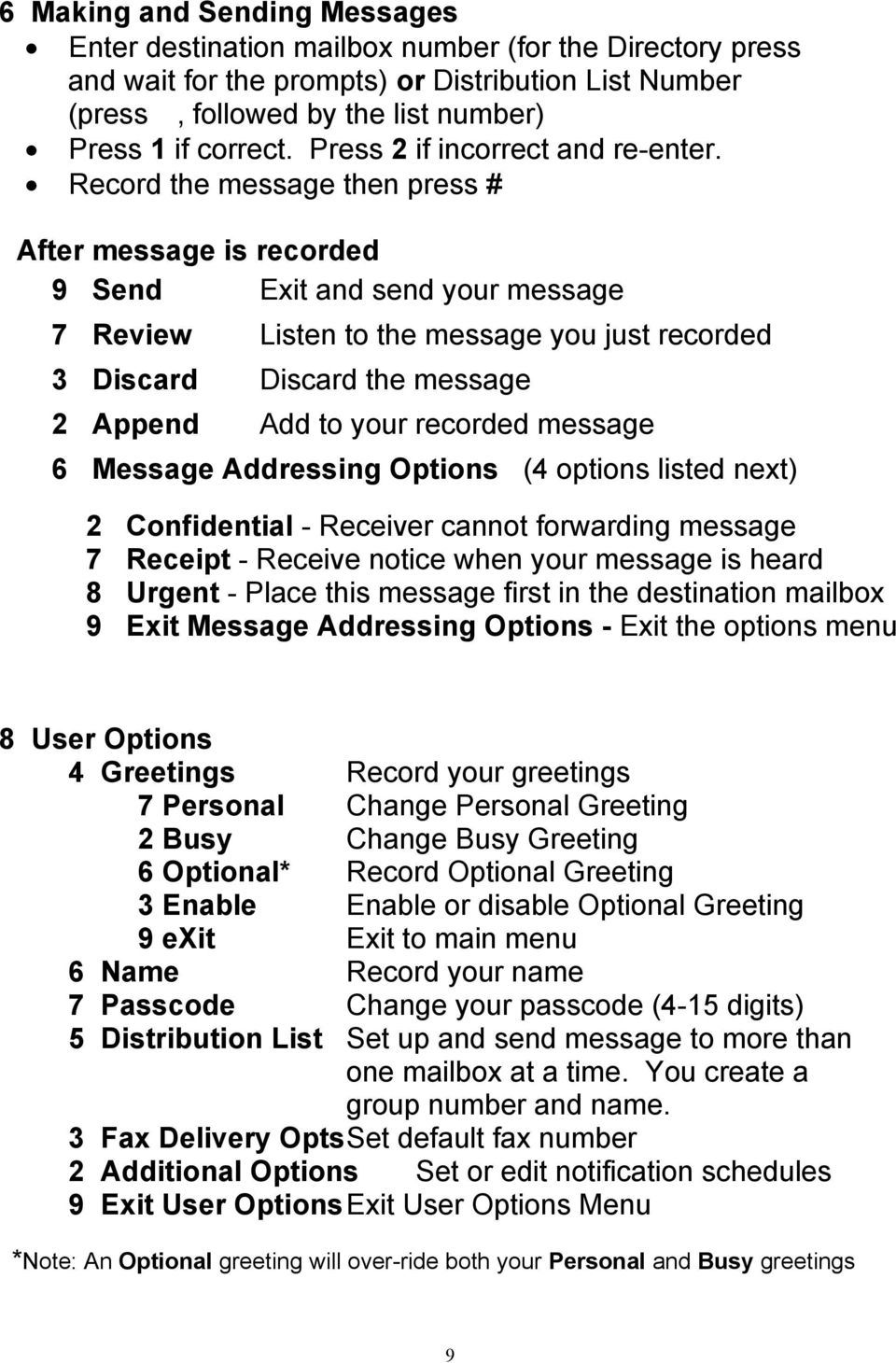
9 6 Making and Sending Messages Enter destination mailbox number (for the Directory press and wait for the prompts) or Distribution List Number (press, followed by the list number) Press 1 if correct. Press 2 if incorrect and re-enter. Record the message then press # After message is recorded 9 Send Exit and send your message 7 Review Listen to the message you just recorded 3 Discard Discard the message 2 Append Add to your recorded message 6 Message Addressing Options (4 options listed next) 2 Confidential - Receiver cannot forwarding message 7 Receipt - Receive notice when your message is heard 8 Urgent - Place this message first in the destination mailbox 9 Exit Message Addressing Options - Exit the options menu 8 User Options 4 Greetings Record your greetings 7 Personal Change Personal Greeting 2 Busy Change Busy Greeting 6 Optional* Record Optional Greeting 3 Enable Enable or disable Optional Greeting 9 exit Exit to main menu 6 Name Record your name 7 Passcode Change your passcode (4-15 digits) 5 Distribution List Set up and send message to more than one mailbox at a time. You create a group number and name. 3 Fax Delivery Opts Set default fax number 2 Additional Options Set or edit notification schedules 9 Exit User Options Exit User Options Menu *Note: An Optional greeting will over-ride both your Personal and Busy greetings 9
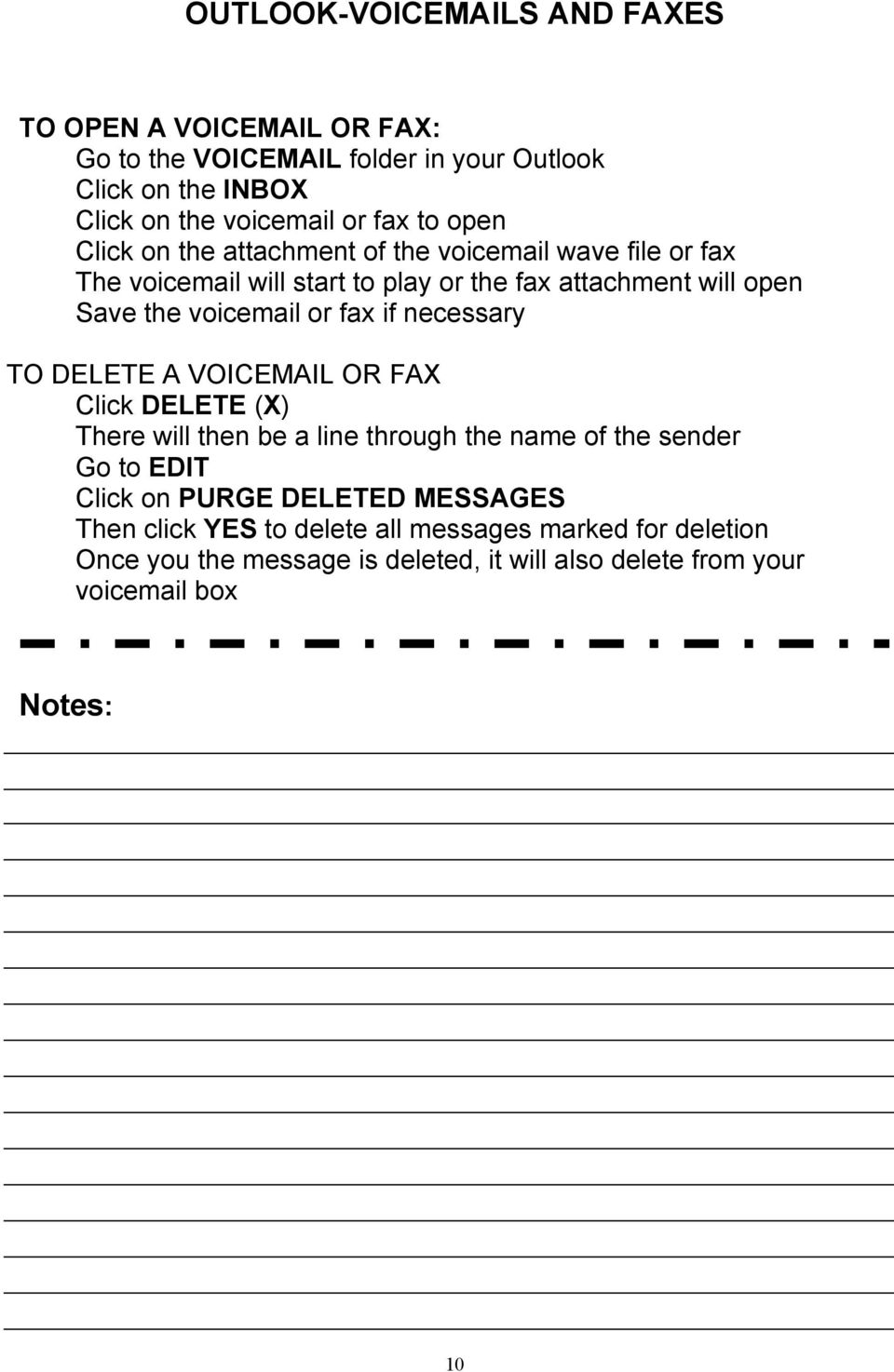
10 OUTLOOK-VOIC S AND FAXES TO OPEN A VOIC OR FAX: Go to the VOIC folder in your Outlook Click on the INBOX Click on the voic or fax to open Click on the attachment of the voic wave file or fax The voic will start to play or the fax attachment will open Save the voic or fax if necessary TO DELETE A VOIC OR FAX Click DELETE (X) There will then be a line through the name of the sender Go to EDIT Click on PURGE DELETED MESSAGES Then click YES to delete all messages marked for deletion Once you the message is deleted, it will also delete from your voic box Notes: 10
USER GUIDE MITEL 200 SUPERSET 4025. Rev. 4/02
 USER GUIDE MITEL 200 SUPERSET 4025 Rev. 4/02 TO ANSWER AN INCOMING CALL Lift handset of ringing telephone or Press flashing line button TO PLACE AN OUTGOING CALL Dial outside access code [9] Dial number
Getting to Know Your Cisco VoIP Phone 303G, 504G, 508G and 514G
 Getting to Know Your Cisco VoIP Phone 303G, 504G, 508G and 514G Getting to know your new phone is easy. This guide will help you get started. You ll learn how to: Use the feature buttons Navigate your
Using the 5215 IP Phone in Remote Mode 3 About Feature Access Codes 3 For Users on Resilient 3300 ICP Systems 3
 USER GUIDE 3300 ICP - 7.0 Contents ABOUT YOUR PHONE 1 Using the 5215 IP Phone in Remote Mode 3 About Feature Access Codes 3 For Users on Resilient 3300 ICP Systems 3 TIPS FOR YOUR COMFORT AND SAFETY 3
Cisco IP Phone Models 7941 and 7945 Quick Reference Guide December 23, 2011
 Emergency Calls Dial 911 or 3 911 Cisco IP Phone Models 7941 and 7945 Quick Reference Guide December 23, 2011 Place a Call Lift handset (or press the Speaker button, the line button, or New Call soft key)
How To Use A Cell Phone On A Sim Sims 2.2 (Sprinting) And Sims 1 (Cell Phone) With A Sims 3.2.2 On A Iphone Or Ipod) With An Ipod
 LINKSYS SPA941 / SPA942 User Guide Emergency To dial 911 for emergency service, you must dial the Outside Access Digit first (usually 9) + 911. Customer Service / Technical Support (919) 459-2300, option
Welcome! Cisco 8945 End User Training
 Welcome! Cisco 8945 End User Training Welcome Instructor: Name Schedule: One hour and fifteen minutes Phone Orientation Call Handling Features Voice Mail Reference Cards Conversion: Date and Details Cell
Basic Training Syllabus
 Mastering the ShoreTel IP Communication System Basic Training Syllabus Personal Call Manager - P a g e 1 Objectives of the class: Understanding new technology can at times appear challenging. However,
Inter-Tel Eclipse 2. Associate Display and Basic Digital Phone. User s Guide
 Associate Display Phone 560.4200 Basic Digital Phone 560.4100 Inter-Tel Eclipse 2 Associate Display and Basic Digital Phone User s Guide Page 1 of 23 Feature Key Functions Press IC or CALL OUTGOING Unlit
Towson University Using The Phone And Voicemail System
 Towson University Using The Phone And Voicemail System OTS PUBLICATION: PAVS REVISED 07-01-2006 [email protected] OFFICE OF TECHNOLOGY SERVICES Using Your Voicemail From Your Desk 1. Press the VOICEMAIL
South College VOIP Phone Training
 South College VOIP Phone Training Some of the components of your new telephone system are Cisco IP phones (Series 7945/7962), Call Manager and Unity Express Voice Mail. Some employees will have 7945/7962
Analog Business Phone User Guide
 Analog Business Phone User Guide Emergency To dial 911 for emergency service, you must dial the Outside Access Digit first (usually 9) + 911. Customer Service / Technical Support (919) 459-2300, option
TOSHIBA. 1. While on a call, press the Cnf/Trn button. 2. Dial another station or outside number. 3. After the called party answers, press the
 Telephone User Instructions Your phone is programmed with a Direct Dial Number, which is. Your 4-digit extension is. You may also have a rollover line. If your first line is busy, calls to your main number
Phone System Guide Handout
 Phone System Guide Handout Union Institute & University September 2012 Rev 1 9/6/2012 1 Contents Union Institute & University... 1 Introduction... 4 Section 1 Phone System Voicemail:... 5 Section 2 Phone
IP Phone System: Cisco 7960G and 7940G
 IP Phone System: Cisco 7960G and 7940G Table of Contents: IP Phone System 7940G and 7960G CISCO IP PHONE ROAD MAP...1 NAVIGATE THE PHONE SYSTEM AND USE THE LCD SCREEN...2 SOFT KEYS... 2 USE THE NAVIGATION
Ipiphony Phone System. User Manual. 1 P a g e
 Ipiphony Phone System User Manual 1 P a g e About this Guide This guide explains how to use the basic features of your new Aastra phones. Not all features listed are available by default. Contact your
AVAYA 9608 & 9611G IP DESKPHONE INSTRUCTIONS
 AVAYA 9608 & 9611G IP DESKPHONE INSTRUCTIONS 1 MESSAGE WAITING INDICATOR PHONE DISPLAY NAVIGATION ARROWS and the OK BUTTON PHONE BUTTON MESSAGE BUTTON CONTACTS HISTORY HOME HEADSET SPEAKER VOLUME BUTTON
TABLE: The 2420 Telephone Components
 2420 Telephone TABLE: The 2420 Telephone Components 1. Display, Call Appearance and Feature buttons: Call Appearance Keys allow the user to handle multiple calls and the display shows call information.
Hosted PBX End User Training Guide For the Polycom Soundpoint IP 321, 331 and 335 Phone
 Hosted PBX End User Training Guide For the Polycom Soundpoint IP 321, 331 and 335 Phone HOSTED PBX END USER TRAINING GUIDE ACCESSING VOICEMAIL To retrieve your voicemail, press the Menu button, button
How To Use A Sim Sim Sims 3.2 On A Cell Phone On A Pc Or Mac Or Ipa (For A Sims) On A Simmer (For An Ipa) Or Ipb (For Mac) On An Ip
 Telephone and Voice Mail Quick Reference Guide ADTRAN IP 712 and IP 706 Phones ADTRAN Polycom IP 650, IP 601, IP 501, and IP 430 Phones Table of Contents 4 5 6 10 15 16 17 19 20 21 22 Voice Mail Quick
VoIP Aastra 6757i User Guide
 VoIP Aastra 6757i User Guide University of Calgary Network Services Oct 2013 1 of 10 Network Services Access: From your office... 3 Access: From any phone... 3 Voice Mail Options... 3 Access: Internet...
Cisco 7941 / 7961 IP Phone User Guide
 Cisco 7941 / 7961 IP Phone User Guide Emergency To dial 911 for emergency service, you must dial the Outside Access Digit first (usually 9) + 911. Customer Service / Technical Support (919) 459-2300, option
VoIP Aastra 6739i User Guide
 VoIP Aastra 6739i User Guide University of Calgary Network Services Contents Voicemail... 3 Access: From your office... 3 Access: From any phone... 3 Voice Mail Options... 3 Access: Internet... 5 Calling
" (877)MY T4 TEL " " " " " " " (877)698-4835
 Display Features The display on your phone is interactive. As you use the phone the information will change and different features and functions will appear on the display. The 8 buttons above the display
Phone & Voicemail Instructions
 General Phone Tips To transfer a call to another line: 1. Press the Conf button 2. Dial the extension you wish to conference 3. Wait for the person to answer 4. Press Conf again to connect the two calls
Using the Cisco IP Phone System
 Using the Cisco IP Phone System Chapter 0 The Cisco IP Phones 7970 and 7960G are full-feature telephones that provide voice communication over the same data network that your computer uses, allowing you
Hosted Voice Quick Start Guide
 Hosted Voice Quick Start Guide EATEL 225-621-4100 Welcome Welcome to Hosted Voice from EATEL! This guide is intended to get you up and running for the basic features associated with the product. Pages
Volume NEC DT ERM SERIES E PHONE MANUAL
 Volume 1 NEC DT ERM SERIES E PHONE MANUAL ALPHA VOICE NEC Dterm Series E Alpha Voice 12345 Main Street Suite 100 Phone 123.456.7890 Fax 123.456.7890 Table of Contents Overview Purpose BASIC CALL FUNCTIONS
3 Com Phone System Training
 3 Com Phone System Training If you have any questions about the phone system contact: Karen Escavage Phone: 521-7526 Email: [email protected] Richard Blackwell Phone: 521-7544 Email: [email protected]
HPBX User Guide. Version 2.0.60 V ISIT W IGHTMAN. CA
 HPBX User Guide Version 2.0.60 V ISIT W IGHTMAN. CA Table of Contents CALL FEATURES... 4 Placing a Call... 4 Receiving a Call... 4 Call Forwarding... 4 Recording a Call... 4 Parking a Call... 5 Do Not
Cisco 7940/7960 User Guide. Cisco 7940/7960 User Guide
 Cisco 7940/7960 User Guide Table of Contents Table of Contents...2 Introduction...3 The Cisco 7940/7960 IP Phone... 3 Web Portal...3 Telephony Toolbar...3 Document Format...4 Feature Functionality...5
WAVE QUICK REFERENCE GUIDE
 WAVE QUICK REFERENCE GUIDE For Vertical Edge 100 and Edge 700 Digital Phones Business Communications Solutions 9910 Irvine Center Drive Irvine, CA 92618 www.bcsconsultants.com [ m ] 949.333.1000 [ f ]
3COM 35 SERIES IP PHONES QUICK REFERENCE-6W100
 3COM 35 SERIES IP PHONES QUICK REFERENCE-6W100 Your 3Com IP Phone must be configured to work in an IP network. Typically, your administrator assigns IP parameters, including an IP address, phone extension
2 Session buttons. 1 Phone Screen
 1 Phone Screen 2 Session buttons Shows information about your phone, including directory number (extension), call information (for example caller ID, icons for an active call or call on hold) and available
BCT Communication Systems Inc.
 BCT Communication Systems Inc. Basic Operating Instructions For the Panasonic PBX Telephone System Making Calls To an Extension: 1. Lift the handset of your telephone 2. Press the INTERCOM key 3. Dial
Executone Phone Instructions (Not All Phones Have All Features)
 Executone Phone Instructions (Not All Phones Have All Features) To Reach Any Internal Extension: Press the Hands-free key or lift the handset. Enter the extension number or press the name key. To Take
Key Connected Office Voice User Reference Guide
 Key Connected Office Voice User Reference Guide 02/10/2016 031114/FT/13v1/EX Page 0 Key System User Reference Guide Table of Contents PLACING/RECEIVING CALLS... 1 Answer a Call... 1 Dialing a Number or
Feature Reference. Features: Call Forwarding Call Waiting Conference Calling Outbound Caller ID Block Last Call Return VoiceMail
 Feature Reference This document will provide you with information on and how to use the following features of your phone service with Standard Broadband. Features: Call Forwarding Call Waiting Conference
Asterisk Voicemail User Reference
 Asterisk Voicemail User Reference Chapter 1. An Overview The Asterisk PBX offers a highly flexible, highly capable voice mail system. Among the features that it offers are: Three different types of greetings.
TruConnect. Hosted PBX User Guide. Quick Start Guide - Page 2. Table of Contents - Page 5. 1-800-768-1212 www.truvista.net
 TruConnect Hosted PBX User Guide R R Quick Start Guide - Page 2. Table of Contents - Page 5. 1-800-768-1212 www.truvista.net TruConnect User Guide Page 1. Hosted TruConnect IP PBX Quick Reference Guide
Panasonic Business Telephone and Voice Mail Systems. User Guide
 Panasonic Business Telephone and Voice Mail Systems User Guide Location of Controls Panasonic Telephone System Telephone Set 2 Explanation of Controls PAUSE: Used to insert a pause when storing a telephone
IP Office 9508 Telephone Quick Guide
 9508 Telephone Quick Guide Your 9508 Telephone The supports the 9408 and 9508 telephones. The phone supports 24 programmable call appearance/feature buttons. The labels for these are displayed in the main
Nortel VoIP Phone User Guide An overview of features
 Nortel VoIP Phone User Guide An overview of features IP Phone 1120E Click phone for enlarged and labeled picture. IP Phone 1140E Click phone for enlarged and labeled picture. Basic Phone Functions Adjusting
BROADCONNECT POLYCOM SOUNDPOINT IP 550. Quick Reference Guide
 BROADCONNECT POLYCOM SOUNDPOINT IP 550 Quick Reference Guide SOUNDPOINT IP 550 Quick Reference Sheet My Telephone Number: My Extension: Voice Portal URL: http://mypbx.broadconnect.ca Voice Portal User
Cisco 8851. Dial Plan. Feature and Session Buttons. Your Phone
 Cisco 8851 Dial Plan Internal Calls: Dial 5-digit extension External Calls: Domestic/Local: 9+1 Area Code + Number Int l: 9+011+Country Code + Number Emergency: 9+911 or 911 Your Phone 1. Incoming call
Training Guide For 7960 & 7940 Series Cisco IP Phones
 Training Guide For 7960 & 7940 Series Cisco IP Phones Prepared by: Corporate Technologies, LLC 2000 44 th Street SW, Suite 100 Fargo, ND 58103 (701) 893-4000 1 Table of Contents: Section I: GETTING STARTED
Hosted PBX Phone Setup & End User Training Guide
 Hosted PBX Phone Setup & End User Training Guide HOSTED PBX PHONE SETUP GUIDE REQUIRED FOR INSTALL Modem / Router Ethernet Power Supply or Switch (CAT5, CAT5e, CAT6) (if required) POLYCOM SOUNDPOINT IP
Quick Reference Guide
 Dialing Plan Fill in these important numbers for your dialing plan. Cisco IP 8941/8945 Phone for ADP Network Phone Enterprise Quick Reference Guide Number Description My Direct Dial or Extension Operator/Attendant
Mitel 5000 Telephone System
 Mitel 5000 Telephone System Phone Keys & Key Descriptions The following telephone feature descriptions identify the keys on the key panel of your 8528 phone. Handset If you are using a headset or if you
How To Use A 9608 Phone On A Cell Phone On Sim Sims 2 (Satellite) On A Sims 3 (Cell Phone) On An Iphone Or Ipad Or Ipa 2 (Cellphone) On Sims 4
 AVAYA 9608 SIP DESKPHONE INSTRUCTIONS MESSAGE WAITING INDICATOR YOUR PHONE 9608 PHONE INSTRUCTIONS If there are messages in your Avaya Voice Mailbox, the light on the top right corner of your telephone
HELPFUL HINTS FOR VOIP PHONES
 HELPFUL HINTS FOR VOIP PHONES TO LEAVE A MESSAGE IN MAILBOX WITHOUT CALLING THE NUMBER ACCESS THE LINE (GET DIAL TONE) - PRESS STAR DIAL 5 DIGIT NUMBER TO TRANSFER A CALL WITHOUT ANNOUNCING WHOSE CALLING
CISCO IP PHONE 6945 Series User Guide
 CISCO IP PHONE 6945 Series User Guide Notes Page 15 VOICE MAIL Setting up Voice Mail for the First Time: Press the messages key on your phone. Follow the recorded instruction to record your name, record
Telephone User Guide (3-digit Extensions) (337) 234-2828. Business phones that build business
 Telephone User Guide (3-digit Extensions) (337) 234-2828 Business phones that build business Volume Control To adjust Handset Volume During a call, press down Vol or Vol. When you hang up, volume returns
Information Systems Cisco 7940/7942 IP Phone Quick Reference Guide
 Information Systems Cisco 7940/7942 IP Phone Quick Reference Guide Contents Page: Cisco 7940/7942 IP Phone Quick Reference Guide Contents 2 Introduction 3 Phone Overview 3 How Do I: 4 Place a Call? 4 Put
Information Systems Cisco 7965 IP Phone Quick Reference Guide
 Information Systems Cisco 7965 IP Phone Quick Reference Guide Contents Cisco 7965 IP Phone Quick Reference Guide Contents Page 2 Introduction 3 Overview of Phone 3 How Do I: 4 Place a Call? 4 Put a Call
Linksys SPA942 User Guide. Linksys 942 User Guide
 Linksys 942 User Guide Table of Contents Table of Contents...2 Introduction...3 The Linksys SPA942 IP Phone... 3 Web Portal...3 Telephony Toolbar...4 Document Format...4 Feature Functionality...4 Feature
End User Phone Training 7945/7965 Reference Guide
 End User Phone Training 7945/7965 Reference Guide Page 1 Navigation (Scroll) The user may display his/her last calls out using the blue navigation button. Please note that the phone handset will display
CALLPILOT VOICEMAIL USER GUIDE
 CALLPILOT VOICEMAIL USER GUIDE SETTING UP YOUR MAILBOX First-Time Login o Dial 7002, the CallPilot voice mail access number o Enter your MAILBOX NUMBER then press o Enter your temporary password, (32 +
Quick Reference Book. Cisco 7940 & 7960 Series IP Phones. Business Feature Set T6000 Release 6.0 SCCP Protocol
 Quick Reference Book Cisco 7940 & 7960 Series IP Phones Business Feature Set T6000 Release 6.0 SCCP Protocol 2007 Red Gap Communications, Inc. All rights reserved. Revision 20070309 Important Phone Numbers
Voice Messaging. Reference Guide
 Voice Messaging Reference Guide Table of Contents Voice Messaging 1 Getting Started 3 To Play a Message 4 To Answer a Message 5 To Make a Message 6 To Give a Message 7 Message Addressing Options 8 User
NGT Hosted Digital Voice. User Guide
 NGT Hosted Digital Voice User Guide December 2009 Getting Started Making Calls Using Your NGT Hosted Digital Voice service Domestic Dial as you normally would. You can also reference your local telephone
Overview of IP Phone. 1 Handset Pick up to place or answer a call. 2 Message Waiting Indicator
 Overview of IP Phone 1 Handset Pick up to place or answer a call. 2 Message Waiting Indicator Displays solid red when you have a new voice mail message. Flashes red during an incoming call. 3 LCD Screen
Excel 2000 Charts Level 2. NEC Telephone and Voice Mail Training
 Excel 2000 Charts Level 2 NEC Telephone and Voice Mail Training Table of Contents NEC PHONE SYSTEM... 1 Make Calls... 1 Types of Phones... 1 Display Box... 2 Phone Panel... 2 Soft Key Buttons... 2 Exit
Call Answer Service. User Guide. outside front cover
 Call Answer Service User Guide outside front cover 204 225-9999 toll-free Call Answer access number from anywhere in Manitoba 1 866 GET-MSGS toll-free Call Answer access number from anywhere in Canada
How To Use An Automatic Attendant On A Cell Phone In Germany
 User Guide for the DSX Series Phone System To record the main greeting 1. At extension 300, press V-MAIL or push VM:xx. 2. Dial SA. 3. To record the Automated Attendant greeting, push Instr in the display
TABLE OF CONTENTS TABLE OF CONTENTS. 1. Introduction:
 TABLE OF CONTENTS TABLE OF CONTENTS 1. Introduction: General... 4 Telephone Layout... 4 Key Definitions... 5 IP Telephone Log In/Out Hot Desking... 16 Speed Dial Programming Personal or Station... 17 Speed
Cisco VoIP 79XX Phones Reference Guide ICIT Technology Training and Advancement [email protected]. Updated on 7/11/2014
 Cisco VoIP 79XX Phones Reference Guide ICIT Technology Training and Advancement [email protected] Updated on 7/11/2014 1 TABLE OF CONTENTS 2 Phone Overview... 4 2.1 Phone Terms... 5 3 Operating Your Phone...
IPitomy User Guide Business Phones Conferencing Voice Mail
 IPitomy User Guide Business Phones Conferencing Voice Mail Using Your Telephone Your new telephone is a state of the art IP Telephone instrument. It is manufactured by Aastra, the manufacturers of Northern
NEC SV8100 Telephone System User Guide (for SV8100 12-button and 24-button phones with CAP/PARK keys)
 NEC SV8100 Telephone System User Guide (for SV8100 12-button and 24-button phones with CAP/PARK keys) KEYS AND BUTTONS ON YOUR PHONE Incoming Call/Message Waiting indicator light Flashes red quickly when
VoIP Phones. Elements of our MITEL 5330 IP Phones: Feature Function
 VoIP Phones Elements of our MITEL 5330 IP Phones: Feature Function 1) Display 2) Ring/Message Indicator. Flashes to signal an incoming call and to indicate a message waiting in your voice mailbox. 3) Volume,
NITSUKO DS01 TELEPHONE USER S GUIDE
 NITSUKO DS01 TELEPHONE USER S GUIDE 2003-2004 Version 1.1 TABLE OF CONTENTS PAGES INTRODUCTION TELEPHONE FEATURES. TELEPHONE SERVICES.. VOICE MAIL. TELEPHONE FREQUENTLY ASKED QUESTIONS (FAQs) ADVANCED
D I G I T A L P H O N E S E R V I C E F E A T U R E S G U I D E DIGITAL P H O N E S E R V I C E. ACN 2007 useng_featuresguide_prdpv_w_092507
 D I G I T A L P H O N E S E R V I C E F E A T U R E S G U I D E DIGITAL P H O N E S E R V I C E ACN 2007 useng_featuresguide_prdpv_w_092507 TABLE OF CONTENTS Making Phone Calls... 2 Accessing Your Account
Cisco VoIP 8961/9951/9971 Phones Reference Guide ICIT Technology Training and Advancement [email protected]
 Cisco VoIP 8961/9951/9971 Phones Reference Guide ICIT Technology Training and Advancement [email protected] Updated on 8/1/2014 TABLE OF CONTENTS Phone Overview... 4 Phone Terms... 5 Operating Your Phone...
AMHERST COLLEGE SIEMENS HIPATH 4000 OPTIPOINT TELEPHONE TELEPHONE QUICK REFERENCE GUIDE LCD (DISPLAY) VERSION
 AMHERST COLLEGE SIEMENS HIPATH 4000 OPTIPOINT TELEPHONE TELEPHONE QUICK REFERENCE GUIDE LCD (DISPLAY) VERSION Welcome! The OptiPoint digital telephone gives you advanced, easy-to-use features. The display
NEC SV8100 Telephone System User Guide (for SV8100 12-button and 24-button phones)
 NEC SV8100 Telephone System User Guide (for SV8100 12-button and 24-button phones) KEYS AND BUTTONS ON YOUR PHONE Incoming Call/Message Waiting indicator light Flashes red quickly when a call is ringing
YOUR HOME PHONE. Horry Telephone Cooperative, Inc.
 YOUR HOME PHONE Horry Telephone Cooperative, Inc. CONTENTS Calling Features Anonymous Call Rejection page 4 Automatic Busy Redial page 4 Automatic Call Return page 5 Call Forwarding page 6 Call Forwarding
Telephone System Information
 Telephone System Information Whether you have a single-line or multi-line set, several features are available for your use. Definitions of some terms used and descriptions of the features with directions
Information Systems Cisco 7945 IP Phone Quick Reference Guide
 Information Systems Cisco 7945 IP Phone Quick Reference Guide Contents Cisco 7945 IP Phone Quick Reference Guide Contents Page 2 Introduction 3 Overview of Phone 3 How Do I: 4 Place a Call? 4 Put a Call
User Guide. for the. Coral. Phone System. and. T3 Voice Mail System
 User Guide for the Coral Phone System and T3 Voice Mail System July 2010 Accessing Help on Using the Phone System Help Desk 581-4000 option 1 The following materials may be found on-line: The Coral User
Featuring the Vertical Xcelerator IP Phone System DESK PHONE USER GUIDE V1.5
 Featuring the Vertical Xcelerator IP Phone System DESK PHONE USER GUIDE V1.5 For Service Purchased After May 1 st 2009 Table of Contents INTRODUCTION TO YOUR XCELERATOR DESK PHONE... 2 WELCOME... 2 XCELERATOR
AVAYA 9608/9611G SIP DESKPHONE INSTRUCTIONS
 AVAYA 9608/9611G SIP DESKPHONE INSTRUCTIONS MESSAGE WAITING INDICATOR PHONE DISPLAY NAVIGATION ARROWS and the OK BUTTON PHONE BUTTON MESSAGE BUTTON CONTACTS HISTORY HOME HEADSET SPEAKER VOLUME BUTTON MUTE
Vertical 4-Line Desk Phone Quick Reference Guide ACC-1145 PUG
 ACC-1145 PUG Vertical 4-Line Desk Phone Quick Reference Guide Table of Contents INTRODUCTION TO YOUR XCELERATOR DESK PHONE... 2 WELCOME... 2 DESK PHONE... 2 HOW TO USE YOUR XCELERATOR DESK PHONE... 3 Answering
THE EWING PUBLIC SCHOOLS. CISCO VoIP TELEPHONY UNITY VOICE MAIL INSTRUCTIONS TIPS AND SHORTCUTS
 THE EWING PUBLIC SCHOOLS CISCO VoIP TELEPHONY UNITY VOICE MAIL INSTRUCTIONS TIPS AND SHORTCUTS Any questions or concerns, or if any part of your phone is broken and needs to be replaced, enter a ticket
PHONE USER 1 GUIDE. Morristown (MUS) Local Customer Calling FROM: Morristown (Area Code 423): 307, 317, 318, 522, 581, 585, 586, 587
 PHONE USER 1 GUIDE Local Calling Area Windstream has defined the following local calling area. All calls to these areas are included in your local monthly charge. Calls outside of this area will be billed
IP Office 9608 Telephone Quick Reference Guide
 9608 Telephone Quick Reference Guide Your 9608 Telephone The supports the 9608 telephone. The phone supports 24 programmable call appearance/feature buttons. The labels for these are displayed in the main
INTRODUCTION TO YOUR BT MICRO... 2 WELCOME... 2 BT MICRO FEATUREPHONE... 2 HOW TO USE YOUR BT MICRO FEATURE PHONE... 3
 Table of Contents INTRODUCTION TO YOUR BT MICRO... 2 WELCOME... 2 BT MICRO FEATUREPHONE... 2 HOW TO USE YOUR BT MICRO FEATURE PHONE... 3 Phone setup... 3 Answering and making calls... 3 Transferring calls...
Cisco Unified Communications System End-User Guide
 Cisco Unified Communications System End-User Guide Version 1.0 Revised July 25, 2012 Customized for Neptune School District Note: Information in this document is drawn from Cisco documentation. These guides
D-Term ACD-IP User Guide
 D-Term ACD-IP User Guide Table of Contents Keys and Lamps... 2 Tones... 3 Making and Receiving Calls... 4 Hold... 5 Transfer... 6 Conference Calls... 6 ACD Functions... 7 Logon... 7 Work... 7 Call Recover...
ABOUT YOUR PHONE... 1 TIPS FOR YOUR COMFORT AND SAFETY... 2. Don't cradle the handset!... 2 Protect your hearing... 2 Adjusting the viewing angle...
 USER GUIDE Contents ABOUT YOUR PHONE... 1 TIPS FOR YOUR COMFORT AND SAFETY... 2 Don't cradle the handset!... 2 Protect your hearing... 2 Adjusting the viewing angle... 2 CUSTOMIZING YOUR PHONE... 4 Ringer
Quickstart Guide. Cisco IP Phone 7800 Series
 Quickstart Guide Cisco IP Phone 7800 Series Cisco IP Phone 7800 Series Features 1 2 1) Handset light strip 17 16 15 14 3 4 5 6 7 8 9 10 11 2) Phone screen 3) Softkey button 4) Navigation and select button
AVAYA VOICE OVER INTERNET PROTOCOL (VOIP) TELEPHONE USER MANUAL. Revised by Leeward CC IT October 2012. University of Hawaiʻi Community Colleges
 AVAYA VOICE OVER INTERNET PROTOCOL (VOIP) TELEPHONE USER MANUAL Revised by Leeward CC IT October 2012 University of Hawaiʻi Community Colleges Hawaiian Telecom Copyright 2012 Table of Contents PLACING
NEC SV8100 Voice Mail User Guide
 NEC SV8100 Voice Mail User Guide Phone: 07 5478 2000 Fax: 07 5478 2611 172 Brisbane Road, Mooloolaba, Qld 4557 V3 13/8/09 1 GETTING STARTED FIRST TIME VOICEMAIL SETUP When you dial into Voicemail for the
Cisco IP Phone 7960 / 7940 Quick Reference Guide
 Cisco IP Phone 7960 / 7940 Quick Reference Guide CONTENTS CALLS... 5 Placing a Call... 5 Dialing... 5 Answering a Call... 5 Ending a Call... 5 Muting a Call... 5 Placing a Call on Hold... 5 TRANSFERS...
Enterprise Messaging, Basic Voice Mail, and Embedded Voice Mail Card
 MITEL Enterprise Messaging, Basic Voice Mail, and Embedded Voice Mail Card User Guide Notice This guide is released by Mitel Networks Corporation and provides information necessary to use Mitel voice
User Guide. IP Multimedia 1110, 1120, 1140 & 1150 phones
 User Guide IP Multimedia 1110, 1120, 1140 & 1150 phones Content 1. IP Phone buttons & usage 2. Logging on / off your IP Phone 3. Changing your password 4. Making a call 5. Receiving a call 6. Placing a
Cloud Voice Service. Cisco Unified IP Phone 7942G User Guide. (Version 1.0)
 Cisco Unified IP Phone 7942G User Guide (Version 1.0) Table of Content 1. Phone Set Features and Functions... 2 1.1 Operation for IP Phone 7942G... 3 1.2 Adjusting the Height of the Footstand... 4 2. Preference
Business Voice Services Voicemail * Guide
 Voicemail * Guide You can access your business voicemail using any phone. IMPORTANT: FIRST-TIME LOGIN INSTRUCTIONS The first time you log in, you will need to use the Voicemail Wizard to set a password
Desktop Reference Guide
 Desktop Reference Guide 1 Copyright 2005 2009 IPitomy Communications, LLC www.ipitomy.com IP550 Telephone Using Your Telephone Your new telephone is a state of the art IP Telephone instrument. It is manufactured