
METEOROLOGICAL INSTRUMENTS
|
|
|
- Edgar Dorsey
- 10 years ago
- Views:
Transcription
1 METEOROLOGICAL INSTRUMENTS INSTRUCTIONS ULTRASONIC ANEMOMETER MODEL R.M. YOUNG COMPANY 2801 AERO PARK DRIVE, TRAVERSE CITY, MICHIGAN 49686, USA TEL: (231) FAX: (231) WEB: PN: REV: J110410

2 OPERATING INSTRUCTIONS Model Ultrasonic Anemometer Contents SECTION DESCRIPTION PAGE 1.0 SPECIFICATIONS INTRODUCTION INITIAL CHECKOUT INSTALLATION Placement Mounting and Alignment Wiring Connections Power Requirement OPERATION With Wind Tracker Display Voltage Outputs Serial Output Formats and Protocols Low Power Operation SETTING SERIAL OUTPUTS AND OPERATING PARAMETERS 6.1 Setup using Young the 2DSETUP program Setup using terminal Program Command Overview Command Details EXAMPLE SETTINGS Voltage Output, Minimum Power RS232, Continuous ASCII, Minimum Power RS232, Polled ASCII, Minimum Power RS232, Polled ASCII Output SDI-12 Continuous SDI-12 Standby WARRANTY CE COMPLIANCE 7 APPENDIX A WIRING CONNECTIONS 8 B SENSOR PHYSICAL 13 (J)

3

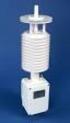
4 MODEL ULTRASONIC ANEMOMETER 2.0 INTRODUCTION The YOUNG Ultrasonic Anemometer is a 2-axis, nomoving-parts wind sensor. It is ideal for general meteorological applications requiring accurate and reliable measurement. The sensor features wide operating range, compact size, easy installation and low power operation. Analog and digital signal outputs are available in several popular formats. The measures wind based on the transit time of ultrasonic pulses between four transducers. Air flow alters the transit time which is used to calculate flow velocity. Wind direction is determined from relative velocities along each acoustic path. Measurement results are available as calibrated voltage output signals or serial data using RS-232, RS-485, or SDI-12 connections. Continuous output or polled operation may be used. Serial formats may be selected for direct connection to YOUNG Wind Tracker displays, marine NMEA systems, SDI-12 data loggers, and ASCII serial communication programs. Operating parameter options are selected using a simple setup program provided. All settings are stored internally in nonvolatile memory. The sensor is constructed using UV-stabilized thermoplastic, stainless steel, and anodized aluminum for superior environmental resistance. It is easily mounted on standard 1 inch (IPS) pipe. An orientation ring preserves mounting position when the sensor is removed. 1.0 SPECIFICATIONS WIND SPEED Range: Resolution: Accuracy: 0-70 m/s (156 mph) 0.1 m/s 0 to 30 m/s, ±2% or 0.1m/s 30 to 70 m/s, ±3% WIND DIRECTION Azimuth Range: degrees Resolution: 1 degree Accuracy: ± 2 degrees SERIAL OUTPUT Type: Formats: Baud Rates: RS-232, RS-485, SDI-12 ASCII Text (polled and continuous) RMYT (Wind Tracker) NMEA SDI-12 (v1.3) 1200, 4800, 9600, and baud ANALOG VOLTAGE OUTPUT Polar Wind Speed: 0 to 5000 mv (0 to 100 m/s) Wind Direction: 0 to 5000 mv (0 to 360 or 0 to 540 ) Cartesian (UV) U and V: GENERAL Output rate: Power Supply: Dimensions: Weight: Shipping Weight: 0 to 5000 mv (-100 m/s to +100 m/s) 1 Hz typical (selectable) 9 to 16 VDC, 150 ma max 34 cm high x 17 cm wide 0.7 kg (1.5 lb) 1.6 kg (3.5 lb) 3.0 INITIAL CHECKOUT Carefully unpack the unit and inspect for physical damage. Any damage should be reported to the shipper. The arrives fully calibrated and ready to use. As supplied, the sensor is configured as follows: FACTORY DEFAULT CONFIGURATION: Serial Output: - RMYT Format - RS RS-485 Output Only baud Analog Voltage Outputs: - Channel V1: Wind Speed mv = m/sec - Channel V2: Wind Direction mV = Deg These settings will permit direct serial connection to the Young Model Wind Tracker and connection of the voltage outputs to a voltage measuring device or datalogger. For other available serial or voltage output configurations refer to the appropriate sections of the manual. A simple operational check of the sensor may be performed as follows: (Requires Model Wind Tracker) 3.1 Remove junction box cover and connect power and signal wires to terminals as indicated in WIRING CONNECTIONS (APPENDIX A). Supply voltage must be 9 to 16 VDC. Page 1

5 IMPORTANT: The Wind Tracker input option must be set to "INP 09". See the Wind Tracker manual for setting this option. 3.2 Apply power to the Wind Tracker and sensor. There will be a 5 second delay for initialization after which the unit will begin to send data. Wind speed and wind direction values will appear on the Wind Tracker. The sensor wind speed threshold is preset to 0.25 m/s (0.6 mph). Wind below this level is displayed as zero. The wind direction display will show the last value that appeared when wind speed was above threshold. 3.3 Verify sensor response by using a small fan or gently blowing through the measuring section. Move the fan to create wind from several different directions and confirm changes on the Wind Tracker display. Small fans and gentle blowing create irregular flow patterns. This test is for general checkout only. If the Wind Tracker display continuously shows "Ser Err" then it is not receiving data from the sensor. Remove power and check all wiring connections. If the problem cannot be corrected, contact your YOUNG representative. If the is NOT USED with a YOUNG Wind Tracker, an alternative output must be used to check operation. For voltage output, a voltmeter may be used as an indicator. For other serial formats, use the wiring diagrams and appropriate parameter settings as a guide. See sections 5.0 and 6.0 of this manual. IMPORTANT: RMYT, the default serial output format, transmits binary data. Most serial communications programs can only display ASCII text, not binary data. Therefore, using such a program to monitor RMYT output will show meaningless characters on the computer display. To see readable data with a program like HyperTerminal, a suitable serial output format like ASCII or NMEA must be used. 4.0 INSTALLATION 4.1 PLACEMENT Proper instrument placement is important. Eddies from buildings, trees, or other structures can influence measurements. For most applications, locate the sensor well above or upwind of obstructions. As a general rule, air flow around a structure is disturbed to 2 times the height of the structure upwind, 6 times the structure downwind, and up to 2 times the height of the structure above ground. 4.2 MOUNTING AND ALIGNMENT The sensor mounts to standard 1-inch (IPS) pipe with an outside diameter of 1.34 inches (34 mm). Generally, the sensor is aligned to north. In this orientation, the sensor junction box faces south (180 degrees). The transducer may be used as sighting aids. See diagram APPENDIX B Place orientation ring over pipe with guide pin up Place sensor mounting post over pipe Using the transducers as a sighting aid, align the sensor with a feature on the horizon that represents the proper orientation. After alignment, tighten the mounting post band clamp to secure the position. DO NOT OVER-TIGHTEN Slide the orientation ring up so its guide pin is fully engaged in the sensor mounting post notch. Tighten the orientation ring band clamp to secure its position. DO NOT OVER- TIGHTEN. If the sensor needs to be removed later, leave the orientation ring on the pipe to preserve sensor alignment. 4.4 CONNECTIONS With long cable lengths, resistance in the power supply wires reduces the available voltage at the sensor. Power at the sensor must be in the range of 9 to 16 VDC when the sensor is operating. See WIRING DIAGRAMS in APPENDIX A. 5.0 OPERATION 5.1 WITH YOUNG WIND TRACKER DISPLAY The default serial output format is RMYT which is compatible with the Young Model Wind Tracker display. The Wind Tracker receives measurements in the form of binary data via an RS-485 serial connection. The Wind Tracker automatically converts the data to wind values which appear on the display. Set the Wind Tracker input to 'INP 09'. See the Wind Tracker manual for display options. 5.2 VOLTAGE OUTPUTS When the default RMYT format is used, analog voltage outputs are active. These may be connected to a data logger or other device such as the YOUNG Model Programmable Translator. See VOLTAGE OUTPUTS in APPENDIX A for connection details and calibration values. Voltage outputs may be enabled with any serial output format except SDI-12 even if the serial output connection itself is disabled. Polar speed and direction, which is the default, or Cartesian (UV) voltage output format may be selected. See section and APPENDIX B for additional details. The voltage output may also be set to signal the STATUS CODE. The default setting causes VOUT to ignore the STATUS CODE. See sections and for additional details. When cable length between voltage output terminals and data acquisition system exceeds 3m (10 ft.), the voltage outputs should be measured differentially. 5.3 SERIAL OUTPUT FORMATS A variety of serial output formats are available in the From the factory, it is programmed for operation with the Young Wind Tracker display (RMYT format). Other serial formats are selected using a PC and the Windows 2DSETUP program (2Dsetup.exe) provided. The following sections discuss format options available. Each command is discussed in detail in section RMYT RMYT is a 6-byte binary data format sent at 9600 baud using the RS -485 OUTPUT ONLY connections. This format is used with the YOUNG Model Wind Tracker. RMYT is the default setting so the sensor may be connected to a Wind Tracker without altering any other sensor parameters. If RMYT default parameters are used (no other parameters altered), the maximum number of internal samples are always used, measurements and outputs run continuously, voltage outputs are enabled, and both RS-232 and RS-485 connections are enabled. The average current consumption is about 150 ma, not including heater power. Page 2

6 5.3.2 ASCII ASCII output provides continuous wind measurement data in text format. Between each measurement cycle, the sensor goes into a low power mode. There are a number of parameters related to the ASCII serial output format which may be altered. Please note that the default values are recommended for most applications. Careful analysis of the sensor's application should be done prior to making changes due to the interaction of parameters such as OUT- PUT DELAY and SAMPLE COUNT. See section 6.0. ASCII output appears either in POLAR or CARTESIAN (UV) format. With POLAR format, the wind speed threshold and wind speed units are selected. With CARTESIAN format, the threshold is ignored and wind speed units are always meters per second (m/s). ASCII POLAR FORMAT a ddd ss*cc<cr> where a = Sensor address = Wind speed (selected units) ddd = Wind direction (degrees) ss = Status code * = Asterisk (ASCII 42) cc = Checksum <CR> = Carriage return (ASCII 13) ASCII CARTESIAN (UV) FORMAT a uu.uu vv.vv ss*cc<cr> where a = Sensor address ±uu.uu = U-axis wind speed (m/s) ±vv.vv = V-axis wind speed (m/s) ss = Status code * = Asterisk (ASCII 42) cc = Checksum <CR> = Carriage return (ASCII 13) The CHECKSUM is the two-character printable hexadecimal value generated by taking the exclusive-or of all characters up to the asterisk. The STATUS CODE will show a non-zero value only when the sensor cannot acquire sufficient samples or a measurement error has occurred ASCII POLLED ASCII POLLED format is the same as ASCII but sends data only when polled. The sensor stays in low power mode until polled. The polling command is Ma! where 'a' is the sensor address. The default address is '0' (ASCII 48) NMEA NMEA format provides continuous wind measurements in standard NMEA marine sentences at 4800 baud using the RS-485 output connections. Output is sent once per second. The output data may be used with the YOUNG Model Marine Wind Tracker or other NMEA-capable device. The CHECKSUM is the two-character printable hexadecimal value generated by taking the exclusive-or of all characters between '$' and '*' SDI-12 CONT SDI-12 CONT makes continuous wind measurements that may be retrieved with SDI-12 R, M, and C commands. With R commands, the sensor responds by sending measurement data. With M and C commands, the sensor responds with an acknowledgement showing zero seconds measurement delay. No service request is sent. Data may be retrieved immediately after an M or C command with a D command. If an R, M, or C command includes the CRC designator, retrieved data will contain an SDI-12 CRC checksum. SDI-12 COMMAND ar0! ar1! arc0! arc1! am! am1! amc! amc1! ac! ac1! acc! acc1! SENSOR RESPONSE a+ a±uu.uu±vv.vv<cr><lf> a+ a±uu.uu±vv.vv<crc><cr><lf> a0002<cr><lf> a0002<cr><lf> a0002<cr><lf> a0002<cr><lf> a00002<cr><lf> a00002<cr><lf> a00002<cr><lf> a00002<cr><lf> ad0! a+ a±uu.uu±vv.vv<crc><cr><lf> where: a = Sensor address ddd = Wind direction (degrees) = Wind speed (selected units) ±uu.uu = U-axis wind speed (m/s) ±vv.vv = V-axis wind speed (m/s) <CRC> = CRC checksum (only where requested) <CR><LF> = Carriage return, line feed (ASCII 13, 10) SDI-12 STANDBY SDI-12 STANDBY makes wind measurements only when polled with an M or C command. The sensor responds with an acknowledgement indicating that the data will be ready in one second. With M commands, the sensor sends a service request as soon as data are ready. Data are retrieved with D commands. If the M or C command includes a CRC designator, retrieved data will include a CRC checksum. After each measurement cycle, the sensor goes into ultra-low power (320 ua) standby. Set Damping Factor (see 6.4.9) to 0 when using SDI-12 STANDBY. SDI-12 COMMAND SENSOR RESPONSE NMEA FORMAT $WIMWV,ddd,R, where ddd = Wind direction (degrees) = Wind speed (knots) * = Asterisk (ASCII 42) cc = Checksum <CR><LF> = Carriage return, line feed (ASCII 13, 10) am! am1! amc! amc1! ac! ac1! acc! acc1! a0012<cr><lf> a0012<cr><lf> a0012<cr><lf> a0012<cr><lf> a00102<cr><lf> a00102<cr><lf> a00102<cr><lf> a00102<cr><lf> Page 3

7 ad0! a+ a±uu.uu±vv.vv<crc><cr><lf> where: a = Sensor address ddd = Wind direction (degrees) = Wind speed (selected units) ±uu.uu = U-axis wind speed (m/s) ±vv.vv = V-axis wind speed (m/s) <CRC> = CRC checksum (only where requested) <CR><LF> = Carriage return, line feed (ASCII 13, 10) ADDITIONAL SDI-12 INFORMATION The sensor conforms to all aspects of the SDI-12 version 1.3 protocol and will respond to the additional commands listed below. For further information on the SDI-12 protocol, visit on the web. SDI-12 COMMAND SENSOR RESPONSE?! a<cr><lf> a! a<cr><lf> ai! a13 YOUNG v1.00<cr><lf> aab! b<cr><lf> a = Sensor address b = New sensor address av! ad0! a0004<cr><lf> Retrieve V data with D command. Response listed next. a+sc+fmt+thresh+damp<cr><lf> a = Sensor address sc = sample count 0-99 fmt = SDI-12 format 0=CONT, 1=STANDBY thresh = Polar threshold (cm/s) damp = Damping factor ax1nn! None. nn = Sample count 00 or ax2n! None. n = SDI-12 format 0=CONT, 1= STAND- BY ax3nnn! None. nnn = Polar threshold cm/s ax4nn! None. nn = Damping factor LOW POWER OPERATION Average current consumption with default settings is about 150 ma. This configuration uses no power conservation and enables all features even though they may not be used. Average current consumption with once-per-second ASCII serial output and typical power conservation settings is about 30 ma. This is suitable for many low power applications. To reduce current consumption further, additional strategies must be employed. These include disabling unused outputs, using polled serial operation, increasing the delay between samples, and limiting the sample count to the minimum optimal number. Faster baud rates reduce power by limiting transmit duration. Lowest power consumption is realized with SDI-12 output format. However, this requires use with an SDI-12 compatible data logger. With SDI-12, the average current consumption may easily be reduced to less than 12 ma during measurements and 320 ua in standby. 6.0 SETTING OUTPUTS AND OPERATING PARAMETERS 6.1 SETUP WITH YOUNG 2DSETUP PROGRAM (RECOMMENDED) The 2DSETUP program supplied with the sensor provides an easy method for checking and changing operating settings in the model Simply install the program on a Windows PC. Follow the instructions to get the current settings from the sensor, change settings, and send the new settings to the sensor. 6.2 SETUP USING ANOTHER COMMUNICATIONS PROGRAM If desired, a serial communications program like HyperTerminal may be used. Parameters are set using simple commands. A limited number of parameters may also be set using SDI-12 commands. For serial communication, the sensor and communication program must be at the same baud rate and the sensor must be properly connected. The default baud rate is 9600 but may be set to 1200, 4800, or Either RS-232 or RS-485 full duplex may be used. Set hardware handshaking to 'NONE' in your communications program and use 1 start, 8 data, 1 stop bit. Except for SDI-12 format, the sensor must be in COMMAND MODE in order to set parameters. COMMAND MODE is activated by sending three ESC characters (ASCII 27) in quick succession while the sensor is running. To signify that the sensor is ready to accept commands, a '>' prompt character will appear. If the prompt does not appear after receiving three ESC characters, re-check the wiring and communication program setup. If the sensor baud rate is unknown, try sending the ESC characters at each of the four available baud rates (1200, 4800, 9600, and 38400). It is also possible that parameters have been set to purposefully disable RS-232 or RS-485 connections. If this the case, the following method must be used. In order to provide access under all conditions, the sensor always begins operation at power up with serial communications set to baud and RS-232 connections enabled. Immediately after power up, there is a four second time window in which to send the ESC characters and enter COMMAND MODE. To use this feature, set a serial communication program (such as HyperTerminal) to baud with no handshaking. Apply power to the sensor (the sensor must be off for about 30 seconds before power up). The sensor will transmit "***" (three asterisk characters) immediately after power up. Now send the three ESC characters. The COMMAND MODE '>' prompt should appear. 6.3 COMMAND OVERVIEW At the prompt, type '??' to display a list of available commands and their format. Type 'RPT' to report current settings. (Note that some values in the list cannot be set by the user.) Commands are case sensitive and the exact format must be used. For example, the SET02nn command requires two digits for the serial format code. If you send SET023 instead of SET0203, the sensor will reject the command and indicate an error. Terminate all commands with a carriage return (ASCII 13). In HyperTerminal, do this by pressing the ENTER key. When RMYT, NMEA, or SDI-12 serial format is selected, some parameters are automatically changed. This may change the baud rate from its current setting. See section for details on which parameters are altered. Page 4

8 Although new parameter values are stored immediately when the command is issued, they do not take effect until the sensor enters OPERATE MODE. COMMAND DESCRIPTION SET01nn Set OUTPUT MODE 01 Enable voltage output 02 Enable RS Enable RS-485 full duplex 08 Enable RS-485 half duplex 16 Enable RS-485 output only SET02nn Set OUTPUT FORMAT 01 RMYT (default) 02 ASCII 03 ASCII POLLED 04 NMEA 05 SDI-12 CONTINUOUS 06 SDI-12 STANDBY SET03nn Set BAUD RATE SET04nn Set ASCII WS UNITS 01 MPH 02 KNOTS 03 KMPH 04 M/S SET05c ASCII character sensor address (0-9, A-Z, a-z) SET06nnn Wind speed threshold for polar output (cm/s) SET07nnnnn Wind speed scale (nnnnn/10000) SET08nnnnn Direction offset (±nnnnn degrees x 10) SET09nn Damping factor SET10nnn Output delay (0-999 x milliseconds) SET11nn Direction VOUT (36=0-360, 54=0-540 degrees) SET12nn Sample count (00=auto or 03-31) SET13nn ASCII and Vout format (00=polar, 01=UV) SET14nn Vout Status Code (1=none, 2=0V, 3=FS) CALnn Force Vout (00=0V, 01=5V) XX Go to OPERATE MODE RPT Report parameter settings?? Help list 6.4 COMMAND DETAILS SET01nn SET OUTPUT MODE This parameter independently enables and disables voltage output, RS-232, and RS-485 connections. For example, to enable voltage output, RS-232, and RS-485 full duplex, add the code for each one: = 07, SET0107. To enable only RS-232: SET0102. If RS-485 is used, choose only one RS-485 option (04, 08, or 16). See section 6.3 for codes. To reduce power consumption, enable only those outputs that are needed. When SDI-12 format is selected with the SET02nn command, voltage output, RS-232, and RS-485 connections are disabled and SDI-12 is enabled. FORMAT CODE ADDITIONAL PARAMETERS CHANGED 01 RMYT BAUD = 9600 OUTPUT MODE = 07 THRESHOLD = 25 cm/s OUTPUT DELAY = 01 SAMPLE COUNT = ASCII 03 ASCII POLLED None 04 NMEA BAUD = 4800 OUTPUT MODE = 19 THRESHOLD = 25 cm/s OUTPUT DELAY = 122 SAMPLE COUNT = SDI-12 CONT 06 SDI-12 STANDBY 1200 baud Both SDI-12 settings automatically disable voltage output, RS-232, and RS-485 connections. With either POLLED ASCII or SDI-12 STANDBY, set the Damping Factor to 0 (see section 6.4.9) SET03nn SET BAUD RATE All RS-232 and RS-485 communication use the baud rate set with this parameter. Power consumption is affected by this setting since it influences communication duration SET04nn SET ASCII WIND SPEED UNITS Sets wind speed units for ASCII, ASCII POLLED, and SDI-12 polar outputs only SET05c SET POLL ADDRESS CHARACTER Sets the sensor address for ASCII POLLED and SDI-12 formats. The default is '0' (ASCII 48) SET06nn SET WIND SPEED THRESHOLD Sets the wind speed threshold for polar outputs (wind speed and direction) to suppress scattered wind direction indications in calm air. Winds below the threshold are reported as zero, wind direction is held at last value when wind speed was above threshold. Set threshold in centimeters per second (m/s x 100). The default setting is 25 cm/s (0.25 m/s, 0.56 mph) SET07nnnnn SET WIND SPEED MULTIPLIER All wind speed measurements are multiplied by this parameter. The default value is for a multiplier of This may be used to individually calibrate each sensor for improved accuracy SET08nnnnn SET WIND DIRECTION OFFSET Use this parameter to add or subtract a wind direction offset. Value is degrees x 10 and may be positive or negative. Wind direction is always re-scaled to a range after offset is applied. The default value is SET09nn SET DAMPING FACTOR Wind measurement outputs are damped using the following formula: S damped = [(d-1) * S damped + S sample ] / d SET02nn SET OUTPUT FORMAT This parameter determines the serial output data format. See section 5.0 for operational details. When selecting some formats, parameters are automatically changed as listed below: where: S damped S sample d = New or last damped wind speed = New wind speed speed = Damping factor Page 5

9 The default value is 4. When set to 00, no damping is applied. Higher damping factors slow the rate at which the sensor indicates wind changes SET10nnn SET OUTPUT DELAY Sets the amount of time between measurements in increments of milliseconds. The default value is 122 ( seconds). Lower values (less delay) increase power consumption when continuous measurements are taken SET11nn SET DIRECTION VOUT Sets wind direction voltage output scale to or degrees. Use the scale if possible. When set to 0-360, wind directions fluctuating about north cause voltage output swings between zero and full scale. Data loggers or display systems may sample during these transitions causing erroneous readings. A scale eliminates output transitions with northerly wind. Data in form may be re-scaled to by subtracting 360 degrees from any value greater than or equal to 360. The default parameter setting is for systems that cannot re-scale the output SET12nn SET SAMPLE COUNT All measurements are calculated from the median of 3 to 31 sample sets. More samples consume more power. More samples are required at higher wind speeds or in conditions where adequate samples are difficult to acquire. If SAMPLE COUNT is set to 00, the sensor automatically uses the minimum number of sample sets needed to produce valid data. However, when powered up for the first time or when polling at intervals longer than a few seconds, the sensor may require more than one measurement cycle to determine the optimum number of sample sets. In applications where power consumption is not an issue or where the sensor must acquire results on the first measurement cycle, the SAMPLE COUNT may be set manually to the highest anticipated wind speed (m/s) up to 31 which is the maximum SAMPLE COUNT value. Wind speeds above 31 m/s will use 31 sample sets SET13nn SET ASCII and Vout FORMAT Serial ASCII and ASCII POLLED formats may be set to provide wind data in either Polar (speed and direction) or Cartesian (UV) form. This setting also determines the whether voltage outputs are in Polar or Cartesian format. 00= Polar, 01=Cartesian (UV) SET14n SET VOLTAGE OUTPUT STATUS Serial ASCII and ASCII POLLED formats report a STATUS CODE where non-zero values indicate insufficient samples or measurement error. SET14n determines how the STATUS CODE is handled in the voltage output. 1 = None (ignore STATUS CODE) 2 = Set Vouts to 0V when STATUS is non-zero 3 = Set Vouts to 5V full scale when STATUS is non-zero CALnn FORCE VOUT This command forces both voltage outputs channel to either 0mV or 5000 mv. This may be used to calibrate or check the operation of external data acquisition devices. 00=0 mv, 01=5000 mv XX, RPT, and?? XX Returns the sensor to OPERATE MODE. RPT Reports the latest parameter settings.?? Prints a list of commands. 7.0 EXAMPLE SETTINGS Use the 2DSETUP program for the following suggested settings. Not all possible setting combinations are shown. When heaters are enabled the OUTPUT DELAY is forced to 0 and SAMPLE COUNT is forced to VOLTAGE OUTPUT ONLY, MINIMUM POWER Serial Output Format: ASCII RS-232 Disabled RS-485 Disabled Voltage Output: Enabled Output Delay: 122 Sample Count: RS-232 ONLY, CONT ASCII OUTPUT, MINIMUM POWER Serial Output Format: ASCII RS-232 Enabled RS-485 Disabled Voltage Output: Disabled Output Delay: 122 Sample Count: RS-232 ONLY, POLLED ASCII OUTPUT, MINIMUM POWER Serial Output Format: ASCII POLLED RS-232 Enabled RS-485 Disabled Voltage Output: Disabled Sample Count: RS-232 ONLY, POLLED ASCII OUTPUT Serial Output Format: ASCII POLLED RS-232 Enabled RS-485 Disabled Voltage Output: Disabled Sample Count: Set to 0 if polling frequently. Set to highest anticipated wind speed (m/s) up to 31 if polling infrequently. Average current consumption is a function of polling rate and sample count. 7.5 SDI-12 CONTINUOUS Serial Output Format: SDI-12 CONT Output Delay: 0 Sample Count: SDI-12 STANDBY Serial Output Format: SDI-12 STANDBY Output Delay: 0 Damping Factor: 0 Sample Count: Set to 0 if polling frequently. Set to highest anticipated wind speed (m/s) up to 31 if polling infrequently. Average current consumption is a function of polling rate and sample count. Page 6

10 8.0 WARRANTY This product is warranted to be free of defects in materials and construction for a period of 12 months from date of initial purchase. Liability is limited to repair or replacement of defective item. A copy of the warranty policy may be obtained from R. M. Young Company. 9.0 CE COMPLIANCE This product has been tested and shown to comply with European CE requirements for the EMC Directive. Please note that shielded cable must be used. Declaration of Conformity R. M. Young Company 2801 Aero Park Drive Traverse City, MI USA Model The undersigned hereby declares on behalf of R. M. Young Company that the above-referenced product, to which this declaration relates, is in conformity with the provisions of: Council Directive 2004/108/EC (December 15, 2004) on Electromagnetic Compatibility David Poinsett R&D Manager Page 7

11 APPENDIX A: WIRING CONNECTIONS Page 8

12 APPENDIX A: WIRING CONNECTIONS Page 9

13 APPENDIX A: WIRING CONNECTIONS Page 10

14 APPENDIX A: WIRING CONNECTIONS Page 11

15 APPENDIX A: WIRING CONNECTIONS Page 12

16 APPENDIX B: SENSOR ORIENTATION AND DIMENSIONS MODEL ULTRASONIC ANEMOMETER NORTH +V (WIND FROM NORTH) 0 EXAMPLE: WIND AT TOP VIEW +U (WIND FROM EAST) 180 POLAR (WIND SPEED, WIND DIRECTION) CARTESIAN (U-V) 170 [6.7] OPTIONAL: BIRD WIRE ASSY 347 [13.7] WHEN PROPERLY ALIGNED, JUNCTION BOX FACES SOUTH MOUNTING DEPTH 114 [4.5] MOUNTING: STANDARD 1" NPT PIPE Ø34.0 [1.32] ORIENTATION RING FRONT VIEW INSTALL VERTICALLY AS SHOWN TO AVOID MOISTURE DAMAGE TO CIRCUITRY. NOTE: Dimensions: mm [in] Page 13
![7] OPTIONAL: 85052 BIRD WIRE ASSY 347 [13.7] WHEN PROPERLY ALIGNED, JUNCTION BOX FACES SOUTH MOUNTING DEPTH 114 [4.](/docs-images/54/9800350/images/page_16.jpg "5] MOUNTING: STANDARD 1\" NPT PIPE Ø34.0 [1.")
METEOROLOGICAL INSTRUMENTS
 METEOROLOGICAL INSTRUMENTS INSTRUCTIONS WIND SYSTEM CALIBRATION RECOMMENDED CALIBRATION INTERVAL, PROCEDURE, AND TEST EQUIPMENT MODEL INCLUDES INSTRUCTIONS FOR THE FOLLOWING MODEL 18802/18811 ANEMOMETER
DREXELBROOK. USonic-R Series. Ultrasonic Level Measurement System. User Friendly
 DREXELBROOK A Leader In Level Measurement Solutions USonic-R Series Ultrasonic Level Measurement System User Friendly Set the measurement range directly in inches, feet, millimeters, centimeters, or meters
Vaisala Weather Transmitter WXT510 The Most Essential of Weather
 Vaisala Weather Transmitter WXT510 The Most Essential of Weather The Vaisala Weather Transmitter WXT510 makes building weather stations easier than ever. It combines decades of experience and the latest
Automation System TROVIS 6400 TROVIS 6493 Compact Controller
 Automation System TROVIS 6400 TROVIS 6493 Compact Controller For panel mounting (front frame 48 x 96 mm/1.89 x 3.78 inch) Application Digital controller to automate industrial and process plants for general
ABB i-bus EIB / KNX Analogue Input AE/S 4.2
 Product Manual ABB i-bus EIB / KNX Analogue Input AE/S 4.2 Intelligent Installation Systems This manual describes the functionality of Analogue Input AE/S 4.2. Subject to changes and errors excepted. Exclusion
Process Control and Automation using Modbus Protocol
 Process Control and Automation using Modbus Protocol Modbus is the fundamental network protocol used in most industrial applications today. It is universal, open and an easy to use protocol. Modbus has
O C M III. Open Channel Flow Monitor
 O C M III Open Channel Flow Monitor Part 1. General 1.1 Scope A. This section describes the requirements for an ultrasonic flow transmitter with sensor and temperature compensation probe. B. Under this
Technical data. General specifications. Indicators/operating means. 30 Hz Multiplex operation 30 Hz / n, n = number of sensors, n 5
 Model Number Single head system Features Parameterization interface for the application-specific adjustment of the sensor setting via the service program ULTRA 000 programmable switch outputs Hysteresis
Series DFMT Digital Paddlewheel Flowmeter
 Series DFMT Digital Paddlewheel Flowmeter Bulletin F-DFMT Specifications - Installation Operating Instructions -/8 [00] -/ [8] -/8 [00] A The Series DFMT Digital Paddlewheel Flow Transmitter provides instantaneous
CruzPro VAF110. AC Volts, Amps, Frequency, kw Monitor
 CruzPro VAF110 AC Volts, Amps, Frequency, kw Monitor Table of Contents Introduction............................ 3 Specifications........................... 4 Installation..............................5
NETWORK ENABLED EQUIPMENT MONITOR
 NETWORK ENABLED EQUIPMENT MONITOR Remotely Monitor Sensors over the Internet Connect Sensors to the Web to Remotely Monitor Equipment, Processes or Other Applications A Complete, Easy to Deploy, Stand-Alone
PPM Users Manual Signature Software 01-12-00
 PPM Users Manual Signature Software 0-2-00 PPM User Manual /8/02 Software Versions: 0.0.27 Contents. Introduction 2 2. Parameters 3 2. Overload Limit...4 2.2 Relative Upper Limit...4 2.3 Relative Lower
MiniPlex-41USB NMEA-0183 multiplexer Manual
 MiniPlex-41USB NMEA-0183 multiplexer Manual MiniPlex-41USB, V1.0 Firmware V1.30 CustomWare, 2004 Introduction The MiniPlex-41USB is a four-channel NMEA multiplexer, enabling the connection of multiple
How To Use A Flowmeter
 INLINE flowmeter for continuous flow measurement Economic integration in pipe systems without any additional piping 3-wire frequency pulse version to directly interface with PLC s (both PNP and NPN) Connection
THERMAL ANEMOMETRY ELECTRONICS, SOFTWARE AND ACCESSORIES
 TSI and TSI logo are registered trademarks of TSI Incorporated. SmartTune is a trademark of TSI Incorporated. THERMAL ANEMOMETRY ELECTRONICS, SOFTWARE AND ACCESSORIES IFA 300 Constant Temperature Anemometry
SHARKY 775 COMPACT ENERGY METER ULTRASONIC
 APPLICATION The ultrasonic compact energy meter can be used for measuring the energy consumption in heating / cooling application for billing purposes. FEATURES 4 Approval for ultrasonic meter with dynamic
How To Control A Power Supply With A Mini Transmitter And Switch (Power Supply)
 transmitter (2 wire) / switch for continuous or On/Off Control Indication, monitoring, transmitting and continuous or On/Off control in one device Output signal 4...20 ma, 2-wire for continuous control
FLOW CALCULATOR INSTRUCTION MANUAL MESURES BAMOPHOX 759 26-06-2007 759 M1 02 E MES FLOW CALCULATOR 759-02/1
 BAMOPHOX 759 E - M FLOW CALCULATOR INSTRUCTION MANUAL MESURES 22, Rue de la Voie des Bans - Z.I. de la Gare - 95100 ARGENTEUIL Tél : (33) 01 30 25 83 20 - Web : www.bamo.fr Fax : (33) 01 34 10 16 05 -
Temp-485-Pt100. A temperature sensor (Pt100 or Pt1000) communicating over the RS-485 bus with a simple communication protocol
 Temp-485-Pt100 A temperature sensor (Pt100 or Pt1000) communicating over the RS-485 bus with a simple communication protocol Temp-485-Pt100 Box version [600 113] Temp-485-Pt100 Cable version [600 114]
Open channel & partially filled pipe Ultrasonic flow meters
 Open channel & partially filled pipe Ultrasonic flow meters SUITABLE FOR PARTIALLY FILLED PIPES AND OPEN CHANNEL FAMOUS PROFESIONAL ULTRASONIC FLOWMETERS MANUFACTURER, ADVANCED TECHNOLOGY, SERIES PARTIALLY
WIRELESS INSTRUMENTATION TECHNOLOGY
 BS&B WIRELESS, L.L.C. BS&B WIRELESS, L.L.C. WIRELESS INSTRUMENTATION TECHNOLOGY Printed February 2004 BS&B WIRELESS, L.L.C. 7422-B East 46th Place, Tulsa, OK74145 Phone: 918-622-5950 Fax: 918-665-3904
USER'S GUIDE. Vaisala WINDCAP Ultrasonic Wind Sensor Series WMT700 M211095EN-E
 USER'S GUIDE Vaisala WINDCAP Ultrasonic Wind Sensor Series WMT700 M211095EN-E Vaisala Oyj Phone (int.): +358 9 8949 1 P.O. Box 26 Fax: +358 9 8949 2227 FI-00421 Helsinki Finland Visit our Internet pages
Inwall Room Temperature Unit
 Inwall Room Temperature Unit TM11B01KNX TM11B11KNX TM11B21KNX Product Handbook Product: Inwall Room Temperature Unit Order Code: TM11B01KNX TM11B11KNX TM11B21KNX Application Program ETS: TM11B_1KNX Inwall
Multifunction devices
 devices devices devices, electronic Type Page LED multifunction displays pulse, frequency, time (DC) Codix 524 240 pulse, frequency, time (AC+DC) Codix 544 243 LCD multifunction preset counters 1 or 2
Technical Manual. For use with Caller ID signaling types: Belcore 202, British Telecom, & ETSI
 Technical Manual For use with Caller ID signaling types: Belcore 202, British Telecom, & ETSI Caller ID.com WHOZZ CALLING? POS 2 Caller ID Monitoring Unit Technical Manual For use with Caller ID signaling
Duct Humidity Transmitter
 SDC-H Duct Humidity Transmitter Features Replaceable sensor element Humidity measurement for air ducts Minimum and maximum value memory 0 0V, 0 0mA or 0V, 4 0mA measuring signals selectable with jumpers
DS1621 Digital Thermometer and Thermostat
 Digital Thermometer and Thermostat www.dalsemi.com FEATURES Temperature measurements require no external components Measures temperatures from 55 C to +125 C in 0.5 C increments. Fahrenheit equivalent
SHARKY 775 COMPACT ENERGY METER ULTRASONIC
 APPLICATION The ultrasonic compact energy meter can be used for measuring the energy consumption in heating / cooling application for billing purposes. FEATURES 4 Approval for ultrasonic meter with dynamic
Contents. Document information
 User Manual Contents Document information... 2 Introduction... 3 Warnings... 3 Manufacturer... 3 Description... Installation... Configuration... Troubleshooting...11 Technical data...12 Device Scope: PCB
Wind Direction Smart Sensor (S-WDA-M003)
 (S-WDA-M003) The Wind Direction smart sensor is designed to work with HOBO Stations. The smart sensor has a plug-in modular connector that allows it to be added easily to a HOBO Station. All sensor parameters
User Manual. Humidity-Temperature Chart Recorder. Model RH520
 User Manual Humidity-Temperature Chart Recorder Model RH520 Introduction Congratulations on your purchase of the Extech RH520 Temperature + Humidity Chart Recorder. The RH520 measures and displays Temperature,
EXTERNAL DIMENSIONS AND PARTS
 FX2N-4DA SPECIAL FUNCTION BLOCK USER S GUIDE JY992D65901A This manual contains text, diagrams and explanations which will guide the reader in the correct installation and operation of the FX2N-4DA special
An internal gyroscope minimizes the influence of dynamic linear acceleration on slope sensor readings.
 TECHNICAL DATASHEET #TDAX06070X Triaxial Inclinometer with Gyro ±180⁰ Pitch/Roll Angle Pitch Angle Rate Acceleration SAE J1939, Analog Output or RS-232 Options 2 M12 Connectors, IP67 with Electronic Assistant
3DLevelScanner II TECHNICAL DATA SHEET
 TECHNICAL DATA SHEET Changing the market from level to volume APM`s 3DLevelScanner incorporates advanced technology for accurately measuring bulk solids and powder stored in silos and open bins of all
Series 6000 Torque measured metal bellow coupling
 Properties Free of float metal bellow coupling with integrated torque measurement Non-contact measurement system, high robustness High torsional stiffness Limited torque of inertia Performance Measurement
Open Channel & Partially Filled Pipe Ultrasonic Flow Meters
 Open Channel & Partially Filled Pipe Ultrasonic Flow Meters DYNAMETERS series DMDF-OP has three types as below: DMDF-OP-A for partially filled pipe application; DMDF-OP-B for partially filled pipe, channel
User's Guide. Integrating Sound Level Datalogger. Model 407780. Introduction
 User's Guide 99 Washington Street Melrose, MA 02176 Phone 781-665-1400 Toll Free 1-800-517-8431 Visit us at www.testequipmentdepot.com Back to the Extech 407780 Product Page Integrating Sound Level Datalogger
EA-200. http://world.casio.com/edu/ Technical Reference. Contents. Sampling... 2 Analog Sampling... 3 Memory... 3 Pulse Sampling...
 E Contents EA-200 Technical Reference Sampling... 2 Analog Sampling... 3 Memory... 3 Pulse Sampling... 4 Command Tables... 5 Command 1: Channel Settings... 9 Command 3: Sampling and Trigger Settings...
Application/Connection Examples
 This Quick Start Guide is designed to familiarize the user with the connection and configuration of the DTS-305 DIN rail mounted single / 3 phase power & energy meter with RS-485 or TCP communications.
Temp. & humidity Transmitter Instructions
 Temp. & humidity Transmitter Instructions AQ3485/AQ3485Y www.aosong.com 1 Product Overview AQ3485/ AQ3485Y outdoor network temperature and humidity transmitter is accurate measurement of relative humidity
330505 Low Frequency Velocity Sensor
 330505 Low Frequency Velocity Sensor Bently Nevada* Asset Condition Monitoring Description The Bently Nevada Low Frequency Velocity Sensor is designed to measure absolute (relative to free space) bearing
Technical Information RIA14
 TI00143R/09/EN/04.14 71256618 Products Solutions Services Technical Information RIA14 Loop powered field indicator With explosion proof enclosure (according to Ex d) Application Oil & gas Petrochemical
Physical Specifications (Custom design available.)
 Helmholtz Coils A useful laboratory technique for getting a fairly uniform magnetic field, is to use a pair of circular coils on a common axis with equal currents flowing in the same sense. For a given
Temperature & Humidity SMS Alert Controller
 Temperature & Humidity Alert Controller METERS 3 simple steps starting the unit: Insert the SIM card Plug in the sensors connectors Connect the AC power cord. Specifications: AC 90~260V Auto Select Internal
Installation Guide. WSD-100 Wind Speed and Direction Sensor For XR5 Data Loggers. February, 2011
 WSD-100 Wind Speed and Direction Sensor For XR5 Data Loggers Installation Guide February, 2011 Pace Scientific Inc www.pace-sci.com Tel: 704-799-0688 [email protected] 1 Disclaimer The following warranty
CW46S GPS Sensor P R O D U C T B R I E F. Description. Features. Applications. Block Diagram
 P R O D U C T B R I E F CW46S GPS Sensor Description The CW46S GPS sensor is a fully integrated module that includes a CW25 GPS receiver, DC/DC converter, RS232 or RS422 interface options and active GPS
NortechCommander Software Operating Manual MAN-00004 R6
 NortechCommander Software Operating Manual MAN-00004 R6 If the equipment described herein bears the symbol, the said equipment complies with the applicable European Union Directive and Standards mentioned
MILLENIUM INSTALLATION MANUAL NTR 735 A. Simple Automation Control Module (MAS)
 MILLENIUM Table of contents 1. INTRODUCTION 1 2. HARDWARE DESCRIPTION 2 3. INSTALLATION 5 4. CONNECTION 6 5. USER SAFETY AND PROTECTION OF EQUIPMENT 8 1. Introduction The MILLENIUM series has been designed
JNIOR. Overview. Get Connected. Get Results. JNIOR Model 310. JNIOR Model 312. JNIOR Model 314. JNIOR Model 410
 The INTEG is an Ethernet I/O (digital, analog) device that monitors and controls a small set of process signals. functions as both basic I/O for integration with another application or system AND as a
Modbus Communications for PanelView Terminals
 User Guide Modbus Communications for PanelView Terminals Introduction This document describes how to connect and configure communications for the Modbus versions of the PanelView terminals. This document
Model SRMD Setra Remote Monitoring Display
 Model SRMD Setra Remote Monitoring Display 1.0 GENERAL INFORMATION Thank you for purchasing the Setra Remote Monitoring Display (SRMD). The SRMD is a digital panel meter with a bright 1 LED display for
DC Electronic Loads 8500 series
 Data Sheet DC Electronic Loads 8500 series 2400W 600 W - 1200 W 300 W Versatile & Economical DC Electronic Loads The 8500 series Programmable DC Electronic Loads can be used for testing and evaluating
Single channel data transceiver module WIZ2-434
 Single channel data transceiver module WIZ2-434 Available models: WIZ2-434-RS: data input by RS232 (±12V) logic, 9-15V supply WIZ2-434-RSB: same as above, but in a plastic shell. The WIZ2-434-x modules
The Answer to the 14 Most Frequently Asked Modbus Questions
 Modbus Frequently Asked Questions WP-34-REV0-0609-1/7 The Answer to the 14 Most Frequently Asked Modbus Questions Exactly what is Modbus? Modbus is an open serial communications protocol widely used in
Electro-Magnetic Flowmeters COPA-XT 2-Wire DT43
 Data Sheet Electro-Magnetic Flowmeters COPA-XT 2-Wire DT43 2-Wire Operation Significantly reduces installation costs when compared to a traditional 4-wire magmeter. ±0.5% of rate system accuracy. Patented
Wind Sensor W-RS485 with RS485 Interface
 Wind Sensor W-RS485 with RS485 Interface Technical data and notes for installation Elsner Elektronik GmbH Steuerungs- und Automatisierungstechnik Herdweg 7 D-75391 Gechingen Germany Phone: +49 (0) 70 56/93
NG360 Inclinometer with digital RS485 communications port and 360 degree measuring range
 Inclinometer with digital RS485 communications port and 360 degree measuring range Features integrated 16bit microprocessor RS485 bus output signal no measuring range limitation 0.01 degree resolution
Rackmount Intelligent Pressure Scanners
 Rackmount Intelligent Pressure Scanners NetScanner System 9816/98RK-1 FEATURES ±0.05% Accuracy 100 Hz EU Throughput Autonegotiating 10/100/1G Base T Ethernet - TCP and UDP Protocol Pressure Ranges up to
TAC I/NETTM MR-VAV-AX. Application Specific MicroRegulator TM
 TAC I/NETTM TM TAC s TM has an extensive range ofpre-engineered VAV control sequences, which combined with a fully integrated actuator and airflow transducer, makes it a low Total Installed Cost solution
GPS Vehicle and personal location tracker. User manual
 GPS Vehicle and personal location tracker User manual 1 Contents 1. Product overview... 2 2. Safety instruction... 3 3. Specification and parameters... 3 4. Getting started... 4 4.1 Hardware and accessories...
IFC 070 Technical Datasheet
 IFC 070 Technical Datasheet Electromagnetic signal converter Battery driven with low energy consumption Quick and easy to install and operate External data logger and GSM module for remote data transfer
Technical data. General specifications. Indicators/operating means. Electrical specifications Operating voltage U B Power consumption P 0 Interface
 Release date: 06-0- 09: Date of issue: 06-0- 009_eng.xml Model Number Single head system Features Parameterization interface for the application-specific adjustment of the sensor setting via the service
Digital inductive conductivity transmitter
 Digital inductive conductivity transmitter Optimal solution for conductivity measurements in difficult fluids (polluted, dirty,...) PEEK/PPA version for CIP applications Large range of process connections
ES-2. Electrical Conductivity & Temperature Sensor. Operator s Manual. Decagon Devices, Inc. Version: December 4, 2014 09:48:14
 ES-2 Electrical Conductivity & Temperature Sensor Operator s Manual Decagon Devices, Inc. Version: December 4, 2014 09:48:14 ES-2 Decagon Devices, Inc. 2365 NE Hopkins Court Pullman WA 99163 Phone: 509-332-5600
Programming and Using the Courier V.Everything Modem for Remote Operation of DDF6000
 Programming and Using the Courier V.Everything Modem for Remote Operation of DDF6000 1.0 Introduction A Technical Application Note from Doppler System July 5, 1999 Version 3.x of the DDF6000, running version
HCS-3300/3302/3304 USB Remote Programmable Laboratory Grade Switching Mode Power Supply
 1. INTRODUCTION HCS-3300/3302/3304 USB Remote Programmable Laboratory Grade Switching Mode Power Supply User Manual This family of efficient, upgraded SMPS with small form factor, auto cross over CV CC,
Contactless Encoder RI360P0-QR24M0-INCRX2-H1181
 Compact, rugged housing Many mounting possibilities Status displayed via LED Immune to electromagnetic interference 1024 pulses per revolution (default) 360, 512, 1000, 1024, 2048, 2500, 3600, 4096, parametr.
TP32MTT.03 TP32MTT.03.1. [ GB ] Probes for soil thermal profile measurement
![TP32MTT.03 TP32MTT.03.1. [ GB ] Probes for soil thermal profile measurement](/thumbs/40/20650258.jpg "TP32MTT.03 TP32MTT.03.1. [ GB ] Probes for soil thermal profile measurement") TP32MTT.03 [ GB ] Probes for soil thermal profile measurement [ GB ] [ GB ] Description Temperature measurement at 7 levels (TP32MTT.03) or 6 levels () In accordance with the requirements of the World
TP32MTT.03 [ GB ] Probes for soil thermal profile measurement [ GB ] [ GB ] Description Temperature measurement at 7 levels (TP32MTT.03) or 6 levels () In accordance with the requirements of the World
Input signal Maximum Range Accuracy. Thermocouple E -50 to 700 C (-58 to 1832 F) ±1 C
 F4 Process Controller Installation and Operation Guide SAFETY ALERTS The symbols below are used on the equipment and throughout this document to draw the user s attention to important operational and safety
APPLICATION NOTE. Measuring Current Output Transducers with Campbell Scientific Dataloggers. App. Note Code: 2MI-B Revision: 1
 App. Note Code: 2MI-B Revision: 1 APPLICATION NOTE Measuring Current Output s with Campbell Scientific Dataloggers 815 W. 1800 N. Logan, Utah 84321-1784 (435) 753-2342 FAX (435) 750-9540 Copyright (C)
RS Stock No. 724-4207 Instruction Manual RS-1340 Hot Wire Anemometer
 RS Stock No. 724-4207 Instruction Manual RS-1340 Hot Wire Anemometer EN FR IT DE ES CONTENTS / EN Title CONTENTS Page 1. SAFETY INFORMATION...1 2. INTRODUCTION...2 3. SPECIFICATIONS...3 4. PARTS & CONTROLS...4
TCP/IP MODULE CA-ETHR-A INSTALLATION MANUAL
 TCP/IP MODULE CA-ETHR-A INSTALLATION MANUAL w w w. c d v g r o u p. c o m CA-ETHR-A: TCP/IP Module Installation Manual Page Table of Contents Introduction...5 Hardware Components... 6 Technical Specifications...
Unidirectional Transmitter/ Receiver Units Introduction
 Unidirectional Transmitter/ Receiver Units Introduction Wireless Input/Output (I/O) connects directly to analog, discrete and pulse transducer signals. The signals are transmitted by radio and either re-created
ZC-24DO CANopen I/O Module: 24 Digital Outputs
 Z-PC Line EN ZC-24DO CANopen I/O Module: 24 Digital Outputs Installation Manual Contents: - General Specifications - Technical Specifications - Installation Rules - Electrical connections - DIP-switches
www.kem-kueppers.com [email protected] Certified according to DIN EN ISO 9001 Technical Datasheet TRICOR Series Mass Flow Meters
 www.kem-kueppers.com [email protected] Certified according to DIN EN ISO 9001 Technical Datasheet TRICOR Series Mass Flow Meters Description The Tricor Mass Flow Meters measure simultaneously mass
Global Water Instrumentation, Inc.
 Global Water Instrumentation, Inc. 11390 Amalgam Way Gold River, CA 95670 T: 800-876-1172 Int l: (916) 638-3429, F: (916) 638-3270 Water Level Sensor: WL400 00-997 11/30/09-1 - Congratulations on your
Integrating Digiquartz MET3 and MET3A Broadband Meteorological Systems with Leica GX1200 Series GPS Receivers
 Integrating Digiquartz MET3 and MET3A Broadband Meteorological Systems with Leica GX1200 Series GPS Receivers The standard by which other standards are measured Paroscientific, Inc. 4500 148 th Ave. N.E.
Instruction Manual Service Program ULTRA-PROG-IR
 Instruction Manual Service Program ULTRA-PROG-IR Parameterizing Software for Ultrasonic Sensors with Infrared Interface Contents 1 Installation of the Software ULTRA-PROG-IR... 4 1.1 System Requirements...
4511 MODBUS RTU. Configuration Manual. HART transparent driver. No. 9107MCM100(1328)
 4511 MODBUS RTU Configuration Manual HART transparent driver No. 9107MCM100(1328) 9107 CONTENTS Introduction... 3 Modbus basics... 3 Modbus RTU... 3 Supported Function Codes... 3 Modbus Parameters and
www.kem-kueppers.com [email protected] Certified according to DIN EN ISO 9001 Technical Datasheet C-Flow Coriolis Mass Flow Meter
 www.kem-kueppers.com [email protected] Certified according to DIN EN ISO 9001 Technical Datasheet C-Flow Coriolis Mass Flow Meter Description The coriolis mass flow meters measure simultaneously mass
MoTeC USA GPS. Part # M GPS BL Available in 10 Hz or 20 Hz. USER MANUAL Version 1.4
 MoTeC USA GPS Part # M GPS BL Available in 10 Hz or 20 Hz. USER MANUAL Version 1.4 MoTeC USA GPS Copyright Motec Systems USA 2008 The information in this document is subject to change without notice. While
Series 7500 Torque Sensor
 Properties PTO (Power Take-Off) shaft with integrated torque and angle measurement Non-contact measurement system, high robustness Plug & Play solution, no additional electronics required Performance Measurement
FOSTCDR. Industrial Serial to Multimode Fiber Optic Converter PRODUCT INFORMATION B&B ELECTRONICS. Specifications Serial Technology
 FOSTCDR pn 8684R1 FOSTCDR-0812ds page 1/5 Industrial Serial to Multimode Fiber Optic Converter Data Rates up to 115.2 kbps 2.5 Mile (4 km) Range 10 to 30 VDC Input Voltage Wide Operating Temperature 2000V
Technical Data Sheet. 3DLevelScanner
 Changing the market from level to volume Technical Data Sheet APM`s 3DLevelScanner incorporates advanced technology for accurately measuring bulk solids and powder stored in silos and open bins of all
Zlinx Wireless I/O. Peer-to-Peer and Modbus I/O B&B ELECTRONICS PRODUCT INFORMATION
 Modular, Customizable Wire Replacement 128 / 256 Bit AES Encryption Software Selectable RF Transmit Power Software Selectable Over-the-air Data Rate Modbus ASCII /RTU Compatible Wide Operating Temperature
Process modules Digital input PMI for 24 V DC inputs for 120 V AC inputs
 E031026 000823 Process modules Digital input PMI for inputs for 120 V AC inputs PMI Input E4, E5, GND L- PMI 120 V AC Input E4, E5, Common C E6, E7, GND L- E6, E7, Common C LEDs for the inputs operation
Kurz Instruments Inc. Document 360209-AV Document Title: MFTB Event Code Definitions. MFT B-Series Event Codes
 MFT B-Series Event Codes The MFT B-series status information is contained in a 4-byte long word (32-bit) Event Code. This Event Code provides a bit-wise mapping of the status of the flow meter with each
WEA-Base. User manual for load cell transmitters. UK WEA-Base User manual for load cell transmitters Version 3.2 UK
 WEA-Base User manual for load cell transmitters 1 Contents 1. Technical data... 3 2. Assembly... 4 2.1 Power supply... 4 2.2 Load cells... 4 2.3 RS-485... 4 2.4 Relays... 5 2.5 Digital input... 5 2.6 Analogue
WA Manager Alarming System Management Software Windows 98, NT, XP, 2000 User Guide
 WA Manager Alarming System Management Software Windows 98, NT, XP, 2000 User Guide Version 2.1, 4/2010 Disclaimer While every effort has been made to ensure that the information in this guide is accurate
Typical Aluminum GFM Mass Flow Meter
 MASS FLOW METERS Design Features n Rigid metallic construction. n Maximum pressure of 1000 psig (70 bars). n Leak integrity 1 x 10⁻⁹ of helium. n NIST traceable certification. n Built-in tiltable LCD readout.
PolyGard Carbon Monoxide CO Transmitter ADTX3 1110
 PolyGard Carbon Monoxide CO Transmitter ADTX3 1110 DESCRIPTION CO transmitter including digital measurement value processing and temperature compensation for the continuous monitoring of the ambient air
Electronic Control Devices The European Product Catalogue 2007
 FX07 Field Controller (1/4) FX07 Field Controller Display Model Dimensions in mm (inches) The FX07 is a terminal unit controller in the Facility Explorer range of products. The controller is designed specifically
SMS Alarm Messenger. Setup Software Guide. SMSPro_Setup. Revision 090210 [Version 2.2]
![SMS Alarm Messenger. Setup Software Guide. SMSPro_Setup. Revision 090210 [Version 2.2]](/thumbs/29/13662687.jpg "SMS Alarm Messenger. Setup Software Guide. SMSPro_Setup. Revision 090210 [Version 2.2]") SMS Alarm Messenger SMSPro_Setup Revision 090210 [Version 2.2] ~ 1 ~ Contents 1. How to setup SMS Alarm Messenger?... 3 2. Install the SMSPro_Setup software... 5 3. Connection Type... 6 4. Connection Port
SMS Alarm Messenger SMSPro_Setup Revision 090210 [Version 2.2] ~ 1 ~ Contents 1. How to setup SMS Alarm Messenger?... 3 2. Install the SMSPro_Setup software... 5 3. Connection Type... 6 4. Connection Port
WEB log. Device connection plans
 WEB log LIGHT+ 20 BASIC 100 PRO unlimited Device connection plans Version 20151210* Copyright Copyright for this manual remains with the manufacturer. No part of this manual may be reproduced or edited,
red-y smart series product information Thermal Mass Flow Meters and Controllers for Gases
 red-y smart series product information Thermal Mass Flow Meters and Controllers for Gases Reliable and accurate: Thermal Mass Flow Meters and Controllers Reliable technology and industry standard interfaces
Keep it Simple Timing
 Keep it Simple Timing Support... 1 Introduction... 2 Turn On and Go... 3 Start Clock for Orienteering... 3 Pre Start Clock for Orienteering... 3 Real Time / Finish Clock... 3 Timer Clock... 4 Configuring
Connecting instruments serially to your computer
 Connecting instruments serially to your computer This TechNote will review how to connect instruments (GPS, Sounder, Heading Sensor ) to a computer. Important points such as electrical specification (RS-232
A-Series Data Loggers PRODUCT MANUAL
 A-Series Data Loggers PRODUCT MANUAL Model # s A110, A125, A130, and A150 Contents Model Specifications 2 Connecting to the Computer 3 SpecWare Software 4 Installation and Placement 6 Battery Replacement
PREMIUM CLEAN ROOM MONITOR MODELS 8630-CRM-S 8630-CRM-P
 PREMIUM CLEAN ROOM MONITOR MODELS 8630-CRM-S 8630-CRM-P MANUAL SUPPLEMENT Contents of this manual supplement include: Sequence of Operation Menu Structure Description of New Software Items Deleted Software
DMX-K-DRV. Integrated Step Motor Driver + (Basic Controller) Manual
 DMX-K-DRV Integrated Step Motor Driver + (Basic Controller) Manual DMX-K-DRV Manual page 1 rev 1.33 COPYRIGHT 2007 ARCUS, ALL RIGHTS RESERVED First edition, June 2007 ARCUS TECHNOLOGY copyrights this document.