
Two prominent schools of
|
|
|
- Molly Wilson
- 10 years ago
- Views:
Transcription
1 The Top Technical Analysis & Charting Websites es By Wayne A. Thorp, CFA Two prominent schools of investment analysis are fundamental analysis and technical analysis. Fundamental analysis involves analyzing a company s financial statements and health, its management and competitive advantages, and its competitors and markets. By contrast, technical analysis in its purest form assumes that all of these factors are reflected in the price of the company s stock. As a result, technicians focus on the price activity and trading volume of securities to gain an understanding of the supply and demand to help them time buy and sell decisions. The hope is that the analysis of past behavior may uncover patterns that point to future price movements. Even if they don t consider themselves technicians, many individual investors employ some form of technical analysis when making investment decisions. This can range from simple chart analysis using technical indicators mathematical manipulations of price or volume data to employing advanced technical trading systems to decide when to buy and sell. Using a Charting Service To help you with technical analysis, there are a variety of Web-based services available for individual investors. This comparison focuses on the top three sites for technical analysis and charting. These sites offer the best combination of charting options, technical indicators and educational resources for aspiring technicians. For a more comprehensive listing of technical analysis and charting options, an expanded comparison grid of additional services will be posted to the Computerized Investing website ( com) in conjunction with the January CI E-Newsletter. Web Versus Software In the arena of computerized investment analysis tools, Web-based services, in general, do not offer the power or flexibility that you find with their software-based counterparts. Therefore, one of the first questions to ask is whether your analysis needs will take you along a software or online route for technical analysis and charting tools. The most striking difference between technical analysis websites and software is in the level of features each has to offer: Software-based technical analysis applications largely dwarf the Web-based services. Most of the services discussed in this comparison offer the basic technical These sites offer the best combination of charting options, technical indicators and educational resources. analysis features mainly, charting and the ability to overlay technical indicators and drawing tools. However, you will find that the online libraries of technical indicators are often less robust than what you would find with technical analysis software, although the gap has been narrowing over the years. Beyond carrying a larger array of technical indicators, some of the more advanced technical analysis programs on the market today allow users to create and save their own technical indicators. This is a feature lacking in the online services highlighted here as well as in the expanded comparison grid. At the highest end of the technical analysis software spectrum you will find programs offering trading systems, something not found with any of the Web-based services highlighted here or in the expanded comparison grid. A trading system is an indicator or set of indicators used to identify buy and sell points for a security; users can also backtest these systems to gauge their historical profitability. Furthermore, most of these same programs allow you to create and backtest your own technical trading systems. While there is a distinct difference in the level and complexity of online offerings compared to software-based technical analysis and charting services, it does not necessarily follow that software rules supreme. Webbased services do hold some distinct advantages over software, mainly with respect to the delivery and pricing of data. When looking for a technical analysis program, there are typically two decisions to make. The first and most obvious is choosing the program itself; the second, often overlooked, is selecting a data vendor. Online services, on the other hand, usually offer end-of-day data at no cost. Therefore, you can begin your analysis without having to download data or subscribe to a historical data service. Software-based technical analysis can carry price tags ranging from $100 for a low-end end-of-day program to over $1,000 for a high-end, real-time program. The additional cost of data can range from $15 per month for historical end-of-day data to over $100 per month and higher for real-time data delivery (excluding exchange fees). Among our top picks of online choices, only BigCharts.com does not have any fee-based offerings. The question then becomes: Which route should you go? If you are new to technical analysis, or are only looking for simple charting and analysis on an end-of-day basis, a Web-based service is prob- 22 Computerized Investing

2 ably your best choice. For technical analysis neophytes, there are enough high-quality Web-based services available to avoid making the financial commitment to software and data. In addition, some sites such as StockCharts.com offer an extensive collection of educational content to expand your knowledge of technical analysis. In the end, if you have no desire to create your own indicators or create and backtest technical trading systems, a Web-based service should offer everything you need. On the other hand, if you want robust technical analysis capabilities, including custom indicators and trading systems, chances are that only a software-based application will satisfy your needs. If you want to learn more about software-based technical analysis tools, the comparison in the First Quarter 2010 issue of Computerized Investing is available in our archives at Impact of Operating System & Web Browser When it comes to software, your choice of either the Windows or Mac operating system (OS) will impact the options available to you. For the most part, websites are OS neutral, meaning you can access and use a site whether you are on a Windows or Mac OS system. We visited each of our top picks as well as the services in the expanded comparison grid using Windows 7 and Mac OS X 10.5 and found no significant differences in functionality between these operating systems. Your choice of Web browser can also affect your ability to get the most from certain websites. Many sites are optimized for Microsoft s Internet Explorer Web browser. While other browsers will allow you to view most of these websites, there are some exceptions. We visited each of the sites in this comparison using some of today s popular Web browsers Chrome 8.0, Internet Explorer 8, Mozilla FireFox 3.6, Opera and Safari 5. Within the individual write-ups of our top picks we note any differences in experience we had. The expanded comparison grid also notes any browser requirements provided by the respective sites. Changes Since Last Comparison Our last comparison of technical analysis and charting websites, which ran in the March/April 2009 issue of Computerized Investing, listed Prophet.net as one of our top picks. Since then, the site was purchased by Investools and folded into their suite of fee-based services. In its place, we have once again made long-time favorite BigCharts.com an Editor s Choice. What the Services Offer The comparison grid on pages 24 and 25 examines the features and functions found with a typical Webbased technical analysis service. Keep in mind that websites frequently undergo changes, so it is always a good idea to confirm pricing and functionality before subscribing. Markets Followed Most of our readers track indexes, stocks, mutual funds, or exchangetraded funds (ETFs); each of our top picks offers U.S. and international coverage of stocks and indexes, as well as U.S. exchange-traded funds and closed-end funds. In addition, FreeStockCharts.com and BigCharts. com follow currencies. Data Types and Frequency Technical analysis can be performed on an end-of-day, intraday delayed, or real-time basis. End-of-day charts require, at most, five pieces of data for each trading day the opening, high, low and closing price for the day along with the total trading volume for the day. This data can also be used to plot charts covering long periods, such as weeks, months or years. All of our top picks offer data on an end-of-day basis. Intraday delayed charts plot data during the course of the trading day using time increments of one minute, five minutes, 15 minutes or longer, but the most recent price information is delayed (usually by minutes). Only those securities priced throughout the trading day have intraday data available (mutual funds are typically priced once a day after the market closes and, therefore, do not have intraday pricing). The delay allows the site to avoid paying exchange fees for real-time data. Again, all of our top picks offer charting on an intraday basis. Real-time data is the timeliest data available and represents an attempt to capture the latest price at which a security has traded. Services chart real-time data in two ways. The first is static real-time data, meaning you must manually refresh the chart to capture the latest price. The other is streaming charts, which automatically update as new price data becomes available (data can also be streamed on a delayed basis). FreeStockCharts.com offers streaming, real-time charts. However, the real-time quotes are based on trades placed through BATS, an exchange founded in 2005 that currently does about 10% of the trading volume in the U.S. (ranking it third behind the New York Stock Exchange and NAS- DAQ). The data in FreeStockCharts. com that is less than 15 minutes old only consists of the trades reported by BATS trading. All data more than 15 minutes old is complete data from all the exchanges. This allows FreeStockCharts.com to offer free real-time streaming charts to non investment professionals. StockCharts.com also offers BATS real-time data to those not subscribing to its ExtraRT! service. Otherwise, you will be getting real realtime data. However, the site does not offer streaming charts at any level. Historical Data Availability One advantage Web-based technical analysis and charting services have over software is that there is no need to accumulate a historical database in order to plot securities. However, First Quarter

3 COMPARISON: THE TOP WEB-BASED TECHNICAL ANALYSIS & CHARTING SERVICES Website/Product Name Company Web Address Subscription Price (may not include add l exchange fees, when applicable) Trial Offered Browser/OS Requirements Markets Followed Data Elements Charting Elements Indicators & Line Studies Technical Screening Help Data Provider(s) Data Type(s) Used Data Frequency Historical Data Data Export Formats Popular Chart Types Multiple Chart Timeframes Custom Timeframes Scaling (Linear, Log) Max. Securities Per Chart Save Chart Settings (Chart Templates) Printer-Friendly Charts Charts # of Predefined Indicators/Studies Complete List of Indicators Customize/Modify Existing Indicators User-Drawn Trendlines Max. Indicators Per Chart Markets Followed Create Custom Screens # of Data Fields for Technical Screening Save Custom Screens # of Predefined Technical Screens Online Help Indicator Interpretation Help Technical Analysis Education BigCharts.com MarketWatch, Inc. free Worked with Safari 5, FireFox 3.6, Chrome 8.0, and IE 8.0 U.S. & international; stocks, ETFs, mutual funds, indexes, currencies, DJ industry groups Thomson Reuters, Dow Jones & Co, Comstock intraday delayed, end-of-day 1, 5, 15 & 60 minutes; daily; weekly; monthly; quarterly; annual indexes from 1976, equities & mutual funds from 1976; currencies from 1971 bar, line, candlestick (7 in all) 1, 2, 5 & 10 days; 1, 2, 3 & 6 months; YTD; 1, 2, 3, 4, 5 & 10 years; all data (advanced & interactive charting) unlimited glossary/default.asp (moving averages only) (interactive charts) 1 (basic); unlimited (advanced & interactive) NYSE, NASDAQ and Amex exchanges 12 BigReports FreeStockCharts.com Worden Brothers free; TeleChart Gold, $29.99/mo.; TeleChart Platinum, $89.99/mo. ( Worked with Safari 5, FireFox 3.6, Chrome 8.0, and IE 8.0 U.S. & Canadian stocks; U.S. pink sheets & BB stocks; indexes; ETFs; mutual funds; forex BATS Trading streaming intraday delayed & real-time 1, 2, 5, 10, 15, 30, 60, 120 & 240 minutes; 1-10 days; weekly; monthly; quarterly; annual indexes from 1915, stocks from 1984, mutual funds & ETFs from 1988 ASCII text bar, line, candlestick (7 in all) day; week; 1, 3 & 6 months; YTD; 1 & 5 years Content/Add%20Indicator.htm unlimited free: S&P 400 & 600 stocks, DJ utility, transportation & industrial indexes; Gold: U.S. & Canadian common & preferred; Morningstar industry groups; ETF families 25 this does put you at the mercy of the individual service as to how much historical data is offered. The amount of historical data provided by the services discussed in this article varies greatly. Users of StockCharts.com free charts have access to only three years of data, while BigCharts.com provides over 30 years of index and stock data on their charts (provided the security has been trading that long). Screening Export Formats More and more, people are looking for free sources of price and volume data for use in spreadsheets and other programs. One way to obtain this Viewing Reports data is by exporting it from an online source. The variety of exporting formats includes Excel spreadsheet, ASCII text format, and XML (Extensible Markup Language). Among our top picks, only Free StockCharts. com offers true data exporting. StockCharts.com offers two months of data to free users and two years to subscribers. However, the data is in a tabular format that you need to copy and then paste into an spreadsheet or into a text document. Chart Types Technical analysis primarily deals with the graphical representation of price and volume data, so most of your analysis will revolve around a price chart. The most common types of charts are line, bar and candlestick charts; all of our top picks offer these chart types. Point & figure charts are based solely on price movement that does not take time into consideration. StockCharts.com is the only top pick offering these unique charts. For an explanation of how to use point and figure charts, see the Feature article in the July/August 2003 Computerized Investing, available in our archives at Charting Time Frames Depending on the service, you 24 Computerized Investing

4 StockCharts.com StockCharts.com free; Basic, $14.95/mo.; Extra!, $24.95/mo.; ExtraRT!, $34.90/mo. seven-day money-back Worked with Safari 5, FireFox 3.6, Chrome 8.0, and IE 8.0 U.S. & Canadian stocks; U.S. ETFs, mutual funds, indexes Thomson Reuters; IDC/Comstock BATS real-time (non-extrart!); non-streaming real-time (ExtraRT!) free: daily, weekly; premium: 1, 5, 10, 15, 30 & 60 minutes; daily; weekly; monthly 3 years (free); indexes from 1980, stocks from 1985, mutual funds from 1990 (premium) premium (2 months Basic, 2 years Extra!) bar, line, candlestick, point & figure, equivolume (18 in all) 1, 3 & 6 months, 1, 2 & 3 years; 1, 2, 5, & 10 days; intraday (premium) 2 (free); 4 (Basic); 6 (Extra!) (premium only) doku.php?id=chart_school:technical_indicators (w/annotate function) 3 (free); 4 (Basic); 6 (Extra!) U.S & Canadian stocks; U.S. mutual funds, premium (Basic & Extra!) 130+ (Extra!) 65+ (free), 80+ (premium) might choose among a variety of time periods to chart a security or you may be able to specify the exact period you want charted for example, one year, five years or 10 years. For an even greater level of flexibility, you may also be able to specify the exact period you wish to appear on a chart. All of our top picks allow users to specify the charted time period. Linear and Log Scaling When viewing price data, two types of scales can be used linear and log. Most of the charts you see are probably on a linear scale, where there is an equal distance between price points the space between $1 and $2 is the same as the space between $100 and $101. With log scaling, there is an equal amount of space between equal percent changes in price. In other words, the space between $5.00 and $10.00 is the same as the distance between $100 and $200, since in both cases the percentage change is 100%. Log scales are especially useful when viewing data over a long historical period. All three of our top picks offer log scaling for their charts. User-Defined Chart Settings The ability to specify and save certain settings is an extremely useful feature found with more and more websites. All of our top picks allow users to specify such information as the time period, periodicity (daily, weekly, etc.) and chart type, as well as any applied indicators (however, Stock- Charts.com only offers this with its premium services). The service saves your choices so you can view charts with the same settings on subsequent visits. All you need to do is choose a security, and the template automatically displays the chart for you in the desired manner. Indicators A technical indicator is the mathematical manipulation of price or volume displayed in a graphical manner, such as a 50-day moving average or stochastics. The number and type of indicators provided are important factors to consider when deciding upon a Web-based service. Beyond merely the number of indicators a site provides, you should make sure that any service you are considering includes the type of indicators important to your analysis. Taking a moment to consider your needs will be helpful in assessing the number of indicators you will require from a service. Beyond a set of predefined indicators, the ability to modify indicators to fit your individual trading needs is a useful feature. Modifications allow you to adjust factors, such as the number of time periods used in a calculation. For example, 50-day and 200-day moving averages are two of the most commonly used indicators. However, depending on your trading style, the behavior of the underlying security you are analyzing, or market conditions, you may want to vary the period length. Our three top picks allow you to modify all of the indicators in their respective libraries. However, BigCharts.com only allows users to modify the time periods of moving averages. Finally, many users of technical analysis follow more than one indicator. They track the behavior of multiple indicators in conjunction with one another to make buy and sell decisions. For this reason, it is convenient to have the ability to plot multiple indicators on the same screen. This may entail either plotting indicators on the same price chart or having them plotted in their own window below the primary price chart. All of our top picks allow you to plot multiple indicators. In the comparison grid here and the expanded one online, we offer links to the listing of indicators each site provides. Trendlines One of the main functions of technical analysis is to identify trends in price and volume in the hopes of forecasting future price movement. Trendlines, which are lines used to connect two or more points on a chart, are a useful tool to this end. Many sites go beyond static Web display pages to load actual programs within your browser that can manipulate data. Sun s Java and Microsoft s ActiveX are the two most popular Web-distributed programming languages. Java and ActiveX technology have enabled charts to become more interactive for example, by allowing First Quarter

5 BigCharts.com users to draw their own trendlines on charts. Each of our top picks offers interactive chart features that include user-drawn trendlines. Technical Screening/Scanning Some investors seek out securities exhibiting specific technical behavior price above or below a 50-day or 200-day moving average, overbought or oversold price in terms of various indicator values, or a price chart that exhibits some pattern such as a double-bottom. In this comparison, BigCharts.com and StockCharts. com offer predefined ( canned ) or custom scanning or screening based on price movement, indicator values, and/or chart patterns. The filters range from basic predefined scans looking for stocks reaching new highs or new lows or those making the largest percentage moves for the day to stocks with charts exhibiting common candlestick or point & figure patterns and advanced custom searches or screens. In order to allow you to share your charts with others, some services allow you to charts or links to charts. All three of our top picks deliver charts via or allow you to links to a given chart. Technical Analysis Education The biggest mistake an individual can make is to try to use technical analysis to make investment decisions without fully understanding it. The quality and amount of technical analysis educational material available at the top websites varies greatly. StockCharts.com offers some of the most comprehensive educational resources, all of which are also free. Editor s Top Picks BigCharts.com BigCharts.com has been a long-time stalwart among technical analysis and charting sites, consistently ranking among the most popular online charting services. This free site blends together free charting, a library of key technical indicators, market and company news, historical quotes, and industry analysis. BigCharts.com offers users several charting options: quick charts, advanced charts and interactive Java charts. With quick charts, you enter a ticker symbol and specify the timeframe to generate a chart. Quick charts do not support the plotting of multiple securities simultaneously, and the indicators and studies automatically drawn with the chart are those saved in the chart settings. The advanced charts provide additional features. You have the option of selecting a predefined time period or specifying a custom time period. Intraday data is available in one-, five-, 15- and 60-minute increments; daily, weekly, monthly, quarterly and yearly frequencies are also offered. With each chart, you can select from a library of over 30 technical indicators and studies including stochastics, relative strength index (RSI), Bollinger bands, and the MACD (moving average convergence/ divergence). Perhaps the only negative attribute of the entire site is the inability to modify the parameters of technical indicators. Users can only alter the time periods of moving averages displayed on their charts. There are also seven options for chart type, including open, high, low, close; high, low, close; candlesticks; and bar charts. Depending on the security or index you choose, data is available going back to Once you have made your setting choices, you can save them for future use. With the site s interactive Java charts, you can plot a variety of time frames, although you do not have the ability to plot a custom time frame as 26 Computerized Investing

6 you do with the advanced charts. You have the same collection of indicators from which to choose and, again, you are only able to modify the moving averages. The most useful feature of the Java charts is the ability to draw custom trendlines. For historical quotes, you specify a ticker and date and BigCharts.com provides the open, high, low and closing prices, as well as the volume for that date. However, you cannot view data for a range of dates or export historical data. BigCharts.com has the ability to deliver custom charts to users via on a daily or weekly basis, or when viewing a chart through your browser. Both options require that the recipient of the charts have HTML-enabled software. The site also offers 12 BigReport scans that identify U.S. and Canadian stocks with the largest percentage changes in price or volume, as well as the most active stocks and those reaching 52-week highs or lows. BigChart.com s solid collection of free charting capabilities makes it an excellent choice for beginner and intermediate technicians. FreeStockCharts.com The FreeStockCharts.com is a relative newcomer to the technical analysis and charting arena, yet it offers an impressive array of tools. Developed by Worden Brothers, the company behind the TeleChart2000 technical analysis and charting software, the site is unique in that it offers totally free streaming real-time charts of indexes, stocks and ETFs, without exchange fees. It does this by providing real-time data from the BATS exchange. Any data that is less than 15 minutes old comes from BATS, while data older than 15 minutes is filled FreeStockCharts.com in using complete exchange data. It is worth noting that the real-time data being displayed on the charts may differ from what you would see elsewhere, especially for stocks that are not actively traded. Furthermore, you may choose to display volume activity either for trades placed with BATS only or using an approximate total volume. For charting purposes, FreeStock- Charts.com offers line, bar and candlestick charts. You can plot charts on an intraday basis as well as on a daily, weekly, monthly, quarterly and annual basis. The site also boasts one of the larger indicator libraries available online: There are over 80 technical indicators, all of which you can modify to your needs. You can also draw your own trendlines. Registered users can create chart layouts and save them for future use. A layout consists of the underlying symbol and any desired indicators. Once you save a layout you can access your pre-configured charts from any computer. There are also built-in watchlists covering indexes, industries and ETFs. For example, you can click on the NASDAQ 100 Component Stock watchlist or see all of the stocks that make up the PowerShares QQQ Trust ETF (QQQQ). Users can also create and save their own watchlists. The site offers free technical screening, but only for stocks in the S&P 400 and 600 indexes as well as those in the Dow Jones industrial, transportation and utility averages. A gold subscription, which costs $29.99 a month, allows you to screen on U.S. and Canadian common and preferred stocks, Morningstar industry groups, and ETF families. Finally, the site offers streaming real-time news items. While free streaming real-time charts are an attractive feature, the impressive collection of technical indicators, watchlists and real-time news are what make FreeStock- Charts.com an Editor s Choice. StockCharts.com StockCharts.com is our third Editor s Choice for top technical analysis websites. It is one of the most well-rounded sites of its type, offering robust charting and scanning capabilities, as well as a rich collection of technical analysis educational content. The site offers free content First Quarter

7 StockCharts.com StockCharts.com Chart School as well as fee-based subscriptions ranging from $14.95 to $34.90 per month. For charting, StockCharts.com offers one of the best collections of charts available on the Internet. The site features line, bar and candlestick charting, as well as three options for point & figure charting. In point & figure charts, the site automatically displays pattern alerts. The site offers over 40 technical indicators and line studies. Non-subscribers can only plot three indicators at a time, while premium users can plot either four (Basic) or six (Extra! and ExtraRT!) indicators on a single chart. Subscribers and non-subscribers alike can modify the parameters of the technical indicators as well as dictate the time frame charted. Subscribers can save charts to a favorites list for future analysis and save their chart settings. The site s free charting service displays data on either a daily or a weekly basis. However, only three years of historical data is available to non-subscribers. A subscription is required to chart intraday data; realtime charting, albeit not streaming, is available for $34.90 per month. Even if you are not an Extra! subscriber, you still get real-time data courtesy of the BATS exchange. StockCharts.com offers a collection of stock scans that allows users to apply technical formulas to a stock universe to receive a listing of stocks that meet those criteria. Non-subscribers can run predefined end-of-day scans based upon technical indicators as well as candlestick and point & figure patterns. The site screens stocks traded on the NAS- DAQ, NYSE, Amex, and Canadian exchanges. Mutual fund scans are available as well. For $14.95 per month, Basic subscribers are given the limited ability to create but not save their own screens and can only view up to 10 results per scan. Both Basic and Extra! members have over 130 technical fields at their disposal when creating their own scans. Basic members use a watered-down screening module, 28 Computerized Investing

8 Table 2. Ratings of the Top Web-Based Technical Analysis and Charting Services Criteria are rated on a scale of one to five, with five denoting the best score. Performance rates how well the service accomplishes its stated objectives; Documentation rates the quality of online help and support; and Ease of Use rates how simple the system is to learn and operate. Performance Cost Pros Cons BigCharts.com Free +User-drawn Can only modify moving trendlines w/java averages +Over 30 years of No technical analysis educ data for charting for such a robust site +End-of-day charts via FreeStockCharts.com 5 5 4* 4 4 Free; +Free real-time $29.99mo. streaming charts TeleChart Gold; +Largest indicator library Charting Indicators/ Drawing Tools Screening/ Scanning Documentation Ease of Use $89.99/mo. TeleChart Platinum of free services +Stock lists for indexes & industries StockCharts.com Free; +Extensive technical Only three years of data $14.95/mo. basic; analysis/charting educ for free charting $24.95/mo. Extra!; +Free p&f charts Powerful custom $34.90/mo. ExtraRT! +Broad collection of scanner is difficult to use scans for technical conditions & candle/ p&f patterns *with premium subscription. which allows for scanning on up to four predefined chart patterns and technical indicators at a time. With an Extra! membership ($24.95/mo.), you can scan on an intraday basis and access an advanced user interface to enter in your own scanning expressions. Extra! subscribers can also create custom scans and view all the results of a scan (up to 1,000 symbols). If you want to learn more about technical analysis, extensive educational content is available in the ChartSchool section of StockCharts. com. Articles cover the basics of investing and technical analysis, as well as trading strategies and how to use Wayne A. Thorp, CFA, is editor of Computerized Investing and a senior financial analyst at AAII. Follow him on technical indicators. A discussion of charts explains the common patterns that appear on charts and how to interpret them. While StockCharts.com offers some of the more robust collections of charts types, indicators and technical screening and scanning capabilities, what really sets it apart is its collection of free educational content. Anyone looking to learn more about charting and technical analysis would be well served by visiting this site. First Quarter

Signing up for DecisionBar for TradingView
 Signing up for DecisionBar for TradingView TradingView.com is an exciting new web-based charting platform offering professional quality charting as well as free, real-time data for virtually thousands
New Scan Wizard Stock Market Software Finds Trend and Force Breakouts First; Charts, Finds News, Logs Track Record
 NEWS FOR IMMEDIATE RELEASE, Monday, October 2, 2000 Contact: John A. Sarkett, 847.446.2222, [email protected] http://option-wizard.com/scanwizard/ New Scan Wizard Stock Market Software Finds Trend
Excel Add-ins Quick Start Guide
 Excel Add-ins Quick Start Guide Contents Bloomberg - Excel Add-In... 2 Datastream - Excel Add-in... 9 FactSet - Excel Add-in... 13 Thomson Reuters Eikon - Excel Add-in... 19 Bloomberg - Excel Add-In Bloomberg
APPLICATION PLATFORMS:
 APPLICATION PLATFORMS: FIRST CHARTING WEB FIRST CHARTING DESK FIRST CHARTING MOBILE WE PROVIDE: NSE CHARTING APP MCX CHARTING APP BOTH MCX/NSE CHART APP PROFESSIONAL TECHNICAL ANALYSIS CHARTING TOOLS:
BROKER SERVICES AND PLATFORM
 BROKER SERVICES AND PLATFORM A broker is an individual who executes buy and sell orders and get commission in the form of SPREAD (I will talk about SPREAD in the subsequent lessons). You trade through
Options Scanner Manual
 Page 1 of 14 Options Scanner Manual Introduction The Options Scanner allows you to search all publicly traded US equities and indexes options--more than 170,000 options contracts--for trading opportunities
ETFreplay.com. Figure 1: HOME PAGE. This shows top ETF performs and latest blog postings.
 product review ETFreplay.com ETFREPLAY.COM Product: Etf analysis with relative strength and moving average backtesting Requirements: Internet Explorer, Firefox, Chrome, Safari, Windows XP/Vista/7 or Apple
VALUE LINE INVESTMENT SURVEY ONLINE USER S GUIDE VALUE LINE INVESTMENT SURVEY ONLINE. User s Guide
 VALUE LINE INVESTMENT SURVEY ONLINE User s Guide Welcome to Value Line Investment Survey Online. This user guide will show you everything you need to know to access and utilize the wealth of information
Chaikin Analytics for ipad User Guide
 Chaikin Analytics for ipad User Guide v1.3.4 1 Contents 3 Chapter 1: Welcome 4 Overview 6 Chapter 2: Getting Started 7 Sign In 8 Quick Start 9 Chapter 3: Watchlists 10 Overview 11 Main Controls 12 Alert
NEST STARTER PACK. Omnesys Technologies. Nest Starter Pack. February, 2012. https://plus.omnesysindia.com Page 1 of 36
 Omnesys Technologies Nest Starter Pack February, 2012 https://plus.omnesysindia.com Page 1 of 36 Document Information DOCUMENT CONTROL INFORMATION DOCUMENT Nest Starter Pack User Manual VERSION 1.1 VERSION
NEDBANK PRIVATE WEALTH STOCKBROKERS Graphical Analysis Manual
 This advanced charting application displays interactive, feature-rich, automatically-updated financial charts; The application also provides you with the ability to perform advanced technical analysis
FreeStockCharts.com Workbook
 FreeStockCharts.com Workbook Updated March 2010 FREESTOCKCHARTS.COM WORKBOOK Worden Brothers, Inc. www.worden.com Five Oaks Office Park 4905 Pine Cone Drive Durham, NC 27707 0 FREESTOCKCHARTS.COM WORKBOOK
CRGroup Whitepaper: Digging through the Data. www.crgroup.com. Reporting Options in Microsoft Dynamics GP
 CRGroup Whitepaper: Digging through the Data Reporting Options in Microsoft Dynamics GP The objective of this paper is to provide greater insight on each of the reporting options available to you within
- Table of Contents 1. Introduction 04
 - Table of Contents 1. Introduction 04 2. Our Homepage 05 3. Login 06 4. View Prices 4.1 Obtain Stock Prices 4.2 Advanced Search 07 07 5. Watchlist 5.1 Edit Watchlist 08 6. Trade 6.1 Place Order 09 7.
ValueCharts TradeStation
 ValueCharts TradeStation ValueCharts TradeStation indicator suite can be located in the TradeStation Strategy Network under MicroQuantSM products. Free trial subscription periods are available for all
Timing...is everything. PrimeCharts. The International Analysis Solution
 Timing...is everything PrimeCharts The International Analysis Solution Introduction About PrimeCharts INTRODUCTION PrimeCharts was started in 1986. Since its inception it has been developing, manufacturing
Getting Started with Recognia Intraday Trader
 Getting Started with Recognia Intraday Trader Copyright 2011 Recognia Page 1 www.recognia.com Table of Contents Introduction... 3 Selecting a Pre-defined Event Set-up... 4 Creating a Custom Event Set-up...
Value Line Investment Survey Online
 Value Line Investment Survey Online User s Guide Welcome to Value Line Investment Survey Online. This user guide will show you everything you need to know to access and utilize the wealth of information
KIM ENG SECURITIES KE TRADE (FOREIGN STOCKS) INTERNET TRADING PLATFORM
 KIM ENG SECURITIES KE TRADE (FOREIGN STOCKS) INTERNET TRADING PLATFORM User Manual (English Version) Dec 2012 Edition Table of Contents Important Notes... 1 Assistance and Feedback... 1 Introduction...
Getting Started with Barchart Professional
 Getting Started with Barchart Professional Last Updated: 12/20/2010 Welcome to Barchart Professional! Professional a full-featured quote, chart and analysis software application that you download to your
GFDatabase allows you to search financial and economic data series, but not individual securities.
 GFD Search Engines The GFD Search Engines are designed to help you find the files you need for your research and analysis. Each Database that GFD provides a subscription to has a separate search engine.
A Window to Your Financial World
 A Window to Your Financial World NetXInvestor provides you with online access to your investment accounts, night and day, seven days-a-week. 1 In addition, you can have instant access to balances, portfolio
Morningstar Investment Research Center User s Guide
 Morningstar Investment Research Center User s Guide Welcome to the Guide to Morningstar Investment Research Center. Morningstar Investment Research Center is among today s most comprehensive financial
BullCharts Review. Easy Installation & Setup. BullCharts Display. By Jason Mitchell
 BullCharts Review By Jason Mitchell As many of my readers know I have been a very strong Metastock supporter for a number of years. Over time I have also become accustomed to Metastock and its features
As a member of AAII and reader of Computerized
 www.computerizedinvesting.com Volume XXXII, No. 2 Tips for Thwarting Hackers Editor s Outlook At the beginning of March, Evernote, the popular online note-taking service, reported that it had fallen victim
KE Trade SG Android Application User Guide v1.3
 KE Trade SG Android Application User Guide v1.3 Maybank Kim Eng Securities Pte Ltd Company Reg No. 197201256N Last Updated: 21 October 2014 Page 1 of 21 Contents Overview... 3 How to Download & Install
Understanding the Equity Summary Score Methodology
 Understanding the Equity Summary Score Methodology Provided By Understanding the Equity Summary Score Methodology The Equity Summary Score provides a consolidated view of the ratings from a number of independent
To Cope with Stress? DEMONS of Traders DEMONS. The Mysteries of the Trend Using the Opening Price. The Thought
 ASIA PACIFIC S PREEMINENT TRADING MAGAZINE ASIA PACIFIC S PREEMINENT TRADING MAGAZINE November / December 2005 www.traders-journal.com MICA (P) 352/05/2005 The Mysteries of the Trend Using the Opening
Trade with PURPOSE. How MetaStock can help you reach your trading goals
 Trade with PURPOSE How MetaStock can help you reach your trading goals Why do most traders fail? Hundreds of thousands of people all over the world trade stocks, options, commodities, FOREX, and more.
Integrated Company Analysis
 Using Integrated Company Analysis Version 2.0 Zacks Investment Research, Inc. 2000 Manual Last Updated: 8/11/00 Contents Overview 3 Introduction...3 Guided Tour 4 Getting Started in ICA...4 Parts of ICA
Table of Contents. 6. Watchlist 6.1 Edit Watchlist 12. 7. Trade 7.1 Place Order 13. 9. Power Trader II 17
 Table of Contents 1. Introduction 1.1 System Requirements 1.2 Customer Service 04 04 2. Our Homepage 05 3. Login 06 4. Customised Page 4.1 Add Customised Page 4.2 Add Pagelets to Customised Page 4.3 Save
ID ING WHEN TO BUY AND SELL USING THE STOCHASTIC OSCILLATOR
 ID ING WHEN TO BUY AND SELL USING THE STOCHASTIC OSCILLATOR By Wayne A. Thorp Stochastics work best with those securities that are currently trading within a particular range and may prove useful in identifying
The Jim Berg Entry and Exit System. 1.
 The Jim Berg Entry and Exit System. 1. Note. The description below is given for educational purposes only in order to show how this may be used with AmiBroker charting software. As described here it is
 Additional information >>> HERE
 Grant Henning is a former
 Grant Henning s Technical- Momentum Stock Trading System By Wayne A. Thorp, CFA OnLine Exclusive Grant Henning is a former college professor who turned stock trader and has been developing and testing
HONG KONG ELECTRONIC TRADING PLATFORM USER GUIDE FOR PROFESSIONAL USERS
 HONG KONG ELECTRONIC TRADING PLATFORM USER GUIDE FOR PROFESSIONAL USERS - Table of Contents 1. Introduction 04 2. Our Homepage 05 3. Login 06 4. My Page 4.1 Add Customised Page 4.2 Add Pagelets to Customised
Chapter 2.3. Technical Analysis: Technical Indicators
 Chapter 2.3 Technical Analysis: Technical Indicators 0 TECHNICAL ANALYSIS: TECHNICAL INDICATORS Charts always have a story to tell. However, from time to time those charts may be speaking a language you
Manual: I. Getting Started:
 Manual: I. Getting Started: II. Layout: Download the Latest version of Laser trading platform from http://sharktraders.com/nyse-nasdaq-amex/platforms-nyse/laser/ Install to the appropriate directory (it
Stock Rover is a powerful platform for finding, comparing, and tracking stocks, ETFs, and funds.
 Stock Rover is a powerful platform for finding, comparing, and tracking stocks, ETFs, and funds. It streamlines the stock research process in a highly interactive and customizable user interface (UI).
Technical Indicators Explained
 Chapter I. Technical Indicators Explained In This Chapter The information in this chapter is provided to help you learn how to use the technical indicators that are available for charting on the AIQ TradingExpert
Welcome to the Heritage Share Trading Website offering market-leading functionality to help you get more from your online trading and investing:
 Welcome to the Heritage Share Trading Website offering market-leading functionality to help you get more from your online trading and investing: Powerful charting giving you greater insight into your holdings
Updating Our EDS Models thru 2002
 AIQ Opening Bell Newsletter February 2003 Vol. 12 Issue 2 In This Issue Results of testing our EDS models show some impressive returns... 1 Using AIQ's Expert Design Studio is not that difficult... 5 Data
The Intelligence Engine.
 The Intelligence Engine. Simple Search Simple Search offers a straightforward approach to searching, allowing you to target by source or date for high-quality relevant results. Key Word Searching Use the
Stock Investment Guide Software Manual. By Churr Software. The Stock Investment Guide (manual version 0.8) ------ 1
 Stock Investment Guide Software Manual By Churr Software The Stock Investment Guide (manual version 0.8) ------ 1 This manual may not be duplicated either in whole or in part by any means without the expressed
Pictavo powerful yearbook software designed to help you collaborate, manage, create and sell yearbooks.
 2015-2016 Pictavo powerful yearbook software designed to help you collaborate, manage, create and sell yearbooks. Featuring the ability to gather photos from your entire school community and sell yearbooks,
1300 307 853 [email protected] commsec.com.au. Important Information
 CommSec CFDs: Introduction to Indices We re here to help To find out more, call us on 1300 307 853, from 8am Monday to 6am Saturday, email us at [email protected] or visit our website at commsec.com.au.
Pro Picks Quick Reference
 SUMMARY PAGE Asset Tabs Filter Bar Subscription Status Portfolio Performance Summary Multi-select Filter Drop-down lists Asset Performance Summary Listing Panel Asset Tabs The tabs in the upper left allow
Fast and Furious Trading. Boris Schlossberg Director of Currency Research
 Fast and Furious Trading Boris Schlossberg Director of Currency Research Disclaimer GFT refers to Global Futures & Forex, Ltd. and all of its divisions, branches and subsidiaries, including Global Forex
International Academy of Exchange Trading. Lesson 7: Fundamental Analysis
 Lesson 7: Fundamental Analysis Contents Lesson 1: All you need is... Lesson 2: Forex lowdown Lesson 3: Leverage (a little help from your friends) Lesson 4: Orders Lesson 5: A beginner s guide to technical
Online User s Guide. Click here to get started.
 Online User s Guide Click here to get started. Please remember there s always the potential of losing money when investing in securities. 1 Merrill Edge MarketPro is available to clients who maintain a
Understanding Portfolios. Reading the Portfolio
 Understanding Portfolios Reading the Portfolio The Portfolio Menu Navigation Menu provides access to various areas in a team s portfolio. It is available on all the pages of a team s online portfolio.
Mobile Forex trading with TradeRoom Mini
 Mobile Forex trading with TradeRoom Mini 2014 Forexite Ltd. Contents 1 Contents Introduction 1. TradeRoom Mini startup 2. Trading account opening with Forexite 3. TradeRoom Mini main menu 4. Account funding
OVERVIEW TABLE OF CONTENTS. Logging in 1. Main Screen 2. Tool Bar 2. Market Rates 4. Trading Cubes 5. Orders 6. Pending Orders Tab 7.
 WEB TRADER GUIDE OVERVIEW Sirix Web is an Adobe Flash, Web-based platform. Sirix Web is available on all internet browsers which support Flash version 10 and above. Sirix Web will use a Shared Wallet with
Brainreason Trading Platform User Manual
 Brainreason Trading Platform User Manual PREFACE INTRODUCTION About this document PLATFORM NAVIGATION Demo Subscription Demo Account Registration Contact Support Language Getting Started Icons and Symbols
User Guide. Once again, thank you for choosing us. Customer Services Kim Eng Securities Pte. Ltd.
 CONTENTS 1. Introduction 2. Homepage at First Glance 3. After Login (Trading Page) 4. Login 5. Quick Quotes 6. Quick Trade 7. 4SITE 8. Watchlist 9. Orders 10. Buy/Sell 11. Batch Order 12. Quotes 13. Account
Thomson Reuters Eikon Quick Start Guide
 Thomson Reuters Eikon Quick Start Guide Thomson Reuters Eikon is a great tool to retrieve market data, news, and economic information pertaining to a wealth of countries and nations. The software is very
Investoscope 3 User Guide
 Investoscope 3 User Guide Release 3.0 Copyright c Investoscope Software Contents Contents i 1 Welcome to Investoscope 1 1.1 About this User Guide............................. 1 1.2 Quick Start Guide................................
Active Trader Pro. Next Generation. Moving from. 9.6 to. Active Trader Pro
 WORKSPACE Moving from Active Trader Pro 9.6 to Active Trader Pro Next Generation Active Trader Pro Next Generation is a platform that has been shaped by input from traders like you. Powerful new technologies
market data solutions Website Content Market Data & Information Feeds Desktop Trading Applications
 market data solutions Website Content Market Data & Information Feeds Desktop Trading Applications Premier Market Market Data & Information FINANCIAL AGRICULTURE ENERGY MEDIA WEBSITES INVESTOR RELATIONS
HIGH PROBABILITY. Trading Made Easy! Nirvana s PairTrader 2.0. The POWER of Pair Trading CD Seminar see page 5. INSIDE:
 Nirvana s PairTrader 2.0 HIGH PROBABILITY Trading Made Easy! Discover what hedge funds, institutions and many shrewd investors have known for years Pair Trading offers consistent profi ts with reduced
The following section includes my own personal reviews of a few major software packages.
 The following section includes my own personal reviews of a few major software packages. esignal (www.esignal.com) esignal is owned by Interactive Data Corporation, and it s been around in the trading
AIQ TradingExpert Pro
 AIQ TradingExpert Pro The only trading software with all the tools you need to succeed in today s markets The world s most intelligent trading software AIQ s proven market timing, group/sector analysis,
Definitions to Basic Technical Analysis Terms. www.recognia.com
 Definitions to Basic Technical Analysis Terms www.recognia.com A Alert An alert is a notification sent when a significant event occurs in one or more investments of importance to a trader. Recognia sends
TYLER JUNIOR COLLEGE School of Continuing Studies 1530 SSW Loop 323 Tyler, TX 75701 1.800.298.5226 www.tjc.edu/continuingstudies/mycaa
 TYLER JUNIOR COLLEGE School of Continuing Studies 1530 SSW Loop 323 Tyler, TX 75701 1.800.298.5226 www.tjc.edu/continuingstudies/mycaa Education & Training Plan Marketing Professional Program Student Full
High Probability Trading Triggers for Gold & Silver
 Welcome to a CBOT Online Seminar High Probability Trading Triggers for Gold & Silver Presented by: John Person Sponsored by Interactive Brokers Live Presentation Starts at 3:30 PM Chicago Time NOTE: Futures
09/09. Successful Trading with. An introduction to MetaStock, a leader in software and data for traders for over twenty seven years.
 09/09 Successful Trading with An introduction to MetaStock, a leader in software and data for traders for over twenty seven years. Technical Analysis and Trading Why do most traders fail? Hundreds of thousands
Technical Analysis and Trading
 Trade with PURPOSE Why do most traders fail? Hundreds of thousands of people all over the world trade stocks, options, commodities, FOREX, and more. All of these investors hope to be successful, but the
Students will become familiar with the Brandeis Datastream installation as the primary source of pricing, financial and economic data.
 BUS 211f (1) Information Management: Financial Data in a Quantitative Investment Framework Spring 2004 Fridays 9:10am noon Lemberg Academic Center, Room 54 Prof. Hugh Lagan Crowther C (781) 640-3354 [email protected]
TECHNICAL CHARTS UNDERSTANDING TECHNICAL CHARTS
 TECHNICAL CHARTS UNDERSTANDING TECHNICAL CHARTS Overview is an advanced charting application specifically designed to display interactive, feature rich, auto updated financial charts. The application provides
Leon Wilson Trading Success
 Leon Wilson Trading Success A talk given by Mary de la Lande to the BullCharts User Group Meeting on 13 February 2008 1. Who is Leon Wilson? His Books and where to get them. 2. Book 1: The Business of
BVR. Free Download. PitchBook Plugin for Excel USER GUIDE. What It s Worth
 BVR What It s Worth Free Download PitchBook Plugin for Excel USER GUIDE Thank you for visiting Business Valuation Resources, the leading provider of quality acquisition data and analysis. For more information
Improve your equity research productivity
 Improve your equity research productivity Creating and updating company models Standardized Excel based company models ensure each analyst s work seamlessly integrates with research database and can be
DELTA Dashboards Visualise, Analyse and Monitor kdb+ Datasets with Delta Dashboards
 Delta Dashboards is a powerful, real-time presentation layer for the market-leading kdb+ database technology. They provide rich visualisation of both real-time streaming data and highly optimised polled
INTRODUCTION TO THE WEB
 INTRODUCTION TO THE WEB A beginner s guide to understanding and using the web 3 September 2013 Version 1.2 Contents Contents 2 Introduction 3 Skill Level 3 Terminology 3 Video Tutorials 3 How Does the
How To Create A Business Benefit Dashboard Analysis Report In Microsoft Excel
 Get 8 ready-to-use reports that give you immediate insight into and across your business. Delivered in the familiar environment of Microsoft Excel, the reports are fully customizable, and flexible with
Market Velocity and Forces
 Market Velocity and Forces SUPPORT DOCUMENT NASDAQ Market Velocity and Forces is a market sentiment indicator measuring the pre-trade order activity in the NASDAQ Stock Market trading system. It indicates
quotemedia XML and JSON Delivery Services On Demand, Low Latency, Cloud-based Market and Research Data Services
 quotemedia XML and JSON Delivery Services On Demand, Low Latency, Cloud-based Market and Research Data Services QuoteMedia s Cloud Data API provides intraday on demand snap data and end of day bulk information
Pastel Accounting Business Intelligence Centre
 Get 8 ready-to-use reports that give you immediate insight into and across your business. Delivered in the familiar environment of Microsoft Excel, the reports are fully customisable, and flexible with
The Field Study Handbook: A Common Sense Approach for Discovering User Needs
 I n c r e m e n t a l S i t e R e p o r t XYZ Brokerage Field Study Incremental Report Mary C., Customer Los Angeles Began investing one and a half years ago, but grew up in an environment where stocks
THOMSON ONE WEALTH SOLUTIONS INTELLIGENT INFORMATION DELIVERED THROUGH ONE FLEXIBLE SOURCE
 FINANCIAL AND RISK MANAGEMENT SOLUTIONS FROM THOMSON REUTERS THOMSON ONE WEALTH SOLUTIONS INTELLIGENT INFORMATION DELIVERED THROUGH ONE FLEXIBLE SOURCE THOMSON ONE WEALTH SOLUTIONS OVERVIEW Successfully
Odyssey Software Suite Everything POSsible. Odyssey POS/2100 Point of Sale Software Entry Screens
 Odyssey Software Suite Everything POSsible Odyssey from Comtrex Systems is a complete suite of software modules designed to provide any foodservice business; including fine dining, quick service, bars,
NewsEdge.com User Guide
 NewsEdge.com User Guide November 2013 Table of Contents Accessing NewsEdge.com... 5 NewsEdge.com: Front Page... 6 Saved Search View... 7 Free Text Search Box... 7 Company Watchlist... 9 Weather...12 NewsEdge.com:
Sage PFW ERP Intelligence
 Sage PFW ERP Intelligence Sage PFW ERP Intelligence Standard Reports Get 6 ready-to-use reports that give you immediate insight into and across your business. Delivered in the familiar environment of Microsoft
What Is an Option? the basics. Types of Options
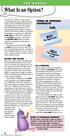 the basics What Is an Option? An option is a contract to buy or sell a specific financial product officially known as the option s underlying instrument or underlying interest. For equity options, the
Real Time Programme. ZNet Plus Manual
 Real Time Programme ZNet Plus Manual Znet Plus Program ZNetPlus is our new real time program developed from ZNet and all functions are still have the same function in ZNet Xpress program. Moreover, design
Sterling Technologies Inc. Sterling Trader Pro
 Sterling Technologies Inc. Features: State of the art direct access trading software Broker neutral trading platform Pinpoint accuracy of order-routing and order management Integrated real-time quotes,
Fibonacci Trader. Robert Krausz s. 32-Bit, Version 3.01
 PRODUCT REVIEW Robert Krausz s Fibonacci Trader 32-Bit, Version 3.01 FIBONACCI TRADER CORPORATION 1835 US 1 South 119, Suite 352 St. Augustine, FL 32086 To order: 512 443-5751 Fax: 512 443-7119 Internet:
QuikStrike Essentials
 QuikStrike Essentials Option Pricing and Analysis Tool created exclusively for CME Group User Reference Guide CME Group is excited to partner with QuikStrike to provide customers with an interactive option
Stock-Trak Professor User Guide
 Stock-Trak Professor User Guide Thank you for using Stock-Trak, the leader in Stock Market Game Simulations. We have worked to make the process of setting up and monitoring your class as straight forward
Comparing E-minis and ETFs
 STOCK INDEXES Comparing E-minis and ETFs SEPTEMBER 15, 2012 John W. Labuszewski Managing Director Research & Product Development 312-466-7469 [email protected] CME Group E-mini stock index futures and
Day Trading Stock Controller
 Day Trading Stock Controller Disclaimer: Trading stocks, including ETFs, involves substantial risk of loss and is not suitable for all people. You should carefully consider whether trading, especially
ReportPortal Web Reporting for Microsoft SQL Server Analysis Services
 Zero-footprint OLAP OLAP Web Client Web Client Solution Solution for Microsoft for Microsoft SQL Server Analysis Services ReportPortal Web Reporting for Microsoft SQL Server Analysis Services See what
Table Of Contents. iii
 Table Of Contents Quickstart... 1 Introduction... 1 Data administration... 1 The Toolbar... 2 Securities management... 3 Chart window structure... 4 Adding an indicator... 5 Chart drawings... 6 Saving