
WRIST BLOOD PRESSURE MONITOR
|
|
|
- Simon Knight
- 9 years ago
- Views:
Transcription
1 Model WS-820 WRIST BLOOD PRESSURE MONITOR INSTRUCTIONS CONTENTS Page PARTS NAMES AND PRODUCT COMPONENTS... 2 PRECAUTIONS FOR USE INSTALLING BATTERIES AND SETTING THE CLOCK WRAPPING THE CUFF AROUND YOUR WRIST... 6 CORRECT MEASURING POSTURE INSTRUCTIONNES CONTENIDO P gina PARTES Y COMPONENTES DEL PRODUCTO PRECAUCIONES DE USO INSTALACIîN DE LAS BA TERÍAS Y P ROGRAMACIîN DEL RELOJ COLOCACIîN DEL MANGUIT O ALREDEDOR DE LA MU ECA POSICIîN CORRECT A PARA LA MEDICIîN INSTRUCTIONS TABLE DES MATIéRES Page NOMS DES ƒlƒments ET COMPOSANTS DU PRODUIT PRƒCAUTIONS D'USAGE INSTALLER LES PILES ET RƒGLER L'HORLOGE FIXER LE BRASSARD AUTOUR DE VOTRE POIGNET POSTURE DE MESURE CORRECTE ENGLISH Page MEASURING METHOD MEMORY FUNCTION ERROR DISPLAYS AND TROUBLESHOOTING CARE AND MAINTENANCE BASIC PRODUCT INFORMATION WARRANTY ESPANÍL P gina MƒTODO DE MEDICIîN FUNCIONES DE LA MEMORIA PANTALLAS DE ERROR Y RESOLUCIîN DE PROBLEMAS CUIDADO Y MANTENIMIENTO INFORMACIîN BçSICA DEL PRODUCT O FRENCH Page MƒTHODE DE MESURE FONCTION MƒMOIRE AFFICHAGES ERREUR ET DƒPANNAGE ENTRETIEN ET MAINTENANCE INFORMATIONS GƒNƒRALES SUR LE PRODUIT Prevention is a registered trademark of RODALE INC RODALE INC. All Rights Reserved Produced under license by Mark of Fitness, Inc.

2 PARTS NAMES AND PRODUCT COMPONENTS display (SYS:systolic DIA:diastolic PUL:pulse Time/Date) memory M2 button START button memory M1 button battery cover wrist cuff carrying case instruction manual quick guide wellness tracking chart -2-

3 PRECAUTIONS FOR USE Do not use this instrument without your doctor's consultation if you are under dialysis therapy or on anticoagulants, antiplatelets or steroids. Use of this instrument under such conditions could cause internal bleeding. For specific information on your blood pressure, contact your doctor. Never make any judgement on your own regarding measurment results. Use of this device in areas near portable phones, microwave ovens or other devices with strong electromagnetic fields may cause malfunctions. Do not execute repeated measurements. This will cause engorgement of the wrist, and correct values will not be obtained. -3-

4 INSTALLING BATTERIES AND SETTING THE CLOCK Remove the battery cover by slightly pressing its sides in the direction of the arrows. Install two AAA Alkaline dry cells in the battery compartment. CAUTION! Do not use rechargeable batteries. AAA 3. Install the battery cover. 3. Clock can be set only after the batteries are reinstalled. 4. Use the M1 button to increase the year or the M2 button to decrease the year. Press the START button to confirm. 4. YEAR 5. Month Flashes Adjust with M1 and M2 buttons and press START button to confirm. 5. MONTH -4-

5 INSTALLING BATTERIES AND SETTING THE CLOCK 6. Day flashes. Adjust with M1 and M2 buttons and press START button to confirm. 6. DAY 7. Hour flashes. The clock operates in 24-hour mode. Adjust with M1 and M2 buttons and press START button to confirm. 7. HOUR 8. Minute flashes. Adjust with M1 and M2 buttons and press START button to confirm. The clock is set and the unit is turned off. 8. MINUTE Since neither the device nor batteries are household waste, follow your national/local recycling rules and dispose of them at appropriate collection sites. Battery replacement indication Replace all the batteries when the battery replacement indication appears on the display or nothing is displayed when START button is depressed. Fresh AAA alkaline dry cells will last for approximately 300 measurements. -5-

6 WRAPPING THE CUFF AROUND YOUR WRIST With the palm of your left hand up, put the cuff on your wrist so that the display screen is on the same side as your palm. If it is impossible to put the cuff on your left wrist, use your right wrist for measurement. 1/4"~1/2" (5mm~10mm) Adjust the cuff, with your palm up, until its top edge is positioned 1/4" to 1/2" (5 mm to 10 mm) from the bottom of your palm. Place the unit at the center of your wrist. 3. Fasten the cuff around your wrist so that there is no space between the cuff and your wrist. The cuff should fit snugly. Press the surface of the cuff to make sure the hook and loop attach securely. Position the cuff directly the skin. Take care that your clothes are not caught by the cuff. -6-

7 CORRECT MEASURING POSTURE 3. Sit on a chair or lie down and follow instructions below. Lightly open your left hand, with your palm up, and put your elbow on a table or stand. Adjust the cuff to the same height as your heart. Use a comfortable support, such as a folded towel. 3. When There Is No Table Available Sit on a chair.. Adjust the cuff to the same height as your heart by lightly applying your left arm to your breast. Lightly support your arm with your right hand during measurement, but do not touch the cuff. IMPORTANT! Keep Cuff At Heart Height Measured data may vary slightly depending on the posture during measurement. Measurements should always be taken using the same wrist in the same position. If the cuff is lower (higher) than the heart, the measured reading tends to become larger (smaller). Taking a Measurement in Bed Lie on your back. Adjust the cuff to the same height as your heart. Use a comfortable support, such as a folded towel. -7-

8 MEASURING METHOD 3. Press START button. The cuff is automatically inflated to the applied pressure. Pressure (displayed value) starts to decrease and pulse is indicated by heart symbol. When the measurement is complete, air is automatically released from the cuff. Maximum and minimum blood pressures and pulse rate are displayed. Heart symbol flashes when pulse rhythm detected during measurement was irregular. Press either one of memory buttons, M1 or M2, and the result is stored in the selected bank. The selected memory bank number is shown on the display. The result is stored in the bank selected when the unit is turned off. Irregular pulse rhythm indication will not be stored, only blood pressure and pulse rate are stored. When a measurement resulted in an error, it will not be stored. Press START button to turn off the power. If you forget to turn off the unit, it will automatically turn off after 3 minutes. DEFLATION MARK INFLATION MARK PULSE RATE MARK SYSTOLIC mmhg DIASTOLIC mmhg PULSE RATE BPM IRREGULAR PULSE RHYTHM Wait 2-3 minutes between repeated measurements. Automatic Repressurization If the pressure applied is judged insufficient in the early phase of measurement or if movement of the hand or wrist occurs during measurement, the unit will inflate again to a level about 40 mmhg higher. Automatic Repressurization is repeated until a measurement is made. However, this does not indicate a problem. To manually control pressurization, hold down START button immediately after the start of inflation and release it when the pressure reaches the level 50 mmhg higher than the expected maximum systolic pressure. If the pressure value has exceeded 180 mmhg, the inflation will stop when the key is released. Pressure can be increased to approximately 300 mmhg. MEMORY BANK NUMBER To stop measurement Press START button and the unit stops inflation, discharges air rapidly, and then turns off. Irregular pulse rhythm indication Heart symbol flashing in measurement result display indicates irregular pulse rhythm. Irregular pulse rhythm can result from body movement during measurement or can be caused by arrhythmias. Although constant appearance of the indication under quiet measurements may suggest arrhythmias, do not make any judgment on your own before your doctor's consultation. -8- regular pulse rhythm An example of irregular pulse ryhthm compared to regular pulse rhythm

9 MEMORY FUNCTION Measured result is stored in either M1 or M Each of two memory banks can hold up to 30 results and their running average. When the number of measurements exceeds 30, the oldest data will be deleted to record new data. Use separate memory banks to track results of you and a friend or family member, or use one memory bank to store morning results and the other to store evening results RECALLING STORED DATA Press memory M1 button or memory M2 button to see stored data. The average of the stored result in the selected bank is displayed. The latest result stored is displayed when there is only a single result. The clock displays when there are no results stored. The indication at the top of the display alternately changes from memory data number to date to time. The memory data is displayed for approximately 30 seconds. Approximately 30 seconds after memory button is released, the apparatus will turn off. Press memory button to move to next data. The memory data number 1 is the latest among the stored data in the selected memory bank. Every depression of memory button switches among the memory data. As memory button is pressed, the memory data number increases; the bigger the number, the older the result. Press START button to turn off the unit. AVERAGE NUMBER OF STORED DATA LATEST DATA 2nd LATEST DATA TIME SYSTOLIC mmhg DIASTOLIC mmhg PULSE RATE BPM MEMORY DATA NUMBER DATE month/day OLDEST DATA DELETING STORED DATA Show the individual result to be erased or the average of a memory bank to clear all the memory bank data. Press and hold down either one of memory buttons: M1 button to erase specified data in memory bank M1, and M2 button to erase specified data in memory bank M The displayed data starts flashing. Hold down the button until nothing but the memory bank number is displayed. -9-

10 ERROR DISPLAYS AND TROUBLESHOOTING ERROR SYMOL / SYMPTOM OVER-PRESSURIZATION MEASUREMENT ERROR CAUSE / CHECK POINT The pressurization was not enough to make a measurement even though the cuff was inflated to the maximum value because of wrist movement or talking during measurement. Measurement could not be made because of moving or talking during measurement. REMEDY Do not move during measurement. Being quiet and still during measurement. INFLATION ERROR The cuff is not properly applied. The cuff is damaged. Properly apply the cuff. If Err-2 appears after re-trying to apply the cuff properly, assume the cuff is damaged. Contact your dealer. DEFLATION ERROR Movement or talking was detected during measurement. Turn off the power and make another measurement while being quiet and still. IMPROPER OPERATION START button was accidentally pressed during battery replacement. Press START button once to turn off the power and press it again to start a measurement. No display when START button is pressed. Have the batteries run down? Have the batteries polarities been positioned incorrectly? Are the battery terminals clean? -10- Replace them with new ones. Reinsert the batteries in the correct position. Clean the battery terminals with a dry cloth.

11 ERROR DISPLAYS AND TROUBLESHOOTING ERROR SYMOL / SYMPTOM Cannot measure or readings are too low (or high). Blood pressure is different each time. The reading is extremely low (or high). CAUSE / CHECK POINT Are you holding the wrist cuff at heart level? Is the cuff wrapped snugly around the wrist? Are your arms and shoulders tense? Have you been talking or moving your hands during measurement? Blood pressure readings constantly vary with time of measurement and nervous condition. REMEDY Measure with the correct posture. Wrap the wrist cuff correctly. Relax and then measure. Keep quiet while taking the measurement. Take deep breaths to relax before measuring. If you cannot get correct measurement with the methods above, stop using the unit and contact your dealer. Do not tamper with the internal mechanism. If the unit malfunctions, please return it to the dealer or an authorized service representative for service according to the warranty. Service data are provided to dealers by the manufacturer. CARE AND MAINTENANCE Because the unit includes precision parts, care should be taken to avoid extreme temperature variations, humidity, shock, dust, and direct sunlight. Do not drop or strike the unit. Make sure not to expose the unit to moisture. This unit is not water resistant. Clean the body with a cloth moistened with water and a mild detergent, and then wipe dry. Do not use gasoline, paint thinner, or other strong solvents. Since the cuff may absorb perspiration and other fluids, inspect it for stain and discoloration after each use. When cleaning the cuff, use a synthetic detergent and gently rub the surface. When storing the unit, do not place heavy objects on it. When the unit has been stored at a temperature below the freezing point, keep it for at least 1 hour in a warm place before using it. Remove the batteries if the instrument is to be stored for an extended period of time. Keep the batteries out of reach of children. We suggest that you have your monitor checked every two years. This operation may only be performed by the manufacturer or by firms authorized by the manufacturer. Do not inflate the cuff (start a measurement) when it is not wrapped around your wrist. Do not try to stretch or twist the cuff, and do not bring it into contact with sharp or pointed objects. Do not disassemble or modify the unit. -11-

12 BASIC PRODUCT INFORMATION This manual is intended to assist the user in the safe and efficient operation of the Model WS-820 Automatic Digital Electronic Wrist Blood Pressure Monitor. The product must be used in accordance with the procedures contained in this manual and must not be used for purposes other than those described herein. It is important to read and understand the entire manual. The user is cautioned that the system may fail to yield specified measurement accuracy if operated or stored in temperature or humidity conditions outside the limits stated in the specifications section of this manual. To insure that accuracy is maintained, compare readings obtained with the WS-820 system with values measured by a trained observer using a manual sphygmomanometer at least every two years. Indications for Use The WS-820 system is intended for the non-invasive measurement of systolic and diastolic blood pressure and determination of pulse rate in adult patients, i.e., ages 15 and above. The product is recommended for use by patients with labile (unstable) blood pressure or known hypertension in a home care environment as an adjunct to medical management. The cuff will accommodate a wrist circumference range of approximately 4.9 to 8.5 inches (125 to 215 mm). Pressure is measured over a range of 0 to 300 mmhg and pulse rate over a range of 40 to 160 beats/minute. Method of Measurement This product employs the oscillometric method for measurement of blood pressure and pulse rate. The entire system, including the cuff, is a single wrist-mounted unit. The cuff is wrapped around the wrist and automatically pressurized. Circuits within the cuff sense the small oscillations in pressure against the cuff produced by the expansion and contraction of the arteries in the wrist in response to each heart beat. The amplitude of each pressure wave is measured, converted to millimeters of mercury, and displayed on the LCD as a digital value. Responding to heart beats, the electromagnetic deflation control valve maintains the constant deflation rate irrespective of differences in wrist size. A memory circuit stores the 30 most recent measurements for comparison. Accuracy was evaluated during clinical studies in which results with the WS-820 system were compared with simultaneous auscultatory measurements obtained with a standard sphygmomanometer. In these studies, the onset of the fourth Korotkoff sound was taken as the diastolic pressure for the purpose of determining overall efficacy. A copy of this study is available from the manufacturer on request. Blood pressure measurements determined with this device are equivalent to those obtained by a trained observer using the cuff stethoscope auscultation method, within the limits prescribed by the American National Standard, Electronic or Automated Sphygmomanometers. The WS-820 system has the ability to function according to its specifications in the presence of common arrhythmias such as atrial or ventricular premature beats or atrial fibrillation. WS-820 meets the stringent requirements of German Hypertension League to carry its quality marking. SPECIFICATIONS Model : WS-820 Operating Principle : Oscillometric method Indicator : 12 digit Liquid Crystal Display Pressure Indication Range : 0 to 300 mmhg (cuff pressure) Measuring Range : 50 to 250 mmhg (systolic) : 40 to 180 mmhg (diastolic) : 40 to 160 pulses/min (pulse rate) Accuracy : ±3 mmhg (cuff pressure) : ±5 % of reading (pulse rate) Inflation : Automatic (air pump) Deflation : Automatic (electric control valve) Exhaust : Automatic quick exhaust valve Power Supply : 2 AAA alkaline (LR03) dry cells Memory : 30 measurements x2 and averages Applied Pressure : 190 mmhg (fixed) Operating Environment : +50-F to+104-f, 15 to 90% relative humidity Storage Environment : 4-F to+122-f, 15 to 95% relative humidity Cuff Type : Pre-formed type cuff Wrist circumference : Approx. 4.9 to 8.5 in. Main Unit Size : 5(W) x 8(H) x 3(D) in. Weight : Approx. 3.6 oz. without batteries Specifications are subject to change without prior notice due to improvements in performance and quality. -12-

13 LIMITED LIFETIME WARRANTY This limited warranty does not apply for use in any clinical or commercial application. Mark of Fitness, Inc. warrants this product to be free of defects in material and workmanship for the life of the original user under normal use, except cuff which has a one year warranty; we make no other express warrantees. Should any operating defects be discovered, Mark of Fitness, Inc. will repair or replace the defective product or parts at no charge for labor or materials provided: Said unit is returned postage paid to the factory for servicing, marked Attn: Service Department. Proof of purchase is included with the product. A letter accompanies the product and indicates the complaint or defect to be remedied. A check or money order in the amount of $7.95 is included to cover the shipping and handling costs. In the event the defect may be remedied without returning the unit, contact the firm by phone or mail first, and every effort will be made to supply the replacement parts quickly and at no charge. This warranty does not apply to any unit that has been tampered with, abused, accidentally damaged or to damage incurred through improper packing and mishandling in transit to or from the factory. Mark of Fitness shall in no event be liable to the purchaser for any amount in excess of the cost of repair and/or replacement of the device. This warranty gives you specific legal rights, and you may have other rights which vary from state to state. Prevention is a registered trademark of RODALE INC RODALE INC. All Rights Reserved Produced under license by Mark of Fitness, Inc. Mark of Fitness, Inc. 621 Shrewsbury Avenue Shrewsbury, New Jersey Phone (732) Fax (732) Customer Service (888) [email protected] web site -U.S. Customers Only- -13-

Automatic Wrist Blood Pressure Monitor with
 Instruction Manual Automatic Wrist Blood Pressure Monitor with Model HEM-609 ENGLISH ESPAÑOL CONTENTS Before Using the Monitor Introduction...................................... 3 Important Safety Notes.............................
INSTRUCTION MANUAL HEM-6052
 INSTRUCTION MANUAL Automatic Wrist Blood Pressure Monitor Model HEM-6052 Contents Before using the unit Introduction... 3 Important Safety Information... 4 1. Overview... 6 2. Preparation... 8 2.1 Installing/Replacing
INSTRUCTION MANUAL. 7 series Blood Pressure Monitor with ComFit TM Cuff. Model BP760 ESPAÑOL ENGLISH
 INSTRUCTION MANUAL 7 series Blood Pressure Monitor with ComFit TM Cuff Model BP760 ENGLISH ESPAÑOL TABLE OF CONTENTS Before Using the Monitor Introduction................................................4
Upper Arm Blood Pressure Monitor SC 6800. Instructions for use
 Upper Arm Blood Pressure Monitor SC 6800 Instructions for use Contents page Introduction... 3 Features of the SC 6800. 3 Safety instructions... 4 WHO-Interpretation of blood pressure readings... 4 Device
INSTRUCTION MANUAL. Ultra Premium Blood Pressure Monitor featuring ComFit TM Cuff. Model HEM-775
 INSTRUCTION MANUAL Ultra Premium Blood Pressure Monitor featuring ComFit TM Cuff Model HEM-775 ENGLISH ESPAÑOL TABLE OF CONTENTS Before Using the Monitor Introduction..................................................4
INSTRUCTION MANUAL. 10 series Blood Pressure Monitor with ComFit TM Cuff. Model BP785 ESPAÑOL ENGLISH
 INSTRUCTION MANUAL 10 series Blood Pressure Monitor with ComFit TM Cuff Model BP785 ENGLISH ESPAÑOL TABLE OF CONTENTS Before Using the Monitor Introduction................................................4
INSTRUCTION MANUAL. 10 series Blood Pressure Monitor with ComFit TM Cuff. Model BP785CAN FRANÇAIS ENGLISH
 INSTRUCTION MANUAL 10 series Blood Pressure Monitor with ComFit TM Cuff Model BP785CAN ENGLISH FRANÇAIS TABLE OF CONTENTS Before Using the Monitor Introduction..................................................4
Vasc Health Risk Manag. 2011; 7: 709 717. Published online 2011 November 30. doi: 10.2147/VHRM.S27193 PMCID: PMC3237100
 Vasc Health Risk Manag. 2011; 7: 709 717. Published online 2011 November 30. doi: 10.2147/VHRM.S27193 PMCID: PMC3237100 Validation of four automatic devices for self-measurement of blood pressure according
DX-395. FM/AM/SW1/SW2 PLL Synthesized Receiver OWNER S MANUAL. Cat. No. 20-225. Please read before using this equipment.
 20-225.fm Page 1 Wednesday, August 4, 1999 10:07 AM Cat. No. 20-225 OWNER S MANUAL Please read before using this equipment. DX-395 FM/AM/SW1/SW2 PLL Synthesized Receiver 20-225.fm Page 2 Wednesday, August
Care and Handling of Your VAIO Computer
 Care and Handling of Your VAIO Computer Proper Handling Use your computer on a clean dry, stable surface. Use only specified peripheral equipment and interface cables or you may experience problems. When
RT-1261A Ear and Forehead Thermometer Owner s Manual
 RT-1261A Ear and Forehead Thermometer Owner s Manual 311-1261000-009 Version 1.0 April, 2009 IMPORTANT SAFETY INSTRUCTIONS nu-beca RT-1261A Ear and Forehead Thermometer READ THIS BEFORE USING The following
Instant Ear Thermometer
 INSTRUCTION MANUAL Instant Ear Thermometer Model 18-107-000 Please read this detailed guidebook completely before operating this unit. English Spanish Limited Five-Year Warranty Your Ear Thermometer is
Wireless Indoor/ Outdoor Thermometer
 Wireless Indoor/ Outdoor Thermometer Owner s Manual Please read before using this equipment. ˆ Contents FCC Information... 3 FCC Declaration of Conformity... 5 Preparation... 5 Installing Batteries...
NFC Communication Tray Model: HHX-IT3-Z
 INSTRUCTION MANUAL NFC Communication Tray Model: HHX-IT3-Z ENGLISH CONTENTS Introduction...3 Important safety information...4 Know your unit...6 Transferring data to the PC...7 Care and maintenance...8
Name: OMRON M3 HEM-7200-E Upper Arm Blood Pressure Monitor
 -NEW PRODUCT INFORMATION SHEET- Specifications subject to change Name: OMRON M3 HEM-7200-E Upper Arm Blood Pressure Monitor Product USPs: Full size display with all parameters at once Comfort inflation:
Touchless Forehead Thermometer
 Touchless Forehead Thermometer Model TFT-001 TM S A N 4LIF T E Contents Safety Precautions... 1 Sante4Life Touchless Forehead Thermometer... 2 Body Temperature... 3 Product Description... 5 Using the S4L
body fat scale + Instruction Manual complete body analysis scale HEALTH
 HEALTH body fat scale + complete body analysis scale Instruction Manual Content Safety instructions... 4 About this device... 4 General... 4 Handling batteries properly... 5 Never carry out repairs yourself...
Tympanic Thermometer
 Tympanic Thermometer Tympanic Thermometer Owner s Manual Version 1.0 May, 2013 IMPORTANT SAFETY INSTRUCTIONS READ THIS BEFORE USING The following basic safety precautions should always be taken. 1. Close
INSTRUCTION MANUAL. 10 series Plus Blood Pressure Monitor with ComFit TM Cuff. Model BP791IT ESPAÑOL ENGLISH
 INSTRUCTION MANUAL 10 series Plus Blood Pressure Monitor with ComFit TM Cuff Model BP791IT ENGLISH ESPAÑOL TABLE OF CONTENTS Before Using the Monitor Introduction..................................................4
Periodic Verification System Model 775PVS
 Periodic Verification System Model 775PVS Instruction Manual Contents 1 Description... 1 775PVS System... 1 Model 775 Fieldmeter... 2 Model 775C Charger... 2 Model 775P Plate Assembly... 3 2 Operation...
MEASURING VITAL SIGNS TRAINING CHECKLIST
 Measuring Vital Signs A guide to help Direct Support Professionals learn how to measure, and report vital sign measurements. Outcomes: Know how to take each individual s vital signs. Demonstrate the correct
Digital Blood Pressure Monitor. Model UA-767
 Digital Blood Pressure Monitor Model UA-767 BT-C Instruction Manual Original Manuel d instructions Traduction Manual de Instrucciones Traducción Manuale di Istruzioni Traduzione Bedienungsanleitung Übersetzung
AMBULATORY BLOOD PRESSURE MONITORING QUICK START GUIDE
 C A R D I O P E R F E C T AMBULATORY BLOOD PRESSURE MONITORING QUICK START GUIDE UNDERSTANDING ERROR CODES ERROR CODE DESCRIPTION 1 Unknown error 2 This can indicate one of the following problems: After
Instant Ear Thermometer
 INSTRUCTION MANUAL Instant Ear Thermometer Model 18-102-000 Please read this detailed guidebook completely before operating this unit. English French Portuguese Spanish Limited Five-Year Warranty Your
MEASURING AND RECORDING BLOOD PRESSURE
 MEASURING AND RECORDING BLOOD PRESSURE INTRODUCTION The blood pressure, along with the body temperature, pulse, and respirations, is one of the vital signs. These measurements are used to quickly, easily,
BODY FAT & HYDRATION % MONITOR SCALE
 EVALUATION BODY FAT & HYDRATION % MONITOR SCALE INSTRUCTION MANUAL MODEL 12-1190 ver 7/08 BODY FAT & HYDRATION % MONITOR SCALE Introduction and Precaution: MODEL: 12-1190 1. Congratulations for purchasing
AM/FM Portable Radio
 Cat. No. 12-798 OWNER S MANUAL Please read before using this equipment. AM/FM Portable Radio with Dual Time, Single Alarm FEATURES Your Optimus AM/FM Portable Radio is designed for your active lifestyle.
Affordable ABPM and strictly guideline-based SBPM for accurate out-of-office blood pressure measurement.
 Affordable ABPM and strictly guideline-based SBPM for accurate out-of-office blood pressure measurement. Instruction Manual EN 3 a EN The Microlife WatchBP O3 (Out Of Office) is designed to provide reliable
AM/FM PLL Clock/Table Radio
 12-1632.fm Page 1 Wednesday, May 10, 2000 10:57 AM Cat. No. 12-1632 OWNER S MANUAL Please read before using this equipment. AM/FM PLL Clock/Table Radio 12-1632.fm Page 2 Wednesday, May 10, 2000 10:57 AM
Microwave Meter. Instruction Manual
 Microwave Meter 840046 Instruction Manual Microwave Meter 840046 Copyright 2009 by Sper Scientific ALL RIGHTS RESERVED Printed in the USA The contents of this manual may not be reproduced or transmitted
Mini Power Bank and Charger
 Mini Power Bank and Charger Owner s Manual Please read before using this equipment. Your charger is ETL listed to UL standards and meets all applicable FCC standards. WARNING: To reduce the risk of fire
Digital Photo Picture Frame. Operation Manual
 Digital Photo Picture Frame Operation Manual 20070309 CONGRATULATIONS on your purchase of a Polaroid 7 LCD Digital Photo Picture Frame. Please read carefully and follow all warnings and instructions in
Mold Alert... Operation Manual P0270
 Mold Alert... Operation Manual P0270 introduction Congratulations on your purchase of the P0270 Mold Alert! Mold is as old as the Earth and it s everywhere. Under the right set of conditions, it can actually
Part #93-657-00 rev 1. American Diagnostic Corporation 55 Commerce Drive, Hauppauge, New York 11788 1-800-232-2670 www.adctoday.
 Part #93-657-00 rev 1 American Diagnostic Corporation 55 Commerce Drive, Hauppauge, New York 11788 1-800-232-2670 www.adctoday.com A Special Thank You... Thank you for choosing the ADC 657 Electronic Stethoscope.
Temperature Humidity Meter
 971 Temperature Humidity Meter Users Manual PN 2441047 September 2005 Rev.1, 5/06 2005-2006 Fluke Corporation, All rights reserved. Printed in Taiwan All product names are trademarks of their respective
OEM MAXNIBP Frequently Asked Questions
 Frequently Asked Questions Why does the monitor sometimes inflate the BP cuff, then shortly thereafter reinflate the cuff? How will I know if the monitor is experiencing motion artifact during a measurement?
ThermoScan Instant Thermometer IRT 1020 Type 6005 Home Model
 ThermoScan Instant Thermometer IRT 1020 Type 6005 Home Model English Use Instructions Guarantee Service Centres Important safeguards Please read all instructions carefully before using this product The
microlife PF 100 Electronic Asthma Monitor Instruction Manual (1-15) Moniteur d'asthme électronique Mode d'emploi (16-31) Monitor electrónico para el
 microlife PF 100 Electronic Asthma Monitor Instruction Manual (1-15) Moniteur d'asthme électronique Mode d'emploi (16-31) Monitor electrónico para el asma Manual de instrucciones (32-47) Elektronischer
User Guide. Body fat scale
 User Guide Body fat scale Now that you have purchased a CRANE product you can rest assured in the knowledge that, as well as your Manufacturer s warranty, you have the added peace of mind of dedicated
TABLE OF CONTENTS 11.0 WARRANTY
 11.0 WARRANTY OI-1009.205L TABLE OF CONTENTS ELECTROMATIC Equipment Co., Inc. (ELECTROMATIC) warrants to the original purchaser that this product is of merchantable quality and confirms in kind and quality
INSTRUCTION MANUAL. Pedometer. Model HJ-112
 INSTRUCTION MANUAL Pedometer Model HJ-112 Thank you for purchasing the OMRON Pedometer. Please read this Instruction Manual before using this unit to ensure safe and correct use. Please keep this Instruction
Instruction Manual HI 96800 Refractometer for Refractive Index and Brix Measurements
 Instruction Manual HI 96800 Refractometer for Refractive Index and Brix Measurements www.hannainst.com 1 Dear Customer, Thank you for choosing a Hanna Instruments product. Please read this instruction
Nokia Wireless Keyboard (SU-8W) User Guide
 Nokia Wireless Keyboard (SU-8W) User Guide DECLARATION OF CONFORMITY We, NOKIA CORPORATION declare under our sole responsibility that the product SU-8W is in conformity with the provisions of the following
Measurement of Blood Pressure
 Measurement of Blood Pressure Ambulatory and Home Blood Pressure Monitoring BHS Non Medical Prescribing Update MSc. Management of Hypertension in Primary Care University of Birmingham February 2013 Louise
BASIC BODY COMPOSITION SCALE
 BASIC BODY COMPOSITION SCALE GET STARTED: greatergoods.com/0391 CUSTOMER SUPPORT Email: [email protected] Phone: (866) 991-8494 Website: greatergoods.com Table of Contents Important Safety Notes 2
WS-9005TWC 915MHz WIRELESS RAIN GAUGE INSTRUCTION MANUAL
 WS-9005TWC 915MHz WIRELESS RAIN GAUGE INSTRUCTION MANUAL CONTENTS 03 introduction 03 features 04 setting up 06 function keys 06 operations 07 mounting 08 maintenance 09 specifications 09 liability disclaimer
el-720 Carbon Dioxide Gas Leak Detector User s Guide
 el-720 Carbon Dioxide Gas Leak Detector User s Guide Congratulations on the purchase of the AccuTools el-720 Carbon Dioxide Gas Leak Detector, the most technologically advanced instrument of its kind.
Device Equivalence Evaluation Form
 Comparison of the Omron M3 (HEM-7131-E) with the Omron M6 AC (HEM-7322-E) Devices Omron M3 (HEM-7131-E) Omron M6 AC (HEM-7322-E) Pictures Display Validation ESH 2010 Device 1 Criteria Same Criteria Measurement
Forehead. Use and Care Manual. Thermometer IMPORTANT! READ AND SAVE THESE INSTRUCTIONS. Model V977
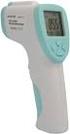 Forehead Thermometer Use and Care Manual IMPORTANT! READ AND SAVE THESE INSTRUCTIONS Model V977 Questions or Comments Call toll-free: 1-800-477-0457 or E-mail: [email protected] www.kaz.com QUICK
Underwater Housing for Sony RX100 III, RX100 IV
 Underwater Housing for Sony RX100 III, RX100 IV Product Number 6215.04 Product Registration Please register your product at ikelite.com within 15 days of purchase. Our product registration database is
Body Fat Scale Instructions for use
 Body Fat Scale Instructions for use The scale is specially designed to test your body weight, body fat, hydration, muscle and bone percentages and to help you keep a close eye on the daily changes of your
HEART RATE + CALORIE MONITOR
 S7 S7 HEART RATE + CALORIE MONITOR SB4065IS01SPORB.indd 1 TABLE OF CONTENTS INTRODUCTION 1 HOW TO USE THIS MANUAL 1 ACTIVATING THE WATCH FROM POWER DOWN MODE 1 WARNINGS & CAUTIONS 2 CARE & MAINTENANCE
12 Volt 30 Amp Digital Solar Charge Controller
 12 Volt 30 Amp Digital Solar Charge Controller User s Manual WARNING Read carefully and understand all INSTRUCTIONS before operating. Failure to follow the safety rules and other basic safety precautions
AutoRanging Digital MultiMeter
 Owner's Manual AutoRanging Digital MultiMeter Model No. 82139 CAUTION: Read, understand and follow Safety Rules and Operating Instructions in this manual before using this product. Safety Operation Maintenance
INSTRUCTION MANUAL Contactless Clinical Infrared Thermometer GT-101
 INSTRUCTION MANUAL Contactless Clinical Infrared Thermometer GT-101 17 D GB F I E P NL AR A Dear customer, Thank you for your confi dence in Geratherm and congratulations on your purchase! By purchasing
digital fever alert ear thermometer suitable from birth instruction manual
 digital fever alert ear thermometer suitable from birth instruction manual digital fever alert ear thermometer instruction manual Please read these instructions carefully before using the thermometer and
All About Your Peripherally Inserted Central Catheter (PICC)
 All About Your Peripherally Inserted Central Catheter (PICC) General Information Intravenous (IV) therapy is the delivery of fluid directly into a vein. An intravenous catheter is a hollow tube that is
P R E S S U R E P O I N T S S E R I E S : Measuring your blood pressure at home
 P R E S S U R E P O I N T S S E R I E S : NO.5 Measuring your blood pressure at home B L O O D P R E S S U R E A S S O C I AT I O N Pressure Points series Pressure Points is a series of booklets produced
Evaluation copy. Blood Pressure. Project PROJECT DESIGN REQUIREMENTS
 Blood Pressure Project 9 Blood pressure is a measure of the fluid pressure within the circulatory system. This pressure is required to ensure the delivery of oxygen and nutrients to, and the removal of
Plank 1 Tool: Hypertension Medical Assistant Training (Providence Medical Group)
 Plank 1 Tool: Hypertension Medical Assistant Training (Providence Medical Group) Task Qualification Training Packet Volume 1 Date Performing Blood Pressure Checks SUBJECT AREA Vital Signs EQUIPMENT REQUIRED
Portable Air Conditioner. OWNER S MANUAL Read these instructions before use. Model: MM14CCS. Voltage rating: 115V~60Hz Power rating : 1400W
 Portable Air Conditioner OWNER S MANUAL Read these instructions before use Model: MM14CCS Customer Support : 1-800-474-2147 Voltage rating: 115V~60Hz Power rating : 1400W For product inquiries or support
Introduction 1 The system 1 The meter 2 The display 3 The mode 3 The measurement 4 Coding the meter 4 How to obtain a drop of blood 6 Application of
 Introduction 1 The system 1 The meter 2 The display 3 The mode 3 The measurement 4 Coding the meter 4 How to obtain a drop of blood 6 Application of the blood 7 Procedure to test glucose 7 Procedure to
Instructions: Part I. Charge the Power Bank. Method 1. Charge the Power Bank via Computer USB Terminal.
 Instructions: Part I. Charge the Power Bank Method 1 Charge the Power Bank via Computer USB Terminal. Connect the provided USB power cable to the micro- USB plug connector tip (the tip marked "M10"). Step
Instruction Manual Temp 4/5/6 Temperature Meter Series
 Instruction Manual Temp 4/5/6 Temperature Meter Series 68X243607 Technology Made Easy... Rev. 2 01/03-1 - Preface This instruction manual serves to explain the use of the Temp 4/5/6 temperature meter.
Manual Ranging MultiMeter
 Owner s Manual Manual Ranging MultiMeter Model 82345 CAUTION: Read, understand and follow Safety Rules and Operating Instructions in this manual before using this product.! Safety! Operation! Maintenance!
3 WATT LED SPOTLIGHT Model No. SLM - 3801
 3 WATT LED SPOTLIGHT Model No. SLM - 3801 OWNER'S MANUAL Customer Service Tel: 1-800-268-3319 Superex Canada Ltd, Toronto,M2H 3B8 Made in China Table of Contents A). Important Safety Instructions B). Charging
- 2 - IMPORTANT SAFETY REMINDERS
 USER MANUAL IMPORTANT SAFETY REMINDERS This appliance should only be used for domestic cleaning, as described in this user guide. Please ensure that this guide is fully understood before operating the
12-Volt 10-Amp Regulated Power Supply
 22-506.fm Page 1 Friday, August 6, 1999 12:55 PM Cat. No. 22-506 OWNER S MANUAL Please read before using this equipment. 12-Volt 10-Amp Regulated Power Supply 22-506.fm Page 2 Friday, August 6, 1999 12:55
Light Meter (Foot Candles)
 Light Meter (Foot Candles) 840021 Instruction Manual SPER SCIENTIFIC LTD. TABLE OF CONTENTS 1. INTRODUCTION... 2 2. PANEL DESCRIPTION... 3 3. MEASUREMENT PROCEDURES... 4 4. ZERO ADJUSTMENT & CALIBRATION...
IN-OUT Thermometer with Cable Free Sensor and Clock
 IN-OUT Thermometer with Cable Free Sensor and Clock MODEL: RAR232 USER'S MANUAL INTRODUCTION Congratulations on your purchase of the RAR232 In-Out Thermometer with 433MHz cable free sensor and calendar
CATEYE STRADA DIGITAL WIRELESS
 CATEYE STRADA DIGITAL WIRELESS CYCLOCOMPUTER CC-RD420DW Before using the computer, please thoroughly read this manual and keep it for future reference. Please visit our website, where detailed instructions
INSTRUCTION MANUAL. IntelliSense Blood Pressure Monitor. ModelHEM-907XL. Thank you for purchasing the OMRON IntelliSense Blood Pressure Monitor.
 INSTRUCTION MANUAL IntelliSense Blood Pressure Monitor ModelHEM-907XL MAX INDEX ART. 100 AUTO P-SET 140 180 260 280 DIA PULSE 220 SYS mmhg mmhg BPM HIDE MODE SINGLE AC AVG. MANU. CHECK Thank you for purchasing
Operating Manual Color Changing Fountains
 Operating Manual Color Changing Fountains 1-877-80-PONDS www.atlanticwatergardens.com Introduction Thank you for purchasing Atlantic s Color Changing Fountains overflowing features that glow from within.
Portable Air Conditioner. OWNER S MANUAL Read these instructions before use. Model: MN12CES / MN10CESWW
 Portable Air Conditioner OWNER S MANUAL Read these instructions before use 8 Model: MN12CES / MN10CESWW Voltage rating: 120V~60Hz Power rating : 1100W (MN12CES) Power rating : 900W (MN10CESWW) Customer
Digital Wireless Rain Gauge & Thermometer
 2753 Digital Wireless Rain Gauge & Thermometer Indoor/Outdoor Thermometer with Remote Rain Gauge Leading the Way in Accuracy Required: Screw Driver & 4 AAA Batteries Instruction Manual Welcome to the Taylor
Thermistor Thermometer MODEL NO. 93210-00
 Thermistor Thermometer MODEL NO. 93210-00 Cole-Parmer Instrument Co. 625 East Bunker Court Vernon Hills, Illinois U.S.A. 60061-1844 (847) 549-7600 (847) 247-2929 (Fax) 800-323-4340 www.coleparmer.com e-mail:
Nucleus Freedom BTE Rechargeable Battery (A25) and Nucleus Freedom BTE Recharger
 Nucleus Freedom BTE Rechargeable Battery (A25) and Nucleus Freedom BTE Recharger The Nucleus Freedom BTE Rechargeable Battery (A25) is designed for use with your Nucleus Freedom BTE Controller (3 Zinc
User s Manual MXH-BT600E BLUETOOTH WIRELESS HEADPHONE
 User s Manual MXH-BT600E BLUETOOTH WIRELESS HEADPHONE PLEASE READ THIS USER MANUAL COMPLETELY BEFORE OPERATING THIS UNIT AND RETAIN THIS BOOKLET FOR FUTURE REFERENCE. PRODUCT FEATURES Thank you for purchasing
How to measure blood pressure using digital monitors
 How to measure blood pressure using digital monitors What is high blood pressure? Blood pressure is the pressure exerted by circulating blood upon the walls of blood vessels. Systolic pressure is the blood
MAP COFFEE MIA CAPSULE COFFEE MACHINE INSTRUCTION MANUAL MODEL: CM4725. Read this manual thoroughly before using and save it for future reference
 MAP COFFEE MIA CAPSULE COFFEE MACHINE INSTRUCTION MANUAL MODEL: CM4725 Read this manual thoroughly before using and save it for future reference Purchase MAP capsules at Harvey Norman stores nationwide
Hygro-Thermometer + InfraRed Thermometer Model RH101
 User's Guide Hygro-Thermometer + InfraRed Thermometer Model RH101 Introduction Congratulations on your purchase of the Extech Hygro-Thermometer plus InfraRed Thermometer. This device measures relative
INSTRUCTION MANUAL DTH31. 1-800-547-5740 Fax: (503) 643-6322 www.ueitest.com email: [email protected]
 INSTRUCTION MANUAL DTH31 Digital Psychrometer 1-800-547-5740 Fax: (503) 643-6322 www.ueitest.com email: [email protected] Introduction The DTH31 Digital Psychrometer is an advanced handheld humidity and
DAB+ / FM Tuner Model: TU-201
 DAB+ / FM Tuner Model: TU-201 Instruction Manual www.pulse-audio.co.uk 1 Safety Information The lightning bolt within a triangle is intended to alert the user to the presence of dangerous voltage levels
Refer to page 6 to page 19 for detailed instructions.
 CODE:GZ0000297065 Refer to page 6 to page 19 for detailed instructions. Preface This manual describes the operation of the COMPACT CONDUCTIVITY METER, B-771. Be sure to read this manual before using the
Ultrasound Technologies. PD1v. vascular pocket doppler. Operating Instructions
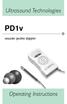 Ultrasound Technologies PD1v vascular pocket doppler Operating Instructions Before using your Pocket Doppler for the first time, please read these operating instructions carefully. 1 INTRODUCTION The UltraTec
Jarv Joggerz BT-301 Bluetooth Stereo Headphones Users Guide
 Jarv Joggerz BT-301 Bluetooth Stereo Headphones Users Guide Features: Bluetooth Wireless technology Compact design fits in the palm of your hand and weighs less than 2 oz. Comfortable Behind the Neck design
Operating Manual Electronic Wheelchair Scale with cable display M50610
 Operating Manual Electronic Wheelchair Scale with cable display M50610 ADE GmbH & Co. Hammer Steindamm 27 29 D 22089 Hamburg Germany +49(40)432776-0 Fax +49(40)432776-10 E-mail: [email protected] Contents
VOICE RECORDER NOTE CORDER DP-211 INSTRUCTIONS. Register your product on www.olympus-consumer.com/register and get additional benefits from Olympus!
 VOICE RECORDER NOTE CORDER DP-211 INSTRUCTIONS EN Register your product on www.olympus-consumer.com/register and get additional benefits from Olympus! 2 EN Introduction Thank you for purchasing an Olympus
Manual Blood Pressure Measurement
 Manual Blood Pressure Measurement 1 Peter Mahoney, CETL Clinical Skills Facilitator Measuring Blood Pressure manually can be difficult if not practised regularly. However it is important to be able to
Lithium Ion Battery Specifications
 Lithium Ion Battery Specifications Type: Cylindrical Lithium Iron Phosphate Battery Mode: LFP-26650-3300 AA Portable Power Corp. Prepared by Checked by Approved by 1 . Product Specifications Type ------------
LCD BacPac. User Manual + Warranty Info
 LCD BacPac User Manual + Warranty Info Firmware Update To determine if a firmware update is required, please follow these steps: With the camera fully charged, attach the LCD BacPac to camera and power
INSTRUCTIONS FOR ANALOGUE QUARTZ AND MECHANICAL WATCHES
 INSTRUCTIONS FOR ANALOGUE QUARTZ AND MECHANICAL WATCHES Your watch is one of the following six types of analogue quartz and mechanical watches. Before using your new watch, please read the instructions
Dehumidifier Users manual. For Models: DH45S DH65S
 Dehumidifier Users manual For Models: DH45S DH65S 950-0062-revD Jan. 9 2007 FORWARD The appearance of the units that you purchase might be slightly different from the ones described in the Manual, but
Forehead Thermometer INSTRUCTION MANUAL. Model MC-720
 Forehead Thermometer Model MC-720 INSTRUCTION MANUAL Thank you very much for purchasing the Forehead Thermometer. Be sure to read this Instruction Manual thoroughly before use. Keep this Instruction Manual
USER MANUAL WARNING! CONTENTS MODEL 1 SPECIFICATIONS READ ALL INSTRUCTIONS BEFORE PROCEEDING. Non-Programmable Single Stage Heat/Cool Thermostat
 Builder MODEL 1010 Series Non-Programmable Single Stage Heat/Cool Thermostat USER MANUAL Compatible with low voltage single stage gas, oil or electric heating or cooling systems, including single stage
Device Equivalence Evaluation Form
 Comparison of the Omron M2 Basic (HEM 7116 E2) with the Omron M3 Intellisense (HEM 7051 E) Devices M2 Basic (HEM 7116 E2) M3 Intellisense (HEM 7051 E) Pictures Display Validation ESH IP 2002 Device 1 Criteria
HAIR CLIPPER. Model No. HC5150 HC5150 2. 3.
 All technical modifications reserved. 09/08. TSC 08.0634 HAIR CLIPPER 2. 3. 1. Model No. HC5150 4. 10/UK/HC5150 Version 03/10 Part No. T22-29458 REMINGTON is a Registered Trade Mark of Spectrum Brands,
pc-6 humantouch.com use & care manual 800.355.2762
 pc-6 800.355.2762 2009 Human Touch, LLC. Patents pending and intellectual property rights enforced. No medical claims are warranted or implied by the use of this product. Human Touch is a trademark of
DR-83 90-Minute Digital Recorder
 DR-83 90-Minute Digital Recorder Owner s Manual Please read before using this equipment. ˆ Contents Features... 5 Preparation... 7 Installing Batteries... 7 Setting the Clock... 8 Connecting Earphones...