
1/2 Port Channelized T1/E1 PRI Network Module (NM-1CE1T1-PRI and NM-2CE1T1-PRI)
|
|
|
- Alisha Bruce
- 10 years ago
- Views:
Transcription
1 1/2 Port Channelized T1/E1 PRI Network Module (NM-1CE1T1-PRI and NM-2CE1T1-PRI) The NM-1CE1T1-PRI (1-port) and NM-2CE1T1-PRI (2-port) network modules provide support for T1, E1, and ISDN primary rate interface (PRI) network connections in a network module form factor. This feature (referred to in this document as NM-xCE1T1-PRI) offers attachment of one T1, E1, or ISDN PRI line on the 1-port module and two T1, E1, or ISDN PRI lines on the 2-port version. This new feature (NM-xCE1T1-PRI) enables you to configure a single network module as either a T1 interface or an E1 interface on the same card. The configuration of a T1 or E1 interface and the change from one to the other is controlled by the card type command. Additionally, when in E1 mode, the module can be configured between channelized E1, ISDN PRI, E1-CAS-R2, balanced and unbalanced, and structured (G.704) versus unstructured (G.703) modes. In T1 mode, the module can be configured for channelized T1, T1-CAS, and as a CSU/DSU. Note After you insert the NM-xCE1T1-PRI feature network module into the router chassis, you must use the card type command in the command-line interface (CLI) to configure the NM-xCE1T1-PRI feature. The controller will not be detected and cannot be configured until you use the card type command. Configuration of the T1 or E1 interface can be customized using command-line interface (CLI) commands. In E1 mode, each port can be individually set to 120-ohm or 75-ohm termination. Each port has RJ-48C connectors, and there is one bantam jack that is shared by each port (for 2-port cards) for monitoring. Feature Specifications for the 1/2 Port Channelized T1/E1 PRI Network Module Feature History Release Modification 12.3(1) This feature was introduced in. Supported Platforms Cisco 2610XM, Cisco 2611XM, Cisco 2620XM, Cisco 2621XM, Cisco 2650XM, Cisco 2651XM, Cisco 2691, Cisco 3631, Cisco 3660, Cisco 3725, and Cisco This feature is not supported on the Cisco 3620 and Cisco 3640 platforms. For the Cisco 2600 series, only the Cisco XM series and Cisco 2691 are supported. Cisco (non-xm) are not supported. Corporate Headquarters: Cisco Systems, Inc., 170 West Tasman Drive, San Jose, CA USA Copyright 2003 Cisco Systems, Inc. All rights reserved.

2 Contents 1/2 Port Channelized T1/E1 PRI Network Module (NM-1CE1T1-PRI and NM-2CE1T1-PRI) Finding Support Information for Platforms and Cisco IOS Software Images Use Cisco Feature Navigator to find information about platform support and Cisco IOS software image support. Access Cisco Feature Navigator at You must have an account on Cisco.com. If you do not have an account or have forgotten your username or password, click Cancel at the login dialog box and follow the instructions that appear. Contents Information About NM-xCE1T1-PRI Support, page 2 How to Configure the NM-xCE1T1-PRI Feature, page 3 Configuration Examples for NM-xCE1T1-PRI Support, page 12 Additional References, page 15 Command Reference, page 17 Glossary, page 28 Information About NM-xCE1T1-PRI Support After you insert the NM-xCE1T1-PRI feature network module into the router chassis, you must use the card type command in the command-line interface (CLI) to configure the NM-xCE1T1-PRI feature. The controller will not be detected and cannot be configured until you use the card type command. If the card type command is used to make subsequent changes, these changes will take effect only if you use the reload command after changing the card type. The bantam jack can be connected only to one port at a time. The NM-xCE1T1-PRI feature will not support channel service unit (CSU) DTE loopback or CSU network loopback modes. Because the CSU is integrated into the framer, there is no need or way to support CSU loopbacks. To configure the NM-xCE1T1-PRI feature, you need to understand the following concepts: NM-xCE1T1-PRI Feature Driver Software, page 2 NM-xCE1T1-PRI Feature Supported Functions, page 2 NM-xCE1T1-PRI Feature Driver Software The driver software for the NM-xCE1T1-PRI feature provides for the transmission and reception of packets over channelized E1 and T1 circuits. Driver functions are as follows: Network Management Interface (MIB support) New CLI for 75-ohm and 120-ohm line termination for E1 New CLI for specifying the card type (T1/E1) NM-xCE1T1-PRI Feature Supported Functions This section summarizes the functions supported by the NM-xCE1T11PRI feature. 2

3 1/2 Port Channelized T1/E1 PRI Network Module (NM-1CE1T1-PRI and NM-2CE1T1-PRI) How to Configure the NM-xCE1T1-PRI Feature Two card versions: 1-port T1 (DSU/CSU), E1 and G.703 (balanced and unbalanced) 2-port T1 (DSU/CSU), E1 and G.703 (balanced and unbalanced) Four LEDs per port defined as Carrier Detect, Remote Alarm, Local Alarm, and Loopback Three LEDs per port defined as T1-100, E1-120, and E1-75 RJ-48 connectors with transition cable breakout to physical media type T1 CSU and DSU line buildouts, E1 short haul and long haul T1 SF and ESF framing ANSI T1.403 Annex B/V.54 loopup/loopdown code recognition, network loopback, and user-initiated loopbacks E1 structured (ITU G.704) and unstructured (ITU G.703) operation AMI, B8ZS, and HDB3 line coding Two bantam jacks for TX and RX monitor with two LEDs defined as P0, P1 (port selected) How to Configure the NM-xCE1T1-PRI Feature This section describes the commands used to configure the NM-xCE1T1-PRI feature: Configuring an NM-xCE1T1-PRI Card for a T1 Interface, page 3 Configuring an NM-xCE1T1-PRI Card for an E1 Interface, page 5 Configuring a T1 or E1 Interface for Bantam-Jack Monitoring, page 7 Verifying NM-xCE1T1-PRI Support, page 9 Configuring an NM-xCE1T1-PRI Card for a T1 Interface Perform this task to select and configure a network module card as T1. SUMMARY STEPS 1. enable 2. configure terminal 3. card type t1 slot 4. controller t1 slot/port 5. linecode {ami b8zs} 6. framing {sf esf} 7. clock source {line internal} 8. pri-group [timeslots range] 9. exit 10. copy running-config startup-config 3

4 How to Configure the NM-xCE1T1-PRI Feature 1/2 Port Channelized T1/E1 PRI Network Module (NM-1CE1T1-PRI and NM-2CE1T1-PRI) DETAILED STEPS Step 1 Step 2 Command or Action enable Router> enable configure terminal Purpose Enables privileged EXEC mode. Enter your password if prompted. Enters global configuration mode. Step 3 Step 4 Step 5 Step 6 Step 7 Router# configure terminal card type t1 slot Router(config)# card type t1 1 controller t1 slot/port Router(config)# controller t1 1/0 linecode {ami b8zs} Router(config-controller)# linecode b8zs framing {sf esf} Router(config-controller)# framing esf clock source {line internal} Router(config-controller)# clock source line Sets or changes the card type. When the command is used for the first time, the configuration takes effect immediately. A subsequent change in the card type will not take effect unless you enter the reload command or reboot the router. Enters controller configuration mode and identifies the controller type (T1) and a slot and port for configuration commands that specifically apply to the T1 interface. The card type command must be entered before this command can be used. Specifies a line encoding for a controller. The controller command must be entered before this command can be used. Line-code value for T1 can be ami or b8zs. Specifies a frame type. The controller command must be entered before this command can be used. The frame type can be specified as sf for superframe or esf for extended superframe for T1 controllers. Sets the clock source for a T1 controller. The clocking argument can have a value of line or internal. A value of line means the source is the loop. A value of internal means the source is the local oscillator if the card is not participating in the backplane timing domain. 4

5 1/2 Port Channelized T1/E1 PRI Network Module (NM-1CE1T1-PRI and NM-2CE1T1-PRI) How to Configure the NM-xCE1T1-PRI Feature Step 8 Step 9 Step 10 Command or Action pri-group [timeslots range] Router(config-controller)# pri-group timeslots 1-5 exit Router# exit copy running-config startup-config Router# copy running-config startup-config Purpose Specifies that the controller should be set up as a PRI interface. For T1, the last defined channel is the D channel. If a controller is configured as PRI, individual channel groups cannot be configured on that controller. The controller command must be entered before this command can be used. Note To specify that the controller should be set up as a channel group, use the channel-group command here instead of the pri-group command. For more information, see the Configuring an NM-xCE1T1-PRI Card for an E1 Interface section on page 5. Exits the controller configuration mode and returns the router to privileged EXEC mode. Saves the new configuration parameters to the permanent configuration file. This command can be abbreviated to copy run start. Configuring an NM-xCE1T1-PRI Card for an E1 Interface Perform this task to select and configure an NM-xCE1T1-PRI network module card as E1. SUMMARY STEPS 1. enable 2. configure terminal 3. card type e1 slot 4. controller e1 slot/port 5. linecode {ami hdb3} 6. framing {crc4 no-crc4} 7. clock source {line internal} 8. channel-group channel-number {timeslots range [speed {56 64}] unframed} 9. line termination {75-ohm 120-ohm} 10. exit 11. copy running-config startup-config 5

6 How to Configure the NM-xCE1T1-PRI Feature 1/2 Port Channelized T1/E1 PRI Network Module (NM-1CE1T1-PRI and NM-2CE1T1-PRI) DETAILED STEPS Step 1 Step 2 Command or Action enable Router> enable configure terminal Purpose Enables privileged EXEC mode. Enter your password if prompted. Enters global configuration mode. Step 3 Step 4 Step 5 Step 6 Step 7 Router# configure terminal card type e1 slot Router(config)# card type e1 1 controller e1 slot/port Router(config)# controller e1 1/0 linecode {ami hdb3} Router(config-controller)# linecode hdb3 framing {crc4 no-crc4} Router(config-controller)# framing crc4 clock source {line internal} Router(config-controller)# clock source line Sets or changes the card type. When the command is used for the first time, the configuration takes effect immediately. A subsequent change in the card type will not take effect unless you enter the reload command or reboot the router. Enters controller configuration mode and identifies the controller type (E1) and a slot and port for configuration commands that specifically apply to the E1 interface. The card type command must be entered before this command can be used. Specifies a line encoding for a controller. The controller command must be entered before this command can be used. Linecode value for E1 can be ami or hdb3. Selects a frame type. The controller command must be entered before this command. The framing value can be crc4 or no crc4 for E1 controllers. Sets the clock source for an E1 controller. The clocking argument can have a value of line or internal. A value of line means the source is the loop. A value of internal means the source is the local oscillator if the card is not participating in the backplane timing domain. 6

7 1/2 Port Channelized T1/E1 PRI Network Module (NM-1CE1T1-PRI and NM-2CE1T1-PRI) How to Configure the NM-xCE1T1-PRI Feature Step 8 Step 9 Step 10 Step 11 Command or Action channel-group channel-number {timeslots range [speed {56 64}] unframed} Router(config-controller)# channel-group 1 unframed line-termination {75-ohm 120-ohm} Router(config-controller)# line-termination 120-ohm exit Router# exit copy running-config startup-config Router# copy running-config startup-config Purpose Specifies that the controller should be set up as a channelized interface. Defines the time slots that belong to each E1 circuit. When a T1 data line is configured, channel-group numbers can be values from 0 to 23. When an E1 data line is configured, channel-group numbers can be values from 0 to 30. The unframed keyword specifies that all 32 time slots are used for data. None of the 32 time slots are used for framing signals. The controller command must be entered before this command can be used. Note T o specify that the controller should be set up as a PRI group, use the pri-group command here instead of the channel-group command. For more information, see the Configuring an NM-xCE1T1-PRI Card for a T1 Interface section on page 3. Configures the E1 line interface for 120-ohm or 75-ohm termination. The controller command must be entered before this command can be used. Line termination is configurable only for E1. Exits the controller configuration mode and returns the router to privileged EXEC mode. Saves the new configuration parameters to the permanent configuration file. This command can be abbreviated to copy run start. Configuring a T1 or E1 Interface for Bantam-Jack Monitoring Perform this task to enable monitoring of the TX and RX lines of a T1 or E1 port on the onboard bantam jack. Note Only one port can be monitored at a time. Disable the bantam-jack monitoring if you are not actively monitoring the TX and RX activity for a port. SUMMARY STEPS 1. enable 7

8 How to Configure the NM-xCE1T1-PRI Feature 1/2 Port Channelized T1/E1 PRI Network Module (NM-1CE1T1-PRI and NM-2CE1T1-PRI) 2. configure terminal 3. card type {t1 e1} slot 4. controller {t1 e1} slot/port 5. bantam-jack enable 6. no bantam-jack enable 7. exit DETAILED STEPS Step 1 Step 2 Command or Action enable Router> enable configure terminal Purpose Enables privileged EXEC mode. Enter your password if prompted. Enters global configuration mode. Step 3 Step 4 Step 5 Router# configure terminal card type {t1 e1} slot Router(config)# card type e1 1 controller {t1 e1} slot/port Router(config)# controller e1 1/0 bantam-jack enable Router(config-controller)# bantam-jack enable Sets or changes the card type. When the command is used for the first time, the configuration takes effect immediately. A subsequent change in the card type will not take effect unless you enter the reload command or reboot the router. Enters controller configuration mode and identifies the controller type (T1 or E1) and a slot and port for configuration commands that specifically apply to the T1 or E1 interface. The card type command must be entered before this command can be used. Monitors the TX and RX lines of a T1 or E1 port on the onboard bantam jack. Only one port can be monitored at a time. 8

9 1/2 Port Channelized T1/E1 PRI Network Module (NM-1CE1T1-PRI and NM-2CE1T1-PRI) How to Configure the NM-xCE1T1-PRI Feature Step 6 Step 7 Command or Action no bantam-jack enable Router(config-controller)# no bantam-jack enable exit Router# exit Purpose Disables the monitoring function of the TX and RX lines of a T1 or E1 port on the onboard bantam jack. Only one port can be monitored at a time. Always disable the monitoring function of the TX and RX lines when you are not actively monitoring the lines. Exits controller configuration mode and returns the router to privileged EXEC mode. Verifying NM-xCE1T1-PRI Support To examine the state of the T1 or E1 line, use the show controller and show interface commands. SUMMARY STEPS 1. enable 2. show controller {t1 e1} 3. show interfaces serial slot/port:[channel-group] 4. show pci bridge slot-number Step 1 Command or Action enable Router> enable Step 2 show controller {t1 e1} Router# show controller t1 Purpose Enables privileged EXEC mode. Enter your password if prompted. Displays the RFC 1406 MIB statistics about the T1 or E1 port, card revision information, alarm status, and port configuration. 9

10 How to Configure the NM-xCE1T1-PRI Feature 1/2 Port Channelized T1/E1 PRI Network Module (NM-1CE1T1-PRI and NM-2CE1T1-PRI) Step 3 Step 4 Command or Action show interfaces serial slot/port:[channel-group] Router# show interfaces serial 1/0:23 show pci bridge slot-number Router# show pci bridge 1 Purpose Displays statistics for channels and channel groups created within a T1 or E1 controller, which are treated as serial interfaces. The range of slot numbers is dependent on the host router. The port can be either 0 or 1. Channel-group values range from 0 to 23 for T1 controllers and from 0 to 30 for E1 controllers. The channel group is the number parameter defined in the channel-group command. If no channel-group value is entered, all the interfaces are displayed. Displays peripheral component interconnect (PCI) configuration information about the port module in a particular slot, including any bridges on both the host router and the network module. Examples This section describes commands that can be used to examine the state of the T1 or E1 lines. Using the show controller Command Example, page 10 Using the show interfaces Command Example, page 11 Using the show interfaces Command for a Particular Slot or Port Example, page 11 Using the show controller Command Example The following is example output from a show controller command: Router#show controller E1 E1 1/0 is up. Applique type is Channelized E1 - balanced No alarms detected. alarm-trigger is not set Framing is UNFRAMED, Line Code is HDB3, Clock Source is Line. Bantam Jack Enabled <---- indicates bantam-jack monitoring is enabled Module type is Channelized E1/T1 PRI Version info Firmware: D, FPGA: 0 Hardware revision is 0.2, Software revision is 29 Protocol revision is 1 number of CLI resets is 1 Last clearing of alarm counters 00:00:10 receive remote alarm : 0, transmit remote alarm : 0, receive AIS alarm : 0, transmit AIS alarm : 0, loss of frame : 0, loss of signal : 0, Loopback test : 0, transmit AIS in TS 16 : 0, receive LOMF alarm : 0, transmit LOMF alarm : 0, 10

11 1/2 Port Channelized T1/E1 PRI Network Module (NM-1CE1T1-PRI and NM-2CE1T1-PRI) How to Configure the NM-xCE1T1-PRI Feature MIB data updated every 10 seconds. Data in current interval (10 seconds elapsed): 0 Line Code Violations, 0 Path Code Violations 0 Slip Secs, 0 Fr Loss Secs, 0 Line Err Secs, 0 Degraded Mins 0 Errored Secs, 0 Bursty Err Secs, 0 Severely Err Secs, 0 Unavail Secs Using the show interfaces Command Example The following is example output from a show interfaces command: Router# show interfaces serial 0/0:0 Serial0/0:0 is up, line protocol is up Hardware is DSX1 Internet address is MTU 1500 bytes, BW 1544 Kbit, DLY usec, rely 255/255, load 9/255 Encapsulation HDLC, loopback not set, keepalive not set Last input 0:15:34, output 0:00:00, output hang never Last clearing of show interface counters never Output queue 2/40, 0 drops; input queue 0/75, 0 drops 5 minute input rate bits/sec, 195 packets/sec 5 minute output rate bits/sec, 196 packets/sec packets input, bytes, 0 no buffer Received 0 broadcasts, 0 runts, 0 giants 0 input errors, 0 CRC, 0 frame, 0 overrun, 0 ignored, 0 abort packets output, bytes, 0 underruns 0 output errors, 0 collisions, 6 interface resets, 0 restarts 0 output buffer failures, 0 output buffers swapped out 0 carrier transitions DCD=up DSR=up DTR=up RTS=up CTS=up... Serial0/0:23 is up, line protocol is up Hardware is DSX1 Internet address is MTU 1500 bytes, BW 1544 Kbit, DLY usec, rely 255/255, load 9/255 Encapsulation HDLC, loopback not set, keepalive not set Last input 0:15:34, output 0:00:00, output hang never Last clearing of show interface counters never Output queue 2/40, 0 drops; input queue 0/75, 0 drops 5 minute input rate bits/sec, 195 packets/sec 5 minute output rate bits/sec, 196 packets/sec packets input, bytes, 0 no buffer Received 0 broadcasts, 0 runts, 0 giants 0 input errors, 0 CRC, 0 frame, 0 overrun, 0 ignored, 0 abort packets output, bytes, 0 underruns 0 output errors, 0 collisions, 6 interface resets, 0 restarts 0 output buffer failures, 0 output buffers swapped out 0 carrier transitions DCD=up DSR=up DTR=up RTS=up CTS=up Using the show interfaces Command for a Particular Slot or Port Example The following is example output from a show interfaces command for a particular slot or port: Router# show interfaces serial 1/0:18 Serial 1/0:18 is up, line protocol is up Hardware is DSX1 Internet address is MTU 1500 bytes, BW 9 Kbit, DLY usec, rely 255/255, load 1/255 11

12 Configuration Examples for NM-xCE1T1-PRI Support 1/2 Port Channelized T1/E1 PRI Network Module (NM-1CE1T1-PRI and NM-2CE1T1-PRI) Encapsulation SLIP, loopback not set DTR is pulsed for 5 seconds on reset Last input never, output never, output hang never Last clearing of show interface counters never Output queue 0/10, 0 drops; input queue 0/75, 0 drops 5 minute input rate 0 bits/sec, 0 packets/sec 5 minute output rate 0 bits/sec, 0 packets/sec 0 packets input, 0 bytes, 0 no buffer Received 0 broadcasts, 0 runts, 0 giants 0 input errors, 0 CRC, 0 frame, 0 overrun, 0 ignored, 0 abort 0 packets output, 0 bytes, 0 underruns 0 output errors, 0 collisions, 0 interface resets, 0 restarts 0 output buffer failures, 0 output buffers swapped out 0 carrier transitions The commands to display the accounting and statistics on a particular interface will be the show interfaces interface 1/0:18 accounting and show interface interface 1/0:18 stats commands. The output for these cases will be identical to that for all other Cisco interfaces. Configuration Examples for NM-xCE1T1-PRI Support This section shows example configuration files for a T1 interface and an E1 interface. T1 Interface Example, page 12 E1 Interface Example, page 14 T1 Interface Example This sample configuration is for a Cisco 3745 with two cards in slots 1 and 3 configured for T1: Router# show running configuration Building configuration... Current configuration: 1744 bytes version 12.2 service timestamps debug uptime service timestamps log uptime no service password-encryption hostname host1 card type t1 1 card type t1 3 ip subnet-zero isdn switch-type primary-dms100 voice call carrier capacity active 12

13 1/2 Port Channelized T1/E1 PRI Network Module (NM-1CE1T1-PRI and NM-2CE1T1-PRI) Configuration Examples for NM-xCE1T1-PRI Support mta receive maximum-recipients 0 controller T1 1/0 framing esf linecode b8zs cablelength long 0db pri-group timeslots 1-24 controller T1 1/1 framing esf linecode b8zs cablelength long 0db pri-group timeslots 1-24 controller T1 3/0 framing esf linecode b8zs cablelength long 0db pri-group timeslots 1-24 controller T1 3/1 framing esf linecode b8zs cablelength long 0db pri-group timeslots 1-24 interface FastEthernet0/0 no ip address shutdown speed 100 full-duplex interface Serial0/0 no ip address clockrate interface FastEthernet0/1 no ip address duplex auto speed 10 interface Serial0/1 no ip address shutdown interface Serial1/0:23 no ip address isdn switch-type primary-dms100 no cdp enable interface Serial1/1:23 no ip address isdn switch-type primary-dms100 no cdp enable interface FastEthernet2/0 13
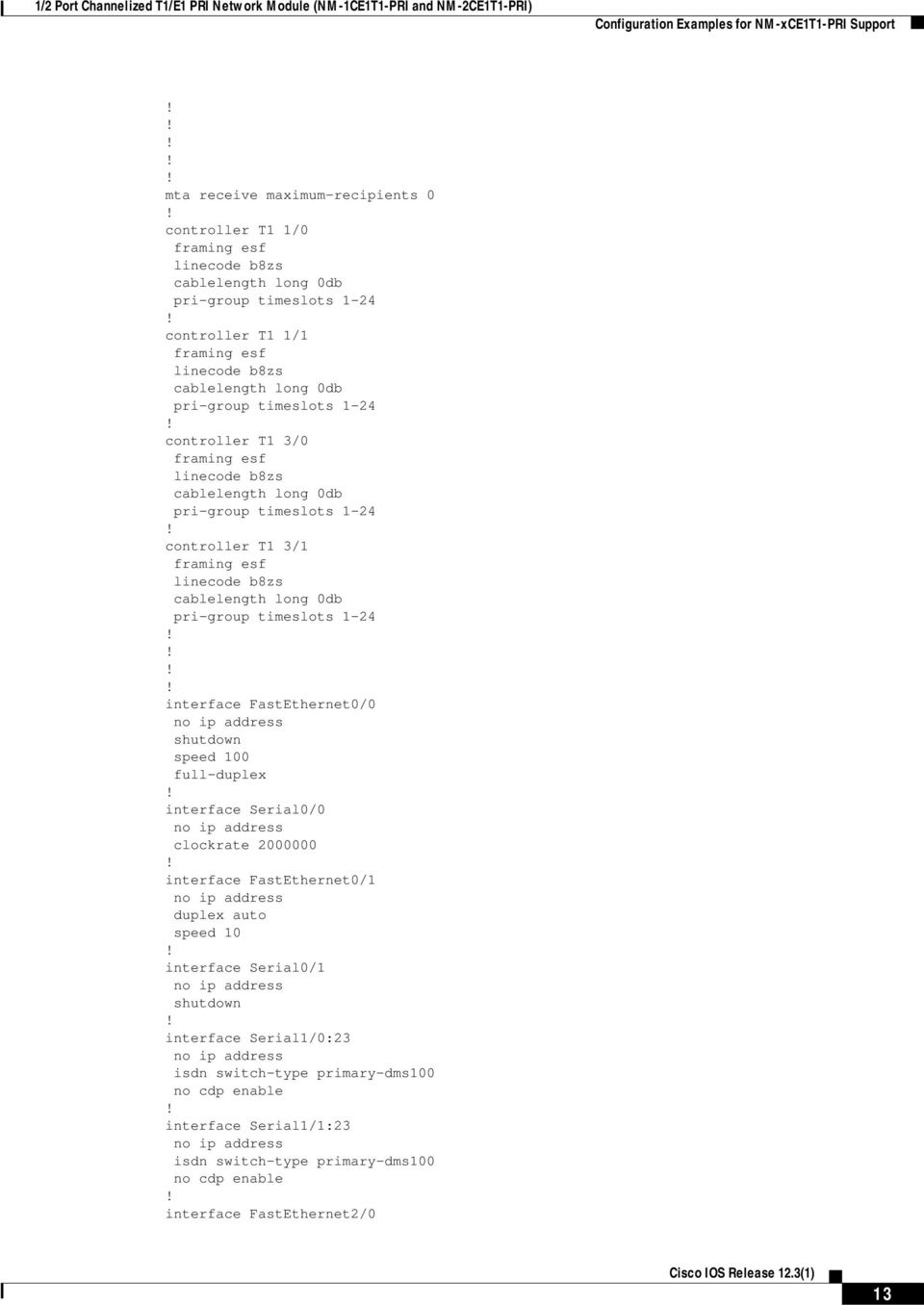
14 Configuration Examples for NM-xCE1T1-PRI Support 1/2 Port Channelized T1/E1 PRI Network Module (NM-1CE1T1-PRI and NM-2CE1T1-PRI) no ip address shutdown duplex auto speed auto interface TokenRing2/0 no ip address shutdown ring-speed 16 interface Serial3/0:23 no ip address isdn switch-type primary-dms100 no cdp enable interface Serial3/1:23 no ip address isdn switch-type primary-dms100 no cdp enable ip classless ip http server ip pim bidir-enable dialer-list 1 protocol ip permit call rsvp-sync mgcp profile default dial-peer cor custom line con 0 exec-timeout 0 0 line aux 0 line vty 0 4 login end E1 Interface Example Current configuration : 1667 bytes version 12.3 service timestamps debug datetime msec service timestamps log datetime msec no service password-encryption hostname router card type e1 1 no logging buffered 14

15 1/2 Port Channelized T1/E1 PRI Network Module (NM-1CE1T1-PRI and NM-2CE1T1-PRI) Additional References ip subnet-zero isdn switch-type primary-net5 controller E1 1/0 channel-group 1 unframed controller E1 1/1 channel-group 1 unframed interface FastEthernet0/0 no ip address duplex auto speed auto interface FastEthernet0/1 no ip address load-interval 30 shutdown speed 100 full-duplex no cdp enable interface 1/0:1 no ip address interface 1/1:1 no ip address ip http server ip classless line con 0 exec-timeout 0 0 line aux 0 line vty 0 4 exec-timeout 0 0 login end Additional References The following sections provide additional references related to the NM-xCE1T1-PRI feature: Related Documents, page 16 Standards, page 16 MIBs, page 16 RFCs, page 16 Technical Assistance, page 16 15

16 Additional References 1/2 Port Channelized T1/E1 PRI Network Module (NM-1CE1T1-PRI and NM-2CE1T1-PRI) Related Documents Related Topic Hardware installation instructions for the 1/2 Port Channelized T1/E1 PRI Network Module Document Title Cisco Network Module Hardware Installation Guide Standards Standards ANSI T ITU Recommendation G.703 AT&T Publication Title Network to Customer Installation DS1 Metallic Interface Physical/Electrical Characteristics of Hierarchical Digital Interfaces (July 1988) Requirements for Interfacing Digital Terminal Equipment to Services Employing the Extended Super Frame Format MIBs MIBs CISCO-ICSUDSU-MIB RFC 1406 MIB MIBs Link To locate and download MIBs for selected platforms, Cisco IOS releases, and feature sets, use Cisco MIB Locator found at the following URL: RFCs RFCs RFC 1406 Title Definitions of Managed Objects for the DS1 and E1 Interface Types Technical Assistance Description Technical Assistance Center (TAC) home page, containing 30,000 pages of searchable technical content, including links to products, technologies, solutions, technical tips, tools, and lots more. Registered Cisco.com users can log in from this page to access even more content. Link 16

17 1/2 Port Channelized T1/E1 PRI Network Module (NM-1CE1T1-PRI and NM-2CE1T1-PRI) Command Reference Command Reference This section documents new and modified commands. All other commands used with this feature are documented in the Cisco IOS Release 12.2 T command reference publications. bantam-jack enable card type channel-group controller pri-group 17

18 bantam-jack enable 1/2 Port Channelized T1/E1 PRI Network Module (NM-1CE1T1-PRI and NM-2CE1T1-PRI) bantam-jack enable To monitor the TX and RX lines of a T1 or E1 port on the onboard bantam jack, use the bantam-jack enable command in controller configuration mode. To disable this capability, use the no form of this command. bantam-jack enable no bantam-jack enable Syntax Description This command has no arguments or keywords. Defaults The default is for the bantam jack not to be connected to any T1 or E1 port. Command Modes Controller configuration Command History Release Modification 12.3(1) This command was introduced. Usage Guidelines The controller command must be entered before the bantam-jack enable command can be used. Only one port can be connected to the bantam jack at a time, and the port connected will have an illuminated LED. The bantam-jack enable command cannot be saved in the startup configuration, and therefore cannot be seen in the running configuration. To see if the bantam-jack enable command has been configured, use the show controller {t1 e1} command. Examples The following example enables the bantam jack for a port: Router(config-controller)# bantam-jack enable Related Commands Command controller Description Configures a T1 or E1 controller and enters controller configuration mode. 18

19 1/2 Port Channelized T1/E1 PRI Network Module (NM-1CE1T1-PRI and NM-2CE1T1-PRI) card type card type To configure the card type, use the card type command in global configuration mode. To restore the default value, use the no form of this command. card type {t1 e1} slot no card type {t1 e1} slot Syntax Description t1 e1 slot Specifies T1 connectivity of Mbps through the telephone switching network, using AMI or B8ZS coding. Specifies a wide-area digital transmission scheme used predominantly in Europe that carries data at a rate of Mbps. Slot (port) number of the interface. Defaults No default behavior or values Command Modes Global configuration Command History Release Modification 12.0(5)XE This command was introduced. 12.0(7)T This command was integrated into Cisco IOS Release 12.0(7)T. 12.3(1) This command was integrated into. Usage Guidelines Changes made using this command do not take effect unless the reload command is used or the router is rebooted. Examples The following example configures T1 data transmission on slot 1 (port 1) of the router: card type t1 1 Related Commands Command controller reload Description Configures a T1 or E1 controller and enters controller configuration mode. Reloads the operating system. 19

20 channel-group 1/2 Port Channelized T1/E1 PRI Network Module (NM-1CE1T1-PRI and NM-2CE1T1-PRI) channel-group To configure serial WAN on a T1 or E1 interface, use the channel-group command in controller configuration mode. To clear a channel group, use the no form of this command. Cisco 2600 Series channel-group channel-group-number timeslots range [speed kbps] [aim aim-slot-number] no channel-group channel-group-number Cisco 2611 (Cisco Signaling Link Terminal [SLT]) channel-group channel-number no channel-group channel-number Cisco 2600XM Series, Cisco 2691, Cisco 3631, Cisco 3660, Cisco 3725, and Cisco 3745 channel-group channel-group-number {timeslots range [speed {56 64}] unframed} [aim aim-slot-number] no channel-group [channel-group-number timeslots range] Cisco AS5350 and Cisco AS5400 Series channel-group channel-group-number no channel-group channel-group-number Cisco MC3810 channel-group channel-number timeslots range [speed kbps}] no channel-group [channel-number timeslots range] Syntax Description channel-group-number Channel-group number on the Cisco 2600 series, Cisco 2600XM, Cisco 2691, Cisco 3631, Cisco 3660, Cisco 3725, and Cisco 3745 routers. When a T1 data line is configured, channel-group numbers can be values from 0 to 23. When an E1 data line is configured, channel-group numbers can be values from 0 to 30. Valid values can be 0 or 1 on the Cisco AS5350 and Cisco AS5400. timeslots range Specifies one or more time slots separated by commas, or ranges of time slots belonging to the channel group separated by a dash. The first time slot is numbered 1. For a T1 controller, the time slots range from 1 to 24. For an E1 controller, the time slots range from 1 to 31. You can specify a time slot range (for example, 1-29), individual time slots separated by commas (for example 1, 3, 5), or a combination of the two (for example 1-14, 15, 17-31). See the Examples section for samples of different timeslot ranges. 20
![Cisco 2600 Series channel-group channel-group-number timeslots range [speed kbps] [aim aim-slot-number] no channel-group channel-group-number Cisco 2611 (Cisco Signaling Link Terminal [SLT])](/docs-images/40/5421644/images/page_20.jpg "channel-group channel-number no channel-group channel-number Cisco 2600XM Series, Cisco 2691, Cisco 3631, Cisco 3660, Cisco 3725, and Cisco 3745 channel-group channel-group-number {timeslots range")
21 1/2 Port Channelized T1/E1 PRI Network Module (NM-1CE1T1-PRI and NM-2CE1T1-PRI) channel-group speed {56 64} aim aim-slot-number channel-number unframed (Optional) Specifies the speed of the underlying DS0s in kilobits per second. Valid values are 56 and 64. The default line speed when configuring a T1 controller is 56 kbps on the Cisco 2600 series, Cisco 2600XM series, Cisco 2691, Cisco 3631, Cisco 3660, Cisco 3725, Cisco 3745, and the Cisco MC3810. The default line speed when configuring an E1 controller is 64 kbps on the Cisco 2600 series, Cisco 2600XM series, Cisco 2691, Cisco 3631, Cisco 3660, Cisco 3725, Cisco 3745, and the Cisco MC3810. The line speed controls real-time (VBR-RT) traffic shaping, and the maximum burst size (MBS) is 255 cells. (Optional) Directs HDLC traffic from the T1/E1 interface to the AIM-ATM-VOICE-30 digital signaling processor (DSP) card on the Cisco 2600 series, Cisco 2600XM series, Cisco 2691, Cisco 3631, Cisco 3660, Cisco 3725, and Cisco Number of the channel. Valid values can be 0 or 1 on the Cisco SLT (Cisco 2611). Specifies the use of all 32 time slots for data. None of the 32 time slots are used for framing signals on the Cisco 2600XM series, Cisco 2691, Cisco 3631, Cisco 3660, Cisco 3725, and Cisco This is applicable to E1 only. Defaults The T1/E1 line is connected to the Motorola MPC-860x processor serial communication controller (SCC) or network module with two voice or WAN interface card (VIC or WIC) slots and 0/1/2 FastEthernet ports DSCC4 by default on Cisco 2600 series, Cisco 2600XM, Cisco 2691, Cisco 3631, Cisco 3660, Cisco 3725, and Cisco 3745 routers. There is no default behavior or values on the Cisco SLT (Cisco 2611). The serial interface object encapsulation is set to HDLC on a network access server (NAS) (Cisco AS5350 and Cisco AS5400 series routers). The default line speed is 56 kbps when a T1 controller is configured on the Cisco 2600 series, Cisco 2600XM series, Cisco 2691, Cisco 3631, Cisco 3660, Cisco 3725, Cisco 3745, and the Cisco MC3810. The default line speed is 64 kbps when an E1 controller is configured on the Cisco 2600 series, Cisco 2600XM series, Cisco 2691, Cisco 3631, Cisco 3660, Cisco 3725, Cisco 3745, and the Cisco MC3810. Command Modes Controller configuration Command History Release Modification 11.3 MA This command was introduced on the Cisco MC This command was integrated into Cisco IOS Release 12.0 on the Cisco MC (7)XE This command was implemented on the Catalyst 6000 family switches. 12.1(1)E This command was integrated into Cisco IOS Release 12.1(1)E. 21
22 channel-group 1/2 Port Channelized T1/E1 PRI Network Module (NM-1CE1T1-PRI and NM-2CE1T1-PRI) Release Modification 12.1(1)T This command was modified to accommodate two channel groups on a port on 1- and 2-port T1/E1 Multiflex voice or WAN interface cards on the Cisco 2600 and Cisco 3600 series routers. 12.1(3a)E3 The number of valid values for kbps was changed on the Cisco MC3810; see the Usage Guidelines section for valid values. 12.2(11)T This command was modified for use on the Cisco AS5350 and Cisco AS (15)T The aim keyword was added for use on the Cisco 2600 series (including the Cisco 2691), Cisco 2600XM, Cisco 3660, Cisco 3725, and Cisco (1) The unframed keyword was added for use on the Cisco 2600XM series, Cisco 2691, Cisco 3631, Cisco 3660, Cisco 3725, and Cisco Usage Guidelines Use this command to direct High-Level Data Link Control (HDLC) traffic from the T1/E1 interface to the AIM-ATM-VOICE-30 DSP card. A channel group is created using Advanced Integration Module (AIM) HDLC resources when a channel-group command with the aim keyword is parsed during system initialization or when the command is entered during configuration. You must specify the aim keyword under a T1/E1 controller port to direct HDLC traffic from the T1/E1 interface to the AIM-ATM-VOICE-30 DSP card on the Cisco 2600 series, Cisco 2600XM series, Cisco 2691, Cisco 3631, Cisco 3660, Cisco 3725, and Cisco Note Neither the Cisco AS5400 series NAS nor the Cisco MC3810 is supported with the integrated voice and data WAN on T1/E1 interfaces using the AIM-ATM-VOICE-30 module. If previous channel-group commands are configured with the aim keyword, subsequent channel-group commands without the aim keyword are rejected. Similarly, if a regular channel-group command is followed by another channel-group command with the aim keyword implemented, the second command is rejected on the Cisco 2600 and Cisco 2600XM. A channel group using AIM HDLC resources is deleted only when a no channel-group command is entered. By default, the channel-group command on a NAS sets the serial interface object encapsulation to HDLC. You must override the default by entering the encapsulation ss7 command for that serial interface object. Once you override the default, encapsulation cannot be changed again for that object. The SS7 encapsulation option is new to the Integrated Signaling Link Terminal feature and is available only for interface serial objects created by the channel-group command. The Integrated Signaling Link Terminal feature added SLT functionality on Cisco AS5350 and Cisco AS5400 platforms. A digital SS7 link can be deleted by entering the no channel-group channel-group-number command on the associated T1/E1 controller. The link must first be stopped using the no shutdown command. It is not necessary to remove the channel ID association first. Use the channel-group command in configurations where the router or access server must communicate with a T1 or E1 fractional data line. The channel group number may be arbitrarily assigned and must be unique for the controller. The time slot range must match the time slots assigned to the channel group. The service provider defines the time slots that comprise a channel group. 22
23 1/2 Port Channelized T1/E1 PRI Network Module (NM-1CE1T1-PRI and NM-2CE1T1-PRI) channel-group Note Channel groups, channel-associated signaling (CAS) voice groups, and time-division multiplexing (TDM) groups all use group numbers. All group numbers configured for channel groups, CAS voice groups, and TDM groups must be unique on the local Cisco MC3810 concentrator. For example, you cannot use the same group number for a channel group and for a TDM group. Furthermore, on the Cisco MC3810, only one channel group can be configured on a controller. The channel group number can be 0 or 1 on the Cisco SLT (Cisco 2611). The channel-group command also applies to Voice over Frame Relay, Voice over ATM, and Voice over HDLC on the Cisco MC3810. Examples The following example shows basic configuration directing HDLC traffic from the T1/E1 interface to the AIM-ATM-VOICE-30 DSP card, starting in global configuration mode: Router(config)# controller e1 1/0 Router(config-controller)# clock source internal Router(config-controller)# channel-group 0 timeslots 1-31 aim 0 The following example explicitly sets the encapsulation type to PPP to override the HDLC default: Router# configure terminal Router(config)# controller t1 6/0 Router(config-controller)# channel-group 2 timeslots 3 aim 0 Router(config-controller)# exit Router(config)# interface serial 6/0:2 Router(config-if)# encapsulation ppp Router(config-if)# ip address Router(config-if)# no shutdown Router(config-if)# end The following example shows how to explicitly set the encapsulation type to SS7 to override the HDLC default using the Integrated Signaling Link Terminal feature. This example uses an 8PRI DFC card inserted into slot 7, and DS0-timeslot 3 on trunk 5 of that card is used as an SS7 link: Router# configure terminal Router(config)# controller t1 7/5 Router(config-controller)# channel-group 2 timeslots 3 Router(config-controller)# exit Router(config)# interface serial 7/5:2 Router(config-if)# encapsulation ss7 Router(config-if)# channel-id 0 Router(config-if)# no shutdown Router(config-if)# end The following example defines three channel groups. Channel-group 0 consists of a single time slot, channel-group 8 consists of seven time slots and runs at a speed of 64 kbps per time slot, and channel-group 12 consists of two time slots. Router(config-controller)# channel-group 0 timeslots 1 Router(config-controller)# channel-group 8 timeslots 5,7,12-15,20 speed 64 Router(config-controller)# channel-group 12 timeslots 2 The following example configures a channel group on controller T1 0 on a Cisco MC3810: Router(config)# controller T1 0 Router(config-controller)# channel-group 10 timeslots
24 channel-group 1/2 Port Channelized T1/E1 PRI Network Module (NM-1CE1T1-PRI and NM-2CE1T1-PRI) Note SS7 digital F-link support for the 8PRI line card requires use of a third onboard TDM stream to route trunk DS0 messages to the onboard Media Gateway Controllers (MGCs). Related Commands Command Description framing Specifies the frame type for the T1 or E1 data line. invert data Enables channel inversion. linecode Specifies the line code type for the T1 or E1 line. voice-card Configures a card with voice processing resources and enters voice card configuration mode. 24
25 1/2 Port Channelized T1/E1 PRI Network Module (NM-1CE1T1-PRI and NM-2CE1T1-PRI) controller controller To configure a T1 or E1 controller and enter controller configuration mode, use the controller command in global configuration mode. controller {t1 e1} slot/port Syntax Description t1 e1 slot/port Specifes that the controller is configured as a T1 interface. Specifies that the controller is configured as an E1 interface. Backplane slot number and port number on the interface. See your hardware installation manual for the specific values and slot numbers.the slash mark is required. Defaults No T1 or E1 controller is configured. Command Modes Global configuration Command History Release Modification 10.0 This command was introduced The e1 keyword was added. 12.3(1) This command was integrated into. Usage Guidelines This command is used in configurations where the router or access server is intended to communicate with a T1 or E1 fractional data line. Additional parameters for the T1 or E1 line must be configured for the controller before the T1 or E1 circuits can be configured by means of the interface global configuration command. Examples The following example configures the T1 controller in slot 1, port 1: router(config)# controller t1 1/1 Related Commands Command channel-group clear controller clock source line linecode show controllers e1 show controllers t1 call-counters Description Defines the time slots that belong to each T1 or E1 circuit. Resets the T1 or E1 controller. Sets the E1 line clock source. Selects the linecode type for T1 or E1 line. Displays information about the E1 links. Displays the total number of calls and call durations on a T1 controller. 25
26 pri-group 1/2 Port Channelized T1/E1 PRI Network Module (NM-1CE1T1-PRI and NM-2CE1T1-PRI) pri-group To specify ISDN PRI on a channelized T1 or E1 controller, use the pri-group command in controller configuration mode. To remove the ISDN PRI configuration, use the no form of this command. pri-group [timeslots range] no pri-group Syntax Description timeslots range (Optional) Specifies a single range of values from 1 to 24 for T1. For E1, the allowable range is from 1 to 31. You can specify a time slot range (for example, 1-29), individual time slots separated by commas (for example 1, 3, 5), or a combination of the two (for example 1-14, 15, 17-31). Defaults No ISDN PRI group is configured. Command Modes Controller configuration Command History Release Modification 11.0 This command was introduced. 12.3(1) This command was integrated into. Usage Guidelines Before you enter the pri-group command, you must specify an ISDN switch type for PRI and a T1 controller. Note Only one PRI group can be configured on a controller. Examples The following example specifies ISDN PRI on T1 slot 1, port 0: isdn switch-type primary-4ess controllers t1 1/0 framing esf linecode b8zs pri-group timeslots 2-6 Related Commands Command controller framing isdn switch-type Description Configures a T1 or E1 controller and enters controller configuration mode. Specifies a frame type. Specifies the central office switch type on the ISDN PRI interface. 26
27 1/2 Port Channelized T1/E1 PRI Network Module (NM-1CE1T1-PRI and NM-2CE1T1-PRI) pri-group Command linecode b8zs interface serial Description Specifies line encoding for a controller. Specifies a serial interface created on a channelized E1 or channelized T1 controller (for ISDN PRI, CAS, or robbed-bit signaling). 27
28 Glossary 1/2 Port Channelized T1/E1 PRI Network Module (NM-1CE1T1-PRI and NM-2CE1T1-PRI) Glossary AIS T1 alarm indication signal. AMI alternate mark inversion. A bipolar return to zero line encoding scheme. ANSI T Network to Customer Installation DS1 Metallic Interface. ATM Asynchronous Transfer Mode. BERT bit error rate tester. BPV bipolar violation (AMI) same polarity as previous pulse. CAS channel-associated signaling. CCC clear channel capability (64 kbps data channels for DS1). CRC cyclic redundancy check. CSM call switching module. CSU channel service unit. DSP digital signal processor. DSU data service unit. E1 European equivalent of T1, 32 channels of 64 khz each, 1 for framing, 1 for signaling. ESF extended super frame, 24 frames per ESF, includes additional signaling. FAS frame align signal. FDL facilities data link. FPGA field programmable gate array. HDB3 high density binary 3 zero suppression. HDLC High-Level Data Link Control protocol. LCV line code violation occurrence of BPV. LIU line interface unit. LOS loss of signal. MARS modular access routers. MIB Management Information Base. OOF out of frame (G.706) Consecutive frame alignment signals received in error. PCI peripheral component interconnect. Specification that defines the PCI local bus. PCV path code violation (unframed) frame sync bit error, (framed) CRC. PRI Primary Rate Interface. SES severely errored second. SF Super frame, or D4 framing, 12 frames per super frame for in-band signaling extraction. T1 North American channelized TDM with 24 channels of 64 khz each plus 8 khz frame. Note Refer to the Internetworking Terms and Acronyms for terms not included in this glossary. 28
29 1/2 Port Channelized T1/E1 PRI Network Module (NM-1CE1T1-PRI and NM-2CE1T1-PRI) Glossary CCSP, the Cisco Square Bridge logo, Follow Me Browsing, and StackWise are trademarks of Cisco Systems, Inc.; Changing the Way We Work, Live, Play, and Learn, and iquick Study are service marks of Cisco Systems, Inc.; and Access Registrar, Aironet, ASIST, BPX, Catalyst, CCDA, CCDP, CCIE, CCIP, CCNA, CCNP, Cisco, the Cisco Certified Internetwork Expert logo, Cisco IOS, Cisco Press, Cisco Systems, Cisco Systems Capital, the Cisco Systems logo, Cisco Unity, Empowering the Internet Generation, Enterprise/Solver, EtherChannel, EtherFast, EtherSwitch, Fast Step, FormShare, GigaDrive, GigaStack, HomeLink, Internet Quotient, IOS, IP/TV, iq Expertise, the iq logo, iq Net Readiness Scorecard, LightStream, Linksys, MeetingPlace, MGX, the Networkers logo, Networking Academy, Network Registrar, Packet, PIX, Post-Routing, Pre-Routing, ProConnect, RateMUX, ScriptShare, SlideCast, SMARTnet, StrataView Plus, SwitchProbe, TeleRouter, The Fastest Way to Increase Your Internet Quotient, TransPath, and VCO are registered trademarks of Cisco Systems, Inc. and/or its affiliates in the United States and certain other countries. All other trademarks mentioned in this document or Website are the property of their respective owners. The use of the word partner does not imply a partnership relationship between Cisco and any other company. (0411R) Copyright 2003 Cisco Systems, Inc. All rights reserved. 29
30 Glossary 1/2 Port Channelized T1/E1 PRI Network Module (NM-1CE1T1-PRI and NM-2CE1T1-PRI) 30
PA-MC-T3 Multi-Channel T3 Synchronous Serial Port Adapter Enhancement
 PA-MC-T3 Multi-Channel T3 Synchronous Serial Port Adapter Enhancement This feature module describes the PA-MC-T3 Multi-Channel T3 port adapter (PA-MC-T3 [=]), which can now be configured as either customer
Configuring Voice and Data Support on VWIC3s
 First Published: July 21, 2010, OL-22847-01 This module describes how to configure voice and data support on the next generation of voice/wan Interface Cards (VWICs) also known as VWIC3s. The following
Constraining IP Multicast in a Switched Ethernet Network
 Constraining IP Multicast in a Switched Ethernet Network This module describes how to configure routers to use the Cisco Group Management Protocol (CGMP) in switched Ethernet networks to control multicast
L2TP Dial-Out Load Balancing and Redundancy
 L2TP Dial-Out Load Balancing and Redundancy The L2TP Dial-Out Load Balancing and Redundancy feature enables an L2TP network server (LNS) to dial out to multiple L2TP access concentrators (LACs) When the
Cisco IP Phone 7961G/7961G-GE and 7941G/7941G-GE Enhancements
 Enhancements The purpose of this document is to provide a summary of some of the feature behavior enhancements on the new, and how they differ from the Cisco IP Phone 7960G/7940G. Complete information
Channelized E1 and Channelized T1 Setup Commands
 Channelized E1 and Channelized T1 Setup Commands This chapter describes the function and displays the syntax for channelized E1 and channelized T1 setup commands. For more information about defaults and
Transferring Files Using HTTP or HTTPS
 Transferring Files Using HTTP or HTTPS First Published: May 5, 2005 Last Updated: May 14, 2009 Cisco IOS Release 12.4 provides the ability to transfer files between your Cisco IOS software-based device
FXO, FXS, and E&M Voice Interface Card Support on Cisco 1700 Series Routers
 FXO, FXS, and E&M Voice Interface Card Support on Cisco 1700 Series Routers This document describes the support on the Cisco 1751 and Cisco 1760 routers for the following new voice interface cards (VICs):
This feature was introduced. This feature was integrated in Cisco IOS Release 12.2(11)T.
 BGP Link Bandwidth The Border Gateway Protocol (BGP) Link Bandwidth feature is used to advertise the bandwidth of an autonomous system exit link as an extended community. This feature is configured for
Installing and Configuring External Flash Memory Cards in Cisco 3600 Series Routers
 Installing and Configuring External Flash Memory Cards in Cisco 3600 Series Routers Product Numbers: MEM3600-4FC=, MEM3600-8FC=, MEM3600-16FC=, MEM3600-20FC= This document describes how to install external
Second-Generation 1- and 2-Port T1/E1 Multiflex Trunk Voice/WAN Interface Cards
 Second-Generation 1- and 2-Port T1/E1 Multiflex Trunk Voice/WAN Interface Cards The second-generation 1- and 2-port T1/E1 multiflex trunk (MFT) voice/wan interface cards (multiflex VWICs) support data
Connecting Cisco Fast Ethernet ISDN PRI Network Modules to the Network
 Connecting Cisco Fast Ethernet ISDN PRI Network Modules to the Network Revised: May 1, 2008, OL-12808-01 This guide describes how to connect Cisco Fast Ethernet Integrated Services Digital Network (ISDN)
Enabling and Monitoring NetFlow on Subinterfaces
 Enabling and Monitoring NetFlow on Subinterfaces This module contains instructions for enabling and monitoring NetFlow on a router subinterface or a Versatile Interface Processor (VIP) controller interface.
Basic Software Configuration Using the Cisco IOS Command-Line Interface
 Basic Software Configuration Using the Cisco IOS Command-Line Interface This document describes how to use the Cisco IOS command-line interface (CLI) to perform a basic software configuration for your
Cisco Network Planning Solution 2.0.2 Documentation Guide and Supplemental License Agreement
 Cisco Network Planning Solution 2.0.2 Documentation Guide and Supplemental License Agreement June 2007 This documentation guide contains the End User Supplemental License Agreement for Cisco Systems Network
Chapter 4 T1 Interface Card
 Chapter 4 T1 Interface Card GENERAL This chapter describes DTE interface options that may be required if application requirements change. It also describes software configuration for the T1 interface card.
Cisco OC-3/OC-12/OC-48 SFP Transceiver Modules Compatibility Matrix
 Cisco OC-3/OC-12/OC-48 SFP Transceiver Modules Compatibility Matrix This publication contains information about the Cisco platforms and software versions that support the OC-3/OC-12/OC-48 Small Form-Factor
Cisco IOS Voice Gateway PBX Interoperability: Avaya 8500 Communications Manager 2.1 to T1 QSIG with H.323
 Application Note Cisco IOS Voice Gateway PBX Interoperability: Avaya 8500 Communications Manager 2.1 to T1 QSIG with H.323 Table of Contents Introduction...1 Network Topology...2 Limitations...2 Hardware
Data Center Infrastructure Design Guide 2.1 Readme File
 Data Center Infrastructure Design Guide 2.1 Readme File Corporate Headquarters Cisco Systems, Inc. 170 West Tasman Drive San Jose, CA 95134-1706 USA http://www.cisco.com Tel: 408 526-4000 800 553-NETS
Cisco Router and Security Device Manager File Management
 Application Note Cisco Router and Security Device Manager File Management Introduction Cisco Router and Security Device Manager (SDM) allows you to view and manage the file system on your Cisco router
Cisco 4000 Series Integrated Services Router T1/E1 Voice and WAN Network Interface Modules Data Sheet
 Data Sheet Cisco 4000 Series Integrated Services Router T1/E1 Voice and WAN Network Interface Modules Data Sheet These flexible interface cards support multiple integrated data and voice applications,
Cisco CCNA Optional Semester 4 Labs Wide Area Networking LAB 1 T1 TSU WAN LINK OVERVIEW - Instructor Guide (Estimated time: 30 minutes)
 CNAP @ VCC 1 of 8 LAB 1 T1 TSU WAN LINK OVERVIEW - Instructor Guide (Estimated time: 30 minutes) Objectives: Understand the function of a T1 Service Unit (TSU) in network telecommunications Connect routers
T3 E3 and T1 E1 Controller Commands on Cisco IOS XR Software
 T3 E3 and T1 E1 Controller Commands on Cisco IOS XR Software This module describes the commands to configure T3/E3 and T1/E1 controllers on routers supporting Cisco IOS XR software. HR-321 bert e1 T3 E3
Cisco IOS Software Configuration for the 6-Port Channelized T3 (T1) Line Card
 Cisco IOS Software Configuration for the 6-Port Channelized T3 (T1) Line Card This document describes the software configuration procedure for the 6-port channelized T3 (T1) line card on the Cisco 12000
How To Configure A Cisco Router With A Cio Router
 CHAPTER 1 This chapter provides procedures for configuring the basic parameters of your Cisco router, including global parameter settings, routing protocols, interfaces, and command-line access. It also
Cisco 10-Gigabit Ethernet Transceiver Modules Compatibility Matrix
 Cisco 10-Gigabit Ethernet Transceiver Modules Compatibility Matrix This publication contains information about the Cisco platforms and software versions that support the 10-Gigabit Ethernet transceiver
Virtual Fragmentation Reassembly
 Virtual Fragmentation Reassembly Currently, the Cisco IOS Firewall specifically context-based access control (CBAC) and the intrusion detection system (IDS) cannot identify the contents of the IP fragments
Configuring Modem Transport Support for VoIP
 Configuring Modem Transport Support for VoIP This chapter explains how to configure modem transport support for Voice over IP (VoIP) and contains the following sections: Modem Transport Support Overview,
SRX 210 Services Gateway T1/E1 Mini-Physical Interface Module
 SRX 210 Services Gateway T1/E1 Mini-Physical Interface Module The T1/E1 Mini-PIM provides the physical connection to T1 or E1 network media types and also performs T1 or E1 framing and line-speed signaling.
Configuring E1 and T1 Interfaces
 4 Configuring E1 and T1 Interfaces Contents Overview of E1 and T1 WAN Connections.......................... 4-3 Elements of an E1- or T1-Carrier Line.......................... 4-3 Connecting Your Premises
Cisco 8-Port Channelized T1/E1 Shared Port Adapter
 Cisco 8-Port Channelized T1/E1 Shared Port Adapter The Cisco I-Flex approach combines shared port adapters (SPAs) and SPA interface processors (SIPs), providing an extensible design that helps prioritize
System Message Logging
 System Message Logging This module describes how to configure system message logging on your wireless device in the following sections: Understanding System Message Logging, page 1 Configuring System Message
System Components PBX Model. Configuration Tasks
 Cisco 3600 Series Gateway-PBX Interoperability: Lucent Definity G3 with T1 PRI Signaling This document describes the interoperability and configuration of a Cisco 3600 series voice gateway with a Lucent
Lab 5.3.5 Configuring Basic Router Settings with the Cisco IOS CLI
 Lab 5.3.5 Configuring Basic Router Settings with the Cisco IOS CLI Device Host Name Interface IP Address Subnet Mask R1 R1 Serial 0/0/0 (DCE) 172.17.0.1 255.255.0.0 FastEthernet 0/0 172.16.0.1 255.255.0.0
Upgrading to the Cisco ubr7246vxr Universal Broadband Router
 Upgrading to the Cisco ubr7246vxr Universal Broadband Router This document outlines the process for upgrading an existing Cisco ubr7246 universal broadband router to a Cisco ubr7246vxr chassis, along with
Release Notes for the Cisco WAN Modeling Tools, Release 15.4.00 Patch 1
 Release Notes for the Cisco WAN Modeling Tools, Release 15.4.00 Patch 1 June 2007 Rev. A0 These release notes are for use with the Cisco WAN Modeling Tools, which includes the following subsystems: NMT
CISCO T1 DSU/CSU WAN INTERFACE CARD (WIC-1DSU-T1-V2)
 DATA SHEET CISCO T1 DSU/CSU WAN INTERFACE CARD (WIC-1DSU-T1-V2) Updated T1 WAN Interface Card with Integrated DSU/CSU Simplifies Internet/Intranet Access by Reducing Deployment and Management Tasks. The
Calling Name Delivery (CNAM)
 Calling Name Delivery (CNAM) Document Release History Publication Date June 25, 2007 Comments Initial version of the document. Feature History Release Modification 9.7(3) The Calling Name Delivery (CNAM)
Connecting Cisco Serial High-Speed WAN Interface Cards
 Connecting Cisco Serial High-Speed WAN Interface Cards Revised: April 5, 008, Overview This document describes Cisco serial and high-speed WAN interface cards (HWICs) and how to connect them to a network.
Cisco IP Phone 7912G. At a Glance
 At a Glance Cisco IP Phone 7912G 1 Overview 2 Connecting Your Phone 3 Introducing Your Cisco IP Phone 7912G 4 Tips for Using Your Phone 5 Using Additional Features 6 Where to Find More Information 7 Safety
2-port STM-1/OC-3 Channelized E1/T1 Line Card for Cisco 12000 Series Internet Routers
 2-port STM-1/OC-3 Channelized E1/T1 Line Card for Cisco 12000 Series Internet Routers This feature module describes the Two-port STM-1/OC-3 Channelized E1/T1 line card and its use in the Cisco 12000 series
Configuring E1 and T1 Interfaces
 4 Configuring E1 and T1 Interfaces Contents Overview of E1 and T1 WAN Connections.......................... 4-3 Elements of an E1- or T1-Carrier Line.......................... 4-3 Connecting Your Premises
Cisco Third-Generation 1-, 2-, and 4-Port T1/E1 Multiflex Trunk Voice/WAN Interface Cards
 Cisco Third-Generation 1-, 2-, and 4-Port T1/E1 Multiflex Trunk Voice/WAN Interface Cards These flexible interface cards support multiple integrated data, voice and video applications, facilitating the
Configuring a Leased Line
 CHAPTER 4 Configuring a Leased Line The configuration in this chapter describes how to configure a Cisco 1700 router for IP and IPX over a synchronous serial line. Before You Begin The configuration in
Implementation Note for NetFlow Collectors
 This document describes the implementation details for NetFlow collectors for the ASA 5580 adaptive security appliance, and includes the following sections: Event-Driven Data Export Bidirectional Flows
Configuring Link Aggregation
 10 CHAPTER This chapter describes how to configure link aggregation for the ML-Series cards, both EtherChannel and packet-over-sonet/sdh (POS) channel. For additional information about the Cisco IOS commands
CISCO ISDN BRI S/T WIC FOR THE CISCO 1700, 1800, 2600, 2800, 3600, 3700, AND 3800 SERIES
 DATA SHEET CISCO ISDN BRI S/T WIC FOR THE CISCO 1700, 1800, 2600, 2800, 3600, 3700, AND 3800 SERIES Offering a single ISDN BRI S/T interface, this WIC may require an external Network Termination 1 (NT1),
SRX 210 Services Gateway T1 Interface Configuration
 SRX 210 Services Gateway T1 Interface Configuration To configure a T1 interface: 1. Select Configuration > Quick Configuration > Interfaces if the Interfaces Quick Configuration page is not displayed.
Trinity Feature: T1/E1 Configuration
 Trinity Feature: Reference Guide Appendix Sales Office: +1 (301) 975-1000 Technical Support: +1 (301) 975-1007 E-mail: [email protected] WWW: www.patton.com Part Number: 07MTRINT1E1-APD, Rev. C Revised:
Danish Train Operator Gets Customer Service Back On Track
 Danish Train Operator Gets Customer Service Back On Track Danish Rail uses Cisco Unified Communications to sharpen its customer focus and revitalise its call centre operation EXECUTIVE SUMMARY Customer
- T-Carrier Technologies -
 1 T-Carrier Fundamentals - T-Carrier Technologies - T-Carrier systems provide digitized communication for voice or data traffic across a telephone provider s network. The T-Carrier specification defines
CISCO SMALL AND MEDIUM BUSINESS CLASS VOICE SOLUTIONS: CISCO CALLMANAGER EXPRESS BUNDLES
 OVERVIEW CISCO SMALL AND MEDIUM BUSINESS CLASS VOICE SOLUTIONS: CISCO CALLMANAGER EXPRESS BUNDLES COMPANY PROFILE Cisco CallManager Express (CME) promotional bundles are appropriate for small businesses
Overview: Cisco Wireless Network Management Suite 1.0
 Overview: Cisco Wireless Network Management Suite 1.0 Introduction Cisco Wireless Network Management Suite 1.0 (CWNMS 1.0) is a client/server based network management application suite for Broadband Fixed
Cisco Channelized T1/E1 and ISDN PRI Modules
 Cisco Channelized T1/E1 and ISDN PRI Modules Product Overview The Cisco Channelized T1/E1 and ISDN PRI High-Speed WAN Modules combine multiple T1/E1 WAN connectivity Channelized T1/E1 and ISDN Primary
Configuring the Channelized 12-port CT3/T1 Optical Services Modules
 CHAPTER 7 Configuring the Channelized 12-port CT3/T1 Optical Services Modules This chapter describes how to configure the 12-port channelized/unchannelized DS3 Optical Services Modules (OSM-12CT3/T1).
CISCO ONE AND TWO PORT T1/E1 MULTIFLEX VOICE/WAN INTERFACE CARDS
 DATA SHEET CISCO ONE AND TWO PORT T1/E1 MULTIFLEX VOICE/WAN INTERFACE CARDS Flexible multiservice solution supports multiple voice, data and integrated voice/data applications, facilitating the migration
Disaster Recovery System Administration Guide for Cisco Unified Presence Server Release 1.0(3)
 Disaster Recovery System Administration Guide for Cisco Unified Presence Server Release 1.0(3) The Disaster Recovery System Administration Guide provides an overview of the Disaster Recovery System, describes
24-Port Channelized E1/T1 Line Card Overview
 CHAPTER -Port Channelized E/T Line Card Overview This chapter describes the Cisco series -port channelized E/T line card (referred to as the -port channelized E/T line card), and contains the following
Configuring Fax Pass-Through
 Configuring Fax Pass-Through This chapter describes the configuration of fax pass-through. With fax pass-through, modulated fax information from the PSTN is passed in-band over a voice speech path in an
Cisco 10-Gigabit Ethernet Transceiver Modules Compatibility Matrix
 Cisco 10-Gigabit Ethernet Transceiver Modules Compatibility Matrix This publication contains information about the Cisco platforms and software versions that support the 10-Gigabit Ethernet transceiver
Cisco Aironet 5-dBi Omnidirectional Antenna (AIR-ANT2450V-N)
 Cisco Aironet 5-dBi Omnidirectional Antenna (AIR-ANT2450V-N) This document describes the Cisco Aironet AIR-ANT2450V-N 5-dBi Omnidirectional Antenna and provides instructions for mounting it. The antenna
Cisco Channelized T1/E1 and ISDN PRI Modules for the Integrated Services Routers
 Cisco Channelized T1/E1 and ISDN PRI Modules for the Integrated Services Routers The Cisco Channelized T1/E1 and ISDN PRI High-Speed WAN Modules combine multiple T1/E1 WAN connectivity-channelized T1/E1
CISCO 2-PORT T1/E1 PROTECTION SWITCHING RAN VOICE/WAN INTERFACE CARD
 DATA SHEET CISCO 2-PORT T1/E1 PROTECTION SWITCHING RAN VOICE/WAN INTERFACE CARD The Cisco VWIC-2T1/E1-RAN is a general-purpose T1/E1 voice/wan interface card (VWIC) that features advanced processing and
Cisco Registered Envelope Recipient Guide
 September 8, 2008 Americas Headquarters Cisco Systems, Inc. 170 West Tasman Drive San Jose, CA 95134-1706 USA http://www.cisco.com Tel: 408 526-4000 800 553-NETS (6387) Fax: 408 527-0883 Text Part Number:
Cisco Channelized T1/E1 and ISDN PRI Modules for the Integrated Services Routers
 Cisco Channelized T1/E1 and ISDN PRI Modules for the Integrated Services Routers The Cisco Channelized T1/E1 and ISDN PRI High-Speed WAN Modules combine multiple T1/E1 WAN connectivity-channelized T1/E1
Cisco T1/E1 Multiflex Voice/WAN Interface Cards for the Cisco 1700 Series Modular Access Routers
 Data Sheet Cisco T1/E1 Multiflex Voice/WAN Interface Cards for the Cisco 1700 Series Modular Access Routers The Cisco T1/E1 Multiflex Voice/WAN Interface Cards (Multiflex VWIC) for the Cisco 1700 Series
Terminal Services Overview
 Terminal Services Overview This chapter provides an overview of Cisco IOS terminal services and includes the following main sections: Cisco IOS Network Access Devices Line Characteristics and s Asynchronous
CISCO SFP OPTICS FOR PACKET-OVER-SONET/SDH AND ATM APPLICATIONS
 DATA SHEET CISCO SFP OPTICS FOR PACKET-OVER-SONET/SDH AND ATM APPLICATIONS The Cisco industry-standard Small Form-Factor Pluggable Interface Converter (SFP) for packet-over-sonet/sdh (POS), optical networking,
Voice-Over IP Monitoring Best Practices Deployment Guide for CAD 6.0/6.1
 Voice-Over IP Monitoring Best Practices Deployment Guide for CAD 6.0/6.1 Corporate Headquarters Cisco Systems, Inc. 170 West Tasman Drive San Jose, CA 95134-1706 USA http://www.cisco.com Tel: 408 526-4000
CISCO SECOND-GENERATION 1- AND 2-PORT T1/E1 MULTIFLEX TRUNK VOICE/WAN INTERFACE CARDS
 DATA SHEET CISCO SECOND-GENERATION 1- AND 2-PORT T1/E1 MULTIFLEX TRUNK VOICE/WAN INTERFACE CARDS This flexible, multiservice solution supports multiple data, voice, and integrated data and voice applications,
How to Register, Start, and Access a Cisco Online Exam
 How to Register, Start, and Access a Cisco Online Exam Lifecycle Services and SMB Exams The process for registering and taking a Cisco online exam is different from the process for registering and taking
T1/E1 High-Speed WAN Interface Card for Cisco 1861 Router
 T1/E1 High-Speed WAN Interface Card for Cisco 1861 Router Cisco integrated services routers offer a wide variety of WAN connectivity modules to accommodate the range of application needs in customer networks.
White Paper: Active Directory Capacity Planning (Cisco Unity Versions 4.x, 3.1, and 3.0(3) and Later with Microsoft Exchange)
 White Paper: Active Directory Capacity Planning (Cisco Unity Versions 4.x, 3.1, and 3.0(3) and Later with Microsoft Exchange) Revised August 10, 2007 Purpose This document provides capacity planning recommendations
Cisco 2621 Gateway-PBX Interoperability: Lucent/Avaya Definity G3si V7 PBX with Cisco CallManager Using T1 PRI NI-2 for an H.
 Application Note Cisco 2621 Gateway-PBX Interoperability: Lucent/Avaya Definity G3si V7 PBX with Cisco CallManager Using T1 PRI NI-2 for an H.323 Gateway Introduction This document describes the interoperability
Flow-Based per Port-Channel Load Balancing
 The feature allows different flows of traffic over a Gigabit EtherChannel (GEC) interface to be identified based on the packet header and then mapped to the different member links of the port channel.
Configuring Cisco Unified Communications Manager for the NovaTec TransNova S3 Voice Gateway
 Configuring Cisco Unified Communications Manager for the NovaTec TransNova S3 Voice Gateway This document describes how to configure Cisco Unified Communications Manager systems to use the NovaTec TransNova
These documents explains how to configure and maintain your Cisco router.
 Preface This preface describes the objectives, audience, organization, and conventions of the software configuration documentation for your router. It contains the following sections: Objectives, page
CISCO IOS SOFTWARE FEATURE PACKS FOR THE CISCO 1700 SERIES MODULAR ACCESS ROUTERS AND CISCO 1800 SERIES (MODULAR) INTEGRATED SERVICES ROUTERS
 CISCO IOS SOFTWARE FEATURE PACKS FOR THE CISCO 1700 SERIES MODULAR ACCESS ROUTERS AND CISCO 1800 SERIES (MODULAR) INTEGRATED SERVICES ROUTERS This product bulletin provides details on the Cisco IOS s for
Router Security Audit Logs
 Router Security Audit Logs The Router Security Audit Logs feature allows users to configure audit trails, which track changes that have been made to a router that is running Cisco IOS software. History
CISCO 2-PORT AND 4-PORT CLEAR CHANNEL T3/E3 SHARED PORT ADAPTERS
 DATA SHEET CISCO 2-PORT AND 4-PORT CLEAR CHANNEL T3/E3 SHARED PORT ADAPTERS The Cisco I-Flex design combines shared port adapters (SPAs) and SPA interface processors (SIPs), leveraging an extensible design
1. Overview. 2. F-bit Utilization
 1. Overview... 1 2. F-bit Utilization... 1 3. T1 Line Signal... 2 4. T1 Alarm Conditions... 3 5. 64 kbps Channel Characteristics... 3 6. Timeslot Handling... 3 7. Unframed Mode... 4 1. Overview The T1
CISCO IOS SOFTWARE RELEASES 12.4 MAINLINE AND 12.4T FEATURE SETS FOR THE CISCO 3800 SERIES ROUTERS
 PRODUCT BULLETIN NO. 2877 CISCO IOS SOFTWARE RELEASES 12.4 MAINLINE AND FEATURE SETS FOR THE CISCO 3800 SERIES ROUTERS This product bulletin details changes to the Cisco IOS Software packaging for Cisco
Leased Line Support for Cisco 2600/3600 Series Analog Modems
 Leased Line Support for Cisco 2600/3600 Series Analog Modems This feature adds one modem AT command (AT&L) and two AT registers to be added to the modemcap for the appropriate leased lines. Several new
VWIC 1MFT T1, VWIC 2MFT T1,
 sing VWIC 1MFT T1, VWIC 2MFT T1, and VWIC 2MFT T1 DI Interface Cards for Data on Cisco 1700, 2600, 3600 and Table of Contents Using VWIC 1MFT T1, VWIC 2MFT T1, and VWIC 2MFT T1 DI Interface Cards for Data
CISCO ISDN BRI S/T WIC FOR THE CISCO 1700, 1800, 2600, 2800, 3600, 3700, AND 3800 SERIES
 DATA SHEET CISCO ISDN BRI S/T WIC FOR THE CISCO 1700, 1800, 2600, 2800, 3600, 3700, AND 3800 SERIES Offering a single ISDN BRI S/T interface, this WIC may require an external Network Termination 1 (NT1),
BGP Multipath Load Sharing for Both ebgp and ibgp in an MPLS-VPN
 BGP Multipath Load Sharing for Both ebgp and ibgp in an MPLS-VPN The BGP Multipath Load Sharing for ebgp and ibgp feature allows you to configure multipath load balancing with both external BGP (ebgp)
Cisco GLBP Load Balancing Options
 Data Sheet Cisco GLBP Load Balancing Options Last updated: December 2005 INTRODUCTION The purpose of this document is to discuss the options that Cisco Gateway Load Balancing Protocol (GLBP) one of Cisco
Troubleshooting Layer 2 Protocols over T1 Using the CLI
 61200860L1-44.1A August 2007 Troubleshooting Guide over T1 Using the CLI Troubleshooting network systems has grown more difficult as new, and more complex, technologies have been introduced. This troubleshooting
Figure 1. The Cisco Aironet Power Injectors Provide Inline Power to Cisco Aironet Access Points and Bridges
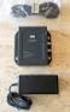 DATA SHEET CISCO AIRONET POWER INJECTOR Cisco Aironet Power Injector products increase the deployment flexibility of Cisco Aironet wireless access points and bridges by providing an alternative powering
GLBP - Gateway Load Balancing Protocol
 GLBP - Gateway Load Balancing Protocol Gateway Load Balancing Protocol (GLBP) protects data traffic from a failed router or circuit, like Hot Standby Router Protocol (HSRP) and Virtual Router Redundancy
Cisco 4-Port Clear Channel T1/E1 High-Speed WAN Interface Card
 Cisco 4-Port Clear Channel T1/E1 High-Speed WAN Interface Card The Cisco 4-Port Clear Channel T1/E1 High-Speed WAN Interface Card provides n x T1/E1 connectivity in a compact form factor and reduces deployment
How To Install A Cisco Antenna For Outdoor Use
 Cisco Aironet 5.5-dBi Omnidirectional Antenna (AIR-ANT2455V-N) This document describes the Cisco Aironet AIR-ANT2455V-N 5.5-dBi Omnidirectional Antenna and provides instructions for mounting it. The antenna
Appendix D T1 Overview
 Appendix D T Overview GENERAL T refers to the primary digital telephone carrier system used in North America. T is one line type of the PCM T-carrier hierarchy listed in Table D-. T describes the cabling,
Cause Codes and Debug Values
 s and Debug Values This chapter contains the following information: Details of s and Debug Values for VoIP, page 1 Internal s for SIP and H.323, page 4 Additional cause code information can be found in
Cisco IronPort Encryption Appliance 6.5.5 Release Notes
 Cisco IronPort Encryption Appliance 6.5.5 Release Notes Published: August 30, 2011 Contents These release notes contain important information about running the latest version of the IronPort Encryption
DATA COMPRESSION ADVANCED INTEGRATION MODULES (AIM-COMPR2-V2 AND AIM-COMPR4)
 DATA SHEET DATA COMPRESSION ADVANCED INTEGRATION MODULES (AIM-COMPR2-V2 AND AIM-COMPR4) The Data Compression Advanced Integration Modules (AIMs) deliver cost-effective options for reducing recurring wide-area