
Second-Generation 1- and 2-Port T1/E1 Multiflex Trunk Voice/WAN Interface Cards
|
|
|
- Frederick Stanley
- 10 years ago
- Views:
Transcription
1 Second-Generation 1- and 2-Port T1/E1 Multiflex Trunk Voice/WAN Interface Cards The second-generation 1- and 2-port T1/E1 multiflex trunk (MFT) voice/wan interface cards (multiflex VWICs) support data and voice applications in Cisco multiservice routers. The multiflex VWIC combines WAN interface card (WIC) and voice interface card (VIC) functionality to provide the following improvements: Support for both T1 and E1 T1/E1 MFT VWIC2 cards provide additional flexibility in configuring the MFT VWIC2 cards by supporting T1, fractional T1, E1, and fractional E1 for both voice and WAN applications. Drop and insert capability on all versions All MFT VWIC2 modules now include the drop and insert multiplexing capability, which eliminates external third party CSU/DSUs and drop and insert multiplexers. Enhanced clocking capabilities The 2-port MFT VWIC2s can enable each port to be clocked from independent clock sources for data applications. This independent clocking capability is not supported for voice applications and not supported with the AIM-ATM-VOICE-30 module. Dedicated echo cancellation option MFT VWIC2s have an onboard slot for a multiflex trunk dedicated echo cancellation module (EC-MFT-32 and EC-MFT-64), offering an enhanced echo cancellation capability for demanding network conditions. For more information about this feature, refer to the Hardware Echo Cancellation chapter in the Voice Port Configuration Guide. Feature History for the Second-Generation 1- and 2-Port T1/E1 Multiflex Trunk Voice/WAN Interface Cards Release 12.3(14)T Modification This feature was introduced on the following platforms: Cisco 2600XM series, Cisco 2691, Cisco 2800 series, Cisco 3662 (telco models), Cisco 3700 series, and Cisco 3800 series. Finding Support Information for Platforms and Cisco IOS Software Images Use Cisco Feature Navigator to find information about platform support and Cisco IOS software image support. Access Cisco Feature Navigator at You must have an account on Cisco.com. If you do not have an account or have forgotten your username or password, click Cancel at the login dialog box and follow the instructions that appear. Corporate Headquarters: Cisco Systems, Inc., 170 West Tasman Drive, San Jose, CA USA 2005 Cisco Systems, Inc. All rights reserved.

2 Contents Second-Generation 1- and 2-Port T1/E1 Multiflex Trunk Voice/WAN Interface Cards Contents Restrictions for Second-Generation 1- and 2-Port T1/E1 Multiflex Trunk Voice/WAN Interface Cards, page 2 Information About Second-Generation 1- and 2-Port T1/E1 Multiflex Trunk Voice/WAN Interface Cards, page 3 How to Configure Second-Generation 1- and 2-Port T1/E1 Multiflex Trunk Voice/WAN Interface Cards, page 4 Configuration Examples for Second-Generation 1- and 2-Port T1/E1 Multiflex Trunk Voice/WAN Interface Cards, page 11 Additional References, page 13 Command Reference, page 14 Glossary, page 18 Restrictions for Second-Generation 1- and 2-Port T1/E1 Multiflex Trunk Voice/WAN Interface Cards Cisco IOS Image To run these features on T1/E1 interfaces, you must install an IP Plus or IP Voice image (minimum) of or a later release. VWIC Support The multiflex VWIC cards are supported on Cisco 2600XM series, Cisco 2691, Cisco 2800 series, Cisco 3700 series, and Cisco 3800 series routers when installed on the network modules listed in Table 2. The multiflex VWIC cards can also be installed in any VIC slot on the router. Independent Clocking Mode The independent clocking mode is supported only on these modules: VWIC2-1MFT-G703 VWIC2-2MFT-G703 VWIC2-2MFT-T1/E1 VWIC2-1MFT-T1/E1 To enable independent clocking mode, use the keyword independent in the clock source command. The independent keyword expands on the clock source internal and clock source line commands to specify that the port can operate on an independent clocking domain. Prior to the addition of the independent keyword, port 0 was the default primary clock source, and port 1 was the default secondary clock source and is loop-timed. With independent clocking enabled, this dependency no longer exists, so the independent keyword means that both ports can be independently clocked. When independent clocking is configured, the controller will support only one channel group and no voice applications. If more than one channel group is configured, the following error message occurs: channel-group 2 timeslots 3 %Channel-group already created. %Only 1 channel-group can be configured with independent clocking. %Insufficient resources to create channel group 2

3 Information About Second-Generation 1- and 2-Port T1/E1 Multiflex Trunk Voice/WAN Interface Cards When you are configuring the clock source independent and no clock source independent commands, the channel group has to be removed from the configuration. Information About Second-Generation 1- and 2-Port T1/E1 Multiflex Trunk Voice/WAN Interface Cards This section provides information about the following: Second-Generation 1- and 2-Port T1/E1 Multiflex Trunk Voice/WAN Interface Cards Key Features, page 3 Integrated Drop and Insert Capability, page 4 Network Module Support for the Second-Generation 1- and 2-Port T1/E1 Multiflex Trunk Voice/WAN Interface Cards, page 4 Second-Generation 1- and 2-Port T1/E1 Multiflex Trunk Voice/WAN Interface Cards Key Features The second-generation 1- and 2-port T1/E1 multiflex trunk voice/wan interface cards have the following key features: Full support for T1 Facility Data Link (FDL) Controller local loopbacks Controller remote loopbacks RFC 1406 and integrated CSU/DSU MIB MIB and Simple Network Management Protocol (SNMP) management Firmware to support T1 and E1 Layer 1 homologation User-initiated VWIC reset and field-programmable gate array (FPGA) download Voice support (includes DS0-group and PRI-group configuration) Table 1 lists the names and descriptions of the modules available for this feature. Table 1 Modules with Second-Generation 1- and 2-Port T1/E1 Multiflex Trunk Voice/WAN Interface Cards Module Name 1 VWIC2-1MFT-T1/E1 VWIC2-2MFT-T1/E1 VWIC2-1MFT-G703 2 VWIC2-2MFT-G703 Description 1-port RJ-48 multiflex voice/wan trunk (T1/E1) 2-port RJ-48 multiflex voice/wan trunk (T1/E1) 1-port RJ-48 multiflex trunk (E1 G.703) 2-port RJ-48 multiflex trunk (E1 G.703) 1. These baseboards can also provide hardware echo cancellation if there is a daughter card (EC-MFT-32 or EC-MFT-64) mounted on the baseboard. For more information, refer to the Voice Port Configuration Guide on Cisco.com. 2. Although unstructured G.703 operation is particular to E1 operation, the VWIC2-1/2MFT-G703 cards also support structured T1 operation. 3

4 How to Configure Second-Generation 1- and 2-Port T1/E1 Multiflex Trunk Voice/WAN Interface Cards Integrated Drop and Insert Capability The drop and insert feature enables the removal of DS0 time slots from one E1 interface and insertion into time slots of the other E1 interface. This feature is available in VWIC applications. If you configure drop and insert, be sure that the E1 framing under the controllers involved (the tdm-groups configuration location) is the same. If you use different frame types, the signaling bits may not be read properly. This failure occurs during the drop of a channel from one controller and insertion into a channel from another controller. Drop and insert time slots do not need to be contiguous. Network Module Support for the Second-Generation 1- and 2-Port T1/E1 Multiflex Trunk Voice/WAN Interface Cards Table 2 summarizes the network modules supported by the second-generation 1- and 2-port T1/E1 multiflex trunk voice/wan interface cards. Table 2 Network Module Support for the Second-Generation 1- and 2-Port T1/E1 Multiflex Trunk Voice/WAN Interface Cards Second-Generation 1- and 2-Port T1/E1 Network Module 1 VWIC Options Multiflex Trunk Voice/WAN Interface Cards NM-HDV Choose zero or one VWIC2-1MFT-T1/E1 VWIC2-2MFT-T1/E1 VWIC2-2MFT-G703 NM-HDV2 Choose zero or one VWIC2-1MFT-T1/E1 VWIC2-2MFT-T1/E1 VWIC2-1MFT-G703 VWIC2-2MFT-G703 NM-HD-2VE Choose zero, one, or two VWIC2-1MFT-T1/E1 VWIC2-2MFT-T1/E1 NM-2W NM-1FE1R2W NM-1FE2W-V2 NM-2FE2W-V2 Choose zero, one, or two VWIC2-1MFT-T1/E1 VWIC2-2MFT-T1/E1 VWIC2-1MFT-G703 VWIC2-2MFT-G For this feature to work properly, the network modules listed here must be installed in one of the following platforms: Cisco 2600XM series, Cisco 2691, Cisco 2800 series, Cisco 3662 (telco models), Cisco 3700 series, and Cisco 3800 series How to Configure Second-Generation 1- and 2-Port T1/E1 Multiflex Trunk Voice/WAN Interface Cards To configure the second-generation 1- and 2-port T1/E1 multiflex trunk voice/wan interface cards feature, perform the task described in the following section: Configuring the Second-Generation 1- and 2-Port T1/E1 Multiflex Trunk Voice/WAN Interface Cards, page 5 4

5 How to Configure Second-Generation 1- and 2-Port T1/E1 Multiflex Trunk Voice/WAN Interface Cards Configuring the Second-Generation 1- and 2-Port T1/E1 Multiflex Trunk Voice/WAN Interface Cards SUMMARY STEPS DETAILED STEPS Perform this task to configure a T1 or E1 interface with independent clocking enabled and integrated drop and insert on a multiflex trunk voice/wan interface card. 1. enable 2. configure terminal 3. card type {e1 t1} slot subslot 4. voice-card slot 5. codec complexity {flex [reservation-fixed {high medium}] high medium} 6. controller {e1 t1} slot/port 7. framing {sf esf} or framing {crc4 no-crc4} 8. linecode {ami b8zs} or linecode {ami hdb3} 9. clock source {line [primary bits independent] internal [independent] free-running} 10. ds0-group ds0-group-number timeslots timeslot-list type {e&m-delay-dial e&m-fgd e&m-immediate-start e&m-wink-start ext-sig fgd-eana fxo-ground-start fxo-loop-start fxs-ground-start fxs-loop-start} or pri-group [timeslots range] 11. voice-port {slot-number/subunit-number/port slot/port:ds0-group-number} 12. exit Step 1 Step 2 Command or Action enable Router> enable configure terminal Purpose Enables privileged EXEC mode. Enter your password if prompted. Enters global configuration mode. Router# configure terminal 5
![enable 2. configure terminal 3. card type {e1 t1} slot subslot 4. voice-card slot 5. codec complexity {flex [reservation-fixed {high medium}] high medium} 6. controller {e1 t1} slot/port 7.](/docs-images/44/14784776/images/page_5.jpg "framing {sf esf} or framing {crc4 no-crc4} 8. linecode {ami b8zs} or linecode {ami hdb3} 9. clock source {line [primary bits independent] internal [independent] free-running} 10.")
6 How to Configure Second-Generation 1- and 2-Port T1/E1 Multiflex Trunk Voice/WAN Interface Cards Step 3 Step 4 Command or Action card type {e1 t1} slot subslot Router(config)# card type t1 0 0 voice-card slot Router(config)# voice card 1 Purpose Sets or changes the card type to E1 or T1. slot Specifies the slot number. Range can be 0 to 6, depending on the platform. subslot Specifies the VWIC slot number. Range can be 0 to 3, depending on the host module or platform. When the command is used for the first time, the configuration takes effect immediately. A subsequent change in the card type will not take effect unless you enter the reload command or reboot the router. Note When you are using the card type command to change the configuration of an installed card, you must enter the no card type {e1 t1} slot subslot command first. Then enter the card type {e1 t1} slot subslot command for the new configuration information. Enters voice card interface configuration mode. Specify the slot location using a value from 0 to 5. 6

7 How to Configure Second-Generation 1- and 2-Port T1/E1 Multiflex Trunk Voice/WAN Interface Cards Step 5 Step 6 Command or Action codec complexity {flex [reservation-fixed {high medium}] high medium} Router(config-voicecard)# codec complexity flex controller {e1 t1} slot/port Router(config-voicecard)# controller t1 0/0 Purpose Specifies the codec complexity based on the codec standard you are using. flex Up to 16 calls can be completed per DSP. The number of supported calls varies from 6 to 16, depending on the codec used for a call. In this mode, reservation for analog VICs may be needed for certain appplications such as CAMA E-911 calls because oversubscription of DSPs is possible. If this is true, then the reservation-fixed option may be enabled. There is no reservation by default. reservation-fixed Not applicable to the VWIC or the T1/E1 VIC. high Up to six voice or fax calls can be completed per DSP, using the following codecs: G.711, G.726, G.729, G.729 Annex B, G.723.1, G Annex A, G.728, and GSMEFR. Note High-complexity codecs support lower call density than do medium-complexity codecs. medium Up to eight voice or fax calls can be completed per DSP, using the following codecs: G.711, G.726, G.729 Annex A, G.729 Annex B with Annex A, GSMFR, and fax relay. Note All medium-complexity codecs are supported in high-complexity codecs. The keyword that you specify for the codec complexity command affects the codecs available when you use the codec dial peer voice configuration command. If you select a codec that is not available, an error message appears. You cannot change codec complexity while DS0 groups are defined. If they are already set up, follow these steps: Note 1. Shut down the voice port associated with the controller. 2. Remove the DS0 group or PRI group under the T1 or E1 controller. 3. Enter the voice-card slot command, and then change the codec complexity. This procedure to change codec complexity applies only to T1 and E1 controllers. This is not valid for analog voice ports. Enters controller configuration mode for the VWIC. Valid values for slot are 0 through 5 and for port are 0 and 1. 7

8 How to Configure Second-Generation 1- and 2-Port T1/E1 Multiflex Trunk Voice/WAN Interface Cards Step 7 Step 8 Command or Action framing {sf esf} or framing {crc4 no-crc4} Router(config-controller)# framing esf Router(config-controller)# framing crc4 linecode {ami b8zs} or linecode {ami hdb3} Router(config-controller)# linecode b8zs Purpose Specifies a frame type. The controller command must be entered before this command can be used. The frame type for T1 controllers can be specified as sf for superframe or esf for extended superframe. The frame type for E1 controllers can be specified as crc4 or no-crc4. Specifies a line encoding for a controller. The controller command must be entered before this command can be used. Line-code value for T1 can be ami or b8zs. Line-code value for E1 can be ami or hdb3. Router(config-controller)# linecode hdb3 8

9 How to Configure Second-Generation 1- and 2-Port T1/E1 Multiflex Trunk Voice/WAN Interface Cards Command or Action Step 9 clock source {line [primary bits independent] internal [independent] free-running} Router(config-controller)# clock source line independent Purpose Specifies the clock source. When both ports are set to line clocking with no primary specification, port 0 is the default primary clock source and port 1 is the default secondary clock source. Note When both ports are set to line and one port is set as the primary clock source, the other port is by default the backup or secondary source and is loop-timed. If one port is set to clock source line and the other is set to clock source internal, the internal port recovers clock from the clock source line port if the clock source line port is up. If it is down, then the internal port generates its own clock. If both ports are set to clock source internal, there is only one clock source internal. The optional keywords primary and bits appear in the command-line interface, but they have no impact on this particular configuration. The independent keyword expands on the clock source internal and clock source line to specify that the port can operate on an independent clocking domain. Port 0 is the default primary clock source, and port 1 is the default secondary clock source and is loop-timed. With independent clocking enabled, this dependency no longer exists, so the independent keyword means that both ports can be independently clocked. When independent clocking is configured, the controller will support only one channel group and no voice applications. If more than one channel group is configured, the following error message occurs: channel-group 2 timeslots 3 %Channel-group already created. %Only 1 channel-group can be configured with independent clocking. %Insufficient resources to create channel group When you are configuring the clock source independent and no clock source independent, the channel group has to be removed from this configuration. The free-running keyword specifies a free-running clock derived from the oscillator on the motherboard, which is used only for testing and back-to-back connections. 9

10 How to Configure Second-Generation 1- and 2-Port T1/E1 Multiflex Trunk Voice/WAN Interface Cards Step 10 Command or Action ds0-group ds0-group-number timeslots timeslot-list type {e&m-delay-dial e&m-fgd e&m-immediate-start e&m-wink-start ext-sig fgd-eana fxo-ground-start fxo-loop-start fxs-ground-start fxs-loop-start} or pri-group [timeslots range] Router(config-controller)# ds0-group 12 timeslots 1-3 type fxs-loop-start or Router(config-controller)# pri-group timeslots 1-5 Purpose (Voice only) Defines the T1 channels for use by compressed voice calls and the signaling method the router uses to connect to the PBX or central office. Set up DS0 groups after you have specified codec complexity in the voice-card configuration. ds0-group-number Value from 0 to 23 that identifies the DS0 group. The ds0-group command automatically creates a logical voice port that is numbered as follows: slot/port:ds0-group-number. Although only one voice port is created, applicable calls are routed to any channel in the group. The timeslot-list argument is a single number, numbers separated by commas, or a pair of numbers separated by a hyphen to indicate a range of time slots. The signaling method selection for the type keyword depends on the connection that you are making: The E&M interface allows connection for PBX trunk lines (tie lines) and telephone equipment. The FXS interface allows connection of basic telephone equipment and PBX. The FXO interface is for connecting the CO to a standard PBX interface where permitted by local regulations; it is often used for off-premises extensions (OPXs). or Specifies that the controller should be set up as a PRI interface. For T1, the last defined channel is the D channel. If a controller is configured as PRI, individual channel groups cannot be configured on that controller. The controller command must be entered before this command can be used. Note To use this command to create a PRI group, you must first enter the isdn switch-type command in global configuration mode. 10

11 Configuration Examples for Second-Generation 1- and 2-Port T1/E1 Multiflex Trunk Voice/WAN Interface Cards Step 11 voice-port {slot-number/subunit-number/port slot/port:ds0-group-number} Step 12 Command or Action Router(config-controller)# voice-port 3/0:0 exit Router(config-voiceport)# exit Purpose Enters voice port configuration mode and specifies the voice port. The slot-number argument identifies the slot where the VIC is installed. Valid entries are from 0 to 3, depending on the slot in which it has been installed. The subunit-number identifies the subunit on the VIC where the voice port is located. Valid entries are 0 or 1. The port argument identifies the voice port number. Valid entries are 0 and 1. or The slot argument is the slot in which the voice port adapter is installed. Valid entries are from 0 to 3. The port argument is the voice interface card location. Valid entries are 0 to 3. The ds0-group-number argument indicates the defined DS0 group number. Each defined DS0 group number is represented on a separate voice port. This allows you to define individual DS0s on the digital T1/E1 card. Exits controller cofiguration mode and returns the router to privileged EXEC mode. Configuration Examples for Second-Generation 1- and 2-Port T1/E1 Multiflex Trunk Voice/WAN Interface Cards This section provides the following information: Sample Network Topology for the Second-Generation 1- and 2-Port T1/E1 Multiflex Trunk Voice/WAN Interface Cards, page 11 Sample Configuration for the Second-Generation 1- and 2-Port T1/E1 Multiflex Trunk Voice/WAN Interface Cards Sample Network Topology for the Second-Generation 1- and 2-Port T1/E1 Multiflex Trunk Voice/WAN Interface Cards Figure 1 shows a sample network topology that is provided for reference purposes. 11

12 Configuration Examples for Second-Generation 1- and 2-Port T1/E1 Multiflex Trunk Voice/WAN Interface Cards Figure 1 Sample Network Topology for the Second-Generation 1- and 2-Port T1/E1 Multiflex Trunk Voice/WAN Interface Cards Applications server Cisco CallManager Cisco 3725 VWIC2-1MFT-T1/E1 with 32-channel HWECAN NMD-36ESW with ILP Line powered 7200 WAN IP IP IP IP IP PSTN T1 Echo V IP IP IP IP NM-2V/NM-HDA V FXS Echo Calling party Called party Sample Configuration for the Second-Generation 1- and 2-Port T1/E1 Multiflex Trunk Voice/WAN Interface Cards This section shows a sample configuration for a T1 controller configured for data and drop-and-insert capability: card type t1 0 0 no network-clock-participate wic 0 ip subnet-zero ip cef no ip dhcp use vrf connected controller t1 0/0 framing esf linecode b8zs channel-group 1 timeslots 1-12 speed 64 tdm-group 2 timeslots controller t1 0/1 framing esf linecode b8zs channel-group 1 timeslots 1-12 speed 64 tdm-group 2 timeslots interface Serial0/0:1 ip address

13 Additional References interface Serial0/1:1 ip address connect t1-xconnect T1 0/0 2 T1 0/1 2 More detailed syntax information about the commands used with this feature is documented in the Cisco IOS Release 12.3 Voice Command Reference. Additional References The following sections provide references related to the second-generation 1- and 2-port T1/E1 multiflex trunk voice/wan interface cards. 13

14 Command Reference Second-Generation 1- and 2-Port T1/E1 Multiflex Trunk Voice/WAN Interface Cards Related Documents Related Topic Document Title Hardware installation instructions for network modules Cisco Network Module Hardware Installation Guide General information about voice configuration and Cisco IOS Voice Command Reference, Release 12.3 T command reference Information and instructions for voice port Cisco IOS Voice Port Configuration Guide, Release 12.3 T configuration and hardware echo cancellation Standards Standards ITU-T G.164 ITU-T G.165 ITU-T G.168 Title Echo Suppressors Echo Cancellers Digital Network Echo Cancellers MIBs MIBs RFC 1406 MIB T1 CSU MIB Support Port Module MIB T1/E1 Line Status Reporting MIBs Link To locate and download MIBs for selected platforms, Cisco IOS releases, and feature sets, use Cisco MIB Locator found at the following URL: RFCs RFCs RFC 1406 Title Definitions of Managed Objects for the DS1 and E1 Interface Types Technical Assistance Description The Cisco Technical Support website contains thousands of pages of searchable technical content, including links to products, technologies, solutions, technical tips, and tools. Registered Cisco.com users can log in from this page to access even more content. Link Command Reference 14

15 Command Reference This section documents one modified command. clock source (T1/E1 controller) 15

16 clock source (T1/E1 controller) Second-Generation 1- and 2-Port T1/E1 Multiflex Trunk Voice/WAN Interface Cards clock source (T1/E1 controller) To set clocking for individual T1 or E1 links, use the clock source command in controller configuration mode. To return to the default, use the no form of this command. clock source {line [primary bits independent] internal [independent] free-running} no clock source Syntax Description line primary bits independent internal free-running Specifies that the phase-locked loop (PLL) on this controller derives its clocking from the external source to which the controller is connected, which is generally the telephone company central office (CO). (Optional) Specifies that the PLL on this controller derives its clocking from the external source to which the controller is connected. This option also puts a second port, which is generally connected to the PBX, into looped-time mode. Both ports are configured with line, but only the port connected to the external source is configured with primary. (Optional) Specifies that the controller will derive clocking from the Building Integrated Timing Supply (BITS). (Optional) Specifies that the port can operate on an independent clocking domain. Before this capability was added, on a 2-port VWIC-MFT, if both ports were configured as clock source line, the 2-port was really looped, which meant that it was getting the clock from the first port. With independent clocking mode, this dependency no longer exists, so the keyword independent means that both ports can be independently clocked. Specifies that the clock is generated from the T1 or E1 controller's internal PLL. Specifies a free-running clock derived from the oscillator on the motherboard, which is used only for testing and back-to-back connections. Defaults The default is line. Command Modes Controller configuration Command History Release 12.2(2)XB 12.2(8)T Modification This command was introduced in controller configuration mode for Cisco 2600 series and Cisco 3660 routers. This command was integrated into Cisco IOS Release 12.2(8)T. 12.2(15)T This command was implemented on the Cisco 2691 and the Cisco 3700 series. 12.3(4)XD The bits keyword was added. 16
![clock source {line [primary bits independent] internal [independent] free-running} no clock source Syntax Description line primary bits independent internal free-running Specifies that the](/docs-images/44/14784776/images/page_16.jpg "phase-locked loop (PLL) on this controller derives its clocking from the external source to which the controller is connected, which is generally the telephone company central office (CO).")
17 clock source (T1/E1 controller) Release 12.3(7)T 12.3(14)T Modification The bits keyword was integrated into Cisco IOS Release 12.3(7)T. This command was integrated into and the independent keyword was added. Usage Guidelines For a detailed discussion of clock sources on individual ports, refer to Clock Sources on Digital T1/E1 Voice Ports in the Configuring Voice Ports chapter of the Cisco IOS Voice, Video, and Fax Configuration Guide, Release Examples The following example shows the router providing clock source to two controllers: Router(config)# controller E1 1/0 Router(config-controller)# framing crc Router(config-controller)# linecoding hdb3 Router(config-controller)# clock source internal Router(config-controller)# ds0-group timeslots 1-15 type e&m-wink-start Router(config)# controller E1 1/1 Router(config-controller)# framing esf Router(config-controller)# linecoding b8zs Router(config-controller)# clock source internal Router(config-controller)# ds0-group timeslots 1-15 type e&m-wink-start The following example shows the digital voice hardware receiving clocking for the PLL from E1 1/0 and using this clock as a reference to clock E1 1/1. If controller E1 1/0 fails, the PLL internally generates the clock reference to drive E1 1/1. Router(config)# controller E1 1/0 Router(config-controller)# framing crc Router(config-controller)# linecoding hdb3 Router(config-controller)# clock source line Router(config-controller)# ds0-group timeslots 1-15 type e&m-wink-start Router(config)# controller E1 1/1 Router(config-controller)# framing crc4 Router(config-controller)# linecoding hdb3 Router(config-controller)# clock source internal Router(config-controller)# ds0-group timeslots 1-15 type e&m-wink-start The following example shows the router being configured to receive clocking from the BITS. Router(config)# network-clock-participate slot 1 Router(config)# network-clock-select 1 E1 1/1 Router(config)# controller E1 1/1 Router(config-controller)# clock source line bits Related Commands Command controller Description Configures a T1 or E1 controller and enters controller configuration mode. 17

18 Glossary Second-Generation 1- and 2-Port T1/E1 Multiflex Trunk Voice/WAN Interface Cards Glossary a-law A companding technique commonly used in Europe. Standardized as a 64-kbps codec in G.711. cancelled end The side of an echo canceller that contains the echo path on which this echo canceller is intended to operate. This includes all transmissions facilities and equipment (including the hybrid and terminating telephone set) included in the echo path. CAS channel-associated signaling. RBS on a T1 interface; R2, SS1, or P7 on an E1 interface. combined loss The sum of echo return loss, echo return loss enhancements, and nonlinear processing loss (if present). comfort noise Insertion of pseudorandom noise during the silent interval when the NLP operates or allowance of some of the background or idle channel noise to pass through the NLP in order to prevent the annoyance of intervals of speech with background noise followed by intervals of silence. composite echo Consists of electric echoes and acoustic echoes caused by reflected signals at hybrids and acoustic environments (for example, analog hands-free telephones). convergence Process of developing a model of echo path, which will be used in the echo estimator to produce the estimate of the circuit echo. convergence time For a defined echo path, the interval between the instant a defined test signal is applied to the receive-in port of an echo canceller with the estimated echo path impulse response initially set to zero, and the instant the returned echo level at the send-out port reaches a defined level. E1 European equivalent of T1. E1 provides kbps channels include 1 channel for framing and 1 channel for D-channel information MHz clock rate. echo path The transmission path between Rout and Sin of an EC. This term is intended to describe the signal path of the echo. echo path capacity The maximum echo path delay for which an echo canceller is designed to operate. echo path delay The delay between the receive-out port Rout and the send-in port Sin ports of the echo canceller. ERL echo return loss. The attenuation of the signal between the receive-out port Rout and the send-in port Sin ports of the echo canceller. ERLE echo return loss enhancement. The amount of echo attenuation provided by the echo canceller. ESF extended superframe: T1 framing technique with 24 frames per superframe, which allows additional signaling. FXO Foreign Exchange Office. An FXO interface connects to a central office. FXS Foreign Exchange Station. An FXS interface connects directly to a standard telephone, supplying basics such as ring voltage and dial tone. G.168 ITU-T standard that establishes the minimum performance requirements for echo cancellers. ground-start Used for PBX and other services that must have ground signal to indicate when a dial tone is applied by the serving switching system or is used to avoid glare. Ground-start minimizes the possibility of glare and provides far-end disconnect supervision (for example, the remote user can disconnect and the local FXO can be made aware of this disconnection and also disconnect). H register The register within the echo canceller that stores the impulse response model of the echo path. H.323 An Internet standard that defines a common set of codecs, call setup and negotiating procedures, and basic data transport methods. IMA inverse multiplexing for ATM. 18

19 Glossary immediate-start In the immediate start protocol, the originating side does not wait for a wink before sending addressing information. After receiving addressing digits, the terminating side goes off-hook for the duration of the call. The originating endpoint maintains off-hook state for the duration of the call. leak time The interval between the instant a test signal is removed from the receive-in port of a fully converged echo canceller and the instant the echo path model in the EC changes such that, when a test signal is reapplied to Rin with the convergence circuitry inhibited, the returned echo is at a defined level. loop-start Used for ordinary telephone key systems. The advantage is no need for accurate ground reference between the CO or FXS and the telephone or FXO. The disadvantage is poor glare resolution and no far-end disconnect supervision. When the remote handset or line hangs up, there is no provision for the local CO or FXS to notify the FXO of the disconnection. noncancelled end The side of an EC that does not contain the echo path on which this EC is intended to operate. NLP Nonlinear Processor. A component of the echo canceller that provides additional ERLE. open echo path An echo path with infinite echo return loss. OOF Out of Frame (G.706) consecutive frame alignment signals received in error. PRI Primary Rate Interface. ISDN interface to 64-kbps D channel plus 23 (T1) or 30 (E1) B channels for voice or data. pure delay The delay from Rout port to Sin port due to the delays inherent in the near-end echo path transmission facilities, not including dispersion time due to the network elements. RAI remote alarm indication. R2 a non-isdn signaling method for E1 interfaces. RBS robbed bit signaling. A form of signaling that robs a bit from the user s data stream to provide supervisory and signaling information to and from the switch. RBS emulates older analog trunk and line signaling methods by providing a 1:1 mapping of analog supervisory signaling to the signaling bits (A, B, C, D). residual echo level The level of the echo signal that remains at the send-out port of an operating EC after imperfect cancellation of the circuit echo. SF Superframe, or D4 framing, 12 frames per superframe for in-band signaling extraction. Sgen Signal coming from the near end. tail length The maximum delay between the source signal transmitted by the voice module and the echo signal returned by the hybrid in the tail circuit. In other words, tail length specifies the length of time that the echo canceller stores its approximation of an echo in memory (that is, the echo canceller s cache). It is the maximum echo delay that an echo canceller will be able to eliminate. T1 Provides kbps time slots on a Mbps serial interface. TE Terminal equipment mode of IOM-2 bus. Timing is supplied from the line or WIC. VWIC voice/wan interface card. wink Telco terminology for a specific transition of the signaling bits on a T1 line. If the originating state of the signaling bits indicates on-hook, then a wink is an on-hook to off-hook to on-hook transition. The timing of the wink and the values of the signaling bits for on-hook and off-hook can depend on signaling type. wink-start The terminating side responds to an off-hook from the originating side with a short wink. This wink tells the originating side that the terminating side is ready to receive addressing digits. After receiving addressing digits, the terminating side then goes off-hook for the duration of the call. 19

20 Glossary Second-Generation 1- and 2-Port T1/E1 Multiflex Trunk Voice/WAN Interface Cards Note Refer to Internetworking Terms and Acronyms for terms not included in this glossary. CCVP, the Cisco logo, and the Cisco Square Bridge logo are trademarks of Cisco Systems, Inc.; Changing the Way We Work, Live, Play, and Learn is a service CCVP, mark the Cisco of Cisco logo, Systems, and the Cisco Inc.; and Square Access Bridge Registrar, logo are Aironet, trademarks BPX, of Catalyst, Cisco Systems, CCDA, CCDP, Inc.; Changing CCIE, CCIP, the Way CCNA, We Work, CCNP, Live, CCSP, Play, Cisco, and the Learn Cisco a Certified service mark Internetwork of Cisco Systems, Expert Inc.; logo, and Cisco Access IOS, Registrar, Cisco Press, Aironet, Cisco BPX, Systems, Catalyst, Cisco CCDA, Systems CCDP, CCIE, Capital, CCIP, the CCNA, Cisco CCNP, Systems CCSP, logo, Cisco, Cisco the Unity, Cisco Enterprise/Solver, Certified Internetwork EtherChannel, Expert logo, EtherFast, Cisco EtherSwitch, IOS, Cisco Fast Press, Step, Cisco Follow Systems, Me Browsing, Cisco FormShare, Systems Capital, GigaDrive, the Cisco HomeLink, Systems Internet logo, Quotient, Cisco Unity, IOS, iphone, Enterprise/Solver, IP/TV, iq Expertise, EtherChannel, iq EtherFast, logo, iq Net EtherSwitch, Readiness Fast Scorecard, Step, Follow iquick Me Study, Browsing, LightStream, FormShare, Linksys, GigaDrive, MeetingPlace, HomeLink, MGX, Networking Internet Quotient, Academy, IOS, Network iphone, IP/TV, Registrar, iq Expertise, PIX, ProConnect, the iq logo, ScriptShare, iq Net Readiness SMARTnet, Scorecard, StackWise, iquick The Study, Fastest LightStream, Way to Increase Linksys, Your MeetingPlace, Internet Quotient, MGX, Networking and TransPath Academy, are registered Network Registrar, trademarks PIX, of Cisco ProConnect, Systems, ScriptShare, Inc. and/or its SMARTnet, affiliates in StackWise, the United States The Fastest and certain Way other to Increase countries. Your Internet Quotient, and TransPath are registered trademarks of Cisco Systems, Inc. and/or its affiliates in the United States and certain other countries. All other trademarks mentioned in this document or Website are the property of their respective owners. The use of the word partner does not imply a partnership All other trademarks relationship mentioned between Cisco in this and document any other or company. Website are (0708R) the property of their respective owners. The use of the word partner does not imply a partnership relationship between Cisco and any other company. (0708R) Copyright 2005 Cisco Systems, Inc. All rights reserved. 20

Configuring Voice and Data Support on VWIC3s
 First Published: July 21, 2010, OL-22847-01 This module describes how to configure voice and data support on the next generation of voice/wan Interface Cards (VWICs) also known as VWIC3s. The following
FXO, FXS, and E&M Voice Interface Card Support on Cisco 1700 Series Routers
 FXO, FXS, and E&M Voice Interface Card Support on Cisco 1700 Series Routers This document describes the support on the Cisco 1751 and Cisco 1760 routers for the following new voice interface cards (VICs):
L2TP Dial-Out Load Balancing and Redundancy
 L2TP Dial-Out Load Balancing and Redundancy The L2TP Dial-Out Load Balancing and Redundancy feature enables an L2TP network server (LNS) to dial out to multiple L2TP access concentrators (LACs) When the
Constraining IP Multicast in a Switched Ethernet Network
 Constraining IP Multicast in a Switched Ethernet Network This module describes how to configure routers to use the Cisco Group Management Protocol (CGMP) in switched Ethernet networks to control multicast
This feature was introduced. This feature was integrated in Cisco IOS Release 12.2(11)T.
 BGP Link Bandwidth The Border Gateway Protocol (BGP) Link Bandwidth feature is used to advertise the bandwidth of an autonomous system exit link as an extended community. This feature is configured for
Cisco Network Planning Solution 2.0.2 Documentation Guide and Supplemental License Agreement
 Cisco Network Planning Solution 2.0.2 Documentation Guide and Supplemental License Agreement June 2007 This documentation guide contains the End User Supplemental License Agreement for Cisco Systems Network
Cisco IP Phone 7961G/7961G-GE and 7941G/7941G-GE Enhancements
 Enhancements The purpose of this document is to provide a summary of some of the feature behavior enhancements on the new, and how they differ from the Cisco IP Phone 7960G/7940G. Complete information
Transferring Files Using HTTP or HTTPS
 Transferring Files Using HTTP or HTTPS First Published: May 5, 2005 Last Updated: May 14, 2009 Cisco IOS Release 12.4 provides the ability to transfer files between your Cisco IOS software-based device
Data Center Infrastructure Design Guide 2.1 Readme File
 Data Center Infrastructure Design Guide 2.1 Readme File Corporate Headquarters Cisco Systems, Inc. 170 West Tasman Drive San Jose, CA 95134-1706 USA http://www.cisco.com Tel: 408 526-4000 800 553-NETS
Release Notes for the Cisco WAN Modeling Tools, Release 15.4.00 Patch 1
 Release Notes for the Cisco WAN Modeling Tools, Release 15.4.00 Patch 1 June 2007 Rev. A0 These release notes are for use with the Cisco WAN Modeling Tools, which includes the following subsystems: NMT
Cause Codes and Debug Values
 s and Debug Values This chapter contains the following information: Details of s and Debug Values for VoIP, page 1 Internal s for SIP and H.323, page 4 Additional cause code information can be found in
Upgrading to the Cisco ubr7246vxr Universal Broadband Router
 Upgrading to the Cisco ubr7246vxr Universal Broadband Router This document outlines the process for upgrading an existing Cisco ubr7246 universal broadband router to a Cisco ubr7246vxr chassis, along with
Channelized E1 and Channelized T1 Setup Commands
 Channelized E1 and Channelized T1 Setup Commands This chapter describes the function and displays the syntax for channelized E1 and channelized T1 setup commands. For more information about defaults and
Connecting Cisco Fast Ethernet ISDN PRI Network Modules to the Network
 Connecting Cisco Fast Ethernet ISDN PRI Network Modules to the Network Revised: May 1, 2008, OL-12808-01 This guide describes how to connect Cisco Fast Ethernet Integrated Services Digital Network (ISDN)
Cisco OC-3/OC-12/OC-48 SFP Transceiver Modules Compatibility Matrix
 Cisco OC-3/OC-12/OC-48 SFP Transceiver Modules Compatibility Matrix This publication contains information about the Cisco platforms and software versions that support the OC-3/OC-12/OC-48 Small Form-Factor
Configuring Cisco Unified Communications Manager for the NovaTec TransNova S3 Voice Gateway
 Configuring Cisco Unified Communications Manager for the NovaTec TransNova S3 Voice Gateway This document describes how to configure Cisco Unified Communications Manager systems to use the NovaTec TransNova
Cisco Third-Generation 1-, 2-, and 4-Port T1/E1 Multiflex Trunk Voice/WAN Interface Cards
 Cisco Third-Generation 1-, 2-, and 4-Port T1/E1 Multiflex Trunk Voice/WAN Interface Cards These flexible interface cards support multiple integrated data, voice and video applications, facilitating the
Cisco 10-Gigabit Ethernet Transceiver Modules Compatibility Matrix
 Cisco 10-Gigabit Ethernet Transceiver Modules Compatibility Matrix This publication contains information about the Cisco platforms and software versions that support the 10-Gigabit Ethernet transceiver
Enabling and Monitoring NetFlow on Subinterfaces
 Enabling and Monitoring NetFlow on Subinterfaces This module contains instructions for enabling and monitoring NetFlow on a router subinterface or a Versatile Interface Processor (VIP) controller interface.
Configuring Analog and Digital Voice Interfaces
 Configuring Analog and Digital Voice Interfaces Foreign Exchange Station Ports (FXS) FXS ports connect analog edge devices. This topic identifies the parameters that are configurable on the FXS port. FXS
Cisco 10-Gigabit Ethernet Transceiver Modules Compatibility Matrix
 Cisco 10-Gigabit Ethernet Transceiver Modules Compatibility Matrix This publication contains information about the Cisco platforms and software versions that support the 10-Gigabit Ethernet transceiver
How to Register, Start, and Access a Cisco Online Exam
 How to Register, Start, and Access a Cisco Online Exam Lifecycle Services and SMB Exams The process for registering and taking a Cisco online exam is different from the process for registering and taking
CISCO SECOND-GENERATION 1- AND 2-PORT T1/E1 MULTIFLEX TRUNK VOICE/WAN INTERFACE CARDS
 DATA SHEET CISCO SECOND-GENERATION 1- AND 2-PORT T1/E1 MULTIFLEX TRUNK VOICE/WAN INTERFACE CARDS This flexible, multiservice solution supports multiple data, voice, and integrated data and voice applications,
Cisco 4000 Series Integrated Services Router T1/E1 Voice and WAN Network Interface Modules Data Sheet
 Data Sheet Cisco 4000 Series Integrated Services Router T1/E1 Voice and WAN Network Interface Modules Data Sheet These flexible interface cards support multiple integrated data and voice applications,
Connecting Cisco Serial High-Speed WAN Interface Cards
 Connecting Cisco Serial High-Speed WAN Interface Cards Revised: April 5, 008, Overview This document describes Cisco serial and high-speed WAN interface cards (HWICs) and how to connect them to a network.
White Paper: Active Directory Capacity Planning (Cisco Unity Versions 4.x, 3.1, and 3.0(3) and Later with Microsoft Exchange)
 White Paper: Active Directory Capacity Planning (Cisco Unity Versions 4.x, 3.1, and 3.0(3) and Later with Microsoft Exchange) Revised August 10, 2007 Purpose This document provides capacity planning recommendations
Calling Name Delivery (CNAM)
 Calling Name Delivery (CNAM) Document Release History Publication Date June 25, 2007 Comments Initial version of the document. Feature History Release Modification 9.7(3) The Calling Name Delivery (CNAM)
Cisco Registered Envelope Recipient Guide
 September 8, 2008 Americas Headquarters Cisco Systems, Inc. 170 West Tasman Drive San Jose, CA 95134-1706 USA http://www.cisco.com Tel: 408 526-4000 800 553-NETS (6387) Fax: 408 527-0883 Text Part Number:
Cisco Aironet 5-dBi Omnidirectional Antenna (AIR-ANT2450V-N)
 Cisco Aironet 5-dBi Omnidirectional Antenna (AIR-ANT2450V-N) This document describes the Cisco Aironet AIR-ANT2450V-N 5-dBi Omnidirectional Antenna and provides instructions for mounting it. The antenna
Installing and Configuring External Flash Memory Cards in Cisco 3600 Series Routers
 Installing and Configuring External Flash Memory Cards in Cisco 3600 Series Routers Product Numbers: MEM3600-4FC=, MEM3600-8FC=, MEM3600-16FC=, MEM3600-20FC= This document describes how to install external
1/2 Port Channelized T1/E1 PRI Network Module (NM-1CE1T1-PRI and NM-2CE1T1-PRI)
 1/2 Port Channelized T1/E1 PRI Network Module (NM-1CE1T1-PRI and NM-2CE1T1-PRI) The NM-1CE1T1-PRI (1-port) and NM-2CE1T1-PRI (2-port) network modules provide support for T1, E1, and ISDN primary rate interface
CISCO SMALL AND MEDIUM BUSINESS CLASS VOICE SOLUTIONS: CISCO CALLMANAGER EXPRESS BUNDLES
 OVERVIEW CISCO SMALL AND MEDIUM BUSINESS CLASS VOICE SOLUTIONS: CISCO CALLMANAGER EXPRESS BUNDLES COMPANY PROFILE Cisco CallManager Express (CME) promotional bundles are appropriate for small businesses
Danish Train Operator Gets Customer Service Back On Track
 Danish Train Operator Gets Customer Service Back On Track Danish Rail uses Cisco Unified Communications to sharpen its customer focus and revitalise its call centre operation EXECUTIVE SUMMARY Customer
BGP Multipath Load Sharing for Both ebgp and ibgp in an MPLS-VPN
 BGP Multipath Load Sharing for Both ebgp and ibgp in an MPLS-VPN The BGP Multipath Load Sharing for ebgp and ibgp feature allows you to configure multipath load balancing with both external BGP (ebgp)
Voice Call Flow Overview
 oice Call Flow Overview To troubleshoot problems with voice networks, you must follow the call both inside the router and outside on the network in order to isolate the problem. You must understand the
Terminal Services Overview
 Terminal Services Overview This chapter provides an overview of Cisco IOS terminal services and includes the following main sections: Cisco IOS Network Access Devices Line Characteristics and s Asynchronous
Cisco IP Phone 7912G. At a Glance
 At a Glance Cisco IP Phone 7912G 1 Overview 2 Connecting Your Phone 3 Introducing Your Cisco IP Phone 7912G 4 Tips for Using Your Phone 5 Using Additional Features 6 Where to Find More Information 7 Safety
Basic Software Configuration Using the Cisco IOS Command-Line Interface
 Basic Software Configuration Using the Cisco IOS Command-Line Interface This document describes how to use the Cisco IOS command-line interface (CLI) to perform a basic software configuration for your
Cisco IronPort Encryption Appliance 6.5.5 Release Notes
 Cisco IronPort Encryption Appliance 6.5.5 Release Notes Published: August 30, 2011 Contents These release notes contain important information about running the latest version of the IronPort Encryption
VWIC 1MFT T1, VWIC 2MFT T1,
 sing VWIC 1MFT T1, VWIC 2MFT T1, and VWIC 2MFT T1 DI Interface Cards for Data on Cisco 1700, 2600, 3600 and Table of Contents Using VWIC 1MFT T1, VWIC 2MFT T1, and VWIC 2MFT T1 DI Interface Cards for Data
Cisco 100-Megabit Ethernet SFP Modules Compatibility Matrix
 Cisco 100-Megabit Ethernet SFP Modules Compatibility Matrix This document contains information about the Cisco platforms and software versions that support the 100-Megabit Ethernet Small Form-Factor Pluggable
Voice Dial Plans, Configuring Voice Interfaces and Dial Peers
 Voice Dial Plans, Configuring Voice Interfaces and Dial Peers Cisco Networking Academy Program 1 Call Establishment Principles 2 Dial-Peer Call Legs 3 End-to-End Calls 4 Configuring Dial Peers 5 Understanding
Configuring Voice over IP
 CHAPTER 4 This chapter explains how to configure voice interfaces and ports, which convert telephone voice signals for transmission over an IP network. This chapter presents the following major topics:
Disaster Recovery System Administration Guide for Cisco Unified Presence Server Release 1.0(3)
 Disaster Recovery System Administration Guide for Cisco Unified Presence Server Release 1.0(3) The Disaster Recovery System Administration Guide provides an overview of the Disaster Recovery System, describes
CISCO ISDN BRI S/T WIC FOR THE CISCO 1700, 1800, 2600, 2800, 3600, 3700, AND 3800 SERIES
 DATA SHEET CISCO ISDN BRI S/T WIC FOR THE CISCO 1700, 1800, 2600, 2800, 3600, 3700, AND 3800 SERIES Offering a single ISDN BRI S/T interface, this WIC may require an external Network Termination 1 (NT1),
Cisco Smart Care Services Questions and Answers About the Voice Quality Monitor Service
 Cisco Smart Care Services Questions and Answers About the Voice Quality Monitor Service For Qualified Cisco Partners October 2008 Americas Headquarters Cisco Systems, Inc. 170 West Tasman Drive San Jose,
Cisco Router and Security Device Manager File Management
 Application Note Cisco Router and Security Device Manager File Management Introduction Cisco Router and Security Device Manager (SDM) allows you to view and manage the file system on your Cisco router
System Message Logging
 System Message Logging This module describes how to configure system message logging on your wireless device in the following sections: Understanding System Message Logging, page 1 Configuring System Message
CISCO ONE AND TWO PORT T1/E1 MULTIFLEX VOICE/WAN INTERFACE CARDS
 DATA SHEET CISCO ONE AND TWO PORT T1/E1 MULTIFLEX VOICE/WAN INTERFACE CARDS Flexible multiservice solution supports multiple voice, data and integrated voice/data applications, facilitating the migration
Cisco Unified SIP Phone 3911 Phone Guide for Cisco Unified Communications Manager 6.0 and 5.1
 Phone Guide Cisco Unified SIP Phone 3911 Phone Guide for Cisco Unified Communications Manager 6.0 and 5.1 INCLUDING LICENSE AND WARRANTY Americas Headquarters Cisco Systems, Inc. 170 West Tasman Drive
Cisco Unified Wireless IP Phone 7925G Accessory Guide
 Cisco Unified Wireless IP Phone 7925G Accessory Guide This guide describes the accessories that you can order for your Cisco Unified Wireless IP Phone 7925G. Contents This document contains these sections:
Configuring Echo Cancellation
 Configuring Echo Cancellation Echo cancellation is a key function in packet voice Much of the perceived quality of the connection depends on the performance of the echo canceller The G168 extended echo
Cisco Director Class SAN Planning and Design Service
 Cisco Director Class SAN Planning and Design Service Improve data center infrastructure for accessing, managing, and protecting growing information resources. Mitigate risk and accelerate the deployment
Voice-Over IP Monitoring Best Practices Deployment Guide for CAD 6.0/6.1
 Voice-Over IP Monitoring Best Practices Deployment Guide for CAD 6.0/6.1 Corporate Headquarters Cisco Systems, Inc. 170 West Tasman Drive San Jose, CA 95134-1706 USA http://www.cisco.com Tel: 408 526-4000
Cisco Unified Wireless IP Phone 7925G Accessory Guide
 Cisco Unified Wireless IP Phone 7925G Accessory Guide This guide describes the accessories that you can order for your Cisco Unified Wireless IP Phone 7925G. Contents This document contains these sections:
Cisco Data Center Infrastructure Design Guide 2.1 Release Notes
 Cisco Data Center Infrastructure Design Guide 2.1 Release Notes Corporate Headquarters Cisco Systems, Inc. 170 West Tasman Drive San Jose, CA 95134-1706 USA http://www.cisco.com Tel: 408 526-4000 800 553-NETS
Installation Guide for Cisco Unified ICM/Contact Center Enterprise and Hosted Release 9.0(1)
 Installation Guide for Cisco Unified ICM/Contact Center Enterprise and Hosted Release 9.0(1) First Published: June 21, 2012 Americas Headquarters Cisco Systems, Inc. 170 West Tasman Drive San Jose, CA
CISCO IOS SOFTWARE RELEASES 12.4 MAINLINE AND 12.4T FEATURE SETS FOR THE CISCO 3800 SERIES ROUTERS
 PRODUCT BULLETIN NO. 2877 CISCO IOS SOFTWARE RELEASES 12.4 MAINLINE AND FEATURE SETS FOR THE CISCO 3800 SERIES ROUTERS This product bulletin details changes to the Cisco IOS Software packaging for Cisco
Cisco IOS Voice Gateway PBX Interoperability: Avaya 8500 Communications Manager 2.1 to T1 QSIG with H.323
 Application Note Cisco IOS Voice Gateway PBX Interoperability: Avaya 8500 Communications Manager 2.1 to T1 QSIG with H.323 Table of Contents Introduction...1 Network Topology...2 Limitations...2 Hardware
Cisco Unified Attendant Console Backup and Restore Guide
 Cisco Unified Attendant Console Backup and Restore Guide Revised: January 28, 2013, 2011, This document describes how to back up Cisco Unified Attendant Console server Version 9.0 (all Editions), and restore
Cisco IOS Flexible NetFlow Overview
 Cisco IOS Flexible NetFlow Overview First Published: June 19th, 2006 Last Updated: June 19th, 2006 NetFlow is a Cisco IOS technology that provides statistics on packets flowing through the router. NetFlow
CISCO 2-PORT T1/E1 PROTECTION SWITCHING RAN VOICE/WAN INTERFACE CARD
 DATA SHEET CISCO 2-PORT T1/E1 PROTECTION SWITCHING RAN VOICE/WAN INTERFACE CARD The Cisco VWIC-2T1/E1-RAN is a general-purpose T1/E1 voice/wan interface card (VWIC) that features advanced processing and
Curso de Telefonía IP para el MTC. Sesión 4-1 Tipos de llamadas. Mg. Antonio Ocampo Zúñiga
 Curso de Telefonía IP para el MTC Sesión 4-1 Tipos de llamadas Mg. Antonio Ocampo Zúñiga Call Types Local: Does not traverse the WAN or PSTN. On-net: Occurs between two telephones on the same data network.
Integrating CAD with Thin Client and Virtual Desktop Environments
 Integrating CAD with Thin Client and Virtual Desktop Environments CAD for Cisco Unified Contact Center Express, releases 6.2 10.5 CAD for Cisco Unified Contact Center Enterprise, releases 7.0 10.0 First
USER GUIDE Cisco Unified Communications Manager Express User Guide for Cisco Unified IP Phones 7942G and 7962G 1
 USER GUIDE Cisco Unified Communications Manager Express User Guide for Cisco Unified IP Phones 7942G and 7962G 1 Overview 2 Operating Your Phone 3 Phone Features Index 1 Overview This guide provides phone
Cipher Suites and WEP
 Cipher Suites and WEP This module describes how to configure the cipher suites required for using Wireless Protected Access (WPA) and Cisco Centralized Key Management (CCKM); Wired Equivalent Privacy (WEP);
CISCO CALLMANAGER EXPRESS 3.2
 ORDERING GUIDE CISCO CALLMANAGER EXPRESS 3.2 To be used by authorized partners and direct accounts only. HOW TO ORDER CISCO CALLMANAGER EXPRESS 3.2 Cisco CallManager Express (CME) is a feature in Cisco
Cisco T1/E1 Multiflex Voice/WAN Interface Cards for the Cisco 1700 Series Modular Access Routers
 Data Sheet Cisco T1/E1 Multiflex Voice/WAN Interface Cards for the Cisco 1700 Series Modular Access Routers The Cisco T1/E1 Multiflex Voice/WAN Interface Cards (Multiflex VWIC) for the Cisco 1700 Series
Customizing Your Cisco Unified IP Phone on the Web
 Phone Guide Customizing Your Cisco Unified IP Phone on the Web Corporate Headquarters Cisco Systems, Inc. 170 West Tasman Drive San Jose, CA 95134-1706 USA http://www.cisco.com Tel: 408 526-4000 800 553-NETS
Cisco Aironet 1130AG Series
 Ordering Guide Cisco Aironet 1130AG Series The Cisco Aironet 1130AG Series IEEE 802.11a/b/g Access Point is a fixed-configuration, dual-band access point. Built in to the access point are two radios each
Configuring 1- and 2-Port T1/E1 Multiflex Voice/WAN Interface Cards on Cisco 2600 and 3600 Series Routers
 Configuring 1- and 2-Port T1/E1 Multiflex Voice/WAN Interface Cards on Cisco 2600 and 3600 Series Routers This document explains how you can configure 1- and 2-port T1 and E1 Multiflex Voice/WAN interface
T3 E3 and T1 E1 Controller Commands on Cisco IOS XR Software
 T3 E3 and T1 E1 Controller Commands on Cisco IOS XR Software This module describes the commands to configure T3/E3 and T1/E1 controllers on routers supporting Cisco IOS XR software. HR-321 bert e1 T3 E3
PCI Compliance: Improve Payment Security
 PCI Compliance: Improve Payment Security The latest Payment Card Industry (PCI) Data Security Standards (DSS) for customer data give you more ways to address an evolving risk environment and meet PCI compliance
Cisco ASA 5505 Getting Started Guide
 Cisco ASA 5505 Getting Started Guide Software Version 7.2 Corporate Headquarters Cisco Systems, Inc. 170 West Tasman Drive San Jose, CA 95134-1706 USA http://www.cisco.com Tel: 408 526-4000 800 553-NETS
Cisco Smart Business Communications System Setup
 Cisco Smart Business Communications System Setup Version 1.0 Voice Small Business Data Video Mobility Partners Start Here 2 1 The Smart Choice for Small Business Small businesses are looking for appropriately
2-port STM-1/OC-3 Channelized E1/T1 Line Card for Cisco 12000 Series Internet Routers
 2-port STM-1/OC-3 Channelized E1/T1 Line Card for Cisco 12000 Series Internet Routers This feature module describes the Two-port STM-1/OC-3 Channelized E1/T1 line card and its use in the Cisco 12000 series
- T-Carrier Technologies -
 1 T-Carrier Fundamentals - T-Carrier Technologies - T-Carrier systems provide digitized communication for voice or data traffic across a telephone provider s network. The T-Carrier specification defines
1. Overview. 2. F-bit Utilization
 1. Overview... 1 2. F-bit Utilization... 1 3. T1 Line Signal... 2 4. T1 Alarm Conditions... 3 5. 64 kbps Channel Characteristics... 3 6. Timeslot Handling... 3 7. Unframed Mode... 4 1. Overview The T1
CISCO SFP OPTICS FOR PACKET-OVER-SONET/SDH AND ATM APPLICATIONS
 DATA SHEET CISCO SFP OPTICS FOR PACKET-OVER-SONET/SDH AND ATM APPLICATIONS The Cisco industry-standard Small Form-Factor Pluggable Interface Converter (SFP) for packet-over-sonet/sdh (POS), optical networking,
CISCO IOS SOFTWARE RELEASES 12.4 MAINLINE AND 12.4T FEATURE SETS FOR THE CISCO 2800 SERIES ROUTERS
 PRODUCT BULLETIN NO. 2879 CISCO IOS SOFTWARE RELEASES 12.4 MAINLINE AND FEATURE SETS FOR THE CISCO 2800 SERIES ROUTERS This product bulletin details changes to the Cisco IOS Software packaging for Cisco
DATA COMPRESSION ADVANCED INTEGRATION MODULES (AIM-COMPR2-V2 AND AIM-COMPR4)
 DATA SHEET DATA COMPRESSION ADVANCED INTEGRATION MODULES (AIM-COMPR2-V2 AND AIM-COMPR4) The Data Compression Advanced Integration Modules (AIMs) deliver cost-effective options for reducing recurring wide-area
Getting Started. Cisco Desktop Product Suite 4.5 (ICD)
 Getting Started Cisco Desktop Product Suite 4.5 (ICD) Corporate Headquarters Cisco Systems, Inc. 170 West Tasman Drive San Jose, CA 95134-1706 USA http://www.cisco.com Tel: 408 526-4000 800 553-NETS (6387)
User Guide Cisco Unified MeetingPlace Express Release 2.0
 User Guide Cisco Unified MeetingPlace Express Release 2.0 6/5/07 Americas Headquarters Cisco Systems, Inc. 170 West Tasman Drive San Jose, CA 95134-1706 USA http://www.cisco.com Tel: 408 526-4000 800 553-NETS
Configuring ISDN PRI. Cisco IOS Dial Technologies Configuration Guide DC-257
 Configuring ISDN PRI This chapter describes how to configure channelized E1 and channelized T1 for ISDN PRI and for two types of signaling to support analog calls over digital lines. This information is
Figure 1. The Cisco Aironet Power Injectors Provide Inline Power to Cisco Aironet Access Points and Bridges
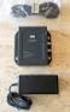 DATA SHEET CISCO AIRONET POWER INJECTOR Cisco Aironet Power Injector products increase the deployment flexibility of Cisco Aironet wireless access points and bridges by providing an alternative powering
CISCO CATALYST 3750 SERIES SWITCHES
 AT-A-GLANCE CISCO CATALYST 3750 SERIES SWITCHES Product Part Number Port Speed Number Cisco Catalyst 3750-24TS 3750-24TS 3750-24FS 3750-24PS 3750-24PS 3750-48TS 3750-48TS 3750-48PS WS-C3750-24TS-S 10/100
USER GUIDE Cisco Unified IP Phones 7942G and 7962G for Cisco Unified Communications Manager Express 4.3
 USER GUIDE Cisco Unified IP Phones 7942G and 7962G for Cisco Unified Communications Manager Express 4.3 1 Overview 2 Operating Your Phone 3 Phone Features Index 1 Overview This guide provides phone operating
PA-MC-T3 Multi-Channel T3 Synchronous Serial Port Adapter Enhancement
 PA-MC-T3 Multi-Channel T3 Synchronous Serial Port Adapter Enhancement This feature module describes the PA-MC-T3 Multi-Channel T3 port adapter (PA-MC-T3 [=]), which can now be configured as either customer
Overview: Cisco Wireless Network Management Suite 1.0
 Overview: Cisco Wireless Network Management Suite 1.0 Introduction Cisco Wireless Network Management Suite 1.0 (CWNMS 1.0) is a client/server based network management application suite for Broadband Fixed
Cisco Communication Media Module
 Cisco Catalyst 6500 Series and Cisco 7600 Series Communication Media Module Product Overview Cisco Unified Communications is a comprehensive IP communications system of voice, video, data, and mobility
CISCO ISDN BRI S/T WIC FOR THE CISCO 1700, 1800, 2600, 2800, 3600, 3700, AND 3800 SERIES
 DATA SHEET CISCO ISDN BRI S/T WIC FOR THE CISCO 1700, 1800, 2600, 2800, 3600, 3700, AND 3800 SERIES Offering a single ISDN BRI S/T interface, this WIC may require an external Network Termination 1 (NT1),
Cisco Aironet Dual Band MIMO Low Profile Ceiling Mount Antenna (AIR-ANT2451NV-R)
 Cisco Aironet Dual Band MIMO Low Profile Ceiling Mount Antenna (AIR-ANT2451NV-R) This document outlines the specifications for the AIR-ANT2451NV-R dual band MIMO low profile ceilng mount antenna and provides
These documents explains how to configure and maintain your Cisco router.
 Preface This preface describes the objectives, audience, organization, and conventions of the software configuration documentation for your router. It contains the following sections: Objectives, page
Cisco Unified CallConnector for Microsoft Office Troubleshooting Guide
 Cisco Unified CallConnector for Microsoft Office Troubleshooting Guide First Published: April 2007 Last Updated: April 2007 OL 13005-01 In this document you will find basic information that will help you
Implementation Note for NetFlow Collectors
 This document describes the implementation details for NetFlow collectors for the ASA 5580 adaptive security appliance, and includes the following sections: Event-Driven Data Export Bidirectional Flows