
SIP Personal Information Manager Users Guide (SIP Enablement Services)
|
|
|
- Elwin Bradley
- 10 years ago
- Views:
Transcription
1 SIP Personal Information Manager Users Guide (SIP Enablement Services) Issue 2.0 January 2008

2 Copyright 2008, Avaya Inc. All Rights Reserved Notice While reasonable efforts were made to ensure that the information in this document was complete and accurate at the time of printing, Avaya Inc. can assume no liability for any errors. Changes and corrections to the information in this document may be incorporated in future releases. For full legal page information, please see the complete document, Avaya Legal Page for Software Documentation, Document number To locate this document on the web site, simply go to and search for the document number in the search box. Documentation disclaimer Avaya Inc. is not responsible for any modifications, additions, or deletions to the original published version of this documentation unless such modifications, additions, or deletions were performed by Avaya. Customer and/or End User agree to indemnify and hold harmless Avaya, Avaya's agents, servants and employees against all claims, lawsuits, demands and judgments arising out of, or in connection with, subsequent modifications, additions or deletions to this documentation to the extent made by the Customer or End User. Link disclaimer Avaya Inc. is not responsible for the contents or reliability of any linked Web sites referenced elsewhere within this documentation, and Avaya does not necessarily endorse the products, services, or information described or offered within them. We cannot guarantee that these links will work all of the time and we have no control over the availability of the linked pages. Warranty Avaya Inc. provides a limited warranty on this product. Refer to your sales agreement to establish the terms of the limited warranty. In addition, Avaya s standard warranty language, as well as information regarding support for this product, while under warranty, is available through the following Web site: Copyright Except where expressly stated otherwise, the Product is protected by copyright and other laws respecting proprietary rights. Unauthorized reproduction, transfer, and or use can be a criminal, as well as a civil, offense under the applicable law. Certain Software programs or portions thereof included in the Product may contain software distributed under third party agreements ( Third Party Components ), which may contain terms that expand or limit rights to use certain portions of the Product ( Third Party Terms ). Information identifying Third Party Components and the Third Party Terms that apply to them is available on Avaya s web site at The disclaimers of warranties and limitations of liability set forth in the Third Party Terms do not affect any express warranty or limitation of liability that may be provided to you by Avaya pursuant to the license terms covering the Product contained in a separate written agreement between you and Avaya. To the extent there is a conflict between the General License Terms or your customer sales agreement and any Third Party Terms, the Third Party Terms shall prevail solely for such Third Party Components. Avaya support Avaya provides a telephone number for you to use to report problems or to ask questions about your product. The support telephone number is in the United States. For additional support telephone numbers, see the Avaya Web site:

3 Contents About this Document Audience Document set What s new Chapter 1: Introduction Converged Communications Server and SES SIP Enablement Services Application Enablement Services Introduction to SIP PIM System Architecture Types of SES servers Chapter 2: SIP PIM Web Interface List of screens Logon screen My Contact List screens Speed Dial List screen Add Contact screen Contact Details screen Update Contact screen Delete Contact screen Add Group screen Group Details screen Update Group screen Delete Group screen My Profile screens My Permissions screen My Watchers screen Change Password screen My Devices screens Tones and Volumes screen Ringer Settings screen Auto Dial List screen Reload Device Configuration screen Appendix: Licenses PHP 3.0 License PHP 2.02 License Issue 2.0 January

4 Contents Perl Artistic License LGPL License PHP Net/URL License Postgresql License Apache License Red Hat 8 License ACE License Sun J2RE License Glossary Index SIP Personal Information Manager

5 About this Document This document, SIP Personal Information Manager: Contains new Session Initiation Protocol (SIP) information Is a revised document. Support for the SIP Personal Information Manager (PIM) was introduced in Release 3.0 of SIP Enablement Services (SES), a component of Avaya s Converged Communications Server family of products. Presents additional information about SIP for Avaya Communication Manager. Refer to Avaya Communication Manager documentation for non-sip issues. This document is available online or in paper format. For your convenience, consider using the embedded cross-references to locate information. In addition, there is a table of contents and index for your convenience. Audience This document is for users of SIP Enablement Services, with or without media servers running Communication Manager, and related systems supporting SIP. It is intended to assist with the setup and configuration of SIP devices (such as telephones or IP Softphone clients) and the ongoing management of user profile and contact information for the SES system. This document assumes that the reader has a working knowledge of SIP telephony and IP endpoint fundamentals and setup practices. This document also assumes that the SES system was initially installed and tested properly, and brought into service with every fault cleared. Adjuncts and other devices are covered by their own end-user and service documentation. If you do not have these experiences and qualifications, please make arrangements for a mentor. Document set Although this book is published separately, it is part of a set. Use this document as an adjunct to the following references: Installing, Administrating, Maintaining, and Troubleshooting SIP Enablement Services, Doc ID SIP Support for Avaya Communication Manager, Doc ID Issue 2.0 January

6 About this Document Administering SES on the S8300C Server, Doc ID SIP Enablement Services Implementation guide, Doc ID SIP Personal Information Manager for 3.0 (SIP PIM), Doc ID Avaya Server Availability Management Processor (SAMP) Users Guide, Doc ID Avaya Communication Manager Administration Guide, Doc ID Avaya Communication Manager Networking Connectivity document, Doc ID Samsung Ubigate ibg Router Setup, Doc ID The installation and administration guides for the endpoints your site uses What s new The SIP PIM interface for this version has several important changes: Introduction of Avaya one-x Deskphones that have the same uses and features of the Toshiba SIP business phone The ability for a user to visit other phones on their enterprise network and receive the same phone services as if they were on their own enterprise phone. Addition of a survivable call processor to the overall topography Change in how to log in to the SIP PIM: 6 SIP Personal Information Manager

7 Chapter 1: Introduction This chapter describes Avaya SIP Personal Information Manager (PIM), what it is and what it does. Converged Communications Server and SES The Converged Communications Server establishes the foundation for the Communication Services layer within the Avaya communication architecture. This layer unifies all enterprise real-time communications over an open SIP-based infrastructure, and it provides the glue that binds with Avaya MultiVantage communication applications, exposing them as Web service components that can be easily invoked through standards-based clients or business applications, or as open APIs that provide a secure, reliable and highly scalable application development platform for access to Communication Manager services. The Converged Communications Server is a family of related product offerings that currently consists of two primary components: SIP Enablement Services Application Enablement Services. SIP Enablement Services and Application Enablement Services are distinct offerings that are ordered independently and implemented as needed by the enterprise on separate, dedicated server platforms. In combination, the new services of the Converged Communications Server create an application environment that combines the loosely coupled multi-modal services and presence capabilities available via a SIP-based architecture with the open APIs that expose the full breadth of features and functions of Avaya Communication Manager. SIP Enablement Services Avaya SIP Enablement Services (SES) R3.1.x incorporated the SIP functionality previously introduced as Converged Communications Server Release 2.1, combined with new feature and scalability enhancements. The SES application combines the standard functions of a SIP proxy/ registrar server with SIP trunking support and duplicated server features to create a highly scalable, highly reliable SIP communications network supporting telephony, instant messaging, conferencing and collaboration solutions. Issue 2.0 January

8 Introduction Application Enablement Services Avaya Application Enablement Services, beginning with 3.x.x, consolidated Avaya s existing application enablement assets such as Communication Manager Application Programming Interface (CMAPI) and Avaya CT into a single, Linux-based platform. This enables enterprises to leverage the tremendous variety of computer-telephony integration and interactive response applications developed for these interfaces. Application Enablement Services allow for powerful new applications to be written and deployed that fully leverage Communication Manager via standards-based APIs and Web service components. Introduction to SIP PIM SIP is the Session Initiation Protocol, an endpoint-oriented, network messaging standard defined by the Internet Engineering Task Force (IETF). What is SIP PIM? The Avaya SIP Personal Information Manager (PIM) provides SIP users access to the Personal Profile Manager (PPM) component of Avaya s SIP Enablement Services. The SIP PIM is dedicated to helping users and administrators easily access and manage their own SIP application feature data. Some examples include these: Managing and viewing lists of other users that they contact Settings related to their SIP devices Determining whether other SES users can watch their presence in the system. Users can manage and view their user (and in some cases, also their SIP-enabled device) information using any standard web browser client software, such as the newest versions of Internet Explorer or Mozilla/Firefox. 8 SIP Personal Information Manager

9 Introduction to SIP PIM SES topography Multi-Vendor SIP Clients and Applications SIP Domains Internet, Intranet, Extranet Service Providers PSTN "Edge" Server sip:customer.com Survivable Call Processor Communication Manager "Feature" Server sip:customer.com "Home" Servers CM Features 3rd Party SIP Endpoints Toshiba SIP Phone One-X Desk Phone One-X Desk Phone SIP/Simple Instant Messaging IP, Wireless, Digital and Analog Endpoints cydssip4 LAO Many SIP-enabled endpoint devices are supported by SIP Enablement Services, such as the new Toshiba SIP Business Telephone SP-1020A, the Avaya 4600-series SIP Telephones and the Avaya SIP Softphone Release 2.2 and IP Softphone Release 5.1 and later releases. SIP-enabled devices such as these can register with the Avaya proxy server running SES; also (optionally), note that they can be managed by an Avaya media server running Communication Manager software. In this way, Avaya is able to extend across all of these managed stations (analog and DCP sets, as well as SIP endpoints) a number of features, some of which may not be supported natively within the SIP standard. In addition, the SES system supports the SIP-enabled Instant Messaging (IM) application between users of the appropriate IP Softphone R5.x client software; for voice communications, Issue 2.0 January

10 Introduction note that all the users of this client software also must be logged in to, and their communication managed by, one or more properly configured Avaya media server(s) running an appropriate, SIP-enabled release of Communication Manager. System Architecture The SIP PIM runs on any Avaya SES host configured as either a home or the home/edge combination server, but not on the host configured as the edge server in a multi-server configuration. Avaya s SIP solution architecture supports these three different Types of SES servers. SIP PIM may also be used with a co-resident solution where an SES home or home/ edge server shares a physical host with Avaya communication manager. In a co-resident 10 SIP Personal Information Manager

11 System Architecture architecture, the server types are labeled CM home or CM home/edge, but the functions are still comparable. Illustration 4602 SIP (Optional) Router VPN IM Clients To CM Server/ Gateway A H.323 IM Clients A IM Clients B H.323 (Voice) Home Proxy A 4602 SIP (Optional) SIP Trunk Non SIP Edge Proxy Tie Trunk CM Server/ Gateway (with Proxy B) PSTN SIP SP with Public DNS Home Proxy B Router/Firewall/NAT (SIP Capable) SIP Trunk CM Server/ Gateway (with Proxy B) Non SIP PSTN Private DNS 3rd Party Proxy SIP Phone cydssip2 LAO Types of SES servers Edge server The edge server handles SIP requests from all domains, forwarding requests received from home servers. If an edge server is used, then one or more Home server or CM Home(s) must also exist in the system architecture. Only one edge server (or combined Home/Edge server or CM Home/Edge) is allowed for any one domain; for example, one edge server forwards requests to and from the "systemdomain.com" domain. Issue 2.0 January

12 Introduction Home server or CM Home A home server handles SIP requests for the users assigned to this server, and it forwards any requests pertaining to others to the Edge server. One to ten home server(s) and exactly one edge server are required in this scenario. For example, customers might use one home server for all their users in one geographic area and another home for users in another area within its system. As a user, you would log on to the SIP PIM web interface running on your home server. Other users would log on to their own home servers web interfaces. Home/Edge server or CM Home/Edge A combined home/edge server performs the functions of both a Home server or CM Home and an Edge server for an enterprise. This is a single-server scenario. That is, no other home or edge servers may exist in this architecture. Note: Note: It is best to design your system (that is, a combined home/edge server, or multiple servers) with scalability in mind. Related systems Refer to Installing, Administering, Maintaining, and Troubleshooting SIP Enablement Services, for more details on the setup, installation, and initial configuration and administration of the server running the Avaya SIP PIM web interface. NOTE: Maintenance of the physical server hardware is performed using a separate web interface. Refer to the SIP Support on Avaya Communication Manager, , document for more details on media server administration requirements for SIP. SIP trunks and all users and their endpoints, dial plans, and extensions must be administered correctly in Communication Manager to use these extensions (telephone numbers) within their URI-based, SIP user contact information. Refer to the documentation that comes with the endpoints your system uses for more information about those interfaces and devices. Supported SIP endpoints are these: 4602, 4610, 4620, and 4621 with SIP firmware IP SIP 4600 series telephones except for the 4610 Toshiba SP-1020A Avaya one-x Deskphone, 9620, 9630, 9630G, 9640, or 9640G, with SIP firmware R2 or later SIP Softphone / Avaya one-x Deskphone Edition Visiting User requires a Avaya one-x Deskphone with R 2 or later of SIP firmware Call Center requires Avaya 16CC telephones 12 SIP Personal Information Manager

13 System Architecture For more information about the support provided in Avaya s SIP solution for third-party endpoints, see the Application Notes contained within the Resource Library on Avaya s DevConnect website: Issue 2.0 January

14 Introduction 14 SIP Personal Information Manager

15 Chapter 2: SIP PIM Web Interface List of screens Use the following screens to administer the Personal Profile Manager (PPM) software component of SIP Enablement Services. Through the SIP Personal Information Manager (PIM) web-based interface, SIP users can log on, manage, or view data contained in the user database, including their contacts, and also enable the tracking of presence and availability information. Note that these SIP PIM screens are applicable on any home server, a dedicated home or a combined home/edge proxy server (in single-server configurations only). Other than managing personal profiles through the SIP PIM web interface, the other capabilities of an administrative user account on home servers typically are limited to a subset of Services and Export/Import tasks. Note that the Master Administration web interface is installed and running on the edge server in multi-server configurations. Logon At the top-most level of the master administrative interface are the following: Logon screen on page 17 My Contact List The names of the screens (and the links to them) from the My Contact List screen on page 20 are as follows: Note: Note: Note that this user information can be changed by an authorized administrator in the Master Administration web interface on the edge server in an SES system, as well as by a SIP user in this Personal Information Manager (PIM) web interface. Speed Dial List screen on page 23 Add Contact screen on page 25 Contact Details screen on page 28 - Update Contact screen on page 31 - Delete Contact screen on page 34 Issue 2.0 January

16 SIP PIM Web Interface Add Group screen on page 35 completing this screen to add names of new groups to the existing Default is optional, but is recommended if your contact list contains a number of entries, and you wish to organize and categorize this list of contacts, for example via their shared characteristics. You may edit the name of any group (other than Default) using the Update Group screen on page 38. Newly added groups will be empty until contacts are associated with them; when groups are deleted using the Delete Group screen on page 39, any associated contacts may be moved to other existing groups, are their contact records may be deleted along with the group. You must confirm your deletion option. Group Details screen on page 36 - Update Group screen on page Delete Group screen on page 39. My Devices The names of the screens (and the links to them) from the My Devices screen on page 48 are as follows (note that these example screens do not apply to the Avaya 4600-series IP Telephones, Avaya Softphone R5.x or Avaya SIP Softphone 2.x clients): Tones and Volumes screen on page 50 Ringer Settings screen on page 52 Auto Dial List screen on page 54 Reload Device Configuration screen on page 56. My Profile The names of the screens/functions to help manage your own personal profile are as follows: My Profile screen on page 40 My Permissions screen on page 42 My Watchers screen on page 44 Change Password screen on page 46 Note: Note: The database of user contact information forbids certain characters. For example, the less-than sign (<), forward slash (/), backward slash (\), and apostrophe or single-quote mark ( ), as well as certain character combinations, for example HTML tagging, may be silently disallowed and discarded if they have been input as field entries using the SIP Personal Information Manager (PIM) web-based interface. 16 SIP Personal Information Manager

17 Logon screen Logon screen For a user or administrator to display the login screen, open a browser and enter this: address of SES server_/user You must have a phone administered in the SES server to display this screen. Logon screen description User ID (Required) Enter a valid user ID with which to log on to your account. It may be entered as an alphanumeric handle identifier or as the full [email protected] syntax. After entering this and before selecting the Logon button, you must complete the Password field. Issue 2.0 January

18 SIP PIM Web Interface Password (Required) Enter the password for your user account. Valid passwords may be 6-12 characters, either alphanumeric or valid punctuation characters (like period, comma, colon or semi-colon, and exclamation mark), and may not contain any slashes, spaces, apostrophes, quotes or backslash characters. Language (Required) Select the language you prefer for the SIP Personal Information Manager (PIM) web interface from the drop-down list of available languages. The list of languages displayed is prioritized based upon the settings in the client browser software you use to access the web-based interface. (See the following illustration for an example of Microsoft Internet Explorer Options settings.) The prioritized list is obtained directly from your web browser s General Internet Options for Language Preference. The first listed entry, selected by default, is your first language preference. 18 SIP Personal Information Manager

19 Logon screen Shift_JIS character encoding is made available in the web browser when Japanese is selected from the list of available languages. UTF-8 character encoding is used for web pages displayed in U.S. English. After completing the fields on the Logon screen, click on the Logon button or press the Enter or Return key on your keyboard. Issue 2.0 January

20 SIP PIM Web Interface My Contact List screens My Contact List screen The My Contact List screen shows link(s) to the next screen(s) that allow access to the Avaya Personal Profile Manager (PPM). The first My Contact List screen to be displayed would appear as follows: 20 SIP Personal Information Manager

21 My Contact List screens My Contact List screen command description Speed Dial List Select this link to go to the Speed Dial List screen on page 23. The Speed Dial List entries are created by using the Add Contact screen on page 25 to create a contact list entry, and then, by selecting a check box, specify one more Contact Phone(s) be added to this Speed Dial List. Add Contact Select this link to go to the Add Contact screen on page 25 and create a new entry for a user contact in your contact list. You may optionally add any associated Contact Phone(s) to your Speed Dial List screen on page 23. Add Group Select this link to go to the Add Group screen on page 35 and create a new group to contain user contacts, or you may choose to add contacts to the list first and add groups to associate them with later. My Contact List screen field descriptions Name (Alias) (Read Only) Displays the name (of as many as 64 UTF-8 characters) associated with this user handle in the user database. The name will be assigned to the speed dial button for this contact. In Japanese, this name string uses Kanji characters. (Contrast this with (Alias)). In the first example in the previous figure, the name is John. (Read Only) Displays the optional alias name (of as many as 32 UTF-8 characters) associated with this user handle in the user database. In Japanese, this alias string is in Kana characters, and it is designed to help with contact sorting. (Contrast this with Name). In the first example in the previous figure, the alias is Smith. Issue 2.0 January
22 SIP PIM Web Interface Handle (Read Only) Displays (as a selectable link) a valid "handle" for the user. Selecting the link displays the detailed user contact information for the associated user. Handles must be unique contact Uniform Resource Identifiers (URIs) within the SIP system domain, but users may have multiple valid handles assigned to them. Only the primary handle matches the user ID. In the first example in the previous figure, the handle is [email protected]. Note: Note: The SES system automatically appends the "@systemdomain.com" portion of the handle. This portion of the handle should not be entered as part of the handle field when adding/updating user contacts on other screens. Telephone # (Read Only) Lists a phone number or valid SIP user address, for example, contact Uniform Resource Identifiers (URIs) beginning with sip: or sips: or tel: and associated with this handle in the contact database. This field may contain a maximum of 256 ASCII characters. Note: Note: For Speed Dial List entries in which Label 1 and Label 2 have not been specified, the system default is to display the Phone Type category name(s) selected from the drop-down list(s) for the associated Contact Phones field(s). Group Name Displays a valid name for the group with which the user has been associated, as a selectable link. This field may contain a maximum of 32 UTF-8 characters. Select the link to view the contact details screen for this Group. Tip: Tip: If your contact list is quite lengthy, you may wish to use your web browser s "Find in This Page" function to search down the list for a particular contact entry. You may select a user contact to View or Delete using the radio button to the left of the associated name and/or handle. After you choose a contact, select the "View" button to display the Contact Details screen for the associated user, or select the "Delete" button to display a warning message for you to confirm the deletion from your contact list. Note: Note: Deleting a user contact from your contact list does not affect the associated provisioned user s information in the user database. This information can be edited or deleted by an authorized system administrator using the Master Administration web interface (running on an edge server in the system). 22 SIP Personal Information Manager
23 My Contact List screens Speed Dial List screen The speed dial list lets you organize and view useful phone numbers and other demographic data about your contacts. Speed Dial List screen field descriptions Handle (Read Only) Displays (as a selectable link) a valid "handle" for the contact. Selecting the link displays the detailed user contact information for the associated user. Handles are unique contact Uniform Resource Identifiers (URIs) within the SIP system domain, but users may have multiple valid handles assigned to them. Only the primary handle matches the user ID. Click on a handle to change the record for this contact. Issue 2.0 January
24 SIP PIM Web Interface Label 1 (Read Only) Displays part of the name (of as many as 16 UTF-8 characters) associated with this user handle in the database. The name is assigned to the speed dial button for this contact. For the Toshiba SIP Business Telephone SP-1020A, this name string uses Kanji characters (contrast this with the alias string in Label 2). Note: Note: For Speed Dial List entries in which Label 1 and Label 2 have not been specified, the system default is to display the Phone Type category name(s) selected from the drop-down list(s) for the associated Contact Phones field(s). Label 2 (Read Only) Typically, displays the optional alias name (of as many as 16 UTF-8 characters) associated with this user handle in the database. For the Toshiba SIP Business Telephone SP-1020A, this alias string is in Kana characters, and it is designed to help with user contact sorting (contrast this with the name string in Label 1). Note: Note: The Toshiba SIP Business Telephone SP-1020A does not display half-width, "Han Kaku Kana" characters. Prefix (Read Only) Lists the optional prefix digits associated with this user s extension (Telephone #) in the user database. An example of a prefix would be an AAR or ARS dial access code of 0-4 digits; or you also may leave this field blank if no such prefix code applies to this user contact. Telephone # (Read Only) Lists a phone number or valid SIP user address, for example, contact Uniform Resource Identifiers (URIs) beginning with sip: or sips: or tel: and associated with this handle in the contact database. This field may contain a maximum of 256 ASCII characters. Select the link for a "Handle" to view the associated user s detailed contact information. Select the link "Back to My Contact List" when you are done to return to the My Contact List screen. 24 SIP Personal Information Manager
25 My Contact List screens Add Contact screen Issue 2.0 January
26 SIP PIM Web Interface Add Contact screen description Handle (Required) Enter the valid SIP address for a user contact. This SIP user does not necessarily have to be registered on a home server or be a subscriber within this SES system, but handles must be unique contact Uniform Resource Identifiers (URIs) within the SIP system domain. The URIs may be of the form sip:uri or sips:uri or tel:digits, or the entry may be any valid alphanumeric user handle. Handles must be no more than 256 ASCII characters in length; users may have multiple valid handles assigned to them. A user s primary handle matches the user ID that he or she uses to log on to their SIP device. Note: Note: The SES system automatically appends the "@systemdomain.com" portion of the handle, so this data must be included in the 256-character maximum length. This portion of the handle should not be entered as part of the handle field when adding/updating user contacts on other screens. Name Alias (Optional) Enter the name (of as many as 64 UTF-8 characters) to be associated with this user handle in the database. Typically, the name will be assigned to Label 1 for the speed dial button for this user contact. In Japanese, this name string uses Kanji characters. (Contrast this with Alias). (Optional) Enter an optional alias name (of as many as 32 UTF-8 characters) associated with this user handle in the database. Typically, the Alias will be assigned to Label 2 for the speed dial button of this user contact. In Japanese, this alias name is in Kana characters and helps with contact sorting. (Contrast this with Name). (Optional) Enter a string in this field as the address associated with this handle. It may contain as many as 256 ASCII characters. When displayed in the read-only fields on the My Contact List on page 15, this becomes a selectable "mailto:" link on the web page. Group Name (Optional) Select a previously administered group from the alphabetized drop-down list of existing group names, or you may accept the selected Default. User contacts associated with the Default Group appear without Group Name separators on the My Contact List screen. 26 SIP Personal Information Manager
27 My Contact List screens Track Availability Notes (Optional) Check the box if you want to "watch" this user s presence using a client like SIP Softphone. Users of clients that recognize this optional parameter then will be able to watch this contact s presence and availability in the system. (Optional) Enter any informational notation to be associated with this user handle in this field. It is free-form text, and may contain as many as 1,024 UTF-8 characters. Contact Phones (Optional) Use this area to designate from zero to six telephone numbers to be associated with this contact. You may choose one of six different categories in the drop-down list to the left of any contact prefix/phone entry for this contact (including for example, Work, Home, Mobile, Fax, and Pager) to describe that entry for this contact. Each associated Prefix (of 0-4 characters, comprising digits 0-9, the asterisk * or the pound sign #) and Phone Number entries must contain all numeric digits, or alternatively, the Phone Number field may contain a valid form of a SIP user address (contact Uniform Resource Identifiers (URIs)) of as many as 256 ASCII characters in length. For each of these entries, you also may select the Speed Dial check box if you wish to show the number(s) in your Speed Dial List. Optionally, you also may designate one or two Label name(s)/alias(es) and/or a dial Prefix (of 0-4 digits) for the associated buttons in the Speed Dial List. Shift_JIS characters may be displayed for Japanese-language Label names. Note: Note: At least one Phone Number must be entered in order for new Contact Phone data to be created in the user database when you select the "Submit" button. Select the link "Back to My Contact List" to return to the My Contact List screen. When you have finished entering data, select "Submit" to add this user contact to your list. Issue 2.0 January
28 SIP PIM Web Interface Contact Details screen This is a read only screen that lets you quickly display contact information. To make changes, click on Update Contact. 28 SIP Personal Information Manager
29 My Contact List screens Contact Details screen description Handle (Read Only) Displays as a selectable link a valid "handle" for the contact. Selecting the link displays the detailed contact information for the associated user. Handles must be unique contact Uniform Resource Identifiers (URIs) within the SIP system domain, but users may have multiple valid handles assigned to them. The primary handle matches their user ID. The SES system automatically appends the "@systemdomain.com" portion of the handle. This portion of the handle should not be entered as part of the handle field when adding/updating user contacts on other screens. Note: Note: If you have Avaya IP Softphone properly installed and configured, certain strings of characters (such as 10-digit phone numbers) should be clickable to dial via selecting the links on this web page. See your Softphone help for more details. Name Alias (Read Only) Displays the optional name (of as many as 64 UTF-8 characters) associated with this handle in the database, if any. Typically, the name will be assigned to Label 1 for the optional speed dial button of this user contact. In Japanese, this name string uses Kanji characters (contrast this with Alias). (Read Only) Displays an optional alias name (of as many as 32 UTF-8 characters) associated with this handle in the database. Typically, the Alias will be assigned to Label 2 for the speed dial button of this contact. In Japanese, this alias name is in Kana characters and helps with contact sorting (contrast this with Name). Group Name (Read Only) Displays the name of the group to which this user contact belongs, or the Default. (Read Only) Displays a string of characters if entered for this user contact in this field as the address associated with this handle. Issue 2.0 January
30 SIP PIM Web Interface Notes (Read Only) Displays any informational notation, if associated with this user handle in this field. It is optional, free-form text, and may contain as many as 1,024 UTF-8 characters. Contact Phones (Read Only) This area designates from zero to six telephone numbers associated with this contact. One of six different Phone Type categories may be displayed to the left of any contact prefix/phone entry for this contact (including for example, Work, Home, Mobile, Fax, and Pager) to describe that phone-number entry for this contact. The Phone Number entry must contain all numeric digits, or alternatively, the entry in that field may contain a valid form of a SIP user address (that is, contact Uniform Resource Identifiers (URIs)) of as many as 256 ASCII characters in length. For each of these phone-number entries, the Speed Dial check box indicates if the number is shown in your Speed Dial List. Optionally, one or two Label name(s)/ alias(es) and/or a dial Prefix (of 0-4 digits, * or #) for the associated buttons in the Speed Dial List may have been specified. Shift_JIS characters may be displayed for Japanese-language Label names. Tip: Tip: If your contact entry is quite lengthy, you may wish to use your web browser s "Find in This Page" function to search for particular user data. When you have viewed details, select the "Update Contact" link to change this user contact information, or the "Delete Contact" link to delete this user contact from your contact list. 30 SIP Personal Information Manager
31 My Contact List screens Update Contact screen The Update Contact screen let you add, change, or delete information about your contacts. Issue 2.0 January
32 SIP PIM Web Interface Update Contact screen description Handle (Required) Enter the valid SIP address for a user contact. This SIP user does not necessarily have to be registered on a home server or be a subscriber within this system, but handles must be unique contact Uniform Resource Identifiers (URIs) within the SIP system domain. The URIs may be of the form sip:uri or sips:uri or tel:digits, or the entry may be any valid alphanumeric user handle. Handles must be no more than 256 ASCII characters in length; users may have multiple valid handles assigned to them. The primary handle matches the user ID that a user logs on with. Note: Note: The SES system automatically appends the "@systemdomain.com" portion of the handle, so this data must be included in the 256-character maximum length. This portion of the handle should not be entered as part of the handle field when adding/updating user contacts on other screens. Name Alias Enter the name (of as many as 64 UTF-8 characters) to be associated with this user handle in the database. Typically, the name will be assigned to Label 1 for the speed dial button for this user contact. In Japanese, this name string uses Kanji characters (contrast this with Alias). (Optional) Enter an optional alias name (of as many as 32 UTF-8 characters) associated with this user handle in the database. Typically, the Alias will be assigned to Label 2 for the speed dial button of this user contact. In Japanese, this alias name is in Kana characters and helps with contact sorting (contrast this with Name). Group Name Change the Group with which this Contact is associated in the user contact database by selecting a previously administered group from the alphabetized drop-down list of existing group names, or you may accept the Default. User contacts associated with the Default Group appear without Group Name separators on the My Contact List screen. (Optional) Enter a string in this field as the address associated with this handle. It may contain as many as 256 ASCII characters. When displayed in the read-only fields on the My Contact List on page 15, this becomes a selectable "mailto:" link on the web page. 32 SIP Personal Information Manager
33 My Contact List screens Track Availability Notes (Optional) Check the box if you want to "watch" this user s presence on the system using a client like SIP Softphone. Users of clients that recognize this optional parameter then will be able to watch this contact s presence and availability in the system. (Optional) Enter any informational notation to be associated with this user contact handle in this field. It is optional, free-form text, and may contain as many as 1,024 UTF-8 characters. Contact Phones (Optional) Use this area to designate from zero to six telephone numbers to be associated with this contact. You may choose one of six different categories in the drop-down list to the left of any contact prefix/phone entry for this contact (including for example, Work, Home, Mobile, Fax, and Pager) to describe that entry for this contact. Each associated Prefix (of 0-4 characters, comprising digits 0-9, the asterisk * or the pound sign #) and Phone Number entries must contain all numeric digits, or alternatively, the Phone Number field may contain a valid form of a SIP user address (contact Uniform Resource Identifiers (URIs)) of as many as 256 ASCII characters in length. For each of these entries, you also may select the Speed Dial check box if you wish to show the number(s) in your Speed Dial List. Optionally, you also may designate one or two Label name(s)/alias(es) and/or a dial Prefix (of 0-4 digits) for the associated buttons in the Speed Dial List. Shift_JIS characters may be displayed for Japanese-language Label names. Note: Note: At least one Phone Number must be entered in order for new Contact Phone data to be created in the user database when you select the "Submit" button. When you have finished updating data, select "Submit" to add this user contact to your list. Issue 2.0 January
34 SIP PIM Web Interface Delete Contact screen Delete Contact screen description Displays a message warning about this command. To delete the selected user contact from your contact list, select the "Yes" button; to ignore the previous contact deletion command, select the "No" button. Note that deleting user contacts from your list does not affect the database information for that user administered using the Master Administration web interface running on the system s edge server. 34 SIP Personal Information Manager
35 My Contact List screens Add Group screen Completing this screen to add names of new groups to the existing Default is optional, but is recommended if your contact list contains a number of entries, and you wish to organize and categorize this list of contacts, for example, via their shared characteristics. You may edit the name of any group (other than Default) using the Update Group screen on page 38. Newly added groups will be empty until contacts are associated with them; when groups are deleted using the Delete Group screen on page 39, any associated contacts may be moved to other existing groups, or their contact records may be deleted along with the group. You must confirm your deletion option. Note that Group Names will not be shown on SIP phones; they are contact organizational tools exclusively supported within the web-based, SIP Personal Information Manager (PIM) interface. Add Group screen description Group Name Enter a name of as many as 32 UTF-8 characters in length for a new group for user contacts that you would like to create. This is a logical name for organizational purposes, not a list name for addressing purposes via SIP contact Uniform Resource Identifiers (URIs). When your entry is complete, select "Submit" to add the (empty) group to your list of contacts. Issue 2.0 January
36 SIP PIM Web Interface Group Details screen This screen lists all contacts in a group. Display this screen by clicking on a red separator on the My Contacts List, one that shows the >> >> symbols. Group Details screen description Group Name Handle Displays the name of as many as 32 UTF-8 characters in length for an existing group. (Read Only) Displays as a selectable link a valid "handle" for the user of as many as 256 alphanumeric characters in length. Selecting the link displays the detailed user contact information for the associated user. Handles must be unique contact Uniform Resource 36 SIP Personal Information Manager
37 My Contact List screens Identifiers (URIs) within the SIP system domain, but users may have multiple valid handles assigned to them. The primary handle matches the user ID a user logs on with. The SES system automatically appends the "@systemdomain.com" portion of the handle, so this data must be included in the 256-character maximum length. This portion of the handle should not be entered as part of the handle field when adding/updating user contacts on other screens. Note: Note: links on this web page are selectable "mailto:" links; select a link will use your default client software to create a new message to this address. After viewing the details of this group, select the "Add Contact" link to go to the Add Contact screen and associate a contact with this group in your list of user contacts; select the "Delete Group" link to go the Delete Group screen and delete this group name from your contact list; or select the Update Group link to go to the Update Group screen and change the name of this group in your user contact list. Issue 2.0 January
38 SIP PIM Web Interface Update Group screen Completing this screen to edit the names of new groups (except the existing Default group) is optional, but using groups is recommended if your contact list contains many contacts and you wish to organize and logically categorize this list of contacts, for example via their shared characteristics. Note that the contacts associated with a group cannot be addressed via that group name, for example, within SIP addresses or Uniform Resource Identifiers (URIs). You may add a name of a new group using the Add Group screen on page 35. Newly added groups will be empty until contacts are associated with them; when groups are deleted using the Delete Group screen on page 39, any associated contacts may be moved to other existing groups, are their contact records may be deleted along with the group. Update Group screen description Old Group Name (Read Only) Displays the name of the existing group that you are about to change. Group Name (Required) Enter a new name for the existing group, of as many as 32 UTF-8 characters in length. When you ve finished entering data, click "Submit" to rename the group in your contact list. 38 SIP Personal Information Manager
39 My Contact List screens Delete Group screen Delete Group screen description Displays a message warning about this command, or asking you for confirmation. To delete the selected group and its associated contacts from your user contact list, select the "Delete all contacts" option and then the "Yes" button. To delete the selected group and move all those contacts to a different group, select the "Move all contacts to" radio button, followed by an existing Group Name from the drop-down list, and then the "Yes" button. To ignore the previous command and not delete the group name, select the "No" button. Issue 2.0 January
40 SIP PIM Web Interface My Profile screens The My Profile screen shows your user data and provides link(s) to access the next screen(s) needed to change your user password (which is also used to log in to your SIP device), to configure your user permissions, and to allow or block users from watching your presence and availability in the system. The first My Profile data screen to be displayed for a user after logging in using his or her primary handle of "handle" would appear, as follows My Profile screen My Profile screen description Handle (Read Only) Displays your current, valid user "handle" identifier string. Handles must be unique contact Uniform Resource Identifiers (URIs) within the SIP system domain, but you may have multiple valid handles assigned to you. Use only the primary handle as your user ID for logon. 40 SIP Personal Information Manager
41 My Profile screens First Name (Read Only) Displays the administered first name (given name) of this user contact. It may contain as many as 32 UTF-8 characters. Last Name (Read Only) Displays the administered last name (surname) of this user contact. It may contain as many as 32 UTF-8 characters. Address 1, Address 2 (Read Only) Displays the administered first line and second lines, respectively, of your address for this user contact. It may contain as many as 256 ASCII characters for each of the two lines. Office Location City State Country ZIP Code (Read Only) Displays an administered location designating your specific address (for example, your suite or floor) for this user contact. It may contain as many as 32 UTF-8 characters. (Read Only) Displays your administered name of the city or town for this user contact. It may contain as many as 64 UTF-8 characters. (Read Only) Displays the administered name of your state or province for this user contact. It may contain as many as 64 UTF-8 characters. (Read Only) Displays the administered name of your country for this user contact in the database. It may contain as many as 32 UTF-8 characters. (Read Only) Displays the administered number of the Zone InterPostal (ZIP) or similar postal code for your user contact in the database. It may contain as many as 32 UTF-8 characters. If you wish to change your user password for this contact, select the "Change Password" link. The Change Password screen will be displayed. Issue 2.0 January
42 SIP PIM Web Interface My Permissions screen My Permissions screen description Current Permissions Type (Read Only) Note the type of Permissions that now are set for the current user, who is identified above left. The types of Permissions are Allow All, Block All, and Contact List Only. Block All is the default permission type for any user unless you specify a different type of permissions or modify the user s permissions. To modify the current Permissions type that is displayed for this user, you may use Change Permissions Type. Change Permissions Type Choose from the drop-down list of user-contact permissions: Allow All, Block All or Contact List Only. Select Allow All if you want all administered SIP users to be able to watch your presence 42 SIP Personal Information Manager
43 My Profile screens and availability in the system, using any presence-enabled SIP client like Avaya IP Softphone. Select Block All if you want no administered SIP users to be able to watch your presence and availability in the system. Select Contact List Only if you want only those administered SIP users that you have added to your contact list to be able to watch your presence and availability in the system. After selecting the appropriate permissions type, select the Change button to commit the entry to the user contact database. Allow List/Block List (Read Only) Lists any users for whom you have added discrete entries to Allow permission (on the left) or Block permission (on the right) to watch your presence and availability in the system. If the Current Permissions Type is set to Contact List Only, then the Allow List/Block List do not appear. Instead, you may select the link to go to the My Contact List screen and view the members who are allowed to watch your presence and availability in the system. If you wish to delete the Block (or Allow) permission type entry for a specific user on the right-hand (or left-hand) list, then select the Remove link to the right of the listed user s handle. Note: Note: If you didn t specify a domain for a user on either list, then the SIP system domain.com will be appended automatically to the user contact entry. Add Entry Use this area to add a valid user Handle to one of the two permissions lists (Allow or Block). To delete a permissions entry you have added, select "Remove" in the Allow List/Block List area. Issue 2.0 January
44 SIP PIM Web Interface My Watchers screen My Watchers screen description Current Permissions Type (Read Only) Note the type of Permissions that now are set for the current user, who is identified above left. The types of Permissions are Allow All, Block All, and Contact List Only. Block All is the default permission type for any user unless you specify a different type of permission or modify the user s permissions. To modify the current Permissions type displayed for this user, you may use Change Permissions Type on the My Permissions screen on page SIP Personal Information Manager
45 My Profile screens Tip: Tip: Changing the Current Permissions Type does not interactively add or delete existing exception entries made on the Allow List/Block List. That is, if you change from Block All to Allow All, then any exceptions on the Block List remain in effect; likewise if you change from Allow All to Block All, then any exceptions on the Allow List remain in effect. Contact List Members (Read Only) This area of the screen lists members of your user-contact list who are "watching" you, that is, who have subscribed to be updated on your presence and availability in the system. If no such users exist and are subscribed, then this field does not appear on this page. Select the associated link to the right to Block a Contact List Member from being able to watch your presence and availability in this system. Unknown (SIP Users) (Read Only) Lists any SIP users not on your contact list, but provisioned in this system, and for whom you have added discrete entries to Allow permission to watch your presence. If no such entries have been made, this field does not appear on this page. If you wish to Block permission for a specific unknown SIP user from being able to watch your presence and availability in this system, then select the link to the right of the list entry. To change the default permissions for all SIP users, then select the "Go To Permissions" link and use Change Permissions Type on the My Permissions screen on page 42. If you want to add any of the SIP users who are unknown to this system to your list of (known) user contacts, for example to watch their presence and availability, then you may select the Add to Contact List link to the right of any Unknown list member. Select Go To Permissions to go to the My Permissions screen on page 42. Select Go To Contact List to go to the My Contact List screen on page 20. Issue 2.0 January
46 SIP PIM Web Interface Change Password screen Select the Change Password link to access the screen to change your SIP Personal Information Manager (PIM) user password, which is also used to log on to your SIP device. Change Password screen description Old Password (Required) Enter the existing password for your user account in the system. Valid passwords may be 6-12 characters, either alphanumeric or valid punctuation characters (like period, comma, colon or semi-colon, and exclamation mark), and may not contain any spaces, apostrophes, quotes or backslash characters. New Password (Required) Enter the new password you ve chosen for your user account in the system. Valid passwords may be 6-12 characters, either alphanumeric or valid punctuation characters (like period, comma, colon or semi-colon, and exclamation mark), and may not contain any spaces, apostrophes, quotes or backslash characters. 46 SIP Personal Information Manager
47 My Profile screens New Password (again) (Required) Re-enter the new user password you ve chosen for your account to confirm it. Note that your entry in this field must exactly match the entry in the New Password field. If you do not wish to make any changes to your user account password, select the "Cancel" link. You will be returned to the My Profile screen on page 40. Issue 2.0 January
48 SIP PIM Web Interface My Devices screens The My Devices screens allow the users of certain supported SIP devices to view, change, and reload certain configuration settings. Note that the example screens shown in this section applies to the Toshiba SIP Business Telephone SP-1020A and may apply with the Avaya one-x Deskphone. This screen does not apply to other SIP-enabled client devices offered by Avaya, like the Avaya 4600-series IP Telephones, Avaya Softphone Release 5.x or Avaya SIP Softphone Release 2.x. My Devices screen My Devices screen description Device List Device This area of the screen shows the type of all the phones you have assigned to you or have recently borrowed by logging in as a visiting user. In the example above, 9620 is a model number. Status Status may be active or inactive. An inactive phone is one that you may have assigned to you or one that you have logged into recently. The active phone is the one where your calls are being directed. An inactive phone may be registered but will not have calls directed to it. If you want to give up your ownership of an active phone, select an inactive phone and click Set Active. 48 SIP Personal Information Manager
49 My Devices screens Set Active Click this to make another phone in the list active. Device Settings Tones and Volumes Select this link to go to the Tones and Volumes screen on page 50 and view your phone s ring tones and the volume of your phone s handset and speakerphone. Ringer Settings Select this link to go to the Ringer Settings screen on page 52 and turn the ringer on or off for specific buttons used for bridged call appearances configured on your phone. Auto Dial List Select this link to go to the Auto Dial List screen on page 54 and view or edit the Auto Dial List entries for the buttons on the phone, which are administered via the auto-dial list feature within Avaya Communication Manager running on a supported media server. Reload Configuration Select this link to go to the Reload Device Configuration screen on page 56 and you can update the device configuration. Select this link to go to the Reload Device Configuration screen and you can submit the device configuration. For SIP users, you may wish to reload the configuration data for your phone, like its ringer settings, its speed dial entries (from My Contact List), and its auto dial list entries; select this link and then submit the reload request. For system administrators, a variety of data affecting the device (for example, changes to network node information, or on the station form for an Off-Premises Station (OPS) station, the data regarding station aliasing, any associated Dial Plan assignments, etc.) may have been updated and submitted on the media server running Avaya Communication Manager; then submitting this request will reload this updated device configuration data. Issue 2.0 January
50 SIP PIM Web Interface Tones and Volumes screen Note that this example screen shows the Toshiba SIP Business Phone SP-1020A, but is also applicable to the Avaya one-x Deskphones as well. 50 SIP Personal Information Manager
51 My Devices screens Tones and Volumes screen description Ringer Volume (Read Only) Displays the default Ringer Volume (default is 5) for your device administered for users in the database. This number represents how loudly your phone will ring (1-10). Receiver Volume (Read Only) Displays the default Receiver Volume (default is 5) for your device administered for users in the database. This number represents the loudness of your handset (1-10). Speaker Volume (Read Only) Displays the default Speaker Volume (default is 5) for your device administered for users in the database. This number represents the loudness of your speakerphone (1-10). Ringer Cadence (Read Only) Displays the default Ringer Cadence (default is 2) for your device administered for users in the database. This number represents the speed of your phone s ringing (1-3). Tip: Tip: If recent modifications have been made to any of these entries in the system, you may use your browser s "Reload" or "Refresh" web page function to obtain and display the modified data. Issue 2.0 January
52 SIP PIM Web Interface Ringer Settings screen Note that this example screen shows the Toshiba SIP Business Phone SP-1020A but is also applicable to the Avaya one-x Deskphone. Ringer Settings screen description Button (Read Only) Displays one or more number(s) designating the bridged appearance button(s) on your phone for which you may turn the ringer on or off (and independent of and not reflecting the OPS settings for the station in Avaya Communication Manager running on a media server). Telephone # (Read Only) Lists the phone number or SIP address (that is, one of several possible, valid contact Uniform Resource Identifiers (URIs), for example, beginning with sip: or sips: or tel:) 52 SIP Personal Information Manager
53 My Devices screens On/Off associated with this bridged appearance button on your SIP phone in the user database. This field may contain a maximum of 256 ASCII characters, and must have been administered for the station in Avaya Communication Manager running on the media server. If the ringer of any available button is set to off, you may select the radio button under On to enable its ringer. Likewise, if it is set to on, you may select the button under Off to disable it. After choosing settings, select "Submit" to change the ringer settings for this device s buttons. Issue 2.0 January
54 SIP PIM Web Interface Auto Dial List screen Use this screen to view or edit Auto Dial List entries for the buttons on your telephone. The buttons should have been administered originally using the screens for the station s auto-dial feature within Avaya Communication Manager. Note that this example screen applies to the Toshiba SIP Business Phone SP-1020A. This screen can be used with the Avaya one-x Deskphones as well. 54 SIP Personal Information Manager
55 My Devices screens Auto Dial List description Button Address Label The number designating the button which is assigned to this "auto-dial" list entry in Avaya Communication Manager running on the media server. The maximum button number is 66. (Optional) May be blank, in which case SIP contact Uniform Resource Identifiers (URIs) for the auto-dial list entry may be entered here, or it may display the non-blank auto-dial list entry or entries made in Avaya Communication Manager running on the media server for the associated button. In the latter case, if the entry is edited in this SIP PIM web interface, any changes made to these entries here will not be reflected in Communication Manager on the media server(s). The maximum length of any Address field entry is 256 ASCII characters. (Optional) May be blank, in which case a label for the auto-dial entry may be entered here, or it may display (read-only) the non-blank auto-dial entry label made in Avaya Communication Manager running on the media server for the associated button. In the latter case, the entry may not be edited here. The maximum length of any Label field entry is 20 UTF-8 characters. Note that UTF-8 characters can include ASCII, Kanji and Kana characters. Note: Note: The Toshiba SIP Business Telephone SP-1020A does not display half-width, "Han Kaku Kana" characters. Select the "Submit" button when you have finished viewing and/or editing data for the entries on the Auto Dial List screen. Select the "Reset" button to discard any changes you made on this screen, but had not yet submitted to the user database. Issue 2.0 January
56 SIP PIM Web Interface Reload Device Configuration screen Reload Device Configuration screen description Displays a warning message regarding this command, allowing the user to confirm it first. Select this link to go to the Reload Device Configuration screen on page 56 and you can update the device configuration. Select this link to go to the Reload Device Configuration screen and you can submit the device configuration. For SIP users, you may wish to reload the configuration data for your phone, like its ringer settings, its speed dial entries (from My Contact List), and its auto dial list entries; select this link and then submit the reload request. For system administrators, a variety of data affecting the device (for example, changes to network node information, or on the station form for an Off-Premises Station (OPS) station, the data regarding station aliasing, any associated Dial Plan assignments, etc.) may have been updated and submitted on the media server running Avaya Communication Manager; then submitting this request will reload this updated device configuration data. Note: Note: Provisioned users who have been administered in the SES system may not have logged on to their device, registering it with the proxy server software component of SIP Enablement Services. Reloading the user s configuration information is part of the login process the next time the user logs in. 56 SIP Personal Information Manager
57 My Devices screens When you are ready to reload your configuration for this device, including any station-affecting changes made in Avaya Communication Manager running on the media server, then select the "Submit" button on this screen. Otherwise, select the "Cancel" button to ignore this request. Issue 2.0 January
58 SIP PIM Web Interface 58 SIP Personal Information Manager
59 Appendix: Licenses Third Party Terms for SIP Personal Information Manager (June 2005) Certain portions of the product ("Open Source Components") are licensed under open source license agreements that require Avaya to make the source code for such Open Source Components available in source code format to its licensees, or that require Avaya to disclose the license terms for such Open Source Components. If you are a licensee of this Product, and wish to receive information on how to access the source code for such Open Source Components, or the details of such licenses, you may contact Avaya at (408) for further information. The Open Source Components are provided AS IS. ANY EXPRESS OR IMPLIED WARRANTIES, INCLUDING, BUT NOT LIMITED TO, THE IMPLIED WARRANTIES OF MERCHANTABILITY AND FITNESS FOR A PARTICULAR PURPOSE ARE DISCLAIMED. IN NO EVENT SHALL THE COPYRIGHT HOLDERS OR THE CONTRIBUTORS OF THE OPEN SOURCE COMPONENTS BE LIABLE FOR ANY DIRECT, INDIRECT, INCIDENTAL, SPECIAL, EXEMPLARY, OR CONSEQUENTIAL DAMAGES (INCLUDING, BUT NOT LIMITED TO, PROCUREMENT OF SUBSTITUTE GOODS OR SERVICES; LOSS OF USE, DATA, OR PROFITS; OR BUSINESS INTERRUPTION) HOWEVER CAUSED AND ON ANY THEORY OF LIABILITY, WHETHER IN CONTRACT, STRICT LIABILITY, OR TORT (INCLUDING NEGLIGENCE OR OTHERWISE) ARISING IN ANY WAY OUT OF THE USE OF THE PRODUCT, EVEN IF ADVISED OF THE POSSIBILITY OF SUCH DAMAGE. Avaya provides a limited warranty on the Product that incorporates the Open Source Components. Refer to your customer sales agreement to establish the terms of the limited warranty. In addition, Avaya s standard warranty language as well as information regarding support for the Product, while under warranty, is available through the following web site: The Open Source Components may embody copyrights of the persons named below: The Regents of the University of California Sun Microsystems, Inc. This software is copyrighted by the Regents of the University of California, Sun Microsystems, Inc., Scriptics Corporation, and other parties Red Hat Software Red Hat, Inc Red Hat 2002 Red Hat, Inc. 1996, 1997 Linux International. 2000, 2004 The Apache Software Foundation. All rights reserved. For more information, go to The Apache Software Foundation. All rights reserved. This product includes software developed by the Apache Software Foundation ( Copyright , The Apache Software Foundation Sun, Sun Microsystems, Solaris, Java, JavaServer Web Development Kit, and JavaServer Pages are trademarks or registered trademarks of Sun Microsystems, Inc. UNIX is a registered trademark in the United States and other countries, exclusively licensed through 'The Open Group'. Microsoft, Windows, WindowsNT, and Win32 are registered trademarks of Microsoft Corporation. Linux is a registered trademark of Linus Torvalds. All other product names mentioned herein and throughout the entire web site are trademarks of their respective owners Red Hat, Inc Red Hat, Inc Red Hat, Inc. 1999, 2000 Red Hat, Inc Red Hat, Inc. 2000,2001 Red Hat, Inc Red Hat, Inc. Issue 2.0 January
60 Appendix: Licenses 2001 Red Hat, Inc Avaya Labs, Avaya Inc Bell Labs, Lucent Technologies. Arash Baratloo, Timothy Tsai, and Navjot Singh Red Hat, Inc. Red Hat, Inc. Red Hat, Inc., 1998, 1999, 2001, Portions , PostgreSQL Global Development Group. Portions 1994, Regents of the University of California. 2000, 2004 The Apache Software Foundation. All rights reserved The Apache Software Foundation. All rights reserved. This product includes software developed by the Apache Software Foundation ( Major applications Each of the major components has its own license, which is included blow. Red Hat Linux Red Hat License Postgres/PostgreSQL Berkeley/Postgresql License Apache Commons Pool, DBCP, Tomcat Apache License Version 2.0 Apache Axis, HTTP Server, Xerces Apache License Version 1.1 Ace+Tao ACE License Hughes SDF Not open source licensed from Hughes Perl Artistic License PHP The PHP License attached PEAR Individual licenses see next table Smarty PHP 2.02 or the LGPL ISMO PHP 2.02 or the LGPL PEAR Packages PEAR packages are individually licensed by their contributors. These are summarized below. PEAR Core packages The PHP License Version 2.02 Config The PHP License Version 2.02 Validate The PHP License Version 2.02 XML/Tree The PHP License Version 2.02 SOAP The PHP License Version 2.02 Crypt/Xtea The PHP License Version 2.02 Net/URL shown below Log none 60 SIP Personal Information Manager
61 PHP 3.0 License The PHP License, version 3.0 Copyright (c) The PHP Group. All rights reserved Redistribution and use in source and binary forms, with or without modification, is permitted provided that the following conditions are met: 1. Redistributions of source code must retain the above copyright notice, this list of conditions and the following disclaimer. 2. Redistributions in binary form must reproduce the above copyright notice, this list of conditions and the following disclaimer in the documentation and/or other materials provided with the distribution. 3. The name "PHP" must not be used to endorse or promote products derived from this software without prior written permission. For written permission, please contact 4. Products derived from this software may not be called "PHP", nor may "PHP" appear in their name, without prior written permission from You may indicate that your software works in conjunction with PHP by saying "Foo for PHP" instead of calling it "PHP Foo" or "phpfoo" 5. The PHP Group may publish revised and/or new versions of the license from time to time. Each version will be given a distinguishing version number. Once covered code has been published under a particular version of the license, you may always continue to use it under the terms of that version. You may also choose to use such covered code under the terms of any subsequent version of the license published by the PHP Group. No one other than the PHP Group has the right to modify the terms applicable to covered code created under this License. 6. Redistributions of any form whatsoever must retain the following acknowledgment: "This product includes PHP, freely available from < THIS SOFTWARE IS PROVIDED BY THE PHP DEVELOPMENT TEAM ``AS IS'' AND ANY EXPRESSED OR IMPLIED WARRANTIES, INCLUDING, BUT NOT LIMITED TO, THE IMPLIED WARRANTIES OF MERCHANTABILITY AND FITNESS FOR A PARTICULAR PURPOSE ARE DISCLAIMED. IN NO EVENT SHALL THE PHP DEVELOPMENT TEAM OR ITS CONTRIBUTORS BE LIABLE FOR ANY DIRECT, INDIRECT, INCIDENTAL, SPECIAL, EXEMPLARY, OR CONSEQUENTIAL DAMAGES (INCLUDING, BUT NOT LIMITED TO, PROCUREMENT OF SUBSTITUTE GOODS OR SERVICES; LOSS OF USE, DATA, OR PROFITS; OR BUSINESS INTERRUPTION) Issue 2.0 January
62 Appendix: Licenses HOWEVER CAUSED AND ON ANY THEORY OF LIABILITY, WHETHER IN CONTRACT, STRICT LIABILITY, OR TORT (INCLUDING NEGLIGENCE OR OTHERWISE) ARISING IN ANY WAY OUT OF THE USE OF THIS SOFTWARE, EVEN IF ADVISED OF THE POSSIBILITY OF SUCH DAMAGE This software consists of voluntary contributions made by many individuals on behalf of the PHP Group. The PHP Group can be contacted via at For more information on the PHP Group and the PHP project, please see < This product includes the Zend Engine, freely available at < PHP 2.02 License The PHP License, version 2.02 Copyright (c) The PHP Group. All rights reserved Redistribution and use in source and binary forms, with or without modification, is permitted provided that the following conditions are met: 1. Redistributions of source code must retain the above copyright notice, this list of conditions and the following disclaimer. 2. Redistributions in binary form must reproduce the above copyright notice, this list of conditions and the following disclaimer in the documentation and/or other materials provided with the distribution. 3. The name "PHP" must not be used to endorse or promote products derived from this software without prior permission from the PHP Group. This does not apply to add-on libraries or tools that work in conjunction with PHP. In such a case the PHP name may be used to indicate that the product supports PHP. 4. The PHP Group may publish revised and/or new versions of the license from time to time. Each version will be given a distinguishing version number. Once covered code has been published under a particular version of the license, you may always continue to use it under the terms of that version. You may also choose to use such covered code under the terms of any subsequent version of the license 62 SIP Personal Information Manager
63 published by the PHP Group. No one other than the PHP Group has the right to modify the terms applicable to covered code created under this License. 5. Redistributions of any form whatsoever must retain the following acknowledgment: "This product includes PHP, freely available from 6. The software incorporates the Zend Engine, a product of Zend Technologies, Ltd. ("Zend"). The Zend Engine is licensed to the PHP Association (pursuant to a grant from Zend that can be found at for distribution to you under this license agreement, only as a part of PHP. In the event that you separate the Zend Engine (or any portion thereof) from the rest of the software, or modify the Zend Engine, or any portion thereof, your use of the separated or modified Zend Engine software shall not be governed by this license, and instead shall be governed by the license set forth at THIS SOFTWARE IS PROVIDED BY THE PHP DEVELOPMENT TEAM ``AS IS'' AND ANY EXPRESSED OR IMPLIED WARRANTIES, INCLUDING, BUT NOT LIMITED TO, THE IMPLIED WARRANTIES OF MERCHANTABILITY AND FITNESS FOR A PARTICULAR PURPOSE ARE DISCLAIMED. IN NO EVENT SHALL THE PHP DEVELOPMENT TEAM OR ITS CONTRIBUTORS BE LIABLE FOR ANY DIRECT, INDIRECT, INCIDENTAL, SPECIAL, EXEMPLARY, OR CONSEQUENTIAL DAMAGES (INCLUDING, BUT NOT LIMITED TO, PROCUREMENT OF SUBSTITUTE GOODS OR SERVICES; LOSS OF USE, DATA, OR PROFITS; OR BUSINESS INTERRUPTION) HOWEVER CAUSED AND ON ANY THEORY OF LIABILITY, WHETHER IN CONTRACT, STRICT LIABILITY, OR TORT (INCLUDING NEGLIGENCE OR OTHERWISE) ARISING IN ANY WAY OUT OF THE USE OF THIS SOFTWARE, EVEN IF ADVISED OF THE POSSIBILITY OF SUCH DAMAGE This software consists of voluntary contributions made by many individuals on behalf of the PHP Group. The PHP Group can be contacted via at [email protected]. For more information on the PHP Group and the PHP project, please see < Issue 2.0 January
64 Appendix: Licenses Perl Artistic License Preamble The intent of this document is to state the conditions under which a Package may be copied, such that the Copyright Holder maintains some semblance of artistic control over the development of the package, while giving the users of the package the right to use and distribute the Package in a more-or-less customary fashion, plus the right to make reasonable modifications. Definitions "Package" refers to the collection of files distributed by the Copyright Holder, and derivatives of that collection of files created through textual modification. "Standard Version" refers to such a Package if it has not been modified, or has been modified in accordance with the wishes of the Copyright Holder as specified below. "Copyright Holder" is whoever is named in the copyright or copyrights for the package. "You" is you, if you're thinking about copying or distributing this Package. "Reasonable copying fee" is whatever you can justify on the basis of media cost, duplication charges, time of people involved, and so on. (You will not be required to justify it to the Copyright Holder, but only to the computing community at large as a market that must bear the fee.) "Freely Available" means that no fee is charged for the item itself, though there may be fees involved in handling the item. It also means that recipients of the item may redistribute it under the same conditions they received it. You may make and give away verbatim copies of the source form of the Standard Version of this Package without restriction, provided that you duplicate all of the original copyright notices and associated disclaimers. You may apply bug fixes, portability fixes and other modifications derived from the Public Domain or from the Copyright Holder. A Package modified in such a way shall still be considered the Standard Version. You may otherwise modify your copy of this Package in any way, provided that you insert a prominent notice in each changed file stating how and when you changed that file, and provided that you do at least ONE of the following: place your modifications in the Public Domain or otherwise make them Freely Available, such as by posting said modifications to Usenet or an equivalent medium, or placing the modifications on a major archive site such as uunet.uu.net, or by allowing the Copyright Holder to include your modifications in the Standard Version of the Package. use the modified Package only within your corporation or organization. 64 SIP Personal Information Manager
65 rename any non-standard executables so the names do not conflict with standard executables, which must also be provided, and provide a separate manual page for each non-standard executable that clearly documents how it differs from the Standard Version. make other distribution arrangements with the Copyright Holder. You may distribute the programs of this Package in object code or executable form, provided that you do at least ONE of the following: distribute a Standard Version of the executables and library files, together with instructions (in the manual page or equivalent) on where to get the Standard Version. accompany the distribution with the machine-readable source of the Package with your modifications. give non-standard executables non-standard names, and clearly document the differences in manual pages (or equivalent), together with instructions on where to get the Standard Version. make other distribution arrangements with the Copyright Holder. You may charge a reasonable copying fee for any distribution of this Package. You may charge any fee you choose for support of this Package. You may not charge a fee for this Package itself. However, you may distribute this Package in aggregate with other (possibly commercial) programs as part of a larger (possibly commercial) software distribution provided that you do not advertise this Package as a product of your own. You may embed this Package's interpreter within an executable of yours (by linking); this shall be construed as a mere form of aggregation, provided that the complete Standard Version of the interpreter is so embedded. The scripts and library files supplied as input to or produced as output from the programs of this Package do not automatically fall under the copyright of this Package, but belong to whomever generated them, and may be sold commercially, and may be aggregated with this Package. If such scripts or library files are aggregated with this Package via the so-called "undump" or "unexec" methods of producing a binary executable image, then distribution of such an image shall neither be construed as a distribution of this Package nor shall it fall under the restrictions of Paragraphs 3 and 4, provided that you do not represent such an executable image as a Standard Version of this Package. C subroutines (or comparably compiled subroutines in other languages) supplied by you and linked into this Package in order to emulate subroutines and variables of the language defined by this Package shall not be considered part of this Package, but are the equivalent of input as in Paragraph 6, provided these subroutines do not change the language in any way that would cause it to fail the regression tests for the language. Aggregation of this Package with a commercial distribution is always permitted provided that the use of this Package is embedded; that is, when no overt attempt is made to make this Package's interfaces visible to the end user of the commercial distribution. Such use shall not be construed as a distribution of this Package. The name of the Copyright Holder may not be used to endorse or promote products derived from this software without specific prior written permission. Issue 2.0 January
66 Appendix: Licenses THIS PACKAGE IS PROVIDED "AS IS" AND WITHOUT ANY EXPRESS OR IMPLIED WARRANTIES, INCLUDING, WITHOUT LIMITATION, THE IMPLIED WARRANTIES OF MERCHANTIBILITY AND FITNESS FOR A PARTICULAR PURPOSE. The End LGPL License GNU LESSER GENERAL PUBLIC LICENSE Version 2.1, February 1999 Copyright (C) 1991, 1999 Free Software Foundation, Inc. 59 Temple Place, Suite 330, Boston, MA USA Everyone is permitted to copy and distribute verbatim copies of this license document, but changing it is not allowed. [This is the first released version of the Lesser GPL. It also counts as the successor of the GNU Library Public License, version 2, hence the version number 2.1.] Preamble The licenses for most software are designed to take away your freedom to share and change it. By contrast, the GNU General Public Licenses are intended to guarantee your freedom to share and change free software--to make sure the software is free for all its users. This license, the Lesser General Public License, applies to some specially designated software packages--typically libraries--of the Free Software Foundation and other authors who decide to use it. You can use it too, but we suggest you first think carefully about whether this license or the ordinary General Public License is the better strategy to use in any particular case, based on the explanations below. When we speak of free software, we are referring to freedom of use, not price. Our General Public Licenses are designed to make sure that you have the freedom to distribute copies of free software (and charge for this service if you wish); that you receive source code or can get it if you want it; that you can change the software and use pieces of it in new free programs; and that you are informed that you can do these things. To protect your rights, we need to make restrictions that forbid distributors to deny you these rights or to ask you to surrender these rights. These restrictions translate to certain responsibilities for you if you distribute copies of the library or if you modify it. For example, if you distribute copies of the library, whether gratis or for a fee, you must give the recipients all the rights that we gave you. You must make sure that they, too, receive or can get the source code. If you link other code with the library, you must provide complete object files to the recipients, so that they can relink them 66 SIP Personal Information Manager
67 with the library after making changes to the library and recompiling it. And you must show them these terms so they know their rights. We protect your rights with a two-step method: (1) we copyright the library, and (2) we offer you this license, which gives you legal permission to copy, distribute and/or modify the library. To protect each distributor, we want to make it very clear that there is no warranty for the free library. Also, if the library is modified by someone else and passed on, the recipients should know that what they have is not the original version, so that the original author's reputation will not be affected by problems that might be introduced by others. Finally, software patents pose a constant threat to the existence of any free program. We wish to make sure that a company cannot effectively restrict the users of a free program by obtaining a restrictive license from a patent holder. Therefore, we insist that any patent license obtained for a version of the library must be consistent with the full freedom of use specified in this license. Most GNU software, including some libraries, is covered by the ordinary GNU General Public License. This license, the GNU Lesser General Public License, applies to certain designated libraries, and is quite different from the ordinary General Public License. We use this license for certain libraries in order to permit linking those libraries into non-free programs. When a program is linked with a library, whether statically or using a shared library, the combination of the two is legally speaking a combined work, a derivative of the original library. The ordinary General Public License therefore permits such linking only if the entire combination fits its criteria of freedom. The Lesser General Public License permits more lax criteria for linking other code with the library. We call this license the "Lesser" General Public License because it does Less to protect the user's freedom than the ordinary General Public License. It also provides other free software developers Less of an advantage over competing non-free programs. These disadvantages are the reason we use the ordinary General Public License for many libraries. However, the Lesser license provides advantages in certain special circumstances. For example, on rare occasions, there may be a special need to encourage the widest possible use of a certain library, so that it becomes a de-facto standard. To achieve this, non-free programs must be allowed to use the library. A more frequent case is that a free library does the same job as widely used non-free libraries. In this case, there is little to gain by limiting the free library to free software only, so we use the Lesser General Public License. In other cases, permission to use a particular library in non-free programs enables a greater number of people to use a large body of free software. For example, permission to use the GNU C Library in Issue 2.0 January
68 Appendix: Licenses non-free programs enables many more people to use the whole GNU operating system, as well as its variant, the GNU/Linux operating system. Although the Lesser General Public License is Less protective of the users' freedom, it does ensure that the user of a program that is linked with the Library has the freedom and the wherewithal to run that program using a modified version of the Library. The precise terms and conditions for copying, distribution and modification follow. Pay close attention to the difference between a "work based on the library" and a "work that uses the library". The former contains code derived from the library, whereas the latter must be combined with the library in order to run. GNU LESSER GENERAL PUBLIC LICENSE TERMS AND CONDITIONS FOR COPYING, DISTRIBUTION AND MODIFICATION 0. This License Agreement applies to any software library or other program which contains a notice placed by the copyright holder or other authorized party saying it may be distributed under the terms of this Lesser General Public License (also called "this License"). Each licensee is addressed as "you". A "library" means a collection of software functions and/or data prepared so as to be conveniently linked with application programs (which use some of those functions and data) to form executables. The "Library", below, refers to any such software library or work which has been distributed under these terms. A "work based on the Library" means either the Library or any derivative work under copyright law: that is to say, a work containing the Library or a portion of it, either verbatim or with modifications and/or translated straightforwardly into another language. (Hereinafter, translation is included without limitation in the term "modification".) "Source code" for a work means the preferred form of the work for making modifications to it. For a library, complete source code means all the source code for all modules it contains, plus any associated interface definition files, plus the scripts used to control compilation and installation of the library. Activities other than copying, distribution and modification are not covered by this License; they are outside its scope. The act of running a program using the Library is not restricted, and output from such a program is covered only if its contents constitute a work based on the Library (independent of the use of the Library in a tool for writing it). Whether that is true depends on what the Library does and what the program that uses the Library does. 1. You may copy and distribute verbatim copies of the Library's complete source code as you receive it, in any medium, provided that you conspicuously and appropriately publish on each copy an appropriate copyright notice and disclaimer of warranty; keep intact all the notices that refer to this License and to the absence of any 68 SIP Personal Information Manager
69 warranty; and distribute a copy of this License along with the Library. You may charge a fee for the physical act of transferring a copy, and you may at your option offer warranty protection in exchange for a fee. 2. You may modify your copy or copies of the Library or any portion of it, thus forming a work based on the Library, and copy and distribute such modifications or work under the terms of Section 1 above, provided that you also meet all of these conditions: a) The modified work must itself be a software library. b) You must cause the files modified to carry prominent notices stating that you changed the files and the date of any change. c) You must cause the whole of the work to be licensed at no charge to all third parties under the terms of this License. d) If a facility in the modified Library refers to a function or a table of data to be supplied by an application program that uses the facility, other than as an argument passed when the facility is invoked, then you must make a good faith effort to ensure that, in the event an application does not supply such function or table, the facility still operates, and performs whatever part of its purpose remains meaningful. (For example, a function in a library to compute square roots has a purpose that is entirely well-defined independent of the application. Therefore, Subsection 2d requires that any application-supplied function or table used by this function must be optional: if the application does not supply it, the square root function must still compute square roots.) These requirements apply to the modified work as a whole. If identifiable sections of that work are not derived from the Library, and can be reasonably considered independent and separate works in themselves, then this License, and its terms, do not apply to those sections when you distribute them as separate works. But when you distribute the same sections as part of a whole which is a work based on the Library, the distribution of the whole must be on the terms of this License, whose permissions for other licensees extend to the entire whole, and thus to each and every part regardless of who wrote it. Thus, it is not the intent of this section to claim rights or contest your rights to work written entirely by you; rather, the intent is to exercise the right to control the distribution of derivative or collective works based on the Library. In addition, mere aggregation of another work not based on the Library with the Library (or with a work based on the Library) on a volume of a storage or distribution medium does not bring the other work under the scope of this License. Issue 2.0 January
70 Appendix: Licenses 3. You may opt to apply the terms of the ordinary GNU General Public License instead of this License to a given copy of the Library. To do this, you must alter all the notices that refer to this License, so that they refer to the ordinary GNU General Public License, version 2, instead of to this License. (If a newer version than version 2 of the ordinary GNU General Public License has appeared, then you can specify that version instead if you wish.) Do not make any other change in these notices. Once this change is made in a given copy, it is irreversible for that copy, so the ordinary GNU General Public License applies to all subsequent copies and derivative works made from that copy. This option is useful when you wish to copy part of the code of the Library into a program that is not a library. 4. You may copy and distribute the Library (or a portion or derivative of it, under Section 2) in object code or executable form under the terms of Sections 1 and 2 above provided that you accompany it with the complete corresponding machine-readable source code, which must be distributed under the terms of Sections 1 and 2 above on a medium customarily used for software interchange. If distribution of object code is made by offering access to copy from a designated place, then offering equivalent access to copy the source code from the same place satisfies the requirement to distribute the source code, even though third parties are not compelled to copy the source along with the object code. 5. A program that contains no derivative of any portion of the Library, but is designed to work with the Library by being compiled or linked with it, is called a "work that uses the Library". Such a work, in isolation, is not a derivative work of the Library, and therefore falls outside the scope of this License. However, linking a "work that uses the Library" with the Library creates an executable that is a derivative of the Library (because it contains portions of the Library), rather than a "work that uses the library". The executable is therefore covered by this License. Section 6 states terms for distribution of such executables. When a "work that uses the Library" uses material from a header file that is part of the Library, the object code for the work may be a derivative work of the Library even though the source code is not. Whether this is true is especially significant if the work can be linked without the Library, or if the work is itself a library. The threshold for this to be true is not precisely defined by law. If such an object file uses only numerical parameters, data structure layouts and accessors, and small macros and small inline functions (ten lines or less in length), then the use of the object file is unrestricted, regardless of whether it is legally a derivative work. (Executables containing this object code plus portions of the Library will still fall under Section 6.) 70 SIP Personal Information Manager
71 Otherwise, if the work is a derivative of the Library, you may distribute the object code for the work under the terms of Section 6. Any executables containing that work also fall under Section 6, whether or not they are linked directly with the Library itself. 6. As an exception to the Sections above, you may also combine or link a "work that uses the Library" with the Library to produce a work containing portions of the Library, and distribute that work under terms of your choice, provided that the terms permit modification of the work for the customer's own use and reverse engineering for debugging such modifications. You must give prominent notice with each copy of the work that the Library is used in it and that the Library and its use are covered by this License. You must supply a copy of this License. If the work during execution displays copyright notices, you must include the copyright notice for the Library among them, as well as a reference directing the user to the copy of this License. Also, you must do one of these things: a) Accompany the work with the complete corresponding machine-readable source code for the Library including whatever changes were used in the work (which must be distributed under Sections 1 and 2 above); and, if the work is an executable linked with the Library, with the complete machine-readable "work that uses the Library", as object code and/or source code, so that the user can modify the Library and then relink to produce a modified executable containing the modified Library. (It is understood that the user who changes the contents of definitions files in the Library will not necessarily be able to recompile the application to use the modified definitions.) b) Use a suitable shared library mechanism for linking with the Library. A suitable mechanism is one that (1) uses at run time a copy of the library already present on the user's computer system, rather than copying library functions into the executable, and (2) will operate properly with a modified version of the library, if the user installs one, as long as the modified version is interface-compatible with the version that the work was made with. c) Accompany the work with a written offer, valid for at least three years, to give the same user the materials specified in Subsection 6a, above, for a charge no more than the cost of performing this distribution. d) If distribution of the work is made by offering access to copy from a designated place, offer equivalent access to copy the above specified materials from the same place. e) Verify that the user has already received a copy of these materials or that you have already sent this user a copy. For an executable, the required form of the "work that uses the Library" must include any data and utility programs needed for Issue 2.0 January
72 Appendix: Licenses reproducing the executable from it. However, as a special exception, the materials to be distributed need not include anything that is normally distributed (in either source or binary form) with the major components (compiler, kernel, and so on) of the operating system on which the executable runs, unless that component itself accompanies the executable. It may happen that this requirement contradicts the license restrictions of other proprietary libraries that do not normally accompany the operating system. Such a contradiction means you cannot use both them and the Library together in an executable that you distribute. 7. You may place library facilities that are a work based on the Library side-by-side in a single library together with other library facilities not covered by this License, and distribute such a combined library, provided that the separate distribution of the work based on the Library and of the other library facilities is otherwise permitted, and provided that you do these two things: a) Accompany the combined library with a copy of the same work based on the Library, uncombined with any other library facilities. This must be distributed under the terms of the Sections above. b) Give prominent notice with the combined library of the fact that part of it is a work based on the Library, and explaining where to find the accompanying uncombined form of the same work. 8. You may not copy, modify, sublicense, link with, or distribute the Library except as expressly provided under this License. Any attempt otherwise to copy, modify, sublicense, link with, or distribute the Library is void, and will automatically terminate your rights under this License. However, parties who have received copies, or rights, from you under this License will not have their licenses terminated so long as such parties remain in full compliance. 9. You are not required to accept this License, since you have not signed it. However, nothing else grants you permission to modify or distribute the Library or its derivative works. These actions are prohibited by law if you do not accept this License. Therefore, by modifying or distributing the Library (or any work based on the Library), you indicate your acceptance of this License to do so, and all its terms and conditions for copying, distributing or modifying the Library or works based on it. 10. Each time you redistribute the Library (or any work based on the Library), the recipient automatically receives a license from the original licensor to copy, distribute, link with or modify the Library subject to these terms and conditions. You may not impose any further restrictions on the recipients' exercise of the rights granted herein. You are not responsible for enforcing compliance by third parties with this License. 11. If, as a consequence of a court judgment or allegation of patent 72 SIP Personal Information Manager
73 infringement or for any other reason (not limited to patent issues), conditions are imposed on you (whether by court order, agreement or otherwise) that contradict the conditions of this License, they do not excuse you from the conditions of this License. If you cannot distribute so as to satisfy simultaneously your obligations under this License and any other pertinent obligations, then as a consequence you may not distribute the Library at all. For example, if a patent license would not permit royalty-free redistribution of the Library by all those who receive copies directly or indirectly through you, then the only way you could satisfy both it and this License would be to refrain entirely from distribution of the Library. If any portion of this section is held invalid or unenforceable under any particular circumstance, the balance of the section is intended to apply, and the section as a whole is intended to apply in other circumstances. It is not the purpose of this section to induce you to infringe any patents or other property right claims or to contest validity of any such claims; this section has the sole purpose of protecting the integrity of the free software distribution system which is implemented by public license practices. Many people have made generous contributions to the wide range of software distributed through that system in reliance on consistent application of that system; it is up to the author/donor to decide if he or she is willing to distribute software through any other system and a licensee cannot impose that choice. This section is intended to make thoroughly clear what is believed to be a consequence of the rest of this License. 12. If the distribution and/or use of the Library is restricted in certain countries either by patents or by copyrighted interfaces, the original copyright holder who places the Library under this License may add an explicit geographical distribution limitation excluding those countries, so that distribution is permitted only in or among countries not thus excluded. In such case, this License incorporates the limitation as if written in the body of this License. 13. The Free Software Foundation may publish revised and/or new versions of the Lesser General Public License from time to time. Such new versions will be similar in spirit to the present version, but may differ in detail to address new problems or concerns. Each version is given a distinguishing version number. If the Library specifies a version number of this License which applies to it and "any later version", you have the option of following the terms and conditions either of that version or of any later version published by the Free Software Foundation. If the Library does not specify a license version number, you may choose any version ever published by the Free Software Foundation. 14. If you wish to incorporate parts of the Library into other free programs whose distribution conditions are incompatible with these, write to the author to ask for permission. For software which is copyrighted by the Free Software Foundation, write to the Free Issue 2.0 January
74 Appendix: Licenses Software Foundation; we sometimes make exceptions for this. Our decision will be guided by the two goals of preserving the free status of all derivatives of our free software and of promoting the sharing and reuse of software generally. NO WARRANTY 15. BECAUSE THE LIBRARY IS LICENSED FREE OF CHARGE, THERE IS NO WARRANTY FOR THE LIBRARY, TO THE EXTENT PERMITTED BY APPLICABLE LAW. EXCEPT WHEN OTHERWISE STATED IN WRITING THE COPYRIGHT HOLDERS AND/OR OTHER PARTIES PROVIDE THE LIBRARY "AS IS" WITHOUT WARRANTY OF ANY KIND, EITHER EXPRESSED OR IMPLIED, INCLUDING, BUT NOT LIMITED TO, THE IMPLIED WARRANTIES OF MERCHANTABILITY AND FITNESS FOR A PARTICULAR PURPOSE. THE ENTIRE RISK AS TO THE QUALITY AND PERFORMANCE OF THE LIBRARY IS WITH YOU. SHOULD THE LIBRARY PROVE DEFECTIVE, YOU ASSUME THE COST OF ALL NECESSARY SERVICING, REPAIR OR CORRECTION. 16. IN NO EVENT UNLESS REQUIRED BY APPLICABLE LAW OR AGREED TO IN WRITING WILL ANY COPYRIGHT HOLDER, OR ANY OTHER PARTY WHO MAY MODIFY AND/OR REDISTRIBUTE THE LIBRARY AS PERMITTED ABOVE, BE LIABLE TO YOU FOR DAMAGES, INCLUDING ANY GENERAL, SPECIAL, INCIDENTAL OR CONSEQUENTIAL DAMAGES ARISING OUT OF THE USE OR INABILITY TO USE THE LIBRARY (INCLUDING BUT NOT LIMITED TO LOSS OF DATA OR DATA BEING RENDERED INACCURATE OR LOSSES SUSTAINED BY YOU OR THIRD PARTIES OR A FAILURE OF THE LIBRARY TO OPERATE WITH ANY OTHER SOFTWARE), EVEN IF SUCH HOLDER OR OTHER PARTY HAS BEEN ADVISED OF THE POSSIBILITY OF SUCH DAMAGES. END OF TERMS AND CONDITIONS How to Apply These Terms to Your New Libraries If you develop a new library, and you want it to be of the greatest possible use to the public, we recommend making it free software that everyone can redistribute and change. You can do so by permitting redistribution under these terms (or, alternatively, under the terms of the ordinary General Public License). To apply these terms, attach the following notices to the library. It is safest to attach them to the start of each source file to most effectively convey the exclusion of warranty; and each file should have at least the "copyright" line and a pointer to where the full notice is found. <one line to give the library's name and a brief idea of what it does.> Copyright (C) <year> <name of author> This library is free software; you can redistribute it and/or modify it under the terms of the GNU Lesser General Public License as published by the Free Software Foundation; either version 2.1 of the License, or (at your option) any later version. This library is distributed in the hope that it will be useful, but WITHOUT ANY WARRANTY; without even the implied warranty of MERCHANTABILITY or FITNESS FOR A PARTICULAR PURPOSE. See the GNU Lesser General Public License for more details. 74 SIP Personal Information Manager
75 You should have received a copy of the GNU Lesser General Public License along with this library; if not, write to the Free Software Foundation, Inc., 59 Temple Place, Suite 330, Boston, MA USA Also add information on how to contact you by electronic and paper mail. You should also get your employer (if you work as a programmer) or your school, if any, to sign a "copyright disclaimer" for the library, if necessary. Here is a sample; alter the names: Yoyodyne, Inc., hereby disclaims all copyright interest in the library `Frob' (a library for tweaking knobs) written by James Random Hacker. <signature of Ty Coon>, 1 April 1990 Ty Coon, President of Vice That's all there is to it! PHP Net/URL License // // Copyright (c) , Richard Heyes // All rights reserved. // // Redistribution and use in source and binary forms, with or without // modification, are permitted provided that the following conditions // are met: // // o Redistributions of source code must retain the above copyright // notice, this list of conditions and the following disclaimer. // o Redistributions in binary form must reproduce the above copyright // notice, this list of conditions and the following disclaimer in the // documentation and/or other materials provided with the distribution. // o The names of the authors may not be used to endorse or promote // products derived from this software without specific prior written // permission. // // THIS SOFTWARE IS PROVIDED BY THE COPYRIGHT HOLDERS AND CONTRIBUTORS // "AS IS" AND ANY EXPRESS OR IMPLIED WARRANTIES, INCLUDING, BUT NOT // LIMITED TO, THE IMPLIED WARRANTIES OF MERCHANTABILITY AND FITNESS FOR // A PARTICULAR PURPOSE ARE DISCLAIMED. IN NO EVENT SHALL THE COPYRIGHT // OWNER OR CONTRIBUTORS BE LIABLE FOR ANY DIRECT, INDIRECT, INCIDENTAL, // SPECIAL, EXEMPLARY, OR CONSEQUENTIAL DAMAGES (INCLUDING, BUT NOT // LIMITED TO, PROCUREMENT OF SUBSTITUTE GOODS OR SERVICES; LOSS OF USE, // DATA, OR PROFITS; OR BUSINESS INTERRUPTION) HOWEVER CAUSED AND ON ANY // THEORY OF LIABILITY, WHETHER IN CONTRACT, STRICT LIABILITY, OR TORT // (INCLUDING NEGLIGENCE OR OTHERWISE) ARISING IN ANY WAY OUT OF THE USE // OF THIS SOFTWARE, EVEN IF ADVISED OF THE POSSIBILITY OF SUCH DAMAGE. // // // Author: Richard Heyes <[email protected]> // Issue 2.0 January
76 Appendix: Licenses Postgresql License Legal Notice PostgreSQL is Copyright by the PostgreSQL Global Development Group and is distributed under the terms of the license of the University of California below. Postgres95 is Copyright by the Regents of the University of California. Permission to use, copy, modify, and distribute this software and its documentation for any purpose, without fee, and without a written agreement is hereby granted, provided that the above copyright notice and this paragraph and the following two paragraphs appear in all copies. IN NO EVENT SHALL THE UNIVERSITY OF CALIFORNIA BE LIABLE TO ANY PARTY FOR DIRECT, INDIRECT, SPECIAL, INCIDENTAL, OR CONSEQUENTIAL DAMAGES, INCLUDING LOST PROFITS, ARISING OUT OF THE USE OF THIS SOFTWARE AND ITS DOCUMENTATION, EVEN IF THE UNIVERSITY OF CALIFORNIA HAS BEEN ADVISED OF THE POSSIBILITY OF SUCH DAMAGE. THE UNIVERSITY OF CALIFORNIA SPECIFICALLY DISCLAIMS ANY WARRANTIES, INCLUDING, BUT NOT LIMITED TO, THE IMPLIED WARRANTIES OF MERCHANTABILITY AND FITNESS FOR A PARTICULAR PURPOSE. THE SOFTWARE PROVIDED HEREUNDER IS ON AN "AS-IS" BASIS, AND THE UNIVERSITY OF CALIFORNIA HAS NO OBLIGATIONS TO PROVIDE MAINTENANCE, SUPPORT, UPDATES, ENHANCEMENTS, OR MODIFICATIONS. Apache License Apache License Version 2.0, January TERMS AND CONDITIONS FOR USE, REPRODUCTION, AND DISTRIBUTION 1. Definitions. "License" shall mean the terms and conditions for use, reproduction, and distribution as defined by Sections 1 through 9 of this document. "Licensor" shall mean the copyright owner or entity authorized by the copyright owner that is granting the License. "Legal Entity" shall mean the union of the acting entity and all other entities that control, are controlled by, or are under common control with that entity. For the purposes of this definition, "control" means (i) the power, direct or indirect, to cause the 76 SIP Personal Information Manager
77 direction or management of such entity, whether by contract or otherwise, or (ii) ownership of fifty percent (50%) or more of the outstanding shares, or (iii) beneficial ownership of such entity. "You" (or "Your") shall mean an individual or Legal Entity exercising permissions granted by this License. "Source" form shall mean the preferred form for making modifications, including but not limited to software source code, documentation source, and configuration files. "Object" form shall mean any form resulting from mechanical transformation or translation of a Source form, including but not limited to compiled object code, generated documentation, and conversions to other media types. "Work" shall mean the work of authorship, whether in Source or Object form, made available under the License, as indicated by a copyright notice that is included in or attached to the work (an example is provided in the Appendix below). "Derivative Works" shall mean any work, whether in Source or Object form, that is based on (or derived from) the Work and for which the editorial revisions, annotations, elaborations, or other modifications represent, as a whole, an original work of authorship. For the purposes of this License, Derivative Works shall not include works that remain separable from, or merely link (or bind by name) to the interfaces of, the Work and Derivative Works thereof. "Contribution" shall mean any work of authorship, including the original version of the Work and any modifications or additions to that Work or Derivative Works thereof, that is intentionally submitted to Licensor for inclusion in the Work by the copyright owner or by an individual or Legal Entity authorized to submit on behalf of the copyright owner. For the purposes of this definition, "submitted" means any form of electronic, verbal, or written communication sent to the Licensor or its representatives, including but not limited to communication on electronic mailing lists, source code control systems, and issue tracking systems that are managed by, or on behalf of, the Licensor for the purpose of discussing and improving the Work, but excluding communication that is conspicuously marked or otherwise designated in writing by the copyright owner as "Not a Contribution." "Contributor" shall mean Licensor and any individual or Legal Entity on behalf of whom a Contribution has been received by Licensor and subsequently incorporated within the Work. 2. Grant of Copyright License. Subject to the terms and conditions of this License, each Contributor hereby grants to You a perpetual, worldwide, non-exclusive, no-charge, royalty-free, irrevocable copyright license to reproduce, prepare Derivative Works of, publicly display, publicly perform, sublicense, and distribute the Work and such Derivative Works in Source or Object form. 3. Grant of Patent License. Subject to the terms and conditions of Issue 2.0 January
78 Appendix: Licenses this License, each Contributor hereby grants to You a perpetual, worldwide, non-exclusive, no-charge, royalty-free, irrevocable (except as stated in this section) patent license to make, have made, use, offer to sell, sell, import, and otherwise transfer the Work, where such license applies only to those patent claims licensable by such Contributor that are necessarily infringed by their Contribution(s) alone or by combination of their Contribution(s) with the Work to which such Contribution(s) was submitted. If You institute patent litigation against any entity (including a cross-claim or counterclaim in a lawsuit) alleging that the Work or a Contribution incorporated within the Work constitutes direct or contributory patent infringement, then any patent licenses granted to You under this License for that Work shall terminate as of the date such litigation is filed. 4. Redistribution. You may reproduce and distribute copies of the Work or Derivative Works thereof in any medium, with or without modifications, and in Source or Object form, provided that You meet the following conditions: (a) You must give any other recipients of the Work or Derivative Works a copy of this License; and (b) You must cause any modified files to carry prominent notices stating that You changed the files; and (c) You must retain, in the Source form of any Derivative Works that You distribute, all copyright, patent, trademark, and attribution notices from the Source form of the Work, excluding those notices that do not pertain to any part of the Derivative Works; and (d) If the Work includes a "NOTICE" text file as part of its distribution, then any Derivative Works that You distribute must include a readable copy of the attribution notices contained within such NOTICE file, excluding those notices that do not pertain to any part of the Derivative Works, in at least one of the following places: within a NOTICE text file distributed as part of the Derivative Works; within the Source form or documentation, if provided along with the Derivative Works; or, within a display generated by the Derivative Works, if and wherever such third-party notices normally appear. The contents of the NOTICE file are for informational purposes only and do not modify the License. You may add Your own attribution notices within Derivative Works that You distribute, alongside or as an addendum to the NOTICE text from the Work, provided that such additional attribution notices cannot be construed as modifying the License. You may add Your own copyright statement to Your modifications and may provide additional or different license terms and conditions for use, reproduction, or distribution of Your modifications, or for any such Derivative Works as a whole, provided Your use, reproduction, and distribution of the Work otherwise complies with the conditions stated in this License. 78 SIP Personal Information Manager
79 5. Submission of Contributions. Unless You explicitly state otherwise, any Contribution intentionally submitted for inclusion in the Work by You to the Licensor shall be under the terms and conditions of this License, without any additional terms or conditions. Notwithstanding the above, nothing herein shall supersede or modify the terms of any separate license agreement you may have executed with Licensor regarding such Contributions. 6. Trademarks. This License does not grant permission to use the trade names, trademarks, service marks, or product names of the Licensor, except as required for reasonable and customary use in describing the origin of the Work and reproducing the content of the NOTICE file. 7. Disclaimer of Warranty. Unless required by applicable law or agreed to in writing, Licensor provides the Work (and each Contributor provides its Contributions) on an "AS IS" BASIS, WITHOUT WARRANTIES OR CONDITIONS OF ANY KIND, either express or implied, including, without limitation, any warranties or conditions of TITLE, NON-INFRINGEMENT, MERCHANTABILITY, or FITNESS FOR A PARTICULAR PURPOSE. You are solely responsible for determining the appropriateness of using or redistributing the Work and assume any risks associated with Your exercise of permissions under this License. 8. Limitation of Liability. In no event and under no legal theory, whether in tort (including negligence), contract, or otherwise, unless required by applicable law (such as deliberate and grossly negligent acts) or agreed to in writing, shall any Contributor be liable to You for damages, including any direct, indirect, special, incidental, or consequential damages of any character arising as a result of this License or out of the use or inability to use the Work (including but not limited to damages for loss of goodwill, work stoppage, computer failure or malfunction, or any and all other commercial damages or losses), even if such Contributor has been advised of the possibility of such damages. 9. Accepting Warranty or Additional Liability. While redistributing the Work or Derivative Works thereof, You may choose to offer, and charge a fee for, acceptance of support, warranty, indemnity, or other liability obligations and/or rights consistent with this License. However, in accepting such obligations, You may act only on Your own behalf and on Your sole responsibility, not on behalf of any other Contributor, and only if You agree to indemnify, defend, and hold each Contributor harmless for any liability incurred by, or claims asserted against, such Contributor by reason of your accepting any such warranty or additional liability. END OF TERMS AND CONDITIONS APPENDIX: How to apply the Apache License to your work. To apply the Apache License to your work, attach the following boilerplate notice, with the fields enclosed by brackets "[]" replaced with your own identifying information. (Don't include the brackets!) The text should be enclosed in the appropriate Issue 2.0 January
80 Appendix: Licenses comment syntax for the file format. We also recommend that a file or class name and description of purpose be included on the same "printed page" as the copyright notice for easier identification within third-party archives. Copyright [yyyy] [name of copyright owner] Licensed under the Apache License, Version 2.0 (the "License"); you may not use this file except in compliance with the License. You may obtain a copy of the License at Unless required by applicable law or agreed to in writing, software distributed under the License is distributed on an "AS IS" BASIS, WITHOUT WARRANTIES OR CONDITIONS OF ANY KIND, either express or implied. See the License for the specific language governing permissions and limitations under the License. /* ==================================================================== * The Apache Software License, Version 1.1 * * Copyright (c) 2000 The Apache Software Foundation. All rights * reserved. * * Redistribution and use in source and binary forms, with or without * modification, are permitted provided that the following conditions * are met: * * 1. Redistributions of source code must retain the above copyright * notice, this list of conditions and the following disclaimer. * * 2. Redistributions in binary form must reproduce the above copyright * notice, this list of conditions and the following disclaimer in * the documentation and/or other materials provided with the * distribution. * * 3. The end-user documentation included with the redistribution, * if any, must include the following acknowledgment: * "This product includes software developed by the * Apache Software Foundation ( * Alternately, this acknowledgment may appear in the software itself, * if and wherever such third-party acknowledgments normally appear. * * 4. The names "Apache" and "Apache Software Foundation" must * not be used to endorse or promote products derived from this * software without prior written permission. For written * permission, please contact [email protected]. * * 5. Products derived from this software may not be called "Apache", * nor may "Apache" appear in their name, without prior written * permission of the Apache Software Foundation. * * THIS SOFTWARE IS PROVIDED ``AS IS'' AND ANY EXPRESSED OR IMPLIED * WARRANTIES, INCLUDING, BUT NOT LIMITED TO, THE IMPLIED WARRANTIES 80 SIP Personal Information Manager
81 * OF MERCHANTABILITY AND FITNESS FOR A PARTICULAR PURPOSE ARE * DISCLAIMED. IN NO EVENT SHALL THE APACHE SOFTWARE FOUNDATION OR * ITS CONTRIBUTORS BE LIABLE FOR ANY DIRECT, INDIRECT, INCIDENTAL, * SPECIAL, EXEMPLARY, OR CONSEQUENTIAL DAMAGES (INCLUDING, BUT NOT * LIMITED TO, PROCUREMENT OF SUBSTITUTE GOODS OR SERVICES; LOSS OF * USE, DATA, OR PROFITS; OR BUSINESS INTERRUPTION) HOWEVER CAUSED AND * ON ANY THEORY OF LIABILITY, WHETHER IN CONTRACT, STRICT LIABILITY, * OR TORT (INCLUDING NEGLIGENCE OR OTHERWISE) ARISING IN ANY WAY OUT * OF THE USE OF THIS SOFTWARE, EVEN IF ADVISED OF THE POSSIBILITY OF * SUCH DAMAGE. * ==================================================================== * * This software consists of voluntary contributions made by many * individuals on behalf of the Apache Software Foundation. For more * information on the Apache Software Foundation, please see * < * * Portions of this software are based upon public domain software * originally written at the National Center for Supercomputing Applications, * University of Illinois, Urbana-Champaign. */ Red Hat 8 License LICENSE AGREEMENT AND LIMITED PRODUCT WARRANTY RED HAT LINUX 8.0 PROFESSIONAL EDITION Please read this document carefully before installing Red Hat Linux, any of its packages, or any software included with this product, on your computer. This document contains important information about your legal rights. By installing any or all of the software included with this product, you agree to the following terms and conditions. GENERAL As used herein, EULA means an end user license agreement, and Software Programs means, collectively, the Linux Programs and the Third-Party Programs, as each of those terms is defined herein. Red Hat Linux is a modular operating system made up of hundreds of individual software components, each of which was individually written and copyrighted. Throughout this document these components are referred to, individually and collectively, as the "Linux Programs." Each Linux Program has its own applicable end user license agreement. Most of the Linux Programs are licensed pursuant to an open source EULA that permits you to copy, modify, and redistribute the software, in both source code and binary code forms. With the exception of the content of certain image files identified below, the remaining Linux Programs are freeware or have been placed in the public domain. To understand the applicable EULA for each Linux Program, your rights under it and to realize the maximum benefits available to you with Issue 2.0 January
82 Appendix: Licenses Red Hat Linux, you must review the on-line documentation that accompanies each Linux Program. Nothing in this license agreement limits your rights under, or grants you rights that supersede, the terms of any applicable EULA. The "Office and Multimedia Applications CD" includes an assortment of applications from third-party vendors. Throughout this document each of these software components are referred to, individually and collectively, as "Third-Party Programs." Generally, each of these Third-Party Programs is licensed to you by the vendor pursuant to an end user license agreement ("Third-Party EULA") that generally permits you to install each of these products on only a single computer for your own individual use. Copying, redistribution, reverse engineering, and/or modification of these components may be prohibited, and you must look to the terms and conditions of the Third-Party EULA to determine your rights and any limitations imposed on you. Any violation by you of the applicable Third-Party EULA terms shall immediately terminate your license under that Third-Party EULA. For the precise terms of the Third-Party EULAs for each of these Third-Party Programs, please check the on-line documentation that accompanies each of them. If you do not agree to abide by the applicable license terms for these Third-Party Programs, then do not install them on your computer. If you wish to install any of these Third-Party Programs on more than one computer, please contact the vendor of the Third-Party Program to purchase additional licenses. Red Hat Linux itself is a collective work under U.S. copyright law. Subject to the trademark use limitations set forth in this Agreement, Red Hat grants you a license in the collective work pursuant to the GNU General Public License. BEFORE INSTALLATION CAREFULLY READ THE FOLLOWING TERMS AND CONDITIONS BEFORE INSTALLING ANY OF THE SOFTWARE PROGRAMS. INSTALLING THE SOFTWARE PROGRAMS INDICATES YOUR ACCEPTANCE TO THE TERMS AND CONDITIONS SET FORTH IN THIS DOCUMENT AND OF THE END USER LICENSE AGREEMENT ASSOCIATED WITH THE SOFTWARE PROGRAM. IF YOU DO NOT AGREE WITH THESE TERMS AND CONDITIONS, DO NOT INSTALL THE SOFTWARE PROGRAMS. THE SOFTWARE PROGRAMS, INCLUDING SOURCE CODE, DOCUMENTATION, APPEARANCE, STRUCTURE AND ORGANIZATION, ARE PROPRIETARY PRODUCTS OF RED HAT, INC. AND OTHERS AND ARE PROTECTED BY COPYRIGHT AND OTHER LAWS. TITLE TO THESE PROGRAMS, OR TO ANY COPY, MODIFICATION OR MERGED PORTION OF ANY OF THESE PROGRAMS, SHALL AT ALL TIMES REMAIN WITH THE AFOREMENTIONED, SUBJECT TO THE TERMS AND CONDITIONS OF THE APPLICABLE EULA RELATED TO THE SOFTWARE PROGRAMS UNDER CONSIDERATION. THE RED HAT TRADEMARK, THE "BLUECURVE" TRADEMARK AND RED HAT'S SHADOW MAN LOGO ARE REGISTERED TRADEMARKS OF RED HAT, INC. IN THE UNITED STATES AND OTHER COUNTRIES. WHILE THIS LICENSE AGREEMENT ALLOWS YOU TO COPY, MODIFY AND DISTRIBUTE THE SOFTWARE, IT DOES NOT PERMIT YOU TO DISTRIBUTE THE SOFTWARE UTILIZING RED HAT'S TRADEMARKS. YOU SHOULD READ THE INFORMATION FOUND AT trademark_guidelines.html 82 SIP Personal Information Manager
83 BEFORE DISTRIBUTING A COPY OF THE SOFTWARE, REGARDLESS OF WHETHER IT HAS BEEN MODIFIED. IN ADDITION, IF YOU MAKE A COMMERCIAL REDISTRIBUTION OF THE SOFTWARE AND (A) YOU DO NOT FALL WITHIN AN EXCEPTION PROVIDED IN RED HAT'S TRADEMARK GUIDELINES, (B) YOU HAVE NOT ENTERED INTO A REDISTRIBUTION AGREEMENT WITH RED HAT, OR (C) YOU DO NOT HAVE A TRADEMARK LICENSE AGREEMENT WITH RED HAT, THEN YOU MUST MODIFY THE FILES IDENTIFIED AS REDHAT-LOGOS AND ANACONDA-IMAGES SO AS TO REMOVE ALL USE OF IMAGES CONTAINING THE "RED HAT" TRADEMARK OR RED HAT'S SHADOW MAN LOGO. NOTE THAT MERE DELETION OF THOSE FILES MAY CORRUPT THE SOFTWARE. CERTAIN LIMITED TECHNICAL SUPPORT SERVICES ACCOMPANY RED HAT LINUX. THE RIGHT TO USE THOSE TECHNICAL SUPPORT SERVICES ARE LIMITED TO THE ORIGINAL PURCHASER OF THE PRODUCT FROM EITHER RED HAT OR A RED HAT AUTHORIZED DISTRIBUTOR. WHILE YOU HAVE THE RIGHT TO TRANSFER YOUR COPY OF RED HAT LINUX TO ANOTHER PARTY, YOU MAY NOT TRANSFER THE RIGHT TO USE THOSE TECHNICAL SUPPORT SERVICES ONCE YOU HAVE ACTIVATED YOUR PRODUCT FOR SUPPORT. ANY ATTEMPT TO TRANSFER TECHNICAL SUPPORT SERVICES FOLLOWING ACTIVATION WILL RENDER YOUR RIGHT TO THE TECHNICAL SUPPORT SERVICES NULL AND VOID. LIMITED WARRANTY EXCEPT AS SPECIFICALLY STATED IN THIS AGREEMENT OR IN AN EULA, THE SOFTWARE PROGRAMS ARE PROVIDED AND LICENSED "AS IS" WITHOUT WARRANTY OF ANY KIND, EITHER EXPRESSED OR IMPLIED, INCLUDING, BUT NOT LIMITED TO, THE IMPLIED WARRANTIES OF MERCHANTABILITY, NON-INFRINGEMENT, AND FITNESS FOR A PARTICULAR PURPOSE. Red Hat, Inc. warrants that the media on which any of the Software Programs are furnished will be free from defects in materials and manufacture under normal use for a period of 30 days from the date of delivery to you. Red Hat, Inc. does not warrant that the functions contained in the Software Programs will meet your requirements or that the operation of the Software Programs will be entirely error free or appear precisely as described in the accompanying documentation. ANY WARRANTY OR REMEDY PROVIDED UNDER THIS AGREEMENT EXTENDS ONLY TO THE PARTY WHO PURCHASES RED HAT LINUX FROM RED HAT OR A RED HAT AUTHORIZED DISTRIBUTOR. LIMITATION OF REMEDIES AND LIABILITY To the maximum extent permitted by applicable law, the remedies described below are accepted by you as your only remedies, and shall be available to you only if you or your dealer registers this product with Red Hat, Inc. in accordance with the instructions provided with this product within ten days after delivery of the Software Programs to you. Red Hat, Inc.'s entire liability, and your exclusive remedies, shall be: if the Software Programs media are defective, you may return them within 30 days of delivery to you along with a copy of your receipt and Red Hat, Inc., at its option, will replace them or refund the money paid by you for the Software Programs. TO THE MAXIMUM EXTENT PERMITTED BY APPLICABLE Issue 2.0 January
84 Appendix: Licenses LAW, IN NO EVENT WILL RED HAT, INC. BE LIABLE TO YOU FOR ANY DAMAGES, INCLUDING LOST PROFITS, LOST SAVINGS, OR OTHER INCIDENTAL OR CONSEQUENTIAL DAMAGES, ARISING OUT OF THE USE OR INABILITY TO USE THE SOFTWARE PROGRAMS, EVEN IF RED HAT, INC. OR A DEALER AUTHORIZED BY RED HAT, INC. HAD BEEN ADVISED OF THE POSSIBILITY OF SUCH DAMAGES. GENERAL If any provision of this Agreement is held to be unenforceable, that shall not effect the enforceability of the remaining provisions. This Agreement shall be governed by the laws of the State of North Carolina and of the United States, without regard to any conflict of laws provisions. Copyright 2002 Red Hat, Inc. All rights reserved. "Red Hat" and the Red Hat "Shadow Man" logo are registered trademarks of Red Hat, Inc. "Linux" is a registered trademark of Linus Torvalds. All other trademarks are the property of their respective owners. ACE License Copyright and Licensing Information for ACE and TAO ACE and TAO are copyrighted by Douglas C. Schmidt and his research group at Washington University, University of California, Irvine, and Vanderbilt University Copyright (c) , all rights reserved. Since ACE+TAO are open-source, free software, you are free to use, modify, copy, and distribute--perpetually and irrevocably--the ACE+TAO source code and object code produced from the source, as well as copy and distribute modified versions of this software. You must, however, include this copyright statement along with code built using ACE+TAO. You can use ACE+TAO in proprietary software and are under no obligation to redistribute any of your source code that is built using ACE+TAO. Note, however, that you may not do anything to the ACE+TAO code, such as copyrighting it yourself or claiming authorship of the ACE+TAO code, that will prevent ACE+TAO from being distributed freely using an open-source development model. You needn't inform anyone that you're using ACE+TAO in your software, though we encourage you to let us know so we can promote your project in the ACE+TAO success stories. ACE+TAO are provided as is with no warranties of any kind, including the warranties of design, merchantability, and fitness for a particular purpose, non infringement, or arising from a course of dealing, usage or trade practice. Moreover, ACE+TAO are provided with no support and without any obligation on the part of Washington University, UC Irvine, Vanderbilt University, their employees, or students to assist in its use, correction, modification, or enhancement. However, commercial support for ACE is available from Riverace and commercial support for TAO is available from OCI and PrismTech. Both ACE and TAO are Y2K-compliant, as long as the underlying OS platform is Y2K-compliant. 84 SIP Personal Information Manager
85 Washington University, UC Irvine, Vanderbilt University, their employees, and students shall have no liability with respect to the infringement of copyrights, trade secrets or any patents by ACE+TAO or any part thereof. Moreover, in no event will Washington University, UC Irvine, or Vanderbilt University, their employees, or students be liable for any lost revenue or profits or other special, indirect and consequential damages. The ACE and TAO web sites are maintained by the Center for Distributed Object Computing of Washington University for the development of open-source software as part of the open-source software community. By submitting comments, suggestions, code, code snippets, techniques (including that of usage), and algorithms, submitters acknowledge that they have the right to do so, that any such submissions are given freely and unreservedly, and that they waive any claims to copyright or ownership. In addition, submitters acknowledge that any such submission might become part of the copyright maintained on the overall body of code, which comprises the ACE and TAO software. By making a submission, submitter agree to these terms. Furthermore, submitters acknowledge that the incorporation or modification of such submissions is entirely at the discretion of the moderators of the open-source ACE+TAO projects or their designees. The names ACE, TAO, Washington University, UC Irvine, and Vanderbilt University, may not be used to endorse or promote products or services derived from this source without express written permission from Washington University, UC Irvine, or Vanderbilt University. Further, products or services derived from this source may not be called ACE or TAO, nor may the name Washington University, UC Irvine, or Vanderbilt University appear in their names, without express written permission from Washington University, UC Irvine, and Vanderbilt University. Sun J2RE License Sun Microsystems, Inc. Binary Code License Agreement for the JAVATM 2 RUNTIME ENVIRONMENT (J2RE), STANDARD EDITION, VERSION 1.4.2_X SUN MICROSYSTEMS, INC. ("SUN") IS WILLING TO LICENSE THE SOFTWARE IDENTIFIED BELOW TO YOU ONLY UPON THE CONDITION THAT YOU ACCEPT ALL OF THE TERMS CONTAINED IN THIS BINARY CODE LICENSE AGREEMENT AND SUPPLEMENTAL LICENSE TERMS (COLLECTIVELY "AGREEMENT"). PLEASE READ THE AGREEMENT CAREFULLY. BY DOWNLOADING OR INSTALLING THIS SOFTWARE, YOU ACCEPT THE TERMS OF THE AGREEMENT. INDICATE ACCEPTANCE BY SELECTING THE "ACCEPT" BUTTON AT THE BOTTOM OF THE AGREEMENT. IF YOU ARE NOT WILLING TO BE BOUND BY ALL THE TERMS, SELECT THE "DECLINE" BUTTON AT THE BOTTOM OF THE AGREEMENT AND THE DOWNLOAD OR INSTALL PROCESS WILL NOT CONTINUE. 1.DEFINITIONS. "Software" means the identified above in binary form, any other machine readable materials (including, but not limited to, libraries, source files, header files, and data files), any updates or error corrections provided by Sun, and any user manuals, programming guides and other documentation provided to you by Sun under this Agreement. "Programs" Issue 2.0 January
86 Appendix: Licenses mean Java applets and applications intended to run on the Java 2 Platform, Standard Edition (J2SETM platform) platform on Java-enabled general purpose desktop computers and servers. 2.LICENSE TO USE. Subject to the terms and conditions of this Agreement, including, but not limited to the Java Technology Restrictions of the Supplemental License Terms, Sun grants you a non-exclusive, non-transferable, limited license without license fees to reproduce and use internally Software complete and unmodified for the sole purpose of running Programs. Additional licenses for developers and/or publishers are granted in the Supplemental License Terms. 3.RESTRICTIONS. Software is confidential and copyrighted. Title to Software and all associated intellectual property rights is retained by Sun and/or its licensors. Unless enforcement is prohibited by applicable law, you may not modify, decompile, or reverse engineer Software. Licensee acknowledges that Licensed Software is not designed or intended for use in the design, construction, operation or maintenance of any nuclear facility. Sun Microsystems, Inc. disclaims any express or implied warranty of fitness for such uses. No right, title or interest in or to any trademark, service mark, logo or trade name of Sun or its licensors is granted under this Agreement. Additional restrictions for developers and/or publishers licenses are set forth in the Supplemental License Terms. 4.LIMITED WARRANTY. Sun warrants to you that for a period of ninety (90) days from the date of purchase, as evidenced by a copy of the receipt, the media on which Software is furnished (if any) will be free of defects in materials and workmanship under normal use. Except for the foregoing, Software is provided "AS IS". Your exclusive remedy and Sun s entire liability under this limited warranty will be at Sun s option to replace Software media or refund the fee paid for Software. Any implied warranties on the Software are limited to 90 days. Some states do not allow limitations on duration of an implied warranty, so the above may not apply to you. This limited warranty gives you specific legal rights. You may have others, which vary from state to state. 5.DISCLAIMER OF WARRANTY. UNLESS SPECIFIED IN THIS AGREEMENT, ALL EXPRESS OR IMPLIED CONDITIONS, REPRESENTATIONS AND WARRANTIES, INCLUDING ANY IMPLIED WARRANTY OF MERCHANTABILITY, FITNESS FOR A PARTICULAR PURPOSE OR NON-INFRINGEMENT ARE DISCLAIMED, EXCEPT TO THE EXTENT THAT THESE DISCLAIMERS ARE HELD TO BE LEGALLY INVALID. 6.LIMITATION OF LIABILITY. TO THE EXTENT NOT PROHIBITED BY LAW, IN NO EVENT WILL SUN OR ITS LICENSORS BE LIABLE FOR ANY LOST REVENUE, PROFIT OR DATA, OR FOR SPECIAL, INDIRECT, CONSEQUENTIAL, INCIDENTAL OR PUNITIVE DAMAGES, HOWEVER CAUSED REGARDLESS OF THE THEORY OF LIABILITY, ARISING OUT OF OR RELATED TO THE USE OF OR INABILITY TO USE SOFTWARE, EVEN IF SUN HAS BEEN ADVISED OF THE POSSIBILITY OF SUCH DAMAGES. In no event will Sun s liability to you, whether in contract, tort (including negligence), or otherwise, exceed the amount paid by you for Software under this Agreement. The foregoing limitations will apply even if the above stated warranty fails of its essential purpose. Some states do not allow the exclusion of incidental or consequential damages, so some of the terms above may not be applicable to you. 7.SOFTWARE UPDATES FROM SUN. You acknowledge that at your request or consent optional features of the Software may download, install, and execute applets, applications, software extensions, and updated versions of the Software from Sun ("Software Updates"), 86 SIP Personal Information Manager
87 which may require you to accept updated terms and conditions for installation. If additional terms and conditions are not presented on installation, the Software Updates will be considered part of the Software and subject to the terms and conditions of the Agreement. 8.SOFTWARE FROM SOURCES OTHER THAN SUN. You acknowledge that, by your use of optional features of the Software and/or by requesting services that require use of the optional features of the Software, the Software may automatically download, install, and execute software applications from sources other than Sun ("Other Software"). Sun makes no representations of a relationship of any kind to licensors of Other Software. TO THE EXTENT NOT PROHIBITED BY LAW, IN NO EVENT WILL SUN OR ITS LICENSORS BE LIABLE FOR ANY LOST REVENUE, PROFIT OR DATA, OR FOR SPECIAL, INDIRECT, CONSEQUENTIAL, INCIDENTAL OR PUNITIVE DAMAGES, HOWEVER CAUSED REGARDLESS OF THE THEORY OF LIABILITY, ARISING OUT OF OR RELATED TO THE USE OF OR INABILITY TO USE OTHER SOFTWARE, EVEN IF SUN HAS BEEN ADVISED OF THE POSSIBILITY OF SUCH DAMAGES. Some states do not allow the exclusion of incidental or consequential damages, so some of the terms above may not be applicable to you. 9.TERMINATION. This Agreement is effective until terminated. You may terminate this Agreement at any time by destroying all copies of Software. This Agreement will terminate immediately without notice from Sun if you fail to comply with any provision of this Agreement. Either party may terminate this Agreement immediately should any Software become, or in either party s opinion be likely to become, the subject of a claim of infringement of any intellectual property right. Upon Termination, you must destroy all copies of Software. 10.EXPORT REGULATIONS. All Software and technical data delivered under this Agreement are subject to US export control laws and may be subject to export or import regulations in other countries. You agree to comply strictly with all such laws and regulations and acknowledge that you have the responsibility to obtain such licenses to export, re-export, or import as may be required after delivery to you. 11.TRADEMARKS AND LOGOS. You acknowledge and agree as between you and Sun that Sun owns the SUN, SOLARIS, JAVA, JINI, FORTE, and iplanet trademarks and all SUN, SOLARIS, JAVA, JINI, FORTE, and iplanet-related trademarks, service marks, logos and other brand designations ("Sun Marks"), and you agree to comply with the Sun Trademark and Logo Usage Requirements currently located at Any use you make of the Sun Marks inures to Sun s benefit. 12.U.S. GOVERNMENT RESTRICTED RIGHTS. If Software is being acquired by or on behalf of the U.S. Government or by a U.S. Government prime contractor or subcontractor (at any tier), then the Government s rights in Software and accompanying documentation will be only as set forth in this Agreement; this is in accordance with 48 CFR through (for Department of Defense (DOD) acquisitions) and with 48 CFR and (for non-dod acquisitions). 13.GOVERNING LAW. Any action related to this Agreement will be governed by California law and controlling U.S. federal law. No choice of law rules of any jurisdiction will apply. 14. SEVERABILITY. If any provision of this Agreement is held to be unenforceable, this Agreement will remain in effect with the provision omitted, unless omission would frustrate the intent of the parties, in which case this Agreement will immediately terminate. Issue 2.0 January
88 Appendix: Licenses 15. INTEGRATION. This Agreement is the entire agreement between you and Sun relating to its subject matter. It supersedes all prior or contemporaneous oral or written communications, proposals, representations and warranties and prevails over any conflicting or additional terms of any quote, order, acknowledgment, or other communication between the parties relating to its subject matter during the term of this Agreement. No modification of this Agreement will be binding, unless in writing and signed by an authorized representative of each party. SUPPLEMENTAL LICENSE TERMS These Supplemental License Terms add to or modify the terms of the Binary Code License Agreement. Capitalized terms not defined in these Supplemental Terms shall have the same meanings ascribed to them in the Binary Code License Agreement. These Supplemental Terms shall supersede any inconsistent or conflicting terms in the Binary Code License Agreement, or in any license contained within the Software. A.Software Internal Use and Development License Grant. Subject to the terms and conditions of this Agreement, including, but not limited to the Java Technology Restrictions of these Supplemental Terms, Sun grants you a non-exclusive, non-transferable, limited license without fees to reproduce internally and use internally the Software complete and unmodified for the purpose of designing, developing, and testing your Programs. B.License to Distribute Software. Subject to the terms and conditions of this Agreement, including, but not limited to the Java Technology Restrictions of these Supplemental Terms, Sun grants you a non-exclusive, non-transferable, limited license without fees to reproduce and distribute the Software, provided that (i) you distribute the Software complete and unmodified (unless otherwise specified in the applicable README file) and only bundled as part of, and for the sole purpose of running, your Programs, (ii) the Programs add significant and primary functionality to the Software, (iii) you do not distribute additional software intended to replace any component(s) of the Software (unless otherwise specified in the applicable README file), (iv) you do not remove or alter any proprietary legends or notices contained in the Software, (v) you only distribute the Software subject to a license agreement that protects Sun s interests consistent with the terms contained in this Agreement, and (vi) you agree to defend and indemnify Sun and its licensors from and against any damages, costs, liabilities, settlement amounts and/or expenses (including attorneys fees) incurred in connection with any claim, lawsuit or action by any third party that arises or results from the use or distribution of any and all Programs and/or Software. C.License to Distribute Redistributables. Subject to the terms and conditions of this Agreement, including but not limited to the Java Technology Restrictions of these Supplemental Terms, Sun grants you a non-exclusive, non-transferable, limited license without fees to reproduce and distribute those files specifically identified as redistributable in the Software "README" file ("Redistributables") provided that: (i) you distribute the Redistributables complete and unmodified (unless otherwise specified in the applicable README file), and only bundled as part of Programs, (ii) you do not distribute additional software intended to supersede any component(s) of the Redistributables (unless otherwise specified in the applicable README file), (iii) you do not remove or alter any proprietary legends or notices contained in or on the Redistributables, (iv) you only distribute the Redistributables pursuant to a license agreement that protects Sun s interests consistent with the terms contained in the Agreement, (v) you agree to defend and indemnify Sun and its licensors from and against any damages, costs, 88 SIP Personal Information Manager
89 liabilities, settlement amounts and/or expenses (including attorneys fees) incurred in connection with any claim, lawsuit or action by any third party that arises or results from the use or distribution of any and all Programs and/or Software. D.Java Technology Restrictions. You may not modify the Java Platform Interface ("JPI", identified as classes contained within the "java" package or any subpackages of the "java" package), by creating additional classes within the JPI or otherwise causing the addition to or modification of the classes in the JPI. In the event that you create an additional class and associated API(s) which (i) extends the functionality of the Java platform, and (ii) is exposed to third party software developers for the purpose of developing additional software which invokes such additional API, you must promptly publish broadly an accurate specification for such API for free use by all developers. You may not create, or authorize your licensees to create, additional classes, interfaces, or subpackages that are in any way identified as "java", "javax", "sun" or similar convention as specified by Sun in any naming convention designation. E.Source Code. Software may contain source code that, unless expressly licensed for other purposes, is provided solely for reference purposes pursuant to the terms of this Agreement. Source code may not be redistributed unless expressly provided for in this Agreement. F.Third Party Code. Additional copyright notices and license terms applicable to portions of the Software are set forth in the THIRDPARTYLICENSEREADME.txt file. In addition to any terms and conditions of any third party open source/freeware license identified in the THIRDPARTYLICENSEREADME.txt file, the disclaimer of warranty and limitation of liability provisions in paragraphs 5 and 6 of the Binary Code License Agreement shall apply to all Software in this distribution. For inquiries please contact: Sun Microsystems, Inc., 4150 Network Circle, Santa Clara, California 95054, U.S.A. (LFI#129530/Form ID#011801) Issue 2.0 January
90 Appendix: Licenses 90 SIP Personal Information Manager
91 Glossary A AAR access code Access Security Gateway (ASG) Active AES American National Standards Institute (ANSI) Application Enablement Services Application Programming Interface (API) automatic route selection (ARS) Avaya Media Gateway Automatic Alternate Routing A dial code of 1 digit to 3 digits that is used to activate a feature, cancel a feature, or access an outgoing trunk. A software module that secures Avaya Global Services login accounts on host computers. Each login attempt to the Access Security Gateway (ASG) is met with a one-time challenge string of characters that must be answered with the correct one-time response. In a duplex configuration supporting local failover, this is the server that is running the SIP applications and services. Sometimes referred to as the primary. Compare with Standby. See Application Enablement Services. A professional technical association that supports standards for transmission, protocol, and high-level languages, and that represents the US in the International Organization for Standards. ANSI standards are for voluntary use in the US. The Communication Manager Application Programming Interface (API) and Avaya CT software consolidated on a single, Linux-based platform. A set of functions and values used by one program to communicate with another program or with an operating system, that is, a "hook" into the software. A feature of some telephone systems in which the system automatically chooses the most cost-effective way to send a toll call. A family of application-enabling hardware elements that includes intraswitch connectivity, control interfaces, port interfaces, and cabinets. Media gateways support both bearer traffic and signaling traffic that is routed between packet-switched networks and circuit-switched networks to deliver data, voice, fax and messaging capabilities. Media gateways provide protocol conversion (IP to ATM to TDM), conferencing, presence (on-hook/off-hook), connectivity (to Point-to-Point Protocol (PPP)s and public networks, IP/ATM/TDM) and networking (QSIG/DCS/ISDN). Optional form factors are supported. Issue 2.0 January
92 Avaya Media Server Avaya Media Server Avaya Communication Manager B bearer channel (B-channel) bus C Call Detail Recording (CDR) carrier central office (CO) channel circuit circuit pack Class of Restriction (COR) A family of application-enabling processing platforms that are based on open CPUs and industry-standard operating systems. Media Servers provide centralized Enterprise Class call processing that can be distributed across a multi-protocol network that includes, but is not limited to, Internet Protocol (IP). In addition to supporting a highly diversified network architecture, media servers provide user functionality, system management functionality, intelligent call routing, application integration, mobility, and conferencing. An open, scalable, highly reliable, and secure telephony application. Communication Manager provides user functionality and system management functionality, intelligent call routing, application integration and extensibility, and Enterprise Communications networking. A 64-kbps channel or a 56-kbps channel that carries a variety of digital information streams. One B-channel carries voice at 64 kbps, data at up to 64 kbps, wideband voice encoded at 64 kbps, and voice at less than 64 kbps, alone or combined. See also data channel (D-channel). A multiconductor electrical path that is used to transfer information over a common connection from any of several sources to any of several destinations. See also packet bus; time-division multiplex (TDM) bus. A file that uses software and hardware to record call data. CDR was formerly called Station Message Detail Recording (SMDR). An enclosed shelf that contains vertical slots that hold circuit packs. Telephone switching equipment that provides local telephone service and access to toll facilities for long distance calling. (1) A circuit-switched call. (2) A communications path that is used to transmit voice and data. (2) In wideband transmission, all the contiguous time slots or non contiguous time slots that are necessary to support a call. For example, an H0-channel uses six 64-kbps time slots. (4) A digital signal-0 (DS0) on a T1 facility or an E1 facility that is not specifically associated with a logical circuit-switched call. See also data channel (D-channel). (1) An arrangement of electrical elements through which electric current flows. (2) A channel or a transmission path between two or more points. A circuit card on which electrical circuits are printed, and integrated circuit (IC) chips and electrical components are installed. A circuit pack is installed in a SSH carrier. One example is the TN2302. A feature that allows up to 96 classes of call-origination restrictions and call-termination restrictions for telephones, telephone groups, data modules, and trunk groups. See also Class of Service (COS). 92 SIP Personal Information Manager
93 data communications equipment (DCE) Class of Service (COS) CCITT communications system contacts Controlled Local Area Network (CLAN) circuit pack Converged Communications Server (CCS) CPE CPN CPN/BN customer-premises equipment (CPE) D data channel (D-channel) data communications equipment (DCE) A feature that uses a number to specify whether telephone users can activate the Automatic Callback (ACB), Call Forwarding All Calls, Data Privacy, or Priority Calling features. See also Class of Restriction (COR). Comitte Consultatif International Telephonique et Telegraphique. See International Telecommunications Union (ITU). A software-controlled processor complex that interprets dial pulses, tones, and keyboard characters, and makes the proper connections within the system and externally. The communications system consists of a digital computer, software, storage devices, and carriers, with special hardware to perform the connections. A communications system provides communications services for the telephones on customer premises and the data terminals on customer premises, including access to public networks and Point-to-Point Protocol (PPP)s. See also SSH. In the web-based interface to the SIP Personal Information Manager (PIM), contacts are sets of database entries describing users known to the system, or alternatively, entries for other listed contacts which may be addressed by valid SIP Uniform Resource Identifiers (URIs). A circuit pack (TN799B) in an Avaya DEFINITY port network (PN) that provides TCP/IP connectivity to adjuncts over Ethernet or Point-to-Point Protocol (PPP). The CLAN circuit pack serves as the network interface for a DEFINITY server. The CLAN terminates IP (TCP and UDP), and relays those sockets and connections up to the Avaya DEFINITY or S8x00 media server. A family of Avaya products, consisting of SIP Enablement Services (SES), as described in this document, and also Application Enablement Services. See customer-premises equipment (CPE). called-party number calling-party number/billing number Equipment that is connected to the telephone network, and that resides on a customer site. CPE can include telephones, modems, fax machines, video conferencing devices, switches, and so on. A 16-kbps channel or a 64-kbps channel that carries signaling information or data on an Integrated Services Digital Network Basic Rate Interface (ISDN-BRI) or Integrated Services Digital Network Primary Rate Interface (ISDN-PRI). See also bearer channel (B-channel); data channel (D-channel). Equipment on the network side of a communications link that makes the binary serial data from the source or the transmitter compatible with the communications channel. DCE is usually a modem, a data module, or a packet assembly/disassembly (PAD). Issue 2.0 January
94 data module data module data terminal data terminal equipment (DTE) digital Digital Communications Protocol (DCP) DIMM Domain Name System (DNS) dual-tone multifrequency (DTMF) duplex Dynamic Host Configuration Protocol (DHCP) E edge endpoint An interconnection device between a Basic Rate Interface (BRI) or a Digital Communications Protocol (DCP) interface of the SSH, and the data terminal equipment (DTE) or data channel (D-channel). An input/output (I/O) device that has either switched access or direct access to a host computer or to a processor interface. Equipment that comprises the endpoints in a connection over a data circuit. In a connection between a data terminal and a host, the terminal, the host, and the associated modems or data modules comprise the DTE. The representation of information by discrete steps. Compare with analog. A proprietary protocol that is used to transmit both digitized voice and digitized data over the same communications link. A DCP link consists of two 64-kbps information (I) channels, and one 8-kbps signaling (S) channel. The DCP protocol supports two information-bearing channels, and thus two telephones or data modules. The I1 channel is the DCP channel that is assigned on the first page of the 8411 Station screen. The I2 channel is the DCP channel that is assigned on the analog adjunct page of the 8411 Station screen, or on the data module page. Dual Inline Memory Module A hierarchical network-naming scheme. DNS servers provide a mapping of domain names to Internet Protocol (IP) addresses. The touchtone signals that are used for in-band telephone signaling. The host configuration supporting local failover via the interchange of the Active and Standby servers. Therefore, any one SES host node may comprise two interconnected servers, only one of which is active. Compare with simplex. An IETF protocol (RFCs 951, 1534, 1542, 2131, and 2132) that assigns IP addresses dynamically from a pool of addresses instead of statically. In Avaya s SIP architecture, this is the proxy server that forwards requests to/ from the customer s network. It sends inbound SIP requests or messages to the home proxy servicing the specified user. The means by which an entity outside the network, such as an end user, connects with the network. Avaya endpoints include Smart Devices and User Agents. Smart Devices consist of analog, digital, wireless, and IP telephones. User Agents consist of software that runs on workstations, laptop computers, and pocket PCs. 94 SIP Personal Information Manager
95 Institute of Electrical and Electronics Engineers (IEEE) Ethernet Ethernet L2 switch Ethernet switch extension F FTP A widely implemented local area network (LAN) architecture that uses a bus or a star topology, and transfer rates of 10 Mbps. A newer version of Ethernet called 100Base-T or Fast Ethernet supports data transfer rates of 100 Mbps. The newest version Gigabit Ethernet supports data transfer rates of 1 gigabit per second. In the G700 Avaya Media Gateway and in the Avaya stackable switch and router family, an Ethernet L2 switch consists of one or more 8-port, wire-speed application-specific integrated circuit (ASIC) devices. A device that provides for port multiplication by having more than one network segment. An Ethernet switch directs data only to the target device, instead of to all devices that are attached to the local area network (LAN). A number from 1 digit to 5 digits that is used to route calls through a communications system. With a Uniform Dial Plan (UDP) or a main-satellite dialing plan, extensions are also used to route calls through a Point-to-Point Protocol (PPP). File Transfer Protocol. H H.323 An International Telecommunications Union (ITU) standard for switched multimedia communication between a LAN-based multimedia endpoint and a gatekeeper. See also Session Initiation Protocol (SIP). home host computer This is the domain providing service to a SIP user, used in registering that user with a home proxy. A computer that is connected to a network, and that processes data from data-entry devices. I IE IEEE IETF IM information element (IE) Institute of Electrical and Electronics Engineers (IEEE) See information element (IE). See Institute of Electrical and Electronics Engineers (IEEE). See Internet Engineering Task Force (IETF). Instant Messaging. The instant-messaging client software required for Release 2.x or later of Avaya Converged Communications Server (CCS) is a version of the Avaya IP Softphone R5 or later. The name for the data fields within an Integrated Services Digital Network (ISDN) Layer 3 message. An organization that, among other things, produces standards for local area network (LAN) equipment. Issue 2.0 January
96 Integrated Services Digital Network (ISDN) Integrated Services Digital Network (ISDN) Integrated Services Digital Network Basic Rate Interface (ISDN-BRI) Integrated Services Digital Network Primary Rate Interface (ISDN-PRI) interchange International Organization for Standards International Telecommunications Union (ITU) International Telegraph and Telephone Consultative Committee A public network or a Point-to-Point Protocol (PPP) that provides end-to-end digital communications for all services to which users have access. An ISDN uses a limited set of standard multipurpose user-network interfaces that are defined by the CCITT. Through internationally accepted standard interfaces, an ISDN provides digital circuit switching communications or packet switching communications within the network. An ISDN provides links to other ISDNs to provide national digital communications and international digital communications. See also Integrated Services Digital Network Basic Rate Interface (ISDN-BRI); Integrated Services Digital Network Primary Rate Interface (ISDN-PRI). The interface between a communications system and terminal that includes two 64-kbps bearer channel (B-channel)s for transmitting voice or data, and one 16-kbps data channel (D-channel) for transmitting associated B-channel call control and out-of-band signaling information. ISDN-BRI also includes 48 kbps for transmitting framing and D-channel contention information, for a total interface speed of 192 kbps. ISDN-BRI serves ISDN terminals and digital terminals that are fitted with ISDN terminal adapters. See also Integrated Services Digital Network Primary Rate Interface (ISDN-PRI). The interface between multiple communications systems that in North America includes kbps channels that correspond to the North American digital signal-level 1 (DS1) standard rate of Mbps. The most common arrangement of channels in ISDN-PRI is kbps bearer channel (B-channel)s for transmitting voice and data, and one 64-kbps data channel (D-channel) for transmitting associated B-channel call control and out-of-band signaling information. With nonfacility-associated signaling (NFAS), ISDN-PRI can include 24 B-channels and no D-channel. See also Integrated Services Digital Network (ISDN); Integrated Services Digital Network Basic Rate Interface (ISDN-BRI). Term used for when the Active server in a duplex configuration relinquishes control and its Standby server takes over that control, running all the SIP Enablement Services software for this system node. A worldwide federation of standards bodies who issue International Standards for technological, scientific, intellectual, and economic activity. The federation is called ISO, and the US representative to the federation is the American National Standards Institute (ANSI). An international organization that sets universal standards for data communications, including Integrated Services Digital Network (ISDN). ITU was formerly known as International Telegraph and Telephone Consultative Committee (CCITT). See International Telecommunications Union (ITU). 96 SIP Personal Information Manager
97 network interface (NI) Internet Engineering Task Force (IETF) Internet Protocol (IP) L local area network (LAN) local failover M MAC address (or MAC name) Management Information Base (MIB) N narrowband NAT network network address translation (NAT) network interface (NI) One of two technical working bodies of the Internet Activities Board. The IETF develops new Transmission Control Protocol (TCP)/Internet Protocol (IP) (i.e., TCP/IP) standards for the Internet. A connectionless protocol that operates at Layer 3 of the Open Systems Interconnect (OSI) model. IP protocol is used for Internet addressing and routing packets over multiple narrowbands to a final destination. IP protocol works in conjunction with Transmission Control Protocol (TCP), and is usually identified as TCP/IP. A networking arrangement that is designed for a limited geographical area. Generally, a LAN is limited in range to a maximum of 6.2 miles, and provides high-speed carrier service with low error rates. Common configurations include daisy chain, star (including circuit-switched), ring, and bus. This feature, introduced in SES Release 2.1, supports database replication and interchange, as needed, between two servers (one Active, one Standby), which are connected in a duplex configuration. A 48-bit number, uniquely identifying and programmed into each network interface card or device. A directory listing logical names of resources on a network, pertinent to the network s management. A circuit-switched call at a data rate of 64 kbps or less. All switch calls that are not wideband are considered to be narrowband. Compare with wideband. See network address translation (NAT). A series of points, nodes, or stations that are connected by communications channels. See also local area network (LAN); or wide area network (WAN). A feature that enables a local area network (LAN) to use one set of IP addresses for internal traffic, and a second set of IP addresses for external traffic. Thus, many IP addresses within an intranet can be used internally without colliding with public IP addresses on the Internet. The NAT device only allocates a public IP address when IP entities require service outside the firewall. A common boundary between two systems in an interconnected group of systems. Issue 2.0 January
98 network region network region node O Off-Premises Station (OPS) Open Systems Interconnect (OSI) P packet packet assembly/ disassembly (PAD) packet bus packet switching Personal Profile Manager (PPM) A group of IP endpoints and switch IP interfaces that are interconnected by an IP network. IP interconnection is used because IP interconnection is less expensive, or provides better performance than interconnections between members of different regions. A switching point or a control point for a network. Nodes are either tandem or terminal. Tandem nodes receive signals, and pass the signals on. Terminal nodes originate a transmission path, or terminate a transmission path. A telephone that Avaya Communication Manager does not control, such as a cellular telephone or the home telephone of a user. Features of Avaya Communication Manager can be extended to an OPS through switch administration by associating the extension of the office telephone with the off-site telephone. For example, for the aforementioned cell phone, this media server feature is called "Extension to Cellular." NOTE: Session Initiation Protocol (SIP) endpoints are administered in Communication Manager as OPS. A system of seven independent communication protocols defined by the International Organization for Standards or ISO. Each of the seven layers enhances the communications services of the layer below, and shields the layer above from the implementation details of the lower layer. In theory, this structure can be used to build communications systems from independently developed layers. A group of bits that is used in packet switching and that is transmitted as a discrete unit. A packet includes a message element and a control information element (IE). The message element is the data. The control IE is the header. In each packet, the message element and the control IE are arranged in a specified format. The process of packetizing control data and user data from a transmitting device before the data are forwarded through the packet network. The receiving device disassembles the packets, removes the control data, and then reassembles the packets, thus reconstituting the user data in its original form. A bus with a wide bandwidth that transmits packets. A data-transmission technique that segments and routes user information in discrete data envelopes that are called packets. Control information for routing, sequencing, and error checking is appended to each packet. With packet switching, a channel is occupied only during the transmission of a packet. On completion of the transmission, the channel is made available for the transfer of other packets. Avaya s server software component of SIP Enablement Services (SES) which manages user profile data, including contacts and certain device data. Users may access their data via the SIP PIM web interface on their home server. 98 SIP Personal Information Manager
99 Real Time Transfer Protocol (RTP) Personal Information Manager (PIM) Plain Old Telephone Service (POTS) Point-to-Point Protocol (PPP) port primary private network protocol proxy server public network public switched telephone network (PSTN) Q Quality of Service (QoS) R RAS Real Time Transfer Protocol (RTP) A PIM is a software program that logs personal and business information such as lists of contacts, notes about them, etc. Basic voice communications with standard, single-line phones accessing the public switched telephone network (PSTN). A standard (largely replacing SLIP) allowing a computer to use TCP/IP with a regular telephone line. A data-transmission access point or voice-transmission access point on a device that is used for communicating with other devices. Another name for the Active server, or server A, running the SIP applications and/or proxy services in a duplex configuration. Compare with secondary. A network that is used exclusively for the telecommunications needs of a particular customer. A set of conventions or rules that governs the format and the timing of message exchanges. A protocol controls error correction and the movement of data. An intermediary client/server entity for making requests on behalf of other client entities. The job of an Avaya SIP proxy is to ensure that a request is sent to the entity closest to the specified user. For example, an edge proxy server will interpret and forward requests intended for specific users to their particular home proxy servers. A network to which all customers have open access for local calling and long distance calling. The public worldwide voice telephone network. The measurement of transmission rates, error rates, and other characteristics to define the quality of the service that is provided to telephone subscribers or users of a network. QoS is of particular concern for the continuous transmission of high-bandwidth video and multimedia information. Transmitting this kind of content dependably is difficult in public networks using ordinary best-effort protocols. Remote Access Server (or in Microsoft Windows operating systems, Remote Access Service). An Internet Engineering Task Force (IETF) protocol (RFC 1889 and 3550) that addresses the problems that occur when video and other exchanges with real-time properties are delivered over a local area network (LAN) that is designed for data. RTP gives higher priority to video and other real-time interactive exchanges than to connectionless data. Issue 2.0 January
100 RFA RFA RNIS RPM RSA RTCP RTP S secondary Session Initiation Protocol (SIP) Shift_JIS signaling Simple Network Management Protocol (SNMP) simplex SES SIP SIP Enablement Services (SES) SSH Standby Remote Feature Activation is a web-based application which is used to obtain Avaya authentication and licensing files. The home page for this application is at Remote Network Implementation Services is a contract installation services group within Avaya Inc. RedHat Package Manager Remote Supervisor Adapter Real Time Control Protocol See Real Time Transfer Protocol (RTP). Another name for a Standby server in a duplex configuration. Compare primary. An IETF standard (RFC 3261) signaling protocol for Internet conferencing, telephony, presence, events notification, and instant messaging. SIP initiates call setup, routing, authentication, and other feature messages to endpoints within an IP domain. See also H.323; Voice over IP (VoIP). A standard for character encoding for the Japanese language. This standard is used by the web-based SIP PIM interface when Japanese is selected as the top language preference in the user s web-browser Language options. Information that a communications system uses to complete calls, including the status of the communications channel, the arrival of an incoming call, and the routing of an outgoing call. Modern systems use out-of-band signaling. The industry-standard protocol that governs network management, and the monitoring of network devices and the functions of those devices. The use of SNMP is not necessarily limited to TCP/IP networks, but can be implemented over Ethernet and Open Systems Interconnect (OSI) transports. The standard SES host configuration with one server/database per system node. A simplex node does not support local failover. Compare with duplex. See SIP Enablement Services (SES). See Session Initiation Protocol (SIP). Avaya s proxy server and registrar software for Session Initiation Protocol (SIP), supporting instant messaging (for example, using Avaya SIP Softphone R2 or later), and voice communication (using the Toshiba SIP Business Phone SP-1020A and/or the Avaya 4602SIP phone). Secure SHell is a protocol for secure remote login and other secure network services over an insecure network. It provides for server authentication, and data integrity with perfect port-forwarding secrecy. In a duplex configuration supporting local failover, this is the server which is synchronized and ready to interchange with the Active server. Sometimes referred to as the secondary. 100 SIP Personal Information Manager
101 universal serial bus (USB) subscriber switch T TCP TCP/IP tie trunk time-division multiplex (TDM) bus time-division multiplexing (TDM) time slot Transmission Control Protocol (TCP) Transport Layer Security (TLS) trunk trunk access code (TAC) trunk group U UDP Unicode universal serial bus (USB) A Session Initiation Protocol (SIP) "subscriber" is one of the following: an SES host or other SIP node, a SIP user (per Contact), or a Media Server (running, for example, Release 3.0 or later of Avaya Communication Manager). Any kind of telephone switching system. See also communications system. See Transmission Control Protocol (TCP). See Internet Protocol (IP). See also Transmission Control Protocol (TCP). Telecommunications channel directly connecting two private switching systems. A bus that is time-shared regularly by pre-allocating short time slots to each transmitter. In a SSH, all Plain Old Telephone Service (POTS) circuits are connected to the time-division multiplex (TDM) bus, and any port can send a signal to any other port. See also time-division multiplexing (TDM). A form of multiplexing that divides a transmission channel into successive time slots. See also time-division multiplex (TDM) bus. In the SSH, a time slot refers to either a digital signal level-0 (DS0) on a T1 facility or an E1 facility, or a 64-kbps unit on the time-division multiplex (TDM) bus or fiber connection between port networks (PNs) that is structured as 8 bits every 125 microseconds. A connection-oriented transport-layer protocol, IETF STD 7. RFC 793, that governs the exchange of sequential data. Whereas the Internet Protocol (IP) deals only with packets, TCP enables two hosts to establish a connection and exchange streams of data. TCP guarantees delivery of data, and also guarantees packets are delivered in the same order in which they are sent. An IETF standard (RFC 2246) to supersede Netscape s Secure Socket Layer (SSL) and provide host-to-host data connections with encryption and certification at the transport layer, as the name implies. A dedicated communications channel between two communications systems or central office (CO)s. A dial access code used to access a specific trunk. Note that SIP trunks in Avaya Communication Manager cannot be accessed by means of TACs. Telecommunications channels that are assigned as a group for certain functions, and that can be used interchangeably between two communications systems or central office (CO)s. (1) User Datagram Protocol (UDP); (2) Uniform Dial Plan. See UTF-8. A high-speed serial interface that is used primarily to add a printer, a modem, a keyboard, a mouse, or another peripheral device to a personal computer. Issue 2.0 January
102 Uniform Resource Identifiers (URIs) Uniform Resource Identifiers (URIs) User Datagram Protocol (UDP) users UTF-8 V Voice over IP (VoIP) W WebLM wide area network (WAN) wideband URIs (also known as Uniform Resource Locations, or URLs) are short strings of characters that identify internet-accessible resources on the world-wide web. They make resources available under a variety of naming schemes and access methods such as HTTP, FTP, SIP, and Internet mail addressable (or "requestable"), in the same, relatively simple way. A SIP "address" is a URI. A packet format that is included in the TCP/IP suite of protocols. UDP is used for the unacknowledged transmission of short user and control messages. In the web-based interface to the SIP Personal Information Manager (PIM), there are contact database entries for users who are known to the system, as well as other listed contacts not administered in the system, but which may be addressed using any valid SIP Uniform Resource Identifiers (URIs). Unicode Transformation Format, 8-bit. A lossless, variable-length character encoding for Unicode, the universal encoding standard for textual documents. In the web-based interface to the SIP Personal Information Manager (PIM), UTF-8 character encoding is used unless Shift_JIS encoding for Japanese users has been specified in the Language settings option in your web browser. A set of facilities that use the Internet Protocol (IP) to manage the delivery of voice information. In general, VoIP means to send voice information in digital form in discrete packets instead of in the traditional circuit-committed protocols of the public switched telephone network (PSTN). Users of VoIP and Internet telephony avoid the tolls that are charged for ordinary telephone service. Web-based License Management (WebLM) is a server-based application which helps to manage various software licenses. A computer network that spans a relatively large geographic area. A WAN usually consists of two or more local area networks (LANs). Computers that are connected to a WAN are often connected through public networks, such as the telephone system. They can also be connected through leased lines or satellites. Compare with local area network (LAN). A circuit-switched call at a data rate that is greater than 64 kilobits per second. A circuit-switched call on a single T1 facility or a single E1 facility with a bandwidth that is between 128 kilobits per second and 1536 kilobits per second (T1) or 1984 kilobits per second (E1) in multiples of 64 kilobits per second. Compare with narrowband. 102 SIP Personal Information Manager
103 Index Index A Add Contact screen field descriptions illustration Add Group screen field descriptions illustration Administration Top-Level Screens Application Enablement Services Glossary Definition What is AES? Auto Dial List screen field descriptions illustration C CCS Positioning Statement Change Password screen field descriptions illustration Contact Details screen field descriptions illustration D Delete Contact screen field description illustration Delete Group screen field description illustration E Edge proxy server F Fields Add Contact Add Entry Add Group Address Address Address Alias , 26, 29, 32 Allow List/Block List Auto Dial List Button , 55 Change Permissions Type City Contact List Members Contact Phones , 30, 33 Country Current Permissions Type , 44 Device List Device Settings , 29, 32 First Name Group Name , 29, 32, 35, 36, 38 Handle , 23, 26, 29, 32, 36, 40 Label Language Last Name Name , 26, 29, 32 New Password New Password (again) Notes , 30, 33 Office Location Old Group Name Old Password On/Off Password Prefix Receiver Volume Reload Configuration Ringer Cadence Ringer Settings Ringer Volume Speaker Volume Speed Dial List State Telephone # , 24, 52 Tones and Volumes Track Availability , 33 Unknown User ID Zip Figure of architecture of topography Issue 2.0 January
104 Index G Glossary Group Details screen field descriptions illustration H Home proxy server Home/Edge proxy server L List of Screens Logon screen field descriptions illustration string M My Contact List screen command descriptions field descriptions illustration My Contact List screens My Devices screen field descriptions illustration My Devices screens My Permissions screen field descriptions illustration My Profile screen field descriptions illustration My Profile screens My Watchers screen field descriptions illustration R Reload Profile screen field description illustration Requirements for SES Media Servers Ringer Settings screen field descriptions illustration S Screens Logon My Contact List My Devices My Profile SES Glossary Definition Session Initiation Protocol Glossary Definition single-server scenario SIP Enablement Services , 100 Glossary Definition What is SES? SIP PIM Introduction Related Systems System Architecture What is SIP PIM? System Architecture Host Types Illustration of Web Interface Speed Dial List screen field descriptions illustration survivable call processor T Tones and Volumes screen field descriptions illustration U Update Contact screen field descriptions illustration Update Group screen field description illustration URI V visitin user visiting user W what s new SIP Personal Information Manager
Configuring SIP Enablement Services Edge 4.0 for Avaya Distributed Office
 Configuring SIP Enablement Services Edge 4.0 for Avaya Distributed Office 03-602026 Issue 1.0 May 2007 2007 Avaya Inc. All Rights Reserved. Notice While reasonable efforts were made to ensure that the
Avaya one-x Deskphone Edition for SBM24 Button Module User Guide
 Avaya one-x Deskphone Edition for SBM24 Button Module User Guide 16-300701 Issue 2 January 2007 2007 Avaya Inc. All Rights Reserved. Notice While reasonable efforts were made to ensure that the information
Administering Avaya one-x Agent with Central Management
 Administering Avaya one-x Agent with Central Management Release 2.0 November 2009 2009 Avaya Inc. All Rights Reserved. Notice While reasonable efforts were made to ensure that the information in this document
Avaya Aura Contact Center Integration with salesforce.com for Access to Knowledge Management
 Avaya Aura Contact Center Integration with salesforce.com for Access to Knowledge Management August 2010 2010 Avaya Inc. All Rights Reserved. Notice While reasonable efforts were made to ensure that the
Avaya 1400 Series Digital Deskphones for Avaya Aura Communication Manager Installation and Maintenance Guide Release 1.0
 Avaya 1400 Series Digital Deskphones for Avaya Aura Communication Manager Installation and Maintenance Guide Release 1.0 16-603143 Issue 1 May 2010 2010 Avaya Inc. All Rights Reserved. Notice While reasonable
Avaya one-x Deskphone Edition for 9620 IP Telephone User Guide
 Avaya one-x Deskphone Edition for 9620 IP Telephone User Guide 16-300699 Issue 3 January 2007 Contents Contents Notices... 5 Introduction to the 9620 IP Telephone... 7 Overview... 7 About Scrolling and
Avaya one-x Deskphone Edition for 9640 IP Telephone User Guide
 Avaya one-x Deskphone Edition for 9640 IP Telephone User Guide 16-600910 Issue 1 January 2007 Contents Contents Notices... 5 Introduction to the 9640 IP Telephone... 7 Overview... 7 About Scrolling and
Administering Communication Manager for Avaya one-x Agent
 Administering Communication Manager for Avaya one-x Agent Release 2.0 November 2009 2009 Avaya Inc. All Rights Reserved. Notice While reasonable efforts were made to ensure that the information in this
Avaya one-x Deskphone Edition for 9630/9630G IP Telephone User Guide
 Avaya one-x Deskphone Edition for 9630/9630G IP Telephone User Guide 16-300700 Issue 3 May 2007 Contents Contents Notices... 5 Introduction to the 9630/9630G IP Telephone... 7 Overview... 7 Scrolling and
Avaya 1616/1616-I IP Deskphone User Guide
 Avaya 1616/1616-I IP Deskphone User Guide 16-601448 Issue 2 February 2010 2009 Avaya Inc. All Rights Reserved. Notice While reasonable efforts were made to ensure that the information in this document
Avaya 1608/1608-I IP Deskphone User Guide
 Avaya 1608/1608-I IP Deskphone User Guide 16-601446 Issue 2 February 2010 2009 Avaya Inc. All Rights Reserved. Notice While reasonable efforts were made to ensure that the information in this document
Avaya Aura Session Manager Overview
 Avaya Aura Session Manager Overview 03-603323, Issue 1 Release 1.1 May 2009 2009 Avaya Inc. All Rights Reserved. Notices While reasonable efforts were made to ensure that the information in this document
Administering Avaya Aura SIP Enablement Services on the Avaya S8300 Server
 Administering Avaya Aura SIP Enablement Services on the Avaya S8300 Server 03-602508 Issue 2.0 May 2009 Copyright 2009, Avaya Inc. All Rights Reserved Notice While reasonable efforts were made to ensure
Implementation notes on Integration of Avaya Aura Application Enablement Services with Microsoft Lync 2010 Server.
 Implementation notes on Integration of Avaya Aura Application Enablement Services with Microsoft Lync 2010 Server. Introduction The Avaya Aura Application Enablement Services Integration for Microsoft
Administering Avaya Video Conferencing Solution Advanced Topics
 Administering Avaya Video Conferencing Solution Advanced Topics 04-603308 Issue 1 Release 6.1 April 2012 Contents Chapter 1: Overview of Avaya Video Conferencing Solution....... 9 Components......................................
Application Notes for the Ingate SIParator with Avaya Converged Communication Server (CCS) - Issue 1.0
 Avaya Solution & Interoperability Test Lab Application Notes for the Ingate SIParator with Avaya Converged Communication Server (CCS) - Issue 1.0 Abstract These Application Notes describe the configuration
Avaya Microsoft Lync Integration User Guide for IP Office
 Avaya Microsoft Lync Integration User Guide for IP Office Release 8.1 02-604138, 01.01 December 2012 2012 Avaya Inc. All Rights Reserved. Notice While reasonable efforts have been made to ensure that the
4690 IP Conference Telephone. Release 2.0 User s Guide
 4690 IP Conference Telephone Release 2.0 User s Guide 555-233-787 Issue 2.0 February 2006 2006 Avaya Inc. All Rights Reserved. Notice While reasonable efforts were made to ensure that the information in
Auto Attendant Setup & Operation
 SCS 4.0 Auto Attendant Setup & Operation Task Based Guide Copyright 2010 Avaya Inc. All Rights Reserved. Notices While reasonable efforts have been made to ensure that the information in this document
IP Office SIP Extension Support
 SIP Extension Support - Issue 1b - (05 August 2009) 2009 AVAYA All Rights Reserved. Notice While reasonable efforts were made to ensure that the information in this document was complete and accurate at
IP Office one-x Portal for IP Office User Guide
 one-x Portal for User Guide 15-601131 Issue 02d - (29 April 2010) 2010 AVAYA All Rights Reserved. Notice While reasonable efforts were made to ensure that the information in this document was complete
Avaya one-x Mobile User Guide for iphone
 Avaya one-x Mobile User Guide for iphone Release 5.2 January 2010 0.3 2009 Avaya Inc. All Rights Reserved. Notice While reasonable efforts were made to ensure that the information in this document was
Avaya one-x Mobile for Windows Mobile 6 Professional Pocket PC Edition Installation, Administration, and User Guide
 Avaya one-x Mobile for Windows Mobile 6 Professional Pocket PC Edition Installation, Administration, and User Guide 16-601613 Issue 2 February 2008 2008 Avaya Inc. All Rights Reserved. Notice While reasonable
Avaya Solution & Interoperability Test Lab
 Avaya Solution & Interoperability Test Lab Application Notes for Configuring Ascom Wireless IP-DECT SIP Solution with Avaya IP Office 9.0 in a Converged Voice over IP and Data Network - Issue 1.0 Abstract
Using Avaya one-x Agent
 Using Avaya one-x Agent Release 2.0 November 2009 2009 Avaya Inc. All Rights Reserved. Notice While reasonable efforts were made to ensure that the information in this document was complete and accurate
IP Office Avaya Radvision Interoperation Notes
 Avaya Radvision Interoperation Notes Issue 1d (02 October 2012) 2012 AVAYA All Rights Reserved. Notices While reasonable efforts have been made to ensure that the information in this document is complete
Installation, Configuration, and Troubleshooting Guide for Avaya Distributed Office application enablement
 Installation, Configuration, and Troubleshooting Guide for Avaya Distributed Office application enablement 03-602030 Issue 1.0 May 2007 2007 Avaya Inc. All Rights Reserved Notice While reasonable efforts
Configuring Avaya 1120E, 1140E, 1220 and 1230 IP Deskphones with Avaya IP Office Release 6.1 Issue 1.0
 Avaya Solution & Interoperability Test Lab Configuring Avaya 1120E, 1140E, 1220 and 1230 IP Deskphones with Avaya IP Office Release 6.1 Issue 1.0 Abstract These Application Notes describe a solution comprised
Avaya Identity Engines Ignition Server Release: 8.0 2013 Avaya Inc. All Rights Reserved.
 / 8.0.1 Ignition Server Release: 8.0 2013 Avaya Inc. All Rights Reserved. Notices While reasonable efforts have been made to ensure that the information in this document is complete and accurate at the
Application Notes for Avaya Aura Conferencing 7.2 and Radvision SCOPIA Elite MCU Issue 1.0
 Avaya Solution & Interoperability Test Lab Application Notes for Avaya Aura Conferencing 7.2 and Radvision SCOPIA Elite MCU Issue 1.0 Abstract These Application Notes describe the configuration of Avaya
IP Office IP Office Softphone Installation
 Softphone Installation - Issue 1a - (15 March 2010) 2010 AVAYA All Rights Reserved. Notices While reasonable efforts have been made to ensure that the information in this document is complete and accurate
Accessing and Managing Avaya Aura Utility Services
 Accessing and Managing Avaya Aura Utility Services Release 6.3 03-603628 Issue 3 May 2013 2013 Avaya Inc. All Rights Reserved. Notice While reasonable efforts have been made to ensure that the information
Application Notes for Spectralink 84-Series Wireless Telephones and Avaya Aura Communication Manager and Avaya Aura Session Manager Issue 1.
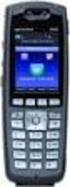 Avaya Solution & Interoperability Test Lab Application Notes for Spectralink 84-Series Wireless Telephones and Avaya Aura Communication Manager and Avaya Aura Session Manager Issue 1.0 Abstract These Application
Application Notes for Microsoft Office Communicator Clients with Avaya Communication Manager Phones - Issue 1.1
 Avaya Solution & Interoperability Test Lab Application Notes for Microsoft Office Communicator Clients with Avaya Communication Manager Phones - Issue 1.1 Abstract These Application Notes describe the
Application Notes for Algo 8028 SIP Door Phone with Avaya IP Office - Issue 1.0
 Avaya Solution & Interoperability Test Lab Application Notes for Algo 8028 SIP Door Phone with Avaya IP Office - Issue 1.0 Abstract These Application Notes describe the configuration steps required for
4602 SIP Telephone Release 1.1 Quick Setup Guide
 4602 SIP Telephone Release 1.1 Quick Setup Guide This Quick Setup guide is intended for technicians installing Avaya 4602 SIP telephones. Before performing the procedures in this guide, make sure the following
Application Notes for Configuring Wesley Clover Solutions Trading Platform with Avaya IP Office using SIP Trunks Issue 1.0
 Avaya Solution & Interoperability Test Lab Application Notes for Configuring Wesley Clover Solutions Trading Platform with Avaya IP Office using SIP Trunks Issue 1.0 Abstract These Application Notes contain
Application Notes for Biamp AudiaFLEX VoIP-2 with Avaya IP Office Issue 1.0
 Avaya Solution & Interoperability Test Lab Application Notes for Biamp AudiaFLEX VoIP-2 with Avaya IP Office Issue 1.0 Abstract These Application Notes describe the configuration steps required for Biamp
Online Control Panel User Guide. Document Version 1.0
 Online Control Panel User Guide Document Version 1.0 Table of Contents 1 About This Guide...8 2 Profile...9 2.1 Access Profile Menu... 9 2.2 Profile... 10 2.3 Addresses... 12 2.4 Passwords... 13 2.4.1
Modular Messaging. Release 4.0 Service Pack 4. Whitepaper: Support for Active Directory and Exchange 2007 running on Windows Server 2008 platforms.
 Modular Messaging Release 4.0 Service Pack 4 Whitepaper: Support for Active Directory and Exchange 2007 running on Windows Server 2008 platforms. April 2009 2006-2009 Avaya Inc. All Rights Reserved. Notice
Using Avaya Aura Messaging
 Using Avaya Aura Messaging 6.0 November 2011 2010 Avaya Inc. All Rights Reserved. Notice While reasonable efforts have been made to ensure that the information in this document is complete and accurate
Application Notes for DuVoice with Avaya IP Office 8.1 Issue 1.1
 Avaya Solution & Interoperability Test Lab Application Notes for DuVoice with Avaya IP Office 8.1 Issue 1.1 Abstract These Application Notes describe the configuration steps required for the DuVoice hospitality
Administering Avaya Video Conferencing Solution Quick Setup
 Administering Avaya Video Conferencing Solution Quick Setup Release 6.2.3 16-300310 Issue 1 October 2013 2013 Avaya Inc. All Rights Reserved. Notices While reasonable efforts have been made to ensure that
Application Notes for Spectralink 84-Series Wireless Telephones and Avaya IP Office Issue 1.0
 ` Avaya Solution & Interoperability Test Lab Application Notes for Spectralink 84-Series Wireless Telephones and Avaya IP Office Issue 1.0 Abstract These Application Notes describe the procedures for configuring
Application Notes for Biamp AudiaFLEX VoIP-2 with Avaya Aura Communication Manager Using Avaya Aura SIP Enablement Services Issue 1.
 Avaya Solution & Interoperability Test Lab Application Notes for Biamp AudiaFLEX VoIP-2 with Avaya Aura Communication Manager Using Avaya Aura SIP Enablement Services Issue 1.0 Abstract These Application
Application Notes for Configuring Intelepeer SIP Trunking with Avaya IP Office 7.0 - Issue 1.0
 Avaya Solution & Interoperability Test Lab Application Notes for Configuring Intelepeer SIP Trunking with Avaya IP Office 7.0 - Issue 1.0 Abstract These Application Notes describe the procedures for configuring
IP Phone Presence Setup
 Static Route Configuration on IM and Presence Service, page 1 Presence Gateway Configuration on IM and Presence Service, page 6 Configure SIP Publish Trunk on IM and Presence Service, page 7 Configure
Session Manager Overview. Seattle IAUG Chapter Meeting
 Session Manager Overview Seattle IAUG Chapter Meeting Agenda Session Manager continues to evolve.. Flexibility BYOD Soft Clients Endpoints SIPenablement 3 rd Party Adjuncts Centralized SIP Trunking Redundancy
Application Notes for Configuring Broadvox SIPTrunking with Avaya IP Office R9.0 - Issue 1.0
 Avaya Solution & Interoperability Test Lab Application Notes for Configuring Broadvox SIPTrunking with Avaya IP Office R9.0 - Issue 1.0 Abstract These Application Notes describe the procedures for configuring
Implementing Intercluster Lookup Service
 Appendix 11 Implementing Intercluster Lookup Service Overview When using the Session Initiation Protocol (SIP), it is possible to use the Uniform Resource Identifier (URI) format for addressing an end
Application Notes Rev. 1.0 Last Updated: February 3, 2015
 SBC 1000/2000 Series Configuration Guide with Cisco Unified Call Manager v8.6 for Level 3 Voice Complete SM Deployments Application Notes Rev. 1.0 Last Updated: February 3, 2015 Contents 1 Document Overview...
Application Notes for Configuring Yealink T-22 SIP Phones to interoperate with Avaya IP Office - Issue 1.0
 Avaya Solution & Interoperability Test Lab Application Notes for Configuring Yealink T-22 SIP Phones to interoperate with Avaya IP Office - Issue 1.0 Abstract These Application Notes describe the configuration
Application Notes for Configuring Avaya IP Office 9.0 with HIPCOM SIP Trunk Issue 1.0
 Avaya Solution & Interoperability Test Lab Application Notes for Configuring Avaya IP Office 9.0 with HIPCOM SIP Trunk Issue 1.0 Abstract These Application Notes describe the procedures for configuring
etrust Audit Using the Recorder for Check Point FireWall-1 1.5
 etrust Audit Using the Recorder for Check Point FireWall-1 1.5 This documentation and related computer software program (hereinafter referred to as the Documentation ) is for the end user s informational
Whitepaper: Microsoft Office Communications Server 2007 R2 and Cisco Unified Communications Manager Integration Options
 Whitepaper: Microsoft Office Communications Server 2007 R2 and Cisco Unified Communications Manager Integration Options Document Summary This document provides information on several integration scenarios
Application Notes Rev. 1.0 Last Updated: January 9, 2015
 SBC 1000/2000 Series Configuration Guide with Cisco Unified Call Manager v9.1 for Level 3 Voice Complete SM SIP Trunk Deployments Application Notes Rev. 1.0 Last Updated: January 9, 2015 Contents 1 Document
Portal Administration. Administrator Guide
 Portal Administration Administrator Guide Portal Administration Guide Documentation version: 1.0 Legal Notice Legal Notice Copyright 2013 Symantec Corporation. All rights reserved. Symantec, the Symantec
Using Avaya Flare Experience for Windows
 Using Avaya Flare Experience for Windows Release 9.0 Issue 02.01 September 2013 Contents Chapter 1: About Flare Experience... 5 About Flare Experience... 5 Main window... 6 Button descriptions... 10 Chapter
Release Notes for SIP Enablement Services Release 3.1.2 Service Pack 2
 Release Notes for SIP Enablement Services Release 3.1.2 Service Pack 2 Target Products: SIP Enablement Services Release 3.1.2 Release Notes Issue 1.0 August 4, 2008 What s Fixed in Service Pack 2 What
Avaya one-x Mobile Installation Guide
 Avaya one-x Mobile Installation Guide 18-602135 Issue 1 November 2007 2007 Avaya Inc. All Rights Reserved. Notice While reasonable efforts were made to ensure that the information in this document was
Deploying Avaya Contact Center Select Software Appliance
 Deploying Avaya Contact Center Select Software Appliance Release 6.4 Issue 01.02 December 2014 2014 Avaya Inc. All Rights Reserved. Notice While reasonable efforts have been made to ensure that the information
Application Notes for Configuring Avaya one-x Mobile, Avaya AP-8, Avaya SIP Enablement Services and Avaya Communication Manager Issue 1.
 Avaya Solution & Interoperability Test Lab Application Notes for Configuring Avaya one-x Mobile, Avaya AP-8, Avaya SIP Enablement Services and Avaya Communication Manager Issue 1.0 Abstract These Application
Avaya Aura Session Manager Overview
 Avaya Aura Session Manager Overview Issue 1 03-603323 Release 6.1 November 2010 2010 Avaya Inc. All Rights Reserved. Notice While reasonable efforts have been made to ensure that the information in this
Avaya Contact Center Express Release 5.0 Database Deployment and Management User Guide
 Avaya Contact Center Express Release 5.0 Database Deployment and Management User Guide Release 5.0 August 2010 Contents Contents Preface........................................... 3 Purpose............................................
Avaya, Trapeze and Nokia Mobility Solution Abstract
 Avaya, Trapeze and Nokia Mobility Solution Abstract This application note describes the Avaya, Trapeze and Nokia mobility solution. This document is not a user guide or sales brochure. It is a how-to/tips
Application Notes for Configuring Cablevision Optimum Voice SIP Trunking with Avaya IP Office - Issue 1.1
 Avaya Solution & Interoperability Test Lab Application Notes for Configuring Cablevision Optimum Voice SIP Trunking with Avaya IP Office - Issue 1.1 Abstract These Application Notes describe the procedures
Abstract. Avaya Solution & Interoperability Test Lab
 Avaya Solution & Interoperability Test Lab Application Notes for Maximizer CRM 2015 R2 with Avaya Aura Communication Manager and Avaya Aura Application Enablement Services R7.0 using Telephony Web Service
Avaya IP Office Platform Web Self Administration
 Avaya IP Office Platform Web Self Administration Release 9.1 Issue 01.02 August 2015 Contents Chapter 1: Avaya IP Office Platform Web Self Administration... 3 Logging in to Web Self Administration... 3
Application Notes for Algo 8180 SIP Audio Alerter with Avaya IP Office - Issue 1.1
 Avaya Solution & Interoperability Test Lab Application Notes for Algo 8180 SIP Audio Alerter with Avaya IP Office - Issue 1.1 Abstract These Application Notes describe the configuration steps required
Avaya CTI Adapter Salesforce.com Integration Installation and Configuration Guide
 Avaya CTI Adapter Salesforce.com Integration Installation and Configuration Guide Document Change Control Document Title Comments File Name Installation and Configuration Guide AvayaCTIAdapter-InstConfGuide.doc
ACD Setup & Operation
 SCS 4.0 ACD Setup & Operation Task Based Guide Copyright 2010 Avaya Inc. All Rights Reserved. Notices While reasonable efforts have been made to ensure that the information in this document is complete
Acano solution. Third Party Call Control Guide. March 2015 76-1055-01-E
 Acano solution Third Party Call Control Guide March 2015 76-1055-01-E Contents Contents 1 Introduction... 3 1.1 How to Use this Guide... 3 1.1.1 Commands... 4 2 Example of Configuring a SIP Trunk to CUCM...
IP Office Contact Center Contact Recorder Configuration Task Based Guide
 IP Office Contact Center Contact Recorder Configuration Task Based Guide Release 9.0.3 Issue 1.01 10 2014 Legal 2014 Avaya Inc. All Rights Reserved. Notice While reasonable efforts have been made to ensure
Application Notes for BT Wholesale/HIPCOM SIP Trunk Service and Avaya IP Office 8.0 Issue 1.0
 Avaya Solution & Interoperability Test Lab Application Notes for BT Wholesale/HIPCOM SIP Trunk Service and Avaya IP Office 8.0 Issue 1.0 Abstract These Application Notes describe the procedures for configuring
Avaya one-x Mobile User Guide for iphone
 Avaya one-x Mobile User Guide for iphone 18-602788 Issue 1 February 2008 2008 Avaya Inc. All Rights Reserved. Notice While reasonable efforts were made to ensure that the information in this document was
Configuration of Applied VoIP Sip Trunks with the Toshiba CIX40, 100, 200 and 670
 Configuration of Applied VoIP Sip Trunks with the Toshiba CIX40, 100, 200 and 670 Businesses Save Money with Toshiba s New SIP Trunking Feature Unlike gateway based solutions, Toshiba s MIPU/ GIPU8 card
Application Notes for Revolabs FLX UC 1000 with Avaya IP Office - Issue 0.1
 Avaya Solution & Interoperability Test Lab Application Notes for Revolabs FLX UC 1000 with Avaya IP Office - Issue 0.1 Abstract These Application Notes describe the configuration steps required to integrate
Application Notes for DuVoice with Avaya IP Office 9.0 Issue 1.0
 Avaya Solution & Interoperability Test Lab Application Notes for DuVoice with Avaya IP Office 9.0 Issue 1.0 Abstract These Application Notes describe the configuration steps required for the DuVoice hospitality
Implementing Avaya one-x Communicator
 Implementing Avaya one-x Communicator December 2012 2012 Avaya Inc. All Rights Reserved. Notice While reasonable efforts have been made to ensure that the information in this document is complete and accurate
Configuration Notes 283
 Mediatrix 4400 Digital Gateway VoIP Trunking with a Legacy PBX June 21, 2011 Proprietary 2011 Media5 Corporation Table of Contents Table of Contents... 2 Introduction... 3 Mediatrix 4400 Digital Gateway
Application Notes for Configuring Broadvox SIP Trunking with Avaya IP Office - Issue 1.0
 Avaya Solution & Interoperability Test Lab Application Notes for Configuring Broadvox SIP Trunking with Avaya IP Office - Issue 1.0 Abstract These Application Notes describe the procedures for configuring
Sample Configuration for SIP Trunking between Avaya IP Office R8.0 and Cisco Unified Communications Manager 8.6.2 Issue 1.0
 Avaya Solution & Interoperability Test Lab Sample Configuration for SIP Trunking between Avaya IP Office R8.0 and Cisco Unified Communications Manager 8.6.2 Issue 1.0 Abstract These Application Notes describe
Avaya one-x Deskphone Edition for 9630/9630G IP Telephone User Guide
 Avaya one-x Deskphone Edition for 9630/9630G IP Telephone User Guide 16-300700 Issue 4 May 2008 Contents Contents Notices...5 Introduction to the 9630/9630G IP Telephone...7 Overview...7 Scrolling and
Configuring a SIP Trunk between Avaya Aura Session Manager Release 6.1 and Avaya Communication Server 1000E Release 7.5 Issue 1.0
 Avaya Solution Interoperability Test Lab Configuring a SIP Trunk between Avaya Aura Session Manager Release 6.1 and Avaya Communication Server 1000E Release 7.5 Issue 1.0 Abstract These Application Notes
Setup Guide Access Manager 3.2 SP3
 Setup Guide Access Manager 3.2 SP3 August 2014 www.netiq.com/documentation Legal Notice THIS DOCUMENT AND THE SOFTWARE DESCRIBED IN THIS DOCUMENT ARE FURNISHED UNDER AND ARE SUBJECT TO THE TERMS OF A LICENSE
Avaya Engagement Assistant Web Portal Administration
 Avaya Engagement Assistant Web Portal Administration Release 3.0 April 2015 2014-2015, Avaya, Inc. All Rights Reserved. Notice While reasonable efforts have been made to ensure that the information in
Using the User Options Web Pages
 Using the User Options Web Pages Your Cisco Unified IP Phone is a network device that can share information with other network devices in your company, including your personal computer. You can use your
Application Notes for Configuring Microsoft Office Communications Server 2007 R2 and Avaya IP Office PSTN Call Routing - Issue 1.0
 Avaya Solution & Interoperability Test Lab Application Notes for Configuring Microsoft Office Communications Server 2007 R2 and Avaya IP Office PSTN Call Routing - Issue 1.0 Abstract These Application
Avaya one-x Communicator User Reference
 Avaya one-x Communicator User Reference Table Of Contents Introduction...1 Logging in to the server...3 Logging out of the server...5 Using your feature buttons...7 Using Avaya one-x Communicator with
Updated Since : 2007-02-09
 Microsoft Exchange Server 2007 Unified Messaging PBX Configuration Note: Avaya S8300 with AudioCodes Mediant 2000 using T1 CAS (In-band DTMF Tones) By : AudioCodes Updated Since : 2007-02-09 READ THIS
Administering Avaya one-x Communicator
 Administering Avaya one-x Communicator July 2013 2012 Avaya Inc. All Rights Reserved. Notice While reasonable efforts have been made to ensure that the information in this document is complete and accurate
Avaya Solution & Interoperability Test Lab Application Notes for Configuring Datatal AB Flexi with Avaya IP Office - Issue 1.0
 Avaya Solution & Interoperability Test Lab Application Notes for Configuring Datatal AB Flexi with Avaya IP Office - Issue 1.0 Abstract These Application Notes describe the configuration steps required
Avaya one-x Quick Edition Release 3.0.0 Telephone User Guide
 Avaya one-x Quick Edition Release 3.0.0 Telephone User Guide 16-601411 Release 3.0.0 November 2006 Issue 1 2006 Avaya Inc. All Rights Reserved. Notice While reasonable efforts were made to ensure that
How To Use Avaya For Free
 1403 Phone User Guide 15-601013 Issue 02c - (01 April 2011) 2011 AVAYA All Rights Reserved. Notice While reasonable efforts were made to ensure that the information in this document was complete and accurate
SIP Support in Avaya Aura Communication Manager Running on Avaya S8xxx Servers
 SIP Support in Avaya Aura Communication Manager Running on Avaya S8xxx Servers 555-245-206 Issue 9 May 2009 2009 Avaya Inc. All rights reserved. Notice While reasonable efforts were made to ensure that
IP Office 8.1 Using Voicemail Pro in Intuity Mode
 Using Voicemail Pro in Intuity Mode 15-601066 Issue 13a - (12 June 2012) 2012 AVAYA All Rights Reserved. Notices While reasonable efforts have been made to ensure that the information in this document
End User Setup and Handling
 on IM and Presence Service, page 1 Authorization Policy Setup On IM and Presence Service, page 1 Bulk Rename User Contact IDs, page 4 Bulk Export User Contact Lists, page 5 Bulk Export Non-Presence Contact
RSA Authentication Manager 8.1 Help Desk Administrator s Guide. Revision 1
 RSA Authentication Manager 8.1 Help Desk Administrator s Guide Revision 1 Contact Information Go to the RSA corporate website for regional Customer Support telephone and fax numbers: www.emc.com/domains/rsa/index.htm
Application Notes for DuVoice Emergency Alert System with Avaya IP Office 9.0 Issue 1.0
 Avaya Solution & Interoperability Test Lab Application Notes for DuVoice Emergency Alert System with Avaya IP Office 9.0 Issue 1.0 Abstract These Application Notes describe the configuration steps required