
Hitachi Travelstar Z5K320. Hard Disk Drive Specification. Hitachi Global Storage Technologies. 2.5 inch SATA hard disk drive
|
|
|
- Stephany Quinn
- 10 years ago
- Views:
Transcription
1 Hitachi Global Storage Technologies 5K320 OEM Specification Hard Disk Drive Specification Hitachi Travelstar Z5K inch SATA hard disk drive Models: HTS543232A7A384 HTS543225A7A384 HTS543216A7A384 Revision February

2 The 1 st Edition (Revision 1.0) (18 May 2010) The 2 nd Edition (Revision 1.1) (01 July 2010) The 3 rd Edition (Revision 1.2) (01 September 2010) The 4 th Edition (Revision 1.3) (28 February 2011) 5K320 OEM Specification The following paragraph does not apply to the United Kingdom or any country where such provisions are inconsistent with local law: HITACHI GLOBAL STORAGE TECHNOLOGIES PROVIDES THIS PUBLICATION "AS IS" WITHOUT WARRANTY OF ANY KIND, EITHER EXPRESS OR IMPLIED, INCLUDING, BUT NOT LIMITED TO, THE IMPLIED WARRANTIES OF MERCHANTABILITY OR FITNESS FOR A PARTICULAR PURPOSE. Some states do not allow disclaimer or express or implied warranties in certain transactions, therefore, this statement may not apply to you. This publication could include technical inaccuracies or typographical errors. Changes are periodically made to the information herein; these changes will be incorporated in new editions of the publication. Hitachi may make improvements or changes in any products or programs described in this publication at any time. It is possible that this publication may contain reference to, or information about, Hitachi products (machines and programs), programming, or services that are not announced in your country. Such references or information must not be construed to mean that Hitachi intends to announce such Hitachi products, programming, or services in your country. Technical information about this product is available by contacting your local Hitachi Global Storage Technologies representative or on the Internet at Hitachi Global Storage Technologies may have patents or pending patent applications covering subject matter in this document. The furnishing of this document does not give you any license to these patents. Copyright Hitachi Global Storage Technologies Note to U.S. Government Users Documentation related to restricted rights Use, duplication or disclosure is subject to restrictions set forth in GSA ADP Schedule Contract with Hitachi Global Storage Technologies. 2

3 Table of Contents 3 5K320 OEM Specification 1 GENERAL Introduction Abbreviations References General caution Drive handling precautions OUTLINE OF THE DRIVE...13 PART 1 FUNCTION SPECIFICATION FIXED DISK SUBSYSTEM DESCRIPTION Control Electronics Head disk assembly data FIXED DISK CHARACTERISTICS...16 Formatted capacity by model number Data sheet Cylinder allocation Performance characteristics DATA INTEGRITY Data loss on power off Write Cache Equipment status WRITE safety Data buffer test Error recovery Automatic reallocation ECC SPECIFICATION Environment DC power requirements Reliability Mechanical specifications Vibration and shock Acoustics Identification labels Electromagnetic compatibility Safety Packaging Substance restriction requirements ELECTRICAL INTERFACE SPECIFICATIONS Cabling Interface connector Signal definitions...38 PART 2 INTERFACE SPECIFICATION GENERAL Introduction Terminology DEVIATIONS FROM STANDARD PHYSICAL INTERFACE REGISTERS Register naming convention Command register Device Control Register Device Register Error Register...46

4 4 5K320 OEM Specification 11.6 Features Register LBA High Register LBA Low Register LBA Mid Register Sector Count Register Status Register GENERAL OPERATION DESCRIPTIONS Reset Response Diagnostic and Reset considerations Power-off considerations Sector Addressing Mode Power Management Feature Advanced Power Management (Adaptive Battery Life Extender 3) Feature Interface Power Management Mode (Slumber and Partial) S.M.A.R.T. Function Security Mode Feature Set Protected Area Function Write Cache Function Reassign Function bit Address Feature Set Software Setting Preservation Feature Set Native Command Queuing SMART Command Transport (SCT) COMMAND PROTOCOL Data In Commands Data Out Commands Non-Data Commands DMA Data Transfer Commands First-parity DMA Commands COMMAND DESCRIPTIONS Check Power Mode (E5h/98h) Device Configuration Overlay (B1h) Download Microcode (92h) Execute Device Diagnostic (90h) Flush Cache (E7h) Flush Cache Ext (EAh) Format Track (50h: Vendor Specific) Format Unit (F7h: Vendor Specific) Identify Device (ECh) Idle (E3h/97h) Idle Immediate (E1h/95h) Initialize Device Parameters (91h) Read Buffer (E4h) Read DMA(C8h/C9h) Read DMA Ext (25h) Read FPDMA Queued (60h) Read Log Ext(2Fh) Read Multiple (C4h) Read Multiple Ext (29h) Read Native Max Address (F8h) Read Native Max Address Ext (27h) Read Sector(s) (20h/21h) Read Sector(s) Ext (24h) Read Verify Sector(s) (40h/41h) Read Verify Sector(s) Ext (42h) Recalibrate (1xh) Security Disable Password (F6h) Security Erase Prepare (F3h) Security Erase Unit (F4h)...125

5 5K320 OEM Specification Security Freeze Lock (F5h) Security Set Password (F1h) Security Unlock (F2h) Seek (7xh) Sense Condition (F0h : vendor specific) Set Features (EFh) Set Max Address (F9h) Set Max Address Ext (37h) Set Multiple (C6h) Sleep (E6h/99h) S.M.A.R.T Function Set (B0h) Standby (E2h/96h) Standby Immediate (E0h/94h) Write Buffer (E8h) Write DMA (CAh/CBh) Write DMA Ext (35h) Write DMA FUA Ext (3Dh) Write FPDMA Queued (61h) Write Log Ext (3Fh) Write Multiple (C5h) Write Multiple Ext (39h) Write Multiple FUA Ext (CEh) Write Sector(s) (30h/31h) Write Sector(s) Ext (34h) Write Uncorrectable Ext (45h) TIMINGS

6 List of Figures 6 5K320 OEM Specification Figure 1 Limits of temperature and humidity 24 Figure 2 Mounting hole locations 30 Figure 3 Interface connector pin assignments 37 Figure 4 Parameter descriptions 39 Figure 5 Initial Setting 57 Figure 6 Usual Operation 58 Figure 7 Password Lost 59 Figure 8 Set Max security mode transition 64 Figure 9 Selective self-test test span example 143 List of Tables Table 1 Formatted capacity by model number. 16 Table 2 Data sheet 16 Table 3 Cylinder allocation 17 Table 4 Performance characteristics 18 Table 5 Mechanical positioning performance 19 Table 6 Full stroke seek time 19 Table 7 Single track seek time 19 Table 8 Latency time 19 Table 9 Drive ready time 20 Table 10 Operating mode 21 Table 11 Drive ready time 21 Table 12 Environmental condition 24 Table 13 Magnetic flux density limits 25 Table 14 DC Power requirements 26 Table 15 Power consumption efficiency 26 Table 16 Physical dimensions and weight 30 Table 17 Random vibration PSD profile breakpoints (operating) 32 Table 18 Swept sine vibration 32 Table 19 Random Vibration PSD Profile Breakpoints (non-operating) 33 Table 20 Operating shock 33 Table 21 Non-operating shock 33 Table 22 Weighted sound power 34 Table 23 Interface connector pins and I/O signals 38 Table 24 Register naming convention and correspondence 44 Table 25 Device Control Register 45 Table 26 Device Register 45 Table 27 Error Register 46 Table 28 Status Register 47 Table 29 Reset Response Table 48 Table 30 Default Register Values 49 Table 31 Diagnostic Codes 49 Table 32 Reset error register values 49 Table 33 Device s behavior by ATA commands 50 Table 34 Power conditions 53 Table 35 Command table for device lock operation 60 Table 36 Command table for device lock operation - continued 61 Table 37 Set Max Set Password data content 63 Table 38 Preserved Software Setting 67 Table 39 SCT Action Code Supported 68 Table 40 Command set 72 Table 41 Command Set - continued 73 Table 42 Command Set (Subcommand) 74 Table 43 Check Power Mode Command (E5h/98h) 76 Table 44 Device Configuration Overlay Command (B1h) 77 Table 45 Device Configuration Overlay Features register values 77

7 5K320 OEM Specification Table 46 Device Configuration Overlay Data structure 79 Table 47 DCO error information definition 80 Table 48 Download Command (92h) 81 Table 49 Execute Device Diagnostic Command (90h) 83 Table 50 Flush Cache Command (E7h) 84 Table 51 Flush Cache EXT Command (EAh) 85 Table 52 Format Track Command (50h) 86 Table 53 Format Unit Command (F7h) 87 Table 54 Identify Device Command (ECh) 88 Table 55 Identify device information 89 Table 56 Identify device information --- Continued Table 57 Identify device information --- Continued Table 58 Identify device information --- Continued Table 59 Identify device information --- Continued Table 60 Identify device information --- Continued Table 61 Identify device information --- Continued Table 62 Identify device information --- Continued Table 63 Identify device information --- Continued Table 64 Number of cylinders/heads/sectors by models for HTS5432XXA7A3XX 98 Table 65 Idle Command (E3h/97h) 99 Table 66 Idle Immediate Command (E1h/95h) 100 Table 67 Initialize Device Parameters Command (91h) 101 Table 68 Read Buffer Command (E4h) 102 Table 69 Read DMA Command (C8h/C9h) 103 Table 70 Read DMA Ext Command (25h) 104 Table 71 Read FPDMA Queued Command (60h) 105 Table 72 Read Log Ext Command (2Fh) 106 Table 73 Log address definition 106 Table 74 General purpose Log Directory 107 Table 75 Extended comprehensive SMART error Log 108 Table 76 Extended Error log data structure 108 Table 77 Command data structure 109 Table 78 Error data structure 109 Table 79 Extended Self-test log data structure 110 Table 80 Extended Self-test log descriptor entry 111 Table 81 Command Error information 111 Table 82 Phy Event Counter Identifier 112 Table 83 Phy Event Counter information 113 Table 84 Read Multiple Command (C4h) 114 Table 85 Read Multiple Ext Command (29h) 115 Table 86 Read Native Max Address Command (F8h) 116 Table 87 Read Native Max Address Ext Command (29h) 117 Table 88 Read Sector(s) Command (20h/21h) 118 Table 89 Read Sector(s) Ext Command (24h) 119 Table 90 Read Verify Sector(s) Command (40h/41h) 120 Table 91 Read Verify Sector(s) Ext Command (42h) 121 Table 92 Recalibrate Command (1xh) 122 Table 93 Security Disable Password Command (F6h) 123 Table 94 Password Information for Security Disable Password command 123 Table 95 Security Erase Prepare Command (F3h) 124 Table 96 Security Erase Unit Command (F4h) 125 Table 97 Erase Unit Information 125 Table 98 Security Freeze Lock Command (F5h) 127 Table 99 Security Set Password Command (F1h) 128 Table 100 Security Set Password Information 128 Table 101 Security Unlock Command (F2h) 130 Table 102 Security Unlock Information 130 Table 103 Seek Command (7xh) 131 Table 104 Sense Condition Command (F0h) 132 Table 105 Set Features Command (EFh) 133 Table 106 Set Max Address Command (F9h) 135 Table 107 Set Max Address Ext Command (37h) 137 7

8 5K320 OEM Specification Table 108 Set Multiple Command (C6h) 139 Table 109 Sleep Command (E6h/99h) 140 Table 110 S.M.A.R.T. Function Set Command (B0h) 141 Table 111 Log sector addresses 144 Table 112 Device Attribute Data Structure 146 Table 113 Individual Attribute Data Structure 147 Table 114 Status Flag Definitions 148 Table 115 Device Attribute Thresholds Data Structure 151 Table 116 Individual Threshold Data Structure 151 Table 117 SMART Log Directory 152 Table 118 S.M.A.R.T. error log sector 152 Table 119 Error log data structure 153 Table 120 Command data structure 153 Table 121 Error data structure 153 Table 122 Self-test log data structure 155 Table 123 Selective self-test log data structure 156 Table 124 S.M.A.R.T. Error Codes 156 Table 125 Standby Command (E2h/96h) 157 Table 126 Standby Immediate Command (E0h/94h) 158 Table 127 Write Buffer Command (E8h) 159 Table 128 Write DMA Command (CAh/CBh) 160 Table 129 Write DMA Ext Command (35h) 161 Table 130 Write DMA FUA Ext Command (3Dh) 162 Table 131 Write FPDMA Queued Command (61h) 163 Table 132 Write Log Ext Command 164 Table 133 Write Multiple Command (C5h) 165 Table 134 Write Multiple Ext Command (39h) 166 Table 135 Write Multiple FUA Ext Command (CEh) 167 Table 136 Write Sector(s) Command (30h/31h) 168 Table 137 Write Sector(s) Ext Command (34h) 169 Table 138 Write Uncorrectable Ext Command (45h) 170 Table 139 Timeout Values 172 8

9 1 General 1.1 Introduction 5K320 OEM Specification This document describes the specifications of the HITACHI Travelstar Z5K inch hard disk drive with Serial ATA interface: Drive name Model Number Type Max data transfer rate (Gbps) Travelstar Z5K Capacity (GB) Height (mm) Rotation speed (rpm) HTS543232A7A384 TT5SAB Travelstar Z5K Travelstar Z5K HTS543225A7A384 TT5SAB HTS543216A7A384 TT5SAB Abbreviations Abbreviation Meaning 32 KB 32 x 1024 bytes 32 KB 32 x 1024 bytes Inch A Amp AC alternating current AT Advanced Technology ATA Advanced Technology Attachment Bels unit of sound power BIOS Basic Input/Output System C degrees Celsius CSA Canadian Standards Association C-UL Canadian-Underwriters Laboratory Cyl Cylinder DC direct current DFT Drive Fitness Test DMA Direct Memory Access ECC error correction code EEC European Economic Community EMC electromagnetic compatibility ERP Error Recovery Procedure Esd electrostatic discharge FCC Federal Communications Commission 9

10 FRU G Gb GB GND h HDD Hz I ILS imped I/O ISO KB Kbit/mm Kbit/sq-mm KHz LBA Lw m max. or Max. MB Mbps Mb/sec MB/sec MHz MLC mm ms us, s Nm No. or # oct/min O OD PIO POH Pop. P/N field replacement unit gravity, a unit of force bits bytes Ground Hexadecimal hard disk drive Hertz Input integrated lead suspension Impedance Input/Output International Standards Organization 1,000 bytes 1,000 bits per mm 1000 bits per square mm Kilohertz logical block addressing unit of A-weighted sound power Meter Maximum 1,000,000 bytes 1,000,000 Bit per second 1,000,000 Bit per second 1,000,000 bytes per second Megahertz Machine Level Control Millimeter Millisecond Microsecond Newton meter Number oscillations per minute Output Open Drain Programmed Input/Output Program I/O power on hours Population part number 5K320 OEM Specification 10

11 p-p peak-to-peak PSD power spectral density RES radiated electromagnetic susceptibility RFI radio frequency interference RH relative humidity % RH percent relative humidity RMS root mean square RPM revolutions per minute RST Reset R/W read/write sec Second Sect/Trk sectors per track SELV secondary low voltage S.M.A.R.T Self-monitoring, analysis, and reporting technology Trk. Track TTL transistor-transistor logic UL Underwriters Laboratory V Volt VDE Verband Deutscher Electrotechniker W Watt 3-state transistor-transistor tristate logic 5K320 OEM Specification 11

12 1.3 References Serial ATA International Organization: Serial ATA Revision General caution 5K320 OEM Specification Do not apply force to the top cover (See figure below). Do not cover the breathing hole on the top cover (See figure below). Do not touch the interface connector pins or the surface of the printed circuit board. The drive can be damaged by shock or ESD (Electric Static Discharge). Any damages incurred to the drive after removing it from the shipping package and the ESD protective bag are the responsibility of the user 1.5 Drive handling precautions Do not press on the drive cover during handling. 12

13 2 Outline of the drive 2.5-inch, 7-mm Height 5K320 OEM Specification Perpendicular Recording Formatted capacities of 320GB, 250GB, 160GB (512 bytes/sector) SATA Interface conforming to Serial ATA International Organization: Serial ATA Revision 2.6(15-February-2007) Integrated controller No-ID recording format Multi zone recording Enhanced ECC 10 bit 34 symbol non Interleaved Read Solomon code 10 bit 16 symbol non Interleaved On-The Fly correction Included 2 symbol system ECC Segmented Buffer with write cache 8192 KB - Upper 1568 KB is used for firmware Fast data transfer rate (up to 3.0Gbit/s) Media data transfer rate (max): 994 Mb/s Average seek time: 13 ms for read Closed-loop actuator servo (Embedded Sector Servo) Rotary voice coil motor actuator Load/Unload mechanism Mechanical latch 0.55 Watts at Low power idle state Power on to ready 3.5 sec Full data encryption as optional (FDE model only) 13

14 Part 1 Function Specification 5K320 OEM Specification 14

15 3 Fixed disk subsystem description 3.1 Control Electronics The control electronics works with the following functions: SATA Interface Protocol Embedded Sector Servo No-ID (TM) formatting Multizone recording System ECC Enhanced Adaptive Battery Life Extender 3.2 Head disk assembly data The following technologies are used in the drive: Femto Slider Perpendicular recording disk and write head TMR head Integrated lead suspension (ILS) Load/unload mechanism Mechanical latch 5K320 OEM Specification 15

16 4 Fixed disk characteristics 4.1 Formatted capacity by model number 5K320 OEM Specification Description 320GB 250GB 160GB Physical Layout Bytes per Sector Number of Heads 2 2 1/2 Number of Disks Logical Layout Number of Heads Number of Sectors/ Track Number of Cylinders 16,383 16,383 16,383 Number of Sectors 625,142, ,397, ,581,808 Total Logical Data Bytes 325,072,933, ,059,350, ,041,885,696 Table 1 Formatted capacity by model number. 4.2 Data sheet 320 GB 250 GB 160 GB Rotational Speed (RPM) Data transfer rates (buffer to/from media) (Mbps) (Max) Data transfer rates (Gbit/sec) Recording density (Kbit/mm) (Max) (KBPI) (Max) Track density (Ktrack/mm)(Max) (KTPI)(Max) Areal density (Kbit/sq-mm.- Max) (Gbit/sq-inch- Max) Number of zones Table 2 Data sheet 16

17 4.3 Cylinder allocation Data format is allocated by each head characteristics. Typical format is described below. 320GB/p Mid BIP-Mid TPI format Zone Cylinder No. of Sectors/Trk Table 3 Cylinder allocation 5K320 OEM Specification 17

18 4.4 Performance characteristics Drive performance is characterized by the following parameters: Command Overhead 5K320 OEM Specification Mechanical Positioning Seek Time Latency Data Transfer Speed Buffering Operation (Look ahead/write Cache) Note: All the above parameters contribute to drive performance. There are other parameters which contribute to the performance of the actual system. This specification defines the essential characteristics of the drive. This specification does not include the system throughput as this is dependent upon the system and the application. The following table gives a typical value for each parameter. Function Average Random Seek Time Read/Write (ms) 13 Rotational Speed (RPM) 5400 Power-on-to-ready (sec) 3.5 Command overhead (ms) 1.0 Disk-buffer data transfer (Mb/s) (max) 994 Buffer-host data transfer (Gbit/s) (max) 3.0 Table 4 Performance characteristics 18

19 4.4.1 Mechanical positioning 5K320 OEM Specification Average seek time (including settling) Command Type Typical (ms) Max. (ms) Read/Write Table 5 Mechanical positioning performance Typical and Max. are defined throughout the performance specification as follows: Typical Average of the drive population tested at nominal environmental and voltage conditions. Max. Maximum value measured on any one drive over the full range of the environmental and voltage conditions. (See section 6.1, "Environment" and section 6.2, "DC power requirements" ) The seek time is measured from the start of motion of the actuator to the start of a reliable read or write operation. A reliable read or write operation implies that error correction/recovery is not employed to correct arrival problems. The Average Seek Time is measured as the weighted average of all possible seek combinations. max. (max. + 1 n)(tn in + Tn out ) n=1 Weighted Average = (max. + 1)(max) Where: max. = maximum seek length n = seek length (1-to-max.) Tn in = inward measured seek time for an n-track seek = outward measured seek time for an n-track seek Tn out Full stroke seek Command Type Typical (ms) Max. (ms) Read/Write Table 6 Full stroke seek time Full stroke seek time in milliseconds is the average time of 1000 full stroke seeks Single track seek time (without command overhead, including settling) Command Type Typical (ms) Maximum (ms) Read Write Table 7 Single track seek time Single track seek is measured as the average of one (1) single track seek from every track in both directions (inward and outward) Average latency Rotational Speed (RPM) Time for one revolution (ms) Average Latency (ms) Table 8 Latency time 19

20 Drive ready time Condition Typical (sec) Max. (sec) Power On To Ready Table 9 Drive ready time 5K320 OEM Specification Ready The condition in which the drive is able to perform a media access command (for example read, write) immediately. Power On To Ready This includes the time required for the internal self diagnostics. 20

21 4.4.2 Operating modes 5K320 OEM Specification Operating mode Spin-Up Seek Write Read Description Start up time period from spindle stop or power down. Seek operation mode Write operation mode Read operation mode The device is capable of responding immediately to media access requests. All Performance idle electronic components remain powered and the full frequency servo remains operational. The device is capable of responding immediately to media access requests. Some circuitry including servo system and R/W electronics is in power saving mode. Active idle The head is parked near the mid-diameter the disk without servoing. A device in Active idle mode may take longer to complete the execution of a command because it must activate that circuitry. The head is unloaded onto the ramp position. The spindle motor is rotating at full Low power idle speed. The device interface is capable of accepting commands. The spindle motor is Standby stopped. All circuitry but the host interface is in power saving mode. The execution of commands is delayed until the spindle becomes ready. The device requires a soft reset or a hard reset to be activated. All electronics, Sleep including spindle motor and host interface, are shut off. Table 10 Operating mode Mode transition time From To Transition Time (typ) Transition Time (max.) Standby Idle Table 11 Drive ready time Operating mode at power on The device goes into Idle mode after power on or hard reset as an initial state Adaptive power save control The transient timing from Performance Idle mode to Active Idle mode and Active Idle mode to Low Power Idle mode is controlled adaptively according to the access pattern of the host system. The transient timing from Low Power Idle mode to Standby mode is also controlled adaptively, if it is allowed by Set Features Enable Advanced Power Management subcommand. 21
22 5 Data integrity 5.1 Data loss on power off 22 5K320 OEM Specification Data loss will not be caused by a power off during any operation except the write operation. A power off during a write operation causes the loss of any received or resident data that has not been written onto the disk media. A power off during a write operation might make a maximum of one sector of data unreadable. This state can be recovered by a rewrite operation. 5.2 Write Cache When the write cache is enabled, the write command may complete before the actual disk write operation finishes. This means that a power off, even after the write command completion, could cause the loss of data that the drive has received but not yet written onto the disk. In order to prevent this data loss, confirm the completion of the actual write operation prior to the power off by issuing a Soft reset Hard reset Flush Cache command Standby command Standby Immediate command Sleep command Confirm the command s completion. 5.3 Equipment status The equipment status is available to the host system any time the drive is not ready to read, write, or seek. This status normally exists at the power-on time and will be maintained until the following conditions are satisfied: The access recalibration/tuning is complete. The spindle speed meets the requirements for reliable operation. The self-check of the drive is complete. The appropriate error status is made available to the host system if any of the following conditions occur after the drive has become ready: The spindle speed lies outside the requirements for reliable operation. The occurrence of a Write Fault condition. 5.4 WRITE safety The drive ensures that the data is written into the disk media properly. The following conditions are monitored during a write operation. When one of these conditions exceeds the criteria, the write operation is terminated and the automatic retry sequence is invoked. Head off track External shock Low supply voltage Spindle speed out of tolerance Head open/short
23 5.5 Data buffer test 5K320 OEM Specification The data buffer is tested at power on reset and when a drive self-test is requested by the host. The test consists of a write/read '00'x and 'ff'x pattern on all buffers. 5.6 Error recovery Errors occurring on the drive are handled by the error recovery procedure. Errors that are uncorrectable after application of the error recovery procedure are reported to the host system as non-recoverable errors. 5.7 Automatic reallocation The sectors that show some errors may be reallocated automatically when specific conditions are met. The drive does not report any auto reallocation to the host system. The conditions for auto reallocation are described below Non-recovered write errors When a write operation cannot be completed after the Error Recovery Procedure (ERP) is fully carried out, the sectors are reallocated to the spare location. An error is reported to the host system only when the write cache is disabled and the auto reallocation has failed Non-recoverable read error When a read operation fails after ERP is fully carried out, a hard error is reported to the host system. This location is registered internally as a candidate for the reallocation. When a registered location is specified as a target of a write operation, a sequence of media verification is performed automatically. When the result of this verification meets the required criteria, this sector is reallocated Recovered read errors When a read operation for a sector fails and is recovered at the specific ERP step, the sector is reallocated automatically. A media verification sequence may be run prior to the reallocation according to the predefined conditions. 5.8 ECC The 10 bit 40 symbol non interleaved ECC processor provides user data verification and correction capability. The first 6 symbol of ECC are 4 check symbols for user data and the 2 symbol system ECC. The other 34 symbols are Read Solomon ECC. Hardware logic corrects up to 16 symbols(20 bytes) errors on-the-fly. 2 symbol System ECC is generated when HDC receives user data from HOST, and can correct up to 1 symbol(10bit) errors on-the-fly when one transfers to HOST. 23
24 6 Specification 6.1 Environment Temperature and humidity 5K320 OEM Specification Temperature Relative humidity Maximum wet bulb temperature Maximum temperature gradient Altitude Temperature Relative humidity Maximum wet bulb temperature Maximum temperature gradient Altitude Table 12 Environmental condition Operating conditions Non-operating conditions 0 to 60 C (See note below) 8 to 90% non-condensing 29.4 C non-condensing 20 C/hour 300 to 3048 m (10,000 ft) 40 to 65 C 5 to 95% non-condensing 40 C non-condensing 20 C/hour 300 to 12,192 m (40,000 ft) The system is responsible for providing sufficient air movement to maintain surface temperatures below 60 C at the center of top cover and below 63 C at the center of the drive circuit board assembly. The maximum storage period in the shipping package is one year. Specification (Environment) 'C/90% 41'C/95% W etbulb 40'C Relative Humidity (%) Non Operating Operating W etbulb29.4'c 65'C/23% 20 60'C/10% Temperature (degc) Figure 1 Limits of temperature and humidity Corrosion test The hard disk drive must be functional and show no signs of corrosion after being exposed to a temperature humidity stress of 50 C/90%RH (relative humidity) for one week followed by a temperature and humidity drop to 25'C/40%RH in 2 hours. 24
25 6.1.3 Radiation noise 5K320 OEM Specification The disk drive shall work without degradation of the soft error rate under the following magnetic flux density limits at the enclosure surface. Frequency (KHz) Limits (ut RMS) DC p 0 < Frequency =< RMS 60 < Frequency =< RMS 100 < Frequency =< RMS 200 < Frequency =< RMS Table 13 Magnetic flux density limits Conductive noise The disk drive shall work without soft error degradation in the frequency range from DC to 20 Mhz injected through any two of the mounting screw holes of the drive when an AC current of up to 45 ma (p-p) is applied through a 50-ohm resistor connected to any two mounting screw holes Atmospheric condition "Environments that contain elevated levels of corrosives (e.g. hydrogen sulfide, sulfur oxides, or hydrochloric acid) should be avoided. Care must be taken to avoid using any compound/material in a way that creates an elevated level of corrosive materials in the atmosphere surrounding the disk drive. Care must also be taken to avoid use of any organometallic (e.g. organosilicon or organotin) compound/material in a way that creates elevated vapor levels of these compounds/materials in the atmosphere surrounding the disk drive." 25
26 6.2 DC power requirements 5K320 OEM Specification Connection to the product should be made in a safety extra low voltage (SELV) circuits. The voltage specifications are applied at the power connector of the drive. Item Requirements Nominal supply +5 Volt dc Supply voltage 0.3 Volt to 6.0 Volt Power supply ripple ( mv p-p max. MHz) 1 Tolerance 2 ±5% Supply rise time ms Watts (RMS Typical) 7 Performance Idle average Active Idle average 0.8 Low Power Idle average 0.55 Read average Write average 1.6 Seek average Standby 0.2 Sleep 0.1 Startup (maximum peak) Average from power on to 3.0 ready Table 14 DC Power requirements Footnotes: 1. The maximum fixed disk ripple is measured at the 5 volt input of the drive. 2. The disk drive shall not incur damage for an over voltage condition of +25% (maximum duration of 20 ms) on the 5 volt nominal supply. 3. The idle current is specified at an inner track. 4. The read/write current is specified based on three operations of 63 sector read/write per 100 ms. 5. The seek average current is specified based on three operations per 100 ms. 6. The worst case operating current includes motor surge. 7. Typical mean average of the drive population tested at nominal environmental and voltage conditions Power consumption efficiency Capacity 320GB 250GB 160GB Power Consumption Efficiency (Watts/GB) Table 15 Power consumption efficiency Note: Power consumption efficiency is calculated as Power Consumption of Low Power Idle Watt/ Capacity (GB). 26
27 6.3 Reliability Data reliability 5K320 OEM Specification Probability of not recovering data is 1 in bits read ECC implementation On-the-fly correction performed as a part of read channel function recovers up to 16 symbols of error in 1 sector (1 symbol is 10 bits) Failure prediction (S.M.A.R.T.) The drive supports Self-monitoring, analysis and reporting technology (S.M.A.R.T.) function. The details are described in section 12.8, "S.M.A.R.T. Function" and in Section 14.40, "S.M.A.R.T. Function Set (B0h)" Cable noise interference To avoid any degradation of performance throughput or error when the interface cable is routed on top or comes in contact with the HDA assembly, the drive must be grounded electrically to the system frame by four screws. The common mode noise or voltage level difference between the system frame and power cable ground or AT interface cable ground should be in the allowable level specified in the power requirement section Service life and usage condition The drive is designed to be used under the following conditions: The drive should be operated within specifications of shock, vibration, temperature, humidity, altitude, and magnetic field. The drive should be protected from ESD. The breathing hole in the top cover of the drive should not be covered. Force should not be applied to the cover of the drive. The specified power requirements of the drive should be satisfied. The drive frame should be grounded electrically to the system through four screws. The drive should be mounted with the recommended screw depth and torque. The interface physical and electrical requirements of the drive should satisfy Serial ATA Revision 2.6. The power-off sequence of the drive should comply with the ,"Required power-off sequence. Service life of the drive is approximately 5 years or 20,000 power on hours, whichever comes first, under the following assumptions: Less than 333 power on hours per month. Seeking/Writing/Reading operation is less than 20% of power on hours. This does not represent any warranty or warranty period. Applicable warranty and warranty period are covered by the purchase agreement Preventive maintenance None. 27
28 6.3.6 Load/unload 5K320 OEM Specification The product supports a minimum of 600,000 normal load/unloads. Load/unload is a functional mechanism of the hard disk drive. It is controlled by the drive micro code. Specifically, unloading of the heads is invoked by the following commands: Standby Standby immediate Sleep Load/unload is also invoked as one of the idle modes of the drive. The specified start/stop life of the product assumes that load/unload is operated normally, not in emergency mode Emergency unload When hard disk drive power is interrupted while the heads are still loaded the micro code cannot operate and the normal 5-volt power is unavailable to unload the heads. In this case, normal unload is not possible. The heads are unloaded by routing the back EMF of the spinning motor to the voice coil. The actuator velocity is greater than the normal case and the unload process is inherently less controllable without a normal seek current profile. Emergency unload is intended to be invoked in rare situations. Because this operation is inherently uncontrolled, it is more mechanically stressful than a normal unload. The drive supports a minimum of 20,000 emergency unloads Required Power-Off Sequence The required host system sequence for removing power from the drive is as follows: Step 1: Issue one of the following commands. Standby Standby immediate Sleep Note: Do not use the Flush Cache command for the power off sequence because this command does not invoke Unload. Step 2: Wait until the Command Complete status is returned. The host system time out value needs to be 30 seconds considering error recovery time. Step 3: Terminate power to HDD. This power-down sequence should be followed for entry into any system power-down state, system suspend state, or system hibernation state. In a robustly designed system, emergency unload is limited to rare scenarios, such as battery removal during operation Power switch design considerations In systems that use the Travelstar Z5K320 consideration should be given to the design of the system power switch. Hitachi recommends that the switch operate under control of the host system, as opposed to being hardwired. The same recommendation is made for cover-close switches. When a hardwired switch is turned off, emergency unload occurs, as well as the problems cited in section 5.1, "Data loss by power off" and section 5.2, Write Cache Test considerations Start/stop testing is classically performed to verify head/disk durability. The heads do not land on the disk, so this type of test should be viewed as a test of the load/unload function. 28
29 5K320 OEM Specification Start/Stop testing should be done by commands through the interface, not by power cycling the drive. Simple power cycling of the drive invokes the emergency unload mechanism and subjects the HDD to non-typical mechanical stress. Power cycling testing may be required to test the boot-up function of the system. In this case Hitachi recommends that the power-off portion of the cycle contain the sequence specified in section , "Required Power-Off Sequence. If this is not done, the emergency unload function is invoked and non-typical stress results. 29
30 6.4 Mechanical specifications Physical dimensions and weight 5K320 OEM Specification The following figure lists the dimensions for the drive. Model Height (mm) Width (mm) Length (mm) Weight (gram) 320GB, 250GB, 160GB models 6.8± ± ± Max Table 16 Physical dimensions and weight Mounting hole locations The mounting hole locations and size of the drive are shown below. Figure 2 Mounting hole locations 30
31 5K320 OEM Specification Connector description Connector specifications are included in section 7.2, "Interface connector" Mounting orientation The drive will operate in all axes (six directions) and will stay within the specified error rates when tilted ±5 degrees from these positions. Performance and error rate will stay within specification limits if the drive is operated in the other permissible orientations from which it was formatted. Thus a drive formatted in a horizontal orientation will be able to run vertically and vice versa. The recommended mounting screw torque is 0.3±0.05 Nm. The recommended mounting screw depth is 3.0±0.3 mm for bottom and 3.5±0.5 mm for horizontal mounting. The user is responsible for using the appropriate screws or equivalent mounting hardware to mount the drive securely enough to prevent excessive motion or vibration of the drive at seek operation or spindle rotation Load/unload mechanism The head load/unload mechanism is provided to protect the disk data during shipping, movement, or storage. Upon power down, a head unload mechanism secures the heads at the unload position. See section 6.5.4, "Non-operating shock" for additional details. 31
32 6.5 Vibration and shock 5K320 OEM Specification All vibration and shock measurements in this section are for drives without mounting attachments for systems. The input level shall be applied to the normal drive mounting points. Vibration tests and shock tests are to be conducted by mounting the drive to a table using the bottom or side four mounting holes Operating vibration The drive will operate without a hard error while being subjected to the following vibration levels Random vibration The test consists of 30 minutes of random vibration using the power spectral density (PSD) levels below. The vibration test level is 6.57m/sec 2 RMS (Root Mean Square) (0.67 G RMS). Random vibration PSD profile Breakpoint Hz m x 10n (m 2 /sec 4 )/Hz x E x E x E x E x E x E x E x E x E 2 Table 17 Random vibration PSD profile breakpoints (operating) Swept sine vibration Swept sine vibration (zero to peak 5 to Sweep rate (oct/min) 500 to 5 Hz sine wave) 9.8 m/sec 2 (1 G) (5-500 Hz) 1.0 Table 18 Swept sine vibration 32
33 6.5.2 Non-operating vibration 5K320 OEM Specification The disk drive withstands the following vibration levels without any loss or permanent damage Random vibration The test consists of a random vibration applied in each of three mutually perpendicular axes for a duration of 15 minutes per axis. The PSD levels for the test simulating the shipping and relocation environment is shown below. Hz (m 2 /sec 4 )/Hz Table 19 Random Vibration PSD Profile Breakpoints (non-operating) Note: Overall RMS level of vibration is m/sec 2 (3.01 G) Swept sine vibration 49 m/sec 2 (5 G) (zero-to-peak), 10 to 500 to 10 Hz sine wave 0.5 oct/min sweep rate 25.4 mm (peak-to-peak) displacement, 5 to 10 to 5 Hz Operating shock The hard disk drive meets the criteria in the table below while operating under these conditions: The shock test consists of 10 shock inputs in each axis and direction for a total of 60. There must be a minimum delay of 3 seconds between shock pulses. The disk drive will operate without a hard error while subjected to the following half-sine shock pulse. Duration of 1 ms Duration of 2 ms 2205 m/sec 2 (225 G) 3920 m/sec 2 (400 G) Table 20 Operating shock The input level shall be applied to the normal disk drive subsystem mounting points used to secure the drive in a normal system Non-operating shock The drive withstands the following half-sine shock pulse without any data loss or permanent damage. Duration of 1 ms Duration of 11 ms 9800 m/sec 2 (1000 G) 1470 m/sec 2 (150 G) Table 21 Non-operating shock The shocks are applied for each direction of the drive for three mutually perpendicular axes, one axis at a time. Input levels are measured on a base plate where the drive is attached with four screws. 33
34 6.6 Acoustics Sound power level 5K320 OEM Specification The criteria of A-weighted sound power level are described below. Measurements are to be taken in accordance with ISO The mean of the sample of 40 drives is to be less than the typical value. Each drive is to be less than the maximum value. The drives are to meet this requirement in both board down orientations. Table 22 Weighted sound power A-weighted Sound Power Typical (Bels) Maximum (Bels) Idle Operating The background power levels of the acoustic test chamber for each octave band are to be recorded. Sound power tests are to be conducted with the drive supported by spacers so that the lower surface of the drive be located 25±3 mm above from the chamber floor. No sound absorbing material shall be used. The acoustical characteristics of the disk drive are measured under the following conditions: Mode definitions Idle mode: Power on, disks spinning, track following, unit ready to receive and respond to control line commands. Operating mode: Continuous random cylinder selection and seek operation of the actuator with a dwell time at each cylinder. The seek rate for the drive can be calculated as shown below. Ns = 0.4/(Tt + T1) where: Ns = average seek rate in seeks/s Tt = published seek time from one random track to another without including rotational latency T1= equivalent time in seconds for the drive to rotate by half a revolution Discrete tone penalty Discrete tone penalties are added to the A-weighted sound power (Lw) with the following formula only when determining compliance. Lwt(spec) = Lw = 0.1Pt < 4.0 (Bels) where Lw = A-weighted sound power level Pt = Value of desecrate tone penalty = dlt 6.0(dBA) dlt = Tone-to-noise ratio taken in accordance with ISO 7779 at each octave band. 34
35 6.7 Identification labels The following labels are affixed to every drive: 5K320 OEM Specification A label which is placed on the top of the head disk assembly containing the statement "Made by Hitachi" or equivalent, part number A bar code label which is placed on the disk drive based on user request. The location on the disk drive is to be designated in the drawing provided by the user. Labels containing the vendor's name, disk drive model number, serial number, place of manufacture, and UL/CSA logos. 6.8 Electromagnetic compatibility When installed in a suitable enclosure and exercised with a random accessing routine at maximum data rate, the drive meets the following worldwide electromagnetic compatibility (EMC) requirements: United States Federal Communications Commission (FCC) Rules and Regulations (Class B), Part 15. RFI Suppression German National Requirements RFI Japan VCCI, Requirements of HITACHI products EU EMC Directive, Technical Requirements and Conformity Assessment Procedures CE Mark The product is certified for compliance with EC directive 2004/108/EC. The EC marking for the certification appears on the drive C-Tick Mark The product complies with the Australian EMC standard "Limits and methods of measurement of radio disturbance characteristics of information technology equipment, AS/NZS 3548:1995 Class B." BSMI Mark The product complies with the Taiwan EMC standard Limits and methods of measurement of radio disturbance characteristics of information technology equipment, CNS (C6357) KCC or KC Mark The product complies with the Korea EMC standard. The regulation for certification of information and communication equipment is based on Telecommunications Basic Act and Radio Waves Act Korea EMC requirement are based technically on CISPR22 measurement standards and limits. KC standards are likewise based on IEC standards. 35
36 6.9 Safety UL and CSA approval 5K320 OEM Specification All models of the Travelstar Z5K320 are qualified per UL : 2nd edition ( ), CSA C22.2 No : 2nd edition ( ) IEC compliance All models of the Travelstar Z5K320 comply with IEC :2005 (2nd edition) German Safety Mark All models of the Travelstar Z5K320 are approved by TUV on Test Requirement: EN :2006+A11, but the GS mark has not been obtained Flammability The printed circuit boards used in this product are made of material with a UL recognized flammability rating of V-1 or better. The flammability rating is marked or etched on the board. All other parts not considered electrical components are made of material with a UL recognized flammability rating of V-1 or better except minor mechanical parts Secondary circuit protection This product utilizes printed circuit wiring that must be protected against the possibility of sustained combustion due to circuit or component failures as defined in C-B (Protection Against Combustion). Adequate secondary over current protection is the responsibility of the using system. The user must protect the drive from its electrical short circuit problem. A 10 amp limit is required for safety purpose Packaging Drives are packed in ESD protective bags and shipped in appropriate containers Substance restriction requirements The product complies with the Directive 2002/95/EC of the European Parliament on the restrictions of the use of the certain hazardous substances in electrical and electronic equipment (RoHS). 36
37 7 Electrical interface specifications 7.1 Cabling 5K320 OEM Specification The maximum cable length from the host system to the hard disk drive plus circuit pattern length in the host system shall not exceed 1 meter. 7.2 Interface connector The figure below shows the physical pin location. Figure 3 Interface connector pin assignments All pins are in a single row, with a 127 mm(.050 ) pitch. The comments on the mating sequence in Table in the section 7.3 apply to the case of back-plane blind-mate connector only. In this case, the mating sequences are:(1)the ground pins P4 and P12;(2) the pre-charge power pins and the other ground pins; and (3) the signal pins and the rest of the power pins. There are three power pins for each voltage. One pin from each voltage is used for pre-charge in the backplane blind-mate situation. If a device uses 3.3V, then all V33 pins must be terminated. Otherwise, it is optional to terminate any of the V33 pins If a device uses 5.0V, then all V5 pins must be terminated. Otherwise, it is optional to terminate any of the V5 pins If a device uses 12.0V, then all V12 pins must be terminated. Otherwise, it is optional to terminate any of the V12 pins. 37
38 7.3 Signal definitions The pin assignments of interface signals are listed as follows: 5K320 OEM Specification No. Plug Connector pin definition Signal I/O S1 GND 2nd mate Gnd S2 A+ Differential signal A from Phy RX+ Input S3 A- RX- Input Signal S4 Gnd 2nd mate Gnd S5 B- Differential signal B from Phy TX- Output S6 B+ TX+ Output S7 Gnd 2nd mate Gnd Key and spacing separate signal and power segments P1 V33 3.3V power 3.3V P2 V33 3.3V power 3.3V P3 V33 3.3V power, pre-charge, 2nd Mate 3.3V P4 Gnd 1st mate Gnd P5 Gnd 2nd mate Gnd P6 Gnd 2nd mate Gnd P7 V5 5V power,pre-charge,2nd Mate 5V P8 V5 5V power 5V Power P9 V5 5V power 5V P10 Gnd 2nd mate Gnd P11 DAS/DSS Device Activity Signal / Disable Staggered Note 1 Spinup1 P12 Gnd 1st mate Gnd P13 V12 12V power,pre-chage,2nd mate V12 P14 V12 12V power V12 P15 V12 12V power V12 Table 23 Interface connector pins and I/O signals Note 1; Pin P11 is used by the drive to provide the host with an activity indication and by the host to indicate whether staggered spin-up should be used. The signal the drive provides for activity indication is a low-voltage low-current driver. If pin P11 is asserted low the drive shall disable staggered spin-up and immediately initiate spin-up. If pin P11 is not connected in the host (floating), the drive shall enable staggered spin-up TX+ / TX- These signal are the outbound high-speed differential signals that are connected to the serial ATA cable RX+ / RX- These signals are the inbound high-speed differential signals that are connected to the serial ATA cable. The following standard shall be referenced about signal specifications. Serial ATA: Serial ATA Revision 2.6(15-February-2007) 38
39 7.3.3 Out of band signaling 5K320 OEM Specification Figure 4 shows the timing of COMRESET, COMINIT and COMWAKE.COMWAKE. t1 t2 COMRESET/COMINIT COMWAKE t3 t4 PARAMETER DESCRIPTION Nominal (ns) T1 ALINE primitives T2 Spacing 320 T3 ALIGN primitives T4 Spacing Figure 4 Parameter descriptions 39
40 5K320 OEM Specification Part 2 Interface Specification 40
41 8 General 8.1 Introduction 5K320 OEM Specification This specification describes the host interface of HTS5432XXA7A3XX. The interface conforms to following Working Document of Information technology with certain limitations described in the chapter 9 Deviations from Standard. Serial ATA International Organization : Serial ATA Revision 2.6 dated on 15 February 2007 AT Attachment 8 ATA/ATAPI Command Set (ATA8-ACS) Revision 3f dated on 11 December 2006 HTS5432XXA7A3XX supports following vendor-specific functions. Format Unit Function SENSE CONDITION command 8.2 Terminology Device Device indicates HTS5432XXA7A3XX Host Host indicates the system that the device is attached to. INTRQ Interrupt request (Device or Host) 41
42 9 Deviations from Standard The device conforms to the referenced specifications, with deviations described below. 5K320 OEM Specification The interface conforms to the Working Document of Information Technology, AT Attachment 8 ATA/ATAPI Command Set (ATA/ATAPI8-ACS) with deviation as follows: S.M.A.R.T. Return Status Check Power Mode S.M.A.R.T. RETURN STATUS subcommand does not check advisory attributes. That is, the device will not report threshold exceeded condition unless pre-failure attributes exceed their corresponding thresholds. For example, Power-On Hours Attribute never results in negative reliability status. Check Power Mode command returns FFh to Sector Count Register when the device is in Idle mode. This command does not support 80h as the return value. 42
43 10 Physical Interface Physical Interface is described in Functional Specification part. 5K320 OEM Specification 43
44 11 Registers 5K320 OEM Specification In Serial ATA, the host adapter contains a set of registers that shadow the contents of the traditional device registers, referred to as the Shadow Register Block. Shadow Register Block registers are interface registers used for delivering commands to the device or posting status from the device. About details, please refer to the Serial ATA Specification. In the following cases, the host adapter sets the BSY bit in its shadow Status Register and transmits a FIS to the device containing the new contents. Command register is written in the Shadow Register Block Device Control register is written in the Shadow Register Block with a change of state of the SRST bit COMRESET is requested 11.1 Register naming convention This specification uses the same naming conventions for the Command Block Registers as the ATA8-ACS standard. However, the register naming convention is different from that uses in the Serial ATA 2.6 specification. The following table defines the corresponding of the register names used in this specification with those used in the Serial ATA 2.6 specification. Serial ATA register name Features Features (exp) Register name in this specification when writing registers Feature current Feature previous Register name in this specification when reading registers Sector count Sector count current Sector count HOB=0 Sector count (exp) Sector count previous Sector count HOB=1 LBA low LBA low current LBA low HOB=0 LBA low (exp) LBA low previous LBA low HOB=1 LBA mid LBA mid current LBA mid HOB=0 LBA mid (exp) LBA mid previous LBA mid HOB=1 LBA high LBA high current LBA mid HOB=0 LBA high (exp) LBA high previous LBA mid HOB=1 Device Device Device Command Command N/A Control Device Control N/A Status N/A Status Error N/A Error Table 24 Register naming convention and correspondence 44
45 11.2 Command register 5K320 OEM Specification This register contains the command code being sent to the device. Command execution begins immediately after this register is written. The command set is shown in Table 40 Command set on page 72. All other registers required for the command must be set up before writing the Command Register Device Control Register Device Control Register SRST -IEN 0 Table 25 Device Control Register Bit Definitions SRST (RST) -IEN Software Reset. The device is held reset when RST=1. Setting RST=0 reenables the device. The host must set RST=1 and wait for at least 5 microseconds before setting RST=0, to ensure that the device recognizes the reset. Interrupt Enable. When IEN=0, and the device is selected, device interrupts to the host will be enabled. When IEN=1, or the device is not selected, device interrupts to the host will be disabled Device Register Device Register L - 0 HS3 HS2 HS1 HS0 Table 26 Device Register This register contains the device and head numbers. Bit Definitions L HS3,HS2,HS1,HS0 Binary encoded address mode select. When L=0, addressing is by CHS mode. When L=1, addressing is by LBA mode. The HS3 through HS0 contain bits of the LBA. At command completion, these bits are updated to reflect the current LBA bits
46 11.5 Error Register Error Register 5K320 OEM Specification CRC UNC 0 IDNF 0 ABRT TK0NF AMNF Table 27 Error Register This register contains status from the last command executed by the device, or a diagnostic code. At the completion of any command except Execute Device Diagnostic, the contents of this register are valid always even if ERR=0 in the Status Register. Following a power on, a reset, or completion of an Execute Device Diagnostic command, this register contains a diagnostic code. See Table 31 Diagnostic Codes on Page 49 for the definition. Bit Definitions ICRCE (CRC) UNC IDNF (IDN) ABRT (ABT) TK0NF (T0N) AMNF (AMN) Interface CRC Error. CRC=1 indicates a CRC error has occurred on the data bus during a Ultra-DMA transfer. Uncorrectable Data Error. UNC=1 indicates an uncorrectable data error has been encountered. ID Not Found. IDN=1 indicates the requested sector s ID field could not be found. Aborted Command. ABT=1 indicates the requested command has been aborted due to a device status error or an invalid parameter in an output register. Track 0 Not Found. T0N=1 indicates track 0 was not found during a Recalibrate command. Address Mark Not Found. AMN=1 indicates the data address mark has not been found after finding the correct ID field for the requested sector. This bit is obsolete Features Register This register is command specific. This is used with the Set Features command, S.M.A.R.T. Function Set command and Format Unit command LBA High Register This register contains Bits At the end of the command, this register is updated to reflect the current LBA Bits When 48-bit addressing commands are used, the most recently written content contains LBA Bits 16-23, and the previous content contains Bits The 48-bit Address feature set is described in bit Address Feature Set LBA Low Register This register contains Bits 0-7. At the end of the command, this register is updated to reflect the current LBA Bits 0-7. When 48-bit commands are used, the most recently written content contains LBA Bits 0-7, and the previous content contains Bits LBA Mid Register This register contains Bits At the end of the command, this register is updated to reflect the current LBA Bits When 48-bit addressing commands are used, the most recently written content contains LBA Bits 8-15, and the previous content contains Bits
47 5K320 OEM Specification Sector Count Register This register contains the number of sectors of data requested to be transferred on a read or write operation between the host and the device. If the value in the register is set to 0, a count of 256 sectors (in 28-bit addressing) or 65,536 sectors (in 48-bit addressing) is specified. If the register is zero at command completion, the command was successful. If not successfully completed, the register contains the number of sectors which need to be transferred in order to complete the request. The contents of the register are defined otherwise on some commands. These definitions are given in the command descriptions Status Register Status Register BSY DRDY DF DSC DRQ CORR IDX ERR Table 28 Status Register This register contains the device status. The contents of this register are updated whenever an error occurs and at the completion of each command. If the host reads this register when an interrupt is pending, it is considered to be the interrupt acknowledge. Any pending interrupt is cleared whenever this register is read. If BSY=1, no other bits in the register are valid. Bit Definitions BSY DRDY (RDY) DF DSC DRQ Busy. BSY=1 whenever the device is accessing the registers. The host should not read or write any registers when BSY=1. If the host reads any register when BSY=1, the contents of the Status Register will be returned. Device Ready. RDY=1 indicates that the device is capable of responding to a command. RDY will be set to 0 during power on until the device is ready to accept a command. Device Fault. DF=1 indicates that the device has detected a write fault condition. DF is set to 0 after the Status Register is read by the host. Device Seek Complete. DSC=1 indicates that a seek has completed and the device head is settled over a track. DSC is set to 0 by the device just before a seek begins. When an error occurs, this bit is not changed until the Status Register is read by the host, at which time the bit again indicates the current seek complete status. When the device enters into or is in Standby mode or Sleep mode, this bit is set by device in spite of not spinning up. Data Request. DRQ=1 indicates that the device is ready to transfer a word or byte of data between the host and the device. The host should not write the Command register when DRQ=1. CORR (COR) Corrected Data. Always 0. IDX Index. Always 0 ERR ERR=1 indicates that an error occurred during execution of the previous command. The Error Register should be read to determine the error type. The device sets ERR=0 when the next command is received from the host. 47
48 12 General Operation Descriptions 12.1 Reset Response There are three types of reset in ATA as follows: 5K320 OEM Specification Power On Reset (POR) The device executes a series of electrical circuitry diagnostics, spins up the HDA, tests speed and other mechanical parametric, and sets default values. COMRESET COMRESET is issued in Serial ATA bus. The device resets the interface circuitry as well as Soft Reset. Soft Reset (Software Reset) SRST bit in the Device Control Register is set, then is reset. The device resets the interface circuitry according to the Set Features requirement. The actions of each reset are shown in Table 29 Reset Response Table on Page 48 POR COMRESET Soft Reset Aborting Host interface - o o Aborting Device operation - (*1) (*1) Initialization of hardware O x x Internal diagnostic O x x Starting spindle motor (*5) x x Initialization of registers (*2) O o o Reverting programmed parameters to default O (*6) (*3) - Number of CHS (set by Initialize Device Parameter) - Multiple mode - Write cache - Read look-ahead - ECC bytes - Volatile max address Power mode (*5) (*4) (*4) Reset Standby timer value o o x O ---- execute X ---- not execute Note. (*1) Execute after the data in write cache has been written. (*2) Default value on POR is shown in Table 30 Default Register Values on Page 49. (*3) The Set Features command with Feature register = CCh enables the device to revert these parameters to the power on defaults. (*4) In the case of sleep mode, the device goes to standby mode. In other case, the device does not change current mode. (*5) According to the initial power mode selection. (*6) See Software Setting Preservation Feature Set. Table 29 Reset Response Table 48
49 Register Initialization 5K320 OEM Specification After power on, COMRESET, or software reset, the register values are initialized as shown in the following table. Register Error Sector Count LBA Low LBA Mid LBA High Device Status Alternate Status Table 30 Default Register Values Default Value Diagnostic Code 01h 01h 00h 00h 00h 50h 50h The meaning of the Error Register diagnostic codes resulting from power on, COMRESET or the Execute Device Diagnostic command are shown in the following table. Code 01h 02h 03h 04h 05h Table 31 Diagnostic Codes No error Detected Formatter device error Sector buffer error Ecc circuitry error Controller microprocessor error Description 12.2 Diagnostic and Reset considerations The Set Max password, the Set Max security mode and the Set Max unlock counter don t retain over a Power On Reset but persist over a COMRESET or Soft Reset. For each Reset and Execute Device Diagnostic, the Diagnostic is done as follows: Execute Device Diagnostic In all the above cases: Power on, COMRESET, Soft reset, and the EXECUTE DEVICE DIAGNOSTIC command the Error register is shown in the following table. Device 0 Passed Error Register Yes 01h No 0xh Where x indicates the appropriate Diagnostic Code for the Power on, COMRESET, Soft reset, or Device Diagnostic error. Table 32 Reset error register values 49
50 5K320 OEM Specification 12.3 Power-off considerations Load/Unload Load/Unload is a functional mechanism of the HDD. It is controlled by the drive microcode. Specifically, unloading of the heads is invoked by the commands: Command Standby Standby immediate Sleep UL Response means unload. UL -> Comp. UL -> Comp. UL -> Comp. Comp means complete. Table 33 Device s behavior by ATA commands Load/unload is also invoked as one of the idle modes of the drive. The specified start/stop life of the product assumes that load/unload is operated normally, NOT in emergency mode Emergency unload When HDD power is interrupted while the heads are still loaded, the microcode cannot operate and the normal 5V power is unavailable to unload the heads. In this case, normal unload is not possible, so the heads are unloaded by routing the back-emf of the spinning motor to the voice coil. The actuator velocity is greater than the normal case, and the unload process is inherently less controllable without a normal seek current profile. Emergency unload is intended to be invoked in rare situations. Because this operation is inherently uncontrolled, it is more mechanically stressful than a normal unload. A single emergency unload operation is more stressful than 100 normal unloads. Use of emergency unload reduces the start/stop life of the HDD at a rate at least 100X faster than that of normal unload, and may damage the HDD Required power-off sequence Problems can occur on most HDDs when power is removed at an arbitrary time. Examples: Data loss from the write buffer. If the drive is writing a sector, the sector contents are destroyed and reading that sector results in a hard error. You may then turn off the HDD in the following order: 1. Issue Standby. Standby Immediate or sleep command. 2. Wait until COMMAND COMPLETE STATUS is returned. 3. Terminate power to HDD. This power-down sequence should be followed for entry into any system power-down state, or system suspend state, or system hibernation state. In a robustly designed system, emergency unload is limited to rare scenarios such as battery removal during operation. 50
51 12.4 Sector Addressing Mode 5K320 OEM Specification All addressing of data sectors recorded on the device s media is by a logical sector address. The logical CHS address for HTS5432XXA7A3XX is different from the actual physical CHS location of the data sector on the disk media. HTS5432XXA7A3XX support both Logical CHS Addressing Mode and LBA Addressing Mode as the sector addressing mode. The host system may select either the currently selected CHS translation addressing or LBA addressing on a command-by-command basis by using the L bit in the DEVICE register. So a host system must set the L bit to 1 if the host uses LBA Addressing mode Logical CHS Addressing Mode The logical CHS addressing is made up of three fields: the cylinder number, the head number and the sector number. Sectors are numbered from 1 to the maximum value allowed by the current CHS translation mode but can not exceed 255(0FFh). Heads are numbered from 0 to the maximum value allowed by the current CHS translation mode but can not exceed 15(0Fh). Cylinders are numbered from 0 to the maximum value allowed by the current CHS translation mode but cannot exceed 65535(0FFFFh). When the host selects a CHS translation mode using the INITIALIZE DEVICE PARAMETERS command, the host requests the number of sectors per logical track and the number of heads per logical cylinder. The device then computes the number of logical cylinders available in requested mode. The default CHS translation mode is described in the Identify Device Information. The current CHS translation mode also is described in the Identify Device Information LBA Addressing Mode Logical sectors on the device shall be linearly mapped with the first LBA addressed sector (sector 0) being the same sector as the first logical CHS addressed sector ( cylinder 0, head 0, sector 1). Irrespective of the logical CHS translation mode currently in effect, the LBA address of a given logical sector does not change. The following is always true: LBA = ( (cylinder * heads_per_cylinder + heads) * sectors_per_track ) + sector - 1 where heads_per_cylinder and sectors_per_track are the current translation mode values. On LBA addressing mode, the LBA value is set to the following register. Device <--- LBA bits LBA High <--- LBA bits LBA Mid <--- LBA bits 15-8 LBA Low <--- LBA bits
52 12.5 Power Management Feature 5K320 OEM Specification The power management feature set permits a host to modify the behavior in a manner which reduces the power required to operate. The power management feature set provides a set of commands and a timer that enables a device to implement low power consumption modes. HTS5432XXA7A3XX implements the following set of functions. 1. A Standby timer 2. Idle command 3. Idle Immediate command 4. Sleep command 5. Standby command 6. Standby Immediate command Power Mode Sleep Mode Standby Mode Idle Mode Active Mode The lowest power consumption when the device is powered on occurs in Sleep Mode. When in sleep mode, the device requires a reset to be activated. The device interface is capable of accepting commands, but as the media may not immediately accessible, there is a delay while waiting for the spindle to reach operating speed. Refer to the section of Adaptive Battery Life Extender Feature. The device is in execution of a command or accessing the disk media with read look-ahead function or write cache function Power Management Commands The Check Power Mode command allows a host to determine if a device is currently in, going to or leaving standby mode. The Idle and Idle Immediate commands move a device to idle mode immediately from the active or standby modes. The idle command also sets the standby timer count and starts the standby timer. The sleep command moves a device to sleep mode. The device s interface becomes inactive at the completion of the sleep command. A reset is required to move a device out of sleep mode. When a device exits sleep mode it will enter standby mode. The Standby and Standby Immediate commands move a device to standby mode immediately from the active or idle modes. The standby command also sets the standby timer count Standby/Sleep command completion timing 1. Confirm the completion of writing cached data in the buffer to media 2. Unload heads on the ramp 3. Set DRDY bit and DSC bit in Status Register 4. Activate the spindle break to stop the spindle motor 5. Wait until spindle motor is stopped 6. Perform post process Status In the active, idle and standby modes, the device shall have RDY bit of the status register set. If BSY bit is not set, device shall be ready to accept any command. In sleep mode, the device s interface is not active. A host shall not attempt to read the device s status or issue commands to the device. 52
53 Interface Capability for Power Modes 5K320 OEM Specification Each power mode affects the physical interface as defined in the following table: Mode BSY RDY Interface active Media Active x x Yes Active Idle 0 1 Yes Active Standby 0 1 Yes Inactive Sleep x x No Inactive Table 34 Power conditions Ready(RDY) is not a power condition. A device may post ready at the interface even though the media may not be accessible Initial Power Mode at Power On After power on the device goes to IDLE mode or STANDBY mode depending on the setting of the Power Up in Standby Feature set 12.6 Advanced Power Management (Adaptive Battery Life Extender 3) Feature This feature provides power saving without performance degradation. The Adaptive Battery Life Extender 3 (ABLE-3) technology intelligently manages transition among power modes within the device by monitoring access patterns of the host. This technology has three idle modes; Performance Idle mode, Active Idle mode, and Low Power Idle mode. This feature allows the host to select an advanced power management level. The advanced power management level is a scale from the lowest power consumption setting of 01h to the maximum performance level of FEh. Device performance may increase with increasing advanced power management levels. Device power consumption may increase with increasing advanced power management levels. The advanced power management levels contain discrete bands, described in the section of Set Feature command in detail. This feature set uses the following functions: A SET FEATURES subcommand to enable Advanced Power Management A SET FEATURES subcommand to disable Advanced Power Management The Advanced Power Management feature is independent of the Standby timer setting. If both Advanced Power Management level and the Standby timer are set, the device will go to the Standby state when the timer times out or the device s Advanced Power Management algorithm indicates that it is time to enter the Standby state. The IDENTIFY DEVICE response word 83, bit 3 indicates that Advanced Power Management feature is supported if set. Word 86, bit 3 indicates that Advanced Power Management is enabled if set. Word 91, bits 7-0 contain the current Advanced Power Management level if Advanced Power Management is enabled. 53
54 Performance Idle mode 5K320 OEM Specification This mode is usually entered immediately after Active mode command processing is complete, instead of conventional idle mode. In Performance Idle mode, all electronic components remain powered and full frequency servo remains operational. This provides instantaneous response to the next command. The duration of this mode is intelligently managed as described below Active Idle mode In this mode, power consumption is 45-55% less than that of Performance Idle mode. Additional electronics are powered off, and the head is parked near the mid-diameter of the disk without servoing. Recovery time to Active mode is about 20ms Low Power Idle mode Power consumption is 60%-65% less than that of Performance Idle mode. The heads are unloaded on the ramp, however the spindle is still rotated at the full speed. Recovery time to Active mode is about 300ms Transition Time The transition time is dynamically managed by users recent access pattern, instead of fixed times. The ABLE-3 algorithm monitors the interval between commands instead of the command frequency of ABLE-2. The algorithm supposes that next command will come with the same command interval distribution as the previous access pattern. The algorithm calculates the expected average saving energy and response delay for next command in several transition time case based on this assumption. And it selects the most effective transition time with the condition that the calculated response delay is shorter than the value calculated from the specified level by Set Feature Enable Advanced Power Management command. The optimal time to enter Active Idle mode is variable depending on the users recent behavior. It is not possible to achieve the same level of Power savings with a fixed entry time into Active Idle because every users data and access pattern is different. The optimum entry time changes over time. The same algorithm works for entering into Low Power Idle mode and Standby mode, which consumes less power but need more recovery time switching from this mode to Active mode Interface Power Management Mode (Slumber and Partial) Interface Power Management Mode is supported by both Device-initiated interface power management and Host-initiated interface power management. Please refer to the Serial ATA Specification about Power Management Mode. 54
55 12.8 S.M.A.R.T. Function 5K320 OEM Specification The intent of Self-monitoring, analysis and reporting technology (S.M.A.R.T) is to protect user data and prevent unscheduled system downtime that may be caused by predictable degradation and/or fault of the device. By monitoring and storing critical performance and calibration parameters, S.M.A.R.T devices employ sophisticated data analysis algorithms to predict the likelihood of near-term degradation or fault condition. By alerting the host system of a negative reliability status condition, the host system can warn the user of the impending risk of a data loss and advise the user of appropriate action. Since S.M.A.R.T. utilizes the internal device microprocessor and other device resources, there may be some small overhead associated with its operation. However, special care has been taken in the design of the S.M.A.R.T. algorithms to minimize the impact to host system performance. Actual impact of S.M.A.R.T. overhead is dependent on the specific device design and the usage patterns of the host system. To further ensure minimal impact to the user, S.M.A.R.T. capable devices are shipped from the device manufacturer s factory with the S.M.A.R.T. feature disabled. S.M.A.R.T. capable devices can be enabled by the system OEMs at time of system integration or in the field by aftermarket products Attributes Attributes are the specific performance or calibration parameters that are used in analyzing the status of the device. Attributes are selected by the device manufacturer based on that attribute s ability to contribute to the prediction of degrading or faulty conditions for that particular device. The specific set of attributes being used and the identity of these attributes is vendor specific and proprietary Attribute values Attribute values are used to represent the relative reliability of individual performance or calibration attributes. Higher attribute values indicate that the analysis algorithms being used by the device are predicting a lower probability of a degrading or fault condition existing. Accordingly, lower attribute values indicate that the analysis algorithms being used by the device are predicting a higher probability of a degrading or fault condition existing. There is no implied linear reliability relationship corresponding to the numerical relationship between different attribute values for any particular attribute Attribute thresholds Each attribute value has a corresponding attribute threshold limit which is used for direct comparison to the attribute value to indicate the existence of a degrading or faulty condition. The numerical value of the attribute thresholds are determined by the device manufacturer through design and reliability testing and analysis. Each attribute threshold represents the lowest limit to which its corresponding attribute value can be equal while still retaining a positive reliability status. Attribute thresholds are set at the device manufacturer s factory and cannot be changed in the field. The valid range for attribute thresholds is from 1 through 253 decimal Threshold exceeded condition If one or more attribute values are less than or equal to their corresponding attribute thresholds, then the device reliability status is negative, indicating an impending degrading or faulty condition S.M.A.R.T. commands The S.M.A.R.T. commands provide access to attribute values, attribute thresholds and other logging and reporting information. 55
56 5K320 OEM Specification S.M.A.R.T operation with power management modes The device saves attribute values automatically on every head unload timing except the emergency unload, even if the attribute auto save feature is not enabled. The head unload is done not only by Standby, Standby Immediate, or Sleep command, but also by the automatic power saving functions like ABLE-3 or Standby timer. So basically it is not necessary for a host system to enable the attribute auto save feature, when it utilizes the power management. If the attribute auto save feature is enabled, attribute values will be saved after 30minutes passed since the last saving, besides above condition Security Mode Feature Set Security Mode Feature Set is a powerful security feature. With a device lock password, a user can prevent unauthorized access to hard disk device even if the device is removed from the computer. New commands are supported for this feature as below. Security Set Password ( F1 h) Security Unlock ( F2 h) Security Erase Prepare ( F3 h) Security Erase Unit ( F4 h) Security Freeze Lock ( F5 h) Security Disable Password ( F6 h) Security mode Following security modes are provided. Device Locked mode The device disables media access commands after power on. Media access commands are enabled by either a security unlock command or a security erase unit command. Device Unlocked mode The device enables all commands. If a password is not set this mode is entered after power on, otherwise it is entered by a security unlock or a security erase unit command. Device Frozen mode The device enables all commands except those which can update the device lock function, set/change password. The device enters this mode via a Security Freeze Lock command. It cannot quit this mode until power off Security Level Following security levels are provided. High level security Maximum level security Password This function can have 2 types of passwords as described below. Master Password User Password When the device lock function is enabled and the User Password is forgotten the device can be unlocked via a Master Password. When the device lock function is enabled and the User Password is forgotten then only the Master Password with a Security Erase Unit command can unlock the device. Then user data is erased. When the Master Password is set, the device does NOT enable the Device Lock Function, and the device can NOT be locked with the Master Password, but the Master Password can be used for unlocking the device locked. The User Password should be given or changed by a system user. When the User Password is set, the device enables the Device Lock Function, and then the device is locked on next power on reset. If Software Setting Preservation is disabled, the device is locked on COMRESET as well. 56
57 5K320 OEM Specification The system manufacturer/dealer who intends to enable the device lock function for the end users, must set the master password even if only single level password protection is required. Otherwise, if the User Password is forgotten then no one can unlock the device which is locked with the User Password Master Password Revision Code This Master Password Revision Code is set by Security Set Password command with the master password. And this revision code field is returned in the Identify Device command word 92. The valid revision codes are 0001h to FFFEh. The default value of Master Password Revision Code is FFFEh. Value 0000h and FFFFh is reserved Operation example Master Password setting The system manufacturer/dealer can set a initial Master Password using the Security Set Password command, without enabling the Device Lock Function User Password setting When a User Password is set, the device will automatically enter lock mode the next time the device is powered on. Figure 5 Initial Setting 57
58 Operation from POR after User Password is set 5K320 OEM Specification When Device Lock Function is enabled, the device rejects media access command until a Security Unlock command is successfully completed. (*1) refer to Table 35 Command table for device lock operation on Page 60 and Table 36 Command table for device lock operation - continued on Page 61. Figure 6 Usual Operation 58
59 User Password Lost 5K320 OEM Specification If the User Password is forgotten and High level security is set, the system user can t access any data. However the device can be unlocked using the Master Password. If a system user forgets the User Password and Maximum security level is set, data access is impossible. However the device can be unlocked using the Security Erase Unit command to unlock the device and erase all user data with the Master Password. Figure 7 Password Lost Attempt limit for SECURITY UNLOCK command The SECURITY UNLOCK command has an attempt limit. The purpose of this attempt limit is to prevent that someone attempts to unlock the drive by using various passwords many times. The device counts the password mismatch. If the password does not match, the device counts it up without distinguishing the Master password and the User password. If the count reaches 5, EXPIRE bit(bit 4) of Word 128 in Identify Device information is set, and then SECURITY ERASE UNIT command and SECURITY UNLOCK command are aborted until a power off. The count and EXPIRE bit are cleared after a power on reset. 59
60 Command Table 5K320 OEM Specification This table shows the device s response to commands when the Security Mode Feature Set (Device lock function) is enabled. Command Device Locked Mode Device Unlock Mode Device Frozen Mode Check Power Mode o o o Device Configuration RESTORE x o o Device Configuration FREEZE LOCK x o o Device Configuration IDENTIFY x o o Device Configuration SET x o o Download Microcode x o o Execute Device Diagnostic o o o Flush Cache x o o Flush Cache Ext x o o Format Track x o o Format Unit x o o Identify Device o o o Idle o o o Idle Immediate o o o Idle Immediate with Unload option o o o Initialize Device Parameters o o o Read Buffer o o o Read DMA x o o Read DMA Ext x o o Read FPDMA Queued x o o Read Log Ext o o o Read Multiple x o o Read Multiple Ext x o o Read Native Max Address o o o Read Native Max Address Ext o o o Read Sector(s) x o o Read Sector(s) Ext x o o Read Verify Sector(s) x o o Read Verify Sector(s) Ext x o o Recalibrate o o o Security Disable Password x o x Security Erase Prepare o o x Security Erase Unit o o x Security Freeze Lock x o o Security Set Password x o x Security Unlock o o x Seek o o o Sense Condition o o o Set Features o o o Table 35 Command table for device lock operation 60
61 Command 5K320 OEM Specification Device Locked Mode Device Unlock Mode Device Frozen Mode Set Max Address x o o Set Max Address Ext x o o Set Max Freeze Lock x o o Set Max Lock x o o Set Max Set Password x o o Set Max Unlock x o o Set Multiple Mode o o o Sleep o o o S.M.A.R.T. Disable Operations o o o S.M.A.R.T. Enable/Disable Automatic Offline o o o S.M.A.R.T. Enable/Disable Attribute Autosave o o o S.M.A.R.T. Enable Operations o o o S.M.A.R.T. Execute Off-line Immediate o o o S.M.A.R.T. Read Attribute Values o o o S.M.A.R.T. Read Attribute Thresholds o o o S.M.A.R.T. Read Log Sector o o o S.M.A.R.T. Write Log Sector o o o S.M.A.R.T. Return Status o o o S.M.A.R.T. Save Attribute Values o o o Standby o o o Standby Immediate o o o Write Buffer o o o Write DMA x o o Write DMA Ext x o o Write DMA FUA Ext x o o Write FPDMA Queued x o o Write Log Ext x o o Write Multiple x o o Write Multiple Ext x o o Write Multiple FUA Ext x o o Write Sector(s) x o o Write Sector(s) Ext x o o Write Uncorrectable Ext x o o Table 36 Command table for device lock operation - continued 61
62 12.10 Protected Area Function 5K320 OEM Specification Protected Area Function is to provide the protected area which can not be accessed via conventional method. This protected area is used to contain critical system data such as BIOS or system management information. The contents of entire system main memory may also be dumped into protected area to resume after system power off. The LBA/CYL changed by following command affects the Identify Device Information. Two commands are defined for this function. Read Native Max Address ( F8 h) Set Max Address ( F9 h) Four security extension commands are implemented as sub-functions of the Set Max Address. Set Max Set Password Set Max Lock Set Max Freeze Lock Set Max Unlock Example for operation (In LBA mode) Assumptions : For better understanding, the following example uses actual values for LBA, size, etc. Since it is just an example, these values could be different. Device characteristics Capacity (native) : 536,870,912 byte (536MB) Max LBA (native) : 1,048,575 (0FFFFFh) Required size for protected area : 8,388,608 byte Required blocks for protected area : 16,384 (004000h) Customer usable device size : 528,482,304 byte (528MB) Customer usable sector count : 1,032,192 (0FC000h) LBA range for protected area : 0FC000h to 0FFFFFh Shipping HDDs from HDD manufacturer When the HDDs are shipped from HDD manufacturer, the device has been tested to have a capacity of 536MB,flagging the media defects not to be visible by system. 1. Preparing HDDs at system manufacturer Special utility software is required to define the size of protected area and store the data into it. The sequence is : Issue Read Native Max Address command to get the real device max of LBA/CYL. Returned value shows that native device Max LBA is 0FFFFFh regardless to the current setting. Make entire device be accessible including the protected area by setting device Max LBA as 0FFFFFh via Set Max Address command. The option could be either nonvolatile or volatile. Test the sectors for protected area (LBA >= 0FC000h) if required. Write information data such as BIOS code within the protected area. Change maximum LBA using Set Max Address command to 0FBFFFh with nonvolatile option. From this point, the protected area cannot be accessed until next Set Max Address command is issued. Any BIOSes, device drivers, or application software access the HDD as if that is the 528MB device because the device acts exactly same as real 528MB device does. 2. Conventional usage without system software support Since the HDD works as 528MB device, there is no special care to use this device for normal use. 62
63 3. Advanced usage using protected area The data in the protected area is accessed by following. 5K320 OEM Specification Issue Read Native Max Address command to get the real device max LBA/CYL. Returned value shows that native device Max LBA is 0FFFFFh regardless of the current setting. Make entire device be accessible including the protected area by setting device Max LBA as 0FFFFFh via Set Max Address command with volatile option. By using this option, unexpected power removal or reset will not make the protected area remained accessible. Read information data from protected area. Issue POR to inhibit any access to the protected area Set Max security extension commands The Set Max Set Password command allows the host to define the password to be used during the current power on cycle. This password is not related to the password used for the Security Mode Feature set. When the password is set the device is in the Set Max Unlocked mode. This command requests a transfer of a single sector of data from the host. The table shown below defines the content of this sector of information. The password is retained by the device until the next power cycle. When the device accepts this command the device is in Set Max Unlocked mode. Word Content 0 Reserved 1-16 Password (32 bytes) Reserved Table 37 Set Max Set Password data content The Set Max Lock command allows the host to disable the Set Max commands (except Set Max Unlock and Set Max Freeze Lock) until the next power cycle or the issuance and acceptance of the Set Max Unlock command. When this command is accepted the device is in the Set Max Locked mode. The Set Max Unlock command changes the device from the Set Max Locked mode to the Set Max Unlocked mode. This command requests a transfer of a single sector of data from the host. The Table shown above defines the content of this sector of information. The password supplied in the sector of data transferred is compared with the stored Set Max password. If the password compare fails, then the device returns command aborted and decrements the unlock counter. On the acceptance of the Set Max Lock command, this counter is set to a value of five and is decremented for each password mismatch when Set Max Unlock is issued and the device is locked. When this counter reaches zero, then the Set Max Unlock command returns command aborted until a power cycle. The Set Max Freeze Lock command allows the host to disable the SET Max commands (including Set Max Unlock) until the next power cycle. When this command is accepted the device is in the Set Max Frozen mode. The password, the Set Max security mode and the unlock counter don t persist over a power cycle but does persist over a COMRESET or software reset. Note that If this command is immediately preceded by a Read Native Max Address command regardless of Feature register value, it shall be interpreted as a Set Max Address command. 63
64 5K320 OEM Specification Figure 8 Set Max security mode transition Write Cache Function Write cache is a performance enhancement whereby the device reports completion of the write command (Write Sector(s) and Write Multiple) to the host as soon as the device has received all of the data into its buffer. The device assumes responsibility to write the data subsequently onto the disk. While writing data after completed acknowledgment of a write command, soft reset or COMRESET does not affect its operation. But power off terminates writing operation immediately and unwritten data are to be lost. Flush cache, Soft reset, Standby, Standby Immediate and Sleep are executed after the completion of writing to disk media on enabling write cache function. So the host system can confirm the completion of write cache operation by issuing flush cache command, Soft reset, Standby command, Standby Immediate command or Sleep command, and then, by confirming its completion. 64
65 12.12 Reassign Function 5K320 OEM Specification The reassign Function is used with read commands and write commands. The sectors of data for reassignment are prepared as the spare data sector. The one entry can register 256 consecutive sectors maximally. This reassignment information is registered internally, and the information is available right after completing the reassign function. Also the information is used on the next power on reset. If the number of the spare sector reaches 0 sector, the reassign function will be disabled automatically. The spare tracks for reassignment are located at regular intervals from Cylinder 0. As a result of reassignment, the physical location of logically sequenced sectors will be dispersed Auto Reassign Function The sectors that show some errors may be reallocated automatically when specific conditions are met. The spare tracks for reallocation are located at regular intervals from Cylinder 0. The conditions for auto-reallocation are described below. Non recovered write errors When a write operation can not be completed after the Error Recovery Procedure(ERP) is fully carried out, the sector(s) are reallocated to the spare location. An error is reported to the host system only when the write cache is disabled and the auto reallocation fails. If the number of available spare sectors reaches 16 sectors, the write cache function will be disabled automatically. Non recovered read errors When a read operation fails after defined ERP is fully carried out, a hard error is reported to the host system. This location is registered internally as a candidate for the reallocation. When a registered location is specified as a target of a write operation, a sequence of media verification is performed automatically. When the result of this verification meets the criteria, this sector is reallocated. Recovered read errors When a read operation for a sector failed once then recovered at the specific ERP step, this sector of data is reallocated automatically. A media verification sequence may be run prior to the relocation according to the pre-defined conditions. 65
66 bit Address Feature Set 5K320 OEM Specification The 48-bit Address feature set allows devices with capacities up to 281,474,976,710,655 sectors. This allows device capacity up to 144,115,188,075,855,360 bytes. In addition, the number of sectors that may be transferred by a single command are increased by increasing the allowable sector count to 16 bits. Commands unique to the 48-bit Address feature set are: Flush Cache Ext Read DMA Ext Read Multiple Ext Read Native Max Address Ext Read Sector(s) Ext Read Verify Sector(s) Ext Set Max Address Ext Write DMA Ext Write Multiple Ext Write Sector(s) Ext The 48-bit Address feature set operates in LBA addressing only. Devices also implement commands using 28-bit addressing, and 28-bit and 48-bit commands may be intermixed. Support of the 48-bit Address feature set is indicated in the Identify Device response bit 10 word 83. In addition, the maximum user LBA address accessible by 48-bit addressable commands is contained in Identify Device response words 100 through 103. When the 48-bit Address feature set is implemented, the native maximum address is the value returned by a Read Native Max Address Ext command. If the native maximum address is equal to or less than 268,435,455, a Read Native Max Address shall return the native maximum address. If the native maximum address is greater than 268,435,455, a Read Native Max Address shall return a value of 268,435,
67 5K320 OEM Specification Software Setting Preservation Feature Set When a device is enumerated, software will configure the device using Set Features and other commands. These software settings are often preserved across software reset but not necessarily across hardware reset. In Parallel ATA, only commanded hardware resets can occur, thus legacy software only reprograms settings that are cleared for the particular type of reset it has issued. In Serial ATA, COMRESET is equivalent to hard reset and a non-commanded COMRESET may occur if there is an asynchronous loss of signal. Since COMRESET is equivalent to hardware reset, in the case of an asynchronous loss of signal some software settings may be lost without legacy software knowledge. In order to avoid losing important software settings without legacy driver knowledge, the software settings preservation ensures that the value of important software settings is maintained across a COMRESET. Software settings preservation may be enabled or disabled using Set Features with a subcommand code of 06h. Software settings preservation is enabled by default Preserved software settings If Software setting preservation is enabled, the following settings are preserved across COMRESET. Otherwise settings are cleared across COMRESET. Setting Initialize device parameters Track length Number of head Number of cylinder Contents Power Management Feature Set Standby Timer Security mode state Set max address Set feature Set multiple mode Table 38 Preserved Software Setting Capacity Time to fall into standby mode Security freeze lock Security unlock Capacity Write Cache Enable/Disable Set Transfer Mode Advanced Power Management Enable/Disable Read Look-Ahead Reverting to Defaults Block size 67
68 12.15 Native Command Queuing 5K320 OEM Specification Native Command Queuing feature (Read / Write FPDMA Queued commands) is supported. Please refer to the Serial ATA II Specification about Native Command Queuing. The host shall not issue a legacy ATA command while a native queued command is outstanding. Upon receiving a legacy ATA command while a native queued command is outstanding, the device aborts the command and halts command processing of outstanding native queued commands SMART Command Transport (SCT) SMART Command Transport (SCT) feature set is supported. The SMART Read Log and SMART Write Log commands or Read Log Ext and Write Log Ext commands are used to issue a command in this feature sets. Log page E0h is used to issue commands and return status. Log page E1h is used to transport data. Please refer to the section 8 SCT Command Transport in ATA8-ACS specification for more detail. The following Action codes are supported. Action code Description 0002h Write Same command 0003h Error Recovery Control command 0004h Feature Control command Feature code 0001h Write Cache Feature code 0003h Time Interval for temperature logging 0005h SCT Data Table command Table 39 SCT Action Code Supported 68
69 13 Command Protocol 69 Z5K320 OEM Specification The commands are grouped into different classes according to the protocols followed for command execution. The command classes with their associated protocols are defined below. Please refer to Serial ATA Revision 2.6 (Section 11. device command layer protocol) about each protocol. For all commands, the host must first check if BSY=1, and should proceed no further unless and until BSY=0. For all commands, the host must also wait for RDY=1 before proceeding. A device must maintain either BSY=1 or DRQ=1 at all times until the command is completed. The INTRQ signal is used by the device to signal most, but not all, times when the BSY bit is changed from 1 to 0 during command execution. A command shall only be interrupted with a COMRESET or software reset. The result of writing to the Command register while BSY=1 or DRQ=1 is unpredictable and may result in data corruption. A command should only be interrupted by a reset at times when the host thinks there may be a problem, such as a device that is no longer responding. Interrupts are cleared when the host reads the Status Register, issues a reset, or writes to the Command Register. Table 139 Timeout Values on Page 172 shows the device timeout values Data In Commands These commands are: Device Configuration Identify Identify Device Read Buffer Read Log Ext Read Multiple Read Multiple Ext Read Sector(s) Read Sector(s) Ext S.M.A.R.T. Read Attribute Values S.M.A.R.T. Read Attribute Thresholds S.M.A.R.T. Read log sector Execution includes the transfer of one or more 512 byte (>512 bytes on Read Long) sectors of data from the device to the host. Note that the status data for a sector of data is available in the Status Register before the sector is transferred to the host. If the device detects an invalid parameter, then it will abort the command by setting BSY=0, ERR=1, ABT=1. If an error occurs, the device will set BSY=0, ERR=1, and DRQ=1. The device will then store the error status in the Error Register. The registers will contain the location of the sector in error. The erroneous location will be reported with CHS mode or LBA mode, the mode is decided by mode select bit (bit 6) of Device register on issuing the command Data Out Commands These commands are: Device Configuration Set Download Microcode Format Track Security Disable Password Security Erase Unit
70 Z5K320 OEM Specification Security Set Password Security Unlock Set Max Set Password Set Max Unlock S.M.A.R.T Write Log Sector Write Buffer Write Log Ext Write Multiple Write Multiple Ext Write Multiple FUA Ext Write Sector(s) Write Sector(s) Ext Execution includes the transfer of one or more 512 byte (>512 bytes on Write Long) sectors of data from the host to the device. If the device detects an invalid parameter, then it will abort the command by setting BSY=0, ERR=1, ABT=1. If an uncorrectable error occurs, the device will set BSY=0 and ERR=1, store the error status in the Error Register. The registers will contain the location of the sector in error. The errored location will be reported with CHS mode or LBA mode. The mode is decided by mode select bit (bit 6) of Device register on issuing the command Non-Data Commands These commands are: Check Power Mode Device Configuration Freeze Lock Device Configuration Restore Execute Device Diagnostic Flush Cache Flush Cache Ext Format Unit Idle Idle Immediate Idle Immediate with Unload option Initialize Device Parameters Read Native Max Address Read Native Max Address Ext Read Verify Sector(s) Read Verify Sector(s) Ext Recalibrate Security Erase Prepare Security Freeze Lock Seek Sense Condition Set Features Set Max Address Set Max Address Ext Set Max Lock Set Max Freeze Lock Set Multiple Mode Sleep S.M.A.R.T. Disable Operations S.M.A.R.T. Enable/Disable Attribute Autosave S.M.A.R.T. Enable/Disable Automatic Off-line S.M.A.R.T. Enable Operations S.M.A.R.T. Execute Off-line Immediate S.M.A.R.T. Return Status S.M.A.R.T. Save Attribute Values Standby 70
71 Standby Immediate Write Uncorrectable Ext Execution of these commands involves no data transfer. Z5K320 OEM Specification 13.4 DMA Data Transfer Commands These commands are: Read DMA Read DMA Ext Write DMA Write DMA Ext Write DMA FUA Ext Initiation of the DMA transfer commands is identical to the Read Sector or Write Sector commands except that the host initializes the slave-dma channel prior to issuing the command. The DMA protocol allows high performance multi-tasking operating systems to eliminate processor overhead associated with PIO transfers. Refer Functional Specification part for further details First-parity DMA Commands These commands are: Read FPDMA Queued Write FPDMA Queued Execution of this class of commands includes command queuing and the transfer of one or more blocks of data between the device and the host. The protocol is described in the section FPDMA Queued command protocol of Serial ATA revision
72 14 Command Descriptions Z5K320 OEM Specification Protocol Command Code (Hex) Check Power Mode E Check Power Mode* Device Configuration Restore B Device Configuration Freeze Lock B Device Configuration Identify B Device Configuration Set B Download Microcode Execute Device Diagnostic Flush Cache E Flush Cache Ext EA Format Track Format Unit F Identify Device EC Idle E Idle* Idle Immediate E Idle Immediate* Idle Immediate with Unload option E Initialize Device Parameters Read Buffer E Read DMA C Read DMA C Read DMA Ext Read FPDMA Queued Read Log Ext 2F Read Multiple C Read Multiple Ext Read Native Max Address F Read Native Max Address Ext Read Sector(s) Read Sector(s) Read Sector(s) Ext Read Verify Sector(s) Read Verify Sector(s) Read Verify Sector(s) Ext Recalibrate 1x Security Disable Password F Security Erase Prepare F Security Erase Unit F Security Freeze Lock F Security Set Password F Security Unlock F Seek 7x Sense Condition F Set Features EF Table 40 Command set 72
73 Z5K320 OEM Specification Protocol Command Code (Hex) Set Max Address F Set Max Address Ext Set Max Freeze Lock F Set Max Lock F Set Max Set Password F Set Max Unlock F Set Multiple Mode C Sleep E Sleep* S.M.A.R.T. Disable Operations B S.M.A.R.T. Enable/Disable Attribute Auto save B S.M.A.R.T. Enable/Disable Automatic Off-line B S.M.A.R.T. Enable Operations B S.M.A.R.T. Execute Off-line Immediate B S.M.A.R.T. Read Attribute Values B S.M.A.R.T. Read Attribute Thresholds B S.M.A.R.T. Read Log Sector B S.M.A.R.T. Return Status B S.M.A.R.T. Save Attribute Values B S.M.A.R.T. Write Log Sector B Standby E Standby* Standby Immediate E Standby Immediate* Write Buffer E Write DMA CA Write DMA CB Write DMA Ext Write DMA FUA Ext 3D Write FPDMA Queued Write Log Ext 3F Write Multiple C Write Multiple Ext Write Multiple FUA Ext CE Write Sector(s) Write Sector(s) Write Sector(s) Ext Write Uncorrectable Ext Protocol : 1 : PIO data IN command 2 : PIO data OUT command 3 : Non data command 4 : DMA command 5 : First-parity DMA command + : Vendor specific command Table 41 Command Set - continued 73
74 Commands marked * are alternate command codes for previously defined commands. Command (Subcommand) Command code (Hex) Z5K320 OEM Specification Feature Register (Hex) (S.M.A.R.T Function) S.M.A.R.T. Read Attribute Values B0 D0 S.M.A.R.T. Read Attribute Thresholds B0 D1 S.M.A.R.T. Enable/Disable Attribute Autosave B0 D2 S.M.A.R.T. Save Attribute Values B0 D3 S.M.A.R.T. Execute Off-line Immediate B0 D4 S.M.A.R.T. Read Log Sector B0 D5 S.M.A.R.T. Write Log Sector B0 D6 S.M.A.R.T. Enable Operations B0 D8 S.M.A.R.T. Disable Operations B0 D9 S.M.A.R.T. Return Status B0 DA S.M.A.R.T. Enable/Disable Automatic Off-line B0 DB (Set Features) Enable Write Cache EF 02 Set Transfer Mode EF 03 Enable Advanced Power Management feature EF 05 Enable Power-Up in Standby feature EF 06 Power-Up in Standby feature device Spin-Up EF 07 Enable use of Serial ATA feature EF 10 Disable read look-ahead feature EF 55 Disable reverting to power on defaults EF 66 Disable write cache EF 82 Disable Advanced Power Management feature EF 85 Disable Power-Up in Standby feature EF 86 Disable use of Serial ATA feature EF 90 Enable read look-ahead feature EF AA Enable reverting to power on defaults EF CC (Set Max security extension) Set Max Set Password F9 01 Set Max Lock F9 02 Set Max Unlock F9 03 Set Max Freeze Lock F9 04 (Device Configuration Overlay) Device Configuration Restore B1 C0 Device Configuration Freeze Lock B1 C1 Device Configuration Identify B1 C2 Device Configuration Set B1 C3 Table 42 Command Set (Subcommand) Table 40 Command set on Page 72 shows the commands that are supported by the device. Table 42 Command Set (Subcommand) on Page 74 shows the sub-commands that are supported by each command or feature. 74
75 The following symbols are used in the command descriptions: Z5K320 OEM Specification Output Registers 0 Indicates that the bit must be set to 0. 1 Indicates that the bit must be set to 1. H Head number. Indicates that the head number part of the Device Register is an output parameter and should be specified. L LBA mode. Indicates the addressing mode. Zero specifies CHS mode and one does LBA addressing mode. R Retry. Original meaning is already obsolete, there is no difference between 0 and 1. (Using 0 is recommended for future compatibility.) B Option Bit. Indicates that the Option Bit of the Sector Count Register should be specified. (This bit is used by Set Max ADDRESS command) V Valid. Indicates that the bit is part of an output parameter and should be specified. x Indicates that the hex character is not used. - Indicates that the bit is not used. Input Registers 0 Indicates that the bit is always set to 0. 1 Indicates that the bit is always set to 1. H Head number. Indicates that the head number part of the Device Register is an input parameter and will be set by the device. V N Valid. Indicates that the bit is part of an input parameter and will be set to 0 or 1 by the device. Not recommendable condition for start up. Indicates that the condition of device is not recommendable for start up. - Indicates that the bit is not part of an input parameter. The command descriptions show the contents of the Status and Error Registers after the device has completed processing the command. 75
76 Z5K320 OEM Specification 14.1 Check Power Mode (E5h/98h) Command Block Output Registers Command Block Input Registers Register Register Data Data Feature Error...See Below... Sector Count Sector Count V V V V V V V V LBA Low LBA Low LBA Mid LBA Mid LBA High LBA High Device Device Command Status...See Below... Error Register Status Register CRC UNC 0 IDN 0 ABT T0N AM BSY RDY DF DSC DRQ COR IDX ERR N V V Table 43 Check Power Mode Command (E5h/98h) The Check Power Mode command will report whether the device is spun up and the media is available for immediate access. Input Parameters From The Device Sector Count The power mode code. The command returns FFh in the Sector Count Register if the spindle motor is at speed and the device is not in Standby or Sleep mode. Otherwise, the Sector Count Register will be set to 0. 76
77 14.2 Device Configuration Overlay (B1h) Z5K320 OEM Specification Command Block Output Registers Command Block Input Registers Register Register Data Data Feature V V V V Error...See Below... Sector Count Sector Count V V V V V V V V LBA Low LBA Low LBA Mid LBA Mid V V V V V V V V LBA High LBA High V V V V V V V V Device Device Command Status...See Below... Error Register Status Register CRC UNC 0 IDN 0 ABT T0N AM BSY RDY DF DSC DRQ COR IDX ERR N V 0 0 V V 0 - V - 0 V Table 44 Device Configuration Overlay Command (B1h) Individual Device Configuration Overlay feature set commands are identified by the value placed in the Features register. The table below shows these Features register values. Value Command C0h DEVICE CONFIGURATION RESTORE C1h DEVICE CONFIGURATION FREEZE LOCK C2h DEVICE CONFIGURATION IDENTIFY C3h DEVICE CONFIGURATION SET other Reserved Table 45 Device Configuration Overlay Features register values DEVICE CONFIGURATION RESTORE (subcommand C0h) The DEVICE CONFIGURATION RESTORE command discard any setting previously made by a DEVICE CONFIGURATION SET command and return the content of the IDENTIFY DEVICE command response to the original settings as indicated by the data returned from the execution of a DEVICE CONFIGURATION IDENTIFY command DEVICE CONFIGURATION FREEZE LOCK (subcommand C1h) The DEVICE CONFIGURATION FREEZE LOCK command prevents accidental modification of the Device Configuration Overlay settings. After successful execution of a DEVICE CONFIGURATION FREEZE LOCK command, all DEVICE CONFIGURATION SET, DEVICE CONFIGURATION FREEZE LOCK, DEVICE CONFIGURATION IDENTIFY, and DEVICE CONFIGURATION RESTORE commands are aborted by the device. The DEVICE CONFIGURATION FREEZE LOCK condition shall be cleared by a power-down. The DEVICE CONFIGURATION FREEZE LOCK condition shall not be cleared by COMRESET or software reset. 77
78 Z5K320 OEM Specification DEVICE CONFIGURATION IDENTIFY (subcommand C2h) The DEVICE CONFIGURATION IDENTIFY command returns a 512 byte data structure via PIO data-in transfer. The content of this data structure indicates the selectable commands, modes, and feature sets that the device is capable of supporting. If a DEVICE CONFIGURATION SET command has been issued reducing the capabilities, the response to an IDENTIFY DEVICE or IDENTIFY PACKET DEVICE command will reflect the reduced set of capabilities, while the DEVICE CONFIGURATION IDENTIFY command will reflect the entire set of selectable capabilities. The format of the Device Configuration Overlay data structure is shown on next page DEVICE CONFIGURATION SET (subcommand C3h) The DEVICE CONFIGURATION SET command allows a device manufacturer or a personal computer system manufacturer to reduce the set of optional commands, modes, or feature sets supported by a device as indicated by a DEVICE CONFIGURATION IDENTIFY command. The DEVICE CONFIGURATION SET command transfers an overlay that modifies some of the bits set in words 63, 78, 79, 82, 83, 84, and 88 of the IDENTIFY DEVICE command response. When the bits in these words are cleared, the device no longer supports the indicated command, mode, or feature set. If a bit is set in the overlay transmitted by the device that is not set in the overlay received from a DEVICE CONFIGURATION IDENTIFY command, no action is taken for that bit. The format of the overlay transmitted by the device is described in the table at next page. The restrictions on changing these bits are described in the text following that table. If any of the bit modification restrictions described are violated or any setting is changed with DEVICE CONFIGURATION SET command, the device shall return command aborted. At that case, error reason code is returned to sector count register, invalid word location is returned to LBA High register, and invalid bit location is returned to LBA Mid register. The Definition of error information is shown on the next page. ERROR INFORMATION EXAMPLE 1: After establish a protected area with SET MAX address, if a user attempts to execute DC SET or DC RESTORE, device abort that command and return error reason code as below. LBA High : 03h = word 3 is invalid LBA Mid : 00h this register is not assigned in this case Sector count : 06h = Protected area is now established ERROR INFORMATION EXAMPLE 2: When device is enabled the Security feature set, if user attempts to disable that feature, device abort that command and return error reason code as below. LBA High : 07h = word 7 is invalid LBA Mid : 08h = bit 3 is invalid Sector count : 04h = now Security feature set is enabled 78
79 Word Content h Data Structure revision 1 Multiword DMA modes supported 15-3 Reserved 2 1 = Multiword DMA mode 2 and below are supported 1 1 = Multiword DMA mode 1 and below are supported 0 1 = Multiword DMA mode 0 is supported 2 Ultra DMA modes supported 15-7 Reserved 6 1 = Ultra DMA mode 6 and below are supported 5 1 = Ultra DMA mode 5 and below are supported 4 1 = Ultra DMA mode 4 and below are supported 3 1 = Ultra DMA mode 3 and below are supported 2 1 = Ultra DMA mode 2 and below are supported 1 1 = Ultra DMA mode 1 and below are supported 0 1 = Ultra DMA mode 0 is supported 3-6 Maximum LBA address 7 Command set/feature set supported Reserved 12 1 = SMART Selective self-test is supported 11 1 = Forced Unit Access is supported 10 0 = Reserved 9 0 = Reserved 8 1 = 48-bit Addressing feature set supported 7 1 = Host Protected Area feature set supported 6 0 = Reserved 5 0 = Reserved 4 1 = Power-Up in Standby feature set supported 3 1 = Security feature set supported 2 1 = SMART error log supported 1 1 = SMART self-test supported 0 1 = SMART feature set supported 8 SATA feature 15-5 Reserved 4 1 = Software setting preservation supported 3 0 = Reserved 2 1 = Interface power management supported 1 1 = Non-zero buffer offset in DMA Setup FIS supported 0 1 = Native command queuing supported 9-20 Reserved 21 Command set/feature set supported part Reserved 13 1 = Support for WRITE UNCORRECTABLE is allowed 12-0 Reserved Reserved 255 Integrity word <Note.> 15-8 Checksum 7-0 Signature (A5h) Table 46 Device Configuration Overlay Data structure Z5K320 OEM Specification 79
80 Z5K320 OEM Specification Note. Bits 7:0 of this word contain the value A5h. Bits 15:8 of this word contain the data structure checksum. The data structure checksum is the two s complement of the sum of all byte in words 0 through 254 and the byte consisting of bits 7:0 of word 255. Each byte is added with unsigned arithmetic, and overflow is ignored. The sum of all bytes is zero when the checksum is correct. LBA High invalid word location LBA Mid invalid bit location (bits (7:0)) LBA Low invalid bit location (bits (15:8)) Sector count error reason code & description 01h DCO feature is frozen 02h Device is now Security Locked mode 03h Device s feature is already modified with DCO 04h User attempt to disable any feature enabled 05h Device is now SET MAX Locked or Frozen mode 06h Protected area is now established 07h DCO is not supported 08h Subcommand code is invalid FFh other reason Table 47 DCO error information definition 80
81 Z5K320 OEM Specification 14.3 Download Microcode (92h) Command Block Output Registers Command Block Input Registers Register Register Data Data Feature V V V V V V V V Error...See Below... Sector Count V V V V V V V V Sector Count LBA Low V V V V V V V V LBA Low LBA Mid V V V V V V V V LBA Mid LBA High V V V V V V V V LBA High Device Device Command Status...See Below... Error Register Status Register CRC UNC 0 IDN 0 ABT T0N AM BSY RDY DF DSC DRQ COR IDX ERR N 0 V V V Table 48 Download Command (92h) Output Parameters To The Device Feature Subcommand code. 03h : Download and save microcode with offsets. 07h : Download and save microcode. Other values are reserved. Sector Count Lower byte of 16-bit sector count value to transfer from the host. LBA Low Higher byte of 16-bit sector count value to transfer from the host. LBA High/Mid Buffer offset (only used for Feature = 03h) This command enables the host to alter the device's microcode. The data transferred using the DOWNLOAD MICROCODE commands is vendor specific. All transfers shall be an integer multiple of the sector size. The size of the data transfer is determined by the contents of the LBA Low and Sector Count registers. The LBA Low register is used to extend the Sector Count register to create a 16-bit sector count value. The LBA Low register is the most significant eight bits and the Sector Count register is the least significant eight bits. ABT will be set to 1 in the Error Register if the value in the Feature register is neither 03h nor 07h, or the device is in Security Locked mode. When the reload of new microcode is requested in the data sent by the host for this Download command, UNC error will be set to 1 in the Error Register if the device fails to reload new microcode. In reloading new microcode, when the spin-up of the device is disabled, the device spins down after reloading new microcode. A Features register value of 03h indicates that the microcode will be transferred in one or more Download Microcode commands using the offset transfer method. The buffer offset value is starting location in the microcode file, which varies in 512 byte increments. It is defined by the LBA High and LBA Mid registers. The LBA High register is the most significant eight bits and the LBA Mid register is the least significant eight bits of the buffer offset value. All microcode segments shall be sent to the device in sequence. The device will abort the DOWNLOAD MICROCODE command and discard all previously downloaded microcode, if the current buffer offset is not equal to the sum of the previous 81
82 Z5K320 OEM Specification DOWNLOAD MICROCODE command buffer offset and the previous sector count. The first DOWNLOAD MICROCODE command shall have a buffer offset of zero. The new firmware becomes effective immediately after the transfer of the last data segment has completed. When the device detects the last download microcode command for the firmware download the device will perform any device required verification and save the complete set of downloaded microcode. If the device receives a command other than download microcode prior to the receipt of the last segment the new command is executed and all previously downloaded microcode is discarded. If a software or hardware Reset is issued to the device before all of the microcode segments have been transferred to the device the device shall abandon all of the microcode segments received and process the Reset. 82
83 Z5K320 OEM Specification 14.4 Execute Device Diagnostic (90h) Command Block Output Registers Command Block Input Registers Register Register Data Data Feature Error...See Below... Sector Count Sector Count LBA Low LBA Low LBA Mid LBA Mid LBA High LBA High Device Device Command Status...See Below... Error Register Status Register CRC UNC 0 IDN 0 ABT T0N AM BSY RDY DF DSC DRQ COR IDX ERR N 0 V V V V V V V Table 49 Execute Device Diagnostic Command (90h) The Execute Device Diagnostic command performs the internal diagnostic tests implemented by the device. The results of the test are stored in the Error Register. The normal Error Register bit definitions do not apply to this command. Instead, the register contains a diagnostic code. See Table 31 Diagnostic Codes on Page 49 for the definition. 83
84 Z5K320 OEM Specification 14.5 Flush Cache (E7h) Command Block Output Registers Command Block Input Registers Register Register Data Data Feature Error...See Below... Sector Count Sector Count LBA Low LBA Low LBA Mid LBA Mid LBA High LBA High Device Device Command Status...See Below... Error Register Status Register CRC UNC 0 IDN 0 ABT T0N AM BSY RDY DF DSC DRQ COR IDX ERR N V V 0 V V Table 50 Flush Cache Command (E7h) This command causes the device to complete writing data from its cache. The device returns a status, RDY=1 and DSC=1 (50h), after following sequence. Data in the write cache buffer is written to disk media. Return a successfully completion. 84
85 14.6 Flush Cache Ext (EAh) Z5K320 OEM Specification Command Block Output Registers Command Block Input Registers Register Register Data Low Data Low Data High Data High Feature Current Error...See Below... Previous Sector Count Current Sector Count HOB= Previous HOB= LBA Low Current LBA Low HOB= Previous HOB= LBA Mid Current LBA Mid HOB= Previous HOB= LBA High Current LBA High HOB= Previous HOB= Device Device Command Status...See Below... Error Register Status Register CRC UNC 0 IDN 0 ABT T0N AMN BSY RDY DF DSC DRQ COR IDX ERR V V 0 V V Table 51 Flush Cache EXT Command (EAh) This command causes the device to complete writing data from its cache. The device returns good status after data in the write cache is written to disk media. 85
86 Z5K320 OEM Specification 14.7 Format Track (50h: Vendor Specific) Command Block Output Registers Command Block Input Registers Register Register Data Data Feature Error...See Below... Sector Count Sector Count LBA Low V V V V V V V V LBA Low V V V V V V V V LBA Mid V V V V V V V V LBA Mid V V V V V V V V LBA High V V V V V V V V LBA High V V V V V V V V Device - L - - H H H H Device H H H H Command Status...See Below... Error Register Status Register CRC UNC 0 IDN 0 ABT T0N AM BSY RDY DF DSC DRQ COR IDX ERR N V 0 V V 0 V V Table 52 Format Track Command (50h) The Format Track command formats a single logical track on the device. Each good sector of data on the track will be initialized to zero with write operation. At this time, whether the sector of data is initialized correctly is not verified with read operation. Any data previously stored on the track will be lost. Output Parameters To The Device LBA Low LBA High/Mid H In LBA mode, this register specifies LBA address bits 0-7 to be formatted. (L=1) The cylinder number of the track to be formatted. (L=0) In LBA mode, this register specifies LBA address bits 8-15 (Mid), (High) to be formatted. (L=1) The head number of the track to be formatted. (L=0) In LBA mode, this register specifies LBA address bits to be formatted. (L=1) Input Parameters From The Device LBA Low In LBA mode, this register specifies current LBA address bits 0-7. (L=1) LBA High/Mid In LBA mode, this register specifies current LBA address bits 8-15 (Mid), (High) H In LBA mode, this register specifies current LBA address bits (L=1) In LBA mode, this command formats a single logical track including the specified LBA. 86
87 14.8 Format Unit (F7h: Vendor Specific) Z5K320 OEM Specification Command Block Output Registers Command Block Input Registers Register Register Data Data Feature V V V V V V V V Error...See Below... Sector Count Sector Count LBA Low LBA Low LBA Mid LBA Mid LBA High LBA High Device Device Command Status...See Below... Error Register Status Register CRC UNC 0 IDN 0 ABT T0N AM BSY RDY DF DSC DRQ COR IDX ERR N V 0 V V 0 V V Table 53 Format Unit Command (F7h) The Format Unit command initializes all user data sectors after merging reassigned sector location into the defect information of the device and clearing the reassign information. Both new reassign information and new defect information are available right after this command completion, and are also used on next power on reset. Both previous information are erased from the device by this command. Note that the Format Unit command initializes from LBA 0 to Native MAX LBA. Host MAX LBA set by Initialize Drive Parameter or Set MAX ADDRESS command is ignored. So the protected area by Set MAX ADDRESS commands is also initialized. The security erase prepare command should be completed immediately prior to the Format Unit command. If the device receives a Format Unit command without a prior Security Erase Prepare command the device aborts the Format Unit command. If Feature register is NOT 11h, the device returns Abort error to the host. This command does not request to data transfer. Output Parameters To The Device Feature Destination code for this command 11H Merge reassigned location into the defect information The execution time of this command depends on drive capacity. To determine command timeout value, Word 89 of Identify Device data should be referred.. 87
88 14.9 Identify Device (ECh) Z5K320 OEM Specification Command Block Output Registers Command Block Input Registers Register Register Data Data Feature Error...See Below... Sector Count Sector Count LBA Low LBA Low LBA Mid LBA Mid LBA High LBA High Device Device Command Status...See Below... Error Register Status Register CRC UNC 0 IDN 0 ABT T0N AM BSY RDY DF DSC DRQ COR IDX ERR N V V V Table 54 Identify Device Command (ECh) The Identify Device command requests the device to transfer configuration information to the host. The device will transfer a sector to the host containing the information in Table 55 Identify device information on Page
89 Z5K320 OEM Specification Word Content Description xH Drive classification, bit assignments: 15 (=0): 1=ATAPI device, 0=ATA device * 14 (=0): 1=format speed tolerance gap required * 13 (=0): 1=track offset option available * 12 (=0): 1=data strobe offset option available * 11 (=0): 1=rotational speed tolerance > 0.5% * 10 (=1): 1=disk transfer rate > 10 Mbps * 9 (=0): 1=disk transfer rate > 5 Mbps but <= 10 Mbps * 8 (=0): 1=disk transfer rate <= 5 Mbps 7 (=0): 1=removable cartridge device 6 (=1): 1=fixed device * 5 (=0): 1=spindle motor control option implemented * 4 (=1): 1=head switch time > 15 us * 3 (=1): 1=not MFM encoded 2 (=x): 1=Identify data incomplete * 1 (=1): 1=hard sectored 0 (=0): Reserved 01 Note.2 Number of cylinders in default translate mode 02 xxxxh Specific configuration C837h SET FEATURES subcommand is not required to spin-up and IDENTIFY DEVICE response is complete 37C8h SET FEATURES subcommand is required to spin-up and IDENTIFY DEVICE response is incomplete 03 Note.2 Number of heads in default translate mode * Reserved FH Number of sectors per track in default translate mode Reserved XXXX Serial number in ASCII (0 = not specified) H * Controller type: 0003: dual ported, multiple sector buffer with look-ahead read H * Buffer size in number of sectors 22 00xxH * Obsolete XXXX Microcode version in ASCII Note.2 Model number in ASCII H Maximum number of sectors that can be transferred per interrupt on Read and Write Multiple commands 15-8 : (=80h) 7-0 : Maximum number of sectors that can be transferred per interrupt. Note.1 The * mark in Content field indicates the use of those parameters that are vendor specific. Table 55 Identify device information 89
90 Z5K320 OEM Specification Word Content Description H Trusted Computing feature set options 15(=0) Always 0 14(=1) Always (=0) Reserved 0(=0) 1=Trusted Computing feature set is supported 49 0F00H Capabilities, bit assignments: (=0) Reserved 13 (=0) 0= Standby timer value are vendor specific. 12 (=0) Reserved 11 (=1) 1= IORDY Supported 10 (=1) 1= IORDY can be disabled 9 (=1) 1=LBA Supported 8 (=1) 1=DMA Supported * 7-0 (=0) Reserved H Capabilities 15 (=0) 0=the contents of word 50 are valid 14 (=1) 1=the contents of word 50 are valid 13-2 (=0) Reserved 1 (=0) Obsolete 0 (=0) 1=the device has a minimum Standby timer value that is device specific H * PIO data transfer cycle timing mode H * DMA data transfer cycle timing mode Refer Word 62 and xx07h Validity flag of the word 15-8 xxh = FFS Sense Level 7-3(=0) Reserved 2(=1) 1=Word 88 is Valid 1(=1) 1=Word are Valid 0(=1) 1=Word are Valid 54 xxxxh Number of current cylinders 55 xxxxh Number of current heads 56 xxxxh Number of current sectors per track xxxxh Current capacity in sectors Word 57 specifies the low word of the capacity 59 0xxxH Current Multiple setting. bit assignments 15-9 (=0) Reserved 8 1= Multiple Sector Setting is Valid 7-0 xxh = Current setting for number of sectors Note.2 Total Number of User Addressable Sectors Word 60 specifies the low word of the number FFFFFFFh=The 48-bit native max address is greater than 268,435, H * Reserved Note.1 The * mark in Content field indicates the use of those parameters that are vendor specific. Note.2 See following table Table 64 Number of cylinders/heads/sectors by models for HTS5432XXA7A3XX on Page 98 Table 56 Identify device information --- Continued
91 Z5K320 OEM Specification Word Content Description 63 0x07H Multiword DMA Transfer Capability 15-11(=0) Reserved 10 1=Multiword DMA mode 2 is selected 9 1=Multiword DMA mode 1 is selected 8 1=Multiword DMA mode 0 is selected 7-3 (=0) Reserved 2 (=1) 1=Multiword DMA mode 2 is supported 1 (=1) 1=Multiword DMA mode 1 is supported 0 (=1) 1=Multiword DMA mode 0 is supported H Flow Control PIO Transfer Modes Supported 15-8 (=0) Reserved 7-0 (=3) Advanced PIO Transfer Modes Supported 11 = PIO Mode 3 and 4 Supported H Minimum Multiword DMA Transfer Cycle Time Per Word 15-0 (=78h) Cycle time in nanoseconds (120ns, 16.6MB/s) H Manufacturer s Recommended Multiword DMA Transfer Cycle Time 15-0 (=78h) Cycle time in nanoseconds (120ns, 16.6MB/s) H Minimum PIO Transfer Cycle Time Without Flow Control 15-0 (=78h) Cycle time in nanoseconds (120ns, 16.6MB/s) H Minimum PIO Transfer Cycle Time With IORDY Flow Control 15-0 (=78h) Cycle time in nanoseconds (120ns, 16.6MB/s) H Reserved FH Queue depth 15-5(=0) Reserved 4-0(=1Fh) Maximum queued depth xH SATA capabilities 15-13(=0) Reserved 1=Native Command Queuing priority information 12(=1) supported 1=Unload while NCQ commands outstanding 11(=0) supported 10(=1) 1=Phy event counters supported 1=Receipt of host-initiated interface power 9(=1) management requests supported 8(=1) 1=Native Command Queuing supported 7-3(=0) Reserved **2(=x) 1=SATA Gen-2 speed (3.0Gbps) supported 1(=1) 1=SATA Gen-1 speed (1.5Gbps) supported 0(=0) Reserved H Reserved Note.1 The * mark in Content field indicates the use of those parameters that are vendor specific. Note.2 The ** mark depends on shipping interface speed configuration Table 57 Identify device information --- Continued
92 Z5K320 OEM Specification Word Content Description EH SATA supported features 15-7(=0) Reserved 6(=1) 1=Software setting preservation supported 5(=0) Reserved 4(=1) 1=In-order data delivery supported 1=Device initiated interface power management 3(=1) supported 2(=1) 1=DMA Setup Auto-Activate optimization supported 1=Non-zero buffer offset in DMA Setup FIS 1(=1) supported 0(=0) Reserved 79 00xxH SATA enabled features 15-7(=0) Reserved 6(=x) 1=Software setting preservation enabled 5(=0) Reserved 4(=x) 1=In-order data delivery enabled 1=Device initiated interface power management 3(=x) enabled 2(=x) 1=DMA Setup Auto-Activate optimization enabled 1(=x) 1=Non-zero buffer offset in DMA Setup FIS enabled 0(=0) Reserved 80 01FCH Major version number ATA-2.3 and ATA/ATAPI-4, 5, 6, 7, H Minor version number ATA8-ACS revision BH Command set supported 15 (=0) Reserved 14 (=1) 1=NOP command supported 13 (=1) 1=READ BUFFER command supported 12 (=1) 1=WRITE BUFFER command supported 11 (=0) Reserved 10 (=1) 1=Host Protected Area Feature Set supported 9 (=0) 1=DEVICE RESET command supported 8 (=0) 1=SERVICE interrupt supported 7 (=0) 1=release interrupt supported 6 (=1) 1=look-ahead supported 5 (=1) 1=write cache supported 4 (=0) 1=supports PACKET Command Feature Set 3 (=1) 1=supports Power Management Feature Set 2 (=0) 1=supports Removable Media Feature Set 1 (=1) 1=supports Security Feature Set 0 (=1) 1=supports S.M.A.R.T Feature Set Note.1 The * mark in Content field indicates the use of those parameters that are vendor specific. Table 58 Identify device information --- Continued
93 Z5K320 OEM Specification Word Content Description 83 7D69H Command set supported 15 (=0) Always 14 (=1) Always 13 (=1) 1=FLUSH CACHE EXT command supported 12 (=1) 1=FLUSH CACHE command supported 11 (=1) 1=Device Configuration Overlay command supported 10 (=1) 1=48-bit Address feature set supported 9 (=0) Reserved. 8 (=1) 1=SET MAX security extension supported 7 (=0) Reserved 6 (=1) 1=SET FEATURES subcommand required to spin-up 5 (=1) 1=Power-Up In Standby feature set supported 4 (=0) 1=Removable Media Status Notification Feature Set supported 3 (=1) 1=Advanced Power Management Feature Set supported 2 (=0) 1=CFA Feature Set supported 1 (=0) 1=READ/WRITE DMA QUEUED supported 0 (=1) Download Microcode Command Supported H Command set/feature supported extension 15 (=0) Always 14 (=1) Always 13 (=1) 1=IDLE IMMEDIATE with UNLOAD FEATURE supported 12-9 (=0) Reserved 8 (=1) 1=64-bit World wide name supported 7 (=0) 1=WRITE DMA QUEUED FUA EXT command supported 6 (=1) 1=WRITE DMA FUA EXT and WRITE MULTIPLE FUA EXT commands supported 5 (=1) 1=General Purpose Logging feature set supported 4-2 (=0) Reserved 1 (=1) 1=SMART self-test supported 0 (=1) 1=SMART error logging supported Note.1 The * mark in Content field indicates the use of those parameters that are vendor specific. Table 59 Identify device information --- Continued
94 Z5K320 OEM Specification Word Content Description 85 74xxH Command set/feature enabled 15 (=0) Obsolete 14 (=1) 1=NOP command supported 13 (=1) 1=READ BUFFER command supported 12 (=1) 1=WRITE BUFFER command supported 11 (=0) Reserved 10 (=1) 1=Host Protected Area Feature Set supported 9 (=0) 1=DEVICE RESET command supported 8 (=0) 1=SERVICE interrupt enabled 7 (=0) 1=release interrupt enabled 6 (=x) 1=look-ahead enabled 5 (=x) 1=write cache enabled 4 (=0) 1=supports PACKET Command Feature Set 3 (=1) 1=supports Power Management Feature Set 2 (=0) 1=supports Removable Media Feature Set 1 (=x) 1=Security Feature Set enabled 0 (=x) 1=S.M.A.R.T Feature Set enabled 86 BxxxH Command set/feature enabled 15 (=1) 1=Words 120:119 are valid * 14 (=0) Reserved 13 (=1) 1=FLUSH CACHE EXT command supported 12 (=1) 1= FLUSH CACHE command supported 11 (=x) 1=Device Configuration Overlay supported * 10 (=1) 1= 48-bit Address feature set supported 9 (=0) Reserved 8 (=x) 1=SET MAX security extension enabled 7 (=0) Reserved 6 (=1) 1=SET FEATURES subcommand required to spin-up 5 (=x) 1=Power-Up In Standby feature set has been enabled via the SET FEATURES command 4 (=0) 1=Removable Media Status Notification Feature Set enabled 3 (=x) 1=Advanced Power Management Feature Set enabled 2 (=0) 1=CFA Feature Set supported 1 (=0) 1=READ/WRITE DMA QUEUED command supported 0 (=1) 1=DOWNLOAD MICROCODE command supported Note.1 The * mark in Content field indicates the use of those parameters that are vendor specific. Table 60 Identify device information --- Continued
95 Z5K320 OEM Specification Word Content Description H Command set/feature enabled 15 (=0) Always 14 (=1) Always 13 (=1) 1=IDLE IMMEDIATE with UNLOAD FEATURE supported 12-9 (=0) Reserved 8 (=1) 1=64 bit World wide name supported 7 (=0) 1=WRITE DMA QUEUED FUA EXT command supported 6 (=1) 1=WRITE DMA FUA EXT and WRITE MULTIPLE FUA EXT command supported 5 (=1) 1=General Purpose Logging feature set supported 4-2 (=0) Reserved 1 (=1) 1=SMART self-test supported 0 (=1) 1=SMART error logging supported 88 xx7fh Ultra DMA Transfer mode (mode 6 supported) 15 (=0) Reserved 14 (=x) 1=UltraDMA mode 6 is selected 13 (=x) 1=UltraDMA mode 5 is selected 12 (=x) 1=UltraDMA mode 4 is selected 11 (=x) 1=UltraDMA mode 3 is selected 10 (=x) 1=UltraDMA mode 2 is selected 9 (=x) 1=UltraDMA mode 1 is selected 8 (=x) 1=UltraDMA mode 0 is selected 7 (=0) Reserved 6 (=1) 1=UltraDMA mode 6 is supported 5 (=1) 1=UltraDMA mode 5 is supported 4 (=1) 1=UltraDMA mode 4 is supported 3 (=1) 1=UltraDMA mode 3 is supported 2 (=1) 1=UltraDMA mode 2 is supported 1 (=1) 1=UltraDMA mode 1 is supported 0 (=1) 1=UltraDMA mode 0 is supported Note.1 The * mark in Content field indicates the use of those parameters that are vendor specific. Table 61 Identify device information --- Continued
96 Z5K320 OEM Specification Word Content Description 89 xxxxh Time required for security erase unit completion Time= value(xxxxh)*2 [minutes] 90 xxxxh Time required for Enhanced security erase completion Time= value(xxxxh)*2 [minutes] 91 40xxH Current Advanced Power Management level 15-8 (=40h) Reserved 7-0 (=xxh) Currect Advanced Power Management level set by Set Features Command (01h to FEh) 92 xxxxh Current Master Password Revision Codes H Reserved H Reserved H Stream Minimum Request Size H Streaming Transfer Time DMA H Streaming Access Latency DMA and PIO H Streaming Performance Granularity Note.2 Maximum user LBA address for 48-bit Address feature set H Streaming Transfer Time - PIO H Reserved CH Inter seek delay time (1.5tt + 2.5tl) XXXX World Wide Name H Reserved CH Supported Setting 15 (=0) Always 14 (=1) Always 13-6 (=0) Reserved 5 (=0) 1=Free-fall Control feature set is supported 4 (=1) 1=Download Microcode with mode 3 is supported 3 (=1) 1=Read and Write DMA Ext GPL is supported 2 (=1) 1=WRITE UNCORRECTABLE is supported 1 (=0) 1=Write Read Verify feature set is supported 0 (=0) Reserved CH Enabled Setting 15 (=0) Always 14 (=1) Always 13-6 (=0) Reserved 5 (=0) 1=Free-fall Control feature set is enabled 4 (=1) 1=Download Microcode with mode 3 is supported 3 (=1) 1=Read and Write DMA Ext GPL is supported 2 (=1) 1=WRITE UNCORRECTABLE is supported 1 (=0) 1=Write Read Verify feature set is enabled 0 (=0) Reserved H Reserved H Removable Media Status Notification feature set Note.1 The * mark in Content field indicates the use of those parameters that are vendor specific. Table 62 Identify device information --- Continued
97 97 Z5K320 OEM Specification Word Content Description 128 0xxxH Security status. Bit assignments 15-9 (=0) Reserved 8 (=x) Security Level 1= Maximum, 0= High 7-6 (=0) Reserved 5 (=1) 1=Enhanced security erase supported 4 (=x) 1=Security count expired 3 (=x) 1=Security Frozen 2 (=x) 1=Security locked 1 (=x) 1=Security enabled **0 (=1) 1=Security supported xH * Current Set Feature Option. Bit assignments 15-4(=0) Reserved 3(=x) 1=Auto reassign enabled 2(=x) 1=Reverting enabled 1(=x) 1=Read Look-ahead enabled 0(=x) 1=Write Cache enabled 130 xxxxh * Reserved xH * Initial Power Mode Selection. Bit assignments 15-1(=0) Reserved 0(=x) Initial Power Mode 1= Standby, 0= Idle xxxxh * Reserved DH SCT Command Transport 15-6(=0) Reserved 5(=1) 1=SCT Data Tables supported 4(=1) 1=SCT Features Control supported 3(=1) 1=SCT Error Recovery Control supported 2(=1) 1=SCT Write Same supported 1(=0) 1=SCT Long Sector Access supported 0(=1) 1=SCT Command Transport supported xxxxh * Reserved H Media Rotation Rate xxxxh * Reserved FH Transport Major Revision Number Transport Type 0=Parallel, 1=Serial, 2-15=Reserved 11-5(=0) Reserved 4(=1) 1=SATA 2.6 3(=1) 1=SATA 2.5 2(=1) 1=SATA II: Extensions 1(=1) 1=SATA 1.0a 0(=1) 1=ATA8-AST H Transport Minor Revision Number ATA8-AST Revision 0b xxxxh * Reserved H Minimum number of data blocks per Download Microcode for mode E0H Maximum number of data blocks per Download Microcode for mode xxxxh * Reserved 255 xxa5h Integrity word 15-8 (=xxh) Checksum 7-0 (=A5h) Signature Note.1 The * mark in Content field indicates the use of those parameters that are vendor specific. Table 63 Identify device information --- Continued ---
98 Model Number in ASCII Hitachi HTS543232A7A3XX Hitachi HTS543225A7A3XX Hitachi HTS543216A7A3XX Number of cylinders 3FFFh 3FFFh 3FFFh Number of heads 10h 10h 10h Total number of user FFFFFFFh FFFFFFFh FFFFFFFh addressable sectors (word 60-61) Maximum user LBA 2542EAB0h 1D1C5970h 12A19EB0h address for 48-bit Address feature set (word ) Table 64 Number of cylinders/heads/sectors by models for HTS5432XXA7A3XX Z5K320 OEM Specification 98
99 14.10 Idle (E3h/97h) Z5K320 OEM Specification Command Block Output Registers Command Block Input Registers Register Register Data Data Feature Error...See Below... Sector Count V V V V V V V V Sector Count LBA Low LBA Low LBA Mid LBA Mid LBA High LBA High Device Device Command Status...See Below... Error Register Status Register CRC UNC 0 IDN 0 ABT T0N AM BSY RDY DF DSC DRQ COR IDX ERR N V V 0 V V Table 65 Idle Command (E3h/97h) When the power save mode is Standby mode, the Idle command causes the device to enter performance Idle mode immediately, and set auto power down timeout parameter(standby timer). And then the timer starts counting down. When the device s power save mode is already any idle mode, the device keep that mode. When the Idle mode is entered, the device is spun up to operating speed. If the device is already spinning, the spin up sequence is not executed. During Idle mode the device is spinning and ready to respond to host commands immediately. Output Parameters To The Device Sector Count Timeout Parameter. If zero, then the automatic power down sequence is disabled. If non-zero, then the automatic power down sequence is enabled, and the timeout interval is shown below: Value Timeout Timer disabled Value * (Value-240) * 30 minutes minutes hours minutes 10 seconds minutes 15 seconds When the automatic power down sequence is enabled, the drive will enter Standby mode automatically if the timeout interval expires with no drive access from the host. The timeout interval will be reinitialized if there is a drive access before the timeout interval expires. 99
100 14.11 Idle Immediate (E1h/95h) Z5K320 OEM Specification Command Block Output Registers Command Block Input Registers Register Register Data Data Feature Error...See Below... Sector Count Sector Count LBA Low LBA Low LBA Mid LBA Mid LBA High LBA High Device Device Command Status...See Below... Unload Feature Command Block Output Registers Command Block Input Registers Register Register Data Data Feature Error...See Below... Sector Count Sector Count LBA Low LBA Low LBA Mid LBA Mid LBA High LBA High Device D Device Command Status...See Below... Error Register Status Register CRC UNC 0 IDN 0 ABT T0N AM BSY RDY DF DSC DRQ COR IDX ERR N V V 0 V V Table 66 Idle Immediate Command (E1h/95h) The Idle Immediate command causes the device to enter performance Idle mode. The device is spun up to operating speed. If the device is already spinning, the spin up sequence is not executed. During Idle mode the device is spinning and ready to respond to host commands immediately. The Idle Immediate command will not affect the auto power down timeout parameter. Unload Feature: The UNLOAD FEATURE of the IDLE IMMEDIATE command allows the host to immediately unload the heads. The device stops read look-ahead if it is in process. If the device is performing a write operation, the device suspends writing cached data onto the media as soon as possible. The data in the write cache is retained, and the device resumes writing the cached data onto the media after receiving a Software Reset, a Hardware Reset, or any new command except IDLE IMMEDIATE with UNLOAD FEATURE. 100
101 Z5K320 OEM Specification Initialize Device Parameters (91h) Command Block Output Registers Command Block Input Registers Register Register Data Data Feature Error...See Below... Sector Count V V V V V V V V Sector Count LBA Low LBA Low LBA Mid LBA Mid LBA High LBA High Device H H H H Device Command Status...See Below... Error Register Status Register CRC UNC 0 IDN 0 ABT T0N AM BSY RDY DF DSC DRQ COR IDX ERR N V V Table 67 Initialize Device Parameters Command (91h) The Initialize Device Parameters command enables the host to set the number of sectors per track and the number of heads minus 1, per cylinder. Words in Identify Device Information reflects these parameters. The parameters remain in effect until the following events: Another Initialize Device Parameters command is received. The device is powered off. Soft reset occurs and the Set Feature option of CCh is set Output Parameters To The Device Sector Count The number of sectors per track. 0 does not mean there are 256 sectors per track, but there is no sector per track. H The number of heads minus 1 per cylinder. The minimum is 0 and the maximum is
102 14.13 Read Buffer (E4h) Z5K320 OEM Specification Command Block Output Registers Command Block Input Registers Register Register Data Data Feature Error...See Below... Sector Count Sector Count LBA Low LBA Low LBA Mid LBA Mid LBA High LBA High Device Device Command Status...See Below... Error Register Status Register CRC UNC 0 IDN 0 ABT T0N AM BSY RDY DF DSC DRQ COR IDX ERR N V V V Table 68 Read Buffer Command (E4h) The Read Buffer command transfers a sector of data from the sector buffer of device to the host. The sector is transferred through the Data Register 16 bits at a time. The sector transferred will be from the same part of the buffer written to by the last Write Buffer command. The contents of the sector may be different if any reads or writes have occurred since the Write Buffer command was issued. 102
103 Z5K320 OEM Specification Read DMA(C8h/C9h) Command Block Output Registers Command Block Input Registers Register Register Data Data Feature Error...See Below... Sector Count V V V V V V V V Sector Count V V V V V V V V LBA Low V V V V V V V V LBA Low V V V V V V V V LBA Mid V V V V V V V V LBA Mid V V V V V V V V LBA High V V V V V V V V LBA High V V V V V V V V Device - L - - H H H H Device H H H H Command R Status...See Below... Error Register Status Register CRC UNC 0 IDN 0 ABT T0N AM BSY RDY DF DSC DRQ COR IDX ERR N V V 0 V 0 V V 0 V V Table 69 Read DMA Command (C8h/C9h) The Read DMA command reads one or more sectors of data from disk media, then transfers the data from the device to the host. The sectors are transferred through the Data Register 16 bits at a time. The host initializes a slave-dma channel prior to issuing the command. The data transfers are qualified by DMARQ and are performed by the slave-dma channel. The device issues only one interrupt per command to indicate that data transfer has terminated and status is available. If an uncorrectable error occurs, the read will be terminated at the failing sector. Output Parameters To The Device Sector Count The number of continuous sectors to be transferred. If zero is specified, then 256 sectors will be transferred. LBA Low The sector number of the first sector to be transferred. (L=0) In LBA mode, this register specifies LBA address bits 0-7 to be transferred. (L=1) LBA High/Mid The cylinder number of the first sector to be transferred. (L=0) In LBA mode, this register specifies LBA address bits 8-15 (Mid) (High) to be transferred. (L=1) H The head number of the first sector to be transferred. (L=0) In LBA mode, this register specifies LBA bits to be transferred. (L=1) R The retry bit, but this bit is ignored. Input Parameters From The Device Sector Count The number of requested sectors not transferred. This will be zero, unless an unrecoverable error occurs. LBA Low The sector number of the last transferred sector. (L=0) In LBA mode, this register contains current LBA bits 0-7. (L=1) LBA High/Mid The cylinder number of the last transferred sector. (L=0) In LBA mode, this register contains current LBA bits 8-15 (Mid), (High). (L=1) H The head number of the sector to be transferred. (L=0) In LBA mode, this register contains current LBA bits (L=1) 103
104 14.15 Read DMA Ext (25h) Z5K320 OEM Specification Command Block Output Registers Command Block Input Registers Register Register Data Low Data Low Data High Data High Feature Current Error...See Below... Previous Sector Count Current V V V V V V V V Sector Count HOB= Previous V V V V V V V V HOB= LBA Low Current V V V V V V V V LBA Low HOB=0 V V V V V V V V Previous V V V V V V V V HOB=1 V V V V V V V V LBA Mid Current V V V V V V V V LBA Mid HOB=0 V V V V V V V V Previous V V V V V V V V HOB=1 V V V V V V V V LBA High Current V V V V V V V V LBA High HOB=0 V V V V V V V V Previous V V V V V V V V HOB=1 V V V V V V V V Device Device Command Status...See Below... Error Register Status Register CRC UNC 0 IDN 0 ABT T0N AMN BSY RDY DF DSC DRQ COR IDX ERR V V 0 V 0 V V 0 V V Table 70 Read DMA Ext Command (25h) The Read DMA Ext command reads one or more sectors of data from disk media, then transfers the data from the device to the host. The sectors are transferred through the Data Register 16 bits at a time. The host initializes a slave-dma channel prior to issuing the command. The data transfers are qualified by DMARQ and are performed by the slave-dma channel. The device issues only one interrupt per command to indicate that data transfer has terminated and status is available. If an uncorrectable error occurs, the read will be terminated at the failing sector. Output Parameters To The Device Sector Count Current The number of sectors to be transferred low order, bits (7:0). Sector Count Previous LBA Low Current LBA (7:0) LBA Low Previous LBA (31:24) LBA Mid Current LBA (15:8) LBA Mid Previous LBA (39:32) LBA High Current LBA (23:16) LBA High Previous LBA (47:40) Input Parameters From The Device LBA Low (HOB=0) LBA Low (HOB=1) LBA Mid (HOB=0) LBA Mid (HOB=1) LBA High (HOB=0) LBA High (HOB=1) The number of sectors to be transferred high order, bits (15:8). If 0000h in the Sector Count register is specified, then 65,536 sectors will be transferred. LBA (7:0) of the address of the first unrecoverable error. LBA (31:24)of the address of the first unrecoverable error. LBA (15:8)of the address of the first unrecoverable error. LBA (39:32)of the address of the first unrecoverable error. LBA (23:16)of the address of the first unrecoverable error. LBA (47:40)of the address of the first unrecoverable error. 104
105 14.16 Read FPDMA Queued (60h) Z5K320 OEM Specification Command Block Output Registers Command Block Input Registers Register Register Data Low Data Low Data High Data High Feature Current V V V V V V V V Error...See Below... Previous V V V V V V V V Sector Count Current T T T T T Sector Count HOB= Previous P HOB= LBA Low Current V V V V V V V V LBA Low HOB=0 V V V V V V V V Previous V V V V V V V V HOB=1 V V V V V V V V LBA Mid Current V V V V V V V V LBA Mid HOB=0 V V V V V V V V Previous V V V V V V V V HOB=1 V V V V V V V V LBA High Current V V V V V V V V LBA High HOB=0 V V V V V V V V Previous V V V V V V V V HOB=1 V V V V V V V V Device F Device Command Status...See Below... Error Register Status Register CRC UNC 0 IDN 0 ABT T0N AMN BSY RDY DF DSC DRQ COR IDX ERR V V 0 V 0 V V 0 V V Table 71 Read FPDMA Queued Command (60h) The Read FPDMA Queued command reads one or more sectors of data from disk media, then transfers the data from the device to the host. If an uncorrectable error occurs, the read will be terminated at the failing sector. Output Parameters To The Device Feature Current The number of sectors to be transferred low order, bits (7:0) Feature Previous The number of sectors to be transferred high order, bits (15:8) T LBA Low Current LBA (7:0) LBA Low Previous LBA (31:24) LBA Mid Current LBA (15:8) LBA Mid Previous LBA (39:32) LBA High Current LBA (23:16) LBA High Previous LBA (47:40) F P TAG value. It shall be assigned to be different from all other queued commands. The value shall not exceed the maximum queue depth specified by the Word 75 of the Identify Device information. FUA bit. When the FUA bit is set to 1, the requested data is always retrieved from the media regardless of whether the data are held in the sector buffer or not. When the FUA bit is set to 0, the data may be retrieved from the media or from the cached data left by previously processed Read or Write commands. Priority bit. When the Priority bit is set to 1, the device attempts to provide better quality of service for the command than normal priority commands. Input Parameters From The Device LBA Low (HOB=0) LBA (7:0) of the address of the first unrecoverable error. LBA Low (HOB=1) LBA (31:24)of the address of the first unrecoverable error. LBA Mid (HOB=0) LBA (15:8)of the address of the first unrecoverable error. LBA Mid (HOB=1) LBA (39:32)of the address of the first unrecoverable error. LBA High (HOB=0) LBA (23:16)of the address of the first unrecoverable error. LBA High (HOB=1) LBA (47:40)of the address of the first unrecoverable error. 105
106 14.17 Read Log Ext(2Fh) Z5K320 OEM Specification Command Block Output Registers Command Block Input Registers Register Register Data Low Data Low Data High Data High Feature Current R- Error...See Below... Previous Sector Count Current V V V V V V V V Sector Count HOB= Previous V V V V V V V V HOB= LBA Low Current V V V V V V V V LBA Low HOB= Previous HOB= LBA Mid Current V V V V V V V V LBA Mid HOB= Previous V V V V V V V V HOB= LBA High Current LBA High HOB= Previous HOB= Device Device Command Status...See Below... Error Register Status Register CRC UNC 0 IDN 0 ABT T0N AMN BSY RDY DF DSC DRQ COR IDX ERR V V 0 V 0 V V 0 V V Table 72 Read Log Ext Command (2Fh) This command returns the specified log to the host. The device shall interrupt for each DRQ block transferred. Output Parameters To The Device R Phy Event Counter Reset bit. When Log address is 11h (Phy Event Counter) and this bit is set to 1, all Phy Event Counter values are reset to 0 after sending the current counter valules. Sector Count Current The number of sectors to be read from the specified log low order, bits (7:0). The log transferred by the drive shall start at the sector in the specified log at the specified offset, regardless of the sector count requested. Sector Count Previous The number of sectors to be read from the specified log high orders, bits (15:8). LBA Low Current The log to be returned as described in the following table. LBA Mid Current The first sector of the log to be read low order, bits (7:0). LBA Mid Previous The first sector of the log to be read high order, bits (15:8). Log Content Feature set Type address 00h Log directory N/A Read Only 03h Extended Comprehensive SMART SMART error Read Only error log logging 07h Extended SMART self-test log SMART self-test Read Only 10h Command Error Native Command Read Only Queuing 11h Phy Event Counter Phy Event Counter Read Only 80h-9Fh Host vendor specific SMART Read/Wri te Table 73 Log address definition 106
107 Z5K320 OEM Specification The Extended SMART self-test log sector shall support 48-bit and 28-bit addressing. All 28-bit entries contained in the SMART self-test log sector shall also be included in the Comprehensive SMART self-test log sector with the 48-bit entries. If the feature set associated with the log specified in the Sector Number register is not supported or enabled, or if the values in the Sector Count, Sector Number or Cylinder Low registers are invalid, the device shall return command aborted General purpose Log Directory The following table defines the 512 bytes that make up the General Purpose Log Directory. Description Bytes Offset General Purpose Logging Version 2 00h Number of sectors in the log at log address 01h (7:0) 1 02h Number of sectors in the log at log address 01h (15:8) 1 03h Number of sectors in the log at log address 02h (7:0) 1 04h Number of sectors in the log at log address 02h (15:8) 1 05h... Number of sectors in the log at log address 80h (7:0) 1 100h Number of sectors in the log at log address 80h (15:8) 1 101h... Number of sectors in the log at log address FFh (7:0) 1 1FEh Number of sectors in the log at log address FFh (15:8) 1 1FFh 512 Table 74 General purpose Log Directory The value of the General Purpose Logging Version word shall be 0001h. A value of 0000h indicates that there is no General Purpose Log Directory. The logs at log addresses 80-9Fh shall each be defined as 16 sectors long. 107
108 Extended comprehensive SMART error log Z5K320 OEM Specification The following table defines the format of each of the sectors that comprise the Extended Comprehensive SMART error log. Error log data structure shall not include errors attributed to the receipt of faulty commands such as command codes not implemented by the device or requests with invalid parameters or in valid addresses. Description Bytes Offset SMART error log version 1 00h Reserved 1 01h Error log index (7:0) 1 02h Error log index (15:8) 1 03h 1 st error log data structure h 2 nd error log data structure h 3 rd error log data structure 124 FCh 4 th error log data structure h Device error count 2 1F4h Reserved 9 1F6h Data structure checksum 1 1FFh 512 Table 75 Extended comprehensive SMART error Log Error Log version The value of this version shall be 01h Error log index This indicates the error log data structure representing the most recent error. If there have been no error log entries, it is cleared to 0. Valid values for the error log index are 0 to Extended Error log data structure An error log data structure shall be presented for each of the last four errors reported by the device. These error log data structure entries are viewed as a circular buffer. The fifth error shall create an error log structure that replaces the first error log data structure. The next error after that shall create an error log data structure that replaces the second error log structure, etc. Unused error log data structures shall be filled with zeros. Data format of each error log structure is shown below. Description Bytes Offset 1 st command data structure 18 00h 2 nd command data structure 18 12h 3 rd command data structure 18 24h 4 th command data structure 18 36h 5 th command data structure 18 48h Error data structure 34 5Ah 124 Table 76 Extended Error log data structure 108
109 Z5K320 OEM Specification Command data structure: Data format of each command data structure is shown below. Description Bytes Offset Device Control register 1 00h Features register (7:0) (see Note) 1 01h Features register (15:8) 1 02h Sector count register (7:0) 1 03h Sector count register (15:8) 1 04h Sector number register (7:0) 1 05h Sector number register (15:8) 1 06h Cylinder Low register (7:0) 1 07h Cylinder Low register (15:8) 1 08h Cylinder High register (7:0) 1 09h Cylinder High register (15:8) 1 0Ah Device register 1 0Bh Command register 1 0Ch Reserved 1 0Dh Timestamp (milliseconds from Power-on) 4 0Eh 18 Note: bits (7:0) refer to the most recently written contents of the register. Bits (15:8) refer to the contents of the register prior to the most recent write to the register. Table 77 Command data structure Error data structure: Data format of error data structure is shown below. Description Bytes Offset Reserved 1 00h Error register 1 01h Sector count register (7:0) (see Note) 1 02h Sector count register (15:8) (see Note) 1 03h Sector number register (7:0) 1 04h Sector number register (15:8) 1 05h Cylinder Low register (7:0) 1 06h Cylinder Low register (15:8) 1 07h Cylinder High register (7:0) 1 08h Cylinder High register (15:8) 1 09h Device register 1 0Ah Status register 1 0Bh Extended error data (vendor specific) 19 0Ch State 1 1Fh Life timestamp (hours) 2 20h 34 Note: bits (7:0) refer to the contents if the register is read with bit 7 of the Device Control register cleared to zero. Bits (15:8) refer to the contents if the register is read with bit 7 of the Device Control register set to one. Table 78 Error data structure 109
110 Device error count Z5K320 OEM Specification State shall contain a value indicating the state of the device when the command was issued to the device or the reset occurred as described below. Value x0h x1h x2h x3h x4h x5h-xah xbh-xfh Note: The value of x is vendor specific. State Unknown Sleep Standby Active/Idle SMART Off-line or Self-test Reserved Vendor specific This field shall contain the total number of errors attributable to the device that have been reported by the device during the life of the device. This count shall not include errors attributed to the receipt of faulty commands such as commands codes not implemented by the device or requests with invalid parameters or invalid addresses. If the maximum value for this field is reached the count shall remain at the maximum value when additional errors are encountered and logged Extended Self-test log sector The following table defines the format of each of the sectors that comprise the Extended SMART self-test log. The Extended SMART self-test log sector shall support 48-bit and 28-bit addressing. All 28-bit entries contained in the SMART self-test log, defined in Self-test log data structure shall also be included in the Extended SMART self-test log with all 48-bit entries. Description Bytes Offset Self-test log data structure revision number 1 00h Reserved 1 01h Self-test descriptor index (7:0) 1 02h Self-test descriptor index (15:8) 1 03h Descriptor entry h Descriptor entry Eh... Descriptor entry D8h Vendor specific 2 1F2h Reserved 11 1F4h Data structure checksum 1 1FFh 512 Table 79 Extended Self-test log data structure These descriptor entries are viewed as a circular buffer. The nineteenth self-test shall create a descriptor entry that replaces descriptor entry 1. The next self-test after that shall create a descriptor entry that replaces descriptor entry 2, etc. All unused self-test descriptors shall be filled with zeros Self-test log data structure revision number The value of this revision number shall be 01h. 110
111 Self-test descriptor index Extended Self-test log descriptor entry Z5K320 OEM Specification This indicates the most recent self-test descriptor. If there have been no self-tests, this is set to zero. Valid values for the Self-test descriptor index are 0 to 18. The content of the self-test descriptor entry is shown below. Description Bytes Offset Self-test number 1 00h Self-test execution status 1 01h Power-on life timestamp in hours 2 02h Self-test failure check point 1 04h Failing LBA (7:0) 1 05h Failing LBA (15:8) 1 06h Failing LBA (23:16) 1 07h Failing LBA (31:24) 1 08h Failing LBA (39:32) 1 09h Failing LBA (47:40) 1 0Ah Vendor specific 15 0Bh 26 Table 80 Extended Self-test log descriptor entry Command Error The following table defines the format of the Command Error data structure. Byte NQ Rsv Rsv TAG 1 Reserved 2 Status 3 Error 4 LBA Low 5 LBA Mid 6 LBA High 7 Device 8 LBA Low Previous 9 LBA Mid Previous 10 LBA High Previous 11 Reserved 12 Sector Count 13 Sector Count Previous Reserved Vendor Unique 511 Data Structure Checksum Table 81 Command Error information The TAG field (Byte 0 bits 4-0) contains the tag number corresponding to a queued command, if the NQ bit is cleared. The NQ field (Byte 0 bit 7) indicates whether the error condition was a result of a non-queued or not. If it is cleared, the error information corresponds to a queued command specified by the tag number indicated in the TAG field. The bytes 1 to 13 correspond to the contents of Shadow Register Block when the error was reported. 111
112 Counter Reset Mechanisms Counter Identifiers Z5K320 OEM Specification The Data Structure Checksum (Byte 511) contains the 2 s complement of the sum of the first 511 bytes in the data structure. The sum of all 512 bytes of the data structure will be zero when the checksum is correct Phy Event Counter Phy Event Counters are a feature to obtain more information about Phy level events that occur on the interface. The counter values are not retained across power cycles. The counter values are preserved across COMRESET and software resets. There are 2 mechanisms by which the host can explicitly cause the Phy counters to be reset. The first mechanism is to issue a BIST Activate FIS to the drive. The second mechanism uses the Read Log Ext command. When the drive receives a Read Log Ext command for log page 11h and bit 0 in Feature register is set to one, the drive returns the current counter values for the command and then resets all Phy event counter values. Each counter begins with a 16-bit identifier. The following table defines the counter value for each identifier. For all counter descriptions, transmitted refers to items sent by the drive to the host and received refers to items received by the drive from the host. Bits 14:12 of the counter identifier convey the number of significant bits that counter uses. All counter values consumes a multiple of 16-bits. The valid values for bit 14:12 and the corresponding counter size are: 1h 16-bit counter 2h 32-bit counter 3h 48-bit counter 4h 64-bit counter Identifier Description (Bits 11:0) 000h No counter value; marks end of counters in the page 001h Command failed due to ICRC error 009h Transfer from drive PhyRdy to drive PhyNRdy 00Ah Signature D2H register FISes sent due to a COMRESET 00Bh CRC errors within the FIS (received) 00Dh Non-CRC errors within the FIS (received) Table 82 Phy Event Counter Identifier 112
113 Read Log Ext Log Page 11h The following table defines the format of the Phy Event counter data structure. Z5K320 OEM Specification Byte h 1 00h 2 00h 3 00h 4 5 Counter 0001h Identifier 6 7 Counter 0001h Value 8 9 Counter 0009h Identifier Counter 0009 Value Counter 000Ah Identifier Counter 000Ah Value Counter 000Bh Identifier Counter 000Bh Value Counter 000Dh Identifier Counter 000Dh Value 24 00h 25 00h Reserved ( 00h ) 511 Data Structure Checksum Table 83 Phy Event Counter information The Data Structure Checksum (Byte 511) contains the 2 s complement of the sum of the first 511 bytes in the data structure. The sum of all 512 bytes of the data structure will be zero when the checksum is correct. 113
114 14.18 Read Multiple (C4h) Z5K320 OEM Specification Command Block Output Registers Command Block Input Registers Register Register Data Data Feature Error...See Below... Sector Count V V V V V V V V Sector Count V V V V V V V V LBA Low V V V V V V V V LBA Low V V V V V V V V LBA Mid V V V V V V V V LBA Mid V V V V V V V V LBA High V V V V V V V V LBA High V V V V V V V V Device - L - - H H H H Device H H H H Command Status...See Below... Error Register Status Register CRC UNC 0 IDN 0 ABT T0N AM BSY RDY DF DSC DRQ COR IDX ERR N 0 V 0 V 0 V V 0 V V Table 84 Read Multiple Command (C4h) The Read Multiple command reads one or more sectors of data from disk media, then transfers the data from the device to the host. The sectors are transferred through the Data Register 16 bits at a time. Command execution is identical to the Read Sectors command except that an interrupt is generated for each block (as defined by the Set Multiple command) instead of for each sector. Output Parameters To The Device Sector Count The number of continuous sectors to be transferred. If zero is specified, then 256 sectors will be transferred. LBA Low The sector number of the first sector to be transferred. (L=0) In LBA mode, this register contains LBA bits 0-7. (L=1) LBA High/Mid The cylinder number of the first sector to be transferred. (L=0) In LBA mode, this register contains LBA bits 8-15 (Mid), (High). (L=1) H The head number of the first sector to be transferred. (L=0) In LBA mode, this register contains LBA bits (L=1) Input Parameters From The Device Sector Count The number of requested sectors not transferred. This will be zero, unless an unrecoverable error occurs. LBA Low The sector number of the last transferred sector. (L=0) In LBA mode, this register contains current LBA bits 0-7. (L=1) LBA High/Mid The cylinder number of the last transferred sector. (L=0) In LBA mode, this register contains current LBA bits 8-15 (Mid), (High). (L=1) H The head number of the last transferred sector. (L=0) LBA mode, this register contains current LBA bits (L=1) 114
115 14.19 Read Multiple Ext (29h) Z5K320 OEM Specification Command Block Output Registers Command Block Input Registers Register Register Data Low Data Low Data High Data High Feature Current Error...See Below... Previous Sector Count Current V V V V V V V V Sector Count HOB= Previous V V V V V V V V HOB= LBA Low Current V V V V V V V V LBA Low HOB=0 V V V V V V V V Previous V V V V V V V V HOB=1 V V V V V V V V LBA Mid Current V V V V V V V V LBA Mid HOB=0 V V V V V V V V Previous V V V V V V V V HOB=1 V V V V V V V V LBA High Current V V V V V V V V LBA High HOB=0 V V V V V V V V Previous V V V V V V V V HOB=1 V V V V V V V V Device Device Command Status...See Below... Error Register Status Register CRC UNC 0 IDN 0 ABT T0N AMN BSY RDY DF DSC DRQ COR IDX ERR 0 V 0 V 0 V V 0 V V Table 85 Read Multiple Ext Command (29h) Output Parameters To The Device Sector Count Current The number of sectors to be transferred low order, bits (7:0). Sector Count Previous LBA Low Current LBA (7:0) LBA Low Previous LBA (31:24) LBA Mid Current LBA (15:8) LBA Mid Previous LBA (39:32) LBA High Current LBA (23:16) LBA High Previous LBA (47:40) Input Parameters From The Device LBA Low (HOB=0) LBA Low (HOB=1) LBA Mid (HOB=0) LBA Mid (HOB=1) LBA High (HOB=0) LBA High (HOB=1) The number of sectors to be transferred high order, bits (15:8). If 0000h in the Sector Count register is specified, then 65,536 sectors will be transferred. LBA (7:0) of the address of the first unrecoverable error. LBA (31:24)of the address of the first unrecoverable error. LBA (15:8)of the address of the first unrecoverable error. LBA (39:32)of the address of the first unrecoverable error. LBA (23:16)of the address of the first unrecoverable error. LBA (47:40)of the address of the first unrecoverable error. 115
116 14.20 Read Native Max Address (F8h) Z5K320 OEM Specification Block Output Registers Command Command Block Input Registers Register Register Data Data Feature Error...See Below... Sector Count Sector Count LBA Low LBA Low V V V V V V V V LBA Mid LBA Mid V V V V V V V V LBA High LBA High V V V V V V V V Device - L Device H H H H Command Status...See Below... Error Register Status Register CRC UNC 0 IDN 0 ABT T0N AM BSY RDY DF DSC DRQ COR IDX ERR N V V V Table 86 Read Native Max Address Command (F8h) This command returns the native max LBA/CYL of HDD which is not affected by Set Max Address command. The 48-bit native max address is greater than 268,435,455, the Read Native Max Address command return a value of 268,435,455. Output Parameters To The Device L LBA mode.indicates the addressing mode.l=0 specifies CHS mode and L=1 does LBA addressing mode. D The device number bit. Indicates that the device number bit of the Device Register should be specified. D=0 selects the master device and D=1 selects the slave device. - Indicates that the bit is not used. Input Parameters From The Device LBA Low In LBA mode, this register contains native max LBA bits 0-7. (L=1) In CHS mode, this register contains native max LBA Low. (L=0) LBA High/Mid In LBA mode, this register contains native max LBA bits 8-15 (Mid), (High). (L=1) In CHS mode, this register contains native max cylinder number. (L=0) H In LBA mode, this register contains native max LBA bits (L=1) In CHS mode, this register contains native max head number.(l=0) V Valid. Indicates that the bit is part of an input parameter and will be set to 0 or 1 by the device. - Indicates that the bit is not used. 116
117 14.21 Read Native Max Address Ext (27h) Z5K320 OEM Specification Command Block Output Registers Command Block Input Registers Register Register Data Low Data Low Data High Data High Feature Current Error...See Below... Previous Sector Count Current Sector Count HOB= Previous HOB= LBA Low Current LBA Low HOB=0 V V V V V V V V Previous HOB=1 V V V V V V V V LBA Mid Current LBA Mid HOB=0 V V V V V V V V Previous HOB=1 V V V V V V V V LBA High Current LBA High HOB=0 V V V V V V V V Previous HOB=1 V V V V V V V V Device Device Command Status...See Below... Error Register Status Register CRC UNC 0 IDN 0 ABT T0N AMN BSY RDY DF DSC DRQ COR IDX ERR V V V Table 87 Read Native Max Address Ext Command (29h) This command returns the native max LBA of HDD which is not effected by Set Max Address Ext command. Input Parameters From The Device LBA Low (HOB=0) LBA (7:0) of the address of the Native max address. LBA Low (HOB=1) LBA (31:24)of the address of the Native max address. LBA Mid (HOB=0) LBA (15:8)of the address of the Native max address. LBA Mid (HOB=1) LBA (39:32)of the address of the Native max address. LBA High (HOB=0) LBA (23:16)of the address of the first Native max address. LBA High (HOB=1) LBA (47:40)of the address of the first Native max address. 117
118 14.22 Read Sector(s) (20h/21h) Z5K320 OEM Specification Command Block Output Registers Command Block Input Registers Register Register Data Data Feature Error...See Below... Sector Count V V V V V V V V Sector Count V V V V V V V V LBA Low V V V V V V V V LBA Low V V V V V V V V LBA Mid V V V V V V V V LBA Mid V V V V V V V V LBA High V V V V V V V V LBA High V V V V V V V V Device - L - - H H H H Device H H H H Command R Status...See Below... Error Register Status Register CRC UNC 0 IDN 0 ABT T0N AM BSY RDY DF DSC DRQ COR IDX ERR N 0 V 0 V 0 V V 0 V V Table 88 Read Sector(s) Command (20h/21h) The Read Sector(s) command reads one or more sectors of data from disk media, then transfers the data from the device to the host. The sectors are transferred through the Data Register 16 bits at a time. If an uncorrectable error occurs, the read will be terminated at the failing sector. Output Parameters To The Device Sector Count The number of continuous sectors to be transferred. If zero is specified, then 256 sectors will be transferred. LBA Low The sector number of the first sector to be transferred. (L=0) In LBA mode, this register contains LBA bits 0-7. (L=1) LBA High/Mid The cylinder number of the first sector to be transferred. (L=0) In LBA mode, this register contains LBA bits 8-15 (Mid), (High). (L=1) H The head number of the first sector to be transferred. (L=0) In LBA mode, this register contains LBA bits (L=1) R The retry bit, but this bit is ignored. Input Parameters From The Device Sector Count The number of requested sectors not transferred. This will be zero, unless an unrecoverable error occurs. LBA Low The sector number of the last transferred sector. (L=0) In LBA mode, this register contains current LBA bits 0-7. (L=1) LBA High/Mid The cylinder number of the last transferred sector. (L=0) In LBA mode, this register contains current LBA bits 8-15 (Mid), (High). (L=1) H The head number of the last transferred sector. (L=0) In LBA mode, this register contains current LBA bits (L=1) 118
119 14.23 Read Sector(s) Ext (24h) Z5K320 OEM Specification Command Block Output Registers Command Block Input Registers Register Register Data Low Data Low Data High Data High Feature Current Error...See Below... Previous Sector Count Current V V V V V V V V Sector Count HOB= Previous V V V V V V V V HOB= LBA Low Current V V V V V V V V LBA Low HOB=0 V V V V V V V V Previous V V V V V V V V HOB=1 V V V V V V V V LBA Mid Current V V V V V V V V LBA Mid HOB=0 V V V V V V V V Previous V V V V V V V V HOB=1 V V V V V V V V LBA High Current V V V V V V V V LBA High HOB=0 V V V V V V V V Previous V V V V V V V V HOB=1 V V V V V V V V Device Device Command Status...See Below... Error Register Status Register CRC UNC 0 IDN 0 ABT T0N AMN BSY RDY DF DSC DRQ COR IDX ERR 0 V 0 V 0 V V 0 V V Table 89 Read Sector(s) Ext Command (24h) The Read Sector(s) Ext command reads from 1 to 65,536 sectors of data from disk media, then transfers the data from the device to the host. The sectors are transferred through the Data Register 16 bits at a time. If an uncorrectable error occurs, the read will be terminated at the failing sector. Output Parameters To The Device Sector Count Current The number of sectors to be transferred low order, bits (7:0). Sector Count Previous LBA Low Current LBA (7:0) LBA Low Previous LBA (31:24) LBA Mid Current LBA (15:8) LBA Mid Previous LBA (39:32) LBA High Current LBA (23:16) LBA High Previous LBA (47:40) Input Parameters From The Device LBA Low (HOB=0) LBA Low (HOB=1) LBA Mid (HOB=0) LBA Mid (HOB=1) LBA High (HOB=0) LBA High (HOB=1) The number of sectors to be transferred high order, bits (15:8). If 0000h in the Sector Count register is specified, then 65,536 sectors will be transferred. LBA (7:0) of the address of the first unrecoverable error. LBA (31:24)of the address of the first unrecoverable error. LBA (15:8)of the address of the first unrecoverable error. LBA (39:32)of the address of the first unrecoverable error. LBA (23:16)of the address of the first unrecoverable error. LBA (47:40)of the address of the first unrecoverable error. 119
120 14.24 Read Verify Sector(s) (40h/41h) Z5K320 OEM Specification Command Block Output Registers Command Block Input Registers Register Register Data Data Feature Error...See Below... Sector Count V V V V V V V V Sector Count V V V V V V V V LBA Low V V V V V V V V LBA Low V V V V V V V V LBA Mid V V V V V V V V LBA Mid V V V V V V V V LBA High V V V V V V V V LBA High V V V V V V V V Device - L - - H H H H Device H H H H Command R Status...See Below... Error Register Status Register CRC UNC 0 IDN 0 ABT T0N AM BSY RDY DF DSC DRQ COR IDX ERR N 0 V 0 V 0 V V 0 V V Table 90 Read Verify Sector(s) Command (40h/41h) The Read Verify Sector(s) verifies one or more sectors on the device. No data is transferred to the host. The difference of Read Sector(s) command and Read Verify Sector(s) command is whether the data is transferred to the host or not. If an uncorrectable error occurs, the read verify will be terminated at the failing sector. Output Parameters To The Device Sector Count The number of continuous sectors to be verified. If zero is specified, then 256 sectors will be verified. LBA Low The sector number of the first sector to be transferred. (L=0) In LBA mode, this register contains LBA bits 0-7. (L=1) LBA High/Mid The cylinder number of the first sector to be transferred. (L=0) In LBA mode, this register contains LBA bits 8-15 (Mid), (High). (L=1) H The head number of the first sector to be transferred. (L=0) In LBA mode, this register contains LBA bits (L=1) R The retry bit, but this bit is ignored. Input Parameters From The Device Sector Count The number of requested sectors not verified. This will be zero, unless an unrecoverable error occurs. LBA Low The sector number of the last transferred sector. (L=0) In LBA mode, this register contains current LBA bits 0-7. (L=1) LBA High/Mid The cylinder number of the last transferred sector. (L=0) In LBA mode, this register contains current LBA bits 8-15 (Mid), (High). (L=1) H The head number of the last transferred sector. (L=0) In LBA mode, this register contains current LBA bits (L=1) 120
121 14.25 Read Verify Sector(s) Ext (42h) Z5K320 OEM Specification Command Block Output Registers Command Block Input Registers Register Register Data Low Data Low Data High Data High Feature Current Error...See Below... Previous Sector Count Current V V V V V V V V Sector Count HOB= Previous V V V V V V V V HOB= LBA Low Current V V V V V V V V LBA Low HOB=0 V V V V V V V V Previous V V V V V V V V HOB=1 V V V V V V V V LBA Mid Current V V V V V V V V LBA Mid HOB=0 V V V V V V V V Previous V V V V V V V V HOB=1 V V V V V V V V LBA High Current V V V V V V V V LBA High HOB=0 V V V V V V V V Previous V V V V V V V V HOB=1 V V V V V V V V Device Device Command Status...See Below... Error Register Status Register CRC UNC 0 IDN 0 ABT T0N AMN BSY RDY DF DSC DRQ COR IDX ERR 0 V 0 V 0 V V 0 V V Table 91 Read Verify Sector(s) Ext Command (42h) The Read Verify Sector(s) Ext verifies one or more sectors on the device. No data is transferred to the host. The difference between the Read Sector(s) Ext command and the Read Verify Sector(s) Ext command is whether the data is transferred to the host or not. If an uncorrectable error occurs, the Read Verify Sector(s) Ext will be terminated at the failing sector. Output Parameters To The Device Sector Count Current The number of sectors to be transferred low order, bits (7:0). Sector Count Previous LBA Low Current LBA (7:0) LBA Low Previous LBA (31:24) LBA Mid Current LBA (15:8) LBA Mid Previous LBA (39:32) LBA High Current LBA (23:16) LBA High Previous LBA (47:40) Input Parameters From The Device LBA Low (HOB=0) LBA Low (HOB=1) LBA Mid (HOB=0) LBA Mid (HOB=1) LBA High (HOB=0) LBA High (HOB=1) The number of sectors to be transferred high order, bits (15:8). If 0000h in the Sector Count register is specified, then 65,536 sectors will be verified. LBA (7:0) of the address of the first unrecoverable error. LBA (31:24)of the address of the first unrecoverable error. LBA (15:8)of the address of the first unrecoverable error. LBA (39:32)of the address of the first unrecoverable error. LBA (23:16)of the address of the first unrecoverable error. LBA (47:40)of the address of the first unrecoverable error. 121
122 14.26 Recalibrate (1xh) Z5K320 OEM Specification Command Block Output Registers Command Block Input Registers Register Register Data Data Feature Error...See Below... Sector Count Sector Count LBA Low LBA Low LBA Mid LBA Mid LBA High LBA High Device Device Command Status...See Below... Error Register Status Register CRC UNC 0 IDN 0 ABT T0N AM BSY RDY DF DSC DRQ COR IDX ERR N V V 0 0 V 0 V V Table 92 Recalibrate Command (1xh) The Recalibrate command moves the read/write heads from anywhere on the disk to cylinder 0. If the device cannot reach cylinder 0, T0N (Track 0 Not Found) will be set in the Error Register. 122
123 Z5K320 OEM Specification Security Disable Password (F6h) Command Block Output Registers Command Block Input Registers Register Register Data Data Feature Error...See Below... Sector Count Sector Count LBA Low LBA Low LBA Mid LBA Mid LBA High LBA High Device Device Command Status...See Below... Error Register Status Register CRC UNC 0 IDN 0 ABT T0N AM BSY RDY DF DSC DRQ COR IDX ERR N V V 0 V V Table 93 Security Disable Password Command (F6h) The Security Disable Password command disables the security mode feature ( device lock function). The Security Disable Password command requests a transfer of a single sector of data from the host including information specified in the following table. Then the device checks the transferred password. If the User Password or Master Password matches the given password, the device disables the security mode feature (device lock function). This command does not change the Master Password which may be re-activated later by setting User Password. This command should be executed in device unlock mode. Word Description 00 Control word bit 0 : Identifier (1-Mater, 0-User) bit 1-15 : Reserved Password (32 bytes) Reserved Table 94 Password Information for Security Disable Password command The device will compare the password sent from this host with that specified in the control word. Identifier Zero indicates that the device should check the supplied password against the user password stored internally. One indicates that the device should check the given password against the master password stored internally. 123
124 14.28 Security Erase Prepare (F3h) Z5K320 OEM Specification Command Block Output Registers Command Block Input Registers Register Register Data Data Feature Error...See Below... Sector Count Sector Count LBA Low LBA Low LBA Mid LBA Mid LBA High LBA High Device Device Command Status...See Below... Error Register Status Register CRC UNC 0 IDN 0 ABT T0N AM BSY RDY DF DSC DRQ COR IDX ERR N V V 0 V V Table 95 Security Erase Prepare Command (F3h) The Security Erase Prepare Command must be issued immediately before the Security Erase Unit Command to enable device erasing and unlocking. The Security Erase Prepare Command must be issued immediately before the Format Unit Command. This command is to prevent accidental erasure of the device. This command does not request to transfer data. 124
125 14.29 Security Erase Unit (F4h) Z5K320 OEM Specification Command Block Output Registers Command Block Input Registers Register Register Data Data Feature Error...See Below... Sector Count Sector Count LBA Low LBA Low LBA Mid LBA Mid LBA High LBA High Device Device Command Status...See Below... Error Register Status Register CRC UNC 0 IDN 0 ABT T0N AM BSY RDY DF DSC DRQ COR IDX ERR N V 0 V V 0 V V Table 96 Security Erase Unit Command (F4h) The Security Erase Unit command initializes all user data sectors, then disables the device lock function. Note that the Security Erase Unit command initializes from LBA 0 to Native Max LBA. Host Max LBA set by Initialize Drive Parameter or Set Max Address command is ignored. So the protected area by Set Max Address command is also initialized. This command requests to transfer a single sector data from the host including information specified in the following table. If the password does not match then the device rejects the command with an Aborted error. Word Description 00 Control word bit 0 bit 1 Identifier (1-Mater, 0-User) Erase mode (1-Enhanced Erase, 0-Normal Erase) bit 2-15 Reserved Password (32 bytes) Reserved Table 97 Erase Unit Information Identifier Zero indicates that the device should check the supplied password against the user password stored internally. One indicates that the device should check the given password against the master password stored internally. The Security Erase Unit command erases all user data and disables the security mode feature (device lock function). So after completing this command, all user data will be initialized to zero with write operation. At this time, it is not verified with read operation whether the sector of data is initialized correctly. Also, the defective sector information and the reassigned sector information for the device are not updated. The security erase prepare command should be completed immediately prior to the Security Erase Unit command. If the device receives a Security Erase Unit command without a prior Security Erase Prepare command the device aborts the security erase unit command. 125
126 Z5K320 OEM Specification This command disables the security mode feature (device lock function), however the master password is still stored internally within the device and may be re-activated later when a new user password is set. If you execute this command on disabling the security mode feature (device lock function), the password sent by the host is NOT compared with the password stored in the device for both the Master Password and the User Password, and then the device only erases all user data. The execution time of this command is set in Word 89 of Identify Device data information. The execution time of this command is set in Word 90 of Identify Device data information. In case of the FDE model, the execution time in Enhanced Erase mode is less than 1 minutes. 126
127 14.30 Security Freeze Lock (F5h) Z5K320 OEM Specification Command Block Output Registers Command Block Input Registers Register Register Data Data Feature Error...See Below... Sector Count Sector Count LBA Low LBA Low LBA Mid LBA Mid LBA High LBA High Device Device Command Status...See Below... Error Register Status Register CRC UNC 0 IDN 0 ABT T0N AM BSY RDY DF DSC DRQ COR IDX ERR N V V V Table 98 Security Freeze Lock Command (F5h) The Security Freeze Lock Command allows the device to enter frozen mode immediately. After this command is completed, the command which updates Security Mode Feature (Device Lock Function) is rejected. Frozen mode is quit only by Power off. The following commands are rejected when the device is in frozen mode. For detail, refer to Table 35 Command table for device lock operation on Page Security Set Password Security Unlock Security Disable Password Security Erase Unit 127
128 14.31 Security Set Password (F1h) Z5K320 OEM Specification Command Block Output Registers Command Block Input Registers Register Register Data Data Feature Error...See Below... Sector Count Sector Count LBA Low LBA Low LBA Mid LBA Mid LBA High LBA High Device Device Command Status...See Below... Error Register Status Register CRC UNC 0 IDN 0 ABT T0N AM BSY RDY DF DSC DRQ COR IDX ERR N V V V Table 99 Security Set Password Command (F1h) The Security Set Password command enables security mode feature (device lock function), and sets the master password or the user password. The security mode feature (device lock function) is enabled by this command, and the device is not locked immediately. The device is locked after next COMRESET with Software Setting Preservation disabled or power on reset. When the MASTER password is set by this command, the master password is registered internally, but the device is NOT locked after next power on reset. This command requests a transfer of a single sector of data from the host including the information specified in the following table. The data transferred controls the function of this command. Word Description 00 Control word bit 0 : Identifier (1-Mater, 0-User) bit 1-7 bit 8 bit Password (32 bytes) Master Password Revision Code (valid if Word 0 bit 0 = 1) Reserved Table 100 Security Set Password Information : Reserved : Security level (1-Maximum, 0-High) : Reserved 128
129 Z5K320 OEM Specification Identifier Zero indicates that the device should check the supplied password against the user password stored internally. One indicates that the device should check the given password against the master password stored internally. Security Level Zero indicates High level, one indicates Maximum level. If the host sets High level and the password is forgotten, then the Master Password can be used to unlock the device. If the host sets Maximum level and the user password is forgotten, only an Security Erase Prepare/Security Unit command can unlock the device and all data will be lost. Password The text of the password - all 32 bytes are always significant. Master Password The Revision Code field is set with Master password. If Identifier is User, the Revision Revision Code Code is not set. The Revision Code field is returned in Identify Device word 92. The valid Revision Codes are 0001h to FFFEh. Default Master Password Revision Code is FFFEh. Value 0000h and FFFFh is reserved. The setting of the Identifier and Security level bits interact as follows. Identifier=User / Security level = High The password supplied with the command will be saved as the new user password. The security mode feature (lock function) will be enabled from the next power on. The file may then be unlocked by either the user password or the previously set master password. Identifier=Master / Security level = High This combination will set a master password but will NOT enable the security mode feature (lock function). Identifier=User / Security level = Maximum The password supplied with the command will be saved as the new user password. The security mode feature (lock function) will be enabled from the next power on. The file may then be unlocked by only the user password. The master password previously set is still stored in the file but may NOT be used to unlock the device. Identifier=Master / Security level = Maximum This combination will set a master password but will NOT enable the security mode feature (lock function). 129
130 14.32 Security Unlock (F2h) Z5K320 OEM Specification Command Block Output Registers Command Block Input Registers Register Register Data Data Feature Error...See Below... Sector Count Sector Count LBA Low LBA Low LBA Mid LBA Mid LBA High LBA High Device Device Command Status...See Below... Error Register Status Register CRC UNC 0 IDN 0 ABT T0N AM BSY RDY DF DSC DRQ COR IDX ERR N 0 V V V V Table 101 Security Unlock Command (F2h) This command unlocks the password and causes the device to enter device unlock mode. If COMRESET with Software Setting Preservation disable or power on reset is done without executing the Security Disable Password command after this command is completed, the device will be in device lock mode. The password has not been changed yet. The Security Unlock command requests to transfer a single sector of data from the host including information specified in the following table. If the Identifier bit is set to master and the file is in high security mode then the password supplied will be compared with the stored master password. If the file is in maximum security mode then the security unlock will be rejected. If the Identifier bit is set to user, then the file compares the supplied password with the stored user password. If the password compare fails then the device returns an abort error to the host and decrements the unlock attempt counter. This counter is initially set to 5 and is decremented for each password mismatch. When this counter reaches zero then all password protected commands are rejected until a power off. Word Description 00 Control word bit 0 bit 1-15 : Identifier (1-Master, 0-User) : Reserved Password (32 bytes) Reserved Table 102 Security Unlock Information Identifier Zero indicates that device regards Password as User Password. One indicates that device regards Password as Master Password. The user can detect if the attempt to unlock the device has failed due to a mismatched password as this is the only reason that an abort error will be returned by the file AFTER the password information has been sent to the device. If an abort error is returned by the device BEFORE the password data has been sent to the file then another problem exists. 130
131 14.33 Seek (7xh) Z5K320 OEM Specification Command Block Output Registers Command Block Input Registers Register Register Data Data Feature Error...See Below... Sector Count Sector Count LBA Low V V V V V V V V LBA Low V V V V V V V V LBA Mid V V V V V V V V LBA Mid V V V V V V V V LBA High V V V V V V V V LBA High V V V V V V V V Device - L - - H H H H Device H H H H Command Status...See Below... Error Register Status Register CRC UNC 0 IDN 0 ABT T0N AM BSY RDY DF DSC DRQ COR IDX ERR N V 0 V V 0 V V Table 103 Seek Command (7xh) The Seek command initiates a seek to the designated track and selects the designated head. The device need not be formatted for a seek to execute properly. Output Parameters To The Device LBA Low LBA High/Mid H In LBA mode, this register specifies LBA address bits 0-7 for seek. (L=1) The cylinder number of the seek. In LBA mode, this register specifies LBA address bits 8-15 (Mid), (High) for seek. (L=1) The head number of the seek. In LBA mode, this register specifies LBA address bits for seek. (L=1) Input Parameters From The Device LBA Low In LBA mode, this register contains current LBA bits 0-7. (L=1) LBA High/Mid In LBA mode, this register contains current LBA bits 8-15 (Mid), (High). (L=1) H In LBA mode, this register contains current LBA bits (L=1) 131
132 Z5K320 OEM Specification Sense Condition (F0h : vendor specific) Command Block Output Registers Command Block Input Registers Register Register Data Data Feature Error...See Below... Sector Count Sector Count V V V V V V V V LBA Low LBA Low N LBA Mid LBA Mid LBA High LBA High Device Device Command Status...See Below... Error Register Status Register CRC UNC 0 IDN 0 ABT T0N AM BSY RDY DF DSC DRQ COR IDX ERR N V 0 V 0 0 V V V - V - 0 V Table 104 Sense Condition Command (F0h) The Sense Condition command is used to sense temperature in a device. This command is executable without spinning up even if a device is started with No Spin Up option. If this command is issued at the temperature out of range which is specified for operating condition, the error might be returned with IDN bit 1. Output Parameters To The Device Feature Input Parameters From The Device Sector Count The Feature register must be set to 01h. All other value are rejected with setting ABORT bit in status register. The Sector Count register contains result value. Value Description 00h 01h-FEh FFh Temperature is equal to or lower than -20 degc Temperature is (Value / 2-20) deg C Temperature is higher than 107 degc N Not recommendable condition for start up. If over stressed condition is detected, this bit will be set to one. 132
133 14.35 Set Features (EFh) Z5K320 OEM Specification Command Block Output Registers Command Block Input Registers Register Register Data Data Feature V V V V V V V V Error...See Below... Sector Count Note.1 Sector Count LBA Low LBA Low LBA Mid LBA Mid LBA High LBA High Device Device Command Status...See Below... Error Register Status Register CRC UNC 0 IDN 0 ABT T0N AM BSY RDY DF DSC DRQ COR IDX ERR N V V V Table 105 Set Features Command (EFh) The Set Feature command is to establish the following parameters which affect the execution of certain features as shown in below table. ABT will be set to 1 in the Error Register if the Feature register contains any undefined values. After power on reset, the device is set to the following features as default. Write cache : Enable Read look-ahead : Enable Reverting to power on defaults : Disable Device-initiated interface power state : Disable transition Software setting preservation : Enable Output Parameters To The Device Feature Destination code for this command 02H Enable write cache (Note.2) 03H Set transfer mode based on value in sector count register 05H Enable Advanced Power Management 06H Enable Power-Up in Standby feature set 07H Power-Up in Standby feature set device spin-up 10H Enable use of Serial ATA feature 41H Enable Free-fall Control feature set (Note 5) 55H Disable read look-ahead feature 66H Disable reverting to power on defaults 82H Disable write cache 85H Disable Advanced Power Management (Note.3) 86H Disable Power-UP in Standby feature set 90H Disable use of Serial ATA feature AAH Enable read look-ahead feature C1H Disable Free-fall Control feature set (Note 5) CCH Enable reverting to power on defaults Note
134 Z5K320 OEM Specification When Feature register is 03h (=Set Transfer mode), the Sector Count Register specifies the transfer mechanism. The upper 5 bits define the type of transfer and the low order 3 bits encode the mode value. bits bits (7:3) (2:0) PIO Default Transfer Mode PIO Default Transfer Mode, Disable IORDY PIO Flow Control Transfer Mode x nnn (nnn=000,001,010,011,100) Multiword DMA mode x nnn (nnn=000,001,010) Ultra DMA mode x nnn (nnn=000,001,010,011,100,101) When Feature register is 05h (=Enable Advanced Power Management), the Sector Count Register specifies the Advanced Power Management level. C0h - FEh... The deepest Power Saving mode is Active Idle 80h - BFh... The deepest Power Saving mode is Low power Idle 01h - 7Fh... The deepest Power Saving mode is Standby 00h, FFh... Aborted Note 2. If the number of auto reassigned sectors reaches the device s reassignment capacity, the write cache function will be automatically disabled. Although the device still accepts the Set Features command (with Feature register = 02h) without error, the write cache function will remain disabled. For current write cache function status, please refer to the Identify Device Information(129word) by Identify Device command. Power off must not be done in 5 seconds after write command completion when write cache is enabled. Note 3. When Feature register is 85h (=Disable Advanced Power Management), the deepest Power Saving mode becomes Active Idle. Note 4. When the Feature register is set to 10h or 90h, the value set to the Sector Count register specifies the specific Serial ATA feature to enable or disable. When the Feature register is set to 10h or 90h, the value set to the Sector Count register specifies the specific Serial ATA feature to enable or disable. Sector count value Description 01h Non-zero buffer offset in DMA setup FIS 02h DMA setup FIS auto-activate optimization 03h Device-initiated interface power state transitions 04h Guaranteed in-order data delivery 06h Software Settings Preservation Note 5. Only for Free-fall Sensor supported model. When the Feature register is set to 41h, the value set to the Sector Count register specifies the free-fall sensitivity. Sector count value Description 00h Default value 01h 40h Sector count value/64 G 41h 0FFh 1.00 G 134
135 14.36 Set Max Address (F9h) Z5K320 OEM Specification Command Block Output Registers Command Block Input Registers Register Register Data Data Feature V V V V V V V V Error...See Below... Sector Count B Sector Count LBA Low V V V V V V V V LBA Low V V V V V V V V LBA Mid V V V V V V V V LBA Mid V V V V V V V V LBA High V V V V V V V V LBA High V V V V V V V V Device - L - - H H H H Device H H H H Command Status...See Below... Error Register Status Register CRC UNC 0 IDN 0 ABT T0N AM BSY RDY DF DSC DRQ COR IDX ERR N V V V Table 106 Set Max Address Command (F9h) The Set Max Address command overwrites the max LBA/CYL of HDD in a range of actual device capacities. The device receives this command, all accesses beyond that LBA/CYL are rejected with setting ABORT bit in status register. Identify device command and Identify device DMA command returns the LBA/CYL which is set via this command as a default value. This command implement SET Max security extension commands as subcommands. But regardless of Feature register value, the case this command is immediately preceded by a Read Native Max Address command, it is interpreted as a Set Max Address command. The Read Native Max Address command should be issued and completed immediately prior to issuing Set Max Address command. Otherwise this command is interpreted as a Set Max security extension command which is destinated by feature register. If Set Max security mode is in the Locked or Frozen, the Set Max Address command is aborted. For more information, see Set Max security extension commands on Page 63. In CHS mode, LBA High, LBA Mid specify the max cylinder number. The Head number of Device and LBA Low are ignored. The default value(see default CHS in Identify device information) is used for that. In LBA mode, the Head number of Device, LBA High, LBA Mid and LBA Low specify the max LBA. This command sets this LBA as the max LBA of the device. After a successful command completion, Identify Device response words (61:60) shall reflect the maximum address set with this command. If the 48-bit Address feature set is supported, the value placed in Identify Device response words (103:100) shall be the same as the value placed in words (61:60). However, if the device contains greater than 268,435,455 sectors, the capacity addressable with 28-bit commands, and the address requested is 268,435,455, the max address shall be changed to the native maximum address, the value placed in words (61:60) shall be 268,435,455 and the value placed in words (103:100) shall be the native maximum address. If a host protected area has been established by a Set Max Address Ext command, the device shall return command aborted. Output Parameters To The Device Feature Destination code for this command 01h SET MAX SET PASSWORD 135
136 B LBA Low LBA High/Mid H L Input Parameters From The Device LBA Low LBA High/Mid H Z5K320 OEM Specification 02h SET MAX LOCK 03h SET MAX UNLOCK 04h SET MAX FREEZE LOCK When the Set Max ADDRESS command is executed, this register is ignored. Option bit for selection whether nonvolatile or volatile. B=0 is volatile condition. When B=1, MAX LBA/CYL which is set by Set Max ADDRESS command is preserved by POR. When B=0, MAX LBA/CYL which is set by Set Max ADDRESS command will be lost by POR. in LBA mode, this register contains LBA bits 0-7 which is to be input.(l=1) In CHS mode, this register is ignored. (L=0) In LBA mode, this register contains LBA bits 8-15 (Mid), (High) which is to be set. (L=1) In CHS mode, this register contains max cylinder number which is to be set. (L=0) In LBA mode, this register contains LBA bits which is to be input.(l=1) In CHS mode, this register is ignored. (L=0) LBA mode.indicates the addressing mode.l=0 specifies CHS mode and L=1 does LBA addressing mode. In LBA mode, this register contains Adjusted max LBA bits 0-7.(L=1) In CHS mode, this register contains max LBA Low(= 63). (L=0) In LBA mode, this register contains Adjusted max LBA bits 8-15 (Mid), (High). (L=1) In CHS mode, this register contains max cylinder number which is set. (L=0) In LBA mode, this register contains Adjusted max LBA bits (L=1) In CHS mode, this register contains max head number(= 15).(L=0) 136
137 14.37 Set Max Address Ext (37h) 137 Z5K320 OEM Specification Command Block Output Registers Command Block Input Registers Register Register Data Low Data Low Data High Data High Feature Current Error...See Below... Previous Sector Count Current B Sector Count HOB= Previous HOB= LBA Low Current V V V V V V V V LBA Low HOB=0 V V V V V V V V Previous V V V V V V V V HOB=1 V V V V V V V V LBA Mid Current V V V V V V V V LBA Mid HOB=0 V V V V V V V V Previous V V V V V V V V HOB=1 V V V V V V V V LBA High Current V V V V V V V V LBA High HOB=0 V V V V V V V V Previous V V V V V V V V HOB=1 V V V V V V V V Device Device Command Status...See Below... Error Register Status Register CRC UNC 0 IDN 0 ABT T0N AMN BSY RDY DF DSC DRQ COR IDX ERR V V V Table 107 Set Max Address Ext Command (37h) This command is immediately preceded by a Read Native Max Address Ext command. This command overwrites the maximum number of Address of HDD in a range of actual device capacity. Once device receives this command, all accesses beyond that Address are rejected with setting ABORT bit in status register. When the address requested is greater than 268,435,455, words (103:100) shall be modified to reflect the requested value, but words (61:60) shall not modified. When the address requested is equal to or less than 268,435,455, words (103:100) shall be modified to reflect the requested value, and words (61:60) shall also be modified. If this command is not supported, the maximum value to be set exceeds the capacity of the device, a host protected area has been established by a Set Max Address command, the command is not immediately preceded by a Read Native Max Address Ext command, or the device is in the Set Max Locked or Set Max Frozen state, the device shall return command aborted. The device returns the command aborted for a second non-volatile Set Max Address Ext command until next power on. Output Parameters To The Device B LBA Low Current Set Max LBA (7:0). LBA Low Previous Set Max LBA (31:24). LBA Mid Current Set Max LBA (15:8). LBA Mid Previous Set Max LBA (39:32). LBA High Current Set Max LBA (23:16). LBA High Previous Set Max LBA (47:40). Input Parameters From The Device LBA Low (HOB=0) Set Max LBA (7:0). Option bit for selection whether nonvolatile or volatile. B=0 is volatile condition. When B=1, Max Address which is set by Set Max Address Ext command is preserved by POR. When B=0, Max Address which is set by Set Max Address Ext command will be lost by POR.
138 LBA Low (HOB=1) Set Max LBA (31:24). LBA Mid (HOB=0) Set Max LBA (15:8). LBA Mid (HOB=1) Set Max LBA (39:32). LBA High (HOB=0) Set Max LBA (23:16). LBA High (HOB=1) Set Max LBA (47:40). Z5K320 OEM Specification 138
139 14.38 Set Multiple (C6h) Z5K320 OEM Specification Command Block Output Registers Command Block Input Registers Register Register Data Data Feature Error...See Below... Sector Count V V V V V V V V Sector Count LBA Low LBA Low LBA Mid LBA Mid LBA High LBA High Device Device Command Status...See Below... Error Register Status Register CRC UNC 0 IDN 0 ABT T0N AM BSY RDY DF DSC DRQ COR IDX ERR N V V V Table 108 Set Multiple Command (C6h) The Set Multiple command enables the device to perform Read and Write Multiple commands and establishes the block size for these commands. The block size is the number of sectors to be transferred for each interrupt. The default block size after power up is 0, and Read Multiple and Write Multiple commands are disabled. If an invalid block size is specified, an Abort error will be returned to the host, and Read Multiple and Write Multiple commands will be disabled. Output Parameters To The Device Sector Count The block size to be used for Read Multiple and Write Multiple commands. Valid block sizes can be selected from 0, 1, 2, 4, 8 or 16. If 0 is specified, then Read Multiple and Write Multiple commands are disabled. 139
140 14.39 Sleep (E6h/99h) Z5K320 OEM Specification Command Block Output Registers Command Block Input Registers Register Register Data Data Feature Error...See Below... Sector Count Sector Count LBA Low LBA Low LBA Mid LBA Mid LBA High LBA High Device Device Command Status...See Below... Error Register Status Register CRC UNC 0 IDN 0 ABT T0N AM BSY RDY DF DSC DRQ COR IDX ERR N V V 0 V V Table 109 Sleep Command (E6h/99h) This command is the only way to cause the device to enter Sleep Mode. When this command is issued, the device confirms the completion of the cached write commands. Then the device is spun down, and the interface becomes inactive. The only way to recover from Sleep Mode is with a software reset or a COMRESET. If the device is already spun down, the spin down sequence is not executed. 140
141 14.40 S.M.A.R.T Function Set (B0h) Z5K320 OEM Specification Command Block Output Registers Command Block Input Registers Register Register Data Data Feature V V V V V V V V Error...See Below... Sector Count V V V V V V V V Sector Count LBA Low LBA Low LBA Mid LBA Mid LBA High LBA High Device Device Command Status...See Below... Error Register Status Register CRC UNC 0 IDN 0 ABT T0N AM BSY RDY DF DSC DRQ COR IDX ERR N V V 0 V V Table 110 S.M.A.R.T. Function Set Command (B0h) The S.M.A.R.T. Function Set command provides access to Attribute Values, Attribute Thresholds and other low level subcommands that can be used for logging and reporting purposes and to accommodate special user needs. The S.M.A.R.T. Function Set command has several separate subcommands which are selectable via the device s Features Register when the S.M.A.R.T. Function Set command is issued by the host S.M.A.R.T. Sub commands In order to select a subcommand the host must write the subcommand code to the device s Features Register before issuing the S.M.A.R.T. Function Set command. The subcommands and their respective codes are listed below. Code D0h D1h D2h D3h D4h D5h D6h D8h D9h DAh DBh Subcommand S.M.A.R.T. Read Attribute Values S.M.A.R.T. Read Attribute Thresholds S.M.A.R.T. Enable/disable Attribute Autosave S.M.A.R.T. Save Attribute Values S.M.A.R.T. Execute Off-line Immediate S.M.A.R.T. Read Log Sector S.M.A.R.T. Write Log Sector S.M.A.R.T. Enable Operations S.M.A.R.T. Disable Operations S.M.A.R.T. Return Status S.M.A.R.T. Enable/Disable Automatic Off-Line S.M.A.R.T. Read Attribute Values (Subcommand D0h) This subcommand returns the device s Attribute Values to the host. Upon receipt of the S.M.A.R.T. Read Attribute Values subcommand from the host, the device saves any updated Attribute Values to the Attribute Data sectors, and then waits for the host to transfer the 512 bytes of Attribute Value information from the device. 141
142 Z5K320 OEM Specification S.M.A.R.T. Read Attribute Thresholds (Subcommand D1h) This subcommand returns the device s Attribute Thresholds to the host. Upon receipt of the S.M.A.R.T. Read Attribute Thresholds subcommand from the host, the device reads the Attribute Thresholds from the Attribute Threshold sectors and then waits for the host to transfer the 512 bytes of Attribute Thresholds information from the device S.M.A.R.T. Enable/Disable Attribute Autosave (Subcommand D2h) This subcommand enables and disables the attribute autosave feature of the device. The S.M.A.R.T. Enable/Disable Attribute Autosave subcommand allows the device to automatically save its updated Attribute Values to the Attribute Data Sector at the timing of the first transition to Active idle mode after 30 minutes since the last saving of Attribute Values; this subcommand causes the autosave feature to be disabled. The state of the Attribute Autosave feature (either enabled or disabled) will be preserved by the device across power cycle. A value of 00h written by the host into the device s Sector Count Register before issuing the S.M.A.R.T. Enable/Disable Attribute Autosave subcommand will cause this feature to be disabled. Disabling this feature does not preclude the device from saving Attribute Values to the Attribute Data sectors during some other normal operation such as during a power-up or power-down. A value of F1h written by the host into the device s Sector Count Register before issuing the S.M.A.R.T. Enable/Disable Attribute Autosave subcommand will cause this feature to be enabled. Any other non-zero value written by the host into this register before issuing the S.M.A.R.T. Enable/Disable Attribute Autosave subcommand will not change the current Autosave status but the device will respond with the error code specified in Table 124 S.M.A.R.T. Error Codes on Page 156. The S.M.A.R.T. Disable Operations subcommand disables the autosave feature along with the device s S.M.A.R.T. operations. Upon the receipt of the subcommand from the host the device enables or disables the Autosave feature S.M.A.R.T. Save Attribute Values (Subcommand D3h) This subcommand causes the device to immediately save any updated Attribute Values to the device s Attribute Data sector regardless of the state of the Attribute Autosave feature. Upon receipt of the S.M.A.R.T. Save Attribute Values subcommand from the host, the device writes any updated Attribute Values to the Attribute Data sector S.M.A.R.T. Execute Off-line Immediate (Subcommand D4h) This subcommand causes the device to immediately initiate the set of activities that collect Attribute data in an off-line mode (off-line routine) or execute a self-test routine in either captive or off-line mode. The LBA Low register shall be set to specify the operation to be executed. LBA Low Operation to be executed 0 Execute S.M.A.R.T. off-line data collection routine immediately 1 Execute S.M.A.R.T. Short self-test routine immediately in off-line mode 2 Execute S.M.A.R.T. Extended self-test routine immediately in off-line mode 3 Reserved 4 Execute SMART Selective self-test routine immediately in off-line mode 127 Abort off-line mode self-test routine 128 Reserved 129 Execute S.M.A.R.T. Short self-test routine immediately in captive mode 130 Execute S.M.A.R.T. Extended self-test routine immediately in captive mode 131 Reserved 132 Execute SMART selective self-test routine immediately in captive mode 142
143 Z5K320 OEM Specification Off-line mode: The device executes command completion before executing the specified routine. During execution of the routine the device will not set BSY nor clear DRDY. If the device is in the process of performing its routine and is interrupted by a new command from the host, the device will abort or suspend its routine and service the host within two seconds after receipt of the new command. After servicing the interrupting command, the device will resume its routine automatically or not start its routine depending on the interrupting command. Captive mode: When executing self-test in captive mode, the device sets BSY to one and executes the specified self-test routine after receipt of the command. At the end of the routine, the device sets the execution result in the Self-test execution status byte and ATA registers as below and executes command completion. Status Error LBA Mid LBA High Set ERR to one when self-test has failed Set ABRT to one when self-test has failed Set to F4h when self-test has failed Set to 2Ch when self-test has failed SMART Selective self-test routine When the value in the LBA Low register is 4 or 132, the Selective self-test routine shall be performed. This self-test routine shall include the initial tests performed by the Extended self-test routine plus a selectable read scan. The host shall not write the Selective self-test log while the execution of a Selective self-test command is in progress. The user may choose to do read scan only on specific areas of the media. To do this, user shall set the test spans desired in the Selective self-test log and set the flags in the Feature flags field of the Selective self-test log to indicate do not perform off-line scan. In this case, the test spans defined shall be read scanned in their entirety. The Selective self-test log is updated as the self-test proceeds indicating test progress. When all specified test spans have been completed, the test is terminated and the appropriate self-test execution status is reported in the S.M.A.R.T. READ DATA response depending on the occurrence of errors. The following figure shows an example of a Selective selftest definition with three test spans defined. In this example, the test terminates when all three test spans have been scanned. Figure 9 Selective self-test test span example After the scan of the selected spans described above, a user may wish to have the rest of media read scanned as an off-line scan. In this case, the user shall set the flag to enable off-line scan in addition to the other settings. If an error occurs during the scanning of the test spans, the error is reported in the self-test execution status in the S.M.A.R.T. READ DATA response and the off-line scan is not executed. When the test spans defined have been scanned, the device shall then set the offline scan pending and active flags in the Selective self-test log to one, the span under test to a value greater than five, the self-test execution status in the S.M.A.R.T. READ DATA response to 00h, set a value of 03h in the off-line data collection status in the S.M.A.R.T. READ DATA response and shall 143
144 Z5K320 OEM Specification proceed to do an off-line read scan through all areas not included in the test spans. This off-line read scan shall completed as rapidly as possible, no pauses between block reads, and any errors encountered shall not be reported to the host. Instead error locations may be logged for future reallocation. If the device is powered-down before the off-line scan is completed, the off-line scan shall resume when the device is again powered up. From power-up, the resumption of the scan shall be delayed the time indicated in the Selective self-test pending time field in the Selective self-test log. During this delay time the pending flag shall be set to one and the active flag shall be set to zero in the Selective self-test log. Once the time expires, the active flag shall be set to one, and the off-line scan shall resume. When the entire media has been scanned, the off-line scan shall terminate, both the pending and active flags shall be cleared to zero, and the off-line data collection status in the S.M.A.R.T. READ DATA response shall be set to 02h indicating completion. During execution of the Selective self-test, the self-test executions time byte in the Device S.M.A.R.T. Data Structure may be updated but the accuracy may not be exact because of the nature of the test span segments. For this reason, the time to complete off-line testing and the self-test polling times are not valid. Progress through the test spans is indicated in the selective self-test log. A COMRESET or software reset shall abort the Selective self-test except when the pending bit is set to one in the Selective self-test log (see Selective self-test log data structure). The receipt of a S.M.A.R.T. EXECUTE OFF-LINE IMMEDIATE command with 0Fh, Abort off-line test routine, in the LBA Low register shall abort Selective self-test regardless of where the device is in the execution of the command. If a second self-test is issued while a selective self-test is in progress, the selective self-test is aborted and the newly requested self-test is executed S.M.A.R.T. Read Log Sector (Subcommand D5h) This command returns the specified log sector contents to the host. The 512 bytes data are returned at a command and the Sector Count value shall be set to one. The LBA Low shall be set to specify the log sector address. Log sector address Content Type 00h Log Directory Read Only 01h S.M.A.R.T. Error Log Read Only 02h Comprehensive S.M.A.R.T. Error Log Read Only 06h S.M.A.R.T. Self-test Log Read Only 09h Selective self-test log Read/Write 80h-9Fh Host vendor specific Read/Write Table 111 Log sector addresses S.M.A.R.T. Write Log Sector (Subcommand D6h) This command writes 512 bytes data to the specified log sector. The 512 bytes data are transferred at a command and the Sector Count value shall be set to one. The LBA Low shall be set to specify the log sector address (Table 111 Log sector addresses). If Read Only log sector is specified, the device returns ABRT error S.M.A.R.T. Enable Operations (Subcommand D8h) This subcommand enables access to all S.M.A.R.T. capabilities within the device. Prior to receipt of a S.M.A.R.T. Enable Operations subcommand, Attribute Values are neither monitored nor saved by the device. The state of S.M.A.R.T. (either enabled or disabled) will be preserved by the device across power cycles. Once enabled, the receipt of subsequent S.M.A.R.T. Enable Operations subcommands will not affect any of the Attribute Values. Upon receipt of the S.M.A.R.T. Enable Operations subcommand from the host, the device enables S.M.A.R.T. capabilities and functions. 144
145 S.M.A.R.T. Disable Operations (Subcommand D9h) 145 Z5K320 OEM Specification This subcommand disables all S.M.A.R.T.capabilities within the device including the device s attribute autosave feature. After receipt of this subcommand the device disables all S.M.A.R.T. operations. Non self-preserved Attribute Values will no longer be monitored. The state of S.M.A.R.T. (either enabled or disabled) is preserved by the device across power cycles. Note that this subcommand does not preclude the device s power mode attribute autosaving. Upon receipt of the S.M.A.R.T. Disable Operations subcommand from the host, the device disables S.M.A.R.T. capabilities and functions. After receipt of the device of the S.M.A.R.T. Disable Operations subcommand from the host, all other S.M.A.R.T. subcommands with the exception of S.M.A.R.T. Enable Operations are disabled, and invalid and will be aborted by the device (including the S.M.A.R.T. Disable Operations subcommand), returning the error code as specified in Table 124 S.M.A.R.T. Error Codes on Page 156. Any Attribute Values accumulated and saved to volatile memory prior to receipt of the S.M.A.R.T. Disable Operations command will be preserved in the device s Attribute Data Sectors. If the device is re-enabled, these Attribute Values will be updated, as needed, upon receipt of a S.M.A.R.T. Read Attribute Values or S.M.A.R.T. Save Attribute Values command S.M.A.R.T. Return Status (Subcommand DAh) This command is used to communicate the reliability status of the device to the host s request. Upon receipt of the S.M.A.R.T. Return Status subcommand the device asserts BSY, saves any updated Attribute Values to the reserved sector and compares the updated Attribute Values to the Attribute Thresholds. If the device does not detect a Threshold Exceeded Condition, or detects a Threshold Exceeded Condition but involving attributes are advisory, the device loads 4Fh into the LBA Mid register, C2h into the LBA High register. If the device detects a Threshold Exceeded Condition for prefailure attributes, the device loads F4h into the LBA Mid register, 2Ch into the LBA High register. Advisory attributes never result in negative reliability condition S.M.A.R.T. Enable/Disable Automatic Off-Line (Subcommand DBh) This subcommand enables and disables the optional feature that cause the device to perform the set of off-line data collection activities that automatically collect attribute data in an off-line mode and then save this data to the device s non-volatile memory. This subcommand may either cause the device to automatically initiate or resume performance of its off-line data collection activities or cause the automatic off-line data collection feature to be disabled. This subcommand also enables and disables the off-line read scanning feature that cause the device to perform the entire read scanning with defect reallocation as the part of the off-line data collection activities. The Sector Count register shall be set to specify the feature to be enabled or disabled. Sector Count Feature Description 00h Disable Automatic Off-line 01h Disable Off-line Read Scanning F8h Enable Automatic Off-line F9h Enable Off-line Read Scanning A value of zero written by the host into the device s Sector Count register before issuing this subcommand shall cause the automatic off-line data collection feature to be disabled. Disabling this feature does not preclude the device from saving attribute values to non-volatile memory during some other normal operation such as during a power-on or power-off sequence or during an error recovery sequence. A value of one written by the host into the device s Sector Count register before issuing this subcommand shall cause the off-line read scanning feature to be disabled. The Device does not perform the off-line read scanning at the off-line data collection activities which is initiated by the
146 Z5K320 OEM Specification S.M.A.R.T. Execute Off-line Immediate(Subcommand D4h) or automatically if the off-line read scanning feature is disabled. A value of F8h written by the host into the device s Sector Count register before issuing this subcommand shall cause the automatic Off-line data collection feature to be enabled. A value of F9 written by the host into the device s Sector Count register before issuing this subcommand shall cause the off-line read scanning feature to be enabled. The Device perform the off-line read scanning at the off-line data collection activities which is initiated by the S.M.A.R.T. Execute Off-line Immediate(Subcommand D4h) even if the automatic off-line feature is disabled. Any other non-zero value written by the host into this register before issuing this subcommand is vender specific and will not change the current Automatic Off-Line Data Collection and Off-line Read Scanning status, but device may respond with the error code specified in Table 124 S.M.A.R.T. Error Codes on Page Device Attributes Data Structure The following defines the 512 bytes that make up the Attribute Value information. This data structure is accessed by the host in its entirety using the S.M.A.R.T. Read Attribute Values subcommand. All multi-byte fields shown in these data structures follow the ATA/ATAPI-6 specification for byte ordering, namely that the least significant byte occupies the lowest numbered byte address location in the field. Description Bytes Offset Format Value Data Structure Revision Number 2 00h binary 0010h 1 st Device Attribute 12 02h (*1) (*2) th Device Attribute 12 15Eh (*1) (*2) Off-line data collection status 1 16Ah (*1) (*2) Self-test execution status 1 16Bh (*1) (*2) Total time in seconds to complete off-line data collection activity 2 16Ch (*1) (*2) Current segment pointer 1 16Eh (*1) (*2) Off-line data collection capability 1 16Fh (*1) 5Bh S.M.A.R.T. capability 2 170h (*1) 0003h S.M.A.R.T. device error logging capability 1 172h (*1) 01h Self-test failure check point 1 173h (*1) (*2) Short self-test completion time in minutes 1 174h (*1) (*2) Extended self-test completion time in minutes 1 175h (*1) (*2) Reserved h (*3) Vendor specific h (*3) Data structure checksum 1 1FFh (*1) (*2) 512 (*1) - See following definitions (*2) - Value varied by actual operating condition (*3) - Filled with 00h Table 112 Device Attribute Data Structure Data Structure Revision Number The Data Structure Revision Number identifies which version of this data structure is implemented by the device. This revision number will be set to 0010h. This revision number identifies both the Attribute Value and Attribute Threshold Data structures. 146
147 Individual Attribute Data Structure Z5K320 OEM Specification The following defines the 12 bytes that make up the information for each Attribute entry in the Device Attribute Data Structure. Description Bytes Offset Format Attribute ID Number (01h to FFh) 1 00h binary Status Flags 2 01h bit flags Bit 0 Pre-Failure/Advisory Bit 1 On-line Collection Bit 2-5 Reserved (may either 0 or 1) Bit 6-15 Reserved (all 0) Attribute Value (valid values from 01h to FEh) 1 03h binary 00h invalid for attribute value not to be used 01h minimum value 64h initial value for all attributes prior to any data collection FDh maximum value FEh value is not valid FFh invalid for attribute value - not to be used Reserved (may not be 0) 1 04h binary Reserved (may not be 0) 6 05h binary Reserved (00h) 1 0Bh binary Total Bytes 12 Table 113 Individual Attribute Data Structure 147
148 Z5K320 OEM Specification Attribute ID Numbers: Any non-zero value in the Attribute ID Number indicates an active attribute. The device supports following Attribute ID Numbers. Those marked with (*) indicate that corresponding Attribute Values can be either collected on-line or off-line. Those marked with (**) indicate that corresponding Attribute Values is only for Free-fall sensor supported model. ID Attribute Name 0 Indicates that this entry in the data structure is not used 1 Raw Read Error Rate (*) 2 Throughput Performance (*) 3 Spin Up Time 4 Start/Stop Count 5 Reallocated Sector Count 7 Seek Error Rate 8 Seek Time Performance (*) 9 Power-On Hours Count 10 Spin Retry Count 12 Device Power Cycle Count 160 Free-fall Sensor Self Test Result (**) 191 G Sense error rate 192 Power off retract count 193 Load/Unload cycle count 194 Device Temperature 196 Reallocation Event Count 197 Current Pending Sector Count 198 Off-Line Scan Uncorrectable Sector Count 199 Ultra DMA CRC Error Count 223 Load Retry Count 254 Free-fall Sensor Work Count Status Flag Definitions: Bit Flag Name Definition 0 If bit = 0, an Attribute Value less than or equal to its Pre-Failure/Advisory bit corresponding Attribute Threshold indicates an Advisory condition where the usage or age of the device has exceeded its intended design life period. If bit = 1, an Attribute Value less than or equal to its corresponding Attribute Threshold indicates a Pre-Failure condition where imminent loss of data is being predicted. 1 On-Line Collective bit If bit = 0, the Attribute Value is updated only during Off-Line testing. If bit = 1, the Attribute Value is updated during On-Line testing or during both On-Line and Off-Line testing. 2-5 Reserved bits may either 0 or Reserved bits Always 0 Table 114 Status Flag Definitions Normalized Values: The device will perform conversion of the raw Attribute Values to transform them into normalized values, which the host can then compare with the Threshold values. A Threshold is the excursion limit for a normalized Attribute Value. In normalizing the raw data, the device will perform any necessary statistical validity checks to ensure that an instantaneous raw value is not improperly reflected in the normalized Attribute Value (i.e., one read error in the first 10 reads being interpreted as exceeding the read error rate threshold when the subsequent 1 billion reads all execute without error). The end points for the normalized values for all Attributes will be 1 (01h) at the low end, and 100 (64h) at the high end for the device. For Performance and Error Rate Attributes, values greater than 100 are also possible, up to a maximum value of 253 (FDh). 148
149 Off-Line Data Collection Status Self-test execution status Z5K320 OEM Specification The value of this byte defines the current status of the off-line activities of the device. Bit 7 indicates Automatic Off-Line Data Collection Status. Bit 7 Automatic Off-Line Data Collection Status 0 Automatic Off-Line Data Collection is disabled. 1 Automatic Off-Line Data Collection is enabled. Bits 0 thru 6 represents a hexadecimal status value reported by the device. Value Definition 0 Off-line data collection never started 2 All segments completed without errors. In this case, current segment pointer equals to total segments required. 4 Off-line data collection suspended by interrupting command 5 Off-line data collecting aborted by interrupting command 6 Off-line data collection aborted with fatal error Bit Definition 0-3 Percent Self-test remaining An approximation of the percent of the self-test routine remaining until completion in ten percent increments. Valid values are 0 through Current Self-test execution status 0 The self-test routine completed without error or has never been run 1 The self-test routine aborted by the host 2 The self-test routine interrupted by the host with a hard or soft reset 3 The device was unable to complete the self-test routine due to a fatal error or unknown test error 4 The self-test routine completed with unknown element failure 5 The self-test routine completed with electrical element failure 6 The self-test routine completed with servo element failure 7 The self-test routine completed with read element failure 15 The self-test routine in progress Total Time in Seconds to Complete Off-line Data Collection Activity This field tells the host how many seconds the device requires to complete the off-line data collection activity Current Segment Pointer This byte is a counter indicating the next segment to execute as an off-line data collection activity. Because the number of segments is 1, 01h is always returned in this field. 149
150 Z5K320 OEM Specification Off-Line Data Collection Capability Bit Definition 0 Execute Off-line Immediate implemented bit 0 S.M.A.R.T. Execute Off-line Immediate subcommand is not implemented 1 S.M.A.R.T. Execute Off-line Immediate subcommand is implemented 1 Enable/disable Automatic Off-line implemented bit 0 S.M.A.R.T. Enable/disable Automatic Off-line subcommand is not implemented 1 S.M.A.R.T. Enable/disable Automatic Off-line subcommand is implemented 2 abort/restart off-line by host bit 0 The device will suspend off-line data collection activity after an interrupting command and resume it after some vendor specific event 1 The device will abort off-line data collection activity upon receipt of a new command 3 Off-line Read Scanning implemented bit 0 The device does not support Off-line Read Scanning 1 The device supports Off-line Read Scanning 4 Self-test implemented bit 0 Self-test routine is not implemented 1 Self-test routine is implemented 5 Reserved (0) 6 Selective self-test implemented bit 0 Selective self-test routine is not implemented 1 Selective self-test routine is implemented 7 Reserved (0) S.M.A.R.T. Capability This word of bit flags describes the S.M.A.R.T. capabilities of the device. The device will return 03h indicating that the device will save its Attribute Values prior to going into a power saving mode and supports the S.M.A.R.T. ENABLE/DISABLE ATTRIBUTE AUTOSAVE command. Bit Definition 0 Pre-power mode attribute saving capability If bit = 1, the device will save its Attribute Values prior to going into a power saving mode (Standby or Sleep mode). 1 Attribute autosave capability If bit = 1, the device supports the S.M.A.R.T. ENABLE/DISABLE ATTRIBUTE AUTOSAVE command Reserved (0) Error Logging Capability Bit 7-1 Definition Reserved (0) 0 Error Logging support bit If bit = 1, the device supports the Error Logging Self-test failure check point This byte indicates the section of self-test where the device detected a failure Self-test completion time These bytes are the minimum time in minutes to complete self-test Data Structure Checksum The Data Structure Checksum is the 2 s compliment of the result of a simple 8-bit addition of the first 511 bytes in the data structure. 150
151 Device Attribute Thresholds Data Structure Z5K320 OEM Specification The following defines the 512 bytes that make up the Attribute Threshold information. This data structure is accessed by the host in its entirety using the S.M.A.R.T. Read Attribute Thresholds. All multi-byte fields shown in these data structures follow the ATA/ATAPI-6 specification for byte ordering, namely that the least significant byte occupies the lowest numbered byte address location in the field. The sequence of active Attribute Thresholds will appear in the same order as their corresponding Attribute Values. Description Bytes Offset Format Value Data Structure Revision Number 2 00h binary 0010h 1 st Attribute Threshold 12 02h (*1) (*2) th Attribute Threshold 12 15Eh (*1) (*2) Reserved 18 16Ah (*3) Vendor specific Ch (*3) Data structure checksum 1 1FFh (*2) 512 (*1) - See following definitions (*2) - Value varied by actual operating condition (*3) - Filled with 00h Table 115 Device Attribute Thresholds Data Structure Data Structure Revision Number This value is the same as the value used in the Device Attributes Values Data Structure Individual Thresholds Data Structure The following defines the 12 bytes that make up the information for each Threshold entry in the Device Attribute Thresholds Data Structure. Attribute entries in the Individual Threshold Data Structure is in the same order and correspond to the entries in the Individual Attribute Data Structure. Description Bytes Offset Format Attribute ID Number (01h to FFh) 1 00h binary Attribute Threshold (for comparison with Attribute Values from 00h to FFh) 1 01h binary 00h - 01h - FDh - FEh - always passing threshold value to be used for code test purposes minimum value for normal operation maximum value for normal operation invalid for threshold value FFh - always failing threshold value to be used for code test purposes Reserved (00h) 10 02h binary Total Bytes 12 Table 116 Individual Threshold Data Structure 151
152 Attribute ID Numbers Attribute Threshold Z5K320 OEM Specification Attribute ID Numbers supported by the device are the same as Attribute Values Data Structures. These values are preset at the factory and are not meant to be changeable. However, the host might use S.M.A.R.T. Write Attribute Threshold subcommand to override these preset values in the Threshold sectors Data Structure Checksum The Data Structure Checksum is the 2 s compliment of the result of a simple 8-bit addition of the first 511 bytes in the data structure S.M.A.R.T. Log Directory Following table defines the 512 bytes that make up the S.M.A.R.T. Log Directory. The S.M.A.R.T. Log Directory is on S.M.A.R.T. Log Address zero and is defined as one sector long. Description Bytes Offset S.M.A.R.T. Logging Version 2 00h Number of sectors in the log at log address h Reserved 1 03h Number of sectors in the log at log address h Reserved 1 05h Number of sectors in the log at log address FEh Reserved 1 1FFh 512 Table 117 SMART Log Directory The value of the S.M.A.R.T. Logging Version word shall be 01h. The logs at log addresses 80-9Fh are defined as 16 sectors long S.M.A.R.T. error log sector The following defines the 512 bytes that make up the S.M.A.R.T. error log sector. All multi-byte fields shown in these data structures follow the ATA/ATAPI-6 specifications for byte ordering. Description Bytes Offset S.M.A.R.T. error log version 1 00h Error log pointer 1 01h 1 st error log data structure 90 02h 2 nd error log data structure 90 5Ch 3 rd error log data structure 90 B6h 4 th error log data structure h 5 th error log data structure 90 16Ah Device error count 2 1C4h Reserved 57 1C6h Data structure checksum 1 1FFh 512 Table 118 S.M.A.R.T. error log sector S.M.A.R.T. error log version This value is set to 01h. 152
153 Error log pointer This points the most recent error log data structure. Only values 1 through 5 are valid Device error count This field contains the total number of errors. The value will not roll over Error log data structure Data format of each error log structure is shown below. Z5K320 OEM Specification Description Bytes Offset 1 st error log data structure 12 00h 2 nd error log data structure 12 0Ch 3 rd error log data structure 12 18h 4 th error log data structure 12 24h 5 th error log data structure 12 30h Error data structure 30 3Ch 90 Table 119 Error log data structure Command data structure: Data format of each command data structure is shown below. Description Bytes Offset Device Control register 1 00h Features register 1 01h Sector count register 1 02h LBA Low register 1 03h LBA Mid register 1 04h LBA High register 1 05h Device register 1 06h Command register 1 07h Timestamp(milliseconds from Power On) 4 08h 12 Table 120 Command data structure Error data structure: Data format of error data structure is shown below. Description Bytes Offset Reserved 1 00h Error register 1 01h Sector count register 1 02h LBA Low register 1 03h LBA Mid register 1 04h LBA High register 1 05h Device register 1 06h Status register 1 07h Extended error data (vendor specific) 19 08h State 1 1Bh Life timestamp (hours) 2 1Ch 30 Table 121 Error data structure 153
154 Z5K320 OEM Specification State field contains a value indicating the device state when command was issued to the device. Value State x0h Unknown x1h Sleep x2h Standby x3h Active/Idle x4h S.M.A.R.T. Off-line or Self-test x5h-xah Reserved xbh-xfh Vendor specific Note: The value of x is vendor specific 154
155 Z5K320 OEM Specification Self-test log data structure The following defines the 512 bytes that make up the Self-test log sector. All multi-byte fields shown in these data structures follow the ATA/ATAPI-7 specifications for byte ordering. Description Bytes Offset Data structure revision 2 00h Self-test number 1 n*18h+02h Self-test execution status 1 n*18h+03h Life time power on hours 2 n*18h+04h Self-test failure check point 1 n*18h+06h LBA of first failure 4 n*18h+07h Vendor specific 15 n*18h+0bh... Vendor specific 2 1FAh Self-test log pointer 1 1FCh Reserved 2 1FDh Data structure checksum 1 1FFh 512 Note: n is 0 through 20 Table 122 Self-test log data structure The data structure contains the descriptor of Self-test that the device has performed. Each descriptor is 24 bytes long and the self-test data structure is capable to contain up to 21 descriptors. After 21 descriptors has been recorded, the oldest descriptor will be overwritten with new descriptor. Self-test log pointer points the most recent descriptor. When there is no descriptor the value is 0. When there is descriptor(s) the value is 1 through
156 Z5K320 OEM Specification Selective self-test log data structure The Selective self-test log is a log that may be both written and read by the host. This log allows the host to select the parameters for the self-test and to monitor the progress of the self-test. The following table defines the contents of the Selective self-test log which is 512 bytes long. All multi-byte fields shown in these data structures follow the specifications for byte ordering. Description Bytes Offset Read/Write Data structure revision 2 00h R/W Starting LBA for test span h R/W Ending LBA for test span 1 8 0Ah R/W Starting LBA for test span A R/W Ending LBA for test span 2 8 1Ah R/W Starting LBA for test span h R/W Ending LBA for test span 3 8 2Ah R/W Starting LBA for test span h R/W Ending LBA for test span 4 8 3Ah R/W Starting LBA for test span h R/W Ending LBA for test span 5 8 4Ah R/W Reserved h Reserved Vendor specific h Vendor specific Current LBA under test 8 1ECh Read Current span under test 2 1F4h Read Feature flags 2 1F6 R/W Vendor specific 4 1F8h Vendor specific Selective self test pending time 2 1FCh R/W Reserved 1 1FEh Reserved Data structure checksum 1 1FFh R/W 512 Table 123 Selective self-test log data structure Error Reporting The following table shows the values returned in the Status and Error Registers when specific error conditions are encountered by a device. Error Condition Status Register Error Register A S.M.A.R.T. FUNCTION SET command was received 51h 04h by the device without the required key being loaded into the LBA High and LBA Mid registers. A S.M.A.R.T. FUNCTION SET command was received 51h 04h by the device with a subcommand value in the Features Register that is either invalid or not supported by this device. A S.M.A.R.T. FUNCTION SET command subcommand 51h 04h other than S.M.A.R.T. ENABLE OPERATIONS was received by the device while the device was in a S.M.A.R.T. disabled state. The device is unable to read its Attribute Values or 51h 10h or 40h Attribute Thresholds data structure. The device is unable to write to its Attribute Values data 51h 10h or 01h structure. Table 124 S.M.A.R.T. Error Codes 156
157 14.41 Standby (E2h/96h) Z5K320 OEM Specification Command Block Output Registers Command Block Input Registers Register Register Data Data Feature Error...See Below... Sector Count V V V V V V V V Sector Count LBA Low LBA Low LBA Mid LBA Mid LBA High LBA High Device Device Command Status...See Below... Error Register Status Register CRC UNC 0 IDN 0 ABT T0N AM BSY RDY DF DSC DRQ COR IDX ERR N V V 0 V V Table 125 Standby Command (E2h/96h) The Standby command causes the device to enter the Standby Mode immediately, and set auto power down timeout parameter(standby timer). When this command is issued, the device confirms the completion of the cached write commands. Then the device is spun down, but the interface remains active. If the device is already spun down, the spin down sequence is not executed. During the Standby mode the device will respond to commands, but there is a delay while waiting for the spindle to reach operating speed. The timer starts counting down when the device returns to Idle mode. Output Parameters To The Device Sector Count Timeout Parameter. If zero, then the automatic power down sequence is disabled. If non-zero, then the automatic power down sequence is enabled, and the timeout interval is shown below: Value Timeout Timer disabled Value * (Value-240) * 30 minutes minutes hours minutes 10 seconds minutes 15 seconds When the automatic power down sequence is enabled, the drive will enter Standby mode automatically if the timeout interval expires with no drive access from the host. The timeout interval will be reinitialized if there is a drive access before the timeout interval expires. 157
158 14.42 Standby Immediate (E0h/94h) Z5K320 OEM Specification Command Block Output Registers Command Block Input Registers Register Register Data Data Feature Error...See Below... Sector Count Sector Count LBA Low LBA Low LBA Mid LBA Mid LBA High LBA High Device Device Command Status...See Below... Error Register Status Register CRC UNC 0 IDN 0 ABT T0N AM BSY RDY DF DSC DRQ COR IDX ERR N V V 0 V V Table 126 Standby Immediate Command (E0h/94h) The Standby Immediate command causes the device to enter Standby mode immediately. When this command is issued, the device confirms the completion of the cached write commands. Then the device is spun down, but the interface remains active. If the device is already spun down, the spin down sequence is not executed. During the Standby mode, the device will respond to commands, but there is a delay while waiting for the spindle to reach operating speed. The Standby Immediate command will not affect the auto power down timeout parameter. 158
159 14.43 Write Buffer (E8h) Z5K320 OEM Specification Command Block Output Registers Command Block Input Registers Register Register Data Data Feature Error...See Below... Sector Count Sector Count LBA Low LBA Low LBA Mid LBA Mid LBA High LBA High Device Device Command Status...See Below... Error Register Status Register CRC UNC 0 IDN 0 ABT T0N AM BSY RDY DF DSC DRQ COR IDX ERR N V V V Table 127 Write Buffer Command (E8h) The Write Buffer command transfers a sector of data from the host to the sector buffer of the device. The sectors of data are transferred through the Data Register 16 bits at a time. The Read Buffer and Write Buffer commands are synchronized such that sequential Write Buffer and Read Buffer commands access the same 512 byte within the buffer. 159
160 14.44 Write DMA (CAh/CBh) Z5K320 OEM Specification Command Block Output Registers Command Block Input Registers Register Register Data Data Feature Error...See Below... Sector Count V V V V V V V V Sector Count V V V V V V V V LBA Low V V V V V V V V LBA Low V V V V V V V V LBA Mid V V V V V V V V LBA Mid V V V V V V V V LBA High V V V V V V V V LBA High V V V V V V V V Device - L - - H H H H Device H H H H Command R Status...See Below... Error Register Status Register CRC UNC 0 IDN 0 ABT T0N AM BSY RDY DF DSC DRQ COR IDX ERR N V 0 0 V 0 V V V V V Table 128 Write DMA Command (CAh/CBh) The Write DMA command transfers one or more sectors of data from the host to the device, then the data is written to the disk media. The sectors of data are transferred through the Data Register 16 bits at a time. The host initializes a slave-dma channel prior to issuing the command. Data transfers are qualified by DMARQ and are performed by the slave-dma channel. The device issues only one interrupt per command to indicate that data transfer has terminated and status is available. If an uncorrectable error occurs, the write will be terminated at the failing sector. Output Parameters To The Device Sector Count The number of continuous sectors to be transferred. If zero is specified, then 256 sectors will be transferred. LBA Low The sector number of the first sector to be transferred. (L=0) In LBA mode, this register contains LBA bits 0-7. (L=1) LBA High/Mid The cylinder number of the first sector to be transferred. (L=0) In LBA mode, this register contains LBA bits 8-15 (Mid), (High). (L=1) H The head number of the first sector to be transferred. (L=0) In LBA mode, this register contains LBA bits (L=1) R The retry bit, but this bit is ignored. Input Parameters From The Device Sector Count The number of requested sectors not transferred. This will be zero, unless an unrecoverable error occurs. LBA Low The sector number of the last transferred sector. (L=0) In LBA mode, this register contains current LBA bits 0-7. (L=1) LBA High/Mid The cylinder number of the last transferred sector. (L=0) In LBA mode, this register contains current LBA bits 8-15 (Mid), (High). (L=1) H The head number of the last transferred sector. (L=0) In LBA mode, this register contains current LBA bits (L=1) 160
161 14.45 Write DMA Ext (35h) Z5K320 OEM Specification Command Block Output Registers Command Block Input Registers Register Register Data Low Data Low Data High Data High Feature Current Error...See Below... Previous Sector Count Current V V V V V V V V Sector Count HOB= Previous V V V V V V V V HOB= LBA Low Current V V V V V V V V LBA Low HOB=0 V V V V V V V V Previous V V V V V V V V HOB=1 V V V V V V V V LBA Mid Current V V V V V V V V LBA Mid HOB=0 V V V V V V V V Previous V V V V V V V V HOB=1 V V V V V V V V LBA High Current V V V V V V V V LBA High HOB=0 V V V V V V V V Previous V V V V V V V V HOB=1 V V V V V V V V Device Device Command Status...See Below... Error Register Status Register CRC UNC 0 IDN 0 ABT T0N AMN BSY RDY DF DSC DRQ COR IDX ERR V 0 0 V 0 V V 0 V V Table 129 Write DMA Ext Command (35h) The Write DMA Ext command transfers one or more sectors of data from the host to the device, then the data is written to the disk media. The sectors of data are transferred through the Data Register 16 bits at a time. The host initializes a slave-dma channel prior to issuing the command. Data transfers are qualified by DMARQ and are performed by the slave-dma channel. The device issues only one interrupt per command to indicate that data transfer has terminated and status is available. If an uncorrectable error occurs, the write will be terminated at the failing sector Output Parameters To The Device Sector Count Current The number of continuous sectors to be transferred low order, bits (7:0). Sector Count Previous The number of continuous sectors to be transferred high order bits (15:8). If 0000h in the Sector Count register is specified, then 65,536 sectors will be transferred. LBA Low Current LBA (7:0). LBA Low Previous LBA (31:24). LBA Mid Current LBA (15:8). LBA Mid Previous LBA (39:32). LBA High Current LBA (23:16). LBA High Previous LBA (47:40). Input Parameters From The Device LBA Low (HOB=0) LBA Low (HOB=1) LBA Mid (HOB=0) LBA Mid (HOB=1) LBA High (HOB=0) LBA High (HOB=1) LBA (7:0) of the address of the first unrecoverable error. LBA (31:24) of the address of the first unrecoverable error. LBA (15:8) of the address of the first unrecoverable error. LBA (39:32) of the address of the first unrecoverable error. LBA (23:16) of the address of the first unrecoverable error. LBA (47:40) of the address of the first unrecoverable error. 161
162 14.46 Write DMA FUA Ext (3Dh) Z5K320 OEM Specification Command Block Output Registers Command Block Input Registers Register Register Data Low Data Low Data High Data High Feature Current Error...See Below... Previous Sector Count Current V V V V V V V V Sector Count HOB= Previous V V V V V V V V HOB= LBA Low Current V V V V V V V V LBA Low HOB=0 V V V V V V V V Previous V V V V V V V V HOB=1 V V V V V V V V LBA Mid Current V V V V V V V V LBA Mid HOB=0 V V V V V V V V Previous V V V V V V V V HOB=1 V V V V V V V V LBA High Current V V V V V V V V LBA High HOB=0 V V V V V V V V Previous V V V V V V V V HOB=1 V V V V V V V V Device Device Command Status...See Below... Error Register Status Register CRC UNC 0 IDN 0 ABT T0N AMN BSY RDY DF DSC DRQ COR IDX ERR V 0 0 V 0 V V 0 V V Table 130 Write DMA FUA Ext Command (3Dh) The Write DMA FUA Ext command transfers one or more sectors of data from the host to the device, then the data is written to the disk media. This command provides the same function as the Write DMA Ext command except that the transferred data shall be written to the media before the ending status for this command is reported also when write caching is enabled. The sectors of data are transferred through the Data Register 16 bits at a time. The host initializes a slave-dma channel prior to issuing the command. Data transfers are qualified by DMARQ and are performed by the slave-dma channel. The device issues only one interrupt per command to indicate that data transfer has terminated and status is available. If an uncorrectable error occurs, the write will be terminated at the failing sector Output Parameters To The Device Sector Count Current The number of continuous sectors to be transferred low order, bits (7:0). Sector Count Previous The number of continuous sectors to be transferred high order bits (15:8). If 0000h in the Sector Count register is specified, then 65,536 sectors will be transferred. LBA Low Current LBA (7:0). LBA Low Previous LBA (31:24). LBA Mid Current LBA (15:8). LBA Mid Previous LBA (39:32). LBA High Current LBA (23:16). LBA High Previous LBA (47:40). Input Parameters From The Device LBA Low (HOB=0) LBA (7:0) of the address of the first unrecoverable error. LBA Low (HOB=1) LBA (31:24) of the address of the first unrecoverable error. LBA Mid (HOB=0) LBA (15:8) of the address of the first unrecoverable error. LBA Mid (HOB=1) LBA (39:32) of the address of the first unrecoverable error. LBA High (HOB=0) LBA (23:16) of the address of the first unrecoverable error. LBA High (HOB=1) LBA (47:40) of the address of the first unrecoverable error. 162
163 14.47 Write FPDMA Queued (61h) Z5K320 OEM Specification Command Block Output Registers Command Block Input Registers Register Register Data Low Data Low Data High Data High Feature Current V V V V V V V V Error...See Below... Previous V V V V V V V V Sector Count Current T T T T T Sector Count HOB= Previous P HOB= LBA Low Current V V V V V V V V LBA Low HOB=0 V V V V V V V V Previous V V V V V V V V HOB=1 V V V V V V V V LBA Mid Current V V V V V V V V LBA Mid HOB=0 V V V V V V V V Previous V V V V V V V V HOB=1 V V V V V V V V LBA High Current V V V V V V V V LBA High HOB=0 V V V V V V V V Previous V V V V V V V V HOB=1 V V V V V V V V Device F Device Command Status...See Below... Error Register Status Register CRC UNC 0 IDN 0 ABT T0N AMN BSY RDY DF DSC DRQ COR IDX ERR V 0 0 V 0 V V 0 V V Table 131 Write FPDMA Queued Command (61h) The Write FPDMA Queued command transfers one or more sectors of data from the host to the device, then the data is written to the disk media. If an uncorrectable error occurs, the write will be terminated at the failing sector Output Parameters To The Device Feature Current The number of sectors to be transferred low order, bit (7:0) Feature Previous The number of sectors to be transferred high order, bit (15:8) T LBA Low Current LBA (7:0). LBA Low Previous LBA (31:24). LBA Mid Current LBA (15:8). LBA Mid Previous LBA (39:32). LBA High Current LBA (23:16). LBA High Previous LBA (47:40). F P TAG value. It shall be assigned to be different from all other queued commands. The value shall not exceed the maximum queue depth specified by the Word 75 of the Identify Device information. FUA bit. When the FUA bit is set to 1, the completion status is indicated after the transferred data are written to the media also when Write Cache is enabled. When the FUA bit is set to 0, the completion status may be indicated before the transferred data are written to the media successfully when Write Cache is enabled. Priority bit. When the Priority bit is set to 1, the device attempts to provide better quality of service for the command than normal priority commands. Input Parameters From The Device LBA Low (HOB=0) LBA (7:0) of the address of the first unrecoverable error. LBA Low (HOB=1) LBA (31:24) of the address of the first unrecoverable error. LBA Mid (HOB=0) LBA (15:8) of the address of the first unrecoverable error. LBA Mid (HOB=1) LBA (39:32) of the address of the first unrecoverable error. LBA High (HOB=0) LBA (23:16) of the address of the first unrecoverable error. LBA High (HOB=1) LBA (47:40) of the address of the first unrecoverable error. 163
164 14.48 Write Log Ext (3Fh) Z5K320 OEM Specification Command Block Output Registers Command Block Input Registers Register Register Data Low Data Low Data High Data High Feature Current Error...See Below... Previous Sector Count Current V V V V V V V V Sector Count HOB= Previous V V V V V V V V HOB= LBA Low Current V V V V V V V V LBA Low HOB= Previous HOB= LBA Mid Current V V V V V V V V LBA Mid HOB= Previous V V V V V V V V HOB= LBA High Current LBA High HOB= Previous HOB= Device Device Command Status...See Below... Error Register Status Register CRC UNC 0 IDN 0 ABT T0N AMN BSY RDY DF DSC DRQ COR IDX ERR V V 0 V 0 V V 0 V V Table 132 Write Log Ext Command This command writes a specified number of 512 byte data sectors to the specific log. The device shall interrupt for each DRQ block transferred. Output Parameters To The Device Sector Count Current The number of sectors to be written to the specified log low order, bits (7:0). Sector Count Previous The number of sectors to be written to the specified log high orders, bits (15:8). If the number of sectors is greater than the number indicated in the Log directory, which is available in Log number zero, the device shall return command aborted. The log transferred to the device shall be stored by the device starting at the first sector in the specified log. Sector Number Current The log to be written as described in Table 111 Log sector addresses definition. If the host attempts to write to a read only log address, the device shall return command aborted. Cylinder Low Current The first sector of the log to be written low order, bits (7:0). Cylinder Low Previous The first sector of the log to be written high order, bits (15:8) If the feature set associated with the log specified in the Sector Number register is not supported or enabled, or if the values in the Sector Count, Sector Number or Cylinder Low registers are invalid, the device shall return command aborted. If the host attempts to write to a read only log address, the device shall return command aborted. 164
165 14.49 Write Multiple (C5h) Z5K320 OEM Specification Command Block Output Registers Command Block Input Registers Register Register Data Data Feature Error...See Below... Sector Count V V V V V V V V Sector Count V V V V V V V V LBA Low V V V V V V V V LBA Low V V V V V V V V LBA Mid V V V V V V V V LBA Mid V V V V V V V V LBA High V V V V V V V V LBA High V V V V V V V V Device - L - - H H H H Device H H H H Command Status...See Below... Error Register Status Register CRC UNC 0 IDN 0 ABT T0N AM BSY RDY DF DSC DRQ COR IDX ERR N V 0 V V V V V Table 133 Write Multiple Command (C5h) The Write Multiple command transfers one or more sectors from the host to the device, then the data is written to the disk media. Command execution is identical to the Write Sectors command except that an interrupt is generated for each block (as defined by the Set Multiple command) instead of for each sector. The sectors are transferred through the Data Register 16 bits at a time. Output Parameters To The Device Sector Count The number of continuous sectors to be transferred. If zero is specified, then 256 sectors will be transferred. LBA Low The sector number of the first sector to be transferred. (L=0) In LBA mode, this register contains LBA bits 0-7. (L=1) LBA High/Mid The cylinder number of the first sector to be transferred. (L=0) In LBA mode, this register contains LBA bits 8-15 (Mid), (High). (L=1) H The head number of the first sector to be transferred. (L=0) In LBA mode, this register contains LBA bits (L=1) Input Parameters From The Device Sector Count The number of requested sectors not transferred. This will be zero, unless an unrecoverable error occurs. LBA Low The sector number of the last transferred sector. (L=0) In LBA mode, this register contains current LBA bits 0-7. (L=1) LBA High/Mid The cylinder number of the last transferred sector. (L=0) In LBA mode, this register contains current LBA bits 8-15 (Mid), (High). (L=1) H The head number of the last transferred sector. (L=0) In LBA mode, this register contains current LBA bits (L=1) 165
166 14.50 Write Multiple Ext (39h) Z5K320 OEM Specification Command Block Output Registers Command Block Input Registers Register Register Data Low Data Low Data High Data High Feature Current Error...See Below... Previous Sector Count Current V V V V V V V V Sector Count HOB= Previous V V V V V V V V HOB= LBA Low Current V V V V V V V V LBA Low HOB=0 V V V V V V V V Previous V V V V V V V V HOB=1 V V V V V V V V LBA Mid Current V V V V V V V V LBA Mid HOB=0 V V V V V V V V Previous V V V V V V V V HOB=1 V V V V V V V V LBA High Current V V V V V V V V LBA High HOB=0 V V V V V V V V Previous V V V V V V V V HOB=1 V V V V V V V V Device Device Command Status...See Below... Error Register Status Register CRC UNC 0 IDN 0 ABT T0N AMN BSY RDY DF DSC DRQ COR IDX ERR V 0 V V 0 V V Table 134 Write Multiple Ext Command (39h) The Write Multiple Ext command transfers one or more sectors from the host to the device, then the data is written to the disk media. Command execution is identical to the Write Sector(s) Ext command except that an interrupt is generated for each block (as defined by the Set Multiple command) instead of for each sector. The sectors are transferred through the Data Register 16 bits at a time. Output Parameters To The Device Sector Count Current The number of continuous sectors to be transferred low order, bits (7:0) Sector Count Previous The number of continuous sectors to be transferred high order, bits (15:8). If 0000h in the Sector Count register is specified, then 65,536 sectors shall be transferred. LBA Low Current LBA (7:0). LBA Low Previous LBA (31:24). LBA Mid Current LBA (15:8). LBA Mid Previous LBA (39:32). LBA High Current LBA (23:16). LBA High Previous LBA (47:40). Input Parameters From The Device LBA Low (HOB=0) LBA (7:0) of the address of the first unrecoverable error. LBA Low (HOB=1) LBA (31:24) of the address of the first unrecoverable error. LBA Mid (HOB=0) LBA (15:8) of the address of the first unrecoverable error. LBA Mid (HOB=1) LBA (39:32) of the address of the first unrecoverable error. LBA High (HOB=0) LBA (23:16) of the address of the first unrecoverable error. LBA High (HOB=1) LBA (47:40) of the address of the first unrecoverable error. 166
167 14.51 Write Multiple FUA Ext (CEh) Z5K320 OEM Specification Command Block Output Registers Command Block Input Registers Register Register Data Low Data Low Data High Data High Feature Current Error...See Below... Previous Sector Count Current V V V V V V V V Sector Count HOB= Previous V V V V V V V V HOB= LBA Low Current V V V V V V V V LBA Low HOB=0 V V V V V V V V Previous V V V V V V V V HOB=1 V V V V V V V V LBA Mid Current V V V V V V V V LBA Mid HOB=0 V V V V V V V V Previous V V V V V V V V HOB=1 V V V V V V V V LBA High Current V V V V V V V V LBA High HOB=0 V V V V V V V V Previous V V V V V V V V HOB=1 V V V V V V V V Device Device Command Status...See Below... Error Register Status Register CRC UNC 0 IDN 0 ABT T0N AMN BSY RDY DF DSC DRQ COR IDX ERR V 0 V V 0 V V Table 135 Write Multiple FUA Ext Command (CEh) The Write Multiple FUA Ext command transfers one or more sectors from the host to the device, then the data is written to the disk media. This command provides the same function as the Write Multiple Ext command except that the transferred data shall be written to the media before the ending status for this command is reported also when write caching is enabled. Output Parameters To The Device Sector Count Current The number of continuous sectors to be transferred low order, bits (7:0) Sector Count Previous The number of continuous sectors to be transferred high order, bits (15:8). If 0000h in the Sector Count register is specified, then 65,536 sectors shall be transferred. LBA Low Current LBA (7:0). LBA Low Previous LBA (31:24). LBA Mid Current LBA (15:8). LBA Mid Previous LBA (39:32). LBA High Current LBA (23:16). LBA High Previous LBA (47:40). Input Parameters From The Device LBA Low (HOB=0) LBA (7:0) of the address of the first unrecoverable error. LBA Low (HOB=1) LBA (31:24) of the address of the first unrecoverable error. LBA Mid (HOB=0) LBA (15:8) of the address of the first unrecoverable error. LBA Mid (HOB=1) LBA (39:32) of the address of the first unrecoverable error. LBA High (HOB=0) LBA (23:16) of the address of the first unrecoverable error. LBA High (HOB=1) LBA (47:40) of the address of the first unrecoverable error. 167
168 14.52 Write Sector(s) (30h/31h) Z5K320 OEM Specification Command Block Output Registers Command Block Input Registers Register Register Data Data Feature Error...See Below... Sector Count V V V V V V V V Sector Count V V V V V V V V LBA Low V V V V V V V V LBA Low V V V V V V V V LBA Mid V V V V V V V V LBA Mid V V V V V V V V LBA High V V V V V V V V LBA High V V V V V V V V Device - L - - H H H H Device H H H H Command R Status...See Below... Error Register Status Register CRC UNC 0 IDN 0 ABT T0N AM BSY RDY DF DSC DRQ COR IDX ERR N V 0 V V V V V Table 136 Write Sector(s) Command (30h/31h) The Write Sector(s) command transfers one or more sectors from the host to the device, then the data is written to the disk media. The sectors are transferred through the Data Register 16 bits at a time. If an uncorrectable error occurs, the write will be terminated at the failing sector, when the auto reassign function is disable. Output Parameters To The Device Sector Count The number of continuous sectors to be transferred. If zero is specified, then 256 sectors will be transferred. LBA Low The sector number of the first sector to be transferred. (L=0) In LBA mode, this register contains LBA bits 0-7. (L=1) LBA High/Mid The cylinder number of the first sector to be transferred. (L=0) In LBA mode, this register contains LBA bits 8-15 (Mid), (High). (L=1) H The head number of the first sector to be transferred. (L=0) In LBA mode, this register contains LBA bits (L=1) R The retry bit, but this bit is ignored. Input Parameters From The Device Sector Count The number of requested sectors not transferred. This will be zero, unless an unrecoverable error occurs. LBA Low The sector number of the last transferred sector. (L=0) In LBA mode, this register contains current LBA bits 0-7. (L=1) LBA High/Mid The cylinder number of the last transferred sector. (L=0) In LBA mode, this register contains current LBA bits 8-15 (Mid), (High). (L=1) H The head number of the last transferred sector. (L=0)In LBA mode, this register contains current LBA bits (L=1) 168
169 14.53 Write Sector(s) Ext (34h) Z5K320 OEM Specification Command Block Output Registers Command Block Input Registers Register Register Data Low Data Low Data High Data High Feature Current Error...See Below... Previous Sector Count Current V V V V V V V V Sector Count HOB= Previous V V V V V V V V HOB= LBA Low Current V V V V V V V V LBA Low HOB=0 V V V V V V V V Previous V V V V V V V V HOB=1 V V V V V V V V LBA Mid Current V V V V V V V V LBA Mid HOB=0 V V V V V V V V Previous V V V V V V V V HOB=1 V V V V V V V V LBA High Current V V V V V V V V LBA High HOB=0 V V V V V V V V Previous V V V V V V V V HOB=1 V V V V V V V V Device Device Command Status...See Below... Error Register Status Register CRC UNC 0 IDN 0 ABT T0N AMN BSY RDY DF DSC DRQ COR IDX ERR V 0 V V 0 V V Table 137 Write Sector(s) Ext Command (34h) The Write Sector(s) Ext command transfers one or more sectors from the host to the device, then the data is written to the disk media. The sectors are transferred through the Data Register 16 bits at a time. If an uncorrectable error occurs, the write will be terminated at the failing sector. Output Parameters To The Device Sector Count Current The number of continuous sectors to be transferred low order, bits (7:0). Sector Count Previous The number of continuous sectors to be transferred high order bits (15:8). If 0000h in the Sector Count register is specified, then 65,536 sectors will be transferred. LBA Low Current LBA (7:0). LBA Low Previous LBA (31:24). LBA Mid Current LBA (15:8). LBA Mid Previous LBA (39:32). LBA High Current LBA (23:16). LBA High Previous LBA (47:40). Input Parameters From The Device LBA Low (HOB=0) LBA Low (HOB=1) LBA Mid (HOB=0) LBA Mid (HOB=1) LBA High (HOB=0) LBA High (HOB=1) LBA (7:0) of the address of the first unrecoverable error. LBA (31:24) of the address of the first unrecoverable error. LBA (15:8) of the address of the first unrecoverable error. LBA (39:32) of the address of the first unrecoverable error. LBA (23:16) of the address of the first unrecoverable error. LBA (47:40) of the address of the first unrecoverable error. 169
170 14.54 Write Uncorrectable Ext (45h) 170 Z5K320 OEM Specification Command Block Output Registers Command Block Input Registers Register Register Data Low Data Low Data High Data High Feature Current Error...See Below... Previous Sector Count Current V V V V V V V V Sector Count HOB= Previous V V V V V V V V HOB= LBA Low Current V V V V V V V V LBA Low HOB=0 V V V V V V V V Previous V V V V V V V V HOB=1 V V V V V V V V LBA Mid Current V V V V V V V V LBA Mid HOB=0 V V V V V V V V Previous V V V V V V V V HOB=1 V V V V V V V V LBA High Current V V V V V V V V LBA High HOB=0 V V V V V V V V Previous V V V V V V V V HOB=1 V V V V V V V V Device Device Command Status...See Below... Error Register Status Register CRC UNC 0 IDN 0 ABT T0N AMN BSY RDY DF DSC DRQ COR IDX ERR V 0 V V 0 V V Table 138 Write Uncorrectable Ext Command (45h) The Write Uncorrectable Ext command is used to cause the device to report an uncorrectable error when the target sector is subsequently read. When the feature field contains a value of 5xh, the Write Uncorrectable Ext command causes the device to indicate a failure when reads to any of the sectors that are contained in specified sectors. Theses sectors are referred to as pseudo uncorrectable sectors. In this case whenever a pseudo uncorrectable sector is accessed via a read command, the device performs normal error recovery and then set the UNC and ERR bits to indicate the sector is bad. When the feature field contains a value of Axh, the Write Uncorrectable Ext command causes the device to flag the specified sector as flagged uncorrectable. Flagging a logical sector as uncorrectable causes the device to indicate a failure when reads to specified sectors are performed. These sectors are referred to as flagged uncorrectable sectors. In this case whenever a flagged uncorrectable sector is accessed via a read command, the device sets the UNC and ERR bits without normal error recovery to indicate the sector is bad. If the Uncorrectable options are set to A5h or 55h, then sectors that have been made pseudo uncorrectable are listed as failed in the standard error logs when read back. If the Uncorrectable options are set to 5Ah or AAh, then the reading of pseudo uncorrectable sectors are not logged as an error in any standardized error logs. The pseudo uncorrectable or flagged uncorrectable status of a sector remains through a power cycle. If an uncorrectable error occurs, the write will be terminated at the failing sector. Output Parameters To The Device Feature Current Uncorrectable options 55h : Create a pseudo uncorrectable error with logging 5Ah: Create a pseudo uncorrectable error without logging A5h: Create a flagged error with logging AAh: Create a flagged error without logging Other: Reserved (command is aborted) Sector Count Current The number of continuous sectors to be marked low order, bits (7:0).
171 Z5K320 OEM Specification Sector Count Previous The number of continuous sectors to be marked high order bits (15:8). If 0000h in the Sector Count register is specified, then 65,536 sectors will be transferred. LBA Low Current LBA (7:0). LBA Low Previous LBA (31:24). LBA Mid Current LBA (15:8). LBA Mid Previous LBA (39:32). LBA High Current LBA (23:16). LBA High Previous LBA (47:40). Input Parameters From The Device LBA Low (HOB=0) LBA (7:0) of the address of the first unrecoverable error. LBA Low (HOB=1) LBA (31:24) of the address of the first unrecoverable error. LBA Mid (HOB=0) LBA (15:8) of the address of the first unrecoverable error. LBA Mid (HOB=1) LBA (39:32) of the address of the first unrecoverable error. LBA High (HOB=0) LBA (23:16) of the address of the first unrecoverable error. LBA High (HOB=1) LBA (47:40) of the address of the first unrecoverable error. 171
172 15 Timings The timing of BSY and DRQ in Status Register are shown in the following table. The other timings are described in Functional Specification part. Z5K320 OEM Specification FUNCTION INTERVAL START STOP TIMEOUT Device Ready Power On and COMRESET Status Register 31 sec Power On and After Power On COMRESET BSY=0 and RDY=1 and sends a Register FIS to the host. Software Reset Device Busy After Software Reset Device Ready After Software Reset COMRESET Device Ready After COMRESET Data In Command Data Out Command Non-Data Command Device Control Register RST=1 and sends a Register FIS to the Device. Device Control Register RST=0 and sends a Register FIS to the Device. After RST=1 and sends a Register FIS to the Device. COMRESET Signal Asserted Device Busy Sets proper values in the After a Register FIS to issue a registers and sends a Register command FIS PIO SETUP FIS for data-in transfer Status Register BSY=1 Device Busy A PIO SETUP FIS is After Data Transfer In transferred to the host. Device Busy Sets proper values in the After a Register FIS to issue a registers and sends a Register command FIS Device Busy After Data Transfer Out PIO SETUP FIS for data-out transfer Status Register BSY=1 Status Register BSY=0 and RDY=1 and requests to send a Register FIS to the host. Status Register BSY=0 and RDY=1 and sends a Register FIS to the Host. Status Register BSY=1 Status Register BSY=0 and DRQ=1 and sends a PIO SETUP FIS to the host. Status Register BSY=1 Status Register BSY=1 Sends a Data FIS to the device. Status Register BSY=1 Status Register BSY=1 Device Busy Sets proper values in the After a Register FIS to issue a registers and sends a Register command FIS A Register FIS to report Status Register BSY=1 Command Complete DMA Data Device Busy Sets proper values in the Transfer After a Register FIS to issue a registers and sends a Register Command command FIS Table 139 Timeout Values Command category is referred to 13 Command Protocol on page 69. Status Register BSY=0 and RDY=1 and sends a PIO SETUP FIS to the host. Status Register BSY=1 Sets the status of the command to the Status Register and sends a Register FIS to the host Status Register BSY=1 400 ns 31 sec 31 sec 400 ns 30 sec 10 us 400 ns 5 us 30 sec (Note.1) 400 ns 30 sec (Note.2) 400 ns The abbreviations ns, us, ms and sec mean nanoseconds, microseconds, milliseconds and seconds, respectively. 172
173 Z5K320 OEM Specification We recommend that the host system executes Soft reset and then retry to issue the command if the host system timeout would occur for the device. (Note.1) (Note.2) For SECURITY ERASE UNIT command, the execution time is referred to Security Erase Unit (F4h) on Page 125. FORMAT UNIT command, the execution time is referred to 14.8 Format Unit (F7h: Vendor Specific) on Page
174 Z5K320 OEM Specification Copyright Hitachi Global Storage Technologies Hitachi Global Storage Technologies 3403 Yerba Buena Road San Jose, CA Produced in the United States 02/11 All rights reserved Travelstar is a trademark of Hitachi Global Storage Technologies. Microsoft, Windows XP, and Windows are trademarks of Microsoft Corporation in the United States, other countries, or both. Other product names are trademarks or registered trademarks of their respective companies. References in this publication to Hitachi Global Storage Technologies products, programs or services do not imply that Hitachi Global Storage Technologies intends to make these available in all countries in which Hitachi Global Storage Technologies operates. Product information is provided for information purposes only and does not constitute a warranty. Information is true as of the date of publication and is subject to change. Actual results may vary. Photo- This publication is for general guidance only. graphs may show design models. 28 February
5K1000 OEM Specification. Hard Disk Drive Specification. HGST Travelstar 5K1000. 2.5 inch SATA hard disk drive HTS541075A9E680 HTS541064A9E680
 Hard Disk Drive Specification HGST Travelstar 5K1000 2.5 inch SATA hard disk drive Models: HTS541010A9E680 HTS541075A9E680 HTS541064A9E680 Revision 2.0 25 July 2012 1 The 1 st Edition (Revision 1.0) (01
ibm Product summary Ultrastar 73LZX Ultra 160 SCSI IBM storage products
 ibm Product summary Ultrastar 73LZX Ultra 160 SCSI Models: IC35L009UWD210 IC35L009UCD210 IC35L018UWD210 IC35L018UCD210 IC35L036UWD210 IC35L036UCD210 IC35L073UWD210 IC35L073UCD210 Introduction Applications
Barracuda 7200.10 Serial ATA
 Product Manual Barracuda 7200.10 Serial ATA ST3750640AS ST3750840AS ST3500630AS ST3500830AS ST3400620AS ST3400820AS ST3320620AS ST3320820AS ST3300620AS ST3300820AS ST3250620AS ST3250820AS ST3250410AS ST3250310AS
PRODUCT MANUAL. Barracuda 7200.10 Serial ATA ST3750640AS ST3750840AS ST3500630AS ST3500830AS ST3400620AS ST3400820AS ST3320620AS ST3320820AS
 PRODUCT MANUAL Barracuda 7200.10 Serial ATA ST3750640AS ST3750840AS ST3500630AS ST3500830AS ST3400620AS ST3400820AS ST3320620AS ST3320820AS ST3300620AS ST3300820AS ST3250620AS ST3250820AS ST3250410AS ST3250310AS
SATA SSD Series. InnoDisk. Customer. Approver. Approver. Customer: Customer. InnoDisk. Part Number: InnoDisk. Model Name: Date:
 SATA SSD Series Customer: Customer Part Number: InnoDisk Part Number: InnoDisk Model Name: Date: InnoDisk Approver Customer Approver Table of contents EverGreen SATA SSD REVISION HISTORY... 4 LIST OF TABLES...
Features. SSD370S SATA III 6Gb/s SSD. Advanced Global Wear-Leveling and Block management for reliability
 SSD370S SATA III 6Gb/s SSD Due to Ultra-slim (fit the standard dimensions of 2.5 SATA Hard Disk Drives), huge capacity, SATA 6Gb/s speed, and low power consumption, Solid State Drive is the perfect replacement
Barracuda 7200.9 PATA
 Product Manual Barracuda 7200.9 PATA ST3500841A ST3500641A ST3400833A ST3400633A ST3320833A ST3320633A ST3300822A ST3300622A ST3250824A ST3250624A ST3200827A ST3160812A ST3160212A ST3120814A ST3120213A
Hard disk drive specifications HGST MegaScale DC 4000.B 3.5 inch Serial ATA hard disk drive
 Hard disk drive specifications HGST MegaScale DC 4000.B 3.5 inch Serial ATA hard disk drive Models: HMS5C4040BLE640 HMS5C4040BLE641 Revision 1.0 16 October 2013 1 Revision 1.0 (16 October 2013) The following
RoHS Compliant SATA High Capacity Flash Drive Series Datasheet for SAFD 25NH-M
 RoHS Compliant SATA High Capacity Flash Drive Series Datasheet for SAFD 25NH-M February 9 th, 2015 Revision 1.4 This Specification Describes the Features and Capabilities of the Standard and Industrial
Product Manual. Barracuda ST31000524AS ST3750525AS ST3500413AS ST3320413AS ST3250312AS ST3160316AS
 Product Manual Barracuda ST31000524AS ST3750525AS ST3500413AS ST3320413AS ST3250312AS ST3160316AS 100636864 Rev. A August 2010 Document Revision History Revision Date Description of Change Rev. A 8/20/2010
Barracuda 7200.10 Serial ATA
 Barracuda 7200.10 Serial ATA ST3750640AS ST3750840AS ST3500630AS ST3500830AS ST3400620AS ST3400820AS ST3320620AS ST3320820AS ST3300620AS ST3300820AS ST3250620AS ST3250820AS ST3200820AS Barracuda 7200.10
Intel Solid-State Drive 335 Series
 Intel Solid-State Drive 335 Series Product Specification Capacity: 80GB, 180GB, 240GB Components: Intel 20nm NAND Flash Memory Multi-Level Cell (MLC) Form Factor: 2.5-inch Thickness: 9.5mm Weight: Up to
DiamondMax 23 Serial ATA
 Product Manual DiamondMax 23 Serial ATA STM31000528AS STM3750528AS STM3500418AS STM3320418AS STM3250318AS STM3160318AS 100539323 Rev. C February 2009 Revision history Revision Date Sheets affected or comments
Product Manual. Barracuda ST3000DM001 ST2000DM001 ST1500DM003 ST1000DM003 ST750DM003 ST500DM002 ST320DM000 ST250DM000
 Product Manual Barracuda ST3000DM001 ST2000DM001 ST1500DM003 ST1000DM003 ST750DM003 ST500DM002 ST320DM000 ST250DM000 Gen 14 100686584 Rev. G October 2012 Document Revision History Revision Date Description
Intel Solid-State Drive 320 Series
 Intel Solid-State Drive 320 Series Enterprise Server/Storage Application Product Specification Addendum Form Factors: 1.8-inch and 2.5-inch Capacity: 80/160/300 GB (1.8-inch) 40/80/120/160/300/600 GB (2.5-inch)
SV35.2 Series Serial ATA
 Product Manual SV35.2 Series Serial ATA ST3750640SV ST3500630SV ST3320620SV ST3250820SV ST3160815SV 100440156 Rev. D September 2007 Revision history Revision Date Sheets affected or comments Rev. A 10/30/06
Product Manual. DB35.2 Serial ATA ST3500841SCE ST3400833SCE ST3300822SCE ST3250824SCE ST3200827SCE ST3160212SCE ST3120213SCE ST3802110SCE
 Product Manual DB35.2 Serial ATA ST3500841SCE ST3400833SCE ST3300822SCE ST3250824SCE ST3200827SCE ST3160212SCE ST3120213SCE ST3802110SCE 100390003 Rev. C August 2007 Copyright 2005-2007 Seagate Technology
Serial ATA Flash Drive
 RoHS Compliant Serial ATA Flash Drive SFD25A Product Specifications July 10 th, 2014 Version 1.1 Apacer Technology Inc. 1F, No.32, Zhongcheng Rd., Tucheng Dist., New Taipei City, Taiwan, R.O.C Tel: +886-2-2267-8000
Product Manual. Barracuda ST500DM002 ST320DM000 ST250DM000
 Product Manual Barracuda ST500DM002 ST320DM000 ST250DM000 100672652 Rev. B August 2011 Document Revision History Revision Date Description of Change Rev. A 07/07/2011 Initial draft. Rev. B 08/04/2011 Corrected
Medalist 4310. Ultra ATA Interface Drives. Product Manual
 ..................................... Medalist 17240, Medalist 13030.......................................... Medalist 10231, Medalist 8420.......................................... Medalist 4310..........................................
Serial ATA Flash Drive
 RoHS Compliant Serial ATA Flash Drive msata M4 Product Specifications May 4 th, 2012 Version 1.3 Apacer Technology Inc. Apacer Technology Inc. 9/F, No. 100, Hsin Tai Wu Rd., Hsichih, Taipei Hsien 221,
Intel X25-E SATA Solid State Drive
 SSDSA2SH032G1, SSDSA2SH064G1 Product Manual Available in 2.5 Form Factor Capacity: 32 GB, 64 GB Uses Intel NAND flash memory Single Level Cell (SLC) components Bandwidth Performance Specifications Sustained
Product Manual. Pipeline HD ST2000VM002 ST1500VM002
 Product Manual Pipeline HD ST2000VM002 ST1500VM002 100633414 Rev. C April 2011 Document Revision History Revision Date Description of changes Rev. A 07/12/2010 Initial release. Rev. B 01/07/2011 Added
How To Write A Seagate Video 3.5 Hdhdmi 3.2.5.5 (Hdhmi) Video 3Dmi 2.5-Dmi (Video 3.4) (Video) (Hard
 Product Manual Seagate Video 3.5 HDD ST4000VM000 ST3000VM002 Gen 15 100722681 Rev. A February 2013 Document Revision History Revision Date Description of Change Rev. A 02/07/2013 Initial release. 2013
HP 128 GB Solid State Drive (SSD) *Not available in all regions.
 Models SATA 3 GB/second Interface Drives HP 160 GB Solid State Drive (SSD) SATA 6 GB/second Interface Drives HP 128 GB Solid State Drive (SSD) QV064AA* *Not available in all regions. QV063AA Introduction
Serial ATA Flash Drive
 RoHS Compliant Serial ATA Flash Drive msata A1 Product Specifications July 10 th, 2014 Version 1.3 Apacer Technology Inc. 1F, No.32, Zhongcheng Rd., Tucheng Dist., New Taipei City, Taiwan, R.O.C Tel: +886-2-2267-8000
Serial ATA Flash Drive
 RoHS Compliant Serial ATA Flash Drive SFD25A -M Product Specifications September 19 th, 2014 Version 1.6 Apacer Technology Inc. 1F, No.32, Zhongcheng Rd., Tucheng Dist., New Taipei City, Taiwan, R.O.C
Product Manual. Desktop SSHD ST4000DX001 ST2000DX001 ST1000DX001
 Product Manual Desktop SSHD ST4000DX001 ST2000DX001 ST1000DX001 100726566 Rev. B July 2013 Document Revision History Revision Date Description of Change Rev. A 04/30/2013 Initial release Rev. B 06/07/2013
Product Manual. Barracuda Green ST2000DL003 ST1500DL003
 Product Manual Barracuda Green ST2000DL003 ST1500DL003 100649225 Rev. A November 2010 Document Revision History Revision Date Description of changes Rev. A 11/05/2010 Initial release. 2010 Seagate Technology
Product Manual. Seagate NAS HDD ST4000VN000 ST3000VN000 ST2000VN000
 Product Manual Seagate NAS HDD ST4000VN000 ST3000VN000 ST2000VN000 100724684 Rev. A April 2013 Document Revision History Revision Date Description of Change Rev. A 04/26/2013 Initial release. 2013 Seagate
Barracuda 7200.8 Serial ATA ST3400832AS ST3400632AS ST3300831AS ST3300631AS ST3250823AS ST3250623AS ST3200826AS
 Barracuda 7200.8 Serial ATA ST3400832AS ST3400632AS ST3300831AS ST3300631AS ST3250823AS ST3250623AS ST3200826AS Barracuda 7200.8 Serial ATA ST3400832AS ST3400632AS ST3300831AS ST3300631AS ST3250823AS
Barracuda 7200.8 Serial ATA
 Product Manual Barracuda 7200.8 Serial ATA ST3400832AS ST3400632AS ST3300831AS ST3300631AS ST3250823AS ST3250623AS ST3200826AS 100325576 Rev. F August 2007 2006-2007, Seagate Technology LLC All rights
Cisco 7816-I5 Media Convergence Server
 Cisco 7816-I5 Media Convergence Server Cisco Unified Communications Solutions unify voice, video, data, and mobile applications on fixed and mobile networks, enabling easy collaboration every time from
Video 3.5 HDD. SATA Product Manual ST4000VM000 ST3000VM002
 Video 3.5 HDD SATA Product Manual ST4000VM000 ST3000VM002 100799402, Rev. A March 2016 Document Revision History Revision Date Pages affected and Description of changes Rev. A 03/24/2016 Initial release
Saber 1000 Series. Enterprise SSD. 2.5 Solid-State Drive. SB1CSK31MT5XX-xxxx. SSD Datasheet
 Saber 1000 Series Enterprise SSD 2.5 Solid-State Drive SB1CSK31MT5XX-xxxx The OCZ 2.5 of Solid State Drives are designed specifically to address Enterprise storage and computing applications where demanding
Barracuda 7200.9 Serial ATA
 Product Manual Barracuda 7200.9 Serial ATA ST3160811AS ST3160211AS ST3120811AS ST3120211AS ST380811AS ST380211AS ST340211AS 100417177 Rev. C August 2007 2006-2007, Seagate Technology LLC All rights reserved.
Serial ATA Flash Drive
 RoHS Compliant Serial ATA Flash Drive msata Mini M4 Product Specifications November 7 th, 2012 Version 1.1 Apacer Technology Inc. Apacer Technology Inc. 9/F, No. 100, Hsin Tai Wu Rd., Hsichih, Taipei Hsien
How To Use An Ipod Flash Memory Flash Memory With An Ipad 711 Series (Ipl) With A 2.5Inch Flash Memory (Slim) With An Ipl) And A 2Gb Flash Memory 2.2Gb (
 Product Specification Capacity: 32 GB, 64 GB Components: Intel 34nm NAND Flash Memory Single-Level Cell (SLC) Form Factor: 2.5-inch Read and Write IOPS (Full LBA Range, Iometer* Queue Depth 32) Random
Product Manual. LD25 Series SATA ST9402115AS ST920217AS
 Product Manual LD25 Series SATA ST9402115AS ST920217AS 100371155 Rev. C August 2007 2007, Seagate Technology LLC All rights reserved. Publication number: 100371155, Rev. C August 2007 Seagate, Seagate
HP 80 GB, 128 GB, and 160 GB Solid State Drives for HP Business Desktop PCs Overview. HP 128 GB Solid State Drive (SSD)
 Overview Models SATA 3 GB/second Interface Drives HP 80 GB Solid State Drive (SSD) HP 160 GB Solid State Drive (SSD) SATA 6 GB/second Interface Drives HP 128 GB Solid State Drive (SSD) BM848AA QV064AA*
Intel Solid State Drive Toolbox
 3.3.5 Document Number: 325993-026US Intel technologies features and benefits depend on system configuration and may require enabled hardware, software or service activation. Performance varies depending
RealSSD Embedded USB Mass Storage Drive MTFDCAE001SAF, MTFDCAE002SAF, MTFDCAE004SAF, MTFDCAE008SAF
 RealSSD Embedded USB Mass Storage Drive MTFDCAE001SAF, MTFDCAE002SAF, MTFDCAE004SAF, MTFDCAE008SAF Embedded USB Mass Storage Drive Features Features Micron NAND Flash Interface: Universal Serial Bus (USB)
Product Manual. Barracuda ST31000524AS ST3750525AS ST3500413AS ST3320413AS ST3250312AS ST3160316AS
 Product Manual Barracuda ST31000524AS ST3750525AS ST3500413AS ST3320413AS ST3250312AS ST3160316AS 100636864 Rev. B March 2011 Document Revision History Revision Date Description of Change Rev. A 08/20/2010
PACKAGE OUTLINE DALLAS DS2434 DS2434 GND. PR 35 PACKAGE See Mech. Drawings Section
 PRELIMINARY DS2434 Battery Identification Chip FEATURES Provides unique ID number to battery packs PACKAGE OUTLINE Eliminates thermistors by sensing battery temperature on chip DALLAS DS2434 1 2 3 256
Momentus 7200.4 SATA. Product Manual ST9500420AS ST9320423AS ST9250410AS ST9160412AS ST9120410AS ST980412AS
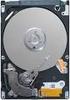 Product Manual Momentus 7200.4 SATA ST9500420AS ST9320423AS ST9250410AS ST9160412AS ST9120410AS ST980412AS ST9500420ASG ST9320423ASG ST9250410ASG ST9160412ASG ST9120410ASG ST980412ASG 100534376 Rev. C
Data Sheet FUJITSU Storage ETERNUS LT260 Tape System
 Data Sheet FUJITSU Storage ETERNUS LT260 Tape System Data Sheet FUJITSU Storage ETERNUS LT260 Tape System Easy Scalable Tape Automated Solution for up to 3.5 PB of Data ETERNUS LT TAPE STORAGE SYSTEM The
Intel Solid State Drive Toolbox
 3.3.6 Document Number: 325993-027US Intel technologies features and benefits depend on system configuration and may require enabled hardware, software or service activation. Performance varies depending
Serial ATA Flash Drive
 RoHS Compliant Serial ATA Flash Drive SAFD25M4 Product Specifications June 13 th, 2013 Version 1.5 Apacer Technology Inc. Apacer Technology Inc. 9/F, No. 100, Hsin Tai Wu Rd., Hsichih, Taipei Hsien 221,
Barracuda 7200.12 Serial ATA
 Product Manual Barracuda 7200.12 Serial ATA ST31000528AS ST3750528AS ST3500418AS ST3500410AS ST3320418AS ST3250318AS ST3160318AS 100529369 Rev. B February 2009 Revision history Revision Date Sheets affected
The quadrature signals and the index pulse are accessed through five 0.025 inch square pins located on 0.1 inch centers.
 Quick Assembly Two and Three Channel Optical Encoders Technical Data HEDM-550x/560x HEDS-550x/554x HEDS-560x/564x Features Two Channel Quadrature Output with Optional Index Pulse Quick and Easy Assembly
Intel RAID Controllers
 Intel RAID Controllers Best Practices White Paper April, 2008 Enterprise Platforms and Services Division - Marketing Revision History Date Revision Number April, 2008 1.0 Initial release. Modifications
Chrome DIN Rail Power Supply 24V 30W 1 Phase (Class II & NEC Class 2) / DRC-24V30W1AZ
 Highlights & Features Protection Class II, Double Isolation (No Earth connection is required) Universal AC input voltage without power de-rating Efficiency > 87.0% @ 115Vac & 230Vac NEC Class 2 / Limited
Three Channel Optical Incremental Encoder Modules Technical Data
 Three Channel Optical Incremental Encoder Modules Technical Data HEDS-9040 HEDS-9140 Features Two Channel Quadrature Output with Index Pulse Resolution Up to 2000 CPR Counts Per Revolution Low Cost Easy
Mobile HDDs. 1. Introduction. 2. Market trends in 2.5-inch ATA HDDs. (Manuscript received July 19, 2005) V Shigenori Yanagi
 Mobile HDDs V Shigenori Yanagi (Manuscript received July 19, 2005) Fujitsu has developed 0 GB and 160 GB capacity HDDs for notebook PCs and other mobile applications. The high capacities of these drives
RoHS APPROVAL SHEET. ituner 12V/6.6A SERIES NO. (E17) EA10953A. ( ) Edac Power Electronics (Suzhou) Co., Ltd. 59 No.59, Chang Sheng Road, Sheng Pu,
 APPROVAL SHEET CUSTOMER ituner CUSTOMER P/N DESCRIPTION EDAC MODEL 12V/6.6A SERIES NO. (E17) EA10953A DATE 2010-06-22 REVISION 0 APPROVED DESIGN PREPARE RoHS CONCLUSION APPROVED CONDITON CUSTOMER S APP
Momentus Blade Server ST94811AB
 Product Manual Momentus Blade Server ST94811AB 100339697 Rev. B August 2007 2004-2007, Seagate Technology LLC All rights reserved. Publication number: 100339697, Rev. B August 2007 Seagate, Seagate Technology
Serial ATA Flash Drive
 RoHS Recast Compliant Serial ATA Flash Drive msata M4 -M Product Specifications March 12 th, 2013 Version 1.8 Apacer Technology Inc. Apacer Technology Inc. 9/F, No. 100, Hsin Tai Wu Rd., Hsichih, Taipei
HP 80 GB, 128 GB, and 160 GB Solid State Drives for HP Business Desktop PCs Overview. HP 128 GB Solid State Drive (SSD)
 Overview Models SATA 3 GB/second Interface Drives HP 80 GB Solid State Drive (SSD) HP 160 GB Solid State Drive (SSD) SATA 6 GB/second Interface Drives HP 128 GB Solid State Drive (SSD) BM848AA BW321AA
Foxboro Evo Process Automation System
 Foxboro Evo Process Automation System Product Specifications PSS 31H-2Z32 FBM232 Field Device System Integrator Module, 10/100 Mbps Ethernet, Single The FBM232 Field Device System Integrator (FDSI) module
NI 9423. NI C Series Overview DATASHEET. 8-Channel Sinking Digital Input Module
 DATASHEET NI 9423 8-Channel Sinking Digital Input Module 8-channel, 100 µs digital input 24 V logic, sinking digital input Compatible with NI CompactDAQ counters 250 Vrms, CAT II isolation 10-position
TM7BDM8B expansion block - TM7 - IP67-8 DI/DO - 24V DC - 0.5 A - M8 connector
 Product datasheet Characteristics TM7BDM8B expansion block - TM7 - IP67-8 DI/DO - 24V DC - 0.5 A - M8 connector Main Range of product Product or component type Range compatibility Enclosure material Bus
Samsung SSD 840 PRO Series.
 , May. 2013 MZ-7PD512 MZ-7PD128 Samsung SSD. datasheet DISCLAIMER SAMSUNG ELECTRONICS RESERVES THE RIGHT TO CHANGE PRODUCTS, INFORMATION AND SPECIFICATIONS WITHOUT NOTICE. Products and specifications discussed
Intrepid 3600 Enterprise SSD
 Enterprise SSD 2.5 Solid-State Drive IT3RSK41MT3XX-xxxx The OCZ 2.5 Intrepid 3000 Series of Solid State Drives are designed specifically to address Enterprise storage and computing applications where demanding
Intrepid 3800 Enterprise SSD
 Enterprise SSD 2.5 Solid-State Drive IT3RSK41ET3XX-xxxx The OCZ 2.5 Intrepid 3000 Series of Solid State Drives are designed specifically to address Enterprise storage and computing applications where demanding
Serial ATA Flash Drive
 RoHS Recast Compliant Serial ATA Flash Drive msata M4 Product Specifications April 22 nd, 2013 Version 1.8 Apacer Technology Inc. Apacer Technology Inc. 9/F, No. 100, Hsin Tai Wu Rd., Hsichih, Taipei Hsien
Description. Dimensions. Features. www.pwb-encoders.com. precision works better
 Description The MEC22 is a high resolution optical hollow shaft encoder that can be fixed quickly and easily on different sizes of motor shafts. The encoder provides two square wave outputs in quadrature
Waveguide Access Point WGA631. Product Guide
 Waveguide Access Point Product Guide Waveguide Access Point Contents 1. Description............................ 3 2. Application............................ 3 3. Technical data... 4 4. Physical interfaces......................
Barracuda LP Series SATA
 Product Manual Barracuda LP Series SATA ST32000542AS ST31500541AS ST31000520AS 100564361 Rev. E July 2010 Revision history Revision Date Sheets affected or comments Rev. A 04/16/09 Initial release. Rev.
Analog Servo Drive 25A8
 Description Power Range NOTE: This product has been replaced by the AxCent family of servo drives. Please visit our website at www.a-m-c.com or contact us for replacement model information and retrofit
HG2 Series Product Brief
 Solid State Drives Product Brief - 1 - Rev.2 1. SCOPE T his document describes the specifications of the following model 1.1 2.5inch Case Type Product Number THNS064GG2BB THNS128GG4BB THNS256GG8BB THNS512GG8BB
Isolated AC Sine Wave Input 3B42 / 3B43 / 3B44 FEATURES APPLICATIONS PRODUCT OVERVIEW FUNCTIONAL BLOCK DIAGRAM
 Isolated AC Sine Wave Input 3B42 / 3B43 / 3B44 FEATURES AC averaging technique used to rectify, amplify, and filter 50 Hz to 400 Hz sine-wave signals. Accepts inputs of between 20 mv to 550 V rms to give
Intel X18-M/X25-M SATA Solid State Drive - 34 nm Product Line
 Intel X18-M/X25-M SATA Solid State Drive - 34 nm Product Line SSDSA1MH080G2, SSDSA2MH080G2, SSDSA1MH160G2, SSDSA2MH160G2 Product Manual Available in 1.8 and 2.5 Form Factors Capacity: 80 GB and 160 GB
Intel Solid-State Drive DC S3500 Series
 Capacity: 2.5-inch: 80/120/160/240/300/480/600/800 GB 1.8-inch: 80/240/400/800 GB Components: Intel 20nm NAND Flash Memory Multi-Level Cell (MLC) Form Factor: 2.5 inch and 1.8-inch Read and Write IOPS
PSD330. Features. Dimensions. Specifications. - Support S.M.A.R.T (Self-defined) - Support Security Command
 PSD330 Transcend PSD is a series of 2.5 PATA SSD with high performance and advanced flash control techniques. Due to smaller size (fit the standard dimensions of 2.5 IDE Hard Disk Drives), huge capacity,
io3 Enterprise Mainstream Flash Adapters Product Guide
 io3 Enterprise Mainstream Flash s Product Guide Engineered for application acceleration, the Lenovo io3 Enterprise Mainstream PCIe Flash Storage s can help deliver higher performance than typical solid-state
STRATO LED Drivers 70W, Single output
 Features STRATO switch mode driver technology is designed to generate one constant current output from a wide range AC input. The size and performance of these products make them the ideal choice for LED
CAUTION! THE 7I29 USES VOLTAGE AND POWER LEVELS THAT REPRESENT A HAZARD TO LIFE AND LIMB.
 7I29 MANUAL Rev 1.5 CAUTION! THE 7I29 USES VOLTAGE AND POWER LEVELS THAT REPRESENT A HAZARD TO LIFE AND LIMB. THE 7I29 IS INTENDED FOR USE BY OEMS THAT WILL INTEGRATE IT INTO A SYSTEM WITH INTERLOCKS AND
Installation Guide. Zip ATAPI Drive. Quick Start Information Installation Notes Technical Notes Troubleshooting Drive Specifications
 Zip ATAPI Drive Installation Guide Quick Start Information Installation Notes Technical Notes Troubleshooting Drive Specifications For Integrator/OEM Only http:www.iomega.com Table of Contents Quick Start
Advance Product Specification
 Intel Solid-State Drive 730 Series Product Specification Capacities: 240GB, 480GB Components: Intel 20nm NAND Flash Memory Multi-Level Cell (MLC) Form Factors: 2.5 inch Thickness: 7mm Weight: Up to 78
Data Sheet FUJITSU Storage ETERNUS LT20 S2 Tape System
 Data Sheet FUJITSU Storage ETERNUS LT20 S2 Tape System Data Sheet FUJITSU Storage ETERNUS LT20 S2 Tape System Economy System Ideal for Small Businesses and Branch Offices ETERNUS LT Tape Storage The affordable
Chrome DIN Rail Power Supply 12V 54W 1 Phase (Class II & NEC Class 2) / DRC-12V60W1AG
 Highlights & Features Protection Class II, Double Isolation (No Earth connection is required) Universal AC input voltage and full power up to 55 C Power will not de-rate for the entire input voltage range
Technical Specification for 5VDC/2A +12VDC/2A Adapter
 Technical Specification for 5VDC/2A +12VDC/2A Adapter Contents 1. SCOPE This specification defines the performance characteristics of a grounder,single phase, 34 Watt,2 outputs power supply.this specification
NI USB-5681 RF Power Meter Specifications
 NI USB-568 RF Power Meter Specifications General This document lists specifications for the NI USB-568 RF power meter. Minimum or maximum specifications are warranted under the following conditions: hour
IBM Flex System PCIe Expansion Node IBM Redbooks Product Guide
 IBM Flex System PCIe Expansion Node IBM Redbooks Product Guide The IBM Flex System PCIe Expansion Node provides the ability to attach additional PCI Express cards, such as High IOPS SSD adapters, fabric
STEP-PS/1AC/12DC/1.5. Extract from the online catalog. Order No.: 2868567. DIN rail power supply unit 12 V DC/1.5 A, primary switched-mode, 1- phase
 Extract from the online catalog STEP-PS/1AC/12DC/1.5 Order No.: 2868567 DIN rail power supply unit 12 V DC/1.5 A, primary switched-mode, 1- phase Commercial data EAN 4046356292924 Pack 1 pcs. Customs tariff
DS1307ZN. 64 x 8 Serial Real-Time Clock
 DS137 64 x 8 Serial Real-Time Clock www.maxim-ic.com FEATURES Real-time clock (RTC) counts seconds, minutes, hours, date of the month, month, day of the week, and year with leap-year compensation valid
Kvaser Mini PCI Express User s Guide
 Kvaser Mini PCI Express User s Guide Copyright 2013-2014 Kvaser AB, Mölndal, Sweden http://www.kvaser.com Printed Sunday 28 th September, 2014 We believe that the information contained herein was accurate
CONTROLS DATA MANAGEMENT PROCESS AUTOMATION EUROCUBE. General purpose single phase thyristors and solid state relays Product data.
 425 CONTROLS DATA MANAGEMENT PROCESS AUTOMATION EUROCUBE General purpose single phase thyristors and solid state relays Product data abc 425 EUROCUBE A complete range of low cost solid state relays and
CompactFlash Series 6
 Halogen-free & RoHS Recast Compliant CompactFlash Series 6 Specifications for Industrial CompactFlash Card January 30 th, 2013 Version 1.0 Apacer Technology Inc. 4 th Fl., 75 Hsin Tai Wu Rd., Sec.1, Xizhi,
RM4TG20 three-phase network control relay RM4-T - range 200..500 V
 Characteristics three-phase network control relay RM4-T - range 200..500 V Complementary [Us] rated supply voltage Output contacts Setting accuracy of time delay Delay at power up Measuring cycle Marking
DK32EJ-NC/NW. Product Specifications
 OEM Manual DK3EJ-NC/NW Product Specifications Read and follow all instructions and cautions for safety described in this document before using the drive. It is recommended that this manual is kept at a
P400m 2.5-Inch SATA NAND Flash SSD
 P400m 2.5-Inch SATA NAND Flash SSD MTFDDAK100MAN-1S1AA, MTFDDAK200MAN-1S1AA, MTFDDAK400MAN-1S1AA P400m 2.5-Inch NAND Flash SSD Features Features Micron 25nm MLC NAND Flash RoHS-compliant package SATA 6
Chrome DIN Rail Power Supply 24V 91.2W 1 Phase (Class II & NEC Class 2) / DRC-24V100W1AZ
 Highlights & Features Protection Class II, Double Isolation (No Earth connection is required) Universal AC input voltage without power de-rating Efficiency > 87.0% @ 115Vac, > 89.0% @ 230Vac NEC Class
Product Manual. Barracuda XT ST32000641AS ST33000651AS
 Product Manual Barracuda XT ST32000641AS ST33000651AS 100586689 Rev. D September 2010 Revision History Revision Date Description of changes Rev. A 09/15/2009 Initial release. Rev. B 11/20/2009 Updated
AXIS 291 1U Video Server Rack Installation Guide
 AXIS 291 1U Video Server Rack Installation Guide About This Document This document describes how to install Axis blade video servers in the AXIS 291 1U Video Server Rack. Updated versions of this document
JNIOR. Overview. Get Connected. Get Results. JNIOR Model 310. JNIOR Model 312. JNIOR Model 314. JNIOR Model 410
 The INTEG is an Ethernet I/O (digital, analog) device that monitors and controls a small set of process signals. functions as both basic I/O for integration with another application or system AND as a