
PAC-2700 ELECTRIC COOLING FAN CONTOLLER
|
|
|
- Erica Griffith
- 9 years ago
- Views:
Transcription
1 PAC-2700 ELECTRIC COOLING FAN CONTOLLER PAC-2700 FAN CONTROLLER IMPORTANT NOTE: The +12V for the controller should NOT be taken from the same circuit as the Power 12V as this can cause the fan to cycle on and off. SW1 Choose option below FAN HIGH FAN LOW GND +12v SENDER A/C IGNITION SW2 GAUGE CUSTOM ADJUSTMENT +12V with key ON A/C clutch cycle switch (+12v trigger) Not used in sender only application Fused battery 12V SENDER +12V High Low +12V High Low High +12V Low NOT CONNECTED PWR +12V FAN2 FAN1 PWR +12V HIGH FAN LOW PWR +12V FAN two separate fans dual speed fan single fan
2 Operation The electric cooling fan controller provides a way to run up to two electric engine cooling fans or one two speed cooling fan. (A second relay, sold separately, is required for two speed or dual fan operation). The controller monitors the engine temperature using a dedicated sender, or a gauge and its sender. When the engine temperature goes above a user adjustable set point, the fan is turned on with a relay. When the engine has cooled below a user selectable off temperature, the fan is shut off. Separate on and off temperatures can be set for the high and low fan outputs. The controller will also run the fan when the air conditioner requires, by detecting when the air conditioning clutch is engaged. The unit can be set to keep the fan running (if the engine is hot enough) after the key is turned off. Several delay times are available from no delay to five minutes. The display will countdown the seconds left before the fan is turned off. If the battery voltage drops too low, the fan will be turned off and a Lo bat message will display for the remainder of the time. Settings for several gauge systems are included to make installation with a gauge easier. The included gauges are Stewart Warner, Classic Instruments, VDO, and Autometer. If the gauge being used isn t included, a custom calibration option allows the system to be calibrated to any gauge with clear numerical temp markings. This is accomplished by setting the controller to match the marks on the gauge with a few steps described in detail in the installation instructions. IMPORTANT NOTE!!!: If using a gauge with this unit, always ensure that your gauge is working properly. If the gauge is not reading correctly, the fan control unit will not have correct temperature information and cannot be guaranteed to properly control the fan, possibly leading to overheating and engine damage. If the gauge uses a two-wire temperature sender (such as Autometer full sweep) use of a dedicated Dakota Digital sender is required. If a gauge is not used, ONLY a Dakota Digital 300ºF sender should be used. Other senders may not give a correct reading to the control unit. Custom gauge calibration requires numerical marks, stock C-NORMAL-H type gauges cannot be accurately calibrated to. Required components for installation: The PAC-2700 is shipped with necessary components for use with a single fan on a gauged system. These parts include: 1 PAC-2700 module 1 RLY-3 relay with wiring harness 1 Instruction manual For some options of the PAC-2700, additional components are required. These are listed below. - Second RLY-3 assembly (needed for dual fan or two speed fan operation) - 300ºF sender Dakota Digital temp sender (for operation without a gauge) Installation Note: Mount ONLY in vehicle cabin. Controller is not designed for engine compartment mounting. The terminal strip on this unit has 6 connections: 1. high relay Connect to the white wire on the high fan relay assembly (for single fan applications leave unconnected) 2. low relay Connect to the white wire on the low fan relay assembly 3. Ground Connect to a good chassis ground 4. Power Connect to a fused 12V battery 5. Sender Connect to the engine temperature sender wire. 6. A/C clutch Connect to the cycle switch on systems with air conditioning (+12v) (on systems without air conditioning leave unconnected) 7. Ignition Connect to a circuit which has +12V only with the ignition key ON. (switched power) Relay wiring: White Green Red Black Connect to control unit Connect to fused 12V battery circuit that can run cooling fan Connect to fused 12V battery Connect to cooling fan Factory Presets This controller comes preset to use a dedicated sender as follows: Dakota Digital Sender only (no gauge, see above for 300ºF sender options) One single speed fan 205ºF on temperature 200ºF off temperature 30 sec off delay If the factory settings don t fit your application, you will need to go through the setup procedure on the following page. At anytime during the setup procedure, the key may be turned off and the settings up to that point will be saved.
3 Set Up 1. Press and hold SW2, then turn the key on. 2. Release SW2, then press and release SW1 to move onto the next step. 3. To select temperature scale to use, press and hold SW1 to select (Fahrenheit) or press and hold SW2 for (Celsius). Hold the switch for longer than one sec to select. Once a temperature scale is selected, the display will flash and go on to next setting. 4. Display will now read indicating low fan on temperature is to be set. Use SW1 or SW2 to select the temperature at which the fan should turn on. Press both switches to save the setting. Display will flash once setting is saved. Note: SW1 increases the temperature, while SW2 decreases the temperature. 5. Display will now read indicating low fan off temperature is to be set. Again, use SW1 or SW2 to set the temperature at which the fan should turn off. Press both switches to save the setting. 6. If two fan or dual speed fan mode was previously selected, temperature settings for the high fan output are at this point in setup for convenience. If single fan mode is set up, setup will skip high temp settings and go to step 7. 6a. Display will now read indicating high fan on temperature is to be set. Use SW1 or SW2 to set the temperature at which the fan should turn on. Press both switches to save the setting. 6b. Display will now read indicating high fan off temperature is to be set. Use SW1 or SW2 to set the temperature and press both switches to save the setting. 7. Display will read Use SW1 or SW2 to cycle through the following options. Press both switches to select an option. Display Option will turn off when key is turned off. If fan was running at key off, it will continue to run for 30 seconds after key is turned off. If fan was running at key off, it will continue to run for 45 seconds after key is turned off. If fan was running at key off, it will continue to run for 1 minute after key is turned off. If fan was running at key off, it will continue to run for 2 minutes after key is turned off. If fan was running at key off, it will continue to run for 3 minutes after key is turned off. If fan was running at key off, it will continue to run for 5 minutes after key is turned off. 8. Display will read indicating fan type is to be set. Use SW1 or SW2 to select the fan type used. Press both switches to save setting. Display Option one single speed fan (only low fan output used) two single speed fans (high and low fan outputs both on for high temp, & some dual spd fans only low fan output on for low temp) one dual speed fan (high fan output on, low fan off for high temp, high fan off, low fan on for low temp) Note: If two fan or dual speed are selected and high fan temp setting was not set before, setup will return to step 6 to allow temp settings to be made. 9. Display will read signaling to select a sender type. Press SW1 to move through list forward, press SW2 to back up. Press both switches to save setting. The supported senders are listed below with the display that represents each option. Display Option No gauge, dedicated Dakota Digital sender only Dakota Digital individual temp gauge with sender Dakota Digital instrument cluster with control box (ver. STR-D or later, older versions use CUS) Stewart Warner gauge and sender Classic gauge and sender VDO gauge and sender Autometer gauge and sender Custom calibrated gauge Custom calibration (for gauge sets not listed above) 10. If your gauge is not supported in one of the options above, you will need to custom calibrate the controller for your gauge. (if CUS is selected and calibration has not been done, the calibration sequence will automatically be started). The following is the procedure for custom calibration. If your gauge system is listed above, skip this portion and continue at step 11.
4 Custom Calibration Note 1: If your engine is warm you may need to disconnect the wire from your sender in order get to the lower points on the gauge. Note 2: If the key is turned off in custom setup, the previous gauge setting will be used and the custom gauge will not be saved. Note 3: If your gauge does not have defined ticks with numerical temp readings, it is highly recommended to use a dedicated sender as calibration to the gauge is very inaccurate or impossible without temp markings. CC1. Select in Step 9 above. Display will read. CC2. Turn the potentiometer on the lower right corner of the unit (marked CUSTOM ADJUSTMENT) with a small flat screw driver. While doing so, watch your temp gauge and line up the needle with the lowest temperature tick on the gauge. Custom gauge must be calibrated starting at cold temperatures and moving to hot temperatures. Note: Turning potentiometer clockwise increases temperature reading. CC3. Once the gauge is set to a tick, press SW1 or SW2. A temperature reading will appear on the display. Scroll to the temp reading that matches the tick temperature reading on the gauge using SW1 to increase and SW2 to decrease. Press both buttons to save the number. Display will again read. CC4. Repeat steps CC2 and CC3 with the next lowest tick on gauge until all the ticks on your gauge have been set. (up to 6 but no less than 4 points). Press both SW1 and SW2 at to stop setting points if there are less than 6 points on your gauge. If there are more than 6 points on your gauge, select points over the full range of the gauge (cold to hot). This will give a better match to your gauge. 11. Unit will flash to indicate set up is complete. The unit now has been set up. If the wiring and setup have been properly completed the unit should begin normal operation at this point. Resetting Factory presets This procedure will return the device to the original factory presets and clear custom calibration settings. NOTE: Calibration data for the custom gauge setup will be lost when reset to factory presets. 1. Turn key off. 2. Press and hold SW1 and SW2 and turn key on. 3. Display will read for reset 4. Display will flash to indicate unit is reset. Factory reset values are listed at the beginning of the setup portion of this manual. Checking set up (diagnostic mode) This unit comes with a feature to allow you to mimic normal operating temperatures using the adjustment pot. This can allow you to test the installation before ever starting the engine. Just follow these steps. 1. Turn the key on. 2. Press SW1 and SW2 at the same time and hold. A number representing the temperature will come up on the display. This number will blink once to indicate that the unit has entered diagnostic mode. SW1 and SW2 may now be released and the unit will remain in diagnostic mode until the key is turned off. 3. Adjust the potentiometer on the left side of the unit while watching the display and listening for the fan. The fan should start when the display reads hotter than the set ON temp. It should again shut off when the display reads lower than the OFF temp. 4. You may also look at your water temperature gauge (if unit is using a gauge) and compare the temperature reading of the unit to the gauge. The temperatures should be within a few degrees. If not, the wrong gauge may be selected in the setup routine. Go through setup again by turning off the ignition, pressing and holding SW2 and turning ignition back on. If a selection cannot be found that closely matches your gauge you may have to custom calibrate to your gauge. (see step 10 in setup) Checking the current reading The current temperature reading can be displayed on the unit at anytime during normal operation without going into the diagnostic mode. Simply press and hold SW1 while the key is on and the PAC-2700 is not in setup or diagnostic mode. The current temperature will be shown on the display until the SW1 is released.
5 TROUBLESHOOTING PROBLEM CAUSE SOLUTION Display reads Er0 Setup memory lost, unit needs to be Go through setup procedure, (see setup in this manual) (lost memory) recalibrated Display reads Er1 (shorted sender) Wrong gauge selected Select proper gauge in setup or use custom cal if needed Display reads Er2 (open sender) Gauge disconnected from sender (gauge option only) Sender is shorted Unit not connected to sender Wrong gauge selected Sender not connected Reconnect gauge to sender Check sender wire for short to ground, look for pinched sender wire or bare connection touching ground Connect SENDER terminal on unit to sender circuit Use setup to select proper gauge, or use custom cal if needed Reconnect wire to sender Unit not connected to sender Connect SENDER terminal on unit to sender circuit Display reads Er3 Setup data is out of valid range Go through setup again, custom cal may be incorrect Display reads bat +12v terminal does not have Connect +12v terminal to fused battery connection. This when attempting to go constant power terminal should have constant power at all times. into setup Display alternates between Lo and bat turns on late, or not at all Battery voltage dropped too low during key off extended fan on time Unit has no power Ensure battery is fully charged. Check and replace weak battery. Shorten fan delay time to prevent excessive battery drain. With key on, hold SW1, if the display doesn t show a temperature after a few seconds, check battery and ground connections. runs constantly Broken/shorted wire to sender Wrong gauge is selected (gauge setup) Wrong sender used (for no gauge setup) On temperature in setup is too high not connected properly Alternator overcharging (Analog gauge applications only) Controller has an error off temp too low Broken/shorted wire to sender Wrong gauge is selected Check wire to sender for breaks or shorts and repair. Hold SW1, if temperature read is lower than expected or doesn t match gauge, redo setup. For sender only applications ONLY a Dakota Digital 300ºF sender can be used. Other senders may not give a correct temperature reading. Hold SW1, if temperature read is above the desired on temperature, and fan is not running, redo setup. Remove fan output from unit and short wire to ground. If fan does not run, check relay and fan connections. Use a voltmeter to measure the voltage at the battery while the engine is running. If this voltage is above 15v the unit may turn the fan on later than expected. Either correct overcharging problem or set on temp lower to compensate. Check display for error message Increase off temp in setup Check wire to sender for breaks or shorts and repair. Select appropriate gauge in setup, or custom calibrate if your gauge is not supported.
6 TROUBLESHOOTING (continued) PROBLEM CAUSE SOLUTION Custom gauge setup displays Err and returns to Snd setup option Not enough points used Points not input in correct order Make sure that at least 4 points of gauge are set Set gauge points in order from cold points to hot points Point entered twice Each point set must be different that the point before it s cycle on-off especially when engine temp is close to On/off set point +12v for controller taken from same circuit as the fan power +12V (green wire on relays) Connect the +12V for the controller to a different circuit separate from the circuit connected to fan relays. PAC-2700 specifications SETTINGS Minimum On Temp 150 F (65 C) Maximum On Temp 250 F (121 C) SUPPLY Voltage Input (+12) Range Key Off Current (+12) Key On Current (+12) 6.3 to 22 V < A < A INPUTS Off voltage On voltage Ignition < 3 V > 7 V A/C Clutch < 1.6V > 4 V OUTPUTS (to turn on relay) Low, High (maximum) 0.5 A Included relay specifications Typical Coil Current A Relay Contacts Max Current 70 A (14VDC) SERVICE AND REPAIR DAKOTA DIGITAL offers complete service and repair of its product line. In addition, technical consultation is available to help you work through any questions or problems you may be having installing one of our products. Please read through the Troubleshooting Guide. There, you will find the solution to most problems. Should you ever need to send the unit back for repairs, please call our technical support line, (605) , to request a Return Merchandise Authorization number. Package the product in a good quality box along with plenty of packing material. Ship the product by UPS or insured Parcel Post. Be sure to include the RMA number on the package, and include a complete description of the problem with RMA number, your full name and address (street address preferred), and a telephone number where you can be reached during the day. Any returns for warranty work must include a copy of the dated sales receipt from your place of purchase. Send no money. We will bill you after repair. Dakota Digital 24 Month Warranty DAKOTA DIGITAL warrants to the ORIGINAL PURCHASER of this product that should it, under normal use and condition, be proven defective in material or workmanship within 24 MONTHS FROM THE DATE OF PURCHASE, such defect(s) will be repaired or replaced at Dakota Digital s option. This warranty does not cover nor extend to damage to the vehicle s systems, and does not cover removal or reinstallation of the product. This Warranty does not apply to any product or part thereof which in the opinion of the Company has been damaged through alteration, improper installation, mishandling, misuse, neglect, or accident. This Warranty is in lieu of all other expressed warranties or liabilities. Any implied warranties, including any implied warranty of merchantability, shall be limited to the duration of this written warranty. Any action for breach of any warranty hereunder, including any implied warranty of merchantability, must be brought within a period of 24 months from date of original purchase. No person or representative is authorized to assume, for Dakota Digital, any liability other than expressed herein in connection with the sale of this product.
GENERATOR START CONTROL MODULE - MINI (2 Wire to 3 Wire)
 FEATURES & APPLICATIONS Inexpensive 2 wire to 3 wire start controller for electric start high speed gas generators. Optimized for use with Outback Invertors. Supports three types of 3 wire generator control
Owner s Manual 900.4. 4 channel amplifier
 Owner s Manual 900.4 4 channel amplifier THANK YOU Limited Warranty: for purchasing RE AUDIO Bluetooth amplifiers BT-900.4. With almost no sacrifice on sound quality, BT-900.4 easily plays the music from
INSTALLER S & OWNER S MANUAL
 INSTALLER S & OWNER S MANUAL HVAC INSTALLER: PLEASE LEAVE MANUAL FOR HOMEOWNER DEH 3000 DEH 3000 Part No. 4028539 Dehumidifier & Ventilation System Controller P.O. Box 8680 Madison, WI 53708 TOLL-FREE
CMD-8000 rev. A COMMANDER SERIES REMOTE CONTROL ENTRY SYSTEM
 INTRODUCTION CMD-8000 rev. A COMMANDER SERIES REMOTE CONTROL ENTRY SYSTEM Thank you for purchasing the CMD-8000 Commander from Dakota Digital. This, along with many other products that Dakota Digital has
FAN-PWM-V3. Instructions
 FAN-PWM-V3 Instructions HOLDER AMP BOOKLET YELLOW RING CONNECTORS (2) INSTRUCTION INSTRUCTION BOOKLETBOOKLET ITEMS INCLUDED IN KIT INSTRUCTION ITEMS INCLUDED IN KIT ITEMS INCLUDED IN KIT INSTRUCTION BOOKLET
Installation Instructions
 520 Installation Instructions Thank you very much for purchasing PIAA product. Please read this entire manual before installation and use of this product. For Installers Please give this Installation Manual
Now Available With. Technical Support. Temperature Monitor & Alert Unit For K9 Police Vehicles M852-15 and M852-20 with Alpha
 Now Available With Temperature Monitor & Alert Unit For K9 Police Vehicles M2-15 and M2-20 with Alpha Alpha Check will remind you to check the safety of your K9 partner. CoolGuard Temp Probe Technical
CMD-10k COMMANDER SERIES REMOTE CONTROL ENTRY SYSTEM
 CMD-10k COMMANDER SERIES REMOTE CONTROL ENTRY SYSTEM INTRODUCTION Thank you for purchasing the CMD-10k Commander from Dakota Digital. This, along with many other products that Dakota Digital has to offer,
CMD-9000 COMMANDER SERIES REMOTE CONTROL ENTRY SYSTEM
 CMD-9000 COMMANDER SERIES REMOTE CONTROL ENTRY SYSTEM INTRODUCTION Thank you for purchasing the CMD-9000 Commander from Dakota Digital. This, along with many other products that Dakota Digital has to offer,
AMS-1000 Multi-Channel Air Management System for Boost Control
 AMS-000 Multi-Channel Air Management System for Boost Control The terminal pin descriptions may also be viewed on screen. See Page 4 of manual for details. Clutch Input Shift Input Scramble Boost Input
AGS. Owner's Manual. Xantrex Automatic Generator Start Control System
 AGS Owner's Manual Xantrex Automatic Generator Start Control System TABLE OF CONTENTS INTRODUCTION...3 Main Features...3 Safety Summary...3 THINGS YOU SHOULD KNOW...4 THEORY OF OPERATION...5 System...5
User Manual THR840DUK Digital Thermostat
 User Manual THR840DUK Digital Thermostat 50051982-001 Rev. A WARNING: This product must be correctly installed and configured to work properly (see pages 12-24). If you are not experienced in wiring electrical
Single Station Remote Alarm
 ADI 5106G Certified ISO 9001:2000 Single Station Remote Alarm 529 5106-01-120 529 5106-01-220 INSTALLATION AND OPERATING INSTRUCTIONS Carefully Read These Instructions Before Operating Controls Corporation
INSTALLATION & SERVICE MANUAL. Display Panel
 INSTALLATION & SERVICE MANUAL Display Panel The PowerLine EMS TM is a specialized power distribution and energy management system intended to be used in recreational vehicles. The Control Module is housed
AEROMOTIVE Part # 16302 INSTALLATION INSTRUCTIONS
 AEROMOTIVE Part # 16302 INSTALLATION INSTRUCTIONS CAUTION: Installation of this product requires detailed knowledge of automotive systems and repair procedures. We recommend that this installation be carried
HPC Radiator Fan Control Module with Sensor PN: 102001
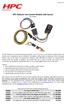 Revised 25.07.15 www.hpcontrols.ca HPC Radiator Fan Control odule with Sensor PN: 102001 The HPC Radiator Fan Controller provides automatic control over one or more electric radiator fan(s). The module
Model SRMD Setra Remote Monitoring Display
 Model SRMD Setra Remote Monitoring Display 1.0 GENERAL INFORMATION Thank you for purchasing the Setra Remote Monitoring Display (SRMD). The SRMD is a digital panel meter with a bright 1 LED display for
Automatic taper of charge rate for superior battery life through good equalization of cells and low water use rate.
 *00151* FEATURES Automatic taper of charge rate for superior battery life through good equalization of cells and low water use rate. Silicon diodes with inherent surge protection operated at a conservative
TERMINOLOGY USED IN THIS MANUAL:
 designed and built in the u.s.a. HAWG WIRED HUA360 HARLEY UNIVERSAL ADAPTER KIT CONTENTS KIT ITEMS INCLUDED (BY QUANTITY): HUA360 HARLEY UNIVERSAL ADAPTER 1 24 STEERING WHEEL CONTROL JACK 1 TERMINAL BLOCK
User's Guide. Integrating Sound Level Datalogger. Model 407780. Introduction
 User's Guide 99 Washington Street Melrose, MA 02176 Phone 781-665-1400 Toll Free 1-800-517-8431 Visit us at www.testequipmentdepot.com Back to the Extech 407780 Product Page Integrating Sound Level Datalogger
i ChatterBox! Motorcycle Security
 i Before you Start the Installation * Please read this manual to become familiar with the requirements necessary to complete the installation. * Use a high quality multi-meter to test all wires before
LCD5500Z / PKP-LCD v3.x Installation Instructions
 LCD5500Z / PKP-LCD v3.x Installation Instructions TM Introduction The LCD5500Z / PKP-LCD keypad displays system status using an LCD screen. The keypad can be used on PowerSeries security systems with up
Advantium 2 Plus Alarm
 ADI 9510-B Advantium 2 Plus Alarm INSTALLATION AND OPERATING INSTRUCTIONS Carefully Read These Instructions Before Operating Carefully Read These Controls Corporation of America 1501 Harpers Road Virginia
Installation and Operation Guide for PD4000 Series Power Control Center
 Extended warranties are available for purchase at www.progressivedyn.com Installation and Operation Guide for PD4000 Series Power Control Center Member Thank you for selecting Progressive Dynamics as your
Installation and Operation Guide for PD5100 Automatic Transfer Switch
 Installation and Operation Guide for PD5100 Automatic Transfer Switch Member P r o gr e ssive Dynamics, Inc. 507 Industrial Rd Marshall, MI 49068 www.progressivedyn.com 2012 Progressive Dynamics, Inc.
2GB MP3 Player USER GUIDE
 DO NOT FORMAT UNIT under FAT. 2GB MP3 Player USER GUIDE Jazwares, Inc. 2010 CONTENTS Please read the instructions along with the MP3 Player carefully before you use it, so that you can operate it conveniently.
1 For All Non-Programmable Digital Thermostat
 OWNER'S MANUAL P/N P474-0100 1 For All Non-Programmable Digital Thermostat TOTALINE 68 Dual Setpoint Very easy to program Thermoglow Backlight No batteries required Auto-Changeover Locking Keypad Meets
Installation and Operation Guide for PD4100 Series Power Control Centers
 Installation and Operation Guide for PD4100 Series Power Control Centers Extended warranties are available for purchase at www.progressivedyn.com Member Thank you for selecting Progressive Dynamics as
1955-1956 Chevy Bel-Era
 Classic Instruments 1955-1956 Chevy Bel-Era Installation Manual Revised January 2, 2014 Page 1 Table of Contents Table of Contents 2 Welcome to the Team of Classic Instruments! 3 55-56 Chevy Part Identification
DCX300 - DCX400 - DCX600
 Ph: 541-476-3565 Fax: 541-476-3566 DCX300 - DCX400 - DCX SEPARATELY EXCITED DC MOTOR CONROLLERS Alltrax motor controllers are designed to work with various golf cars from different manufacturers. Use the
MTX-D Ethanol Content and Fuel Temperature Gauge User Manual
 MTX-D Ethanol Content and Fuel Temperature Gauge User Manual P/N 3912 kit does not include flex fuel sensor. The ECF-1 is compatible with GM P/Ns 13577429 and 13577379 1. Installation... 2 1.1 Gauge Mounting...
Alarm Clock USER GUIDE
 Alarm Clock USER GUIDE Jazwares, Inc. 2010 1 CONTENTS Please read the instructions along with the alarm clock carefully before you use it, so that you can operate it conveniently. WELCOME, Safety Tips
Wireless Indoor/ Outdoor Thermometer
 Wireless Indoor/ Outdoor Thermometer Owner s Manual Please read before using this equipment. ˆ Contents FCC Information... 3 FCC Declaration of Conformity... 5 Preparation... 5 Installing Batteries...
LiteAide OWNER'S MANUAL PREASSEMBLED AUTOMATIC SECURITY FLOODLIGHTS MOTION SENSOR SECURITY LIGHTING SYSTEMS
 OWNER'S MANUAL PREASSEMBLED AUTOMATIC SECURITY FLOODLIGHTS MOTION SENSOR SECURITY LIGHTING SYSTEMS LiteAide HE-100B HE-100BW HE-112 HE-112W HE-117 HE-117W HE-117-2B OWNER'S MANUAL FLOOD LAMPS (BULBS) Your
Digital echo-charge. Owner s Manual. Xantrex Digital echo-charge Battery Charger
 Digital echo-charge Owner s Manual Xantrex Digital echo-charge Battery Charger Thank you for purchasing a Xantrex Digital echo-charge. Xantrex Technology Inc. takes pride in manufacturing quality products
CHAPTER 1. GETTING STARTED... 1
 REV. 01-2014 TABLE OF CONTENTS LIMITATION OF LIABILITY CHAPTER 1. GETTING STARTED... 1 1.1 Introduction... 1 1.2 System Descriptions... 1 1.3 System Applications... 1 1.4 System Specifications... 1 1.5
AutoGlow Installation and User s Manual. Installation and User s Manual. OSA AutoGlow. Figure 1. AutoGlow Introduction
 AutoGlow TM Installation and User s Manual Automatic Mode Velocity Sensing EEPROM OSA AutoGlow Thank you for purchasing the AutoGlow automatic glow plug control system. AutoGlow allows the model aviation
INSTALLATION INSTRUCTIONS BOOST CONTROLLER. Pro Control Input (Optional) Tach. Signal. Speed. Gray. Signal. Green Blue. Orange.
 2650-1706-00 INSTALLATION INSTRUCTIONS BOOST CONTROLLER WARNING! The installation of the Auto Meter Boost Controller is recommended only for experienced technicians. This product may damage your engine
PUSH BUTTON START INSTALLATION MANUAL
 PUSH BUTTON START INSTALLATION MANUAL ALTHOUGH THIS PRODUCT HAS BEEN THOROUGHLY TESTED KPIERSON TECHNOLOGIES ASSUMES NO RESPONSIBILITY FOR ANY DAMAGE THAT MAY RESULT BY THE INSTALLATION OF THIS PRODUCT.
RI-215A Operator s Manual. Part Number: 71-0045RK Revision 0 Released: 10/3/05
 RI-215A Operator s Manual Part Number: 71-0045RK Revision 0 Released: 10/3/05 Warranty RKI Instruments, Inc., warrants gas alarm equipment sold by us to be free from defects in materials and workmanship,
543-0032-00, 943-0032-00. User s Manual
 543-0032-00, 943-0032-00 User s Manual 1 Comfort Alert Diagnostics Faster Service And Improved Accuracy The Comfort Alert diagnostics module is a breakthrough innovation for troubleshooting heat pump and
Automatic Phone-Out Home Monitoring Systems
 Automatic Phone-Out Home Monitoring Systems Power Outage and Freeze Alarm Model Number: THP202 Power Outage, Freeze and Flood Alarm Product Description Model Number: THP201 These monitoring systems are
Reference Guide and Step-by-Step Installation Manual. Table of Contents
 Part #674 Revision Date: 6.7.07 Reference Guide and Step-by-Step Installation Manual Some adjustable features listed on the following pages are NOT applicable for all applications. The year, make, and
ecomax Instructions for use Wall hung room sealed fan assisted condensing boilers For the user
 For the user Instructions for use ecomax Wall hung room sealed fan assisted condensing boilers ecomax 63/ E ecomax 68/ E ecomax 6/ E ecomax 635 E ecomax 84/ E ecomax 88/ E ecomax 835 E GB Table of contents
ILISC515-A Shift Interlock (Manual Lift Door) 2015 Ford Transit, 3.7L and 3.5L
 An ISO 9001:2008 Registered Company ILISC515-A Shift Interlock (Manual Lift Door) 2015 Ford Transit, 3.7L and 3.5L Introduction The ILISC515-A is a microprocessor driven system for controlling wheelchair
CA-125 Owner's Manual
 Remote Vehicle Control System CA-125 Owner's Manual Vehicle Security System With Remote Keyless Entry IMPORTANT NOTE: The operation of the Security and Convenience System as described in this manual is
INSTALLATION & OPERATION MANUAL
 INSTALLATION & OPERATION MANUAL HB6PAKX & HB6PAKXX HIDE-A-BLAST STANDARD HIDE A BLAST UNIT HB6PAK-PI-X NGPI TWIST LOCK HIDE-A-BLAST LED WARNING LIGHT NGPI TWIST LOCK HIDE A BLAST UNIT IMPORTANT: 6 LED
G-100/200 Operation & Installation
 G-100/200 Operation & Installation 2 Contents 7 Installation 15 Getting Started 16 GPS Mode Setup 18 Wheel Sensor Mode Setup 20 Fuel Calibration 23 Basic Operation 24 Telemetery Screen 27 Entering a Distance
Air conditioning, electrical testing
 just a test. Air conditioning, electrical testing 01-253 Wire and component test using VAG1598 A test box Special tools and equipment VAG 1598 A test box and VAG 1598/11 adapter cable and VAG 1598/12 VAG1526
Load Cell Amplifier Module. Instruction Manual LCA210-000
 Load Cell Amplifier Module Instruction Manual LCA210-000 Table of Contents 1. General Description...3 2. Specifications...3 2.1 Electrical...3 2.2 Physical...4 3. Installation...4 3.1 Wiring Guidelines...4
Stop Alert Flasher with G-Force sensor
 Stop Alert Flasher with G-Force sensor Stop Alert module creates brake light flashing effect to catch attention of the drivers behind to avoid dangerous rear end collision. The flasher module is a state
6. Diagnostics for A/C System Malfunction
 6. A: A/C OR SELF-DIAGNOSIS SYSTEMS DO NOT OPERATE TROUBLE SYMPTOM: Set temperature is not indicated on the display, switch LEDs are faulty or switches do not operate. Self-diagnosis system does not operate.
TC-9102 Series Surface Mount Temperature Controllers
 TC-9102 Series Surface Mount Temperature Controllers General Description & Applications The TC-9102 Series Temperature Controller offers a versatile solution for a wide variety of applications that may
UNIVERSAL LUMBAR INSTALLATION INSTRUCTIONS
 UNIVERSAL LUMBAR INSTALLATION INSTRUCTIONS CONTENTS Parts List... 2 Parts Diagram... 2 Helpful Hints... 3 Installation... 4 Operation and Troubleshooting Guide... 6 Warranty Information... 8 Form #3132,
User s Manual Before using the inverter, you need to read and save the safety instructions.
 User s Manual Before using the inverter, you need to read and save the safety instructions. STI SERIES (STI200, STI300, STI500, STI700, STI1000) Power Frequency Pure Sine Wave Inverter The information
SERVICE MANUAL FOR 6535 SERIES TWO TON HIGH EFFICIENCY PACKAGED HEAT PUMPS
 SERVICE MANUAL FOR 6535 SERIES TWO TON HIGH EFFICIENCY PACKAGED HEAT PUMPS TABLE OF CONTENTS 1. Warnings...2 2. Accessibility Of Appliance...3 3. Unit Dimensions And Specifications...3 4. Unit Specifications
SERVICE MANUAL FOR 12 VDC WALL THERMOSTAT AIR CONDITIONING SYSTEMS ROOF TOP UNITS ONLY
 RV Products Division SERVICE MANUAL FOR 12 VDC WALL THERMOSTAT AIR CONDITIONING SYSTEMS ROOF TOP UNITS ONLY Airxcel, Inc. RV Products Division P.O. Box 4020 Wichita, KS 67204 1976A376 (1-11) TABLE OF CONTENTS
USER MANUAL WARNING! CONTENTS MODEL 1 SPECIFICATIONS READ ALL INSTRUCTIONS BEFORE PROCEEDING. Non-Programmable Single Stage Heat/Cool Thermostat
 Builder MODEL 1010 Series Non-Programmable Single Stage Heat/Cool Thermostat USER MANUAL Compatible with low voltage single stage gas, oil or electric heating or cooling systems, including single stage
SR-i900 Series. www.scorpioalarms.com [email protected]. Phone (480)951-1109
 www.scorpioalarms.com [email protected] SR-i900 Series Phone (480)951-1109 Aritronix Ltd 16055 N. Dial Blvd. Suite B-10 Scottsdale, AZ 85260 V9.3 Important Information Save this information for future
*.ppt 11/2/2009 12:48 PM 1
 Digital Compressor Controller *.ppt 11/2/2009 12:48 PM 1 Copeland Scroll Digital Controller Simple Controller That Enables OEM s To Use Digital Scrolls Relieves OEM From Developing Special Controllers
Manual for Fire Suppression & Methane Detection System
 Manual for Fire Suppression & Methane Detection System Fogmaker North America Post address: 150 Gordon Dr Exton, PA 19341 Delivery address: 150 Gordon Dr Exton, PA 19341 Tel: 610-265-3610 Fax: 610-265-8327
Installation/Operator Manual For use with WFCO ULTRA III Power Center Model WF-8712P and WF-8725P
 Installation/Operator Manual For use with WFCO ULTRA III Power Center Model WF-8712P and WF-8725P Distributed in the U.S.A. and Canada by CHENG USA, INC. Sales (574) 294-8997 Warranty Service (877) 294-8997
Owner s Guide. ca6554
 PROFESSIONAL SERIES Owner s Guide For Models: ca6554 Deluxe Vehicle Security and Remote Start System with 2 Way Confirming LCD Remote Control IMPORTANT NOTE: The operation of the Security and Convenience
PL-1, Pocket Logger 11-0135B
 PL-1, Pocket Logger 1 PL-1... 2 2 Wiring... 3 2.1.1 Single Innovate Device Relay Wiring Instructions... 3 3 Mounting... 4 4 Connecting the PL-1 to the MTS serial chain... 4 5 Recording... 5 6 LogWorks...
ELECTRIC FENCE ENERGISER
 GROUP OF COMPANIES MERLIN 4 Electric Fence Energizer USER MANUAL ELECTRIC FENCE ENERGISER E-MER4 USER MANUAL Table of Contents INTRODUCTION.. 3 COMPANY PROFILE 3 GUARANTEE 4 USING YOUR KEYPAD 5-8 WHAT
Universal Wireless Effects Controller USER S GUIDE SA115
 Universal Wireless Effects Controller USER S GUIDE SA115 Welcome Thank you for purchasing this Hot Hand 3 Universal Wireless Effects Controller. We hope that the new functionality of the Hot Hand 3 unit
AN500T, AN1000, AN1000T, AN1500, AN1500T AN2000, AN2000T
 Product Instruction Manual Accona AN500T, AN1000, AN1000T, AN1500, AN1500T AN2000, AN2000T Panel heater v16.5/5 Version 3.2 Jan 2015 Contents 1. Important safety points 2. Installation 2.1. Wall mounting
LESTRONIC DV AUTOMATIC 12 OR 24 VOLT DUAL OUTPUT DUAL MODE BATTERY CHARGER MODEL 16350 TYPE 12/24EL40-10ET
 LESTRONIC DV AUTOMATIC 12 OR 2 VOLT DUAL OUTPUT DUAL MODE BATTERY CHARGER MODEL 16350 TYPE 12/2EL0-10ET PLEASE SAVE THESE IMPORTANT SAFETY AND OPERATING INSTRUCTIONS For correct operation of the equipment,
Indoor/Outdoor Color Camera with Built-in 2.4 GHz Wireless Transmitter, plus X10 controlled power supply, and Video Receiver.
 Indoor/Outdoor Color Camera with Built-in 2.4 GHz Wireless Transmitter, plus X10 controlled power supply, and Video Receiver. OWNER'S MANUAL VR36A XC18A XM13A MODEL VK69A (INCLUDES XC18A CAMERA, XM13A
INSTRUCTION MANUAL DTH31. 1-800-547-5740 Fax: (503) 643-6322 www.ueitest.com email: [email protected]
 INSTRUCTION MANUAL DTH31 Digital Psychrometer 1-800-547-5740 Fax: (503) 643-6322 www.ueitest.com email: [email protected] Introduction The DTH31 Digital Psychrometer is an advanced handheld humidity and
6 & 12 Volt Battery and Systems Tester with 100 Amp Load
 6 & 12 Volt Battery and Systems Tester with 100 Amp Load Form No. 841-731 -000 DESCRIPTION This Load Tester tests 6 or 12 volt automotive-size lead-acid batteries under load. It will also test 6 or 12
Air Conditioning Systems Warranty Manual. Version 1.8
 Air Conditioning Systems Warranty Manual Version 1.8 1/2015 Air Conditioning System Warranty Contents Purpose 4 External Distribution... 4 Policies 5 Warranty Policy Overview... 5 Warranty Period... 5
MP3-Digital Audio Player. MP55BK User Manual
 MP3-Digital Audio Player MP55BK User Manual Features: Supports multiple music formats such as: MP1, MP2, MP3, & WMA USB Flash disk function (no driver needed) High-Speed USB 2.0 Data Transmission I. The
AUTO CHARGE 3 STEP AUTOMATIC BATTERY CHARGER
 FILE: IM_091-120-12E-20 Rev A., 05-06-08 INSTRUCTION MANUAL AUTO CHARGE 3 STEP AUTOMATIC BATTERY CHARGER R MODEL #091-120-12E-20 for ODYSSEY AGM BATTERIES CAUTION This charger is calibrated to the ODYSSEY
2010-13 Field Commander Wiring Manual
 2010-13 Field Commander Wiring Manual Section 1 Pages 2-4 BASIC / ENHANCED SERVICE: Pivot wiring NOT using start, theft monitoring, or direction control Section 2 Pages 5-9 PRO SERVICE: Pivot wiring using
ITC-BTTN Cellular Bluetooth Gateway. Owner s Manual 1
 ITC-BTTN Cellular Bluetooth Gateway Owner s Manual 1 2 Table of Contents Introduction...3 Package Contents...3 XLink Connections Diagram...4 Setup...5 Pairing your Bluetooth Cell Phone to the XLink...6
Operational Overview and Controls Guide. Two or Three Pump IronHeart Lite with Variable Frequency Drives
 DOCUMENT: ECSEQ6-0 EFFECTIVE: 09/23/10 SUPERSEDES: Operational Overview and Controls Guide Two or Three Pump IronHeart Lite with Variable Frequency Drives 6700 Best Friend Road. Norcross, GA 30071. (770)
MTX-D, Oil Temperature/Pressure Gauge
 MTX-D, Oil Temperature/Pressure Gauge 1 Mounting and Sensor Installation... 3 1.1 Mounting the Gauge... 3 1.2 Oil Temp Sensor... 3 1.3 Oil Pressure Sensor... 3 2 Wiring... 3 2.1 Main Gauge Wiring... 4
Thermistor Thermometer MODEL NO. 93210-00
 Thermistor Thermometer MODEL NO. 93210-00 Cole-Parmer Instrument Co. 625 East Bunker Court Vernon Hills, Illinois U.S.A. 60061-1844 (847) 549-7600 (847) 247-2929 (Fax) 800-323-4340 www.coleparmer.com e-mail:
Installation and Operation Guide PD4600 Series Converter Replacement
 Installation and Operation Guide PD4600 Series Converter Replacement Extended warranties are available for purchase at www.progressivedyn.com Member Thank you for selecting Progressive Dynamics as your
STEALTH I DC MANUAL TECH SUPPORT 1-888-588-4506.WEB www.stealth1charging.com BLACK UNIT IS 24/36 ONLY
 STEALTH I DC MANUAL TECH SUPPORT 1-888-588-4506.WEB www.stealth1charging.com BLACK UNIT IS 24/36 ONLY PLEASE READ AND UNDERSTAND YOUR NEW PRODUCT IMPORTANT MESSAGE: Before installing your newly purchased
12-Volt Negative Ground Installation Instructions
 12-Volt Negative Ground Installation Instructions For Part Number: 1141, 1164, 1165, 1181 CAUTION!!! Before installing, please read the following important information... 1. The Ignitor is designed for
Battery Tester. GxT Incorporated, Cheboygan MI, U.S.A. All Rights Reserved E040-01G. 40 & 42HD Operator s Manual
 Battery Tester GxT Incorporated, Cheboygan MI, U.S.A. All Rights Reserved E040-01G 40 & 42HD Operator s Manual SPECIFICATIONS Measurement Range...Ferret 40... Ferret 42HD Battery Volts... 4.0 to 19.99...
Signature and ISX CM870 Electronics
 Signature and ISX CM870 Electronics Cummins West Training Center System Description General Information The Signature and ISX CM870 engine control system is an electronically operated fuel control system
WARRANTY AND DISCLAIMER
 2036 Fillmore Street Davenport, Ia. 52804 563-324-1046 www.racedigitaldelay.com MEGA 350/450 WARRANTY AND DISCLAIMER DIGITAL DELAY INC. WARRANTS THE PRODUCTS IT MANUFACTURES AGAINST DEFECTS IN MATERIALS
Back-UPS Pro 1300/1500 Installation and Operation
 Back-UPS Pro 1300/1500 Installation and Operation Inventory Safety Do not install the Back-UPS in direct sunlight, in excessive heat, humidity, or in contact with fluids. Connect the battery bu059a bu058a
EVANS ELECTRONIC TEMPERATURE CONTROL TROUBLESHOOTING GUIDE for systems equipped with electric coolant valve and external PC board.
 EVANS ELECTRONIC TEMPERATURE CONTROL TROUBLESHOOTING GUIDE for systems equipped with electric coolant valve and external PC board. This Troubleshooting Guide covers the electric coolant valve and control
MP-4000 Alarm List (Software version 2.4.3 or later)
 Service Bulletin SUBJECT: MP4000 Alarm s BULLETIN: C 100 DATE: June 19, 2013 ALARM LIST Where it is possible the alarm number is kept the same as for MP-3000. MP-3000 holds alarm number from 0 to 127.
User Manual HomeGrid 3000 Solar Generator
 User Manual HomeGrid 3000 Solar Generator For more information and instruction videos visit: www.pointzeroenergy.com/learn/videos/ HomeGrid 3000 Solar Generator Congratulations on purchasing Point Zero
ELECTRONIC THERMOSTAT AND THERMOMETER With SPEED CONTROL
 148 OLD CONCORD TURNPIKE, BARRINGTON NH 03825 USA TEL (603) 868-5720 FAX (603) 868-1040 1-800-435-6708 E-Mail:[email protected] www.seafrost.com ELECTRONIC THERMOSTAT AND THERMOMETER With SPEED CONTROL
AVS A4 alarm Owner s manual
 AVS A4 alarm Owner s manual Thank you for choosing an AVS A4 car security system. It has been designed to provide a superior level of security for you and your vehicle. Please read this guide carefully
Name of Equipment Silver King Model SKMCD1P/C1. This equipment chapter is to be inserted in the appropriate section of the Equipment Manual.
 Name of Equipment Silver King Model SKMCD1P/C1 This equipment chapter is to be inserted in the appropriate section of the Equipment Manual. Manufactured exclusively for McDonald s By Silver King Refrigeration,
CABLE MODEM QUICK START
 CABLE MODEM QUICK START This Quick Start describes how to connect your Zoom cable modem to a cable modem service. This lets your cable modem provide Internet access to a computer or other device connected
CT-001, CT-001-Solar Owner s Manual
 Automatic Chicken Coop Door Safe, Happy Hens CT-001, CT-001-Solar Owner s Manual CT-001, CT-001-Solar Rev. 2.7 Copyright 2014-2015 Coop Tender www.cooptender.com Table of Contents Product Description...
InHome Water Leak Detection Package
 InHome Water Leak Detection Package For Model Numbers ILD10A-L and ILD10A-B Installation Guide / Wiring Diagram For Creating Water Leak Detection-based Events with Line-Powered or Battery-Powered Sensors
Comfort Control Relay Panel (CCRP)
 CCRP9 "Commitment to Innovation" OPERATION & INSTALLATION GUIDE FOR Comfort Control Panel (CCRP) Off-Peak System Control 9 Pole CCRP 4 Pole CCRP (Applicable to Software Version 14.0-14.9) "Manufactured
INSTRUMENT PANEL. 1995 Volvo 850 DESCRIPTION & OPERATION. 1995-96 ACCESSORIES & EQUIPMENT Volvo Instrument Panels
 INSTRUMENT PANEL 1995 Volvo 850 1995-96 ACCESSORIES & EQUIPMENT Volvo Instrument Panels 850 WARNING: When working around steering column and before performing repairs, disconnect and shield battery ground
TRANSMITTER RECEIVER THESE INSTRUCTIONS APPLY IN THE UK ONLY THESE INSTRUCTIONS ARE TO BE LEFT WITH THE USER OR AT THE APPLIANCE. Digistat Optimiser
 FITTING AND OPERATING INSTRUCTIONS FOR DIGISTAT OPTIMISER PROGRAMMABLE 7 DAY ROOM THERMOSTAT SYSTEM General information is given in the users instruction leaflet despatched with the appliance and/or on
Installation Guide Smart-UPS X External Battery Pack SMX120BP
 Installation Guide Smart-UPS X External Battery Pack SMX120BP Inventory Inspect the contents upon receipt. Notify the carrier and dealer if there is damage. Two bezels Tie brackets used to secure multiple