
How To Start An Airo Garden Pro100
|
|
|
- Beatrix Lawson
- 5 years ago
- Views:
Transcription
1 Quick Start Guide English Simple Steps To Get Your PRO 100 Up and Growing KEEP THIS GUIDE! Congratulations On your purchase of the AeroGarden PRO 100! With this beautiful, brushed stainless-steel AeroGarden you get all the features of the original AeroGarden, enhanced with Adaptive Intelligence which automatically adjusts the amount of light and water plants receive at every stage of your plant s life 24-Hour Light Setting that lets you override the built-in light timer and decide how much light your plants receive (see details on page 10). Replace Grow Bulbs Indicator alerts you to replace Grow Bulbs. With this feature, you ll be sure plants are always getting the right intensity and full spectrum of light needed for optimal growth. Model #s: BSS Input Voltage: 115V, 60Hz, 1.5A Date Code:
2 IMPORTANT SAFETY INSTRUCTIONS (Save These Instructions) When using this AeroGarden PRO 100 electrical furnishing, basic precautions should always be followed, including the following: Read all instructions before using this AeroGarden furnishing. 1. To reduce the risk of electric shock, the AeroGarden PRO 100 has a specific plug. Do not change the plug in any way. DANGER to reduce risk of electric shock: 2. Always unplug AeroGarden PRO 100 from electrical outlet before cleaning or changing Grow Bulbs (light bulbs). WARNING to reduce risk of burns, fire, electric shock, or injury to persons: 3. Unplug AeroGarden PRO 100 from outlet before putting on or taking off parts Close supervision is necessary when AeroGarden PRO 100 is used by or near children, invalids, or disabled persons. 5. Use AeroGarden PRO 100 only for its intended use as described in the instructions. Do not use attachments not recommended by manufacturer. 6. Never operate AeroGarden PRO 100 if it has a damaged cord or plug, if it is not working properly, if it has been dropped and damaged, or if it has been dropped in water. If any of these conditions occur/exist, contact or your country s local distributor for instructions. 7. Keep cord away from heated surfaces. 8. Never operate furnishing with air openings blocked. Keep air openings free of lint, hair, and the like. 9. Never drop or insert any object into any electrical openings. 10. Do not use outdoors. 11. Do not operate where aerosol (spray) products are being used or where oxygen is being administered. 12. Do not touch moving parts or hot parts such as pumps, bulbs, reflective surfaces, and the like. 13. To disconnect, remove plug from outlet. 14. Do not place or submerse base, cord, plug, or lamp hood in water or other liquid to clean it. 15. Do not allow water to contact hot light bulbs. 16. Use only approved and supplied parts and accessories. Use only lamp model (N. America) or (Europe & Australia) Grow Bulbs with this AeroGarden model. Use of any other kind of accessory is not recommended. Replacement parts can be ordered from or from your retailer. 17. Do not use AeroGarden PRO 100 for other than intended purpose. 18. This product is intended for household and residential use only. This product is not approved for commercial applications. 19. Read and follow all important notices on the AeroGarden PRO 100 and in the accompanying literature. 20. If supply cord is damaged, it must be replaced by manufacturer, its service agent, or similarly qualified technician in order to avoid a hazard. 21. Electrical wiring must be in accordance with local regulations. 22. This appliance is not intended for use by persons (including children) with reduced physical, sensory or mental capabilities, or lack of experience and knowledge, unless they have been given supervision or instruction concerning use of appliance by a person responsible for their safety. 23. Children should be supervised to ensure they do not play with the appliance. Save These Instructions
3 1 Quick Start Assembly (No tools required) A Unpack Your AeroGarden PRO100 B Insert Lamp Arm into Base Lamp Hood (front view) Push Lamp Arm down until you hear a click. Lamp Arm (back view) Bowl (front view) Lamp Arm (back view) Base (back view) Base (front view) Master Gardener Grow Bulbs (2) Seed Kit D Plug Lamp Cord into Lamp Hood C Insert Grow Bulbs into Lamp Hood Push Lamp Cord firmly into socket in Lamp Hood. Lamp Cord Lamp Hood (bottom view) Push straight in. DO NOT TWIST BULBS! Remember to replace Grow Bulbs every 6 months. Instructions Continued On Next Page 2
4 1 Quick Start Assembly (continued) E Place Lamp Hood on Lamp Arm F Set Bowl into Base Center hands over Lamp Arm and push Lamp Hood down until you hear a click. (back view) (front view) Check to be sure that Bowl is securely in place. G Moving Your AeroGarden PRO100 Use one hand to grasp Lamp Arm. Need Additional HELP? For supplies and information, visit Gently slide AeroGarden toward the surface edge and place other hand under Base. 3
5 Wonderful Stuff H Place Your Garden In: A F (16-24 C) environment (optimal) Under: A space that allows 22 (56cm) clearance for the full height of raised lamp Near: A standard electrical outlet, per local regulations On: A sturdy, watertolerant surface (Metal surfaces may cause noise due to vibration) Note: Do not place beneath under-cabinet lights. 68 F/20 C Away From Reach of children and pets Direct sources of heat (e.g., stove, furnace vents) Direct sources of cold air (e.g., window drafts, A/C vents) For Optimal Tending & Harvesting, Also Consider Easy access to un-softened water 4
6 2 Planting Your Garden A Add Water Using a Spouted Container Use room temperature municipal tap, bottled or purified water. Do not use well or softened water. Lift View Door Fill to Fill To Here (located inside Bowl) When additional water is needed, Water Level Low light on Control Panel will blink. Add water to raise level up to Fill To Here inside Bowl. It is okay to add water up to Fill To Here before Water Level Low light blinks. Amount of Water To Be Added: 3.5 quarts or liters B Plant Your Garden Insert Seed Pods into Grow Surface openings. Check to see that Seed Pods are in the same position on Grow Surface as they were in Seed Kit Tray. Seed Pod Labels are facing forward. Seed Pods are pressed firmly in place. Seed Pod Grow Surface Bio-Domes Nutrients Seed Kit Tray 5
7 C Place Bio-Domes on Seed Pods Place a Bio-Dome on each Seed Pod. Press Bio-Dome down until its rim almost touches Grow Surface. Bio-Dome Note: Do not remove Bio-Domes until seeds have sprouted. NEVER REMOVE SEED POD LABELS. D Add Starting Nutrient Tablets and Record Planting Date Record Planting Date Record the date your Seed Kit was planted on front cover of the Tending & Harvesting Guide. Add 2 tablets from Starting Nutrients bag directly into Bowl. See "Add Nutrient" (Feed Garden - Basic Feeding) on page 11 of this guide for additional feeding instructions. 6
8 3 Starting Your Garden A Plug Cord into Electrical Outlet Plug in What will happen... 1 A green light next to Germination and a white light on Control Panel will illuminate. View Door 2 3 Grow Bulbs will come on. Look under Lamp Hood to check that both bulbs are lit. If not, check to see if: Grow Bulbs are properly inserted in Lamp Hood (page 2, step 1C). Lamp Cord is plugged into Lamp Hood (page 2, step 1D). You are getting power through the electrical outlet. When Pump starts* it may make a gurgling noise for a moment. Lift View Door. You should see water dripping from the bottom of Seed Pods into the Bowl. If not, check to see if: Lamp Arm is fully inserted into Base (page 2, step 1B). Bowl is firmly seated in Base (page 3, step 1F). *Pump may take up to twelve hours to start. Note: You will hear water flowing until plant roots have grown to surface level of water (a few weeks). Keeping water level in Bowl up to Fill To Here will help reduce the sound of dripping water. 7
9 B Select Setting Press the SELECT button until you reach the type of plant you are growing (Tomatoes/Peppers, Salad Greens, etc.). Note: Depending on the plant type selected, your AeroGarden PRO 100 pump will automatically turn on and off at pre-programmed intervals. Pump controls the flow of water through Seed Pods to optimize plant growth. C Your Light Timer 1 Your Light Timer is Set To Start Growing Your Plants...Starting Now! 2 If You Would Like to Change the Time of Day Your Lights Will Go Off... See Personalize Your Light Timer on page 9. Your lights will stay on for about 16 hours and will shut off for about 8 hours.* Your lights will come on every day at the time you plugged in your AeroGarden PRO 100.* *Except when using 24-Hour Light setting, which sets lights to be on for 24 hours. 8
10 Personalize Your Light Timer (optional) Your PRO 100 has lights and a built-in timer that automatically provide plants with the optimal amount of sunlight (about 16 hours) and night (about 8 hours), depending on the plant type you selected in the previous section. As long as plants get this amount of light, it does not matter when lights are turned off.* Many people find it convenient to have lights go on in the morning and off at night to match their own wake and sleep schedule. *The exceptions to this are Flower & Vegetable plants. They require a daily dark period in order to produce flowers. If your plants will receive any room light during the day (natural or artificial), we recommend setting your AeroGarden lights to be on during the day. 5 Simple Steps... In order to make this as simple as possible, you only need to set the time you want your AeroGarden lights to go off (Off Time) and your built-in light timer automatically sets the On Time...nothing more for you to do. Do the following to set the time you want your lights to go off: Decide what time you want the lights to go OFF. AT THAT TIME check that lights are on. If they are off, quickly press Lights button and immediately release. (Lights must be on in order to reset timer.) With lights on, press and hold Lights button until white light next to the plant type you selected starts blinking about 5 seconds. Release the button. When blinking stops (about 9 seconds), the lights will go off and your lights are now set to go off at this time every day. You can reset your timer as often as you want. Lights Button Blinking Light (if you selected Salad Greens) In case of power failure, your PRO 100 has a backup system that stores light, nutrient & replace grow bulbs timers as well as plant selection settings. When power is restored, your AeroGarden will go back to the Off-On cycle you have set. 9
11 Personalize Your Light Timer (continued) AeroGarden PRO Hour Light Setting The 24-Hour Light setting allows you to override the built-in light timer and keep lights on and pump running 24 hours a day. You can also customize the amount of light plants receive by manually turning lights on and off using the Lights button, or setting automatic on/off times, using a standard light timer.* Use the 24-Hour Light setting when growing plants that thrive with continual light and moisture, such as leafy greens and some herbs. For the more experienced gardener, the 24-Hour Light setting provides added flexibility when planting a custom garden. You are no longer limited to the preprogrammed light schedules associated with each plant type (such as Tomatoes/Peppers, Salad Greens, etc.). NOTE: 24-Hour Light setting is not recommended for Flower or Vegetable plants they require a daily dark period to produce flowers. 24-Hour Light Setting Press Select until you reach Strawberries setting. Press and hold Select until the white light next to Strawberries starts blinking - about 5 seconds. Release the button. When blinking stops (about 5 seconds), the light next to Strawberries will remain on and the green light next to Germination will light up. Your AeroGarden PRO 100 is now on the 24-Hour Light setting. (The lights and pump will remain on 24 hours a day.) To exit 24-Hour Light setting, simply push the Select button. * Not included. If you use a light timer to turn the lights on and off, the nutrient timer and pump will stop whenever the lights are OFF. Both will start up again when the lights turn back on. The nutrient timer does not record the time elapsed when lights are off. To ensure that your plants are fed every 2 weeks, we recommend keeping track of your feeding schedule on a calendar. Select Germination Once your AeroGarden PRO 100 is set on the 24-Hour Light setting, the lights and pump will remain on 24 hours a day. To shorten the amount of time lights are on, quickly press and release Lights button, and lights will turn off. Lights will automatically come back on within 12 hours or, you can press and release Lights button again, to turn lights back on. 10
12 Basic Reminders About Your AeroGarden AeroGarden PRO 100 Control Panel Water Low When light blinks add water up to Fill To Here. Lights On/Off Use to occasionally override built-in light timer. Once pushed, lights will stay off/on until the next time built-in light timer is set to go on/off. This will not affect the timing of your light cycle and occasional use of this feature will not harm your plants. Add Nutrient (Feed Garden - Basic Feeding) When Add Nutrient and Water Low lights start blinking (every 2 weeks), add 2 nutrient tablets* and fill the Bowl with water up to Fill to Here. Press and release Reset button to restart nutrient timer and turn off blinking lights. *See Tending & Harvesting Guide for plant-specific nutrient information. Replace Grow Bulbs* When light blinks (after 6 months of use), it is time to replace Grow Bulbs. Bulbs can be ordered at or from your retailer. After replacing Grow Bulbs, press Reset button to restart grow bulb timer and turn off flashing light. NOTE: If you store your AeroGarden PRO 100 between uses, grow bulb timer automatically stops when PRO 100 is unplugged. *See complete replacement instructions on next page. Adaptive Intelligence The green light tracks garden growth from germination through maturity. AeroGarden PRO100 automatically adjusts the amount of light and water plants receive to provide optimal growing conditions for every stage of a plant s life. NOTE: The time of day your lights turn off may change as your Garden matures. Remove Bio-Domes When plants appear through hole in Seed Pod Labels, remove Bio-Domes and discard or recycle. NOTE: Never remove Seed Pod Labels. 11
13 Basic Reminders About Your AeroGarden (continued) Raise Lamp Hood (Lights) As plants grow to 1-2 from lights, raise Lamp Arm one Locking Button at a time. Be sure Lamp Arm is set on the lowest Locking Button when starting your AeroGarden PRO Unplug AeroGarden PRO100 and remove Bowl from Base. 2 Raise Lamp Arm/Lamp Hood by holding Lamp Arm & Hood with one hand, and pushing in Locking Button with the other. 3 Replace Bowl on Base and plug in AeroGarden PRO100. Push Locking Button in Replace Grow Bulbs Order bulbs at When Replace Grow Bulbs light on Control Panel begins blinking after 6 months of use Unplug AeroGarden PRO 100. Remove old Grow Bulbs and carefully discard*. IMPORTANT: To avoid burning, be sure Grow Bulbs are cool before handling. Insert new Grow Bulbs into Lamp Hood. Plug in AeroGarden PRO100 and press and release Reset button to restart grow bulb timer. Early Grow Bulb Replacement If you replace Grow Bulbs before Replace Grow Bulbs light illuminates, be sure to restart grow bulb timer as follows: Press and hold Lights button until white light next to your selected plant type starts blinking about 5 seconds. Release Lights button. The plant type selected light will continue to blink for about 9 seconds. While plant light is still blinking Quickly press and release Reset button. Replace Grow Bulbs light will blink once and the plant selected light will stop blinking. *Check with local recycling authorities for light bulb recycling availability in your area. 12
14 Prepare For Your Next Garden Cleaning Instructions for your AeroGarden Use only water and mild soap when cleaning your AeroGarden (except when Sanitizing - Step 7). Do not use abrasive cleaners or run through the dishwasher. When your garden has completed it s growing cycle Unplug AeroGarden. Carefully remove Bowl and Grow Surface from Base and bring to a sink. Set Base and Lamp Hood aside. NEVER SUBMERSE BASE AND CONTROL PANEL IN WATER. Remove Grow Surface from Bowl and place on a counter near a sink. Empty contents of Bowl in sink. Remove Seed Pods and plants from Grow Surface. Pull Seed Pods out of Grow Surface openings. Throw away Seed Pods and plant debris (plant growth and roots). If you compost, plant debris can be composted. Rinse and clean Grow Surface, Pump Stand and Pump Filter.* Use a soft scrub brush to clean tangled roots from underside of Grow Surface and Pump Stand. Remove Pump Filter from Pump Stand. Gently scrub roots from Pump Filter. Place Pump Filter back into Pump Stand. After cleaning, there may still be a few roots in your Grow Surface, Pump Stand or Pump Filter. This will not affect the operation of your AeroGarden. Pump Stand Plant Growth Seed Pod Roots Grow Surface Pump Filter Sanitize AeroGarden. Fill Bowl ¾ full with water. Add ¼ cup (59ml) of chlorine bleach. Replace Grow Surface on Bowl, place Bowl on Base and plug in AeroGarden for 1-2 minutes. (Select Salad Greens on Control Panel to be sure water is flowing.) Unplug AeroGarden and empty bleach water from Bowl. Rinse AeroGarden. Refill Bowl with tap water and replace on Base. Plug in and run AeroGarden for 1-2 minutes. (Select Salad Greens again.) Unplug AeroGarden, empty Bowl and repeat this step (step 8) one more time. Towel dry the Bowl and Grow Surface before putting them back together and setting them back on the Base. If your Grow Bulbs have been in use more than 6 months, they should be replaced at this time (see page 12). Your AeroGarden is now ready for replanting. * IMPORTANT NOTE: We recommend replacing the Pump Filter after growing two gardens. Order Pump Filters from or from your retailer. 13
15 Prepare For Your Next Garden (continued) Replanting Your AeroGarden If you have already grown a garden in your AeroGarden PRO 100, please follow the instructions below to reset the nutrient timer: Press and hold Reset button until red Add Nutrient light blinks 3 or 4 times (about 9 seconds). Release Reset button. Add Nutrient light will turn off. Your AeroGarden is now reset. (In some cases you may see other lights blink as well. This is nothing to worry about.) NOTE: These steps do not reset grow bulb timer. Reset Add Nutrient Remember to... Replace Grow Bulbs after 6 months of use. Grow Bulbs can be ordered at or from your retailer. Sanitize AeroGarden PRO 100 before replanting (see page 13). Set your Lamp Hood to lowest position when starting a new garden.! Bundle cord when furnishing is not in use. 14
16 U.S. CAUTION You are cautioned that any changes or modifications not expressly approved in this manual could void your authority to operate this equipment. NOTE: This equipment has been tested and found to comply with the limits for a Class B digital device, pursuant to Part 15 of the FCC Rules. These limits are designed to provide reasonable protection against harmful interference in a residential installation. This equipment generates, uses, and can radiate radio frequency energy and, if not installed and used in accordance with the instructions, may cause harmful interference to radio communications. However, there is no guarantee that interference will not occur in a particular installation. If this equipment does cause harmful interference to radio or television reception, which can be determined by turning the equipment off and on, the user is encouraged to try to correct the interference by one or more of the following measures: Reorient or relocate the receiving antenna; Increase the separation between the equipment and receiver; Connect the equipment into an outlet on a circuit different from that to which the receiver is connected; or, Consult the dealer or an experienced radio/tv technician for help. To reduce the risk of electric shock, this furnishing has a polarized plug (one blade is wider than the other). This plug will fit in a polarized outlet only one way. If the plug does not fit fully in the outlet, reverse the plug. If it still does not fit, contact a qualified electrician to install the proper outlet. Do not change the plug in any way. CAUTION: TO PREVENT ELECTRIC SHOCK, MATCH WIDE BLADE OF PLUG TO WIDE SLOT, FULLY INSERT. ATTENTION: POUR ÉVITER UN CHOC ÉLECTRIQUE, PRÉSENTER LA LAME LARGE À LA FENTE LARGE ET POUSSER JUSQU AU FOND. PRO AeroGrow International, Inc., Boulder, CO U.S.A. U.S. Patents Pending 5/8/08
BIG GAMES HOME VIDEO ARCADE ASSEMBLY INSTRUCTIONS
 TM BIG GAMES HOME VIDEO ARCADE ASSEMBLY INSTRUCTIONS IN-HOME ASSEMBLY OF YOUR BIGGAMES HOME VIDEO ARCADE MAY BE AVAILABLE IN YOUR AREA FOR AN ADDITIONAL CHARGE. FOR INFORMATION, PLEASE CALL (800) 749-4345.
2013 VTech Printed in China 91-009656-000 US
 Rechargeable Power Pack User s Manual 2013 VTech Printed in China 91-009656-000 US INTRODUCTION The Rechargeable Power Pack makes it easier than ever to keep the InnoTab 3 or InnoTab 3S charged and ready
CAUTION RISK OF ELECTRIC SHOCK DO NOT OPEN
 BeoLab 7-6 Guide CAUTION RISK OF ELECTRIC SHOCK DO NOT OPEN CAUTION: To reduce the risk of electric shock, do not remove cover (or back). No User-serviceable parts inside. Refer servicing to qualified
USER MANUAL. Bottom Loading Bottled Water Dispenser SAVE THIS MANUAL FOR FUTURE USE. Model # 900172
 Model # 900172: Page 1 USER MANUAL Bottom Loading Bottled Water Dispenser Model # 900172 TO REDUCE THE RISK OF INJURY AND PROPERTY DAMAGE, USER MUST READ THIS MANUAL BEFORE ASSEMBLING, INSTALLING & OPERATING
Instruction Manual. www.aromaco.com AWK-115S
 Hot H2O X-Press Electric Water Kettle Instruction Manual www.aromaco.com AWK-115S Congratulations on your purchase of the Aroma Hot H20 X-Press Kettle. This handy appliance provides more speed and convenience
When you switch off your system, or mute the sound, the red indicator light appears immediately, indicating that the subwoofer is not in use.
 BeoLab 11 Guide WARNING: To reduce the risk of fire or electric shock, do not expose this appliance to rain or moisture. Do not expose this equip ment to dripping or splashing and ensure that no objects
2-SLICE COOL TOUCH TOASTER
 2-SLICE COOL TOUCH TOASTER PLA0405 Instruction Manual Due to on-going product improvements, specifications and accessories may change without notice. Actual product may differ slightly to that depicted.
VACUUM CLEANER INSTRUCTION MANUAL
 VACUUM CLEANER INSTRUCTION MANUAL MODEL: SVC9702 PLEASE READ THIS MANUAL CAREFULLY BEFORE USING AND KEEP IT PROPERLY FOR FUTURE USE 1 Safety Cautions: WARNING: To reduce the risk of fire, electrical shock,
MAP COFFEE MIA CAPSULE COFFEE MACHINE INSTRUCTION MANUAL MODEL: CM4725. Read this manual thoroughly before using and save it for future reference
 MAP COFFEE MIA CAPSULE COFFEE MACHINE INSTRUCTION MANUAL MODEL: CM4725 Read this manual thoroughly before using and save it for future reference Purchase MAP capsules at Harvey Norman stores nationwide
BeoLab 7-1 BeoLab 7-2. Guide
 BeoLab 7-1 BeoLab 7-2 Guide CAUTION: To reduce the risk of electric shock, do not remove cover (or back). No User-serviceable parts inside. Refer servicing to qualified service personnel. WARNING: To prevent
Daily use. Never use alcohol or other solvents to clean any part of the loudspeakers!
 BeoLab 6002 Guide WARNING: To reduce the risk of fire or electric shock, do not expose this appliance to rain or moisture. Do not expose this equip ment to dripping or splashing and ensure that no objects
Electric Kettle. Model: SK-1717 INSTRUCTIONS MANUAL
 Electric Kettle Model: SK-1717 INSTRUCTIONS MANUAL Thank you for your purchase. Please read this Instruction Manual thoroughly before use and keep in a safe place for future reference. READ ALL INSTRUCTIONS
Model 70A00-1. GSM Cellular Communications Center
 Home Automation, Inc. Model 70A00-1 GSM Cellular Communications Center Operation Manual Document Number 70I00-1 Rev A August, 2009 Contents Description... 1 Use with security systems...1 Everyday use...2
CAUTION RISK OF ELECTRIC SHOCK DO NOT OPEN
 BeoLab 4 Guide CAUTION RISK OF ELECTRIC SHOCK DO NOT OPEN CAUTION: To reduce the risk of electric shock, do not remove cover (or back). No User-serviceable parts inside. Refer servicing to qualified service
IMPORTANT SAFETY INSTRUCTIONS
 IMPORTANT SAFETY INSTRUCTIONS Before you install or use the apparatus, you must read and understand these Important Safety Instructions. At all times when using the apparatus you must follow these Important
Please read and keep these instructions. Run water through your machine before first use
 47070 Rev 1 24/3/05 2:23 PM Page 1 12 cup filter coffee maker Please read and keep these instructions getting the best from your new coffee maker Safety first Caution must be used when handling hot water,
the Soft Top Breville Customer Service Center www.breville.com Instruction Book - Livret d instructions
 Breville Customer Service Center the Soft Top Instruction Book - Livret d instructions US Customers Mail: Breville USA 19400 S. Western Ave Torrance CA CA 90501-1119 Phone: Customer Service 1 (866) BREVILLE
Bottom Loading Water Dispenser
 Bottom Loading Water Dispenser Model # 601000 TO REDUCE THE RISK OF INJURY AND PROPERTY DAMAGE, USER MUST READ THIS MANUAL BEFORE ASSEMBLING, INSTALLING & OPERATING DISPENSER. SAVE THIS MANUAL FOR FUTURE
Owner s Manual. Not suitable for mobile applications. Important Safety Instructions 2. Quick Installation 3. Basic Operation 4. Storage & Service 7
 Register online today for a chance to win a FREE Tripp Lite product! www.tripplite.com/warranty Owner s Manual Internet Office & BC Personal UPS Systems Not suitable for mobile applications. Important
IMPORTANT SAFETY INSTRUCTIONS WARNING READ AND SAVE THESE OPERATING AND SAFETY INSTRUCTIONS BEFORE USING THIS HEATER.
 THERMAWAVE CERAMIC HEATER Model HZ-850 Series Model HZ-860 Series IMPORTANT SAFETY INSTRUCTIONS WARNING READ AND SAVE THESE OPERATING AND SAFETY INSTRUCTIONS BEFORE USING THIS HEATER. Warning Failure to
User Guide. Bagless Cylinder White. Get Cleaning... vax.co.uk. Vax Careline: (UK) 0844 412 8455 (ROI) 1-800 928 308. White series
 C88-VW-B UG [Update 10.05.12]_User guide 10/05/2012 09:40 Page 1 User Guide Vax Careline: (UK) 0844 412 8455 Bagless Cylinder White Get Cleaning... What s your Vax model number? (Located on the top flap
NFC Communication Tray Model: HHX-IT3-Z
 INSTRUCTION MANUAL NFC Communication Tray Model: HHX-IT3-Z ENGLISH CONTENTS Introduction...3 Important safety information...4 Know your unit...6 Transferring data to the PC...7 Care and maintenance...8
Wireless Travel Mouse with 5-Buttons User Manual
 Wireless Travel Mouse with 5-Buttons User Manual Product Features 1. Radio frequency 27MHz wireless transmission 2. Use of 256 ID codes to prevent interference between several wireless mice being used
THE NEW GENERATION IN TECHNOLOGY. NI-3103A Alarm Clock w/fm Radio ipod & iphone Docking. Operating Instructions
 THE NEW GENERATION IN TECHNOLOGY NI-3103A Alarm Clock w/fm Radio ipod & iphone Docking Operating Instructions Table of Contents Important Safeguards... 3 Parts... 6 Controls... 6 To Set Up... 7 ipod/iphone
Digital Photo Picture Frame. Operation Manual
 Digital Photo Picture Frame Operation Manual 20070309 CONGRATULATIONS on your purchase of a Polaroid 7 LCD Digital Photo Picture Frame. Please read carefully and follow all warnings and instructions in
Panasonic. Proprietary Telephone for Electronic Modular Switching System MODEL NO. KX-17030. Illustrated Model: White 1
 Panasonic Proprietary Telephone for Electronic Modular Switching System MODEL NO. KX-17030 Illustrated Model: White 1 KX-T7030 is compatible with all of the Panasonic Electronic Modular Switching Systems
2 series II COMPANION MULTIMEDIA SPEAKERS
 COMPANION MULTIMEDIA SPEAKERS Quick Setup Guide and Safety Information GuÍa rápida de instalación y información de seguridad Notice de montage et informations relatives à la sécurité 2 series II For additional
user s manual Battery Case model #: SPB3200 Battery Case Charger for Samsung Galaxy S 4
 user s manual model #: SPB3200 Charger for Samsung Galaxy S 4 What s Included Unpack the battery case and make sure all accessories are put aside so they will not be lost. hello. USB to Micro USB Cable
75th anniversary blender
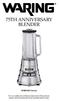 75th anniversary blender MBB1000 Series For your safety and continued enjoyment of this product, always read the instruction book carefully before using. CONTENTS Important Safeguards... 3 Grounding Instructions...
ATTENTION RISQUE D ÉLECTROCUTION! NE PAS OUVRIR!
 Quick Start Guide ATTENTION RISQUE D ÉLECTROCUTION! NE PAS OUVRIR! CAUTION: TO REDUCE THE RISK OF ELECTRIC SHOCK, DO NOT REMOVE COVER (OR BACK). NO USER-SERVICEABLE PARTS INSIDE. REFER SER- VICING TO QUALIFIED
PORTABLE ALARM CLOCK. Dual Alarm. FM Radio. Wake-up Sounds. USB Phone Charger G-1CR
 G-BUZZ PORTABLE ALARM CLOCK Dual Alarm FM Radio Wake-up Sounds USB Phone Charger G-1CR Welcome Alarm clocks can be boring. Get ready to shake things up with your new G-BUZZ. Slap the snooze for more ZZZ
BOSE. Link AL8 HOMEWIDE WIRELESS AUDIO LINK
 BOSE Link AL8 HOMEWIDE WIRELESS AUDIO LINK Français English SAFETY INFORMATION Please read this owner s guide Please take the time to follow the instructions in this owner s guide carefully. It will help
AM/FM Emergency Weather Radio/Light With Hand Crank Back-Up Power
 VEC173 ONE YEAR LIMITED WARRANTY PROGRAM This limited warranty program is the only one that applies to this product, and it sets forth all the responsibilities of Vector Manufacturing, regarding this product.
2 YEAR WARRANTY S7200PAU USE & CARE MANUAL ADVANCED CERAMIC TECHNOLOGY. To register your product go to www.remington-products.com.
 USE & CARE MANUAL PLEASE READ PRIOR TO USE To register your product go to www.remington-products.com.au ADVANCED CERAMIC TECHNOLOGY 2 YEAR WARRANTY S7200PAU 1 IMPORTANT SAFEGUARDS Warning: When the straightener
The Automatic Shut-Off Iron
 SAVE THIS USE AND CARE BOOK The Automatic Shut-Off Iron by Black & Decker? 1-800-231-9786 QUESTIONS? Please call us TOLL FREE MODEL 8 62784 Sears, Roebuck and Co., Hoffman Estates, IL 60179, U.S.A. IMPORTANT
Conference Phone UserÕs Manual. Part No. 54-2070-01R1 Printed in Korea. 2002 Bogen Communications, Inc.
 Part No. 54-2070-01R1 Printed in Korea. 2002 Bogen Communications, Inc. UserÕs Manual Notice Every effort was made to ensure that the information in this guide was complete and accurate at the time of
NOTE: Additional user information for your printer may be available in the "Manuals" section at support.dell.com.
 CAUTION: General Safety Instructions Use the following safety guidelines to help ensure your own personal safety and to help protect your equipment and working environment from potential damage. NOTE:
Power Supply Guide Version 1.0 for D-Show
 Power Supply Guide Version 1.0 for D-Show Digidesign 2001 Junipero Serra Boulevard Daly City, CA 94014-3886 USA tel: 650 731 6300 fax: 650 731 6399 Technical Support (USA) tel: 650 731 6100 fax: 650 731
User s Manual. 2010 VTECH Printed in China 91-002395-025-000
 User s Manual 2010 VTECH Printed in China 91-002395-025-000 INTRODUCTION When Skipper overhears King Julien insulting the penguins, a contest is proposed. Who is more popular, the penguins or the lemurs?
CAUTION RISK OF ELECTRIC SHOCK DO NOT OPEN
 BeoLab 4000 Guide CAUTION RISK OF ELECTRIC SHOCK DO NOT OPEN CAUTION: To reduce the risk of electric shock, do not remove cover (or back). No User-serviceable parts inside. Refer servicing to qualified
WARNING To reduce the risk of. READ ALL INSTRUCTIONS BEFORE USING. KEEP AWAY FROM WATER DANGER Any appliance is
 IMPORTANT SAFETY INSTRUCTIONS When using electrical appliances, especially when children are present, basic safety precautions should always be followed, including the following: READ ALL INSTRUCTIONS
Electric Water Kettle
 Electric Water Kettle Instruction Manual Model: AWK-101 Congratulations! Your Water Kettle will surely become one of the most versatile and practical appliances in your home and office. Please read the
Wireless Alarm System. Panic Button. User s Manual. Choice ALERT. Control all sensors, accessories and remote transmitters from one location
 Wireless Alarm System Panic Button User s Manual Choice ALERT Control all sensors, accessories and remote transmitters from one location Table of Contents Important Safeguards 4 Introduction 5 Activating
SP1790JK 900MHz Wireless Indoor/Outdoor Speakers. User Manual INTRODUCTION FEATURES IMPORTANT SAFETY INFORMATION
 SP1790JK 900MHz Wireless Indoor/Outdoor Speakers INTRODUCTION This 900 MHz digital hybrid wireless speaker system uses the latest wireless technology that enables you to enjoy music and TV sound anywhere
Product Overview. Product Interface
 mobile speaker Product Overview Thank you for purchasing the bēm wireless Mobile Speaker. Our speaker will bring you a new found freedom from wires while delivering an incredible sound. The Mobile Speaker
12-Volt 10-Amp Regulated Power Supply
 22-506.fm Page 1 Friday, August 6, 1999 12:55 PM Cat. No. 22-506 OWNER S MANUAL Please read before using this equipment. 12-Volt 10-Amp Regulated Power Supply 22-506.fm Page 2 Friday, August 6, 1999 12:55
SALTER AIRE Plus COMPRESSOR Model 8350 / 8352 / 8353. Instruction Manual. Page 1 of 9
 SALTER AIRE Plus COMPRESSOR Model 8350 / 8352 / 8353 Instruction Manual Page 1 of 9 TABLE OF CONTENTS Introduction...3 Important Safeguards..3 System Components...5 Setup and Operation...5 Setup...5 Operation....6
Single Day Alarm Clock with. Bluetooth and USB Play-through
 Single Day Alarm Clock with Bluetooth and USB Play-through MODEL : BSC 200 READ THIS INSTRUCTION MANUAL BEFORE OPERATING THE APPLIANCE. SAVE THIS MANUAL FOR FUTURE REFERENCE. TABLE OF CONTENTS IMPORTANT
by QUICK START GUIDE 1
 by QUICK START GUIDE 1 BUTTONS & CONTROLS TALK* PREVIOUS / NEXT* POWER BUTTON & LED PAIRING BUTTON LINE IN USB DC IN PLAY / PAUSE* VOLUME DOWN / UP * Only works when connected wirelessly via Bluetooth
Thank You... On behalf of the entire team at Thane Housewares, we appreciate your recent purchase
 User s Guide Thank You... On behalf of the entire team at Thane Housewares, we appreciate your recent purchase of the FLAVORCHEF cooking system, which will provide you with healthy and tasty meals for
GNOME PELLET E.I. Pellet Heater Owner's Manual Installation and Operating Instructions. Please read this entire manual before installation.
 Pellet Heater Owner's Manual Installation and Operating Instructions Please read this entire manual before installation. Save these instructions. SAFETY NOTICE HEATER MUST BE PROPERLY INSTALLED AND MAINTAINED
Digital Satellite Receiver
 USER GUIDE Digital Satellite Receiver Models DSR207, DSR317, DSR505, and DSR530 CONTENTS IMPORTANT SAFETY INSTRUCTIONS...1 DSR BASICS SYMBOLS/ICONS...6 Front Panel...6 Back Panel...7 CONNECTING YOUR DSR...10
Contact Details. Please note that some of the contact details on this PDF document may not be current.
 Contact Details Please note that some of the contact details on this PDF document may not be current. Please use the following details if you need to contact us: Telephone: 0844 879 3588 Email: [email protected]
Security System Owner s Manual
 Security System Owner s Manual Interactive Technologies Inc. 2266 North 2nd Street North St. Paul, MN 55109 FCC Notices FCC Part 15 Information to the User Changes or modifications not expressly approved
Mercury Helios 2 ASSEMBLY MANUAL & USER GUIDE
 Mercury Helios 2 ASSEMBLY MANUAL & USER GUIDE TABLE OF CONTENTS INTRODUCTION...1 1.1 MINIMUM SYSTEM REQUIREMENTS 1.1.1 Apple Mac Requirements 1.1.2 PC Requirements 1.1.3 Supported PCIe Cards 1.2 PACKAGE
Moda. www.breville.com.au. Instructions for use. Breville Customer Service Centre Australian Customers. Cordfree Kettle. New Zealand Customers
 www.breville.com.au Moda Cordfree Kettle Breville is a registered trademark of Breville Pty. Ltd. ABN 98 000 092 928 Instructions for use Breville Customer Service Centre Australian Customers Breville
www.morphyrichards.co.uk
 43922 rev2:x 06/01/2010 15:06 Page 1 Upon registration with Morphy Richards (UK & ROI only) Register online for your 2 year guarantee. See back of this instruction book for details. (UK and Ireland customers
BeoLab 1. User s guide
 BeoLab 1 User s guide Legal notice: CAUTION RISK OF ELECTRIC SHOCK DO NOT OPEN CAUTION: To reduce the risk of electric shock, do not remove cover (or back). No User-serviceable parts inside. Refer servicing
4.3-inch Back-Up Camera
 TM 4.-inch Back-Up Camera Model No.: PKC0BU4 Owner s Manual and Warranty Information Read these instructions completely before using this product. Retain this Owner s Manual for future reference. INTRODUCTION
Mobile Emergency Response User Guide
 Mobile Emergency Response User Guide Table of Contents Introduction... 3 What s in the Box... 4 Mobile Emergency Response Features... 5 Connecting Your ADT Mobile Emergency Response System... 6 Using the
Convection TCO600. For your safety and continued enjoyment of this product, always read the instruction book carefully before using.
 Convection Toaster Oven TCO600 For your safety and continued enjoyment of this product, always read the instruction book carefully before using. IMPORTANT SAFEGUARDS SAVE AND READ THESE INSTRUCTIONS When
USER GUIDE AND WARRANTY INFORMATION HX-EP310
 USER GUIDE AND WARRANTY INFORMATION HX-EP310 READ UP. PARTY DOWN. JAM TRANSIT BUDS QUICK START GUIDE 1. Snap ear hooks into place 2. Position cord behind your neck 3. If the cord length is not comfortable,
Evolution Digital HD Set-Top Box Important Safety Instructions
 Evolution Digital HD Set-Top Box Important Safety Instructions 1. Read these instructions. 2. Keep these instructions. 3. Heed all warnings. 4. Follow all instructions. 5. Do not use this apparatus near
CAUTION RISK OF ELECTRIC SHOCK NO NOT OPEN
 Evolution Digital HD Set-Top Box Important Safety Instructions 1. Read these instructions. 2. Keep these instructions. 3. Heed all warnings. 4. Follow all instructions. 5. Do not use this apparatus near
Convection TCO650. For your safety and continued enjoyment of this product, always read the instruction book carefully before using.
 Convection Toaster Oven TCO650 For your safety and continued enjoyment of this product, always read the instruction book carefully before using. IMPORTANT SAFEGUARDS SAVE AND READ THESE INSTRUCTIONS When
PLEASE READ ALL INSTRUCTIONS BEFORE USE AND SAVE A COPY FOR FUTURE REFERENCE!
 PLEASE READ ALL INSTRUCTIONS BEFORE USE AND SAVE A COPY FOR FUTURE REFERENCE! 1. Read all instructions carefully before using the machine. 2. Do not touch hot surfaces. Use handles or knobs. The lid and
Wake-up Light. Always here to help you. www.philips.com/welcome HF3510. User manual Manuel d utilisation. Register your product and get support at
 Always here to help you Register your product and get support at www.philips.com/welcome Question? Contact Philips Wake-up Light HF3510 User manual Manuel d utilisation IMPORTANT SAFETY INSTRUCTIONS WARNING
Intelli-Time Alarm Clock model 13027
 Instruction Manual Intelli-Time Alarm Clock model 13027 CONTENTS Unpacking Instructions... 2 Package Contents... 2 Product Registration... 2 Features & Benefits... 3 Clock Setup... 4 Intelli-Time Clock...
Ultrasonic Jewelry Cleaner. SI414 Instructions CONTAINS IMPORTANT SAFETY INFORMATION READ AND SAVE THESE INSTRUCTIONS MAX FILL MIN FILL
 Ultrasonic Jewelry Cleaner SI414 Instructions CONTAINS IMPORTANT SAFETY INFORMATION READ AND SAVE THESE INSTRUCTIONS IMPORTANT SAFETY INSTRUCTIONS When using electrical appliances, especially when children
Single Lens Reflex (SLR) Camera
 690 Single Lens Reflex (SLR) Camera User Guide 690 Single Lens Reflex (SLR) Camera User Guide Contents IMPORTANT SAFEGUARDS: FCC Notice 1 Camera Features 1 Camera Parts 1 Opening the Camera 2 Closing the
Pet hair clipper. Model 96822. Diagrams within this manual may not be drawn proportionally.
 Pet hair clipper Model 96822 Cleaning And Operation Instructions Diagrams within this manual may not be drawn proportionally. Due to continuing improvements, actual product may differ slightly from the
Hot Water Central. Electric Hot Water Dispenser. Instruction Manual AAP-325W. www.aromaco.com
 Hot Water Central Electric Hot Water Dispenser Instruction Manual www.aromaco.com AAP-325W With the Aroma Hot Water Central, hot water is just a button away. Boil up to 3 liters of water in just 30 minutes,
Kinivo 301BN HDMI Switch
 Kinivo 301BN HDMI Switch User Manual 2012 Kinivo LLC. All rights reserved. Kinivo is a trademark of Kinivo LLC. Bluetooth word mark and the Bluetooth logo are registered trademarks of Bluetooth SIG. All
Table of Contents Function Keys of Your RF Remote Control Quick Setup Guide Advanced Features Setup Troubleshooting
 Congratulations on your purchase of the AT&T U-verse TV Point Anywhere RF Remote Control. This product has been designed to provide many unique and convenient features to enhance your AT&T U-verse experience.
Pad. Quick Start Guide
 Pad Quick Start Guide Copyright 2008 Mimio Congratulations on your mimio Pad purchase! mimio Pad is a 4 GHz wireless pad. To configure mimio Pad for use, install the mimio Studio software and plug the
ScreenLogic Wireless Connection Kit. Installation Guide. pool/spa control system
 pool/spa control system ScreenLogic Wireless Connection Kit Installation Guide P/N 520663 - Rev B 8 Technical Support Contact Technical Support at: Sanford, North Carolina (8 A.M. to 5 P.M.) Phone: (800)
electric kettle owner's manual SAVE THIS USE AND CARE BOOK Please call 1-800-231-9786 with questions. MGD550
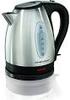 electric kettle owner's manual SAVE THIS USE AND CARE BOOK MGD550 * Please call 1-800-231-9786 with questions. IMPORTANT SAFEGUARDS When using electrical appliances, in order to reduce the risk of fire,
AM/FM ALARM CLOCK RADIO
 AM/FM ALARM CLOCK RADIO Instruction Manual JL-206 Please read this manual carefully before operating and save it for future reference. Have a question? Please visit http:// INTRODUCTION Thank you for purchasing
Energy Smart Electric Water Heater Controller
 Installation, Operation and Troubleshooting Instructions Energy Smart Electric Water Heater Controller Table of Contents Installation and Setup, 2 Operation, 5 Troubleshooting, 7 Regulatory Notices, 11
Important Safety Instructions
 PR-D7 GB Revision 1 Important Safety Instructions 1. Read these instructions. 2. Keep these instructions. 3. Heed all warnings. 4. Follow all instructions. 5. Do not use this apparatus near water. 6. Clean
For the US-market only! CAUTION: To reduce the risk of electric shock, do not remove cover (or back). No User-serviceable parts
 BeoLab 6000 Guide CAUTION: To reduce the risk of electric shock, do not remove cover (or back). No User-serviceable parts inside. Refer servicing to qualified service personnel. WARNING: To prevent fire
PROFESSIONAL POPCORN MAKER
 PROFESSIONAL POPCORN MAKER WPM40 Series For your safety and continued enjoyment of this product, always read the instruction book carefully before using. IMPORTANT SAFEGUARDS When using any electrical
Ultrasonic support removal tank
 Ultrasonic support removal tank User guide and safety manual See inside for use and safety information. The Ultrasonic support removal tank automatically removes PLA support material from a printed ABS
The Third Rail System User Manual
 The Third Rail System User Manual System Contents: Slim Case and Smart Battery for iphone 4 Slim Case for iphone 4 Smart Battery micro-usb Cable USB Adapter Cable User Manual Smart Battery only Smart Battery
LUCCI AIRFUSION QUEST II CEILING FAN
 LUCCI AIRFUSION QUEST II CEILING FAN WITH IR REMOTE INSTALLATION OPERATION MAINTENANCE WARRANTY INFORMATION CAUTION READ INSTRUCTIONS CAREFULLY FOR SAFE INSTALLATION AND FAN OPERATION. V1.0 QUEST II IR
INSTRUCTION MANUAL PLEASE READ ALL THE INSTRUCTIONS COMPLETELY BEFORE USE AND SAVE THIS MANUAL FOR FUTURE REFERENCE
 INSTRUCTION MANUAL PLEASE READ ALL THE INSTRUCTIONS COMPLETELY BEFORE USE AND SAVE THIS MANUAL FOR FUTURE REFERENCE m Before Use Please read IMPORTANT SAFETY INSTRUCTIONS on page 10 before use. It is important
User Guide for the Wireless Headset (HS-11W) 9235346 Issue 1
 User Guide for the Wireless Headset (HS-11W) 9235346 Issue 1 DECLARATION OF CONFORMITY We, NOKIA CORPORATION declare under our sole responsibility that the product HS-11W is in conformity with the provisions
PROFESSIONAL SILK CERAMIC HAIR DRYER USE & CARE MANUAL PLEASE READ PRIOR TO USE 2400 WATTS SILK CERAMIC GRILLE 5 YEAR WARRANTY AC9096AU
 PROFESSIONAL USE & CARE MANUAL PLEASE READ PRIOR TO USE SILK CERAMIC HAIR DRYER 2400 WATTS SILK CERAMIC GRILLE 5 YEAR WARRANTY AC9096AU IMPORTANT SAFEGUARDS Warning: When the hair dryer is used in a bathroom,
Point of View Mobii 10 Tegra Tablet. Notice... 2
 TABLE OF CONTENTS Notice... 2 1.0 Preface... 2 2.0 Getting to know the basics... 4 3.0 How to Start... 7 3.1 Home Shell... 7 3.1.1 Home Shell > Widgets (Search RSS Weather)... 8 3.1.2 Home Shell > Widgets,
Electric Egg Boiler. Instruction Manual. Model Number: AEB-917
 Electric Egg Boiler Instruction Manual Model Number: AEB-917 Congratulations! Your Egg Boiler will surely become one of the most versatile and practical appliances in your home. Please read the following
Wireless Indoor/ Outdoor Thermometer
 Wireless Indoor/ Outdoor Thermometer Owner s Manual Please read before using this equipment. ˆ Contents FCC Information... 3 FCC Declaration of Conformity... 5 Preparation... 5 Installing Batteries...
USER INSTRUCTIONS FOR 10 LITRE PORTABLE DEHUMIDIFIER MODEL NO. DHMD102
 USER INSTRUCTIONS FOR 10 LITRE PORTABLE DEHUMIDIFIER MODEL NO. DHMD102 THANK YOU FOR CHOOSING YOUR NEW DEHUMIDIFIER. BEFORE USING THE UNIT READ THESE INSTRUCTIONS FULLY AND RETAIN THEM FOR FUTURE REFERENCE
WARNING: To prevent fire or electric shock, do not expose this appliance to rain or moisture.
 BeoVision 4 1 Guide CAUTION: To reduce the risk of electric shock, do not remove cover (or back). No User-serviceable parts inside. Refer servicing to qualified service personnel. WARNING: To prevent fire
FOR THE FOLLOWING MODELS: EE-8075W EE-8075O EE-8075R EE-8075BK
 FIREPLACE HEATER FOR THE FOLLOWING MODELS: EE-8075W EE-8075O EE-8075R EE-8075BK If you have any questions about the operation of your fireplace heater, please contact Crane Customer Care. Toll Free: 888-599-0992
Business Audio System: Music & Messaging MP3 Player. by Grace Digital Audio. User Guide. Model No. GDI-USBM10
 Business Audio System: Music & Messaging MP3 Player by Grace Digital Audio User Guide Model No. GDI-USBM10 User Guide Contents Introduction 2 Safety & General Use Information 2 Features 3 Set Up & Operation
User Guide. Soft-Touch TM Bluetooth Laser Mouse N2953
 Soft-Touch TM Bluetooth Laser Mouse 410-XXXXXXXXXXX 1 YEAR LIMITED WARRANTY: We pride ourselves on the quality of our products. For complete warranty details and a list of our worldwide offices, please
Instruction Manual. Window Wiper AFW900. (Read carefully before use)
 Instruction Manual Window Wiper AFW900 (Read carefully before use) When using electrical appliances, basic precautions should always be followed, including the fact READ ALL INSTRUCTIONS IN THIS MANUAL
Doorbell Intercom Security System
 Doorbell Intercom Security System POWER IN USE OFF A B C LOCK CALL TALK Installation Guide Model WHDB-301 EXPLANATION OF GRAPHIC WARNING SYMBOLS This symbol is intended to alert the user to the presence
Instruction manual for Firstline FCS12000CH
 Instruction manual for Firstline FCS12000CH Contents Introduction... 2 Safety Awareness... 3 Safety Awareness... 4 Name of Parts... 5 Name of Parts... 6 Remote Controller Preparation... 7 Operation of