
Operator s Manual. Decagon Devices, Inc. Version: February 29, :10:55
|
|
|
- Duane Payne
- 9 years ago
- Views:
Transcription


1 Operator s Manual Decagon Devices, Inc. Version: February 29, :10:55

2 LWS Decagon Devices, Inc NE Hopkins Court Pullman WA Phone: Fax: Website: or Trademarks: ECH 2 O is a registered trademark of Decagon Devices, Inc. All Rights Reserved c Decagon Devices, Inc. All Rights Reserved ii

3 LWS CONTENTS Contents 1 Introduction Customer Support About This Manual Warranty Seller s Liability About the Leaf Wetness Sensor Specifications Collecting Data Installing the Sensor Data Logger Requirements Adapter Cable Wiring Extending the Sensor Leads UV Protection Interpreting Data Understanding Data from the Em Processed Data File Unprocessed Data File DataTrac3 File Understanding Data from Other Data Loggers LWS Theory How the LWS Works How the LWS Mimics a Real Leaf Appendix A: Sample CSI Program 14 7 Declaration of Conformity 16 iii

4 LWS 1 INTRODUCTION 1 Introduction Thank you for choosing Decagon s Dielectric Leaf Wetness Sensor. We designed this sensor to accurately and affordable measure the duration of leaf-surface wetness. This manual should help you understand the sensor features and how to use it successfully. 1.1 Customer Support There are several ways to contact Decagon if you ever need assistance with your product, have any questions, or feedback. Decagon has Customer Service Representatives available to speak with you Monday through Friday, between 7 am and 5 pm Pacific time. Note: If you purchased your sensor through a distributor, please contact them for assistance. [email protected] or [email protected] Phone: Fax: If contacting us by or fax, please include as part of your message your instrument serial number, your name, address, phone, fax number, and a description of your problem or question. 1.2 About This Manual Please read these instructions before operating your sensor to ensure that it performs to its full potential. 1

5 1 INTRODUCTION LWS 1.3 Warranty The Dielectric Leaf Wetness Sensor has a 30-day satisfaction guarantee and a one-year warranty on parts and labor. Your warranty is automatically validated upon receipt of the instrument. Note: The one year service plan activates when Decagon ships the instrument and not at the time of software installation. 1.4 Seller s Liability Seller warrants new equipment of its own manufacture against defective workmanship and materials for a period of one year from the date of receipt of equipment. Note: We do not consider the results of ordinary wear and tear, neglect, misuse, or accident as defects. The Seller s liability for defective parts shall in no event exceed the furnishing of replacement parts freight on board the factory where originally manufactured. Material and equipment covered hereby which is not manufactured by Seller shall be covered only by the warranty of its manufacturer. Seller shall not be liable to Buyer for loss, damage or injuries to persons (including death), or to property or things of whatsoever kind (including, but not without limitation, loss of anticipated profits), occasioned by or arising out of the installation, operation, use, misuse, nonuse, repair, or replacement of said material and equipment, or out of the use of any method or process for which the same may be employed. The use of this equipment constitutes Buyer s acceptance of the terms set forth in this warranty. There are no understandings, representations, or warranties of any kind, express, implied, statutory or otherwise (including, but without limitation, the implied warranties of merchantability and fitness for a particular purpose), not expressly set forth herein. 2

6 LWS 2 ABOUT THE LEAF WETNESS SENSOR 2 About the Leaf Wetness Sensor The LWS measures leaf surface wetness by measuring the dielectric constant of the sensor s upper surface (see Section 5 for a more thorough explanation). It has a very low power requirement, which gives you the ability to make as many measurements as you want over a long period of time (such as a growing season) with minimal battery usage. This sensor also has very high resolution, which gives you the ability to detect very small amounts of water (or ice) on the sensor surface. Water on the sensor surface does not need to bridge electrical traces to be detected, as is common with resistance based surface wetness sensors. This means that the LWS does not need to be painted before use, which eliminates the need for individual sensor calibration. 2.1 Specifications Measurement Time: 10 ms Power: ma to 5 7 ma Output: 320 to V excitation Operating Environment: -20 to 60 C Probe Dimensions: 11.2 cm x 5.8 cm x.075 cm Cable Length: 5 m standard, extension cables are available Connector Type: 3.5 mm plug or optional pigtail adapter (stripped and tinned lead wires) Data Logger Compatibility (not exclusive): Decagon: Em50, Em50R Campbell Scientific: CR10, 10X, 21X, 23X, 1000, 3000,

7 2 ABOUT THE LEAF WETNESS SENSOR LWS Figure 1: The Leaf Wetness Sensor 4

8 LWS COLLECTING DATA Collecting Data Installing the Sensor The LWS is designed to be deployed either in the canopy or on weather station masts. There are two holes in the non-sensing portion of the sensor body for mounting. The holes can be used with either zip ties or with 4-40 bolts. Figure 2: Top View of Installed LWS in Plant Canopy 5

9 3 COLLECTING DATA LWS 3.2 Data Logger Requirements The LWS works with Decagon s 5-channel Em50 or Em50R data loggers. It can also be adapted for use with other data loggers, such as those from Campbell Scientific, Inc. (See Appendix A for a sample program.) The sensor requires an excitation voltage in the range of 2.5 to 5 volts. It produces an output voltage that depends on the dielectric constant of the medium surrounding the probe, and ranges between 10 to 50% of the excitation voltage. Any data logger which can produce a 2.5 to 5 V excitation with approximately 10 millisecond duration and read a volt level signal with 12-bit or better resolution should be compatible with the LWS. The current requirement at 2.5 V is around 2 ma, and a 5 V it is 7 to 8 ma. Note: The LWS is intended only for use with data loggers and readout devices which can provide short excitation pulses, leaving the probes turned off most of the time. Continuous excitation not only wastes battery power, but may, under certain circumstances, cause the probe to exceed government specified limits on electromagnetic emissions. 3.3 Adapter Cable Wiring If you use a non-decagon data logger, clip the stereo plug off and connect the lead wires directly to the chosen logger. The wiring configuration is shown below. White = Power 2.5 to 5 V excitation Bare shield = Ground Red = Sensor data output (single ended) 6


10 LWS 3 COLLECTING DATA Figure 3: Sensor wiring diagram 3.4 Extending the Sensor Leads Extension cables for the LWS are available from Decagon in 10 and 50 foot (3 and 15 meter) lengths. The leads can be extended up to 250 feet without signal attenuation. When using these extension cables in an unprotected environment, the junctions between cables must be waterproofed. This can be effectively accomplished by connecting the junction, applying silicone sealant to the junction, and shrinking appropriately sized heat-shrink tubing over the still wet silicone sealant. 3.5 UV Protection The LWS leaf wetness sensor is designed to withstand typical outdoor radiation and precipitation loads for greater than two years. If you are using the LWS in areas with non-typical (unusually high) radiation loads, we recommend additional applications of McNett UV Tech (available from be reapplied every 45 days. McNett is the only tested and approved UV blocking system for Decagon s Leaf Wetness Sensor. To apply McNett UV Tech: 1. Wipe sensor clean. 2. Spray sensor surface with McNett UV Tech. 3. Rub with soft cloth until dry. 7

11 4 INTERPRETING DATA LWS 4 Interpreting Data Most leaf wetness applications (disease forecasting, etc.) do not require knowledge of the amount of water on the surface - only if there is any water on the surface. To make this determination, a sensor output threshold corresponding to the minimum wet state must be identified. When read with the EM50 data logger, the LWS outputs 445 raw counts when dry. When the sensor is totally wet, as in a heavy rain, the signal can range up to around 1400 counts. Varying amounts of water on the surface of the sensor cause a sensor output proportional to the amount of water on the sensor s surface. Figure 4: Sample raw output from the LWS Because ice has a much lower dielectric constant than that of liquid water, the sensor output from frost is much lower than that from a similar amount of rain or dew. Note: Over time, the accumulation of dust and bird dropping can 8

12 LWS 4 INTERPRETING DATA cause the dry output to rise. We recommend that the sensor be cleaned using a moist cloth periodically, or when you detect elevated dry output. 4.1 Understanding Data from the Em50 With Decagon s Em50 and Em50R data loggers, users have multiple options for interpreting data. The sensors are factory calibrated to read 445 raw counts when dry. When you configure an Em50 or Em50R port to read a leaf wetness sensor, the logger reads the sensor every minute and compares the data to two pre-defined wetness thresholds of 450 and 460 raw counts. When you collect the data from the logger with ECH2O Utility there are several options for the format of the data output Processed Data File Processed Excel File When a precessed data file format is selected, three columns of data are output for each LWS port. Column 1: The number of minutes that the LWS output was over 450 raw counts in the preceding wake interval. So, if you shoose a 30 minute wake interval then the number can range from 0 (the sensor was never wet during the 30 minute period) to 30 (the sensor was always wet during that 30 minute period). Take the sum of these numbers in this column to yield the cumulative wetness duration - minutes - during the time period of interest. Column 2: The number of minutes that the LWS output was over 460 raw counts in the preceding wake interval. The data in this column follow the same format as those in column 1, only with the wetness threshold set slightly higher. Field tests for the LWS indicate the extreme dust buildup or bird droppings can cause the dry output of the sensor to climb above the 450 raw count threshold. If this occurs, the data in column 2 can be used until the sensor can be 9

13 4 INTERPRETING DATA LWS cleaned. Column 3: The final reading (in raw counts) of the LWS during the wake interval. So, if again a 30 minute wake interval has been chosen, the number in column 3 is the output in raw counts from the LWS during the last minute of that 30 minute period. This data column is output in case an extreme contamination event occurs, forcing the dry output higher than 460 raw counts. In this case, the user can identify an new wetness threshold from the time series data, and calculate wetness duration from the new threshold until the sensor can be cleaned. See the section at the end of this chapter titled Understanding Data from Other Data loggers for more information on this procedure. When using the data in this column, the user can only obtain a wetness reading every wake interval (typically 30 minutes or more), instead of the one minute wetness resolution available in column 1 and 2. Note that the conversion from Em50 raw counts to mv with 3,000 mv excitation is mv = raw counts Unprocessed Data File When an unprocessed Excel file format is downloaded, three columns of data are output for each LWS port. Column 1: The cumulative number of minutes that the LWS output has been over 450 raw counts since the Em50 data were last erased or the accumulator has rolled over. Note: The accumulator has a maximum of 2,048 minutes (1.42 days) of wetness. If the cumulative wetness duration exceed this window (which likely happens often), then the accumulator resets to zero and begins accumulating again. Column 2: The cumulative number of minutes that the LWS output has been over 460 raw counts since you last erased the Em50 or rolled over the accumulator. Again, this accumulator rolls over to zero after 2,048 minutes of wetness. 10

14 LWS 4 INTERPRETING DATA Column 3: The final reading (in raw counts) of the LWS during the wake interval. (See column 3 description under precessed the files above) DataTrac3 File When you download the DataTrac3 file format (.dxd), a single 10 digit number downloads for each sensor. The.dxd format easily imports into Decagon s convenient DataTrac3 graphing software. It also has the advantage that it can be converted with ECH 2 O Utility to the other file formats listed above. See the manual for your Em50 data logger for details on exporting data.fform 4.2 Understanding Data from Other Data Loggers With non-em50 data loggers, the user needs to establish a wetness threshold for their system. The dry output of the LWS varies with excitation voltage (note that the acceptable excitation voltage range is 2.5 to 5 V). The LWS dry output is easily determined from time series data such as those presented in Figure 4. A wetness threshold should be chosen that is slightly above the dry output, and subsequent readings should be compared to the dry output to determine surface wetness. When using a non-em50 data Logger, it is important to collect data frequently enough to capture changes in the surface wetness. A sampling frequency of 15 minutes or less is often necessary to accurately capture leaf wetness duration. 11

15 5 LWS THEORY LWS 5 LWS Theory 5.1 How the LWS Works The LWS measures the dielectric constant of a zone approximately 1 cm from the upper surface of the sensor. The dielectric constant of water (80) and ice (5) are much higher than that of air (1), so the measured dielectric constant strongly dependends on the presence of moisture or frost on the sensor surfaces. The sensor outputs a mv signal proportional to the dielectric of the measurement zone, and therefore proportional to the amount of water or ice on the senor surface. 5.2 How the LWS Mimics a Real Leaf The sensor has been specially designed to closely approximate the thermodynamic properties of a leaf. If the specific heat of a leaf is estimated at 3,750 j kg 1 K 1, the density is estimated to be 0.95 g/cm 3, and the thickness of a typical leaf is 0.4 mm, then the heat capacity of the leaf is 1,425 J m 2 K 1. This is closely approximated by the thin (0.65 mm) fiberglass construction of the LWS, which has a heat capacity of 1,480 J m 2 K 1. By mimicking the thermodynamic properties of a real leaf, the LWS more closely matches the wetness state of the canopy. The sensor has also been engineered to closely match the radiative properties of real leaves. Healthy leaves generally absorb solar radiation effectively in much of the visible portion of the spectrum, but selectively reject much of the energy in the near-infrared portion of the spectrum. The surface coating of the LWS absorbs well in the near-infrared region, but the white color reflects most of the visible radiation. Spectrophotometer measurements indicate that the overall radiation balance of the sensor closely matches that of a healthy leaf. During normal use, prolonged exposure to sunlight can cause some yellowing of the LWS. This is expected and does not affect the probes function. The surface coating of the LWS is hydrophobic similar to a leaf 12

16 LWS 5 LWS THEORY with a hydrophobic cuticle. The sensor should match the wetness state of these types of leaves well, but may not match the wetness duration of leaves with plentiful leaf hairs or less waxy cuticles. It is impossible for any sensor to accurately mimic the properties of all leaves. The LWS is engineered to be repeatable among units, so that relationships can be determined between the wetness state of the sensor, and the wetness state of various agricultural or natural plant canopies. Painting and individual sensor calibration is not necessary with the LWS. 13

17 6 APPENDIX A: SAMPLE CSI PROGRAM LWS 6 Appendix A: Sample CSI Program ;{CR23X} ; ;Program to read Decagon s Dielectric Leaf Wetness ;Sensor (LWS) ; ;Wiring: white to EX1, red to 1H, shield to gnd ; ;This program separates LWS output into three bins ;bin 1 = output < 330mV - dry sensor ;bin 2 = 330mV < output < 337mV - wet sensor even when contaminated ;bin 3 = output > 337 mv - wet sensor even when contaminated ;The values output to final storage by the histogram ;command are the fraction of the OUTPUT INTERVAL that ;had sensor output in the preceding ranges ; ;Note that the wetness thresholds depend on excitation applied. If you are exciting with other than ;3000 mv, you will need to determine a custom wetness ;threshold *Table 1 Program 01: 1 Execution Interval (seconds) 1: Excite-Delay (SE) (P4) 1: 1 Reps 2: 20 Auto, 60 Hz Reject, Slow Range (OS>1.06) 3: 1 SE Channel 4: 1 Excite all reps w/exchan 1 5: 1 Delay (0.01 sec units) 6: 3000 mv Excitation 7: 1 Loc [ LWS_mV ] 8: 1.0 Multiplier 9: 0.0 Offset 2: If time is (P92) 1: 0 Minutes (Seconds --) into a 2: 60 Intervl (same units as above) 3: 10 Set Output Flag High (Flag 0) 3: Real Time (P77)^ : 1110 Year,Day,Hour/Minute (midnight = 0000) 4: Sample (P70)^ : 1 Reps 2: 1 Loc [ LWS_mVn ] 14

18 LWS 6 APPENDIX A: SAMPLE CSI PROGRAM 5: Histogram (P75)^ : 1 Reps 2: 3 No. of Bins 3: 0 Open Form 4: 1 Bin Select Value Loc [ LWS_mV ] 5: 0 Frequency Distribution 6: 330 Low Limit 7: 337 High Limit *Table 2 Programs 02: Execution Interval (seconds) *Table 3 Subroutines End Program 15

19 7 DECLARATION OF CONFORMITY LWS 7 Declaration of Conformity Application of Council Directive: Standards to Which Conformity is Declared: Manufacturer s Name: Model Number: 2004/108/EC and 2011/65/EU EN :2013 EN62321:1998 Decagon Devices, Inc 2365 NE Hopkins Ct. Pullman, WA USA LWS-1 Year of First Manufacture: 2006 This is to certify that the Dielectric Leaf Wetness Sensor, manufactured by Decagon Devices, Inc., a corporation based in Pullman, Washington, USA meets or exceeds the standards for CE compliance as per the Council Directives noted above. All instruments are built at the factory at Decagon and pertinent testing documentation is freely available for verification. 16

20 Index Contact Information, 1 Customer Support, 1 Data, 5 Interpretation, 8 Data Logger, 3 Data from Non-Decagon loggers, 10 Extending Sensor Leads, 7 Requirements, 6 Sample CSI program, 14 Wiring Configuration, 6 DataTrac3, 11 Files, 11 Dielectric Measurement, 12 ECH2O Utility, 9 Processed Data File or tab delimited text file, 9 Unprocessed Data File, 10 , 1 Fax, 1 Installation, 5 LWS Operation, 5 Thermal Properties, 12 Seller s Liability, 2 Specifications, 3 Theory of Operation, 12 UV Protection, 7 Warranty, 2 17

EC-5 Soil Moisture Sensor
 EC-5 Soil Moisture Sensor User s Manual Version 1 Decagon Devices, Inc. 2365 NE Hopkins Court Pullman WA 99163 USA (509) 332-5600 Trademarks: ECH2O is a registered trademark of Decagon, Devices, Inc All
ECH 2 O. Soil Moisture Sensor. Operator s Manual. For Models EC-20, EC-10, and EC-5. Version 5
 ECH 2 O Soil Moisture Sensor Operator s Manual For Models EC-20, EC-10, and EC-5 Version 5 Decagon Devices, Inc. 2365 NE Hopkins Court Pullman WA 99163 USA Trademarks: ECH 2 O is a registered trademark
EC-20, EC-10, EC-5 Soil Moisture Sensors
 EC-20, EC-10, EC-5 Soil Moisture Sensors User s Manual Version 10 Decagon Devices, Inc. 2365 NE Hopkins Court Pullman WA 99163 USA Trademarks: ECH2O is a registered trademark of Decagon, Devices, Inc All
ES-2. Electrical Conductivity & Temperature Sensor. Operator s Manual. Decagon Devices, Inc. Version: December 4, 2014 09:48:14
 ES-2 Electrical Conductivity & Temperature Sensor Operator s Manual Decagon Devices, Inc. Version: December 4, 2014 09:48:14 ES-2 Decagon Devices, Inc. 2365 NE Hopkins Court Pullman WA 99163 Phone: 509-332-5600
Decagon Devices, Inc.
 Decagon Devices, Inc. Version: March 11, 2016 11:55:57 5TE Decagon Devices, Inc. 2365 NE Hopkins Court Pullman WA 99163 Phone: 509-332-5600 Fax: 509-332-5158 Website: www.decagon.com Email: [email protected]
SBP270 BAROMETRIC PRESSURE SENSOR INSTRUCTION MANUAL
 INSTRUCTION MANUAL REVISION: 29/11/01 COPYRIGHT (c) 1989, 1991 CAMPBELL SCIENTIFIC, INC. WARRANTY AND ASSISTANCE The SBP270 BAROMETRIC PRESSURE SENSOR is warranted by CAMPBELL SCIENTIFIC (CANADA) CORP.
1000 Series Data Loggers PRODUCT MANUAL
 1000 Series Data Loggers PRODUCT MANUAL Model s 1650, 1525, 1450, 1425, 1400, 1250, 1225, 1200 CONTENTS General Overview 3 Model Specifications 4 External Sensors 5 Installation and Placement 6 Digital
A-Series Data Loggers PRODUCT MANUAL
 A-Series Data Loggers PRODUCT MANUAL Model # s A110, A125, A130, and A150 Contents Model Specifications 2 Connecting to the Computer 3 SpecWare Software 4 Installation and Placement 6 Battery Replacement
GS3. Water Content, EC and Temperature Sensors. Operator s Manual. Version 0
 GS3 Water Content, EC and Temperature Sensors Operator s Manual Version 0 Decagon Devices, Inc. 2365 NE Hopkins Court Pullman WA 99163 www.decagon.com [email protected] 2011 Decagon Devices, Inc. All rights
MPS-2. Dielectric Water Potential Sensor Operator s Manual. Version 1
 MPS-2 Dielectric Water Potential Sensor Operator s Manual Version 1 Decagon Devices, Inc. 2365 NE Hopkins Court Pullman, WA 99163 Tel: (509) 332-2756 Fax: (509) 332-5158 www.decagon.com Copyright 2011
Global Water Instrumentation, Inc.
 Global Water Instrumentation, Inc. 11390 Amalgam Way Gold River, CA 95670 T: 800-876-1172 Int l: (916) 638-3429, F: (916) 638-3270 Water Level Sensor: WL400 00-997 11/30/09-1 - Congratulations on your
EPM3. Phase Sequence and Motor Rotation Tester. Users Manual
 EPM3 Phase Sequence and Motor Rotation Tester Users Manual 1 L1 L2 L3 2 3 A B C CAT 600V 3-PHASE TESTER 5 TEST M1 M2 BATT M3 EPM3 MOTOR ROTATION TESTER EPM3 MOTOR ROTATION DETERMINED WHILE FACING MOTOR
Global Water Instrumentation, Inc.
 Global Water Instrumentation, Inc. 11390 Amalgam Way Gold River, CA 95670 T: 800-876-1172 Int l: (916) 638-3429, F: (916) 638-3270 6 Tipping Bucket: RG200 02/05/10 01-343 - 1 - Congratulations on your
INSTALLATION AND OPERATING INSTRUCTIONS
 ddcwp_manual_gb_revisions.ai 10/23/06 Page 1 Date: Station 1 2 3 4 5 6 7 8 CUSTOM WATERING PLAN 3 Program Controller Description Program A Program B Program C Duration Duration Duration DDC WP Series Waterproof
TCP/IP MODULE CA-ETHR-A INSTALLATION MANUAL
 TCP/IP MODULE CA-ETHR-A INSTALLATION MANUAL w w w. c d v g r o u p. c o m CA-ETHR-A: TCP/IP Module Installation Manual Page Table of Contents Introduction...5 Hardware Components... 6 Technical Specifications...
Digital echo-charge. Owner s Manual. Xantrex Digital echo-charge Battery Charger
 Digital echo-charge Owner s Manual Xantrex Digital echo-charge Battery Charger Thank you for purchasing a Xantrex Digital echo-charge. Xantrex Technology Inc. takes pride in manufacturing quality products
TTL to RS232 Adapter User Guide
 TTL to RS232 Adapter User Guide Revision D March 28, 2011 Document Part Number GC-800-313d Copyright and Trademark Copyright 2006-2011, Grid Connect, Inc. All rights reserved. No part of this manual may
Advantium 2 Plus Alarm
 ADI 9510-B Advantium 2 Plus Alarm INSTALLATION AND OPERATING INSTRUCTIONS Carefully Read These Instructions Before Operating Carefully Read These Controls Corporation of America 1501 Harpers Road Virginia
HIH-4000 Series Humidity Sensors
 HIH-4000 Series Humidity Sensors DESCRIPTION The HIH-4000 Series Humidity Sensors are designed specifically for high volume OEM (Original Equipment Manufacturer) users. Direct input to a controller or
Infrarot-Bewegungsmelder IP44
 Infrarot-Bewegungsmelder IP44 infrared motion sensors IP44 ODA (weiß) slim ODA (schwarz) slim 95174 96000 ODA (weiß) ODA (schwarz) 95175 96001 Betriebsanleitung User s Manual User s Manual infrared motion
DUSTTRAK AEROSOL MONITOR SOLAR POWER KIT MODEL 854060
 DUSTTRAK AEROSOL MONITOR SOLAR POWER KIT MODEL 854060 (FOR DUSTTRAK II AND DRX AEROSOL MONITOR MODELS 8540 AND 8543) OPERATION AND MAINTENANCE MANUAL P/N 6008416, REVISION A MAY 2015 Copyright TSI Incorporated
Acrylic Walls Installation Instructions
 Acrylic Walls Installation Instructions IMPORTANT Please read carefully the following instructions before installing your shower acrylic walls. If you have any questions on this shower acrylic walls installation
PixController, Inc. Wireless Digital PIR Sensor
 PixController, Inc. Wireless Digital PIR Sensor Model: SEN-400 User s Manual Version 1.00 WARRANTY REGISTRATION PixController, Inc. warrants products sold by it and guarantees to correct, by repair or
PART 1 - INTRODUCTION...
 Table of Contents PART 1 - INTRODUCTION... 3 1.1 General... 3 1.2 Sensor Features... 3 1.3 Sensor Specifications (CDE-45P)... 4 Figure 1-1 CDE-45P Sensor Dimensions (standard, convertible style)... 4 PART
User and Installation Guide
 Connect the AC adapter with the amplifier BEFORE plugging the AC adapter into an outlet to avoid spark generation! User and Installation Guide BlueFIDELITYTM Bluetooth Audio Amplifier Model 300 Contents
Single Station Remote Alarm
 ADI 5106G Certified ISO 9001:2000 Single Station Remote Alarm 529 5106-01-120 529 5106-01-220 INSTALLATION AND OPERATING INSTRUCTIONS Carefully Read These Instructions Before Operating Controls Corporation
User Manual. Humidity-Temperature Chart Recorder. Model RH520
 User Manual Humidity-Temperature Chart Recorder Model RH520 Introduction Congratulations on your purchase of the Extech RH520 Temperature + Humidity Chart Recorder. The RH520 measures and displays Temperature,
Wireless Indoor/ Outdoor Thermometer
 Wireless Indoor/ Outdoor Thermometer Owner s Manual Please read before using this equipment. ˆ Contents FCC Information... 3 FCC Declaration of Conformity... 5 Preparation... 5 Installing Batteries...
el-720 Carbon Dioxide Gas Leak Detector User s Guide
 el-720 Carbon Dioxide Gas Leak Detector User s Guide Congratulations on the purchase of the AccuTools el-720 Carbon Dioxide Gas Leak Detector, the most technologically advanced instrument of its kind.
Operator s Manual. Decagon Devices, Inc. Version: December 16, 2015 15:02:36
 Operator s Manual Decagon Devices, Inc. Version: December 16, 2015 15:02:36 Em50 Series Decagon Devices, Inc. 2365 NE Hopkins Court Pullman WA 99163 Phone: 509-332-5600 Fax: 509-332-5158 Website: www.decagon.com
3M Wrist Strap and Footwear Tester 740. User s Guide
 3M Wrist Strap and Footwear Tester 740 User s Guide Table of Contents Section Page Safety Information...3 1.0 General...4 2.0 Description...4 3.0 Operation...5 4.0 Wall Mounting...5 5.0 Wrist Strap Test...6
PS/2 Extender USER MANUAL. www.gefen.com
 PS/2 Extender USER MANUAL www.gefen.com Technical Support: Telephone (818) 884-6294 (800) 545-6900 Fax (818) 884-3108 Technical Support Hours: 9:00 AM to 5:00 PM Monday thru Friday. Write To: Gefen Inc.
Sip/Puff Switch User Guide
 Sip/Puff Switch User Guide www.orin.com Table of Contents Table of Contents... 2 Legal Notices... 3 Declaration of Conformity with European Directives... 3 Application Disclaimer... 4 Introduction... 5
User's Guide. Integrating Sound Level Datalogger. Model 407780. Introduction
 User's Guide 99 Washington Street Melrose, MA 02176 Phone 781-665-1400 Toll Free 1-800-517-8431 Visit us at www.testequipmentdepot.com Back to the Extech 407780 Product Page Integrating Sound Level Datalogger
Nest Learning Thermostat Installation Guide. Installation step-by-step
 Nest Learning Thermostat Installation Guide Installation step-by-step Contents Compatibility. 3 In the box. 4 Before you start. 5 Choose an installation method. 6 Replacing an existing wired thermostat.
Magnetic Stripe Reader-Writer. Magnetic Stripe Reader-Writer. RS232 & USB-RS232 Interface Quickstart Manual
 Magnetic Stripe Reader-Writer RS232 & USB-RS232 Quickstart Manual ID TECH 10721 Walker Street Cypress, California 90630 (714) 761-6368 www.idtechproducts.com 80058504-002 Rev. C R01/08 Magnetic Stripe
i410/i1010 AC/DC Current Clamp
 /i1010 AC/DC Current Clamp Instruction Sheet Safety Information XW Read First: Safety Information To ensure safe operation and service of the current clamp, follow these instructions: Read all operating
Ultra-Violet Products Ltd 2066 W 11th Street, Upland, CA 91786 Unit 1, Trinity Hall Farm Estate
 UV/Air Circulator For the UV PCR Workstation User Instructions UVP, LLC Ultra-Violet Products Ltd 2066 W 11th Street, Upland, CA 91786 Unit 1, Trinity Hall Farm Estate Tel: (800) 452-6788 / (909) 946-3197
Owner's Manual [ S/N LABEL HERE ] Document # BW-BCU5DOC
![Owner's Manual [ S/N LABEL HERE ] Document # BW-BCU5DOC](/thumbs/39/18146231.jpg "Owner's Manual [ S/N LABEL HERE ] Document # BW-BCU5DOC") Owner's Manual [ S/N LABEL HERE ] Document # BW-BCU5DOC BAYweb Remote Model BW-BCU5 Owner's Manual Copyright 2009-2010 Bay Controls, LLC Part Number: BW-BCU5DOC Revision: 0.2 April 18, 2010 BAYweb is a
Owner's Manual [ S/N LABEL HERE ] Document # BW-BCU5DOC BAYweb Remote Model BW-BCU5 Owner's Manual Copyright 2009-2010 Bay Controls, LLC Part Number: BW-BCU5DOC Revision: 0.2 April 18, 2010 BAYweb is a
This product has the equivalent gain performance with the 14 element Yagi antenna.
 Instruction manual Terrestrial Digital TV Antenna Model: UDF-80 Indoor / Outdoor Thin design UHF Antenna Thank you for purchasing Nippon Antenna product. Please read this manual carefully before using
Solar Power Systems Models: PVS220W-24 and PVS220W-48 Installation Manual
 Solar Power Systems Models: PVS220W-24 and PVS220W-48 Installation Manual 255379 Rev. D0 1015 Printed in U.S.A. Copyright 2015 Federal Signal Corporation Limited Warranty The Alerting and Notification
12-Volt 10-Amp Regulated Power Supply
 22-506.fm Page 1 Friday, August 6, 1999 12:55 PM Cat. No. 22-506 OWNER S MANUAL Please read before using this equipment. 12-Volt 10-Amp Regulated Power Supply 22-506.fm Page 2 Friday, August 6, 1999 12:55
Original instructions Tina 3A/Aps Adaptor unit
 Original instructions Tina 3A/Aps Adaptor unit ABB Jokab Safety Varlabergsvägen 11, SE-434 39 Kungsbacka, Sweden www.abb.com/jokabsafety Read and understand this document Please read and understand this
Model SRMD Setra Remote Monitoring Display
 Model SRMD Setra Remote Monitoring Display 1.0 GENERAL INFORMATION Thank you for purchasing the Setra Remote Monitoring Display (SRMD). The SRMD is a digital panel meter with a bright 1 LED display for
24.2L M.A.N. V12 Engine Module
 24.2L M.A.N. V12 Engine Module MANV1224 INSTALLATION INSTRUCTIONS For 24.2L M.A.N. V12 Engines V12 M.A.N. Engine Instructions Module ECM s (male and female, connect to the same ECM) ECM s (male and female,
Instruction Manual. T3111 T3111L T3111P T3111Ex
 www.cometsystem.cz Instruction Manual T3111 T3111L T3111P T3111Ex Programmable transmitter of temperature, relative humidity and other calculated humidity values with external probe and 4-20 ma outputs
RI-215A Operator s Manual. Part Number: 71-0045RK Revision 0 Released: 10/3/05
 RI-215A Operator s Manual Part Number: 71-0045RK Revision 0 Released: 10/3/05 Warranty RKI Instruments, Inc., warrants gas alarm equipment sold by us to be free from defects in materials and workmanship,
Geocontrol PRO INSTALLATION AND OPERATION MANUAL. Rev. 1 03/18/04 Part # 11150263
 Geocontrol PRO INSTALLATION AND OPERATION MANUAL Rev. 1 03/18/04 Part # 11150263 TABLE OF CONTENTS Chapter 1: System Description... p. 05 Function and Theory...p. 05 Chapter 2: System Installation... p.
NFC Communication Tray Model: HHX-IT3-Z
 INSTRUCTION MANUAL NFC Communication Tray Model: HHX-IT3-Z ENGLISH CONTENTS Introduction...3 Important safety information...4 Know your unit...6 Transferring data to the PC...7 Care and maintenance...8
Tina 2A/B Adaptor unit
 Original instructions Tina 2A/B Adaptor unit ABB Jokab Safety Varlabergsvägen 11, SE-434 39 Kungsbacka, Sweden www.abb.com/jokabsafety Read and understand this document Please read and understand this
GENERATOR START CONTROL MODULE - MINI (2 Wire to 3 Wire)
 FEATURES & APPLICATIONS Inexpensive 2 wire to 3 wire start controller for electric start high speed gas generators. Optimized for use with Outback Invertors. Supports three types of 3 wire generator control
US Installation Manual Smappee Monitor
 US Installation Manual Smappee Monitor Version 1.3 English, US, version 1.3, revision 23, as of October 23, 2014, 2013 Smappee NV. All rights reserved. Specifications are subject to change without notice.
BroadBand PowerShield. User Manual
 BroadBand PowerShield User Manual 990-0375G 12/2006 Chapter 1 General Information The PowerShield provides a power source for broadband telephony and other DC applications. Safety This Safety Guide contains
APPLICATION NOTE. Measuring Current Output Transducers with Campbell Scientific Dataloggers. App. Note Code: 2MI-B Revision: 1
 App. Note Code: 2MI-B Revision: 1 APPLICATION NOTE Measuring Current Output s with Campbell Scientific Dataloggers 815 W. 1800 N. Logan, Utah 84321-1784 (435) 753-2342 FAX (435) 750-9540 Copyright (C)
581 Rapid Transfer Device (RTD) Instruction Manual. Photo of product, with a.5 point black border
 581 Rapid Transfer Device (RTD) Instruction Manual Photo of product, with a.5 point black border Part #60-9003-085 Copyright 1995, 2002. All rights reserved, Teledyne Isco, Inc. Revision J, April 20, 2011
MODEL #12006. Introduction
 THE ORIGINAL PECO POWER SPRAYER PECO OWNER S MANUAL MODEL #12006 (Q0080) Revised: 1/8/2014 PECO POWER SPRAYER MODEL #12006 TABLE OF CONTENTS SECTION PAGE SECTION PAGE INTRODUCTION - - - - - - - - - - -
User's Manual. Heavy Duty Dissolved Oxygen Meter Model 407510
 User's Manual Heavy Duty Dissolved Oxygen Meter Model 407510 Introduction Congratulations on your purchase of Extech's Heavy Duty Dissolved Oxygen / Temperature Meter which simultaneously displays Dissolved
WINEGARD MOTORIZED SENSAR ANTENNA Models MA1055W & MA1055G MADE IN U.S.A. U.S. Patents D500,496 and 7,358,909 INSTALLATION MANUAL
 WINEGARD MOTORIZED SENSAR ANTENNA Models MA1055W & MA1055G MADE IN U.S.A. U.S. Patents D500,496 and 7,358,909 INSTALLATION MANUAL CAUTION: This system is not for use with antenna in raised position while
Getting started with
 PART NO. CMA113 MADE IN CHINA 1. Measuring CAT II 2. Max. voltage 250V ~ 3. Max. current 71 Amp Getting started with Electricity consumption monitoring single phase for homes and some smaller light commercial
User Manual (English)
 User Manual (English) Table of Contents General Safety Information...2 Fueltank UNO Components...3 Charging the Fueltank UNO...4 Using the Fueltank UNO...5 Power Saving Mode...6 Checking the Fueltank UNO
Installation, Operation & Service Manual
 Installation, Operation & Service Manual 0RQLWRU Pulse Monitor Software Version 1 0 1 Pulse Monitor Card Software Revision 1 4 0 Pulse Monitor Card Product Revision 0 1 0 0 February, 2007 Copyright 2007,
Duct Humidity Transmitter
 SDC-H Duct Humidity Transmitter Features Replaceable sensor element Humidity measurement for air ducts Minimum and maximum value memory 0 0V, 0 0mA or 0V, 4 0mA measuring signals selectable with jumpers
American DJ. Roto-Balls VS MKII. User Instructions. American DJ
 American DJ User Instructions Introduction Introduction: Thank you for purchasing the by American DJ. Please carefully read and understand the instructions in this manual thoroughly before attempting to
MOTOROLA MOBILITY INC. LIMITED GLOBAL WARRANTY MOTOROLA TABLET COMPUTER
 MOTOROLA MOBILITY INC. LIMITED GLOBAL WARRANTY MOTOROLA TABLET COMPUTER FOR CONSUMERS WHO ARE COVERED BY CONSUMER PROTECTION LAWS OR REGULATIONS IN THEIR COUNTRY OF PURCHASE OR, IF DIFFERENT, THEIR COUNTRY
62 Max/62 Max + Infrared Thermometer
 Infrared Thermometer Introduction The Fluke 62 MAX and 62 MAX + Infrared Thermometers (the Product) can determine the surface temperature by measurement of the infrared energy radiated from the target
Ultrasonic Distance Meter. Operation Manual
 XPROTEC Ultrasonic Distance Meter Operation Manual About XProTec Pro-Installer Tools The XProTec line from XFTP is a comprehensive lineup of professionalgrade technical tools. These full-featured, field-proven,
User Manual HomeGrid 3000 Solar Generator
 User Manual HomeGrid 3000 Solar Generator For more information and instruction videos visit: www.pointzeroenergy.com/learn/videos/ HomeGrid 3000 Solar Generator Congratulations on purchasing Point Zero
MOUNTING AND OPERATING INSTRUCTIONS
 MOUNTING AND OPERATING INSTRUCTIONS CF 51/55 1. Delivery CF 51/55-1 calculator with battery (optionally with mains power supply) - 1 wall mounting bracket - package with material for sealing, screws, wall
hello. welcome to smart watering.
 Quick Start Guide hello. welcome to smart watering. 04 Introduction myblossom.com i m your yard s new brain. let s get started. 06 Contents what s in the box. 1 2 3 4 5 Blossom Controller Blossom Bracket
How To Use The Visifault Visual Fault Locator
 VisiFault Visual Fault Locator Instruction Sheet The VisiFault Visual Fault Locator (VFL) is a visible light source that helps you trace optical fibers, check fiber continuity, and find faults such as
Model 53603. Owner s Manual. Español - P. 19 Français - P. 39
 Model 53603 Owner s Manual Español - P. 19 Français - P. 39 Table of Contents I. Introduction............................ 1 Sample Watering Plan.......................... 1 II. Installation...........................
LS1024B / LS2024B/ LS3024B. Solar Charge Controller USER MANUAL
 EPSOLAR LS1024B / LS2024B/ LS3024B Solar Charge Controller USER MANUAL Thank you very much for selecting our product! This manual offers important information and suggestions with respect to installation,
Industrial Semi Metal USB
 Industrial Semi Metal USB Generation 5L HERCULES-P Series Product Specification INDUSTRIAL Semi Metal USB Flash Disk Generation 5L Version 01V0 Document No. 100-xMUFD-MPT5L November 2014 APRO CO., LTD.
LLAC4 Four-Channel, Low-Level AC Conversion Module Revision: 3/12
 LLAC4 Four-Channel, Low-Level AC Conversion Module Revision: 3/12 Copyright 2004-2012 Campbell Scientific, Inc. Warranty PRODUCTS MANUFACTURED BY CAMPBELL SCIENTIFIC, INC. are warranted by Campbell Scientific,
GreenWay Solar LED Path and Trail Lighting System. Installation and Owner s Manual
 GreenWay Solar LED Path and Trail Lighting System Installation and Owner s Manual Important Notes and Warnings This installation and instruction manual provides installation, operation, and maintenance
Series 510 Submersible Level Transmitters
 Series 510 Submersible Level Transmitters The Series 510 Submersible Level Transmitters are solid state instruments designed for direct submergence into many types of liquid for quick, accurate and reliable
User's Manual. Research Isometric Transducer 0 to 5 grams and 0 to 50 grams
 Research Isometric Transducer 0 to 5 grams and 0 to 50 grams User's Manual Research Isometric Transducer 0 to 5 g and 0 to 50 g, 110 VAC/60 Hz MA1 72-4481 Research Isometric Transducer 0 to 5 g and 0 to
FriendlyNet Hub 5-Port or 8-Port Ethernet Hub User s Manual
 FriendlyNet Hub 5-Port or 8-Port Ethernet Hub User s Manual Asanté Technologies, Inc. 821 Fox Lane San Jose, CA 95131 Copyright Notice Copyright 1997 by Asanté Technologies, Inc. All rights reserved. No
SDX Submersible Depth Transmitter User Manual
 SDX Submersible Depth Transmitter User Manual January 2011 USER INFORMATION Stevens makes no warranty as to the information furnished in these instructions and the reader assumes all risk in the use thereof.
User manual. Your best protection against theft and loss. (Android) Made for
 User manual Made for Your best protection against theft and loss (Android) Warranty SCOPE OF THE WARRANTY Subject to legal provisions, the responsibility of SECU4 under this warranty is limited to the
DVI to Analog Converter
 DVI to Analog Converter Quick Installation Guide 10707 Stancliff Road Phone: (281) 933-7673 Houston, Texas 77099 WWW.ROSE.COM LIMITED WARRANTY Rose Electronics warrants the DVI to VGA converter to be
1080P. Extender for HDMI over one CAT5. GTV-HDBT-CAT5 User Manual. gefentv.com
 1080P Extender for HDMI over one CAT5 GTV-HDBT-CAT5 User Manual gefentv.com ASKING FOR ASSISTANCE Technical Support: Telephone (818) 772-9100 (800) 545-6900 Fax (818) 772-9120 Technical Support Hours:
Wolverine 35mm Film to Digital Converter. Model F2D USER MANUAL
 Wolverine 35mm Film to Digital Converter Model F2D USER MANUAL Version 1.01 December 2008 TABLE OF CONTENTS DESCRIPTION PAGE Table of Contents 1 Before Using the F2D Converter 3 FCC Certifications 3 Warning
safe, smart, protected
 safe, smart, protected en Safety, Regulatory, &Legal Charging Dock Operation Charging Dock Operation The charging dock is designed for tabletop use. To be compliant with RF exposure guidelines and to
Recommended Tools and Supplies: Small Flat Blade Screwdriver, 35mm x 7.5mm DIN Rail. Qwik Install
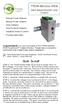 TPDIN-Monitor-WEB Web Based Monitor and Control Remote Power Stations Backup Power Systems Solar Systems Wind Powered Systems Industrial Sense & Control Process Automation Congratulations! on your purchase
ABB i-bus EIB / KNX Analogue Input AE/S 4.2
 Product Manual ABB i-bus EIB / KNX Analogue Input AE/S 4.2 Intelligent Installation Systems This manual describes the functionality of Analogue Input AE/S 4.2. Subject to changes and errors excepted. Exclusion
FM-CI Cochlear Implant Adaptor Instructions for Use
 FM-CI Cochlear Implant Adaptor Instructions for Use Contents FM-CI adaptor features 4 Amigo receiver features 5 Adaptor cords 6-7 System setup 8-9 Inserting batteries 10 Wearing instructions 11-14 FM system
Global Water Instrumentation, Inc.
 Global Water Instrumentation, Inc. 11390 Amalgam Way Gold River, CA 95670 T: 800-876-1172 Int l: (916) 638-3429, F: (916) 638-3270 Temperature Sensor: WQ101 ph Sensor: WQ201 Conductivity Sensor: WQ301
Owner s Manual. MRX-2 Network Base Station
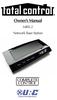 Owner s Manual MRX-2 Network Base Station MRX-2 Owner s Manual 2014 Universal Remote Control, Inc. The information in this manual is copyright protected. No part of this manual may be copied or reproduced
The table below lists the symbols used on the Clamp and/or in this manual. Important Information. See manual.
 i800 AC Current Clamp Instruction Sheet Introduction The i800 AC Current Clamp, the Clamp, has been designed for use with multimeters, recorders, power analyzers, safety testers, etc., for accurate non-intrusive
Wiring Instructions and Operating Manual 12 POINT ULTRABEAM REMOTE MONITORING SYSTEM
 Wiring Instructions and Operating Manual 12 POINT ULTRABEAM REMOTE MONITORING SYSTEM Hycontrol Limited, Larchwood House, Orchard Street, Redditch, Worcestershire, B98 7DP, UK. Tel: +44 (0)1527 406800 Fax:
Installation Guide. WSD-100 Wind Speed and Direction Sensor For XR5 Data Loggers. February, 2011
 WSD-100 Wind Speed and Direction Sensor For XR5 Data Loggers Installation Guide February, 2011 Pace Scientific Inc www.pace-sci.com Tel: 704-799-0688 [email protected] 1 Disclaimer The following warranty
Model PS-4001 Power Supply User Instructions
 Model PS-4001 Power Supply User Instructions 9350-7710-000 Rev E 9/2009 PROPRIETARY NOTICE The product information and design disclosed herein were originated by and are the property of Bosch Security
User Instructions. Warning! To prevent or reduce the risk of electrical shock or fire, do not expose this unit to rain or moisture.
 Introduction Rev. /06 User Instructions American DJ 495 Charter Street Los Angeles Ca. 90058 www.americandj.com Unpacking: Thank you for purchasing the by American DJ. Every has been thoroughly tested
Explosion proof enclosures
 1 of 7 Explosion proof enclosures DE8 C 2 of 7 The Ex d enclosures are rugged and designed for harsh environment like: Oil and gas industry Chemical industry Pharmaceutical industry Agribusiness Without
Owner s Manual & Safety Instructions
 Owner s Manual & Safety Instructions Save This Manual Keep this manual for the safety warnings and precautions, assembly, operating, inspection, maintenance and cleaning procedures. Write the product s
T0118 T2118 T3118. Instruction Manual
 Programmable indoor transmitter of temperature T0118 Programmable indoor transmitter of atmospheric pressure T2118 Programmable indoor transmitter of temperature, relative humidity and other derived humidity
i ChatterBox! Motorcycle Security
 i Before you Start the Installation * Please read this manual to become familiar with the requirements necessary to complete the installation. * Use a high quality multi-meter to test all wires before
INSTRUCTION MANUAL. SIGNAL AMPLIFIER 4-20 ma
 INSTRUCTION MANUAL SIGNAL AMPLIFIER 4-20 ma 0305 260 IMPORTANT USER INFORMATION IMPORTANT USER INFORMATION Reading this entire manual is recommended for full understanding of the use of this product Should
POZZI WINDOW COMPANY LIMITED WARRANTY WINDOWS, DOORS AND COMPONENT PARTS
 POZZI WINDOW COMPANY LIMITED WARRANTY WINDOWS, DOORS AND COMPONENT PARTS POZZI WINDOW COMPANY warrants, subject to the conditions and restrictions contained below, that each window, door and component