
Suggested BiliChek Usage Protocol
|
|
|
- Maryann Beasley
- 9 years ago
- Views:
Transcription
1 Suggested BiliChek Usage Protocol I. Subject: BiliChek Non-Invasive Bilirubin Analyzer II. Purpose: To outline and define the use of the BiliChek Non-Invasive Bilirubin Analyzer in the hospital setting which may include the Newborn Nursery, Neonatal Intensive Care Unit, Outpatient Clinic, Laboratory, Home Nursing Agency and/or Emergency Department. III. Scope: The BiliChek Non-Invasive Bilirubin Analyzer is approved for use as an accurate predictor of total serum bilirubin (TSB) in infants and neonates. Intended use: Pre, during and post phototherapy Gestational age: weeks Post-natal age: 0-20 days Weight range: grams IV. Clarification & Definitions: The BiliChek Non-Invasive Bilirubin Analyzer device is an alternative to subcutaneous (traditional heel stick TSB) bilirubin testing as correlated to High Performance Liquid Chromatography. Because BiliChek is noninvasive there is no pain, trauma or risk of infection to the patient. The BiliChek performance has been clinically proven in patients within the following parameters: o Gestational Age: 27 to 42 weeks o Postnatal Age: 0 to 20 days o Weight: 950 to 4995 grams The BiliChek should not be used in the following situations: o Following exchange transfusion o The measurement site on the forehead contains excessive bruising, birthmarks, hematomas or excessive hairiness at this can produce erroneous results. Only properly trained hospital personnel should perform BiliChek testing. Such personnel may include: o Nursing Staff o Laboratory Personnel o Physician V. Staff Competency Validation:

2 All hospital personnel responsible for performing BiliChek testing must be properly trained prior to use of the device in a clinical setting to ensure accurate test results. Training will be documented as follows: 1. Hospital personnel will receive a demonstration of the equipment by an experienced BiliChek operator and will be responsible for reading the information provided in the User Instruction Manual and any other training materials provided by the manufacturer. 2. Hospital Personnel will perform a return demonstration on 3 infants in the presences of an experienced BiliChek operator. 3. Successful completion of training will be documented in the employee s education record. VI. Testing Procedure A. Initialize the Unit 1. Install a fully charged battery pack into the battery compartment of the unit. 2. Press and release either the F1 (blue) or F2 (gray) button on the front of the BiliChek unit to turn the device on. 3. The device will perform a self-test, momentarily displaying all LCD indicators. When the self-test is complete the home screen will be visible displaying the last measurement, time and date or an error code message (if applicable). 4. If this is the first time the BiliChek device is used it will be necessary to enter the set-up mode and program the display setting before proceeding. Please refer to the User Instruction Manual located for complete set-up instructions. 5. The BiliChek does not have an off switch and will automatically turn off if it is idle for a user-specified period of time (60 or 120 seconds). B. Perform Calibration 1. Remove a new disposable tip from its foil pouch and apply it to the optical sensor on the BiliChek hand held device before each use. 2. Firmly press the disposable tip on the BiliChek hand held device to ensure proper seating of the tip. 3. With the home screen displayed, press and release the trigger button (blue button located on the hand grip) to start calibration. 4. Three dashes (---) will flash in the display window and the Measurement Status Indicator (MSI) will be amber if the disposable tip properly seated, indicating the device is ready to calibrate. (If the disposable tip is not properly

3 seated, the MSI will be red and E01 error message will be displayed.) 5. Press and release the trigger button again. The dashed lines will stop flashing indicating the BiliChek is calibrating. 6. The MSI will be amber colored and a beep will be heard (if audible alarm is enabled). The display window will read (005) to indicate that the calibration was completed successfully. If there is a failure in calibration an error message will be displayed and you will be unable to proceed with testing. Refer to the troubleshooting section of the Usual Instruction Manual. C. Perform Patient Test 1. After performing the calibration, pull on the disposable tip tab and peel away the protective covering (calibration material) from the disposable tip and discard. 2. Press and release the trigger button. The device is not activated and ready to take a measurement. ( 005 will be displayed and blinking.) 3. Gently press the disposable tip against the infant s forehead. The MSI on the display will change from amber to green and 005 will stop blinking when proper pressure is applied. 4. Hold the BiliChek hand held device steady until the measurement is complete (1 to 3 seconds). The device will beep if audible alarm is enabled. 5. Perform a series of 5 measurements by lifting and replacing the disposable tip on the center of infant s forehead. Press and release the trigger button before each measurement. The current measurement will be indicated on the display ( ). 6. Upon completion of the five measurements, a final beep will sound and the test result will be displayed along with the current time and date. Remove and discard the disposable tip. 7. Place the protective tip cover onto the BiliChek hand held device (An un-used disposable tip can be used if the protective cove becomes lost or damaged). 8. The BiliChek unit will turn off automatically D. Document Result 1. Document the patient test result, date and time in the appropriate area on the patient s chart. 2. Notify the attending physician as appropriate. 3. Obtain follow-up measurements in accordance with physician orders.

4 VI. QA Documentation Procedure The BiliChek device performs internal calibration controls prior to each patient test. The device will not permit testing to occur if the calibration does not meet the control specifications. In order to document completion of the calibration prior to each test to meet JCAHO requirements you should complete a Quality Documentation Record similar to the sample provided. An individual record should be maintained for each BiliChek device and tracked by serial number. VII. Cleaning and Maintenance The BiliChek System surface may be cleaned with the following agents: KleenaSeptic Cavicide 70% - 90% Isopropyl Alcohol 1% Bleach To clean, spray the cleaning agent of choice onto a damp cloth and wipe the BiliChek system and display window clean. Warning: Do not immerse the BiliChek in water or other liquid. If liquids spill onto the unit, wipe with a cloth and let unit dry before use. Warning: Do not attempt to clean and/or reuse the disposable tip. Warning: The optical measurement tip should only be cleaned with 90% or higher Isopropyl Alcohol using a soft optical surface cleaning wipe. VIII. Patient Test Implementation Guidelines Infants with one or more of the following risk factors for hyperbilirubinemia will be screened for elevated bilirubin levels with the BiliChek Transcutaneous Bilirubinometer % loss of birth weight 2. Poor feeder 3. Excessive bruising 4. Blood group incompatibility 5. <37 weeks gestation and/or 2500 grams 6. Visible jaundice A total serum bilirubin (TSB) (blood draw) will be obtained prior to the initiation of the phototherapy treatment ordered by the attending physician, based on the following criteria: Infants < 24 hours of age with BiliChek TcB of > 10 mg/dl Infants > 24 hours of age with BiliChek TcB of > 12 mg/dl Infants > 48 hours of age with BiliChek TcB of > 15mg/dL Infants > 72 hours of age with BiliChek TcB of > 17 mg/dl

5 Note: These guidelines are intended to serve only as a reference. They shall be used only in conjunction with the instructions and/or protocol set forth by the physician and institution in which the device is being used. The guidelines are not intended to supercede established medical protocols. Rubaltelli, FF, Gourley GR, Loskamp N, Modi N, Roth-Kleiner M, Sender A, Vert P: Transcutaneous bilirubin measurement: a multicenter evaluation of a new device. Pediatrics 2001; 107:

Transcutaneous Bilirubinometer
 Transcutaneous Bilirubinometer Neonatal jaundice occurs in nearly 70% of term and 80% of preterm babies. Management of jaundiced neonates often requires measurement of total serum bilirubin (TSB). Total
D-94164-2013. Gentle for the newborn, efficient for you. DRÄGER JAUNDICE METER JM-105
 D-94164-2013 Gentle for the newborn, efficient for you. DRÄGER JAUNDICE METER JM-105 2 Assessing jaundice risk without the trauma D-94313-2013 D-7346-2009 While neonatal jaundice or hyperbilirubinemia
Sample Usage Protocol Jaundice Meter JM-105
 D-94164-2013 Sample Usage Protocol Jaundice Meter JM-105 This Sample Usage Protocol is provided as a template for creating a facility or department-specific protocol for using the Dräger Jaundice Meter
digital fever alert ear thermometer suitable from birth instruction manual
 digital fever alert ear thermometer suitable from birth instruction manual digital fever alert ear thermometer instruction manual Please read these instructions carefully before using the thermometer and
Forehead. Use and Care Manual. Thermometer IMPORTANT! READ AND SAVE THESE INSTRUCTIONS. Model V977
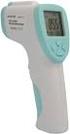 Forehead Thermometer Use and Care Manual IMPORTANT! READ AND SAVE THESE INSTRUCTIONS Model V977 Questions or Comments Call toll-free: 1-800-477-0457 or E-mail: [email protected] www.kaz.com QUICK
Tympanic Thermometer
 Tympanic Thermometer Tympanic Thermometer Owner s Manual Version 1.0 May, 2013 IMPORTANT SAFETY INSTRUCTIONS READ THIS BEFORE USING The following basic safety precautions should always be taken. 1. Close
Instructions for Use. Components of the GENOTROPIN PEN 12
 Instructions for Use Important Note Please read these instructions completely before using the GENOTROPIN PEN 12. If there is anything you do not understand or cannot do, call the toll-free number listed
RT-1261A Ear and Forehead Thermometer Owner s Manual
 RT-1261A Ear and Forehead Thermometer Owner s Manual 311-1261000-009 Version 1.0 April, 2009 IMPORTANT SAFETY INSTRUCTIONS nu-beca RT-1261A Ear and Forehead Thermometer READ THIS BEFORE USING The following
Instant Ear Thermometer
 INSTRUCTION MANUAL Instant Ear Thermometer Model 18-107-000 Please read this detailed guidebook completely before operating this unit. English Spanish Limited Five-Year Warranty Your Ear Thermometer is
el-720 Carbon Dioxide Gas Leak Detector User s Guide
 el-720 Carbon Dioxide Gas Leak Detector User s Guide Congratulations on the purchase of the AccuTools el-720 Carbon Dioxide Gas Leak Detector, the most technologically advanced instrument of its kind.
510 / 511 Cardiorespiratory Monitor Preventative Maintenance Test Procedure
 CAS MEDICAL SYSTEMS, INC. 510 / 511 Cardiorespiratory Monitor Preventative Maintenance Test Procedure using the 2301Multi-Function Tester 44 East Industrial Road Branford, CT 06405 USA [email protected]
Title: Glucose Testing: StatStrip Glucose Meter Page 1 of 6
 Title: Glucose Testing: StatStrip Glucose Meter Page 1 of 6 CentraCare Health (CCH) adopts the following policy/procedure for: St. Cloud Hospital Original: 5/02 Minor Revision: Full Review: 1/15 Replaces:
Monitoring the Switch
 CHAPTER6 Any problem in your switch can affect a large proportion of your users. Implementing a preventive approach to switch monitoring helps you to detect problems early and to avoid potential problems.
USER'S MANUAL. VTECH Printed in China 91-01372-000
 USER'S MANUAL VTECH Printed in China 91-01372-000 Dear Parent: At VTECH we know that a child has the ability to do great things. That s why all of our electronic learning products are uniquely designed
Inform II. Quick Reference Guide. for Healthcare Professionals BLOOD GLUCOSE MONITORING SYSTEM
 Inform II BLOOD GLUCOSE MONITORING SYSTEM Quick Reference Guide for Healthcare Professionals 2 Table of Contents Important... 4 General Information... 6 ACCU-CHEK Inform II Meter...10 How to Perform Patient
Introduction 1 The system 1 The meter 2 The display 3 The mode 3 The measurement 4 Coding the meter 4 How to obtain a drop of blood 6 Application of
 Introduction 1 The system 1 The meter 2 The display 3 The mode 3 The measurement 4 Coding the meter 4 How to obtain a drop of blood 6 Application of the blood 7 Procedure to test glucose 7 Procedure to
AU680 Every Other Week or Every 3,000 Samples (ISE) Maintenance. AU680 Weekly (Analyzer and ISE) Maintenance
 AU680 Every Other Week or Every 3,000 Samples (ISE) Maintenance Step 1 Action Perform the Manually Clean the ISE Mix Bar, Liquid Level Sensors, Sample Pot and Sample Pot Tubing procedure AU680 Weekly (Analyzer
BASIC BODY COMPOSITION SCALE
 BASIC BODY COMPOSITION SCALE GET STARTED: greatergoods.com/0391 CUSTOMER SUPPORT Email: [email protected] Phone: (866) 991-8494 Website: greatergoods.com Table of Contents Important Safety Notes 2
Key. ➍ Micro USB Port ➎ Operating System Toggle Keys ➏ Foam Screen Protectors. ➊ On/Off switch ➋ Bluetooth Connect Button (flashes when searching)
 INSTRUCTION MANUAL ➏ ➋ ➊ Product Features ➎ ➍ ➌ Built-in wireless Bluetooth 3.0 keyboard Compatible across ios, Android, and Windows, enabling you to mix and match with devices Ultra-thin, lightweight
ThermoScan Instant Thermometer IRT 1020 Type 6005 Home Model
 ThermoScan Instant Thermometer IRT 1020 Type 6005 Home Model English Use Instructions Guarantee Service Centres Important safeguards Please read all instructions carefully before using this product The
Instant Ear Thermometer
 INSTRUCTION MANUAL Instant Ear Thermometer Model 18-102-000 Please read this detailed guidebook completely before operating this unit. English French Portuguese Spanish Limited Five-Year Warranty Your
User Guide FOR FACE AND BODY SONIC SKIN CLEANSING. Become a Clarisonic Preferred Customer. Four Speeds + Body Setting. Three-Year Warranty
 FOR FACE AND BODY User Guide Four Speeds + Body Setting Three-Year Warranty Adjustable T-Timer Charging Cradle Body Brush Head SONIC SKIN CLEANSING Beautiful skin begins with cleaner skin. Cleaner skin
INSTRUCTION MANUAL Contactless Clinical Infrared Thermometer GT-101
 INSTRUCTION MANUAL Contactless Clinical Infrared Thermometer GT-101 17 D GB F I E P NL AR A Dear customer, Thank you for your confi dence in Geratherm and congratulations on your purchase! By purchasing
Frequently Asked Questions: REDEFINE ACUTE CARE Skincare for Expression Lines
 Frequently Asked Questions: REDEFINE ACUTE CARE Skincare for Expression Lines 1. How does REDEFINE ACUTE CARE work? REDEFINE ACUTE CARE quickly and comfortably smoothes targeted lines and wrinkles using
FLASH GLUCOSE MONITORING SYSTEM. User s Manual
 FLASH GLUCOSE MONITORING SYSTEM User s Manual Contents Reader Symbols... 1 Important Safety Information... 3 Indications for Use... 3 Contraindications... 4 Getting to Know Your System...........................
APP CLOCK INTRODUCTION
 APP CLOCK INTRODUCTION The App Clock is a simple and easy to set LCD clock. Download our free app SyncClock into your Android or ios device. You can set all the clock information with the App and synchronize
User Manual Important: First read the Medication Guide that comes inside your FORTEO carton.
 1 RA082FSAM02 User Manual Important: First read the Medication Guide that comes inside your FORTEO carton. Before you use your new FORTEO delivery device, please read the entire front and back of this
Transcutaneous Electrical Nerve Stimulation Device LUMI-TENS
 Transcutaneous Electrical Nerve Stimulation Device LUMI-TENS Operation Manual Read Before Using LUMI-TENS-INS-LAB-RevA08 TABLE OF CONTENTS INTRODUCTION TO TENS INDICATIONS AND CONTRAINDICATIONS WARNINGS
R Series Quick Reference Guide
 R Series Quick Reference Guide 2010 ZOLL Medical Corporation. All rights reserved. CPR Index, OneStep, R Series, Real CPR Help, See-Thru CPR, statpadz, and ZOLL are trademarks or registered trademarks
Dual Laser InfraRed (IR) Thermometer with Color Alert
 User Manual Dual Laser InfraRed (IR) Thermometer with Color Alert MODEL 42509 Introduction Congratulations on your purchase of the Model 42509 IR Thermometer with Color Alert. This Infrared thermometer
MAINTENANCE & TROUBLESHOOTING
 MAINTENANCE & TROUBLESHOOTING This section describes how to: clean the lens replace the projection lamp replace the batteries in the remote use the security lock feature troubleshoot the projector Cleaning
Table of Contents Function Keys of Your RF Remote Control Quick Setup Guide Advanced Features Setup Troubleshooting
 Congratulations on your purchase of the AT&T U-verse TV Point Anywhere RF Remote Control. This product has been designed to provide many unique and convenient features to enhance your AT&T U-verse experience.
Touchless Forehead Thermometer
 Touchless Forehead Thermometer Model TFT-001 TM S A N 4LIF T E Contents Safety Precautions... 1 Sante4Life Touchless Forehead Thermometer... 2 Body Temperature... 3 Product Description... 5 Using the S4L
Bydureon 2 mg powder and solvent for prolonged-release suspension for injection in pre-filled pen How to use Bydureon pre-filled pen
 INSTRUCTIONS FOR THE USER Read these instructions carefully before use Bydureon 2 mg powder and solvent for prolonged-release suspension for injection in pre-filled pen How to use Bydureon pre-filled pen
Transcutaneous Electrical Nerve Stimulation Device. Operation Manual Read Before Using
 Transcutaneous Electrical Nerve Stimulation Device Operation Manual Read Before Using TABLE OF CONTENTS INTRODUCTION TO TENS INDICATIONS AND CONTRAINDICATIONS WARNINGS PRECAUTIONS/ADVERSE REACTIONS ABOUT
User's Guide. Pinless Moisture Meter. Model MO257
 User's Guide Pinless Moisture Meter Model MO257 Introduction Congratulations on your purchase of the Extech MO257 Pinless Moisture Meter. The pinless moisture sensor monitors the moisture in wood and other
User Guide. Temperature and Humidity Datalogger. Model 42280
 User Guide Temperature and Humidity Datalogger Model 42280 Introduction Congratulations on your purchase of the Extech 42280 Thermometer and Relative Humidity Datalogger. The 42280 is a wall-mount, tripod
e 1 0 0 I N S T RUC TION M ANU A L
 e 1 0 0 I N S T RUC TION M ANU A L The Empire Digital Level Accuracy, Readability, Durability one FEATURES: Easy to read back light Display reads right side up even if the level is upside down Audio beep
QuickStart Guide for The PeriCoach System
 QuickStart Guide for The PeriCoach System 1. BEFORE YOU BEGIN Items included: Case Sensor USB Cable If anything is missing please contact the manufacturer. Your PeriCoach device will require charging prior
Thermocouple Thermometer Models
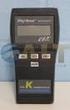 Technology Made Easy... Thermocouple Thermometer Models 60010-00 (Type J) 60010-10 (Type K) 60010-20 (Type T) 68X309905 Rev 1 04/04 TABLE OF CONTENTS 1. INTRODUCTION 4 2. SAFETY PRECAUTIONS 6 3. SPECIFICATIONS
PA500II Enterprise Mobile Computer
 PA500II Enterprise Mobile Computer - PA500II - Quick Reference Guide 400891G Version 1.0 PA500II Product Introduction & Accessory Kit After opening the box, ensure the following accessories for the PA500II
Dual Laser InfraRed (IR) Thermometer
 User s Manual Dual Laser InfraRed (IR) Thermometer MODEL 42511 Introduction Congratulations on your purchase of the Model 42511 IR Thermometer. This Infrared thermometer measures and displays non-contact
RUBY XL HD HD Handheld Video Magnifier User s Guide. 440619-001 Rev. D
 RUBY XL HD HD Handheld Video Magnifier User s Guide 440619-001 Rev. D Freedom Scientific, Inc., 11800 31 st Court North, St. Petersburg, Florida 33716-1805, USA www.freedomscientific.com. Copyright 2013
Instruction Manual HI 96800 Refractometer for Refractive Index and Brix Measurements
 Instruction Manual HI 96800 Refractometer for Refractive Index and Brix Measurements www.hannainst.com 1 Dear Customer, Thank you for choosing a Hanna Instruments product. Please read this instruction
Wide Range InfraRed (IR) Thermometer with Type K input and Laser Pointer
 User Manual Wide Range InfraRed (IR) Thermometer with Type K input and Laser Pointer MODEL 42515 Introduction Congratulations on your purchase of the Model 42515 IR Thermometer. The Model 42515 IR thermometer
Wireless Laser Barcode Scanner ils 6300BU. User s Manual
 Wireless Laser Barcode Scanner ils 6300BU User s Manual FCC Compliance This equipment has been tested and found to comply with the limits for a Class A digital device, pursuant to Part 15 of the FCC Rules.
Instructions for use.
 Instructions for use. Congratulations on the purchase of daysy, * the latest fertility monitor on the market. Our experience over the last 25 years has enabled us to develop this sophisticated and reliable
Owner s Manual & Safety Instructions
 Owner s Manual & Safety Instructions Save This Manual Keep this manual for the safety warnings and precautions, assembly, operating, inspection, maintenance and cleaning procedures. Write the product s
Bydureon 2 mg powder and solvent for prolonged-release suspension for injection
 INSTRUCTIONS FOR THE USER Your step by step guide Bydureon 2 mg powder and solvent for prolonged-release suspension for injection If you have questions about taking Bydureon Refer to the Common questions
irobot Roomba Owner s Manual
 irobot Roomba Owner s Manual SAVE 15% on accessories. See back for details. www.irobot.com Dear irobot Roomba Owner, Welcome to the new world of irobot. As an owner of irobot s latest Roomba Vacuuming
Key Features in the AgaMatrix Jazz
 Advanced Blood Glucose Monitoring System OWNER S GUIDE Key Features in the AgaMatrix Jazz No Coding Required - The AgaMatrix Jazz doesn t require you to code your meter. Insert a test strip and you are
Wolverine Data PASS Portable Scanner User Manual V1.0
 Wolverine Data PASS Portable Scanner User Manual V1.0 Table of Contents 1. Before Using the PASS Battery Powered Portable Scanner ------- 2 Having difficulty using this product? -------------------------------------
FLOOR WASHING ROBOT. 300 Series
 FLOOR WASHING ROBOT 300 Series Owner s Manual Dear Scooba Owner Congratulations and welcome to the world of irobot! You have joined the growing number of people who have discovered a smarter way to clean.
MAINTENANCE & TROUBLESHOOTING
 MAINTENANCE & TROUBLESHOOTING This section describes how to: clean the lens clean the fan intake filter replace the projection lamp replace the batteries in the remote control use the Kensington lock feature
Body Fat Scale Instructions for use
 Body Fat Scale Instructions for use The scale is specially designed to test your body weight, body fat, hydration, muscle and bone percentages and to help you keep a close eye on the daily changes of your
Self-Install Security System Installation and User Guide
 Self-Install Security System Installation and User Guide Contents Installation Installation guide 4 Codepad and accessories 6 Step 1 Determine security system location 8 Step 2 Mounting motion sensors
500 Series. www.irobot.com
 500 Series www.irobot.com Dear irobot Roomba owner, Welcome to the world of irobot! As an owner of an irobot Roomba Vacuum Cleaning Robot, you join a world-wide community of people who enjoy more free
Blood Glucose Monitoring System. Owner's Booklet. Instructions for use.
 Blood Glucose Monitoring System Owner's Booklet Instructions for use. Contents covered by one or more of the following U.S. patents: 6,179,979, 6,193,873, 6,284,125, 6,716,577, 6,749,887, 6,797,150, 6,863,801,
Jarv Joggerz BT-301 Bluetooth Stereo Headphones Users Guide
 Jarv Joggerz BT-301 Bluetooth Stereo Headphones Users Guide Features: Bluetooth Wireless technology Compact design fits in the palm of your hand and weighs less than 2 oz. Comfortable Behind the Neck design
USER MANUAL. Bottom Loading Bottled Water Dispenser SAVE THIS MANUAL FOR FUTURE USE. Model # 900172
 Model # 900172: Page 1 USER MANUAL Bottom Loading Bottled Water Dispenser Model # 900172 TO REDUCE THE RISK OF INJURY AND PROPERTY DAMAGE, USER MUST READ THIS MANUAL BEFORE ASSEMBLING, INSTALLING & OPERATING
Music for You M4U Over Ear Headphones Owner s Guide ENGLISH
 Music for You M4U Over Ear Headphones Owner s Guide INTRODUCTION Thank you for purchasing a pair of PSB Speakers M4U Headphones, a highly developed set of headphones that captures all the sounds from your
Back-UPS Pro 1300/1500 Installation and Operation
 Back-UPS Pro 1300/1500 Installation and Operation Inventory Safety Do not install the Back-UPS in direct sunlight, in excessive heat, humidity, or in contact with fluids. Connect the battery bu059a bu058a
HUMULIN 70/30 KwikPen
 1 Instructions for Use HUMULIN 70/30 KwikPen (70% human insulin isophane suspension 30% human insulin injection [rdna origin]) Read the Instructions for Use before you start taking HUMULIN 70/30 and each
HP ProDisplay P19A LED Backlit Monitor. User Guide
 HP ProDisplay P19A LED Backlit Monitor User Guide 2013 Hewlett-Packard Development Company, L.P. The only warranties for HP products and services are set forth in the express warranty statements accompanying
INSTRUCTIONS FOR USE HUMIRA 40 MG/0.8 ML SINGLE-USE PEN
 INSTRUCTIONS FOR USE HUMIRA (Hu-MARE-ah) (adalimumab) 40 MG/0.8 ML SINGLE-USE PEN Do not try to inject HUMIRA yourself until you have been shown the right way to give the injections and have read and understand
Detector transparent with Color Inserts. FAA 500 TR P Trim Ring transparent with Color Inserts. FCA 500 / FCA 500 E Detector Bases
 Detector Color Detector transparent with Color Inserts FAA 500 TR W Trim Ring FAA 500 TR P Trim Ring transparent with Color Inserts FAA 500 BB Ceiling Mount Back Box FCA 500 / FCA 500 E Detector Bases
Instruction Manual HI 96801 Refractometer for Sucrose Measurements
 Instruction Manual HI 96801 Refractometer for Sucrose Measurements www.hannainst.com 1 Dear Customer, Thank you for choosing a Hanna product. This manual will provide you with the necessary information
MAP COFFEE MIA CAPSULE COFFEE MACHINE INSTRUCTION MANUAL MODEL: CM4725. Read this manual thoroughly before using and save it for future reference
 MAP COFFEE MIA CAPSULE COFFEE MACHINE INSTRUCTION MANUAL MODEL: CM4725 Read this manual thoroughly before using and save it for future reference Purchase MAP capsules at Harvey Norman stores nationwide
EXERGEN. English. TemporalScanner TM. Accurate Temperature with a Gentle Forehead Scan. Operators Manual for TAT-5000
 EXERGEN TemporalScanner TM Accurate Temperature with a Gentle Forehead Scan English Operators Manual for TAT-5000 English ~ Deutsch ~ Español ~ Français ~ Italiano ~ Nederlands ~ Português (UE) ~ Türkçe
OPERATOR S Manual All specifications are subject to change without notice
 OPERATOR S Manual All specifications are subject to change without notice Warning - U.S. This equipment has been tested and founded to comply with the limits for a Class A digital device pursuant to Part
2.1 Battery Installation 3 2.2 Powering On & Off 4 2.3 Pairing 4 2.4 Mount Installation 5
 User Manual Table of Contents 1. In the Box 3 2. Getting Started 3 2.1 Battery Installation 3 2.2 Powering On & Off 4 2.3 Pairing 4 2.4 Mount Installation 5 3. Using the ishower 2 5 3.1 Navigating Between
Jarv Nmotion BTHL-201 Bluetooth Stereo Earbuds Users Guide
 Jarv Nmotion BTHL-201 Bluetooth Stereo Earbuds Users Guide Features: Bluetooth wireless technology Comfortable lightweight in-ear design with detachable sports ear hooks for added support High Definition
Installation. Powerline 500 Model XAVB5221
 Installation Powerline 500 Model XAVB5221 Package Contents In some regions, a resource CD is included with your product. 2 Getting Started Powerline networking solutions give you an alternative to Ethernet-only
5.3 Cleaning the Printer
 5.3 Cleaning the Printer As discussed earlier, the following parts must be cleaned each time the toner container and waste toner box are replaced: Main charger wire Main charger grid Registration roller
Dual Laser InfraRed (IR) Thermometer
 User Manual Dual Laser InfraRed (IR) Thermometer MODEL 42512 Introduction Congratulations on your purchase of the Model 42512 IR Thermometer. This Infrared thermometer measures and displays non-contact
Wireless Alarm System. Panic Button. User s Manual. Choice ALERT. Control all sensors, accessories and remote transmitters from one location
 Wireless Alarm System Panic Button User s Manual Choice ALERT Control all sensors, accessories and remote transmitters from one location Table of Contents Important Safeguards 4 Introduction 5 Activating
STEREO BLUETOOTH WIRELESS HEADPHONES
 STEREO BLUETOOTH WIRELESS HEADPHONES model: AF32 USER MANUAL part of the series PACKAGE CONTENTS Runaway AF32 Stereo Bluetooth Wireless Headphones Charging cable (USB 3.5mm) Stereo audio cable (3.5mm 3.5mm)
WIRELESS SENSOR BATTERY REPLACEMENT INSTRUCTIONS For Safewatch Residential Control Panels
 www.adt.ca WIRELESS SENSOR For Safewatch Residential Control Panels Your ADT Safewatch QuickConnect, SafeWatch 3000 or Vista Series residential security system may be installed with wireless sensors, such
Aseptic Technique. A GMP/GTP Training Module
 Aseptic Technique A GMP/GTP Training Module Aseptic Technique The GMP Facility manufactures products for clinical use These products must meet a number of requirements, one of which is that they are sterile
site monitoring Kit Site Monitoring Kit User Manual we prove it.
 site monitoring Kit 1 User Manual Site Monitoring Kit User Manual we prove it. 2 site monitoring Kit Content 1. Introduction 3 2. Content of the Site Monitoring Kit 4 3. Preparation 6 1. Positioning of
GSM Autodialer Professional GJD700 Speech & Text Autodialer
 Text Edit message GSM Autodialer Professional GJD700 Speech & Text Autodialer Introduction The GSM Autodialer Professional works in conjunction with standard alarm systems and makes use of your preferred
Plantronics Inc 345 Encinal Street Santa Cruz, CA 95060 USA Tel: (800) 544-4660. www.plantronics.com
 Plantronics Inc 345 Encinal Street Santa Cruz, CA 95060 USA Tel: (800) 544-4660 www.plantronics.com 2005 Plantronics, Inc. All rights reserved. Plantronics, the logo design, Plantronics and the logo design
PROCEDURE COVERSHEET. Document Section: CHEMISTRY Author: JOANNE WONG Date Authored: JAN 2011. In Use Date: 2/1/2011 Discontinued Date:
 PROCEDURE COVERSHEET Procedure Title: ph (Urine, Body Fluid, Platelet Samples) Document Section: CHEMISTRY Author: JOANNE WONG Date Authored: JAN 2011 Laboratory Director: TED KURTZ, MD (PARNASSUS & CHINA
Your Simple Guide to Battery. www.firstalertpro.com. Replacement. Customer Care: 1-800-852-0086. www.firstalertpro.
 Previous Menu Your Simple Guide to Battery www.firstalertpro.com Replacement p e t s ts ep -by Customer Care: 1-800-852-0086 FA/1565 9/00 www.firstalertpro.com Table of Contents: page Introduction...............................
High Temperature InfraRed Thermometer with Laser Pointer
 User s Manual High Temperature InfraRed Thermometer with Laser Pointer MODEL 42540A 6 42540 6 Introduction Congratulations on your purchase of the Model 42540A IR Thermometer. The 42540A is capable of
User s manual FLIR VP50/VP52 Non-contact AC voltage detector
 User s manual FLIR VP50/VP52 Non-contact AC voltage detector User s manual FLIR VP50/VP52 #T559851; r. AD/ 9134/9134; en-us Table of contents 1 Disclaimers... 1 1.1 Copyright... 1 1.2 Quality assurance...
Biomet SpinalPak Non-Invasive Spine Fusion Stimulator System
 Biomet SpinalPak Non-Invasive Spine Fusion Stimulator System A Patient s Guide 100 Interpace Parkway Parsippany, NJ 07054 800-526-2579 www.biomet.com BNS231003 2009 EBI, LLC. All trademarks are the property
FRX3 Hand Turbine AM/FM/Weather Alert Radio with USB Smartphone Charger
 FRX3 Hand Turbine AM/FM/Weather Alert Radio with USB Smartphone Charger Owner s manual NEED HELP? CONTACT US. Etón Corporation, 1015 Corporation Way, Palo Alto, CA 94303, USA. 1-800-872-2228 (U.S.); 1-800-637-1648
Rad-8. Signal Extraction Pulse Oximeter. Service Manual
 Rad-8 Signal Extraction Pulse Oximeter Service Manual Rad-8 Signal Extraction Pulse Oximeter Service Manual The Rad-8 Service Manual is intended to provide the necessary information for proper servicing
Self-Cleaning Litter Box
 SAVE THIS MANUAL Self-Cleaning Litter Box INSTALLATION AND OPERATION MANUAL IMPORTANT INFORMATION INSIDE! Please read prior to product installation and operation. WELCOME TO THE LITTERMAID BRAND FAMILY!
CYBEX GmbH Riedinger Str. 18 95448 Bayreuth Germany. [email protected] www.cybex-online.com www.facebook.com/cybex.online
 CYBEX GmbH Riedinger Str. 18 95448 Bayreuth Germany [email protected] www.cybex-online.com www.facebook.com/cybex.online GO TO WWW.CYBEX-ONLINE.COM TO WATCH AN INSTRUCTIONAL VIDEO C233_051-3_01A PALLAS
WIRELESS BROADBAND. Self-Help Guide. USB Modem (E220, E1552, E1762, E173, E303, E372)
 WIRELESS BROADBAND Self-Help Guide USB Modem (E220, E1552, E1762, E173, E303, E372) contents description of LED lights on equipment how to measure the correct download and upload internet speeds how to
Optical passport reader VPR-451/Blue VPR-451/USB VPR-451e/Blue VPR-451e/USB
 Document reading systems Optical passport reader VPR-451/Blue VPR-451/USB VPR-451e/Blue VPR-451e/USB User manual www.vicomp.com.pl Optical passport reader VPR - 451 Contents Introduction 2 Unpacking 2
EKOS Cart. Instructions for Use
 EKOS Cart Instructions for Use EKOS Corporation 11911 North Creek Parkway South Bothell, WA 98011 USA (425) 415-3100 (tel) (425) 415-3102 (fax) [email protected] (e-mail) - 1-4913-002 REV E Intended Use
Hearing Direct.com. Operating instructions. Model HD 350
 Hearing Direct.com Operating instructions Before use, please read these instructions to help you get the best out of your HearingDirect.com hearing aid Model HD 350 Introduction Hearing Direct.com Welcome
4.3-inch Back-Up Camera
 TM 4.-inch Back-Up Camera Model No.: PKC0BU4 Owner s Manual and Warranty Information Read these instructions completely before using this product. Retain this Owner s Manual for future reference. INTRODUCTION
Electric Kettle. Model: SK-1717 INSTRUCTIONS MANUAL
 Electric Kettle Model: SK-1717 INSTRUCTIONS MANUAL Thank you for your purchase. Please read this Instruction Manual thoroughly before use and keep in a safe place for future reference. READ ALL INSTRUCTIONS
Recommended Procedures for Use of YSI Water Quality Monitoring Instruments during Oil Spills
 Recommended Procedures for Use of YSI Water Quality Monitoring Instruments during Oil Spills Overview: This is a guidance document that is intended for users of YSI 6-Series sondes and handheld instruments