
TRANSPARENT (TRANSLUCENT) DISPLAY TECHNOLOGY. FREQUENTLY ASKED QUESTIONS (FAQs) PANELS DISPLAY KITS & SHOWCASES
|
|
|
- Leon Kelly
- 9 years ago
- Views:
Transcription
1 TRANSPARENT (TRANSLUCENT) DISPLAY TECHNOLOGY FREQUENTLY ASKED QUESTIONS (FAQs) PANELS DISPLAY KITS & SHOWCASES (v.3 September 2015) Additions since Version 2 in Purple

2 Introduction This document was compiled by myself Chris Bartram (Managing Director at CDS) to help and aid companies and individuals that are considering utilising the transparent display technology in their products, design and applications based on CDS s years of experience with Transparent displays and solutions. It is not intended to be a specific design guide as every project is different but rather to pass on the experience and knowledge I and CDS have accumulated over the last few years with this niche technology. Many points included in this documentation are not scientific points of fact but opinions based on experience to help readers when considering their options for the transparent Display technology. It is not aimed to be a scientific or physics thesis but rather a practical overview of the technology to help the readers also avoid some of the mistakes companies have made with the transparent technology since its inception. For specific questions or projects we recommend contacting Crystal Display Systems on [email protected]. As this technology is constantly evolving and improving things will change but we hope this document gives you an excellent overview of the technology based on questions we have been asked and information supplied. I hope you find this document useful but if you feel other questions should be added please just send them to [email protected] and we will gladly look at these and add them where appropriate. The final word is on terminology which as you know does change by market sector and country / region but I have tried to account for this so each point is clear. Just to be clear for this document there is no difference between transparent and translucent but we use it interchangeably as the questions came from all over the world and consequently they used different words. Chris Bartram Best regards Chris Bartram

3 Transparent Display Frequently Asked Questions (FAQs) 1. Does the Transparent Display go white (Clear) when powered off? a. No they are dark (somewhat transparent) but need a voltage across the display (you can use the interface card and power supply we supply as a part of the kit) and when you apply a white pixel the displays become transparent. The transparency rate is around 15%. 2. How does the content work? a. You simply create content in the same way you would for any other display but you must just remember that black stops the light completely and white makes the display translucent (see through). Therefore, you can make products behind the display appear and disappear in front of your eyes. 3. Does it work in sunlight? a. Yes you can us these in sunlight as the films we use have sunlight readable properties but you will also need to ensure sufficient light behind the transparent display is present and ensure limited dissipation so the backlight is more effective than the sunlight in front of the display. When used in direct sunlight you should also apply Ultra violet (UV) protection on the front glass. 4. How thin are the bezels on the Transparent Displays? a. The size of the bezels depends on the size of the displays as obviously the larger the display the bigger the bezel must be to ensure a strong and rigid structure. Often the bezels are offset to accommodate the drive electronics from the TFT LCD panel. 5. Can they be used for a videowall? a. Yes they can like any other standard display BUT due to the bezel structure you will not be able to achieve a Super Narrow Bezel (SNB) solution as is possible with other displays that are specifically designed for that purpose as you can see here - Click here for videowalls. 6. What colour backdrop is needed? a. It should be a white backdrop or background to achieve that look of a white colour and optimise the contrast to achieve the best results. You can see this in our transparent showcase products click here for our transparent showcases. General Note on Backlighting The transparent displays DO NOT include backlights and so the user / integrator etc. must supply their own backlighting for the box / showcase solution with a sufficient brightness to ensure a good crisp image to optimise the performance. We mention later in this FAQs more about light transmission and possible lighting solutions.

4 7. Will it work without a backdrop? a. Possibly BUT there must be a lot of light to enable the image on the screen to be shown effectively and this is difficult unless the light is boxed in as it dissipates very quickly. We do not recommend this but it is possible with the correct lighting solution. Here is an example of a transparent display just simply put against a window looking out onto the car park with no additional lighting: 8. Does backlight have to be white? a. Yes this is what we recommend to optimise the contrast and image quality. 9. What makes our technology better compared to others? a. CDS offer the latest transparent technology maximising transparency whilst utilising high quality base panels to ensure viewing angles and the colour gamut is optimised to result in the best panel and solution performance. But we say simply try our technology and you will not be disappointed. Plus we are constantly expanding our range to help offer the right solution for every application where possible which now includes FULL HD 1920 x 1080 resolution as well as Ultra HD 4K (3840 x 2160) resolution in our 84 Transparent. 10. How is the content updated? a. Our interface card solution (see below) gives you a kit that you can then use either the USB (for simple local updates, or VGA and HDMI inputs to connect your own choice of PC or media player. As you can see this offer a very flexible reliable solution for your application.

5 11. What file types can we use for content with your transparent kit solution? a. Our interface solution offer a number of options for your content with the most common being MPEG4 at a resolution of 1920 x But please click on the following link to download our Interface card which includes all accepted file formats / codecs etc. Transparent Interface solution 12. Can they be updated remotely? a. Yes they can by simply connecting your PC or media player to our kit solution via the HDMI input on the interface card provided. We can offer the full solution including a cloud based Media player. For more information please go to FULL HD Media Players. Easy 13. Is touchscreen available? a. Yes we have a full range of touch screen technologies available but if you can use it we recommend Infra-Red which with its pure glass front (i.e. no transparency lost through say wires or ITO layers with other technologies) it gives and excellent image quality and finish. Infra-red touch panels are currently available for ALL our transparent displays. 14. How many touch points? a. Currently we can offer up to 32 touch points but this may increase with time, although we always recommend customers consider if they really need so many touches as this just adds to cost with often no benefits! 15. What is MTBF rate on your panels? a. We do not have this information available but we can confirm that the MTBF is very high due to the fact that our transparent displays have no backlight and the backlight is traditionally the weakest link in standard TFT LCD. Our transparent displays have shown the highest reliability and quality. 16. What are the temperature ranges? a. Standard operating temperatures are 0-50 degrees Celsius. If you need extended temperature versions please ask our technical sales team for information / advice.

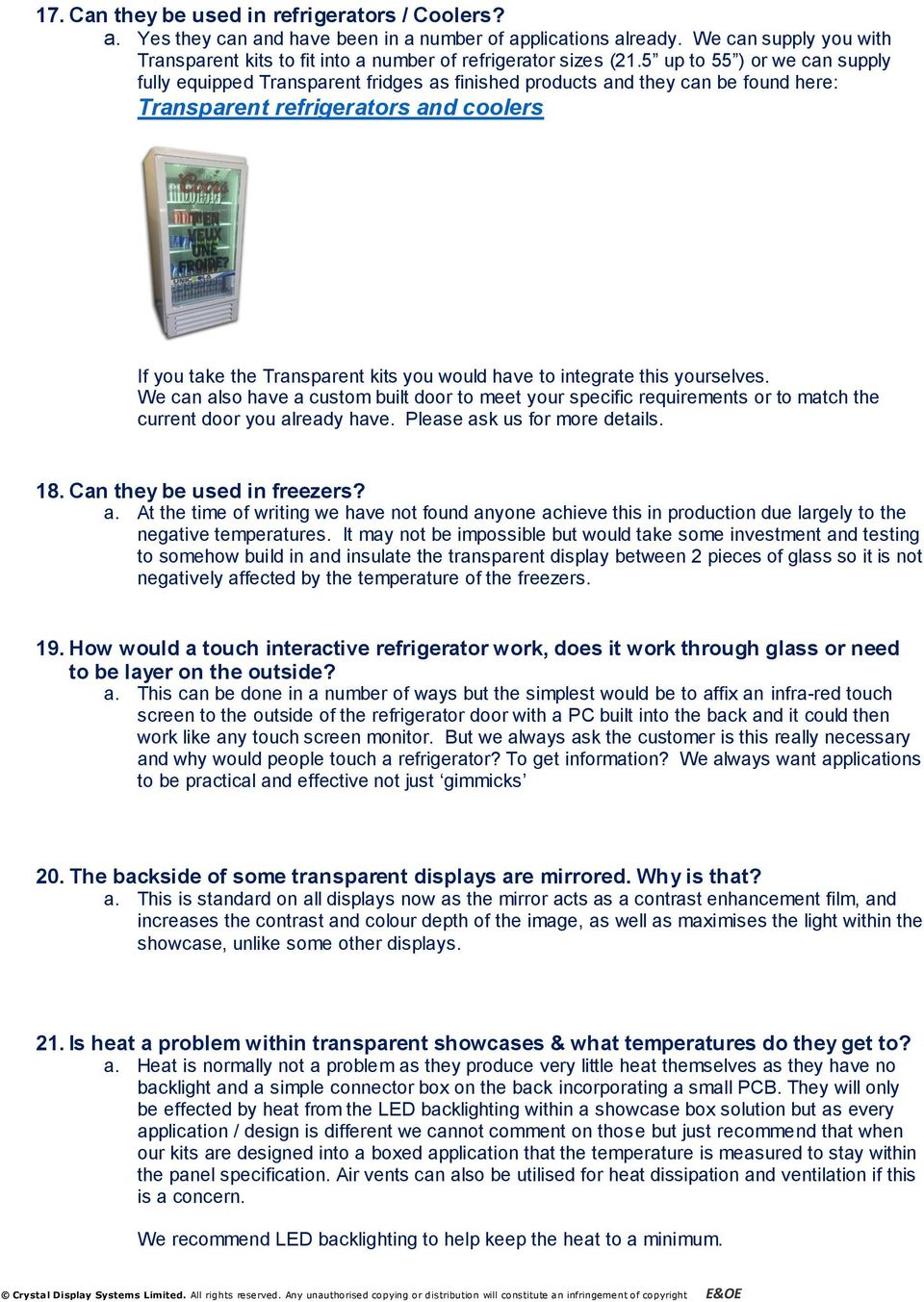
6 17. Can they be used in refrigerators / Coolers? a. Yes they can and have been in a number of applications already. We can supply you with Transparent kits to fit into a number of refrigerator sizes (21.5 up to 55 ) or we can supply fully equipped Transparent fridges as finished products and they can be found here: Transparent refrigerators and coolers If you take the Transparent kits you would have to integrate this yourselves. We can also have a custom built door to meet your specific requirements or to match the current door you already have. Please ask us for more details. 18. Can they be used in freezers? a. At the time of writing we have not found anyone achieve this in production due largely to the negative temperatures. It may not be impossible but would take some investment and testing to somehow build in and insulate the transparent display between 2 pieces of glass so it is not negatively affected by the temperature of the freezers. 19. How would a touch interactive refrigerator work, does it work through glass or need to be layer on the outside? a. This can be done in a number of ways but the simplest would be to affix an infra-red touch screen to the outside of the refrigerator door with a PC built into the back and it could then work like any touch screen monitor. But we always ask the customer is this really necessary and why would people touch a refrigerator? To get information? We always want applications to be practical and effective not just gimmicks 20. The backside of some transparent displays are mirrored. Why is that? a. This is standard on all displays now as the mirror acts as a contrast enhancement film, and increases the contrast and colour depth of the image, as well as maximises the light within the showcase, unlike some other displays. 21. Is heat a problem within transparent showcases & what temperatures do they get to? a. Heat is normally not a problem as they produce very little heat themselves as they have no backlight and a simple connector box on the back incorporating a small PCB. They will only be effected by heat from the LED backlighting within a showcase box solution but as every application / design is different we cannot comment on those but just recommend that when our kits are designed into a boxed application that the temperature is measured to stay within the panel specification. Air vents can also be utilised for heat dissipation and ventilation if this is a concern. We recommend LED backlighting to help keep the heat to a minimum.
7 22. Can the transparent showcases be used for old artefacts such as museum pieces? a. Transparent display showcases have been used for museums but this has to be looked at on a case by case basis especially with very old artefacts as to how they are effected by such conditions, especially light. Most museums have their own or know of experts on light etc. to ensure such artefacts are not damaged or negatively affected. 23. Do I need a power supply for the Transparent Displays? a. The interface board comes as a part of the kit and this requires a custom 12 volt power supply but we supply this as a part of the kit so you have the complete kit solution. 24. Will the transparency be as clear a normal window or piece of glass? a. No it will not and cannot be as the TFT LCD is made up of glass, a TFT LCD array (of RGB dots) plus polarizers all of which absorb light. Transparency is around 15% so one needs good brightness behind the display to ensure an excellent image. When the display is off it is a dark colour that is barely translucent so cannot be clearly seen through. 25. What brightness is needed behind the screen? a. This depends on what brightness you want at the front of the screen but with transparency at around 15-20% to achieve 300cd you will need around 1500cd etc. But with the new high bright white LEDs this is not a problem and not that expensive. 26. What is the resolution of images? a. Resolution (i.e. dots per inch) will depend on the display itself plus the content put onto the screen but as regards the actual number of pixels per display we offer anything up to 4K (3840 x 2160) on the 84 and every display from 21.5 is now FULL HD 1920 x If you have a specific question or project for a specific resolution please us your question at [email protected] 27. What resolution is your 9.7 screen and the content in your showcase? a. This is a 1024 X 768 resolution screen in portrait mode, and can run 640 x 480 content resolution due to the built in media player which looks excellent on such a small display. 28. How do I add content to your CDS transparent 10 showcase product? a. You simply put your content onto a USB drive inside a folder called _autoplay and our solution will automatically play your video or images. If you have more than one image / video it will play them in order of file name by number and then letter so you can name them accordingly to play in the correct order. Basically, it downloads the content to a local memory.

8 29. How much lighting do we need behind the display to create a good crisp image? a. This will depend largely on the size of the showcase box you are using / designing but please refer to question 25 above on brightness. 30. What inputs / Connections do you offer for your transparent solutions? a. We offer this with a USB / VGA and HDMI connections on the input to make it very easy for you to connect to your system. 31. How do we connect from the board to the Translucent Display? a. You simply connect via the LVDS cable into the display, which is supplied as a part of the CDS kit. See below. 32. What backlighting do you use or recommend for showcases? a. The standard LEDs we use are 6000K cool/daylight white. They are fixed on and nondimmable. 33. Is the lighting dimmable in the showcases? a. Dimming could be achievable but we would need to know how you would want to control the dimming? 34. How do colours work with Transparent Displays a. Basically if you take the 2 extremes of black and white, Black blocks out the light so nothing can be seen behind the screen whereas white becomes translucent so it is see through and all those colours in-between become more or less transparent depending on how dark or light they are! So for example dark blue or grey are not very translucent but light pink or pale blue are very translucent. This can be better appreciated if you think about a window and Black = blinds down and white = blinds up so you can see in the window. This is how you can make products inside your showcase box appear and disappear before your eyes!

9 35. Can it be used in shop/ store windows etc.? a. There is no reason why not but it must have sufficient light behind the screen to counter balance any light directly being shined onto the store widow. As every window is different a site survey would have to be carried out as there is a big difference between say a south facing window in California and a side road in Moscow for example. Our experience with shop windows has made us consider such things as: i. Position of window ii. How much direct sunlight? iii. Any reflections on the outside store widow? iv. Sufficient light behind the transparent screen? v. Would it not be better placed inside the store as people enter the main doors etc? 36. How are your transparent displays packaged for shipping? a. Due to the potential fragility of transparent displays custom packaging is very important to us so we use custom boxes that are also suitable for International travel and freight forwarding. Clearly the exact box depends on the size and quantity but you can see an example below.

10 37. Can we show white content on a white background? a. Transparent LCD technology if effectively a filtering technology. It filters the light behind the display to create the image. The display is made up of pixels. When the pixels are White they are effectively open and therefore letting you see through the pixel. So effectively white is clear. In the below example the world map white colour is fully open cell (i.e. Clear) and what you are actually seeing as white is the backdrop of the light box behind (Note there should be light box behind to get the best contrast and brightness). The area around the world map, that looks slightly darker, is an off white colour, creating a shade as the pixels are slightly closed The Dark black colours in the MAP (USA, UK, India, and Australia) are full black, so the pixel are fully closed. In respect to your particular application, where you are trying to show white text on a white background. I am afraid this would not be possible. The only thing we could suggest is that you outlined the white text/graphic with a black outline The only think we could suggest is that you outlined the white text/graphic with a black outline OR USE BLACK TEXT ON WHITE BACKGROUND 38. If I purchase a kit what else would my company need to supply to have a transparent showcase solution / product? a. You would only need to supply the white LED lighting and the box / cabinet, plus some content to show on the screen. That is all. We can actually supply you with some test content when you purchase a kit or showcase from us as a part of our customer service support system!

11 39. Your 10 transparent showcase (see image below) is a great product but how do we change content? TONY CAN YOU CHANGE THIS PLEASE a. Please find the details on updating the showcase you have as follows: The showcase has a built in memory and will take the content from a USB flash drive and copy/overwrite the content on its internal memory. In order to trigger the upload use a fresh and clean USB flash drive. Create a folder on the root directory of the USB called _autoplay Within this folder you can put the content you wish to be transferred. Copy the content to the folder, then connect the USB flash drive to the showcase. The showcase will recognise the content and automatically copy it to its internal Memory. We have found the best codec to use is: DivX, 640x480, fps, 1 pass Constant bitrate, 3500 kb/s, 720p Profile 40. On your showcases how is the front made up if it includes touch screen? a. We have the showcase box, LCD transparent panel, multi touch screen which acts also as a protective outer layer. If there is no touch then a protective glass is put in place. An example of the construction can be seen here: For more rugged applications it may be possible to have a projected capacitive touch screen and have a sacrificial layer, but this would very rarely be required.


12 41. We have never seen a Transparent Showcase (only in videos) so could you show us how it is constructed, also with Touchscreen? a. Please see the following rendered images that may help: Front View with Product: Finished Article: Rear Door

13 42. Do you have any other information on housing, colours etc. on your transparent showcases? a. Please see some additional information below but these are just examples and may change depending on the customer requirement and final design. 43. How do we replace the items / contents inside your showcase products? a. You simply open the box from behind, place or replace your products, and simply close the back door. It is that easy. Please click on the video below. 44. Do you have multi touch options? a. Yes we have multi touch up to 32 touches, both as a kit or as a showcase product. 45. The Samsung 22 transparent panel was an unusual low resolution, do you have Full HD options? a. Yes we do with (at the time of writing) all our 21.5 and above sizes Full HD 1920 x 1080 and the 84 being 4K 3840 x 2160 pixels!

14 46. Do you have an overview of your transparent display sizes? a. Please see the table below but this is constantly changing as we add new displays to our range so we recommend regularly visit this webpage for transparent displays or sign up for our product updates.

15 47. Are the transparent panels manufactured by hand or by machine? a. They are manufactured in a factory in clean room conditions but also go through final human visual inspections as a part of the quality control process. Here you can see a video of the production facility 48. Do you offer ultra-wide stretched displays as transparent displays also? a. Yes we do but these are limited in there sizes and currently we have 17.2 ands 29.3 diagonals with 38 to follow soon. For the latest information please click here: Transparent bar types 49. Where can I see some of your Transparent Displays or videos of them? a. At different times there are different sizes and designs on show throughout the world but this is constantly changing so best ask when you want to see something. Alternatively you can go to our Youtube channel and you can see a number of our transparent displays there.

16 50. What puts does your interface card have? a. We have USB for your USB drive, HDMI or VGA (see below) 51. Do they also have an OSD boards and / or infra-red option? a. Yes we have both as a part of the standard kit. Please see images of the components below. 52. Where can we source the lighting for our own showcase Housings? a. You can purchase your own white hibrite LED backlights but we can also supply you with our LED backlight blocks (see below) which are what we use in our own showcase solutions. These as you see come either in individual units or in a connected form as you can see in the photo below. For more information and cost please [email protected].

17 53. What benefits do your transparent panels, kits and showcases offer? a. Please see some of our benefits below but hopefully this document demonstrates the knowledge and expertise we have built up over a number of years which can benefit our clients. We have been involved with many designs and applications all over the world and this experience is invaluable when supporting all our global as well as local customers! 54. Can you supply / add the power consumption for each transparent display? Reason is some co.s must log power consumption of all components in installs for museums for example etc? a. The power consumption is only the LCD and the media board. We supply with a 60W adaptor but the smaller screens will only draw around 20Watts, so in the scheme of things minimal. 55. Can you supply / add the power consumption for each of your Touchscreens? a. The touch screens are powered by USB only, so they draw power from the USB port. Max 2.5Watts. The larger ones 65 + use 2 USB ports (1 extra for additional power). 56. Can our touches achieve more than 10 touches? a. Our standard is now 10 point touch but we can achieve up to 32 points currently on request which would cover most applications / requirements. But for specific projects we may be able to offer more than that. Please or call us to discuss your project. 57. Is it possible to have lockable HDMI ports on our board(s) as potential loss of connectivity is a big thing for them and their customers? a. Our standard media board you have received has a threaded nut positioned above the connector that can be used with lockable HDMI cables like this below. Alternatively you can get HDMI cable with press clips as that will work also. 58. Can you supply drawings of just the glass with mechanical, viewing area and active area on them? This is, for example, If we want to make our own frames such as for example the 2 x 2 Videowall with the 2 displays turned 180 degrees to minimise the frame. a. Yes we can supply this upon request and just need to know which display and we will that through.

18 59. Is there any capability to remotely control the power of the displays. I know they are low power consumption, but there are requirements from some customers to have the equipment actually turn off. Most would prefer to do this with RS-232 or a UDP/TCP command, but a low voltage relay would be an acceptable solution as well? a. If you are using the HDMI input on the boards, and the active signal is removed (i.e. PC power down etc.) then the Media board will switch off the display and go into sleep mode (<2Watts) until an active signal is re-acquired. 60. I have seen a Transparent OLED at a couple of exhibitions and wondered what you feel about these? a. It is still early days as regards the Transparent OLED as it is just a modified TV OLED panel which is designed for the mass TV market and we have some points / concerns to consider (at the time of writing) for this technology which we note below, although with time these may change / be modified: i. Currently we have only seen samples of a 55 display with mass production planned for May 2016, and no other sizes planned. ii. Will the T-OLED be used just short term as a technology demonstrator for a short period and then no longer available? This could cause our clients great issues if they plan for this technology but can then not source the panel(s)! iii. Clients have to question how and why they wish to use T-OLEDs because even though the colours are strong without backlighting if you wish to show and promote products behind the screen (like the standard T-LCD showcases) you will still have to backlight those products otherwise they cannot be seen correctly due to a lack of light behind the screen plus the issue of shadows. Non Backlit T-OLED showcases are currently not a reality. iv. The colours are vivid BUT the transparent parts show a greyish tint and you can see the pixel mesh which a number of clients / applications will not like! Although it is difficult to video these displays you can see the shadowing effect when we place a hand behind the displays at the following webpage: xxxxxxx If you have not seen the Transparent OLEDs before you can click on this link to see some videos and images of these Transparent OLEDS 61. We have seen the Planar 32 showcase box but what advantages does CDS offer with their range compared to this? a. Planar currently only offer the 32 with one design of showcase and that is it. CDS offers a number of different sizes from 10 up to 32 as standard but also can offer solutions up to 84. We have a number of various designs of cases and materials so our clients get the best solution for their project, as well as the option of custom designs that meet exactly what our client s need. So really we are focusing on quality, flexibility of design and the product range.

19 62. How do you recommend mounting the Transparent LCDs if we are designing and manufacturing our own Showcase using your Transparent kits? a. Without knowing your specific project / design it is difficult to comment exactly but we advise on all projects wherever and whenever we are needed. As a general statement: For the transparent showcases we suggest the unit is mounted in a recess or aperture with metal clamps holding it in place around the edges of the metal frame, and additionally support holding the weight of the unit from below (e.g. a metal L bracket ). Additionally, you can utilise the screw holes on the side of the Transparent display frames which help with mounting and design. Finally some advantages of our Transparent solutions include: Longer term availability as we design and manufacture the metal frames so even if the original panel goes obsolete we can use a new panel within the SAME mechanical dimensions. Same interface solution for all sizes giving consistency. High reliability interface solution has VGA, HDMI as well as simple USB inputs to give flexibility (Spec. attached) Custom IR Touch screens for all Transparent panels Focus on full HD panels where possible With longer term availability spares and repairs are much more practical We specialise in long term availability of Transparent (Translucent) displays unlike Samsung or LG that see them as a technology demonstrator and not a long term product as the market volumes they desire are not there! Standard and Custom transparent showcase boxes

20 Crystal Display Systems Limited 43 Riverside II, Sir Thomas Longley Road, Medway City Estate, Rochester. ME2 4DP. United Kingdom Get In Touch! +44 (0)

COLOR TFT LCD MONITOR. User Manual
 COLOR TFT LCD MONITOR User Manual GENERAL INFORMATION Thank you for choosing our TFT LCD(liquid crystal display) monitor. This product employs integrate circuits, low power consumption, and no radiation
LG Transparent Display Introduction
 2012 LG Transparent Display Introduction Contents 1. Concept of Transparent Display 2. Transparent Display Application 3. Effectiveness as a Promotion Tool 4. LGE Transparent Display 5. Connection Guide
Bathroom Cabinet. Installation & User Guide. Illuminated Mirrors. www.illuminated-mirrors.uk.com
 Illuminated Mirrors The UK s Largest LED Mirror Supplier to Trade and Retail Installation & User Guide Bathroom Cabinet www.illuminated-mirrors.uk.com Bathroom Cabinet Installation & User Guide Thank you
HP ProDisplay P19A LED Backlit Monitor. User Guide
 HP ProDisplay P19A LED Backlit Monitor User Guide 2013 Hewlett-Packard Development Company, L.P. The only warranties for HP products and services are set forth in the express warranty statements accompanying
focus TOuCh P10 FOR DISPLAYS: 55, 70 AND 82 ENgliSh V01.3-2014-7
 focus TOuCh P10 FOR DISPLAYS: 55, 70 AND 82 ENgliSh V01.3-2014-7 Thank you for purchasing our product. Please read this manual carefully before operation your set and retain it for future reference. FT55-P10
PROFESSIONAL AUDIO VISUAL. the ultimate in luxury, waterproof and in-wall televisions
 PROFESSIONAL AUDIO VISUAL the ultimate in luxury, waterproof and in-wall televisions From the originators of the bathroom television, Aquavision introduces the latest in home entertainment. Aquavision
DIGITAL SIGNAGE SOLUTIONS. 32", 42", 46", 57", 70", 82" QUADRO LCD MONITOR INDOOR series A NEW WAY TO INFORM
 DIGITAL SIGNAGE SOLUTIONS 32", 42", 46", 57", 70", 82" QUADRO LCD MONITOR INDOOR series A NEW WAY TO INFORM Bari Palese, ITALY PALESE INTERNATIONAL AIRPORT, Luggage Claim Area APPLICATIONS IN AIRPORTS
TruPower-Portable-500W. Solar Starter kit
 TruPower-Portable-500W Solar Starter kit This Solar starter kit is an easy to use solar power supply system that is the complete solution for all your solar power needs. It is a solar generator that converts
Getting to Know Xsight... 3. Home Screen and Everyday Use... 9. Settings... 11. PC Setup... 17. 2 www.oneforall.com
 User Manual English English Getting to Know Xsight........................................ 3 Unpacking and Setting Up Xsight............................................................. 3 Using Xsight
Mirror Mount Video Monitor/Recorder with Front and Rear View Night Cameras PLCMDVR5
 Mirror Mount Video Monitor/Recorder with Front and Rear View Night Cameras PLCMDVR5 www.pyleaudio.com Instruction Manual Installation and Connection: 1. Please disconnect your car battery. 2. In the contents
The ultimate in contemporary luxury. the range HOMES MAGAZINE
 From the originators of the bathroom television, Aquavision introduces the latest in home entertainment. Aquavision Series 4 has been designed to take technology beyond the boundaries of conventional television.
-20ºC~60ºC. Wide Temp. Model DM-F65A DM-F12A DM-F15A DM-F17A. LCD Display 6.5 (4:3) 12" (4:3) 15'' (4:3) 17'' (5:4)
 Features Robust IP65 aluminum front bezel Aesthetic ultra-thin bezel for seamless panel mount installation Wide range 9V~36V DC input HDMI / DisplayPort / flexible video input solution Projected capacitive
Integrated Digital Signage Solutions
 Integrated Digital Signage Solutions www.cypeurope.com Introduction Advanced control and flexibility is the key to CYP digital signage solutions. Our comprehensive range of solutions encompasses all areas
Digital Photo Picture Frame. Operation Manual
 Digital Photo Picture Frame Operation Manual 20070309 CONGRATULATIONS on your purchase of a Polaroid 7 LCD Digital Photo Picture Frame. Please read carefully and follow all warnings and instructions in
Build Your Own Solar Car Teach build learn renewable Energy! Page 1 of 1
 Solar Car Teach build learn renewable Energy! Page 1 of 1 Background Not only is the sun a source of heat and light, it s a source of electricity too! Solar cells, also called photovoltaic cells, are used
Senses SV series industrial monitor user manual
 Industrial Monitors Senses SV series Senses SV19 / SV17 User manual (Issue A) Part No: 85090084 Page 1 of 25 Copyright Copyright 2008 Amplicon Liveline Ltd. All rights reserved. This publication, including
e-4 AWT07MLED 7 Q TFT LCD MONITOR (LED Backlighted) USER MANUAL
 Thank you for purchasing our product. Please read this User s Manual before using the product. Change without Notice AWT07MLED 7 Q TFT LCD MONITOR (LED Backlighted) USER MANUAL e-4 SAFETY PRECAUTIONS Federal
Table of Contents Getting Started... 3 The Motors... 4 The Control Board... 5 Setting up the Computer with Mach3... 6 Starting up the Equipment...
 User Manual Table of Contents Getting Started... 3 The Motors... 4 The Control Board... 5 Setting up the Computer with Mach3... 6 Starting up the Equipment... 12 G-Code Example... 13 2 Getting Started
JU7500 CURVED UHD TV NOT LISTED SHEET 022415 SPEC SHEET PRODUCT HIGHLIGHTS
 PRODUCT HIGHLIGHTS 4K Ultra High Definition (3840 x 2160) Curved Design with Auto Depth Enhancer Peak Illuminator with Precision Black (Local Dimming) UHD Dimming UHD Upscaling Smart TV with Quad-Core
MediaQ M310. Quick Start HUAWEI TECHNOLOGIES CO., LTD.
 MediaQ M310 Quick Start HUAWEI TECHNOLOGIES CO., LTD. 1 Welcome Thank you for choosing HUAWEI MediaQ M310. With your MediaQ, you can: > Integrate your home media and access a variety of applications. >
Building A Computer: A Beginners Guide
 Building A Computer: A Beginners Guide Mr. Marty Brandl The following was written to help an individual setup a Pentium 133 system using an ASUS P/I- P55T2P4 motherboard. The tutorial includes the installation
Displays. Cathode Ray Tube. Semiconductor Elements. Basic applications. Oscilloscope TV Old monitors. 2009, Associate Professor PhD. T.
 Displays Semiconductor Elements 1 Cathode Ray Tube Basic applications Oscilloscope TV Old monitors 2 1 Idea of Electrostatic Deflection 3 Inside an Electrostatic Deflection Cathode Ray Tube Gun creates
HMIGTO4310 advanced touchscreen panel 640 x 480 pixels VGA- 7.5" - TFT - 96 MB
 Product datasheet Characteristics HMIGTO4310 advanced touchscreen panel 640 x 480 pixels VGA- 7.5" - TFT - 96 MB Main Range of product Product or component type Display colour Display size Supply Magelis
KINTRONIC DELTA VISION S.A.
 Products - 2013 I. Industrial display IV. Specialty Display Open Frame Monitor Rack mountable Monitor Waterproof Display Train/Vehicle Display Chassis Frame Monitor Desk Top Monitor Sunlight Readable Optical
12 Volt 30 Amp Digital Solar Charge Controller Installation & Operation Manual
 12 Volt 30 Amp Digital Solar Charge Controller Installation & Operation Manual This 30Amp charge controller is designed to protect your 12Volt Lead-acid or Gel-cell battery from being overcharge by solar
Transfer of Energy Forms of Energy: Multiple Transformations
 Transfer of Energy Forms of Energy: Multiple Transformations Discovery Question What energy transformations are used in everyday devices? Introduction Thinking About the Question Materials Safety Trial
Model: LCDM40 4.0 LCD Rear Vision Mirror Monitor Installation Manual Features
 Model: LCDM40 4.0 LCD Rear Vision Mirror Monitor Installation Manual Features Mirror with built in 4.0 LCD Monitor Low Profile, Slim Design High Resolution TFT LCD Built in Speaker Two video inputs Fully
43 Full HD Direct-lit LED Commercial Display
 43 Full HD Direct-lit LED Commercial Display CDE4302 The ViewSonic CDE4302 is a 43 Full HD direct-lit LED commercial display, offering the combination of costefficiency and ease of installation for corporate,
SPECIFICATIONS. Recommended Battery sizes (Maintenance) AUTOMOTIVE 150 650CCA 150 750CCA MARINE 200 700MCA 200 850MCA DEEP CYCLE 17 55Ah 17 80Ah
 WARNING Read the operating instructions before use. Lead Acid Batteries can be dangerous. Ensure no sparks or flames are present when working near batteries. Eye protection should be used. Make sure the
HP ProDisplay P17A LED Backlit Monitor. User Guide
 HP ProDisplay P17A LED Backlit Monitor User Guide 2013 Hewlett-Packard Development Company, L.P. Microsoft, Windows, and Windows Vista are either trademarks or registered trademarks of Microsoft Corporation
2. Precautions. 1. Introduction. Index
 User Manual 1. Introduction 2. Precautions Thank you for purchasing the Veho K-Series HD camcorder. Its small size, integrated design and easy to use functions mean that you can record and photograph anytime,
BMW CAR-PC MONITOR MODEL SPECIFICATION BMW3/5 SERIES. Model Name : BMW-100P Paper Version : Ver 1.0
 BMW CAR-PC MONITOR MODEL SPECIFICATION BMW3/5 SERIES Model Name : BMW-100P Paper Version : Ver 1.0 INDEX Precacution Specification System Composition Product Outline Connector Pin Assignment Installaion
TFT LCD COLOR MONITOR OPERATION MANUAL
 TFT LCD COLOR MONITOR OPERATION MANUAL Mode 1 Mode 2 Mode 3 DEAR CUSTOMERS Thanks you for purchasing 8 TFT COLOR MONITOR,We hope that you will have the enjoyment of your new mini color TFT LCD. SAFEGUARDS
Motion Activated Camera User Manual
 Brinno MAC200 User Manual Last Modified on 12/23/2015 7:51 pm EST Motion Activated Camera User Manual www.brinno.com Register@online http://www.brinno.com/support/register.html contact us: [email protected]
JU6400 UHD TV SPEC SHEET PRODUCT HIGHLIGHTS. 4K Ultra High-Definition (3840 x 2160) UHD Upscaling UHD Dimming PurColor
 PRODUCT HIGHLIGHTS 4K Ultra High-Definition (3840 x 2160) UHD Upscaling UHD Dimming PurColor Smart TV with Quad-Core Processor SIZES 65 UN65JU6400 60 UN60JU6400 55 UN55JU6400 48 UN48JU6400 43 UN43JU6400
7-INCHES TFT LCD TOUCH CREEN
 USER S MANUAL 7-INCHES TFT LCD TOUCH CREEN USER S MANUAL VL1 V.AL5.1 1 INDEX NO CONTENT PAGE 1 Features 3 2 Specification 4 3 Installation 5~8 4 Video Control Keys 9 5 Video Remote Controller Function
PLL2210W LED LCD Monitor
 PLL2210W LED LCD Monitor USER'S GUIDE www.planar.com Content Operation Instructions...1 Safety Precautions...2 First Setup...3 Front View of the Product...4 Rear View of the Product...5 Quick Installation...6
UPS PIco. to be used with. Raspberry Pi B+, A+, B, and A. HAT Compliant. Raspberry Pi is a trademark of the Raspberry Pi Foundation
 UPS PIco Uninterruptible Power Supply with Peripherals and I 2 C control Interface to be used with Raspberry Pi B+, A+, B, and A HAT Compliant Raspberry Pi is a trademark of the Raspberry Pi Foundation
WBU PowerPoint Guidelines
 WBU PowerPoint Guidelines Guidelines on how to make the use of PowerPoint and other visual presentations accessible to audience members who have a vision or print impairment Published by the World Blind
Walk-in Monitoring System 200
 REV. 1/18/16 Cooler is Better! TM Walk-in Monitoring System 200 Used in UL Listed Door Panel Assemblies American Panel Corporation 5800 S.E. 78th Street, Ocala, Florida 34472-3412 Phone: (352) 245-7055
EBDSPIR-PRM, EBDSPIR-PRM-IP
 Product Guide EBDSPIR-PRM, EBDSPIR-PRM-IP Ceiling PIR presence/absence detector Overview The EBDSPIR-PRM PIR (passive infrared) presence detector provides automatic control of lighting loads with optional
Most laptops allow you to plug in a second monitor, which can be a TV screen or Projector I will refer to a monitor in this document.
 Introduction This is a guide to setting up / using a laptop with a TV screen or projector. IT IS STRONGLY RECOMMENDED THAT YOU TRY THIS OUT SOME TIME AHEAD OF YOUR PRESENTATION. PowerPoint If using PowerPoint
VZ-M7 HDMI Field Monitor 7 Class HD LCD
 VZ-M7 HDMI Field Monitor 7 Class HD LCD The VZ-M7 HDMI monitor provides sharp, accurate images for improved framing and focus assist on any camera equipped with an HDMI output. Utilizing top-quality Grade
SOFTWARE MANUAL. Please ensure that you read the instruction manual carefully before use. About software
 SOFTWARE MANUAL Please ensure that you read the instruction manual carefully before use Software Notes The attached software is a camera driver and image editing software tool for Windows. Under no circumstances
880 Harmony Remote User Manual
 880 Harmony Remote Congratulations on the purchase of your Harmony remote! True system control is now at your fingertips. This will introduce you to the basic online setup process, customizations and main
Radio Thermostat Clock Part Number: 30800009. Installation & User Instructions. Suitable for all Ferroli Combination Boilers
 Radio Thermostat Clock Part Number: 30800009 Installation & User Instructions Suitable for all Ferroli Combination Boilers 2 Short Description Short description Radio Thermostat Clock - Transmitter The
There is no equal! 8 CHANNELS of 1080p. High-Definition Video from one solid-state system. and we re just getting started...
 8 CHANNELS of 1080p High-Definition Video from one solid-state system There is no equal! and we re just getting started... 8 Channel HD Video & Audio 1080p True High-Definition Video Rugged Solid State
Q. Can an Exceptional3D monitor play back 2D content? A. Yes, Exceptional3D monitors can play back both 2D and specially formatted 3D content.
 FAQ Content Playback Q. What kind of computer do I need to run an Exceptional 3D display? A. Processor: Intel Core Duo Processor 2.5+GHz, 3M, 1066 Operating System: Windows 7 Memory: 4GB, DDR3, 1066MHz,
Pavilion IPS LED Backlit Monitors. User Guide
 Pavilion IPS LED Backlit Monitors User Guide 2012, Hewlett-Packard Development Company, L.P. Microsoft, Windows, and Windows Vista are either trademarks or registered trademarks of Microsoft Corporation
HP EliteDisplay LED Backlit Monitors. User Guide
 HP EliteDisplay LED Backlit Monitors User Guide 2012, Hewlett-Packard Development Company, L.P. Microsoft and Windows are U.S. registered trademarks of Microsoft Corporation. The only warranties for HP
High Resolution Media Display - B series 20mm Pitch Outdoor RGB Module
 Date: Quantity: Company: Project: 1 High Resolution Media Display - B series The High Resolution Media System displays crisp, clear imaging in vivid color and detail. This Outdoor RGB Module provides scalable
SIMATIC Flat Panel Monitors
 Product Data Sheet The Flat Panels are rugged industry-standard LCD monitors. Design of front panels: - 12", 15", 17" and 19" TFT Touch - 12" and 15" TFT Key Installation: - They are equally suited to
HP Z24i, Z27i, and Z30i IPS Displays. User Guide
 HP Z24i, Z27i, and Z30i IPS Displays User Guide 2013 Hewlett-Packard Development Company, L.P. Microsoft and Windows are U.S. registered trademarks of Microsoft Corporation. The only warranties for HP
Point of view HDMI Smart TV dongle Mini RF Keyboard
 Point of view HDMI Smart TV dongle Mini RF Keyboard English Contents Contents... 1 General notices for use... 2 Disclaimer... 2 Box Contents... 2 1. HDMI TV dongle... 3 1.1. Product display... 3 1.2. Instructions
1.1 Overview of the ChromeLab Components
 1.1 Overview of the ChromeLab Components Module 1.1: Training Objective The objective of this module is to provide detailed product training to the participant of this course. The trainee when they have
Capacities Overview: 9.7 MultiTouch Screen with IPS technology Access to AndroidTM apps HD Multimedia playback
 Arnova introduces a new HD multimedia tablet: The ARNOVA 9 G2 Equipped with a sharp, bright 9.7 (1024x768) LCD touchscreen, it delivers amazing display quality. The combination between Android TM 2.3 Gingerbread
User Manual HomeGrid 3000 Solar Generator
 User Manual HomeGrid 3000 Solar Generator For more information and instruction videos visit: www.pointzeroenergy.com/learn/videos/ HomeGrid 3000 Solar Generator Congratulations on purchasing Point Zero
4-Channel Thermometer / Datalogger
 USER GUIDE 4-Channel Thermometer / Datalogger RTD and Thermocouple Inputs Model SDL200 Introduction Congratulations on your purchase of the Extech SDL200 Thermometer, an SD Logger Series meter. This meter
ASP-DTH. DVI & Audio to HDMI Converter. User Manual. Manual Number: 100901
 ASP-DTH DVI & Audio to HDMI Converter User Manual Manual Number: 100901 Safety and Notice The ASP-DTH DVI & Audio to HDMI Converter has been tested for conformity to safety regulations and requirements,
JU650D UHD TV SPEC SHEET PRODUCT HIGHLIGHTS
 PRODUCT HIGHLIGHTS 4K Ultra High Definition (3840 x 2160) UHD Upscaling UHD Dimming PurColor Smart TV with Quad-Core Processor SIZES 75 65 60 55 UN75JU650D UN65JU650D UN60JU650D UN55JU650D 50 48 40 UN50JU650D
STB- 2. Installation and Operation Manual
 STB- 2 Installation and Operation Manual Index 1 Unpacking your STB- 2 2 Installation 3 WIFI connectivity 4 Remote Control 5 Selecting Video Mode 6 Start Page 7 Watching TV / TV Guide 8 Recording & Playing
Userʼs Manual. 7 Color LCD TV & Monitor V7000
 Userʼs Manual 7 Color LCD TV & Monitor V7000 Dear Customers Thank you for purchasing the ikan V7000 7 LCD TFT Monitor. This product employs new integrate circuitry, and a high quality TFT LCD panel. It
Technical Article. Markus Luidolt and David Gamperl
 Technical How to comply with the Energy Star 6.0 standard for LED TVs: a demonstration of reduced power consumption with improved picture quality Markus Luidolt and David Gamperl How to comply with the
Vivitek proud to introduce. May 11, 2011 Holger Graeff General Manager EMEA
 Vivitek proud to introduce May 11, 2011 Holger Graeff General Manager EMEA Vivitek Qumi Your Companion Pocket Projector Vivitek Qumi For Sharing Vivitek Qumi For Gaming Vivitek Qumi For Working Vivitek
AUDIO VIDEO INTERCOM SYSTEMS SECURITY & SAFETY AT YOUR FINGER TIPS AUDIO VIDEO INTERCOM SYSTEMS
 AUDIO VIDEO INTERCOM SYSTEMS SECURITY & SAFETY AT YOUR FINGER TIPS AUDIO VIDEO INTERCOM SYSTEMS 1 DORANI VIDEO INTERCOM - 2 WIRE SERIES 7 TFT MONITOR TECHNICAL SPECIFICATIONS 7 Colour TFT screen 480 x
Series. Laser air Leddura Lexinus Mensa. 70 inch. Smart innovation! When function matters.
 Leddura Lexinus Mensa Series When function matters. High quality displays suitable for all applications. Stay connected to your audience via the built-in wireless access point for a productive and collaborative
HP Compaq LA1905wl, LA1905wg, LA2205wg, LA2205wl, LA22f, LA2405wg, and LA2405x LCD Monitors. User Guide
 HP Compaq LA1905wl, LA1905wg, LA2205wg, LA2205wl, LA22f, LA2405wg, and LA2405x LCD Monitors User Guide 2009 2012 Hewlett-Packard Development Company, L.P. Microsoft, Windows, and Windows Vista are either
1. Three-Color Light. Introduction to Three-Color Light. Chapter 1. Adding Color Pigments. Difference Between Pigments and Light. Adding Color Light
 1. Three-Color Light Chapter 1 Introduction to Three-Color Light Many of us were taught at a young age that the primary colors are red, yellow, and blue. Our early experiences with color mixing were blending
13 Watt PORTABLE SOLAR POWER KIT
 3 Watt PORTABLE SOLAR POWER KIT User s Manual Thank you for purchasing a Sunforce Portable Solar Power Kit. Please read these instructions carefully and thoroughly before using the product. Your new Portable
Specifications. Product Description 18.5" Fanless, Intel ATOM D510 1.66GHz Processor, Multi Function Panel PC
 Product Description 18.5" Fanless, Intel ATOM D510 1.66GHz Processor, Multi Function Panel PC Introduction PPS1831 is a 18.5 inch fanless multi function panel PC, feature power efficient Intel embedded
HP Compaq LE1902x, LE2002x, LE2002xm, and LE2202x LED Backlit LCD Monitors. User Guide
 HP Compaq LE1902x, LE2002x, LE2002xm, and LE2202x LED Backlit LCD Monitors User Guide 2011 Hewlett-Packard Development Company, L.P. Microsoft, Windows, and Windows Vista are either trademarks or registered
Harmony Remote User Manual 600 Series
 Harmony Remote User Manual 600 Series Congratulations on the purchase of your Harmony remote! True system control is now at your fingertips. This User Manual will introduce you to the basic setup, customizations
HDMI/DVI to VGA/Component & Audio Break out Converter
 HDMI/DVI to VGA/Component & Audio Break out Converter User Manual (HCV VA) All information is subject to change without notice. All names & trademarks are property of their respective owners. Rev.1002
I. Introduction 02. Specifications 02 Accessories 02 Features 03. II. Installation Instructions 06
 EN I. Introduction 02 Specifications 02 Accessories 02 Features 03 II. Installation Instructions 06 1. Installation of the motherboard 06 2. Installation of the power 07 supply 3. Installation of external
FAQs. Conserve package. Gateway... 2 Range Extender... 3 Smart Plug... 3 Thermostat... 4 Website... 7 App and Mobile Devices... 7
 FAQs Conserve package Gateway... 2 Range Extender... 3 Smart Plug... 3 Thermostat... 4 Website... 7 App and Mobile Devices... 7 FAQs Gateway Can I have someone install my system for me? If you are concerned
A concise guide to Safety Glasses, the different standards and the effects of light on the eye. Contents. Links. Year of publication: 2010
 A concise guide to Safety Glasses, the different standards and the effects of light on the eye Year of publication: 2010 Produced by the leading supplier of Safety Glasses in the UK. All Rights Reserved.
HP Compaq LA1956x, LA2006x, LA2206x, and LA2306x LED Backlit LCD Monitors. User Guide
 HP Compaq LA1956x, LA2006x, LA2206x, and LA2306x LED Backlit LCD Monitors User Guide 2010-2012, Hewlett-Packard Development Company, L.P. Microsoft, Windows, and Windows Vista are either trademarks or
QUICK REFERENCE MANUAL
 PIONEER PLASMA DISPLAY SYSTEM QUICK REFERENCE MANUAL PDP-501HD: PLASMA DISPLAY PANEL PDP-501R: MEDIA RECEIVER PDP-501S-LR: SPEAKERS TABLE OF CONTENTS 1.0 CHOOSE THE INSTALLATION SITE...2 2.0 SET UP THE
Video Camera Installation Guide
 Video Camera Installation Guide The intent of this guide is to provide the information needed to complete or modify a video camera installation to avoid lightning and induced power surge damage. This guide
RS232/DB9 An RS232 to TTL Level Converter
 RS232/DB9 An RS232 to TTL Level Converter The RS232/DB9 is designed to convert TTL level signals into RS232 level signals. This cable allows you to connect a TTL level device, such as the serial port on
ScreenBeam Wireless Display Kit. User Manual. Solutions for the Digital Life. Model #: SBWD100KIT. Ver 1.0
 ScreenBeam Wireless Display Kit Model #: SBWD100KIT User Manual Ver 1.0 Solutions for the Digital Life Table of Contents Introduction 1 Package Contents 1 Features 2 System Requirements 2 Getting to Know
VIDEO DOOR PHONE SYSTEM
 ENGLISH VIDEO DOOR PHONE SYSTEM USER MANUAL Manual covers IH-692 Master and IH-692 Slave Monitors PRECAUTIONS BEFORE INSTALLATION Connect this unit ONLY to other compatible units. Do not connect it to
BASIC EXPOSURE APERTURES, SHUTTER SPEEDS AND PHOTO TERMINOLOGY
 BASIC EXPOSURE APERTURES, SHUTTER SPEEDS AND PHOTO TERMINOLOGY EXPOSURE Exposure is the response of a photographic emulsion to light. The emulsion is made of a material (silver) that is sensitive to light.
3500/93 System Display
 3500/93 System Display Bently Nevada* Asset Condition Monitoring Description The 3500/93 System Display is designed to meet the requirements of American Petroleum Institute (API) Standard 670 and provide
PERFECT VISUAL SOLUTIONS PROFESSIONAL LCD DISPLAYS PERFECT VISUAL SOLUTIONS
 PERFECT VISUAL SOLUTIONS PROFESSIONAL LCD DISPLAYS PERFECT VISUAL SOLUTIONS OUR eyelcd SERIES DEVELOPED FOR DEMANDING APPLICATIONS: CONTROL LÖSUNGEN PRESENTATION FÜR PRÄSENTATION & INFORMATION LÖSUNGEN
MTX-D, Oil Temperature/Pressure Gauge
 MTX-D, Oil Temperature/Pressure Gauge 1 Mounting and Sensor Installation... 3 1.1 Mounting the Gauge... 3 1.2 Oil Temp Sensor... 3 1.3 Oil Pressure Sensor... 3 2 Wiring... 3 2.1 Main Gauge Wiring... 4
Second Display Installation Guide Point-of-Sale Hardware System
 Second Display Installation Guide Point-of-Sale Hardware System 48200150 August 2002 V1.0 1. Accessory VGA Cable Serial Cable Warranty Card Drivers Bank The following drivers in the folders of Driver Bank
IPTV STB QUICK GUIDE. Detailed user manual download from www.my-home-television.com
 IPTV STB QUICK GUIDE Detailed user manual download from www.my-home-television.com Dolby Digital: Manufactured under license from Dolby Laboratories. Dolby and the double-d symbol are trademarks of Dolby
Suddenly everyone wants to sit in the back.
 Suddenly everyone wants to sit in the back. Audi Entertainment mobile. Audi Genuine Accessories 2 Audi Entertainment mobile The Audi Entertainment mobile system makes driving an Audi even more exciting
HD141X. Super-sized home entertainment. Bright vivid colours 3000 ANSI Lumens. Full HD 1080p image quality
 HD141X Super-sized home entertainment Bright vivid colours 3000 ANSI Lumens Full HD 1080p image quality Dynamic black technology - 23,000:1 contrast ratio Easy connectivity - 2x HDMI and MHL support and
NEC Multimedia Projectors. FAQ s
 NEC Multimedia Projectors FAQ s How do I flip or invert the projected image after mounting the unit on the ceiling or wall mount? In the projectors on screen menu select the Setup option. Under setup go
IPTV service provided by the company SPBTV in collaboration with Beeline, offers the following opportunities:
 IPTV Contents Service overview... 2 EltexNV-102 media hub... 2 Completeness of set... 2 General characteristics... 2 Overview... 2 Facility front panel... 3 Facility back panel... 3 Facility side panel...
Connect to a remote PC via Ethernet with a monitor, keyboard, and mouse. This network monitor offers both long distance and wireless transmission.
 17" (43 cm) LCD Monitor Connect to a remote PC via Ethernet with a monitor, keyboard, and mouse. This network monitor offers both long distance and wireless transmission. Long Distance Transmission Easily
Digital Video Recorder
 EN Digital Video Recorder Hardware Quick Start Guide Welcome! Lets get started. QH16_42000914E Swann 2014 1 1 Getting to know your DVR Congratulations on your purchase of Swann s latest DVR security system!
Versatile Applications
 Versatile Applications Distinguished Features Blu-ray enriches the Applications IEI Quick Mounting Technology Specifications Ordering Information Packing List Optional Mounting Kits Versatile Applications
Why is lighting in the workplace important?
 OSH Brief No. 3c Why is lighting in the workplace important? From the workers perspective, poor lighting at work can lead to eye strain, fatigue, headaches, stress and accidents. On the other hand, too
I Click on a link tab to jump to that page. Cover Page
 Publication, Duplication, or Retransmission Of This Document Not Expressly Authorized n Writing By The nstall Doctor s Prohibited. Protected By U.S. Copyright Laws. 1997,1998,1999,2000. Factory Radio Other
4 / 8 C H A N N E L T R U E H D C C T V S Y S T E M
 HDV 4 channel and 8 channel.qxp_layout 2 17/03/2015 15:01 Page 1 4 / 8 C H A N N E L T R U E H D C C T V S Y S T E M H D V 4 R H D V 8 R H D V 4 K B H D V 4 K D H D V 8 K B H D V 8 K D U S E R M A N U
SMART BOARD USER GUIDE FOR PC TABLE OF CONTENTS I. BEFORE YOU USE THE SMART BOARD. What is it?
 SMART BOARD USER GUIDE FOR PC What is it? SMART Board is an interactive whiteboard available in an increasing number of classrooms at the University of Tennessee. While your laptop image is projected on
1. General Description
 . General Description The is a Color Active Matrix with an integral Cold Cathode Fluorescent Lamp(CCFL) back light system. The matrix employs asi Thin Film Transistor as the active element. It is a transmissive