
GB/US... GH2 Ceiling Hoists. Vers. 2.01
|
|
|
- Solomon Shields
- 9 years ago
- Views:
Transcription
1 GB/US.... GH2 Ceiling Hoists Vers

2 GH2 Ceiling Hoists Hoist numbers: xxxx Purpose and use Manufacturer Purpose and use Important precautions Load limits on your GH2 system Unpacking and preparation Mounting the lifting hanger before use The lifting sling Before the hoist can be used Power supply The Swing-kit GH2+2 ceiling hoist with built-in drive motor GH2+2R ceiling hoist with built-in drive motor and infrared remote control Description of functions Pictograms Indicator lamps Operation Safety functions Recharging Accessories Transport Maintenance and storage Cleaning Storage How to prevent and avoid corrosion Daily maintenance Disposal of GH2 incl. batteries Service and lifetime Lifetime Service inspection Troubleshooting Technical specifications EC declaration of conformity USA and countries outside the EU A Users guide B Warranty

3 1.00 Purpose and use 1.01 Manufacturer V. Guldmann A/S Graham Bells Vej 21-23A DK 8200 Århus N Tel Fax Purpose and use Purpose GH2 is a ceiling-mounted hoist that covers the need for lifting and moving people in hospitals, at nursing homes, institutions, swimming pools, riding schools and in private homes. Preconditions The preconditions for using the GH2 hoist are that: the staff who operate this aid facility have received training, the instruction offered by Guldmann to all customer groups in connection with the purchase of a ceiling-mounted hoist has been received, the carer pays close attention to the well-being of the person being lifted, the hoist is used in rail systems approved and tested in acc. with Guldmann s stipulations, installation and testing of rail systems should only be performed by Guldmann-approved engineers. the hoist is used with a Guldmann lifting hanger or with another suitable lifting hanger (point 1.06), the hoist is used with a Guldmann lifting sling or other suitable slings (point 1.07) Important precautions Read the instructions carefully before using the GH2 hoist. GH2 s maximum load of 200 kg/440 lbs. and 250 kg/550 lbs. respectively must never be exceeded. GH2 may only be used to lift people. The red emergency stop and emergency lowering strap must be adjusted to the user s reach. GH2 must not be used where there is a risk of water being sprayed directly onto it (Except for GH2 with protection class IP24). If the GH2 hoist fails while in use, it should not be used further, and the local Guldmann representative must be contacted for a repair. If the GH2 hoist is used where the distance between the rail system and the floor exceeds 3 metres/120, the lifting strap must be extended with an extension strap. GH2 is controlled by a microprocessor PC Board, which can be damaged by static electricity if touched without the necessary precautions. See point Thus, the electronics should be looked after by quaified technicians, only. 3

4 1.04 Load limits on your GH2 system Read the labels which indicate the maximum load limits for the components. The component which has the lowest load limit, i.e. the lifting hanger, the lifting sling, etc., determines the entire system s maximum load limit. This maximum load limit must not be exceeded. Please note that the load may change when different components are used, such as lifting hangers, lifting slings, etc Unpacking and preparation Visual check of the GH2 If it appears that the GH2 hoist has been damaged when you unpack it, it must not be used until it has been checked by a qualified person or by the Guldmann Service Team. Contents of the box 1. GH2 hoist 2. Hand control 3. Transformer/charger 4. Manual 5. Label for rail system 6. Charging station (for DC charger) 7. Friction enhancer (GH2+2R)

5 1.06 Mounting the lifting hanger before use Lifting hangers made by other manufacturers Guldmann shall not be liable for faults or accidents that occur as a result of using lifting hangers made by other manufacturers. If you are in any doubt regarding the choice or use of the lifting hanger: please contact your supplier. Strap with snap hook Use lifting hanger type 21X87 or the X lifting hanger type when using GH2 with a snap hook. GH2 with a snap hook can also be used for Swing. The snap hook is sewn onto the strap and cannot be removed. Please note Bath chairs, bath stretchers, and horizontal stretchers must be attached to the snap hook. Strap attachment Use lifting hanger type 21X70 or Horizontal Lifter Type BS when using GH2 with strap attachment. Mount the lifting hanger as illustrated. Loosen the pointed screws (2). Release the axle journal (3). Mount the lifting strap (1) on the lifting hanger (4). Introduce the axle journal again (3). Use a 1.5 mm Allen key to tighten the pointed screws

6 1.07 The lifting sling A lifting sling with four to six lifting straps designed for mounting on hooks with a minimum diameter of 8 mm/0.3 should be used when using a Guldmann lifting hanger. Slings made by other manufacturers Guldmann shall not be liable for faults or accidents that occur as a result of using lifting slings made by other manufacturers. If you are in doubt regarding the choice or use of the lifting sling: please contact your supplier. Guldmann shall not be liable for faults or accidents due to incorrect use of the lifting sling, or for reasons of inadequate attention on the part of the carer or user. Working with the GH2 hoist It is only necessary to pay attention to the user s functional level and the carer s technique, as the GH2 hoist makes no special requirements as regards space or power consumption and runs easily in the rail system. The user should only be lifted just clear of the underlying surface and should be moved at this height. Attaching the lifting sling Attach the hooks that face the user to the uppermost set of straps (from the back). Attach the lowermost set of straps (from the legs) to the hooks that face away from the user. Lifting to and from sitting position When lifting a user from e.g. a wheelchair, move the GH2 towards the person to be lifted. The lifting hanger should be at the same height as the person s chest and should not be moved further in over the user than to approximately mid-thigh position. Place the lifting hanger parallel to the user s shoulders. Place the lifting sling behind the user s back between the back of the chair and the user s back. The centre band of the lifting sling should follow the user s spine. As for the slings type Active the strap showing the size of the sling should be opposite the spine. Lead the leg straps along the outer sides of the user s shins and beneath the thighs between the hollow of the knees and the hip joints. Cross the leg straps over each other in front of the user. All four lifting straps are now ready to be attached. The lifting sling can now be mounted on the lifting hanger. Lifting to and from lying position in bed Bring the lifting hanger over the centre of the person to be lifted. Place the lifting hanger parallel to the user s shoulders. Turn the user onto his or her side. The lifting high back sling should be placed 6

7 so that its top is at the same height as the top of the user s head. Now lay the sling over the user so that the centre band follows the user s spine. Turn the user onto his or her back and pull out the remaining part of the lifting sling. Place the leg straps beneath the user s thighs and cross them over each other. All four lifting straps are now ready to be attached and the lifting sling can now be mounted on the lifting hanger. It is an advantage to elevate the head of the bed so that the user is sitting up. Only persons who have received competent instruction regarding the use of lifting equipment and fitting of slings should start using the hoist Before the hoist can be used Battery connection Attach 4-pole plug in accordance with the enclosed instructions. The measures regarding ESD-safety are valid in this connection. See point Emergency stop device The emergency stop device must be reset in order to connect power to the product. To do this, push the contact arm, to which the red emergency stop band is fastened, towards the product until it clicks Power supply GH2 is equipped with batteries that require regular recharging. The power supply for charging and the battery charging point must be connected by a qualified engineer or by the Guldmann Service Team. The transformer/recharger supplied must always be used. AC power supply When the power is supplied via the rails (Midi-rails), an AC transformer Guldmann type DTS-2420, item No , must be used. For connection please refer to the installation guide. If AC power supply is used (MIDI rails), the hoist will after use be constantly recharged throughout the length of the rail. DC power supply When the power is supplied via the charging station, a DC charger Mascot type 2240, item No , must be used. For connection please refer to the installation guide. If DC power supply is used (MINI, MAXI and JUMBO rails), the hoist shall after use be placed in the charging station for recharging. The charging station is marked with - + on the rail. Safety concerning static electricity (ESD) Service technicians and installers must use an ESD-safety package consisting of a mat, a ground wire, and a bracelet. The technician/installer connects the mat to a grounding point, for instance a radiator or a water pipe. He must then put on the bracelet and connect it to the mat. If the technician 7

8 is using a ladder, it is important that the mat is placed on the step on which he is standing. If it is not possible to find a grounding point, the mat and the bracelet must be used as a minimum. Only then is it allowed to work with the PC Board or components where it is possible to come into contact with the PC Board The Swing-kit Note: If you wish to use the Swing-kit with the GH2 hoist, this must be specified when ordering. 1. Bring the two hoists as close to each other as possible. The lifting hanger is attached to the hook on hoist B. A B 2. Pull out the free strap and hook from hoist A and attach it to the eye. A B 3. Pull out the lifting strap on hoist B a little further and retract the lifting strap on hoist A. When the transfer swing has been completed there is no longer any load on the lifting strap on hoist B. A B 4. Release the hook and strap from hoist B, which now bears no load. Return the lifting strap to hoist B until the hook is needed again. A B 5. Return the lifting hanger on hoist A to working height. The transfer through the door has now been completed. 8 A B

9 1.11 GH2+2 ceiling hoist with built-in drive motor GH2+2 ceiling hoist with a built-in drive motor operates fully automatically on the rail system. When using a GH2+2, please note that the motor uses approx. 1 second to accelerate and stop the hoist, respectively. Thus, when stopping the unit from max. speed, the motor must be cut off cm before the desired position. When the hand control is activated for a shorter period of time, it is possible to position the hoist with a high level of accuracy. GH2+2 must run on its own power and should not be pulled through the rail system GH2+2R ceiling hoist with built-in drive motor and infrared remote control GH2+2R has a built-in drive motor and IR receiver which is controlled by the IR sender. With this sender, it is possible to control all the functions of the hoist. Furthermore, the IR sender can be used to control e.g. switch tracks, combi-locks and turntables mounted with IR receivers. The cable-mounted hand control must remain fitted to the hoist. This will ensure that the hoist can always be operated if the IR sender is mislaid or if its batteries run dry. In certain cases, an unladen hoist with a drive motor can, due to its low unloaded weight, have difficulty in driving through, for example, switch tracks, if the switch is not open in the direction in which the hoist is passing. To provide extra security for unassisted users that the hoist runs smoothly through the track system, it is possible to mount a friction enhancer in connection with the hoist s drive wheels. Friction enhancers cannot be used in connection with a drive-through charging station. Friction enhancers are mounted as follows: 1. Move the hoist to the end of the rail, making sure that the drive wheels are free of the rail. 2. The friction enhancer is placed over the wheels as shown. The long pins on the friction enhancer must point in the direction of the nearest end of the hoist. 3. Run the hoist into the rail again. Check that the friction enhancer is functioning by holding onto the hoist with the drive motor in operation. The hoist must pull strongly in both drive directions. 9

10 2.00 Description of functions The information panel on the GH2 hoist as seen from the floor Pictograms Charging Emergency Emergency Direction of indicator lowering stop travel for GH2+2 with drive motor Example of a serial number label see variants of GH2 ceiling hoists under point 6.00 No max 200 kg/440 lbs 24V AC/DC. FUSE 15AF. 240VA. ED15% IP20 V. Guldmann A/S, Graham Bells Vej 21-23A DK-8200 Århus N, Tel , No max 250 kg/550 lbs 24V AC/DC. FUSE 5AF. 75VA. ED15% IP20 V. Guldmann A/S, Graham Bells Vej 21-23A DK-8200 Århus N, Tel , 10

11 CE-marking Type B in accordance with EN Read instructions before use Permissible operation time, for instance operation 3 min. and pause 20 min. Please don t throw away with household rubbish, but recycle the product 2.02 Indicator lamps The colours and functions are as described below: Green On Blinking Off Yellow On The hoist is active. The hoist batteries need recharging. The hoist is switched off. Charging indicator indicates that connection is established between the hoist and the recharger/transformer Operation Hand control Pressing a button on the hand control automatically switches on the GH2 hoist. The GH2 will automatically switch off after approximately ten minutes when not in use. 1. Lift 2. Lower 2 1. Lift 3 2. Lower 3. Move hoist towards the open arrow on the information panel of the hoist 4. Move hoist towards the closed arrow on the information panel of the hoist

12 Infrared remote control 1. Lift 2. Lower 3. Move hoist towards the open arrow on the information panel of the hoist 4. Move hoist towards the closed arrow on the information panel of the hoist Note There must be a load on the strap corresponding to the weight of Guldmann s lifting hanger before the lifting/lowering function will operate. Transport/running in the rail system Push the GH2 hoist manually into the rail system. GH2+2/GH2+2R operates fully automatically on the rail system by pressing the hand control/ir sender. The GH2 hoist must not be exposed to sudden changes in temperature. For instance, you must not take a cold hoist into a hot bathroom or similar Safety functions The emergency stop and emergency lowering device should be used only in an emergency If, contrary to expectations, it becomes necessary to use the safety functions, the fault must be located and remedied before using the GH2 hoist again. Please contact your supplier. Re: EMC If electromagnetic or other influences occur between this product and other products, these products must not be used together. The function of the emergency strap Pulling the red strap will activate the following functions: 1st pull: Emergency stop 2nd pull: Emergency lowering (requires a constant, light pull). Emergency stop If the GH2 hoist does not respond to the hand control when in use, pull the red strap lightly to deactivate all functions except the emergency lowering function. When the emergency stop has been activated, the GH2 hoist will no longer function. The emergency stop s contact arm must be pushed in manually before the GH2 hoist will be ready for use again. 12

13 After deactivation of the emergency stop, activate the hand control twice. the first time to reset the PC Board the second time to switch on the hoist Emergency lowering If the GH2 hoist breaks down, the electric emergency lowering device can be used to lower the user safely. The emergency lowering device is operated by a constant pull on the red strap which is also used to activate the emergency stop. If the red strap is not pulled constantly, the emergency stop will be active rather than the emergency lowering device, and it will not be possible to operate the GH2 hoist before the unit is reset. Explanation to labels: Type B In accordance with EN Warning Before use, cleaning and service read the user manual/technical documentation. Description of strap safety device Overloading the hoist, pulling the strap crookedly, or if the strap is twisted, the strap safety device will be activated, and the GH2 hoist will be deactivated. If the yellow mark on the strap is visible, it is not allowed to lift with maximum load Recharging When the GH2 hoist is not in use it should be parked in the recharging unit. This will maintain the batteries and ensure them a long lifetime. When GH2 is being recharged, the yellow charging indicator on GH2 s information face is illuminated. The indicator light flashes while the batteries are being recharged. The light indicates that the GH2 hoist and the transformer/ charger are correctly connected. The green circle of lamps on the bottom of the hoist will blink if the batteries are running low the GH2 hoist will then be able to lift only a certain number of times, and the batteries must be recharged. To recharge the batteries, place the GH2 hoist in the charging unit marked with the battery symbol on the rail. The batteries in a GH2 hoist installed in a MIDI rail will be constantly recharged throughout the length of the rail. 13

14 2.06 Accessories Guldmann ABC lifting sling and lifting hanger Order a special brochure from your distributor, the manufacturer or Extension strap The extension strap must be used wherever the distance between the lower edge of the rail and the floor exceeds 3 metres/120. For example, if the distance between the rail and the floor is 3.5 metres/140, you should order a 500 mm/20 extension strap. Switch track, manual and electric Switch tracks are used for changing direction in a rail system. Manual switch tracks are activated by pulling on a cord attached to the switch tracks. This changes the direction of travel, and GH2 then runs in the direction indicated by the cord. Electric switch tracks are activated by pressing the attached hand control. Safety This product is mechanically protected against derailment and jamming. Turntable The turntable is used in track systems where the hoist needs to run in several directions. The turntable must not be used with the GH2 HD hoist. The GH2 motor is powered into the center of the turntable. By pressing the switch, the turntable rotates 90. Press again, and the turntable returns to the first position. Safety This product is mechanically protected against derailment and jamming. 14

15 Combi-lock, manual and electric The Combi-lock is used when a singletrack rail system is to be linked up to a room-covering rail system, or when two room-covering rail systems need linking. The Combi-lock ensures that the two systems are locked together in situations such as transfer from a singletrack rail system in a bedroom to a room-covering system in a bathroom. The Combi-lock is available as an electric or a manual model. It is activated by either pressing the switch or pulling on the cord. Safety This product is mechanically protected against derailment and jamming. Infrared remote control Switch tracks, turntable and combi-locks can be supplied with receivers for IR remote control. Batteries Battery Guldmann type FG20401, item No Charger Charger Mascot type 2240, item No Transformer Transformer Guldmann type DTS-2420, item No Transport Guldmann recommends that the GH2 hoist is always transported and stored in the original packaging. Explanation of symbols on the GH2 packaging: C F 30 70% hPa GH2 should be stored at temperatures between -10 and +40 C /14 and 104 F. GH2 should be stored at an air humidity between 30 and 70%. GH2 should be stored at an air pressure between 700 and 1060hPA. 15

16 4.00 Maintenance and storage 4.01 Cleaning Clean the GH2 hoist with a damp cloth and standard household detergent. Never clean GH2 with strong acid, base or alcohol. Never clean GH2 in an autoclave Storage The GH2 hoist should be stored in a dry room with a maximum humidity of 70%. The hoist should be stored with the emergency stop activated to prevent consumption of battery power. For long-term storage, remove the 4-pole plug with white, black, red and yellow connection leads. The measures regarding ESD-safety are valid in this connection. See point How to prevent and avoid corrosion If the GH2 hoist is mainly used in corrosive surroundings, such as swimming pools, it must be ordered with a special corrosion-preventive surface treatment. Do not expose GH2 to sudden cold/heat, as an example do not move a cold GH2 into a hot bathroom Daily maintenance Check the lifting sling for wear and damage before using the hoist. Never use a damaged or defective lifting sling. Never use the GH2 hoist if the lifting strap is damaged or defective. Contact your supplier to order a new lifting sling or lifting strap replacement. The lifting strap may be replaced only by the Guldmann Service Team or by a qualified fitter in accordance with Guldmann s instructions Disposal of GH2 incl. batteries Local and national regulations for environmentally responsible recycling must be observed. Batteries should always be taken to approved recycling points. 16

17 5.00 Service and lifetime 5.01 Lifetime GH2 has an expected lifetime of 15 years, provided that the service inspections mentioned under point 5.02 are observed. Replacing components Batteries, printed circuit boards and lifting straps may be replaced only by a qualified fitter or by the Guldmann Service Team Service inspection According to the international standard EN/ISO Hoist for the transfer of disabled persons - Requirements and test methods a safety inspection of the hoist must be performed at least one a year. The GH2 must be inspected by a qualified fitter or by the Guldmann Service Team. The service inspection includes a written report specifying what has been inspected and replaced. Worn or defective components must be replaced by new components from Guldmann. Spare parts drawings and documentation can be ordered from the manufacturer or the distributor. 1. Visual inspection of the hoist Check for wear, irregularities or other types of damage to the hoist 2. Testing the hoist as though in normal use Check all functions of the product with and without load as described in section 2. Check that the emergency stop functions Check that the emergency lowering device functions Check that the green indicator lamp lights up when the hoist is activated Check that the yellow charging indicator lights up when the batteries are recharging 3. Remove cover/screen 4. Checking the electrical state of the hoist Check batteries for: Input voltage Output voltage Check electrical functions and signals Check the wiring circuit for faults or defects Check the cable lead-ins Check the power supply, plugs, etc. Check the electrical safety of the product according to IEC /

18 5. Checking the mechanical state of the hoist Clean the hoist to remove dirt and other impurities Inspect and evaluate vital components Replace defective and worn components Check and tighten all moving parts Lubricate the hoist Where applicable, treat the surface with silicone oil 6. Replace cover/screen 7. Go through the checkpoints under item 2 again to make sure that. everything functions 8. Have new problems arisen or been found under item 7? If new problems have arisen, return to item 3 If there are no new problems, the inspection is completed 9. When a service inspection including service work or exchange of. components has taken place, the final check must comprise a weight test with the product s nominal load Troubleshooting Does the GH2 hoist fail to respond when buttons on the hand control are pressed? Check that the emergency stop has not been activated Check that power is supplied to the hoist Contact the Guldmann Service Team The hand control may be defective Does the green lamp on the hoist blink when the batteries are. recharging? Check that the yellow charging indicator lights up when the hoist is put in the recharging position Check that the power supply is switched on Contact the local Guldmann representative or the Guldmann Service Team 18

19 6.00 Technical specifications Dimensions A 595 mm 23¾ B 300 mm 12 C 148 mm 6 D 160 mm 6½ E, min. 82 mm 2½ F, min. 370 mm 15 G 1850 mm 73 Depth of Hoist 197 mm 8 GH2, GH2+2 and GH2+2R Max. load kg lbs. Max. number of lifts in series (AC) with 85 kg/1000 mm 92 with 187 lbs./40 36 with 200 kg/1000 mm 36 with 440 lbs./40 Max. number of lifts in series (DC) with 85 kg/1000 mm 72 with 187 lbs./40 32 with 200 kg/1000 mm 32 with 440 lbs./40 Lifting speed: with 85 kg load / 187 lbs mm/min /min with 200 kg load / 440 lbs mm/min /min with max. 5 kg load / max. 11 lbs mm/min /min (Dual-speed) GH2+2 and GH2+2R Speed on straight rail at full load cm/sec /sec. Soft start/stop GH2 HD Max. load kg lbs. Max. number of lifts in series (AC) with 85 kg/1000 mm 92 with 187 lbs./40 32 with 250 kg/1000 mm 32 with 550 lbs./40 Max. number of lifts in series (DC) with 85 kg/1000 mm 72 with 187 lbs./40 28 with 250 kg/1000 mm 28 with 550 lbs./40 19

20 Lifting speed: with 85 kg load / 187 lbs mm/min /min with 250 kg load / 550 lbs mm/min /min with max. 5 kg load / max. 11 lbs mm/min /min (Dual-speed) GH2, GH2+2, GH2+2R and GH2 HD Weight: GH2 & GH2 HD excl. lifting hanger ,7 kg lbs. GH2+2 & GH2+2R excl. lifting hanger ,0 kg lbs. Lifting hanger min. 2,0 kg lbs. Sound level acc. to DS/ISO 3746: Lifting motor db(a) Drive motor db(a) Protection class: Hoist and hand control IP20 / IP 24 Microswitches in hand control IP67 Electrical specifications Power supply v AC Power supply V DC Output transformer va Outpout recharger va Supply voltage transformer or recharger v Current consumption, GH A at max. load Current consumption, GH2+2 drive motor a at max. load Max. power consumption GH VA Charging time max. 8 hours Lead batteries, sealed and maintenance-free x 12V Rechargeable batteries order no Safety Measures Safety cut off for strap approx. 45º, driving direction Approx. 10º, transverse direction Battery protection at too low voltage Switches off when voltage goes below 17 volt Periodic load, lifting motor (operation/pause) /85, dynamic supervision Periodic load, drive motor (operation/pause) /80, dynamic supervision 20

21 7.00 EC declaration of conformity EC-DECLARATION OF CONFORMITY Manufacturer V. Guldmann A/S Graham Bells Vej 21-23A DK-8200 Aarhus N EAN country code: 57 EAN distribution No.: Phone Fax Representative Company Address Country Phone Hereby declare that Product GH2, GH2+2, GH2+2R & GH2 HD incl. lifting hanger, suspension and charging system Type No. XXXXXX-YYYY-ZZZZ x) x) XXXXXX: Reference No. of the product, YYYY: Serial No. of the product in the production year, ZZZZ: Production year was manufactured in conformity with the provisions in: EN 10535: Hoists for the transfer of disabled persons - requirements and test methods EN :1990 Medical electrical equipment - + A1: 1993 Part 1-1: General requirements for safety + A2: A12: 1993 EN : Medical electrical equipment - Part 1: General requirements for safety - 2: Collateral standard: Electromagnetic compatibility according to the Council Directive 93/42/EEC of 14 June 1993 Skejby Place and day of issue Product responsible Technical Manager 21
22 USA and countries outside the EU A. Users guide Before using the product, read the entire operation manual including warranty. B. WARRANTY Guldmann warrants its equipment is free from material defects under normal use, and will perform substantially in accordance with the specifications set forth in documentation provided with the equipment. This express warranty shall be in effect for one year from the date of original purchase and installation (the Warranty Period ). If a valid claim is made during the Warranty Period for malfunction or equipment defect, Guldmann will repair or replace the equipment at no additional cost to you. Guldmann retains sole discretion as to whether the equipment will be repaired or replaced. This warranty shall be null and void if the equipment is operated and maintained in any manner inconsistent with its intended use or the instructions provided with the product. Further, in order for the warranty to remain in effect for the full Warranty Period, all service to the equipment must be provided by a Guldmann designated technician. Any parts or components repaired or replaced by a Guldmann designated technician will be guaranteed for the remainder of the Warranty Period. The warranty does not cover any part of the equipment which has been subject to damage or abuse by the user or others. The warranty does not cover any part of the equipment which has been altered or changed in any way by the user or others. Guldmann does not warrant that the lifting device functions will meet your requirements, be uninterrupted or error free. The warranty set forth is in lieu of all other express and implied warranties, whether oral, written or implied, and the remedies set forth above are your sole and exclusive remedies. Only an authorized officer of Guldmann may make modifications to this warranty, or additional warranties binding on Guldmann. Accordingly, additional statements such as advertising or presentations, whether oral or written, do not constitute warranties by Guldmann. Service or Repair Contact Guldmann Repair for an authorization to return any defective item during the Warranty Period. You will be provided with a return authorization number and address for returning the item for warranty service or replacement. Do not return items to Guldmann under warranty without receiving a Return Authorization Number. 22
23 If mailing the item, pack it carefully in a sturdy carton to prevent damage. Include your Return Authorization Number, a brief description of the problem and your return address and phone number. Guldmann does not assume the risk of loss or damage while in transit, so it is recommended you insure the package. 23
24 V. Guldmann A/S Corporate Office: Graham Bells Vej 21-23A DK-8200 Århus N Tlf Fax [email protected] Guldmann Inc McCormick Drive, Unit A Tampa, FL Tel Tel Fax [email protected]
GB/US... GH2 Ceiling Hoists
 GB/US.... GH2 Ceiling Hoists GH2 Ceiling Hoists Hoist numbers: 120001 - xxxx 1.00......... Purpose and use.............................................. 3 1.01........ Manufacturer..................................................
SR 801. DK... Digitalvægt... 2 GB... Digital Scale... 7 D... Digitalwaage... 12 S... Digitalvåg... 17 U.S.A. and countries outside the EU...
 SR 801 DK.... Digitalvægt.......................... 2 GB.... Digital Scale......................... 7 D...... Digitalwaage....................... 12 S...... Digitalvåg.......................... 17 U.S.A.
GB/US... DH 2000. Vers. 1.00
 GB/US.... DH 2000 Vers. 1.00 1 DH 2000 Ceiling-mounted hoist Item nos: 12075-000 12075-100 1.00......... Purpose and use.............................................. 3 1.01......... Manufacturer..................................................
US... Guldmann mobile lifter. Vers. 2.00
 US....... Guldmann mobile lifter Vers. 2.00 Guldmann mobile lifter Item nos: 11220-xxx 11230-xxx 11240-xxx 1.00......... Purpose and Use.............................................. 3 1.01......... Manufacturer..................................................
GB... Guldmann mobile lifter. Vers. 2.00
 GB....... Guldmann mobile lifter Vers. 2.00 Guldmann mobile lifter Item nos: 11220-xxx 11230-xxx 11240-xxx 1.00......... Purpose and Use.............................................. 3 1.01......... Manufacturer..................................................
GB/US... GH3/GH3+ Ceiling Hoist
 GB/US.... GH3/GH3+ Ceiling Hoist Vers. 6.00 23W1 1 GH3 Lifting modules, version type nomenclature Guldmann hoist type Product line Load in kg Number of lifting straps Number of lifting motors Number of
GB/US... GH3/GH3+ Ceiling Hoist
 GB/US GH3/GH3+ Ceiling Hoist Vers 400 23W1 GH3 Lifting modules, version type nomenclature Guldmann hoist type Product line Load in kg Number of lifting straps Number of lifting motors Number of horizontal
Luna/200. Luna/275. Ceiling hoist. User instruction. Important - warning. This manual must be read before the Luna is used
 Luna/200 Luna/275 Ceiling hoist User instruction! Important - warning This manual must be read before the Luna is used This manual is intended for technicians, installers, therapists and other personnel,
Max load: 450/625lbs, 205/285kg
 Rise450/625M 450/625T Manual Max load: 450/625lbs, 205/285kg The ceiling track lift Rise 450/625 has been developed for use in combination with the correct lifting accessories for convenient and trouble-free
GB...LP1 Lifting platform
 GB.......LP1 Lifting platform LP1 Lifting platform Item nos: 13015-xxx 1.00......... Purpose and Use............................................. 3 1.01......... Producer.....................................................
DK...Ramper... 3 GB...Ramps... 10 D...Rampen... 17 S...Ramper... 24 F...Rampes transportables... 31 US...Ramps... 39
 DK.......Ramper........................... 3 GB.......Ramps........................... 10 D........Rampen.......................... 17 S........Ramper.......................... 24 F........Rampes transportables.................
Guldmann GB/US-1197/03/07 # 944126
 V. Guldmann A/S Corporate Office: Graham Bells Vej 21-23A DK-8200 Århus N Tel. +45 8741 3100 Fax +45 8741 3131 E-mail [email protected] www.guldmann.com Guldmann Inc. 5525 Johns Road Suite 905 Tampa, FL
OWNER S MANUAL. Permolock C3. Docking system for Power wheelchair in vehicle
 OWNER S MANUAL US Permolock C3 Docking system for Power wheelchair in vehicle How to contact Permobil Head Office of the Permobil group Permolock C3 Docking system for electric wheelchair in vehicle Produced
BroadBand PowerShield. User Manual
 BroadBand PowerShield User Manual 990-0375G 12/2006 Chapter 1 General Information The PowerShield provides a power source for broadband telephony and other DC applications. Safety This Safety Guide contains
ELECTRIC BICYCLE USER MANUAL
 ELECTRIC BICYCLE USER MANUAL 1 Main Technical Parameters and Specification Weight: 23 kg Wheel size: 20 Maximum speed: 25 km/h E BIKE URBAN Range: Up to 45km (with pedal assist) Type: lithium Voltage:
Drayton Digistat +2RF/+3RF
 /+3RF Programmable Room Thermostat Wireless Model: RF700/22090 Model: RF701/22092 Power Supply: Battery - Thermostat Mains - Digistat SCR Invensys Controls Europe Customer Service Tel: 0845 130 5522 Customer
User s Manual Before using the inverter, you need to read and save the safety instructions.
 User s Manual Before using the inverter, you need to read and save the safety instructions. STI SERIES (STI200, STI300, STI500, STI700, STI1000) Power Frequency Pure Sine Wave Inverter The information
3 WATT LED SPOTLIGHT Model No. SLM - 3801
 3 WATT LED SPOTLIGHT Model No. SLM - 3801 OWNER'S MANUAL Customer Service Tel: 1-800-268-3319 Superex Canada Ltd, Toronto,M2H 3B8 Made in China Table of Contents A). Important Safety Instructions B). Charging
3M Wrist Strap and Footwear Tester 740. User s Guide
 3M Wrist Strap and Footwear Tester 740 User s Guide Table of Contents Section Page Safety Information...3 1.0 General...4 2.0 Description...4 3.0 Operation...5 4.0 Wall Mounting...5 5.0 Wrist Strap Test...6
FLUORESCENT UV- RING LIGHT OPERATING INSTRUCTION
 FLUORESCENT UV- RING LIGHT OPERATING INSTRUCTION Caution! UV-radiation of this device is in the range of UV-A (320-400 nm). Direct exposure to eyes shall therefore be avoided. UV protection glasses shall
HDTV Anywhere USER MANUAL 3. 20672/ 20140710 HDTV Anywhere ALL RIGHTS RESERVED MARMITEK
 HDTV Anywhere USER MANUAL 3 20672/ 20140710 HDTV Anywhere ALL RIGHTS RESERVED MARMITEK 2 MARMITEK SAFETY WARNINGS To prevent short circuits, this product should only be used inside and only in dry spaces.
User manual. Videomatic VERDE MF
 User manual Videomatic VERDE MF EN Contents Product information.......................................... 6 I. General information....................................... 6 Notes on the electromagnetic
Infrarot-Bewegungsmelder IP44
 Infrarot-Bewegungsmelder IP44 infrared motion sensors IP44 ODA (weiß) slim ODA (schwarz) slim 95174 96000 ODA (weiß) ODA (schwarz) 95175 96001 Betriebsanleitung User s Manual User s Manual infrared motion
TIG INVERTER INSTRUCTION MANUAL
 TIG INVERTER INSTRUCTION MANUAL Contents Warning General Description Block Diagram Main Parameters Circuit Diagram Installation and Operation Caution Maintenance Spare Parts List Troubleshooting 3 4 4
Digital Fingerprint safe
 Digital Fingerprint safe Model 96846 Operation Instructions Diagrams within this manual may not be drawn proportionally. Due to continuing improvements, actual product may differ slightly from the product
EPM3. Phase Sequence and Motor Rotation Tester. Users Manual
 EPM3 Phase Sequence and Motor Rotation Tester Users Manual 1 L1 L2 L3 2 3 A B C CAT 600V 3-PHASE TESTER 5 TEST M1 M2 BATT M3 EPM3 MOTOR ROTATION TESTER EPM3 MOTOR ROTATION DETERMINED WHILE FACING MOTOR
FF30. Flexicon. Operator s Manual. FF30-F In-feed Rotary Table. OPERATOR S MANUAL Serial Number yyww xxxx. Filling and Capping System
 Flexicon Filling and Capping System FF30 Operator s Manual FF30-F In-feed Rotary Table FF30F OM 2.02 EN Page 1 of 19 DECLARATION OF CONFORMITY....3 CAUTION...4 1 GENERAL INFORMATION....5 1.1 Use...5 1.2
Uno 102. Product Description. Instruction Guide
 Uno 102 Instruction Guide English 7EN150104-04 2013-08-22 Applies to the following models: Uno 102 EE Prod. No. 2010004 Product Description Uno 102 is a mobile lift with electric raising and lowering of
TT TOYS TOYS - OWNER S MANUAL. We are delighted that you have decided to purchase this TT Toys Toys children s car.
 TT TOYS TOYS - OWNER S MANUAL We are delighted that you have decided to purchase this TT Toys Toys children s car. This owner s manual contains important information for the safe assembly, handling and
DTM04 TANK MONITOR DTM08 TANK MONITOR Dtm12 TANK MONITOR. Installation and Operation Manual
 DTM04 TANK MONITOR DTM08 TANK MONITOR Dtm12 TANK MONITOR Installation and Operation Manual 1 ENGLISH Safety Instructions 2 Features 2-3 Specifications 3 Installation 4-5 Wiring Diagrams 6-7 Warranty 8
E&P HYDRAULICS Remote control EPRC-01 Level System Camper
 USER S GUIDE E&P HYDRAULICS Remote control EPRC-01 Level System Camper 1 Copyright 2012, E&P Hydraulics This manual is copyrighted, with all rights reserved. Under the copyright laws, this may not, in
Wiring Instructions and Operating Manual 12 POINT ULTRABEAM REMOTE MONITORING SYSTEM
 Wiring Instructions and Operating Manual 12 POINT ULTRABEAM REMOTE MONITORING SYSTEM Hycontrol Limited, Larchwood House, Orchard Street, Redditch, Worcestershire, B98 7DP, UK. Tel: +44 (0)1527 406800 Fax:
User s Manual XXL Care Lift, Electrically Elevating Shower-, Commode- & Care Lift with Tilt-in-Space Seat Unit
 User s Manual XXL Care Lift, Electrically Elevating Shower-, Commode- & Care Lift with Tilt-in-Space Seat Unit 12B99, UK Rev 4, 2015. 09 User s Manual XXL Care Lift, Electrically Elevating Shower-, Commode-
ZAPPY 3 OWNER S MANUAL. Read this manual completely before riding your Electric ZAPPY 3.
 ZAPPY 3 OWNER S MANUAL Read this manual completely before riding your Electric ZAPPY 3. TECHNICAL INFORMATION Model No. : ZAPPY 3 Product size Type of motor Motor power Battery type Battery Charger Charging
12 Volt 30 Amp Digital Solar Charge Controller
 12 Volt 30 Amp Digital Solar Charge Controller User s Manual WARNING Read carefully and understand all INSTRUCTIONS before operating. Failure to follow the safety rules and other basic safety precautions
MULTI XS 3600. Battery charger. For lead-acid batteries 1,2-120Ah
 MULTI XS 3600 Battery charger For lead-acid batteries 1,2-120Ah User s Manual and a guide to professional battery charging For Starter/Deep Cycle batteries EN INTRODUCTION Congratulations on your purchase
ROTOR LOADER OWNER S MANUAL
 ROTOR LOADER OWNER S MANUAL ROTOR LOADER OWNER S MANUAL WARNING IMPORTANT SAFETY INSTRUCTIONS AND GUIDELINES. Misuse of paintball equipment may cause serious injury or death. QUICK SET-UP GUIDE BATTERY
REB 1 REB 3 REB 5 REB 6 REB 8 REB 10 REB 12 REB 16
 REB 1 REB 3 REB 5 REB 6 REB 8 REB 10 REB 12 REB 16 Manually Operated Electronic Speed Controller Single Phase For all applications using suitably specified single-phase induction motor fans 1 GENERAL The
Wespot. SecNurse A NEW GENERATION TECHNICAL AIDS USER S GUIDE
 Wespot SecNurse A NEW GENERATION TECHNICAL AIDS USER S GUIDE EN This manual is published by OPTEX, without any warranty. Improvements and changes to this manual necessitated by typographical errors, inaccuracies
LUCCI AIRFUSION QUEST II CEILING FAN
 LUCCI AIRFUSION QUEST II CEILING FAN WITH IR REMOTE INSTALLATION OPERATION MAINTENANCE WARRANTY INFORMATION CAUTION READ INSTRUCTIONS CAREFULLY FOR SAFE INSTALLATION AND FAN OPERATION. V1.0 QUEST II IR
Nokia Bluetooth Headset BH-109
 Nokia Bluetooth Headset BH-109 Issue 1.0 2 Introduction About your headset With Nokia Bluetooth Headset BH-109, you can handle calls hands-free, even when you are using two mobile devices at the same time.
Operating instructions. SCORP 220 Plus SCORP 360. Pipe Cutter. Code 790 014 762 Machine-no.:
 precision. power. simplicity. Operating instructions Pipe Cutter SCORP 220 Plus SCORP 360 Code 790 014 762 Machine-no.: All rights reserved, in particular the rights of duplication and distribution as
Operating Instructions
 Important information: These instructions contain safety information, read and follow them carefully. Dialight will not accept any responsibility for injury, damage or loss which may occur due to incorrect
User Manual (English)
 User Manual (English) Table of Contents General Safety Information...2 Fueltank UNO Components...3 Charging the Fueltank UNO...4 Using the Fueltank UNO...5 Power Saving Mode...6 Checking the Fueltank UNO
Operating instructions IV / 2007
 General Operating instructions IV / 2007 Contents General Installation Application and function Application and function... 2 Safety information... 2 Design and dimensions... 3 Wiring diagram... 3 Installation
Wind Sensor W-RS485 with RS485 Interface
 Wind Sensor W-RS485 with RS485 Interface Technical data and notes for installation Elsner Elektronik GmbH Steuerungs- und Automatisierungstechnik Herdweg 7 D-75391 Gechingen Germany Phone: +49 (0) 70 56/93
Installation and Operation Manual. Digital Remote Meter for Monitoring System Performance. Version: RM-1
 REMOTE METER TM Installation and Operation Manual. Digital Remote Meter for Monitoring System Performance. Version: RM-1 1098 Washington Crossing Road Washington Crossing, PA 18977 USA www.morningstarcorp.com
Contact Details. Please note that some of the contact details on this PDF document may not be current.
 Contact Details Please note that some of the contact details on this PDF document may not be current. Please use the following details if you need to contact us: Telephone: 0844 879 3588 Email: [email protected]
How To Use A Cdm250 Digital Multimeter
 User Manual CDM250 Digital Multimeter 070-6736-03 Copyright Tektronix, Inc. 1987. All rights reserved. Tektronix products are covered by U.S. and foreign patents, issued and pending. Information in this
Doc. No: 412-121033 Issue: 1 Date: Aug 2014. BTT-02 card printer manual THERMAL TRANSFER CARD PRINTER BTT-02
 Date: Aug 2014 THERMAL TRANSFER CARD PRINTER BTT-02 TABLE OF CONTENTS Introduction... 3 System Contents and Initial Checks... 3 Installation... 4 Preparation of Installation Site... 4 Printer Connections...
Hot Water Urns. all models. Helpline. v3.0
 Hot Water Urns all models Helpline 01384 573999 instructions.indd 1 v3.0 02/06/2014 14:50 IMPORTANT INFORMATION - RETAIN FOR FUTURE USE When using any electrical appliance, basic safety precautions should
USER INSTRUCTIONS FOR 10 LITRE PORTABLE DEHUMIDIFIER MODEL NO. DHMD102
 USER INSTRUCTIONS FOR 10 LITRE PORTABLE DEHUMIDIFIER MODEL NO. DHMD102 THANK YOU FOR CHOOSING YOUR NEW DEHUMIDIFIER. BEFORE USING THE UNIT READ THESE INSTRUCTIONS FULLY AND RETAIN THEM FOR FUTURE REFERENCE
FLEXIT S4 R S6 R S7 R
 94111E-05 2005-10 FLEXIT S4 R S6 R S7 R User Manual Air Handling Unit Cabinet Models with Heat Recovery - Rotor Contents 1 Important Safety Instructions... 3 2 Method of Operation - System... 3 2.1 Heating
User Installation Guide
 Careline Alarm User Installation Guide 1.1 IMPORTANT INFORMATION The user s telephone MUST BE connected to the Reach TEL socket - a double adapter on the incoming line must not be used. If the user has
OCSM Series. High Resolution Digital Crane Scale. User Guide
 OCSM Series High Resolution Digital Crane Scale Content 1. Safety Guide... 1 2. Features... 1 3. Specifications... 2 4. Capacity... 3 5. Display & Keys... 3 Scale & Remote Keys... 3 Indicators... 4 Message...
16/32 Channel 1U Rack Mount CCTV Power Supply
 16/32 Channel 1U Rack Mount CCTV Power Supply Manual PH-A3224-GUQ Shown 16-Channel 32-Channel PTC PH-A1612-PUQ PH-A3224-PUQ Glass Fuse PH-A1612-GUQ PH-A3224-GUQ Industrial design 12 Amp 3 Amps per channel
BW-500 BED WEIGHER USER MANUAL
 BW-500 BED WEIGHER USER MANUAL 0 1 TABLE OF CONTENTS SPECIFICATION... 3 Equipment... 4 INSTALLING WEIGH BEAM... 5 PREPARATION FOR MEASUREMENT... 6 DP3800 Indicator... 8 POWER SUPPLY... 8 PANEL... 9 KEY
MS-800B Mobile Video Studio
 MS-800B Mobile Video Studio Instruction Manual http:// www.datavideo-tek.com Rev: 141206 Contents Warnings and Precautions ----------------------------------------------------------------------------------3
Rapide Inline Ceiling Extractor Fan, White Fascia 41800040590. Rapide Inline Ceiling Extractor Fan, Chrome Fascia 41800040580
 Any Queries Call : 08000 23 23 23 Rapide Inline Ceiling Extractor Fan, White Fascia 41800040590 Rapide Inline Ceiling Extractor Fan, White Fascia Illuminated 41800040670 Rapide Inline Ceiling Extractor
Daker DK 1, 2, 3 kva. Manuel d installation Installation manual. Part. LE05334AC-07/13-01 GF
 Daker DK 1, 2, 3 kva Manuel d installation Installation manual Part. LE05334AC-07/13-01 GF Daker DK 1, 2, 3 kva Index 1 Introduction 24 2 Conditions of use 24 3 LCD Panel 25 4 Installation 28 5 UPS communicator
Nokia Bluetooth Headset BH-110 User Guide
 Nokia Bluetooth Headset BH-110 User Guide Issue 1.0 2 Introduction About your headset With the Nokia Bluetooth BH-110 headset, you can handle calls hands-free, even when you are using two phones at the
3 740 Wrist strap + shoe tester
 3 740 Wrist strap + shoe tester Operating Instructions April, 2001 740 wrist strap + shoe tester 3 < o.k. > 1 2 1 / 11 LED for «too w resistance» 740 wrist strap + shoe tester 3 < o.k. > 1 2 LED for «too
Advantium 2 Plus Alarm
 ADI 9510-B Advantium 2 Plus Alarm INSTALLATION AND OPERATING INSTRUCTIONS Carefully Read These Instructions Before Operating Carefully Read These Controls Corporation of America 1501 Harpers Road Virginia
OPERATION MANUAL MARSDEN-200 PLEASE TAKE THE TIME TO READ THESE INSTRUCTIONS BEFORE STARTING TO USE THE SCALES
 OPERATION MANUAL MARSDEN-200 PLEASE TAKE THE TIME TO READ THESE INSTRUCTIONS BEFORE STARTING TO USE THE SCALES 1 TABLE OF CONTENTS POWER SUPPLY... 3 SPECIFICATIONS... 3 MAINATENANCE AND GENERAL CARE........
MIC-WKT and MIC-WKT-IR
 MIC-WKT and MIC-WKT-IR Installation Manual Bosch Security Systems EN Installation and Operation Manual MIC-WKTI and MIC-WKT-IR Installation Manual EN 2 MIC-WKT and MIC-WKT-IR Washer Pump Drive Card Kits
Mobile Data Power Model: MDP-25
 Mobile Data Power Model: MDP-25 Topic Section Features... 2 Operational Features Summary... 2 Back-up Battery Power Internal Charger Voltage Spike Protection RF Noise Filtering Warning of Imminent Loss
Spetec Laminar Flow Systems. Operating Instructions
 Spetec Laminar Flow Systems Operating Instructions 1 Spetec Laminar Flow Systems Operating Instructions Thank you for your trust in the Spetec clean room systems! Your chosen system is ideally suited for
English. Symbols used to mark instructions...3. Congratulations...5 Getting the best results...5. Warnings...6 Operating Procedure...
 2 Contents Components Attachments Guidance Installation Operation Maintenance Service Technical Troubleshooting Symbols used to mark instructions...3 Included Attachments...4 Congratulations...5 Getting
Planning Guide for GH3
 Guide for GH3 V. Guldmann A/S Graham Bells Vej 21-23A DK-8200 Aarhus N, Denmark Tel. +45 8741 3100 Fax +45 8741 3131 E-mail [email protected] www.guldmann.com CBR No. 27 70 67 46 Guldmann planning guide
ReadyNet Easy Jack 2 Voice/Data and Data Only Owner s Manual PX-211d and PX-211v
 ReadyNet Easy Jack 2 Voice/Data and Data Only Owner s Manual PX-211d and PX-211v Phonex Broadband Corporation dba ReadyNet 6952 High Tech Drive Midvale, Utah 84047 801.566.0100 Phone 801.566.0880 Fax www.readynetsolutions.com
NewAir AC-10000E, AC-10000H Portable Air Conditioner Owner s Manual PLEASE READ AND SAVE THESE INSTRUCTIONS
 NewAir AC-10000E, AC-10000H Portable Air Conditioner Owner s Manual PLEASE READ AND SAVE THESE INSTRUCTIONS BEFORE USE GENERAL SAFETY INSTRUCTIONS: ALWAYS OPERATE THE UNIT IN AN UPRIGHT POSITION AND PLACE
US Installation Manual Smappee Monitor
 US Installation Manual Smappee Monitor Version 1.3 English, US, version 1.3, revision 23, as of October 23, 2014, 2013 Smappee NV. All rights reserved. Specifications are subject to change without notice.
MANUAL. * Supply plugs may differ to suit your wall socket. EN 3. Continue to press the MODE-button to combine charging program with charging options.
 MX MANUAL CONGRATULATIONS to the purchase of your new professional switch mode battery charger. This charger is included in a series of professional chargers from CTEK SWEDEN AB and represents the latest
CELO5. User & Installation Manual. www.audac.eu
 CELO5 User & Installation Manual www.audac.eu 2 Introduction 5 High-end Slim Ceiling Speaker The CELO5 is the 5 version of AUDAC s CELO High-end Slim ceiling speaker series with an RMS power of 50 Watt
Wireless Indoor/ Outdoor Thermometer
 Wireless Indoor/ Outdoor Thermometer Owner s Manual Please read before using this equipment. ˆ Contents FCC Information... 3 FCC Declaration of Conformity... 5 Preparation... 5 Installing Batteries...
BLOOD COLLECTION MIXER
 USER S MANUAL BLOOD COLLECTION MIXER Model CM735 No. CAT.CM73522Ce Centron Technologies Corporation 319-25 Sadang-4-dong, Dongjak-ku Seoul, Korea 156-823 Tel. +82-2.522.7807 Fax +82-2.522.7806 Table of
GeekDesk Max Instructions for Assembly & Use
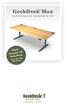 GeekDesk Max Instructions for Assembly & Use Work Sitting OR Standing! With the touch of a button... Elevate Your Work Instructions release 1.5, 2012-08-09 WELCOME! Thank you for purchasing a GeekDesk!
MANUAL EN 3 SUPPLY PLUG* MAINS CABLE CTEK COMFORT CONNECT ABSORPTION, READY TO USE ANALYSE FLOAT, FULLY CHARGED PULSE, MAINTENANCE CHARGING
 MODE 12V/ MANUAL CONGRATULATIONS to the purchase of your new professional switch mode battery charger. This charger is included in a series of professional chargers from CTEK SWEDEN AB and represents the
EN 3 ABSORPTION, READY TO USE ANALYSE BULK DESULPHATION SOFT START. L: 2000 mm MODE- BUTTON SUPPLY PLUG* SUPPLY
 MODE 24V/ MANUAL MXT 14 CONGRATULATIONS to the purchase of your new professional switch mode battery charger. This charger is included in a series of professional chargers from CTEK SWEDEN AB and represents
GoFit Platinum Power Vibe
 GoFit Platinum Power Vibe GFVT011 GoFit Platinum Pty Ltd Phone 1800 446 348 fax 1300 446 348 www.gofit.com.au IMPORTANT PRECAUTIONS When using an electrical appliance, the basic following precautions
1. Connect the charger to the battery. 2. Connect the charger to the wall socket. 3. Press the MODE-button to select charging program.
 MANUAL CONGRATULATIONS to the purchase of your new professional switch mode battery charger. This charger is included in a series of professional chargers from CTEK SWEDEN AB and represents the latest
user s manual Battery Case model #: SPB3200 Battery Case Charger for Samsung Galaxy S 4
 user s manual model #: SPB3200 Charger for Samsung Galaxy S 4 What s Included Unpack the battery case and make sure all accessories are put aside so they will not be lost. hello. USB to Micro USB Cable
Nokia Bluetooth Headset BH-118 User Guide
 Nokia Bluetooth Headset BH-118 User Guide Issue 1.1 2 Contents Introduction 3 About your headset 3 About Bluetooth connectivity 3 Get started 4 Keys and parts 4 Charge the battery 4 Switch the headset
Hydraulic Transmission Jacks Operating Instructions & Parts Manual
 Blackhawk Automotive is a Licensed Trade Mark Made by SFA Companies, Kansas City, MO Hydraulic Transmission Jacks Operating Instructions & Parts Manual Model BH7011 BH7210 Capacity 1/2 Ton 1 Ton SFA Companies
Pocket Tach 99 (PT99) Non-Contact Tachometer
 CE DECLARATION OF CONFORMITY As Manufacturer: Monarch Instrument Division of Monarch International Inc. 15 Columbia Drive, Amherst NH 03031 USA declares under Monarch s sole responsibility that the product:
PIPELINE INSPECTION COMPANY LTD. Portable Holiday Detectors. OPERATING INSTRUCTIONS SPY PORTABLE HOLIDAY DETECTORS Models 780, 785, & 790
 PIPELINE INSPECTION COMPANY LTD. Portable Holiday Detectors OPERATING INSTRUCTIONS SPY PORTABLE HOLIDAY DETECTORS Models 780, 785, & 790 Safety Disclaimer Only trained and responsible personnel should
WINEGARD MOTORIZED SENSAR ANTENNA Models MA1055W & MA1055G MADE IN U.S.A. U.S. Patents D500,496 and 7,358,909 INSTALLATION MANUAL
 WINEGARD MOTORIZED SENSAR ANTENNA Models MA1055W & MA1055G MADE IN U.S.A. U.S. Patents D500,496 and 7,358,909 INSTALLATION MANUAL CAUTION: This system is not for use with antenna in raised position while
LiteAide OWNER'S MANUAL PREASSEMBLED AUTOMATIC SECURITY FLOODLIGHTS MOTION SENSOR SECURITY LIGHTING SYSTEMS
 OWNER'S MANUAL PREASSEMBLED AUTOMATIC SECURITY FLOODLIGHTS MOTION SENSOR SECURITY LIGHTING SYSTEMS LiteAide HE-100B HE-100BW HE-112 HE-112W HE-117 HE-117W HE-117-2B OWNER'S MANUAL FLOOD LAMPS (BULBS) Your
OAK WORKBENCH WITH 2 DRAWERS
 OAK WORKBENCH WITH 2 DRAWERS Model 93991 ASSEMBLY Instructions Visit our website at: http://www.harborfreight.com Read this material before using this product. Failure to do so can result in serious injury.
Smart-UPS RT External Battery Pack Stack/Rack-Mount 6U
 Smart-UPS RT External Battery Pack Stack/Rack-Mount 6U SURT192RMXLBP2 SURT192RMXLBP2J English 990-2485B 02/2009 Introduction About this UPS The American Power Conversion (APC ) SURT192RMXLBP2 external
19 LED Tube Controller ORDERCODE 41003
 19 LED Tube Controller ORDERCODE 41003 Congratulations! You have bought a great, innovative product from Showtec. The Showtec 19 LED Tube Controller brings excitement to any venue. Whether you want simple
SECURITY LIGHT. motion-activated. Assembly & operating instructions Solar Motion-Activated Security Light - 80 LED Lights
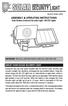 motion-activated SECURITY LIGHT Model #: 40225, 40226 Assembly & operating instructions Solar Motion-Activated Security Light - 80 LED Lights Important: Read all instructions carefully before use About
GB/DAS User Instruction
 GB/DAS User Instruction devireg 540/550 Table of contents Introduction 3 Introducing devireg 540/550 4 How to use your deviheat heating system 6 Daily operation 7 Setting the clock & day 10 Timer programming
aseries A13B Mini Bullet Camera User Manual
 aseries A13B Mini Bullet Camera User Manual Thank you for purchasing our product. If there are any questions, or requests, please do not hesitate to contact the dealer. This manual applies to the MicroView
AN500T, AN1000, AN1000T, AN1500, AN1500T AN2000, AN2000T
 Product Instruction Manual Accona AN500T, AN1000, AN1000T, AN1500, AN1500T AN2000, AN2000T Panel heater v16.5/5 Version 3.2 Jan 2015 Contents 1. Important safety points 2. Installation 2.1. Wall mounting
REARWARD- & FORWARD-FACING USER MANUAL ECE R44 04. GROUP WEIGHT AGE 0+/1 0-18 kg 6m-4y
 REARWARD- & FORWARD-FACING USER MANUAL ECE R44 04 GROUP WEIGHT AGE 0+/1 0-18 kg 6m-4y 1 Thank you for choosing BeSafe izi Combi ISOfix. BeSafe has developed this seat with much care, to protect your child
Nokia Bluetooth Stereo Headset BH-221
 Nokia Bluetooth Stereo Headset BH-221 Issue 2.0 2 Introduction About your headset With the Nokia Bluetooth Stereo Headset BH-221, you can handle calls hands-free, enjoy your favourite music, and listen
ATS Overhead Table Shelf System INSTRUCTION MANUAL
 ATS Overhead Table Shelf System INSTRUCTION MANUAL ATS Overhead Table Shelf System Instruction Manual Warranty Newport Corporation warrants this product to be free of defects in material and workmanship
You ve never seen anything like it
 GH3 You ve never seen anything like it We wanted to rethink everything so we could give our customers more time to care. This meant taking a long, hard look at exactly what users really want and need to