
Contents. 1 Introducing CorelDRAW Graphics Suite X Customer Profiles What s Included with CorelDRAW Graphics Suite X4?..
|
|
|
- Aubrey Nichols
- 9 years ago
- Views:
Transcription
1

2 Contents 1 Introducing CorelDRAW Graphics Suite X Customer Profiles...3 Design professionals... 3 Occasional graphics users What s Included with CorelDRAW Graphics Suite X4?..5 Applications... 5 Supporting applications... 5 Content... 6 Documentation... 6 Training... 6 Minimum system requirements Top New and Enhanced Features...7 Streamline your workflow... 7 Find your design assets... 9 Accelerate layout and text editing Get inspired and gain knowledge Discover advanced image-editing features Summary of New and Enhanced Features Design Gallery About Corel...28

3

4 1 Introducing CorelDRAW Graphics Suite X4 CorelDRAW Graphics Suite X4 is an affordable and comprehensive suite of intuitive page-layout, illustration, photo-editing, and bitmap-to-vector tracing applications. The trusted choice of professional and aspiring designers, the suite includes new tools that fuel the creative process, simplify project management, and optimize the graphic design workflow. Users of CorelDRAW Graphics Suite X4 can confidently tackle a wide variety of projects from logos and Web graphics to multipage brochures and eyecatching signs. With its text and page-layout enhancements, market-leading file format compatibility, and high-quality content, this powerful suite is the ultimate design partner to help users turn inspiration into stunning results. For increased design flexibility, CorelDRAW X4 now lets users create independent layers for each page of a document. The new CorelDRAW ConceptShare docker is a valuable online collaboration tool, and the ability to import PDF files with comments makes it easier than ever to work with colleagues and clients. In addition to providing its redesigned workspace icons, menus, and controls, CorelDRAW X4 includes an enhanced Print Merge wizard, a new Table tool for drawing and editing tables, and integration with WhatTheFont the font identification service from MyFonts.com. With Corel PHOTO-PAINT X4, the workspace icons, menus, and controls have also been redesigned and many image-adjustment features now have an integrated histogram, which provides visual feedback in real time. Users can now work with raw camera files more easily, and new thumbnail previews make it easier to find files. In addition, Corel PowerTRACE X4 has been enhanced to give users more control over bitmap-to-vector conversion. Rounding out the suite, Corel CAPTURE X4 is a screen-capture utility that lets users copy images of their computer screens in a single click. With the new Welcome screen, users have a centralized location to start new projects, access recently used documents, get instructional information, and view inspiring designs from other CorelDRAW Graphics Suite users around the world. Plus, the CorelDRAW Handbook Insights from the Experts provides artwork, helpful advice, and design techniques from professional designers. Reviewer s Guide [ 1 ]

5

6 2 Customer Profiles Design professionals Design professionals in advertising and printing industries spend much of their time creating and editing graphics, working with text, and retouching photos. With time-saving features such as interactive layout tables, live text formatting, and independent page layers, CorelDRAW Graphics Suite X4 gives them innovative design tools that optimize their workflow. Other design professionals focus primarily on sign making, screen printing, and engraving. These users frequently repurpose and combine such content as graphic designs, scanned logos, clipart images, and fonts. With powerful imageediting capabilities, specialized fonts, tracing software that turns bitmaps into editable vector graphics, and high-quality content, CorelDRAW Graphics Suite X4 gives them a comprehensive, versatile, and affordable solution. Creative professionals focus primarily on graphic design for print and for the Web. In addition to its intuitive page-layout and design tools, CorelDRAW Graphics Suite X4 gives them market-leading compatibility with commonly used file formats. Occasional graphics users For entrepreneurs and small to medium-size businesses interested in creating marketing materials in-house, CorelDRAW Graphics Suite X4 provides powerful text and page-layout tools that ensure professional-looking results. Self-taught in graphic design, these occasional users can confidently turn to CorelDRAW Graphics Suite X4 to modify existing designs, to retouch photos, and to create ads, flyers, and other marketing collateral. Business users in medium-size to large enterprises value the ability to work with more than 100 file formats as well as create professional, graphically rich projects from sales presentations to Web graphics. Hobbyists do not use graphic design software to earn a living, but they do use it occasionally to create projects such as newsletters, calendars, banners, and photo layouts for personal or community use. With an extensive collection of learning tools, CorelDRAW Graphics Suite X4 makes it easy to create impressive results without professional training. Reviewer s Guide [ 3 ]

7

8 3 What s Included with CorelDRAW Graphics Suite X4? Applications CorelDRAW X4: CorelDRAW X4 is an intuitive vector-illustration and page-layout application that meets the demands of today s busy design professionals and occasional graphics users. It delivers results fast, whether users are creating a company logo or working toward demanding production schedules. Corel PHOTO-PAINT X4: Corel PHOTO-PAINT X4 is a professional image-editing application that lets users quickly and easily retouch and enhance photos. It is specifically designed for use in a graphics workflow. Corel PowerTRACE X4: Professional designers often receive poor-quality bitmap images from clients and face the challenge of turning these bitmaps into high-quality vector images for business cards, brochures, signs, or other promotional items. Corel PowerTRACE X4 solves this problem by letting users quickly and accurately convert bitmaps into editable vector graphics. Corel CAPTURE X4: Corel CAPTURE X4 is a one-click screen-capture utility that lets users capture images from their computer screens. Supporting applications Barcode wizard: The Barcode wizard lets users generate bar codes in a wide range of industry-standard formats. Service Bureau Profiler: The Service Bureau Profiler helps users prepare their work for professional output. Duplexing wizard: The Duplexing wizard helps users optimize their work for printing two-sided documents. Bitstream Font Navigator : The Bitstream Font Navigator is an awardwinning font manager for the Windows operating system. It lets users manage, find, install, and preview fonts. Reviewer s Guide [ 5 ]

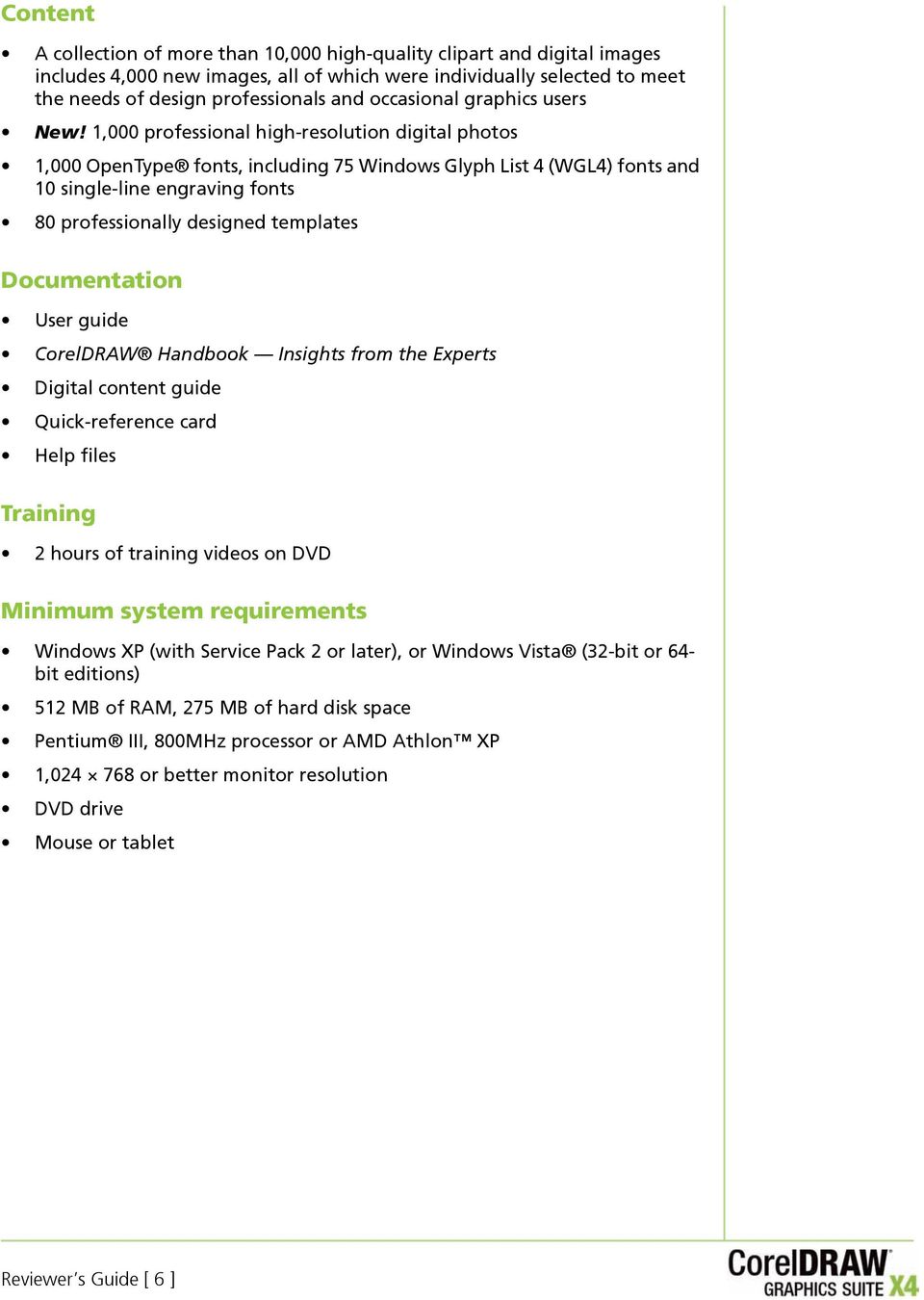
9 Content A collection of more than 10,000 high-quality clipart and digital images includes 4,000 new images, all of which were individually selected to meet the needs of design professionals and occasional graphics users New! 1,000 professional high-resolution digital photos 1,000 OpenType fonts, including 75 Windows Glyph List 4 (WGL4) fonts and 10 single-line engraving fonts 80 professionally designed templates Documentation User guide CorelDRAW Handbook Insights from the Experts Digital content guide Quick-reference card Help files Training 2 hours of training videos on DVD Minimum system requirements Windows XP (with Service Pack 2 or later), or Windows Vista (32-bit or 64- bit editions) 512 MB of RAM, 275 MB of hard disk space Pentium III, 800MHz processor or AMD Athlon XP 1, or better monitor resolution DVD drive Mouse or tablet Reviewer s Guide [ 6 ]
10 4 Top New and Enhanced Features CorelDRAW Graphics Suite X4 is an affordable and comprehensive suite that combines intuitive page-layout, illustration, photo-editing, and bitmap-to-vector tracing applications. The trusted choice of professional and aspiring designers, the suite includes new tools that fuel the creative process, simplify project management, and optimize the graphic design workflow. Streamline your workflow With its redesigned and modernized user interfaces, new collaboration tools, and enhanced features, CorelDRAW Graphics Suite X4 can help users streamline their workflow without compromising creativity or flexibility. New! Modernized user interface (UI): For CorelDRAW Graphics Suite X4, the user interface has been redesigned. New icons, menus, and controls give the applications a fresh appearance and provide a more intuitive working environment. The redesigned CorelDRAW X4 user interface Reviewer s Guide [ 7 ]

11 New! CorelDRAW ConceptShare : The new CorelDRAW ConceptShare docker is a valuable online collaboration tool. In a Web-based environment, CorelDRAW ConceptShare lets users share their designs and ideas with colleagues or clients in real time. Users can easily create multiple workspaces, upload their designs, and invite others to provide feedback or submit their own ideas. Enhanced! Corel PowerTRACE X4: With Corel PowerTRACE X4, users can quickly and easily trace bitmaps, converting them into editable and scalable vector images. The new Centerline Trace method produces more accurate strokes and is perfect for tracing line drawings or signatures. To control which colors appear in the traced results, users can easily edit, merge, or delete colors on the color palette that is generated by PowerTRACE. In addition, improved smoothing and corner control help users optimize their traced results. The new Centerline Trace method is ideal for tracing line drawings or signatures. Give it a try Using the Centerline Trace method 1 In CorelDRAW X4, click File Import. 2 In the Import dialog box, browse to the folder that contains a bitmap of a line drawing or a signature that you want to trace, select the bitmap, and click Import. 3 On the drawing page, click where you want to place the bitmap, or to center the bitmap on the page, click Enter. 4 Click Bitmaps Centerline Trace, and choose one of the following: Technical illustration to trace black-and-white illustrations with thin, faint lines Line drawing to trace black-and-white sketches with thick, prominent lines If necessary, adjust the traced results by using the controls in the PowerTRACE dialog box. New! Windows Color System support: CorelDRAW Graphics Suite X4 supports the Windows Color System, which enables users to more closely match colors between Corel and Microsoft applications. Reviewer s Guide [ 8 ]

12 New! Adobe Color Management Module: CorelDRAW Graphics Suite now supports the Adobe Color Management Module (CMM), which provides consistent color transformations by using industry-standard International Color Consortium (ICC) color profiles. This makes it easy for users to closely match colors between Corel and Adobe applications. Enhanced! Print Merge: With CorelDRAW X4, the Print Merge wizard makes it easier than ever to combine text from a data source with a drawing. As a result, invitations, labels, certificates, or other projects that place unique, personalized text on the same design are faster and easier to produce. In addition, users now have the ability to output a print merge to the CorelDRAW file format (CDR). CorelDRAW X4 supports the following data sources: text (TXT), comma-separated values (CSV), Rich Text Format (RTF), and other files supported by Open Database Connectivity (ODBC) data sources. Enhanced! Customizable workspace: In addition to letting users customize the application s command bars, commands, and button arrangements, CorelDRAW Graphics Suite X4 includes preset workspaces that have a similar look and feel to those of Adobe Photoshop, Adobe Illustrator, or Microsoft Office. These preset workspaces make it easier for users to transition to CorelDRAW Graphics Suite. Users can also export a custom workspace to share it with other users. Enhanced! PDF Comments support: CorelDRAW X4 now supports PDF Comments, which gives users the option of importing comments and annotations when they import a PDF file. This makes it quicker and easier for users to access and leverage feedback from clients and colleagues. Enhanced! Microsoft Visual Basic for Applications 6.4: For users who want to automate their workflow, CorelDRAW Graphics Suite X4 supports the latest version of Microsoft Visual Basic for Applications (VBA) 6.4. New! Dynamic product updates: With CorelDRAW Graphics Suite X4, the Welcome screen is a valuable resource that provides users with immediate access to new content, tips and tricks, product registration, and the latest product updates. From within the application, users can choose to install product updates automatically or to receive notification when updates are available. Find your design assets With market-leading file format compatibility, a convenient file search, and an abundance of new, editable content, CorelDRAW Graphics Suite X4 makes it easier for users to exchange files and find the right design asset for the job. Enhanced! Windows Vista integration: CorelDRAW Graphics Suite X4 has been designed to take advantage of the latest innovations from the Windows Vista operating system. From within the operating system dialog boxes, users can search for files by author, subject, file type, date, keywords, or other file properties. Users can also easily add keywords or other notes when Reviewer s Guide [ 9 ]

13 saving files in order to better organize their projects. In addition, users can edit file properties from within the CorelDRAW Graphics Suite X4 applications or from Windows Explorer and Windows Vista Search. Users of Windows XP can use Windows Desktop Search or any other desktop search application that supports the ifilter format. New! Content: CorelDRAW Graphics Suite X4 includes an abundance of new, editable content on an easily searchable DVD. Users can browse through 10,000 clipart images to find inspiration for their next design project. These highquality vector graphics are easily adapted. In addition, 1,000 new high-quality photos on various subjects and themes are included. New! Specialized fonts: With a collection of specialized fonts, CorelDRAW Graphics Suite X4 helps users ensure that their output is optimized for its intended audience. An extended selection of new fonts includes single-line engraving fonts and OpenType cross-platform fonts, which offer enhanced language support for Latin, Greek, and Cyrillic outputs in WG4L format. A collection of specialized fonts includes engraving fonts. New! Template search and preview: In CorelDRAW X4, the New From Template dialog box has been completely redesigned to provide users with more information so that they can easily choose the right template for the job. Users can now preview templates by Type, such as flyer or postcard, or by Industry, such as hospitality, retail, or services. Users can also search for templates by using keywords. New! Professionally designed templates: CorelDRAW Graphics Suite X4 includes more than 80 professionally designed and customizable templates, which give users a great starting point for their designs. Flexible and easy to repurpose, the templates are now accompanied by Designer Notes. These notes provide information on the design choices made for the template, tips for outputting a design based on the template, and instructions for customizing the template while still adhering to design principles. An abundance of customizable templates are a great starting point for design projects. Reviewer s Guide [ 10 ]

14 Enhanced! Adobe product support: To ensure a seamless workflow, CorelDRAW Graphics Suite X4 provides enhanced support for Adobe Photoshop CS3, Adobe Illustrator CS3, PDF 1.7, PDF/A, and Adobe Acrobat 8. When exporting CorelDRAW Graphics Suite X4 files to the new Adobe Illustrator CS3 format, users can now choose a format for text in the exported files. This makes it easier for users to exchange files between the applications. In addition, users can save files to the PDF/A format the file format approved by the International Organization for Standardization (ISO) for long-term archiving of electronic documents. New! File format support: CorelDRAW Graphics Suite X4 maintains its position as market leader in file format compatibility by adding support for Microsoft Publisher (versions 2002, 2003, and 2007). Users can also expect seamless compatibility with Microsoft Word 2007, AutoCAD DXF and AutoCAD DWG (versions R2.5 to 2007), and Corel Painter X, making it easier than ever to exchange files with colleagues and clients. New! Thumbnail previews: New, high-quality thumbnail previews make it easier to find and organize CorelDRAW and Corel PHOTO-PAINT files. High-quality thumbnail previews make it easier for users to find their files. Accelerate layout and text editing With an interactive Table tool, independent page layers, real-time text formatting previews, and an integrated font identification feature, CorelDRAW Graphics Suite X4 can help users accelerate document design. New! Interactive tables: The new, interactive Table tool in CorelDRAW X4 lets users create and import tables to provide a structured layout for text and graphics. Users can easily align, resize, or edit tables and table cells to suit their designs. In addition, users can convert delimited text into a table or convert a table into delimited text. Users can also easily add and adjust images in individual table cells. Reviewer s Guide [ 11 ]

15 The new Table tool makes it easy to create a structured layout with graphic elements embedded in table cells. Give it a try Creating a table 1 In CorelDRAW X4, click the Table tool in the toolbox. 2 On the property bar, type values in the Number of rows and columns boxes. The value you type in the top portion specifies the number of rows; the value you type in the bottom portion specifies the number of columns. 3 Drag diagonally to draw the table. New! Independent page layers: With CorelDRAW X4, users can now control and edit layers independently for each page of a document, reducing the occurrence of pages with empty layers. Users can also add independent guidelines for individual pages and master guidelines for an entire document. This gives users the ability to create different layers on a page-specific basis, unconfined by a single document structure. In addition, the new Duplicate Page command gives users the flexibility to copy a page with all objects included or just the layer structure, making it easier to repurpose existing designs. Give it a try Working with independent page layers 1 In CorelDRAW X4, click File New. 2 Click Window Dockers Object Manager. Reviewer s Guide [ 12 ]

16 Give it a try 3 In the upper-right corner of the Object Manager docker, click the flyout button, and click New Layer. 4 Type a name for the new layer, or click to accept the default naming convention (Layer 2). Page 1 of your document now has two independent layers. To make a layer active, click the layer name. The name of the active layer is indicated by a bold red font. 5 To create a new page, click the flyout button in the top right corner of the Object Manager docker, and click New Page. 6 Repeat steps 3 and 4 to create a new layer. Page 2 of your document now has two independent layers. New! Live text formatting: CorelDRAW X4 introduces live text formatting, which lets users see how a text formatting change will look before applying it to a document. This handy and time-saving formatting aid reduces the need to undo and redo unsatisfactory changes. Users can now scroll through and preview many different formatting options, including fonts, font size, and alignment. Give it a try Previewing text formatting 1 In CorelDRAW X4, click the Text tool in the toolbox. 2 Drag in the drawing window to size the paragraph text frame, and type to add text. 3 On the property bar, click the Font List list box, and scroll through the available fonts. As you hover over a font, CorelDRAW X4 displays a preview of how that font will look when applied to your document. New! Font identification: CorelDRAW Graphics Suite X4 now integrates with WhatTheFont, the online font identification service from MyFonts.com. Users can save time by immediately identifying the font used in existing designs or artwork received from clients (English only). Integration with WhatTheFont makes it quick and easy to identify fonts. Reviewer s Guide [ 13 ]

17 New! Mirror paragraph text: With CorelDRAW X4, users can now interactively mirror text. Users can mirror text horizontally or vertically, or both, which is essential for outputting content for certain specialized devices. Users can easily mirror paragraph text. Give it a try Mirroring paragraph text 1 In CorelDRAW X4, click the Text tool in the toolbox. 2 On the drawing page, drag to create a paragraph text frame. 3 Type to add text to the frame. 4 On the property bar, click one or both of the following buttons: Mirror horizontally flips the text characters from left to right Mirror vertically flips the text characters from top to bottom Enhanced! Quotation marks: CorelDRAW X4 users can now customize quotation marks for specific languages. Users can edit quotation mark styles and choose which style is used when typing in different languages. For example, users can change the style of double, single, and straight quotation marks for a specific language. Get inspired and gain knowledge With CorelDRAW Graphics Suite X4, it s never been easier to get started, find inspiration, or gain knowledge. The Welcome screen, expert tutorials, and other learning tools offer invaluable assistance to both new and experienced users. New! Welcome screen: With a new Welcome screen, CorelDRAW Graphics Suite X4 provides users with a centralized location to access recently used documents, templates, and learning tools, which include Tips & Tricks and video tutorials. To inspire users, the Welcome screen also includes a gallery that showcases designs created by CorelDRAW Graphics Suite users around the world. Reviewer s Guide [ 14 ]

18 The Learning tools accessible from the Welcome screen New! CorelDRAW Handbook Insights from the Experts: This new book showcases practical, real-world examples of accomplished designs by CorelDRAW experts. By deconstructing designs and sharing their wisdom and best practices, experts from a variety of industries demonstrate the power of CorelDRAW Graphics Suite X4. New! Training videos: CorelDRAW Graphics Suite X4 includes 2 hours of training videos on DVD. Topics include illustration, design, and image-editing fundamentals, industry-specific design principles, and output details for various media, such as print or the Web. Enhanced! CorelTUTOR : With CorelTUTOR, users can access online, project-based tutorials that help them learn and use the applications. In addition to touring the workspaces of both CorelDRAW X4 and Corel PHOTO-PAINT X4, users can learn how to work with page-layout features, get started with bitmapto-vector tracing, try the enhanced print-merge functionality, create a logo, and much more. New! CorelDRAW community site: Accessible from within the application, the CorelDRAW.com community site gives users a place to get together to share information and learn from other users. Combining forums, blogs, galleries, and other resources, CorelDRAW.com is a valuable information resource for professional designers and occasional graphics users alike. Visit the site today to discover the creations and inspirations of this growing community. Reviewer s Guide [ 15 ]

19 Discover advanced image-editing features CorelDRAW Graphics Suite X4 provides advanced image-editing features that help users get expected results the first time. New! Corel PHOTO-PAINT user interface: The Corel PHOTO-PAINT X4 user interface has been redesigned and modernized with new icons, menus, and controls. The redesigned Corel PHOTO-PAINT user interface New! Raw camera file support: CorelDRAW Graphics Suite X4 now supports raw camera file formats for more than 300 different types of cameras. This lets users import raw camera files directly from their digital camera. With interactive controls that provide real-time previews, users can view file properties and camera settings, adjust image color and tone, and improve image quality. CorelDRAW Graphics Suite X4 lets users work with raw camera files. Reviewer s Guide [ 16 ]

20 New! Straighten image: With CorelDRAW Graphics Suite X4, users can quickly and easily straighten images that were scanned or photographed at an angle. The interactive controls, a grid with vertical and horizontal guidelines, and an integrated histogram that provides results in real time, make it easier than ever to straighten crooked images. In addition, users can choose to have their images automatically cropped. Users can quickly and easily straighten crooked images. Give it a try Straightening an image 1 In Corel PHOTO-PAINT X4, open an image that you want to straighten. 2 Click Adjust Straighten Image. 3 In the Straighten Image dialog box, move the Rotate image slider, or type a value between 15 and -15 in the Rotate image box. 4 To crop and straighten the image, enable the Crop image check box. The image is cropped to preserve the aspect ratio of the original image, which means that the final image is smaller than the original image. If you want to preserve the width and height of the original image, enable the Crop and resample to original size check box. The final image is resampled. 5 When you are satisfied with the result, click OK. Enhanced! Adobe Photoshop CS3 support: Corel PHOTO-PAINT X4 provides support for Adobe Photoshop CS3 so that users can seamlessly exchange files between the applications. New! Histogram feedback: In CorelDRAW Graphics Suite X4, more features and effects now provide histogram feedback in real time. This lets users edit images more efficiently by previewing changes and comparing results as they adjust image tone, apply effects, or process raw camera files. Reviewer s Guide [ 17 ]

21 Enhanced! Tone Curve adjustments: In Corel PHOTO-PAINT X4, the Tone Curve dialog box has been enhanced to help users adjust their images with more precision. With an integrated histogram, users now receive real-time feedback as they make adjustments to their images. In addition, the new Eyedropper lets users pinpoint specific color locations on the tone curve of their image. Users can also select, add, or delete nodes along the tone curve. Users now receive real-time feedback when adjusting the tone curve of an image. Give it a try Adjusting the tone curve of an image 1 In Corel PHOTO-PAINT X4, open an image that requires tone and color adjustments. 2 Click Adjust Tone Curve. 3 In the Tone Curve dialog box, use the tone curve on the graph to adjust the balance between the shadows, midtones, and highlights of the image. The x-axis of the graph represents the tonal values of the original image; the y-axis of the graph represents the adjusted tonal values. 4 To undo any unsatisfactory adjustments, click the Reset button. 5 When you are satisfied with the result, click OK. Reviewer s Guide [ 18 ]
22 5 Summary of New and Enhanced Features The following is a list of the new and enhanced features offered by CorelDRAW Graphics Suite X4. Streamline your workflow Enjoy the new, more intuitive user interface with redesigned and modernized icons, menus, and controls. Use the new CorelDRAW ConceptShare to collaborate with colleagues or clients in real time. Save time and enjoy more control over bitmap-to-vector conversion with the enhanced Corel PowerTRACE X4. Closely match colors between Corel and Microsoft applications with the new Windows Color System. Easily match colors between Corel and Adobe applications with the new Adobe Color Management Module. Easily combine a drawing with text from a data source by using the enhanced Print Merge wizard. Let the customizable workspaces simplify the transition to CorelDRAW Graphics Suite, or choose a preset workspace that resembles Adobe Photoshop, Adobe Illustrator, or Microsoft Office. Collaborate more easily with colleagues and clients by using the enhanced support for PDF Comments. Automate workflow with enhanced support for Microsoft Visual Basic for Applications 6.4. Gain more control over panning and zooming with enhanced mouse-wheel scrolling. Get immediate access to the latest product updates, new content, and special offers from within the application. Reviewer s Guide [ 19 ]
23 Find your design assets Take advantage of the enhanced Windows Vista integration to easily organize projects and search for files. Leverage an abundance of new, editable content which includes 10,000 clipart images and 1,000 high-quality photos. Ensure that output is optimized for its intended audience with a collection of specialized fonts, including single-line engraving fonts and OpenType cross-platform fonts. Use the new, redesigned New From Template dialog box to find the right template for any job. Access 80 professionally designed templates with notes about design choices, output tips, and ways to maintain good design when customizing templates. Experience enhanced compatibility with Adobe products, including Adobe Photoshop CS3, Adobe Illustrator CS3, PDF 1.7, PDF/A, and Acrobat 8. Enjoy seamless compatibility with commonly used file formats, including new support for Microsoft Publisher, as well as AutoCAD DXF, AutoCAD DWG, and Corel Painter X. Easily find Corel PHOTO-PAINT files with new, high-quality thumbnail previews. Accelerate layout and text editing Use the new, interactive Table tool to provide structured layouts for text and graphics. Experience greater layout freedom with new independent page layers. Enjoy the convenience of new, live text formatting to preview formatting changes before they are applied. Save time by quickly identifying fonts with the new integration with WhatTheFont. Mirror paragraph text horizontally or vertically, or both. Customize quotation marks for specific languages. Save time with applications that use proper numeric formats by recognizing the operating system s regional settings. Get inspired and gain knowledge Quickly access recently used documents, templates, learning tools, and inspiring designs from the new Welcome screen. View breathtaking projects and learn from seasoned design professionals with the new CorelDRAW Handbook Insights from the Experts. Delve into the 2 hours of new DVD training videos. Reviewer s Guide [ 20 ]
24 Access online, project-based instruction with new and updated tutorials from CorelTUTOR. Visit CorelDRAW.com and share designs, ideas, and inspiration with this growing online community. Discover advanced image-editing features Experience new support for raw camera files with interactive controls that let users preview adjustments in real time. Use new, interactive controls to quickly and easily straighten images. Preview image-editing changes in real time by using histogram feedback, available with more features than ever before. Adjust images with more precision by using the enhanced Tone Curve dialog box. Get streamlined page sizes that better reflect the geographic location of the user. Reviewer s Guide [ 21 ]
25
26 6 Design Gallery As a trusted and versatile design tool, CorelDRAW Graphics Suite has been embraced by graphic design professionals around the world, in areas as diverse as airbrushing murals, vehicle illustration, magazine layout, and fashion design. In the following pages, you ll find examples of the imagination and passion that CorelDRAW Graphics Suite users bring to their projects. Reviewer s Guide [ 23 ]
27 Stefan Lindblad - Sweden Sergey Sezonov - Russia Stefan Tetreault - Canada Rodolfo Biglié - Czech Republic [ 24 ] Reviewer s Guide
28 Ariel Garaza Díaz - Spain Michaela Maginot - Germany Rodolfo Biglié - Czech Republic Igor Tkac - United States of America Reviewer s Guide [ 25 ]
29 Buffe Combe - United States of America Hugo Hansen - Denmark Stefan Lindblad - Sweden Stanislav Pronin - Russia [ 26 ] Reviewer s Guide
30 Stefan Tetreault - Canada Stefan Tetreault - Canada Stefan Lindblad - Sweden Michaela Maginot - Germany Reviewer s Guide [ 27 ]
31 About Corel Corel is a leading developer of graphics, productivity, and digital media software, with more than 100 million users worldwide. The company s product portfolio includes some of the world s most popular and widely recognized software brands, including CorelDRAW Graphics Suite, Corel Paint Shop Pro, Corel Painter, Corel DESIGNER, Corel WordPerfect Office, WinZip, and igrafx. In 2006, Corel acquired InterVideo, makers of WinDVD, and Ulead, a leading developer of video, imaging, and DVD authoring software. Designed to help people become more productive and express their creative potential, Corel s full-featured software products set a higher standard for value in being easier to learn and use. The industry has responded with hundreds of awards recognizing Corel s leadership in software innovation, design, and value. Corel s products are sold in more than 75 countries through a wellestablished network of international resellers, retailers, original equipment manufacturers, online providers, and Corel s global Web sites. With its headquarters in Ottawa, Canada, the company has major offices in the United States, the United Kingdom, Germany, China, and Japan. Corel s stock is traded on the NASDAQ under the symbol CREL and on the TSX under the symbol CRE. Copyright 2007 Corel Corporation. All rights reserved. CorelDRAW Graphics Suite X4 Reviewer s Guide Protected by U.S. Patents ; ; ; ; ; ; ; ; ; ; Patents Pending. Product specifications, pricing, packaging, technical support and information ( specifications ) refer to the retail English version only. The specifications for all other versions (including other language versions) may vary. INFORMATION IS PROVIDED BY COREL ON AN AS IS BASIS, WITHOUT ANY OTHER WARRANTIES OR CONDITIONS, EXPRESS OR IMPLIED, INCLUDING, BUT NOT LIMITED TO, WARRANTIES OF MERCHANTABLE QUALITY, SATISFACTORY QUALITY, MERCHANTABILITY OR FITNESS FOR A PARTICULAR PURPOSE, OR THOSE ARISING BY LAW, STATUTE, USAGE OF TRADE, COURSE OF DEALING OR OTHERWISE. THE ENTIRE RISK AS TO THE RESULTS OF THE INFORMATION PROVIDED OR ITS USE IS ASSUMED BY YOU. COREL SHALL HAVE NO LIABILITY TO YOU OR ANY OTHER PERSON OR ENTITY FOR ANY INDIRECT, INCIDENTAL, SPECIAL, OR CONSEQUENTIAL DAMAGES WHATSOEVER, INCLUDING, BUT NOT LIMITED TO, LOSS OF REVENUE OR PROFIT, LOST OR DAMAGED DATA OR OTHER COMMERCIAL OR ECONOMIC LOSS, EVEN IF COREL HAS BEEN ADVISED OF THE POSSIBILITY OF SUCH DAMAGES, OR THEY ARE FORESEEABLE. COREL IS ALSO NOT LIABLE FOR ANY CLAIMS MADE BY ANY THIRD PARTY. COREL S MAXIMUM AGGREGATE LIABILITY TO YOU SHALL NOT EXCEED THE COSTS PAID BY YOU TO PURCHASE THE MATERIALS. SOME STATES/COUNTRIES DO NOT ALLOW EXCLUSIONS OR LIMITATIONS OF LIABILITY FOR CONSEQUENTIAL OR INCIDENTAL DAMAGES, SO THE ABOVE LIMITATIONS MAY NOT APPLY TO YOU. Corel, the Corel logo, CorelDRAW, Corel DESIGNER, Corel PHOTO-PAINT, CorelTUTOR, igrafx, Paint Shop Pro, Painter, PowerTRACE, WinZip, WinDVD, and WordPerfect are trademarks or registered trademarks of Corel Corporation and/or its subsidiaries in Canada, the U.S., and/or other countries. Acrobat, Adobe, Illustrator, and Photoshop are either registered trademarks or trademarks of Adobe Systems Incorporated in the United States and/or other countries. AutoCAD, DWG, and DXF are registered trademarks or trademarks of Autodesk, Inc., in the USA and/or other countries. ConceptShare is a trademark of ConceptShare Inc. in Canada, the United States and/or other countries. International Color Consortium is a registered trademark of the International Color Consortium. Microsoft, OpenType, Visual Basic, Windows, and Windows Vista are either registered trademarks or trademarks of Microsoft Corporation in the United States and/or other countries. MyFonts, MyFonts.com, and WhatTheFont are registered trademarks or trademarks of MyFonts.com, Inc. Other product, font, and company names and logos may be trademarks or registered trademarks of their respective companies.
32
Welcome to CorelDRAW, a comprehensive vector-based drawing and graphic-design program for the graphics professional.
 Workspace tour Welcome to CorelDRAW, a comprehensive vector-based drawing and graphic-design program for the graphics professional. In this tutorial, you will become familiar with the terminology and workspace
Upgrade Matrix. Feature. Show your true design style. Accessing Design Assets. User Interface ENHANCED!
 Accessing Design Assets Advanced content organizer The refined Corel CONNECT provides access to all included content, while also helping you acquire additional content from online vendors. Work with several
Creating an invitation
 Creating an invitation Michaela Maginot About the author Michaela Maginot lives in Unterhaching, Germany, not too far from Munich. She graduated from the Deutschen Meisterschule für Mode (German Master
Creating an invitation
 Creating an invitation Michaela Maginot Concept and design Invitation complete with gift box, card, and transparent envelope. For more options, please visit www.corel.com/design collection. The goal was
Version Comparison Matrix
 Accessing Design Assets Advanced content organizer The refined Corel CONNECT provides access to all included content, while also helping you acquire additional content from online vendors. Work with several
Microsoft Publisher 2010 What s New!
 Microsoft Publisher 2010 What s New! INTRODUCTION Microsoft Publisher 2010 is a desktop publishing program used to create professional looking publications and communication materials for print. A new
1 Introducing CorelDRAW Graphics Suite X6... 2. 2 Customer profiles... 4. Graphics professionals... 4 Occasional graphics users...
 Contents 1 Introducing CorelDRAW Graphics Suite X6... 2 2 Customer profiles... 4 Graphics professionals... 4 Occasional graphics users... 4 3 What s included?... 6 4 Top new and enhanced features... 8
Microsoft Picture Manager. Picture Manager
 Picture Manager Picture Manager allows you to easily edit and organize the pictures on your computer. Picture Manager is an application that was included with Microsoft Office suite for Windows 2003 and
Hands-on Guide. FileMaker Pro. Using FileMaker Pro with Microsoft Office
 Hands-on Guide FileMaker Pro Using FileMaker Pro with Microsoft Office Table of Contents Introduction... 3 Before You Get Started... 4 Sharing Data between FileMaker Pro and Microsoft Excel... 5 Drag and
Welcome to CorelDRAW, a comprehensive vector-based drawing and graphic-design program for the graphics professional.
 Creating a logo Welcome to CorelDRAW, a comprehensive vector-based drawing and graphic-design program for the graphics professional. In this tutorial, you will create a logo for an imaginary coffee shop.
imageprograf Software Solutions Advanced Software Features for Your Canon imageprograf
 imageprograf Software Solutions Advanced Software Features for Your Canon imageprograf New Gallery Wrap Feature CREATIVE AND WORKFLOW SOLUTIONS IN THE BOX SOFTWARE SOLUTIONS Canon includes innovative software
Perfect PDF 8 Premium
 Perfect PDF 8 Premium Test results ( gut Good, sehr gut very good) refer to versions 7, 6 and 5 of Perfect PDF. Professionally create, convert, edit and view PDF, PDF/A and XPS files Perfect PDF 8 Premium
Using FileMaker Pro with Microsoft Office
 Hands-on Guide Using FileMaker Pro with Microsoft Office Making FileMaker Pro Your Office Companion page 1 Table of Contents Introduction... 3 Before You Get Started... 4 Sharing Data between FileMaker
Serif PagePlusX4. Group Listing
 File Menu New Startup Wizard New Publication New Book Open File Open Browse Files Browse Revert Close File Save Save As Save As Package Export As Picture Properties Page Setup Layout Guides Print Print
Introduction to dobe Acrobat XI Pro
 Introduction to dobe Acrobat XI Pro Introduction to Adobe Acrobat XI Pro is licensed under the Creative Commons Attribution-NonCommercial-NoDerivatives 4.0 International License. To view a copy of this
Embroidery Fonts Plus ( EFP ) Tutorial Guide Version 1.0505
 Embroidery Fonts Plus ( EFP ) Tutorial Guide Version 1.0505 1 Contents Chapter 1 System Requirements.................. 3 Chapter 2 Quick Start Installation.................. 4 System Requirements................
Contents. Launching FrontPage... 3. Working with the FrontPage Interface... 3 View Options... 4 The Folders List... 5 The Page View Frame...
 Using Microsoft Office 2003 Introduction to FrontPage Handout INFORMATION TECHNOLOGY SERVICES California State University, Los Angeles Version 1.0 Fall 2005 Contents Launching FrontPage... 3 Working with
Welcome to Corel DESIGNER, a comprehensive vector-based drawing application for creating technical graphics.
 Importing 3D models Welcome to Corel DESIGNER, a comprehensive vector-based drawing application for creating technical graphics. In this tutorial, you will modify a three-dimensional model of a transmission
Welcome to Corel VideoStudio Pro X5
 Contents Welcome to Corel VideoStudio Pro X5............................ 2 New Features and Enhancements................................ 4 Getting to Know the Workspace.................................
Part Three: Quattro Pro107. Part Four: Presentations153
 Handbook Part One: Introduction3 getting started Part Two: WordPerfect13 creating professional-looking documents Part Three: Quattro Pro107 managing data with spreadsheets Part Four: Presentations153 making
Getting Started Guide
 Getting Started Guide Contents Welcome to Corel VideoStudio Pro X6............................ 2 New Features and Enhancements................................ 4 Understanding the Workspace..................................
What s New in QuarkXPress 8
 What s New in QuarkXPress 8 LEGAL NOTICES 2008 Quark Inc. as to the content and arrangement of this material. All rights reserved. 1986 2008 Quark Inc. and its licensors as to the technology. All rights
Microsoft PowerPoint 2010 Handout
 Microsoft PowerPoint 2010 Handout PowerPoint is a presentation software program that is part of the Microsoft Office package. This program helps you to enhance your oral presentation and keep the audience
Adobe Certified Expert Program
 Adobe Certified Expert Program Product Proficiency Exam Bulletin Adobe Photoshop CS4 Exam # 9A0-094 ACE Certification Checklist The checklist below will help guide you through the process of obtaining
Quickstart Tutorial. Bradford Technologies, Inc. 302 Piercy Road, San Jose, California 95138 800-622-8727 fax 408-360-8529 www.bradfordsoftware.
 Quickstart Tutorial A ClickFORMS Tutorial Page 2 Bradford Technologies. All Rights Reserved. No part of this document may be reproduced in any form or by any means without the written permission of Bradford
Creating Interactive PDF Forms
 Creating Interactive PDF Forms Using Adobe Acrobat X Pro Information Technology Services Outreach and Distance Learning Technologies Copyright 2012 KSU Department of Information Technology Services This
CorelDRAW Home & Student Suite X7
 CorelDRAW Home & Student Suite X7 CorelDRAW Home & Student Suite X7 offers fully-integrated applications and complementary plugins that cover everything from vector illustration and page layout, to photo
Microsoft PowerPoint Tutorial
 Microsoft PowerPoint Tutorial Contents Starting MS PowerPoint... 1 The MS PowerPoint Window... 2 Title Bar...2 Office Button...3 Saving Your Work... 3 For the first time... 3 While you work... 3 Backing
Importing and exporting content
 Importing and exporting content Welcome to Corel DESIGNER, a comprehensive vector-based drawing application for creating technical graphics. In this tutorial, you will import an AutoCAD DWG file into Corel
Adobe Flash Catalyst CS5.5
 Adobe Flash Catalyst CS5.5 Create expressive interfaces and interactive content without writing code Use a new efficient workflow to collaborate intelligently and roundtrip files with developers who use
Create a Poster Using Publisher
 Contents 1. Introduction 1. Starting Publisher 2. Create a Poster Template 5. Aligning your images and text 7. Apply a background 12. Add text to your poster 14. Add pictures to your poster 17. Add graphs
How To Use Microsoft Word 2003
 Microsoft Word 2003 Module 2 Microsoft Word 2003: Module 2 August, 2006 2006 Hillsborough Community College - Professional Development Services Hillsborough Community College - Professional Development
Microsoft Word 2010. Quick Reference Guide. Union Institute & University
 Microsoft Word 2010 Quick Reference Guide Union Institute & University Contents Using Word Help (F1)... 4 Window Contents:... 4 File tab... 4 Quick Access Toolbar... 5 Backstage View... 5 The Ribbon...
Adobe Illustrator CS5 Part 1: Introduction to Illustrator
 CALIFORNIA STATE UNIVERSITY, LOS ANGELES INFORMATION TECHNOLOGY SERVICES Adobe Illustrator CS5 Part 1: Introduction to Illustrator Summer 2011, Version 1.0 Table of Contents Introduction...2 Downloading
Using Microsoft Word. Working With Objects
 Using Microsoft Word Many Word documents will require elements that were created in programs other than Word, such as the picture to the right. Nontext elements in a document are referred to as Objects
CorelDRAW Graphics Suite X7
 CorelDRAW Graphics Suite X7 CorelDRAW Graphics Suite X7 offers fully-integrated applications and complementary plugins that cover everything from vector illustration and page layout, to photo editing,
User Guide. Chapter 6. Teacher Pages
 User Guide Chapter 6 s Table of Contents 1. Introduction... 4 I. Enhancements... 5 II. Tips... 6 2. Key Information... 7 3. How to Add a... 8 4. How to Edit... 10 I. SharpSchool s WYSIWYG Editor... 11
Website Editor User Guide
 CONTENTS Minimum System Requirements... 3 Design Your Website... 3 Choosing your Theme... 4 Choosing your Header Style... 4-5 Website Content Editor... 6 Text Editor Toolbar features... 6 Main Menu Items...
Invoice Quotation and Purchase Orders Maker
 Invoice Quotation and Purchase Orders Maker Professional Edition Version 2.0.0.0 Help File By: Khaled Aljundi Software developer 1 P a g e Table of Contents 1.0 License Agreement... 3 2.0 About This Software...
How to create and personalize a PDF portfolio
 How to create and personalize a PDF portfolio Creating and organizing a PDF portfolio is a simple process as simple as dragging and dropping files from one folder to another. To drag files into an empty
Microsoft Access 2010 Part 1: Introduction to Access
 CALIFORNIA STATE UNIVERSITY, LOS ANGELES INFORMATION TECHNOLOGY SERVICES Microsoft Access 2010 Part 1: Introduction to Access Fall 2014, Version 1.2 Table of Contents Introduction...3 Starting Access...3
World Class Digitizing Software
 DesignShop V9 offers easy lettering and digitizing tools that get the job done quickly while providing robust features that inspire the imagination. World Class Digitizing Software highlights turn art
Roxio Easy CD and DVD Burning
 Roxio Easy CD and DVD Burning Getting Started Guide About Corel Corel is one of the world's top software companies providing some of the industry's best-known brands, including Roxio, Pinnacle and WinZip.
Microsoft Word 2013 Tutorial
 Microsoft Word 2013 Tutorial GETTING STARTED Microsoft Word is one of the most popular word processing programs supported by both Mac and PC platforms. Microsoft Word can be used to create documents, brochures,
Overview of Microsoft Office Word 2007
 Overview of Microsoft Office What Is Word Processing? Office is a word processing software application whose purpose is to help you create any type of written communication. A word processor can be used
Digital Asset Management
 Digital Asset Management Managing the complexity of digital assets to support your business Product images, streaming video, sound bites, logos, Flash animations, presentations, web pages these days, digital
Microsoft Office PowerPoint 2013
 Microsoft Office PowerPoint 2013 Navigating the PowerPoint 2013 Environment The Ribbon: The ribbon is where you will access a majority of the commands you will use to create and develop your presentation.
Capture One Pro 9. Quick start guide. Capture One Pro 9. Quick Start Guide 1
 Capture One Pro 9 Quick start guide Quick Start Guide 1 Introduction Thank you for choosing Capture One, either as your new RAW converter of choice, or simply to trial its capabilities. The purpose of
7.0. Adobe PageMaker. New Feature Highlights. Mac OS 9.1 and Mac OS X (Classic mode)/microsoft Windows NT/Windows 2000/Windows XP
 Mac OS 9.1 and Mac OS X (Classic mode)/microsoft Windows NT/Windows 2000/Windows XP Adobe PageMaker version 7.0 New Feature Highlights Business publishing made easy Adobe PageMaker software is designed
Sitecore InDesign Connector 1.1
 Sitecore Adaptive Print Studio Sitecore InDesign Connector 1.1 - User Manual, October 2, 2012 Sitecore InDesign Connector 1.1 User Manual Creating InDesign Documents with Sitecore CMS User Manual Page
Welcome to CorelDRAW, a comprehensive vector-based drawing and graphic-design program for the graphics professional.
 Working with layout Welcome to CorelDRAW, a comprehensive vector-based drawing and graphic-design program for the graphics professional. In this tutorial, you will create a poster for an imaginary coffee
MICROSOFT OFFICE ACCESS 2007 - NEW FEATURES
 MICROSOFT OFFICE 2007 MICROSOFT OFFICE ACCESS 2007 - NEW FEATURES Exploring Access Creating and Working with Tables Finding and Filtering Data Working with Queries and Recordsets Working with Forms Working
PowerPoint 2007 Basics Website: http://etc.usf.edu/te/
 Website: http://etc.usf.edu/te/ PowerPoint is the presentation program included in the Microsoft Office suite. With PowerPoint, you can create engaging presentations that can be presented in person, online,
Greetings Card. Projects 1
 Projects 1 h b Whether it s to celebrate a birthday, an anniversary, or a graduation, or simply to tell a friend you are thinking of them, we all enjoy sending and receiving greetings cards. With PagePlus,
FOTOSTATION. The best media file organizer. It s organized
 FotoStation 7.0 FOTOSTATION The best media file organizer Find, process and share your digital assets Search locally and centrally Automate your workflow with actions Available in 12 languages It s organized
MicroStrategy Desktop
 MicroStrategy Desktop Quick Start Guide MicroStrategy Desktop is designed to enable business professionals like you to explore data, simply and without needing direct support from IT. 1 Import data from
FileMaker Pro and Microsoft Office Integration
 FileMaker Pro and Microsoft Office Integration page Table of Contents Executive Summary...3 Introduction...3 Top Reasons to Read This Guide...3 Before You Get Started...4 Downloading the FileMaker Trial
Thank you for purchasing an Epilog Laser or PhotoLaser Plus!
 Thank you for purchasing an Epilog Laser or PhotoLaser Plus! Epilog has teamed up with CadLink to bring you an exciting software package for transforming photographs for laser engraving applications. PhotoLaser
Introduction to Microsoft Word 2008
 1. Launch Microsoft Word icon in Applications > Microsoft Office 2008 (or on the Dock). 2. When the Project Gallery opens, view some of the available Word templates by clicking to expand the Groups, and
Navigate your workflow
 Océ Document Management Tool 2.2 Navigate your workflow Digital document workflow software that streamlines productivity Put convenience and productivity at your fingertips Gain control over your document
Easy Photo Editing with Windows Vista s Photo Gallery
 Easy Photo Editing with Windows Vista s Photo Gallery By Mark Edward Soper Introducing Windows Photo Gallery Windows Vista brings the best set of photo-editing tools ever built into Windows in its brand-new
Graphic Design for Beginners
 Graphic Design for Beginners Level: Duration: Time: Cost: Introduction 6 Days 9:30 AM - 4:30 PM Call for details Overview Managing the Adobe Photoshop Environment Working with Selections Enhancing an Image
Creating a Poster Presentation using PowerPoint
 Creating a Poster Presentation using PowerPoint Course Description: This course is designed to assist you in creating eye-catching effective posters for presentation of research findings at scientific
Learn About Analysis, Interactive Reports, and Dashboards
 Learn About Analysis, Interactive Reports, and Dashboards This document supports Pentaho Business Analytics Suite 5.0 GA and Pentaho Data Integration 5.0 GA, documentation revision February 3, 2014, copyright
Adobe Certified Expert Program
 Adobe Certified Expert Program Product Proficiency Exam Bulletin Adobe Lightroom 3 Photography Exam Exam # 9A0-159 ACE Certification Checklist The checklist below will help guide you through the process
SOLO NETWORK (11) 4062-6971 (21) 4062-6971 (31) 4062-6971 (41) 4062-6971 (48) 4062-6971 (51) 4062-6971 (61) 4062-6971. version Adobe PageMaker 7.
 (11) 4062-6971 (21) 4062-6971 (31) 4062-6971 (41) 4062-6971 (48) 4062-6971 (51) 4062-6971 (61) 4062-6971 Macintosh OS /Windows 98/2000/NT/Windows ME version Adobe PageMaker 7.0 Overview T his overview
S M A R T D R A W U S E R G U I D E : F u n d a m e n t a l s f o r N e w U s e r s
 2016 S M A R T D R A W U S E R G U I D E : F u n d a m e n t a l s f o r N e w U s e r s TABLE OF CONTENTS Introduction... 5 Getting Started in SmartDraw... 6 Home Screen... 6 How to Search for a Template
oit How to Make Basic Image Adjustments using Microsoft Office Picture Manager (Windows) Open a Picture in Picture Manager
 oit UMass Office of Information Technologies How to Make Basic Image Adjustments using Microsoft Office Picture Manager (Windows) The Microsoft Picture Manager application is included in recent versions
What's New in QuarkXPress 10
 What's New in QuarkXPress 10 CONTENTS Contents What's New in QuarkXPress 10...3 Xenon graphics engine...4 Modern and optimized UI...6 Productivity enhancements...7 Other new features...10 Removed features...12
PowerPoint 2013 Basics for Windows Training Objective
 PowerPoint 2013 Basics for Windows PowerPoint 2013 Basics for Windows Training Objective To learn the tools and features to get started using PowerPoint more efficiently and effectively. What you can expect
Microsoft Office System Tip Sheet
 Experience the 2007 Microsoft Office System The 2007 Microsoft Office system includes programs, servers, services, and solutions designed to work together to help you succeed. New features in the 2007
Introduction to Word 2007
 Introduction to Word 2007 You will notice some obvious changes immediately after starting Word 2007. For starters, the top bar has a completely new look, consisting of new features, buttons and naming
Creating Web Pages with Microsoft FrontPage
 Creating Web Pages with Microsoft FrontPage 1. Page Properties 1.1 Basic page information Choose File Properties. Type the name of the Title of the page, for example Template. And then click OK. Short
SMART Notebook 10 User s Guide. Linux Operating Systems
 SMART Notebook 10 User s Guide Linux Operating Systems Product Registration If you register your SMART product, we ll notify you of new features and software upgrades. Register online at www.smarttech.com/registration.
Adobe Acrobat X Pro Forms
 Adobe Acrobat X Pro Forms Course objectives: Create interactive forms Manage form fields and properties Use forms in Adobe Reader Use PDF Actions Digital Signatures This course does not cover LiveCycle.
DESIGN A WEB SITE USING PUBLISHER Before you begin, plan your Web site
 Page 1 of 22 DESIGN A WEB SITE USING PUBLISHER Before you begin, plan your Web site Before you create your Web site, ask yourself these questions: What do I want the site to do? Whom do I want to visit
How to create a newsletter with CorelDRAW 12
 How to create a newsletter with CorelDRAW 12 A major challenge of newsletter design is achieving a balance between text and imagery. Too much text can discourage a reader from pursuing content. By offering
S M A R T D R A W U S E R G U I D E
 2015 S M A R T D R A W U S E R G U I D E Copyright 2015 By SmartDraw, LLC Contents Welcome to SmartDraw... 6 The Resources Section of SmartDraw.com... 7 Tech Support... 7 SmartHelp... 7 Chapter 1: Building
Updox, LLC [email protected] 614-547-9635
 Set Up and User Guide Version 3.2.2 Updox, LLC [email protected] 614-547-9635 Table of Contents Creating and Managing Internal Updox Users... 3 How to Send and Receive Faxes... 4 How to Import Files into
Creating disc labels with LightScribe
 Creating disc labels with LightScribe Creating Disc Labels with LightScribe LightScribe is direct disc labeling technology that provides you a simple way to burn precise, silk-screen quality labels. All
6. If you want to enter specific formats, click the Format Tab to auto format the information that is entered into the field.
 Adobe Acrobat Professional X Part 3 - Creating Fillable Forms Preparing the Form Create the form in Word, including underlines, images and any other text you would like showing on the form. Convert the
ACE: Illustrator CC Exam Guide
 Adobe Training Services Exam Guide ACE: Illustrator CC Exam Guide Adobe Training Services provides this exam guide to help prepare partners, customers, and consultants who are actively seeking accreditation
Instruction Manual. Applied Vision is available for download online at:
 Applied Vision TM 4 Software Instruction Manual Applied Vision is available for download online at: www.ken-a-vision.com/support/software-downloads If you require an Applied Vision installation disk, call
BIGPOND ONLINE STORAGE USER GUIDE Issue 1.1.0-18 August 2005
 BIGPOND ONLINE STORAGE USER GUIDE Issue 1.1.0-18 August 2005 PLEASE NOTE: The contents of this publication, and any associated documentation provided to you, must not be disclosed to any third party without
Introduction To Microsoft Office PowerPoint 2007. Bob Booth July 2008 AP-PPT5
 Introduction To Microsoft Office PowerPoint 2007. Bob Booth July 2008 AP-PPT5 University of Sheffield Contents 1. INTRODUCTION... 3 2. GETTING STARTED... 4 2.1 STARTING POWERPOINT... 4 3. THE USER INTERFACE...
Generating lesson plans with. Adobe Acrobat
 Generating lesson plans with Adobe Acrobat Introduction Being a teacher requires so many non-teaching administrative tasks that sometimes just teaching gets lost in the paper shuffle. You can automate
Fireworks CS4 Tutorial Part 1: Intro
 Fireworks CS4 Tutorial Part 1: Intro This Adobe Fireworks CS4 Tutorial will help you familiarize yourself with this image editing software and help you create a layout for a website. Fireworks CS4 is the
Copyright 2006 TechSmith Corporation. All Rights Reserved.
 TechSmith Corporation provides this manual as is, makes no representations or warranties with respect to its contents or use, and specifically disclaims any expressed or implied warranties or merchantability