
DUALIT KITCHEN RADIO INSTRUCTION MANUAL GB 10/06
|
|
|
- Theodore Kelley
- 9 years ago
- Views:
Transcription
1 DUALIT KITCHEN RADIO INSTRUCTION MANUAL GB 10/06

2 CONTENTS SAFETY PRECAUTIONS... 3 / 4 PACKAGE CONTENTS... PARTS AND CONTROLS... RADIO HOUSING CONTROLS INPUTS AND OUTPUTS QUICK START... SETTING UP... CLOCK AND DATE ALARM SNOOZE KITCHEN TIMER SLEEP BATTERY... DAB MODE... AUTO DAB TUNING MANUAL DAB TUNING STORING PRESETS DAB DISPLAY STATION ORDER 4 4 / / / 9 FM MODE... FM TUNING FM PRESETS INPUTS AND OUTPUTS... AUX IN SPEAKER OUT HEADPHONE DIGITAL OUT BACKLIGHT... TROUBLESHOOTING... SERVICING... RESET TO FACTORY SETTINGS REPLACING THE BATTERY REPLACEMENT PARTS CLEANING FAULTS GUARANTEE PRODUCT SPECIFICATION... SOFTWARE VERSION

3 THE DUALIT KITCHEN RADIO The Dualit Digital Kitchen Radio offers the most advanced sound quality. The extra large screen makes navigating easy from a choice of DAB and FM. The internal NiMH rechargeable battery pack means you can enjoy your Dualit radio anywhere in the home. CAREFULLY READ ALL THE INSTRUCTIONS BEFORE USING THE RADIO. KEEP THESE INSTRUCTIONS IN A SAFE PLACE FOR FUTURE REFERENCE. SAFETY PRECAUTIONS Always follow these safety guidelines and warnings when using the radio to avoid personal injury or damage to the radio. Do not plug the appliance in before checking the voltage indicated on the charger label is the same as the mains voltage Ensure liquids and foreign objects do not get into the radio housing Keep radio away from heat sources and direct sunlight Use only the charger supplied to charge the battery or to use mains power Do not use outside with charger Always unplug the mains supply cord prior to cleaning the radio Allow a 2cm clearance around the radio housing when in use 3 SAFETY PRECAUTIONS Do not remove metal castings or any other parts, this will invalidate your warranty and is dangerous Never use abrasive, liquid, aerosol cleaners or brushes on the radio Do not use the radio charger if the power cord is defective To reduce the risk of fire or shock, do not expose the radio or charger to water or moisture Inside the radio there are hazardous voltages and non-user serviceable parts To prolong the battery life, turn off power switch (22) when not plugged in or radio is not in use If removed, keep the battery pack out of reach of small children

4 SAFETY PRECAUTIONS No naked flame, such as lit candles, should be placed on or near the radio Misuse of the radio may result in hazardous radiation exposure PACKAGE CONTENTS Before using the radio, check the following items are in the box: Dualit Kitchen Radio 10.5V AC/1.8A Power adaptor, cord and plug Instruction manual If above items are missing or damaged, please contact place of purchase. PARTS AND CONTROLS Radio housing: Do not handle a damaged or leaking battery pack. Contact with the material can result in injury or burns to the eyes or skin. Even if foreign substances are not immediately visible, chemical changes in the material can result in injuries at a later date Do not disassemble or tamper with the battery pack The radio is sensitive to electrostatic discharges Save these instructions 3 4

5 PARTS AND CONTROLS Controls - Top view Radio housing 1. Soft Touch central body 2. Carry Handle 3. Speaker 4. Power LED 5. Cast metal body Inputs and outputs - Rear view Controls 6. Volume 7. LCD display 8. Tuning 9. Aerial 10. Backlight 11. Mode 12. Set up 13. Presets 14. Autotune 15. Display 16. Standby Inputs and outputs 17. Aux in 18. Headphone 19. Speaker out 20. Digital out V AC/1.8A 22. ON/OFF Power switch 5

6 QUICK START SETTING UP Here's a quick guide to get you started while you read the rest of the manual and familiarise yourself with the many features of your Dualit Kitchen Radio. Connect the mains power adaptor to the the back of the radio (21) Fully extend the AERIAL (9) as far as it will go SLIDE THE MAIN ON/OFF (22) IN THE BACK OF THE RADIO TO THE ON POSITION Press STANDBY (16) to turn on the radio. It will default to DAB mode The radio will automatically perform a quick tune for available stations Turn the TUNE knob (8) to cycle through stations. Push down on this knob to select the new station Adjust VOLUME (6) to the desired level Press the MODE Button (11) to change to FM or AUX IN modes. Press and hold SETUP (12) for 2 seconds to access setup menu, then rotate the TUNE knob (8) to scroll through the options displayed on screen, then push the knob down to select that option. References to the TUNE knob (8), unless otherwise stated, requires use of this action. Once you have completed setting up your radio, press SETUP (12) to exit and return to radio mode. CLOCK AND DATE Tuning into a DAB station will automatically set the clock and date. Alternatively, to manually set, press and hold SETUP button (12) for 2 seconds. Select Set Clock using TUNE knob (8). You will be asked for the Year, Month, Day, Hour and Minutes. Using the TUNE knob (8) select and set the correct time and date. ALARM To set alarm, hold SETUP for 2 seconds. Cycle through the options using the TUNE Knob (8) and select Alarm. Using the TUNE knob (8) set the Hour and Minutes to required time. Select how often you would like the alarm to sound: Once only, Daily or Weekdays. 6 ALARM Select the alarm type: DAB/FM radio, Buzzer or Off using the TUNE knob (8). To deactivate the alarm feature, set the alarm type to the off position. Once the alarm type is selected it will exit setup and a bell symbol will appear on the top right of the screen. To turn off the alarm or to activate the snooze feature press STANDBY (16). SNOOZE Hold SETUP (12) for 2 second. Select the Snooze feature using TUNE knob (8). Select the snooze time required between 0-9 Minutes. 0 being the off setting. Press the STANDBY button (16) to activate snooze once the alarm sounds. z will flash on screen when this is active

7 SETTING UP BATTERY KITCHEN TIMER The kitchen timer feature will countdown from a desired time and sound a buzzer. Press and hold SETUP (12) for 2 seconds. Cycle through the options using the TUNE Knob (8) and select the Timer. Firstly select the approximate time for countdown 5,10, 30 Mins or 2, 12 Hours. Then using the TUNE knob (8) set the exact time delay from the starting points. The buzzer will activate once the timer has countdown to zero. Press STANDBY button (16) to switch off the buzzer. SLEEP MODE Radio turns off after a set period of time. Press and hold SETUP (12) for 2 seconds. Select Sleep option using the TUNE Knob (8) Choose the number of minutes from 1-90 and set to the On position. You can turn off sleep mode anytime by setting to Off position in this menu. A S will flash in the top right corner of the screen when this feature is activate. Your Dualit radio includes a rechargeable NiMH battery for portable listening. When using the radio with battery power and not mains voltage, the ON/OFF switch (22), located at the rear of the radio, MUST be turned to the OFF position when the radio is not in use. Leaving the switch in the ON position and the radio in STANDBY will drastically shorten the life of the batteries and a new battery pack will have to be purchased. (Available from Dualit Ltd, see page 12) 7 22 To Charge: Connect the AC power adaptor to the power socket (21) on the back of the radio and charge until Full battery is displayed on the LCD screen. The battery is supplied uncharged and requires a full 16 hour charge before first use. The switch (22) on the back of the radio must be ON to charge. With a partially charged battery This will take approximately hours. Once charged and after using the radio with battery power, remember to turn OFF power switch (22). Note: If the battery is new or unused for several weeks, it may take up to 4 charge/dischage cycles before the battery is at full capacity. Charging the battery while in standby position will achieve fastest charge time. The display will read Battery Charge when charging and Full Battery once fully charged. The LCD DISPLAY (7) will flicker between Battery Charge and Full Battery while the battery charge status is determined. When the NiMH battery requires charging Low Battery will flash on the screen. A new battery will give 3-4 hours play time in DAB mode, 7-8 hours in FM mode. Battery times may vary, depending on volume and mode the radio is used in. Use only the Dualit supplied AC power adaptor provided with the radio for charging and mains power operation. The lifespan of the battery will vary with product usage and storage conditions.

8 DAB MODE AUTO DAB TUNING Your DAB radio tunes and sets up with minimal effort. All available frequencies are automatically picked up by the radio. Scanning... When you turn on the radio, it will perform a Auto tune. All available stations will display alphanumerically. You can change the display order setting, See Station order on page 7. If no stations are found during the autotune No stations available will be displayed. Ensure the AERIAL (9) is fully extended and move the radio to a different location and press the AUTOTUNE button (16). If this fails you may in an area with no digital radio coverage. Visit sites such as for coverage. MANUAL DAB TUNING You can manually tune DAB frequencies to get the best possible signal and will aid in determining the best position for the radio. Momentarily press the SETUP button (12) and cycle through the options until you reach Manual tune. You will now see the numerical DAB frequencies. A signal strength bar will appear next to the radio station. The hollow block is the minimum signal required. Move the radio or aerial until the solid blocks are on or above the hollow block. You can view this signal bar anytime while listening in DAB mode by clicking down on the TUNE Button (8). BBC Radio 4 e Archers: featu STORING PRESETS You can store up to 5 DAB presets. Tune into the station you wish to store. Then press and hold one of the five corresponding PRESET buttons (13) for 5 seconds. BBC RADIO 4 Preset 1 saved The above display will show if successfully saved to presets. DAB DISPLAY DAB transmits a range of text information along with its audio broadcast. Momentarily press the DISPLAY button (15) while in DAB mode will cycle through the information. DLS (Scrolling Text) - Dynamic label segment is a scrolling text display that the broadcaster may include 8

9 DAB MODE DAB DISPLAY STATION ORDER with transmissions. This text may include current song playing, text numbers for competitions, etc BBC Radio 4 e Archers: featu Programme type - This shows the type of station e.g. Pop Music Ensemble (Group Name) - DAB signals are broadcast in groups at local and national levels. The group layering is called Multiplex and displays what signal you are receiving and from whom. e.g. BBC range of stations Time and Date - The current time and date is sent by the broadcaster. The clock automatically sets to this time when listening in DAB mode Signal frequency - Current station channel and frequency is displayed Signal info - Information on the signal. Is it Mono or Stereo and the transmission bit-rate. The higher the bit-rate the better the sound quality Signal error - This shows a real time view of your current signal status. You can use this feature to locate the best possible signal by moving the radio or aerial (9). BBC Radio 4 SIGNAL ERROR 18 The lower the signal error the better the signal strength is a good signal, is a borderline signal, requires moving radio to a better position. 9 Changes the order of the DAB station list. Momentarily press the SETUP button (12) and scroll to Station Order. Fav station - This displays the 10 most recently listened too stations A heart symbol & favourite number is displayed beside each fav station Auto Presets - Only active when Fav station setting is selected. When selected the top 5 favourite stations will automatically be set to the button presets (4) Alphanumeric - Alphabetical order Active Station - Working stations are listed at the beginning of the station list with remainder following alphanumerically Prune - Removes stations in list with no reception in you current location.

10 To listen to FM radio stations momentarily press the MODE button (11) until FM is displayed on the screen. The first time you turn on the radio it will start at 87.5MHz otherwise it will tune to the last station listened to. FM TUNING You can manually tune or autotune to find a FM station. FM 98.8MHz Manually by using the TUNE Knob (8). Rotate it to the desired frequency then click down to select. Momentarily press the AUTO TUNE button (14) to scan to next available station with good enough signal. Moving the AERIAL (9) or radio may improve signal strength and reception. FM MODE FM PRESETS You can store up to 5 FM presets. Simply tune into the station you wish to store. Then press and hold the corresponding preset button (13) for 5 seconds. The station will be stored to this preset. INPUTS AND OUTPUTS AUX IN You can listen to auxiliary devices on your radio speaker. Devices such as MP3 players, CD players, Laptops, etc. Any device with Audio out or Headphone socket can be used. You will require a 3.5mm to 3.5mm or dual phono stereo cable to connect. Momentarily press the MODE button (11) until you reach Aux in. Plug in the auxiliary device using a 3.5mm cable into socket (17). INPUTS AND OUTPUTS SPEAKER OUT An additional speaker may be added to listen in stereo sound. The internal radio SPEAKER (4) will work along side the external speaker or device. HEADPHONE For private listening, connect headphones with a 3.5mm connector to socket (18). The SPEAKER (4) will be muted when the HEADPHONE (18) socket is in use. DIGITAL OUT Your DAB radio is equipped with S/PDIF (20) optical digital out. DAB MODE ONLY This provides a digital signal to external amplifiers or devices with an optical input for clear sound without losing any of the quality of the digital broadcast. BACKLIGHT There is 3 brightness levels for the LCD display (7). Press the BACKLIGHT button (10) to cycle through the 3 levels. 10

11 TROUBLESHOOTING SERVICING 1. My radio will not switch on a) Ensure the plug is correctly inserted in the mains socket and check the main ON/OFF switch (22) located on the back of the radio is in the ON position. b) If not using the mains supply, check the battery is charged. 2. I hear an electronic sound a) This is when the signal is nearly lost or borderline. Ensure the AERIAL (9) is fully extended or try relocating the radio using Signal error feature, page The display reads NO STATIONS AVAILABLE in DAB mode a) The DAB signal is not strong enough. Ensure the AERIAL (9) is fully extended. Try Manually tuning the station frequency. b) If this fails move the radio to a location with better signal. 4. The clock resets or is wrong a) The clock may reset if the power adaptor is disconnected and the battery is flat. Connect the power adaptor and tune into a DAB station which auto sets the time or manually re-set the time, Page 5. b) The time broadcasted by the DAB station may be incorrect. Tune into another DAB station. 5. A? is displayed next to the station name in DAB mode a) You are outside the broadcast area or the station is inactive. 6. I see << or >> next to the DAB station name a) The broadcaster has a secondary service broadcasting. The next station on the list will be the secondary service. This can be alternative music or an information service. Transmission times vary. 11 RESET TO FACTORY SETTING This will remove all favourites, presets and all settings will reset to default. Press and hold the DISPLAY button (15) for 2 seconds to reset to factory settings. This cannot be undone. REPLACING THE BATTERY Disconnect the mains adaptor before attempting to change the battery. Remove screws holding the battery cover in place with a screwdriver. Lift the battery cover off, Remove battery from recess, disconnect the lead from the battery pack and replace with the new battery pack, ensuring it is correctly connected. Replace the battery cover by inserting bottom lip first, then screw back on. Ensure the battery disposal is carried out in a environmentally friendly way, in accordance with local guidelines.

12 SERVICING REPLACEMENT BATTERY CLEANING GUARANTEE The service technician should ensure only batteries specified by Dualit are used when repairing the radio. CAUTION: To reduce the risk of fire or personal injury, use an exact replacement Dualit Kitchen Radio battery pack, available from Dualit or our authorised dealers, dispose of the used battery in a environmentally friendly & correct manner. ELECTROSTATIC DISCHARGE The radio is sensitive to electrostatic discharges and may not function properly as a result. In this case please disconnect the device from its mains supply and reconnect shortly thereafter. You can then continue to use the radio normally. CLEANING Unplug the radio and wipe with a damp soft cloth. Never use abrasive, liquid, aerosol cleaners, brushes or scouring pads. This radio must not be immersed in water or cleaned with a water jet. FAULTS Call Dualit careline or service agent for further assistance. If you encounter any of the following problems with your radio: The power cord or plug is damaged Objects have fallen through or liquids have been spilled into the radio openings The product has been exposed to moisture or water The product does not operate normally when following the operating instructions. 12 If your radio fails within one year from date of purchase we will repair or replace it free of charge provided: You have not misused, neglected or damaged it It has not been modified You supply your receipt to show when you bought radio As batteries are a wearable part these are excluded from the guarantee The guarantee does not affect your statutory rights. Further advice on using your Dualit radio and other products in the Dualit Range is always available: Contact the Dualit customer careline on +44(0) (09:00 to 17:00 Monday to Friday) or your enquiry to [email protected].

13 PRODUCT SPECIFICATION Frequency range: DAB: Band III 174 ~ 240 MHz FM: 87.5 ~ 108 MHz / step 0.1 MHz Tuning: Auto station search and tune Manual DAB / FM tuning 5 station presets for each mode Acoustics: 4 Full Range Mono Speaker 8 Frequency: 80 Hz ~ 18 khz Bass port Inputs: DAB / FM Telescope antenna AUX IN. Outputs: Stereo Headphone 3.5mm Optical SPDIF Digital Output Unit controls and features: Standby, Display, Auto tune, 5 preset buttons, Backlight, Rotary volume, Rotary tune/select, Main On/Off. Clock, Alarm, Snooze, Sleep mode and Kitchen timer Display: Oversize LCD white on blue easy view display 75 x 25 mm 3 Brightness levels Blue LED Power indicator Weight and dimensions: 2.55 Kg 275 x 180 x 150 mm 13 Power: Built in NiMH rechargeable battery with hours battery life in DAB mode and 7-8 hours in FM mode. Adaptor:230V/10. 5V a.c,1800ma Battery:9.6V d.c, 2200mAh. SOFTWARE VERSION To view the software version installed on your radio, momentarily press SETUP (12) and cycle through to Sw version. The software version number is displayed on the screen. This number is is for your reference only and cannot be altered. You may be asked for this number when contacting our customer careline for technical support.

14 D UALIT L IMITED C OUNTY OAK WAY C RAWLEY W EST S USSEX RH11 7ST T ELEPHONE: +44 (0) FACSIMILE: +44 (0) [email protected] WEB:

Digital Radio/DAB+/FM RDS digital clock radio with dual alarm Operating instruction
 381SE1D-A Digital Radio/DAB+/FM RDS digital clock radio with dual alarm Operating instruction GB Contents Controls... 2-3 Using the clock radio for the first time... 4 Operating your clock radio... 5 Selecting
DAB2+ Dear Customer, Congratulations with your new Argon DAB2+
 Dear Customer, Quality has always been our driving force and founding Argon Audio is a natural extension of this philosophy. We have 20 years' experience in creating and specifying high quality products,
Controls (front) 1. Loudspeaker 2. Light button 3. Band button 4. Auto tune button 5. Alarm button 6. LCD display
 GB Contents Controls... 2-4 Mains operation... 5 Operating your radio... 6 Selecting a station DAB... 7 Display modes DAB... 8 Finding new stations - DAB... 9 Secondary services DAB... 9 Manual tuning
Introduction and Contents
 Introduction and Contents Thank you for buying this Bush product, which is designed to give you many years of trouble-free service. You may already be familiar with using a similar unit, but please take
DAB & FM RADIO Installation Manual
 Size: 105x145mm 105g copper paper DAB & FM RADIO Installation Manual Model: 10798 10799 10800 10801 Thank you for purchasing this AGK DAB/FM radio. Please read the instructions and warnings carefully before
DAB+ / FM Tuner Model: TU-201
 DAB+ / FM Tuner Model: TU-201 Instruction Manual www.pulse-audio.co.uk 1 Safety Information The lightning bolt within a triangle is intended to alert the user to the presence of dangerous voltage levels
PG-01instruction manual
 PG-01instruction manual DIGITAL RADIO fairbank house ashley road altrincham WA14 2DP united kingdom t: +44 (0)161 924 0300 f: +44 (0)161 924 0319 e: [email protected] www.intempodigital.com PG-01
Important Safety Instructions
 PR-D7 GB Revision 1 Important Safety Instructions 1. Read these instructions. 2. Keep these instructions. 3. Heed all warnings. 4. Follow all instructions. 5. Do not use this apparatus near water. 6. Clean
DAB DIGITAL RADIO MODEL: CANVAS USER MANUAL
 DAB DIGITAL RADIO MODEL: CANVAS USER MANUAL 1 Welcome 2 Your DAB Digital Radio 2.1 In The Box 2.2 Front View 2.3 Top View 2.4 Rear View 3 Quick Setup 4 Features POWER button 4.5 FM mode choosing menu options
DAB+ Digital Alarm Clock Radio with Dock for iphone
 DAB+ Digital Alarm Clock Radio with Dock for iphone BCR33DABIP The Gold Technical Support Line: 1902 215 259 (Charges will apply at $2.95 per minute) www.bushaustralia.com.au Safety Instructions Ensure
User Guide. CR-111IP Clock radio with dock for ipod
 User Guide CR-111IP Clock radio with dock for ipod IMPORTANT SAFETY INFORMATION CAUTION! RISK OF ELECTRIC SHOCK DO NOT OPEN TO REDUCE THE RISK OF ELECTRIC SHOCK DO NOT REMOVE COVER (OR BACK) This symbol
User Guide. DCR1401B/G Crescendo DAB alarm clock radio
 User Guide DCR1401B/G Crescendo DAB alarm clock radio IMPORTANT SAFETY INFORMATION CAUTION! RISK OF ELECTRIC SHOCK DO NOT OPEN TO REDUCE THE RISK OF ELECTRIC SHOCK DO NOT REMOVE COVER (OR BACK) This symbol
PR-D9W. GB Version 1
 PR-D9W Version 1 Table of contents Important safety instructions... 2-3 Introduction... 4 Controls... 5-8 Using your weather alert radio for the first time... 9 Operating your radio Search tuning AM/FM...
Single Day Alarm Clock with. Bluetooth and USB Play-through
 Single Day Alarm Clock with Bluetooth and USB Play-through MODEL : BSC 200 READ THIS INSTRUCTION MANUAL BEFORE OPERATING THE APPLIANCE. SAVE THIS MANUAL FOR FUTURE REFERENCE. TABLE OF CONTENTS IMPORTANT
STANDBY SCAN PRESET ALARM ENTER SNOOZE MODE INFO/MENU. User Guide. DR1402 DAB Radio
 STANDBY SCAN PRESET MODE INFO/MENU ALARM ENTER SNOOZE User Guide DR1402 DAB Radio IMPORTANT SAFETY INFORMATION CAUTION! RISK OF ELECTRIC SHOCK DO NOT OPEN TO REDUCE THE RISK OF ELECTRIC SHOCK DO NOT REMOVE
DAB Radio. Instruction Manual L55DAB10
 DAB Radio Instruction Manual L55DAB10 L55DAB10_IB_110810_Zell.indd 1 L55DAB10_IB_110810_Zell.indd 2 Contents Unpacking...5 Product Overview...6 Top View... 6 Rear View... 6 Power Source...7 Battery Power...
G e t t i n g. Know your radio. 1 external power connector. on /off switch. aerial
 G e t t i n g 1 external power connector Know your radio on /off switch aerial battery compartment Warning: See the Safety Notes on the back page. headphone connector Warning: Do not turn your radio on
RCR-22 AM/MW 2 bands Digital Clock Radio instruction manual
 RCR-22 AM/MW 2 bands Digital Clock Radio instruction manual Important safety instructions 1. Read and understand all safety and operating instructions before the radio is operated. 2. Retain instruction:
Radio BMR100 INSTRUCTION MANUAL. ENGLISH (Original instructions)
 ENGLISH (Original instructions) INSTRUCTION MANUAL Radio BMR00 WARNING: For your personal safety, READ and UNDERSTAND before using. SAVE THESE INSTRUCTIONS FOR FUTURE REFERENCE. Symbols The following show
Pocket DAB & FM Radio with Speaker
 Pocket DAB & FM Radio with Speaker P MODEL: GDPRDAB USER MANUAL 1 Welcome 2 Your DAB Digital Radio 2.1 In The Box 2.2 Front View 2.3 Rear View 3 Quick Setup 3.1 Power On and Autoscan 3.2 Changing DAB Stations
DAB Adapter 2+ Dear Customer,
 Dear Customer, Quality has always been our driving force and founding Argon Audio is a natural extension of this philosophy. We have 20 years' experience in creating and specifying high quality products,
H203D 中文 GB Version 1
 H203D 中 GB文 Version 1 Contents Installing batteries... 4 Using the AC adapter (not supplied)... 5 Setting the clock... 6-7 Updating your radio - DAB... 8 Selecting a station - DAB... 9 Secondary services
DR 70 Portable Digital DAB+ and FM Radio Receiver User Manual English Please read carefully before using this product
 DR 70 Portable Digital DAB+ and FM Radio Receiver User Manual Please read carefully before using this product 15 1 Table of Contents 1 Table of Contents... 16 2 Safety Instructions:... 17 3 Specification:...
User Guide. DAB-109CR DAB Digital Radio alarm clock
 User Guide DAB-109CR DAB Digital Radio alarm clock IMPORTANT SAFETY INFORMATION CAUTION! RISK OF ELECTRIC SHOCK DO NOT OPEN TO REDUCE THE RISK OF ELECTRIC SHOCK DO NOT REMOVE COVER (OR BACK) This symbol
Touch Nightball DAB Radio
 Touch Nightball DAB Radio DAB/FM Radio Alarm Clock Nightball DRAFT 1.indd 1 7/11/07 17:13:21 co n t e n t s Introducing the Touch Nightball DAB Radio 3 What is DAB Digital Radio? 3 Where to put your radio
RD-11 ROBERTS. FM RDS/DAB digital radio with. Sound for Generations. Please read this manual before use
 ROBERTS Sound for Generations RD- FM RDS/DAB digital radio with Please read this manual before use Contents Controls... Battery operation... 3 Mains operation... 3 Operating your radio - DAB... 4 Selecting
DBT-003 FM/DAB+ Radio with Bluetooth Receiver
 DBT-003 FM/DAB+ Radio with Bluetooth Receiver User Manual : English Contents Important Safety Precautions... 3 Features and Controls... 4 Listening to your radio...5-6 Storing and Recalling Stored Stations...
THE NEW GENERATION IN TECHNOLOGY. NI-3103A Alarm Clock w/fm Radio ipod & iphone Docking. Operating Instructions
 THE NEW GENERATION IN TECHNOLOGY NI-3103A Alarm Clock w/fm Radio ipod & iphone Docking Operating Instructions Table of Contents Important Safeguards... 3 Parts... 6 Controls... 6 To Set Up... 7 ipod/iphone
DAB1001. Wireless Digital Radio Interface. Installation & User Guide
 DAB1001 Wireless Digital Radio Interface Installation & User Guide Contents Contents... 2 Introduction... 3 Contents of Package... 4 Installation... 5 Product Overview... 5 Installation Procedure... 5
DAB+/FM/AM Digital Radio
 DAB+/FM/AM Digital Radio TR82DAB Instruction Book Toll Free Warranty and Service: 1800 509 394 The Gold Technical Support Line: 1902 215 259 (Charges will apply at $2.95 per minute for gold technical support
ENGLISH (Original instructions) Job Site DAB Radio BMR101. INSTRUCTION MANUAL IMPORTANT: Read Before Using.
 ENGLISH (Original instructions) Job Site DAB Radio BMR0 INSTRUCTION MANUAL IMPORTANT: Read Before Using. ENGLISH (Original instructions) Symbols The following show the symbols used for the equipment. Be
RD-27 ROBERTS. FM RDS/DAB digital radio with. Sound for Generations. Please read this manual before use
 ROBERTS RD-7 Sound for Generations FM RDS/DAB digital radio with Please read this manual before use Contents Controls... Battery operation... 3 Mains operation... 3 Operating your radio - DAB... 4 Selecting
Safety instructions. Copyright. Disclaimer. Trademarks. Credits
 Safety instructions Keep the radio away from heat sources. Do not use the radio near water. Avoid objects or liquids getting into the radio. Do not remove screws from or open the radio casing. Unplug the
PORTABLE ALARM CLOCK. Dual Alarm. FM Radio. Wake-up Sounds. USB Phone Charger G-1CR
 G-BUZZ PORTABLE ALARM CLOCK Dual Alarm FM Radio Wake-up Sounds USB Phone Charger G-1CR Welcome Alarm clocks can be boring. Get ready to shake things up with your new G-BUZZ. Slap the snooze for more ZZZ
GMR1886DAB DAB Digital Radio User Guide
 GMR1886DAB DAB Digital Radio User Guide IMPORTANT: Please read all instructions carefully before use and keep for future reference Introduction Thank you for choosing this DAB digital radio which has been
ROBERTS. Enjoy Listening. DAB / FM RDS Digital Clock Radio with large display. Please read this manual before use
 ROBERTS Enjoy Listening DAB / FM RDS Digital Clock Radio with large display Please read this manual before use Contents Controls... -3 Using the clock radio for the fi rst time...4 Operating your clock
INSTRUCTION MANUAL RM-5750. AM/FM Digital Alarm Clock Radio
 INSTRUCTION MANUAL RM-5750 AM/FM Digital Alarm Clock Radio Fig. 1 CAUTION: THE APPARATUS SHALL NOT BE EX- POSED TO DRIPPING OR SPLASHING. NO OBJECTS FILLED WITH LIQUIDS, SUCH AS VASES, SHALL BE PLACED
DX-395. FM/AM/SW1/SW2 PLL Synthesized Receiver OWNER S MANUAL. Cat. No. 20-225. Please read before using this equipment.
 20-225.fm Page 1 Wednesday, August 4, 1999 10:07 AM Cat. No. 20-225 OWNER S MANUAL Please read before using this equipment. DX-395 FM/AM/SW1/SW2 PLL Synthesized Receiver 20-225.fm Page 2 Wednesday, August
DIGITAL ALARM CLOCK RADIO
 DIGITAL ALARM CLOCK RADIO INSTRUCTION MANUAL For information and support, www.lenco.eu CR3302 LENCO ENG FM ONLY IM 98 x1 1 11/5/2009 9:14:35 CAUTION RISK OF ELECTRIC SHOCK DO NOT OPEN WARNINGS ATTENTION
PEBBLE USER MANUAL. MODEL: GMR1888DAB DAB Digital & FM Radio. Hyper-link ALL text to corresponding sections
 PEBBLE Hyper-link ALL text to corresponding sections MODEL: GMR1888DAB DAB Digital & FM Radio USER MANUAL 1 2 Welcome Your DAB Digital&FM Radio 2.1 In The box 2.2 Front View 2.3 Top View 2.4 Rear View
CR9986 ROBERTS. Dual Alarm CD Clock Radio. Sound for Generations. Please read this manual before use
 ROBERTS Sound for Generations CR9986 Dual Alarm CD Clock Radio Please read this manual before use Contents Contents... Controls... - Switching on and setting the time... 4 Listening to the radio... 5 Compact
Tiny Audio C3. English TINY AUDIO C3. Please read carefully before using this product
 English TINY AUDIO C3 Please read carefully before using this product 1 Safety Instructions: 1. Do not use this radio near water. 2. Clean with dry cloth. 3. Do not block any ventilation openings. 4. Do
INSTRUCTION MANUAL PLEASE READ ALL THE INSTRUCTIONS COMPLETELY BEFORE USE AND SAVE THIS MANUAL FOR FUTURE REFERENCE
 INSTRUCTION MANUAL PLEASE READ ALL THE INSTRUCTIONS COMPLETELY BEFORE USE AND SAVE THIS MANUAL FOR FUTURE REFERENCE m Before Use Please read IMPORTANT SAFETY INSTRUCTIONS on page 10 before use. It is important
ROBERTS. Enjoy Listening. DAB/FM RDS digital portable radio. Please read this manual before use
 ROBERTS Enjoy Listening DAB/FM RDS digital portable radio Please read this manual before use Contents Controls... -3 Battery operation...4 Using the AC adaptor...5 Operating your radio - DAB...6 Selecting
ROBERTS. Enjoy Listening. DAB/FM RDS digital portable radio. Please read this manual before use
 ROBERTS Enjoy Listening DAB/FM RDS digital portable radio Please read this manual before use Contents Controls... 2-3 Battery operation...4 Using the AC adaptor...5 Operating your radio - DAB...6 Selecting
Albrecht DR314. DAB/DAB+/FM Radio 1.) User Manual
 Albrecht DR314 DAB/DAB+/FM Radio 1.) User Manual -1- Important Safety Notes TO PREVENT FIRE OR SHOCK HAZARD, DO NOT USE THIS PLUG WITH AN EXTENSION CORD, RECEPTACLE OR OTHER OUTLET UNLESS THE BLADES CAN
DAB digital/fm radio. Instruction manual
 DAB digital/fm radio Instruction manual DAB digital/fm radio Thank you for purchasing this DAB digital/fm radio. Please read the instructions and warnings carefully before use to ensure safe and satisfactory
August International Ltd United Kingdom Telephone: +44 (0) 845 250 0586 www.augustint.com
 August International Ltd United Kingdom Telephone: +44 (0) 845 250 0586 www.augustint.com EN FR DE IT ES FM Radio and Music Alarm Clock Radio-Réveil FM et Lecteur de Musique Musikanlage und Radiowecker
DAB/FM personal digital radio with OLED display
 DAB/FM personal digital radio with OLED display ROBERTS Enjoy Listening Please read this manual before use Contents Controls... 3-4 Using the AC adaptor... 5-6 Keylock function... 7-8 Navigation... 9-10
CD / DAB / FM Digital Sound System with dock for ipod and iphone
 Enjoy Listening ROBERTS CD / DAB / FM Digital Sound System with dock for ipod and iphone Please read this manual before use Contents Introduction...2-9 Sound 00 Sound System features...3 Controls and connections...4-5
Register your product and get support at. www.philips.com/welcome AS111. User manual
 Register your product and get support at www.philips.com/welcome AS111 User manual Contents 1 Important 4 Safety 4 English 2 Your docking speaker for AndroidTM 5 Introduction 5 What's in the box 5 Overview
Controls. LCD Display. Tuning Up Time Set and Station Scan
 PR-D8 GB Revision 3 1 1 2 4 5 7 9 10 12 14 16 18 20 22 24 25 26 27 29 31 33 35 36 37 38 Controls Stereo Built-in Microphone (Left Channel) LCD Display Stereo Built-in Microphone (Right channel) Power/Auto
Retro Radio. Operation Guide. Operation Guide. Guía de funcionamiento Guia de Operação. Guide d utilisation Betriebsanleitung.
 Retro Radio Operation Guide Guida Operativa Operation Guide Guide d utilisation Betriebsanleitung Guía de funcionamiento Guia de Operação GB View Quest Retro DAB+ Operation Guide 2 View Quest Retro DAB+
REVIVE DAB/FM ALARM CLOCK RADIO
 kitsound.co.uk REVIVE DAB/FM ALARM CLOCK RADIO USER MANUAL JB. 3208 / Made in China. KitSound 2014. Christchurch, Dorset. BH23 4FL We are craftspeople. We are musicians. We are KitSound And we all commit
CR9971 2 Band Auto Set Dual Alarm Clock Radio ROBERTS. Sound for Generations. Please read this manual before use
 ROBERTS Sound for Generations CR9971 2 Band Auto Set Dual Alarm Clock Radio Please read this manual before use Contents Contents... 1 Controls...2-5 Switching on... 6 Setting the time manually... 6 Setting
Pure Warranty Statement for Australia
 Pure Warranty Statement for Australia This statement replaces any reference to warranty which may be contained elsewhere within this manual. What do you need to do now? Option 1: You can register your
DAR-101. GB Version 1
 DAR-101 Version 1 Table of contents Important security notice... 2-3 Introduction... 4 Controls and connections... 5-9 Battery operation... 10 Using the AC adaptor / Charging the batteries... 11 Setting
AM / FM Tuner + RDS. Model: TU-101. www.pulse-audio.co.uk
 AM / FM Tuner + RDS Model: TU-101 www.pulse-audio.co.uk 1 Safety Information The lightning bolt within a triangle is intended to alert the user to the presence of dangerous voltage levels within the product
SP1790JK 900MHz Wireless Indoor/Outdoor Speakers. User Manual INTRODUCTION FEATURES IMPORTANT SAFETY INFORMATION
 SP1790JK 900MHz Wireless Indoor/Outdoor Speakers INTRODUCTION This 900 MHz digital hybrid wireless speaker system uses the latest wireless technology that enables you to enjoy music and TV sound anywhere
AM/FM ALARM CLOCK RADIO
 AM/FM ALARM CLOCK RADIO Instruction Manual JL-206 Please read this manual carefully before operating and save it for future reference. Have a question? Please visit http:// INTRODUCTION Thank you for purchasing
INSTRUCTION MANUAL PLEASE READ ALL THE INSTRUCTIONS COMPLETELY BEFORE USE AND SAVE THIS MANUAL FOR FUTURE REFERENCE
 INSTRUCTION MANUAL PLEASE READ ALL THE INSTRUCTIONS COMPLETELY BEFORE USE Ver. 2.0 AND SAVE THIS MANUAL FOR FUTURE REFERENCE Table of Contents Unpacking... 3 About the CCRadio-EP... 4 Quick Start Guide...
24 Wide Screen LED Monitor with HDMI
 24 Wide Screen LED Monitor with HDMI USER MANUAL L24LE11B_MANUAL_EN_R1 Please read this manual carefully before using, and keep it for future reference. TABLE OF CONTENTS GETTING STARTED Monitor Stand
2GB MP3 Player USER GUIDE
 DO NOT FORMAT UNIT under FAT. 2GB MP3 Player USER GUIDE Jazwares, Inc. 2010 CONTENTS Please read the instructions along with the MP3 Player carefully before you use it, so that you can operate it conveniently.
Alarm Clock USER GUIDE
 Alarm Clock USER GUIDE Jazwares, Inc. 2012 CONTENTS Please read the instructions along with the Alarm Clock carefully before you use it, so that you can operate it conveniently. WELCOME & Warnings Page
In-Car Digital Radio Adaptor User Guide
 S1000-DAB In-Car Digital Radio Adaptor User Guide Table of Content INTRODUCTION... 1 CONTENTS OF PACKAGE... 2 INSTALLATION...3 OVERVIEW OF CONTROLS AND CONNECTORS... 5 STARTING UP THE SYSTEM... 7 USING
INSTRUCTION MANUAL CD/MP3 PLAYER WITH FM RADIO AND USB READER
 English INSTRUCTION MANUAL CD/MP3 PLAYER WITH FM RADIO AND USB READER Please read and follow these instructions before using your unit. OVERVIEW OF THE PLAYER 1 2 3 10 8 4 5 6 9 7 11 12 13 14 15 16 17
MODEL NPB-252 PORTABLE CD MP3 RADIO PLAYER
 MODEL NPB-252 PORTABLE CD MP3 RADIO PLAYER PLEASE READ THIS USER MANUAL COMPLETELY BEFORE OPERATING THIS UNIT AND RETAIN THIS BOOKLET FOR FUTURE REFERENCE. WARNING TO PREVENT FIRE OR SHOCK HAZARD, DO NOT
Pop Maxi with Bluetooth
 Pop Maxi with Bluetooth Pure Warranty Statement for Australia This statement replaces any reference to warranty which may be contained elsewhere within this manual. What do you need to do now? Keep your
ER102. Emergency Crank Weather Radio Owner s Manual. www.midlandradio.com
 ER102 Emergency Crank Weather Radio Owner s Manual Table of Contents Welcome to the World of Midland Electronics Major ER102 Features ER102 Controls and Functions ER102 Power Sources - Built-in Rechargeble
MODEL: MEMPHIS FM STEREO RADIO OPERATING INSTRUCTIONS
 MODEL: MEMPHIS CD/USB/SD PLAYER WITH TURNTABLE. ENCODING TO USB AND SD CARD. FM STEREO RADIO OPERATING INSTRUCTIONS PLEASE READ THIS USER MANUAL COMPLETELY BEFORE OPERATING THIS UNIT AND RETAIN THIS BOOKLET
Prescott. CD Alarm Clock Radio INSTRUCTION MANUAL
 1215205 Prescott CD Alarm Clock Radio INSTRUCTION MANUAL Important Safety Instructions CAUTION RISK OF ELECTRIC SHOCK DO NOT OPEN The lightning flash with arrowhead symbol, within an equilateral triangle
1. Product Description
 1. Product Description The Avantree Saturn Pro is a 2-in-1 Bluetooth receiver and transmitter incorporating the latest "aptx Low Latency" codec for Bluetooth High quality audio streaming. The Saturn Pro
Owner s Manual AWM910 JENSEN AWM910 COMPACT DISC PLAYER RADIO CD COMPACT MUSIC SYSTEM MUTE AUX BAND AUX IN PUSH PUSH PWR VOL ALARM T/F AUD SPK A SPK B
 AWM910 Owner s Manual COMPACT DISC PLAYER PUSH 1 2 3 4 5 6 RPT SCAN RDM H M PUSH PWR VOL ALARM SET ON/OFF EQ T/F AUD RADIO CD COMPACT MUSIC SYSTEM MUTE AUX BAND CD AUX IN A B A+B JENSEN AWM910 Thank You!
ATS-505. GB Version 1
 ATS-505 GB Version 1 Control Locations Power/Sleep Power On/off/Alarm off/sleep function Display Switch between radio frequency and time while radio is power on Mode Mode set up (please see below mode
AM/FM PLL Clock/Table Radio
 12-1632.fm Page 1 Wednesday, May 10, 2000 10:57 AM Cat. No. 12-1632 OWNER S MANUAL Please read before using this equipment. AM/FM PLL Clock/Table Radio 12-1632.fm Page 2 Wednesday, May 10, 2000 10:57 AM
AZATOM USER MANUAL. Droid Portable Bluetooth Speaker
 AZATOM Droid Portable Bluetooth Speaker USER MANUAL www.azatom.com AZATOM is a registered trademark of 4 Cool Technology Ltd Based in the United Kingdom AZATOM Thank you for purchasing the AZATOM Droid
DAB / FM RDS / SD Digital Radio Recorder with PausePlus
 ROBERTS Enjoy Listening DAB / FM RDS / SD Digital Radio Recorder with PausePlus Please read this manual before use Contents Controls... 2-3 Battery operation...4 Using the AC adaptor...5 Operating your
How To Use Internet Radio On A Iphone Or Ipod Or Ipad Or Ipo Or Ipode Or Ipon Or Ipot Or Ipro Or Ipor Or Ipob Or Ipow Or Ipop Or Ipos Or Ipok
 M7 Internet, DAB/DAB+ and FM Receiver I n s t r u c t i o n M a n u a l Safety Precautions To achieve the utmost in enjoyment and performance, and in order to become familiar with its features, please
Mini Power Bank and Charger
 Mini Power Bank and Charger Owner s Manual Please read before using this equipment. Your charger is ETL listed to UL standards and meets all applicable FCC standards. WARNING: To reduce the risk of fire
user s manual Battery Case model #: SPB3200 Battery Case Charger for Samsung Galaxy S 4
 user s manual model #: SPB3200 Charger for Samsung Galaxy S 4 What s Included Unpack the battery case and make sure all accessories are put aside so they will not be lost. hello. USB to Micro USB Cable
ROBERTS CRD-37. Sound for Generations. DAB / FM RDS / CD Clock radio with MP3 / WMA playback facility. Please read this manual before use
 ROBERTS Sound for Generations CRD-37 DAB / FM RDS / CD Clock radio with MP3 / WMA playback facility Please read this manual before use Contents CRD-37 Clock Radio features... Controls... 3-4 Using your
Controls. Opening the cover
 BTS-102 GB 2013 CSR plc and its group companies. The aptx mark and the aptx logo are trademarks of CSR plc or one of its group companies and may be registered in one or more jurisdictions. The Bluetooth
DR601. User s Manual. English. D-22952 Lütjensee D-63303 Dreieich
 DR601 User s Manual English ALAN Electronics GmbH ALAN Electronics GmbH Dovenkamp 11 Daimlerstr. 1 k D-22952 Lütjensee D-63303 Dreieich Hotline: Phone: (+49) 6103 9481 30 Fax: (+49) 6103 9481 60 email:
BTX180 Wireless Bluetooth Speaker
 BTX180 Wireless Bluetooth Speaker User Manual 2012 Kinivo LLC. All rights reserved. Kinivo is a trademark of Kinivo LLC. Bluetooth word mark and the Bluetooth logo are registered trademarks of Bluetooth
ROBERTS. Sound for Generations. DAB / FM RDS digital clock radio with dual mode dimmer. Please read this manual before use
 ROBERTS Sound for Generations DAB / FM RDS digital clock radio with dual mode dimmer Please read this manual before use Contents Controls... -3 Using the clock radio for the fi rst time...4 Selecting a
Movie Cube N150H. User s Manual
 Movie Cube N150H User s Manual (v1.0) TABLE OF CONTENTS 1. Main Features... 4 1.1 Front panel... 4 1.2 Back panel... 4 2. Remote Control... 5 3. Welcome Page... 6 4. Installation Guide... 6 5. Program...
Contents. 2 Getting started. 4 Overview of the controls and display 5 Listening to radio 6 Using radio presets 7 Using the alarms
 Safety Instructions 1. Keep the radio away from heat sources. 2. Do not use the radio near water. 3. Avoid objects or liquids getting into the radio. 4. Do not remove screws from or open the radio casing.
DAB / FM and WiFi Internet Radio with Music Player and Last.fm Please read this manual before use
 Enjoy Listening ROBERTS DAB / FM and WiFi Internet Radio with Music Player and Last.fm Please read this manual before use Contents Introduction... 2-9 istream internet radio features... 2 Before you can
FRX3 Hand Turbine AM/FM/Weather Alert Radio with USB Smartphone Charger
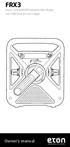 FRX3 Hand Turbine AM/FM/Weather Alert Radio with USB Smartphone Charger Owner s manual NEED HELP? CONTACT US. Etón Corporation, 1015 Corporation Way, Palo Alto, CA 94303, USA. 1-800-872-2228 (U.S.); 1-800-637-1648
ROBERTS CRD-39. Sound for Generations. FM RDS/DAB digital radio with. Please read this manual before use
 ROBERTS Sound for Generations Please read this manual before use CRD-39 FM RDS/DAB digital radio with Contents Controls... 2-4 Mains operation...5 Operating your radio - DAB...6 Selecting a station - DAB...7
When you switch off your system, or mute the sound, the red indicator light appears immediately, indicating that the subwoofer is not in use.
 BeoLab 11 Guide WARNING: To reduce the risk of fire or electric shock, do not expose this appliance to rain or moisture. Do not expose this equip ment to dripping or splashing and ensure that no objects
High Power Receiver CR-W400U Operating Instructions
 High Power Receiver CR-W400U Operating Instructions Please read these instructions carefully before using this product and save this manual for future use. Panasonic welcomes you to our ever growing family
Business Audio System: Music & Messaging MP3 Player. by Grace Digital Audio. User Guide. Model No. GDI-USBM10
 Business Audio System: Music & Messaging MP3 Player by Grace Digital Audio User Guide Model No. GDI-USBM10 User Guide Contents Introduction 2 Safety & General Use Information 2 Features 3 Set Up & Operation
Portable Multiband Radio (120-0456A) Features Faxback Doc. # 56400
 (120-0456A) Features Faxback Doc. # 56400 Your RadioShack Portable Multiband Radio is an all-in-one radio system designed to provide high-quality sound. the multi-band tuner lets you listen to the radio,
GSM Alarm System User Manual
 GSM Alarm System User Manual For a better understanding of this product, please read this user manual thoroughly before using it. Quick Guider After getting this alarm system, you need to do the following
EOSP-500 Dual Zone Streaming Music Player User Manual
 EOSP-500 Dual Zone Streaming Music Player menu User Manual TM commercial wireless audio Thank You For Choosing Eos Wireless! We hope you will get much enjoyment from your wireless audio system. Please
Instruction Manual CMP332DB CMP332DP
 Instruction Manual CMP332DB CMP332DP Table of contents Care & maintenance... 2 Disposal information... 2 Rechargeable battery disposal... 2 Accessories included...3 Overview of controls...3 Getting started...
MINIRIGR. portable rechargeable bluetooth speaker. mrbt user s Guide
 MINIRIGR portable rechargeable bluetooth speaker mrbt user s Guide Safety Information Warning Listening at high volume for a long time may damage your hearing The exclamation point within an equilateral
COMPANION 20 MULTIMEDIA SPEAKER SYSTEM. Owner s Guide Guía de usuario Notice d utilisation
 COMPANION 20 MULTIMEDIA SPEAKER SYSTEM Owner s Guide Guía de usuario Notice d utilisation Safety and Regulatory Information Please read this owner s guide Please take the time to follow the instructions