
AC 800M PROFIBUS DP Installation
|
|
|
- Olivia Allen
- 9 years ago
- Views:
Transcription

1 AC 800M PROFIBUS DP Installation System Version 6.0 Power and productivity for a better world TM

2

3 AC 800M PROFIBUS DP Installation System Version 6.0

4 NOTICE This document contains information about one or more ABB products and may include a description of or a reference to one or more standards that may be generally relevant to the ABB products. The presence of any such description of a standard or reference to a standard is not a representation that all of the ABB products referenced in this document support all of the features of the described or referenced standard. In order to determine the specific features supported by a particular ABB product, the reader should consult the product specifications for the particular ABB product. TRADEMARKS ABB may have one or more patents or pending patent applications protecting the intellectual property in the ABB products described in this document. The information in this document is subject to change without notice and should not be construed as a commitment by ABB. ABB assumes no responsibility for any errors that may appear in this document. In no event shall ABB be liable for direct, indirect, special, incidental or consequential damages of any nature or kind arising from the use of this document, nor shall ABB be liable for incidental or consequential damages arising from use of any software or hardware described in this document. This document and parts thereof must not be reproduced or copied without written permission from ABB, and the contents thereof must not be imparted to a third party nor used for any unauthorized purpose. The software or hardware described in this document is furnished under a license and may be used, copied, or disclosed only in accordance with the terms of such license. This product meets the requirements specified in EMC Directive 2004/108/EC and in Low Voltage Directive 2006/95/EC. All rights to copyrights, registered trademarks, and trademarks reside with their respective owners. Copyright by ABB. All rights reserved. Release: August 2014 Document number: 3BDS

5 Table of Contents Table of Contents About This User Manual How to Use this User Manual...10 User Manual Conventions...10 Warning, Caution, Information, and Tip Icons...10 Terminology...11 Released User Manuals and Release Notes...14 Section 1 - Introduction General Overview...15 The PROFIBUS Protocols...16 PROFIBUS Technology Terms...18 Transmission Technology Overview...20 FISCO (Fieldbus Intrinsically Safe Concept)...21 Section 2 - Transmission Technology RS485 Transmission Technology...23 AC 800M and CI854/CI854A/CI854B...23 RS485 cable type and speed...24 RS485 network limits...26 Adding field devices to the RS485 network...28 RS485 cycle time calculation...29 RS485 installation recommendation...30 RS485-IS Transmission technology...30 MBP (IEC ) Transmission Technology...31 MBP cable type and speed...31 MBP network limits...33 MBP power and line length calculation...34 Adding field devices to the MBP network BDS

6 Table of Contents MBP cycle time calculation...37 PROFIBUS DP/PA Linking Device LD 800P and SK PROFIBUS Power Hub SK Fibre Optic Transmission Technology...40 Fibre optics cable type and speed...41 Fibre optic network limits...43 Monitoring of the communication quality...44 Basics of fibre optics topology technologies...45 Calculation of transmission delay time TTD...53 Section 3 - Fieldbus Topologies Overview...55 Point-to-Point Topology...57 Line Topology...58 Line Topology with spurs...58 Tree Topology...60 Star Topology...61 Ring Topology...62 Fieldbus Topology with RS485 (PROFIBUS DP)...63 Bus length and speed...63 Bus termination...64 Bus connector...65 Shielding and data line connection...67 Bus spur lines...67 RS485 limits and network design...68 Fieldbus Topology with MBP (PROFIBUS PA)...70 Bus length and speed...71 MBP and intrinsically safe installation...73 Bus termination...74 PROFIBUS PA junctions and connectors...75 Shielding and data line connection...77 Bus spur lines...81 Fieldbus Topologies with fibre optics BDS

7 Table of Contents Bus length and speed...82 Optical link modules and AC 800M in a star topology...83 Optical link modules and AC 800M in a ring topology...85 Redundancy concepts...87 RLM 01 - Redundancy Link Module...90 Section 4 - Commissioning of PROFIBUS equipment Installation of data cables...91 Installation hints for electrical data cables...91 Installation hints for optical fibre cables...93 Special conditions regarding the installation of PROFIBUS DP...94 Installation hints for CI854/CI854A/CI854B...96 Installing a Redundancy Link Module RLM Installing the PROFIBUS DP/PA Linking Device LD 800P...98 Active network terminator and repeater Grounding, Shields, Polarity Testing the PROFIBUS bus cable and bus connectors Tips on the most frequently asked installation issues Index 3BDS

8 Table of Contents 8 3BDS

9 About This User Manual About This User Manual Any security measures described in this User Manual, for example, for user access, password security, network security, firewalls, virus protection, etc., represent possible steps that a user of an 800xA System may want to consider based on a risk assessment for a particular application and installation. This risk assessment, as well as the proper implementation, configuration, installation, operation, administration, and maintenance of all relevant security related equipment, software, and procedures, are the responsibility of the user of the 800xA System. This user manual provides application notes and advice for wiring and installation of PROFIBUS networks. It is intended to be used by Instruments Engineers, Instrument Technicians, Electricians and Installers for the wiring and associated components for the PROFIBUS applications. The main areas covered in this 3BDS manual are: Fieldbus topology and the redundancy concepts Transmission technologies Cable media and PROFIBUS components Design of a plant and the cable laying regulations Commissioning and testing of PROFIBUS equipment For a list of documentation related to ABB PROFIBUS products, please see the Released User Manuals and Release Notes on page 14. 3BDS

10 How to Use this User Manual About This User Manual How to Use this User Manual Section 1 Introduction gives a brief overview of the PROFIBUS protocols, technology terms, transmission technologies and the Fieldbus Intrinsically Safe Concept (FISCO). Section 2 Transmission Technology provides detailed information about the PROFIBUS physics like RS485(-IS), MBP, fibre optics as well as basics of cable types, transmission rates, network limits and bus line length. This chapter is intended for users, they are not familiar with the basics of the PROFIBUS technology. Section 3 Fieldbus Topologies describes PROFIBUS topologies, usable with certain transmission technology, described in section 2. This chapter is intended for readers, they know PROFIBUS basics and need an introduction to install PROFIBUS networks in connection with the AC 800M controller and the PROFIBUS master interface CI854/CI854A/CI854B. Also the readers get recommendations and important hints for installation work. Section 4 Commissioning of PROFIBUS equipment describes additional hints on the installation of PROFIBUS networks. Furthermore this chapter provides detailed information to find errors and how to fix them. For a list of documentation related to the products described in this user manual, see Released User Manuals and Release Notes on page 14. User Manual Conventions Microsoft Windows conventions are normally used for the standard presentation of material when entering text, key sequences, prompts, messages, menu items, screen elements, etc. Warning, Caution, Information, and Tip Icons This User Manual includes Warning, Caution, and Information where appropriate to point out safety related or other important information. It also includes Tip to point out useful hints to the reader. The corresponding symbols should be interpreted as follows: 10 3BDS

11 About This User Manual Terminology Electrical warning icon indicates the presence of a hazard that could result in electrical shock. Warning icon indicates the presence of a hazard that could result in personal injury. Caution icon indicates important information or warning related to the concept discussed in the text. It might indicate the presence of a hazard that could result in corruption of software or damage to equipment/property. Information icon alerts the reader to pertinent facts and conditions. Terminology Tip icon indicates advice on, for example, how to design your project or how to use a certain function Although Warning hazards are related to personal injury, and Caution hazards are associated with equipment or property damage, it should be understood that operation of damaged equipment could, under certain operational conditions, result in degraded process performance leading to personal injury or death. Therefore, fully comply with all Warning and Caution notices. A complete and comprehensive list of Terms is included in the System 800xA, Engineering Concepts instruction (3BDS100972*). The listing includes terms and definitions that apply to the 800xA System where the usage is different from commonly accepted industry standard definitions and definitions given in standard 3BDS

12 Terminology About This User Manual dictionaries such as Webster s Dictionary of Computer Terms. Terms that uniquely apply to this User Manual are listed in the following table. Term/Acronym AC 800M AC 800M Controller Connector EMC FDE Fieldbus GSD File Highway Addressable Remote Transducer (HART) IEC IS Linking Device Description ABB Controller 800M series, general purpose process controller series by ABB. Any controller constructed from the units and units connected to the AC 800M hardware platform. A Connector is a coupling device used to connect the wire medium to a fieldbus device or to another segment of wire. EMC is defined as the ability of a product to operate within its intended electromagnetic environment and to accept or emit RF disturbances within defined limits. Fault Disconnection Electronic. The FDE in field devices ensures that the communication of the bus segment does not fail, even in case of a short circuit in a device. A fieldbus is used to interconnect field devices, such as I/O modules, smart sensors and actuators, variable speed drives, PLCs, or small single loop devices, and to connect these devices to the 800xA system. Gerätestammdaten, device communication database file for PROFIBUS devices. The HART protocol is a widely-used open protocol for communication with Smart devices. International Electrotechnical Commission. Intrinsic Safety. The linking device connects one or more ROFIBUS PA segments to PROFIBUS DP. 12 3BDS

13 About This User Manual Terminology MBP NRZ Term/Acronym PROFIBUS PROFIBUS FMS PROFIBUS DP PROFIBUS PA PROFIBUS International (PI) PROFIBUS User Organization e.v. (PNO) Redundancy Remote I/O Description Transmission technology Manchester Coding and Bus Powered. This term replaces the previously common terms for intrinsically safe transmission Physics in accordance with IEC , , etc. Non Return to Zero, a protocol behavior of the MBP transmission technology. PROcess FIeldBUS. PROFIBUS is a manufacturerindependent fieldbus standard for applications in manufacturing, process and building automation. The PROFIBUS family is composed of three types of protocol, each of which is used for different tasks. The three types of protocols are: PROFIBUS FMS, DP and PA. Fieldbus Message Specification. Is designed for communication at the cell level, where programmable controllers, such as PLCs and PCs primarily communicate with each other. It was the forerunner of PROFIBUS DP. PROFIBUS DP is the communication protocol for Decentralized Peripherals. DP covers the versions DP-V0, DP-V1 and DP-V2. PROFIBUS for Process Automation The international umbrella organization for PROFIBUS founded in The PNO is the trade body of manufacturers and users for PROFIBUS founded in The existence of more than one capability of an item (system, equipment or component) to perform its intended function. Input/Output units connected to a controller via a fieldbus. RLM 01 Redundancy Link Module for PROFIBUS DP. The RLM 01 connects a non redundant PROFIBUS slave to the line redundant PROFIBUS. 3BDS
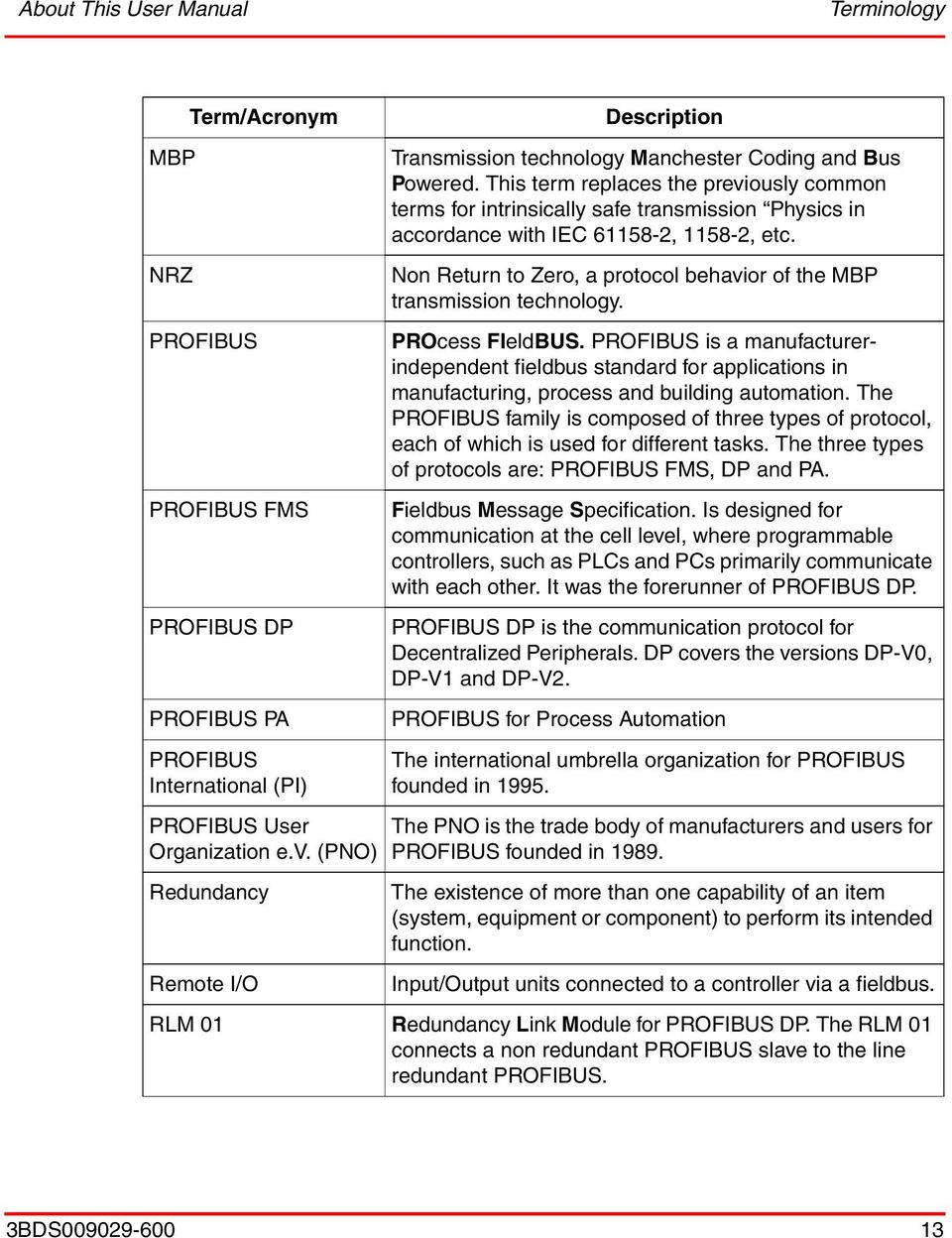
14 Released User Manuals and Release Notes About This User Manual Term/Acronym RS485 Segment tbit Description A communication interface standard from EIA (Electronics Industries Association, USA), operating on voltages between 0V and +5V. RS485 is more noise resistant than RS232C, handles data transmission over longer distances, and can drive more receivers A Segment is a section of a PROFIBUS DP fieldbus that is terminated in its characteristic impedance. Segments can be linked by Repeaters to form a longer PROFIBUS DP fieldbus. Each Segment can include up to 32 devices. Time a bit needs to be transferred on PROFIBUS. This time depends on the transmission rate. tbit = 1/transmission rate. Released User Manuals and Release Notes A complete list of all User Manuals and Release Notes applicable to System 800xA is provided in System 800xA Released User Manuals (3BUA000263*). System 800xA Released User Manuals (3BUA000263*) is updated each time a document is updated or a new document is released. It is in pdf format and is provided in the following ways: Included on the documentation media provided with the system and published to ABB SolutionsBank when released as part of a major or minor release, Service Pack, Feature Pack, or System Revision. Published to ABB SolutionsBank when a User Manual or Release Note is updated in between any of the release cycles listed in the first bullet. A product bulletin is published each time System 800xA Released User Manuals (3BUA000263*) is updated and published to ABB SolutionsBank. For standards and commercially available PROFIBUS documentation please visit the PROFIBUS Web Site ( 14 3BDS

15 Section 1 Introduction General Overview Section 1 Introduction General Overview Fieldbus systems are used as a means of communications for serial data exchange between decentralized devices on the field level and the controller of the process supervision level. PROFIBUS means PROcess FIeldBUS, designed as a fieldbus for process automation purposes for interconnecting Decentralized Peripheral devices (PROFIBUS DP), and its extended version for Process Automation (PROFIBUS PA). It is well known all over the world and the most popular fieldbus in Europe. Due to its high data transmission rates over short distances and moderate ones over long distances it is predominantly used for interconnecting I/O units like S800 / S900 or smart devices to PLCs and controller like AC 800M. This user manual provides a brief overview of the PROFIBUS technology, to help you by planning, commissioning and testing. It does not release you from the necessity to observe the relevant standards. The valid version of the EMC directive and other PROFIBUS guidelines and the shield and grounding directives, particular for PROFIBUS-PA must be observed. Data in this document are based on experiences, but do not replace however the relevant standards and regulations as there are for example: British Standard BS EN Euro Standard EN International Electrotechnical Commission IEC PROFIBUS Specification 0.032, FMS, DP, PA Specification PROFIBUS Guideline 2.112, PROFIBUS DP/FMS Installation Guideline PROFIBUS Guideline 2.092, PROFIBUS PA User and Installation Guideline PROFIBUS Guideline (draft in german), Optical Transmission Technics 3BDS

16 The PROFIBUS Protocols Section 1 Introduction The PROFIBUS Protocols PROFIBUS is a manufacturer-independent fieldbus standard for applications in manufacturing, process and building automation. PROFIBUS technology is described in fixed terms in DIN as a German standard and in EN / IEC as an international standard. It specifies the technical and functional properties of a serial bus system. The PROFIBUS standard is thus available to every provider of automation product. PROFIBUS distinguishes between master and slave. The masters determine the data communication on the bus. A master can send messages without an external request if it has access rights to the bus (token). The slaves are peripheral devices. Typical slaves are I/O devices, valves, motors and transmitters. They have no bus access rights. They can only confirm received messages or send a message on the request of the master. Slaves are passive devices on the PROFIBUS. PROFIBUS is composed of three types of protocol, each of which is used for different tasks. Of course, devices with all three protocols can communicate with each other in a complex system by means of a PROFIBUS network. The three types of protocols are: PROFIBUS FMS, DP, PA. 16 3BDS

17 Section 1 Introduction The PROFIBUS Protocols Only the two protocol types DP and PA today are important for process automation and are supported within the 800xA System. Figure 1. The PROFIBUS family embedded in Industrial IT PROFOBUS DP: the bus for the Decentralized Periphery The PROFIBUS DP (RS485) is responsible for communication between the Controller level of a process automation system and the decentralized periphery in the field, also intrinsic safety (RS485-IS) via DP-Ex barriers into hazardous area. One feature of PROFIBUS DP is its scalable high speed of transmission up to 12 Mbit/s. PROFIBUS PA: extension for Process Automation This PROFIBUS variant was developed for the process industry. PROFIBUS PA interacts with a fix transmission rate of 31,25 kbit/s and is designed for connection of bus-powered 2-wire field devices such as transmitters and actuators. 3BDS

18 PROFIBUS Technology Terms Section 1 Introduction It correspond to IEC Standard and can be also applied to intrinsically safe installations (EEx i) in Zone 1 / Div.1. Linking Devices are used to integrate PA bus lines into the PROFIBUS DP network. This ensures that all information is available in a continuously connected network through the complete PROFIBUS system (DP and PA). PROFIBUS Technology Terms ISO/OSI Reference Model In accordance with the international ISO/OSI model, a fieldbus protocol can be uniquely described by means of up to 7 transmission levels. Specific tasks are assigned to each level in this system. PROFIBUS DP and PROFIBUS PA use only the first two levels as well as the user interface, which resides in level 7 and where application functions that can be utilized by the user are determined along with system and device behavior. Level 1 defines the physical aspect of transmission (physical layer). This includes, for example, the method of transmission, the transmission medium, and lengths of lines, while level 2 specifies the bus access protocol (data link layer). Bus Access Control The bus access control (MAC, Medium Access Control) is a specific procedure that determines at which point in time a PROFIBUS device can send data. While active devices (master) can start the exchange of information, passive devices (slaves) may only begin communication when prompted by an active device. A distinction is made between a controlled, deterministic access procedure with real-time capabilities (master-slave with PROFIBUS) and a random, non-deterministic access procedure (CSMA/CD with Ethernet) Addressing Each device, connected to a PROFIBUS network, needs an unique address for selectively identify a field device. For this purpose, PROFIBUS device addresses are assigned either by an address switch (hard addresses) or by parameter assignment during commissioning (soft addresses). 18 3BDS

19 Section 1 Introduction PROFIBUS Technology Terms A 7-bit device address serves to identify the bus participants in the network. The addresses range from 0 to 127, and the following are reserved: Address 126: default for automatic address assignment via the master; Address 127: sending broadcast telegrams. If the address 0 is used for the class-1 master, the addresses 1 to 125 are available for addressing the field devices. Therefore up to 126 DP or PA field devices (master and slaves) can be addressed. Each address can only be used once in a single PROFIBUS network. Communication Protocols At the protocol level, PROFIBUS offers a broad spectrum of options, which enables optimum communication between different applications. PROFIBUS DP is a fast and deterministic process data exchange between a PROFIBUS master and the assigned slave devices. Presently the basic and extended functions supported with AC 800M/CI854/CI854A/CI854B are: Basic function (V0): Cyclic data transfer Diagnostic Configuration via GSD files Extended function V1: Acyclic data transfer Alarm handling (planned, but not supported yet) FDT/DTM device management Function blocks acc. IEC BDS

20 Transmission Technology Overview Section 1 Introduction Transmission Technology Overview Table 1. Transmission technologies at PROFIBUS RS485 RS485-IS MBP Fibre Optic Data transmission Digital, differential signals according to RS485, NRZ Digital, differential signals according to RS485, NRZ Digital, bitsynchronous, Manchester coding Optical, digital, NRZ Transmission rate 9,6 to kbit/s 9,6 to 1500 kbit/s 31,25 kbit/s 9,6 to kbit/s Data security HD=4, Parity bit, start/end delimiter HD=4, Parity bit, start/end delimiter Preamble, errorprotected, start/end delimiter HD=4, Parity bit, start/end delimiter Cable Shielded, twisted pair copper, cable type A Shielded, twisted 4- wirer, cable type A Shielded, twisted pair copper - Multimode glass fibre, - single mode glass fibre - PCF - plastic Remote feeding Available over additional wire Available over additional wire Optional available over signal wire Available over hybrid line Protection type None Intrinsic safety (EEx ib) Intrinsic safety (EEx ia/ib) None Topology Line topology with termination Line topology with termination Line and tree topology with termination; also in combination Star and ring topology typical, line topology possible Number of stations Up to 32 stations per segment without repeater, up to 126 stations with repeater Up to 32 stations per segment without repeater, up to 126 stations with repeater Up to 32 stations per segment, total sum of max 126 per network Up to 126 stations per network Number of repeaters Max. 9 repeater with signal refreshing Max. 9 repeater with signal refreshing Max. 4 repeater Unlimited with signal refreshing (time delay of signal) 20 3BDS

21 Section 1 Introduction FISCO (Fieldbus Intrinsically Safe Concept) FISCO (Fieldbus Intrinsically Safe Concept) To render the proof of Intrinsic Safety as simple as possible, the so-called FISCO model was developed. FISCO stands for Fieldbus Intrinsically Safe COncept. The German Federal Physical Technical Institute (PTB) developed the FISCO model and has published it in Report PTB-W-53 Examination of intrinsic safety for fieldbus systems. This model is based on the following prerequisites: To transmit power and data, the bus system uses the physical configuration defined by IEC This is the case for PROFIBUS PA. Only one active source is permitted on a bus segment (in this case the Linking Device). All other components work as passive current sinks. The basic current consumption of a bus station is at least 10 ma. It must be ensured for each bus station that Ui> Uo of the Linking Device/Power Link Ii> Io of the Linking Device/Power Link Pi> Po of the Linking Device/Power Link. Each bus station must fulfill the following requirement: Ci < 5 nf Li < 10 µh Total length of the PA segment, incl. spurs, to be kept when using passive T-junctions in EEx ia IIC applications < 1000 m when using Multibarries or in non intrinsically safe areas < 1900 m The permissible spur line length for Ex applications is 30 m per spur line. The definition of the spur line must be observed in this connection. The transmission line that is used must conform to the following cable parameters: resistor coating: 15 Ohm/km < R < 150 Ohm/km inductance coating: 0.4 mh/km < L < 1 mh/km 3BDS
22 FISCO (Fieldbus Intrinsically Safe Concept) Section 1 Introduction capacitance coating: 80 nf/km < C < 200 nf/km (including the shield) Taking the shield into consideration, the capacitance coating is calculated as follows: C = C conductor/conductor * C conductor/shield if the bus line is potential free or C = C conductor/conductor + C conductor/shield if the shield is connected with a pole of the Linking Device/Power Link. The bus segment must be terminated on both ends of the line with a fieldbus terminator. According to the FISCO model the terminal bus resistance must conform to the following limits: 90 Ohm < R < 100 Ohm 0 µf < C < 2,2 µf On condition that the points are all satisfied, the proof of intrinsic safety has been provided by means of the FISCO model. Devices that are certified in accordance with FISCO are proven to be intrinsically safe and can be used in a plant s hazardous areas without the need for additional calculation effort. If FISCOapproved devices are used, more devices can be operate on a single line and it is allowed to replace devices during runtime by devices of other manufacturer or to expand the bus line with additional devices. The prerequisite for being allowed to bear the proof of intrinsic safety in accordance with the FISCO Model is, that the Linking Device and all fieldbus stations are certified according to FISCO. 22 3BDS
23 Section 2 Transmission Technology RS485 Transmission Technology Section 2 Transmission Technology PROFIBUS is an industrial communication system that uses a range of media such as copper cable, fibre optics or wireless, with bit-serial transmission for coupling smart field devices to a control system. This chapter describes the transmission technologies mostly used in connection with the AC 800M Controller. PROFIBUS provides different transmission technologies, based on international standards such as IEC and IEC 61784, which describes the digital data communications for measurement and control in fieldbus networks. RS485 Transmission Technology RS485 is the most commonly used transmission technology for PROFIBUS DP. It uses a shielded twisted pair copper cable and enables transmission rates up to 12 Mbit/s. Because of its simply installation it is cost-effective and requires no expert knowledge. The bus structure allows adding or removing of field devices as well as step by step commissioning without influencing the system. Later extensions have no impact on devices that are already working on the bus. RS485 is scalable in its transmission rate from 9,6 kbit/s up to 12 Mbit/s, which is set in the PROFIBUS master. AC 800M and CI854/CI854A/CI854B In connection with the AC 800M Controller, the Communication Interface CI854/CI854A/CI854B interacts as PROFIBUS master and builds up a PROFIBUS network with RS485 technology. Up to 12 CI854/CI854A/CI854B modules can be placed at one AC 800M Controller and each interface works as a single PROFIBUS master, which can be configured with its own transmission rate. Supported transmission rates are 9.6; 19.2; 93.75; 187.5; 500; 1500; 3000; 6000 and kbit/s. Not support are the transmission rates and kbit/s. The default value is 1.5 Mbit/s. Higher values require careful consideration of correct cable installation. The PROFIBUS configuration tool within the 800xA system is the 3BDS
24 RS485 cable type and speed Section 2 Transmission Technology Control Builder M. This tool calculates the bus timing parameter and checks the configuration values, inserted by the user. For example a compilation warning occurs if a slave does not support the selected transmission rate. In this case the next lower supported transmission rate will be selected automatically. Changing the transmission rate may also require changing of other bus parameters to ensure successful communication. The automatic calculation will determine the right settings. The adjusted speed is valid for all connected devices on the bus, when commissioning the system. A detailed description of the AC 800M and CI854/CI854A/CI854B is available in their specific product manuals. RS485 cable type and speed The maximum permissible bus length depends on the transmission rate and the bus cable type. Different cable types (designation A to D) for different applications are available for connecting PROFIBUS devices either each other or to network elements (Linking Devices, Repeaters). The electrical lines are shielded twisted two-wire cables with a circular crosssection. The RS485 interface operates on voltage differences. It is therefore less sensitive to interference than a voltage or current interface. Depending on the transmission speed, segments can be implemented in lengths of from 100 meter to over 1000 meter. The bus cable to be used for the bus modules is specified in DIN 19245/EN as cable type A and can be used according to the following table: Table 2. Basic data for a PROFIBUS DP reference cable Parameter Cable design Surge impedance Operating capacity Loop resistance DP, Cable type A Twisted pair and shielded Ohm at f= MHz =< 30 pf/m =< 110 Ohm/km Wire diameter > 0.64 mm Wire cross-section > 0.34 mm BDS
25 Section 2 Transmission Technology RS485 cable type and speed Project-specific requirements and limitations such as underground wiring, UV resistance, being free of halogen, etc. should be considered when selecting the cable. Cables may be used with deviate mechanically or electrically from the type A cable, but the surge impedance must be retained. Note that cable for laying underground is not suitable for connecting to PROFIBUS connectors because of the typically 10 mm diameter of the coating. They can therefore only be connected to screw terminals of PROFIBUS devices. Depending on the ambient EMC conditions, EN also allows for laying of unshielded cable. However, the following reasons argue in favour of always using shielded cable: The only interference-free space is inside the switch cubicle, at best. As soon as a relay is located within the switch cubicle, this is no longer the case. Unshielded cable requires additional protective measures at the bus inputs to protect against voltage overload. From the line parameters specified above result the following bus segment lengths: Table 3. Dependencies of bus length and transmission rate Transmission rate in kbit/s Range in m/segment In a PROFIBUS DP installation, it must be chosen a data transfer rate which is supported by all devices connected to the bus. The chosen data transfer rate then determines the maximum segment lengths as shown above. If other transmission rate shall be used which is not listed in the table above, an approximation can determine the permissible length through linear interpolation of two adjacent transmission rates from the table. 3BDS
26 RS485 network limits Section 2 Transmission Technology Calculation of a bus length against of two transmission rates: A transmission rate of 3 Mbit/s shall be used. The transmission rates in the table close to this value are 1.5 Mbit/s with l 1,5Mbit/s and 12 Mbit/s with l 12Mbit/s. Thus, you can calculate the line length l 3Mbit/s : l 1.5Mbit/s - l 12Mbit/s l 3Mbit/s : = l 1.5Mbit/s + ( 3Mbit/s - 1.5Mbit/s) Mbit/s - 12Mbit/s l 3Mbit/s 185m RS485 network limits Up to 32 nodes (master and slaves) can be grouped in a single segment. When using more than 32 nodes, several segments linked to each other through repeaters (power amplifiers) are needed. Note that the repeater has to be considered as another bus node, since the integrated bus drivers are an additional load on the bus. It is recommended to use not more than three series-connected repeaters on a line. However, the number of repeaters in a single PROFIBUS network is limited to 9. The maximum admissible distance between two bus stations in each PROFIBUS network can be calculated as follows: (Number of repeater + 1) * Segment length Number of repeater = The maximum number of repeaters connected in series. Example: The repeater manufacturer s specifications allow nine repeaters to be connected in series. The maximum distance between two bus stations at a data transfer rate of 1500 kbit/s is then as follows: => (9 + 1) * 200 m = 2000 m 26 3BDS
27 Section 2 Transmission Technology RS485 network limits Figure 2. RS485 network limits 3BDS
28 Adding field devices to the RS485 network Section 2 Transmission Technology Adding field devices to the RS485 network A shielded twisted-pair copper cable is the hardware required for RS485 transmission. It connects all devices to the bus structure (line). The bus structure allows for non-reactive coupling and decoupling of stations or step wise commissioning of a system. Later extensions have no impact on stations that are already working on the bus. When connecting the field devices it must be ensured that the data lines are not reversed. Always use a shielded data line to ensure high interference immunity of the system against electromagnetic emissions. The shield should be grounded on both sides and large-area shield clamps should be used for grounding to ensure good conductivity. Furthermore the data lines should be laid separately and away from all power cables. Never use spur lines for transmission rates > 1,5 Mbit/s (see also Line Topology with spurs on page 58). A 9-pin D-Sub connector is primarily used to connect PROFIBUS devices on the bus, which complies with DIN 19245/ EN Normally connectors are used, which supports direct connection of the incoming and outgoing data cable. Figure 3. PROFIBUS connector This eliminates the need for spur lines and the bus connector can be connected and disconnected to the field device at any time without interrupting data communication. The type of connector suitable for RS485 transmission technology depends on the degree of protection. To avoid signal reflections on the bus line, the line structure must be terminated by a bus termination resistor network at either end. The bus is terminated at each end of a segment with an active bus termination. Both bus terminators have a permanent 28 3BDS
29 Section 2 Transmission Technology RS485 cycle time calculation power supply to ensure error-free operation. The bus terminator is usually switched in the devices or in the connectors. RS485 cycle time calculation The bus cycle time should be shorter than the AC 800M program cycle time. However, a faster data throughput alone is not enough for successful implementation of a bus network. PROFIBUS DP only requires approx. 1 ms at 12 Mbit/s for the transmission of 512 bits of output data distributed over 32 stations. The following figure shows different bus cycle times of a DP mono-master system with 2 bytes in and output data per slave: Figure 4. Bus cycle times of a DP mono-master system. Boundary conditions: each slave has 2 bytes of input and output data Each PROFIBUS master configuration tool (for example Control Builder M) automatically calculates the bus cycle time. The detailed calculation rules are described in the PROFIBUS specification. 3BDS
30 RS485 installation recommendation Section 2 Transmission Technology RS485 installation recommendation Problems with data transmission in PROFIBUS networks can be attributed to incorrect wiring or installation. These problems can often be solved using bus test equipment such as bus monitors, which are able to detect many typical wiring errors even before commissioning. The list below helps to build up a RS485 network quick and accurate: Only use shielded and twisted-pair wiring as a RS485 bus line. Use a PROFIBUS bus connector plug to connect the RS485 bus segment. If the module is at the beginning or end of a bus segment, this connector must have an activated bus terminal resistor combination. Ensure that the bus segment connected to the RS485 interface is terminated at both ends. All PROFIBUS bus connector plugs in a network must be securely screwed onto the RS485 interfaces. Attaching or removing the bus connector plugs, inadequately attached bus connector plugs or loose bus wires within the plug can lead to malfunctions in the networks. Attach or remove the RS485 bus connector plug quickly and without twisting them. RS485-IS Transmission technology The RS485-IS transmission technology is based on RS485 with its fast transmission rate and simple usage, but additional for installation in intrinsically safe areas. RS485-IS is specified as a 4-wire medium in protection type EEx-i for use in potentially explosive areas. Therefore the specified level of power refer to the safety-relevant maximum values must not be exceeded in either individual devices or during interconnection in the system. An electrical circuit permits maximum currents at the specified voltage level. With RS485-IS all stations represent active sources, which is in contrast to the FISCO model, that only has one intrinsically safe source. Also it is possible to connect up to 32 devices to the intrinsically safe bus circuit. 30 3BDS
31 Section 2 Transmission Technology MBP (IEC ) Transmission Technology More information about this technology is given in the guidelines and specification from the PROFIBUS International organization ( MBP (IEC ) Transmission Technology The MBP transmission technology (Manchester Coded, Bus Powered), which is the new naming for the previous designation IEC Physics, is mostly used for applications in the process automation with a requirement for bus powering and intrinsic safety of devices. The reason for this name change is that, in its definitive version, the IEC describes several different connection technologies, including MBP technology, not being therefore unambiguous. Compared to the previously used procedure RS485-IS, the Fieldbus Intrinsically Safe Concept (FISCO), which was specially developed for interconnection of intrinsically safe field devices, considerably simplifies planning and installation. MBP cable type and speed MBP is synchronous transmission with a fixed transmission rate of Kbit/s and Manchester coding. This allows installation of PROFIBUS networks also in potentially explosive areas and be intrinsically safe. The intrinsically safe transmission technology MBP is usually limited to a specific segment (field devices in hazardous areas) of a plant, which is then to the RS485 bus line via PROFIBUS DP/PA Linking Device. Tree or line structures as well as any combination of the two are supported by PROFIBUS with MBP transmission. The transmission medium for MBP is a shielded two-wire cable, normally covered by an black color cable sheath for non intrinsically safe areas and blue color for hazardous areas. The maximum permissible spur line lengths must be taken into account when calculating the overall PROFIBUS line length. In intrinsically safe applications a spur line has a maximum permissible length of 30m. 3BDS
32 MBP cable type and speed Section 2 Transmission Technology Table 4. Basic data for the PROFIBUS PA reference cable Cable design Parameter Conductor cross section (nominal) Loop resistor (direct current) PA, Cable type A shielded twisted pair 0,8 mm² 44 Ohm/km Wave resistance at 31,25 khz 100 Ohm +20% Wave attenuation at 39 khz Capacitive asymmetry 3 db/km 2 nf/km Group runtime distortion (7, ) khz 1,7 µs Covering level of the shield 90% The bus trunk cable has a passive line terminator at each end. The Power Link Modules of the PROFIBUS Linking Device LD 800P possess an integrated bus terminator, which terminates the PROFIBUS PA line unilaterally and therefore eliminates the need for a separate bus terminator on the Power Link Modules. (see also PROFIBUS DP/PA Linking Device LD 800P and SK3 on page BDS
33 Section 2 Transmission Technology MBP network limits MBP network limits The maximum of connected devices per single segment is limited to 32. This is a theoretical value, because this number can be further determined by the protection type selected and the bus power. In intrinsically safe applications the power (maximum voltage and current) is defined with strict limits. For example the current in hazardous area s restricted to 100 ma and in non intrinsically safe networks to 400 ma. To determine the maximum line length, is necessary to calculate the power consumption of the connected devices and to specify a power supply and the line length for the selected cable type (see also MBP power and line length calculation on page 34). The required current is summarized from the power consumption of all connected field devices plus a reserve of 9 ma per segment for the operating current of the FDE (Fault Disconnection Electronics). The FDE prevents faulty devices permanently blocking the bus. Table 5. Limits of MBP networks intrinsically safe Measurement voltage 12,6 V... 13,4 V 24 V V Measurement current 100 ma 400 ma max. PROFIBUS PA slaves max. line length 1000 m 1900 m non intrinsically safe The maximum line length of the network comprises the total of the main line (trunk) and all spur lines. A PROFIBUS PA field device requires a minimum input voltage of 9 V. With an unfavorable distribution of stations, for example if all PROFIBUS PA stations are widely removed from the Linking Device, it can happen that the voltage drop along the line is so great that the voltage level at the end is insufficient. This results in a shortening of the transmission line or the necessity of using cable with a larger cross-section. 3BDS
34 MBP power and line length calculation Section 2 Transmission Technology MBP power and line length calculation The distribution of stations on the PROFIBUS PA segment can have a negative effects on the maximum possible line length in certain circumstances. The following example is intended to clarify this point: Linking Device/ Power Link Module i max U out R L U L > 9 V i 1 i2 i n R L = Line resistance of line segment x I x = Current consumption of PA station x Figure 5. Voltage calculation and line length The case in question is an Ex application. The result of the current calculation is that a maximum direct current including I FDE of 100 ma is flowing. Type A cable is being used with a resistance coating of 44 Ohm/km. A requirement for a PROFIBUS PA slave to be able to function properly is that the input voltage on the bus line must be at least 9 V. The following therefore applies to the maximum voltage drop over the lead: U Lmax = U out - 9 V Currently U out for LD 800P with an Ex interface PL 890 is at least 12.8 V (12.8 V ). For the worst case consideration, U out should be set to 12.8 V. This results in: U Lmax = 12.8 V - 9 V = 3.8 V Since all stations are connected at the end of the line, the maximum line resistance must be R L = U L /i max R L = 3.8 V / 100 ma = 38 Ohm 34 3BDS
35 Section 2 Transmission Technology MBP power and line length calculation The maximum line length of the PROFIBUS PA segment is calculated as follow: Max. line length = 38 Ohm / 44 (Ohm/km) = km Max. line length = 863 m Since in practice the stations are not all connected compactly at the end of the transmission line, the resulting structure is as follows: l n l 2 l 1 Linking Device U out R L1 R L2 i 1 i 2 i n > 9 V R Lx = Line resistance of line segment x I x = Current consumption of PA station x Figure 6. Voltage calculation and line length Each station causes a voltage drop on the length segment through which its power supply current flows. For the first station, this would be: U RL1 = i 1 *R L1 or U RL1 = i 1 * l 1 * r; where r = the resistance coating of the line For the second station, this appears as follows: U RL2 = i 2 * (R L1 + R L2 ) or U RL2 = i 2 * l 2 * r In general, the equation for Ex applications is then as follows: U RL = r * Σ (i x * l x ) < U out - 9 V If the condition described above is not fulfilled, a) the line has be shortened or b) a line with reduced resistance coating has to be used. 3BDS
36 Adding field devices to the MBP network Section 2 Transmission Technology When selecting the type of line, make certain that for Ex applications the requirements in terms of insulation voltage and single conductor insulation of EN and the characteristic values in accordance with the FISCO model are maintained. Adding field devices to the MBP network PROFIBUS PA devices are mostly connected to the network by using multibarries or T-junctions. The resulting spur has to be connected directly to the connector block inside the device. Sometimes also M12 plugs are used to connect the device to the network (see also Bus connector on page 65). When using MBP technology, incorrect connection of a field device (for example polarity reversal) has no effect on the functionality of the bus as these devices are usually fitted with an automatic polarity detection function. The Manchester signal used by fieldbus is an alternating voltage that changes polarity once or twice per bit. In self-powered networks only this alternating voltage exists. In powered networks the alternating voltage is superimposed onto the DC voltage being used to power the devices. In either case, the fieldbus receive circuits look at only the alternating voltage. Positive voltage swings have one meaning, negative swings have the opposite meaning. Therefore, the fieldbus signal is polarized. Field devices must be connected so that they all see the signal in correct polarity. If a field device is connected backwards it will see an inverted version of the alternating voltage and won t be able to communicate. However, there are non-polarized field devices available. This field devices can be connected in either polarity across the network. The non-polarized devices are invariably network-powered, which provides a clue as to how they can work with either polarity. If a fieldbus network is build up to accept all possible devices, the signal polarity must be taken into account. All of the (+) terminals must be connected to each other. Similarly, all of the (-) terminals must be connected to each other. Color-coded wire makes this relatively easy. Polarized devices should always be marked or have keyed connectors. Non-polarized devices might not be marked. It may be possible to select devices with the intention of never having to consider polarity. But it may be safer to build polarity into the network at the outset and accept as a bonus any devices that can be blindly connected. This approach also lets to expand the network with polarized devices if needed later on. Bus powered field devices may also be 36 3BDS
37 Section 2 Transmission Technology MBP cycle time calculation polarized with respect to device power. These devices are designed so that signal polarity and power polarity are the same. Connecting the +DC to the (+) terminal automatically insures correct signal polarity. Non-polar bus powered field devices accept both signal and power of either polarity. MBP cycle time calculation The PROFIBUS-PA data telegrams of the MBP transmission is very similar to asynchronous RS485 transmission. While the bytes are transmitted asynchronously in the form of UART characters over the RS485 line, the transmission on the MBP segments is bit synchronous. Here, the telegram is additionally supplied with the preamble and the start and end delimiter. Figure 7. MBP data telegram Fieldbus Data Link (FDL) defines the following telegrams: Telegrams without data field (6 control bytes) Telegrams with one data field of fixed length (8 data and 6 control bytes) 3BDS
38 PROFIBUS DP/PA Linking Device LD 800P and SK3 Section 2 Transmission Technology Telegrams with a variable data field (0 to 244 data bytes and 9 to 11 control bytes) Brief acknowledgement (1 byte) Token telegram for bus access control (3 bytes) With all data transmissions, the parity and block checking of the telegrams is used to reach a Hamming distance of HD=4, so that up to three errors can be detected with certainty. A transmission rate of kbit/s results in transmission times of 0.4 to 8.2 ms per telegram so that per user data byte an average of 0.4 ms and 34 ms is required. This data transmission rate is sufficient, for example, to serve 10 control loops - including 10 sensors and 10 actuators respectively - within a control cycle time of approx. 210 milliseconds. During the evaluation, it was assumed that only one cyclic value (5 bytes user data) must be transmitted per device. With each additional value, the minimum cycle time increases by (5 x 8 bits)/(31.25 kbit/s) = 1.3 ms. For a first estimate, the following formula can be used: cycle time 10 ms * number of devices + 10 ms (for acyclic class-2 master services) ms (for each additional cyclic value) PROFIBUS DP/PA Linking Device LD 800P and SK3 Linking Devices are needed to connect PROFIBUS DP to PROFIBUS PA and vice versa. The PROFIBUS master module CI854/CI854A/CI854B is designed exclusively for the connection of PROFIBUS DP nodes in RS485 technology. To link a PROFIBUS DP line to a PROFIBUS PA line, it is recommended to use the Linking Device LD 800P and SK3. The LD 800P and SK3 Linking Device converts the physical bus characteristics of the RS485 interface for PROFIBUS DP into PROFIBUS PA physical bus characteristics MBP according to IEC , enables connected PROFIBUS PA devices to be supplied with power via the bus, and allows use in hazardous areas if so required. 38 3BDS
39 Section 2 Transmission Technology PROFIBUS DP/PA Linking Device LD 800P and SK3 Figure 8. PROFIBUS DP/PA Linking Device LD 800P LD 800P performs the following tasks: Potential separation between the PROFIBUS DP and the PROFIBUS PA Conversion of the RS485 physical arrangement of the PROFIBUS DP to the physical arrangement based on IEC of the PROFIBUS PA. Support of all standardized PROFIBUS transmission rates from kbit/s up to 12Mbit/s Automatic detection of transmission rate Fully transparent in the PROFIBUS line No configuration and commissioning Direct access from PROFIBUS DP master to PROFIBUS PA slaves Support of all cyclic and acyclic PROFIBUS protocol services (DP/V1) No restriction in PROFIBUS data volume with full 244 Byte read/write access to each PA slave Optional PROFIBUS DP line redundancy Power Link Modules integrate bus termination, galvanic isolation and power supply Powering of PROFIBUS PA segments without additional power supply Optional Power Link Module with intrinsically safe interface [EEx ia] IIC For more details, please read the LD 800P product documentation. 3BDS
40 PROFIBUS Power Hub SK3 Section 2 Transmission Technology PROFIBUS Power Hub SK3 The PROFIBUS Power Hub is a Pepperl + Fuchs new PROFIBUS DP/PA linking device, successor of the SK2 resp. The PROFIBUS Power Hub SK3, compared to SK2 and LD 800P, provides enhanced PROFIBUS functionalities. This can be configured as a DP-slave and it supports slave redundancy. Figure 9. PROFIBUS Power Hub SK3 For using PROFIBUS Power Hub SK3, refer Device AC 800M PROFIBUS DP Configuration (3BDS009030*) and Device Management Power Hub, (2PAA102122*) manual. Fibre Optic Transmission Technology Fibre-optic transmission is suitable for use in areas with high electromagnetic interference or where greater network distances are required. The PROFIBUS guideline (2.022) for fibre optic transmission specifies the technology available for this purposes. When determining these specifications, great care was naturally taken to allow problem-free integration of existing PROFIBUS devices in a fibre optic network without the need to change the protocol behavior of PROFIBUS. All familiar network structures such as point-to-point connections, line and star structures as well as single-fiber ring or double-fiber ring can be set up with PROFIBUS. Mixed structures combining electrical and optical networks are possible. The transition between the two media is provided by an optical link module, which convert the RS485 to fibre optic transmission technology. In the communication between the stations on the bus, there is no difference between twowire and fiber-optic technology. 40 3BDS
41 Section 2 Transmission Technology Fibre optics cable type and speed Optical link modules mostly supports all the transmission rates defined in the EN standard. Fibre optics cable type and speed Fibre optics is an additional transmission technology for PROFIBUS DP. It uses a glass or plastic fibre cable and enables transmission rates in steps from 9.6 kbit/s to 12 Mbit/s, depending on the hardware. Fibre optic networks are mostly used in connection with RS485 to increase network distances of PROFIBUS DP, to avoid communication errors in areas with high electromagnetic interference or just to ensure galvanic insulation between different hardware units (master, slaves) connected to an RS485 networks. The fibre optic transmission technology is usually limited to a specific segment of a plant, which is then connected to the RS485 bus line via RS485/fibre optic converter. Table 6 shows the different cable types, wave lengths and maximum distances, reachable with the certain fibre media. Table 6. Basic data for fibre optic cable Media Wavelength Fibre/Sheath Max. distance Path attenuation diameter Plastic fibre 660 nm 980/1000 μm m (increased) 0.25 db/m Multi mode glass fibre 860 nm 50/125 μm 62.5/125 μm Single mode glass fibre 1310 nm 62.5/125 μm 10/125 μm km km km km 3 db/km 3.5 db/km 1 db/km 0.5 db/km PCF (HCS ) 1530 nm 200/230 μm m 5 db/km The path attenuation per km or meter is derived from the difference between the total admissible path attenuation minus the system reserve divided by the distance involved. The data in parentheses are (total path attenuation / system reserve). In a ring structure (see Redundant Optical Ring on page 51), the maximum bridgeable distance between two components is a function of the transmission rate. A maximum of 15 km can be bridged at a transmission rate of 9.6 kbit/s; at 1.5 MBit/s, only 530 meters 3BDS
42 Fibre optics cable type and speed Section 2 Transmission Technology For electrical media (half-duplex), an error in a single wire of the two-wire cable blocks data transfer for both transmission directions. To get the same functional behavior in case of a disturbed optical medium, the FO converter (full-duplex) must be able to switch off the receiver port when detecting an error at the transmit port and vice versa. Also hybrid cable, copper cables and fiber optic cables contained in one cable, are available. This means that by using hybrid cables the data and the power supply can be transferred together with one cable. 42 3BDS
43 Section 2 Transmission Technology Fibre optic network limits Fibre optic network limits Fibre Optic transmission technology is mainly used to expand the existing RS485 technology over its distance limits and to prevent communication errors in EMC areas. However fibre optics are as well as RS485 limited in the distance and the transmission speed, depending on the used hardware and the cable type. Between the DP/fibre optic converter are no PROFIBUS slaves connected. PROFIBUS DP slaves are always connected to the RS485 network. Fibre optic transmission technology has to be converted in RS485 technology before, if DP slaves shall be connected. There are several RS485/fibre optic converter available from different manufacturer. ABB recommends RS485/fibre optic converter from Hirschmann (OZD Profi 12M) and OLM from Phoenix Contact (PSI-MOS-PROFIB/FO). Optical link modules described in this document are based on the Hirschmann RS485/fibre optic converter. However, the components from Phoenix Contact are working in the same way as Hirschmann RS485/fibre optic converter. Fibre cable types and its maximum distance are already described in Table 6 on page 41. 3BDS
44 Monitoring of the communication quality Section 2 Transmission Technology Monitoring of the communication quality Optical link modules mostly provide segment monitoring at the RS485 and fibre optic port. Power supply One RS485 port Redundant fibre optic port Figure 10. Optical link module with 1 RS485 port and redundant fibre optic ports The following description of monitoring functionality can be build up with the optical link modules from Hirschmann and Phoenix Contact. Optical link modules from other manufacturer does not always support this functionality. If the operating mode Electric port with segment monitoring is set at the RS485 port, each receiver monitors the RS485 bus segment connected to it for faulty frames or continuously busy networks. If faulty frames are received by the receiver, or if the network is busy for longer than the maximum permitted send time, forwarding of the received signals is blocked until frames can be received again correctly, or if no signal is received for one second. Line monitoring with echoes The optical link modules enable the connected optical paths to be actively monitored for interruptions in the fiber line by means of the functions Send echo, Monitor echo and Suppress echo. 44 3BDS
45 Section 2 Transmission Technology Basics of fibre optics topology technologies Send echo A frame which is received by a module via any port is transmitted to all other ports. If the receiving port is an optical port, the module sends the frame back to the corresponding optical sender. Monitor echo If a module sends a frame - no echo! to an optical port, the module expects to receive an echo. If the echo is not received after a predefined time, an echo monitoring error is indicated. Suppress echo The relevant receiver is separated from the other ports from the moment a frame is sent until the echo has been received correctly. Segmentation If an echo monitoring error or a frame falsification arises at an optical port, the module assumes that the line is faulty and blocks this port for user data. The connected field bus partial network is then segmented (cut off). This segmentation causes the module at the other end of the optical fiber to be segmented as well. Both modules connected to the segmented field bus partial network send test frames to the segmented ports. These test frames which are to be received regularly can be used by both modules to check the status of the field bus partial network. The segmentation is automatically lifted as soon as the test frames indicate to both modules that the segmented field bus partial network is no longer disturbed. If all active bus subscribers are deactivated in a previously active network, the modules are segmented cyclically in order to check the fiber links to the neighboring modules. The next paragraph in this document describes the monitoring function within a certain fibre optic topology. Basics of fibre optics topology technologies Fibre optics topology technologies is part of Fieldbus Topologies with fibre optics on page 82. However, to understand the basics of the fibre optic transmission technology, the next pages show main topologies supported by fibre optics. 3BDS
46 Basics of fibre optics topology technologies Section 2 Transmission Technology Line Topology In a line structure, the individual optical link modules are connected together by dual-fiber optical fibers (transmit/receive fibres). Modules with one optical port are sufficient at the beginning and end of a line, between then modules with two optical ports are necessary. If single point-to-point connections are to be built up, this can be achieved using two modules each with one optical port. Figure 11. Network structure in an optical line topology This operating mode should preferably be used if an interrupted fiber segment is to be separated from the rest of the network. The following monitoring mechanisms shall be set on the optical link modules: Send echo: yes Monitor echo: yes Suppress echo: yes Monitor: yes Segmentation: yes In this operating mode the individual fiber links are monitored by the two connected modules. 46 3BDS
47 Section 2 Transmission Technology Basics of fibre optics topology technologies If a module fails, an optical fiber breaks or faults are determined on the optical transfer link, the fiber link between the two optical link modules is interrupted. The PROFIBUS network is divided into two partial networks, which remain functional independently of one other. The segmentation is lifted automatically as soon as both modules recognize that the field bus network is functioning correctly with the help of test frames. If single point-to-point connections are to be built up, this can be achieved using two modules each with only one optical port. The line topology can be realized with and without fiber link monitoring. If both operating modes are used within an optical fiber line, the operating mode Line topology without fiber link monitoring determines the availability of this fiber line. It is recommended that fiber link monitoring be used in homogeneous fibre optic networks. If a module with two optical ports is used at the beginning or end of a line, the optical port which is not assigned must be switched to the operating mode Line without fiber link monitoring, so that it does not signal a break in the fiber line. Please note that optical ports which are not connected must always be fitted with protective caps to guard against extraneous light and dirt. 3BDS
48 Basics of fibre optics topology technologies Section 2 Transmission Technology The following ambient conditions must be fulfilled to ensure that network configuration functions correctly: The parameters MIN T SDR described in the PROFIBUS standard EN must be set to a value 11 on all terminals. This is usually the case, but the setting should be checked if communication malfunctions continuously arise. When configuring your network, select low bus subscriber addresses wherever possible. This ensures that master time-out times which may arise are kept as short as possible in the event of a malfunction. Low bus subscriber addresses are not necessary for the bus configuration with AC 800M in connection with CI854/CI854A/CI854B. Line topology without optical fiber link monitoring Use this operating mode if you connect an optical link module with another optical fiber network component, which does not send a frame echo and does not expect or is not compatible with a frame echo in accordance with PROFIBUS guidelines (optical/electrical converter). Monitoring mechanisms, to be set on the optical link modules: Send echo: no Monitor echo: no Suppress echo: no Monitor: no Segmentation: no Individual fiber links are not monitored in this operating. Refer to the manufacturer s manual of the optical link modules concerned for details about how to alter the settings. 48 3BDS
49 Section 2 Transmission Technology Basics of fibre optics topology technologies Star Topology In a star structure several optical link modules are combined to form an active PROFIBUS star coupler. Further optical link modules are connected to this by dualfiber optical fiber lines (transmit/receive fibres). The modules of the star coupler are connected to one another via the electrical port (electrical star segment). Optical link modules for different fiber types (plastic, PCF, glass) can be combined using the electrical star segment. Figure 12. Network structure in an optical star topology 3BDS
50 Basics of fibre optics topology technologies Section 2 Transmission Technology Please take the following recommendations into account: Ensure that the electrical star segment is wired carefully. Keep it as small as possible to avoid interference injection into the electrical star segment, and from here into the entire network. This can be achieved by laying out the optical link module in the electrical star segment directly next to each other on a hat rail. Switch on the terminating resistors in the bus port connectors at both ends of the electrical star segment. Do not connect a bus subscriber to the electrical star segment wherever possible. Modules with one or two optical ports can be used to create an active PROFIBUS star coupler. Modules with one optical port are sufficient for connecting a terminal or an RS485 bus segment to the active star coupler. If the link monitoring on the optical ports is activated, the fiber optic links are monitored by the respectively connected optical link module. Optical ports which are not assigned (for instance, because they are reserved for a future system extension) indicate a fiber break if the link monitoring is activated. To prevent this error from being issued by activating the operating mode Line without fiber link monitoring at the non-assigned ports. Please note that optical ports which are not connected must always be fitted with protective caps to guard against extraneous light and dirt. 50 3BDS
51 Section 2 Transmission Technology Basics of fibre optics topology technologies Redundant Optical Ring The redundant optical ring structure represents a special form of line topology. A high degree of network operating safety is achieved by closing the optical line. A redundant optical ring can only be realized with modules supporting two optical ports of the same type. Figure 13. Network structure in a redundant optical ring topology Monitoring mechanisms, to be set on the optical link modules: Send echo: yes Monitor echo: yes Suppress echo: yes Segmentation: yes An interruption of one or both optical fibers between two modules is detected by the optical link module and the ring is transformed into an optical line. If one module fails only those terminals connected to this module or the RS485 segment are uncoupled from the ring. The remainder of the network itself continues to function as a line. 3BDS
52 Basics of fibre optics topology technologies Section 2 Transmission Technology The segmentation is lifted automatically as soon as both modules recognize that the segmented field bus network is functioning correctly with the help of test frames. The line forms itself into a ring. The ambient conditions described in the topic line technology and the following conditions must be fulfilled to ensure that the network configuration functions correctly: The operating mode Redundant optical ring must be set at both optical ports of all the optical link modules (Hirschmann). All modules in a ring must be connected to one another by fiber lines. The ring may not include an RS485 bus line. If a redundancy case occurs (for example a line break), there is a switching time during that data cannot be correctly transmitted. In order to ensure a smooth transition, it is recommended that the frame repeat setting (Retry) on the PROFIBUS master shall be set to at least 3. After the error has been corrected, no frames should be present in the network when the optical line is transformed back into an optical ring to ensure that the process is completed smoothly. This condition can arise when a master selects a device whose address has been configured, but which does not physically exist. The master tries to address this device cyclically and waits for a reply only until the configured slot time has been exceeded ( GAP request ). Most optical link modules recognizes this condition and closes the optical line to an optical ring in the middle of this request sequence. This results in two configuration requirements for the redundant optical ring: The value of the parameter HSA (Highest Station Address) must be set at least one value greater than the highest address of a subscriber connected to the bus segment If this requirement is not fulfilled, the optical line will not be closed into a redundant optical ring after segmentation. The slot time must be set to approximately twice the value required in a nonredundant network. 52 3BDS
53 Section 2 Transmission Technology Calculation of transmission delay time TTD Calculation of transmission delay time T TD In case of a large PROFIBUS network with numerous optical link modules and long lines, allowance needs to be made when setting the monitoring times for the delay caused by network components and lines (transmission delay). This involves determining the transmission delay time (T TD ): The transmission delay time is the maximum time which elapses when transmitting a telegram on the transmission medium from transmitter to receiver. In connection with the AC 800M and CI854/CI854A/CI854B the T TD delay time shall be added to the slot time (TSL) in the CI854/CI854A/CI854B settings tab. If the planning software being used to configure the PROFIBUS network does not support the PROFIBUS parameter T TD, then the two times min. T SDR and max. T SDR are to be extended instead by 2 x T TD (reaction time of responder is extended by the outward and return transmission delay time). The first step is to determine the transmission link with the longest transfer time between telegram transmitter and receiver. No allowance is made for PROFIBUS users which do not communicate with one another (for example DP slave with DP slave). Indicators of long transfer times are: Long optical fiber or copper lines High cascading level of active components 3BDS
54 Calculation of transmission delay time TTD Section 2 Transmission Technology Delay time of optical fiber lines The delay time is approx. 5 µs for each km of line. Converted to bit periods this gives: Table 7. Delay times of optical fibre lines Transmission rate in kbit/s Delay time in tbit per km For calculating the line delay time, the maximum line length in km is multiplied by the delay time corresponding to the transmission rate (see table). Delay time of Optical Link Modules The processing time per module is 1.5 tbit. The overall processing delay results from the number of modules passed between telegram transmitter and receiver multiplied by 1.5 tbit. Delay time of other active PROFIBUS network components The delay time is to be taken from the respective product documentation. Transmission delay time T TD The overall delay time is the sum total of the values determined in Delay time of optical fiber and RS485 lines. Delay time of Optical Link Modules. Delay time of other active PROFIBUS network components. 54 3BDS
55 Section 3 Fieldbus Topologies Overview Section 3 Fieldbus Topologies Overview Fieldbus systems are used as a means of communications for serial data exchange between decentralized devices on the field level and the controller of the process supervision level. In addition to intelligent Transmitter and Actuators with a direct connection to the fieldbus, intelligent Remote I/Os are also used as interface systems for conventional ma or HART field devices to record process data on the field level. All relevant signals such as input and output data, parameters, diagnostic information, configuration settings and for a wide range of applications the power required for operation can be carried over two wires (PROFIBUS PA). There are several possible topologies for fieldbus networks. This section will illustrate some of these possible topologies and discuss some of the characteristics 3BDS
56 Overview Section 3 Fieldbus Topologies of each. Not every topology is applicable for each transmission technology like RS485 or fibre optics. Figure 14. Possible topologies for fieldbus networks 56 3BDS
57 Section 3 Fieldbus Topologies Point-to-Point Topology Point-to-Point Topology Figure 15. Point-to-Point Topology Point-to-Point Topology means a connection and interaction of only two devices. This topology is mostly used in sub-segments for example to connect HART devices to Remote I/O. For the HART device the remote I/O operates as a master, however the remote I/O is part of the PROFIBUS network. Point-to-Point connection in PROFIBUS networks are not applicable, because it does not take advantage of the multi-device-per-bus-segment capability. 3BDS
58 Line Topology Section 3 Fieldbus Topologies Line Topology Figure 16. Line Topology With this topology, the fieldbus cable is routed from device to device on this segment, and is interconnected at the terminals of each fieldbus device. Installations using this topology should use connectors or wiring practices such that disconnection of a single device is possible without disrupting the continuity of the whole segment. Line Topology with spurs Figure 17. Line Topology with spurs With this topology, the fieldbus devices are connected to the bus segment through a length of cable called a spur. A spur can vary in length from 1 m to 120 m. A spur that is less than 1 m in length is considered a splice. 58 3BDS
59 Section 3 Fieldbus Topologies Line Topology with spurs PROFIBUS provides a wide range of possible transmission rates. The permissible lengths of possible spur cables depend upon the transmission rate used. No spurs are permitted for transmission rates over 1,5 Mbit/s. With transmission rates less than 1,5 Mbit/s the total length of all spur cables should be less than 6,6 m. When using spurs with low transmission rates (93,75 kbit/s), the ratio between spur cable length and next bus termination should be at least 1:20. There is always a cable of several centimeters between a PROFIBUS connector and the transceiver of a node. When connecting 32 nodes to the bus, an important total spur cable length will result from this. If there should encounter transmission problems in the installation although everything works reliably at a low transmission rate, it is recommended to perform a dynamic bus analysis. This analysis will reliably detect mismatches. 3BDS
60 Tree Topology Section 3 Fieldbus Topologies Tree Topology Figure 18. Tree Topology With this topology, devices on a single fieldbus segment are connected via individual twisted wire pairs to a common junction box, terminal, or I/O card. This topology can be used at the end of a home run cable as well as in between. It is practical if devices on the same segment are well separated, but in the general area of the same junction box. When using this topology, the maximum spur length must be taken into consideration. Maximum spur lengths are discussed in Line Topology with spurs. Combinations of the topologies above are possible. However, all rules for maximum fieldbus segments length, including spurs, must be taken into account for the calculation of the total bus length. 60 3BDS
61 Section 3 Fieldbus Topologies Star Topology Star Topology Figure 19. Star Topology In a star structure several optical modules (for example optical link modules) are combined to form an active PROFIBUS star coupler. The modules of the star coupler are connected to one another via RS485 (PROFIBUS DP). In opposite to the tree topology the star topology contains more main components to build a structure like a tree. This topology is also described in Basics of fibre optics topology technologies on page 45. 3BDS
62 Ring Topology Section 3 Fieldbus Topologies Ring Topology Figure 20. Redundant ring topology The ring structure represents a special form of the line topology. A high degree of network operating safety is achieved by closing the line. A redundant ring can be also realized to increase the high availability. This structure is commonly used in connection with fibre optics and optical link modules. This topology is also described in Basics of fibre optics topology technologies on page BDS
63 Section 3 Fieldbus Topologies Fieldbus Topology with RS485 (PROFIBUS DP) Fieldbus Topology with RS485 (PROFIBUS DP) Bus length and speed When a PROFIBUS network is installed, boundary conditions of the RS485 transfer technology must be observed. The electrical network uses a shielded, twisted pair cable. All subscribers are connected in a line-shaped bus. The transmission rate can be adjusted in steps from 9.6 kbit/s to 1.5 Mbit/s. For extremely time-critical PROFIBUS-DP applications, additional transmission rates of 3, 6 and 12 Mbit/s are possible.the maximum segment length depends on the transmission rate. Figure 21. Bus length and speed 3BDS
64 Bus termination Section 3 Fieldbus Topologies Bus termination According to the PROFIBUS set-up instructions, the transmission line must be terminated actively on both ends to minimize line reflections and to ensure quiescent levels on the transmission lines. The RS485 interface operates on voltage differences. This network must be provided with a ground-free voltage of 5 volts. Depending on the device the required bus termination is already integrated into the device so that it can be inserted into the circuit easily if the device is located at the beginning or end of the line structure. According to the rules of certification, each PROFIBUS DP device needs a minimum voltage of 5 V. Figure 22. RS485 Bus termination If it is not sure from the very beginning that, for a planned installation, the required power supply for the active bus terminator will be ensured during plant operation, suitable measures must be taken. A typical example of this application is, if the bus participant supplying the terminating resistor with voltage, is switched idle repeatedly for operational reasons or separated from the bus when the plant is running. In that case, a bus terminator with external power supply or a repeater must be used for the respective bus termination of the bus. Details about Repeater are described in Active network terminator and repeater on page BDS
65 Section 3 Fieldbus Topologies Bus connector Bus connector A bus connector is used to connect the bus cable to the PROFIBUS device. Bus connectors are available with a variety of protection classes and mechanical designs. The choice of connector is mainly determined by the space available in the vicinity of the PROFIBUS device. The bus connector must have a low-impedance connection to the cable shield. A 9-pin D-Sub connector is primarily used to connect PROFIBUS devices on the bus, which complies with DIN 19245/ EN Figure 23. Electrical port - assignment of Sub-D sockets To allow correct bus termination, each station must connect the signals DGND (Ground) and VP (5 V) to pins 5 and 6 of the connector, respectively. The 5 V supply for the terminating resistors (VP) should have a minimum current rating of 10 ma (the current load can increase to 12 ma if a NULL signal is sent through the bus).the current rating should be increased to approximately. 90 ma if you need to be able to supply other types of devices on the bus such as bus terminator and optical fiber cable drivers. The RxD/TxD-P signal wire connected to pin 3 of the PROFIBUS module connector must be connected to the relevant signal wires with the same designation of all nodes. Proceed accordingly with the RxD/TxD-N signal lines on pin 8 of the connector. All fieldbus devices which use a standard 9-pin Sub-D connector should provide the the VP and DGND signals on the bus connector in addition to the receive and 3BDS

66 Bus connector Section 3 Fieldbus Topologies transmit signals. The Sub-D plug, connected to the Sub-D connector of the device, needs only the receive and transmit signals for the communication transmission. The connector shown below include a terminating resistor that can be turned on and off. This type of connector can be used equally well at the beginning, end or middle of a PROFIBUS segment. The terminating resistor must be turned on in the connector for the first / last device on the bus segment. It must be turned off for the devices in the middle. Figure 24. PROFIBUS connector One connector with a PG socket should be used in the most accessible spot (at the beginning or end) for each line on every segment. This connector makes it possible to attach a diagnostic device for service access. Be sure that the connector type used is suitable for the selected transmission rate. 66 3BDS
67 Section 3 Fieldbus Topologies Shielding and data line connection Shielding and data line connection Bus spur lines To prevent EMC interference from entering the device, the cable shield should be connected to the functional ground of the device (generally the electrically conductive case). This is done by connecting the cable shield to the metal case of the Sub-D connector and the functional ground over a large area. With correct system installation, small external sources of interference are led to ground through the cable shield without causing interference in the data lines. Interference of this type can largely be avoided with appropriate EMC measures such as EMC-compliant system installation, EMC-compliant cable laying and measures that avoid large ground potential differences. The cable shield must be connected to the functional ground at both ends of the cable by making a large-area connection to a grounded conductive surface. When laying the bus cables, particular care should be taken to ensure that the cable shield is connected to the shield grounding clamp over a large area. The two PROFIBUS data lines are designated A and B. There are no regulations on which cable core color should be connected to which of the two data terminals on each fieldbus device; the sole requirement is to ensure that the same core color is connected to the same terminal (A or B) for all field devices throughout the entire system (across all stations and bus segments). If the data transfer cable has data wires with red and green insulation, then the following assignment should be used: Green data cable - Connector pin A Red data cable - Connector pin B This rule applies to both the incoming and the outgoing data lines. The use of passive bus spur lines should be avoided. Programming and diagnostic devices which are attached to the bus for example during commissioning are generally connected using their own cable which acts as a bus spur line. In such cases, you should use active bus tap-off devices (for example bus terminals, repeaters, active cables etc.). 3BDS
68 RS485 limits and network design Section 3 Fieldbus Topologies RS485 limits and network design As described in the PROFIBUS RS485 specification, each bus segment can have a maximum of 32 active devices. In order to be able to connect a larger number of PROFIBUS DP devices, it is necessary to segment the bus. The segments are then interconnected with repeaters which amplify and refresh the data signals. Repeaters can also be used for galvanic isolation of bus segments or bus sections. Each repeater allows the PROFIBUS system to be extended by an additional bus segment with the maximum admissible cable length and the maximum number of fieldbus devices. Repeaters increase the signal propagation times. This should be taken into account during planning. Table 8. General Data PROFIBUS DP Maximum number of stations participating in the exchange of user data Maximum number of stations per segment including repeaters Available data transfer rates in kbit/s Max. RS485 segment length in m * Max. spur lines length Max. fibre optic cable length in m Max. number of segments in series DP: 126 (addresses from ) * 120 * 100 Dependent on the data transmission rate. The use of passive bus spur lines should be avoided. 44 (plastic),1700 (glass) up to (PCF) 9 According to EN 50170, a maximum of 9 repeaters are allowed between any two stations. 68 3BDS
69 Section 3 Fieldbus Topologies RS485 limits and network design Figure 25. RS485 network design with bus termination and repeater 3BDS

70 Fieldbus Topology with MBP (PROFIBUS PA) Section 3 Fieldbus Topologies Fieldbus Topology with MBP (PROFIBUS PA) PROFIBUS PA with MBA transmission technology is realized in tree or line structure, and any combination of the two. In the line structure, stations are connected to the trunk cable using T-junctions. The tree topology is comparable to the classic field installation method. The multicore cable is replaced by the two wire bus cable, the field distributor retains its function of connecting the field devices. By tree topology the maximum permissible spur line length must be taken into account when calculating the overall line length. Figure 26. PROFIBUS PA embedded in 800xA 70 3BDS
71 Section 3 Fieldbus Topologies Bus length and speed Bus length and speed A twisted two-wire, shielded copper cable (type A) must be used as the transfer medium. It is also possible to exchange and extend devices during operation. The fixed, uniform transfer rate is kbit/s. At this rate, cable lengths per segment of up to 1900 m are possible in non Ex(Haz.) case, or 1000 m in Ex(Haz.) cases. If power is supplied to field devices via the PA bus, partial voltage drops on the bus lines must also be taken into consideration. This depends on the type of cable, the length of the line and the power consumption. For non-intrinsically safe applications, a typical 24 V DC power supply is used, and there are only very minimal limitations on the total length of the line. For intrinsically safe applications, the voltage of the power supply is approx V DC (LD 800P). The resulting permissible line lengths must be observed so that the necessary minimum operating voltage to the devices is not exceeded. The optimum design of a fieldbus segment requires detailed calculation of the partial voltage drops. By selecting a cable with a larger diameter it will be compensated to a certain extent (see also MBP power and line length calculation on page 34) The number of subscribers that can be connected to a segment is limited to 32. An additional restriction in the Ex (Haz.) area results from the limited supply current that is available, which is determined by the type of explosion protection selected. In addition to the basic currents of the field devices, the modulation signal of 9 ma, the maximum current in the case of error of the device with the greatest power consumption and a reserve for dynamic power on procedures when the power is restored to the DP/PA Linking Devices must all be taken into account for calculating the required current. The assumption is also made here that the devices are equipped with an electronics system for limiting the current (FDE = Failure Detection Electronics). Provided that maximum one FDE responds, the following condition must be fulfilled: Supply current sum of individual currents (per device 10 ma) + Manchester current signal (9 ma) + FDE fault current (0 to 9 ma) 3BDS
72 Bus length and speed Section 3 Fieldbus Topologies The maximum length of the line is restricted by the type of explosion protection and the drop in current over the bus line. The drop in current may result in a further limitation to the number of subscribers. The time required for a complete cycle of data exchange depends essentially on the transmission rate, the number of subscribers and the size of the measurement (Value) and status values to be transmitted cyclically. Delay times, which arise through the Linking Devices and the field devices itself, must be taken into consideration as well. For detailed information about power consumption and delay times, please read the specific user manuals of the field devices. 72 3BDS
73 Section 3 Fieldbus Topologies MBP and intrinsically safe installation MBP and intrinsically safe installation In the past, it was necessary to create time-consuming intrinsic safety audit trails in order to obtain permission to operate plants in Ex (Haz.) areas. Now, thanks to the use of the FISCO model (Fieldbus Intrinsically Safe Concept), you can easily design and operate your PROFIBUS PA system in Ex (Haz.) areas in no time at all. Requirements are: Devices certified acc. to FISCO (EC type attestation of conformity) U, I and P acc. to EN Cable parameters observed (R, L, C) Bus termination existing and correct Total length of the PA segment, incl. spurs, to be kept when using passive T-junction < 1000 m when using Multi Barrier < 1900 m A system certification is no longer required for a PA segment in the Ex (Haz.) area! When using passive T-junction in the Ex (Haz.) area acc. FISCO up to 8 PA devices per segment are placeable, by using Multi Barrier up to 32 PA devices. The PROFIBUS DP/PA Linking Devices LD 800P corresponds to the FISCO Model. 3BDS
74 Bus termination Section 3 Fieldbus Topologies Bus termination The bus segment must be terminated on both ends of the line. According to the FISCO model the termination must conform to the following limits: 90 Ohm < R < 100 Ohm 0 µf < C < 2,2 µf Figure 27. Bus termination according to FISCO A fieldbus terminator is integrated into the Power Link Module PL 890 so that an external bus termination is only required on the other end of the bus. 74 3BDS
75 Section 3 Fieldbus Topologies PROFIBUS PA junctions and connectors PROFIBUS PA junctions and connectors The PROFIBUS PA T-Connectors are available as Standard and Ex(Haz.) version. They are used for coupling 1 up to 4 transmitters to the PA trunk via spurs. The spurs can optionally be connected by an M 12 connection or directly via the EMC cable gland. The following points shall be taken into account when selecting a junction or connector: Non-interrupted bus operation when exchanging or extending a PA transmitter External grounding cable Pressure-compensation element EMC cable gland Tension spring connection Non-Ex design (integrated bus termination, switchable) Ex(Haz.) design acc. to ATEX (external bus termination Recommendation of mounting: Preparation of the PROFIBUS PA cable for M 12 connector: Figure 28. Preparation of the PROFIBUS PA cable for M 12 connector 3BDS
76 PROFIBUS PA junctions and connectors Section 3 Fieldbus Topologies Usage of junction box (T-junction): Figure 29. Junction box (T-junction) The junction box retains its role as a central connection unit to build up a tree topology, where all field devices are connected in parallel. The line topology offers connection points along the field bus cable. The cable can be looped through the individual field devices. The combination of tree and line topology permits the optimization of the fieldbus length and the adaption to existing system structures. It must be taken into account, that the limitation of the spur length for intrinsically safe installations according to FISCO bases on pure tree- or line topology. If a combination is used in a hazardous area, then the limit has to be applied to each connection between a field device and the trunk cable (via junction box). As an example, if the cable length between the trunk and the junction box is 20 m, then the cable length between the junction box any device connected to it must not exceed 10m (see also next topic Bus spur lines ). 76 3BDS
77 Section 3 Fieldbus Topologies Shielding and data line connection Shielding and data line connection Shielding and grounding rules for MBP transmission technology has the following aspects to consider: Electromagnetic compatibility (EMC) Protection against explosion Protection of people IEC specifies grounding as permanently connected to earth through a sufficiently low impedance and with sufficient carrying capability to prevent voltage build up which might result in undue hazard to connect equipment or people. Zero volt lines should be connected to ground, where they are galvanically isolated from the fieldbus trunk. Field devices shall be able to function with the mid-point of one terminator or one inductive coupler directly to ground. Neither of the two conductors of the twistedpair may be grounded at any point in the network. Signals shall be applied and preserved differentially throughout the network. In addition to the handling of signal conductors particular attention should be paid to the cable shield and its connection to earth. Fieldbusses using signal frequencies > 10 khz should be protected against electromagnetic fields. Therefore the cable shield and the metallic housing of the field devices and of any auxiliary equipment (for example connectors) shall make up a common shielding system, avoiding unnecessary gaps. Ideally the cable shields are connected to the field devices housings (or other protective coverings), which are frequently made of metal. 3BDS
78 Shielding and data line connection Section 3 Fieldbus Topologies The connections between the cable shield and the metallic housings as well as the connections between the shields of the different cable segments have to be lowimpedance (for high frequencies). As far as unshielded devices are connected to a shield cable further methods may be applied to reduce the impact of noise (for example galvanic isolation or filtering). Figure 30. Ideal combination of shielding and grounding 78 3BDS
79 Section 3 Fieldbus Topologies Shielding and data line connection If a sufficient potential equalization between the hazardous area and the safe area cannot be guaranteed, the cable shield shall be directly connected to the equipotential bonding earth only in the hazardous area. In the safe area the shield shall be connected to earth through a capacitor. The impedance of the connection should be minimized for high frequencies. However, the need for an electric envelope as complete as possible cannot be entirely fulfilled. Figure 31. Capacitive grounding The connection between both groundings through a capacitor may also be placed at an other position between power supply and the hazardous area (or between different hazardous areas), but it has always to be in a safe area. 3BDS
80 Shielding and data line connection Section 3 Fieldbus Topologies The capacitor shall have the following requirements: solid dielectricum (for example ceramic) C < 10 nf isolation voltage > 1,5 kv For PROFIBUS PA only shielded wires should be used. The shield should be hard-grounded at the Linking Device or the power link module and on all field devices. For intrinsically safe applications a potential compensation between the safe and hazardous areas is required. If there is no potential compensation between the safe and hazardous areas, there is a possibility of capacitive grounding on the LD 800P Linking Device/Power Link Module. Screen - + PROFIBUS PA Shield - + Bus connection Field device Power Link Module PL 810 or PL 890 PROFIBUS DP RxD/TxD-P RxD/TxD-N Shield/FE Shield/FE - DC 24 V + DC 24 V 80 3BDS
81 Section 3 Fieldbus Topologies Bus spur lines Bus spur lines PROFIBUS PA allows spur lines. The length of each spur line is determined by the number of PROFIBUS PA bus elements and by the area of application. The table below is specified for spur length using the MBP transmission technology with 31,25 kbit/s transmission rate: Table 9. Recommended length of the spurs Number of spur cables Length of one spur cable (intrinsically safe) Length of one spur cable (non intrinsically safe) 1 to m 120 m 13 to m 90 m 15 to m 60 m 19 to m 30 m 25 to Please note that the permissible total line length (the total of the main line and all spur lines) must not be exceeded. 3BDS
82 Fieldbus Topologies with fibre optics Section 3 Fieldbus Topologies Fieldbus Topologies with fibre optics Bus length and speed An optical network can be implemented in a bus, star or ring topology using optical link modules. The maximum distance between two optical link modules can be up to 15 km with glass fiber-optic cables, 50 m with plastic fiber-optic cables and with PCF (Polymer Cladded Fiber) up to 300 m. The transmission rate can be adjusted in steps from 9.6 kbit/s to 12 Mbit/s, depending on the hardware. Mixed structures combining electrical and optical networks are possible. The transition between the two media is provided by the optical link module. In the communication between the stations on the bus, there is no difference between twowire and fiber-optic technology. Up to 126 stations may be connected to a PROFIBUS network. The optical transmission method offers the following advantages: Plastic, PCF or glass fiber-optic cables are insensitive to electromagnetic radiation and make the EMC measures necessary in electrical networks superfluous. In outdoor installations, there is no need for lightning protection measures. Fiber-optic cables make floating connections between the system components. This means that there is no need for expensive equipotential bonding measures. Fiber-optic cables can cover long distances between stations. Galvanic isolation. Either plastic, PCF or glass fiber-optic conductors can be implemented The optical link modules are suitable for connecting glass or plastic fibre optical cables with BFOC/2.5 connectors. Depending on the topology, the fibre material, the fibre diameter, the wavelength of the light and the path attenuation, distances of up to 15 km and more can be bridged. For detailed information on the devices, please refer to the manufacturer's product descriptions and operating instructions. 82 3BDS
83 Section 3 Fieldbus Topologies Optical link modules and AC 800M in a star topology Optical link modules and AC 800M in a star topology The following diagram shows PROFIBUS DP with a fiber optical link for bridging long distances, for electrical isolation of parts of the system, or as a measure for protecting against lightning. A redundant line structure is shown, however it is possible to build this star topology in a non redundant network. 3BDS

84 Optical link modules and AC 800M in a star topology Section 3 Fieldbus Topologies Figure 32. Fiber optical link for bridging long distances 84 3BDS
85 Section 3 Fieldbus Topologies Optical link modules and AC 800M in a ring topology Optical link modules and AC 800M in a ring topology In comparison to the single-fiber ring, an optical double ring offers greater operating safety. The failure of a fibre optical cable or an optical interface has no effect on the availability of the network since the flow of data in both directions runs through the ring. Optical ring and line redundancy can be used together in a mixed configuration as shown in Figure 33: Redundant optical ring. The line redundant interfaces of CI854A/CI854B, RLM01, etc. can be connected to the ring by connecting each line to a separate optical link module. It is also possible to configure the master and slave redundancy as an option. The figure shows both CI854A/CI854B and CI840 in a redundant configuration. If they are used in a non redundant configuration it has to be taken into account, that the disturbance of one optical link module can cause a failure of the connected module. The optical ring in combination with the line redundancy can only be set up by using the optical link module OZD Profi 12M from Hirschmann and PSI- MOS-PROFIB/FO from Phoenix Contact. Other optical link modules will get collisions of data frames that results in a complete disturbed communication on the PROFIBUS. 3BDS
86 Optical link modules and AC 800M in a ring topology Section 3 Fieldbus Topologies Figure 33. Redundant optical ring 86 3BDS
87 Section 3 Fieldbus Topologies Redundancy concepts Redundancy concepts Using a redundant PROFIBUS system makes it possible to considerably increase the availability and thus the reliability in comparison with a single system. One particular advantage is scalable redundancy that begins with a redundant PROFIBUS transmission link, continues with a redundant master and ends with a redundant PROFIBUS slave. Figure 34. Redundancy concepts 3BDS
88 Redundancy concepts Section 3 Fieldbus Topologies Figure 35. Master, Line and Slave Redundancy 88 3BDS
89 Section 3 Fieldbus Topologies Redundancy concepts Master redundancy The AC 800M controller is linked to the PROFIBUS master module CI854A/CI854B. When a CI854A/CI854B module fails or bus communication is interrupted, the redundancy partner is automatically activated. A CI854A/CI854B pair balances the data cyclically via the CEX bus. Line redundancy Line redundancy requires a redundant transmission medium and a redundant bus connection on the PROFIBUS master. The two transmission media are electrical cables in the simplest case, or fibre optical cables for higher requirements. For optimal usage of line redundancy, master/slaves/links with two bus terminals are required. The ABB PROFIBUS master module CI854A/CI854B has a build in line redundancy. For slaves with only a single PROFIBUS DP interface, the Redundancy link Module RLM 01 can be used to integrate the device in the redundant line structure. The master, slave or link detects the failure of a line and continues communication over the intact redundant line. The requirements for line redundancy involve immunity to open circuit, short circuit and error adaptation in respect of cables, connectors, repeaters, media converters and links. If the PROFIBUS slave has not been implemented a redundant PROFIBUS interface, and if, however, an analysis of the system availability shows the necessity of redundant PROFIBUS cabling, it is recommended to use a Redundancy Link Module RLM 01. Slave redundancy Slave redundancy refers to a situation in which at least redundant links/gateways and optionally redundant I/O modules are present. If a gateway module fails or a disturbance in communication occurs, the second gateway module takes over the task. The same principle applies to the I/O modules. The redundant module continues to record and/or output measured values in the case of an error. The connected sensors or actuators including the signal and command lines are generally only set single. 3BDS
90 RLM 01 - Redundancy Link Module Section 3 Fieldbus Topologies RLM 01 - Redundancy Link Module The Redundancy Link Module RLM 01 converts two reciprocally redundant PROFIBUS DP/FMS lines into simple, non-redundant A/B lines and vice versa. The module works bidirectionally. It transmits and receives in parallel over both lines. The first incoming plausible data are routed to the output. Figure 36. RLM 01 - Redundancy Link Module RLM01 features: Use on PROFIBUS-DP/FMS lines Conversion of a non-red. PROFIBUS line into two redundant lines and vice versa Automatic line selection Transmission rate 9.6 kbit/s 12 Mbit/s Monitoring of the communication Repeater functionality Redundant power supply connection Status and error display via LED Alarm contact The RLM 01 can also be set to support line redundancy for a master with nonredundant PROFIBUS output. RLM01 does not support master redundancy where one master only runs line A and the other one only line B. The bus communication is asynchronous, even if both masters are balanced with respect to each other on the program level. 90 3BDS
91 Section 4 Commissioning of PROFIBUS equipment Installation of data cables Section 4 Commissioning of PROFIBUS equipment For commissioning tasks you should also be familiar with all other sections. There are some additional hints about general limitations, cable lengths and laying regulations, bus terminations and spur lines. This must be observed in the planning phase and also during the commissioning phase. Installation of data cables Installation hints for electrical data cables When connecting the devices, make sure that the data lines are not distorted or confounded. Data cables can only take a certain amount of stress. The following hints will help you to avoid damage when installing data cables: Protect data cables during storage and transportation (shrink cap) Observe minimum and maximum ambient conditions Install data cables separately (separate cable duct) Protect data cables against potential mechanical damage Install redundant data cables in separate cable routes Do not exceed the maximum tensile strength Fit strain relief devices where necessary Avoid exceed stress from pressure Avoid exceed torsional stress Do not undercut the minimum bending radius Preparing a PROFIBUS cable (RS485 and MBP) Cut the PROFIBUS cable type A to the required lengths. Strip off the insulation from the cable ends. Observe the manufacturer instructions for the PROFIBUS connector. 3BDS
92 Installation hints for electrical data cables Section 4 Commissioning of PROFIBUS equipment Make sure not to confound feed and return wires. The incoming and outgoing signals must not be applied to the same pin. Connect the bare (non-insulated) wire ends to the appropriate pins. It is recommended to note down the wire color to avoid that the data lines will be confounded when the network will be extended at a later time. For RS485 cable, the normal cases wire A / pin 8 has green color and wire B / pin 3 has red color. Make sure that the braid shield and, if applicable, the tape shield underneath it, is in good contact with the appropriate connector pin. Switch on the bus termination of the end connectors (no outgoing lines). Connect the cable shield to functional ground e.g. by using a grounding clamp. Put on the shield for every node of a line and make sure there is a good contact. To ensure RFI suppression in accordance with Class B to DIN/VDE install the ferrite ring RFI suppressor from for example Würth-Elektronik. The requirements of RFI suppression Class A are always met. RFI suppression (Class B to DIN/VDE) is only ensured if the PROFIBUS cable is provided with the ferrite-type RFI suppressor specified above. For installation hints of RFI suppressor please read the specific manufacturer manual. 92 3BDS
93 Section 4 Commissioning of PROFIBUS equipment Installation hints for optical fibre cables Installation hints for optical fibre cables Installation waste must be treated with care Do not look direct in open fibre ends Keep fibre optic cable plugs clean Do not stress fibre optic cables (stress increase the attenuation) Plan adequate attenuation reserves An off-the-shelf interface converter is needed for the transition from RS485 bus technology to a fiber-optic cable. An FO cable consists of two glass fiber leads, one for transmit data and one for receive data. Usually, the RTS signal on the PROFIBUS connector controls if data is transmitted or received. Note that this signal and the VP and GND signals additionally have to be applied to an interface converter. Observe the instructions in the user manual delivered with your interface converter. Use fiber optic cables wherever it is possible to improve the operational reliability and achieve optimal EMI shielding. Always use fiber optic cables for links between buildings. Fiber optic cables provide for protective voltage separation and ensure lightning protection without requiring additional measures. Use multi-wire cable to reduce cable laying cost. As different for indoor cable links, multi-wire cables enable additional data links in future. Moreover, you can change over to an unused wire in case of wire-break. Several outdoor cable types - e.g. gopher-protected or with a special steel or aramid reinforcement - are available. Note that steel-reinforced cables should only be used under special conditions for outdoor applications. In this case, the reinforcement are available. Note that steel-reinforced cables should only be used under special conditions for outdoor applications. In this case, the reinforcement must be grounded at both ends when entering the buildings to provide lightning protection. For details on PROFIBUS with fiber optic cables refer to: PROFIBUS, Technical Guideline Optical Transmission Technology, Catalog No BDS
94 Special conditions regarding the installation of PROFIBUS DP Section 4 Commissioning of Special conditions regarding the installation of PROFIBUS DP When using PROFIBUS - DP, also in intrinsically safe zones with remote I/O modules, the following conditions regarding screening / earthing have to be observed: Electrical grounding of the PROFIBUS cable screen on two points at the AC 800M control station: Connection at the 9-pole SUB-D plug on every device, for example CI854/CI854A/CI854B, CI840, CI920, etc. Connection of the cable screen with a grounding clamp at the housing entry. If the installation contains areas with high potential differences, a potential equalization cable should be added to the data line when using an RS485 PROFIBUS cable. The potential equalization cable must have a minimum cross-sectional area of 16 mm 2 and must be linked with the shield of each node. This avoids compensation currents through the cable shield or data lines. A more flexible solution is provided by fiber-optic cables. Additionally, another screen grounding is required at each cubicle entry in nonintrinsically safe and intrinsically safe zones by a low impedance connection over a large surface via cable clips. The screen must continue between all DP devices (Master/slaves) connected to the PROFIBUS. Remark: The requirement for multiple screen grounding results from: Requirement according to the PROFIBUS installation Guideline ( The cable shield should be connected to ground at both ends of the cable. ) The screen grounding of the bus cable on both sides is also possible in hazardous locations if there are no compensating currents on the screen which should be ensured in case of an optimum equipotential bonding according to VDE Connection of all earthing points via continuous low impedance equipotential bonding. In any case, it must be ensured that an adequate equipotential bonding is existing during the whole life of the system. If an adequate equipotential bonding cannot be ensured for the whole life of the system, an additional 94 3BDS
95 Section 4 Commissioning of PROFIBUS equipment Special conditions regarding the installation of equipotential bonding line must be laid, if possible, in parallel to the data line (e.g.: 16 mm²). Under no circumstances, the line shield must be used as compensating line. Laying of the PROFIBUS cable in separate grid ducts to energy lines. If bus cables and energy lines are laid in parallel, a minimum distance of 30 cm is provided. The lines provided for the energy line (e.g. for converter actuators) are screened with a copper braiding. PROFIBUS International (PI) stipulates that the bus cable has additionally to be laid in a steel tube or in a tight sheet metal channel in case of extreme interference influencing. The tube or the channel must be earthed regularly and protected against corrosion (see also PROFIBUS installation Guideline). The grounding of field cable screens for wiring remote I/O housings with the field devices must be carried out in conformity with the requirements of the remote I/O suppliers. 3BDS
96 Installation hints for CI854/CI854A/CI854B Section 4 Commissioning of PROFIBUS equipment Installation hints for CI854/CI854A/CI854B Use the following procedure to install the CI854/CI854A/CI854B (for details see related product documentation): 1. Install a connector on the shielded twisted pair PROFIBUS DP cable. A connector with a switchable built-in bus termination is recommended. Connect the cable screen to the metal case of the connector to ground the screen via CI854/CI854A/CI854B. Connect the data cable wire A (green) to the terminal PIN8 (RxD/TxD-N) and the data cable wire B (red) to the terminal PIN3 (RxD/TxD-P). 2. Connect the cable shield for both lines to functional ground e.g. by using a grounding clamp. 3. Connect the PROFIBUS DP cable to one of the connectors PROFIBUS A or PROFIBUS B on the base plate. For support of Line Redundancy connect a second PROFIBUS DP cable to the other contact. 4. If the CI854/CI854A/CI854B is at the end of the PROFIBUS DP cable, switch the bus termination ON. Otherwise leave the bus termination switched OFF. 5. If the CI854A is installed in a redundant configuration connect the PROFIBUS DP cable to primary and backup module. Do it like described in Figure 35: Master, Line and Slave Redundancy. Switch the termination ON for the interface on primary or backup module that is at the end of the line. 96 3BDS
97 Section 4 Commissioning of PROFIBUS equipment Installing a Redundancy Link Module RLM 01 Installing a Redundancy Link Module RLM 01 Use the following procedure to install the RLM 01(for details see related product documentation): 1. Connect the redundant PROFIBUS lines are connected to ports A and B. Port M is to be used for the not redundant PROFIBUS line to the master or one of the slaves. All three PROFIBUS ports, for example A, B and M, have the same 9-pin Sub-D connectors (sockets). The pin assignment is in accordance with the PROFIBUS standard. 2. If the A/B ports of an RLM 01 module are located at the start or end of a bus segment, two connector plugs with integrated bus terminating resistors must be provided. If the M port resides at the start or end of a PROFIBUS, one connector plug with integrated bus terminating resistors must be provided. It is preferable to use PROFIBUS terminals with an integrated resistor combination that can be turned on and off. A short-circuit-proof power supply to supply the resistors located in the connector is available on pins 5 (VP+) and 6 (DGND). 3. Use only shielded PROFIBUS connectors of suitable design. The connectors should preferably have a cable connection that is angled down at 35 and is no wider than 18 mm. The power supply and alarm lines are connected directly to the terminals labelled 1 to Set the transmission rate with the rotary switch on the front panel before turning on the power supply. You can select transmission rates of from 9.6 kbit/s to 12 Mbit/s. If the transmission rate is changed during ongoing operation, you should push the reset button once briefly to reset the control logic and the counters etc. to a defined initial state. 5. RLM 01 also tests whether the supply voltage is present at inputs L1+ and L2+. A single power supply with L1+ alone always requires a cable jumper from L1+ to L2+. This prevents an unwanted error message. 3BDS
98 Installing the PROFIBUS DP/PA Linking Device LD 800P Section 4 Commissioning of PROFIBUS Installing the PROFIBUS DP/PA Linking Device LD 800P The PROFIBUS module CI854/CI854A/CI854B is designed exclusively for the connection of PROFIBUS DP nodes. The Linking Device LD 800P is the interface between the PROFIBUS DP and the PROFIBUS PA. If an intrinsically safe PROFIBUS PA segment is used, the Power Link Module PL 890 with an intrinsically safe interface has to be used. LD 800P supports both cyclic as well as acyclic PROFIBUS communication. The way in which LD 800P works is essentially transparent. This means that PROFIBUS DP masters have direct access to PROFIBUS PA slaves. Use the following procedure to install the LD 800P (for details see related product documentation): 1. Snap the Head Station and the Power Link Modules of the channel 1 as well as the power supply unit onto the corresponding DIN Rail segment. Please note that the distance between the PROFIBUS DP socket of the head station and an intrinsically safe PROFIBUS PA connection of the Power Link Module PL 890 must be at least 50 mm measured straight. 2. If a 2- or 4-channel Head Station (HS 820 or HS 840) is being used snap the Power Link Modules of the channels 2 to 4 as well as the power supply units onto the corresponding DIN rail segments. 3. Connect the power supply to the LD 800P modules. 4. Connect the PROFIBUS DP transfer line to the Head Station. 5. If it is being used, connect the redundant PROFIBUS DP transfer line to the Head Station (HS 840). 6. Add the external bus termination if the head station is the last station on the PROFIBUS DP segment. 7. Connect the PROFIBUS PA transfer lines with the Power Link Modules provided for this purpose. The terminal resistances for the PROFIBUS PA segments are integrated into the Power Link Modules. 8. Connect the outputs for channels 2 through 4 of the head station with the terminals Connection to the Head Station of one Power Link Module of the corresponding channel. Connect the PROFIBUS PA terminals of all power link modules of one channel. 98 3BDS
99 Section 4 Commissioning of PROFIBUS equipmentinstalling the PROFIBUS DP/PA Linking Device 9. Connect the power pack. The watch dog time TWD is set within the LD 800P to a default value of 5 sec. This setting leads to a 5 sec. watchdog time of all underlying PA slave devices independent of the TWD settings within the PROFIBUS DP master. If a watchdog time adjustment of is not possible for the individual PA slave device there is a possibility to use a service tool and a serial connection to adjust the watchdog time for all PA slave devices within LD 800P. 10. Each PROFIBUS PA segment must be terminated at the end of the line. The terminating resistance required for the Linking Device LD 800P is already integrated into the power link modules PL 810 and PL The PROFIBUS PA cable shield must be grounded for reasons of EMC protection. This is possible in 2 ways: Hard grounding at both ends of the PROFIBUS PA transmission line. This requires laying a potential compensation line. Hard grounding on all field devices, potential compensation in the field, capacitive grounding on the Linking Device. 12. If the LD 800P is used, independently of whether or not it is a manufacturer specific or profile GSD, always use the DP-GSD. Some PROFIBUS PA field device manufacturers do not offer any PROFIBUS DP-GSDs. In this case, the existing PROFIBUS PA-GSD must be converted by using the LD 800P convert tool. The task of this conversion software is exclusively to enter the missing transfer rate and set specific bus parameters to values that allow for problemfree operation of the PROFIBUS DP. 3BDS
100 Active network terminator and repeater Section 4 Commissioning of PROFIBUS equipment Active network terminator and repeater The active network components described below can be used to construct simple or complex PROFIBUS networks, and either electrical cables or optical fibre cables can be used as the transmission medium. Since most active components have IP20 protection, it will usually need a cabinet, a wall mounted cubicle or a comparable packing to protect the components. A DIN mounting rail is adequate for attachment. Network devices cause a N x bit time delay of data telegrams. The delay times are device specific and depend upon the selected transmission rate. They must be taken into consideration in the bus configuration manually. It may implement an external active bus terminator by means of a special bus terminator or a repeater. The external bus terminator relieves the bus subscriber from supplying the resistor network. Now the redundant master or the last subscriber on this transmission line can be switched idle without loss of communication. Depending on the type, the module can be fed with 24 VDC or 230 VAC. The resistor network (terminator) is not placed in the module itself, but in the PROFIBUS connector. Figure 37. Active PROFIBUS Terminator from Kuhnke and Siemens RS485 Repeater There are component under the type description Repeater RS485 available, that can be used to connect two electrical PROFIBUS segments with a maximum of 32 stations each. Nine repeaters can be included in a line. This makes it possible to 100 3BDS
101 Section 4 Commissioning of PROFIBUS equipment Active network terminator and repeater increase the distance covered by a PROFIBUS network to 10 km (two-wire cable and kbit/s) and the number of stations to 127 (with a maximum of 32 bus connections per segment). Please find detailed information in the manufacturer's product description and operating instructions. Figure 38. Repeater Also the Redundancy Link Module RLM 01 has repeater functionality. 3BDS
102 Grounding, Shields, Polarity Section 4 Commissioning of PROFIBUS equipment Grounding, Shields, Polarity Always observe the following points when installing bus line grounding: Secure the shield braid using metal cable clamps. The clamps must fully enclose the shield and make good contact. Only connect the lines via the copper braid shield, and not via the aluminum foil shield. One side of the foil shield is attached to a plastic film to increase its tearing strength, and is therefore non-conductive! The shields of all cables which are routed into a cabinet from the outside must be clamped at the point of entry inside the cabinet and connected to the cabinet ground with a large contact surface area. When removing the cable jackets, it is important to ensure that the braid shield of the cables is not damaged. Tin-plated or galvanically stabilized surfaces are ideal for optimum contacting between grounding elements. With zinc-plated surfaces, suitable threaded connections must be provided for the required contacts. Painted surfaces at the contact points are unsuitable. Shield clamps/contact points should not be used as strain relief devices. Contact with the shield bus could otherwise deteriorate or break completely. Figure 39. Securing shielded lines using cable clamps and tube clips (schematic diagram) 102 3BDS

103 Section 4 Commissioning of PROFIBUS equipment Testing the PROFIBUS bus cable and bus Testing the PROFIBUS bus cable and bus connectors The measurements described below allow you to test an installed network and eliminate the most common errors, such as reversal of the cable polarity, open or short circuits of data cables or shield and incorrectly connected terminating resistors. The measurements should be carried out for each bus segment after installing the PROFIBUS cables and attaching the bus connectors. Figure 40. PROFIBUS DP Connector Table 10. PROFIBUS DP Connector PIN Designation Description 1 Shield Shield/protective ground 2 Not Used 3 RxD/TxD-P Receive/Transmit Data P-line (B-line, red) 4 CNTR-P repeater control signal, indicates direction to repeater (TTL) 5 DGND Digital Ground 3BDS
104 Testing the PROFIBUS bus cable and bus connectors Section 4 Commissioning of PROFIBUS Table 10. PROFIBUS DP Connector PIN Designation Description 6 VP +5 V, supply voltage for terminating resistors 7 Not Used 8 RxD/TxD-N Receive/Transmit Data N-line (A-line, green) 9 DGND Digital Ground Use an ohmmeter to check the static characteristics of the ready made cable: Passage on pin 3 between all PROFIBUS connectors. Passage on pin 8 between all PROFIBUS connectors. Insulation between pin 3 and pin 8 with bus termination switched off. one bus termination switched on é around 390 ohms between pin 3 and 6 both bus terminations switched on é around 195 ohms between pin 3 and 6 one bus termination switched on é around 220 ohms between pin 3 and 8. both bus terminations switched on é around 110 ohms between pin 3 and 8 one bus termination switched on é around 390 ohms between pin 8 and 5 both bus terminations switched on é around 195 ohms between pin 8 and 5 In the values above we have unattended the loop resistance of typical 110 Ohm/km Figure 41. Schematic diagram of testing the PROFIBUS cable 104 3BDS
105 Section 4 Commissioning of PROFIBUS equipment Testing the PROFIBUS bus cable and bus The following pictures shows the correct installation as well as the common installation errors. Use an oscilloscope to check the voltage signals on the bus segment: 1. A correct PROFIBUS installation: The measured voltage between the both transmission lines shall be 1,1 V Figure 42. Correct terminated PROFIBUS line 3BDS
106 Testing the PROFIBUS bus cable and bus connectors Section 4 Commissioning of PROFIBUS 2. One bus termination is not powered (5 V) (or two 390 Ohm resistors are missing): The measured voltage between the both transmission lines is 0,62 V Figure 43. Incorrect terminated PROFIBUS line (termination only on one side) 106 3BDS
107 Section 4 Commissioning of PROFIBUS equipment Testing the PROFIBUS bus cable and bus 3. One bus termination is not powered (5 V) (or two 390 Ohm resistors are missing) and one additional bus termination (220 Ohm) placed between the transmission lines: The measured voltage between the both transmission lines is 0,43 V 4. One additional bus termination (220 Ohm) is placed between the transmission lines: The measured voltage between the both transmission lines is 0,79 V 3BDS
108 Tips on the most frequently asked installation issues Section 4 Commissioning of PROFIBUS Tips on the most frequently asked installation issues Are multiple devices with the default address 126, or with the same address connected to the bus? Make certain that there are no instances of multiple devices on the bus simultaneously with the same address. In case of doubt, attach one device after the other to the bus and assign the address you desire to each device, with the Web server of CI854/CI854A/CI854B. It is best to note the address on the device. If you proceed according to this method in assigning the address, make certain you can assign the installation location to the address. Have you made note of the polarity for PROFIBUS DP? In contrast to PROFIBUS PA, you must ensure the correct polarity for PROFIBUS DP. When using a 9-pin D-SUB connector, the connector assignment is Pin No. 3 RxD/TxD-P (Receive/Transmit data-plus) and Pin No. 8 RxD/TxD-N (Receive/Transmit data-n). If the question comes up, simply try switching polarity. Are the bus connections present and active? Make certain that the bus segments are present on both sides in each segment. How can I get more specific information on how to start - relative to my particular plant, application, and installed hardware? Contact PROFIBUS International ( or your suppliers of choice. Training courses, additional reference materials, and consulting services are available to provide more detailed information on specific products from the appropriate supplier. Where do I get the specs? The specifications (and additional documents) are available from PROFIBUS International. Standards documents are available from the IEC BDS
109 Section 4 Commissioning of PROFIBUS equipment Tips on the most frequently asked installation Where can I buy the correct wire, terminals, terminations, and other items required to install a fieldbus? ABB offers a complete portfolio of PROFIBUS network components. Please get in contact with your regional sales manager. PROFIBUS International offers additional references to the most comprehensive list of suppliers, devices, services, and other fieldbus related items. How can I determine if the installed wire will work? Is there a test? Is there any test equipment I can rent, buy,...? A number of suppliers are developing products for simulating and testing fieldbus signals and devices. In addition, suppliers of hand-held communications network test equipment are currently offering fieldbus communications test devices that can be used to verify the quality of potential or operating fieldbus segments. A list of supplier is available on the PROFIBUS International web page ( Can I add new wire, and mix it with installed wire in the same fieldbus segment? YES! The suppliers of fieldbus cable will be able to provide assistance in the form of data sheets, training, and services. How many devices can I put on one segment? It depends on several factors. The PROFIBUS segment is specified to handle a maximum number is 32 devices per segment. The controller capacity, power requirements and etc. may lower this amount. Refer to the specific documentation for operational capacity and consult the device manufacturer for individual field device s power requirements. I need a 3.2 kilometer long PROFIBUS PA network. How do I handle this requirement? The Physical Layer specification recommends a maximum length of 1900 m for cable type A wire. If this is not sufficient, up to 4 repeaters can be used to extend the total length to five times 1900 m, for a total of 9.5 kilometers. 3BDS
110 Tips on the most frequently asked installation issues Section 4 Commissioning of PROFIBUS What happens if the bus gets grounded on one side (or at one end)? A temporary short to ground may temporarily disrupt the bus, but any errors will be detected and handled by the fieldbus protocol. A permanent short to ground could disrupt the bus until the ground is removed (just as with present analog or digital communications). I don t understand termination. What is it, why do I need it, and is placement critical? Termination is the addition of the appropriate fieldbus terminator at (or near) the end of each fieldbus segment. The terminator has the same characteristic impedance as the bus, and is required to preserve the integrity of the signal. It is especially important on long segments, and placement is critical one should be connected to the bus as close as possible to each end of the segment. Some devices (especially I/O and/or fieldbus test/simulation PC cards) include the option of using an internal terminator. It is important to know in this case whether it is connected. My PROFIBUS is not running properly. Check the bus terminations Check the connectors Check the cabling (polarity, grounding, short-cuts, etc.) Check the correct settings for all slave addresses (for example with the Web server of CI854) Check the PROFIBUS master settings For more details about the Web server of CI854/CI854A/CI854B and the PROFIBUS master settings please read the specific product documentation BDS
111 Index A AC 800M 23, 89 Active network components 100 Actuators 55 Alternating voltage 36 B BFOC 82 Bus connector 65, 66 Bus Powered 31 Bus termination 64, 74 C Cable 20 CI854(A) 23, 38, 89 D Data security 20 Data transmission 20 Delay times 72 DGND 65 DP V0 19 DP V1 19 DP, Cable type A 24 D-Sub 65 Dual-fiber optical 46 E EMC 67 Energy lines 95 F FDE 33, 71 Fibre Optic 40 Fibre optics 82 FISCO 21, 31 Full-duplex 42 G Glass 82 Ground-free 64 Grounding 102 H Half-duplex 42 HCS 41 I IEC Installation 91 Intrinsically safe 31, 71 ISO 18 J Junction box 76 L LD 800P 38, 98 3BDS
112 Index Line redundancy 89 Line Topology 43, 58 Line Topology with spurs 58 Linking Device 38 M M12 75 MAC 18 Manchester Coded 31 MBP 31 Multi Barrier 73 N Number of repeaters 20 Number of stations 20 O Optical Ring 51 OSI 18 P PA, Cable type A 34 PCF 84 PG socket 68 Plastic 84 Point-to-Point 59 Polarity 38, 104 PROFIBUS 17 DP 19 DP/PA Linking Device 40 PA 19 Protocols 18 Protection type 22 PTB 23 R Redundancy 89 Redundancy Link Module 92 Remote feeding 22 Repeater 102 RLM 01 92, 99 RS RS485-IS 32 RxD 67 S Shielded twisted pair 30 Shields 104 Signal reflections 30 SK3 40, 42 Slot time 54 Splice 60 Star coupler 40, 51, 63 Star Topology 51 T T-Connectors 77 Topology 22 Total length 23 Transmission delay 55 Transmission rate 22 Transmitter 57 Tree Topology 62 TxD 67 V VP BDS
113
114 Contact us Copyright 2014 ABB. All rights reserved. 3BDS Power and productivity for a better world TM
Practical steps for a successful. PROFIBUS Project. Presented by Dr. Xiu Ji Manchester Metropolitan University
 Practical steps for a successful PROFIBUS Project Presented by Dr. Xiu Ji Manchester Metropolitan University Basics of PROFIBUS Content Practical steps in the design and installation stages Segmentation:
Lecture 4 Profibus. Urban Bilstrup [email protected]
 Lecture 4 Profibus Urban Bilstrup [email protected] Profibus Outline Introduction Profibus-DP Physical Layer Link Layer Application Layer 2 Profibus Introduction Three different versions of PROFIBUS
Field Information Manager Product guide. Field Information Manager version 1.1
 Field Information Manager Product guide Field Information Manager version 1.1 Field Information Manager Product guide Field Information Manager version 1.1 NOTICE TRADEMARKS This document contains information
FIBER OPTIC APPLICATION IN A PROFIBUS NETWORK
 FIBER OPTIC APPLICATION IN A PROFIBUS NETWORK Field busses are industrial control systems using Programmable Logic lers (PLC) to control and manage field devices found in industrial environments. The communication
PROFIBUS. Installation Guideline. for Planning
 PROFIBUS Installation Guideline for Planning Version 1.0 Aug 2009 Order No: 8.012 Introduction PROFIBUS Order No: 8.012 Identification: Office-07-0002 This document has been created by the Installation
R4D0-FB-IA* FieldBarrier. Features. Assembly. Function. Connection IN + - S OUT ... ... Spur 2. Spur 1. Zone 1. Zone 0
 FieldBarrier Features Assembly 8... 12 outputs Ex ia IIC, FISCO and Entity Advanced fault isolation and diagnostics at the spur FieldBarrier in Zone 1/Div. 2 Instruments in Zone 0...1/Div. 1 For FOUNDATION
Snapshot Reports for 800xA User Guide
 Snapshot Reports for 800xA User Guide System Version 5.1 Power and productivity for a better world TM Snapshot Reports for 800xA User Guide System Version 5.1 NOTICE This document contains information
System 800xA Device Management PROFIBUS and HART Configuration
 System 800xA Device Management PROFIBUS and HART Configuration System Version 6.0 Power and productivity for a better world TM System 800xA Device Management PROFIBUS and HART Configuration System Version
Introduction to PROFIBUS and PROFINET
 Introduction to PROFIBUS and PROFINET Andy Verwer Technical Officer for PROFIBUS UK Verwer Training & Consultancy Ltd Gold distributor PROFIBUS Characteristics PROFIBUS is a bi-directional digital communication
AC 800M. EtherNet/IP DeviceNet Linking Device LD 800DN. Power and productivity for a better world TM SP1134
 AC 800M EtherNet/IP DeviceNet Linking Device LD 800DN SP1134 Power and productivity for a better world TM AC 800M EtherNet/IP DeviceNet Linking Device LD 800DN NOTICE This document contains information
Documentation. M-Bus 130-mbx
 Documentation M-Bus 130-mbx Introduction The mx M-Bus module is part of the mx Smart Slot communications family. With the integrated SmartSlot technology, mx systems ag offers automatic consumer data read-out
ABB Drives. User s Manual. Pulse Encoder Interface Module RTAC-01
 ABB Drives User s Manual Pulse Encoder Interface Module RTAC-0 Pulse Encoder Interface Module RTAC-0 User s Manual 3AFE 64486853 REV A EN EFFECTIVE:.5.00 00 ABB Oy. All Rights Reserved. Safety instructions
Modular I/O System Analog and Digital Interface Modules
 OPERATING INSTRUCTIONS Modular I/O System Analog and Digital Interface Modules Installation Operation Maintenance Document Information Document ID Title: Operating Instructions Modular I/O System Part
Siemens AG 2010. Fieldbus solutions with the SIMATIC PCS 7 distributed control system. Brochure April 2010 SIMATIC PCS 7. Answers for industry.
 Fieldbus solutions with the SIMATIC PCS 7 distributed control system Brochure April 2010 SIMATIC PCS 7 Answers for industry. Fieldbus solutions with SIMATIC PCS 7 OS multi-clients Engineering station Maintenance/
System 800xA PC, Network, and Software Monitoring Operation
 System 800xA PC, Network, and Software Monitoring Operation System Version 5.1 Power and productivity for a better world TM System 800xA PC, Network, and Software Monitoring Operation System Version 5.1
PROFIBUS fault finding and health checking
 PROFIBUS fault finding and health checking Andy Verwer Verwer Training & Consultancy Ltd PROFIBUS PROFIBUS is a very reliable and cost effective technology. It is common to find extensive installations
VideONet Connect for 800xA User Manual
 VideONet Connect for 800xA User Manual System Version 6.0 Power and productivity for a better world TM VideONet Connect for 800xA User Manual System Version 6.0 NOTICE This document contains information
S-series DeviceNet Interface Card
 January 2013 Page 1 The DeltaV provides the solution for interfacing to discrete actuators and sensors. Offers freedom to choose appropriate bus for application Supports standard device-level busses Reduces
M-Bus Network Installation Notes
 M-Bus Network Installation Notes 1 M-Bus Network Installation Notes This manual explains how to calculate the maximum M-Bus cable length depends on technical parameters of used cable and number of M-Bus
PROFIBUS. Design and. Good Practices
 Design and Good Practices Webpage www.profibus.com.sg 3 ERP DCS MES Ethernet backbone 4 3 5 6 2 1 PA coupler PA link PA 7 8 31 Author / Title of the presentation 4 3 5 6 2 1 PA 7 8 31 DP - Principle 4
System 800xA Tools. System Version 5.1. Power and productivity for a better world TM
 System 800xA Tools System Version 5.1 Power and productivity for a better world TM System 800xA Tools System Version 5.1 NOTICE This document contains information about one or more ABB products and may
Using installed Fieldbus Wiring to carry Ethernet Communications
 Using installed Fieldbus Wiring to carry Ethernet Communications Modbus Plus, Data Highway, GE Genius, Profibus, ControlNet, DeviceNet, InterbusS and many other RS232 or RS4422 cables Key Issues when upgrading
MDM192 MULTI-DROPS DIGITAL MODEM FOR PRIVATE LINE. USER GUIDE Document reference : 9010709-03
 MDM192 MULTI-DROPS DIGITAL MODEM FOR PRIVATE LINE USER GUIDE Document reference : 9010709-03 If you have questions about the MDM192 or desire assistance, contact ETIC TELECOMMUNICATIONS at the following
GE Power Controls FIELDBUS APPENDIX PROFIBUS DP. Doc. No.: ASTAT Plus PB_Appendix-v0
 GE Power Controls = FIELDBUS APPENDIX PROFIBUS DP = Doc. No.: ASTAT Plus PB_Appendix-v0 Fieldbus Appendix: PROFIBUS DP 1 Fieldbus Introduction...... 2 1.1 Introduction to Profibus-DP... 2 1.2 Network Overview...
System 800xA Multisystem Integration
 System 800xA Multisystem Integration System Version 5.1 Power and productivity for a better world T System 800xA Multisystem Integration System Version 5.1 NOTICE This document contains information about
Overview and Applications of PROFINET. Andy Verwer Verwer Training & Consultancy Ltd
 Overview and Applications of PROFINET Andy Verwer Verwer Training & Consultancy Ltd What exactly is PROFINET? PROFINET is an open Industrial Ethernet standard developed by the PROFIBUS Organisation. PROFINET
PROFIBUS cable. PROFIBUS DP cables Non-Ex (Hazardous) applications Ex (Hazardous) applications
 Data Sheet 10/63-6.47-EN Rev. D PROFIBUS cable PROFIBUS DP cables Non-Ex (Hazardous) applications Ex (Hazardous) applications PROFIBUS PA cables Non-Ex (Hazardous) applications Ex (Hazardous) applications
PCAN-B10011S Bus Converter High-speed CAN to Truck Trailer CAN. User Manual. Document version 2.1.0 (2013-11-15)
 PCAN-B10011S Bus Converter High-speed CAN to Truck Trailer CAN User Manual Document version 2.1.0 (2013-11-15) Products taken into account Product Name Model Part number PCAN-B10011S IPEH-002041 CANopen
Automation Unit TM 1703 ACP Flexible automation and telecontrol
 Automation Unit Flexible automation and telecontrol Power Transmission and Distribution Outstanding performance: Automate simply with Highly complex and yet fully transparent automation solutions are not
PROFIBUS AND MODBUS: A COMPARISON
 Real-Time Information for the Automation Professional TM PROFIBUS AND MODBUS: A COMPARISON By James Powell, Siemens October 2013 We live in a multi-protocol world and this will likely not change anytime
System System 800xA PC, Network, and Software Monitoring Configuration
 System System 800xA PC, Network, and Software Monitoring Configuration System Version 5.1 Power and productivity for a better world TM System 800xA PC, Network, and Software Monitoring Configuration System
How To Control A Power Supply With A Mini Transmitter And Switch (Power Supply)
 transmitter (2 wire) / switch for continuous or On/Off Control Indication, monitoring, transmitting and continuous or On/Off control in one device Output signal 4...20 ma, 2-wire for continuous control
Module 5. Broadcast Communication Networks. Version 2 CSE IIT, Kharagpur
 Module 5 Broadcast Communication Networks Lesson 1 Network Topology Specific Instructional Objectives At the end of this lesson, the students will be able to: Specify what is meant by network topology
Elettronica dei Sistemi Digitali Costantino Giaconia SERIAL I/O COMMON PROTOCOLS
 SERIAL I/O COMMON PROTOCOLS RS-232 Fundamentals What is RS-232 RS-232 is a popular communications interface for connecting modems and data acquisition devices (i.e. GPS receivers, electronic balances,
SIMATIC NET. CP 243-2 AS-Interface Master B C. Preface Contents. Technical Description and Installation Instructions Interface to the User Program
 Preface Contents SIMATIC NET CP 243-2 AS-Interface Master Manual Technical Description and Installation Instructions Interface to the User Program 2 in the S7-200 CPU Access to the Data of the AS-i Slaves
System 800xA Information Management Enterprise Historian Migration
 System 800xA Information Management Enterprise Historian Migration System Version 6.0 Power and productivity for a better world TM System 800xA Information Management Enterprise Historian Migration System
Product Information. Gateway For Connecting EnDat Encoders to PROFIBUS-DP
 Product Information Gateway For Connecting EnDat Encoders to PROFIBUS-DP April 2012 PROFIBUS Gateway For Connecting EnDat Encoders Encoders with EnDat interface for connection via gateway All absolute
System 800xA PC, Network, and Software Monitoring Configuration
 System 800xA PC, Network, and Software Monitoring Configuration System Version 6.0 Power and productivity for a better world System 800xA PC, Network, and Software Monitoring Configuration System Version
Square D Clipsal DIN-Rail Four-Channel Auxiliary Input Unit
 Square D Clipsal DIN-Rail Four-Channel Auxiliary Input Unit SLCLE5504AUX for Use with Wired C-Bus Networks Instruction Bulletin Retain for future use. Square D Clipsal DIN-Rail Four-Channel Auxiliary Input
INSTRUCTION MANUAL. SIGNAL AMPLIFIER 4-20 ma
 INSTRUCTION MANUAL SIGNAL AMPLIFIER 4-20 ma 0305 260 IMPORTANT USER INFORMATION IMPORTANT USER INFORMATION Reading this entire manual is recommended for full understanding of the use of this product Should
KNX Powerline PL 110. KNX Association
 KNX Powerline PL 110 Table of Contents 1 Introduction...3 2 Standardisation...3 3 Transmission Process...4 3.1 Phase Coupling...5 3.2 Telegram Transmission...6 3.2.1 Training Sequence...6 3.2.2 Preamble
RS485 & RS422 Basics
 RUA ALVARO CHAVES, 155 PORTO ALEGRE RS BRASIL 90220-040 TEL: +55 (51) 3323 3600 FAX: +55 (51) 3323 3644 [email protected] RS485 & RS422 Basics INTRODUCTION The 422 and 485 standards, as they are known
ADACSNET USB Control Module
 ADACSNET USB Control Module Installation Guide Termination Switch 2-Pin SensorNet Connection Features and Hookup The USB Control Module contains the following: - USB port: Connects to the host computer.
Using the AnyBus -X Gateway to Communicate between a DVT camera and a Profibus Master
 Using the AnyBus -X Gateway to Communicate between a DVT camera and a Profibus Master Page 1 of 13 Table of Contents 1 OVERVIEW... 3 2 INSTALLING AND CONFIGURING THE ANYBUS -X GENERIC GATEWAY AND ETHERNET
FN2001-A1 Network module (SAFEDLINK) Mounting Installation
 FN00-A Network module (SAFEDLINK) Mounting Installation A6V050_f_en_-- 05-0-6 Building Technologies Division Legal notice Legal notice Technical specifications and availability subject to change without
Grid Automation Products. SAM600 Process Bus I/O System Cyber Security Deployment Guideline
 Grid Automation Products SAM600 Process Bus I/O System Cyber Security Deployment Guideline Document ID: 1MRK 511 430-UEN Issued: April 2016 Revision: - Product version: 1.1 Copyright 2016 ABB. All rights
Process modules Digital input PMI for 24 V DC inputs for 120 V AC inputs
 E031026 000823 Process modules Digital input PMI for inputs for 120 V AC inputs PMI Input E4, E5, GND L- PMI 120 V AC Input E4, E5, Common C E6, E7, GND L- E6, E7, Common C LEDs for the inputs operation
Road Vehicles - Diagnostic Systems
 SSF 14230 Road Vehicles - Diagnostic Systems Keyword Protocol 2000 - Part 1 - Physical Layer Swedish Implementation Standard Document: SSF 14230-1 Status: Issue 3 Date: October 22, 1997 This document is
PCS0100en 02.2008. Persy Control Services B.V. Netherlands
 P-Bus Gateway PBGW2.128 Universal gateway between the P-bus protocol and open standard protocols. The variety of available electrical interfaces on the gateway offers a wide range of possibilities for
Waveguide Access Point WGA631. Product Guide
 Waveguide Access Point Product Guide Waveguide Access Point Contents 1. Description............................ 3 2. Application............................ 3 3. Technical data... 4 4. Physical interfaces......................
Programmable set for Ethernet Modbus/TCP in IP67 TI-BL67-PG-EN-2
 Type code Ident no. 1545065 Number of channels 2 Dimensions (W x L x H) 108 x 145 x 77.5 mm CoDeSys-programmable acc. to IEC 61131-3 Cable max. 50 m between interface and read/write head 10/100 Mbps Male
Components for industrial communication. Lenze Global Drive Providing the connection
 Components for industrial communication Lenze Global Drive Providing the connection Modular Communication components 2 Modular machine and system engineering is becoming increasingly more important. It
System 800xA Operations Operator Workplace Support for Mobile Devices
 System 800xA Operations Operator Workplace Support for Mobile Devices System Version 6.0 Power and productivity for a better world TM System 800xA Operations Operator Workplace Support for Mobile Devices
System 800xA Tools. System Version 6.0. Power and productivity for a better world TM
 System 800xA Tools System Version 6.0 Power and productivity for a better world TM System 800xA Tools System Version 6.0 NOTICE This document contains information about one or more ABB products and may
ABB Drives. User s Manual HTL Encoder Interface FEN-31
 ABB Drives User s Manual HTL Encoder Interface FEN-31 HTL Encoder Interface FEN-31 User s Manual 3AUA0000031044 Rev B EN EFFECTIVE: 2010-04-06 2010 ABB Oy. All Rights Reserved. 5 Safety instructions
Design of intrinsically safe systems
 AUTOMATION & C O N T R O L S W here intrinsically safe apparatus is interconnected by wiring, the safety of each piece of apparatus is affected by the performance of the other pieces of apparatus in the
System 800xA PC, Network, and Software Monitoring Configuration
 System 800xA PC, Network, and Software Monitoring Configuration System Version 6.0 Power and productivity for a better world TM System 800xA PC, Network, and Software Monitoring Configuration System Version
Permissible ambient temperature Operation Storage, transport
 The Sitras PRO combined DC protective unit and controller is used in the power supply for DC railways in mass transit and main-line systems up 3,000 V DC. It protects DC switch gear and contact line systems
Introduction to Ethernet
 Technical Tutorial 2002 12-06 Table of Contents 1: Introduction 2: Ethernet 3: IEEE standards 4: Topology 5: CSMA/CD 6: Wireless-LAN 7: Transmission Speed 8: Limitations of Ethernet 9: Sena Products and
SIMATIC NET. AS-Interface - Introduction and Basics A B. Preface, Contents
 Preface, Contents SIMATIC NET AS-Interface - Introduction and Basics Manual AS-Interface (AS-i) 1 AS- Interface Safety at Work (ASIsafe) 2 AS-i System Components 3 The Master Mode - Commands, Sequence,
Understanding Device Level Connection Topologies
 July 2013 Understanding Device Level Connection Topologies Author: Advantech E-mail: [email protected] www.advantech.com Background Topology may be used as a term to describe geometric characteristics
Technical Information. HART Communications. Part 4 Communications
 Technical Information HART Communications 4 Part 4 Communications Technical Information Part 1: Fundamentals Part 2: Self-operated Regulators Part 3: Control Valves Part 4: Communication Part 5: Building
Understanding Device Level Connection Topologies
 July 2013 Understanding Device Level Connection Topologies Author: Advantech E-mail: [email protected] July 2013 Even ten years ago, most factory floor sensors were connected directly to a PLC or other
TECHNICAL WHITE PAPER INTRINSICALLY SAFE FIELDBUS IN HAZARDOUS AREAS
 TECHNICAL WHITE PAPER INTRINSICALLY SAFE FIELDBUS IN HAZARDOUS AREAS Decision Guidance for Intrinsically Safe Fieldbus Solutions Currently different solutions are available for intrinsically safe fieldbus
NMEA 0183 INSTALLATION AND OPERATING GUIDELINES
 NMEA 0183 INSTALLATION AND OPERATING GUIDELINES Revised July 2010 8.1.3 Documentation The following documentation shall be provided to the owner for each interfaced system and shall be kept on file by
Communication Unit 560CMU05 Data sheet
 RTU560 product line Communication Unit 560CMU05 Data sheet E1 10/100 MB LAN E2 10/100 MB LAN CP1, CP2 RS232C or RS485 Ethernet Controller Ethernet Controller USART Processor bus MPU ELAN520 /Flash Memory
HARTING mcon 1000 Introduction and features
 Introduction and features HARTING mcon 1000 es, managed, for mounting onto top-hat mounting rail in control cabinets General Description Features Supporting Ethernet (10 Mbit/s), Fast Ethernet (100 Mbit/s)
Isolating Barriers for our sensors A5S1 in Ex-areas Series D461
 D46 Isolating Barriers for our sensors A5S1 in Ex-areas Series KEY FEATURES ATEX / IECEx certified, also approval for UL / CSA and EAC (Russia, Kazakhstan and Belarus Customs Union) Protection grade Ex
Process Control and Automation using Modbus Protocol
 Process Control and Automation using Modbus Protocol Modbus is the fundamental network protocol used in most industrial applications today. It is universal, open and an easy to use protocol. Modbus has
Linear Motion and Assembly Technologies Pneumatics Service. Industrial Ethernet: The key advantages of SERCOS III
 Electric Drives and Controls Hydraulics Linear Motion and Assembly Technologies Pneumatics Service profile Drive & Control Industrial Ethernet: The key advantages of SERCOS III SERCOS III is the open,
Introduction to the Actuator Sensor-Interface
 Introduction to the Actuator Sensor-Interface Andy Verwer Automation Systems Centre, Manchester Metropolitan University Outline of Presentation Introduction to the Actuator-Sensor Interface,. Characteristics
Current Loop Application Note 1495
 Current Loop Application Note Document No. CLAN1495 International Headquarter B&B Electronics Mfg. Co. Inc. 707 Dayton Road -- P.O. Box 1040 -- Ottawa, IL 61350 USA Phone (815) 433-5100 -- General Fax
SIMATIC. ET 200S distributed I/O 2AO I ST analog electronic module (6ES7135-4GB01-0AB0) Preface. Properties 1. Parameters 2.
 SIMATIC ET 200S distributed I/O SIMATIC ET 200S distributed I/O 2AO I ST analog electronic module (6ES7135-4GB01-0AB0) Manual Preface Properties 1 Parameters 2 Diagnostics 3 Analog value representation
Options for ABB drives, converters and inverters. User s manual FDPI-02 diagnostics and panel interface
 Options for ABB drives, converters and inverters User s manual FDPI-02 diagnostics and panel interface Table of contents Table of contents 3 1. FDPI-02 diagnostics and panel interface Safety..............................................
TM7BDM8B expansion block - TM7 - IP67-8 DI/DO - 24V DC - 0.5 A - M8 connector
 Product datasheet Characteristics TM7BDM8B expansion block - TM7 - IP67-8 DI/DO - 24V DC - 0.5 A - M8 connector Main Range of product Product or component type Range compatibility Enclosure material Bus
Interfacing Intel 8255x Fast Ethernet Controllers without Magnetics. Application Note (AP-438)
 Interfacing Intel 8255x Fast Ethernet Controllers without Magnetics Application Note (AP-438) Revision 1.0 November 2005 Revision History Revision Revision Date Description 1.1 Nov 2005 Initial Release
DeviceNet Communication Manual
 DeviceNet Communication Manual Soft-Starter Series: SSW-07/SSW-08 Language: English Document: 10000046963 / 00 03/2008 Summary ABOUT THIS MANUAL... 5 ABBREVIATIONS AND DEFINITIONS... 5 NUMERICAL REPRESENTATION...
Inductive sensor NI10-M18-Y1X-H1141
 ATEX category II 1 G, Ex zone 0 ATEX category II 1 D, Ex zone 20 SIL2 as per IEC 61508 Threaded barrel, M18 x 1 Chrome-plated brass DC 2-wire, nom. 8.2 VDC Output acc. to DIN EN 60947-5-6 (NA- MUR) M12
NC-12 Modbus Application
 NC-12 Modbus Application NC-12 1 Table of Contents 1 Table of Contents... 2 2 Glossary... 3 SCADA...3 3 NC-12 Modbus in general... 3 4 Entire system... 4 4.1 PFC to PC connection alternatives...4 4.1.1
6 ELECTRICAL PARAMETERS
 6 ELECTRICAL PARAMETERS For power, low voltage and medium voltage cables, cross section nominal areas are calculated in taking into account several parameters as: permissible current carrying capacities
Substation Automation Products Relion 670/650 series IEC and ANSI Hardware
 Substation Automation Products Relion 670/650 series IEC and ANSI Hardware ABB Group 1MRG014097 October 2013 Relion 670/650 series hardware Contents Relion 670/650 series Relion Hardware Relion Common
Technical Information. Digital Signals. 1 bit. Part 1 Fundamentals
 Technical Information Digital Signals 1 1 bit Part 1 Fundamentals t Technical Information Part 1: Fundamentals Part 2: Self-operated Regulators Part 3: Control Valves Part 4: Communication Part 5: Building
System 800xA. Released User Documents. Power and productivity for a better world TM. System Version 5.1
 Released User Documents System Version 5.1 Power and productivity for a better world TM NOTIC This document contains information about one or more ABB products and may include a description of or a reference
Application Note: Modbus/RS485 Wiring for Conext Core XC Series Inverters
 Application Note: Modbus/RS485 Wiring for Conext Core XC Series Inverters AP-XC-025 Revision B DANGER RISK OF ELECTRIC SHOCK, EXPLOSION, ARC FLASH, AND FIRE This Application Note is in addition to, and
ABB RTU560A Series CMU & Modules
 ABB RTU560A Series CMU & Modules 1KGT 150 648 V1.02 March 4, 2012 Slide 1 Contents RTU560A rack solutions March 4, 2012 Slide 2 560CSR01 Available for wall mounting and swing frame Supports redundant power
Square D Clipsal C-Bus Network Analyzer
 Square D Clipsal C-Bus Network Analyzer for Use with C-Bus Wired Networks Instruction Bulletin Retain for future use. Square D Clipsal C-Bus Network Analyzer 63249-420-234A1 Instruction Bulletin 12/2006
Mounting instructions. Junction box VKK2R-8 DIGITAL. A1145-1.0 en
 Mounting instructions Junction box VKK2R-8 DIGITAL VKK2R-8 DIGITAL 3 Contents Page Safety instructions... 4 1 Introduction and appropriate use... 7 2 Mechanical construction... 8 2.1 Mounting... 9 3 Electrical
MINIMAT-EC-Servo Screwdriver Spindles
 Screwdriving technology Automation Air motors Air tools Screwdriver Spindles electric MINIMAT-EC-Servo Screwdriver Spindles Maximum Flexibility and process Control Straight Spindle Form - Torque range
SyncLink GT2/GT4 Serial Adapter
 SyncLink GT2/GT4 Serial Adapter Hardware User s Manual MicroGate Systems, Ltd http://www.microgate.com MicroGate and SyncLink are registered trademarks of MicroGate Systems, Ltd. Copyright 2008 2012 MicroGate
Technical Data. Dimensions
 0102 Model Number Features 15 mm quasi flush Usable up to SIL2 acc. to IEC 61508 Accessories BF 30 Mounting flange, 30 mm V1-G-N-2M-PUR Female cordset, M12, 2-pin, NAMUR, PUR cable V1-W-N-2M-PUR Female
Amplifier for Small Magnetic and Electric Wideband Receiving Antennas (model AAA-1B)
 Amplifier for Small Magnetic and Electric Wideband Receiving Antennas (model AAA-1B) 1. Description and Specifications Contents 1.1 Description 1.2 1.2 Specifications 1.3 1.3 Tested parameters in production
WEB log. Device connection plans
 WEB log LIGHT+ 20 BASIC 100 PRO unlimited Device connection plans Version 20160425* Copyright Copyright for this manual remains with the manufacturer. No part of this manual may be reproduced or edited,
My first Hirschmann: The SPIDER family of switches.
 My first Hirschmann: The SPIDER family of switches. Large selection of entry level switches Compact design Simple rail installation Industry standard 24 V supply voltage Plug & Play gets you up and running
2. What is the maximum value of each octet in an IP address? A. 128 B. 255 C. 256 D. None of the above
 1. How many bits are in an IP address? A. 16 B. 32 C. 64 2. What is the maximum value of each octet in an IP address? A. 128 B. 255 C. 256 3. The network number plays what part in an IP address? A. It
LevelOne IFE-0500 4-Port PoE + 1-Port TP Industrial Fast Ethernet Switch User Manual
 LevelOne IFE-0500 4-Port PoE + 1-Port TP Industrial Fast Ethernet Switch User Manual Ver. 1.0.0-0711 1 FCC Warning This Equipment has been tested and found to comply with the limits for a Class-A digital
RS-485 Protocol Manual
 RS-485 Protocol Manual Revision: 1.0 January 11, 2000 RS-485 Protocol Guidelines and Description Page i Table of Contents 1.0 COMMUNICATIONS BUS OVERVIEW... 1 2.0 DESIGN GUIDELINES... 1 2.1 Hardware Design
Rack mounted telephone- and leased line modem for industrial applications
 Rack mounted telephone- and leased line modem for industrial applications TR-6 Rack modem for industrial PSTNand /-wire leased line applications The TR-6 is an analogue V. 9 -rack PSTN modem as well as
Ferrostat Speed Sensor Series DSF Explosion Proof Versions EEx
 Ferrostat Speed Sensor Series DSF Explosion Proof Versions EEx DSF..10.**.HV Ex ATEX Operating Instructions 374E-64368 Valid from lot nr. 0103 General Function Use in potentially explosive environment
Voltage Regulator SPAU 341 C. Product Guide
 Issued: July 1998 Status: Updated Version: D/25.04.2006 Data subject to change without notice Features Comprehensive voltage regulation for power transformers with on-load tapchangers in distribution substations