
Release Notes Version March 5, 2012
|
|
|
- Bryce Franklin
- 9 years ago
- Views:
Transcription
1 This document outlines: 1 Update Instructions 2 Appliance Firmware Version Information 3 Features and Enhancements 4 Known Issues / Restrictions 5 Service Processor Support Universal Management Gateway 2000 Appliance Release Notes Version March 5, Update Instructions Please refer to your installer/user guide for detailed instructions on updating the Universal Management Gateway 2000 appliance. In order to have features listed in this release available through DSView 4 management software, DSView 4 software version or later and the Universal Management Gateway appliance plug-in version are required. Support for Trellis management software is not included in this version and will be provided in a future update. 2 Appliance Firmware Version Information Product Universal Management Gateway 2000 appliance Version

2 Appliance 3 Features and Enhancements Firmware Version is an update to the initial release of the Universal Management Gateway 2000 appliance software. Please refer to your installer/user guide for a detailed list of features supported by the Universal Management Gateway appliance. Issue Description 7415 Inconsistent display of Status in the DSView software and the web user interface 8108 With LDAP pointing at root AD server, unable to login into Universal Management Gateway appliance as a user on child AD server 8133 Access Rights are not implemented 8184 authentication leveraging DSView software credentials is not supported 8192 s rights are not applied for Outlets and Power Distribution Unit (PDU) targets 8275 Service Processor (SP) Session: Sessions Table does not display any session information 8294 Groups do not appear in the Access List for Users & User Groups 8557 There is an occasional user interface (UI) hang- up with an endless spinning cursor at the VGA console PDU- level operations should not be presented for metered- only PDUs 8562 Factory Default caused Service Processor service issue 8612 Cannot Create User After Web UI Firmware Upgrade 8694 SP M1000E Sensor information not updated after Refresh button is selected 8728 Monitor authentication services and restart if stopped 8790 IBM Blade Center Module SEL, Alert and Sensor info not displayed

3 4 Known Issues / Restrictions This release contains the following known issues. 1. Only temperature sensors connected to Power Distribution Units (PDUs) are supported. Other sensor types such as Dry-Contact, airflow and humidity are not supported. 2. VGA Console: a. The VGA console does not support the Universal Management Gateway appliance firmware upgrade feature. You can, however, use the firmware upgrade feature via the Universal Management Gateway Command Line Interface (CLI) console by logging in as an admin user and selecting Update Firmware from the menu. 3. DirectCommand: a. Service Processor (SP) browser session functionality is achieved through TCP port forwarding to client systems through an SSH tunnel. Web interfaces of some SPs may behave abnormally through the DirectCommand framework due to the client interacting with non-native SP ports and IP addresses. b. If the same client PC is used to simultaneously launch DirectCommand from the Universal Management Gateway web UI and the DSView 4 software, there will be a conflict between the two DirectCommand applets for the two sessions. This will cause an error message to be displayed when the DirectCommand session is started. To avoid this issue, always exit the DirectCommand applet when switching between the Universal Management Gateway web UI and the DSView software. c. AutoLogin fails on Internet Explorer 9 and Firefox 10. d. AutoLogin may fail to login to blades discovered through a chassis such as HP BladeSystem. 4. The Clear Log operation will clear the logs and prevent future data collection and is not suggested for use at this time. Issue Area Description Work- Around 2932 Service Processor Excessive time to load the system page None. May be seen with large numbers of SP s (70+) 4011 Architecture Still able to access the serial port even when it's already been disabled 5016 Architecture Get Selected button displayed in Access tab in User Groups page Access permissions can be used to restrict access 7070 Service Processor SPM text boxes on the UI need to be bigger and consistent 7164 Web UI Logging as admin/admin found that Administration field is lost after the Universal Management Gateway appliance is rebooted This issue is seen when logging into the web UI immediately after booting the appliance. Work- around is to log out and back in again.

4 7277 PDU PDU informational requests timing out 7480 Service Processor M610 DirectCommand AutoLogin launched from web UI very slow 7912 Web UI The Landing page shows SP Status as 'Idle' even if the server is Off Other We should manually create snmptrapd_mss.conf on appliance in order to receive SNMP traps for engine; it is not convenient for users CLI Add Emergency Password Unlock entry into Universal Management Gateway appliance local console 8038 Serial s Serial Access Rights - Session Access, Kill Multi Session, Multi Session Notification should not be configurable. Server power status can be viewed from the System Tab after selecting a in the pane. None. This feature is not fully supported at present Service Processor The default name of new detected SP is different with the IP of the SP Local port UI Factory Defaults - Retaining Specified Range of Network SPs Settings must be manually reset 8296 Service Processor On Administration Discovery page, clicking Search range start or Search range stop will cause UI to hang This issue occurs if a discovery range is not selected when the Start / Stop button is selected. Work- around is to select a discovery range first then select the button User Authentication Administrator can change the Role of appliance- admin and of power- user groups It's possible to lose Admin access if the role of the Appliance- Admin group is set to something other than Admin User Authentication Couldn't get SID from pamh This error may be seen when logging in when the appliance is still starting up. Work- around is to retry Local port UI Service Processor Calling Function Errors Error messages may be displayed when viewing SP Alerts if the SP is busy or does not support Alert

5 configuration 8573 User Authentication LDAP authentication server given as domain name instead of IP address then the functionality is found to be broken Numeric IP address should be supplied 8629 Service Processor Web UI & DSView software DirectCommand AutoLogin fails on Internet Explorer 8 running on Win7/Win2008 (64- bit O/S) 8666 Local port UI Authentication - Adding DSVIEW Server does not work 8729 CLI Emergency Password Unlock Does not work on putty 8792 Web UI DirectCommand Session failure for IPMI Local port UI When time zone setting is changed, the screen size on the local UI changes 8825 Web UI Unable to launch Sol, Telnet and SSH session for IPMI PDU Admin- Power Distribution screen crashes Adobe Flash Player 8841 Platform Firmware upload should not allow downgrade DSView software Authentication requires that the appliance be enrolled from the DSView software. It's not currently possible to push the enrollment up from the appliance via the web UI. Use the serial console via Alt+F2 on the VGA Console "Downgrade" should be performed by selecting a previous firmware image on startup 8877 Service Processor Directcommand_Only SP cannot be added thru web UI or DSView software 8915 Authentication s and Groups listed in the Access page do not match the currently defined s and Group This issue occurs once the Access page is first displayed when editing either a User or User Group. Changing the user permissions of a new or Group subsequently requires the appliance to be rebooted.

6 5 Service Processor Support Tested Service Processors SP Firmware Version Cisco UCS 1.3(2d) Dell 10G idrac 1.53 (Build 3) Dell DRAC (Build 06.03) Dell DRAC ( ) Dell DRAC/MC 1.4 Dell 10G idrac 1.53 (Build 3) Dell idrac M (Build 13) Dell idrac M (Build 2) Dell idrac M (Build 33) Dell idrac M (Build 33) Dell idrac M (Build 2) Dell idrac6 R (Build 24) Dell idrac6 R Dell M1000E Chassis 2.11 FSC irmc 2.20G FSC irmc S2 3.95A (Base: V1.01A52) 3.44A HP BladeSystem OA: 3.00 Mar HP ilo 1.91 Device: 1.81 Jan HP ilo

7 HP ILO IBM BladeCenter AMM Firmware 54 IBM x3550 M2 (IMM) IBM x3650 M2 (IMM) IPMI 1.5 IPMI 2.0 SUN ALOM YUOO73M YUOO73M N/A N/A Unknown SUN ELOM 3.2 SUN ILOM Dell DRAC3, DRAC4 and DRAC5 1. If a Java Applet in the web browser running on a Linux client does not have privileges to listen on port 443 of the local IP address (127.*.*.*), the DRAC3 DirectCommand functions will not be functional. Please ensure that the listen privilege is available for port When the maximum number of sessions in DRAC4 or DRAC5 has been reached, a new AutoLogin or vkvm DirectCommand session will fail. The failure can be recovered by resetting the SP via Telnet or SSH. The command for SP reset is: racadm racreset. 3. If DirectCommand launches for DRAC5 servers are unsuccessful, ensure that the JRE is set to allow temporary file storage and that previous temporary files are deleted through the Java Control Panel. 4. The DRAC5 does not support use of the forward slash in login passwords. Avoid use of the forward slash in the password definition. Dell DRAC/MC Chassis and Blades 1. The vkvm/vm operations for the DRAC/MC blades initiated through a DirectCommand browser session will function properly only if the client can directly communicate with the native SP web interface. 2. Sometimes, the AutoLogin DirectCommand operation to DRAC-MC servers does not complete and either displays the Internet Explorer cannot display the webpage message for the Internet Explorer 7 browser, or displays a blank page for the Firefox 3 browser. The AutoLogin DirectCommand operation has been observed to complete if the page is refreshed. 3. FRU information is not available for the Drac MC. Dell M1000e CMC 1. The M1000e native web interface cannot be opened using the Firefox 3 browser, which also affects the browser link within the Universal Management Gateway appliance when using the Firefox 3 browser. Instead, the AutoLogin DirectCommand option can be used or Internet Explorer 7 can be used as the browser. 2. M1000e AutoLogin DirectCommand sessions are not automatically restarted upon session timeout. Click the AutoLogin DirectCommand link again to restart the session. 3. The M1000e "Single Sign-in" functionality cannot be supported when logged in using the Browser DirectCommand login. Use the AutoLogin DirectCommand for this functionality. 4. When connecting to an idrac blade using the M1000e "Single Sign-in" feature, the blade s vkvm connection is only functional if the default vkvm ports are configured in the blade. If the vkvm ports are redefined, then vkvm is only supported through a DirectCommand session to the blade.

8 5. The idrac blade can be accessed using the M1000e "Single Sign-in" feature when the blade is selected from the M1000e server status page that shows links to all blades, and not from a link on an individual blade status page. 6. Occasionally, connections to an idrac blade using the M1000e "Single Sign-in" feature or to an idrac blade managed within the M1000e chassis will not complete. Clear the browser cache and re-launch the session if this situation occurs. 7. The CMC web interface login selection within the idrac blade web interface is not accessible through the Universal Management Gateway appliance. Instead, the M1000e AutoLogin DirectCommand option should be used to access the CMC web interface. 8. The login process for the M1000e may take up to 20 seconds after proper username and credentials are presented and therefore it may take several seconds to access some features in the Universal Management Gateway appliance web interface (e.g., displaying power information may take seconds for an M1000e chassis). 9. The Dell M1000e CMC chassis requires that all servers within the chassis must first be turned off successfully before the chassis can be turned off. Please follow this sequence when controlling the CMC power through the Universal Management Gateway appliance to avoid inconsistent behavior in power states and/or error messages. Dell idrac Blades 1. Occasionally, AutoLogin DirectCommand attempts to connect to an idrac blade are rejected, and a DirectCommand Applet Error is presented that contains an error string from the blade, such as Failure_Session_Creation. Workarounds include retrying the AutoLogin DirectCommand operation after a few minutes, retrying blade login through the chassis Single Sign-in feature, or resetting the blade. 2. Sometimes after a session expires, the idrac blade logout selection is not processed. If this occurs, close the browser window or tab. 3. The login session associated with an idrac blade vkvm session is not automatically terminated and must be allowed to time out. 4. Some anomalies have been seen with the Dell M610 and M710 blades when it is either directly managed or managed through the Universal Management Gateway appliance. These anomalies include: a. The default root/calvin uid/password does not always allow access, yet another user-defined username does seem to work (M610 only). b. Virtual Media does not connect (M610 only) c. Virtual Media disconnect when launched under the Internet Explorer browser causes vkvm abort. (M610 and M710). d. Single Sign-on through the M1000e chassis to the blade fails to complete. (M610 only). Please check the Dell web site for release note updates. Dell idrac6 Monolithics and Blades 1. Errors may occur when attempting to add a Dell idrac to a Universal Management Gateway appliance if the SP is already managed by another Universal Management Gateway appliance. Fujitsu Technology Solutions (FTS) irmc S2 1. If AutoLogin DirectCommand operations for irmc2 servers present an additional login prompt or are otherwise unsuccessful, ensure that the JRE is set to disallow temporary file storage and that previous temporary files are deleted through the Java Control Panel. 2. irmc S2 SPs that use login passwords containing the ampersand character cannot be discovered or managed by the Universal Management Gateway appliance. The SP can be discovered and managed when the login passwords do not contain the ampersand character. 3. The Remote Storage applet provided by irmc2 servers is only accessible through the Universal Management Gateway appliance using the Native IP feature. If there are problems connecting to the Remote Storage applet, a tech note is available upon request.

9 HP ilo, ilo2 1. The ilo2 vkvm runs with ActiveX in an Internet Explorer browser and with a Java applet in other browsers such as Firefox 3. The vkvm with ActiveX integrates Virtual Media, while vkvm with a Java applet does not. Multi-session operation is not supported for vkvm DirectCommand operations in the Internet Explorer browser. 2. The ilo 2 does not support use of the single or double quotation marks in login passwords. Avoid use of quotation marks in password definition. HP BladeSystem and blades 1. The HP Integrity blade product line is not supported as these blades use a different management interface than the Proliant blades 2. The vkvm/vm operations for the HP blades initiated through a DirectCommand browser or AutoLogin session will function properly only if the client can directly communicate with the native SP web interface. 3. In limited testing with the HP BladeSystem OA version 1.81, it was noted that blade power, sensor and SoL operations are not functional when the blade is managed through the OA. These operations are functional when the ilo blade is discovered and managed separately from the BladeSystem. 4. The HP BladeSystem "Single Sign-in" functionality cannot be supported when logged in using the Browser DirectCommand login. Use AutoLogin DirectCommand for this functionality. IBM RSA-II 1. When a vkvm session is connected on an RSA-II server, a second login with the same userid will cause the original vkvm session to be disconnected. This includes a second login through the Universal Management Gateway appliance which will use the same userid. This behavior is by design in the RSA-II servers. 2. Intermittent load failures of the vkvm and VM applets on RSA-II servers are seen when the JRE is allowed to keep temporary files on the computer. When using these vkvm and VM applications on RSA-II servers, Avocent recommends setting the JRE to disallow temporary file storage through the Java Control Panel. 3. vkvm operation to RSA-II servers launched through a DirectCommand browser login session may not be successful. Avocent recommends using the DirectCommand AutoLogin operation. 4. vkvm operation to RSA-II servers is incompatible with JRE-6u13. Avocent recommends using JRE-6u11 or JRE-6u14 or later for these applications. 5. When managing RSA-II servers through a Universal Management Gateway appliance using the DSView 3 software, DirectCommand sessions sometimes cannot be successfully launched when using JRE versions above 6u7 without disabling the next-generation Java Plug-in setting through the Java Control Panel. If these issues continue to occur while disabling the next-generation Java Plug-in, Avocent recommends downgrading the JRE to 6u7. 6. The native web interface for the IBM 3950 RSA-II server will not allow login if the password contains special characters unless the SP firmware is upgraded to A3EP40A or later. Please upgrade the SP firmware to use special characters passwords with DirectCommand functionality. IBM BladeCenter and Blades 1. The IBM BladeCenter native web interface provides access to vkvm and vmedia functions for its blades. DirectCommand operations for blades should be initiated through the BladeCenter interface. 2. AutoLogin and vkvm DirectCommand operations for the IBM BladeCenter fail by presenting a login prompt when the BladeCenter is automatically discovered and/or managed. To establish AutoLogin DirectCommand functionality, please delete the BladeCenter from the Universal Management Gateway appliance web interface and then manually add it back into the appliance. IBM IMM Monolithics 1. The vkvm DirectCommand sessions for IMM-based monolithic servers do not successfully launch on some IE7 and IE8 installations. To correct this issue from the IE browser menu, select Tools, then Internet Options, then select the Security tab and click the Custom Level button. Scroll down to the Downloads settings group and click the Enable radio button for the Automatic prompting for file downloads setting.

10 2. IMM-based monolithic servers purchased with the IMM Standard option do not support vkvm. The Universal Management Gateway appliance cannot detect the IMM Standard configuration prior to web interface login, so the user is not notified until after the vkvm login attempt. 3. Occasionally, AutoLogin and vkvm DirectCommand sessions for IMM-based monolithic servers do not successfully launch when switching the session launch between the DSView 3 software and the Universal Management Gateway appliance web interface. Clear the browser cache and re-launch the session if this situation occurs. 4. The IMM Monolithic servers do not support use of the special characters ':', '&', '\' and '<' in login passwords. Avoid use of these characters in the password definition. 5. If you use the Universal Management Gateway appliance discovery feature to manage any type of IBM IMM server, the IMM needs to be configured so that its 'lockout period 5 login failures' is 1 minute. On the IMM Web UI, this is under System -IMM Control-Login Profiles- Global Login Settings. IPMI 1.5 / IPMI IPMI 1.5 or IPMI 2.0 servers have no native management web interface by default, but these servers can be integrated with a web interface. In this case, a user-defined SP profile can be created for the IPMI SP with the appropriate web port and web scheme to enable the DirectCommand Browser session option in the Universal Management Gateway appliance web interface. Sun ALOM, ELOM, ILOM 1. ILOM servers must have their http service running to be properly discovered using the autodiscovery mechanism. If the http server is not running, the server can still be manually added. 2. ALOM servers have no native management web interface by default, but these servers can be integrated with a web interface. In this case, a user-defined SP profile can be created for the ALOM SP with the appropriate web port and web scheme to enable the DirectCommand Browser session option in the Universal Management Gateway appliance web interface. 3. The ELOM native web interface vkvm operation may conflict with other network services commonly run on server machines. If conflicts occur, we suggest performing these operations on a workstation computer instead of a server computer. 4. The ILOM KVM/VM applet requires the username and password to be entered manually. 5. ELOM and ALOM SPs that use login passwords containing special characters cannot be discovered or managed by the Universal Management Gateway appliance. These SPs can be discovered and managed when the login passwords do not contain special characters. Emerson and Emerson Network Power are trademarks or registered trademarks of Emerson Electric Co. Avocent, DSView and Trellis are trademarks or registered trademarks of Avocent Corporation. Internet Explorer is a registered trademark of Microsoft Corporation. Firefox is a registered trademark of The Mozilla Foundation. HP is a trademark of Hewlett-Packard Development Company, L.P., Dell is a registered trademark of Dell Corporation. All other marks are the property of their respective owners. This document may contain confidential and/or proprietary information of Avocent Corporation, and its receipt or possession does not convey any right to reproduce, disclose its contents, or to manufacture or sell anything that it may describe. Reproduction, disclosure, or use without specific authorization from Avocent Corporation is strictly prohibited Avocent Corporation. All rights reserved.

Avocent Universal Management Gateway Appliance Plug-in for DSView 4 Management Software Release Notes Version 2.9.0.
 Avocent Universal Management Gateway Appliance Plug-in for DSView 4 Management Software Release Notes Version 2.9.0.13 March 11, 2015 This document outlines: 1. System Requirements 2. Language Support
MergePoint 53xx Service Processor Manager Firmware Release Notes
 MergePoint 53xx Service Processor Manager Firmware Release Notes V 1.5.2.12 March 15, 2010 This document includes: 1. Instructions for upgrading 2. Features and enhancements 3. Supported Service Processors
Gigabyte Management Console User s Guide (For ASPEED AST 2400 Chipset)
 Gigabyte Management Console User s Guide (For ASPEED AST 2400 Chipset) Version: 1.4 Table of Contents Using Your Gigabyte Management Console... 3 Gigabyte Management Console Key Features and Functions...
Gigabyte Content Management System Console User s Guide. Version: 0.1
 Gigabyte Content Management System Console User s Guide Version: 0.1 Table of Contents Using Your Gigabyte Content Management System Console... 2 Gigabyte Content Management System Key Features and Functions...
Foglight Experience Monitor and Foglight Experience Viewer
 Foglight Experience Monitor and Foglight Experience Viewer Quest Software, Inc. April 2008 Using the Dell Remote Access Controller Copyright Quest Software, Inc. 2008. All rights reserved. This guide contains
Release Notes for Dominion SX Firmware 3.1.6
 Release Notes for Dominion SX Firmware 3.1.6 Release Notes Version: 4.0 Release Notes Date: December 4, 2008 Effective: Immediately Applicability: The 3.1.6 Release is applicable to the Dominion SX. SX
HP BladeSystem Management Pack version 1.0 for Microsoft System Center Essentials Troubleshooting Assistant
 HP BladeSystem Management Pack version 1.0 for Microsoft System Center Essentials Troubleshooting Assistant Part Number 465399-001 November 2007 (First Edition) Copyright 2007 Hewlett-Packard Development
DSView 4 Management Software Transition Technical Bulletin
 DSView 4 Management Software Transition Technical Bulletin DSView, Avocent and the Avocent logo are trademarks or registered trademarks of Avocent Corporation or its affiliates in the U.S. and other countries.
The SSL device also supports the 64-bit Internet Explorer with new ActiveX loaders for Assessment, Abolishment, and the Access Client.
 WatchGuard SSL v3.2 Release Notes Supported Devices SSL 100 and 560 WatchGuard SSL OS Build 355419 Revision Date January 28, 2013 Introduction WatchGuard is pleased to announce the release of WatchGuard
Network Connect Installation and Usage Guide
 Network Connect Installation and Usage Guide I. Installing the Network Connect Client..2 II. Launching Network Connect from the Desktop.. 9 III. Launching Network Connect Pre-Windows Login 11 IV. Installing
Remote Installation of VMware ESX Server Software Using Dell Remote Access Controller
 Remote Installation of VMware ESX Server Software Using Dell Remote Access Controller October 2005 Notes, Notices, and Cautions NOTE: A NOTE indicates important information that helps you make better use
Using Integrated Lights-Out in a VMware ESX environment
 Using Integrated Lights-Out in a VMware ESX environment 2 nd Edition Technology Brief Abstract... 2 ilo architecture in a virtualized environment... 2 The benefits of ilo in a virtualized environment...
SonicOS Enhanced 3.8.0.6 Release Notes TZ 180 Series and TZ 190 Series SonicWALL, Inc. Firmware Release: August 28, 2007
 SonicOS Enhanced 3.8.0.6 TZ 180 Series and TZ 190 Series SonicWALL, Inc. Firmware Release: August 28, 2007 CONTENTS PLATFORM COMPATIBILITY SONICWALL RECOMMENDATIONS KNOWN ISSUES RESOLVED KNOWN ISSUES UPGRADING
HP Device Monitor (v 1.2) for Microsoft System Center User Guide
 HP Device Monitor (v 1.2) for Microsoft System Center User Guide Abstract This guide provides information on using the HP Device Monitor version 1.2 to monitor hardware components in an HP Insight Control
NMS300 Network Management System
 NMS300 Network Management System User Manual June 2013 202-11289-01 350 East Plumeria Drive San Jose, CA 95134 USA Support Thank you for purchasing this NETGEAR product. After installing your device, locate
Release Notes. Contents. Release Purpose. Platform Compatibility. Windows XP and Internet Explorer 8 Update
 Secure Remote Access Dell SonicWALL SRA 7.5.0.12 Contents Release Purpose... 1 Platform Compatibility... 1 Licensing on the Dell SonicWALL SRA Appliances and Virtual Appliance... 2 Important Differences
IBM Remote Lab Platform Citrix Setup Guide
 Citrix Setup Guide Version 1.8.2 Trademarks IBM is a registered trademark of International Business Machines Corporation. The following are trademarks of International Business Machines Corporation in
WatchGuard SSL v3.2 Update 1 Release Notes. Introduction. Windows 8 and 64-bit Internet Explorer Support. Supported Devices SSL 100 and 560
 WatchGuard SSL v3.2 Update 1 Release Notes Supported Devices SSL 100 and 560 WatchGuard SSL OS Build 445469 Revision Date 3 April 2014 Introduction WatchGuard is pleased to announce the release of WatchGuard
DPXR4X1A-16NP, DPXS20A-16AU-M,
 - 1 - Release Notes for Dominion PX Software Version 1.3.5 (firmware version will be displayed as 01.03.05 in the GUI after an upgrade) Version: DPX 1.3.5 Release Notes, Revision 1.1 Date: June 8, 2009
Connection Broker Managing User Connections to Workstations and Blades, OpenStack Clouds, VDI, and More
 Connection Broker Managing User Connections to Workstations and Blades, OpenStack Clouds, VDI, and More Leostream Connect Administrator s Guide and End User s Manual Version 3.5 / 3.1 January 14, 2016
Configure the idrac Remote Access Console
 Configure the idrac Remote Access Console If your ExtraHop system is deployed in a data center or other remote environment, you might need to remotely access the console and its power-management features.
System Area Manager. Remote Management
 System Area Manager Remote Management Remote Management System Area Manager provides remote management functions for its managed systems, including Wake on LAN, Shutdown, Restart, Remote Console and for
Citrix Access Gateway Enterprise Edition Citrix Access Gateway Plugin for Java User Guide. Citrix Access Gateway 8.1, Enterprise Edition
 Citrix Access Gateway Enterprise Edition Citrix Access Gateway Plugin for Java User Guide Citrix Access Gateway 8.1, Enterprise Edition Copyright and Trademark Notice Use of the product documented in this
Sharp Remote Device Manager (SRDM) Server Software Setup Guide
 Sharp Remote Device Manager (SRDM) Server Software Setup Guide This Guide explains how to install the software which is required in order to use Sharp Remote Device Manager (SRDM). SRDM is a web-based
Release Notes. Contents. Release Purpose. Platform Compatibility. Windows XP and Internet Explorer 8 Update
 Secure Remote Access Dell SonicWALL SRA 7.5.0.9 Contents Release Purpose...1 Platform Compatibility...1 Licensing on the Dell SonicWALL SRA Appliances and Virtual Appliance...2 Important Differences between
Securely manage data center and network equipment from anywhere in the world.
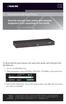 LES1516A LES1532A LES1548A Secure Server with Cisco Pinout Securely manage data center and network equipment from anywhere in the world. To download the user manual, this quick start guide, and software
RLP Citrix Setup Guide
 RLP Citrix Setup Guide M Version 2.1 Trademarks IBM is a registered trademark of International Business Machines Corporation. The following are trademarks of International Business Machines Corporation
Clientless SSL VPN Users
 Manage Passwords, page 1 Username and Password Requirements, page 3 Communicate Security Tips, page 3 Configure Remote Systems to Use Clientless SSL VPN Features, page 3 Manage Passwords Optionally, you
Using the Cisco OnPlus Scanner to Discover Your Network
 Using the Cisco OnPlus Scanner to Discover Your Network Last Revised: October 22, 2012 This Application Note explains how to use the Cisco OnPlus Scanner with the Cisco OnPlus Portal to discover and manage
CC2000. Control Center Over the NET Management Software
 CC2000 Control Center Over the NET Management Software Physical server sales diminished in 2009 as a result of an increased migration to virtual server systems. Recently, however, due to older equipment
MySabre with Sabre VPN
 MySabre with Sabre VPN MIGRATION / INSTALLATION GUIDE T a b l e o f C o n t e n t s Table of Contents... ii Introduction... 3 Before Installing... 3 New MySabre User Installation... 4 Appendix A ActiveX
RACK POWER MANAGER Installer/User Guide
 RACK POWER MANAGER Installer/User Guide Rack Power Manager Installer/User Guide Emerson, Emerson Network Power and the Emerson Network Power logo are trademarks or service marks of Emerson Electric Co.
OnCommand Performance Manager 1.1
 OnCommand Performance Manager 1.1 Installation and Setup Guide For Red Hat Enterprise Linux NetApp, Inc. 495 East Java Drive Sunnyvale, CA 94089 U.S. Telephone: +1 (408) 822-6000 Fax: +1 (408) 822-4501
LifeSize Control Installation Guide
 LifeSize Control Installation Guide April 2005 Part Number 132-00001-001, Version 1.0 Copyright Notice Copyright 2005 LifeSize Communications. All rights reserved. LifeSize Communications has made every
Oracle Enterprise Manager Ops Center. Ports and Protocols. Ports and Protocols 12c Release 3 (12.3.0.0.0)
 Oracle Enterprise Manager Ops Center Ports and Protocols 12c Release 3 (12.3.0.0.0) E59963-01 June 2015 This document contains the latest information on the ports and protocols that Oracle Enterprise Manager
Dell OpenManage Mobile Version 1.4 User s Guide (Android)
 Dell OpenManage Mobile Version 1.4 User s Guide (Android) Notes, cautions, and warnings NOTE: A NOTE indicates important information that helps you make better use of your computer. CAUTION: A CAUTION
CommandCenter Secure Gateway User Guide Release 6.0
 CommandCenter Secure Gateway User Guide Release 6.0 Copyright 2014 Raritan, Inc. CC-0X-v6.0-E April 2014 255-80-3100-00 This document contains proprietary information that is protected by copyright. All
Virtual Appliance Installation Guide
 > In This Chapter Document: : Installing the OpenManage Network Manager Virtual Appliance 2 Virtual Appliance Quick Start 2 Start the Virtual Machine 6 Start the Application 7 The Application is Ready
Lab 8.3.3b Configuring a Remote Router Using SSH
 Lab 8.3.3b Configuring a Remote Router Using SSH Objectives Use SDM to configure a router to accept SSH connections. Configure SSH client software on a PC. Establish a connection to a Cisco ISR using SSH
Configuring Devices for Use with Cisco Configuration Professional (CCP) 2.5
 Configuring Devices for Use with Cisco Configuration Professional (CCP) 2.5 Objectives Part 1: Configure CCP Access for Routers Enable HTTP/HTTPS server. Create a user account with privilege level 15.
5.0 Secure Meeting Error Messages
 Juniper Networks, Inc. 1194 North Mathilda Avenue Sunnyvale, CA 94089 USA 408 745 2000 or 888 JUNIPER www.juniper.net Contents 5.0 Secure Meeting Error Messages...1 Contacting Juniper...1 Administrator
HP Device Monitor (v 1.1) for Microsoft System Center User Guide
 HP Device Monitor (v 1.1) for Microsoft System Center User Guide Abstract This guide provides information on using the HP Device Monitor version 1.1 to monitor hardware components in an HP Insight Control
PREFACE http://www.okiprintingsolutions.com 07108001 iss.01 -
 Network Guide PREFACE Every effort has been made to ensure that the information in this document is complete, accurate, and up-to-date. The manufacturer assumes no responsibility for the results of errors
Type Message Description Probable Cause Suggested Action. Fan in the system is not functioning or room temperature
 Table of Content Error Messages List... 2 Troubleshooting the Storage System... 3 I can t access the Manager... 3 I forgot the password for logging in to the Manager... 3 The users can t access the shared
BaseManager & BACnet Manager VM Server Configuration Guide
 BaseManager & BACnet Manager VM Server Configuration Guide For Self-Hosted BaseManager & BACnet Manager Servers Deployed as Virtual Machines August 27, 2015 Customer Service 1-866-294-5847 i Baseline Inc.
new Business Online Technical Troubleshooting Guide
 new Business Online Technical Troubleshooting Guide TABLE OF CONTENTS How to install Java 1.6 Page 3 How to install Java 1.6 without ActiveX control Page 6 How to uninstall Java Runtime Environment Page
Integrating idrac7 With Microsoft Active Directory
 Integrating idrac7 With Microsoft Active Directory Whitepaper Author: Jim Slaughter This document is for informational purposes only and may contain typographical errors and technical inaccuracies. The
StruxureWare Data Center Expert 7.2.4 Release Notes
 StruxureWare Data Center Expert 7.2.4 Release Notes Table of Contents Page # Part Numbers Affected...... 1 Minimum System Requirements... 1 New Features........ 1 Issues Fixed....3 Known Issues...3 Upgrade
eg Enterprise v5.2 Clariion SAN storage system eg Enterprise v5.6
 EMC Configuring Clariion and SAN and Monitoring Monitoring storage an system EMC an eg Enterprise v5.2 Clariion SAN storage system eg Enterprise v5.6 Restricted Rights Legend The information contained
Checking Browser Settings, and Basic System Requirements for QuestionPoint
 Checking Browser Settings, and Basic System Requirements for QuestionPoint This document covers basic IE settings and system requirements necessary for QuestionPoint. These settings and requirements apply
Click Studios. Passwordstate. Password Discovery, Reset and Validation. Requirements
 Passwordstate Password Discovery, Reset and Validation Requirements This document and the information controlled therein is the property of Click Studios. It must not be reproduced in whole/part, or otherwise
NetWrix Password Manager. Quick Start Guide
 NetWrix Password Manager Quick Start Guide Contents Overview... 3 Setup... 3 Deploying the Core Components... 3 System Requirements... 3 Installation... 4 Windows Server 2008 Notes... 4 Upgrade Path...
VocLink Connect LINIIS Manual
 VocLink Connect LINIIS Manual Authorized Users...1 Host On-Demand (HOD) System Requirements....1 Java Virtual Machine (JVM) requirements for HOD..2 Secure Access Washington.3 Downloading HOD..3 Logging
Version Filename Part Number Opcode V_3.3.0-5 FL0536-013.bin FL0536-013.bin.md5 FL0564-007.pkg
 This document outlines: Cyclades ACS Advanced Console Server Appliances Release Notes Version 3.3.0-5 September 24 nd 2010 1. Update Instructions 2. Appliance Firmware Version Information 3. Enhancements
Single Sign-On Administrator s Guide
 Single Sign-On Administrator s Guide Released 11/22/2013 About this Guide This guide is designed for the people who handle software administrative duties for their agency or organization, and have the
How To Use 1Bay 1Bay From Awn.Net On A Pc Or Mac Or Ipad (For Pc Or Ipa) With A Network Box (For Mac) With An Ipad Or Ipod (For Ipad) With The
 1-bay NAS User Guide INDEX Index... 1 Log in... 2 Basic - Quick Setup... 3 Wizard... 3 Add User... 6 Add Group... 7 Add Share... 9 Control Panel... 11 Control Panel - User and groups... 12 Group Management...
Enhancements to idrac7 Alert Notification
 Enhancements to idrac7 Alert Notification This Dell white paper discusses the improvements made to the idrac7 version 1.30.30 alerting capabilities Test Engineer Enterprise Software Validation Test Engineer
Citrix Access Gateway Plug-in for Windows User Guide
 Citrix Access Gateway Plug-in for Windows User Guide Access Gateway 9.2, Enterprise Edition Copyright and Trademark Notice Use of the product documented in this guide is subject to your prior acceptance
This chapter explains a preparation for the use of RemoteControlService.
 ServerView User's Guide (For RemoteControlService) Areas Covered Before Reading This Manual This section explains the notes for your safety and conventions used in this manual. Chapter 1 Overview of RemoteControlService
Integrating idrac 7 with Microsoft Active Directory
 Integrating idrac 7 with Microsoft Active Directory Whitepaper Author: Jim Slaughter This document is for informational purposes only and may contain typographical errors and technical inaccuracies. The
2 Downloading Access Manager 3.1 SP4 IR1
 Novell Access Manager 3.1 SP4 IR1 Readme May 2012 Novell This Readme describes the Novell Access Manager 3.1 SP4 IR1 release. Section 1, Documentation, on page 1 Section 2, Downloading Access Manager 3.1
Introduction. Installation of SE S AM E BARCODE virtual machine distribution. (Windows / Mac / Linux)
 Installation of SE S AM E BARCODE virtual machine distribution (Windows / Mac / Linux) Introduction A "virtual machine" is a fake computer within a true one. An underlying software (here VirtualBox) is
StruxureWare Data Center Expert 7.2.1 Release Notes
 StruxureWare Data Center Expert 7.2.1 Release Notes Table of Contents Page # Part Numbers Affected...... 1 Minimum System Requirements... 1 New Features........ 1 Issues Fixed....2 Known Issues...2 Upgrade
Polycom CMA System Upgrade Guide
 Polycom CMA System Upgrade Guide 5.0 May 2010 3725-77606-001C Trademark Information Polycom, the Polycom Triangles logo, and the names and marks associated with Polycom s products are trademarks and/or
Avaya Video Conferencing Manager Deployment Guide
 Avaya Video Conferencing Manager Deployment Guide August 2011 Avaya Video Conferencing Manager Deployment Guide 2 Avaya Video Conferencing Manager This guide is for network administrators who use Avaya
Chapter 10 Troubleshooting
 Chapter 10 Troubleshooting This chapter provides troubleshooting tips and information for your ProSafe Dual WAN Gigabit Firewall with SSL & IPsec VPN. After each problem description, instructions are provided
Content Filtering Client Policy & Reporting Administrator s Guide
 Content Filtering Client Policy & Reporting Administrator s Guide Notes, Cautions, and Warnings NOTE: A NOTE indicates important information that helps you make better use of your system. CAUTION: A CAUTION
McAfee Firewall Enterprise
 Hardware Guide Revision C McAfee Firewall Enterprise S1104, S2008, S3008 The McAfee Firewall Enterprise Hardware Product Guide describes the features and capabilities of appliance models S1104, S2008,
Understanding DRAC/MC Alerts
 Understanding DRAC/MC Alerts The Dell Remote Access Controller/Modular Chassis (DRAC/MC) provides various alerting mechanisms by which administrators can monitor and manage the components within a Dell
Aventail Connect Client with Smart Tunneling
 Aventail Connect Client with Smart Tunneling User s Guide Windows v8.7.0 1996-2006 Aventail Corporation. All rights reserved. Aventail, Aventail Cache Control, Aventail Connect, Aventail Connect Mobile,
Setting Up a Unisphere Management Station for the VNX Series P/N 300-011-796 Revision A01 January 5, 2010
 Setting Up a Unisphere Management Station for the VNX Series P/N 300-011-796 Revision A01 January 5, 2010 This document describes the different types of Unisphere management stations and tells how to install
Required Ports and Protocols. Communication Direction Protocol and Port Purpose Enterprise Controller Port 443, then Port 11165 Port 8005
 Oracle Enterprise Manager Ops Center Ports and Protocols Guide 12c Release 2 (12.2.2.0.0) E51942-04 December 2014 This document contains the latest information on the ports and protocols that Oracle Enterprise
FUJITSU Cloud IaaS Trusted Public S5 Connecting to a Virtual Machine (VM)
 FUJITSU Cloud IaaS Trusted Public S5 Connecting to a Virtual Machine (VM) This guide describes the process for connecting to a IaaS Trusted Public S5 Virtual Machine Each Virtual System provides the ability
IEI emerge and Dedicated Micros Digital Video Recorder. Install, Setup, and Integration Guide. Version 3.0 and above
 IEI emerge and Dedicated Micros Digital Video Recorder Install, Setup, and Integration Guide Version 3.0 and above CONTENTS DVR Features Requirements List...3 Hardware...3 Software and Licenses...3 Upgrading
IPMI Coniguration Guide
 IPMI Coniguration Guide 1. Introduction of Megarac SP... 2 2. Megarac SP GUI Overview... 3 1 1. Introduction of Megarac SP Megarac SP allows remote access of computers with BMC (Baseboard Management Controllers)
Information Sheet IS13011A. VS Series - Recovering / Installing the Operating System. (For Software Version 4.x) Issue 1.0...
 Information Sheet IS13011A VS Series - Recovering / Installing the Operating System (For Software Version 4.x) Issue 1.0...20 January 2014 Nautel Limited 10089 Peggy's Cove Road, Hackett's Cove, NS, Canada
Metalogix SharePoint Backup. Advanced Installation Guide. Publication Date: August 24, 2015
 Metalogix SharePoint Backup Publication Date: August 24, 2015 All Rights Reserved. This software is protected by copyright law and international treaties. Unauthorized reproduction or distribution of this
HP ProLiant Essentials Vulnerability and Patch Management Pack Release Notes
 HP ProLiant Essentials Vulnerability and Patch Management Pack Release Notes Supported platforms... 2 What s new in version 2.1... 2 What s new in version 2.0.3... 2 What s new in version 2.0.2... 2 What
Aspera Connect User Guide
 Aspera Connect User Guide Windows XP/2003/Vista/2008/7 Browser: Firefox 2+, IE 6+ Version 2.3.1 Chapter 1 Chapter 2 Introduction Setting Up 2.1 Installation 2.2 Configure the Network Environment 2.3 Connect
Environmental Monitoring Unit
 Environmental Monitoring Unit AP9312TH AP9312THi User s Guide Contents Environmental Monitoring Unit Managing the Unit............................ 1 Introduction.................................. 1 Available
Client Management Suite User Guide
 Client Management Suite User Guide Version: 3.0 Date: 27.06.2013 ii MegaRAC XMS Client Management Suite User Guide Copyright Copyright Copyright 1998-2013 American Megatrends, Inc. All rights reserved.
Receiver Updater for Windows 4.0 and 3.x
 Receiver Updater for Windows 4.0 and 3.x 2015-04-12 05:29:34 UTC 2015 Citrix Systems, Inc. All rights reserved. Terms of Use Trademarks Privacy Statement Contents Receiver Updater for Windows 4.0 and 3.x...
User s Guide. SNMPWEBCARD Firmware Version 12.06.0062 through 12.06.0065 Revision A
 WARRANTY REGISTRATION: register online today for a chance to win a FREE Tripp Lite product www.tripplite.com/warranty User s Guide SNMPWEBCARD Firmware Version 12.06.0062 through 12.06.0065 Revision A
HP Insight Management Agents architecture for Windows servers
 HP Insight Management Agents architecture for Windows servers Technology brief, 2 nd edition Introduction... 3 A first look at the Insight Management Agents architecture... 3 HP Insight Management agents...
Installation Notes for Outpost Network Security (ONS) version 3.2
 Outpost Network Security Installation Notes version 3.2 Page 1 Installation Notes for Outpost Network Security (ONS) version 3.2 Contents Installation Notes for Outpost Network Security (ONS) version 3.2...
TestNav 8 User Guide for PARCC
 TestNav 8 User Guide for PARCC Copyright 2014, Pearson Education, Inc. Published March 6, 2014 TestNav 8 User Guide for PARCC 1 TestNav 8 User Guide for PARCC Revision History What is TestNav? Technical
EMS. Trap Collection Active Alarm Alarms sent by E-mail & SMS. Location, status and serial numbers of all assets can be managed and exported
 EMS SmartView TM Superior Design with Real-Time Monitor and Control Trap Collection Active Alarm Alarms sent by E-mail & SMS Network Topology Network Element Discovery Network Element Configuration Location,
EM Single Sign On 1.2 (1018)
 (1018) 2015 VoIP Integration July 27, 2015 Table of Contents Product Overview... 3 Requirements... 3 Application Requirements... 3 Call Manager... 3 Network Connectivity... 3 EM Profile Requirements...
Rebasoft Auditor Quick Start Guide
 Copyright Rebasoft Limited: 2009-2011 1 Release 2.1, Rev. 1 Copyright Notice Copyright 2009-2011 Rebasoft Ltd. All rights reserved. REBASOFT Software, the Rebasoft logo, Rebasoft Auditor are registered
Managing Software and Configurations
 55 CHAPTER This chapter describes how to manage the ASASM software and configurations and includes the following sections: Saving the Running Configuration to a TFTP Server, page 55-1 Managing Files, page
Configure thin client settings locally
 This chapter contains information to help you set up your thin client hardware, look and feel, and system settings using the Control Center. Tip While it is not recommended to use dialog boxes for configuring
Network Monitoring User Guide Pulse Appliance
 Network Monitoring User Guide Pulse Appliance 2007 Belkin Corporation. All rights reserved. F1DUXXX All trade names are registered trademarks of respective manufacturers listed. Table of Contents Pulse
IBM Security QRadar Version 7.1.0 (MR1) WinCollect User Guide
 IBM Security QRadar Version 7.1.0 (MR1) WinCollect User Guide Note: Before using this information and the product that it supports, read the information in Notices and Trademarks on page 59. Copyright
Intel Active Management Technology with System Defense Feature Quick Start Guide
 Intel Active Management Technology with System Defense Feature Quick Start Guide Introduction...3 Basic Functions... 3 System Requirements... 3 Configuring the Client System...4 Intel Management Engine
SD-T225/SD-T245 ViewSonic Device Manager Pro User Guide
 SD-T225/SD-T245 ViewSonic Device Manager Pro User Guide Copyright and Trademark Statements 2015 ViewSonic Corporation. All rights reserved. This document contains proprietary information that is protected
Flex System Chassis Management Module User's Guide (For Type 7893, 8721, and 8724 chassis only)
 Flex System Chassis Management Module User's Guide (For Type 7893, 8721, and 8724 chassis only) Note Before using this information and the product it supports, read the general information in Appendix
Updating the BIOS and BMC on the FreeNAS Mini
 Updating the BIOS and BMC on the FreeNAS Mini Oct 15, 2014 ixsystems, Inc. These instructions are for updating the BMC (IPMI controller) and the BIOS for the FreeNAS Mini. You will also need the following