
WinHLLAPI Language Reference
|
|
|
- Theresa Ferguson
- 9 years ago
- Views:
Transcription
1 Worldwide Technical Support WinHLLAPI Language Reference

2 2004 Attachmate Corporation. All Rights Reserved. If this document is distributed with software that includes an end user agreement, this document, as well as the software described in it, is furnished under license and may be used or copied only in accordance with the terms of such license. Except as permitted by any such license, no part of this document may be reproduced or transmitted in any form or by any means (electronic, mechanical, recording, or otherwise) without the prior express written permission of Attachmate Corporation. The content of this document is protected under copyright law even if it is not distributed with software that includes an end user license agreement. The content of this document is furnished for informational use only, is subject to change without notice, and should not be construed as a commitment by Attachmate Corporation. Attachmate Corporation assumes no responsibility or liability for any errors or inaccuracies that may appear in the informational content contained in this document. Attachmate and EXTRA! are registered trademarks, the Attachmate logo is a trademark and enterprise solutions for the e-world is a service mark of Attachmate Corporation. All other trademarks or registered trademarks are the property of their respective owners. Except as may be expressly stated in this document, any use of non-attachmate Corporation trademarks in this document is not intended to represent that the owners of such trademarks sponsor, are affiliated with, or approve products from Attachmate Corporation.
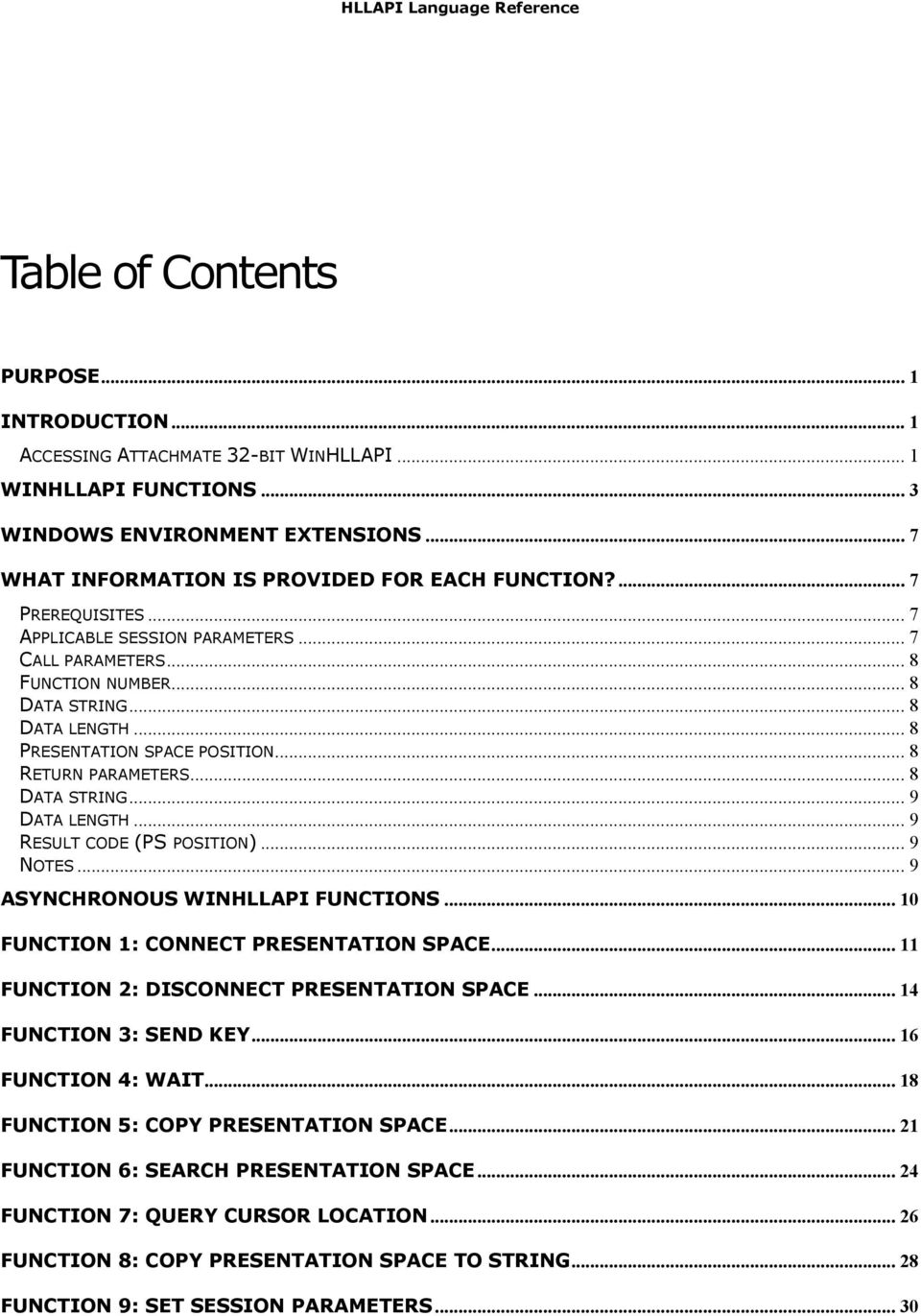
3 HLLAPI Language Reference Table of Contents PURPOSE... 1 INTRODUCTION... 1 ACCESSING ATTACHMATE 32-BIT WINHLLAPI... 1 WINHLLAPI FUNCTIONS... 3 WINDOWS ENVIRONMENT EXTENSIONS... 7 WHAT INFORMATION IS PROVIDED FOR EACH FUNCTION?... 7 PREREQUISITES... 7 APPLICABLE SESSION PARAMETERS... 7 CALL PARAMETERS... 8 FUNCTION NUMBER... 8 DATA STRING... 8 DATA LENGTH... 8 PRESENTATION SPACE POSITION... 8 RETURN PARAMETERS... 8 DATA STRING... 9 DATA LENGTH... 9 RESULT CODE (PS POSITION)... 9 NOTES... 9 ASYNCHRONOUS WINHLLAPI FUNCTIONS FUNCTION 1: CONNECT PRESENTATION SPACE FUNCTION 2: DISCONNECT PRESENTATION SPACE FUNCTION 3: SEND KEY FUNCTION 4: WAIT FUNCTION 5: COPY PRESENTATION SPACE FUNCTION 6: SEARCH PRESENTATION SPACE FUNCTION 7: QUERY CURSOR LOCATION FUNCTION 8: COPY PRESENTATION SPACE TO STRING FUNCTION 9: SET SESSION PARAMETERS... 30
4 HLLAPI Language Reference FUNCTION 10: QUERY SESSIONS FUNCTION 11: RESERVE FUNCTION 12: RELEASE FUNCTION 13: COPY OIA FUNCTION 14: QUERY FIELD ATTRIBUTE FUNCTION 15: COPY STRING TO PRESENTATION SPACE FUNCTION 18: PAUSE FUNCTION 20: QUERY SYSTEM FUNCTION 21: RESET SYSTEM FUNCTION 22: QUERY SESSION STATUS FUNCTION 23: START HOST NOTIFICATION FUNCTION 24: QUERY HOST UPDATE FUNCTION 25: STOP HOST NOTIFICATION FUNCTION 30: SEARCH FIELD FUNCTION 31: FIND FIELD POSITION FUNCTION 32: FIND FIELD LENGTH FUNCTION 33: COPY STRING TO FIELD FUNCTION 34: COPY FIELD TO STRING FUNCTION 40: SET CURSOR...71 FUNCTION 42: QUERY CLOSE INTERCEPT FUNCTION 43: STOP CLOSE INTERCEPT FUNCTION 50: START KEYSTROKE INTERCEPT FUNCTION 51: GET KEY FUNCTION 52: POST INTERCEPT STATUS FUNCTION 53: STOP KEYSTROKE INTERCEPT FUNCTION 90: SEND FILE FUNCTION 91: RECEIVE FILE FUNCTION 99: CONVERT POSITION OR ROWCOL... 91

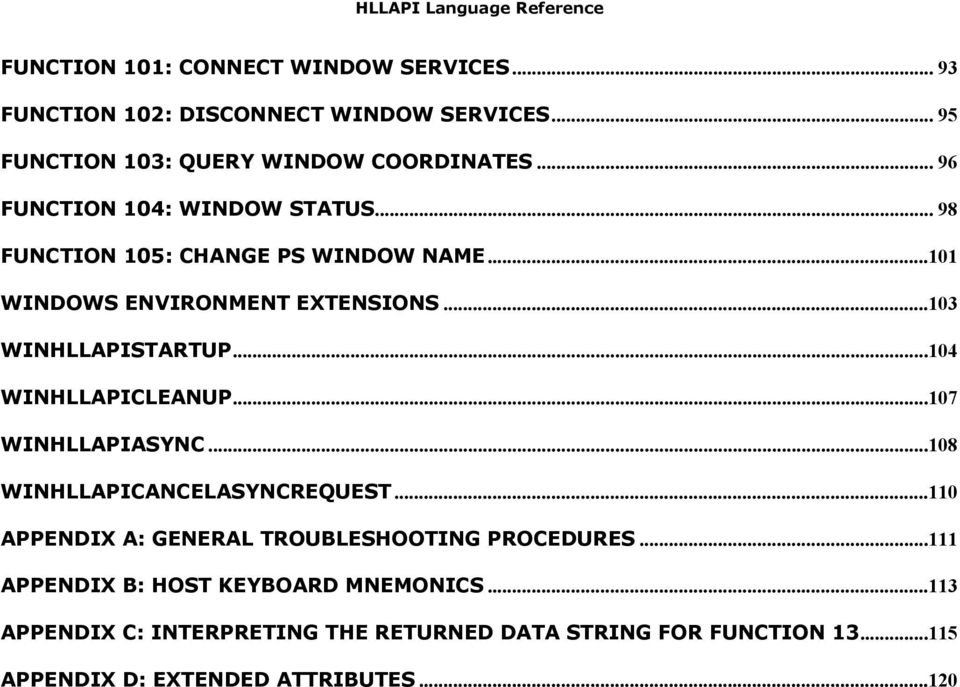
5 HLLAPI Language Reference FUNCTION 101: CONNECT WINDOW SERVICES FUNCTION 102: DISCONNECT WINDOW SERVICES FUNCTION 103: QUERY WINDOW COORDINATES FUNCTION 104: WINDOW STATUS FUNCTION 105: CHANGE PS WINDOW NAME WINDOWS ENVIRONMENT EXTENSIONS WINHLLAPISTARTUP WINHLLAPICLEANUP WINHLLAPIASYNC WINHLLAPICANCELASYNCREQUEST APPENDIX A: GENERAL TROUBLESHOOTING PROCEDURES APPENDIX B: HOST KEYBOARD MNEMONICS APPENDIX C: INTERPRETING THE RETURNED DATA STRING FOR FUNCTION APPENDIX D: EXTENDED ATTRIBUTES...120
6 Purpose This document is intended to assist customers who want to enable new or existing automation software to work with a legacy application programming interface implemented in a current Attachmate emulator product: WinHLLAPI, EHLLAPI, Attachmate HLLAPI, Enterprise Access Library (EAL), PCSHLL (IBM PCOMM 4.01 EHLLAPI), or WD_API (Wall Data abstraction of HLLAPI). Attachmate recommends that new automation programs be developed using EXTRA!'s COM (OLE Automation) interfaces. Only when a new automation program requires obscure capability not available in a COM solution should a legacy API be considered. In such situations, Attachmate recommends WinHLLAPI be given first preference, if only because it came about through an industry standardization effort. A second option would be EHLLAPI. Introduction An application programming interface, API, is typically provided in a software product to facilitate development of applications that automate tasks employing the software. For tasks that are highly repetitive, time-consuming or error-prone, automation can raise user job satisfaction, reduce operational costs, and improve service to customers. Windows High-Level LanguageAPI (WinHLLAPI) is one such API, the specification for which was written originally by a consortium of representatives from Attachmate, Digital Communications Associates Inc., Synapse Communications, NetSoft, and Wall Data Incorporated, and published in1993 by Microsoft. The specification for Windows HLLAPI built on the de facto IBM EHLLAPI programming standard, employed successfully throughout business and industry for a wide range of automation tasks. Accessing Attachmate 32-bit WinHLLAPI In brief, an application accesses this interface by: Ensuring Attachmate software, including dynamic load library WHLAPI32.DLL, is in the system search path, so it will be found and loaded when referenced. Ensuring that a session is configured to be associated with a HLLAPI "shortname". Declaring in application code specific reference to the WinHLLAPI entry point and its parameter list. This reference will depend on the application programming language, for example: C++: extern "C" void WINAPI WinHLLAPI(LPWORD, LPSTR, LPWORD, LPWORD); Visual Basic: Prepared by Attachmate Technical Support 1

7 Declare Sub WinHLLAPI Lib "WHLAPI32.DLL" (HllFunc%, ByVal HllDataStr$, HllDataLgth%, PsPos%) Header and lib files for EHLLAPI, WinHLLAPI, and Attachmate HLLAPI are distributed with EXTRA!. Prepared by Attachmate Technical Support 2

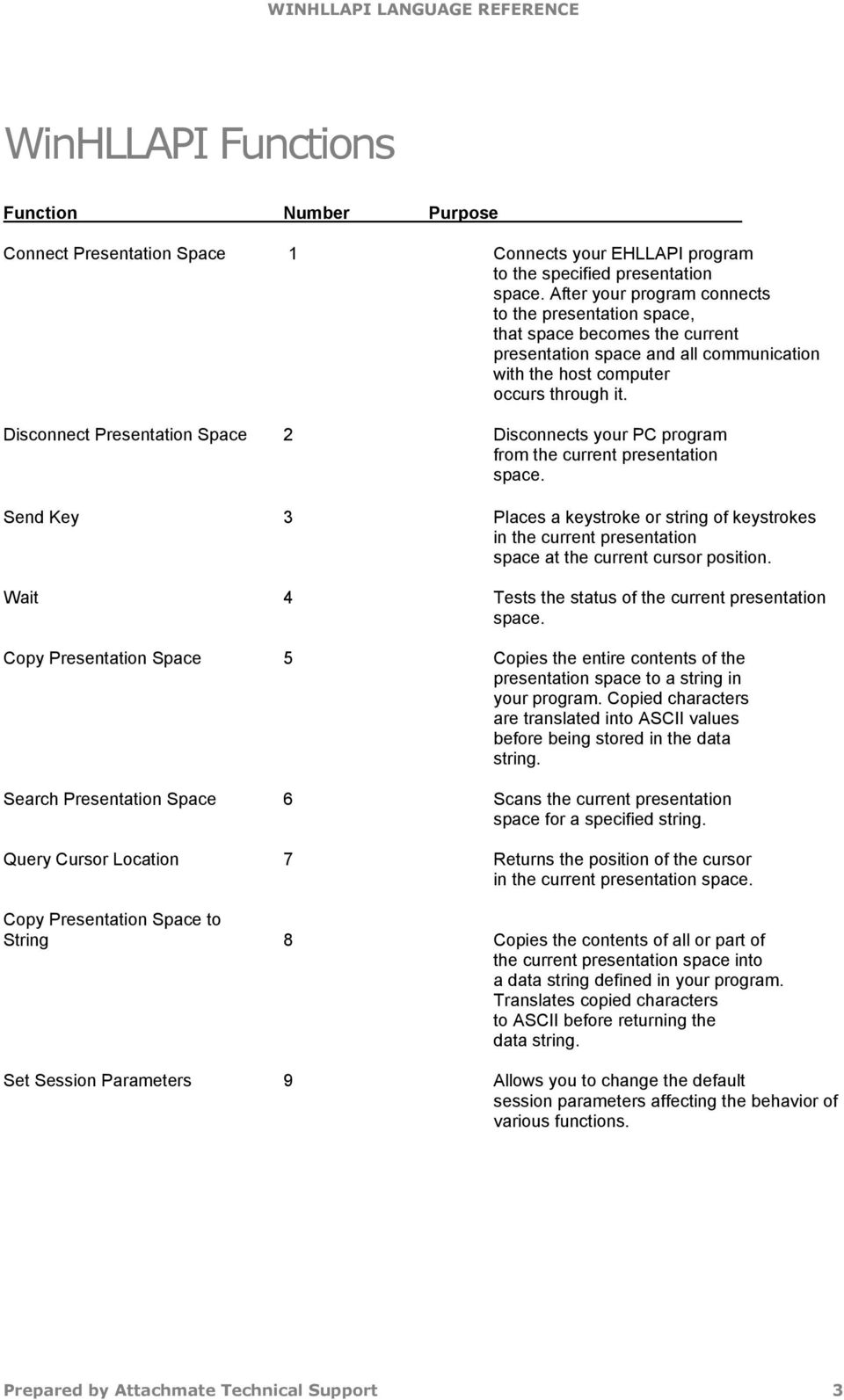
8 WinHLLAPI Functions Function Number Purpose Connect Presentation Space 1 Connects your EHLLAPI program to the specified presentation space. After your program connects to the presentation space, that space becomes the current presentation space and all communication with the host computer occurs through it. Disconnect Presentation Space 2 Disconnects your PC program from the current presentation space. Send Key 3 Places a keystroke or string of keystrokes in the current presentation space at the current cursor position. Wait 4 Tests the status of the current presentation space. Copy Presentation Space 5 Copies the entire contents of the presentation space to a string in your program. Copied characters are translated into ASCII values before being stored in the data string. Search Presentation Space 6 Scans the current presentation space for a specified string. Query Cursor Location 7 Returns the position of the cursor in the current presentation space. Copy Presentation Space to String 8 Copies the contents of all or part of the current presentation space into a data string defined in your program. Translates copied characters to ASCII before returning the data string. Set Session Parameters 9 Allows you to change the default session parameters affecting the behavior of various functions. Prepared by Attachmate Technical Support 3
9 Function Number Purpose Query Sessions 10 Returns the number of host sessions currently defined. It also returns a 12-byte data string for each session that contains the following information: Short name of the session Long name of the session Type of host session Size of the presentation space. Reserve 11 Locks the current presentation space to prevent the terminal operator from entering data. Release 12 Unlocks the current connected host presentation space, which was locked with Function 11, Reserve. Copy OIA 13 Returns the contents of the Operator Information Area (OIA) for the current presentation space to your program. Query Field Attribute 14 Returns the attribute of the specified field in the current presentation space. Copy String to Presentation Space 15 Copies an ASCII string from your program to a specific location in the current presentation space. Pause 18 Causes your PC program to wait a specific amount of time for an event to occur. Use this function instead of a timing loop. Query System 20 Returns a 35-byte data string indicating the support level provided to your program by the underlying low-level and high-level RAM-resident modules (and other system related values). Reset System 21 Reinitializes EHLLAPI to the default options in Function 9, Set Session Parameters. Also stops host event notification, releases any reserved host sessions, and disconnects any connected host presentation sessions. Must be used at conclusion of HLLAPI work with a session. Query Session Status 22 Returns an 18-byte data string with information about a session. Start Host Notification 23 Allows your EHLLAPI program to determine if the presentation space or OIA has been updated. Prepared by Attachmate Technical Support 4

10 Function Number Purpose Query Host Update 24 In conjunction with Function 23, Start Host Notification, enables your EHLLAPI program to determine if the host presentation space or OIA has been updated since the last time this request was made. Stop Host Notification 25 Deactivates host notification and disables Function 24, Query Host Update. Also prohibits host events in the specified host session from affecting Function 18, Pause. Search Field 30 Searches the designated field within the current presentation space for the occurrence of a specified string. Find Field Position 31 Returns the beginning position of a target field in the currently connected presentation space. Find Field Length 32 Returns the length of a target field in the current presentation space. Copy String to Field 33 Copies a string of characters from your program to a specified field in the current presentation space. Copy Field to String 34 Copies all the characters from a specified field in the current presentation space to a data string in your program. Translates copied characters to ASCII before returning the data string. Set Cursor 40 Allows you to position the cursor within the current presentation space. Start Close Intercept 41 Intercepts all close requests and suppresses them until your program calls Function 43, Stop Close Intercept. Query Close Intercept 42 Lets your PC program determine whether an attempt has been made to close an emulator window. Stop Close Intercept 43 Lets your PC program turn off Function 41, Start Close Intercept. Start Keystroke Intercept 50 Lets your PC program read and evaluate keystrokes entered by a terminal operator. Prepared by Attachmate Technical Support 5

11 Function Number Purpose Get Key 51 Lets your PC program retrieve keystrokes from a session and accept, process, or reject the keystrokes. Post Intercept Status 52 Once this function is called, the PC beeps when a keystroke has been rejected after calling Function 51, Get Key. Stop Keystroke Intercept 53 Disables your PC program's ability to intercept keystrokes. Send File 90 Sends a file to a host. Allows you to embed the appropriate file transfer SEND command within your EHLLAPI program. Receive File 91 Receives a file from a host. Lets you embed the appropriate file transfer receive command in your EHLLAPI program. Convert Position or RowCol 99 Performs one of the following functions, depending on the requesting parameters passed by your program: Converts the presentation space position into row and column coordinates. Converts row and column coordinates into a presentation space position. Connect Window Services 101 Lets your PC program manage the presentation space windows. Disconnect Window Services 102 Breaks the Window Services connection between your PC program and the specified host presentation space. Query Window Coordinates 103 Allows your PC program to request the window coordinates of a presentation space. Window Status 104 Lets your PC program query or change a window's presentation space size, location, or visible state. Change Switch List LT Name 105 Lets your PC program change or reset a switch list for a selected logical terminal. Change PS Window Name 106 Lets your PC program define a new name for the presentation space window or redefine the window to the default name. Prepared by Attachmate Technical Support 6

12 Windows Environment Extensions In addition to the above-cited functions based on the EHLLAPI standard, WinHLLAPI provides several extensions for the Windows environment. These collateral functions, listed below, are described more fully at the end of this document. WINHLLAPISTARTUP( ) REQUIRED BEFORE ANY OTHER WINHLLAPI CALLS. WinHLLAPICleanup( ) Required at the close of WinHLLAPI activity. WinHLLAPIAsync( ) WINHLLAPICANCELASYNCREQUEST( ) What information is provided for each function? For each WinHLLAPI function, the following information is presented: The function number together with its formal name, Brief description of the function purpose, Prerequisites Applicable session parameters Call parameters Return parameters Notes Prerequisites Many WinHLLAPI functions require another function to be called and successfully completed before the desired call is issued. If the prerequisites are not satisfied, an error code is returned. If None appears, no prerequisite calls are necessary. Applicable session parameters Function 9, Set Session Parameters, allows an application program to set optional WinHLLAPI features, or session parameters. This section indicates whether any session parameters affect this function and, if so lists the applicable parameters and how they affect the function. If the function is not affected by any session parameters, None appears. Prepared by Attachmate Technical Support 7
13 Call parameters This area lists the four parameters that must be presented in a call statement before an application program can call a WinHLLAPI function. These parameters must be presented in a particular format, and include the function number, data string, data length and presentation space position. Function number In this parameter, you specify the function number to be called. It must be in an unsigned integer format. Data string This parameter could be a string of characters or a string of concatenated data items, with enough space set aside to receive the requested output. If the calling data string has special requirements, they will be discussed in Data string features. Data length Use an unsigned integer to give the length of either a character string or a list of data items. Use an End of Text (EOT) character at the end of each string that is sent to WinHLLAPI if you do not want to calculate your string length. If you like, you can change the established EOT character through Function 9, Set Session Parameters. Presentation space position If the presentation space (PS) position parameter is required, it should be an unsigned integer representing a position within the EXTRA! host session. The chart below shows, for each 3270 model number, the range of values that may be specified for PS position. Model number Range of PS position values In this manual, the words Not applicable may appear next to some parameters. While it may appear as if these parameters are not required, they still must be present in an application program before it can call a function. Call parameters must be properly declared, then listed in a call statement. Syntax of the call statement will vary, depending on the programming language. Return parameters Parameters returned to an application program by the functions are explained in this section. These parameters include the data string, data length, and result code (PS position). Prepared by Attachmate Technical Support 8

14 Data string If the data string parameter is returned, it will either be a string of characters or a string of concatenated data items. If the returning data string has special features, they will be discussed in Data string features. Data length When returned, the data length parameter either gives you the length of the data string or it provides the position of the PS. Result code (PS position) When a function call returns, the result code takes the place of the PS position call parameter. This code tells whether the function was successful or it encountered a problem. Each function has a result code table that can be used to translate the code into its message. All functions pass a result code in the fourth parameter. Many functions use standard result codes (zero means the function completed successfully, 9 means a system error was encountered, and so on). However, certain functions use slightly different interpretations of the result codes. See the function descriptions in this chapter for details on result codes for each function. Notes This area presents guidelines and tips on how to use the function in an application program, along with technical information about the function. Prepared by Attachmate Technical Support 9
15 Asynchronous WinHLLAPI Functions Certain WinHLLAPI functions can be executed asynchronously, allowing an application program to make more effective use of system resources than when those same functions are executed in standard, blocking mode..in blocking mode, the application starts an activity -- such as file transfer -- that will take an unpredictable amount of time to finish, regaining control only after the activity completes. An alternative is for the application to start the activity, but request that WinHLLAPI return control immediately, allowing the application to check status of the activity every so often until it completes. A key difficulty with this approach is choosing the appropriate granularity for every so often. Delaying too long between successive status checks risks making the automation software performance seem ponderous; delaying too short a time risks consuming so much system resources as to slow down other workstation software. Asynchronous operation allows an automation program to start an activity, regain control immediately (so as to perform other work) and then, rather than check status every so often, be notified when the started activity has been completed. This option is available for six WinHLLAPI functions 4, Wait, 23, Start Host Notification, 41, Start Close Intercept, 50, Start Keystroke Intercept, 90, Send File and 91, Receive File. To use this option, an application calls entry-point WinHLLAPIAsync (or WinHLLAPIAsyncFileTransfer) instead of WinHLLAPI, and provides the applications window handle to facilitate notification messaging. When the asynchronous operation is complete, the application s window hwnd receives the message returned by RegisterWindowMessage with WinHLLAPIAsync or WinHLLAPIAsyncFileTransfer as the input string. For STARTKSINTERCEPT, WAIT, STARTHOSTNOTIFICATION, and STARTCLOSEINTERCEPT, The wparam argument contains the asynchronous task handle as returned by the original function call. The high 16 bits of lparam contain any error code. The error code may be any error as defined in WHLLAPI.H. An error code of zero indicates successful completion of the asynchronous function. The low 16 bits contains the original function number. For SENDFILE and RECEIVEFILE, the wparam and lparam contain status information. See the Asynchronous Mode section of Send File and Receive File for details. Prepared by Attachmate Technical Support 10
16 Function 1: Connect Presentation Space This function connects a WinHLLAPI application to a specified presentation space (PS). If the application already has a connection, the connected PS is automatically disconnected, and a new connection established. An exclusive connection is established with WinHLLAPI between the client application program and the PS that requires the target session to be defined in the current EXTRA! configuration. An application program must call this function before requesting any of the followinglisted functions. Number Name 2 Disconnect Presentation Space 3 Send Key 4 Wait 5 Copy Presentation Space 6 Search Presentation Space 7 Query Cursor Location 8 Copy Presentation Space to String 11 Reserve 12 Release 13 Copy OIA 14 Query Field Attribute 15 Copy String to Presentation Space 30 Search Field 31 Find Field Position 32 Find Field Length 33 Copy String to Field 34 Copy Field to String 40 Set Cursor Prerequisites Target sessions must be defined in the current EXTRA! configuration. WinHLLAPIStartup must be called prior to any other WinHLLAPI calls. Applicable session parameters The following session parameters from Function 9 affect this function. WRITE_SUPER (default) This application requires write access and allows only supervisory applications to connect to its PS. WRITE_WRITE This application requires write access and allows other applications that have predictable behavior to connect to its PS. WRITE_READ This application requires write access and allows other applications to use read-only functions on its PS. Prepared by Attachmate Technical Support 11

17 WRITE_NONE This application requires exclusive access to its PS. No other applications may access its PS. SUPER_WRITE This supervisory application allows applications with write access to share the connected PS. The application program setting this parameter will not cause errors for other applications but will provide only supervisory-type functions. WRITE_READ This application requires read-only access and allows other applications that perform read-only functions to connect to its PS. CONLOG (default) When Function 1, Connect Presentation Space, is called, the emulator session corresponding to the target PS does not become the active application. The calling application remains active. Likewise, when Function 2, Disconnect Presentation Space, is called, the calling application remains active. CONPHYS Calling Function 1, Connect Presentation Space, makes the emulator session corresponding to the target PS the active application (does a physical connect). Note that this parameter is honored only when there is host access software attached to the session. During Function 2, Disconnect Presentation Space, the host access software becomes the active application. Call parameters An application program must pass the following parameters when calling this function: Function 1 Data string A string containing in the first character the PS short name; which must be a letter of the alphabet (A Z). Data length N/A (assumed 1) PS position Reserved. Return parameters Result code Function replaces the value of call parameter PS position with one of the following codes: Code Prepared by Attachmate Technical Support 12

18 Example Notes 0 The function was successful; the host presentation space is unlocked and ready for input. 1 An invalid host presentation space ID was entered. 4 Connection succeeded, but the host PS was busy. 5 Connection succeeded, but the host PS was locked (input inhibited). 9 A system error occurred. 11 The requested PS was in use by another application. WORD HllFunc = 1; char HllDatStr[1]; /* Short name of session to connect */ HllDataStr[0] = 'B'; WORD HllDataLgth = 1; WORD PsPos; WinHLLAPI(&HllFunc, HllDataStr, &HllDataLgth, &PsPos); If the EXTRA! session specified has not already been started when this function is called, calling this function will start the session in hidden state. Because function 1 returns immediately, the result code will be 5 (PS locked). Before attempting to use the session, the application should repeatedly call function 4, Wait, until a 0 (Success) result code is obtained. Prepared by Attachmate Technical Support 13

19 Function 2: Disconnect Presentation Space This function disconnects an application from its currently connected PS and releases any PS keyboard reservation, but does not reset session parameters to defaults. After calling this function, the application cannot call functions that depend on connection to a PS. An application automatically disconnects from the currently connected PS when it connects to another PS. A WinHLLAPI application program should call this function to disconnect from the currently connected PS before exiting. Prerequisites Function 1, Connect Presentation Space. Applicable session parameters The following session parameter from Function 9 affects this function. CONPHYS If set (as opposed to default CONLOG), the calling application becomes activated when WinHLLAPI function 2 is called. Call parameters An application program must pass the following parameters when calling this function: Function 2 Data string Data length PS position Not applicable. Not applicable. Reserved. Return parameters Result code Function replaces the value of call parameter PS position with one of the following codes: Code 0 The function was successful. Prepared by Attachmate Technical Support 14

20 Example Notes 1 The application was not connected with a host PS. 9 A system error occurred. WORD HllFunc = 2; char HllDatStr[1]; WORD HllDataLgth; WORD PsPos; WinHLLAPI(&HllFunc, HllDataStr, &HllDataLgth, &PsPos); This function only logically disconnects an application from an EXTRA! session. It does not signal the end of WinHLLAPI interaction by the application. In contrast, a call to function 21, Reset System, frees resources used by EXTRA! and allows disconnected session(s) to close when the application exits. Prepared by Attachmate Technical Support 15

21 Function 3: Send Key This function sends a string of up to 255 keystrokes to the currently connected PS. The session cannot receive keystrokes unless the keyboard is unlocked. After the first AID key is processed by the function, keystrokes are no longer accepted and the rest of the string is ignored. It is possible to represent all necessary keystrokes, including special function keys in ASCII, by using an escape character (the default value followed by the appropriate key code. Appendix B, Keyboard Mnemonics, provides a complete list of these key codes. WinHLLAPI changes the cursor position to the position immediately following the entered string. Prerequisites Function 1, Connect Presentation Space. The keyboard must be unlocked before keystrokes will be accepted. Applicable session parameters The following session parameters from Function 9 affect this function. STRLEN (default) String parameters are passed with an explicit length (specified in Data length). STREOT String parameters are passed with the character specified in the EOT session parameter denoting the string end. EOT= char This character denotes the end of a string when the STREOT session parameter has been set. Null (/0) is the default value. ESC= char Specifies the escape character for keystroke mnemonics is the default). Blank is not a valid escape value. AUTORESET (default) Attempts to reset inhibited conditions by adding the RESET prefix to all keystroke strings sent. NORESET Does not add RESET prefix to key strings. Call parameters Prepared by Attachmate Technical Support 16
22 An application program must pass the following parameters when calling this function: Function 3 Data string A string of maximum 255 characters (keystrokes)to be sent to the host PS. The string must end with an EOT character if STREOT is set in Function 9. Data length The string length. Overridden if STREOT is set in Function 9. PS position Reserved. Return parameters Result code Function replaces the value of call parameter PS position with one of the following codes: Code 0 The function was successful. 1 The application was not connected with a host PS. 2 An incorrect parameter was entered. 4 Host session was busy; not all keystrokes were sent. 5 Host session was inhibited, not all keystrokes were sent. 9 A system error occurred. Example Notes WORD HllFunc = 3; char HllDataStr[10]; /* Send "Hello" followed by Enter keystroke */ strcpy (HllDataStr, "Hello@E"); /* Length of data including Escape character */ WORD HllDataLgth = 7; WORD PsPos; WinHLLAPI(&HllFunc, HllDataStr, &HllDataLgth, &PsPos); For increased performance, an application may send entire strings using Function 33, Copy String to Field, or Function 15, Copy String to Presentation Space, rather than using this function; however, only function 3 may send special control keys. If the keystroke string is longer than 255 characters (which is the Send Key function s limit), use multiple calls to the Send Key function. Prepared by Attachmate Technical Support 17
23 Function 4: Wait This function provides current status of XCLOCK or XSYSTEM conditions of the OIA. (Function 9, Set Session Parameters, allows a program to vary the amount of time this function will wait for the OIA to clear.) The Wait function is not a good method for determining when the host is ready for input. This function is provided to determine if the terminal session can accept keystrokes (using Send Key or a copy function). To determine when the host is ready, the application should search the screen for key fields, usually near the bottom of the screen. Another method is to query the cursor position until it is located at the correct field. Because host applications are so different and a terminal cannot determine when a host application is ready for input, the WinHLLAPI application should determine when the host is ready for more input. If the application program is already in a Wait, Pause, Get Key, or synchronous file transfer, the request for another delay is rejected. Prerequisites Function 1, Connect Presentation Space. Applicable session parameters The following session parameters from Function 9 affect this function. TWAIT (default) The function waits up to one minute before it times out on XCLOCK or XSYSTEM. LWAIT The function waits until XCLOCK or XSYSTEM clears, then returns control to the application once the host becomes available. NWAIT The function does not wait but returns immediately with XCLOCK and XSYSTEM status. Function call This function can be invoked for synchronous operation via WinHLLAPI( ) or asynchronous operation via WinHLLAPIAsync(hWnd, ). Call parameters An application program must pass the following parameters when calling this function: Prepared by Attachmate Technical Support 18
24 Function 4 Data string Data length PS position Not applicable. Not applicable. Reserved. Return parameters Result code Function replaces the value of call parameter PS position with one of the following codes: Code 0 The function was successful; host PS is unlocked and ready for input. 1 The application was not connected with a host PS. 4 Function timed out while in XCLOCK or XSTATUS state. 5 Keyboard is locked. 9 A system error occurred. 0xF002 Function executing asynchronously was cancelled. Example Notes WORD HllFunc = 4; char HllDatStr[1]; WORD HllDataLgth; WORD PsPos; WinHLLAPI(&HllFunc, HllDataStr, &HllDataLgth, &PsPos); This function can be used together with a function like Function 6, Search Presentation Space, to determine when the host is ready for the next input. The WinHLLAPI application should consider relative machine speed. For example, a host may complete its task during a Wait on a slow machine, but a faster machine may need another approach, as noted earlier. Wait can be used to provide other functions, such as Send Key (function 3), enough time to complete or be processed. An application can also use Wait to test whether the keyboard is inhibited (return code of 4). Be aware, however, that when the Wait return code is 0 (zero), the keyboard is unlocked and Wait has executed successfully, but the original transaction or preceding function may not have finished processing on the Host. If keywords or prompts are expected, Search Field (function 30) or Search Presentation Space (function 6) should be used in combination with Wait. The length of time that this function will wait is affected by the session options TWAIT, LWAIT, and NWAIT. See Set Session Parameters (function 9) for details on these session options. Although both APIs are supported, WinHLLAPIAsync should be used instead of WinHLLAPI whenever possible. Note that if NWAIT is specified, the WinHLLAPIAsync call will work the same as the WinHLLAPI call and not send a message. Prepared by Attachmate Technical Support 19
25 Prepared by Attachmate Technical Support 20
26 Function 5: Copy Presentation Space This function copies the currently connected PS to a string allocated in the calling application. Prerequisites Function 1, Connect Presentation Space. Applicable session parameters The following session parameters from Function 9 affect this function. NOATTRB (default) Attribute bytes and other characters not displayable in ASCII are translated into blanks. ATTRB Attribute bytes and other characters not displayable in ASCII are not translated. EAB Extended Attribute Bytes (EABs) are copied. Two characters are placed in the application data string for each one that appears in the PS. The EAB is the second character. To accommodate this, the application program must allocate a data string that is twice the number of displayable characters to be copied from the presentation space of the current display model. NOEAB (default) EABs are not copied. XLATE EABs are translated to CGA text mode attributes. NOXLATE (default) EABs are not translated. DISPLAY (default) Non-display fields are copied to the target buffer in the same manner as the display fields. NODISPLAY Non-display fields are copied to the target buffer as a string of nulls. This allows an application program to display the copied buffer in the presentation window without displaying confidential information, such as passwords. Call parameters Prepared by Attachmate Technical Support 21
27 An application program must pass the following parameters when calling this function: Function 5 Data string Data length PS position A string large enough to accommodate data from the current PS display Model (including EABs if requested). See chart below. Not applicable (PS length implied). Reserved. Model number Data string length required (3840 with EABs) (5120 with EABs) (6880 with EABs) (7128 with EABs) Return parameters Data string Function replaces content of call parameter Data string with text from the presentation space. Refer to Appendix D, Extended Attributes, for information on EAB interpretation. Result code Function replaces the value of call parameter PS position with one of the following codes: Code 0 Success; text from the PS has been copied to data string. 1 The application was not connected with a host PS. 4 The copy was successful, but PS was waiting for host response. 5 The copy was successful, but the keyboard is locked. 9 A system error occurred. Example Notes WORD HllFunc = 5; /* Reserve string for text from Model 2 screen w/o EABs */ char HllDataStr[1920]; WORD HllDataLgth; WORD PsPos; WinHLLAPI(&HllFunc, HllDataStr, &HllDataLgth, &PsPos); Use this function only when the entire PS is needed; otherwise, use Function 8, Copy Presentation Space to String, or Function 34, Copy Field to String. Prepared by Attachmate Technical Support 22
28 Use Function 10, Query Sessions, or Function 22, Query Session Status, to check host session PS size (which may be changed by the host). This function does not format the data string returned. To format the string for printing and have the information appear as it does in EXTRA!, the application must determine the number of columns currently displayed (use function 22, Query Session Status, for this purpose), then insert a line break (newline, or CR LF) at the end of each line (that is, that many columns). Prepared by Attachmate Technical Support 23
29 Function 6: Search Presentation Space This function searches the currently connected PS for first or last occurrence of specified text. This function is useful for determining whether a specific host panel is present. For example, if the application is expecting a prompt before sending data, this function will search for the message or string before moving on. If the prompt or message is not found, the application program can call Function 18, Pause, or Function 24, Query Host Update, and continue to call Function 6 until the string is found. Prerequisites Function 1, Connect Presentation Space. Applicable session parameters The following session parameters from Function 9 affect this function. SRCHALL and SRCHFRWD (default) The function scans the entire PS for the first occurrence of the specified string. SRCHALL and SRCHBKWD The function scans the entire PS for the last occurrence of the specified string. SRCHFROM and SRCHFRWD The function scans the PS from the specified PS position for the first occurrence of the string. SRCHFROM and SRCHBKWD The function scans the PS from the specified PS position for the last occurrence of the string. STRLEN (default) String parameters are passed with an explicit length (specified in Data length). STREOT String parameters are passed with the character specified in the EOT session parameter denoting the string end. EOT= char This character denotes the end of a string when the STREOT session parameter has been set. Null (/0) is the default value. Call parameters An application program must pass the following parameters when calling this function: Prepared by Attachmate Technical Support 24
30 Function 6 Data string Data length PS position Text to be searched for in the PS Length of the data string. (Ignored if in EOT mode.) Start position where the search function is to begin (SRCHFRWD) or to end (SRCHBKWD). This parameter is ignored if SRCHALL is set. Return parameters PS Position Function replaces the value of call parameter Data length with the PS position where specified text was found, or 0 if the text was not found. Result code Function replaces the value of call parameter PS position with one of the following codes: Code 0 The function was successful (the specified text was found). 1 The application was not connected with a host PS. 2 An incorrect parameter was entered. 7 An invalid PS position was specified for beginning the search 9 A system error occurred 24 The specified text was not found. Example Notes WORD HllFunc = 6; char HllDataStr[10]; /* Text to search for: "Hello" */ strcpy (HllDataStr, "Hello"); WORD HllDataLgth = 5; /* Start search at PS position 199 */ WORD PsPos = 199; WinHLLAPI(&HllFunc, HllDataStr, &HllDataLgth, &PsPos); The SRCHFROM option is useful when you are searching for a string that may occur several times. The search carried out by this function is case-sensitive. To determine when the host is ready for input, the application should search the screen for key fields, usually near the bottom of the screen. Prepared by Attachmate Technical Support 25
31 Function 7: Query Cursor Location This function returns the position of the cursor in the currently connected PS. Prerequisites Function 1, Connect Presentation Space. Applicable session parameters None. Call parameters An application program must pass the following parameters when calling this function: Function 7 Data string Data length PS position Not applicable. Not applicable. Reserved. Return parameters PS Position Function replaces the value of call parameter Data length with the PS position of the cursor. Result code Function replaces the value of call parameter PS position with one of the following codes: Code 0 The function was successful (the specified text was found). 1 The application was not connected with a host PS. 9 A system error occurred Example WORD HllFunc = 7; char HllDataStr[]; WORD HllDataLgth; WORD PsPos; WinHLLAPI(&HllFunc, HllDataStr, &HllDataLgth, &PsPos); Prepared by Attachmate Technical Support 26
32 Notes This function is one method of determining whether a host session is at a particular screen, assuming the position where the cursor will appear on that screen is known in advance. To make this determination, the application can repeatedly query cursor position until it is located at the correct field emulators support a Presentation Space of 24 rows by 80 columns. When an error message from the host or when the operator presses the SysReq key, a 25th row is displayed. When the row 25 is displayed, it is a valid area for this function. Prepared by Attachmate Technical Support 27
33 Function 8: Copy Presentation Space to String This function copies all or part of the currently connected PS to a string allocated in the calling application. Prerequisites Function 1, Connect Presentation Space. Applicable session parameters The following session parameters from Function 9 affect this function. NOATTRB (default) Attribute bytes and other characters not displayable in ASCII are translated into blanks. ATTRB Attribute bytes and other characters not displayable in ASCII are not translated. EAB Extended Attribute Bytes are copied. Two characters are placed in the application data string for each one that appears in the PS. The EAB is the second character. To accommodate this, the application program must allocate a data string that is twice the number of displayable characters to be copied. For example, 160 bytes should be allotted to copy the first 80 characters with EABs. NOEAB (default) Extended Attribute Bytes are not copied. XLATE Extended Attribute Bytes are translated to CGA text mode attributes. NOXLATE (default) Extended Attribute Bytes are not translated. DISPLAY (default) Text in non-display fields is copied to the data string in the same manner as display fields. NODISPLAY Text in non-display fields is copied to the data string as null characters. Call parameters Prepared by Attachmate Technical Support 28
34 An application program must pass the following parameters when calling this function: Function 8 Data string Data length PS position A string of sufficient size to hold data requested from the PS, including EABs if requested The number of characters allocated in Data string. The PS position where the copying should begin. Return parameters Data string Function replaces content of call parameter Data string with text from the presentation space. Refer to Appendix D, Extended Attributes, for information on EAB interpretation. Result code Function replaces the value of call parameter PS position with one of the following codes: Code 0 The function was successful; requested data was copied to the string. 1 The application program was not connected to a valid PS. 2 String length was specified as zero, or extended past the end of the PS. 4 Requested data was copied, but the PS was waiting for host response. 5 Requested data was copied, but the keyboard was locked. 7 An invalid PS position was specified for beginning the copy. 9 A system error occurred. Example WORD HllFunc = 8; /* At least the size of returned data */ char HllDataStr[5]; /* Length of string to copy */ WORD HllDataLgth = 5; /* Start position to copy */ WORD PsPos = 199; WinHLLAPI(&HllFunc, HllDataStr, &HllDataLgth, &PsPos); Prepared by Attachmate Technical Support 29
35 Function 9: Set Session Parameters This function sets session parameters in WinHLLAPI. Parameters set with this function affect many other WinHLLAPI functions, as noted in individual function descriptions ( Applicable session parameters ) and in the descriptions of this function s call parameters. Session parameter values set using this function remain in effect until one of the following occurs: Function 21, Reset System, which resets the session parameters to default values A new value is specified by a second function 9 call The WinHLLAPI client application program terminates Prerequisites None. Applicable session parameters None. Call parameters An application program must pass the following parameters when calling this function: Function 9 Data string Data length PS position A string containing one or more session parameters, which can be separated by commas or blanks. The following sections explain the possible session parameters and values. The number of characters in Data string. (EOT is not allowed.) Reserved. Copy parameters The following session parameters affect all copy functions. ATTRB EBCDIC characters that cannot be translated to displayable ASCII characters are not translated. NOATTRB (default) Prepared by Attachmate Technical Support 30
36 EBCDIC characters that cannot be translated to displayable ASCII characters are translated to blanks (0x20). EAB Extended Attribute Bytes are copied along with data. NOEAB (default) EABs are not copied (data only). STRLEN (default) String parameters are passed with an explicit length (specified in Data length). STREOT String parameters are passed with the character specified in the EOT session parameter denoting the string end. EOT= char This character denotes the end of a string when the STREOT session parameter has been set. Null (/0) is the default value. XLATE Copied Extended Attribute Bytes are translated to CGA color codes. NOXLATE (default) Copied Extended Attribute Bytes are returned without translation. DISPLAY (default) Non-display fields are copied to the target buffer in the same manner as the display fields. NODISPLAY Non-display fields are copied to the target buffer as nulls. Connect parameters The following session parameters affect Function 1, Connect Presentation Space, and Function 2, Disconnect Presentation Space. CONLOG (default) When Function 1, Connect Presentation Space, is called, the emulator session corresponding to the target PS does not become the active application. The calling application remains active. Likewise, when Function 2, Disconnect Presentation Space, is called, the calling application remains active. CONPHYS Calling Function 1, Connect Presentation Space, makes the emulator session corresponding to the target PS the active application (does a physical connect). Note that this parameter is honored only when there is host access software attached to the session. During Function 2, Disconnect Presentation Space, the host access software becomes the active application. WRITE_SUPER (default) Prepared by Attachmate Technical Support 31
37 This parameter is set by a client application program that requires write access and allows only supervisory applications to connect to its PS. WRITE_WRITE This parameter is set by a client application program that requires write access and allows other applications that have predictable behavior to connect to its PS. WRITE_READ This parameter is set by a client application program that requires write access and allows other applications to use read-only functions on its PS. WRITE_NONE This parameter is set by a client application program that requires exclusive access to its PS. No other applications will have access to its PS. SUPER_WRITE This parameter is set by a supervisory client application program that allows applications with write access to share the connected PS. The client application program setting this parameter will not cause errors for other applications, but will provide only supervisory-type functions. WRITE_READ This parameter is set by a client application program that requires read-only access and allows other applications that perform read-only functions to connect to its PS. KEY$nnnnnnnn This parameter allows the client application program to restrict sharing the PS. The keyword must be exactly 8 bytes long. NOKEY (default) This parameter allows the client application program to be compatible with existing applications that do not specify the KEY parameter. Esc/Reset parameters The following session parameters affect Function 3, Send Key, and Function 51, Get Key. ESC= char Specifies the escape character for keystroke mnemonics is the default). Blank is not a valid escape value. AUTORESET (default) Attempts to reset all inhibited conditions by adding the prefix RESET to all keystroke strings sent using Function 3, Send Key. NORESET Does not add RESET prefix to function 3 key strings. Search parameters The following session parameters affect all search functions. Prepared by Attachmate Technical Support 32
38 SRCHALL (default) Scans the entire PS or field. SRCHFROM Starts the scan from a specified location in the PS or field. SCRCHFRWD (default) Performs the scan in an ascending direction. SRCHBKWD Performs the scan in a descending direction through the PS or field. OIA parameters The following session parameters affect Function 13, Copy OIA, and specify the format for the data returned by the function. OLDOIA (default) OIA data are returned in EBCDIC. Since OIA data are always returned in ASCII format in 5250 support, OLDOIA is accepted but ignored. NEWOIA OIA data are returned in ASCII format. Pause parameters The following session parameters affect Function 18, Pause, determining the type of pause to perform. Note: An application can make multiple Function 23 calls, and an event satisfying any of the calls will interrupt the pause. FPAUSE (default) Full-duration pause. Control returns to the calling application when the number of half-second intervals specified in the Function 18 call have elapsed. IPAUSE Interruptible pause; Control returns to the calling application when a system even specified in a preceding Function 23, Start Host Notification, call has occurred, or the number of half-second intervals specified in the Function 18 call have elapsed. PS size parameters The following session parameters affect Function 10, Query Sessions. NOCFGSIZE Function 10 returns the current size of the connected PS. CFGSIZE (default) Function 10 ignores any override of the PS by the host and returns the configured size of the PS. Prepared by Attachmate Technical Support 33
39 Time parameters The following session parameters affect Function 90, Send File, and Function 91, Receive File. NOQUIET (default) Displays SEND and RECEIVE messages showing progress of the file transfer. QUIET Does not display SEND and RECEIVE messages. TIMEOUT=char Specifies how much time shall elapse before CTRL BREAK is issued to terminate an in-progress file transfer. (Blank is not accepted.) Character Seconds 0 (default) J 300 K 330 L 360 M 390 N 420 Trace parameters The following session parameters determines whether to enable or disable Windows HLLAPI tracing. TROFF (default) Turns tracing off. TRON Turns tracing on. With tracing enabled, all executed Windows HLLAPI functions are traced. Wait parameters The following session parameters affect Function 4, Wait, and Function 51, Get Key. TWAIT (default) For Function 4, Wait, TWAIT waits up to a minute before timing out on XCLOCK or XSYSTEM. Prepared by Attachmate Technical Support 34
40 For Function 51, Get Key, TWAIT does not return control to the WinHLLAPI client application program until it has intercepted a key (a normal or AID key, based on the option code specified under Function 50, Start Keystroke Intercept ). LWAIT For Function 4, Wait, LWAIT waits until XCLOCK / XSYSTEM clears. This option is not recommended because XSYSTEM or permanent XCLOCK will prevent control being returned to the application. For Function 51, Get Key, LWAIT does not return control to your application until it has intercepted a key. The intercepted key could be a normal or AID key, based on the option specified under Function 50, Start Keystroke Intercept. NWAIT For Function 4, Wait, NWAIT checks status and returns immediately (no wait). For Function 51, Get Key, NWAIT returns code 25 (keystroke not available) if nothing matching the option specified under Function 50, Start Keystroke Intercept, is queued. Return parameters Parameters accepted Function replaces the value of call parameter Data length with the number of session parameters that were set. Result code Function replaces the value of call parameter PS position with one of the following codes: Code 0 The function was successful. 2 One or more parameter names were not recognized; all recognized parameters were accepted. 9 A system error occurred. Example /* Set session parameters */ WORD HllFunc = 9; char HllDataStr[20]; strcpy (HllDataStr,"SRCHFROM,SRCHFRWD"); /* Length of parameter string */ WORD HllDataLgth = 17; WORD PsPos; WinHLLAPI(&HllFunc, HllDataStr, &HllDataLgth, &PsPos); Prepared by Attachmate Technical Support 35
41 Function 10: Query Sessions This function returns summary information about each currently started session. The information is returned in a 12-byte data string for each session. Prerequisites None. Applicable session parameters The following session parameters from Function 9 affect this function. NOCFGSIZE The function returns the current size of the connected PS. CFGSIZE (default) The function returns the configured size of the PS, ignoring any host overrides. Call parameters An application program must pass the following parameters when calling this function: Function 10 Data string Data length PS position A pre-allocated string of 12 bytes per configured session. 12 bytes per configured session with a maximum of 312 bytes (26 maximum allowable active sessions x 12 bytes). Reserved. Return parameters Session information Function replaces content of call parameter Data string with information about currently-open sessions, twelve bytes per session, as follows: Byte 1 Session short name. 2 9 Session long name. 10 Session type: H = host session, P = personal computer PS size in binary. Sessions started Function replaces the value of call parameter Data length with the number of started sessions for which information was returned. Prepared by Attachmate Technical Support 36
42 Result code Function replaces the value of call parameter PS position with one of the following codes: Code 0 The function was successful. 2 String length specified was not valid. 9 A system error occurred. Example Notes WORD HllFunc = 10; /* 12 bytes per session, max. 26 sessions */ char HllDataStr[312]; WORD HllDataLgth = 312; WORD PsPos; WinHLLAPI(&HllFunc, HllDataStr, &HllDataLgth, &PsPos); Text returned as the session "long name" will be the first eight characters of the name of the configuration ("*.EDP") file used to open the session: Prepared by Attachmate Technical Support 37
43 Function 11: Reserve This function locks the currently connected PS, preventing another application program or terminal operator from entering data into it. Once the PS is locked, it is not accessible until it is unlocked. The PS can be unlocked with Function 12, Release ; Function 21, Reset System ; Function 2, Disconnect Presentation Space ; or Function 1, Connect Presentation Space. Function 1 performs an implicit disconnect. (Terminating a session with Task Manager also unlocks it.) This function is useful for preventing users from gaining access to the session while an application program sends a series of transactions to the host. Prerequisites Function 1, Connect Presentation Space. Applicable session parameters None. Call parameters An application program must pass the following parameters when calling this function: Function 11 Data string Data length PS position Not applicable. Not applicable. Reserved. Return parameters Result code Function replaces the value of call parameter PS position with one of the following codes: Code 0 The function was successful. 1 The application is not connected to a valid PS. 5 Presentation space cannot be used. 9 A system error occurred. Example Prepared by Attachmate Technical Support 38
44 WORD HllFunc = 11; char HllDataStr[]; WORD HllDataLgth; WORD PsPos; WinHLLAPI(&HllFunc, HllDataStr, &HllDataLgth, &PsPos); Prepared by Attachmate Technical Support 39
45 Function 12: Release This function unlocks a PS that was reserved using Function 11, Reserve. The target is the currently connected PS. Release also occurs automatically when the client application program calls Function 2, Disconnect Presentation Space ; Function 1, Connect Presentation Space ; Function 21, Reset System ; or terminates, or the session itself is terminated. Because release occurs automatically on disconnect, it is not crucial that you use the Release function whenever you end an application. Prerequisites Function 1, Connect Presentation Space. Applicable session parameters None. Call parameters An application program must pass the following parameters when calling this function: Function 12 Data string Data length PS position Not applicable. Not applicable. Reserved. Return parameters Result code Function replaces the value of call parameter PS position with one of the following codes: Code 0 The function was successful. 1 The application is not connected to a valid PS. 9 A system error occurred. Example WORD HllFunc = 12; char HllDataStr[]; WORD HllDataLgth; WORD PsPos; Prepared by Attachmate Technical Support 40
46 WinHLLAPI(&HllFunc, HllDataStr, &HllDataLgth, &PsPos); Prepared by Attachmate Technical Support 41
47 Function 13: Copy OIA This function returns the contents of the OIA from the currently connected PS. The length of the OIA data does not change with the terminal model. Refer to Appendix C for information on interpreting the contents of returned OIA data. Prerequisites Function 1, Connect Presentation Space. Applicable session parameters The following session parameters from Function 9 affect this function. OLDOIA (default) OIA data are returned in EBCDIC. Ignored for 5250 sessions, because 5250 OIA image is always returned in ASCII. NEWOIA OIA data are returned in ASCII. Call parameters The following session parameters from Function 9 affect this function. Function 13 Data string A pre-allocated 103-byte data string Data length 103 PS position Reserved. Return parameters OIA data Function replaces content of call parameter Data string with data from the OIA for the currently-connected PS, organized as follows: Byte 1 The OIA Format Byte for the host access program These bytes contain the untranslatable image of the OIA in hexadecimal codes The OIA bit group. Detailed explanation of information contained in this string is given in Appendix C, Interpreting the Returning Data String for Function 13. Prepared by Attachmate Technical Support 42
48 Result code Function replaces the value of call parameter PS position with one of the following codes: Code 0 OIA data were copied; PS is unlocked. 1 The application is not connected to a valid PS. 2 Data string length specified was not valid. 4 OIA data were copied, but the PS is busy. 5 OIA data were copied, but the keyboard is locked. 9 A system error occurred. Example WORD HllFunc = 13; char HllDataStr[103]; /* Length of allocated data area */ WORD HllDataLgth = 103; WORD PsPos; WinHLLAPI(&HllFunc, HllDataStr, &HllDataLgth, &PsPos); Prepared by Attachmate Technical Support 43
49 Function 14: Query Field Attribute This function returns the field attribute byte for the PS position. The returning parameter contains the field attribute for the specified PS position. The value of the attribute byte is C0-DF (unprotected field attributes) and E0-FF (protected attributes). A zero attribute means that no field attribute was found in the PS. Prerequisites Function 1, Connect Presentation Space. Applicable session parameters None. Call parameters An application program must pass the following parameters when calling this function: Function 14 Data string Data length Not applicable. Not applicable. PS position. Return parameters The PS position for which field information is wanted Attribute value Function replaces the value of call parameter Data length with the attribute byte for the specified field. If zero, the PS is unformatted and no attribute can be returned Field attribute Bit Meaning 0-1 Both = 1, field attribute value 2 0 = unprotected; 1 = protected 3 0 = alphanumeric; 1 = numeric only = normal intensity, not pen detectable 01 = normal intensity, pen detectable 10 = high intensity, pen selectable 11 = nondisplay, not pen detectable 6 Reserved Prepared by Attachmate Technical Support 44
50 7 0 = field has not been modified; 1 = field has been modified 5250 Field attribute Bit Meaning 0 0 = nonfield attribute; 1 = field attribute 1 0 = nondisplay; 1 = display 2 0 = unprotected; 1 = protected 3 0 = normal intensity; 1 = high intensity = alphameric data; all characters available 001 = alphabetic only, u/c and l/c, comma, period, hyphen, blank and Dup available 010 = numeric shift; automatic shift for number 011 = numeric only: 0-9, comma, period, plus, minus, blank and Dup available 101 = numeric only: 0-9 or Dup available 110 = magnetic strip reading device data only 111 = signed numeric data: 0-9, plus, minus and Dup are available 7 0 = field has not been modified; 1 = field has been modified Result code Function replaces the value of call parameter PS position with one of the following codes: Code 0 Function was successful. 1 The application is not connected to a valid PS. 7 An invalid PS position was specified. 9 A system error occurred. 24 The PS was unformatted. Example WORD HllFunc = 14; char HllDataStr[]; WORD HllDataLgth; /* Query field attribute at this position */ WORD PsPos = 199; WinHLLAPI(&HllFunc, HllDataStr, &HllDataLgth, &PsPos); Prepared by Attachmate Technical Support 45
51 Function 15: Copy String to Presentation Space This function copies a string directly into the currently connected PS at the specified location. When the copy operation is complete, the cursor s physical location remains unchanged. The data string to be copied cannot be any larger than the size of the designated writable area or field. Unprintable characters in the string are translated into blanks in the host system session. Prerequisites Function 1, Connect Presentation Space. Applicable session parameters The following session parameters from Function 9 affect this function. STRLEN (default) Application must specify the length of the data string to be copied. STREOT The string must end to be copied must end with the EOT character. Call parameters An application program must pass the following parameters when calling this function: Function 15 Data string ASCII text to be copied into the PS. Last byte of the string is EOT if session parameter STREOT is set. Refer to Appendix D, Extended Attributes, for information on EAB format. Data length PS position Data string length if session parameter STRLEN is set, else not applicable. Position of the PS where function is to begin copying data. Note: This function cannot send keyboard mnemonics. Return parameters Result code Prepared by Attachmate Technical Support 46
52 Function replaces the value of call parameter PS position with one of the following codes: Code 0 Function was successful. 1 The application is not connected to a valid PS. 2 Function was called with an invalid parameter. 5 PS is busy or locked, or the data string contained illegal data. The string was not copied. 6 The string was copied, but truncated at the end of the field or screen. 7 An invalid PS position was specified. 9 A system error occurred. Example Notes WORD HllFunc = 15; char HllDataStr[20]; /* Copy "Hello World" to PS */ strcpy(hlldatastr, "Hello World"); /* Length of string to copy */ WORD HllDataLgth = 11; /* Position on host screen where string will start*/ WORD PsPos = 199; WinHLLAPI(&HllFunc, HllDataStr, &HllDataLgth, &PsPos); To copy data to the current PS position, use Function 7, Query Cursor Location, to obtain the PS position, then use that value as the PS position calling parameter of this function. Result code 6 indicates attempt was made to copy data into a protected field. Before writing application code to use this function, the programmer should check that the location where data are to be copied to the PS is (a) an unprotected field and (b) of sufficient extent to accept all the data to be copied. Position in the Host session presentation space is determined by starting in the upper left corner of the screen display (row 1, column 1). At the end of each screen display row, the next Host session presentation space position is column 1 of the following screen display row. This process continues until the end of the Host session presentation space (screen display) is reached emulators support a Presentation Space of 24 rows by 80 columns. When an error message from the host or when the operator presses the SysReq key, a 25th row is displayed. When the row 25 is displayed, it is a valid area for this function. Prepared by Attachmate Technical Support 47
53 Function 18: Pause This function waits a specified amount of time or until a host-initiated update occurs. If the client application program is already in a Wait, Pause, Get Key, or synchronous file transfer delay, the request for another delay is rejected. Prerequisites Function 23, Start Host Notification, must be called if the application program uses session parameter IPAUSE. Applicable session parameters The following session parameters from Function 9 affect this function. FPAUSE (default) The function waits the amount of time specified if session parameter FPAUSE is in effect. IPAUSE The function waits until a specified host update occurs if session parameter IPAUSE is set and the application has called Function 23, Start Host Notification. The application must call Function 24, Query Host Update, before setting the next pause; otherwise, the next pause will be immediately satisfied by the pending event. Call parameters An application program must pass the following parameters when calling this function: Function 18 Data string Data length PS position NA The pause duration in 1/2-second multiples. (240 => 120 seconds.) Reserved. Return parameters Result code Function replaces the value of call parameter PS position with one of the following codes: Code 0 The pause duration expired. 9 A system error occurred. Prepared by Attachmate Technical Support 48
54 Example 26 A host session PS or OIA update has occurred. WORD HllFunc = 18; char HllDataStr[]; /* Wait for 10 sec. or until interrupted */ WORD HllDataLgth = 20; WORD PsPos; WinHLLAPI(&HllFunc, HllDataStr, &HllDataLgth, &PsPos); Notes This function consumes some system resources. A practical maximum duration for the pause is 7200 (60 minutes). The application program should not tie up other resources such as keyboard reservations, session connections, and so forth, before entering a pause. Prepared by Attachmate Technical Support 49
55 Function 20: Query System This function returns information about system state that may be useful for determining the cause of a result code 9 being received from some other function call. Prerequisites None. Applicable session parameters None. Call parameters An application program must pass the following parameters when calling this function: Function 20 Data string Data length PS position A 35-byte string pre-allocated to receive system information. Not applicable (35 bytes is implied). Reserved. Return parameters System information Function replaces content of call parameter Data string with information about the system state, organized as follows: Byte 1 Version number. 2 3 Level number. 4 9 Date (month, date, year) Reserved. 13 Always U. 14 Always E WinHLLAPI product version number WinHLLAPI product level number 19 Reserved Reserved Reserved Reserved Reserved 32 Reserved Reserved. Prepared by Attachmate Technical Support 50
56 Result code Function replaces the value of call parameter PS position with one of the following codes: Code 0 The function was successful; the data string was returned. 9 A system error occurred. Example WORD HllFunc = 20; char HllDataStr[35]; WORD HllDataLgth; WORD PsPos; WinHLLAPI(&HllFunc, HllDataStr, &HllDataLgth, &PsPos); Prepared by Attachmate Technical Support 51
57 Function 21: Reset System This function resets session parameters changed in Function 9, Set Session Parameters, to their default state and releases any reserved sessions. This function also releases any connected PSs, and cancels any keystroke interceptions and host update monitors. An application can call this function at any time to restore session parameters to default values. This function should always be called just before a WinHLLAPI application program exits. Prerequisites None. Applicable session parameters None. Call parameters An application program must pass the following parameters when calling this function: Function 21 Data string Data length PS position Not applicable. Not applicable. Reserved. Return parameters Result code Function replaces the value of call parameter PS position with one of the following codes: Code 0 The function was successful; the data string was returned. 9 A system error occurred. Example WORD HllFunc = 21; char HllDataStr[]; WORD HllDataLgth; WORD PsPos; WinHLLAPI(&HllFunc, HllDataStr, &HllDataLgth, &PsPos); Prepared by Attachmate Technical Support 52
58 Notes If a session is visible when this function is called, the session will not be released from memory, though any WinHLLAPI connection of the application with the session will be disconnected. Prepared by Attachmate Technical Support 53
59 Function 22: Query Session Status This function returns specific information about the specified session. It returns the following information in the data string: Short and long names Terminal type Number of rows and columns in the PS This function provides more information on individual sessions than the allsessions call (Function 10, Query Sessions ). Prerequisites None. Applicable session parameters None. Call parameters An application program must pass the following parameters when calling this function: Function 22 Data string An 18-byte string pre-allocated to receive session information, the first byte of which contains a session short name, or blank or null, indicating the currently-connected PS, or asterisk ('*'), indicating the session currently with keyboard focus Data length 18 PS position Reserved. Return parameters Session information Function replaces content of call parameter Data string with information about the session, organized as follows: Byte 1 Session short name. 2-9 Session long name. Prepared by Attachmate Technical Support 54
60 Result code 10 Session type: D = 3270 Host E = 3270 Printer F = 5250 Host G = 5250 Printer P = personal computer 11 Session characteristics: Bit 0: 0=No EAB; 1=EABs Bit 1: 0=No programmed symbols 1=Programmed symbols Bit 2 7: Reserved Number of rows (binary) Number of columns (binary) Host code page (binary). 18 Reserved Function replaces the value of call parameter PS position with one of the following codes: Code 0 The function was successful; the data string was returned. 1 An invalid session short name was specified. 2 An invalid string length was sent to the function. 9 A system error occurred. Example WORD HllFunc = 22; char HllDataStr[18]; /* Request status of connected session */ HllDataStr[0] = ' '; /* Length of data string */ WORD HllDataLgth = 18; WORD PsPos; WinHLLAPI(&HllFunc, HllDataStr, &HllDataLgth, &PsPos); Prepared by Attachmate Technical Support 55
61 Function 23: Start Host Notification This function begins the process by which WinHLLAPI determines if the host session PS or OIA has been updated. Your application can then call Function 24, Query Host Update, to find out more specific information about the update. This function also enables the designated host session event to end an interruptible pause started with Function 18, Pause. Prerequisites None. Applicable session parameters None. Function call This function can be invoked for Call parameters synchronous operation via WinHLLAPI( ) or asynchronous operation via WinHLLAPIAsync(hWnd, ) An application program must pass the following parameters when calling this function: Function 23 Data string Data length PS position A 7-byte string. (See format below). Length of host event buffer (256 recommended) Reserved. Data string format Byte 1 Session short name. If blank or null, the session to which the application is currently connected. 2 One of the following characters: P Notification of PS update O Notification of OIA update B Notification of both OIA and PS updates A Asynchronous-mode notification requested. 3-6 Not used 7 If byte 5 contains A, one of the following characters: P Notification of PS update Prepared by Attachmate Technical Support 56
62 O Notification of OIA update B Notification of both OIA and PS updates If byte 5 does not contain A, reserved. Return parameters Result code Function replaces the value of call parameter PS position with one of the following codes: Code 0 The function was successful. 1 An invalid session short name was specified. 2 An invalid parameter was specified. 9 A system error occurred. 0xF002 Asynchronous function cancelled Example Notes WORD HllFunc = 23; char HllDataStr[7]; /* Short name of session */ HllDataStr[0] = 'E'; /* Both OIA and PS updates */ HllDataStr[1] = 'B'; /* Host event buffer length */ WORD HllDataLgth = 256; WORD PsPos; WinHLLAPI(&HllFunc, HllDataStr, &HllDataLgth, &PsPos); When asynchronous mode is enabled by calling WinHLLAPIAsync, the function initiates host notification and immediately returns the calling application. This frees the application to perform other tasks while waiting for host updates. Because asynchronous mode returns control immediately, you must use Windows version 3.x message notification to determine when host updates have occurred. Use the RegisterWindowsMessage( ) function to register the message WinHLLAPIAsync. See WinHLLAPIAsync in Chapter 2 for details. Prepared by Attachmate Technical Support 57
63 Function 24: Query Host Update This function allows your application to determine if the host has updated the PS or OIA since the last time Function 23, Start Host Notification or this function was called. The application program need not be connected to the PS for updates; however, it must specify the short name for the desired session. Prerequisites Function 23, Start Host Notification. Applicable session parameters None. Call parameters An application program must pass the following parameters when calling this function: Function 24 Data string Data length PS position A string, the first character of which is the short name of the desired session, or blank or null requesting the connected session. Not applicable (1 is implied). Reserved. Return parameters Result code Function replaces the value of call parameter PS position with one of the following codes: Code 0 No updates occurred since the last call. 1 An invalid PS was specified. 8 Function 23, Start Host Notification, has not been called for this PS. 9 A system error occurred. 21 The OIA was updated. 22 The PS was updated. 23 Both OIA and PS were updated. Example WORD HllFunc = 24; Prepared by Attachmate Technical Support 58
64 char HllDataStr[4]; /* Short name of session */ HllDataStr[0] = 'B'; WORD HllDataLgth; WORD PsPos; WinHLLAPI(&HllFunc, HllDataStr, &HllDataLgth, &PsPos); Prepared by Attachmate Technical Support 59
65 Function 25: Stop Host Notification This function disables the capability of Function 24, Query Host Update. This function can also be used to stop host events from affecting Function 18, Pause. Prerequisites Function 23, Start Host Notification. Applicable session parameters None. Call parameters An application program must pass the following parameters when calling this function: Function 25 Data string Data length PS position A string, the first character of which is the short name of the desired session, or blank or null requesting the connected session. Not applicable (1 is implied) Reserved. Return parameters Result code Function replaces the value of call parameter PS position with one of the following codes: Code 0 The stop notification was successful. 1 An invalid session short name was specified. 8 Function 23, Start Host Notification, has not been called for this PS. 9 A system error occurred. Example WORD HllFunc = 25; char HllDataStr[1]; /* Short name of session */ HllDataStr[0] = 'B'; WORD HllDataLgth; WORD PsPos; WinHLLAPI(&HllFunc, HllDataStr, &HllDataLgth, &PsPos); Prepared by Attachmate Technical Support 60
66 Function 30: Search Field This function searches through a specified field of the currently connected PS for a specified string. It can be used to search for a string in either protected or unprotected fields of a field formatted host PS. If the target string is found, this function returns the starting position of the string. This search is always case-sensitive. This function requires a complete match of target string to field contents, regardless of the direction of the search. Note: If the field at the end of the host presentation space wraps, wrapping occurs when the end of the presentation space is reached. Prerequisites Function 1, Connect Presentation Space. Applicable session parameters The following session parameters from Function 9 affect this function. SRCHALL (default) The entire field containing the specified PS position is searched. SRCHFROM Search begins at the specified position in the field. SRCHFRWD (default) Search finds first instance of the string between the origin and the end of the field. SRCHBKWD Search finds the last instance of the string between the field origin and the end of the field, or the specified PS position (if SRCHFROM is set). STRLEN (default) Application must specify the length of the data string to be copied. STREOT The string must end to be copied must end with the EOT character. Call parameters An application program must pass the following parameters when calling this function: Function 30 Data string ASCII text to be searched for in the field. Last byte of the string is EOT if session parameter STREOT is set. Prepared by Attachmate Technical Support 61
67 Data length PS position Data string length if session parameter STRLEN is set, else not applicable. Specifies a PS position within the target field or on the field attribute that begins it.. For SRCHALL, this can be any PS position within the field. For SRCHFROM, search begins here for SRCHFRWD or ends here for SRCHBKWD. Return parameters PS Position Function replaces the value of call parameter Data length with the PS position where the specified text was found. If zero, the specified text was not found. Result code Function replaces the value of call parameter PS position with one of the following codes: Code 0 The function was successful; the string was found. 1 The application is not connected to a valid PS. 2 The string length was zero; or, if STREOT was in effect, no EOT character was found in the given search string. 7 An invalid PS position was specified. 9 A system error occurred. 24 The string was not found. Example WORD HllFunc = 30; char HllDataStr[100]; /* Target string to search for "Hello" */ strcpy (HllDataStr, "Hello"); WORD HllDataLgth = 5; WORD PsPos; /* Start position for search */ PsPos = 199; WinHLLAPI(&HllFunc, HllDataStr, &HllDataLgth, &PsPos); Prepared by Attachmate Technical Support 62
68 Function 31: Find Field Position This function searches through the currently connected PS for a field s beginning position and returns the position. This function will search for either protected or unprotected fields, but the fields must be in a field-formatted host PS. Prerequisites Function 1, Connect Presentation Space. Applicable session parameters None. Call parameters An application program must pass the following parameters when calling this function: Function 31 Data string Data length PS position A 2-character code specifying the field to find. (See format below.) Not applicable (2 is implied). A position in the PS that lies within the field or on the field attribute that begins it. Data string format Content ^^ or T^ N^ NP NU P^ PP PU ^ = a space This field. Next field (protected or unprotected). Next protected field. Next unprotected field. Previous field (protected or unprotected) Previous protected field. Previous unprotected field. Return parameters Field position Result code Function replaces the value of call parameter Data length with the PS position where the specified field begins. If zero, the field is either zero length or the PS is unformatted. Function replaces the value of call parameter PS position with one of the following codes: Code Prepared by Attachmate Technical Support 63
69 0 The function was successful; the field was found. 1 The application is not connected to a valid PS. 2 An incorrect parameter was specified. 7 An invalid PS position was specified. 9 A system error occurred. 24 Either the field was not found, or the PS was unformatted. 28 The field length is zero bytes. Example WORD HllFunc = 31; char HllDataStr[10]; /* Find start position of this field (t, space) */ strcpy (HllDataStr, "T "); WORD HllDataLgth; /* Start search at PS position */ WORD PsPos = 199; WinHLLAPI(&HllFunc, HllDataStr, &HllDataLgth, &PsPos); Prepared by Attachmate Technical Support 64
70 Function 32: Find Field Length This function returns the length of a specified PS field, protected or unprotected, and is the number of characters contained in the field between the attribute byte that begins the field and the next-following field attribute. NOTE: This function wraps from the end to the beginning of the PS. Prerequisites Function 1, Connect Presentation Space. Applicable session parameters None. Call parameters An application program must pass the following parameters when calling this function: Function 32 Data string Data length PS position A 2-character code specifying the field to find. (See format below.) Not applicable (2 is implied). A position in the PS that lies within the field or on the field attribute that begins it. Data string format Content ^^ or T^ N^ NP NU P^ PP PU ^ = a space This field. Next field (protected or unprotected). Next protected field. Next unprotected field. Previous field (protected or unprotected) Previous protected field. Previous unprotected field. Return parameters Field length Function replaces the value of call parameter Data length with the length of the specified field. If zero, the field was not found, or is zero length, or the PS is unformatted. Note: If a field attribute is followed by another field attribute, the field is assumed to have a length of zero. Prepared by Attachmate Technical Support 65
71 Result code Function replaces the value of call parameter PS position with one of the following codes: Code 0 The function was successful; the field was found. 1 The application is not connected to a valid PS. 2 An incorrect parameter was specified. 7 An invalid PS position was specified. 9 A system error occurred. 24 Either the field was not found, or the PS was unformatted. Example WORD HllFunc = 32; char HllDataStr[10]; /* Find length of this field (t, space) */ strcpy (HllDataStr, "T "); WORD HllDataLgth; /* Start search at PS position */ WORD PsPos = 199; WinHLLAPI(&HllFunc, HllDataStr, &HllDataLgth, &PsPos); Prepared by Attachmate Technical Support 66
72 Function 33: Copy String to Field This function copies characters to a specific unprotected field in a field-formatted PS. The copy operation ends when one of four conditions is met: The entire string has been copied. The text has been written to the last field position. The function has copied the specified number of characters in the data length parameter. The character before the EOT character is copied when EOT is specified. Note: AID key character sequences are not evaluated when using this function. They will be copied to the field as literal strings. Function 3, Send Key, must be used to send an AID key to a session. Prerequisites Function 1, Connect Presentation Space. Applicable session parameters The following session parameters from Function 9 affect this function. EAB Text and EABs are copied from the data string. NOEAB (default) The data string does not contain EABs. XLATE EABs are translated from CGA text mode attributes. NOXLATE (default) EABs are copied without translation. STRLEN (default) Application must specify the length of the data string to be copied. STREOT The string must end to be copied must end with the EOT character. Call parameters An application program must pass the following parameters when calling this function: Prepared by Attachmate Technical Support 67
73 Function 33 Data string ASCII text to be copied into the field. Last byte of the string is EOT if session parameter STREOT is set. Refer to Appendix D, Extended Attributes, for information on EAB formats. Data length PS position Data string length if session parameter STRLEN is set, else not applicable. A position in the PS that lies within the field or on the field attribute that begins it. Copy always starts at the beginning of the field. Return parameters Result code Function replaces the value of call parameter PS position with one of the following codes: Code 0 Success; the string was copied to the target field in the PS. 1 The application is not connected to a valid PS. 2 A string length of zero was specified. 5 Either the target field was protected or inhibited; or a nondisplayable character was included in the string. 6 The string was copied, but it was truncated because the field was shorter than the string. 7 An invalid PS position was specified. 9 A system error occurred. 24 The host PS is unformatted. Example WORD HllFunc = 33; char HllDataStr[20]; /* Copy "Hello World" to field */ strcpy (HllDataStr, "Hello World"); /* Length of string to copy */ WORD HllDataLgth = 11; /* Copy to field containing this position */ WORD PsPos = 199; WinHLLAPI(&HllFunc, HllDataStr, &HllDataLgth, &PsPos); Prepared by Attachmate Technical Support 68
74 Function 34: Copy Field to String This function copies all characters from a field in the currently connected PS into a string. It can be used with either protected or unprotected fields, but only in a fieldformatted PS. The copy operation begins at the field s origin. This position and length information can be found by using Function 31, Find Field Position, and Function 32, Find Field Length. This function ends when one of two conditions is met: The last character in the field was copied. All character positions in the copy string have been filled. Prerequisites Function 1, Connect Presentation Space. Applicable session parameters The following session parameters from Function 9 affect this function. EAB Text and EABs are copied to the buffer. NOEAB (default) EABs are not copied. XLATE EABs are translated to CGA text mode attributes. NOXLATE (default) EABs are not translated. DISPLAY (default) Non-display text is copied to the target buffer in the same manner as the display data. NODISPLAY Non-display text is copied to the target buffer as nulls. Call parameters An application program must pass the following parameters when calling this function: Function 34 Prepared by Attachmate Technical Support 69
75 Data string Data length The string to which the program copies the contents of the field. The number of characters to be copied. NOTE: Data string must be at least twice this length if the EAB session parameter is set. PS position A position in the PS that lies within the field or on the field attribute that begins it. Copy starts at the beginning of the field. Return parameters Field content Function replaces content of call parameter Data string with text from the field. Refer to Appendix D, Extended Attributes, for information on EAB interpretation. Result code Function replaces the value of call parameter PS position with one of the following codes: Code 0 Success; text from the field has been copied to data string. 1 The application was not connected with a host PS. 2 A parameter error was detected. 6 The string was copied, but it was truncated because the string was shorter than the field. 7 An invalid PS position was specified. 9 A system error occurred. 24 The presentation space is unformatted. Example WORD HllFunc = 34; /* Allocated data buffer */ char HllDataStr[10]; /* Length of allocated buffer */ WORD HllDataLgth = 10; /* Copy from field containing this position */ WORD PsPos = 199; WinHLLAPI(&HllFunc, HllDataStr, &HllDataLgth, &PsPos); Prepared by Attachmate Technical Support 70
76 Function 40: Set Cursor This function sets the cursor position to the target PS position in the currently connected PS. Prerequisites Function 1, Connect Presentation Space. Applicable session parameters None. Call parameters An application program must pass the following parameters when calling this function: Function 40 Data string Data length PS position Not applicable. Not applicable. The desired cursor position in the PS. Return parameters Result code Function replaces the value of call parameter PS position with one of the following codes: Code 0 Success; text from the field has been copied to data string. 1 The application was not connected with a host PS. 4 The PS is busy. 7 An invalid PS position was specified. 9 A system error occurred. Example WORD HllFunc = 40; char HllDataStr[]; WORD HllDataLgth; /* Where to put cursor */ WORD PsPos = 199; WinHLLAPI(&HllFunc, HllDataStr, &HllDataLgth, &PsPos); Prepared by Attachmate Technical Support 71
77 Function 41: Start Close Intercept This function allows the application to intercept user-generated close requests. The function intercepts and discards the close request until the client application program requests Function 43, Stop Close Intercept. Multiple client application programs can request this function for the same session. Prerequisites None. Applicable session parameters None. Function call This function can be invoked for Call parameters synchronous operation via WinHLLAPI( ) or asynchronous operation via WinHLLAPIAsync(hWnd, ) An application program must pass the following parameters when calling this function: Function 41 Data string A 12-byte string. (See format below). Data length 12 PS position Reserved. Data string format Byte 1 Session short name. If blank or null, the session to which the application is currently connected. 2-4 Reserved 5 M Asynchronous message-mode notification requested. Any other value, asynchronous message mode not requested. 6-8 Reserved 9-12 If byte 5 contains M, RegisterWindowMessage("WinHLLAPI ) return value, not zero. (Bytes 11 and 12 are ignored.) If byte 5 does not contain M, bytes 9-12 are reserved. Prepared by Attachmate Technical Support 72
78 Return parameters Asynchronous notification outcome When a value other than "M" appears in byte 5 of call parameter Data string, function replaces the value of call parameter Data string with the following information: Byte 1 Session short name. 2 8 Reserved 9-12 Address of the event object returned by WinHLLAPI. The application can wait on this event Asynchronous message mode outcome When "M" appears in byte 5 of call parameter Data string, function replaces the value of call parameter Data string with the following information: Byte 1 Session short name. 2 8 Reserved 9-10 Task ID of asynchronous message mode. Result code Function replaces the value of call parameter PS position with one of the following codes: Code 0 The function was successful. 1 An invalid PS was specified. 2 A string length of zero was specified. 9 A system error occurred. 10 Function is not supported by the emulator. Example WORD HllFunc = 41; char HllDataStr[12]; /* Short name of session */ HllDataStr[0] = 'B'; HllDataStr[5] = 0; WORD HllDataLgth = 12; WORD PsPos; WinHLLAPI(&HllFunc, HllDataStr, &HllDataLgth, &PsPos); Prepared by Attachmate Technical Support 73
79 Function 42: Query Close Intercept This function allows the application to determine if a user-generated close request has been issued. Prerequisites Function 41, Start Close Intercept. Applicable session parameters None. Call parameters An application program must pass the following parameters when calling this function: Function 42 Data string A text string of which the first character is the session short name. Data length 1 PS position Reserved. Return parameters Result code Function replaces the value of call parameter PS position with one of the following codes: Code 0 No close intercept event has occurred. 1 An invalid PS was specified. 2 A string length of zero was specified. 8 No call to Function 41, Start Close Intercept, was issued 9 A system error occurred. 12 The session was stopped. 26 A close intercept event has occurred since the last call to this function. Example WORD HllFunc = 42; char HllDataStr[1]; /* Short name of session */ HllDataStr[0] = 'B'; WORD HllDataLgth = 1; WORD PsPos; WinHLLAPI(&HllFunc, HllDataStr, &HllDataLgth, &PsPos); Prepared by Attachmate Technical Support 74
80 Function 43: Stop Close Intercept This function ends the intercept started by Function 41, Start Close Intercept. Once the application calls this function, all user generated close requests are processed in the normal way. Prerequisites Function 41, Start Close Intercept. Applicable session parameters None. Call parameters An application program must pass the following parameters when calling this function: Function 43 Data string The session short name. Data length 1 PS position Reserved. Return parameters Result code Function replaces the value of call parameter PS position with one of the following codes: Code 0 The function was successful. 1 An invalid PS was specified. 2 A string length of zero was specified. 8 Function 41, Start Close Intercept, was not called prior to this function. 9 A system error occurred. 12 The session was stopped. Example WORD HllFunc = 43; char HllDataStr[1]; /* Short name of session */ HllDataStr[0] = 'B'; WORD HllDataLgth = 4; WORD PsPos; WinHLLAPI(&HllFunc, HllDataStr, &HllDataLgth, &PsPos); Prepared by Attachmate Technical Support 75
81 . Prepared by Attachmate Technical Support 76
82 Function 50: Start Keystroke Intercept This function allows an application to filter any keystrokes sent to a session by a terminal operator. After a call to this function, keystrokes are intercepted and saved until the keystroke buffer overflows or call is made to Function 21, Reset System, or Function 53, Stop Keystroke Intercept. Intercepted keystrokes can be received through Function 51, Get Key, and sent to the same or another session with Function 3, Send Key accepted or rejected through Function 52, Post Intercept Status replaced by other keystrokes with Function 3, Send Key used to trigger other processes. If AID-key-only intercept is requested (option D is specified), non-aid keys will be sent to the PS and only AID keys will be available to the application. Note: Extended processing of each keystroke may cause unacceptable delays for keyboard users. Prerequisites None. Applicable session parameters None. Function call This function can be invoked for Call parameters synchronous operation via WinHLLAPI( ) or asynchronous operation via WinHLLAPIAsync(hWnd, ) An application program must pass the following parameters when calling this function: Function 50 Data string A 16-byte structure specifying the intercept desired. (See format below.) Data length 16 Prepared by Attachmate Technical Support 77
83 PS position Reserved. Data string format Byte 1 Session short name. If blank or null, the session to which the application is currently connected. 2-4 Reserved 5 One of the following characters: D for AID keystrokes only L for all keystrokes M for asynchronous message mode notification 9-12 If byte 5 contains M, RegisterWindowMessage("WinHLLAPI ) return value, not zero. (Bytes 11 and 12 are ignored.) If byte 5 does not contain M, bytes 9-12 are reserved. 13 If byte 5 contains M, one of the following characters: D for AID keystrokes only L for all keystrokes If byte 5 does not contain M, ignored Reserved. Return parameters Result code Function replaces the value of call parameter PS position with one of the following codes: Code 0 The function was successful. 1 An invalid PS was specified. 2 An invalid option was specified. 4 The PS is busy. 9 A system error occurred. Example WORD HllFunc = 50; char HllDataStr[16]; /* Short name of session */ HllDataStr[0] = 'B'; /* All keystrokes */ HllDataStr[4] = 'D'; /* Event buffer space */ WORD HllDataLgth = 16; WORD PsPos; WinHLLAPI(&HllFunc, HllDataStr, &HllDataLgth, &PsPos); Prepared by Attachmate Technical Support 78
84 Function 51: Get Key This function allows your application to receive the keystrokes for the sessions that were specified with Function 50, Start Keystroke Intercept. Use Function 3, Send Key, to pass keystrokes to the target PS. When keystrokes are available, they are read into the data area that you have provided in your client application program. Each keystroke is represented by one of the key codes listed in Appendix B, Keyboard Mnemonics. The CAPSLOCK key on the PC works like the SHIFTLOCK key on the host system; it produces the uppercase of all keys, not just alphanumeric keys. So if the application is getting keys with CAPSLOCK on, it gets all keys in the shifted state. Prerequisites Function 50, Start Keystroke Intercept. Applicable session parameters The following session parameters from Function 9 affect this function. TWAIT (default) The function does not return control to the calling application until a key has been intercepted. LWAIT The function does not return control to the calling application until a key has been intercepted. NWAIT The function checks for intercepted keystrokes and returns immediately. Call parameters An application program must pass the following parameters when calling this function: Function 51 Data string Data length PS position An 8-character code specifying the intercept desired. (See format below.) Not applicable (8 is assumed) Reserved. Data string format Byte 1 Session short name. If blank or null, the session to which the Prepared by Attachmate Technical Support 79
85 application is currently connected. 2-8 Blanks reserving space for the intercepted data. Return parameters Intercept string Function replaces content of call parameter Data string with information describing the keystroke intercepted. Byte 1 A 1-character session short name; if or blank/null indicating a intercept is for the currently connected PS. 2 Code character, one of the following: A= ASCII returned M= Keystroke mnemonic S = Special key-modifier state (SHIFT, CTRL, ALT) 3-8 Allocated buffer used for queuing and dequeuing keystrokes. This buffer Typical intercept strings contains the following: If the key returned is a character key, bytes 6 and 7 contain the ASCII character followed by 00. If it is a 3270 key, bytes 6 and 7 will contain a mnemonic for the keystroke (for represents PF5). Bytes 8 through 11 contain nulls, unless the key returned was a combination key such as ERASEINPUT, for which bytes 6 through 9 would and bytes nulls. Intercept strings Function 51 might return are shown below with their keyboard equivalents Intercept string BAt FM@2 KS@Aa Keyboard equivalent B represents the session and A informs your WinHLLAPI application that the keystrokes will be received as ASCII; the returning key is a lowercase t (bytes 4-8 = X 00 ). F represents the session, M indicates that the keystrokes will be returned as key mnemonics, indicates the key being returned is PF2 (bytes 5 8 = X 00 ). K represents the session, S indicates the keystroke is returned with a special modifier (ALT), so the keystroke returned is ALT-A (bytes 6-8 = MS@rA 0X 00 ). M is the short name session ID of the Host session. Returned keystroke with a special-key modifier is CTRL+SHIFT+A (bytes 6-8 = 0X 00 ). Note that because both CTRL and SHIFT keys are active, only the CTRL key modifier is indicated, but the SHIFT key is implied by the uppercase A. Result code Function replaces the value of call parameter PS position with one of the following codes: Code 0 The function was successful. 1 An invalid PS was specified. 5 Inhibited to non-aid keys. 8 Function 50, Start Keystroke Intercept, was not called prior to calling Prepared by Attachmate Technical Support 80
86 this function for the specified PS. 9 A system error occurred. 20 An undefined keystroke combination was entered. 25 The requested keystrokes are not available. 31 The keystroke queue overflowed and keystrokes were lost. Example WORD HllFunc = 51; /* Allocate space for returned key */ char HllDataStr[8]; /* Short name of session */ HllDataStr[0] = 'B'; WORD HllDataLgth; WORD PsPos; WinHLLAPI(&HllFunc, HllDataStr, &HllDataLgth, &PsPos); Prepared by Attachmate Technical Support 81
87 Function 52: Post Intercept Status This function places a sentinel on keyboard input that sounds a beep if the keystroke obtained through Function 51, Get Key, was rejected. Prerequisites Function 50, Start Keystroke Intercept. Applicable session parameters None. Call parameters An application program must pass the following parameters when calling this function: Function 52 Data string Data length PS position A 2- byte string specifying status to be posted. (See format below.) Not applicable (2 is implied) Reserved. Data string format Byte 1 Session short name. If blank or null, the session to which the application is currently connected. 2 One of the following: A for keystrokes accepted R for keystrokes rejected Return parameters Result code Function replaces the value of call parameter PS position with one of the following codes: Code 0 The function was successful. 1 An invalid PS was specified. 2 An invalid option was specified. 8 Function 50, Start Keystroke Intercept, was not called prior to calling this function for the specified PS. 9 A system error occurred. Prepared by Attachmate Technical Support 82
88 Example WORD HllFunc = 52; char HllDataStr[2]; /* Short name of session */ HllDataStr[0] = 'B'; /* Rejected keystroke */ HllDataStr[1] = 'R'; WORD HllDataLgth; WORD PsPos; WinHLLAPI(&HllFunc, HllDataStr, &HllDataLgth, &PsPos); Prepared by Attachmate Technical Support 83
89 Function 53: Stop Keystroke Intercept This function ends an application s ability to intercept keystrokes for the specified session. Prerequisites Function 50, Start Keystroke Intercept. Applicable session parameters None. Call parameters An application program must pass the following parameters when calling this function: Function 53 Data string Data length PS position A string of which the first character is the session short name or a blank/null character indicating a request for the currently connected PS. Not applicable (1 is implied) Reserved. Return parameters Result code Function replaces the value of call parameter PS position with one of the following codes: Code 0 The function was successful. 1 An invalid session short name was specified. 8 Function 50, Start Keystroke Intercept, was not called prior to calling this function for the specified PS. 9 A system error occurred. Example WORD HllFunc = 53; char HllDataStr[1]; /* Short name of session */ HllDataStr[0] = 'B'; WORD HllDataLgth = 1; WORD PsPos; WinHLLAPI(&HllFunc, HllDataStr, &HllDataLgth, &PsPos); Prepared by Attachmate Technical Support 84
90 Function 90: Send File This function allows the client application program to send a file to a host session. You cannot use this function for 5250 sessions. WinHLLAPI-initiated file transfers are synchronous, returning control on completion of the file transfer. The program requesting synchronous file transfers must not be intercepting keystrokes for any sessions, must not be awaiting the outcome of another synchronous file transfer, and must not be waiting for host events in any session. Prerequisites The session to be used for a file transfer must be logged on and at a host system prompt. Applicable session parameters The following session parameters from Function 9 affect this function. NOQUIET (default) SEND messages are displayed QUIET SEND messages are not displayed. STRLEN (default) Strings are passed with an explicit length. The client application program provides the value. STREOT All strings are passed with the character specified in the EOT session parameter denoting the string end instead of the explicit length. EOT= char This character denotes the end of a string when the STREOT session parameter has been set. Null (/0) is the default value. TIMEOUT= char The character specifies how many 30-second cycles may elapse before CTRL BREAK is issued. Function call This function can be invoked for synchronous operation via WinHLLAPI( ) Prepared by Attachmate Technical Support 85
91 Call parameters or asynchronous operation via WinHLLAPIAsync(hWnd, ) An application program must pass the following parameters when calling this function: Function 90 Data string Data length PS position A string (maximum 255 bytes) containing the send command string. Last byte of the string is EOT if session parameter STREOT is set. Data string length if session parameter STRLEN is set, else not applicable. Reserved. Return parameters Result code Function replaces the value of call parameter PS position with one of the following codes: Code 2 A parameter error occurred. 3 The file was transferred. 4 The file was transferred with records segmented. 5 Workstation file name not valid or file not found. 9 A system error occurred. 27 The file transfer was terminated by CTRL C. 301 Invalid function number. 302 File not found. 303 Path not found. 305 Access denied. 308 Insufficient memory. 310 Invalid environment. 311 Invalid format. Example WORD HllFunc = 90; /* Send command string Assumes */ /* PC filename = pcfile.ext */ /* Session short name = D */ /* Host filename = hostfile.ext */ /* CMS transfer options = ASCII,CRLF */ char HllDataStr [] = "pcfile.ext d: hostfile ext (ASCII CRLF"; /* Length of data string */ WORD HllDataLgth = strlen(hlldatastr); WORD PsPos; WinHLLAPI(&HllFunc, HllDataStr, &HllDataLgth, &PsPos); Prepared by Attachmate Technical Support 86
92 Notes When asynchronous mode is enabled by calling WinHLLAPIAsync, the function initiates the file transfer and immediately returns control to the calling application. This frees the application to perform other tasks while the file transfer is occurring. Because asynchronous mode returns control immediately, Windows message notification must be used to determine the completion status of the file transfer. Use function RegisterWindowsMessage( ) to register the message WinHLLAPIAsyncFileTransfer. The subsequent message notification will be in the format: (wmsgid, wparm, lparm) where wmsgid wparam is the message ID returned by RegisterWindowsMessage is the status indicator: the high byte contains the short name session ID, the low byte contains the status. If the low byte is zero, the file transfer is still in progress. If the low byte is lparam one the file transfer has completed. depends on the low byte of wparam. If the low byte of wparam is zero (in progress), lparam is the number of bytes that have been transferred. If the low byte of wparam is one (completed), lparam is the two-digit Host TRANS code. Prepared by Attachmate Technical Support 87
93 Function 91: Receive File This function allows the client application program to receive a file from a host session. You cannot use this function for 5250 sessions. WinHLLAPI-initiated file transfers are synchronous, returning control on completion of the file transfer. The program requesting synchronous file transfers must not be intercepting keystrokes for any sessions, must not be awaiting the outcome of another synchronous file transfer, and must not be waiting for host events in any session. Prerequisites The session to be used for a file transfer must be logged on and at a host system prompt. Applicable session parameters The following session parameters from Function 9 affect this function. NOQUIET (default) SEND messages are displayed QUIET SEND messages are not displayed. STRLEN (default) Strings are passed with an explicit length. The client application program provides the value. STREOT All strings are passed with the character specified in the EOT session parameter denoting the string end instead of the explicit length. EOT= char This character denotes the end of a string when the STREOT session parameter has been set. Null (/0) is the default value. TIMEOUT= char The character specifies how many 30-second cycles may elapse before CTRL BREAK is issued. Function call This function can be invoked for synchronous operation via WinHLLAPI( ) Prepared by Attachmate Technical Support 88
94 Call parameters or asynchronous operation via WinHLLAPIAsync(hWnd, ) An application program must pass the following parameters when calling this function: Function 91 Data string Data length PS position A string (maximum 255 bytes) containing the receive command string. Last byte of the string is EOT if session parameter STREOT is set. Data string length if session parameter STRLEN is set, else not applicable. Reserved. Return parameters Result code Function replaces the value of call parameter PS position with one of the following codes: Code 2 A parameter error occurred. 3 The file was transferred. 4 The file was transferred with records segmented. 9 A system error occurred. 27 The file transfer was terminated by CTRL C. 301 Invalid function number. 302 File not found. 303 Path not found. 305 Access denied. 308 Insufficient memory. 310 Invalid environment. 311 Invalid format. Example WORD HllFunc = 91; /* Receive command string Assumes */ /* PC filename = pcfile.ext */ /* Session short name = B */ /* Host filename = hostfile.ext */ /* CMS transfer options = ASCII,CRLF */ char HllDataStr [] = "pcfile.ext b: hostfile ext (ASCII CRLF"; /* Length of data string */ WORD HllDataLgth = strlen(hlldatastr); WORD PsPos; WinHLLAPI(&HllFunc, HllDataStr, &HllDataLgth, &PsPos); Prepared by Attachmate Technical Support 89
95 Notes When asynchronous mode is enabled by calling WinHLLAPIAsync, the function initiates the file transfer and immediately returns control to the calling application. This frees the application to perform other tasks while the file transfer is occurring. Because asynchronous mode returns control immediately, Windows version 3.x message notification must be used to determine the completion status of the file transfer. Use function RegisterWindowsMessage( ) to register the message WinHLLAPIAsyncFileTransfer. The subsequent message notification will be in the format: (wmsgid, wparm, lparm) where wmsgid wparam is the message ID returned by RegisterWindowsMessage is the status indicator: the high byte contains the short name session ID, the low byte contains the status. If the low byte is zero, the file transfer is still in progress. If the low byte is lparam one the file transfer has completed. depends on the low byte of wparam. If the low byte of wparam is zero (in progress), lparam is the number of bytes that have been transferred. If the low byte of wparam is one (completed), lparam is the two-digit Host TRANS code. Prepared by Attachmate Technical Support 90
96 Function 99: Convert Position or RowCol This function converts a PS position value into display row/column coordinates or a row/column value into PS position display coordinates. When the conversion is made, the function considers the model number of the host system display type being emulated. This function does not change the cursor position. Prerequisites None. Applicable session parameters None. Call parameters An application program must pass the following parameters when calling this function: Function 99 Data string Data length PS position A 2-byte string containing the conversion request. (See format below.) If R is specified in the data string, the data length specifies the row number. If P is specified in the data string, the data length is not applicable. If P is specified in the data string, this must specify a valid PS position. If R is specified in the data string, this must specify a valid column number (1 to 132). Data string format Byte 1 A 1-character session short name. 2 One of the following: P to convert from PS position to row-column coordinates. R to convert from row-column coordinates to PS position. Return parameters Row number If converting PS position to row-column coordinates, function replaces the value of call parameter Data length with the row number for the PS position. If the value returned is zero, the row number is invalid for the PS. Prepared by Attachmate Technical Support 91
97 Result code Function replaces the value of call parameter PS position with one of the following codes: Code 0 An invalid PS position or column was specified. >0 The PS position or column number, depending on the type of conversion being performed An invalid session short name was specified Second character in data string was not an uppercase P or R. Example WORD HllFunc = 99; /* Short name of session */ char HllDataStr[2]; HllDataStr[0] = 'B'; /* Convert position to row column */ HllDataStr[1] = 'P'; WORD HllDataLgth; /* Convert this position to row column */ WORD PsPos = 199; WinHLLAPI(&HllFunc, HllDataStr, &HllDataLgth, &PsPos); Prepared by Attachmate Technical Support 92
98 Function 101: Connect Window Services This function allows a WinHLLAPI application to connect to and manage the PS window. A WinHLLAPI application can be connected to more than one PS window at the same time. The application can switch between windows without having to disconnect. Only one WinHLLAPI application can be connected to a PS window at any one time. Another application can access the PS window only if the first application exits the connection or switches to another PS window connection. Function 21, Reset System, reinitializes the WinHLLAPI application to its starting point. Prerequisites None. Applicable session parameters The following session parameters from Function 9 affect this function. WRITE_SUPER (default) This parameter is set by a client application program that requires write access and allows only supervisory applications to connect to its PS. WRITE_WRITE This parameter is set by a client application program that requires write access and allows other applications that have predictable behavior to connect to its PS. WRITE_READ This parameter is set by a client application program that requires write access and allows other applications to use read-only functions on its PS. WRITE_NONE This parameter is set by a client application program that requires exclusive access to its PS. No other applications will have access to its PS. SUPER_WRITE This parameter is set by a supervisory client application program that allows applications with write access to share the connected PS. The client application program setting this parameter will not cause errors for other applications, but will provide only supervisory-type functions. WRITE_READ This parameter is set by a client application program that requires read-only access and allows other applications that perform read-only functions to connect to its PS. Prepared by Attachmate Technical Support 93
99 Call parameters An application program must pass the following parameters when calling this function: Function 101 Data string A text string of which the first character is the session short name. Data length Not applicable (assumed 1) PS position Reserved. Return parameters Result code Function replaces the value of call parameter PS position with one of the following codes: Code 0 The function was successful. 1 An invalid session short name was specified. 9 A system error occurred. 10 The function is not supported. 11 The PS was busy. Example WORD HllFunc = 101; char HllDataStr[1]; /* Short name of session */ HllDataStr[0] = 'B'; WORD HllDataLgth; WORD PsPos; WinHLLAPI(&HllFunc, HllDataStr, &HllDataLgth, &PsPos); Prepared by Attachmate Technical Support 94
100 Function 102: Disconnect Window Services This function disconnects the window services connection between an WinHLLAPI application and the PS. Prerequisites Function 101, Connect Window Services. Applicable session parameters None. Call parameters An application program must pass the following parameters when calling this function: Function 102 Data string A text string of which the first character is the session short name. Data length 4. PS position Reserved. Return parameters Result code Function replaces the value of call parameter PS position with one of the following codes: Code 0 The function was successful. 1 An invalid session short name was specified. 9 A system error occurred. Example WORD HllFunc = 102; char HllDataStr[1]; /* Short name of session */ HllDataStr[0] = 'B'; WORD HllDataLgth; WORD PsPos; WinHLLAPI(&HllFunc, HllDataStr, &HllDataLgth, &PsPos); Prepared by Attachmate Technical Support 95
101 Function 103: Query Window Coordinates This function requests the window coordinates of a PS. Window coordinates are returned in pixels. Prerequisites Function 101, Connect Window Services. Applicable session parameters None. Call parameters An application program must pass the following parameters when calling this function: Function 103 Data string Data length PS position A 17-byte data string. (See format below.) Not applicable (17 is implied). Reserved. Data string format Byte 1 Session short name, or blank/null indicating a request for the currently connected PS Reserved Return parameters Window coordinates Function replaces content of call parameter Data string with information about the session window coordinates. Byte 1 Session short name, or blank/null indicating a request for the currently connected PS Four 32-bit unsigned integers (Xleft, Ybottom, Xright, Ytop) that return the coordinates (in pixels) of a rectangular window relative to the desktop window. Result code Function replaces the value of call parameter PS position with one of the following codes: Prepared by Attachmate Technical Support 96
102 Code 0 The function was successful. 1 An invalid session short name was specified. 9 A system error occurred. 12 The host session was stopped. Example WORD HllFunc = 103; char HllDataStr[20]; /* Short name of session */ HllDataStr[0] = 'B'; WORD HllDataLgth; WORD PsPos; WinHLLAPI(&HllFunc, HllDataStr, &HllDataLgth, &PsPos); Prepared by Attachmate Technical Support 97
103 Function 104: Window Status This function allows the application to query or change the PS window. The application can change the size, location, or visible state of a PS window. The function can return information regarding the size, location, relative placement, and visible state of a PS window. Prerequisites Function 101, Connect Window Services. Applicable session parameters None. Call parameters An application program must pass the following parameters when calling this function: Function 104 Data string Data length PS position A 16 or 20-byte data string. (See formats below.) 20 if extended status is requested; 16 otherwise. Reserved. Data string format, Set status request Byte 1 A 1-character session short name. 2 X01 Set status 3-4 The status set bits. The following codes are valid: X 0001 Change window size X 0002 Move window X 0004 ZORDER window replacement X 0008 Set window to visible X 0010 Set window to invisible X 0080 Activate window X 0100 Deactivate window X 0400 Minimize window X 0800 Maximize window X 1000 Restore window 5-6 The X-window position coordinate in pixels. (These bytes are ignored if the move option is not set). 7-8 The Y-window position coordinate in pixels. (These bytes are ignored if the move option is not set) The X-window size in pixels. (These bytes are ignored if the size option Prepared by Attachmate Technical Support 98
104 is not set) The Y-window size in pixels. (These bytes are ignored if the size option is not set) The window handle for relative window placement. (These bytes are ignored if the ZORDER option is not set.) X Place window in front of siblings X Place window behind siblings Data string format, Query status request Byte 1 A 1-character session short name. 2 X02 Query status. 3-4 X Reserved. Data string format, Query extended status request Byte 1 A 1-character session short name Query extended status. 3-4 X Reserved. Return parameters Query status result If the request option (byte 2 of call parameter Data string) was 2 (query status), content of bytes 3 16 of call parameter Data string is updated as follows: Byte 3-4 A word containing a logical OR of bits indicating window state: X 0008 The window is visible X 0010 The window is invisible X 0080 The window is activated X 0100 The window is deactivated X 0400 The window is minimized X 0800 The window is maximized 5-6 The X-window position coordinate. 7-8 The Y-window position coordinate The X-window size in device units The Y-window size in device units The window handle of the session. Query extended status result If the request option (byte 2 of call parameter Data string) was 3 (query extended status), content of bytes 3 20 of call parameter Data string is updated as follows: Byte 3-4 A word containing a logical OR of bits indicating window state: X 0008 The window is visible X 0010 The window is invisible X 0080 The window is activated X 0100 The window is deactivated X 0400 The window is minimized Prepared by Attachmate Technical Support 99
105 Result code X 0800 The window is maximized 5-6 The X-dimension font size in pixels. 7-8 The Y-dimension font size in pixels Distance from left edge of window to first displayed column in PS Distance from top edge of window to first displayed row in PS The row number of the first visible character of the PS The column number of the first visible character of the PS The window handle of the session. Function replaces the value of call parameter PS position with one of the following codes: Code 0 The function was successful. 1 An invalid session short name was specified. 2 A parameter error was detected. 9 A system error occurred. 12 The host session was stopped. Example WORD HllFunc = 104; char HllDataStr[20]; /* Query extended status for session B */ HllDataStr[0] = 'B'; HllDataStr[1] = 3; WORD HllDataLgth = 20; WORD PsPos; WinHLLAPI(&HllFunc, HllDataStr, &HllDataLgth, &PsPos); Prepared by Attachmate Technical Support 100
106 Function 105: Change PS Window Name This function allows the application to change or reset a PS window name. The exit list processing will reset the name if the application does not do so before exiting. To retain the changed PS name, use Function 102, Disconnect Window Services. Prerequisites Function 101, Connect Window Services. Applicable session parameters None. Call parameters An application program must pass the following parameters when calling this function: Function 106 Data string A 63-byte string. (See format below.) Data length 3-63 PS position Reserved. The length of call parameter Data string must be specified in the call and the data string must end with a null character. If a null character is found before the specified length, the string is truncated at that point and the remaining data are lost. If the specified length is reached and the data does not end with a null character, the last byte of the specified length is replaced with a null character and the rest of the data string is lost. Data string format Byte 1 1-character session short name 2 One of the following: X 01 Change the PS window name X 02 Reset the PS window name 3 63 An ASCII string of 1 to 61 bytes including terminating null character. For 5250 emulation, at least one non-null character must precede the terminating null. Prepared by Attachmate Technical Support 101
107 Return parameters Result code Function replaces the value of call parameter PS position with one of the following codes: Code 0 The function was successful. 1 An invalid session short name was specified. 2 A parameter error was detected. 9 A system error occurred. 12 The host session was stopped. Example WORD HllFunc = 106; char HllDataStr[63]; /* Change session B PS window name */ strcpy(hlldatastr, "B^Monitor"); HllDataStr[1] = 1; HllDataStr[10] = 0; WORD HllDataLgth = 11; WORD PsPos; WinHLLAPI(&HllFunc, HllDataStr, &HllDataLgth, &PsPos); Prepared by Attachmate Technical Support 102
108 Windows Environment Extensions This section describes API extensions to Windows HLLAPI that allow asynchronous communication. These extensions are designed for all implementations and versions of the Microsoft Windows graphical environment starting from Microsoft Windows version 3.0. They provide for Windows HLLAPI implementations and applications in both 16- and 32-bit operating environments. Windows HLLAPI allows multi-threaded Windows-based processes. A process contains on or more threads of execution. All references to threads in this chapter refer to actual threads in multithreaded Windows environments. The extensions for the Windows environment included in Windows HLLAPI are provided for maximum Microsoft Windows programming compatibility and optimum application performance. Prepared by Attachmate Technical Support 103
109 WinHLLAPIStartup This function allows an application to specify the version of Windows HLLAPI required and to retrieve details of the specific Windows HLLAPI implementation. This function MUST be called by an application before issuing any further Windows HLLAPI calls to register itself with a Windows HLLAPI implementation. Prerequisites None. Applicable session parameters None. Function call int WinHLLAPIStartup(WORD VersionReq, LPWHLLAPIDATA DataString) Call parameters VersionReq DataString Specifies the version of Windows HLLAPI support required. The high-order byte specifies the minor version (revision) number; the low-order byte specifies the major version. For Attachmate WinHLLAPI, specify this value as integer byte string. (Reserved) Return parameters Function replaces content of call parameter DataString with information in the following format describing the WinHLLAPI implementation. Implementation format Byte 1-2 Two bytes reporting major (low-order) and minor (high-order) version number An ASCII string of 1 to 128 bytes including terminating null character identifying the WinHLLAPI vendor ( Attachmate ) and product. Result code Function returns an integer with one of the following codes: Code Prepared by Attachmate Technical Support 104
110 Example 0 The function was successful. 0xF001 WinHLLAPI version specified by application is not supported by this DLL 0xF003 The underlying network system is not ready for communication. 0xF004 WinHLLAPI version specified by application is not supported by this implementation of WinHLLAPI. WORD VersionReq = 1; WHLLAPIDATA whldata; Whldata.wVersion = 1; int Result = WinHLLAPIStartup(VersionReq, &whldata); Prepared by Attachmate Technical Support 105
111 Notes To support future Windows HLLAPI implementations and applications that may have functionality differences from Windows HLLAPI version 1.0, a negotiation takes place in WinHLLAPIStartup( ). An application passes to WinHLLAPIStartup( ) the Windows HLLAPI version of which it can take advantage. If this version is lower than the lowest version supported by the Windows HLLAPI DLL, then the DLL cannot support the application and the WinHLLAPIStartup( ) call fails. Otherwise, the call succeeds and returns the highest version of Windows HLLAPI supported by the DLL. If this version is lower than the lowest version supported by the application, the application either fails its initialization or attempts to find another Windows HLLAPI DLL on the system. This negotiation allows both a Windows HLLAPI DLL and a Windows HLLAPI application to support a range of Windows HLLAPI versions. An application can thus successfully use a DLL if there is any overlap in the versions. Prepared by Attachmate Technical Support 106
112 WinHLLAPICleanup This function deregisters an application from a Windows HLLAPI implementation. Prerequisites WinHLLAPIStartup. Applicable session parameters None. Function call BOOL WinHLLAPICleanup(void) Call parameters None. Return parameters Result code Function returns non-zero if deregistration was successful; otherwise, zero. Example BOOL Result = WinHLLAPICleanup(); Prepared by Attachmate Technical Support 107
113 WinHLLAPIAsync This function provides asynchronous flavor to HLLAPI functions 4, Wait, 23, Start Host Notification, 41, Start Close Intercept, 50, Start Keystroke Intercept, 90, Send File and 91, Receive File. Wherever possible, an application should invoke these functions with WinHLLAPIAsync( ) instead of WinHLLAPI(). Prerequisites WinHLLAPIStartup. Applicable session parameters None. Function call HANDLE WinHLLAPIAsync(hWnd,lpwFunction,lpbyString,lpwLength,lpwReturnCode) Call parameters Refer to this topic under discussion of affected functions: 4 Wait 23 StartHostNotification 41 StartCloseIntercept 50 StartKeystrokeIntercept 90 SendFile 91 ReceiveFile Return parameters The return value specifies whether the asynchronous resolution request was successful. It is nonzero if the operation was successful and the actual return value is an asynchronous task handle that can be subsequently used to cancel the asynchronous resolution request if necessary. It is zero if the function failed. Notes The asynchronous function can be canceled at any time by passing the handle returned by WinHLLAPIAsync to WinHLLAPICancelAsyncRequest( ). When the asynchronous operation is complete, the application s window hwnd receives the message returned by RegisterWindowMessage with WinHLLAPIAsync or WinHLLAPIAsyncFileTransfer as the input string. Prepared by Attachmate Technical Support 108
114 For functions 4, Wait, 23, Start Host Notification, 41, Start Close Intercept and 50, Start Keystroke Intercept, the wparam argument contains the asynchronous task handle as returned by the original function call. The high 16 bits of lparam contain any error code. The error code may be any error as defined in WHLLAPI.H. An error code of zero indicates successful completion of the asynchronous function. The low 16 bits contains the original function number. For functions 90, Send File and 91, Receive File, the wparam and lparam contain status information. See the Asynchronous Mode section of Send File and Receive File for details. Prepared by Attachmate Technical Support 109
115 WinHLLAPICancelAsyncRequest This function cancels an outstanding WinHLLAPIAsync( )-based request. Prerequisites WinHLLAPIStartup and WinHLLAPIAsync. Applicable session parameters None. Function call int WinHLLAPICancelAsyncRequest(HANDLE hasynctaskid,word wfunction) An asynchronous task previously initiated by issuing a WinHLLAPIAsync( ) function can be canceled prior to completion by issuing the WinHLLAPICancelAsyncRequest( ) function and specifying the asynchronous task ID as returned by the initial function in the hasynctaskid parameter and the WinHLLAPI function number. Call parameters hasynctaskid wfunction Handle to the asynchronous task to be canceled. Integer specifying the function to be canceled. Return parameters Result code Function returns one of the following codes: Example Code 0 The function was successful. 0xF000 The task specified for cancellation has already completed. 0xF001 The asynchronous Task ID (handle) is not valid. char HllDataStr[]; /* Start asynchronous Wait */ HANDLE hasynctaskid = WinHLLAPIAsync(this.hWnd, 4, HllDataStr, NULL, NULL); /* Cancel asynchronous wait */ int Result = WinHLLAPICancelAsyncRequest(hAsyncTaskID, 4); Prepared by Attachmate Technical Support 110
116 Appendix A: General troubleshooting procedures If you have problems running your automation software with Attachmate product, consider the following. 1. Check that EXTRA! is in the path. Often the reason an application will fail to start is that the system cannot find the emulator software. At a command prompt, type EXTRA and press Enter. A response like Unknown command or file name indicates EXTRA! is not in the system search path. Make needed correction, then re-test to verify. 2. Check the configuration options. Many problems occur when a session with a short name required by an application has not been configured. Start a session, choose Global Preferences from the Options menu, then select Advanced properties. Verify that the HLLAPI short name needed by the application has an appropriate session assigned. If not, make needed correction and run the application again to verify. 3. Check connections. While faulty cable connections are rare in newer hardware, inspect plugs and jacks to confirm they are securely attached. A more common cause of failed to connect errors is improper specification of connection parameters, for example, host TCP/IP network address. Use a technique such as PING to check the connection configuration, and correct as necessary. 4. Check the session. On occasion, host application programmers may modify content or organization of screens to meet changing need. If workstation automation software has been written to expect specific text in a particular place on a particular screen, software error of some kind is likely to result. Because host applications are rarely changed without notice, systematically review all such advisories. In the event an issue of this type does occur, use a tool such as an API trace to determine exactly where in the software failure occurs, then use that information to identify specifics of the change, and develop appropriate updates for automation software. 5. Check workload and timings. If an automation program has been in use for several years, chances are good that hardware at the host, in the network, or the workstation will have been upgraded or, if not, that workloads on the hardware have changed. In either case, time required to receive and process requests will change, possibly enough that host applications and automation software can get out of synch, expecting (and trying to process) information that has not yet arrived. Problems like these can be perplexing to diagnose and resolve. Review automation-software logic Prepared by Attachmate Technical Support 111
117 to verify that suitably robust techniques are being used to synchronize host and workstation operations. If necessary, Attachmate Technical Support can assist by analyzing communications traces to provide information about turnaround times and other details of host/workstation data exchanges. Prepared by Attachmate Technical Support 112
118 Appendix B: Host keyboard mnemonics Table B-1 shows the key codes that allow you to represent special function keys in your calling data strings. You can use these codes with Function 3, Send Key, to specify the keystrokes you want to send, as well as with Function 51, Get Key, which receives the keystrokes sent through Function 3. These codes rely on ASCII characters to represent the special function keys of the 3270-PC. For example, to send the keystroke PF1, you would And to represent a System Request keystroke, you would Each key code represents the actual key that is being sent or received. Keep in mind that placing an Alt (@A) or Shift (@S) before a key code will change its meaning. When sending text keystrokes, be sure the codes are entered just as you want them to be received, including the correct case. Since the Escape character defaults to the at sign (@), you must code the character twice in order to send the escape character as a keystroke. For example, to send a you must When your program calls Function 51, Get Key, you send a pointer to a keystroke structure used for the returning keystroke. Each keystroke is represented by the following key codes: Each key has a number between 1 and 133, which represents the key position on the keyboard. Every key has four states: Lower Case, Upper Case, Alt State, and Ctrl State. Symbols used throughout the tables have the following meanings: # Shift keys: this symbol indicates that what follows will be a mnemonic key code. * These key positions are not used. E A host session s short name. Prepared by Attachmate Technical Support 113
119 Table B-1. Windows keyboard mnemonics Host key Mnemonic Host Alternate New Num Page Caps Page Cursor Cursor Cursor Left Cursor Cursor Right Cursor Cursor Delete Device Erase to Erase Reset Reverse Field Reset Host Reverse Video Scr System Word Tab Print Word Tab Print Queue Field Cursor Up Cursor Down Prepared by Attachmate Technical Support 114
120 Appendix C: Interpreting the Returned Data String for Function 13 This appendix explains how to decode the data string that Function 13, Copy OIA, returns. To interpret this information, you must be able to decipher the OIA image symbols that are returned in positions 2 to 81 of the string, as well as the bits that are returned in positions 82 to 103 of the string. Position 1 (OIA format byte) Position 1 of the returning data string always returns the format byte, 1 for 3270 terminal emulation or 9 for Positions 2 to 81 (OIA image symbols) The following chart displays symbols found in the DFT host and CUT host presentation spaces. These symbols can be part of the OIA image returned in positions 2 to 81 of the returning data string. Prepared by Attachmate Technical Support 115
121 Positions 82 to 103 (OIA bit groups) Remaining positions in the returned data string can be interpreted with the help of the following sections. Each position or group returns a bit number that explains a particular OIA characteristic. The list below summarizes the different groups, the OIA characteristic, and the position number associated with it. Group Characteristic explained Position number 1 Online and Screen Ownership 82 2 Character Selection 83 3 Shift State 84 4 PSS, Part Highlight, Part Color, Part Insert 88 8 Input Inhibited (5 bytes) PSS, Part Highlight, Part Color, Part Communication Error Reminder Printer Status Reserved (3270) / Graphic (5250) Reserved Group Automatic Key Play/Record Status Automatic Key Quit/Stop State Enlarge State Position 103 Group1: Online and screen ownership This bit group is the 82nd byte of the OIA data returned to an application by Function 13. This group contains 1 byte of information, describing who owns the current session. Bit Setup Reserved 1 Test Reserved 2 SSCP LU session owns screen Reserved 3 LU LU session owns screen System available 4 Online and not owned Reserved 5 Subsystem ready Subsystem ready 6 7 Reserved Reserved Group 2: Character selection This group is the 83rd byte in the OIA data returned to an application by Function 13. The group contains 1 byte of data and defines the character set currently used in the OIA. Bit Extended select Reserved 1 APL Reserved 2 Kana Katakana (Japan only) 3 Alphanumeric Alphanumeric 4 Text Reserved 5 Reserved Reserved 6 Reserved Hiragana (Japan only) 7 Reserved Double-byte character Prepared by Attachmate Technical Support 116
122 Group 3: Shift state This group is the 84th byte in the OIA data, showing whether caps lock and numeric lock are active. Bit Upper Shift Reserved 1 Numeric Keyboard shift 2 CAPS CAPS 3-6 Reserved 7 Reserved Double-byte char available Group 4: Program symbol support, part 1 This group is the 85th byte in the OIA data. Bit 0 7 Reserved Group 5: Highlight, part 1 This group is the 86th byte in the OIA data and contains highlighting information for the current PS. Bit User selectable Reserved 1 Field inherit Reserved 2 7 Reserved Reserved Group 6: Color, part 1 This group is the 87th byte in the OIA data, defining some of the color characteristics being used in the current PS by this operator. Bit User selectable Reserved 1 Field inherit Reserved 2 7 Reserved Reserved Group 7: Insert This group is the 88th byte in the OIA data, defining whether the current PS is in insert mode. Bit 0 Insert mode 1 7 Reserved Prepared by Attachmate Technical Support 117
123 Group 8: Input inhibited This group consists of bytes 89 through 93 in the OIA data, and indicates why input is inhibited in the current PS. Byte Bit Non-resettable machine check Reserved 1 Reserved for security key Reserved 2 Machine check Reserved 3 Communications check Reserved 4 Program check Reserved 5-7 Reserved Reserved 2 0 Device busy Reserved 1 Terminal wait Reserved 2 Minus symbol Reserved 3 Minus function Reserved 4 Too much entered Reserved 5-7 Reserved Reserved Reserved Reserved 3 Invalid dead key combination Reserved 4 Wrong place Reserved 5 Reserved Operator input error 6-7 Reserved Reserved Reserved Reserved 2 System wait System wait 3-7 Reserved Reserved Reserved Reserved Group 9: Program symbol support, part 2 This is the 94th byte of the OIA data, providing additional information about program symbol support. Bit 0 7 Reserved Group 10: Highlight, part 2 This is the 95th byte in the OIA data, and defines more highlight options in the current PS. Bit 0 7 Reserved Group 11: Color, part 2 This is the 96th byte in the OIA data. The group defines more color options available to the operator in the information area. Bit 0 7 Reserved Prepared by Attachmate Technical Support 118
124 Group 12: Communications error reminder This is the 97th byte in the OIA data. Bits in this group define whether the host and the current PS are communicating. Bit Communications error Reserved 1 6 Reserved Reserved 7 Reserved Message wait Group 13: Printer status error reminder This is the 98th byte in the OIA data. Bits in this group describe the status of the printer connected to the current PS. Bit 0 7 Reserved Group 14: Reserved (3270) / Graphics (5250) This is the 99th byte in the OIA data. Bit 0 7 Reserved Group 15: Reserved This is the 100th byte in the OIA data. Bit 0 7 Reserved Group 16: Automatic key play/record state This group is the 101st byte in the OIA data. Bit 0 7 Reserved Group 17: Automatic key quit/stop state This group is the 102nd byte in the OIA data. Bit 0 7 Reserved Group 18: Expanded state This is the 103rd byte in the OIA data. Bit 0 7 Reserved Prepared by Attachmate Technical Support 119
125 Appendix D: Extended Attributes Function 5, Copy Presentation Space, Function 8, Copy Presentation Space to String, Function 15, Copy String to Presentation Space, Function 33, Copy String to Field, and Function 34, Copy Field to String, allow an application to access extended attribute bytes (EABs) in a 3270 or 5250 presentation space. Information in this Appendix explains format and interpretation of EABs Character Attributes When a subject function is executed with session parameters EAB and NOXLATE in effect, EAB data are passed to or from a 3270 presentation space in the following format: Bit Meaning 0 1 Character highlighting 00 = Normal 01 = Blink 10 = Reverse video 11 = Underline 2-4 Character color 000 = Default 001 = Blue 010 = Red 011 = Pink 100 = Green 101 = Turquoise 110 = Yellow 111 = White 5-7 Reserved 5250 Character Attributes When a subject function is executed with session parameters EAB and NOXLATE in effect, EAB data are passed to or from a 5250 presentation space in the following format: Bit Meaning 0 0 = normal image, 1 = reverse image 1 0 = no underline, 1 = underline 2 0 = no blink, 1 = blink 3 0 = no column separator, 1 = column separator 4-7 Reserved Prepared by Attachmate Technical Support 120
126 Color Attributes When a subject function is executed with session parameters EAB and XLATE in effect, EAB data are translated in the following format to or from application store: Bit Meaning 0 3 Background character color 0000 = Black 0001 = Blue 0010 = Green 0011 = Cyan 0100 = Red 0101 = Magenta 0110 = Brown (3270), Yellow (5250) 0111 = White 4-7 Foreground character color 0000 = Black 0001 = Blue 0010 = Green 0011 = Cyan 0100 = Red 0101 = Magenta 0110 = Brown (3270), Yellow (5250) 0111 = White 1000 = Gray 1001 = Light blue 1010 = Light green 1011 = Light cyan 1100 = Light red 1101 = Light magenta 1110 = Yellow 1111 = White (high intensity) Prepared by Attachmate Technical Support 121
Getting Started with IntelleView POS Administrator Software
 Getting Started with IntelleView POS Administrator Software Administrator s Guide for Software Version 1.2 About this Guide This administrator s guide explains how to start using your IntelleView POS (IntelleView)
ODBC Client Driver Help. 2015 Kepware, Inc.
 2015 Kepware, Inc. 2 Table of Contents Table of Contents 2 4 Overview 4 External Dependencies 4 Driver Setup 5 Data Source Settings 5 Data Source Setup 6 Data Source Access Methods 13 Fixed Table 14 Table
Wimba Pronto. Version 3.1. Administrator Guide
 Wimba Pronto Version 3.1 Administrator Guide Wimba Pronto 3.1 Administrator Guide Overview 1 Accessing the Wimba Pronto Administration Interface 2 Managing Multiple Institutions 3 General Features 4 Configuring
Version 5.0. MIMIX ha1 and MIMIX ha Lite for IBM i5/os. Using MIMIX. Published: May 2008 level 5.0.13.00. Copyrights, Trademarks, and Notices
 Version 5.0 MIMIX ha1 and MIMIX ha Lite for IBM i5/os Using MIMIX Published: May 2008 level 5.0.13.00 Copyrights, Trademarks, and Notices Product conventions... 10 Menus and commands... 10 Accessing online
SMTP-32 Library. Simple Mail Transfer Protocol Dynamic Link Library for Microsoft Windows. Version 5.2
 SMTP-32 Library Simple Mail Transfer Protocol Dynamic Link Library for Microsoft Windows Version 5.2 Copyright 1994-2003 by Distinct Corporation All rights reserved Table of Contents 1 Overview... 5 1.1
TX3 Series TELEPHONE ACCESS SYSTEMS. Configurator Quick Start. Version 2.2 Mircom Copyright 2014 LT-973
 TX3 Series TELEPHONE ACCESS SYSTEMS Configurator Quick Start Version 2.2 Mircom Copyright 2014 LT-973 Copyright 2014 Mircom Inc. All rights reserved. Mircom Configurator Software Guide v.2.2 for Windows
EzyScript User Manual
 Version 1.4 Z Option 417 Oakbend Suite 200 Lewisville, Texas 75067 www.zoption.com (877) 653-7215 (972) 315-8800 fax: (972) 315-8804 EzyScript User Manual SAP Transaction Scripting & Table Querying Tool
CipherLab 5100 Time Attendance Utility Manual
 CipherLab 5100 Time Attendance Utility Manual K:\Products\Product Technical\BI\BI-PC5100T\CipherLab5100TimeAttendnaceUtilityManual0707-process.doc Page 1 / 13 1 Login A popup form as follows will appear
SUDT AccessPort TM Advanced Terminal / Monitor / Debugger Version 1.37 User Manual
 SUDT AccessPort TM Advanced Terminal / Monitor / Debugger Version 1.37 User Manual Version 1.0 - January 20, 2015 CHANGE HISTORY Version Date Description of Changes 1.0 January 20, 2015 Initial Publication
Coveo Platform 7.0. Microsoft Dynamics CRM Connector Guide
 Coveo Platform 7.0 Microsoft Dynamics CRM Connector Guide Notice The content in this document represents the current view of Coveo as of the date of publication. Because Coveo continually responds to changing
1. Make sure that no client accounts are open. 2. Click on Setup, then click Modem. The Modem Setup window will appear.
 SECURITY SYSTEM MANAGEMENT SOFTWARE FOR WINDOWS WINLOAD MODEM SETUP The modem setup is a very important step in the connection process. If the modem setup is not properly completed communication between
How To Manage A Cart In A Remote Management Software
 RMS Software Product Manual Copyright and Distribution Notice November 2009 Copyright 2009 ARTROMICK International, Inc. ALL RIGHTS RESERVED. Published 2009. Printed in the United States of America WARNING:
TIBCO Spotfire Automation Services 6.5. User s Manual
 TIBCO Spotfire Automation Services 6.5 User s Manual Revision date: 17 April 2014 Important Information SOME TIBCO SOFTWARE EMBEDS OR BUNDLES OTHER TIBCO SOFTWARE. USE OF SUCH EMBEDDED OR BUNDLED TIBCO
QuickScan L. Barcode Scanner. Advanced Data Formatting (ADF) Guide
 QuickScan L Barcode Scanner Advanced Data Formatting (ADF) Guide Datalogic Scanning, Inc. 959 Terry Street Eugene, Oregon 97402 Telephone: (541) 683-5700 Fax: (541) 345-7140 An Unpublished Work - All rights
CA Clarity PPM. Connector for Microsoft SharePoint Product Guide. Service Pack 02.0.01
 CA Clarity PPM Connector for Microsoft SharePoint Product Guide Service Pack 02.0.01 This Documentation, which includes embedded help systems and electronically distributed materials, (hereinafter referred
ACCESS 2007. Importing and Exporting Data Files. Information Technology. MS Access 2007 Users Guide. IT Training & Development (818) 677-1700
 Information Technology MS Access 2007 Users Guide ACCESS 2007 Importing and Exporting Data Files IT Training & Development (818) 677-1700 [email protected] TABLE OF CONTENTS Introduction... 1 Import Excel
Unemployment Insurance Data Validation Operations Guide
 Unemployment Insurance Data Validation Operations Guide ETA Operations Guide 411 U.S. Department of Labor Employment and Training Administration Office of Unemployment Insurance TABLE OF CONTENTS Chapter
MetroPro Remote Access OMP-0476F. Zygo Corporation Laurel Brook Road P.O. Box 448 Middlefield, Connecticut 06455
 MetroPro Remote Access OMP-0476F Zygo Corporation Laurel Brook Road P.O. Box 448 Middlefield, Connecticut 06455 Telephone: (860) 347-8506 E-mail: [email protected] Website: www.zygo.com ZYGO CUSTOMER SUPPORT
CA Clarity Project & Portfolio Manager
 CA Clarity Project & Portfolio Manager Using CA Clarity PPM with Open Workbench and Microsoft Project v12.1.0 This documentation and any related computer software help programs (hereinafter referred to
Call Recorder Oygo Manual. Version 1.001.11
 Call Recorder Oygo Manual Version 1.001.11 Contents 1 Introduction...4 2 Getting started...5 2.1 Hardware installation...5 2.2 Software installation...6 2.2.1 Software configuration... 7 3 Options menu...8
SAS Task Manager 2.2. User s Guide. SAS Documentation
 SAS Task Manager 2.2 User s Guide SAS Documentation The correct bibliographic citation for this manual is as follows: SAS Institute Inc. 2015. SAS Task Manager 2.2: User's Guide. Cary, NC: SAS Institute
IBM Client Security Solutions. Client Security User's Guide
 IBM Client Security Solutions Client Security User's Guide December 1999 1 Before using this information and the product it supports, be sure to read Appendix B - Notices and Trademarks, on page 22. First
CAPIX Job Scheduler User Guide
 CAPIX Job Scheduler User Guide Version 1.1 December 2009 Table of Contents Table of Contents... 2 Introduction... 3 CJS Installation... 5 Writing CJS VBA Functions... 7 CJS.EXE Command Line Parameters...
COMSPHERE 6700 SERIES NETWORK MANAGEMENT SYSTEM
 COMSPHERE 6700 SERIES NETWORK MANAGEMENT SYSTEM SECURITY MANAGER FEATURE SUPPLEMENT Document No. 6700-A2-GB41-30 February 1998 Copyright 1998 Paradyne Corporation. All rights reserved. Printed in U.S.A.
Recording Supervisor Manual Presence Software
 Presence Software Version 9.2 Date: 09/2014 2 Contents... 3 1. Introduction... 4 2. Installation and configuration... 5 3. Presence Recording architectures Operating modes... 5 Integrated... with Presence
Appendix C: Keyboard Scan Codes
 Thi d t t d ith F M k 4 0 2 Appendix C: Keyboard Scan Codes Table 90: PC Keyboard Scan Codes (in hex) Key Down Up Key Down Up Key Down Up Key Down Up Esc 1 81 [ { 1A 9A, < 33 B3 center 4C CC 1! 2 82 ]
fåíéêåéí=péêîéê=^çãáåáëíê~íçêûë=dìáçé
 fåíéêåéí=péêîéê=^çãáåáëíê~íçêûë=dìáçé Internet Server FileXpress Internet Server Administrator s Guide Version 7.2.1 Version 7.2.2 Created on 29 May, 2014 2014 Attachmate Corporation and its licensors.
NEC Express5800 Series NEC ESMPRO AlertManager User's Guide
 NEC Express5800 Series NEC ESMPRO AlertManager User's Guide 7-2006 ONL-4152aN-COMMON-128-99-0606 PROPRIETARY NOTICE AND LIABILITY DISCLAIMER The information disclosed in this document, including all designs
TAP Interface Specifications
 TAP Interface Specifications This Document is for those who want to develop their own paging control software or add an interface for the WaveWare v9 Series Paging Encoder to their existing software applications.
Event Manager. LANDesk Service Desk
 Event Manager LANDesk Service Desk LANDESK SERVICE DESK EVENT MANAGER GUIDE This document contains information that is the proprietary and confidential property of LANDesk Software, Inc. and/or its affiliated
IPRS-7 IP/GPRS PC Receiver Software Quick Start V1.2
 IPRS-7 IP/GPRS PC Receiver Software Quick Start V1.2 Overview Introduction Before You Begin Installation The IPRS-7 Main Page Configuring the IPRS-7 (IPRS-7 splash screen pictured) Introduction The IPRS-7
How To Backup A Database In Navision
 Making Database Backups in Microsoft Business Solutions Navision MAKING DATABASE BACKUPS IN MICROSOFT BUSINESS SOLUTIONS NAVISION DISCLAIMER This material is for informational purposes only. Microsoft
Tips and Tricks SAGE ACCPAC INTELLIGENCE
 Tips and Tricks SAGE ACCPAC INTELLIGENCE 1 Table of Contents Auto e-mailing reports... 4 Automatically Running Macros... 7 Creating new Macros from Excel... 8 Compact Metadata Functionality... 9 Copying,
USER MANUAL APPLICATION MONITOR. Version 1.5 - March 2015
 USER MANUAL APPLICATION MONITOR Version 1.5 - March 2015 USER MANUAL IP2Archive 1.5 Application Monitor Disclaimer This manual and the information contained herein are the sole property of EVS Broadcast
ORACLE USER PRODUCTIVITY KIT USAGE TRACKING ADMINISTRATION & REPORTING RELEASE 3.6 PART NO. E17087-01
 ORACLE USER PRODUCTIVITY KIT USAGE TRACKING ADMINISTRATION & REPORTING RELEASE 3.6 PART NO. E17087-01 FEBRUARY 2010 COPYRIGHT Copyright 1998, 2009, Oracle and/or its affiliates. All rights reserved. Part
How To Use The Correlog With The Cpl Powerpoint Powerpoint Cpl.Org Powerpoint.Org (Powerpoint) Powerpoint (Powerplst) And Powerpoint 2 (Powerstation) (Powerpoints) (Operations
 orrelog SQL Table Monitor Adapter Users Manual http://www.correlog.com mailto:[email protected] CorreLog, SQL Table Monitor Users Manual Copyright 2008-2015, CorreLog, Inc. All rights reserved. No part
Microsoft Dynamics GP. Engineering Data Management Integration Administrator s Guide
 Microsoft Dynamics GP Engineering Data Management Integration Administrator s Guide Copyright Copyright 2007 Microsoft Corporation. All rights reserved. Complying with all applicable copyright laws is
MS Access Lab 2. Topic: Tables
 MS Access Lab 2 Topic: Tables Summary Introduction: Tables, Start to build a new database Creating Tables: Datasheet View, Design View Working with Data: Sorting, Filtering Help on Tables Introduction
Access Control and Audit Trail Software
 Varian, Inc. 2700 Mitchell Drive Walnut Creek, CA 94598-1675/USA Access Control and Audit Trail Software Operation Manual Varian, Inc. 2002 03-914941-00:3 Table of Contents Introduction... 1 Access Control
Chapter 46 Terminal Server
 Chapter 46 Terminal Server Introduction... 46-2 TTY Devices... 46-2 Multiple Sessions... 46-4 Accessing Telnet Hosts... 46-5 Command Reference... 46-7 connect... 46-7 disable telnet server... 46-7 disconnect...
Laser Barcode Scanner
 Laser Barcode Scanner User s Manual FCC Compliance This equipment has been tested and found to comply with the limits for a Class A digital device, pursuant to Part 15 of the FCC Rules. These limits are
Aventail Connect Client with Smart Tunneling
 Aventail Connect Client with Smart Tunneling User s Guide Windows v8.7.0 1996-2006 Aventail Corporation. All rights reserved. Aventail, Aventail Cache Control, Aventail Connect, Aventail Connect Mobile,
Horizon Inventory. User s and Administrator s Guide
 Horizon Inventory User s and Administrator s Guide Windows is a trademark of the Microsoft Corporation. Percon, PT 2000, PT Dock, and TopGun are trademarks or registered trademarks of PSC, Inc. Telxon
Hermes.Net IVR Designer Page 2 36
 Hermes.Net IVR Designer Page 2 36 Summary 1. Introduction 4 1.1 IVR Features 4 2. The interface 5 2.1 Description of the Interface 6 2.1.1 Menus. Provides 6 2.1.2 Commands for IVR editions. 6 2.1.3 Commands
CA ARCserve Backup for Windows
 CA ARCserve Backup for Windows Agent for Sybase Guide r16 This Documentation, which includes embedded help systems and electronically distributed materials, (hereinafter referred to as the Documentation
Data Access Guide. BusinessObjects 11. Windows and UNIX
 Data Access Guide BusinessObjects 11 Windows and UNIX 1 Copyright Trademarks Use restrictions Patents Copyright 2004 Business Objects. All rights reserved. If you find any problems with this documentation,
User's Guide. Using RFDBManager. For 433 MHz / 2.4 GHz RF. Version 1.23.01
 User's Guide Using RFDBManager For 433 MHz / 2.4 GHz RF Version 1.23.01 Copyright Notice Copyright 2005 Syntech Information Company Limited. All rights reserved The software contains proprietary information
CA Clarity PPM. Project Management User Guide. v13.0.00
 CA Clarity PPM Project Management User Guide v13.0.00 This documentation, which includes embedded help systems and electronically distributed materials, (hereinafter referred to as the Documentation )
ios Team Administration Guide (Legacy)
 ios Team Administration Guide (Legacy) Contents About ios Development Team Administration 5 At a Glance 6 Team Admins Manage Team Membership and Assign Roles in the Member Center 6 Development Devices
Emerald ICE Digital Key Telephone System
 This manual is provided to you by ElectSys; a certified dealer that installs and supports Tadiran systems. Call us at 717-665-2141 or visit www.electsys.biz TM Emerald ICE Digital Key Telephone System
EPSON Scan Server & EPSON TWAIN Pro Network
 EPSON Scan Server & EPSON TWAIN Pro Network EPSON Scan Server & EPSON TWAIN Pro Network SCANNER UTILITY PROGRAMS All rights reserved. No part of this publication may be reproduced, stored in a retrieval
Integrated Cloud Environment Scan to Oracle Cloud User s Guide
 Integrated Cloud Environment Scan to Oracle Cloud User s Guide 2012-2015 Ricoh Americas Corporation It is the reader's responsibility when discussing the information contained this document to maintain
Opening a Database in Avery DesignPro 4.0 using ODBC
 Opening a Database in Avery DesignPro 4.0 using ODBC What is ODBC? Why should you Open an External Database using ODBC? How to Open and Link a Database to a DesignPro 4.0 Project using ODBC Troubleshooting
1 Getting Started. Before you can connect to a network
 1 Getting Started This chapter contains the information you need to install either the Apple Remote Access Client or Apple Remote Access Personal Server version of Apple Remote Access 3.0. Use Apple Remote
System Requirements. Hiro H50113
 1 Hiro H50113 System Requirements Hiro H50113 Computer with Pentium 200 MMX or higher processor. Windows 2000, Windows XP Home / Professional, XP Professional x64 Edition, Vista 32 / 64 Families, Windows
Version 14.0. Overview. Business value
 PRODUCT SHEET CA Datacom Server CA Datacom Server Version 14.0 CA Datacom Server provides web applications and other distributed applications with open access to CA Datacom /DB Version 14.0 data by providing
System Monitoring and Diagnostics Guide for Siebel Business Applications. Version 7.8 April 2005
 System Monitoring and Diagnostics Guide for Siebel Business Applications April 2005 Siebel Systems, Inc., 2207 Bridgepointe Parkway, San Mateo, CA 94404 Copyright 2005 Siebel Systems, Inc. All rights reserved.
SAP BusinessObjects Financial Consolidation Web User Guide
 SAP BusinessObjects Financial Consolidation Document Version: 10.0 Support Package 18 2016-02-19 SAP BusinessObjects Financial Consolidation Web User Guide Content 1 General user functions....12 1.1 To
20 Using Scripts. (Programming without Parts) 20-1
 20 Using Scripts (Programming without Parts) This chapter explains the basics of creating and using programming scripts in GP-Pro EX. Please start by reading 20.1 Settings Menu (page 20-2) and then turn
Inteset Secure Lockdown ver. 2.0
 Inteset Secure Lockdown ver. 2.0 for Windows XP, 7, 8, 10 Administrator Guide Table of Contents Administrative Tools and Procedures... 3 Automatic Password Generation... 3 Application Installation Guard
PRT-CTRL-SE. Protege System Controller Reference Manual
 PRT-CTRL-SE Protege System Controller Reference Manual The specifications and descriptions of products and services contained in this document were correct at the time of printing. Integrated Control Technology
ODBC Driver Version 4 Manual
 ODBC Driver Version 4 Manual Revision Date 12/05/2007 HanDBase is a Registered Trademark of DDH Software, Inc. All information contained in this manual and all software applications mentioned in this manual
Command Line Interface User Guide for Intel Server Management Software
 Command Line Interface User Guide for Intel Server Management Software Legal Information Information in this document is provided in connection with Intel products. No license, express or implied, by estoppel
Using RADIUS Agent for Transparent User Identification
 Using RADIUS Agent for Transparent User Identification Using RADIUS Agent Web Security Solutions Version 7.7, 7.8 Websense RADIUS Agent works together with the RADIUS server and RADIUS clients in your
Unisys INFOIMAGE FOLDER ON WINDOWS NT. Connector for Microsoft Exchange. Getting Started Guide
 INFOIMAGE FOLDER ON WINDOWS NT Connector for Microsoft Exchange Unisys Getting Started Guide Copyright 1999 Unisys Corporation. All rights reserved. Unisys is a registered trademark of Unisys Corporation.
TNHOST Terminal Emulator
 Getting Started Guide Software Version 4.1 Ipswitch, Inc. Ipswitch, Inc. 81 Hartwell Ave., Lexington, MA 02173 The information in this document is subject to change without notice and should not be construed
How to test and debug an ASP.NET application
 Chapter 4 How to test and debug an ASP.NET application 113 4 How to test and debug an ASP.NET application If you ve done much programming, you know that testing and debugging are often the most difficult
Laser Barcode Scanner User s Manual
 Laser Barcode Scanner User s Manual FCC Compliance This equipment has been tested and found to comply with the limits for a Class A digital device, pursuant to Part 15 of the FCC Rules. These limits are
Laser Scanner Programming Guide (SE923 laser engine)
 Laser Scanner Programming Guide (SE923 laser engine) CONTENT Technical note... 5 How to recognise the type of the laser barcode engine... 5 How to program the laser barcode reader into default value...
Excel Database Management Microsoft Excel 2003
 Excel Database Management Microsoft Reference Guide University Technology Services Computer Training Copyright Notice Copyright 2003 EBook Publishing. All rights reserved. No part of this publication may
MAS 500 Intelligence Tips and Tricks Booklet Vol. 1
 MAS 500 Intelligence Tips and Tricks Booklet Vol. 1 1 Contents Accessing the Sage MAS Intelligence Reports... 3 Copying, Pasting and Renaming Reports... 4 To create a new report from an existing report...
Eclipse Palm Sales Force Automation. Release 8.6.2 (Eterm)
 Eclipse Palm Sales Force Automation Release 8.6.2 (Eterm) Legal Notices 2007 Activant Solutions Inc. All rights reserved. Unauthorized reproduction is a violation of applicable laws. Activant and the Activant
Rational Rational ClearQuest
 Rational Rational ClearQuest Version 7.0 Windows Using Project Tracker GI11-6377-00 Rational Rational ClearQuest Version 7.0 Windows Using Project Tracker GI11-6377-00 Before using this information, be
MyOra 3.0. User Guide. SQL Tool for Oracle. Jayam Systems, LLC
 MyOra 3.0 SQL Tool for Oracle User Guide Jayam Systems, LLC Contents Features... 4 Connecting to the Database... 5 Login... 5 Login History... 6 Connection Indicator... 6 Closing the Connection... 7 SQL
Change Management for Rational DOORS User s Guide
 Change Management for Rational DOORS User s Guide Before using this information, read the general information under Appendix: Notices on page 58. This edition applies to Change Management for Rational
DiskPulse DISK CHANGE MONITOR
 DiskPulse DISK CHANGE MONITOR User Manual Version 7.9 Oct 2015 www.diskpulse.com [email protected] 1 1 DiskPulse Overview...3 2 DiskPulse Product Versions...5 3 Using Desktop Product Version...6 3.1 Product
Using DC Agent for Transparent User Identification
 Using DC Agent for Transparent User Identification Using DC Agent Web Security Solutions v7.7, 7.8 If your organization uses Microsoft Windows Active Directory, you can use Websense DC Agent to identify
Easy Manage Helpdesk Guide version 5.4
 Easy Manage Helpdesk Guide version 5.4 Restricted Rights Legend COPYRIGHT Copyright 2011 by EZManage B.V. All rights reserved. No part of this publication or software may be reproduced, transmitted, stored
SUCCESSFACTORS LEARNING USER OVERVIEW REFERENCE GUIDE
 SUCCESSFACTORS LEARNING USER OVERVIEW REFERENCE GUIDE SuccessFactors, Inc. 4401 Wilson Boulevard, Suite 400 Arlington, VA 22203 Tel: (703) 678-0000 www.successfactors.com Confidential and Proprietary For
Moxa EDS-SNMP OPC Server Pro User s Manual. www.moxa.com/product
 Moxa EDS-SNMP OPC Server Pro User s Manual www.moxa.com/product Second Edition, June 2008 2008 Moxa Inc., all rights reserved. Reproduction without permission is prohibited. Moxa EDS-SNMP OPC Server Pro
Chapter 2: Clients, charts of accounts, and bank accounts
 Chapter 2: Clients, charts of accounts, and bank accounts Most operations in BankLink Practice are client specific. These include all work on coding transactions, reporting, and maintaining chart of accounts
Synergy Controller Application Note 4 March 2012, Revision F Tidal Engineering Corporation 2012. Synergy Controller Bar Code Reader Applications
 Synergy Controller Bar Code Reader Applications Synergy Controller with Hand Held Products Bar Code Scanner OCR-A Labeled Part Introduction The value of the ubiquitous Bar Code Scanner for speeding data
Remote Management Reference
 www.novell.com/documentation Remote Management Reference ZENworks 11 Support Pack 3 2014 Legal Notices Novell, Inc., makes no representations or warranties with respect to the contents or use of this documentation,
MCCG PowerChart. Message Center Complete Manual. Hold the Ctrl key down & then left click on a link below to navigate to it:
 Hold the Ctrl key down & then left click on a link below to navigate to it: Table of Contents Overview of the Message Center Message Center Basics Working with the Message Journal Working with Documents
Kaseya 2. User Guide. Version 1.0
 Kaseya 2 Kaseya Service Desk User Guide Version 1.0 April 19, 2011 About Kaseya Kaseya is a global provider of IT automation software for IT Solution Providers and Public and Private Sector IT organizations.
Exceptions in MIPS. know the exception mechanism in MIPS be able to write a simple exception handler for a MIPS machine
 7 Objectives After completing this lab you will: know the exception mechanism in MIPS be able to write a simple exception handler for a MIPS machine Introduction Branches and jumps provide ways to change
TheFinancialEdge. Fast! Guide
 TheFinancialEdge Fast! Guide 101811 2011 Blackbaud, Inc. This publication, or any part thereof, may not be reproduced or transmitted in any form or by any means, electronic, or mechanical, including photocopying,
Using the Caché SQL Gateway
 Using the Caché SQL Gateway Version 2007.1 04 June 2007 InterSystems Corporation 1 Memorial Drive Cambridge MA 02142 www.intersystems.com Using the Caché SQL Gateway Caché Version 2007.1 04 June 2007 Copyright
Device Management API for Windows* and Linux* Operating Systems
 Device Management API for Windows* and Linux* Operating Systems Library Reference September 2004 05-2222-002 INFORMATION IN THIS DOCUMENT IS PROVIDED IN CONNECTION WITH INTEL PRODUCTS. NO LICENSE, EXPRESS
Evaluator s Guide. PC-Duo Enterprise HelpDesk v5.0. Copyright 2006 Vector Networks Ltd and MetaQuest Software Inc. All rights reserved.
 Evaluator s Guide PC-Duo Enterprise HelpDesk v5.0 Copyright 2006 Vector Networks Ltd and MetaQuest Software Inc. All rights reserved. All third-party trademarks are the property of their respective owners.
Recurring Contract Billing Importer 2013
 Recurring Contract Billing Importer 2013 An application for Microsoft Dynamics GP 2013 Furthering your success through innovative business solutions Copyright Manual copyright 2013 Encore Business Solutions,
Full Disk Encryption Agent Reference
 www.novell.com/documentation Full Disk Encryption Agent Reference ZENworks 11 Support Pack 3 May 2014 Legal Notices Novell, Inc., makes no representations or warranties with respect to the contents or
User Manual Software for DSL Digital Speed Switch
 User Manual Software for DSL Digital Speed Switch Software version from 1.0.1 Baumer Hübner GmbH Max-Dohrn-Str. 2+4 D-10589 Berlin Phone +49 (0)30 690 03-0 Fax +49 (0)30 690 03-104 [email protected]
Citrix EdgeSight for Load Testing User s Guide. Citrix EdgeSight for Load Testing 3.8
 Citrix EdgeSight for Load Testing User s Guide Citrix EdgeSight for Load Testing 3.8 Copyright Use of the product documented in this guide is subject to your prior acceptance of the End User License Agreement.
Custom Javascript In Planning
 A Hyperion White Paper Custom Javascript In Planning Creative ways to provide custom Web forms This paper describes several of the methods that can be used to tailor Hyperion Planning Web forms. Hyperion
Coveo Platform 7.0. Oracle Knowledge Connector Guide
 Coveo Platform 7.0 Oracle Knowledge Connector Guide Notice The content in this document represents the current view of Coveo as of the date of publication. Because Coveo continually responds to changing
Configuration Manager
 After you have installed Unified Intelligent Contact Management (Unified ICM) and have it running, use the to view and update the configuration information in the Unified ICM database. The configuration
SQL Server An Overview
 SQL Server An Overview SQL Server Microsoft SQL Server is designed to work effectively in a number of environments: As a two-tier or multi-tier client/server database system As a desktop database system
How To Write Tvalue Amortization Software
 TimeValue Software Amortization Software Version 5 User s Guide s o f t w a r e User's Guide TimeValue Software Amortization Software Version 5 ii s o f t w a r e ii TValue Amortization Software, Version
Getting Started with STATISTICA Enterprise Programming
 Getting Started with STATISTICA Enterprise Programming 2300 East 14th Street Tulsa, OK 74104 Phone: (918) 749 1119 Fax: (918) 749 2217 E mail: mailto:[email protected] Web: www.statsoft.com