
DESKTOP. Internal Drive Installation Guide
|
|
|
- Lee Sullivan
- 9 years ago
- Views:
Transcription
1 DESKTOP Internal Drive Installation Guide

2 Seagate Desktop Installation Guide 2013 Seagate Technology LLC. All rights reserved. Seagate, Seagate Technology, the Wave logo, and FreeAgent are trademarks or registered trademarks of Seagate Technology LLC, or one of its affiliates. All other trademarks or registered trademarks are the property of their respective owners. When referring to hard drive capacity, one gigabyte, or GB, equals one billion bytes and one terabyte, or TB, equals one thousand billion bytes when referring to hard drive capacity. In addition, some of the listed capacity is used for formatting and other functions, and thus will not be available for data storage. Quantitative usage examples for various applications are for illustrative purposes. Actual quantities will vary based on various factors including file size, file format, features, and application software. Seagate reserves the right to change, without notice, product offerings or specifications. Seagate Technology LLC S. De Anza Boulevard Cupertino, CA U.S.A

3 Install the drive in your computer Install the drive in your computer Before completing the procedures in this guide, install your new drive in your computer using the instructions in the printed Quick Start Guide. Make sure your computer detects your drive at start up With the new drive installed, start your computer. If your new drive connects directly to your motherboard and is not automatically detected at start up, you may need to run the System Setup (BIOS) program to enable the SATA ports. Entering setup is generally achieved by pressing DEL, ESC, or the F2 key during startup. Refer to the documentation supplied with your system or motherboard to enable the SATA ports in the system BIOS. If your new drive connects to an add-in SATA card, there is no need to enter the system BIOS to enable SATA disk detection. The add-in card will automatically detect the drive at start up. SATA host drivers All SATA hosts support 48-bit BIOS and require drivers that will allow the hard drive to be seen by the OS. During the installation, your OS will request mass storage drivers. The drivers can usually be found on a CD or web site of the system, motherboard, or add-in SATA host manufacturer. Be sure to have the latest drivers available for your OS during the installation process. DiscWizard DiscWizard is not compatible with Macintosh systems. IMPORTANT! This high capacity drive may require a special device driver for Windows to access disk capacity above 2TB. Visit for complete installation instructions. The DiscWizard software has device drivers that allow you to create a second partition and use the capacity beyond 2TB. Always back up critical data before making changes. Choose an installation option Install your new drive as the only drive in your Windows system. If your computer does not have a working hard drive, or this is a new system build, go to the single drive installation instructions page 4. Install your new drive as additional storage in your Windows system page 4. Clone your old Windows boot drive to the new drive page 5. Install your new drive as additional storage in your Mac page 7. Seagate Desktop Installation Guide 3

4 Single drive installation (Windows) Single drive installation (Windows) Before you start: DiscWizard is not needed for this operation. The Windows XP operating system requires SATA host drivers for embedded motherboards and add-in SATA host adapter cards to be loaded from a floppy (diskette) drive. The SATA drivers are usually contained on the CD that came with your motherboard or add-in SATA host adapter. Please extract the drivers to a diskette before you start the installation. Windows Vista will allow SATA host drivers to be installed directly from a CD. 1. Boot your system to the Windows 8/7/Vista or XP CD. If you re having trouble booting to the Windows CD, you may need to change the boot sequence in the system BIOS. 2. When prompted by Windows to install a third-party SCSI or RAID driver, press the F6 key, then the S key when prompted, to specify additional devices. 3. Insert the SATA driver diskette or CD and press Enter. 4. Follow the on-screen instructions to finish installing Windows. Additional storage installation (Windows) Note: These instructions assume that you have one existing SATA drive, which you will continue to use as the boot drive, and that you are adding your new Seagate SATA drive to your PC for additional storage and performance. 1. Boot into Windows 8/7/Vista or XP. 2. Install the DiscWizard software. Seagate Desktop Installation Guide 4

5 Clone your Windows boot drive to your new drive 3. Choose the Add New Disc option to format the drive. Note: Formatting can also be completed by using the Windows Disk Management Utility in the Control Panel. For more information, see the support documentation on the utility CD. Clone your Windows boot drive to your new drive 1. Boot into Windows 8/7/Vista or XP. 2. Install the DiscWizard software. 3. Choose the Clone Disc option and select next. Seagate Desktop Installation Guide 5

6 Clone your Windows boot drive to your new drive 4. Click Automatic (default) and choose Next. 5. Highlight your source drive and click Next. 6. Choose your destination and select Next. 7. Review the layout and select Next. 8. Proceed with reboot. Upon reboot, the clone procedure starts copying your data. Follow the on-screen instructions and shut down your system after the copy. Windows Vista users need to be ready with the Vista OS disk for security authentication. IMPORTANT: After your system shuts down, physically disconnect the power and data cables from your source boot drive and power the system back on. Upon restart, your system will boot to your new replacement drive. Make your new drive the startup drive Note: The system will try to default boot to your original boot drive after cloning. You may need to change the boot sequence in your system BIOS if you plan on re-connecting your old drive after cloning. 1. Let your cloned drive boot into Windows and make sure all of your files have copied properly. 2. Restart your computer and enter the System Setup BIOS by pressing the ESC, DEL, or F2 key during startup. 3. In the system setup, change the boot sequence to boot from your new SATA drive. If you have an add-in SATA card, the boot priority may need to change to boot SCSI or external first. You may need to refer to your system documentation. Seagate Desktop Installation Guide 6

7 Additional storage installation (Mac) Additional storage installation (Mac) Note: These instructions assume that you have one existing SATA drive, which you will continue to use as the boot drive, and that you are adding your new Seagate drive to your Mac for additional storage and performance. If you want to image your old drive to your new Seagate drive and make it bootable, review the Apple Disk Utility help files or visit the Apple support site. 1. Mount the drive as described in your Mac product manual. Mounting screws and cables should be supplied internally on your Mac. 2. Boot into the Apple desktop. 3. The drive will be auto-detected by the system, and should display a message stating the disk you inserted is not readable by the computer. Click Initialize to open the Apple Disk Utility window. 4. Select your new volume and click Partition. 5. Under Volume Scheme, click the drop down menu and select a Partition option. 6. Name your volume and make sure the default format of Mac OS Extended (journaled) is displayed, then click Partition. 7. The partition warning will display. Verify your selection and click Partition to complete the format. 8. After the format is complete, the volume will mount on your desktop and be ready for immediate storage. Getting Help Seagate continually updates the information on our website. Please visit for the latest tutorials, FAQs, and troubleshooting articles. Before contacting Seagate Support, obtain the serial number and model number from your drive. These numbers can be used to get help from Seagate support, register your drive and look up information on the Seagate web site. From the Seagate web site, you can obtain the latest comprehensive support information, such as: Knowledge Base: Troubleshooting information, FAQ's, and technical documentation. Software Downloads: Installation software, utilities, and diagnostics. Product information: Current and legacy Seagate products. Warranty Services: Drive returns (RMA), warranty status, and limited warranty statement. Seagate Desktop Installation Guide 7

8 Getting Help Product Support: Installation assistance, specifications, jumper settings, installation guides, and product manuals. Seagate Desktop Installation Guide 8

Installation Guide MAXTOR SATAII/300 INTERNAL HARD DRIVE
 Installation Guide MAXTOR SATAII/300 INTERNAL HARD DRIVE Contents Warranty Registration Information.............................. 1 Introduction.................................................. 2 Precautions................................................
Important Note Regarding Your Blu ray Drives
 Important Note Regarding Your Blu ray Drives Use these supplemental instructions to complete the setup of your unit Your Disc Publisher unit uses esata to connect the Blu-ray drive(s) to the computer.
Seagate Access for Personal Cloud User Manual
 Seagate Access for Personal Cloud User Manual 2015 Seagate Technology LLC. All rights reserved. Seagate, Seagate Technology, the Wave logo, and FreeAgent are trademarks or registered trademarks of Seagate
Guide to SATA Hard Disks Installation and RAID Configuration
 Guide to SATA Hard Disks Installation and RAID Configuration 1. Guide to SATA Hard Disks Installation... 2 1.1 Serial ATA (SATA) Hard Disks Installation... 2 2. Guide to RAID Configurations... 3 2.1 Introduction
Portable External Hard Drive. Quick Start Guide
 Portable External Hard Drive Quick Start Guide Contents Seagate external hard drive with a USB 2.0 interface USB 2.0 Y cable Quick Start Guide Seagate Extra Value CD Requirements Your new Seagate portable
SATA+Ultra ATA RAID CONTROLLER RC212. User Manual
 SATA+Ultra ATA RAID CONTROLLER RC212 Contents Feature and benefits Package contents System requirement Magic Switch introduction and jumper setting Hardware installation Important message for user RAID
ATA HARD DRIVE Installation Guide
 ATA HARD DRIVE Installation Guide P/N: 20255400 FCC Declaration of Conformance This device complies with part 15 of the FCC Rules. Operation is subject to the following two conditions: (1) this device
Data Lifeguard Tools. Software Manual
 Data Lifeguard Tools Software Manual WD Data Lifeguard Tools User Manual Information furnished by WD is believed to be accurate and reliable; however, no responsibility is assumed by WD for its use nor
SATA1.5G/ATA133 RAID Controller Card RC215 User Manual
 SATA1.5G/ATA133 RAID Controller Card RC215 Features and Benefits Compliant with Serial ATA 1.0 specification Compliant with PCI Specification, revision 2.2 Provides three independent channels to connect
Seagate Dashboard User Guide
 Seagate Dashboard User Guide Seagate Dashboard User Guide 2013 Seagate Technology LLC. All rights reserved. Seagate, Seagate Technology, the Wave logo, and FreeAgent are trademarks or registered trademarks
 ;
; Western Digital Hard Drive Installation Guide
 Western Digital Hard Drive Installation Guide Western Digital EIDE Hard Drive Installation Guide Information furnished by Western Digital is believed to be accurate and reliable. However, no responsibility
SATA150 TX2PLUS, TX4 QUICK START GUIDE. Version 1.2
 SATA150 TX2PLUS, TX4 QUICK START GUIDE Version 1.2 SATA150 TX2plus, TX4 Copyright 2002 Promise Technology, Inc. Copyright by Promise Technology, Inc. (Promise Technology). No part of this manual may be
Open Source and License Source Information
 BlackArmor NAS 220 BlackArmor NAS 220 User Guide 2010 Seagate Technology LLC. All rights reserved. Seagate, Seagate Technology, the Wave logo, and FreeAgent are trademarks or registered trademarks of Seagate
FreeAgent DockStar Network Adapter User Guide
 FreeAgent DockStar Network Adapter User Guide FreeAgent DockStar Network Adapter User Guide 2010 Seagate Technology LLC. All rights reserved. Seagate, Seagate Technology, the Wave logo, and FreeAgent are
Getting Started. rp5800, rp5700 and rp3000 Models
 Getting Started rp5800, rp5700 and rp3000 Models Copyright 2011 Hewlett-Packard Development Company, L.P. The information contained herein is subject to change without notice. Microsoft, Windows, and Windows
SATA/eSATA II PCI & PCI-E Card & CardBus
 SATA/eSATA II PCI & PCI-E Card & CardBus Package Contents: SATA/eSATA PCI Host Controller (UGT-ST300): Driver CD-ROM User Manual PCI Card SATA/eSATA PCI-Express Host Controller (UGT-ST400): Driver CD-ROM
Seagate Global Access User Guide
 Seagate Global Access User Guide Seagate Global Access User Guide 2012 Seagate Technology LLC. All rights reserved. Seagate, Seagate Technology, the Wave logo, and FreeAgent are trademarks or registered
Seagate Manager. User Guide. For Use With Your FreeAgent TM Drive. Seagate Manager User Guide for Use With Your FreeAgent Drive 1
 Seagate Manager User Guide For Use With Your FreeAgent TM Drive Seagate Manager User Guide for Use With Your FreeAgent Drive 1 Seagate Manager User Guide for Use With Your FreeAgent Drive Revision 1 2008
BlackArmor NAS 110 User Guide
 BlackArmor NAS 110 User Guide BlackArmor NAS 110 User Guide 2010 Seagate Technology LLC. All rights reserved. Seagate, Seagate Technology, the Wave logo, and FreeAgent are trademarks or registered trademarks
User Guide Replica Automatic Backup System
 User Guide Replica Automatic Backup System 2009 Seagate Technology Contents 1 Getting Started with the Seagate Replica Automatic Backup System...4 Replica s First Steps...4 Safely Disconnect...4 Using
Refer to the Troubleshooting section first if you experience a problem with the product.
 D3 Station Your product comes with a quick start guide and a user s manual. Following the instructions and precautions of this manual will ensure easier and more enjoyable use of your D3 Station External
PCI SATA + PATA Raid Card
 PCI SATA + PATA Raid Card User Manual Ver. 5.00 All brand names and trademarks are properties of their Respective owners. Features and Benefits Compliant with Serial ATA 1.0 specification Compliant with
3.5'' SATA to USB 3.0 & esata External Hard Drive Enclosure U SER S MANUA L
 3.5'' SATA to USB 3.0 & esata External Hard Drive Enclosure U SER S MANUA L Package Contents: 3.5'' SATA to USB 3.0 & esata External Hard Drive Enclosure 1 3.5" HDD Enclosure 2 Power Adapter 3 USB 3.0
Intel Rapid Storage Technology
 Intel Rapid Storage Technology User Guide August 2011 Revision 1.0 1 Document Number: XXXXXX INFORMATION IN THIS DOCUMENT IS PROVIDED IN CONNECTION WITH INTEL PRODUCTS. NO LICENSE, EXPRESS OR IMPLIED,
Getting Started with VMware Fusion
 Getting Started with VMware Fusion VMware Fusion for Mac OS X 2008 2012 EN-000933-00 2 Getting Started with VMware Fusion You can find the most up-to-date technical documentation on the VMware Web site
Intel Data Migration Software
 User Guide Software Version 2.0 Document Number: 324324-002US INFORMATION IN THIS DOCUMENT IS PROVIDED IN CONNECTION WITH INTEL PRODUCTS. NO LICENSE, EXPRESS OR IMPLIED, BY ESTOPPEL OR OTHERWISE, TO ANY
A+ Guide to Managing and Maintaining Your PC, 7e. Chapter 16 Fixing Windows Problems
 A+ Guide to Managing and Maintaining Your PC, 7e Chapter 16 Fixing Windows Problems Objectives Learn what to do when a hardware device, application, or Windows component gives a problem Learn what to do
BlackArmor NAS 440/420 User Guide
 BlackArmor NAS 440/420 User Guide BlackArmor NAS 440/420 User Guide 2010 Seagate Technology LLC. All rights reserved. Seagate, Seagate Technology, the Wave logo, and FreeAgent are trademarks or registered
SATA II-150 PCI Quick Installation Guide
 SATA II-150 PCI Quick Installation Guide Introducing the SATA II-150 PCI The SATA II-150 PCI is an ultra high-speed dual channel Serial ATA Generation 2 controller for use in PCI enabled systems. Features
Boot Camp Installation & Setup Guide
 Boot Camp Installation & Setup Guide Contents 3 Introduction 4 Installation overview 4 Step 1: Check for updates 4 Step 2: Prepare your Mac for Windows 4 Step 3: Install Windows on your Mac 4 Step 4: Install
Serial ATA RAID PCI Card
 Serial ATA RAID PCI Card User Manual 1 Features Silicon Image SiI3512 SATA controller chip Compliant with PCI Specification, Rev. 2.3 Compliant with Serial ATA 1.0 specification Provides two independent
SATA II-150 PCI RAID
 SATA II-150 PCI RAID Quick Installation Guide Introducing the SATA II-150 PCI RAID The SATA II-150 PCI RAID is an ultra high-speed two channel Serial ATA Generation II RAID controller for use in PCI enabled
Dual-boot Windows 10 alongside Windows 8
 Most of the people are very much interested to install the newly launched Operating System Windows 10 on their devices. But, it is not recommended to directly use Windows 10 as the primary OS because it
Serial ATA PCI Quick Installation Guide
 Serial ATA PCI Quick Installation Guide Introducing the Serial ATA PCI The Serial ATA PCI is an ultra high-speed dual channel Serial ATA controller board for use in Pentium-class computers. It achieves
PCI ATA 133 RAID Controller Card. User Manual
 PCI ATA 133 RAID Controller Card User Manual Features and Benefits Silicon Image SiI 0680 Compliant with UltraDMA6 ATA/133 specifications Compliant with PCI v2.2 Plug-n-Play Provides two independent Ultra
SATA 6G PCIe Card User Manual Model: UGT-ST622
 SATA 6G PCIe Card User Manual Model: UGT-ST622 All brand names and trademarks are properties of their respective owners www.vantecusa.com Contents: Chapter 1: Introduction... 3 1.1 Product Introduction...
SERIAL ATA HOST CONTROLLER CARD USER MANUAL SATA3112-150R SATA3112-150I WARNING
 SD-SIL3112-041103 SERIAL ATA HOST CONTROLLER CARD USER MANUAL SATA3112-150R SATA3112-150I WARNING Before installing and activating RAID function, please make sure you have a complete backup of your existing
NVIDIA RAID Installation Guide
 NVIDIA RAID Installation Guide 1. NVIDIA BIOS RAID Installation Guide.. 2 1.1 Introduction to RAID. 2 1.2 RAID Configurations Precautions.. 3 1.3 Create Disk Array. 4 2. NVIDIA Windows RAID Installation
Intel Matrix Storage Manager 8.x
 Intel Matrix Storage Manager 8.x User's Manual January 2009 Revision 1.0 Document Number: XXXXXX INFORMATION IN THIS DOCUMENT IS PROVIDED IN CONNECTION WITH INTEL PRODUCTS. NO LICENSE, EXPRESS OR IMPLIED,
Promise FastTrak 100-Lite RAID Controller
 Promise FastTrak 100-Lite RAID Controller User s Manual Version 1.3, November 9, 2001 Copyright Copyright by Promise Technology, Inc. ( Promise ), XP. No part of this manual may be reproduced or transmitted
The SATA II PCIe RAID is an ultra high-speed two channel Serial ATA Generation II RAID controller for use in PCI Express enabled systems.
 SATA II PCIe RAID Quick Installation Guide Introducing the SATA II PCIe RAID The SATA II PCIe RAID is an ultra high-speed two channel Serial ATA Generation II RAID controller for use in PCI Express enabled
6-Port SATA II 150 PCI Host Card w/raid
 6-Port SATA II 150 PCI Host Card w/raid User Manual Model: UGT-ST310R All brand names and trademarks are properties of their respective owners. w w w. v a n t e c u s a. c o m Table of Contents 1. Bus
4+1 SATA II 300 IDE/PATA PCI-E. Combo Host Card w/ RAID & Port. Multiplier
 4+1 SATA II 300 IDE/PATA PCI-E Combo Host Card w/ RAID & Port Multiplier User Manual Model: UGT-IS100R All brand names and trademarks are properties of their respective owners. w w w. v a n t e c u s a.
RAID User Guide. Edition. Trademarks V1.0 P/N: 91-187C51GME0-00
 RAID User Guide Edition V1.0 P/N: 91-187C51GME0-00 Trademarks All brand or product names mentioned are trademarks or registered trademarks of their respective holders. Contents NVIDIA RAID...1 RAID Arrays...1
Serial ATA 2 Ports PCI Host
 Serial ATA 2 Ports PCI Host This Manual is for the various Model of 2ports SATA HBA: Model A: Low Profile Serial ATA Internal 2 Ports Model B: Low Profile External 1 Port + Internal 1 Port Model C: Low
AMD RAID Installation Guide
 AMD RAID Installation Guide 1. AMD BIOS RAID Installation Guide.. 2 1.1 Introduction to RAID.. 2 1.2 RAID Configurations Precautions 3 1.3 Installing Windows 8 / 8 64-bit / 7 / 7 64-bit / Vista TM / Vista
Adaptec SAS RAID Configuration and the Windows OS Installation Instructions
 Adaptec SAS RAID Confi guration and the Windows OS Installation Instructions Adaptec SAS RAID Configuration and the Windows OS Installation Instructions After all the hardware has been installed, you must
Boot Camp Installation & Setup Guide
 Boot Camp Installation & Setup Guide Contents 4 Introduction 5 What You Need 6 Installation Overview 6 Step 1: Check for updates. 6 Step 2: Open Boot Camp Assistant. 6 Step 3: Install Windows. 6 Step 4:
HP Embedded SATA RAID Controller
 HP Embedded SATA RAID Controller User Guide Part number: 391679-002 Second Edition: August 2005 Legal notices Copyright 2005 Hewlett-Packard Development Company, L.P. The information contained herein is
Serial ATA 4-Channel RAID Quick Installation Guide
 Serial ATA 4-Channel RAID Quick Installation Guide Introducing the Serial ATA 4-Channel RAID The Serial ATA 4-Channel RAID is an ultra high-speed four channel Serial ATA controller for use in Pentium class
Net USER GUIDE MEDIA SHARING DEVICE
 FCC DECLARATION OF CONFORMANCE This device complies with Part 15 of the FCC Rules. Operation is subject to the following two conditions: (1) this device may not cause harmful interference, and (2) this
SATA PCI Express Adapter PEXSATA22I
 SATA PCI Express Adapter PEXSATA22I FCC Compliance Statement This equipment has been tested and found to comply with the limits for a Class B digital device, pursuant to part 15 of the FCC Rules. These
www.devicemanuals.eu
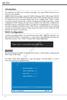 AMD RAID Introduction The integrate one SATA host controller separately, and support RAID function for performance and reliability. SB950 SATA RAID provides support for RAID 0 (Striping), RAID 1 (Mirroring),
FASTA-2e 2 Port PCI-Express SATA 3G Card. User Manual
 FASTA-2e 2 Port PCI-Express SATA 3G Card User Manual Copyright 2006, CalDigit Inc CalDigit, Inc. 1941 Miraloma Ave, Unit B Placentia, CA 92870 USA www.caldigit.com The information of the products in this
User Guide Software Version 2.1.0
 Intel Solid State Drive Firmware Update Tool User Guide Software Version 2.1.0 Order Number: 322570-007US Intel disclaims all express and implied warranties, including without limitation, the implied warranties
XTreme Files OS & Data Backup/Restore User Manual Please read the Instruction manual before using the XTreme Files (F Series) 1.
 XTreme Files OS & Data Backup/Restore User Manual Please read the Instruction manual before using the XTreme Files (F Series) 1. The suggested interface for your computer is USB2.0 to have better speed
English. Configuring SATA Hard Drive(s)
 Configuring SATA Hard Drive(s) To configure SATA hard drive(s), follow the steps below: (1) Install SATA hard drive(s) in your system. (2) Configure SATA controller mode and boot sequence in BIOS Setup.
3-Port FireWire 800/400 PCI Host Card
 3-Port FireWire 800/400 PCI Host Card 400 FireWire Low Included FireWire Upgrade to FireWire800! U S E R S M A N U A L Low FireWire 400 Included Package Contents : 1 3-Port FireWire 800/400 PCI Host Card
4 Channel 6-Port SATA 6Gb/s PCIe RAID Host Card
 4 Channel 6-Port SATA 6Gb/s PCIe RAID Host Card User Manual Model: UGT-ST644R All brand names and trademarks are properties of their respective owners www.vantecusa.com Contents: Chapter 1: Introduction...
USB FLASH DRIVE. User s Manual 1. INTRODUCTION...1 1.1. FEATURES...1 1.2. SPECIFICATIONS...2 1.3. PACKAGE CONTENTS...2 1.4. SYSTEM REQUIREMENTS...
 Table of Contents 1. INTRODUCTION...1 1.1. FEATURES...1 1.2. SPECIFICATIONS...2 1.3. PACKAGE CONTENTS...2 1.4. SYSTEM REQUIREMENTS...2 2. INSTALLATION PROCEDURE...3 2.1. INSTALL USB FLASH DRIVE ON WINDOWS
RAID installation guide for ITE8212F
 RAID installation guide for ITE8212F Contents Contents 2 1 Introduction 3 1.1 About this Guide 3 1.2 The Basics 3 1.2.1 What is RAID? 3 1.2.2 Advantages of RAID 3 1.2.3 Disadvantages of RAID 3 1.3 Different
Encore SATA2 RAID PCIe Card
 Encore SATA2 RAID PCIe Card User Manual Ver. 2.00 All brand names and trademarks are properties of their Respective owners. 1 Features and Benefits Compliant with PCI Express Base Specification 1.0a Compliant
Getting Started. HP Retail Systems
 Getting Started HP Retail Systems Copyright 2012, 2013 Hewlett-Packard Development Company, L.P. The information contained herein is subject to change without notice. Microsoft and Windows are U.S. registered
2.5" XTreme Files OS & Data Backup/Restore User Manual Please read the Instruction manual before using the XTreme Files (X Series) 1.
 2.5" XTreme Files OS & Data Backup/Restore User Manual Please read the Instruction manual before using the XTreme Files (X Series) 1. The suggested interface for your computer is USB2.0 to have better
The UltraATA 133 PCI is an ultra high-speed dual channel Ultra ATA/133 controller board for use in Pentium-class computer.
 UltraATA 133 PCI Quick Installation Guide Introducing the UltraATA 133 PCI The UltraATA 133 PCI is an ultra high-speed dual channel Ultra ATA/133 controller board for use in Pentium-class computer. Features
Offline Array Recovery Procedures SuperTrak SX6000 and UltraTrak
 Version 5a Offline Array Recovery Procedures SuperTrak SX6000 and UltraTrak This document describes the procedures for protecting data and restoring array status to arrays that have gone OFFLINE. Promise
Package Contents: TRADEMARKS
 Package Contents: SATA/IDE-USB adapter: 1. SATA/IDE-USB Adapter 2. Power Adapter with On/Off Switch 3. Power Cable 4. SATA Data Cable 5. SATA Power Supply Cable 6. User Manual (Disc) TRADEMARKS Apple,
For Windows XP 64 bit
 Installation Guide Beta drivers for Windows XP[64], Win 7[32/64bit,], Win 8.1[64bit] This version of Orange-5 software introduces support for 64 bit operational systems (Win XP 64 bit, Win7 64, etc..).
Parallels Desktop for Mac
 Parallels Software International, Inc. Parallels Desktop for Mac Quick Start Guide 3.0 (c) 2005-2007 Copyright 2006-2007 by Parallels Software International, Inc. All rights reserved. Parallels and Parallels
Serial ATA RAID PCI. User's Manual
 Serial ATA RAID PCI User's Manual Chapter 1 Introduction Table of Contents 1-1 Features and Benefits. 1 1-2 System Requirements. 1 Chapter 2 RAID Arrays 2-1 RAID Overview.. 2 2-1.1 RAID 0 (striping)...
Seagate Business Storage 1-Bay, 2-Bay, and 4-Bay NAS User Guide
 Seagate Business Storage 1-Bay, 2-Bay, and 4-Bay NAS User Guide Seagate Business Storage NAS User Guide 2013 Seagate Technology LLC. All rights reserved. Seagate, Seagate Technology, the Wave logo, and
Using GIGABYTE Notebook for the First Time
 P34 V6.0 Congratulations on your purchase of the GIGABYTE Notebook. This manual will help you to get started with setting up your notebook. The final product configuration depends on the model at the point
DisplayPort 2-Port KVM Switch Installation Guide
 DisplayPort 2-Port KVM Switch Installation Guide Introduction The DisplayPort 2-Port KVM Switch shares one DisplayPort display between two DisplayPort computers. Key Features and Benefits Access multiple
Chapter 3 Software Installation
 Software Installation Chapter 3 Software Installation This chapter provides information on how to install the CyberSerial PCI s drivers and utilities for the following operating systems: Windows 95/98
AMD RAID Installation Guide
 AMD RAID Installation Guide 1. AMD BIOS RAID Installation Guide.. 2 1.1 Introduction to RAID.. 2 1.2 RAID Configurations Precautions 3 1.3 Installing Windows 7 / 7 64-bit / Vista / Vista 64-bit / XP /
A+ Guide to Software: Managing, Maintaining, and Troubleshooting, 5e. Chapter 3 Installing Windows
 : Managing, Maintaining, and Troubleshooting, 5e Chapter 3 Installing Windows Objectives How to plan a Windows installation How to install Windows Vista How to install Windows XP How to install Windows
M5281/M5283. Serial ATA and Parallel ATA Host Controller. RAID BIOS/Driver/Utility Manual
 Serial ATA and Parallel ATA Host Controller Rev. 0.96 December 03, 2003 Copyright 2003 ULi Electronics Inc. All rights reserved. COPYRIGHT NOTICE All information in this document is considered ULi Electronics
RocketRAID esata 3G HBA Series Bootable RAID. Installation Guide.
 RocketRAID esata 3G HBA Series Bootable RAID Installation Guide. Overview: This installation guide provides step and step instructions on how to configure the RocketRAID esata 3G storage to support booting
SATA II PCIe RAID Quick Installation Guide
 SATA II PCIe RAID Quick Installation Guide Introducing the SATA II PCIe RAID The SATA II PCIe RAID is an ultra high-speed two channel Serial ATA Generation II RAID controller for use in PCI Express enabled
Updating Your Firmware
 Updating Your Firmware WARNING: This firmware update is only valid for OCZ VERTEX Solid State Drives Flashing your Vertex will result in complete data loss. Please back up your drive before proceeding
This guide explains how to install an Intel Solid-State Drive (Intel SSD) in a SATA-based desktop or notebook computer.
 Installation Guide This guide explains how to install an (Intel SSD) in a SATA-based desktop or notebook computer. The instructions include migrating your data from your current storage device (such as
SATA II 4 Port PCI RAID Card RC217 User Manual
 SATA II 4 Port PCI RAID Card RC217 SATA II 4 Port PCI RAID Card This Manual is for many Models of SATAII RAID5 HBA that uses Silicon Image SATA II SiI3124 chipset: 1) 32bit PCI bus host card 2) 64bit PCI-X
AMD RAID Installation Guide
 AMD RAID Installation Guide 1. AMD BIOS RAID Installation Guide.. 2 1.1 Introduction to RAID.. 2 1.2 RAID Configurations Precautions 3 1.3 Installing Windows XP / XP 64-bit / Vista / Vista 64-bit With
Update: About Apple RAID Version 1.5 About this update
 apple Update: About Apple RAID Version 1.5 About this update This update describes new features and capabilities of Apple RAID Software version 1.5, which includes improvements that increase the performance
Intel ESB2 SATA RAID Setup Guidelines
 Intel ESB2 SATA RAID Setup Guidelines Intel ESB2 SATA RAID Setup Guidelines After all the hardware has been installed, you must first configure Intel ESB2 SATA RAID Settings before you install the Windows
Guide to Installing BBL Crystal MIND on Windows 7
 Guide to Installing BBL Crystal MIND on Windows 7 Introduction The BBL Crystal MIND software can not be directly installed on the Microsoft Windows 7 platform, however it can be installed and run via XP
USB 3.0 to SATA 3.5" Enclosure Installation Guide
 USB 3.0 to SATA 3.5" Enclosure Installation Guide Introduction The USB 3.0 to SATA 3.5" Enclosure is designed to support USB equipped computers. This enclosure provides large capacity mobile storage using
Image Backup and Recovery Procedures
 Image Backup and Recovery Procedures Thank you for purchasing a Fujitsu computer. Fujitsu is committed to bringing you the best computing experience with your new system. It is very important that you
USER S MANUAL. www.vantecusa.com
 USER S MANUAL www.vantecusa.com Package Contents: Dual 3.5 RAID Enclosure w/fan USB 3.0 & esata Interface 1 NexStar MX 2 USB 3.0 Cable 3 esata Cable 4 Power Adapter 5 User s Manual 6 Enclosure Stand 7
RAID Manual. Edition. Trademarks V1.0 P/N: 91-187-CK8-A5-0E
 RAID Manual Edition V1.0 P/N: 91-187-CK8-A5-0E Trademarks All brand or product names mentioned are trademarks or registered trademarks of their respective holders. Contents NVIDIA RAID... 1 RAID Arrays...
Guide to SATA Hard Disks Installation and RAID Configuration
 Guide to SATA Hard Disks Installation and RAID Configuration 1. Guide to SATA Hard Disks Installation...2 1.1 Serial ATA (SATA) Hard Disks Installation...2 2. Guide to RAID Confi gurations...3 2.1 Introduction
Seagate Media Sync User Guide
 Seagate Media Sync User Guide Seagate Media Sync User Guide 2013 Seagate. All rights reserved. No part of this publication may be reproduced, stored in a retrieval system, or transmitted in any form or
Iridium Extreme TM Satellite Phone. Data Services Manual
 Iridium Extreme TM Satellite Phone Data Services Manual Table of Contents 1 OVERVIEW... 1 2 HOW IT WORKS... 1 3 BEFORE INSTALLING... 2 4 USB DRIVER INSTALLATION... 3 5 MODEM INSTALLATION AND CONFIGURATION...
PCI-to-SATA RAID Adapter AEC-6890M. User s Manual Version:1.0
 PCI-to-SATA RAID Adapter AEC-6890M User s Manual Version:1.0 Copyright 2003 ACARD Technology Corp. Release: August 2003 Copyright and Trademarks The information of the product in this manual is subject
Corsair Flash Voyager USB 2.0 Flash Drive UFD Utility User s Manual
 Corsair Flash Voyager USB 2.0 Flash Drive UFD Utility User s Manual Contents For AP v2.10.0.0 Release For Windows 98/ME/2000/XP Version 1.1B (08/27/2004) Contents...1 Introduction...1 Features & Specifications...2
Chapter 2 Array Configuration [SATA Setup Utility] This chapter explains array configurations using this array controller.
![Chapter 2 Array Configuration [SATA Setup Utility] This chapter explains array configurations using this array controller.](/thumbs/21/1077848.jpg "Chapter 2 Array Configuration [SATA Setup Utility] This chapter explains array configurations using this array controller.") Embedded MegaRAID SATA User's Guide Areas Covered Before Reading This Manual This section explains the notes for your safety and conventions used in this manual. Chapter 1 Overview This chapter introduces
Embedded MegaRAID SATA User's Guide Areas Covered Before Reading This Manual This section explains the notes for your safety and conventions used in this manual. Chapter 1 Overview This chapter introduces
USB DRIVER INSTALLATION GUIDE
 USB DRIVER INSTALLATION GUIDE Use these instructions to install the USB and Microsoft ActiveSync synchronization software for your Monarch Pathfinder Ultra Platinum 6039 printer and computer to communicate.
Intel ICH7R/ICH9R/ICH10R HostRAID Setup Guidelines
 Intel ICH7R/ICH9R/ICH10R HostRAID Setup Guidelines Intel ICH7R/ICH9R/ICH10R HostRAID Setup Guidelines After all hardware has been installed, you must fi rst confi gure the Intel SATA HostRAID settings
Making a system recovery disc
 System Recovery TM Should your system fail or become corrupted, you have options. You might be able to recover your system from the recovery partition on the hard disk drive, from a recovery disc you made