
Dragon Solutions Enterprise Profile Management
|
|
|
- Rosaline Copeland
- 10 years ago
- Views:
Transcription
1 Dragon Solutions Enterprise Profile Management

2 summary Simplifying System Administration and Profile Management for Enterprise Dragon Deployments In a distributed enterprise, IT professionals are responsible for the administration of software tools deployed across many locations on a variety of computing devices. Without centralized administration capabilities, chaos and frustration can quickly ensue as IT scrambles to manage individual users for each system change. To simplify administration, reduce costs, and ensure data security, organizations need enterprise-strength tools and applications based on industry standards that can be installed and managed from a central network location. The same requirements apply to desktop dictation solutions. Products intended for personal use simply don t offer the network capabilities required for enterprise deployments. Dragon NaturallySpeaking Professional and Dragon NaturallySpeaking Legal offer an innovative Roaming User feature that dramatically simplifies administration and profile management for enterprise desktop dictation deployments. The convenient enterprise profile management capabilities delivered by the Roaming User feature address many of the challenges faced by system administrators responsible for managing enterprise desktop dictation deployments: How can users access their Dragon profile from multiple machines at home, at the office and in the field? How can custom vocabulary be updated from a central location quickly and easily? How can common voice macros be distributed to users across the enterprise with optimal efficiency? If a secretary, transcriptionist, or some other third party needs to make edits or corrections on behalf of someone else, how do they access the author s user profile? All these situations and others are easily addressed by Dragon s Roaming User feature. - Page 2 -

3 User Profiles: The Key to Dragon Accuracy and Customization When an individual starts working with Dragon, the first step is to create and train a user profile. Each profile contains information about the unique characteristics of that person s voice, which Dragon uses to recognize their dictation. Dragon starts with general models of how English is spoken in the US, including regional accent models, and adapts to how an individual speaks (acoustic model) and which words they use (vocabulary and associated language model). This approach accommodates users with varying accents and speech patterns. Dragon uses this information to accurately determine the words spoken, and chooses between words that sound alike. Every time a Dragon user corrects a word that was not recognized correctly, the software updates his user profile to enable better recognition accuracy over time. The user profile also stores any changes the individual (or administrator) makes to the standard Dragon vocabulary, like additional pronunciations of individual words, specialized words, acronyms, abbreviations, and capitalized phrases. Preferences (optional settings for Dragon s behavior and appearance) and personalized voice commands are also stored within this user profile. By storing all these elements, the user profile is essential to the quality of each individual s experience, including achieving Dragon s full productivity and ergonomic benefits. As the person s profile is updated to reflect refinements such as new vocabulary items or the correcting of a mis-recognition, Dragon s performance will continue to improve over time. If an employee uses Dragon without his latest user profile, the software would be unable to recognize some custom commands, personalized vocabulary or individual speech nuances. The employee may be surprised that a last name he recently added is not being recognized; he may also miss important changes to custom commands. Productivity and satisfaction would likely suffer, and correction of the transcribed text would be a more difficult and time-consuming task. To take advantage of Dragon s improvements over time, and to have a consistent experience, users across the enterprise benefit dramatically from anytime, anywhere access to their Dragon profiles. With Dragon s enterprise profile management tools, each Dragon user has a single user profile that can be opened from multiple networked machines running Dragon. These Master Roaming User profiles are stored on a network location accessible to dictating users across the enterprise. (Note: you must install Dragon on each computer where you plan to have users dictating.) When a person opens his profile on a networked computer, Dragon transfers a copy of his Master Roaming User from that central network location to the local computer. Known as the Local Roaming User, this copy will be modified locally by corrections and acoustic data (as well as any option changes or custom commands) made during the person s session. Roaming User in Action The following scenarios illustrate some of the many opportunities to leverage enterprise profile management. In each case, Dragon s Roaming User feature supports employee dictation from multiple locations and computers, while ensuring centralized control of master user profiles. SOCIAL SERVICES: A case worker uses Dragon to dictate reports at the office using a desktop computer, in the field using a Tablet PC, and at home using a laptop computer. The Roaming User feature allows him to use a local copy of his User Profile from each separate location. When the administrator adds macros to streamline the completion of a new form, the user has immediate access to the voice commands from any PC where Dragon is installed on the network. PUBLIC SAFETY: A police officer uses Dragon to dictate reports in various locations at the station, at home, and from his patrol car. The officer s profile is updated immediately when the administrator creates new macros that interface with the department s records management system. LEGAL: A legal secretary downloads a local copy of an attorney s Roaming User Profile to perform third-party correction on a dictated document that has been automatically transcribed by Dragon. When the transcriptionist finishes the correction process, changes to the Roaming User profile are automatically updated to the attorney s Master User Profile to enable more accurate results the next time he dictates using Dragon. - Page 3 -

4 Using Dragon in Multiple Locations Dragon NaturallySpeaking customers often need to dictate from different locations or different machines: at the office, at home or on the road. How can administrators ensure that Dragon will deliver the same level of accuracy and the same access to custom commands and personal vocabulary regardless of the user s location? The Roaming User feature allows users to dictate from different network locations using a variety of computing devices without having to create (or import) and refine a user profile at each location. System administrators configure Dragon so that a master copy for each Dragon profile resides in a central network location. This way, on any PC that can connect to the network (and has Dragon installed), employees have their latest, most refined Dragon profile Dragon automatically makes a local copy of it from the network s master. When an employee closes his profile on that computer, any changes (such as adding new words to the vocabulary) are automatically saved in the master copy. In addition to the ability to dictate from multiple locations, it is also possible for an individual to employ a variety of audio input devices ( dictation sources ) for his user profile. In other words, a user might select a headset microphone at one computer, an array microphone at another, and a portable recorder for transcription at several computers. By allowing multiple dictation sources for a single user profile, Dragon lets users move from computer to computer regardless of the microphone type or differences in ambient noise. Centralized Enterprise Profile Management Thanks to Dragon s Roaming User feature, system administrators can perform enterprise profile management from a central network location. This centralized administration enables them to: update and manage user profiles over a network distribute customized vocabularies and commands automatically control Dragon s optional settings (such as whether Dragon adds one or two spaces after a period) automatically synchronize updates and changes via a variety of communication protocols In many organizations, the Dragon administrator maintains a customized Dragon vocabulary for the entire enterprise. This vocabulary contains terms that the employees are likely to dictate (including names of products, unusual proper names, industry- or company-specific terms, acronyms, abbreviations, etc.) along with their special pronunciations and properties as warranted, as well as statistical information about their frequency in the text employees are likely to dictate. Similarly, Dragon administrators often create and maintain a set of voice macros for the Dragon users custom voice commands that can execute even complex sequences of keystrokes and mouse movements to automate and simplify frequent tasks and boost the productivity and satisfaction of employees. Because all Master User Profiles are centrally located and maintained, the administrator can automatically refine them with new vocabularies or macros simultaneously. Without the Roaming User feature, users would need to import the customizations into their Dragon profile individually a less-than-ideal approach that can be time-consuming and inefficient. In addition, enterprise profile management enables system administrators to share customized best practices across the Dragon user community in the enterprise with remarkable speed and ease. - Page 4 -

5 More Efficient Use of Network Resources Dragon s Roaming User feature also offers distinct advantages to IT administrators for enterprise deployments. First, it minimizes network traffic: if Dragon opens a user profile on a computer where there is already a copy of the Master profile, it downloads only the updates from the Master not the entire set of files. Similarly, at the end of a dictation or correction session, Dragon uploads only the updates to the Master on the network. Alternative approaches to enterprise profile management can create potential bandwidth problems and impact network performance. For example, saving profiles to a mapped drive requires users to connect to the network and save the entire profile back to the mapped location after each use. This usually involves 300 to 400 megabytes of data. The Roaming User feature manages and minimizes the amount of data to synchronize, thereby freeing up significant bandwidth for improved network performance. The Roaming User feature also prevents simultaneous access to user profiles. Dragon automatically displays a warning if there is an attempt to access the same user profile from more than one location at a time. What s more, you can implement username/password protection on user profiles with an Internet Roaming (http or secure http) configuration. How Dragon Synchronizes Master and Local Roaming Users Your enterprise IT administrator can configure a central storage device to contain all the Master Roaming User profiles in your organization. By opening their Dragon profile from the central network location, an employee has access to his latest refinements at any computer where Dragon is installed; when he exits Dragon, changes to the profile are automatically copied to that network location. The next time the person opens Dragon, all the saved changes are available regardless of which computer on the network he uses for dictation. There are several methods you can use for hosting your Master Roaming User Profiles. You can host them: On a file server you connect to over a mapped network drive On a file server that you connect to over a UNC (Universal Naming Convention) address On a web server that you connect to over HTTP ( On a secure web server that you connect to over SSL ( Nuance recommends placing the profiles in a shared directory to ensure administrative tasks can be handled most efficiently. These tasks may include scheduling and running the Acoustic and Language Model Optimizer, or upgrading multiple user profiles to a new major release of Dragon. When a person dictates using a computer not currently connected to a network, all changes are saved to the Local Roaming User; synchronization occurs when the person reconnects the computer to the network containing the Master Roaming User and opens that profile again. The following changes take place when Local and Master Roaming Users are synchronized: Merges into the Master Roaming User vocabulary words added to the Local Roaming User during a dictation session Removes from the Master Roaming User vocabulary words deleted from the Local Roaming User Copies acoustic data (from files with a.dra or.nwv extension) from the Local Roaming User and adds them to the Master Roaming User where the data becomes available to the Acoustic Optimizer - Page 5 -

6 Copies any custom commands created or modified locally (using the MyCommands editor) to the Master Roaming User Copies to the Master Roaming User any changes made to Dragon s options, including auto-formatting options For each Master Roaming User (user profiles stored on the central machine), storage space requirements include the following: 30 MB for each set of Roaming User files 15 MB for each additional vocabulary you add for this user 13 MB for each additional dictation source you add for this user 500 MB for Acoustic Optimizer data associated with each dictation source of each user In addition, for the Local Roaming User, you should plan to have the following space on each PC where the roaming user dictates: 30 MB for each set of Roaming User files 15 MB for each additional vocabulary you add for this user 13 MB for each additional dictation source you add for this user 240 MB for Acoustic Optimizer data associated with each dictation source of each user About Nuance Communications, Inc. Nuance is a leading provider of speech and imaging solutions for businesses and consumers around the world. Its technologies, applications and services make the user experience more compelling by transforming the way people interact with information and how they create, share and use documents. Every day, millions of users and thousands of businesses experience Nuance s proven applications and professional services. For more information, please visit: Copyright Nuance Communications, Inc. All rights reserved. Nuance, the Nuance logo, Dragon and NaturallySpeaking are trademarks and/or registered trademarks of Nuance Communications, Inc. and/or its subsidiaries in the United States or other countries. All other trademarks are the properties of their respective owners. - Page 6 -

Dragon Solutions Transcription Workflow
 Solutions Transcription Workflow summary Improving Transcription and Workflow Efficiency Law firms have traditionally relied on expensive paralegals, legal secretaries, or outside services to transcribe
Dragon Solutions Using A Digital Voice Recorder
 Dragon Solutions Using A Digital Voice Recorder COMPLETE REPORTS ON THE GO USING A DIGITAL VOICE RECORDER Professionals across a wide range of industries spend their days in the field traveling from location
Dragon Solutions. Using A Digital Voice Recorder
 Dragon Solutions Using A Digital Voice Recorder COMPLETE REPORTS ON THE GO USING A DIGITAL VOICE RECORDER Professionals across a wide range of industries spend their days in the field traveling from location
Dragon Solutions From RSI to ROI
 Dragon Solutions From RSI to ROI RSI A Painful Reality for Computer Users The widespread use of computers in the workplace has contributed to the rise of musculoskeletal disorders (MSDs), which include
Dragon speech recognition Nuance Dragon NaturallySpeaking 13 comparison by product. Feature matrix. Professional Premium Home.
 matrix Recognition accuracy Recognition speed System configuration Turns your voice into text with up to 99% accuracy New - Up to a 15% improvement to out-of-the-box accuracy compared to Dragon version
WHITEPAPER. Mobile Workforce Productivity Solutions. Streamline Field Reporting Workflow with Speech Recognition
 WHITEPAPER Mobile Workforce Productivity Solutions Streamline Field Reporting Workflow with Speech Recognition GROWING DEMAND FOR MOBILE PRODUCTIVITY The total number of mobile workers will reach 1.2 billion
DRAGON NATURALLYSPEAKING PROFESSIONAL. Speech Recognition Software for the Financial Services Industry January 2011
 DRAGON NATURALLYSPEAKING PROFESSIONAL Speech Recognition Software for the Financial Services Industry January 2011 INTRODUCTION Today s investment advisors operate in a uniquely challenging business environment.
Medical 360 Network Edition and Citrix
 WHITE PAPER Dragon Medical 360 Network Edition and Citrix A White Paper from Nuance Healthcare HEALTHCARE DRAGON MEDICAL 360 AND CITRIX Contents Introduction... 3 Citrix Overview... 4 Dragon Medical 360
Planning and Deployment Guide. Version 2.3
 Planning and Deployment Guide Version 2.3 1 Dragon Medical 360 Network Edition Planning and Deployment Guide Copyright 2015. Dragon Medical 360 Network Edition, 2.3. This material may not include some
Eliminating legal transcription bottlenecks
 Dragon speech recognition Eliminating legal transcription bottlenecks 1 Table of contents 2 Introduction 2 How does speech recognition work? 4 Speed document turnaround 5 Dictation is three times faster
Dragon Medical 10. Frequently Asked Questions
 Dragon Medical 10 WHAT healthcare challenges DOes DRAGON MEDICAL SOLVE? Electronic Medical Record (EMR) systems offer the potential to dramatically improve the cost and quality of healthcare. Despite their
Dragon Medical Practice Edition version 3.1. Release Notes
 Dragon Medical Practice Edition version 3.1 Release Notes Copyright 2015. Dragon Medical Practice Edition Copyright 2002-2015 Nuance Communications, Inc. All rights reserved. Nuance, ScanSoft, the Nuance
Dragon NaturallySpeaking and citrix. A White Paper from Nuance Communications March 2009
 Dragon NaturallySpeaking and citrix A White Paper from Nuance Communications March 2009 Introduction As the number of deployed enterprise applications increases, organizations are seeking solutions that
Transcription FAQ. Can Dragon be used to transcribe meetings or interviews?
 Transcription FAQ Can Dragon be used to transcribe meetings or interviews? No. Given its amazing recognition accuracy, many assume that Dragon speech recognition would be an ideal solution for meeting
Dragon Medical 360 Network Edition Compatibility with XenDesktop
 Dragon Medical 360 Network Edition Compatibility with XenDesktop Copyright 2012. This material may not include some last-minute technical changes and/or revisions to the software. Changes are periodically
Dragon Medical Practice Edition, Version 2.2. Release Notes
 Dragon Medical Practice Edition, Version 2.2 Release Notes Copyright 2014. Dragon Medical Practice Edition Copyright 2002-2014 Nuance Communications, Inc. All rights reserved. Nuance, ScanSoft, the Nuance
The Prognosis is Good: Speech Recognition Software Can Increase Productivity in the Medical Environment
 The Prognosis is Good: Speech Recognition Software Can Increase Productivity in the Medical Environment Introduction Traditionally viewed as simply a means of dictating text into a personal computer, today
Philips 9600 DPM Setup Guide for Dragon
 Dragon NaturallySpeaking Version 10 Philips 9600 DPM Setup Guide for Dragon Philips 9600 DPM Setup Guide (revision 1.1) for Dragon NaturallySpeaking Version 10 as released in North America The material
Nuance Management Server Administrator Guide
 Dragon Medical 360 Network Edition Version 2.0 Nuance Management Server Administrator Guide Copyright 2013. Dragon Medical 360 Network Edition, version 2.0 Nuance Communications, Inc. has patents or pending
What Healthcare Challenges Does Dragon Medical Practice Edition Solve?
 Dragon Medical Practice Edition FAQs What Healthcare Challenges Does Dragon Medical Practice Edition Solve? EHRs offer the potential to dramatically improve the cost and quality of healthcare. Despite
Administrator Feature Overview
 Dragon Medical 360 Network Edition 2.1 Administrator Feature Overview Copyright 2013. Dragon Medical 360 Network Edition, 2.1 Nuance Communications, Inc. has patents or pending patent applications covering
Unicenter Desktop DNA r11
 Data Sheet Unicenter Desktop DNA r11 Unicenter Desktop DNA is a scalable migration solution for the management, movement and maintenance of a PC s DNA (including user settings, preferences and data.) A
Voice-Recognition Software An Introduction
 Voice-Recognition Software An Introduction What is Voice Recognition? Voice recognition is an alternative to typing on a keyboard. Put simply, you talk to the computer and your words appear on the screen.
DRAGON NATURALLYSPEAKING 12 FEATURE MATRIX COMPARISON BY PRODUCT EDITION
 1 Recognition Accuracy Turns your voice into text with up to 99% accuracy NEW - Up to a 20% improvement to out-of-the-box accuracy compared to Dragon version 11 Recognition Speed Words appear on the screen
CA IT Client Manager. Desktop Migration
 DATA SHEET: DESKTOP MIGRATION CA IT Client Manager Desktop Migration CA IT CLIENT MANAGER HELPS YOU INCREASE TECHNICIAN AND USER PRODUCTIVITY BY MANAGING AND PRESERVING USER DATA, SETTINGS AND PREFERENCES
Remote Desktop Services
 Remote Desktop Services White Paper November 2014 Maximizing the Value and Performance of QuickBooks Enterprise with Remote Desktop Services Formerly known as Windows Terminal Services, Remote Desktop
Enterprise Express DICTAPHONE ENTERPRISE EXPRESS
 HEALTHCARE SOLUTIONS DICTAPHONE ENTERPRISE EXPRESS Enterprise Express Dictation, transcription, report management system for high-efficiency patient information management. Dictaphone s Enterprise Express
set in Options). Returns the cursor to its position prior to the Correct command.
 Dragon NaturallySpeaking Commands Summary Dragon Productivity Commands Relative to Dragon NaturallySpeaking v11-12 or higher Dragon Medical Practice Edition and Practice Edition 2 or higher Dictation success
Copyright 2012 Trend Micro Incorporated. All rights reserved.
 Trend Micro Incorporated reserves the right to make changes to this document and to the products described herein without notice. Before installing and using the software, please review the readme files,
Using a Digital Recorder with Dragon NaturallySpeaking
 Using a Digital Recorder with Dragon NaturallySpeaking For those desiring to record dictation on the go and later have it transcribed by Dragon, the use of a portable digital dictating device is a perfect
Move Your Transcription Business From Tape to Digital A How-To Guide From My Docs Online
 Move Your Transcription Business From Tape to Digital A How-To Guide From My Docs Online My Docs Online, Inc. 9148 Bonita Beach Road Suite 201 Bonita Springs, FL 34109 239.495.1181 888.686.1181 www.mydocsonline.com
Quickstart Guide. Connect your microphone. Step 1: Install Dragon
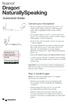 Quickstart Guide Connect your microphone When you plug your microphone into your PC, an audio event window may open. If this happens, verify what is highlighted in that window before closing it. If you
Dragon Medical Practice Edition v2 Best Practices
 Page 1 of 7 Dragon Medical Practice Edition v2 Best Practices 1. Hardware 2. Installation 3. Microphones 4. Roaming User Profiles 5. When (and how) to Make Corrections 6. Accuracy Tuning Running the Acoustic
Customer Success Story: Dragon Medical 360 Network Edition with Microsoft Application Virtualization
 Customer Success Story: Dragon Medical 360 Network Edition with Microsoft Application Virtualization Contents Contents 2 Introduction 3 Hardware and Software Configurations 3 Dragon Medical 360 Network
Transcription Module Easy Start Guide
 Transcription Module Easy Start Guide 1. Open the Transcription Module a. Double-Click on the Transcription Module icon on your desktop. b. Start Menu\Programs\Olympus DSS Player Pro\Transcription Module.
Real World Considerations for Implementing Desktop Virtualization
 Real World Considerations for Implementing Desktop Virtualization The Essentials Series sponsored by Intro duction to Desktop Virtualization for the IT Pro... 1 What Is Desktop Virtualization?... 2 VDI
The Business Value of a Web Services Platform to Your Prolog User Community
 The Business Value of a Web Services Platform to Your Prolog User Community A white paper for project-based organizations that details the business value of Prolog Connect, a new Web Services platform
PowerMic II Getting Started Guide. Dragon Medical Practice Edition
 PowerMic II Getting Started Guide Dragon Medical Practice Edition Trademarks Nuance, the Nuance logo, Dictaphone, Dragon, DragonBar, the Dragon logo, and NaturallySpeaking are trademarks or registered
White Paper. Guidelines for Developing Windows Applications Compatible with Dragon NaturallySpeaking and Dragon Medical
 White Paper Guidelines for Developing Windows Applications Compatible with Dragon NaturallySpeaking and Dragon Medical White Paper Guidelines for Developing Windows Applications Compatible with Dragon
Streamline your workflow
 Philips SpeechExec dictation workflow solution Streamline your workflow Enterprise with a tailor-made digital dictation solution Our solutions support every dictation scenario. This is the key to letting
Nuance Management Server administrator guide
 Dragon speech recognition Enterprise solution Guide Nuance Management Server administrator guide For: Contents Nuance Management Server Administrator guide 1 Contents 3 Chapter 1: Introducing the Nuance
Administrator Guide 1
 Administrator Guide 1 Dragon 12 Administrator Guide Copyright 2012 Nuance Communications, Inc. 2012. Dragon version 12. This material may not include some last-minute technical changes and/or revisions
Version 13 Administrator Guide. September 2014
 Version 13 Administrator Guide September 2014 Dragon NaturallySpeaking 13 Administrator Guide Copyright Dragon version 13. 2014 Nuance Communications, Inc. This material may not include some last-minute
Healthcare Documentation Fundamental and Practice Transcription Exercise Students Module Users Guide
 Healthcare Documentation Fundamental and Practice Transcription Exercise Students Module Users Guide Contents Introduction... 1 Overview... 1 Key Terms... 2 Installation... 4 Updates... 4 Getting Started...
Using Dragon Medical with VMWare
 Using Dragon Medical with VMWare Copyright Copyright 2002-2014 Nuance Communications, Inc. All rights reserved. Nuance, ScanSoft, the Nuance logo, the Dragon logo, Dragon, DragonBar, NaturallySpeaking,
POWERFUL ACCESSIBILITY. A SINGLE WORKSPACE. A MYRIAD OF WORKFLOW BENEFITS. Vue PACS. Radiology
 Vue PACS Radiology A SINGLE WORKSPACE. A MYRIAD OF WORKFLOW BENEFITS. It s here: fast, easy access to the clinical tools and applications radiologists need for anytime, anywhere reporting all integrated
Winscribe Citrix XenApp and Terminal Services Installation Guide
 Winscribe Citrix XenApp and Terminal Services Installation Guide 4.2 Copyright 2013, Winscribe Inc. All rights reserved. Publication Date: November 2013 Copyright 2013 Winscribe Inc. All Rights Reserved.
M*MODAL FLUENCY DIRECT CLOSED-LOOP CLINICAL DOCUMENTATION WITH A HIGH-PERFORMANCE FRONT-END SPEECH SOLUTION
 M*MODAL FLUENCY DIRECT CLOSED-LOOP CLINICAL DOCUMENTATION WITH A HIGH-PERFORMANCE FRONT-END SPEECH SOLUTION Given new models of healthcare delivery, increasing demands on physicians to provide more complete
INSTALL AND ACTIVATE DRAGON
 Welcome to Dragon NaturallySpeaking 11. For the latest version of the User s Guide and other resources, please see: http://support.nuance.com/userguides The User s Guide is also available on your installation
ICD10 Ready. Fusion Voice Digital Dictation. Secure Dictation and Document Management
 HIPAA HITECH ICD10 Ready Fusion Voice Digital Dictation Secure Dictation and Document Management Dictation Meets Organization Efficiency with Fusion The cost efficiencies and improved accuracy provided
Contents. Overview... 2
 Release Notes Copyright 2015. Dragon Medical Practice Edition Español Copyright 2002-2015 Nuance Communications, Inc. All rights reserved. Nuance, ScanSoft, the Nuance logo, the Dragon logo, Dragon, DragonBar,
Optimizing Clinical Productivity:
 White Paper Optimizing Clinical Productivity: Using Speech Recognition with Medical Features vs. a General Purpose Solution Highly-Accurate Medical Speech Recognition for Busy Clinicians Provides Better
customer care solutions
 customer care solutions from Nuance white paper :: A Guide to Successful Intelligent Virtual Assistants Why Best-in-Class Technology Alone Is Not Enough NUANCE :: customer care solutions More than ever
Practice Edition. User Guide
 Practice Edition User Guide Dragon User Guide, Dragon Medical Practice Edition No part of this manual or software may be reproduced in any form or by any means, including, without limitation, electronic
Endpoint Virtualization for Healthcare Providers
 WHITE PAPER: xxxxxx BEST PRACTICES [00-Cover_Bar] FOR HEALTHCARE Endpoint Virtualization for Healthcare Providers Confidence in a connected world. White Paper: Best Practices for Healthcare Endpoint Virtualization
Compatibility with Legacy Systems Support for Multiple Input Devices Intelligent Job Priority & Routing
 WinScribe offers the most affordable fully featured digital dictation system on the planet - guaranteed. In fact, we've designed and built our entire product and company around this promise. And it doesn't
WHITE PAPER. Support for the HIPAA Security Rule RadWhere 3.0
 WHITE PAPER Support for the HIPAA Security Rule RadWhere 3.0 SUMMARY This white paper is intended to assist Nuance customers who are evaluating the security aspects of the RadWhere 3.0 system as part of
Performance Testing Process A Whitepaper
 Process A Whitepaper Copyright 2006. Technologies Pvt. Ltd. All Rights Reserved. is a registered trademark of, Inc. All other trademarks are owned by the respective owners. Proprietary Table of Contents
Design Grammars for High-performance Speech Recognition
 Design Grammars for High-performance Speech Recognition Copyright 2011 Chant Inc. All rights reserved. Chant, SpeechKit, Getting the World Talking with Technology, talking man, and headset are trademarks
eshuttle Dictate Manual Software Version 1.0
 eshuttle Dictate Manual Software Version 1.0 eshuttle software is designed for securely emailing dictation and transcription files between a dictator and transcriptionist. eshuttle Dictate by Bytescribe,
Costs and Benefits of Speech Recognition
 Costs and Benefits of Speech Recognition Brian Zimmerman, MD Epic Physician Champion Premier Health Dayton, Ohio Premier Health Dayton, Ohio Our Experience We chose the Epic EHR Epic has great SmartTools
White Paper. Support for the HIPAA Security Rule PowerScribe 360
 White Paper Support for the HIPAA Security Rule PowerScribe 360 2 Summary This white paper is intended to assist Nuance customers who are evaluating the security aspects of the PowerScribe 360 system as
Connect for Dragon Medical 360 Network Edition. Administrator Guide
 Connect for Dragon Medical 360 Network Edition Administrator Guide Copyright 2013. Connect for Dragon Medical 360 Network Edition. Nuance Communications, Inc. has patents or pending patent applications
Top Three Reasons to Deliver Web Apps with App Virtualization
 Top Three Reasons to Deliver Web Apps with App Virtualization Improve manageability, security and performance for browser-based apps. Web browsers can cause many of the same headaches as any other Windows
Copyright 2013 Trend Micro Incorporated. All rights reserved.
 Trend Micro Incorporated reserves the right to make changes to this document and to the products described herein without notice. Before installing and using the software, please review the readme files,
EHR 101. A Guide to Successfully Implementing Electronic Health Records
 EHR 101 A Guide to Successfully Implementing Electronic Health Records Electronic health records are the inevitable next step in the continued progress of U.S. healthcare. Medicine may be the most information-intensive
WORKBOOK. SpeechControl4Mac V2.8 Build 260 DICTATE 2.5
 WORKBOOK SpeechControl4Mac V2.8 Build 260 DICTATE 2.5 Page: 2 of 27 Table of Contents WORKBOOK 1 Introduction 5 SpeechControl4Mac installation 6 SpeechControl4MacMenu 6 SpeechControl4MacToolbar 9 SpeechControl4MacDevice
Nuance Power PDF is PDF uncompromised.
 is PDF uncompromised. Collaboration and productivity at a price that makes business sense. 2 is the next generation PDF solution that delivers performance, ease, and value as never before. PDF uncompromised.
professional dictation solutions
 professional dictation solutions Dictation solutions for business professionals table of CONTENTs About us We connect people and technology 04 Workflow solutions SOLUTIONS TO ENHANCE YOUR BUSINESS SpeechExec
Boosting Business Mobility and Responsiveness with the Cisco Unified Wireless Network
 Solution Overivew Boosting Business Mobility and Responsiveness with the Cisco Unified Wireless Network EXECUTIVE SUMMARY Today s businesses are turning to wireless networking to give employees immediate
A Buyer's Guide to Data Loss Protection Solutions
 A Buyer's Guide to Data Loss Protection Solutions 2010 Websense, Inc. All rights reserved. Websense is a registered trademark of Websense, Inc. in the United States and certain international markets. Websense
IBM System i Integrated Collaboration
 Delivering on the Promise IBM System i Integrated Collaboration Highlights Integrate your voice, collaboration and business applications on a single system Boost customer satisfaction and loyalty by enhancing
Mediasite for the enterprise. Technical planner: TP-05
 Mediasite for the enterprise Technical planner: TP-05 2011 Sonic Foundry, Inc. All rights reserved. No part of this document may be copied and/or redistributed without the consent of Sonic Foundry, Inc.
Only Athena provides complete command over these common enterprise mobility needs.
 Mobile devices offer great potential for making your enterprise run faster, smarter, and more profitably. However, mobile devices can create considerable challenges for your IT organization, since they
To ensure you successfully install Timico VoIP for Business you must follow the steps in sequence:
 To ensure you successfully install Timico VoIP for Business you must follow the steps in sequence: Firewall Settings - you may need to check with your technical department Step 1 Install Hardware Step
SpeechLive. Cloud dictation solution. Speak. Send. Done. You speak, we do the typing for you
 SpeechLive Cloud dictation solution Speak. Send. Done. You speak, we do the typing for you SpeechLive Your personal assistant in the cloud...4 Be productive no matter where you are. Simply access your
Computer Delivered Testing. Test Administrator s Guide
 Computer Delivered Testing Test Administrator s Guide 1. Introduction Pearson s Computer Delivered Test (CDT) program, using patented Ordinate speech processing technology, enables test administrators
Medical Transcription Solutions For Your Unique Organization WITH EMR COMPATIBITLTY NEW
 UZMASCRIBE a division of JB Software and Consulting Inc WEB BASED ONLINE MEDICAL TRANSCRIPTION COMPANY Company Brochure Medical Transcription Solutions For Your Unique Organization WITH EMR COMPATIBITLTY
Dragon Medical 10 Product Fact Sheet
 Dragon Medical 10 Product: Dragon Medical Version: 10 Media: DVD Pricing: $1,599/unit SKU Number: A709A-X00-10.0 Box Dimensions: 16.25L X 14.50W X 10.25H UPC: 780420119499 Dragon Medical 10 with PowerMic
OS Deployment and Migration
 LANDesk Solution Brief: OS Deployment and Migration Solving real IT challenges. Solving real IT challenges. Simplify OS upgrades and user migrations The Challenge: Migrating users to new Windows operating
Dictation workflow. Anywhere. Anytime.
 Dictation workflow. Anywhere. Anytime. SPEECHLIVE Dictation Workflow. Anywhere. Anytime. To create something truly innovative, it takes a passion for detail, commitment to excellence and dedication to