
User's Guide PROM 671B LoanMaker Mortgage Compliance Tool
|
|
|
- Ginger Antonia Peters
- 9 years ago
- Views:
Transcription
1 User's Guide PROM 671B LoanMaker Mortgage Compliance Tool Table of Contents Description 3 Mortgage Routines 5 Conventional and Adjustable Mortgages 5 Construction Mortgages 10 Qualify Routine 16 Quick Payment Finder 17 Other Routines 18 Compute APR Routine 18 Compute Present Value (Price) Routine 20 Payment and Balance History 23 Sample 15-year Adjustable Rate History 24 Refinancing at a Lower Interest Rate Comparison 26 HUD Escrow Calculations 28 Battery Replacement & Maintenance 34 Adjusting the Display Contrast 34 Battery Replacement 34 Initializing the Software Cartridge 35 Year 2000 Compliant 35 Setup Routine 36 Copyright PROM Software, Inc PROM and LoanMaker are registered trademarks of PROM Software, Inc hour FAX Order Line ORDERS: 671B LoanMaker Calculators can be ordered by faxing your request to PROM Software, Inc at SERVICE: Calculators in need of service should be returned prepaid and insured to PROM Service Center Visit our Web site for the proper address WARNING: Reproduction and/or distribution of copies of the copyrighted computer program embodied in this calculator and Software Cartridge without the prior written permission of PROM Software, Inc is expressly prohibited LIMITED WARRANTY: This program uses information provided by the purchaser and/or other sources Although it is believed to be accurate, PROM Software, Inc does not warrant the accuracy of the information, and assumes no liability to any person or persons in connection with the use of this program or calculator The calculator will be repaired or replaced, at our option, if defective in manufacture and returned to us within the warranty period Except for such repair or replacement, the sale, programming, or other handling of the calculator is without warranty or liability LoanMaker 671B 610-L PROM Software, Inc

2 Description The 671B Compliance Tool computes and discloses mortgage loans with monthly payments Several types of mortgages can be computed: conventional fixed-rate mortgages, conventional fixed-rate mortgages with a balloon, adjustablerate mortgages, and adjustable-rate mortgages with a balloon, single-payment construction mortgages, construction-to-permanent mortgages, and adjustable-rate construction-to-permanent mortgages It can also compute mortgages with an initial, interest-only payment Provisions are included for prepaid odd-day interest, an origination fee, discount "points", and any other prepaid fee you wish to include in the prepaid finance charge and APR calculations Both the mortgage term and optional balloon term can be entered in years and months Up to 15 interest rate changes can be entered for an adjustable-rate mortgage For commercial mortgages, the interest can be accrued on a 365/360-day ("Actual over 360") basis A payment/balance history can be displayed for any adjustable-rate mortgage This feature can also be used to generate a 15-year historical example for adjustable-rate mortgages The [Qualify] function key determines the maximum mortgage amount (rounded to the nearest $100) for the borrower's income, other expenses, and qualifying rate and term The [Q Pmt] function key finds the initial mortgage payment based on the entered interest rate, term and principal amount different payment levels The Annual Percentage Rate can be computed for balloon loans, adjustable-rate mortgages or loans (with an optional balloon payment), and irregular loans with skipped payments or "pick-up" payments The second routine on the [APR/PV] function key computes the price (present value) of a loan or mortgage with up to 20 different payment levels This is useful for those who purchase loans and need to discount the payment stream at the desired interest rate to compute the price The payment stream can be very irregular, including skipped payments, "pick-up" payments, etc The [Rework] function key allows you to review any previously computed routine All the original entries are retained and presented in the display for your review At any point in an input prompting routine, you can back up to the previous prompt by using the [Backup] function key In response to the prompts, enter the value and then push [ENTER] Incorrect entries may be cleared by pushing the red [C CE] key unless [ENTER] has already been pushed, in which case you can back up by pushing the [Backup] key or use the [Rework] key to review the input data Rework Qualify APR/PV Backup Mortgage Q Pmt Refin/Esc Setup PROM 671B LoanMaker The [Refin/Esc] function key computes the break-even point in months for a mortgage that is refinanced at a lower interest rate The computation takes into account the origination fee, discount points, and other closing costs that must be paid at closing The investment opportunity lost because of the prepayment of the closing costs is also considered The number of months it will take to recover the total closing costs is computed Knowing how long the borrower intends to keep the mortgage, you can quickly determine whether refinancing will save the borrower money The [APR/PV] function key performs two routines: the first computes the Annual Percentage Rate for any monthly mortgage or installment loan with up to 20 LoanMaker 671B 610-L PROM Software, Inc LoanMaker 671B 610-L PROM Software, Inc

3 Mortgage Routines Conventional and Adjustable Mortgages Prompt User Response MTGE/CONST 1/2?_ Enter "1" PRIN?_ ORIG FEE %?_ To start a new mortgage, push the [Mortgage] key To rework a mortgage, push the [Rework] key Enter the principal amount and push [ENTER] Enter the origination fee as a percentage, eg, 125 for 1-1/4% POINTS %?_ Enter any discount points as a percentage, eg, 2 for 2 points (2%) TERM TO CHNG?_ If the initial interest rate is valid for the entire term, enter a 0 at this prompt, otherwise, enter the number of years (or years and months) the initial interest rate will be in effect For interest-only mortgages, this entry is the interest-only term which must be specified 5 RATE-2 %?_ Enter the second interest rate 6 TERM TO CHNG?_ RATE-3 %?_ TERM TO CHNG?_ If the second interest rate is valid for the remainder of the term, enter a 0 at this prompt, otherwise enter the number of years (or years and months) the second interest rate will be in effect Enter the third interest rate If the third interest rate is valid for the remainder of the term, enter a 0 at this prompt, otherwise, ennter the number of years (or years and months) the third interest rate will be in effect OTHER PP?_ TERM YYMM xx?_ Enter any other prepaid fee in dollars If the term shown is correct, push [ENTER], otherwise enter the desired term 1 Up to 15 interest rate changes can be entered B TERM?_ If there is a balloon, enter the balloon term in years, months, or in years and months 2 1ST PT xxxxxxx The initial principal and interest payment is displayed Push [ENTER] to continue ODD DAYS?_ Enter the number of odd days 3 RATE %?_ If the initial interest rate shown is correct, push [ENTER], otherwise enter the correct initial interest rate percentage The calculator will pause for a moment or two as it calculates the annual percentage rate and will then present a complete disclosure INT ONLY Y/N?_ Push yes if the initial payment is interest only 4 1 The term can be entered in whole years or in years and months (eg, enter a term of 10 years and 6 months as 1006, etc) The maximum term is 50 years Any entry greater than 50 is assumed to be in months, ie, an entry of 120 is taken as 120 months or 10 years 2 The balloon feature must be enabled through the Setup Routine Enter the term to the balloon using the same convention as for the term The term to the balloon cannot exceed the mortgage term 3 The default odd-day calendar base is 365 See the Setup Routine to change this 4 The interest-only feature must be enabled through the Setup Routine 5 The adjustable rate mortgage capability must be enabled through the Setup Routine To enter the term an interest rate is in effect, use the format yymm, eg, enter 1 year as "1", 9 months as "09", 1 year and 3 months as either "103" or "015", etc 6 For interest-only mortgages, this is the interest rate in effect after the interest-only period In be the same or different from the initial interest rate (but it cannot be 0) LoanMaker 671B 610-L PROM Software, Inc LoanMaker 671B 610-L PROM Software, Inc

4 Sample 30-year Fixed Mortgage The sample mortgage is for $100,000 at 1000% for 30 years There is a 1% origination fee, 15 odd days, and a prepaid charge of $7500 PRIN?_ ORIG FEE %?_ 1 POINTS %?_ 0 OTHER PP?_ 75 TERM YYMM? 30 ODD DAYS?_ 15 RATE %?_ 1000 TERM TO CHNG?_ 1ST PT Sample 30-year ARM Mortgage with Balloon The sample mortgage is for $100,000 at 1025% for 30 years There is a 1% origination fee, 1 point, 15 odd days, and a balloon due in three years The rate changes to 1125% after six months (The ARM and Balloon features must be enabled to run this example -- see Setup Routine) PRIN?_ ORIG FEE %?_ 1 POINTS %?_ 1 OTHER PP?_ TERM YYMM? 30 B TERM?_ 3 ODD DAYS?_ 15 RATE %?_ 1025 TERM TO CHNG?_06 RATE-2 %?_ 1125 APR 10128% FIN C AMT F TOT P P@ ORIG F POINTS 000 OTHER PC 7500 ODI DAYS (365) T PPD PRIN T PPD AMT F [ ] Annual percentage rate Finance charge Amount financed Total of all payments Payment disclosure Origination fee Discount points Other prepaid charge Odd-day interest # of odd days & odd-day calendar base Total prepaid finance charge Amount financed calculation See Footnote 12 on page 36 1ST PT APR 11834% FIN C AMT F TOT P P@ P@ P@ ORIG F POINTS OTHER PC 000 ODI DAYS (365) T PPD PRIN T PPD AMT F Annual percentage rate Finance charge Amount financed Total of all payments Payment disclosure Origination fee Discount points Other prepaid charge Odd-day interest # of odd days & calendar base Total prepaid finance charge Amount financed calculation [ ] See Footnote 12 on page 36 LoanMaker 671B 610-L PROM Software, Inc LoanMaker 671B 610-L PROM Software, Inc

5 Sample Interest-Only Mortgage This sample 30-year mortgage is for $100,000 at 5950% with interest-only payments for the first 5 years, and then P&I payments at 7125% There is a 025% origination fee, 3/4's of a point, and 15 odd days (The Interest-Only feature must be enabled before running this example -- See Setup Routine) PRIN?_ ORIG FEE %?_ 25 POINTS %?_ 75 OTHER PP?_ TERM YYMM 30?_ ODD DAYS?_ 15 RATE %?_ 5950 INT ONLY Y/N?_ Y TERM TO CHNG?_ 5 RATE-2 %?_ 7125 TERM TO CHNG?_ 1ST PT APR 6754% FIN C AMT F TOT P P@ P@ ORIG F POINTS OTHER PC 000 ODI DAYS (365) T PPD PRIN T PPD AMT F Annual percentage rate Finance charge Amount financed Total of all payments Payment disclosure Origination fee Discount points Other prepaid charge Odd-day interest # of odd days & odd-day calendar base Total prepaid finance charge Amount financed calculation Construction Mortgages This routine computes single-payment construction and construction-topermanent mortgages Prompt MTGE/CONST 1/2?_ PERM/SP 1/2?_ PRIN?_ ORIG FEE %?_ User Response To start this routine, push the [Mortgage] function key Enter "2" to compute construction mortgages Enter "1" to compute a construction-to-permanent mortgage or "2" to compute a single-payment construction mortgage Enter the principal amount and push [ENTER] Enter the origination fee as a percentage, eg, 125 for 1-1/4% POINTS %?_ Enter any discount points as a percentage, eg, 2 for 2 points (2%) OTHER PP?_ CON TERM MM?_ CON RATE %?_ ODD DAYS?_ 1ST ADV xxxxx?_ Enter the amount of any other prepaid fee Enter the construction term in months The construction term must be between 3 and 24 months Enter the interest rate percentage effective during the construction period Enter the number of odd days If an entry is made here, odd-day interest will be calculated on the first advance (entered at the next prompt) using the interest rate in effect during the construction period If the amount of the first advance displayed is correct, push [ENTER], otherwise enter the correct amount (The amount of the first advance cannot be greater than 1/3 of the mortgage amount nor less than the total of prepaid charges The suggested advance is 1/xth of the mortgage amount where x is the number of months in the construction period) [ ] See Footnote 12 on page 36 LoanMaker 671B 610-L PROM Software, Inc LoanMaker 671B 610-L PROM Software, Inc

6 The following prompts only appear for a construction-to-permanent mortgage TERM YYMM xx?_ RATE %?_ TERM TO CHNG xxxx?_ RATE-2 %?_ 1ST PT xxxxxxxx If the term for the permanent portion of the mortgage shown is correct, push [ENTER], otherwise enter the desired term in years, months, or in years and months (eg, enter a term of 10 years and 6 months as 1006, etc) An entry greater than 50 is assumed to be in months Enter the initial interest rate for the permanent portion of the mortgage (Appears only if ARM Mortgages have been enabled -- see Setup Routine) If the initial interest rate is valid for the entire term of the permanent mortgage, enter a 0 at this prompt Enter the number of years (or years and months) the initial interest rate will be in effect Use the format yymm, eg, enter 1 year and 3 months as either "103" or "015", etc Enter the correct second interest rate The initial principal and interest payment is displayed Push [ENTER] to continue Sample Construction-to-Permanent Mortgage Disclosure from Reg Z This is the sample construction-to-permanent mortgage from Appendix D of Regulation Z 7 MTGE/CONST 1/2? 2 CONST MORTGAGE PERM/SP 1/2? 1 PRIN? ORIG FEE %? 0 POINTS %? 2 OTHER PP? 0 CON TERM MM 9? 5 CON RATE %? 105 Principal amount 2 points 5-month construction period Construction period interest rate ODD DAYS? 0 TERM YYMM? 30 RATE %? 105 TERM TO CHNG? 0 1ST PMT APR 10752% FIN C AMT F TOT P MON & 0 DAYS 5 INT ONLY PMTS 360 P@ ORIG F 000 POINTS OTHER PC 000 ODI 000 T PPD PRIN T PPD AMT F T PPD C INT P INT TOT FC ESTIMATED DISC PER REGULATION Z APPENDIX D PART II PARA A1,B,C,D 30-year permanent term Permanent interest rate "Fed" box Construction period and Payment schedule Origination fee Points Other prepaid charge Odd-day interest Total prepaid charge Computation of amount financed Total prepaid charge Construction period interest P&I period interest Total finance charge This section only appears if the disclosure is printed 7 Federal Reserve Board Truth in Lending Regulation Z, Appendix D, Part II, A, B, C & D LoanMaker 671B 610-L PROM Software, Inc LoanMaker 671B 610-L PROM Software, Inc

7 Sample Adjustable-Rate Construction-to-Permanent Mortgage with Odd Days This is a sample construction-to-permanent mortgage with odd days and a "teaser" interest rate MTGE/CONST 1/2? 2 CONST MORTGAGE PERM/SP 1/2? 1 PRIN? ORIG FEE %? 1 POINTS %? 125 OTHER PP? 0 CON TERM MM 9? 9 CON RATE? 105 ODD DAYS? 15 1ST ADV? TERM YYMM? 25 RATE %? 700 TERM TO CHNG? 1 RATE-2% 750 1ST PT APR 7853% FIN C AMT F TOT P MON & 15 DAYS 9 INT ONLY PMTS 12 P@ P@ ORIG F POINTS OTHER PC 000 ODI DAYS (365) T PPD PRIN T PPD AMT F Principal amount 1% origination fee 1-1/4 points 9-month construction term 105% during construction 15 odd days (added to construction period) $15000 advanced at signing 25-year permanent mortgage term 7% for first year of permanent mortgage 75% for remainder of permanent mortgage Initial P&I payment amount "Fed" box Construction period and Payment schedule Origination fee Points Other prepaid charge Odd-day interest Odd days & calendar base Total prepaid charge Computation of amount financed LoanMaker 671B 610-L PROM Software, Inc T PPD C INT P INT TOT FC ESTIMATED DISC PER REGULATION Z APPENDIX D PART II PARA A1,B,C,D Sample Single-Payment Construction Mortgage from Reg Z Total prepaid charge Construction period interest P&I period interest Total finance charge This section only appears if the disclosure is printed This is the sample single-payment construction mortgage from Appendix D of Regulation Z 8 MTGE/CONST 1/2? 2 CONST MORTGAGE PERM/SP 1/2? 2 PRIN? ORIG FEE %? 0 POINTS %? 2 OTHER PP? 0 CON TERM MM? 5 CON RATE %? 105 ODD DAYS? 0 APR 20937% FIN C AMT F TOT P MON & 0 DAYS 5 INT ONLY PMTS 1 PMT ORIG F 000 Principal amount 2 points 5-month construction term 105% interest rate no odd days "Fed" box Construction period and Payment schedule Origination fee 8 Federal Reserve Board Truth in Lending Regulation Z, Appendix D, Part I, A, LoanMaker 671B 610-L PROM Software, Inc

8 POINTS OTHER PC 000 ODI 000 T PPD PRIN T PPD AMT F T PPD C INT TOT FC ESTIMATED DISC PER REGULATION Z APPEND D PART I(A) Points Other prepaid charge Odd-day interest Total prepaid charge Calculation of amount financed Total prepaid charge Construction period interest Total finance charge This section only appears if the disclosure is printed Qualify Routine This routine can be used to qualify a borrower by calculating the maximum amount that can be borrowed with a given monthly payment and interest rate Prompt INC/MON?_ TAX/YR?_ User Response To start this routine, push the [Qualify] key Enter the correct monthly income To skip the maximum payment calculation and enter the payment amount directly, enter a 0 here and push [ENTER] Enter the correct annual property taxes and insurance premiums Computational Methods for Construction Mortgages The 671B Compliance Tool uses the Estimated Disclosure methods specified in Appendix D of Federal Reserve Board Regulation Z to disclose construction mortgages The construction-to-permanent method is specified in Appendix D, Part II, paragraphs A1, B, C, and D The single-payment mortgage method is specified in Appendix D, Part I, paragraph A UTIL/YR?_ LOAN/MON?_ MDSR xx%?_ TDSR xx%?_ Enter the correct annual utilities amount Enter the correct total amount of monthly loan payments (other than the mortgage payment) If the mortgage debt service percentage shown is correct, push [ENTER], otherwise enter the correct percentage If the total debt service percentage shown is correct, push [ENTER], otherwise enter the correct percentage In both disclosures, the 671B Compliance Tool assumes that constructionperiod interest is paid only on the actual amount advanced to the borrower The disclosed construction-period interest assumes that one-half the principal amount is outstanding for the entire construction period If odd-days have been entered, they are considered to occur at the start of the construction period The odd-day interest charge is based on the amount of the first advance and is treated as a prepaid finance charge The construction period is extended to include the odd days The maximum monthly payment will now be calculated using both the MDSR and TDSR percentages The payment displayed is the largest payment the borrower can afford without exceeding either of the MDSR or TDSR debt service percentages PMT xxxxxx?_ RATE %?_ TERM YYMM?_ If the mortgage payment shown is correct, push [ENTER], otherwise enter the desired monthly payment Enter the correct qualifying interest rate Enter the desired qualifying term in years, months, or in years and months (eg, enter a term of 10 years and 6 months as 1006, etc) An entry greater than 50 is assumed to be in months PRIN xxxxxxxxx xxx PT@ xxxxxx Principal amount (to nearest $100) # of payments and amount LoanMaker 671B 610-L PROM Software, Inc LoanMaker 671B 610-L PROM Software, Inc

9 Quick Payment Finder Prompt PRIN?_ RATE %?_ TERM YYMM?_ User Response Push the [Q Pmt] function key to start this routine Enter the principal amount and push [ENTER] Enter the interest rate percentage Enter the term in years, months, or in years and months (see above) Other Routines Compute APR Routine This routine will compute the annual percentage rate of a simple or complex mortgage The user enters the amount financed, odd days (if any), and the number and amount of the payments in the payment stream Up to 20 levels of payments can be entered The streams of payments are entered in the order in which they are made, ie, the earliest payments are entered first The payment is computed and displayed Xxx P@ xxxxxxx PRIN xxxxxxxxxx # and amount of payments Initial principal amount For example, find the monthly payment of a $220,000 loan for 15 years at 75% Prompt APR/PV 1/2? x_ AF xxxxxxxxx?_ User Response Push the [APR/PV] function key and enter "1" to run this routine If the amount financed displayed is correct, push [ENTER], otherwise enter the correct amount financed PRIN? RATE %? 75 TERM YYMM? P@ PRIN Computed payment amount Initial principal amount As another example, assume an existing mortgage has a current balance of and it is being assumed at a rate of 6875% for the remaining term of 19 years and 2 months PRIN RATE %? 6875 TERM YYMM? 1902 Don't forget the "0" in "1902" ODD DAYS xx?_ If the number of odd days shown is correct, push [ENTER], otherwise enter the correct number of odd days # PMTS?_ If the number of payments to be made at the first level is correct, push [ENTER], otherwise enter the correct number of payments to be made at the first level xxx@ xxxxxxx?_ If the amount of the payment at the first level is correct, push [ENTER], otherwise enter the correct payment amount (Payment amounts can be $000 to represent a skipped payment) # PMTS?_ If the number of payments to be made at the second level is correct, push [ENTER], otherwise enter the correct number of payments to be made at the second level For a final balloon payment, enter "1" as the number of payments and enter the balloon amount at the next prompt 230 P@ PRIN xx@ xxxxxxx?_ To end the stream of payments, enter a "0" as the number of payments If the amount of the payment at the second level is correct, LoanMaker 671B 610-L PROM Software, Inc LoanMaker 671B 610-L PROM Software, Inc

10 push [ENTER], otherwise enter the correct payment amount Continue to enter all the streams of payments and then enter a "0" in response to the "# PMTS?" prompt to terminate the entry of payment streams The estimated APR will appear in the display as the calculator computes the actual APR Sample APR Calculations APR xxxxx% FC: xxxxxxxx AF: xxxxxxxx TP: xxxxxxxx To compute the APR of the following adjustable-rate, balloon mortgage, we would make the following entries (this is the mortgage on page 8 of this User's Guide): AF? ODD DAYS? 15 # PMTS? 6 6@ 000? # PMTS? 29 29@ 000? # PMTS? 1 1@ 000? # PMTS? APR 11834% FC AF TP Amount financed Odd days in first period # pmts at first level Amount of first level payment # pmts at second level Amount of second level payment 1 final balloon payment Amount of balloon payment Push [ENTER] to end stream of payments Computed APR Finance Charge Amount Financed Total of Payments Find the APR of a fixed-rate mortgage with private mortgage insurance on the payment stream (the 671B cannot compute the mortgage with private mortgage insurance, but it can calculate the APR) The amount financed is , there are 15 odd days, and the payment stream is as follows: 82 payments at 73642, 204 payments at 72684, and 14 payments at AF LoanMaker 671B 610-L PROM Software, Inc ODD DAYS 15 # PMTS? # PMTS? # PMTS? APR 7772% FC AF TP Compute Present Value (Price) Routine This routine will compute the present value or price of a simple or complex mortgage The user enters the interest rate at which the streams of payments are to be discounted, the number of days to the next scheduled payment, and the numbers and amounts of the payments in the payment stream Up to 20 levels of payments can be entered The streams of payments are entered in the order in which they are made, ie, the earliest payments are entered first Prompt APR/PV 1/2? x_ RATE xxxxx%?_ DAYS TO 1ST 30?_ User Response Push the [APR/PV] function key and enter "2" to run this routine If the interest rate at which to discount the payment streams is correct, push [ENTER], otherwise enter the correct interest rate If the number of days to the next scheduled payment shown is correct, push [ENTER], otherwise enter the correct number of days # PMTS?_ If the number of payments to be made at the first level is correct, push [ENTER], otherwise enter the correct number of payments to be made at the first level xxx@ xxxxxxx?_ If the amount of the payment at the first level is correct, push [ENTER], otherwise enter the correct payment amount (Payment amounts can be $000 to represent a skipped payment) # PMTS?_ If the number of payments to be made at the second level LoanMaker 671B 610-L PROM Software, Inc

11 xxxxxxx?_ is correct, push [ENTER], otherwise enter the correct number of payments to be made at the second level For a final balloon payment, enter "1" as the number of payments and enter the balloon amount at the next prompt To end the streams of payments, enter a "0" as the number of payments If the amount of the payment at the second level is correct, push [ENTER], otherwise enter the correct payment amount Continue to enter all the streams of payments and then enter a "0" in response to the "# PMTS?" prompt to terminate the entry of payment streams The present value, finance charge, total of payments, and total number of payments will be calculated PV: xxxxxxxxx FC: xxxxxxxxx TP: xxxxxxxxx xxx PMTS TO GO Present value (price) of the payment stream Finance charge Total amount of all payments Total number of payments As an example, we use the mortgage on page 8 of this User's Guide If we were to sell this mortgage and want to yield 775% to the buyer (or if we're the buyer and want to obtain 775% on our investment), what would the mortgage be worth? PV: FC: TP: PMTS TO GO Value of this mortgage at 775% Interest to be earned at 775% Total of payments to be made Total number of payments As another example, suppose we want to purchase a balloon loan with a pickup payment in the first year We want to yield 175% on this transaction and need to know the price to pay for this loan There are 9 payments at 80000, followed by a single payment of , followed by 49 additional payments of each, followed by a final balloon payment of $33,00000 The first payment will be received 22 days after we purchase the loan RATE?_ 175 DAYS TO 1 ST?_ 22 # PMTS?_ # PMTS? # PMTS? # PMTS? # PMTS? 0 Even though the original mortgage had 15 odd days, lets assume that we are selling (or buying) the mortgage exactly 1 month prior to the first payment due date We would make the following entries: PV: FC: TP: PMTS TO GO Price to be paid (present value) Total charges to be earned Total of payments to be received # of payments to be received RATE 000%? 775 DAYS TO 1ST 30? # PMTS? 6 6@ 000? # PMTS? 29 29@ 000? # PMTS? 1 1@ 000? # PMTS? Rate we want to yield Days to next payment First 6 payments are at $89610 Next 29 payments are at $97078 Final balloon payment is $ LoanMaker 671B 610-L PROM Software, Inc LoanMaker 671B 610-L PROM Software, Inc
![at the next prompt To end the streams of payments, enter a "0" as the number of payments If the amount of the payment at the second level is correct, push [ENTER], otherwise enter the correct payment](/docs-images/44/17056604/images/page_11.jpg "amount Continue to enter all the streams of payments and then enter a \"0\" in response to the \"# PMTS?")
12 Payment and Balance History After a mortgage payment has been computed, you can obtain a list of the series of payments, interest rates, and principal balance at each interest rate change You must have computed a mortgage payment and the APR before you can obtain this schedule In addition to providing a complete payment, interest rate, and balance history, this routine can also be used to produce a 15-year "shopping disclosure" for variable rate mortgages (The variable rate feature must be enabled -- see Setup Routine) You should enter the sample $10,000 mortgage with the annual rate changes appropriate for the particular index After the APR is disclosed, you can use this routine to produce a complete listing of the payment and ending balance for each year To obtain the payment/balance history, push the [Setup] key and enter a 1 in response to the "CODE?_" prompt If no mortgage has been computed, you will see the message "COMPUTE MTGE 1ST" You need to compute a mortgage before you can obtain a payment/balance history PMT/BAL HISTORY BAL: xxxxxxxxx # RATE: xxxx% xxxxxxx BAL: xxxxxxxx # RATE: xxxx% xxxxxxx BAL: xxxxxxxx # x RATE: xxxx% xxxxxxx BAL: xxx Initial principal balance First payment stream Interest rate Number and payment amount Balance at end of stream Second payment stream Interest rate Number and payment amount Balance at end of stream Last payment stream Interest rate Number and payment amount Balance at end of stream For example, if after solving the Sample 30-year ARM Mortgage with Balloon on page 8, we would get the following payment and balance history: PMT/BAL HISTORY BAL: # RATE 10250% BAL: # RATE 11250% BAL: # RATE 11250% BAL: 000 Sample 15-year Adjustable Rate History Assume that the previous 15-year history of the index we are using is as follows: % % % % % % % % % % % % % % % First we calculate a 30-year mortgage for $10,000 using the above interest rates for each of the first 15 years (The variable-rate feature must be enabled -- see Setup Routine) The first payment is $8010 and the APR 9361% After the APR is computed, we can push the [Setup] function key and enter a "1" to get the following payment, interest rate and balance history: LoanMaker 671B 610-L PROM Software, Inc LoanMaker 671B 610-L PROM Software, Inc

13 PMT/BAL HISTORY BAL: # RATE: 895% 8010 BAL: # RATE 891% 7982 BAL: # RATE 1429% BAL: # RATE 1448% BAL: # RATE 1032% 9049 BAL: # RATE 1318% BAL: Refinancing at a Lower Interest Rate Comparison This routine computes the number of months it will take to recover the costs of refinancing a mortgage at an interest rate that is lower than the current rate The program calculates the break-even point in months If you keep the mortgage for less than the calculated number of months, you would be better off not refinancing If you keep the mortgage for more than the calculated number of months, you would be better off refinancing The new mortgage payment is calculated based on the remaining term of the existing mortgage Prompt REFIN Y/N? HUD ESCROW Y/N?_ BAL?_ PMT?_ RATE %?_ NEW RATE %?_ ORIG FEE %?_ POINTS %?_ OTHER?_ User Response Push the [Refin/Esc] function key (the [*] key on some calculators) to start this routine Push [YES] to the REFIN Y/N item to run this routine Enter the existing mortgage balance Enter the existing mortgage payment Enter the existing mortgage rate The minimum interest rate is 050% Enter the new interest rate This must be at least 010% lower than the existing interest rate and greater than 025% Enter the origination fee (as a percentage) for the new mortgage, eg, enter 1 if there is a 1% origination fee Enter the number of points (as a percentage) for the new mortgage, eg, enter 2 for 2 points Enter any other closing costs, eg, appraisal, application fees, title search, etc INV RATE xxx%?_ If the investment opportunity rate shown is correct, push [ENTER], otherwise enter the investment opportunity interest rate, or 0 to compute the break-even point without an LoanMaker 671B 610-L PROM Software, Inc LoanMaker 671B 610-L PROM Software, Inc

14 REMAIN AM xxx T COSTS xxxxxxx NEW PMT xxxxxxx PMT DIFF xxxxxx BE = xxx MONTHS Refinancing Comparison Example investment opportunity interest rate 9 Remaining amortization Total closing costs New payment amount Difference in payment amounts # months to break-even point Assume the existing mortgage has a balance due of $ , the existing payment is $44825 and the existing rate 975% The new mortgage rate is 7% with an origination fee of 1% plus 2 points and other closing costs of $500 The total closing costs are $ The investment opportunity rate is 400% BAL? PMT? RATE %? 975 NEW RATE %? 700 ORIG FEE %? 1 POINTS %? 2 OTHER? INV RATE %? 400% The computed results are: REMAIN AM 196 T COSTS NEW PMT PMT DIFF 7201 BE = 27 MONTHS Remaining amortization period Total closing costs New payment amount Savings in monthly payments Break-even point in months 9 Use of an investment opportunity rate allows you to take into consideration the fact that the closing costs are paid for the new mortgage in advance and the savings realized from reduced monthly payments is spread over a number of months or years after the time the new mortgage is closed The borrower is losing investment income on the amount paid for closing costs (the amount would be available for investment if the mortgage was not refinanced) You should enter an investment opportunity rate that the borrower is likely to earn on a deposit (A good estimate is a rate 3% less than the new mortgage rate--this is the rate suggested by the routine) To assume that there is no investment opportunity, enter a rate of 0% LoanMaker 671B 610-L PROM Software, Inc Thus, if we intend to keep the mortgage for more than 27 months, we will be better off refinancing If we keep the mortgage for less than 27 months, we should not refinance If we keep the mortgage exactly 27 months, it doesn't matter (from a financial point of view) whether we refinance or not Refinance Error Messages The following error messages can appear in this routine: EXIST WON'T AM The existing mortgage won't amortize at all with the specified payment and interest rate EXIST AM > 480 The existing mortgage will take more than 480 months (40 years) to amortize with the specified payment and interest rate MIN RATE IS xxx% MAX RATE IS xxx% The entered interest rate is less than the minimum allowed The entered new interest rate is greater than the maximum allowed The new interest rate must be at least 010% less than the existing interest rate BE > 480 MONTHS The calculated break-even point is more than 480 months (40 years) HUD Escrow Calculations This routine calculates the initial and monthly escrow payments that the borrower can be required to make into a mortgage escrow account for insurance and taxes The computations are based on Appendix G of Regulation X The routine computes the required initial escrow deposit, the monthly payment to escrow, and the cushion amount A schedule of escrow account balances can be printed or displayed The lender can select a cushion (minimum balance) from 0 to 2 months (0 to 2/12ths of the total of the annual disbursements) The initial projections are for a new mortgage and are used to calculate both the initial deposit into the escrow account and the monthly payment The renewal projections are used to compute the annual adjustment to the escrow payment Prompt REFIN Y/N?_ HUD ESCROW Y/N?_ User Response Push the [Refin/Esc] function key and push [YES] to the HUD ESCROW menu item to run this routine LoanMaker 671B 610-L PROM Software, Inc

15 1ST PMT MON 1?_ Enter the month number (1 through 12) of the first mortgage payment Enter 1 for January, 2 for February, and so forth Initial escrow projections (new mortgage) PEOY BAL?_ DISB xxx?_ For example, if the first monthly payment is due in June, enter a 6 at this prompt For existing mortgages, enter the month number of the first payment in the 12-month period For a renewal projection, enter the previous end-of-year escrow account balance For an initial projection (new mortgage), enter a 0 ("xxx" represents the month name, eg, "JAN", "FEB", etc) If there is a disbursement to be made during the month, enter the amount If no disbursement is to be made, press [ENTER] to proceed to the next month This prompt will repeat 12 times (once for each month in the year) To jump out of the loop before the 12th month, enter an amount of -1 1ST PMT MON 1? 9 PEOY BAL? DISB SEP?_ DISB OCT? 800 DISB NOV? 600 DISB DEC? DISB JAN? DISB FEB? DISB MAR? DISB APR? DISB MAY? DISB JUN? DISB JUL? 1000 DISB AUG? CUSHION 0-2 2? Year starts in September Enter 0 for new mortgage No disbursement in September $800 disbursement in October $600 disbursement in November No disbursement in December No disbursement in January No disbursement in February No disbursement in March No disbursement in April No disbursement in May No disbursement in June $1000 disbursement in July No disbursement in August Cushion is two months CUSHION 0-2?_ Enter the cushion desired as a number of months (0, 1 or 2) PRINT Y/N?_ ESC PMT xxxxxxx INIT AMT xxxxxx T DISB xxxxxxx CUSHION xxxxxx MON DISB 10 BALANCE JAN xxxxxx xxxxxxx FEB xxxxxx xxxxxxx MAR xxxxxx xxxxxxx DEC xxxxxx xxxxxxx Monthly payment into escrow Initial amount in escrow account Total disbursements over the year Amount of the cushion Press [YES] to print the schedule, or [NO] to display it Disb & bal at end of 1st month Disb & bal at end of 2nd month Disb & bal at end of 3rd month Disb & bal at end of 12th month 10 The HUD Escrow examples shown in this section were produced using the optional printer kit If the calculator is used without the printer kit, the "DISB" column does not appear in the display ESCROW PAYMENT INITIAL AMOUNT T DISB CUSHION (2) MON DISB BALANCE SEP OCT NOV DEC JAN FEB MAR APR MAY JUN JUL AUG TOTAL Escrow payment Initial amount required to start Total of disbursements Cushion amount Notes: In this example, the borrower is required to contribute $1200 to the escrow account at closing, and to make monthly escrow payments of $200 The lowest escrow account balance occurs in November ($400) and this represents the 2-month cushion selected If all disbursements are made as planned, the escrow account will have an ending balance of $1200 LoanMaker 671B 610-L PROM Software, Inc LoanMaker 671B 610-L PROM Software, Inc

16 Renewal escrow projections with surplus requiring a refund Renewal escrow projections with surplus 1ST PMT MON 1? 9 PEOY BAL? 1320 DISB SEP?_ DISB OCT? 680 DISB NOV? 600 DISB DEC? DISB JAN? DISB FEB? DISB MAR? DISB APR? DISB MAY? DISB JUN? DISB JUL? 1000 DISB AUG? CUSHION 0-2 2? Year starts in September Previous year-end balance No disbursement in September $680 disbursement in October $600 disbursement in November No disbursement in December No disbursement in January No disbursement in February No disbursement in March No disbursement in April No disbursement in May No disbursement in June $1000 disbursement in July No disbursement in August Enter a 2 for 2-month cushion 1ST PMT MON 1? 9 PEOY BAL? 1130 DISB SEP?_ DISB OCT? 680 DISB NOV? 600 DISB DEC? DISB JAN? DISB FEB? DISB MAR? DISB APR? DISB MAY? DISB JUN? DISB JUL? 1000 DISB AUG? CUSHION 0-2 2? Year starts in September Previous year-end balance No disbursement in September $680 disbursement in October $600 disbursement in November No disbursement in December No disbursement in January No disbursement in February No disbursement in March No disbursement in April No disbursement in May No disbursement in June $1000 disbursement in July No disbursement in August Enter a 2 for 2-month cushion ESCROW PAYMENT PREV EOY BAL SURPLUS REFUND BOY AMOUNT T DISB CUSHION (2) MON DISB BALANCE SEP OCT NOV DEC JAN FEB MAR APR MAY JUN JUL AUG TOTAL Escrow payment Balance at end of previous year Surplus amount Refund required Initial amount for current year Cushion amount Notes: Because the refund is $50 or more, a refund is required The previous endof-year balance is $1,320 and the required starting amount for the current year is only $1,090 The difference must be refunded The monthly payment is reduced to $190 and the target starting balance and ending balance to $1,090 The lowest escrow balance of $380 occurs in November ESCROW PAYMENT PREV EOY BAL SURPLUS 4000 BOY AMOUNT T DISB CUSHION (2) MON DISB BALANCE SEP OCT NOV DEC JAN FEB MAR APR MAY JUN JUL AUG TOTAL Escrow payment Previous year ending balance Surplus Initial amount for current year Total disbursed Cushion amount Notes: Because the surplus is less than $50, a refund is not required The previous year-end balance is $1,130 and the required current-year starting amount is only $1,090 but the actual starting balance is $1,130 The difference of $40 is spread over the next 12 monthly escrow payments reducing them from $190 to $18667 LoanMaker 671B 610-L PROM Software, Inc LoanMaker 671B 610-L PROM Software, Inc

17 Renewal escrow projections with shortage 1ST PMT MON 1? 9 PEOY BAL? 970 DISB SEP? DISB OCT? 680 DISB NOV? 600 DISB DEC? DISB JAN? DISB FEB? DISB MAR? DISB APR? DISB MAY? DISB JUN? DISB JUL? 1000 DISB AUG? CUSHION 0-2 2? ESC PAYMENT PREV EOY BAL SHORTAGE BOY AMOUNT T DISB CUSHION (2) MON DISB BALANCE SEP OCT NOV DEC JAN FEB MAR APR MAY JUN JUL AUG TOTAL Year starts in September Previous year-end balance No disbursement in September $680 disbursement in October $600 disbursement in November No disbursement in December No disbursement in January No disbursement in February No disbursement in March No disbursement in April No disbursement in May No disbursement in June $1000 disbursement in July No disbursement in August Enter a 2 for 2-month cushion Escrow payment Previous year ending balance Shortage Starting amount for current year Total disbursed Cushion amount Notes: The actual starting balance is $970 but the targeted starting amount is $1090 The shortage of $120 is spread over the next 12 payments, increasing the escrow payment by $1000 This increased payment brings the ending balance to the target amount of $ at the end of the year The lowest balance occurs in November ($290) and is actually less than the 2-month cushion This is because the borrower is being given 12 payments to make up the shortage LoanMaker 671B 610-L PROM Software, Inc Battery Replacement & Maintenance Adjusting the Display Contrast Battery Replacement The calculator is equipped with a control to adjust the contrast of the LCD (liquid crystal display) While looking at the display from a position about 70 degrees above the keyboard, first increase the contrast until black squares are clearly visible behind the characters and then decrease the contrast slowly until the squares just disappear If the display contrast becomes too dim, the batteries should be replaced To replace the batteries, you should first have replacement batteries at hand Two lithium type CR2032 batteries and a small screwdriver are required 1) Make sure the calculator is turned off Place the calculator face down on a table with the contrast control in the upper left-hand corner (the writing on the back of the calculator will be right-side up) 2) Remove the Software Cartridge from the calculator 3) Using a small screwdriver, remove the two screws holding the back While lifting the edge of the calculator's back cover closest to you, slide it up to remove it 4) Slide the silver-colored battery compartment cover upwards to open the compartment; remove the cover The batteries are now disconnected; remove and discard them 5) Install the new batteries, making sure the polarity (+ and -) is correct, and replace the battery compartment cover (Make sure to replace the battery compartment cover--the batteries are not connected unless the battery compartment cover is in place) Replace the back of the calculator by first hooking the 3 tabs on the top and then lowering the edge closest to you so you can replace the 2 screws 6) Replace the Software Cartridge in the calculator If it has been out of the calculator for more than about 5 minutes, you will have to initialize it See below LoanMaker 671B 610-L PROM Software, Inc

18 Initializing the Software Cartridge After replacing the batteries or if you remove the Software Cartridge from the calculator, you may need to initialize the Software Cartridge with the following steps Software Cartridges have a label on the back side (the side that faces the calculator) which has instructions similar to the following) 1) Install the Software Cartridge in the calculator With a pencil or straightened paper clip and the calculator ON, push the "ALL RESET" button on the left side of the back of the calculator You should see 4 stars in the display (2 on the left, 2 on the right) (On some calculators, there may be a white label over the "ALL RESET" button If so, gently lift up the lower left corner to reveal it) 2) Push [ENTER] You should now see a single star at the right edge of the display 3) Turn the calculator off, wait a few seconds, and then turn it back on You should see "0" in the display The calculator is now ready to be configured Setup Routine Code = 671 Push the [Setup] function key and enter this code to review and modify the setup parameters CAL BASE xxx?_ Enter the calendar base for the calculation of odd-day interest Allowed entries are 360 and 365 ARMS Y/N?_ Push [Yes] to compute adjustable rate mortgages BALLOON Y/N?_ Push [Yes] to compute balloon mortgages INT ONLY Y/N?_ Push [Yes] to compute interest-only mortgages 365/360?_ Enter option "0", "1", or "2" Option "0" computes mortgages in the conventional manner Options "1" and "2" increase the interest charged each month 12 4) Push the [Code] key You should see "CONFIGURING" 11 appear for a moment and then, after several seconds, the "CODE?" prompt will appear Refer to the Setup Routine on page 36 to modify the default setup parameters Year 2000 Compliant The routines in this calculator are not date aware They will run properly in the Year 2000 and thereafter 11 Earlier versions of the program will say "INITIALIZING " 12 For many commercial mortgages with balloon payments, it is common for data processing systems to accrue the interest on a 365/360-day (also called "Actual over 360") basis There are two options available in this program: Option 1 computes the monthly principal-&-interest payments, odd-day interest amount, and amortizes the loan using the "365/360" method The message "365/360" will appear at the bottom of the disclosure statement Option 1 also affects the Quick Payment Finder routine Option 2, which only applies to balloon loans, computes the odd-day interest and monthly principal- &-interest payments in the normal manner, but amortizes the loan using a 365/360 accrual basis This method is commonly used for commercial loans with balloon payments If there is no balloon payment, Option 2 has no effect on the computations and is the same as selecting Option 0 If there is a balloon payment and this option is selected, the message "365/360 ACCRUAL" will appear at the bottom of the disclosure statement With either Option 1 or 2, if the mortgage has multiple interest rates, the intermediate balances as well as the balloon payment are computed by amortizing on a 365/360-day basis LoanMaker 671B 610-L PROM Software, Inc LoanMaker 671B 610-L PROM Software, Inc

620M User's Guide. Motor Finance Company
 620M User's Guide PROM LoanMaker Motor Finance Company Table of Contents Description 3 Compute Full Loan - [Payment] Function Key 3 Year 2000 Compliant 4 Short Loan Routine - [Loan] Function Key 5 Setup
COMPARISON OF FIXED & VARIABLE RATES (25 YEARS) CHARTERED BANK ADMINISTERED INTEREST RATES - PRIME BUSINESS*
 COMPARISON OF FIXED & VARIABLE RATES (25 YEARS) 2 Fixed Rates Variable Rates FIXED RATES OF THE PAST 25 YEARS AVERAGE RESIDENTIAL MORTGAGE LENDING RATE - 5 YEAR* (Per cent) Year Jan Feb Mar Apr May Jun
COMPARISON OF FIXED & VARIABLE RATES (25 YEARS) CHARTERED BANK ADMINISTERED INTEREST RATES - PRIME BUSINESS*
 COMPARISON OF FIXED & VARIABLE RATES (25 YEARS) 2 Fixed Rates Variable Rates FIXED RATES OF THE PAST 25 YEARS AVERAGE RESIDENTIAL MORTGAGE LENDING RATE - 5 YEAR* (Per cent) Year Jan Feb Mar Apr May Jun
TRID. Loan Estimate and Closing Disclosure Cross-reference Guide 07.01.2015. 2015 Temenos USA. All rights reserved
 TRID T I L A-RESPA INTEGRAT E D D I S C L O S U R E S Loan Estimate and Closing Disclosure Cross-reference Guide 07.01.2015 2015 Temenos USA. All rights reserved w: temenos.com/tricomply p: 205.991.5636
Paragon 5. Financial Calculators User Guide
 Paragon 5 Financial Calculators User Guide Table of Contents Financial Calculators... 3 Use of Calculators... 3 Mortgage Calculators... 4 15 Yr vs. 30 Year... 4 Adjustable Rate Amortizer... 4 Affordability...
Fin 4713 Chapter 6. Interest Rate Risk. Interest Rate Risk. Alternative Mortgage Instruments. Interest Rate Risk. Alternative Mortgage Instruments
 Fin 4713 Chapter 6 Chapter 6 Learning Objectives Understand alternative mortgage instruments Understand how the characteristics of various AMIs solve the problems of a fixed-rate mortgage Alternative Mortgage
Appendix B: Good Faith Estimate
 Appendix B: Good Faith Estimate Good Faith Estimate The Real Estate Settlement Procedures Act, commonly referred to as RESPA, requires that within three business days of receipt of the loan application,
AT&T Global Network Client for Windows Product Support Matrix January 29, 2015
 AT&T Global Network Client for Windows Product Support Matrix January 29, 2015 Product Support Matrix Following is the Product Support Matrix for the AT&T Global Network Client. See the AT&T Global Network
MORTGAGE QUALIFIER PLUS
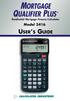 MORTGAGE QUALIFIER PLUS Residential Mortgage Finance Calculator Model 3416 USER S GUIDE Introducing the MORTGAGE QUALIFIER PLUS Mortgage Loan Calculator The MORTGAGE QUALIFIER PLUS was custom-designed
Mortgage Terms Glossary
 Mortgage Terms Glossary Adjustable-Rate Mortgage (ARM) A mortgage where the interest rate is not fixed, but changes during the life of the loan in line with movements in an index rate. You may also see
Fin 5413 CHAPTER FOUR
 Slide 1 Interest Due Slide 2 Fin 5413 CHAPTER FOUR FIXED RATE MORTGAGE LOANS Interest Due is the mirror image of interest earned In previous finance course you learned that interest earned is: Interest
Analysis One Code Desc. Transaction Amount. Fiscal Period
 Analysis One Code Desc Transaction Amount Fiscal Period 57.63 Oct-12 12.13 Oct-12-38.90 Oct-12-773.00 Oct-12-800.00 Oct-12-187.00 Oct-12-82.00 Oct-12-82.00 Oct-12-110.00 Oct-12-1115.25 Oct-12-71.00 Oct-12-41.00
Guide to Completing the Loan Estimate The following list highlights requirements needed to complete each section of the Loan Estimate.
 Guide to Completing the Loan Estimate The following list highlights requirements needed to complete each section of the Loan Estimate. General Information Page 1 Date Issued Date the LE is mailed or delivered
HOME BUYING101. 701.255.0042 www.capcu.org i
 HOME BUYING101 701.255.0042 www.capcu.org i This book is intended as a general guide to the topics discussed, and it does not deliver accounting, personal finance, or legal advice. It is not intended,
Upon completion you will be able to:
 Agenda This training manual consists of three parts that will provide you with step-bystep instructions about how to complete the Closing Disclosure form required by the Integrated Disclosures Rule Upon
QUICK REFERENCE GUIDE TO DISCLOSURES TRUTH IN LENDING ACT AND REGULATION Z (1) (CLOSED-END HOME MORTGAGE TRANSACTIONS)
 QUICK REFERENCE GUIDE TO DISCLOSURES TRUTH IN LENDING ACT AND REGULATION Z (1) (CLOSED-END HOME MORTGAGE TRANSACTIONS) Type of (2) Contents of Truth in Lending Statements 226.17 226.36 Early s 226.19(a)(1)
 Lender Company Name 2.3 Street Address, City, State, ZIP 23.2.1 Save this Loan Estimate to compare with your Closing Disclosure. Loan Estimate 0.1 DATE ISSUED 1.1 APPLICANTS 2.1 123 Anywhere Street Anytown,
HERE ARE FIVE THINGS YOU WILL NEED TO KNOW BEFORE THE NEW RULES TAKE EFFECT OCTOBER 3, 2015
 5 THINGS TO KNOW BEFORE OCTOBER 3RD, 2015 As a result of the 20 financial meltdown, the Consumer Financial Protection Bureau (CFPB) has published a new set of game changing rules and forms that will impact
RESIDENTIAL MORTGAGE PRODUCT INFORMATION DISCLOSURE
 RESIDENTIAL MORTGAGE PRODUCT INFORMATION DISCLOSURE Whether you are buying a house or refinancing an existing mortgage, this information can help you decide what type of mortgage is right for you. You
State of New Jersey Department of Banking & Insurance. Annual Report Worksheet for Residential Mortgage Brokers. Year Ending December 31, 2013
 State of New Jersey Department of Banking & Insurance for Residential Mortgage Brokers New Jersey Department of Banking & Insurance Division of Banking Attn: Kristen Graham -- 5 th floor 20 West State
Understanding TRID Forms
 YOUR GUIDE TO Understanding TRID Forms Learn more about the Loan Estimate, Closing Disclosure and Settlement Statement. This book includes details such as tolerance/variance levels, form changes based
TABLE OF CONTENTS. Form Number Title / Description Page
 TABLE OF CONTENTS Form Number Title / Description Page TIME CHART / ROUNDING FORMS LOAN ESTIMATE Loan Estimate and Closing Disclosure Time Chart 1 TILA RESPA Time Chart 3 Loan Estimate Rounding Chart 5
Important Information Regarding TILA-RESPA Integrated Disclosure (TRID) Rule
 Important Information Regarding TILA-RESPA Integrated Disclosure (TRID) Rule Notice to students: If your course contains information on the Truth in Lending Act (TILA) and the Real Estate Settlement Procedure
Real Estate. Refinancing
 Introduction This Solutions Handbook has been designed to supplement the HP-2C Owner's Handbook by providing a variety of applications in the financial area. Programs and/or step-by-step keystroke procedures
Project Cash Flow 3,500,000 3,000,000 2,500,000 2,000,000 1,500,000. Investor and Developer Cash 1,000,000 500,000. Sep-00. Sep-99. Dec-99.
 Project Cash Flow 3,500,000 3,000,000 2,500,000 2,000,000 1,500,000 1,000,000 500,000 0 Jan-99 Feb-99 Mar-99 Apr-99 May-99 Jun-99 Investor and Developer Cash Jul-99 Aug-99 Sep-99 Oct-99 Nov-99 Dec-99 Jan-00
We have a plan to make yours easier. The Citizens Guide to Construction-to-Permanent Financing
 We have a plan to make yours easier. The Citizens Guide to Construction-to-Permanent Financing Table of Contents How it works 3 Getting started 4 The construction-to-permanent loan process 5 The construction
Appendix C: HUD-1 Settlement Statement
 Appendix C: HUD-1 Settlement Statement HUD-1 Settlement Statement The Settlement Statement, or HUD-1 Form, details the exact breakdown of all the money paid or received by both the buyer and the seller.
Mortgage Interest & Tracing Rules
 Mortgage Interest & Tracing Rules By Phil Shaffer, EA, CFP Acquisition Debt Main or second home Acquire Construct Substantially Improve» Can be additional amounts Must be secured by the home Debt is limited
THE OXBRIDGE FHA FACILITY FHA TERM SHEETS
 THE OXBRIDGE FHA FACILITY FHA TERM SHEETS Set forth below are the various types of FHA Loans for which the Oxbridge FHA Facility will provide GAP funding (i.e. funding of borrower equity requirement) to
HOME EQUITY LINES OF CREDIT
 HOME EQUITY LINES OF CREDIT WHAT YOU SHOULD KNOW ABOUT HOME EQUITY LINES OF CREDIT: More and more lenders are offering home equity lines of credit. By using the equity in your home, you may qualify for
OPERATING FUND. PRELIMINARY & UNAUDITED FINANCIAL HIGHLIGHTS September 30, 2015 RENDELL L. JONES CHIEF FINANCIAL OFFICER
 PRELIMINARY & UNAUDITED FINANCIAL HIGHLIGHTS September 30, 2015 RENDELL L. JONES CHIEF FINANCIAL OFFICER MANAGEMENT OVERVIEW September 30, 2015 Balance Sheet Cash and cash equivalents had a month-end balance
Chapter 19. Residential Real Estate Finance: Mortgage Choices, Pricing and Risks. Residential Financing: Loans
 Chapter 19 Residential Real Estate Finance: Mortgage Choices, Pricing and Risks 10/25/2005 FIN4777 - Special Topics in Real Estate - Professor Rui Yao 1 Residential Financing: Loans Loans are classified
TILA RESPA Integrated Disclosure
 FEBRUARY 7, 2014 TILA RESPA Integrated Disclosure H-25(E) Mortgage Loan Transaction Closing Disclosure Refinance Transaction Sample This is a sample of a completed Closing Disclosure for the refinance
Adjustment Date - The date on which the interest rate changes for an adjustable-rate mortgage (ARM).
 Glossary A Adjustable Rate Mortgage - An adjustable rate mortgage, commonly referred to as an ARM, is a loan type that allows the lender to adjust the interest rate during the term of the loan. Generally,
How To Write Tvalue Amortization Software
 TimeValue Software Amortization Software Version 5 User s Guide s o f t w a r e User's Guide TimeValue Software Amortization Software Version 5 ii s o f t w a r e ii TValue Amortization Software, Version
Estimated Purchaser Cost Form
 Buyer s Cost 1 Estimated Purchaser Cost Form When to use the form: 1. before showing property; 2. at the time of an offer and/or counteroffer; and, 3. prior to the closing. 2 Estimated Purchaser Cost Form
NEW YORK PREVAILING INTEREST RATE COMMITMENT
 NEW YORK PREVAILING INTEREST RATE COMMITMENT THE USE OF THIS FORM IS OPTIONAL. If you use this form properly without alteration, you may assume that you are in compliance with New York State Department
When Your Home is on The Line:
 515 Erie Boulevard West Syracuse, NY 13204 800-462-5000 When Your Home is on The Line: What You Should Know About Home Equity Lines of Credit If you are in the market for credit, a home equity plan is
Simple Interest. and Simple Discount
 CHAPTER 1 Simple Interest and Simple Discount Learning Objectives Money is invested or borrowed in thousands of transactions every day. When an investment is cashed in or when borrowed money is repaid,
Financial Statement Consolidation
 Financial Statement Consolidation We will consolidate the previously completed worksheets in this financial plan. In order to complete this section of the plan, you must have already completed all of the
Guide to Completing the Closing Disclosure The following list highlights requirements needed to complete each section of the Closing Disclosure (CD).
 Guide to Completing the Closing Disclosure The following list highlights requirements needed to complete each section of the Closing Disclosure (CD). Page 1 Closing Information Date Issued Date the CD
Presented by TREC Instructor: Laura Perry, Attorney TREC course: 7748
 Presented by TREC Instructor: Laura Perry, Attorney TREC course: 7748 Comprehensive Outline Say Goodbye to the HUD1 and GFE on October 1 st, 2015 (or Hello Loan Estimate and Closing Disclosure) Opening
CONSUMER HANDBOOK ON ADJUSTABLE RATE MORTGAGES
 CONSUMER HANDBOOK ON ADJUSTABLE RATE MORTGAGES This booklet was originally prepared by the Federal Reserve Board and the Office of Thrift Supervision in consultation with the following organizations: American
CONSUMER HANDBOOK ON ADJUSTABLE RATE MORTGAGES Federal Reserve Board Office of Thrift Supervision
 CONSUMER HANDBOOK ON ADJUSTABLE RATE MORTGAGES Federal Reserve Board Office of Thrift Supervision This booklet was prepared in consultation with the following organizations: American Bankers Association
Shopping for your home loan. Settlement cost booklet
 Shopping for your home loan Settlement cost booklet January 2014 This booklet was initially prepared by the U.S. Department of Housing and Urban Development. The Consumer Financial Protection Bureau (CFPB)
CFPB Proposes New Mortgage Disclosure Rules
 A DV I S O RY July 2012 On July 9, 2012, the Bureau of Consumer Financial Protection (CFPB) issued a proposed rule on mortgage disclosures (Proposed Rule) implementing requirements of the Dodd-Frank Wall
Welcome. 1. Agenda. 2. Ground Rules. 3. Introductions. Your Own Home 2
 Your Own Home Welcome 1. Agenda 2. Ground Rules 3. Introductions Your Own Home 2 Objectives If you are a pre-homebuyer: Explain the advantages and disadvantages of renting versus owning a home Identify
What is a home equity line of credit?
 More and more lenders are offering home equity lines of credit. By using the equity in your home, you may qualify for a sizable amount of credit, available for use when and how you please, at an interest
RESPA QUESTIONS and ANSWERS
 What follows are unofficial answers to the questions received by the TLTA-IBAT Panel in connection with the two February Line by Line webinars. Thanks to everyone for sending in such great questions. Hopefully
MORTGAGE TERMS. Assignment of Mortgage A document used to transfer ownership of a mortgage from one party to another.
 MORTGAGE TERMS Acceleration Clause This is a clause used in a mortgage that can be enforced to make the entire amount of the loan and any interest due immediately. This is usually stipulated if you default
Sales Associate Course
 Sales Associate Course Chapter Thirteen Types of Mortgages & Sources of Finance Copyright Gold Coast Schools 1 Types of Mortgages FHA - Federal Housing Administration VA - Veterans Administration Conventional
TABLE OF CONTENTS. SCENARIO #1 FIXED PURCHASE. Page 2. Loan Estimate.. Page 3. Closing Disclosure. Page 12. SCENARIO #2 TOLERANCE CURE Page 22
 TRID CASE BOOK TABLE OF CONTENTS SCENARIO #1 FIXED PURCHASE. Page 2 Loan Estimate.. Page 3 Closing Disclosure. Page 12 SCENARIO #2 TOLERANCE CURE Page 22 SCENARIO #3 FIXED REFINANCE Page 25 Loan Estimate...
Loan Estimate. Loan Terms. Projected Payments. Costs at Closing. Save this Loan Estimate to compare with your Closing Disclosure.
 Loan Estimate DATE ISSUED APPLICANTS PROPERTY SALE PRICE Loan Terms Save this Loan Estimate to compare with your Closing Disclosure. LOAN TERM 30 years PURPOSE Purchase PRODUCT 5 Year Interest Only, 5/3
ANSWERS TO STUDY QUESTIONS
 ANSWERS TO STUDY QUESTIONS Chapter 17 17.1. The details are described in section 17.1.1. 17.3. Because of its declining payment pattern, a CAM would be most useful in an economy with persistent deflation
Transaction Information. Michael Jones and Mary Stone 123 Anywhere Street. Anytown, ST 12345. Steve Cole and Amy Doe 321 Somewhere Drive
 Closing Disclosure This form is a statement of final loan terms and closing costs. Compare this document with your Loan Estimate. Closing Information Date Issued 4//20 Closing Date 4//20 Disbursement Date
Home Mortgage Interest Deduction
 Department of the Treasury Internal Revenue Service Publication 936 Cat.. 10426G Home Mortgage Interest Deduction For use in preparing 1998 Returns Contents Introduction... 1 Part I: Home Mortgage Interest...
Obtain Information from Several Lenders
 Shopping around for a home loan or mortgage will help you to get the best financing deal. A mortgage--whether it s a home purchase, a refinancing, or a home equity loan--is a product, just like a car,
Case 2:08-cv-02463-ABC-E Document 1-4 Filed 04/15/2008 Page 1 of 138. Exhibit 8
 Case 2:08-cv-02463-ABC-E Document 1-4 Filed 04/15/2008 Page 1 of 138 Exhibit 8 Case 2:08-cv-02463-ABC-E Document 1-4 Filed 04/15/2008 Page 2 of 138 Domain Name: CELLULARVERISON.COM Updated Date: 12-dec-2007
HOME BUYING101 TM %*'9 [[[ EPXEREJGY SVK i
 HOME BUYING101 TM i This book is intended as a general guide to the topics discussed, and it does not deliver accounting, personal finance, or legal advice. It is not intended, and should not be used,
CONSUMER HANDBOOK ON ADJUSTABLE RATE MORTGAGES
 CONSUMER HANDBOOK ON ADJUSTABLE RATE MORTGAGES Federal Reserve Board Office of Thrift Supervision This booklet was originally prepared in consultation with the following organizations: American Bankers
FIRST COMMUNITY MORTGAGE, INC.
 FIRST COMMUNITY MORTGAGE, INC. REG Z & TRUTH IN LENDING ACT Background: On July 30, 2008 Congress enacted the Housing and Economic Recovery Act (HERA) which contained a section called the Mortgage Disclosure
DEPARTMENT OF REGULATORY AGENCIES DIVISION OF REAL ESTATE MORTGAGE LOAN ORIGINATORS AND MORTGAGE COMPANIES 4CCR 725-3
 DEPARTMENT OF REGULATORY AGENCIES DIVISION OF REAL ESTATE MORTGAGE LOAN ORIGINATORS AND MORTGAGE COMPANIES 4CCR 725-3 8-1-1 MORTGAGE LOAN ORIGINATOR ADVERTISING Pursuant to and in compliance with Title
Consumer Handbook on Adjustable Rate Mortgages
 Consumer Handbook on Adjustable Rate Mortgages Federal Reserve Board Office of Thrift supervision EQUAL HOUSING OPPORTUNITY This booklet was prepared in consultation with the following organizations: American
Refinancing may be an option for you to consider if your loan is adjusting to an interest rate that's higher than the current market rates.
 How does an adjustable rate mortgage (ARM) work? Like many homebuyers, you may have been attracted to the low initial interest rate of an adjustable-rate mortgage (ARM). While adjustable-rate mortgages
NEW YORK INTEREST RATE LOCK COMMITMENT
 NEW YORK INTEREST RATE LOCK COMMITMENT THE USE OF THIS FORM IS OPTIONAL. If you use this form properly without alteration, you may assume that you are in compliance with New York State Banking Department
EXPLANATION OF THE HUD-1 Settlement Statement
 EXPLANATION OF THE HUD-1 Settlement Statement The Settlement Statement is the financial picture of the closing. All money deposited into the escrow account and the disbursals out of the escrow account
ILLINOIS LOAN APPROVAL NOTICE
 Date: Lender: Borrower(s): Property Address: TYPE OF MORTGAGE: Purchase Refinance Fixed Rate Adjustable We are please to advise you that your application for a mortgage loan on the above-captioned property
What You Should Know About Home Equity Lines of Credit and Important Terms of FlexEquity SM
 What You Should Know About Home Equity Lines of Credit and Important Terms of FlexEquity SM Effective March 1, 2008 The Housing Financial Discrimination Act of 1977 Fair Lending Notice It is illegal to
How To Get A Home Equity Line Of Credit
 A GUIDE TO HOME EQUITY LINES OF CREDIT Call or visit one of our offices today to see what products in this guide we have to offer you! TABLE OF CONTENTS Introduction What is a home equity line of credit
WHAT YOU SHOULD KNOW ABOUT HOME EQUITY LINES OF CREDIT
 WHAT YOU SHOULD KNOW ABOUT HOME EQUITY LINES OF CREDIT More and more lenders are offering home equity lines of credit. By using the equity in your home, you may qualify for a sizable amount of credit,
MORTGAGE LOAN DISCLOSURE STATEMENT GOOD FAITH ESTIMATE NONTRADITIONAL MORTGAGE LOAN PRODUCT (ONE TO FOUR RESIDENTIAL UNITS (RE885) INFORMATIONAL SHEET
 MORTGAGE LOAN DISCLOSURE STATEMENT GOOD FAITH ESTIMATE NONTRADITIONAL MORTGAGE LOAN PRODUCT (ONE TO FOUR RESIDENTIAL UNITS (RE885) INFORMATIONAL SHEET WHEN TO USE THIS FORM NONTRADITIONAL LOAN PRODUCTS
NORTH AMERICAN TITLE COMPANY Like Clockwork. www.nat.com/cfpb
 NORTH AMERICAN TITLE COMPANY Like Clockwork www.nat.com/cfpb UNDERSTANDING THE NEW LOAN ESTIMATE AND CLOSING DISCLOSURE FORMS American Title, we want to make sure all of our customers have the information
MORTGAGE BANKING TERMS
 MORTGAGE BANKING TERMS Acquisition cost: Add-on interest: In a HUD/FHA transaction, the price the borrower paid for the property plus any of the following costs: closing, repairs, or financing (except
Home Equity Lines of Credit
 The Federal Reserve Board What you should know about Home Equity Lines of Credit Board of Governors of the Federal Reserve System www.federalreserve.gov 0708 i What You Should Know about Home Equity Lines
Consumer Handbook on Home Equity Lines of Credit
 Consumer Handbook on Home Equity Lines of Credit The Housing Financial Discrimination Act of 1977 Fair Lending Notice (CALIFORNIA RESIDENTS ONLY) It is illegal to discriminate in the provision of or in
Renewing and Renegotiating Your Mortgage
 ABCs of Mortgages Series Renewing and Renegotiating Your Mortgage Smart mortgage decisions start here table of contents overview 1 the renewal process 2 renegotiating your mortgage agreement: breaking
The Federal Reserve Board
 The Federal Reserve Board What you should know about Home Equity Lines of Credit Board of Governors of the Federal Reserve System What You Should Know about Home Equity Lines of Credit 1 More and more
SELLER S NET & BUYER S COST
 SELLER S NET & BUYER S COST Closing Day The day of closing is the responsibility of the seller with the exception of prepaid interest on a new loan and a new insurance policy. Taxes nsurance nterest New
Understanding Calyx Point DocMagic Interface Guide Version 1.1
 Understanding Calyx Point DocMagic Interface Guide Version 1.1 Document Systems, Inc. 20501 South Avalon Blvd., Suite B Carson, CA 90746 (800) 649-1362 http://www.docmagic.com October 8, 2008 Preface This
This booklet was initially prepared by the Board of Governors of the Federal Reserve System. The Consumer Financial Protection Bureau (CFPB) has made
 This booklet was initially prepared by the Board of Governors of the Federal Reserve System. The Consumer Financial Protection Bureau (CFPB) has made technical updates to the booklet to reflect new mortgage
Closing Disclosure. Loan Terms. Projected Payments. Costs at Closing
 Closing Disclosure This form is a statement of final loan terms and closing costs. Compare this document with your Loan Estimate. Closing Information Date Issued Closing Date Disbursement Date Settlement
CHOOSE MY BEST PLAN OPTION (PLAN FINDER) INSTRUCTIONS
 CHOOSE MY BEST PLAN OPTION (PLAN FINDER) INSTRUCTIONS Anthem Medical Plan For Employees Working In the US February 10, 2012 Page 1 IMPORTANT NOTES YOU SHOULD CONSIDER BEFORE USING THE TOOL The Choose My
Assuming office supplies are charged to the Office Supplies inventory account when purchased:
 Adjusting Entries Prepaid Expenses Second Bullet Example - Assuming office supplies are charged to the Office Supplies inventory account when purchased: Office supplies expense 7,800 Office supplies 7,800